#3d-modeling
1 messages · Page 43 of 1
 deft fog
Now they're clipping inside the whites of the eyes (which are pretty far back in comparison)
It could maybe be a weighting issue, or maybe a bone isn't parented right somewhere?
 stable edge
Uh if they're inside the head the bone placements wrong
stable edge
In muscle mode of rigging in unity see what it looks like

 stable edge
Don't assign any eyes?
deft fog
I'll try that
 zinc furnace
If the eyes look different ingame, it's basically always eye tracking
deft fog
Eye movement moves right in the eye rigging part of unity
zinc furnace

VRCat: Community-Run VRChat Forums
I want to share a shader I created to get my eyes working while I am using full body tracking. The shader went really well, and I think it may even be...
Not sure why this shader needs the armature modifier to be removed from the eyes though
Wouldn't that just mess the eyes up entirely?
deft fog
I dont get why eye tracking would break this
zinc furnace
Well, it's basically the only thing that's different ingame than in Unity
deft fog
But I also don't understand how, though
They work on another model, these same eyes. They work in Unity, they work iin blender, etc.
Gonna suck having to tear out the eyes and make new ones...
I'll just take them from a model I know works 100%, if I must.
Shit.
It's the eye tracking in some way or another.
Guess I'll be stealing some eyes.
 hot flint
@austere harbor protip
Go to the data tab
Tick auto smooth
Then define the edges that you want to be marked as sharp
You'll get a much cleaner look
 austere harbor
DataTab?
hot flint
The one with the three dots in triangle form
On the left hand panel, there should be a tab for UV/shading or something
(while in edit mode, at least)
austere harbor
AAaahh
 static sun
 hot flint
Looking good Catie!
hot flint
☄
static sun
it's taking sooo much to get the textures right O. O
and rigging is giving me head aches T- T
hot flint
Rigging is never easy
static sun
i'm fine if i do it in blender... but trying to move over to maya
so im relearning everything T- T
hot flint
Oof
I can't get into Maya, too entrenched in blender
I recently learned a whole heap of Tricks as well
I've got a lot that I need to drill myself on
static sun
atleast the weight painting in Maya is "select the mesh" - "select the bone" - "flood weights" - "add edge smoothing"
hot flint
Yes, I've read that that's like that
Seems that shape key at work is all so much easier in Maya
static sun
its much more refined for game development than blender imo
hot flint
I imagine that the trouble that you run into with just floating weights like that is that you wind up influencing things that you didn't want to
static sun
the 1 click send to Unity/unreal is amazing
zinc furnace
When I load an image in Blender, it's too dark. What could be the cause?
It looks fine in every photo viewer, but as soon as I load it in the image viewer of Blender (in the UV Map window), it's too dark.
 earnest relic
Hello my dudes
 runic lake
herrow
 thick rune
I need to ask how does one hide their name plate with an object and a shader? I wanna make it togglable too so that I can turn invisible and hide the name plate at the same time. I've seen it done before and there is nothing on the internet on how to except an outdated post on a forum. Also I hope this isn't against the rules.
 viscid wave
So I have a model with really blocky fingers, does anyone have a good tutorial on how to smooth certain parts of a model?
thick rune
Also how the heck do you make your own 3d skybox in your own space?

 lament pond
 zinc furnace
@viscid wave I normally use the knife tool to subdivide the joints
 loud lake
really to cool to see other people making custom models 😃
deft fog
Placing new eyes on my model

Yet, this happens when I join them.

Yet they both share the same origin
zinc furnace
Perhaps try CTRL+A applying the scale, rotation and position/transform of the eyes and the armature/body before joining @deft fog
deft fog
Oh wow that did the trick, thank you.
 haughty slate

Finishing up my detective owl model and thought a cool night cafe scene would fit.
This model is also rigged and usable in vrchat.
Made a scene with my latest model
Might attempt to make a world with this kinda style but i gotta fig out how to even do that lmao

 loud lake
LMAO maybe unity misinterpreted the weights...?
never seen that happen if the rig is setup correct 🤔
good luck 😄
deft fog
i
fixed it?
I added a new bone that was a staff controller... that somehow did ALL of it.
loud lake
tfw did a custom toon-shader in blender and forgot it wouldn't transfer to unity
loud lake
fun times
deft fog
They eyes are also directly ported from a model where they worked
loud lake
I can't test mine in vrchat yet so god only knows how broke it's gonna be first time I try
are you're eyes just textures? Cause mine will be meshes

I have mine where the pupils are a disk shape with the "eyes" actually being concave and shadeless to give the illusion they are solid white behind the eyes
loud lake
thanks! working on hair now....hence why she's bald LMAO
deft fog
My eyes are two meshes. A rear backdrop and then a floating eye that rotates
So this is what it looks like in unity and blender
https://gyazo.com/e6aecfaa30ee17c10a08fd14a6e4ebec


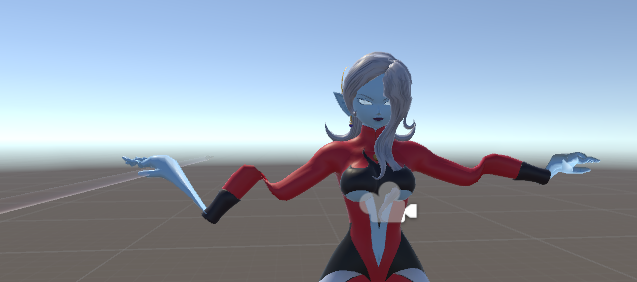
And this is what it looks like in VRChat.
Wew.
loud lake
maybe she's just possessed on vrchat
i assume you've checked blendshapes and all that...
 cobalt willow
Are the head and eyebones pointing straight up with zero roll?
Assuming you've correctly set it up for simulated eyetracking already
 livid frigate
Also what shader did you use? I've had a white eye before because of a cubed shader setting
deft fog
I am using cubed, yes
But the eye is visible at first and when eye tracking loads, the eye disapears.
I'll try a new shader on the eye
loud lake
the eye does have a standard scale / rot / pos in blender?
maybe it's origin point is someplace really far away so it's freaking out?
deft fog
Origin point was set to match the entire body
Scale, rotation, and position were all applied before being combined
zinc furnace
Try making the eye and head bones bigger

 deft fog
Thanks, I'm trying to figure it out
I FIGURED IT OUT
OH NO
It placed the fucking eye bones and assigned them to the breast bones
ahahahahaha
deft fog
Well it's still not working, even after figuring out the eye issue. So now I'm trying to extend the eye bones to see if that helps. Doesn't seem to be. Wondering what I need to do, because once it hits eye tracking, it doesnt work
Had someone with VR look inside my avatar. They're just... not on the model or in the model at all
But they're visible for the first half a second the avatar loads
I went to the avatar test room and used that poly counter thing. Doesn't show the eyes in there at all. So they're not just white meshes
 static sun
i pretty much just need to clean up and finish off the textures.
and finish off the Rigg, weights and retarget for animations then i can render <. <
the last 5-10%
static sun
i'm wondering if i should make some intentional wallpapers
 static sun
I have a fair amount to finalize with the texture... but i think the renderer is setup properly now
 honest scroll
So i have a question for people who model humanoid faces.
I myself don't and i was wondering if it is as straightforward as i think it is. Can i use a sculpting method and then decimate the model afterwards or is there a more complicated way i have to do this.
 midnight swift
there are multiple ways you could do it
honest scroll
Because i plan on getting into anime character modeling, and its concerning to start without knowing.
static sun
human faces are in no way simple or straight forward 😐
midnight swift
I like to start with a sketch and set it as background picture
and then add a plane and extrude and stretch it around
and add a subdivision surface modifier
it helps getting nice rounded shapes
this helped me a lot:
https://www.youtube.com/watch?v=0QT1GNMevfc
Learn Blender at https://Blender101.com If you're new to Blender, watch this Blender Quick Start Guide first: https://youtu.be/lZe3tGWSy6s Starting a new cha...
honest scroll
I will look more into it, thanks.
 cold plank

I use meta for the same thing. Reference images get turned into meshes by pulling vertexes. 😃
static sun
model the head first then the head piece after... by doing them together you add in a lot more complexity which will give worse deformations later
static sun
you have poly flow in the face... your gonna have a hard time making them talk or emote later 😉
cold plank
Have you ever used meta?
static sun
no... i use professional software cause i do character creation for work
cold plank
ditto, but metaseq is specifically designed for low to medium poly game assets
and in fact it's what 99% of mmd models are made in
static sun
i really dont like MMD models
cold plank
That's fine, but lots of people do, and making blendshapes in meta is so easy it's child's play, literally
also it comes with a fully VRchat compatable autorig with weight paint, so there's that too. 😛
midnight swift
You can do all thet in Blender, too
cold plank
slowly, yes
midnight swift
depends
cold plank
I'm talking about modelling from scratch.
static sun
<<<< models everything from scratch in Zbrush 😐
cold plank
I can't into sculpting
static sun
i used blender before... you can do everything in blender very well with practice
midnight swift
yeah, I do it that way in Blender
static sun
Sculpting gives you cleaner results
cold plank
maya is way better for detailed stuff, and zbrush is great for organics but if you're going for good looking lowpoly stuff or anything mechanical good old fashoned direct point vertex is the way to go
midnight swift
I like the subdivision surface modifier in Blender, you can achieve nice smooth surfaces without all the complexity of many vertices
cold plank
imho
midnight swift
although I tend to tweak the mesh afterward
static sun
my character is 18k poly <. <
im like half the industry standard XD
its considered "low poly" if its under 30k poly now
cold plank
 midnight swift
for mechanical stuff I'd actually use CAD software
cold plank
please excuse my lack of unicode on work pc
static sun
mid poly is 35-75k
midnight swift
yeah, like in Blender
cold plank
yeah, except you don't need to tweak a rutabega and pray to an elder god to get it to work
lol
Blender is a great example of UI design.
IE: What you don't do
lol
midnight swift
I don't know what your problem is
cold plank
sorry, I just hate it's UI so much
it's so, so, so overcomplicated
I get that people love it
I just... can't
midnight swift
I like the control Blender gives the user, everything is very transparent
static sun
regardless of the software... you need to practice good edge loops
midnight swift
what is the receipt for that?
static sun
otherwise you get mutant face shapes
midnight swift
or recipe (sry for my english)
 sonic totem
I remember a good quote from a tutorial from Blender guru about the program. 80% of the results come from 20% of the features
lol
static sun
thats every software @sonic totem
cold plank
Catie: you're not wrong. I guess after using 3ds max and maya and meta I can't use something like blender. Polygon modeling with a proper 3 window ui and layers with clear, easy to understand photoshop like workspaces I just can't go back to having to print a cheat sheet of keyboard shortcuts just to get anything done in a reasonable ammount of time
a literal child (mine) learned how to make things in 3d with meta in an afternoon
midnight swift
If you want 3 window UI you can get that in Blender
cold plank
it won't make it any less awful or make me want to use it, lol
static sun
yeah... i jumped in to VR and learnt how to use VR modelling tools in about 20 mins and did the same with like 5 other bits of software
its just good GUI design and a basic understanding of the modelling workflow XD
midnight swift
then we can agree upon that everyone likes to use what they're most comfortable with? 😃
I started making models like one month ago (although I have background in sculpting and CAD)
cold plank
that's awesome
midnight swift
It did need a little time to get into Blender, but I think it paid off
working with Unity is way worse
static sun
i have to do everything from scratch cause of work so i find it easier
cold plank
yeah it's a good stepping stone
wow, really?
I find unity intuitive and great
but software is my day job
that actually explains why my youtube tutorials were so popular
midnight swift
I do software too, but mostly for control of machines
cold plank
it surprises me that people find unity more complicated than 3d. I'm the complete opposite. Weight painting is an absolute pain and I write software to get around having to do it, lol
midnight swift
so I'm more comfortable working with text
instead of clicking assets, components etc. together
static sun
i work in Unity and Unreal for work <. <
the hardest software i use is Substance cause of the different shaders and texture layers to make things look good
midnight swift
and you never know if unity does things automatically or not
cold plank
console is your friend
static sun
substance designer can be a migraine for me
midnight swift
maybe I just need more practice with Unity
static sun
I only know how to get characters working in unity... i dont see the need to learn much past that
midnight swift
yeah, me too, but sometimes you want to make some special things for a character
static sun
with my current character, im tempted to replace all the animations with custom anims to add more life to them
midnight swift
any tips on how to make animations that don't look like performed by a robot?
static sun
look at Mixamo
or if you really want to do it yourself... you will need to do a Animation course 😐
loud lake
I started with blender and after trying 3Ds max was completely confused by it...I went back to blender lmao @midnight swift
static sun
its a different workflow @loud lake 😄 try Maya... its a lot closer to blender in terms of workflow
loud lake
Also tweening ease types are definitely the best think of your animation in terms of "major" movements and position for those. Then use easing curves to try to fill in the spaces and when it doesn't look quite right add more keyframes as needed. @midnight swift
@static sun I tried Maya too it was better but too pricey to use outside my school
static sun
Look at Maya LT 😛
all the maya zazz at 1/6th the cost
midnight swift
tweening ease? what dou you mean?
loud lake
Like instead of linear movement you can use curves in the animation editor view. The curves help give a more lifelike animation style since almost everything moves in curves
Drag the ends of the keyframes to adjust the curves
static sun
Animation is its own profession 😄 i would only bother doing it if you are serious
midnight swift
ah, ok, that makes way more sense
loud lake
Feel free to pm me if you have any other questions 😃 love helping I love animation and modeling
static sun
I have a friend at Pixar and they love animation... but they did like 4 years in college learning how to do it correctly XD
loud lake
@static sun also I kinda just love how much blender can do! Like 3D motion tracking, full video editing suite, etc it's crazy
static sun
yeah ... its animation tools need updating though... its really horrible for doing loop animations
loud lake
Apparently the UI is getting a pretty massive overhaul next version 😄
No idea on animation tools tbh I just work around the small issues I have never find really big ones
 spare radish
Yeah, basing on the screenshots, it seems like Blender's interface is trying to become similar to Maya
It's using icons a lot more and the overall look of it seems to be similar.
deft fog
After a couple days of bashing my head against this model to get the eyes to work, I'm on the verge of giving up
deft fog
I can't get it to work. On paper everything should be fine
I also can't afford to commission it to be fixed. That would be about 40usd and I already had to commission someone to fix it beforehand.
The model was imported straight from xenoverse and came with huge issues. Issues I've since learned to fix
Thus meaning that money was wasted.
loud lake
Wait how deep are you already then?
deft fog
Forty
Wouldn't be as bad but I had hdd failure.
Had to replace an hdd
I might just dip into savings and see if someone can fix it
midnight swift
what's not working?
thick rune
How do I make light pass through an object?
loud lake
Define "pass through"
deft fog
@midnight swift the eyes. They work in everything except vrchat
They vanish a second after loading. Not inside the body. Not pure white and hidden either
midnight swift
what means not work? eyetracking or blinking?
spare radish
If you mean 'Pass through' as making a texture transparent, just make sure the texture has a transparent channel.
deft fog
Eye tracking
midnight swift
normals flipped?
deft fog
Nope, checked
loud lake
You completely remade the mesh and re parented it too right?
spare radish
Also, set to either Cutout or Fade, whichever mode you need.
midnight swift
parenting is right?
deft fog
I'll check it after work. It should be
I took it straight from another model.
The port I did of the model didn't come with working eyes.
I just realized I accidentally sent the model to my phone.
spare radish
Hey again
thick rune
Nvm may have found a fix.
spare radish
Quick question for you all. Do you prefer to work with more polygons or less polygons?
deft fog
More. Makes it easier for things not to get clunky
thick rune
Next thing I need help with. How do you make something render through the floor and not not have the floor render through?
thick rune
I managed to make things inside the sphere render through using ZWRITE OFF, but now how do I cut off everything outside of the sphere?
thick rune
I'm basically trying to cull off my surroundings, so that they don't appear inside the sphere, but the avatar is the only thing in it.
loud lake
the toon shader in Unity that I'm using is so much worse looking then the one i made in blender 😦
I did some more work on that hair should have it mostly done by tonight which means I can start on the clothes finally
 deft fog
Trying to approach my model again now that Im home
Testing a version with no eye anything set.
No animations, no blinking, nothing.
loud lake
Good luck @deft fog
hot flint

Just got finished with a basic flatsheet for a nendroid style ryuko model
this will be a lot of fun
 vivid crater
Those thighs are thicc
 stable edge
nice ✨ ✨
getting into the whole make your own model things myself
hopefully will be able to do good like you!
deft fog

The original hands for this model were pretty chunky and bad. This was AFTER the fingers being fixed

So now I'm trying to slim them down and make them more like an actual person's hand.

Look how CHUNKY it is in VRChat
stable edge
looks like the bone positions are off
deft fog
It's a mix of both
First I'm making the hands due to how large they were.
Second, I'm gonna fix the hands.
Bones, I mean.
stable edge
and maybe the weights are screwy since you did stuff
deft fog

The weights are fine, now. They used to be pretty bad
But the bones were pretty weird.
I just repositioned them, so fixing up the weight paints will be needed anyway
stable edge
i mean the thumb 1 looks off
deft fog
The model came from Xenoverse, and the hands were giant and blocky
stable edge
the bone
deft fog
Ah, yeah
It was worse
But certainly not that much better at the moment
I'm worrying about remodeling them first, before doing weights and bones again.
deft fog
The hands didn't actually survive being ported out of Xenoverse
Here, I'll find the screenshot I took of what they looked like fresh into blender
stable edge
oof


 stable edge
seen worse
deft fog
Damn really
stable edge
at least theres a working script for the models

 deft fog
OOF
stable edge
all of the models
deft fog
Looks like someone bridged edge loops, or whatever its called
stable edge
all of them
theres theories about it being the verts are in bone space
the models were got boneless to
so*
i mean it doesnt explain some stuff
like shouldnt the mresh be deformed symmetrically?
 stable edge
usually i just snap to vert at this point
deft fog
I've actually thought about stealing a good pair of hands from another model.
I tried to do it with eyes for this model, TWICE.
But I still can't get them to work
So now it just has static eyes.
But hands would probably be easier.
stable edge
steal or snap
deft fog
Especially seeing as I can get ones already weight-painted.
stable edge
youll have to deal with uvs though
deft fog
First I'll try fixing the hands
stable edge
use the snap
stable edge
 deft fog
I've seen people change a vert on one side and it changes on the other side as well
How do you do that in edit mode?
stable edge
its on 3d view too
same location
snap thing is squared
youll want it to active (duh)
also use x mirror
thats in options
in the tool box
or the other one like options
deft fog
Where at? Whats it called?
stable edge
x mirror
options
sub category mesh options
if youve worked with uvs enough you should know where snap is in 3d view
same bar thing but in 3d view
deft fog
Is there a way to do the same but in edit mode, when not doing UV?
stable edge
yeah
its there in 3d too
i just only have a photo of it in uv
since that was of a broke one

yoink
dont need both on
topology can be off
 warm idol
Hello can you help? I been on Vrchat for 28 hours and I can't upload my model. it said I have to be in certain how long I am on Vrchat to do that. and supposed to have a email or something that I can
 mossy quail
@warm idol how did you reach the 28 hours
did you afk
or actually walk around, interact, friend people
mossy quail
Were assuming its sort of a combination of playtime and a point system
warm idol
I have like 5 friends xD
mossy quail
nobody knows but thats the most likely
warm idol
I played all the time. I only afk is to get food that's all. but I come back to interact and play games. I stream too.
mossy quail
just continue playing, itll unlock eventually
but if you reach 40 hours id consider contacting vrc
warm idol
Blah. xD I have like comic Con I am going to soon like on Friday. and I will be in hotel until monday.
mossy quail
i think its just annoying as well
its a double edged sword
on one side you prevent hackers from creating new accounts all the time
on the other hand it prevents new peeps from uploading their own content
static sun
Whats everyones project goals for the week?>
 fierce blade
Well, Ive been working on a model for about 2 weeks now, it would be nice if I actually finished it this week xd
static sun
cool
i have to fix the weights and finish off the textures for my character over the next few days 😐
 spiral sigil
Does anybody know how do I join two materials that have the same texture in Blender? I'm having problems with those two materials separated when I make an animation
 topaz frigate
I think there is a button in cats that might do that @spiral sigil
zinc furnace
CATS has a "Combine Same Materials" function, and you can also do it manually
Go into edit mode, select the first material, click "select". Then move to the second material, and click select again. Then click "assign". All the faces in the first and second material will now be assigned to the second material. You can do Clean Material Slots to get rid of the first one, or just delete it manually
static sun
Atlas materials
spiral sigil
Thank you
static sun

Got the Mixamo Animation retargeted and working... need to fix the weights and add in some morph drivers then i'm ready to render <. <
on track to get this done by the end of next week now
static sun
yeah
 gentle forum
Is there any way to change like, a few vertices on the face and not break the shape keys, or do I have to edit all the shape keys once I change the base?
 cunning moth
i'm following Tupper's texture atlas tutorial. I'm at the stage of arranging uv verts before scaling & translating them into the grid but one of the textures is so hard to tell if I've got my UVs aligned correct, is there away to make it easier. make a darker temp version and replace with original just before baking?
spiral sigil
Does anyone have the right link(s) for unity i feel like i’m using the wrong one
cunning moth
@spiral sigil https://unity3d.com/unity/qa/patch-releases/5.6.3p1

Unity
Unity is the ultimate game development platform. Use Unity to build high-quality 3D and 2D games, deploy them across mobile, desktop, VR/AR, consoles or the Web, and connect with loyal and enthusiastic players and customers.
 spare radish
I'm still having issues deciding how I should handle the texturing of the body.
Should I split the head into a separate UV map from the body?
Or should I keep it all as one UV map?
Also, I think it might be worth mentioning that my Retopology skills are currently beginner-intermediate and my unwrapping abilities are beginner level.
lament pond
Usually it is better to have the head on its own so you can inflate it up and work on more details for it @spare radish
spare radish
@lament pond How would you recommend doing that? Should I split the head into it’s own mesh or just create a new UV map for the mesh?
lament pond
You don't need to separate it into another mesh just put a uv seam
spare radish
@lament pond Was also wondering how I'd go about splitting the head into a separate mesh anyways. In some games they do that and somehow do it without causing a distracting seam to appear where it was disconnected. I think the technique's called normal blending or something like that.
lament pond
It's just better to keep it connected
lament pond

 warped lotus
If anyone know how to convert a XPS model to MMD halp me please
lament pond
 gentle forum
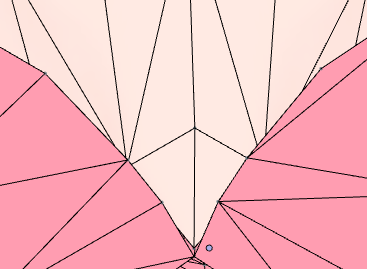
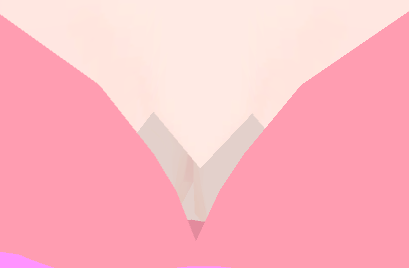
Any reason why when I edit the mesh of my model it just ignores the changes when I import over to Unity? I checked the shape keys and they're all normal.
 midnight swift
When I set the textures up that they are used by both sides of my model symmetrically, do I have to use two versions of the normal maps? Because one channel gets inverted when I mirror it and it would look weird then.
static sun
i updated my Marmoset toolbag T- T
how did it make it look better D: https://cdn.discordapp.com/attachments/345291428869439488/449256639002968084/unknown.png

what is this magic?
 odd prairie
dof
static sun
SSS + better shadows
 mental blaze
I got to give that software a try
static sun
has an amazeballs Bake tool (the fastest and cleanest bakes i have ever gotten)
and the render tool is sooo much nicer than Ray trace render tools like cycles or iray
midnight swift
Again with the normal mapping, how can I fix/prevent this from happening?
https://cdn.discordapp.com/attachments/449251299016310785/449331025894572042/Normal3.png

 brave dune
is the seem closed?
midnight swift
Yes, there are no gaps
Is it maybe a bad idea to generate normal maps externally?
brave dune
im asuming those are where the edges of the uv are
midnight swift
yes
where the islands meet
and it seems like it comes from the surface bending so that the colors of the normal map don't meet up
brave dune
the problem with the generation probably is that the islands are facing diffrent directions
midnight swift
the problem is, that I don't know how to make them face in the right direction because they obviously get distorted while unwrapping
so they could just line up for single edges
 midnight swift
had fixed the faces, but the edges are still broken
brave dune
is the normal map teh only thing you have done so far?
midnight swift
texturewise for this model yes
brave dune
you could try rotating the islands so they match up better or check the settings of the tool you used to bake it and see if it has any extra options to fix the problem
midnight swift
I think I have to bake the normal maps from the actual model
brave dune
before it became a bump map, is it a greyscale image?
 eternal crow
http://prntscr.com/jm9lcj does anyone know why this happens? im trying to import pieces of models from a 3ds game together but not a single one of the many many files work

they all give me that error
i tried this with utf-16 instead of utf-8 and the error goes away but it doesnt import the models at ll
*all, it just simply does nothing
brave dune
sounds like there is info in there that the importer doesnt like
eternal crow
why is it that model ripping is never easy for me i mean i did rip the living shit out of that 3d corpse party game just to get a goddamn rig xD
midnight swift
yes, black and white
eternal crow
what should i do? i dont know any other program that can open these files
 latent charm
@eternal crow When you say 3ds, do you mean the nintendo 3ds and not the .3ds format, which I believe blender's .3ds importer is for.
@midnight swift I've run into this problem (possibly in a slightly different way), I think what you need to look up to find a solution (or at least what's going wrong) is the object's tangent space and how that relates to normal maps.
eternal crow
yeah nintendo 3ds
latent charm
Yeah that's definitely not what that importer is for. You'll need to see if someone's made an importer for that format, and if not use some other software to convert it to something blender does have an importer for, like collada (.dae), obj (.obj, .mtl), etc etc.
 gleaming ridge
does anyone have time to help me resize an avatar and add some color pallates
eternal crow
but it seems to extract them as ,x3d files and its the only game ive ever seen use this format
gleaming ridge
i do not know how but i got most of the stuff in many formats
latent charm
Can't find much on the error you're getting (unicode error) :/
eternal crow
seems like this is the only 3ds game using these model formats
i tried with utf-16 instead, the error goes away but then nothing still imports
latent charm
Worth checking is opening up one of the 3ds files in a hex editor and check the header, see if they really are 3ds files.
If they are they could be a version blender's importer doesn't like for whatever reason.
eternal crow
alright ill give that a shot
so i opened one and i got this http://prntscr.com/jm9ub3

it has a clear file header but idk what format uses that header
and if i go down further i get headers like CMDL and SMDL

and it shows this at the end http://prntscr.com/jm9vvm
the ctpk files it mentions are the texture files
i might try out another game from teh same company and see if i get the same results
because ive cracked bandai's game formatting before
i can do it again
static sun
3ds uses a newer version of fbx which holds data blender can't read.
Try .obj or .dae
deft fog

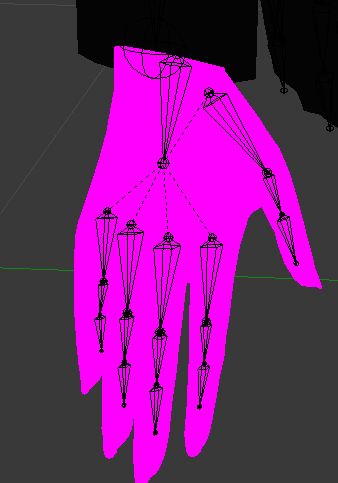
Hmm. Wonder what could cause the thumb to go out so far
Though at least this means my very first custom hand was successful up to about 80%. Thumbs are off.
spiral sigil
weight paint and bone placement
 spiral sigil
 spiral sigil
you did well by going without nothing honestly
deft fog
Not sure the difference that would create, honestly. I just don't understand bone placement that well, yet.
spiral sigil
hands are pretty hard
deft fog
This felt pretty easy.
spiral sigil
pivot point basically
deft fog
The base hand was already done, but the port from Xenoverse 2 destroyed the hands into horrible puddy mess, rotated messy bones, etc.
Let me see if I can find the screenshots of what the original did
Bones of random sizes everywhere, hand was lumpy and huge. I had to rebuild them completely.

Also the fingers were freakishly long.
The eyes and hands did not survive being ported out of the game
spiral sigil
not too hard to fix at least
 steel fossil
anyone have experience with full body tracking models
someone told me to do something but idk how to do it
deft fog
CATS has that auto-fix button for it
steel fossil
so I am trying to increase the size of the limbs on the model so its actual tracking my full body in real, so when I touch my feet I'm actually touching my feet in reality
I can't find any videos on it so I'm stumped
zinc furnace
If a mesh doesn't have any actual shape keys, is it worth it to delete the whole shape keys stuff in Blender? Or can I just leave the empty keys as they are?
latent charm
If they're empty or not doing anything you can do what you like with them.
Just remember that blender's shape keys are relative to the Basis key.
@steel fossil What you want to do is on the body mesh, go to edit mode, press o to enable proportional editing, then select the foot (easiest way is press z to enter wireframe mode then... b for border select, I think) and move it up to where it needs to be. Use the scroll wheel to adjust the range of influence of proportional editing.
Before you click confirm, note the transform values (bottom left of the 3D viewport), you'll want to move the bones by the same amount.
steel fossil
@latent charm I'm so new to this that it's kinda hard for me to understand, how will I know if it fits me correct, do I need exact measurements or just estimations
spiral sigil
hallo people 😃 is ther somone out here who might be abel to help me out .. i have a armor set but no " Human/avatar " i wanna make the armor fix a avatar i just dont know how to do it
make the armor fit a avatar**
no one have time or willing to help out 😦 makes me sad
static sun
you will need a an avatar first... then you will nee to rigg the armour
spiral sigil
but what can i do it i cant make the armor fit my model ?
i know it sounds stupid ,, but i downloaded a armor in hopw of finding a model that wod fit it .. but it looks super dum
static sun
then move/scale/rotate the parts to get them to fit
i have a friend who took Armour from fallout 4 and put it on a Anime character <. <
didnt fit... but they adjusted the armour to make it fit
spiral sigil
i been tyring that for 1.5 hour now so iam abud it give up 😃
static sun
pretty much... it takes years to be any good at 3D
 polar estuary
whats the easiest way to edit avatars specially when trying to change their clothes is it Blender or PMX editor?
zinc furnace
If it's an MMD model, PMX Editor is probably easier
But CATS has a bunch of new features that are worth a try
polar estuary
I think ill try both, and i did not know Cat's new update has a new feature regarding this
zinc furnace
Yeah, you can attach meshes to specific bones now for example
Or merge armatures
So if a shirt comes with an armature (defining where the hips, spine, chest etc are), you can merge them into your own armature.
It's been really helpful so far, although my interest in splicing models is very low
I don't really do model edits or OC's
polar estuary
did they have any new feature something similar to weight painting?
zinc furnace
I don't think so, but there's always automatic weights
A lot of clothing items or body parts come fully weight painted already, so if you do Fix Model on them, they'll match the bone structure of the model you want to put it on
You might have to manually resize or refit some parts of the clothing though
So when you merge armatures, the weighting is already done for you.
polar estuary
huh i did not know that they automatically weight paint them
zinc furnace
Some do. Your mileage may vary.
 vivid crater
quick everyone commission evil characters all at once
c:
spiral sigil
anyone here who know alot abud maya ?
 unborn venture
anyone know a video of a full tutorial from sculpting something in blender then putting it into vrchat? dm me it pls
static sun

YouTube
Hey! My name is Yanal Sosak, Yan for short. I will be your host in the following videos which includes: - Yan's Daily Tips " think of it as mini tutorials " ...
not for VRchat... but it will get you the first few steps

i cant be bothered to fine tune this rigg T- T
 static sun
its a good bit of software
 high mortar
who is it where I can get monopoly free models and all complais that is to say ticket card piont plateau
 sinful yoke
Is there someone I can get to make me a custom model? I’m trying to get it 3D printed.
DM me for details
 lapis needle
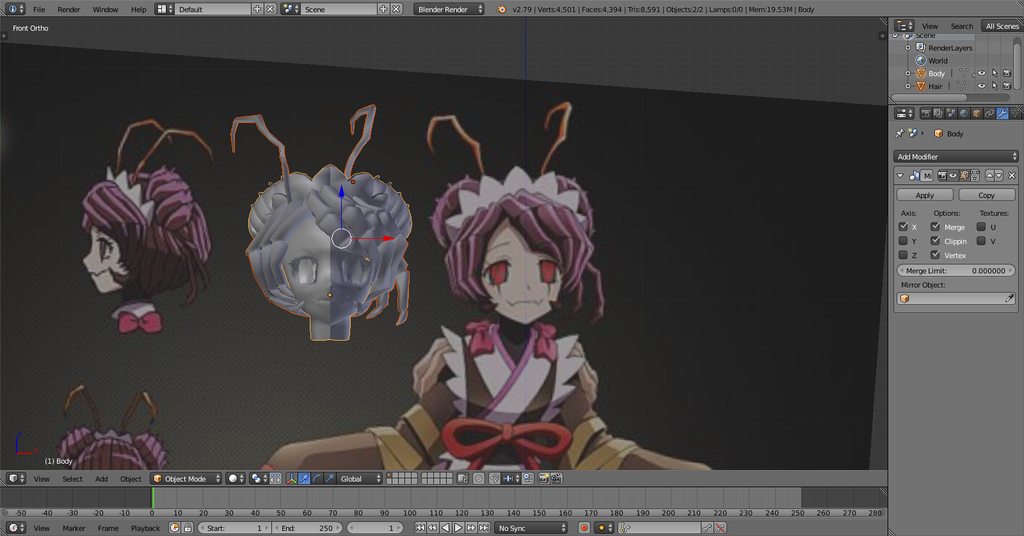 brave dune
oh nice
at least a lot of recent stuff seems to have character sheets floating around online
lament pond
Kowai
deft fog
Nah my dude, that's kowaii as shit
People that can model that accurately towards the source have my respects. That looks amazing.
The most I do, anymore, is kitbash models based on an edit of a model I did awhile ago.

So seeing people create things from scratch is amazing.
 hot flint
@lapis needle Looking clean, just be sure to check this box so you can have more control over what edges are sharp

While in edit mode, use this button to define which edges should be sharp:


 brave dune
coming along nicely there
static sun
should get it done over the next week
lapis needle
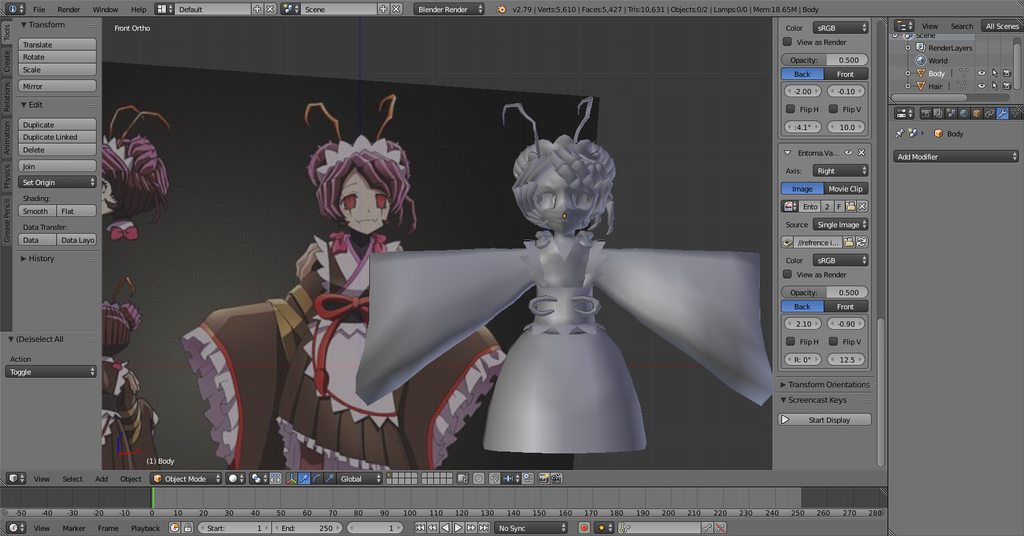 hot flint
@lapis needle Hmm... did you turn on autosmooth?
still doesn't quite look like it
at least not from this zoom
lapis needle
its being mirrored over cuz im just laying out the model
thats why the shading looks weird
hot flint
Hmm..
If you want more comfortable shading to look at,
mmd tools has a button for GLSL
which looks pretty nice
 wanton hatch
You can also press N and enable matcap, not as glossy
lapis needle
meh
 prime arrow
I've been trying to make more of my own models recently and using texture painting to add textures, however I'm having an issue where when I zoom out there is black lines on the textures. I can't paint over them and they aren't there when I zoom in, anyone know I fix this? https://i.imgur.com/rkhWtCF.png
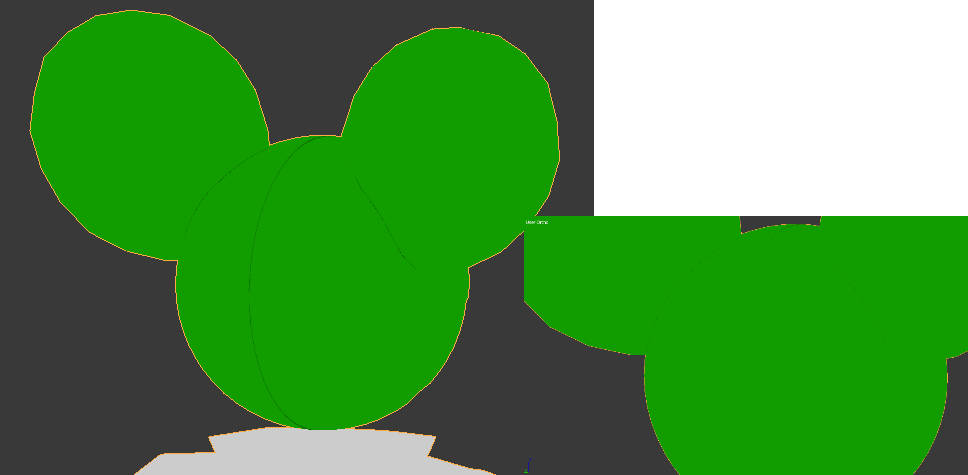 cobalt willow
Adjust the edge of the UVs bit closer inwards?
 onyx juniper
Moar bleed
prime arrow
That seems to fix it, thank you. Is there anything I can do while setting up the UVs to avoid having to fix this manually on all my models? Seems to be a problem with the UVS at the seams being too close to the edge of the texture.
onyx juniper
If you're using Smart UV Project, use a larger Island Margin
prime arrow
so far I've just been marking seams then using unwrap though I will try that with my next model, thanks
zinc furnace
When you texture atlas your model, you can also set a higher margin
So that the end result won't have the same issues

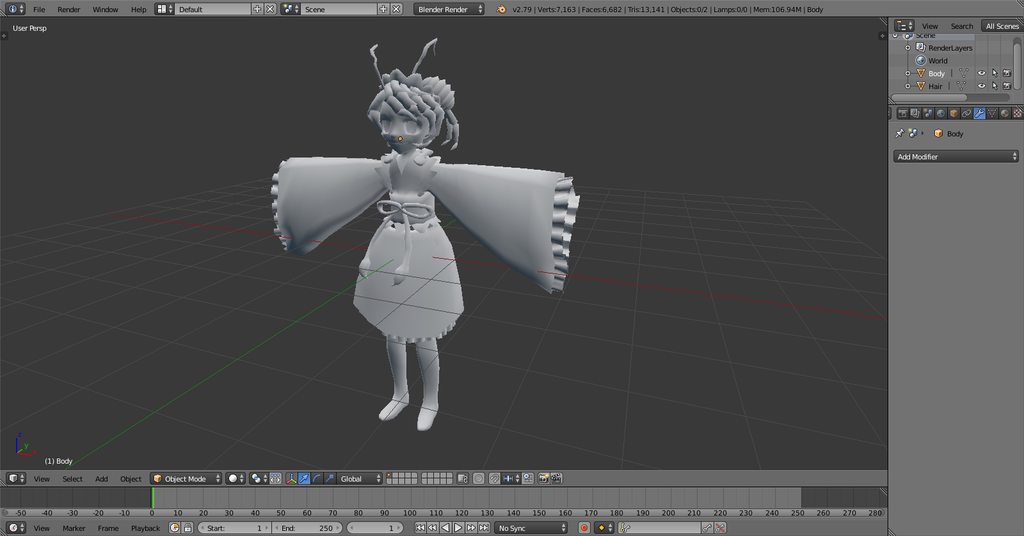
 chrome tree
Aren't frills great?!
lapis needle
they're awsome
 balmy stream
idk if this is the correct place to post this but does anyone know what the maximum DPI blender and/or vrchat will take? I see a lot of basic ones at 72 but obviously you work at a much higher dpi (300)
I'm wondering if somewhere along the line they're compressed or if that's just what people are using
lapis needle
@balmy stream Blender will support as high as your card supports. Obvously youll crash if you do something in like 8k resolution and your card isnt capabale of it. Unity supports a max 8000 by 8000 texture resolution per image.
which can be scaled down automagically. but its really really slow
balmy stream
right, I understand that. but when working with texture maps you can scale up the DPI (which in turn increases resolution obviously) but I'm wondering if there's a maximum DPI that the game (or blender) supports, or if they'll be automatically scaled down below 300, or if I'll crash peoples' computers by using a, for example, 300 DPI image at 4Kx4K res image
lapis needle
I think it might cause some performance issues.
you could test it out and see what happens
 lapis needle
trying to figure out how to model hands
i got lucky with this character im doing. she has no hands. yee
dang it. I hate that they put the reload image right next to save image
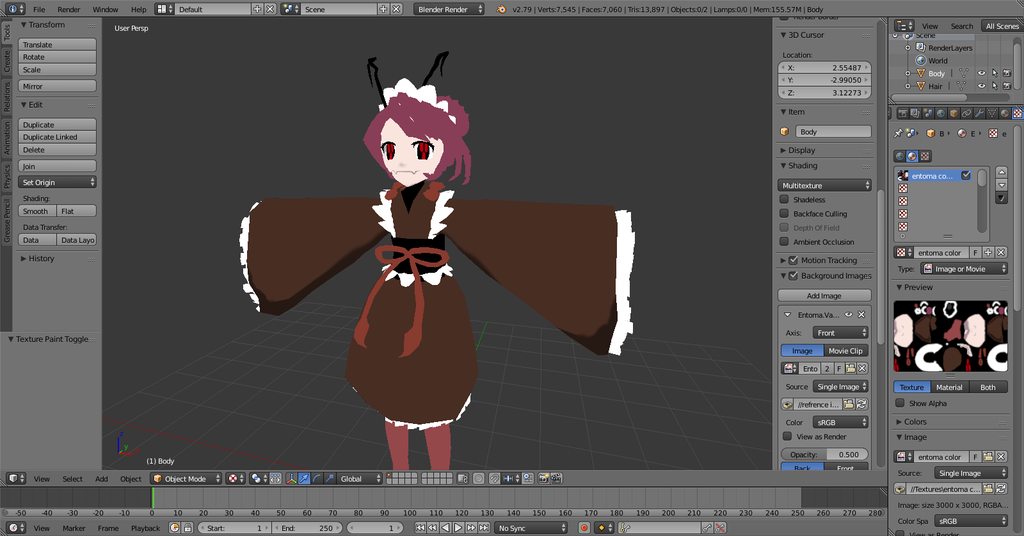
i made it to the fun part
wanton hatch
Great progress!

 loud lake
looks great!
hot flint
💙
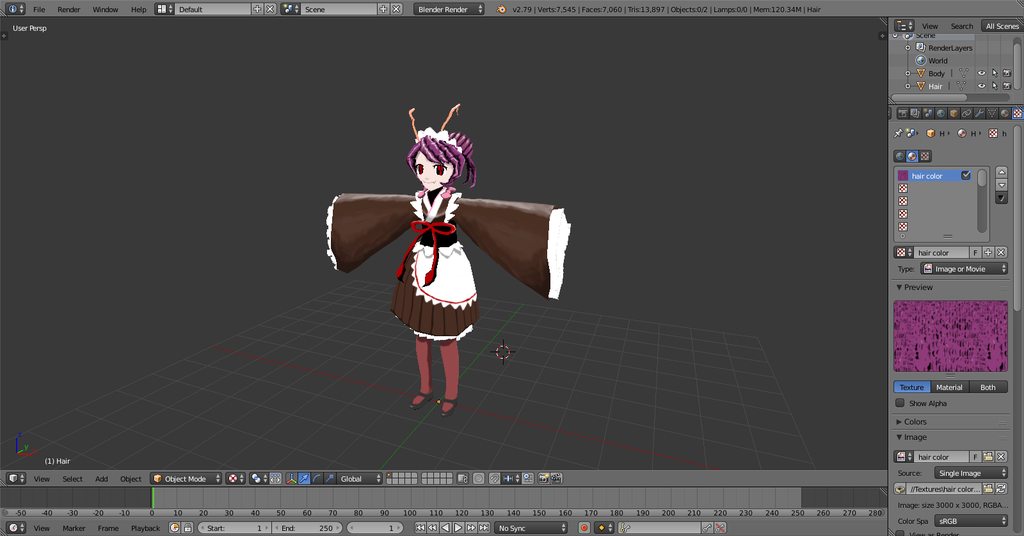 deft fog
So adorable. I love it
brave dune
seeing you guys work so quickly on these things just make me think that i need to stop being lazy and get into the habit of workin on these things more
wanton hatch
I was just thinking the same, working on something, but progress is so slow
brave dune
my main problem is that i jump projects so much 😛
loud lake
You should it's fun! I love modeling but never have the time but this is forcing me to make time 😄 I just work on it in small burst when taking a break from other projects to not burn out
brave dune
maybe i can work on something since i have a vaction coming up. When i'm not at the con, i could try working on the two from scratch models i started
wanton hatch
Go for it! And remember to post some updates here if you get the chance
brave dune
i plan on it. Reference photos are the hard part that does slow me donw though 😛
wanton hatch
Yeah, they're tricky to get consistent, but the more of them you do, the faster it will go in the future. Only tip I can give there is to make lots of help lines
lament pond
@hot flint It's like a nendoroid
deft fog
It's fun until aomthibg goes wrong and everyone that looks at the file shrugs and says "it should be working I don't know what to tell you"
 lavish spindle
I've been looking through tons of videos today specifically on putting clothes on tda models properly ( mostly pmx editior ughh) but I'm specifically looking for blender advise for fitting clothing perfectly on body. I already know how to attach them but there is clipping and i know there is a sculpting options but I can't make it looks perfect and I'm literally spending hours to shape the clothes.
brave dune
if you cant see the mesh underneath, delete it. That is the usual method from people i talk to
stable edge
Don't do clothing fitting but proportional editing might help?
deft fog
I got this fan-made model from Kemono Friends.
A fairly unknown character, so it feels like the model was tossed together real fast and thrown out.
Ive been editing verts in shapekeys for the last 30 minutes
The things you gotta do to repair old models
 neat breach
I found a Patrick Star model that had a grand total of 10 bones
and none of them were the ones I needed
it's been fun learning about starting with a boneless mess and working backwards to fill it
weight painting and all that
hot flint
@lament pond yep, that the general idea behind this model is to look just like a custom nendroid
 ocean python
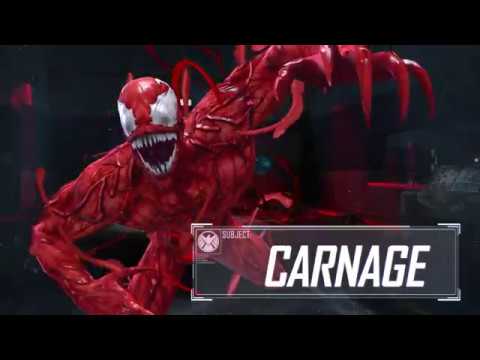
Carnage joins the fight in Marvel Heroes Omega! Harness the power of the symbiote with the latest character to join our growing roster of playable Heroes and...
wanna add that tentacle effect around body
i have the exact model and done with mouth sync though
i dont know how to D;
guess its 2d stuff though
 minor spade
how do i import a 3d model to blender? ive downloaded a 3d model but its a .png file
static sun
a png file is a picture not a model
static sun
sorry but .png files hold no 3d data what so ever.
you need a .fbx or .obj
static sun
it shouldnt
static sun
if you send me a .png i wont be able to do anything with it
static sun
0.0
static sun
import the .obj in to blender
minor spade
nvm fixed it
 north remnant
I have a model that uses textures for facial expressions, it's pokemon XY models, how would I go about animating a blendshape for it when the facial expressions are materials by themselves and I need to make them "overwrite" the current texture for a facial expression on a Key ?
I'm using blender and I have no experience in it past moving a jaw bone open and shut on a keyshape
and of course decimating, importing/exporting etc
brave dune
the way most people do it is via having copies of the mouths behind the main and moving them forward as needed
 faint timber
Uhm hello! i got some issues with a shirt, and i need help to fix it.. but it seems like i cant post the pictures? i got two pictures, and i would be so happy to get this fixed.. im really new to blender so i hope u wouldnt get disappointed in me, and let me learn about it more 😃 anyway have a good day!
It could be pretty great if i could post the pictures, but .. it seems like it wouldnt work? idk how to show u the problem then .. :S
faint timber
Oh okay! idk how imgur works tho' but let me try 😃
 halcyon citrus
I would assume simple drag and drop
faint timber
Should i just post the link then?
faint timber
Ohh yea i can see now
and the link comes in here? 😃
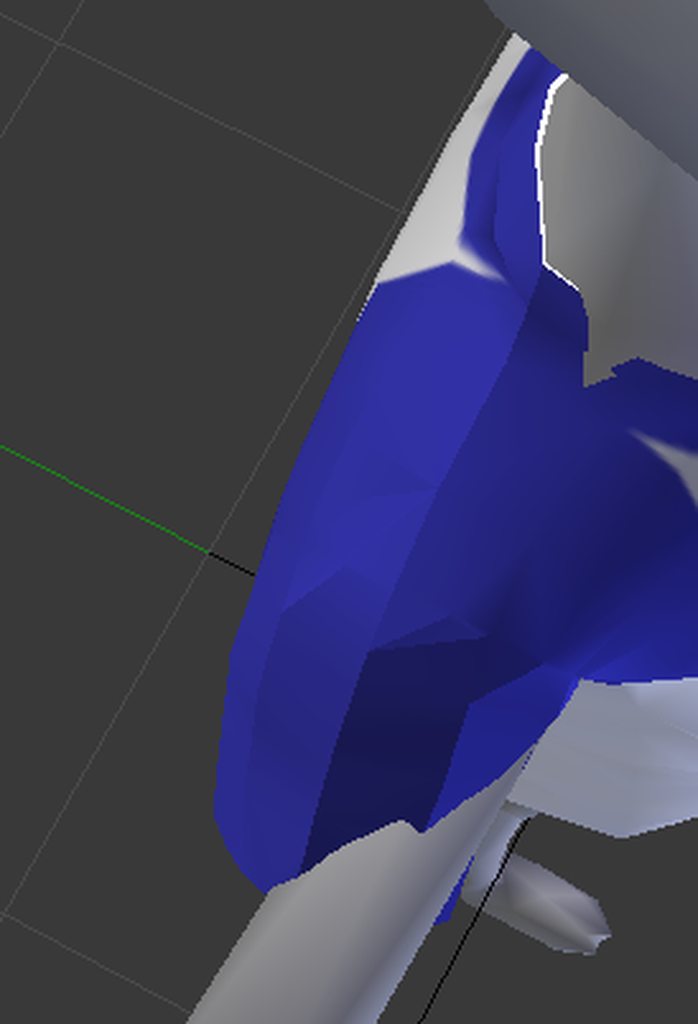
does it work?
there is two in 1
faint timber
ohh damn should i redo it?
spiral sigil
no
faint timber
ok 😃
spiral sigil
so the shirt goes through the arms ?
faint timber
Yeah! and the shirt is toooo big on the belly
I want to make it so its on the body
instead flying in the air
u know what i mean?
but idk how tho' :S
spiral sigil
so weight paint
faint timber
Weight paint.. 🤔
spiral sigil
you will need to move and scale down/up some vertices so you can place the shirt correctly
and weight paint it to the bones
so it actually mvoes with it
but fucking good luck if you dont have any experience with blender
spiral sigil
that's already pretty advanced stuff without any knowledge
faint timber
I have tried for 5-7 days now to fix it, but no luck so far..
spiral sigil
this is weight painting

Quick intro and guide to skinning/weight painting. this video is meant for those with a basic understanding of Blender
to give you a really general idea
faint timber
Oh yes! 😃
But what about the other stuff? its that advanced? .. if it is, i really want to learn it! 😃
spiral sigil
the scaling down and movement ?
it's just going into edit mode
and move the vertices
and scale them
spiral sigil
faint timber
Oh yes! Thank you again 😃 But what are these blue things under the shirt?
spiral sigil
blue things ?
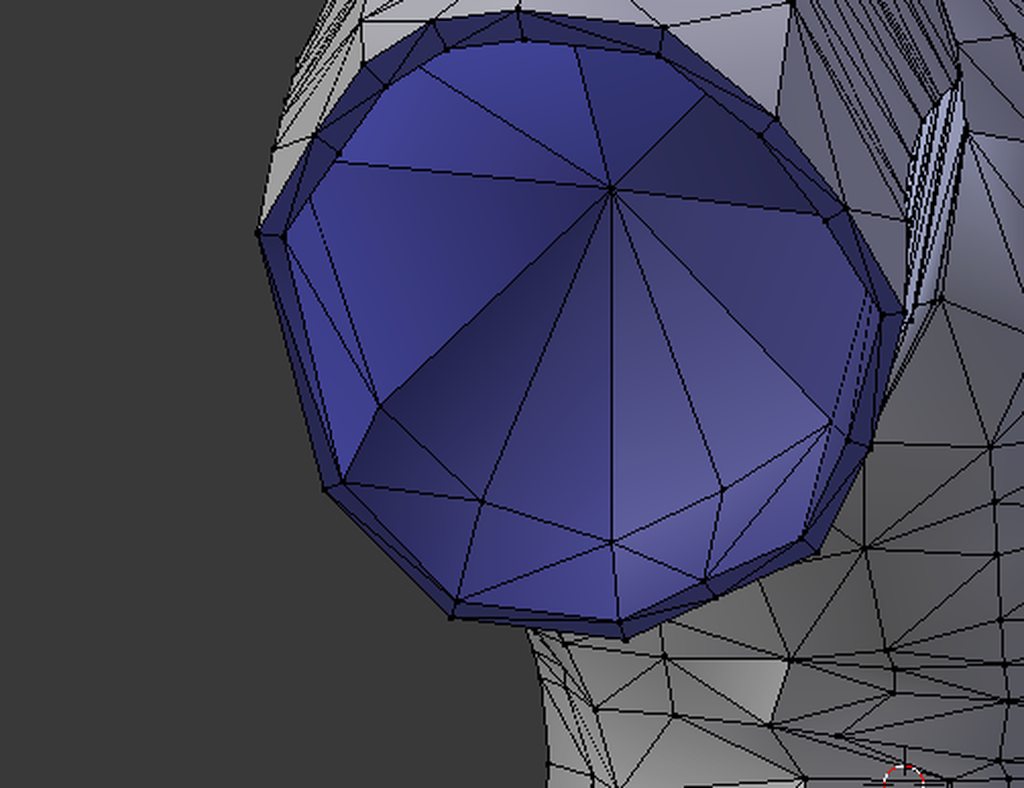
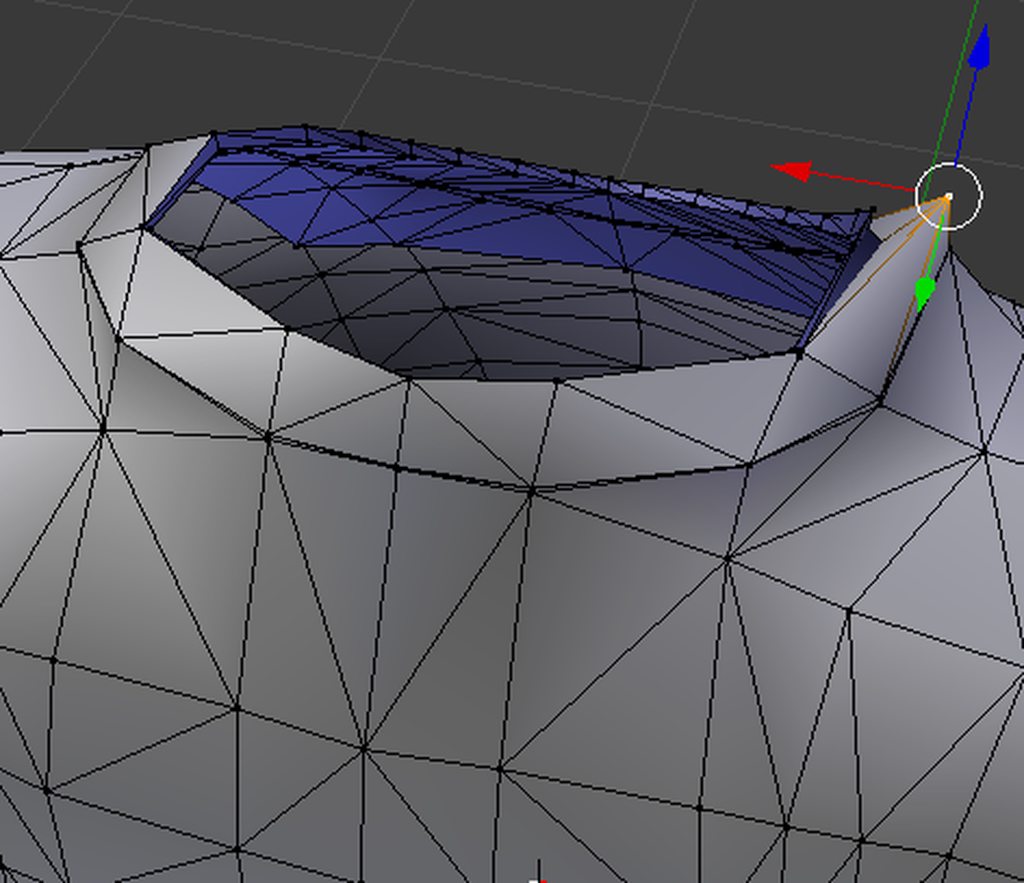 faint timber
Hmm ok! 😮
 twin horizon
Mhh how you create the material like draw it
lavish spindle
to make sure...what do I assign shoes to ?
because i assigned to hips and its fine but when i pose the legs and stuff it moves outta place
neat breach
I want to say, uh, feet?
 sweet wadi
hey when will unity let me add models
lapis needle
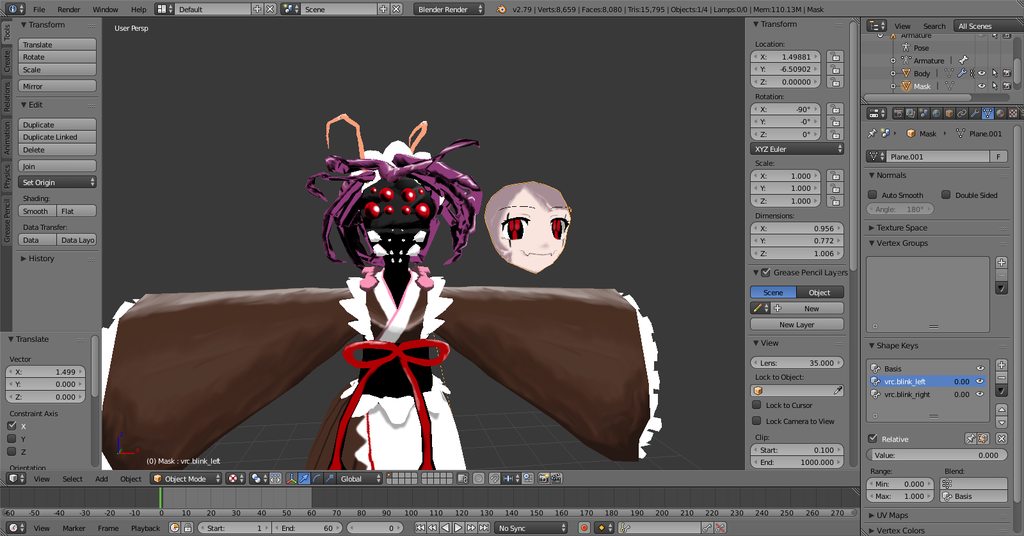
 tacit crest
Anyone know of a toon shader that supports UV2 layering for normal maps or how to set it up at all on a shader like CubedParadox?
 alpine spire
my model doesn't have the dynamic hands what should i do?
deft fog
Anyone know how to change the resting pose of a model? I need help. Nothing I do seems to actually change it.
I pose it, I go to apply to resting pose, and it just goes to the previous resting pose. Nothing changes.
Also Squidel, you'd have to build your own or take them from another model.
wanton hatch
@deft fog You select the armature, enter edit mode (not posing mode) and change it
deft fog
So there's no way to just change it with bones and posing then
That's a lot more trouble than it needs to be, I feel.
Oh I figured it out
Sweet, thank goodness.
Saves so much work
wanton hatch
@lapis needle Thats really cool!
zinc furnace
@deft fog to edit the rest pose, you need to do a few things
I think you have to pose the model, copy the armature modifier, then apply the first armature modifier
deft fog
I already got it, no worries.
zinc furnace
Ah, alright
deft fog
I had to pose it, go to both the mesh I was working with and the bones, and apply the existing armature for what was selected.
Then for each I had to apply pose to rest position
Just had to do it for both, which was what was messing me up
stable edge
Spidys bow needs a lil work
Smoothing may help
If the issue is tris (if you choose to subdivide) you can always use a plane and cutout for the frills
Well the bodies frills anyway
wanton hatch
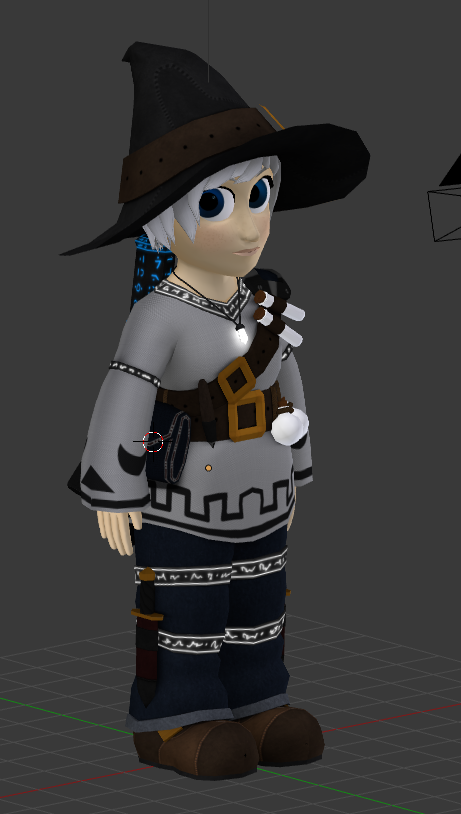
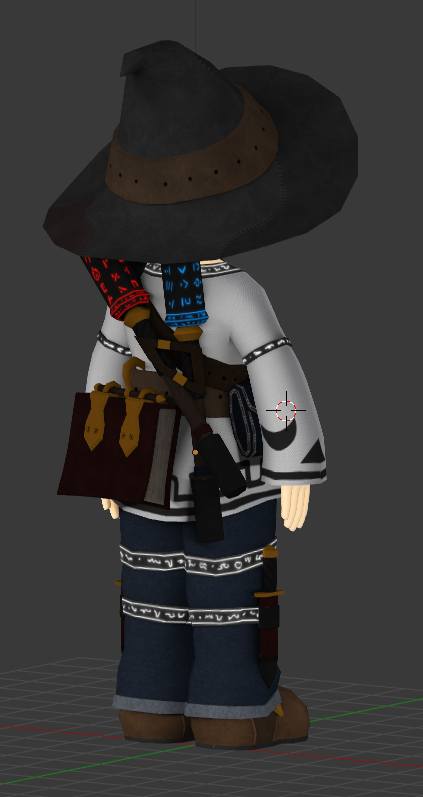
Starting to get fairly happy with my halfling wizard
Still unsure about the shirt color though
 vapid lintel
ok I have no experience in this so where would I start... also can I use adobe..?
wanton hatch
@hot flint Thank you! 😊
wanton hatch
@vapid lintel If you want to make an avatar, you can use any 3d program that can edit polygon geometry (that is, not a CAD program) and supports rigging, UV mapping and can export fbx files. I assume Adobe CC has something like this, but Blender is free, has many features and good support, so I would recommend using it. To get started, watch a tutorial and do something simple but fun to familiarize yourself with the interface (blender is a bit clunky to use in the beginning), then move over to the more advanced stuff. I feel the best way to learn and stay motivated is to dive straight into it and look up things as you need them.
mental blaze
https://cdn.discordapp.com/attachments/353351685982388234/451208849928617994/blueprint_practice.png
Oh man, I know after I model this, the results will look scuffed
 lament pond
 sweet wadi
wait so when will unity allow me to upload to vrchat? how long did it take you guys?
mental blaze
https://cdn.discordapp.com/attachments/353351685982388234/451233079151951873/Hospital_Demo_Blueprint.png
Oh yeah, this blueprint is lit.
 cobalt willow
Look up guides on how to make blendshapes in blender, that ought to help
spiral sigil
k
cobalt willow
Some might call them "shape keys" aswell, but they're the same thing
spiral sigil
aighto
stable edge
Any good guides on making hands?
mental blaze
 stable edge
Dunno if loop cuts and extending is the best way
mental blaze
I wish I could give some advice on modeling hands, but I suck as well.
mental blaze
Alright, the poly count is now at 2580
stable edge
I wonder if mmds just steal hands 🤔
mental blaze
Depends 😛
 blissful sleet
there are public domain hands, including makehuman
mental blaze
https://cdn.discordapp.com/attachments/353351685982388234/451333798446104576/1_Hospital_Demo_Building_Model_P1.png
Prop modeling is now on the todo list.
 stable edge
That looks nice!
mental blaze
For now that is. I had to model the placeholder art, so I can go in depth in remodeling the building in a thrashed setting.
mental blaze
512am.... I should go to sleep now.
stable edge
Best not to let modeling take over your life
mental blaze
It already has.
stable edge
AND sleep
mental blaze
buh bye
stable edge
See ya!
 jovial lark
Hello, i want to know how many that cost to got a avatar ?
brave dune
@jovial lark chech out the #community-servers-old channel. The VRCTraders deal with commisions of all sorts
jovial lark
Thanks
spare radish
Did some baking in Blender for a character of mine. I baked the ambient occlusion on a character from a high poly mesh, but it's giving me issues with a tangent normal map. Nothing though for object normal space. Wondering if Unity accepts object normal space, and if not how to fix the issue.
mental blaze
 mental blaze
Yep, gonna take a break on this one. Got to 3d model the inside of the rooms and then the cafeteria stuff.
 still coyote
Since I'm not getting much help, does anyone know if the shaders on Gamii's Avatars are custom or what?
 wanton hatch
Some really great work there, @lament pond !
lament pond
Merci
 storm portal
I've been doing some renovations to my avatar which included some tweaks to the model in blender. Specifically redoing some UVmaps, some weight painting and moving a few vertexes around that were clipping. Minor minor things.
My old upload looked like this

My new av looks like this

It looks fine in unity. I've been able to narrow it down to the actual exported FBX model
What the hell could be causing my whole mesh to posteterize itself off of the planet?
zinc furnace
That is weird
Does it also happen in other maps?
I see you have the poly flashlight on you right now
And do you only have one UV map?
zinc furnace
I know that avatar testing doesn't play nice with reflections or metallic for example
storm portal
one for the body and one for my 2d face overrides
gentle forum
Oof I need Blender help, this is bothering me way too badly. I'm trying to figure out what tool reduced the complicated geometry, like reducing faces by changing a value to 48 from whatever the default is, ahhh does anyone know what it is, any ideas?
 quaint bronze
There's a tool in the CATS plugin that lets you decimate your model if that's what you're looking for
gentle forum
Not exactly, but thank you
 visual vigil
https://cdn.discordapp.com/attachments/221403426179907584/451843965432627222/unknown.png Shinigawa version modelled
 quaint bronze
How do you guys go about modeling the eyes for your characters? Right now i'm making half-spheres and just using the texture to create the inner eye but they don't seem to look right when i'm rigging them for vrchat
stable edge
It might be that you need to use a full sphere so when they turn you dont see the void...?
quaint bronze
I use a half sphere large enough to not really see a void - i'm just finding that the texture morphs a bit too much as i'm moving them
Do you guys usually model out the inner eye?
stable edge
Just know that most anime and cartoon stylized characters dont have well, human eyes
 daring karma
@quaint bronze Shouldn't matter ~too~ much unless you're seeing gaps. Make sure all the rolls on your bones are zero'd on your full skeleton (not just the eyes). Also, maybe make sure there's no unapplied transformations by going through all the mesh objects and checking the object data tab (you can hit CTRL + A to apply any transformation that hasn't been applied yet as you go through).
quaint bronze
Thanks! I'll look into that - but i'm more concerned with the distortion of the textures.
daring karma
Yee - your stuff not zero'd out could bend things all sorts of ways. Might be worth it to export your model from CATS and then reimport back into CATS to see if it resolves anything first. Sometimes it can voodoo magic fix things without you having to do too much
quaint bronze
I'll def try that, in the meantime I'm going to just remake the eyes using spheres and see if that helps aswell
stable edge
Make sure your weights are good too
quaint bronze
iirc the entire eye is set to a weight of 1 so it should be fine
stable edge
If there's any other bones with control though
It might be the verts are acting up not the textures and or uvs
 ebon bolt
@storm portal if you look at the avatar itself instead of through a mirror, does it still appear the same? I've known an issue that the model can sometimes re-texture itself in mirrors but to everyone else it looks fine
storm portal
Yes.
Whatever it was something had crapped it's pants at the model level. I'm having to rerender
ebon bolt
geez
 hollow niche
so if i like to do some jiggly animation on the surface of my avatar, what kind of tool should use? or skill?

This is a idle animation of the zerg baneling. More information can be found at the sc2.com website or here: http://sc2fanatic.com/zerg-baneling-t705.html
thinking about like this
dunno should i use bone - weighted surface stretching or just with polygon surface..
visual vigil
 halcyon citrus
Mechawoo
wanton hatch
Seems like you are missing some polygons between the knees and thighs
spiral sigil
i'm pretty sure that the leg is just gray and kinda blend into the background
if you look closely you can see a bit of a different grey
wanton hatch
oh yeah, you are right
 lucid hare
Anybody know how to add materials for 3dsmax? https://gyazo.com/a35c85d7799d8650268279b619359361
 zinc furnace
I'm pretty sure you can open the materials window, no?
lucid hare
I tried just converting the .tex files then manually putting it on each mesh but I know that's not gonna end well https://gyazo.com/c2eb66ad7bbc6c31891988ed8050056b

Especially on big maps. I'm working on

 rapid frigate
Hello everyone. I'm completely new to the 3d modeling stuff. I've got .tga and .mesh files. Can I create a 3D model out of them? And if so, how?
 small cloud
.mesh u can open with xps plugin (xnal cats option)
zinc furnace
Just ask your question, it's very unlikely that anyone will bother to start pulling teeth
There are hundreds of lurkers here
 zinc ivy
so uh. I dunno if this is the right channel for this
I've been playing vrchat on steam for over 60 hours now. And I wanted to get my first custom avatar, but I cant do that because Im need to "enjoy the app for a bit"
Is there anyway to approve my new account for publishing?
Or do I have to play on it or what? Its not very convenient for me too because I have all my friends on steam
zinc furnace
You need to play more
Start making a VRChat account
Add all your old friends back
zinc furnace
It's better to do so sooner than later
zinc ivy
should I try writing an email to support? or is there no point
zinc furnace
Just play on your VRC account, interact with people. You survived for 60 hours without a custom avatar already
No point
The system is automated
zinc furnace
They don't deal with that stuff because it would quintuple their workload
Yeah, so you add all the friends back.
zinc ivy
allright
zinc furnace
You write down their names and everything. The longer you wait, the more difficult it will become.
onyx juniper
I drawrin da pokemans
https://www.dropbox.com/s/7xpggsnmjw2smrn/Screenshot 2018-06-01 18.44.16.png?dl=0

 hoary lotus






 static sun
@quick thunder if you want me to help you, dont go blocking me cause you cant do the most basic of things in the most basic of ways on the most broken model in MMD history
and i have walked you through how to fix it yourself about 6 times and you have blocked me twice now for the same subject
im sorry... giving you a step by step guide and giving you tips like "google XYZ" is passive aggressive?
what was your plan just send me the model and get me to do everything for you?
have you even sat down and watched guides on how to use blender or even bothered googling what i've told you to search?
im trying to help you and you dont even tell me what the issue is
again... trying to help
you dont go to the a garage and say "its not working anymore" you say "the engine made a weird grinding sound, juddered and then stopped"
ok... how about this.
get your ass to bed, contact me again when you wake up and i will help get this working for you
im sorry if i come across negatively, i just dont get much time to be a sweet person to everyone so i type fast and dont think
 proper oak
I made a low polly chess set. Feel free to use it: https://www.thingiverse.com/thing:2942501

Low Polly Chess
spiral sigil
helping someone turns bad ? what did you do
halcyon citrus
It was earlier it seems between two others, Svelsien. 👆
Also I might take you up on that offer with the chess set. I need some interactable stuff for my world.
 ornate snow
Might use those chess pieces for something. Thanks Charles!
still coyote
Bound to happen eventually, I mean, look at where we are. XD
I'm doing my bachelor's for game design and while it's not exactly 3d-modeling, I've been teaching myself on the side how to do it, so it's really not that bad. I can see how it would be a bit harder if someone was starting from scratch how difficult it would be. I think my favorite model would have to be the titanfall one, or the one where they could take off their limbs and head, so cool.
Now if only they could toss their limbs across the room, next level horror stuff right there lol.
mental blaze
Ah, another game dev student :>
static sun
I did a diploma in games design and development...
Do design as a hobby, moved on 3d and character art for work though
mental blaze
Oh wow
static sun
I actually do game concepts for the studio I work for... have about 50 potential ideas on the books that might turn in to a full projects