#3d-modeling
1 messages · Page 41 of 1
 zinc furnace
Quads with stencils on them, if I place them just right, you can actually see me sticking my arms out of the portal if viewed from the side
But it still looks right from the front
 hidden snow
hey do you guys know where I can find a mmd model of tenya iida from my hero academia? I need one with the face revealed, and if you can have him in a student uniform or anything casual that would be better.
if not, a model similar
 quasi flame
@zinc furnace Have you ever come across a problem where if you have an animation in the hand open slot the blink animation stops working?
 boreal estuary
anyone know a good place to find some drinks for use in VRChat?
like glasses or bottles
 civic trout
 cobalt willow
Unity store should have loads of free models to use
 static sun
Look at blendswap if you want free models as well
zinc furnace
@quasi flame nope, absolutely never had that.
@boreal estuary you could also look at MMD props, those are always free
zinc furnace
@quasi flame actually, if you mess with the blink or lipsync shape keys in a gesture, they stop working
quasi flame
I found that if I had an animation that cancelled the blinking animation on the open hand slot it would apply regardless if I'm using the gesture or not.
This is with using a manual blink animation.
zinc furnace
Hmm, I never had that issue either.
Are you sure the blinking animation component is enabled by default?
Oh yeah, and
Are you on desktop? @quasi flame
Even if you're not on desktop, gestures are a little buggy right now. If you enable/disable components, they will often stay that way until you input another gesture, then go back to neutral.
quasi flame
I'm on vr. I last tried it the previous update. Not the latest one.
zinc furnace
Same thing can happen on VR
Just make sure your fist is not overriden, and get into the habit of pressing fist after every gesture
That is, if that fixes your issue even
Also, how are you disabling your blinking animation in a gesture? @quasi flame
Are you actually disabling the animation component, or are you forcing the blend shapes to 0?
quasi flame
Yeah. I'm disabling the component.
zinc furnace
I need to pose the tongue while having the "Ah" shape key active in Blender. Is there any way to do that?
In pose mode, the currently shown shape key seems to revert to basis

 spiral sigil
oh, so you are the creator of GlacialWolf's avatar, nice job !

 lament pond
I hate making tattoos
 static arrow
i don't like tattoos
lament pond

 zealous finch
anyone take commissions for avatars @everyone
cobalt willow
Check out the VRC Traders discord in #community-servers-old. They deal with VRC commissions. @zealous finch
Also thankfully the everyone ping doesn't work for you here. ;)
zealous finch
Ahhh thanks @cobalt willow


 cold flame
noic
lament pond
You'll never hear me say this again but. Doesn't she need bigger boobs? @hot flint
lament pond
stop looking at me
 quick thunder
Hey, does anyone here know how to work any kind of modeling programs, and knows how to paint on meshes? I have some tattoo's on a texture, and when I go to set it up on a model, it's all stretched and distorted - so I have to resort to painting it on the model on a 3D model program. But, thing is, I don't know how to do that at all, and I'm definitely not an artist.
If anyone here has any free time and is willing to help me out with this, hit me up with a message; it'd be much appreciated.
spiral sigil
@zealous finch I DM'd you as I'm currently open for commissions
spiral sigil
one of the commissions I'm working on. Really loving how this is turning out https://gyazo.com/199df2b43e97125971c02a951bf82959

 sudden geyser
I Have Made Some Progress on this Today.
https://cdn.discordapp.com/attachments/405419008620232705/440076715922817024/Neon_Progress_6.PNG
https://cdn.discordapp.com/attachments/405419008620232705/440076715969216542/Neon_Progress_7.PNG
https://cdn.discordapp.com/attachments/405419008620232705/440076720587014146/Neon_Progress_8.PNG
https://cdn.discordapp.com/attachments/405419008620232705/440076721799036928/Neon_Progress_9.PNG


 spiral sigil
oooo that looks awesome 😮
sudden geyser
I need a change of character in game
 spiral sigil
gave her bigger boobs 😏 https://gyazo.com/caa1457abc3d311b0323e380910ce8ea

 hot flint
These arms should prove interesting...
spiral sigil
Your model is looking good already mah dood
hot flint
 spiral sigil
@spiral sigil also good job for your model too, love this face
i wonder how that will look in vrchat

 zinc furnace
The CATS copy protection does this to my model's lighting. Any ideas?

Only seems to happen when I use stencils, but it's not the stencils fault.
 blissful sleet
best guess is remove doubles beforehand? did you turn onauto-smooth normals? edge split modifier?
zinc furnace
I followed the docs, it told me to set Smoothing to "Edges" instead of "Normals Only". Setting it to faces gives the same result
Oh, weird. In Unity, setting tangents to import instead of "calculate tangent space" did the trick.
blissful sleet
im pretty sure that particular package stealing trick was patched out of existence anyway
sudden geyser
Modelling Complete. 19,262 Polys.
https://cdn.discordapp.com/attachments/405419008620232705/440140951084859423/Neon_Progress_11.PNG
https://cdn.discordapp.com/attachments/405419008620232705/440140955870560267/Neon_Progress_12.PNG
https://cdn.discordapp.com/attachments/405419008620232705/440140958147936267/Neon_Progress_13.PNG
https://cdn.discordapp.com/attachments/405419008620232705/440140961134149642/Neon_Progress_14.PNG


 lament pond
Looks like Kingdom Hearts
 static sun
no
 mental blaze
Do it :>
static sun
White... then people can prime and paint it
lament pond
I wanna do 3d printing
static sun
id like to get a resin printer... but i have other things i need to get that are more important atm.
maybe towards the end of the year
lament pond
Same here
static sun
want my new hardware and displays first
lament pond
I managed to get new displays recently, my older one was starting to break down
static sun
im pushing for a Cintiq, a 4k monitor and a ultrawide
overall will end up setting me back maybe £3500
not including the fact i need to overhaul my hardware <. < setting me back maybe £4k
static sun
i do this for a living so i need to keep on top of my hardware
hot flint
Mmmhm
static sun
and its been a while since i last invested in some decent hardware so need to push it this year ^- ^"
hot flint

 loud silo
hey guyd
I got a friend his manage build control panel is off screen somewhere
how would he get it back?
 upbeat flame

 static sun
@sinful yoke do you want something like this? https://cdn.cgsociety.org/t/g62/615862/1408386_orig.jpg

(Old project of mine btw)
sudden geyser
Noice
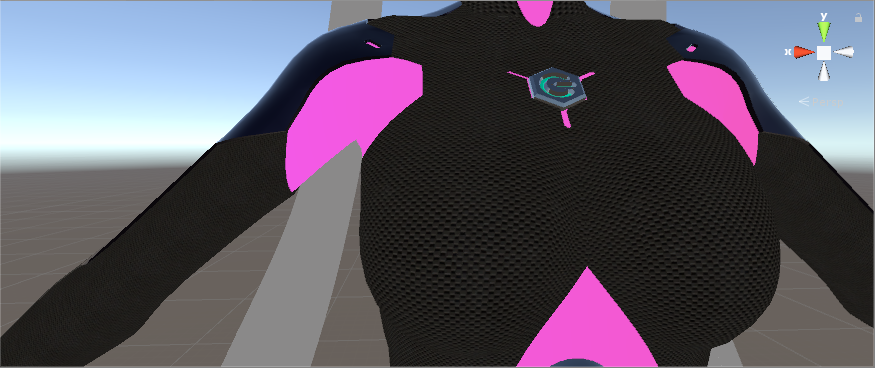 static sun
what software are you using to texture?
try something like this: https://static.carthrottle.com/workspace/uploads/profile/918a91478acdd56f423047243c326e82.jpg

you need a tileable texture
 sinful yoke
im using Unity
static sun
to texture?
sinful yoke
im editing a model in Unity before i upload it
so yeah
i tried doing it in blender, but the textures got fuggled up when i exported
static sun
look at Mari Non commercial or Substance painter
Blenders texturing is awkward to get right and out for Unity/unreal
sinful yoke
i ended up finding a texture on the asset store that works well
static sun
id look at proper texturing... its lower performance on other people and looks cleaner
 velvet fractal
Hi, I have a question regarding shape keys in Blender. I recently made my own avatar from a base mesh and some clothes. I edited some vertices around the neck to ensure they wouldn't pop through the collar of my shirt. The issue here is that whenever I use a shape key (blink, facial expression, etc.), that mesh I edited will return to it's original position (sticking out of the collar). I don't know if there's a way to make each shape key respect the new position of those vertices (New basis maybe?).
sinful yoke
how do i reduce the poly count? do i have to do that in blender?
 static sun
press 1/3/7 on your numpad
 deft fog
I'm weight painting, and all of the sudden I can't see the weight values because everything went purple. Anyone know what the heck I did to cause this
 hexed ivy
so if i've got two meshes and they both have the same skeleton but they had different skeletons before i put them together, is there a way i can get the mesh i removed from its skeleton to recognise the new skeleton's vertex groups
 undone glacier
Does anyone know a decent 3D modeling guide, weapon modeling. There's that scythe from some anime i want to model, so I was wondering which guide is best to start with :/
 pliant shoal
Hey is anyone good at making 2d pictures in to 3d avatars and if they are could you maby help me how to make one
 stable edge
@deft fog select a different bone
purple means no vertex group btw
its probably that you have two bones selected
deft fog
It was never the issue. It was because I had it set to texture, for visuals
I set it to material and was able to see what I was doing again
stable edge
ah thats good then
 deft kite
in blender i need to zoom in to something really tiny but my camera is doing that clipping though thing to the model, i cannot use ortho view for complicated reasons - how else do i zoom in on this thing without the camera clipping?
 dense kelp
@deft kite on the same window that N opens and closes there's a value you can change that has like start 0.100 and end 1000.0 or something
deft kite
found it! omg this works! thank youuuuu!
dense kelp
Lower the start value and you can zoom in up to the point your camera clips through
undone glacier
how do i prevent plain from extruding in below or above?
and just keep having a plain
 sly jay
https://gyazo.com/0d4384d516ff9e081c533fe70b832d89
why the pic won't show up
i tried do 1/2/3/4/5/67
and its not even working

 tawdry kite
@sly jay press 1/3/7 on your numpad
tawdry kite
Put yourself in orthographic mode
lament pond
The beauty of ortho view
spiral sigil
Chartreuse (US: , or RP /ʃɑːˈtrɜːz/; French pronunciation: [ʃaʁtʁøz]) is a color between yellow and green that was named because of its resemblance to the green color of one of the French liqueurs called green chartreuse, introduced...
sly jay
@tawdry kite i swear omg
tawdry kite
Hmm?
 gentle forum
Any way I can fix this? https://i.imgur.com/UE6bj9x.gifv
 zinc furnace
Oh yeah, that happens sometimes. It sucks, but CATS has copy protection to protect against it
If they're stealing it in front of your eyes, they're doing it to try and troll you
spiral sigil
is that different
zinc furnace
Well, there's two kinds of avatar stealing as far as I know.
The first one is that they borrow your blueprint ID and change into your avatar in front of you.
spiral sigil
he turned into me after looking at me
zinc furnace
This is temporary. They usually don't use the avatar again after that, and you can detach blueprint ID and reupload to get rid of it, they won't be able to use it after that.
A simple watermark anywhere on your avatar will prevent this stealing method from being effective
The other method is cache ripping, where they can actually get your original model, save it, modify it etc (minus blend shapes and shaders)
But CATS copy protection messes up your model by default, and uses a blend shape to restore it. Since they can't restore blend shapes, the model is useless for them, but looks fine ingame.
The copy protection is especially important for people who make their own models. But it will also make life much harder for them even if it's a publicly available model, since they won't have a usable package right out of the gate.
 modern mango
is the cache ripping protection really safe?
as in, is it really absolutely impossible to get the blend shapes
(technically)
like, might future hack client versions be able to
zinc furnace
I mean, right now, I haven't heard of cache ripping being effective with this method anymore
That might change in the future, of course. After all, the model displays fine on your screen. Therefore, it can be stolen at some point.
You're literally letting other people download your model
lament pond
@gentle forum shrink your uvs
deft fog
I split a mesh into two, but when I join them to export, they become one, again
Nothing I do will keep them separated enough
How do I keep them separated so I can keep their own textures separated?
modern mango
to separate textures you use 2 materials not 2 meshes
 foggy maple
@deft fog Just don't join them
deft fog
I needed to join everything to export it to Unity
Either way, I fixed it. It was a lot more work than it should have been, though.
foggy maple
Having to join them is new to me. 🤔
deft fog
Join materials to export, else everything is a jumbled mess in Unity.
foggy maple
The Ryuko one? Yes I did 👌
foggy maple
Oh yes I do appreciate it 👌 I'm only seeing the same ryuko in Vrchat all the time
I don't know what you crossed it with
But it is freaking sweet 👌
hot flint
Yep!
Still need to make exhaust particles though
For them and the skirt throttle
Gonna work on making emitters to fire off thrusters for the skirt boosters too
 ionic ether
Oh man I hope I see you walking around at some point, that sounds awesome
lament pond

 analog pier
heya,
question, whats the use of VRC_IKFollower?
 small cloud
for world particles on hands/head(i assume too) to work properly, I'm not sure if it works well enough tho
analog pier
I see, I tried to play with it with just a single cube, but I cannot find a way where I could use for it
 tawdry kite
@static sun
Hey do you mentor sculpting? Im not new to 3d Modeling, but Im not very good at sculpting at all.
static sun
i can help guide you... if you want
tawdry kite
Would be nice
static sun
DM and i will help when i can
gentle forum
Where can I find good examples of good weight painting on models? @w@
static sun
a mirror
gentle forum
Not helpful
static sun
not joking
gentle forum
😐
static sun
seriously... full body mirror is one of the most usefull things you can get as an artist
gentle forum
that doesn't mean I can see how I'm supposed to paint correctly, I want to see where the red goes, where to smooth the edges, in Blender.
static sun
you wont find anything like that online sadly
it all comes with experience
every mesh is different
spiral sigil
you can look at different models to get an general idea
but there isnt a universal weight paint that will work perfectly with every model ever
gentle forum
Sure, but that's not what I want either
static sun
yup, even projecting the weights from one model to another rarely works well
gentle forum
I can learn a lot quicker if I can understand where I'm supposed to paint, otherwise I'm just making it worse on the model I'm trying to fix
Like the two closest bones are just fighting each other and it won't smooth out the way I want it to, oof
static sun
ok take yourself... sit in front of a mirror and move say your arm or leg, and see whats moving a lot and not much
Red is where it moves a lot... then reduce it based off not moving so much
 oblique root
@hot flint you got any pics?
lament pond

 static sun
how are you @hot flint ?
static sun
i need to fix my sleep schedule so gonna be crawling in to bed in a min
mental blaze
Oh wow
oblique root
oh nice
 hollow radish
I can't believe im doing my head so well

though its taking a lot more time than an expert
lament pond
You may want to simplify the hair on the back a bit since it looks like a lot of tris
 jade wedge
Is there a way to invert a shape key in blender? As in, make the 0 into the 1 and vice versa?
lament pond
You can make it the new basis
zinc furnace
There doesn't seem to be an easy way to do this
We should have an addon for that
CATS already has stuff like "Shape key to basis"
So maybe you can be clever about that
hollow radish
hmmm.. i do have too many polies
 spiral sigil
:/
 proud oar
https://cdn.discordapp.com/attachments/437547986805850115/441291961060818954/unknown.png JUST AWAY ! :v

3.4k poly :v
hollow radish
well as long as I keep my material count low and join meshes and under 65k
I will be more optimized than most people
its all about dem textures
cobalt willow
Crunched texture compression 😍
modern mango
do i have to interpret that as you use more then 20k poly avatars @spiral sigil @hollow radish 😐
hollow radish
as long as its optimize, mods don't really care
modern mango
it does not matter
20k is the limit set by the SDK
you need to modify the game files to work around it thus break the rules
hollow radish
modifying the sdk
is not a violation
its the client
that's breaking the rules
plus tupper already said its fine
spiral sigil
sdk is considered as client mah dood
so modifying the sdk while get you a 30 day ban
modern mango
"modifying the sdk is not a violation" 😄
that is the best joke i ever heard 😄
it does not matter how much sense the limit makes and that from a technical side the poly's are more or less irrelevant compared to materials and stuff.
The rules are very clear. <20k
hollow radish
that's not in the rules
modern mango
the sdk it self set's this rule basically....
modern mango
is common sense really that hard 😐
hollow radish
no
because its not common sense
I actually encountered this problem
at some point
and was verified
its fine as long as you don't do anything stupid
modern mango
its not common sense that working around a limit within the official SDK to upload something that it normaly blocks is not a rule break?
cobalt willow
Modifying the SDK is indeed against the rules and anyone who thinks otherwise is just plain wrong
hollow radish
what
modern mango
thanks
proud oar
https://cdn.discordapp.com/attachments/420183681798242304/441306791205273621/unknown.png Neo Armstrong Cyclone Jet Armstrong Cannon 4.3k poly WIP
 hollow radish
if I could only find that tupper pinned message
cobalt willow
Just because avatars that break the poly limit aren't being strictly enforced at this time, doesn't mean it's OK to modify the SDK.
modern mango
the thing is if you hard enforce it
what is with users that get it from pedestrals?
that is why you can only enforce uploaders you know broke it
spiral sigil
Well my materials are all done in unity i just use placeholders when i redo them in blender
So i can swap clothing textures whenever
hollow radish
well, as long as I optimize enough, should be fine
modern mango
that is the wrong thinking...
hollow radish
I like optimization
modern mango
yes optimizing is important
modern mango
no it is still not fine to mody the sdk and go over limit on purpose
hollow radish
most of my models are under 20k anyway
spiral sigil
I just use shaders
hollow radish
still, polycount can be still bypassed without the sdk anyway
animations and particles
static sun
you need to think of others hardware.
if they are on the minimum for VR then bypassing the polycount and particles just causes them issues
hollow radish
yeah, still need to figure out more optimization techniques
usually I just go with, I just optimize my maps really heavily
to solve the issue
modern mango
but if you use animations for that it is a completely different thing then modifing the sdk from a rule standpoint
proud oar
https://media.discordapp.net/attachments/420183681798242304/441309874639601665/unknown.png?width=705&height=397 Close enough.
 static sun
1, less materials
2, refine resolution
3, (somthing the dev's need to implement) LoD
4, Topology and poly flow
5, Things like dynamic bones need to be set to a max distance
lament pond
 proud oar
i never could make something like that with my current blending skill.
 small cloud
❤
zinc furnace
Newbie question maybe, but is there a way to border select some verts in edit mode, filtering on only the verts that are already selected?
Basically narrowing the selection down, ignoring everything that isn't already selected
Even a workaround would be fine
small cloud
what do you want to do?
zinc furnace
I already got it
Basically, the model had a shape key which made a 3D "emote" of sorts come out of the head. A question mark
But it was clipping in the hat, so I had to move the question mark only. I already selected the question mark's material, but then I needed to narrow it down further
I selected all verts, deselected the ones belonging to the material, then pressed H to hide everything except the stuff I wanted to separate.
small cloud
you can hover over with mouse and hit L or click on 1 vert then ctrl+L then in operator change selection modes
yeah, or hide everything else

 brave dune
good luck. i have a feeling it will be a pain but glorious afterword
hot flint
my thought exactly
hot flint
They might be too droopy
they wouldn't maintain a tube look either
I'm going to try using Dynamic bones with an excluded tail
small cloud
if u remove gravity they should work mb, but yea i can see it giving problem
hot flint
that has heavy weights
static sun
😄 got my custom UV grid resolution working in Maya, Substance and Unity :D
means i will be able to get really clean materials without needing multiple UV's and texture sets
brave dune
https://i.imgur.com/YZPUe8T.png
is there a way to basicly combine these different faces into a single mesh with blendshapes?
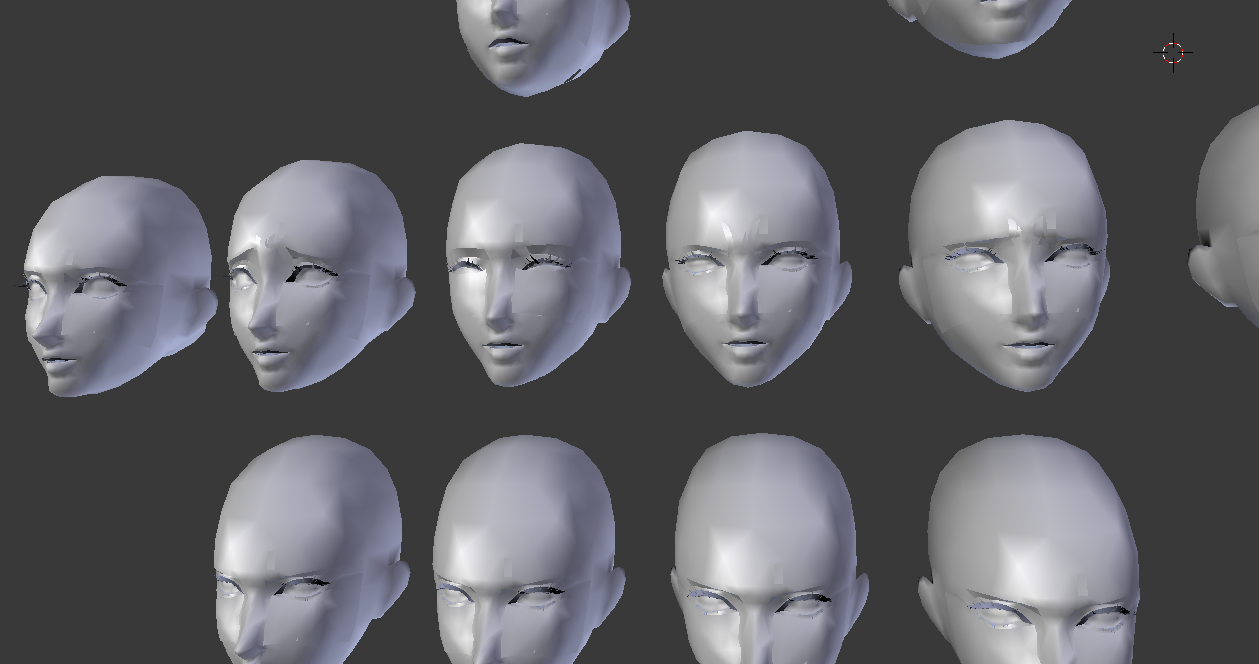
 brave dune
the problem is that the basis doesnt trasnfer
static sun
is the base topology all the same?
brave dune
should be
spiral sigil
I need help with resizing some underware for my model. Stocking panties an bra pls. And i need the gloves resized as well. I can give the needed files. And by god PLEASE dont decimate it gives me HELL weight painting
 patent arrow
@hot flint that looks fucking sick
stuff like this actually motivates me to try out modelling
proud oar
 lament pond

 fierce blade
guys im new to unity, blender and pretty much everything. How can i make my own textures, and the model itself? looked on utube and the internet but havent found any tutorials on it
help would be appreciated
brave dune
texturs are done via your favorite photo editing program
making a mesh from scratch, well there are a few different ways you can go and it tends to boil down to preference. Youtube is the best way to look into the different methods
fierce blade
ok thx :DD
fierce blade
hey guys, so i have a body ready, but i wanna put a head from one character to another, same with hands, how can I detach/ put the bodyparts to a different avatar?
spiral sigil
check #tutorials
Hello guys
Im having trouble creating a companion robot
I have the it created already, but when I don't know how to separate the materials to fill it with different textures

thats what i have
 turbid cove
hi hello, probably just a noob question but i'm pretty new to importing models via unity and blender to vrchat
i've tried doing a couple avatars before using tupper's megatutorial, everything usually turns out decent but i keep getting small holes in my avatar and sometimes oddly bending hands, is there any way i can resolve these two issues?
actually 2 questions but the fixing the holes matter more to me
spiral sigil
those "holes" are usually the effect of too much decimations
can you stich the vertices together with alt + m
or usinf the F key to fill the holes when you select the vertices around it
turbid cove
i usually see these in unity already
spiral sigil
as for the bending issues, try to put every rolls on bone to 0
turbid cove
even on undecimated models, it always happens after using the automatic texture atlasing
but i'll try that first, thank you!
 severe hill
https://cdn.discordapp.com/attachments/330376536555520001/441686019063152650/Mech1.jpg im really curious if i can add decent bones to this ^^

it would feel so wierd XD
dense kelp
It looks entirely possible
turbid cove
mmmm
alright with that out of the way
there is one more thing i have issues with
i want to add 2 seperate models to eachother (in this case, it's a humanoid model and a rigged resized tail), although i keep getting an error whenever i want to merge them using cats'

and the tail returns to its original state, alongside the bones
if anyone knows how i can merge the tail without it resizing back i'll love you
spiral sigil
that's so weird
i merge them with ctrl + j and never had that issue
select the new mesh first (the tail) and shift select the model last
ctrl + J
do the same for the armature
should work
 proud oar
https://cdn.discordapp.com/attachments/402267799461953546/441723406149222400/20180504050201_1.jpg Elizabeth !

 proud oar
what the problem?
fierce blade
cant upload it because apparently, my feet, head and hand bones arent mapped
plus I have a custom head as u can see
idk whats wrong
im a noob so thats why im asking for help
proud oar
set to humanoid and look at the bone map
 hot flint
Mmm.
 spare radish
Anyone have good tips on eyelid topology? Hoping on animating a model in Blender Cycles and really want to have decent eyelid topology before I texture it. This would also likely apply to future VRChat models.
lament pond
 brave dune
@fierce blade ha, you used the same suit model i did way back in the day 😛 https://i.imgur.com/NdGrd7M.png
im surprised i still have the project file for it
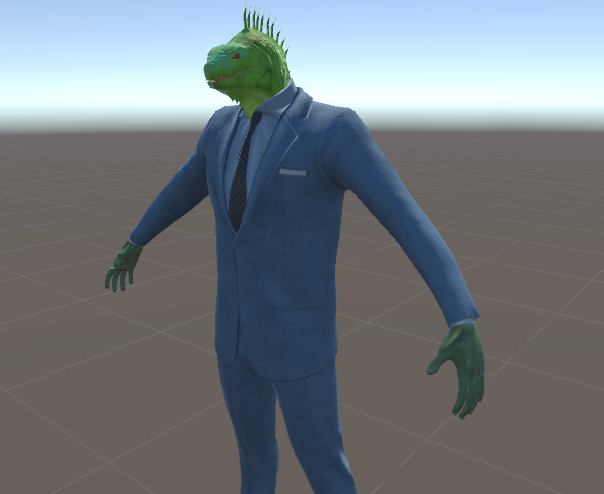
this was done back when i still didnt know blender and it was mashed together purely in unity
 hardy marsh
how do i get a maya model into blender without converting it in maya... i dont have maya
 tired spruce
Find someone who has Maya and ask them nicely?
proud oar
what is maya format?
tired spruce
.mb I'm guessing, Maya Binary scene file format.
static sun
I always save in .ma and .mb Incase one gets broke
turbid cove
hmm, one more thing
i managed to merge meshes, but but not the shape keys and whenever i import to unity they're practically immovable
anyway to resolve this?
turbid cove
https://puu.sh/AfPy9/25135c70de.png the merged armatures are bound to eachother, yet still show up as individual parts, hence why for some reason i cannot connect them
 undone glacier
hm
tried selecting armatures in object mode, first the new armature and then the main armature and ctrl+j hm?
ah and some shape keys simply just dont work very often
 crude orbit
How do I fix this error message when I try and upload a rigged model to vrchat? : Spine hierachy incorrect. Make sure that the parent of both Shoulders and neck is the chest.
How do I make the chest parent of shoulders and neck
I have never done that before
spiral sigil
shoulder and neck should be parented to chest
you fix that in blender
or if you use one of those scuffed models with multiple Spines, you need to find out which one is the "chest"
spiral sigil
select the bone and parent it

Blender Stack Exchange
I have rigged a gun, but the bones/armature is attached to the wrong bone.
I need to move all the bones which are meant for the gun to a different bone.
Images which explain the problem:
foggy maple
@crude orbit you probably have to fix the bone hierarchy in Blender
 latent charm
@crude orbit Your zoom center might have wound up somewhere weird. Press shift+c to center the cursor and press the home key to center on it.
The other thing it could be is the near clip plane, which can be adjusted in the right tool shelf (n key, view section, clip plane start)
crude orbit
How can I add sounds to hand gestures? The only way I know is to add a audio source to the hand and duplicate the model and make a animation and save it and then add it to the ovveride , but I can only have one sound then. How can I have more ?
lament pond
 hot flint

Totally redoing the model details
was really unhappy with it
gonna be doing way more honest work on it
static sun
you ok @hot flint ?
hot flint
I'm very motivated, yes
I'm just more or less ashamed with myself that i had modeled this tribute without even watching one of the shows
i binged Kill la Kill and now have so many more new ideas
static sun
lol
spiral sigil
 hot flint
I had it running overnight, apparently, as one person pointed out
spiral sigil
lmao @hot flint I never saw that either, people were mad I need to catch up
@spiral sigil oh yeah, i saw some dude with a very special shader on a sphere
he touched me with it
and icrashed
urgh, that doesn't sound too special 😄
well
static sun
i only recently watched assassination classroom <. <
spiral sigil
if you can crash people with shader
they will block that too at some point
I don't think blocking custom shaders will help anything
that's like blocking avatars because you can make offensive ones, at least to me
foggy maple
@hot flint Awww yeesss awesome! i binged watched Kill la Kill as well, I love this show 😄
hot flint
It's really good!
spiral sigil
@spiral sigil they fucked up the particle system because of crash
hot flint
By all means, if anyone has an ideas for me, feel free to let me know
spiral sigil
so they will at least try
hot flint
I've got a lot of feature's i'm gonna add
One of the more interesting ones is going to be having Senketsu be able to actually look around and emote
 hot flint
looking clean!
static sun
Far from it T- T

 static sun
shouldnt 1 be purple?
static sun
honestly... you watch it for the underboob
hot flint
Haahaha
mental blaze
Oof
spiral sigil
@spiral sigil yeah, but they do listen to reason, idk I hope people just keep banning these clowns 😄
kinda annoying that you use whatever to crash people
a simple shader can do that now
there's always annoying people on the internet 😐 just keep telling them they're not welcome I guess
lament pond
Does anyone know why an armature might shift out of it's default pose out of edit mode? I don't have it posed at all and keep trying to clear the pose but it stays at a different position than it's meant to be.
static sun
apply the mesh and armatures location/rotation/scale

 static sun

i can take a break now, then move over to another part
i should be able to get this under 20k poly... but its gonna be tight T- T
hot flint
I'm sure you can do it!
static sun
i should... i'm more interested in getting this looking good for my portfolio than getting it in to VR chat
if i do it right... i should hit around 13k poly
lament pond
Anyone know what might be giving me my issue?
static sun
did you apply the location/rotation/scale @lament pond
lament pond
If I do that the bones will shift into the new spot which isn't where I want them
static sun
if you apply it, it should re-centre everything
 cloud verge
I just marathoned Aggretsuko, I wanna model the hyena now

 lament pond
 static sun
are you gonna add eye tracking?
or just animate it looking around and randomly blinking
hot flint
I'm going to animate it all manually
because my end goal is to do... oof, a LOT of custom animation with it
and eye tracking would only get in the way
There's going to be a lot of interaction between her and Senketsu
I wont consider myself fully finished with this model until I make this transformation
 foggy maple
@hot flint Yes please
static sun
Art is never finished, merely abandoned
 vivid crater
That was that famous quote by the Ninja Turtle right?
static sun
Leonardo Da Vinci <. < you fruit loop @vivid crater
vivid crater
Yea, the turtle with the katanas right?
static sun
i swear i will slap the stupid off you -.-
mental blaze
Oh no
static sun

 hot flint
Getting there!
dont worry... i've got my work cut out for me too..

Slowly but surely
lament pond
I finally get a little break since I just finished those twins
collapse
Well that was a good break, back to it
hot flint
i wont have any kind of break with this
lament pond
de-collapse
static sun
this isnt above my skill level... just had a slammed week so not as far in as id like and need to hit the next milestone for monday
static sun
Redownloaded Overwatch and its just as disappointing as before 😐
community filled with custard brains who dont know that W goes forward and Q means kill everything faster
hot flint
hahaah
 sly magnet
When trying to delete some parts of a model, how do you deselect vertices that you don't want to delete?
https://gyazo.com/ccb025945e678a387474d78800764674
I've been trying to deselect these with the brush, but no luck.

 vivid crater
with the brush it would be the middle mouse button
sly magnet
I've tried the brush, but there are some vertices that the brush doesn't work on.
 coarse perch
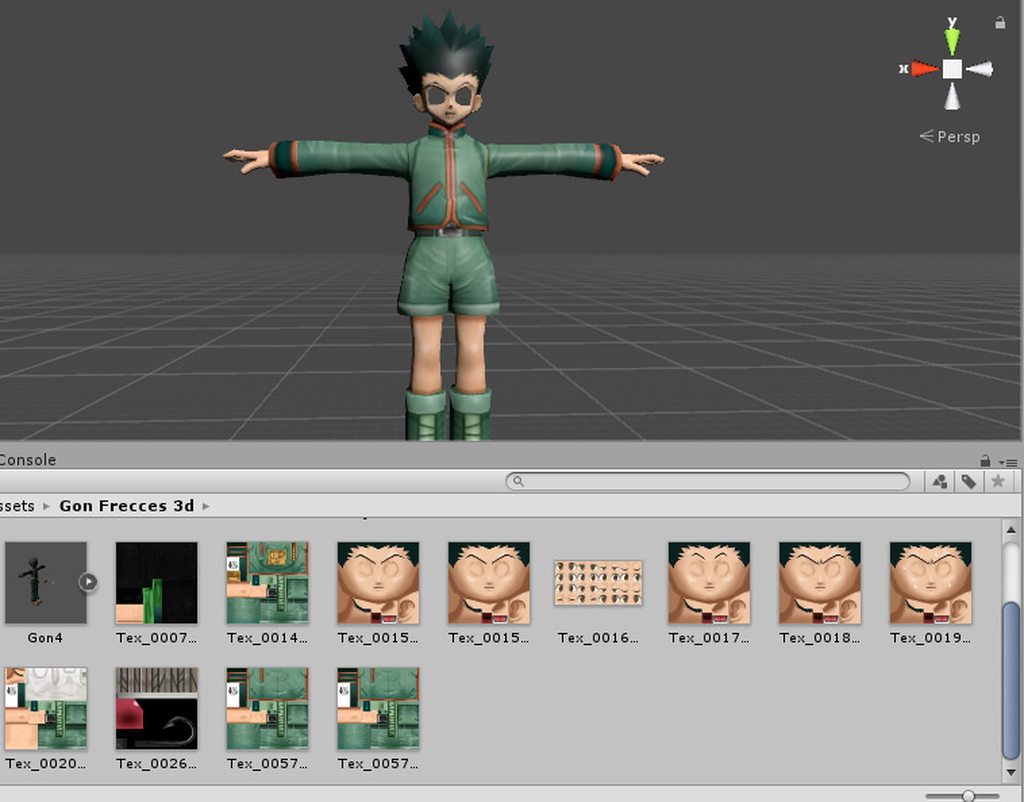
So the model has no eyes
there is a eye texture but
there are holes for where the eyes should be
there are 2 holes going in his hollow head
what do I do?
I have an idea to just put something over the eyes and crop out 2 eyes
and put them on the model but I have no idea how to do that
blissful sleet
yeah add some uv spheres and project from view unwrap them from the front
coarse perch
uh
ok Hold on im gonna need you to walk me throught that if you can @blissful sleet
give me a second tho
@blissful sleet ok Im ready can you help?
static sun

 open sigil
why cant i import a model with my steam login?
static sun
cause you need to go via a VRchat account
mental blaze
oof, I was able to remember the names of those softwares

 vivid crater
 zinc furnace
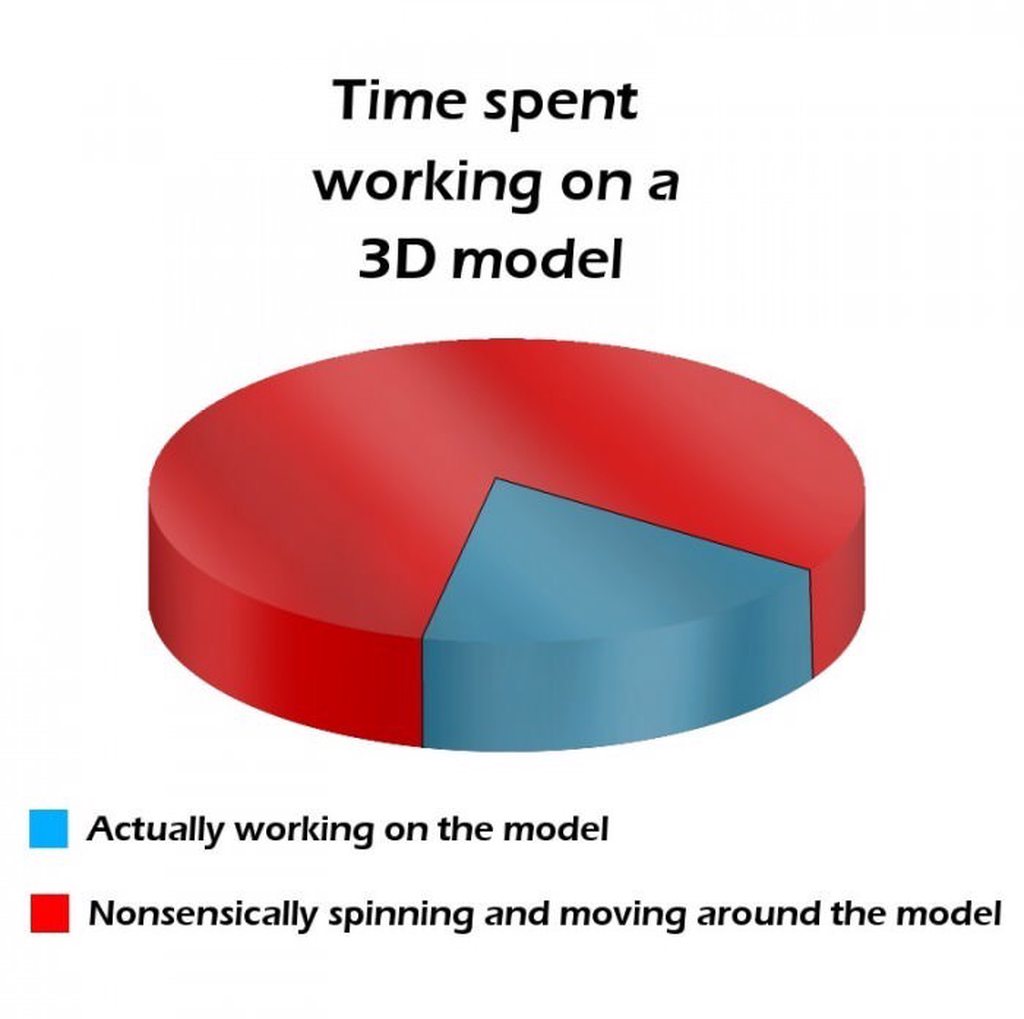
The "actually working on the model" part can be further subdivided into 10% actual work, 90% panning and rolling the camera to get the right angle
lament pond
@N8#9596 truth
hot flint
That's.... Hmm
Well, not entirely accurate for me
more like what Rokk said
or else i wouldn't be completing these at this rate
mental blaze
For me, I rotate around the model to check for inconsistencies.
static sun
pretty much all wrong for me
 spiral sigil
I still need help with my current model. I need parts resized. No need bones or weight paint. I can do that myself. I will supply the needed files to have it done. Can take your time to complete it.
 little jolt
@hot flint holy crap that is seriously good!
 bitter leaf
https://i.gyazo.com/b34a3201dfa342e0a6693ef1a1303862.png working on rigging the body right now mind you maya turtle doesnt render really well
 little jolt
OK. Honest question. For someone that is completely new to modeling. What would be recommended to be used? Blender? 3Ds Max, Maya?
static sun
i use Maya, but blender is a better choice if you dont want to pay... saying that you can grab a 3 year student licence for free of Maya so
stable edge
that also applys to 3dsmax
majority here use blender id assume though
so getting help may be easier
static sun
when it comes to characters Maya is a lot easier to use.
for things like maps and stuff... 3Ds is better
but this is from scratch
if your living on MMD characters then stick with Blender
static sun
yeah
it depends if you plan on getting in to this as a job though
if your goal is a career in Cinema or Games then pick up maya early
static sun
i know me and @bitter leaf are professionals and both do VRchat characters for fun
and we both use Maya
 dusk turret
Whats your workflow?
static sun
Sculpt in Zbrush
retopo in Maya or 3d coat
UV in Maya or 3D coat
Texture in Substance or 3D coat
Rigg in Maya
weight in Maya
Animate/retarget in Maya
takes about 7-10 weeks per character
bitter leaf
^this is pretty much the gyst of it although you do need to look at it from anatomy perspective and stuff there’s so much you need to learn to be good I rarely do characters my actual job is 3D environment artist. Characters aren’t my forte per say. But high poly to low poly is the way to go it’s also the reason why I don’t believe in polylimiting under 200k
static sun
i'm a character artist so its my bread and butter <. <
saying that i was a generalist in the games industry for like 2 years before moving over to Characters and Creatures
actually spent the last year or so improving my characters <. <
i tell you now, 6 months of anatomy practice is not fun
bitter leaf
Yeah but it’s a requirement to know
I read and studied the entire greys anatomy
Before I did anything knowing all your muscles is key to doing anything
Like knowing how the muscles weigh against another sub group etcetc
static sun
i know all the muscle shapes and placements... cant remember the names though
bitter leaf
Knowing the names isn’t really important but good to know
Although I still have trouble with animu
bitter leaf
Yep
 lament pond
What's with that uneven topology on the chest
static sun
it's an asymmetrical top so i need to make the retopo asymmetrical to keep the details for the bake
lament pond
Ah
static sun
other than the belt the rest is symmetrical
hot flint
Comin in pretty clean

Cleaned up all the shading on mine
next on the list is expressions and visemes
then it's gonna be adding options for all sorts of.... tedious animation
static sun
after im done with the retopo im probs gonna go over some area's again to clean it up a bit
little jolt
Well. I'm gonna try and make a character. Its the cats from Lone Digger from <|°_°|>
bitter leaf
Well if you ever need someone to talk to on that front I’m always open to giving tips and tricks. Let me tell you though you will learn more in the first 5 minutes being in a company then all the time you have been studying it
 bitter leaf
Looks like an inverted face issue
stable edge
looks like an egg
lament pond
There's no issue I'm just still making the hair xD
hot flint
The halo of light on the neck is a nice touch
is that via shader?
or texture?
@lament pond
 lament pond
 lament pond
 bitter leaf
https://i.gyazo.com/3bad5c0c864dac228cafef56c6feeb78.png I hate skinning so much

atleast the clothes are sitting okay
theres holes but Im manually weighting it out now
now to work on the front https://i.gyazo.com/6f41c8d40a63fbc520ec999fd614465d.png
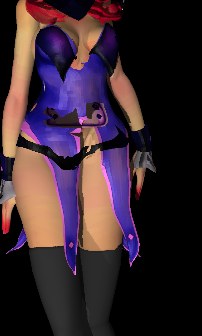
havent skinned the front so thats why its bad haha
 vivid crater
"I seriously hate Sundays"
lament pond
Is that the only time she wears the dress
vivid crater
hmm, i don't actually remember too much of that anime
things don't really leave lasting impressions like they used to
 eternal crow
https://image.prntscr.com/image/HheKb03HQWSHeNQCB5a0OQ.png i cant seem to figure out how to go about adding faces to his body and legs and have it look and connect right

theres such a huge gap and i tried to add new verts and edges to extend his torso but it looked bad when i got the faces added
 junior idol
how to git gud at 3d modelling 
eternal crow
ive done modeling before this one is just annoying since there's nothing there to cover that
https://image.prntscr.com/image/ASo4anJwSFqbW_fyXsQoXQ.png since he legit is going full sonic character (which he's not) and has no clothes on

save for the collar and shoes and gloves
and the original model had clothing on it
i draged the verticies on the torso and legs a bit up and extended them so they're a bit closer https://cdn.discordapp.com/attachments/397840155114995714/442897395622084609/unknown.png

but idk if tahts a good idea to do
junior idol
stick legs 👀
eternal crow
xD
junior idol
for my first time modelling hair i think im doing well 👍 https://i.gyazo.com/d3972b1b9696e93f7bdf1eeba2a70351.png
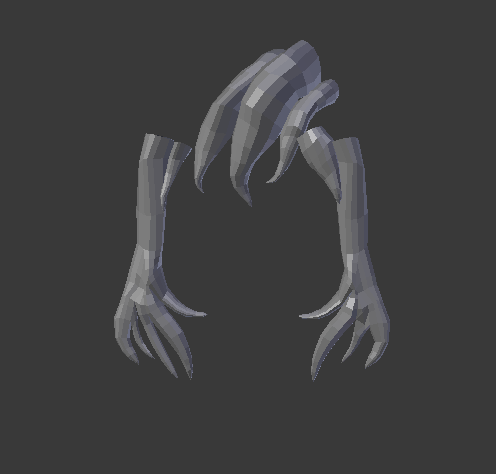 eternal crow
better than i ever could do
but i did find one that had the collar preweighted but has a wonky rig and would still have to have the body merged

plus id have to go and remake the texture to work for this one
since this is a game model while the other was a mmd
brave dune
https://i.imgur.com/lAW8Bcs.png
why am i working on this XD

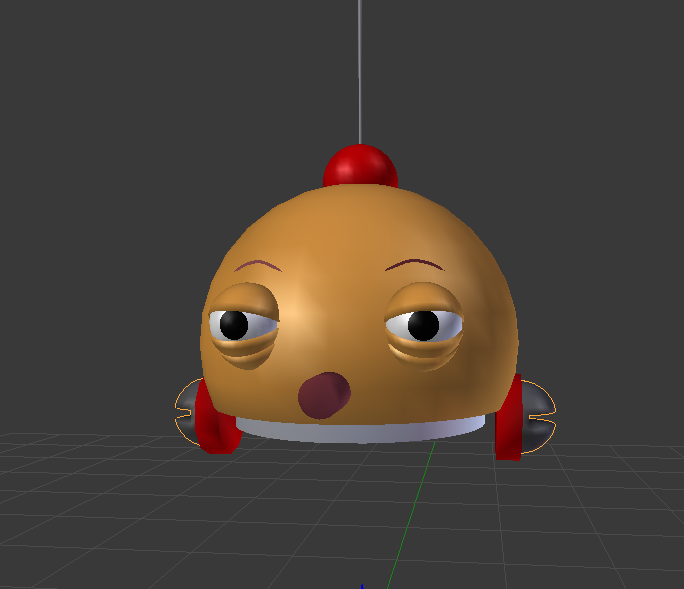
 brave dune
getting the weight paint on the arms to be just right will be interesting
brave dune
😛 i figure a slightly easier project will get me back into the mood to finish my megabyte
hot flint
he was pretty wobbly
brave dune
the real question is how many people will actually recognize the character in game
junior idol
how should i go about modelling a head/face?
junior idol
just something that looks like an anime character i guess
lament pond
You'd have to be more specific
mental blaze
study anatomy and either adopt sculpting or edge modeling.
typically, you would want to sculpt it first, then edge model to optimize the model.
do both and see which one is easier for you to do.
junior idol
thank
mental blaze
I prefer edge modeling :>
mental blaze
If you want to get the juicy details that is.
like if you're going to tackle a realistic model
junior idol
ill just stick with anime style 
mental blaze
Nah, git gud to the point where you can make models directly from concept art of all types.
junior idol
how tho 
mental blaze
by practicing.
lament pond
Model sheets help
brave dune
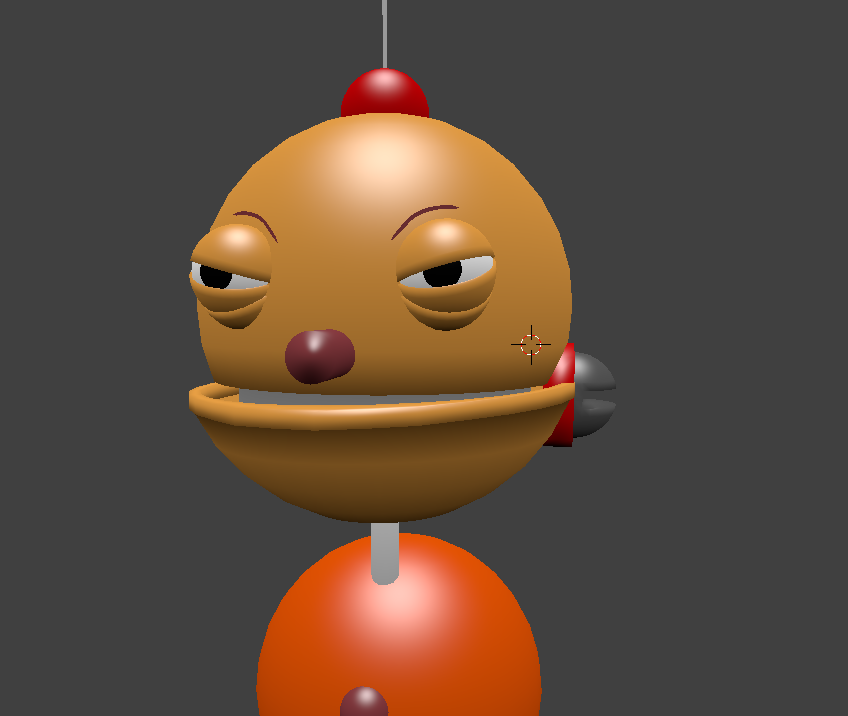
https://i.imgur.com/2Vby0SQ.png
yes. randomly going off blind refrences can lead to lost details
 mental blaze
I haven't modeling anything for the past 2 months due to school, so I'm going to be in your shoes soon.
After fall semester ends, I'll be back >:D
junior idol
good luck oof
mental blaze
https://cdn.discordapp.com/attachments/353351685982388234/442948283954888706/Deck_Design_2.png
This was the kind of content I model.
 mental blaze
This was when I only had 1 monitor though.
I found another in an alley and took it home.
junior idol
wow
vivid crater
do anything you can to get more screen real estate, I'm using an older tv as another screen
junior idol
its free real estate
 spiral sigil
is there any good tutorials on how to make an MMD model, I've seen like 7 and all of them are pretty crap and could be 5 minutes instead of 20/30/40
just something simple tutorial for importing face/hair/clothes etc onto a mesh and identifying what parts/bones you need to delete/fix then exporting
 arctic storm
If I already have a model in Unity set up to be uploaded into VRChat, can I add an armband to them or would that have to be done back in Blender
spiral sigil
either
quasi flame
@spiral sigil Check #tutorials there's a video there about that
spiral sigil
what's it called?
quasi flame
Merging multiple models
spiral sigil
ok, will check it out
 lament pond
Just wait till you get to the hands
static sun
yeah... this character is getting all 10 toes
should be under 16k polly... i have about 5k poly window left so should be good
static sun
Not really...
crude orbit
Why is there texture on my avatar in blender, but not in unity? In unity the materials are just some random colors
When I first import it to unity its shadeless, but then I press fix model and theres textures, then I export it to fbx into unity and boom, no textures
dosent make any sense...
zinc furnace
In the export options, set the path mode to Copy and tick the box next to that
That'll embed the textures in your FBX
Otherwise you'll have to manually add the atlas yourself. I think Tupper explicitly left out that information to make people atlas
crude orbit
yes I clicked export - fbx, but it only shows me information about fbx
is it in user preference
?
zinc furnace
Export FBX in Blender. Bottom left, go to "main"
While you're selecting where to put it
crude orbit
copy python command ?
When I right click on the fbx export option it says copy python command
zinc furnace
Yeah
crude orbit
huh stil shadeless tho
zinc furnace
That'll copy the textures into the FBX, but also tick the box next to that
crude orbit
oh
I didnt tick the box
Now I got a folder with textures, but now theres no materials...
Guess I need to make them my self then
mental blaze
https://cdn.discordapp.com/attachments/353351685982388234/443153174027567116/LLENN_Progress.png
I'm hella bored, so I'm forcing myself to work on this model.

1.5K polygons
 grizzled steppe
how many segment do i need around the mouth to make it work?
static sun
6 along the top, 6 along the bottom and 4 loops deep
@grizzled steppe
http://imagizer.imageshack.us/a/img41/10/14gn.png
 grizzled steppe
thx
turbid cove
does anyone else have issues with thumbs? with every avatar i upload the thumbs bend oddly and have a weird pose https://cdn.discordapp.com/attachments/378878736071917578/439574613396291584/20180427235120_1.jpg

does anyone know how to fix such thing?
static sun
thats due to bone position and rotation
turbid cove
it looks fine in unity though
static sun
you can just go in to the hand poses and fix them

 static sun
that looks like a weight paint issue
turbid cove
any way to fix that?
static sun
in blender
turbid cove
and, how?
static sun
Put the rig in to pose mode, select the bone that you need to edit, select the mesh and change to weight paint mode and paint the weights
turbid cove
oh and, whenever i make an costum animation, the hand gesture is being removed completely https://cdn.discordapp.com/attachments/378878736071917578/442484735457886208/20180506023452_1.jpg

that's supposed to be the victory sign
mental blaze
did you add the animation clip to the override?
 mental blaze
ask in #avatars-2-general for details
turbid cove
oh, okay
 still warren
Actually, its #animation 😛
mental blaze
even better
turbid cove
okay, thank you!
eternal crow
welp, i might try to make a custom school world by hand, a creepy one a that
spare radish
Still looking for tips on proper eyelid topology
eternal crow
i dont know anything about eyelid stuff
spare radish
It's fine, if you don't know anything about it I still appreciate the response. Also, you can still provide tips on what you do know more about.
eternal crow
i guess i could
spare radish
I'll also capture and upload a screenshot to better identify the problem.
eternal crow
if only my computer would stop being laggy, downloading a rom for corpse party blood drive was BAD idea
fucking 1.4gb rom
just so i can get the damn school models
because trying the whole make it by hand thing failed pretty fast
oh hey it just finished downloading
OML
ITS A UNITY FILE
WHHHHAAAA
spare radish
What? Why's a Unity file being hosted on a .ROM site?
Also, you sure you don't have Unity set as the default program for unidentified file formats?
mental blaze
 spare radish
What are you working on? Looks like a soldier of some sort, right?
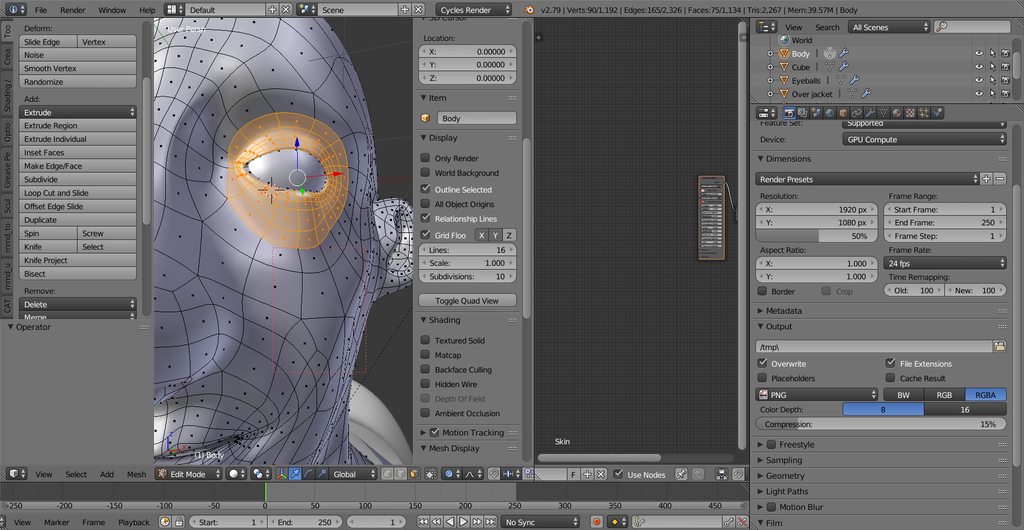
Here's the eyelid topology I'm using. Problems with it are that it can get pretty messy to work with if there are a lot of points, also can at times make the eyelids harder to control./
Also having issues with getting the eyelids to properly wrap around the eyeballs.
mental blaze
It's a character from sao gun gale online
I'm working on the base of the model, so I can later work on the ripples of the clothes
mental blaze
https://cdn.discordapp.com/attachments/353351685982388234/443233382172721162/LLENN_Progress_2.png
now to do the arms.
 lament pond
 mental blaze
https://cdn.discordapp.com/attachments/353351685982388234/443268200671608834/LLENN_Progress_3.png
More progress >:D

 spare fulcrum
And here I was, glad I managed to morph a ball into a vague face-like structure. I have a looong way to go
mental blaze
Either go for sculpting or edge modeling to get your 3D skills up.
As you can see in my case, im a edger.
lament pond
 spare fulcrum
Sculpting and low poly don't seem to work well in my head. Forcing high poly models lower can be pretty destructive and nerve-wrecking.
lament pond
You can just go with edge modeling then
spare fulcrum
I'll just keep upgrading the little tiny robot I have. Skills will follow.
 small cloud
will I be reported to FBI if I said that I'd use CM3D2 poses for rig tests?
static sun
no
 topaz frigate
Maybe
 sonic nimbus
@spare fulcrum Sculpting work flows often involve retopology to make a lower ploy model and then baking normal maps (and others) from the high poly geometry.
lament pond
@spiral sigil ha?
grizzled steppe
when i try to extrude a bone, too make a new segamnt, aka a leg. the bonde will is not attacht to the other bone
do any one have any tips on how to fix this?
static sun
if your extend the base it wont carry over.... you need to extrude from the smaller side
if that happens, just reparent it to another bone in the properties
lament pond
Yeah if you extrude from the right side it should be automatically parented correctly
 lapis needle
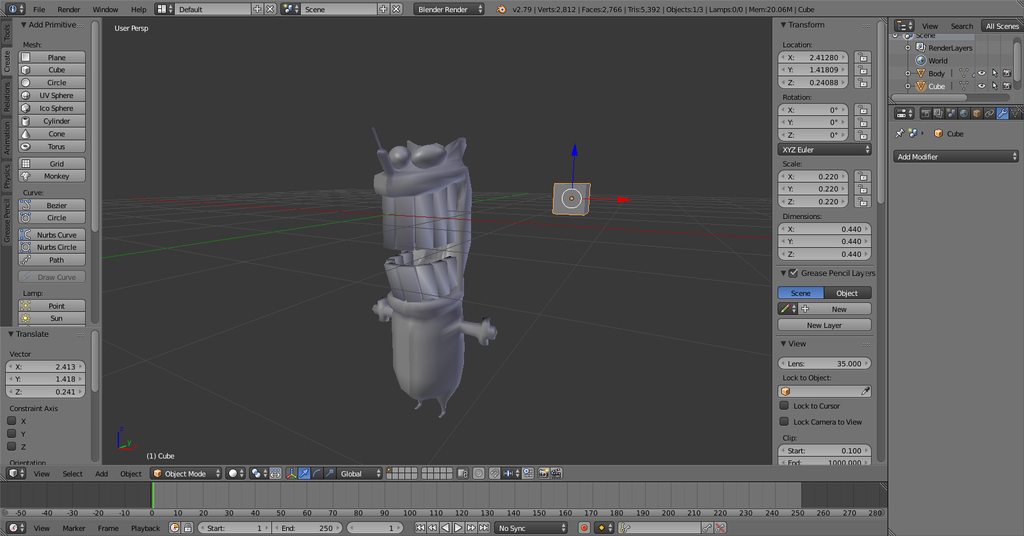
@upper kiln https://imgur.com/a/bN0nzOf
 unborn venture
https://cdn.discordapp.com/attachments/437646174892326913/443525745042653204/unknown.png a client wants an image on the square i drew on the back of the model but its bent up because of adjustments i had to do in pmxeditor. is there any way to cleanly put it on?
 blissful sleet
you could project-from-view unwrap it from the back @unborn venture for a clean uv
 crimson cove
Whats the best way to go about making clothes for a base model from scratch?
Duplicate the body mesh and mess with that?
quasi flame
Slowly but surely
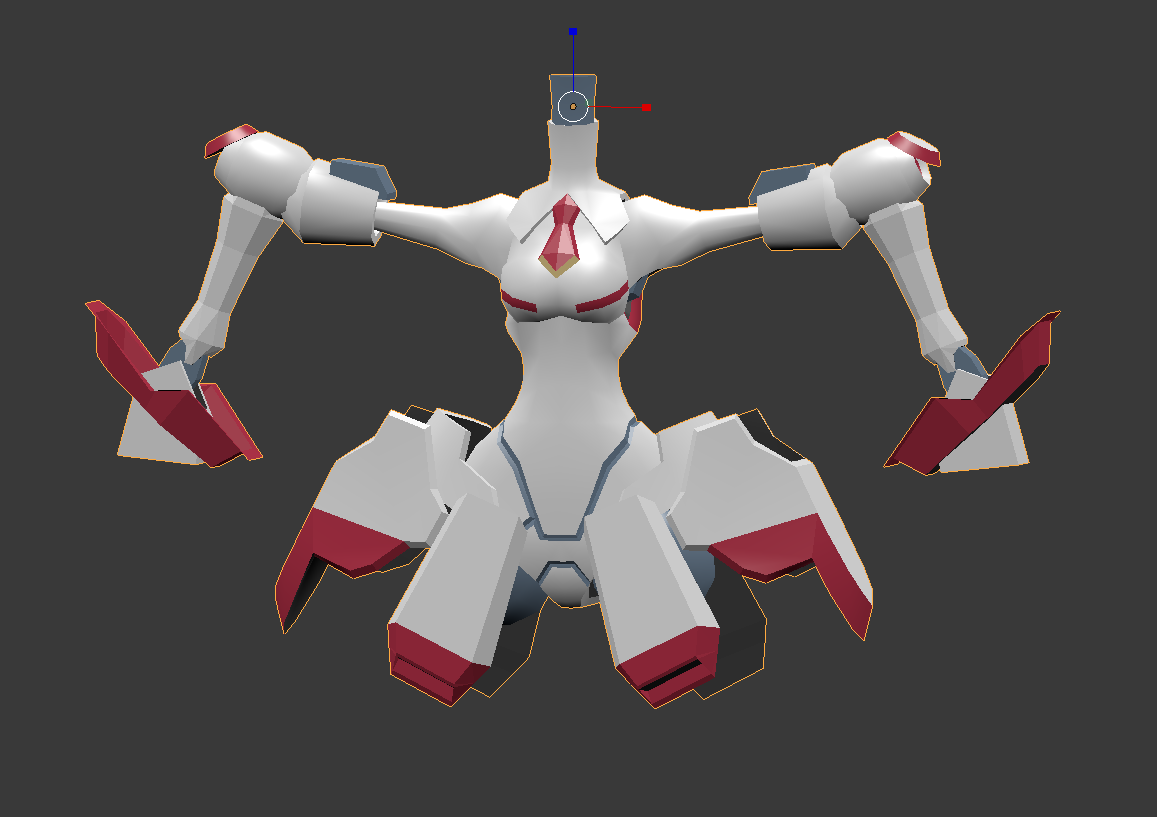
https://i.imgur.com/vqBgc8H.png
 zinc furnace
@crimson cove I would say so, yes
Making clothing is probably easier if you have a reference point
coarse perch
Im having some trouble modeling
this is a noob thing If im being honest but
My model is connected near the legs so when I rigged it the legs are connected at one point
I know how to move the vertexes or what ever but I cant get my camera into the right spot to select the 2 that are connected
Ive been trying a good 20 minutes to select it but I cant
Oh wait I solved it my self
I just had to fuck up the other pologons around it AND then fix it
 cunning bloom

 proper niche
 spare fulcrum
Ooh, that looks pretty sweet
proper niche
thanks!
static sun
I wouldn't do the eyes that way :|. Just sculpt it off a sphere and retopo it after for the cleanest results
 quasi flame
Yep, why reinvent wheel right?
hot flint
My thought exactly
It's low poly enough that it's really easy to follow along
In my case I had to get much more inventive
I'm... Admittedly still not happy with my result
I'm thinking about going back over it again for one last master pass
I've got a few major changes I want to make
quasi flame
Most people aren't ever happy with their own work.
hot flint
True enough
quasi flame
Your one looks great
hot flint
I'm not going to allow it to be good enough
I need to be honest with my standards I hold for myself, or I'll never improve
 hallow shore
Hello
mental blaze
https://cdn.discordapp.com/attachments/353351685982388234/443637071337488409/LLENN_Progress_4.png
Now to make the head ._.
 hallow shore
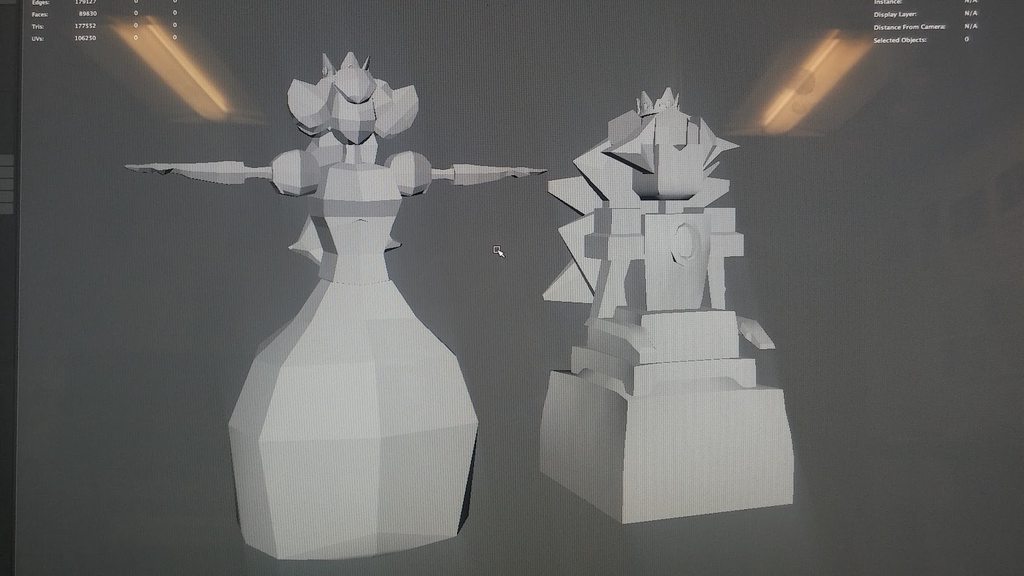
https://imgur.com/a/yOjJ6Lr Re-did my old low poly peach from a semester ago
 mental blaze
177k polygons...
hallow shore
lol, thats from my other models
mental blaze
ah
junior idol
first shot at a hand 👌 https://i.gyazo.com/107074b603c3b577b7b2f37432e2be38.png
 small cloud
when person lives up to his name...
 mossy quail
was gonna say xD
junior idol
its my first time making a hand dont make fun of me
there is another finger you just cant see it
 distant carbon
Practice makes perfect
mossy quail
there is a massive difference between what you can do and what i can do
you do fish hands, i can do cubes
😄
so im not making fun of you 😛
i succ at modelling ^^
junior idol
what makes it look like a fish hand 
junior idol
 mossy quail
okay, it was the angle
junior idol
good to know 




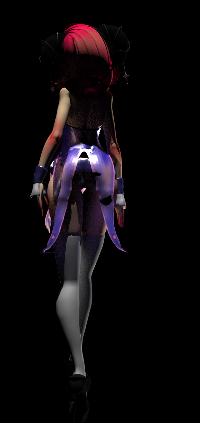
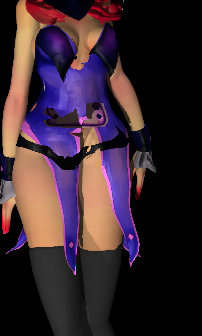


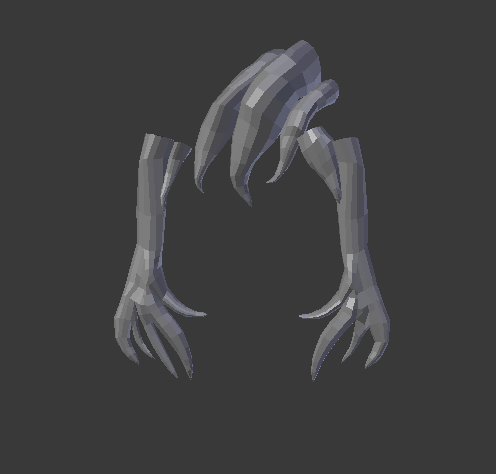





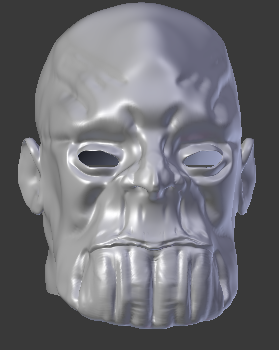
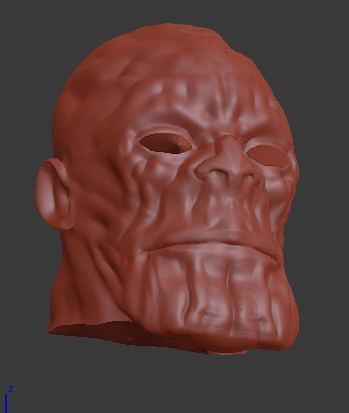

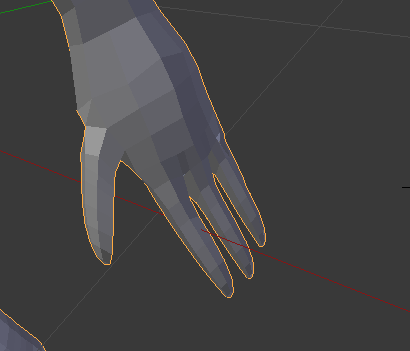
 static sun
yeah, its given me a migraine
static sun


should finish at 19.5k poly O. O
cutting it close XD
But im planning on only having 1 material so wont be that performance heavy
 flat oriole
how can i add edges, vertices or what ever the correct word is like the red circles i drew to make a better elbow? https://abload.de/img/bild3xosq.png

 small cloud
ctrl+R
flat oriole
ok so i know the function with crtl+R but everytime when i select the Arm Mesh part it shows me an error like "loop cut does not work well on deformed edit mesh display"
small cloud
select all > alt+J, checkmark UVs and change degress to 180 in both
work in quads not tris, tris = crap
static sun
tris = hard to work with, not crap
quads are easier for poly loops
but tri's are necessary
if you want to convert the Tri's to Quads in blender. Select all the faces then hit space bar and type in Tri and select Tris to Quad
flat oriole
how can is move the new lines closer to each other?
 pliant swan
Hello all, Im going to post here at least once a day until I get some leads onto where I can find someone to make a custom model for me. I do not need an avatar made as I am very knowledgeable within texture editing, rigging, wieghtpainting, and uploading to vrc. However I feel that Its best to just pay someone to make me the model of my next avatar instead of spending 200 hours on it before its good. So @ me or dm me if you know someone that makes good quality models. Thank you and have a nice day 😃
zinc furnace
I think VRCtraders might be better for that one
pliant swan
Do you have a link, And last time I was there, I saw how it was just people posting avatars and animations, no?
flat oriole
how can i fill the gab ?? https://abload.de/img/bild33pr48.png

 small cloud
select both edges, then hit space > bridge edgeloops, create new edge and move it out
flat oriole
how can i select edges? i can only select the vertices