#3d-modeling
1 messages · Page 38 of 1
 lament pond
Even so if it's all solid colors it'd be better just to do a simple texture of it
You can have a bunch of colored cubes on the image
 hot flint
True, but we're talking lots of seams here
seams in very unsightly plainly visible places
at a distance, textures will show seams much more prominently

Also, crystals are done
hot flint
does it even with large margins
trouble is in the fact that i dont believe you can separate and duplicate UVs, can you?
because any vert that is attached to two different colors would otherwise be on a "boarder" of the color blocks
and in my case
every single vert is on a boarder
because they're all the beginning and end of the materials
lament pond
You can separate them
hot flint
any way to automate that per material?
lament pond
Considering how it'd be set up it wouldn't take that long to set up the uvs
Just select the parts you want, unwrap from projection, shrink it down to the middle of the color square, repeat with other colors
hot flint
makes sense
i think i know what you're referring to
i'll give it a shot, but if there's any seams, it's gonna blow

So you're saying to do color blocking like so
and to just use the materials already applied to select, shrink them down to a miniscule size in the uvmap, and it should be fine?

Like so? @lament pond
hot flint
neat
hopefully that should make things render faster
we shall see
the only downfall of this is after i've gotten done doing this, reassigning misplaced colors becomes more complicated
lament pond
You can just select the faces and drag them over to the right color
hot flint
true, that makes sense
I mean with massive mesh overhauls like the one i just got done doing
if i ever decided to complicate the mesh further
holy
smokes
the render is so much faster wtf
i could cry
Thank you @lament pond, seriously
lament pond
#optimization
hot flint
I feel like someone lifted an 80 lb child off my back
lament pond
xD
 lament pond
2nd player colors
hot flint
Hahah
well shoot
now i'm almost tempted to play with some gradients
however...
That wouldn't be that simple
would it? because all the verts are facing every which way?
lament pond
Just need to set up up the uvs a little more orderly
hot flint
right, all facing proper directions
Hmmmmmmmmmmmmmmmmmm..............
To abandon, or not to abandon cell shading...
HMMMMMMMMM....>>>>
lament pond
You can always just see if you like it or not
If you don't it's easy to turn off gradients
lament pond
No you don't, they are capped off
hot flint
snrk

Face texture shading gradient
Versus....

So it's a lot smoother, but the trouble is in that the current style is sort of based off of the cut edges
If i wanted to go with a nice clean gradient, I'd have to do a ton of transitions on every single part of the shading
which i could do
It'd just take a hot minute

I could also keep playing around with the color settings until things look closer to the way i want them
Okay, i'm actually really starting to enjoy this
holy cow
Never thought i'd say it, but texture atlasing coming from cellshading is actually amazing
but if i were to do it from scratch, i'd hate every minute
lament pond
xD
 keen depot
How does one make a 3D model?
 rugged hill
download a 3D modelling program
and then you
make do
I took a class in 3D modelling in community college
you can learn from YouTube videos
and/or lynda.com
keen depot
K thanks
 fresh briar
You might want to check out BlenderGuru on youtube
 junior idol
pls gibe tips on uv mapping/texture making
fresh briar
i made a anvil that has goo flowing all over it https://gyazo.com/a7510615281d7f790863a6a128eb6d2e

 lone fern
Anyone here use 3DS Max by chance?
 blissful sleet
place seams in appropriate places, learn how to best unwrap a cylndar, apply that knowledge to your model, give up and auto-unwrap / bake a giant texture, in uv editor select all and export uv layout for properly accurate photoshop texture editing, try texture paint mode for general edits then export that to photoshop/gimp so you know where to paint, etc
if you auto unwrap don't even bother manually painting in a 2d photoshop / gimp program lol
 zinc furnace
If you unwrap a cylinder, it should look like a rectangular sheet with two circles at each end, right?
lament pond
The beauty of a well laid out set of uv seams
 tired plume
@hot flint i love your girl btw every time you post her
hot flint
💙 🎵

Finally working on a better more honest robe rig
it's not fun to do from scratch, but it'll be a lot more lifelike
hot flint
The deed is done...
good lord
so much weight painting
time to test it out
Oooof, SO much cleaner
wow
 quasi flame
Hey @hot flint . Do you have an avatar that's a tiny person floating in the air surrounded by floating blue crystals?
hot flint
I do, why do you ask?
quasi flame
I thought I recognised your character from that avatar in vrchat and I was just wondering if it was you.
It's a very nice design. 😃
hot flint
Oh yeah! Thanks!
Just got done updating it, nearly done with basic VR set up
next step will be to make a Desktop mode custom for when i cant use VR
@quasi flame That was a reeeeeaaally outdated take on the model, way more literal to the 2D game sprite
quasi flame
I've seen some screenshots, it's looking good. What are you planning on changing for the desktop version?
hot flint
Well, the VR version allows me to signal hand gestures any time i want, and i dont really feel the need to add many emotes since i can act things out
but with desktop mode, i'm thinking about creating a bunch of emote-based responses for social situations

Not to mention, a Generic avatar means i could have her float around
or even glide back and forth slightly as she flies forward
or back etc
the animations are far less limited
 mossy quail
she looks so cool
hot flint
it'll be better when she's animated i imagine
 daring fog
@hot flint is that u http://icecream.me/uploads/46e5dc75d4b7229c64afe7fa245d6170.png

?
daring fog
yah it will land on wall soon
hot flint
I've got uh
daring fog
for world t osee
hot flint
I've got a far worse one i did
daring fog
😂
hot flint
a far worse one
daring fog
😄
hot flint
If anyone sees me in game, i can do it for them~
b/c i'm not about to get chat banned
snrk
(It's not that bad, it's just a facial expression)
hot flint

 spiral sigil
that fucking texture, jesus
daring fog
mhm
hot flint
and yes, she has heart eyes
hot flint
I'm elusive~
not really though, my roommate is just a pest and doesnt like me using VR in the middle of the night
spiral sigil
you go in public world or stay with friends ?
mossy quail
she looks kinda confused
hot flint
Generally public worlds unless we're trying to play a game of werewolf or talk about something
Private worlds are only fun for so long
hot flint
Oof
spiral sigil
so i avoid public world usually
spiral sigil
maybe it was but you didnt see it yet
one dude that stole from me was completely invisible
hot flint
Realistically, I probably wouldn't mind
spiral sigil
and put my shit in a world 👌
spiral sigil
isnt the cache files crypted anyway? so even if you extract it yu won't be able to use it ?
hot flint
The way i see it, if people come to that person wanting custom avatars commissioned, what are they going to do?
I'm not sure they'd even remember i'm the original artist
their loss, not mine
if people are wandering around with my model, i guess it's a form of flattery
spiral sigil
you can put a name tag on your model
hot flint
Ooooh, I could
spiral sigil
a particle effect above ouyr head
hot flint
You're right
spiral sigil
and upload a picture with your name
daring fog
mhm
spiral sigil
when you upload an avatar, you can choose a picture, i usually put a picture with "made by svelsien"
and i have a particle system with my name above my head
hot flint
Ooooh smart call
spiral sigil
usually work
but some new hacks allow them to get the unity file
so they can change the textures and particles
hot flint
Mmm..
daring fog
like i said its from cache
spiral sigil
but not common yet fortunately
daring fog
its no hack
spiral sigil
it's not from cache
hot flint
Again, at the end of the day, if someone wants to mod my model and call it their own,
daring fog
its not encypted at all
hot flint
it's their loss, really
My models and rigs are... really unconventional
unless you treat it just right, it's pretty broken
spiral sigil
also, you won't be using an humanoid rig, right ?
hot flint
I will only when i'm doing VR
otherwise i'll be making a generic
Generic is really counterintuitive for VR
spiral sigil
yeah, you can't use your hand
quasi flame
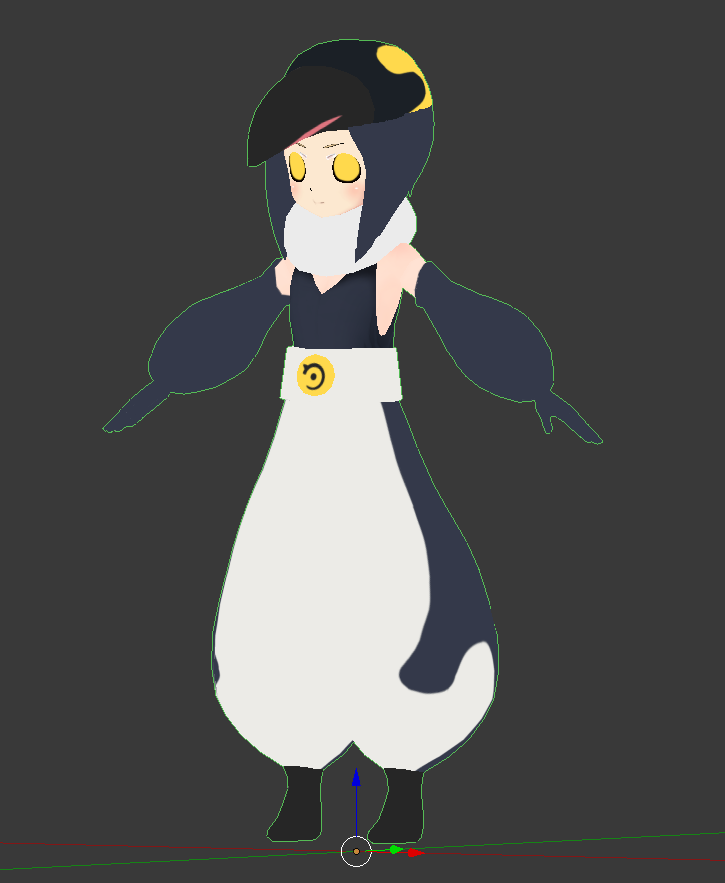
Almost done with this guy, just gotta texture it. :D
https://i.imgur.com/Ks8xQcX.png
 zinc furnace
I've had my model "stolen" once
hot flint
What a cute model!!
 timid crane
hey 3d modelers
so I have a question
is there any way to change a posed model back to a T-pose without them having bones, so that Mixamo can rig them? or can mixamo rig a non-T-pose model to begin with?
zinc furnace
If a model is pre-posed and has no bones, the only way to get it back into a T pose is to manually rig it yourself.
Mixamo needs T-posed models, or something that's close to a T-pose
timid crane
Ah, I see
I can do rigging, it's just weight painting which I struggle with tbh
I don't know which areas should be red and which should have less paint
hot flint
That's fair, a lot of people struggle with weights
Riggify with auto weights can help a lot
timid crane
RIggify? Is that a mixamo-like website?
 timid crane
Ohh, I see
hot flint
 timid crane
So do I add the bones myself and then it does weighting for me, or does it do bones too?

 timid crane
Oh wow, really?
hot flint
then select the mesh, then the armature (in that order) in object mode
CTRL + P to parent
"With automatic weight groups"
and it will do a rough approximation for you
but it's usually pretty solid
thats what i used for mine
timid crane
Oh wow, seriously thank you so much
hot flint
np
timid crane
that is a huge timesaver
hot flint
your rig might look different if you aren't using 2.77
timid crane
I'll be able to edit weighting from there too right
hot flint
yep yep
timid crane
I'm using 2.79, the september one
hot flint
dont forget about the weighting tab either
ok yeah so you'll have to delete several facial bones
you'll also want to be sure you only have Hips>Spine>Chest>Neck
not Hips>Spine>Chest>Upperchest>Neck
This is one of the biggest reasons i stick with 2.77
way easier rigging
2.79 is nice for CATS
but i dont do work with MMDs
zinc furnace
CATS is useful for non-MMD models too
zinc furnace
"Pose to shape key" has saved me a lot of time and effort
hot flint
Pose to shapekey is something you can do otherwise without it
zinc furnace
I know you can apply as shape key and then re-add the armature modifier, but that is stupid
timid crane
I'll be sure to take note of the upper chest thingy though, thank you a lot for the help
hot flint
np
zinc furnace
You can also do it the Mixamo way and just keep the upper chest, but assign it in the Chest slot
Then leave the chest bone unused
hot flint
true
zinc furnace
But I wouldn't recommend that
hot flint
yeah
i was about to say
Also, sorry, i'm not trying to call anyone wrong or right for using 2.79 and CATS
i just like to know EXACTLY what's happening to my model
not just hoping CATS solves it for me
and being shit outta luck if it doesnt
zinc furnace
I've had models where the automatic rigify thing simply didn't work at all
It just failed to find a solution, even if I tried to do automatic weights for literally one finger
Removing doubles didn't work
zinc furnace
I mean, it's not like boobs don't have any physics or jiggle IRL
timid crane
but it doesn't give me finger bones
gdi blender i dont mind rock hard tits I just want to make the 👌 sign with my roblox avatar
zinc furnace
You can do those yourself
Just an FYI, I usually don't make finger bones by extruding from the hand. You probably don't want the finger bones to be directly connected to the hand, you just want them parented.
zinc furnace
Yeah, it's gonna be really difficult otherwise. I'll show a screenshot of how I do my fingers
timid crane
time to put my brain through a blender aka make fingers again
zinc furnace
 timid crane
ohhh
zinc furnace
This is from a while ago and is probably not weighted as good as I should have done it, but this is what it should roughly look like
You'll want more bones in the thumb though lol
timid crane
and what about weighting?
zinc furnace
¯_(ツ)_/¯
timid crane
which areas should have less or more weight
so that the vertices dont collapse/shrink
zinc furnace
It's hard. Automatic weights, if it decides to work, usually do a good job of the fingers
But the thumb is the hard part
I don't know much about weight painting so I dunno.
zinc furnace
There are plenty of tutorials on how to weight paint thumbs
I usually have to tick "preserve volume" in the armature modifier so my thumb doesn't shrink
 stable edge
make sure you have auto normalize on
the more verts there are the easier it is id think
except for the thumb, because then its hard to see
hot flint
My fingers are weighted a bit differently from the standard kit
but they work just fine with muscle posing
zinc furnace
I had to weight a game ripped model's hands manually yesterday, it was pretty hard but came out okay-ish
The automatic weighting simply didn't work at all
The hardest part is getting them to bend without any sharp edges, especially if the model is low-poly
zinc furnace
Oh yeah, I forgot that there were multiple brushes like that. I'll keep it in mind for the next hands I rig
The important part is having a smooth transition on the joints
Auto normalize is basically a must-have there
I usually paint the whole finger on the first bone, then I paint the second and third part on the second bone, and then finally paint the last part on the third. It helps to hide the other fingers so you don't accidentally mess those up.
 small cloud
u don't want to paint entire bone because the bones will "fight" for weight, and if it's 100 then the mesh will shrink
and it's really ugly
the lazy way is just to have 3 edgeloops on joints
stable edge
they only have 2 ish
 polar glen
anyone familiar with 3ds max garment maker? I'm following all the steps till you select 2 seams, and it will only let me select 1 seam. So I can never stitch
 ruby onyx
remind me what is the hotkey for creating mesh from selected points?
 high jetty
F?
 velvet flame
I found excessive use of blur is how to get “bendy” arms on toony avatars. Takes a lot of trial and error and they still look super weird in chairs when you look around, because the arms stretch.
For low-poly avatars I also cheat on finger bones and don’t use fingertips for example
 plain zealot
Hey guys, I'm looking for someone with knowledge of 3dsmax that has worked with VRchat models. I've got a little bit of knowledge under my belt when it comes to 3dsmax, but I'm just trying to get the simple stuff down. If anyone is willing to help me, it'd be greatly appreciated.
small cloud
ya dudes, hit the man up with some 3ds tips one should be wary of 👌
zinc furnace
You turned the view into rendering mode
In the bottom, there's a circle/sphere icon, click it and go back to Material
(Or texture)
 crude monolith
ok thanks!
hot flint
Pff
 pine panther
lol
hot flint
Flat is better
pine panther
Flat Justice
pine panther
Darn and I had a good emote
hot flint
Rip
pine panther
I don't think this server allows twitch emotes or any other
 hardy turret
how do i make my tits like collide against each other so i can press both against each other
hot flint
Hmm
I'd imagine just make empty game objects on either bone that controls their physics,
then add a dynamic bone collider component to each
and have them reference each other
timid crane
ggthb asking the real questions
lament pond
ew
hot flint
You can thank @spiral sigil for that
Yeah, that's true
I might weight it a little differently from my end
I think that's partly my fault because I made it look like they were shrink-wrapped
spiral sigil
it weighted with like 0.1 or 0.2 in the middle i think, so it's barely moving, you can put 0.4 to it for more movement
quasi flame
Anyone know if the neck bone is used at all and if there's any point weighting it? It feels like only the head movesin vr.
mossy quail
would you guys mind sending me the dynamic bones settings?
im always collecting
:3
spiral sigil
@hot flint thanks my dude
@mossy quail i don't mind sending mine, but again, if it's for the boobs, those settings are made specifically for how i personally weight paint it
spiral sigil
Damping: 0.125
Elasticity: 0.05
Stiffness: 0.8
Inert: 0.3
spiral sigil
noice
the very first settings i used was this
Damping: 0.2
Elasticity: 0.1
Stiffness: 0.8
Inert: 0.5
hot flint
I bumped up my inert to about .6 for in game because they were all over the place with the jerky movements of vrc
mossy quail
.6 is a bit stiff isnt it
hot flint
Not for smaller size
spiral sigil
in unity maybe, in vrchat it's probably perfect
hot flint
Haha
mossy quail
so i guess ill stick with mine xD
hot flint
I go for realism
 mental blaze
.3, .2, .1
 mental blaze
oh wait, those settings are for boobs?
mossy quail
yes
spiral sigil
fucking lucoa man
mossy quail
😄
it looks weird if you dont pr2
i mean
totally stiff bewbs are just unrealistic
mental blaze
I keep them static on all of the avatars
which is why blender chan has no rig for breasts
mossy quail
all the jiggles
hot flint
Nifs thighs jiggle more than her chest
hot flint
Mmhmm
spiral sigil
with those thighs it's a bit normal
spiral sigil
she got ass and thighs jiggle 👌
hot flint
Sweet sweet magic
spiral sigil
extra bones on the thighs
mossy quail
i think i have to remake a few models at some point anyway, might consider adding that
hot flint
Hoof
spiral sigil
O O F
hot flint
🎵
mossy quail
cant wait for players able to interact with dynamic bones
hot flint
Haha
spiral sigil
they will add that when they finally optimize everything
apparently colliders are a nightmare for now
hot flint
I went on VR and had two or three guys corner me giving me headpats
hot flint
I have a crying face bound to hand close
So I balled up my fists and looked up at them all sad
spiral sigil
oh yeah, did you manage to upload it ?
mossy quail
aww
facial expressions are great
but imma be honest, before they do dynamic interactions i need to be able to switch animation controllers via button
reuploading 5 versions for face gestures is just bad
spiral sigil
i don't know if it's true, btut apparently they will separate left from right
and you can have 3 animations set per avatar
mossy quail
the 2nd one i like
the first one not so much
i tend to switch hands when doing animations dependent on the situation
so id do them for both hands anyway
hot flint
Oooh that'd be neat
stable edge
yeah
 stoic ridge
head pats are so good
stable edge
its also nice to have wink on one hand and big eye on another
stable edge
i dont know if id use having diff hands
spiral sigil
 stable edge
neither just giving examples
mossy quail
Jolly cant u do that already?
stable edge
?
stable edge
kindq
stable edge
i supposed itd be better for organisation
mossy quail
and stick out his tongue on one gesture
hot flint
It's funny, most of my gestures will /overexpress my face, so I actually made keys to zero out the other
mossy quail
and on the other shows teeth and pops eyes out
turns into a nightmare when you combine em
oh
hot flint
@mossy quail exactly
A very similar thing happens to me when I have a surprised face combined with a smile
mossy quail
😄
hot flint
Which is why I had to both email to zero each other out
So the result is that the first email that was triggered will take precedence
stable edge
ah i get it now
hot flint
And the other will still do the hand motion but not the face motion
So I can still come by and hand gestures, but the faces will not mix
mossy quail
Thats actually pretty clever
hot flint
Which is a pretty great way to get around it
mossy quail
gotta redo my stuff XD
spiral sigil
so the last animation will override the first one ?
hot flint
Unity and vrchat are mysterious beasts
No, the first animation triggered will override the second for the face only
If I do hand open, I will be smiling. If I do a fist with the other hand, I will not start crying
But I will have one hand open and one fist
If I do the reverse, the fist first I will start crying
And while holding the fist, if I start to do a hand open on the other hand, I will continue crying
So it's a good way not to mash up your animations for your face
spiral sigil
okay how does that work ?
hot flint
I basically have it so that my smile and hand open also has keys for 0% for crying
And any other Expressions that I might have
stable edge
^
hot flint
Same goes for all the others
spiral sigil
simple enough, i'll start doing that
hot flint
It's a good method for troubleshooting
I kind of stumbled on it on accident actually
Just running on a hunch
That's how most of my stuff turns out usually
Also, I did fix my upload finally. It wasn't the servers, it was my custom overrides
spiral sigil
wot
hot flint
They were using the animator from the previous model that wasn't run through CATS
spiral sigil
ohhh
hot flint
The funny thing is, all of the animator names were exactly identical
But the referenced bones weren't
All the more reason for me to start using cats naming conventions
spiral sigil
glad it worked in the end
hot flint
I usually get to the bottom of things pretty quickly
Usually takes me just going out to drive for a little while to clear my head and think about what it could be
 gusty crest
I feel so good after hours of fixing a super aweful broken triangle mesh
Got my tris at 17.8k good stuff
hot flint
Blender script
adds full skeleton metarig at the 3d cursor
Long as you line it up with the model, automatic weight groups does a lot of the rough heavy lifting for you
mossy quail
damn i need to get that
 past merlin
does that handle boobs :v
past merlin
just looked it up, that does seem like a really nice script though
thanks for the note
haven't used it before but seems great
 latent charm
@mossy quail @hot flint Rigify is included with blender these days, nothing extra to do except possibly enable it in the addons. Then just add object > add armature > Human (Metarig)
Align to body parts, then click generate rig in the rig tab. Then you can ctrl+p and use automatic weights.
The most useful part of it (for me at least) for vrchat stuff is the face rig for doing proper visemes for each phoneme set in the vrcsdk.
pine panther
That would be nice
latent charm
If you want to have the least problems, use the rig linked in this guide as a base
https://docs.google.com/document/d/1W5KFa_aszCMrJaFD8mb9a-GHYO4X4S9M63GjM4UwuEw/pub
I've been using that and have had 0 rig problems save those I introduced myself.
pine panther
If so I could apply a tux on my model
latent charm
mix'n'matching parts isn't hard once you've got a hang of rigging & weight painting
pine panther
Yea
hot flint
@latent charm hey there! so sorry if this ping comes in really late or isn't appropriate. Thanks for clarifying about riggify for cerzix earlier. I was on the verge of passing out and kind of left them hanging there mb
💙
latent charm
@hot flint No problem :D. I personally don't mind pings anyway. (plus it's only 4:30pm here)
hot flint
🎶
I don't know why I try to help with q and a at 5:00 am when I've been up all night working..
It's equivalent to me reading a book to fall asleep
pine panther
Try staying up for more than 24 hours for a vr chat stream
hot flint
No thank you hahaha
hot flint
Maybe once I get some better equipment?
pine panther
I still need to buy the vr headset and controllers
hot flint
I think I spend more time in blender than in VRC frankly..
pine panther
Over 2k for new pc spent recently
hot flint
70% Blender, 20% Unity, 10% VRC
latent charm
@pine panther Got you beat :B I did get myself a nice threadripper 1950X build though
pine panther
Damn that’s better than what I have
latent charm
I got it because I do a fair bit of heavy rendering/animation, mesh processing and photogrammetry and whoo boy does it do that stuff well
pine panther
I mean I could make mine better but that would void the warranty
Which last 3 years
hot flint
I'm due for a new computer here, desperately
My poor little potato pc..
What would you recommend?
pine panther
POtaTos (portal 2)
hot flint
Hehe
latent charm
If what you do benefits from parallel processing, the Ryzen CPUs are damn nice
hot flint
Ooooh
pine panther
They really are
hot flint
I do a lot of graphical work, but my modeling is mostly cell shaded
Have you seen my stuff floating around gallium?
latent charm
I did glance by this channel a little while ago and saw a screenshot or two of the one in your discord icon
Haven't seen it in VR though
hot flint
It's just recently been uploaded in full, haven't had the chance that I'd like to, to pilot it for very long
Work and what not
latent charm
Just searched and had a good look at it and damn, that looks good
hot flint
Thank you! 🎵
She's been down a long path of improvements haha
Anything glaring that you'd touch up if it were you?
latent charm
Nothing stands out to me as a problem. Mesh topology looks good from what I can see, good support loops where needed, etc etc.
pine panther
The only problem I have with my pc is that vr chat for some reason has a tendency to softlock
Don’t know if it’s memory or something else
hot flint
Same in my experience Mariomette
 hidden blade
hey I don't know if this channel is the right one to ask for help but I'm working on texture atlasing and one textures has a wireframe and a material but when I bake it won't show up. Any ideas on how to fix this?
Using Blender btw
 spiral sigil
shitty weight paint
gusty crest
Lel
 astral oasis
Kind gay
 charred moat
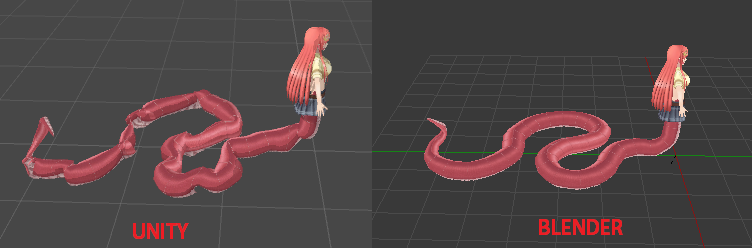
You need to blow in her mouth to inflate her like a baloon
blissful sleet
lol
i think he asleep
but if you alt-click on the little expand arrow next to armature, shift-select all the bones, and in the inspector panel right click the transform component and click revert to prefab, that should fix it in unity
@deft kite
 livid frigate
@deft kite i see you're trying the Miia model 😉
Real pain to get the tail animated nicely
mossy quail
@livid frigate I like horse better than snek
livid frigate
🤢
blissful sleet
wew
mossy quail
stoopid sneks
 left scroll
@deft kite are the bone rolls set to 0 in blender?
 deft kite
I fixed the tail, it works now, however disabling the dynamic bones distance reset doesnt work, so after 20 feet my tail resets. I set the distance to 80 and told it to NOT distance disable, but its still doing it.
So if i walk away after 20 feet people see a straight tail
T_T
What good is the "disable distance" option if it doesnt actually do that!
hot flint
:c rippo
zinc furnace
I currently have a mesh on my model, but I want it to be invisible unless a shape key is activated. I have done the inverse before (shrink a mesh down very far or move it inside the body), but how do I make it only visible while the shape key is activated?
Basically, I'd need to "invert" the shape key somehow
I can't move it inside the body, then manually move it back in edit mode. The placement is too precise.
deft kite
Rokk, select the mesh, then at the top of the inspector tab is the first checkbox to hide stuff. uncheck it so its hidden. then create a gesture animation where it IS checked in to appear. thats how you do it. shrinking it is not necessary. what you need to do is "uncheck" when not in gesture and "check" when gesture animation is on.
zinc furnace
Yeah, but it's not a separate mesh in the end result
It's not a random object, it's actually a set of eyes with a different material
Hence the precision required
But I already got it working. I manually moved the new eyes back by 0.02. Then in the shape key, I move it -0.02 instead
Probably not the best method but it's quick and it works
stable edge
if its got a sep material you can just give it a blank for an animation
or you can edit the image yourself
¯_(ツ)_/¯
and then have it like custom blinks are done
 covert fractal
Hey guys, I'm looking for a model of this..
https://ettflorida.com/images/products/medium/inground_mount_grill2.jpg
I can't find it on the asset store (or any other sites).

 coarse zodiac
@covert fractal what websites have you tried so far?
covert fractal
models-resource, and the official Unity asset store.
coarse zodiac
I'm gonna have a quick look around and see if I Can findbyou something. Does it have to be exactly as shown or can it be similar
covert fractal
It doesn't exactly have to be like it, just similar.
I'm hoping this could be possibly done for free (or at a reasonable price).
coarse zodiac
Gotchya, do you have a range in mind?
covert fractal
If I were to make a price range, 1-2$ USD.
As it looks pretty simple to make (for people that are good with Blender).
coarse zodiac
No luck, that is a tough one. Prices are around 10+ for something similar but probably not close enough
covert fractal
Well, thanks anyways.
Honestly, I don't feel $10 is worth it. I'm no dev, and I'm not doing a serious build here.
coarse zodiac
@covert fractal anything more than 2 is not worth it for small models that aren't crucial in my opinion
 bleak panther
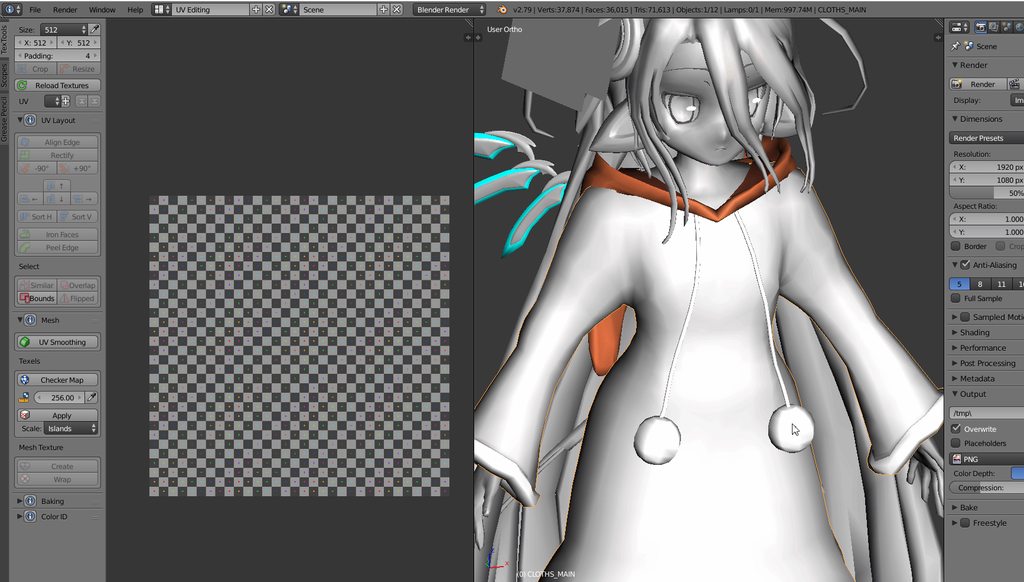
anyone know how to combine these UV maps without joining ? https://imgur.com/CguTuYx
 umbral charm
Not sure if right chat. But I have a weird issue. It's happening on multiple objects. One I uv mapped myself in blender and another a friend did. When he puts the item he mapped in his unity it works fine. But if I put any of the mapped items in my unity, it's mapped wrong. Is there a setting I am missing somewhere?
 fair python
Anyone available to convert a .max to .fbx for me? It's a tiny file but I can't convert it myself
polar glen
there are online tools I think
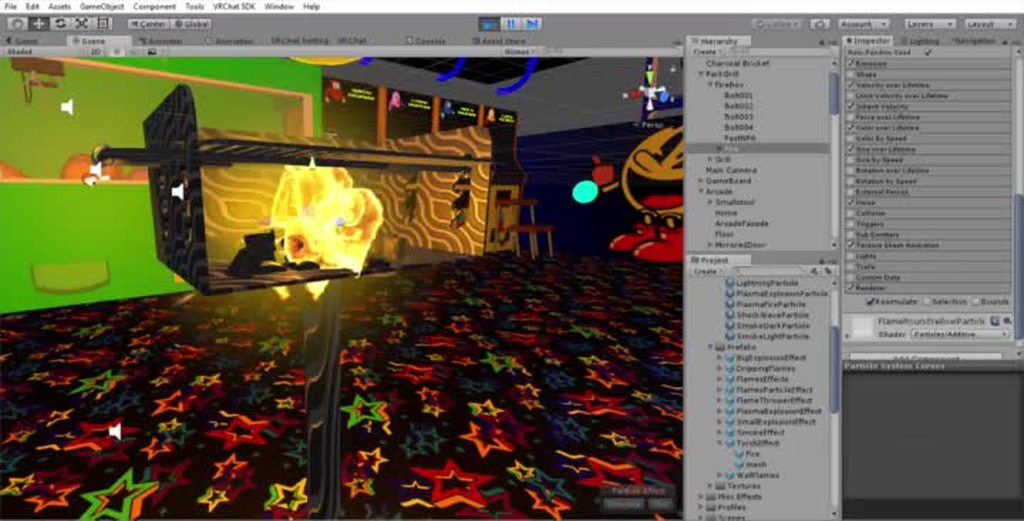
Boy this grill keeps my arcade warm. https://imgur.com/PXugNQH
 cunning bloom
can someone tell me why my polys double when i import an fbx into blender. And how can i fix this?
 charred moat
@polar glen what are you using for the flammes ? 😮
mossy quail
@charred moat to me it looks like maybe a particle system with noise
charred moat
I really love it !
mossy quail
either that or a texture sheet
its actually both 😄
you can see it in the picture
@polar glen would you mind sharing settings so i can try and replicate it?
 dark orbit
I'm texture painting in blender and I'm trying to paint a skirt but I can't apply any paint from the outer side, I have to go under the skirt to paint, how can I fix this?
charred moat
thanks !
polar glen
Welcome
mossy quail
@polar glen wait can you link that pack please
polar glen
Not right now, I'm on mobile. Just search in the store
mossy quail
a ok
small cloud
@dark orbit think u need to flip normals
that's what I vaguely remember with the same issue
but cannot say for sure
dark orbit
Yea seems that was it
 gentle forum
I'm trying to add a shirt to a model I'm using, and the shirt comes with an armature for the arms, hands, fingers, spine, etc...
I've been trying to merge it with the model I'm using but I'm not sure how to do it without messing up the weight painting and such.. if you know anything about this kind'a stuff please message me!
pine panther
They just want answers as fast as possible
gentle forum
I didn't know which channel to put it in, so why not both
Sorry if it's inconvenient!
I'm a bit wonky today, thank you
spiral sigil
@gentle forum just merge the mesh and armature
parent the bone of the shirt to the respective bone of your model
so upper arm of shirt to upper arm of model
and hit "mix weight" in cats addon
spiral sigil
anyone use 3D Coat?
mental blaze
I've used it before, but only for a little bit
I like the layer features for organizing
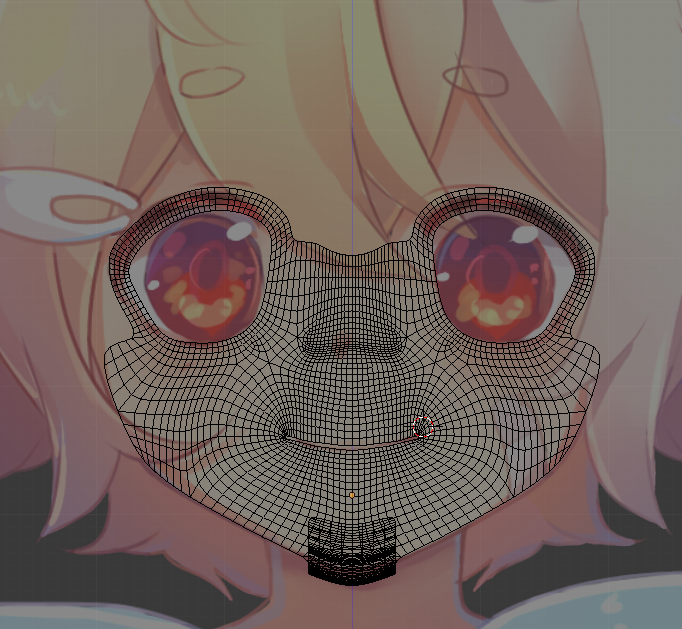 mental blaze
High poly, but what does the face look like in a 45 degree perspective angle?
The edge flow looks good.
 mental blaze
Looks great so far. Do you plan to model the face that's visible or the entire head?
 eternal crow
is there anyone here good at fixing uv's
http://prntscr.com/j4iimp i can't figure this shit out

 mental blaze
I mean will you be keeping geometry that players won't see in the game
Always delete faces that players won't see
mental blaze
For example, after you model the hair over the head, delete the faces that are being hidden by the hair
That kind of stuff.
 polar flower
well im going to make it into an mmd so I will worry bout that later
 brave dune
considering the lack of decent reference pictures and the fact that this is my first custom in blender, i think im making decent progress
https://i.imgur.com/3R8NiLD.png
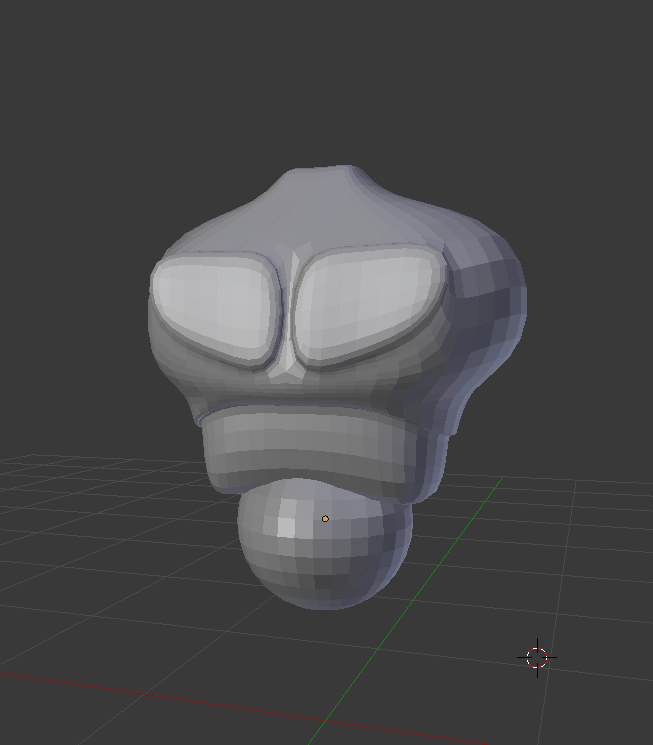 polar flower
what is that
mental blaze
A torso
polar flower
oh
 mental blaze
Definitely tackle that through sculpting
brave dune
right now im trying to get the basic shape down
mental blaze
Yep
brave dune
i figured a semi robotic design might be a good first try since it will make some joints easier
eternal crow
@brave dune i did my first custom model in blender awhile ago (it was a weapon though)
brave dune
My biggest problem is the lack of reference images 😛
eternal crow
lol mine had a lack as well tbh

due to it being on my old computer i can't get any better images
if you're wonder wtf it is

i dont have images at all but i started 2 others http://prntscr.com/j4ipd1

http://prntscr.com/j4iph1 this is what they would've been
 brave dune
at least some of those seem relativly basic in shape
got to love when the highest res image of a certain angle is of a toy and not the actual reference
spiral sigil
Does anyone here have any experience with UE Viewer or ripping models from UE4 games?
eternal crow
they arent toys xD this was offical art for the game
well more in one of those strategy guides for the game iirc
if they had toys of that stuff my ass would be buying it like it was gold
hot flint
Who wants to see what i'm working on next?
 vivid crater
Ooo, me me
hot flint
 eternal crow
👍

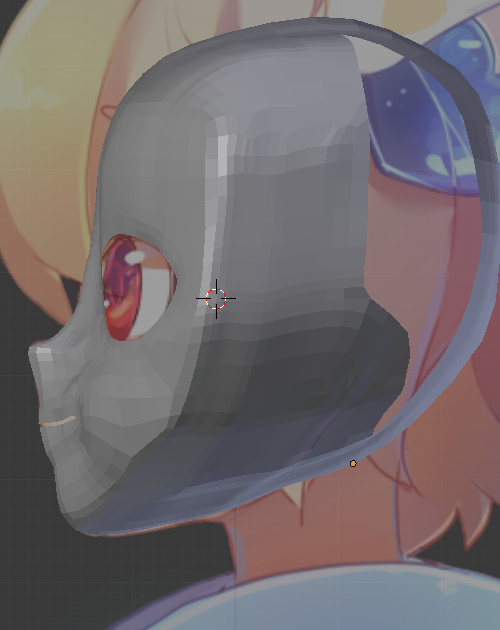
 hot flint
🎵
spiral sigil
i actually think i just figured out my issue @brave dune
the UV maps weren't wanting to co-operate
brave dune
yeah, psk import does funny thing to uv if different materials are involved. there is an updated improter that might ease things up in the future
spiral sigil
okay nvm im having an issue
it works in blender, both uv maps are specified with materials assigned to both

and then in comes unity http://puu.sh/A1WXk.jpg
 brave dune
if its doing what i think it is, you have to asign the uv as well in the unity material
or do some shinenagans to put it all on the same uv map
spiral sigil
asigning the uv in the material doesn't help
brave dune
best thing i can recommend is merging the uvs
spiral sigil
Can someone make me some avatars? or is there a place I can learn to make them myself
i have no idea how to merge the uvs
brave dune
what i tend to do is seperate the meshes based on the uv, delete the wrong uv from the meshes so there is only one channel on it, rename all the uvs to the same thing, then remerge the mesh
there is also an updated psk tool that will automaticly put them on the same uv
spiral sigil
won't this make things worse if its using 2 different textures?
eternal crow
http://prntscr.com/j4jmwl ngggggggggg im getting there

the clothing colors are off though
like they're too bright
 rapid comet
I wouldn't worry about it in blender, just Unity
eternal crow

i think i got it
this is also going on a model resource site, thats why i need it to be so accurate
they already rejected my corpse party one
 brave dune
😛 yeah, i had to deal with same stuff when doing fatal bullet and viscera cleanup models
spiral sigil
now i can actually use this damn thing
and then go through the same ordeal for 3 other models
eternal crow
shit i gotta go eat now before i make myself sick
brave dune
nonsense, feed on the code
eternal crow
xD ims back with a bowl of lucky charms, cause my dad forgot the sauce he always puts on top of our meatloaf plus he used a different kind of meat i dislike
and my brother ate nearly all the marshmallows in the box again....goddammit
brave dune
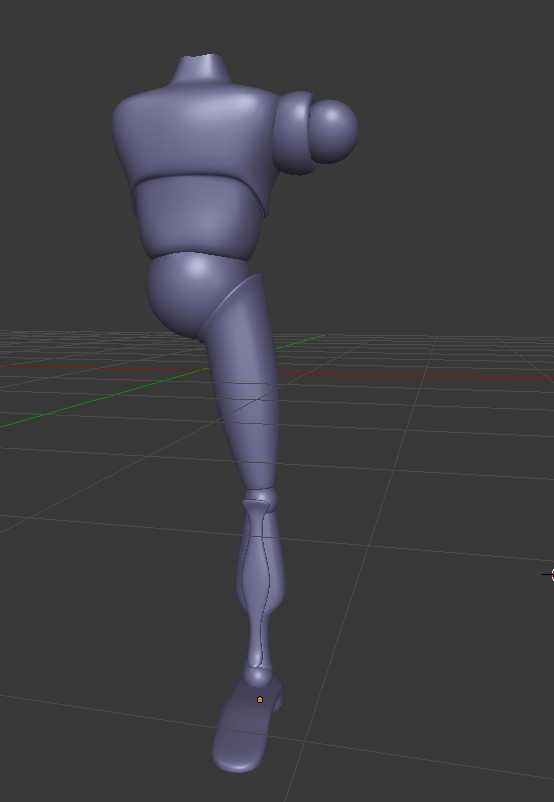
https://i.imgur.com/vHFae1w.png
slowly making progress with basic shape. The fun part will be the detail and keeping an eye on the poly limit
 hot flint
Looking good!
brave dune
im dreading the head 😛
 vivid crater
what a cutie
brave dune
Love the artstyle. it reminds me of something but i cant put my finger on what
hot flint
Funny enough, I did my absolute best to do a 1:1 imitation of the original art style and character

a few artistic liberties taken with the gauntlet because of the angle, it was tough to tell what was what
brave dune
this jaw line >.>
https://i.imgur.com/2cjEIxn.png
😛 im getting close to the "i have no idea what im doing" area with the lack of good reference
 wind mural
I got a question about materials
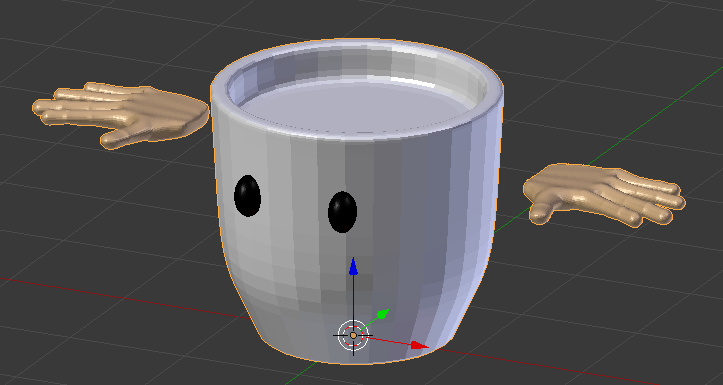
would it be better to use materials or textures for this?
I was going to put coffee in the cup so i'm not sure what do do now, especially since I was going to put more details and the model isn't connected
Also, should rigging be done after or before textures/mats?
brave dune
most of it is an either or kind of thing and whatever works best for you
i dont think there is one true way
wind mural
okay then, i was gonna put detail lines in the hands so I guess textures it is
brave dune
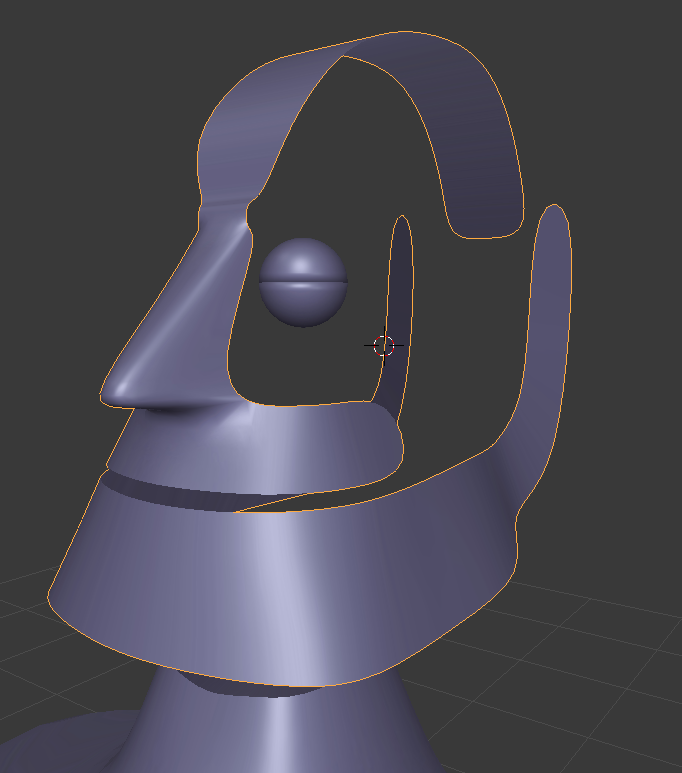
https://i.imgur.com/Mq30Otx.png
i'm slowly getting the hang of this
 lethal nest
 eternal crow
👍
https://image.prntscr.com/image/Om-L9k65RoqDddXm3s_WFg.png i has mades no progress
 mossy quail
@hot flint Reminds me of Doomfist 😄
 lethal nest
😂
lament pond
@hot flint he looks cool
hot flint
Oh
It's uh
It's a girl
snrk
But thank you
It's also not my design
Just a fan letter
 topaz frigate
Who needs boobs when you have t h I c c
hot flint
Oh they're there, just hiding under the metal plate
Trust me
You don't want to see her without it
topaz frigate
I trust you
topaz frigate
Pacific rim
topaz frigate
Pacific rim is better
hot flint
I'll be finishing up the side view later today
hot flint
Oh wow haha
hot flint
I would be drawing right now if it weren't 1:00 am
hot flint
Fair
topaz frigate
My sleeping is all messed up.
hot flint
I should be more specific, I would be up drawing right now if my roommate wasn't asleep
topaz frigate
Smart thinking
hot flint
Computer monitor is bright
topaz frigate
The pen scrapes on the tablet too
hot flint
They sleep on the couch
 charred echo
Can anyone make me a biggie cheese model
mossy quail
oh god
 hot flint
heavily sthighylized
spiral sigil
I'm getting ready to start learning how to model from scratch and I want to use a character reference that isn't in the t-pose. Is it possible to do that and still get a good a result?
@hot flint 乇乂ㄒ尺卂 ㄒ卄丨匚匚
hot flint
You can @spiral sigil, you just need to have enough reference poses to work off of
you'll find things more frustrating if they dont line up
you'll have to wing most of it
spiral sigil
sounds good. I know I'm jumping right in to hard mode, but thats how I do things. I bang my head on the wall til it breaks
Gonna do darkness if i can find the reference from her manga design
 hot flint
Shouldn't be too difficult
spiral sigil
yeah this is her DEEN'd version. Her manga version is way more kawaii AF
so should I model her and wing he arms in to the t-pose? or just copy it and pose her with bones later
"wing" the arms*
brave dune
oh nice a darkness
im suprrised there isnt an mmd of her floating around since i know ive seen megumin a few times
you are in the same situation as me basicly. Im trying my hand for the fist time with a model from scratch and the one i chose doesnt have many good references so im winging it
spiral sigil
there isnt. there's a custom maid one, but its not available. As I said, I'd much prefer to do her manga design
deen is lazy animation....but it is a pure gag show
brave dune
i give them credit on some decent comedic timing
spiral sigil
they're good for that and drawing megumin's elaborate casting scenes
brave dune
other than a slight difference in face shape, the body seems pretty much the same at least
 brave dune
https://i.imgur.com/HCNrJQY.png 😛 at least she has a uniform face. Getting this guy's face right is being a pain
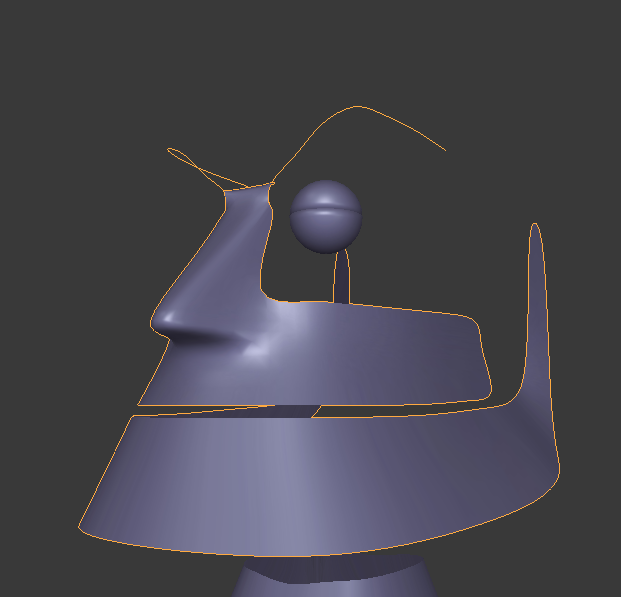
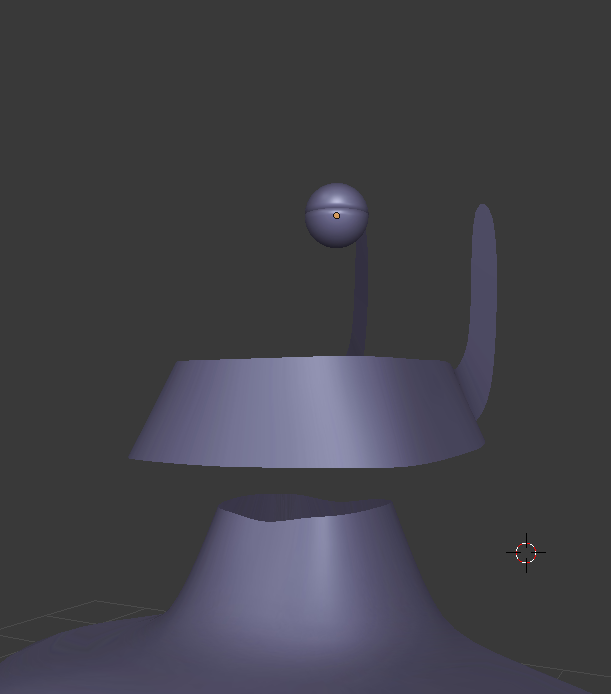
 azure adder
you making megabyte from reboot?
rugged hill
you're new to the art form and need practice?
 twin merlin
I...I made a Riko. Over the past week I've been modeling my first avatar and never even considered posting on vrchat discord
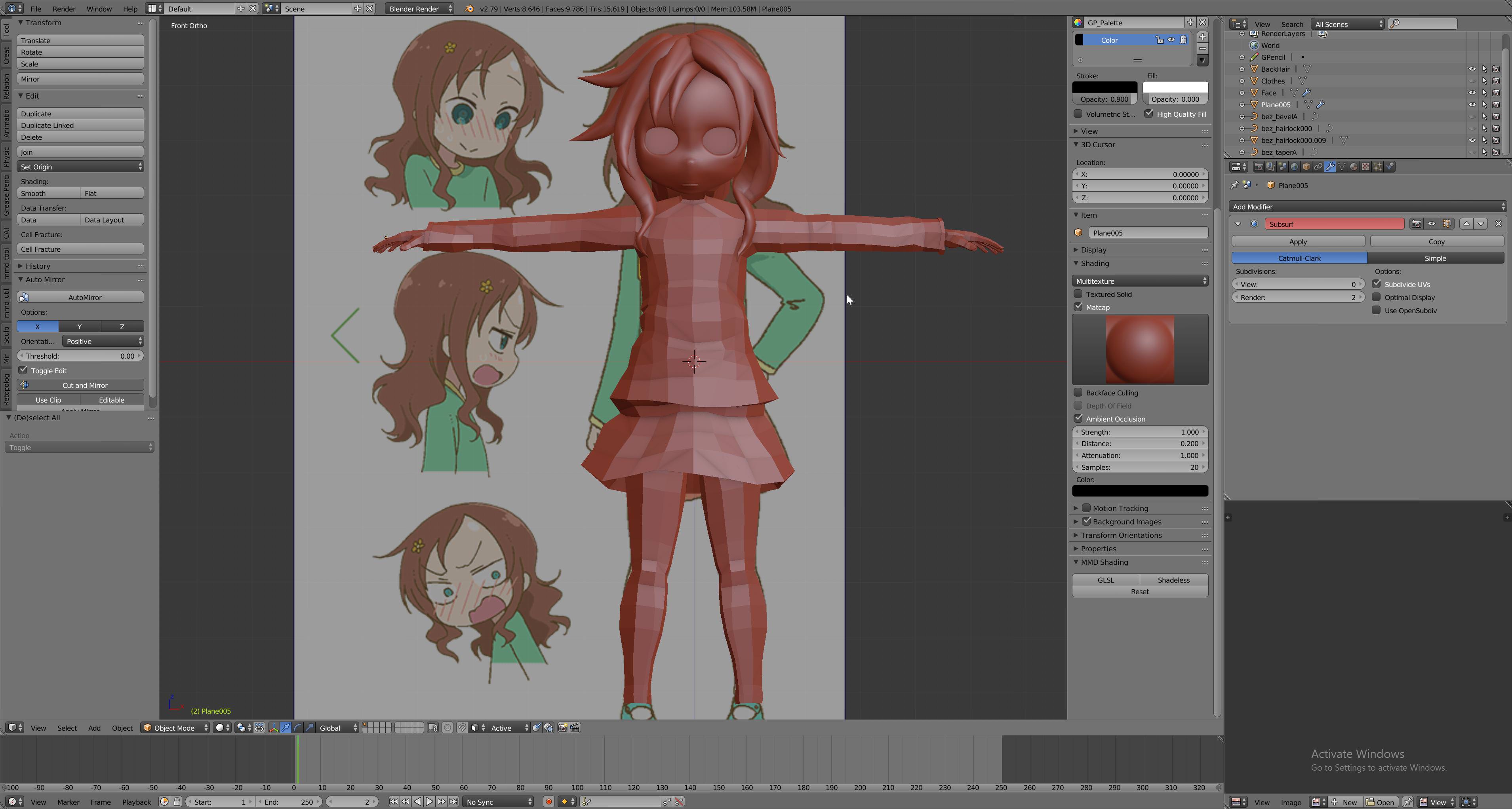
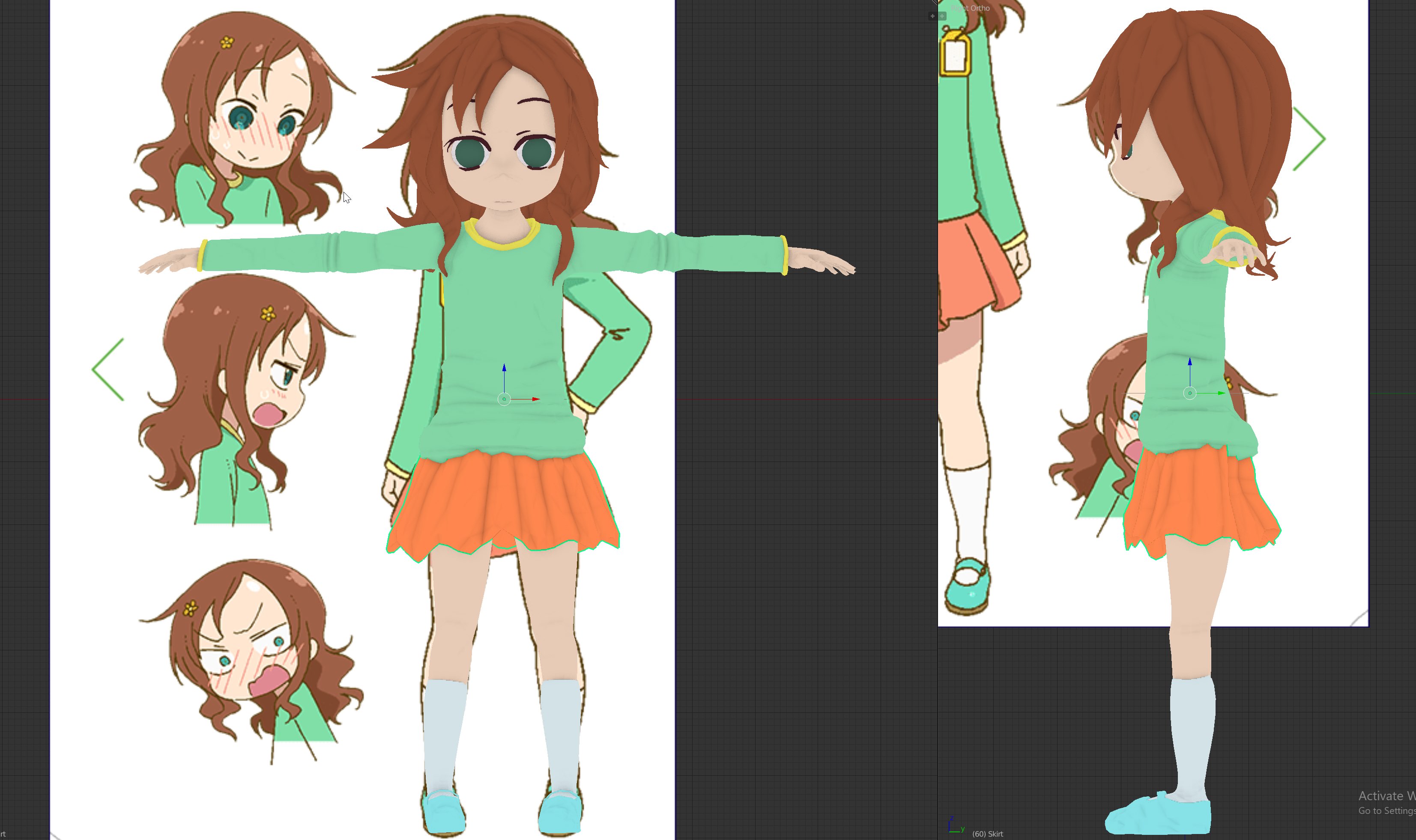 twin merlin
sitting at 19k tris
spiral sigil
really? seems like a lot. The allure of handcrafting for me is to build low poly, save, build high poly, create maps, then go back to low poly
spiral sigil
it still looks good man.
twin merlin
hey thanks
spiral sigil
make sure you put in lewd blush shape keys 😂
twin merlin
I can never model a good face without seeming to resort to more subdivide smoothing. I don't know what I can do around the nose/eyes to get it looking normal while still being low enough poly
Oh I'm working on texturing now, and that's what I'm doing lol
spiral sigil
yeah u just need the high poly model for stuff outside of vrchat and maps
i wonder if i could make a waifu with like 3k tris and have her look pro
oh man smoldr
i'd love to see that 3d modeled 👀
vivid crater
Forehead loli hype
spiral sigil
Somebody do takagai-san
vivid crater
We need more foreheads asap
spiral sigil

 mossy quail
Umm
i couldnt find a mmd bar thingy
so im trying to model one myself
how do i make round corners? o.o
hot flint
CTRL + SHIFT + B (Vertex Bevel)
is a good way to make round corners
btw
sorry im late
spiral sigil
EXXXTTTTRRRAAAAAAAAA
Thats nice that you can draw your character and model them. I suck at drawing
hot flint
i just do loose refs
then do the majority of it in blender
i mean shoot, if we look back at my niflheim reference,
spiral sigil
Still. I have to find character sheets if I plan on modeling
hot flint
it looks very little like my end result

 spiral sigil
btw shokugeki s3 yay
thats cool. you have your own model
3d version of her looks better imo
hot flint
same
that's mostly because it's easier to fix things without having to redraw everything
3D is easier for me to nitpick
spiral sigil
how many tris on her
spiral sigil
really she looks super low poly
hot flint
cell shading
spiral sigil
isnt that just a shader tho
spiral sigil
im a newb so forgive my lack of knowledge
hot flint
then mapped to UVs
i could probably optimize the texture more
i'm just kinda moving on to the new model right now
i've spent too much time obsessing over making her perfect
i need to branch out
gentle forum
🤔
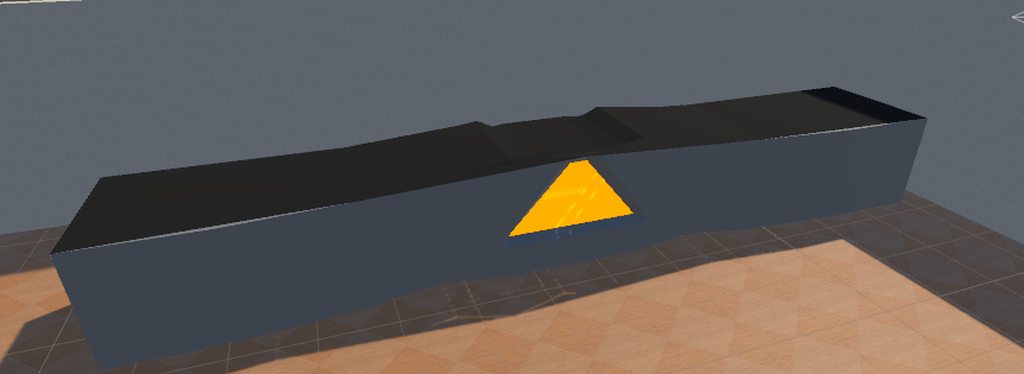 spiral sigil
nani?
mossy quail
im tryna make a bar 😛
spiral sigil
didnt know if it was a bar or a dj booth
hot flint
Whatcha thinking bout @gentle forum ?
gentle forum
I'm thinking you're doing a good job
hot flint
Pffff
I've still got a lot to improve on
But I'm learning more every time I sit down to work on it
hot flint
🎶
 fallow delta
that is fantastic
hot flint
Hopefully in a few months I can transition this to a full time job
fallow delta
your doing great tho
mossy quail
@spiral sigil https://gyazo.com/8fc9c5871c62587711edc0b7e4724804


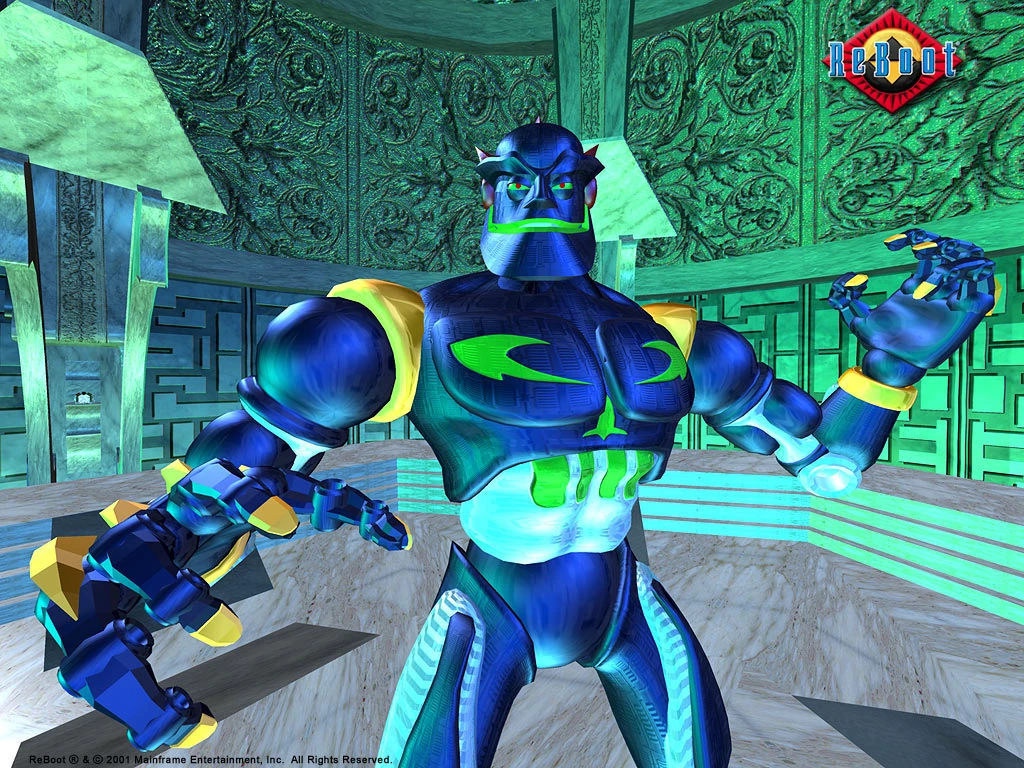


its not that bad 😄
looks pretty neat actually
spiral sigil
Its funny how you dont need a degree. if people realize u know how to model, you got contracts for dayz
mossy quail
true