
#3d-modeling
1 messages · Page 36 of 1
 worn island
 spiral sigil
select the edges of the hole and press f to fill it @worn island

Blender is useful to fill or mend a hole in a mesh. Holes are typically already present in a mesh or you create them while deleting elements of a mesh. 1. Switch to Edit Mode and then click the Ver…
 velvet flame
@hasty crane a Solidworks user!
If you are a student you can get a legit SW license for ultra cheap.
So. If you want the mesh only, an STL export will do it, and you can specify the resolution during export. But it will not have color info.
I believe VRML is your best bet for color info.
However...it might be better to import a good STL and just redo the textures with a good UV map.
 hasty crane
@velvet flame Thanks! and sadly, I don't use SW at all anymore, the school pc's just happen to have one, I did export VRML, but sadly it doesn't work with blender (it gives me nothing) I'll just have to try redoing the textures like you said. atm, I just applied a color that looks okay
velvet flame
Yeah, SW has nothing in common with Blender type files except the general idea of 3Dness
worn island
i've done fucked up and didn't notice it... http://puu.sh/zM0Gc/293ab788ae.jpg
can i somehow reconnect those tris and it automatically adds the texture like it was before?

i can't go back far enough with ctrl+z
 gentle hatch
Will models tagged with sexual content/gore be automatically blurred or censored in public worlds? and will they still be alllowed in private?
 serene zephyr
In the latest version of Blender, how do I add an image to the Diffuse channel of a material ?
spiral sigil
@worn island not without trouble regarding your UV map
 stray topaz
@gentle hatch I have no idea, the user would probably have to determine that when they make the avatar
worn island
i fixed it
selected the verticles and hit ctrl+t
oh, on another problem i meant.. http://puu.sh/zMhoD/4de1292b6b.jpg
but the other one i got fixed ba reloading a save i did just a few minutes earlier

 cobalt willow
You can fix that up by pressing K to get the knife tool, make sure you are in vertex select mode, and make cuts in this order
https://i.imgur.com/b4JKBIw.png
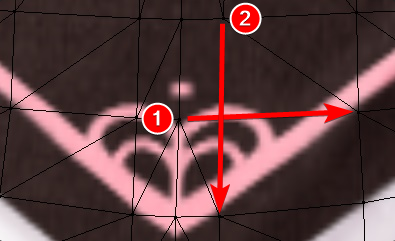
Press enter after you made the first cut
 hidden pollen
Hey
 zinc furnace
Select the polygons and press delete
 opaque musk
You can select two verts and hit J to join
Then select the other two verts and it will slice through edges to connect them, also via J
 dull epoch
Does anyone know how would i amplify the effect of a shape key?
zinc furnace
In Blender, drag the shape key you want amplified to 1.00
Then select "create new shape key from mix", and you'll have two shape keys doing the same thing. If you then set the new key to 1.00, you can do "create new shape key from mix" one more time, and you'll have a shape key that's an amplified version of your first one.
Then set everything back to normal and test it
dull epoch
"create new shape key from mix" where is that?
Where is that option? @zinc furnace
Got it thank you 😄
worn island
whats important for that 20k limit on models
tris or verts
i have like 28k verts and 40k tris right now
i have a model thats like 60k tris big, already got that reduced to 40k by hand, in that time i noticed that alot of verts (for example in the hair) go nowhere, don't have any textures attached to them or basically are single dots, or are on top of other vertices, basically doubling a bunch of stuff is there a way to detect those other than looking/picking them out by hand?
worn island
doesn't do anything
spiral sigil
you need to select the whole mesh
for exemple if you have a hat selected, go into edit mode, press A to select the whole hat and then remove double
worn island
well ok that saved me like 200 more i don't have to remove by hand >.> and i kinda doubt it catched everything
spiral sigil
it doesnt catch everything obviously, would be too simple that way
but you already removed a lot
it's 200 things that you dont need to worry about anymore
but you'll have to do a lot by hand unfortunately
 hallow night
Would anybody happen to have a good tutorial or method to create anime-ish hair in maya?
 pale sigil
can anyone help me with this issue im having i cant figure it out D:
 modern mango
if you ask for help on an issue always state the issue directly!
then people can answere you directly if they know a solution.
pale sigil
okay 😮 this model has really puffy pants so when im getting it in blender the two pant legs run into eachother
and once thats in unity/vrc it just merges them and it looks really bad
is there any way to fix that ? i tried moving the polys individually but it takes forever and looks bad
pale sigil
i have a pic if it helps
 mystic jackal
@pale sigil hi try spread the legs skeleton to the sides a bit to counter it.
@pale sigil also dose the legs on the female mode vrc avatar descriptor move closer together? just a random thought.
zinc furnace
In Blender, how do I manually reparent bones?
CATS won't show these bones in the automatic reparent list
I need to do the thing where a bone is duplicated so I can reparent the other bones to it
zinc furnace
Yeah, but how do I properly make a duplicate of the bone? That's the important part CATS normally does
 fair vine
wait, what exactly are you trying to do?
zinc furnace
CATS Blender Tool has a bone reparenting function where it detects a bunch of bones (such as hair), finds their parent, duplicates it, and puts all the hair bones on the duplicate
So you don't have to mess around with exclusions in Dynamic Bones
But CATS doesn't always detect it, so I have to do the same thing myself. I'm trying to duplicate the bone. Reparenting is something that I know how to do after that
 eternal eagle
I was actually just doing this a little while ago. Select the bone you wanna duplicate and move the cursor into the 3d view pane. Then press space and type "duplicate." The first option should make a copy of the bone.
 lament pond

 vivid crater
K-kawaii
 tidal sequoia
Hey guys can someone please help me on how to make a beam fire effect for my gun?
No one has really answered my questions yet in different areas of the development
 warped solstice
Would sculpting within Blender work well for Model creation?
@tidal sequoia you might have more luck with that question in #animation
cobalt willow
If you can learn to properly use it, then yes
tidal sequoia
I managed to get something else.
I have a green flame thrower type thing.
Time to roast some knuckles.
warped solstice
Guess I’ll give it a swing over spring break
 errant hamlet
anyone know why my avatar 'floats' above the ground?
xyz positions are set to 0 in unity
 solar fossil
@errant hamlet the position in unity doesn't matter anymore you need to set it in blender
 tired plume
prob the origin
 proper niche
https://i.gyazo.com/c4c9531bce5226afff064a5643277158.png I have no regrets
 cobalt willow
@errant hamlet Make sure your avatars feet are touching the "ground" in the avatar configuration scene
 frozen onyx
can vrchat use normal, speculer maps and so
frozen onyx
cool thanks
fair vine
@proper niche makes me remember of that ragdoll unity uses for the animations lmao
 upper hamlet
@errant hamlet check the position Q and T values in the idle animation if you have it customised.
 storm portal
@proper niche no
 polar glen
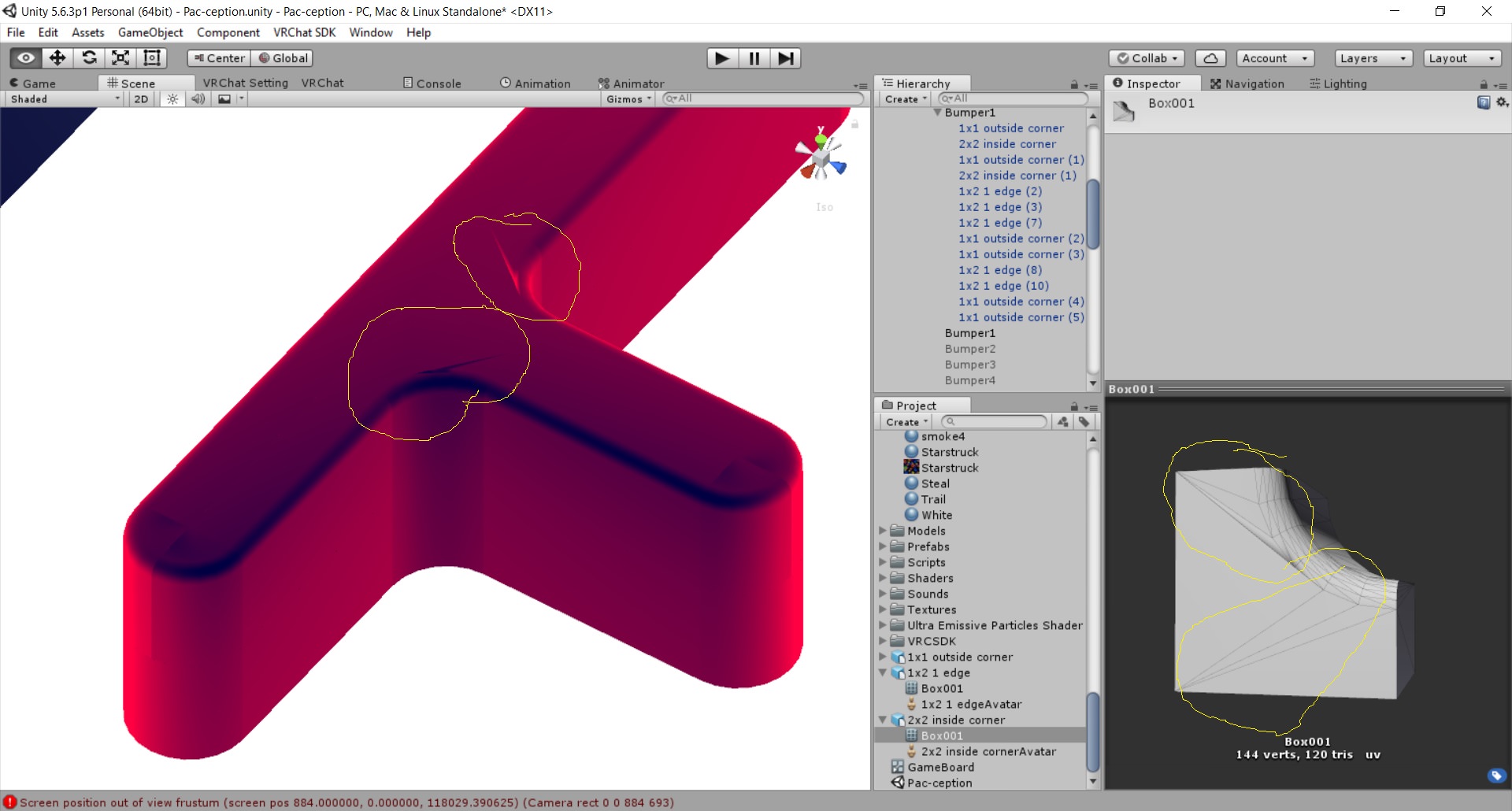
Question: How do I fix this? https://imgur.com/R81H5Dq.jpg
 fair vine
move the vertex to match the others
polar glen
but its not showing me the normal edges. Do I need editable mesh instead of editable poly?
fair vine
does it just not open up or?
polar glen
no it opens but when i go to use some features it gives an error message
i kind of like 3ds max anyway
fair vine
error message just in blender or does it crash?
polar glen
error message
fair vine
Blender has the cats plugin, what's pretty neat
Yeah, read the error message and see what is wrong
try to search for it, it's probably a common problem
polar glen
i cant read. I'm illegitimate 😦
fair vine
wait what
polar glen
people say just install a different version and im like, im not messing with this all day
fair vine
oh, well
maybe that'd work
also try to print the message that it shows and send it to me so I can see how I can help
polar glen
i uninstalled blender a long time ago
but if i cant work this out in 3ds max, ill be back. I'm still not sure this is the direction I want to go with this. just trying it out
fair vine
Yeah, Blender can be a time saver tbh but
it can also be a sucker
I'd suggest you to keep on 3ds max, but try to use it when you can't fix something there
polar glen
yeah im seeing another problem now too. The outside rounded edges... the normal are coming from the Z direction on 1 side and the Y direction on the other side
causing different color hot spots
polar glen
i can do basic shit
fair vine
oh, makes sense
i wanted to make some animations to use on vrchat on it but
boi am I bad with 3ds
polar glen
why not animate in unity?
if you are asking about rigging and skinning, im bad at that. I had to get another guy to do my avatars for me
fair vine
unity is shit on complex animations
polar glen
works ok for me
fair vine
Yeah, like, it's not bad
when you want to make something simple
but when you want to make the full body animation... boi
polar glen
5.6 animator is more clumsy than 2017 animator. Its more easy to screw stuff up
spiral sigil
the dance animation where the characater glitches out and seizures.. Where do you download that
A lot of models have it so it must be downloadable
 jagged bear
This isnt relevant to VRChat I just need help in blender. I'm trying to make a minecraft 3d animation but my camera is all weird, its like convulging around the center
Like a fish-eye
If you dont know what I mean I'll dm you a screenshot
Nevermind, I fixed it
 upbeat star
hello
lament pond
 upbeat star
oh
vivid crater
cute as always
 wintry saffron
spiral sigil
wintry saffron
spiral sigil
is there a mod that lets me cut and paste in blender?
 frigid robin
So my model wont follow the weights all the way
even though just to do a test I applied 100% weights to the area
 eternal crow
ok does anyone know why when i extrude a new edge on my model and try to add faces this shit happens? https://image.prntscr.com/image/w4l5_9ZOSkqJ1q8dxX64gQ.png

it even does this on faces that were already there and will just add a new layer on top of old faces instead of filling the hole it should fill
 random anvil
ok so i have this scene i downloaded, how would i go about taking these models for VRChat?

im using blender btw
errant hamlet
Anyone know why my custom avatar floats a couple inches above the floor in game? XYZ all set to zero in unity and blender looks fine
lament pond
 vivid crater
Omg so cute
 jovial nymph
cute!
 median wharf
Cute!
spiral sigil
hello
is there anyway to delete the black layer left over from baking
i cant see my stuff
 cerulean herald
Can anyone help me with some avatar fixes? It seems I have the jaw bones, but no shapes, no bones for expression and missng the blinking. Though I know there are blendshapes for the eyelids in the Maya model.
 blissful sleet
if you want to get down and dirty in blender you can make blendshapes (shapekeys) for mouthshapes and some expressions in edit mode (proportional editing - makign shapekeys in blender is what you want to google)
cerulean herald
Hmm. My problem is I have zero experience with modeling, rigging, or any of the software associated with it. So I don't know how to do it.
blissful sleet
:)
 molten hearth
Im trying to edit something on my avatar by dragging a poly? ( i dont know if thats what its called but the ones in edit mode on a mesh) i dont want to have to drag each one individual, if i for example want to drag a sphere out of it? if that makes sence?
 digital veldt
Can someone help me with an issue with my model. I imported the blender file which included different sections to itself. now the main body is affected by shading and colorization by outside means, but the eye section and mouth section is not affected and just stays its original hue and tone.
molten hearth
@blissful sleet Now it moves the whole mesh when ive just selected one poly?
blissful sleet
@molten hearth use scroll wheel to change how wide the effect is
molten hearth
♥
 rigid vault
tidal sequoia
rigid vault
tidal sequoia
Anyone know how to make it to where your model has head phones that you can take off and let other people hear it?
 wind mural
Hey, i'm pretty new to blender. I accidentally made this perforated box and I don't know how to get rid of it or what it is. https://imgur.com/a/N1GHa
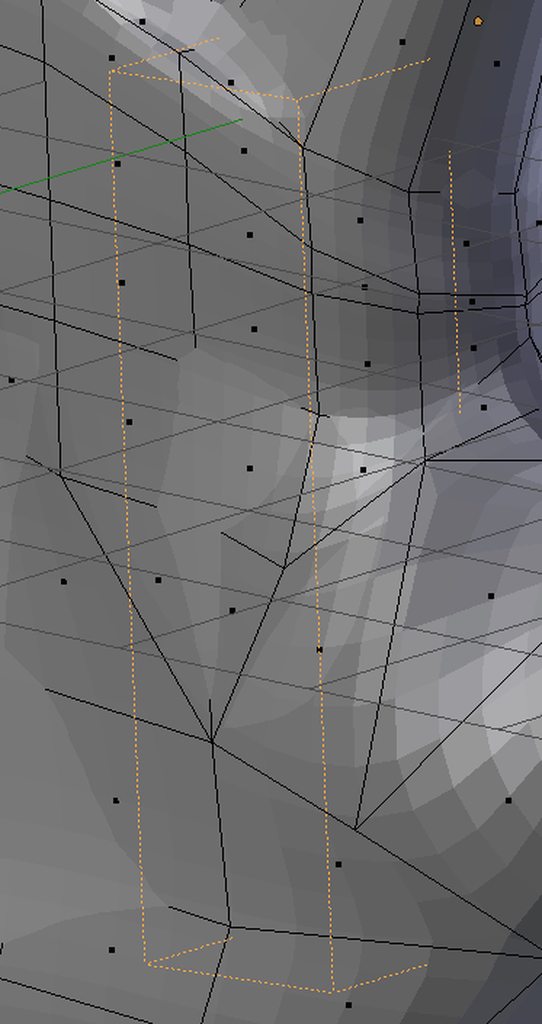
Digging around in google didn't help much because I don't know what it's called...
tidal sequoia
On the right panel, you can select the object and delete the Hierarchy.
wind mural
What heiarchy to delete? The only things i have in it are scene, remder layers, world and cylinder.004 (the hand)
spiral sigil
For making the headphones, you would have to make it in Unity and make the headphones gesture animation be the headphones parented to the head bone and a second gesture that unparents it from the head bone and to the appropriate hand or palm bone of your choice. The headphone then can also have an audio file trigger when you use that second gesture for taking them off.
tidal sequoia
Oh... is there something i can watch to learn how to parent and unparent? .-.
wind mural
okay it looks like that thing I posted a picture of might be an empty, gotta figure out how to get rid of it...
spiral sigil
Let's see... parenting is usually one of the easier and more basic variables you can affect through animation. I'd recommend google searching how to animate parenting in Unity for a possible tutorial on youtube.
You're bound to find a good explanation that will explain it better than me trying to remember how it'd work.
tidal sequoia
Ok
@spiral sigil Also ah..I made a trail animation but when I go in-game to use it, my character disappears
spiral sigil
Ooh, I'm not sure I'd be able to help with that. I've not experimented with that
digital veldt
can someone help me with fixing a lighting issue on my model? I import a characer and upload it with different parts to it that aren't connected, which creates lighting issues. I tried to merge the meshes, but when I do that I cant drag the materials onto the parts like I normally would be able to.
digital veldt
well I fixed that. now I need fo fix my hands not being animated
 neon carbon
the annoying moment when my model shows transparent and it's not using transparency
Damn faces ¬¬
eternal crow
Is there anyone here
http://prntscr.com/iw7prj some of these models i import have parts or are a complete mess of polygons or tri's

and i learned its possibly because the script used in 3ds max wasn't finished 100% so it didn't export them properly and caused this but is there a way to fix it without me having to do it poly by poly or tri by tri?
because i don't think i wanna spend a good day or 2 moving around all the tri's on this one https://image.prntscr.com/image/mnACtiOcSw6MuQGqwy59FQ.png
 spiral sigil
Does anyone know how to add an object to the head hierarchy and make it remain visible to the player? Or how to make a user interface element for a VRC avatar? PLEASE this would be SO HELPFULL is someone had ANY info. Please @ me. THANKS! 🙂
 dry notch
lament pond
dry notch
lament pond
Good luck
lament pond

 mental blaze
You going at it with the clothing
 tired plume
what do your bones look like anyway
 tired plume
so you're sure the left and right shoulders AND neck are all coming out of the very top of the chest bone?
this complicates things if there's like more bones in between everything i feel like, but idk to what extent
cause i mean, the human body doesnt have two forearm bones, two thigh bones, two shin bones, one extra neck section
 solemn palm
@cold tide Have you set 'Chest' to the highest bone in the spine? -the one connected to the shoulders

just to make sure were clear, ^that chest option
tired plume
yea these bone names aren't really helpful either i guess so i would make sure that the 'chest' is actually the highest chest bone
 timid crane
Its probably a problem with the neck and shoulders
Check on the armature list on the left side
What are the direct children of the chest bone
Put that instead
Even if they're ridiculously tiny
 cold tide
the chest is right above the spine and is set already
and i checked the left side already and tried
tried setting to the direct shoulder as well

didnt do anything either
solemn palm
why does it look like you have two bones for each shoulder?
cold tide
i d ont know
my wife bought this model off cgtrader
and wanted me to set it up for vrc
solemn palm
too bad the bones have such bad naming
 tired plume
i wouldve merged bones so that it looks normal first...
solemn palm
names wont effect it
tired plume
cause well, humans don't look like that
cold tide
can merging be done in unity?
tired plume
dunno but we do everything in blender.
solemn palm
you can run the model through https://www.mixamo.com/#/ and hope it will automatically re-assign bones/names
cold tide
i tried opening it in blender also
tired plume
you can try that yea
solemn palm
yeah blender is a heavy part in preping avatars
tired plume
but hopefully mixamo doesn't poop the bed on this one
 tired plume
was this a MMD?
cold tide
no
tired plume
or some normal fbx?
cold tide
fbx
if it was mmd i would of fixed it easily
anddddddd rip https://gyazo.com/64a2121ee45f989dfc9b48a0dfe4fa85

 dense kelp
Export it as an obj or another format that's not fbx
solemn palm
you can do this the easy way, or the hard way. or the easy medium hard way.
Two roads to go down.
option 1: remake the bad bones, and weight paint them so you get to keep the clothes bones
option 2: delete the current skeleton in blender, and run it through mixamo losing the cloth bones but fixing the basic bones
 solemn palm
yeah, strange stuff happens sometimes like that
sucks
Go into edit mode, what happens then?
solemn palm
what heppens if you delete the bones?
 solemn palm
thats nice
cold tide
lol
solemn palm
Its a good idea to just expect something bad to happen when getting custom models
cold tide
yup ran into it many times
solemn palm
If I ever want to use someone elses model I just expect to have to work my ass off
(gotta be dedicated to fixing models if you plan to buy them)
 tawny anchor
had sth similar happen when merging 2 things in blender; idk why, but the UV maps having different names apparently caused it. Might be not relevant since yours was one to begin with
tired plume
i felt bad for this kid last week, he bought some 30 dollar devilman off some dude in spain
and it was SUCH A MESSSSSSSSSSS
the dude emailed him back with some insulting arrogant unhelpful shit too, like 'oh if you call yourself a user of blender, then this should be easy for you'
but in broken english
timid crane
I'd report the guy on whatever the website was
cobalt willow
That sucks to hear
solemn palm
Thats... Very evil, that person is a disgrace to artists around the world.
cobalt willow
The few commissions I done for VRchat avatars I prided myself in making sure everything got up and running, and the client knew how to set it up themselves
cold tide
i'd rather stick to free mmd models anyday
solemn palm
Yeah, if anyone every buys a model from me I would set that thing up like its a tutorial.
mental blaze
I remember treating my bohrok avatars like that
I never shared them in the end.
they're just sitting there in my avatars list in vrc
 cobalt willow
Is that fucking bionicle
mental blaze
yep
mental blaze
didn't care enough
they're rigged with custom animations
but hardly any gestures
just a dance emote
 cobalt willow
No, sorry. When I was a kid I played with like the first ones that came out
mental blaze
google "exo-toa bionicle"
they're the exos that you place the toas in
super expensive to buy one now.
cobalt willow
Looks sick
mental blaze
Price: $239.97 & FREE Shipping. Details
cobalt willow
http://static.tvtropes.org/pmwiki/pub/images/Bionicle-Poster.jpg
These ones are the ones I recognize
 cobalt willow
Haha, need to look that up
mental blaze
sent you the zip file
cobalt willow
I hope someone gets around making a LEGO Island 2 world some day
timid crane
Did someone just say "less anime" in a VRchat discord
Sir I am here to award you the non weeb trophy
For not being a disgusting weeaboo
cobalt willow
There are dozen of us
timid crane
Dozens!
 smoky vector
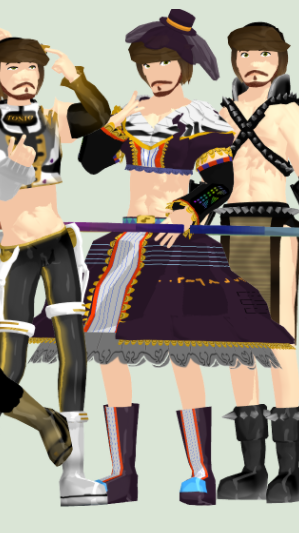
i am hybrid too, can be trap anime girl and a moon
 smoky vector
lol
mental blaze
with unoptimized materials
smoky vector
are colors lighter than textured materials?
smoky vector
i remember my first version of avatar had like 18 materials then i atlased them in CATS and i lost transparency/unable to put emmission on my headphones and armwarmers
smoky vector
eh you are hardworker
i dont know if i will be able to port avatars in vrchat if theres no cats plugin
cobalt willow
I only touched CATS once, and that was trying to atlas a non MMD model. Couldn't figure it out, did it manually instead
cobalt willow
I think it's very satisfying to create a model entirely by yourself and then being able to interact with it in vr
Even more so making buildings, worlds, and so on...
timid crane
it really is
btw, if anyone wanted to know the answer to my earlier question
I managed to delete the animations by selecting the model, going to the animations tab, selecting the animation I want removed, and pressing the - button at the end of the list
 ebon kraken
anyone have any clue how to swap model heads in blender? i'm completely stumped on how to do it
spiral sigil
As far as I know you can divide model meshes with CATS
select the head, and if my memory serves me right, Ctrl+J
ebon kraken
I seriously hate blender
 stable edge
dis, i think they would want to keep weighting
 steady notch
Not sure, but you can hit space and search to see if those come up
mental blaze
it's a sculpted model.
tired plume
@ebon kraken ill DM you a screenshot of a conversation regarding swapping
pale sigil
hey im gettin an error saying "this avatar measures too large on at least one axis" but ive made bigger avatars than this so it should, any idea what to do?
tired plume
is it just fat if it isn't tall?
 small cloud
@pale sigil check your bounding box, you can manually adjust in unity, if you getting black avatar + wireframe or different colours in other worlds - you'll need to find faulty shapekey(s) that are destroying mesh
if it's face shape keys killing your mesh then u can copy-paste face+eyes+mouth+teeth from original and remove all shape keys from the previous body, this is a 100% fix in that case
 visual vigil
https://i.imgur.com/mKOadgj.png anyone port stuff from SFM here?
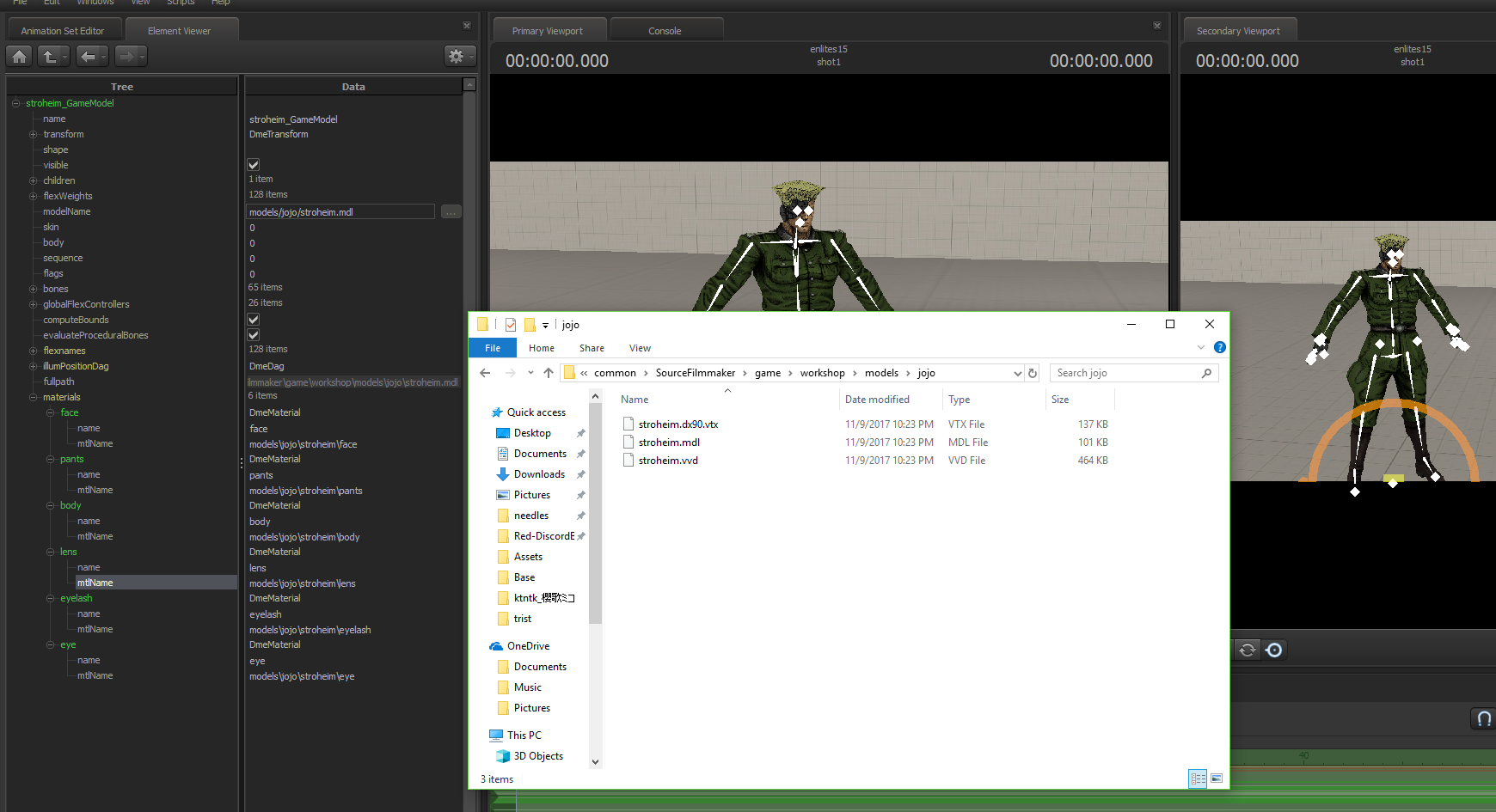
in SFM it loads textures that dont exist in the files
so i cant port the textures over
any help
cobalt willow
Textures are not in the model folders, but materials folder
So go back one step
You'll need VTFedit to convert them aswell
 lyric torrent
tell me please what font is used on the name plate
cobalt willow
I don't know, sorry
lyric torrent
ok ty
cobalt willow
Then they're located elsewhere
Might be grabbing the textures from a shared folder?
Point is that the textures are not in the models folder either way
cobalt willow
Then I dunno 🤷 Since the character is textured, they got to exist somewhere
 umbral pollen
how do i select alle vertices connect in blender
stray topaz
@umbral pollen Alt + M
stray topaz
what exactly are you trying to do?
umbral pollen
i show you
stray topaz

I'm trying to model a chainsaw, but I'm trying to figure out a better way to model the teeth on the blade
I got the array modifier for the straight parts but the curved parts I have no idea
mental blaze
you would use a bezier curve as the pathway
 polar flower
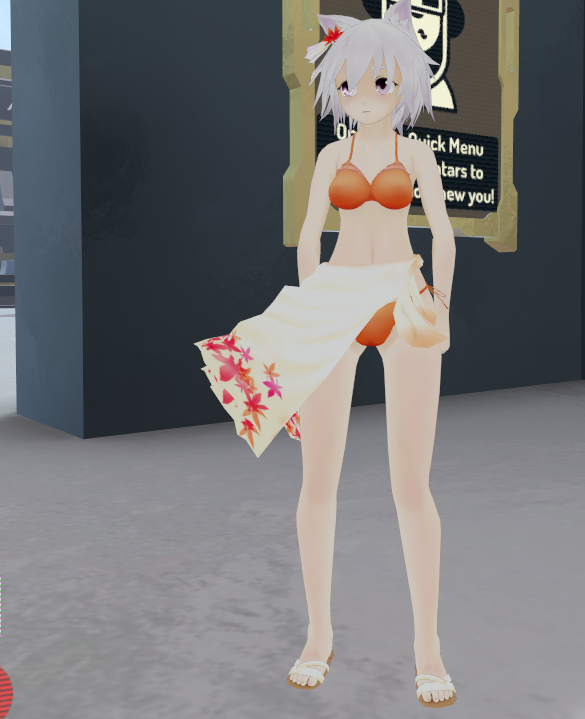
https://i.imgur.com/pG9EpXb.png
anyone know the name of this mmd
 polar flower
https://i.imgur.com/pG9EpXb.png
anyone know the name of this mmd
 proud oar
Ask how to connect all vertices?
ebon kraken
Anyone know how to remove a bone from one object and place it into the other? Trying to remove the head bones from an armature and place them onto the body of another, but I can't unparent the head bones from the armature.
stray topaz
@ebon kraken any reason why you need said bone?
ebon kraken
I'm trying to replace heads
I have the head bones from the old head on the new body, but I cannot connect the old neck to the new upper body because their in different objects
Oh i did it
stray topaz
oh?
ebon kraken
Just had to press ctrl+j on the two objects to join them
ebon kraken
So i fixed that problem but have ran into another one, When I import it into unity some of the textures are messed up
hasty crane
Try checking them in blender, if you see any overlapping textures hit E to reunwrap them, rebake and that usually fixes it
zinc furnace
This might be a really stupid question, but what's the easiest way to create a hollow two-sided cube in Blender/Unity?
Just a cube that can have textures/materials applied on both the inside and the outside
The default Unity cube isn't visible from inside
And simply creating a cube in Blender and marking it double-sided doesn't seem to do anything, either
Nvm, I put Cull Off in the shader I used and the cube rendered from the inside
 flat ivy
Make a cube and invert the normals, then make a second larger cube around it and combine the meshes.
spiral sigil
I want to make a Chibi version of my MMD character, i know how to resize (with S) but how do i resize the head and the body separetly?
cobalt willow
Quickest way would be to select the bones individually in unity and resize them
Or posemode in blender
spiral sigil
Posemode?
tired plume
Hit tab.
Or i guess hunt for the mode button on the bottom left
If you select the correct thing upper right list overview, then pose mode will show up
spiral sigil
but how am I suppossed to resize with that?
 opaque halo
anybody willing to make me an avatar?
spiral sigil
if its not MMD sure XD
opaque halo
cool dm me
 meager gale
I have spent so many hours trying to make an avatar and at this point I believe I must just be mentally incapable
But I'll keep trying!
 hot flint
The struggle is well worth the result
I find that you learn a lot more than if it were easy
meager gale
I have just about exhausted everything I could find on that models resource website and I am not entirely sure how it works with deviant art but
Eventually I imagine I'll just finish something by accident
hot flint
Funnily enough, a lot of my success is coming from complete accident
hot flint
It might be a good idea to take some kind of acid that's already a fully functioning and do some homework on what it is that makes it work
Use it as a sample reference template
That's where I learned most of what I know
meager gale
I've watched quite a few videos on it but my models either 1) end up white for some reason 2)have their colors get messed up when they get into unity or 3)just look wonky
hot flint
Are you using mmds, I take it?
meager gale
I can link the website Im using if that's allowed
hot flint
Or you could just DM me
meager gale
I did
spiral sigil
hey anyone here know how to fix bugs with unity?
 plain umbra

VRCat: Community-Run VRChat Forums
I have a problem i need fixing, I have been trying to upload avatars for over a few weeks now and i have double and triple checked to make sure...
 vague citrus
 tired plume
@meager gale well you know the basics though right...?
that you need unity 5.6.3p1 first?
and then you need a mesh and the armature and then you need to rig it?
and that mixamo is gonna be a bitch and you have to learn blender?
in which case i would look up rigify to gimme a sweet premade skeleton that you move into the mesh and then click body mesh THEN the armature in the overview, then you ctrl+P and press automatic weights? then you check them?
you can try the cream the rabbit on models resource cause that one worked like instantly.
even with autorigging you have to check the weights just in case
but at least if you import it, it should work anyway! as long as everything is technically there. weights aren't required for it to go ingame
it'll just be broken but whatever, fixable
lament pond
 hot flint

Finally getting around to drawing up a design sheet for a fullsized model
It'll be a bit more tricky than I'm used to
lament pond

 stable edge
looking great!!
hot flint
c:
 mossy quail
would love to be able to do that
hot flint

Rough hair shape is done
most of the real detail will come through in textures later
spiral sigil
Well it would have been nice to know about f and j to fix holes
:/
Welp
Time to redo a model
I ran before i walked
I learned particle effects before learning blender
Gg
hot flint
Blender is a very powerful tool for getting around all kinds of bad stuff

Also, you can make all kinds of neat stuff with it
if you're patient
woop, i didnt merge the neck, that's embarrassing
hot flint

Well, i think i've put off sleep long enough
ill get a fresh set of eyes on it tomorrow
vivid crater
Man, what a cutie
hot flint
Haaah
lament pond

 coarse walrus
How do I import (or convert to .blend) .max files into blender?
vivid crater
Tiddy window
lament pond
don't talk about it
lament pond
I'd delete her now if she wasn't a commission
tired plume
Her hairline is soo straigghttt
vivid crater
I wish my hairline could be that perfect
hot flint
Should be getting home from work soon
I can already see several things I need to fix
It's always a good idea to allow your eyes a bit of a break
zinc furnace
@coarse walrus I think you open the file in 3DS max and export as FBX
coarse walrus
I don't own it though...
zinc furnace
I think you can get a trial/student version for free
Otherwise, you're outta luck
5 seconds of Google gave me this
timid crane
3DS max is a fuckin ugly program to look at, lemme tell you
And I thought blender was an overload of info when I started
hot flint

Nearly there
just gotta do some texture mapping, rigging, and animations
oh, and i should probably add her little crystals.... hmm
Not sure exactly how i want to do those in highres
we'll see
spiral sigil
XD
hey
for some reason in my model
the hair is seperate
i think it is a seperate file or something
hot flint
Interesting
spiral sigil
when i open in solid mode
the hair has its colour
but when i press render
the hair disappears

it's supposed to all be grey/white right
hot flint
Hmm
aught to be
Where are you importing this model from?
or are you making it from scratch?
spiral sigil
it was an mmd model
im modifying it
how do you rename materials in blender
i just wanna delete all the materials and give them my own names
hot flint
can't touch materials while in edit mode, double click to rename
spiral sigil
ah
thanks
iuno
i changed the colour
but its showing as black

it's not blue in the renderer
hot flint
Biggest trouble with MMD files/importing is not knowing what you're going to be working with
look down towards the bottom
spiral sigil
well if i assign a different colour
hot flint
is there any image applied?
spiral sigil
it should

those are the settings on the hair
i think i have to change something
because the body and clothing have different settings
ok
so if i use a material from another piece
it works
spiral sigil
😐
this model has no doubles
do i just start cutting?

how do you guys do the hair part

i deleted a bunch of accessories off
i have it down to 34000+ polys
i should just modifier decimate the hair then right
does anyone actually manually decimate hair
?
rip
i have to stitch her head up
hm
well this version looks better than the first version i did
https://prnt.sc/iyb4m7 should i just delete the bottom and then stitch a flat bottom on
 hot flint
@spiral sigil definitely use planar decimation for the skirt
if you want an easier time not straining your eyes, select everything and try using "Tris to Quads"
search for the command by pressing spacebar
 junior idol
how hard is it to do texture mapping?
junior idol
oof
spiral sigil
oh
this is frustrating i cant see
and the zooming and paning isnt working
it wont let me zoom
i cant get into the correct view
it just stops
it doesnt matter which mode i set the view too
it wont let me zoom in
is there any way to change the colour
black on black i cant see the mesh
i put it on wire frame but its impossible to see
is there any way to have it orange and edittable
the lines overlap
i cant see
how do i hide the rest of the mesh
spiral sigil
yeah i did
but im trying to stitch
and i cant see
because the entire mesh is in the way
hot flint
Hmm
press L while hovered over a part of a mesh to select all linked
then press H to hide the parts you dont want to work on
you can chip away at it like that
then press ALT + H to unhide all when you're done
spiral sigil
how do i disconnect the vertices
i messed up
i just reloaded and filled the bottom of the shoe
😐
tired plume
undo?
spiral sigil
it didnt work
i did too much
my bone toes stick out of my shoes does that matter at all
hm
i need to unlink part of the mesh
because parts of the hands are linked to the feet
i did it
😃
can someone help me with the zoom/view
i know theres a break in my mesh but i cant get the proper view on it to seal it
hot flint
try pressing 5 on the numpad
that'll toggle into perspective view
or out of it

Manual weight painting, my mortal enemy
by manual, i mean adding values in edit mode
the far superior way to accurately get what you want in life
spiral sigil
i just figured that i had to drag the mesh in order to fill the gap 😐
it wont let me join them
😐
i select them
and i press j
and nothing hapens
hot flint
CTRL + J
spiral sigil
doesnt work
spiral sigil
edit mode
spiral sigil
omg
hot flint
if what you're referring to is connecting two parts of the SAME object.. that's a bit more complex
in that case, DM me.
spiral sigil
hm
well
im trying to fix the mesh
because the polys are all messed up now
the gaps
theres gaps
hot flint
yeah, that's pretty common with MMDs
hot flint
simple answer, select the verts and F to fill
depending on where the verts are on the model though, they might effect shapekeys
such as in the face etc
lament pond
 spiral sigil
nah i just need to fill the gaps on the shoes and other parts.. face should be fine
lament pond
I'll make it tinier
 tired plume
yeee
hot flint
Well, that's hair done
spiral sigil
omg filling holes is so time consuming
tired plume
well i just mean like even if a girl is flat there's some to squeeze
haha
some dimension
hot flint
i need em extrathicc
 tired plume
y e
tired plume
i love when people sculpt the tummy a little more too even if the girl is a little thicker
instead of like a dimensionless smooth
tired plume
and some actual ass cheek
idk basically if i can look down and my ass is better than they didn't do good enough lmao
sexy calves are gr8
 rare crystal
Ok. so how many of us made our own Glabgogabgalab?
so far ive seen 4 or more with the avatar.
hot flint
@rare crystal Their own what now?
rare crystal
Glabgogabgalab. He loves books.
spiral sigil
zzzz
i should just destroy the shoes and make triangle feet
😐
lol
throw some cylinders down or something
and then stitch it to the legs
i might as well destroy legs
and replace with cylinders
lol
stitch it up
lol
cylinder feet and legs
new meta
or square feet
iuno
what u guys think
square shoes or triangle shoes
lol
square are easier
i dont even know how to shape them tho
alright
im going to chop her feet off
and replace them with cubes
😄
and when i put her into unity i will just throw some particles on her feet so no1 can see how bad i am at modeling
😄
XD
i have to add polys near the bones dont i
where the foot bends
?
rare crystal
you dont have to, but it willl look nicer
spiral sigil
how do i do that
i have cube feet now
because i got frustrated trying to fix the existing mmd ones
rare crystal
idk. depends on what program your using.
spiral sigil
blender
rare crystal
I'm not sure entirely then. Did you sew the mesh of the feet to the legs?
tired plume
cylinder is the new sexy
spiral sigil
ok
so how do i join them it wont let me
i need to group them or something
o i did it
join right?
lament pond
 tired plume
qt
 spring sparrow
Can anyone with Cinema 4D convert a .c4d file to .fbx for me? I'm working on a map, and the model I need would be perfect.
spiral sigil
AHSUIASHDIHASDS
it wont let me cut it properly
why are cylinders so hard to cut
i did it
CTRL R
rare crystal
Sorry. I had to do something. Wish I could tell you how to stitch them together, but idk how to use blender. I use Maya.
spiral sigil
welp i should probably review some tutorials
cylinders were not a very smart choice for making feet
cube -> loop cuts + extrude 😐
rare crystal
i use cubes for making ankle and base, then extruding them to make the toes
spiral sigil
yeah i just need to make simple feet/shoes
but i dont know what im doing
because i learned particle effects in unity before learning how to model
apparently that is backwards
lol
rare crystal
theres no order in that. you can learn particles before modeling
there 2 different things
spiral sigil
i made a new file to try learning stuff
rare crystal
ok thats fine
spiral sigil
i dont know
the top is grey
every other side is black
and i have lights
so im not sure
i had it on material mode
😐
rare crystal
love when that happens
 spiral sigil
i learned stuff
hot flint
oh?
spiral sigil
i was watching a beginner blender tutorial
lol
i should have watched these before diving in and trying to do stuff
lol
and i think i know how to make feet now out of a cube
hot flint
Wow i could not have predicted that eye pivot more accurately wth

Yeah, that's the hard thing though, it's easy to want to dive right into things because it's exciting
but if you know the basics, things become SOOooo much easier
tired plume
a h e g a o b o i s
hot flint
Hmmm....
spiral sigil
😄
hot flint
I just had a neat idea...
tired plume
those are just usually just like one shapekey i suppose
hot flint
I should make the shines have lower priority because in theory they shouldnt move as much
tired plume
something simple like that
tired plume
asmr is so boring
tired plume
hey guys i'mma gurl im gonna be scratching my disgusting dandruff scalp for you boys today!
and make disgusting licking slurping!
REALLY CLOSE TO THE MIC
and also scratching my shoes, for some reason! that's hot, right?!
tired plume
and then they go back to something like playing with a ball of kid slime close to the mic
that they got at the dollar store
cause that's hot, right? it sounds like POOS
-_-
hot flint
you can animate that yourself
tired plume
ahoge is hair antennae
tired plume
the lewd expression is ahegao
lament pond
@spiral sigil I've got some hot ahoge for you
spiral sigil
lololol
tired plume
then aho ga is calling somebody a fuckin idiot
lament pond
 spiral sigil
ahegao is the lewd face
tired plume
yea that's the ahoge
spiral sigil
ahoge is the hair
lament pond
There you go
tired plume
with a tsun expression somewhat
lament pond
It's Haku Hagane, she's pissed at everything
tired plume
same
spiral sigil
so if i am joining objects i need to use a combination of hiding, loop cuts, sliding after using the knife then deleting doubles
and filling vertices
and modifiers
hot flint
yep yep
spiral sigil
does dissolve edge or collapse edge work?
i can use dissolve edge/collapse edge for reducing polys?
hot flint
it wont work nicely
anything that's done mathematically isn't without risk

Ugh
my absolute favorite shapekey,
but least favorite to make manually
takes so long to make it not look like garbage
thank god for shadeless
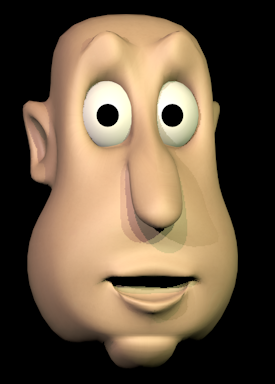
lament pond
turn on the shading
 rare crystal
my eyelids hurt seeing this
lament pond
the truth has been revealed
hot flint
the truth will set you free
hand animate a blinking shapekey and come back to me with shaders on ❤
we'll compare notes


 hot flint
well, here's the other thing
eyelashes
oof
try rangling those bad boys
wrangling, even








 rare crystal
lol
hot flint
hehehe
also now she can be moody and unamused

my favorite way to see her
sassy little bean
rare crystal
shes pretty
tired plume
this is why we need flesh pods to engineer humans in
i will just make all hot daughters, all the time
in various unnatural hair colors and skin colors
rare crystal
lol
hot flint
:sweatsnervously:
something interesting that i've noticed is that a lot of people who make shapekeys dont do a very good job of layering things..
when you blink, your eyes dont just close
your brow comes down slightly
so do your eyebrows
rare crystal
lots of people are lazy
rare crystal
if i ever did shapekeys, i'd do it all the way
hot flint
😃 we agree on that note then
rare crystal
haha
hot flint
i've even got it so that her chest rises and falls with a breathing animation
rare crystal
PERFECT!
hot flint
her whole upper body shifts up to make room for the lungs expanding
etc
slight lean back
jaw tilts forward to stay level
etc etc
stomach pulls in
lips part slightly, etc etc
attention to detail
rare crystal
Details details. smallest things matter
rare crystal
im watching the cutscenes for Detective pikachu, and that comment made me realize they dont have any.
rare crystal
just a peice of skin that juts out from the face lol
tired plume
what.
hot flint
to bother making visemes or not
hot flint
20+ mouth shapes
tired plume
just lowerlids
spiral sigil
hey guys
tired plume
going up a bit
spiral sigil
how do you get the surfaces from joining the wrong sides
when i attach vertexes
it puts the surface on the wrong side
hot flint
"Flip normals"
spiral sigil
oh thanks
hot flint
normals are the "rightside out" face