#3d-modeling
1 messages · Page 34 of 1
 red silo
 mint ginkgo
@tired plume make sure the proportional editing is set on connected

also can someone please help me? i made an object in blender and it screws up when i import it in unity
red silo
Screws up how?
mint ginkgo
it changes the rotation point of the bones in my avatar

im trying to rotate the arm
and its rotating around the bat
instead of around the arm bone
red silo
Ah, sorry. Thought it was a different issue. I don't know the Unity rigging system too well.
mint ginkgo
im pretty sure it has something to do with blender not unity
because ive imported many objects in the past but its the first one i make myself
and all the other ones were working properly
so there must be something i did wrong while making the bat
red silo
Did you set the origin to the grip point in Blender?
mint ginkgo
no its where the rotation point is
but wouldnt that just change the bats rotation point?
red silo
It would. Sorry bud, that's all I got. I was thinking if the axes was in the floor or something it might cause probs.
 red silo
Yeah. Maybe try moving the origin to 0.0 and take away the roll so it stands straight up. But if you've done this before then I doubt that's it.
mint ginkgo
no i havent changed the blender at all so far
how would i go at making the origin 00?
red silo
Press n to bring up the side panel in object mode. And zero out the locations.
red silo
No that'll just set the origin to wherever the cursor happens to be.
red silo
I'd just rotate it and eyeball it if you don't know the angle it's on.
mint ginkgo
ok
red silo
The reason I mentioned the roll is because Unity seems to stand some bones upright. I made my first eye tracking avatar recently and had the bones horizontal. Then Unity flipped them up inside his head.
mint ginkgo
nope that didnt work
red silo
Damn. Sorry bud. Hopefully someone else can offer something.
mint ginkgo
its like if all the bones above it become parented to it
red silo
Can you not add the thing to the avatar in Blender itself? That way you can set the hierarchy parenting yourself.
That's how I add attachments.
 deft kite
is there a distortion effect in existance that vrchat can handle for a unity shader? I have a jello-man, and i want him to have some kind of distortion from his texture, like a blobby magnification effect? Is it possible?
red silo
You'd need to find a shader that can do a single-pass compatible index of refraction effect. Nord Lake might work but I've never tried it.
mint ginkgo
@red silo when i press separate by materials on my object it does this https://cdn.discordapp.com/attachments/413199275292491798/419014077835247616/unknown.png
 red silo
I haven't used CATs much. Why do you need to separate the meshes? If that's a new single bone though it should be easy enough to set up fresh.
mint ginkgo
um i wanted to separate the meshes because for some reason my second mesh lost the color i gave it
and even after separating the meshes and going back to change the color it wont change anymore
its just stuck to the basic grey
 red silo
Just add another material slot to the mesh and assign all the relevant faces to it in Edit mode.
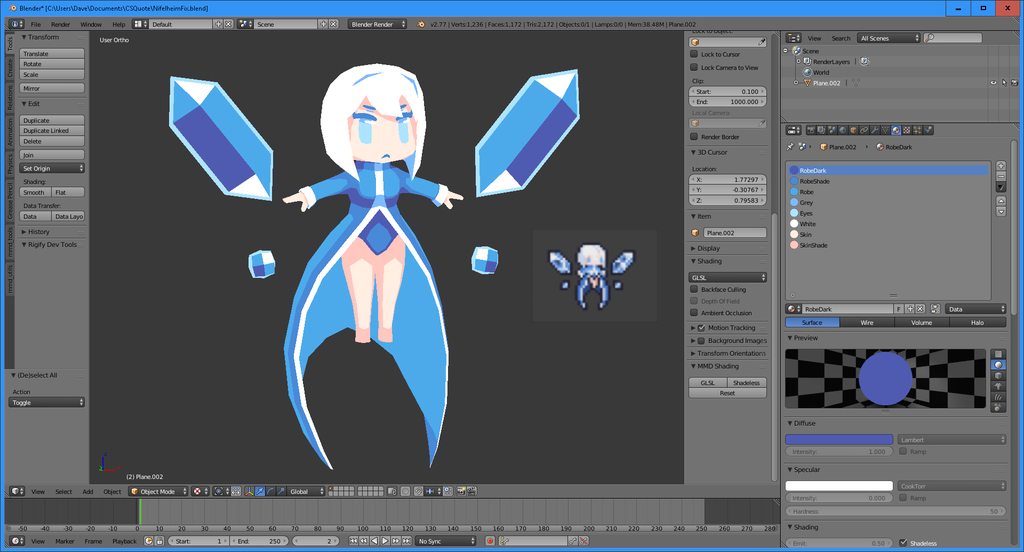 red silo
Noice
mint ginkgo
they still wont change color
 vivid crater
awe, thats cute
 hot flint
I've been challenging myself not to make any MMD avatars
red silo
That's a weird one @mint ginkgo Even with no UV's it should be changing color.
 hot flint
What color did you want it to be?
red silo
Are you definitely changing to the new material before hitting assign?
mint ginkgo
yeah i made a new material and it didnt work
hot flint
did you hit assign?
mint ginkgo
yeah doesnt change anything
 mint ginkgo
why??????
hot flint
make sure the weight painting is correct
 mint ginkgo
kms
hot flint
Did you save an earlier copy?
mint ginkgo
yeah
hot flint
Sorry, i build my own models from scratch so i have no idea why MMD/cats does certain things
mint ginkgo
i just removed the bat and now the model works properly...
i clearly did something wrong when making this object and i have no clue what
 viscid siren
https://i.imgur.com/1c3SmC8.png Something that i'm making for Sketchfab's beer bust challenge



We want you to model your very own beer stein - the kind of thing a champion would drink from in a medieval bar.
 tired plume
Oh thats so cool
If i had more time id try
Then i guess i could 3d print it in metal at some of those other sites
Bright fucking gold
 deft fog
https://i.gyazo.com/f9baaefb1abf3a64ddf369da9572e7d2.png
So, quick question.
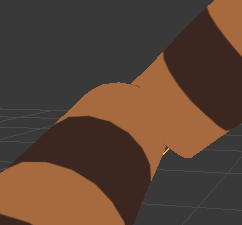
I've been trying to weight paint this section for a decent amount of time with no success
How do I stop the joints from folding in on themselves and messing up like this when bent
hot flint
check to make sure that the joint of the bone is in an ideal location
 spiral sigil
@deft fog show us the mesh
deft fog
The mesh? Isnt this the mesh?
hot flint
that's the shaded view
spiral sigil
@deft fog wire
hot flint
we need to see the wire
 deft fog
oh fun
fun fun
Im seconds away from just trying to find someone to commission to fix it for me
hot flint
I have a more pressing question for you
look at the top of your blender window
how many tris does it say this model is
hot flint
I'd work on that first
deft fog
I want a model I can use elsewhere, too, instead of just having something low-poly for VRChat
hot flint
makes enough sense
deft fog
For elbow and arm?
deft fog

ha, damn
Oh
I think I understand this more
The arm gets more weight in the front of the arm, while the elbow needs it in the back to keep its shape

Yay!
What sucks is trying to redo this for the other arm

It's not pretty, but it works
spiral sigil
@deft fog elbows and knees require a corrective blend shape or an extra bone to look better
with a basic rig this is good
deft fog
I've seen them before, seems like a lot of work
I do want to try doing a little sphere to keep the elbow intact.
But that sounds like another thing to go wrong constantly
Ive been fighting this model for about 15 hours
 deft fog
👌
Looks nice
Thanks for the help with the arm weighting, by the way. Wouldnt have figured that one on my own
The tutorials also never helped
 quartz thunder
Houston i have a question
In Blender it looks like this

in Unity Like this

I already flipped the logo because it wasnt displaying aswell, it was somehow inverted.
 near silo
its telling you not to use the newer style of skillcapes
😉
flat style
not hooded
😉
 empty moss
how do you even make a catface everythingi s about humans
hot flint
@quartz thunder you'll want to check which way your normal are facing
It looks like some of them might be backwards
Normals*
 small cloud
@deft fog what usually works is w>assign automatic weight from bone, with hands/legs it's best, then adjust
quartz thunder
@edgy burrow thanks for the advice ^^. apparently a few of them were flipped
 edgy burrow
hot flint
edgy burrow
hot flint

Cleaning up the mesh, down to 2173 tris
gonna start working on the second character soon
Lowpoly is life
vivid crater
Lowpoly is love
 lyric stream
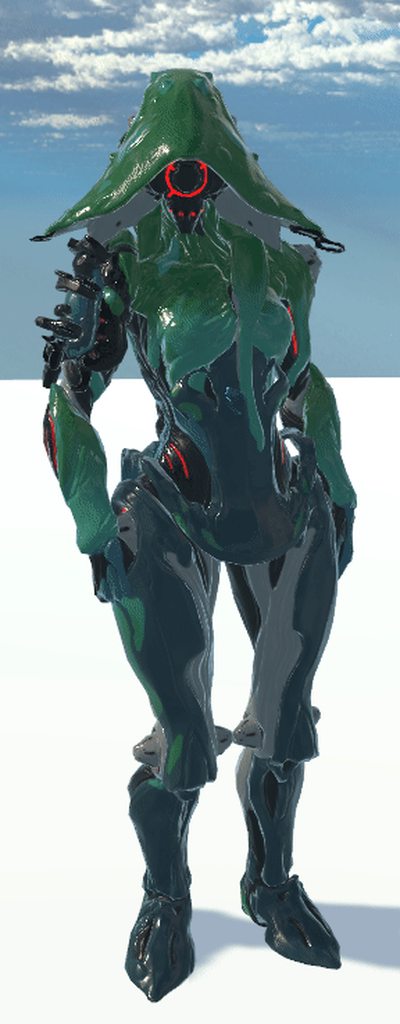
 lament pond
Ghost
viscid siren
Ivara, neato
hot flint
 hot flint
Grump twins
 topaz marlin
'help' Can somone help me im a beginner and im uploading a charcter to VRchat it has working humonoid rig bones ect but im wanting to put a weapon with animation on one of the animation on the hand/ oculus controller rocknroal sign so when i do that hand sign it bring it out???
 brazen flare
tried installing mmd_tools for blender and it's not showing up?
installed it from file and it's in the addons folder too
 sacred turret
I need some help with a blend Avatar.
 steady notch
@tawny heathGamingYT#2420 Look up "VRChat props" on YouTube. There are several very clear tutorials that will walk you through it step by step.
 tawny heath
sup

 frozen portal
The nostalgia!
steady notch
Oh, Sorry @tawny heath, I used the at thing and it cut out the rest of the name for some reason and called you.
 modern mango
lets remove the hand trackers controll
and only use dynamic bones
to make it a ragdoll model
😄
 coral flame
The death approaches
Hola my broders
i wanna make something original but everything is taken
 static sun

 mental blaze
Neat
spiral sigil
👍
 muted atlas
Is it bad that i am franken steining my own models?
I takes parts from then in meta snd copy paste them to make a new model
The middle is made from parts from the outer 4
Imgae wont load Xd
Sorry if it pops up multiple time

 spiral sigil
👌
 scenic ember
@hot flint holy shit that looks amazing I love that look can you send a pic of the topology i'm curious
 cursive wedge
Wow, i love people squishing down all kind of nice characters in as low polycount as possible. Looks so refined 😃
@hot flint
 azure adder
I will be adding that as well 😃
 daring fog
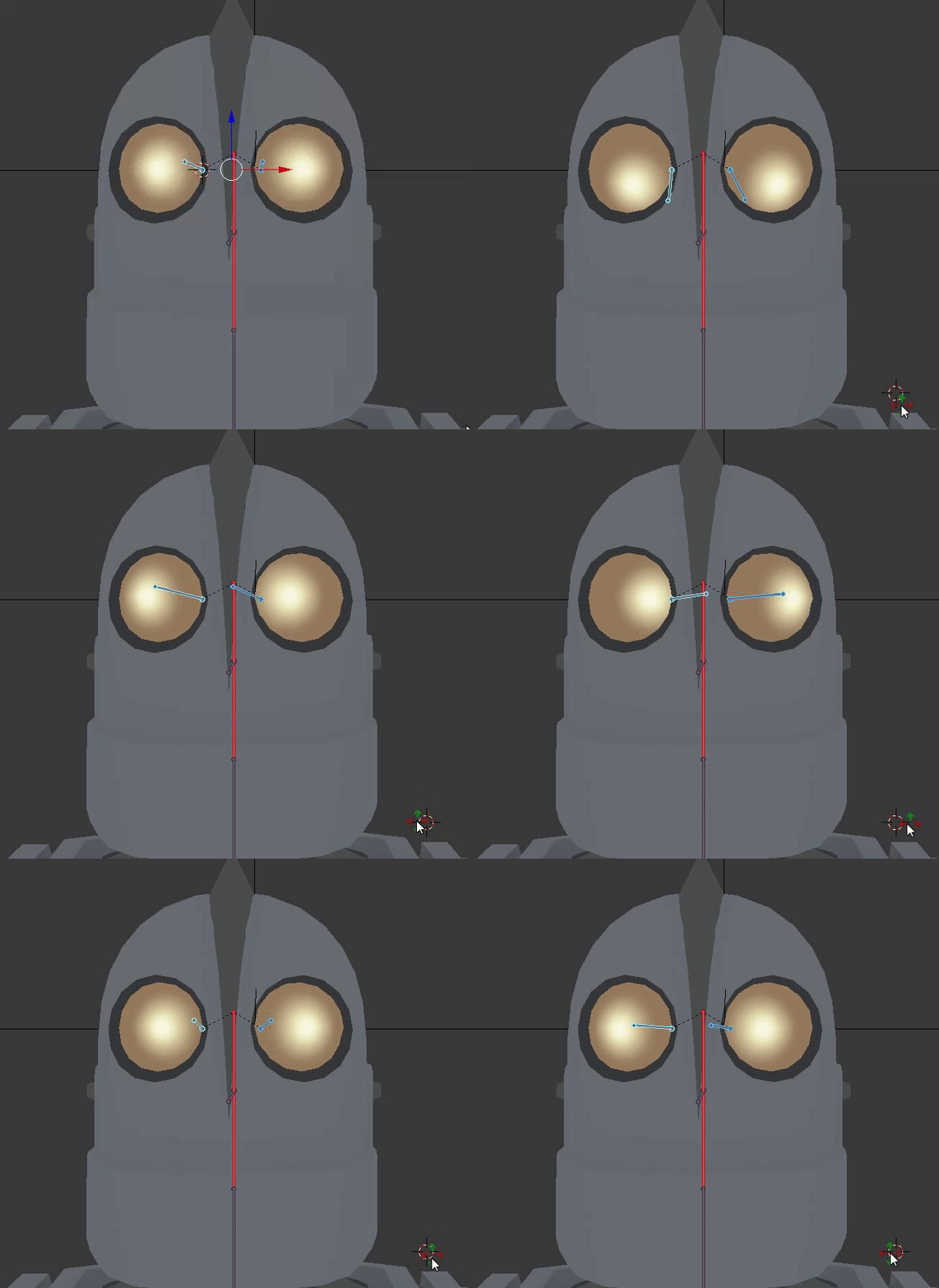
i remade eyes for that
azure adder
I already made the eyes so i can have eyetracking and blinking 😃
so that wont be an issue
azure adder
i'll have a version with the S on his chest aswel 😃
right now i'm focusing on derezzing it so its below the 20k poly limit
i'm at 24k now
daring fog
i had it at 16
azure adder
but its very dirty geometry so easy to clean 😃
 spiral sigil
:eyes:
 cobalt willow
👁
daring fog
@cobalt willow 👋
cobalt willow
🖖
azure adder
Nice 😃
daring fog
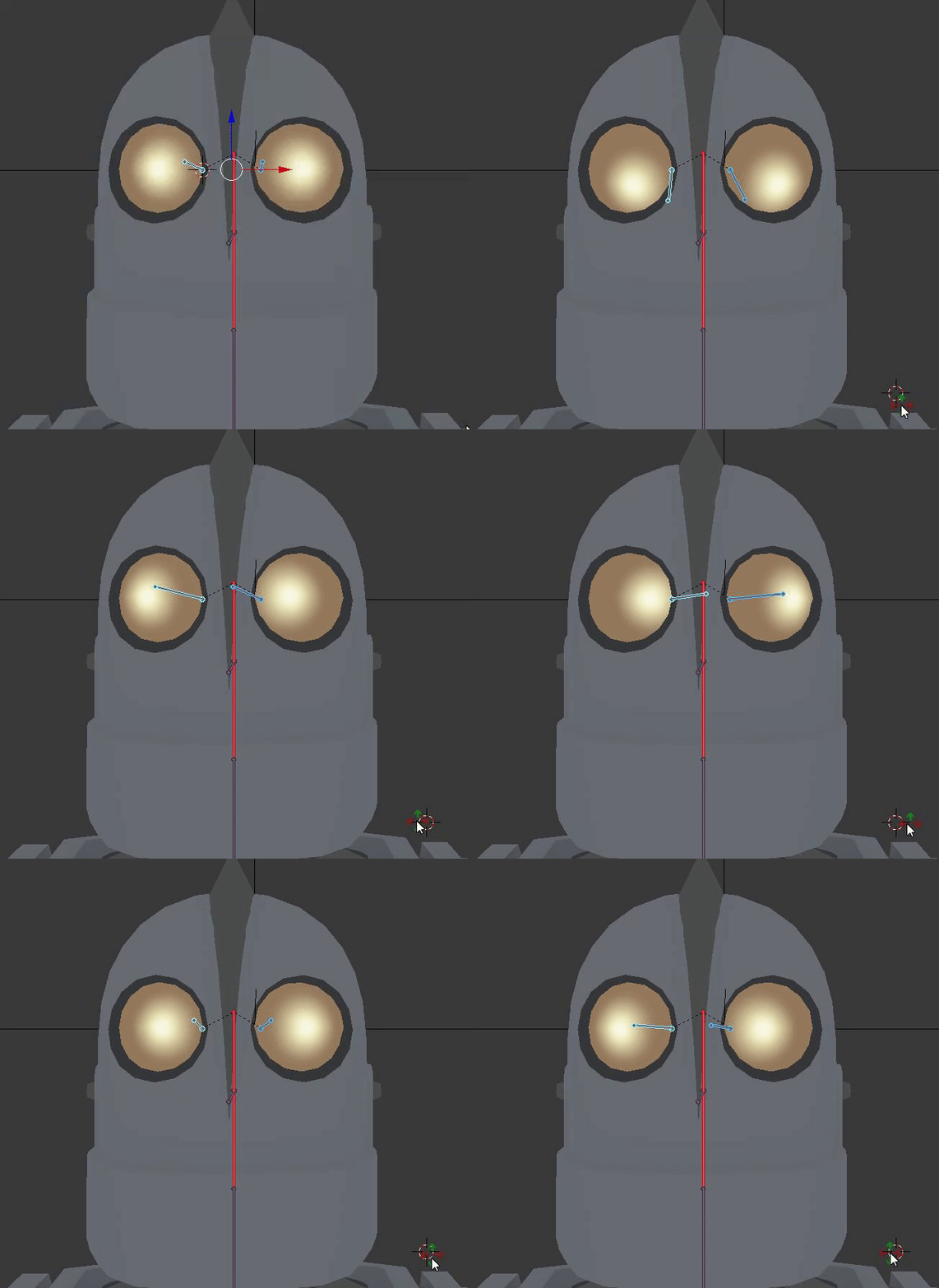
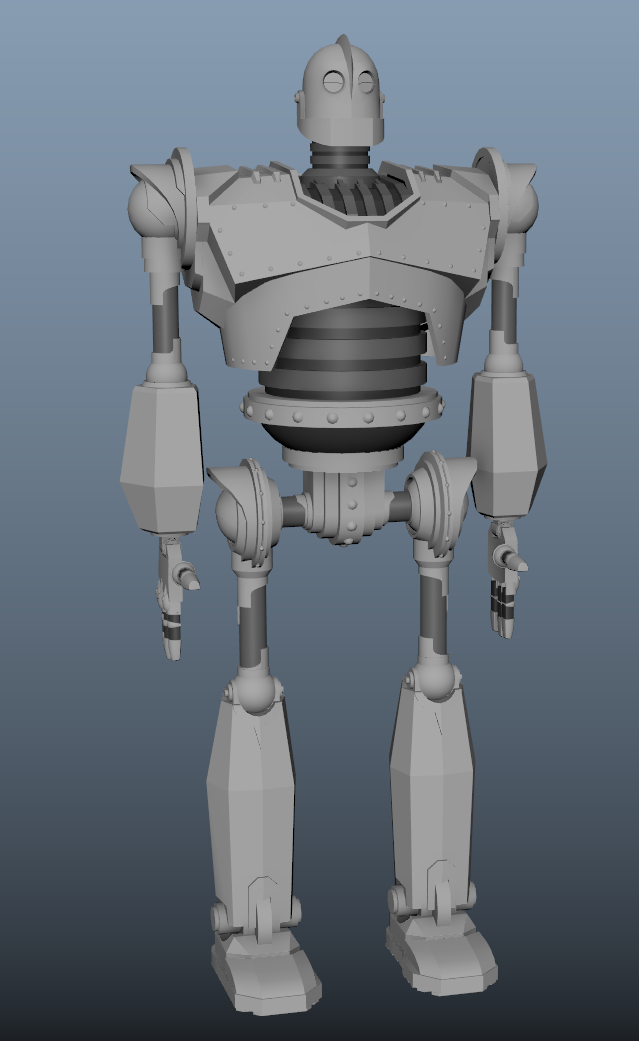
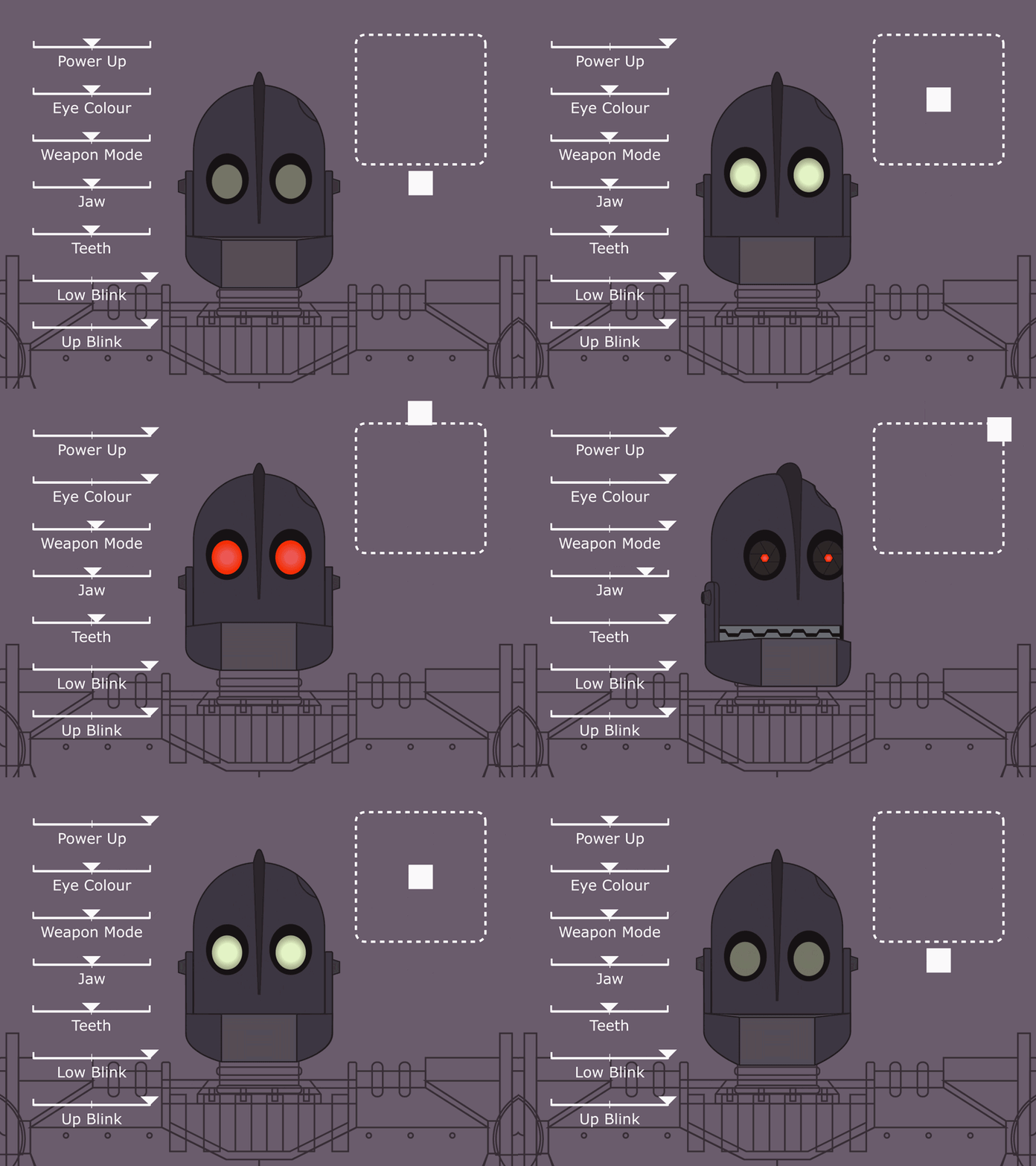
would love to do all expreions on that https://cdn.dribbble.com/users/219971/screenshots/3323696/iron-giant-rig.gif
 spiral sigil
👀 👀 👀 👀
spiral sigil
:clap::eyes:
hot flint
@cursive wedge thank you! It's a lot of effort but it makes animation so much easier
@scenic ember sure, give me a minute
 hot flint
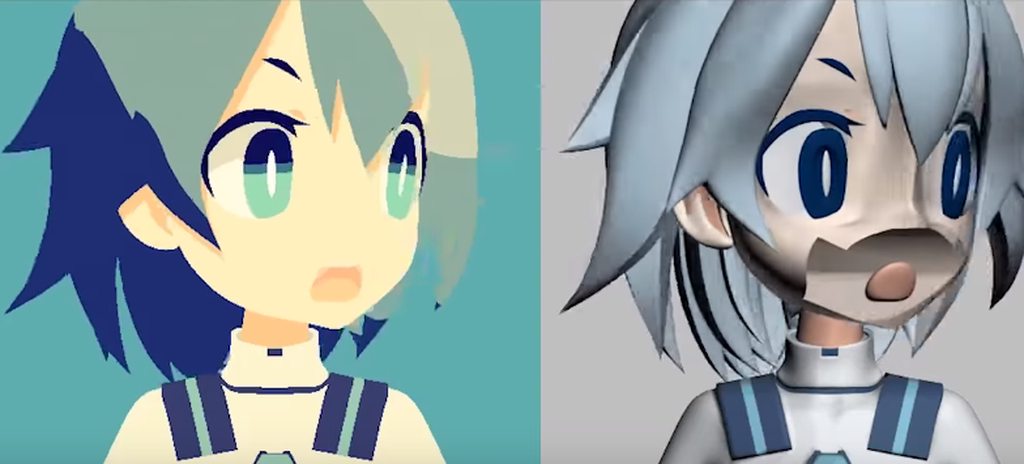
Cell shading is a lot of fun to work with :)
Because the models are shadeless, you can kinda get away with murder on how low poly you can go
Even moreso if you're using textures
scenic ember
how long have u been modelling?
hot flint
I'd been modeling as a hobby since highschool, but very on and off
when i got involved in VRChat about 4 months ago was the first time i'd touched blender in over 6 years lol
my first model was like 9k tris and took me over a month to make
these models i'm making now are 2.5k tris and take me like 3 days


 eternal crow
One Question, https://image.prntscr.com/image/4S7SvVIAR8GUVt5oHFi9Zg.png How would i go about making a raincoat of sorts?
 hot flint
Have you looked up basic modeling tutorials on Blender? I'm not sure how much of an understanding you have of doing things from scratch
eternal crow
ive made weapons before and thats about it
and ive put clothing models onto models by hand and so forth
 outer pollen
The basics are pretty much the same so if you have done weapons you should be fine
A coat doesnt sound that complicated to do. Just imagen it as a shape and work around with the verts and faces. Only hard part which I think you would have issues with if you havwnt done arms before is the sleeves
eternal crow
thankfully for me i don't have to make the enitre character from scratch
because ive got a base to work off of
but i will have to hand rig the coat itself
outer pollen
Oh, even better. You can highlight the shape of the coat from the characters body and clone the elements. Then just extruding and playing around
eternal crow
well i meant just a base of the characters body
outer pollen
Anything works~ as long as you arent starting from scratch
outer pollen
Not that bad lol
Like I said. The only "hard" part would be the sleeves if it was from scratch and you hadn't made arms before
eternal crow
he has base sleeves i can work with
http://prntscr.com/ime4rt im using a model ripped from the game on the wii

so i can use parts of that to make it a bit easier
since it has a similar design at parts
like the pants
but of course before i can start i have to do stupid chores....as usual....yay
soooo off ta' do said chores....
outer pollen
Actually, you already have the coat there. You see his shirt? Just grab that, duplicate it and make it bigger. Fit it to the model and bam
 rugged pollen
Anyone know how i can blend textures together in blender?
spiral sigil
@rugged pollen you have to create a second uv map
and bake the old uv map textures onto that

After applying to a small studio and making a model of an axe with two pieces which meant separate UV maps. After submitting the model and textures, I was told that both the blade and handle of the...
 eternal crow
@spiral sigil no its not that
im working on a custom model
wrong iamge

im working on this outfit
 placid folio
i cant open models on my blender
coral flame
okay did you click on open or import ?
placid folio
import
coral flame
if i don't import try dezooming like that you can see your model normally
or just Don't import mtl file with the obj
dll on a 3D model ?
weird
dll is EXTENSION OF APPLICATION , application is .exe or any executable tof(type of file)
Oh you meant MTL
then it's an obj
just click import > obj > choose your file > if it don't work try dezooming alot > if it don't work too verify you didn't import .MTL file
(WIND CAME 💨 )
 pale sigil
hello hello ive got a question
im v new to modeling so sorry if this is basic BUT
i wanna change a texture/material on this model so it has a pattern on it, anyone know how to do that?

 hot flint
neat, hows the poly count?
 celest dust
when u wanna put in textures to ur model like custom textures then GLSL or shadless do u still use blender or unity for that?
deft fog
After all of the help I got here, I finally fixed the model I've been editing.
Thanks you guys
 celest dust
now u can make more models and sell them
deft fog
Thats just too much work
 solar mauve
Is it possible to get materials that use normal mapping in blender into unity working?
 frigid robin
use any shader that supports normal maps
and drag the normal map into the normal slot
standard and cubed's shaders support normal maps
@solar mauve
solar mauve
The thing is
I've already tried it
Otherwise I'm misunderstanding it
Most mmd models have these sphere textures right?
Actually I'll just try to generate an actual normal map
 tired plume
Wtf are the ears tho
Why does this dude have blue cumbubbles out the ears, even if it is cute
 polar flower
they are ears
tired plume
Id hug that tho
polar flower
wat u mean
polar flower
yes they do
tired plume
:p
polar flower
mine do
 rugged hill
little buddy's got a Goldfish© cracker on his sweatshirt
polar flower
ur not allowed to say goldfish
i tried to make that model but i ended up with this

close enough
spiral sigil
anyone character designers?
polar flower
what do you want
spiral sigil
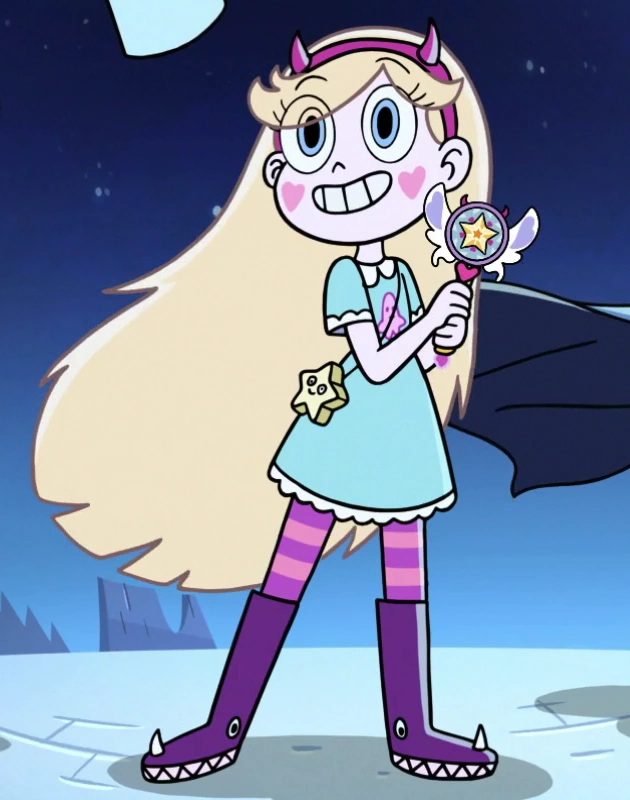
Want to pay someone to make star butterfly from star vs the forces of evil 😛
polar flower
can you leave me alone
tired plume
From wut
 spiral sigil
yep
polar flower
i could make that if i had like a perfect front side and top view
tired plume
Lol
 spiral sigil
dear god 
tired plume
Ohgod
polar flower
oh shut up
ur just jealous
ur just jelly i didnt give a download link
maybe one day you can make that too 😃
😎
spiral sigil
funny thing is i have been doing modeling for over 7 years and yet i still cant creat decent human characters XD
spiral sigil
ill never use blender XD, cinema 4d for life
polar flower
if only i wasnt half retarded, a fourth autistic, an eight inbred, a sixteenth aspergered, a 32th fat i would be able to make a 3d model
spiral sigil
damn you are a hamburger
spiral sigil
all the way
rugged hill
it's free real estate
polar flower

NEW RP 2012 EPISODES ARE HERE!!! http://youtu.be/I63_Zw1lnso Check out our FAVORITE VIDEO! http://youtu.be/CYbVpAwGGGs Special Edition DVD! http://bit.ly/hcc...
 cursive ridge
https://cdn.discordapp.com/attachments/364207648679133184/419824468102217738/unknown.png
Does anyone know how to fix this people can see my eyes through textures and other things
 coral flame
x)
https://cdn.discordapp.com/attachments/406802264540315648/419835274068230154/im_in_fire_today.PNG okééé
 polar flower
lol
spiral sigil
🤔
polar flower
@spiral sigil stop harassing me and my son
 chilly helm
guys can someone help me to upload an ingame avatars please?
polar flower
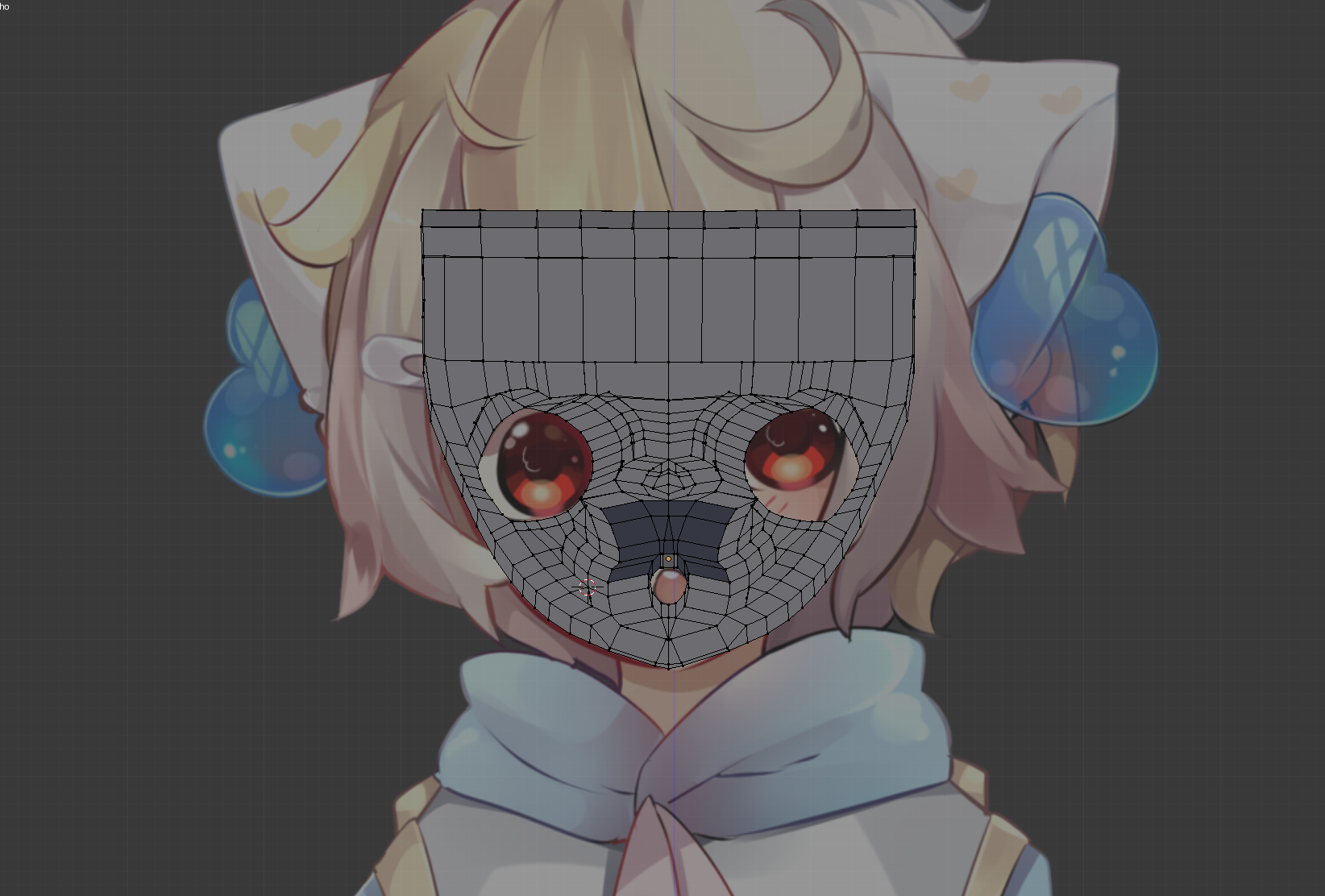
im going to trash this cuz this is my first time modeling
but rate on 1 to 10
how shitty this is
lol
coral flame
0
polar flower
higher than expected
coral flame
-5000000
coral flame
Ow
and me ? https://cdn.discordapp.com/attachments/406802264540315648/419835274068230154/im_in_fire_today.PNG
polar flower
thats worse than mine
coral flame
No
polar flower
and that was the first one i ever did
coral flame
that's not true
polar flower
thats a jumbled mess
polar flower
ur dads ass is jiggly
coral flame
no...
polar flower
yes
coral flame
i'm better than u
polar flower
i wanna eat ur dads ass
coral flame
okay little gay shit
coral flame
i'm a girl knoob
polar flower
u like guys which makes u gay
coral flame
but no
polar flower
yes
polar flower
thats a fancy way of saying ur dads ass is a delight
coral flame
PR2HACK MY DADDY COME HELP MEEEE
polar flower
do u liek chickun streps
polar flower
my cat died of liver cancer
coral flame
okay
coral flame
okay
coral flame
I DON'T CARE Y0U WERE SO RUDE WITH MEEE
polar flower
was i rude cuz i said ur dad has an ass like an onion or cuz ur poly map sucks
coral flame
cuz my poly map sucks ....
polar flower
do u liek me
polar flower
am i prettie
coral flame
NO
polar flower
not wat ur dad said
coral flame
HE SAID HE WILL KILL YA
coral flame
yea
polar flower
dumb animals
coral flame
yea
polar flower
dew yew liek me
coral flame
NO YA LITTLE KIDO GAY
polar flower
dew yew liek putaytose
polar flower
i liek putaytose with buttur
polar flower
i liek consuming chickun tendurs
 dusk moss
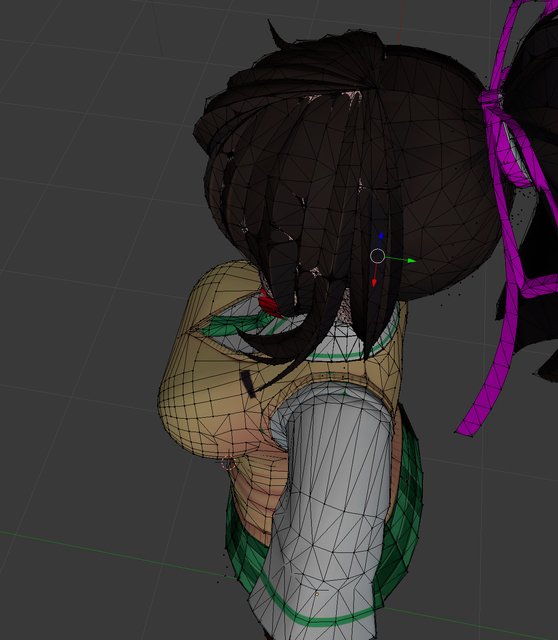
I just did something in blender (no idea what) and now blender is round all the edges of my textues on the model and the performace on blender is now shit. Please help. How do I undo this ?
 coral flame
i think you should decimate your mesh
 forest comet
Ahahah.. is there anyone here who's good at blender particles?
coral flame
hum no it's my weakness
forest comet
FeelsBad
well maybe you know? or haven't you learned them yet?
I just want my damn objects to follow the particle hairs
if they would do that it'd be easy
coral flame
haven't learned yet
forest comet
right right
coral flame
xD
mental blaze
wat.
coral flame
what?
 forest comet
Pretty nice dude
mental blaze
the model will be used in a ai pathfinding test in unity
so imagine playing an rts in a vr world.
but this one is treated more like a side project.
polar flower
pr2
mental blaze
yo
 mental blaze
a recommendation is to edge model the core areas of the face. I believe you modeled in one view
also, look at face topology references, so you can see how the edge flow works.
polar flower
wat u mean edge
mental blaze
a wireframe of an object.
polar flower
i only have that one image i dont have a side view
should i just use any random side view
mental blaze
I guess you can since female anime faces are pretty generic.

 mental blaze
 polar flower
jay leno chin
mental blaze
The eyes still needs some work
and as well as the chin
but... the front side view of the character has that jay leno chin
so...
well, I'll eventually come back into character modeling and fix those issues.
forest comet
pr2 do you know how to use particles in blender?
mental blaze
yep, what you tryna do?
 coral flame
ok
forest comet
now it's correct
mental blaze
I will say this, if you convert that hair into a mesh, you're going to have a bad time with getting the model under 20k
forest comet
Basically I'm adding the spines as particles and I want them to follow the hairs that the particle system creates
mental blaze
You want to tackle the hair by using a shader in unity
kind of like how the technical artists who made conker live and reloaded.
forest comet
I don't know what you mean
Either way let's ignore the problems I'd have getting it under 20k for now
mental blaze
Im saying is that you're better off making a shader to tackle the hair
forest comet
I just wanna make a nice hedgehog now
mental blaze
anyways, do you know how to weight paint the areas on where the hair will grow from?
mental blaze
thats how youre going to tackle that
 hollow sedge
Oh man that low poly alien is cool
mental blaze
see a video example on how a dude made cat hair in blender
forest comet
I mean I have videos about how to make hair
the problem is that they don't use objects for their hair
mental blaze
I'm saying that it's been a while since ive tackled hair particles.
ah, actual hair particles
forest comet
hair itself is fine, I'm trying to align objects to the hairs
 mental blaze
aligning to individual strands of hair...
Ive never thought about that method.
but I've actually came across your issue before.
forest comet
oh hey, did you manage to solve it?
mental blaze
I had to tweak the rotation values of the grouped objects.
I didnt use the hair particle to tackle the task though.
forest comet
Hmm
So basically you made a bunch of the same particle and rotated them a bit?
I mean as you can see they are spread out randomly already
mental blaze

imgbb.com
Image object particle normal alignment example hosted in imgbb.com
You have to tweak with the particle settings to get each individual object to align along the surface.
forest comet
again, aligned with the surface is easy
mental blaze
I remember choosing normal alignment
forest comet
that's basically what I already have, and then I introduced some jitter to make the spikes spread a bit for a more natural look
mental blaze
I'll have to look it up online for an answer. I'll definitely come across your issue when I model the orbed piercer.
forest comet
Right
I did look around online, there seemed to be an answer but I didn't understand it because even though I tested it it didn't do anything
mental blaze
post it, so I can read.
mental blaze
Particle Instance modifier
forest comet
Yeah I applied the particle instance modifier to the body mesh
mental blaze
- Set the particle system to Render / None (not 'Object' or 'Group')
- Select your object and add the "Particle Instance" modifier.
- In the modifier settings, select the object with the particle system.
- Select 'Create Along Paths'.
mental blaze
yee
forest comet
I already told you, with those instructions I don't get it
I tried doing it a couple ways with those instructions and none of it worked
mental blaze
let me see if I get the same issue.
forest comet
make sure you try to use an object to align with the hairs
mental blaze
modeled a hair strand and added a hair particle system to a cube.
looked funky, but the hair particles do align with the hair strand object.
so, it works.
forest comet
yeah ok
gimme a bit I gotta go get food
but my problem is I don't understand the instructions
mental blaze
lol, the results are hilarious
but dont worry, the instructions are legit.
you basically need 2 objects.
one for the hair stand mesh and another with the hair particle system
I had to rotate the hair strand 90 degrees downward in edit mode to make the hairs align
adjust alignment to z axis in the instance modifier settings.
forest comet
wait so did you use 2 cubes or 1?
right now I have 2 cubes, one that I wanna put particles on, one that I will use as the particle
forest comet
ok so I added particle system as hair on the cube
mental blaze
create a low poly hair strand
forest comet
yeah
mental blaze
and add the particle instance modifier to it
mental blaze
no, to the hair strand mesh
well, you called it particle.
but in this case, its a literal mesh object.
forest comet
 mental blaze
add edge loops on the hair strand mesh
 forest comet
what?
forest comet
 mental blaze
wut, no. but set that to None.
 mental blaze
you should be editing the other object.
now comb the particles and subdivide the hair strand mesh
forest comet
there's no particles on that
mental blaze
and... rotate your hair strand
 mental blaze
yep, thats what should happen
What I do to avoid confusion is placing the hair strand at the same place as the cube with ps on it.
 mental blaze
 forest comet
no I meant in a call
so you can show me the process
because there's very obviously something I'm messing up
mental blaze
can't, got school work due today
but there isn't really much to edit. Rotation and location values of both objects have to be at 0,0,0
the hair mesh should be pointing upwards
and subdivide it so the mesh can have some accuracy in aligning with the hair particle strands.
 mental blaze
yep, all good
forest comet
 mental blaze
check off size
 mental blaze
what are the scale values of the giant box?
forest comet
 mental blaze
how about for the hair mesh
mental blaze
yee, thanks for posting about the particle instance modifier
that will definitely come in handy in making the spikes for the orbed piercer
mental blaze
 forest comet
yeah I know 😉
I watched MIA too
oh jesus christ
I think this -might- be a bit too many particles
 mental blaze
oh no
eternal crow
Can someone help me?
forest comet
whatcha need help with?
eternal crow
im trying to add hands to a custom model

but whenever i try to go into edit mode to move them one at a time
http://prntscr.com/imsc5n they dissapear

http://prntscr.com/imsceq and it says there still visible
 eternal crow
ive been trying to figure it out for some time now
forest comet
Mmh @mental blaze it kinda flattens my spikes.. and if I keep shape it doesn't follow the hair >.<
mental blaze
oh
I think thats the limit of the modifier.
otherwise, dive deep into finding a solution.

 mental blaze
like the majority of my projects
forest comet
I don't think it's helping

 true juniper
any Tutorials? wan't to get started into model making
hot flint
Kind of depends on what direction you're planning to take work modeling
If you're going for higher or lower detail/poly count
And what you want the model to be able to do, and things you don't really care about
With modeling*
As an example, if you want your model to be able to blink and open its mouth, you'll treat the modeling process very differently than if you didn't care about those features
true juniper
well for now, just simple modeling and rigging then work on something with animation
hot flint
You'll come to find out that so many people have so many different ways of modeling that there's no real concrete recipe
There's a lot of difference in modeling Styles just as there's difference in artwork Styles as well
Depending if you're going very low detail, or very high detail, is usually the biggest difference
That's why I often recommend that you write a list of what you want your avatar to be able to do and what you don't mind doing without
true juniper
well, probably high detail, cause i do want it look fine
it just a mix, and mostly depending on what character i'm thinking of
hot flint
At least for me, the most that I've ever learned about 3D modeling has been taking a peek at other people's models and seeing how they set them up
Rather than beating my head against the wall not using a reference
true juniper
right now for basics i want to make a mimikyu
hot flint
For something as small as a Pokemon, I would recommend looking up low poly tutorials and you can always add finer details later on
Low poly tutorials or a great way to learn how to make very basic shapes that still give you the detail that you want
true juniper
any suggestions on what who's channel?
hot flint
One sec

EDIT: IF YOU FIND THIS TUTORIAL TOO FAST TO FOLLOW, PLEASE WATCH THIS!: https://www.youtube.com/watch?v=E2bIhhxW2p8&index=2&list=PLhEFRhEnz05vp8OZu5-5o6VO0fP...
Maybe not this exact video, but some of the more recent videos from this YouTuber are really good for those resources
Series on UV mapping is really good
true juniper
K ! thank you ^.^
true juniper
XD
hot flint
Phone-Chan, you are so helpful, but not like this
true juniper
don't be mean to phone -chan XP
hot flint
Ohno
hot flint
Good luck c:


 lucid raft
for the last 2 weeks i was building on a world and the maya .mb file is stored in the unity assets folder. Unity was importing the MB file without problems. Today, is the very first day, in which i can not see the new walls i have created. The unity inspector is showing them as assets, but they do not show up in the game itself.
what is wrong and is there a solution?
eternal crow
http://prntscr.com/imvoli how did he get the image into blender like that?

 leaden ice
can someone help me? for some reason the animations in VRchat are messed up badly like misshapen, but they look fine in unity and blender
 plucky moss
https://cdn.discordapp.com/attachments/332626013831823361/420007867672821770/unknown.png @eternal crow

press n, it's in that menu
plucky moss
you'll only be able to see it in orthographic view, if the image doesn't show up
leaden ice
can someone help me? for some reason the animations in VRchat are messed up badly like misshapen, but they look fine in unity and blender
leaden ice
yeah out of the 13.000 or so people no one seems to know how
eternal crow
yeah
leaden ice
VRC breaks it some how
eternal crow
then its the animations
leaden ice
since 2 updates ago
eternal crow
you're just having terrible luck too
 hollow tide
anyone that knows where/how to get halo weapons models?
azure adder
The Giant as entered unity 😃 https://i.imgur.com/sjVNzTS.png
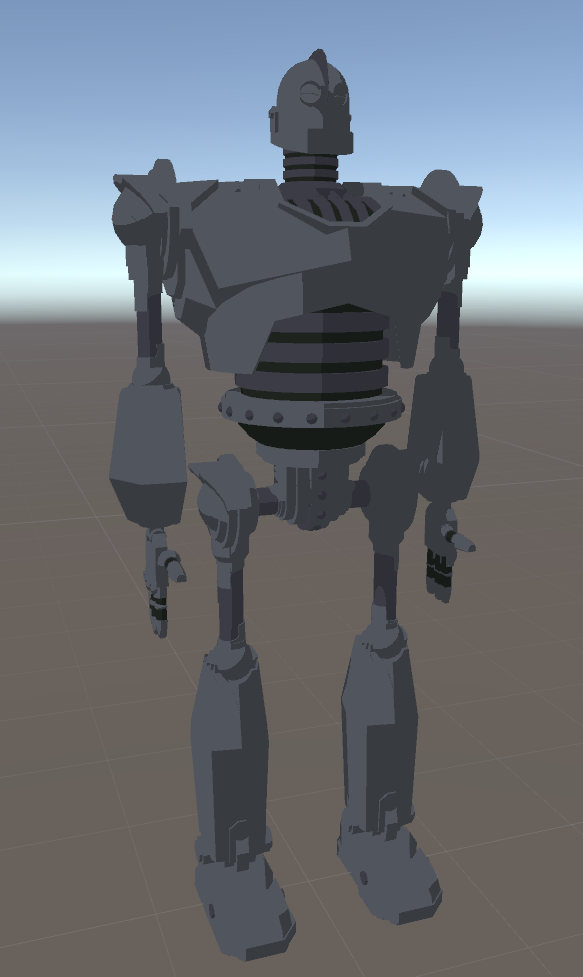
I'm looking for a unity shader that put an outline on hard edges
flat lit toon and noenoe dont do that
at least not that i can figure out
anyone have any idea?
mental blaze
unfortunately, I haven't seen a shader that properly done that.
scratch that last post, I'll double check for one.

so averaging vertex normals, eh?
@azure adder
I have shader forge, so I can probably take a stab at it after I submit my school work for this week.
deft kite
Stupid question (im very tired) - connecting an object directly to bone, how do i undo that? How do i unconnect an object to a bone? (its not wieghted its just directly connected)
nevermind i found it, its in the parents tab
spiral sigil
Does anyone hv megumin blueprints for modeling
modern mango
google should help with that. no?
polar flower
how do i make my vertices snap to others?
like when im extruding them
i want them to connect to another plane
 kindred yacht
alt+M while having two verts selected(choose which option suits most),or press F while selected multiple verts to create a single face(or an edge if only two verts were selected)
deft kite
is anyone an expert at eyetracking in blender using CATS? I have an error message that i dont even know how to describe (im also brand new)
 carmine summit
@polar flower snap during transform (magnet icon) on the 3D view bar
and then the icon right next to it to the right, change to vertices then whichever setting like closest
Anyone know any odd specifics about getting custom model lip syncing to work? I made the best imitation shape keys I could and set everything up in unity accordingly, but the lip syncing itself still doesn't work in VRC
the shape keys/visemes don't seem to work in unity either although the model is fully rigged as a humanoid
spiral sigil
@carmine summit is the mesh called Body ?
carmine summit
It is not. I have it called "face"
spiral sigil
could be the problem
if you added all shapekeys
i made a custom model
with lipsync
i had one mesh called body one skelleton called armature
and dragged the mesh into the slot
then selected the right shapekeys
and worked
carmine summit
does the mouth itself have to be a separate mesh?
For context, this model is fully rigged, but basically just with a dumby skeleton. The "head" is the only meshed part and its only a front and back with cuts in the vertex on the mouth to make the shape keys
 leaden pond
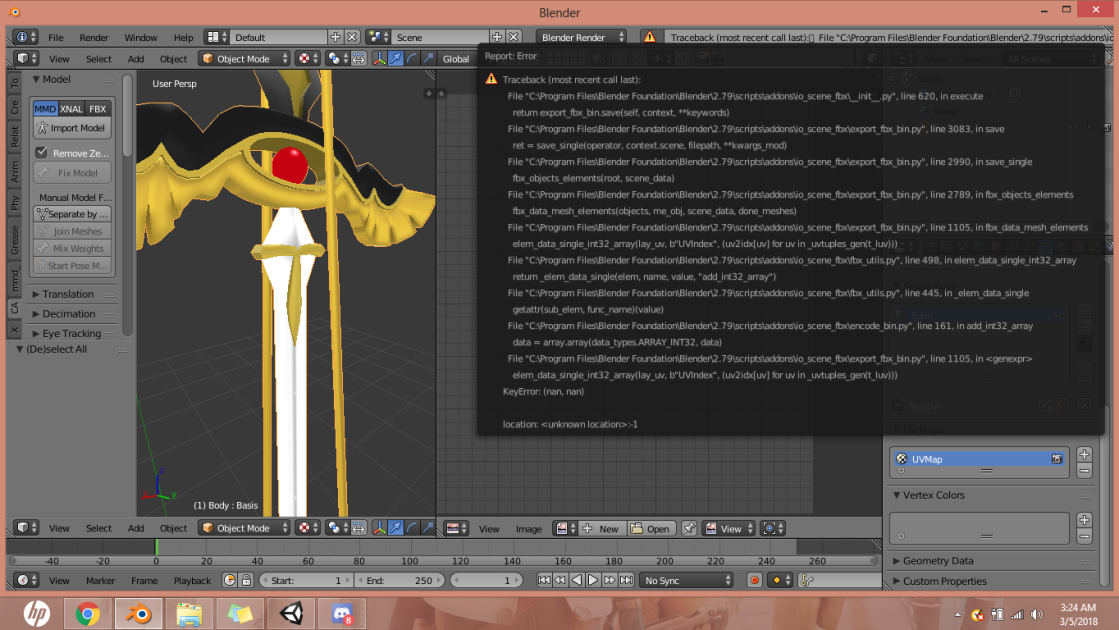
Has this happened to anybody yet, while exporting it from blender? Get this UV Map error. wont let me export it :(
 spiral sigil
does anyone know where i can get the screaming duck mmd?? PM me if you have a website i can get it from
 steel basin
Anyone have a tutorial on how to set a generic rig avatar on VRChat? I was able to import my model's animations into unity (but I made one .fbx for each single animation because the .nif plugin on blender didn't let me put all the animations on one single model), but I have no idea on how to set the animations for them to work on VRChat.
 visual vigil
update from yesterday
ported halo 3 chief into blender https://media.discordapp.net/attachments/407090704213475328/420276639986089985/unknown.png?width=254&height=300
https://media.discordapp.net/attachments/407090704213475328/420276805010980865/unknown.png?width=259&height=300 proto suit should be finialized
i had to sort through all the damage models
which was a pain
im gonna have to rig it myself unfortunatly
finally a spartan that can rival a space marine
https://media.discordapp.net/attachments/366068127651463178/420277703145685003/unknown.png?width=241&height=300


 visual vigil

 lofty dust
guys
quick question
I have a model
but all of its bones are "Jnt 1 Jnt 2"
do I need to name them for it to work fine in unity rig?
wrong channel fuck'
 desert ocean
So I have a model, and I have a mask of a model that I want to attach to it. However, if I just join the two then run them through mixamo, the resulting obj does not play nice with the textures at all
Does anyone have any advice on how to resolve this issue? Other than actually actually learning to rig, because I've been through that, and I am hot garbage at it
lament pond

 visual vigil
which one is the self
lament pond
Both
vivid crater
Those collar things are cute
lament pond
Gotta love a good choker
I almost got a cute heart shaped one yesterday but it was too small ;3;
vivid crater
aww
spiral sigil
wait
is this from scratch ? or did you take some body part and heavily modify them ?
visual vigil
 mental blaze
oh no
lament pond
@spiral sigil everything I make is from scratch
 rare edge
can any1 help me with unity?
 lament pond
It looks like the normals might be backwards
Of course that's hard to see with the axis covering it up
hot flint
Oof, for both, or each?
lament pond
I'm usually in that dangerous 19k zone xD
lament pond
Congrats
hot flint
@visual vigil are you familiar with how normals work? I can give you a few quick fixes for it
visual vigil
Nope
Not familiar
I was able to work around, but the issue seems to be blenders cylinder shape

Which I kinda need to use in the future
 polar flower
Alfredo hair
 full fossil
Hey there~ is there anyone that can help me? I'm trying to make my dog avatar and I'm having issues with the textures, is there any way to randomise the multiplication of the edges of the textures?

 quasi flame
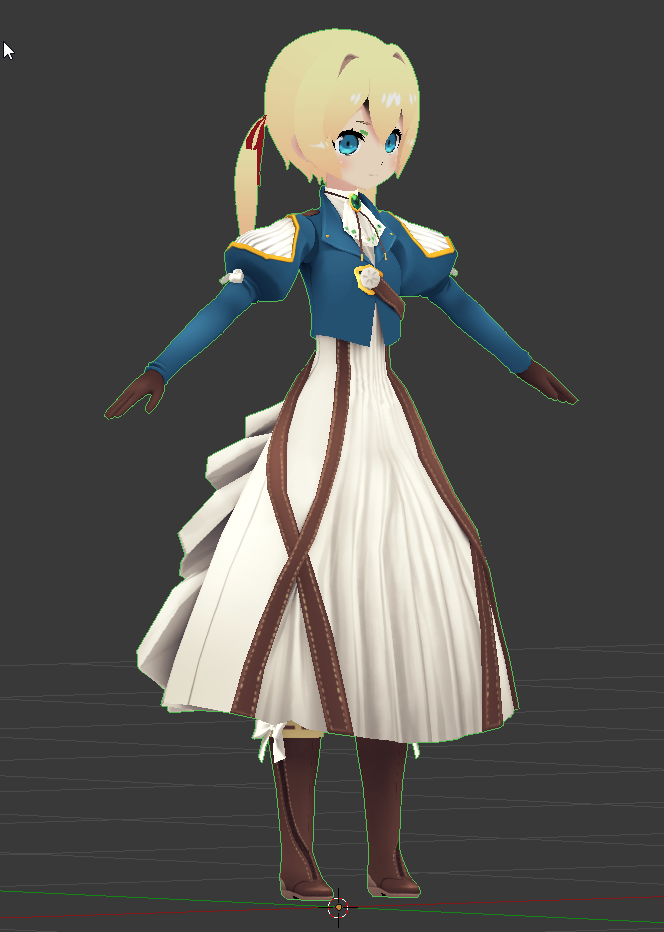
Violet Evergarden Costume finally modeled and textured.
https://i.imgur.com/k0MJZCH.png
 vale ginkgo
ooh
mental blaze
Ah, you beat me at making violet. My version however, is leaning towards keeping in proportions to the anime reference.
But, it will be awhile before I force myself to finish the model.
 spiral sigil
@polar flower https://s10.postimg.org/hqozgsy9l/Untitled-2.jpg

try to approach this topology
👀
if you follow this basic edge flow things should get a lot easier
polar flower
thanks
polar flower
the problem is that the character isnt looking directly into the camera
 whole pike
you should follow one side and mirror it over so it would be more aligned
The left side of their face seems to be more leveled
lament pond
@polar flower you can always rotate the photo
whole pike
it seems like the head is the only part tilted though; but i might be wrong
polar flower
Also the mouth is open. I guess I can just edit a photo of it with a closed one and have the head rotated. Maybe that will make it easier for me
visual vigil
https://cdn.discordapp.com/attachments/357251544573542401/420743308256608257/unknown.png https://cdn.discordapp.com/attachments/357251544573542401/420743348278525963/unknown.png


thrusters are done
lament pond
 lament pond
Merci
mental blaze
How many avatars have you been pumping out?
vivid crater
cyoot
lament pond
@mental blaze About 2 many xD
 reef sage
i want a real magic skeleton model
 mossy quail
i want to be able to make something besides a cube
reef sage
the one you can insert in unity.
reef sage
i mean. i could make the magic skeleton in roblox and export it right?
i build stuff in roblox
 frigid robin
@whole pike is that some fucking greed ling i see
@visual vigil nice work on that proto suit my dude
i just figured out how to get custom armor exported with adjutant
a good chunk of material fixing but so far its pretty tight
reef sage
hott
lament pond
@polar flower search the show for a point where he's looking to the side, you're in business
Only model one side of the face
 lament pond
Cool
viscid siren
relorelorelo
lament pond
But how much liquid does it hold
viscid siren
Not much it's all about the humiliation
viscid siren
"similar"
lament pond
You could commission the artist to do a side view
polar flower
I was just hoping if anyone knew of any generic side views I could use
Of anime characters
The ones I found don’t match well. I’ll just keep looking
spiral sigil
@polar flower load up an mmd model that looks similar
and use it as reference
your face count is to high btw
try to keep it as low as possible in the beginning
polar flower
I suck with topology. I guess it gets better with practice
mental blaze
Bruh, what's that in your profile pic
spiral sigil
https://taz0x.deviantart.com/art/Megaranger-Digitizer-190727616 can anyone make this????
polar flower
why not ask the maker of it to give it to you
forest comet
oh hey rubber
I actually tried sculpting, just now
I made a broccoli though http://puu.sh/zCDy7/1af113fc28.jpg
 viscid siren
you can turn on the smooth shading from the Dyntopo menu.
whole pike
@frigid robin Hell yeah it is :^)
viscid siren
also sculpting is pretty fun way to model, but after that doing the retopology for low poly is a pain in the butt
frigid robin
@whole pike are you pulling him out of the wii game of are you making him from scratch
whole pike
I'm making him from scratch