#3d-modeling
1 messages · Page 32 of 1
 sharp jacinth
Thanks yea it's complicated im not so good at this stuff
 elder pecan
No worries, I just started not too long ago as well. I've been working on Models mainly, but I'm working on starting animations to even further individualize my Avatar's
sharp jacinth
yea that's probably my next step too
elder pecan
What're you hoping to do?
 limpid iris
Hey, I need a hand with single objects that have mutliple textures if anyone is able to please.


I have two textures for pants and an hoodie but the model is a single object so I am at a impass currently.
sharp jacinth
@elder pecan like Kingdom Hearts stuff
elder pecan
@limpid iris have you attempted importing it into unity yet?
limpid iris
It won't work, I have two seprate textures one for the hoodie and on for the pants. If I apply one it cancels out the other.
But I will try it just to be sure.
elder pecan
Well I only ask because as I can see in your screenshots, it has 2 separate material sections for the hoodie and one for the pants. Applying your textures through Unity should solve your problem and I can help with that if you get stuck
limpid iris
Oh, I forgot unity could possibly help, forgive me, I am still new to this.
elder pecan
No worries dude, we all start from somewhere. I literally only started about 3 days ago
limpid iris

Yeah, it seems to be into two texture groups (There were two more, like face and mouth but I removed those)

 nocturne marlin
hey, maybe somebody has an answer to this issue so I have a very small skirt and I don't want it to clip so I wanna weight paint it to my knees, now I want to keep the skirt bones so I can still make them jiggle a little while my knees kinda do the direction right but here comes my issue because now 2 bones are share the vertex group my knee has to few impact so that it clips although is painted red, how do I give him more power because its already red?
nocturne marlin
ah not quite but i see the issue behind it thanks
 spiral flax
Hey, I'm new, and slightly lost... Is this a place I could ask for some pointers as to how to build a model? Like, not an avatar, but an entirely custom model?
 blissful sleet
blender tutorials and i'd recommend blender's support channel
spiral flax
Well I have some experience in blender my main problem is how to build it for VRChat, I understand I'm being a tad ambitious and I'm willing to attempt something easier first, (I have a few ideas) I would just like some tips as to how to go about it. I have a few immediate questions if it isn't much trouble:
Should I make it in pieces and stitch it together or make it all at once?
How should I go about modelling it/the pieces, should I use just straight shapes or maybe build around the shape of the body( part)?
Thanks in advance for any advice you decide to bestow upon me!
P.S. I am attempting to model the character in my profile picture, "Providence" from Risk of Rain. I have other characters I could attempt to create first but I can't truthfully give you any source of where they are from, as they are either personal creations or inside jokes. Thanks again!
P.P.S. Sorry if this sounds robotic or pre-planned, I just typed most of this up, then cut most of it out as I didn't want to slam you all with a wall of text as my first message. 😛
 visual minnow
Providce this is what I have done so far with blender.
 whole pike
I ended up creating my own avatars straight away from scratch because I was unsatisfied with how others looked 😛
so it's fine if you want to immediately start from scratch, nothing wrong with that
I used the character modeling tutorial by Darrin Lile to make my first model; he's very helpful. almost sort of a bob ross lmao
blissful sleet
ah ok. @spiral flax separate pieces. you should start with a premade/generated body mesh set as black, and add the bracelet/helmet etc on top. To properly make the cloak 2-sided you might need to duplicate the cape mesh and reverse normals as a final step (after unwrapping/rigging). As for the ragged cape edge, you don't have to model that, you can do a texture with transparency. If you can find a decent body to start with (gotta decimate it tho) you should be good. Also, I use the rigify plugin's default metarig because i can't be arsed to make sure i have the right humanoid bones, but i think there's better options.
spiral flax
Thanks everyone! If everything goes well I'll give you guys progress reports!
 cold plank
learning to model from scratch is great. No matter what software you use, generally you can get a pretty good result once you learn how to rig
best part is then you're not tied to someone's script or whatever
there's lots of new 3d modelling software on the horizon too, and VR itself makes it a lot easier with software like shapelab and google blocks
 onyx grotto
Gotta wonder, is there anything like the Mirror Modifier in Maya? You can enable symmetry, but that only works on a selected mesh
If you, say, drop a cube into the world, there'll still only be one cube and no "mirror" of it
 brittle island
I was going to recommend joining the Blender discord, and ask them where to start. each program is very different, and many tutorial frankly suck ass
 coral flame
ok
brittle island
and if there is any group of people who are going to know what tutorials are good, it will be them. This is coming from someone who has taught themself over the course of 2 years
onyx grotto
Like all 3d modeling programs, there's a lot to learn
coral flame
i know the basics in blender But modeling...
i tested photogrammetry but it's hard too
and it's SOOO LONG
for rendering ect
sorry for my bad english, i'm french
brittle island
Your English is actually quite good. But if you are trying to get into digital arts, be prepared for long renders. I have a Threadripper, and even still I can wait for 30 minutes to an hour to render one screenshot.
that's part of why I switched to game engines
coral flame
ok first I have 32 gb Ram and a big graphic card
 mental blaze
That gpu has to be able to render the entire scene, otherwise, render the scene in layers.
mental blaze
Render in layers if in blender
brittle island
I'm not sure about Blenders native render software, but many render programs just use the CPU.
coral flame
titan is not enough pr2hack ?
brittle island
I know things like Vray and Redshift use the GPU for acceloration, but are still CPU Based
well it uses your CPU
coral flame
Hum i have an i7
mental blaze
I often get situation of CUDA out of memory when rendering in blender cycles.
Depending how big is your scene, rendering with gpu is possible.
coral flame
yeah i know the out of memory thing i tested to render a video in 8k
hum
it crashe
d
mental blaze
Separate in layers and try one part
mental blaze
Ah
coral flame
Like An glass
mental blaze
Bezier curve, then screw modifier
coral flame
???
mental blaze
Ez-pz on making cups and circular objects
coral flame
Yeah but i think i should start with that
mental blaze
Do it. Place a curve and make the half side of an object.
coral flame
and progress step by step until i can do complex objects
mental blaze
What the screw does is spins the curve 360 degrees to form that shape
coral flame
I'll saw tomorrow
because it's 12:30 AM in france
or 00:30 i you want
and i'm sooo tired
i didn't sleep for 2 days i think
bref,
mental blaze
Oh no
coral flame
i sent ya a friend request
mental blaze
I'll send image of what I made in 30min
coral flame
ok
mental blaze
Yee
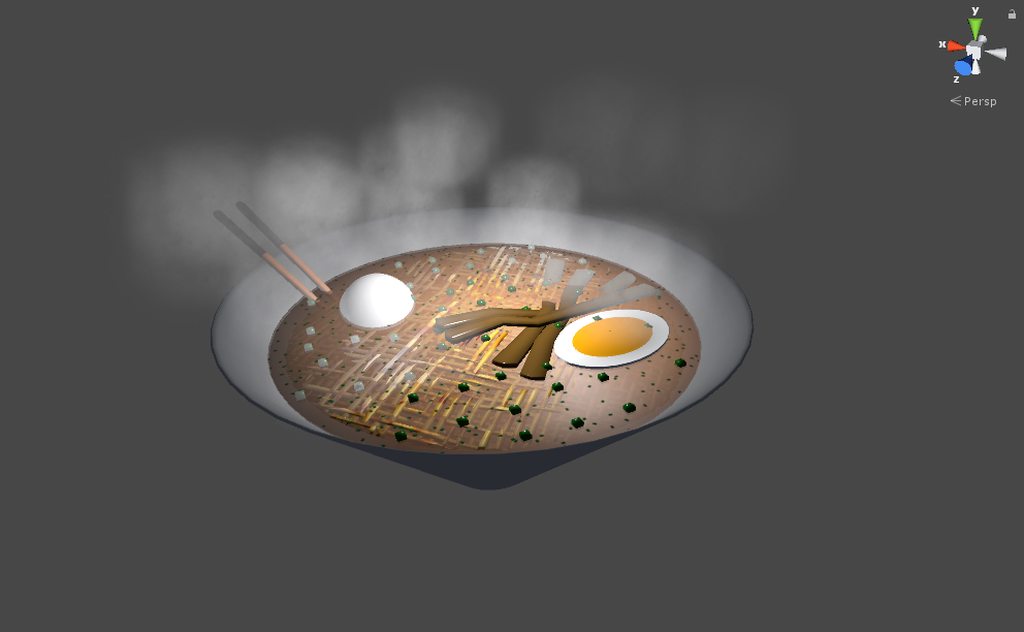 coral flame
xD that's pretty good
mental blaze
It takes me weeks to make organic models, but less than an hour to make food.
mental blaze
Oh no
mental blaze
Go to sleep
coral flame
you saw in mcdonald's ads the hamburgers are reproducted in 3D
in 8k
verygoud
ok Bye Pr2 👋
mental blaze
Bye
brittle island
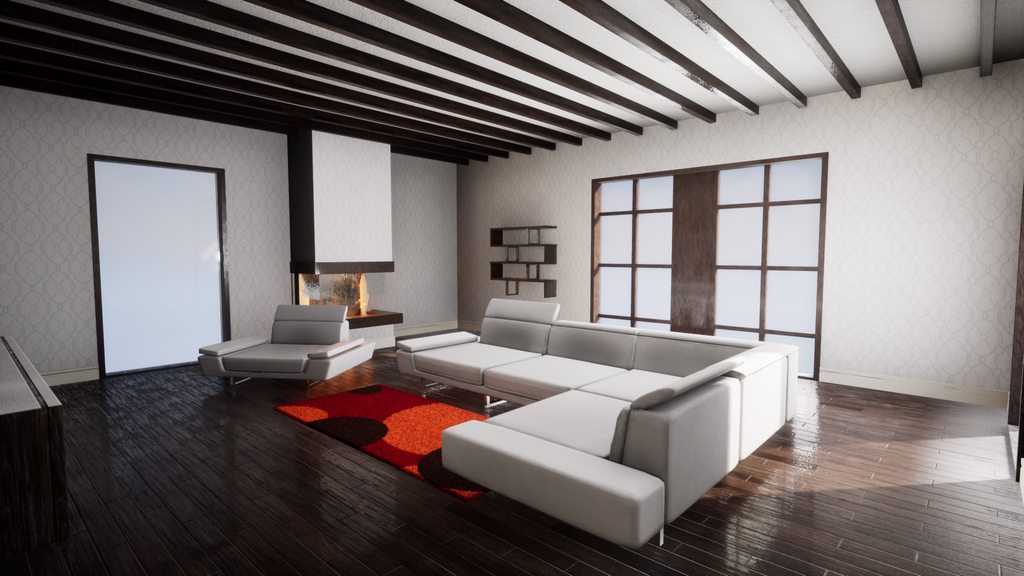
https://imgur.com/a/fPn4z (Album, Click link for more angles) WIP
 mental blaze
What's this?
brittle island
WIP project.
mental blaze
Lightmap baking test?
brittle island
Tis simply a wip angle. And I'm still trying to figure out lighting. Unreal Engine has some issues with lighting that I am trying to figure out.
mental blaze
In this case, back side of room has a hard cut on lighting transition from floor to wall.
brittle island
I am aware.
mental blaze
You nailed the right side though
Well, maybe after adding missing mesh
Otherwise, nice job
brittle island
Still a WIP, nowhere close to done at all. But thanks

 static sun
is with mine when i wear it <.<
mental blaze
Lol, well I tried looking at the wikia to see if there was a similar jacket brand the devs used for reference. No results but generic.
static sun
and all the cosplayers have her jacket open which is not what i want
mental blaze
Ah
static sun
this is primarilly a portfolio piece with VRchat being a platform end goal so...
mental blaze
I wanted to make a portfolio piece of a world, but I realized that I would have to learn zbrush to make the landscape.
Cliffs, player paths, vegetation was the biggy.
Zbrush navigation is annoying
static sun
depends on what you want to do... im a character artists so i only do character stuff
mental blaze
My issue on my end is not practicing on sculpting rocks, cliffs, etc.
Not only that, I have to focus hard on the player path based on the 200 images of references.
You basically go down a giant hole.
I was going to create sculpted pathways and throw them in unity
static sun
look at Houdini for map creation
static sun
look at the river creation system
so ❤
- it has a free version so :3
really dont know why more people in the VRchat community dont use it more for their map creation
mental blaze
I'll definitely give it a try and ask my instructors if they've used it before
static sun
if you want to be a level artist... i 100% recommend using Houdini for it
mental blaze
Well, a large amount of the vrchat community are new to using 3d software...
Large...
static sun
they all use Blender and Gimp <.<
 long pawn
not a surprise people would use the free opensource stuff
static sun
i recommend
- Blender for 3d content,
- Gimp for texture editing
- Mari (non commercial) for texturing
- Houdini (acadamy) for map creation
static sun
all free
mental blaze
I already have MD on my pc
static sun
i have
- Zbrush
- Maya
- MD
- Substance
- Quixel
- 3dcoat
- Marmoset
- Keyshot
but i have 5 year in the games industry so use most of that for work
static sun
- Quixel is a texturing tool used in Photoshop (actually really good)
- 3d coat is another texturing tool that is really good for a more hand painted feel
- Marmoset is a real time render tool (i use it for final renders for my portfolio)
- keyshot is a raytrace render tool (i use it for clay renders)
mental blaze
I used cycles and renderman
static sun
i tend to use UE to showcase my stuff actually working
 static sun
im planning on doing so after i finish my Max project
mental blaze
Well, for web dev, stick with using dreamweaver If you're new to it.
static sun
im using dreamweaver and the adobe set
static sun
i have an idea for it
mental blaze
I used apache http server to run my dead site on my pc
Web hosts typically delete sites if they're not visited enough.
static sun
im planning on running via GoDaddy
static sun
GoDaddy or Squarespace
long pawn
alot of domain providers also offer web hosting services these days
 spiral sigil
Is it normal for .blend files to grow after applying "Join Meshes" in CATS? I recently noticed that my file grew to 18MB from just about 1.5MB right after decimation. In between the time of those two filesizes I did "Separate by Materials" and "Join Meshes" multiple times.
mental blaze
I never used Cats, so I don't know.

 vivid crater
I love the texture on the jackets
whole pike
i am disappointed in the lack of Greedling models https://gyazo.com/b733056c671ed646a50bf1b132ddc5e9
 mental blaze
physsound now bought
lets see...definite must for ground sounds and vegitation interaction
 sinful raft
Hi - blender is just showing greyscale for this model I'm looking at. Ideas?
I have the texture in my materials....
mental blaze
post an image.
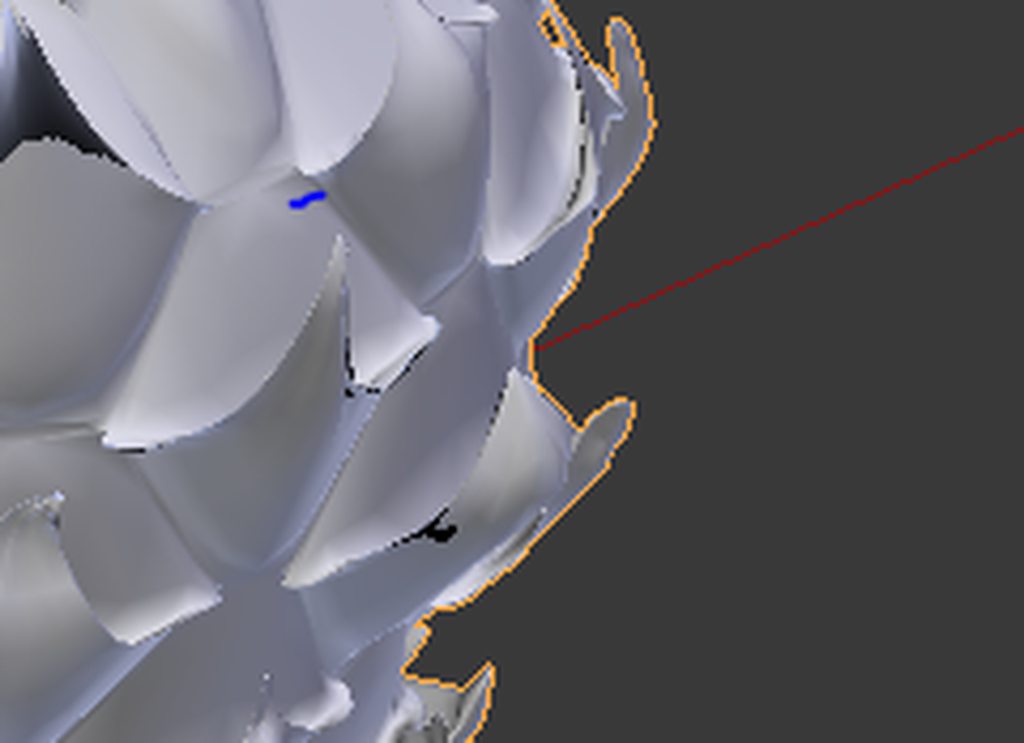 mental blaze
Looks like you didn't assign materials to the mesh.
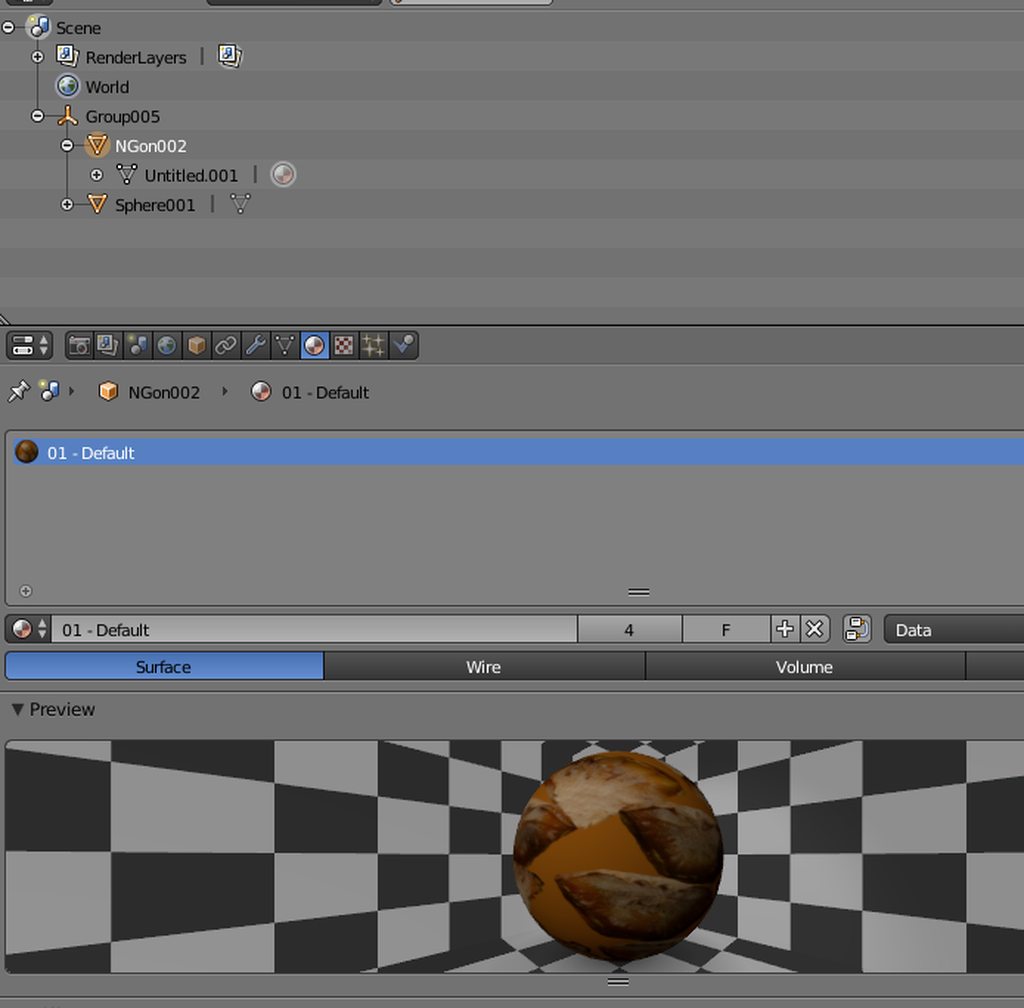 mental blaze
press tab if you're in object mode, ctrl+a to select all of the mesh and click assign material within the material view.
Oh.
There's only 1 material.
Head over to the texture section and make sure the image is referenced.
sinful raft
How do I make sure that the image is referenced?
mental blaze
did you watch a video crash course on using blender?
sinful raft
Nope!
sinful raft
I've managed so far doing what I need to do in blender
This is the only thing I need to know ><
mental blaze
another question, did you already assign uvs?
sinful raft
I didn't do anything. It's a premade model I downloaded
 tulip marsh
check texture tab, next to material tab
sinful raft
It has things in it
tulip marsh
is the image transparent
tulip marsh
see through?
sinful raft
No
tulip marsh
there are two images on model?
sinful raft
More than 2 actually
I think
I dont even know if I'm on the right screen -_-
sec
tulip marsh
check the UV image editor and see if you can see your images
sinful raft
Having trouble finding that
I'll attempt to watch one of the tutorials sometime
It's pretty frustrating when you don't know how to do anything in it :p
tulip marsh

in this tutorial we will apply textures in blender ,we will see the method for blender render and cycles. http://urtuts.blogspot.com
sinful raft
Cool. I'll check that out.

 edgy cedar
Anyone understand if it is possible to decimate parts that have multiple shape keys than just the basis? I already separated my meshes and need help in what can be decimated. Btw, I am not going to decimate my face or hands
 brave dune
once seperated from the main mesh, you can technicly remove the shape keys. There are two main ways you can decimate
you can either use the modifiers or you can select certain parts of the mesh in edit mode, and choose the decimation option under the Clean Up tab and use the decimation amount on the bottom left to decide how much to decimate
edgy cedar
I appreciate it man! This is the second mmd I'm working on and it has way more tri/faces than the last. (45,000)
brave dune
decimate the hair
that is usually my first responce to anything when it comes to decimating an MMD 😛
edgy cedar
No kidding, the hair alone has 4,500, lol
It just has so many shape keys to delete, which confused me
brave dune
when you split something, it inherits everything. So since the shapekey for the mouth doesnt touch the hair, it can just be dleted for not. there is an option to delete all shapekeys from the currently selected object
edgy cedar
Yeah I think the reason why there are shape keys for the hair is because the hair is also connected with the eyebrows.
 lament pond
Does anyone know how to keep a prop from disappearing at certain angles? I added a knife prop to my model but at certain angles it just disappears.
 proper niche

 eternal crow
@brave dune what if the model DOESN'T have hair? (Like its a sonic character or something)
sinful raft
I'm still having issues getting a texture to show on my object in blender...
The textures are there 😐
Oh wait.
Now...it works...
So, I'm having to select the texture in the tree and drag it onto my object
 somber roost
Seemingly having an issue where Blender won't export my blendshapes with an FBX.
Unity can't find them, and importing the FBX into Blender yields the same model with no blendshapes.
It ... SEEMS like Blender will export blendshapes with a DAE but unity won't find htose ones either.
brave dune
@eternal crow Then you start breaking the model into parts and decimating that way. I tend to start with hair, then start with feet and work my way up
 dense kelp
@somber roost not sure if ye got your answer but perhaps check if you have any modifiers that would inherently remove shape keys, if not, perhaps try exporting it as a 6.1 ascii fbx
somber roost
@dense kelp Casually gave me a wierd answer actually. Turns out Blender doesn't like it when all your blendshapes are exactly the same, even as placeholders.
dense kelp
Huh
 chrome tree
Blender doesn't like exporting shapekeys when it creates the .fbx when said shapekeys don't do anything too.
 errant prairie
Would anyone know of a way to find/extract Lego models from games like Lego Star Wars? The Complete Saga for PC is all compiled binaries 😖
I have the original discs for Gamecube/Xbox, but have no clue how I would extract them anyway
 forest comet
It's legal to rip assets from a game if you own the game and it's for education purposes/non-profit
that's all I have to say on that
Anyways. I do have a problem that I wonder if anyone has an idea of how to fix
so let's say you made a hand like a box, so now you have 4 fingers that are all in one box and you have the thumb sticking out
is there a good way to split the edges in such a way that you can split apart the fingers and fill in the holes in the sides?
lament pond
your phrasing confuses me but do you mean uv seams?
lament pond
Edge loops
forest comet
so is that really the easiest way to make something like this http://puu.sh/zqtaa/8137f4ac32.png

into 4 boxes that are attatched at one end?

 slim summit
@coral flame I dont think you got the limbs topology correct there 😦
show the elbows and fingers
 tired plume
@errant prairie idk how to do that for discs i own either because i only know how to do that with ninja ripper for torrented iso or gamefiles all laid out for me from the get go.
I mean i guess theoretically you just pop your actual game discs into pc and make an .iso yourself. Then i suppose dolphin emulator would be the best for those games and then you can pick any of the popular rippers. Note: cleanup is still a massive bitch
 cobalt willow
@coral flame Really nice base mesh! Don't forget to clean up those loopcuts around the arm and hand later on!
errant prairie
@tired plume Yeah, I found ninjaripper and tried to rip a model of Jango Fett, I got all of the textures, but I couldn't get the model from the rip for somereason
coral flame
UV texturing is hard with 3k tris ?
@slim summit the elbows are literally glitched because of the amount of loopcuts i did and the deformation so i'm gonna remake a character like that
 proud snow
Is my image posting? If it is its not showing on my end
 onyx juniper
Image posting is disabled for now
 viscid siren
https://i.gyazo.com/5299b07121ae283000dcf213938e2b39.mp4 Working on a Kamen Rider Ex-aid Henshin belt
onyx juniper
Welp.
tired plume
@errant prairie there should have been like a million files that ninja ripper gave you, and i've gleaned from russian sites that you have to look for a pattern where the files start repeating, then only take just one of those groups before it repeats. and theyre supposed to be the mesh parts. (who knows though omg russian sites)
cause when i did it to a porn game, it did gimme the model but she was basically exploded into a bunch of pieces that i had to put back together. i think only rarely will it give you something neat. also there's that blender addon for trying to import from the ripdumps i was using.
 small cloud
having an on going issue with blender fly-mode, I can't figure out nor find anywhere why when leaving fly-mode my cavera moves forwards instead of keeping the same view
blissful sleet
just use numpad+. and shift-mmb
small cloud
it's related to a some kind of zoom issue, seems like a blender bug to me
kinda fixed it
spiral sigil
Hello everyone, im looking for someone who really knows what he is doing and have some good skills with modeling and animation and stuff for VRChat. I want to have a normal Kanna Avatar, with animations which make her transform to a super sajin kanna (like some knuckles doing it) .and transform sound. And a slap sound if im slaping someone 😄 . write me with your offer, how much you want for this service ❤
Edit: I dont know if this is the right section for this, dont judge me pls 😮
Edit 2: and a kamehameha (or a similiar attack) animation 😄
viscid siren
@spiral sigil you could check out the VRchat traders from the #community-servers-old and ask from there.
spiral sigil
thanks guys 😘
tired plume
I think you can cause i remember playing with this somewhere
And also i probably went here https://blender.stackexchange.com/questions/5608/rotate-object-texture

I have created this sign, but when I added the red texture to the face, the texture turned out sideways. Is there a way to rotate it? The original image is the right way up.
In the texture setti...
Alternatively i think some of the shaders in unity let you rotate or scale by tile size??
Cause i know the noenoe shader does if youre just gonna use that
blissful sleet
you should edit the uvmap in blender
 solid shale
Got a weird one and not sure which channel is best for it but this seems to be the more Blender generic one
If I change the proportions of a rigged model using the bones, (scale mostly) is there a way to apply those transformations to the armature and apply the changes to the mesh without messing either up?
Or just the mesh really. I wanted a rough starting point for some tweaks while keeping the bone joints and weights in the same place. Shorter legs, etc
 vapid spoke
Is there anyone here that can make a custom MMD model? I'd do it but I don't have the time and the patience due to only having 1 day off for the next few weeks. I pay a fair price, I understand that time is valuable.
Pm me if interested
 alpine apex
Hey i've seen an alphonse elric around vrchat before does anyone have a link?
tired plume
the normal one or the armor one?
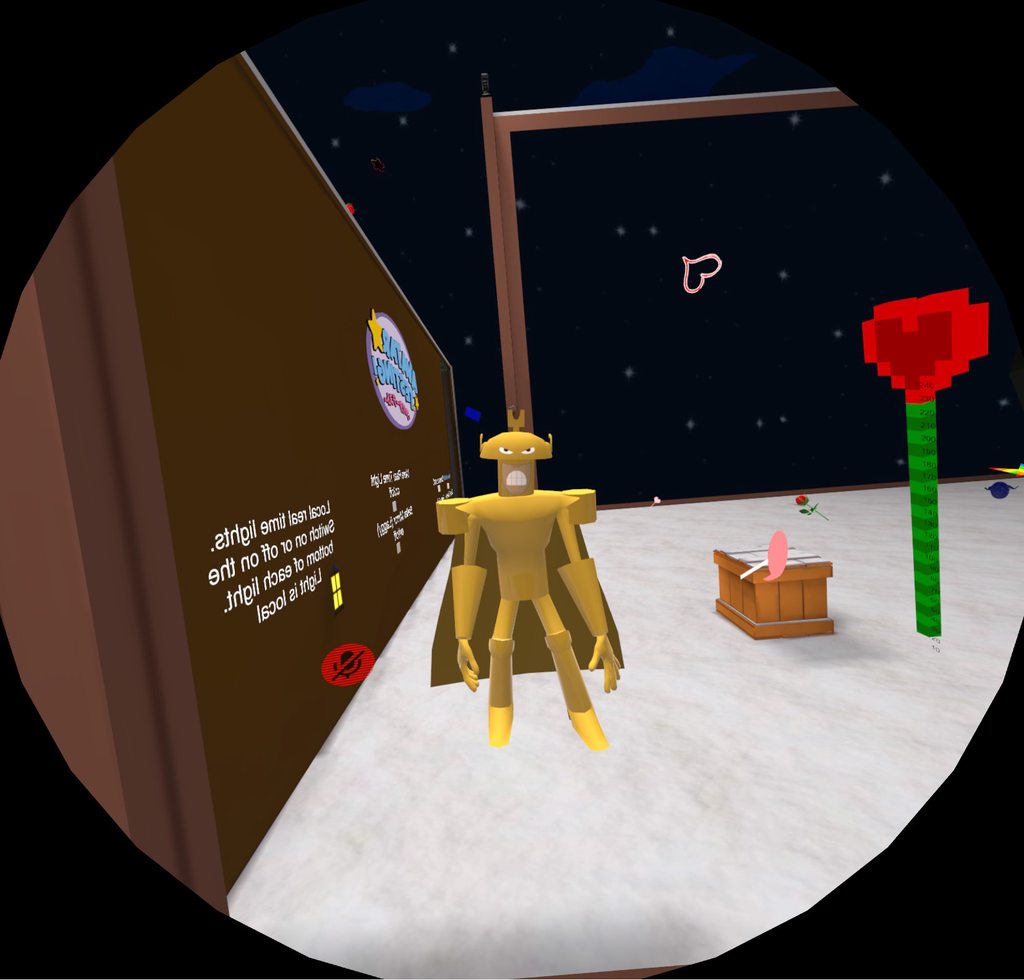
 cursive wedge
@solid shale there should be an option to apply transforms while in objectmode, this way every mesh is now at a 1/1 scale, use the spacebar search to find the correct option, and try it out.
solid shale
@cursive wedge None of the apply options seems to do anything. It reverts back in edit mode.
cursive wedge
Se should be applying scale rottation and origin to 0/0/0 in workspace, thisway when scaling the armature nothing should get out of possition, though you need to do this in object mode i think or in edit mode.
And for the individual mesh you have
I am always having problem with the way to do it myself, so you could find the correct way online. Tough you need to select it to be applied :p
solid shale
Yeah
I tried applying the armature modifier to the mesh and rebinding it but then the transforms are doubled
cursive wedge
Ouch, ye as i said, im just touching the surface of what i should have known in blender. :p
cursive wedge
Ye we gotta be real quiet about this since it is a blender secret! shhhhh
solid shale
I just imagine the pink panther theme playing whenever it's 'cheating' at modeling
 modest thistle
The 20k limit is applied on TRIS as they're called in blender, right?
spiral sigil
y
games usually only use tris
animations (as in movies) can use quads
but make it a habit to only have quads in your original models
it will make your life easier and going back and forth too
modest thistle
Thank you kindly, is there any quick way to read amount of Tris on the mesh in blender?
mental blaze
Top right of menu bar.
modest thistle
Oh well. There I find total amout of tris of the model, not current selected mesh.
blissful sleet
@Wesan#9150 tab into edit mode with the mesh selected
edgy cedar
How do I know that I'm under 20,000 polys? Is it just the number of tris or tris and faces?
vivid crater
the number of tris
edgy cedar
Awesome, just got a Kagura girl at 19,992 tris! Wasn't sure since I got the faces at 17,866
 ember elm
Is it possible to model an avatar from scratch without any knowledge of modelling at all but a tutorial from youtube to help?
I'd like to learn but I'm not sure how long creating a new avatar will take or if I will even learn from one tutorial.
ember elm
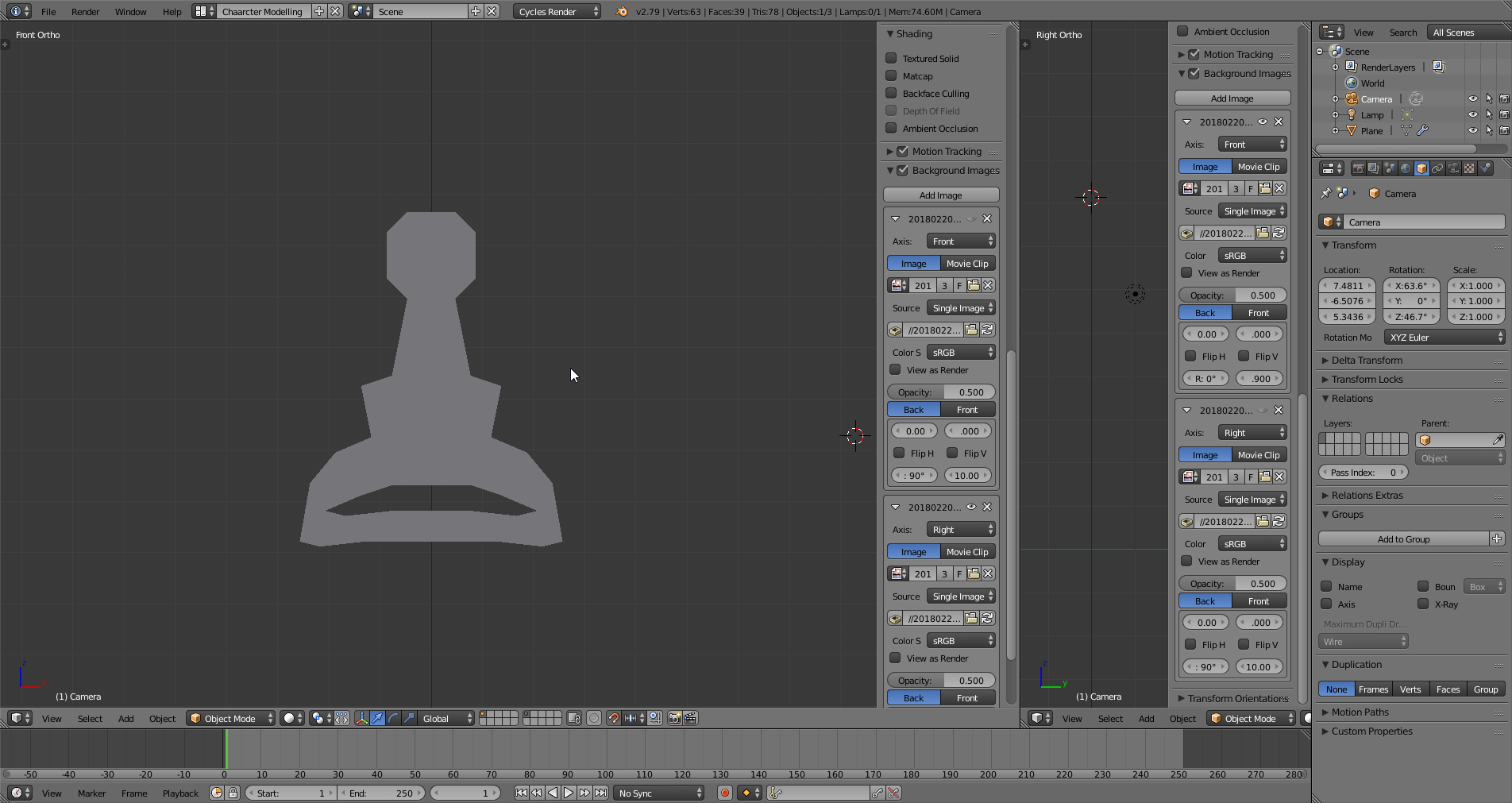
https://i.imgur.com/A6TNETF.png - I'm up to modelling face but hopefully when I eventually finish the avatar I can learn to rig and then import into VRChat
 edgy cedar
So I exported the mmd to Unity, but somer of the textures seem to not be recognizable. Do I have to do something to make Unity recognize them?
 reef lotus
anyone can model, it just takes a lot of practice to make it look good
 toxic quail
hey guys whats the proper angle for the thumb? so it bends on the hinge? o. o
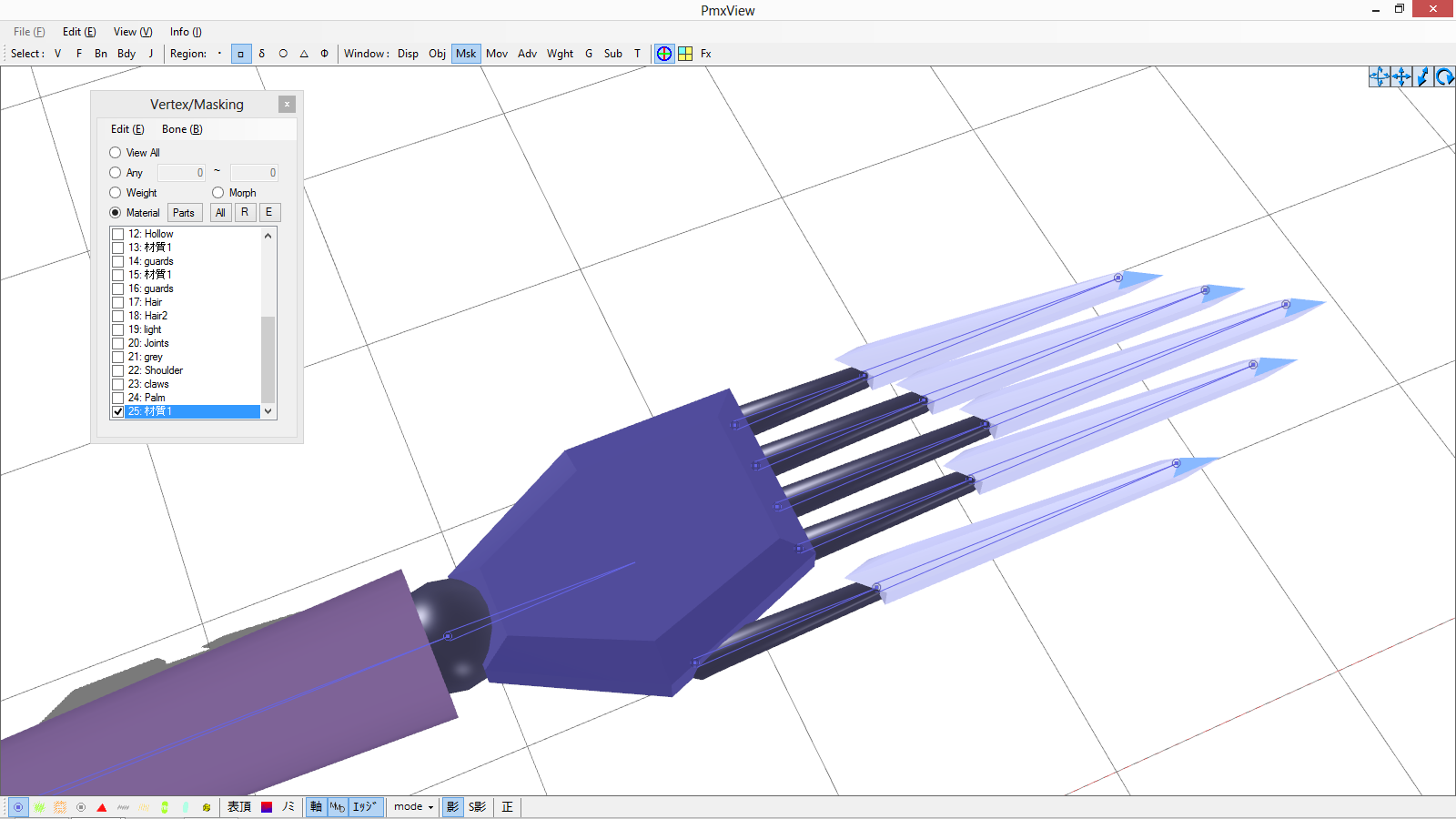
when in unity the thumb bends sideways .- .
ember elm
https://i.imgur.com/qQFiQAZ.png - Getting there with the face 😃
 mental blaze
Look at face topology references to get an idea for edge flow.
You got a base going though, just give it another stab after looking at face examples in wireframe.
A tip you should do right now: select half of the face and delete it. Add a mirror modifier to speed up modeling time.
slim summit
Id also recommend using a reference image set behind the work so you know how to model the face better
but good job so far dud
mental blaze
Another tip: Go for faces, triangles if you can't avoid them, but no n-gons.
ember elm
Thanks 😃
 little spoke
Anyone know how to flips normals in Unity? The texture is showing up on the wrong side of an object
I am trying to have an object with different textures on each side. I am thinking that having a duplicate of the original object, flipping the normal, and applying the new material would be the best way to go about this. Has anyone done this before?
making a new shader may help to increase performance when the world is done, but I will try the first solution now
Are you talking about Blender or Unity when searching for flip normals?
 graceful kindle
hi guys
I was trying to make my own avatar, i already have the mmd model but its so hard for a newbie like me i can't do all the stuff like eye tracking emotes with song and emotes with particles
someone told me to ask here for someone that could "do it" for me
slim summit
@spiral sigil Can I dm you a question with shaders real quick?
 barren quiver
Is there a way to batch add bone constraints in blender?
tired plume
um do any of you know how to slice off or delete a section of a model in Zbrush?
this program is so hard to use lmao
the Masking section doesn't have a hide part button like internet keeps telling me, so i can't "delete the hidden thing you masked"
 deft kite
blender question - is there a tool to slice a model all the way through? There was a tool in 3dmax that did that, useful for slicing a model in half. (context: i need to mirror a poly-crooked model but instead of manually deleting each face section i want to use a tool to cleanly slice the model in half, then apply mirror to it.)
tired plume
i think there is, i think it was called Bisect or something
to slice it all the way through
press space and search for it
deft kite
bisect? looking into that right now
it did it, dont know if it looks awful cause i did it wrong or cause the model is that messed up, but that did it. thanks!
tired plume
also nvm i found a Trim brush in zbrush xD, i used masking to delete portions with it
deft kite
is there a way to disable the annoying camera clipping in blender? yes the model is tiny so zooming in is difficult but i dont need the camera clipping the model out when i get close. Ortho view is also difficult to navigate. 😦
 glass roost
everytime i try to unwrap a face it cuts down the middle even though i didnt make the seams can anyone help ?
deft kite
that is something that i dont know, perhaps check to see if it has a double face in error?
mental blaze
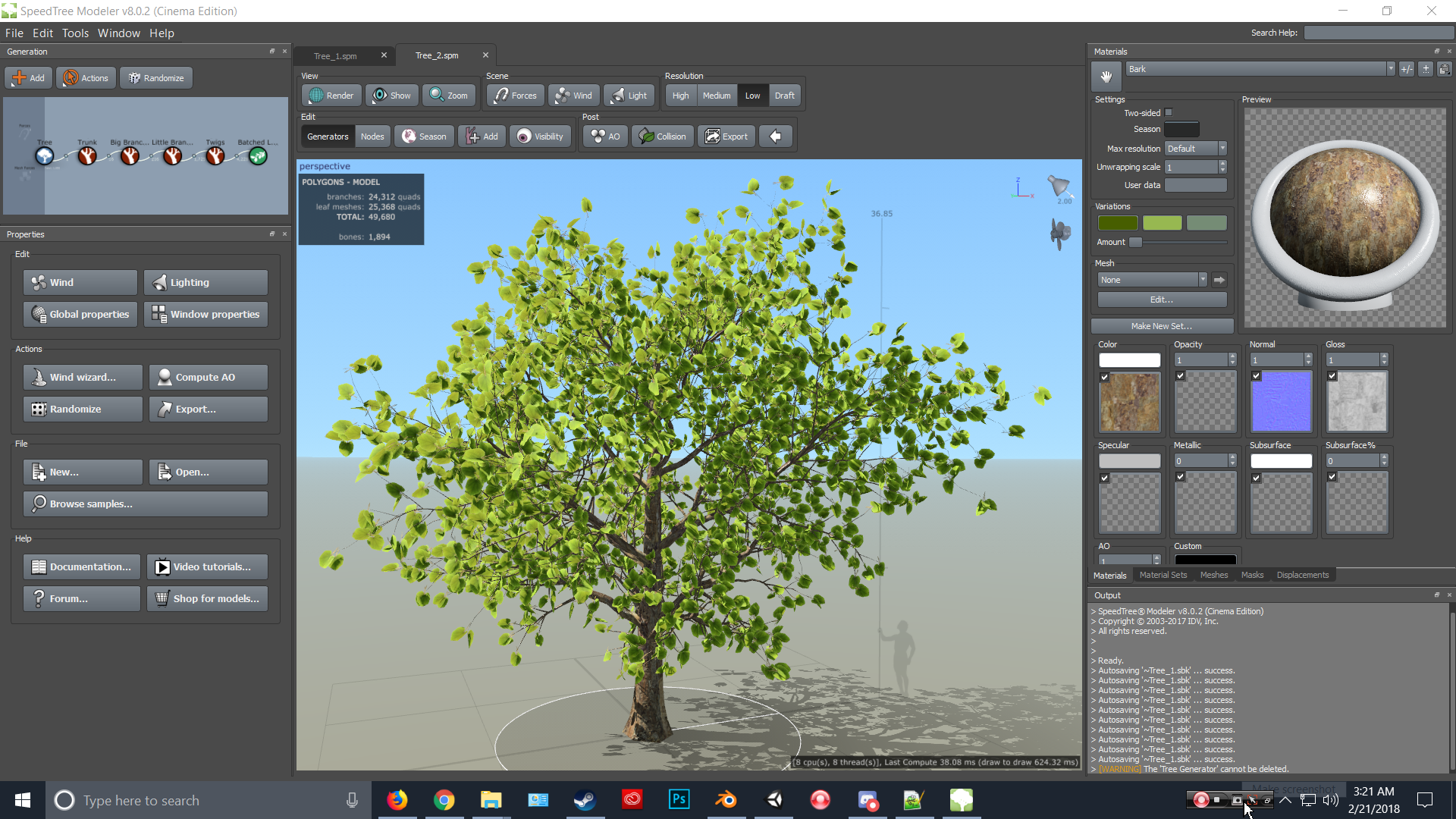
Been digging speedtree lately.
mental blaze
https://ibb.co/eLvsqx what was it? Like 20 minutes in...
 azure adder
speedtree has a tendency to make extremely high poly models though.
azure adder
hehe
mental blaze
Well, the export does remove some tris though due to trial version.
azure adder
ah
mental blaze
fill holes in blender somewhat cleans up the job, the rest is done manually.
Well, that pretty much covers the tree assets part for my world project.
now for grass and other miscellaneous crap.
More research on softwares and plugins, I suppose.
azure adder
My next scratch built project https://i.imgur.com/SIK37qH.png
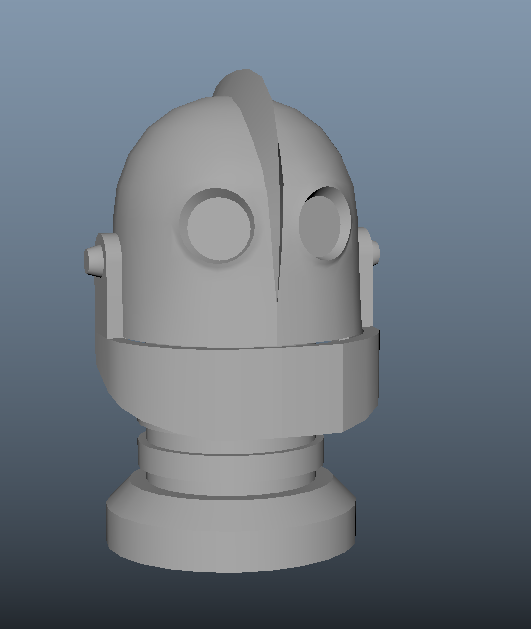 azure adder
i'm going for screen accurate
azure adder
it still needs a little bit of tweaking
azure adder
yeah thats because of the mirror
but the eye position and size need a little tweaking as wel as the mouth
but i'm going to make the rest of the body first so i can get the rest of the proportions correct in relation to eachother
mental blaze
I would have to see the movie to notice the differences.
azure adder
i'm also going to try and make his battle mode
and assign it to a gesture 😃
and a custom walking animation so it looks a lot less awkward
the default walkcycle looks really weird with this character
mental blaze
I can already picture it.
the next character models that are on my todo list are going to be organic though.
the enemies for the world project
I'm waiting until vrchat whitelists c# and playmaker, so I can make basic ai behavior.
azure adder
I'm also working on a willy wonka version of my current avatar so i can give people tours through my upcoming worlds 😛
 azure adder
made in abyss
mental blaze
this one apparently has advanced combat analysis.
so I can already picture how to handle the scripting part.
like those sentries from banjo kazooie.
azure adder
i havent played banjo kazooie
mental blaze
make a var on a transform and add the player's current speed and set the newest target location to shoot projectile based on player's local rotation
azure adder
ah
mental blaze
let me see if theres a quick video example on those sentries

Part 5 of a 100% walkthrough for Banjo-Tooie (Xbox Live Arcade version). This is part 1 of Witchyworld. The worlds are large in Banjo-Tooie so I'll be breaki...
at that part, the slot machine tried to shoot a bit off to hit the moving player.
That would be my first c# script to make for the world.
well, it's 4am and I think I should get to sleep now.
 terse olive
o.o
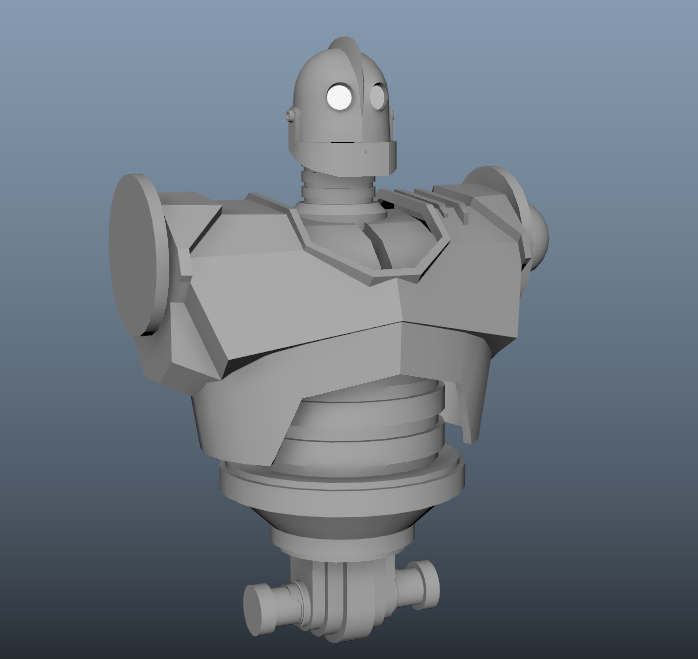
Iron Giant
Anyway, can someone teach me how to extract UV Map from an edited object?
I actually separate the geometry of the object, took the piece and made to something else with the textures intact. I want to import to Unity with that texture but it gone weird after I render it.
So I thought the reason it bug out because I have cut the geometry out of the original UV layout on the whole object so it fail to render like it does in Blender?


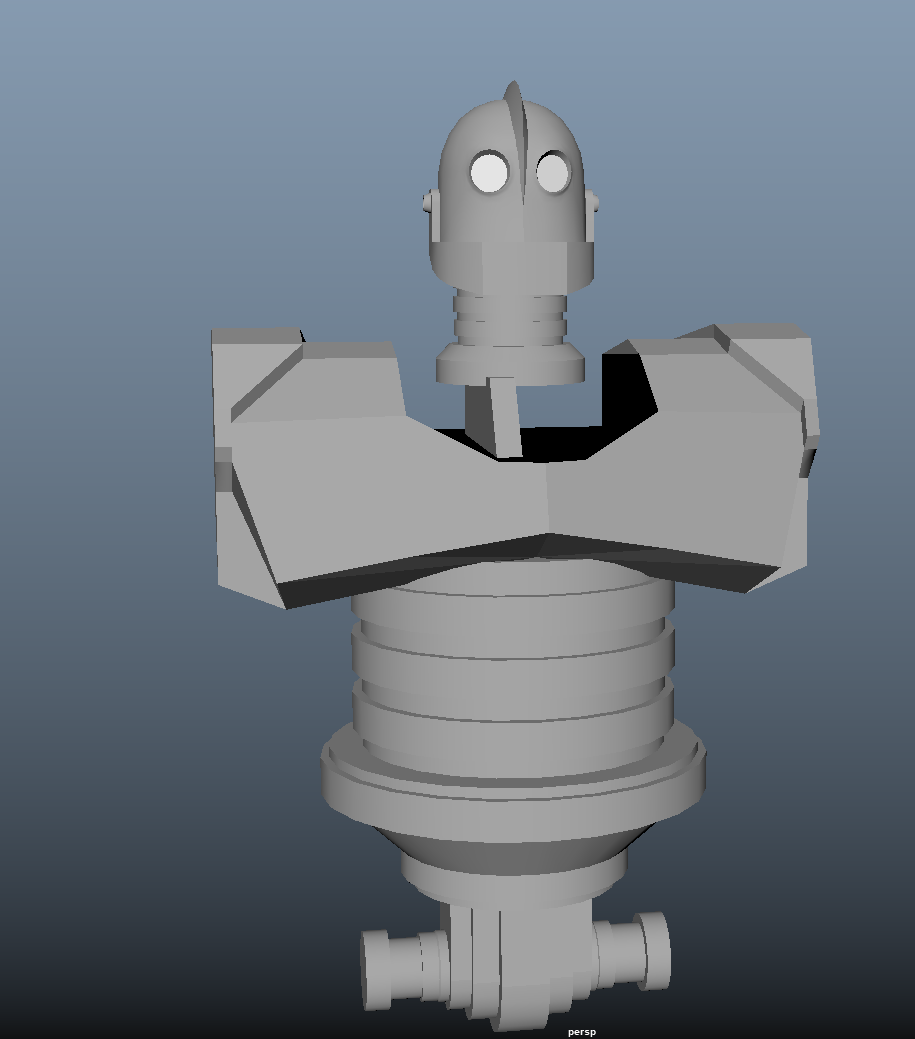 lament pond
He looks lovely
azure adder
yeah i'm pretty happy with it so far
lament pond
Will you be making him as big as the game will allow?
It'd be awesome seeing a to scale Iron Giant
spiral sigil
Anybody mind sending me any useful documentation on making my own 3d model?
Sculpting, mesh making, texturing, rigging, etc
lament pond
Hey guys, Here is a little tutorial for all the folks who want to have a go at creating you very own Avatars. Intro: 0:00 - 1:12 Maya Portion: 1:12 - 4:24 Un...
spiral sigil
Hm. Not exactly what I'm looking for.
Meaning making my own model, instead of editing/importing one
lament pond

Get Started with the Basics of Blender http://cgcookie.com/course/blender-basics If you're new to Blender then you're in the right place! Through this series...
spiral sigil
Hm. Closer. Guess I'll blast through these sometime and see if they get me anywhere closer to what I'm looking for.
But I have my doubts.
mental blaze
Nice progress on body area of iron giant.
nocturne marlin
my reference model has 2 bones per titty is that normal or is 1 just doing fine?
lament pond
let's go with 0 bones
spiral sigil
1 bone for jiggle is enough
 mental blaze
I know that feeling.
spiral flax
Hey could someone school me in modeling? I feel so horrible at this, I really need some help... (I feel like I know nothing... even if I did watch a plethora of videos on this...)
whole pike
Not much i can do but recommend videos, bc that's how i got into it easily
spiral flax
I have watched a few videos on the basics and how to move around in Blender and then some on how to model, but I just feel like I don't know what I'm doing...
maybe some videos from someone who knows what they're doing would help?
I mean, it helped you 😛
whole pike
This guy :U it was quick to figure things out as you go along with it
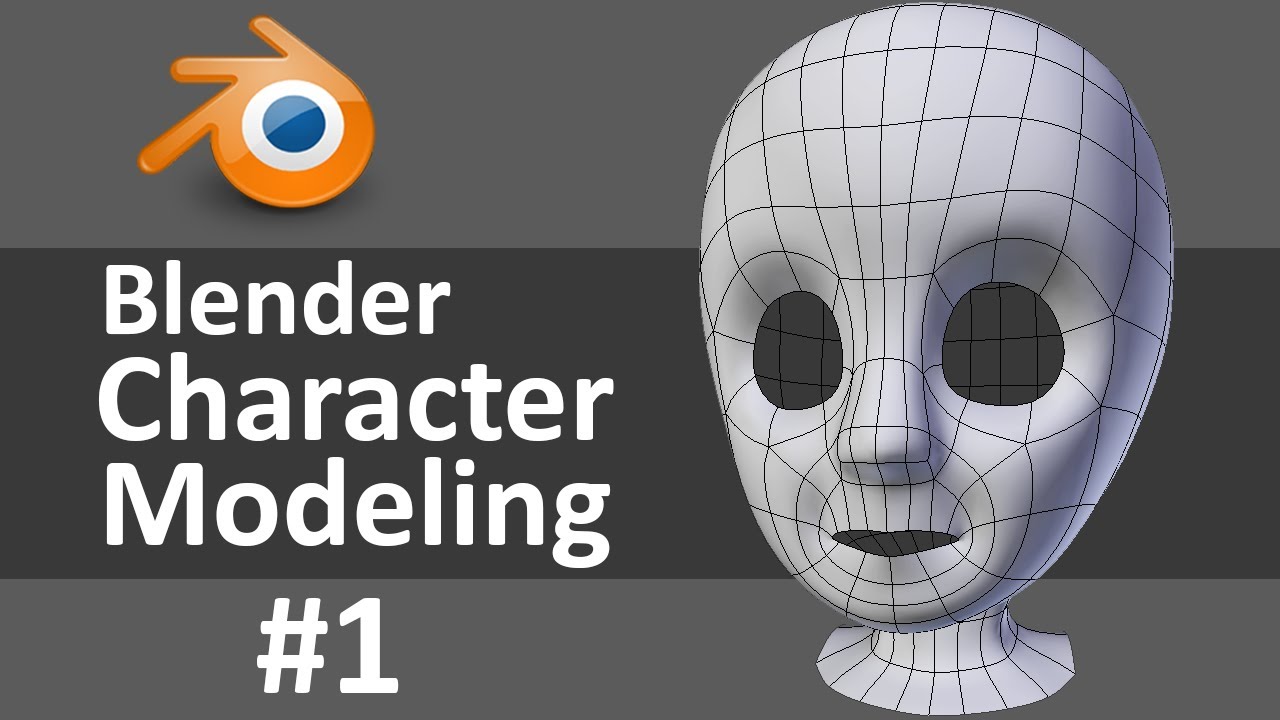
Learn Blender at https://Blender101.com If you're new to Blender, watch this Blender Quick Start Guide first: https://youtu.be/lZe3tGWSy6s Starting a new cha...
spiral sigil
@whole pike better that what I can do, i can only do simple characters
whole pike
My perfectionist ass is angry at the amount of time it took to make it jfdjmxnaka
spiral flax
I'll see what I can learn, I think my problem is I'm overthinking it? Maybe being too ambitious... I have multiple characters in mind, (all from the same game) would you mind if I sent some to you and you could tell me which of them would be a good start, or if I should just try and learn to make a model before trying something (that I might think) seemingly complex?
whole pike
I haven't started for very long, but i dove headfirst into making a character for my first model so i think it's okay for it to be complex; but not too overtly complex
So like a character with basic clothing
I did The Batter from OFF for my first model
Blender is surprisingly simple when you start making them
spiral flax
I was thinking of making something from Risk of Rain, but that might be too intense... thoughts? (if you want I can send you references.)
whole pike
I would like to see the ref 👀
spiral flax
I have to send it right to you, can't send images in here...
spiral sigil
@whole pike made my own oc from scratch in low poly
 spiral sigil
Yeeee
vivid crater
oh hey, i remember seeing you in the cat world a few weeks ago
vivid crater
i think some guy kept calling your character a furry
whole pike
I hope senpais noticed me
vivid crater
it cute
spiral sigil
Yee ty
 frigid elbow
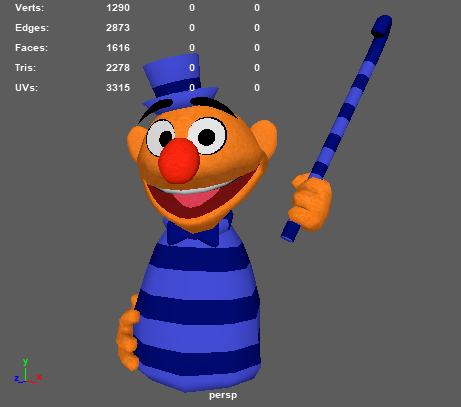
I've been working on creating a new puppet character.
I'm trying to keep him low-poly, would you guys say this poly count is?
https://i.imgur.com/yfod8SO.png
 spiral sigil
Nice yeet
whole pike
Holy shit under 2,000 for that!?
Thats really good
I only can manage 6k-8k poly for a single character
cobalt willow
Under 2k? No, it says it's 2.3k. And yeah, the polycount looks really good for what it is.
 haughty sparrow
maybe wrong area to ask? Using blender, I've imported a complete model and want to experiment lowering the polycount without decimation. But I cant see UV seams on the model and tried activating mesh display>seams with no results. Is there a way to force some sort of UVmap seams overlay? Model is originally mmd if that helps.
mental blaze
http://ibb.co/feFfTH
Time to call it a night. I'll deal with assigning the textures later.
 whole pike
Ah, my bad
I was looking at the faces
mental blaze
It's the mesh preview, but I can export in low res as fbx
Decimate as usual and use soft selection to make different versions of them.
Unity procedural curve modifier to place them in unity scene.
tired plume
@haughty sparrow https://blenderartists.org/forum/archive/index.php/t-44716.html maybe that ??
haughty sparrow
@tired plume Yeah saw that one, its from 2005 with the old ui. I am normally blind so I may have missed it but I couldnt find that option anywhere. I'll check it out again
cold plank
Would anyone be interested in a full tutorial on Metaseqoia from soup to nuts for VRChat?
I'm considering making a video
this would cover modelling from primitives, pulling resources from other models, bones and weight painting, blend shapes from scratch if needed, decimation and topology and finally export to vrchat
azure adder
i'm sure some people would appreciate it.
cold plank
well blender's learning curve is a sheer cliff since it's interface was designed by aliens from the planet nebulon
azure adder
aka the dutch 😄
cold plank
meta, on the other hand, works like this:

I did a little test the other other night and taught my wife how to make a model from scratch. And she made a little rice ball guy and brought it into the game after about 4 hours. She had never touched 3d modelling in her life
I think a lot of people here would benefit
spiral sigil
@cold plank the only reason anyone would be scared of Blender is because it can do stuff you will never need
cold plank
it's also not at all suited for game character design or targeting that
spiral sigil
but if you see past that the few features you need are easy to understand
spiral sigil
well if you know maya blender is basically the same
cold plank
which is why literally every MMD model ever was made in meta or hexagon super diaoh
spiral sigil
its like a breed between 3ds max and maya
cold plank
I suppose, but there are literally templates in meta for humanoids that you can just adjust sliders on to get whatever shape you want, they are weight painted automatically, and then you just model clothing. Honestly though, you can make anything in 1/2 the time
becuase it shortcuts all the things for making player characters
as that's it's focus, but it's not like Daz or something where they all look generic
cold plank
Every single MMD avatar you've ever seen in VRchat was made in metaseqoia
yet westerners have no idea how to use it
spiral sigil
and they don't look generic?
cold plank
only in the same way people do
spiral sigil
maby i am anime racist
^^
ok simple make me a 8 feet bridge troll
with a big belly and a big ass grin
cold plank
sure!
super easy
the STYLE of mmd avatars is more because that's how people in japan draw them
that doens't mean you need to model anything that looks like that
spiral sigil
okey i ll look it up
cold plank
that's the point of my tutorial
spiral sigil
how is it called
cold plank
I Want to show people how to use the software to make something OTHER then a remixed base model
cold plank
it actually comes with a full tutorial in the help file for making animated humanoids from scratch
I've used blender for 10 years
 crimson plinth
Is metaseq free?
cold plank
I got more done in meta in an afternoon then I learned in blender in 5
years.
it is, 45$ for full version
it's just REALLY, REALLY good for vrchat
 rugged hill
I use Maya
cold plank
mostly becuase of simplicity
crimson plinth
3ds max for me but I might check it out
cold plank
I like 3ds max too.
 lament pond
But there's already an mspaint 3d
cold plank
lol yeah but you can't model primitives or decimate or etc lol
the reason why most mmd models look similar in vrchat is becuase there's 4 prolific vocaloid modellers out there
the two most popular are Lat and Tda
and they created the bases for 99% of what you see out there
spiral sigil
@cold plank sry but not impressed
lament pond
you mean they were stripped and turned into bases
spiral sigil
looks like a simple vertex modelling system
cold plank
@lament pond actually no - those modellers released the bases
spiral sigil
whats so special
cold plank
oh, I dunno, the weight painting system? The easy morph keys?
lament pond
I never liked Meta so much, I work much better in blender
Lhun I think he's asking what's something just Meta has
azure adder
Thus far i have not used any models for my avatars but my own
lament pond
Right on
cold plank
That's pretty great. I do have a few characters I've brought in and modified for ease since I like the design so much, but I have several I modeled 100% myself.
lament pond
So far I've only brought in models I've made. I wouldn't feel right working with anything else.
azure adder
i havent met anyone ingame yet that made their own models yet
spiral sigil
selfmade
cold plank
indeed, but that's part of the reason why I'm interested in teaching people how to use meta
 cold plank
because a complete novice can make a humanoid from scratch
you didn't use a tda base for that? or did you model off a picture

 lament pond
Although I am flattered, tda does have nice proportions
azure adder
My current project https://i.imgur.com/2C1fSIw.png
 lament pond
He's coming out lovely Sentinel
cold plank
I actually used photographs of my real pants to build that guy
spiral sigil
@azure adder thumb up
azure adder
thanks 😃
azure adder
cute
spiral sigil
@lament pond looks nice
but i am never that impressed with animu on a skill basis
since its alrdy such a simple style
 spiral sigil
but its realy nice
lament pond
Some say the simpler the style the harder it is to get right
You can't hide flaws behind complexity
cold plank
I think meta does UV mapping better then anything else imho
 cold plank
indeeedy
lament pond
How's the vrchat version look?
spiral sigil
 spiral sigil
what do you mean?
cold plank
you can basically paint along a line, and it'll create a noodly primitive for you
lament pond
Blender has something like that
cold plank
but it'll do that in combonation with the bones and weight paint approprately as well.
one step
much like how http://game.engineering.nyu.edu/rigmesh/ works
lament pond
Yeah like the blender one
I'm blanking on the name though since I've never used it myself
spiral sigil
i dislike tools like that
cold plank
I know some folks who would love to mix and match from existing base models would find it useful though
well it's not for everyone of course
spiral sigil
you loose somuch controll
cold plank
and you can always adjust weight paint after
I think with 3d, depending on what software they're used to using some people find blender great and others can't stand it
I know my wife, who's an accomplished artist - uses clip studio paint and photoshop - finds meta a lot easier to understand
but friends who use cad like blender and maya
spiral sigil
one can argue for hours whats better maya has great animation tolls cinema 4d is idiot proof blender has the best interface
whatever
but
if you want to learn a programm
do blender
the community is bigger then any other
and thats the only true reason
cold plank
anyway, the point of the conversation was to see if anyone who does from scratch like we do was interested in a tutorial for meta
whole pike
👀 is meta free?
spiral sigil
dunno m8
lament pond
I'm going to be making a blender avatar creation tutorial myself
We can be matching Lhun
@whole pike it's not
whole pike
Oh damn, i got my hopes up too much hgngjfh
cold plank
mostly free. 99% of it you can do, but if you want export to fbx it's 45$ for life
whole pike
nah
I modeled from scratch in it
I just wanted an easier time making my own mmd/anime models
Without spending so long on the head
cold plank
with all the blendshapes though?
lament pond
Blender is free
cold plank
meta accepts PMD directly
so like... if you wanted to go get kizuna ai and use her face
lament pond
If you model it yourself you don't need pmd format
lament pond
not to mention blender has plugins
cold plank
(meta has plugins)
spiral sigil
i get the impression some here don't know how to use blender
@lament pond your tutorial is badly needet
whole pike
I use absolutely no plugins besides looptools and CATS for visemes/blendshapes
cold plank
I deeply dislike blender's interface and the way dragging a window, for example, splits it instead of stretching it out.
and how you have to press tab to edit
etc etc
spiral sigil
^^
lament pond
You just need to know how to use it
whole pike
Yeah it was annoying
spiral sigil
well you can change that
lament pond
I'd figure after 10 years you'd have learned the interface first
cold plank
yeah but the learning curve is crazy.
whole pike
It turned me off multiple times from blender
cold plank
I did. I can use blender just fine
spiral sigil
the beauty is icame from maya and zbrush
lament pond
I gave up on using blender 6 times
spiral sigil
and i hated it too
cold plank
but I can do the same thing 10x as fast in meta
lament pond
Then I stuck with it and I love it now
cold plank
for my hobby uses
cold plank
there's a reason the photoshop style tool layout has persisted since the 80's
cold plank
because it make's sense. lol
spiral sigil
sure S for scale
cold plank
I work in software development as a QA
whole pike
So what other files can meta export besides FBX?
lament pond
The good thing about being able to change up your set up is that you can set it up however you like
You can even replicate meta's format if you prefer it
cold plank
 spiral sigil
@lament pond maybe that is it what scared many people the amount of freedom
cold plank
just the fact that you have to deeply customize it first
spiral sigil
no
cold plank
Artists are oging to want Painttool Sai/Photoshop/Clip studio like layouts
spiral sigil
you cusomize on the fly
cold plank
Artistic people don't care about how flexible an interface is
that's why so many people flocked to zbrush
spiral sigil
i use photoshop before there was color TV
lament pond
What do you mean, you can customize CSP's layout too
spiral sigil
and letme tell you i still hate the setup
whole pike
I thought blender was similar to photoshop in my opinion
spiral sigil
Anyone knows why Blender isn't letting me assign a parent? https://cdn.discordapp.com/attachments/388730280216625153/416245264962289684/unknown.png
 lament pond
Something's locked
whole pike
I am an digital artist first, modeler 2nd
spiral sigil
But how to check? 🤔 I had it earlier with a different bone aswell and then somehow it let me do it
lament pond
Are you currently in edit mode?
spiral sigil
Yeah I am now
And randomly clicking things made it let me now set the parent again 🤔
lament pond
Were you not in edit mode previously?
spiral sigil
I can't recall pressing tab just now, but I've tried switching between edit and object mode earlier which made no difference
lament pond
Well at least now it's working
whole pike
so i was an idiot and forgot about the proportional editing brush tool
and manually edited the vertices to make the head more round
lament pond
You can also space and type out smooth to smooth it out without increasing the polys
spiral sigil
sometimes suxs
lament pond
It'll shrink it in a little though so scale it back up
spiral sigil
or apply a smooth mod
whole pike
The problem was not because it was jagged
It was already smooth
The sides were flat
So they needed to be extended/scaled out
lament pond
I try to keep them all quads
spiral sigil
its a bitch i know
lament pond
sometimes you can't resist the sweet call of a tri or ngon
 lament pond
I feel like I've seen her before
spiral sigil
duke nukem
lament pond
Not that
She reminds me of that one vampire in American Horror Story Hotel
During the disco period
whole pike
https://cdn.discordapp.com/attachments/351914228027752469/416255817470312449/image.png when you want to escape your flesh prison
 lament pond
insert quarter
whole pike
👀
spiral sigil
^^
whole pike
We are all suffering souls trapped in a flesh suit...help him shed his..
spiral sigil
we are all trapped bones in flesh suits you meant
whole pike
souls are the bones you fool
lament pond
I'll get axe-kun
spiral sigil
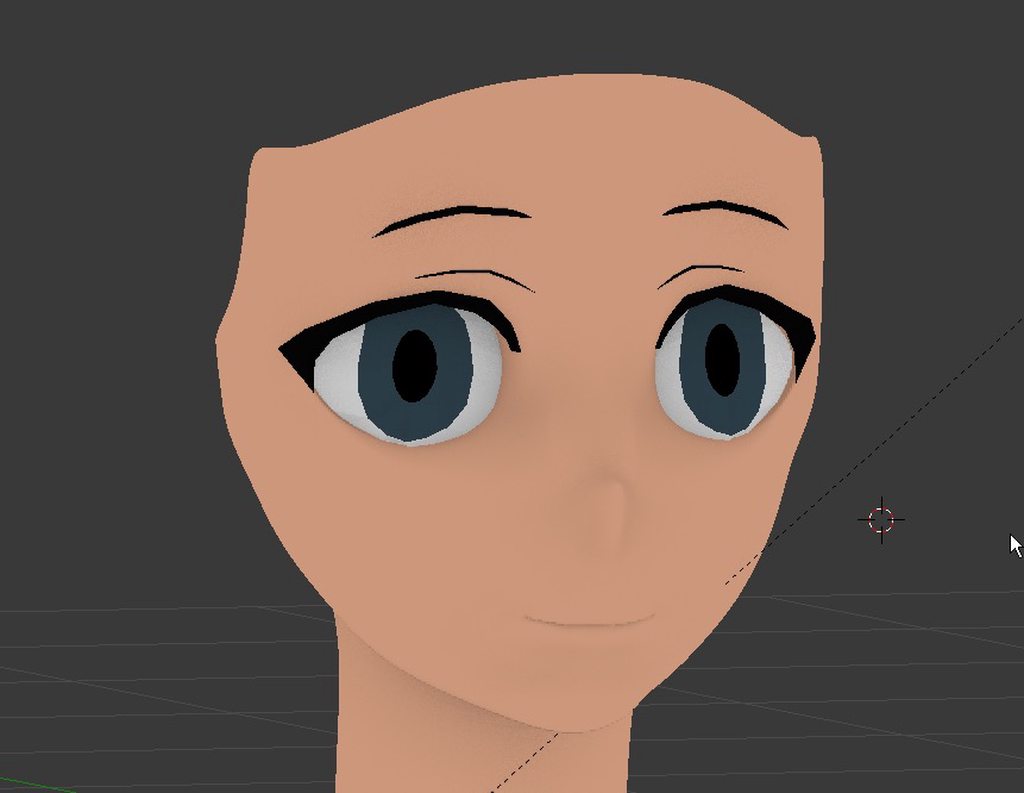
https://imgur.com/gallery/ZcmSo this is too hard hhhhh
 lament pond
Don't forget light in the eyes
whole pike
hjgnghgh ghfh https://gyazo.com/facfea3832252d92239919c74f710c75

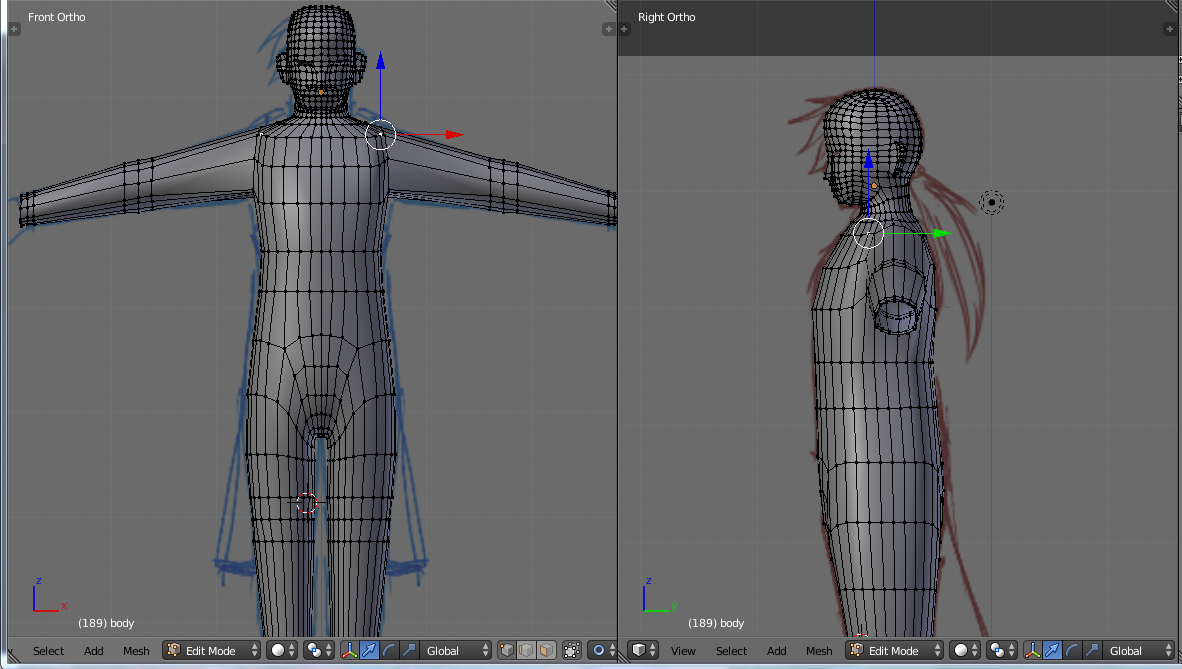
he has a .... surprisingly long torso
spiral sigil
@whole pike show face?
i wanna see the mesh

remember were the cheekbone meets the eye
@spiral sigil
whole pike
Mesh: https://i.gyazo.com/af5a6021bf0947b4616fa6aaa87d4d8a.png My drawing: https://i.gyazo.com/241d8567702cb01dc65d913c60f836af.png
 spiral sigil
good
want a quick tip
keep the poly count even lower when blocking out
will make things a lot easier
whole pike
blocking out?
spiral sigil
what you are doing right now
is called blockingout
getting the main shapes of the model
whole pike
ah
I don't have to worry much about polycounts; i never subdivide or anything like that
spiral sigil
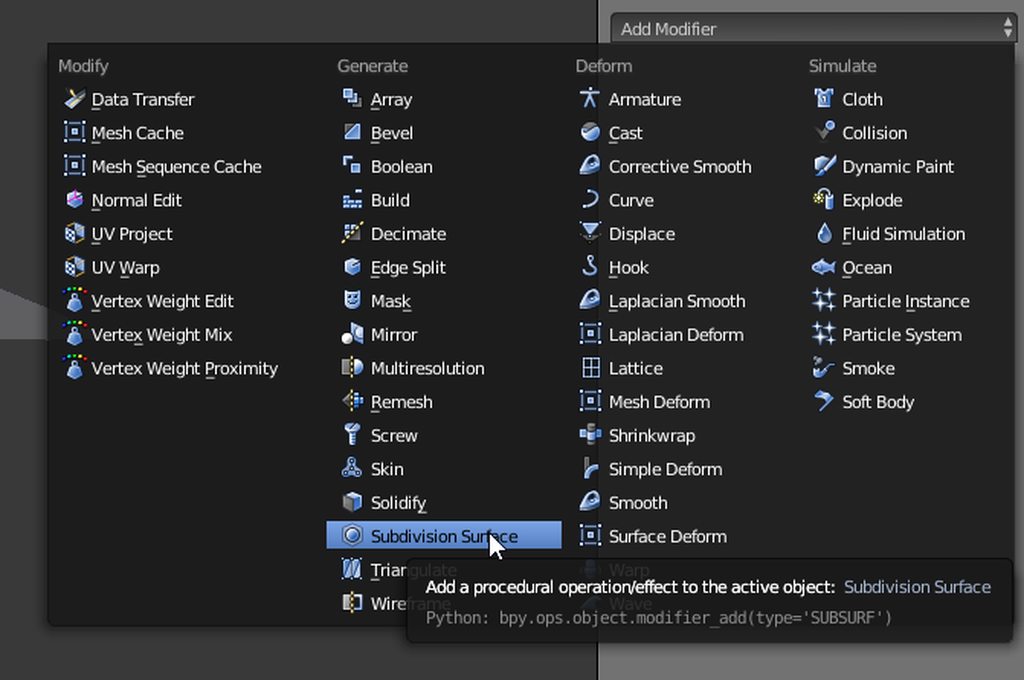
trust me if you start the modelling with a simple mesh and a subsurf on
its alot easier
its like drawing with vectors
but in 3d

and if you keep topology in mind many things fall in line by themself
meaning make your mesh follow a rough anatomy of the body @whole pike
@spiral sigil thanks!!
np
 balmy onyx
How do I cut stuff in blender?
I want to rip the Miku's hair model
balmy onyx
Cmon, im just making ultra funni avatar xd
vivid crater
Aww, the characters from the mobile FF 15 are cute
I wonder if anybody is already using them
whole pike
Okay, this is annoying
Whenever i click a vertice, the cursor ends up on the opposite side and edits that vertice instead
I never had this problem; fix for it?
 dapper ice
@spiral sigil How do you do subsurface in blender? I've been using the sculpt with dyntopo
hold up I forgot you can't upload actual images to this channel
 whole pike
Ah never mind, found the problem
dapper ice
yeah that both part is probably the best bet at this point
spiral sigil
y it is
dapper ice
but how do you do it?
 dapper ice
I really really really like this image
spiral sigil

this project is right at the point of getting retopod
so you see i usually get my basic shapes right
then i make it a lowpoly mesh wich will be the final mesh
and from that optimized lowpoly i create a detail sculpt
dapper ice
So you do a rough sculpture using the tools first and then you make a clean mesh and use vector surface topology?
spiral sigil
sometimes i vertex model straight from 1vert
^^

did that mesh from 1 vert
but this is the desnity of faces that is perfect to work with

and thats what i meant earlier with using the subsurface to your advantage
its the same model just a subsurf mod on
dapper ice
OH is that this guy https://imgur.com/a/bIndp
 spiral sigil
and you follow some basic forms of anatomie
and sometimes topology is more geared towards animation
spiral sigil
wanna know my workflow
dapper ice
Pretty much yea
spiral sigil
fi you dont have a scetch
butknow what you want to do
get some realy low res zylinders
and qubes
and build the basic shape
realy basic
dapper ice
I got a sketch
spiral sigil
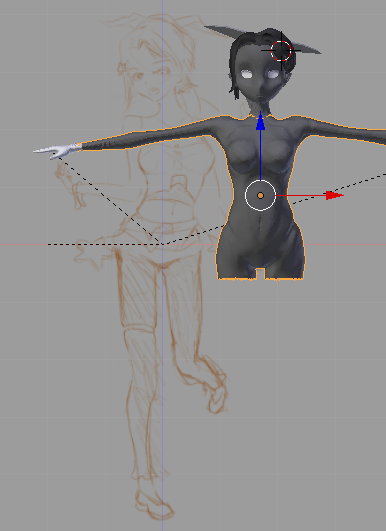
if the sketch is detailed
 spiral sigil
start with realy big shapes
^^
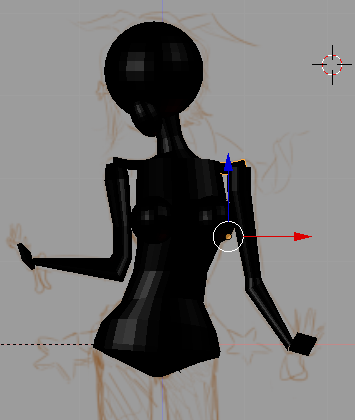
get yourself an all black material ready
all black no shine
and build like with lego your basic form
then use the boolean mod
to combine them
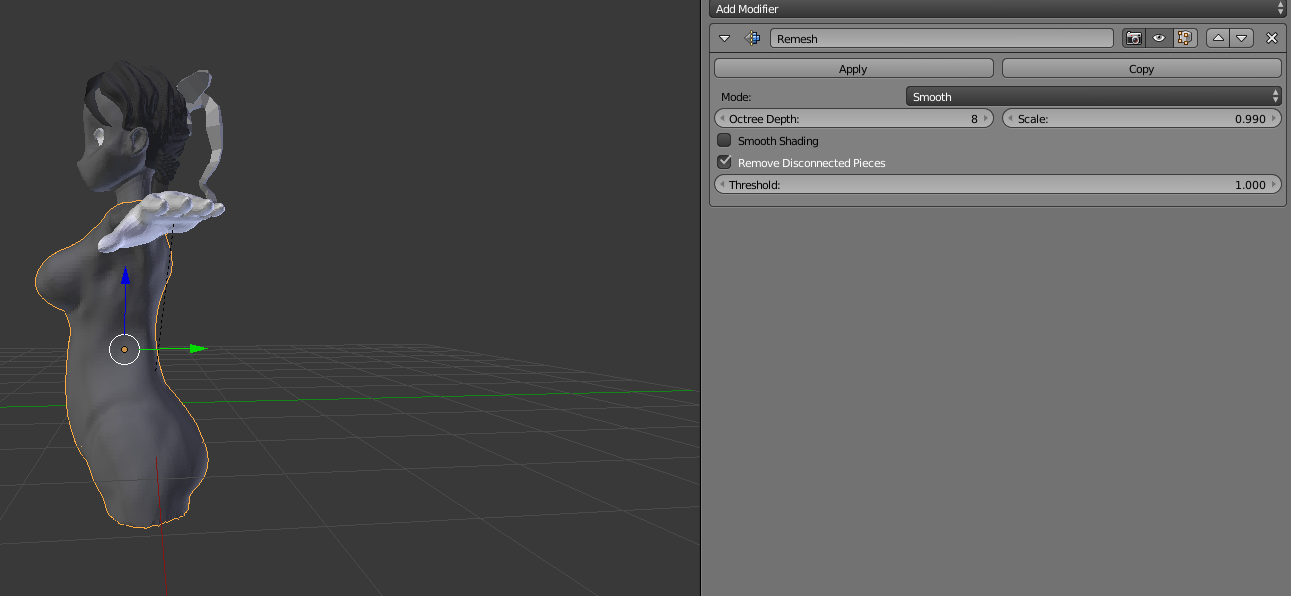
then use the remesh smooth to give them even face
s
go into sculpt mode and build up and take away still working quite raw
then stop sculpting before anything facy like wrinkles or even fingernail
remesh and smooth
then another sclupt with a bit more level
and done with sculpting
retopo your sclupt
i retopo like this
take a plane add mirror mod
shrinkwrap mod
use shanp to face
and build a new mesh around the sculpt
make sure topology is good
then you can vertexmodel a bit
finally
make a copy of your retopod mesh sclulpt detail if you need normals or AOs
thats about it
oh the all black material is for the basic shapes
to see the silhouette better toggle it on and off
whole pike
the skin modifier is a fidget spinner
 spiral sigil
take the first phase just to get all the things in the right place
no need for any detail
ps make boobs last
^^

what is that?
thats all you need to start sculpting
do the hands later
and the feet
and the head
get the body right first
use the blocking face only for your basic proportions
dapper ice
okay
so with the model I've got, sort of injecting it into the middle of your process here, it needs to be remeshed to have uniform faces and only quads
what's kind of the best scale for the remesh modifier?
spiral sigil
depends what you want to achieve
if you wanna scrub over it with a big claystrip brush
take a higher level
if you wanna crease around also a higher one
8or 9
if you wanna remove some bumpy you built up
take the lowest level possible
another reason to start with very simple shapes is if you got a drawing not in A or T pose
take a cylinder for the lower one for the upper place them over the drawing
and then pose them into the stance you need
repeat one last thing then i bounce
if you make a female character with breast
add them later down the line
they are just saggy flaps of fat
its more importaint to get the underlying structure right ^^
 spiral sigil
ok
dapper ice
and also one last thing, when you say remesh and smooth, do you mean also adding a smooth mod or just using the smooth method on remesh mod
spiral sigil
somtimes a smooth mod helps
u can't be to attached to your first few steps
i see that all the time
people move into detail to fast
and then they don't want to change some mayor proportional or anatomical problem
^^
dapper ice
that makes sense I'm just trying to understand the latter parts of it
eternal crow
So let's say i got a model that has a shirt that covers most of the characters neck (not like a turtleneck) and i wanted to put a scarf or something on the model, how would i go about it without it clipping through the collar of the shirt?
http://prntscr.com/iij0f3 see his covers his entire neck but isint like a turtle neck
 static sun
started doing my texturing... guess the polly https://cdn.discordapp.com/attachments/407354702595096586/416380822505914369/unknown.png
 spiral sigil
100k?
 iron stone
740
 agile halo
Anyone willing to recolor an avatar and put a bone in it for me? I'll pay.
iron stone
just recolor the materials
static sun
you where close @iron stone https://cdn.discordapp.com/attachments/407354702595096586/416382354718982144/unknown.png its 900 polly
 iron stone
ez
agile halo
I don't know how to do avatar shit at all lol that's why I'm asking
iron stone
do u have the model in ur unity?
agile halo
I have the model yeah
iron stone
go to the materials folder or click body on ur model
agile halo
Honey I don't know how to do any of that
iron stone
sec lemme open unity
agile halo
I don't know how to work Unity/Blender at all
iron stone
come to #avatars-mmd
eternal crow
http://prntscr.com/iij3te @agile halo they meant go here

or where ever your avatars are at, mine just happen to be all in one giant folder in sub folders
because im picky about how my unity projects are setup xD so everything has its own folder for me
 scenic ember
Nice toon shader there!!
eternal crow
it the cubed shader im using
doesn't really suit the model tbh though, ive been told he looks alot better on standard shading

http://prntscr.com/iik42u now heres with standard shading

he just doesn't look right with the other shader








 karmic haven
i have a model that seems to be separated into several meshes, how would i go about combining them all into one?
lament pond
Ctrl j
karmic haven
danke
tired plume
Just be aware that gaps will still be there even tho it looks joined
Which will make weightpainting a bitch if you autorig and it doesnt mix as well around the gaps so just fyi
lament pond

 spiral sigil
👀