#3d-modeling
1 messages · Page 31 of 1
 charred moat
 outer halo
So how should I get started? Like if I want for example, make a kawaii avatar from scratch for vrc
Yeah but that's toying with complete avatars on unity, right? shouldn't I get started on blender if that's the program to make models? :0
charred moat
I would suggest first to start by the easier. Use already made cool model, import them on unity and then in VRchat. You can modify them a bit.
Then when you imported 2 or 3 models already done to vrchat and know how to use unity, try to download Blender 2.79 and look for Blender cat plugin https://vrcat.club/threads/cats-blender-plugin-0-6-1.6/

VRCat: Community-Run VRChat Forums
Cats Blender Plugin (0.6.1)
A tool designed to shorten steps needed to import and optimize models into VRChat. Compatible models are: MMD, XNALara,...
outer halo
I'll check it out, thanks a lot :3
charred moat
You can download an mmd model, and import it to blender. Then you can do .pmx/.ascii/.obj/.blend -> Blender -> Unity -> Vrchat
outer halo
Oh oh uhm, how do I recolor uhm for example a tail to change colors constantly?
charred moat
You have to create a custom animation. You press "record" enter the tail mesh, and every like 5 seconde you change the color by dropping a new material to the model
It have to be done in unity
That's the same idea than the tutorial to make the eyes blink forever
charred moat
Not that hard really. basically you do the same than here https://www.youtube.com/watch?v=jrfx3v45OJU

In this video you'll learn how to make your VRChat custom avatar blink. Read the description for more information. Timestamps: 0:00 - Demonstration 0:11 - Tu...
But instead of touching the eyes, you touch the tail.
Try to change the color by dropping a new texture to the tail, or by applying a shader to the tail material first. Than you ask the animator to do it every X seconds
you can progress by taking a model on the website I gave to you and make it blink at first time. So you'll be used to the animations with unity. And next custom it with the tail
 trim turtle
if I have 3D modeling skills, would I be condemned if I made a model after these set of particular costumes https://cdn.discordapp.com/attachments/197723204259807232/411139816164687872/13150916_1921539834739792_896118287_n.png

especially since they were linked to a spooky deep web video
 eternal crow
http://prntscr.com/ic2uq2 Does the weapon he's holding look hard to make? Because i wanna make it so that he has it for vrchat

 eternal crow
yes but i would recommend putting the view ball into the head at least, not on the outside, its just my preference so you can do it however you like to
eternal crow
yeah
 spiral sigil
okay thank you
eternal crow
no problem
 frigid robin
can anyone tell me how to reuv something
I'm modifying a zelda map and some of the textures are stretching and not tiling right
I am using blender
 long zealot
When you press u in edit mode you can remap your uvs. If you open up a new panel and set it to uv/image editor you can move the vertices to match your texture.
frigid robin
Is there anyway to do it automatically with reasonable accuracy
I'm an idiot when it comes to 3d modeling
long zealot
Well no, but if you mark your seams for unwrapping it turns out better. In edit mode on the left side go to the uv and shading tab, use edge select and choose what edges you want and click the mark seam button. When you unwrap it again it may look better.

 long zealot
Uh I would just mark hard edges like the edges of the cliff
frigid robin
The walls are a seperate mesh, so is the road, should I still just make the hard edges?
long zealot
Yeah
frigid robin
So the hard edges are implying the cliffs that go off into the void
long zealot
They will be fine without marking seams
frigid robin
I have no idea what I'm doing and so far messing around with it hasn't yielded any results close to what I had in my mind
maybe I'll just leave it alone instead of trying to mess with it
 deft kite
I dont know what happened but in blender the top menu bar with Save Open Export etc is gone and replaced with another bar, how do i get that back?
Nevermind i found it
long zealot
Reddoh if your doing kokiri Forrest then it's already been property unwrapped on the models resource, all you have to do for that is make sure the right materials are assigned
 vivid crater
@cerulean shoal How did you go about doing the eyelashes? I'm having a little trouble
 cerulean shoal
extruded from edges and made 2 sharp points
vivid crater
interesting, thank you
 digital viper
anyone know what's causing my avatar to flicker on and off? it's not boundaries, and i can't test if it's the shaders, because it doesn't appear to happen to me... it only starts to happen after i've been in the avatar for a few minutes
digital viper
@tender panther yeah... emotes
none of my other avatars with emotes flicker, though
albeit they're not as complex
 granite ore
Does anyone happen to have a a recommendation for a tutorial for babies on lowering poly count in blender?
 tender panther
@granite ore In a nutshell if you give 0 Fs about quality.
Assuming you have cats plugin.
Important model.
Translate everything.
Auto decimate.
Export.
Done.
 dry notch
So how would I go about acquiring a model from a game I own for the sake of making art
_>
Because currently I can't get this thing to work
 dusky glacier
what game is it and what format are the files in?
dry notch
I'm considering taking some league files
Not the updated V2 whatever the hell cause those are impossible to open
dusky glacier
just had to make sure but i can't help you on that here due to the rule:
13. No discussion of piracy / game ripping or links to get such content. This extends to directing people how to get a model of a character from a game.
dry notch
Oh fuck you
Who made that and why
There is no law stating you may not take models from a game. The use of them to make money is the illegal part.
Yep. I'll talk to someone about it later.
But. Yeah.
frigid robin
So im importing a model from 3ds
they abuse texture mirroring
I cant get that to work in blender
tender panther
You can probally find a model online.
frigid robin
I extracted it from the game
tender panther
3ds models are quite popular.
frigid robin
because it didnt exist online
tender panther
What are you trying to get?
frigid robin
I already have the model I'm just trying to fix the textures
I have a link costume from Triforce Heroes
shit looks like this https://puu.sh/zjN0o/cfcbdc97ef.png

atm
I dont know if there is some script that fixes this or something
tender panther
Looks like your textures need to be fixed.
frigid robin
Obviously
frigid robin
you dont need your textures in mixamo
dry notch
but I need the textures on the model in unity but the model is an obj in blender
and the textures are stuck in a .mtl
frigid robin
export it as fbx
upload fbx to mixamo
rig
download rigged fbx
import to unity
assign textures
dry notch
Wait, if I export as fbx. Will I be able to take the textures from that folder I export to and apply them to the FBX from mixamo?
frigid robin
yes
 spice gale
hey guys is this the right place to ask how to show a texture on the inside of a unity 3d object?
dry notch
There are no textures when I export as fbx
frigid robin
you have to assign them in unity
dry notch
I'm gonna throw a fucking brick through my window I swear to god this is not okay
frigid robin
it saves the materials
then you import the fbx into unity
and assign them
done
when you import the fbx

it'll look like this
dry notch
I
frigid robin
grey model
frigid robin
how do you not have the files
spice gale
Does anyone know how to put a texture on the inside of a 3d object?
frigid robin
if youre seeing them in blender
frigid robin
flip the normals
dry notch
Oh hey I can't share my screenshot because why the fuck would we have the ability to share images
frigid robin
it has to be an emd
dry notch
In a medium
spice gale
wheres the normals at?
frigid robin
in blender
dry notch
DESIGNED AROUND IMAGES
dry notch
Christ I hate when discords arbitrarily ban shit
spice gale
can I export the cylinder I made in unity?
dry notch
Why can't I share my screenshot agian?
spice gale
awesome. blender hates me but I'll try some time
dry notch
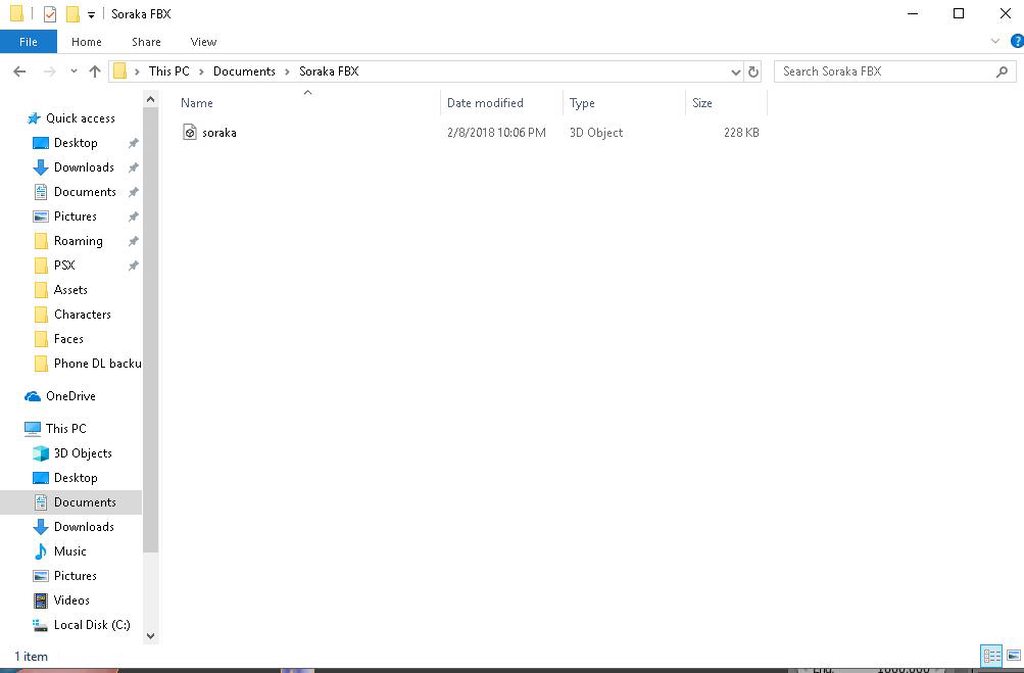
There are zero textures for said model
Normally when I export an FBX I have a folder of textures
frigid robin
what soraka model is it
spice gale
oh this is awesome, in unity I just turned it into a "flare" and now I can see from the inside and out, plus the background is transparent and only shows the matrix text. hopefully this works in vrchat its freaking badass
dry notch
I would LIKE to have my textures reeeee
spice gale
woah this is better than flipping the normals
dry notch
Nope why the fuck would it be
spice gale
I made the matrix rain surround me in cylinder shape and its just the words from the image I use
frigid robin
@dry notch weapon gone too im assuming
dry notch
I removed it yes
OH
So the file that was in there
Ahhhhh that makes... a little bit of sense.
@frigid robin I figured it out
Finally after much confusion
 frigid robin
@dry notch impot the fbx into unity

apply this
to albedo on the material
and there you go
dry notch
My problem was a connection issue
digital viper
anyone know why my avatar is flickering? i have custom emotes, which seems to be the problem i guess?
 junior idol
looking to collab on an avatar world, i can do avatars but not worlds
 pliant rain
Does anyone know of good tutorials to make your own avatars from scratch, but using 3ds Max (not Blender)? ❤
 cursive wedge
@dry notch i think you can open the UV editor when you open the MTL file in blender, then save the textures as PNG or other file format from the UV editor.
 tardy finch
Hey guys, Basically I am looking for a model of a white flower, and the best one i found is the one they use in that Nier Automata map, anyone know which one I am talking about?
 small cloud
@dry notch if u still have that issue, first enable hidden folders and check if they are hidden or not
if not, then u open UV and save the images
 nova acorn
Oh man, that texture...
Can avatars have multiple texture files?
I imagine it's wiser to not do that.
spiral sigil
Avatars can have multiple materials, one for certain areas/faces, which each can have it's own texture but it would be more performance-effecient to have as few materials/textures as possible
 latent charm
It's not that much of an issue having multiple textures as it is having multiple materials.
As far as I know, multiple materials cause the CPU to have to perform more draw calls which affects performance, whereas having multiple textures on one material doesn't really do this, or not to the same extent.
spiral sigil
The part about multiple materials costing higher CPU usage I agree with. The part about multiple textures to one material I'm not familiar with
 slim summit
thats what ive heard too gal
honestly vrchat shouldnt be limiting polygons so much so as they should be limiting materials
latent charm
I personally agree.
And this is coming from someone who has 3-4 materials on their avatar. (I need them, I have at least 3 different shaders)
 dense kelp
At one point we'll be limiting bones and textures i bet...
slim summit
I limit my materials down to 4-5
and I know its too much
but godhelp me I love custom shaders
dense kelp
That really isn't much at all .-.
slim summit
compared to most people no its not
but for optomization of my old ass computer it is
running a amd phenom chip thats 7 years old
quad core!
latent charm
If you have more than one material that uses the same shader you're doing something wrong, and if you made your own avatar you need to make some adjustments to your workflow.
spiral sigil
Agreed on the first part, they can be improved further
dense kelp
Guess i'm a horrible avatar "developer" myself then
latent charm
Currently horrible, as long as you're willing to try stuff and learn it's all good. :D
Also /s on the currently horrible. :B
dense kelp
I will once i see the actual effects of such, which i am constantly testing
How i miss multiple instances... i could test performance impacts so much more easily...
latent charm
Yeah, if you're in the developing and testing stage, having an unoptimized avatar is okay. Once it's mostly finalized and in regular use then you can worry about performance.
Most of my bitching about using a lot of materials are at avatars that have 20+ materials that all use a flat/toon shader because it's a lazy MMD impoty.
dense kelp
It's more in the case of figuring out what actually causes lag, not inherently developing the avatar to not do such
Multiple meshes so far are the top tier laggers
latent charm
Oh yeah, they're bad.
slim summit
I have some really bad avatars like that that Ive made in the past I should really revisit now that I think about it
dense kelp
Second tier goes for MASSIVE ammounts of dynamic bone scripts or particle systems (20-30+)
slim summit
I just dont use em anymore
latent charm
Useful tip for joining meshes in blender: Make sure the UV channels are all named the same, otherwise they kinda implode when joined.
dense kelp
Third tier goes for materials with shaders with too many damn drawcalls
spiral sigil
Had been curious, will non-human bones be ignored for custom walk animations?
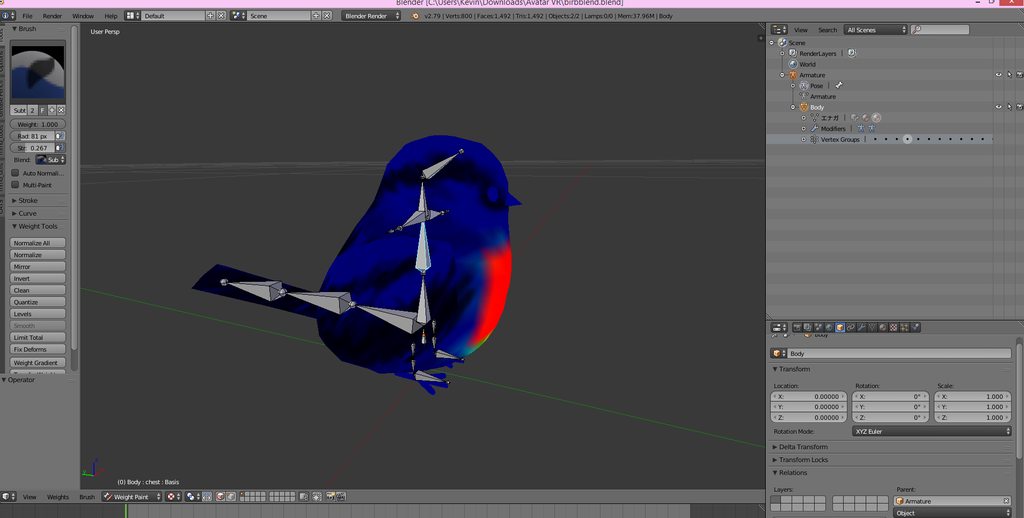 spiral sigil
Oooh, this bird!
slim summit
the rigging is what I made from scratch
we will see if this will work
fingers crossed
dense kelp
Fourth tier goes to midrange dynamic bone-scripts/particle systems (10-20)
spiral sigil
I used a black and white version of it while playing for my first time 2 days ago
dense kelp
Fifth tier goes to too many materials with minimal drawcalls
spiral sigil
Wish the wings could move
dense kelp
Sixth goes to effectively everything else
spiral sigil
Gigantic textures, perhaps
dense kelp
Last tier being polygons, because we know how much those impact performance
latent charm
I like to think my avatars are pretty performant.
Also unity has a frame debug mode where you can step through the whole process for rendering a frame and examine it in detail.
Anyway, lunch break is over. Have to go and be nice to the public now. Have fun my dudes.
spiral sigil
Take care Gallium
dense kelp
Honestly i'm testing these things out to effectively see if people are overoptimizing (yes that is a thing and causes limitations to the user in regards to customization)
Based on the fact that my sole interest in vrc to begin with was customization, you can see why that's worrysome for me
slim summit
and my computer bsod me :/
dense kelp
I know the feel
dense kelp
It does need all of the humanoid bones to work sadly
slim summit
adding upperarms shouldnt be hard 😄
dense kelp
Aye
Just make sure to select all your bones in edit mode and press alt+r
That'll reset their roll to 0 if it wasn't before
spiral sigil
Would that rotate their orientation as well or is it similar to pressing Ctrl+A and "setting" the rotation/transformation/scale of an object?
dense kelp
Am i a bit too vocal about my opinion regarding optimization?
I feel like i legit got a few people hating me now based on what i do
spiral sigil
Which leaves the object the same but sets those to 0
dense kelp
It will only set their roll value to 0, the bones won't move from their locations
Even though i legitimately caused nobody harm, and tests have shown that it honestly seems like people are overreacting about it
spiral sigil
Am not as familiar with how you vocalize it but feel optimization is an important aspect to have players consider
dense kelp
Unless you have a room with 60+ players... impacts are near negligible, the sole existence of said avatars could cause said lag, even if they were as simple as textureless cubes
spiral sigil
Would the same be said for people who play on potato computers?
dense kelp
Pretty much
I do have a friend with said potato computer
When multiple instances were a thing i had 12 clients open in one room
All of them with 30+ materials
They didn't lag
They also had dynamic bones but they weren't moving so i can't account for that
I don't base my judgements on a fight or flight basis, i test things out first, and if they work fine, then so honestly be it
spiral sigil
Guess it is important to understand the main cause of performance dropping
dense kelp
No sense in overlimiting oneself if it just causes harm to the user and little to not benefit to those seeing it, that's my honest opinion
I was also going to test the effects of dynamic bones but as stated before, multiple instances are kinda dead so... yeah....
spiral sigil
The only aspect to still suggest obtimazation would be removing materials that utilize the same texture if they're fully the same
dense kelp
I did manage to test atleast 3 overpacked dynamic bone avatars
Before instances died
10 skirt root scripts with 5 sub-bones each, 5-7 hair root scripts with 3-7 sub-bones each
spiral sigil
Transfering a lot of repeated data is likely to have an affect on the servers storage and internet, along with on people with slower internet speed
dense kelp
All VMD animated, hence constantly moving, also with 5-7 colliders
spiral sigil
Does sound like a lot
Am headed to bed at the moment but will read once I return so feel free to continue please
dense kelp
Either go big or go home for these sorts of tests haha
spiral sigil
As long as the computer can handle it, yeah
dense kelp
Tested all 3 of them on the resident evil map
All in the same location with a 1 second dropoff from one another
There were about 9-12 people in said room at the time
Also keep in mind these also maintained the 30+ materials
So it's a test on both fronts effectively
Nobody complained about them, except one that got too close and nearly blew their eardrums out due to the minrange at the time
slim summit
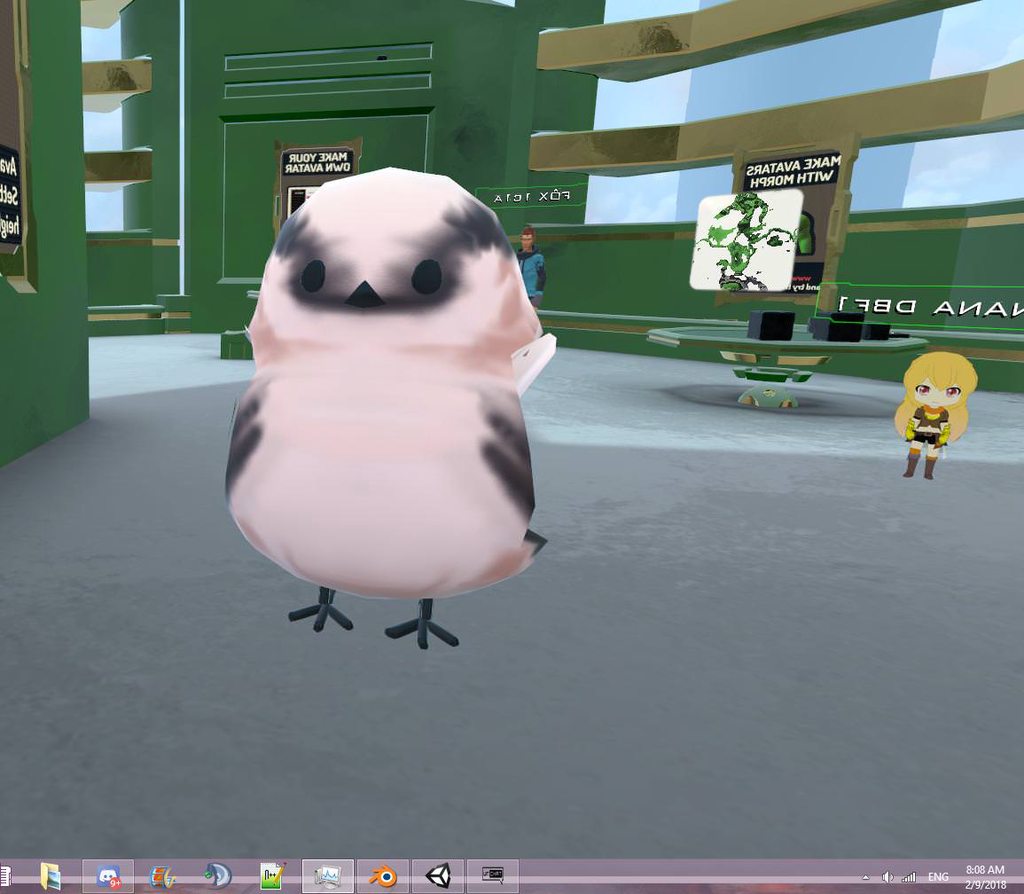 dense kelp
Cute
slim summit
I may have scuffed my weightpainting
dense kelp
But in general tests show that either people are overoptimizing for no real reason aside it's good to do it or my avatars are magical and bypass the term lag entirely
Or so that's what my tests concluded so far
dense kelp
I'd also like to hear people's opinion on the matter, lolita, keo, a penny for your thoughts?
spiral sigil
The major lag I have atm ingame is just mirrors and nothing else. I can't look at them for more than a few hours, otherwise my pc would just rip. But avatars, I have no issues with them for whatever reason. So I need no complains to them.
🤔
Vrchat takes up a lot of my cpu than my other games. Not too sure why.
spiral sigil
jfc
dense kelp
Mhm
And since it's not open source and free to modify, even if vrc wanted they couldn't increase such
So it ends up taking almost as much if not more memory than TERA running at max graphics haha
spiral sigil
hdsfsdkjfhkdshf
godamnit
ive tested the game TERA too, no lag for that game
jfc vrchat
dense kelp
Atleast the avatar developing is extremely simplified for the users
I doubt most if any other engines could have the same said about them, especially on a customization aspect
So it's got that going for it atleast
spiral sigil
mhm
slim summit
Idk man I like optomizing cause its my gateway to creating avatars from scratch, influence the community to learn more
But really Im only here for the memes
not the materials
dense kelp
I mainly joined vrc based on the customization it allowed alone, so any roadblocks for such are extremely detrimental, for me atleast, that's why i ask questions about it and test it
That and because i'm extremely skeptical and normally don't believe in word of mouth without proof
slim summit
thing is tho, I would like to see whitelisting to occur where content creations have less imposed restrictions
because if they are creating something amazing it sure as hell would be limited by the restrictions
dense kelp
I'm all up for changes, but i'd really apreciate some information about why said changes happen per example
slim summit
say a person wants to script something in their world or avatar, with whitelisting that person now can create intricate worlds or avatars
fewer restriction in that sense
dense kelp
The whole audio sources thing again - why are they being limited to such an extent?
I'd be fine provided they functioned as intended and allowed users some leeway, but it's just more restrictions
slim summit
and have the user show a profolio of work they have done
the more experience the person the more likely the impose restrictions will limit themfrom creating something amazing
I dont know tho
dense kelp
That is quite true... restrictions limit creativity
slim summit
but im not here for my thoughts on the community. im here for the memes
dense kelp
Which is why i get so annoyed at these changes, that and because i've helped people with issues regarding such, that will inevitably have it broken again
But i'll stop here before i trigger rule 20 on me
slim summit
I have a feeling youve been in the community a lot longer than I have
dense kelp
4months+ give or take
slim summit
Ive only been here for <2ish
dense kelp
Not too long
 slim summit
I think you need to left click that circle in the scene toward the middle of the toaster then in tools you can center at cursor
I know there is an option to center at cursor but I cant remember where exact would you find it in bledner
 scenic ember
@coarse walrus try: Ctrl + Shift + Alt + C then Center to geometry
 austere harbor
https://puu.sh/zk3dp/5eb99d9af9.png Looking good for now i think.
 austere harbor
Yes
I'm modeling a character i had planned for awhile https://puu.sh/zk3np/ecb7357d99.png

My friend did the reference for me
 coarse walrus
@scenic ember Thanks.
coarse walrus
https://cdn.discordapp.com/attachments/325629574559956993/411541931806687235/unknown.png & https://cdn.discordapp.com/attachments/325629574559956993/411546246898253824/unknown.png


The texture is black (CAT's "Fix Model" is grayed out) and can anyone xplain to me these paste blue lines?
austere harbor
https://puu.sh/zk6jV/fe24f4ccef.png Almost finished the hair
 coarse walrus
Ah I see, thanks.
coarse walrus
How do I change the axis of rotation? I can't anything about it on the internets.
 viscid siren
x,y,z
coarse walrus
I am confusion.
viscid siren
press r for rotation and thenany of the axis which are x,y,z for object to rotate around that axis
coarse walrus
But I want to change the XYZ axis.
coarse walrus
https://cdn.discordapp.com/attachments/332956415117492224/411577661895475200/unknown.png How do I change the axis ( this yellow dot down here )

I want to move it to the shoulder.
viscid siren
https://i.gyazo.com/e6699ce2b791f42354c87443dd15beac.png now that the 3D-cursor is at the shoulder go in the set origin meny in tools and press Origin to 3D cursor
 viscid siren
by selecting vertizes and then pressing Shift+S you can also set the 3D-cursor on that point with 'cursor to selected and then do the set origin for more precise anchor point for the object
austere harbor
https://puu.sh/zk92Y/6d79dabb70.png Finished completey now 😄


 mental blaze
😐
spiral sigil
@austere harbor Are you using curves to create the hair? It's coming out really well
@mental blaze If I'm not mistaken you, I believe your dress was also turning out well
spiral sigil
Was difficult for me to achive a decent result while doing that
mental blaze
I was going to finish the model at a later date, but I've managed to gather all of the references to complete the rest of the model.
austere harbor
https://puu.sh/zkf4P/7c0cb5813f.pngCurrently working on his cape
 mental blaze
Episode 5 practically drew violet at the right perspective.
spiral sigil
Useful timing
austere harbor
 mental blaze
neat
austere harbor
Not really no, Only did it for free time for a year
spiral sigil
I also practice on and off but thankfully the knowledge does accumulate
austere harbor
That is true, Allot of my Knowledge and inspiration Comes from my Childhood Game "grand chase"
spiral sigil
Not familiar with it
austere harbor
 spiral sigil
Are the faces doubled?
austere harbor
Yes, it's also due to Coding this into a game
using it for vrchat and something else
spiral sigil
Shouldn't most things have the option to allow the faces to be double-sided so you don't have to duplicate?
austere harbor
Not as i know of
 whole pike
yo is it possible to make a moving tail without dynamic bones?
 static sun
with greate patience and animation knowledge yes @whole pike
 cobalt willow
Using rigidbodies and joint components you can make it for free
 robust yoke
Do you guys know any good blender tutorials for MMD modelling?
static sun
MMD is a seperate tool... if you want to learn to make character in Blender then start off by looking at sculpting and then Retopology
 marble dew
How do I remove all weight paint
static sun
delete the Armature from the mesh in the modifier panel
marble dew
I mean from a certain body part
static sun
Select the part of the body you want to remove it from... hit P to seperate it from the main mesh, then go to the modifier panel and delete the Armature from the list
to re-apply hit Ctrl+P with the Skeleton and mesh and go "Weight paint with Automatic weights"
marble dew
Thanks
austere harbor
Nearly finished modeling https://puu.sh/zkoMq/7c9d37f2b8.png

Boots and One glove is left
static sun

 tidal wyvern
Does anyone know how to apply MAT to blender?
static sun
you can pack them... but it wont transfer over to unity
 elfin pivot
spiral sigil
elfin pivot
spiral sigil
OK, ive got a question. Its related more to the first step, as in getting a reference photo.
I ve got this girl

And what I wonder is how to tackle the cape
its the only available art of her so I will need to make a scetch in a T-pose
And when I do that, Obviously I would need to deform the cape accordingly
and it would increase the difficulty much more imo
static sun
have you looked in to Marvelous designer?
spiral sigil
nope
static sun
look in to that
spiral sigil
Holy crud. 50 bucks a month
well I guess I could try and learn to use it and make it within the 30 day free trial
static sun
if you can find a clothing stencil for it then it wont take as long
spiral sigil
30 days for one such thing is obviously more than enough time
static sun
you will need about 6 days to learn what to do
its fairly easy to get your head in to though
spiral sigil
OK, thanks. I will keep it in the back of my head. It will be a while before i will have the time to even start making it.
static sun
erghh -.- need to spend the next few days sorting out the hair textures done for my character -.-
spiral sigil
Ive been rigging the Plague Doctor for 3 days and Im still not finished becaue I screwed up with the mesh and it deforms OK ( acceptably) but it really gets on my nerve. But oh well. I learn mostly from my mistakes.
( You may remember, I had a problem with making texture for it a few days ago)
OK. I ll stop nagging you and this chat for now, your time is far more precious than mine. Thanks for help.
 sleek coral
new to modeling how do i sepreate body from head so i can only have the head?
spiral sigil
@austere harbor You're so fast at modeling! Made so much process on your model while I was gone. Am liking the clothing detail, I still lack the knowledge to create proper wrinkles.
austere harbor
https://puu.sh/zkCFU/54e8682a55.png @spiral sigil Textuyring is being done right now. And my friend is helping
 spiral sigil
Are you utilizing blender's or a different program's texture panting abilities?
Love the hair's dimension through the coloring
austere harbor
my friend just does the texturing in Clipstudio paint
spiral sigil
Currently I don't know how to color so most of what I try ends up a mess
Will keep trying though as I'd like to be able to do what your friend does
Gives a proper sense of dimension
static sun
I would look in to Mari non commercial or substance painter for texturing
nova acorn
Can someone please explain how I'm getting some pitch-black spots on my blender model, even though there is light going there?
This is how it looks rendered. https://i.imgur.com/62NQsfi.png

This is the flat shading. https://i.imgur.com/0LRPNcJ.png
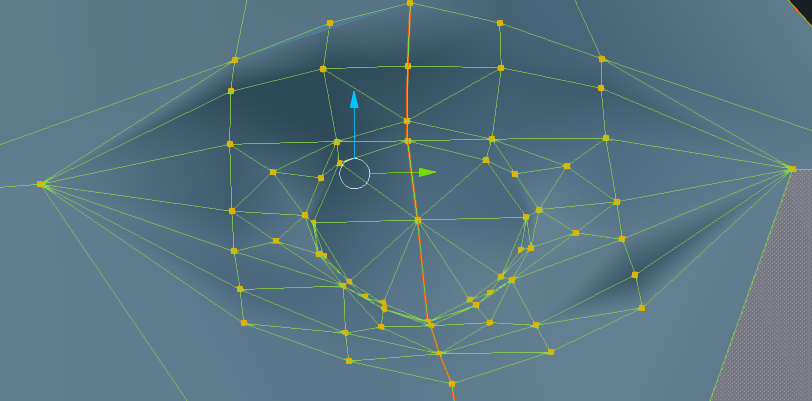
All the points go from outside inwards towards the center.
Could it be a lack of tris?


 halcyon bay
Is there a discord server for quill artists?
slim summit
should I start learning facemodeling with zbrush or try my hand in blender
everyone I talked to says zbrush is better to work with
halcyon bay
I have created a discord server for quill artists, pm me for invite.
cobalt willow
@slim summit In my understanding zbrush is better for organic modeling, while blender is better for making structures generally.
slim summit
yea, all ive created so far is structures in blender, I guess ill give zbrush a go
cause I want to start working from scratch
cobalt willow
Good luck
viscid siren
sculpting tools in blender also pretty strong.
i'd say zbrush would be for more professional use after you have learned all the basics in blender
spiral sigil
Curious if anyone could make the poo brain horse from adventure time.
spiral sigil
@viscid siren Well done on your model
 silent vine
I was weight painting and when i went back to object mode it makes my model black, any ideas what I did? https://puu.sh/zkXn1.png

 fervent basalt
@silent vine i think the texture display isn't on
silent vine
I thought that too but it definately is, dunno what most other settingns do tho https://puu.sh/zkXAZ.png
 fervent basalt
try using MMD tools to put them in shadeless mode again
silent vine
ah it wasn't that but I changed shading to multitexture and it's back to normal 👌 https://puu.sh/zkXEz.png

thanks for pointing me in the right direction
silent vine
actually now when i click shadeless it puts it back to black and changes the shading to glsl
small cloud
🤔
silent vine
yeah idk
fervent basalt
this weird bug
silent vine
so long as it's all good in unity idk
small cloud
yea
fervent basalt
should be fine in unity
vivid crater
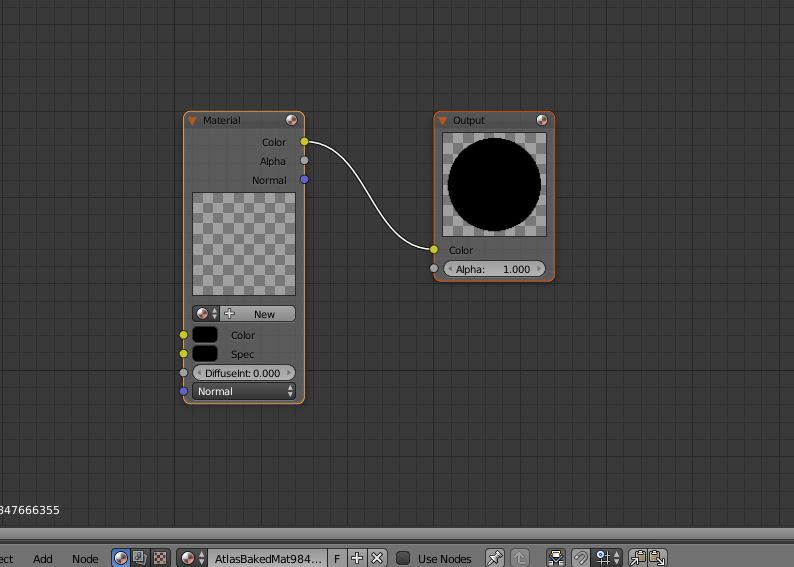
Have you checked the node editor? Sometimes the image texture isn't attached to the color and is just sitting therr
silent vine
No idea what I'm looking at here, never used node editor before but it looks like it? https://puu.sh/zkXVL.png
 fervent basalt
^ oh no material is assigned
 bitter ledge
how do i connect a bunch of faces together so when i move one face everything stays together rather then that face just moving on its own ??
not like moving it in object mode
coarse walrus
https://cdn.discordapp.com/attachments/404010382030798858/412019015473561600/unknown.png How can I place this thing in a T-Pose?
 viscid siren
If that is the thing from SCP i think you don't even have to give it an armature
coarse walrus
I want to though.
 calm osprey
I'm having this weird issua where a model I downloaded is missing the texture on 1 of its polygons.
I'm trying to upload a screenshot but for whatever reason I can't drag&drop it to the chat

the issue is not caused by the blendshapes. It's also not the cubes unity shader since I disabled that. The issue is not the texture either
 half spruce
not sure where to ask this, but has anyone done breath of the wild model rips in here?
dusky glacier
Alright so, SOMEHOW, I got blender to sort of work, at least work well enough that it isn't a white screen and taking 30sec to do everything.
I need to conjoin "Default" and "Bone" Into 1 Object. Not place them as seperate objects under 1 group. Mixamo won't take that.
Doing Ctrl + J just places them under one object but doesn't actually merge them into 1 object.
http://puu.sh/zl863/a923948e97.PNG
 fervent basalt
@dusky glacier Default and Bone are both materials
I think CATS can merge them for you
dusky glacier
@fervent basalt Yeah I see the option to join meshes but it's greyed out even when everything is selected
fervent basalt
the "one material texture" option is greyed?
dusky glacier
@fervent basalt i made a mistake on the previous picture and had shown the wrong thing :p
http://puu.sh/zl95m/c3fa444b6d.PNG
It's 2 objects, not 2 textures


and its an fbx file
if that makes a difference
fervent basalt
@dusky glacier i think "Join Mesh" only works if you have an armature in the file as well
dusky glacier
:|
 dense hemlock
hey so this model has bones and a mesh for cat ears but it disappears when i fix model in blender...how do i make the cat ears show? >_<
spiral sigil
help
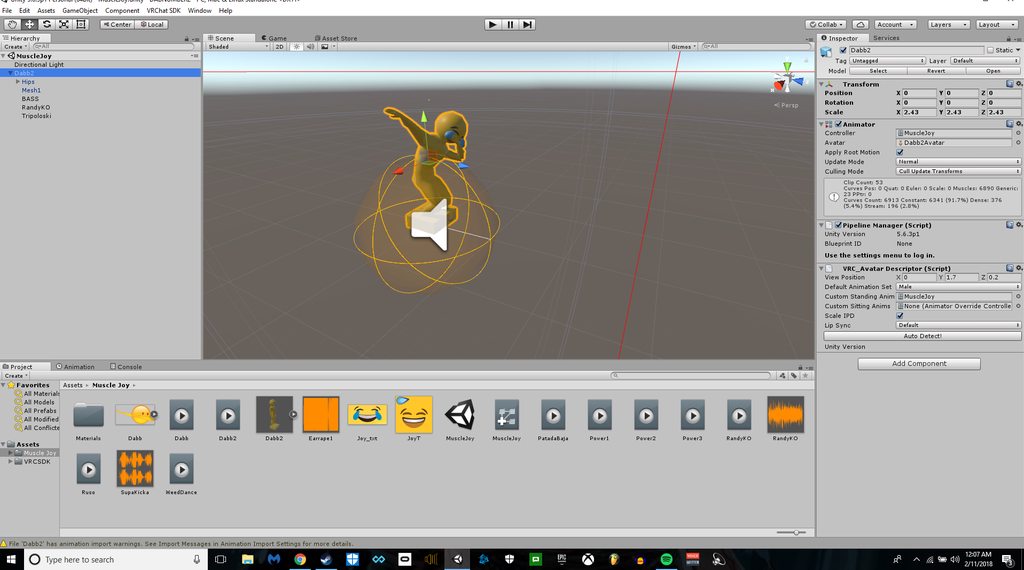
I finished an avatar and forgot to rig the fingers..
I will explain
let me get a screenshot
https://imgur.com/a/xUcAU
 white violet
I haven’t even figured out how to rotate the camera on blender
calm osprey
middle mouse button
viscid siren
or numpad
 storm kelp
if someone is bored can they plz help me cuz i have 0 clue what im doing....
pm me plz
 spiral sigil

 high jetty
@quartz thunder I’m assuming it looks normal before you bend it? So I’d guess your verts aren’t merged. Can probably fix it by selecting the mesh and using “remove doubles”
 quartz thunder
:x havent tried that one yet. Thanks for the Idea!
high jetty
As long as the points are close enough they should merge. If not there is a slider on the left that shows up after using remove doubles that you can turn up the space it will merge from
I’d suggest increasing very slowly
If you see large parts of the model disappearing you went too far
 dusky swift
Anyone know a good guide for weight painting basically I want to change my models head to a different character can't figure out how to do this can anyone help? Or can anyone possibly put a white bag on my characters head that I can put a picture on to change the image so i can put like a uganda knuckles on my face and pretend im a knuckles to troll uganda, or i can put a Loli on my face and well u get the rest... lol
 swift agate

 lucid raft
which one of those unity version is the SDK supporting...2017.1.0 - 2017.3.1 ?
high jetty
Pretty sure it’s version 5.6.3p1
lucid raft
which one of that 2017 numbers is this?
high jetty
Neither as far as I’m aware
high jetty
If you just search for 5.6.3p1 it should show up
lucid raft
thanks for your help
i see...2017.x is different to 5.x
my current build is 5.6.3p2
when i download the Unity 5.6.3 from Aug 2017 ... what p version do i get?
p1 or p2?
high jetty
P1
lucid raft
thanks
 faint compass
im having hella trouble modeling feet ,is this the place to ask for tips?
lucid raft
i assume so
faint compass
would anyone be willing to give a couple tips regarding feet?
high jetty
Make them look like feet? Or shoes if that’s the look your going with
But seriously what kind of help do you need
faint compass
feet, i can do shoes and stuff but i cant get the overall look to look right regarding the toes and how theyre connected
viscid siren
Look at your own feet think how it would look with polygons, what are the major shapes
high jetty
Haven’t actually done a foot with toes now that I think about it. Imagine it would work a lot like making hands though
But yeah best I could suggest is just find some good foot references. I’m sure google can provide
viscid siren
or google image search of feet 3D model, probably good references there
 pearl hinge
is there any custom avatar creators you can request avatars from?
lucid raft
i knew it....the unity download is incompatible
it installs the 5.6.3f1 version ..... not the 5.6.3p1
how do i get it to 5.6.3p1 ?
pearl hinge
share existing download from that version?
lucid raft
pls explain
pearl hinge
if you want 5.6.3p1 specificaly then just ask for that install file for that version
lucid raft
ask who?
lucid raft
ok...so could i have it?
pearl hinge
unless it has auto upodate function it should work
and sure
got a website i can upload it to?
lucid raft
nope
 lucid raft
can i install it over the current version or do i have to deinstall everything first?
pearl hinge
probably have to deinstall but not sure
only have 1 version
got the file?
i put it in .rar
lucid raft
yep i unzipped it
pearl hinge
k hope that helps
lucid raft
i will let you know 😃
 elder hornet
having trouble joining my meshes with cats
 candid veldt
I am also having trouble joining my Meshes in Cats.
I join the meshes, I also try using CTRL+J and deleting double vertices, but when I import to Unity, it still shows 2 Meshes
and I can't get the mouth visemes to work because of it
dusky glacier
Yep that's my problem too. Someone said yesterday it's because the model doesn't have an armature.
Except my model doesn't have a mouth, among other things
high jetty
The only reason I know for unity to split a model into multiple meshes is if it is above 64k (about) poly count
candid veldt
I don't think that is my issue either u.u I am trying to figure it out though
Yeah mine is at 18k for sure, this is the decimated version I am importing
No mistake there
high jetty
And your sure the decimation is applied?
 dim spoke
has anyone edited a model ?
I am trying to make a obj file with the texters
dusky glacier
Could you be a little more specific? What about editing a model and its textures?
Btw your discord avatar looks like my cousin
dim spoke
yes OBJ files don't include textures, making characters appear gray. To show textures for an .obj file, put the .obj, .mtl and textures into a .zip and upload the whole .zip file. my textures are not coming up and I have them in the zip file
https://www.mixamo.com/#/?page=1&type=Character I am putting it in this rig pose website 😃
dusky glacier
yeah mixamo is like that. Just upload the obj file into mixamo , let it rig the model, and then use that newly created fbx in unity and apply the textures afterward manually.
dusky glacier
there might be an easier way, but thats what I always do.
dim spoke
when you are in unity you just put the textures on ?
dusky glacier
yeah, i create a new material, and apply one of the textures I have to that material and just apply it in the place where it;s suppose to be
dusky swift
Trying to add this to my model https://steamuserimages-a.akamaihd.net/ugc/927049541549224902/1A832C9E298048FCAED86273C38CFE4936DFF5C9/

but it keeps floating above my head any ideas?
https://puu.sh/zlMXG/222522d9ff.png The bag is labeled as "1"

is the Hierachy
 tardy hollow
can anyone give some insight why the Collapse decimation is doing this? i'm sliding the ratio back and forth https://gyazo.com/8d09d0224d860d4173b10afc64fbb2a9


 devout linden
 dusky glacier
a material with transparency
a material thats blue with transparency
spiral sigil
reflect the skybox in it a little to really make it seem like glass
spiral sigil
Alright, boys. In Blender? I need help.
You know when you drag and drop a stretcher over the Armature to delete a certain section at will?
What's the command to do this?
I don't know, because I'm a fucking ape.
 left scroll
@spiral sigil not too sure if this is what you're after, but Ctrl + Left Click lets you highlight a selection space a bit like photoshop's lassoo tool
bit hard to describe exactly how it behaves, probably easier to try and see if it's something you want for your uses
spiral sigil
if someone is bored and has nothing to do, can they help me? pm me for details plz.
viscid siren
if you have problems just post about it here, people help if they can
 blissful sleet
@halcyon badge decimation shouldn't mess up UV's unless they are really squished. You could check out the textures/uv's that are getting messed up and maybe there's an easy manual fix, or you should just split apart the hair and decimate the rest of the model
spiral sigil
well....... i need someone to do something for me cuz i just cant figure out how
blissful sleet
try the commissions discord
spiral sigil
wheres that
blissful sleet
dunno
spiral sigil

blissful sleet
:)
spiral sigil
wait do commissions cost money
viscid siren
If you specifically want a character to be created from scratch it is preferable to be able to provide something for all that work, it ain't easy
blissful sleet
if you find one with a free channel you might find someone to do it for free
but here is not the place really
spiral sigil
okee
blissful sleet
if you teach a man to fish or something
probably would ask for a sexy fish avatar
spiral sigil
can someone like tell me what to do cuz idk
like ill send you a pic and explain and u tell me what next cuz i got cats thingymabob and it wont work
let me show u
blissful sleet
you can upload a pic and share the link here,
viscid siren
viewtiful
 forest comet
I'm having a problem with one of my materials in blender that's an image texture
but the alpha seems correct in the picture
but on the model it gets these wierd white lines around the alpha

 mossy quail
@dusky swift Try dragging the 1 below the head bone not the headtop_end one
viscid siren
go in the #avatars-mmd they probably can help you with your mmd problem
spiral sigil
me?
left scroll
@forest comet if you're still having problems with the white lines around the iris, that's blender's draw order acting up -- don't worry about it too much there, unity has much better settings to handle multiple overlapping alpha layers
spiral sigil
if it says 10,000 tris right off the bat does that mean i dont have to lower the tris with complicated steps?
forest comet
thanks spear
 safe flume
https://imgur.com/QM4wwBG Any suggestions on getting this to unwrap properly? I have seams marked and it unwraps flat as a pancake and looks even, but the faces appear to be varying degrees of rotated/stretched.
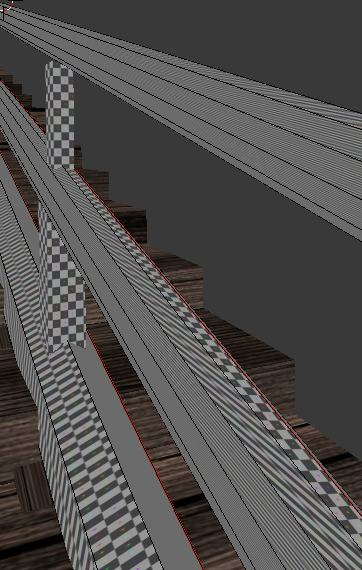
not even sure what phrases to google for this one.
i seem to have accidentallied my way into success by changing uv unwrap method.
forest comet
hahah nice
safe flume
The Push Buttons Till It Works method wins again. 😄
forest comet
what the
a sound that sounded like a bottle being pulled open just came from my headset
I don't have anything that should make sound
oookaaay
so all my hair in the back just dissappeared
FML just spent 4.5 hours weight painting and now the back of the hair is just gone
cursive wedge
You will learn in time young one @forest comet
forest comet
m8
this is the third time I weight painted this specific model
Not in the mood for that stuff
cursive wedge
Most of us have done the same fault several times. You take a break and start again or come back to that specific model anothertime. If you didnt want any comment back then you could just stay silent.
forest comet
if anything I need to versioncontrol better
cursive wedge
Mhm Gl with your next try 😃 it may be something else acting up on you.
forest comet
I just don't understand why it dissapeared
like
I hid some of the mesh to try to weight paint under it in the beginning of the project
didn't work
so I just kept weight painting
then later on I unhid the mesh
so I could see the effects on posing it
then all of a sudden it just dissapeared
cursive wedge
You sure its not something like shapekeys acting up on you moving the mesh away from your model?
forest comet
100%
because I don't have shapekeys
also
any idea what could be causing this? http://puu.sh/zmiv1/8506770057.png

that's in object mode with material render

that's wiremesh
forest comet
okay well I just reimported the model
now I have to wonder why it becomes godzilla when I parent it
dim spoke
ArgumentException: GUILayout: Mismatched LayoutGroup.Repaint
UnityEngine.GUILayoutUtility.BeginLayoutGroup (UnityEngine.GUIStyle style, UnityEngine.GUILayoutOption[] options, System.Type layoutType) (at C:/buildslave/unity/build/Runtime/IMGUI/Managed/GUILayoutUtility.cs:301)
UnityEditor.EditorGUILayout.BeginHorizontal (UnityEngine.GUIContent content, UnityEngine.GUIStyle style, UnityEngine.GUILayoutOption[] options) (at C:/buildslave/unity/build/Editor/Mono/EditorGUI.cs:7247)
UnityEditor.EditorGUILayout.BeginHorizontal (UnityEngine.GUILayoutOption[] options) (at C:/buildslave/unity/build/Editor/Mono/EditorGUI.cs:7227)
VRC_SdkControlPanel.OnGUIAvatar (VRCSDK2.VRC_AvatarDescriptor avatar) (at Assets/VRCSDK/Dependencies/VRChat/Editor/VRC_SdkControlPanel.cs:957)
VRC_SdkControlPanel.ShowBuildControls () (at Assets/VRCSDK/Dependencies/VRChat/Editor/VRC_SdkControlPanel.cs:246)
VRC_SdkControlPanel.OnGUI () (at Assets/VRCSDK/Dependencies/VRChat/Editor/VRC_SdkControlPanel.cs:146)
System.Reflection.MonoMethod.Invoke (System.Object obj, BindingFlags invokeAttr, System.Reflection.Binder binder, System.Object[] parameters, System.Globalization.CultureInfo culture) (at /Users/builduser/buildslave/mono/build/mcs/class/corlib/System.Reflection/MonoMethod.cs:222)
I am having a error in unity
 tender geode
frigid robin
tender geode
frigid robin
is there anyone with 3ds max here atm
 rugged turtle
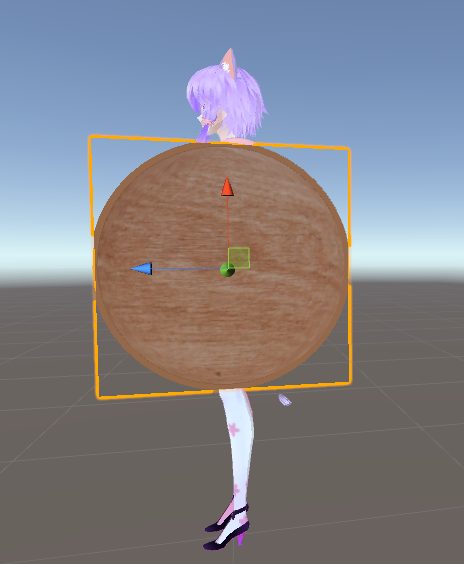
how can i create a circular plane so that it would line up with this brown mesh here? i need an element with only one side so a flattened out sphere won't do, right now i have a square plane but that doesn't fit https://i.imgur.com/LGImJSE.png
 dusky glacier
Man i wish unity would automatically select the center of all the objects I select instead of being an ass and randomly selecting an object
austere harbor
https://puu.sh/zmveC/dca404c500.png
Finished modeling!

 ivory nexus
@austere harbor nice!
How are you gonna do the textures? Solid colors or full paint?
austere harbor
My friend is texturing And he Professions in Anime styled stuff
So
He is gonna be helping out
ivory nexus
I see
 ivory nexus
Oh, fancy hair
austere harbor
I'm still curious how 2d Visemes would work in Vrchat
I know i saw a tutorial but seemed abitwierd
ivory nexus
I guess you'd hide a bunch of 2D planes behind the characters head then move and scale them as necessary
austere harbor
Hmm, unless texture animation could be athing. But not sure yet
I'll props look into it more when i am completely done
ivory nexus
I'd be interested to know what you come up with
I really have no idea how particle effect animations even are done in VRChat
austere harbor
I managed to make a work around
So i'll be able to do some particle stuff and i have folders Full of particles that i extracted from a game
well the dds'
dusky swift
My avatars feet are in the ground any ideas?
https://images-ext-2.discordapp.net/external/hijCrkKi6zj2EjIjyGy99FLT-ODCw0pNinWZ4jLsnMc/https/steamuserimages-a.akamaihd.net/ugc/927049541553668080/9DA4A48FE2989A22F732E0699A530389C2E7214A/?width=475&height=468

 coral igloo
hey i have a problem that occoured for one project i was doing. I was rotating my camera until it suddenly started rotating like a ride in a carnival. Any help on how to fix this? https://gyazo.com/8677c5084948cf2805d4648f0a541821

It doesn't occour on any other project I do.
when i zoom in and out it goes up and down
faint compass
anybody know how to texture ive made a model but i just cant get the blender texutre paint to work?
 gentle bear
@dusky swift Check the model in blender, if its sinking in there then that will translate over to unity then VRChat
or whichever blender equivalent program you use
spiral sigil
@dusky swift do you use custom idle animation? If yes...the problem has been found
 onyx juniper
@coral igloo Try selecting something you want to center on and press numpad del
 rain flicker
okay I'm trying to make a curved wall in blender and I'm trying to make it so I can apply textures and have them stretch but for some reason, it doesn't matter what I do the image tiles across every single face once I unwrap the UV's. would somebody be able to tell me what I might be doing wrong?
blissful sleet
is your curved wall 1 connected mesh or many planes? can you take a picture of both
rain flicker
okay one sec. snapshot program broke. its a cube with subdivisions

I'm pretty much completely new to making objects in blender so I'm probably doing something incredibly wrong
rain flicker
no, not much
blissful sleet
you could use a seam across each of those sharp edges, will get better results
select -> sharp edges and then ctrl-e -> mark seam and then unwrap again
but there's probably much more you should learn
this is an easy model to unwrap but in general uv unwrapping is an art
rain flicker
marking the sharp edges as seams seems to have done a good enough job for what I wanted. thankyou very much 😃
 thorn moth
So, what's the plan for this wiggly wall of yours?
cobalt willow
Looking to get into blender AND 3D modeling? Why not kill two Ugandan Knuckles with one stone? Even if 3D modeling isn't your thing, this series might be worth watching just to get the hang of blender either way.
https://www.youtube.com/playlist?list=PLFt_AvWsXl0fEx02iXR8uhDsVGhmM9Pse

 surreal kettle
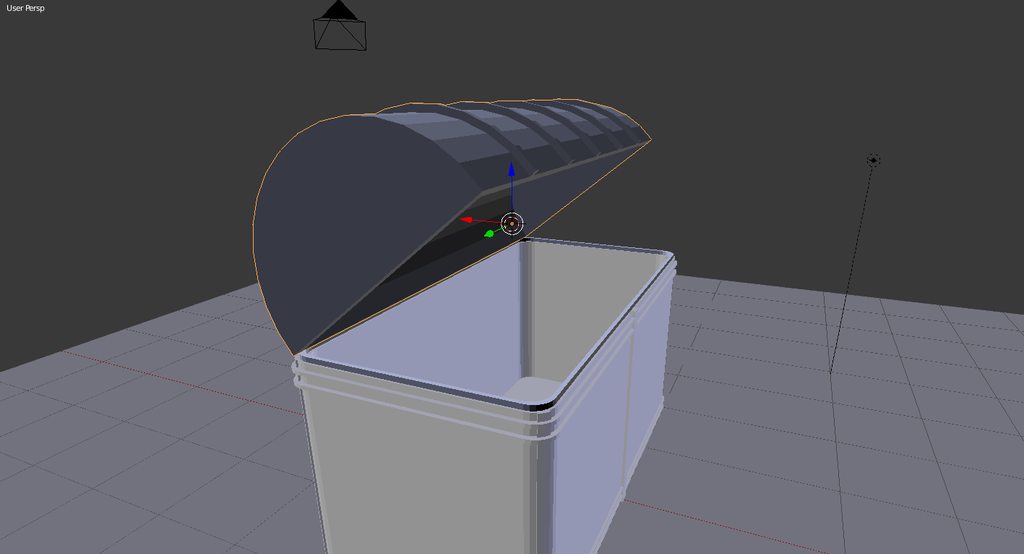
hey so I'm learning blender and when i move something its on that point you can move with lmb the move tool goes onto that but I want it on the actual object, how do I do that?
blissful sleet
@surreal kettle shift-s is i think what you're looking for
surreal kettle
yeah sorta, when i use the move tool it stays where the "center point" or cursor but i want it to stay with the object
@blissful sleet
blissful sleet
paste a link to the image
 blissful sleet
oh that move tool
surreal kettle
yeah
blissful sleet
https://i.imgur.com/3nAXXDP.png change it to median point
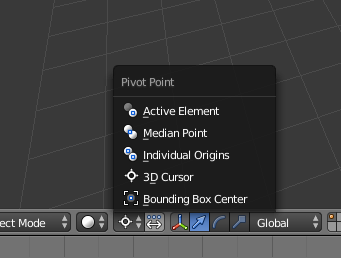
maybe that's what you want
coarse walrus
Would anyone know wherre I could find the "Picardia" 3D model?
AKA Memeball, Strawman Ball.
 hushed belfry

 civic osprey
So i selected a couple tris/faces how do i "put" these specific tris/faces onto a Bone ?
(in blender)
cursive wedge
Search up Vertex Group in blender on any search platform i guess you will find the answer you need.
 visual blaze
made kotoha from mitsuboshi.
Ill try rigging it later for vrchat.

Non Rigged Version of Kotoha. All yours for free! this model is smart uv unwrapped.
Please drop a message if you want to order a commission. Prices start at 5$!
I do rigged models too! ^_^
Reference Image Used:
http://mitsuboshi-anime.com/cms/wp-content/uploads/2017/12/kotoha-pop.png
viscid siren
neat
 lament pond

Now I've been commissioned to make two of these gems
How long before I've made them all
 humble python
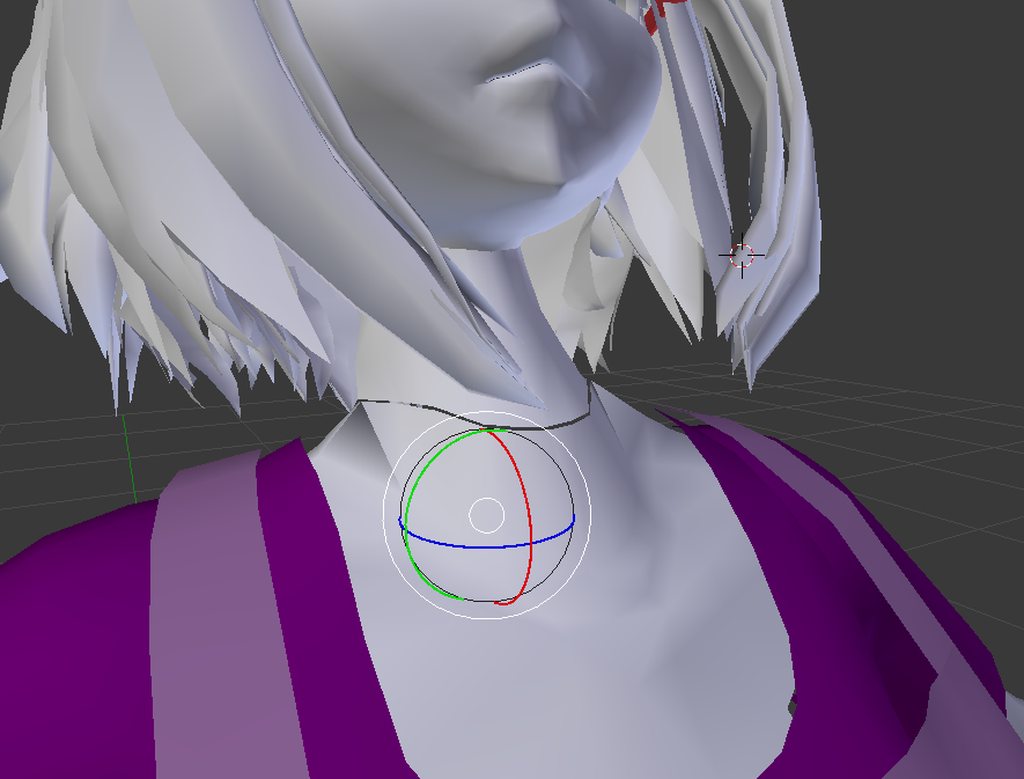
hey everyone. so I have a seam in my model on blender between the neck and the body. the mesh is lined up perfectly but the vertices aren't conntected. so when the head moves the seam seperates a bit. is there a way to connect the vertices so that it stretches as one instead of seperating?
 limpid halo
Join the meshs or stitch up the verticies by hand
 visual blaze
@humble python Click the two models then Ctrl + j to join them Then click the edges of the two models then w > Bridge edge loops
Thank me later
though i think you're done already

 strange berry
you and your clean shapes.... meanwhile i have to deal with fixing thishttps://cdn.discordapp.com/attachments/412707817330311179/413176522619355136/unknown.png thats the hips of the cat on the left and the tail on the right


 hybrid kettle
That is one scary looking mesh lol.
strange berry
is that a modifier? @visual blaze
visual blaze
just do smooth verts
No

click smooth vertex
spam it until it looks smoothened
then just adjust it
strange berry
so i select what needs to be smoothed and spam it?
visual blaze
I: guess all of it if your model looks like that
But i assume you used subsurf modifier
strange berry
OMG THANKS SO MUCH
visual blaze
anytime
strange berry
IT FIXED EVERYTHING
https://cdn.discordapp.com/attachments/412707817330311179/413177858240937984/unknown.png @visual blaze

BEAUTIFUL KITTY CAT
4000 tris
visual blaze
nice
 visual blaze
@spiral sigil problem?
spiral sigil
Yes?
Yes
big one
Ok
Sooo
Basically
I will give you an example
As you can see there
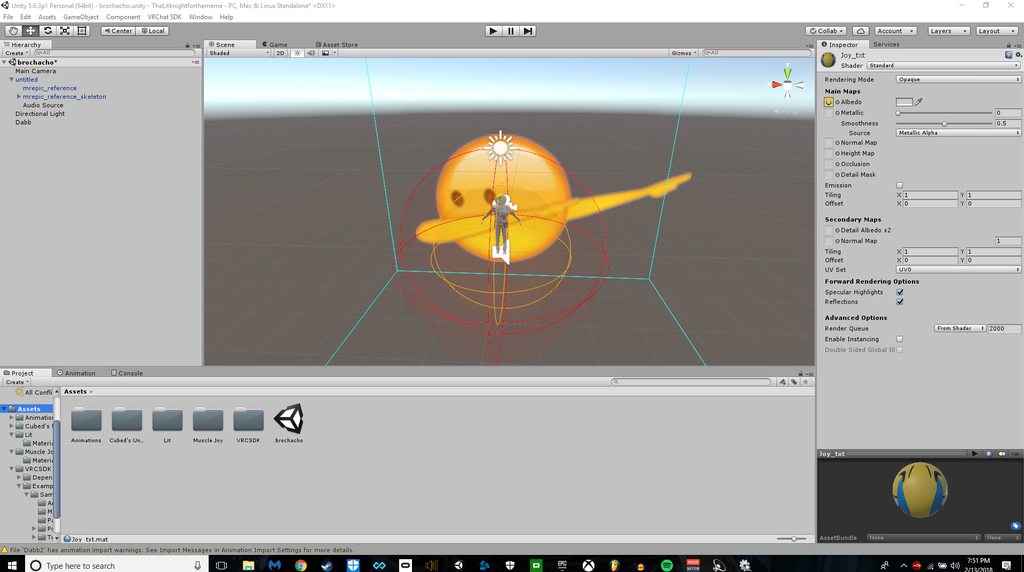
I have an image right?
Now
Not sure what fingers to apply the gesture too
Buit
Im using a vr headset
keep that in mind too.
Alright so
For example
if i were to hold up two fingers
then I would want that big emoji to appear iwth particles and play any sound a song etc
but when i let go of the fingers
it will stop
or when I do rock and orll with my fingers
It will make two OK emojis appear on my hand or something
Or like a speaker playing a song
A gesture essentially.
just send me a video
thats all I want..
please
 arctic osprey
is anyone here any good at adding textures to models?
visual blaze
hmm. i haven't rigged too much at all.
and also try to contain your lines in one message.
@arctic osprey is this on blender? And also "adding" textures. Do you have the textures already and things?
arctic osprey
I'm working on that part, the textures themselves, I'm asking ahead of time on how to do it. Yes, it's blender.
visual blaze
ah should be easy to make base textures if its anime since its just plain. Problem is with making highlights and things mostly on hair. you could find some fellas in here if you want to have someone make a commish for you https://vrcat.club/forums/commissions.23/

VRCat: Community-Run VRChat Forums
Want to sell your services or request a commission for avatars/worlds? This is the place.
arctic osprey
well, it's not anime...
visual blaze
oh
 arctic osprey
ye
visual blaze
should be easier to texture than human models tbh
hybrid kettle
In what terms do you mean by adding textures to the model? like UV mapping, Applying them in unity? sorry i forgot to finish typing this out lol.
arctic osprey
the UVmapping part
visual blaze
and you made me remember my kancolle that i abandoned years ago
😂
months really.
i miss my fubuki kai ni
arctic osprey
Patpat
arctic osprey
500 total tris
arctic osprey
yep
hybrid kettle
https://www.youtube.com/watch?v=f2-FfB9kRmE try him jack, I found him helpful back when i was learning blender.

Support these tutorials at Patreon: http://bit.ly/SupportDarrinLile This is a short video going over creating a UV map in Blender. Covered are topics like ma...
visual blaze
yeah that ^
But you know
if thats just like that shape
you can get away doing smart uvs.
I think they're all duplicated
hybrid kettle
He does models for uvmapping as well
visual blaze
And if you have lots of faces i think you can just drag it on to plain colors tbh
hybrid kettle
like human models. It will give a good idea.
visual blaze
but this isn't a good practice. Learning uv mapping is still a good idea
arctic osprey
sorry, just looked at the total tri count on the proper decimated model
hybrid kettle
What do you mean? Sakuyoi.
arctic osprey
862 tris total
hybrid kettle
Sorry I'm just lost if you were saying watching the video isn't a good idea.
visual blaze
I mean that if its just basic shapes or he doesn't want to kind of constrict the texture he can get away with smart uv mapping
but its still better to do uv unwrap
i didnt say watching the vid is a bad idea
hybrid kettle
Sorry was just confused lol. Been making a model all day. Yeah learning uv mapping is important if you plan on making models.
visual blaze
well i might do some commissions now.
just gotta learn about highlights probably.
spiral sigil
could I use milkshape for avatar modles
models
like make a milkshape model
Export it through blender
do some decimations
then put it in unity?
arctic osprey
 hybrid kettle
ayy see you got it textured.
arctic osprey
ya
visual blaze
neat
arctic osprey
... my work is for fucking nothing ...
No one makes a zuihou model that I'd be allowed to use for VRchat
Fucking
Kill me
mental blaze
Allowed to use?
lucid raft
whats wrong with zuihou?
visual blaze
@arctic osprey I'd be allowed?
are kc characters banned in vrchat?
arctic osprey
the issue is the MMD maker took distrobution down cause they don't like VRchat
visual blaze
prob he wasn't getting any money of it?
blissful sleet
mmd makers tend to only like other mmd makers using their stuff
dont lewd my waifu
 hasty crane
Hey guys, I wanna do some editing on my model, mainly shortning sleeve's and changing most of the textures. Any tips/good tutorials out there? I've found some but they don't really seem to cover the issues I'm dealing with
spiral sigil
i need help.....
i cant find a model and i need someone to help me find one
but whenever find one i cant import it into blender
lament pond
 spiral sigil
doki
 tired sequoia
can anyone whos good at making models pm me?

 odd shoal
I have been looking for about 5 months now. Does anyone know how to convert a .TMD to anything else?
slim summit
so I just realized what the solidify modifer is ....
kind awish I knew about it before. wouldve helped a lot
😂 🔫
 cobalt willow
I can imagine. Only done lowpoly clothing before and even that was bit difficult for me
static sun
the low poly part is the easy thing for me
cobalt willow
I'm still very new to 3D modeling, however editing existing meshes I'm pretty decent at
And model mixing
But I want to learn to create from scratch
static sun
i hate model mixing stuff... if i dont make it myself it feels fake and dishonest
then again i have 5 years in the games industry so i know all the work that goes in to it and most people dont credit the original artist
cobalt willow
I'm self-teaching myself and I'm slowly making progress. But yeah, as long people give credit where credit's due then it's fine. Everyone gotta start somewhere
 plush gyro
I have a quick question, dose anyone know how to make the texure colors pop out more on unity it look right in blinder but... not with unity. https://gyazo.com/e2a612240327482fa87ad8a5a99577f7 Blinder https://gyazo.com/e60f3efe86e00779f99ea756ab0a1985 Unity

 cobalt willow
@plush gyro Can you show me a screenshot of any of your materials in unity? I need to see the settings
plush gyro
ok one sec
static sun
@plush gyro hit . on your numpad with the model selected to recentre it
 tired plume
@spiral sigil you don't rig it in unity. everyone does it in blender or similar
unless you mean mapping the bones in unity then that's diff
granite ore
In blender, I used cats and everything seems to be okay, except I'm a dumbass and have no idea how to put the model back to it's proper spot. It's like 5 feet back from where it should be. I have no idea how to word this so I'm having a hard time looking it up.
 limpid walrus
Can someone help me find a pistol with suppresor model
 limpid iris
Hey, I am not sure if this is the right place but is blender able to do .mdls or do I have to find a way to make .mdl files objs?
dense kelp
@limpid iris you need to export a mdl into a smd for blender to properly read it via a plugin
limpid iris
I came to realise that, my bad. Thanks anyway!
dense kelp
I think that just literaly means they're frozen to an axis in blender
Check the constraints tab with them selected
Can you give me a rundown of the issue and send a screenie of them in edit mode?
visual blaze
@halcyon badge its natural for it to snap back when its on edit mode
because thats literally the base
 full mantle
https://i.imgur.com/u3PmQe3.png
https://i.imgur.com/Pfatdtw.png
I did a thing 😮
 nocturne marlin
qucik question if I combine a something like clothes to my base and I join the 2 armateures is there a fast way mix the weight paints of arm001 and arm?
 wintry thicket
Can someone make me a model
viscid siren
Kajiit got the ware, but do you have the coin?
whole pike
he's a good boy and i love him very much https://gyazo.com/2404d389b8a6624c2abbd128e2186120
 cobalt willow
I dunno... Something looks OFF with him
whole pike
pffft
spiral sigil
im trying to make a 12 sided companion cube out of pentegons but i only have one side and have know idea how to make it, anyone here who can help me please
https://imgur.com/R7X6UsY
 slim summit
are you using a refrence image?
Id break your blender into 3 parts so you have a view point of the top one side and the other side
then with wireframe mode extrude outwards with a refrence image onto using those three parts
Im having a hard time seeing a pentagon dice with 12 sized tho
spiral sigil
@slim summit no i have ond side of the shape, i just want to know how i can turn it into this
https://imgur.com/vLjdNQW
 slim summit
maybe find the angle of a corner and use the rotation tool and mergein 3d view
eternal crow
I had some really cool weapons i was making for a character
UNTIL my old laptop broke and i lost them
viscid siren
@spiral sigil you could enable this addon to spawn a Dodecahedron and then match duplicates of your object to the meshe's faces and then merge them.

I've been thinking of animating some dice and while most are easy to make, I'm having some trouble figuring out a way to generate a regular dodecahedron. I could hand build it but it would be poten...
 ripe pine
does anyone know where i can find the panosphere shader with scrolling effect?
 slim summit
looking really good 😮
static sun
i think this has about 2-3 weeks left before its ready to go in to VRchat
 azure adder
yeah looking pretty good 😃
i remember when you just showed the wireframe of the face 😃
 stone cave
nice work
 acoustic swallow
https://cdn.discordapp.com/attachments/396598021099618306/413906832143286272/unknown.png ive been working on this model for too ling to give it up how do i fix this

 crimson plinth
@acoustic swallow which part are you trying to fix
acoustic swallow
the feet are fucken connected
crimson plinth
oki lemme dm you
mental blaze
Nice model progress catie
Been busy with school work that my model progress was paused.
 proper niche
 vivid crater
Im scared and curious at the same time
proper niche
its a character from a game called scp 87 b
 sharp jacinth
someone knows How I create a Panosphere material?
 elder pecan
You mean the shader to basically do 360° textures?
hasty crane
Right click in assest, create material and add the Panosphere shader :p
sharp jacinth
yes but how do I make a Proper material which I can drag onto it.
I basicly want a Picture like this but I dont know how to create it. https://gfycat.com/DisguisedAcclaimedCougar








or is there a specific name for these kinda Pictures? which I dont know
elder pecan
You mean where it's constantly lined up next to each other?
sharp jacinth
yes
elder pecan
You would need to create one yourself or find one. Just use a photo editing program and copy & paste the images side by side with a gap between them