#3d-modeling
1 messages · Page 30 of 1
 mental blaze
 limpid oasis
i set up the textures wrong on my model how can i fix it?
mental blaze
Share a pic. You most likely didn't setup uv shells correctly on the object.
 spiral sigil
i swear in blender i was able to cut an object along the path of another object without using a modifier
 outer stratus
idk where to ask but what would it cost to have someone make an ahri academy avatar
 sterile mango
check your DMs
 iron stone
paying for a ripped model from the game 
spiral sigil

My WIP baby
but It has one HUGE problem
I didn't notice how badly the UV mapping was done on the sides of the outer-layer skirt near the legs
Blender concentrated most of it in 2x2 pixel area
meaning Its impossible to do anything with it
as far as details go
 storm kelp
can someone please help if ur not doing anything and ur bored?
spiral sigil
the best i can do is to give it one solid colour
 boreal estuary
how would one stretch out parts of a model? like say if i wanted to make the neck longer or something for example
 blissful sleet
@spiral sigil for damage control you could do 2 separate textures and reunwrap bits :P
proper uv unwrapping is an art
looks cool though
most of the mmd stuff people upload have like 10 textures
blissful sleet
@boreal estuary look up proportional editing it will help
need to extend bones as well but should work
or wait just extend the bones and apply pose as rest position but might break thigns
whatever way works
spiral sigil
@blissful sleet Yeah, I made the model from scratch so I optimised it as well as I could. it's currently 10k tris, 1 material, 1 atlassed texture, joined meshes etc. Ill try your suggestion
heres what I have made with that area being mostly covered by black texture
 blissful sleet
the second texture could be tiny anyway
also image compression works so a mostly-solid-color texture is very tiny anyway
that's nice @spiral sigil
spiral sigil
that's my "first" ever proper avatar. Not counting my first one which was more of a general practice, it's ugly, unoptimised and I want to forget ever making it.
it didnt even have limbs xD
spiral sigil
the model Im talking about was some ghostly kinght thing. Basically a hovering head with a helmet, dangling spine and ribcage.
16k tris, 4 materials, 0 textures.
unoptimised for what it was.
 copper kiln
What do I do if my feathers on my model wont move with the dynamic bones but the bones themselves move?
 junior idol
is it okay to dissolve the eye verts?
 dusky glacier
when a model is imported sideways, i fix it's rotation and set it up all nice and when i get ingame it's sideways again. :faceslam:
i'm guessing now that the model doesn't need to be facing a very specific direction as the vrchat avatar example is
 supple lake

 mint ginkgo
Im having trouble with the legs of my avatar... They only rotate around the z axis and for some reason the legs point towards the same point in Pose Mode and Object Mode. They don't point in the same spot in Edit Mode though.
 bronze quartz
Hi
junior idol
hi
 young dust
Hi! Can anyone help me with this really nooby quesiton I have with Blender?
 coarse walrus
Does anyone how how I could "cut" the "hair" of my character?
 jaunty dove
separate materials and find the hair?
mint ginkgo
I'm trying to append wings onto my avatar and when I do ctrl+j my wings dissapear...
coarse walrus
How do I make it shorter?
jaunty dove
scaling?
coarse walrus
Scaling?
mint ginkgo
@coarse walrus separate materials then select the hair and go into edit mode. then edit it by deleting vertices and joining them
coarse walrus
🤔

 magic charm
Ay
 nova acorn
Fun tip: Don't drag blender objects into an active blender project window...
 tired plume
@jaunty dove okay so what is your question
jaunty dove
adding texture to the polygons
tired plume
In blender?
jaunty dove
yea
tired plume
Theres a texture button on the right
tired plume
Tab actually. It looks like a chessboard.
jaunty dove
oh shit
tired plume
Add a material if it doesnt already in the ball tab looking thing
jaunty dove
ok
jaunty dove
i also got another question
tired plume
If you scroll around in there theres a add image button kinda thing i think
jaunty dove
oh thx i got it down
tired plume
Also f12 is your render button in blemder so you can check
jaunty dove
 tired plume
Did you map it?
Bones need to be parented correctly and you need to have it as a humanoid rig
jaunty dove
it is hum
tired plume
And then make aure you hit configure for that in unity
Idk sometimes unity will just do that even if you did things right i guess but im assuming something validly wrong is happening
jaunty dove
 jaunty dove
k
tired plume
Upper chest leave blank
jaunty dove
it was like that lol used to it being filled already
tired plume
Yea cant get used to it
I remember once i had to do the hands myself, every single finger
jaunty dove
😦
 desert ferry
i accidentally deleted the mouth of the model i was working on. how i can restore it?
 left inlet
ctrl z
desert ferry
yeah, i know... but, it was long ago
i found it today when i was testing the model lol
desert ferry
how?
blissful sleet
go into edit mode for the mesh, press L on the mouth to select just the mouth, press P to separate by selection, go into object mode, select the mouth and then the old body mesh, press ctrl-j. everything should work
you might need to do the cats translate materials thing again
desert ferry
np a guy told me how. it's fixed now. I just needed to delete everything except the mouth and then import the mouth to my model
blissful sleet
or that way works too i guess
 elfin agate
https://i.gyazo.com/2ec150969a7489a7ff3ee0f72a32222b.png
https://i.gyazo.com/e14275ccbc0ba394790433176ae6a148.png
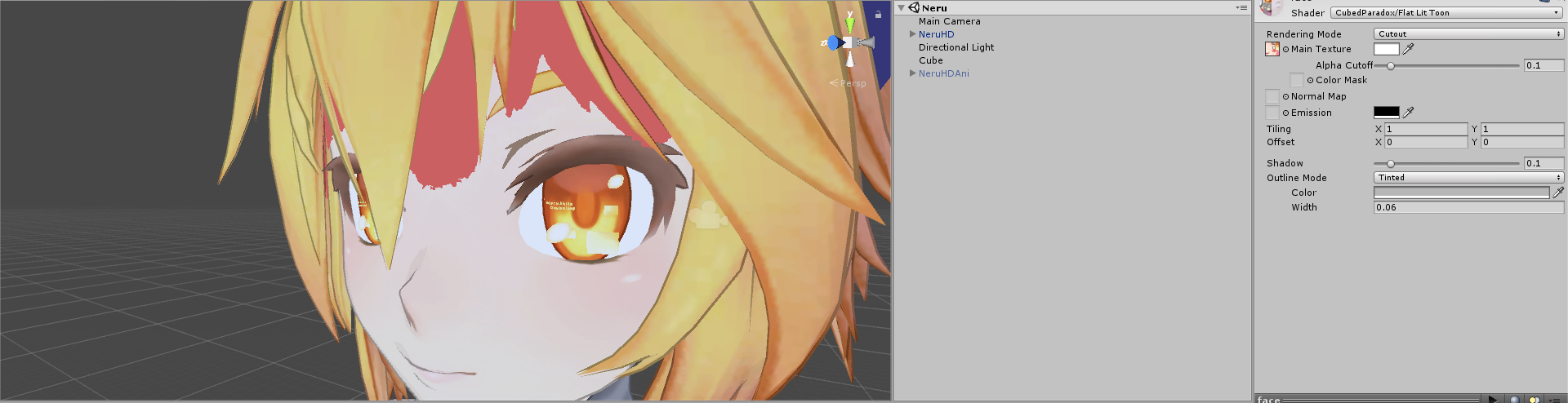
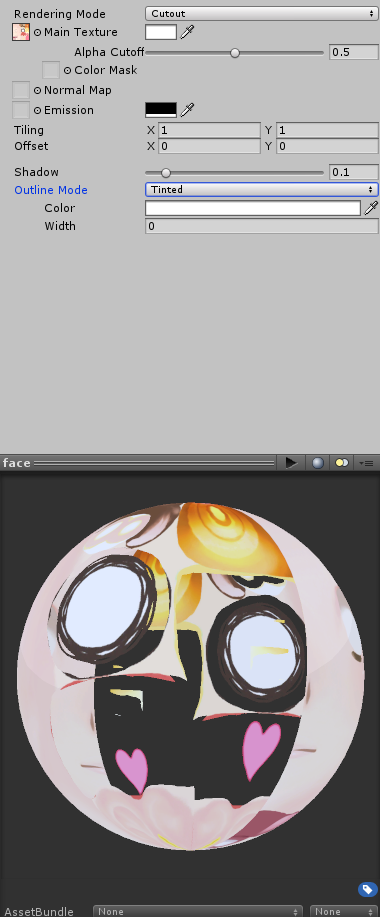
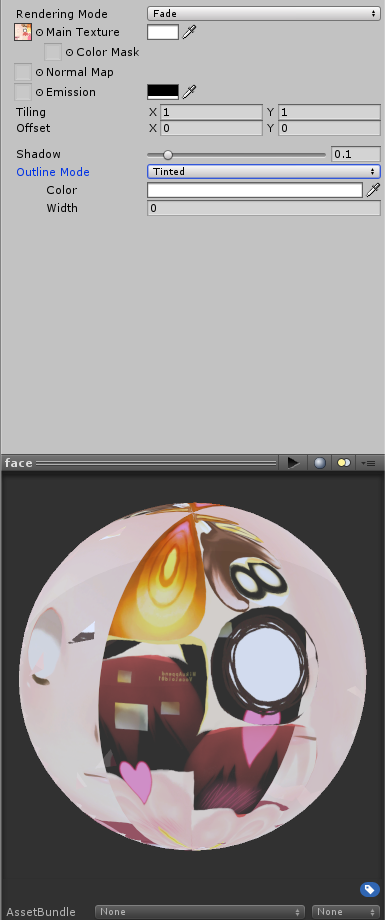
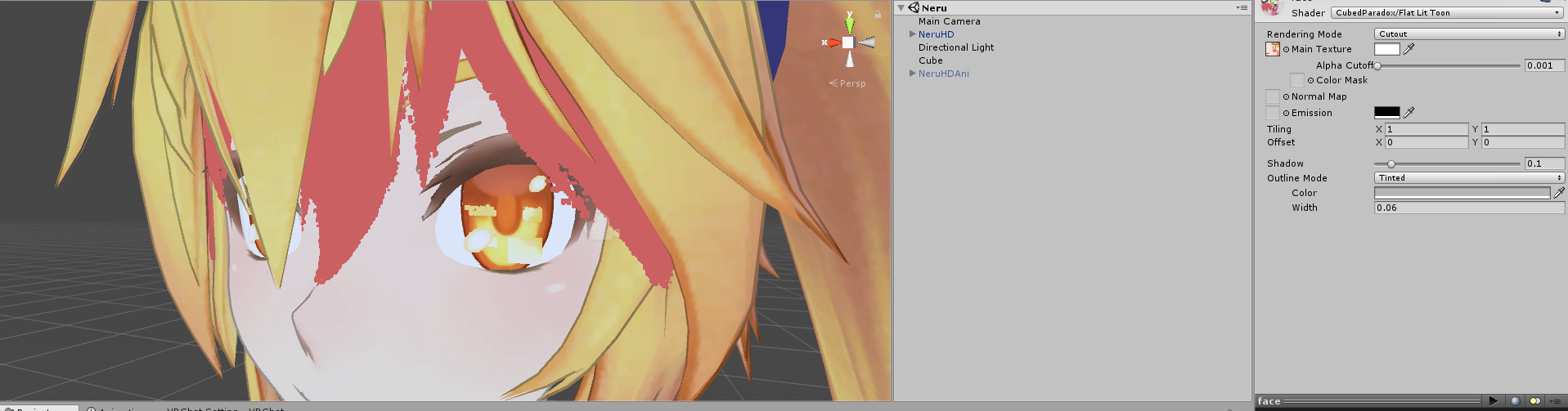
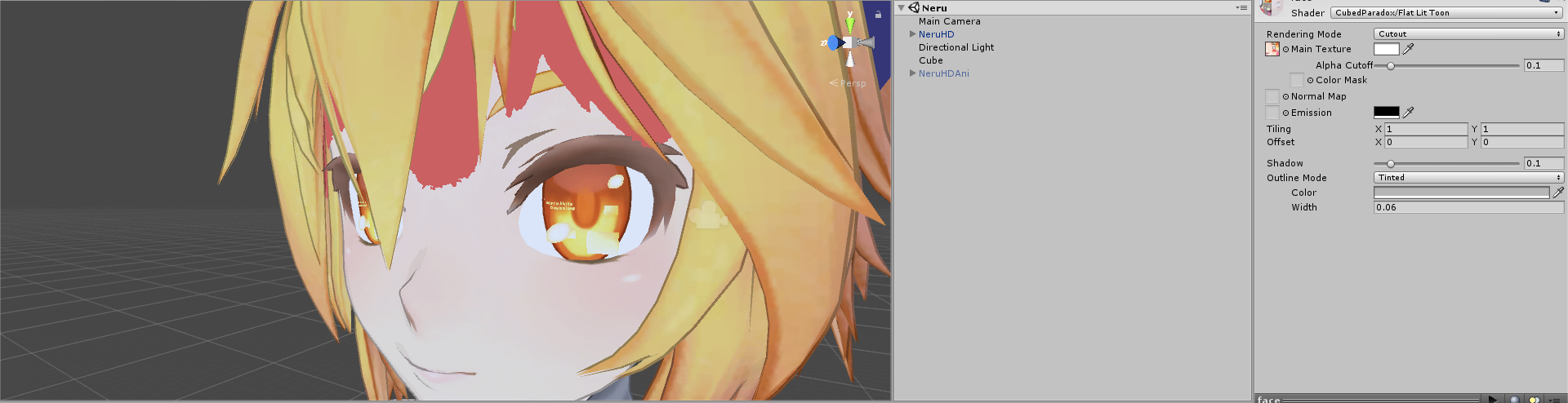
Any idea why the fade rendering mode would be making my face transparent? It works fine in cutout mode but then I lose details like hair shadow and blush.

 storm kelp
i need help from someone who is bored and has nothing to do.
 viscid siren
just tell about your problem here so those bored inviduals may reply without needing to ask.
storm kelp
ok
i need someone to get a model of a suit, color it white and slap a marshmello helmet on cuz i have no idea how
 agile cargo
any one else get there personal avi's wiped?
blissful sleet
if you find a model with a suit the rest isn't very hard
if you want to learn blender that is :P
 small cloud
@elfin agate use cutout and adjust alpha
elfin agate
https://i.gyazo.com/2c93c831986602eadc1628bd7f2591d7.png
This is what happens when I adjust alpha
 desert ferry
@elfin agate put 0.1 ?
 silent vine
@elfin agate I've had the issue before, I think I just decided to use standard shader in the end and it worked with fade
spiral sigil
Yo Guys
Anyone know how to make Blender run faster?
I have these Delayed Responses and it's so laggy OwO
 slim summit
can someone explain how would I uvmap multiple textures&material to one object I created
im having trouble with this basic concept
@small cloud halp me, I know you know how to do this
 mental blaze
I got to remake my hair lol.
 static sun
hair is hard unless you sculpt it
 azure adder
i wanna say thats max caufield from life is strange
static sun
even sculpting is tedious
azure adder
am i right?
static sun
yus
azure adder
did you make that or did you rip it?
static sun
made it from scratch
azure adder
Nice work! you got the likeness down really well 😃
azure adder
yeah well done 😃
currently working on a scratch model as well. but i'm trying to figure it out how all the vyzemes and shapekey stuff works
azure adder
i usually work in maya so trying to figure out how to get it to work with vrchat is a bit of an issue
i can export it into blender no problem
but i'm not used to working with blender at all
static sun
just make the morphs then export them with the FBX and apply them after
static sun
the spelling
azure adder
ah both are blendshapes then?
static sun
pretty much yeah
static sun
Vyzeme, Blendshape, Morph deformation, Shape key are all the same thing
azure adder
aaaah
azure adder
ah ok
static sun
Vyzeme = mouth
Shapekey = face
Morph = body
Blendshape = a group that works together
azure adder
ah ok
mental blaze
Nice
When I make hair, I use edge modeling with subdivision and solidify on.
Rough out the base and then do it again.
azure adder
this is my character so far 😃 https://i.imgur.com/C2VhAs1.png
 static sun
@mental blaze try using a curve path with a bezier curve as the shape
awesome @azure adder
mental blaze
Ah, I haven't touched curves
But I'll give it a try.
Only used it to make ceramic models
static sun
curves for hair really gives you a cleaner outcome
mental blaze
I'll make sure to try for the polish
static sun
- you can bring the poly count down a lot
mental blaze
At first @azure adder, I though you were modeling that robot from spy kids 3. The robot with that comedians face.
azure adder
here is the high res made for cinematic animations 😃
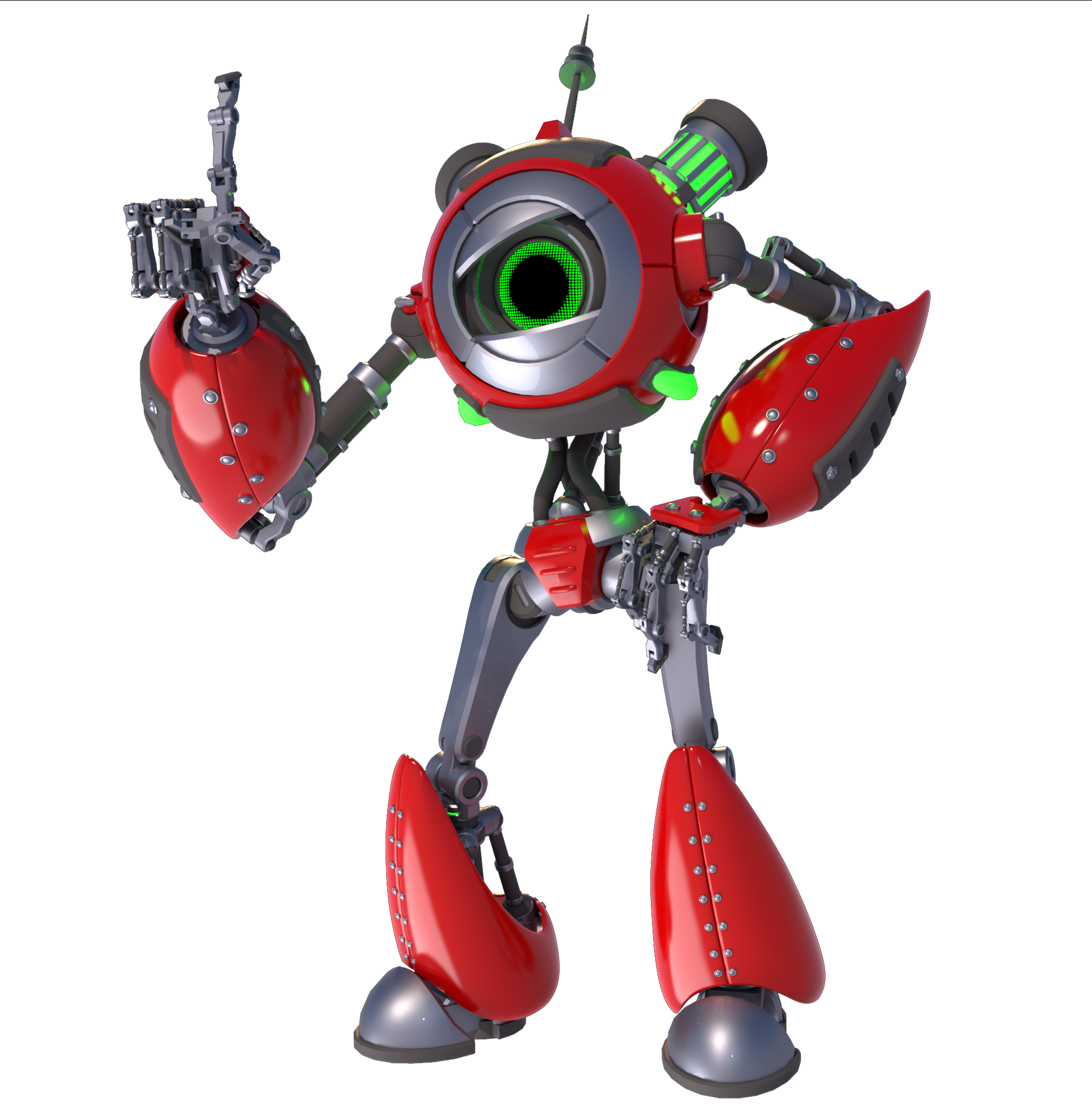
started off with 460k polies
got it down to 19500
static sun
my character started off at 4.6m and after retopo, teeth, tongue, eyes, hair, hands... its at 9k polly... gives me about 5-10k polly for clothes and accessories
azure adder
i assume you sculpted it in zbrush or something first?
static sun
yus
azure adder
nice 😃
mental blaze
 azure adder
Nice 😃
mental blaze
The hair shall be cleaned up :P
azure adder
thats from violet evergreen right?
static sun
@mental blaze https://www.youtube.com/watch?v=Nn7mISvVzJk enjoy

Learn Blender: https://cgcookie.com/flow/introduction-to-blender/ A great Blender workflow for quick hair visualization: learn how to model hair like in anim...
mental blaze
I'm afk to show
azure adder
hardest part is always the face 😃
azure adder
the eye shape is a little off but its close
the uppereyelashes need a bit more work in my opinion
blissful sleet
anyone know what a lower_lid shapekey is supposed to look like for eye tracking?
azure adder
 azure adder
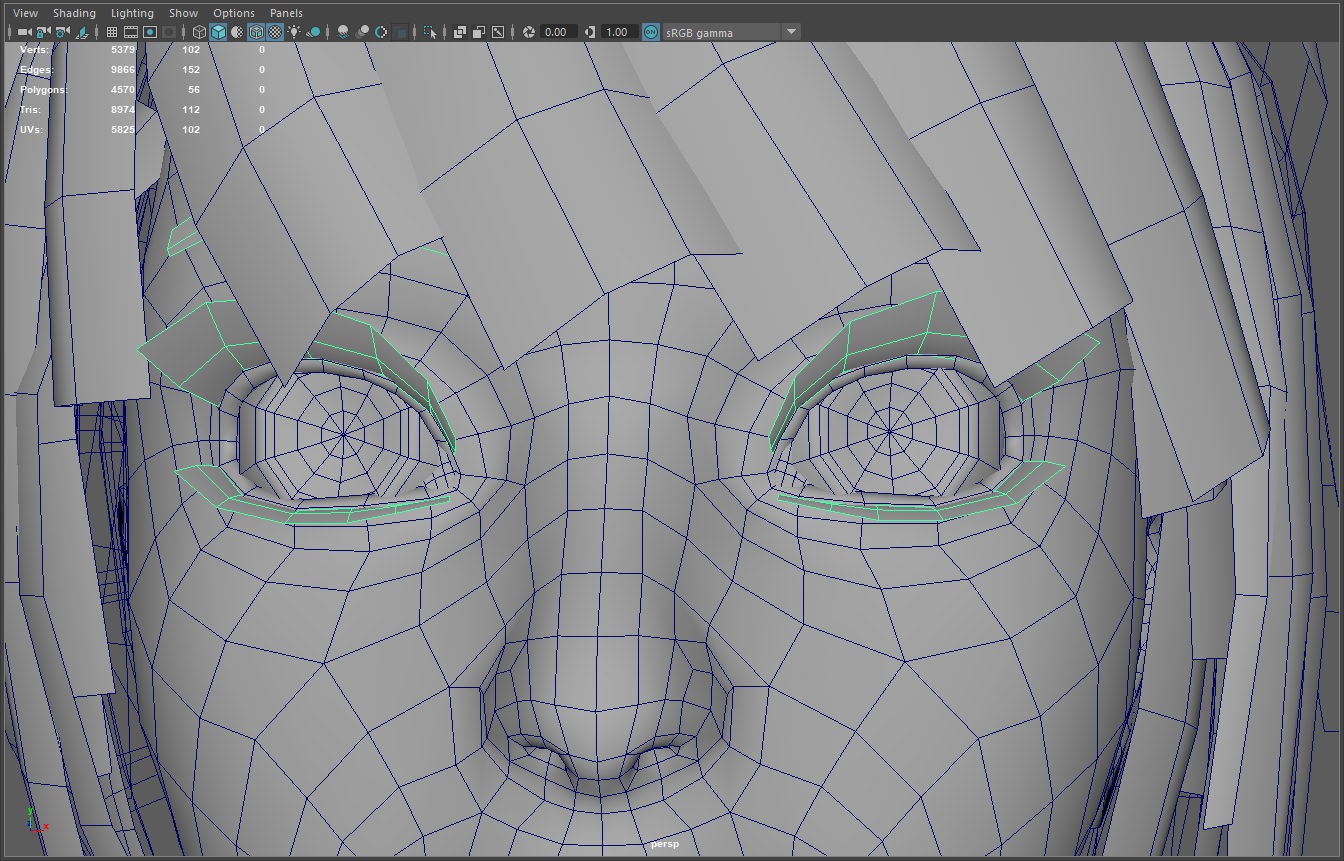
with anime characters its usually a better idea to make those eyelashes out of polygons
it gives you much more control over them
static sun
i use a plane with a transparent material
azure adder
also a common thing with anime character eyes. dont give them an actual eyeball. give them an empty socket with a floating pupil. and make the interior of the eyesocket fullbright white
or else you get the same creepy result as unity chan
mental blaze
Ah, so that's what I've been seeing
static sun
as for the eyes... i do normal eyes <.< but i have a 5 year background in the games industry creating low polly character models
static sun
10 years
mental blaze
5 for me :P
azure adder
Nice 😃
mental blaze
Hobby wise
static sun
10 years experience... 5 years industry
azure adder
4 years industry 15 hobby and school
blissful sleet
wow
mental blaze
When I get back, the back of the dress is going to be very difficult
Has this folding going on
static sun
im using marvelous designer for my clothes...
azure adder
yeah marvelous designer is great for clothes 😃
static sun
should be for the licence fee
 static sun
the 300 a year is a better approach
azure adder
maybe not for a hobby user though
azure adder
yeh
spiral sigil
question: what's better 2 materials with 2 textures ( one 2048x2048, second 512x512) or 1 material with 1 4096x4096 texture?
for 1 mesh
static sun
that makes no sense <.<
spiral sigil

That's what I have currently
And I'm thinking of using gimp to join the textures in 1 bigger file to get rid of 1 material
static sun
by rule of thumb... you want 1 material per UV set
a material consists of multiple textures (images)
spiral sigil
It was one, but I screwed up the UV mapping and some areas were so cramped I was unable to make textures for them properly so I made 2nd material and 2nd texture for that particular area
static sun
the less materials the better... but anything under 5 is good so
4k textures less than 5 materials
azure adder
I have two materials with two textures and 2 uv sets for my model. all the red parts on the model are a seperate uv set but i have some plans to update that over time and they needed to be higher res than the rest of the body
static sun
my character will have 3 materials
Hair, Skin, Clothes
azure adder
oh wait no, my character will have 3 materials. 1 for the red parts, 1 for the rest of the body and 1 for the glowing eye which will light up whenever i speak sp it has to turn on and off
not really. depends on what shader effects you want.
mental blaze
Lol
static sun
or... you understand how draw call works and dont want a Alpha and Gloss material for entire models... when you can make it less impacting and detailed by using 3
azure adder
what catie said
static sun
im making Haircards with Alpha's and my skin is gonna have specular on it... Atlasing it will increase draw call and reduce detail
by rule of thumb... anything under 5 materials is ok... Atlasing is only neccessary for MMD models cause for some messed up reason they need like 30 materials
mental blaze
Wot
 proper niche
 mental blaze
Fnaf
mental blaze
Nice
proper niche
thx
spiral sigil
ОК. I can finally say that all textures for my model are finished. All that's left is rigging.
 static sun
awesome texturing
proper niche
damn thats really good
spiral sigil
Yeah the textures took me 5 hours to make
not counting the area that I screwed up with uv mapping
it was additional 1-2 hours
It's my first ever project with textures as well. I like jumping into deep water
static sun
i think i have about 4-6 hours tomorrow doing the textures for my hair... then a good 2-3 days doing the skin <.<
spiral sigil
The mesh took me approx. a week to make, there was always something I wanted to improve. I'm a total newbie as well I downloaded Blender on 19th of December, so nearly 2,5 months ago
static sun
cool
proper niche
Ive been 3d modelling for about 2 years
static sun
10 years here
static sun
i started as an asset artist then about 3 years ago i moved over to character art
proper niche
Cinema 4D is my main software but I sometimes use other things
mental blaze
 static sun
Zbrush - Marvelous Designer - Maya LT - Substance
mental blaze
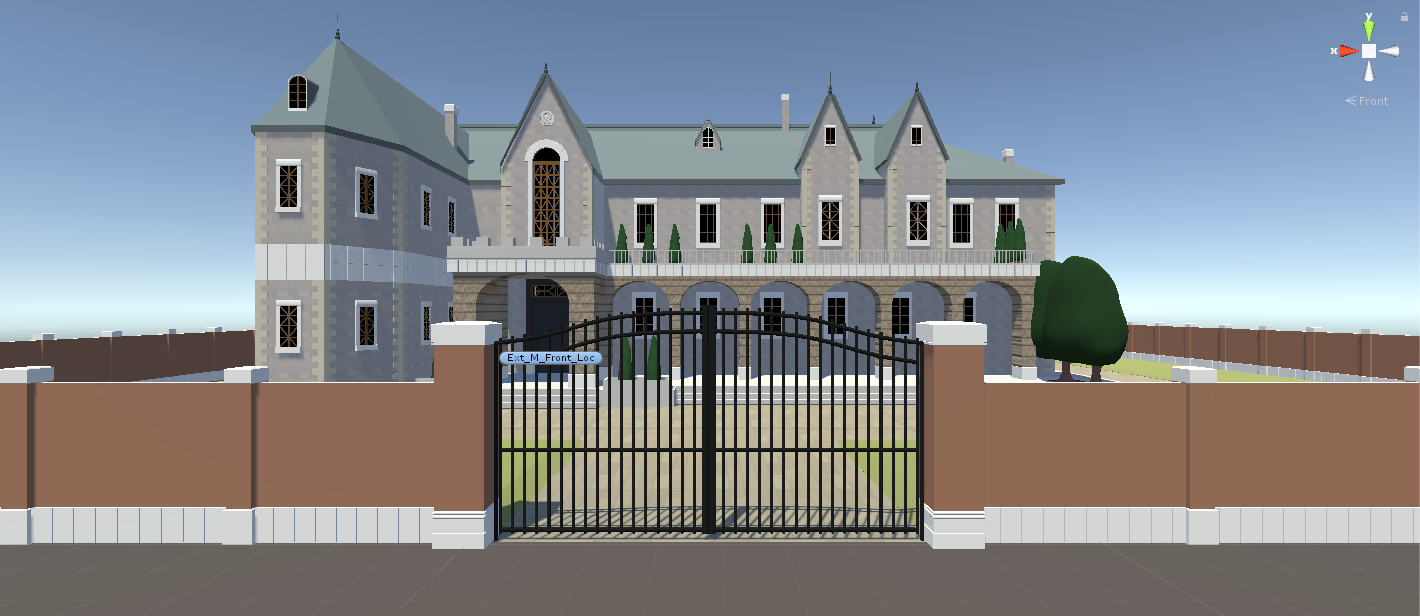 static sun
 azure adder
zbrush, maya photoshop. occasionally substance
static sun
if i have 1 material i will use Quixel
azure adder
NDO?
static sun
3do
 azure adder
yeah U4 as well
static sun
Keyshot for clay renders
azure adder
i use renderman for clay renders
static sun
Zbrush + Keyshot = love
azure adder
i know
mental blaze
Cycles :/
static sun
my work pays for my software so i might aswell utilize it
azure adder
Same, but i'm one of the studio owners 😄
static sun
im a lead
 scenic ember
omg that's so cool how did u get that going? ^
azure adder
luck, and dedication (and maxing out student loans)
static sun
experience and telling my boss how to do his job right
spiral sigil
hey guys, after i add a .qc file to blender im confused as to what to do after that. Do I have to add textures or something to the model in blender?
 mental blaze
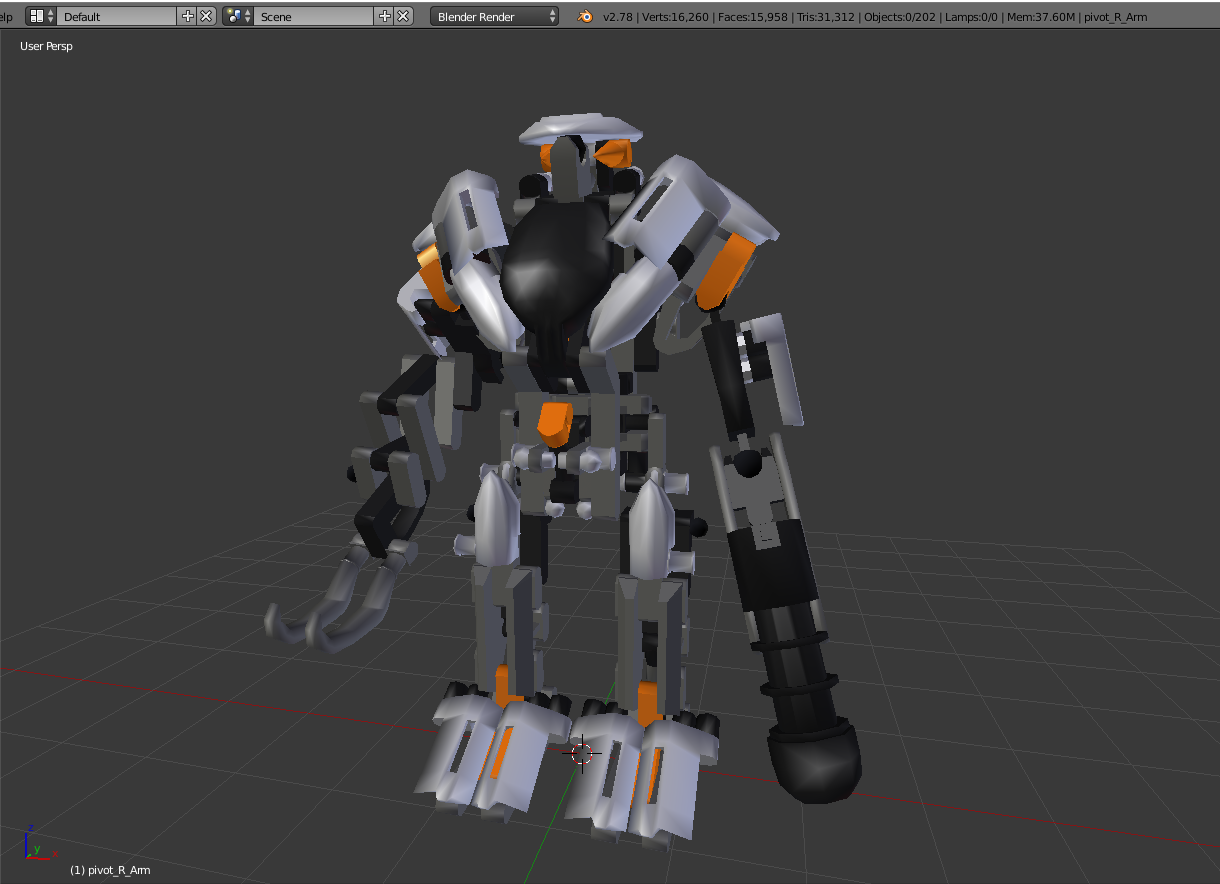
What's that?
spiral sigil
The ink chara from their avatar I think

 gleaming ridge
anyone know anything about lego minifigs
i need to find a template so i can use my librarys 3d printer
mental blaze
Bruh, that marvelous designer software is lit.
In blender, I would have to model the cloth and mess around with the cloth simulator to get similar results.
gleaming ridge
my plan is to buy either the minifigs coustom made or 3d print them or spraypaint them myself im looking for a coustom mon calamari head and stuff along with a coustom minifig body but the ones im looking for are hard to find beacause they do not exist
mental blaze
Make them :P
gleaming ridge
yes im trying to base them to look like my character from my star wars game
mental blaze
Nice
gleaming ridge
ive tryed bricklink its too hard to weed through each and every peice thats why im going to go to my lego store and see if they have the things i need i have sources the lego store that sells odd legos my couson that works at a lego store or my friend that does lego projects that lives 5 mins away but i never get to see him that much
gleaming ridge
theres a reason that im trying to set it up its my female mon cal fo-fi's 30th birthday this year
i said this year i was going to get her something real special this year
its at the middle of septober
mental blaze
Ah
gleaming ridge
normaly i get drawings and stuff but they are low class but if i could and i had enough money i have someone do a full zbrush render of her theres a guy i follow on facebook he does pokemon things but i want to find someone in house i know in rl that i can go pay a nice price ofo a good oq picture?
gleaming ridge
yes i want to find someone i trust that i can walk up to them with the money and say here you go and sit down and watch as the picture comes alive and if all goes well mabye a nice vr vrchat model out of this
mental blaze
Search for an indie studio that's local and ask them if they want a quick buck
gleaming ridge
i have this character from star wars galaixes that i want in vrchat its the same character we are talking about
mind if i shoot you a pm real quick
mental blaze
Go for it
magic charm
Ayyy
 keen karma
Pretty stupid question but I was messing around with the Blender UI and minimizing everything and bringing it back, but how do you bring the horizontal bar on the right side back?
mental blaze
Preferences, reset?
mental blaze
Yee, got half of the dress good to go.
spiral sigil
What are you doing to or with the dress?
mental blaze
Modeling it based on anime reference
Back portion has this folded stacks and I'm trying to picture out the best way to edge model it.
That means applying mirror -_-
spiral sigil
May I see?
 blazing terrace
 loud sierra
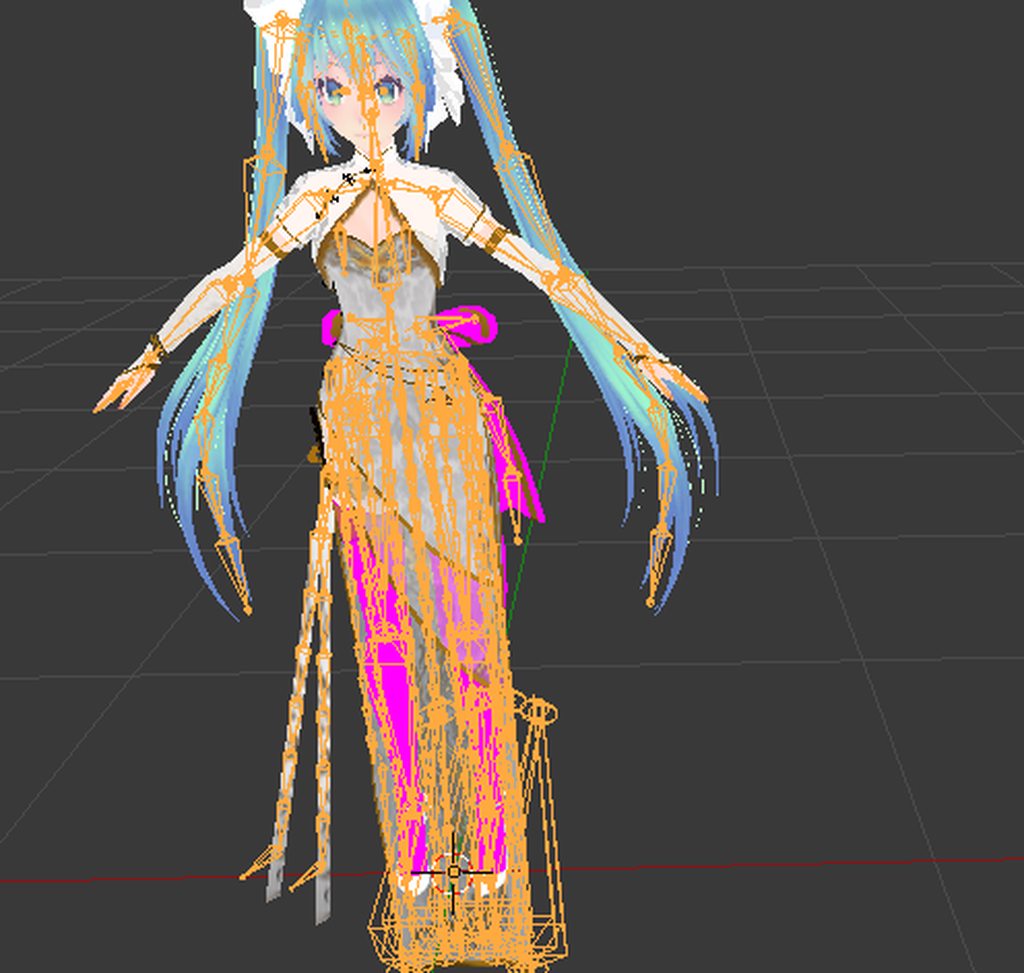
@blazing terrace What is the error? The colors, or the bones?
 deft kite
is it possible to combine shaders? I need cubed shader with double sided
loud sierra
@deft kite Because of invisible backside?
deft kite
my hair is one sided, cant spare the polygons to make it 2, but i need the toon shader
loud sierra
Change "Outline mode" in Cubed to Tinted, and change the number from 0.2 to 0.
deft kite
?
loud sierra
Send a SS of the error.
(The hair)
So I can see how it looks, just to make sure I'm not messing you up.
deft kite
actually im on my way to work, i was just wondering if it was possible to do it. there is no error, i just need a toonshader with double side for the single-plane props on my character and one-sided hair
*cubed shader
loud sierra
Should be fixed if you change the outline mode with Cubedshader to Tinted, and change 0.2 to 0.
deft kite
that didnt make it double sided
im out of time, i will have to test ti more later, thank you for the help though! 😄
mental blaze

I managed to nail the front of the dress, the back might take a while.
@spiral sigil
mental blaze
Yee
mental blaze
Still have to do 20+ hours on making all limbs, accessories and clean up.
 solar mauve
The only thing I've actually made in blender so far is a frame by punching a hole through a cube 😛
mental blaze
Try modeling static objects to get some practice.
I made a cup of noodles as an avatar the other day.
solar mauve
Nope
mental blaze
Or notepad++
solar mauve
Just scratch
 lone fern
If anyone finds any Gurren Lagann Battleship Models please DM me.
 cunning fern
So I've got a Venom Snake model with props and custom animations for an M4A4. My problem is two fold: The M4A4 that's holstered doesn't disappear in mirrors/cameras when it should, and the 2 M4A4s for both holding and firing do not appear in mirrors (they appear in cameras).
However to others it works perfectly fine. Is this just a feature of Unity/Vrchat, or is there a way to fix this?
desert ferry
I found a way to convert a model of vincent valentine, but it's very corrupted. Like the scale is 1/100, doesnt have hand bones nor visemes and the animations are weird. Can anyone help me?
blissful sleet
mirrors are buggy that's all i know
desert ferry
 copper kiln
So I put dynamic bones in my model and it appears that a second copy of the ear is there. One moves while the other is locked in place
Any ideas?
 eternal crow
http://prntscr.com/iajgrc im looking to make this for my main avatar and was wondering what would be the best shapes to use for the base mesh?

I already have the gem part ready
blissful sleet
@copper kiln your model probably has 2 ears check in blender you may have 2 models or something
eternal crow
http://prntscr.com/iajqgi Wierd, I set it to transparent but it doesn't look transparent to me

i mean i can see the grid lines but thats about it
 halcyon bay
Anybody know a discord server for photoshop?
copper kiln
@blissful sleet how would I fix it?
blissful sleet
go into blender and delete the extra vertices
blissful sleet
depends on what's going on
it's just some manual work you have to do
figure out what's weighted and what's not
 cold plank
@copper kiln that's not a good thing in general, do you have duplicate meshes on your avatar?
There is a trick you can do
without going into blender
right clikc in the assets window and click create new prefab
then in your scene
delete the meshes you're not using
from the scene
it will bitch about breaking the prefab
but that's ok
drag the avatar onto the empty prefab and it'll make a new one
provided your avatar descriptor didn't rely on the other meshes
it'll work. You'll know if it didn't because vrcsdk won't let you upload and it'll complain about being humanoid but having nothing mapped
@copper kiln but really you should have one mesh if you can manage
copper kiln
Ok I'll try it in a little bit, if I can't figure it out would you mind lending me a hand? I'll probs be able to do it though
@cold plank
cold plank
I may be able to provide advice but if you are doing/did things in blender I'm afraid I'm not much help
copper kiln
I'm in unity
cold plank
oh for just that part, well you'll know right away if you can see more then one mesh in the prefab
copper kiln
Yea I'm gonna try your trick and see if it works
cold plank
if you have teh root box, the avatar and one mesh then no - but if you see multi-meshes like several versions of a face
as long as your avatar descriptor doesn't care about bones in those meshes you're good
copper kiln
I saw two sets of ears when I moved the dynamic bones
 dense glacier
Hi, Is it possible to change materials on a sphere by clicking a button and does someone knows how to do that?
cold plank
https://media.discordapp.net/attachments/409773099290984471/409800622775468042/unknown.png?width=717&height=634 it's not at all that uncommon. 😉

wodan: you can make your own materials even
in unity when you pick a mesh you have a list of materials
and how many there are
by default an object you've made gets one automatically in unity
I assume you mean a sphere in unity?
dense glacier
Yep, I want to use a trigger system to change the different colors on a sphere.
cold plank
Ohh! that's more a question for "Worlds" or development advanced
but to answer your question yes
copper kiln
How would I go about removing the mesh?
cold plank
you would be removing the mesh object in the SCENE, not on the prefab
prefabs are fixed, that's why you would be making a new prefab 😛
so like if you have u_char0 and u_char1
and you want to delete u_char1
you click it in the scene and delete it. it complains about breaking the prefab, then you drag the scene o
object onto a new one
copper kiln
Ok I'll give it a shot
cold plank
it's a little advanced but otherwise you'll have to do it in blender
it's essentially a shortcut if you're lazy haha
copper kiln
Lol
cold plank
won't always work, but if it's something silly like a copy of a face mesh to put another material on, it will
copper kiln
Hmmm I think I did it
cold plank
some people using pmxedit are lazy and instead of editing the textures, to get an effect they'll layer meshes with texture edits
copper kiln
I just can't check the rig
cold plank
you can check the rig, it's referring to the rig in the other prefab
so if you edit the rig object on the other prefab you're editing the one it's looking at
copper kiln
Ahh it says I can upload it
cold plank
nice
copper kiln
So I'm good?
cold plank
probably yep!
you're probably the only other person in the entire discord who now knows how to do that 😉
cold plank
has tricks for days
remember that whatever is attached to the tree of your avatar, with the descriptor on it, is what the sdk is looking at
copper kiln
Will I still be able to apply dynamic bones?
copper kiln
Yep all good
cold plank
it's the object in the scene that vrcsdk cares about
not your prefab or whatever
that's why people get confused
copper kiln
The object in the scene looks all good so I'm assuming that it's gonna work
Thanks for the help man
Hey @cold plank mind if I ask you one more question?
cold plank
fire away
sidenote that's why objects added to your character work - like if you make an fbx for something else and attach it (as unoptimized as that could potentially be) as long as it's under the structure it's part of the object in the scene that the avatar uploader cares about
buuuut if it's not a working prefab if I understand correctly vrcsdk can't package it in a way that allows them to just add it to their game
since you need to be instanced for everyone else and whatnot in whatever world you're going into
copper kiln
This is all really confusing but I think I got the basic gist of it
cold plank
it's complicated stuff!
copper kiln
My question was my model has a really long face and a hat, I'm not sure where I need to place my camera for best effect
I have it on the brim of the hat right now
If that makes sense
cold plank
you mean your camera ball?
copper kiln
Yes
cold plank
well if you have VR you absolutely want it between your eyes
and basically on your face mesh
cold plank
the ball determines your viewport. One thing to keep in mind is that whatever that ball passes through will clip
some people say put the ball in your head, I disagree
copper kiln
So you think I should put it like on the front of my face?
cold plank
put it wherever you want anything you collide with to clip
copper kiln
I would send a picture but discord is blocked at my school so I'm on my phone
Hmmmm what do you mean by "collide with to clip"?
Sorry for all the bad questions
 silver fog
 cold plank
what is the model from
@copper kiln what I mean is what you would consider your "Face"
think about what players will get up close and personal with
or what you want to "stop" on
wherever that ball is is where the game's view comes from. So like, in a headset, I can lean my head through world geometry since the game engine can't do anything to stop me
my "camera" doesn't exactly obey the laws of my model. When I'm freely moving my head is attached to my body
so if I'm against a wall I can still walk through it, I'm just physically stuck looking to everyone else
that ball is whatever device is your screen. So if it's way out in front, when people or things collide with whereever that ball is, you'll see inside them.
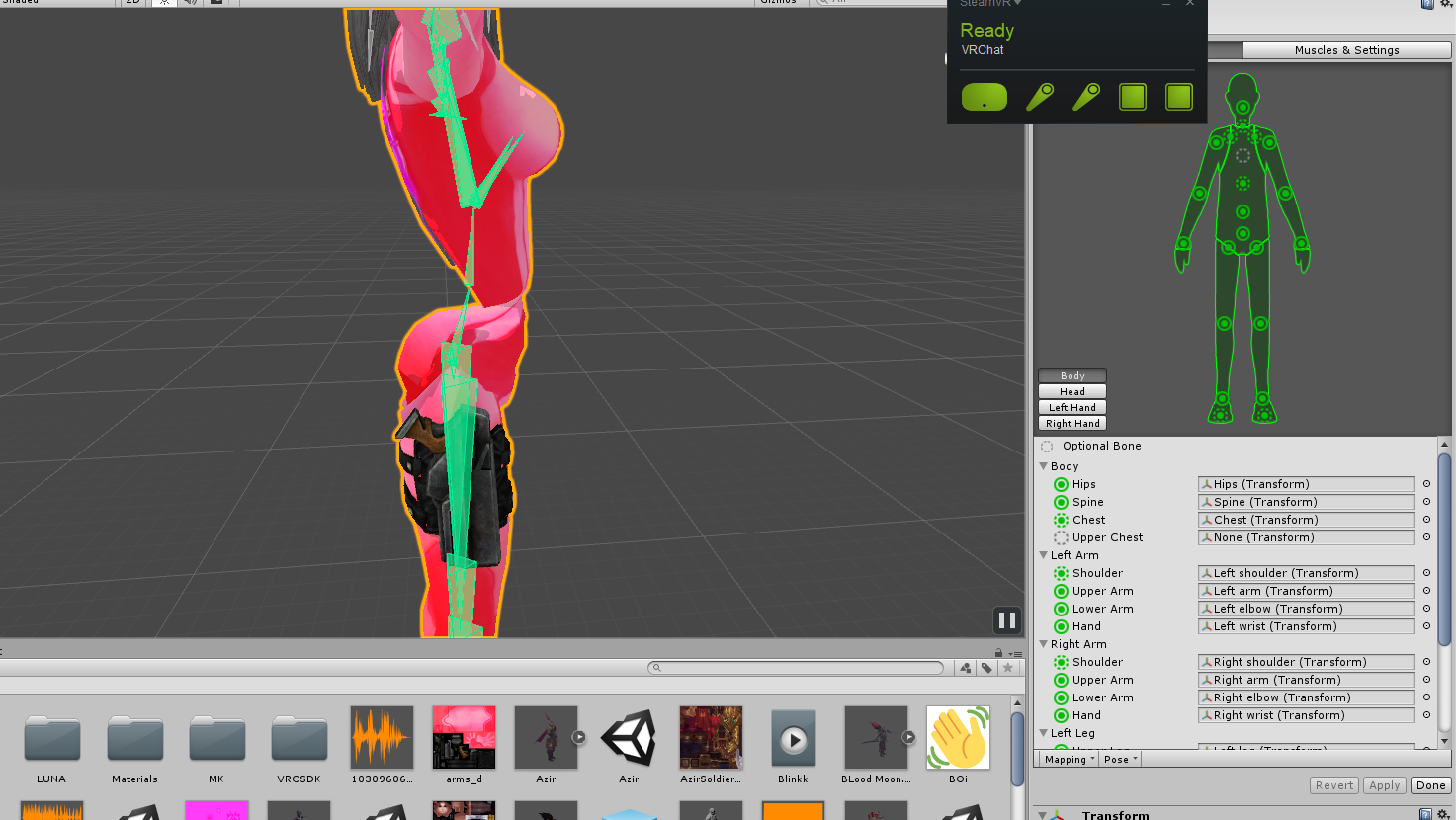
@silver fog it looks liek whatever yo uhave set to spine has no weight painting for the body mesh
or that bone is twisted up somehow
spiral sigil
📖
cold plank
like spun 180deg
@spiral sigil lol I know, sorry. I touchtype 90+wpm on average, so I often don't think about it.
 elfin geode
I have an Issue with my Avatar, the body has a hitbox but the rest of him doenst and I want to fix it but I dont know what Im donig wrong
Like he has a big dome but it doesnt count in the hitbox
It only goes around his body
Someone said it was an Issue with the mesh but I have no Idea what they are talking about
copper kiln
Ok thanks @cold plank
elfin geode
My Little box is small despite having a mid size avi
People have a hard time clicking on me so I would like to fix this
Ok so It looks like I may need to add a collider
coarse walrus
How can I cut hair in Blender.
cold plank
I didn't think you could put anything interactive on characters @elfin geode
or are you talking in games
elfin geode
Well In VR chat when you Point your Mouse or Lazer pointer at people It brings up a capsuel, Mine is really small
elfin geode
Um how do I tell?
cold plank
it'l say in unity. That's actually the first time I've ever heard of that happening, usually the capsule is around the entire geometry of your model.
elfin geode
Where at will it say it?
UV skin?
it jsut Says Body for mesh
Im really new at this XD
oh Duh, "Generate Colliders"
 elfin geode
Hopefully that Fixes it
spiral sigil
select all meshes with A button, then ctrl + J to merge them
copper kiln
@cold plank uhhhh something went wrong
Big time
That is like so many levels of wrong
My model is stuck in a t pose and has two hats
 whole pike
So um... ..Is there a way to turn off backface culling in unity? Bc I already added shapekeys to my model, and blender won't let my solidify my model without deleting alll the shapekeys i made
copper kiln
So when I tried to delete the second model within my original, it got stuck in t pose and the rig option disappeared
whole pike
How do I add FLT to unity? I only just started using it today so I'm a complete newbie on everything regarding it
Wait..It's a package? I only found the script for it. Where can I download it?
Thank you!
 narrow dawn
What is a good way to create cloth in 3DS Max? I want to make a small bit of cloth for an avatar part, but I can't find any tutorials that explain beyond cloth simulation, which would go well beyond the boundaries of polycount
slim summit

I know there is a way to create a vertize for those two red cricles
withthe knife tool
but I cant apply that knife tool
I would normal do that or duplicate the face and resize it
but I saw someone using a knfie tool that way
and Im trying to figure out how he did it like that
static sun
use the knife tool then hit enter to apply it
static sun
"K" to turn on the knife tool... click where you want it to go then hit enter to apply it
slim summit
hmm
static sun
ok... in which case your edges arnt connected...
to fix that hit A to select all... press W then go remove doubles
then try the knife tool
slim summit
oh well in that case I should just merge then
I thought the knife tool was a faster way to do things
static sun
no... knife tool is just to add in weird loop shapes to help reinforce the silhouette without destroying the mesh
dusky glacier
reeee sideways avatars
http://puu.sh/zhxe6/77dab72702.jpg
 static sun
just realized my monitor's rez wasnt set to native and the colour output wasnt turned to 10bit 😐
Everything is now so bright and small XD
 feral blaze
Looking for modelers for hire friend me and send me your portfolio
 unique galleon
Lolwut
whole pike
so uh, i'm not sure what to do about this
I tried importing the shaders pack, but it's not appearing in the menu
whole pike
Nope, I got it from github
slim summit
do you see it imported in the heirarchy?
whole pike
Nope
slim summit
unity might be acting up
do the good ole, turn it off and on again
for unity
and then reimport it
unity is weird at times but closing it and reopening it solves a lot of abnormal issues I have with it at times
whole pike
I hate thiiiisss
it still says it's already in the project but I don't see it anywhere
slim summit
look at every shader
like custom
etc
if its imported and says its there
you might just overlook it
and dont see it
if its in your heirachry it should be there
unless perhaps the shader is incompatible, but in that case I have noidea why unity would hide it
whole pike
So i ended up redownloading it and for some reason now it finally works
slim summit
ah so it was a corrupt file
whole pike
apparently so
 formal girder
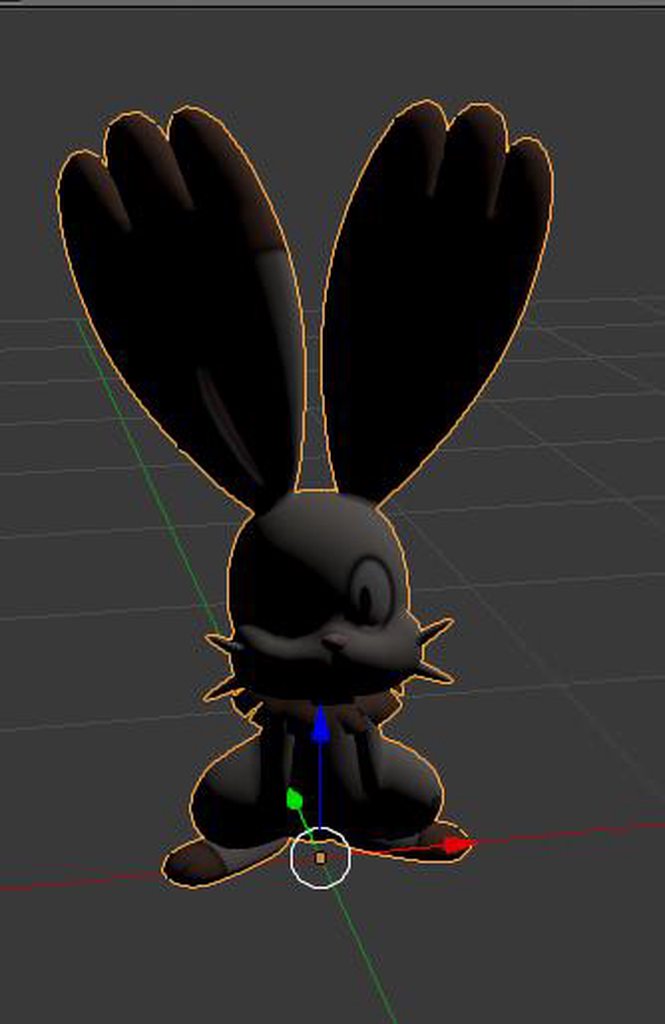
Hey could someone help me out? Why is unity doing this to the eyes? https://imgur.com/a/aDo2H
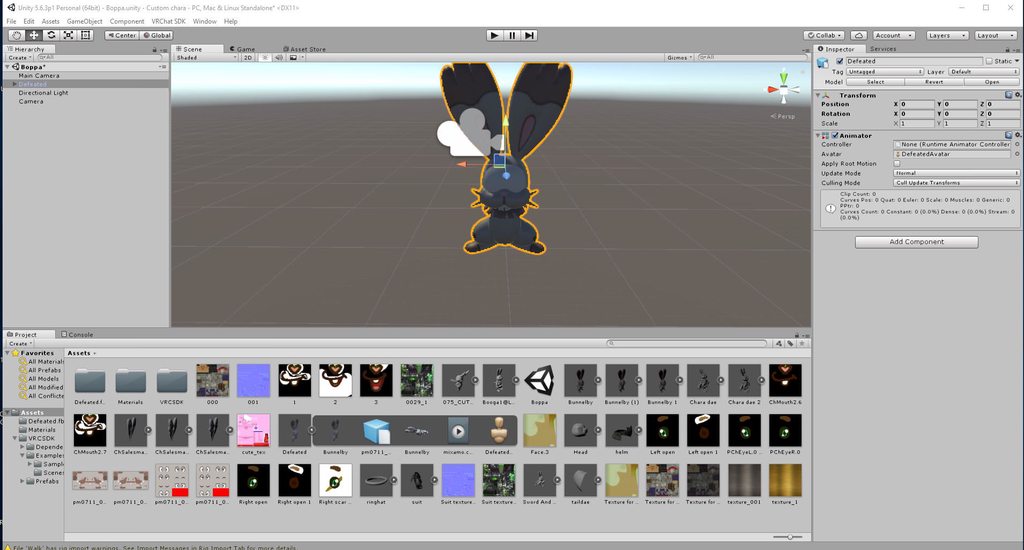
https://imgur.com/a/MUi3P This is what it looks like in blender
and here's what it looks like in Mixamo

 white violet
Why can’t i post pictures here
white violet
I’m sad, the modeling software I use is ROBLOX
 unique sparrow
hellu I'm new to 3d modeling but want to give it a try
so first of. 3d modeling, setting up textures, rigging and animation is all made in blender?
or something in unity too?
viscid siren
all true, but animations can be made in unity too
 woeful arch
Hey all, just wondering if anyone has the Perecheno MMD model from this video - https://www.youtube.com/watch?v=0sUwWMPW0gU it's like so hard to find 😦
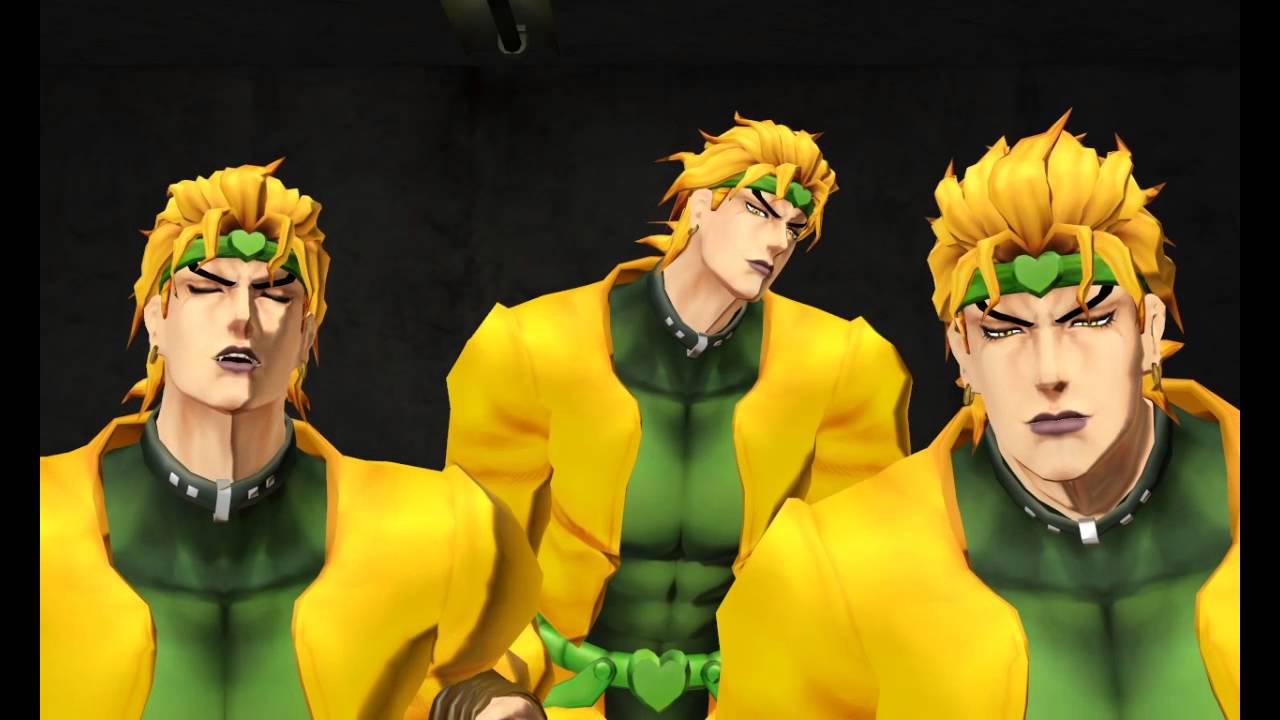
Reuploaded since the other one was removed, with better audio quality this time. Not even Star Platinum can touch these moves, it truly is the greatest high....
 grizzled geyser
is there a fix for when reducing polygons does only one half of the model?
(like up to the symmetrical middle?)
pretty sure the model was mirrored
viscid siren
pere wha?
desert ferry
anyone knows how to decimate a model manually? a tutorial would be helpful
 vernal bloom
Hmm could someone help me please? So I’ve got this issue on unity when I’ve got my model and I’m all ready but when I hover my cursor on the VrChat SDK it just says clear cache and user prefs. Anybody know what to do ?
storm kelp
@mental blaze me?
mental blaze
Yee
Pricy, but other users would charge the same, but with potential lower quality.
I see one for 25.
 latent umbra
What would be a good way
to size a coat into proportion for a smaller character
Just alot of mesh editing in Blender?
eternal crow
If i asked someone here for a model request, would i have to pay anything? because im broke and i really wanna have a model of this one character, but im not too skilled at modeling myself
latent umbra
Are you sure the Model doesn't exist already?
eternal crow
I've looked everywhere, i cannot find one
latent umbra
Is it obscure?
eternal crow
yes
ive found models for multiple characters from it but this one apparently wasn't one that got made
i even searched it in japanese
and nothing came up
it mainly might be because of how the character looks and stuff, that or he's just so darn obscure that no one made it

 lavish cloak
Yo do you guys know if substance painter is good with vr chat? Like I know that program is for coloring and making models, but can you make and import your own model in unity? Idk this stiff that's why I'm asking before I buy substance painter 2
viscid siren
Substance painter is for making textures for models, the modelling itself is done in blender, maya, or 3Dmax, or any other
eternal crow
http://prntscr.com/ib5a5w this thing looks f*cking beautiful

now to make the bottom half of the thing
http://prntscr.com/ib5aha aka this

well....after i find out how to join all those meshes together finally
viscid siren
ctrl+J for shorthcut after selecting the meshes
eternal crow
i can't seem to select more than one mesh
lavish cloak
So I need Maya, zbrush or whatever to make models and even clothing and stuff and substance painter is just good for coloring textures? I'm a noon I'm sorry in just trying to make and color my own model.
eternal crow
http://prntscr.com/ib5bn4 unless im actually doing it right
 eternal crow
yeah, im trying to make them one mesh, like combine every piece
latent umbra
I know
eternal crow
i had to make it piece by piece
eternal crow
ok
wierd, i can't find the part that says join in tools
i got them to join but the textures broke

the materials are still there but they don't show up
 civic jungle
oh, that happens sometimes, you just have to select the faces of the parts you want to have a specific texture for, go into the materials tab, click on the material you want to use for that part of the mesh and click apply
eternal crow
how do i select the faces again? (im still new to modeling in blender)
civic jungle
you can select faces by either selecting all of the connected verticies or by going to the bar just below the scene and selecting the button that looks like a cube with one orange face and selecting faces from there
eternal crow
What do the faces look like? i dont think my mesh has any somehow
civic jungle
whenever you go into edit mode, there are a bunch of lines, and the area inbetween those lines should be the faces of the mesh
 civic jungle
you just selected multiple faces
eternal crow
also i dont see where apply is when i go into the materials tab
i found a button that says assign, but nothing happened
civic jungle
yeah, ment to say assign, sorry. and what material did you have selected? if it was the same as before, it won't change
eternal crow
i accidentaly messed around with vertex paint and this happpened

and it wont go away
nevermind i fixed it
http://prntscr.com/ib5w5p theres multiple of each, yet none of them worked

 civic jungle
quickly port it over to unity and look at the materials there? it could be because the materials are registering as normal mapps instead of textures
eternal crow
ok
though i do have more of the mesh to make but i can put it into unity real fast
but i can't really do the rest until i get the model i need to model the rest to ready xD
civic jungle
I've had that happen to me before with one model, saw that one texture was registering as a normal map instead of a texture
eternal crow
this thing is being alot of fun, its a real challenge for being my second model ever
http://prntscr.com/ib5x53 and its gonna be hell from here on out to minus the spike part since i can just duplicate it
 civic jungle
oh, are you making an entire klonoa model from scratch?
civic jungle
oh, still that's pretty cool
eternal crow
Yeah, i figured if i don't do them, no one else will
http://prntscr.com/ib5xud i just finished this one yesterday

i could show if my unity would load
http://prntscr.com/ib5y0f it aways gets stuck here for a bit
 civic jungle
aw man, that sucks that it isn't loading
eternal crow
it loads after some time
after i finish the monstrosity known as that spike mace thingy
im making this lil thing

and then one more for klonoa then im all done with his weapon set
saving the hardest for last tbh
 civic jungle
all of them would definetly be cool to see ingame, though
eternal crow
yeah, i already did his sword weapon, that one was easy because the model came with the sword handle
i just had to add the effect
but ultimanetly after i get good enough, im gonna tackle another characters weapon set
except for one
http://prntscr.com/ib5z1o this one after the hammer

that one honestly shouldn't be to hard for me minus the trigger n stuff
http://prntscr.com/ib5z95 then theres this beauty (Me and my Flamethrowers :D)

then lastly, my ultimante challenge
civic jungle
yeah, that looks like you could start off with a couple cylinders and work from there
eternal crow
yeah, the last one though is going to be that hardest but will look so freaking badass ingame

its a freaking lazer gun or something
the one im not doing is a 3 barrel rocket launcher, screw that
plus its WAY to big
http://prntscr.com/ib601b yeah no way in hell

as easy as it would be, its way to big for my liking
civic jungle
yeah, that would probably be a bit big
eternal crow
oh hey, unity finally loaded
and thankfully like with klonoa i got lucky
http://prntscr.com/ib60d7 his main weapon already came with the model

 civic jungle
yeah, I've actually found those models before
eternal crow
yeah, ive been jacing around with this one, trying to add bones to the ears and give the jackets physics
because i feel like it should have a bit of em'
I actually am working on a klonoa world for vrchat
but also http://prntscr.com/ib617x this little buggar has to be rerun through blender

because he sinks into the ground
civic jungle
you can fix that in unity, actually
eternal crow
and he had a huge spine hierachy issue the first time too
xD the klonoa models hate me
for some reason, they always had at least one issue each
civic jungle
just raise the hip bone in the configure rig thing
eternal crow
https://cdn.discordapp.com/attachments/401816037269438484/406293406349000724/unknown.png oh yeah, theres this monstrosity too
 civic jungle
oh
eternal crow
i literally DON'T know what the cause behind it was, the rig was perfect, the weights were fine
i think its because of how i posed his ears in blender
because they were in a t-pose
civic jungle
I don't think it was posing the ears, as long as you set the new pose as the t-pose
eternal crow
i dont think i did, later im gonna try not messing with the ears and just use dynamic bones and give it gravity to where it pushes them downwards
im trying to retexture the shield and now it wont let me
it didnt save the textures for some reason
the way i assigned them
wait nvm i was doing it wrong derp
civic jungle
oh
eternal crow
http://prntscr.com/ib63su there 😄
 civic jungle
oh, that doesn't look too bad
eternal crow
http://prntscr.com/ib64o1 Curses

i have to make him new textures because all the other parts are .sph files n stuff
^ someone actually gave this guy a full skeleton for me
civic jungle
actually, you can rename .sph files to .bmp, if I'm remembering correctly
copper kiln
Anyone know how I can add a top hat to my model?
civic jungle
well, once you have a top hat model, you can join it with the rest of your model and weight it to the model's head, if that was what you needed to know
copper kiln
I was never really good with weight paint. Is it hard to weight it to the head?
eternal crow

great, now these textures are being bitchy
because his body on the model is partially green and partially blue but theres only one material for the body apparently
civic jungle
not really, you might want to actually keep the hat seperated at first and weight it, i think that will be a bit easier superstar
let me look into that, i think it's because the part of the texture used is a sphere and it wants to automatically map the whole thing instead of the part that's supposed to be used
eternal crow

i got it
i just had to create a new material but its still buggy
http://prntscr.com/ib69e1 apparently the body .sph textures dont work properly because the rest work fine on it
 copper kiln
Do you know a video that shows me how to weight paint the hat?
civic jungle
not off the top of my head, no
copper kiln
What does weight painting the hat do?
civic jungle
it causes it to move with the specific bone you weight it to
eternal crow
i can't get these to work, im gonna take a break from that model for now
copper kiln
Wait so im not making it red or blue? Then I have zero clue what to do as that form of weight paint is all i know
civic jungle
you need to make it all red if you want the entire thing to move with the head properly, and sorry for the confusion
 marble dew
How do I remove weight from a bone?
copper kiln
oh no no no its all good, so can i just send the hat into blender and paint it red? I mean the hat will clip through my neck a little as my head hangs down a bit but its all good
civic jungle
you go over to the tool tab while in weight paint mode and change the brush to subtract, rawsomeman
eternal crow
http://prntscr.com/ib6bsk ....really
 copper kiln
@civic jungle Can i send you an image and see if this is right?
marble dew
@civic jungle The whole body already had a weight of 0, do I make it all a weight of 1 and then change the weight of the bones?
nvm
just figured it out
civic jungle
sorry, i was away, and yea, superstaer, you can
eternal crow
Does anyone know what it means when it says the bones have a length of zero? or do i not need to worry about it?
civic jungle
I think you might have to make the bones longer if it gives that message?
eternal crow
im not the one that made the bones but whats wierd is that the bones its doing it for are ones that were part of the original skeleton
someone also fixed this one a bit for me
copper kiln
If my model isnt human and doesnt have a neck, what do i do?
civic jungle
oh, does it not have a neck bone or does it not have a neck at all?
civic jungle
please do, that would help alot
eternal crow
http://prntscr.com/ib7425 fuck this im done just fuck this model to the extreme

just fuck it, im calling this thing a lost cause
 floral moat
👏
 bronze barn
Thoughts and opnions on my avatar model so far? (Keep in mind the grey hands are the hands from the ref im useing to get a good propotion on the robot's anatomy)
dusky glacier
How do I fix models in unity being backwards in vrchat?
The green arrow shows which way the example avatar normally faces.
Simply giving the model a -180 on the Y axis doesn't fix it. It's still backwards.
http://puu.sh/zioxl/1e9ad3ad12.PNG
It happens on all models that don't import at Y = 0
 tired plume
well you can't do the 180 aboutface in unity if that's where you were trying
do it in blender?
small cloud
@dusky glacier have you tried rotating it and then ctrl+A > rotation to apply it?
tired plume
yea have to apply the armature modifier to make it stay that way
dusky glacier
I can't use blender. Is there an alternative free program to do that?
dusky glacier
Blender doesn't agree with my graphics card and just gives me a black screen :p
tired plume
there's clara.io or something as a free alternative but it doesnt work for me
messes up all dem bones
dusky glacier
gonna try that first cuz i like being able to do these on my own .-.
clara.io looks like unity and blender had a child
well so far it seems that turning it 180 in clara does indeed turn it 180 in unity so hopefully it will work
tired plume
yea honestly i'm surprised i had to find clara.io for myself and nobody else here has mentioned it lol
small cloud
@dusky glacier any 3d software works, u just need fbx
tired plume
yea
i know right
i found it like two hours ago ish
it won't play nice with some of my fbx though, weirdly
small cloud
i wont switch from blender, too familiar and it has cats plugin
dusky glacier
So turning it 180deg in clara.io didn't seem to fix it in unity. but i'll try once more. Maybe i forgot something.
i need to get this to work cuz i have a lot of models that will all most likely need to be turned 180deg.
tired plume
so is your gfx card really weak or something...?
cause mine is like... from 2008 lol
dusky glacier
ok lol so.
My gpu rating is at 281, while the standard high quality gpu is 18000
a decent one would be at least 4000 to 8000
tired plume
uhoh. i don't know why all my avatars uploaded now have weird janky hips.
dusky glacier
but it's waaaaaaay to expensive to buy a gpu right now. half of the computer would be the gpu cost
tired plume
never happened before o_o
theyre like twitching their hips or partial hips ingame lol
dafuq
i'd prob look on craiglist or ebay or something for some used one cause even a used 760 is 4000ish rating
dusky glacier
now im stuck in an everlasting loading loop
:|
vrchat why
clara.io didn't fix this supposedly simple problem that is more difficult than it really should be so i'm giving up for now
 marble dew
How would I detach part of the mesh from a bone without deleting it?
 bold forge
Paintweights or unparent it.
 vagrant scarab
???!!
https://media.discordapp.net/attachments/350795755797348352/410729066090463232/object_mode_problem.PNG?width=1186&height=684
https://media.discordapp.net/attachments/350795755797348352/410729073153933313/blender_problem_edit_mode.PNG?width=1165&height=684


It does this wierd thing when in object mode but the geometry is just fine in edit mode?
 lucid elbow
how can i manually separate a section by material ...trying to change the texture of an item however its texturing over another part as well that i dont want it to?
im trying to change the texture of the white part only, however its changing the black part as well
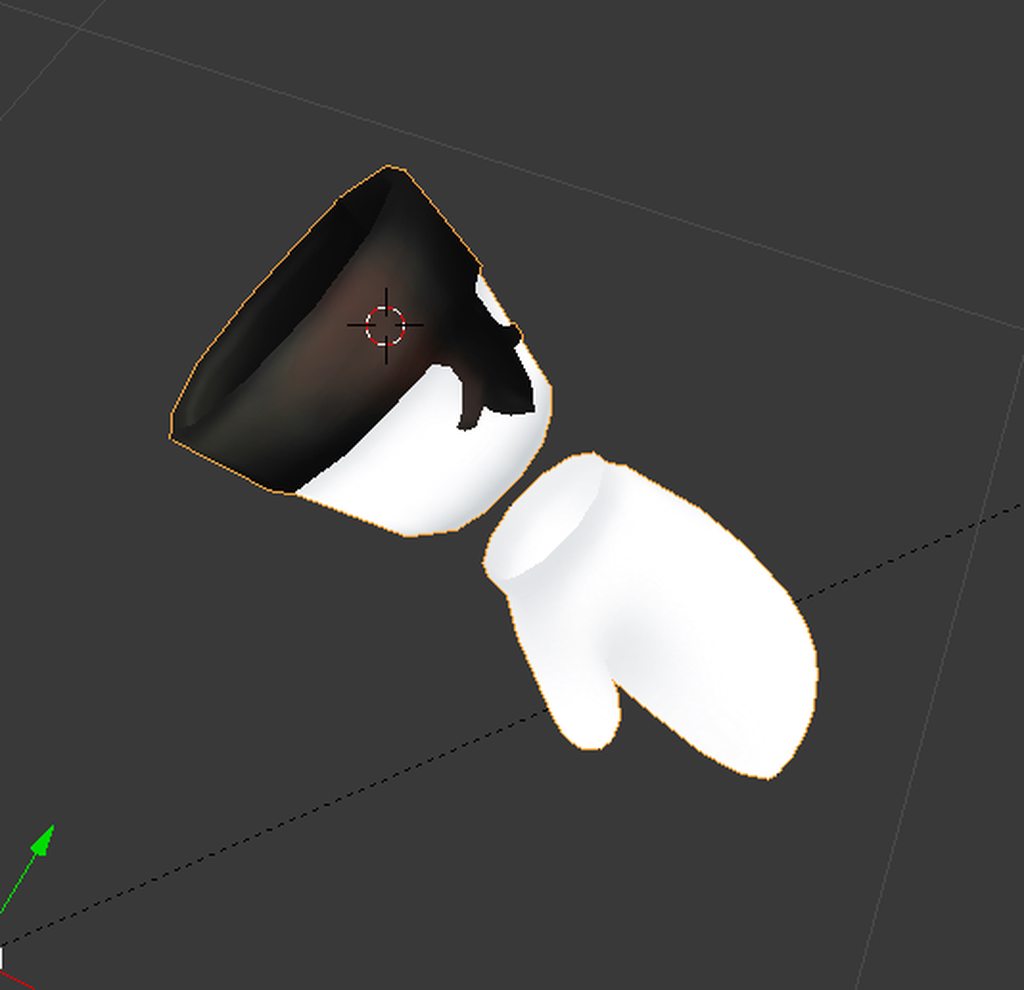 loud sierra
@lucid elbow Do you have Photoshop?
If yes. Use the magic tool to mark the white parts and change those. Simplest way of changing the Tex.
lucid elbow
idk about simplest lol....i ended up doing it this way as the hard way
loud sierra
So you fixed it?
small cloud
@lucid elbow enter edit mode, press L over the the part u want to be different texture > create new material > assign selected part to that material > add new texture > hit shadeless > enter UV and adjust
lucid elbow
yeah thanks guys ill remember that for the future but yeah i just ended up manually editing the texture
however
is there a way to change where the texture meets and creates a seam? its right in the front and in the back of the dress
 loud sierra
o/
lucid elbow
i'd rather have it on the sides if i could
loud sierra
Sadly not with that avatar.
lucid elbow
i didnt think so but thought i'd ask heh
 hasty crane
Can't you just mark the seams during manual texture atlasing? Select material, press Ctrl I to invert selection, press H to hide the rest then select where you want seams? Like you'd do the face?
viscid siren
Not part of VRchat, but a player hand model i made for other VR game that i'm making models for https://i.imgur.com/EAUqmAo.png
 vagrant scarab
@viscid siren polygon count of the hands?
 polar flower
16
viscid siren
8k tris
 cunning cedar
Does anyone know why i cant remove those bones? https://gyazo.com/8400ef0f404ba05ff828d895c9a2eaaa can i just ignore them? I am preparing cloth to merge it with avatar
 floral moat
How do i get into 3d modelling?
azure adder
pick a 3d modeling software and start watching tutorials
 gusty jewel
@Iron Tarkus#6483 Pretty much what Sen said. Programs like Maya and Max are what people use but they are expensive (There is Student versions tho) and there is also Blender a free open source one. This thing may seem difficult to get into but eventually you will get there. and also there is tons of help online.
dusky glacier
you could try Clara.io
It's free and web based. Although I'm unsure about the full extent so some tutorials would need to be watched.
dusky glacier
Now i'm having some new problems. When I apply a texture to my object it doesn't use the texture but just applys the base color of the texture.
http://puu.sh/ziQJr/4f235a5ec8.PNG

From what I've found out on unity is that I can create the UV map in blender (but I can't use blender) or in 3DS Max (not paying for that). Is there another way?
I've found a partial solution but it wouldn't work for textures requiring a specific texture mapping
and its buggy.
UVEditor on unity asset store. Free.
got me a nice marbling effect tho so i'm still happy.
http://puu.sh/ziRml/44a0f06c55.PNG
Feelsgoodman.
Really just a test model for more complicated models.
http://puu.sh/ziRpL/be94ec73e3.PNG

 cunning cedar
https://gyazo.com/4943ffaa0c8d58568b713f21750ecf6a how to reverse the scarf to look like the one on picture?

i want it to be on left side xD
 cobalt willow
@cunning cedar Import the model to blender and select the mesh in edit mode. Make sure the scarf mesh is highlighted and press the following keys S - X 1 then press enter to confirm and CTRL + N to recalculate normals so the mesh isn't inside out
deft kite
I have a titan model i found (the only good one i could find) but unfortunatly each muscle piece is a seperate chunk, using the Remove Doubles doesnt work because the pieces are juuuuuust far enough away from eachother to not be close enough to merge. Is there another blender trick i can use to sew together every darned piece of muscle to eachother? A vertice magnet or something?
 vivid crater
im not sure if this is what your looking for, but when you first click remove doubles in the bottom left there should be a merge distance value in blender
deft kite
oooooh that might help, yes
im not finding "merge distance values" but im sure its a popup tab somewhere, but this will definatly help!
found it!
darn, didnt work, its just a really bad model
who knew finding a skinless muscle basic body for a titan was this difficult...
cunning cedar
@cobalt willow s-x1? xd
cobalt willow
Yes. On your keyboard.
 vivid crater
just curious, how many people here were into 3d modelling before VRChat?
spiral sigil
yep, putting some work into good use
 dusty cipher
Has anyone imported a PSK model into Blender before?
Also, my PSK plugin seems to have uprooted itself and walked off...Despite saving my User Preferences it is no longer on the left-hand side of Blender among the other plugin tabs. :c
And re-adding/saving the plugin does nothing. Alas!
static sun
@dusty cipher https://wiki.blender.org/index.php/Extensions:2.6/Py/Scripts/Import-Export/Unreal_psk_psa i havnt used it in a while <.< but i know you can get a 3rd party tool that converts PSA/PSK files to FBX for you
dusty cipher
Thanks!
I've got it into Unity and working, more or less.
But when I rename my bones and change the parenting, it all goes back to the way it was before when I try to set up the Humanoid Rig.
Is the SDK bugged or is Unity bugged?
 viscid cargo
I have a model that I what to have different shaders for a certain part of the body, but the part and the rest of the body are on the same material UV map. How can I assign the part of body to a new UV material map?
I've tried googling what I want to do, but it's turning up the wrong information
 dawn monolith
Tried googling and doing everything I can do my own knowledge yet I still cannot fix this https://i.imgur.com/T3j2mUp.png
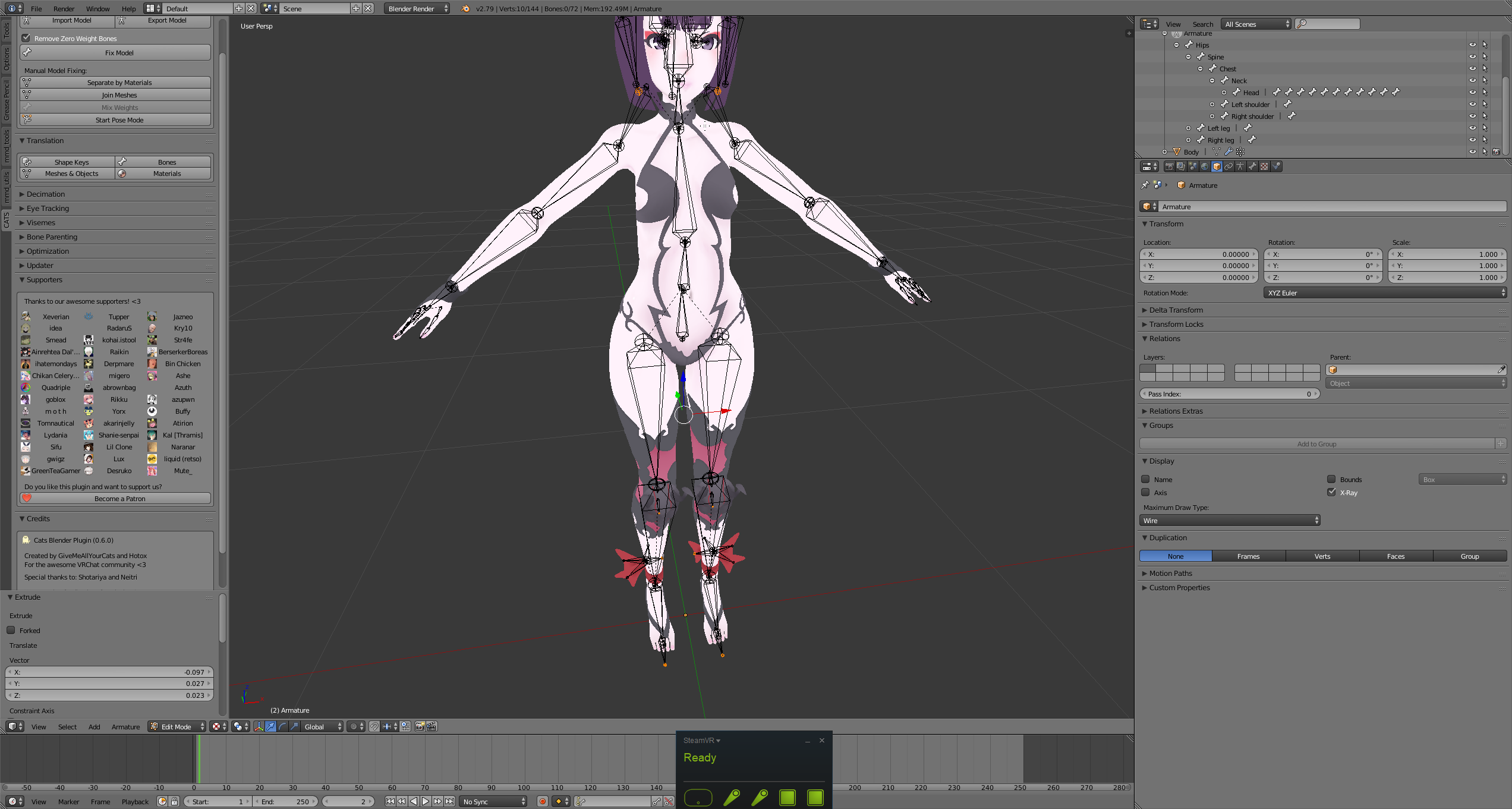
How do I parent the shoulders to the chest?
Been at this for a one and a half hours practically
viscid cargo
Right click on the bone of choice, go into the right bottom panel and click parent, look for the bone name you want and click it
parented
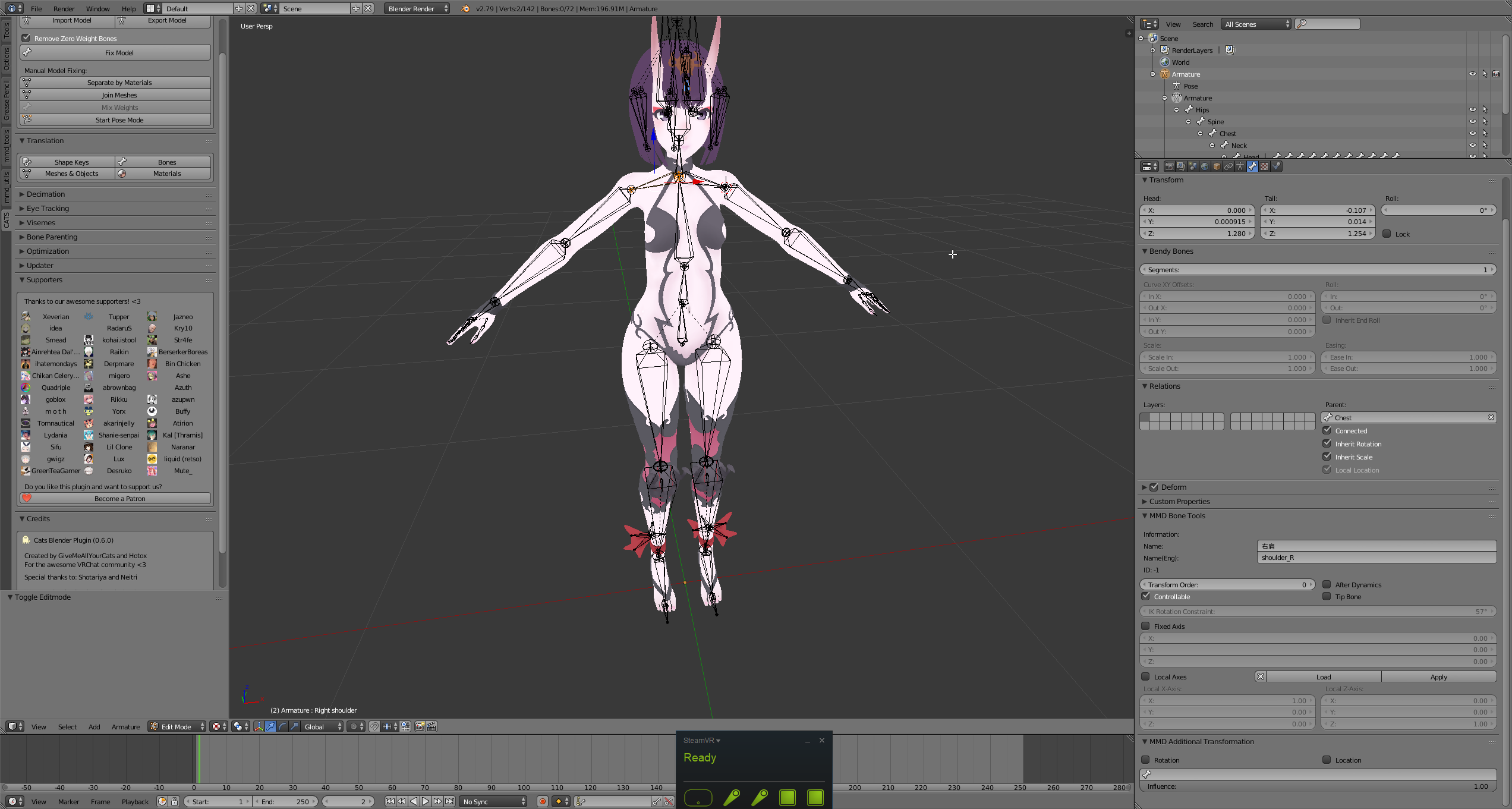 viscid cargo
Probably shouldn't have them connected, though that's personal preference
Otherwise yeah, that should get ya
Now comes the fun part, bone weighting
viscid cargo
Unless it already is and look good to you
dawn monolith
Uhh the shoulder still is broken

Don't think that;s how they are supposed to work
ANy remedy to this?
Do I mix the shoulder and left arm?
Like left arm and left shoulder
 opal pendant
How do I fix this error? Ever since I installed blender it has never once worked and I only get this error then a crash. http://puu.sh/zj3rN/2b6b28ab02.png

 prisma summit
reinstall?
opal pendant
I have 3 times. I have also completely removed and reinstalled Python yet no dice.
That's why I'm asking here.
opal pendant
Wow thanks! You're so helpful... /s
spiral sigil
So, if you're new to making custom avatars from scratch
i suggest making basic shapes to construct your avatar, using much less polygons as possible
if you want to create something simple
if you like texturing and such, there are tutorials on yt on how to do so
so once you're more familiar with your 3d modeling program, you can try creating more advanced shapes for your avatar
all trial and error i may add
 flat star
get concept art as ref when working
im going to uni in 3d modeling maybe ill try my hand on this, what anime waifu hasnt been done
spiral sigil
mhm
theres a way to set the images in blender as like of reference so you can model over it
flat star
yes put background images
Use N > Background images to add references to front, side, top view and align w/ transforms
marble dew
Is there a way to make sure all weight was removed from a bone?
I thought I got all of it, but when I put it in unity some stuff was stretching
 winged dirge
Hi, does anyone have experience with Blender?
I've created a mesh and a curve, the curve has soft body physics that act perfectly for what I need, but I need to hook it up to the mesh
flat star
Weight paint? put weight to zero in Vertex Group
winged dirge
I can't seem to do that without turning it into a mesh and if I turn it into a mesh the soft body physics cease
ahhh
that sounds like it might help!
Let me try 😄
flat star
Wait i was talking to Rawsomeman LOL, but hey man try it.
marble dew
Where is that at?
flat star
in your Properties Panel
winged dirge
ah, yeah i can't edit individual verticies with a Nurbs path
marble dew
Which mode?
flat star
go in edit mode select everything then go to your properties panel in object data
its the upside down triangle
 strange berry









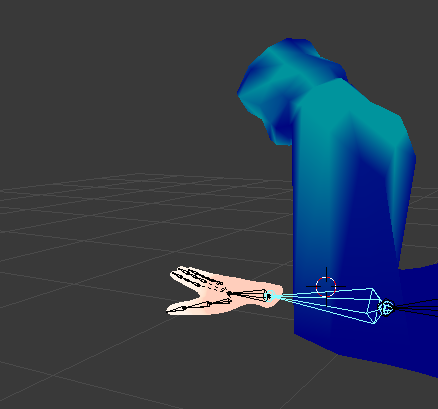


 flat star
Anny can you describe your problem more
winged dirge
sure
ah
guess i can't paste images
Well
I have a NrbsPath
I have given it a soft body for physics
I have a mesh cube
I have given it a collider
I want the nurbs path to be hooked into the cube so that it stays hooked in when i animate it
think of a power cable, where the plug part and the cable intersect
right now i can't get those two to join, whenever i animate it the cable just falls away from the cube
does that make sense?
flat star
hmm can u dm me images
viscid siren
There is an add-on which lets you import images in blender as planes, so you could set the reference image as you like.
spiral sigil
^
viscid siren
the background image is also very good option if you model character's face or any other detailed part.
but you can also just open separate area in blender and set it in image edit mode and then open the image. it would limit the modelling area, but would still be on your vision as reference.
woeful arch
By any chance does anyone have the MMD for Dio's The World?
Thanks!
 ruby night
using google can help
found it on first search
 outer halo
Uhm i'll be trying to get into 3d modeling, for vrchat mostly, (like creating an avatar from scratch I guess).. Should I work with blender or unity tho? >.<
viscid siren
Blender, because you can't 3D model in unity :B
outer halo
oh :0
 charred moat
Yep, use blender, it's free and very powerfull