#3d-modeling
1 messages · Page 29 of 1
 empty turret
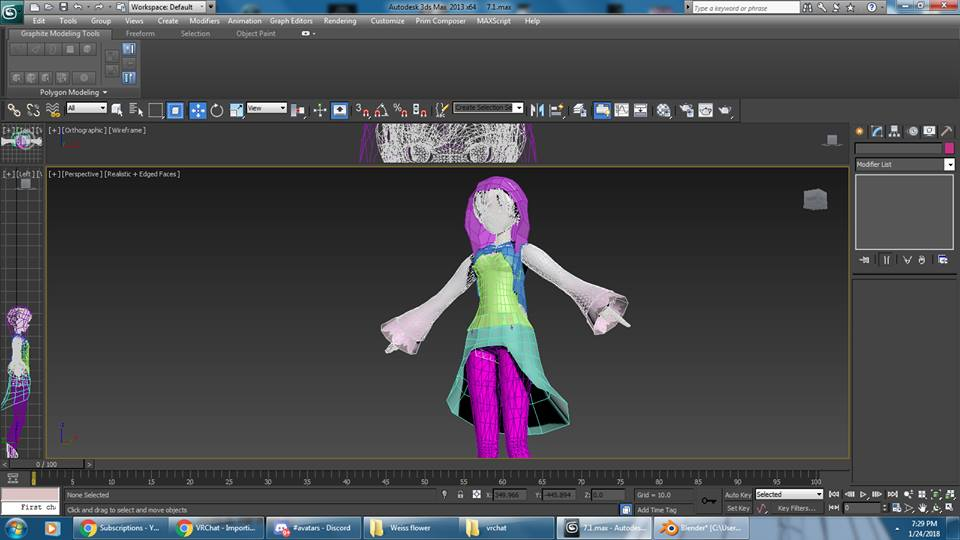
https://imgur.com/a/wvbZh here's what I got so far. It's gonna be a pain to work with every step of the development process but I'm pretty determined. Also I still need to block out the hair.
 dry lava
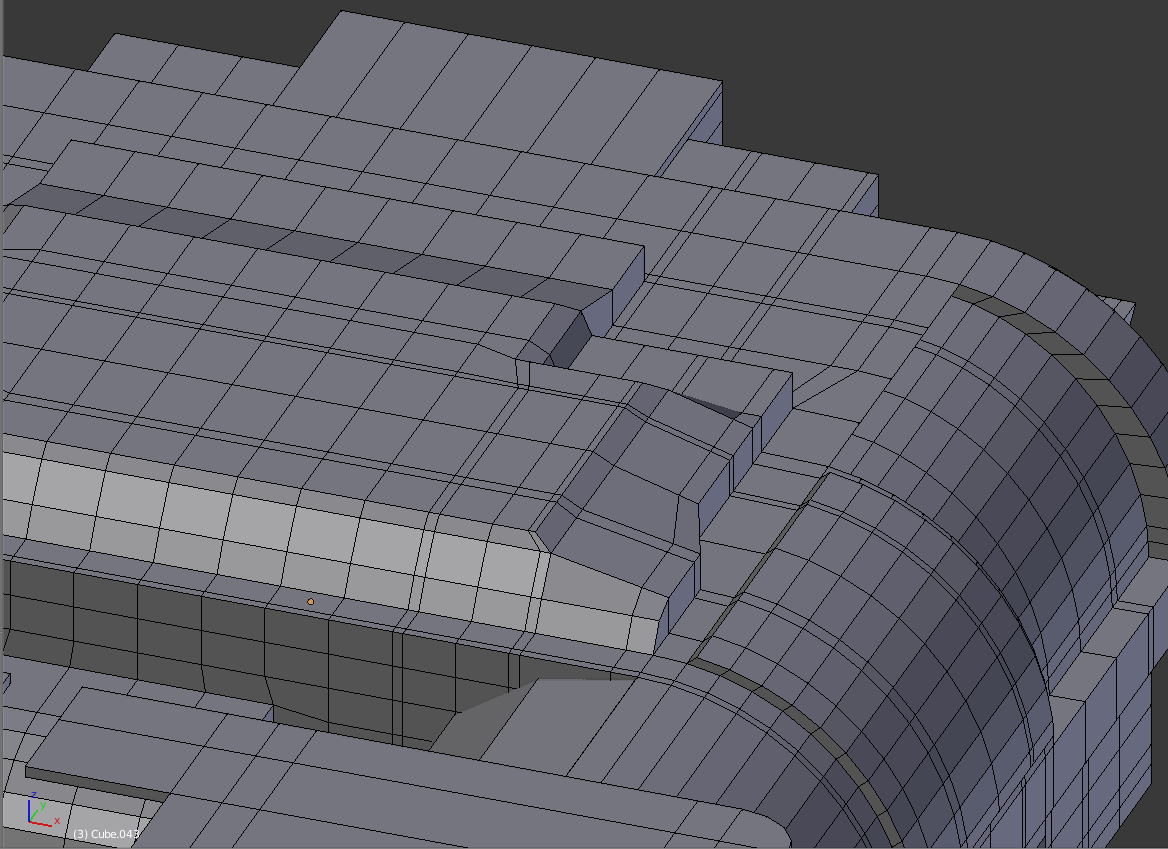
This might be more of a process question than anything. If my model's topology is halfway decent in terms of edge loops and such to modify, should I do a limited dissolve of the useless stuff prior to UV unwrapping?
My model is more than 20k, but I know doing a limited dissolve can get it to 17k or so
For reference. https://i.imgur.com/Xv8XUa7.png
I figure the best thing is to have a model that has the geometry you want, save that separately in case you need to come back to modify any of the geometry, then continue with some kinda optimization for texturing and rigging?
dry lava
I just didn't know if it was normal to keep all the topology for modification when you start having to do the larger steps
I suppose the biggest step is being satisfied with the "modifiable" model before taking the leap to UV and texture, etc.
 viscid siren
you could try to merge some useless lines from those flat areas, you don't need that many unless you are planning to animate those parts
dry lava
What other optimization techniques are used other than the non-destructive limited dissolve, or the destructive decimation
Those lines are used on other faces for things
viscid siren
enable "autoMerge Editing" from the Mesh menu and selec the verticle/edge and double gg and move it on other line so they merge
dry lava
I try to keep all my edge loops, well, loops.
Won't that break those loops from being modified?
viscid siren
not sure what you are planning with those loops, but the don't affect the UV or texture at all if they are on flat surface
dry lava
Isn't it kinda standard practice to keep loops as loops?
At least, for the modification process
I don't like knifing randomly onto a face
 sonic nimbus
To really optimize your polycount you should combine any vertices that do not change the profile of your mesh.
viscid siren
that i mean
dry lava
Which is basically a limited dissolve across the mesh, right?
sonic nimbus
If the mesh is not going to deform it doesn't need nice topology.
dry lava
Since that just takes out any unnecessary vertices
sonic nimbus
That might work.
I haven't tried it myself.
Alternatively you can just slide all of the extra edge loops on top of each other and remove duplicates.
dry lava
There is geometry that depends on the placement of those loops
Which is why they are all there
viscid siren
on the whole loop just keep all the parts which creates the outline of the model, all the other you can just merge
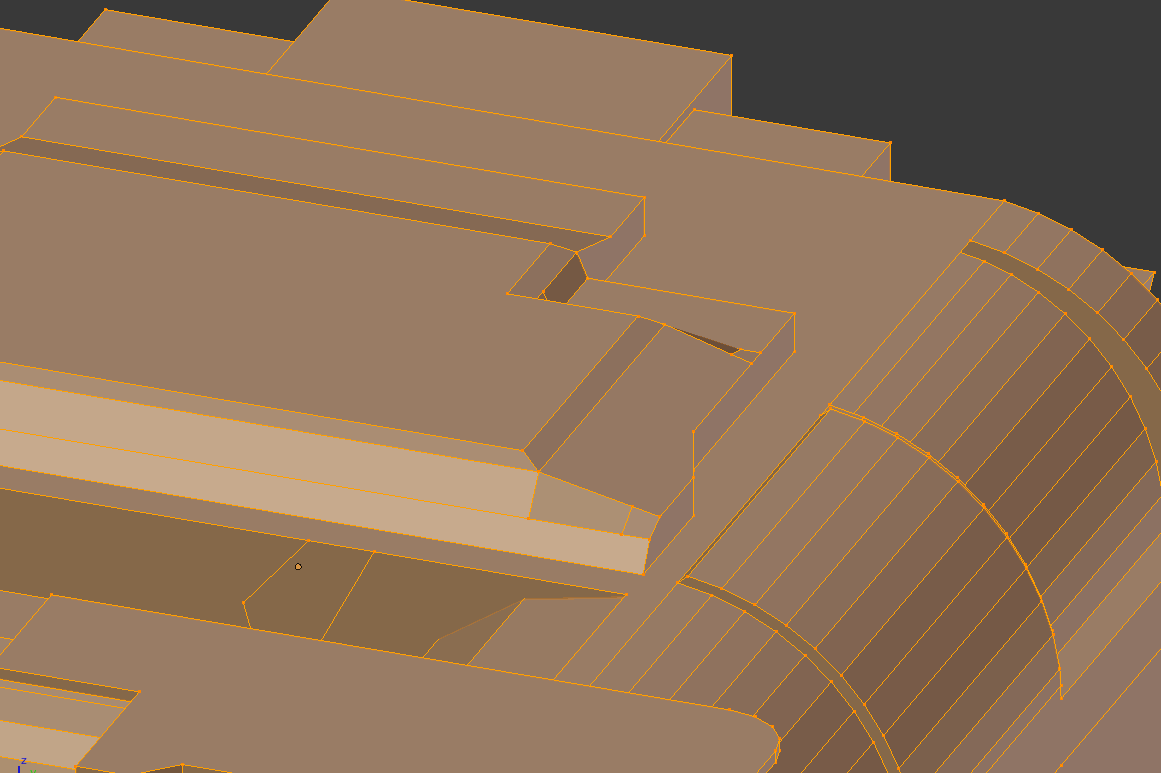 viscid siren
do it by hand, that is bad
sonic nimbus
You don't really want to create ngons but they'll just get converted to triangles anyways.
dry lava
How is that bad?
I don't see too many ngons
The mesh isn't going to move
That tool alone took that mesh from 9k to 2.7k
viscid siren
As TCL just said it creates Ngons. It's all just for the optimization of your model,.
 timid vine
@hidden pilot http://roestudios.co.uk/project/3d-pokemon-models/ make sure the models are rigged
ROEStudios
dry lava
@viscid siren I'm still being destructive to the mesh if I'm merging edges and stuff manually, aren't I?
The tool I used is just a quick way to be rid of all, non geometrical defining topology
viscid siren
you really don't destroy anything as long your overall topology stays the same, but cleaner in parts that doesn't need any excessive edges
dry lava
My mesh's geometry stays the same with that dissolve I did.
 hidden pilot
@timid vine not rigged, shows up as white in mixamo too
viscid siren
yes, but now it's less manageable, and if you start putting it somewhere else which doesn't support ngons, you would be screwed, unity thankfully creates tris from that for you.
 frail viper
anybody have any clue what this ALP format is
and how its converted to FBX/PMX
Im finding them everywhere recently but nothing informing on how to actually utalise it
dry lava
@viscid siren Thanks for the insight. If I plan on sticking to just Blender and Unity, I should be fine?
sonic nimbus
@dry lava You can just add a triangulate modifier to it if you need to use it any where else.
dry lava
Oh yeah, true
timid vine
@hidden pilot then you'll have to rig the models
hidden pilot
im assuming youtube is my friend for that?
dry lava
On 1.5 or 2x, yes
dry lava
It doesn't
timid vine
@hidden pilot ye
dry lava
You would have to rely solely on animations if you wanted the model to move/turn/strafe
timid vine
@dry lava it does but the process is really tedious
viscid siren
you can make 4 legged models, but you ahve to create custom animations for the walking
dry lava
@timid vine Do you mean weight painting the rear legs to match the front?
hidden pilot
anyone accepting commissions?
dry lava
Ok. I just wasn't sure if that's something so frequently asked that this channel just does it based on the text
hidden pilot
only the user can edit their own messages
it isnt possible as an admin
how much would something like that cost?
dry lava
You mean, to do a bunch of custom animating for a quadraped?
dry lava
If I had to hazard a guess - and I'm not in the industry by any means - I'd say no less than $200 just due to time investment
hidden pilot
wew i am in the wrong business
dry lava
I mean, there are professionals out there that do this for a living
hidden pilot
yeah I know
dry lava
Depending on the person, creating art and stuff like this is always more expensive than people think
 lament pond

 lofty dust
hey guys
in my model i had to fix a few broken faces using recalculate normals
but the affected faces are a slightly different color then the rest of the mesh
so i these triangles of slightly different colors and it looks ugly
how can I make these faces colors' match the main model?
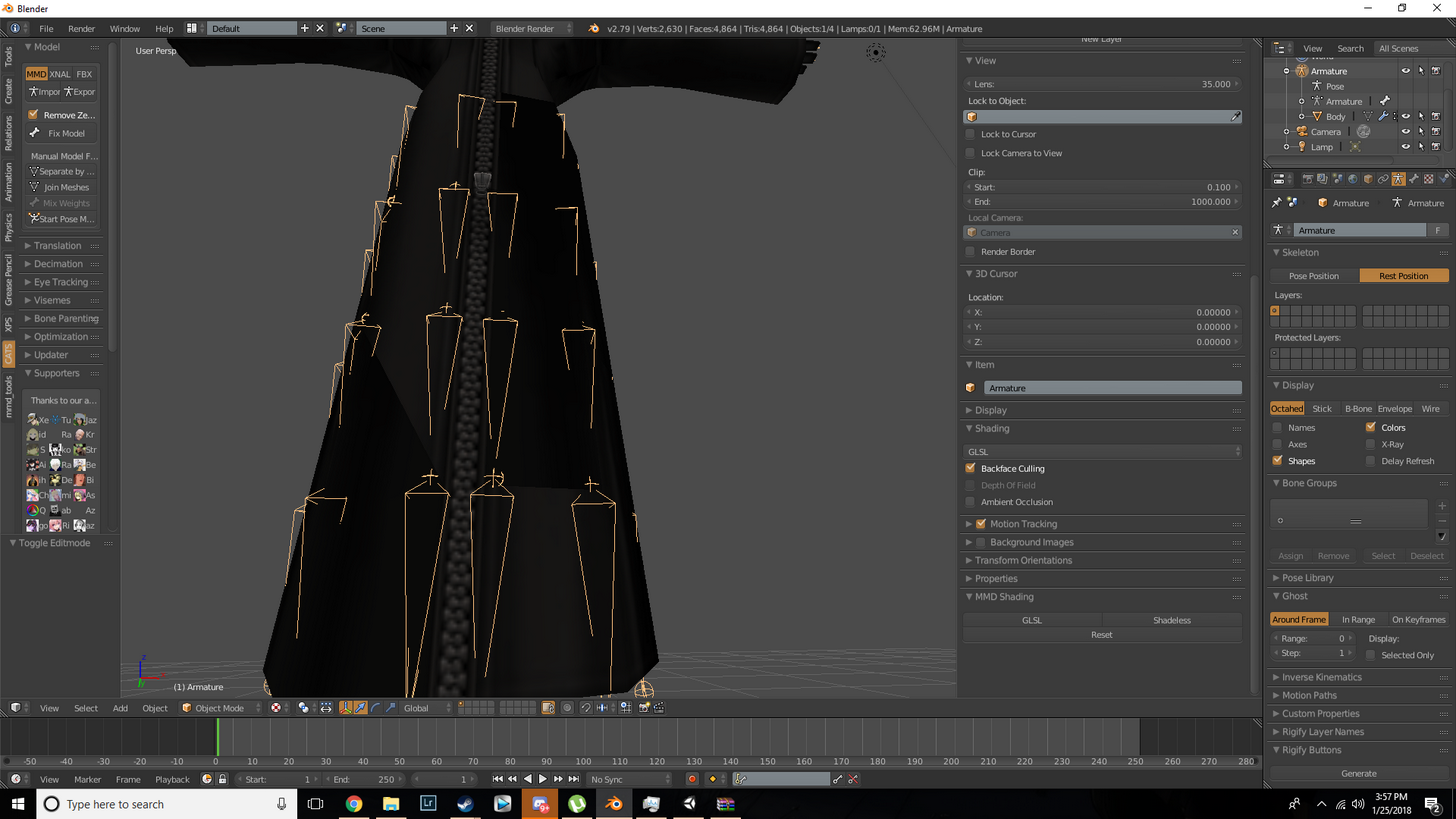
 ruby raptor
Im decent at modelling and rigging, might wanna learn how to get visemes to work, anyone have experience if making that work is time intensive/hard to do?
@lofty dust you probably broke the smoothing?
lament pond

Boom shaka laka
I hate making flowers
Fun fact. Flowers can represent rotting flesh
 high jetty
@ruby raptor it can take a bit of time but totally worth the effort.
ruby raptor
any tuts you could reccomend?
high jetty
This is the best documentation I’ve seen on it https://docs.google.com/document/d/1W5KFa_aszCMrJaFD8mb9a-GHYO4X4S9M63GjM4UwuEw/pub
ruby raptor
thanks dude!
high jetty
No problem. The more people we have making cool stuff the more cool stuff we get to see
viscid siren

 cobalt willow
@viscid siren I love you
viscid siren
Lisa is a fantastic game :)
viscid siren
not planning of making any worlds yet, but i'll think about it

 somber spear
@spiral sigil Hey Pill im a asset creator and i wanted to know if i could help make any objects for your worlds 😃
 shell veldt
idk if its intended to do this
but i cant zoom in real well in Blender
like it clips inside the stuff im tryin to fine point zoom in on
 blissful sleet
@shell veldt select the thing, press . on numpad
 brisk crown
@viscid siren Brad... braaad
hi brad...
i was actually thinking about making a model of Rando a few days ago
please tell me if you are going to make Olathe
 viscid cargo
@ruby raptor A bit late, but if you use the Blender add-on CATS, you can auto generate visemes, though it's not always as good as doing it yourself
You can even use visemes on things that aren't the mouth, I made some wings that animate when talking, since the model had a 2d mouth
 sterile pike
Hey, will smoothing faces in blender carry over to Unity? And could I apply a shader like cubed's one without it looking sharp on top of that?
viscid cargo
as long as you save what you do, I would think so
sterile pike
k
 spiral sigil
ye tris
 dusky swift
Looking for someone to make my model a shirt with text added to it
Or that can help me out with it I can PayPal If needed
spiral sigil
@dusky swift All you need is a shirt?
Fairly certain I could do that. No paypal though, it would be too quick of a proccess to pay for
 molten geode
I require your help, please 😄 I made an atlas myself and it looks good in blender, but when I pull the model into unity, the atlas is applying wrong as if its setting the wrong areas or someting...
 quasi flame
Did you remember to delete your old uv map in blender and rename the atlas to 'UVMap'?
molten geode
Under the conntections UV Maps_
dusky swift
@spiral sigil ya with text added on it
molten geode
Sweet, thank you, Mister Snowbow
quasi flame
np
 dawn junco
Anyone know if there is a way to select all the Vertex that are effected by Shape Keys so I can hide them in Blender?
ruby raptor
@viscid cargo
You can even use visemes on things that aren't the mouth, I made some wings that animate when talking, since the model had a 2d mouth```
I have CATS already, but I can't create "new" visemes off models that don't have it baked into the mesh? Like non-mmd models (take XNALara for example) don't have the "Ah" visemes etc so you can't select and create them.let alone when I use my own models 😃
viscid cargo
hmmm
ruby raptor
blend shapes they are called I believe
spiral sigil
Hello?
I need help
I was working on blender
Im ripping out models from other games
Gmod etc
to make one model
How do I cut out section of a MESH
just a video
THATS all lI need
How do I cut out section of a MESH
just a video
THATS all lI need
empty turret
idk about blender but in 3ds max you select and shift drag
ruby raptor
he was copy pasting that earlier, gave him a tut and everythign...
ruby raptor
So I am used to C4D, getting used to Blender now, but one of the simplest things is still troubling me 😂 how the hell do I combine multiple meshes into one
ruby raptor
cheers
gonna try do the visemes on the entire mesh, don't see why that would be an issue over doing it just on the face+lips etc
spiral sigil
👍
ruby raptor
so im tryign to hide all the bones while working on the shape keys
hid them all one by one, click the head, and they re appear -_-
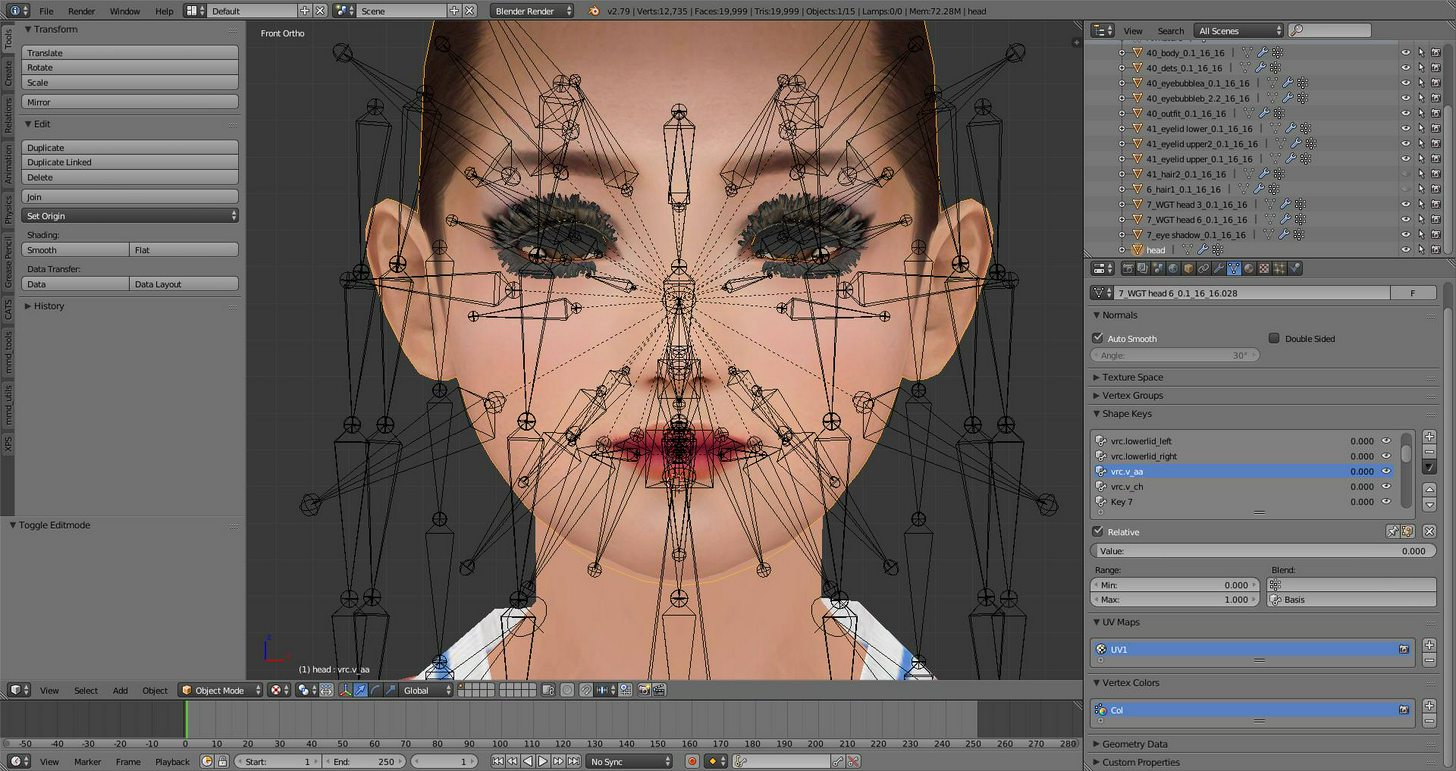
be gone foul bones
spiral sigil
👍
ruby raptor
how do I hide those? 0_0
spiral sigil
http://www.dummies.com/web-design-development/blender/blender-for-dummies-cheat-sheet/
H Hide selected
Alt+H Reveal all
When it comes to Blender, you can save time in many ways. Memorizing common mouse actions and numeric keypad hotkeys in Blender or common keyboard hotkeys in Blender’s 3D View help you work more efficiently in Blender. If memorization isn’t your thing, you can even print lists of these mouse actions and hotkeys and refer …
ruby raptor
erm yeah, nah
ruby raptor
sure but its not hiding x)
ruby raptor
seriously blender is annoying as hell, still not getting this done, its so illogical
mashed a bunch of shit now it somehow worked
spiral sigil
mmm
ruby raptor
wish I knew what the hell I did there lol
spiral sigil
blender is just confusing
but once you know the shit this program is
then it gets easier
ruby raptor
damn model won't open in C4D so im forced to use blender X_X
spiral sigil
rip
ruby raptor
cool
ruby raptor
Fricking.... selecting one vertex and moving it moves all unselected vertexes too, yeah sure that makes sense...
spiral sigil
rippo
ruby raptor
proportional editing tool is the issue, not sure how to get that to work without it doing that
 steel basin
this is my character exported from .nif to .obj directly from nifskope
i think nifskope was not able to export the skin weights
can i fix this? like, hiding the bones and still have the original rig intact?
When I put this character in unity it does not find his bones

 mental blaze

 tawny burrow
oh this could be cool
mental blaze
My 2nd attempt in organic modeling
The head isn't the problem. It's the hair and clothing
tawny burrow
yeah hair is probably very tricky
tawny burrow
do you have the front faced done to some degree already? because it already looks pretty 3 dimensional
mental blaze
Yeah, but I'm away from pc
I had to sculpt the cheeks because there was a noticeable crease on the chin and jaw
lament pond

 ruby raptor
kindof looks like its hanging itsself from a blue cord and the black neckband
lament pond
That'd be the z axis
 pure loom
So ive learnt how to import avatars that are premade and i've got it down to memory. my next challenge is how to Create my own avatars. is there a crash course that someone could link me to?
ruby raptor
what part you wanna learn? 3d modelling? texturing? just editting existing models?
its kindof a gigantic spectrum of things..
viscid siren
to beging with 3D modelling, suggesting you watch the anvil tutorial by Blender guru.
pure loom
ok thanks
I see People creating these crazy stupid Chaaracters... i just wannt mix my own
 fringe brook
https://cdn.discordapp.com/attachments/401664357404246016/406510586566934538/Yoshino.pmx
can some one please help me fix this? the bones are off
spiral sigil
I need help with my own model making, Crowbar is giving me trouble.
The program says the decompiling is finished but there's no QC or mesh files.
fringe brook
https://cdn.discordapp.com/attachments/405236585936846848/406536959138201600/Desktop_Screenshot_2018.01.26_-_14.47.55.58.png
my poly count is......
 mental blaze
150mil polygons. Y thou
fringe brook
idk 😭
fringe brook
well it was instant but the import to blender
well
whats your vrname so i can show you ?
mental blaze
I'm currently away from pc
fringe brook
awe
mental blaze
I assume the model wireframe is diamond shaped
fringe brook
👌
fringe brook
ill see what i can do XD i hope i dont break the model XD
mental blaze
Bruh, I'm going to have a bad time making the clothes
I might have to resort to cloth simulations
To het the ripples
And use that as the normal
 mental blaze
It looks fine
 small cloud
is there like an easy way to add 2textures on a plane without blender nodes?
different texture on each side*
small cloud
cuz every tutorial i'm coming across is dealing with nodes, fuck
mental blaze
I usually duplicate the mesh and flip normals.
mental blaze
I wish I had a better suggestion, but I never had to do something like that before.
It's not hard
small cloud
i mean it prob is not, just i have no clue about nodes, need to trial/error and follow a tutorial or two to get the idea
mental blaze
Well, I can't say much since I've been using blender for 5 yrs
small cloud
just want so my backpack has a lewd inside 😏
small cloud
dont rly want to add some near 1k and then strip down the backpack and work on body loops
mental blaze
Cut areas that have quads into a triangle
Spots that people won't see
Optimization practice
small cloud
i mean, im pretty alright at that when i started practicing kantai + ships
mental blaze
Careful on areas where deformation animations are heavy
small cloud
i know about faces + joints
and that u can leave them big inbetween joints, + other shit
i do all manual work on my models except for hair
mental blaze
Noice
small cloud
poles?
small cloud
if it removes tris, then i'll check it out
small cloud
i mean, could prob just duplicate this bag, 700 tris, can strip it down to like 400
then save those 400 inbetween joints on legs and hands
mental blaze
Ok
small cloud
so i just duplicate, flip normals
and apply texture?
or does it need to be scaled down a bit
mental blaze
Yeah, assign a material to that area
Well, experiment on the results
I can't really picture it
small cloud
if I'll be using 2 sided shader, the area will not flicker due to overlapping faces?
mental blaze
Not sure.
small cloud
if it does then gotta scale down the duplicate
mental blaze
I was expecting a 1 sided shader for that
Since its viewable on the inside of the backpack
small cloud
well true, can apply just 1 sided shader on that material
ill see how it goes, thanks for the help
mental blaze
No problem
small cloud
the idea is having a pure schoolgirl miku with a backpack full of ahegao
- some overrides
fringe brook
@mental blaze do you know how to rig models ?
mental blaze
Yea
 fading pawn
Hello, I tried finishing up my model in unity and it said some of my arm bones weren't a child of another bone? I was told this was fixed in blender, but wasn't told how
I tried looking through the videos but I couldn't find anything
spiral sigil
Anyone here familiar with Zbrush? I'd like to talk with someone
mental blaze
I just started using it 2 days ago lok
viscid siren
nice
mental blaze
The navigation is 2d ish
To actually sculpt a primitive model, convert to 3d model and enable dynamesh
Along with enabling symmetry
Got to see tips on stretching faces outwards to make decent limbs
fringe brook
Can you help me rig this 3D model ? https://cdn.discordapp.com/attachments/401664357404246016/406510586566934538/Yoshino.pmx
Every time I do it and upload to unity. The bones aren’t working
mental blaze
Show pic, I'm not on pc yet
Looks like a humanoid model
Get er don with rigify
If the model is a perfect mesh type.
Ctrl L it to see if all geometry is selected.
If not, weld em, assign to specific vertex group, etc.
fringe brook
🤔
mental blaze
Take notes on terms you don't know and Google them.
Rigify provides a stable armature.
Just don't scale it unless you freeze values back to 1.
fringe brook
Will do
 mystic moon
Anyone here good at animating models?
I'm working on Navi, from Orcarina of Time, got my model, sound effects, etc. Cannot for the life of me figure out how to get her wings to 'flit'.
 rugged hill
mental blaze
rugged hill
mental blaze
When you make anime eyes, do you go with using spheres or a semi-flat smooth mesh?
 tranquil pawn
is this a place where i can get assistance for textures for a 3d model i made? saving alphas, importing alphas into unity, having them work properly within unity? that sort of stuff.
tranquil pawn
alright, well how can i get photoshop to actually save alpha settings without it yelling at me "must be saved as copy"? I dont understand this as it is really inconsistent and just seems to only work when it chooses to. Second, the last png i imported into unity didn't work properly. it was not transparent even when switching the shader to cutout, or transparent. I had to mess with the albedio/metallic alpha settings but then it looked all shiny and was not really transparent. So how do i go about making it work properly?
mental blaze
go to the texture import settings and check alpha transparency
then go and make a material and assign it as transparent along with assigning the albedo slot with your texture.
tranquil pawn
alright, thanks. ill do that next time i import.
lofty dust
is it possible to disable smoothness
on entire project
instead of doing it to every fucking material
mental blaze
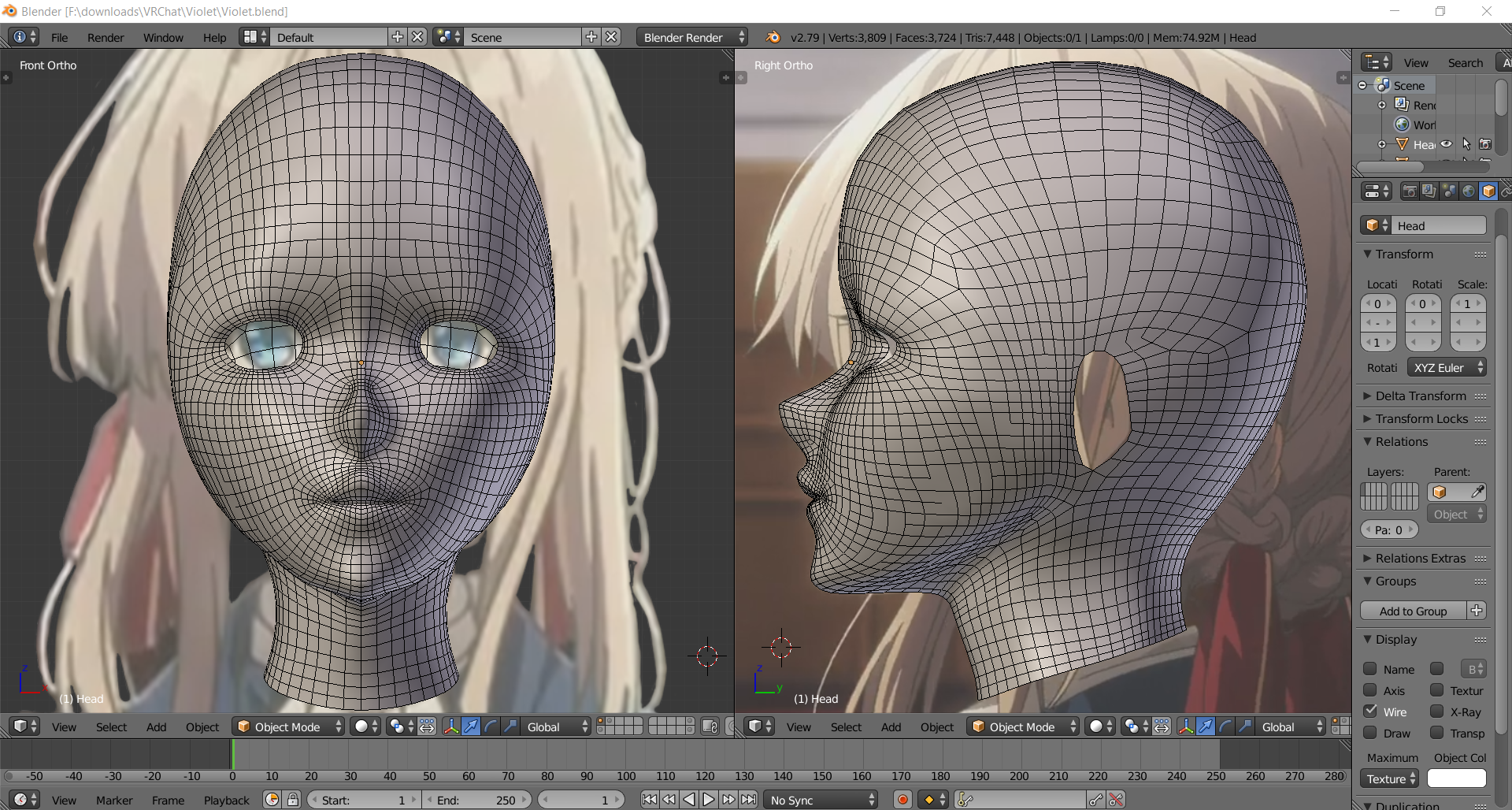
https://ibb.co/k4w69G eh, this should do.
 low mason
anyone know the green orc model that is a default avatar ?, anyone have it so i can add it as a statue to my map to Honor a friend ?
 cyan shale
Based on Violet Evergarden's MC @mental blaze ?
mental blaze
Yea
mental blaze
I made some minor adjustments to mesh, and will tackle body tomorrow
8hrs work +6 hrs modeling today :(
cyan shale
Yeah take a break, haha.
cyan shale
How are you going to handle her facial expression?
Are you going to keep her cool-personality?
cyan shale
I'll be keeping an eye out for progress 👀
mental blaze
It will be finished within 3 days.
It's just I haven't done organic modeling for a long time
The clothes, most likely be playing around with pins on cloth simulator.
cyan shale
I played a bit around with the cloth simulator to simulate some chest physics before.
mental blaze
Ah
lofty dust
Does anyone know how to get the teleporters to warp you on the ground to the receiving destination?
they all send me to where I need to go, but I fall from the top of the tele to the ground
and its annoying
lament pond
Move it closer to the ground
viscid siren

 wintry magnet
hey guys i have a model with 2 submeshes I only want 1 submesh thou :/ how can I fix this ?
ok did it
 sand hemlock
I have a problem with my faces, they seem to be missing or deleted. How would I go about filling in these holes with faces. https://cdn.discordapp.com/attachments/405489889467957259/406832686989049858/unknown.png
 small cloud
if you're short on tris, it's better idea to merge with alt+M or remove doubles
but here just F works
sand hemlock
Is there a way for me to edit the faces in a way like the UV editor? B/c if I select the faces and hit F, it royally messes up the UV mapping
spiral sigil
nono dont do it in the uvmap!
@sand hemlock
once the faces are filled in you can unwrap them again and move it
to the desired spot
you might have to mark some seams
sand hemlock
This is what I encounter though https://cdn.discordapp.com/attachments/405489889467957259/406840828841951232/unknown.png
 spiral sigil
olord

This tutorial shows how to uv map an image file to a box. The image file (of a Nintendo games console) is wrapped around a scaled cube. In this updated tutor...
try looking at this
viscid siren
https://i.gyazo.com/a64e835b9e256044540812480019f563.png now rigging left

 gusty copper
He guys is there a way to unfuck my cam on a project in blender
i cant zoom in any more
it is just stuck at 2 Kilometers away.
blissful sleet
numpad . @gusty copper
 solid shale
https://media.discordapp.net/attachments/324702205934567425/406878686340448278/unknown.png Are these enough edges for a smooth forehead?

It's going to be shiny in game
viscid siren
change shading to smooth so you can see is it actually smooth

the faces to smooth
also you could recalculate the normals, those some seems flipped
 frosty fractal
Looking for someone who are willing to make an avatar for me out of select parts of which i have gathered but with no knowledge on how to apply, set or even scale to the model. Hopefully the awesome individual who will help me accepts to do it for free.
 upbeat junco
I think there's someone who does it on vrcat for free sometimes, but they add a neat watermark
spiral sigil
im looking for a 3d modeler and artist to join a project for VR, any of you guys interested contact me on PM
Do it yourselves you lazy cunts
 onyx juniper
Rude
 worthy cypress
http://prntscr.com/i6h6nw
anyone know why it's giving me this error? i'm clearly above 19999 tris.

also im 100% sure this model has a lot less actual polygons than it's saying but i can't find any other hidden objects in it.
 heavy pulsar
Did you fix the model before decimating? @worthy cypress
worthy cypress
yes
the rigid bodies are removed
it went from 110k to 77k so that had to have been the rigid bodies
when i fixed the model ^
spiral sigil
im talking about gamer development...
 toxic belfry
I'm seeing that same thing, Jet. It seems that it's looking at Faces instead of Tris when you try to autodecimate with CATS plugin.
 tacit chasm
Can anyone tell me why the bones are snapping towards the center when i switch from edit to object mode?

this should probably go in the rigging section
viscid siren
Because your should change your pose in pose mode
the pose is the same in object mode as you have it in pose mode
tacit chasm
ohhhhhhhhhh
i see it now
new to blender lol
thanks
he has no legs, but theres a robe around it that needs the bones
it gets weird with that error tho
hopefully this fixes it.
 unique drift
Hey people, :D havent been on since october. But I made this in Blender while I was sick the past couple of weeks. Might become my newest avatar hehe https://i.imgur.com/BNw6CPK.png
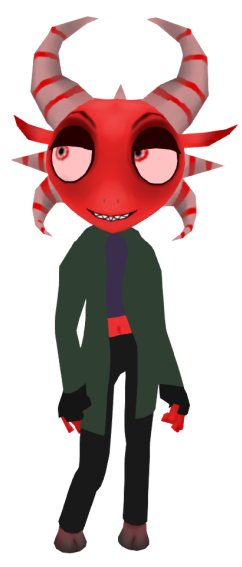 unique drift
Hi Sed!
viscid siren
you are not the first OG person i have seen here :)
unique drift
Nice haha. I've been on VRchat before it got recently suddenly popular
viscid siren
oh nice
viscid siren
yeah prettu much just making avatars here, not much ingame interraction tho
unique drift
yeah same.
I did go for the halloween contest earlier though
my bug monster got runner up!
this new character i can see if i can make 2D lip sync for it
viscid siren
trying to upload one character with animations, but not having much luck on that front
unique drift
havent done custom animations yet myself
sand hemlock
Anyone know why this is happening? I have outline mode on to show whats being affected. https://cdn.discordapp.com/attachments/405489889467957259/406973191492206592/unknown.png

Again, on the frills, it looks like textures are messed up
 trim sorrel
Fiddling away in Blender, but I seem to have locked a vertex onto one inside the other side of the model. Now it wont let me grab it back. It always selects everything other than that point.
 silent depot
Does anyone know how I would get the inner part of this lightsaber to emit white light and the outside to emit red?
I know you could make two different cylinders and shade them separately, but can you do it with one?
 trim sorrel
Never tried that, does it allow dual emissions with seperte intensities and range? Unless there is a gradiant emission available.
 gusty dock
is it possible to set a current shape key value as a new mesh data?
 charred schooner
Does anyone know why Blender crashes when I decimate my model using CATS' plugin? I have been looking for a solution for days now. I have a similar model (different clothes) to the one I'm decimating and it worked just fine. Just on this one it won't work.
cobalt willow
@unique drift I love it!
trim sorrel
@timid vine Depends on the style, Anime base models are abundant at Deviant.
 umbral crystal
make outer part transparent
or get a glow shader and make it glow red with middle like a pastel red
 serene hare
anyone know where i can get this model from, ive looked everywhere but cant find it ;-; https://pre00.deviantart.net/af8a/th/pre/f/2012/352/5/1/re__dc___william_birkin_g_mutation_3rd_form_by_lsquall-d5of8z2.jpg

 swift shadow
so uh
got my custom avatar in game...and when standing...the knees are bent somewhat
is there a way to change that in unity?
viscid siren
@blissful sleet you are too late, we found each others already
 fringe sphinx
Danger, is that in vr or desktop mode?
@gusty dock new SK that at 0 looks like another SK at 1?
Or transfer shape to separate object?
gusty dock
nvm, I found the answer myself
blissful sleet
@swift shadow try changing your height in system settings in vrchat?
small cloud
does any1 know if there is a way in blender to check if a face will get deleted in unity? http://prntscr.com/i6qmwl (not 2sided shader problem)

rarely happens, but kinda sucks when u notice it at the wrong time
 crude flicker
I need help to change that https://prnt.sc/i6qwmr to that https://prnt.sc/i6qwtx but without these apparent polygons/ugly things


 bronze barn
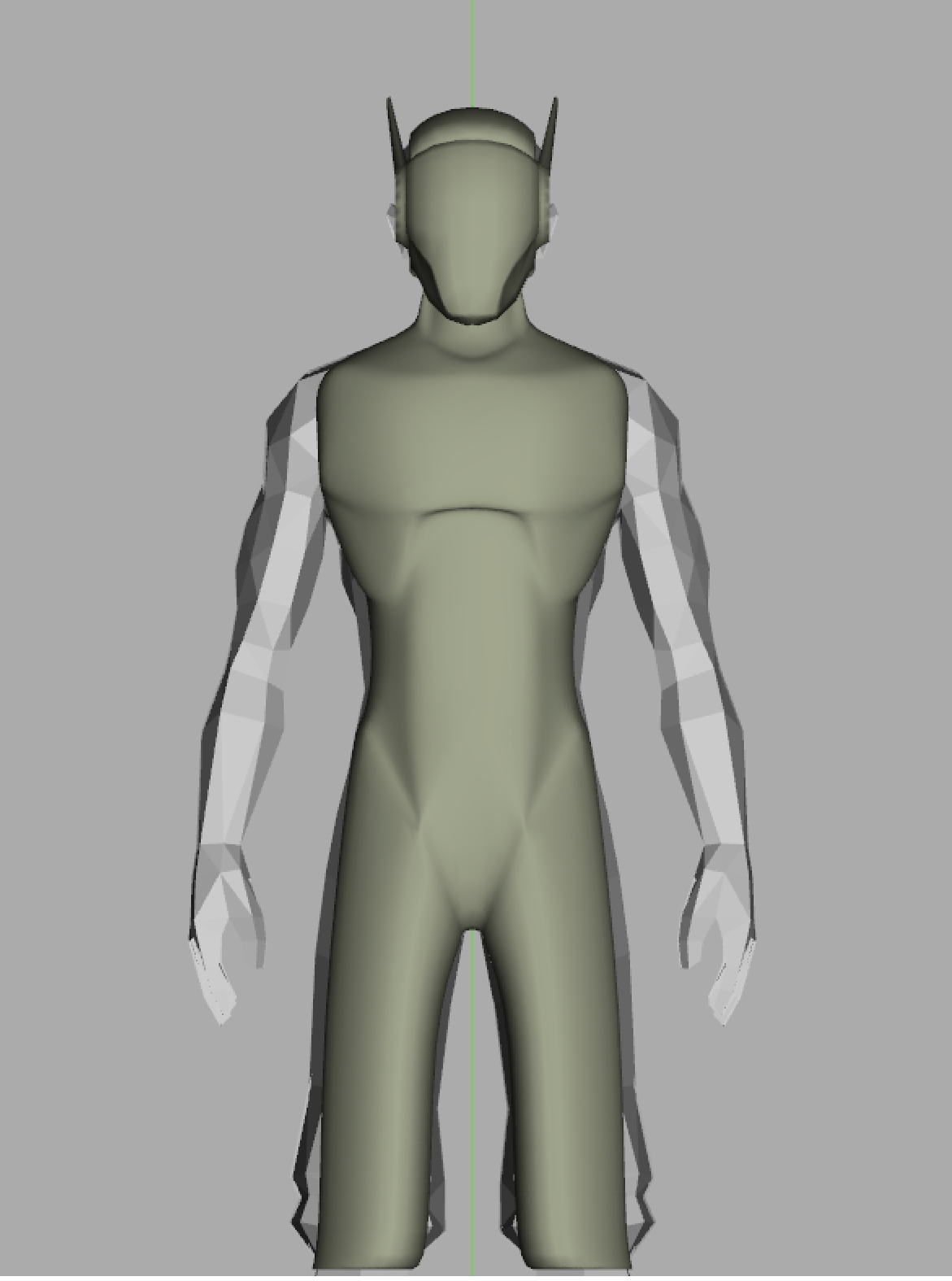
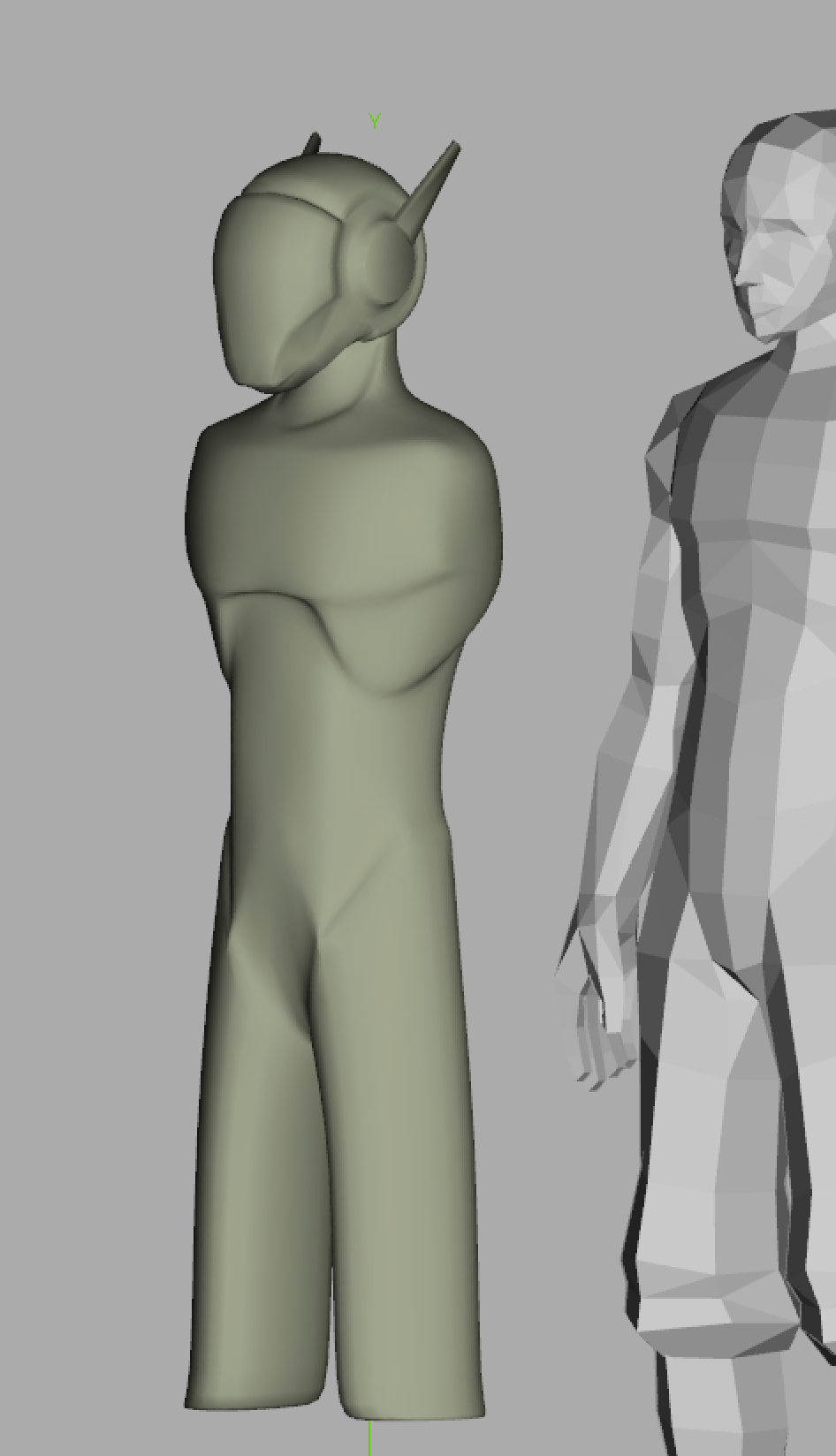
Hey guys. What do you think of this robot avatar (That is in hella early stages right now) im working on? While im still modeling it what do you think would help bring out the robot asthetic? (Keep in mind the low poly male model you see behind it is a model im useing as a ref to make sure the roobot has good antomy stracture to it.
 rose granite
trim sorrel
rose granite
trim sorrel
@bronze barn Depends if you want a more Sci-Fi or Cyberpunk feel. Creating exposed actuators, or obvious mechanical joints can make it look 'tougher' or more industrial. Clean lines and soft glowing seams can make it sci-fi. I like the gritty Cyberpunk look myself. fairly anatomic but a few seems.
bronze barn
The biggest cues im taking is Overwatch The exo's from destiny and some of the costumes I saw when I went to dragon con the last two years lol.
But for the most part im just winging it
Was gonna give him pants but how the hips turned out that's not happening
spiral sigil
https://imgur.com/ltylfLT how to i get these two to be pefect on both sides?
 trim sorrel
That makes sense, it does have a masked rider feel to it.
bronze barn
Cant wait to show off what I plan on doing with the eyes
 azure adder
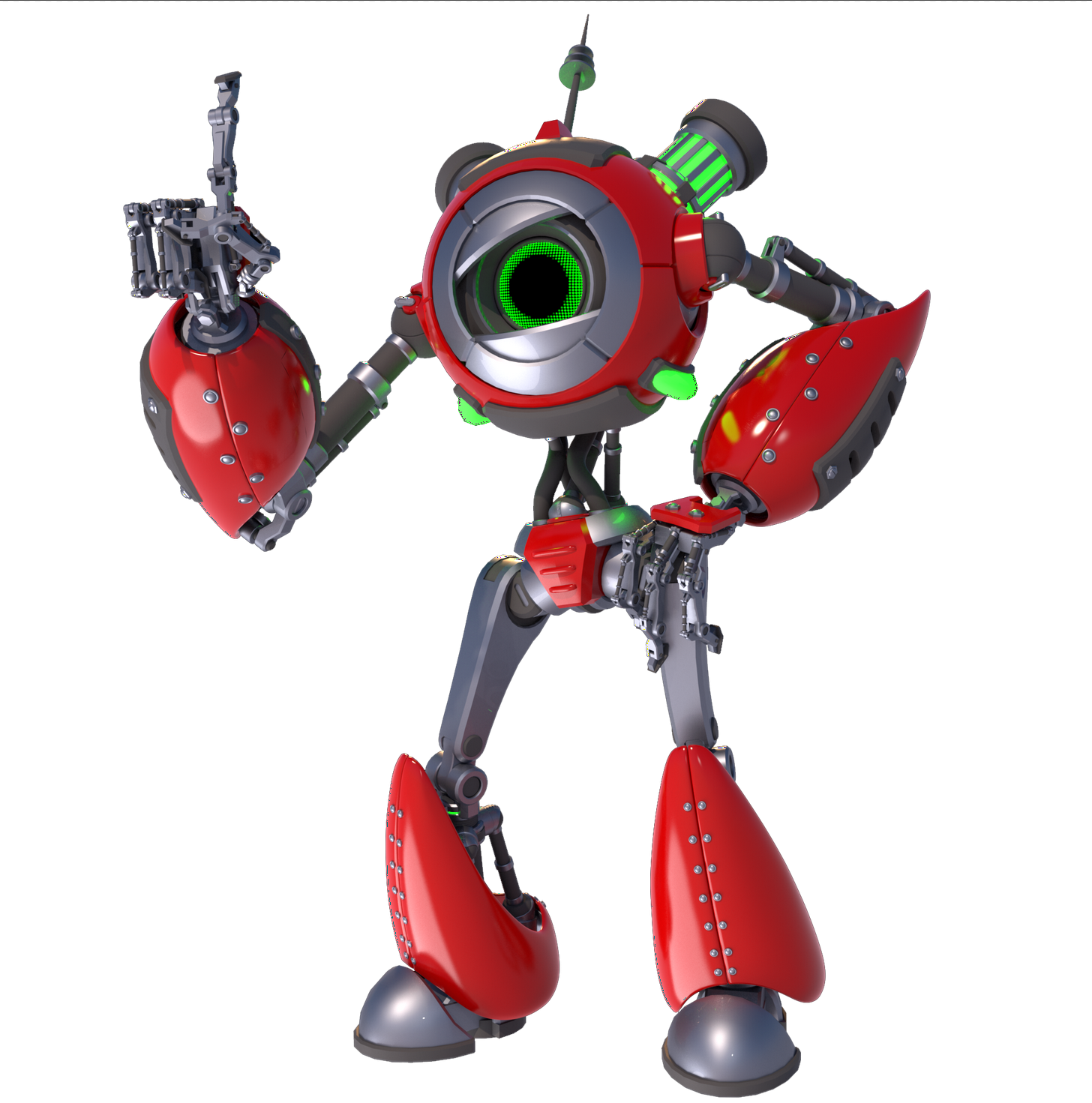
My new avatar i'm working on at the moment 😃 had to decimate this one manually from 500k to 19.9k
 candid pilot
pls help I have rotation problems with my avatar. In blender the X rotation was fine but in Unity it showed me -90 but it was still rotated perfectly but when I uploaded it on VRChat the roation was incorrect by 90°. (avatar facing down)
azure adder
in the fbx export options in blender there is a setting that will let you change the world up vector
candid pilot
I was able to fix the issue. I have to set the rotation of the body back to 0° aswell
 cosmic yacht
@azure adder 500k? Lordy that must be a pain
 deft kite
blender question - how do i get my view to focus on an object i have selected? cause the stupid scroll thing stopped halfway and refuses to get any closer
thank you!
is there someway to disable the "camera zoom dampener?"
 shadow panther
@spiral sigil how does one do that
 indigo pagoda
@shadow panther Tool Shelf ‣ Shading/UVs ‣ Shading ‣ Normals: Flip Direction
mental blaze
https://ibb.co/kmBreG the dress is going to be a headache to get right (excluding cloth simulation phase).
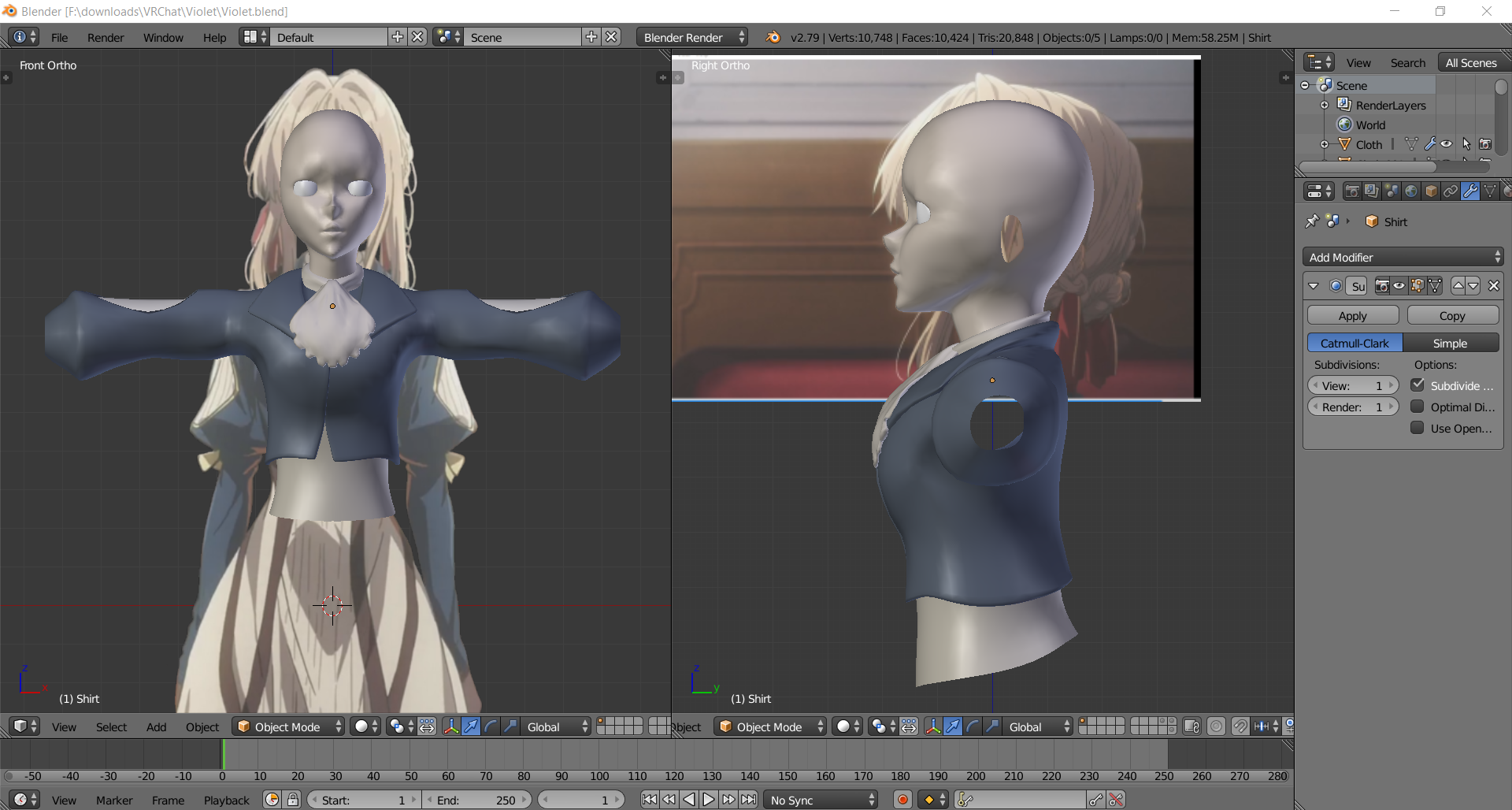 azure adder
@cosmic yacht yeah... it was took me a week
cosmic yacht
Hooooly damn
mental blaze
that was a cycles render of the red robot.
indigo pagoda
I want to have eye tracking, but my character's eyeballs are too big to fit inside their head, how do people generally work around that kind of problem for vrchat avatars?
mental blaze
custom eye meshes
I might stick with spheres though.
the current eye mesh I placed wont cut it.
indigo pagoda
I think even the part of a sphere that is barely large enough to allow for adequate eye movement would be too big
it would probably stick into the mouth
mental blaze
yup, needed to adjust breast area. All good now.
 serene crown
How do you guys fix the shoulder twisting?
Might be a thing cause I accidentally forgot to model in a T-pose
 spring helm
When trying to export to VrChat, nothing is happening and i am stuck on this https://imgur.com/YZD8jlI
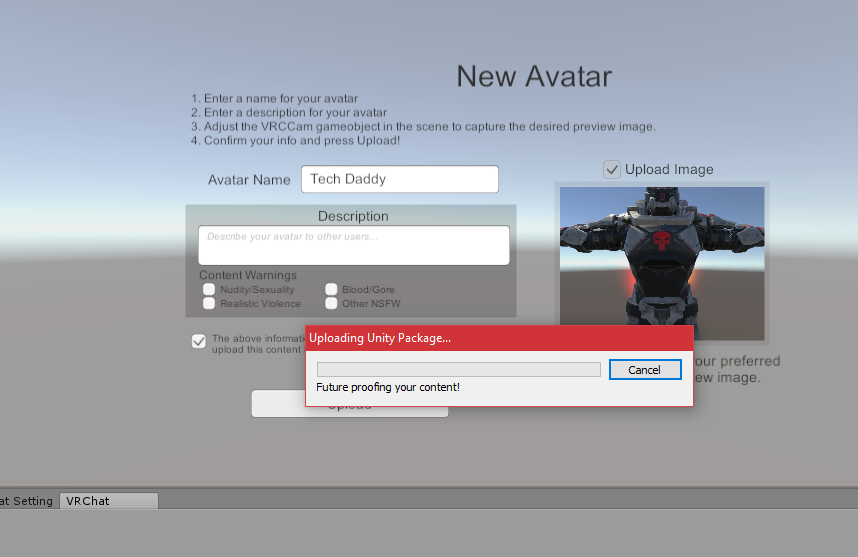
does anyone have any ideas how to fix it ?
its been syuck there for a while...
 hot hill
Anyone know if there is a way in blender to exlude a specific material for being part of the atlas?
That way I could export my model and reduce materials, but still have one separate texture I drag into Unity and set to transparent?
spring helm
If anyone has advice on my issue above, please either PM me or @spring helm Thank you, as i am still in need of help
hot hill
@spiral sigil It sounds a bit complicated, but I'll try to find a video explaining how to do that. Thank you!
 wooden gust
Hey guys, I'm trying to get an avatar down to less than 20,000 tris however the hair has lots of small parts of the hair weaving in and out of eachother, is there any command I can use to get rid of the unseen parts or will I have to do it manually?
hot hill
When I imported the model I did separate by selection. I think the panes of glass are one of the things that got separated. This is for a prop for a map, not a character model.
toxic belfry
Tupper did an excellent video on manual texture atlasing. just don't delete the material you want to keep separate when you do it.
hot hill
I had no idea I could select everything tied to that material! I was just selecting the faces manually. I'm going to try that now
spiral sigil
Im looking for a 3D artist to work full time for a VR project
Interested feel free to PM me
hot hill
@toxic belfry Do you know of the name of the video? I'm going to try doing it the way Ian described, but a video would help immensely.
toxic belfry

Oh! Crap! I missed a super important part! At the end, you have to delete the original "UVMap" under the Data tab (under UVMaps), and rename the "TextureAtla...
 scenic elk
excuse me, In blender I texture painted parts of my avatar to what I wanted, but I don't know how to apply that same texture/material to my avatar when it is in Unity. Please help?
toxic belfry
When you export from Blender to FBX, drag the textures you're using into the assets, then the FBX and it should automatically grab them and make the required materials.
scenic elk
yeah but I made a new texture with the blendure texture paint tool, not sure how to save that as a new texture though.
toxic belfry
Might have something to do with the UV map? I've not yet tried repainting manually. I usually edit them outside in photoshop. I'm still fairly new to this. Might anybody else know what to try?
 maiden sigil
anyone know what exact steps it takes to putting a new object into a model and having it stick to a particular part of that model?
I've been trying to put glowing red eyes into this daedrice armor set, and even when I join them to the head, they float independently in VRChat
 spiral sigil
how do i merge a bunch of these things together https://i.imgur.com/qfdxaFa.png
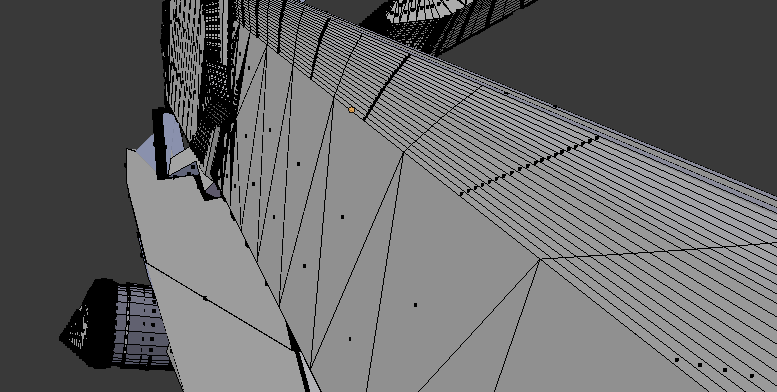
it's like flat but lots of it
i made it when i didnt know what vertices were
nvm it's f
cobalt willow
Select the faces, hit X, dissolve faces
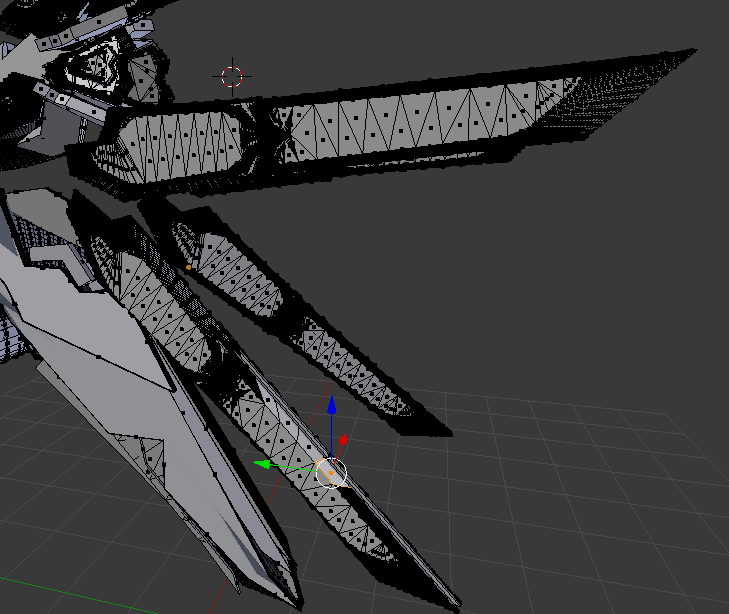 cobalt willow
Depends on how fast you can work :)
 stoic ridge
esoteric question: is there a good way to programmatically create 3d models? say if I'm modelling things where a computer program would be faster to write than using blender
example: I want to make various slightly different-sized picture frames with the same corner and edge geometry
but I figure using a single mesh is better than building every frame out of 8 parts
spiral sigil
using the limited dissolve instead brought this down from 171k tris to 10k tris
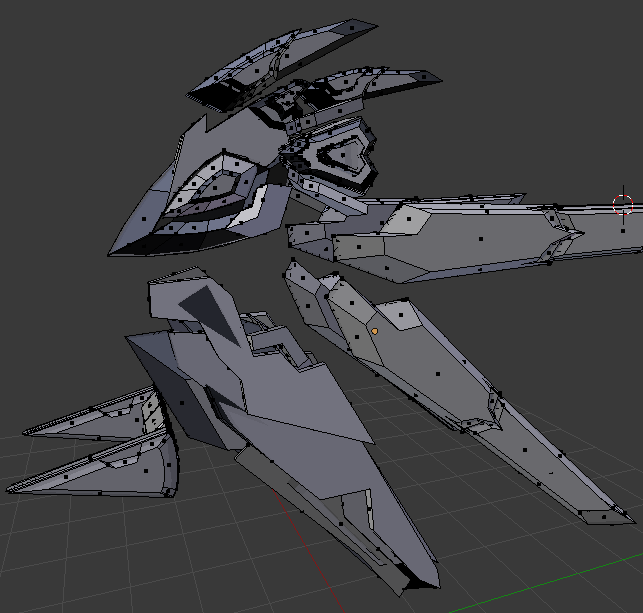
now to uv map for the first time...
 boreal estuary
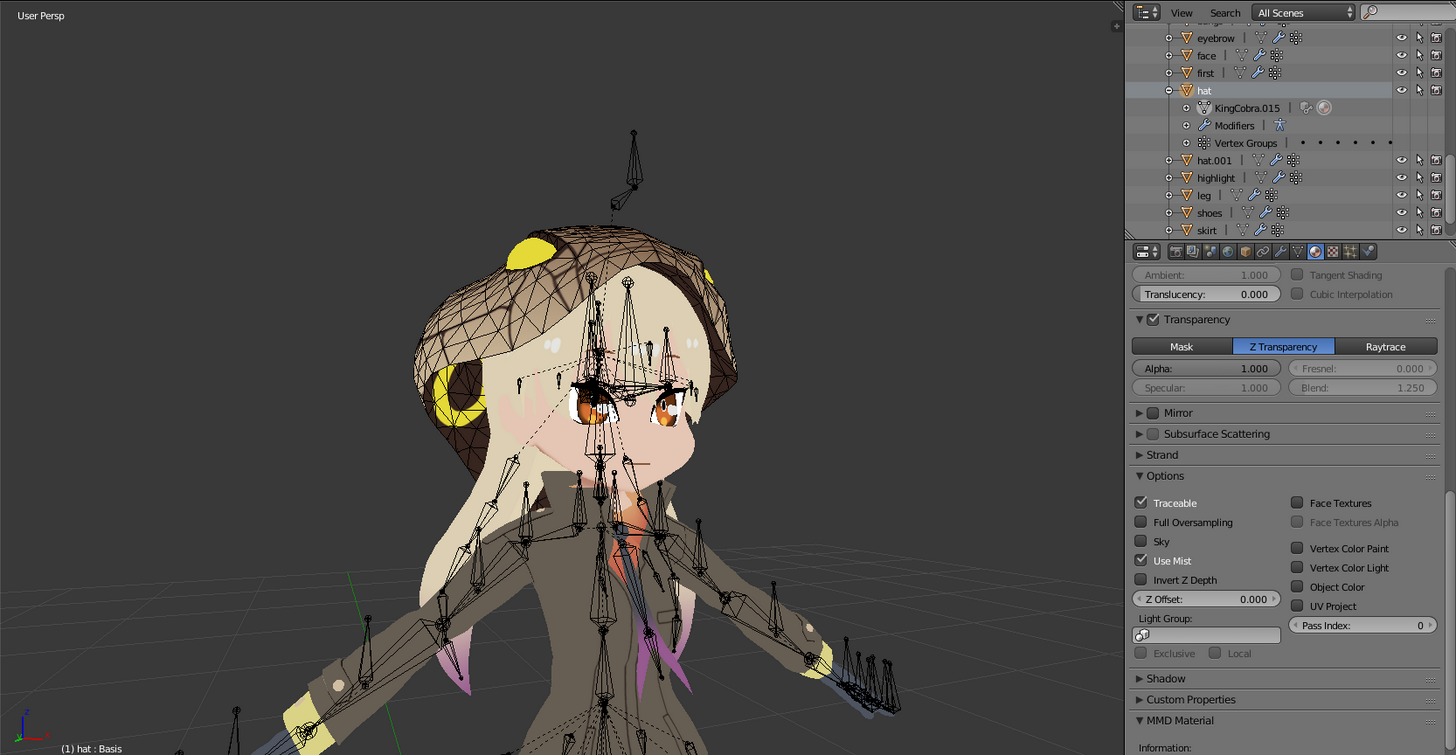
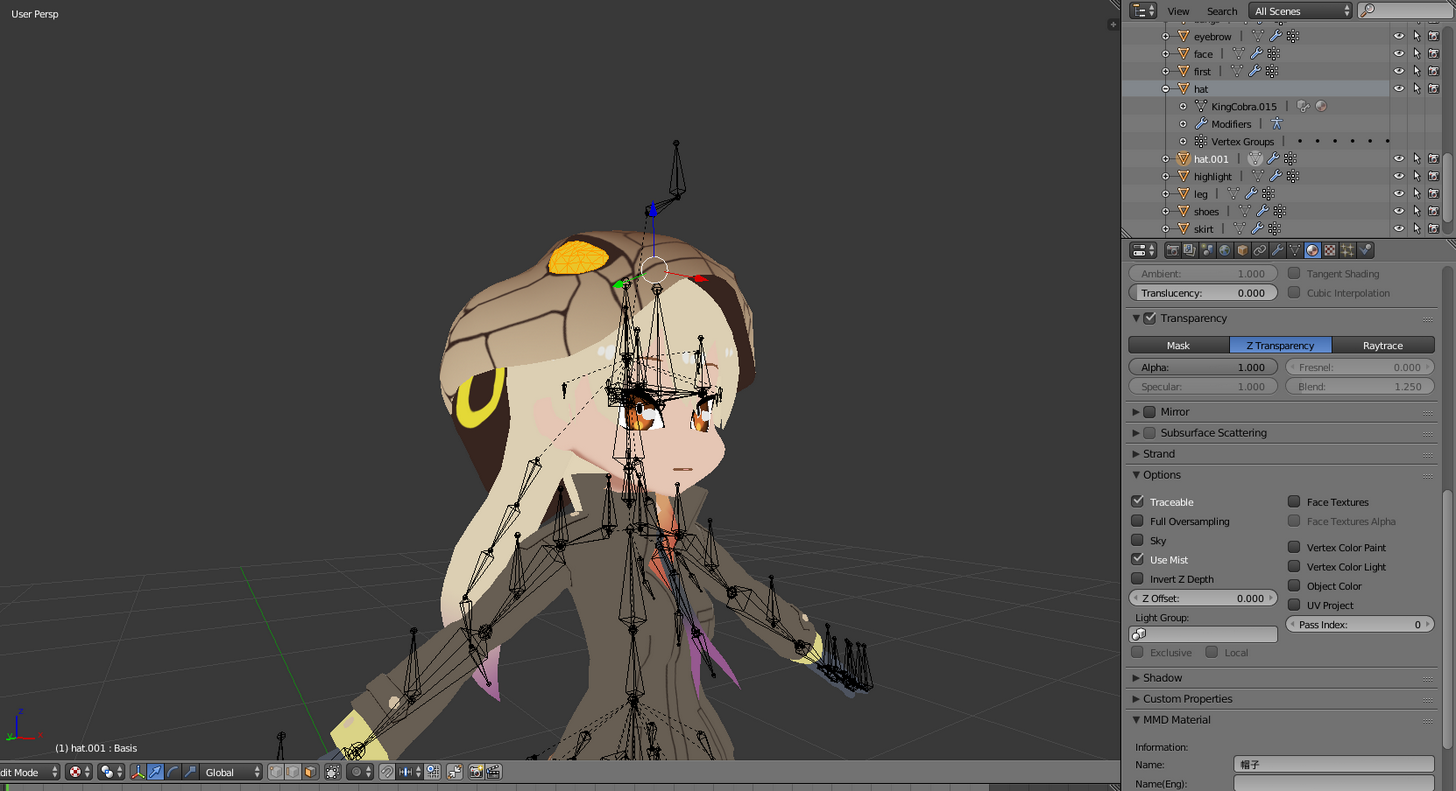
im trying to seperate those eyes on the hood as a seperate material so i can make them glow
i seem to have seperated the mesh, but it looks like i have to do something else to actually make it so they would be their own material in unity
 fair solstice
https://i.imgur.com/xYCkF2D.png I love how just the silver stud is 14k polygons
 heavy fjord
Hey, I'm trying to remove these extra hands but it ruins the hand i want when i delete them. does anyone have a better way? https://gyazo.com/a778206fa65d399458bf489791f2d1cf
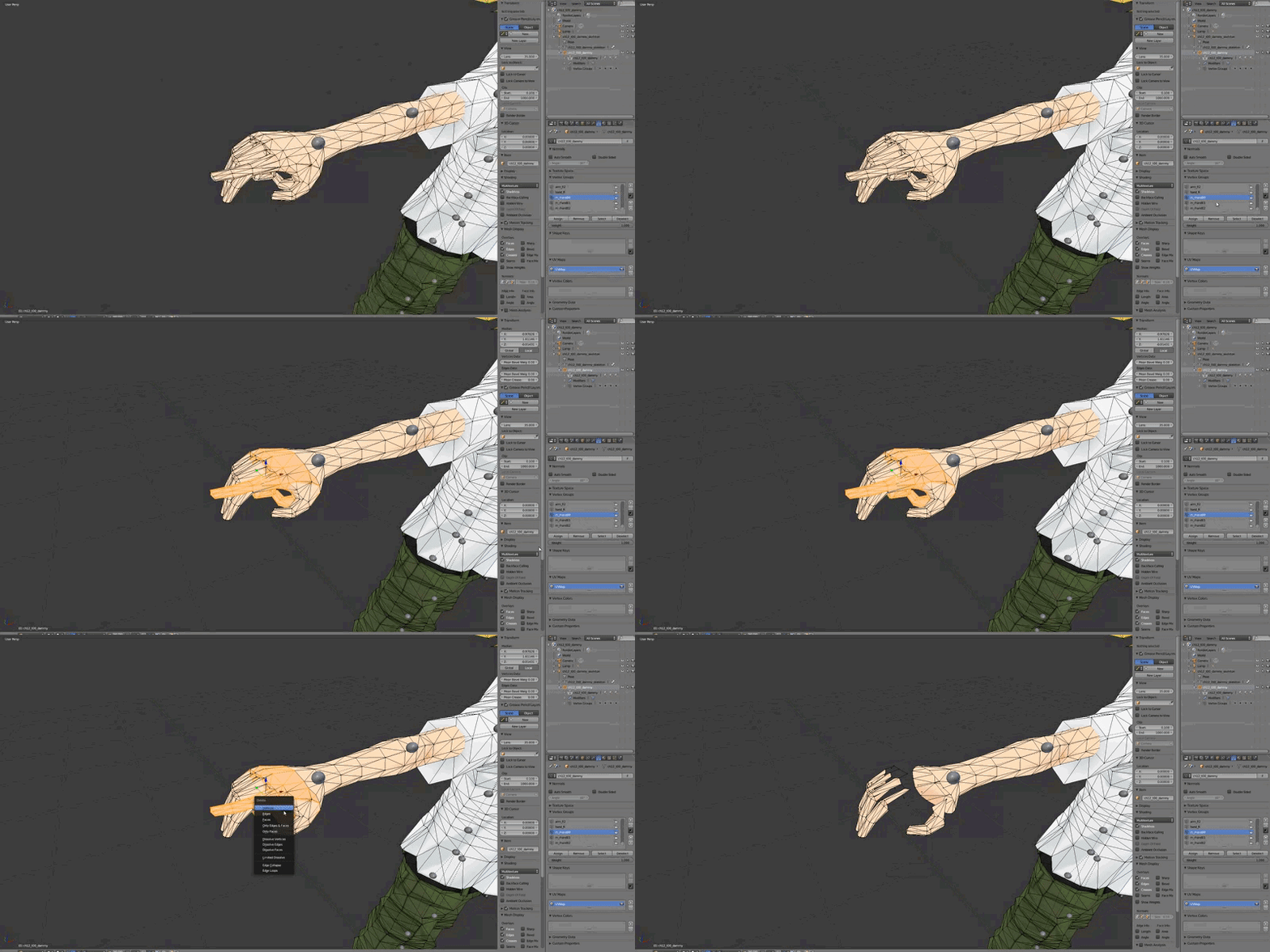
 fleet umbra
@heavy fjord I don't think that's an extra hand, it looks like its just a piece of the hand
heavy fjord
well, the vertex group with the "piece" has a fully modeled pointing finger, while the other 2 are pretty much just the fingers
I'm just completely lost right now
ok, im taking an alternate route to this
i got an alternate model that had seperate meshes for each hand (all of the meshes were complete hands btw) separated them from the rest of the model, and imported them into this project, but i can't join them to the main model without the main model becoming disconnected from the rig and losing all the textures
heavy fjord
I've now tried adding them, and then unwrapping them, but no matter what it doesn't unwrap the same, even when i make the seams identical to the original hand's seams
small cloud
@spiral sigil limited dissolve, edge loop dissolve
 tiny spoke
Hey, i have a question, i got a model, and i'd like to add a "textbox" Inside of him, can i do this directly in unity? or do i need to edit the model in another program?
spiral sigil
 spiral sigil
Shoulders or Neck are parented to something that isn't your chest
You can make a cube and text in Unity, yes
 cold geyser
How would I make an inside out sphere texture and put it on an avatar? I'm trying to use the window shader to create an animation which spawn an animated skybox type thing
serene crown

Help
How to fix shoulders twisting?
It looks fine normally
But as it's rotated up it twists
And eventually ends up like that
viscid siren
Move the bone's starting point to middle of the shoulder and fix the weight paint
serene crown
I think I laready tried a bunch of positions including the middle
But sure
will try
Still a thing
swift shadow
mmm....
Was using a .fbx AE86 model I found
but the window textures have gaps in them and the car doesnt have an interior...
But I found one for Sketchup with a .dae file and when I get home from work, I'm gonna import into blender, and then export as a .fbx
This should be fun....I think I have to decimate it though as it is like 65k tri right now
 left inlet
maybe cus the windows down a bit to let some air in
spiral sigil
https://imgur.com/UgwQz82 Can someone help me, i don't know why the shoulder pad is attached to the hair and i don't know how to fix it
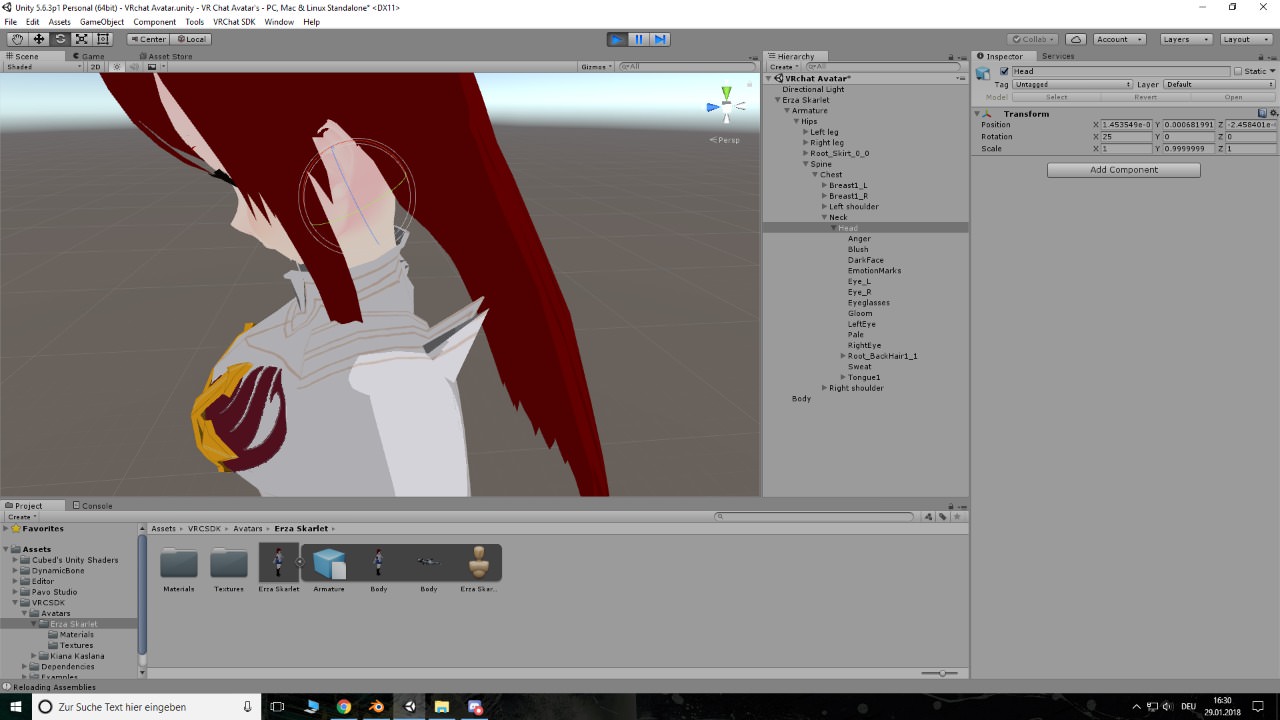
 dusk tundra
maybe the verts are connected to the.. head-bone
remove the headbone's influence with weight paint in blender, i guess. there might be a way to do it in unity
spiral sigil
ok so what do i weight paint?
serene crown
Welp just ended up using an hour to make my model into a T-pose
Since I knew that was the problem all along but tried to deny it
dusk tundra
So in weight paint mode, you select the head bone of the armature. That'll show you the vertices it influences. The one's sticking out of the shoulder in that might have some color other than dark blue, and you can use a brush the remove the influence. Tutorial videos would be easier to learn from. "weight painting blender"
spiral sigil
ok thx i'll look it up
spiral sigil
ok i fixed it, two bones frome the hair were for some reason weight painted to verts of the shoulder pad
but thx again, i would never have found out
the problem
 young dust
Hi guys! Can anyone help me with converting a .SLDPRT file to use in blender?
spring helm
When trying to export to VrChat, nothing is happening and i am stuck on this https://imgur.com/YZD8jlI
does anyone have any ideas how to fix it ?
its been syuck there for a while...
spiral sigil
@heavy fjord pretty much delete doubled faces?
lament pond


 scenic ember
looks great man!
serene crown
Thanks :)
spring helm
https://i.imgur.com/SlgoW3m.png
Why is it so big, i can not seem to zoom out to fill in the bozes
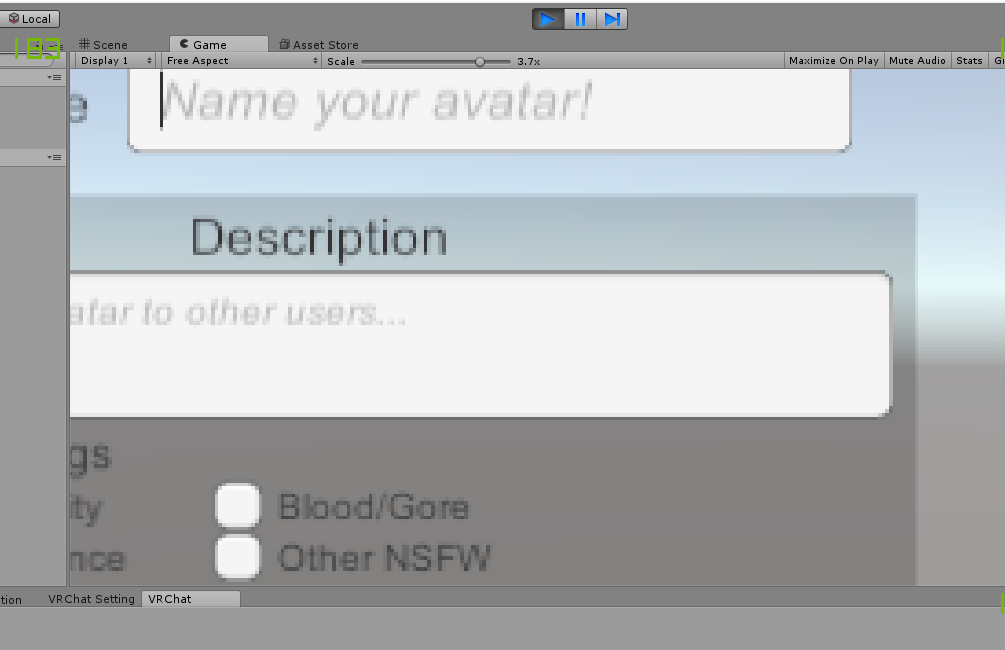 spring helm
ah thank you
alright now still just getting the long waiting times, where it just sits at future proofing and never has a bar
 wicked kelp
I'm relatively new but theres a model I want to make this similar to another one I would just have to change the head(face basically). Would it be possible to edit that specific spot in blender or unity?
azure adder
yes
wicked kelp
Could I copy one part of another model over onto another as well?
azure adder
yes
wicked kelp
Cool. Just making sure. Thank you sentinel.
azure adder
depending on how the heads are attached however it could get complicated
wicked kelp
Could that just be fixed by messing with rigging and the bones?
Or are there other complications
azure adder
ok i am working on my first avatar myself so i dont know how that would work with unity but. you can use blender to merge two models. but in my experience that means re-doing the skinweights
i'm sure there are people where who have found creative ways around that though
i know its possible
just not entirely sure how to do it without destroying the skinweights
wicked kelp
I gotcha. Well thank god for tutorials right? haha
azure adder
yeah 😛
wicked kelp
👍
 eternal crow
Ok, i have a VERY tiny request
I really need help making a blade for this model
because the original blade is a .fx file (its a wind sword)
but i can't seem to get it right
spiral sigil
Hello, so i added a character and the cat ears seem to be hidden can someone tell me how to enable them ?
 candid hearth
Make sure they have a material attached to them and make sure the shader for the material is opaque if they don’t show up then, you will have to take it back through blender
lament pond

 rigid girder
with VR, does the controllers use exact grip or gun grip for pickupables?
 hardy bridge
anyone here have catia or something else of that caliber that can help me convert some files?
.model filetype
heavy fjord
Hey does anyone know where i can get the shader for the whoah crash bandicoot avatar? I wanna see if i can use it with a spyro model.
https://gyazo.com/12553c47229eb7489afceb03bb89c206 this is the one i mean, the model distorts as he moves around and when you move around him

nvm i found it
 mint ginkgo
I'm having an issue with an avatar where a point of the dress is following the right hand. I checked and weight painting and everything seems fine. Anyone knows what could be wrong?
 naive bluff
My head is backwards in Unity from blender. 😐
stoic ridge
I can't even coordinates after writing my script to programmatically create obj files
 woven lotus
how do i make my model work in mirrors or is that just a vrchat glitch?
people can see my full model
but for some odd reason i cant
stoic ridge
mirrors are just special
usually it's only props and similar dynamic changes which don't appear
 magic charm
Aa
 coral flame
hoh i'm gonna make a full body with photogrammetry ! 🙃🙃🙃😃
 craggy frigate
i think some shaders got issues with mirrors.
stoic ridge
the satisfaction of being able to change two lines and run a script to get my frame size slightly adjusted, compared to having to go into Blender
now I should redo all my world prefabs as scripted objects
 sonic bane
mirrors also don't like it when you toggle active state of an object at runtime through animation, you can fix it by toggling visibility with a shapekey instead
serene crown
I was terrified for a moment
Unity hides the bones without children
In the humanoid rig setup
So I was like "WHERE DID ALL THE ENDS OF THE FINGERS GO?!?!?!?"
steel basin
So I have a model with missing bits of his clothes when imported on blender. I was able to make the faces appear on the mesh through blender but it screwed some other stuff, like it made his glasses disappear and his hands were all weird, also the texture on the places were the polygons were not appearing messed up.
But my model is kinda weird on blender. On object mode he is normal (but still with the clothes messed), but on edit mode he goes upside down and he rotates, while the armature stay on the same place. Also, on edit mode he goes back to his pose pre Mixamo, not the t-pose that I setted when I downloaded him from Mixamo.
Is there a fix for this issue? I had finally made the lip sync of my character work and now this happened D:
Also, on paint 3D the exported .fbx model from blender apparently opens normally (although it opens withouth the textures so I can't know for sure if everything is ok on it)
spiral sigil
so many people got into 3d modelling thanks to this game...
i hate it!
newfags... newfags everywhere
viscid siren
indeed
azure adder
I've been 3d modeling for 15 years now. this game is just a new outlet
 twilit holly
Say, if I were to commission someone for an entirely new model, how much might I look to pay for it?
 thorny narwhal
sentinel could u help me animate something a bit complicated, im new to this stuff
well some what
 sullen wasp
from what i've seen around, commissioning 3d stuff is several hundred dollars at least
 quiet furnace
I imported this lance in blender but it just appears as a Sword. I tried applying the texture.png onto the object but it still looks like a sword. Any ideas?
Weird I can't insert an image here
twilit holly
Ouch
eternal crow
Ok so im tryna model the blade for a sword since there's no way to import the original blade into blender, and i was wondering, what kind of shape should i use and how exactly would i go about creating the blade? if it helps here's a image of what the sword looks like
https://vignette.wikia.nocookie.net/powerlisting/images/9/98/Klonoa_Wind_Sword.png/revision/latest?cb=20140117060533


 steady notch
I'm not a Blender user, but perhaps it is a model with several weapons, but the others are hidden? 3DS has a layers system where objects can be hidden.
 slim summit
Im starting off small with 3d modelling but should I add any bones to my structures Im making for the world?
Im just creating the materials and uvmap+ textures so far
I wouldnt need any physics applied to my structures in the world so
Id say no but what do you guys think
steady notch
If I understand your question, no. You only ever need bones with skinned meshes (creatures, people and things that need to move with more detail than just the position and rotation)
azure adder
quick question what texture resolution is usually used for characters? on average
steady notch
1024x1024 would be great
spiral sigil
^^^^
azure adder
ok
azure adder
Can we use alpha maps on characters?
steady notch
Yes, switch the shader to 'cutout' unless you mean a nice smooth alpha gradient. Cutout should cover the vast majority of what you need.
 safe slate
Hey, is there recommended arm length for a model using arm tracking?
 undone rock
Using Sculptor, would it be worth making the tail of a model and wings in the digital clay? or is there an easier way?
spiral sigil
@twilit holly @sullen wasp depends on quality of the required art
also the experience of the modeler
newfags work for experience, noobs work for 10-100$, then a good one goes up to 1k, high poly and shit
the highest price i saw for an custom great looking character was 3k...
 cloud spear
kay for intents and purposes lets say im severly inept at using mouse and standard ways of 3d modeling ... lets say i use a cintiq to draw 2d normally ... and lets say i only have a access to either android or windows 10 as my os .... and say i only like the idea of freehand sketching a shape then sculpting it ... any free or low price options for me ... catia sketch kinda looked like something i want but they are only available to high paying companies
 brave dune
depending on how the model is uv mapped, couldnt you just paste the texture onto the base model's texture?
spiral sigil
I've been very inactive but for those of you who design models, here's a tutorial on proportions I did. It says it's for drawing, but it works on modelling too! https://corniival.deviantart.com/art/TUTORIAL-Easy-Proportions-728468092?ga_submit_new=10%3A1517385286

DeviantArt
Want some cool tips and tricks to improve your human-drawing? No problem! This tutorial is informative to artists of all skill levels! --- Anime girl was found here: www.oogazone.com/2017/uniq...
 latent charm
Very much worth noting, if you either intend the model for full-body tracking, or simply want good 1:1 VR:Real matching, avoid anime proportions if possible
latent charm
It's slightly off on some areas, but not as bad as I expected. I kinda have a bit of an 'oh no, it looks anime, overly long legs incoming!' reflex.
 plain ginkgo
On average, how long does it take to make a model from scratch?
latent charm
Longer than it should but never as fast as we'd like. ;D
 lofty chasm
such is art
latent charm
Depends on your skill level at all steps of the process.
plain ginkgo
Good point. I imagine it varies a lot.
latent charm
There's pros who can throw out a 'sketch' in something like ZBrush in an afternoon, and then sometimes it can take a month of work to get a basic character done.
And when I say sketch, I mean something they call that but still looks mindblowingly good.
plain ginkgo
I was considering making a custom avatar first before I logged on for the first time. That way people recognize me for my appearance, especially before that avatar might get ripped.
latent charm
Actually ripping the avatar data out of vrchat is pretty fucking difficult, so I wouldn't let that put you off.
plain ginkgo
I have experience with Paintshop and drawing, and they have some intuitive modeling programs out there these days.
I'm also looking for free, open-use resources that I can use to make it easier, like clothes models and such.
Good to hear that it is at least a challenge for the thieves to copy stuff.
latent charm
https://opengameart.org/
https://www.blendswap.com/
As always, check the license before using. (https://creativecommons.org/licenses/)
OpenGameArt.org
 outer breach
Hey guys just one question.
Are you missing like the AVatar Descriptor ball or anything lol
plain ginkgo
I am mostly looking at deviantart.com for resources, and only models that state free use in their descriptions. I have also communicated my intent to the owner before I use them.
 junior idol
any way to easily patch up holes made from decimation?
small cloud
remove doubles first, if u get holes - merge with alt+M or remove doubles (with selected verts/edloops and increased range of remove doubles) if they are close
 frigid robin
so i am modifying a model
how do I fix a hole in a model
or merge it
by making another face
and making it auto extend the uv map
in blender
azure adder
some programs like maya have a feature called fill hole that will fill holes in a mesh
i think blender has a similar function
but functions like that usually cause an Ngon so you'll have to manually quad it
 trim turtle
well that sfucking shit
frigid robin
also how do i auto extend the uv as I make these
 sterile wraith
Hi
azure adder
hi
viscid siren
hi
steel basin
I've posted this some other times, sorry for posting it again, but maybe someone who knows how to help me will see.
My character is getting glitched by blender. Some bits of his clothes are not appearing when I import him on Unity. I tried some things recalculate the normals and flip direction on the places where the clothes are messed but no success. Anyone know how to help me?
This is my character on blender

https://cdn.discordapp.com/attachments/403602075822456833/408262992124182528/bug.png
this is how he looks in game

https://cdn.discordapp.com/attachments/403602075822456833/408267846246989835/unknown.png
I recalculated the normals on the bottom part of his clothes in there

This is how the bottom part should look

 vast kite
If I want a specific texture such as the eyes to glow in game, how can I do that in unity?
spiral sigil
make sure the eye has a separate material thats not used by anything else
slim summit
Id just have a glow shader or a single emission particle in the eye
vast kite
@spiral sigil i have the eyes texture atlased
vast kite
how do I do that
spiral sigil
atlassing is good but you need control over the eye material only
slim summit
if its atlas just do a particle emission, less materials is better
vast kite
@slim summit id prefer to make the texture glow because I have textures on it
spiral sigil
when the mesh is separated copy the atlas material, before exporting set the eyes to the copied material
particles for glowing eyes is bad practise and bad for performance
slim summit
worse than having an extra material?
spiral sigil
two particle systems doing nothing
yes
because its cpu not gpu calculating the particle positions
slim summit
oh fair enough
spiral sigil
I love particles but using them for static eyes is overkill 😉
slim summit
I saw some guywho added a trail to the praticle in his eyes. made it look dope
spiral sigil
making one material emissive is the way to go
slim summit
particles*
spiral sigil
yeah for trails it would make sense to use them
slim summit
still trying to learn whats the best way to optomize avatars and worlds instead of going fully overkill lol
spiral sigil
less is more 😄
Or make a separate texture that only has the eyes, in the same position as the albedo
And use that for emission
 cunning cedar
https://gyazo.com/677dbf19847a16104c5d010a804cd40e how can i remove those selected bones? ( taking off hood)

 cinder sun
Try Del key 😃
You can select all you need with B key in Outliner or 3D view, then you can delete all selected.
cunning cedar
solved already, i was tapping del key in the tree
One more thing, for some reasons i can't decimate because every armature has a ''standing ears'' shape key, can i just remove it and it will be ok? And how do i remove it?
Have no idea why clothes have standing ear shape key https://gyazo.com/9cb951e18754c0ddfacc66a8020eef30
 cinder sun
I think everything will be fine, if you remove this Shapekey. But I would advise you to save often in different files.
Select Shapekey you want to remove and click the minus button [-] next to the list.
 tall zodiac
Does anyone know of/have a tutorial for installing XNALara I have tried to follow some online and have installed the .NET Framework as well as the XNA Framework but when I instal XNALara all of the files are .py
 coarse mauve
.py is for python
latent charm
That's the blender addon from the sounds of it.
coarse mauve
I use XPS/XNALara models, but I use a blender addon.
latent charm
Or some python specific implementation of something with it.
coarse mauve
Exactly
tall zodiac
I tried useing the link CATs gives for XPS tools when I try to import a XNALara (.mesh) model and it says "XPS tools is not installed or enabled" and I need XPS tools then gives me a link to install it https://github.com/johnzero7/XNALaraMesh but everything is .py

I have tried other downloads but everything is .py
coarse mauve
You need to install the addon in blender via Program Files
then enable it in Blender
I don't remember the exact file locations. I would look on youtube for installing blender addons
tall zodiac
I know how to install add-ons from File>User Preferences>Add-ons but I only have the .py files
coarse mauve
C:\Program Files\Blender Foundation\blender[version]\addons
latent charm
@tall zodiac download this
https://github.com/johnzero7/XNALaraMesh/archive/master.zip
blender>user prefs>addons>install from file
select the zip file.
tall zodiac
damn I'm dumb I kept trying to open the Zip and do stuff from there. Thanks Garret and Gallium really appreciate your help
 lilac marten
This is an issue im having after exporting pmx to fbx after working with it, shaders are red. anyone know how to fix?

 indigo osprey
@lilac marten apply cutoff to the shader
lilac marten
@indigo osprey thank ya
slim summit
having issues with uvmapping and making new materials with textures I have already
why does this have to be so difficult 😡
azure adder
because 3d isnt easy
trim sorrel
Not sure why but my proportional editing tool moves the entire mesh. I can't seem to adjust the effected range for it.
 gritty hearth
Hey! Does anybody here know how to do this : I've got a material with a different pair of eyes on it and i would like to use them, does anybody know how to set the eyes on the model ?
spiral sigil
Hello
Everytime I upload a model, it doesn't appear anywhere in my avatar personal thing
(btw it is a 2D picture)
 reef cloak
Hello, I have been trying to learn how to make a model from scratch, but I am almost at the point where I am willing to pay for it. How much would it cost to hire someone to model my current 2d avatar?
azure adder
depending on the artist anywhere between 500 to 1500 euro.
 unique galleon
 cyan dust
Also @reef cloak You're looking to pay around 100-200 for 1 week to 2 weeks labor in making it
 digital pike
Currently having an issue with a certain avatar. On maps like Gaia Night that have natural lighting the part of the map without a light source show up completely black as if shadows are covering the entire map. This only happens on one avatar.

 unique galleon
@wooden plinth So are you trying to make it visible from the inside as well?
You'll need a double-sided shader
 wooden plinth
gotcha
unique galleon
Does anyone have any idea how to combine multiple seperate UV maps into a single one?
When I rigged this model in mixamo it split its UV into like 8 different ones and I need to throw them all back together, since the whole avatar's texture is all on one atlas
unique galleon
Alright now I'm just trying to figure out how to transfer UV Maps
I'm reading all these tutorials saying to do the exact same thing, but it doesn't work for me T.T
hmm
I may have permanently screwed up this model's UVs..
._.
 tired plume
doesn't cat's plugin let you merge some of those
unique galleon
I'm too far gone for that, I think
I can't merge UVs between the working textured version and the newly rigged one because they have different object data now
And there's no way to fix that object data while keeping the vertex groups that connect it to the armature
naive bluff
😐 I can see through my model in some places in unity, but not in Blender. (Checked my normals and backface culling already)
Nvm, it's a backface culling issue, just an odd one
 pliant swan
Is there a way to combine all vertecies that are on top of each other over a whole mesh
instead of alt+m every single one
viscid siren
enable AutoMerge Editing from the mesh tab when in edit mode adn then select all and press "Remove Doubles" from the tools menu
pliant swan
https://cdn.discordapp.com/attachments/407051509612675092/408693462167191552/unknown.png can u point it out?

@viscid siren
 pliant swan
TYTY @viscid siren saved me about 2 more hours of time
spend 3 hours on doing alt+m already XD
cunning cedar
i need some help, everything in blender is done https://gyazo.com/26c498921f4341dade20fb471f882c65 but when im importing texture in unity it is just going crazy, there are eyes on my butt and stuff xD

 viscid siren
just guessing that the model may have multiple UV maps on it

 solar mauve
Did you remove the old one
If you go to the object data tab, there should be a section called UV maps
 spiral sigil
why
viscid siren
Because some people just wants to see the world burn
unique galleon
Because knuck on knuck = LIFE
 idle scroll
http://i.cubeupload.com/wpIlYr.png does anyone know any good way of constraining a mesh to a bone, because for some reason, my Child Of constraints arent doing anything when i move the head
 trim sorrel
Hours later and suddenly Blink is broken on the model now. That's just no fun.
magic charm
Ayyyyy
 past merlin
What would be the best way to go about creating a translucent surface that actually lets people somewhat see through it (possibly with some refraction-like effects), but isn’t too faint to make out in the first place?
For instance, I could use the Fade option on the material
But that usually ends up making it disappear altogether
Or become incredibly faint
I want it to be a very vibrant color, but transucent
Sort of like say, stained glass would be
Or colored crystals
Like emerald or amethyst or things like that for example
Not really sure what other options there are, as I’m fairly new to 3D modelling. Was wondering if there even was a decent solution that could work in VRChat.
An at-mention would be nice for anyone who replies to this, since I might not notice it otherwise. Thanks again in advance!
 eternal dust
hopefully a quick question but how do you combine shapekeys together in blender?
solar mauve
@past merlin I think that you need to set it to transparent if you want the semi transparency
Otherwise you create your own shader or find one
 coarse walrus
https://cdn.discordapp.com/attachments/332956415117492224/408896485875515392/unknown.png How do I connect these two edges?
 solar mauve
Go to vertex selection mode, enable snapping with it set to closest vertex and move the vertex in edit mode
 gusty crypt
quick question just starting in blender.. how do i move my camera down.. i can spin by clicking middle mouse i can zoom by scrolling but if i need to zoom in on the feet of my model how does one do that?
viscid siren
you could select the vertex of the feet and press Num , to quickly zoom to that spot
gusty crypt
thank you so much, finally i can see my feet lol
solar mauve
I usually use shift + middle click
coarse walrus
Thanks.
 loud sierra
@coarse walrus https://www.youtube.com/watch?v=Qqj42kVmp6g YW

A lesson for beginners... A quick tutorial to show how to MERGE VERTICES Facebook.com/3DNKT
coarse walrus
Yeah I figured it out, I don't like watching tutorials.
spiral sigil
Hey, Does it corrupt the eye tracking if i delete the hierachy of the eye_highlight in blender ?
And is it possible to seperate the eyes from the face, because they are 1 texture, and i can't make the eyes glow if it's like that.
eternal crow
Does anyone have any idea for what tyoes of meshes i should use to make the base of this weapon? I already have part of the handle made http://prntscr.com/i96mxg


 nocturne zealot
I made an MMD model into Blender and then imported it into blender. It now looks like this and also works badly when exported and imported back into Unity again (you can also see how it originally looked like) https://i.imgur.com/plyJpVZ.png

The black spots are there even without any textures. With textures, it brightens up some parts of mesh, seemingly randomly. I have no idea why it does that. The only thing I did in Blender was split the arm a the shoulder, rework the bones a little and apply weight paint. The black spots problem was actually there even without editing imported fbx model at all. The spots also fade away and disappear when rotating camera view in Blender.
Any idea what could cause this thing?
spiral sigil
normals in bad direction
click mesh go to edit mode/uv tab
recalculate
flip if needed
nocturne zealot
Will that break existing textures?
@spiral sigil Sorry, but where do I find the UV tab?
@spiral sigil I think I found it, but nothing happens when I press either recalculate or flip direction
nocturne zealot
Still the same problem
eternal crow
now how do i attach the meshes again?
eternal crow
Wtf, i try to texture my model and when i drag a texture onto a part i have selected, it applies the texture to the wrong mesh
http://prntscr.com/i986uy
its supposed to texture the gem, but it textured the handle instead

 desert ferry
hello guys im new. Do you know a good tutorial?
 languid condor
#tutorials has you covered, @desert ferry
 harsh ore
hey guys, I tried decimating the mesh in Blender and ended up with a weird part of the mesh around the neck. It's a camo-like parttern of dark splotches. Any ideas on how to fix it?
 desert ferry
how i can select an two eyes as left and right in blender? the model only have two eyes as left eye
 finite coyote
anyway to reverse a shape key? I did it backwards
so like my 100 value should be the basis
 kind idol
 slim summit
How would i make a multiple material and texture for uv mappinh
 forest orchid
Quick question
How do I apply the rainbow effect to models?
Like where it slowly flows through the colors?
slim summit
Thats a shader
forest orchid
Okay so I have an Ahri Arcade model
In unity it shows up green
How do I apply the shader?
slim summit
There are hue shifting shaders and noenoe shaders you can use
You go into the material in unity and select a new shader
forest orchid
After that? Can I can control how fast it goes?
And I don't want just the outline, but like her whole tail
tails*
slim summit
The ui control of shaders are all different but you can tinler around with the values and see what happens in play mode
It also matters if the tail has a seperate material or not
forest orchid
It does have a seperate material
slim summit
Then find a rainbow shader, like noenoe online or a hue shifting shader online and import that to your unity project
Then apply tje shader to the material and tinker with the values in play mode
forest orchid
It comes with an animated rainbow mesh I think though
Oh nvm
It's png file
It comes with an FX for tails
wintry magnet
Hey guys I made a model which should have 2 different colours how can I do that the easiest way ?
spiral sigil


is there something grotesqueilly wrong in your opinion?
Because I can't make up my mind
don't look at textures, its just placeholder materials
 final dew
Does anyone know how to unlock view offset in blender
desert ferry
Can anyone tell me what is this error? https://i.imgur.com/nOHa6Ku.jpg

 storm kelp
can someone help me please?
plain ginkgo
What is the problem, Sayori? I don't have much experience with modeling yet, but if I and the others know the situation, we should be able to help.
Oh, and has anyone here tried using Heroforge to make models yet? It would seem helpful for making quick bases.
 remote oyster

deleting verts is such an ass
is there a way i can mirror the effects here if the other side is a mirror?
same mesh
or is there a way to quickly select all visible verts (not through another mesh) and exclude any verts that connect to the outside
okay i figured it out
but
can someone tell me what mirror modifiers to apply please?

i did all the options
works fine in blender and unity
i guess that's fine then
 dusky glacier
my model has these missing model parts or something on the wheels and in some other places. The pictures look fine and everything but the model doesn't in unity. I can't edit it in blender either so that's out of the question.
http://puu.sh/zfvzq/38c6453a66.jpg
 dusky glacier
I can apply different textures to different parts of the model but the model is just one piece
it starts off missing the wheels and the gun like this
putting it into online program that converts .blend to obj didn't fix it either
spiral sigil
have you gone and seperated the mesh by materials?
dusky glacier
can i do that without blender?
dusky glacier
blender doesn't agree with my gpu and just gives me a black screen
dusky glacier
or if i do manage to get it to work, it runs Extremely slow
like 15sec to do everything including pressing buttons
dusky glacier
nah it's not that important, i just want a tank that i can fight ugandan knuckles tanks with :p
spiral sigil
hahha alright
dusky glacier
switched to the german tiger as it doesn't have any model problems
spiral sigil
What is the skinned mesh renderer in unity and what are the bounds and extents in there?
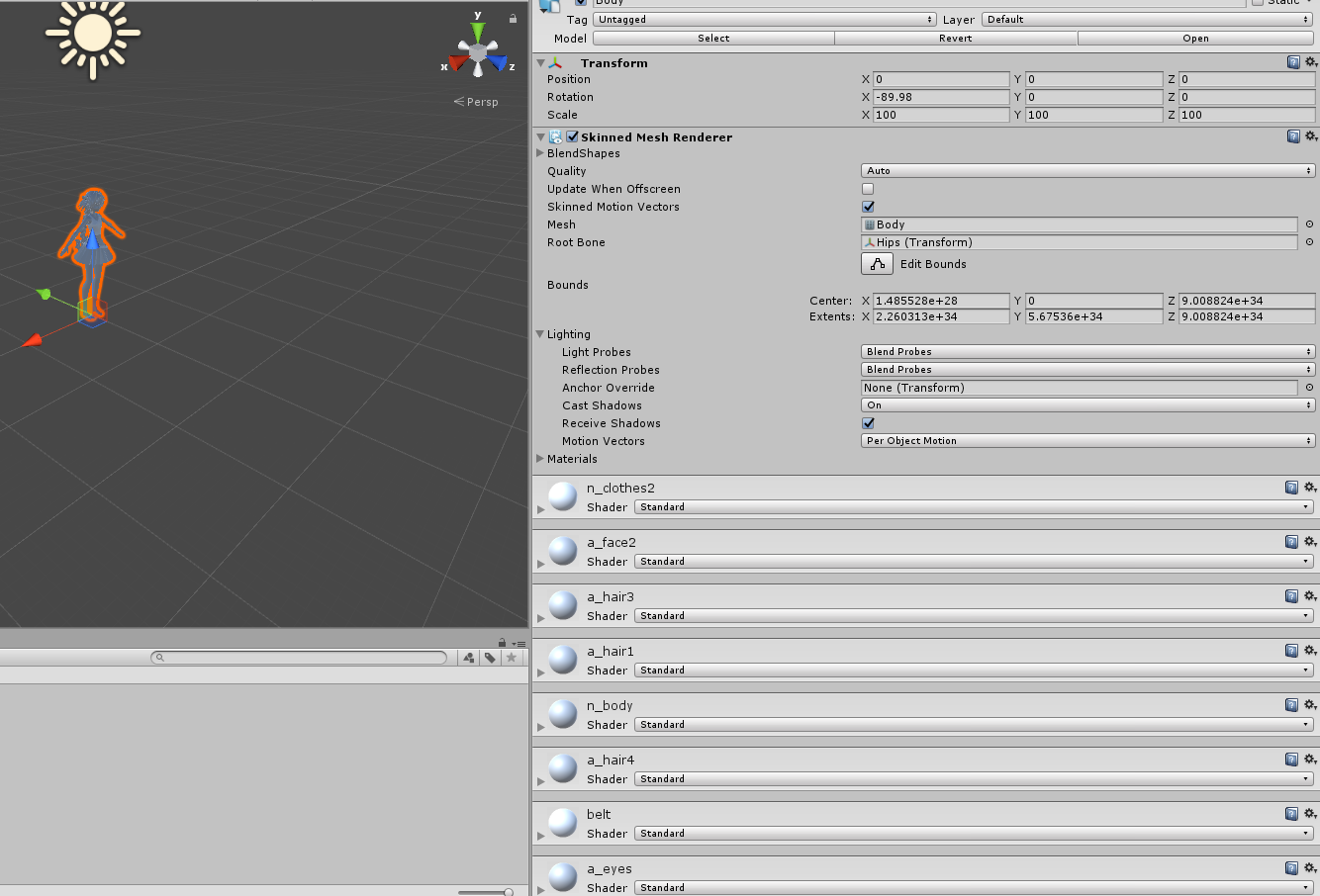
why do my extents and bounds come in all completely out of whack
 mortal sinew
https://imgur.com/a/1EGGI does anyone know why my model comes out like this?

transparent
 runic elm
Is there any good tutorial on editing models, like replacing clothes? Like MMD ones.
 placid jewel
I have only really attempted through PMX though results may vary
Biggest pain is leg clothing imo
 elfin agate
https://i.gyazo.com/e14275ccbc0ba394790433176ae6a148.png
https://i.gyazo.com/2ec150969a7489a7ff3ee0f72a32222b.png
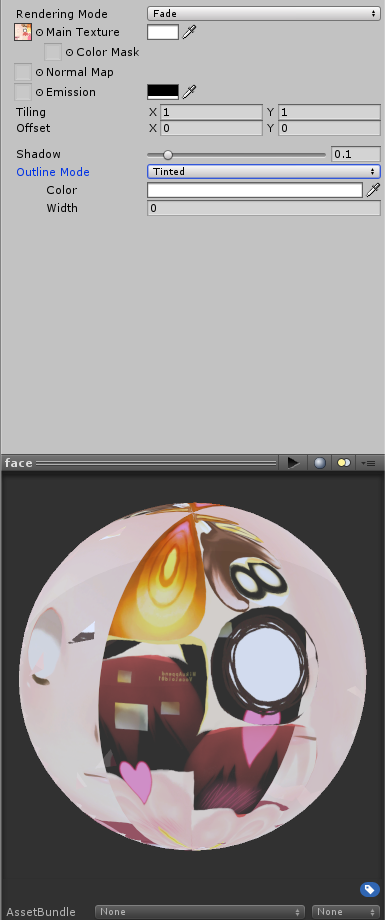
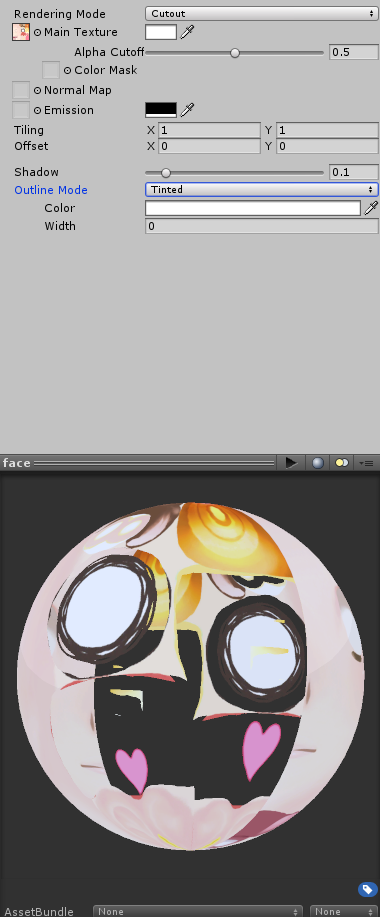
Any idea why my face is transparent when using fade rendering mode? When I use cutout, I lose detailes like hair shadow and blush.


 knotty stream
does anyone know how to work unity well?
 vapid python
anyone know why when i try to upload my new avatar from unity, it switches to game mode and the screen to input the avatar name, description and upload button are all in the unity game scene and i cant input or press the upload button?
 peak arch
@elfin agate change rendering mode to cutout and change it to 0.01
desert ferry
How I fix this? I tried a tutorial and didnt work https://i.imgur.com/mnPb0XK.jpg
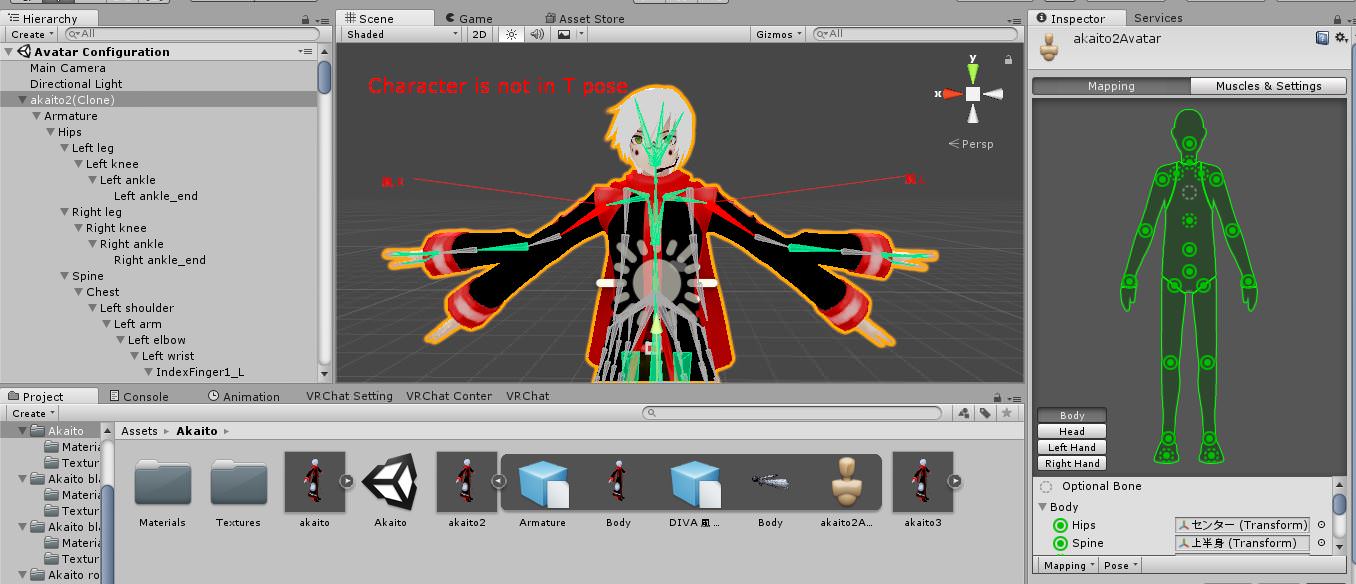
@spiral sigil I just deleted one object I didn't like (but was attached to the body) and yep, it looks like all is messed up , I've tried to fix it but I don't find any solution.
 lavish spindle
http://prntscr.com/i9kl1f how do I attached the ears to the catears armature because i just realized thats where they really go....afte unhiding the armature...sorry i'm still learning and can't find video or anyone in vrchat to help me with this...

 safe flume
Do they move when you pose the ear bones? If so you don't technically have to move them. 😄
but if you go into edit mode, you can select the bone and move it into place
if they don't move when you pose the bone, you're going to discover the joys of weight painting.
desert ferry
just a question, guys... do you know how to remove a bone/texture attached to the body? if I do that using C and delete I get so much errors after that. I guess I should unattach it and then I can delete it, but I don't know how
nvm i found how
lavish spindle
thank you for helping @safe flume , i'll look into it after my game of league xD
if anything i could just remove the ears but i want them now that i seen them hiding in the head part. plus its kinda even cuter ( if that even a word) with ears!
 copper kiln
So for some reason, my models feathers on its head arent moving once i added the dynamic bones. Its like the bones are moving but the mesh isnt
spiral sigil
I find if it's only one bone you need to set the end length of the dynamic bone to non-zero for it to work
eg; the dynamic bone has no children bones
mental blaze
For those who modeled anime characters, how do you deal with accuracy when portrait references are inconsistent throughout the scenes? For instance, modeling the hair.
azure adder
observation skills and knowing which details to focus on.
especially in anime characters you can get away with a lot of inacuracies so long as the major details are correct
details like the hair and eyes are most important with anime characters
the rest of the face is usually pretty generic with the exception of characters who have a detailed lower half of the face
head shape is also fairly consistant with female characters
older male characters usually have very distinct faces
but for females. focus on the unique charactaristics of the characters face such as the eyes and hair and you can fill in the blanks by looking at other anime character models
 silver fog
 mental blaze
Gotcha.
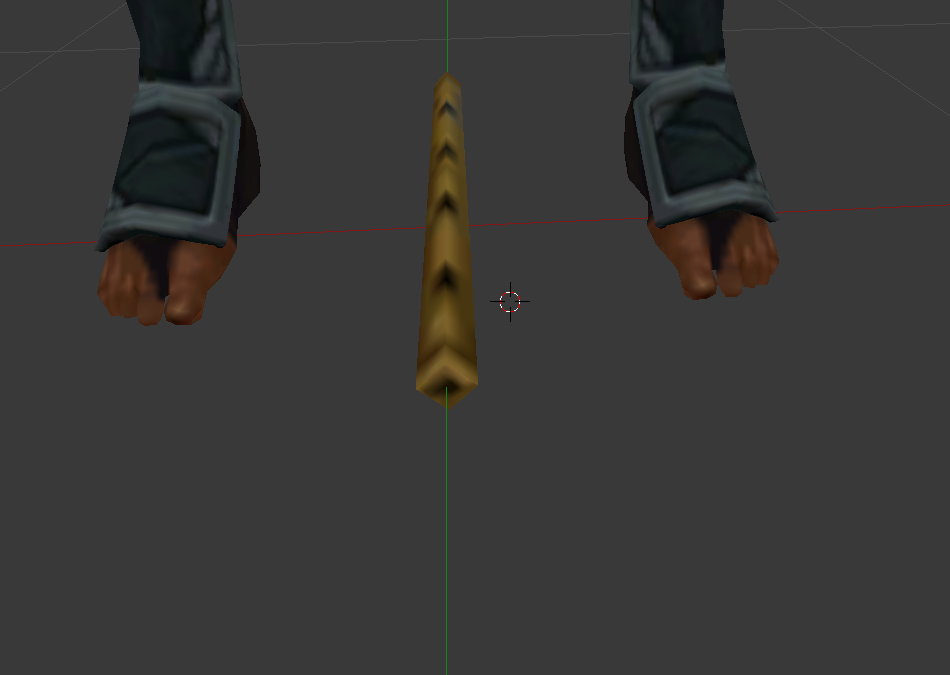
Flute it's own separate model eh? Ctrl+L and press p to separate under selected.
storm kelp
i dont know how to model. can someone model something for me?
mental blaze
Gotta provide the coin. Not many people do it for free.
Curious though, what did you had in mind to make?
 silent fog
models i make in blender are appearing transparent in unity, shaders are opaque
confused :/
spiral sigil
is there any way to control which face gets ripped from an intersection of verticies there is suppsedly some kind of pattern but as far as I can tell there is no rhyme or reason to which faces get ripped and which stay attached
in blender
 onyx hearth
https://gfycat.com/UncommonTeemingLeafwing
Anyone know how I can fix these buggy textures, whether in blender, in fbx export settings or just straight up in unity?