#3d-modeling
1 messages · Page 25 of 1
 brazen dirge
 spiral sigil
wait would 48k mean alot or would i get in troble?
i mean i have one thats like 21k
brazen dirge
VR Chat limits to 20k tris for an avatar
brazen dirge
Thing is, if you have THAT many tris you might be able to also use the decimator on the face and other high poly areas
maybe at a factor of 0.6 or so
spiral sigil
but he said if i do that i cant do eye tracking and mouth tracking
brazen dirge
huh? granted i don'T do that much in blender but that stuff shouldn'T depend on a specific poly count i think...
Hmm
spiral sigil
XC was going to say if you could find a yuno with a low polly count id be super happy XD
brazen dirge
yuno gasai?
spiral sigil
but i guess i could look for another one (2 hours of my time on my first mmd wasted XD) and yes XD she's my wifu
i'll try another one
ok i found one thats 30k should be able to do this now
brazen dirge
👌
spiral sigil
i'll come back to tell if this one works
loads in new mmd and looks at the hair bones "welp"
 remote otter
Is anybody on to help me with a quick problem?
Trying to set up a zelda model in blender but the eyes are borked.
spiral sigil
does anyone know how to turn these blue lines for face directions off? they're obnoxious and affect my performance
nvm found it finally.
 spiral sigil
ahhhhh is it posible to go in with a poly count of 24k?
spiral sigil
fuk
ligit this is the second time doing another modal ITS I CANT GET IT LOW ANOUGH ARGHHHHHHH
 rich mica
use the Devimation tool
spiral sigil
da wha
remote otter
How long does it take for a model to show up in game?
 last hinge
decimation only works so much, ideally you can use template/retopologise tools and remodel everything down to something sensible [I'm working on a MMD/Anime template and got it under 10k polys pretty easily buy remodelling everything from scratch, just drawing quads over the old surface and only putting detail where it needs it, then doing wraps/transfers to move blendshapes / uv's, etc to bake from the higher resolution model.
shit 3am got to hit the hay
 inland fern
Anyone know gow to replace the old with the new python in blender? can't add cat's plugin because it reports errors all the time.
spiral sigil
Ok i have a avatar i need to apply eye tracking on..problem is the files i have for the model does not have pmx or mmd file in it...is there still a way to apply eye tracking?\
remote otter
I've been trying to upload this model but it won't show up
spiral sigil
i dont have the texture atles thing
HELP XC
plz
see
@rain flax
im trying to go by tour youtube clip on how t get mmd models into vr chat then you tell me to watch another vid and here i am stuck
🤦
3 hours its been
just to get one model in XC
 teal otter
@spiral sigil I'm pretty sure Tupper shows somewhere in the beginning of the video how to get it (you have to enable them in addons)
spiral sigil
oh O_o hold up really
oh
now i look stupid
i thought that he had the same add ons in the other video
 minor steeple
I want to do this but i dont have physics bones can somebody help?
 sand dirge
Idon'tunderstand
Now it's at least trying to make an ambient occlusion map but 1) it saves it over the texture file I have rather than the new one I created and had active and 2) it still doesn't really look like an ambient occlusion map, with really rough edges and all
spiral sigil
fuck it i give up its been 5 hours now and my yuno has still not been complet and im taking it will never be complet XC
😢
im so pissed that all my time is wasted
 red parrot
have you tried to reduce the triangles as much as you can in areas hidden like behind the eyes, under hair, between limbs etc?
spiral sigil
iv done all that and now im doing the messhing theng
the atlis or what ever you want to call it
red parrot
and still above 20k?
red parrot
oh sorry I only read the thing about triangles 😮
spiral sigil
all good
its just this is taking way too long
just for one modal and i think i might have fucked up
i dont know
red parrot
It looks amazing dude! Keep working on it and it'll be worth it in the end 😃
spiral sigil
does it look like im on the right trak?
like is this even what this stage suposed to look?
red parrot
I have no experience with blender yet so it is hard for me to tell
spiral sigil
🤦
red parrot
but it looks cool (Y)
spiral sigil
i want someone that does know tho but thanks any way
umm what if i do @ senior discord helpers
O_o
red parrot
im just here to cheer you up and keep you motivated 😄
spiral sigil
XD thanks
 latent charm
We're just here to help manage the discord @spiral sigil
latent charm
Later, when most of the americans start to wake up, the discord should be more active and you'll be more likely to get more help with whatever problem it is you're having.
spiral sigil
im just scared that i might have mesed up
re-unmapping XC
do i have to do that?
😢
red parrot
You've worked hard! Time to take a break and do something fun and relaxing for a bit ^^ Watching guides will be less boring after a break
spiral sigil
i mean i would but i just want to get this over and done with
latent charm
If you go to file>save as and press the + key on your number pad it'll increment the .blend filename by a number, then you can go back a bit even if you've made a major fuckup.
Of course you have to do that while you're working and before you make a balls of it, but it's useful to remember for the future.
spiral sigil
thing is i asked some people here if they could help and all i got was "only if yu knew da wey" and that keept going and going and i got pissed off at them i hated that meme ever since
spiral sigil
🤦
latent charm
That just made my blood pressure spike up dammit 😆 ahahhaa
spiral sigil
i hate that meme i ligit stoped playing vr chat for a bit
latent charm
There was that brief moment of panic, "oh no not here too"
spiral sigil
yep
red parrot
look at the second person under "VRCHATTER".... we can't escape it
spiral sigil
i wish that the next person that says anything or does anything about that meme gets kicked from the server THEN THEY WILL KNOW THE WAY
OF BINING KICKED
latent charm
I'd say if someone's meming gets in the way of discussion or support just politely ask them to take it elsewhere.
spiral sigil
well i did do it in vrchat general
latent charm
Oh that might be why. Best to keep support questions to the channels under development.
spiral sigil
O_o
best to keep the imeg saved WHERE DO I FUCKING SAVE
I CAN SAVE THE MODEL BUT THE PICTURE ARGHHHHH MY MIND
latent charm
image viewer area → image → save as
red parrot
pats on head
spiral sigil
my mind is fucked right now
 wind laurel
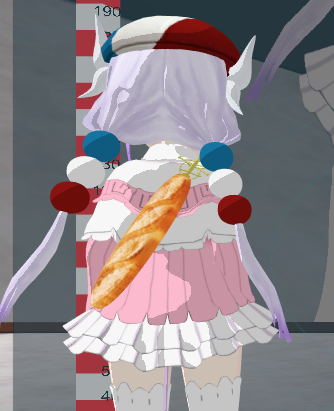
Anyone here know / have an idea of why mirrors does not render my props properly ? it is just green
Everything on the model work fine except my baguette 🤔
red parrot
lol xD
wind laurel
Unity render it fine ; same goes for the avatar selection menu in game
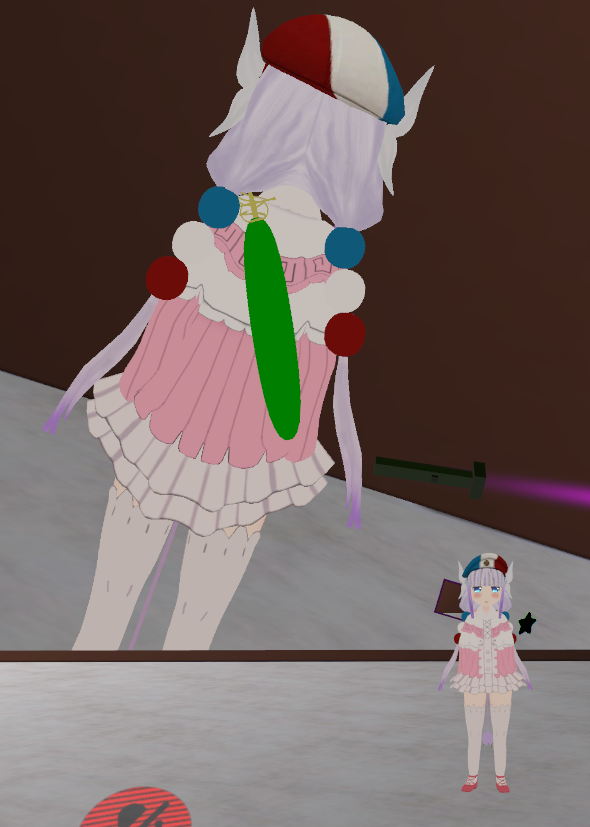
But yeah fuck me ?
red parrot
that sounds so wrong maan
spiral sigil
its a pikkel
red parrot
even worse xD
spiral sigil
XD
 spiral sigil
i can be XD also sorry i dont know
i fucked up
I FUCKING KNEW
THIS WAS GONNA HAPPEN
RGHHHHHHHHHHHHHHHHH
Hey. I made my 1st iteration of my character ( will modify it as time goes on and add things to it), as of now its just a floating head with a dangling spine. ( may remind you of enemies that are spawned in Darkest Dungeon by the Collector boss ). What bones do I need exactly to put there? I have no limbs but I want to make sure that it will work well in the game. It's supposed to float but its something that has to be done in Unity iirc.
i ligt starting to cry
red parrot
Is it not fixable?
red parrot
as I said. take a break and come back when you feel motivated again. You have learned ALOT in these hours that will make it much easier for you in the future 😃
 solid heron
Yo, im having a issue with my avatar. My avatar is invisible to everyone and im the only one who can se it. The moment i reupload/update it its visible on the first hub i join. If i join a different hub it becomes invisible for everyone else. I can see myself fine in the ingame mirror etc. Iv not been able to replicate the problem on other avatars so was hoping anyone here would know a solution.
spiral sigil
@solid heron what sdk are you using if your using the 2018 one thats your problem
for some reson thats broken af
spiral sigil
yeah thats your problem try and find the newish 1017 one
2017*
any way youtube time for a bit while i eat noddles
red parrot
if you have the 2017 then please share the file to us sykkid101
I am annoyed with the new one too
red parrot
Lol
spiral sigil
i dont have it as well sadly
solid heron
@spiral sigil So you sure that SDK will fix my invis problem?
wind laurel
Ok so apparently the problem of my green baguette is not the shader since even when i changed it to another it did not fixe it
🤔
I'm so fucking tilted
spiral sigil
i think so as thats what someone said to me
solid heron
alright so the hunt for a 2017 SDK is on
red parrot
almost everyone in this chat I guess if you mean blender. I've just started using it 😛 @spiral sigil is the expert here
inland fern
How do i correct this hat bone?
spiral sigil
NO I DONT KNOW HOW TO USE BLENDER IM GETTING WAY TO PISSED OF IT AND I HAVE NO CLUE WHAT THE FUCK IM DOING also time to try agian in blender XD
inland fern
You ok m8?
spiral sigil
NO XC
im trying my hardist to bring in a mmd model into vr chat but im having so many problems its not funny and its been about 6 hours that iv been working on this
inland fern
That's the damn time i used to find out why python conflicts happend with blender, and it was because i had a script that redirected it only for vlc and SVP 😛
spiral sigil
XC
i ligit dont know what to do any more
i dont even know what i did but i think i lost my skert somehow
can any one actualy be able to help me with this
ANY one
spiral sigil
no clue
inland fern
Is there a way i can separate the eyes from one sphere that the eye movement rotates?
 halcyon mulch
spiral sigil
halcyon mulch
spiral sigil
well I have a model pre-rigged and a texture image, but I don't know how to combine them.
as in since it is a compex model I can't really unwrap it effectively
 barren walrus
I'm very sorry for asking it here, I basically just joined and have looked up on Google, YouTube and through most, if not all of the channels here, but is there a guide or something close to it for 3ds Max? It's the only modelling software I have (some) knowledge of.
I made my own model. I unwrapped and textured it, but I'm not sure if I should add Morph targets to individual meshes, the complete mesh or if I should add bones first
spiral sigil
Humm, Hello, I'm making 3D Characters, but i have 0 imagination.. any ideas ?
sand dirge
That's kinda vague
 mossy quail
spiral sigil
mossy quail
spiral sigil
Wow that's nice
inland fern
How do i apply textures on the model in unity?`
sand dirge
How do I include textures on the .XBF
but it doesn\t work
Oh, is the problem that I've been using cycles render
 plucky moss
@halcyon mulch 1 sided textures?
barren walrus
I'm currently attempting to make my own Morph Targets/Visemes and I'm a bit lost as how to blinking works. Is "vrc.blink_left" literally the blink, or do I need to use both "vrc.blink_left" and "vrc.lowerlid_left" to make a blink?
spiral sigil
how do I deselect in blender
like a CTRL+D in photoshop, but for blender
deselect all, anyone know how?
google isn't being very fruitful
 keen cedar
press a
spiral sigil
o
inland fern
How do i untick for showing the bones to only show the character for when manually adjusting the texture atlas sizes_
 willow stump
sand dirge
willow stump
sand dirge
Nah I just can't figure out how to include the texture
willow stump
"Hiding Bones"
inland fern
Where's that option?
 still yew
Has anyone used Paint 3D to model?
I am having trouble getting the fbx file to bring the textures with it into unity
 sand lion
make a textures folder and put them in there in the same spot you put the fbx
spiral sigil
How do you merge verticies in Blender
 scenic ember
@still yew i don’t think paint 3d is viable for that
Alt + M
Select 2 vertices, alt M and you’re set
inland fern
What button do i press to not get that red circle around the mouse to mark objects instead of dragging prtres in unity?
inland fern
Why do i get this?
spiral sigil
I'm the best at vrchat avatar making but I think it's asking for your view point thingy @inland fern
inland fern
Yeah, need to know how to do that
spiral sigil
Thee vrcdescriptor that's what it's called I think
Oh I did it some how but idk what I did todo that
inland fern
Yeah didn't find anything called vrcdescriptor
spiral sigil
Hmm
sand lion
you need that to export as a character
make sure you go to the right and click add component
then search for the vrc descriptor
spiral sigil
I made a char, gave it bones, weight textures and so on. No animations at all. Is that a problem when I import it to unity? Or will i be able to just assign some animations from vrchatsdk?
inland fern
Ain't got descriptor in the list:S
spiral sigil
the character has literally 3 bones
spine, neck and head
@sand lion do you know how to import vrca file into vrchat been looking at the sdk it seams to convert your avatar into vrca before uploading
sand lion
Are you trying to import it in a different way than the sdk?
inland fern
Me? Nope. Unity with VRchat's package
spiral sigil
Well I found a way to download my favorite Avatar from a world I just want it in my personal avatars but it's a vrca so I was going to read all the sdk dll to try figure out how the upload bit works but to many files @sand lion
sand lion
Ah, okay. I didn't know that was possible, but no I've no experience with ever using vrca file.
spiral sigil
Oh I see
inland fern
So how do i add the description component script thing?
spiral sigil
Umm add components
inland fern
Add components doesn't have it in the list.
And yes. Downloaded the version the vrchat sdk supports
sand lion
try typing vrc into the search when adding components, you dont see vrc descriptor?
inland fern
sand lion
vrc_avatar
sand lion
it is max 20k
thats a generic warning if you go above 10k
as long as there's no red sign there, you're good to upload
but make sure you have imported your model as a humanoid rig
otherwise it wont use vrc standard animation
inland fern
And i guess i can't add the humanoid in unity?
sand lion
you can
if you go to your assets, click on the model
on the right you should see generic rig change it to humanoid
and then click configure below that, it will let you make sure all the bones are correctly set
I usually remove the jaw bone for good measure depending on what you're adding
inland fern
Should i optimize game objects?
 ember light
i dont believe that is necessary
spiral sigil
Hi, I'm a 3D Modeler. And i have 0 Imagination, Any ideas for a 3D Model?
ember light
@spiral sigil a pizza box
sand lion
arms and legs made of pizza
 dark crest
- Spiderman2 Pizza Music Plays In The Distance*
 frozen thicket
Model a 3d modeler with 0 imagination
Also, I respect you so much. It took me like an hour to figure out how to mirror a piece of my mesh to the other side of the model
inland fern
wow! Fantastic result of my link model! I\mma not attempt hour of hours on this again..
inland fern
A link model from zelda. MMD model first in blender, then into unity
And apparently got blended with scrambled eggs in the process
this is him in unity right after i uploaded it
ember light
might want to try setting the x and y position to 0
try loading one of the example scenes in the vrcsdk and make sure both models' body are aligned
ember light
anyone here experienced with model ripping?
sand lion
does that website have 3d models?
ember light
yeah
sand lion
There might be something that can capture 3D models based on like rotational viewpoint
But I'd have no experience with that at all
ember light
i see, will look around in the mean time
ah, well after a quick google search, it seems i can just get the models directly from the game files lol
sand lion
For LoL?
 wispy helm
so i want to make a model in sculptris, has anyone doen this before and is willing to help me?
brazen dirge
@wispy helm Hi, yes i did and would
wispy helm
Thanks!
brazen dirge
wanna DM?
wispy helm
sure!
 trim hollow
if anyone can help me put pieces of different models and make just 1 private msg me, i can pay u or smth
spiral sigil
so I made a UV map... but I got the size wrong. It is currently 1024x1024, but I want 2048x2048. Is there any way to easily change the resolution of the UV bake (or export) or do I have to make the UV map all over again
 marble cypress
yo is anyone here
minor steeple
I'm incomprehensibly happy with myself because of this
 ancient condor
hey guys could you let me know how this looks
just worked on getting so knee detail
 main lava
Okay good news, coloring my first model in 3Dpaint does indeed work
bad news, apparently it's not in a T-pose and the head doesn't exist in the humanoid thing
I'm getting closer
https://gyazo.com/e7a57155fe9a1b250e8cb18730507136 okay my mistake the head has an error and the left hand doesn't exist
 spiral sigil
Hey guys, would anyone know how to rig a model that isn't a human? I'm a total newb
main lava
I'm gonna try and put my model in the game with a screwed up head and a missing hand
....once I get the right Unity version
just for the sake of trying it
probably won't work but doesn't hurt to attempt
 tawdry spruce
anyone know where i can get a shader for more human like avatars?
more specifically how can i put GLSL shading in unity?
 magic linden
https://puu.sh/yYAqo/f619faef88.png gonna try and get this to in to vrchat
 tawdry spruce
I changed it to different things but still doesnt come out good
this is unitychan/clothing, best one if found but too dark. wondering if there is a specific shader i should be using
sand dirge
My eye used to have the "end" of it be flat and now I finally made it rounder again
like so
yet when I leave to object mode, this happens
Any idea at all?
Wow I am never going to understand Blender's undo policy
main lava
https://gyazo.com/36f3fa565e951b4d9204cb3879dd2708 that's a literal T-pose
 sand dirge
Okay my goddamn blender is just
completely broken now
Why does pose mode hide all bones
Why doesn't anything work
I got the eyes turning around properly once and the save was destroyed by CATS crashing Blender
solid heron
Hey do anyone have a preset for Dynamic bones to get it to be jelly like?
 copper slate
tfw your model will never be optimal http://i0.kym-cdn.com/entries/icons/facebook/000/018/433/wojak.jpg
 magic linden
after more opmizing

29k faces
0n0
REEEE
this is like manal opmizing
i shaved off 10000k https://puu.sh/yYCiF/d579d445e9.png

it was at 40k
sand dirge
Guys, any help, like, really, please
This doesn't make ANY sense to me
https://cdn.discordapp.com/attachments/390924397726138370/400776824667504640/unknown.png https://cdn.discordapp.com/attachments/390924397726138370/400776912168943617/unknown.png


Why does being in object mode flatten it completely
 bronze verge
Are unity particle systems working properly in game?
 raven ridge
Yup
bronze verge
Just asking because some people don't see my avatar with the particles on, but it does show up when they're off
 glass prism
oh right i’m gonna think of making a custom 3d model, what program should i start with
 night trench
Can anyone here make a model from scratch?
tawdry spruce
anyone know how to make character brightness higher?
glass prism
i want to start doing that
tawdry spruce
😦
 warm thunder
Same here, I'm working with 3DS Max right now to see if I can get anywhere. I'll update once I have more than a cube hopefully
sand dirge
I did a model from scratch with Blender
willow stump
maybe a simple one, but has anyone seen an issue in unity when you disable the gameobject with the tickbox on the top left of the inspector it doesn't actually dissapear from the scene view?
it's shaded out in the hierarchy but still also shows when you import it into vrchat
 stuck willow
anyone know how to fix this? im fairly new to this stuff 😃
latent charm
@sand dirge Check for shape keys, or any mesh modifiers on the eye.
Pose mode shouldn't hide bones, unhide with alt+h
sand dirge
What happened
I've had the mirrored editing on all this time, and I haven't touched that part much in general
Model looks fine in blender and unity both
@latent charm Ty, there were some shape keys
 fringe yoke
Does anyone know good unity shaders?
So I can make my avatar look better?
Cubed doesnt work for me
main lava
HOW DO I FIX THAT WITH BLENDER
fringe yoke
dont
fix
it
with
blender
Use MantisLODEditor
to decimate
without ruining textures
or
you can try CATS auto decimate
latent charm
@fringe yoke You don't have to hit enter every few words you know.
main lava
I don't care about textures I can just add color to it later on
 stark estuary
I know this isn't the 100% right section but the avatars page is blowing up with chat and nobody can really see anyone's chat lol so I'm hoping someone in here might know how to help me =P
Alright guys I'm stuck, still kinda new to this so bare with me, I have a model I just got done fixing in blender (weights and rigging) but now I am trying to get him into unity to finish up the rest of it and I noticed something is up with the textures, I see that my model has 7 textures (eyes, clothes, face, etc..) but when it goes into unity I only see one mat sphere pop up and if I drag any of the textures into it, the whole model gets covered in only that one texture. How do I either combined all the textures into one file or add more mat spheres and assign them to the right spots?
 craggy seal
hey is there anyone here i could ask to make me a model based off a picture i have?
spiral sigil
Hey I have a problem with avatardescriptor in unity. I dont see the view position orb in the scene, at all. I moved it to 0,0,0 and tried moving it in all directions but nothings there
@craggy seal Most of us are too busy with our own avatars or complete noobs
xD
Id say youd faster learn to make an avatar by yourself than find someone to make it
its not that complicated tbh. Its a steep learning curve but as soon as you grasp the basics it gets much easier
craggy seal
oh ok
main lava
I've just about mastered the setup process from repeatedly trying to make a model through unity so at the very least I got that part covered. THe actual modeling not so much
and I am absolutely fine with the textures being one color
or seeming like one color that I can fiddle with
the colors of the character are really simplistic anyway
main lava
I have no idea what that is
fringe yoke
cant do it
with my model 😦
its kinda buggy
does anyone know
how to add
shape keys to fuse models?
main lava
I'm kinda going for a mascot head effect like...I'm not too worried about making the mouth move when it talks it's literally just the same expression
which adds to the fun
 charred zodiac
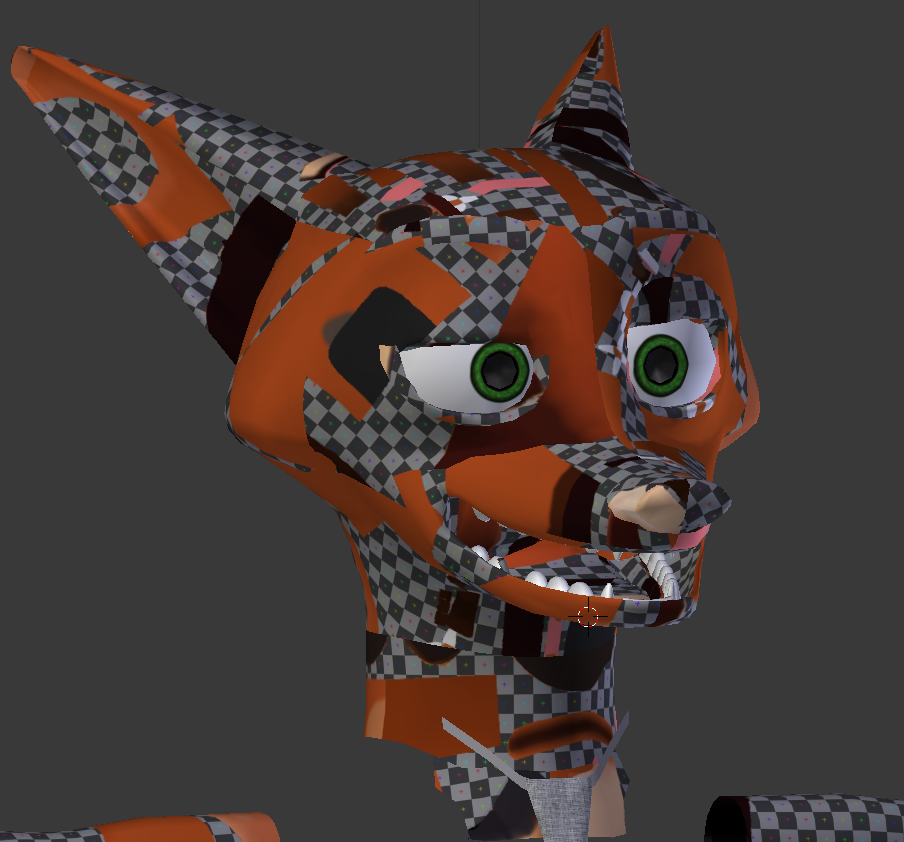
spent an hour decimating in blender getting it to look decent only to find out unity dont give any fucks
main lava
I can draw on top of it
 deft kite
im still new to blender, is there a quick key to zoom in on an object, the scrolling thing refuses to get any closer
 wicked schooner
@charred zodiac did you apply the decimations?
charred zodiac
Yeah but the issue was too much decimating, so the model essentially broke
 charred zodiac
RIP.
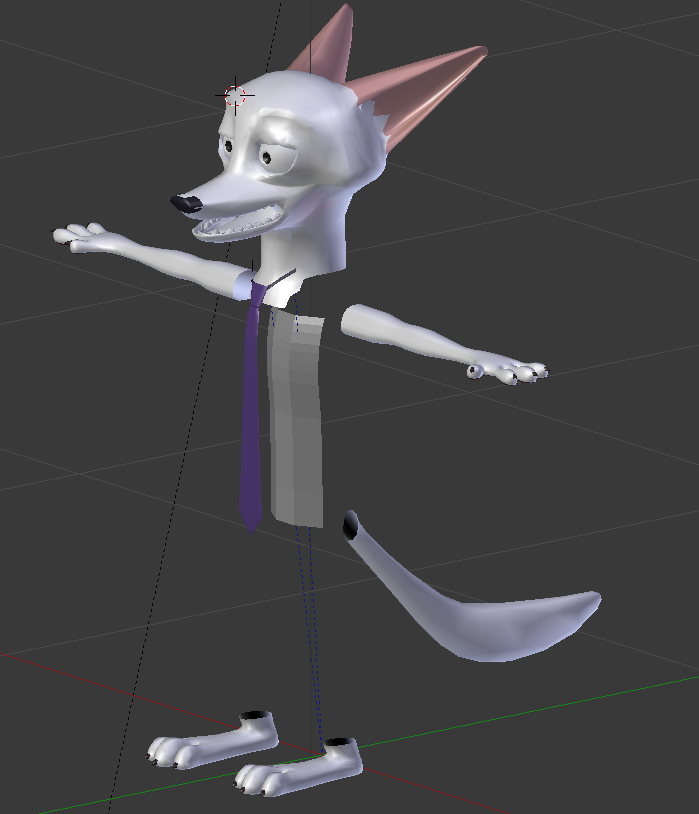 wicked schooner
oh the model had a shirt/pants
charred zodiac
heh
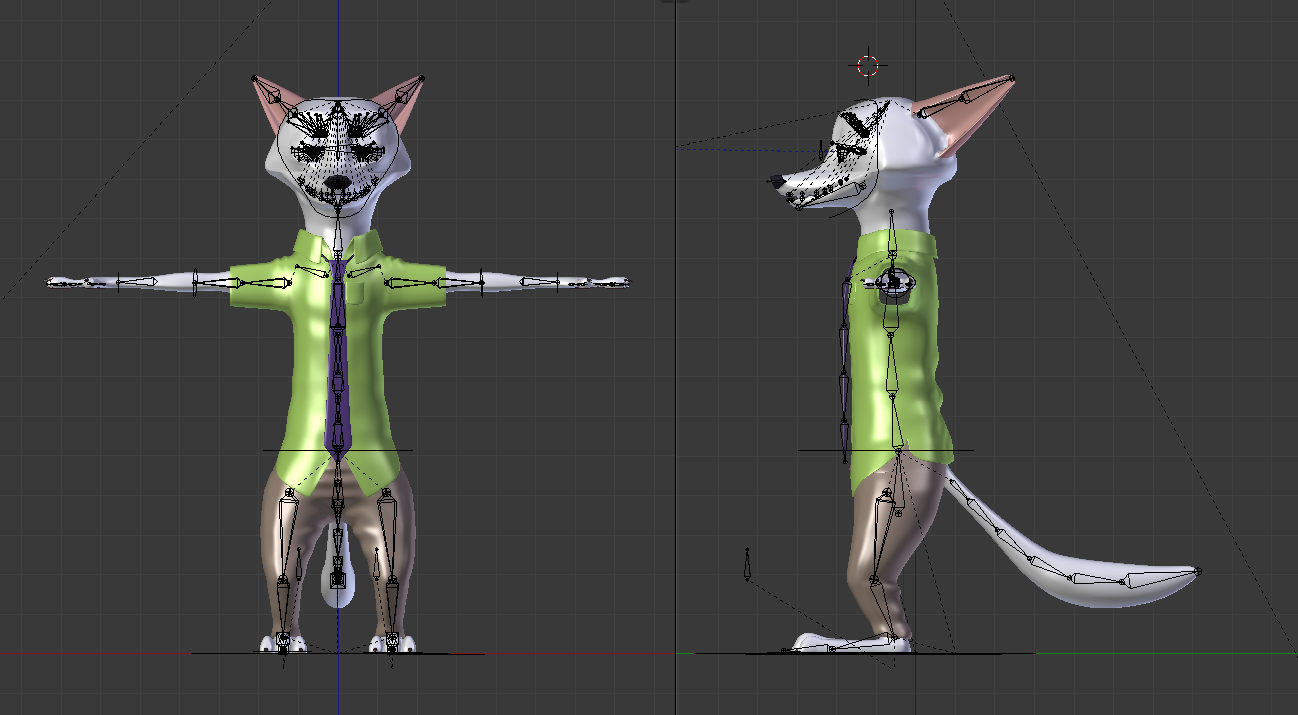 charred zodiac
the model i was working on, it had a top and skirt that were roughly like 300-400 tri's combined. But it had a belt of 1500 tri's
it was weird
 dense quest
@deft kite maybe you're actually far from it...
 honest sonnet
I can't work out why this mesh I'm working on seemingly has 2 different states, once in edit mode with mesh selected the face changes, mouth wide open and different eye positions, it fucks things up once in VRChat
dense quest
But dot on numpad moves your view to the selected object
 gray sinew
how do i make my model's texture appear in blender? https://i.imgur.com/BAJZJUF.png
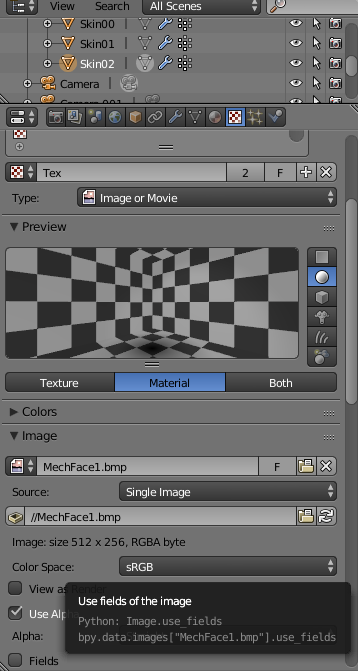 sand dirge
How do I define which image the ambient occlusion map is baked onto
It keeps replacing my TEXTURES with the damn thing
I make a new image and name it something, then have it open when I click Bake... then it replaces my textures
spiral sigil
It's the one with the blonde hair and the blue eyes wearing the stitched stuff from Trap-Chan's avatar hell's...island
Wait
I need someone to make my avatar huge
That's the info I gave you
sand dirge
Just scale it in Unity
stark estuary
hey can someone who is really good with textures and such in both blender and unity please help me, my thing got 50 shades of F**ked up
sand dirge
Guess I'm not using ambient occlusion then
This makes zero sense to me
Single random parts of belt just turn completely black
 split hollow
trying to build my first 3d model, vr chat made me curious about 3d modeling and i actually liked it
Volcan 300 from the Zatch Bell anime
last hinge
@sand dirge looks like there's unassigned / malformed uv's on that one polygon, or there's an issue with the texture.. those are two things that can be checked out
inverted normals can do wierd stuff but there's tools to deal with that to fix winding order.
sand dirge
Do you have any idea why the AO map appears on my texture png?
I made an image named AOmap inside Blender and it hasn't been used even once yet
It always just overwrites the texture image
deft kite
@dense quest to be fair, it was an ant
glass prism
what’s a good place to start 3d modeling?
last hinge
good place?
warm thunder
I've had the most luck so far with Maya 3D, there's definately a learning curve and some keybinds to get used to but I'm getting it down alright
dense quest
Honestly I had to search many tutorials to understand the basics on 3D... tho the CG Cookie website has really good ones
at least for absolute beginners, it's free. You can watch specific topics but you need a subscription for that
last hinge
oh good program?
yeah.. if you are serious about it.. maya, zbrush, mudbox, etc
For the nuts and bolts, you can look at co-ordinate systems, transforms, winding order, surface, point and vertex normals, etc.
you don't really need to know the nuts and bolts as an artist but it really helps troubleshooting issues.
 tight tartan
Someone knows how to work with .fbx files on blender? when I import one it becomes gray and the only way I can see the colors is if I put a camera and lightning
 plucky turret
Select the model, then open the menu on the right of the object window with the little plus on it. Scroll all the way down and select Shadeless. The model should now show textures and color.
spiral sigil

where should i put the viewball in this non humanoid head
@spiral sigil thats a tough one, I think at the back of the bigger horn
 azure quartz
?
 trim mirage
do any of you know how to set a material to no render?
 cerulean kiln
wat do u think?
 uneven drift
Does anyone know a way to properly orient an object in blender to the origin? I want to project the longest size along a particular axis
 abstract cradle
Nice shadow fiend
ancient condor
first attempt in blender with vertex paint of my character let me know what you guys think! https://media.discordapp.net/attachments/296088111484633090/400874108193341440/unknown.png
 abstract cradle
its lewd
ancient condor
:X
 upper kiln
@ancient condor good job not lewd it dont have private part lol
spiral sigil
speaking of vertex paint, how do i convert vertex paint to a texture image?
ancient condor
ya, was my first attempt with hair, im going to do an entire series of attempts tomorrow lol
abstract cradle
are you using mmd?
spiral sigil
no
abstract cradle
@spiral sigil i dont have experience with vertex
spiral sigil
fuck
honestly that was a question for a different type of software im not even using for VRchat but its like the same process
rip
fucking thing doesnt even support vertex paints and the texture i have for it currently is warped like shit since i removed a part of it
abstract cradle
you should just use blender
spiral sigil
no, i have to use this thing called lens studio, its for making snapchat lenses
reason im asking here is cause i saw vertex paint and since i need to do stuff involving it since it doesnt support it, i figured they might know
o well
i figure i fucked up the uv maps or something when i removed a part of the model, so now when i try to apply the texture its all warped
 zinc warren
humm how to make a no-bone model to group with body while not stick with the hair?
uneven drift
Anyone have any tips for centering a circle texture that is slightly off center?
abstract cradle
@zinc warren i think you might have to add extra bones on the hair to separate it
zinc warren
@abstract cradle im adding new clothes to my avatar but it will stick with the hair......
if i try to move the hair bone
spiral sigil
VRchat should make it so that you can get Models from the Steam workshop insted of spending 2 hours to set up a model and then it does not work
abstract cradle
if that's the case, you will have to edit the hair to fit the outfit
it seems simple but its gonna take some time especially if you're changing outfits to make the hair look good
@spiral sigil what happened?
spiral sigil
VRchat should find a way to make it more easy to get models in game cause it takes forever to get a model into the game via blender and unity
 keen sequoia
fast, dumb question - trying to port a model from SFM to blender to unity. I've already ported the model in and converted the textures, but some of the materials in blender are in .vmt format. How do I make these textures show up in blender/unity?
uneven drift
Anyone have this problem in Unity somtimes where you absolutely cannot move a game object at all?
 astral forge
but I don't know what this is for
 tribal garden
Could I get some shader help, if I use anything else than normal some people can't see it
uneven drift
What do you mean by normal?
tribal garden
Sorry, wrong word there
Standard looks like shit
but if i make it anything else like 1/10 people i ask can see it
uneven drift
What other things are you trying?
Do you have Cubed's toon shader?
@tight tartan Depends on if there are body parts under the clothes. If you remove all the body you can't see it might reduce a lot of tris
tight tartan
@tribal garden download cubed's shaders, that makes the model more beautiful xD
astral forge
@tight tartan just put everything but the face into one mesh and collapse decimate it
tribal garden
Alright dude
tight tartan
that's wy I'm not sure
astral forge
wait ya keep hand out too
uneven drift
If it if that high poly you might be screwed unless you can delete stuff under clothes
astral forge
I got a 90k model to 20k, it's doable
tight tartan
I deleted the panties, but that's it, I could reduce the polys in every part except on the body, face and legs
Guess I'll try decimating the body and I'll see in vrchat how it looks
astral forge
feet you can decimate and they wont look too bad
tight tartan
yeah? great
astral forge
you can also decimate by vert group
so you can decimate something that's part of the same mesh as the hands but it won't ruin the hands
spiral sigil
Can you explain that in detail @astral forge ?
the decimating by vert group*
I have this jetpack thingy thats been weighed down by the cones
tight tartan
@astral forge how is that of the vert group?
astral forge
when you add the decimate modifier, there is a box with the vert group symbol on it
the 7 dots
6 with one in the middle
select a vert group from the drop down box and it will only decimate polys that are made from verts from that group
for the jetpack thing it probably is all one vert group (vert groups are a way to assign verts to a specific bone)
spiral sigil
Yea, I was thinking that doesn't make sense for this ><
astral forge
so you would have to creat a new vert group and add the verts from the cones to the new vert group
and then decimate that new vert group
you can create new vert groups under the data tab
with the plus button
and assign verts to the group by selecting the verts in edit mode and pressing assign with the vert group selected
tight tartan
fuck, now I'm dizzy, I'll try doing that tomorrow
spiral sigil
By george, I can't believe I actually think I understood that @astral forge
Wait!, lol what. it decimated everything but the cones ><
Oh wait, the collapse inverted button. got it!
I'm disliking how the cones are being decimated. Are there alternative techniques?
 mossy cipher
create ur own cones?
spiral sigil
I was thinking that, but I didn't want to say it ><
spiral sigil
Hold the phone, only been blender'ing 2 weeks, that's gibberish to me, (I'm dumb took that way too figuratively)
Oh, wait. your saying make a hexagon cone
astral forge
usually it should decimate pretty effectively
mossy cipher
it decimated and the connecting parts due to it being thinner than the rest
astral forge
It might be doing a bad job decimating the cones because of how you selected the verts
astral forge
you might need to select a few more verts
right now it doesn't think the cones are connected to anything
when decimating
mossy cipher
yah
astral forge
but maybe selecting the verts where the base of the cones contact the backpack
and including those in the group
could give it a better idea on how to decimate it
cause right now you only have the cones selected
so add a bit of the backpack in too
spiral sigil
Rodger roder
astral forge
and it might work better
spiral sigil
I've included the boxes around the cones, and same result. decimating the entire jetpack too results in same result. Probably have to live with trapazoid cones
Now I just have to learn how to do that...
astral forge
what happens when you just try decimating the whole jetpack?
spiral sigil
Same result, cones become triangles https://cdn.discordapp.com/attachments/390924397726138370/400900628152582145/5.png
 astral forge
but thats with the cone vert group selected
what if you just use decimate with no cone group
spiral sigil
Oh no, i just linked same picture from before to not have to crop another one
spiral sigil
I promise I did it w/o the group
astral forge
so same thing?
spiral sigil
Yeas
astral forge
might be shoddy modelling
spiral sigil
Probably
Its a 5 year old~ish model from deviantart
But it looks so good on my avatar I want to make it work https://cdn.discordapp.com/attachments/400415059240681484/400839353045352471/3.png

(this is before decimating, have to make mech suit fit 8k tris)
astral forge
haha it's like a gundam glados
 tight tartan
well, I could lower the plys, but I need more
astral forge
@tight tartan check inside the model for stuff hiding in there
if you don't mind losing whatever is in there
spiral sigil
So, if I'm going to make my own vertices, I'm going to need the best, well explained tutorial for a dummy like me. Any recomendations?
astral forge
well for a shitty tutorial I could just say this
theres and add button at the bottom
spiral sigil
(please don't be doublegoose)
spiral sigil
phew, ok!
spiral sigil
I need a video >< you already lost me at scale tools, ha. I know what scaling is, but the botton is elsuive
astral forge
ah ya true
spiral sigil
Maybe I'm not such an idiot, I just take things far too literally. You meant scale tools as in tools on the side and the scale button!
astral forge
ya
if you want hexagon shape get like 6 of them and thin them down
and to add them as a mesh under your jetpack mode you have to parent them to the jetpack object
to parent something you select the child in the heirarchy
then shift click on what you want the parent to be
then press ctrl p
and select the first option that appears
maybe a video wold be better lol
you can move around individual verts if you select them in edit mode btw
spiral sigil
probably >< I don't want to use your time too much, your amazing for helping as much as you have, I learned atleast 3 things so thanks, I'll be sure to pass the knowlege along over in #avatars-mmd when I'm helping over
astral forge
ya np
 gaunt burrow
any good tips to get started with modeling? 😊
abstract cradle
i got started with youtube, but i'd also like to know if there are other sources to learn
tight tartan
@astral forge thank you man, I did what you said of deleting the things inside de character and now I have less polys
astral forge
nice
tight tartan
I heard a while ago that they are planning to increase the maximum of polygons, someone knows what will be the max?
upper kiln
@tight tartan that just rumor
they would have reduce the limit on material even think about ploygons
material limit need to put on becuase give people ploygon dont fix the perfomance problem
tight tartan
then bye bye to my beautiful avatar 😦
tight tartan
believe me, I reduced the polys from 150k to 40k, I can't anymore xD
ancient condor
@spiral sigil are those rgm boosters o_O
spiral sigil
It's boosters from a Gundam model https://cdn.discordapp.com/attachments/400415059240681484/400839353045352471/3.png
 sterile rapids
Does anyone know of any USEFUL videos that show you how to model. I cant find any that use the same version of blender or ones that dont just assume you already know how to use every feature.
 mossy nexus
spiral sigil
mossy nexus
spiral sigil
@sand lion i have done it
https://streamable.com/hvxn3

now i need to figure out how to change the image :/
Anyone know where I can get a Niko soon at?
I want to make my own custom design for him
spiral sigil
its not that
im uploading a custom vrca
it has no image
How to on the presence of bones of model (I need Russian-speaking)
so its using vrc cam from project
upper kiln
just have to do it aain make sure you have news SDK
spiral sigil
i moded my sdk
upper kiln
@spiral sigil uh should not even said that on discord
mod against the the rules
in vrchat
spiral sigil
oh rip
upper kiln
that reason you have problem need update your SDK
spiral sigil
i just want this model in my personal for ez access
i can modded it to use custom pic just lazy to do it atm
upper kiln
well old sdk will keep give out that avatar collssion reason we tell people udate
because API been update
fix that problem
spiral sigil
fixed it on my end but its nsfw image so i cant show here
 dry imp
Who knows the name of the avatar that has a boring face, gray hair, and cat gloves?
gaunt burrow
looks nice @hushed belfry
 hushed belfry
THANK
 manic ridge
anyone got the link to free muscle animation editor?
mossy quail
Looks awesome @hushed belfry
hushed belfry
THANKS!
mossy quail
Anyone interested in making a model of the Male Bear? 😄 https://www.youtube.com/watch?v=WfFKVRZakFU

I need this
XD
hushed belfry
JFOGHIEWA LEARN MODELING DO IT
 marble hedge
would it be posible for me to get someone to make an avatar for me
 tawny anchor
anyone got a model or link to a model of Kurumi's Zafkiel from Date a Live, the giant clock? Been looking for it but could only fin .mdx files so far, which blender doesn't seem to like, neither does Unity. Tried converters but no luck with retaining the original shape.
At this point an image would even be fine of the whole thing, but I yet have to find one where it's not covered by Kurumi lol
mossy quail
@upper kiln send me the link as well please
umm cant you just delete Kurumi after putting the thing into unity? @tawny anchor
 brisk crown
at last!! the model and the rigging is done
tawny anchor
that part was about an image, not a model
 near portal
can someone send me a link to get blender?
upper kiln
@near portal https://www.blender.org/download/releases/2-79/

Home of the Blender project - Free and Open 3D Creation Software
near portal
Thank you
brisk crown
You can get it one of two ways. You can get it from steam or from that site
near portal
Step one done now for steps 2,3,4,5
 slim summit
is there anyway to make a material into a shape key
I got all these materials
But 0 shape keys
near portal
Can i have some help getting this model?
Or can someone tell me a good way to try to find it?
inland fern
Can i only "bend" parts of the avatar in blender? or can i do it in unity too? For example Link's hat is straight out, i want it hanging.
 south dirge
He i have this problem i have completed my avatar but deleted almost all shape keys so i could lower the polygons now i wanted to add a dance animaton but i need those shape keys back can i copy those keys from the same fresh avatar into my avatar ??
Or is there a way to lower polygons without deleting anny shape keys
magic linden
Trying out 3dsmax for reasons
raven ridge
anyone know why i wouldnt be able to smooth this mesh?
the other 3 meshes smooth fine
 hasty dirge
subsurface subdivider modifier
smooth lighting
have u tried those and it doesnt let you?
magic linden
smooth shading is enforced no matter what
unless the model is low poly then that doesnt even matter
like very low poly
hasty dirge
press shift z, is it still low poly looking?
also try the modifier if you havent al ready
hasty dirge
oh my
raven ridge
yeah idk
hasty dirge
same
 lament pond
 radiant horizon
Huh. This hair turned out pretty good.
inland fern
Which button must i press to get the normal selecting tool? This tool just drags polys. (blender manually creating tex atlas))
 loud sierra
How does one re-rig the bones to a new set of clothing (Example pants to existing legs)
 plain bridge
G
spiral sigil
Late but w/e, someone else might get some use for it. It's because all of your faces are split. Select everything and remove doubles to fix it. @raven ridge
It's a setting on left panel in blender. But now I shall sleep
raven ridge
Yeah i just fixed it like 10 mins ago, iswear i tried it 5 times but i guess i didnt select all
tight tartan
This happens when I want to drag the textures to blender, what can I do
raven ridge
Did you try opening the unity asset folder and pasting them there?
Oh wait to blender woops
tight tartan
nvm, it was because I didn-t extracted the textures before
 proud rampart
Do you use the right version of unity?
 prisma summit
yes
inland fern
Is there any reason why i get a purple face when in material mode in blender? Looks fine when i choose "render"
prisma summit
5.6.3
proud rampart
How is it broken?
prisma summit
when you click the dropdown menu it only shows clear cache and player prefs
loud sierra
@inland fern It's just a miss-communication, between the textures and blender, don't mind, as it does not cause any problems.
prisma summit
none of the other options exist
tight tartan
normally the purple face means that you have textures missing
inland fern
@loud sierra Alrighty, how do i fix this? And also, how di i uncheck the bones to only see the character itself for when i wanna configure eye tracking and mouth movements?
loud sierra
I don't really know how to fix it, as I normally just ignore it, but to "hide" the bones, just select them and press "H". @inland fern (And Alt+H to reveal)
inland fern
Well, he looks fine when i render it
tight tartan
Someon knows why this happens when I upload it to unity?
loud sierra
@tight tartan Some sort of error in the transparentsy in the textures.
tight tartan
fo I have to go to blender and redo it?
loud sierra
You might be able to fix it if you change the rendering mode from Opague to Transparrent. *Only works 50% of the time)
It may work? Not sure
I usually just add another eye.
How does the Eye texture look in Unity? Facemesh or Eyemesh?
tight tartan
it's in japanese so dunno
loud sierra
Traslate it in Blender
inland fern
Ah thanks @loud sierra :D
Also, how di i remove unwanted "bones" and objects from the character?
tight tartan
Already did that, I had the materialks translated
loud sierra
Click the bones, and switch to "Edit mode" in the lower left corner. @inland fern
tight tartan
but in unity every material is in japanese
loud sierra
You need to translate everything, that will translate it all .-.
inland fern
@loud sierra Thanks again! 😄
loud sierra
NP
inland fern
I'mma write these down 😃
 primal lynx
@raven ridge all of your faces are disconnected. select everything, hit space and type "remove doubles" and you will get what you want. However subdividing the model is not a good idea in general, what you want is to mark the faces as smooth an sharp edges as sharp.
inland fern
Ok, bones removed, but the sword and shield is still there, how do i highlight them for removal?
tight tartan
@loud sierra there are some things that aren't being translated
loud sierra
@inland fern What I would do, would remove the sword and shild, and add them later in unity. This way, you don't have them stuck to you hands constantly.
@tight tartan If it won't translate, you may need to do the "Change color till you find it" method.
@tight tartan Click on a texture and click the little white box on the right side, where you'll be able to change the RGB color. If you see it change the color of the eye (or face) you found out if it is a Facemesh, or Eyemesh. If not, then tough luck, Ctrl + Z, and try the next, untill you find it.
@tight tartan An eye texture would usually look like this:
@tight tartan Whilst a Face texture would look like this:
inland fern
@loud sierra That's what i want. And only keep the ones on my back
Just need to figure out how i remove them,
radiant horizon
Still need to model the eyes on her, but I'm making progress on something that...probably won't be made into a VRChat avatar, what with the polycount of her hair.
228k verts :T
tight tartan
It's like this
loud sierra
@inland fern If they are bones, change into "Edit mode" after marking the bones, then highlight bones, using "B" to mark multiple bones, then press "Del" and press Enter.
main lava
how do I know if something's been Decimated?
loud sierra
Either if you can tell if the amount of Polys has been lowered compaired to the original, or if there are random holes in the mesh.
main lava
cause I got the modifier in there but it said something about not showing previews anyway
https://gyazo.com/4bf608c4bb9df80e6b96270925465299 this is where I'm at right now
 inland fern
@loud sierra The sword and shield is not bones. They are vertex (if i said that right)'
 willow pasture
yo what's the best Modeling Software ?
 small cloud
http://prntscr.com/hz2dpq is there easier way for this other than selecting every other edge? limited dissolve gives terrible outcome and checker deselect doesn't work, otherwise i have to do all this shit manually http://prntscr.com/hz2ehm  🔫
🔫


ok i found remove double perfect number for it
main lava
oh I was in edit mode that's why it didn't work
small cloud
http://prntscr.com/hz2hf7 0.015 distance
 inland fern
Anyone else know how to remove the sword? (removed the bone to it)
loud sierra
@inland fern As I said before, Try marking the bones in the sword, and clock "Del" then just press enter, that should remove the sword's bones.
inland fern
There's no bones in the sword itself. the sword and shield disappeares when i highlight the bones of the model
loud sierra
Try pressing "Z" and selecting "Material"
inland fern
Bones are now removed, but that's just the bones, when i click on the "body" and "vertex" the sword and shield is still there. Is there a select tool that i can click on the material?
 errant bronze
I think @loud sierra just answered that @inland fern
inland fern
Well, i can't see any bones within them, or any of them in the list either
 elfin garden
do bump maps work for unity/ vrchat?
inland fern
Or is basically the sword and shield illustrations for when he is using the sword and shield? Cause the sword and sield on the back has bones on them.
primal lynx
@inland fern in edit mode, go to vertex or edge selection mode, select one vertex or edge and press L, then press X to delete the verts
Assuming they are all inside one object.
inland fern
WEll, apparently that deleted the whole vertex of the whole character combined when i only selected that one object.
primal lynx
Everything is gone?
inland fern
I can delete all it's polys instead, that works. How do i select a group of them?
Yep. Everything vanished lol
radiant horizon
Either B for box select or C while in edit mode
split hollow
https://gyazo.com/f6a4aa5acf42e830628eeb783f5e4b84 thanks for the tips guys, im slowly learning how to do stuff in blender... hopefuly ill be able to upload it to vrchat without any issues after finishing the model
 inland fern
Would've been so much easier to find the whole sword vertex and delete it in one go :S
primal lynx
L selects the whole polygon island, it should definitely not select the character if it's in seam mode and otherwise disconnected from the character. If you have somehow fused the sword into the character, then the only option is to manually delete parts of it. Use that box selection for example, or with one vertex selected press CTRL + + to grow the selection
inland fern
There we go ^^
 loud sierra
@inland fern This is why you should be able to just click "Del" insted of deleting Verts etc. It leaves some weird patteren, from the existing mesh.
main lava
I got the lowply model in and it was rigged okay (like the shoulders were weird but at this point I don't care) but I just colored it in Paint3D and suddenly it's like "we can't rig that correctly those nodes don't exist" despite the fact that they did exist earlier
and I did the same thing with the other stuff that didn't have all the right bones and it still rigged correctly
radiant horizon
Mine's refusing to UV map parts of mine's body :D
It just gives me a triangle on the UV map when I tell it to unwrap her hands and feet.
 whole fractal
Has anyone made a model of the "somebody touched my spaghett!" meme character yet? 😃
raven ridge
i've seen a 2d one, thats it
primal lynx
@radiant horizon you need seams in your model, or use the smart UV function
spiral sigil
hey can someone help me with my UV unwrapping, I have a model and I just finished cutting but now I'm stuck.
whole fractal
we need to make like a really goofy looking spaghett character and use it for raiding uganda. fight memes with memes!
spiral sigil
https://cdn.discordapp.com/attachments/310196644681482240/401072207297511424/unknown.png this is the uv preview
 whole fractal
if no sections are stuck together, which it looks like your missing a seam somewhere... all you do there is rearrange the UVs so painting is easier
spiral sigil
im not uv painting tho
im trying to texture map this
im trying to texture map this
im trying to texture map this an image to this
im trying to texture map an image to this
whole fractal
im a bit rusty in blender. but it looks like you have a seam thats not cut completely. those long triangles usually go between two verts that you intended to split. check all your seams and unwrap again if you missed something. a proper unwrap should arrange itself with no overlap.
 whole fractal
it works, i see the model
but like i was saying, carefully check every seam, theres something missing somewhere, its possible you have some overlapping geometry and an extremely short edge that you missed.
spiral sigil
either that or the wing webs
whole fractal
you can turn on the... ugh, whats it called. mirrord selection or something like that on the UV view. it will show you the part of the model the selected UV goes to
spiral sigil
how do I do that, this is my first time using UV period
whole fractal
leme fire up blender. i dont remember it well enough to tell you without looking at it
spiral sigil
want to vc so this could work out better?
want to vc so this could work out better?
So, I have this jetpack thingy that has cones that I want to replace with trapezoids to save tris, any tutorials I should watch?
whole fractal
ok, theres a little button that looks like a cube with two verts on the left and an arrow pointer on the right, says "keep UV and mesh in sync" or somethign like that
spiral sigil
I dont see it
whole fractal
its along the bottom of the UV window
by the selection box that says view
just hover your mouse over everything till you see it
with that turned on you can select stuff in the UV screen and it will select it on the model too, useful for finding problem spot
spiral sigil
i don't see it
whole fractal
although using L for select linked doesnt work with that on, so its really only useful for problem solving, it should be off normally
spiral sigil
i still don't see that UV and mesh in sync thing
tight tartan
hmmm, someone knows why my visemes aren't appearing in Unity?
whole fractal
sec Amica, trying to get my puush reinstalled on this new comp so i can screen shot it. lol
spiral sigil
lol
whole fractal
forgot my password and its taking forever to get the auth email >.<
spiral sigil
rip
spiral sigil
oh
whole fractal
its just handy for finding where your problem seam is, turn it off once you locate it
whole fractal
are you looking in the UV editor window?
spiral sigil
yeet
whole fractal
hmm. idk then. do it the old fashoned way. follow all your seams around and see if anything is missing 😃
spiral sigil
it's the wings that are the issue
whole fractal
then check all the seams along with wings. The UV layout is telling me something is missing seams. 😃
primal lynx
@spiral sigil just a cube with one other end scaled?
whole fractal
@spiral sigil Is it your model or a download? I would just remake the cones with a lower faceted cylinder
spiral sigil
Sorry, went afk. just a download. @whole fractal
Basically, I'm trying to get this 30k mech suit pullover thing down to 7k, (pic is before decimation) and I'm trying to save as many tris as possible. It has alot of cones and spheres that I want to replace with octagons or hexagons to save tris wherever possible. But this would be my first real 3d modeling experience and I am looking for a tutorial that doesn't already assume I know the basics
 shell heart
Can you help me?
I have model
It's format .mesh
generic_item.mesh
How I can open it?
whole fractal
I dislike the decimator in blender. but without the hotkey knowledge to make mesh work easy, its the fastest way to reduce tris. Im an old school modeler from the pre-scultping days, so i usually just edge slide and merge verts to reduce faces that dont need the structure. but yeah, that its a bit more than basic technique 😃
spiral sigil
Ya, that all went above my head 😃
whole fractal
as for tutorials, im not sure where to tell you to start. there are a ton of crap tuts out there. have you checked out the stuff put out by the blender foundation? some of them are pretty good for learning the workflow in blender. its not the most user-friendly app without hotkey knowledge.
latent charm
Seconding anything from the blender foundation.
whole fractal
and i forgot most of the hotkeys in my 2 years not messing with CG art =(. so im having to google as much as any newb to relearn what i forgot. haha
raven ridge
How would i make her ass less pointy?
primal lynx
@whole fractal if you have a quad model you can un-subdivide it with the decimator
oh nevermind, you didn't ask anything
whole fractal
yeah, but only if its ALL quad. most of the time models you download are not quad
latent charm
@raven ridge More geometry.
whole fractal
yeah, it really depends on how lazy the original modeler was. 😃
raven ridge
I figured but i'm terrible at blender and don't know how to add more to get what i want
whole fractal
also, @raven ridge, try it in unity with the toon shader like it is there. it might not look pointy with the shaders on.
latent charm
@spiral sigil What I'd do to bring that polycount down, is separate it into hard surfaces, and soft surfaces. The hard ones should react quite nicely to a planar decimate with a triangulate modifier after it.
The soft deforming stuff, you can use a regular decimate coupled with a vertex weight group to guide the decimation away from joints (especially the hands)
raven ridge
i tried a loop cut and extruding but had problems with both cause idk what im doing lol
whole fractal
thats how you learn. mess up till you get it right! ctrl+z is your friend
spiral sigil
All hail Ctrl + Z
whole fractal
also, save, then save as> different file name prior to big unreversable actions. saved my ass more than a few times 😃
latent charm
And remember, pressing + on the numpad in the save as dialog will give/increment the filename's number.
Why am I a small fruit.blend will become Why am I a small fruit1.blend and with another + will become Why am I a small fruit2.blend
 hardy meadow
is this a better place to ask questions/seek a little help with meshes and textures issues? didnt see this thread last night. then again i also didnt notice until this edit that @rain flax is in this group
Nvm, got it, I forgot to delete the old UVMap like he mentioned in the description, looks like its good now.
raven ridge
This is probably not how i want to do it is it lol
spiral sigil
Is anyone willing to help create an avatar idea that I have? If so, please DM me 😃
spiral sigil
IDK how, I didn't parent this or anything, but I think I did it.
This 1.2k arm bit
is now a very modest 344 by changing the cone to a octagon
Can I import a model without finger bones and still have the rest of the body animation working?
@spiral sigil yes
You only need hand bones
If you have VR you wont be able to make gestures though.
 soft tapir
Is there a free asset bundle of building pecies I can use to construct a custom layout?
like, maybe The Sims-style wall sections, floor tiles, stairs, etcetera?
spiral sigil
Head for the Plague Doctor Im making 🙄
 thorn hare
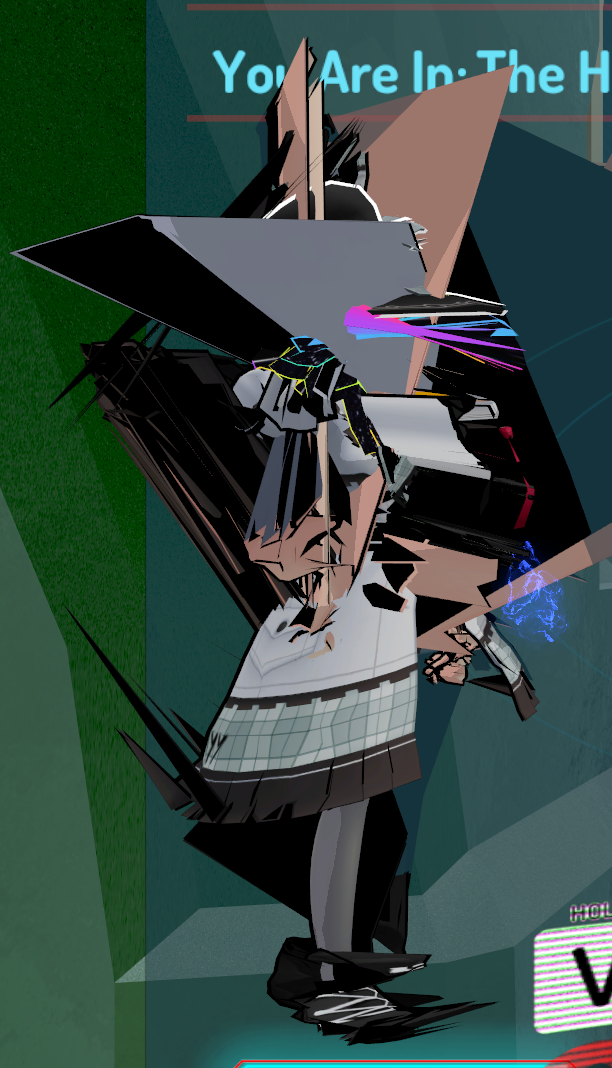
https://i.imgur.com/7qUI4Bg.png
wtf happened here? It looked totally fine in Unity ...


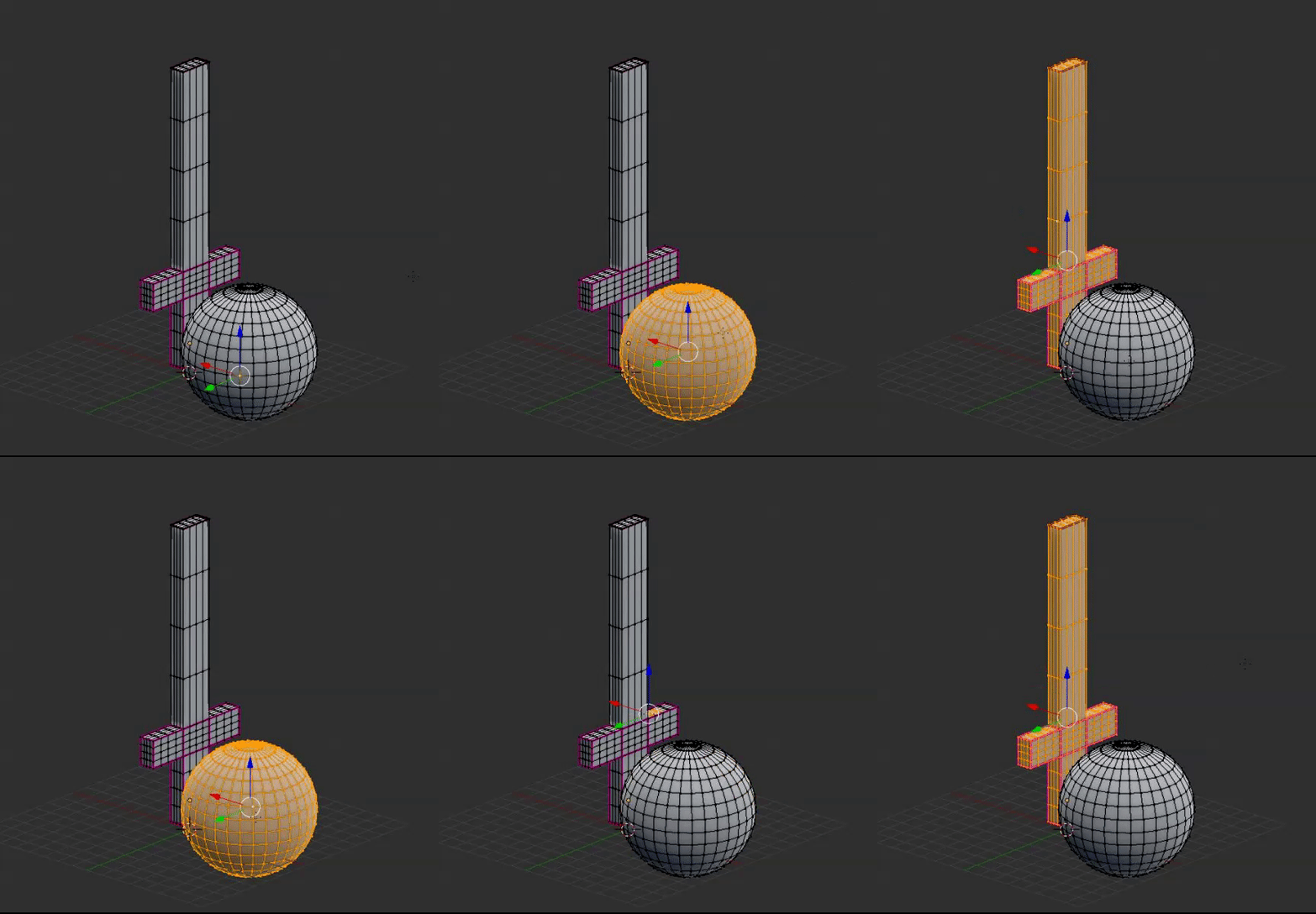


 spiral sigil
It says it will disable full body ik tracking without the fingers though, is that something I need to worry about?
@thorn hare looks kinda like Weight texture problems
at least thats what id check
thorn hare
what do?=
spiral sigil
go in blender and check your weights
see what area of effect each bone has
I think that some vertice groups for bones are really messed up
@spiral sigil unless you have VR, you shouldnt worry
ok ty
tfw having experience after making one stupid avatar you feel like a pro in everything only to later realise that you still dont know shiz
thorn hare
^^
spiral sigil
@thorn hare are you checking the weights?
 true olive
I need some help, I separated a single object by selection and a bunch of others turned black
I can't figure out what happened nor can I undo it due to the short history
I can't get it to show the texture without going to render mode
thorn hare
I have zero to none blender experience
so I'm trying my best lol @spiral sigil
I know unity a bit
spiral sigil

I'm new here.
My problem is.... my mesh turns black, I don't know why also when I create a new object like a cube it turns black as well, I recalculated the normals and nothing happened, please he...
Well I have the opposite, I can make a model from scratch, rig it and so on but my knowledhe in unity is only enough to upload what Ive made in Blender to VRchat
maybe this helps
true olive
@spiral sigil thanks but I'm working in shadeless + not in texture mode
only certain objects are black
all in one area
spiral sigil
@thorn hare Id reccomend watching Darrin Lile Character Rigging tutorial series, especially Ep. 5-7/8 where he does weight texturing
you should be able to at least know how to check the weights with that
true olive
I figured it out
Blender bug
I turned off use alpha and turned it back on, it fixes
radiant horizon
Not sure why, but weight paint isn't showing up for me.
spiral sigil
I imported my model but it only appears as a red outline, whats the cause of that?
 molten geode
Anyone know of a good pistol? Pretty please :3
thorn hare
Desert Eagle always looks cool @molten geode
molten geode
I was thinking more of something with a silencer, but I have a week experience of blender and unity XD I know how to do stuff, but I'm soooo slow XD
and the ones I'm finding on the net are more complex than my avi ^^
spiral sigil
@spiral sigil check pinned post by the devs. ITs a game bug
radiant horizon
There's weight paint.
spiral sigil
@molten geode I made a flintlock pistolwith about 2 days of experience with blender, and I think its good enough. making a pistol aint that bad
You need to remember to do things that have to be done ( general shape of the gun) and just skip anything beyond that you can mask lack of some elements with a texture and it will look fine. Theres no point doing every little screw
 nova drum
I finished modeling this a short while ago.
 mental blaze
would anyone be interested if this model was made for vrchat?
nova drum
I am proud of myself and now my firends hate me.
also yes
 gloomy escarp
yes
mental blaze
it has over 156k polygons, so a redo is a must.
 green ether
Learning modeling, kinda