#3d-modeling
1 messages · Page 22 of 1
 lapis needle
 formal perch
Blender is definitely a nice software, it can do pretty much anything, but the UI... my god
lapis needle
Yeah. Its suppose to be user friendly but its almost impossable to teach your self how to use it.
Its free though and it has everything youll need in one package so thats why we all reccomend it.
formal perch
Ye, the cost makes you want to waddle through
lapis needle
I also on the other hand like to look for models to make that people cant find and need help with because this furthers my self and it makes me feel good to make them. I probably have atleast a few gigs just in models Ive made for other people. Aswell as complete random ones too. I have a FF7 cloud in his 30s who looks like he takes meth.
formal perch
it is good experience for sure
I've almost finished making my 2nd character ever
just doing a few itterations on texturing
should be in game pretty soon
abibas
lapis needle
You should make the buttons his visemes. So when you talk the buttons push in and out
formal perch
hahah that's exactly what I'm doing. but not the buttons rather the speakers, like when bass plays
so its kind like his eyes are popping
will give it a go and see if it works visually if not
wll change
lapis needle
Thats a good idea
 livid frigate
@lapis needle he reminds me of this
lapis needle
Thats exactly where the insperation came from
livid frigate
amazing
lapis needle
Hes kind of an older model of mine though. Hes not very good compared to my present stuff
Im totaly thinking of making this a job. But Im gunna have to learn how to make something photo realistic. I have no clue how to program, I barely know how the cycles engine works in blender at that.
 latent charm
@lapis needle Blender wasn't designed to be user friendly. It was designed to be very fast and efficient for the people who were trained on it. They have attempted to make it more user friendly in recent years, though a lot of the original design concepts are still present and once you get your head around them it really is very fast to work with.
That said, the pre-2.5 rewrite the UI was nightmare fuel.
I still like opening up old versions of blender just to scream in horror.
 solar mauve
I have some odd issue?
There's a piece of mesh that i'm trying to decimate, except change the values does not seem to affect it at all
Even though it is selected
lapis needle
@latent charm That's what I keep trying to tell people. Itll frustrate them if they try to jump to character modeling too quickly.
They need to learn how to use it properly first.
latent charm
Yeah. Even for basic porting you can save everyone time and effort by at least doing the basics of the interface.
I'd link people to either (or both) of these, depending on if they prefer video or written tutorials.
https://www.youtube.com/watch?v=kes2qmijy7w&list=PLa1F2ddGya_8V90Kd5eC5PeBjySbXWGK1

Blender is Free and Open Source Software Download: https://blender.org/download Donate: https://blender.org/donate -- This tutorial is part of the Blender Fu...
 simple vine
How should I go about modeling something on blender from scratch to put it into VrChat? I'm a decent blender-boi so I'm asking about the workflow not the techniques :v should I use Cat's plugin or is that just for MMD models? How do I make sure eyes and shape keys will work a-ok? Thakies
Thankies*
 rich lagoon
You model the actual model, rig it, import it into unity and then upload it
You don't have to use cat's blender plugin
and you make sure eyes and shape keys work correctly by testing them
rich lagoon

Creating Eye tracking for your Avatar in VRChat Links: Download Unity MMD rigging: https://www.mediafire.com/file/7awm878q43c1m7q/MMD_EYETRACKING.ht Eyetrack...
rich lagoon
np
 stone dagger
can someone kind enough give me a brief explanation on what weight painting does
just like it's functions and that's it
livid frigate
It decides what parts of the mesh move with what bone
Thats a very basic description on what it does
livid frigate

Quick intro and guide to skinning/weight painting. this video is meant for those with a basic understanding of Blender
This also shows it
stone dagger
thanks again
 nocturne marlin
is it possible to give materials in blender an outline?
 spiral sigil
yo
i created this model and i wanted to add some physics to the big ass zipper on my neck
spiral sigil
and then it should bounce around ?
i lost my connection there sorry
i'm gonna look at my model ingame first and then
i'll try what you said thanks
stone dagger
yeah, just have to mess with the values for the dynamic bone to get the sweet spot
spiral sigil
should i use the dynamic bone on the zipper itself as a component oder on my whole character and then just add the zipper ?
spiral sigil
Uh hi, I have a problem people. It's not exactly a problem about VRChat but it's more of a problem about me trying to implement a model.I can't really explain it but here is a screenshot
stone dagger
the things may be assigned to the wrong bone
stone dagger
if it is then probably a parent issue
lots of mmd models have parent issues with the bone
i can take a look at the model for you if you want, just send me the model
stone dagger
you need a chest bone
spiral sigil
O H.
O H.
Welp, literally took people 10 minutes for people to figure out
Thanks
stone dagger
lol you're welcome
stone dagger
just add one in blender
spiral sigil
stone dagger
are you 100% it doesn't have a chest bone?
spiral sigil
Because I have no idea what you're talking about 😅
stone dagger
it's the bone that the left,right shoulders,and neck is connected to
are you 100% it doesn't have a chest bone?
spiral sigil
N o.
stone dagger
lmao it does have a chest
spiral sigil
I only see toes,legs, arms
stone dagger
i can see chest after spine
stone dagger
looks good
spiral sigil
looks like I've achieved maximum stupidness
OOF
OOF
@stone dagger ....
@stone dagger ....
@stone dagger ....
lag is real
anyways
stone dagger
a parent issue, might have to edit in blender, send me the model and i'll fix it
spiral sigil
I'll send you the original model
Since I recoloured this one

i know what you mean but setting the root and playign with the values but how do i actually give that zipper gravtiy so it's like laying on my chest and when i move it waddles around u know ?
i've been looking for that on google for ages
but only outdated videos were found
i've been looking for that on google for ages
stone dagger
i do
spiral sigil
but only outdated videos were found
spiral sigil
so uh
stone dagger
it's should be pretty easy
spiral sigil
so uh
do i just have to make the standart position of the zipper like on my chest and then do the dynamic bones shiet
so uh
is the model broken or something? because I give up.
is the model broken or something? because I give up.
stone dagger
it's should be pretty easy
spiral sigil
is the model broken or something? because I give up.
I have to sleep anyways
It's 22:56 pm for me and I need to sleep
stone dagger
can't send, my net is acting up
formal perch
ah bro I was just about to post the solution for you
who ever made the knuckles character needs to go back and fix the naming of the bones
is it possible for us to pin a message?
 tight fox
You can't yourself ofcourse... But you can ask an Admin if you desperately think something should be pinned 😃
spiral sigil
Yo it's me again
so i tried my character ingame
and for some reason my arms are like twitsted
but in unity they're not
tight fox
This is to do with the green man 😃 make sure all your bones are correctly assigned
stone dagger
^ what volt put
nocturne marlin
yo girl is bald af
tight fox
oooh yes @south shale is right. Those bones shouldnt be in lower arm slots 😃
spiral sigil
y my hair is fucked too
im pretty new to this stuff
i learnt everything of of youtube
tight fox
Cubix your mesh is either got inversed normals on the hair, or you are using the Fade option on the hair material
actually wait
wait
 south shale
Uh nah, I think this is almost entirely rigging
tight fox
Check all your bones assigned to the Head
south shale
You should be using CATS
spiral sigil
y someone told me about CATS
tight fox
^^^^
spiral sigil
but i haven't figured out yet what the hell that is
tight fox
It makes everything a fix and no problems
spiral sigil
and where i find that xd
south shale
Literally one button to fix entire rig
tight fox
google search "VRCats plugin Blender"
south shale
Vrcat.club
stone dagger
cats won't 100% fix it right
south shale
Under tutorials and tools or what smoothie said
Cats will usually 100% fix it
If it's a fresh mmd
stone dagger
i mean like it's a hit or miss
spiral sigil
when i did that can i just continue with the same unity model or do i have to start all over again
stone dagger
start all over
south shale
95%+ hit
spiral sigil
kill me
south shale
Start over
tight fox
start over but it'll be like 100% faster
south shale
It's fast
tight fox
😉
spiral sigil
it's an mmd model from a japanese website that's why all the bone structure is like messed up
south shale
That's literally all mmd models
tight fox
Its because its made for an animation program and not a game 😃
the extra bones for animation is the best 😄 but them awesome plus bones makes it confusing for games
spiral sigil
1 more question. This characters mouth is open on default, can i change that in both blender and unity or what's the best method to do that
tight fox
VRCats makes it simple though 😃 For the mouth thats probably because you had yourself a jaw bone assigned on the Humanoid Config
spiral sigil
Ok Thank you ! : )
tight fox
Redoing my old eve model 😃 eve was my first I ever did so the mesh was hella inefficient 😄
Like look how much better that wireframe is 😄
tight fox
ikr 😄
spiral sigil
thanks so much guys
tight fox
happy to help woman 😉
spiral sigil
😉
oh i just noticed i think i was in the wrong text-channel
sorry for bothering you
 polar crow
someone can help me? i am trying import a avatar but his hair keep freeze in place, in the middle of air, simple do not move, the rest of the body is ok, if a put like...20 bones in the head almost all hair curls are fixed but still some left has any way to make all the texture/mesh of hair fuse/fix with the head like one single thing?
solar mauve
Got your remix ready?
solar mauve
Nice
formal perch
its gonna be 🔥
solar mauve
Do you have mouth movement at the location of the tape/cassette?
That would actually be so awesome
formal perch
I used blend shapes, the eyes/speakers move just like when bass plays when I talk, gonna test it to see if it works
if it doesnt work might think about using the cassette slot opening
lets hope the peeps in the servers can handle my model lol
spiral sigil
@tight fox i've spend the past 2 hours working on the new thing and now the legs are fcked
im so done with this shit
 thorny spear
New modeler here, I have ripped character Models from The Division and I have no idea how to work with them honestly, it isn't like modeling stuff from Gmod, it is all together (I think) with Submeshes only so when you try to color one it colors them all.
Any Idea on how to seperate them so I can color the different parts with Division textures?
 restive raptor
@polar crow Make sure those hair bones aren’t locked in place
rich lagoon
 reef summit
Ok so, my model, everytime I look down my mouth opens up downwards, what happened?
 hollow radish
Basically the jaw might be mapped to your neck or smt like that
Since you move your neck bone when you look around
Or it could be weight painting issues
 fallow wadi
Hi, I want to add some verts around the hands, I've tried doing it with a knife but it ended up a bit croocked, and it seems like a tedious thing to do and feels like there's a better way of doing that...
What should I do?
It's a mesh that I've ripped form a game and now I want to smooth it out so it'll look good on VRChat
lapis needle
@fallow wadi Add a sub division service modifier in the modifers tab. It looks like a blue wrench
latent charm
adding subsurf on a mesh that's been triangulated is going to end badly, especially a deforming character model.
You can kinda get around it by de-triangulating it with alt+j but expect further manual work.
spiral sigil
hey guys how can i make my model float
like stay in the air without moving at all
i tried to make in float by changing the position Y but it didnt work
 vivid parcel
Invisible block under the character that extends to the floor perhaps
 nova acorn
DM me cute anime models :moon2SMAB:
vivid parcel
Btw any blender experts know about other techniques for decimating a model? Got a new one I am working on with over 150k and it is getting ruined to try and get undee 20k tris
lapis needle
There is a modifier to automatically reduce poly count but 150k all the way down to 20k could be a little harry
vivid parcel
Ya i have removed a lot of access parts and such I am at 40k now but anything more breaks it in too noticeable of ways
What is this method you speak of?
lapis needle
In the modifiers tab there is a modifier just called "decimate" If youve already done that you could also try "w" and then "remove doubles"
rich lagoon
@spiral sigil Set the origin point to a lower position
fallow wadi
@lapis needle Just selected the hand mesh, pressed W and selected subdivide, worked like a charm XD
vivid parcel
I will try removing doubles already mentioned that I hage decimates it to the max :P
Had decimated*
lapis needle
You could also split high density areas into their own objects and then decimate them. Then join them back together and delete the loose vertices
vivid parcel
I am really excited for this model I know nobody else has done it yet cuz i deep webbed through japanese websites XD
I need to be a special snowflake with my own model or I die inside a little
 quasi flame
I've been playing around with importing mmds in blender using cats and I was wondering if it was possible to export the fbx to maya to decimate (since I'm more familiar with it) and reimport it to cats to do the rest of the eye tracking & visemes stuff.
 last hinge
@quasi flame Absolutely
@quasi flame I got into Houdini because I've been using it for close to 18 years and why bother with blender if you know another package.
Or Maya/3DS
The only thing I touch blender for is the MMD/PMX tool and then I export to FBX to get the heck out of blender as fast as I can 😄
lapis needle
Blender isnt very newb friendly
last hinge
But the MMDPMX files are so janky I'm building a anime geometry/proxy template and rig templates so I can just build stuff from scratch in the future but i was curious how MMD folks were doing anime style facial rigging/animation/setups
lapis needle
I beleive all MMD's use shape keys of some sorts. And Cats helps to originize all of that out for them
quasi flame
@last hinge So is your workflow to import using cats, fix, model, then export to fbx?
last hinge
I use that MMD tool the one where you can use google translate to fix all the bone/partition/node names into english, do a repair, save again as pmx, then use blender to do a fbx export then bring it into another package that I have experience in.
then i go to FBX to mixamo to check a few motion tests and a sanity check before bringing it into unity.
lapis needle
Thats seems overly complex
last hinge
I'm not doing it again
quasi flame
Do you keep your face blend shapes with this?
last hinge
3d software/file format translation is complex.
and I use Maya/Houdini for a living, I'm not touching blender.
and mmd/pmx isn't a widely universal format, its specific to miku miku dance in japan, so I have to use blender to port it into a commercially recogized format.
once its in fbx or alembic orr something industry standard you can use any 3d package you want [generally, theres always gotchas]
So what I was telling the other guy.,. you don't HAVE to use blender if you already know Maya.. why would you?
The mixamo step is useful to find issues.
A lot of avatars out there break with full body capture
I found if things work in mixamo with no issues it just happens to work good with full body tracking 😄
@quasi flame Blend shapes are supported with FBX
I know unreal engine had issues with blendshapes and fbx [trick was to export using FBX 2014 instead of 2016] but I never had issues with FBX 2016 in unity.
Autodesk has a free FBX conversion utility that will convert certain formats to different versions of FBX... C4D, obj, other mocap formats, etc.
you can even do FBX -> FBX if there's a formatting issue but Maya out of the box shouldn't have any issues.
fallow wadi
After doing subdivide, the hands came up like that, I've tried to overlap the edges and to remove duobles but it didn't really work, what should I do here?
tight fox
what are you trying @fallow wadi
fallow wadi
The hands had almost no ploies to them, so every finger movement looked really bad
I've done a subddivide to add some more polies so make it look a bit more smooth
last hinge
looks like you need to smooth the polygons and the normals out a bit around that pole tip.
fallow wadi
You mean manually?
last hinge
yeah ...something like that would take me a few seconds in another package but I don't know what polygon modelling tools blender has.
tight fox
When you import models they most likely are made up of tri's than polys. Subdividing tri's is difficult and creates WAY too much. what you can try is the loop tool or the knife tool. Use them around areas which should bend to keep a reasonable amount of faces 😃
fallow wadi
Loop tool doesn't work in here XD
Tried it
And knife was wat to tediuos
And uneven
last hinge
Yeah what smooth said... if its triangles subsidvisions/loop edge tools don't like tris and would prefer quads
I'd take the low res model and just click each vert where you want it cut and isolate where you want the increased resolution.
¯_(ツ)_/¯
tight fox
also if you have any holes in the mesh, you can "stich" everything together by selecting two points at a time, ctl+v and go to Merge, select what sounds fitting and voila. you can connect all the verts together 😃
fallow wadi
It divided them all nicely, the only issue here is the that part where the were deleted since it had 4 edges instead of 3
tight fox
If loop tool doesnt work, use the knife. It will kinda fuck up any mesh flow but oh well
?
fallow wadi
A face wasn't created here since it has 4 edges, and we're useing tris instead of quads, all the rest of the hand meshed out nicely into tris
tight fox
Did you decimate the model before hand?
tight fox
if there is a split in mesh it wouldnt fill itself out. But again, just use the merge thing 😃
tight fox
select two+ verts > ctrl+V > Merge > Best sounding for the job
fallow wadi
This is how it looks now
tight fox
oorrrr you can go, Select two+ verts > Alt+M > Best sounding option 😃
 hushed ginkgo
Does anyone have a working plugin for blender that imports sketchfab models?
fallow wadi
This is how it looks now, after doing the subdivide
And that's before the subdivide
Merging seems to do a decent job at that
How will this effect the texture on Unity at the end?
last hinge
well.. it depends how well blender applies the changes to the uv attributes
some tweaking may be involved since you generated new face and deleted faces, it may be assigned a default value and some of the polygons will be looking at the wrong location on the map.
fallow wadi
Welll.... Guess I'll just have to try it XD
last hinge
yup 😃
what i do in houdini is reference the old model with the correct uv's and do a attribute transfer, it does a 3d projection check by distance/ray and remaps uv's that way, not sure if blender has something like that or not.
 candid arrow
Anyone I can commission for a custom model?
fallow wadi
Join them together..?
spiral sigil
can you do that in unity?
fallow wadi
Not that I know of
fallow wadi
I knwo you can do that in Blender
spiral sigil
when imported it creates 2
last hinge
Separated by material assignment?
 lament pond
spiral sigil
lament pond
spiral sigil
it was probably too big @last hinge
lament pond
Progress on a commission
spiral sigil
yeah it's pretty good
I've gotten decent at blender and unity but some things still confuse me
it did it with another model too 🤔
I feel like someone has to have run into this before 🤔
ah def figured it out
unity automatically splits mesh if it has too many vertexes like I thought
for anyone who wants to know
that's limit
mfw this one is like 66k LMAO JUST BARELY I was thinking I could decimate it enough in unity haha
 frigid abyss
sooo, some of my blender materials use .bmp files that aren't even in the texture folder... I don;t know why it does this nor do I know how to fix it. It results in some textureless materials in unity, of which that I don't even have the textures to manually reassign
spiral sigil
hey guys my model in unity is half way under the floor how do i fix it? iv tried to change the Y position but it didnt work in game 😛
spiral sigil
the scaling ? the scaling is ok
 tough phoenix
your best bet is to import the model at position 0 on every axis
a screen shot would help
spiral sigil
my model is small so to put it to a normal size the scale is 7
spiral sigil
no its a really small model so 7 its like a normal size
tough phoenix
oh I see now
lament pond
tough phoenix
make sure all the positions are at 0, i dont think you have a common issue. if that doesnt work it could be something with the model
 gilded canopy
whats wrong?
spiral sigil
ill try
gilded canopy
is your model ingame half way through the ground?
spiral sigil
yep
didnt work
dammit : P
hey Buunuu do you know how to fix this problem maybe? 😛
not sure which section to put this lmao but does anyone have good methods to not have skirt clip with legs?
obviously colliders but settings etc?
almost every model I've made has some clippings with legs 😏
gilded canopy
i had that issue once. not exactly sure how i fixed it, but make sure in blender there is nothing wrong with your bones or your hierarchy
spiral sigil
yeah everything is good to go there
I can just see it clips through the colliders
just a bit
it's not terrible
gilded canopy
sorry i was talking to @spiral sigil :S
spiral sigil
oh lmao np
gilded canopy
forgot to mention them lol
spiral sigil
my model doesnt need bones because realisticly it doesnt have bones
lament pond
Your model needs bones if you want it to move
spiral sigil
ok will try
its moving its just half way through the ground
so i dont thing bones are the problem
spiral sigil
@tight fox heyyy sooooo after i cooled down i tried again and i wanted to ask how i can close my mouth (which is open on default)
cause when googling i couldn't find anything
 snow narwhal
can someone please help me wit hthis
i shortened the tail but the two sections are still the same mesh, i also don't know how to link the end of the tail mesh to child bones which is what most of the tail consists of
 bronze orbit
for some reason my silver wont le me upload it says Spine hierarchy incorrect. Make sure that the parent of both Shoulders and the Neck is the Chest. and i cheked but its fine ... idk what to do..
checked*
tight fox
@spiral sigil There are 2 common causes for an open mouth. Either you have a Jaw assigned in the Humanoid Config. (Set this to none because it forces open whatever bone its connected to for some reason). Or make sure if you are using Viseme blendshapes, to make "sil" (silent) a shapekey that sounds like its a closed mouth 😃
@bronze orbit you got an MMD?
bronze orbit
im talking in avatars mmd lol
tight fox
@snow narwhal Is the bottom half of the tail a different mesh?
@bronze orbit lol yeah, they'll basically tell you to start over and use VRCats blender plugin 😃
bronze orbit
still having issues lol
tight fox
oh? I jump across, (he got your back its cool) be sure to be in a video sharing call with him
snow narwhal
Well, the tail was all one mesh, but i deleted a good chunk of it in the middle, so when i select either part it selects both as though they are the same mesh
spiral sigil
people that aren't affected by darkness-- is that a shader?
 cobalt willow
Yes, they are using "unlit" shaders. That means world lighting doesn't affect them
"Lit" shaders means world lighting does affect you
spiral sigil
ah
I wanted to see if I could do it and tried this with cubeds shaders
but it didn't work out
lol
ah just read on documentation that it is unlit only under neutral lighting
tight fox
There is a cubeds shaders for unlit isnt there?
@snow narwhal You wanna check if you deleted the bones that bound the tail together. Also if you decimated you will also want to check if it split any part of the mesh from eachother. To merge them back you can use Alt+M after selecting 2 or more verts 😃
snow narwhal
Would I be able to select the verts at the very edge of both pieces and merge them that way? and with bones, I only deleted all the excess, but theyre all still child bones below the hips 😲
Even after merging the verticies, the rest pf the end still doesnt move with the rest of the model :c
 gusty sluice
can i get someone to upload a character for me
 barren quiver
How do I get Blender to import FBX files where meshes are attached on to bones properly? It just drops them from the armature and removes all their data
 last hinge
@barren quiver what package is generating the FBX?
Some FBX exporters in some software packages will strip the data, [theres lots of options for FBX]
barren quiver
It's exported from 3DS Max
...You wouldn't know if 3DS has an option to not do it in the first place, would you?
last hinge
Have you tried reimporting the same fbx back into 3DS for a test?
Maya and Houdini does so I would assume Max does.
barren quiver
Yeah, it's fine
last hinge
Autodesk also has a FBX format converter stand alone
gusty sluice
can someone upload me a character for me
last hinge
I was told blenders FBX support is semi-garbage but I magined to read FBX's generated by it but I haven't tried bringing FBX's into blender [I suually go right to unity and avoid blender at all costs]
if you have max why are you going to blender?
I'd throw the FBX into unity and see if it works there ok. That would point at something in blender being an issue.
last hinge
Ok well you have a FBX file that works in max, it works in unity, and say upload it to mixamo and see if it runs the mocap data there and it runs in other packages like Maya and stuff then I'd say something in blender is borked or there's FBX import options hidden away somewhere
I'd look at that or download the free autodesk FBX Converter 2013.3 utility and take your FBX and convert it to different other FBX format types
like try exporting as FBX ascii instead of binary
max should have something like FBX save mode, if one isn't working try the other mode [binary vs ascii]
if that doesn't work us ethe autodesk utility to convert your max generated FBX format into an older version of FBX
another option is use alembic [abc files]
that's if blender support for alembic is better than its fbx support
because alembic will store rig data, transform data, nodes and weights/blends I believe as long as there's no changing point counts [a limitation of fbx as well]
barren quiver
Interesting. I'll try that, thanks!
last hinge
its a lot of running around but once you figure it out you got your workaround to get it through
I had to jump through a few hoops to go from Houdini -> unity -> vrchat but it works now [and from blender -> houdini]
porting stuff between different 3d packages sucks because every bit of software doesn't follow guidelines exactly and the guidelines are always changing for file format specs.
I heard of something similar to your problem a year ago... someone was trying to get maya fbx generated file with a rig and blendshapes over to unreal engine but unreal wouldn't accept it or it would import busted up unless it was exported to 2014 fbx spec which I'm not sure if its fixed by now but thats the stuff you got to look out for .
 upper kiln
in maya can you disable bake animation?
any animation will make blendshape not work
in unity
last hinge
you can delete keys and such, its possible yes.
upper kiln
when i export model with blendshape in blender i have to make sure animation bake is off
because it effect the file when get import into unity
 uneven drift
Is it possible or recommended to do a 4k texture for your character?
Or only do 2k atlases?
last hinge
you want a clean file for export generally for export purposes unless your exporter has an option to remove animation
Gelsamel: AAA games are making do with much less then that, it depends on how detailed your character is and if you are using normal/displacement maps and such.
uneven drift
No other maps other than diffuse, oh and I guess a little emission
barren quiver
Use about 8k worth of textures for your character
last hinge
I'd go low as possible with maps IMO.
if you have areas that require more detail you can have it take up more space on the texture map in uv's.
uneven drift
Right
last hinge
I mean low as possible with the results still looking good.
barren quiver
Remember, blurry textures are very noticeable in VR, so try to make as much as you can not relying on straight texture detail
barren quiver
Hmm. Alembic format doesn't seem to have any armature data in Blender.
 safe quiver
alembic?
upper kiln
@safe quiver mostly like you didt hit apply on decimation
last hinge
hmm
alembic is another scene descriptor file format similar to fbx, it's used alot for animation. [abc files] if you have issues with fbx you may be able to get things to work with abc
I wouldn't burn too much time on alembic though if it doesn't work right away might go back to fbx and figure out why it doesn't work .
barren quiver
Blender also won't work with ASCII FBX files
uneven drift
When you bake to test your tex atlas, should everything be completely fucked as to how your textures look?
upper kiln
@uneven drift you doing it manual or cat plugin?
uneven drift
Manual
When I bake to test if the sizes are good the preview looks nothing like it did before
Like not even remotely @ 2k
upper kiln
make sure remove old UV map
uneven drift
To preview while you're sizing islands?
The guide I am using says to only do that at the end
upper kiln
which guide you using i know tupper made video on it
uneven drift
That one
last hinge
this may sound stupid @barren quiver but maybe.. feed the fbx into another package and save it out and see if that helps? eg. upload it to mixamo.com and then redownload it? [it'll process it and you may get a working fbx that way?] I'm guessing blender is being wierd.
uneven drift
The Tupper video says to do a partial bake or w/e to see if it is working
barren quiver
I mean, as far as I can tell Blender just doesn't support what the thing is doing
upper kiln
ACII dont support in blender
barren quiver
Not that 🙄
upper kiln
what verison blender your using @last hinge
i never had problem import mixamo to blender
last hinge
I dunno I'm not having the issue.
I don't use blender
Silent is having an issue importing fbx files from 3ds max
uneven drift
@upper kiln I didn't have anything set there
upper kiln
@uneven drift well set the old uv there
uneven drift
Doesn't seem to help
uneven drift
What do you mean retry?
uneven drift
Damn
uneven drift
I can just revert but I have like 20 materials to fuze
Placing them all is a nightmare
upper kiln
did you merge the same material?
uneven drift
Yep
barren quiver
Mixamo doesn't like the skeleton and won't import it
upper kiln
maybe ask mechlai he does maya
last hinge
hmm.
there goes that idea then.
usually when I have rig/export issues I throw it to another package to see where the problem is
uneven drift
Also what does it mean when the manual upwrap for the model is actually outside the atlas?
last hinge
like I'll do a bunch of rigs then throw it to mixamo and if it works there then I get a good diea everythings ok.
 grand wasp
how would you get a object duplicated in edit mode to appear in object mode for blender
uneven drift
Ok this is not working at all, I am following the video and the bake step to test the UV positions results in nothing like the original textures
Completely unlike the original
It seems to be basing it off like, one of the textures or something
Has anyone done a manual atlas map and can explain what I am doing wrong?
Hell the bake button doesn't even make some of the textures
Ok I fixed one problem but I still have the issue of one of my textures being outside the initial UV unwrap = writes transparency to the atlas.
 junior crow
do you guys think this would be hard to clean in blender ? http://3d.nicovideo.jp/works/td24948

ニコニ立体
お久しぶりですVer1.49→Ver1.68へバージョン差し替えモデルをライト・ノーマル・ウェポンセット1という三つに分けてみました配色の変更についてはパッケージにより近い色に変更しましたそのほかの変更追加など詳しくはreadme.txtを参照ください※↓に表示されているモデルはウェポンセット1モデルです
uneven drift
Looks like it would be easy
 small cloud
it's almost there, so should be very easy
quasi flame
Anyone got any tips for decimating a 100k model without absolutely ruining the mesh? Lowest I ended up at was 28k but the skirt was so flat it couldn't animate.
uneven drift
No hidden body to decimate?
Like under the clothes?
Also try changing to short hair or something to save tris.
quasi flame
Some, but not quite enough. It's mostly hair.
uneven drift
Sounds like you'll be struggling to get under 20k. I heard they're increasing the limit at some point so perhaps just wait a while.
 sand dirge
I'm just doing a tutorial here, already finished with a donut and a coffee mug, so proud of myself, wow, wew, waw
I'll be doing humanoids in 5 hours right
quasi flame
Hope so, it'll make things a lot easier
junior crow
anybody have a fbx and textures for a kana model I can have?
 shy phoenix
So i got a magnifying glass and i put it on my model. I made it transparent, and even though it looks fine in unity, when i load it up in game it isnt transparent. I am very new to blender and unity, so im not sure if i am missing something or not.
candid arrow
Anyone willing to do a custom made and vr chat ready model for me? I'm willing to pay, just pm me
spiral sigil
Hi need help again, can anybody label which part is which? Trying to texture the knuckles model right now
 thorny knoll
Are you able to make textures via Paint 3D (microsofts 3D painting program.)
sand dirge
Is this as good as it seems http://cpetry.github.io/NormalMap-Online/
It seems to work fairly well
but I'm no expert so
 compact kiln
Hey there can someone help me with the links to all the programs needed for Avatar construction
grand wasp
is there a way to fuse the 2 open m gears into 1
(nevermind i remembered how and have no idea how i even forgot in the first place)
 fresh scaffold
https://cdn.discordapp.com/attachments/390929309965090826/398446440977924106/unknown.png
Hello, Im new to Blender and currently am working on decimation of this model. When I used planar decimation on the model's back hair, some polygons had lighter shading and some darker, any help for this?
 spiral sigil
@tight fox i looked up what you meant, but the problem is that this characters mouth is open on default, its has been like that since i downloaded it
tight fox
Hmmm, in the model, look at the Shape keys in "mesh options"
spiral sigil
in blender ?
because i'm already in unity working on the dynamic bones
please don't tell me i gotta redo everything
tight fox
Check the Shape Keys section in there and have a look at the key "Basis"
tight fox
If that "Basis" key still keeps the mouth open, try finding a key that is closed and use the Visemes option in Unity to set that key as the "sil" shape
Yeah should be fine
you wont be bring there and back, you will just be checking all the shapes keys 😃
then with the other keys, just make those sounds and pick the shape mouth that makes a similar shape 😃
spiral sigil
i fixed it !!!
smoothie
@tight fox sorry to bother you again but there is one more thing i have to ask because my character needs to be perfect !
what should i use to give that zipper gravity
rigidbody oder dynamic bone ?
spiral sigil
https://i.gyazo.com/1631a2f3dd71fb35906d21da1ed2f922.png How would I fix the blue area around the eyes, chin, top?

Nvm figured it out. Deleting the japanese names from the hierarchy fixes it.
How does one delete an avatar?
In vrchat
 dawn junco
In unity > VRChat SDK > Manage Uploaded Content
fresh scaffold
i still need help with my decimation thing if anyone knows a workaround
spiral sigil
thanks
Uhhh...
@dawn junco I went there and deleted one of my avatars and now unity froze up.
sand dirge
So if I don't have much 3D modeling experience and I don't have art from both front and side (or even directly front really) should I give up on that particular character completely or try using different reference images and afterwards editing it more towards the character I want
Not sure how easy/hard it is even with experience if you don't have a proper reference image, guess I could try drawing some based on existing art
junior crow
Anyone have a Kana model I can have ?
small cloud
@spiral sigil that's rigid bodies u delete in blender
 mystic ice
livid frigate
mystic ice
livid frigate
@mystic ice what shader did you use?
spiral sigil
hey im new to VRCHAT and i wanted to put a model into the game https://www.models-resource.com/pc_computer/halocombatevolved/model/90/
how to?
i have blender and unity installed
but im not sure how to use them
fresh scaffold
@spiral sigil goto #avatars-mmd and look at the top pinned msg
that is if you wanna do it urself
spiral sigil
i saw that video @fresh scaffold there isnt any other way of doing this without watching a hour and a half video?
fresh scaffold
hmm, im not so sure then
spiral sigil
i guess i will go watch the video then
so theres no way you can help me?
im really new to all this
ive never modeled ANYTHING beforee
spiral sigil
I started making hair for my anime avatar... Ive tried the method with the Bezier Curves and so on but I wasnt happy with the results and even with resolution decreased to acceptable level ( 4-6 they used a lot of tris
So Im doing it Vertice by vertice
yeah
Ive got the front but now I have something much worse. I gotta do sides and back of the head and I have no reference image of those rea so I will have to wing it and just make up how the hair is going to be there
wish me luck...
It wouldnt be so bad if she used some normal hair style but noooooo. Ofc not xD. Well crap
Photo for reference... xD ( Its my first humanoid character ever, I have 2 weeks of experience in Blender)
fresh scaffold
BTW, what is the importance of altasing your textures?
fresh scaffold
would there be any impacts to performance without atlasing and using the model?
spiral sigil
( takes less time for CPU and GPU to draw the model
Depends on the amount of files i guess
fresh scaffold
in game?
spiral sigil
yeah
fresh scaffold
oo ok thanks
spiral sigil
Amount of files as in amount of image files holding the textures
fresh scaffold
ic
latent charm
Texture atlassing is mainly for when a model has multiple textures for the same shader input.
You can only have one texture in the albedo (colour) slot at a time, unless you have a fancy shader that does mixing on its own.
spiral sigil
Thunder you can read more about it on VRCat site
latent charm
Often a way around this is to use multiple materials for each texture. Which in environments where speed is not a requirement, is fine.
In VRChat speed is a requirement, so for less materials the textures need to be combined. Atlassed.
fresh scaffold
Thanks for the info
 soft tapir
I can't get rid of these extra windows, whenever I try, it just adds a new one.
please help…
 urban dawn
anyone willing to screenshare with me and help me with an issue im having? D:
soft tapir
I might, depending on the difficulty of the situation.
welp, Time to delete files in the blender directory until the problem goes away, or I have to re-install blender anyway.
…
Why is the interface saved in the .blend file?
I literally have to start over from stage 1, undoing hours of progress, because blender saves the interface to the .blend file.
Is there another free editor I can use that isn't going to * me over with poor development choices?
soft tapir
You sure?
 vapid orchid
Blender has a fidgety way of doing windows
Yea, dont do anything rash 😃
So you see the little three lines in the corner that creates a new window when you drag it?
soft tapir
Yep, I've tried to right click it, nothing of use in the menu.
vapid orchid
if you drag it int he opposite direction (towards the other window it is dividing) it will turn into a big arrow, and you can move the mouse to decide which way the arrow faces
when you release, it will close the window with the arrow
I know its a really clunky interface decision. Sorry it was so frustrating
soft tapir
I'll try that again. since that's kinda how I got into this mess.
But I'll try it again.
soft tapir
The reason I have all those windos is because I accidently did what you said, and I was trying to get the window back, but moved the mouse in the wrong direction, while holding the wrong tab.
Then I couldn't get rid of the new ones.
sand dirge
I wish I knew where all these random vertices are appearing from
every now and then there just is ONE extra somewhere where it shouldn't be at all
vapid orchid
Yea, if you need to make a new file and get the hang of it, do it. all window changes are fixable
you just need to know what direction to drag
if it makes a new window, drag it the other direction
rule of thumb is to drag it out of the window it is in the corner of to close
soft tapir
@_@
So… I had a bunch of tiny widows that were preventing me from pulling the windows in the direction that I wanteed to use to close them…
vapid orchid
yea that sounds annoying :/
No matter how small the window is though, you should be able to close it with the correct directional drag
soft tapir
Like, if I drag a window bar right, close all the windows one group to the right please.
That way I don't have to close every window one at a time…
vapid orchid
It doesnt work that way, you will need to close them the same way you opened them
spiral sigil
that girl you gotta drag the top right striped corner. Altough it isnt reliable, doesnt always work for some reason.
vapid orchid
It always works if you drag in the right direction and you are collapsing a window at its lowest subdivision level
For instance, you cant collapse a window into a subdivided window
you must first close the smaller windows
spiral sigil
Vilar yeah it should but once it just didnt react at all to it
yo can someone help me find a model>
?
vapid orchid
Oh I dont know why that would be
spiral sigil
elmo depends on what you want. For anime chicks you can go to deviant art and just search for MMDs. You could try some other Japanese sites
@spiral sigil im looking for a herbert the pervert model
cant help, I dont even watch Family Guy and had to google who that was
 hollow elm
soft tapir
hollow elm
soft tapir
Thank you everyone, was a big help.
vapid orchid
Glad you got it fixed up!
 jade wedge
I just found out about seam edges, sharp edges, freestyle edges, and crease edges. I can't find anywhere that will tell me the difference between them. Can someone clear that up for me?
 primal lynx
@jade wedge Seams mark the UV seams, sharp marks edges sharp instead of smooth, freestyle edges are for blenders render engine to force render them as lines in the freestyle mode, crease controls how sharp the edges will be when the model is using a subdivision surface modifier.
 worn steppe
@sand dirge just remove floating verts in 3ds max using vertex cleaner
 thorny yacht
hey whats the best way to decimate a fuse character in blender?
it says it has 23849 polygons
 royal violet
i can do it for you in max
thorny yacht
awesome
thorny yacht
yeah
royal violet
kk send model
thorny yacht
it's a fuse model that I made and i wanna attatch an oculus rift model that I also have
but they both gotta be decimated
royal violet
kk
royal violet
kk
thorny yacht
lemme know if thats everything you need to load it in 😄
royal violet
check dm
primal lynx
For future, in blender you can use the decimate modifier in un-subdivide mode, or if it's not clean geometry then you can use the collapse mode
sand dirge
Is having some tris in your model the end of the world
 toxic forge
decimate almost always results in really bad topology
manually dissolving edges is a slower process, but the result is much better
 sage phoenix
can i reposition a model in unity and then save it so mixamo can outorig it?
i tried exporting the asset but it doesnt save the model at all
lapis needle
Unity was not built to do what your thinking of doing with it.
sage phoenix
yeah yeah
id need an actual 3d program to edit 3d models
its just, if you can import models into unity to make them game ready there should be some simple tweaks available there
gusty sluice
is there a way someone can make me a model for unity that i can just upload nothing else
sage phoenix
those are available in maximo
since most of the default models in VRchat are from maximo anyway
gusty sluice
so i dont need to add componets
vapid orchid
what am I looking at
royal violet
remember
vapid orchid
did you finish your head sculpt?
vapid orchid
or are these just the orthos
vapid orchid
Oh ok cool. that shouldnt be too hard of a shape to reproduce
vapid orchid
Nah give it a try! I believe!
royal violet
wait i got it nvm
toxic forge
isn't her shirt clipping through her body?
royal violet
just in gmod
was because of pose
is this a good setup or should i do three sides
er... edges
vapid orchid
If I can give one piece of box modeling advice, it would be stay REALLY low polygon for as long as possible. moving tons of verts murders your ability to work.
royal violet
eah
idk how low to stick to though
but if you look the model is really low poly to begin with
gusty sluice
what do i do once i have uploaded to mixamo
vapid orchid
Yea that level of detail is perfect
most people get their vert count out of hand REALLY fast
royal violet
what should i stick to vert wise
vapid orchid
dont worry about it too much, just try not to get into a situtation where you are trying to model like this:
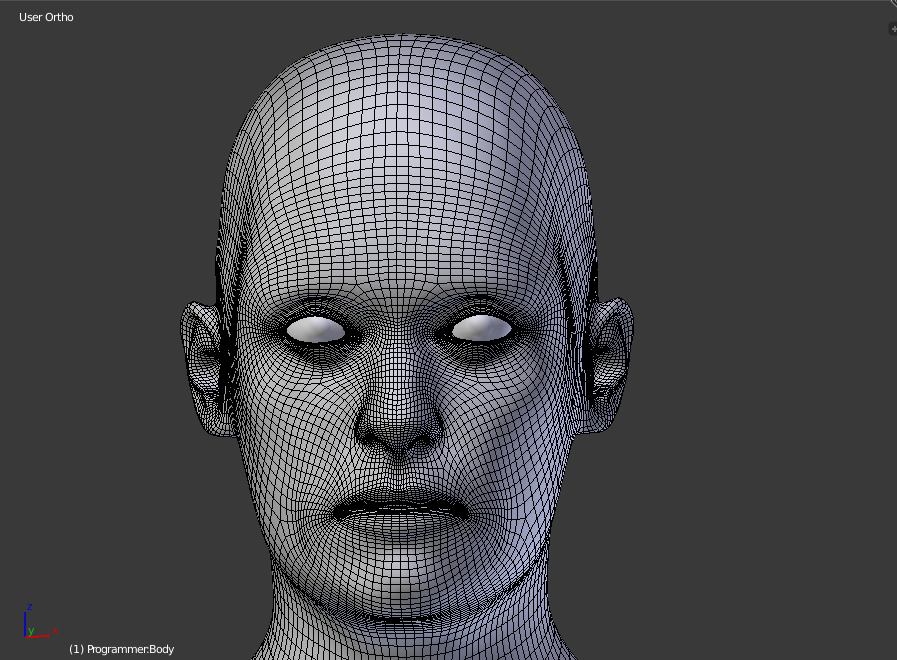
lol
This is much better:
 gusty sluice
whats a avatar descriptor
vapid orchid
Avatar descriptor is a Unity component that you will add to your avatar to make it uploadable
It is in the SDK
gusty sluice
what do i click to add
vapid orchid
with your model selected, click add component on the right
one of the catagories should be vrchat related
sand dirge
This is probably a really stupid question but
how do I make a vert out of nowhere as if creating a new object
I saw it in a few videos but ???
formal perch
in blender?
sand dirge
Yeah
sand dirge
basically they make a vertex and then extrude a bunch of times to make a shape or lines
formal perch
I think they might be drawing splines
because if you have a mesh and just extrude a vert it wont do you anything, you will just have a single vertex hanging in space
if you are building a mesh you'd extrude edges
then select each vert and attach it or shape it how you want it
but they only times I know people using vertices on a grid is when they are drawing splines, shapes
like the dude above
spiral sigil
is that a cow
royal violet
no
royal violet
spiral sigil
i never even learned how to count to three
sand dirge
Nah, it definitely was creating a single vert
Oh
They duplicated a vert a while before hiding the whole mesh except for the duplicated vert
 brittle island
 onyx juniper
How does what work?
compact kiln
This.... Thing!?!?
uneven drift
Anyone who knows everything about texture atlasing online right now?
 west spindle
dumb question how i break something so that when a bone moves it opens up like a mouth 😮
 rocky dagger
I HAVE A QUESTION! When building a world you can make it so items can collide with the player even if these are intractable, if there a way to make a model that can collide with other things, for example, an avatar that when someone throws something at you it would collide and bounce off your body or even maybe when using VR your hands could collide with the world so they work more realistic and not phase trough things?
 glacial oasis
spiral sigil
glacial oasis
spiral sigil
@compact kiln You pray to blender gods for help
But in all seriousness, once you see someone start doing something on YT you should get the hang on pretty quickly
I made the head of my avatar! at last...
But one thing I hope for is that shaders in unity will make it prettier...
in Blender my avatar looks like if she was 50 years old
onyx juniper
Did you use Blender Render or Cycles?
spiral sigil
I havent done textures yet, I just applied some materials to give it some life, just getting the colors right. Cycles Render makes her shiny like dogs balls
And one thing Id improve is her ears. I dont know why but they look so unnatural based on where they are, but I made them just like reference image shows and it looks fine there.
compact kiln
I want furrrrrr!!!
spiral sigil
I dont understand "materials view " and " texture view" On materials view only 1 material is properly displayed, the rest is just plain black, and in texture view everything seems fine but 1 material is pure white. All materials are the same except for color
On solid view everything seems fine
simple vine
Ya'll like this basemesh? Any thoughts?
spiral sigil
OK... I didnt have any light source
simple vine
Don't think I'll put it in game, just practising
The geometry on the nose is a bit weird right?
spiral sigil
Im not sure I know what I see on that ss tbh xD
first thing that comes to mind is a hairy Pumpkin
Meanwhile, behold... my 1st semi serious project ever...
textures are just materials so far...
the mouth and ears are kinda wonky
simple vine
No thoughts? ;-;
 rough hazel
How does one sculpt in blender sorry im retarded
spiral sigil
one must be born from a mother
spiral sigil
Watch Darrin Lile tutorial on making characters in blender
spiral sigil
he civeres everything from modeling, to texturing, to making bones and importing it to unity
rough hazel
@spiral sigil same lol
spiral sigil
Learn Blender at https://Blender101.com If you're new to Blender, watch this Blender Quick Start Guide first: https://youtu.be/lZe3tGWSy6s Starting a new cha...
 slim summit
can someone help me out here
I imported a model into unity but noticed while shading that openned mouth is a texture file with the face
Is there anything I can do to remove that mouth in blendeR?
I tried to remove the mouth butthe this happened
sand dirge
I have no idea what I'm doing but I got this far first day
should do hair next because hairless characters are disgusting
 fiery bear
Hey i have a question if anyone could help.
Im currently texturing a model but the eye ball textures do not apply themselves like the body model's texture. Ive tried fiddling around with things and even creating new textures but to no avail. Any help would be appreciated!! 😃
royal violet
yeah this is much easier
shouldve done this to begin with
@vapid orchid
making progress
 terse vector
hey uhh
slightly nsfw pics incoming
what would be the easiest way to flatten them? lol
 clever ibex
select the vertexes and smooth.
I meant manually, but that's a lot of verts for nipples
sorry, I work in maya. Can't help much with blender 😦
there's gotta be something like a flatten/reduce
 spice pier
is anybody around that could help me out?
I'm trying to follow a youtube tutorial on how to do my own avatar
just by ripping a random model off of deviantart and
oh
rip
somebody said a different place is better
:x
royal violet
Whats a better place? @spice pier
spice pier
@royal violet I asked around in the avatar thing
royal violet
But
spice pier
royal violet
gib link


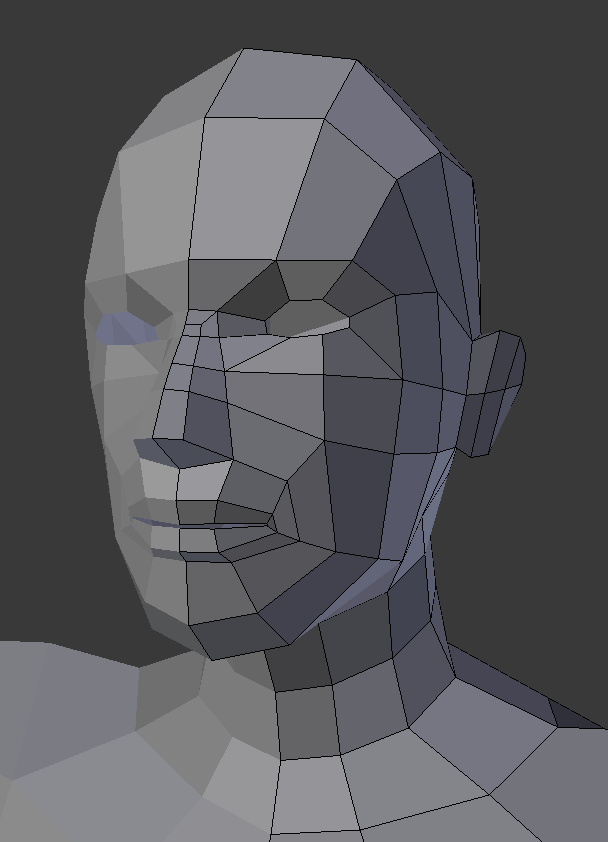 grand wasp
do the shoulder armour parts look enough to this or at they still a bit off (also i know the texture is very wrong but that will be fixed later
royal violet
ty
royal violet
You arent even modelling @spiral sigil
spiral sigil
jesus
royal violet
Love yaa~
 mortal nest
👀 I just want to say your model’s eyes are impressive @royal violet
royal violet
Im doing uh
Orthographic modeling
The grey girl actually isnt the model
Thats just the image im basing it on
If you look closely you can tell
mortal nest
👌 I’m tired but I noticed now lol
mortal nest
Relatable
royal violet
M gonna have to go back into garrysmod and enable wireframe so i can see what the creator did
Then ima just do it that way
should be easy
mortal nest
Ah that’s pretty smart actually
I’m struggling making a helmet
The full head kinda dealio mostly cause it has so many tiny details. I can’t decide what I truly need on it.
royal violet
mh
 eternal token
hey guys how would i go about changing a models head with another
 empty sky
trying to get visemes to work with a model on blender, but there isn't any Ah,Your,There
eternal token
would it be via blender? any good tutorials on how to to merge different models n stuff?
 inner oak
Question, in blender split mode 3d/UV, in editing mode UV switches only to main Texture. If i unwrap mesh, it messed up UV map
 brisk crown
is there someone who can tutor me on how to do the modelling stuff?. i have the model i want to use, but i need to rig him and texture him
grand wasp
i would assume that has to do with the weight or is it another problem all together
brisk crown
i have blender and unity
its my first time, but i am a hands on learner when it comes to this stuff, i need someone to guide me
observing it only goes so far
 echo sphinx
Does anyone know how I would go about attaching an item to my avatar in blender without messing up the armature?
I use automatic weights and it messes everything up, last time I did it I remember using the bones as a work around but I'm sure there's a way to attach a hat or something to it without having to add a bone.
latent charm
If it's a non-deforming object, select the object, then shift select the bone it should follow, and do ctrl+p and pick bone.
uneven drift
If you want to join two meshes and have them share the same material is there a way to make them build off of the same UV?
 fervent edge
i need a candle light effect anyone know where to get one
sand dirge
Why did I have to pick a character with spiky hair, whyyyyyyyy
uneven drift
When applying a metallic map in unity, white = 100% metallic and black = 0% metallic right?
 halcyon citrus
Looks like some textures are missing (?)
thorny spear
Nah, i thought that too. It has something to do with Shading from how i sounds around the web
It has the same effect as "Backface Culling"
royal violet
@eternal token select the mesh of one model
And delete it
Then put the other head over it
And attach it from the mesh edit modifier
And done
 tender geode
Anybody here use blender?
Trying to get this to only be meshes but can't figure it out
tender geode
i just wanted to decimate individual meshes
because some parts have real low poly counts
@royal violet Wait so what are those green parts?
latent charm
@tender geode Green stuff is MMD junk you don't need. Select one, shift+g, pick group, that'll select everything in that group, then x to delete them.
latent charm
Yep. From the menu that shift+g gives, pick group.