#3d-modeling
1 messages · Page 21 of 1
 arctic wyvern
any one know how to fix these eye textures?
 fluid hatch
Anyone know the best method to go about editing the inner eyes on this?
I just want a "squiggly" effect on the white line inside the eyes, everything else unchanged
 dark moss
Sometimes I've had to set a rendering mode other than opaque for eyes @arctic wyvern try that maybe
arctic wyvern
yeah, i set them to fade and it looks great, thanks!
 simple vine
Could anyone give me tips on MMD -> Blender -> Unity?
When I import a mmd model that's pre-rigged, should I delete the armature it comes with and replace it with VRchat's default one or no?
pls heple
;-;
 native girder

VRChat Community Discord: https://discord.gg/VRChat Download VRChat! http://store.steampowered.com/app/438100/VRChat/ mmd_tools GitHub: https://github.com/po...
 kind harbor
Hey guys
so I got a bit of aproblem
"Spine hierarchy incorrect. Make sure tht the parent ofboth the shoulders and the neck is the chest"
simple vine
@native girder thank thank! ',:)
native girder
nps
simple vine
makes me moist
kind harbor
ikr
so Iactually fixed it
but my new problem is when I'm idle my hands are like inside my legs
because of how close they get to my body
anyone know how to fix that
simple vine
I don't see how having your hands inside your legs is a problem ',:)
 fallen mauve
is this a good place to ask about Viseme shapes?
 spiral sigil
Anyone know what might be the best way to change eyes?
I have alot of eye colors/shaders from DeviantArt
but they just change into the background, etc and don't change shape

 leaden ice
If your adding two swords, one to each hand, using the same mesh, can you use the same trigger for it?
spiral sigil
Anyone run into the error "File signature is invalid" when trying to import models to blender?

 barren hollow
@shrewd marten In unity go to your body in the hierarchy and on the right you should see sinned mesh renderer and in that you should see edit bounds, put the box around your character
 shrewd marten
@barren hollow ty I fixed
barren hollow
I just relized you asked that a few hours ago
spiral sigil
anyone know how i can make a little model move behind my main model as a humanoid also?
 tough blade
Would anybody be willing to walk me through dynamic bone clipping? her legs have been clipping throuhg her dress , ive tried dynamic colliders but they havent helped. I could share my screen
 solar mauve
What's the deal if a material in blender has the same texture multiple times?
 quasi cobalt
@solar mauve can you explain that in the context of your project? kind of hard to tell what you mean exactly.
solar mauve
I just notice sometimes when I select a material in blender
And go to the textures tab
I see multiple occurrences of the same texture
quasi cobalt
@tough blade you can try dampening the movement, thats usually what people do for that
solar mauve
And it seems like sometimes one is actually being rendered on the models (I checked that by unchecking each one)
And at other materials it seems to be divided
I'm just wondering why there's multiple and not just a single reference/link
quasi cobalt
@solar mauve im not sure, is it causing a problem?
quasi cobalt
@solar mauve i've heard of it but on my models, i have two so maybe one of those is extra?
tough blade
@quasi cobalt Ok I haven't messed with dampen yet hope this helps thank you. any idea what most ppl set it to??
cause it's more so her legs are going into the dress not the other way. need the dress to follow the legs movement more i think
quasi cobalt
@tough blade I would play with the dampening, you can actually preview it live in unity
but dampening would make the dress move more slowly out of the way of colliders
 rocky fossil
where are there usually some good places to decimate?
rocky fossil
would if i could. the hands are linked to the entire body
but i only need to remove 4k more
quasi cobalt
@rocky fossil https://youtu.be/NY6uU5_KyuQ?t=14m25s

THIS VIDEO IS OUTDATED. Check out the new tutorial here: https://www.youtube.com/watch?v=7P0ljQ6hU0A PLEASE READ THIS: Do not use PMXEditor to translate anym...
spiral sigil
Unlink the hands from the main object
quasi cobalt
@rocky fossil yeah at 20:50 he mentions how decimating the hands may mess up how the joints look so maybe not. I just know they have a lot of polys
also check 25:45, good place to cut out a lot without even decimating
anyways, gl yall, guten night
solar mauve
o/
spiral sigil
The reason decimating hands normally isn't advised is because it removes tris and quads from the finger joints that are necessary for bending. Same reason with elbows, knees and so on. You can still decimate it, you just need to find the right ratio where you still have enough tris and quads to bend the body without making it look fucked up.
Or you can do it thoroughly manually and make sure it's done proper.
tough blade
@quasi cobalt Ok, so just rotate it til it doesn't poke out?
 ashen nacelle

That's a god damned delicious dinner right there.

Fresh off the Yeen boiler grill
 nocturne marlin
so i guess my model kinda came with a swapped head because the neck color is unlike the face color is there a good way to set the selected mesh color pretty much the same as the blue face color? https://gyazo.com/740e7be481175352547c0afc74109e3b
 solar mauve
I seem to be doing something wrong with texture atlassing
I just now (and once more before) created a texture atlas in blender and then exported the new model including the new texture to unity
In unity the texture is all fucked up however
kind harbor
Hey I got my character all set and good, but in-game her mouth is constantly open. Any ideas why?
 stray tartan
Do you have constant transmission of audio ?
stray tartan
Hmm
kind harbor
yeah this is baffling me
 lyric stream
@kind harbor go to Rig of your model, configure, and adjust the jaw bone so you close it in unity.
spiral sigil
weird question but does anyone have a rubber duck/duck model?
 white crypt
@kind harbor unset jaw bone in configuration tab
 thorny spear
Any chance anyone can help a new model maker with two problems?
1: The feet on my model are backwards.
2: I am for some reason missing chest and shoulder bones.
Or is this wrong chat?
 ebon pebble
#2 would be #avatar-rigging
 bleak tree
Forgive me for quality. Could’ve just gotten discord for this computer, but it’s not mine
 dense drift
I have 14569 extra polygons. How do I decrease that? I've never done any modeling before
spiral sigil
@dense drift what did you model it in?
dense drift
I ripped it from a game
spiral sigil
which model, which game?
my current avatar was a rip from Pokemon and it has 10k polys lol
dense drift
Lady Urbosa, Legend of Zelda: Breath of the Wild
spiral sigil
by extra are you saying there's just too many?
because depending on the design of the character, sometimes more is needed
dense drift
The VRChat SDK says I have 34569 Polygons, and it needs less than 20k
spiral sigil
ah
well you're gonna need a program capable of modeling like Maya or Max, and you'll have to go in and remove edge loops
dense drift
By max, do you mean 3ds max?
spiral sigil
yes
dense drift
I've somehow added 2k polygons. This is gonna take a while lol
bleak tree
Huh, that’s odd
 whole cipher
Does anyone know why Blender stops responding when I try to separate some meshes by material? It has happened with two of the five models I've worked with.
Also, if there isn't a fix, how could I decimate the model without separating by material?
 latent charm
@whole cipher You'll have better luck separating by loose parts, since there's probably less than how many materials.
If not, manually separate the model up a bit into separate objects, then separate those one by one.
whole cipher
Thanks for the help. Any reason for that happening though? I don't believe it is my computer
latent charm
I think it's just a combination of how blender splits things up based on those criteria and how many goddamn materials some models use.
solar mauve
Anyone have experience with texture atlas?
I created one and it looks fine in blender, but messed up in unity
 lapis needle
Did you specify to unity what type of file it was?
Like did you tell it, it was just a texture or an image containing sprites?
 lapis needle
You need a neck and a head bone
lapis needle
Also to save you time later make sure you name them corectly. Such as "neck, head, upper arm.L" and so on
 stone dagger
Still going to rigg bones for the upper spider-like arms
Haha yeah I actually did that
solar mauve
@lapis needle woops sorry, I was away
A material was created that uses the atlas as the texture
So just like all other textures
lapis needle
Can you send a screencap of what is wrong with it
solar mauve
Alrighty then
I just read the description of tuppers new video (delete old uv maps) and that did the trick
stone dagger
Lol dw it took my 3days just to learn how to import some models from steam workshop
Still learning some stuff though as I mess around with blender and unity
lapis needle
Once you get a grove for actually making one its alot easier than you think
solar mauve
Yeah, even though stuff like cat's makes it a lot easier
lapis needle
Cats is cheater software
solar mauve
Going through it once without the tool made me learn a lot of stuff
lapis needle
Dats fo' newbies
stone dagger
Lol
stone dagger
I like it and don't, it sometimes messes up the bones
solar mauve
Yeah it is really nice in most cases
stone dagger
Same with mixamo,it sometimes rig the models weird
solar mauve
Could you guys perhaps help me with another issue?
lapis needle
You should see your doctor for that
lapis needle
oh yup they are fun
solar mauve
I was trying to get another part of the mesh moving as well
So I changed the blend shapes in unity
lapis needle
It has to be the same mesh as the one named "Body" It cant be on a seperete mesh
solar mauve
Ingame the mesh stays in the open position after I start talking
Never goes back
It is
The mouth movements are still fine
lapis needle
What are you wanting to do?
solar mauve
Let me make a quick gif
So in game
After I start talking
It will stay in the open position
And never go back
lapis needle
What kind of microphone are you using? It could be that vrchat doesnt detect any silence from your mic.
So it turn it just stays open
lapis needle
Yes but if your mic is constantly making noise it will hang open
solar mauve
I also use push to talk
lapis needle
It could also be that
solar mauve
I've checked it in the mirrors
And the jaw stays open like that even when the mouth is closed
Never seen it go up and down
lapis needle
What is your silent pose look like?
solar mauve
The jaw closed as well as mouth closed
lapis needle
Jaw?
solar mauve
The creepy baby face
lapis needle
Move "serious" All the way to the bottom. As well as any other extra poses
solar mauve
So basis on top followed by visemes?
lapis needle
Yeah. It might be that the order of visemes is messed up
lapis needle
I got nothin
lapis needle
Select the mesh and go into edit mode. select everything and push ctrl + n
 glass venture
So wait, select everything? As in mesh, model, and all?
lapis needle
Oh that. Is it transparent on the texture?
lapis needle
Does it import correctly into unity?
glass venture
When I import into unity, the textures are missing. When I replace the textures on, parts of the textures are invisible, or have the white texture on it
I can get a screen of that too if needed
lapis needle
It might be that your model came with a texture mask. Its probably a black texture
lapis needle
If it was made this way the model whould have came with some form of method of removing the parts that are ment ot be transparent. If you dont have this texture mask what you can do is use gimp to make these white parts transparent.

 deft briar
Alright, so, im my attempt to move the origin point blender seems to have broken my model in an odd way. The eyes are gone, and there is new mesh not visible in edit mode. Mind if I share screenshots?
 vernal robin
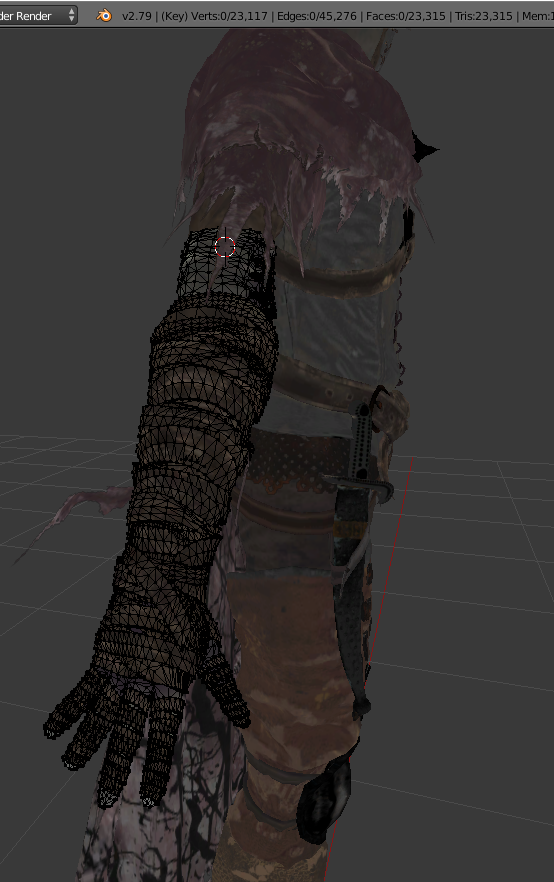
Omg look at how many tris are in this arm, this might take a while... https://i.gyazo.com/0ba8a2f1cb5edca3be2d0b99d46a1afa.png
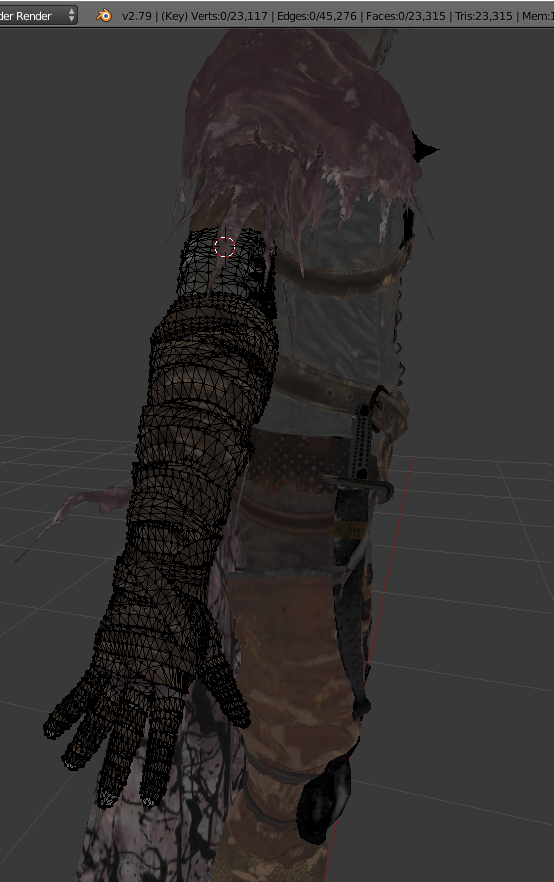
 glossy cave
Blurry af
spiral sigil
hang on a second ill get you a better image
i cant find one lol the whole video is blurry as fuck
glossy cave
Damn well rip.
 deft kite
(new to blender) i accidentally clicked Render, how do i get back to viewing my model?
 light rivet
Press shift+z
And keep the cursor in the Object window
Oh you clicked render on the right
 pure pawn
how do i do local decimation? i have a single mesh that i cant separate
light rivet
@deft kite At the bottom left you should be able to change Uv/image editor to 3d View
deft kite
thank you!
how do i adjust the quad view (making bones now)
i got to the quad view but its not letting me center the model itself, the view is stuck at zero point
.................nevermind forgot to press shift, im an idiot
 edgy remnant
Not sure if this is the right room for this, but how does one cut one whole avatar into pieces?
I've looked for ages, but come up with nothing
 warm coyote
i somehow need this to form a unity character thingy
idk how to xD
any 1 here knows ?
edgy remnant
Hmm
The second to last one looks like the entire model
But it doesn't look like it's rigged.
Do you know if it has bones?
warm coyote
got a bunch of these files so wna figure out how to fix em
edgy remnant
From The Modeler's Resource?
Those models don't have bones. Found that out the hard way when trying to port a Persona Q model.
warm coyote
got a few from deviant art and a few from some asian site
edgy remnant
Hmm. Not sure on those.
warm coyote
tried tossing one of em into blender and it doesnt seem to be able to find any of the files xD
i think i mscrewed
warm coyote
its the extracted file
i think there might be some black magic voodoo stuff going on man ;-;
edgy remnant
Is it a mmd model?
warm coyote
nope
edgy remnant
What file?
warm coyote
how do i know ? o_0
warm coyote
think they mgiht be tga whatver that means
TGA MESH ASCII
thats the files that i see inside this xD
edgy remnant
If it doesn't come with textures, you might need winrar to extract it.
Not totally sure.
Gonna be honest, I know a lot of this from tutorials and tutorials only.
edgy remnant
I've run into my own roadblocks with models.
edgy remnant
Try using winrar with it
Buzzswole might be a slight challenge to bone due to how many legs it has.
Or you can try looking for a miku miku dance version of the the thing.
Blender has a plugin for it
And the models tend to come pre rigged.
stray tartan
Does anyone here know how to have 1 viewport in weight paint mode and another viewport in object mode ?
warm coyote
i was so hyped for my zinogre and buzzwole
stray tartan
In BLender
 tawdry moon
@everyone is there a yami yugi model
edgy remnant
Google is your friend
edgy remnant
I half know that feel. Naoto Shirogane models are next to non existant.
 agile dust
naoto club represent!
edgy remnant
^
Managed to find her Q model for mmd
Haven't quite figured out how to edit her expressions though. They used sprites rather than actual bones.
agile dust
You want her expressions to animate in general? or only when you talk?
 kind nova
Hello guys, i have a problem.... i try countless of times uploading a character to vrchat but un unity preview never appear the edit for the model
Just keep in "play" mode and does nothing, anyone knows what happen?
agile dust
make sure you have the corrent unity version and vrchat sdk version
edgy remnant
I've seen people use events to change facial expersions. And the sprites defult to her having a sort of sad experssion.
kind nova
I have correct unity and sdk ver
I follow all the steps in the tutorials page, i still dont know whats wrong
agile dust
you saved your project right? if yes then try restarting unity and try again. hmm...
edgy remnant
Anyone happen to know how to cycle through sprite experssions? This is the only one that shows up when I load her in.
If I try loading it with only the base experssion, her face ends up completely white
Strangely enough, she has her default experession in Blender, but not Unity.
stray tartan
No one knows how to get 1 viewport with object move and 1 viewport with weight paint mode ?
stray tartan
I see
edgy remnant
Have you tried lookin on youtube?
stray tartan
It's a bit of a too specific search term
stray tartan
I have a prety complex model and I'm weight painting atm
Unfortunately, some of the pieces of the head are stuck in the body
But without seeing the textures I can't make out which they are
edgy remnant
Hmm. Deleting each piece and testing it would be tedious, but might work.
stray tartan
What do you mean by deleting ?
edgy remnant
Or possibly cutting the parts that are stuck in the body.
stray tartan
Does anyone know how to remove all weight paint at once ?
I'm gonna do it manually
Ok manually painting is way better rofl
thorny spear
So I am in Unity and my model has two problems...
First one is my model is horizontal until the skeleton is selected
Second is it is HUGE!
Any idea how to fix?
stray tartan
Did you reset the rotation in blender ?
For all your meshes
After importing them
And did you then apply rotation and scale ?
 safe quiver
anyody know how to fix a transparent mesh in unity if its not transparent in blender?
stray tartan
Yus
I had problems with this myself
You need to invert the normals
Or apply them out or in
safe quiver
what are the normals
stray tartan
Select the mesh
go into edit mode
press mesh next to edit mode
then go to normals
Then click flip normals
safe quiver
ill tell you if it works
stray tartan
Ok
safe quiver
didnt work
stray tartan
Ok what kind of mesh is it ?
safe quiver
ill show you what it looks lkje
stray tartan
Is it like, hair ?
stray tartan
Ok so the helmet is inverted ?
stray tartan
There are 2 parts
Right ?
One of them works fine
Which is the main body
and the other is something else
stray tartan
Could take a better screenshot of the transparent part ?
Coz I can't actually see what part is transparent
safe quiver
i can screen share if its easier
its like the texture is on the inside and not the outsite
outside*
stray tartan
Ah it's the main body
Ok
This means that you didn't mirror on x
Select the vayne mesh
edit mode
click mesh
mirror
x global
stray tartan
Try exporting it now
safe quiver
didnnt fix:/
stray tartan
Hmm
safe quiver
want me to screen share with you on discord?
stray tartan
Sure
thorny spear
@stray tartan Thank you for the reply, I am about to check the rotation and I forgot to do the scale part lol....
....I forgot how to reset rotation, don't you just have to press Alt+R?
stray tartan
Yes
Select what you want to reset
then press alt + R
Often when you import obj waveforms, the rotation is at a 90 or -90 degrees angle
Which of course results in your export being in an angle
thorny spear
Odd, I press Alt+R and it doesn't reset, I do it on reference and skeleton and no changes occure. I'll google maybe I am doing something wrong
So the animations work fine on it, I tried Mixamo. It only makes my character horizontal when idle
Should I post a screenshot to show the problem? Maybe someone will know it if they see it?
thorny spear
Aha I got it!
If you are porting the model from Gmod you need to get rid of the ragdoll pose completely then press W and "Clear user transforms (All)"
 lament pond
Love
stone dagger
 tepid fossil
Hey guys, how do you make shoes?
 icy socket
looking for some blender help
i need to move a torso to a model thats missing its torso
or a pelvis the oposit direction
 hot wagon
Quick question, so in uinity i got the fire wings from the assets store but i dont know how to put them on my model. Anyone know how?
icy socket
looks like that worked (the gif)
 hollow basin
guys just checking is there a guide on how to create a bone for my sword and exporting out from blender so unity can see the sword
i had the issue where one i export the sword unity cant read my model sword T_T
 lost frost
can anybodu help me put a avatar in a t pose
hollow basin
you can enforce t pose in unity
spiral sigil
i think i posted in the wrong section, this one looks more appropriate: i have a issue in blender, when from the vr cat plugin i try the pose mode only the armature moves but not the mesh on the main body. the scarf is a second model that i imported and it works, i have no clue how to fix it
bones not attached to armature, is there a way to fix this, or my model is corrupted in some way?
ebon pebble
@coarse mauve Hey, I tried to export my model to .fbx in 3ds and got: The plug-in has detected modifiers listed above Skin (or Physique) in the Modifier list and must disable them.
The following nodes are affected:
-Hagraven_GEO
Do you know what's wrong.
@spiral sigil Select your model and your skeleton and hit ctrl + P and select automatic weights.
spiral sigil
i tried to do that but it says: loop in parenting and nothing happens 😦
 toxic forge
you can parent a parent to its child
you are supposed to move the bones in pose mode
also what's with the bones underneath your character's arms?
spiral sigil
those bones are for the scarf movement, i still need to fix those, i moved the scarf mesh but the bones stayed the same... i still cannot fix the bone issue 😦 i hope tupper or someone will make a full lenght video on armatures
parents and children and stuff confuses me RIP
can i find a working armature from another avatar fully rigged correctly and slap it on my mesh?
i got it working once, but it was buggy on the fingers 😦 it's too hard for me i never used blender before. it took me 3 days to understand decimation and atlas optimization
spiral sigil
i'll start from scratch on a different model and place the clothes and hairs on it
stray tartan
Btw what's up with the texture on the shirt?
Is it supposed to be like that ?
Also, when you weight paint, and you move a join up, you just select the bone and weight paint the stretched out parts to the correct bone
spiral sigil
yes it's a checkerboard pattern, i don't really understand what are you saying with bones and weight XD i am using blender from less than a week 😦 i am now trying to use a different armature from another model on my the mesh in the picture
oh man 😦 armature are out of my capabilites 😦 i just have no clue of what i'm doing
i give up for now, until i'll find a decent tuorial on armatures
 rich lagoon
So... Can't figure out why my mesh is acting like it's mirrored when I don't have a morror modifier applied to it
Must've hit a button... Lol
spiral sigil
if any kind soul is willing to fix my broken armature please send me a PM, i can do everything else like decimation and texture atlas optimization, rigging in unity and so on, but the actual model i am trying to use is weird and i can't fix it 😦
rich lagoon
Send a picture?
 wispy kelp
Hey I got a friend with nothing showing up in the addons tab of Blender like https://cdn.discordapp.com/attachments/396097993327247364/397477300230291476/XXXCapture.JPG

Any idea?
rich lagoon
Did you try clicking refresh?
 rich lagoon
Weird
spiral sigil
you can see pictures above in chat log @rich lagoon i am having issues with my armature on hands, and most of the time is not even linked to the mesh only the bones move
i just wanted a working armature so i can refine and optimize the model and try it, if i'll have fun i'll buy the dynamic bones thingy for unity and even a oculus rift, but i don't want to invest money if i need to use avatars on pedestal... i wanted my own ç_ç)
spiral sigil
that's my problem, i have no clue how to properly rig an avatar for vrchat, i hope one day tupper makes a tutorial on amratures cause his videos are the best for me. then i'll add every single bone manually by myself, i don't care
right now i am super confused, i tried using another model's armature on my mesh but when i press tab to edit the bones many other invisible ones appear and i'm like O_O
stray tartan
know how to rig it, but weight painting is a chore xS
spiral sigil
bones have weight? what does it effect? i am so confused right now
lost frost
can somebody help me put a custom rigged model into a t pose, not the rig, just the model into a t pose
rich lagoon
Unity will do it for you
Nvm
didn't read the "not the rig, just the model" part lol
Just move the arms and move the verticies until it's in T-Pose
 clear lantern
How hard is it to do a face swap?
 wispy totem
 formal perch
making my own character gonna be moving onto the shirt and hands next I call him beatboxman
prolly got too many faces atm
dense drift
How do I separate the weapons into their own file? They're part of the same mesh as the avatar, but they're on their own bone
 torn plover
@formal perch prolly got too many faces atm you can try reducing your loops with a quick trick of selecting every other on this technique, then once selected dissolve those edges https://blender.stackexchange.com/questions/3487/select-every-other-face-loop

How can I select every other edge loop. In this example its not too bad to do it manually but it other cases it might be. How can I easily select alternating face loops?
formal perch
@torn plover ey thanks for that man, but I am using maya and zbrush, I will probably bring it into zbrush again and just remesh it again a few times, but cheers anyways!
torn plover
ah, i think maya has a similar thing. in 3dsmax, its called "dot ring/loop select"
 round knoll
Where can I find a realistic/modern/futuristic 3D Rocket Launcher model?
formal perch
but might bring it in max and export it
torn plover
In max it was under "graphite modelling tools"
formal perch
👍
torn plover
the reduction technique is at the halfway point in this video https://www.youtube.com/watch?v=ZYK3MP1G910
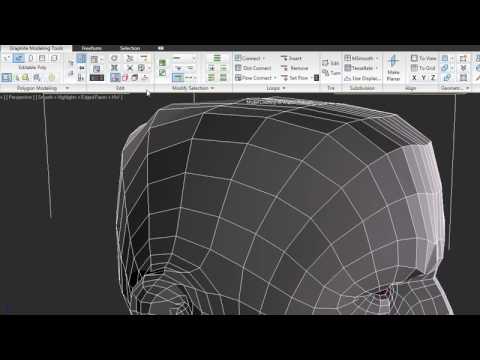
The new Graphite modeling tools represent a modern approach to 3D modeling—over 100 tools for freeform sculpting, texture painting, and advanced polygonal mo...
1:50
 visual eagle
How would you reccomend getting clothes onto a character model?
Got this so far but I want to give him clothes before I continue.
formal perch
either sculpt them manually or use simulations
visual eagle
Alright. Thanks.
formal perch
I'm doing exactly that right now
its funny my character resembles yours lol
I made a shirt in the front view then mirrored and used simulations to let it loose, then merged the vertices so the shirt was connected, then smoothed it out in zbrush
wispy kelp
Hey guys, any idea why I have gaps like these https://i.imgur.com/rHUg6OX.png except when I click on the mesh there's no actual hole https://i.imgur.com/VkVfarZ.png ?
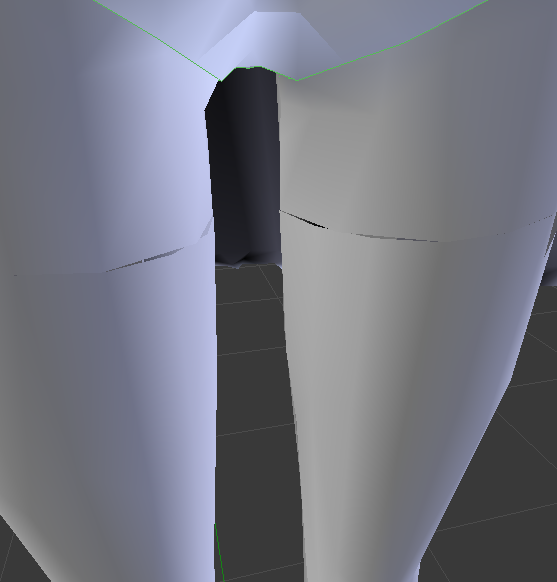
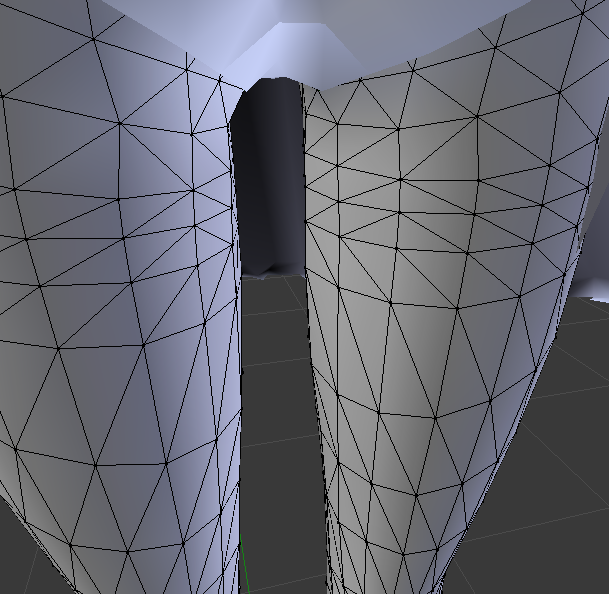
 lime hinge
ok this is probably a really dumb issue lol I suddenly cant zoom into my model, when I get somewhat close the scrollings super mega slow
 west summit
Hello, I am trying to decimate a model to get it under the 20,000 Poly limit, and brought it down from 96,000 to 27,000. However, the remaining components are ones I've been warned against decimating due to joint distortion effects later on. Any tips?
Zalgo, scroll out.
Hold Ctrl to help.
formal perch
@wispy kelp does the model have a normal map applied to it?
wispy kelp
Not to my knowledge no, there wasn't any normal map texture from what I've seen
formal perch
have you tried removing the edge loop of that area
this is what I woulg suggest
delete the faces that are giving you this error and rebuild them
bridge them
wispy kelp
I'll try, although damn I'm so bad at Blender
 cursive wedge
Jordo Is the faces of that edge smooth faces vs flat faces? Or you have an un applied modifier for the legs?
formal perch
or ye I dont know how it is in Blender but in max you can have different smoothing groups, there might be 2 smoothing groups there
wispy kelp
Oh yeah, it was the unapplied modifier, you're right
But well, that's annoying
If I'm decimating and it creates gaps here and there
thorny spear
So.... The feet are backwards on my model, anyone else have this problem or HAD this problem? If so how did you fix?
And when I say they are backwards I mean when I go into "Build and Publish" His ankels are twisted and his feet are backwards.
 sacred harness
can anyone give me some help. im trying to export my modle from blender into unity but i keep loseing the texture somewhere and i dont know why
 gilded canopy
You have to reapply the texture in unity
Fbx files are model files, they don't include textures
sacred harness
but if there is like an individual texture for a part of a modle how do i get that to work
gilded canopy
If you have multiple materials on one model, you will have to apply multiple textures to that one model
Idealy you should only have one material for pretty much the entire base mesh btw
rich lagoon
Then just drag the image into your materials folder in Unity and then apply it to the material
spiral sigil
Anyone know how to load .dds textures?
rich lagoon
Can't you just load them in regularly?
rich lagoon
Look it up on YouTube.. There's literally thousands of videos lol
spiral sigil
o
sacred harness
ok really quick how do i take a screen shot
nevermind
I'm trying to get this
Onto this
And the texture is already like on the model and in my folders
All of the textures are just disappearing
gilded canopy
Disappearing??
sacred harness
like they are on the model but when i export it and put it in blender the textures arent there
spiral sigil
sweet but waaay to big
sacred harness
unity*
spiral sigil
rich lagoon
@sacred harness Can I call you in the DM? So I can help you
gilded canopy
You have to put the textures on the model again within unity
spiral sigil
The max allowed tris is 20K right?
visual eagle
Does anybody know if substance painter is good for doing the textures for the playermodels?
 last hinge
Its a really solid pro tool
I use it at work, mostly for environments and such but there's a few lookdev character guys I work with who use it for their stuff.
Their pricing model makes it super affordable.. the smaller you are the cheaper it gets epsecially if you are just a solo guy doing stuff on the side.
visual eagle
There's a trial thing, and I'm in a game dev program at university so I can get a student license for it later on.
last hinge
That's the way to go
You can get most of the software for cheap or free if you are enrolled in school.. autodesk basically gives you a 3 year licence for everything fro Maya to 3DS to CAD software and Inventor, etc through an education account.
rich lagoon
I'd use substance painter anytime I could if I could get it lol
last hinge
you don't even have to go full time, I went to a 3d printing/Cad/cam class for a few weekends and got a autodesk educational account.
rich lagoon
@last hinge You do environmental work?
last hinge
I'm primarly a VFX artist so I tend to blow shit up a lot.. usually large scale stuff.
rich lagoon
Ah lol
That's pretty cool... I'm getting into modeling.. Programming got boring so I gotta learn new things
last hinge
yeah, some basic programming is helpful.. if you can script stuff.. most rigging on the high end these days are script generated
rich lagoon
I just wish I could commit to a project.. Either I get side tracked or I just stop working on it
last hinge
watching these poor guys on tutorial videos for vrchat going step by step and adjusting and mapping bones manually is .. like.. 1990's style 3d .
rich lagoon
Lol
visual eagle
I'm pretty sure I actually get a substance painter license through the school next year, but I don't feel like waiting that long is a good idea if I wanna use it now. 😛
But I know I have maya and 3DS max on my laptop.
 vernal carbon
 hybrid bramble
If you just need to move on to animation and popping it through unity, push your OBJ through Mixamo, otherwise, there's a plugin for blender that'll allow you to import the OBJ
 clear prism
i know how to import the obj to blender
the problem is converting that obj into a pmx
and then use cats for the bones
hybrid bramble
you should be able to export with the mmd plugin that cats needs to function
clear prism
The mmd pluging isnt working too
wanna give it a try?
maybe is my blender
check it out
There you go
hybrid bramble
yeah, I'll give it a shot
 misty canyon
hello?
hybrid bramble
hi
misty canyon
can anyone help me with a personal avatar?
hybrid bramble
@clear prism looks like it's not just your blender, however I already had metasequoia and pmxeditor up so I give me a second to package it up
clear prism
I hope it works >.< if it does ill gift you an avatar ❤
dude if i find the way to transfer 3d models to mmd ill do a tons of cool stuff
so ill just cross my fingers here
hybrid bramble
yeah... I just opened it up to see if it worked myself... I'm a world builder, and have no idea what to do with the boneless wonder here
 golden otter
if u need help rigging try mixamo it auto rigs models
golden otter
ye T
bleak tree
Cool
last hinge
Relaxed T-pose but it depends on the detail level, etc.
And what your workflow/software is.
 ancient condor
@hybrid bramble @clear prism
i opened up the model and everything loaded fine
what did you want with it o_o
hybrid bramble
Rioka was looking to transfer to pmx
 inner oak
Blender question. Ctrl LMB drag on 1 vertice creates new faces, one 2nd it just moves faces with Vertice. Im trying not to create new mesh faces
 scenic robin
I have a question for you guys
misty canyon
anyone know why my avatar's fingers are jacked up? Is this because I use shaders?
scenic robin
I'm trying to create an avatar and I'm getting 2 error messages. What do i do? ive set the scale to 0.2 and thats what it says
misty canyon
is that preventing u from building it?
scenic robin
yes
misty canyon
@scenic robin okay I'm not sure but are u sure that there isn't a problem that is in yellow?
scenic robin
could be
misty canyon
I just started doing this today so I'm not too sure
scenic robin
im getting 3 yellows
misty canyon
screenshot?
scenic robin
yes
misty canyon

==NOTICE: VRChat Unity version as of Sept 1 2017 is 5.6.3p1== Wicked Good Links: www.vrchat.com http://vrchat.wikia.com/wiki/VRChat_Wikia https://github.com/...
this one?
I used it
scenic robin
mixture of two
that one and another one
Links: Unity ► https://unity3d.com/unity/qa/patch-releases/5.6.3p1 VRChat SDK ► https://vrchat.com/ Skins ► https://www.models-resource.com Mixamo ► https://...
misty canyon
hmm
scenic robin
i just wanna play as my boi here ;_; http://www.belltreeforums.com/attachment.php?attachmentid=158192&d=1449794711
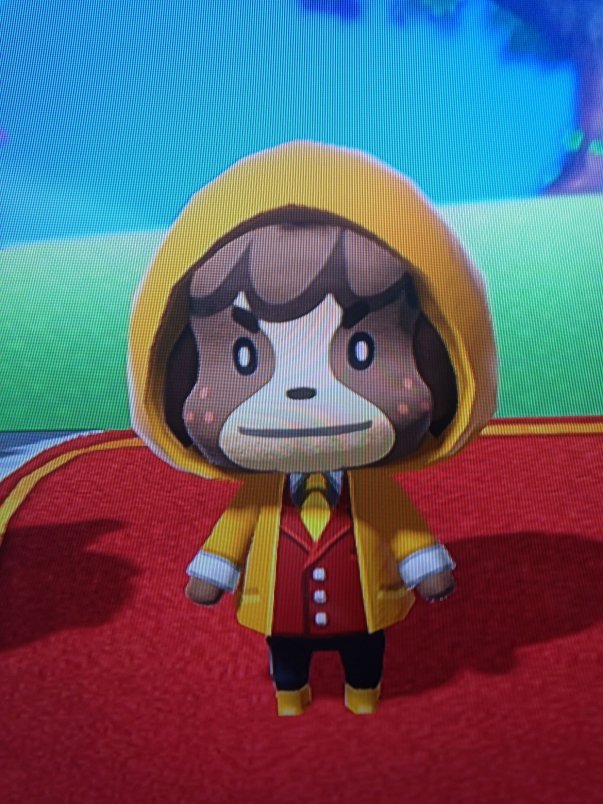
how do i get back to that skeleton thing?
glass venture
How would I go about attaching a head to a pmx model?
misty canyon
wait @scenic robin
for the second red make sure u can find thsoe specific bones in the file u downloaded for Digby
lament pond
Click Left/Right Hand @scenic robin
 lethal meadow
how would you add a output node onto a surface texture on blender
scenic robin
@lament pond it doesnt have the right bones to assign it with
lament pond
Add in the bones
misty canyon
wait can someone help me
lament pond
That's broad
scenic robin
i give up
visual eagle
Anybody know why this happened randomly to all my sprites while I was texturing?
Every sprite turned into that.
lament pond
Did you make sure to save it in a local folder all together?
visual eagle
It happened while I was editing it.,
And now it's made it so certain parts of the model that were seperate meshes are now the same mesh.
IE: The right hand and right foot are all one mesh.
Got it fixed again, just confused.
 hidden briar
So I got 4 separate meshes making up this head here, but i need them all combined as one
The blue one being the real head
Is there a way to simply combine meshes and make any non-visible triangles get removed in the process?
There's textures for each one too
arctic wyvern
have you tried selecting all the meshes and pushing ctrl+j to combine them?
hidden briar
yeah but now i got all this stuff inside the head that cant be seen
I need all that gone so the finished character can be downloaded faster
Full character
misty canyon
can anyone tell me how I can fix this?
lament pond
 plush token
 rose geyser
guys question
how to make glasses transparent in unity
por favor
@lament pond you seem like you might know actually
I have an unatlassed model in unity atm, and the materials and texture settings dont seem to be giving me any lee-way into making the glasses transparent
lament pond
Just set a transparent texture to it
lament pond
Lower the opacity in photoshop
rose geyser
Alrighty will do
 austere field
I've got an issue where the faces of this model i'm working on dont fully connect to the entire mesh. Example, selecting 1 vertex and ctrl+L-ing it only selects this one tri:
it's absolutely murdering the poly count and its making Decimation impossible. Is there an easy way for me to connect all these faces propperly?
This is in blender btw if it wasnt obvious
misty canyon
anyone know how to solve this
Spine hierarchy missing elements, make sure that Pelvis, Spine, Chest, Neck, and Shoulders are mapped
What do I do?
austere field
sounds like you might be missing a bone, or just have the wrong ones selected in unity
misty canyon
So what should I do
austere field
show me a screencap of the model with its skeleton
misty canyon
on blender or unity
because I literally started doing this today
and I have basically no understanding of much
austere field
ahh ok
misty canyon
yepp
icy socket
fixed most of my issues
turns out MS3d ASCII can not have duplicate names for bones and mesh
so a Upper case for mesh a
and a lowercase letter for bone point
now to get multipule animations loaded in
.<;;
 sage brook
anyone know why this would look like this
looks fine on website

Originally made in July 2016. Probably my first animated 3D walk cycle.
lapis needle
@hidden briar go into edit mode deselect everything (have nothing selected) down by the tab that you change to edit mode, object mode etc.. click "select", click "all by trait", click "interior faces"
@austere field select all of your mesh then "W" and then push remove doubles. This should join all duplicate vertices consdiering you didnt move it around too much. If that doesnt work try "mesh", "clean up", and then "delete loose"
formal perch
@misty canyon are you using the knuckles character?
@hidden briar boolean opperation set to difference
And when you do that, you might end up unwrapping that model again and since you got textures already done to it, I wouldn't bother, if your tri count is good then its fine
toxic forge
@lament pond is that you? from the Blender discord server?
heh, glad to see you here
icy socket
ok i have a small issue
i have some dancing animations i love but if i rig my 3d model i lose the proper spaces
what should i do
in a ideal world i would like to switch avatars between a set of em and dancing mechanics (bones) to each one on the fly
each avatar is under 800 poly
lament pond
@toxic forge you'll find me everywhere
toxic forge
heh
 zenith tusk
I get an error saying i cant decimate a mesh that has shape keys.... how do I fix this?
 tight spruce
assuming you already did split by materials
select everything except the face mesh, and remove all shape keys
 tender tendon
I sure love when my fbx wont import into Unity no matter what
tender tendon
I use C4D, so imma try going via Blender, i have had this problem when exporting with blend shapes
Its just soo fucking annoying
rich lagoon
Ah
tender tendon
Got this cute as fuck tiny chibi loli and Unity jjust says nope due to my blenshapes lol
rich lagoon
If you get blender you can just import the .fbx straight in and then save it as a .blend
tender tendon
ye
tender tendon
i got blender
rich lagoon
Ah
rich lagoon
Nice!
tender tendon
She is the cutest avatar i found on BowlRoll except for this beauty, which is still waiting to be imported : https://lohas.nicoseiga.jp/thumb/4446371i?1415968385
 rich lagoon
Lmao
tender tendon
anyhow, anyone got a picture or similar with what visemes go where, like how a sil mouth looks etc?
Or should i just record myself doing them 🤔
 elfin garden
@tender tendon check this tutorial for image examples: https://docs.google.com/document/d/1LdxE2Ke9svZqPnlwTYwturwd0Fb7j00_YiO0dX49x2E/pub
the sil mouth stands for "silent"
so its just a closed neutral mouth
 final oracle
do you guys think ill be able to lower a tri count of around 90k?
 mental lichen
Where can I find the knuckles models?
 odd vapor
I just decimated a 80k model, so probably
spiral sigil
a quick question from a noob: Is there a possibility to give textures to both sides of a face for a cloth-like object without the need of doubling the tris by copying it and flipping the faces?
toxic forge
It's best for performanve to copy it and flip the faces
spiral sigil
OK. Then I'll have to use decimate for the inner layer, I think it will suffice. I don't like the Idea of adding 1k tris to the model
clear prism
Hi, guys
I have a problem here guys how to i separate this textures?
Original
W/O the hammer
latent charm
What do you mean exactly when you say separate? Is there a specific part of it you want for something else?
rich lagoon
Why do you want to separate?
latent charm
Unless you've changed the UV layout it should be fine.
clear prism
clear prism
UV on unity?
latent charm
Yeah, just put the texture in the albedo slot on the material in unity.
rich lagoon
Drag the UV texture into the albedo area on the material
you might have to import the UV image though first
clear prism
like this?
clear prism
let me see
rich lagoon
SeemsGood
clear prism
Thank you so much!!!!
rich lagoon
👍
clear prism
Final work
Oh no guys the work isnt over there is problem i find out
that i can look inside my body
last hinge
define look inside your body? You see through it or are you "inside out?"
ancient condor
Never done human modeling, giving my first shot at completing a female body, progress so far, let me know what yall think
ancient condor
looks like your uvmapping is a bit messed up or misaligned
scenic robin
okay
im getting another error message
Your rig has the UPPER CHEST mapped in the Humanoid Rig. This Will Cause Problems with IK
rich lagoon
remove the upper chest
scenic robin
ok
Please add a scene descriptor
Spine hierarchy missing elements ;_;
Spine hierarchy missing elements, make sure that Pelvis, Spine, Chest, Neck and Shoulders are mapped.
 neon snow
@scenic robin to fix this when configuring bones [AKA Rigging]
http://puu.sh/ySQXd/46fb163213.png
change your spine02 to spine03
or in yourcase it might be changing Spine01 to Spine02
the objective is to make the Top part of spine connect to shoulders and neck region so your Rig works how it should

^this is what you should have
scenic robin
ill try it when in a little bit. im taking a break
neon snow
@scenic robin as for VRC_Scene Discriptor add this to the Parent of you avatar
welp good luck message me if you need anymore help, though there is only so much help i can give as i am relativly new myself
neon snow
^^ my message above means im retarded
just noticed i put VRC_Scene Discriptor instead of VRC_avatar Discriptor
 night latch
Hey guys. My model has really long ears that go through the floor so I'd like to bend them a bit. How should I do it? Do I create an armature for the ears? I'm new to blender so I'd be grateful if someone could give me any advice and/or show me a tutorial. https://puu.sh/ySRVx/c82c2e75e3.jpg
 neon snow
Would it be posible to make bones for it Via Unity Rig?
then use the bones to move the ears positons this would also allow custom animations for the ears. As how to do this i do not know
neon snow
check out this
Here's a video on extremely common issues I see with bones and rigging setups, and ways to solve them. I cover: - Leaving Upper Chest Blank - Reparenting spi...
also gonna find a tutorila for you that uses principles i suggested
here is a tutorial

Applying dynamic bones and colliders in Unity.
Though i'd recomend having a look around, just incase
night latch
will do
 wary elbow
Test
Oh - I could type in here. Gimme a sec.
Hello, I am in need of assistance on Blender.
Make it short - I'm having problems putting on Materials on a model. I do, however, have it Texturized --- If that makes any sense.(edited)
I do have the TGA/PNG files for the materials, but everytime I apply them they turn out wonky.
I have access to the UV maps of the models, but I lack the knowledge to apply/use them correctly. So I only manage to, with strenous and probably fruitless effort, to apply textures to the models. Applying it in Unity did not port them. And again, applying the PNG/TGA Images as the Materials makes the models quite wonky.
spiral sigil
how do you adjust an avatars brightness, so shadows etc don't affect it as much?
we got a yung thug tryna make it in this dark world
west summit
If you go into material settings, there should be a "Shadows" slider that is set to 0.4 by default (Cubed's shaders). For standard shaders, no idea.
spiral sigil
oh shit thanks, that's what I thought it was
west summit
No problem.
 valid sentinel
I also found that the defautlt shader albedo is a grey color and putting it to white makes it slightly brighter. Also the "Mobile" shader i found is way brighter than the standard which ive used
 hard oar
is anyone willing to put together a model for me? it should be fairly easy depending on how skilled you are
 amber token
hard to import a .obj ?
spiral sigil
hey, what's the best technique to make anime hair? I've seen a pretty neat one wth Bezier curves, it looks great but the problem is that 1 little flock of hair is approx 1k tris and it would require using at least a few dozen of them so it doesn't seem optimal for VRChat purposes
@amber token If you mean into blender then just use Import -> Wavefront ( .obj)
@amber token and if you want to get it into unity you can import it into blender first, and save it as .blender file. Unity works with .blender files just fine, no idea about .obj
Going back to the hair I tried just making vertices and moving each and individual vert to an appropriate location but it seems to be sooooo tedious and the outcome isn't that great
torn plover
@spiral sigil you can still use that technique and you can reduce the amount of loops by changing your Resolution - Preview U on your object and on the source and destination splines
amber token
@spiral sigil yeah but need to creat a rig for models without a rig.. and that is not that easy.. so yeah. .mmd files has already a bidy rig.
spiral sigil
@torn plover Ok, thanks for info, I'll try do it with those curves then.
torn plover
hard oar
if anyone is able to make me a model please hmu with a dm
torn plover
see you reduce for both and you have much less loops and poly. One thing you may have to do is when converting the final object is to weld the verts and use shading smooth to fix the faces shading
using reduced resolution/edge segements you can have hair locks that are only a handful of poly compared to the default values which are massive density
leaden ice
wut dis? http://puu.sh/ySZp4/e045309199.png
 spiral sigil
thanks. I'll get on with this tomorrow. Got college to attend to and it's 1 AM 😛
 opaque delta
Anyone think they can help me with a model issue? There's parts that are showing properly in blender but not in unity
I'll make a screenshot
spiral sigil
@opaque delta problem with faces?
opaque delta
I think hang on
So I imported it into unity to show that it's not a texture problem but a model issue
Not sure exactly what's making it do that but it looks fine in blender
spiral sigil
Looks like faces are 'facing' the wrong way in that place, try marking these faces, click 'W' and ' Flip faces' see if it helps
opaque delta
In blender correct?
spiral sigil
yes, in blender
spiral sigil
Depends on how the mesh looks like exactly after decimating, sometimes it can get really sketchy in some places.
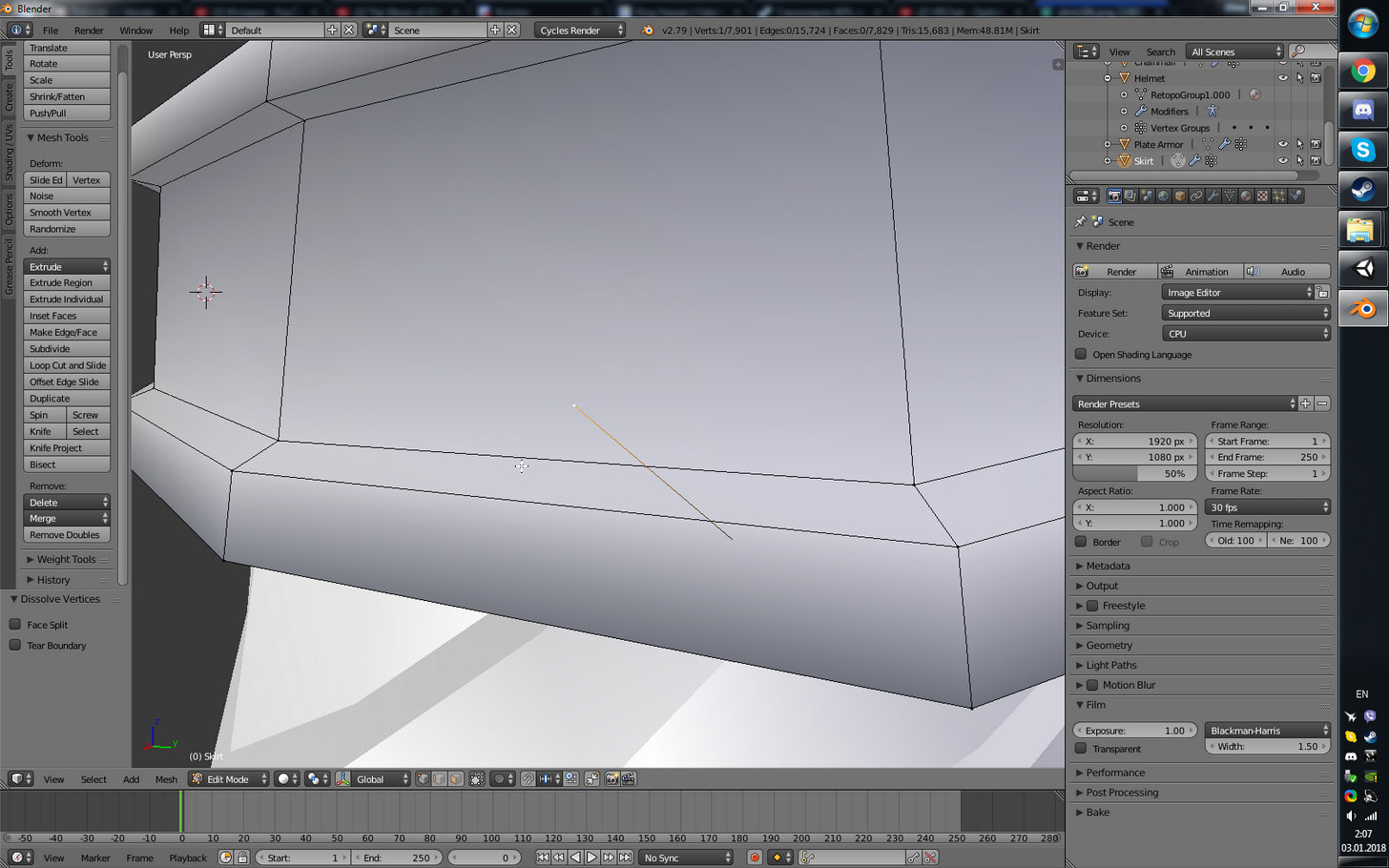 spiral sigil
Today I had to decrease poly count of some pair of shoes from ~40k to below 1k so I can use them on my model. Decimating was pretty much useless, It might as well be called " Kraken modifier" because it looked just like if Kraken swallowed it and spit it out, lol. HAd to do it manually for like an hour
opaque delta
I'm going to try importing into unity without edits to see if it that was the issue
spiral sigil
@ruby onyx going to 'Edge mode' and just deleting it doesn't work?
 ruby onyx
im in edit mode rn, what is edge mode?
spiral sigil
You are now in Edit mode but you are also in 'Vertices mode'
spiral sigil
yeah
ruby onyx
i cant dissolve it edge too
spiral sigil
maybe just try deleting it, it doesn't seem to be attached to anything so dissolving isn't possible wth such "anomalies"
spiral sigil
just hit Delete and click ' Edges'
ruby onyx
oh, yeah, worked
spiral sigil
not ' Dissolve Edges'
ruby onyx
ty
can i rotate in circle select mode?
that's going to take some time ._.
https://i.imgur.com/F6RWFFm.png
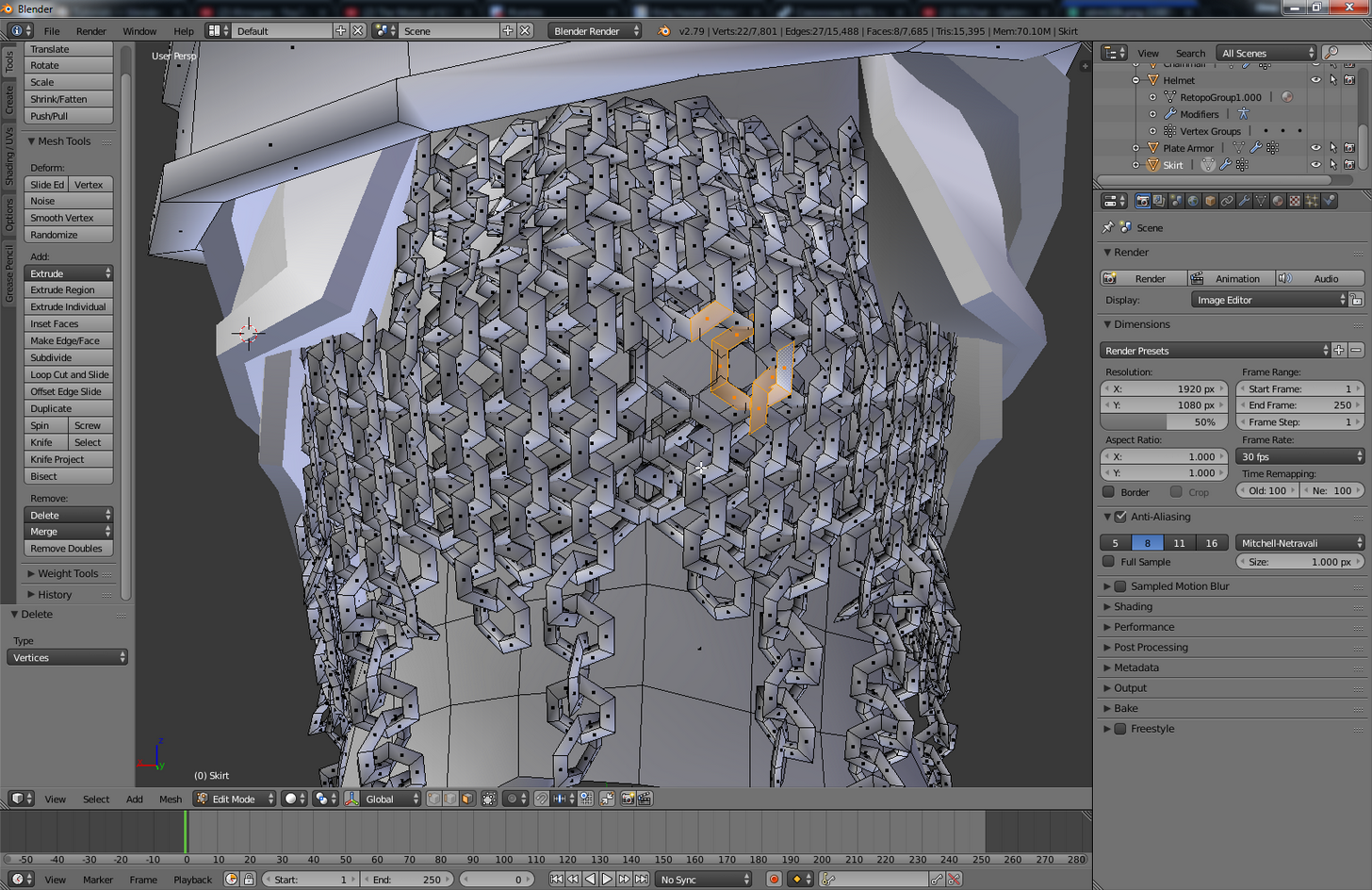
uh, can i hide everything but the part im editing?
last hinge
for hair I'd use low polygon ribbons, one sided with a texture with alpha vhannel to cut out the hair shapes
scenic robin
How do I scroll down to click the upload button?
rich lagoon
Just move the assets window down
Just click on the edge and drag downwards @scenic robin
 neat swan
if it doesnt move any further click next to the lock on the right and close the tab, you can reopen it clicking on window on the tool bar
rich lagoon
^
scenic robin
not letting me
rich lagoon
neat swan
here
scenic robin
thanks
rose geyser
anybody know why unity might not be showing this part of my model https://puu.sh/yT2ko.jpg

in blender it shows perfectly
so i'm very confused

 willow swallow
When I put my textureatlas and model in unity it didnt generate a material folder
 golden wave
anyone use Masterpiece VR to sculpt an avatar? I just tried it out and its pretty nice software, its not amazing in terms of presicion but you can create some pretty cool stuff
nice alternative for those less tech savvy with the more high end software
 barren bridge
How do I add tail bones to this? I have no idea how to, I've been trying to find how with no privail
 red ibex
Anyone know where a decent Chinchilla 3d model is at?
austere field
In blender, i've got a transparent blush texture that's "cutting" the material of the face behind it.
the face and blush are separate materials, but use the same texture image
 dusty thistle
Do you guys know how to cel shade your vrchat model?
austere field
you need a shader pluggin for that I think
dusty thistle
Can you give a link for that plugin?
@austere field Do you know a link for that shader plugin?
austere field
Cubed's Shaders: https://github.com/cubedparadox/Cubeds-Unity-Shaders

GitHub
Cubeds-Unity-Shaders - A compilation of custom shaders for Unity3D
 uneven drift
Is there a way in blender to project the longest dimention of an object onto one of the axes?
Because I'm losing my mind here trying to rotate a sword to be perfectly straight wrt to the origin of the fbx.
 deft fern




 reef summit
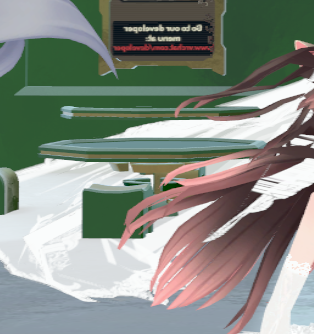
Does anyone know how to get rid of the transparency of a mesh to not have objects see through it?
theres like tables in the background https://i.gyazo.com/cfb9f65b198b4fc6bec32541a33417fc.png
I hate working with java
 flint drum
java?
VRChat doesn't have anything to do with java
to disable transparency, make sure the render mode on the material is set to opaque
reef summit
nvm I got it, I just changed the render queue, and now its working
Im using unity shaders
I do have custom ones, but this one works just fine
If I turned it to opague, the clothing that is transparent, will be 100% opacity
 finite trellis
Sorry if this is in the wrong section. But i'm curious if this would work for vrchat

Use the Line Renderer in Unity to make a cool Lightsaber effect START HERE Download Unity Package: https://www.dropbox.com/sh/41byustw2k9mvl1/AABud5ILutZnjGW...
 glass fern
im working on one right now, but dont know how to add a glowing effect other than using a cube shader
finite trellis
Are you working on one based off that video or something else ?
glass fern
no, my own version as too advanced
spiral sigil
Ugh does anyone have any idea where to download the mmd for Nanachi
I think it got taken down from the main website it was being hosted on
I'll give someone a 6 dollarydoo steam game if they can find it for me
 lofty thunder
has anyone encountered 0 plygons when trying to upload to vrchat?
lofty thunder
nevermind im just stupid, i found the issue
lapis needle
@deft fern You would model it obvously
If your unsure how to start I would recomend small. Try and do the face first. If you cant get that right try to model something easier
With alot of people here that barely know what they are doing I would recomend you dont even try and make some of this really complex stuff you want. Instead I would recomend you try and make something simple a couple times over so you get the hang of the processes. Such as making an apple. Its pretty simple you would think but actaully to get the shape right it takes alot of paying attention to the details. The stem, the upper core split, the bottom split, the curveture, the leaf. Things like that you can practice on to try and get a "groove" of the process. You would be suprized how many come to me asking how the hell do you make this stuff in 2 days? Well I have an extremly well thought out process of how I go about it
I first get as many refrence images as I possably can find. I can use this to get the scale and shape of things while keeping accurate to the orginal style of the show or anime that Im trying to imitate. The most important refrences you will find are straight side refrences as they will give you the depth of very crucial things. How big is this chest in relation to the back? How far does this nose poke out in relation to the ears? How far do the ears come back? How thick are the arms in relation to the legs? Are my hands too small? Are the eye shapes correct?
The texturing is very VERY important to weither your model looks good in actuality as well. You can have a terrible model that actaully looks quite good if you can texture it well enough. Its all about patience. Lots and lots of it. Ill even sometimes take a half hour staring at the face of a model checking for little descripinies in the face. Does the smile line come out too wide? Are the lips too big? Did I get too lazy with the topolgy in the nose?
You have to pay attention to how you spread out your polys as well. You cant be afraid to use as many as you need to try and get a good look. Because with blender you can easily just decimate it down to about 8,000 to 15,000 as needed. Of cource the max is 20,000 but you really should aim for about 10,000 for the sanity of vrchat's future performance. 500 people with 19,876 polys per avatar in one room is quite catastrophic. 20,000 is actually considier low poly in todays standards and it acutally doesnt affect perfermance all that much. In face the only thing that really does is the layers you apply to these avatars. Multiple materials layerd on top of one character basicacly makes it so that all those polys have to be rendered each time. 19,879 polys becomes the equal of about 99,396 with just 5 materials. Please limit your self to 2 at max if possable. Having a material for each color of a part of a model just aint right man.
But rememver to keep a smile on your face if you enjoy this stuff. peace
 severe venture
great tips, thanks
formal perch
I mean you made it sound easy as if modeling a character is a step by step process, considering how most people here never done 3D, its jot gonna be as easy.
If you really want to model a character you'll probably have to sit through shit tons of modeling/sculpting tutorials to understand what you are doing, cause if by the end of it your model has some errors on it and you don't know how to fix them, well that would be your time wasted. So take your time and really absorb info from the tutorials
Hopefully I am not discouraging, but just want to point that people do this for a living, it's not like 'open blender' > sculpt
lapis needle
Ive spent probably a atleast a month watching blender videos. And Ive got like 3 years plus experiance with learning to make this stuff so yeah. You have to kinda make your own process throught trial and error. Youll see things that will make your job easier too.
lapis needle
hence. Model an apple