#3d-modeling
1 messages · Page 20 of 1
 warm robin
 spiral sigil
when i imported it some of the textures were missing, which you have
 keen gazelle
@warm robin go to materials and make sure most of them are opaque
keen gazelle
my hair turned into a jellyfish and i got confused lol
spiral sigil
@warm robin can you give me a quick detail of what you did to the model
warm robin
i just used all the settings there in cats
and then i went and applied meshes, shape keys, separated mats
and applied bones
 gray crystal
how hard would this be to make
spiral sigil
and decimated a little bit?
warm robin
that wouldn't be hard to make i assume
but im not the one to ask for making models
lul
alright, I finished it
😃
spiral sigil
the model?
spiral sigil
ok I will look at it
warm robin
come to hyper
spiral sigil
is that a world? how did you decimate it without losing shape keys
warm robin
decimation doesn't affect shape keys
spiral sigil
when i tried it, it gave me a warning message 'cant decimate a mesh that has shape keys'
warm robin
yeah, you probably hit the wrong thing
i remember doing something like that
now I just need to figure out how to make blinking animations
hopefully someone here knows how to do that q.q
spiral sigil
from scratch?
warm robin
and then i can apply dynamic bones to the clothing
nah
i just need blinking animations
spiral sigil
the shape keys for the blinking is already there for this model
you just apply them on cats
warm robin
wot
spiral sigil
???
spiral sigil
in the eye tracking section, all you do is assign blink left, blink right in the drop down menus to the associated shape key
warm robin
uh
spiral sigil
the blink left.001, blink right.001 are the correct ones in this case
 golden mulch
can anyone help me im getting upper chest error when trying to publish avatar
 wicked schooner
Ok so
When Im texturing, for some reason a lot of areas are just
off on the area for no reason
warm robin
this avatar im working with right now is legit garbage lul
wicked schooner
Like ok
https://i.imgur.com/IqQajNx.png If I paint over this block

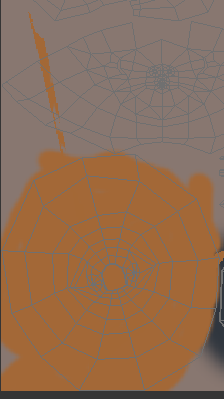
it shoots off like that
warm robin
weird
wicked schooner
Anyone have any ideas?
 rugged turtle
Bad UVs i guess
warm robin
Hey, could anyone try to see if this model's eyes are riggable? It's being super weird for me.
wicked schooner
How do I make good UVs thennnn
spiral sigil
shape keys are there, eyes are ready to go
warm robin
@spiral sigil you gotta teach me how to do that ;-;
I'm so confused with shape keys and all of it in general
spiral sigil
translate the shape keys, then go to eye tracking > Blink left and assign 'Wink 2' do the same for Blink right with 'Wink 2 Right'. hit create eye tracking
thats it
warm robin
okay
uh
screw it bro
can we just get in a call
then i can see your screen
and you see mine
cause i have literally no idea what's going on
spiral sigil
I don't really wanna do that i can show you a screenshot of the interface, but its all there right in front of you mane. and it is explained thoroughly in the tutorial video
warm robin
Well, I don't see a screen that was showing earlier
look
I don't know where the winking animations and all that it
spiral sigil
keen gazelle
@spiral sigil make sure to remove the rigibodies before importing
spiral sigil
yeah i delete them after i dont see an option for doing it on import
keen gazelle
oh yeah that's what i meant, just makin sure you know
warm robin
wot
so just delete and restart?
cause i don't see the shape keys option anymore
I did before
spiral sigil
this is what i mean with the decimating or doing some things removing shape keys
are you sure it doesnt do it?
warm robin
spiral sigil
also the shape keys dont show unless you have the right thing in the hierarchy selected
warm robin
which is?
spiral sigil
what it is that i have selected inthe screenshot
maybe separating the meshes messes it up
spiral sigil
yeah then just hit create and thats all that needs to be done
wicked schooner
Ok
anyone know how to copypaste from one blender file to another cause
Im tired of modelling this hair
warm robin
@spiral sigil but the eyes don't move when I test them
the ends of the eye lashes do
it's weird
spiral sigil
we were only talking about blinking. ur probably better off disabling the eye movement becuase it always looks weird imo
 latent charm
@wicked schooner File>append
Select the blend file you want the object(s) FROM, when you accept that will bring them into the current blend file.
warm robin
@spiral sigil No, I mean, when she blinks, it only moves her outer-eyelash
warm robin
screw it
im gonna make a new model
Sigh
alright, it's working now
finally
now I just need to apply both hair and jiggle physics through dynamics bones, and ill have a fully functioning model
thanks for all your help guys
I really mean it
wicked schooner
IT WAS DECIMATE
 frail spire
hey um guys
i kinda need help
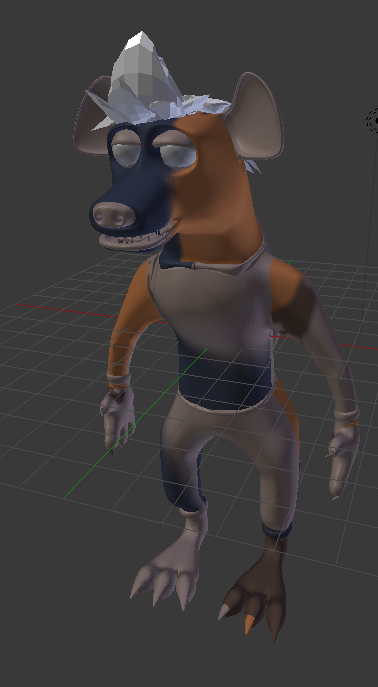
when ever i do create atlas
my charactor turn dark
like
this
any help?
wicked schooner
@warm robin I had decimate on
Protip to all
adjust your seams BEFORE coloring
 tiny lantern
halp
pls
i have this problem
shet wrong one
that one
i need help
its driving me crazy
warm robin
Hey, guys, What should I do if a character's skirt is linked to it's hair via the spine, but I want to only exclude the skirt?
Im trying to use dynamics bones
 sacred zenith
@tiny lantern yo your shoulder bones and neck bones arnt parented to ur chest bone so u need to put them under ur chest bone group I'll get you a screen shot in a few
warm robin
Hey, does anyone have any tips on how I could set individual inert and damping values on 2 separate parts of a model, each enabled with dynamic bones?
 untold jacinth
hi, when I export my model from blender to unity, it breaks all my textures : http://kysmoboy.pl/24-12-17_9k2r.png

btw it's the first time, I'm using those bunch of softwares
sacred zenith
Double click on ur model and on ur left a panle will show u all the mats used make sure their all set to opaque if the problem is still their go into the mats file and find the face texture and drag it onto the face
untold jacinth
@sacred zenith thanks for the response, but that solved my problem at half. I have the skin texture now but a lot of things on it too http://kysmoboy.pl/24-12-17_946x.png

 lament pond
Scared myself, forgot I turned off those textures
warm robin
hey, anyone know why my model changes drastically when i merge it?
 steel sorrel
In what way
warm robin
when i join the meshes
steel sorrel
Yes but how does it "change"
steel sorrel
Are you applying the decimation first?
 gaunt mango
I've been working on this model for some time now.
But I can't seem to fix the transparent part between his legs.
Any ideas?
steel sorrel
It's not transparent, icons show through models.
gaunt mango
@steel sorrel Using the model ingame right now. It's transparent
steel sorrel
Is the material set to opaque in unity?
warm robin
@steel sorrel so, you got nothing?
 loud barn
What's a good software for making custom skins for existing models?
steel sorrel
Nah, sorry mate. Only other thing i can think of is making sure it's weighting properly. @warm robin
Pretty much everyone uses blender. @loud barn
loud barn
Oh, I don't know much on blender besides decimation and rigging lol I'll learn more about It, thank you
 vocal rose
Question can you use rigidbody in VRchat i have sholder pads on the model that need to move with the hands but at the same time they need to solid in shape.
Has anyone tryed it?
 restive raptor
lament pond
restive raptor
lament pond
Merry Christmas and Happy Holidays to everyone from my girls!
 lavish falcon
when i decimate and rejoin the meshes, the face count goes back up to the starting amount but the quality remains as if it was decimated
wat do
should i just leave the meshes unjoined or is that bad
 robust bear
guys
so i got up and my headphones dropped when i went to check something and when i got back my modeling is like this https://gyazo.com/cc71cb167c0ad45938df73aa3f7efa9a what happened

 cedar walrus
hello, im kinda new to unity and all that, but im trying to figure out how to add lighting to my eyes to make them glow and shine like other ppl's models have it, ive tried point lights but i dont think im doing it right, can anyone point me in the right direction :x
lament pond
 grim mica
Anyone up who knows which shapekeys vrchat needs? I want to make them myself, without cats
lament pond
There are 19 total
 charred echo
how do i reduce the poly amount for my character, i tried maya, then my character no longer worked in unity i tried blender, but my fbx file didn't appear in blender after importing it, what the fuck do i do?!
charred echo
when i try to import the fbx file it literally doesn't appear
don't know what to do
 hidden umbra
Does anyone know how to fix an avatars feet clipping in the ground?
charred echo
PLEASE SOMEONE I NEED HELP WITH REDUCING THIS FUCKING POLY AMOUNT
i will fucking stab a bitch
 tawny anchor
look up decimation, that is if you can import it in blender lol
grim mica
Where do i put my blink-shapekey in visemes in unity?
 upper kiln
@grim mica if use eye tracking make sure 4 blink blend shape in order before visime mouth
grim mica
Not using eye tracking, just want that my char blinks like every 10 sec or so
maybe i have to make an anim for that
upper kiln
If visime mouth in them slots it use blink animation on them
If no eye tracking their #tutorials channel
I made use animation
@Kouji#4541
 grim mica
@upper kiln thanks!
 dusk kettle
Anyone here has the ooka miko model for unity to pass me by?
cedar walrus
anyone know why pinlights i add to my model's eye, would show up in unity, and avatar preview in vrchat, but not ingame when loaded in?
wicked schooner
Proooobably about to sleep but thought id ask
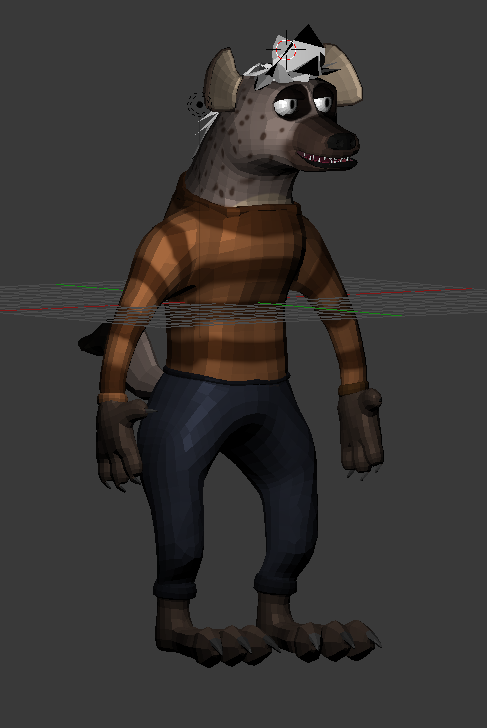
Basically, the hair, body and eyes are 3 seperate objects but id obviously wanna export them in a way where the 3 seperate textures can work together, anyone have any ideas?
spiral sigil
i had something regarding that... lemme check. (Though, if your textures arent that big, it shouldn't cause any issues ingame.)
@wicked schooner https://blender.stackexchange.com/questions/15510/possible-to-bake-texture-to-new-uv-map that could technically work

I have a finished model where the UV maps overlap - lots of wood that isn't detailed to be particular to the model.
I'd like to re-map the texture so that specific details can be added. I'd like to
wicked schooner
its more, just the fact theres 3 of them
spiral sigil
so you connect them all, create a new UV map, and rebake your textures into one image for the new uv map
wicked schooner
does that mean I mayyyyyyy have to repaint
spiral sigil
Or you can just do it the simple way
connect all 3 images into one using photoshop and then just move the uv maps to fit the new image :v
wicked schooner
the easier way would be able to just somehow make all 3 objects/textures work but
from what ive learned this last 2 days
blender aint easy
spiral sigil
My personal model has around 6 images, with normal mapping and all that other fluff for semi-realism. Its not that big of a deal as long as your images arent in 4k resolution or anything like that
wicked schooner
I just have no idea how id make them work, unless I just
was able to export the model in a way where it can load into unity with the textures set in
I also gotta rig it
spiral sigil
Well, first of all, you should turn on smoothing on your model, else it'll look very polygonal. As for unity, you can just drag and drop your textures onto your model and it'll automatically set them up in materials.
For a first time rigger you can just use blender's autorig, then just tweak it lightly
also id suggest using toon shaders on that model, default unity shader might make it look weird
spiral sigil
Check if your sleeves have weight paint on your shoulders
 ashen nacelle
Fug. @. @ Don't have time to learn to rig up new version of avatar in Unity.
wicked schooner
also Kirillian, I did model it smoooooth but like
I went waaaaaaaaay over the 20k limit so
wicked schooner
Ooooooooo
spiral sigil
lemme show you where it is
wicked schooner
I just wish there was like, a super easy way to put the obj and textures together
cause im lazy
spiral sigil
 wicked schooner
oooooo
spiral sigil
shading in here, itll make it smooth
wicked schooner
And how do I do toony?
also im fine with it being a bit polygon
my next model is gonna be intentionally low poly
spiral sigil
Smoothing doesnt affect performance, just saying.
and, cartoony shaders come in Unity, so you'll have to assign it there
spiral sigil
yeh
 unborn dome
how do i make my sleeves have weight paint on my shoulders
wicked schooner
why did I decide to take up this I have a webcomic I need to work on
unborn dome
i kinda suck at this
wicked schooner
Hey me too
spiral sigil

weight paint is there
basically, the more red your thing is, the more it is deformed by your skeleton's bones
wicked schooner
So thats post-bonitis
spiral sigil
of course, to see which bone has the most weight applied to it, you have to enter pose mode and click on the bone
https://i.imgur.com/7dOGAhj.png here's an example of weight paint

the blue outlined bone is the selected one, the colors show how much it deforms with that bone
red = hard and not deforming, moves with the bone entirely
greenish = slight deformation, can be deformed with other bones as well
so if your sleeves are just... blue, then they are not affected by your shoulders
sooo youll just have to paint them a bit until they become the proper color you want and move together with your arms
wicked schooner
is that jack
unborn dome
ok how do i select a bone
spiral sigil
in pose mode, select your skeleton and then go to the same menu as ive shown before
there'll be pose mode, then click back on mesh and you can weight paint
wicked schooner
Ill figure all this out tomorrow
i have the textures saved so thankfully, I can always load em back up
but for now, slep
spiral sigil
GL with your model
unborn dome
ok so this bone is selected now right
upper kiln
@unborn dome what your trying to do?
unborn dome
add
weight paint
to these sleeves
so they dont go through my arms
but i suck
at everything
upper kiln
is it group to armature?
unborn dome
nevermind i figured it out
unborn dome
nevermind i didnt figure it out but im going to try this again tomorrow im too tired right now
 stark estuary
Hey I am new here, so sorry if this is in the wrong channel or something but can someone help me with blender and mesh issues. (I have a model I am trying to turn into an avatar but the pants on him are so baggy that they overlap each other and when I go to rig it and animate it, it does that streching thing where it thinks they are joined together rather than being two seperate peices.. hope that made came out legible hah)
I've tried to google it and youtube it but I'm not really sure what that would be called or how to describe it to seach for it so I am having troubles finding anything about it
 tired lynx
Just curious is anyone using cinema 4d ?
lament pond
 solar mauve
Hmn
How should I fix this hole
I thought that I messed it up at one point but it seems to be like that in the original model
Tried using the make face/edge function in blender but it gives somewhat transparent faces when I try to connect some point
spiral sigil
there's one more dot you havent select, i'd suggest merging
solar mauve
Oh I just undid everything for the screen shot
This is what I mean with transparent
It should be possible to manually assign the texture right?
spiral sigil
Yeah, just unwrap the invisible parts and move them on the UV map to the right position
solar mauve
Thanks!
charred echo
im trying to decimate my avatar in blender, but when i press apply nothing happens
spiral sigil
Make sure decimate is first modifier in the list
lament pond
I wish the tri limit was 25,000
spiral sigil
gib wireframe
because there's no way that mesh cant look the same with less polygons.
lament pond
I'm currently finding the more redundant ones
lament pond
22,452
 finite trellis
Can someone help me with this, I'm having trouble understanding this part of a tutorial
Search for your model name, replacing the mdl at the end with * (ex: airboat.* instead of airboat.mdl). There should be several files with that name but varying extentions, most commonly .dx80.vtx, .dx90.vtx, .mdl, .phy, .sw.vtx, and .vvd.
https://gyazo.com/1807f47717045db12780d2d2fcbac977
Gyazo
 solar mauve
You were trying to type one of those characters into the filename?
 regal sandal
Guys. I'm an absolute idiot when it comes to 3D modeling. I want to use an Iron Man XPS file as a custom avatar for VrChat. How could I import it?
 cobalt willow
You'd have to find and install a xps plugin for blender and then import the model and export in a unity friendly format @regal sandal
regal sandal
K. I'll try that
wicked schooner
https://imgur.com/mxkiprB So when I began to rig and apply
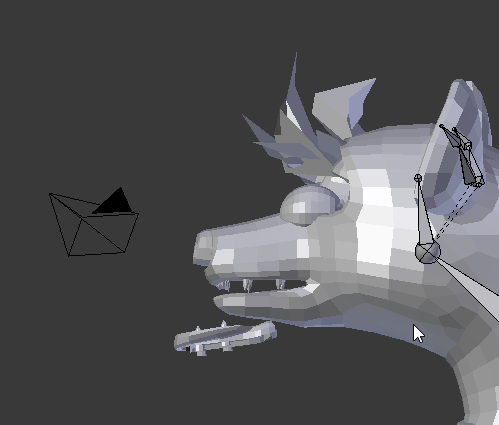
for some reason part of the mouth isnt, moving?
dusk kettle
Does anybody have ooka miko on fbx?
 red sigil
@wicked schooner u weight painted correctly? vertex group all that?
wicked schooner
I havent weight painted at all yet
Speaking of, is there a way to paint something back to default? For some reason the right foot has a paint?
red sigil
yes on weight paint mode on the brush there is a type of brush just click that (default is Mix) choose subtract
switch between subract/add and paint

Quick intro and guide to skinning/weight painting. this video is meant for those with a basic understanding of Blender
wicked schooner
Ok but, how will weight painting help with the mouth connectiosn?
Is it part of the weight?
red sigil
u said part of the mouth isnt moving, that what weight painting does, tells the mesh which parts to move when the bone moves
wicked schooner
Oooooh
Alright
While im dealing with this, anyone have any recommendations on mouth rigging? For speaking
Ok so I dont think its weight, for some reason those parts are just
unlinked
Is there a way to mess with the animation in unity?
 wide onyx
does anyone know how to reduce the triangle count in unity?
cobalt willow
@wide onyx You generally don't. Import your model into blender and decimate it there.
 hot knoll
haven't done textures in years. any recommendation as for software and tutorials?
thinking maybe mudbox but haven't looked around
upper kiln
i don think matter what program to make texture just need to know how to make UVmap
i know somone use paint for UV mapping lol
hot knoll
yeah, but like adding a logo or stencil, removing seams, that kind of stuff
maybe some normal baking
wicked schooner
Welp this model turned out bad, time to do a differetnt one
 sullen kite
👍
wicked schooner
https://i.imgur.com/45AyhMi.png this is what I get for making her lean
 wide onyx
anyone know how to paste an image onto an object in unity?
bc everytime i drag an image into a material then onto an image, it just changes it to a different shade
 loud silo
 fathom timber
fuck
i have a peice of model that i wanna delete
but i have absolutely zero idea how
wicked schooner
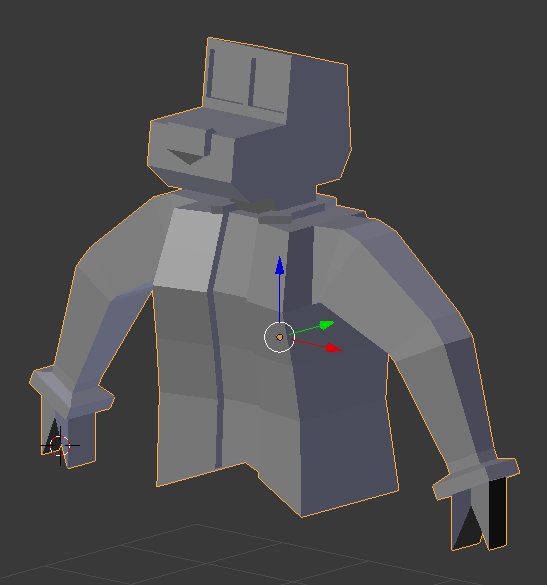

 final brook
does anyone have a quality anime model for vrchat? I want to use it as a reference
 last hinge
Man That would be something fun to knock out...
Do those two characters plus the ones from the UHF wierd Al version...
hmm
I think I actually did something like that back in the amiga days in 90' in sculpt 3d.
 manic hatch
finite trellis
manic hatch
finite trellis
Anyone know where I can find some good naruto weapons? like.. shurikens, swords ect.
I tried Deviantart couldn't really find any good ones
 languid surge
looks simple enough
except hands
fuck hands
hardest shit in the world to get right

 tulip bone
I have a tiny problem
Whenever I try to separate by materials with mmd_tools, Blender just freezes infinitely
latent charm
@tulip bone Object has a lot of materials. You can speed the process up by splitting things up manually a little bit.
tulip bone
Oh
So it can legitimately just freeze for 30 minutes trying to separate by material?
goddamn
latent charm
Because MMD modelers love to use ridiculous amounts of materials for some godawful reason.
latent charm
p key.
I suggest selecting a few chunks of the mesh and doing select linked (ctrl+l) so you have a few separate objects, then doing separate by material on each of those individually.
 spark spade
oy
matey
anyone here
https://gyazo.com/5b75f1685abf5aa853b0489b74939059 how do i get these textures on the model

 odd rose
I NEED Help , why does it do this? i need help
 native girder
Change the shaders for the material to cubeds
odd rose
That literally doesnt do anything
 empty wing
anyone know how to attach a object to another in unity
 elfin geyser
create a parent object, create a child and drag the child on top of the part in the inspector window @empty wing
spiral sigil
work work
elfin geyser
cute butt
spiral sigil
thank ya 😄
empty wing
my plan is to link the tie to him and have it move with cloth physics when he moves in ve chat i am new to unity not that good at coding
 stoic bluff
Can't explain why it only loads the player model with the clothes but not the accesory weapons
stoic bluff
it's in a seperate file
I opened them both
it just doesn't want to have them both be open at the same time
native girder
ah hmm
not sure :/
Maybe open each one by itself and edit them, then import into unity and combine?
 cerulean heath
Hey guys, im trying to add a jawbone to a model of kermit. Dont know the slightest of blender tho... anyone wanna help?
cerulean heath
Sure
lament pond
I'll be doing a stream while working on an avatar commission. If anyone would like to join or ask questions the link is https://picarto.tv/VRArt1

 chrome tree
@lament pond That's something more for #shameless-self-promotion and #vrchat-livestreams
lament pond
Ah I didn't even notice there was a livestreaming room
 alpine arch
anyone looking to be hired to do some MMD/VRChat avatar work?
 random owl
Hi
alpine arch
plz halp
spiral sigil
How do I make a book as a seperate item for my character to pull up? "RP for kakashi" (Total noob here)
 night trench
I have a request, would anyone here be able to take this and turn it into a working Model??

 vernal carbon
its alreadyed UVed

 topaz cipher
i just want a tiny tina model for vrchat but i suck and dont know how to do anything
lament pond
 jovial crest
@lament pond how would i do that in dynamic bone?
lament pond
If it already has a bone on it you can put a dynamic bone component on it
jovial crest
yea, when i do that it just sticks straight out and wiggles left and right
cant figure out how to do it with dynamic bone without stretching the mesh
chrome tree
@jovial crest I'd go into Blender and change the default pose so that the strings are hanging down. then it'll be easy to put dynamic bones on those if you want them to waggle.
jovial crest
Yea thats what i was thinking of doing, I have no idea how to do it though
chrome tree
I forget how to do it, so I can't really guide you through it.
@jovial crest Wait... maybe this will help? https://nixart.wordpress.com/2013/03/28/modifying-the-rest-pose-in-blender/

This procedure supposes that you have already rigged and weight-painted your object so that it deforms correctly. At this point, you simply want a different rest pose for your object. However, when…
(Knew I saved that link for a reason!)
spiral sigil
Does anyone have much experience exporting models from Maya?
spiral sigil
Having trouble exporting, when i try it ends up like this. The one on the left is before, the one on tghe right is after i export to unity
jovial crest
what file type are you exporting as?
spiral sigil
fbx
jovial crest
try just putting your mb or ma file into your assets folder
also try the troubleshooting stuff at the bottom of the page
i dont use maya so i cant help much
spiral sigil
Just moving the bm file didn't work. I'll try the trouble shooting stuff now. Any input is appreciated, i'm pretty new to this 😦
jovial crest
why not just use blender though?
spiral sigil
lol good question
i had maya installed already, but i didn't think it would be this much hassle exporting it. I've also used maya a little bit before so it was the devil i knew
jovial crest
if none of the troubleshooting stuff works, just install blender, export it to blender, then export it as fbx in blender and see if that works lol
spiral sigil
i love you @jovial crest. Down the bottom in the troubleshooting it told me to delete non-deformer history and that seemd to do the trick
hes looking fly
jovial crest
lmao
spiral sigil
a little too tan but oh well
jovial crest
remember google is your friend
its just the light source making him tan most likely
spiral sigil
yeah it should be allgood, now i just have to get him in game
night trench
How do some people make their characters really damn big. When I tried to do it Unity tells me it's too big but I've barely up'd the scale
jovial crest
does it say ita too big or does it just say its probably bigger than you want?
if its the latter you still can upload it
 lapis needle
I wonder how much longer till the vrchat community catches up with modeling animu characters.
lament pond
 somber roost
I love getting ads about pay-for Blender courses while I'm literally modelling in blender.
It's deliciously ironic.
EDIT: Thought I was still in PMs. Good thing that wasn't a much worse link.
robust bear
Could've also deleted it if it was a worse one
somber roost
I mean I deleted it anyway but if it was a much worse one I coulda been in quick trouble 😛
 craggy frigate
i want live 2d support
 still torrent
Anyone know how to make the wings to not have that black part in them in Unity and in game?
cobalt willow
@still torrent set rendering mode to cut out on the material
still torrent
Where do I do that?
cobalt willow
It's a drop down window just above where you put in the texture in the material
still torrent
In Unity?
cobalt willow
Yes
still torrent
Ooohh found it! Thanks!
 little barn
Trying to get in contact with Big Al. does anyone know his disc?
spiral sigil
I just wanna throw this out there, unless you want to look like you are made of plastic any time a light hits you, please do this: https://i.gyazo.com/1e4c518332ad245e9548d96f316fdabc.gif
 jovial crest
any good blender tutorials for someone that knows nothing about modeling?
 lyric stream
Or just make a better specular.
 ornate igloo
So if i have an OBJ, I just need maximo and unity? I wont be making any major revisions
 hearty juniper
@ornate igloo yes
still torrent
Is there any easy fast way to add cat ears for a character? In Unity or Blender
somber roost
@jovial crest https://www.youtube.com/watch?v=LLV7h-WLIx0

In this episode I go over the user interface of Blender, as well as some important user preferences. Playlist: https://www.youtube.com/playlist?list=PLrgQj91...
This is the series that got me into Blender to start with.
 glad quarry
does anyone know if there are any good plugins for decimation in blender? Or other programs altogether. Something that can do more than decimating by hand
 arctic wyvern
do you guys know whats the deal when you import a fbx from blender to unity and the model loads in colorles?
robust bear
did you put the textures in BEFORE you put the avatar in
arctic wyvern
yep
 vocal garnet
Is the texture format .dds by any chance?
 proud ibex
You build an animation override in unity
the SDK comes with a controller for it i think
 leaden ice
i mean ive seen people that just rezz stuff in, so there is a way
proud ibex
im not sure other than the animation override
leaden ice
thankies
proud ibex
no problem 😛
 jagged stag
Can you use 3ds max instead of blender for shoving models into unity/vrchat
 keen wing
I think you just need the fbx/obj.
 minor gull
can someone help me out with unity problems
it says to add a scene desciptor
or acator descriptor
how would i go about doing that?
keen wing
did you import the SDK? @minor gull
minor gull
yes
keen wing
have you tried to add a component to whatever you're working on?
If not go to add component and add the descriptor ya need
 little spoke
I'm attempting to stencil a texture onto a material (just trying to add text or an image onto a model essentially). It looks good in Blender as of right now, but if I were to save it and re-open it, it looks like the texture in not getting applied to the material/model.
Is there another step to apply the texture after I stencil it on?
latent charm
@little spoke Are you saving the modified texture itself after making the changes to it?
Since blender handles certain kinds of external data differently (images, video, audio) they have to be specifically saved should any changes be made to them.
Just open up the texture in the image viewer and make sure you save it as something from there.
A * next to image image* means that the image data has been changed, but not saved.
little spoke
@latent charm Would you be able to take a screenshot or point me in the direction of the Image Viewer?
I feel like there should be a simple way to just add an image and paste it onto a model, but all the forums I am finding have some long explanations that I'm not sure actually applies to what I'm trying to do.
latent charm
@little spoke Any window section can be changed to a different one. You can change something to the UV/Image editor via the icon at the left.
Also recommended reading.
https://docs.blender.org/manual/en/dev/interface/window_system/areas.html
little spoke
Nice. I think I am making progress. I was able to save the image and now it is sticking to the model after save, quit, and re-open. But when I export as fbx, the materials and textures do not come with it.
into Unity
little spoke
Holy shit! 6 hours later. Finally got it. Thank you for pointing me in the right direction. Now just to add to an animation.
 prime marten
guys
guddamn i need help
every bloody trime it ry to put a model from unity to vrchat
i make the view position how i wanted
then in game its a bloody mess
format of model is fbx
what the hell am i doin wrong
look at my model how is that likethat?!?!?!?
 misty sequoia
anyone know how to make bones unweighted in maya? I need to add them to have animation overide but I don't want them to affect the model
spiral sigil
Is it even rigged?
 willow island
hi i need help
 nocturne marlin
is there like a 3d model maker for photoshop i dont get how people can work with these textures being put so fucking weird on the pngs
like how am i suppose to know what part is what when i want to recolor something like this https://gyazo.com/3a3ab9d69ede9bdd5376a70c4c2faa44

 radiant sage
does anyone know how to fix this transparancy issue with my textures?
https://gyazo.com/ef851b836359b979b2e70dadcf3c67a2

 toxic forge
if anybody wants their avatar properly optimized to fit under the 20k tris limit, feel free to contact me for details
I do it the proper way, keeping good topology and ensuring proper flexability
and I don't use the terrible decimate modifier
 cobalt light
Does anyone know a way to transform voxel models into a mesh model? I have some old models from MC I want to put into VRC
But I don't want it blocky
toxic forge
There's no way to do it other than just creating a new model from scratch
I guess you can always subdivide the whole thing but I seriously doubt you'll get the result you want
toxic forge
@ruby oxide
 ruby oxide
is that it? xD
toxic forge
that toggles snapping
ruby oxide
DAMMIT xD
 tired egret
I'm popping in to see if there is a marketplace for selling character models or where to go for requests for such things
 deep yew
Can someone help me with this bug on mixamo
so
it says that i didnt put the markers
on the character
but it is on the character
wicked schooner
Anyone have any good clothing tutorials? Ones that wont explode the poly count
wicked schooner
https://i.imgur.com/tJM9OQN.png time to try this again
 upper kiln
@wicked schooner https://www.youtube.com/watch?v=guJlKZwAb_g

Hello, this is a re-make of my old video! I did not expect it to be 20 mins, but i hope you find it better than the first! i give all the basic info in this ...
wicked schooner
i saw that, was gonna check it out but thought id ask, thanks!
upper kiln
yea use own skin of the character make it have less ploygon
because you have delete under the clothes then
cobalt light
When weight painting, is there a way to mirror onto the other side so I don't have to paint the back, too?
wicked schooner
Also, I assume you make the body model befor eeven starting the clothes?
wicked schooner
FUCK I just realized
this mdoel has a tail
Nah its more
when thinking on the clothing
I mmodelling a weasel
native girder
@tired egret If you don't mind mmd you can try deviantart or http://3d.nicovideo.jp/ (That one needs registration though)

Ah yeah if you want to use that site you can sign up with http://www.nicovideo.jp/ (which lets you sign up in english)

 tardy dirge
um. so i'm having a weird problem where the elbos on my model stick out in game, but looks completely fine in unity and blender
nvm
i fixed it
how do i fix this?
 coarse nexus
how do i enforce t-pose in blender? anyone know?
 untold dagger
https://gyazo.com/9855b96ed68bcd9c7b5914668c62d86a
Any ideas on why this may be?
 coarse nexus
try changing the scale
somber roost
Fug, help me out here bois.
I'm just testing it out now but, say I want to use that wooden board for the floor, but I want it to tile and be used MUCH smaller across the floor. But I still want to add more things to that texture later.
Is there a way to force that UV'd spot to tile-repeat ONLY one part of the image?
Or will I likely be stuck having to use more texture files than I neccessarily would like?
untold dagger
@coarse nexus What do you mean? I changed the scale on unity and that didnt work.
last hinge
If you can isolate that surface and put a custom material on that you can scale the uv's of the texture map and probably get what you want.
somber roost
MMmmmn. But multiple materials is far worse of a CPU killer than multiple textures, innit?
 sonic nimbus
Each material will require an extra draw call
@somber roost However it isn't necessary to try and cram everything into one draw call.
I would suggest that you start by using a separate material for each repeating texture.
wicked schooner
IF I want my models mouth to open and close as I talk, do I keep their mouth closed by default?
sonic nimbus
As long as you don't use a ton of different tiling textures it shouldn't cause too many extra draw calls.
somber roost
I wanna try and cram things as far as I can into one draw. 😛
sonic nimbus
That is possible but it'll make modifications a lot more difficult.
somber roost
I know it won't ALL be possible but I figure if I can make one part of an image tile instead of using a different image for each tiling spot (which shouldn't be too many anyway but still) I'll cut down a lot.
sonic nimbus
You could use a texture atlas but you'll lose resolution in the tiled textures.
Even with an 8K atlas
Alternatively you could use a custom shader that lets you specify which texture set to use in the vertex colours or UV3, and UV4 sets.
somber roost
D'ahkidoke. Welp, I've stll got a bit of modelling TO do before I bite hard into texturing the whole place. So.
But come that time, it's better to rpefer multiple textures over multiple materials just to clarify, right?
 fathom locust
hey @here can someone help me with rigging not modeling but rigging eyes and mouth
 valid sentinel
QUestion is there a dampening or limiter for Jaw Bone Flap or is it just set bone and thats it
fathom locust
idk
 open oracle
Say, maybe one of you guys may be able to help me
I'm trying to get an XPS model to work correcly in Unity
But for some reason it shows some backface culling in Unity
This is my view in blender
And this is the view in Unity
upper kiln
@vital hinge get set the shader render mode to obaque
 vital hinge
@upper kiln Thank you, but I found the problem.... It wasn't a fbx file. Mind you, I've been researching the problem for an hour and a half now...
open oracle
Might have found the problem, it seems that some faces are inverted
leaden ice
is there a way to test the ingame hand animations?
upper kiln
@leaden ice go to humaniod configure then click muscle setting then there be bar to adjust the hands
show the finger movement
leaden ice
okies, imma try that, thanks
well i mean is there a way to see what the ingame animations look like
topaz cipher
I need a better model of tiny Tina the one I got has way to many polys it's the only one I found if anyone can provide that be helpful please
topaz cipher
Lucky
 uneven drift
Could someone give me some general advice on how to approach creating a particular model?
topaz cipher
@upper kiln Mine was a fbx or dea it had 25k I tried lowering it in blender but it did nothing and I don't know how to do all this stuff with 3ds max and xps stuff
uneven drift
Are there any 3d character creator type softwares that export into a 3d model? Like BDO/EVE Online/etc. character creator type things that will export?
spiral sigil
anyone know why my model in game is invisible to mirrors, but ppl still see me but just mirrors wont show me?
 swift jolt
goto #user-support-old or something for that
 ebon pebble
How do I make the eyeballs separate from my mesh so I can do eye tracking?
If you have an answer please @ me so I can see it. Im at work.
latent charm
@ebon pebble The eyes don't need to be separate, just weighted fully to the eye bones only.
ebon pebble
Do they need to be spheres because they are half spheres.
latent charm
Nope. Half spheres are fine, keeps the polycount down and with the eye tracking there's a max angle they rotate.
ebon pebble
Awesome. But how do I place the eye bones well? Because the tutorial I watched said to select the sphere’s center of mass and place it in there. That doesn’t apply in this case.
@latent charm
latent charm
Wherever the sphere's center of rotation is, the eye bone root needs to be.
 inland fulcrum
can any1 tell me how to remove this ?
ye ik but i want to remove the upper chest part completley
because when i try to upload it
it says that is missing
 plush kite
Does renaming the texture break the mesh?
 alpine bluff
Question, anyone know a good method to fix normals? The models I have have some of the normals flipped and it's quite a pain to go through it by hand to change them all back.
 soft sandal
Is there a way to remove a shape key but keep the current model so it doesnt revert back to "standard" in blender
nvm i found a way 😃
 languid elm
Hello
 karmic flare
Does anyone here using 3dsmax? How do you use shape key like in Blender?
ebon pebble
@latent charm How do I associate the eye part of the mesh with the bone?
 coral imp
so if normals are facing outwards, i shouldnt be able to see the faces from the inside yeah?
theyre not double sided
but im still seeing the model from the inside?
coral imp
oh it doesnt work that way
ebon pebble
How do I save part of my mesh as a vertex group and pair it with a bone?
languid elm
Hello who can make really good models
i really want a pikachu one
with lighting on his cheeks
spiral sigil
ohp, no autopop description. Anyways that's a new site that just launched, made by industry art vets for artists. 2d, 3d, animation, ect. All free.
 jolly hollow
 valid sentinel
@karmic flare 3DSmax calls them "Morpher" modifier and "Morph Flexes"
The modifier works by choosing a named morph slot and then picking the mesh that has the modified mesh
languid elm
ok nvm no one wants to help
valid sentinel
A long time ago i made a morph flex set for boomer for L4D and this is what the set looked like. The main mesh picks it http://the303.org/imaeg/boomerflexes.jpg
 karmic flare
ah ok i think ive seen some tuts about that but isn't too sure if it would work with mmd models
that looks hilarious hhaaha
gj btw
valid sentinel
I think you can import MMD to max but i forget the pulgin you use. It automatically builds the *existing morph modifier set, ive seen some people have it done
karmic flare
hmm i also wanted to know how do you use morph with 2d texture similar to this tut here with blender https://youtu.be/ZB2aXKkwXuA

In this video I will show you how to make your 2D eyes/mouth type avatar have a blinking animation and mouth movements for VRChat!
valid sentinel
isnt that just clipping though?
karmic flare
i've tried it with an xps model that has different meshes expression but morph doesn't pick up 2d meshes
valid sentinel
wierd. a mesh is a mesh so it shouldnt be an issue
karmic flare
yea i have hard time figure that out
valid sentinel
unless you modified one of them. Morph/Flex/Shapekeys all have to have the SAME amound of verticies and if you remove/weld any of them it refuses to pick
so if you add something it has to be added to the base and all your other targets iirc; but its been a long time since ive done this
karmic flare
im sure i haven't modifed any of the meshes as far as rename them
also i know that 3ds max port with CAT does it have same function with the plugin in Blender?
oh i think i might figure this out how to pick up the mesh with morpher
 earnest sigil
I tried to do that but with the eyes on my model but it just still colors the whole eye
spiral sigil
Can someone help me with a problem I have in Unity?
A 3D character model I imported to Unity from Blender doesn't have a face but all other textures are there
But the face was visible in Blender
karmic flare
Your texture is transparent change it to opaque
 runic barn
i have an issue with one of my textures in unity for a model im working on
spiral sigil
Idk if there is a texture for the model's face..
runic barn
there is a menu in blender where you can check what texture is assigned to what
i had an issue with a missing texture, so i had to basically create another
using an older version of the model im using, i then assigned that to the newer one
this is what the texture is doing in unity, but it doesnt do this in blender nor any other 3d viewing app i have
idk how to get around this
runic barn
check your folder where all the textures are
and look for one that looks like it would go on the face
spiral sigil
It only has 2 texture tga files but neither of them have a face on it
But the face appears in blender
runic barn
i had a simmilar problem with the model im using, the eyes had no texture
it was showing in blender
but in your case idk
 heady grove
can someone explain to me how to get my model from blender into unity?
runic barn
export the model into a FBX file
from there create this folder https://puu.sh/yQpNo.png

put all relevant texture image files in there
and then put the model into unity
make sure you put the textures in BEFORE adding the model
runic barn
it should pull all textures from the folder
you may see something like this https://puu.sh/yQpUB.png
 runic barn
try clearing out all model related files
heady grove
which files would those be
heady grove
so just remove everything but the srcsdk folder?
runic barn
yes
you have to re import the model and its textures
create the texture folder first
heady grove
alright
runic barn
and then add the model
heady grove
how should i import the textures, one by one, or copy and past them using file explorer
runic barn
select everything fromt the folder and add it into the unity texture folder
heady grove
ok did that
runic barn
then add the model into unity
heady grove
alright now how do i view the model itself
do i drag and drop it from teh assets folder?
runic barn
double click it
heady grove
that just tried to open it in paint3d
runic barn
where did you put the model
heady grove
i imported it into unity
karmic flare
lol are you guys still trying to get the texture working
runic barn
i dont know either
karmic flare
Do you see the texture in blender? have you try to apply it manually in Unity
heady grove
yea i see them in blender
and i dont know how to apply them in unity
im only just learning this stuff
karmic flare
click on your model in unity after you place it in the Hierarchy
runic barn
try dragging the model from the unity assets into the screen
karmic flare
Do you see the texture menu pop up in Inspector tab?
heady grove
no
karmic flare
ok in your Hierarchy tab, click on the mesh
now do you see the texture menu in Inspector tab?
heady grove
this is all i see
karmic flare
show me the whole screenshot of your unity
heady grove
karmic flare
these are the meshes click on them
karmic flare
These are your texture
click on each one and add the texture manually
IF your shader is on Standard then you should add the texture in Albedo
alright i g2g good luck with the rest
heady grove
finally got that figured out
runic barn
congrats
heady grove
this tutorial is talking about the vrc avatar descriptor
runic barn
that is where you set your viewpoint
heady grove
editing the y z values in the inspector bar doesnt seem to make it move
heady grove
that dot is small as hell
should the dot be in the center of the head or out between the eyes
runic barn
between the eyes
heady grove
for a helmet you think this is far enough out?
runic barn
that is good
runic barn
click on your model in this menu https://puu.sh/yQsL9.png

the inspector will then show this https://puu.sh/yQsMb.png
 final brook
can anyone send me a guide or video link on how to do this
heady grove
not sure how i go about fixing these problems
 dark moss
I've got a question. So I decimated a model to get it under 20k tris, but later on I found out I created some odd holes and incorrect uvs in certain parts where I must have been overly aggressive with it. Are there any tutorials on fixing these issues in Blender? I haven't touched anything uv related in years.
native girder
@heady grove Adjust your model size with transform. Also you have slots in your rig that aren't mapped
heady grove
ive adjusted the size down to .1 and it still says its too tall
heady grove
now it says its short lol
native girder
XD
heady grove
well now i gotta fix the spine some how
which i have no idea how to do
oh i see which parts arent mapped
but the rig did have those parts set
k i fixed it
 raw panther
hey could someone tell me how i can separate these two things? when i go on cats and press separate by mesh it doesnt do anything
native girder
It's prolly one mesh then. Try https://blender.stackexchange.com/questions/6184/splitting-pieces-of-a-mesh-into-a-new-object
I've just made a set of armor by using a male body mesh model I downloaded and selecting certain faces from the model and duplicating them to create viable armor pieces.
Since the pieces are just
dark moss
Oh, I think I understand my issue. It wasn't the uvs, decimate was collapsing certain things that used to be convex to be flatter, causing the skin below to start popping out through the clothes, so it looked like I was having UV problems, where it actually was a mesh problem.
final brook
alright so i was watching this guys video on how to decimate models and he says he doesnt decimate faces, legs, or arms since the way there were meshed helps with the joints and all that bending and so and so can anyone tell he if thats a super big deal or if its alright to decimate then a little?
spiral sigil
My friend is looking for a way to be able to sell his service on blender/unity to essentially sell people avatars. Isn't there a Discord for that?
sonic nimbus
!online
 tender pelicanBOT
There are 5975 users in VRChat currently
 light rivet
 cursive wedge
wow i learn new things in blender every day now :p
 dreamy meteor
So i have a model working and I imported in-game but it turns out grey just like the preview. I have the textures but how do I include that. It looks fine in blender.
cursive wedge
Modifying an MMD to look good in blender is an awesome project to learn Blender.
native girder
@final brook You shouldn't decimate if you want eye or mouth movements.
Not sure about joints and such.
leaden ice
So why is that a character is rigged and moving in Unity, but not in ChatVR, its stuck in T-pose
uneven drift
Is there an easy way to connect two seams together? I deleted an abdomen underneath an armor and I want to block off the hole by connecting the armor to the pants
 tepid fossil
Hey do you guys know if theres an asset store for shoes?
Like stereotypical japanese high school girl loafers?
spiral sigil
heya

when i upload this MMD model from blender to unity all this hidden stuff appears, any help?
tepid fossil
Hidden in Blender?
 spiral sigil
nonono
there are boxers and other stuff that appear
that dont show on blender for some reason
see on the legs and how theres bleeding
tepid fossil
Maybe a different angle would help?
Wait
I see it now, the white stuff
Maybe try hiding the pants and see if you can delete the boxers underneath
 simple vine
Oh i got the same thing today
i tried getting a mmd model to work for the first time
when I put it in blender that white stuff was hidden
i pressed alt h to unhide stuff because usually models like these have a few extra weird thingys on them
then that shit appeared
i deleted it
did not work, got t posed in game
still no idea what it is
i suck :^)
tepid fossil
Welp :/
spiral sigil

like some extra boxers appeared
and some other stuff
can i unhide it on blender and delete them??
nothin?
@tepid fossil
tepid fossil
I got nothing
spiral sigil
kk
simple vine
I always use the sample VR chat skeleton, even on pre-rigged models, just to be sure unity wont fuck things up such as names and such
works, sometimes, but is it normal? Does anyone else do this? lol
 wheat marlin
Anyone here make avi's / texture them ? I'm willing to pay, it wont be anything overly challenging
 wispy totem
Quick question. I grabbed the blue man test figure recently and was giving it a look over. I didn't notice any LOD meshes. Is part of the packaging process done by the unity plugin autocreation of lod's or is that left up to users to sort out / most people are not using lod's
 waxen nest
@spiral sigil if it wont let you select it just manually do it with tab, using c to select the verticies and deleting them
 sacred eagle
Hello somebody meet already this problem ?
 glad niche
does anyone know how to import occlusion maps into unity properly?
To the right is what they're supposed to look like
but in unity they're all black
waxen nest
try applying it to a material and see if its pure black on the model
glad niche
yeah it's pure black
waxen nest
on the model?
glad niche
without occlusion texture applied
with occlusion applied
all it's doing is making it darker when it should remove those black parts I'd assume
waxen nest
supposed to make things dark based on lighting
glad niche
yeah but it's making everything dark equally looks like
I'm probably just misunderstanding how to do it completely
waxen nest
dont know of a way to fix the occulsion mapping but without it it looks fine
glad niche
It's just that it should look like this:
which looks 100x better
I'd still need to apply a shader to color it too but that should be easy
 shrewd marten

anyone knows why my textures isnt apply to my model?
my texture shows perfectly in blender and pmxeditor
toxic forge
@glad niche occlusion is the ambient occlusion map
which is used to fake lighting
your maps are not occlusion, they are alphas for the diffuse texture
 main blaze
Hi, im needing to resize a texture making it smaller but i have no idea how to do this, is there anywhere that explains it?
 serene matrix
can anyone help me with something? I made my first model in blender, but when i upload it to mixamo it loses 90% of the color, any ideas?
nocturne marlin
is there a way to merge two armature into one? https://gyazo.com/8343390afe23d310a8c6c9e8551c918e
 main blaze
@nocturne marlin i think if you select both amrature and press ctrl+j it puts them into 1 thats what i did anyway
 civic tartan
@shrewd marten you have to translate your materials and textures before exporting...
civic tartan
Ohhh no problem 😁
nocturne marlin
@main blaze thanks bud worked like a charm
 quasi gale
anyone experienced with rigging and changing the parameters for what bone effects what skin ? I've done it before but cant for the life of me remember how i did it.
arctic wyvern
do you guys know how to remove the camera attatched to my head in unity?
sonic nimbus
@arctic wyvern Search for camera in the hierarchy and delete them.
arctic wyvern
ah, easy fix, i deleted the camera componets off the head and eyes. cool, thanks
glad quarry
Is anyone else unable to install Cat's tools for blender?
serene matrix
anyone mind answering a question for me?
toxic forge
easier to ask your question right away and hope somebody responds instead of asking if you can ask your question
 umbral cove
Anyone got an idea of how to fix these thumb bones. They work fine in Blender pose mode, but unity animation mode breaks them like above
 lilac niche
I have an avatar I'd like to have made and implemented into VRchat, I was given an original price of 1500-2000 dollars, I'd like to know if anyone could assist me with it for less. I do not have anything prepared for the creation
wicked schooner
I did it
simple vine
did wat :v
 mild briar
@simple vine I think his model is from For Honor
simple vine
Yeah it looks like it, never played it though
Isn't there a way to take the model from the game?
And edit it to reduce the poly count?
Could work :v
 agile dust
Im trying to make mouth visemes for a bear model. When I join all meshes my textures don't work. Do I have to manually skin it or is there a workaround?
simple vine
@agile dust Blender?
agile dust
@simple vine yeah
agile dust
I'm using the cat plugin. join all meshes
agile dust
but the textures I have are for the separate meshes. when they are fused there needs to be one texture for the entire mesh I assume.. hmmm...
simple vine
can you show us a print?
the only model I've ever done on blender didn't even use textures, just solid materials, so I don't know what might be going on ;-; but I'll try and help if I can
agile dust
Don't worry about it. I'm probably missing some step or something. There has to be a workaround.
simple vine
Whats happening? The texture is messing up when you join meshes?
Might be something with the mapping
umbral cove
If someone could take a look at this and let me know how to fix the thumb bones that'd be great. I've spent the last 2 hours on it and can't figure out why the hell the thumbs go crazy but absolutely everything else is fine
 neat stump




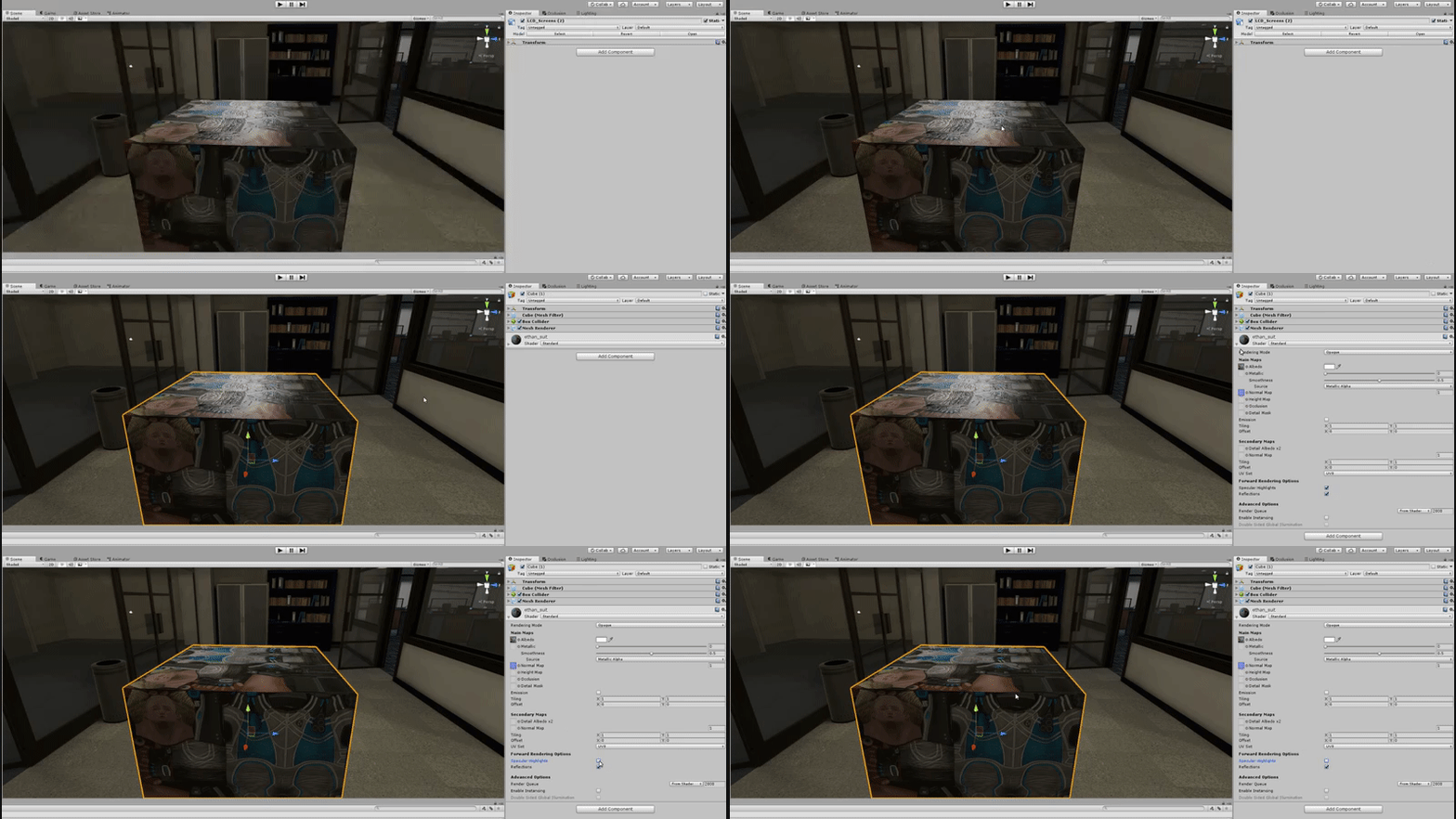


 simple vine
@umbral cove I'll take a peek
mild briar
l o n g f e e t
umbral cove
thanks >.<
simple vine
@umbral cove Is this how it looks in your file? Just making sure I imported it correctly
 flint arch
can anyone share dynamic bone?
agile dust
Yay I found out. I had to name all the UV maps the same name and after the mesh joining the textures will work!
umbral cove
@simple vine yea
simple vine
Well, it seems alright to me '-' is there something wrong with it in game?
umbral cove
thats how it looked prior to me mucking around and attempting to fix it at least
simple vine
moving it to match the mesh could help
or was it not working even with the bone in the right position?
simple vine
Hmm it looks different than in blender