#3d-modeling
1 messages · Page 19 of 1
 autumn yarrow
 latent charm
alt+z in the 3D viewport and show me that.
autumn yarrow

 silent vine
@latent charm ctrl + n seems to break everything
what does it even do?
Something of note I just noticed from fiddling - The weight for the right leg (the one with a growth) look like this https://puu.sh/yGr2M.png but when I click mirror it doesn't seem to mirror the weight faces I added https://puu.sh/yGr5o.png
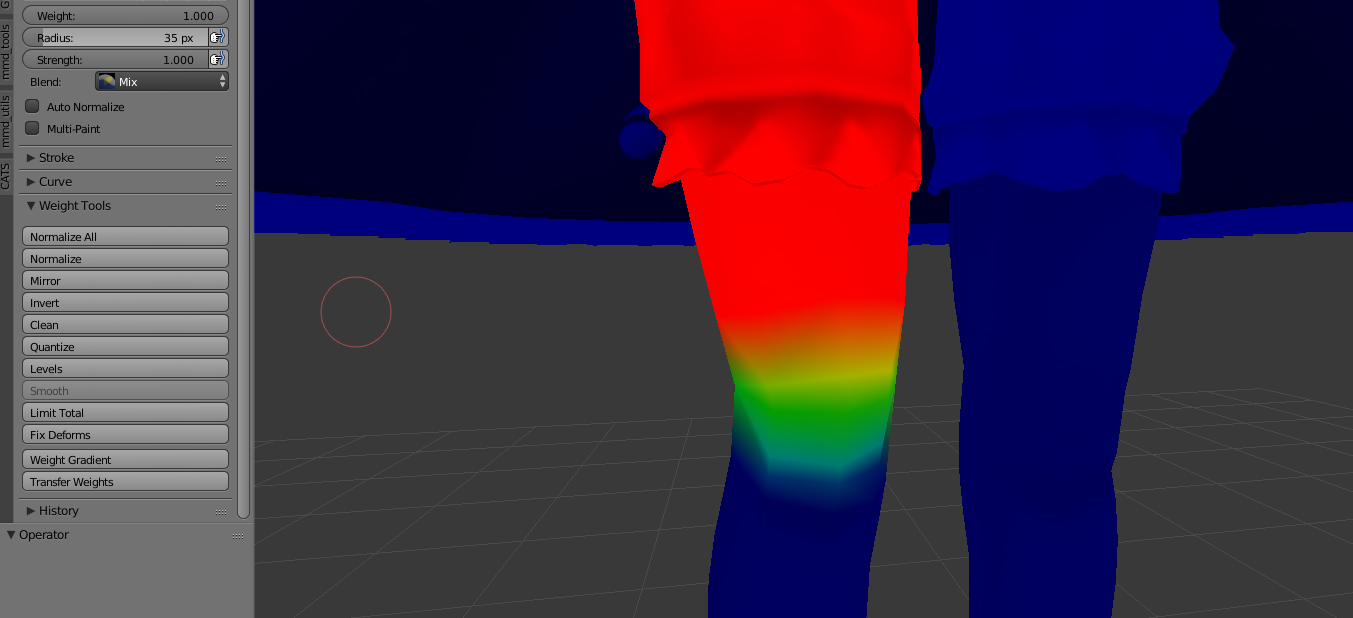
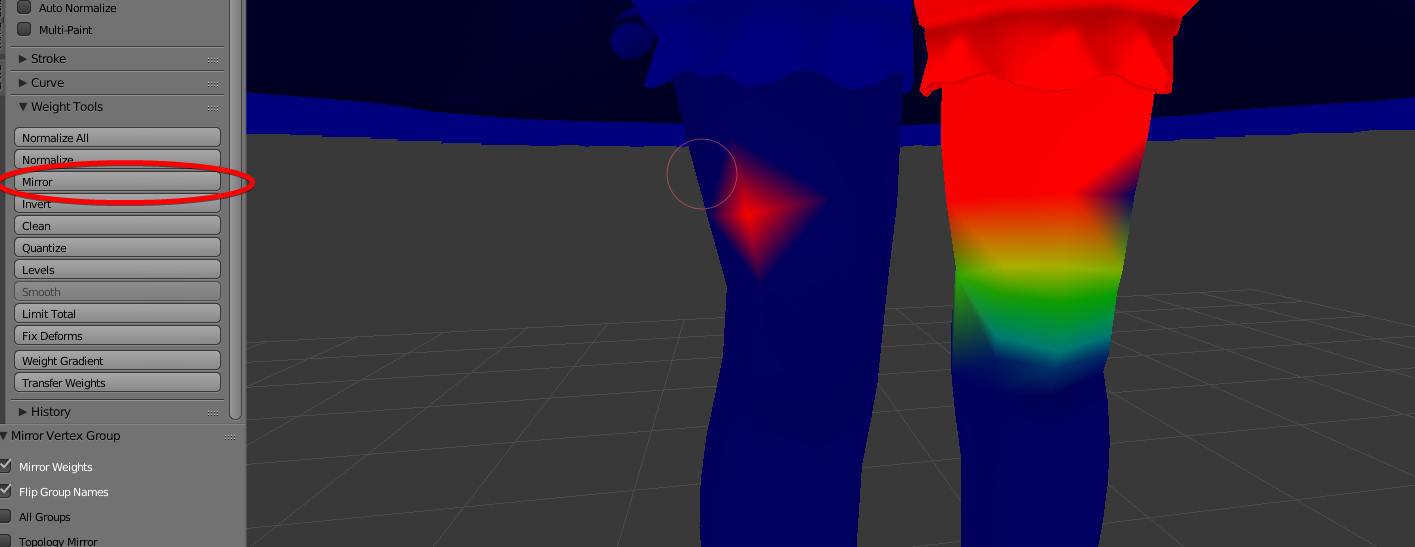
 cursive wedge
I guess the model is decimated or the Vertecies have moved so it doesnt mirror correctly, just paint it yourself :p
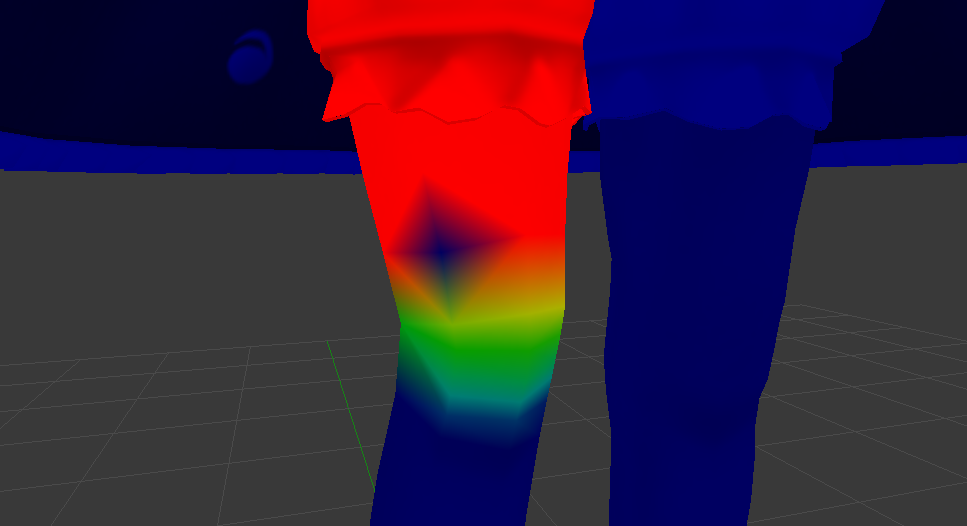 latent charm
@silent vine ctrl+n should just recalculate the normals direction. If that's breaking shit (shouldn't be) select the problem faces and press w and select flip normals.
silent vine
@latent charm https://puu.sh/yGrAF.jpg it changed it's colour? lol
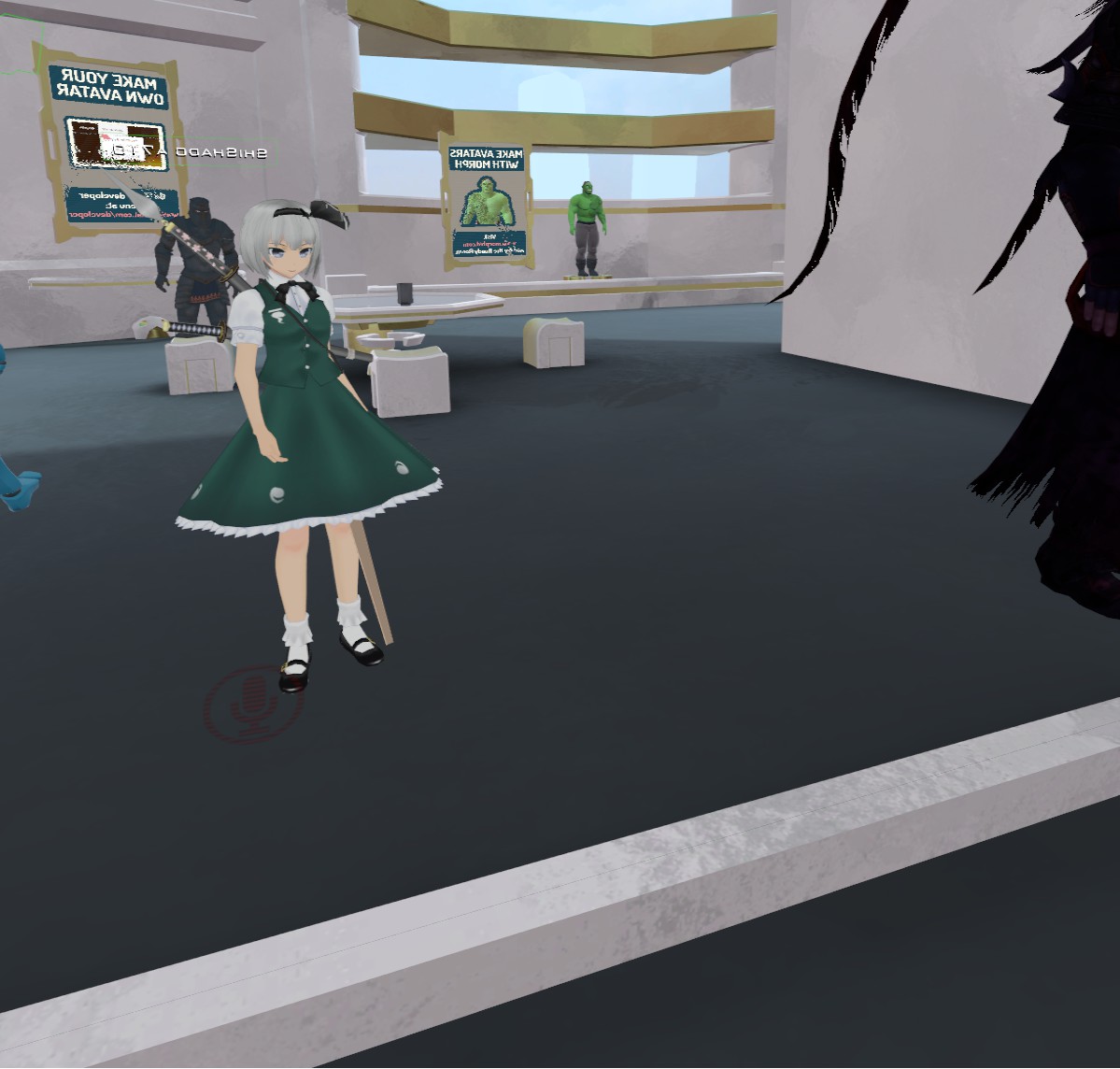
 golden pawn
paint over the blue hole
silent vine
I did, the screenshot is before I painted
 tender tendon
Polygons: 766
Oh boy i love making runescape models, no worries of hitting the 20k limit lol
 stone holly
How do I create a parent vertex group in blender?
 pulsar hawk
@stone holly can you elaborate ?
 languid osprey
Is there any way you can make facial animation from 3ds Max work for Unity? I have tried morph targets, but that doesn't seem to work. It is like blend shapes, and that works in Unity. Can I use something in 3ds Max that works for Unity?
 upper kiln
@languid osprey https://www.youtube.com/watch?v=O9dJCT6AuCM

This tutorial we are going to show you how to create a series of morpher targets used in facial animation like speaking and emotions. http://tutorials.render...
make sure no bake animation
in fbx
@coarse mauve would know more or mechiai
languid osprey
Alright, thanks. I'll see if there is something I've missed.
 void sparrow
How much would it cost for someone to make a custom fully near perfect model with VR and non VR compat.? Also maybe some animations
 cobalt willow
Really depends on the complexity of the model and the 3D artist's prices. Check https://vrcat.club/ or join the VRC Traders discord posted in #353285911322034177 and find an artist doing commissions @void sparrow

VRCat: Community-Run VRChat Forums
A fan-made community for VRChat.
 hazy linden
can anyone explain why its selecting the entire armature when trying to weight paint this mesh?
but not for the other meshes
latent charm
@hazy linden Need to add vertex groups that match the bone names before you can weight paint. Quick and easy way is
select mesh
shift select armature
ctrl+p → Armature Deform: With Empty Groups
Then you can weight paint
Or maybe you just need to set the armature to pose mode with ctrl+tab
 thorn moth
https://www.blendernation.com/2017/12/13/free-course-blender-3d-modeling-fundamentals/#prettyPhoto Thought this mihgt be of interest

Widhi Muttaqien writes: Assalamualaikum. Hi guys. Previously I shared a free access link to my online course at Skillshare about the essential stuffs when starting out to use Blender. Today I want to share the follow-up course of that previous course which is "Blender 3D modeling fundamentals". And just like before, it is FREE forRead More
 fluid wigeon
Hey guys, i would like to know how much would it cost to pay someone to recreate my avatar from Secondlife as a 3D model i could use in VRchat?
cobalt willow
@fluid wigeon If you have the source files PM me and we can talk later
I have done it before for another user
fluid wigeon
would still work if its a mesh body made by someone else i use?
cobalt willow
As long you get the files to your computer, I guess? Don't really know much about second life
thorn moth
Honestly, considering how most avatars in SL are put together, a fully remade custom one would probably be the better route then trying to frankstien it back together in blender, and that's not even getting into the mess that would be all of the textures and UV's you'd have to manage
cobalt willow
It wasn't too difficult getting the SL avatar I got working
The uvs were intact on that one
thorn moth
Ya, but having a dozen different textures isn't very ideal unless you're willing to go through the effort of fusing them all together
cobalt willow
I've done worse work :p
@fluid wigeon But yeah, let me know later if you can get hold of the model files.
fluid wigeon
kk
 earnest mason
Somebody told me to put it in here but would anyone be able to help me get my Zenyatta Model to float and for his golden ball things to show up on his model/ potentially rotate?
A friend of mine mentioned I could A. Do what you just mentioned or B. redo all of his animations for walking
I'm still new to Blender and Unity, Downloaded VrChat like a week ago
 daring fog
can we get some pins here ?
 hollow radish
I only got my firable gun a day ago, it was really easy to implement
stone holly
Is there any resources on how to make guns, etc?
I've seen characters have them, as well as swords, etc.
 crimson seal
those are called animation overrides
there's a few tutorials on them
(which I don't have any links to because I don't know how to do them either, I only just learned they were called that yesterday)
 brave lily
@stone holly theres no actual video on how to make the gun add effects/particles/sound all together you're just gonna have to watch seperate videos and then put them together but the closest one to every would be this one: https://www.youtube.com/watch?v=V0l4-pH3vI4&t=221s

Creating custom animations for hand gestures and emotes in VRChat
im still trying to figure it out myself lol
stone holly
Too low poly? (1000 faces)
stone holly
I mean from an asthetic standpoint.
 pliant swan
How do i go about filling this in?
 native girder
You could try hole filling. https://codeyarns.com/2013/10/22/how-to-fill-hole-in-mesh-in-blender/

Blender is useful to fill or mend a hole in a mesh. Holes are typically already present in a mesh or you create them while deleting elements of a mesh. 1. Switch to Edit Mode and then click the Ver…
Filled holes have to be retextured though. Not sure how to do that.
 fervent falcon
It would require having to bake the mesh again
then redoing the textures entirely
native girder
Ah tys
autumn yarrow
Does anyone know why Im getting black textures on model? I did the uv map, baked and then used the texture. Followed steps like in Tupper's video..
http://prntscr.com/ho3uow

I finally got to last part before exporting to unity and now Im stuck here cause idk what to do..
 civic cobalt
Looks like flipped normals
crimson seal
I need to relearn everything again with Blender
I have to make a model from scratch
 neon tree
i love Zbrush
 loud silo
I use maya
 supple vale
So this is going to be an odd-ball question. I do most of my 3D stuff on Mac computers. I know of course that theoretically I could use Unity on Mac to throw together the rigging and proper stuff for my models, however I was wondering what I would be misssing out on? As to why I cannot develop on my Windows machine?? Well I don't have as much access to it as I am mostly on the move.
 wary knoll
You can do all your development on mac os, just make sure you have Windows build support installed in unity. @supple vale
supple vale
Oh perfect!! Thanks for the heads up!
 spiral sigil
Trying to port a model from Max to Blender to make use of CAT's plugin and reduce my drawcalls. Saving it as an openGL ODS, but Blender puts all the bones in random places throughout the scene when I import it. Any suggestions?
autumn yarrow
@lucid gorge Its just one material for the whole model.
 molten spire
Hi guys, so how would I make my very small model be floating in the air? For example I want to be a flying insect. How would i get him at head level?
When importing him into the game, believe it or not, he's on ground level and impossible to see lol
 agile hawk
 atomic vortex
hey can someone model a avatar like this for me, i recently gave up trying to make this.
atomic vortex
someone?
spiral sigil
Hi guys, i hope my problem is correct here.
My Problem:
I created a magic circle and i want to add it to a sword. But everytime i do it, the color changes from blue to black. Does someone know why this could happen? im adding the circles in unity to the object.
and now after adding it, it gets black:
even removing it from the object again lets it stay black.
crimson seal
I need to figure out how to do magic circle stuff
crimson seal
question about Blender
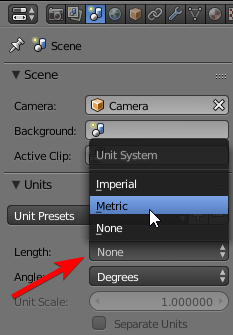
is there a way to get something accurate to an actual physical size? as an example, say I want a model that is 5'2"/1.5 meters tall
(Blender or Unity)
cobalt willow
 cobalt willow
Not by default atleast. However, a standard 3D cube is 1 meter by default so you can use that to measure things roughly
crimson seal
ah, okay
character I gotta make is 1.3m tall
and I just wanna be as accurate as I can cause I'm weird like that
cobalt willow
You could set the scale on the Y axis on the 3D cube to 1.3
That would be exactly 1.3meter
cobalt willow
And set X and Z to like 0.1 to make it easier to measure
crimson seal
how would that affect?
crimson seal
ah, okay
 hot knoll
anyone knows how to avoid having holes in the model when it's decimated?
hot knoll
nvm. remove duplicates helps
hazy linden
anyone know how to make this mesh the same distance from the middle of the y axis when i apply the mirror modifier?
keeps on appearing like this

 fiery galleon
it sounds to me like the origin of the object itself is somewhere wrong
so you may have to go into edit mode to get the vertexes of the object more near it's actual origin, and then move the origin to the correct place
 barren holly
If anyone here would be interested in making a model with rigging, on commission - can pay in BTC, ETH, or USD through paypal, please message me your rates!
 distant cloak
i'll do a 5 poly mess for £5000000 per minute
 carmine plinth
hi ho
I have a little problem, I downloaded a .stl model but it doesn't show the textures when i import it on blender
it didn't come with separate texture/materials, but in the thumbnail it had textures, are they inside the .stl?
 narrow olive
stl files don't contain any texture information as far as I know
 worn steppe
@carmine plinth stll files have no color data. strictly for 3d printing
carmine plinth
@worn steppe Thanks! Dind't know that
barren holly
If you import the textures too properly they will be normalmapped to the object though
I believe
So like if you were using google blocks and you import google block's palette of colors it will work
spiral sigil
Does anyone know how to make an image into a model? I saw this guy as Dr.phill and it was 2D looking when you looked at him from his sides, it was pretty funny
carmine plinth
@spiral sigil I think there is an option to import images, like jpg in blender
crimson seal
there is
I can't remember how to do it, but there is
it's what I did to make a tree
(all the leaves are just one leaf with a colour randomiser repeated over and over)
carmine plinth
oh ok, you go to blender user preferences > addons, then search por the addon called Import_Export: Import Images as Planes
spiral sigil
@carmine plinth what do i do from there?
wary knoll
Or you can just create a quad in unity and drag your image onto it.
carmine plinth
spiral sigil
jpeg
carmine plinth
you could also try Squid's method
spiral sigil
ill give that one a shot, thanks
carmine plinth
oh right, you got mmd tools?
spiral sigil
yes i do
carmine plinth
nice!
carmine plinth
ye
 dire ginkgo
drag the blender file into unity
That should import it as a prefab
then drag the prefab from the assets folder in your project panel into the hierarchy panel
You might only be able to see the image from one side though - the other side might be transparent, if the normals are only one-sided
If the plane doesn't have your picture on it
drag the image into unity
Then click on the material that the plane is using
then click this circle next to albedo
and select the image
 onyx phoenix
...is anybody here able to make, or edit, a 3d model of a character for me, so it looks... actually good/accurate to the show...?
if so, then please DM me. theres a character i want to get but there is no good model for them anywhere online.
dire ginkgo
What character?
 plucky sentinel
are there any tutorials to help me learn how to make / edit my own avatar?
im pretty comfortable rigging everything just want to start creating now
 sterile goblet
Is there a way I can weight paint everything my mouse hovers over instead of only the visible stuff?
Gotta fix some feet and can't reach the inside of the shoes
 weary iris
hey anybody have experience with blender??
 weary iris
can anyone help me out with a model?
fiery galleon
@quartz thunder I would just say that means make the hat bigger and tilt it away from the part where it's clipping
 quartz thunder
@fiery galleon yea thats what i did at after not finding solid solution for it
like i thought theres a quick way to make the "santa"model force display above everything else
fiery galleon
@weary iris it's easier to help if you give a picture and a reason than just saying "can someone help", but what's up?
I mean maybe but it would probably involve shaders or something, and it might not be very efficient when everything is very pipelined these days, graphics-wise
spiral sigil
@quartz thunder its because the hair mesh is pushing through, u got to reshape the hat or the air, moving the vertexs of wich ever section you pick. I would pick the hair and push down where its clipping
quartz thunder
So i will have to move around the vertex of either hair or /santa (pref hair) just to make the santa hat more visual ? Dam i thougth theres some kinda of category system to define which model is basicly transparent and which force display through others fully
so basicly i gotta go back to pmx editor and play around
god damit
 earnest nest
welcome to 3d modeling 😄
 lapis needle
Oh cool. A whole section to tell noobs how to do something correctly when modeling
onyx phoenix
@dire ginkgo Neo, from rwby.
its not a complex design/model... i just cant find one anywehre online.
onyx phoenix
ok, so not ryan cant do her. please, if anybody can make a model of Neo, from RWBY, please DM or ping me. i need it really badly, and i did a good amount of research... there isnt a model for download anywhere.
lapis needle
Who is Neo?
 frail dawn
Anyone have a YouTube video of how to make changing lights on your avatar like rainbows and stuff?
lapis needle
@frail dawn Its not recommended to put light sources on your avatar as they can conflict with any light sources curently in the scene or any special post processing effects
frail dawn
I mean I see people who have like rainbow colored hair and was wondering if there’s any videos on how to do stuff like that.
loud silo
hey
does anyone know how to make both sides of a mesh visible
in the textures?
@here anyone?
is there a nocull value somewhere im missing?
dire ginkgo
What do you mean?
cobalt willow
@loud silo You gotta find a double-sided shader
fiery galleon
@frail dawn it's a shader, so it's just part of the material, it's programmed in the shader to change colors
spiral sigil
@quartz thunder yep it's a pain. If there was a way around it I would be a happy man. But that's pretty much one of the joys of D modeling.
 ancient sage
If the amount of faces when decimating is 6k im good right?
spiral sigil
Yep. Give you a good amount of wiggle room to add extra aswell
ancient sage
Do I need to add extra? im just getting an MMD ready to upload, also it says avatar measures too large on one axis
Nevermind found out where the scale was lol
Well I think I definitely messed something up
spiral sigil
U don't need extra but if wanted add some funky stuff like hats and what not you can.
 ancient sage
@sacred zenith

As the title states, this is a full guide on how to get the basic model port into VRChat! We used the MMD model of Mei for this basic tutorial. If you have a...
That tutorial helped me a lot, and you can models from deviantart
 sacred zenith
Iv watched loads and I use stuff of deviant and it just goes wrong every time 😃 was up till 7am trying to do it
ancient sage
Im doing the exact thing lol
But its a thing where when you learn it its gonna be easier
plus too me its pretty enjoyable
sacred zenith
Well some how I keep finding models that have broken or textures aren't right I almost had one working but the shoulders weren't patented to the spine and I couldn't find the right bone 😃
So I gave up lol
ancient sage
Well did you have a character in mind?
sacred zenith
Well not on pc atmo to send any examples but I wanted like cool bad guy anime sort of characters
ancient sage
Hmm well once I finish my model and figure out whats wrong I could try to do it for you, I cant promise quality lol
sacred zenith
Thank you if you don't mind I would be able to talk voice and perhaps u could t talk me threw it a little if I get stuck
Still haven't gone sleep yet 😉
ancient sage
Yeah whatever I can do to try and help im glad too
sacred zenith
Thank you I only started this last night once I learnt I can play without vr and I tell u what Doing this makes me want to buy vr
 ancient sage
@spare nest So I removed all the transform rotations and it looks like this in unity
Thoughts?
 spare nest
Try add offset when you export/import from blender?
Not sure whether the change in transfrom in unity will be effective in game
ancient sage
offset?
spare nest
I think when you export fbx there should be options to set the transfrom of model
ancient sage
Ill check, forgot to save my blender model so i gotta redo bone parenting
ancient sage
When imported to unity it starts at that position
spare nest
So you change the transform to make up straight and upload and became michael jackson?
ancient sage
Yeah, in blender its standing straight up too
spare nest
What will happen if you leave it like that and upload?
ancient sage
It goes into unity rotated
spare nest
and directly upload into the game?
ancient sage
Also im trying to export the FBX but I dont know where the offset thing is
spare nest
Without changing the transform
spare nest
I mean since your model is lying on the ground horizontally when you freshly import into unity, and you rotated it to make it upstraight right?
ancient sage
Yeah, it wouldnt let me upload it as it was under 20cm
I think I may have fixed that issue though
But now im dealing with size issues lol
spare nest
Weird
ancient sage
Yeah and apparently some parenting stuff got messed up
ancient sage
https://steamuserimages-a.akamaihd.net/ugc/923666671124360706/41552A0C822DEEAD639B67DDC0E61F81527CC7FD/ new issue lol

Normal sized now, but I dont know how to fix my waist.
@spare nest You still around?
ancient sage
Also did a quick import of this touka model for someone else and the shoes arent sticking to the feet and I dont know how to add hair physics.
sacred zenith
if anyone knows be great help got sam problem kek as he helping XD
 valid wind

 wild dome
https://cdnb.artstation.com/p/media_assets/images/images/000/173/119/large/fishface.jpg?1513558991 clocks in juuuust under 20k 😄 starting to get the retopo done!

 alpine merlin
 quasi ginkgo
@wild dome 20k quads or tris?
wild dome
tris
quasi ginkgo
nice then
wild dome
20k quads wouldn't fly of course 😉
quasi ginkgo
I needed to recreate my entire model and dumb down clothing to match the polycount
as I'm new I thought it was 20k wuads
I don't like tris
wild dome
ahhh I did a test before I did the proper retopo where I just zremeshed down everything quickly, helped me scope out the rest
they could be a little bit more clear on that point ^^ but the rest of the avatar making process in unity is so user friendly I was actually super impressed
I'll have to retopo a little bit still as I might want to experiment with some kind of cloth on her too. aaand she needs teeth.
quasi ginkgo
mine too
mine looks a bit dumb lmao
19997 tris xD
I always made fur with particle system so I had 0 clue how to texture it
 fathom dragon
Note to self : trying to extract charcaters from games and adding them in unity is a pain in the ass.
fathom dragon
that cheetah photo is one of the most overused cheetah pp
wild dome
you'd probably do the other users a favor by not making some overly complicated fur!
 hot olive
Quick question: Anybody know how to get an FBX 7.4 (Blender) from FBX Version 7.5 (Autodesk products 2016)?


 rain flax
Blush shape
Handled via shape keys that adjust material transparency. You can delete that mesh in Blender.
Also, yo ushould merge duplicate materials/atlas using Cat's Blender tools 😄
quartz thunder
ya
spiral sigil
Did I do something wrong? :c
quartz thunder
 spiral sigil
but why tho
quartz thunder
because i couldnt figure the issue out
and you helped me with a productive awnser
you are
 quartz thunder

 quartz thunder
LOL
well i fixed the head and face
but now the face looks like this after i removed the mesh

i mean its kinda better but it looks like the model is wearing a second mask
nvm
issue solved

LOL
 random owl
Nice
 last hatch
5.6.3f1 or 5.6.3p1 for unity I cant find VRC_avatar Descriptor
languid osprey
Have you added the VRCSDK package?
last hatch
thanks XD I forgot that
 steel turret
spiral sigil
steel turret
spiral sigil
Anybody here know a discord or person who makes models for money? possibly rigged as well for extra?
cobalt willow
@spiral sigil There is the VRC Traders discord advertised in #353285911322034177 and the https://vrcat.club/ forums you can check
VRCat: Community-Run VRChat Forums
A fan-made community for VRChat.
spiral sigil
Thank you loads Zarni
hot knoll
any tips on how to decimate this without messing up the fingers?
latent charm
@hot knoll Vertex groups.
Basically, make a vertex group, go into weight paint mode for that group and paint the finger tips & joints at full weight (red). Then in the decimate modifier, set that group in it. Then as you pull the slider down it will avoid that area. (Once a group has been set a little <-> button appears next to it, that inverts the group's influence on the modifier)
I can give you further examples if you need them.
latent charm
I strongly suggest doing that on any deforming mesh. Keeping decimation away from the joints is always a good thing. I mean, you can decimate the joints a little but it's a case of trying it and seeing how bad they deform after.
Which you can preview by putting the armature modifier after the decimate modifier and going into pose mode and giving those limbs a good waggle around.
hot knoll
yeah! i just feel i just leveled up lol
cobalt willow
You could also manually decimate it. Select the hand mesh and press CTRL + F and choose "tri to quad", then select the edge selector and mouse over loopcuts and hold ALT + SHIFT + Rightclick to select them and then press X and dissolve edge
latent charm
That's the best method of reducing the poly count. Also the hardest and slowest. You have to take into account supporting edge and face flow and do your best to maintain them.
cobalt willow
Yup. It's obviously more tedious, takes longer and you have to get creative sometimes but it usually gives the best results.
Especially if you need to decimate carefully
latent charm
And of course, none of these methods exclude using any of the others. You'll get the best results by using a mix of all of them. It's a case of knowing when and where to use which ones and how they all interact.
Also don't use planar decimation unless you know why you should be.
hot knoll
i don't like tris. i would rather do a full retopo
latent charm
Ugh, what I wouldn't give for models to be provided with their original topology. But alas, graphics cards must have their triangles.
hot knoll
yeah
latent charm
Although the tri->quad method Zarni mentioned is often a tolerable substitute.
Also alt+j is a quick shortcut to it.
 oak temple
is it possible to duplicate selected vertices and slide them along an edge?
 raw jay
I'm kind of new to unity, and I haven't got much information on my research. Can anyone tell me how I would go about make my ears dynamic? Like that one weeb fox girl avatar?
I have dynamic bones, but I'm not too sure where to go from there.
Also, I hope this is the right section
 left rover
Can somone help me? my model is in the group face first. What would i have to change to make it normal?
 mint acorn
@raw jay https://www.youtube.com/watch?v=JBhMkIxusR0 watch dis

Just a quick tutorial on basic dynamic bones. This is reccommended for people who are new to avatars.
raw jay
@mint acorn Really appreciate that man
mint acorn
no problemo, she has a big playlist of different tutorials
raw jay
I'm changing the values just like in the tutorial, but when i test to see if my ears move, they dont
 azure saddle
Does anyone know the creator or the importer that made those horrifying teletubbies?
I couldn't see the name in the pictures.
 olive void
anybody has the just monika sign thingy?
azure saddle
sorry no
 somber bane
Hey, is there any way to fix the issue in unity where youre camera clips into your models and you need to zoom in?
I cant zoom in any closer than this and I uh, kinda need to
just tested it with a random block i spawned in, and it's only affecting the first model
nvm, fixed it by switching from isoteric to perspective
wait nvm it's still an issue in isoteric
cobalt willow
@somber bane Select the object and hit F
somber bane
ah okay thank you
cobalt willow
Sometimes that happens and you need to focus on a smaller object to not have the camera clip through stuff
somber bane
yeah ahaha thank you though
 buoyant gyro
Any decent programs for 2d image -> 3d model?
spiral sigil
Remember to save frequently if you have one or more cats.
 devout sequoia
is there other secret avatar expect that 4 from winter world?
 shut sage
Can someone help me with decimation and blender?
random owl
Expand your question
autumn yarrow
Anyone know why Im getting black textures ?
https://image.prntscr.com/image/O6tncXsXRy2bd7nMDzcrlQ.png

I tried higher resolution for the uv map and its still the same
 strange sage
black textures where?
autumn yarrow
On model
I had to join all meshes into one, did the uv map, baked and then used the textures
Idk what Im doing wrong or why those parts appear black
Been asking for days some ppl and no one knows..
autumn yarrow
If anyone has any ideas please PM me
strange sage
Have you checked the UVs on the black parts?
spiral sigil
Hi! I was modeling a character when I accidentally hit a hotkey, but I don't know which one.
Now whenever I move my camera, the model goes all pixely
Never mind, a quick load was enough
lapis needle
@spiral sigil Its because you put the render mode into "Rendered"
Next to the tab button you use to change to edit mode and object mode there is a little orb looking thing with an up and down arrow on it. Click on it and you can switch between the diffrent render modes. You either pressed "Z" (wireframe mode) twice or you used "shift+tab" (quick switch between render modes)
 vague atlas
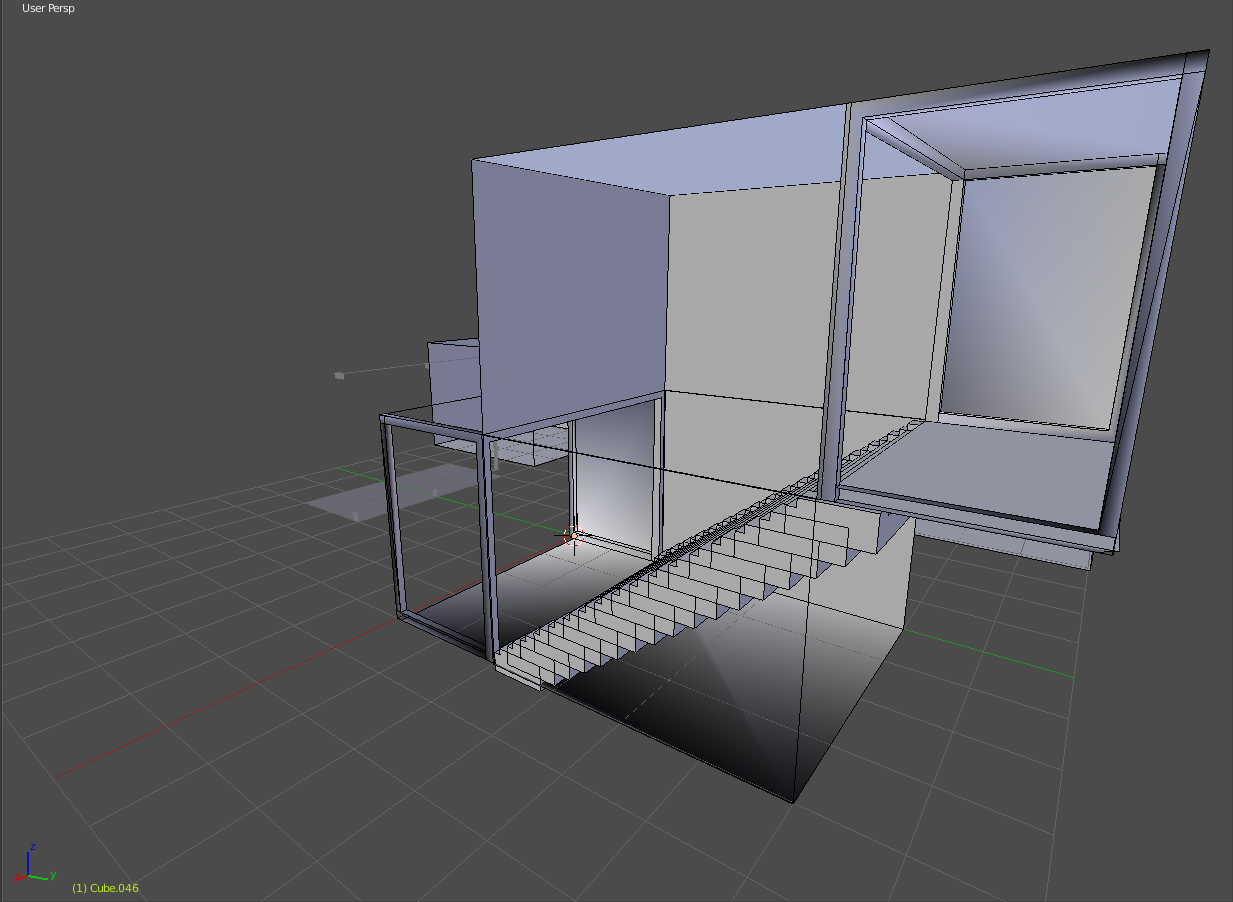
Anyone know how to solve this https://i.imgur.com/I7Wx2Ff.png i have tried to replace parts and remake from scratch with no luck
 mint acorn
Solve what?
vague atlas
the walls being metalic looking, look at the bottom of the object one side is bright and other is dark
lapis needle
@vague atlas It could be blender showing you your normals are backwards in some places. To check this bring up the side bar by pushing "n" find the tab called "shading" and turn on backface culling. If the walls dissapear you need to flip the normals. Also if its just the material being metallic itself you can adjust it in the material tab underneath the outliner box.
If thats not it either. You can try and push "t" (tool tab) and under neath the tools tab under edit select your mesh in object mode and then push smooth under shading
vague atlas
edge spiting seamed to solve it
brave lily
can anyone link me other websites for 3D models besides from Deviant Art/Nico websites 😃
unless u have a really good deviant gallery
brave lily
yeah checked that one its a bit, how would you syay it, "not what im looking for" xd
lapis needle
Are you looking for pre rigged models?
brave lily
yeah that would be good
lapis needle
Well thats kinda tricky. You should learn to rig models otherwise your not gunna get anything really specific.
brave lily
well i know how to rig 'em but pre rigged ones are good xd
spiral sigil
Anyone know what I need to do so I can export? I keep getting these erros.
upper kiln
@spiral sigil get blender 2.79
spiral sigil
Did it update today?
upper kiln
2.79 been out for while
spiral sigil
wth, I dl'd it from the site >.<
upper kiln

Home of the Blender project - Free and Open 3D Creation Software
 coral imp
dunno if i'll ever finish this because i have no idea how hard its gonna be
but im gonna try
you get a cookie if you recognize who that's supposed to be
wild dome
you did that from scratch? good work on the shapes!
coral imp
not from scratch :p
 radiant sage
my model has like 90k polys... I have some work to do...
 sacred forum
 quaint nimbus
Hi, I need a little help, I downloaded a model from deviantart and when I import it into blender, it is GIANT, like a giant lady, what did I do wrong?
does anyone know what the problem is please?
 gaunt mango
I'm having this issue in Unity, No idea how to fix it.
plucky sentinel
@quaint nimbus when you import the model theres something called "scale" on the bottom left
recommended to scale it down to like .3
quaint nimbus
@plucky sentinel Thanks I got that in the #avatars-2-general 😄 I followed https://www.youtube.com/watch?v=0gu0kEj2xwA and am wondering what to do next

Today we'll be going over Cat's Blender Plugin, an amazing Blender script that will save you TONS of time with your armature, visemes, eye tracking, and text...
plucky sentinel
just need to decimate and then follow a tut on how to go from blender to unity and upload
 livid frigate
@coral imp Be careful when cutting the tri's on that model. Who knows what happens
 slim tulip
How do i add sdk file to unity?
cobalt willow
Assets > Import Package > Custom Gamepackage @slim tulip
slim tulip
Thanks
 toxic skiff
@gaunt mango I think your normals (faces) are reversed, either use double sided shader such as https://github.com/cubedparadox/Cubeds-Unity-Shaders or in Blender do:

GitHub
Cubeds-Unity-Shaders - A compilation of custom shaders for Unity3D
 white furnace
i dont know whats going on with this ive recalulated the normals removed doubles but its not working anybody know a way to fix this
latent charm
@white furnace Hmm, try Clear Custom Split Normals Data in the mesh tab.
 lament pond
 earnest forum
@lament pond if you were considering doing commissions soon could I request a model later on when i get my headset? Cheers
lament pond
Of course
earnest forum
Thank you!
crimson seal
how much are commissions? :o
earnest forum
Most of the interesting models I find I have trouble porting so yeah
lament pond
Thankfully I already know my models go in properly.
gaunt mango
Is there a way to fix this?
Like the transparent part between her hair, and her face
gaunt mango
@open furnace Yeah, I figured after I saw something called Head shadows
gaunt mango
@open furnace Yeah, I thought it looked weird aswell. But, I looked through the Armature, and tried to pull the mesh away from the rest.
As I pulled the Head Shadows away, the head was fixed. Weird shit x'D
 open furnace
Oof
 magic linden
currently planning to port a thing into unity
is this a good ammount
or do i have to go lower
 somber roost
 spiral sigil
Whenever I try to open my PMX in Unity, it keeps opening a new Project. Is there something I'm missing?
magic linden
i dont think unity supports PMX
upper kiln
you dont open pmx in unity
you import them into blender
them make them into fbx file
dire ginkgo
noice
spiral sigil
Yeah, I figured that out @upper kiln
quaint nimbus
anyone know where I can get the model for this character? https://www.youtube.com/watch?v=CdOy6Hr7F7w

Getting hugged by two really cute anime twin lolis in VRChat ❤. See more videos on my channel: https://www.youtube.com/channel/UCQnhSQrUI0jy7HMKrLes2AQ VRCha...
 latent owl
Weight Paining makes me cry.
 valid surge
would love this guy in vr
lapis needle
@valid surge You got atleast two perfect views. Model him.
hazy linden
does anyone know how to use the rainbow shader?
buoyant gyro
New to modeling, are there any programs or plugins that enable 2d images to be made into (probably rough/basic) 3d models?
lapis needle
@buoyant gyro There is one that I know of
buoyant gyro
Sweet! What's the name?
lapis needle
radiant sage
@buoyant gyro you pretty much have to just use blender and take the 2d drawing and use it as a template for your model
 lapis needle
I use that method for everything. Its a topolgy method where you can use 2 refrence images to make just about anything.
 buoyant gyro
Wanted to make an avatar from this: https://i.imgur.com/W8SwftZ.jpg

Thanks for the help, should make it a lot easier.
radiant sage
you would need to redraw it with a standard concept design layout
lapis needle
Unless your good like me. I could make that into a model
radiant sage
yeah its possible, but you have to guesstimate
buoyant gyro
I've never made a model in my life.
lapis needle
Do something easier than that
lapis needle
Cuz if you have never modeled before trying to model an anime character is going to frustrate you very much
buoyant gyro
I could probably simplify it just by finding a basic female animu smoli model, then changing any facial things to match, adding the hair after. Sweater seems like the hardest part to me.
radiant sage
anime is kinda hard because you have to protray what you expect it to be like in 3d
lapis needle
...With toon shading
radiant sage
yeah
buoyant gyro
I think for now I'll find someone to model/make it for me, until I can get enough of a grasp modeling to be confident even making something like that.
radiant sage
I myself am just getting back into modeling. I used to do a good bit about 10 years ago but I have since forgotten everything and a bunch has changed since then.
lapis needle
Vrchat brought me back to it about a half a year ago. Ive improved alot.
coral imp
@livid frigate im not even keeping the original skeleton, im just working with the mesh and textures, rest i just threw away.. i haven't cut any tris yet, just moved edges around.
supple vale
Hey all. I am right now rolling with the Sinon tutorial which seems to be popular here (she's my waifu). Anyways, I decided on recommendation by @analog lark to scale the model to my actual body dimensions (the good news is that I have a runner's body, so long legs short upper body). What's the best way about setting up the proportions to where it's not unnaturally off to where it will not look too off model from the original character design?
livid frigate
@coral imp it was a joke reference if it was a Yuri model :)
Because you know... In the game she..
spiral sigil
Does anyone know where I could look for tips on modeling a character to appear 'anime'? There isn't a model of a particular character I want from an older show, and while I have intermediate modeling skills, I'm not sure on how to make the leap to 'anime style'
Hey can anyone tell me how to layer textures on a single mesh?
coral imp
oh lol :D
 chrome tree
Mordred Hoppo?!
spiral sigil
Yes
 woven yoke
Ty
spiral sigil
Ref images are your friends peeps. Side front back in a nice tppse and you modeling will be away
 white crypt
 fathom tinsel
https://gyazo.com/2b13f1abc3ea7e3539f2653762bad79d Hello, new Blender here. So i noticed i deleted a vertice by mistake futher into decimation. Now its just a hole in the chest. Is it easy to reconstruct? i figured out to make new vertices but they have no texture.
 random owl
Right on the tit xD
fathom tinsel
Ofcourse x3
random owl
Trying to peep eh?
fathom tinsel
I-i swear.. o.o noo
random owl
 rich lagoon
Is 2.7k verts considered a good model for VRChat? Not sure how many verticies are good for VRChat lol
 hot flint
Less than 20,000
 ocean crest
Isnt it like 20k tris the max? that seems fine
rich lagoon
I see... I didn't know how well VR takes high poly models lol
ocean crest
20k isnt really that high haha
hot flint
Usually it's the face and face rig that tips the scale
rich lagoon
Yeah, my face won't have much, since it'll be covered lol
ocean crest
👌
rich lagoon
Tried to make a low poly model and then just sub divide smooth and shade it
Looks pretty good so far, I guess lol
ocean crest
Would love to see 😃
ocean crest
Ah I see haha the pervious picture the hand on the right was tilted more
ocean crest
gotcha
 austere zodiac
i gots a question in terms of Vertex Normals in blender.
i've never been able to get Blender's auto-smooth to play nice with FBX
is there any way i can "bake" the vertex normals from auto-smooth into the vertexes?
 wicked schooner
Anyone know how to edit an OBJ to remove some objects?
Just asking, since someone put up a rocket model that has 3 random guns [one of them in the object with them because.. why]
narrow olive
@wicked schooner (blender) in edit mode select one of the faces, press "L" (to select all linked faces) -> "x" to delete or "p" to make it a seperate object
 blazing adder
I converted a xps model to fbx in blender but the textures are missing when i open the new file in unity. Is there an easy fix.
austere zodiac
oh, nevermind!
if anyone else encounters that issue, try exporting it as an FBX ASCII.
spiral sigil
yuyuyuyuyuyu
is there a good tutorial for animations involving pulling out items
like accessories?
lament pond
@spiral sigil #animation
hot flint
Fleshed out, time for Blender
spiral sigil
💃
 surreal peak
@hot flint Nice concept
hot flint
Slow going, but using my basic knowledge of MMD models to make a good setup for Shape Keys
 rocky dagger
anyone knows how to fix the flexes of a source engine model that has been imported to blender? The body keyshapes are located in the head and I cant seem to figure out how to relocate or fix it
lapis needle
If they came from a source engine/gmod file the shape keys may work diffrent because blender doesnt natively support it. Can you specify what you mean doesnt work?
rocky dagger
The shape keys are in the head, so when I use them, for example, a shape key to make the model be thinner, It just deforms the head. I can not transfer the keys since the head and the body have two different vertices counts. I would like for it to behave properly and transform the body mesh and not deform the head.
@lapis needle Im using the Crowbar Extractor to convert them into QC files and opening them with the Source engine blender plugin btw
spiral sigil
would anyone know why people see two of my avatar when they use vr?
lapis needle
@rocky dagger Select your base shape key and select all vertices in edit mode you wish to be reset to there base shape. Next push "w" and click "shape propagate" this will reset all vertices on all of your shape keys to the base position. You could also just split the head from the body mesh, remove the shrink shape key from the head mesh and then rejoin it to the body.
rocky dagger
ill try it now, also when I use the shape keys, it deforms the head but not the body, forgot to mention that. Hopefully This works
lapis needle
You might have to make a shape key for the body to shrink.
rocky dagger
@lapis needle Ok so It didnt work, The head is already separated from the body mesh by default, thats why it doesnt affect the body mesh I think, I believe this is because Gmod and SFM can deform meshes from a model even if the shape key is in a totally different and separated part. Is there a way to move a shapekey from one object to another that has a different vertex count?
lapis needle
Does the body have shape keys on it? If not. Then I dont know then.
rocky dagger
Nope, The all the shape keys are cramped with all the other facial keys on the head. I tried it in SFM and Gmod and it works perfectly but in blender is a mess. I guess it's just not possible. Thank you so much anyways, ill just move on to another model
spiral sigil

Is there a reason why this is happening?
I've re-added the material and checked transparency, it's opaque
nvm. Fixed it with tinted.
lapis needle
Your culling could also be backwards. In blender what you can do to fix it is: select all of your faces in edit mode and push "ctr+n" this will recalculate all the normals to the proper direction.
 young ember
Anyone here who use Maya for 3d modelling?
lapis needle
I think mostly everyone uses Blender on here. And I recomend it to anyone who is new to modeling as it is not only free but is probably the most user friendly.
ocean crest
@young ember Yo maya user here
 woeful ember
hey so i was making a model in unity and when i went to upload it it said "this avatar measures too large on at least one axis. It must be <5 on a side but it's bounds are (numbers)" Any idea how to fix this? Any help is appreciated
spiral sigil
hey so I was making something in unity and it said
spiral sigil
Is this the correct place to ask about textures?
woeful ember
im pretty sure
latent charm
Yeah, I get the impression this channel is for any part of the 3D creation pipeline before it gets to unity, so ask away. :D
young ember
@ocean crest have you ever encountered a problem when exporting a rigged model an error comes out saying "Warning Null type not supported by Collada only the transform data of node "
I got this problem and I cant seem to fix it
also, slr I was away
 velvet lava
wtf mixamo is being broken
when i place the markers at the specific areas it says to put them on the model
and the camera that shows in detail where the marker is says that im putting it somewhere else
well i got it to work
spiral sigil
Hello Hello! I'm working in Maya, please dont shoot me I'm on the verge of doing it myself.
I want to ask if anyone here is familiar with 2018 and it's bs issues. cant merge vertices easily like in 2017. Cant load the file into 2017 either.
I'm boned.
gaunt mango
Anyone here got an idea, how to restore mesh in Blender.
No idea what happened here, but I've seen it once before
 robust radish
For som reason when I take my model from Blender to Unity, I get partially transparent meshes. Any suggestions?
spiral sigil
click on the material and change transparency option
 polar sun
Would anyone here happen to have a model of a single angel wing?
spiral sigil
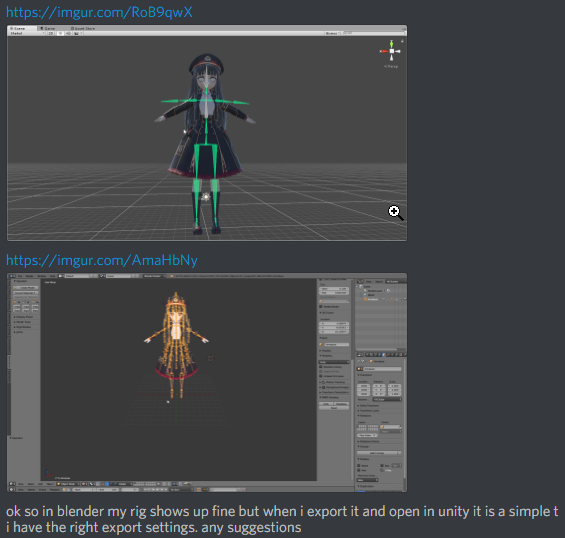
ok so in blender my rig shows up fine but when i export it and open in unity it is a simple t
i have the right export settings. anyone know whats happenin?
 barren quiver
Can anyone explain why the lighting in blender goes like this on some models? It's fine in Unity
ocean crest
Likely the material attached to it just switch it to the default and it should be fine
 steel nova
are there any videos or guide to creating a vr avatar from scratch?
random owl
Just google mmd
 static sun
current character, trying to figure out what to do for their hair at the moment <.< any thoughts?
latent charm
@static sun No idea, but if you have VR & TiltBrush, it's great for doing poly hair strips.
static sun
im gonna use ornatrix
upper kiln
@gaunt mango set the encode to japanese before unizp out the winrar
texture name get change when put in zip file
spiral sigil
Where does one get like sparkley hair or like galaxy looking hair?
Also, anyone know why a material wouldn't translate from Unity to VRChat?
spiral sigil
@static sun Why would the sides/background of the eye translate to a skin tone and not the white?
or anyone for that matter.
I was trying to do a custom texture for the eye.
 static sun
i have no idea, how are you changing the texture for the material?
static sun
use the eye material in photoshop, it will be a lot more stable and less buggy if you do it that way
spiral sigil
static sun
@spiral sigil put the body and skeleton in to object mode, Select them both, then go File - Export - FBX... then make sure you have "Export Selected" enabled
spiral sigil
im not sure what you meen by object mode
@static sun
@static sun nevermind its in object mode. so how do i select both?
oak temple
how do you merge two objects without losing the weights on one of them?
latent charm
The weights should get merged when they're joined.
 undone rock
Does anyone have a download for Miko Ooka without her hood up? I really want to make her model but cant find a model to start from!
oak temple
do you know what might cause them not to merge?
latent charm
Just to make sure, we are talking about bone weights, right?
oak temple
yes
latent charm
Yeah, they should just join. OH WAIT unless it's... hmm hold on lemme try something.
oak temple
just to be clear: its an attempt at joining two seperate armatures with their own meshes
latent charm
Yeah, it should merge any vertex groups with the same name. It won't automatically blend any groups, you'll have to do it. But you shouldn't lose any data.
oak temple
hm alright. thank you
 tough hedge
does anyone know where i can obtain the cube shaders?
spiral sigil
Excuse me, but would you be looking for this one?
https://github.com/cubedparadox/Cubeds-Unity-Shaders
sorry If I'm wrong.
Would someone tell me why a dress would translate in blender but going into Unity it exposes the skin beneath?
barren quiver
Is there a way in blender to assign all meshes to their own unique vertex groups before joining them? Without doing it by hand
 fiery plaza
Hey there, I'm following a guide on how to optimize an avatar, and I'm at the point where I'm trying to texture atlas. I'm following the steps, but the UV map goes nuts, and the texture atlas seems to be overwriting instead of creating a new UV. So when I go to try and switch the texture mapping back to UV map, all that is there is Texture atlas.
The tutorial has no other steps inbetween or settings to turn on, so I think something is missing from it
chrome tree
@fiery plaza The camera icon. Make sure you're on UVMap before you bake your Texture Atlas. Also I hope you didn't delete all of your materials if your TextureAtlas doesn't look right.
fiery plaza
I have multiple saves of the model as I go, so I didnt lose anything ^w^
chrome tree
@fiery plaza That's the way to do it!
fiery plaza
Hmm, well I still think I am missing something
this is the point in the vid that I am getting stuck
VRChat Community Discord: https://vrchat.net/discord Download VRChat! http://store.steampowered.com/app/438100/VRChat/ mmd_tools GitHub: https://github.com/p...
When I select the material, then texture, and try to switch mapping back to UV Map for the material there is only "TextureAtlas" available
upper kiln
i got that problem couple time
i just went back to beginng
try do it over again
because maybe miss somthing
spiral sigil
I forgot how much of a bitch modeling something from scratch is.
 quasi ingot
i wish there was a way to download a texture of a shape or mesh from unity so i could easily make textures and materials
and not have to guess the side by multiple random textures
fiery plaza
Well, I've tried it from scratch a few times now. And the model always goes from textured just fine, to broken and the UV map missing after I pack islands.
Is it possible that the Texture Atlas is overwriting the UV Map instead of making a new selection?
chrome tree
@fiery plaza You are pressing the Finish button right?
fiery plaza
Nope, let me run through it again and try that.
Woo, that was the issue
I understand what it was doing now too because of that. The duplicate object that it dispalys while unwrapping was missing the UVmaps because it was only the texture atlas
So it messed up, and had nothign to switch back too. Finish merged them back, and UVmaps are back
so thaaaaaaank you!
I wish I knew about this feature of blender 2 years ago when I was making models and painting textures and unwrapping UV's by hand...
spiral sigil
How do I get a crystal/shiney effect to hair?
chrome tree
@spiral sigil Probably going to need to mess with Shaders.
 hushed ginkgo
Hey question, how do you guys import .pmx files to blender? Is there a plugin like XPS?
upper kiln
@hushed ginkgo https://github.com/powroupi/blender_mmd_tools/tree/dev_test

GitHub
blender_mmd_tools - mmd_tools is a blender addon for importing Models and Motions of MikuMikuDance.
download dev test zip
hushed ginkgo
Thx :>
upper kiln
@hushed ginkgo this make easy fix the model https://vrcat.club/threads/cats-blender-plugin-0-4-0.6/

VRCat: Community-Run VRChat Forums
Cats Blender Plugin (0.4.0)
A tool designed to shorten steps needed to import and optimize MMD models into VRChat
[IMG]
Features
Optimizing armature...
hushed ginkgo
I got cats already but thanks tho!
 fair oyster
I can't figure this out, why is the inside of the cape transparent?
thorn moth
mesh is only one sided
Simpliest way to make it double sided is to select the faces on the model you want to have two sides, and then duplicate and flip normals
somber bane
Does anybody have any idea on how to fix my model so that I can change my avatar descriptor to move along the Z axis? My point of view in vrchat wont move forward at all and I need it to so I can get out of my character's head. I can move it on the Y and X axis just fine though. I think it might have something to do with my model using custom walking/idle/running animations but I have no clue to fix it. :0
spiral sigil
so for some reason in unity when i apply shaders, it will make it where people with vr see two of me. Know of any fixes?
for cubed and rainbow. pretty much shaders ive installed
wicked schooner
So im messing around in Blender and
https://i.imgur.com/l4CPEPf.png i accidentally made this semi-transparent
anyone have any idea?
 odd dirge
does anyone know how to remove faces inside the mesh and make it the final model in blender
sitting at a whopping 72k tris
then again this is an exported model from machinecraft, apparently all the shapes happens not to join up
can probably resort to give me a dm and sending you the model file for optimizing below 20k
lapis needle
Select all of your vertices with "a" then try "w" then click "remove doubles"
odd dirge
tried that, it only removes about 1k tris apparently
 rain flicker
anyone here have an idea why my imported mmd models feet are backwards. they are fine in blender and mixamo but are like this when importing into unity
odd dirge
carve boolean modifier thing seems not to work
wicked schooner
Ok so
I somehow accidentally made the hands ifferent than the body
https://i.imgur.com/O0pa4Ii.png What did I do? Haha
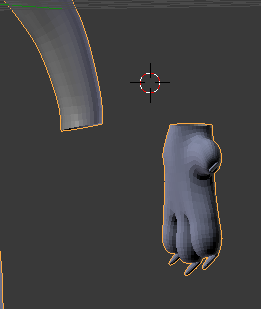
Did I like, miscolor them?
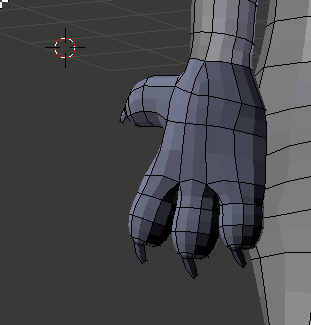
Yep
odd dirge
aaaaa
wicked schooner
Anyone have any idea how to fix this?
odd dirge
how do i make this a hole and fill it so that i can have reduced tris count to below 20k eeeee
wicked schooner
Ok figured it out
odd dirge
yep, definitely gonna resort to have someone optimize this thing for me to below 20k tris ree
 ruby hollow
@wicked schooner OH OH I KNOW HOW TO FIX THAT
THE FACES ARE INVERTED
SO, HOLDON, I FORGET THE SHORTCUT TO FIX IT, BUT YOU HAVE TO SELECT IT FIRST
wicked schooner
xdfgdfsggefg
ruby hollow
really???
thatssss strange
holdonnnnn lemme try something
I THINK this may have something to do with checking if your faces are inverted or not https://puu.sh/yMBy4/4ec4c9dfc2.png
just checked. it does
ruby hollow
me too tbh
but i thiiink i know my way around it enough

its hereeee
if it isnt there, press n to bring it up
as in, that menu
wicked schooner
I should keep that on since I want less faces right?
aaaaaaaaactually it looks like it changes nothing with the faces
ruby hollow
well, if you want less faces, there's a cool and easy modifier for that, but this just makes it so your faces aren't inverted and it doesnt show up weirdly
oh, well, if it changes nothing, it should be good??
wicked schooner
Ill figure that out once I finish this
ruby hollow
okay!! good luck lmao
wicked schooner
Thanks yo
ruby hollow
np!!
odd dirge
anyone else knows how to remove faces inside a mesh while keeping the exterior ones intact?
ruby hollow
OH i know how to do that easily
odd dirge
this is an exported model from machinecraft
removing the doubles doesnt seem to work :s
ruby hollow
gimmie a sec
odd dirge
i did what i found over the internet and nothing seems to be effective
ruby hollow
blender's a piece of SHIT
odd dirge
mkay
odd dirge
i know that one
odd dirge
it only reduces polycount but not the faces inside the mesh
ruby hollow
wwwell
i reccomend reducing poly count because it also reduces face count
then, after,
you can remove the faces inside
oootherwise i don't really know how to help
i do know how to select certain sections of a model (as long as they have seams), simply by hovering over the section and pressing l
odd dirge
down to 55k tris 😂
ruby hollow
getting somewhere at least !!
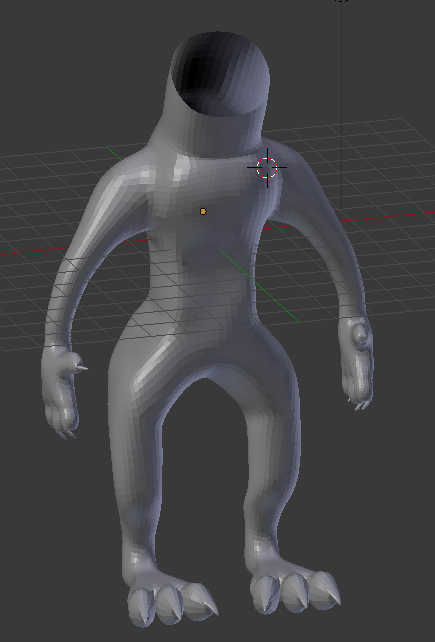 ruby hollow
it looks good though!! gj
wicked schooner
 wicked schooner
Anyone know a good way to do hair that wont increase the face a lot?
spiral sigil
so for some reason in unity when i apply shaders, it will make it where people with vr see two of me. Know of any fixes?
for cubed and rainbow. pretty much shaders ive installed
wicked schooner
Hey, if I use these for the hair on my model will I be able to reduce the faces?
Ok actually, you need a max of 20K Faces right?
wait is it tris or
 fallow wadi
I need some help with a ripped model's textures, I have this model that I've ripped out of a game and I have the texture for it as well, but when I try to apply it onto the model it's all wrong... Anyone knows how to deal with it..?
wicked schooner
 sturdy salmon
- yes, it's tris
- just move it up
 torn plover
@wicked schooner there is a technique to turn splines into hair type objects that are easy to manipulate because of the ease of moving spline points will deform the object in edit mode. I created 2 line splines and a circle spline. Now I reduced the Resolution - Preview U so the curves have less points on all splines. then i select the first spline and for bevel object select the circle, and for target object select the 2nd spline. THen you will get this shape that can be modified by editing the points. If you need more segments, change the resolution of one or more of the objects. Then when done positioning your hair altC to turn to mesh then with all verts selected go remove doubles to weld the top and bottom so you dont have shading smooth errors.
also as for optimizing model, select loops and dissolve them; will be faster also in symmetry
as for topology for rigging, this is a good example of the collapsing triangle joint which allows for simple but effective distortion at low poly cost
cobalt willow
I love you for this gif
torn plover
another example ive found in a practical setting
cobalt willow
In editmode, press K I believe and you can make cuts in the mesh
just make cuts from vertex to vertex
then you can add those in
fallow wadi
I have a model that is a 1-piece model, if I want to map the bones to that, do I need to seperate all of the parts I want to set..?
 kind ruin
Any reccomendations on reducing the poly count on a model I found? Its too high for VRchat, and proOptmize from 3dsmax seemed to not port over to unity, so i am lost
torn plover
@kind ruin pro optimizer is tricky to use properly and can mess up rigging & UVs. You can use Graphite modelling tools to dot ring select edges and then expand loops and remove them in high density areas which will roughly reduce by half. One of the better videos on Max optimizing is this one https://www.youtube.com/watch?v=e1v1YUC6z64 (granted, you don't have to go as low poly as this example of mobile target polycount, but the techniques are solid)

In any case of heavy optimizing you will have to recheck your rigging/skin modifier due to topology changes
ALso that Graphite modelling tools reduction loop dot ring technique i just mentioned is shown in this video https://www.youtube.com/watch?v=ZYK3MP1G910
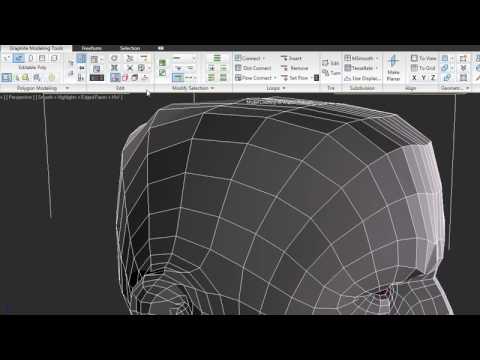
The new Graphite modeling tools represent a modern approach to 3D modeling—over 100 tools for freeform sculpting, texture painting, and advanced polygonal mo...
kind ruin
thanks for pointing me in the right direction
torn plover
No problem 😃 max is my main. Also for blender users I believe you can use the same techniques as the above video for optimizing. A page on how to do similar "dot ring/loop" methods here with gif examples for blender https://blender.stackexchange.com/questions/3487/select-every-other-face-loop

How can I select every other edge loop. In this example its not too bad to do it manually but it other cases it might be. How can I easily select alternating face loops?
 sudden tapir
how do i draw verticy lines
bc i need to fix a pair of boots
:/
ok then
ill figure it out
spiral sigil
What exactly do you need want*to do?
spiral sigil
...couldnt you just select them and move them down until they are hidden, or perhaps move the other part up to hide them. It looks like that mesh can be fixed just by joining them both in one object, then selecting and moving them a bit and then just merging the dots to make sure its one mesh instead of two different ones
sudden tapir
no...they cant be thats why im asking how to draw the lines
spiral sigil
shrug.
latent charm
@sudden tapir Go to side view (3 on the number pad) and make sure it's in ortho view (look at the top left of the 3D viewport, it should say User Persp, needs to be User Ortho, press 5 on the number pad)
Mesh in edit mode, press shift+k and that'll let you cut edge lines.
torn plover
^this. also you could attempt to border select those tops, then flatten the border loop selections on the Z axis and then drag down (proportional edit as well to bring everything else down)
lament pond
upper kiln

Original character, Rich Hari by Ricardo28roi: http://www.blendswap.com/blends/view/66838 In this tutorial: Learn how to make and pose facial shapes in Blend...
@warm robin
 finite trellis
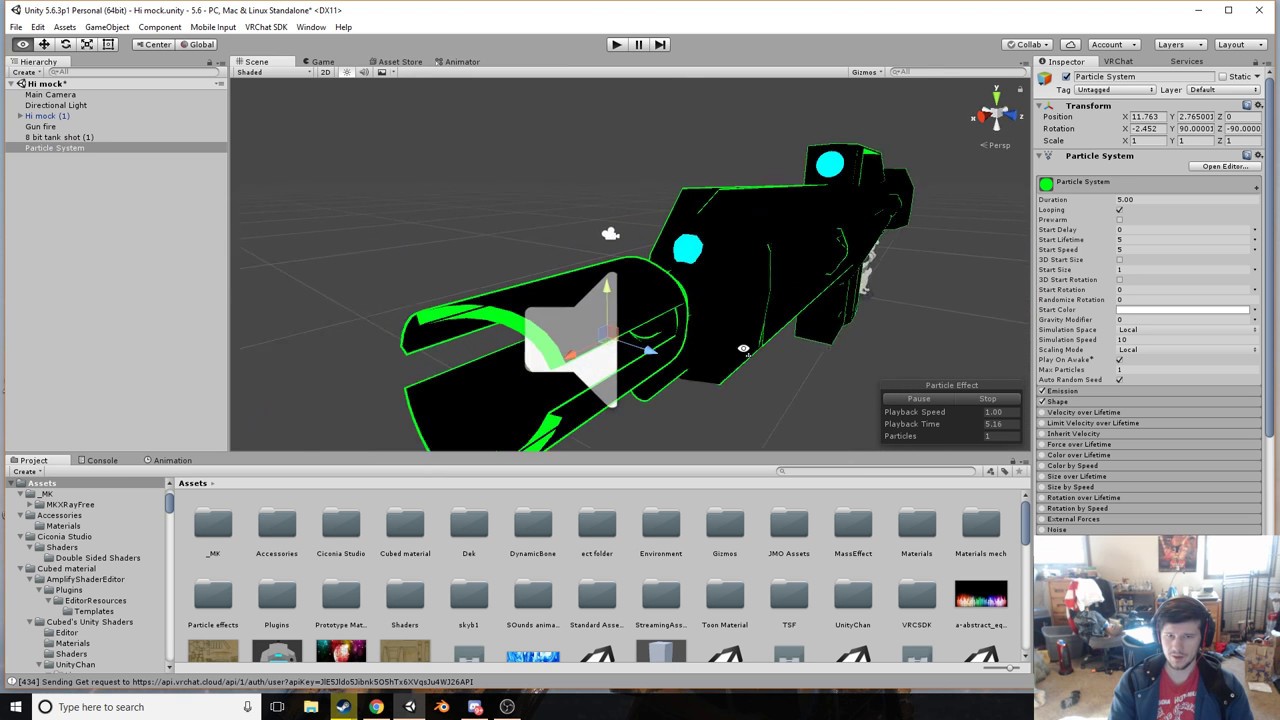
Is it hard to add say.. a Light Saber with the sound effects and beam? I can't find any tutorials. Help would be greatly appreciated!
upper kiln
@finite trellis it be same method but best way to make blendshape for lightsaber will be make blendshape for the beam part https://www.youtube.com/watch?v=wsaGVhIVSf8
 finite trellis
@upper kiln Is there tutorials on how to blendshape ?
upper kiln
if you watch the face shapes basic teach you how it works

This short (8 minutes) tutorial will show you all you need to know to be able to make blend shapes in Blender. It is actually very simple once you see how to...
shrink the beam blade then use blendshape to make it grow
finite trellis
Alright thanks i'll look into it 😃
 honest kestrel
anyone know a place to get models?
upper kiln
devianart
honest kestrel
yeah
 mellow zinc
I have absolutely no idea where to ask this, but how can I convert a .spa texture to a normal, standardised format like .jpg, .tga or .png?
 leaden remnant
@mellow zinc what's it from? I have not heard of that format
mellow zinc
Me neither, hence why I'm so confused, I think it's not really important as I done some research, MMD uses it, so I don't know if it's relevant for this channel's topic. I think it's an animated texture file with transparency. Hence why I cant easily convert it to tga or png.
upper kiln
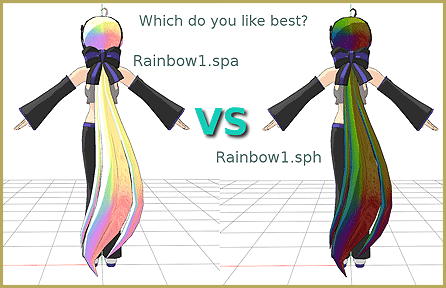
.SPH and .SPA Files add shine and sparkle to your MMD 7.39 models. Use PMD Editor in English to add sphere textures to your models. LearnMMD
there just use to make stuff shine you can use different shader unity
to make look like crystial
 warm robin
Yo, can anyone here show me how to make animations for my model?
Like, blinking and all that
 frail spire
hey um.. new here
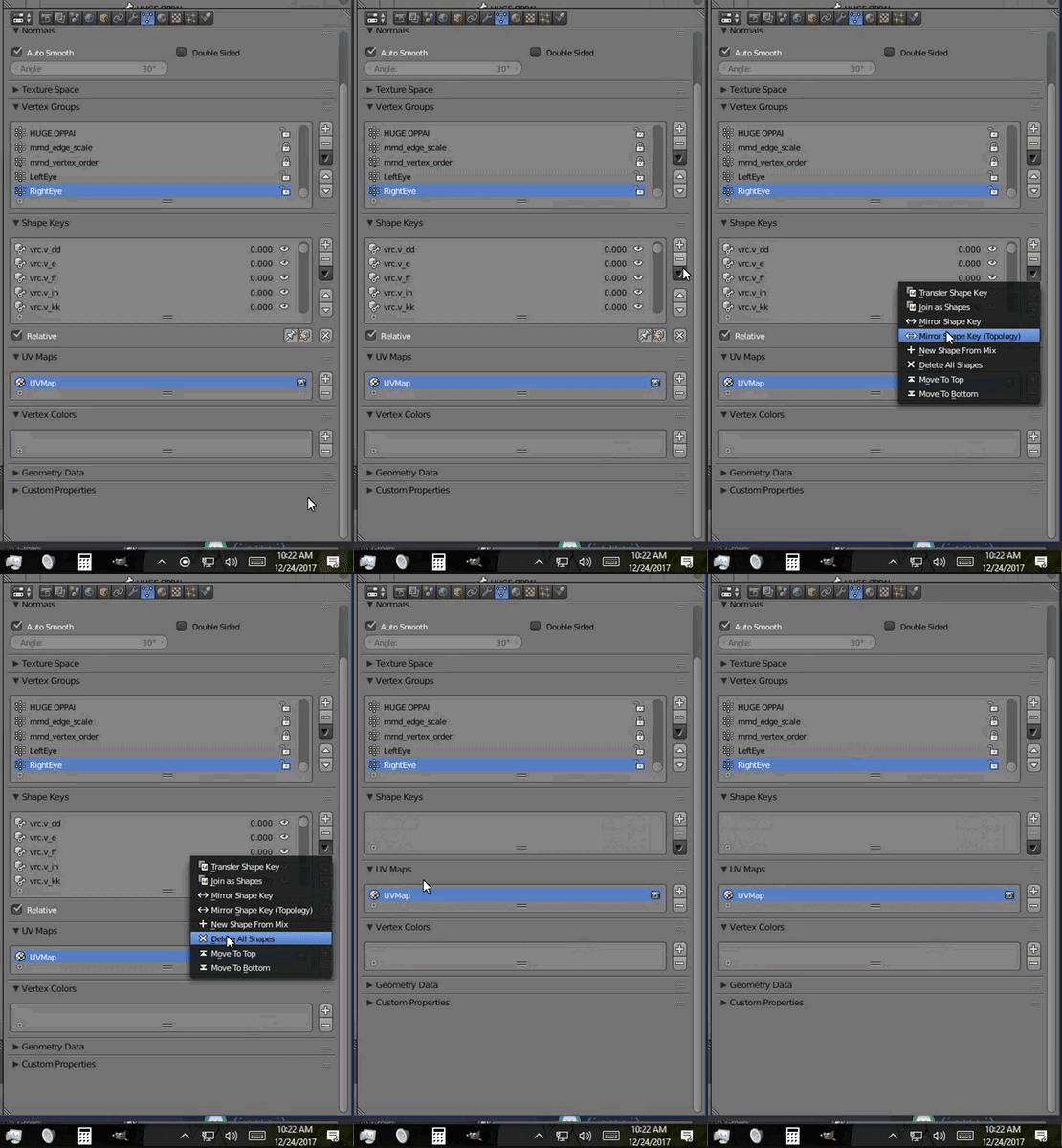
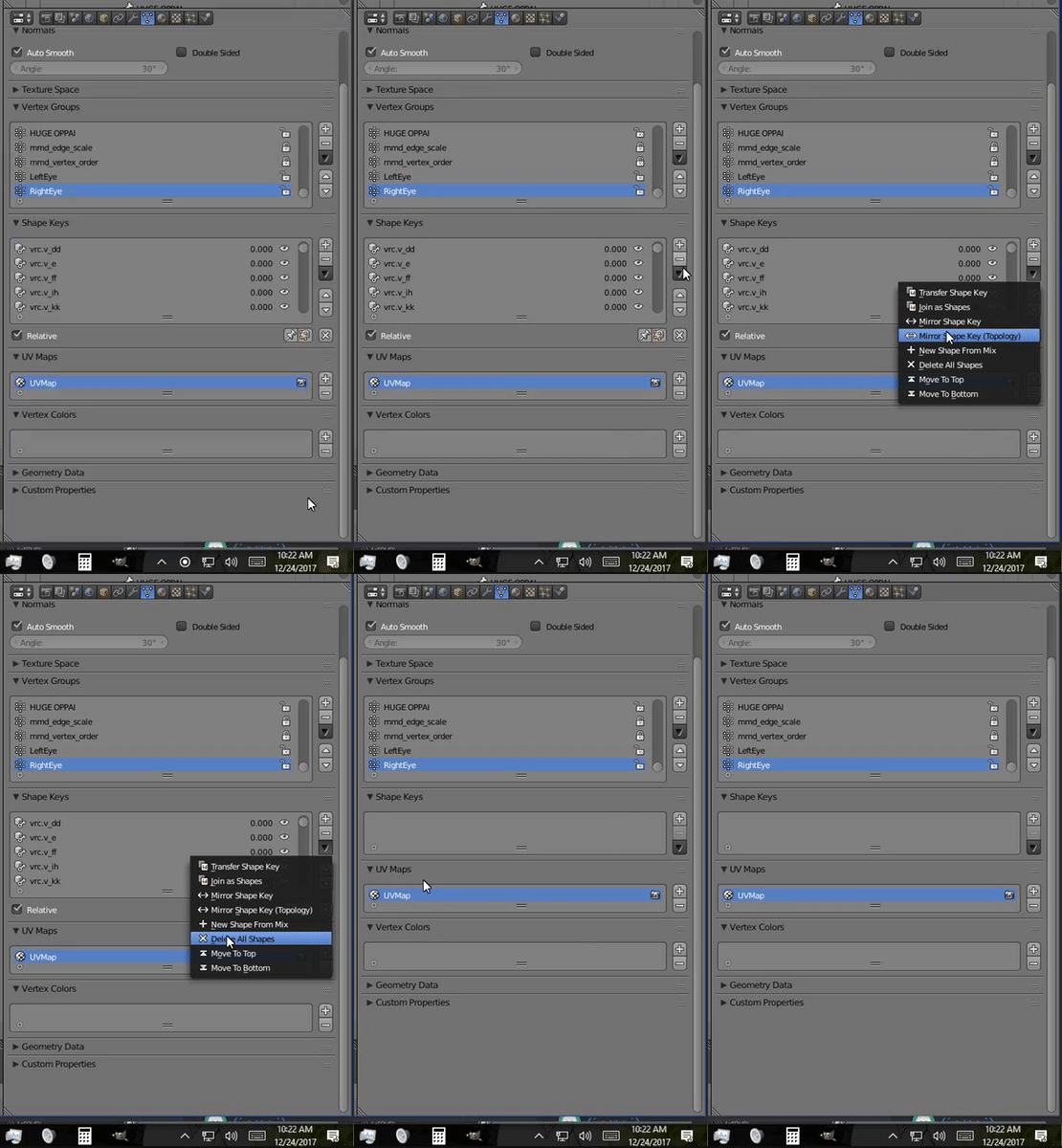
does any one know if i can remove shapekeys on body or clothes of a model?
i intend to decimate that part
would any thing bad happen?


 upper kiln
you can deicmate hair
frail spire
so hair doesnt need shape keys?
spiral sigil
I had to delete a lot of a model in blender to get it under 20k. now when i export it to fbx, it's completely distorted like a mutilated abberation. can someone tip me off why this has happened please
spiral sigil
ur bones r wrong
frail spire
how can i fix it @spiral sigil
spiral sigil
is it from mmd?
frail spire
yes
spiral sigil
use cats plugin thats in the pins its the easiest way and works so far for everything ive tried
spiral sigil
left is how it is before, then right is after exporting to FBX. its probably something really simple that i dont know but as a beginner id appreciate if someone can tell me or give me a little hint as to what i have done wrong here
warm robin
did you use cat?
spiral sigil
i did, yeah
warm robin
hmm
spiral sigil
i deleted a lot of the mesh but there are no loose points anywhere which i thought might've been causing it
so im stumped
spiral sigil
yeah theres nothing
warm robin
then if you go and export it over to unity it shouldn;t look that way anymore
shouldn't*
the .fbx file I mean
warm robin
show me
and open it with
Unity
cause these are how mine look:
So I'm sure you messed up a step somewhere
spiral sigil
spiral sigil
i know I've messed something up but I don't know what
spiral sigil
the mmd pmx ?
warm robin
just gimme a second
spiral sigil
its after lowering tris that its screwed
warm robin
im gonna make a new projec
project*
and fix this
just to make sure, you have mmd_tools, mmd_utils, and Cat, right?
all three?
spiral sigil
yeah ive used it before on other models
spiral sigil
yeah
warm robin
yeah you just need to put it to a setting that doesn't do that visually
decimating it removes polygons
you can't just set it to lowest
spiral sigil
I haven't put any modifiers on it
warm robin
yeah you have
you said you lowered the tris
which is decimation
that's what's messing up ur model
spiral sigil
I have done this manually by cutting pieces off. Do I still need to switch a setting somewhere?
spiral sigil
maybe ill just call it a loss and move on..
spiral sigil
alright
but this is after you've got it under 20k?
it worked for me to before lowering it
warm robin
gimme a second
talking with the fam
the wings take up a big majority of the tris
i got a good 10k out of it
it makes it look ugly as all hell though
spiral sigil
yeah i just removed them completely in the end
warm robin
no
 honest sonnet
anyone know what causes texture degradation when importing to unity? Doesn't matter if the model is edited, decimated or in original format, some of my model just loses details and tri's for no reason that I can understand
spiral sigil
did you import it through cats?
warm robin
it's missing the front part