#avatar-rigging
1 messages · Page 173 of 1
 mint sierra
Then you would have to weight paint the boots in Blender
 tardy root
Lol thanks @odd kernel yeah, working full digi would be great. I've seen it estimated but this one is so extreme it wouldn't look right that way. Unless there's a trick that could make it work
 odd kernel
Wait, I think I know. I'm gonna reweight the boots.
I'm in blender lol
@tardy root All good, I just remembered off the top of my head.
tardy root
I'm thinking ill need to do this in avatar3.0 and mess with the layers. Ill read up on it. It sounsa like ill need to make my own base and additive layers? Idk
 flat prawn
can you change the rig type after adding the model
i didnt get any setting to do that when I put it in the scene
maybe because my avatar is imported from FBX?
 crisp tendon
Yeah, do that on your asset
@fading verge You could post screenshots of your rig instead
flat prawn
the control panel says upper arm isnt specified
and it says that it needs head, hands, and feet mapped even though they;re there
how
crisp tendon
are they mapped ? You have an upper chest bone too, you should be going through blender to fix it first
crisp tendon
alright, what problems are you having ?
 fading verge
so i test it in vrchat just the legs are messed up so when i walk the legs kinda brakes when i walk i can never get it to a t-pose the legs also go in to its self for people its hard to explain the rest
im pretty new to bones
and im not to sure if this a blender or a unity thing but my view looks so small and i have to increase my height so i look like normal size
crisp tendon
all the bone scales and limb scales are very far from humanoid so yes all the issues you're having are expected
fading verge
how bad is it 1 to 10
crisp tendon
well it's rigged so 3/10
fading verge
im surprised its a 3 but how should i fix it
crisp tendon
@flat prawn Try reimporting the model in this case
flat prawn
what do you mean
crisp tendon
@fading verge I don't think you can fix it without making it look terrible
right click on the model asset and reimport, see if it changes anything, if not then you should use the cats plugin in blender to fix it first
flat prawn
oh ok
i dont think cats can fix it because its an XPS model
but ill try
wtf still says that the head feet and hands and upper arms arent specified
idk what kinda mistake im making here
crisp tendon
That should be done in pose mode, not edit mode
fading verge
the problem with that the bones are not fully the same
let me show you what happens in t-pose if i do that
crisp tendon
Then they need to be made symmetrical
lots of tools in blender to do that
lots of tutorials as well
fading verge
can you show me a link because I don't know what oi really look up
crisp tendon

Thanks for watching!
Recording Software: OBS
Programs Used:
-Blender
Intro & Outro Music: Underwater Beats
-----------------------------------...
fading verge
thx man
 woeful citrus
Rigging is 2 hard
woeful citrus
I wonder
 grand junco
I wonder as well
 solid crypt
Heya~
I'm trying to add accessories to an avatar but a lot of things are going on
There is the 2 lines and the accessory bones, what to do with them?
I'm not sure how attach the accessory to the bones
crisp tendon
That would be weight painting
solid crypt
I closed the project now, gonna read about the weight painting later, thank you^^
grand junco
I have a minir derp i have an avatar thats upright in the unity project but after i uploaded it to vrchat its face is in the ground at a 100 degree angle
And none of the bones work cause the whole model is attached to my face
 placid whale
Hey guys, quick question-- I've successfully created and uploaded my first avatar; animations work great in game, but for some reason, there's no VR body tracking. I don't have full body, but my arms and crouching and stuff isn't working. I'm struggling to figure out what to call this to google for help. Is it a rigging issue?
 manic junco
placid whale
manic junco
placid whale
It was; I'm re-doing my vertex groups in Blender right now to see if it makes any difference... but I'm assuming not since animations were working
placid whale
Ok, I got everything fixed up in Blender (had to learn how to deal with weight mapping and all that fun stuff), but after re-importing my model into a fresh Unity project and uploading as a test avatar, I still have no control over my arms.
 gentle plinth
any idea how do i link those two separate arms/hands
to mimic each others movements?
placid whale
Maybe a better question-- do I have to map fingers for any tracking to work?
My first character is just using block hands-- so I just left it at wrists
flat prawn
Are there any tutorial which show which bones need to be named what
and parented to what
 zealous cypress
last message in Pinned message is a start
gentle plinth
so uh, i used rigidbody and fixed points

https://cdn.discordapp.com/attachments/720443729907023983/751537980921085983/unknown.png this is not intended

what could go wrong?
probably many things
flat prawn
stando powa
 tiny zenith
It's been done before
The commissioner showed me a screenshot

The head didn't contort and stretch
There must be some way of doing it
@crisp tendon
This is on the quest
crisp tendon
yep, still the same thing i suggested a few time, only paint it to the head bone
crisp tendon
Hip bone should be first
But still, you should have done the cats fix with the addon
crisp tendon
no, root shouldn't exist
 pearl thicket
I ran a model through mixamo and it made the fingers all wonky
now I have to learn how to rig/weight paint
hhhhhhhh
I dont know much about rigging but even I can tell that this just aint right
this is supposed to be regular closed fists
 manic gust
does anyone know what would be the easy way to fix the bones on a vroid model instead of doing it manually?
woeful citrus
Middle finger
grand junco
How can you do quadrupad models ?
I have an model i want in but i got 0 idea for finalIK or other things
 lost sparrow
Anyone know why this little area of my pants won't get painted? I tried saving and restarting thinking it was a glitch but it wasn't. I checked the leg bones too and there's nothing painted in that area. This is attached to the hip bone
Figured it out, those verts weren't in the hip vertex group, got help from a different discord
 lean goblet
does anyone know how to make it so each time you walk, sound/music plays?? i have a bell on an avatar and i want to make it so you hear a bell noise each time you walk/run
 zealous scaffold
is there a good premade armature/skeleton for throwing at blender, when making a brand new avatar from scratch? i recently tried to put the sdk2 example one in and the skeleton broke in the process.
 half grail
The blender rigify skeleton isn't terrible, but I would recommend not using the face bones.
otherwise making your own with this diagram is easy https://discordapp.com/channels/189511567539306508/390924372782612480/404301402878246912
 arctic rampart
Hey, got an error message saying "the angle between pelvis and thigh bones should be close to 180 degrees" but i have no clue where that angle should be measured. Anyone got a picture they can show of what a the proper angle should be, and where it should be measured from?
Found out, basically thighs should always match the hip so they're in parallel both pointing completely upright
flat prawn
what is weight paonting even for
arctic rampart
@flat prawn weight painting is for deciding how much each vertex is affected by a bone, with 1 being it will move 1:1 with the bones movement, and 0 being it will be completely unaffected
flat prawn
h uh
arctic rampart
you use the paint brush to paint the weight of each vertex
so it's affected by the bone you selected by a certain amount
if you're confused by it, just ignore it unless you have issues like things not moving the way you want with a bone in pose mode @flat prawn
half grail
is my hip bone set too low? how should I fix this
it's like the thighs want to be higher than the hip (using full body tracking fyi)
 slate smelt
does anybody know how you could import a roblox character? I dont have a rigged one but i have my character as an OBJ and an FBX file ready for whatever 3d stuff i need
also i never really do 3d stuff and im new to blender so would you recomend it? I just thought it'd be easier to rid cuz there aren't as many joints and actually moving parts
 bronze plinth
https://www.mixamo.com/#/ if your modle is done right you can ju7st use this to rig your modle
 low coral
Does anyone know how to change the rest position even if the model has shape keys? Is there an add-on or something?
flat prawn
is there any way to move the shoulders out
low coral
also is there some sort of model reference so I can make my avatars to the correct size? I keep messing that part up
flat prawn
when my arms are at my side in VR the arms clip into the chest
@low coral like normal human size?
flat prawn
unity has a grid to show the height in meters
the compass thing in the top left, you click that and it will become flat and show a grid
size in blender doesnt matter
flat prawn
idk about blender
low coral
I messed up my pose and rest position and now i hover in the air in vrchat
the only way i can see to fix it is to delete all my shape keys ; _ ;
flat prawn
huh
slate smelt
@bronze plinth i've tried mixamo, for some reason it's not working and its glitching when i auto rig it, should i try and fix the model or just rig it myself?
bronze plinth
what size in units is your mesh?
fading verge
fixed the legs, but now its telling me its not imported as a humanoid but where is the configure button gone?
flat prawn
How do I move the shoulder bone
when my arms relaxed it causes the whole arm to clip into the torso
 sonic lava
In Blender and Unity when I import my model the pose looks normal, but when I upload it or check the Rig tag of Import, and do Enforce T-Pose, the legs move way back (next screenshot).
Like this, note how far back the feet are.Does anyone know why?
fading verge
I've been using my Rift S on VRChat, and it works fine. But, my shoulders on every model aren't properly moving
In a neutral position, my shoulders are pushed back and rotated forwards. And my arms come down a bit too far.
My in-game height is set properly (I'm 5'6), so why is it doing this on every model?
fading verge
Ohh hiii ^^/ im surprised theres a rigging channel here :3
Btw i see a lot of blender users here. :)
Does anyone.... use maya here? (Or am i the only one?)
Haha wow! Im seeing sooooo much awesome 3d models and rigs here ^_^
 heavy tinsel
Pretty much everyone here uses Blender.
It has the most VRChat related plugins to speed up development or fix issues.
 grave mantle
@fading verge reset your unity layout to fix that. It’s a unity bug. The button missing bug.
flat prawn
how 2 move bones in the model so I can make my shoulders positioned further into the arm
on that note, what exactly does the upper arm even do
because at least on my rig it just acts as a shoulder that works better but isnt used
 rose mountain
Trying to read over the docs, but wanted to ask here anyways. Any rigging changes in avatars 3.0?
 gritty latch
will corrective shapekeys work in vrc or is it only a blender thing?
crisp tendon
blender thing
 tidal surge
i am having a heck of a time rn
 gaunt walrus
Why
tidal surge
my avatar is borking when i set it to humanoid in unity
gaunt walrus
Dang
tidal surge
when i have it set to None, it's fine
i've been tweaking the bones and exporting a bunch and for whatever reason, it doesn't like this particular export
gaunt walrus
Why won’t it work in...uhh..human form
tidal surge
even when fresh imported
one mo
left : None
Right : Humanoid
no messages on the panel
gaunt walrus
Why won’t none work for you
gaunt walrus
Look I’m sorry it’s late where I am I apologize
My eyes aren’t great
But looking at it better I can say that that is human
tidal surge
yes
gaunt walrus
Wouldn’t the torn skirt have a cool look to it?
tidal surge
i appreciate the levity but i've been working on this all day and i'd rather get solutions at this point
not a fan of random issues like this
gaunt walrus
Ok well it looks to me that the skirt is clipping into the skin there. Can you adjust the skirt?
tidal surge
it's an issue with the rig fucking up on import/ configuration
gaunt walrus
Ah ok.
 brazen lintel
suppose I want to rig a dragon model with a humanoid armature just so I can use humanoid animations on it and bust my sides
how would I rig a neck with three segments when the humanoid neck only has one bone?
I already have a bit of an idea, but I just want other opinions on it
three extra bones rigging the neck
and then in Unity, use rotation constraint on the three extra bones with rotation transforms from the head, neck, and chest(?)
tidal surge
it appears that it was due to the hip bone rotation i applied, following Kung's advise
not sure how that works
if he recommends it then it shouldn't have this kind of effect
yeah, i'm not missing anything
i don't know how this could work for him but have this issue for me
unless he's on an old unity version and it just so happens to act differently in this unity version, but i doubt it
 solid adder
@brazen lintel look into rotation constraints
Set up a humanoid avatar and set up your rotation constraints. It'll be like a puppet.
 fringe citrus
@tidal surge I just reconfirmed that the slight sideways hip tilt rig hack fix (offsetting the hip's root to the side very slightly) still works just fine and doesn't break anything in unity
tidal surge
i didn't even ping you and you still responded lmoa
it definitely has this impact on mine
fringe citrus
But as always is the case, if you use a rig hack and it breaks stuff, better to not use it, but I can't reproduce your issue
tidal surge
lemme show
fringe citrus
and yeah I lurk here from time to time
tidal surge
also i noticed in the desc you recommend using uh
av3 thing
also you sound v cute and i regret that i have never seen you in game
fringe citrus
it looks to me like you have a dynamic bone on the butt or possibly constraints that's holding the old values and needs to be reverted without the script active
and thanks 😊
tidal surge
oh hey you might actually know the answer to the click-to-switch-from-pose-mode-to-mesh (weight paint) mode issue
no it was the file
nvm
👀
back to the hips
one mo
and you might be right about the dyn bones
fringe citrus
click to copy component on dynamic bone script and then delete it
then click the gear for modified component on the bone controlled by dynamic bone script (probably the root and the tip both)
and do revert
and then go back to where the dynamic bone script was and past component as new to get it back
see if that fixes the messed up bone position
tidal surge
wait it can't be the dyn bones since it happens on a fresh import wew
just importing a fresh model
fringe citrus
Yeah, shouldn't do that on fresh import then
is your bounding box tilted on the fresh import?
if you use that rig hack it tilts your bounds:
tidal surge
i just re-did the hip tilt on my current file and now it's fine
fuck if i know why
i'll keep using the new file i made, i guess it became un-cursed
tidal surge
though it's still cursed, that i can't switch between modes
it's not that unfortunately
i think the file is borked
since i made a fresh one and imported the FBX and it works
for switching modes
fringe citrus
You could copy and paste your whole model into a new blend file maybe
tidal surge
i could safely export as FBX and import into new file safely, right?
fringe citrus
exporting through fbx loses a bit of data on bone tail positions
fringe citrus
the tail positions don't matter in unity except for the direction they point in, but when you reimport into blender it wants to set tails for the bones and depending on import settings you might end up with different tail positions from before
yeah
 cold kestrel
hey lads. I'm having issues getting bones to stick to this guy. for some reason I cant select bones when doing weight paint. any tips or better ways to have these arms floating from eachother? He is all one mesh idk if that matters
tidal surge
ty much Kung 😘
fringe citrus
yw 😁
@cold kestrel looks like you have the parenting backwards there, the armature should be the parent and the mesh the child
fringe citrus
ctrl click the mesh first, then armature second and then do ctrl+p on the viewport
if it's not weighted yet you can use auto weights, or with a mesh like that you might want to just manually assign each mesh chunk to an armature bone 100% so the skelly bones don't bend
cold kestrel
ahh yes i think thats it its lettimg me select the bones now in weight paint
yea it said it couldnt do weights
fringe citrus
nice 👍
cold kestrel
so ill do it manually also i want to make sure its really ridged thank you so much!!!
fringe citrus
yeah if you're doing it rigid, then when you assign the armature as the parent do with empty groups
cold kestrel
ahhh let me try that
fringe citrus
then go in edit mode and select part of the mesh that's supposed to move with any given bone, and do this:
so for example you'd select the group of skelly mesh-bone-parts that moves with that arm, then go over to the vertex group and with that part of the mesh selected click "assign" and it'll put it 100% on that armature-bone
cold kestrel
Instead of just weight painting the parts all red that i want for each bone?
fringe citrus
yeah that leaves room for error accidently hitting a bit of the mesh behind it or something
that would work too though
cold kestrel
that sounds like a safer option. I'm not too use to the Vertex groups stuff but ill try it out.
fading verge
I see a weird problem with my rig in Unity that doesn't exist in Blender
the "Armature" appears as this weird bone
I can't seem to get rid of it
any ideas?
 vague dew
Do you have CATS?
fading verge
I do
Hello! i was wondering if anyone could help me get a model setup? i haven't played in a while
i'm not to good at rigging or anything so i was hoping someone could make one for me if thats ok
i hope its the right place to talk about
vague dew
CATS doesn't fix that?
fading verge
i don't know what that is
vague dew
I'm talking to JustInNovel
fading verge
ah ok
new to this server and want to find someone to help setup a new avatar for me
Specifically Tarics old model from League of Legends.
cold kestrel
So my model isnt saying theirs shoulders and i do have more armatures for the collar bones in blender. How would I go about fixing that? Do i need like invisible objects do put the shoulders in?
crisp tendon
you just need the bones, they don't need to have weight paint to anything
also collar bones do nothing
cold kestrel
hmmm how would I go about adding them or changing the collar bones to shoulder bones?
cold kestrel
hmmm they just dont appear when i put it in unity
like i have these in blender so im just not sure whats different about these and shoulders. is it just naming them differently?
crisp tendon
Don't appear how ?
cold kestrel
like in unity theres no shoulder bones and vrchat sdk is telling me to assign them but theres no bones to assign them to
i just feel like im missing something dumb
im sorry
they did apear after i weight painted them a bit but i kinda didnt want them to be attached but it might be okay
crisp tendon
you can give them like 0.01 weight paint on something and it should have almost no effect
but they should be showing up without this
cold kestrel
yea idk why i cant find anything why they wouldnt. I was thinking about doing invisible boxes but idk that seems like a bad way to do things. Thank you though! I appreciate it
pearl thicket
I dont know if this is rigging but an avatar I made walks on its tip toes and when I bend over it goes into a laying down animation earlier than it should
Ive played with the height settings and they dont fix this
well the fix the tip toes
but thats after setting it to be a foot taller than I am irl
I just read setting the toe bones to None could help?
crisp tendon
Seeing the armature in blender front/side view would help
as well as the avatar descriptor in unity
@pearl thicket
 faint anvil
Hey so i'm having a weird issue that i haven't had on my previous avatars where the fingers cross over in an awkward way. It looks fine in the editor but when i bring it into VRC its almost like the default finger poses don't agree with my rig.
faint anvil
some poses work like the resting position and thumbs up but this is what open hand looks like.
and the point gesture uses the ring finger instead of the index finger
tidal surge
@fringe citrus apparently it wasn't the hip tilt that broke/ fixed it, despite it breaking/ fixing when i tilted/ untilted the hip
i made a couple more changes to my model and imported into unity only for the same kind of problem to occur again
so i straightened the hip bone and nothing changed
set to none ^
set to generic or humanoid ^
fringe citrus
@tidal surge After you apply humanoid rig and go into the inspector on your avatar's butt dynmaic bones can you show the transform for one of those bones?
Like this:
fringe citrus
Hmm yeah didn't make sense on a fresh import but wanted to make sure they weren't bold like modified values
Do you clear bone rolls on export in blender?
tidal surge
it appears to be working 👀
fringe citrus
Ah guess that was it 👍
tidal surge
do you know why that would cause problem?
fringe citrus
Unity and blender handle bone rotation differently, so it's less likely for there to be issues if the bones all have the same roll value. But specifically I don't know why in some cases it might cause issues and in others it doesn't
It's good standard practice to clear rolls every time before export, though I've seen one case where someone needed to set up custom rolls to fix their arms
but in general if you're having mysterious twisty problems, try clearing bone rolls
tidal surge
thank you very kindly, my savior 
fringe citrus
no problem, glad it worked. I was pretty much out of ideas if it didn't 😅
tidal surge
local avatar testing is really buggy in vrchat
there's a good chance that it'll fuck the game
making avatars fail to load, and then when you try to change world, it just stays on 0% forever
and obv you can't re-calibrate either
sonic lava
In Blender and Unity when I import my model the pose looks normal, but when I upload it or check the Rig tag of Import, and do Enforce T-Pose, the legs move way back (next screenshot).
Like this, note how far back the feet are. Does anyone know why?
crisp tendon
Clear rolls in blender
sonic lava
@crisp tendon like go to each of the bones and make sure the roll is 0°?
or alt-r, to reset the rotation (actually it looks like that's called clear roll). So I can select all and clear rot
I didn't see a visible change. Should I try re-importing anyway?
sonic lava
hmm same issue. It's almost like the t-pose that Unity is enforcing is conviced that the bones need to be in that angle
but my rest pose is how I want it, more straight up and down
crisp tendon
is your model actually at 0,0,0 ?
sonic lava
it is in Unity, 0,0,0
and in Blender
with the origin right between the feet
here's how my rig looks in Blender
faint anvil
Does anyone know what might be causing my issue? I checked all the bone names after I ran it through cats and in unity it recognised them correctly.
sonic lava
ha nub, that almost seems like my issue
it looks fine until it doesn't, and unity repositions the bones
what if you click Enforce T-Pose in Pose ni the rig import? thend o you see it in the wrong position?
crisp tendon
Oh yeah that leg bent is a bit extreme, i'm not surprised unity is unhappy
sonic lava
you mean the bone deformation is extreme? I was trying to find a way to keep it digigrade, but maybe I need to reposition things
faint anvil
That's the thing, when it's posed in unity it looks like it's moving them correctly, it's just that once I upload the avatar the hand poses are acting janky
sonic lava
like the angle from the hip to the thigh bone is high
you mean the bone deformation is extreme? I was trying to find a way to keep it digigrade, but maybe I need to reposition things
hm
crisp tendon
You can still make the upper leg much more straight
if you want that kind of pose then you'd need custom animations for most things
sonic lava
ah. I can probably just redo the leg to match other digi avatars. This is my first one, so it's a learning experience
 dim musk
how should I approach the dynamic bones for this bottom dress? Only use 2, or do I need more since it is much larger?
as it is, the dress doesnt move at all in blender (no weights), but in unity, somehow it tries to make it move and the result is a glitchy mess.
sonic lava
when I've seen dresses rigged I've seen way more than two bones, usually a chain of four or so, in a few spots around the dress
dim musk
okay. how should the hip bone interact in the lower body (dress and thighs)?
crisp tendon
With dynamic bones and colliders
sonic lava
how do you add colliders to bones, so that you can interact with other dynamic bones?
dim musk
I wish I could have a sample model to compare to, as I wouldnt want to weight the dress and thighs only to realize I approached it in the wrong way
faint anvil
So when I move the fingers individually in unity they seem to transform properly but when I upload it the default hand poses don't agree with my avatar
crisp tendon
@faint anvil make sure to clear bone rolls in blender
fading verge
What do I need to do so my avatar don’t flys up if I l look down
tardy root
are there requirements for the bone lengths? I want to make the bones for my legs but dont know if I should just assume the knee is close enough or if I should use some standard sizing
I'm guessing the human metarig is an ok rig to start with?
faint anvil
Oh is that what it is? Like when your bones are tilted?
 rocky thorn
I'm trying to add eye tracking to a model and everytime I import to Unity after testing with CATS the eye bones are rotated -90 on the X axis. This makes the eyes break when I enable tracking on them. I've tried applying rotations, clearing bone roll, rotating the model 90 and -90 in blender, ect and nothings worked.
Does anyone have an idea or solution? I've never run into this before so I don't know how to fix it nor troubleshoot.
rocky thorn
Actually I think I may have figured it out. Gonna try rotating the bone in edit mode so the bones normals line up the way it does in Unity when at 0,0,0. Had a similar problem when making jigglybones in source engine.
It worked. I woulda thought cats would have done that automatically but guess not for me.
crisp tendon
use 2.8 for now
 proper heron
i honestly didn't expect it to work
fading verge
So i need a bit of help
i followed a thing to figure out how to do fullbody
but my avatar keeps crumpling into the floor when my friend uses fullbody
why does this happen?
I cant seem to find anything on this issue on google, so im not sure how to fix it
crisp tendon
Show your armature front and side view in blender
fading verge
Aight one sec
It's a tiny avatar so i have no idea if that's part of the issue
It's about a half the size of a half sized avatar
(so about half the size of a hobkin)
idk
@crisp tendon I posted them if you didnt see
crisp tendon
Move your hip bone aboe the legs, then select all bones and alt + R
Change the animator ?
fading verge
The hip bone is above the legs
crisp tendon
Your feet would disagree
fading verge
Oh, that's a thing i did so that the avatar doesnt bend the legs the wrong way
It doesnt seem to harm anything
crisp tendon

fading verge
Idk i'll try lining them up
faint anvil
They changed the bindings in blender 2.8 how do you clear bone rolls now?
crisp tendon
alt r
mint sierra
ALT+R or edit mode - select the whole armature - Armature - Bone Roll - Clear roll
faint anvil
@crisp tendon So I cleared the bone rolls but its giving me the same result, I can move the fingers when posing the character in unity but the default hand poses are still giving me trouble
crisp tendon
@faint anvil Does it also look like that in animation preview in unity ?
fading verge
i'd also open the actual fbx editor in unity, and re-setting the avatar, then forcing tpose
as ive found doing that actually applies the bone stuff for some reason, and updates the whole rig
seems unity doesnt actually update it unless you do that
faint anvil
Where are the default hand poses located in VRCSDK so i can preview them?
nvm found them
faint anvil
yee
here
The weight paints aren't going across fingers
and i cleared the rolls so that the bones are straight
And I let cats rename all the bones so that they plug in correctly into unity
faint anvil
crisp tendon
Did you check the bones though
need to be sure that the correct fingers have the correct bones names and that they weren't swapped
which can lead to fingers crossing
crisp tendon

faint anvil
That makes so much more sense now
because the ring finger was pointing
Thank youuu
 mental hamlet
Currently i am working on my first avatar which will have a "jacket on/off" option in the emotes. My question is if it's somehow possible to have (dynamic) bones in the equipable jacket?
 sleek light
Having an issue in Fullbody where my avatar descriptor shifts when I'm standing it's normal, but laying on the ground or sitting it seems to drop like 6 inches, any idea what's causing it?
 sage patio
@sleek light are you using the old calibration or the new one?
@mental hamlet yes, you can use animations to enable/disable components, including dynamic bones
tardy root
Does using final IK break humanoid rigs like FullBipedIK does?
sleek light
@sage patio I use the built in one in the ui, is there a new way to do it?
sage patio
if your avatar moves when you move your head, it's the new method
sleek light
Just seems odd it's fine while standing but shifts when I lean down/sit on the floor/laydown
sage patio
it's never going to be perfect, you'd need a chest tracker, which VRC doesn't support doing
sleek light
rip, alrighty
sage patio
but try adjusting the User real height in the settings perhaps
sleek light
guess I'll just play with the descriptor to try making everything as close as possible for standing and remember the offset with laying down
sleek light
yeah I manually set the viewpoint on unity properly, I'll keep playing with height later
 foggy forge
why am i getting rigging errors?
foggy forge
fixed by migrating back to blender and fixing the bone hierarchy- i had changed it in unity and it made everything break
fading verge
anyone know what causes this when creating eye tracking ?
creates the eye bones way back and broken
crisp tendon
Try applying scale on your armature and mesh before creating it
crisp tendon
Check your shapekeys maybe ?
If one of them is broken and the eye mesh explodes it could mess with the tool
if not i'm not sure since i've never seen this issue before tbh
fading verge
ive seen this issue alot
i believe the issue is that your eye bones are already mapped to where Cats wants to map the eyes
so it explodes it cause it glitches out
crisp tendon
fading verge
It's really weird, and i havent been able to fix it
crisp tendon
it's just a transform location, why would that matter
fading verge
Because it makes new bones
crisp tendon
Do you have an eye sphere Mehdi ?
fading verge
yeah I just redid all the shape keys because it wouuld crash on import in unity
nope
crisp tendon
yeah but you can have bones on the same location, shouldn't cause any issue
What kind eye of mesh is it ?
fading verge
should I recreat the eyebones ?
That's what i always did so quite possibly you might have to
classic mmd
otherwise, set the eye property in cats way the hell down
like, insanely far
crisp tendon
Ok, eye bones should be straight up
crisp tendon
Where are yours ?
crisp tendon
Can you try to make yours correct ?
fading verge
they are pretty spot on like I always test them out before creating the cats ones
crisp tendon
yeah but they're still incorrectly setup, so i'd like to make sure that's not a cause
fading verge
ok what do you mean by incorrectly set up
crisp tendon
They need to be straight vertically
crisp tendon
yes, the bone need to be aiming upward
fading verge
ok hold on let me try that
crisp tendon
All cats does with eye tracking creation afaik is make new bones with the same weight paint and correct naming scheme
crisp tendon
and clear bone rolls
crisp tendon
seems good
crisp tendon
Well, try the cat's eye tracking creation again
i'd like to know if the result is any different
fading verge
still does the exact same
crisp tendon
what are the flying pieces above your model ?
fading verge
they disappeared when I tabbed back in
hold on let me try to recreate it
no way to created that
it wa probs a visual glitch
crisp tendon
Doubt it, but in any case, you can use the names of the bones that cat creates for the new ones, and rename the ones you made with that
then unity
fading verge
how do I go about setting the range of eye tracking in unity btw ?
is it using bone constraints or something ?
fading verge
ok thanks
fading verge
I saw that
👀
if you're still here it means yyour foot tracking balls are too low
adjust your height till they're were they are irl
cold kestrel
Hey guys is there a way to reset all of the weight paint you have done? mines being real weird and Id like to start over
fading verge
you can uh
so go over to the place where you edit visemes on a mesh
above it it'll be all the weight paint stuff
in the middle on the right of it there'll be a dropdown
it should just be "clear all" or something like that
Should be the vertex groups
"delete all groups
@cold kestrel
cold kestrel
will i have to reset all my bones or just create the parent again?
fading verge
it'll simply remove the weightpainting on all of them
if you want to remove a specific one, just look for the name of the bone in the vertex group and select it, then press the minus button above my cursor
cold kestrel
ahh i think thats the best yes thank you!
fading verge
yup!
cold kestrel
for some reason when i mirrored in weight paint it screwed it all up and im just gonna do both side manually
cold kestrel
hes kinda blockey so i want to make him ridgid
this is an old photo so do not be confused by my parents
fading verge
Select the bone, duplicate it
then rename it to the opposite bone
then select the original one
and click "mirror vertex group
In the vertex group tab
not the actual bones
cold kestrel
interesting okay ill have to try that
fading verge
yeah, that'll mirror whatever bone you're selecting to the opposite side
Another thing you can do if you wanna be fancy
is delete half your character
And then make every weight on one side gone, then just click somewhere randomly, and it'll duplicate it if there's a bone with the opposite name
there's alot of ways to handling mirrored vertex groups
cold kestrel
yea alot of those settings are very new to me. I feel like im doing stuff the longer way
extra bonus question
fading verge
hm?
cold kestrel
id like to have each one of the ribcadges as its own thing. can I just have a armature for each section and it will accept it like that as the whole spine?
I havent tried it yet but if it doesnt work then i wont waste a bunch of time
fading verge
You can make a bone for each one yea
but you need to manually weight paint them each
cold kestrel
yea i thought so on that part but cool im glad that will work some way. Thanks dude!
fading verge
ya
 fierce mountain
Hey so someone in my VC is having an issue in Unity where their dynamic bones aren't working in play mode during testing. They move the model around but the dynamic bones stay in place. I'm not sure what's wrong
 mortal falcon
how do i fix this dumb hip rotation in fbt
crisp tendon

[Update 8/6/2020] (Avatars 3.0 info / current state of "RIG HACK" fixes):
*With the new FBT head-locked binding method the "Shoulder Flop Fix" of lowering the viewball is no longer recommended (However if you need it you can still use this fix with VRChat's launch commandlin...
mortal falcon
ty
 misty agate
is there a correct way to place hand bones so that the avatar's hands don't look weird when using index controllers?
this is how it looks in game
this is how it looks in blender
the thumb gets really messed up, and this doesn't happen with vive or oculus controllers
 high skiff
a simple avatar should only take about 16 bones right???
im still new to this and not sure how a lot of these things work
vague dew
Looks good, but if you want certain animations to work properly you should have foot bones, as well as hand bones with a thumb, index and middle finger.
You don't need to map them to anything for it to work
 high skiff
ooh thank you!
so even if the avatar doesnt have fingers you still need to put bones for them?
crisp tendon
yes
high skiff
got it thanks man
 honest turtle
Is there an explanation why an avatar floats into the air slightly when bending forward in full body tracking?
cold kestrel
hey guys im importing a rigged model and im getting this "File 'blockboy' has an invalid Avatar Rig Configuration. Missing or invalid transform:
Required human bone 'Head' not found"
I've tried renaming the spine piece that should be the head to "head" but its still doing it. Im guessing its a parenting issue? what should the head be attached to?
also do i need a neck?
 sleek isle
@misty agate rote the thomb in unity you will get an alert its not in t pose but you can ignor it
 orchid acorn
I'm trying to make my first avatar, but I keep running into an issue where even if I reset all of the rotations and everything in my bones so pose mode matches rest mode, anytime I go back to object mode or export it, they all jump back to really weird positions I never put them in, making the avatar have really strange posture which carries into unity when I bring the fbx file into it
I've tried to google around for this issue but can't find anything about the weird rotations coming back like this constantly
 open anvil
anyone have an in-depth dynamic bone tutorial?
sleek isle
Try and error. Done
 scenic lichen
Is there an explanation why an avatar floats into the air slightly when bending forward in full body tracking?
@honest turtle
So move your view ball closer to the head bone
honest turtle
Thank you
 nova lark
Not sure if this is the right place, is there a way to export from vroid to a-pose instead of t-pose so that it’s easier to jump right to mmd clothing?
 topaz temple
I'm trying to rig an old PS2 model to use as an avatar. The problem is, the boots are too close together, and are clipping into each other. Is there a way I can separate these before I rig it so the foot bones don't steal each other's faces?
 brisk rampart
https://i.gyazo.com/b34cbe327ca6f0c76d1e0eef0336a340.jpg
I duplicated a tail multiple times, but the duplicated meshes' weights are not assigned to the new bones. How do I assign these vertex groups to the respective bones and how do I add rotation constraints so the duplicated tail bones follow the main tail?

 cyan adder
does dynamic bones use the head or the tail of the bone?
it doesnt use the middle
ik that
for sure
 fervent hornet
@brisk rampart Make sure you change the names of the bones before you join them back or the vertex groups will merge. Rotation constraints are done in unity but you can test with blender constraints
@cyan adder Dynamic bones work from the head of the bone/ start of the chain
 feral aspen
okay so im completely new to blender, and im trying to add bones to the hair, how would i go about doing that?
i already spawned in a bone at the feet, but its not letting me move it around
okay so i found out how to move it, but its only letting me move it around one meter at a time
dim musk
things like hair roots and skirt roots are never weighted with anything, right? It is their children only?
 surreal anvil
is there a way to rig a character with a hunched neck so that it doesnt point straight upwards in unity and then vrchat? ive gotten it to somewhat work but now my avatar floats in the air if i'm not looking anywhere but straight upwards.
fading verge
anyone wanna have a heart attack with me?
dim musk
@feral aspen the magnet icon is enabled for you, blender snap feature
I am confused when and where to weight the skirt:
-weight just the top part with the hip bone
-weight somehow with the SkirtRoot.L and R parents?
-weight somehow with the thigh and calf bones
-weight somehow with the skirt bones themselves around the circumference of said skirt
If anyone could show me how the weights are supposed to look on a completed long skirt, it would be greatly appreciated!
fading verge
so I didn't know why someone's avatar kept... ripping its hips through its spine
Pulled the hips down to look at if anything was screwing with it and found pain
 finite arch
can somone tell me why when i enter the game my model atumatically has its shoulders rotated slightly forward? but its not rotated like that in both blender nor unity tpose?
finite arch
anyone?
fading verge
are you in full body
I have some shirt bones that are weight painted and look okay when moved in both blender and unity. I've set a parent constraint on the root of each shirt bone so that when the leg moves, the bone is supposed to move too. I've removed "freeze position" for every axis and have applied "freeze rotation" for every axis. It looks okay in Unity when I move the leg in pose mode, but when I get in the game, the legs aren't moving the shirt bones. Any ideas why?
I've checked over and over, it looks fine testing in Unity, I don't get sdk warnings, it uploads fine, but when I get in VRChat, they don't work
I thought maybe it was because I am in full body... but I have another avatar with parent constraints that works just fine
finite arch
can i STOP my shoulders and arms from unneccesarily rotating when i raise my hand? i have my model weighted in TPOSE but in game i all my bones start out slightly rotated, and they rotate even more when i raise my hands. (im in normal vr mode btw-- no full body)
fading verge
so I've been working on this for hours... I have another avatar with parent constraints that appear to work but this one, while seemingly the same, is not. I just weight painted the mesh and that works, but the angle of rotation always causes clipping, of course. If anyone knows of anything that could help fix this issue, I'd be very grateful. Clipping is one of those things that really bothers me, and even worse is when it looks right in Unity but doesn't work in VRC... I checked how I look directly by looking down at my shirt - it matches what I'm seeing in the mirror, so it's not a mirror issue.
finite arch
if its an article of clothing and body part is clipping through it you can just make the body part clipping through transparent
fading verge
I've already removed all of the possible body parts, this is a pair of shorts clipping through the shirt
i've also removed as much of the shorts as I can without it looking weird in an obvious way to someone looking at me from the side
it's already kinda weird because anyone looking at me from behind might see transparent body..
is there something i've done to the project that would make vrc reject the parent constraints? I know the bones are working because they just remain in fixed position and deform the shirt just fine. When I pull away from the bones, the shirt stays in position, so it appears to be pulling away from me
just some background
those setting result in the look i want from within unity
it's great
why doesn't it work in vrc
they just remain fixed
i tried dynamic bones, that didn't work, plus performance was terrible
fading verge
is it possible that using full body would interfere with the constraints?
when I use desktop mode, it looks correct...
Maybe there's something wrong with my rig? Perhaps in Unity? Here's what i looks like in Blender - red box is the cluster of shirt bones
dim musk
where do I start on this? Do I make SkirtRoot.L and .R as a parent to each thigh? Are the skirt bones on each side supposed to be like this? Would it be Hips>SkirtRoot>Thigh bone?
dim musk
trying rotation constraints in unity
dim musk
Also, what is the purpose of the default bones "HeadTop" and "Toe End"?
fading verge
@dim musk let me know how that goes
nope, my other model that works has multiple bones connected too
fading verge
I discovered something
so, for some reason, when I use the new full body tracking, the parent constraints aren't activating
the bones don't move
but using legacy full body tracking does result in the bones moving
but why
first time I've seen this happen
 ebon junco
Does anyone know if this actually matters? I get this warning a lot and everything seems fine when using the avatar.
I mostly ask because my full body tracking comes in very soon.
The body seems pretty normal when doing non-full body things but still in VR, like crouching and whatnot. I don't see anything really out of the ordinary, I just wanted to know if this is actually a big problem.
fading verge
@ebon junco yes it does
i just went through that
based on the angle in the warning, check to see which direction your hip bone is facing
if you don't your knees might do weird things
the way to fix it is to make sure that the bone positions of the hips and the upper right and upper left are vertically aligned
so that the angle between hips and left leg, as well as the angle between hips and right leg, is 180 degrees (a straight line, basically)
notes i took for myself ha
 sick jetty
how do i move the downloaded avatars to my vrchat account
fading verge
@ebon junco also make sure that you've properly mapped the rig in unity - that was another problem i had
@sick jetty drop the model into a unity project, add a vrc descriptor, fill it out, then vrchat sdk will tell you what else you need to do
ebon junco
uh oh
 teal cloud
how could I go about making this dress more optimized? I want to make the bone chains WAY shorter but I don't really know how
sorry for interrupting i didnt notice convo 😬
fading verge
you're fine
ebon junco
fading verge
mmmmm
ebon junco
I dont think I have hip bones
sick jetty
ok
fading verge
maybe
ebon junco
now im scared
fading verge
nah
just try renaming it
I mean, it's in the right location
right?
is it green?
take a full screenshoit
ebon junco
fading verge
looks okay
fading verge
it's possible the upper leg bones and the hip bones are slightly out of alignment
do you see it in blender
hip should be going this way
not this way
ebon junco
uhh
attempting to blender
im trying to see what way the bone is facing
OH
So the pelvis is facing backwards
like its on it's side
fading verge
🥳
fading verge
oh that's interesting...
yeah just make it look like above using edit mode
and ensure that the positions are exactly aligned
use item panel
ebon junco
uh
fading verge
so you look at the values for the hips and the legs
play with them to make them vertically align perfectly
values should be exact
so copy the values from hips to legs
best way
if you mess with the hips, worse things happen
so vertically orient hips
and then positionally move legs
forwards or backwards
ebon junco
this sounds kinda scary ngl
ebon junco
Im worried ima screw it up or make it too hard
fading verge
you're only going to move it a little bit
so weight painting shouldn't mess up too bad if at all
I still don't have answer to why new full body tracking screws up my parent constraints, if anyone has ideas
ebon junco
every bone on my avatar is facing outwards
which makes unity give me this:
any ideas on how to fix this?
 jagged badger
If cats tool cant reconnect the bones automatically you may have to reparent them manually and then test movement in pose mode
ebon junco
Ok so I used CATS and things look a bit more correct
lets see if this works
Ok wow actually Im pretty sure its fixed now haha
thank you so much
oh lol CATS got rid of the bone I need for the base of my tail
fading verge
You can turn that off by Unchecking the box for remove bones that don’t have weighting
I also want to confirm here that I solved my problem with parent constraints by using legacy full body tracking. It works as expected. Using the new full body tracking, I am unable to get my parent constraints to work properly. It’s not clear why.
They always just remain fixed in place with new full body tracking
ebon junco
Ok so I made a bone for my tail (because CATS got rid of it), now how do I make the tailbone be a child of the hip, right now the tailbone has its own armature parent
Because the way I had it set up before was that the bone was on a specific spot on my avatar because the tail was a separate mesh that connected to that bone
(Im not very experienced with blender stuff so all I need to know is how to move the bones from one of those parents to the other)
dim musk
should the hips be at 0 x 0 y? I just realized mixamo had put the whole armature off centre which is why my x-mirror wasnt working!
and now one side of my rig is off by a 1.275mm! aaaa
jagged badger
you might be able to mirror the armature by selecting all and applying Symmetrize, it should work if the names have either _R or _L on the end of their names.
and it the whole skeleton isn't aligned on x & y axis, you might be able to center it by snapping the skeleton offset to the cursor when it's at 0,0
dim musk
yeah, seems to have worked and transferred my weights. how could adobe not set hips as x=0 though >,>
jagged badger
if moving it into blender it might just be some inaccuracies from porting the skeleton over from what I can guess
dim musk
cheers. alright so I added a tail, weighted it to the bones I made, moved the bones in pose mode, applied pose as rest position, but then the tail mesh snapped back. Is this expected setup for a tail?
jagged badger
usually from the models i've worked with on tails you want the bones to be straight through up to the tip of the tail
dim musk
oh, so keep it at 90 degrees and just add dynamic bones after? ok
jagged badger
yeah because if the bones arn't straight the tail might not move like you think it would in game once dynamic bones are applied
typically the more bones and vetex groups in the tail you have the more fluid it will move
dim musk
What do you suggest for this one?
I will try with just 3 bones for now and see if I can get dynamic bones to work
jagged badger
if it dosn't wind up looking good during testing inside unity it might be worth making like 5-7 bones in a tail
it'd be worth testing to see how it does in pose mode inside blender
fading verge
When I use Mixamo's auto-rigger (manual rigging is too difficult I will not learn it yet), the model gets exported at the size of an ant. How can I fix this? Please @ me if you respond.
jagged badger
you can scale the mesh to fit the skeleton in edit mode by pressing (A) then (S) to scale
 vague cosmos
rigging is sure fun
sleek isle
really fun
 kind hamlet
i can'n't map a neck to the character, there is no neck bone
sleek isle
Make one 
dim musk
What is HeadTop_End for?
 crisp tendon
Shift D
 vital lake
ty
ebon junco
I have some serious rigging problems, like a lot of them. I cant get my neck and head to map correctly.
 burnt goblet
You gonna have to elaborate alot more for us to have any idea of where to start helping you
additionally im having an issue myself, my upper legs bend at a lower point than my actual upper legs do in real life. so when i place my hand on my upper legs irl while they are bent my hand is almost a thighs width above the surface of the upper thighs in game. for this would i lower the hip bone, shorten the length of the legs or lower the viewpoint of the avatar?
ebon junco
Ok so my rigging complains that my neck is not mapped, so when I go to map it, and enforce t-pose, my neck is stretched like 2 feet in the air
when neck is not mapped
when neck is mapped
jagged badger
The neck might not either be connected to the head or the bone is longer than it appears in unity. You need the neck and head mapped for it to work in game, and avoid using jaw.
ebon junco
So what should I do?
The only reason I'm dealing with all this is because I just ran the model through CATS for the first time and I'm trying to set it up that way rather than the method I had before.
jagged badger
Might be worth seeing how it moves inside pose mode in blender, try rotating the neck and head in blender and see if the head follows the end of the neck bone.
ebon junco
The neck appears to move correctly in blender
Also I have 3 different neck bones
They all move in a manner that makes sense, but I also have Neck_01 and Neck_02
jagged badger
Vr chat only tracks 1 neck bone as far as I know so you might have to combine the bones and vertex group into the first bone and then reweight
It's like what happens with valve models with 4 spine bones
dim musk
how many bones should I use for each sleeve, so that I can make it dynamic and so the cloth hangs down with gravity?
not quite sure how it should be weight painted either, as the arm needs to twist
 autumn parrot
Anyone have tips for the rigging of cloth parts like a scarf? I'm having a hard time riging the scarf of my character :c
burnt goblet
basically when it comes to cloth you need basically to describe it as a tail of bones for the area you want to react as a cloth or wiggly object
you can easily set it up by just extruding a bone every unit or so until you get to the end of the cloth, not just one single bone for the cloth
once you do that you have only one way of doing this quickly
that is to automatically set weights and then go in manually and adjust any deformaties
its not that difficult once you've done it more than 20 times or so
Ill provide an example
here is robo-fortune from Skull girls
she has a tail that can wiggle around
 unkempt cave
can you help me dude
burnt goblet
for the tail to bend and wiggle around using dynamic bones it consists of a chain of bones that make up the structure , automatically weight painted with a bit of adjustment , throw on your dynamic bones are your good to go
yeah whats up
unkempt cave
i need help publishing something
burnt goblet
well this is the wrong channel for that, this is avatar rigging lmao
burnt goblet
Its so intimidating when i see Ruuubick is typing lol, its like a god is descending down to smite someone
crisp tendon
am but a mere mortal
sleek isle
Reverse hip detected. Fbt Issue incoming
 finite silo
So now with the new full body tracking HMD calibration, where the model follows your head, standing normally without over exerting a straight pose, causes the feet to float off the ground
sleek isle
Play space yourself down then
finite silo
an easy solution isn't always the correct one


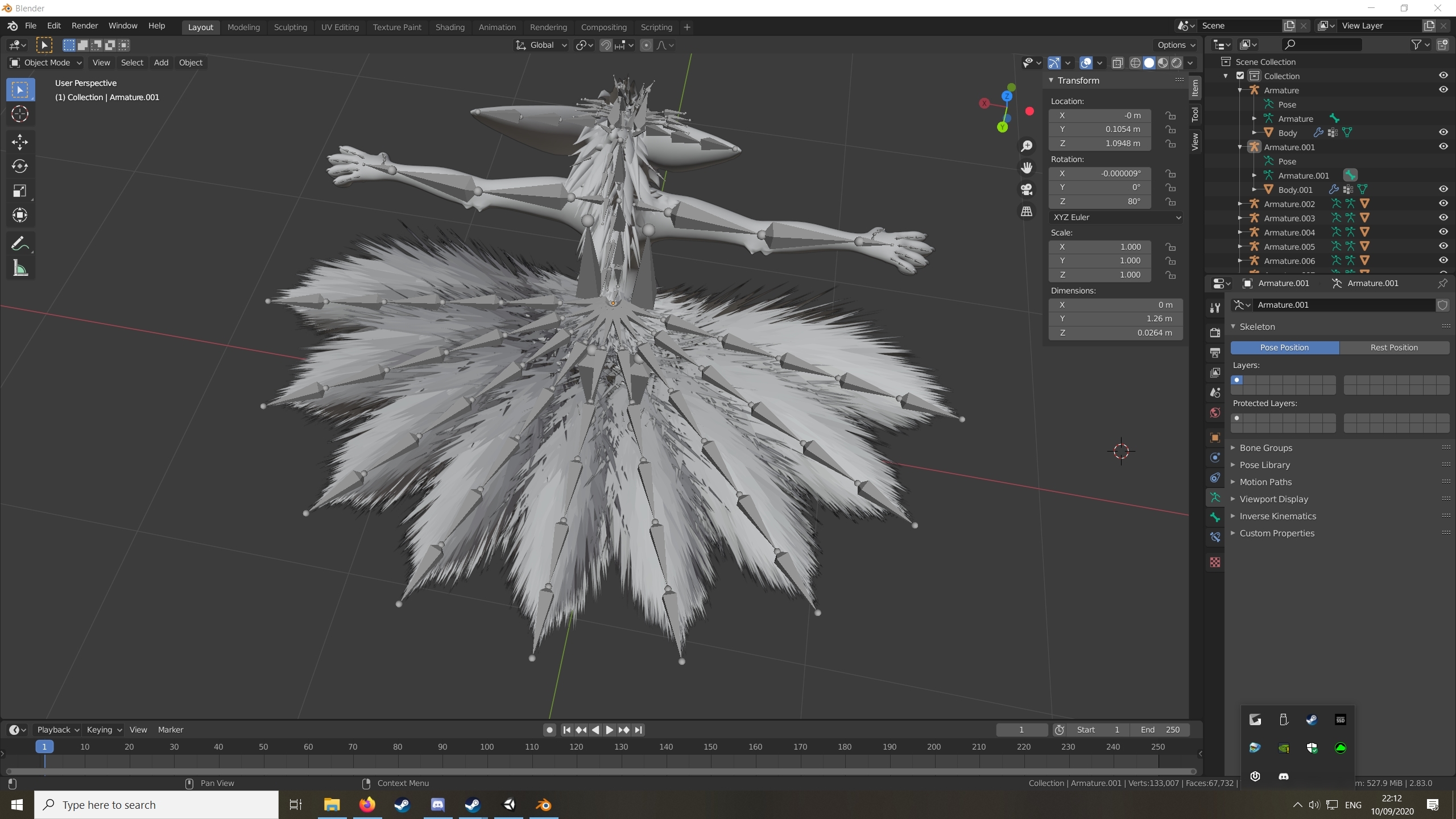
 dim musk
join the 10 hour club
 left stag
An no one explains how to rig a model to armature
I imported an fbx, did some sculpting, and now I want to export it. But somewhere in the process, the model's left arm and left leg became detached from the armature
How do I fix this
I"m in blender 2.8
somehow, the left arm is attached to the same bone the right arm is attached, same with the left leg to the right leg
does anyone have an actual tutorial that shows start to finish how to rig a model?
autumn parrot
Ty for the tips, I was wondering how I would work with dynamic bones too, but I asked because I can't put the scarf on the model well, but I think there's no easy way to do this 😩
 elfin compass
Hey anyone know about this, I imported a model to blender and like a ton of armature is not appearing
it DOES appear in rigging though.
like it just shows 'Body' but no children underneath
I'm trying to make my hair have dynamic bones
You can see all my rigging here
But armature only shows hips and body
Omigod never mind its working now
jagged badger
The biggest project I've been trying to hopefully get working is a centaur model, its been done before as a prototype but by god it's hard to figure out.
 shy shale
Hey same! Centaurs are awesome
There's a world called "Centaur races" that has a few public models
 rough tendon
What is the correct way to edit the fully extended position for each finger while using index controllers? I'm looking to extend the current default position for thumbs. I can't find the default controller to see how the hands are set.
elfin compass
Does anyone know why my dynamic bones dont save? I'm literally getting so frusterated
I just saved my dumb rigging about to upload and it ALL DISSAPPEARED THIS IS LIKE THE 4TH TIME
 quartz geyser
Been having some odd fullbody issues especially around the hips:
Locking into the avatar lowers the hips and puts them at a tilt which in turn bends my legs
Looked over the rig but nothing sticks out as obviously wrong or out of place
quartz geyser
Yeah
sleek isle
having 4 bone on the spine will do that weird cruve. nothing we can do I think . So assign the upper chest where the chest is
you might want to have your shoulder in the strait line as well with the arm
will fix the saggy shoulder when relaxing the arm along the side
quartz geyser
Huh odd, will give that a go then
cold kestrel
hey guys im having a rough time importing to unity
Im getting File 'platzyhea' has an invalid Avatar Rig Configuration. Missing or invalid transform:
Required human bone 'Head' not found
i do have the armature names as head but it wont accept it
 turbid spear
go into the humanoid rig config and assign the head bone to the hesd slot
i think you can click select on the error, then rig tab and configure
cold kestrel
idk what went wrong with my rig its saying its not in a t pose and it screwed up one of the arms
jagged badger
happens sometimes if you edit the bones outside of play mode or update the fbx, sometimes setting the rig to none and then making it humanoid again does the trick
 teal idol
I had to give up on the one I was doing for the night due to rigging issues amongst other issues, so I feel your pain Platzy
crisp tendon
Can you show what you've done so far ?
left stag
real quick, my mesh is called bodysfw, and CATS is saying vrc won't recognize it for eye tracking unless it's called body. Is that the problem?
but yes, I can show you what I've done
crisp tendon
Yes, call your main mesh Body
 frigid swan
I've been having issues where people claim to see my idle pose being off but I don't see it when looking down at myself or in a mirror. How can I be seeing different than others?
What I see:
What others see:
At a fundamental level, how can two people looking at the same model on the same version of a viewer, fed the same default idle standing animation, possibly see different things?
low coral
has anyone had a problem in blender where you click on weight paint and the mesh doesn't turn blue? I'm not sure what to do to fix it
 small harness
any tutorials people reccomond for rigging for vrchat in 2.8?
 gentle horizon
So when designing rigs to make VRchat avatars how do you guys deal with stretch?
bone scaling for humanoid bones doesn't seem to import for mecanim
and just disconnecting the foot and letting it float away didn't seem to import either
do you just need to design your animations to contain no stretching?
 astral warren
At a fundamental level, how can two people looking at the same model on the same version of a viewer, fed the same default idle standing animation, possibly see different things?
@frigid swan they do not play your animation on their computer. Instead you stream your own pose to them and they recreate your stream. Certain things like bone roll are not included in the transmission, that’s why it’s important to clear bone roll in blender. Also avoid things that make your IK highly sensitive to float rounding errors, like barely bent knees for it to figure out which way they are bent.
I often use “recalculate roll” in blender on the entire pose. I forget which axis. The only one that looks right. Try all 12
frigid swan
@astral warren That piece of knowledge helps a lot! I gotta look into the roll on any bones. Didn't know some information that ensures all people see the same thing, was left out.
astral warren
It only transmits what is necessary. But there are things you can do to your model that break designed assumptions. You can do a lot of things in blender.
frigid swan
I thought I'd cleared roll on bones, but then maybe some adjustments I made reintroduced them.
astral warren
With some thing like VR chat it’s absolutely vital to get the animation streams as low bandwidth as possible
frigid swan
And didn't know there was a single command to do it all around. I was selecting one bone at a time and changing the roll to 0
astral warren
Oof
Sorry I don’t know which axis it is offhand but if you look at the fingers you can figure out which one it is
Only one of them leaves them rolled correct
frigid swan
And this is the roll that's refered to, right?
Cause...that one doesn't specify an axis
astral warren
That’s how you enter it directly yes
frigid swan
And huh...coulda sworn I changed it to 0 before...dor adjusting the pose roll it?
astral warren
Select all of the bones at once press whatever button opens your command search bar and type recalculate roll
Zero might not necessarily be the correct value
frigid swan
Ohh?
astral warren
What roll does is spin the bone in place, which adjusts the one axis that isn’t related to pointing direction.
In some cases unity uses this to know which way it should bend when a muscle is flexed
frigid swan
Erf, but 0 might not be the right roll?
astral warren
If it’s perfectly T post and straight it’s usually zero
But some models aren’t
Running recalculate roll should have them all set to the direction they need to be
frigid swan
But there's so many choices!
 novel aurora
if you have all bones selected, i’d assume it would be Active Bone?
not sure tho, i’m still learning
frigid swan
In blender, Active means last selected.
It'll be Brighter Yellow instead of Orange
Like, the left bone here:
I think it would use the active bone as a basis for all others to be calculated (?)
Next, I need a volunteer to tell me how they see me, since my own view doesn't reflect what others see.
astral warren
Ok - here's an example of Clear Roll - this sets all roll values to 0. this isn't always correct. For example, you can see how some of the bones are rolled diagonally here:
In VRChat, the hand poses will look very weird as the fingers bend in the wrong directions
frigid swan
Ack. Did a pose test and they seemed to roll right, at least at casual glance
Hmm, not the best t-pose resting pose there....
astral warren
It's an akward reseting pose yes, which means you probably don't want 0 roll
and if the fingers are moving fine, don't edit them. only look at your legs, since they are what you have issue with
I don't know if that's a hard and fast rule, just make sure it's not pointing some random diagonal direction
oops sorry that was edit mode lol
Z is forward.
frigid swan
That's a very good point and lemme see about ONLY resetting those.
Huh, the hand bones only had a roll of about 0.00009°
I assume that's small enough to ignore
astral warren
If it's not broken don't edit it
frigid swan
Yep, the upper leg was 5° so that's notable.
How about shoulder and upper arm?
What effect would those have?
astral warren
I only really see bone roll come into play for fingers and legs.
frigid swan
by the way, this was useful:
So you can see the axes really big in the viewport.
When making these changes, do I need to redo the rigging in Unity too? In the past, when I changed a bone's position in Blender, I got baffled why my avatar ended up with 90° turned foot for example, until I reapplied the rig in Unity.
Does Z being back, instead of forward, have any adverse effect?
I read that as long as you provide a slight bend and the knee, Unity will figure out which way is forward automatically...so in theory there's no problem with this?
I learned that if I follow the actual bends of the leg, Unity straightened the legs out to human-like straightness, when the bends you see is how digigrade legs should be.