#avatar-rigging
1 messages · Page 169 of 1
 tame coral
adding the symmetrical oppsite side doesn't seem to fix the scewedness and its a problem that non of the rigging tutorials ive seen ever mention so was hoping someones experienced the same and figured a sollution
 ashen blade
@tame coral Chain length 0, it means it will track IK until its out of bones
set it to 2
tame coral
omg thank you
glad there's people out here who spot this stuff right away cuz ive already spent most of the day tryna figure it out on my own oof
 fading verge
hey guys I need help with a riggin issue
in full body my avi does this
know what could cause it ?
fading verge
hold on I'll post a picture of my armature real quick
 finite silo
it should be better, but from what i've experienced
if it's even close to being aligned, the hip issue will be watered down, but still slightly abnormal
fading verge
alright does it matter how small my hip bone is ?
or would that introduce other issues
finite silo
i dont believe a small hipbone will cause issues, just might look weird inside Blender
i would move the ball of the spine to where the belly button would be
fading verge
alright thanks I'll make it as small as possible un moved the spine tail a little
that should do i guess
finite silo
that should be fine
fading verge
alright sweet thanks man
fading verge
will do thank you
 naive tree
small hip bone does cause issues, and it doesn't need to be small, just above your legs
fading verge
alright thanks also anyone know what causes being bow legged in desktop ?
@finite silo It worked thank you so much
 still tartan
hey guys, i asked this a few days ago already but we couldn't really figure it out, and i still havent till this day. does anyone reading this have an idea what could cause this "neck snapping in place" when going from movement to stillstand? example video below
fading verge
do you have a different walk cycle?
still tartan
no, all default right now
 rapid mauve
Did you add anything to the original models head in unity?
still tartan
no, everything is as basic as it can be
only avatar descriptor on the model right now
i noticed this on many models tho, its not just mine.
the IK seems to align something forcefully
and uses the neck for that
rapid mauve
What’s strange is the head looks so static on the body - looking at the ears the head does not move with them like it should
still tartan
well the head is the master bone in desktop mode i assume
funny enough, i tried this with the example rig that comes with the SDK
and it does the same exact thing with the neck
fading verge
might be something caused by a new update because I had the same issue with one of my model where I made a custom walk cycle and the head stays in place
when moving that is
rapid mauve
In the vid you hold up your arm before moving / that’s not a standard animation is it ?
fading verge
thought they were picking a prop up
rapid mauve
Yeah that’s possible
still tartan
yeah picked up a prop by accident
does maybe anyone of you have a rig laying around that doesnt do that? that i could maybe use to try and figure out what is causing it?
rapid mauve
I’d love to play with this model / is it custom ?
still tartan
yeah its my character from another game
but i'm kinda stuck, since i dont really wanna continue with doing clothes etc before i figured out the neck thingy
rapid mauve
That’s understandable - if you figure out the problem please don’t keep it to yourself -
 tepid spade
mh , beautiful day , isn't it ?
ok so i checked in blender , and all the vertex groups decided to go somewhere
 opal aurora
Did you by any chance apply the armature modifier?
 old mantle
Is there a way to rig multiple models to one armiture?
tepid spade
mh , seems still bad
in game , my view is too much higher that it should , the hand position are like 30° more
and the lip anim is awful
@old mantle wdym
 tame skiff
Any tips for rigging clothes like this?
https://cdn.discordapp.com/attachments/508003958783082523/736703413815083081/unknown.png

 stark jetty
Hey so im working on weight painting the rigs etc, is there anything i should look for what certain bends etc
fading verge
alright, i've ran into a very annoying issue, so i've gotten this lol model. fully rigged and is humanoid all parts seem fine, but whenever i give it a a anim in unity the head and body just spins 180 degrees, why is that?
 crisp tendon
@tame skiff Weight paint tools addon has the project weight function
 heavy tinsel
@fading verge Your not supposed to discuss content ripped from other games. Rule 13.
fading verge
Yes Police officer, sorry 
 amber kestrel
Would you rather a community member warn you, or a mod strike you down?
 oblique latch
@tepid spade force t pose in unity maybe that will fix it
tepid spade
ye i did it this morning and it worked
 torn hatch
Despite my view position being perfect, my model is offput waaaay to the right. Anyone know how to fix this (bonus points for also telling me how to fix what i like to call "the stanky leg". See the right calf.)
 sleek isle
your origin point might be not center
the rig should resemble this https://images-ext-1.discordapp.net/external/sGZCXnYkAVg6K-JtoN9OfA7NYbF13fp-5unM0wL54vY/https/media.discordapp.net/attachments/390924372782612480/732117891591307314/unknown.png

 wheat tulip
Ur view point ball is offset
 balmy solstice
Um
question
when i parented my armature to the mesh, with weight painting, the waist bone wasn't included, and attempting to weight paint one doesn't work
Do I need to now make an extra bone just so I can edit the weight paints of the waist?
opal aurora
Is the bone part of the same armature?
balmy solstice
Yes
opal aurora
Odd...
balmy solstice
it does move the model when I parent to the mesh with weight paints applied, and all other bones are able to have their weight painting edited
It's just the waist
opal aurora
You're applying automatic weights right?
balmy solstice
the waist doesn't appear in the vertex groups, and attempting to add it in does absolutely nothing, and yes I am
opal aurora
For something like that to happen it either isn't part of the armature, or it was somehow told to not get weights relevant to it
I forgot the exact process to allow automatic weights on specific bones, but you could remove that one and extrude a new one
That should fix it
Afterwards you can just re-weight the whole mesh
balmy solstice
attempting to make another bone in the same spot as the original waist, causes that other bone to banish itself into oblivion
opal aurora
How?
balmy solstice
nvm got it
opal aurora
Like, does it stretch to oblivion, vanish from existence, disappear in the exact same spot (it's just hidden at that point)
Ah alright
balmy solstice
my first attempt to replace the bone caused the bone itself to vanish from existence
opal aurora
Well hopefully it works, if it doesn't, i'm sadly out of ideas
balmy solstice
it did
so this model has two seperate textures, one for clothes and eyes, and one for the non covered up parts, which unfortunately produces results like the pic
is there a way to connect the meshes without screwing up the texture files?
 turbid spear
just join the vertices
select 2 then press M and at center
Textures shouldn't be affected as it will just stretch them a bit
balmy solstice
anyway to have the mesh maintain it's pose so I know which spots to connect?
turbid spear
 torn hatch
@sleek isle How do i check/change my origin point?
balmy solstice
Question, How would the eye "Bones" be set up on a head?
turbid spear
Look at how other models have them setup
They're usually just poking through the middle of the eye
balmy solstice
um... is there like an image I can use for reference, so I don't feel stupid ._.
balmy solstice
because I'm unclear what one means by that, I mean, like are the bones angled or are they straight forward?
turbid spear
Cats bones only https://puu.sh/GbwrH/9af6a32fe4.png

With eyes bones, tho I think they should be lower https://puu.sh/GbwtA/981365c944.png
 balmy solstice
Ah
turbid spear
The bottom part of the bone is usually the pivot
I don't think it matters which way the bone is pointing
But the eyes will pivot around the bottom of the bone
Cats creates these extra bones for you that it lets you change the range of
Which essentially moves them further and closer away from the eye
 glad bluff
Hello! I’m looking for someone who can rig this model my friend made for me. I can offer art and/or character designs. I don’t need any special animations or anything, I just want him to be able to walk around and having the mouth move when I talk. If you can help, hit me up! ❤️
 astral warren
the root of the eye bones should be the point in space eye will rotate around. The tail should be directly above that point so the bone points directly up
torn hatch
So some funky stuff has been happening to my left leg. I checked the rigging for anomalies to realize it was this fucker all along. How do i deal with it?
crisp tendon
You'd have to remove that bone in blender
opal aurora
Consider parenting the bone to the head, if it has weights on the head
Though that is very weird
(And i mean the bone that's around the head area that's apparently parented to the leg or vice-versa)
torn hatch
Ok, so something very odd, but that bone IS the head
opal aurora
Make sure the head is parented to the neck, and that all the leg and feet bones are parented to their respective parents
torn hatch
Does that mean the head is in the neck, or the neck is in the head?
opal aurora
In terms of armature, head in neck
torn hatch
yeah, all the parents are correct
opal aurora
Hips
  |_Spine
      |_Chest
          |_Neck
              |_Head
To be precise
torn hatch
yep
opal aurora
What is the head bone going into then? o:
torn hatch
crisp tendon
head has to be the first child
torn hatch
How do i move it?
opal aurora
Actually, talking about that, is there any way to reorder the bones without unpacking the prefab on 2018.4.20f1?
That has been the bane of my existence since updating
sleek isle
Have then in alphabet order. And preserve the order on import
 solar mist
hey guys! i was trying to edit an avatar to remove its legs and add armor instead, than reassign the bones to the armor
i added the right mesh to each bone and it even show that it works fine in blender. but when i use the same model in unity and use an animation it ignore a part of the armor. here are some photos for better understanding
in blender it worked fine. and i assigned the right bones in unity. but the result show that it doesnt affect the upper part of the armor. does anyone know whats the problem and how to fix it?
crisp tendon
omg pls remove some bones from this skirt, that's going to kill someone
Did you reupload on top of something in Unity or was it a full reimport ?
solar mist
yeah i didnt make all these bones for the skirt lol
its a full reimport
the same fbx file that i exported from blender
 cunning pawn
anyone know the bone effect limit for vrchat? is it just unity's max 32?
 hasty scarab
I'm having this weird issue in Blender 2.8 where I can't weight paint clothing meshes because even if I shift-click a bone it doesn't actually select it.. Not sure what to do
I can weight paint the body mesh fine by selecting both the body mesh and the armature and going into weight paint mode (then shift clicking each bone), but for some weird reason I can't do this with any other mesh
crisp tendon
@cunning pawn bone effect limit ?
cunning pawn
how many bones can effect a given vertex
crisp tendon
@hasty scarab Your meshes needs to be joined to the armature
cunning pawn
in terms of influence for the skinning/binding anyways
crisp tendon
oh, can't remember if that's 4 or something else
cunning pawn
i'll just go with four, makes sense i suppose, thanks a bunch
crisp tendon
But you're right the max is technically 32, but i think there's a much lower limit in place
cunning pawn
i wouldn't put it past them to set a much lower limit, performance n' all
sleek isle
Ban
solar mist
so no body know how to fix it? :\
crisp tendon
To me you did it correctly, so i'm not sure what the issue could be
solar mist
yeah its pretty weird..
hasty scarab
@crisp tendon how do I join a mesh to armature?
found it, nvm thanks
ctrl + p
how do you check which armature a mesh is currently parented to?
crisp tendon
i usually move the armature
hasty scarab
hmm.. now the weight painting mode seems right and I can select bones, but after applying automatic weights, I can no longer edit the weights. I click to add and the color doesn't change
wait.. I have to have the verticies selected in edit mode first?
crisp tendon
If you use the vertex masking mode yes
astral warren
That curtain of bones scares me
hasty scarab
@Ruubick what is vertex masking mode
crisp tendon
 crisp tendon
it's great 
wheat tulip
I'm gonna stick to 2.79 I'm no pro
heavy tinsel
2.8 is just better than 2.79 in almost every way tho.
crisp tendon
It's very lacking in VRChat tutorials for beginners still, hasn't been out for that long
wheat tulip
ill move to 2.8 if i figure out how to change the white model mode to texture
but idk how
also im getting use to 2.79
so its hard to make the change
if i did make the change idk where where the tools are i dont even know how to install cats on blender 2.83
astral warren
Current blender is much easier to learn. 2.79 will just lock you out of updates and eventually you won't find any tutorals for it anywhere.
You'll be forced to update eventually, might as well stay current now instead of wasting time learning something you eventually won't be able to use.
wheat tulip
Hmm there's barely any video on blender 2.8
wheat tulip
Hmm
You might need to guide me through some stuff such as adding cats and the zoom cam so I don't get stuck
Also the transition to white mode to texture
crisp tendon
Those tutorials exist 
 burnt goblet
Yes YouTube and random wiki websites are your friend when it comes to 2.8 you’ll get it down fast n easy in no time
Also a recommendation is to literally click every button on the screen and or hover over it to read the description of what it does
 sour brook
Question, My model seems to cross eyed quite frequently and look down like this? Is this how the eye tracking just is or is there a way to make it look less jank?
 turbid spear
They mean you might take it back to blender to fix it, but since you're using Maya, to that
sour brook
I did try to mess with the muscle settings in hope to reign in the cross eye
but that seemed to have caused the desync on the eyes
crisp tendon
Cross eye is a bone roll issue
sour brook
interesting, I have my bone roll(I assume join orient in maya) all to zero for the eyes
does the view position have any effect on if the player will cross eye or where they look?
crisp tendon
nope
crisp tendon
sour brook
from my understanding you can't freeze bone translations and rotation. I've tried unbinding the skin and freezing but maya isn't allowing that
crisp tendon
Worth a trip in Blender city then
in edit mode on all bones > Clear rolls
and on everything in object mode > Ctrl + A > Apply all transforms
sour brook
aren't rolls different than rotations and translations?
sour brook
okay so why would my translations and rotations have any effect, Also as far as I can tell joint orient which is seen in the joint tab is the maya equivalent to bone roll, and if I'm not mistaken that's just the rotation axis of a bone, correct?
crisp tendon
I don't know what a joint is in Maya and it's equivalency in blender, but the transforms tab shows inherent rotation
 ionic sedge
I'm having a particular issue with the hand bones. By default looks like that the model I imported needs some work on them, as noticed by testing ingame as well. I usually get some problems solved by using the CATS Fix Model option. However in this case, it appears that it actually fixes only the right hand, meanwhile the left one, as long as the rest of the body, gets totally screwed up. Is there a way to force this fix on only the hands and not on the entire model? Otherwise I was thinking about moving them manually, however I don't really know where to start and how to do that properly...
wheat tulip
Wrong
It's not connecting to the single bone
Asko why is ur hand offset yo the arm
One of the finger bones isn't even offset
ionic sedge
This is the original bone structure of the model, I haven't touched it yet, not really having idea how they work
wheat tulip
Well you'll need to do some work on it
First thing first apply fix model
So the bones are bigger
. And easier to see
ionic sedge
Done without any option selected
wheat tulip
You see those lines
Where ur fingers connected to those are unwanted
Lines
What you need to do is disconnect the bones and properly reconnect them
The thumb looks good
The example in that picture is that they should look like the thumb
ionic sedge
As you pointed out, except the thumb, the others doesn't seem to be properly connected.
wheat tulip
Where's there's only on line connected to the had bone
Yeah that bone isn't connected
Select the two bones and offset them
I think it is ctrl p
ionic sedge
Now with the correct parent
wheat tulip
Yeha there we go
Now go in pose mode and see if it moves with the hand
If the bones move together but body doesnt then I'ts weight paint missing
If the bones arent moving together you need to connect it properly
ionic sedge
Yeah I'm noticing the difference between offset and not
ionic sedge
For this option is it suggested to do that with only the hand ones, or for the entire body?
wheat tulip
?
Wdym?
It's just for connecting bones u don't need to do it if
The amaatures working
For example today my avatars arm won't move with bones
So I weight painted it on
As long as it moves with the bones
When moving parts of the body
ionic sedge
I mean that I noticed that with the offset option, moving a bone makes the connected one react. Checking the entire bone structure, every single bone seems disconnected from each other
that's why I asked if it's better if I do this whole process on the entire avatar
wheat tulip
if its disonnected then yeah sure go ahead
but doubt all bones are broken
if it moves it good
u dont need to change anything
ionic sedge
Doing a quick test right now, however the rest of the rig got entirely screwed up by the CATS fix
 fallen jungle
This rig should be fine for VR chat yes?
 forest igloo
See the pins
fallen jungle
there a few for the neck
astral warren
Jack seems to be missing a few bones and they might not be patented correctly
hasty scarab
Does anybody know how to solve this?
For some reason, when I export my model from Blender (2.8) to Unity, it creates a hole in the mesh on the bottom of the torso. The hole does not appear to be there in Blender, and all of the normals appear to be fine. It looks as if one of the vertex faces off the bottom of the mesh gets deleted for some reason. Send help.
助けて
crisp tendon
enable wireframe mode ?
hasty scarab
@crisp tendon yes, with the face orientation display, all of the normals appear to be outward (blue). But with the vector display for the normals, some of the normals appear to be rather parallel (rather than perpendicular) to the face.
crisp tendon
Any chance the face on that texture is now on transparency ?
hasty scarab
how would I check that? ❤️
crisp tendon
Check the UVs in blender ?
hasty scarab
I've never done that before :p
 north wadi
How can you get the muscle editor work on unity?
Also what is good settings dyramatic bones for Kon ears and tail
hasty scarab
I have something with no weights that still moves shit..
 ripe talon
damn
hasty scarab
what the fuck?
ripe talon
tf
fallen jungle
Does this first half look fine?
turbid spear
Assign eye again in the configure menu for the humanoid rig @hasty scarab
fallen jungle
so I just finished my rig. First time doing so
hasty scarab
@turbid spear ty
 gleaming arch
This is more of a Blender question than a VRChat question, but maybe you guys can help me out. I have a bone structure more or less like this:
BoneA
|- FutureParent
BoneB
|- ProblemBone```
I need to make ProblemBone behave as if it was a child of FutureParent, and ignore BoneB entirely. I've had *some* success with the bone constraint "child of", but while that makes the ProblemBone somewhat follow FutureParent, it doesn't make it ignore BoneB entirely. Any idea of how I can achieve that without changing the bone tree? amber kestrel
I don't think that's doable in blender with the blender -> unity -> VRC workflow, but you can probably parent constraint it in a copy rig (can't do it in the avatar's rig because IK overrides pretty much everything movement-wise)
astral warren
@gleaming arch a bone is going to be influenced by it’s parent no matter what. If you don’t want this it should be re-parented, what’s the reason for not wanting to?
gleaming arch
@astral warren I can't change the animations I got, so I gotta do my best for it to work even as I reparent/rename bones to obey VRChat's restrictions lol. So basically I wanna reparent my bones but make them follow the parenting of the old ones where the animations are. I had success in Blender with the Constraints system, but I can't export that to Unity so I'm looking for a workaround now
astral warren
I’m pretty sure you should be able to modify the animations
But now there’s no way for at least to my understanding make a game object ignore the transforms of its parent. That’s the whole purpose of parenting.
 fervent hornet
Just use unity constraints with a negative value towards its parent
astral warren
That would stabilize it and keep it stationary?
fervent hornet
Testing rn to make sure im not talking out of nothing
Yeah so if you have a child parent constrained to its parent with a weight of -1 and total weight of 0.5 it does half of a mirror of its parent which results in no movement
Oh thats just location though rotation needs to be -1 total I think
I'd look at the VRLabs world constraints as its basically what I'm doing: https://vrlabs.dev/item/world-constraints

A world fixed object, held in place with constraints.
This will completely nullify a parents influence:
Unless you constrain it again to something else though itll be stuck in world space
gleaming arch
But can you do that to the bone level?
astral warren
Yeah after all that you then constrain it to the grandparent
gleaming arch
I'm having some success on Blender with the "Bake Pose" function, it's adding the constraint data without breaking everything
If it ends up not working in the end I'll try this plug in
astral warren
Constraints don’t always perfectly import into unity
Best to set them up in unity
All unity constraints work in blender but blender has extra options that unity can’t do
gleaming arch
Yeah I was reading about how most software can't read constraints from others
But what the Bake Pose thing does is delete the constraints while incorporating what they do in the keyframes
So that might work if it doesn't break all my animations lol
fading verge
Im not sure if this is possible but Id like to be able to move many meshes with one rig (have the arm go up for all when I put up the arm or whatever) Ive only made a couple of vravatars before and this is a little confusing for me how it would work in blender and then in unity vrchat sdk
I only want to have one rig since I want to be within the "good" performance category
Considering I just read above that constraints do not transfer well.
 ocean bison
please. anyone has an idea what would be causing this and how can I fix that?
the IK somehow moves the body to the front. I tried moving the bones around to no avail...
turbid spear
did you move then in unity or blender
 lament shard
ocean bison
lament shard
ocean bison
trial and error does not seem to work. any idea what is wrong?
 robust crescent
try moving the neck bones more in the middle
ocean bison
which bone should I move in order to straighten my avatar? I tried moving the hip bone around but it does not seem to have any effect.
ocean bison
unity shows how my avatar looks in game when I upload.
crisp tendon
Have you tried another idle animation ? Your spine is rotated forward and your neck is a bit too far back
your legs might also be too straight
ocean bison
thank you very much for the help!
 meager mist
Is there a way to animate the vrc avatar descriptor so that when you prone your view position moves up a bit?
turbid spear
don't think so as the avatar descriptor is only used to set your avatar up, after that, you'd need to move the camera, which you can't as far as i know
turbid spear
i don't think it's currently possible
 half shadow
Yeah - i don't think there is a way to do that the only thing you can do i think is move avatar back in the animation slightly so it doesn't cover your viewpoint, i don't think you can do anything with it apart from that
meager mist
:c
turbid spear
maybe with avatars 3.0 you will be able to have a crouch anim
instead of prone being so high
half shadow
Yeah, you can in AV3 - they provide an ability to change viewpoint position on the fly
half shadow
Yeah a lot of people who touched AV3SDK are stuck waiting including me, there is so much new stuff that i just don't want to go back to LIVE haha
astral warren
At the risk of sounding like a broken record, 3.0 should be able to control at what point your prone animation triggers
So that you can trigger prone sooner when you aren’t so close to the ground
Desktop users still can’t fix that though since the set height is not defined by avatar
astral warren
The game will decide which way the knees should bend by looking at which direction they are already slightly bending, and exaggerate it.
So the knees should be bend slightly backwards rather than slightly inward
 fair bluff
And I have to go to blender to fix that I assume? No way to do anything about it in Unity?
sleek isle
eye ball the rig to look strait
astral warren
@fair bluff you can do it in unity
fair bluff
Didn't know I could mess with bones in unity
astral warren
You can’t mess with bones but you can pose the avatar and that’s all it’s looking at
fair bluff
Oh, sooooo where would I go to do that?
astral warren
Bend the knees backward a little so they bend backwards instead of inward
Regular unity view with the avatar
turbid spear
You sure? I thought that the default view pose doesn't matter and the pose in the rig does
astral warren
The regular scene pose decided knee movement alone. Anything else is probably works as well
fair bluff
Even then, I'm a bit of a dummy dumm and dunno how to "bend the knee backwards" like, I move it, or rotate it, or.. I'm confused. x)
astral warren
You rotate the knees
You have a bone list on the left to select them
Position rotate and scale buttons are top left
fair bluff
Yeah Ik
astral warren
Add 3 to it or if it goes wrong way subtract 3
You can just add “+3” to the end of whatever number is there already
fair bluff
I don't gotta twist y at all since the legs were bending inwards?
astral warren
You can. I’d just tweek with numbers so you can be sure it’s a symmetrical edit
fair bluff
mhm mhm
Time to test now, sry that you had to hold my hand through this. x)
Hmmmm somehow made it worse. Welp, back to unity
gleaming arch
If I rename a bone in Blender, is there a way to automatically rename it in the animations where it shows up? So I don't end up with this
 old quest
okay, what do I need to do to fix this
do I have to mess around in blender for the billionth time
how do I put the foot bones as childs of the shins
never mind fixed it
sleek isle
parent the foot to the shin
old quest
and now the feet are facing inward in unity
should I just delete the stupid IK controls
the tutorial I watched had the person making IKs and I feel like it's ruining this model
I think I had the poles or whatever facing the wrong way
crisp tendon
when upside down ?
 rose mountain
Doing hand stands in VR @crisp tendon
rose mountain
so chest too big spine too small??
crisp tendon
Yeah
rose mountain
ok thx
fading verge
Is there a way I can control multiple meshes with one rig in unison?
Like a bunch of clones with a constraint from blender to unity?
crisp tendon
a single constraint ? no, a lot of them ? maybe, but that's going to be a pain in the ass
fading verge
I had something going on in blender but the rotation was off, cant reproduce it right now
duplicating the mesh allows me to control it using the rig, but with major deformation
this gives a loose idea of what id like
rose mountain
crisp tendon
Much better
rose mountain
crisp tendon
maybe move the bottom of the head bone down a bit
for nicer rotations
and you're gucci
crisp tendon
2
rose mountain
Better??
crisp tendon
I think so !
rose mountain
Thank you.
 rigid narwhal
hello! i'm having trouble with assigning the eyes to the unity rig, and i'm not sure how to find where the issue is/fix it. moving the eyes under head in the armature hierarchy made the error go away but saving reverses it.
crisp tendon
You need to fix this in blender
rigid narwhal
ohh!! thank you so much!
 amber trench
is there an easy way to add noodle arms and legs to a 3d model i made
 still fossil
@amber trench You're probably gonna have to make them from scratch
 haughty pilot
Howdy :) I'm having trouble with these bones :( 100% user error for sure. is there any way to "adjust" how much hold that "hoodie bone" has on the back of the helmet? the first iteration I had the helmet joined to the body mesh, but this time i did it as a separate object, thinking that hoodie bone wouldn't effect it. This is a poopoo kitbash of a vroid body and a helmet object I made.
Well, i deleted the hoodie bone, moved the helmet off the bones, and its still doing this slicing in posing 🤔
amber kestrel
Weight painting
 earnest valley
Hey! Does anyone have any tips and tricks for avatars creation?
 glass panther
There are many :) Best thing is to start with tutorials and go from there.
tame skiff
Oh heck, my model has a huge chest bone too
astral warren
for new avatars it’s probably better to start using a four bone backbone (hips, spine, chest, upper chest) since it’s fully supported on AV3. In that armature the four of them tend to be about equal lengths each
Since av3 will probably be out soon
It doesn’t bend much but it’s an extra degree of twist to make the spine/chest twist less dramatic
tame skiff
but muh rib cage
astral warren
They bend. That’s why they are ribs
Sternum and up is upper chest
All vertebrae opposite and below the sternum are not actually connected to the rib cage and twist freely
Try it yourself. Your upper torso is not locked lol
You can’t bend much but it can twist. IK works the same
fervent hornet
Yeah, floating ribs allow a lot of movement, false ribs a little less, and then true ribs have the least flexibility
haughty pilot
@amber kestrel Thanks buddy :)
 bronze briar
hi i am having an issue where cats generated two shoulder parents. if i delete one or the other it destroys the model. does anyone have a fix for this.
i believe the duplicate shoulder parent is causing this issue in unity
heavy tinsel
That looks painful...
bronze briar
it feels it lol
heavy tinsel
That issue usually means those parts don't have any weight paint.
hasty scarab
does anybody know how to rig an avatar that wears heals? I feel like the foot bone is too tilted and it becomes hard to walk correctly in full body
haughty pilot
I'm a huge nub, but what if you did something like this? : @hasty scarab
turbid spear
Usually the foot bone is diagonal
From around where the heel in the shoe would be
to where it ends now
haughty pilot
What would you guys recommend doing to keep the fans with the head through movement? when I rotate the head bone, they stay where they are. the plan is also to animate them.
turbid spear
Weight the fans to a bone then parent the bone to the head bone
You could probably use one bone for both fans
 spark thicket
hey does anyone know how to fix this avatar that ive been trying to upload. The FBT works but the hip/pelvis bends to the side even when standing straight. ive tried fixing the bones but that did not seem to help it. I've have also weight painted back over it to fix it but im not too sure what could be the problem. Some advice would be well appreciated as I am still roughly new to diagnosing these things.
 copper juniper
I have an avatar with blend shape visemes for lip syncing but it barely works in game. it seems like the blend shapes are only activating a tiny bit, like 25% or less.
Is there a way to change the sensitivity of blend shapes?
I'd prefer if it was just either on or off if that's possible
robust crescent
Shape key mix intensity in blender/cats , maybe if you set that higher

 glacial anvil
My friend has helped me put together something in Blender, and I'm trying to take care of the Unity aspect. I'm still learning. I have a coat on the model, that I'm guessing I want dynamic bones to stop it from clipping through my model. I have 3 pictures here showing what I've done
does anyone see where I've goofed? I applied dynamic bones to all of the lower coat, and applied colliders to the legs. But In game, full body, the coat is still a solid object, that cuts through my avatar
robust crescent
You have nothing on the root transform ?
glacial anvil
I'm not sure what that means yet
robust crescent
You need to add first bone of the coat to the "Root" in dynamic bone, right now its not using any bones
glacial anvil
oh man, see I knew it was something right in front of me
sorry, still learning the UI
robust crescent
if you fiddle with radius, you can see where the colliding parts are
but its gonna be wonky, it will clip 99% sure :p
glacial anvil
lol I'm fine with wonky, just enjoying learning as I go
robust crescent
you need to add collider to the 'collider' tab in dynamic bone too
glacial anvil
so for each coat piece with a dynamic bone, Also 'add component' for colliders?
robust crescent
see > colliders on the bone , expand it
glacial anvil
ok, gotcha found it
lmao
I just applied the left/right leg as the collider element for each bone. what is causing them to treat my leg colliders like a sphere?
tepid spade
why did i get flashback of big chungus of that ?
glacial anvil
lol
tepid spade
does there is something in coat... stuffs ?
if there is something with .end delete it
it could work
(it could)
glacial anvil
I think I figured it out, tweaked the radius of the leg colliders
only issue I'm having now, pressing play, I don't see any movement when moving the model around
trying to move when pressing 'play' doesn't animate any of the bones, and looks like it leaves the bones behind. Is this something I can fix in Unity?
 sharp lily
Does anyone have any advice on rigging a spider avatar?
I know having a empty skeleton for movement is a good idea but unsure about what to do for animating the legs and actually torso.
 shut coyote
would you say bones have to be 100% perfect or just good enough to work?
im not amazing with bones but i can make some
sharp lily
Hm
 polar fox
 deft snow
I asked this before on #avatars-2-general but it was very busy. I've been having an issue where my right leg sinks through the floor a bit. The odd thing is it's only visible to other players not the wearer. It looks completely normal to the wearer. It only does it in FBT.
Could just having a dynamic bone script on the hips even though it doesn't reference the hip bone cause this?
haughty pilot
@turbid spear Thanks a ton :)! I got it working thanks to your advice <3 I keep getting caught up on not adjusting weights!
sleek isle
Eye and hair bone seen to be pair the the leg
 shrewd breach
help
whenever I remove zero weighted bones on blender . it breaks the whole rigging of the model
fading verge
i got an issue, when i shift it all to unity, the hands are shifted slightly forwards, im thinking its a bones issue, anyone?
 drifting gull
is there literally anything about this rig that would make it not work with fbt
i've been struggling with this for decades it feels
ingame image for ref
crisp tendon
That rig looks perfectly fitted for fbt
drifting gull
then im so confused as to why it just wont work 😦
 daring rose
oh god dammit
drifting gull
iuts annoying that the feet tracking is always so close to the feet, but never seems to be at the fe-
<IjqfioJgwhijw ohm y god
those legs
daring rose
i really have no clue what happened
daring rose
the bones are fine and walking animations are fine
some magic has caused the idle animation to break my knees
drifting gull
nah just some built in ventilation
daring rose
yes
i can check the model again
the knees are a bit too low but i dont know if thats just the preview
drifting gull
how does it compare in blender?
drifting gull
uhhhh
ok so
im suspecting its the very widened pose
go into pose mode and make them more straight
daring rose
right
drifting gull
then apply as rest pose
daring rose
can i export a model with materials on it so i don't have to put them back on?
daring rose
i dont know how to merge materials
drifting gull
You created a new material didn't you?
daring rose
no i just made every texture i needed a material because i dont know how to link them and they need different settings
 formal temple
Is there anywhere I can download a good fullbody rig to put on one of my human avatars? Its not that I can't make one I'd just like to have a good 3D reference to look at and mess with
drifting gull
I think the testrig.fbx one in the sdk is a good base
you can diverge a little bit but it does provide some insight
formal temple
Where can I grab that? I wanna try and put it in blender
daring rose
are each of these categories just
i guess so, i have a material for:
the body, the dress, the dress top, the eyelashes, the eyes, the flowers, the skirt, the hair, the head, the scalp, the teeth and the underwear
drifting gull
project location\projectname\Assets\VRCSDK\Examples2\Animation
daring rose
its really poorly optimised in that front. its giving me a Medium rank avatar overall but i wanna make it all one big thing ideally
the amount of materials is my only optimisation issue and i dont know how to combine them
drifting gull
Read up on making materials in unity, and using the CATS plugin to combine texture
robust crescent
Do you have the plugin cats ?, then make an atlas (it mashes all the textures into one pretty much) , very easy to use

GitHub
:smiley_cat: A tool designed to shorten steps needed to import and optimize models into VRChat. Compatible models are: MMD, XNALara, Mixamo, DAZ/Poser, Blender Rigify, Sims 2, Motion Builder, 3DS M...
daring rose
i do have the cats plugin, i'll download the atlas and material thing now
i havent done that yet
robust crescent
as for normals, you have to manually make that since it wont merge that, into pretty much the same atlas/texture it make then save it as another texture if you want to use it
daring rose
wait are you saying to make a normal map atlas too?
robust crescent
if you are using it, yeh
daring rose
oh i have to install the material combiner and this other thing
maaaaaan
oh i just have to click the button and restart blender, nice
daring rose
hello?
formal temple
For some reason my avatars thumb and index finger were swapped when I went to configure the humanoid rig in unity like this
So I fixed em and then enforced t-pose but now they are still weird just in a different way
Also all of the other fingers are clawing down for some reason lol, any ideas?
daring rose
can you manually change the angle of the PIPs?
turbid spear
Normally not a problem, but if those parts are not weighted or are weighted to different bones, could cause issues, but generally not
formal temple
Oh alright yeah I'll extend the fingers
turbid spear
Shouldn't be an issue unless the weights are weird tho
How long the bones are should only matter to bending, since they bend at the root of the bone
formal temple
The bones do have a really weird look
I got this model from a gmod extract so the rig is not exactly the finest work
turbid spear
looks like they all need to be rotated 90 degrees each
glacial anvil
is this a bug with unity? or have I not selected something properly here. I have added dynamic bones to the lower coat, and pressing play my model just flat out moves away from the bones as if they aren't connected. They work when uploaded to VRChat though, but it makes testing impossible if I can't get the Play button to work.
turbid spear
Was the model moved to the side when you added the bones
It looks like your body mesh is moved and not the armature itself
glacial anvil
no, that was just a quick demo I screenshotted just now
pressed play, selected the model and moved it to the side
I'll try that, sorry I'm still a bit new to model building so the little things are catching me off guard
turbid spear
When you click on your avatar it likely selects the body mesh
Click on the avatar in the hierarchy
glacial anvil
so I can move the model/armature perfect without being in play mode, once I select play mode, the bones just say "peace" and don't come along with the model
turbid spear
They should if you move the right thing
turbid spear
Why are you trying to move it
glacial anvil
to see how the dynamic bones move
glacial anvil
see picture 1
turbid spear
But if you move whatever's they're parented to, they should move as well
glacial anvil
that's what I'm really confused about
I still have the whole model selected like in picture 2, but something weird happens once I press play
turbid spear
If you grab https://puu.sh/GdGSK/e4f67b5da1.png and move it all, they should move too

Otherwise, I'm really not sure
fading verge
I completely fucked my avatar by streching the shoulders instead of arms lol
turbid spear
which takes longer
glacial anvil
so another discovery, in play mode, object rotation ONLY works when the full model is selected, individual children objects stay in play when trying to drag/rotate them
nothing is set to static though, so I'm not sure what's going on
turbid spear
That's just because of dynamic bones
You can't move or rotate stuff because they overwrite the position
You can still do it with an animation ingame
glacial anvil
ok, I'll see if I can try that
 analog sparrow
Has anyone made a model in blender and when it's in Vrc it doesn't bend over and I clips through the floors I've been working on this model for weeks and I can't figure this out
crisp tendon
Weeks ? What does the error look like
analog sparrow
So this is what it says
I can't really see anything that would be a issue. And It took weeks cuz I was learning while I was making it
 placid lagoon
Having this issue with my model's legs when standing. Spent a long time in #avatars-2-general figuring out how to get the leg bones posed properly but it's still happening. I think it's an issue with the rig at this point.
analog sparrow
And what it's doing in game is it's a raising and lowering the model based on my head height
placid lagoon
Getting these issues. The one of note is the pelvis/thigh angle one, when clicked on it selects the foot bones
 lost narwhal
@placid lagoon you dont have hand bones, give your model fake hand bones they dont need to be weighted
and also your hip and leg bones arent 180 degree, its not bad but might wanna fix that idk your choice
placid lagoon
@lost narwhal When I click the "select" button next to that pelvis error it selects the feet as if it thinks those are the pelvis/thigh
@lost narwhal also the model does have hands. I think it's a rig issue
 dawn bridge
I’m having texture problems. I created my avatar in vroid studios and converted it to mmd through blender but when I ported it to unity the textures won’t show in the assets and I can’t add them on. If anyone has a solution please help
placid lagoon
I'm also having VRoid related issues
You're trying the method I tried last night which involves running it through CATS in blender
to get your textures in you're gonna need UniVRM to import the vrm file VRoid gave you so you can have a textures folder
Then you manually apply them to the materials
dawn bridge
Ok I kinda understand. If i can’t get get it I’ll come back
placid lagoon
I abandoned that method because I couldn't get animations or anything working with it, but I may just be dumb lmao
dawn bridge
Yeah me too I guess lol
placid lagoon
The method I'm trying rn is a little more successful but I can't get my legs to stop acting wonky
dawn bridge
Try messing with the bones
placid lagoon
But animations, visemes, etc are working fine
I have the leg bones spot on to what they should be, I'm beginning to think it's some kind of rigging problem
dawn bridge
Yeah might be
placid lagoon
which most people suggest blender for, but I'm trying to do this in unity cause my method involved creating a unity prefab as opposed to an FBX
dawn bridge
Idk I’m fairly new so learning this has been “fun”
placid lagoon
I've done a lot of unity stuff in the past but it's been a couple years
I'm basically a noob again lmao
dawn bridge
Yea i guess.
placid lagoon
Creating this cool custom VRoid character had me all hyped to get into VRchat as myself
but these issues with the legs are making me very unenthused lmao
turbid spear
vroid isn't exactly vrchat friendly
maybe if vrchat starts supporting vrm format avatars
placid lagoon
I found it on the VRChat subreddit, saw someone saying it was a good tool for creating models and it really is, I've never used a 3d modeling program more intuitive
dawn bridge
Yeah
placid lagoon
like even I was able to make a great looking model
placid lagoon
woops wrong file
turbid spear
I think you should just figure out the whole blender importing thing
Because the leg fix would take a few minutes
dawn bridge
Yeah
placid lagoon
Creating a new unity project and attempting to figure out the blender stuff again
I just need to figure out how to get it through CATS without breaking stuff
Cause last time I ended up with an FBX and was able to texture it and all but the blink animation was gone, visemes were missing, etc etc
turbid spear
Check import settings
Ask in the cats discord actually
I think you will have more luck there
dawn bridge
so do you need to import your character into unity to upload to vr chat?
dawn bridge
ok
turbid spear
check the vrchat documentation
dawn bridge
i Have an ideah to fix my textures. im gonna go back into blender and see if i downloaded it wrong
turbid spear
you'll need to setup your materials in unity again anyway
dawn bridge
yeah
placid lagoon
Got him in Blender
Gonna try to follow this tutorial again: https://www.youtube.com/watch?v=UXGX3-a6OGc

Need help making your anime model? I've made many other helpful tutorials on my channel!
⬇️ Blender 2.8 Links⬇️
- VRoid Download - https://vroid.pixiv.net/download.html
- Blender 2.82a: https://www.blender.org/download/
- VRM Importer: https://github.com/iCyP/VRM_IMPORTER_...
Used the "Fix model button"
fading verge
If anyone can help me with blender on a 1-on-1 call w/ screenshare, add me and dm me.
crisp tendon
can't ask questions here instead ?
fading verge
I let cats do the fix model thing after I named Neck & head myself with a simple human meta rig
and have some cruddy bone errors in vrchat sdk

 fading verge
@wheat tulip got it, thanks! It works.
wheat tulip
yeah the bones shouldnt connect like that
fading verge
didnt recognize the disgusting mess for some reason at first. Very new to rigging.
fading verge
its connected now since the emotes are playing, cant test in vr atm, lots of bones on that one, looks so hard to do the cloth stuff
wheat tulip
na its okay
 topaz sandal
I'm doing blender stuff for the first time, I'm trying to change the parent of these bones and it's not changing anything
Select one, shift+select the desired parent, ctrl+p, nothing changes. Anyone have a solution?
Oh no i think i irreversably messed up this armature from the start, i'll just try it all again tomorrow
 grave crest
Hey there! I'm trying to test my model's eye tracking using the blender Cats addon. It's acting a bit strange, though D: When I try to adjust any of the sliders it cancels out of the menu, or the "start eye testing" function isn't available at all
crisp tendon
@grave crest Are your eye bones completely straight up ?
grave crest
Tilted outwards a little by the looks of it!
crisp tendon
They need to be absolutely straight
grave crest
Oh! Good to know :D Okay.. this is a really silly question, but how can I align them to the axis?
crisp tendon
you can either snap the 3D cursor to the bone location and then scale on the top the axes, or you can snap the top of the bone to the 3D cursor (bottom of the bone) and move it up on Z axis
copper juniper
My mesh is not connected to the rig, yet still moves vertically when i look up or down and when i crouch. The effect is only visible locally but can i disable it somehow?
the rig is a basic humanoid rig
turbid spear
It's probably always affected by a root bone
Usually hips
And your armature still animates
copper juniper
so there is no way around it?
crisp tendon
thumb index middle
hasty scarab
Why when I adjust the position of the neck bone, does it completely mess up the jaw? (but only when I rig)
astral warren
if you are just doing invisible dummy bones, 1 bone of each thumb middle and index.
But if your fingers are meant to be visible, you need at least 2 bones in each finger so it knows which way to bend them, Otherwise the result will be very asymetrical.
sleek isle
Oh. That explan an issue I have in the past
Thumb was going in the wrong direction on one of the hands
 elfin flare
Hey, y'all
This should be a really quick fix
In Unity
How do I move the Right Knee to be the first child of Right Leg, etc...?
I'm pretty sure it was just like 2 keys or something
 mint sierra
you right click the avatar in the hierarchy and unpack it @elfin flare
elfin flare
Already done
mint sierra
now try to move it under right leg
elfin flare
Tried. It just drops it at the bottom of the list
It's literally being organized in the system alphabetically.
mint sierra
under it not on it
mint sierra
Np xD
 safe slate
Anyone know how to fix VRM avatar upload from crossing it's knees in game?
 misty ravine
Sorry to message over you Belial, however I need to know, does the walking animation auto generate or do I have to animate one myself for my custom avatar
crisp tendon
@safe slate Make sure there is a slight bent to the knees in blender
@misty ravine it's auto generated as long as it's humanoid
misty ravine
So this should work?
 surreal orbit
I tend to have a bone for the knee, instead of it just being thigh->shin
crisp tendon
Unity doesn't really like that
@misty ravine Hard to say without seeing the armature
misty ravine
I'm in bed right now so I cant provide a picture but I think itll be fine, the armature is pretty standard stuff
balmy solstice
Question
Have you heard of a model having mesh vanish as you try to clear bone roll?
crisp tendon
Nope, but you can apply all transforms to everything in object mode first to see if that fixes it
 silver bobcat
hey
@fringe citrus please can send screenshot for correct fullbody bone show.
i can't find that and pinned there no.
this https://i.imgur.com/epL1niV.png
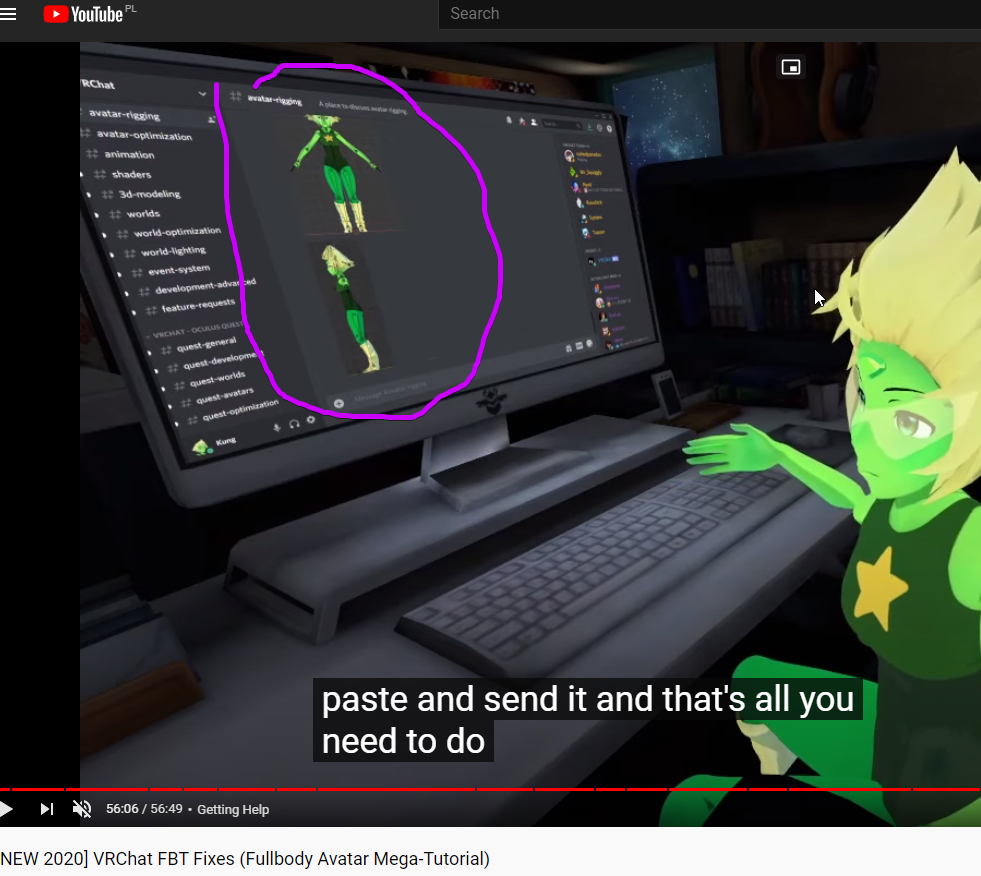
 fringe citrus
@silver bobcat This was my rig around the time of the tutorial. I've made slight adjustments since then but now my rig is cluttered with bones for constraints. This incorporates all the rig hacks though, and for upcoming AV3 there well be other ways to address some of those issues. So I'd say only apply a rig hack if you directly see the issue without it and want a fix. If you don't have the issue don't take it as "correct" to use a rig hack.
Anyway, I think this is what you're looking for:
silver bobcat
Okay sir. Thanks!
 hoary mulch
Hi! What do i need to do if i want to do custom rigged animations?? I cannot find any ways beside using muscle animator, or animation the bare bones without a rig. Is it even possible?
turbid spear
do them in blender or something
hoary mulch
yes, but using a full rig doesnt have the Vrchat rig hirarchy so it breaks
turbid spear
if you have all the bones for a humanoid animation you can just assign them in unity in the rig config
and it should work
hoary mulch
Basically everything works exept the reverse ik, for the feet and column, because those setups change the hierarchy it breaks i have tried
rose mountain
@fringe citrus any rig hack for the spine/chest from doing a 180 when headset and controllers are facing negative on the Z axis?
Basically when I do a hand/head stand my rig does this.
any hacks to fix it?
astral warren
Hacks are generally not recommended since updates will break them.. but you could add a twist bone
astral warren
Yeah, it’s basically a double bone on the rig and you add a rotation constraint to it so it only copies half the rotation. Then you weight the model on a gradient to smooth out the twist. There is a guide specifically for VRChat you google like VRChat Twist Bone guide or something
It is a “rig hack” as far as full body goes though so updates may break i
rose mountain
I am reading this...
https://vrcat.club/threads/tutorial-guide-twist-bones-what-are-they-and-how-do-you-use-them.3622/
But I would still value input from @fringe citrus on my specific issue.

VRCat: Community-Run VRChat Forums
Greetings all, been awhile since I've posted a guide, but now I have good reason to, as lots of people have been asking me about this in the past day...
astral warren
That’s the one
rose mountain
Couldn't I just add a "Rotation Constraint". to the affected part in my back in Unity? None of my other bones need a twist bone. It's either my chest bone or spine that is doing a 180.
Leaning towards trying it on my chest bone 🤔
astral warren
I have no idea if they work well without editing weights in blender
sleek isle
You cant be upside down in vrchat. Ik get funky
astral warren
I’ve seen it work a lot!
 ornate coral
Does VRC make use of Knee armature, or should I convert this to use upper/lower leg?
crisp tendon
It might work as constraints, but that depends of their original purpose
ornate coral
It's a humanoid, normal legs.
Don't know when they got in my model, but CATS was apparently okay with it
astral warren
Knee bones work good as bendy bones (similar concept to twist bones, similar setup)
However I am not sure if VRChat can deal with them
ornate coral
Welp, it doesn't lol
It animates properly, but the bottom of my upper leg was where my floor was
On that note, how do I even fix that?
astral warren
You’ll need to reparent the lower leg to the upper leg and leave the knee patented to upper leg as well. Then add a rotation constraint to the knee and make it follow the lower leg with 50% weight
The result is the knee will always be an in-between angle
ornate coral
Awesome, thanks. That sounds a lot easier than what I was about to do
ornate coral
On second inspection of my armature, the knees do work properly, it was a misparented bone on my boots that was causing issue. On a side note, my whole lower leg is called knee. Don't know if that's normal, but it's been working so far
fringe citrus
@rose mountain I've tried a bunch of stuff to address that, even going as far as making a ghost-rig for the upper body with constraints. It sort of worked but the head gets rotated in the live build. In open beta right now head consistency is much better so the head doesn't reverse any more. So it might be possible to solve with constraints, but it's kind of a big can of worms. In any case I would wait until the current open beta if finalized/released before trying to come up with a work around
for reference my attempt looked like this:
without constraints it looked like this:
So yeah, now that the head-spinning seems to not happen on open beta I might give it another try (if there doesn't end up being further improvement to IK before open beta releases)
(open beta for reference:)
that's without constraints, I didn't try my constraints avatar again yet
 vivid temple
How tf do you setup eye movements without cats
is it just weighting the eyes to a bone in the middle of it?
vivid temple
got it (I fucking hope)
silver bobcat
@fringe citrus this still correct yes? https://i.imgur.com/HtHvUrK.png
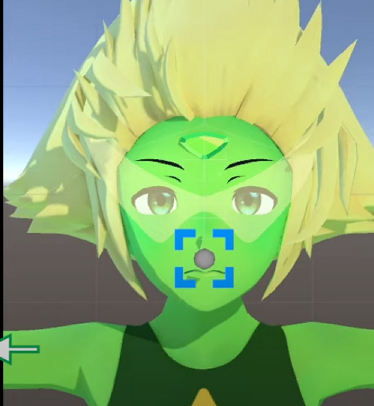


 sleek isle
FBT armature
fringe citrus
@silver bobcat It's correct if you want to reduce shoulder flop. But when the next update comes out I think fewer people will have floppy shoulders (I noticed mine were less floppy) And also there's a new way to do full body calibration that will lock the HMD to the viewball's height so you can't have a separate rotation point (view ball) and view height (hmd after advanced settings playspace adjust)
You can switch back to the old mode of full body calibration with a command line argument when starting VRChat, but if you're using the new system then you won't want to do the view ball trick for shoulder flop
sleek isle
why not having that option in the setting. It's not ideal to have to dig into folder like the dynamic bone limiter.
silver bobcat
ah ok
fringe citrus
@sleek isle Yeah that would be nice but I think it's because they're in the middle of a UI overhaul so it's pretty unlikely that we'd get new buttons and stuff in the old/current UI
sleek isle
For now I think its not a big deal. I think in general fbt people know that kind of stuff
fringe citrus
Yeah I'm just happy that the legacy option made it in as a command rather than not have it because of UI work timing
astral warren
is it just weighting the eyes to a bone in the middle of it?
@vivid temple yes. And also remove the head weights from them.
The bone should be positioned at the point you want the eye to rotate around, so if it’s a flat iris, move the bone back a little. If its a ball, center of the ball.
astral warren
Yeah that’s when you want macros. Don’t reinvent the wheel here
No shame in cats macros to save a couple hours of clicking
If you want to do it truely manually you can try UV baking then you don’t end up with a grid of textures, and still don’t have to join them manually
Lining them all up in a grid is just doing it the cats way without the speed
 solid forum
Not done an avatar in a hot minute, anyone know why the bones arn't moving when i play a scene and wiggle the avatar around?
the bone connects to the back of the bandana which in blender is all weight painted to the bone
robust crescent
Need 2 bones, or it doesnt do a thing, you can set up a fake one
robust crescent
add a End lenght in dynamic bone
vivid temple
Couldn't use cats or mat combiner 'cause it just wouldn't work with the avatar I used it on.
Manually was kinda faster than I thought too
solid forum
Thanks Thulen, worked perfectly 👌
hasty scarab
When I export my textures from substance painter, it keeps the paint layer but for some reason seems to remove the smart material I layered onto it
for example,


 crisp tendon
normal map ?
hasty scarab
the normal maps are fine
crisp tendon
where are they in the second image
hasty scarab
the second image is from unity
crisp tendon
and that's with normal maps ?
hasty scarab
hmm.. im pretty sure
is there a way to enable/disable normal maps in unity or are they automatically enabled?
sry noob question
I figured out you can select noraml maps x3
and there was no map selected
crisp tendon
Depends on your shader then
formal temple
I imported this SFM and it came out like this, is there any easy fix for fixing this rig other than manual moving of the bones?
crisp tendon
Fbx has import options for bones
mint sierra
Yeah just use cats
 manic marsh
@formal temple oh i see someone else making ion 👀
if you need one already fixed hit me up
formal temple
@manic marsh Please ;-;
Only reason I'm doing this is cause I found one that used cameras in the cockpit and its mega gross so I'm trying to make one like the system the Ogre uses in VRchat instead
manic marsh
im avoiding cameras all together on mine since other players wont see them
formal temple
Ye they are ugly
manic marsh
you will notice that the one i sent you is separated into parts weirdly, that is to allow disabling the front of the cabin so that players inside can see unobstructed
lost narwhal
@manic marsh if you make the front cull only the front side, people inside should be able to see the outside without cams, right? btw can I have that aswell? ^^
manic marsh
that is what i do, but there are parts that still can be seen if i do not disable the cabin front entirely
also lets move this to #avatars-2-general since its no longer rigging related
 nimble aspen
If Final IK doesn't work except locally any more, how are people still making new avatars like the crab that shoots laser beams from its eyes? I mean even if they could upload it with an older SDK, I thought the issue was the network IK doesn't transmit the right packets to make it work, so all the IK avatars should have broken, and some did apparently, but not all?
manic marsh
so a couple of things about the ik, it does work for other player but only if it is not on the avatar armature, this can be achieved using parent constrains, second is that av3 actually broke ik even more because some values changed in the execution order apparently, so av2 is where the spider is at
fervent hornet
I get a good laugh anytime someone thinks Final IK is redundant after an update lmao
@manic marsh You can't avoid it, any avatar in the AV3 update has its values changed, even if its an AV2 avatar
manic marsh
yeah, by av2 and 3 i was referring to build not the version which the avatar was made for, just bad wording
fervent hornet
Ah alright, regardless the only thing that will invalidate Final IK for VRC is when they black list it
Or maybe that new IK stuff for unity 2019. havent looked into it much
manic marsh
dont give them ideas please
fervent hornet
They cant remove FIK until they make their own system since they use FIK for normal VR users
Thats the only reason we can use it, since they need it
manic marsh
Really hope that the unity implementation will be better than fik
fervent hornet
I think the only thing is it wont have something like VRIK that does locomotion for you, but I'm not going to spend the time to look into it since we dont even know if we'll get it
Probably will for VRC but it would only be in 2019 LTS or something
 fathom geyser
why does my avatar do this?
tepid spade
probably bc the finger's bones were not well placed
like this
and the hand could be deformed in blender like this one
 cobalt bronze
I was working on my model and i noticed that my right shoulder was missing under the Vertex groups. Even though the bone exists under the armature, it doesn't seem to have any weight. I tried adding the vertex group named exactly like the bone manually, but it didn't seem to be parented to it. Does anyone know how i can fix this?
crisp tendon
If your model is symmetrical, you can copy this vertex group and use the mirror vertex group option on it
cobalt bronze
Right, so how do i copy + mirror a vertex group?
turbid spear
Everything is in this menu https://puu.sh/Gf6V3/22a2a43dcb.png

 cobalt bronze
Right, i think i figured it out. Mirroring the vertex group did most of the work, thanks.
 ashen aurora
I'm looking for someone to rig an avatar that i made in blender. I've been struggling with the rigging for about five days and pulling my hair out trying to understand outdated tutorial videos. Please help 😫
crisp tendon
nope, that needs to be done manually
but if the bones exist then all you need to do is auto weight paint
ashen aurora
to be honest I'm not good at doing this stuff. can i have someone do it for me, I'll pay for the time.
ashen aurora
okay i tried mixamo and it gave me this error
crisp tendon
isn't it facing the wrong way ?
ashen aurora
no its facing the correct way
crisp tendon
it seems different from your image above
i think it's facing the back
since the cable is showing in front of the hips
ashen aurora
no because the shirt pocket is showing in the front. this is how it looks as an .obj file
this is a side view
turbid spear
looks fine
tepid spade
ok thx
 mental hamlet
heey is there a good way in blender to make my front hair not clip into my chest area?
turbid spear
pose mode your armature shift select hair and weight paint mode, then you can ctrl+select a bone and R to rotate
rotate into a position where it clips, then weight paint it so it doesn't clip anymore
mental hamlet
it's basically when i run forward both of the strands just "disappear" into my body
 fresh island
anyone have insight as to why my avatar's arms might be persistently bent? I'm a rather tall user and I had to adjust the height quite a bit over my actual height to fix the leg stretching issue but I can't seem to fix this and have my arms straighten properly at the same time.
crisp tendon
Incorrect proportions do that
fresh island
This is also happening to a varying degree on other avatars
bone proportions or limb proportions?
fresh island
if the actual avatar has to have exactly my proportions that's...not a great limitation.
is there a reference anywhere for what bone proportions matter most for this?
crisp tendon
i believe that's hips/head length and arm span length
fresh island
ahh
the length of the head bone itself?
I'm trying to figure out what I can fudge here to not have to break my models
crisp tendon
no, the inbetween
fresh island
ahhh the hip/head distance
grave crest
Howdy! What's the best way to rig these legs to ensure I don't run into issues with stuff like the walking animation, etc?
crisp tendon
shin shouldn't exist
you can move the foot bone down a bit from the top
it might be weird though, but i've seen a lot of anthro models with this setup and it seemed fine for all
i'd suggest trying like that first
grave crest
Okay, sweet! So just empty space in the shin bit essentially?