#avatar-rigging
1 messages · Page 166 of 1
 elder glen
yeah that one
elder glen
i added left and right shoulder on it even if they were red
and now the spine heirarchy message disappeared
 chrome crest
cool
chrome crest
huh
elder glen
says some prefab id does not exist idk lol
 robust crescent
Fix your console errors
'does not exist' is due to errors before it so it cant create the object
elder glen
yeah that doesnt tell me much brother
robust crescent
unity, console tab, check the red errors, likely you broke/missing dynamic bones
elder glen
says some scripts have compile errors in the editor idk
robust crescent
ctrl+shift+c if you dont have it
elder glen
and for some reason invalid rig config , but that one is yellow
robust crescent
yellows dont matter to much, red will halt everything
(well there is some you will always get now in unity2018)
elder glen
gotta figure out what this compile error thing is then i guess
robust crescent
just post a image of what you have, its either shader broke/missing dynamic bones/wrong sdk , likely any of those
elder glen
im not sure what i need to show u
Error building Player because scripts have compile errors in the editor
says this , thats all i know
robust crescent
console looks like this, https://i.gyazo.com/6474b139f96820abd6a7889a635a23ad.png
 elder glen
yes i found that one and i just managed to clear log
the one that stayed says the namespace "DynamicBoneColliderBase" could not be found
and thats from an hour ago for some reason
robust crescent
when you hit play button , it should show up again
elder glen
thats the only one in the console right now
"all compiler errors have to be fixed before entering playmode" is what it says when i press play
chrome crest
So my model isnt in a perfect T-pose, how should i go about fixing that bc its making the hard go to the middle of the character
 sleek isle
yes
 oblique hazel
i wanna animate a 2d face how do i
 vagrant spoke
Someone can maybe explain this to me? When calibrating for FBT, i'm placed highre up than the floor (placed the controller on the floor for reference). Yes, My floor is calibrated correctly in SteamVR 🙂
 astral warren
VRChat calibrate's your avatar's wingspan to match what it assumes your own wingspan is, based on the real life height you gave. Then it lines up your view position. It doesn't care where the floor ends up after that scaling. If you want the floor to line up (which is pretty important for fullbody) the avatar must match your own wingspan-to-height ratio.
 amber kestrel
Short answer: your arms are too long for your body. Long answer, Adeon kinda gave it right there. Kung's full body video explains this very well
astral warren
Also in the case of the VR floor being too low, either your avatar's legs are too long, or your avatar's arms are too short
so lengthen the arms, or shorten the legs
or some subtle combination of the two
vagrant spoke
Wait, how does it know about the real arm length during calibration?
astral warren
Because you told it your real world height. real world wingspan is strongly correlated to the real world height with a simple formula
That also means it’s very important that you told vrchat your actual true height
astral warren
But yes it’s an assumption of your wingspan based on the height you gave it doesn’t actually measure it during calibration. In fact it doesn’t even matter what you do with your arms during calibration it’s ignored
Beware comparing a orthogonal render in blender to a perspective picture of yourself there is lens distortion :p
astral warren
I think the avatars legs are too long
vagrant spoke
If I'd measure my body, which parts should i measure to compare proportions to the model/rig?
astral warren
I strongly recommend kungs fullbody video tutorial they are very detailed for all the little issues like this
vagrant spoke
I'm not sure I saw a section about this in the video
amber kestrel
It's pretty close to the beginning, maybe 6-8mins in
vagrant spoke
ah the proportions section
alright, thanks for the info, we'll do some more adjustments on the avatar 🙂
amber kestrel
Yes, very much like you would look in the cheese section of your grocery store to find cheese
I'm almost dreading getting full body because of all those little adjustments I have to make to all my avatars. At least for now I can deal with a little floor movement
vagrant spoke
Yeah, these adjustments actually took more time than modeling and rigging the avatar 😄
 timid horizon
Anyone know a fix for the Hip jutting to the side (usually the left) when configuring fullbody?
vagrant spoke
@astral warren @amber kestrel Well, after doing the measurements again like he described (by adjusting my real height to a fake value and shifting my vertical position with OVR advanced to match the torso), my feet and arm length is actually pretty perfect.
In his video he only describes what to do if e.g. arms or legs are too short/long, but not what to do if it actually matches. What would I need to change on the model/rig if lying about the values fixed the problem (whcih is not a good solution when one switches between different avatars)?
astral warren
Oh yes @amber kestrel it’s very fun dropping half a grand on fullbody gear and logging in to see all the new bugs with your broken uploads. So. Much. Fun. Bonus if you get Index and realize those muscle slider settings in unity actually matter now because they are actually being driven now instead of pre-canned hand animations
Are your vr arms too long?
Or can you over extend and see they are too short? Or just perfect
vagrant spoke
astral warren
That doesn’t help. Test it in non-fullbody. See if you can reach past your vr arms fully extending
Or if when fully extended they still aren’t straight in vr
astral warren
Yes. Put true value
If they are perfect, the solution is shorten your legs
If the vr arms are too short, the solution is lengthen the arms
If the vr arms are too long, the solution is lie about your height
astral warren
Lengthen arms. As you do floor will move up at the same time
vagrant spoke
so if all porportions are done, it should work great with the true user height then?
astral warren
Yes. Unless your real life body has a non-standard wingspan height ratio in which case the solution is lie about so its assumption about your wingspan is correct
vagrant spoke
how can i know if it's standard?
astral warren
When you have your true avatar height, all avatars arms tend to be shorter/longer on average
If every avatar you wear seems to consistently have arms that are too short, you have longer than average arms
So say you were taller
vagrant spoke
is there a good avatar representing standard wingspan one can test with?
astral warren
Don’t know really . It’s more of a just use lots of avatars thing and see if it’s constantly making the arms too short for you
vagrant spoke
lemme check my previous avatar how it is there without full body
nope, previous one is perfect – only when i fully stretch out my arm, that avatars arm is fully stretched out
astral warren
I would just shorten your legs then keep arms the same
astral warren
Yes, you use the same real life arms for both 
vagrant spoke
If they are perfect, the solution is shorten your legs
If the vr arms are too short, the solution is lengthen the arms
If the vr arms are too long, the solution is lie about your height
@astral warren but didnt you say this? xD
astral warren
New avatars legs are too long is the issue
Alternatively the view position could be higher than it is supposed to be
vagrant spoke
nope, definitely not the view position, i checked that with non-FBT and controller on the shoulder
even though the leg length matches up when i match the torso height with my real height?
astral warren
Shorten them and the floor will move up to match
vagrant spoke
(so basically torso to leg length is matching with real proportions)
astral warren
Well geometry doesn’t really lie. Avatar is too heigh above your real floor
vagrant spoke
well, but if torso+legs match, and the arms are too short… why not make arms longer?
astral warren
You said it was only off by a centimeter I mean you can but it’s not going to fix what looks like a good 15 cm of floor difference
vagrant spoke
by 10cm
astral warren
Oh yeah for sure length in the arms then. Thought I saw 1 cm of wingspan difference
vagrant spoke
you mean on the FBT screenshot?
astral warren
Oof
vagrant spoke
final question for today: what would cause the thumb to bend like this when your IRL hand is stretched (not touching thumb pad)
astral warren
What does the animation look like when played in unity? Also how many thumb bones do you have bound in the bone config
And is it only one hand
Or is the issue asymmetrical
 silent compass
Importing my avatar to unity makes loss of bones please @ me if have an answear
 fading verge
What do you mean by loss of bones?
How are you exporting the model? Through CATS?
What filetype are you exporting as?
sleek isle
in the humanoid tab, rotate the thumb toward the front and apply the pose
with the index its better to have only 2 bone for the thumb un assign the 3rd
fading verge
can someone help me with these weirdish hand bones?
it seems to be causing weird stretches in unity, but deleting the problem bones just seems to make it worse
example of what happens when deleting the weird extra bones https://gyazo.com/d78ea11e666c42a8219e9c4e1da4adbc

nvm, i think im just gonna remake the model
 crisp tendon
Yeah, bones need to be tested before removing them
you can merge them down in blender to the main hand bone to fix though
 sonic lava
My avatar looks normal in Unity and Blender, but when I use it in VR my whole upper body is leaned forward a bit much. Is there a recognized way I should fix that?
 winter sable
double check the location of the viewport, it's probably in the wrong place
sonic lava
@winter sable I was moving it around a little. Where's the best place for it?
winter sable
right between the eyes
sonic lava
how far back into the head should it go, if at all?
winter sable
basically so it's half in, half out
sonic lava
Here's my neck and head bone configuration, relative to the mesh
ah interesting, h alf the sphere is inside, and half out? So not in far at all
sonic lava
ah I see, thanks
If he still leans forward after that, si there something wrong with the placement of my whole hip/spine/chest/neck/head bone chain?
they're all aligned straight up
winter sable
not sure, usually it's the viewport being too high, that's where it puts your headset
sleek isle
should follow the curve of the back. Not a strait line

If all your bone do a strait line. The ik will get confuse
elder glen
anyone have any idea how i can fix my issue ?
Im trying to put a scarf on my avatar and it has 4 bones it , i can activate 3 of 4 bones to make em move , but when i activate the 4th the entire scarf just moves around like its locked on a pivot
but if i dont activate it the other bones work great, but not the bend i like to get working
that part right there is still rigid but the lower ones aint
and if i make the top bone dynamic the entire thing just flops around even if it is attached to the head
elder glen
nvm i need to remake the scarf in blender
 dim heron
(ref to my issue further above https://discordapp.com/channels/189511567539306508/390924372782612480/725050925445808128)
So the rotation, reduced chest bone size and horizontal shoulder bones, that Ruuubick suggested, sadly did not change anything. I also tried making the shoulder bones longer (so they get closer to the chest bone) but that also didn't help anything. InGame it looks as before.
Would appreciate more input if anybody has an idea
 shadow crest
Conceptually speaking, would be be possible to capture facial tracking from a smartphone and feed it (semi) real time to VR Chat?
I saw a Lip-tracking accessory from Vive on Youtube, I wonder if this is possible through via methods
 fervent hornet
No, the viseme system does not take external inputs
shadow crest
I see. Are there any currently lip-tracking solutions in place?
fervent hornet
Dunno what you mean by solutions, vrchat has sound recognition built in and will play pre defined blend shapes that match the noise most closely
shadow crest
I should word this better, one sec
Instead of lip-tracking solely for speech, I am referring more along the lines of lower facial tracking (excluding eyes)
oblique hazel
why does the cats plugin have an eye tracking tab then?
fervent hornet
VRChat has eye movements, but its faked in a sense. There is no way to connect your IRL eyes to the character in game
Same with the mouth, even if you were able to get the raw data from the headset that tracks there is no way to import it into VRC
shadow crest
Could you be explain how it works please? I still have much to grasp, I am still learning how to use the SDK and all
fervent hornet
For the visemes, you can create a bunch of mouth shapes that correlate to audio (AH, CH, OH ect) and then slot those in their respective slots in the avatar descriptor in unity
With the CATS plugin, you can just create those 3 I name previously and it will autogenerate the rest.
shadow crest
Alright, facial is a bit of an issue, scratch that
How about this: For eye tracking, use an input emulator (like for kinect) to set a controller/puck. The controller/puck is the forward vector of one's gaze, the tail set at the eyes and the tip at the closet object that hits a line-cast
Of course, not having eye-tracking hardware this is just speculation
fervent hornet
Like I said earlier, even if you can get raw data there is no way to import it into the game
shadow crest
OK. So how does a Kinect bring positional info into VR Chat? I use mine for lower-body presence, does it work on some other premise?
I use an input emulator btw
fervent hornet
The positional info is interpreted the same way that the vive pucks were implemented IIRC. Regardless the devs have integrated both the kinect and vive pucks as a system. Eye and mouth tracking are both done via a script with hard variables, you cant do anything to interact with it
shadow crest
I see. We use one system to power another system
fervent hornet
Avatars 3.0 is overhauling both the eye and mouth systems but there were no hints that we would have any more freedom than initial set up so I wouldn't hedge your bets
vagrant spoke
@fervent hornet got time for a short porportions questions? 🙂
I'm slightly confused by this now: I've adjusted the arm length, so without FBT, the avatars arms are compltely extended as soon as my real arms are. But when going FBT, even when i extend my real arms completely, the VR arms still have a bent. That and when touching my reel feet from below, there's quite a bit of distance between the virtual hands and virtual feet
Am I assuming right that the legs are too short now?
fervent hornet
I'm gonna be honest I dunno. Maybe watch the section of Kung's video where they talk about how VRC determines your real height via your arm length, head to hand distance, and the user height in the settings
 wind osprey
@vagrant spoke If there's a distance between the hands and the feet in FBT, the arms are too long.
Your leg length isn't something even counted by the system, it's all about the head-hand length and view position.
The way I got my avatar fitted was to get an arm length that put the view point in the right place, then jiggled around the lower body & legs to fit.
vagrant spoke
@wind osprey So it's not important that in non-FBT, the arm stretch is perfect now?
wind osprey
I've always found that the 3point and 6point tracking modes work so differently I pick one to care about and say fuck the other (in my case I use FbT 99% of the time so fuck 3pt)
vagrant spoke
yeah, that's fair enough i guess
@wind osprey So what I've heard about the viewpoint height adjustment, is that when you place your controller on your shoulder in 3pt, it should line up in the virtual world – if it does not, the view point needs to be higher or lower – is that correct or is there another method for FBT?
wind osprey
@vagrant spoke Using the SDKs TPose controller, distance from head bone to wrist bone / 0.4537 = viewpoint Y value
vagrant spoke
wait, where's the tpose controller? 😄
vagrant spoke
is it "tpose-new"?
fervent hornet
What would you say the best way of measuring the distance would be Gallium?
vagrant spoke
@wind osprey Ah right, found it, AvatarControllerTPose – Just not sure how to do the measurement you described 🙂
fervent hornet
I just did it by getting the raw values of the bone positions and using the distance formula for two 3D points
vagrant spoke
@fervent hornet how did you do that?
fervent hornet
Drag an empty game object under the head/wrist, reset its position, drag it back so it has no parents and the location is its raw scene value
do that for both, compare the values, divide by Galliums number
vagrant spoke
Ah, I can't take the values from the armature?
fervent hornet
No as that location is relative to parent
vagrant spoke
oh right
how can i make the bones visible in unity?
nevermind, found a trick – created an empty object within the head, so it has the same position, then dragged it out on the root scene
Well, if my math was correct, this would place the view position at the top of my forehead o0
wind osprey
So now what you do is bring the upper body (chest bone onwards) up to that point without altering the arm length in any way and reproportion the lower body to fit.
fervent hornet
Or just do what I did and change both and just do the math over and over again
wind osprey
I mean... I guess you could do that too
But it's extra work for the same end result
fervent hornet
Just wanted to keep proportions similar, if I only changed the legs then they would get shorter than I wanted
vagrant spoke
@wind osprey i don't think the viewpint position is right there though
although if the arms are actually too long and i shorten them, the viewpoint would come down by math?
wind osprey
Yes
fervent hornet
Yeah thats how I did it, mine was too low so I made the arms longer and legs shorter
vagrant spoke
Where's your magic number coming frm anyway? 🙂
wind osprey
wrangled out of one of the vrc devs
vagrant spoke
hehe
Okay, So I gonna play around with the arm length so that I can properly touch my feet, and then the view point should also be in the correct place more or less I assume
wind osprey
Yup.
vagrant spoke
It'd be so nice if there's simply be a "perfect" avatar which one could just use as a template 😉
fervent hornet
X/Y bot is their FBT model IIRC
astral warren
@wind osprey when you say "distance from head bone to wrist bone" is that X axis distance, or actual 3d distance (diagonal)
fervent hornet
3D distance IIRC, kinda forms a triangle
astral warren
There is no "perfect" avatar Dasprid, people have different height to wingspan ratios.
It doesn't matter for 3 point tracking, just auto scale everyone so their wingspan is right, no one cares about the floor
but if you want fullbody, you can't have your height and wingspan match at the same time, unless the avatar is actually the same as you
I DO think that when activating full body, worldscale should be based only on height, it would make alot of setup much more straight forward
or maybe an <comic sans>optional checkbox</comic sans>
 outer oriole
Can I use an elbow/knee support bone in addition to twist bones
How would I set those up in the constraint system
winter sable
some of my animations broke at some point, looks like they're referencing old names.. any way to tell it where they are or what the new name is?
 raw jackal
How would yall weight paint this cape? I thought about weight painting it like hair but idk because it's so wide?
amber kestrel
Kinda like a skirt, a couple lines vertically down from each arm. That's also a pretty good candidate for cloth, if you're ok with the horrific performance in comparison
maybe like 3-4 bones per line? You can play around with it
raw jackal
Thanks! I'll do the skirt method you mentioned
raw jackal
@urban kernel that happened to me when i had two cameras in my scene, check for that and delete one of them if you have 2
 celest furnace
i have a super scuffed avatar i wanna rig for full-body in vrchat
rn my legs get sucked up into my torso when i try to calibrate.
is there something blatantly wrong? should I just focus on making the character more proportional?
 wise turtle
I'm completely new to rigging... is there any like introduction or something on yt you recommend or other ways how to get started?
I mean I've made the armature in Blender but I have no idea how to get the relation between the armature and the model in Unity if you know what I mean
 lost comet
So how do I get started with rigging my avatar?
astral warren
Well you need to make an armature and put bones inside the model, in the same pose as your model. Once you have that, parent the model to the armature and pick "automatic weights" to get you started. Then go into weight paint mode and touch up where the automatic process doesn't look as good. or you can parent without weights and paint it from scratch...
if you're going to use the weight paint tools you need to understand how weighted models work, so I'd probably just watch an information tutoral rather than how to weight paint, you first need to know what the weights actually mean
lost comet
Thanks , I’ll try to see what I can do
 sour brook
@crisp tendon still having issues getting things to work
dunno why the eye setup hates me so much >_>
I have all the correct blendshapes as well
crisp tendon
which issues ?
amber kestrel
Are your first couple shape keys set up for blinking? Did you map the eye bones? Are you sure your eye bones work in blender?
amber kestrel
Did you test the eye movement in muscle configuration in unity?
sour brook
no but just checked it seems to be working fine in there
amber kestrel
not sure then
winter sable
i'm pretty sure blender just randomly decides which thing has to be selected first to show the proper weight painting area, and then just stops working completely
crisp tendon
it's armature then shift select the mesh and ctrl + tab
winter sable
problem i'm having is that it doesn't allow me to select bones at that point
it looks like it maybe missing vertex groups, now sure if that is the problem though
crisp tendon
if it's missing vertex groups then it'd be pink/purple
winter sable
hmm
so this is a 5 piece outfit, 2 sleeves, 2 shoes, and the body piece
when i added it, the body piece had armature, so it all lined up and looks good, but the loose pieces need to be 'attached'
so i'm trying to get a sleeve weight painted to the arm, but it won't let me select bones if that mesh is selected
works fine for the main piece
wind osprey
@winter sable under the edit menu there is an option called lock modes untick that see if that works
winter sable
that didnt do anything
but, i figured out I needed to use 'Attach Mesh' in CATs, apparently it didn't get joined with the main piece since it was loose
 hexed mason
IT IS psoible to configure the eye traking without blende? (Maya user)
lost comet
The rig keeps becoming big everytime I try to generate it, though the metarig is pretty close to the model
On my project anyway
 outer moat
I've created my first model and I'm really proud, but I'm trying to rig the avatar but everytime i do it never works out. Can anyone give me advice?
 fringe patio
@hexed mason I am trying to do the same using 3ds max. It seems that Unity does in fact recognize Blend Shapes (Morph Targets, Shape Keys, etc.) from other programs besides Blender. But I could not get them to work properly. It seems that CATS plugin in Blender does something under the hood that makes it all work. So my solution was to just export my model and it's Morph Targets (again, I'm using max) into Blender and just finish it all off there.
amber kestrel
@hexed mason eye tracking is just a bone for each eye, which you assign in humanoid rig configuration in unity
@outer moat put joints where the body should rotate. Check the rig of a completed model to get a sense of the proportions. Assign automatic weights then work from there
 viral seal
What's the component where the extra pair of arms move wherever you move your real arms?
lost comet
How effective is using rigify in blender for avatar creation?
 turbid spear
Rotation constraints probably @viral seal
fading verge
@hexed mason if you still haven't gotten it to work then have a look at this https://docs.google.com/document/d/1BvX_OdEilbJ7wEcvd5MRA1g29NGCAp3G3nHGp73t_CQ/edit?usp=sharing

Google Docs
Overview VRChat has very anal eye tracking. This document attempts to describe it, and a basic solution to implementing proper tracking eyes. Requirements VRChat won’t enable eye tracking at all unless three requirements are met: The bone hierarchy Armature->Hips->Spine->Che...
fringe patio
I realized last night that I wasn't naming things exactly, so I will try this out tonight. Thank you kindly! I gave up using exclusively 3ds max since I thought I had to export out of Blender using the CATS plug-in. But I was frustrated because I knew that all I'm doing is exporting an .FBX, regardless of software (Blender, Maya, 3ds max, etc.) So I will follow this tutorial and hopefully get results straight out of my program of choice.
 upper mango
I've made a 3d model and imported to Unity, how do I turn it into an avatar?
 tight musk
weight paint too hard, help me pls 🥺 👉 👈
sonic lava
@tight musk what's going wrong when you deform it?
that weight painting doesn't look so bad
tight musk
It clips so much
sonic lava
can you deform it and show the result? and show the armature more clearly
tight musk
I’m not home but can I dm you later?
tight musk
Ook ok tyyy
 autumn sleet
when adding a rigidbody/fixed joint to a limb so it follows the movement of another limb, is there a way to reduce the "strength" of the movement?
for example: original limb moves in a 90 degree angle and the duplicated limb (fixed joint, copies rotation) only moves in a 45 degree angle
astral warren
That’s the weight parameter
amber kestrel
I highly recommend using parent constraints to follow movements instead of a fixed joint. More reliable, easier to use, doesn't add unnecessary physics
astral warren
Yeah I was so used to using parent constraints that I just assumed that’s what he meant
Fixed joints dead use constraints
sour brook
any right as to why my left why seems to be facing backwords?
autumn sleet
thank you for the info on parent constraints! didn't know they were a thing and seem to do the job I need
crisp tendon
blender weight painting
fading verge
can anyone help me with the dynamic bones on the sleeves? they stick straight out in game and sometimes obstruct the view when walking in game or doing emotes.
 gritty bolt
@cloud wyvern
sleek isle
@tight musk https://www.youtube.com/watch?v=iBLGKNRK4j4

Find the games here: https://www.eagerpassion.com/
https://www.patreon.com/SayuriArtsy
https://twitter.com/SayuriArtsy
Music by https://soundcloud.com/naoya-sakamata
Avatar Sprites by OHKO https://twitter.com/unrivaled133
fading verge
god almighty what is going on now
fading verge
nah, was a blender issue, i fixed it haha
is there a way to get the arms closer to to the body? so the hands would basically be close to the hips? ingame the arms are that far away from the body too sadly
this is the rig in blender
crisp tendon
That's the idle pose, you'd need a custom one afaik
sour brook
got eye tracking working now I just have an issue with the what seems to be the orientation of the joints. is this the correct orientation?
amber kestrel
Yeah they should be pointing up
Doesn't matter too much though, rotation is just based on the root
amber kestrel
is your bone roll nonzero?
sour brook
if your referring to the xyz rotations then yes they are all zero'd out
amber kestrel
bones have a roll value
sour brook
sour brook
found this to be the correct join orientation for the eyes to those who might also have this issue
fading verge
@mortal lichen i will try that out, thank you!
astral warren
Bones have x y z position, x y z rotation, x y z scale, and then finally roll. (Spinning in place) roll is what is set wrong, instead of eyeballing it, set it to zero.
@sour brook
 potent canyon
Helllo, is there a way to copy the weights of the bottom arm to the top one in blender ? My model has 4 arms total and the top one is a duplicate of the bottom one.
fading verge
@mortal lichen it worked perfectly, thank you very much!
astral warren
@potent canyon if your model is perfectly symmetrical, delete half the model and add a mirror modifier
Saves needing to do everything twice
Tho your bone named will need to be like Shoulder.R and Shoulder.L
Otherwise the mirror won’t transfer the weights to the other side
potent canyon
I already have a mirror modifier, but this is just the left side, I have 4 arms
astral warren
I see. If you make two objects that have identical topology and vertex order, you can use the transfer weight modifier
If they have identical topology but not vertex order there are plugins to reorder one to the other, I think it’s just literally just called “copy the vertex order”
Transferring without the vert order matching will just give you random weights
potent canyon
Oh, I tried to transfer weights by separating the top arm but I didn't know about the vertex order. I'll try.
astral warren
There is a way to turn on visualizing vertex numbers but it’s a dev option hidden away
Useful for weight transfer and join as shapes
But yeah you’ll need to make the top and bottom arm separate objects with identical vert count and topology. Uvmap can be different but topology (edge connections) must be identical
potent canyon
Thank you @astral warren, it worked and I was able to learn some more about weight transfer.
lost comet
My avatar’s chest clips through his jacket whenever I look up. I can’t exactly unbind the chest rig else I can’t publish the avatar (something to do with the spine I think)
Is it possible to fix this?
 manic marsh
do make the first pic into an avatar plz
 exotic umbra
Im trying to add a tail to my avatar and im wondering how i will attach the bones to my avatar. any help?
winter sable
most attach to the hip bone, though I've seen a couple that are on the spine
doesn't really matter besides where you want it
astral warren
I have never had toe bones work properly, ever, I leave them unbound in humanoid bone config. Something is wrong with them.
The correct setup is just make sure they point in the same direction as their parent. They should not bend on the armature
The model itself should just be standing normally
But if they are bound at all, walk cycles look really silly with toes pointing straight down.
shadow crest
Out of curiosity, has LeapMotion+ finger tracking been implemented? I imagine something has been with Index compatibility
 magic sonnet
i believe there is a steamvr addon that will interpret leapmotion as knuckles input, however i dont know how well it works
shadow crest
Wow, do you have a link to that?
magic sonnet
i can try to find it
fading verge
in blender, my model looks like this, looks normal (Problem in the next screenshot)
but when i move it to unity, it serverly destroyes the mesh xD, anyone got any ideas on how to fix?
it looks like that
and that (Non Xray)
ummm, im sorry, but i am a bit of a noob when it comes to this sort of thing xD, idk what you mean xD
 rose sequoia
how would one go about removing an arm in blender and replacing it with another arm?
fading verge
that location doesn't exist on my blender, but also, I shouldn't have any textures on the body regardless,hmmmmmm
fading verge
@mortal lichen I figured it out my "normals" were inverted, since unity renders only front facing polygons and blender both front and back
all i needed to do was recalculate the normals
it works now, thank you for helping
 sudden sundial
it's a long shot, but does anyone know why this is happening? I already checked if the arm bone was weighted onto the claw and it's not. I have no clue why this would be happening...
crisp tendon
it's weight painted to something else
 grand cairn
i have imported models before into vr chat but im a newb still ish and i want my avatars jaw to be able to open In Case i want to animate it to open its mouth and roar How many bones would i need to do a simple mouth rig (also i tried adding addition bones but i dont know how to make it affect the mesh model) does it involve weight?
again terribly sorry if i misued this channel somehow 😓
sudden sundial
@crisp tendon yeah thought I checked all the bones already... WELL there was a tiny ass bone in the middle of the joint so I couldnt see it unless I zoomed in more... ffs
grand cairn
Got the jaw to work but the teeth seem to be merged? i think this is more of model issue
 bitter steppe
hey i been having some trouble with one of the seats on my avitar, some reason when someone dismounts the seat they cant move unless they enter a new seat
the collider is located on my left hand. everything looks right but it still continues to bug
 dense acorn
Anyone know how to fix this? :’)
amber kestrel
Have you tried making your spine length nonzero?
bitter steppe
some of these answers make me lul
i would move the hips down a bit to add the extra spine when you do
also for my problem i changed it to vehicle immobilize, i hope that works though i shouldnt need to do that but since it is on my paw i would guess it would need such
dense acorn
Can you do that on unity? :’)
Make the spine length non-zero?
Thing is I didn’t make the model myself, it’s a unity package thing, I don’t think the blender files are even in it :’)
amber kestrel
Sometimes the answer is literally in fucking red in the middle of the screen and people still post, it's insane. But yeah no, rigging is done in modeling software, unity is not modeling software
You'll have to pop the fbx into blender, but keep in mind that can be a bit messed up sometimes
You could inform the creator that their model is messed up
bitter steppe
that or looking at it the model maker doesnt have that many spines and only made one
i would move the spine down one since the one you have it bound to isnt needed
though it would make the model look janky but that is how the modeler made it so shrug.jpg
basically they skipped a bone and it is defining a bone that isnt there though im surprised they didnt see that. as a heads up any of the items in ----- can be skipped
bitter steppe
they set the models spine for their chest
dense acorn
Really? I thought it meant that the avatar would constantly t-pose when in-game?
Ok, I think I may know how to get the fbx into blender, thank u guys ^^
dense acorn
Sorry, but how do you export a unity fbx into blender? I can’t find it :’)
Oh, I got it, no worries!
that or looking at it the model maker doesnt have that many spines and only made one
@bitter steppe wait.... you need two spines?
bitter steppe
the creator didnt add a spine by the looks of it or added it as zero (maybe they oofed) so i recommend setting the chest bone to the spine since you dont really need it
im actually surprised they made feet bones tho i dont bother doing that unless you have puck trackers since kinect kind of sucks for feet tracking
you can add another bone if you wish to tho and just add it to the hierarchy correctly but honestly i would take the lazy approach since you can actually skip it lol
 rose pewter
does anyone know why my avatar just flies straight up when testing it?
bitter steppe
No idea but I am resisting making a superman referance
I would record it for memes
 idle sorrel
Anyone know why my avatars hands are all crumpled when I test it? In blender it moves and works fine, but as soon as I get in game all the fingers crumple in wierd directions.
crisp tendon
you need to shape propagate those meshes in blender
 hasty scarab
Any Blender 2.8 Guru's think they'll be able to answer my question? Whenever I export a model as an fbx, the weight painting appears to change drastically (as when I import the fbx into unity, the model doesn't move the same). This change really messes up the movement of the avatar, especially when limbs are bent. Bending limbs is really smooth and fluid in Blender, but then if I reopen the fbx after exporting it, everything becomes much more choppy, almost like the weight painting is wrong. I've asked many of my friends, but many of them can't figure this out because they're still using the older version of Blender. I really feel like the problem occurs when I export the fbx, but I can't pinpoint what that problem might be. Please help!
I'm just about ready to put a bounty on this problem. Also, after reimporting the fbx into blender after I export it, many of the bones change their length and girth. No idea why.
hasty scarab
I am in 2.83, sorry
and I tried both exporting through Cats and manually exporting. The problem persists
The problem also seems to happen after I hit "Fix Avatar." All of the rotations start to look weird after I hit Fix Avatar
so my theory is that the export / fix avatar must be doing something to the model
I will gift a steam code if someone can figure this out for me lol
crisp tendon
Try applying all transforms to your model in object mode
hasty scarab
@crisp tendon apply transformations?
crisp tendon
ctrl + A
hasty scarab
then what
Still, I get the same problem fixing the model or exporting, even after doing that
pls
is this a problem with merging weight paints?
does blender automatically merge weight paints when exporting?
crisp tendon
Do you have a single mesh ?
Any example of the issues you're talking about ?
Since i don't have any reference to go off of i'm just guessing
hasty scarab
I'm not sure
Its almost like originally, the leg stretches to accomodate really far rotations, but this feature turns off or something when I export the fbx
would you be able to DM me so I can show you @crisp tendon ?
Its almost like... When I rotate a limb (before fixing/exporting the model) the limb tends to curve a bit around the rest of the body, which creates this natural fluid looking motion, but AFTER fixing/exporting the model, it becomes like dead-on straight. Which means when I rotate the limb up it looks all atrophied and clunky.
and it only happens to the thigh bones.
crisp tendon
Are you sure your armature is correct ?
hasty scarab
yes it looks correct
hasty scarab
its not exactly what's going on I'm certain. Its what what is seems like to me
but fixing the model shouldn't cause the legs to essentially shrink when rotated
can I DM you screenshot?
crisp tendon
that means the weight paint is most likely wrong
i'd rather keep avatar help in the channels
hasty scarab
can I just call you and screenshare?
crisp tendon
already in a call atm, if you're unable to post a screenshot of your armature then i and others won't be able to help much
hasty scarab
hmm.. Well I'm on the fence about weather it would be appropriate here considering its an unclothed model, although it is untextured and there's not really any detail to it. Basically wanted to make sure the entire base has no issues before I add clothes and further customize it.
crisp tendon
we don't need to see the mesh, the armature is the point
hasty scarab
I'm pretty sure the armature is correct. The issue happens for the arms as well as the legs. Basically everything shrinks when rotated. The bones stay the same length, but upon fixing the model or exporting, rotating makes everything atrophy a bit
crisp tendon
then it means weight painting is incorrect
This is my right arm weight painted to both upper arm bones
either you symmetrized the mesh and didn't fix the weight paint, or a modifier
or other possibilities
hasty scarab
That's what I assumed at first, and I basically spent a whole day trying to re-weight paint it, but that didn't work. The weight painting is fluid and correct UNTIL I hit export, at which point is becomes all messed up
or upon hitting fix model, and even hitting apply as rest pose
they all mess it up
crisp tendon
hide your mesh and post screenshots of your blender window with vertex groups, armature, modifiers etc
hasty scarab
okay I made a discovery
See that button called "preserve volume" on this modifier? That causes it to fuck up when unchecked
but the problem is that whenever I "fix model" or export it defaults to off
and when I try to switch it back on afterwards, I get this
crisp tendon
Preserve volume shouldn't be checked
hasty scarab
well preserve volume fixes the problem I'm having
the only problem is I can't apply the modifier to the mesh because of the existing shape keys
crisp tendon
You shouldn't be applying the armature modifier though
and the body itself can be separated from the head and have its shapekeys removed
hasty scarab
what happens if I do apply a modifier with preserve volume?
will I still be able to rig the model in Unity?
crisp tendon
i've never heard of anyone doing that before
hasty scarab
but it looks so much better with preserve volume on 😕
crisp tendon
It's irrelevant to unity 
hasty scarab
So in theory, I could just seperate the head from the body, apply the modifier to the body, and reapply the head?
or do I have to delete the blendshapes? Is there any way to delete the blendshapes and then copy them back?
crisp tendon
you don't need blendshapes on the body
wind osprey
For clarification, the Preserve Volume option enables dual quaternion skinning, which is a massively improved algorithm for deformation. Unity does not natively support it, so it's useless for anything that's going to be exported from blender, such as your case here.
That said, if you post a screenshot of how big a difference that option is for your mesh that may further help figure out what needs to be done.
hasty scarab
@wind osprey Thanks for saving me from the headache of going through attempting that. You're a bro 👍
crisp tendon
my bet is still on weight paiting
hasty scarab
i think you're right. its gonna be a bitch tho
 hexed cypress
@hasty scarab to my knowledge and from the past few months of rigging and franken-taring, the easiest and most painless way to go about it would be to have all parts of your model separated, parent the Armature to them with Empty Groups, and then finally pairing each vertex group to their respective bones. After all of that is done, you can go back in and weight paint to tie all the bleed over from each group to make the bends look as natural as possible. By means no expert but it's just trial and error. Trying/testing the avatars on in a small world and fine tuning to get it just right 🙂
idle sorrel
So is it not good to have a single mesh for the whole avatar? I imported a model from League of Legends and have been trying to adapt it to VRChat, and there's just a single mesh I've been working with.
magic sonnet
for avatars it is best to have as little meshes as possible, so one would be best
 north lichen
Anyone got advice for rigging avatars for full body? I'm getting the weird hunchback/tilted pelvis problem.
astral warren
If a model seriously deforms without preserve volume checked, it means bone roll is bad, since all dual quartenion skinning does is deform a mesh less due to mere bone roll.
north lichen
. . .
astral warren
Hi Raymond my reply is to someone else
Your issue with hunchback is due to the hip-spine angle. Make them perfectly straight
Also the chest bone is waaaay too long
Spine and chest, and upper chest, if it exists, should all be roughly the same size
The hip and spine will do most of the work for aiming the head IK, so if they are short, the angles for the IK solve will be extreme
I pretend the armature is made of chain links, a few small little chain links will bend, destabilize, and collapse a chain way more easily than a few huge chain links
north lichen
Kay then. I'll try it.
hasty scarab
@astral warren hmm. What is a quarternion?
astral warren
"Quaternions are the things that scare all manner of mice and men. They are the things that go bump in the night. They are the reason your math teacher gave you an F. They are all that you have come to fear, and more. Quaternions are your worst nightmare." -- Confuted
hasty scarab
@hexed cypress Any tutorials on how to do that? I'm still new to blender and don't really understand fully what vertex groups are yet.
lol
astral warren
Short: Quaternions are a 4-dimensional complex number using one real number axis and three imaginary number axis. While it sounds weird, they define the possibility space of the concept of "orientation", so they are used for the internal storage of what most would simply call rotation.
It's best to totally ignore the fact that they exist.
Just pretend rotation is magic
hasty scarab
soo.. Kinda like a vector then from calculus class? lol
astral warren
it's a 4-vector, but the numbers don't mean anything logical
hasty scarab
so whats the point of the numbers
astral warren
the four numbers together define an orientation, but no one works with the four values directly, because they have little real world application
hasty scarab
so the computer is required to interpret them
then how do we define the orientation if we can't work with them?
astral warren
They are the best way to store an orientation because a computer can easily do rotation math, like multiplying, adding, or otherwise manipulating rotations that would be much, much harder to do with numbers that make sense like euler rotation angles
when you want to edit a rotation, instead of showing you the quaternion, programs like blender and unity convert it into Euler angles for you which is just X Y Z angles. then when you edit them, it internally converts it back to a quaterion so you never have to deal with them
try editing quaternion values directly and the way it reacts won't actually make much sense

In mathematics, the quaternions are a number system that extends the complex numbers. They were first described by Irish mathematician William Rowan Hamilton in 1843 and applied to mechanics in three-dimensional space. A feature of quaternions is that multiplication of two qu...
hasty scarab
so with regard to my avatar, it seems like the rotations mess up the limbs and make them appear to atrophy at more extreme angles. Is there any way to mess with these Quarternionioneosms so that I can get a similar effect to "preserve volume?"
astral warren
Beware, this stuff is confusing no matter how much time i put into it
If preserve volume is saving your avatar from distorting, it means your bones were rolled after it was weight painted
or perhaps in the middle of it
hasty scarab
define rolled
astral warren
spinning a bone in-place without rotating it
i would recommend selecting the enetire armature in edit mode and applying the command "clear roll"
it's also possible, the weighting is just bad
perhaps the person weighted it with preserve volume enabled
not realizing no game supports it
hasty scarab
I tried to re-weight paint. The problem is that no matter how I weight paint the butt, it always collapses into itself when I rotate the legs upwards
astral warren
put more of it on hips
hasty scarab
I tried that. So its more like.. Imagine lifting up your leg to your chest and then there being a massive cavity at the area where your femur comes into contact with your hip, until you put your leg back down at which point the cavity goes away
north lichen
i dunno how but i made it even worse
hasty scarab
@north lichen The new Kung vrc edit video for 2020 has a section on how to apply this fix
just make sure you do exactly as he does
north lichen
imma screen share one of my friends later
hasty scarab
 north lichen
i'll have another crack at this later when i have time
hasty scarab
I know how tricky those edits can be for people starting out. But oh boy I wish I had that problem and not my current one x3
hexed cypress
@hasty scarab so essentially, just think of the vertex groups as a group of the vertices that make up a shape. So if the model you're importing or using has a vertex group for the vertices that make up the Head, then you're good and can assign those vertices to your Head bone.
if you import a model that already has a compatible armature that is recognized by CATS, it's super easy to just hit the fix model but I myself have just learned within the past few months how to slowly do everything from scratch. the only thing i'll ever use cats for, if i'm feeling lazy, is do visemes and/or eye tracking but that's about it
also, @hasty scarab make sure that the part of your mesh in question is not assigned to another bone. That may be the issue you're experiencing. This is the main reason why I slowly moved away from using 'automatic weights' because sometimes it's not so good at 'automatically' knowing where to place the vertices within the bones so just using empty groups allows you to first tell it, "hey, i want this mesh to be a child of the armature." then you have to manually go in and assign the vertex groups to the proper bones. It sounds complicated but it's honestly something I learned within the past month and was made at myself because they existed and never knew exactly what they were
was mad** at myself 😛
hasty scarab
oh so vertex groups are just the verticies that are affected by certain weight paints then
hasty scarab
how do you do that thing in blender 2.8 where you can isolate a section of your viewport so that other parts of the object don't get in the way?
so now I have an issue where having x Mirror enabled in the weight painting tools tab doesn't consistently mirror the weight paints to the other limb
ohhh... Might be an auto normalize issue
didn't realize the other limbs were messed up as well
 velvet copper
your bone naming left-right might be incorrect, causing this kind of issue
or the meh isn’t perfectly symmetrical
velvet copper
you’ll have to put it a bone.R and bone.L on the other side
so like arm.R and arm.L
on bones like the spine, neck, head, hips etc that aren’t mirrored, keep em as is
hasty scarab
So instead of Right upper leg / left upper leg, it should be upperLeg.L and upperLeg.R?
velvet copper
yup, you got that right
hasty scarab
ty
hmm. There's still a problem where it won't mirror perfectly when I make edits
but I don't think the mesh is messed up
It mirrors part of it, but then it starts to not mirror when I move lower down the limb
In theory, if the mesh wasn't symmetrical, how would I check that?
hasty scarab
I feel like no matter how I weight paint it, the issue persists
velvet copper
sorry for the late response, i was getting done with work
you have to follow the naming convention for basically every bone
fading verge
Is it better to make your own armature or use the Humanoid Meta rig within blender?
astral warren
Your own armature.
hasty scarab
@velvet copper no, I mean the original problem I was having. Weight painting doesn't fix the fact that there's a crease in the groin that becomes noticeable when the legs rotate. I'm at a loss
velvet copper
smoothing is the only way to fix that
hasty scarab
smoothing?
velvet copper
fix the weight painting, you have to play with it a lot
hasty scarab
I Can't because there's nothing to click on in that crevace. Its just empty
I can't weight paint something that isn't there
idle sorrel
Can someone tell me why my avatar is walking on their toes.........
amber kestrel
You give a man a pickaxe, you're surprised he's mining with it?
In other words, don't give it toe bones
hasty scarab
lol that was a terrible analogy x3
I got the model to look decent enough by just sculpting in the rest of the torso. No complex fixes really necessary.
but of course I don't have the best artists eye, so if someone else could take a look it would be nice.
astral warren
Toe IK in vrc looks bad, if you don’t like it, don’t have toes
I have not found a way to make it look good. I think something was wrong clientside
hasty scarab
What's this little orange dot I get when I try to place new bones?
manic marsh
that is the origin point
its like a point that dictates where the object will get moved/rotated from
hasty scarab
oh
how do I get it to be on the base of the bone?
Also, when I make a new bone Blender makes a new armature for it. How do I just merge my new bone set to the existing armature?
manic marsh
uh, dont do it like that
just add one bone, and than extrude from it all the other bones
hasty scarab
how do I do that?
manic marsh
like, first add the hips, and than extrude the spine, than the chest, neck, and so on
press E to extrude
hasty scarab
ty
How do I make my armature show solid in weight paint mode?
its toggled on, just can't see it. Also for some reason my weight paint mode shows black instead of blue
nvm im dumb
I wasn't selecting the entire armature. Still don't know why my wp mode is black tho xd
fading verge
Anyone know how I fix this??
Dude creeper you're spamming in almost every channel, just be patient and wait for help
 bronze hazel
Creeper, stop
bronze hazel
Its ok
fading verge
But does any of u two know the fix?
bronze hazel
I just started. Trying to figure out this avatar creation
fading verge
Oh ok I’m sorry
 warm terrace
cant even use vrchat cuz im on mac sry lad
hasty scarab
What is the difference between delete verticies and dissolve verticies?
crisp tendon
Delete just removes it and the faces around it since it delete the connection, dissolves removes the vertex but keeps the face between the other points around it
fading verge
ruuuubick could u pls help me here
hasty scarab
@fading verge can you post a screenshot of the console?
 nova tusk
ok, so I have an avatar that has animations for desktop and not for vr, is there anyone here that could help with rigging arms but if its possible leaving the lower parts just as the idle animation? shes an octopus lady so i dont even know if its possible to do but this is probably the best place to check
i was thinking maybe giving her invisible legs but leaving the animation on the rest might work? if anyone has advice let me know lmao
 silk lion
can someone teach me to rig so I can make a lego character my avatar
crisp tendon
plenty of tutorials on youtube
hasty scarab
does anybody know why the dynamic bones on my hair move in the opposite direction that the physics are supposed to move it? Like instead of moving away when I drag the avatar, they move forward with it
its odd
the bones seem to be facing the correct way in blender. They also rotate correctly
Just in Unity, dynamic bones move in the wrong direction
astral warren
Do they do it in-game or just the editor
 reef vigil
@idle sorrel thats because you have the toes bone rigged you need to un map that
fading verge
Hey, sorry to bother you guys, but how do I know where my Head will look once I make the avatar? The T-Pose looks like this and I have no idea how to check or fix it, should it not work, only JUST started, you see.
Here is a picture, any advice is appreciated, though it may take a while to interpret, what with me being dumb XP
fading verge
Yeah but I can't figure out how to move anything
hasty scarab
I'm trying to symmetrize one hand of my model to the other, since I accidentially left symmetry off when editing the thumb. But whenever I use "Symmetrize X to -X" in edit mode, it works for the most part but deletes a small amount of the mesh around the wrist. Does anyone know what might be causing this and how to fix it?
amber kestrel
@fading verge right click a bone and you'll figure it out
astral warren
ᵒᵒ
hexed cypress
alright, y'all. I'm pretty well versed in blender/unity and have decided to finally implement eye tracking. I've watched MANY videos, followed along 100%, everything checks out in Blender/unity as far as proper naming and hierarchy as well as preview in blender/unity so I'm not sure what's going on. Anyone have a solution?
Also, when loading in, it'll show the iris/pupils properly for a split second and then they get pulled back into the head
amber kestrel
probably weight painting issues. mess with it in pose mode, see if any other bones move them
hexed cypress
Hmmm, it's weight painted completely fine. They rotate properly in pose mode so I have no idea what gets lost in translation. Everything is good in muscle settings preview within unity as well
I initially thought it was only an issue once IK is implemented for tracking but then it persists on PC/desktop as well so I am scratching my head on this one
Well then..... I have no idea how I didn't notice this THE WHOLE TIME I've been working on this.....
Not entirely sure how the head bone was rotated forward 90 degrees like this but that would explain why the eye were being pulled back. Testing to see if that's actually what it was
hexed cypress
Voila..... that was it. Completely unrelated to what we both thought it could be. The head..... wow. Lol
 sly mirage
why my selected bone isnt staying blue when i hold shift and go to weight paint mode? the mesh i have doenst seem to have vertex groups but yet i dont understand how to assign the groups i make to bones.
[10:08 PM]
i thought i understood how they worked but when i try to go and weight paint it, it wont work properly
[10:09 PM]
watched a tutorial and he doesnt talk about bones at all.
hexed cypress
You have to be sure an Armature modifier is attached to the mesh. It should add it after parenting the armature to the mesh with Ctrl + P with Empty Groups
Quick question, does your mesh have any vertex groups already?
 light bridge
hey there im porting a .blend file over and it was a bit too big for my liking, so i shrunk it down and now the arms/hands are stuck shrugging. any ideas?
here is a list of the bones, in case naming has anything to do with it
oh and in unity it looks just fine
fading verge
yo anyoe know how i change color on particles??
amber kestrel
@fading verge how do you manage to always find the wrong channel to ask your questions
fading verge
i ask in random channels
amber kestrel
There's the start color property and color over lifetime
amber kestrel
The channels are defined the way they are for a reason. Use them appropriately
fading verge
ok so wwhere should i ask
amber kestrel
Either #animation or #avatars-2-general
You assign a particle material that uses the picture you want as the texture
All the way down in the bottom tab of the particle system, might be called render
fading verge
yes
amber kestrel
A lot of your questions are really basic unity particle system questions though, I feel like you could experiment with it and figure a lot of this out yourself by just playing around with the settings
 warped hemlock
or maybe... i dunno... use Google
fading verge
i will thanks
amber kestrel
I've come to accept how terrible most people in this discord are at googling. At this point I just give up and answer questions with google search screenshots
fading verge
any one know how i would make a cape thats goes to floor drag behind avatar and look good
velvet copper
cloth physics is what you'd want
fading verge
yes but i want it to drag @velvet copper
velvet copper
the only way to do that is to setup a fake floor on the avatar that has collision with the cape
fading verge
how i do that
velvet copper
once your cape has cloth on it, add colliders so it doesnt clip through the character
then under the root of the avatar, add a collider that will have to be pretty big, but only the top part is at feet height
if you've never worked with cloth, then this might be too complexe
if you want the dynamic bone way to do it, the you'll just have to set the elasticity to an absurdly low amount
it will clip right throught the floor but you dont need to do cloth
 fair sentinel
Is it bad if the bones are sticking out a little bit?
amber kestrel
Yeah the rotation and weight painting are all that matters
Unity only uses bone roots and rotations
 fair epoch
can someone explain why my mesh wont move with some of the bones even when weight painted?
 celest rock
Do you have an armature modifier and is the mesh parented to the armature?
fair epoch
Yeah, it was a bug. exported the file as an FBX. after reimporting it, it was fixed.
celest rock
Sounds like you had no armature modifier
celest rock
Ah, okay.
fair sentinel
Yeah I have no idea what I'm doing
I think I might need a lot of help
I've tried looking up tutorials and everything but I don't understand most of what they're talking about
 lunar tartan
So I'm having an issue with my dynamic bones not actually moving with my model in unity. They're set to it, but nothing moves and it stays in place when I move the model around to test it. What's up?
 novel aurora
did you hit play before moving the model around
lunar tartan
I did yeah
that's how I usually test it
you can see all the modifications to the dynamic bones stay in place, but don't move with the model itself
hasty scarab
how to fix these in 2.8? Ctrl shift N only makes more of them face inward. Shouldn't they all face outward?
 steel ivy
Ctrl+Shift+N calculates the inside faces
Ctrl+N calculates outside.
It seems like there's double faces, which is a common thing if you want a flat plane to be visible from both sides.
Particularly on what looks like the shoulder straps.
But, working with doubles can be a pain in the butt.
I recommend removing doubles with the "merge by distace" feature.
Then recalculating the normals.
If you have two faces pointing outward in the same exact location, you'll get lighting errors as the faces try to fight for dominance
winter sable
what's the best way to rig a model that doesn't have standard limbs? I have a head, neck, body and 2 arms
No hands, legs, elbows, etc
turbid spear
You'll still need to have all the required humanoid bones https://cdn.discordapp.com/attachments/251862595030482955/404301325380091906/guide.png

The bones you don't need will have to be unpainted but still there
winter sable
so just put them all in but not weight them to anything?
turbid spear
Yes
winter sable
ok cool, thanks
turbid spear
Otherwise the default animations won't work
winter sable
man, rigging this model is a nightmare
During the armature changes somehow my scaling got thrown off, so now i'm scaling to 0.0009 just to make it normal size in vrc, half the time the feet are in the ground and I cant get it to move up without making the avatar too tall
On top of that, the entire body moves when i move my head, no matter how i do the weight painting
like, the head is obviously the head, but the body moves too
hrm, 0.0009 was also too big, i'm down to 0.0005 now
velvet copper
1 apply transforms in blender, 2 use the size (in cm) to judge the height, 3 set the origin to the feet height in blender on the armature
@winter sable
winter sable
heh, this model is 1.8km tall
velvet copper
yeah, scale it by 0.001
hasty scarab
I'm trying to add clothes from mesh only to my avatar. Once i get the clothes proportioned correctly, can I just weight paint it to the avatar's armature and have it move in tandem with the body? Is there any way to copy vertex groups from the body, or transfer the weights to the clothes? In theory I could just combine the meshes and remove the inner verticies, but I want to keep the clothes seperate from the body. Wat do?
winter sable
yes, just weight paint it properly, that's all you need
 formal temple
Hey guys I just got a quick question which I think I already got but I just want to make sure I'm right on this.
I have a avatar that I've made and rigged up and I've messed the rigging up a bit in some way where when used with full body tracking there are issues, the main one I can see right now is that the hips will sort of slant or rotate as if I'm standing on my tiptoes on one leg and normally the other, any idea what specifically is the problem here?
Heres an expertly drawn example of what I'm talkin about
velvet copper
probably the bone position is wrong, or you didn't clear bone roll
 prisma hatch
so in unity, i got a spine hierarchy missing elements: neck error, so i go into the model and rig the neck where im supposed to, but if i do that it completely fucks the neck up in game .. but if i dont do that i cant upload??
fringe patio
Is there something I'm missing? I successfully exported a character into VRChat where the visemes work, all of the blend shapes appear and work in Unity. All of the blend shapes are named properly and in the correct order. The eyes are rigged to the eye bones, again, named properly and parented to the correct bones. All this, but the eye-tracking doesn't work and neither does the blinking. What could be the problem?
 lost narwhal
something wrong in blender @fringe patio
fringe patio
I guess. Not long ago, I had the reverse problem. The Eyes tracked AND the blinks worked, but not the visemes. I was hoping everything would just be straight-forward. I'll just re-export everything, step-by-step and hope I catch what the problem is.
hasty scarab
how do you flip normals so that both sides are blue?
 fallow shell
Hey, does anyone have any experience doing avatars with digitigrade legs?
amber kestrel
As far as I know, normals are unidirectional. I think can essentially assume the opposite facing normal is exactly the opposite direction
steel ivy
@hasty scarab You need to duplicate the faces you want to be visible from both sides, then flip one set.
 honest pendant
i've got a question guys
im not english and idk what rigging means but uhm.. can someone say me what it means?
steel ivy
Rigging is basically how the vertices move with the bones.
So, the face would be rigged to the head bone.
Things like that.
@fringe patio Are you still having issues with visemes?
Blinking and stuff.
fringe patio
@steel ivy Yes. Admittedly, I'm using 3ds max, but everything shows up perfectly in Untiy once I export my FBX. All of the blend shapes work in Unity and the visemes work in VRChat so I don't know why the blinking isn't working. And with the eye-tracking, the eyes are properly rigged to the correctly names bones (again, I am able to rotate them properly within Unity, if I select the bones in the hierarchy). So I don't know where the issue lies.
steel ivy
The blinking blend shapes have to be the first in the list of blend shapes.
I'm not totally sure why the eye tracking might not be working.
One sec, let me look at some of my models and see if I can think of anything notable.
honest pendant
Rigging is basically how the vertices move with the bones.
@steel ivy so if ur rigging ur making sure that the characters seems with correct articolations and so?
steel ivy
Yep! Exactly @honest pendant
honest pendant
thats so cool woah
steel ivy
@fringe patio Can you show me the bones in your model's face?
fringe patio
@steel ivy
steel ivy
That's an unusual setup for eyes, I've never seen one like that before.
This is how the eyes are usually rigged in my experience.
Have you gotten your configuration to work before?
I guess the other thing to watch out for, make sure the eyes are actually weighted to the bones, I've made that mistake before.
fringe patio
The screenshot you shared is exactly how my character's eyes are rigged in 3ds max. Yeah, the eyes are weighted to their respective bones. They were half-working when I imported the FBX into Blender, used the CATS plugin and exported that into Unity. But I shouldn't have to use Blender or CATS at all.
And the eye bones are parented to the Head bone, as seen in my previous image.
hasty scarab
I rejoined both halves after using the mirror modifier, but for some reason when I use symmetry it thinks the symmetrical vertecies are all the way off to the left. why?
https://cdn.discordapp.com/attachments/727571438873083994/729157066979278848/unknown.png

 crystal vector
@fringe patio You need to meet a lot of requirements in order to get eye tracking working: https://docs.google.com/document/d/1BvX_OdEilbJ7wEcvd5MRA1g29NGCAp3G3nHGp73t_CQ/edit
Google Docs
Overview VRChat has very anal eye tracking. This document attempts to describe it, and a basic solution to implementing proper tracking eyes. Requirements VRChat won’t enable eye tracking at all unless three requirements are met: The bone hierarchy Armature->Hips->Spine->Che...
amber kestrel
Think of it a bit lower level. Your movements move bones. Rigging is making sure the vertices move with each bone the way it should.
@honest pendant
steel ivy
@fringe patio I'm not totally sure then, I don't know why the bones change when imported into Unity. I can only really assume it's something to do with 3DS Max export shenanigans.
@hasty scarab It seems like there are vertices out there for some reason? Seems unusual.
It shouldn't be finding vertices out in the middle of nowhere.
hasty scarab
why do you think symmetrize is superior?
crisp tendon
symmetrize fucks up shapekeys and vertex paint
hasty scarab
@crisp tendon so is mirror modifier better?
crisp tendon
In my opinion yes, i used to only do symmetrize before, but not it's generally mirror for the body at least
crisp tendon
@leaden narwhal
Then your mesh isn't symmetrical
centered on the Z axis too ?
If so then delete half, mirror modifier
That also symmetrizes vertex groups if your bones follow the naming convention
hasty scarab
how do I copy weights from the body onto the mesh for the clothes so that they move in tandem? ⭐ ⭐
crisp tendon
I know an addon that works perfectly but it's a slightly expensive one
hasty scarab
@crisp tendon money isn't an issue, but does the addon work in 2.8?
crisp tendon
Yeah it's made for 2.8
hasty scarab
what's it called?
crisp tendon

Gumroad
Addon for Blender 2.8 containing tools for simplifying workflow in blender weight paint mode. Useful for riggers, animators and character artist but not only. easy menu for applying weights to vertices - with properly working symmetry and auto normalization, custom weights mir...
hasty scarab
hmm
so this lets me copy the weights from the body to the clothes mesh?
ill give it a try
do you know how to do it once I install it?
crisp tendon
You select the clothes in edit mode, switch to weight paint, enable the vertex selection mode and then just do ctrl + X > project weight
hasty scarab
from your experience, how well does it work? Do I still need to touch it up?
crisp tendon
It's perfect for me and other to whom i've suggested the addon to
You gotta do it one bone at a time though
fringe patio
This is very confusing. I understand that the rules required to get eye-tracking to work properly are very strict. So then why is it that I get this error? So am I not supposed to call each eye "LeftEye" and "RightEye?"
crisp tendon
Correct, that's what the error says
fringe patio
So then why do all of the tutorials I see ( https://docs.google.com/document/d/1BvX_OdEilbJ7wEcvd5MRA1g29NGCAp3G3nHGp73t_CQ/edit ) Say that those bones have to be named that and have the eye vertices weighted to them?
Google Docs
Overview VRChat has very anal eye tracking. This document attempts to describe it, and a basic solution to implementing proper tracking eyes. Requirements VRChat won’t enable eye tracking at all unless three requirements are met: The bone hierarchy Armature->Hips->Spine->Che...
crisp tendon
That's what Cats does automatically instead of letting the user do it themselves
Those two steps don't really match
Cats uses the existing bones and makes the correct ones with the correct naming
If you already use the correct names then you should be good
fringe patio
Right, that's where I was confused. Because I had named and parented them properly before using CATS and neither eye-tracking or blinking worked. So now I'm still lost as to why that is.
crisp tendon
@fringe patio Were they fully straight up, weight painted, parented to head bone and mapped to the humanoid configuration ?
fringe patio
Yep. I followed everything. I have no dynamic bones or anything. The eyes just stay right in place and the blinking doesn't happen.
I also have no Jawbone, so the only think parented to Head are LeftEye and RightEye. I've done exactly as the document (and other tutorials) says, multiple times, and still end up with rigid eyes and no blinking blend shapes.
crisp tendon
What do your shapekeys and armature look like ?
fringe patio
The first 4 blend shapes are the properly named "vrc.blink_left, vrc.blink_right, vrc.lowerlid_left, vrc.lowerlid_right." My armature also has the proper names and hierarchy. The blinking should be working, because I successfully got the visemes to work.
amber kestrel
Any reason why lowerlid shape keys would get deleted? Sometimes mine get deleted and I'm not really sure why. Maybe it has to do with joining meshes?
turbid spear
Try exporting with cats, it shouldn't delete the lowerlids anyway
If they do still get deleted just move some stray vertex inside the head somewhere, usually hair, a tiny bit
So it's not empty anymore
astral warren
The correct bone names for VRChat eye tracking is Hip, Spine, Chest, Neck, Head, LeftEye and RightEye. Cats however uses a special setup with double eye bones and to set it up it requires you make eyes with some other name so it can make the VRChat ones for you. It’s for flat anime eyes. If you have round ball eyes, don’t use cats setup for eyes just make them yourself. @fringe patio
Otherwise they will rotate weird
fringe patio
@crisp tendon The eyes move in Unity, in that, if I select either bone "LeftEye" or "RightEye," I can rotate the eyes. Yes. I'm seriously at a loss. I've been trying to figure this out for 3 days now. I'm almost certain that it's one small thing I'm overlooking. Like the visemes. I spent two days trying to figure it out, just to realize that you can't drag Body off of the Assets browser and into Face Mesh, it has to be from the Hierarchy browser.
But this eye-tracking has been impossible with absolutely no clue if I'm making any progress. I've got all the correct bones with the correct names in the correct hierarchy. The mesh is called Body. The proper eyes are weighted to the corresponding eye. When mapping the Humanoid Rig in Unity, I select the correct eyes. There are no dynamic bones, JawBone, or anything else parented to Head. If I select the individual eye bones, I can rotate them in Unity. All of this...and it doesn't work. I seriously have no idea what is wrong.
crisp tendon
Then change the bone names in blender and do it via cats
fringe patio
If I absolutely have to, then I will. I just wish it were more straight-forward, since everything else worked perfectly fine.
crisp tendon
I've never seen this much issues either in three years of helping people so
fringe patio
No problem. If getting it to work properly means piping everything into Blender and out of CATS, then it'll be worth saving myself from additional days of frustration.
Thanks for all of the suggestions, though. At least I was able to have a mental checklist of steps to take and things I could have potentially overlooked. 👍
 faint dome
Hey gamers - is this an acceptable position for the spine / chest?

I'm not the greatest at rigging - but anytime I'd calibrate in FBT, the hip would throw itself back, so this was my attempt at correcting it
crisp tendon
They should be lined up
And your chest bone is way too big
raise the hip bone and increase its size while also decreasing chest size
faint dome
I'll give that a try - thanks :p
Are there any good resources for the rig layout, bone sizes, etc. for VRC?
hasty scarab
@faint dome
https://youtu.be/2sfTEBAl8sA

Timestamped Links (Right-click: Copy Link to share a stamp)
0:00 - Intro
1:00 - Visual Guide
2:53 - User Real Height
5:54 - Proportions
7:04 - OpenVR Advanced Settings
8:17 - Proportions cont'd (Blender Start)
10:20 - Shoulder Sag Fix
11:46 - Proportions cont'd (Scaling Limbs)...
faint dome
thanks gamer
hasty scarab

The Goomer ¯_(ツ)_/¯
https://www.youtube.com/watch?v=GTomMm61Ixw
Another fucking wojak edit. God damn forced meme.
 echo yoke
Who can make me a kon avatar HMU @echo yoke
 neon lance
One of my avatars has a large head so when I use it, I'm able to see the inside of myself. I thought the head was supposed to shrink to avoid that, but this avatar isn't doing it. Anyone know how I could fix this?
amber kestrel
your viewpoint is set deliberately and explicitly. if you want to view from the outside of your head, set your viewpoint to outside your head. ideally, between your eyes and halfway in the head
nothing about your avatar changes size to accommodate your viewpoint
 fierce grail
If your head is as big as on Padoru avatars for example, then I think it would be simpler to put descriptor deeper inside the head/closer to the head bone, where your head should locally disappear.
This is what mean by Padoru if you don't know what it is: https://sketchfab.com/3d-models/padoru-vrchat-avatar-9b43a4de6cd54722bfce699f46933f83

Padoru 2.0 is finally done! Now 100% modeled from scratch!
I originally made this model just for VRChat but people seemed to enjoy using it for mods as well. So I decided to make 2 versions; one specifically for VRChat and a generic model for modding, etc.
Download both for FR...
amber kestrel
You could also cull backfaces on your head
hasty scarab
I think I accidentally combined the meshes from my body and clothes into one mesh when I "fixxed model." How do I seperate the clothes meshes again so I can make edits?
amber kestrel
You can separate several different ways. CATS has a few separation options (I use separate by material a lot), or you can select polys in edit mode and press P to separate those polys into a mesh for a little more granular control
 proud saffron
What do I choose for the right eye blink?
crisp tendon
Make another blink for the other side
crisp tendon
What do those shapekeys do ?
formal temple
I have a humanoid character that when I use fullbody with it it starts flipping out and stuttering and also the chest sort of rotates constantly, anyone know why?
crisp tendon
We'd need to see your armature in blender from front and side view
proud saffron
I'm a little lost what is meant by "check the list in shapekeys and move it to see", where do I see this list and what do I move?
crisp tendon
formal temple
Can you do an mspaint of how it should be>
crisp tendon
hip bone can be bigger
formal temple
Might help if you're willin to
crisp tendon
formal temple
Oh no sorry I meant on my image
formal temple
No I mean like screenshotting my image and drawing on it where you think it should be
Liek this for instance
crisp tendon
you want it to have the hip/spine like the image i posted, it's very simple, unless you don't know the name of your bones
grab the hip bone in blender, move it up on Z
proud saffron
Thanks, got that working
the eyes have an issue where the iris goes into the whites of the eye
I was told I need to move the whites of the eyes back a bit?
amber kestrel
Wait, his chest size looks fine according to that reference image. It's his spine, yeah?
Not gonna lie, I really wish there were better official resources for body rig proportions
crisp tendon
If you move the hips, the chest should be the one to shrink to make up for that difference
it's specific of FBT though
formal temple
Well the problem is my character isn't perfectly human like yours so I think it might not work as well
Sorry about the really late reply by the way I'm in vrchat right now
crisp tendon
It will don't worry
proud saffron
I remember being able to select and delete an entire piece of the model, like this eye patch, how do I do that?
nv, got it, select it and hit L
amber kestrel
L selects linked geometry to your selection. Pretty useful
 oblique latch
i did the fix button in cats but it did this what do i do
fading verge
do you have textures and materials folder?
also why is the model upside down to the skeleton
oblique latch
i am adding them next upside down skeleton is what i need help fixing
fading verge
you could just rotate the model couldn't you
oblique latch
i can but looks odd
fading verge
just adjust the model until it fits to your liking, or either scale the skeleton or model bigger or smaller so it fits
oblique latch
i am new to this what place do i need the top part of the frame
fading verge
you mind rephrasing that sentence please
it sounds odd
honestly blender is hard for me too when I make avatars
oblique latch
skeleton frame which I need to line up with the the body at the very top of the pointy bit of the frame the one that sticking out above the head and what position does that need to be
fading verge
just click R on your keyboard and scale it that's all
and if you screw up you can always just click ctrl + Z to undo it
yeah for this you might need to tinker with the individual skeletons, I might be wrong but I'm just estimating on what I see
well mainly the head I believe if you can scale the head down it should fit properly
oblique latch
I will give it a go tomorrow and I will add the textures thanks for helping with the info I need to sleep it's 3 in the morning xd
oblique latch
the original model had a skeleton but when I exported it in blender completely messed up so I had to auto generate one with software
oblique latch
yep when I used this model in blender all the bones turned into lines and look like they were exploding from the body xd
fading verge
lol
oblique latch
it may be a setting I need a set when I export but I haven't got a clue that's why I used the auto thing
fading verge
alright
oblique latch
my guess is messing up the position of the frame and when you import it doesn't know where they go
fading verge
that's probably it





 mortal oriole
could i have some help with rigging something?
hasty scarab
@mortal oriole what u need help with?
mortal oriole
i need help with sholders, spine, and chest
ive never really rigged a model and this is the problem i usually have when trying to port certain models
@hasty scarab
hasty scarab
can anyone help me figure out why my weight painting randomly stopped applying weights
hasty scarab
@crisp tendon switching to the subtract brush and the choosing "add" under the dropdown menu was a workaround. How does one purge unused data blocks?
oblique latch
when i export from 3ds max into blender witch cat tools i have this and i can not fix it ?
in 3ds max the skeleton works but bugs out when i export
which sucks is using an auto rig tool is that something I want to do as the original is really good
mortal oriole
ok so i tried adding bones to fix my problem but instead of bones its only showing dots, what do i do?
manic marsh
hm, dunno what export settings 3ds max has but try seeing what they are, also what format are you exporting in?
oblique latch
well all i can use is fbx i have this when i export
manic marsh
never used 3ds max so cant really help with the export part🤷♂️
mortal oriole
ok so slight problems, i tried adding bones to the model and i can find them, its just dots or arrows
manic marsh
i think you can use cats auto fix to change the bones to the normal style
astral warren
You can also change it while selecting the armatures, it’s under Object Data Properties > Viewport Display > Display As > Pick “Orthahedral”
(Don’t rely on cats macros too much or you can’t live without it)
Because fix avatar does quite a lot of side effects
mortal oriole
but like all i see is dots....
im gonna try to port it from unity because i can see the bones in unity and see how it gose
sleek isle
some fbx format are not compatible with blender. so you end up with empty object instead of bone
mortal oriole
ok so here is what i see, note im porting these from sfm to blender so that might be why
just dots
manic marsh
like, dots dots or little gray balls, usually those are from importing source models
fervent hornet
Those dots are bones
mortal oriole
gray balls
manic marsh
oh yeah, source model type thing
mortal oriole
im gonna try to do the blender -> unity -> blender thing
welp i did a good
now comes the part of making it compatable with the humanoid preset animations
fading verge
Why is it when I put dynbone on my hair armature, it looks like this?
But its fine in blender
warped hemlock
what bone are all the bones chains parented to?
fading verge
warped hemlock
dynam bones need a reference point. as yours are at the start of the armature. the reference point becomes the point of origin. i.e the floor
fading verge
Hm
Thanks, I've never used blender before so idk this stuff lol I just threw the hair in CATS, exported the fbx and slapped it in unity
How do I scale the bones and mesh at the same time? 🤔
warped hemlock
the scale function...
fervent hornet
The mesh is a child of the armature, so scaling the armature scales the children
hasty scarab
Does anyone know why I get hip tilt to the right now when I go into full body? I didn't rescale any of the bones on my armature or shift them around. Its ever since I added clothes and weight painted them. Its easily fixable if I just twist the tracker a little bit every time I go into fbt, but its just annoying to always have to do this.
fervent hornet
You need to show front and side orthographic views of your model's armature
 abstract breach
@mortal oriole could be a mess to go from max/maya to blender
 ancient trellis
Added a gun to my model (like 2000 tris) and my model went from 58000 polys to 2,147,483,647 polygons?? WTF
crisp tendon
You need to enable read/write on the model options
ancient trellis
@crisp tendon How do I do that?
crisp tendon
Go to your model asset, click on it, then inspector, model options and enable read/write
ancient trellis
 ancient trellis
I want it to be shootable tho
I went here, clicked on the silver 1911 and opened the inspector
crisp tendon
yeah that's not how vrchat avatars work 
Unpack the prefab, the mesh is what you want to edit
crisp tendon
on all parts ?
hasty scarab
@crisp tendon
Lol I was trying to find a good substance painter tutorital and stumbled across this :3
This mediocre tutorial goes over the basics of substance painter for the VRChat avatar/model creation workflow.
 mild stratus
make the scale smaller
oblique latch
i am not the best at unity like how do i combine meshes
mild stratus
combining is done in blender
ancient trellis
@crisp tendon That fixed my issue but for some reason its not showing ingame. If I open the animation clip in unity, it shows but doesnt in the game. I put my anims file in and set the animator controller
crisp tendon
And you trigger those with gestures ?
ancient trellis
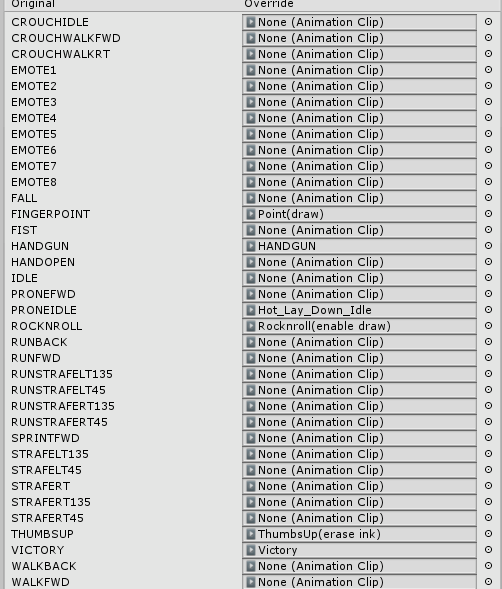

Yeah I got my snail marker stuff in here for gestures, and HANDGUN should pull out my..handgun
crisp tendon
And it doesn't appear ?
ancient trellis