#avatar-rigging
1 messages · Page 161 of 1
 crisp tendon
 upbeat ore
ty
 fading verge
How to make dinosaur (T T)
 scenic flicker
Does anyone know how to Change an avatar's T pose to A pose as the new rest position? I tried the double armature modifier method but when I click on apply on the first armature modifier, it says that "modifier cannot be applied to a mesh with shape keys".
scenic flicker
Oh I didn't know that cats tool had that, just tried it and it worked! Thanks @crisp tendon !
 elder pilot
I'm having some trouble getting my VRM avatar working - I got it into VRChat mostly fine, but if I move my hands too far in any direction the shoulders start folding in on themselves. I'm assuming it's the shoulder bones not having rotation limits? Does anyone know how to fix this?
I managed to place rotation limits in blender, but I'm not sure how (or if it's possible) to make that carry over into unity, or if there's a unity component i should be using
 static solar
Hey guys, I'm working on an Animal Crossing avatar (specifically Kicks)
his nose doesn't follow the rotation of the head, it follows the rotation of the body.
I tried adding a snout bone to the rig and parented that bone to the head, but the issue still occurs.
I think this might be an issue with the armature modifier but I can't figure out how to fix the problem
So the problem ended up being the weights. I'm not sure what happened, but painting the nose in weight paint mode seemed to have forced the nose to follow the head
static solar
actually, I think part of the problem was that the vertices were not connected
 novel aurora
"bone 'left_eye' has no existing vertex group or vertices assigned to it"
made left and right eye bones as i was pretty sure unity would scream at me if i imported a model without them. anyway to have CATS ignore my (purposefully) nonfunctional eye bones so that I can still have blinking?
previously they auto-bound to the chest bone, which i imagine would cause issues with the model swaying or something weird
crisp tendon
You still need to have a microscopic amount of weight paint on that eye
it doesn't even need to move something on the eye
but the eye_left vertex group needs to have an effect on something
you can add 0.01 on any vertex of the body
novel aurora
gotcha
model has 2D eyes, hence me making the bones n all that
shweet, so it wont like... visibly move stuff
aight
fading verge
Unity doesn't say anything if you don't have eye bones I'm pretty sure
novel aurora
ah
fading verge
I'll check
novel aurora
but if dont set up tracking with CATS, the model won't blink, correct?
even if it's tracking... (essentially) nothing
fading verge
You should be able to setup eye tracking in Blender and disable eye movement, that should work I think
novel aurora
ohh alright lemme see
...you're right, haha
does unity yell at you for not having eye bones still?
either way, i know how to add bones and weight paint now, haha
fading verge
Well, I tried it and it hasn't yelled at me yet. Didn't try the only blinking stuff though
novel aurora
it works fine, it's just... not
maybe im not using the testing mode right, but the shapekey isnt playing
...
i wonder, does it kill shapekeys even if you selected to preserve the mesh they're a part of in decimation?
fading verge
Testing mode? Shape key playing? Do you mean the blink shapekey?
Avatars don't blink in unity testing, you need to test in game at the moment
Unless you're actually going in and putting values in for the shape key then it would make sense. If that's the case then you'll need to go back into blender and test the shape keys and their originals manually
fading verge
Odd, are the orignal shape keys intact?
novel aurora
they appear as options, but perhaps the decimation killed them anyway
fading verge
Texture based blinking? You mean just blowing up a 2d plane that's hidden in the head or like with UV's and offsets
novel aurora
no, it's moving the texture
fading verge
Moving the texture?
novel aurora
the eyes texture is a long line of different "expressions"(?)
im assuming that's what it does
snaps to the new UV coords or whatever
im not an expert, ahaha,,
fading verge
Okay, and are there a bunch of different planes in the head that the shape keys blow up and put on the face or is it actually moving UV's around which is not something blendshapes can do I'm pretty sure
novel aurora
moving UVs
there aren't "plates" stored in the head
planes would be the right term tho, yeah
fading verge
I've never seen a shape key move a UV before
fading verge
I just tried it myself and it didn't work
novel aurora
in... blender? or
fading verge
Blender yeah
Would you mind shooting me the model so I can take a look at exactly what is going it?
novel aurora
i tried to do it again, and now all the shapekeys have been cleared
...strange
hold on
fading verge
Probably because they all effect 0 vertices at that point. CATS clears unweighted bones and shape keys
fading verge
You'll probably have to revert to a nondestructive copy and try again
novel aurora
something to do with modifying the "Fix Model" options, I think
oh yes, I'm aware I'd have to reset, haha
fading verge
CATS doing this is why people usually have problems with making their vrc.sil shapekey since it's supposed to be silent and not move any verts. Thus people get around it by barely moving some random vert nobody will ever see
novel aurora
There's only an option to untick "Remove Zero Weight Bones", not "Zero Weight Shapekeys"
:/c hm.
as expected, did nothing.
so you're saying to edit the model's shapekeys so that they move a tiny vertex?
yikes, that's a lot of shapekeys
fading verge
That won't help if the shape keys are all broken still. Sure they won't get deleted but they're broken
novel aurora
strange, running through the shapekeys on a non-CATS import... appears to actually have some vertex movement mixed in
 teal badge
I don't think I've ever seen a model modify UV by shapekeys? Is that even possible?
novel aurora
oh!
i see.
the eye shapekeys are based off of... transparency on/off and UV movement for a plane, I... think
in MMD it's doable
I've made models that use that b4
so in that case, is there a way to disable CATS removing "blank" shapekeys?
novel aurora
shoot.
teal badge
Cats is not removing the blank keys. That's the FBX exporter in Blender. Actually, I thought Cats had an option to patch that part out
novel aurora
file format's PMX tho, though i guess that doesn't really matter here.
what is the option named, or is it only in the FBX options?
oh wait.
are you talking base blender removing it?
oough.
wait.
hold on, that makes no sense.
update:
...is magically working now.
i have no idea what changed other than me constantly checking them in blender's shapekey tab
 reef cave
I've done the general skeleton of the model I'm working on in Blender, though I need Dynamic bones, would I use Unity for that. Also, in future, would I be able to use Unity for the general armature instead of blender, is it better?
 fervent hornet
You cant rig in unity.
You can apply dynamic bones only in unity
reef cave
I want to add the bones to my tail, Do I do that in Unity?
Or do you do that in Blender and then make it a dynamic bone in Unity?
 crystal vector
@reef cave If the tail has no bones, you can only add them in Blender
reef cave
Then how do I make those bones dynamic?
So, you make the bones for the tail in blender, then in Unity you make them Dynamic Bones?
reef cave
Ahh
crystal vector
But dynamic bones is a plugin that costs 20$
reef cave
Hmm, I see
When doing the bones for the tail in blender, would you have a lot of little bones? Its kinda like a devils tail, so it doesn't have fur or anything
fervent hornet
Just depends on what you want. Less bones is more optimized but you can lose finesse. You usually want to find a balance
reef cave
Thank you, You wouldn't happen to know of a good tutorial for making tail bones, this is the first model I've ever worked on so I'm still learning a lot
fervent hornet
Not anything specific, but there are a lot of general dynamic bone tutorials on youtube
 lean pebble
Hi all, does anyone know why a model would have bent knees when uploaded to VRC? The bones all look "correct" to me. I'm curious if someone sees an issue here that I'm not catching.


 fading verge
It could be an issue where the leg bones are too straight on. There should be a slight bend forwards in the knee area to allow the IK to orient the legs.
Other than that I wouldn't know, some models are just fucked in general
lean pebble
So, i just noticed something interesting. When I use this AV in world, when I move my head up and down, my affects my legs bending.
Where as with others, when I look up and down, the legs stay completely straight.
Is this potentially a setting you can configure within unity?
I'm also on a desktop client if that helps.
Sorry, new to this rigging stuff.
fervent hornet
You should follow the full body documentation for correct rigging https://docs.vrchat.com/docs/full-body-tracking
VRChat
VRChat supports additional tracking points using the HTC Vive Trackers. These work with the Lighthouse ecosystem to permit these two additional modes of motion capture: Four-Point (4PT): Tracking headset, two controllers, and one hip trackerSix-Point (6PT): Tracking headset, ...
Legs should be straight down with a slight tilt forward at the knees. The outward pose of your legs are tricking the IK system
lean pebble
Thank you @fervent hornet
Wanted to post an excellent video I found on common rigging issues and fixes. https://www.youtube.com/watch?v=2sfTEBAl8sA

Timestamped Links (Right-click: Copy Link to share a stamp)
0:00 - Intro
1:00 - Visual Guide
2:53 - User Real Height
5:54 - Proportions
7:04 - OpenVR Advanced Settings
8:17 - Proportions cont'd (Blender Start)
10:20 - Shoulder Sag Fix
11:46 - Proportions cont'd (Scaling Limbs)...
 final totem
Anyone have an idea why my mesh is deforming twice as far as I'm moving it in pose mode? There's no double armature modifier on my mesh. Blender 2.8
fading verge
Duplicated weight painting perhaps?
final totem
How would I check for that?
@fading verge
I think it had rigify stuff on it earlier but I deleted it. Idk if anything is lingering.
 neat palm
Anyone here know how to rig "clothes" on model in Unity?
fading verge
Don't do it in Unity it isn't optimized. Do it in blender with custom model creation
neat palm
by chance is there a tutorial or could you walk me through it?
final totem
"Rigging <object>" in Unity is just dropping the mesh on a bone you want it to follow
It's very static but it's great for an armband, hat, or anything that will be following in an area that will never deform
neat palm
I cant for the life of me see where I can go into make a rig that will stay static for like, a facemask/"hud" or a police badge, or shoes
i thought maybe it was that i needed to marry the object to the original bones, but i cant find a way to "weld it"
final totem
So get the object onto your scene and position it. Once it's positioned, drag it onto the armature bone you want it to follow in Unity
neat palm
and it goes into "subfolder" mode?
 neat palm
im like completely retardo when it comes to rigging, i cant find literally anything rigging in unity its all clickbait shit for blender
final totem
If you drop an object on top of a bone in unity then it'll go into the subfolder mode and become a child of the bone and follow the bone
neat palm
does it help if i do the parent constraint function?
add the func to the child item and relate the source as the head "bone"
final totem
Idk I haven't really done too much in Unity for a while but I can't imagine it having changed. There's no fancy stuff needed. Dm me if you want and I can help tomorrow when I get up
neat palm
kk
 north wadi
I want to add weapons to my avatars like if I press Shift + 1 that they make a weapon appear but Im not sure how to do that with the control thing in unity
fading verge
You can have toggable avatar states using emotes.
Otherwise, you'll have to perform X gesture to make the weapon appear and it'll vanish if you stop doing it.
I'm having issue with rigging the hands. I used Maximo, an online rigging tool, and it borked them up. I need bind the new bones to the hand but it's not giving me the option, though they are connected to the armature.
north wadi
XD not sure how to do that!
fading verge
That's what Google and this server is for. Just ask.
 silk dust
Can someone help me please, i can't seem to get this piece of clothing to work
Whenever it turns, it drags abit of the body with it
fading verge
Remove the weight painting on the parts you don't want to move
silk dust
I'll try that thanks
silk dust
The mesh kinda breaks up when i try and turn around the bones? i see in the wireframe that they arent connected, is there anyway to do clean it all and put it all together?
fading verge
Can try to remove doubles to join the two parts together. Otherwise you can try adjusting weight painting and making it so they always stay together
 sleek isle
 tough robin
was it worth it to spend time on that Franada?
sleek isle
yes with an error
fading verge
...shouldn't the leak be the issue?
silk dust
explain ples
fading verge
Just paint it with weight 0, no need to assign/unassign vertex groups really, though that is one way to do it
silk dust
Removing doubles fixed everything
north wadi
With using dynamic bone, what would be good settings for the ears Fox ears/cat ears To move nice but not being all over the placE?
north wadi
Hm I cant figure out how to add animations from mixamo to my avatar in unity.
I looked up stuff on yt but again, no one explains it well.
fading verge
What's got you confused.
north wadi
Well there are different videos on how to import it into unity and then on an avatar and one seem to work for me;
fading verge
If you have the animation files you put them on the animation override controller.
north wadi
and sticking an animation into the override is supposed to make them do it automaticlly? because I've done that before and my avatar wasn't doing that animation
fading verge
You have to put the animation override controller in your avatar descriptor and you have to do the gesture/emote to do the animation.
north wadi
Not sure what you mean on that;
fading verge
What's got you confused? That's the entire process right there
 noble arch
Would this be a rigging issue, or is it maybe related to the arms being too long?
My arm is strait out here but it always gets a weird macaroni bend arch that looks strange. I also posted in #avatars-2-general but thought maybe here would be a better place to ask
 dense stump
https://youtu.be/2sfTEBAl8sA since ur in fbt i recommend this tutorial if u havent seen it yet! Could help with ur problem?
Timestamped Links (Right-click: Copy Link to share a stamp)
0:00 - Intro
1:00 - Visual Guide
2:53 - User Real Height
5:54 - Proportions
7:04 - OpenVR Advanced Settings
8:17 - Proportions cont'd (Blender Start)
10:20 - Shoulder Sag Fix
11:46 - Proportions cont'd (Scaling Limbs)...
Could also be because from what i could see in avatars, the forearm is tipped up? (Hard to tell, might wanna screenie in orthographic mode) when you want it more horizontal with a lil bend in the elbows back towards the back
noble arch
@dense stump here's the ortho, I'll check out the vid
I just tried moving my viewport to where the neck is and it helped very slightly
fading verge
Tried binding a sash to the chest bone, won't let me weight paint it.
...I was in texture view.
fading verge
Any tips for rigging a duster/overcoat?
I may want to add physics to the fringes so it sways around some when moving. How would I achieve that?
noble arch
@dense stump I'm still having some problems but this tutorial is absolutely amazing! Thanks!
fading verge
Any tips for rigging hair with constraints? Don't want mine flopping everywhere
Why would you want to "rig" hair with constraints?
The hair in question isn't actually hair but shotgun shells connected together in a way that resembles dreads. At the forefront of said shells is a bandana that wraps partway around the top of the head.
Like so.
I'd rather have the shells not flopping about excessively when moving and instead "interact"with each other.
Hello I have a huge problem my avatar keeps arching her butt back and the torso to the front ive tried moving the spine and hip multiple times but i cannot seem to fix the issue.
She's trying to show off.
 long geode
anyone ever rigged a fortnite avatar and bonus full body
fading verge
Could just use some really stiff DB
 naive tree
@fading verge make your hips in line with legs https://cdn.discordapp.com/attachments/438185599363710977/665303156821065784/unknown.png

 rancid osprey
Hope im not intruding, i just have a small question, should the eyes of my mesh be separate? im quite new to this and im not sure how to do it so i can rig it properly.
 fierce carbon
Second time something like this has happened with an avatar Ive worked with using full body tracking, the rigging seems solid it doesnt behave this way out of full body
but for whatever reason the hip does this
fierce carbon
for the hip tilt fix or the whole video for FBT fixes
rancid osprey
can someone please help me?
fierce carbon
From what I understand no the eyes don't have to be separate. You can rig them as They are
or do them like Vilar does them with his shader https://vrcat.club/threads/vilars-eye-tracking-shader.1640/

VRCat: Community-Run VRChat Forums
I want to share a shader I created to get my eyes working while I am using full body tracking. The shader went really well, and I think it may even be...
@rancid osprey
rancid osprey
cheers
fading verge
@naive tree is there any way i can precisely do it or do i just have to guess ?
naive tree
@fading verge it doesn't need to be perfect, just along the same line
numpad5+numpad 3 to go side orto view
rancid osprey
setup a rig, not sure what to do from here though,
fading verge
Okayyy thanks a lot yuumi
rancid osprey
what do i need to do to get this ready for vrchat?
crisp tendon
Uh, well, it's not humanoid, so it won't move unless you create your own locomotion animation
rancid osprey
its basically a humanoid rig with extra legs
will i have to manually do leg movements, or can i use auto step?
crisp tendon
You have head, neck, chest, spine and hips ?
you're also missing fingers
Nowhere close to humanoid
rancid osprey
ok, i'll try figure it out
crisp tendon
Information is pinned btw
rancid osprey
i found a tutorial by
Scionzenos, i'll try that
also, apparently fingers are optional, is this true?
crisp tendon
You need at least two bone on three fingers
rancid osprey
one more quick question, does bone rotation affect knee direction?
tough robin
it doesn't afaik. I reset my bone rolls all the time and it never breaks anything
 astral ridge
@rancid osprey Your bone rotation should normally affect your weight painting on your mesh with that bone. If I got your question right. ^^
Just don't flip ur bones in the editing mode
 austere ravine
Does anyone know why the bones refuse to merge? ive even posed it so they line up and they still refuse to merge
fading verge
How do I get a mesh to move without deforming it?
I'm trying to have a metal piece rotate with the bone but don't have it deforming.
fervent hornet
Only use weight values 1 and 0 and make sure it is normalized
 light stream
@austere ravine I'm no expert because I just started using Blender and I'm still wrong a lot, but based on my programming knowledge because i've done it recently, are the bones named the same?
fading verge
@fervent hornet , the only weights I have on it are 1. The vertexes are the part itself and the head so it moves with.
fervent hornet
Well it will deform if it has a weight of 1 on 2 things
fading verge

[[ENABLE CC ON THIS VIDEO]]
Quick rundown of how I set up a skirt for VRchat that looks good and wont make everyone's frames rate tank.
Currently there is a bad trend of using excessive amounts of dynamic bones and colliders, or even worse, cloth physics, in skirts. This sel...
Found this and gonna try it for myself, it'll defintely save me a lot of time if it works well.
 tough cypress
Is there a easier way to weight paint so I dont get these rips?
fading verge
You can try to remove doubles to join the two parts together if their vertices overlap with each other
tough cypress
Remove doubles?
fading verge
I think it's called merge by distance in blender 2.8
fading verge
While in edit mode and selecting the vertices you want to join. Select all if you want. Hopefully it works out
tough cypress
I don't have mesh tools
fading verge
Mesh tools?
tough cypress
the thing you screenshoted
fading verge
What are you looking at? Are you in edit mode?
tough cypress
Yup
fading verge
Screenshot
tough cypress
I've got Transform and Edit
 wind osprey
Are you using blender 2.7x or 2.8?
fading verge
Yeah that isn't edit mode
tough cypress
fk, you're right
I found it now, I swear I pressed edit
but it got into objective
wind osprey
remove doubles is also under the w key menu for nice quick access
tough cypress
How do I know if it works then? Since I can't see the rips when I go into edit mode, only when I'm in weight paint
fading verge
Start pose mode and move the bone weighted to the mesh that is causing the ripping and see if it fixed the issue
When you originally pressed the button it should have told you if it merged any vertices at the time
fading verge
Did you select the part that was tearing?
Did the tearing part have vertices that overlapped each other to join?
tough cypress
I didn't know that I had to select all vertices before clicking the remove doubles
it worked now c:
fading verge
Nice
tough cypress
Thanks a lot, been trying to a few hours now to get the weight paint to work without any rips
Is there a shortcut to remove all Weight paint on a bone?
fading verge
You can select the vertex group, go into edit mode, press select and then unassign and that will remove all weight painting for that group
tough cypress
Does hair or anything on the head have weight paint? Theres something on my head that is messing with my shirt, if I remove all weight paints on all the bones on my head, will it mess something else up?
fading verge
It'll make the meshes without weight painting not move when bones move.
fading verge
Should I worry about my edit and pose versions being different?
Edit and pose versions being different?
tough cypress
He means different positions
If you click on a joint that you have moved and press ALT+R it will change it to its original position
tough cypress
I read it wrong, I'm aswell confused
fading verge
Lemme rephrase: my object mode and edit mode positions are different.
For example, the hair of my model was raised up and away from the avatar so I could rig the segments. However, I moved them in pose mode to where they should be.
The pose and object modes have the same positions but edit does not.
I mean, if you have pose mode enabled it the bones would move and if you go into edit mode on the mesh or bones they'd revert to their rest positions in the mode.
To make it consistent apply the pose as rest pose
And you can exit pose mode and keep the bone in the same position it was in in pose mode, which can cause some confusion when you go into edit modes. Use alt+r to reset the transforms of the bone to make it consistent if you need
fading verge
I'm finishing up some rigging for my admittedly-complex avatar. There's multiple layers and it's been a real struggle-fest trying to making it look good and have minimal clipping. With that said, which'll probably look better?
This is with shoulder + arm weight painting, making the pauldron shrink somewhat when arms are lowered.
Just arm weighting.
Just shoulder weighting.
 small solstice
have a question, how do i make this act like a ball joint for the arm, and not act like this?

the shoulder doesn't wrap around the balljoint, it instead clips thru it
fading verge
Generally you want the bone to be in the perfect center of the sphere so that the transforms look like they're syncing up with the ball
Another option would be to weight the ball to the arm as well like on the frame doll models. This also needs to be in the perfect center of the sphere to make it "look" like it's rotating around the sphere
small solstice
so i need to essentially re-rig that part of the skelly
so the joint is in the sphere
tough cypress
I'm weight painting right, and now my bones wont move when I press R, have I accidentally pressed something?
crisp tendon
Show your screen
tough cypress
fading verge
Looks about right. Is the bone rotating at least?
tough cypress
at least?
fading verge
Typo
tough cypress
Nothing happens when I try to rotate it, I get the arrow thing on my mouse that I can rotate it but nothing happens
fading verge
Open the N panel and see if any of your transforms are locked
tough cypress
everythings unlocked
fading verge
Odd
Do you perhaps have the armature in rest position instead of pose position? Long shot since it gives you an error if you try to move in rest position
Do you have this option enabled? If so, disable it
fading verge
Alt+,
 manic solar
So! i has a question! you know we had to do all the work-around stuff for armatures before? like flipping the pelvis, doing the weird leg thing where we have fake bones, etc. is that stuff still required for full body? O: thank you in advance! ❤️
 opal aurora
As far as i'm aware, that is no longer necessary
fervent hornet
VRChat
VRChat supports additional tracking points using the HTC Vive Trackers. These work with the Lighthouse ecosystem to permit these two additional modes of motion capture: Four-Point (4PT): Tracking headset, two controllers, and one hip trackerSix-Point (6PT): Tracking headset, ...
fading verge
What are the finger naming conventions for CATS/Unity
fervent hornet
None from what im aware. I usually do things like LeftIndex_1, LeftIndex_2, LeftIndex_3
fading verge
ok, and how do i stop cats from screwing up all of my bones when I press fix model
the bones are in the correct position but a bunch of them get rotated 90 degrees after using cats
fervent hornet
You should have the textures somewhere, you can apply them manually
fading verge
yeah I typically just do it in unity with material override anyway
blender has some really dumb layout desicisions and I try to use it as little as possible
they ignore commonly-held UI conventions
fervent hornet
Talking about 2.79 or 2.8+
fading verge
... latest as of a few weeks ago? 🤷♂️
fervent hornet
Yeah so 2.8 or so
They've made the UI much more similar to other programs so I dunno what you mean
fading verge
for example - cannot rename stuff via right click despite that's how every application works
settings is under edit for some ungodly reason despite literally everything has settings under file or help
absolutely zero working click and drag operations
stuff like that
fervent hornet
Guess I'm just numb to it. Been generally disappointed in other 3D modeling programs UI. Whatever you start with is probably going to be your favorite
fading verge
haven't used any other 3d modeling programs, so I guess I'm just dumb? I use quite a bit of programming tools and blender doesn't exactly scream intuitive to use...
anyway thanks for your help
fervent hornet
No problem
fading verge
ny ideas how to fix this? the other eye is set up the exact same so idk
hey are both weight painted to their own eye bone
tried deleting one of em and it gave the same error on the other one
https://cdn.discordapp.com/attachments/521112661841149952/706898018128887860/unknown.png

 astral warren
Cats does not fix textures it just sets the viewport to materials
You can do that manually
fading verge
im talking about setting up the eye tracking
 lyric jetty
Can someone help me export a model out of maya so I can get it into blender?
maybe even take a look at what it would take to get it running in vrc?
fading verge
So the avatar isn't able to reach with the hands to where I'm able to reach irl, therefore is a bit akward to use when I extend my arm completely.
Do I need to stretch it more?
astral warren
Usually that’s not the fault of arm length. Make sure
1.) your floor height is calibrated correctly
2.) VRChat has your true height set in settings
3.) no programs like playspace mover have offset your playspace
4.) your view position is set correctly on the avatar (placing your left hand on your right shoulder should make the avatar do the same)
If you miss your shoulder adjust view position in the direction your hand should move to place it on shoulder
After that arm length should math perfectly no matter how long or short you make the avatar’s arms
Worldscale will be adjusted to match
astral warren
There are rare circumstances with avatars that had very broad shoulders compared to their arm length, meaning they can t pose correctly but not each forward. If that’s the. Case you need to reduce the shoulder width to wingspan width ratio to be more human-like
fading verge
Interesting, thanks
It doesn't have large shoulders so I don't think I need to do that
astral warren
Looks fine. When properly configured the wingspan will match your own, and, given your tall avatar height compared to wingspan, the vr floor will probably be below your real floor, but that’s intentional. Can’t match both unless you are actually those ratios.
fading verge
Thanks for the help
I don't think I'll be able to try it out today anymore since it's night (and I thought it'd be a rigging issue)
So I'll try it out tomorrow and if you don't mind could I send you a message in dms if I can't figure it out?
astral warren
Sure
fading verge
Thanks! 🙂
static solar
I've got a rig that won't move with the left side of the armature? The bones move, but the model won't bend with the bones
I tried to weight paint the mouth the to match with the head like I did with my kicks model, but for some reason, Blender won't actually paint the weight on the chin. The arms look like they have proper weight pained
 manic marsh
Don't forget to normalize the weights
static solar
@manic marsh you are a godsend thank you

 static solar
lol
the model had its own weight maps, so using the automatic weight maps option got the jaw and the arms to follow
the jaw didn't have enough head weight, so I added a bone and that worked
 azure vine
Hi I have an issue when I'm binding in VRChat in full body, the hips slide on the side on the z axis, I look like in the third avatar in the image linked. I don't know what cause that issue.
dense stump
In the pinned there is Kung’s new FBT tutorial!
I believe he goes over that issue within it
azure vine
the issue he solved is when the hips tilt forward or backward, not on the side
azure vine
@crisp tendon I'm gonna try that
 stark musk
Would it be okay if I had more than just an upper arm/lower arm bones?
I'm making a model that has very long arms and would benefit from being more bendy.
The legs are also long too, and I know that it'd look very strange with only a few bones.
stark musk
I plan on animating locomotion.
I'm just wondering if it matters at all (to have a "bone hierarchy") when using a generic rig, sorry if I didn't make that clear.
crisp tendon
it doesn't no
stark musk
okay, thank you! 
azure vine
Thank you Ruuubick it resolves my Hip issue 😉 👍
 wild coral
Will avatars already have bones if they’re ported from SFM?
And or a direct game rip?
dense stump
sfm yes usually, but sometimes u gotta edit them for vrc.
manic solar
hey, do we have to do that weird eye fix anymore for eye tracking? you know where, we have two sets of bones for each eye? :V
fading verge
You mean CATS setting up eye tracking? Yes, but avatars 3.0 will streamline the process
manic solar
i don't use cats, but thank you~ at least i know what i've gotta do now
fading verge
There's no reason not to use it, even if I myself barely use it
crystal vector
@manic solar Having two sets of bones for each eye is not a requirement, it's just how cats does it
 tall goblet
can anybody give me some advise regarding anchoring points on rigging?
what I'm hoping to do is use the skirting rig to hold down the bottom of long hair so that it doesn't go through my characters torso like a sugar scoop
fading verge
hello I use my avatar with oculus VR . When I do nothing to controllers ( open hands ) the avatar hands are open at max value , not very beautiful .is it possible to easily configure the default opening value of the hands when the controller is in the open hand position (not maximum open but slightly closed)?
Take a look at the custom override controllers
there's a animation for "handopen" which might be the thing you're looking for
okay, thanks for your help, i will search this side😉
 warm idol
Hi guys. I'm importing MMD model and it doesn't have "Chest" and "UpperChest" bones. Using "UpperBody" does not help. is there a replacement? i can't just not use a chest, it gives me an error after :((
 zealous cypress
Is there a way to make it follow when Ctrl+J won't help? as some guides on youtube tell me to do...
Some Shitposts
u should open the Prefab or FBX file and input the chest bone if its missing
zealous cypress
press on ur blue container in Project folder
example for me is wolf
here go to Rig
Then "Configure..."
and u get this up that u just fill with missing
warm idol
yeah, i'm here, but what it there is no chest in project and "chest" is "upperbody"
zealous cypress
from ur picture it should work with no edits... as neck and both arms are under "chest"
If something fails, save, restart and try again
warm idol
without chest it gives me the same error, idk at this point. i saw tutorial and there were no chest and no error. maybe because i have no bone called "chest"
oh nevermind i just renamed UpperBody2 to Chest and it worked ahah (now i have new errors, but its ok)
 deft snow
Does anyone remember how to fix the issue when the avatar's shading changes slightly when playing any animations blinking, gestures, and visememes. Driving me crazy!
 echo nimbus
deft snow
echo nimbus
deft snow
@echo nimbus That's it! Gosh I feel like a noob. Thank you!
echo nimbus
It's an easy mistake currently unless you are aware of it
 winged plover
im having trouble in blender attaching arm and its mesh to a model im editing, any ideas?
deft snow
@winged plover It looks like you're trying to join the arm armature to another armature? Select the arm then hold shift select the rest of the armature then hit CTRL-J.
winged plover
@deft snow ok thank you and will the mesh connect too?
deft snow
@winged plover The same technique will work for joining meshes together. If you're trying to rig your character use CTRL-P and select "automatic weights".
winged plover
@deft snow ok thank you for the help
 meager zealot
no bones i guess
damn
looks like i can't just slap any model into unity so easily
 robust crescent
looks like it has bones just wrong names, cats get confused then
zealous cypress
be sure to "translate" everything might help
 dark arrow
wait me?
zealous cypress
ment to wobblins
dark arrow
wait if i made the bones in blender
do they transfer when i export?
and import to unity?
zealous cypress
they should yes
pins got a good image for bones needed for an avatar
https://cdn.discordapp.com/attachments/251862595030482955/404301325380091906/guide.png
 dark arrow
do i need shoulders?
zealous cypress
what u need in Real life u need ingame aswell
meager zealot
translating results with the same issue
this model seems to be built a lot differently
if anyone cares to take a shot
robust crescent
Sometime you have to manually rename every bone then hit fix
zealous cypress
The bones are there but their not named anything beside "bone.xxx"
u have to manually rename those needed
for it to fix it for u
fading verge
Yeah, I agree with what's been said. Rename the boens
fading verge
Yeah
meager zealot
@fading verge @zealous cypress how exactly should i form the renames for the fingers
fading verge
This works
meager zealot
Do i have to rename each knuckle, too?
fading verge
Knuckles are the first part of each finger. So, it'd go IndexFinger1 (knuckle), IndexFinger2 (first joint), and IndexFinger3 (last joint).
You may want to include a "knuckle" for the thumb too but sink it further into the palm. It'll help Unity track movement better and hopefully avoid weird thumb positions/the end just jutting out.
meager zealot
Cool, got that sorted
But now another issue..
CATS needs both a L/R Shoulder and a L/R Arm bone
But it looks like i'm missing bones where the dotted lines are
also, textures get messed when i go to fix the model
fading verge
Add in the missing bones, make sure they're parented properly.
meager zealot
I don't have an extrude button :/
I don't think im looking in right place
@fading verge
 frail wagon
A small part of my model is stretched into the floor. It doesn't seem to have any weights other than the nearby bone it ought to be affected by, but it's likely a weighting issue, isn't it? weirdly enough the affected area is where the 3D cursor is when I exported it from Blender...
 crimson mica
Hey guys, i'm looking for a super in-depth guide for how to set up avatars for setup in Unity. I got a model that I commissioned and i'm having difficulties trying to get it VRChat ready. If anyone knows of a super detailed guide (that isn't for MMD models) it would be very appreciated!
 wary nest
This should help you, @crimson mica https://docs.google.com/document/d/1W5KFa_aszCMrJaFD8mb9a-GHYO4X4S9M63GjM4UwuEw/pub
 summer oar
hello, i am attempting to use UV warping to get eye tracking working. However, im now unsure if uv warps will be available in vrc. Does anyone know if i can?
crimson mica
Thank you @wary nest !
 shell gulch
anyone know why that happens?
i remember that happening to my other avatar
and i cant seem to fix it at all
weight paint loop cuts dont do the job..
 old dove
I've had help trying to make an avatar out of an Animal Crossing Pocket Camp model and it's almost perfect except it keeps using the upper arm as the shoulder and the lower arm as the upper arm, causing it to do this and not track very well to my hands. We haven't figured out how to fix this, so do any of you know what to do about this?
crisp tendon
@shell gulch You need to remove weight paint from other bones that affects the forearm
 iron chasm
ive been weight painting the upperarms over and over again but it keeps showing through my jacket. please help
crisp tendon
Do you need the arms ?
crisp tendon
The human arms
 narrow scaffold
I'm using a miko base, how can I animate the ears?
crisp tendon
Create an animation, record a few keyframe of bone rotation
narrow scaffold
@crisp tendon they don't show up in muscle animator
 half shadow
Add them yourself in the animation file as a gameobject in the animation instead of using muscle editor or something
narrow scaffold
Sound like I need blender to get the ears though...
I'm hoping to completely avoid blender.
half shadow
You don't have bones for your ears on your avatar?
half shadow
yeah, just select those bones from hierarchy in the animation file and use rotation
narrow scaffold
I understand
I'll see if that works when I get back to my computer
Thanks for the support
Also if I do that object enable emote for changing clothes, doesn't that massively increase file size?
narrow scaffold
It just enables sunglasses or that's the goal.
fading verge
oh then that's neglectable
narrow scaffold
So maybe just enable the object?
And how can I rename the components on the place with the shaders, it's not in English.
Like where you select shaders
 light fox
hellow , someone got a clue of how to rig an avatar that's is not humanoid ?
zealous cypress
depends if it comes with bones and all that and all u have to do is assign what bone do what. or just a skin mesh
light fox
ok thx for the hint , i will try something
stark musk
I really messed up...apparently I've been weight painting a mesh onto an armature without the mesh connected to the armature...and now when I attach the two it loses the weights.
How do I fix this so that it keeps the weights?
crisp tendon
i don't think you can paint a mesh to an armature that isn't connected
stark musk
I fixed it by parenting the mesh to the armature with empty groups, seemed to fix the issue
And apparently I was, they weren't connected.
Had a small panic attack, but it's all good now haha.
Also, am using blender 2.8, if that makes a difference.
wind osprey
The armature modifier is what actually links meshes and armatures together, not any kind of parent-child relationship.
You'll have been painting to an armature, just not the one you wanted.
 digital osprey
anyone able help me with blender 2.8 weight painting?
trying weight paint a hat into a bone but not going on it (was told went under rigging)
crisp tendon
What's your issue ?
digital osprey
was trying weight paint brush on my mesh and when i moved the bone, it wasn't moving with the bone
zealous cypress
did u click the armature, Shift click the mesh. go to weight paint. then Ctrl click the certain bone to paint it to?
digital osprey
it doesn't let me ctrl so was i did was select it in bone pose then shift click the mesh to weight paint
shell gulch
anyone know what settings of dynamic bones to use for a earring?
zealous cypress
maybe this? its what i use for cloths
shell gulch
hmm seems okay? ill try it
azure vine
Hi, I'm have my right hand who's drifting in relation to my controller when I move it. I don't really know what's doing that but I had another issue (chest bone too large that were rotate my hip in the Y axis) so I reduced that bone size and it resolved the issus and also the hand drifting a lot (he was more prononced before reducing my chest bone size). So it looks like that I have to reduce my chest bone size again ?
The hand's drifting is the right one
I'm confuse about this issue
zealous cypress
Thats a wierd setup for hipbone if that is considered a hip bone at all
dark arrow
lol
fading verge
Thats a wierd setup for hipbone if that is considered a hip bone at all
@zealous cypress thats teh thing in blender there is no cross like that
stark musk
How can I re-weight a single bone?
To add new vertex groups for new bones that are added.
 topaz depot
Is there anyone who can help me personally? I'm trying to put together an avatar and realized after testing it in VRChat that the legs will not move. The animations for movement work well enough, but the legs will not step when turning, instead remaining static while the torso rotates with where I look, and they will not bend when I crouch down, leaving my model's head in the same place while my vision remains looking through the avatar's abdomen. The only other case of this that I could find has to to with there apparently being too few fingers on each hand for the model, but that doesn't seem to be the case here as the model does possess the minimum number of fingers, and the gestures function properly, the issue could easily be solved if we had the prefabs, but the guy I got the assets from claims they aren't supposed to be there. I don't know the first thing about rigging an avatar, and I had a lot of help throughout the process before eventually I just let a friend do the setup while I tried my best to convey what I wanted for it, and neither of us know what went wrong. If anyone would take the time to help me, please send me a DM.
fading verge
Does the sdk give you any warnings?
topaz depot
None that I can see. Everything is yellow or green, so I assume it's fine.
topaz depot
I'm actually unsure how to bring it up, but I'll try, give me a minute.
fading verge
vrchat sdk -> show control screen -> builder
topaz depot
Wait... I think I might have found something. I'm not sure if this is the answer, but if it is I'm going to be kicking myself for awhile now for not noticing it sooner.
fading verge
Yeah that's why
click on the imported model in the project pane, click on rig -> configure (save the scene before!)
the on the right make sure that left and right hand have at least a thumb, index and middle finger assigned
topaz depot
Yeeaaah, I have no clue what I'm looking at. It doesn't seem like it does. Again, I don't know the first thing about rigging a model, it took me close to a month to figure out how to bring the assets into the program, it was around that time that I just asked someone else to help.
topaz depot
fading verge
oh i meant in the project panel, click on the model
Then the inspector should look like this:
Click on the rig tab and the on the configure button
topaz depot
Ok, I did that, but wouldn't it be easier to do this in call or something?
fading verge
im rather busy rn, so cant
On the right side click on the hand button
and send a screenshot
topaz depot
Ah, ok, I guess I'll send a screenshot of the hand.
fading verge
yeah
topaz depot
fading verge
ah yeah see how it doesn't have references to the fingers?
now this is different for every model, since it depends how it's set up, but the general gist is to drag and drop each finger from the hierarchy into the proper slots on the right
E.g:
topaz depot
Alright, so I just remove the slots for the ring finger, and instead apply the middle?
Now how would I remove the rigging for the ring fingers and supplant a middle in it's place?
fading verge
make human ... what i need to bring it in unity for vrchat ? make human ... the model programm
stark musk
Anyone know how to add new bones to an existing armature, and weight paint them?
When I try to make an empty group, nothing happens.
 jolly dock
Hey so I noticed that after running CATS options for FBT my skeleton mapping has this "issue." Is this an actual issue? I don't know how to recognize what this would cause.
crisp tendon
It may be fine, worth trying, but would cause issues in FBT i believe
jolly dock
hmmm kk. I'm going through the Mega tutorial by Kung rn but didn't see that happen for them. The first test i did before the tutorial my avatar wasn't like horribly broken though so was just wondering
jolly dock
hmm appears to but what i don't get it why it says that it has a scale since in blender it's there
half shadow
Go into edit mode, select Hip Bone, and Press "S" and then type "-1" and press "Enter"
jolly dock
should I be concerned where the black dotted lines are now?
half shadow
They are fine i think
It's just that they point at the end of the bone rather than where bone starts, i know bit confusing, but it's still should be parented properly, as long as it looks fine in your hierarchy it's fine
jolly dock
alright I'll check in a bit and just go through the rest of Kung's tutorial. Thanks!
 solid adder
@jolly dock you're fine, as long as they are parented to the hips. It's just a Blender thing
The thicker part of the bone which is the head is what you need to worry about more than anything since that is where your limbs will rotate.
The smaller side of the bone which is the tail you don't need to worry about, but highly suggested that it points in the right direction. Unity when rigging it to t-pose will force the bones to the right direction which could cause limbs to go in a different direction
 proud prairie
Hello can anyone help me to use substance painter ?
crisp tendon
I made this, if it helps https://youtu.be/L6f87psKYyk
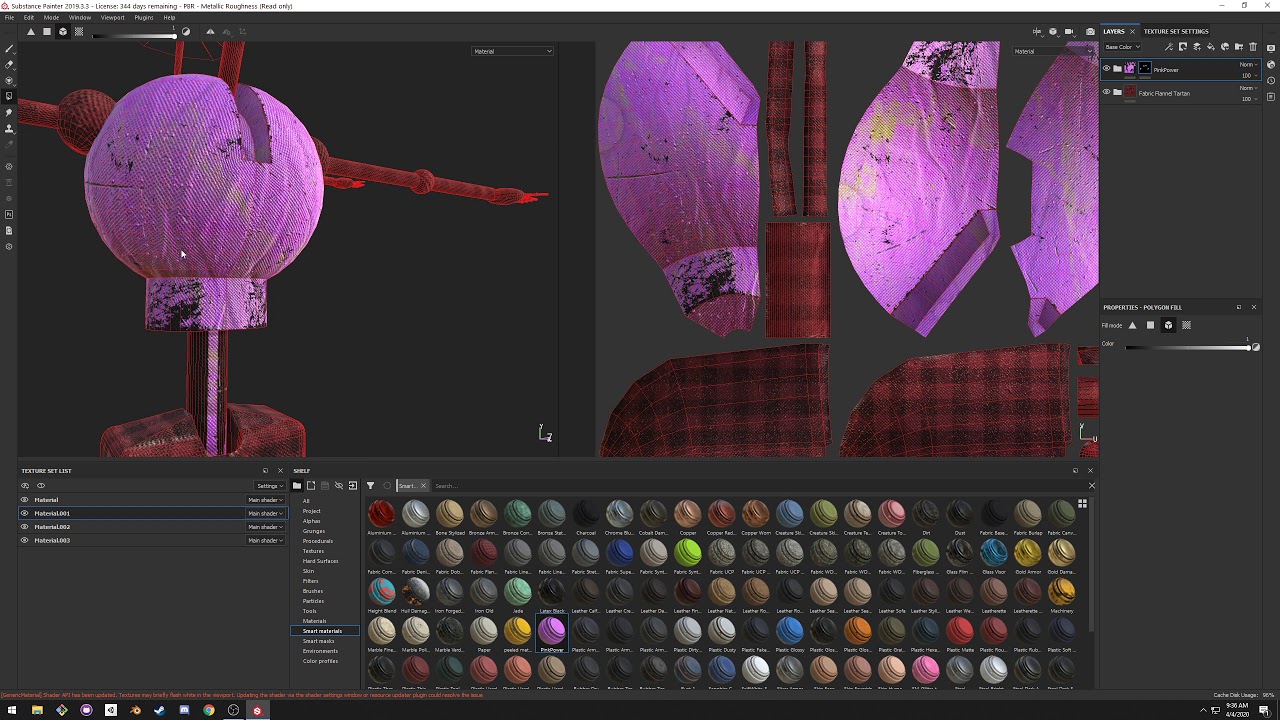
This tutorial goes over the basics of substance painter for the VRChat avatar/model creation workflow.
proud prairie
@crisp tendon that very funny because I just watched the video but it was so many informations I had to stop the video
Basically I have my fbx, 3 psd files who are 3 different textures (body, eye, fur) + the unitypackage, all I want is to change the color of the textures
crisp tendon
Then you'd need to use gimp/photoshop
proud prairie
can't I save the psd as png, import to substance painter, creat a material and add the texture to it ? @crisp tendon
crisp tendon
@proud prairie That's not really what substance is meant for, if you want to change color it would take 30 seconds in gimp/photoshop
proud prairie
yes but I can't see what I am doing on photoshop and there is alot of texture on a single image
crisp tendon
yes, that's what psd do
you could watch a tutorial on that
or just edit it simply in gimp
proud prairie
can I change the color of this without removing the texture added to the red ?
I don't think I can but just asking.. everything is on the same layer\
 velvet copper
probably through overlays and collor adjustment
proud prairie
oh yeah too difficult for me
fading verge
How would I simply weight paint a hat to the head bone in blender 2.8? In 2.79 I would just go into wireframe and highlight everything cause the weight paint would go through the mesh but now it doesn't
crisp tendon
edit mode, select the hat, vertex groups on the right, assign all to head bone
 fair sentinel
I'm new to all this and I'm trying to rig this model. It now has a skeleton but how do I make it move and everything?
 mild stratus
parent the mesh to the skeleton by selecting the mesh, then the skeleton, the press 'p' then 'with automatic weights'
@fair sentinel
fair sentinel
Alright
 haughty wigeon
oh man.. can't wait to start doing this myself XD
fair sentinel
I don't even know what I'm doing anymore
mild stratus
Make sure you select the mesh FIRST, then the skeleton, sorry about the lateness, I have to do online school
@fair sentinel
azure vine
Hi again, I tought I would fix it but I failed. So as you can see in the picture below,when i twist my right hand in real life (the controller) the right hand of my avatar shift (it is not at the same place as my real hand/controller). We can observe the shifting more easily as I have Highlighted in red a reference point that should remain the same.
That issue is quite annoying because it's like my hand is moving by itself while I twist it.
https://media.discordapp.net/attachments/390924372782612480/707796807304085545/unknown.png?width=612&height=751
 azure vine
The shift occur only when I am in full body
So maybe it's the position of the view position of the avatar descriptor ? On the Z axis I'd say
Here is my rig
 tame birch
Do someon know how to make unity not see a tail as a leg ?
half shadow
can't you just unmap it and map your leg instead to the rig in unity?
fading verge
Make sure that the legs are mapped in the configuration menu properly and not the tail
fading verge
I have a weird issue with the legs
When I move the leg up in unity then it looks all weird
But when I move it up in blender it's fine
half shadow
Put your model rig in unity to none and then apply humanoid again, and make sure to set it up properly
changing rig when model is already set-up with the rig in unity and everything causes something to be like that usually
fading verge
Yeah already imported it a couple times new and set up everything properly
it looks like the problems are the rotation constraints
are they weirdly to setup in unity?
shouldn't they just be copy paste values then set active
half shadow
oh, no idea honestly, i never played with constraints yet, or don't know any use for them yet to try using them, so i can't be really helpful with that one
fading verge
Ah my modeller figured it out
unity works a bit different compared to blender when it comes to rotation constraints so I needed to add another constraint and now it works 🎉
jolly dock
If I was to make a full robotic avatar with segmented joints should I just make it in pieces and just pair each part to a bone rather than weight painting or does that not work well in unity for whatever reason? Wanna gauge exactly how to go about it before I start.
fading verge
@upbeat hollow Did you figure it out?
 upbeat hollow
yes
fading verge
I'm having a similar issue --- everything looks fine in Blender and Unity (at least to my untrained eye), but in VRChat the character goes into a knock-knees position with his thighs squeezing together like he's got to pee. This type of issue seems to be fairly common among newbies... most of the solutions I've encountered come across slight tweaks to the armature in Unity to help VRChat understand how the model should move (such as adding a slight bend to the knees and elbows). I haven't had any success yet though.
upbeat hollow
We had to use the CATS blender plugin to fix
just press the fix button and you should be fine
fading verge
Did you just click the Fix Model button? Or anything specific? Ah, ok... shoot... that won't help me, I'm already doing that.
upbeat hollow
Yeah we clicked fix model and it worked
fading verge
Glad to hear you got yours fixed at least.
Anyone think I need to move the feet / legs further apart? They're awfully close together coming straight from VRoid...
seems like maybe if I put some distance between the knees and feet, that might help
half shadow
Leg Bones should be completely straight as far as i'm aware in rigs
fading verge
I wonder why they're messed up like that --- must have something to do with altering the leg lengths in VRoid.
I'll try to straighten them out, as it really seems like it could be the culprit in my case.
fading verge
Oddly, this was fixed by setting the default anim set in Unity to Female instead of Male.
half shadow
oh riight, i remember people saying that male animations are having legs a bit more weird. Well. Good you got it figured out
fading verge
https://www.youtube.com/watch?v=PePGkaEcbLg so im trying to set up eye tracking following this video but i get this error

Quick little tutorial on how to create eye tracking on models that don't have it, like Low Poly Kon
both the eyes have vertex groups and do move with the bone so idk
crisp tendon
Then you maybe didn't assign that bone in the cats eye tracking creation window
fading verge
got it
 tall lichen
hey guys, im triying to install a mmd avatar, i alredy put it unity format, and update it, but when i start the game the avatar just stays on T pose, i tried to put the RIG on humanoid(its a non-humanoid avatar) and when i try to update it i see that it might not work because i have no chest and shoulders, what should i do?
 pastel ginkgo
Hello! I'm new to 3D modelling and all, and I don't know how to code an avatar for VRChat. I recently made a model (The first one I've ever finished), and would like to ask if anyone could rig it and animate it for me. If not, that's alright! ^-^
The model was made with blender, but I have exported it as a .dae file and uploaded it to this link: https://sketchfab.com/3d-models/tobo-shrew-a832d9b667f440dfa1ce1689414108c1
If you can help, please either dm me or @ me! Also, I can upload it as a .blend file if needed.

In loving memory of Tobo, a Southern Short Tailed Shrew whom I found in my yard. May he/she forever live on… In our hearts. See you in heaven (when we get there), pal.
oh yeah by the way i’m pretty new to 3d modelling so i’m really proud-
This is the first model I’ve ever made...
fading verge
you only need to rig it, settings it up for vrchat is quite simple... if you can read a tutorial
pastel ginkgo
mmk
 finite quartz
Has anyone had trouble with a mixamo rigged avatar where the face stretches when crouching?
novel aurora
hey, uh... anyone know how the heck this happened?
the hat and the glasses are parented to the head, and snap back into place once you revert your head into a default position (or close to it, this isn't your run-of-the-mill weight painting issue, they tether to the head until you look sharply upwards)
north wadi
Anyone know how to add a prefabe to make it so people can sit on my avatar that isnt human
humanoid
jolly dock
@novel aurora just parenting them to the head in unity when they're separate models should work fine
they shouldn't have weight painting or bones
novel aurora
they aren't separate models tho.
they're part of the same model.
hence why i'm unsure as to why this is happening
novel aurora
Is there a way to do UV shapekeys in Blender? I fear I'm gonna have to port to PMXE (MMD's editor), then Blender, then Unity-- is that the best route?
 bright grail
How would I go about making a chain on a pocket watch act more like a chain and less like a wiggly snake
jolly dock
@novel aurora imo it might be easiest then to just separate each in blender and export them as different FBXs.
novel aurora
you can have separate FBXs on one avatar?
jolly dock
yep you can just drag them to whatever bone you want it parented to in unity
that's how i've been doing face masks and accessories that are needed to not be attached entirely. For example
novel aurora
oh RIGHT, duh. that's how I have my poké ball equip on my maxie model
jolly dock
it's also have i plan to use hairs since uh
i don't think it'd be efficient at all to try to have bones there for dynamic bones on the actual avatar
also swapping hairs etc
fading verge
when you apply the humanoid rig you can configure/offset it to the beggining t pose
 slow oak
Hi, i just finished my first model and am trying to rig it. do i need to join all of the objects together like clothes and hair or can they be seperate
fading verge
they can be separated
slow oak
i simply make the rig the parent of all the objects right?
fading verge
for example, if you have hair bones then just keep offset from the head
they can be different objects/meshes
slow oak
i don't have any bones in the head except the head bone
what do you mean by offset from the head?
fading verge
if you want static hair weigth paint the hair to 1 (with head bone selected)
this will make the hair move along the hair
but for physics you would need bones for hair
slow oak
i plan on using dynamic bones for the hair. I followed a tutorial on rigify and they said the face bones could be added later
they didnt show how tho
fading verge
keep searching then, youll find it eventuallyn at least thats what always works for me
slow oak
this is all i have now, no idea if the bone placement is good or not
fading verge
it is good
but you have no bones for hair
if you want the hair to move you will need to apply some custom bones, un-weigth-paint them from the head and weigth paint them to the new bones
then in unity you can set the physics
slow oak
where should i look for info on how to do all this, it's extremely confusing and i don't know where to go from here. i also need to animate the face at some point i assume with shape keys but i have no idea how to do that either
fading verge
like this for ex
where should i look for info on how to do all this, it's extremely confusing and i don't know where to go from here. i also need to animate the face at some point i assume with shape keys but i have no idea how to do that either
@slow oak you know how to weigth paint, add bones, constraints and etc?
slow oak
somewhat yeah
fading verge
ill try to find a good video then
slow oak
i've been playing around with it but i don't really know what i'm doing
i finally finished my model and then i find out rigging is probably going to be even more effort xD
fading verge
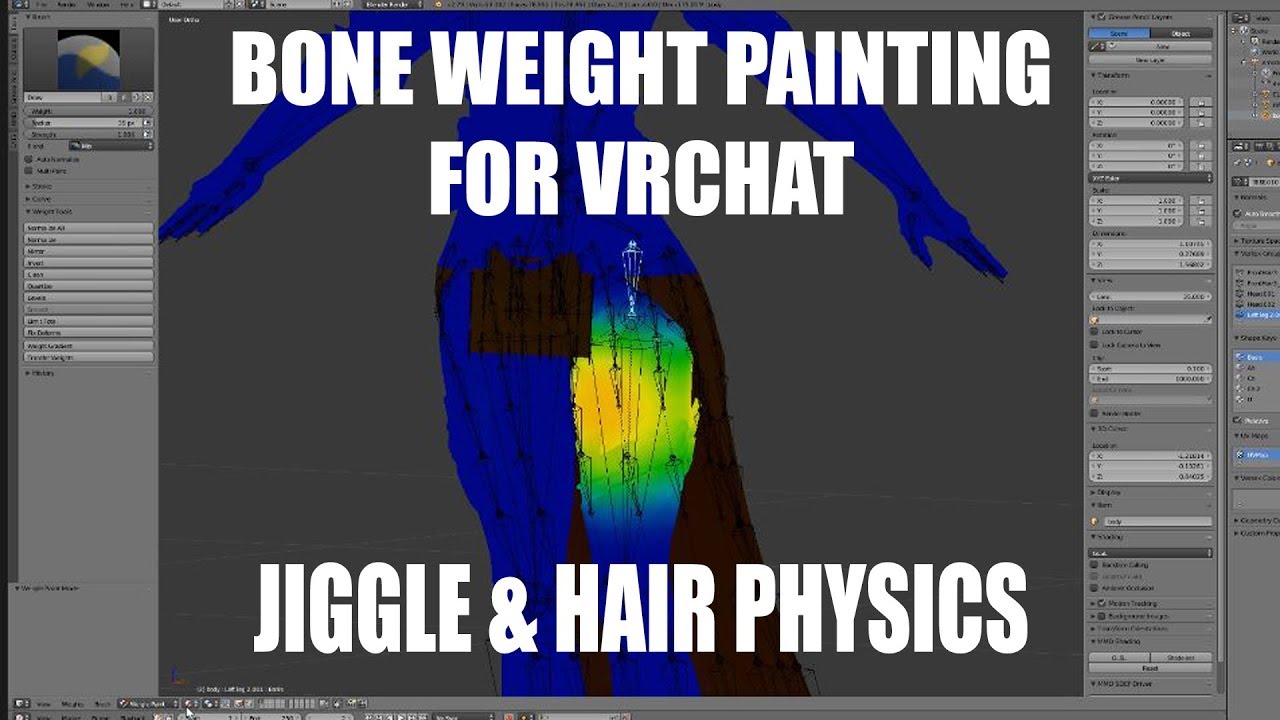
Thanks for watching! I'll put out more vids based on what other people are wanting and what I feel will be helpful. Please comment id there is something you want me to do!
Discord: Cascadian#0001
VRChat: Cascadian
VRchat World: Cascadian Full Body Avatars
if you havent rig already i recomend you copy a base humanoid skeleton and adding what you need
this video did the trick for me

NOTE: Uses blender 2.79. Tutorial is incompatible with blender 2.8
Blender 2.8 tutorial: https://youtu.be/2D7TIyOgyks
Rig Download: https://drive.google.com/open?id=11yp7ncfK5eVvEIScW39zfozMkvSS2awO
Every step required to make your own terrifying creations in blender for VRCh...
slow oak
thanks, i'll have a look at those
slow oak
how is something like this for the hair?
fading verge
perfect
now just fo the same at the back of his head, automatic weight paint it and remove unwanted weigth
weight*
 raw jackal
hiya rigging folks, could anyone pinpoint what's wrong with my bone positioning? Desktop and VR she's fine, but in full body her spine curves inward and makes her butt stick out in a weird way. Pics incoming
For comparison, here's a rig I did that works great. But in this rig, the spinal bones curve backwards, and I thought we were supposed to be keeping it all straight. So I'm confused as to why my "wrong" model works and my "right" model doesn't.
 rapid mauve
@raw jackal check this - has fix for your problem
Timestamped Links (Right-click: Copy Link to share a stamp)
0:00 - Intro
1:00 - Visual Guide
2:53 - User Real Height
5:54 - Proportions
7:04 - OpenVR Advanced Settings
8:17 - Proportions cont'd (Blender Start)
10:20 - Shoulder Sag Fix
11:46 - Proportions cont'd (Scaling Limbs)...
raw jackal
Kung is a lifesaver. Thank you!! @rapid mauve
slow oak
what other bones do i need in the head other than the hair and pupils?
Do i need bones for the mouth?
bright grail
How do I get a chain on a pocket watch to act like an actual chain link and not like a wiggly snake?
fervent hornet
Give it 0 elasticity with negative force. To stop the wiggling give it a higher dampening and inert
tall lichen
hey guys, for some reason i cant see the legs of my avatar no matter what i do, any help?
they just disapear in the middle of the leg, even if i have more bones going down
fading verge
Are they assigned?
tall lichen
assigned? like the name?
fading verge
In the rig configuration.
tall lichen
yes
fading verge
Can you show?
fading verge
Scroll down please, also why have you not translated your bones?
tall lichen
right know im just triying to fix everything, i had like 140 tries to make this work
fading verge
I see. Can you select the leg bones and rotate them and do they rotate/transform correctly, if that's the case it should be fine
tall lichen
they rotate correclty, but the thing its, when i go to vrchat
my ´´feets´´ are in the middle of my ankle
fading verge
What does that mean? I don't understand? Do you mean the model sinks into the ground? The scuffed way to fix that is to raise the root of model in the rig configuration tab up to account for the sinking
fading verge
Take the hip bone and raise it
tall lichen
ok ill try to update it this way
its not problem if i update an avatar when i see ´´character its not on T pose´´ ?
 open canopy
as long as it counts as a humanoid avatar it should be fine
fading verge
Just enforce t-pose when that happens, should work
 cedar scroll
im trying to scale a model in blender so that its closer to an actual human scale, but i dont want to scale things like the head or harms, just the body/chest and legs, but scaling the body makes everything else scale too, how do i lock things like the shoulder/arms and head from being scaled
like how do i stretch the torso by the Z axis without stretching the head and arms?
 toxic frost
@cedar scroll not really rigging, but go into edit mode, select the things you want to rescale, and hit S for scale? then pull your arms out?
cedar scroll
oh, ive been trying to do it in pose mode, ill try that
that only scales the bones but not the mesh i think, unless im doing it wrong
what section would this be under? 3d modeling?
 cold bison
@cedar scroll Try unchecking the Inherit Scale setting on the child bones you don't want scaled
cedar scroll
what tab is that setting located in?
cedar scroll
thanks, that seemed to work
cold bison
np
 green dragon
can someone help me out, I'm just trying to make the socks of my character following the legs properly on blender and some weight paint
 winged meteor
whats the problem?
green dragon
well had couple of holes in the jacket because of my bad weight painting skills, and so socks were clipping when movements I just removed the socks and retexturing the legs instead
 lofty patio
So I added some ears and a tail to my avatar in blender, set up the bones and combined the ears and tail to the body mesh, the parented with automatic weights the bones of the tail to the mesh, but then when I move the bones of the tail in pose mode the mesh doesn’t move with it. What did I miss in the tutorials? I imagine this will have something to do with weight painting but it’s just not something I’m comprehending from videos tuts.
green dragon
sometime automatic weight paint fail so you would need to paint it manually
cedar scroll
so when im not standing in full body, like sitting or laying down, my viewpoint goes to like my chin or neck, is there a fix for that?
lofty patio
@green dragon manually weight painting isn’t doing anything either
 spare geyser
Hey guys! I was doing some research on bones and had found a video about bone drivers, and I was wondering if vrchat and unity supports things like that? I have an anthropomorphic character and the weird shape of the legs really mess with the knees whenever I crouch in full body. I feel like using these bone drivers would really help with my problem. Any help would be greatly appreciated! https://youtu.be/LnsYKGDpBtQ

Alright, today we tackle THE big problem everyone has when painting for the first time. How to tackle the dreaded and infamous pelvis area in under 2 minutes!!! Hope it helps :)
Hip Z-Location Driver Equation:
var * .09
Butt Y-Location Driver Equation:
var * .02
Butt Z-Loca...
deft snow
@spare geyser It would be cool but sadly drivers are for Blender only. However you can use them and bake out your animations.
old dove
I've got a problem with the waist bone being one of the children of the spine bone along with the chest bone rather than the parent. It's not too severe as making the armature itself the "waist" lets the model be humanoid, but it makes him sort of... float during certain animations instead of bending over
spare geyser
Bake out my animations? What do you mean by that?@deft snow
Sorry, I'm still learning some of these things :p
deft snow
When you export the fbx file all your custom driver animations will preform correctly directly to the original bones.
@spare geyser I had leg issues with my corgi avatar. I had to make the leg bones more humanoid even though they didn't match the mesh. Then I played around with the bone tail height till they moved correctly.
spare geyser
Huh. Alright. Do you have a picture of how you set them up possibly? @deft snow
Also thank you for helping out so far 😊
deft snow
@spare geyser unfortunately I'm at work. However if you want, you can join the corgi crew discord. I have all the avatar source files for download free.
spare geyser
Oh, that would be lovely! Does it require an invite or can I just find it online?@deft snow
deft snow
@spare geyser Not sure if I can post an invite here but, if you go on Twitter and search for "sv4010" you'll find my page the invite is pinned at the top.
spare geyser
ah, alright :D see ya there
fading verge
https://cdn.discordapp.com/attachments/521112661841149952/708758659966173244/20200509083202_1.jpg https://cdn.discordapp.com/attachments/521112661841149952/708758767755329546/unknown.png
https://cdn.discordapp.com/attachments/521112661841149952/708761125138858145/unknown.png so my legs are bending outward, and i get this error in unity. my friend recommended fixing it by having the legs straight but that didnt work, i still get the same error. any help here?


it all looks normal in blender
this is what it looks like from the side
fervent hornet
Blender shows it's clearly not ok, follow this https://docs.vrchat.com/docs/full-body-tracking
VRChat
VRChat supports additional tracking points using the HTC Vive Trackers. These work with the Lighthouse ecosystem to permit these two additional modes of motion capture: Four-Point (4PT): Tracking headset, two controllers, and one hip trackerSix-Point (6PT): Tracking headset, ...
fading verge
that doesnt really help my problem
fervent hornet
Copy what his legs look like, your legs are bending outwards as that's how your bones are positioned
rapid mauve
@fading verge thats not normal at all - legs need to be straight
bent back similar to this
tho is not perfect it works fine FBT
i use pose mode for straighten legs setting as rest when correct pose reached
also i use thin rectangle primitive as a guide to straighten legs
fading verge
can i just straighten the them out in edit mode or do i have to straighten them in pose and apply it as rest position?
rapid mauve
dont do it in edit mode
fading verge
but if i try to straighten them out in pose mode my mesh gets messed up around the knee joint area
rapid mauve
umm - whenever i use edit mode i have weights problems - i guess you can try edit mode - or mix of both - tbh what it look like on screen is not what in game will look like - can only make copy of model - try several approach - only goal is bones straight rly
fading verge
i just tried it from edit mode but didnt solve the problem.
wind osprey
Try straightening the legs and generally setting it up for T-Pose in pose mode, don't apply anything and export. Once in unity you shouldn't have to do any adjustments at all in the rig configuration (because it's already posed for t-pose) and see what happens then.
fading verge
why cant things just work 😢
crisp tendon
Because they're wrong 
fading verge
nope. still dont understand. im over it
fervent hornet
Yeah VRChat IK assumes things, and when they arn't right it will assume the wrong thing
sleek isle
@spare geyser Use constraint component for that
spare geyser
Oh?@sleek isle
fervent hornet
@spare geyser They're talking about when you asked about bone drivers, as of 2018 we can use constraints to create twist bones. Here's a tutorial on how to set them up for VRC: https://vrcat.club/threads/tutorial-guide-twist-bones-what-are-they-and-how-do-you-use-them.3622/

VRCat: Community-Run VRChat Forums
Greetings all, been awhile since I've posted a guide, but now I have good reason to, as lots of people have been asking me about this in the past day...
spare geyser
Oh, ok! Let me take a look into this! Thank you!
fervent hornet
Something to keep in mind is it might be hard to get the anthropomorphic legs to work correctly and feel good in FBT at the same time.
 noble linden
@spare geyser I'd found those bone drivers before! Was disappointed when I realised they couldn't be used.
Oh! Very interesting @fervent hornet. I will be experimenting with this!
 fluid mortar
i'm guessing this is the best place for this.. working on a model and it looks fine in blender, went to VRC and it has an issue with its hips for Fullbody.. so I used the fullbody fix.. and now the model is.. uh.. doing this
velvet copper
you missed the top of the arms on the weight paint
fading verge
so i had to rotate the leg bones to fix em but then the feet will clip into the ground a little. is there a way to make it so its placed on the ground like default or no? also should i do it in blender or unity?
rapid mauve
@fluid mortar did you test pose mode with blender before export model
fluid mortar
everything works fine on the model, its only if i use the old way of the fullbody.
i'm just dealing with the slight hip tilting for now.
 plush garnet
Got a weird issue that I can't understand, is it possible to change a specific bone transformation on the VRChat rig? the bones themselves are properly set up but I have a problem with a finger that rotates side to side on Fingers Open/Close while the rest of the fingers properly open and close, It looks like this:
 fickle dawn


 manic marsh
:scared:
raw jackal
what are your thoughts on the bend of these knees? should they be straightened?
raw jackal
Thanks! I was having bent knee issues but I watched Kung's updated tutorial and I think my chest bone might have been too long and causing problems. Just wanted to make sure it wasn't (also) the legs
fervent hornet
Legs are generally not a problem imo besides being too long or too short but it really depends on the problem
 grim heath
Im Puzzled and so far cant figure anything else out how to make this work.
ive tried using cats in blender then importing again and still has issues
mild stratus
At the bottom of the inspector, click ‘pose’ then ‘enforce t-pose’
 inland lintel
For some reason my fingers dont move and the dynamic bones in my hair don't work.
grim heath
One i force t-pose it comes back to this error. it becomes an endless loop.
 round apex
I'm having an issue when in full body for a model, the knees just bend massively forward. I tried moving the bones slightly, massive, and just straight up. Any suggestions?
sleek isle
Lift your belt tracker
 harsh solstice
Hello folks, I'm trying to get my first avatar working fine in game. Everything seems fine visually, but I cant seem to get my avatar to not T-Pose in game. Apparently my animation type is set to Generic, however I try setting it to humanoid and get this
mild stratus
click configure
harsh solstice
Okay
@mild stratus Any idea what I'm supposed to change here?
there's nothing names Jaw
named*
harsh solstice
Right I get that I just dont know what to put there
mild stratus
then select none at the top
mild stratus
Then click apply and then done
harsh solstice
yup yup
Big brain my guy. Now onto finding ddance animations for my avatar and figuring out how to do that
Thank you @mild stratus
Or... so I thought.
mild stratus
bruh
fading verge
Check in the config and make sure those bones are mapped
harsh solstice
Everything seems to be mapped outside of chest but it says optional. @fading verge
Apologies this must be very simple stuff, it's just my first time so this is all confusing
mild stratus
I think there's an SDK issue.
harsh solstice
as in my specific installation of it?
mild stratus
idk
harsh solstice
I got it, apparently I needed to uncheck Optimize Game Objects
 sweet rain
@harsh solstice I've found that you usually won't need an upper chest!
as long as the shoulders etc have all the green circles and are connected you're good to go
harsh solstice
Yeah I tried to use my smol brain for a sec and figured it wasnt super important
sweet rain
unless the model is like really complex, but yeah most don't need it
harsh solstice
The only thing i need to do now is I notice my avatars knees bend inward when standing
like he cant stand straight
sweet rain
omg I had that exact issue
maybe try adusting your in-game height!
if you havent already
harsh solstice
Someone said on reddit it was due to the armature set in blender or somethin
cause my guys knees are constantly buckling xD
sweet rain
sometimes its the pelvis not being a perfect 180!
the furry avatar I've tweaked and the other one I've made that that cause they had digilegs
but one of them buckled the other didnt?
harsh solstice
yeah that's what's goin on here, knock knee lol
sweet rain
OOOH yeah mine was a littel different, def try adjusting your in-game height before anything!
sometimes if my posture isnt perfect itll do that too
this is coming from a noob who's just done a lot of troubleshooting for weird stuff like that tho so
harsh solstice
so you mean editing the model and making it shorter right?
mild stratus
I'm pretty sure you need to adjust the bones in blender.
harsh solstice
Makes sense for what i read
"It's due to the armature when it's rigged. With the cats plugin for blender, when fixing the model, you can select "fix for full body". This fix is meant for full body tracking but it also fixes the knee problem by adding a small bone above the leg bone. Unity uses that bone instead of the upper leg bone and the knee angle gets fixed" was what he'd said @mild stratus
sweet rain
OOP there it is
yeah i was saying in another channel that CATS messed up so much with its auto-fix
it miscategorized a bunch of bones and I couldn't assign them right. had to start m project over from scratch
crisp tendon
Human armature, the one pinned in this channel
you'd only weight paint what you need
assuming the leg isn't supposed to move
then only weight paint down to the hips, head/neck and hands
sweet rain
omg thats such a fun avatar?
fading verge
Is this just a matter of improper weight painting?
yes
all weird deformations like that are improper weight paints
In blender it doesnt appear that theyre weighted like that, any idea how to fix it?
Also thanks for the quick reply, I thought it would be something related to it
check the other bones and pose the rig manually like in the screenshot
Oh right, you can pose it to see how it moves
Thanks a lot haha
yeah
it could be that you painted over the arms accidentally when you painted a different bone
e.g. the chest or so
Something funky for sure
mhm
weight painting is hell, good luck figuring out all problems 🤞
Thats the suffering we choose I guess 
yeah 😄
Most common problem locations are the sides of the body, between the legs and armpits in my experience
 thorny valley
How do I add a humanoid rig to this module?
fading verge
click on the model in the project pane, -> rig > animation type: humanoid -> apply
thorny valley
project panel?
fading verge
this one
fading verge
in the inspector
thorny valley
wow thank you
raw jackal
I'm trying to make sure I understand the concept of Final IK correctly. It guesses how bones should bend based on the location of a child bone, is that correct? And it's used for giving limbs that would normally be unsupported (nonhumanoid) a way to exist and move even though the 'real' version of those limbs isn't available for any trackers or headsets to reference. Is that right?
 little spindle
has: file tpose-new.fbx
 edgy ginkgo
would anyone know a way to adjust bones in a rigg and make it so they stay that way?
 mystic sparrow
so will vrchat or unity be able to see this as a humoid mesh since the shape is weird?
mild stratus
the mesh isn't what gets checked, the rig is.
crisp tendon
Yep looks good !
 carmine tundra
aight so i got a conundrum. Fingers came out super weirdly rigged, the only issue I have is when I try and fix them
they sort of disconnect from the socket, which is making it absurdly hard to actually move them into the right place where they line up exactly with the other hand bones
except somehow in pose mode they stay connected. Is there a way I can rotate them in edit mode similar to how I rotate them in pose mode so I can more easily fix these fingers?
this might very well be an easy solution. Im kind of new to blender so if this is the wrong way of going about it feel free to tell me
 brittle thunder
hey so i have an issue.
For some reason when I'm rigging the chest auto rotates and everything gets all deformed.
everything is good in blender...
fading verge
is the rotation of the bone correct?
alternatively you should be able to rotate it in unity back to where it is correct as well (in the configure menu thingy)
brittle thunder
so no, the bone is flipped i've dried but then it looks wrong... let me go again...
@fading verge So when I do this I'm getting an error saying that it's not in t-pose.
velvet copper
enforce t-pose in the menu, at the bottom, it should say pose
brittle thunder
doing that will break the model @velvet copper causes it to look like the earlier pictures
edgy ginkgo
is there a way to edit bones of a rig and apply them?
rapid mauve
@carmine tundra in edit mode you can select head or tail only of bone to move - move it then clear bone roll
velvet copper
now that i look at it furthe @brittle thunder, you messed up on your hierarchy, the chest, in blender, has to be under spine, and that, under hips
brittle thunder
Thanks for that @velvet copper I'm going to just rerig it... Cats was bringing in a bunch of dynamic bones from this import and while flowy clothes are nice I'm thinking i may have to forgo them.
 main belfry
@brittle thunder you can easily download mmd bone prefabs and apply them to the model
fading verge
CATS doesn't do anything with dynamic bones at all. Dynamic bones is specifically meant for unity, not blender.
main belfry
Also, anyone know how to turn on xray weight painting in 2.82? Can't find anything online. They're all for 2.80. Thinking of just downgrading back to 2.7
 iron bloom
has anyone had an issue where their avatars eyes wiggle around and pop outside of the face? my hat eyes and tounge seems to wiggle around and pop outside of the face
fading verge
A few possibilities, you have dynamic bones on and don't have the tongue and eye bones in your exclusions
Or your avatar doesn't have proper weight painting on those bones and they're just floating in the air.
Or you updated your avatar and changed some bone positions but didn't reset the rig configuration in unity so the bones are in their old positions and not the new ones
iron bloom
where would i check for the exclusions?
fading verge
On the dynamic bone components.
 nocturne sleet
not directly related to the game, as I'm not even sure if I'll be able to import this model into VRChat, but I've got a problem with the face, everything has been loaded fine with all the textures except for the face that only has the skin texture, any idea to why the eyes and the mouth aren't loaded? btw, the eyes and the mouth are just textures, and these are bundled in the same folder as the head 3d model .fbx
(not sure if this is the right channel btw, sorry about that)
crisp tendon
Not really a rigging issue, but check if you have multiple materials, if not then you need to combine those texture layers in gimp or photoshop or