#avatar-rigging
1 messages · Page 151 of 1
 drowsy wharf
@warm oyster @pearl thicket psst, click head of child bone, Shift+S choose "Cursor to selected" then select the tail of the one you want to move there, Shift+S "Selection to Cursor"
easy snap-to so you don't have to manually copy/paste transforms
drowsy wharf
clicking to select doesn't work as well in most cases, but the snap is nice
 warm oyster
i hate to have to sort of ask again, but what in these settings (or maybe above or below them) will help me change the "resting state" of my avatar's thumb so the idle animation doesn't smush it into her hand when she sits?
those settings right there are the only thing i've ever changed in this menu so my character can sit cross-legged, but that's it
no idea how to affect the resting state of something, except maybe moving the constraint ranges, but i tried that
drowsy wharf
left/right fingers, thumb stretch most likely
warm oyster
and i guess vrchat's "squish her thumb" value in the default idle was still within the range i chose, because it seemed the same
hmm.
drowsy wharf
not sure what you mean by "squish" exactly though
only when sitting?
and is it regardless of which gesture you're using, or the idle one, etc
botpls...we're talking here
warm oyster
the bot just deleted all my--lol ok well
squished like this, and it's worse when sitting
lemme try something
drowsy wharf
and you don't have anything slotted in the idle right?
warm oyster
nop
warm oyster
well that screenshot's actually -20 thumb 1 stretch
which is her max
but lemme reupload this file and test it and get back to you
except this keeps happening. sigh.
i'll try detatching
drowsy wharf
you running unity as admin?
unless my brain is too fried today, that usually happens when it's not allowed to write the file I believe?
warm oyster
yeahh so with female standing and sitting it does this
male was having other problems - think i prefer male b/c the sitting animation doesn't involve heaving shoulders lol
idk, i'll upload again. it's kinda frustrating b/c i don't think i have the skills to make a good long animation, just poses
warm oyster
yeah here's male standing and sitting
i'll probably just make my own stand/sit idle and deal with the stillness
 pearl thicket
so I fixed the weighting (I hope) on the collar part so it doesnt stretch anymore
was gonna move onto the fingers
but I noticed the bones are not in the center, but instead they are right against the bottom of the finger
should they be dead center?
drowsy wharf
generally speaking, yes
 fervent hornet
Yeah if they are that low the knuckles might stretch a lot
 raw jackal
Good morning everyone 🌞 I'm having an ongoing problem I was wondering if anyone could advise me on.
No matter how I scale my avatar, I always appear to be too short for it in FBT. I have to actually move my playspace up a little bit to make it work.
This avatar used to work great, but I think some update changed that. My origin is in the right place in both Blender and Unity. I'm also using correct height in game.
fervent hornet
When you say scale do you mean proportions? Overall scale has little to no effect on "fitting" in the avatar
drowsy wharf
@raw jackal Proportions (arm/leg/torso/etc relative sizes) are extremely important for FBT
If your torso fits properly into the avatar's torso, are the arms and legs the correct length? If not, that's going to cause problems.
Your "real world height" setting can be used to scale you into the avatar's torso to compare arm/leg lengths more easily
raw jackal
Thank you for the suggestions! Yes, proportions are set to my RL arm/leg proportions. They used to work great, and then one day I logged on and they just...weren't. I did notice that some of my rotations and bone angles were a little funky in Blender, so I fixed those and will see if that did anything.
In game, everything looks 100% EXCEPT my entire body is shifted down a few inches.
Playspace mover fixes it, but it's annoying
drowsy wharf
that really does sound like the origin is a bit low, or the armature was accidentally moved down in unity (or a similar mistake)
Someone else might have a better idea if it's not either of those
fervent hornet
Make sure that your rig does not move when you enforce t pose in the rig configure menu @raw jackal
 remote barn
Is it just me or is the IK for the shoulders and upper arms super fucked up for VRC?
Like the upper arm and shoulder rotate way more than they should and it causes the twistie tie effect
 mellow sonnet
if anyone knows how to get my avatar out of t post when i import it in the game please help me
remote barn
@mellow sonnet Did you set the rig to humanoid?
mellow sonnet
yes but some reason after doing it it asked for a lot of rigging and stuff witch im not the best at
mellow sonnet
let me grab a picture to show you
one sec
so this is what i got but some reason going through the steps of fixing it after i uploaded her she is stuck in the arms down abit t pose
remote barn
It's because your spine has a length of zero
drowsy wharf
@mellow sonnet ignore that error
mellow sonnet
hmm?
remote barn
That's a product of the full body fix witch isn't needed anymore
mellow sonnet
oh
remote barn
you shouldn't do that because that will break models in future updates more and more
mellow sonnet
but how do i fix it from being in the low are t pose in game
drowsy wharf
can you show the head/hand rigs?
remote barn
^^^^
Did you do the neck fix?
If so it won't attach itself in the rig
you have to do it manually
drowsy wharf
I can see that there's a neck/head assigned, but make sure it's set correctly
drowsy wharf
remove front hair from jaw for one, that'll have your hair wave when you talk
mellow sonnet
im not the best at that so removing that i don't know how to do..
drowsy wharf
click the 0 on the right side, scroll up, select "none"
mellow sonnet
done
drowsy wharf
do you see any other errors on the build panel?
drowsy wharf
mappings look fine though, I don't see any errors
remote barn
Oh that explains it lol
mellow sonnet
idk whats wrong so yeah
drowsy wharf
it's complaining about upper arms which are mapped, and feet we haven't seen yet
mellow sonnet
here let me just hand you the moddle so you can look at it easier
mellow sonnet
ok
remote barn
can't post those types of links here
This is what I got when I just uploaded it
and changed the rig to humanoid
no critical errors
Something tells me unity just fucked the import
 fading verge
You can use Pumkin's avatar tools to copy paste all the dynamic bone settings over, it should work since the rig should be identical
warm oyster
can anybody guess why it seems like my avatar's head is shoved back when sitting?
it's kinda hard to tell because wait i can just upload her with different textures to test it lol sec
warm oyster
it's weird, it seems to work when i change it to "playing while sitting" mode when i sit down in the game
but i think just the viewpoint shifts, rather than the whole head, when i sit in-game while in standing mode
so yea w/e
 turbid spear
I get that too. It started happening after the fullbody changes not too long ago
Post your blender armature and compare it to https://discordapp.com/channels/189511567539306508/390924372782612480/645822187659329610
turbid spear
Could also be because of how the legs are tilted
 wind osprey
What does your t-pose configuration in unity look like?
 cyan adder
 merry estuary
Shouldn't leg bones be straight in front view? Unity will think they need to bend sideways
cyan adder
turbid spear
If they're completely straight then they won't bend right as far as I know
So they need a bit of a tilt
cyan adder
ive reuploaded this 5 times already
doing microfixes trying to get this right
it probably wont show in FBT, but i want this to work fine in desktop too
i mean
that was the whole point of the IK change
to have avatars with regular IKs work with all platforms
wind osprey
It looks like the legs are angled inwards slightly, the legs should be going straight down
It's very subtle on yours, but try rotating them outwards slightly by the thighs.
cyan adder
also what sucks
is that my blender 2.8 has no export options
so i have hundreds of these BS empty bones everywhere
merry estuary
You mean leaf bones?
cyan adder
yeah those
merry estuary
There is option for these
wind osprey
2.8 or 2.81? I know in one of the minor releases they shifted the export options somewhere slightly less accessible
wind osprey
Screenshot more of it, might just be collapsed somewhere
cyan adder
 cyan adder
where is that
merry estuary
Export fbx...
turbid spear
N collapses them for me but there's also a gear icon top right
That's missing from your screenshot
I'm on 2.81 tho
wind osprey
The gear came in 2.81, they're likely still on 2.80
cyan adder
as I said in my previous comment, im on 2.80
turbid spear
Yeah I just read that
Need to mess with some options probably because it was always there for me as well
cyan adder
I dislike 2.81 because I just learned all the keybinds for 2.8
and they changed half of them again
for 2.81
turbid spear
Really now?
wind osprey
So export your 2.8 keybind and import in 2.81
turbid spear
I didn't know, but then again haven't used blender much since the update
cyan adder
moving the legs apart worked Gallium
now to fix VRC rotating my legs inward, even though theyre straight out
merry estuary
Try resseting bone rolls to 0
 stuck hamlet
heres the rig of the model, dunno whats up with the head
 crisp tendon
 crisp tendon
can't have two neck bones
stuck hamlet
is there a way to sort of merge bones in blender? im not the brightest with rigging
wait nvm got it
fervent hornet
If you ask the question someone will answer if they know, people don't prod others to ask their questions
 iron aurora
- Can someone help me take a hat off one model and onto the other in unity?
1b. If that isnt a thing is there a way i can get a jevil hat somewhere?
- Can someone help me find out why unity keeps crashing when i try to upload
- Can someone help me change clothes on a avatar?
crisp tendon
i don't think these questions are about rigging
i'd ask 1 and 3 in #avatars-mmd
and 2 in the unity forums/support
fading verge
@stuck hamlet There's a weight paint mix modifier that you can use to add/subtract/mix the weights of two separate vertex groups
Else there's the merge bones in chains option too
crisp tendon
crisp tendon
If you need to update your SDK, it is important that you follow these steps to ensure the update proceeds properly and you don't have any old/conflicting files. ## Simple Update Here's how you update your SDK. If you're just uploading avatars, you can use the following proc...
 raw marten
didn't work
 violet depot
in rigging should the parent of the leg bones be the hip bone or the spine bone?
 teal badge
Hip
fading verge
 naive tree
@raw marten vrchat uses 2017.4.28f1 version not 563
fading verge
I tried rigging my avatar but I can’t get it to work and it falls half way though floor
 chilly roost
Wow Ruuubick thanks for that, I was looking help for transfer weights between vertex groups in the same mesh.
fading verge
dansGAME
 native shuttle
anyone know why a certain part of the scarf isnt connected and why wont the hat connect either ?
fading verge
Is it not weighted?
drowsy wharf
@native shuttle auto weights aren't perfect...always check, if you move it in pose mode and it doesn't follow or doesn't follow correctly...weight it yourself
 winter matrix
Are there any particular gotchas to be aware of for rigging for full-body? I've been trying to get my teddy bear avatar to behave, but he just doesn't like it at all
drowsy wharf
@winter matrix proportions are very important for full body to work properly, tweaking your skeleton to fit proper proportions while still keeping the look would help
can't really offer suggestions on the setup though, sorry
 tough robin
What I like doing is grabbing an avatar I know works well with fbt. And using its skeleton for a new model
Think of it as putting a bear suit on instead of becomming the bear
winter matrix
I do have an avatar with an armature I KNOW works properly with full-body tracking, so I'll give that a try.
raw marten
Wait where can I get the version for avatar rigging. Just me me the link
I need the unity version for putting avatars in vrchat
fervent hornet
Requirements We're going to need a couple things before we can get started. - Unity 2017.4.28f1 - Scroll down to find LTS Release 2017.4.28f1 If you have Unity Hub installed, you...
raw marten
Thx
drowsy wharf
Exactly what it says.
proper hierarchy is:
Hip>Spine>Chest>Shoulders/Neck
raw marten
I need to find the parent one. Which one is it
drowsy wharf
the "parent" is whatever an object is attached to
so the Hip is the parent to the spine, the spine is the parent to the chest, etc
raw marten
can someone give me a guide because I am really trying
I need a full guide to the whole rigging the skeleton
@drowsy wharf can you provide a guide for me because this my first rig
drowsy wharf
@raw marten are you talking about the rig mapping in unity? or are you talking about rigging a model?
fading verge
i set avatar to humanoid, its has bones and all. uploaded it to game and t pose smh
why tho?
fading verge
im new lol, not sure what mesh means 😂
 opal aurora
Mesh is an assortment of polygons, it can either be part of a model or a whole model in it of itself
In a nutshell, i'm asking if the bones do anything to any part of the model when you move them
native shuttle
anyone know why his head is like that when enforcing t pose?
opal aurora
Is the head bone tilted in any way before enforcing t-pose?
native shuttle
no
opal aurora
Can you screenshot the model prior to enforcing t-pose?
native shuttle
when i input the head mapping it reads the eye bones as its head also
opal aurora
That's just unity being unity really haha
Are you sure the head bone isn't at an angle? :o
opal aurora
Hmm... the rolls seem fine aswell...
I assume the bone behind the head is for the fluff?
opal aurora
Alrighty
I'm not seeing why unity would just pivot the head that drastically... did you edit the bones at all after setting it as humanoid?
native shuttle
no
opal aurora
Try the following, set all the bones in the proper slots, hit done, come back into the config menu, enforce t-pose
native shuttle
nope still tilts his head back
opal aurora
That's pretty odd...
Perhaps apply the values on the head in the config, there's a screenshot with them up there, i think atleast that should work
Although this is more of a workaround than a fullfledged fix
Oh wait you didn't have the head selected when it was T-Posed, take note of its values there and then place them after enforcing T-Pose
native shuttle
Values where @opal aurora
opal aurora
When you select a bone on the rig config, values pop up on the bottom right
Those are the current position and rotation of said bone
opal aurora
Maybe it's a visual bug then :o
Save your project and restart unity, if even that doesn't work, i'm kinda stumped
opal aurora
The main view always displays the default appearance, unless animated of course
native shuttle
so what do i do
chilly roost
Hi, I have a mesh with vertex groups and weight paint. On the other hand I have a skeleton of another MMD model that has already fixed the CATS plugin.
I want to assign that skeleton to the mesh. Do I do it with CATS with "attach mesh" or is there a better solution?
Thanks and best regards.
((The mesh has no bones))
If I use "attach mesh" it looks like this, but it deletes all vertex groups.
Ok, I have it. You have to select the mesh first and then "armature". Ctrl + P > Armature Deform.
This keeps the vertex group and applies the bones to the new mesh.
native shuttle
found the issue so i replaced the neck bone with a new one however the neck bone likes to rotate by itself which cause the head to break itself when enforxcing t pose , how do i fix the bone from rotating by itself?
drowsy wharf
In armature edit mode. double tap A to select all, Alt+R to clear all rolls to 0. They don't have to be 0, but they all have to be the same for things to work properly.
Most likely you're running into that issue if it's rotating itself
native shuttle
i fixed it but thank you for trying to help me in time , All i did was re postion the bone again and make the neck bone bigger then it being extemely small
I was going to ask though whats a good height for a adult male avatar @drowsy wharf
 viscid grail
Anyone here to help with this one avatar? For whatever reason, it doesn't animate correctly in-game. Its legs don't move and the head usually follows the body or stays still, though when in Unity, it animates fine
crisp tendon
a video of your problem would help a lot !
drowsy wharf
@viscid grail if it animates in unity the weighting should be fine. If you're talking about moving when you do most likely you either don't have all the required bones mapped, or might not have the descriptor on the correct part. Screenshots of the mapping and the hierarchy (with a mention of where the descriptor is) would help.
If it's not animating as in an emote (dance for example) need more info on what you're doing.
viscid grail
@drowsy wharf I checked the rigging and it seemed fine, and the descriptor's where it should be. I'll send pics of the hierarchy and rigging in a bit
fading verge
Anyone know how i could rig the eyes (headlights) to follow where ever the head looks? I have seen avatars which are turrets that can accomplish the similar motion im after however i have no proper idea on how to do it
crisp tendon
You'd need to use an eye tracking shader, since it won't be humanoid
fading verge
Ah I see, does the shader need to be downloaded or is it in a preset wit the SDK?
crisp tendon
downloaded
fading verge
Many thanks! ill try it now and see if it works
fading verge
while i prepare, would the shader allow the rig of the eyes to move or is it a normal shader? apologies for constantly asking!
crisp tendon
it's shader based, so the movement is done throught he shader, the bones won't move
GitHub
Vilar's Shaders for VRChat. Contribute to Vilar24/VilarVRC development by creating an account on GitHub.
fading verge
Oh I see..apologies, I was worried that the shader wouldnt be able to give me movement such as this:
crisp tendon
Yeah that can't be done as a generic model
fading verge
Oh, so besides the shader there is no other way to have the headlights move like this?
crisp tendon
not in an eye tracking kind of way at least
they could have an idle animation moving around, but that's pretty much it
fading verge
I'll have a play around and see what i can do, thank you very much for the help!
fading verge
I decided to throw in a humanoid rig (tested in unity, looks good and seems to work), i dont know if this changes anything or if ill have to keep the eyes static
chilly roost
Hello, surely this is already solved more than a thousand times, so I apologize.
I've tried many things to fix it but I don't know what to do now.
My model is now separated into several mesh, each one has its unique shape keys (basis + hide polygons for example).
When I make Fix Model in Cats the shape keys are mixed together. How I can avoid this?
Thanks and best regards.
Then if I do “fix model” and I activate Blink Shape the bikini appears, and that happens with all other shape keys.
crisp tendon
You should have one mesh with all shapekeys on it
chilly roost
But it was easier and more comfortable to separate everything by "loose parts"
It is my first avatar rigged from 0, without bones, shape keys ...
I keep trying things. There is no problem with the other objects, only with two of them (the ones I made a shape key to hide).
crisp tendon
it becomes very poorly performant that way
it should just be one mesh
If you need to hide things then do that through animations by default
chilly roost
I know that the end result is a single mesh, but to edit it is easier to separate it into parts and work individually with each one.
I will create the animation in Unity using the shape key that I created (if it works correctly, hahaha)
crisp tendon
Having a single piece shouldn't prevent you from having all those basis shapekeys on by default to hide those parts, and then toggling the other shapekey through gesture to make it appear
 bold locust
Oookay. I wanna cash in some points for some ideas or help getting these knees working with VRC IK, including full body tracking.
Note the additional bend. I didn't want to sacrifice that.
I've consider using an IK chain, but feet wouldn't work properly.
I considered having the knee joint be another child of the upper leg and just using the IK script on that, but then the lower leg wouldn't follow properly.
Pretty please @bold locust if you have any ideas.
bold locust
I just considered.
I could just have dummy lower leg bones and feet bones that I reference in rig config. And then just use aim IK and make the chain go from that joint down to the foot and have the the actual foot bone target the dummy foot bone. The trick would then be controlling any rotational glitches.
 manic marsh
In vr it's going to be a really small detail that people will not notice 99% of the time, don't think it's worth to add all thet complexity just for a second bending point
Better to just have the feet+lower ball joint move and it should look ok
@bold locust
 bitter pewter
Hey, guys! I'm having trouble with the visime-styled lip synching
I made the shape keys in Blender for the head and then imported it to unity
Unity can see the shape keys, but they do not work in game
What should I do?
turbid spear
They have to have specific names and order
bitter pewter
That I did
turbid spear
(Actually i think the names don't matter but order does, for blinking at least)
Do they actually work tho. Click on your body mesh and go to blendshapes and move the sliders around
turbid spear
What does your descriptor look like
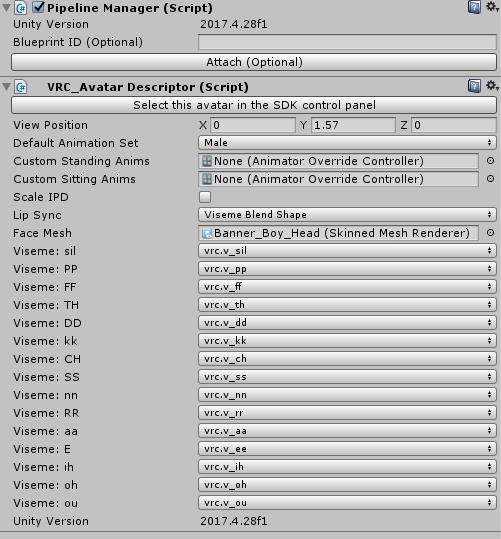
bitter pewter
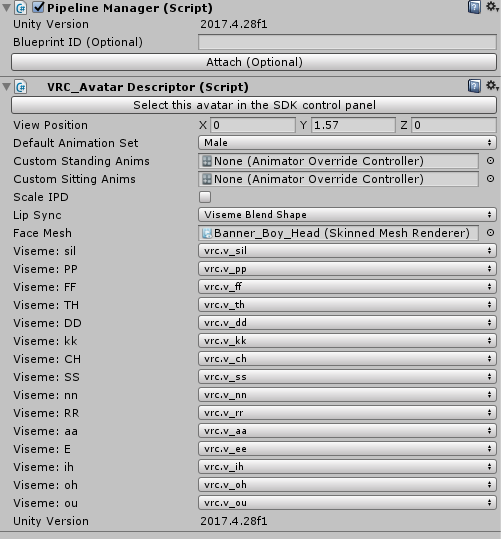 turbid spear
Weird, not idea then
bitter pewter
XP
There might be something, but idk what
If I am just using visimes, is a jaw bone required?
turbid spear
No, you have to take that out of the rig configuration
turbid spear
Dunno if it matters for lipsync but what does your hierarchy look like
Hips > Chest > Neck > Head ?
bitter pewter
Ohh
Lets see here
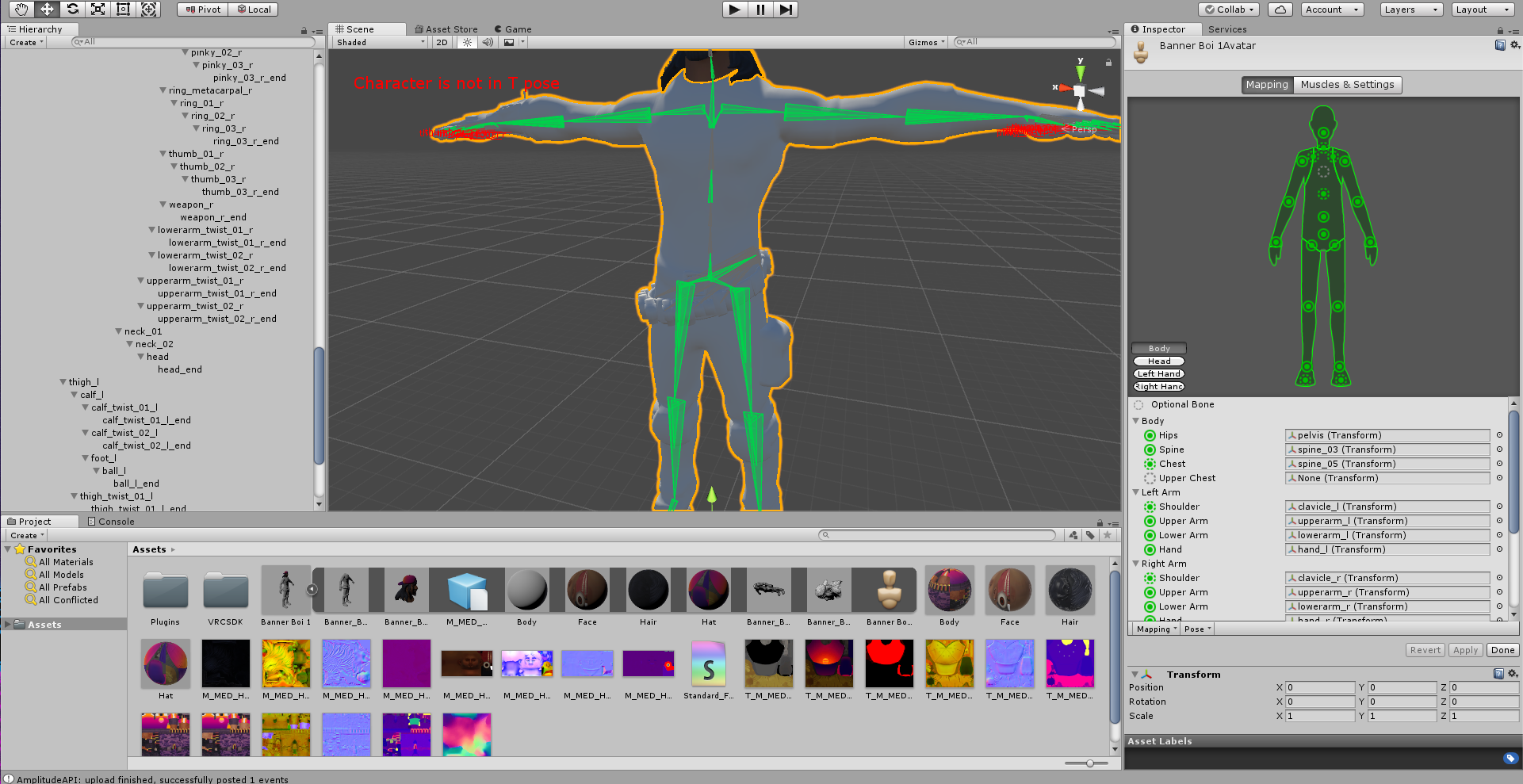
I got it qworking now!
But I do appreciate you coming out to help me
Thank you
turbid spear
What was the issue?
bitter pewter
Lip synching not working
Turns out I fixed the issue a while back, but failed to realize that Unity is shit at reimporting + I did not delete the old and broken avi for a while
turbid spear
I see
bold locust
@manic marsh People that put the amount of effort I do into models will notice. xP I figured it out. The knees aren't even what's complex about this model anyway.
bold locust
So, there are certain Rig Config warnings we can ignore without any issues. Can I set fingerbone references that aren't direct children of the set wrist bone and still have it work and be able to manipulate those fingers with Index controllers? I expect this to be a longshot.
fading verge
So I just rig up my first character and it finallly got into vrchat, but its wont move when i move my arms? it just stays in a T-pose
 dense stump
Did you set it as humanoid in unity?
if so, pls send pics of the config! and any errors the sdk throws before u hit publish
fading verge
@dense stump
@dense stump
here the error list
and its set to humanoid
@dense stump it might be this error
drowsy wharf
that's not tposing it
need the model's mapping, the rig config
also expanding the hierarchy helps
and based on those errors, you don't have all the needed finger bones (thumb/index/middle fingers)
Forgot the mention ⬆️ @fading verge
fading verge
do you need them even if there no doing anything?
fading verge
wait i get the rig
drowsy wharf
also I'm not sure how small you intend the avatar to be, but if you drop in a Unity cube, that is 1m on all sides and good to use as a reference
drowsy wharf
the humanoid rig settings, not that
fading verge
k
drowsy wharf
the panel that lists what is mapped as what
fading verge
? sorry my first time doing this
drowsy wharf
"upper chest" under the body section, click the O to the right of it, scroll up and hit "none"
toes are not required, but you can keep them if they're the proper bones for your rig and they'll let you go up on tip-toes (in your case you probably don't want them unless you want to be able to stretch up and "float" instead of tiptoe
fading verge
sorry where the o?
drowsy wharf
the rig config panel on the right side of the screen, the green paperdoll looking thing
Under that is a list of bones that are mapped. Find "Upper Chest" and look all the way to the right
fading verge
ok did that
drowsy wharf
that opens up a selection box (for future reference)
scroll to the top and select none
drowsy wharf
jaw bone in the head section should also be empty unless you want jawflap when you talk
you still need the finger bones though
drowsy wharf
I think it only needs the first bone in each of the thumb, index, and middle fingers....but it could need all 3, safer to justmake all 3
fading verge
but the finger dont have to move any part of the body right? they can just be on the rig
drowsy wharf
and yes...make the finger bones, then re-import, you'll want to set it as generic, and then back to humanoid and re-check the mappings afterwards.
Remember, no upper chest, jawbone only if you want it
correct, as long as they are on it and a child of the hand, you're fine
no weighting needed
fading verge
k and no toes? just the foot
drowsy wharf
not needed unless you want the tiptoe effect
fading verge
k
drowsy wharf
(or hover if they aren't weighted)
you don't need to delete them, you can just remove them from the rig config
er...the mappings
fading verge
thanks i give it a shot them see from there
viscid grail
I got one avatar that works pretty well aside from his legs. When he crouches the legs just push inwards and makes it look like he has to piss or something. Idk if it's a rigging thing or if the avatar is just weird. It's really just a nitpick
drowsy wharf
99% the leg bone aren't straight left/right
fervent hornet
Near the bottom of the doc https://docs.vrchat.com/docs/full-body-tracking
VRChat supports additional tracking points using the HTC Vive Trackers. These work with the Lighthouse ecosystem to permit these two additional modes of motion capture: - Four-Point (4PT): Tracking headset, two controllers, and ...
viscid grail
Leg bones seem like they're straightened, at least in Unity
 steady patio
@viscid grail they need to have a slight bend in them, is what himeki meant
that way the IK system knows which direction the knees will bend in
simply rotate your knees by 1 deg each and it should be fine
viscid grail
So say if there rotation was around 2 or something, just put that down to 1?
fervent hornet
the legs need to be bent correctly from the start or the IK system wont know which way is "forward" You need to do this in blender
The amount bent doesnt matter, just that they are straight everywhere but bent slightly like how real knees work
viscid grail
Well, it's more of a small nitpick so idk if I'll fix it. Plus, I probably don't know how to do that with blender yet, unless if it's the same as unity where you import the model, go to armature and use a rotate tool
fervent hornet
You might be able to fix it in the unity rigging section but its a much safer bet to just edit the bones in blender
Main process would be import FBX -> edit armature -> move bones
not crazy complicated
viscid grail
Maybe later in the day I'll fix it since honestly I haven't slept yet. In the meantime I'll be uploading my latest models and updating my avatar world to PC version
This is off topic but my world is still in community labs rn and idk if it's worth making it fully published yet. It's compact, I have maybe 30-40 avatars there, 12 songs, and I just made the upstairs for more avatars, etc.
fervent hornet
Going from community labs to full publish is based on visitation and heat. The world creator can't do much to expediate it
viscid grail
I'm not sure how the heat system works yet, as for knowing how much is a lot is how much is little. Last I checked my world had maybe 4 heat logos or something
visits is around 3k-4k
fervent hornet
Heat is a hidden equation so I dunno. Same as with the labs->published
Was just saying that once its uploaded you cant really do anything except hang out there or invite your friends over if you want to expediate it
drowsy wharf
yes, sorry... was tired and answered too simply.
(in blender) X axis should be equal on head and tail of upper and lower leg bones, but either the upper leg should have the tail slightly forward on the Y axis, or the lower leg should have the tail slightly backward on the Y axis.
If the legs are not straight on the X axis (left/right) or if the bones are too straight you'll run into weirdly bending legs.
Usually if the legs always go in or out it's an issue with the X axis though.
chilly roost
Hello, sorry for the inconvenience. I have a problem with the avatar's hips when I use full body tracking. The legs rotate back, does anyone know why this happens?
In blender, unity and in VRchat without using full body it works correctly.
I don't know if I have to rotate the leg bones or it's because of the angle.
VRChat supports additional tracking points using the HTC Vive Trackers. These work with the Lighthouse ecosystem to permit these two additional modes of motion capture: - Four-Point (4PT): Tracking headset, two controllers, and ...
I'm following this tutorial, but I don't know if it's outdated.
 warm chasm
I always forget how to do this
could someone help me out with the spine stuff?
chilly roost
What happens to the spine, Shariq?
warm chasm
give me a second to get a screenshot of what the build panel says
this may take a while
all the bones just unmapped so give me a second to fix it
oh nevermind I guess I fixed it when rerigging it?
drowsy wharf
@chilly roost are ALL of your bones set to the same roll? I see it's not 0 for the legs
chilly roost
You say for the -0 roll, Himeki?
drowsy wharf
in armature edit mode, select all bones and hit Alt+R to reset all rolls to 0
chilly roost
I have done an "Avatar Fix" in CATS and It moved some bones, I will test.
drowsy wharf
always reset rolls if you adjust bones, blender likes to change them
chilly roost
Oooh, thanks. Gonna test
drowsy wharf
extra note, your hip bone should technically be moved higher, so it's abovve the upper leg bones
VRChat supports additional tracking points using the HTC Vive Trackers. These work with the Lighthouse ecosystem to permit these two additional modes of motion capture: - Four-Point (4PT): Tracking headset, two controllers, and ...
chilly roost
"Avatar Fix" in CATS has not fixed the problem.
Now I am testing the "Alt + R"
drowsy wharf
the "fix" is really just for after importing a model to standardize it and remove unnecessary things
crisp tendon
your legs bend the wrong way
drowsy wharf
that backwards leg bend is going to cause problems...probably the issue
chilly roost
:0
drowsy wharf
scroll down in the FBT link I sent, it's near the bottom
drowsy wharf
yes, just make sure it's not bent on the x axis
chilly roost
Perfect, let's test ...
drowsy wharf
also check in pose mode after you move bones, make sure there are no issues
warm chasm
anyone know how I can fix this
I've tried everything I can think off and it hasnt worked
drowsy wharf
Do you know what parenting is?
drowsy wharf
Parenting is basically "bone 1 is attached to bone 2"
or "the spine bone is connected to the hip bone"
so the hip is the parent of the spine, the spine is the parent of the chest, etc
you should have Hip>spine>chest>neck>head
can you show your hierarchy? (left side panel by default)
drowsy wharf
yes
warm chasm
drowsy wharf
oh boy...that's a really unoptimized model if the top part is all meshes like it seems...
warm chasm
yeah..
drowsy wharf
the bottom part with the armature is the important section, can you expand the rootnode and find hips through neck?
warm chasm
this is the actual model with the bones
chilly roost
Solved. I have to fix the weight paint again but the main thing is fixed.
Thank you very much.
drowsy wharf
this is not a good model to learn with....it's a mess
warm chasm
i've made avatars before but I always forget how to do the rigging
drowsy wharf
there's probably another neck/head in the "unused h_m_hl2" section for where the actual neck is
have you done anything in blender before?
warm chasm
only converted xps files to fbx
I've removed parts of avatars that I dont want too
like wings
drowsy wharf
there are a ton of excess bones, confusing (and potentially problematic) heirarchy, etc
the rig mapping is usually fairly easy...this one you'll have to scan through all the bones and find the actual ones you need...
drowsy wharf
not to mention the terrible performance with all the separated meshes and excess bones
warm chasm
it seems to work fine when I look at it in the muscles and settings
drowsy wharf
damnit bot that took a while to write...how was that spamming
warm chasm
I'll look through the bones tomorrow on blender and delete what I dont need
drowsy wharf
my guess at proper mappings
root hips> spine lower> head neck lower>(no idea what is actual neck/head)
hips >Spine >chest >neck>head```I see
Thank you
worst case scenario
I get a version with no bones and stick it in mixamo
drowsy wharf
you'd probably have to learn a decent amount of blender at least to fix this up...without fixing it up I wouldn't bring it out in publics though, I'm not kidding when I say it'd be really bad on performance
warm chasm
I can already tell lol
this is really just a test to see if I can make my own Joker models
if not then I'll stick to the ones from the subway avatar world
drowsy wharf
I'm sure you can do it if you really want to, it's just learning how to do things in both programs
there are plenty of tutorials, and people here help when they can (specific questions really help get you answers)
warm chasm
yeah
native shuttle
if i wanted to put bones in the little laces i would connect them to the lower legs correct?
chilly roost
Just set the parent, you don't need to "connect"
I have a question
Hips bone need to be fully right? Or can be rotated a bit?
I don't want the leg bone out of the mesh.
This is another skeleton and ... wow! the back is bent
 glass panther
That's a Widowmaker spine right there!
 sleek isle
The end of the bone dont need to be connected soo the last picture should work fine
steady patio
tpose_new.fbx or whatever its called in VRC SDK gives a pretty good example rig
 tired meteor

drowsy wharf
@chilly roost it doesn't actually matter if the bone is outside the mesh or not, with the exception of the head of the bone being in the correct position.
Just remember you're not making an ACTUAL human skeleton. (it is possible, you'd just be missing animations for certain bones in VRC)
- So the upper leg bones should probably be a bit further forward (if it works for you, leave it)
- The hip/spine/chest bones work better closer to the middle or 1/3 the distance from the back, not directly on it, etc.
- Keep the hip bone pointed straight up, it helps with some weirdness (and I think helps with FBT as well)
chilly roost
Many thanks!
crisp tendon
I also suggest making different adjustments in a row, export them all at once and try them in vrc as well
It saves times instead of making a small change, test it, going back to making a small change, test it, rince and repeat 20 times
native shuttle
how can i fix this? i weight painted the shoe laces to have its own bones and now they wont stick onto the feet
crisp tendon
Are the bones parented ?
crisp tendon
Try to connect them
crisp tendon
it's one of the checkboxes in the menu
drowsy wharf
@native shuttle connected is not at all what you want, try checking the "relative parenting" checkbox
drowsy wharf
huh...not what I expected...
revert your pose to normal first
then control+P with the lace bone selected
also uncheck relative
native shuttle
doesnt work
drowsy wharf
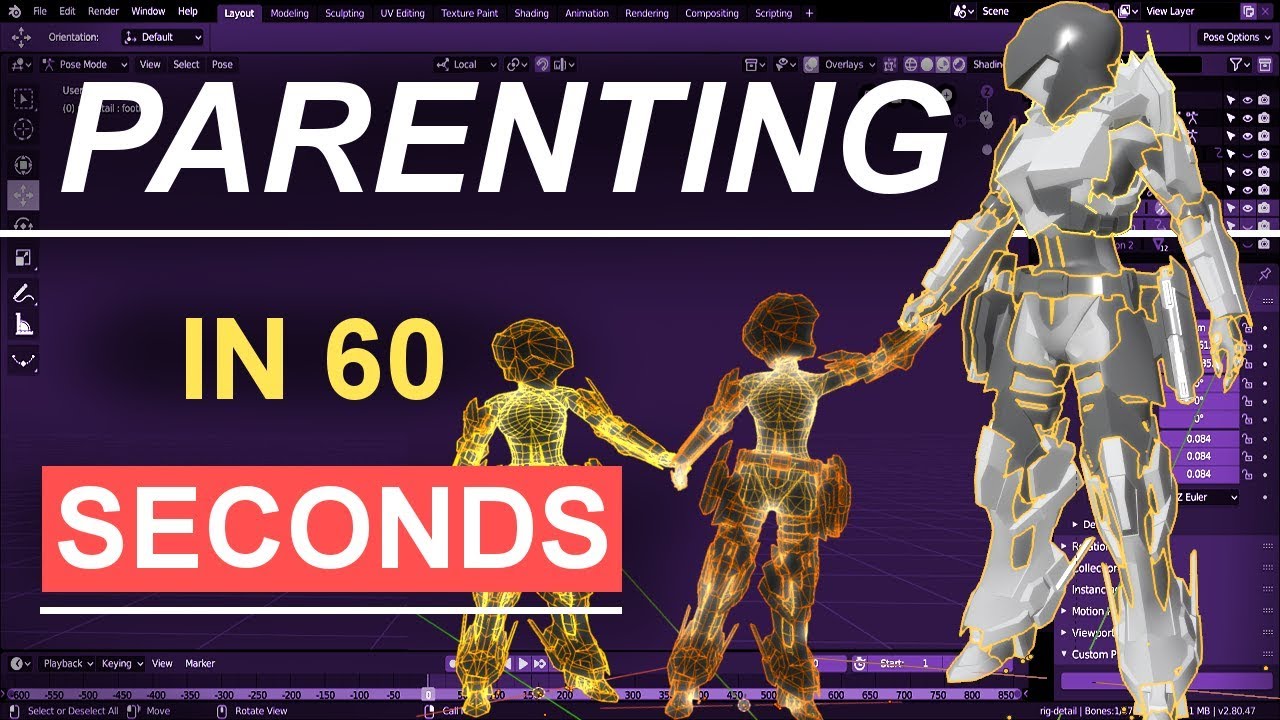
If you ever wandered how to handle good parenting, this is the video for you! In the next 60 seconds, you will know everything you need about parenting! Hope you guys enjoy the video!
If you enjoyed this video, please don't forget to like and subscribe for more content!
You ...
native shuttle
video didnt help me fix it :/
drowsy wharf
I don't use blender 2.8, can't help you any more than that...video (with timestamp) shows how to parent a bone to another bone
native shuttle
i did everything
drowsy wharf
restart blender if it's still not working correctly
 deft token
Just wondering if anyone has any ideas on rigging this
Its 2 seperate meshes
Id like to rig it so the door opens like a hinge and I wanted to make that part of the lip sync stuff
if anyone has pointers that'd be appreciated!
thanks!
native shuttle
might need to model it and make shapekeys for it
deft token
?
I already modeled it
Im new to blender
mostly the rigging side
its really confusing to me
native shuttle
ye
drowsy wharf
@deft token so you want a door on a hinge and the main object?
 neat condor
add a full armiture, parent with empty groups. apply visemes. then in unity set as humanoid. and set all moving animations in a custom controller to t-pose
deft token
Its 2 seperate parts that make one part
.-. I honestly have no idea on what you just said, sorry im new to this stuff
apologies
drowsy wharf
you can actually avoid all the animation if you just want it to slide around
native shuttle
btw im just gonna deal with my backup that doesnt have bones in its laces since idk whats wrong i tried every parent method and restarted blender as well
drowsy wharf
you still need a full humanoid skeleton for visemes and any gesture or emotes you might want to work
deft token
hmmm
neat condor
drowsy wharf
just parent it under the main bone you have there
deft token
kk
neat condor
like so, add the default tpose rig to it with empty groups
drowsy wharf
if you start your hip after the bone there the game will still try to animate the skeleton but it won't be seen at all
deft token
this is gonna sound dumb, but what exactly is an empty group?
ah
I see
Im so sorry btw
neat condor
don't be sorry for learning
drowsy wharf
empty vertex group...the thing that tells the bones what they move
exactly what feast said
drowsy wharf
visemes are shape keys, but you can use the bone you currently have to help you make those (CATS will make things easier, I'd grab it if you don't have it yet)
deft token
I have it
idk how to use it though
but ill do some research
this is going to be my second avatar ever
Thanks for the help btw I appreciate it!
neat condor
np
deft token
btw do I need to make the humanoid skeleton?
drowsy wharf
you can use CATS to do a "pose to shape key" which will help you get the visemes set up
deft token
or is there somewhere I import that from
drowsy wharf
I'm pretty sure the SDK has a tutorial humanoid skeleton in it somewhere...
deft token
kk
drowsy wharf
there's a vrchat_tutorial_avatar under vrcsdk\examples\sample assets\tutorial avatar
you could import to blender, remove the mesh, and save that as a template skeleton (for this and later use), then you'd just have to bring it into any project you want it for
deft token
kk
neat condor
that or in preferences --> Addons, there is Rigify you can activate so you can add a basic human meta rig
deft token
alright Ill try to finish this tmmw
thanks for the help guys!
i gtg to sleep
appreciate your time 🙂
neat condor
np. make a list so you know what to catch up on
remote barn
So does anyone know how to fix the horrid shoulder/upper arm rotation that VRChat does when in full body?
Where it essentually goes full twistie-tie because of the upper arm rotates too much from the shoulder
drowsy wharf
first thing is to make sure the IK knows how to position the arm, scroll all the way to the bottom here: https://docs.vrchat.com/docs/full-body-tracking
remote barn
Yeah I did all of that already
crisp tendon
reduce size of bone and weights ?
remote barn
I've tried that as well but it's more of an upper arm bone rotating way too much and it causes the joint between the shoulder and itself to twistie-tie
like it rotates in a very unrealistic way
It rotates like that. Like it's over compensating for the lower arm
drowsy wharf
that just looks like a weight painting issue
remote barn
Maybe it's a weighting issue and I just can't find the proper way to weight it
I'll pull up the weight paint data
The logical thing to do here is to reduce the upper arm weighting here
at least I thought it was
drowsy wharf
the rolls of the bones are all zeroed out correct?
you can just select all and alt+r to 0 it all
er...in edit mode
remote barn
yeah the roll of all the bones are zero
Here's the weighting of the shoulder as well cause they might be conflicting
crisp tendon
yeah that's a gigantic shoulder weight paint
bitter pewter
idk if this would be the right channel, but I need some help to get lip synch on my avatar to work in those dance worlds.
The regular lip syncing works, but not during the dance numbers. Any reason why?
tough robin
because they are not animated I am guessing
drowsy wharf
@bitter pewter for lip sync to work in the dance worlds you need to have visemes that fit the naming they need
bitter pewter
Gotcha
drowsy wharf
usually Japanese but it depends on what they used
bitter pewter
I see
tough robin
right they are mmd dances so they need Japanese shape key names
bitter pewter
Is there a list of some sort?
tough robin
oh and that. they are not the same for every dance so theres no way to know what they used
not really. the best way would be to either get the same mmd dances and study them or try to use some mmd model as a reference
drowsy wharf
Also here for visual (with txt file): https://www.deviantart.com/xoriu/art/MMD-Facial-Expressions-Chart-341504917
 drowsy wharf
if you duplicate your visemes instead of only renaming (so one set for actual visemes, another for this) it can avoid breaking things while still lip syncing...only downfall is more shape keys
bitter pewter
Right
Though there is one mystery... I saw a MLP model that has the lip sync work
Guess it was made for mmd before hand
drowsy wharf
or someone fixed it...probably the first though
bitter pewter
It didn't work 😦
Everything imported just fine in Unity
But the lip syncing in the world's dances doesn't work
tough robin
than that dace must be using other names
bitter pewter
Ok
Thinking about the MLP avi, it might be using the english names
Before going back to blender, is there a way to reimport the mesh so I don't have to go though the preparation in Unity again?
(Using the reimport options doesn't do anything)
native shuttle
Does anyone know where should i re weight paint the skirt at? it was weight painted to the hips but never knew the butt would stick out like that unless the bones are messed up for it ? not to sure
merry estuary
@bitter pewter If you want to update your model in Unity export new version from Blender, name it the same as previous fbx file, drag/drop it to Unity folder with old fbx, confirm you want to overwrite and wait few seconds till it will update in Unity
native shuttle
heres how the bones look from the hips
bitter pewter
I best find a model that already works from someplace
If you frequent the MMD dance world with the giant cat in the preview pic, let me know which ones are available to download and open in Blender please.
drowsy wharf
@native shuttle that image looks like the entire hip is rolled, not just the skirt...blender image supports that
Are you in full body?
 surreal copper
Junez, if you are not full body try to move hips bone a bit down to make space between hips and spine, and delete+reimport model to unity
drowsy wharf
lifting the head of the hip bone up so it's above the upper legs instead of level should also help
 zealous zealot
Does anyone know if vrchats eye tracking is broken?
drowsy wharf
is it not working at all or what?
zealous zealot
Yeah no I named everything properly and made sure both eye bones are both zeroed out on their rolls and perfectly straight up
I even combined them with the face mesh and they still refused to function
The eyelids wouldn’t even blink
Visame lip sync worked though
tough robin
can you show me your shapekeys?@zealous zealot
zealous zealot
these are all my shape keys
native shuttle
yeah i need help i re fixed the bones to be a curve but the body seems to be still moving forward in the hips area and the skirt is still angled like its tilted ( In Full Body )
ingame the skirt is tilted and the hip area is popping out
bitter pewter
I still can't get the lipsync in the mmd worlds to work
I tried using the japanese letter characters, lowercase, and now uppercase
though does it need all the required shapekeys in order for it to work at all?
 charred iris
 deft token
So I got this far
I have the bones parented correctly
I have the player mesh parented to the root so I can do gesture controls
I switched the armature to bone btw
so I have pose control
But for some weird reason when I make a pose then add a shape key then stop pose mode
when I adjust the slider nothing happens
it just stays static
anyone have any tips?
This is what bones are parented before hand
this is for lip sync btw
sleek isle
mostly bone placement. if move the hip bone don't fix anything. use the old reverse hip bone option
native shuttle
are you talking to me or @sleek isle
fading verge
really
native shuttle
had friends test it with full body thought it was the skirt but its defianately the hips dont know what to do
if anyone can help id appreciate it

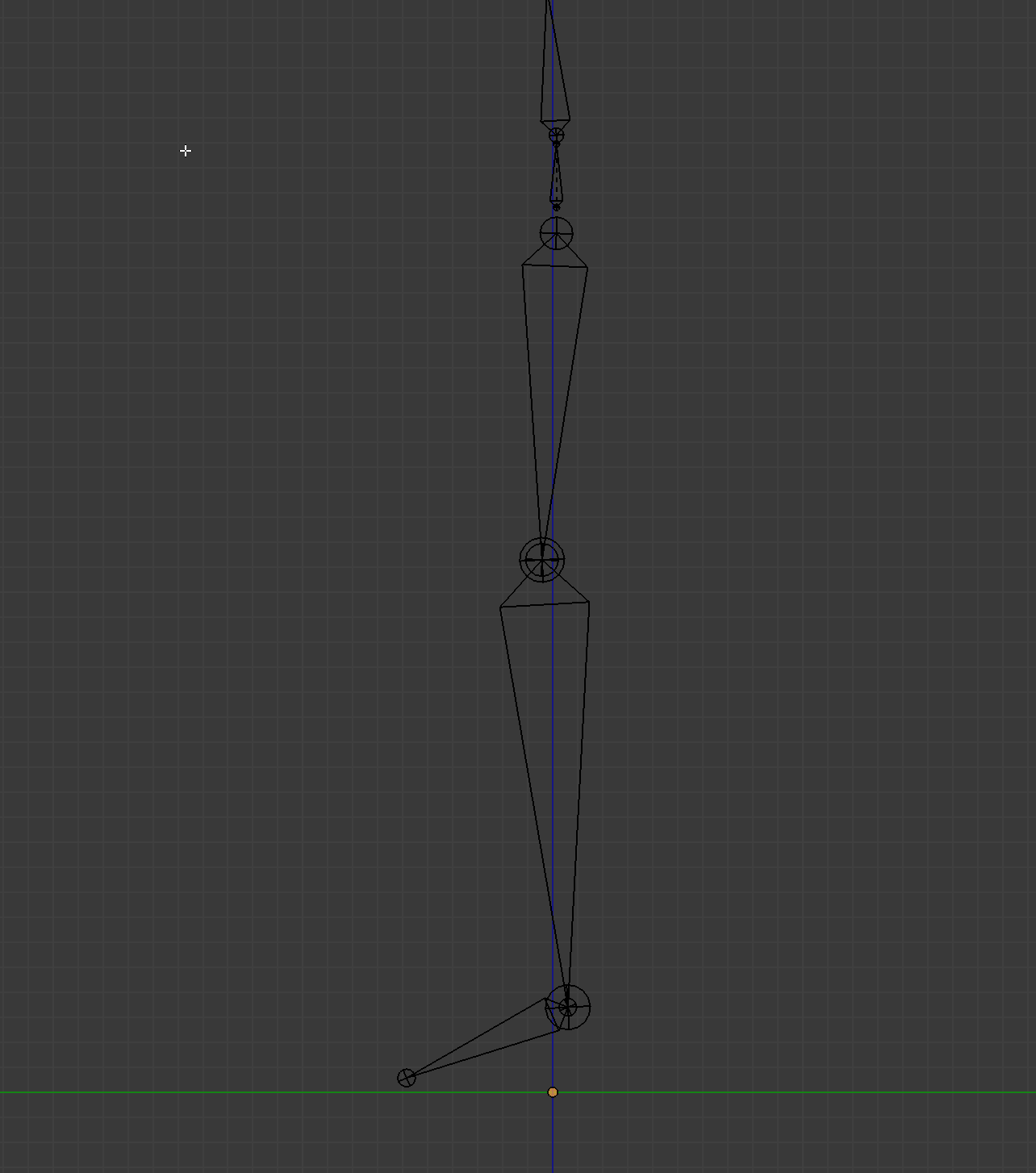 native shuttle
followed but still likes to pose iteslf the same way as the pictures above i sent @sour isle
native shuttle
can anyone help me i dont know whats wrong with the hips and already centered the hip bone out and put it higher so its above the leg bones , even tried curving the spine to see if that was it and nothing was fixed any solutions?
 fringe citrus
@native shuttle do you have some ortho front and side screenshots of your armature? (srry if I missed them being posted above)
native shuttle
Its all straight but likes to still break its hip with it straight and curved (like you told me to on a model i was working on before) @fringe citrus
fringe citrus
For the issue in your in game screenshots above, you'll want to get your hip bone to be slightly behind your thigh bones
at least I think... it could possibly be another issue, if I can see the armature I could rule out other things
But mostly likely bringing the hip bone back slightly so it's behind the thighs would fix it
fringe citrus
Without seeing the armature that's the idea I have. Curving the spine to the back helps more for chest puffing up when laying down
There are a bunch of things that can cause hip problems that look like that but it looks the most like the issue where the hip bone wasn't behind the thighs
native shuttle
so do i just place the hip bone behind the thighs without placing the other bones in place?
The hip bone is just like what shonzo posted atm
fringe citrus
You should try to keep the other relative orientations optimal too
native shuttle
Can you give me a picture for reference
fringe citrus
Might try bringing it slightly behind
That's the tpose-new.fbx armature
it has a pretty short chest and a high hip
if possible it often solves issues if you try to approach that setup
mostly taking relative positions and orientations into account
native shuttle
Also the root skirt bone should be connected to hips or does it even matter
fringe citrus
wouldn't matter for IK, but personally id set up dynamic bones all parented to a single root bone that itself is parented to the bone you want to transmit motion to them
but sounds like what you mean by a root skirt bone
and hip would be best for a skirt (of course depending on where the mesh is)
can do some nice optimizations by sticking some bones parented to the thighs too though, to remove need for colliders
native shuttle
Question lets say re doing the armature doesnt work what would be my 2nd or 3rd option?
fringe citrus
Aside from trying other armature fixes?
native shuttle
Yes
fringe citrus
You could counteract the tilt by the way you bind in with your real body
but I don't recommend it... IK doesn't perform as well if you do that
native shuttle
Wait theres other armature fixes?
fringe citrus
it works but the IK will think your real body's rest pose is in a weird tweaked posture (which holds stuff together) but that tweaked posture would be the basis for other IK so can get weird
there's a ton of different tweaks you can do to your armature depending on what's going on
that's why I wanna see some ortho front and side pics, high resolution if possible so I can really see what's in front of what and what's slightly tilted in what direction
orthographic (flat view) front-on and side-on full body armature I mean
native shuttle
Theres pictures above but its not updated since i got really upset and turned off my computer but all i did to it was make her spine straight and hip straight to the center
thats all really
fringe citrus
going off tpose-new.fbx which is what your avatar is retargeted to when you bind in for fbt, you'd want the hip behind the thighs, the spine slightly tilted back, and the chest slightly tilted forward
and also going off what has worked for myself and other people too, that's a good way to set up a spine for VRC
native shuttle
Yeah illl just follow that
I'll rescale the bones to
Since they look smaller in the picture
fringe citrus
you don't have to align them perfectly with the tpose-new because it doesn't really match anime styles so well
but pay attention to relative differences between bones
fringe citrus
like what's in front of what, or what's tilting in what direction
so if tpose-new has the hip further back than the thighs, but your armature has them lined up, or worse has the hip in front of the thighs, that's a difference in the relative position of the bones compared to tpose-new
relative meaning how the positions of the bones compare to each other within your armature
native shuttle
Originally the hip was infront of thighs
fringe citrus
Yeah, that might have caused problems, IK works differently now since the update a few months back. Overall it works better more of the time, but the things it's sensitive to for little minor problems are different than how it was before when the CATs/Snep fix was required
native shuttle
yeah but even positioning it behind still had the same result but ill follow that reference
Hopefully it fixes
fringe citrus
Here's my current rig that I've been pretty happy with recently if you want a reference for how I do it @native shuttle
native shuttle
I saved all these images so i can use them to re scale and re position her bones thank u
fringe citrus
👍 careful if you copy the neck though. That requires some specific weighting. It's an updated version of my old neck fix to address an issue with a slight zigzag when laying sideways
I don't exactly recommend it as best, it's a tradeoff. So you can have a longer neck bone than mine
otherwise copy away 😁
(though this rig is scaled for my personal proportions and has some tweaks for how I wear my trackers, but should be a decent starting point at least)
native shuttle
yeah i wont mess with the head bone or neck just hips and spine / chest
fringe citrus
Also notice how my leg bones sit inside the mesh (mostly centered in the thigh but slightly forward in the shin) that's to address overly locked knees in game. Forward shins are anatomical anyway too
so if you copy my leg orientations for the bones your mesh might not look quite like mine. But mesh apperance doesn't matter for IK
also a spine rotation point that high will probably require redoing weights
anyway good luck 😁
native shuttle
D:
 sour isle
@native shuttle dm me front and side pictures of armature
raw jackal
Does anyone know how to fix the Unity issue where you make a change to the avatar in Blender and then when you go back in to Unity the avatar's body parts are all stretched out in weird ways?
 snow meadow
I think you need to check the position of your avatar in Blender
I have a problem with unity where my dynamic bones stopped working
I had set them up yesterday and they were working fine but today when I wanted to apply colliders it just broke everything and I can no longer apply the dynamics, everything just stays rigid. The little white lines are not even visible
instead, in playmode I get this
snow meadow
found the solution: couldn't apply the dynamic bones because the armature in my hierarchy was disabled. I just had to enable it again in the inspector 🙂
deft token
So for some weird reason when i try to import the model its sideways
anyone have any tips?
The bones work
Maybe I parented the meta rig incorrectly in Bblender
merry estuary
Perhaps object is rotated in Blender and you need to apply its rotation*
crisp tendon
 candid steppe
how do i give my character blinking and mouth animation
fading verge
Blendshapes
candid steppe
whats that
native shuttle
@fringe citrus late reply but it doesnt like to follow that fb fbx either it like stretches and pops its chest way to much and still has the same problem with the hips
bitter pewter
I made a lot more shape keys to get the facial animations to work in the dance world. Still no luck, but I hope you guys can pin-point the problem here: https://i.gyazo.com/6206b659434b8eebc3e9e8d9c65beecb.jpg
 opal river
so, is it possible to use both (dynamic) bones and shapekeys together? for instance my character has ears and a tail and I'd like those to be influenced by shape keys via gestures and/or by dynamic bones
fringe citrus
@native shuttle hmm ok, you mean you tried it with the tpose-new.fbx itself or you approximated that armature in your own? I can confirm that my own armature I posted is working great for me. Maybe I can spot what's going on with some screenshots of your armature. If you don't wanna post your model here you can dm them to me too
@bitter pewter maybe they need to be named in Japanese? CATs auto translates a bunch of stuff so you might have seen those names in something processed through CATs but I'd assume that the map expects Japanese names on the shapekeys. Just a guess though
bold locust
@opal river Of course.
The only thing you need to consider is how the shapekey's deform will affect the way the DB looks.
Because a shapekey isn't going to move the bones you're affecting with DB.
But like, making your tail fluffier? That's fine. Curling it or bending it? Probably will look odd with DB.
Same with ears. Or anything similar, really.
opal river
okay, someone else suggested to do the deformations for the ears and tail via animations in unity and just link them to the gestures
which I guess would get around that issue you mentioned?
opal aurora
Dynamic bones move solely based upon how your bones are positioned and their length, if you deform a tail per example to twist at the center, let's say to the right, if the tail bone sways to the right, the tail will bend even further, which can end up clipping into itself, if the tail bone were to bend to the left, based on its new deform, it will either collapse into itself trying to twist the other way, or perhaps deform back properly
@opal river
opal aurora
It's entirely possible to toggle ehm
opal river
oh, well then
opal aurora
I don't think you can change values, but you can definitively toggle ehm
opal river
so I could create for instance an animation that makes it so the tail moves in front of the body so I could hug it, have it disable the dynamic bones in the tail while it's active, then combine that animation together with another animation that for instance changes the facial expression, and bind all that to a gesture?
opal aurora
Could do that aye
opal river
awesome, thanks
opal aurora
Since the tail isn't part of the "body" it can be easily animated without complications
And by that i mean the body rig assigned in the config, since anything part of the humanoid rig is hell to work with
 olive gale
Heyo I am having a bit of an issue with my weight painting. I have an small bit that I can't seem to be able to paint from any angle. A bit new at this does anybody know whats up with this?
At this point I'm one step away from just deleting the mesh and letting it be see through on the shorts
 bold locust
@opal river @opal aurora Just keep in mind that if you want to toggle a specific script, you want that script by itself on it's own gameobject. Just because "dynamicbones.enabled"(or whatever the property is called) affects every script on that gameobject. So using that property will turn off or on every dynamic bones script on that object. Also, I think you can keyframe value changes. But again, it'll affect every dynamic bone script on that gameobject.
opal aurora
Yeah i tend to always set it on a per-root basis rather than just setting everything on the root of the whole model, it works better that way aswell
bold locust
I've considered doing that as well. I just always had them all on Avatar Root as force of habit so that I can edit every value in one place. Makes it easier to mess with them in play mode.
opal aurora
On that note- i tend to ctrl+z in play mode if i'm editing multiple values and i need to drag the model around, since you need to deselect everything for that (it will reselect everything again), although you can also lock the current menu on the inspector for that same effect
bold locust
Yes. The lock is your friend. That, and we didn't have Pumkins.
So just copying from one root to another was just faster.
 lunar tartan
Was there an update to blender or something that made all the materials join into just 1 when going into unity? How do I make it not do that? I can't apply the material textures properly anymore
merry estuary
Nope, 2.81 exports materials as usual
fading verge
Did you accidentally atlas your mats?
lunar tartan
Not sure about the term "atlas". If that is what happened, then how does that happen?
 plain dirge
anyone know any good videos on rigging an avatar for a complete beginner?
 bronze fern
Mixamo
fading verge
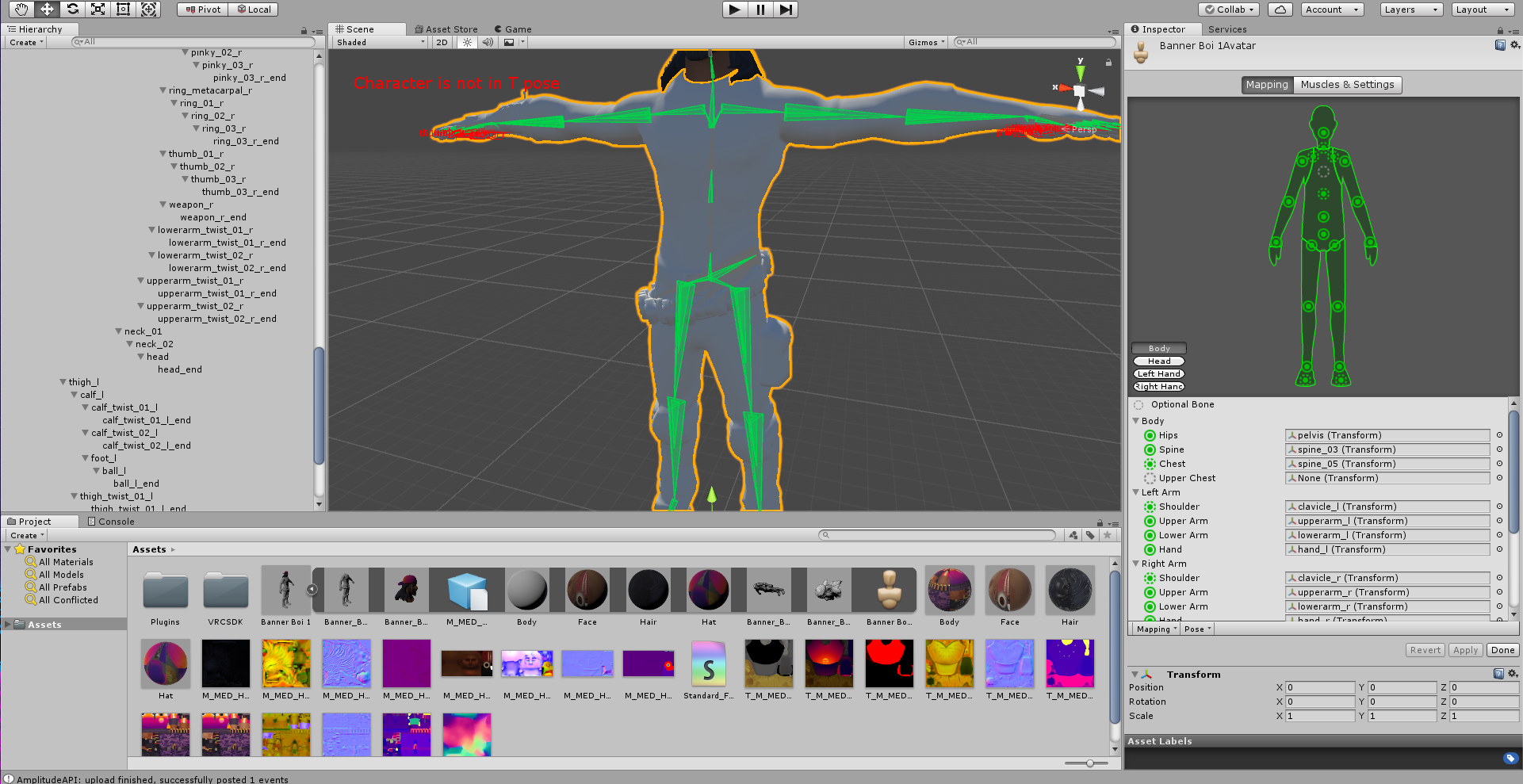
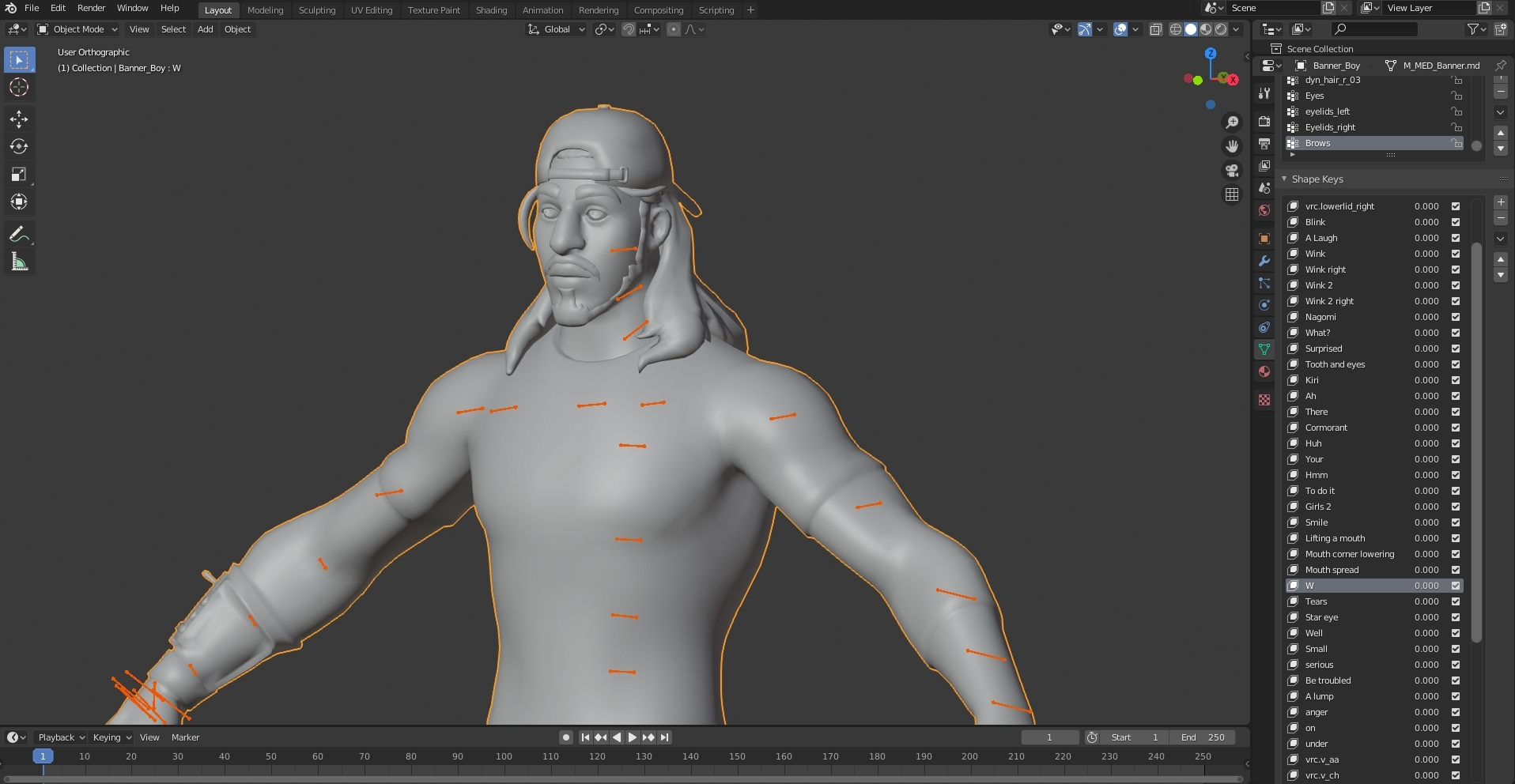
not sure where to put this but im having a weight painting problem. in blender, this model looks fine, tried pose mode and everything works the way it should be, but in unity, the head looks like its rigged to the chest, as well as the neck. ( unity > https://gyazo.com/49ff7e8d9f37743fc79a6bb9db82ca8a , blender > https://gyazo.com/3c7a918e60dbe51e3fb2e54b025f5fad )



 warm lintel
sooo i know rigibody's are a thing ect but im deadass curious, can i make a four legged models?
ive just gotten curious because of some of these rigibody works ive seen
crisp tendon
@fading verge How does it look in blender then ?
fading verge
Second one is in blender
drowsy wharf
@fading verge that... is a really weird issue... have you tried restarting unity yet? If so, have you tried re-importing the model?
fading verge
OH i forgot i posted this here, ive fixed the problem! apparently it was the cats plugin for blender that was making it bug.
i just imported the model into unity without using cats and it works fine now
drowsy wharf
Did you report to the dev?
fading verge
no?
drowsy wharf
Glad it was just a bug though
fading verge
cats was only blending the bones together with caused the head to move with the spine
i think
drowsy wharf
The dev has said to report any issues and they'll try to fix. Always good to report
crisp tendon
export through blender ?
bold locust
@warm lintel Really avoid rigidbodies and joints for things like that.
It won't look the best due to latency anyway, but that's a tad expensive. Not that using multiple VR IK with grounders isn't as expensive either. But it'd at least look nicer.
fading verge
It does work though
drowsy wharf
Not to mention $90 paid assets aren't worth it to a lot of people
bold locust
It works to a degree.
If you get rigidbody physics drifting and notice how dumb it looks to have both legs on one side moving together instead of mirrored..
Lol Then you take into consideration how bad it makes your stats look.
Rigidbodies are not worth.
fading verge
I have a friend that did it so that the legs were swapped with each other so FR moved with BL and so on
 lapis stream
Hi.
drowsy wharf
The only time it'd be questionable (looks wise) is with full body really. You can counter drift with a position reset too. As far as stats go...meh, plenty of people have terrible stats without even trying to do something interesting...
lapis stream
I have a VRChat model that has some really weird bone problems. When I move my arms the wrong way I get a kind of "do you want to see the bottom of an avatar's foot?"-style freakout, my left hand bends backwards, and I don't walk at all, I just kind of slide across the floor. I have less than zero talent with blender so I'm REALLY at a loss as to how to fix this.
drowsy wharf
In pose mode in Blender do the bones move as you expect?
And in Unity have you checked to make sure the mappings for the humanoid rig are correct?
bold locust
The problem is drift being local. I also kind of meant latency too. Ahhh. Please don't encourage rigidbody armatures.
fading verge
Check the rolls for the bones?
 wintry rover
Rigidbody? I'm sorry but I have no idea. I simply cut the head and put on the new outfit without touching any of that.
Also I check the bones and they all have 0 for Roll
bold locust
@wintry rover It was in reference to an earlier conversation.
lapis stream
@drowsy wharf The problem is someone else rigged the model for me. I have less than zero talent with 3D modeling and rigging. ;_;
bold locust
Not your question
lapis stream
Oh sorry
drowsy wharf
@wintry rover make sure the hip bone is above and slightly behind the leg bones, and that the leg bones aren't perfectly straight. They should have a slight bend at the knee in the correct direction. (it can be imperceptible, but it needs a bend to tell the IK where it bends)
@lapis stream you can still learn basics, like how to test it, or how to make minor adjustments.
You don't have to weight paint or rig to do either.
And setting up the mapping in Unity is separate from all that. It's just a panel and you say "hip is hip, thigh is upper leg, and knee is lower leg" or similar (examples).
If you're just going to jump to "I can't" we can't really help you find out what's wrong or fix it.
If you're willing to learn and try things, we can try to help where/when we can.
lapis stream
I want to learn but 1) I need to reboot, 2) Everything you just said is witchcraft, I didn't understand a word.
Also I'm severely intimidated by this whole enterprise.
wintry rover
ty I'm fixing the bones atm
drowsy wharf
@bold locust I completely agree using a bunch of rigid bodies is a bad idea, just that not everyone has $90 spare to throw at something like this. And if left with sticks instead of a flint and steel, you can still make things "work" if not as well, that's all.
wintry rover
do you happen to have a reference rigged model so I can follow?
drowsy wharf
there's a sample avatar in the SDK you can base things on
vrchat_tutorial_avatar under vrcsdk\examples\sample assets\tutorial avatar
wintry rover
I tried importing it but the model is quite broken in Blender
lapis stream
Sorry. Update reboot thing.
I have a mental deficiency that makes it very hard for me to do anything remotely artistic with precision.
That's why I came here for help instead of doing it myself.
I tries to fix it but it looked like an eight year old's work.
lapis stream
Sorry. It just clicked that if I have such a deficiency in artistic endeavors, then there's no way any of you could help me, huh?
drowsy wharf
The things I was asking about have nothing artistic about them. It's just things like, does an elbow or a knee bend correctly, etc.
Pose mode lets you rotate (or move in other cases) the bones to see how they move the body around.
lapis stream
I don't even know what programs I need.
drowsy wharf
Blender and Unity is all you really need
lapis stream
I can't afford them.
drowsy wharf
both free
 round rivet
hey all, i'm currently trying to rig a model and running into some problems. the model i was using didn't have a shoulder bone, so i tried subdividing it from the upper arm. in blender it looks perfect, it still works in unity, but when i build the avatar to vrchat the arms are extremely contorted. could there be a possible reason for this that i'm missing?
 lucid orbit
Make sure the bone rolls are all 0 degrees and make sure there's a slight bend in the elbows for the bones so the IK doesn't get confused.
fading verge
Weight painting issue most likely
round rivet
can confirm that the roll of the shoulder is 0
@fading verge does that mean i should use CATS to merge the weight from the upper arm to the shoulder?
lapis stream
I'm sorry. I have really bad anxiety and had a panic attack. This is all very overwhelming for me but I would really like to learn if I haven't burnt my bridges here. I'll wait my turn, of course.
round rivet
i tried merging weights and it didn't work; after reimporting the model i was using, it isn't showing the upper arm bones at all despite being in the armature

 crisp tendon
You asked for help yesterday as well
crisp tendon
Nope, yesterday
lapis stream
I don't remember that at all.
I scrolled up, still nothing.
Was I complaining about trying to apply a texture to my avatar?
Because I figured that out.
crisp tendon
Cool, what's blocking you now ?
lapis stream
The bones are all weird. My avatar just slides around on the floor, the hands wig out when I'm doing anything, even when I'm not doing index controller stuff, it just moves very awkwardly and feels gross to inhabit.
I was just gonna hire a guy to fix it for me.
When it's a subject I don't know a lot about, it's really easy for me to get overwhelmed and have a panic attack.
When I'm using her, it feels like I'm trapped in a soviet-era cartoon.
round rivet

 crisp tendon
@lapis stream If you can commission someone to fix for you it might be better
lapis stream
Yeah, probably.
lapis stream
lready there.
crisp tendon
@round rivet assign automatic weight paint on your upper arm bones
round rivet
@crisp tendon autoweight brought it in a little bit, but not much https://spectrobes.might-be-super.fun/AbGcgET.png

 crisp tendon
you can fix what's missing manually
round rivet
what do you mean by "what's missing"? all of the bones are there and in place
crisp tendon
the missing weights on vertices
round rivet
this seems like a problem https://spectrobes.might-be-super.fun/2DMKfmW.gif

 round rivet
should i autoweight the shoulder as well, then?