#avatar-rigging
1 messages · Page 146 of 1
 bold locust
 weak oar
<@&397642795457970181> Is the bot OK? It just deleted a load of Seigo and my messages randomly and complained we were talking too fast.
Like, retroactively.
@granite dust Anyway, roll is 0 on all bones.
bold locust
Wow. It deleted random messages too. Like skipped around.
 granite dust
Yeah, I saw it before the messages were deleted. I'm super interested in it though.. I like working on the more impossible avatar issues.
 worthy kraken
Apparently, the bot was given instructions to delete messages that are sent out too fast, as in within 3 seconds or so. You may want to tell Tupper about that.
 manic marsh
Epic bot, throwing a fit like that
worthy kraken
Rows of messages.
granite dust
Ah
bold locust
Lol.
manic marsh
Vrcd getting even more restrictive 
weak oar
@worthy kraken I think the bot lagged out or something, because it went back and started deleting random messages from the last few minutes.
But yeah, broke the conversation history a bit, heh.
worthy kraken
Not so sure about that.. but I did notice something isn't right with the bot since it doesn't respond to some of the commands I requested for.
bold locust
Rogue.
granite dust
It's gone rampant
worthy kraken
It's only inactive, or damaged, or both
manic marsh
It's becoming sentient, give it some time to clear his mind
granite dust
@weak oar Mind showing me a bit more of the avatar?
weak oar
I'm not at that machine right now but I've posted pictures in these channels before. Give me a few minutes and I'll try and grab the old images for you.
granite dust
No rush, and thanks~
weak oar
So full shot of the body - https://cdn.discordapp.com/attachments/361742235525709825/629042590406148119/unknown.png

Front shot of the waist - https://cdn.discordapp.com/attachments/361742235525709825/629025152931332116/unknown.png

Rear shot - https://cdn.discordapp.com/attachments/361742235525709825/629024829722460171/unknown.png

So here is the avatar when T-posing for full body calibration (legs are correct) - https://cdn.discordapp.com/attachments/361742235525709825/627852675547004929/unknown.png

Then here it is the moment I lock in calibration - https://cdn.discordapp.com/attachments/361742235525709825/627852880497344513/unknown.png

And shot of the rig so you can see the angles - https://cdn.discordapp.com/attachments/390924372782612480/627513538776268815/unknown.png
 granite dust
Would you be able to send me the rig (no mesh needed) sometime?
weak oar
Er, possibly. Does anything stand out though?
granite dust
It's hard to tell from the angle you posted the images at, but nothing too glaring at first glance
bold locust
It'd be noticeable with the script, I bet.
Mine all "seem" fine at first too.
Then you get to see where final IK puts that arrow.
weak oar
The script is €80+ though unfortunately
bold locust
It is.
granite dust
Yeah, it'll be interesting to see that but.... yes, the cost
bold locust
And it's not as appealing to use for VRC right now anyway.
Since they've broken it for use within armatures in-game.
weak oar
Did it work before? If so, what did it actually do?
 fossil blaze
@granite dust Sent you a message. I'm having issues with my rig too...if you could help.
bold locust
A lot of the scripts on Final IK are actually whitelisted for VRC. They were used for all sorts of things.
From Fixing your own IK to making multiple eyes track. Functioning pistons. All sorts of things.
 zinc aurora
Anyone know of another way to get IK on parts that arent on the default humanoid armature?
Ive tried messing a little with rigidbodies and joints but either its not working or im not understanding it, when i tie the robotic foot to the foot of humanoid armature using a fixed joint it just gets turned upside down and stuck to it instead of keeping its offset.
I would like to replicate this setup i made in blender, basically the robot foot moves just like the humanoid foot but with an offset and IK controls the robotic leg.
https://cdn.discordapp.com/attachments/390924372782612480/629905759441911830/iknowork.PNG

(i realize a fixed joint is the wrong thing to use for replicating this since that would actually just sorta "parent" the robot foot to the humanoid one instead of moving like it at an offset but i figured just starting with something would be better than nothing)
bold locust
Maybe a combination of limb IK on each leg and Fixed joint connecting the feet?
Locking position in Rigidbody constraints also.
Final IK limb IK, I meant.
It might be a pain to get it to work with Net IK though.
zinc aurora
didnt you just write that final ik was broken a little while ago?
bold locust
It's broken on bones inside of the armature, I think.
Which is why it'd be a pain.
It can work with some combination of IK-follower.
I haven't done it though.
Just wishing they'd fix it themselves.
zinc aurora
sorry, im not grasping what you mean, the way those legs i showed are set up the extra legs are also part of the armature
bold locust
Yeah, I know. VRC gets you used to messed up work arounds though.
zinc aurora
the easy way would be for it to just respect blender IK, isnt the info for it already in the fbx file, or is that just in the blends?
(im not a 3d guy really)
bold locust
I'm not sure. You could possibly break the prefab by dragging bones out and setting up your IK on those bones.
It drops constraints.
Unity doesn't care.
I was just kind of shooting an idea out. In my head it should work, but I haven't done it myself.
Sorry.
zinc aurora
no its cool, it might jiggle something to give me an idea of where to go
 formal zealot
weak oar
formal zealot
weak oar
Main skeleton plus the 3 main fingers on each hand.
weak oar
@bold locust @zinc aurora Added some leg bend, no change
zinc aurora
leg bend?
 fervent hornet
Legs should look like
/
Not
|
|
Excuse my phone language
Without a slight bend forwards at the knee vrchat doesn't know how to bend the leg
zinc aurora
yeah that part i get
i was hoping bending the leg backwards would make it go the other way but it didnt 😛
fervent hornet
What on Earth are you trying to make
Oh yeah that robot
Honestly good luck on that I gave up on complex robot legs a while back
fervent hornet
Ah yeah that dragon is really giving you a run for your money
Only thing I can think of besides the bend is straight thighs, no bone rolls, exactly 180° hip angles, no intermediate children as first children, and I think legs should be slightly forward of thighs
That last bit is from reading info about the recent FBT changes by the devs and their official docs but I don't do it
weak oar
Straight legs s opposed to slight angle causes crotch stretch
fervent hornet
Yeah that happens since the thighs translate rotation 100%
bold locust
I'd look at it for you. If you wanted.
weak oar
Straight on shot for what it's worth
@bold locust You've disabled DMs btw
FBX of the (cut down) armature, if anyone wants to test.
bold locust
I need at least those bones listed.
A chest would serve as root and spine both.
@weak oar
Neveeermind. I wasn't expanded.
I assumed Final IK would see the bones.
This is what Final IK thinks.
So in this case, it wants them bent outward more. It thinks you're bowlegged.
weak oar
How exactly do you correct that, but also why does it want to do that?
bold locust
What I did
The yellow box is like a warning.
It's just like "hey, maybe you didn't realize that these knees are inverted". But they're not, so you can ignore the warning.
I set the left knee's Z to -1 and the right knee's Z to 1
Can do that in rig config.
It might help a little.
Or fix.
Or do nothing.
But it's a lead!
If your feet end up pointing inward, pigeon-toed, or angled inward, you can just rotate them back out the same amount you rotated the knees in.
weak oar
Feet are correct, it's purely the legs (although I did notice the left foot is fractionally off on some occasions, but only a little).
bold locust
I meant once you correct the knees it might make your feet off a little.
bold locust
Hope it does something.
weak oar
Ok thanks, I'll try that tomorrow then and see how it goes. It's currently 5:30am and I have work tomorrow, er, today :/
bold locust
¯_(ツ)_/¯
Can just at me. I have DMs off for this server in particular because there's a lot of people and drama.
weak oar
It was for sending the file specifically, but I've done that in the channel itself now anyway.
 cinder sundial
Is the two-handed IK feature still supported in Final IK? I'm trying to hold a gun with both of my hands and I followed this tutorial pretty closely but I can't seem to get it to work

Editing by Me A short, lightly edited addendum to my last video about FinalIK Uses. In this addendum I cover an overhauled setup, fullbody fixes, adjusted ob...

Looks fine in Unity but when I'm in game
It just breaks
 robust crescent
Final ik is all sort of broken for me, so im not having any luck with it
cinder sundial
I'm worried that might be the case, I tried out one of my friend's old avatar that uses Final Ik for two-handing a big machine gun but it doesn't seem to work either
weak oar
Comments in the 2018 beta channel implied that Final IK is just stripped off. Not sure if that's true but that would explain the lack of it working.
bold locust
Final IK on avatars has been broken for the most part since the implementation of NetIK in VRChat.
@cinder sundial
You can still make it work on things outside of the armature or in some ways by using IK_Follower with Final IK.
I haven't used the IK_Follower fix but I hear there's a noticeable delay anyway. So VRC should just get it working again. But they have other things to worry about besides making avatars more optimized or interesting through the many uses Final IK offers.
weak oar
You can't, AFAIK. You can try and fake it with dynamic bones, gravity and cloisters, but it's not great.
 fading verge
well ive seen people with avatars that use ragdoll like the tony hawk pro skater and 007 models
 turbid spear
I have an avatar that has a ragdoll, but it's separate from my own
fading verge
how did you set it up
turbid spear
You use rigidbodies. https://puu.sh/EqHuV/aac3cfd350.png

Then slot stuff in there and it will create an object with ridigibodies setup
But you might need to change some of the settings and colliders around. Also, I could never get it to work right locally, so for me it spaz out and stretch everywhere while for everyone else it would look fine
fading verge
ive tried that but i cant get it to use the clliders for world space
and gravity wont work
turbid spear
Keep in mind that I had a copy of my avatar attached to it
So it wasn't my avatar ragdolling
fading verge
what do you men?
turbid spear
I don't know if it's possible to have it ragdoll otherwise
My avatar was invisible and the ragdoll was a copy of my avatar
fading verge
well what im trying to do i s a Deadringer effect from tf2 on my avatar
turbid spear
Then you can copy your avatar and disable it
And ragdoll it with an animation while making your invisible, or slightly invisible
fading verge
now the question remains though, how to i get gravity and colliders for the world to work properly, is it supposed to hover in the scene widow?
turbid spear
I don't know
Mine was in my avatar's hierarchy
I think with a join to nothing (which should join it to world)
gravity is just rigid body with gravity enabled
But I think you could try putting it outside your avatar and using a joint to it, not sure
Have you ever looked into spawning ragdolls as world objects, and got it working? @subtle tartan
 subtle tartan
uh what was wrong with it again
i did get a tip about that maybe but i cannot share it
its gotten tighter after devs removing self sitting and all that
turbid spear
A long long time ago I remember you trying to figure out something similar I think, at least told me what to try, but I was never able to get it working both locally and not, locally it spazzed out and flew all over as it was attached to my view to some capacity, while globally it looked fine
subtle tartan
yeah i have a good idea how to fix that but i have to keep the confidence of the person who told me how to fix it
turbid spear
Fair enough, just figured if anyone knew how to get this working it would be you
subtle tartan
ill DM you who to ask
fading verge
figursed it out, dynamic bones where fucking with the hips
 floral glade
Is there any document with exact names for bones and best rig hierarchy?
I remember there was one like 1 year a go xD
weak oar
I put a picture in here the other day of mine which Unity's auto-configure was happy with, let me see if I can still find it.
weak oar
This is mine which works nicely, although does need some title casing correction - https://cdn.discordapp.com/attachments/361742235525709825/629021285346967569/unknown.png

The fingers go from 1 to 3 (not expanded in that image).
floral glade
It seems incorrect for blender rigging it misses _L
or _r for right
for each mirrored bone
Examples of valid separators:
(nothing): handLeft –> handRight
_ (underscore): hand_L –> hand_R
. (dot): hand.l –> hand.r
- (dash): hand-l –> hand-r
weak oar
Unity is fine with it, I've not had to deal with that model and rigging in Blender (other than doing bits manually). But yeah, using one of the correct naming schemes is likely a better idea.
 opal aurora
Blender is actually rather flexible when it comes to mirroring bones
This is 2.79 just for the record
fading verge
Could someone help me out on how to rig bones for a mesh I have on blender?
 crisp tendon
What problem are you having ? @fading verge
 loud lance
does anyone have insight on why the hips and right upper leg dont ever seem to be oriented well with fullbody, i follow the FBT guidelines and it doesnt seem to work well with any avatar with more meat on them than a lanky lad
crisp tendon
Reset rolls
Also your upper leg tail bone should be where you lower leg head bone is
fading verge
@crisp tendon I got a mesh from a game and I want to make it into an avatar but for some reason the bones are always messed up and that also causes the mesh to mess up when I try to animate it as a humanoid .
fervent hornet
You probably have to clean the armature so it acts like a basic rig. Could have extraneous bones or weird bone positions if it's from a game
fading verge
it had no bones when I got the mesh
I just looked up a basic tutorial to do basic bones
fervent hornet
It's hard to help when I don't know what your rig looks like, or the exact problem besides "it doesn't work"
crisp tendon
@fading verge you can try mixamo
fading verge
this is how I did them watching the video , I named them in the correct way too
okay I will try that too , thanks !
fervent hornet
I would reset bone rolls but if youre still skeptical then yeah try mixamo
weak oar
@fading verge That hip is too low
There should be at least some gap between the top of the legs and the hip bone
fading verge
I will keep that in mind, appreciated
for some reason my mesh explodes when I put it into an animator , it gets extended to a point where the mesh isn't connected with the other mesh parts anymore
weak oar
Does your model have shapekeys and have you modified the mesh since creating the shapekeys?
 edgy ginkgo
so with the new IK system, what moves when your sitting down, the head bone or the neck bone? like what moves the most?
and i seem to have my chest pop out some when i do lean back sitting
edgy ginkgo
any help would be great, my chest seems to go way forward when i sit and lean back
 lofty void
that's showing which bone it's parented to
 sharp lily
i know but does it matter if its the top or bottom ball of the bone?
lofty void
it goes to the top i think
fervent hornet
The line is drawn from the head of the child to the tail of the parent. This is because bones are supposed to act as a singly linked list in a sense, or like a rope. It doesn't really have any merit besides visuals though
lofty void
i figured thats what it was
fervent hornet
Only times you should see those dotted lines are wrist to fingers and thighs to hips. All the other bones should be connected (referencing a basic human rig)
lofty void
what about shoulders? are those connected or no?
fervent hornet
Yeah I guess shoulders float too. That may vary wildly
Shoulders depend on the model while the two others always float
lofty void
usually mine float but i dont really do standard humans much in all fairness
fervent hornet
Shoulders are always iffy as the IK system doesn't understand how they work sometimes. My shoulders usually don't have much weight attached to them
lofty void
yeah they seem like they would be weird
 lament jay
Hey could someone help me with a problem about the Spine hiearchy?
 merry estuary
@lament jay If you are not sure about bone naming -> Hips > Spine > Chest > Neck > Head > LeftEye and RightEye
lament jay
No no
that's another problem but i think i've fixed it..
i
mean
not really but.. ehh..
merry estuary
What is the problem then?
merry estuary
Just hips and head huh? This is some lightweight armature
lament jay
And there is legs and arms too
Just the center part of the body is missing
I would like to resolve it now but i need to go to sleep soooo..
Maybe tomorrow..
loud lance
ok, so i tried the leg bone connections, but i still get the hip looking like its rotating(fullbody), and there being a 'shelf' on the right hip
im not sure what to do...
fervent hornet
Make sure you are not using the old CATs fix (ie flipping the hip) and that the head of the hip is higher than the heads of the legs
 forest charm
@loud lance try toMove the hips up more
loud lance
the hip bone? or the upper legs?
forest charm
loud lance
im confused what that picture is describing
zinc aurora
the lower ball on the hip bone, move it above the upper ball on the thigh bone
 whole urchin
Hey guys I'm having an issue where my avatar in unity/blender looks fine with a straight back posture but after uploading it into VRC the posture breaks as if the butt is on back to front
Sorry it was to take photo on desktop
whole urchin
Oh yes! it works, Thanks alot for the help
 vague slate
I'm trying to get an avatar rigged for full body and have been following the recommendations in the VRChat docs, but in game, the butt sticks out quite obviously.
Here's a picture of the rigging. Any idea on what I'm doing wrong? I made sure the hip bone is above the leg bones, and the knees have been rotated forward very slightly
bold locust
Tbh, I still use the FBT fix because I tried not using it after the update and my avatars were still broken. Adding the FBT corrected them as it always had.
The only thing the update did for my models so I wouldn't have to is the built-in neck fix.
vague slate
I would totally do that, but these avatars are for a world, and I kinda wanna future proof them instead of having to go back and redo the rigging when the fbt fix stops working
bold locust
But even then, it doesn't always do it.
It's a button click in blender and just subtracting 180 degrees from the hips and upper legs in unity scenes.
Pretty sure.
You wouldn't need to drag a new model into the scene, I don't think.
Could be wrong.
weak oar
There needs to be a gap between the top of the legs and the hips
The hip bone should also be pretty small
vague slate
Oh wow you're super right. This whole time, I was looking at the image on the vrchat docs wrong. Thought the bottom of the hip bone needed to be lined up with the top of the leg bones
ty ty
bold locust
That could help IK understand what to do, yeah.
weak oar
Note the top of the legs stay below the bottom of the hips.
 sleek isle
I try multiple way but only the old fashion have stay consistent
The update make the descriptor more accurate in the head?
I did not been in fbt since the update
weak oar
So I got rigid bodies and such working but the issue I have right now is that the bones that should be following the real bones don't face the right direction. I'm not quite sure how to handle that as it's a puppet on the hand. If I make it face the right way from the start, it'll be in a weird position on the hand...
sharp lily
my model works well
bold locust
As in, they don't follow rotation or they are not facing the right direction when they are following rotation? @weak oar
I had a hard time visualizing the problem.
 dim monolith
Is this hierarchy list for eye tracking ok?
I just searched and it seems I have to remove the bones in between hips, spine chest etc.
weak oar
@bold locust Not facing the right direction
merry estuary
@dim monolith Hips > Spine > Chest > Neck > Head > LeftEye and RightEye
sleek isle
Look like they are parent to the neck
 long crystal
So the hair didnt rig properly. plus when i rigged it to my root hair bone later on unity it becomes HUGE and not in place either
long crystal
i fixed the hair.
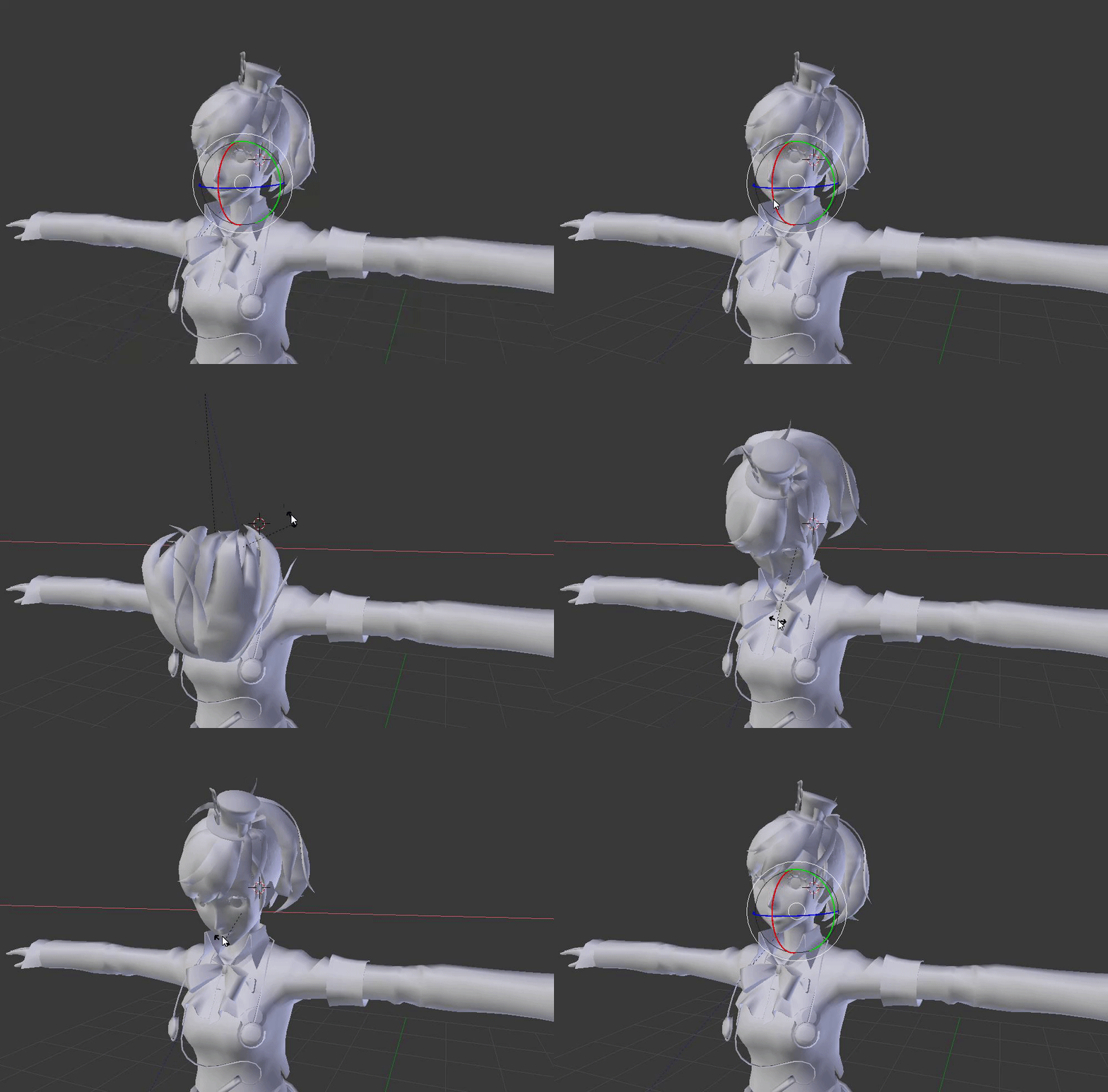
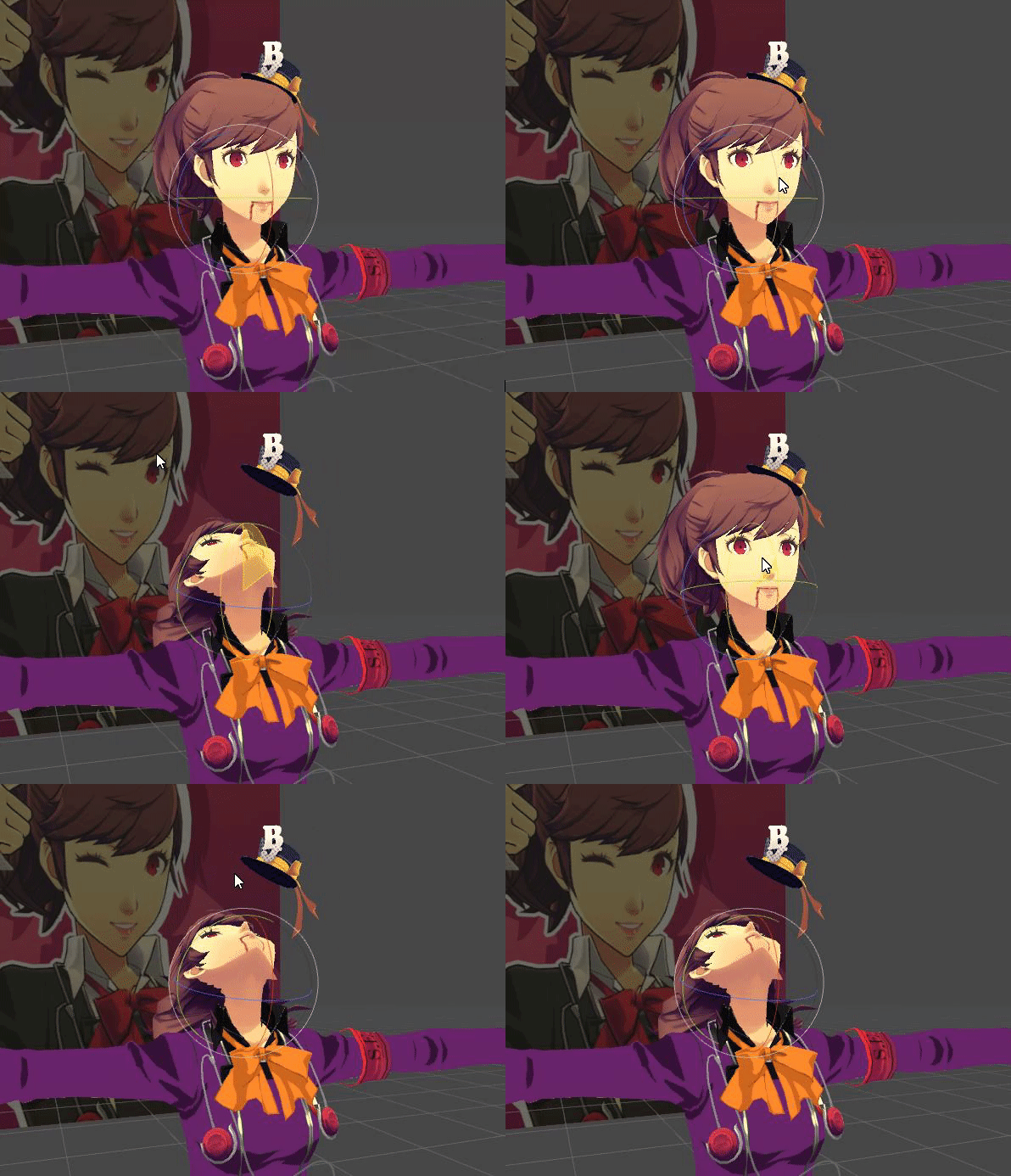
 halcyon grove
does anyone here know why im running into this issue, the hat stays on like it should when im posing it in blender, but when i import it to unity it stops doing that
https://i.gyazo.com/8cf5ca093ccb3bc53b4df6a93c64aecc.gif
https://i.gyazo.com/3c205755246cabaa316fc83bdceff1c3.gif
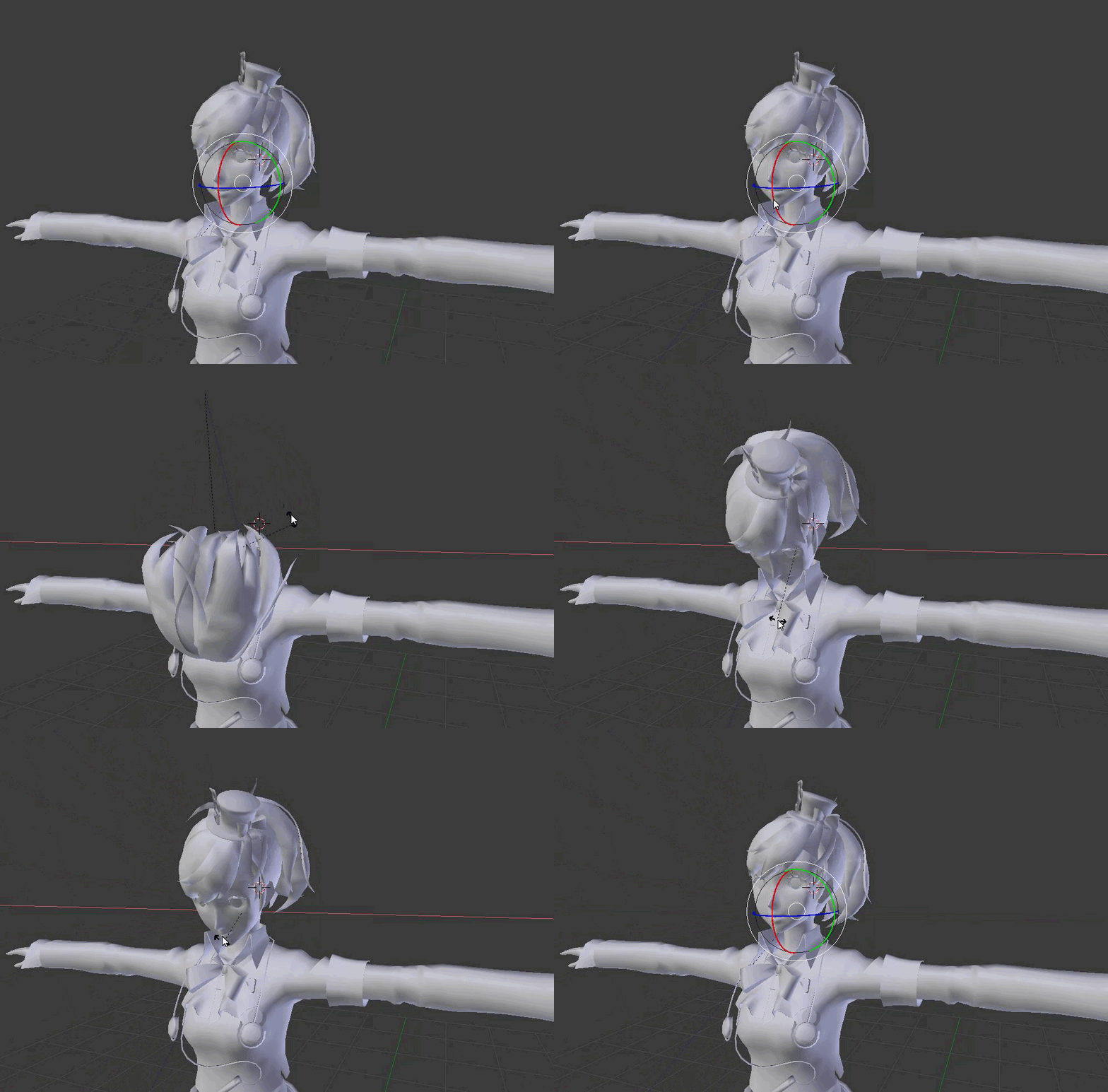

sorry if its the wrong channel to ask in
ah found solution, hat didnt have its own bone
 modest sky
Are you familiar with or using Cat's Blender plugin?
modest sky
You tried the merge meshes option?
Is the hat parented to the head in any way? or is it just in there placed beside the mesh
modest sky
Cool beans
sleek isle
you could simply select all the vertex of the hat and apply 1 to the head bone vertex groupe
 naive harness
Please help me, I have no idea why but when I import this specific model from gmod it turns into a flesh pile
This is what it looks like in blender
zinc aurora
wow, bmp screenshots 😛
no idea, doesnt look like its even the same mesh
(you can use the snipping tool in windows to take screenshots, saves them in jpeg and doesnt require using paint or whatever)
naive harness
sorry, Im not used to doing this.
If you need it I can attach the blender file
Blender file for the mass of flesh
Same image as before but in jpeg
zinc aurora
hmm, i wonder if it might be a weird animation or something thats making it display as a pile of dead
its got something called ragdoll so maybe its it falling together in a pile
naive harness
I deleted the ragdoll heiarchy. Didn't fix it.
zinc aurora
When you export the FBX, go to animations down on the left and uncheck "baked animations"
or grab this
the bit called a_proportions seems like it was the issue
dunno why tho
havnt ever messed with animation stuff
naive harness
Thank you very much! I have been wanting to use this model for a long time.
zinc aurora
no worries
naive harness
Okay, I rigged the model and everything looks fine but unless I am in an animation my chest is stuck to my face. help
zinc aurora
Did you set the view positiong thing to where the face of the model is? by default its at 1.6 meters or about five foot off the ground which would be somewhere inside the body on a reasonable sized but still large player model
Its the top thing in the VRC_Avatar Descriptor
It shows up as a small ball, if its hidden inside the body you can try increasing the Z a bit for it to pop out and then move it upwards by increasing the Y
weak oar
Oh, grab the toolkit Poiyami uses, it includes an "auto-configure VRC descriptor" which is so useful. It automatically places the viewpoint and configures the visimes.
naive harness
I did set the view position but the model's chest follows it for some reason.
naive harness
This is the unity project. I need to go to school so i will be a while. Thanks for the help!
And no I didn't map upper chest
 tough robin
@naive harness do you have any fingers mapped?
 light nest
Hey there everyone ^-^ So i have been trying out Vroid and i made a model from it..However i have this odd issue where the hips seem to lean forward when standing and this happens in crouch mode. Does anyone know what i need to do to fix it?
weak oar
Well that's... creepy.. lol
light nest
Haha right? It went from adorable to something out of a horror game
 chrome jungle
So ; when i'm moving my head/neck my whole body is moving aswell and at this point i'm not sure of why
I know it's a rigging issue as usual but i am unsure of the issue
crisp tendon
Weight paint ?
 magic sonnet
ive tried every possible fix i know, no matter what i try, unity always breaks in rigging, its not as simple as just rotating the hips, its multiple things that just dont work.
chrome jungle
nah it's not a weight painting issue it's the movement with the IK but it does it aswell with nikei & the default avatars list so it's whatever i guess
what's the issue tho @magic sonnet ? It's not in t-pose so unity isn't happy ofc
just click on pose https://niyah.eu/i/71424.png and enforce t-pose ? 🤔
 magic sonnet
it already is enforced
enforcing t pose ruins it
bottom one is how its imported, the top one is after clicking enforce t-pose
 obtuse egret
I have problems with publishing my Avatar the error message says: (LowerLeg is not first child of upperLeg or Foot is not first child of Lowerleg: you may have problems with Shin rotations.) Can someone help me?
crisp tendon
@magic sonnet Apply transforms in blender before export
@obtuse egret You need to follow the correct armature setup, it's pinned in this channel
crisp tendon
Reset rolls on the armature in edit mode then
sharp lily
ok i got a question
 thorny pine
Dang it I also have a question
I'm rigging the avatar's eyes using CATS, but when I test it, the up/down rotation is on the wrong axis
opal aurora
Make sure your bone rolls are 0, i assume it's rotating it based on which way the roll "points to"
thorny pine
Thanks!
naive harness
Okay so when I rig this model it's fingers are messed up and it's chest is on its face. How do I fix it without breaking out of T-Pose?
fading verge
how would i go about making a necklace with dynamic bones? would i make some bones going into a half circle and then mirror it onto the other side?
 tacit dawn
Unless you want the necklace to do fancy flailing around (and kill performance), I'd just have 2-4 bones going straight from the neck in a single chain and adjust the bending with clever weight blending.
 slow kettle
Question about the Upper Chest: Since it's partially supported, what kinds of visual differences should I expect, if any?
opal aurora
From what i've heard it seems to be more responsive
crisp tendon
It also breaks eye tracking, FYI
slow kettle
Oh geez
I think I'll stay away from it then until it's polished a bit more. Thanks for the info lovelies
fervent hornet
Would rigging an upper chest improve the full body view position when sitting/laying down?
crisp tendon
I don't think it would
fervent hornet
Didn't think it would as the scaling would still be off, thanks though
 gilded schooner
So, uh.. Anyone here possibly opening to help teach me how to Rig or helpin' me with a uh, avatar? D:
crisp tendon
Video will teach you how to rig, we can help with specific questions
gilded schooner
Got any links to any? :o I'm working with https://gyazo.com/1d8024e19b0344d4a473048fee783447
 crisp tendon
check the pinned messages of the channel
gilded schooner
I see em', yah. I can.. give that a good college try.
Also heard something about Mixamo. Is that even worth it?
crisp tendon
Yep, always worth a try
 warped basin
I've built this model and it's all working fine besides the Full Body Tracking being being, the walk cycle is all messed up and the ankles/hips have a bunch of the weighting crushed together. I've tried it with/without the FBT fix, and tried making a new FBX, with little apparent difference shrug
crisp tendon
pictures/videos would go a long way
 opal aurora
A bone or multiple are either finding really complex geometry or the model has overlapping doubles that blender can't make sense out of
 potent ermine
removed doubles sorted it out
potent ermine
I'm just ringing it at the moment for VoX
warped basin
There's the bones, the weighting all looks fine and it seemingly works well in unity and VR, just not fullbody
crisp tendon
you reset rolls ?
warped basin
Reset rolls? These bones came from another model and were attached on/fixed
basically the hips just cave in, ankles aswell
The Roll looks to be 0 degrees for everything
crisp tendon
raise the hips slightly then
and in side view make sure the hips are in front of the legs
warped basin
Alright, is there anything else that could help? I didn't know if there were guides anywhere that weren't out of date
crisp tendon
Did you do what i suggested above ?
also your legs shouldn't be fully straight
move the knee bones forward slightly
warped basin
Alright, and yeah I did
Should the ankles be flat? The fat end is directly where the ankle is on a real body
crisp tendon
no they should be where the ankle bone is IRL
magic sonnet
didnt realize that cats had worked with this monstrosity of a rig and now im done with literally everything else, the hip is above everything else, and i have no idea how to fix this manually
magic sonnet
nvm, think i managed to fix it
 wind prism
does anyone know how to keep my hips from moving up/down when I look up or down??
 echo drift
I tried to take a screenshot of a short avatar with a hunchback that I'm trying to make since... a long time
for some reason the hip and leg trackers are in the air and ... wait... it might be the descriptor... fuck hang on
ugh... yep it's the descriptor
but I have a weird feeling that the model is going to clip in the ground for some reason.
So what's the trick for small avatars?
weak oar
There isn't one, it shouldn't clip.
Doesn't look like it's clipping in that picture either
echo drift
well I moved it and the feet trackers are buried in the ground
chrome jungle
Okish , There's something I never really tried to fix before and i'm nearly sure it's because of the rigs but ; How should look the rig of the feet ?
Like

It just clip trough the ground a little. ( the rig do not have toes bones tho. )
That's my current rig and i'm sure it's not perfect but it's working usually ;-;
 crisp tendon
the ankle should be where your real ankle is
also select all your bones in edit mode and do "clear rolls"
fading verge
Anyone rigid four legged ponies before? I'm trying to do an my little pony avatar for a friend.
It said that I don't have pelvis, shoulders, neck and spine mapped but everything is green in unity. Now there is an already rigid knuckles pony on Vmods websitw I'm guessing my best bet is to rip the bones from it? If so how would I put it to the mesh I already have and attach it properly? But if anyone knows how to just rig one or have an video that would be awesome.
Thank you
weak oar
Keep in mind that you'll either have no arms (and you use rigid bodies / fixed joints to have the back legs follow the front legs) or you use a human armature and you'll end up stood up, contorted...
4 legs basically don't translate well to 2 unless you don't mind not having arms (and fake rear legs)
If you use Generic rather than Humanoid, you'll remain fixed in position for everyone else and your limbs won't move. It's been broken for a while.
fading verge
@weak oar what if you make an run animation of some sort? Will that show up with using generic so it would looking your running to others but you're reallly just standing in place? Also what is rigged bodies? I never used it before.
weak oar
Nope, animations basically just don't work on Generics at the moment. You'll see it, but no-one else will which makes it even more confusing.
Rigid bodies with fixed joints allow you to map one bone's actions to another, so you could have the rear right and left legs mirror the front left and right leg .
fading verge
@weak oar Dang that sucks, Thank you, I will to figure out the rigid body option.
weak oar
The cleanest method would be to map your skeleton to the front half of the pony and ignore the rear half entirely, add a dynamic bone to the center rear body so that it moves a little, then rigid body map the rear legs to the front in reverse. The only issue is you'd have no arms...
merry estuary
@weak oar Is avatar that behaves like humanoid, can use hands, stands on two legs but moves on all four has just custom walking animation and humanoid rig?

Like this one
weak oar
Nanachi's are designed for 2 legs though. Put something designed to stand on all four, on two legs and it'll look weird.
e.g. a horse
Not only look weird, but proportions would likely be super wonky too.
merry estuary
I agree but I am more interested whether all you need to make 2 leg avatar move an all fours is new walk animation
weak oar
Oh, yeah AFAIK that works
I saw someone with an all-fours running animation the other day.
You just replace the 6 or so relevant animation entries in the override controller
opal aurora
You can use 4 "legged" walking animations yeah, as long as it was animated on a humanoid, hell it might even work semi-properly as an actual walking anim, i tried it before and it did, but the way animations try to blend together might affect how it looks
If your walking anim is too steep, your idle might be pulled closer to a good transition point
merry estuary
I see, thank you for answers Enverex and EXSGT
weak oar
I'd love to get a proper quadrupedal Dragon form working at some point, but I've yet to find a model that I like enough. But I'm certain to run into similar issues when I do. That and size is always an issue.
OH, also remember that your view point doesn't change, ever, so having your movement animations completely different from your standing animation could be an issue, especially if you occlude your own view.
And Generic rigs don't allow you to move the viewpoint on certain axies.
 timber wadi
Everything is mapped correctly but it still says its not there
crisp tendon
post a screenshot
timber wadi
of the model in blender or unity?
crisp tendon
unity, the human mapping
timber wadi
weak oar
Save project, quit and reopen Unity. That error has a habit of appearing for no reason.
timber wadi
nope still shows the error
 austere merlin
is there a way to prevent the shoulders from rotating
or add arm rotation constraints
crisp tendon
they should only move, in FBT, with your arms aaaall the way up
 abstract ember
So guys: In blender, I move the chin bone and it distorts the entire head. What am I doing wrong?
 wooden copper
@timber wadi PLEASE reduce poly count, oh my god
fading verge
i need help
crisp tendon
@abstract ember What kind of weight paint do you have on it ?
@fading verge Can you be a bit more specific ?
fading verge
i dont know my stream account
crisp tendon
Does it have to do with avatar rigging ?
 amber halo
okay, how exactly is t-pose defined?
(specifically about where the arms are)
I assume this means the main bones in the arm have the same z value
but does this include the shoulders?
when vrchat puts a model into t-pose for you to clip into, does it flatten the shoulders as well?
crisp tendon
i don't think the shoulder bones are moved at all during that calibration
amber halo
Thanks, I'll just flatten out the two bones for the arm to simulate it.
 spark aspen
so I don't entirely know if this is a rigging problem but this avatar I'm working on only has some issues where it will upload just fine and all but when in game any of the default emotes his head stays upright and looking the same way. Then also when I crouch or prone, he just goes into the floor. Like he'll lower himself down into the floor. I don't know why. Please @ me if you know of anyway to solve this.
austere merlin
i made an avatar but its too thic so my arms clip through my body
can i put constraints on the arms to make them not do that
bold locust
Not without custom IK. Which is still doable but a chore.
weak oar
Hopefully with 2018 constraints will fix that, yes?
crisp tendon
Do you need the arm mesh ? If not, remove it.
 icy vault
i really dont get why or how the thumb, index, and middle fingers are required for full body ik. there really shouldnt be any reason for fingers on a hand, to affect the legs. they are two completely different bone structures, and are in completely different locations. my avatar im trying to make doesnt have any hands, so you can imagine the pain im going through. can someone please explain why certain fingers are needed for the legs to work properly?
icy vault
yeah, definitely seems that way
its really annoying, because i cant seem to attach bones to nothing. so my avatar is gonna have to stay this way till the devs does something to fix this
turbid spear
You can have empty bones
Just look at the export settings, it might not export them
That’s usually the way people go to avoid this limitation
icy vault
by empty bones, you means bones that are not attached to the mesh? because blender wont allow me to attach bones to nothing
turbid spear
You still attach them to your armature
But you don’t give them any weights so they don’t move the mesh at all
 bright grail
Can anyone lend some insight as to why my models hips might be breaking whenever I export them from blender into unity? they look fine in unity play mode but when I play in game (in vr) the hips rotate forward on some or the legs splay outwards, ive tried fiddling with the hip bone, but it doesnt seem to work
sleek isle
Idk butt you onlu have to extrude a bone from the elbow and 3 bones from that new one. Asign them yourself in the humanoid tab
spark aspen
Does anyone know how to fix an avatar that when it crouches it just sorta lowers into the ground
same with prone
 waxen drift
Im currently attempting to upload an avatar, it says I need to select the rig as humaniod, which I did, but when I uploaded it it was completely invisible?
Does anyone know why its just completely invisible?
 steep sonnet
it's probably sunken into the ground somehow
if you made animations for it
and didn't make a copy
turbid spear
52 materials jesus
fading verge
Any chance possible that an extending arm etc can be added? or does VRChat not support this?
weak oar
Definitely could be an emote
 spring nest
Hello there, Just wanted to ask quick question;
Avatar in game does not blink but when I checked in Unity they indeed do work. What did I do wrong?
Also in CATs addon it said change eyes from rig editor, I did that but didnt solve it
Cant get eye tracking either
lip sync works perfect btw
so not sure if the problem is with Root bone
bold locust
Is the mesh named Body a child of Root? Or do you have Body parented to something else?
Also, perf rating doesn't mean much for a lot of the more complicated systems and workarounds.
spring nest
Nope not, is that the issue?
I thought its fine how it is (didnt change anything) since Lip sync is worked.
spring nest
I moved Body under Waist and doesn seem to work :p
crisp tendon
There's nameing and position requirements for blendshapes, take a screenshot of what you have in Blender
spring nest
Reds are what Plugin created and there was a warning that I should change to those in unity
Blues are originals came with Model
crisp tendon
You have two bones for each eye correct ?
spring nest
Yes
crisp tendon
Which bone are you trying to use in the unity humanoid configuration window ?
crisp tendon
Are the second eye bones parented to the first eye bone ?
crisp tendon
That's your issue
spring nest
Ah
crisp tendon
Eye_L and Eye_R should be parented to the other eye bone
crisp tendon
And that bone parented to the head
Not sure if it'll work directly with z change in Unity but you can try
crisp tendon
It's better yeah
spring nest
Idk why plugin put it that way if that is wrong
crisp tendon
Not sure if it's wrong, but I know that mine wasn't working until I fixed the parenting
@crystal vector Am I wrong in what's causing the error here ?
 crystal vector
Oh yes, the eyes should be parented to the head
spring nest
They are
When I play with visames' values they work perfect
or values in unity
just dont see blinking or eye tracking in game
weak oar
They have to be in the right order in Unity else it won't work in game
 spring nest
Do I leave them blank in Blender then or? Because those vrc. are auto generated with plugin after I fill them
and I suppose they will be generated even if I leave them blank
crisp tendon
just move one vertex slightly, so that it's not empty
So both your blink and lowerlid do that ?
spring nest
Blink for Upper lid
lower lid for lower lid
so upper lid alone dont cover up whole eye
So Lower lid already moves a vertex slightly as you suggested
crisp tendon
yeah blink should be the entire eye
spring nest
But if thats the problem, shouldnt at least the upper lid "blink" ?
again thats not different than what you suggested, it just moves "noticebly slightly" instead of very very slightly.
I get no movement at all, from eyes nor eye lids
crisp tendon
are your visemes working ?
spring nest
Yes they working perfect
crisp tendon
have you tried the reparenting that i suggested ?
spring nest
not yet
I just made another quick avatar with entirely another model with exact same steps
Blinking works
I guess it has to do with parenting like you said yeah, or the names of bones perhaps?
Since in this new model LeftEye and RightEye under HEAD
crisp tendon
Try using Head > EyeLeft > Eye_L
spring nest
I assume it has to do with naming
crisp tendon
@spring nest Did you get a chance to try ?
Also, is your model using the upper chest bone
spring nest
Nope, it does not
I checked with another model, bone hierarchy is exactly same except names
rigging in unity done exactly same
no jaw, no upper chest bone
I re made the stuff
still other model blinks, but this one doesnt...
I dont get it, They are identical except bone names
crisp tendon
names matter, try changing them
crystal vector
@spring nest Here is some copy pasta:
VRChat won’t enable eye tracking at all unless three requirements are met:
1- The bone hierarchy Hips->Spine->Chest->Neck->Head->{LeftEye,RightEye} must exist! Those bones are also the ones you use in the mapping.
Exact names are required, there can be no in-between bones.
The bones don’t need any vertices skinned to them. They can be “empty”.
The Head bone and both Eye bones have to point straight up.
2- The blend shapes vrc.blink_left, vrc.blink_right, vrc.lowerlid_left, vrc.lowerlid_right must exist as the first four blend shapes in Unity. (index 0 through 3).
Exact order is required, names are actually unimportant though.
They can be the same as the basis shape. They can be “empty”, but blender won’t export empty blendshapes (but with CATS it now does).
3- The mesh containing the blinking blend shapes must be named “Body” and the armature must be named "Armature"
spring nest
Thanks, I'll try asap
bold locust
I've never had Eye_L and Eye_R a child of LeftEye and RightEye. Also, if you wanted to use the lowerlid shape for your blink, you could just create new shape from mix in blender and apply that as the upperlid blink for CATS.
I've never used lowerlid. Having more active shapekeys on a mesh has been found to be costly anyway and I don't know if this cost is mitigated with how VRC does blinking.
spring nest
Yes looks like I could just move both lids for a single shape key
even saw some poeple do both eyes in single shape key
spring nest
But this is my 1st time using blender and tried to fill every spot and experimenting yknow
bold locust
Unless I'm doing custom blink for something different.
spring nest
I assume like facial gestures?
bold locust
Yeah, there's a lot of learning over time.
spring nest
Like wink
bold locust
Yes, sometimes gestures that close the eyes can cause overblink.
So you'd have an animator for the blink animation then disable it on every gesture.
So you'd never overblink.
spring nest
I see, so you can override VRC animation then
bold locust
Also, eye tracking does weird stuff with your mesh when you use VRC's blinking anyway. So custom may be preferable.
No no.
You don't override VRC's animation. You'd just disable blinking in Blender and make your own blink animation.
spring nest
Ah
bold locust
And put the animator on Body (or whatever mesh if meant to blink) and have it on by default.
spring nest
So it does "blink" but there is no animation.
Instead you make your own animation, and that plays
there would be "over blink" but since VRC one is null it wont affect
bold locust
CATS creates empty shape keys for blink so you don't have any unintended shapekeys being used for blink.
spring nest
Gotchu, thanks for info!
bold locust
VRC uses the first 4 shapekeys on a mesh named Body under root for Blinking.
So if you ever "blink" with your mouth, it's because you have a shapekey in the first 4 slots that's not supposed to be there.
spring nest
Woo hoo
Thanks a lot for everybody helping!
❤
I did rename all the bones according to this plus what Hotox mentioned
Then, used "Fix bones" in CATS plugin
Even my "pelvis degree should be closer to 180" error disappeared from SDK control panel
❤
crisp tendon
nice !
 last saddle
So what's the go with adding eyes to a model? Do I just throw in completely separate objects for them with their own armature and just put them on the face in front of the static eyes on the model or does it sort of need to be something you design in the base mesh?
Wait nevermind, I'm gonna go check it some tutorials and see what the requirements are before I just go asking straight up "how do I do the thing", apologies.
crisp tendon
Nah same armature and same mesh
 signal crane
do i move the hip or the spine to the other bone? or can I leave it like that?
(full body)
 sinful summit
Hi! I have been trying to get my model working in Unity for a while now, and I can't seem to get the SDK to recognize that my model is correctly rigged. The error is specifically
Spine hierarchy incorrect. Make sure that the parent of both shoulders and the neck is the chest (or UpperChest if set).
https://gyazo.com/6a52e7173bf1a7ef927329e801b13c7c
As you can see in my bone map and hierarchy below, (I think) I have the right setup - the Left and Right shoulders as well as the neck are all children of the Chest, which is a Child of the Spine.
Here's my bone mapping: https://gyazo.com/2e477ec3ac10c712e76eaeb5de2fcbdd
And here's my hierarchy: https://gyazo.com/0bd49557c452af23739cd6b024182fad
(Yes, I know I have extra bones, I just want to know what I'm doing wrong with the mapping before I go in and optimize.)


Sorry if this is too much information, or too little. This is my first time asking for help here.
crisp tendon
try making the spine and its children the first child of Hips
 crisp tendon
Is it correct in blender ?
sinful summit
It seems to be
crisp tendon
try moving the shoulders and neck above the other objects then
sinful summit
So they are the first children of Chest? That doesn't seem to satisfy the SDK either
crisp tendon
have you tried restarting unity ?
sinful summit
I will be genuinely upset with myself if that's the solution lmao
Let me try that now
crisp tendon
it's very often the solution with unity lol
crisp tendon
if i were you i'd bring it in blender and try giving it a good old cats fix, try the fixed version (keep the other one) and see if you still get the error
if you don't, then you know the error is in the armature
sinful summit
Another one?
sinful summit
No, I mean the version I'm currently using is the cats fixed one
crisp tendon
oh
sinful summit
I can do it again and reexport
crisp tendon
did you use the "remove bones with no weight paint" option in the fix ?
 crisp tendon
what's "bugged_bone" ?
you might want to make sure in blendeer that there isn't other bones between your neck:+shoulders/chest
sinful summit
It was a bone named something like spine_03_XXX that was a child of Chest (sibling of neck/shoulders)
I will try removing them
crisp tendon
if you do, be sure that the parenting is still correct after
sinful summit
So, removing those bones breaks the model at the breasts
crisp tendon
breaks how ?
sinful summit
 crisp tendon
did you remove the bones in blender or unity ?
sinful summit
Unity
crisp tendon
yeah you can't do that
crisp tendon
yep
sinful summit
Okay that should do it, do I reimport into unity?
crisp tendon
yep



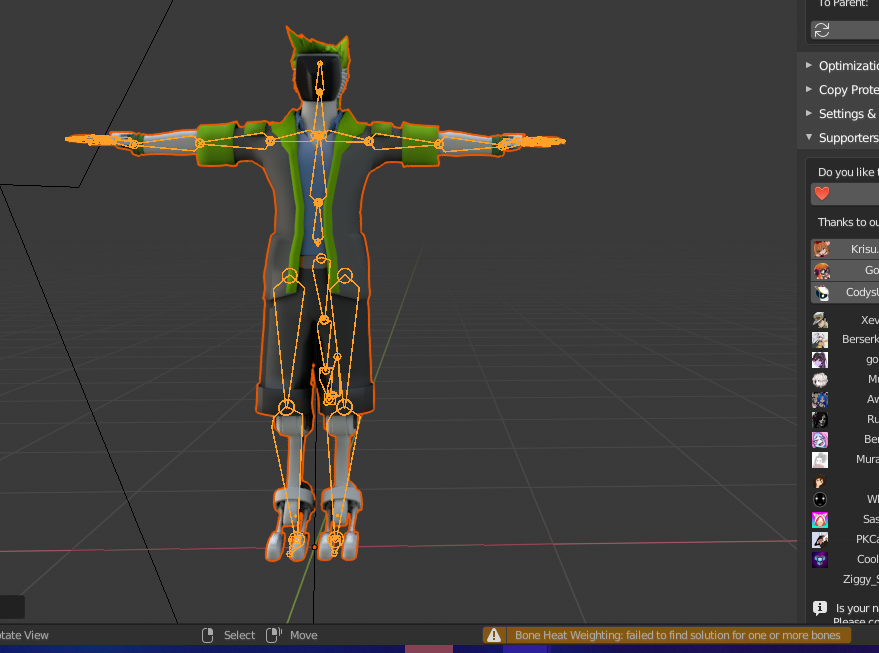


 crisp tendon
i'm out of ideas then, you might want to join the cat's discord and ask over there, they might know something i don't
sinful summit
Alright, thanks so much for your help
crisp tendon
sorry i couldn't figure this one out ! please ping me if you do find the solution for it, i'm actually interested
sinful summit
I will!
 digital sierra
@sinful summit long shot but you only showed the body assigned bones in that first screenshot, does the head tab have the right bone assigned as the neck?
sinful summit
Oh my god
@digital sierra That was the problem!
Thank you!
Pinging @crisp tendon So you know it was fixed
digital sierra
Lol happy to help man
crisp tendon
Lol nice !
last saddle
I've been having real trouble with hands. Everything else works perfectly but I just can not get hands to work. I decided to just grab some pre rigged hands and jam them on my model to see how they're supposed to be done, but even the correctly pre rigged ones are having the same issue, so it must be something else I'm doing wrong.
They look and work great in pose mode in blender, but in unity they get all mashed up, the thumbs go backwards and the fingers bend in the right direction, but wrong, like instead of a fist they like try to touch the wrist or something. Here's the hand in blender:
Then in unity:
Then if I try to fix the finger placement in unity by sort of separating them, the hand gets all weird and big and inflated
fervent hornet
I think the issue is that's now how fingers work, for example, your 'Right index 1' bone should not be connected to the wrist as your index finger starts bending at the knuckle. Not from the center of the palm. If you want your fingers to only be 2 bones you should delete the inner ones
last saddle
So should I just not connect them to the wrist at all? like leave the last 2 bones parented, but disconnected?
All the hands I've seen have a bone that goes from the palm to the start of the finger
fervent hornet
In unity right? Unity draws a fake connector for dissconected bones
last saddle
Nah in blender, like that pre rigged hand literally had those bones like that picture there, I didn't change them. But I will give removing the inner one a go when I'm home from work.
fervent hornet
Was this model made for vrchat? Anyways yeah the fingers should be parented but dissconnected as the first pivot should be in the knuckles
last saddle
Nah it was just a generic rigged hand. Sweet, thanks that makes sense.
 steel lintel
Anyone have any good suggestions for someone who does commissioned full-body rigging? I got an avatar that's proportions are off and I need it resized to work with full body. Tired of walking on stilts. I've tried it myself, with tutorials, and just can't get it to work.
fervent hornet
In pose mode you can select a bone and prevent it with scaling with it's parent. When you do that you can then go to the thigh for example and scale it down vertically without messing with the shin or foot size
This method keeps the rigging in tact and generally scaling of mesh v armature good too
 sick crest
is there any documentation on the best way to set up the hip bone for base FBT standards? i keep seeing people post rigs with tiny little hip bones (properly aligned), but is that really ideal?
fervent hornet
VRChat supports additional tracking points using the HTC Vive Trackers. These work with the Lighthouse ecosystem to permit these two additional modes of motion capture: - Four-Point (4PT): Tracking headset, two controllers, and ...
bold locust
Keep in mind that VRC thinks the FBT update made the need for FBT fixes on avatars to be unneeded or that it will break avatars that have the fixes. This isn't entirely accurate.
fervent hornet
I do think their new hip fix is better than the old CATs flip, and that the neck fix is unnecessary. However, I still have view point drift when laying/sitting so it's all fucked anyways
edgy ginkgo
does bone roll effect anything?
also, my avatars still work perfectly with the said fixes
 bronze fern
some do some dont
sick crest
yeah, i've stopped using both the neck and hip fix and the avatars i have honestly feel better in fullbody than those with
i just kept running into a weird hip problem on one of them but i figured it out
 static blaze
Okay, I have a rather unique situation... I'm working on a taur character for VRChat, I'm actually rather close to getting everything setup, but I need a bit of help... (Typing it out now... one sec... )
First off, the whole avatar actually functions completely as intended, except for one VERY minor detail...
the hind legs are parented to the root of my character, I actually want to parent them to the end of the spin chain...
what happens right now is the hind legs move immediately when I turn my head, I want to make them follow the end of the dynamic chain of my spine.
How can I best set this up? (I've already tried just literally parenting it)
I'm using two avatars, one is the regular avatar descriptor... the other is a VRIK for the hind armature
It feels like the hind armature is using the targets of the front head... even though I set them up differently...
If you have any tips, let me know, I'll keep plugging away at it as I can
weak oar
I'd think rigid bodies to copy the front legs in reverse, no?
static blaze
hmm... I've seen a few demos of that... but you can't get this look... https://i.gyazo.com/85381ac8e4915990420aa1350dd4acc3.gif
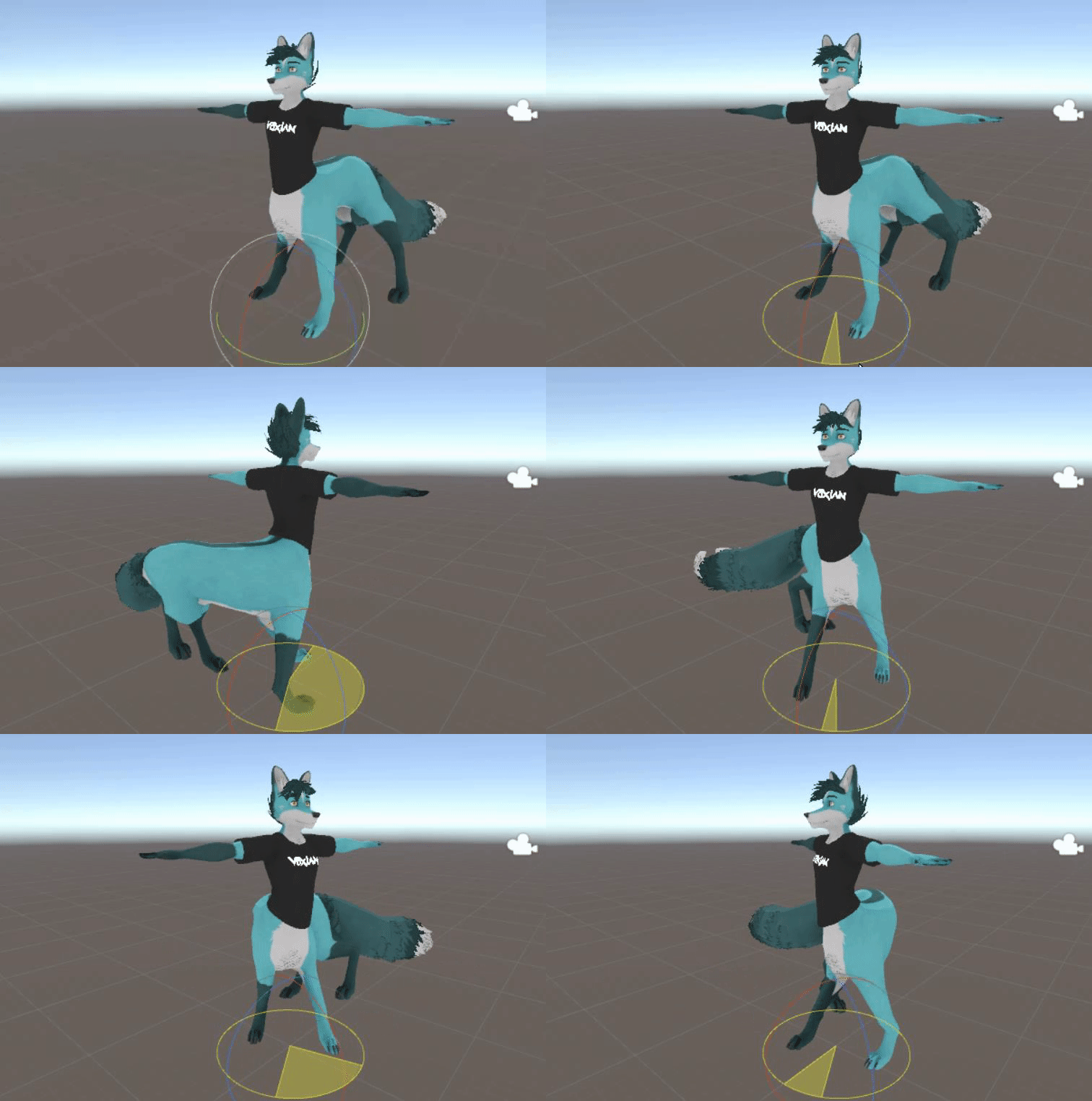
 weak oar
Oh wow, thats far more elaborate than i was thinkng
bronze fern
Im not sure something like this will work in vrchat
static blaze
I actually have everything working, but only with a perfectly stiff spine
weak oar
How is the hind animated?
static blaze
I have a seperate VRIK running the hind legs
i can show my hirearchy if it'll help at all...
weak oar
I'm more mesmerised than anything. I'd been hoping to rig a proper quadrupedal Dragon at some point but ruled it out as I thought anything like what you're doing there was impossible.
static blaze
hahaha, no worries, I'm glad I can inspire... I just wish it worked 100% ...
okay, I think VRChat is changing my Head and Hand Targets during runtime...
no way to prove it though...
hmm...
I'm disabling all head and hand targets and just using the hip target... shrugs
 north sable
Robot Joints  anyone have any methods for locking Joints to a single axis?
tough robin
Rigidbodies
fervent hornet
Voxian giving me flashbacks to when Final IK wasn't so broken rest in peace
static blaze
Final IK does work! .... but its overwriting all of my targets and settings at runtime.... grr.... is there any way to set the targets back to something else? (Like maybe an emote?)
weak oar
I remember hearing that final IK has been broken for a while, so that may be what you're experiencing. I'll let someone more familiar with it confirm that though.
fervent hornet
FBBIK doesn't work and there's some networking issues. I've spent hours with it but there's many "works in unity, not vrchat" things
fervent hornet
I'm not sure on the status of just VRIK as I only use full body now, last time I checked it "worked". I've honestly given up on doing anything elaborate with Final IK until it isn't so janky when combined with vrchat
static blaze
Vrik does seem to work... its just changing my targets at runtime... I'm going to look and see if I can have these change back with an emotion, much like people are using to hid or unhide objects... I also noticed that a lot of whitelisted components are not actually listed on the official website... such as "execution order" ... which I'm still not sure whether it can help me or not... but it does seem to import it.
fervent hornet
Execution order is part of Final IK so whitelisting "Final IK" means execution order is as well. Execution order puts things in order so you can have a limb target have more influence than a grounder for the same limb for example
static blaze
Hmm... so I can use any component or final ik?
Because theres a lot of them.. if that's the case I may be able to get something working that way
fervent hornet
Nah there's a lot of things that don't work in Final IK which is why most people say it doesn't work. Best components to stick by are limb ik, grounders, VRIK and execution order. You can try the other ones and they may work but no promises
What you can rest assured is that all of Final IK is whitelisted so any component you put on will be in game. This does not guarantee that it will work from unity -> vrchat though
static blaze
I gotcha. I'll certainly have to poke around with final IK then. I dont think they have any other scripts that do locomotion... but if they do, that'll be my golden ticket
Unfortunately their documentation is a bit weak.. it's all there, but hard to get to and not a lot of detail.
fervent hornet
Final IK is your best bet for non humanoid bone movement. It's just not in a good state right now due to neglection while updating other things, slowly breaking over time. The devs are aware of it's bad place but it's just in the To Do pile for now
weak oar
Isn't it also rather expensive?
fervent hornet
Oh yeah it's $90 usually. Bought it for $45 on a summer sale by having commissions pay for it. It is def not worth 90 if you only plan on using it for vrchat
static blaze
I purchased it because I'll be getting into game development someday, specifically for VR and I'm already comfortable with it.
It's actually a really good script, when outside of places like VRChat.
fervent hornet
Yeah I can't speak for it outside of VRChat as I bought and solely used it for vrchat. I just hope that it gets more love by the devs later on so we can more easily do interesting rigs
bold locust
@weak oar , @fervent hornet , @north sable @static blaze Ironically, adding IK_Follower on targets mostly fixes final IK scripts.
Just a heads up.
I've been using it on all of my recent models just fine.
north sable
For Angle Limiters too?
bold locust
Depends on how you go about it.
fervent hornet
I'm aware of having final IK being psuedo separate from the armature making things work. But it's not as simple as having it all connected like it used to be
bold locust
Like I have a model with fully custom IK using targets with IK_Follower on it.
All of my targets are inside of the armature and not using rigidbodies.
I have like one thing that needs to be outside of the armature.
fervent hornet
Do you use full body? I'm curious about your setup
fervent hornet
Do you use vrik/fbbik/execution order?
bold locust
I can't have FBBIK on the model. It doesn't really work.
And it hardly worked before.
As VRC overwrites those settings with their own even if you used Execution order.
Some key things were actually able to stick.
So it wasn't usually worth it.
fervent hornet
Recently I've done the limb ik grabbing targets on the armature to move weapons around and stuff but extensive execution order won't work with full body due to loss of local head tracking
bold locust
Ouch.
static blaze
Ah! Finally a hint of hope
static blaze
Okay. So you add the ikfollower to your targets? That's weird...
I never would have thought of that
fervent hornet
Yeah the targets I'm using right now are rigid bodies. Rero told me about using ik follower which works, but not in mirrors locally
bold locust
They put all the effort in and I just make stuff with what they find.
static blaze
Also how the heck do you put something outside your armature and still get it to import?
bold locust
You need it under root but outside of Armature.
fervent hornet
When I used ik follower it worked everywhere but in local mirrors it was displaced
fervent hornet
It worked in mirrors for other people though so beats me what's wrong there
bold locust
What are you doing exactly?
static blaze
Ah, I gotcha. I'll do that when i get home... do you configure ikfollower at all? Or just add the script and leave it blank?
(Also thank you so so so much for the tip!)
bold locust
Just add it. It has no settings.
fervent hornet
Leave it blank but armature scale needs to be 1.0 1.0 1.0 iirc
bold locust
It may need some other work to make it work. But it'll work.
Yes.
I've never tried anything that isn't 1.1.1 though.
static blaze
1.1? Of final ik?
bold locust
No, scale.
fervent hornet
Creates the offset issue that I'm talking about seeing
bold locust
You can put IK_Follower on a gameobject that's a child of where ever the target needs to be then make the target a child of that and then offset the target.
As long as the Target is under the thing that has IK_Follower, it should work.
As a target anyway.
static blaze
Ooooohh you're getting me all excited to try this now
bold locust
Stuff that's affecting the mesh inside of your armature takes some finagling.
static blaze
I really dont mind if it looks weird in mirrors...
Yeah, I've had to play with the armature quite a bit already.. but it looks correct in unity and in VRChat, minus the targets
bold locust
Oh, I just scrolled up.
So the centaur thing you're doing would work fine.
But the bones for the back legs may need to be outside of the armature.
That's all.
fervent hornet
Yeah I'm not sure what's causing my mirror issue but saigo says he doesn't have that so go ahead and try it for sure
fervent hornet
Probably just going to stick with rigid bodies since I know they work. I'll try ik follower on different models and see if it reemerges
Local only is one thing, local only in the mirror is a whole nother annoyance
bold locust
The model I mentioned with a fully custom IK uses a simplified dummy armature as the main armature.
¯_(ツ)_/¯
static blaze
You get dinged pretty hard for rigid bodies.... I have 0 right now.. i really wish we had unity 2018 so we could use constraints....
bold locust
Then FBBIK on the one that's affecting the actual mesh.
fervent hornet
That's what I thought tbh just gross it's the best way to do it lol
static blaze
Yeah, I have actually 3 armatures for my model
bold locust
The head is the only mesh on the dummy armature.
static blaze
One for the upper body... one for the front legs... and one for the hind legs
bold locust
So VRC can handle the shrink and Eye tracking.
fervent hornet
I've stopped caring about the performance rank as the optimized way to do these things is borked
static blaze
(I needed to flip the front legs around backwards for my model)
bold locust
Proxying eye tracking from the dummy works fine though.
But again, no rigidbodies on my Custom IK model.
Just targets with IK Follower and IK scripts.
fervent hornet
How are you connected the armature to your dummy armature? Just targets?
bold locust
Yes.
static blaze
I did something unique for mine..
bold locust
The mesh moves based on the main armature. It's connected to the targets.
The targets are inside the dummy armature.
static blaze
I actually imported a "result model" and parented each of my joints of that model under each area that should be affected... no scripts at all
(Of course this breaks the prefab, but whatever)
fervent hornet
Do you have ik followers on each bone of the dummy? Need that for the targets to work iirc
bold locust
The hard part of what I did was honestly getting the IK scripts to look right.
No, just on the targets.
fervent hornet
So just extremeties?
bold locust
VRC doesn't track every bone in your armature. It tracks just a few points and the IK does everything else.
fervent hornet
Hands+feet+hips+head
static blaze
Will it still lock my targets to the actual headset and actual hands? Because I need these to be not locked to them
bold locust
The head is hard to rig up anyway. So just leave the head on the dummy armature.
fervent hornet
I guess I'll see if I can get my spider working in FBT lol. Probably my most infuriating project
bold locust
Just splitting the mesh in two is fine for custom IK.
@static blaze You don't need fully custom IK.
So you wouldn't need to do all that I just said.
Just having the bones you want affected by IK outside of the armature may be fine.
fervent hornet
I'm curious as to how voxian got the feet to pitter patter when he moves around, is that just the VRIK?
static blaze
Yeah, vrik does that for me
bold locust
And MAYBE limb IKing the parent of that armature to its old parent inside of the armature with a target..
fervent hornet
Are you using just VRIK or do you have any sort of grounders active?
static blaze
Just vrik
bold locust
Forget if grounder was whitelisted.
fervent hornet
It is and it works
fervent hornet
I use the normal grounder to get the spider legs to conform to steps and ramps
bold locust
but I usually stick to humanoids, sooo.
fervent hornet
Yeah I wouldn't say it's worth the effort for humanoid. Main reason I needed it for the spider was because she's wide af
static blaze
I probably should add a grounder honestly
bold locust
@static blaze That looks really good. I'd like to see it working in-game.
static blaze
Thanks! I really hope I can get it working... thank you so so so much for the tips! So I'm going to reparent my system so the hind armature is completely free... and then add ikfollowers to my targets and see what happens.
bold locust
I knew someone that tried something with a centaur before, but they didn't know Final IK and settled with shape keys. xD
static blaze
I also saw a centaur with just rigid bodies too
bold locust
Make sure the parent of the whole back leg armature is connected to the main armature to avoid issues.
With IK, I mean.
fervent hornet
Shape keys for walking was a blessing and a curse until they removed non humanoid keys from animations for networked ik
bold locust
^
I'll never go back to puppeteering with rigidbodies. Too much.
It had bad calculations over time and it was expensive. Just bad.
static blaze
I really just want the position, rotation, and parent constraints of unity 2018... -.-
fervent hornet
I'll have to try out this whole dummy armature thing sounds horrible but a good fix
static blaze
Those are so easy to work with
My character ended up with like 300+ bones to get it all mapped
bold locust
I hope the constraint systems in 2018 are allowed.
static blaze
I've been using those for beat saber characters, works great
bold locust
If you minimalize the dummy armature it's fine.
Keep in mind, IK follower doesn't like hands on Index though.
bold locust
Er. Only use the bones you need on the dummy. As little bones as possible.
Then it's not so bad having an extra armature for custom IK.
fervent hornet
Yeah so 52 or the like, how would gestures work for that? If you did 'peace' the dummy would do it but not the secondary armature
bold locust
I use Index and I'd basically have to animate the extra hands to look like regular VR.
static blaze
I'm personally using the regular upper body from vrchat.. so I dont have to worry about it
bold locust
Since I can't use targets to get the finger tracking with IK Follower.
fervent hornet
Why not though?
bold locust
You'd just animate the hands of the armature with the mesh on it.
I'm not sure. They don't work on my fingers.
It's like he targets are all stuck on my wrist or something.
fervent hornet
Ah alright, as long as you tested it. I've got ik follower to work on thighs and other non tracked bones but never done fingers
bold locust
I can make my fingers track locally with one method using IK, but globally it looks like Idle hands.
So I'm happy with my local only option. I'll figure out global later.
fervent hornet
This is why I usually just say Final IK doesn't work quite well since it always feels like a trade-off instead of an upgrade
bold locust
Well, I can fix shoulder droop and view point issues (mostly) with custom IK.
Can fix over reach stretching and legs issues too.
No worries about even needing FBT fixes either.
Can just set it up for your armature.
It's nice.
Just hard to get started.
fervent hornet
Yeah the dummy system seems like a good thing to try for me at least. Haven't gotten on vrchat it forever though
Just kinda waiting for the 2018 shit fest when everything breaks lol
bold locust
Yeah.
Here's hoping modded clients stay broken for a bit too.
Since it's not easy to write them in 2018.
fervent hornet
Haven't had any issues but I never leave friends+ lol. Would be good for them to stay dead for a bit though
fervent hornet
It ranges from completely harmless to downright malicious
Flying/noclip, touching other people's Dynamics, quality of life fixes, crashing people or entire lobbies, impersonating mods ect
bold locust
Using noclip or client based crashers. Stealing content files (though I've stopped caring). Modifying worlds real-time. A lot of people use them just to combat people doing malicious things though.
fervent hornet
Even if a client only does good things it bannable all the same, best to just steer clear
bold locust
The dynamic bones thing should honestly be a checkbox in VRC that's off by default.
Not sure why it's not in vanilla.
fervent hornet
"bad for performance" and then ignored
north sable
@bold locust IK_Follower Directly on the Hand Bone, or on a game object as a Child of the Hand Bone?
setting up a Chain IK for the Elbows and Knees
bold locust
Never on the bones themselves.
north sable
Aight gotcha
bold locust
Having it on a null is fine. And the target can be under the null.
The target can be the null too, but I usually have the target under the thing with IK_Follower.
bold locust
That should be fine.
But the IK_Follower object should stay at 0 0 0
The target can be offset if you put it under that.
fervent hornet
I forget but is there a weighting system for VRIK? For example could you do an animation to sever the connection between the dummy and the connected armature basically leading to a still frame of your last posture?
north sable
It is at 0 0 0 
bold locust
I tried.
I didn't try very hard though.
I was going to try and leave my body behind, posed as I was then run off.
And then just snap it back to me when I let off the gesture.
Maybe with limb IK on the targets or something?
fervent hornet
Was just wondering if you had success as I was trying practically exactly what you tried. Last time I worked on it was months ago
bold locust
I didn't try Limb IK.
fervent hornet
At one point I even cut it up into mesh particles to leave in world space but they still copied rotation lol
bold locust
Lyuma sent me a script that could parent the entire mesh to a new bone in Unity though. So I could just try Limb IK on that new bone instead of on every target.
But yeah, rotation would be weird. So I'd need to figure out how to pause IK. And so far it just snaps to T-pose.
But I could figure it out maybe.
fervent hornet
Yeah it was really hard to get it from following everything to following nothing while keeping it's last position/rotation
bold locust
I mean, there are shader based things for this, but shaders can be blocked.
But I guess so can custom animations that leave your model behind.
¯_(ツ)_/¯
fervent hornet
Yeah I was just thinking about a shader/camera system
bold locust
Wouldn't even need cameras.
fervent hornet
That's good as they are still friends only smh
bold locust
Got a clone shader. Would just need to animate the offset. And make a UI that the animator could play with.
Wouldn't show up in mirrors though. Material changes don't.
Yet.
fervent hornet
God damn mirrors ruining everything lol
bold locust
Apparently they know how to fix the material changes not showing up in mirrors but haven't fixed it yet.
fervent hornet
I feel a lot of things are known but not done yet
static blaze
GOSMIGSIGheisohfgioesjhfesf
The taur character works!?!?!
@bold locust Thank you so so so much for the tip!
fervent hornet
@static blaze what change did you do? I had issues with things following my view a while back, just curious of the change you followed
static blaze
All I did was just add the IK follower
however, I am getting an issue in mirrors...
I want to see if I can fix that
give me just a few minutes
also, I go by the same name on VRChat
fervent hornet
Altight, should check if the mirror issue is just for you because then it's probably the same issue I had
bold locust
Did you say you used dynamic bones for your spine? xD
static blaze
I have a really easy work around for the mirror issue... this should fix it
bold locust
Dynamic bones might be fine, but Aim IK or CCD IK would be nice too. xD
static blaze
I have only dynamic bones and VRIK
I don't even have blendshapes for talking yet
I didn't want to go through a lot of work if the character couldn't walk
bold locust
But on your spine to make it follow?
static blaze
yes, I have dynamic bones on the spine
bold locust
Oh wow.
static blaze
and then the IK follower at the end
bold locust
So if someone blocks your DB.. XD
static blaze
if they block dynamic bones... it'll probably just look really stiff