#avatar-rigging
1 messages · Page 136 of 1
 gritty nest
It doesn't add a transform, but it adds the same impact as a transform roughly
 ivory radish
so collisions shouldnt rlly be affecting transforms
gritty nest
This has been tested
ivory radish
its like saying 'bones in chains' instead of transforms
gritty nest
And the collider calculation is tacked onto every transform
Colliders by themselves do nothing
ivory radish
so say u have a 15 bone chain for hair and 5 for a tail
the hair has a chest and 2 hand colliders attached
the tail has 2 hand colliders only
 opal aurora
15 tail transform impact
ivory radish
transforms:
15 + 5 = 20
opal aurora
Ohwait i misread that
ivory radish
collision checks:
15 * 3 + 5 * 2 = 45 + 10 = 55
total cost:
55 + 20 = 75
the transforms count would include bones from the root to the end(s)
opal aurora
So, 15 bones on each chain, which is 3 accounting for your maths and the tail got added impact due to the colliders, correct?
ivory radish
not each chain
opal aurora
Where did that *3 come from then?
ivory radish
the hair has a chest and 2 hand colliders attached
the tail has 2 hand colliders only
1 + 2 = 3
ivory radish
it loops for every collider to do a collision check thing
opal aurora
Yeah
ivory radish
for every assigned collider*
and also does the typical dynamic bone math on the side
opal aurora
So yeah, that'd be the total assumed impact
ivory radish
which is the transform part
and the loop is the check part
and yea its not really in some standard unit tho
the performance impact varies on a per CPU basis and on how many of those processes are running together
opal aurora
It's just a general approach to sort of understand the impact
But yeah, as far as i'm understanding it, for each collider the afflicted chains are multiplied by *2, so now that i think about it... if that's the case then the maths if a bit off the hook
ivory radish
well not really
again in the script, it does collision check stuff for each assigned collider
and also does dynamic bone transform math for the jiggle effect
but thats not at the same time
it does one before doing the other
opal aurora
If that's the case, why are 2 colliders so frowned upon?
In general people even tell you to NOT use even one
ivory radish
so thats why i got those numbers
again
it doesnt matter how many colliders u use
it matters how many transforms and colliders
gritty nest
Colliders are frowned upon because they add lag
It adds lag to every single transform
ivory radish
u could have 2 dynamic bone transforms (ig for an ear) and have 10 hand colliders
thats 20 collision checks
gritty nest
People who say "don't use two colliders" have it wrong, they should be saying "don't use more than X collision checks"
ivory radish
or u could have 10 dynamic bone transforms and 2 hand colliders
still 20 collision checks
opal aurora
What i'm trying to understand is the actual calculations as apparently i've seen incorrect information based upon this
ivory radish
i already gave u the calculations
gritty nest
Lemme break it down
ivory radish
literally scroll up to my examples
opal aurora
I understand what you're saying wulfe, but i've read otherwise before so i'm trying to fact-check
gritty nest
Dynamic Bone:
- For every transform:
    - Add +1.
    For every collider on this transform:
        - Add +1.
Here multiple times
ivory radish
well they are wrong
gritty nest
Well, collision checks are generally always a multiplication of the transforms
ivory radish
transforms are independant of colliders
gritty nest
Every transform becomes heavier when it responds to colliders
Transforms aren't independent of colliders
ivory radish
no like the actual 'bone transforms'
gritty nest
A transform calls the Collide() function on every collider assigned
Oh yeah, like that
ivory radish
yes
it does collide then it does the actual jiggle stuff
maybe the other way around
but either way its one first then the other
so each 'bone transform' itself is just related to each bone used in the chain
and each 'collision check' is related to the checks per transform/bone
an example of a script u could do
opal aurora
In terms of performance hits, is it
A: Transforms*Colliders (I.E. 150 transforms * 1 colliders = 150 impact)
B: Transforms*2PerColliders (I.E. 150 *2 on 1 collider = 300 impact)
yes
gritty nest
B
ivory radish
IMPACT
gritty nest
Well I dunno if it's B
opal aurora
I've been talking about performance impacts
ivory radish
i mean wouldnt it just be transforms + checksPerTransform
gritty nest
So then collision checks is Transforms * colliders
You can break it down in many ways but this really isn't too hard to understand
ivory radish
yea
what he is saying is
the impact of a single dynamic bone script
and what i saying is impact of all scripts
bc for 1 script
if u have 10 transforms
and 0 colliders
10 impact, 10 transforms, 0 checks
2 colliders
30 impact, 10 transforms, 20 checks
but if u had multiple scripts
thats where u would add
totalImpact = impact + impact
or do this equation
totalImpact = totalTransforms + totalChecks
ur rlly overcomplicating it and it can be put on a diagram if u dont understand
opal aurora
What's being a pain for me to relatively understand is how a single collider itself is frowned upon if the general impact is that of without it if we were to assume 1 collider = same impact as none, that's what i'm trying to understand and am failing to a degree it seems
gritty nest
One collider is not the same impact as none
ivory radish
thats another collision check per transform
so if u have 200 transforms
and u have 1 collider thats supposed to work for all 200 transforms
u no longer have 0 collision checks
u have 200 collision checks
200 + 200 = 400
400 total impact
opal aurora
That's what i've been trying to get at, it multiplies the impact
ivory radish
no only the impact for that script
opal aurora
I'm not talking about transforms as literal transforms
Transforms in terms of impact, as they equate to near the same output
ivory radish
yes but u dont understand
opal aurora
This is why it was so bloody confusing
ivory radish
the multiplication only works per script
because u could very easily have
100 transforms in one script
1 collider
100 transforms in another script
0 colliders
100*1 = 100 collision checks
opal aurora
Yes, i understand that fact completely
opal aurora
I haven't been talking about collision checks either actually
ivory radish
200 total transforms + 100 total collision checks = 300 total impact
yes but there is no way to talk about impact without factoring collision checks PER SCRIPT
opal aurora
I was talking about general impact, which is again, for the sake of simplicity, Transforms*2PerCollider on a PER SCRIPT basis (there's your emphasis)
ivory radish
totalImpact = (transforms1 * (colliders1 + 1)) + (transforms2 * (colliders2 + 1)) + (transforms3 * (colliders3 + 1))...
which is again literally what we have been saying the whole time
because transforms * (colliders + 1) is again the impact
its literally basic algebra from
impact = transforms + transforms * colliders
same reason why u can do
tax = price + price * tax
and change it to price * (tax + 1)
opal aurora
Honestly, i don't know why you're trying to explain this to me, does what i've just said not make sense to you?
ivory radish
that is the general impact
literally how u get the impact for each script and every script in total
opal aurora
Dear lord, what have i been saying?
ivory radish
i literally have no idea what the point of ur argument is
ur asking how 2 find the impact
i gave u solutions for per script impact
and total impact
so what else is there left
opal aurora
Literally, nothing, the point is that you've been trying to explain how transforms and collision checks function whilst i've been trying to establish the calculations for the base impact caused in terms of both transforms and collision checks, we've been clashing for literally no reason, you've reiterated your point countless times, i understand how those calculations are made
ivory radish
i've been trying to establish the calculations for the base impact caused in terms of both transforms and collision checks
how is that literally not any of the equations i gave lmfao
do u not understand impact = and totalImpact =
opal aurora
Scroll up i guess... this is honestly turning into a fruitless argument, this is honestly needless, we've already established that the impact per script is what i've stated above in essence
That's all i was trying to understand, as people equate the impact caused by collision checks to that of transforms, so people tend to state that they increase transforms (even though incorrectly in terminology)
 opal aurora
God, you really don't know when to just let go of it do you?
ivory radish
god i dont rlly understand ur point at all
u want 2 know the impact but u dont want 2 know the impact
opal aurora
It's not a point, i was establishing a question
ivory radish
ur not making any sense
ivory radish
ok then idk y ur asking other stuff e.e but ok
opal aurora
I'm not
ivory radish
i wasnt clashing anyways i was just explaining how they worked and how they factored into the calcs
idk y u had any problem wih that but ok whatevs don't need 2 argue
opal aurora
It's the fact that you kept reiterating your points when i had already stated i understood them
ivory radish
yes but u kept asking it again later on
u were saying u were confused and u didnt understand
not exactly the best way of saying "ok i get it now"
but again im just giving u ur answer no need 2 argue
opal aurora
I don't want an argument either wulfe, i was simply trying to understand how impact was calculated, which again for the sake of simplicity, on a per script basis, is (and correct me if i'm wrong) Transforms*2PerCollider
ivory radish
corrected u already
opal aurora
The more accurate formula was stated by rokk of course
opal aurora
Guess i'm just being dense then
 sleek isle
So 2 bones per ear with 2 colliders on both hands is a no no ?
gritty nest
Nah, that's still fine
ivory radish
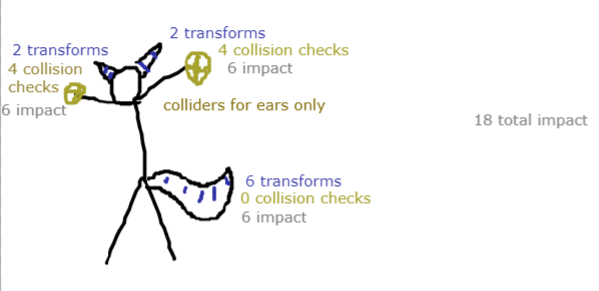
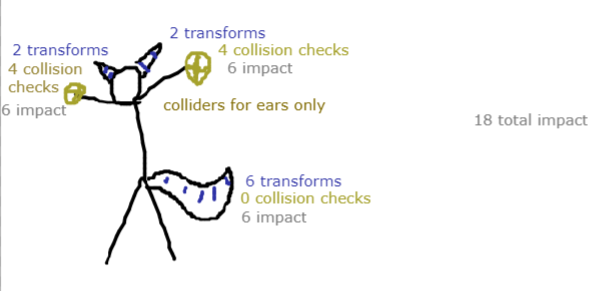
no just look at my diagram
it clearly describes a good dynamic bone setup
the tail didnt really need colliders bc its just a normal tail and its pretty far from reach
but maybe u wanna play with ur ears
i mean u wouldn't need 2 be able 2 but its usually preferred
and u can see how it adds up to the impact
as u can see total checks is 8
total transforms is 10
so impact is 18
 glad ore
Ok so I have bones set up for a model in blender but when I go to set automatic weight for bones I get an error message saying "Bone Heat weighting: failed to find solution for one or more bones
What do I need to do from here???
ivory radish
that usually happens if
A) the model has too many double vertices
B) the model has several layers or oddly segmented meshes
and/or
C) the model is way too complex for the solver, falls in line with B ftmp
usually its A tho
ivory radish
also blender's auto rigging tool is ok but its pretty bad unless what ur rigging is a simple object (such as a tail) or it is a simple skin (such as a generic humanoid body)
sure u can just post a link to it
if u have any loose parts or ur character has several layers (such as clothing) it will have awful rigging results
glad ore
Yeah i t has pauldrons
ivory radish
idk what that means
glad ore
shoulder armor thingies
ivory radish
then yea heres the thing
u should separate the main skin
autorig the skin
then rig the armor around it manually
glad ore
ah ok
ivory radish
as for clothing
if there is skin under the clothing
u can use a tool to make the clothing copy skin weights
u can also try auto rigging the clothing separately
its just that, again, the auto weight paint solver is not great with layered meshes and loose parts
glad ore
would I need to add bones for clothing even if it doesnt move? i kinda want them to be rigid and simple
ivory radish
well they have to be attached to bones
that doesnt really make any sense
thats like saying 'i want a wristband but i dont want to attach it to my wrist bone'
then ur just gonna have a floating wristband that doesnt connect to anything at all
glad ore
haha ok Im getting it now
ivory radish
the point of rigging is to give each vertex in the model
some influence based on the bones weight on that vertex
so if a vertex has 100% influence for just the wrist bone
it will move rigidly with the wrist bone
if it has 0% it wont move at all
think of it essentially like a "pull factor"
the stronger the weight, the more 'pull' the bone has on that vertex
and weights also get averaged out
so 100% weight from one bone and 100% weight from another mean they share 50% pull
but typically u dont do that
 ivory radish
and instead u would smoothen them out
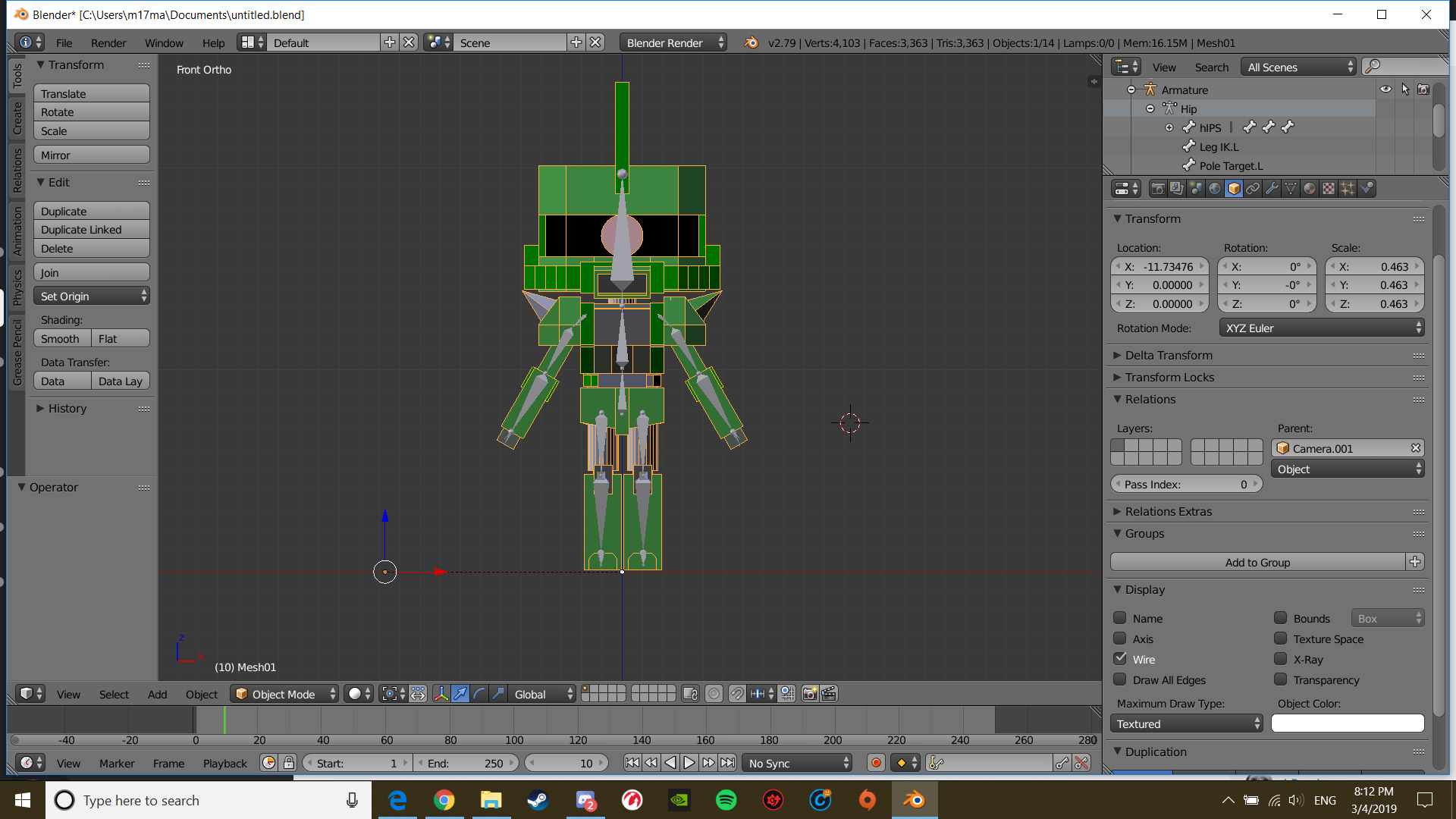
oh thats actually super easy to rig
u would not have to worry about auto weight paint at all
u can diy really easily
bc that character is literally segmented into different joints
so u would just select different segments
and give them 100% weight to the bone u want
this is only for segmented characters
 fallow vortex
(don't mind me just stalking people)
ivory radish
skinned characters would require careful weight smoothing and joint details
glad ore
so for the case of the shoulders, I should seperate them from the model, auto scale weight, then attach the shoulders in after?
ivory radish
dont auto weight paint
again a model like this is easy 2 weight paint urself
but the auto weight paint tool is likely to get confused
bc as i previously stated
auto weight paint stinks when u have loose parts or layers on ur mesh

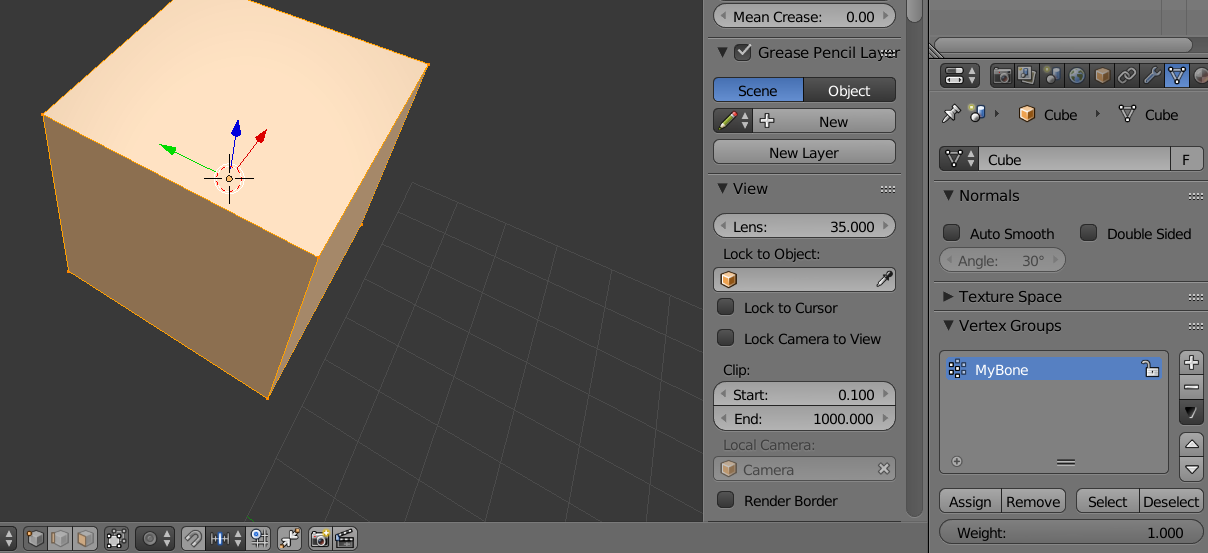
as u can see i can assign weights to individual vertex groups ('bones,' or more accurately, the weight data for a bone of that name) like so
fallow vortex
(I'm to dumb to understand this goodbye)
glad ore
haha @fallow vortex this is my first avatar so Im havin some trouble but slowly gettinng there 😃
and thanks for the help @ivory radish
ivory radish
wat, not the right channel
glad ore
@ivory radish so how would I go about parenting the armature to the model?
ivory radish
other way around
and u parent with empty groups
then u will see a bunch of vertex groups down there
glad ore
my model just became HUGE while the bones stayed the same size...
ivory radish
probably did not apply all the transforms
select every mesh of the model
hit Ctrl+A
apply location, rotation, and scale
glad ore
ok, so I selected and dragged the bones in obj mode and the model moved with it, this is good, right?
ivory radish
no
glad ore
oh no
ivory radish
object mode != pose mode
glad ore
i might just start over... possibly did something wrong before settting up bones
ivory radish
what
dropping a model into an armature doesnt mean its instantly going to be perfectly rigged
unless u have a very generic skinned model and are using Auto Weights
but in this case u arent bc it wont work
 coarse plume
Has anyone attempted to use Monster Hunter World assets for a model? I'm trying to see if I can get away with using the in-game rig/weighting but the weight painting for each bone is set incorrectly, or it is being overwritten. https://imgur.com/a/5ZHVngK

 jaunty glacier
anyone know how to rig in blender textures and everything elce is covered
 snow flint
does anyone know how to make 4 other arms follow the main two on a 6 armed character, i found this on the web, "in Unity with the VRChat SDK you can have one arm mimic the movements of another arm by adding the rigid body component to the main arm then putting the Fixed Joint component on the secondary arm and setting primary arm object as the Connected Body, repeat this for the all parts of the arm except the hands as it does not work for hands." but i have no idea what it means
can someone please step me through this over a discord call
 opal river
so I'm a bit confused in terms of eye tracking. from what I've seen most people have 2 bones in the eyes that basically move/rotate the mesh for the pupils. but when you prepare your model for import into Unity it merges all meshes into one. how does this work?
sleek isle
What is the problem then? @opal river
@snow flint put regid body and fix join. Try by yourself a little bit with those
snow flint
ive gotten closer
opal river
@sleek isle no problem, just trying to get a basic understanding of things. do the bones just simply transform the vertex group they're associated with even when everything is just one mesh? actually... now that I think about it, how is a "mesh" defined? is it one section where all vertices are connected or can it be multiple separate groups of vertices?
snow flint
my problem now is that the bottom arms are clipping into the thighs
sleek isle
Bone have vertex group and each vertex are affected by the bone that is paint to it by a value
opal river
ok
but say for instance for the eye tracking where just the pupil moves, those vertex groups I would assume are not attached to the eye ball in the model?
I unfortunately can't find a tutorial that actually explains that part
sleek isle
For a human you would have a bone that rotate the eye ball
opal river
ok, so the eyeballs would be their own mesh
sleek isle
For an anime character. Most of them its only the pupil that paint to 5he bone
sleek isle
Its one object
opal river
and can one object have multiple disjointed parts?
sleek isle
Yeah.
sleek isle
Ctrl j
opal river
so the eyeballs would just be their own independant parts that get controlled by the bones
but it'd all be one object when you hit the fix model button in Cats
sleek isle
The eyes move because you weight paint them to a bone/vertex groupe of the bone
opal river
yeah, I think I understand it now, thanks for explaining
 crystal vector
@opal river No, bones can move the meshes even if they are all joined. You don't need independent meshes for the eye balls, because the vertices are controlled by the bone, not the mesh itself. You don't need independent meshes for the arms and legs either
opal river
ok, but wouldn't that like... stretch the quads that are connected to the parts that move?
 late radish
can anyone help me with a model issue real fast
opal river
I'm super new to this so I'm probably asking a lot of dumb questions 😄
crystal vector
That's why you have to fine tune with weight painting @opal river
late radish
anyone know how to make it so like goggles dont move with dynamic bones?
 fading verge
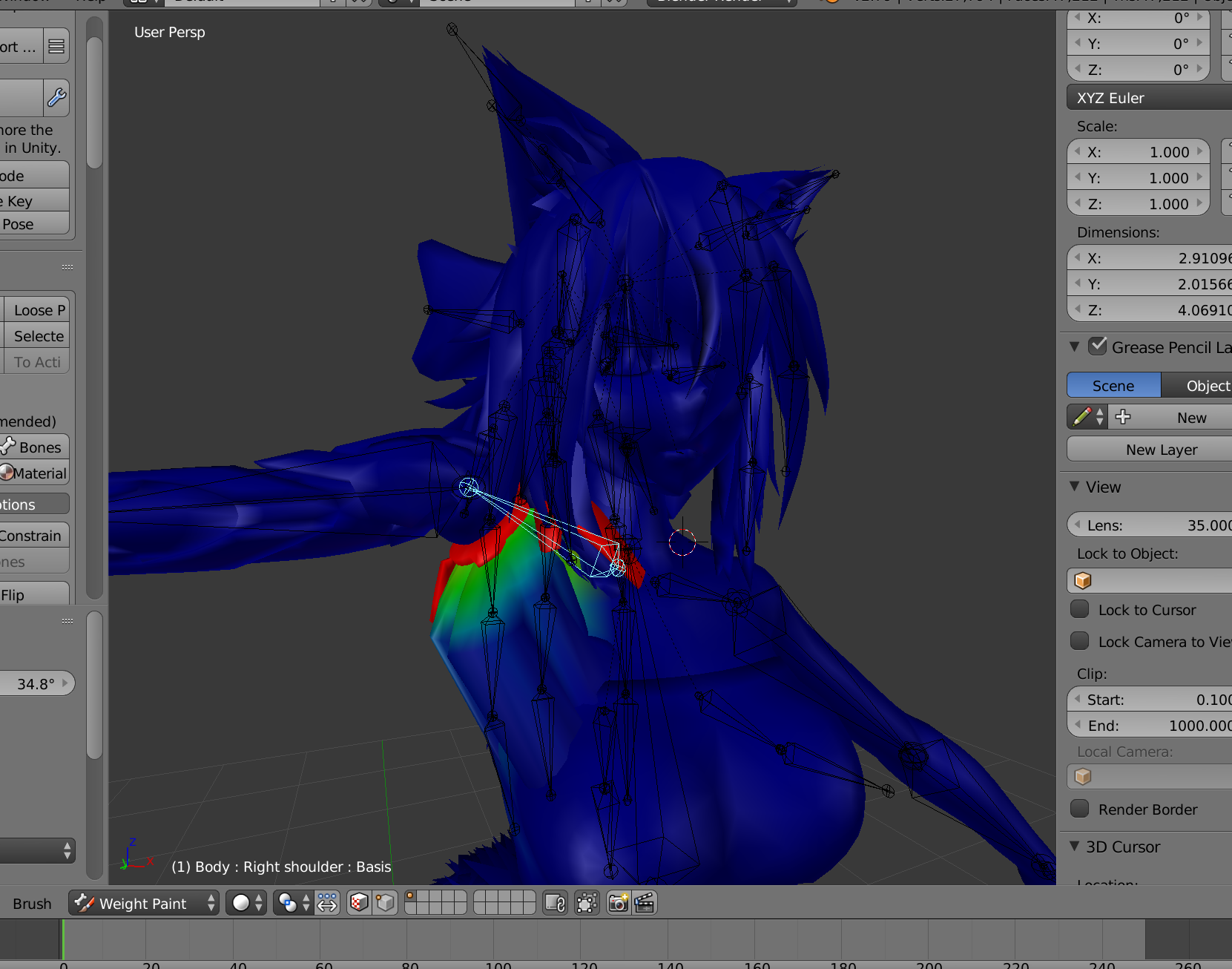
What would I do to fix this issue without havnt the arm remove its self from the body https://imgur.com/9OQzXap
 crystal vector
@late radish You can exclude bones in dynamic bones
sleek isle

sleek isle
@fading verge the shoulder bone dont rotate that high in game
late radish
nvm i think i got it
fading verge
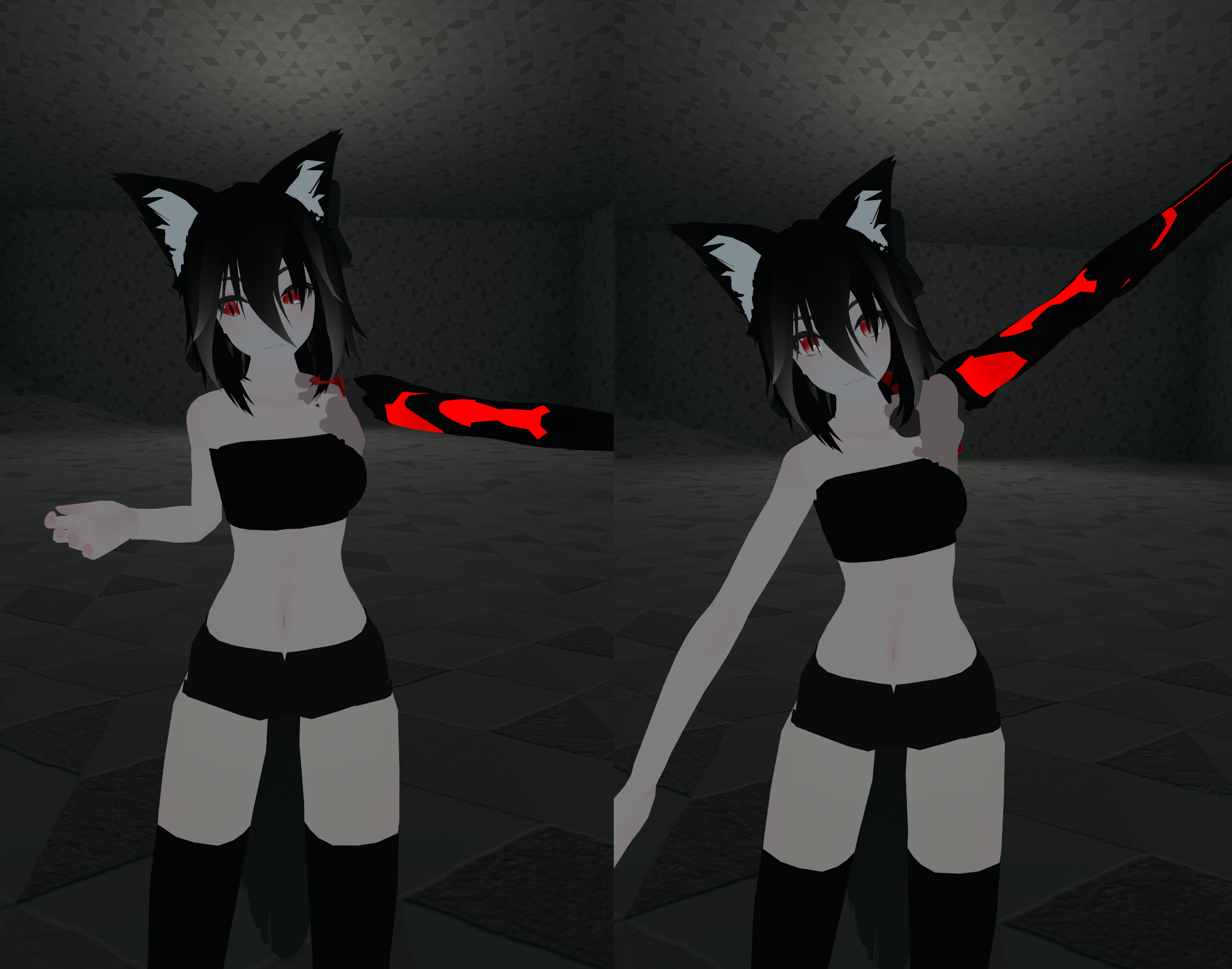
@sleek isle It does https://imgur.com/oLkz2gs
 fading verge
Dude its there you can see the gray part stretching
sleek isle
One fix cause another problem
 final dirge
I need some help lol
sleek isle
You dont put your arm up up often. But if you really want to fix that. You need to balance the weight with the chest and shoulder bone
E
And rename it
final dirge
Yo is anyone able to help me fix my problem - https://imgur.com/a/OudhW3h
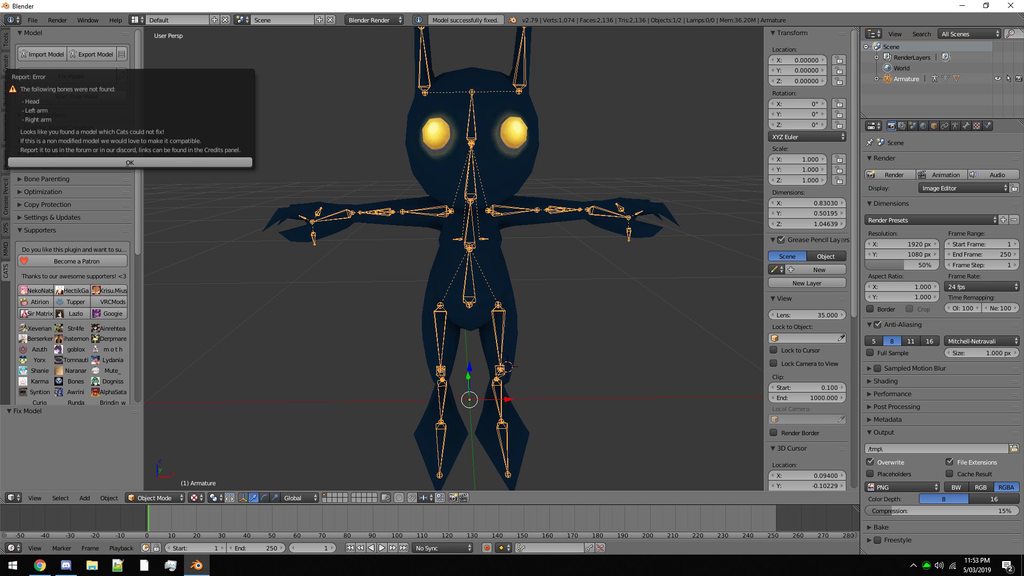
 pine harbor
the hierarchy looks wrong for a VRChat humanoid rig -- shoulders appear to be parented to the neck
either that, or CATS doesn't know what to do because there aren't enough bones in the spinal column section -- looks like it only had an "upper body" and "lower body" bone for the torso, instead of hips/spine/spine1
final dirge
well what can i do to fix that
pine harbor
https://docs.blender.org/manual/en/latest/rigging/armatures/bones/editing/bones.html#subdivide
subdividing one of those two torso bones to form a third one is a partial solution, but i forget what happens with the weight painting -- i don't remember whether you have to do that manually yourself, or whether it happens automatically when you split one of the bones into two pieces
sleek isle
Cats can create dummy bone for the neck or spine
final dirge
How do i do that
final dirge
rename them to anything?
sleek isle
Like
Left arm . Left elbow. Left hand
Left leg. Left knee. Left ankle. Left toe
Hips. Chest . Head
final dirge
I honestly hate to ask, though can someone help me if i send them the model. my mousewheel doesnt always let me scroll around so im probably not able to get to all the bones
idk what happened to it tbh, i was playing fortnite, and then it just died
sleek isle
Move around with the numpad
final dirge
move with the numpad. that stuffs up the camera angle though doesnt it?
 crisp tendon
@wispy scaffold #animation and pinned items
 stone relic
I'm having trouble, a model I'm working with seems to be facing the opposite way when I check the "avatar configuration"
If i do "enforce T-pose" everything but the feet and thumbs are put into the right direction, and fixing this makes it say it's not in a T-Pose.
is there a way i can make this model face the correct way?
gritty nest
@stone relic the left/right leg and arm bones are swapped.
The naming is probably swapped around which confuses the automatic mapper.
Check that the bone in the left leg slot is called "left leg", and that it is actually the leg on the left. (In Blender)
The naming is probably switched
If the naming is fine and every bone is in the right slot, you could also just force the thumbs and feet into the right rotation and ignore the not in T-pose warnings.
stone relic
i checked closer and upon checking i wanna ask
@gritty nest
if the camera is "front" and the model is facing it's back to the camera, is it facing forward?
also checked the arms and legs, they were correct
gritty nest
It should face the same way as the camera
No screenshots in this channel for some reason
It should face away from the camera essentially
The main camera in the rig scene that is
stone relic
ok, wanted to make sure that it wasn't being put in the wrong direction
but yea, oof
going to have to force the thumbs and feet to the right position
stone relic
ok so after doing that i found myself in another problem
when doing the animations, the animation duplicate was almost completely upside down
which was fine but worrying
when i went into the game with the avatar
the avatar itself was upside-down
big oof
like completely upside down
it's feet are on the floor though
halp
stone relic
my problem is never going to be addressed and the instant someone else posts a problem I'm going to be forgotten, aren't I?
welp, thanks for the help while it lasted i guess...
crisp tendon
Asking your question in the correct channel might help #animation
sleek isle
Select the rig in blender and rotate with R and an axe. Example 90 or 180
 charred sorrel
my shapekeys aren't appearing in unity for some reason?
wait that's odd. when i export it as an fbx, it's exporting without shapekeys?
sleek isle
re export it
stone relic
@crisp tendon can i get an explanation as to why #animation would be a better channel when the problem is being caused by the way the model is being rigged and not the animation which the model uses?
@sleek isle that sounds like a hot glue fix (really bad to do for what is going to be a base model for future avatars), the model itself doesn't show its upside-down in unity, blender object view, blender pose view, unity rigging menu, and only does uploaded to vrchat.
Also, @charred sorrel try saving it as a blender file of _qt's fix didn't work.
I guess it would help if i mentioned the model used to be from sfm and that i imported it myself using blender, so if my problems are something that happens with sfm models maybe someone with experience with them would know?
opal aurora
It honestly just sounds like the animation itself is flipping it and not anything inherently present on the bone structure, if you're importing animations from a different medium, you want the model to be unmodified, bone-wise so that an animation can properly attach to it
 autumn ingot
Anyone know why this might be happening? Basically the upper leg bone moves the leg perfectly fine in Blender and in the Unity rig configuration, but in the normal 3D view in Unity, it looks terrible https://imgur.com/a/ZziyhLG (2nd picture is the faulty one)
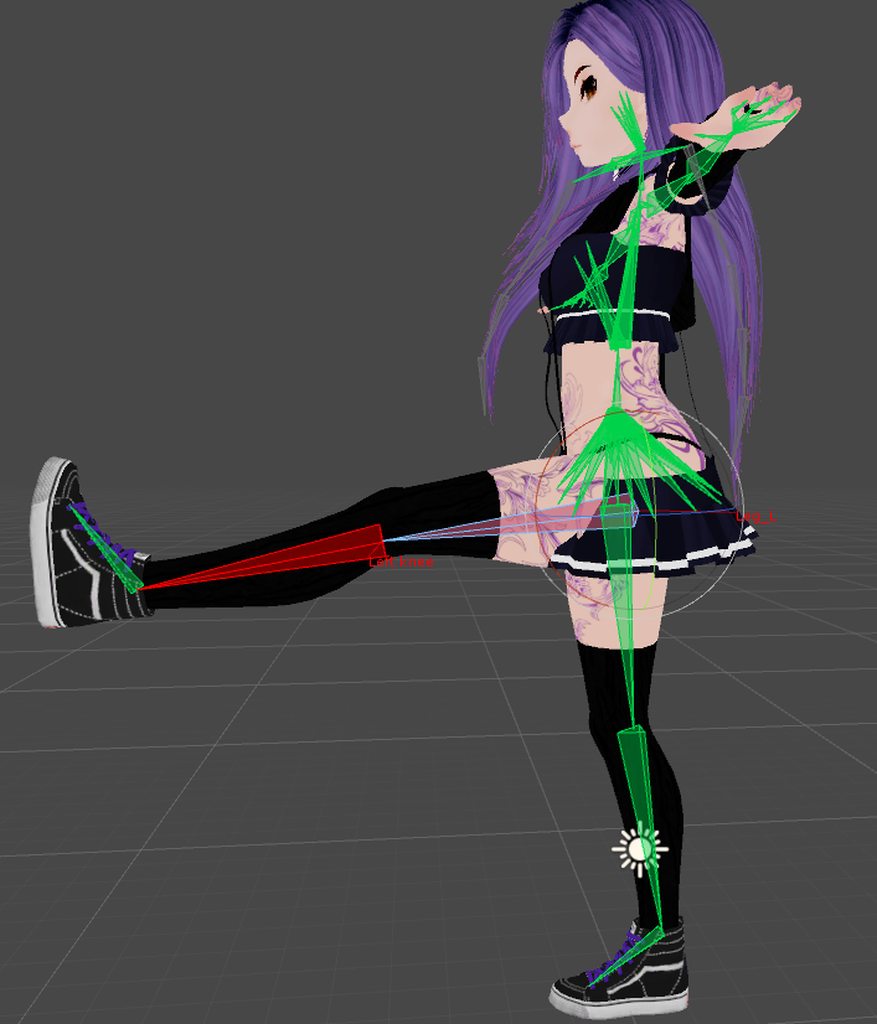
Ugh, should've made the faulty picture the top one, but yeah... second picture in the link is the faulty one
opal aurora
Looks like the leg bone was pulled down
gritty nest
Check your vertex groups. You may have two vertex groups with the same name.
This causes different behavior in Blender and Unity
opal aurora
But that is rather odd... did you setup the bones in the rig config or blender?
It really just looks like the leg bone is lower in unity's 3d view
autumn ingot
I'll check the vertex groups, good tip!
And I've checked the armature for problems, can't find anything. I see no reason why the rig and the normal 3D view looks different
But yeah, I'll check everything ,thanks for the tips :)
opal aurora
Rig will always show differently from the standard view if you modify anything in it
As the standard view showcases the default look of the model, unless an animator with an animation is attached
(Which will only display the "actual" look of the model in play mode)
autumn ingot
Aye, but nothing is moved. Started fresh and dragged the fbx out again
And it does the same in play and standard view as well
Hmm
 wary crown
DId you completely reimport fbx
or just overwrite it
If you overwrote make sure to reset the pose then force t pose again
other than that check that your transforms are applied in blender too
and that you dont have any pose going on.
hop into pose mode and select all bones, then clear pose transforms
opal aurora
The weird part is that it looks fine in blender and rig config but not in unity's standard view, which should be identical to blenders' by default
wary crown
Could be a dynbone component
those act weird with reimported fbx and co
forcing old values of bones
autumn ingot
No, I've reimported it but I haven't made any changes to the armature. I'll try to do it fresh again tho. I'll also try to enforce T-pose (it's in A-pose atm). No transforms, but I tried clearing just in case. It's not dynbone either, there's nothing added
But I have something to work with, cheers
opal aurora
Keep in mind that the standard view is unaffected by the rig config but any settings applied in the rig will transfer properly in-game, so nothing you change in it will affect the standard view, it has to be something related to blender
autumn ingot
Ok
Ok, honestly I have no idea, but I did save it as a new FBX and it worked. Obviously I must've changed something without remembering it, but yeah... works now, thanks :)
I saw my life pass by in slow motion, having to weight paint everything from scratch again -.- Thank f-n god
autumn ingot
Uhm, so, I found the reason but I might need some info on why. Actually, it's when I add capsule colliders onto empty game objects under the legs. As soon as I do that, it breaks. If I delete the gameobject or put the capsule collider as a component on the leg bone itself, it works
Can't do you that anymore? To more easily be able to scale the collider
Actually, it becomes faulty as soon as I add a capsule collider to the leg no matter what -.-
Oh wait, maybe the skirt - a separate mesh because of cloth - has a duplicate vertex group so the collider starts affecting the leg. I'm dumb, I'll give that a go and stop spamming :P
 autumn ingot
Uh, so, the weird issue keeps going. As soon as I add a capsule collider to the leg, the center point for rotation of the actual leg goes down with it, so the leg starts rotating around the collider instead of the bone. Any idea of why this could be happening? As soon as I remove the collider, the center point goes back up again. 🤔
opal aurora
Parenting both of the pelvis bones to the hips should work just fine, then parenting the legs to the hip bone @vagrant stirrup
You don't need to rename any bones, just parenting them properly should work
But i guess i'd need to see the bones in the 3d viewport to be sure
 vagrant stirrup
im not all too familiar with blender yet but how would i go by parenting the pelvis bones to the hips?
there is no ‘hip’ bone anywhere on the model @opal aurora
opal aurora
So it has 2 bones that act as a pelvis?
vagrant stirrup
correct
opal aurora
Do you know how to extrude a bone in edit mode?
vagrant stirrup
nope
 wind osprey
e key
vagrant stirrup
im currently not home so i’ll try all this later but alright
wind osprey
shift+e to mirror it (turn x-axis mirror on for this)
opal aurora
Alright, so, go into edit mode, select the tip of the bone between both pelvis bones, press E and press either X, Y or Z to lock it to an axis, drag the new bone up in one of those axis', rename that bone to Hips and parent both pelvis' to it, also parent both upperleg bones to the new Hips, and the spine aswell, make sure the Hips aren't parented to anything and make sure the Hips and Spine bones don't overlap
Essentially parent Spine, Legs and Pelvis bones to the newly created Hips bone
That should fix it overall, for a reference you can check the pinned messages on this channel
stone relic
@opal aurora I'm not importing animations from a different medium, the animations are literally left blank, proof.
https://i.imgur.com/HuxxuKo.png
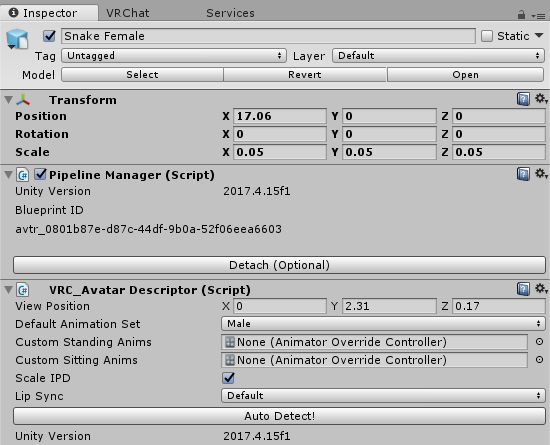
If my animations were as screwed up as to cause a character to go upside-down, all 90+ of my avatars would be having this problem
gritty nest
Can you show what your avatar looks like in the humanoid rig configuration?
@stone relic
stone relic
i would, but theres a tiny problem... >_>
I can't show the mesh as it currently is in vrchat's discord.
I will be editing this mesh after this problem is fixed so that i can use it publicly, but for now i cannot show it on this discord. (I don't want to edit it now because i don't want to make this problem worse somehow)
I can, however, DM you the mesh/bones and what they look like if you wish.
gritty nest
You can just upload it to imgur
You don't have to mention where you got the model from
Or is it NSFW?
stone relic
^^^^^^^^^^^^^
gritty nest
Lmao
Alright, you can DM me then
I usually don't want people randomly DM'ing me but this is fine
stone relic
thank you
when checking if the bones were on the right side, I ended up checking them while i was facing behind the model, i was checking from the wrong side.
I did a big oof, thanks Rokk
 wispy raven
has anyone encountered problem that model's rig is right (even in muscle testing), but in a game some bones aren't being used at all during emotes playback (spine, chest and etc.)?
upd: after exporting to dae instead of fbx it was fixed, just what the heck
vagrant stirrup
@opal aurora https://cdn.discordapp.com/attachments/90540426880090112/553675396772659210/unknown.png i parented to my upper legs and it went all the way down here :v

these are the knees btw
 opal aurora
Oh god i hate line bone layouts
Do me a favor if you can, send a screenshot of the same thing with this selected instead http://prntscr.com/mv8vwo

@vagrant stirrup
 opal aurora
Hmm... that'... looks normal
 opal aurora
Ah those, i think that might be a twist bone
Essentially, it's used for better posing, unless that was generated differently
vagrant stirrup
ah
alright let me continue parenting the rest of the stuff
alright i gotta backtrack a little bit
you say i gotta rename the bone the hips after i do the thing
opal aurora
The bone you extrude, yes
opal aurora
It should only create a single bone o:
vagrant stirrup
 ivory radish
only if u move them on the x axis
vagrant stirrup
ah
ivory radish
if have x mirror on
 vagrant stirrup
i was doing x axis
opal aurora
That's it then
 vagrant stirrup
alright i parented everything and had to move the hips forward a little bit and now everything is perf
thanks !
opal aurora
Glad it's workin'
 bleak oak
Having the same knee-buckling issue a lot of others seem to be having. I would appreciate it if someone could run me through Inverse Kinematics and what I should set as the target and pole target.
bleak oak
Sideways
 naive tree
bend the knees, they probably are straight
bleak oak
...more like forward and sideways...
I have tried bending the knees, but the result is the same
naive tree
make screenshot of your leg bones in blender, numpad 5 + numpad 1 and from sideview numpad 3
bleak oak
https://cdn.discordapp.com/attachments/393332493459128322/553912304413048873/unknown.png
https://cdn.discordapp.com/attachments/393332493459128322/553912390912049153/unknown.png


Note I may have reverted any knee bending
naive tree


make them (at least somewhat) straight from front view
and bend them from sideview
then also reset bone rolsl with alt+R
and apply full body fix
bleak oak
I would bend them in pose or edit mode?
naive tree
depends, usually edit mode
bleak oak
Still not seeing any change, unfortunately
naive tree
did u reimport the model in unity as new
bleak oak
Yes, I did
naive tree
reset bone rolls too?
bleak oak
Yes
naive tree
post same angle 2 screenshots of how you made the bones
bleak oak
https://cdn.discordapp.com/attachments/393332493459128322/553919831808933929/unknown.png
https://cdn.discordapp.com/attachments/393332493459128322/553919766616735765/unknown.png

 naive tree
can u send me the blend file without any textures?
bleak oak
Sorry for asking, but how would I remove the textures?
naive tree
if usend the blend only then it doesnt have any textures
opal river
so, do you just use the basic human metarig from rigify to get the standard skeleton or is there something better?
ivory radish
i mean u can make ur own in a couple of minutes
the sample avatar rig should help also
opal river
okay
 solar raft
are grip bones something relevant to VRChat?
I have a bunch of mismatched ones that are parented all wonky
 celest bridge
my eye stretches along a few verts for seemingly no reason. what is this?
https://i.postimg.cc/Qs7R7TwD/Untitled3.png
the model came with no eye bones so ive been trying to make my own. it works, except for this, which makes the eye stretch, and its only that one eye too.
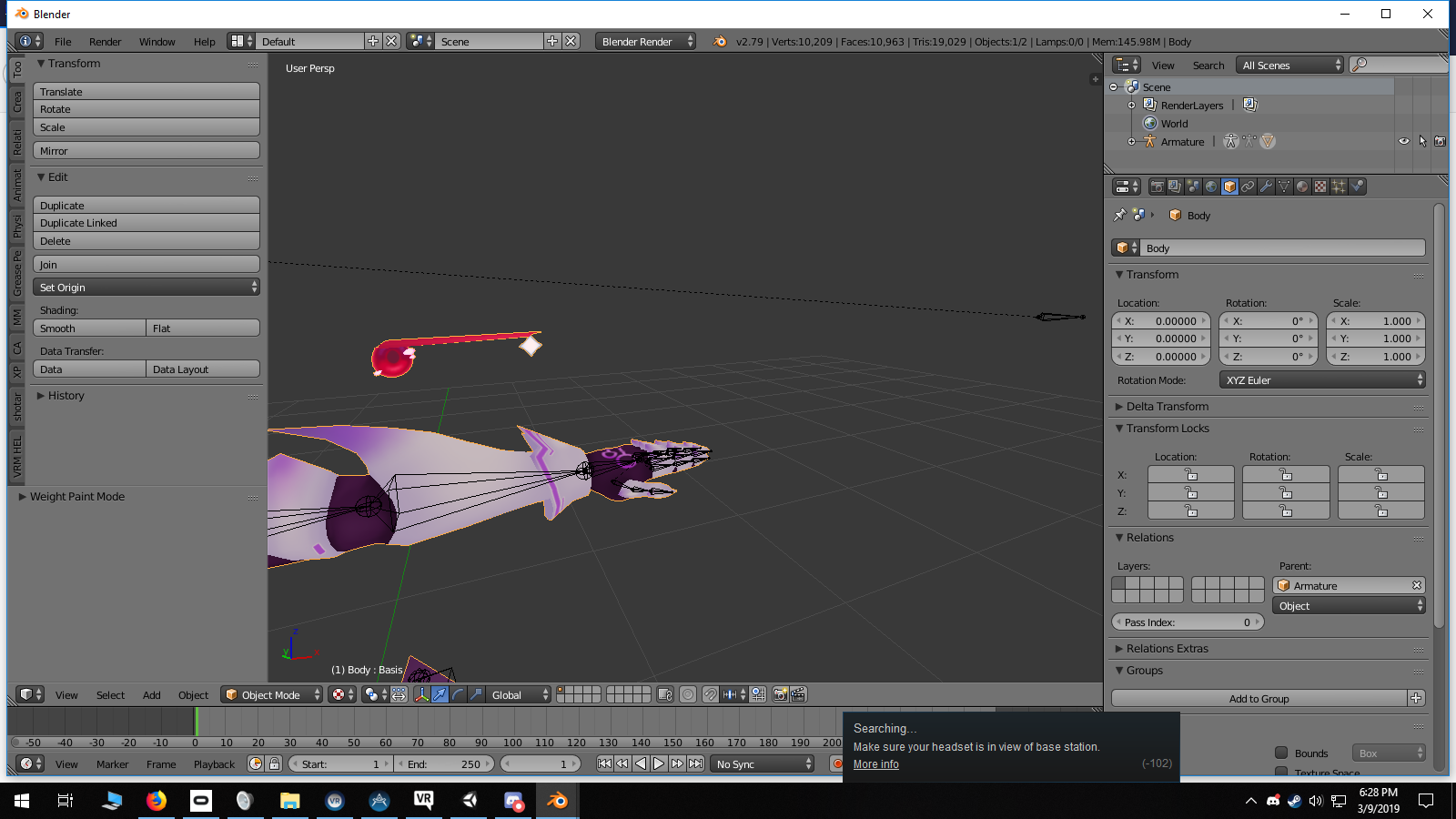
its painted solid red to the eye bone
its also painted solid red to the head bone
 rustic flare
having some issues with humanoid rig not liking spine (spine), chest (spine 1), and upper chest (spine 2). i was told that clearing upperchests designation would fix it but then shoulders dont have a parent. if i try clearing chests designation and leaving upperchest as spine 1 or spine 2 it complains about skeleton continuity
do i need to remove chest from blender and have spine go straight to the chest bone?
id give screenshots but i cant post them
solar raft
you dont need an upper chest, only chest and spine
did you use CATS plugin in blender to fix the rig?
 gloomy pollen
hey I have eyes rigged and working in Blender and in unity I assigned both to the rigging
i can grab and move the eyeballs too in unity
but in game they are just all white
like they rotated wrong or something... ?
hmm I can see the eye whites moving too
its just not drawing the irises
 glass panther
If you have a humanoid model but this model has no feet should you still include a foot bone so it will work in unity? Apologies if this should be clear to me.
ivory radish
ye
glass panther
Won't it be a zero weight bone? Or does that not matter it just has to be there?
 surreal copper
you need to have leg bones for humanoid, and they can have 0 weight, also if legs will be above 'end' of the model, then model will be partly in the ground @glass panther
glass panther
Thank you Amplituda!
glass panther
What causes feet tapping of a model?
gritty nest
@jade fractal https://cdn.discordapp.com/attachments/251862595030482955/404301325380091906/guide.png

The legs and arms aren't explained very well
Each leg needs an upper leg, lower leg and foot bone
Each arm needs a shoulder, arm, forearm and hand bone. If at all possible, it also needs at least one thumb bone, index finger and middle finger bone
Up to 3 bones per finger
 jade fractal
wait what is the arm bone? is that the lower half of the arm?
gritty nest
Arm is upper arm
jade fractal
ah ok
gritty nest
Between the shoulder and the elbow basically
jade fractal
thank you very much
gritty nest
You may want to import the tutorial avatar included in the SDK to get a look at how it should be done
jade fractal
ok 👍
 forest igloo
opal aurora
forest igloo
opal aurora
Parent To
Hand -> LowerArm -> UpperArm -> Shoulder -> Chest -> Spine -> Hips
It only displays necessary bones
jade fractal
wait so if you have more bones in between, will they all work?
gritty nest
They will not hinder function but they won't do anything.
opal aurora
If parented properly, theoretically, yes
gritty nest
Best to just not do that
gritty nest
And if the order is wrong, those extra bones can cause IK issues
Can't reorder bones in Blender either
opal aurora
Can do so in unity thankfully
 remote pewter
Hey guys, i think this is the right spot to ask this. Anyone know what causes leg twitching in a avatar? Every time I'm crouching the leg twitches left or right.
gritty nest
IK being confused
Bend the legs slightly in pose mode in Blender, then Apply as rest pose in Cats.
remote pewter
Ok i'll try that thank you.
 calm yew
https://cdn.discordapp.com/attachments/432650385300258827/554466141712416788/unknown.png when i try to rig my model this happens

@ me if anybody responds bc i wont get notified otherwise
sleek isle
Bone probably not named proprely. Have you even watch a tutorial to how upload an avatar. @calm yew
ivory radish
did u try Fix Model
crystal vector
@calm yew You have to make your model Vrchat compatible first. You should use Blender for that as well as the Cats Blender Plugin
calm yew
oh okay. by that do u mean using the sdk? im real new to this so if i sound dumb itz cause i am
sleek isle
That easy for basic avatar .go on youtube and watch some video @calm yew
calm yew
i do watch videos but im new to this so it doesnt always make sense, especially with the avatar i have bc i made it
sleek isle
You can send it to me. If you really want it to work. To see if its you or your model that is the problem. @calm yew
calm yew
im kinda wanting to learn how to do it myself
 astral warren
@glass panther Foot tapping is due to leg length being just ever so long enough to reach the IK target within but above the error allowed for it. Not enough hysteresis somewhere on VRC’s end.
In general, your real user height is probably set too short if it’s happening (view too high) set yourself taller (moving view down)
That should give your legs more slack to IK properly
 quartz tide
I am having issues with rigging, I am new to unity and i keep getting "A is not a child of B" for example. But it is. Any ideas?
gritty nest
Can you post screenshots?
calm yew

im assuming my model isnt supposed to be like this right bc i keep seeing everybody just has armatures and i rly dont know what to do
calm yew
i always get nervous doing that but ill try dat
ivory radish
i mean if nothigs broken it usualy doesnt break much
 wet hollow
The big question is if there's an armature for those meshes
ivory radish
also mesh joining is Ctrl J
calm yew
no it has no rigging or anything
wet hollow
Aha
ivory radish
lol then u would have 2 rig the whole thing
either manually, or with some auto rigging tool
would still need a lot of fixing
calm yew
yeah i can rig it
wet hollow
What does the model look like? Are there a lot of overlapping meshes?
calm yew

it looks like this right now
its my model and im new to vrchat stuff so its kinda messy
ivory radish
well u cant do anything at all until its rigged
i mean u can do stuff to the model sure
but not like u can do much to prepare it for vrchat
wet hollow
Do you know which rigging method you're gonna use?
calm yew
not rly, i watched a video on rigging for vrchat but idk what the methods are
ivory radish
also try removing accessories if autorigging (like glasses) just for accuracy
well it doesnt rlly matter how u rig it
just needs to be well rigged and have enough or more than enough bones
but usually most standard rigs have them
wet hollow
What Wulfe said, I've also found adding helper bones for areas such as the hip makes the cleanup easier
calm yew
oh okay, gotcha. ill make a rig and send it when i can just to be safe
also is it normal for those lines to be going into the floor from the model's head
ivory radish
?
 calm yew
oh okay
for some reason blender wouldnt let me join the meshes so i did it in maya and im just gonna import it
ivory radish
if u unparent all those meshes they will go away
calm yew
oh yeah i can tell now, lines are gone
calm yew

im following a video but they dont show how they rigged the hands, do i need to name them something specifically
gritty nest
You can name them what you like, but I do uh
Thumb1_L, Thumb2_L etc
Some people do .L instead
calm yew
oh okay ty
 cobalt frost
putting .L or _L is usually preferred because it lets you use blender's "flip names" and "symmetrize" functions
 hollow aurora
Is anybody here??
oops
sorry . i thought this was a public chat area
i only wonder why even if its on yellow warning for my polygons im not able to upload
fading verge
@hollow aurora If it's yellow you shouldn't have to worry about it not uploading
calm yew
also i was trying to mirror my rig so i dont have to manually rig the other side but when i try to hit w or symmetrize or anything it doesnt work
opal aurora
Any bone with SameName_L/R will be moved with x-mirror enabled in the options on the left (in edit mode)
naive tree
or if they start with Right/Left
autumn ingot
Ok, hmm, a bit of a re-touch on my problem with the legs of my avatar from a couple of days ago ( https://imgur.com/a/ZziyhLG - 3 pictures, click the link). Not only does the leg rotation center point jump down if I add a capsule collider (the leg bends way further down than at the hip, like in the picture), but adding a dynamic bone component on it makes it unable to move at all. I tested other avatars with the FBT fix and they have the exact same problem, but avatars without it works. Anyone encountered this?
Oh, if I add a dynamic bone component to the hips, they will snap back in place as well if I try to rotate it, so they exhibit the same problem. Maybe I just need to create a fresh project...
naive tree
center point could be related that you have pivot set to "global" and not Local, if u add bone to root in dynamic bone then u can't move it
autumn ingot
I thought so as well at first, since I had accidentally set pivot to Global and the leg didn't move at all, no matter if I had dynamic bones or not. But so you are telling me that I can't add dynamic bones to the root of anything, it won't move... what would be the correct place to put the dynamic bone component on if I want thigh physics? I have it parented to the leg bone atm, so it's directly under the top leg bone
The capsule collider thing fucks the leg up either way, can't seem to get around it
naive tree
they will move in game, just you can't move them in scene
autumn ingot
Even if I create an empty game object and put the collider there
naive tree
capsule collider shouldn't give any issues, been doing them for many months
autumn ingot
The leg will bend in the wrong place as soon as the collider exists under the leg hierchy in any shape or form
Yeah, same
Worked before
Guess I should just start another project tbh
I thought it was the avatar I fucked up since it's the first one I've rigged from scratch, but since several other avatars did the same...
gritty nest
@autumn ingot in the top left corner there is a button called "Center"
What happens if you set it to Pivot?
autumn ingot
I believe I've tried it, but lemme remote home and test, sec
gritty nest
This only happens in the editor and is not an issue because you will literally never be rotating your leg bones like that
Ingame it will work fine
autumn ingot
Ahem, you solved it. Omg... hah, cheers mate :)
I could've sworn I already tried it, but sure as you said, I set it to Pivot and it works fine
opal river
so is IK being used in vrchat or no?
like, do I have to do IK bones in my rig in Blender?
naive tree
no ik bones in blender, just have the base armature used
opal river
okay
 woeful jackal
how do i detach the armature to resize it in blender.
calm yew
https://cdn.discordapp.com/attachments/432650385300258827/555163461261197322/unknown.png i tried symmetrizing and flipping names and everything but i can't get the names to flip without having .002 or .003 on the bones and i rly have no idea whats up
 ivory radish
its not in the right position
calm yew
how do i get it into the right position
ivory radish
make sure both have an X value of 0
for the translation
and center of model is exactly <0,0,0>
also did u make sure to not have .001 or whatever for any of the bones originally
also did u select all bones before symmetry
calm yew
everything but the middle
gonna sound stupid but for the armature, do i make the origin the center and for the model would it also be to the center?
ivory radish
both should be <0,0,0>
in their position property
so whatever is necessary, i.e. applying transforms, or changing the center
calm yew
how do i check to see that its <0, 0, 0> is it this? https://cdn.discordapp.com/attachments/432650385300258827/555166676958576661/unknown.png

 warped crown
any of you guys good with unity?
ivory radish
well yea liek everyone who uploads avatars here is somewhat
warped crown
alright, well my question really isnt a complex problem, but when i try to log into vrchat through unity, it erases what I typed and starts me over again
which results to me not being able to sign in
calm yew
https://cdn.discordapp.com/attachments/432650385300258827/555181443559718913/unknown.png i used fix model with the cats plugin and idk how to fix the clothes clipping and some of the parts not being attached
 ivory radish
also if not having removable clothes just delete the skin underneath
calm yew
yeah im gonna do that
 brittle spoke
anyone knows how I can fix this problem with the wrist? https://cdn.discordapp.com/attachments/555449566544134158/555449638912786452/VRChat_1920x1080_2019-03-13_18-42-49.815.png
 ivory radish
weight paint it better
 calm needle
looks like just 2 verts got missed in the weight painting
ivory radish
not just that
the sleeve itself has terrible weight painting
the bottom of the hand gets separated
calm needle
without knowing the model, it could be a case of needing just a few extra polys near the wrist
brittle spoke
I could figure the weight painting out, the hand is not much longer than that
 modern goblet
hello, could anyone help me with an issue I'm having?
I have an avatar which has a body and a shirt on top
I weight painted it correctly, so when I move the bones there is no clipping
however, as soon as I merge another armature to it, suddenly the body clips through the shirt
ivory radish
apply all transforms u have not applied
and also make sure 2 apply as rest pose if u hadnt
modern goblet
I've applied all transforms
ivory radish
do u hav gyazo or smtg
modern goblet
I don't
ivory radish
oof
so u cant liek record a gif or sumting of u doing it
or send before and after pic
modern goblet
well I mean, not much happens, the shirt and body work correctly
as soon as I join the two armatures, it all seems to be fine
they are in the correct position and everything
ivory radish
did u try removing zero weight bones for the skirt
modern goblet
how would I do that?
modern goblet
oh, I removed some already
ivory radish
o
ivory radish
ok is ther some way u cann send screenshot xd
of like for exampl
u bending the character
also if u dont hav removable clothes
u can pmuch just delete every bit of skin under the clothes
and just make sure 2 make sleeve and stuff close off the body
modern goblet
well I could, but the way the shirt deforms is broken either way
let me take some screenshots
https://imgur.com/KX1b35K before merging the two armatures
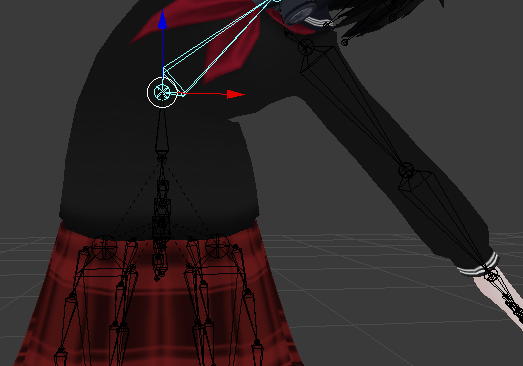
https://imgur.com/X9EX1Nf after the merge
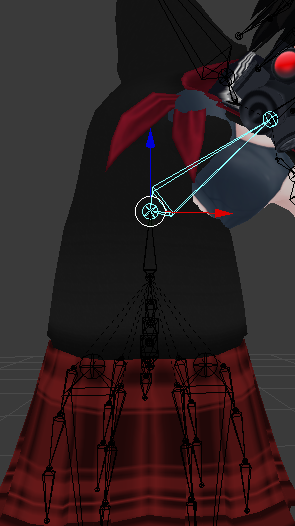
not only the body clips through, but the sleeve also looks broken
however, when looking at the weights, everything seems fine
ivory radish
mayb its duplicating bones or smtg
modern goblet
well, the armature of the skirt had some extra bones
I just deleted them though
would it really be that unoptimized, if I kept it separate, and parented it to the hip bone in unity?
cats doesn't seem to encourage that
ivory radish
i mean ur gona have 2 if its cloth
if it dynamic bone then reduce the amt of skirt bone
modern goblet
ok! I think I will do it like this then for now
I can't wrap my head around this in any other way
gloomy pollen
can anyone help ;_; I have an avatar that looks totally fine in blender and unity but in vrchat when i crouch my right leg goes
like craazzzyy
tried cats full body fix too
naive tree
screenshot in blender of bones numpad5 + numpad 1 and numpad 3
gloomy pollen
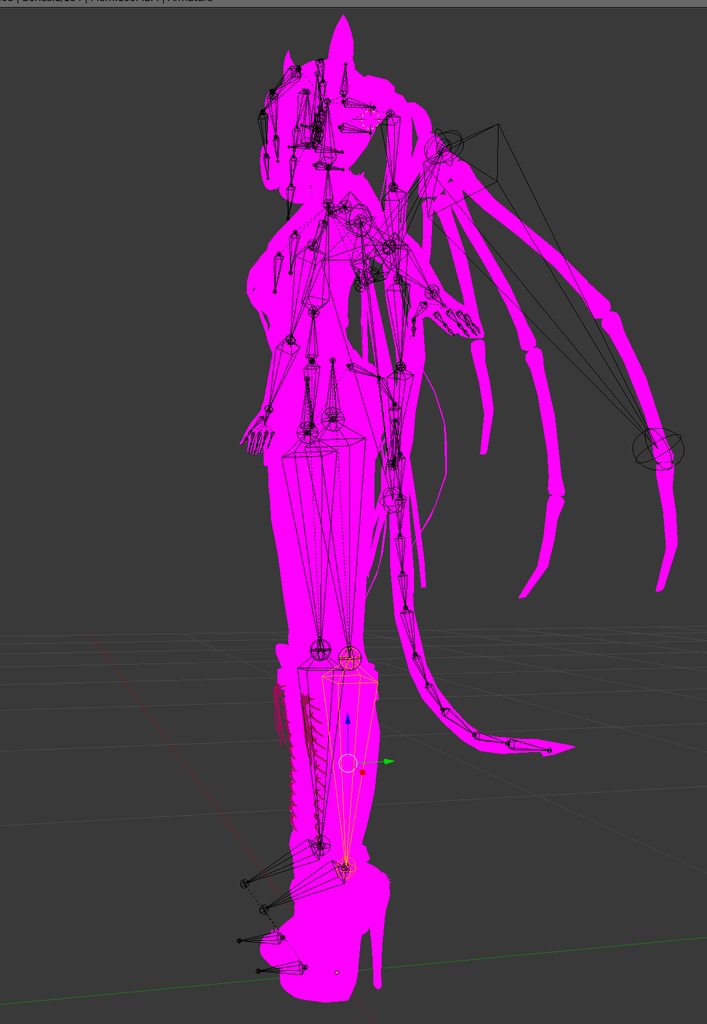
the left leg is ok'ish its the right leg that really goes nutso
just in idle pose
surreal copper
try to bend legs a bit forward in blender
gloomy pollen
during animation cycles its fine
like pull the knee bone forward?
will it have the same effect in unity?
oh moving the knee forward I think worked
oh its still wonky
nevermind
like the knee goes from being slightly in front to kinda behind her
rotating outwards
gloomy pollen
anything else I can try?
moving the bones forward actually makes the leg go further back I think?>
hmm moving -just- the knee in blender made it look fine
the animation cycle on idle is still really wobbly though
naive tree
@gloomy pollen legs need a bend in knee, and straight from front
naive tree

 gloomy pollen
i see, thanks
fading verge
Whats the best way to put clothing on a base? (program)
having some troubles doing it
naive tree
blender + cats plugin
 pseudo ibex
do i need eyes
or is this not required can the just be statix
also does anybody know something that is cheaper then final IK i could use
 pseudo sedge
@pseudo ibex Configurable Joints 🤔🤷
fading verge
Question i just loaded an avatar into blender and all the finger bones are pointing upwards is this normal or is there something i did wrong and need to fix
 opal aurora
Probably caused by the model type, that isn't inherently normal
Cats won't fix it either from what i recall
opal aurora
Gonna need ta fix it manually afaik
Fbx's shouldn't ever look like that either, unless it was broken like that to begin with
ivory radish
a lot of FBX imports have bones that point upward
dont rlly know why that happens but
blender can sorta 'fix' it
opal aurora
Odd, never had any of those :o
I have a feeling i know where that model might've come from though, those finger bone orientations are quite unmistakable
Format is probably pmx
Fixed my fair share of those
pseudo sedge
you can keep upward bones btw count only rotation and head of bone, other side of bone can be anywhere and still work as expected 👀
opal aurora
I think i remember people having godawful finger bends due to that, huh
Maybe their rolls were off... but that wouldn't make much sense either since they used CATS, bleh, nothing makes sense anymore
I'll just keep ordering ehm' properly anyway since i use ehm for more than just unity
"Protip", for aligning most of those pesky bones properly, select the tail of the first bone, then select the head of the next, shift+s and snap it to selection, this will align them properly up to the last bone of each chain
Easiest way i've found to properly orient them, possibly also the quickest
fading verge
Thanks snaping it to selection works great agian thanks a ton
pseudo sedge
@opal aurora ye roll, in fact this model isn't wrong and working as expected:
https://cdn.discordapp.com/attachments/383717682995920898/400555334361415680/unknown.png
 crystal vector
The upwards pointing bones are never an issue unless "Add Leaf Bones" is selected in the export settings. So if you use cats export it will work fine
modern goblet
hello! I'm having an issue with my leg bones
as soon as I crouch, they cross like this
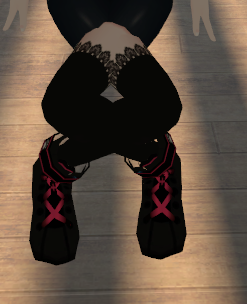
and also when standing, they look slightly skewed
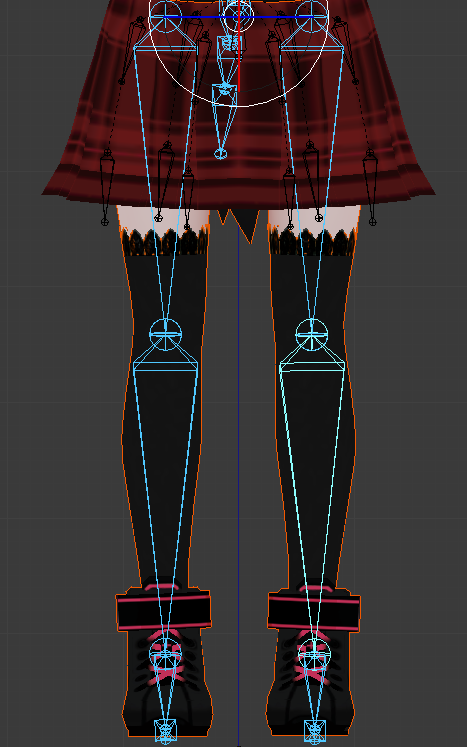
however, all the animations such as walking and sitting play correctly
naive tree
@modern goblet scroll little higher to where i posted screenshots of how leg bones should look lik ein blender, so you don't have those kind of issues
modern goblet
I should change it in edit mode, or just change the rest pose?
naive tree
whatever works best for you
also be sure to reset bone rolls (alt+R with bones selected in edit mode) after adjusting them
modern goblet
I can't get it to work
I'm gonna send a couple screenshots of the armature
I've changed the armature by applying the changes to the rest pose
and after the change I pressed alt-r in edit mode
naive tree
uhh I have no clue then, always works perfect for me
some ppl had the same issue and it helped them by making bones straight from front and have bends from side
also are u importing the fbx as new or overwriting?
modern goblet
I'm overwriting!
wind osprey
If you're overwriting you probably need to reconfigure the rig in unity.
modern goblet
well, I've now reimported it as new
the armature indeed didn't seem to change when overwriting, but it seems to have now
I'm uploading now
it works correctly now, thank you for the help!
pseudo sedge
cloth or joints
wind osprey
Unity physics joints would be your best option
 viral seal
Ah thanks. I'll check those out.
naive tree
don't think it's worth the trouble, dyn bones are well worth it
wind osprey
Depends on how much of a cheap bastard you are 😉
opal aurora
Stupid question, can physics joints be used on bones?
I could see them working out pretty nicely as they use pivot points (anchors i guess you'd call them), and what's the stance in terms of performance hits regarding them?
@wind osprey
wind osprey
Yep, they can be used on bones no problem. And I believe their perf impact is less than DB.
Using colliders with them can be weird or in some cases unworkable, like how people intentionally make collider-based flight systems on their avatar.
opal aurora
DB's actually majorly function based on pivot points aswell, although joints aren't as customizable as DB is, it sounds like a pretty good alternative to an extent, collision aside
Gonna see what i can work out with them when i get the time
wind osprey
Setup for them is a bit more convoluted, for example, DB has a nice system where you add the script to the root and it takes effect down that chain, while physics joints you have to configure each joint in the chain manually. (they can have their properties multi-edited though)
gritty nest
Also, physics joints are penalized super heavily by the performance system
opal aurora
Mhm, and the pivot point is fully customizable aswell from what i could tell, wondering if a hinge jointed door can be pushed by a player capsule without needing a script
They are?
wind osprey
If PJs are more performant than DB then that's yet another thing that system has got totally wrong.
gritty nest
Well they might not be
Since every rigidbody has to be evaluated separately
I also experimented with a "driver" system
A dynamic bone chain of just 4 bones, running straight down from the hips to between my knees
And then jointing all the skirt bones to that
That gives you less visual fidelity in the "columns" though
Makes all bones rotate the same way
opal aurora
Another alternative down the drain i suppose, even cloth is limited, do we have any built in alternatives that aren't thrown straight out by the system?
Physically animating every movement i suppose?
opal aurora
I wish animations actually worked with the set in place system, as i wouldn't mind animating dynamic transitions, but we all kinda know how those go along
cobalt frost
iirc physics joints use physx, so they should be more performant than DB
since they'd run on gpu
don't understand why the performance ranking system penalizes rigidbodies so heavily
 cobalt frost
ooh, i'll have to try that later
been playing around with the joint stuff lately but i've been having difficulty trying to get it set up right
opal aurora
I'm trying to figure out if it'd be possible to do the same on something that doesn't naturally tilt downwards (like animal ears per example)
Something like this is possible, but it does rely on gravity https://external-preview.redd.it/K3OiL__9Vvfnb8zsAbfz4W_70RTm4KCdLSRlgN-Tir0.gif?width=960&crop=smart&s=6306d9b866e987b207605559f32d909f3a8fb66a
 opal aurora
Well, if done without gravity, no sort of momentum would actually incur unfortunately
ivory radish
they can also collide with their parent in a chain
cobalt frost
hmm
you could try using the spring properties in hinge joint maybe?
Spring makes the Rigidbody reach for a specific angle compared to its connected body.
opal aurora
If i set all the colliders to isTrigger it does follow through with it, but if i enable one of them, all hell breaks loose
Actually if i were to setup a pivot point like i'm used to, i could possibly make it work, but as it stands, multiple bones look pretty odd, but doable
ivory radish
yea colliders make rigidbodies a bit weird when theyre jointed together
ik bc i had 2 play around with mass and settings so much 2 make a ragdoll puppet 4 1 of my avatars
 hollow thunder
Hey! Anyone knows how to fix these fingers? https://cdn.discordapp.com/attachments/460775097314050050/556173504408584193/unknown.png
 calm needle
select the tips, rotate them to the correct position, ignore the tpose warning
you can also fix it in blender by having the tips of the finger bones going to the tips of the fingers
hollow thunder
ok, I will take a closer look at them. thanks!
calm needle
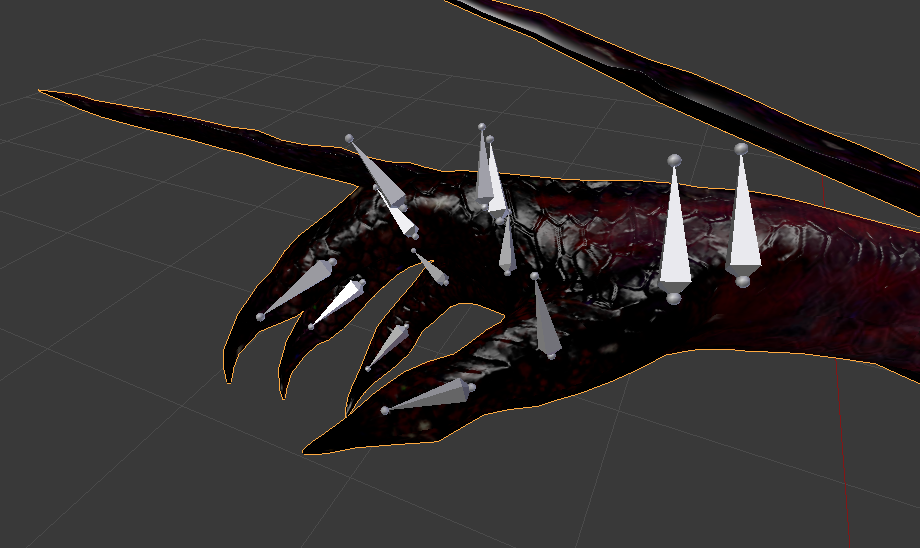




for example, all the bones are facing wierdly but i moved just the tips to the finger correctly to prevent unity from doing the odd finger bends
hollow thunder
yeah, just found that these are looking the wrong way https://cdn.discordapp.com/attachments/460775097314050050/556174372407345153/unknown.png


hm. can I somehow rotate the bones at their bottom end?
gritty nest
Yes.
Grab the "tips" of the bones and move them. @hollow thunder
That will make sure you don't move the bone's base
 rich dew
Is it possible to make custom eye tracking without using CATS?
cobalt frost
if you want to use vrchat's built-in eye tracking, using CATS will make it a million times easier to set up
otherwise, eye tracking shaders are also an option and may require more or less fiddling
rich dew
CATS doesn't work the way I want it to. The model I'm using has eyes that are abnormally shaped.
ivory radish
also u can use Reset Pose as a finger quick-fix assuming ur model is in t-pose on import
 deft berry
Can someone explain to me why my avatar spawns halfway through the ground? I know its something wrong with my Armature but i just dont know what
ivory radish
is it humanoid
deft berry
Yes it is humanoid
ivory radish
r u vr user
deft berry
Yes
ivory radish
full body?
deft berry
no
ivory radish
o
well did u make sure ur character viewpoint correct and same with it pose in the humanoid config
deft berry
yes i did
naive tree
@deft berry can you make a screenshot of it
deft berry
sure sec
naive tree
so you made animation on it and it's under ground now
check #animation there's pinned message somewhere how to fix it
deft berry
ok thanks
gritty nest
That one no longer works because I believe the T-pose anim is gone
Instead, alt-click the armature to expand all of it at once
deft berry
alrighty
gritty nest
Then select all bones and hit Revert To Prefab under the gear icon
In the transform component
deft berry
@gritty nest This is uh, where exactly? the avatar rigging screen right?
deft berry
I did, should i remove?
gritty nest
If you override your idle, you need to override the whole body.
That also means putting the hips up at Y 1 so you're not in the floor.
So add a Root T property to the animation and set the Y to 1
deft berry
@gritty nest Where do i find the Root T property? or is that just a name for something else
ivory radish
just copy a tposing or some other animation for humanoid
and then edit from there
should have all property already there
deft berry
I did that
idk why it burrows the bottom half of my body under ground though and bends my legs like im sitting
gritty nest
That means your idle animation is essentially "empty"
deft berry
So a clear idle animation with nothing happening?
gritty nest
What is the exact animation you have in your idle slot right now?
Do you have a screenshot of the animation window?
deft berry
Its just a custom idle anim i worked on
i can take it out i just want the avatar to function atm
gritty nest
Yeah you should take it out then
See if that works
One thing to note is that animations have to use humanoid properties
You can't just say "left arm rotation"
You have to use "upper arm forward/back" properties in the Animator etc
deft berry
removing the idle doesnt seem to change it
and it does the same half-way-in-ground thing in the muscles & settings section in the bone mapper screen
deft berry
no only when the scene is in play
 wild owl
anyone have tips for avatar leaning backwards when in fullbody? (finding zero info on this, tried everything, getting kind of frustrating) thank you in advance 💕
wind osprey
Your viewpoint is likely too far forwards
 high nova

A guide for scaling and tweaking VRChat avatars for fullbody tracking. Covers information on in-game, blender, and unity. It also has a fix for that bending ...