#avatar-rigging
1 messages · Page 134 of 1
 violet bobcat
 olive rose
violet bobcat
olive rose
violet bobcat
kk well can you then send a screenshot?
i've had a similar problem a couple days ago
violet bobcat
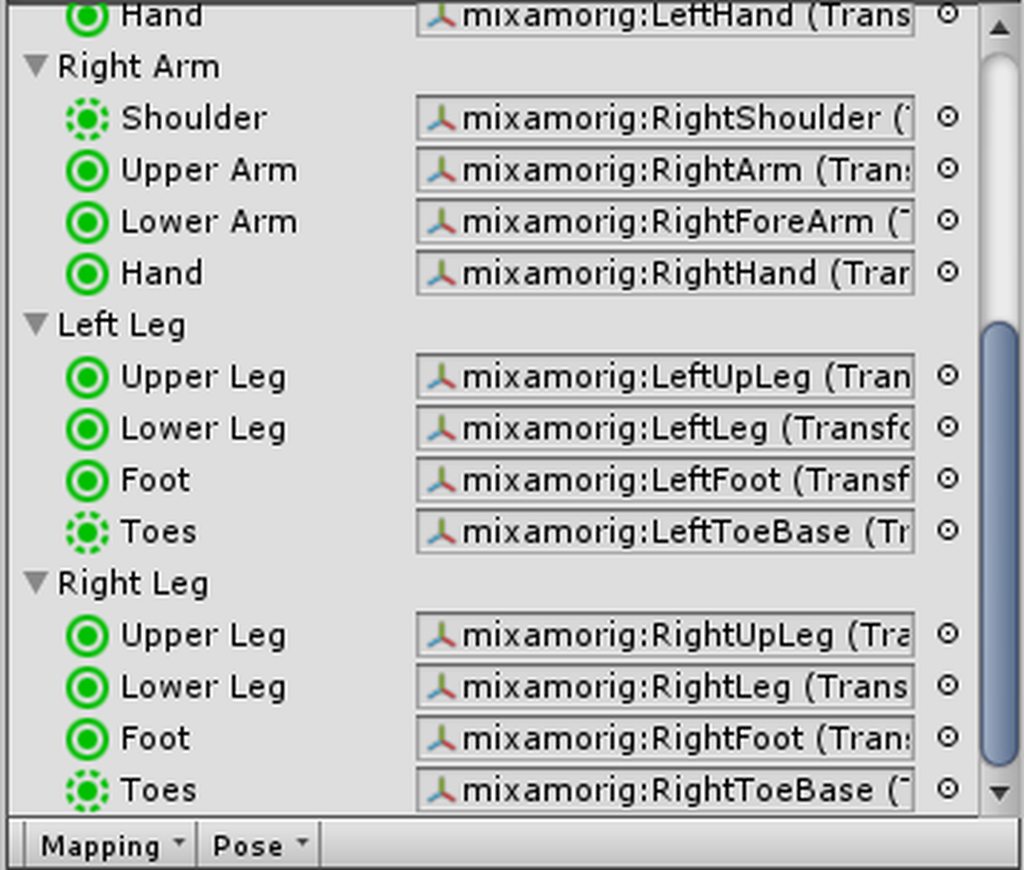
the bone selection pls hierarchy
 violet bobcat
yeah you see what i did was in blender remove the unneeded bones and weightpainted the model
 viral stag
Anyone understand why my avatar moves backwards slightly in Unity when using the Tposecontroller? Does it have something to do with the origin in Blender?
 sleek isle
how to change the bone order in blender ? so i dont get an error in unity
 bold locust
Is it reversible if I remove an optional bone from the rig configuration? Will it break the model in the scene or can I easily readd that bone to the rig configuration and have everything back to the way it was?
Trying to avoid wasting a load of time readding things to a model if something I wanna try doesn't work.
 gritty nest
You can unassign bones easily in Unity, yes. @bold locust
And then assign them again later on
Just be careful, only the toes, fingers, eyes and jaw are truly "optional" in VRChat.
bold locust
Was considering unassigning the shoulders and using final ik to make them track the arms a little less aggressively. But I could try the beta first.
gritty nest
@bold locust try adding some rotation limits to the shoulders.
I don't really like how the shoulders in this game act either, but rotation limits are respected.
You can't unassign the shoulders
What you can do is merge all the weights from the shoulders to the chest, but keep the shoulder bone
bold locust
I can't afford to merge weights to the chest on this model. 😅
Limits in rig config only work for desktop though?
gritty nest
The Final IK rotation limit components should work in VR
I'm not talking about the limits in the humanoid rig configuration
bold locust
Oh. I hadn't considered using the rotation limit by itself.
Sounds like a possibility.
 quasi oasis
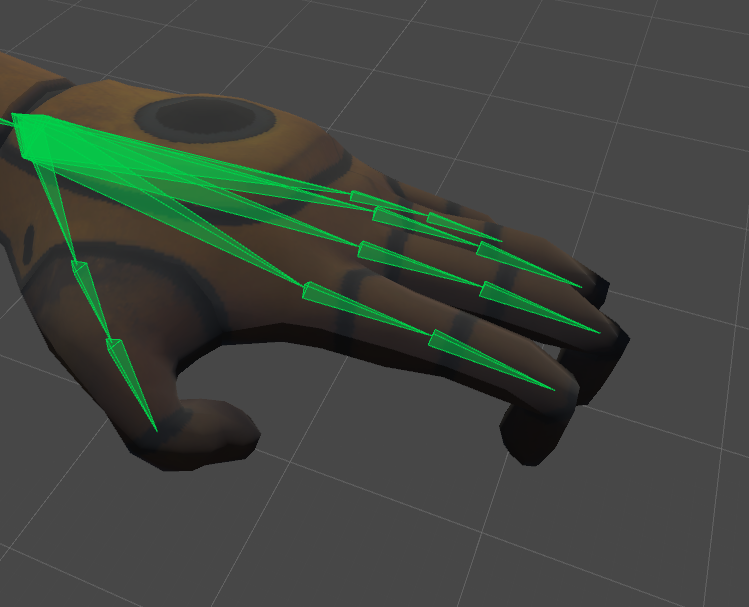
How are we meant to go about fixing this issue again? Haven't made an avatar in half a year and really don't remember https://i.imgur.com/5zEUem6.png
 gritty nest
Just forcibly rotate the fingertips forward and then apply
In Blender, fix the issue by making sure the finger bones are pointing the right way, not pointing up
 ivory radish
can also reset pose if in tpose already
 fading verge
hey, can anyone help me with a Piranha Plant model I'm trying to rig up? I cant seem to get things with the neck and head right due to the way the skeleton is set up. (pm or @ me if u can, in case i miss your response)
fading verge
How does one go about adding a bone for a model for the Eye tracking in cats?
sleek isle
shift a armature bone
 blissful moon
hey guys so i have a question / problem. I make the models i want to turn into avatars in the program Oculus Medium.
After i'm done making the model I save it and then export it as an obj file.
From there I import it into blender and add a decimation modifier to lower my tri count to under 70k.
Next from here I rig the model using the auto rig program rigify.
After setting all the bones in place I select the armature and then the mesh, and hit CTRL P, then hit parent with automatic weights.
This is where my problem comes in. Nothing I do makes the mesh move with the armature. They do not link even after making sure that every bone in the armature is parented to the mesh.
I tried to skip this step once and import it directly into unity and then go through the final steps but I got the error "error no mesh found inside armature".
Any clue on what I did wrong? Is the problem because I'm importing an obj file into blender and it doesn't register the obj file as a mesh? I'm just hoping someone can help me.
 signal crane
Is anyone willing to teach rigging via blender here? I want to learn but I feel like I'd have a better time with another physical person than tutorials.
 worldly willow
if you have 3 months ... cuz thats how longbit took me to get a rig working the first time (now i just use pre rigged models and fix through cats )
signal crane
I have time, I just need someone to help me learn.
blissful moon
@worldly willow can i upload the model unrigged and then rig it in mixamo? If i can i'll just uninstall blender and use mixamo instead
blender is too hard for a newb like me
fading verge
When i try to create eye tracking instead of the eyes moveing the models chest moves in the blender and Vrchat does anyone know why?
ivory radish
wrong bones used
fading verge
I used the ones labeled Eye_L and Eye_R is there other ones i should use
when i move the bones in the eyes in pose mode they just move the chest around
gritty nest
@fading verge it appears your breast bones were somehow renamed Eye_L and Eye_R or the model is extremely scuffed.
fading verge
Nah theres a bone for the chest allready there and it works fine everything but the eyes
fading verge
The bones arnt parented to the chest their parented to the head im gonna see if its a weight paint thing then
Ohh yeah its weight painted on the chest everywhere
ivory radish
lol weird
fading verge
welp time to do that
fading verge
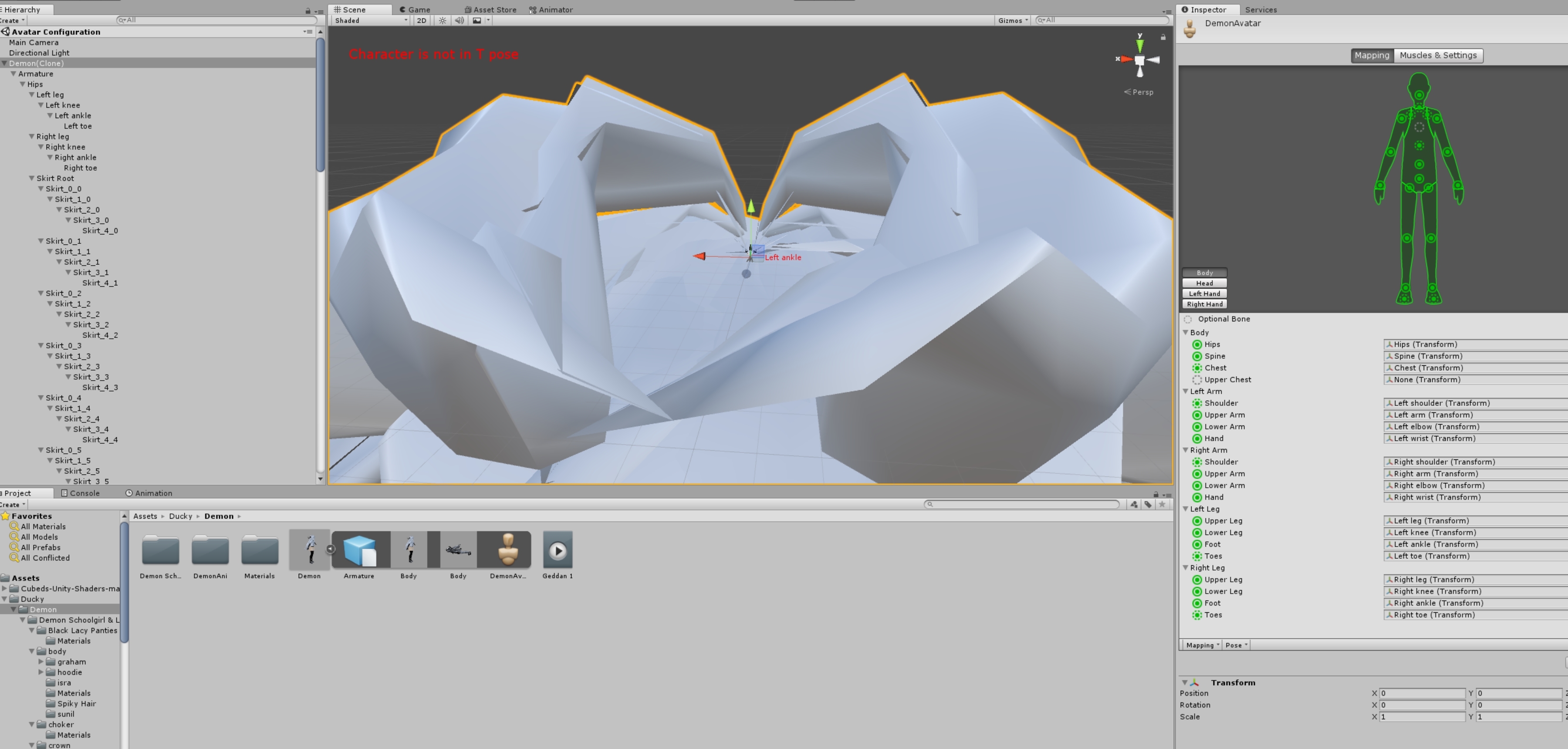
hmm when it says character not in T-Pose in unity what do i do
gritty nest
Enforce T-pose or ignore it
fading verge
Does it mess anything up if i ignroe it?
fading verge
allright thanks
sleek isle
what the problem
fading verge
The neck keeps moving/phasing through the head and hair.
Pretty sure it's a issue with weight painting but I am not good at weight painting.
Do i put it into a T-Pose in blender or Unity?
fading verge
Man i cant do any animations ifi ts not in T-pose apprently
 cobalt frost
 fading verge
Thanks man
ivory radish
how 2 merge armature like CATS but w/o joining meshes
do u just use Ctrl+P then delete the old one
if same bones
 opal aurora
Ctrl+J, rename the bones before merging so that duplicates don't get renamed and break their vertex groups, afterwards you can parent them and merge their weights
ivory radish
wym duplicates getting renamed
opal aurora
Last armature selected is the base
If the bones have the same name the bones will rename to .001 etc
ivory radish
nvm i can just ctrl p it
opal aurora
From what i recall that literally breaks vertex groups, if done all in unison (both meshes and armatures at the same time)
ivory radish
no it didnt break mine
opal aurora
Ctrl+J that is
ivory radish
only issue is some missing bones like a necklace
how can i do to only merge the ones that not there
like CATS
so then can parent
opal aurora
It uses the same process i described, or so i think
ivory radish
wait nvm i got idea i can just
if i delete bones the vertex groups stay there right
opal aurora
Supposedly
ivory radish
cuz if so i can delete every bone thats not part of necklace
and then parent
before merge
opal aurora
As they do have their weights there
ivory radish
kk ima try
opal aurora
Merge bones before mesh though, best way to avoid blender f'in up
It likes to do that sometimes
ivory radish
ye ik but like
the way i doing stuff is
there was multiple mmd
each with different outfit
so wat i was gonna do is merge the outfits together with their own meshes
so can enable and disable
so there a lot of bones in common
opal aurora
In essence you can rename and add any bones you want, as long as both name and vertex groups match, the mesh will attach properly
ivory radish
ye but
gonna have 2 rename all the bones for body manualy
and then change name for vertex groups
or at least only 2nd part
opal aurora
Use CATS to get the same names all around and then add the excess yourself, it should use the same naming scheme
Emphasis on should
ivory radish
there rly no other way 2 do it?
opal aurora
Quicker and or easier than literally just renaming bones and parenting the mesh after?
Not really
ivory radish
hahahahahahahahahaha i found out
u can just merge the armatures together
and delete 0 weight bones
bc it renames the bones
but not the vertex groups
:D
opal aurora
Last time i tried that everything i parented died, you sure?
opal aurora
Guess blender was being blender when i needed it to work
God that is such a timesaver aswell
ivory radish
why cant i ctrl j anymore
opal aurora
Although it deletes 0 weight bones, which i need for pivot points that i carefuly align manualy so that's offvmy table sadly
ivory radish
oh
pose mode
oof
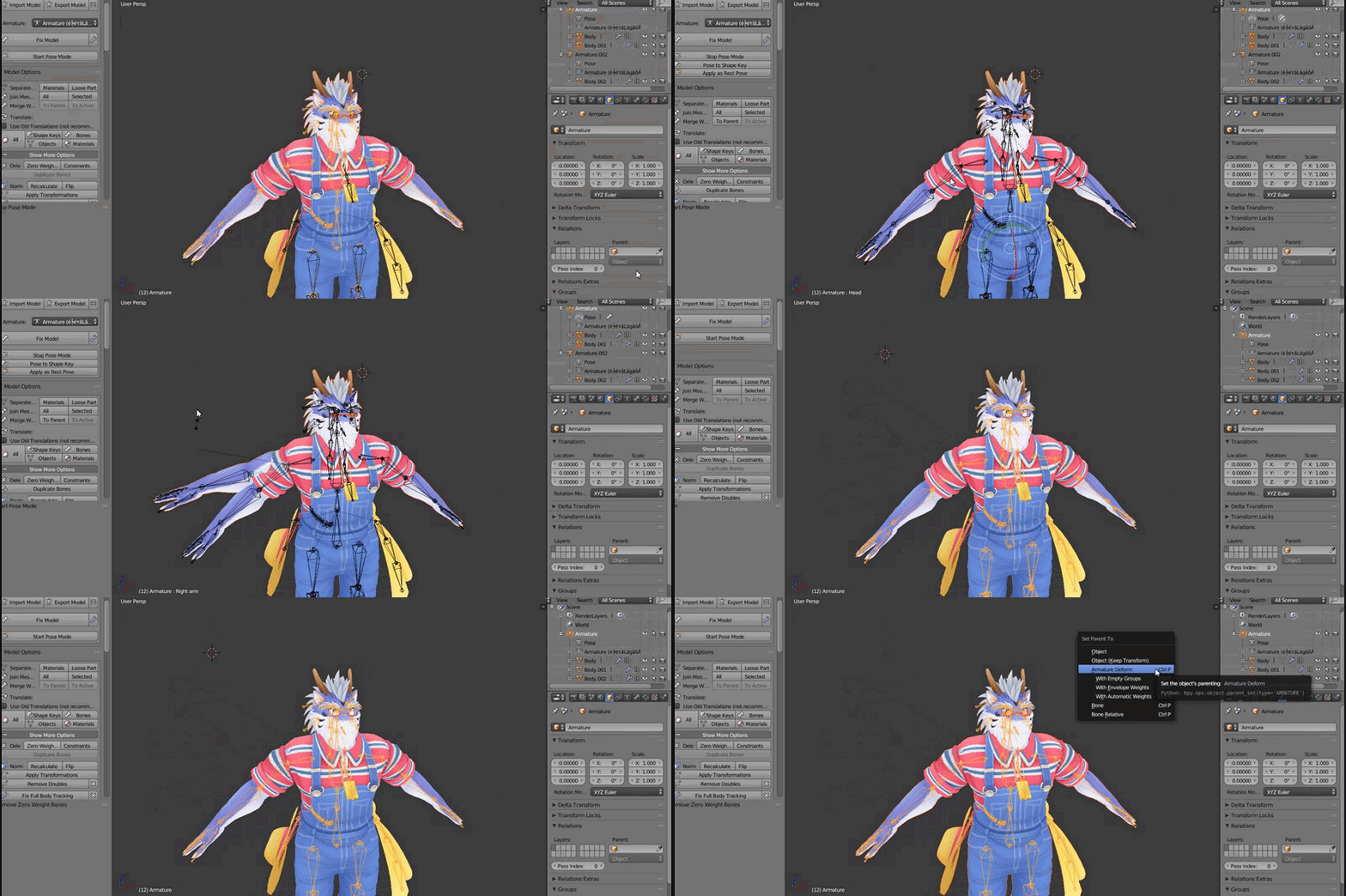
that before
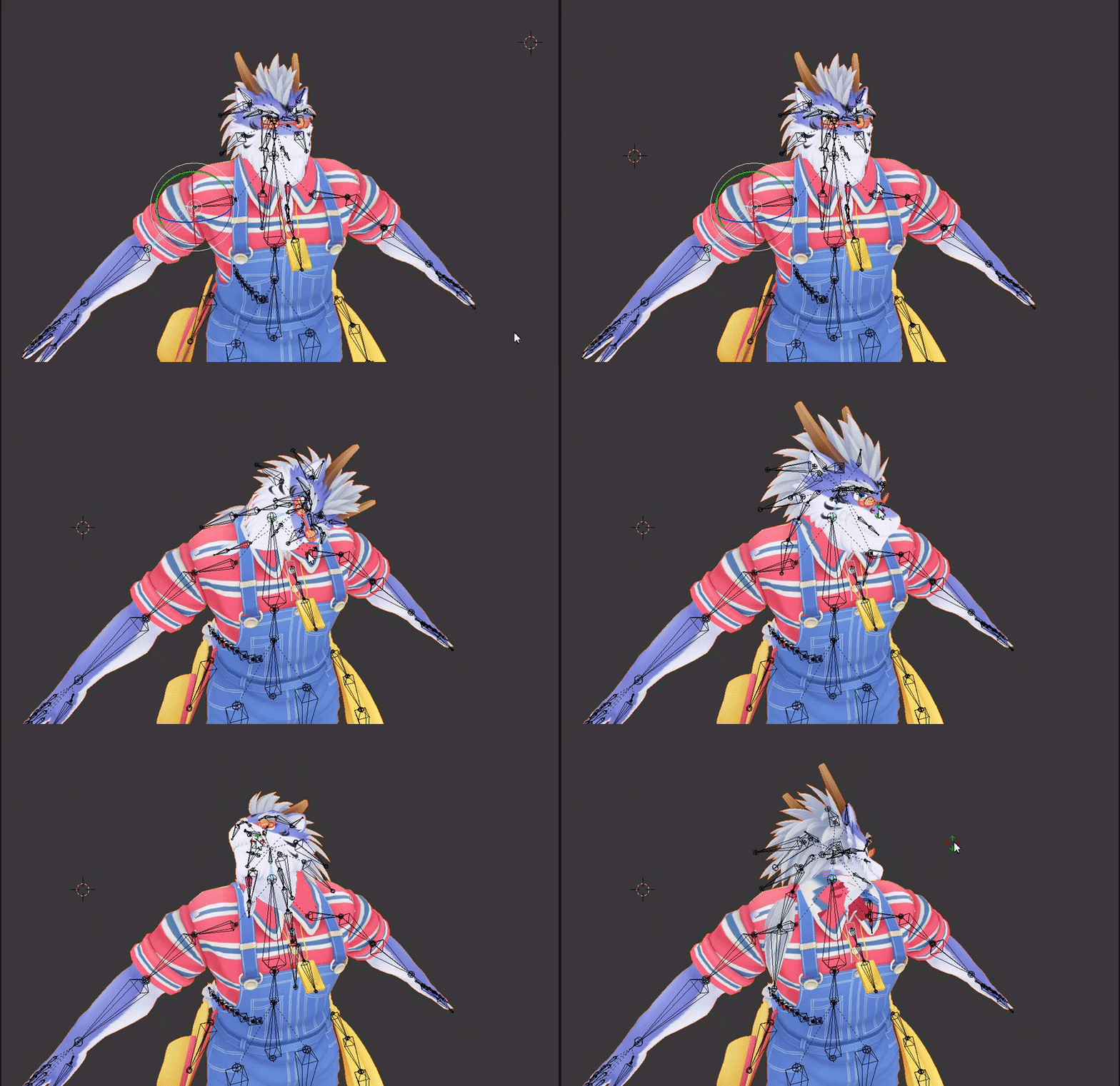
ignore the weight paint on neck was like that already
opal aurora
So i think CATS literally merges the bones and removes the dupes (.001), keeping the excess
Although... if the bone selection you had on one armature transfers onto the other..
ivory radish
?
also y would u need 0 weight bones
couldnt u just move the bones start itself
woudl be basically same thing
in edit mode not pose
opal aurora
Hey @ivory radish, go into edit mode on your base and deselect all bones, go into edit mode on the other armature and select them all, exit edit mode and merge both armatures then go into edit mode and see if the merged armature is selected
ivory radish
ye
i copied all 3 doing that way and worked
almost
it selected head bone and deleted for some reason
opal aurora
And no, pivot bones are weightless, they're used as central roots for dynamic bones, both their scale, location and even angle in comparison to the base bones are important for accurate and/or fluid setups
But anyway, does it selected the other armature entirely then? :o
ivory radish
ye
u shuld write a python addon
that does
a) select bone
b) join armature
c) delete bones
d) parent
e) remove old modifier
opal aurora
If so, you can just delete it after merging preserving weightless bones
opal aurora
I always deselect that in the settings pfft
opal aurora
I mostly fix mine up manually, i tend to just keep what's essential
opal aurora
Technically yes
ivory radish
only problem is u have 2 skinned mesh active at same time
head and body
but not needing to handle all those other outfits also only when worn
opal aurora
Yep
opal aurora
From my understanding, yes
Anything not active will not impact performance aside the fact that it exists
ivory radish
how do u see individual triangle counts
cuz it says 87k tris but ik thats the whole mesh not the pieces
is it only in edit mode
opal aurora
Select the mesh in sections, the top should tell you how many are selected
opal aurora
Yeah, in edit mode
ivory radish
found out tab key switches to it
can unity handle quads or is it still only triangles
ik it can convert quads to triangles but
opal aurora
I think it can handle quads...
ivory radish
ok good
opal aurora
A quick google should give you a straight answer
ivory radish
cuz i could tri->quad most of the mesh and its less messy
OH

i should enable that
fading verge
yo so the models skin around the fingers strecth is that weight paint
opal aurora
Sounds like it
Or incorrect bone positions for the weight paint it has
One or the other
fading verge
lovely
sleek isle
I think cats keep the bone if root is in the name
fading verge
Does anyone know how I can grab the default blue tron looking avatar model to put in Unity so I can reference a custom model around it so that my artist can work on it like that? I'm using full body tracking and he needs my measurements, and that avatar has my exact measurements! I appreciate the help!
sleek isle
The fbx is in the sdk example folder and it name is tutorial avatar. Look in the folder where you save your project to grab it. @fading verge
fading verge
Thank you @sleek isle I will relay that info over to the artist, I'm thinking he should be able to transfer the bone structure over from the tutorial avatar to my avatar to shape it around the tutorial avatar's bones?? (I'm guess that is the best way to do it, as I don't build them). I am just looking for the best way for him to measure.
 crystal vector
@sleek isle It keeps them if the name starts with "Root_"
sleek isle
could you add dummy_ too ? @crystal vector
crystal vector
@sleek isle When would you need those?
sleek isle
I got a model but all the bone in the eye area get deleted and merged to the head for some reason
crystal vector
Do they move something or are they empty?
sleek isle
 worthy adder
If I could get some help on thisss it would be greatly appreciated :)))
reddit
2 votes and 1 comment so far on Reddit
 wicked quiver
how make item hide and show in blender
 gleaming falcon
 wicked quiver
???
ivory radish
alt h to unhide all
wicked quiver
mean body 1 and body 2
gleaming falcon
no idea what you mean by body 1 and such
 onyx tartan
Anybody know how to set a model’s default arm rest position to be further away from the body?
ivory radish
wym
do u mean like wider stance
if so u cant rlly do that afaik
the ik moves the bones no matter what muscle settings and properties u put for the humanoid
so unless ur like moving the arms further up than typical tpose
u can however do something like
make an idle animation override
but it would only rlly help if u don't use vr
onyx tartan
I don’t use vr
If I did I’m pretty sure it wouldnt be an issue because it would know where your actual arm positions are
onyx tartan
Really?
ivory radish
but unless u were obese or held ur arms out all the time
it would still clip into ur body at a normal standing posture
onyx tartan
Kinda frustrating, it’s a short model and the hands would be over the knees
Ig I could try and set an idle animation
sleek isle
Yeah i have a fat character so I need to lift my arm on the side since am not fat myself to prevent cliping
signal crane
Can someone help me with adjusting this model in Unity? I ripped its skeleton from the game it came from but some bones are 'disabled' in Unity.
fading verge
Does anyone have any clue why eye tracking and blinking won't work? Works in Blender, LeftEye and RightEye are assigned in the rigging/mapping in unity, so I don't know what's wrong
ivory radish
doesnt work in game unless on beta
sleek isle
Make you own blinking animation and small iris movement right now if you want to give life to your model until they fix the issue
sleek isle
That work i guess
gleaming falcon
I miss my blinking...
 pseudo sedge
@gleaming falcon you can try alternative https://vrcat.club/threads/vilars-eye-tracking-shader.1640/

VRCat: Community-Run VRChat Forums
I want to share a shader I created to get my eyes working while I am using full body tracking. The shader went really well, and I think it may even be...
gleaming falcon
Ah yes. I miss Vilar too hehe
fading verge
Can anyone help? Im having this error where it says the parent of both the neck and shoulders is the chest, but when i go to configure it the parent of all 3 is already the chest. anyone have a solution?
fading verge
ok, so it seems that for whatever reason whenever i try and put the neck in the chest hierarchy to make it the parent, it always undoes it for some reason
hmm does the bones look okay in the hand?
orrr discord wont let me upload a picture

there we go
ivory radish
if u use the vilar eye tracking it adds 2 materials and 2 skinned meshes
its a good idea in practice but would be btter if worked on per eye basis in one shader without splitting
i did make a simple eye shader however a while back
it worked like standard except the pupils would dialate based on direct and indirect lighting
for example if u shine flashlight on eyes the pupils get smaller
and if u are in dark room they get wider
gritty nest
Vilar's should only add two unskinned meshes
ivory radish
ye
gritty nest
Well it does
That's why you remove the armature modifier and reparent them to the head
If there's no shape keys on them that should make it a regular mesh renderer, if not you can manually replace the component anyway
ivory radish
honestly take out the eye movement and the rest should be good
and wouldn't need to do any splitting or multiple shaders
the other stuff it does is ok
cuz ik it eye tracks but its just not set to work with most eyes
cuz a lot of mmd for example don't use eye ball
fading verge
I'm having some trouble weight painting. My vertexes are defaulting to the base 'hip' bone when i go to paint, rather than my last-selected bone.
Here's what I'm doing:
Select armature
Select "Pose mode"
Select bone I want to paint to
Select object
Set to 'weight paint' mode
As far as I can tell, this is the 'right' thing. Am I doing something wrong?
ivory radish
did u try selecting the bone u want after weight paint mode
cuz when ur in weight paint mode u can still select bones..
fading verge
While i'm in weight paint, it's not letting me select bones.
If it helps: https://i.imgur.com/65XN76W.png
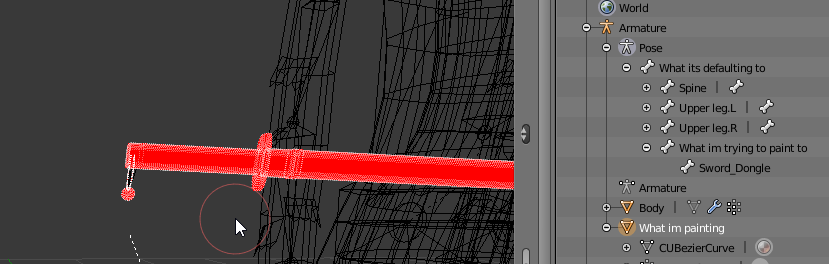 ivory radish
it should
select pose mode on armature or hit CATS start pose mode
select the object
go in weight paint mode
right click a bone
pseudo sedge
@fading verge select hips vertex group after you select right mesh, and paint 🤔
fading verge
Still refuses. All I can assume is its something weird from the object being weight-painted before its bone/mesh were joined with my avatar's primary armature/mesh
However, its a simple object, so I can just re-weight paint it pretty easily
pseudo sedge
@fading verge you also need to be sure that this mesh has armature modifier not applied and you select the right one
fading verge
Oh? Then maybe it was still trying to select the 'old' armature from before, before i merged it with my avatar's armature.
Also, evidently the bone must have the same name as the vertex group, which (could?) have been causing issues. Not sure if they were exactly the same after the merge
wicked quiver
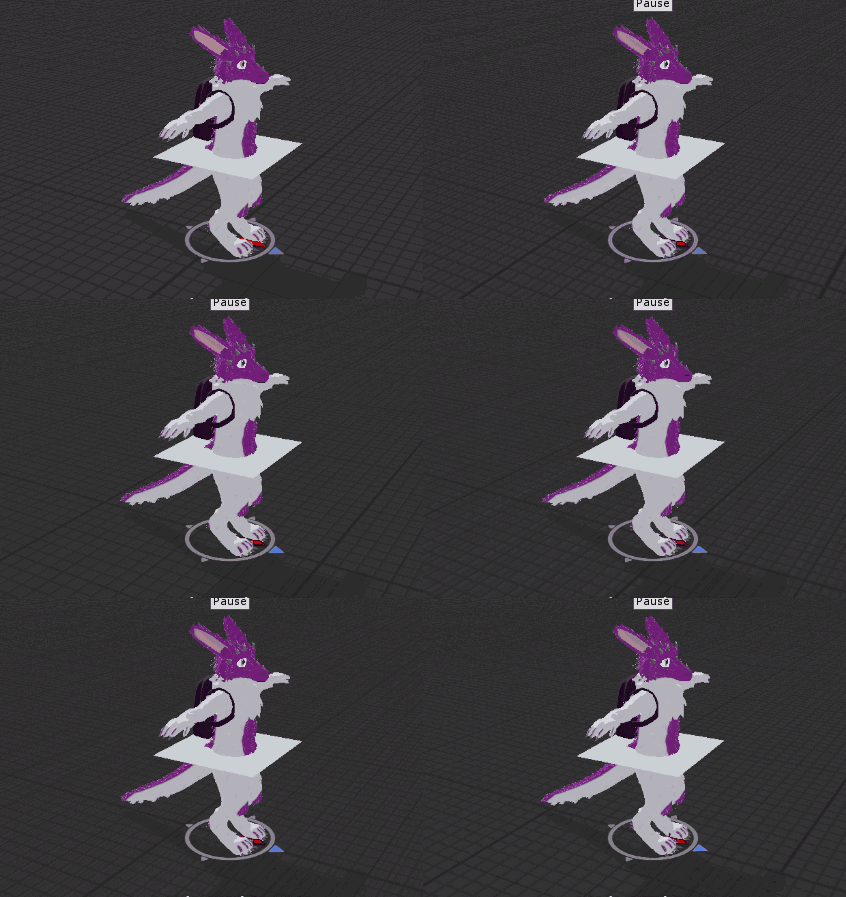
i test animation but do tpose not move arm,hand,leg,toe. https://i.imgur.com/g3jebmv.gifv
 opal aurora
@wicked quiver humanoid animations are a major nuisance to make https://answers.unity.com/questions/1291893/is-it-possible-to-create-new-animation-clips-for-h.html
Unity is the ultimate game development platform. Use Unity to build high-quality 3D and 2D games, deploy them across mobile, desktop, VR/AR, consoles or the Web, and connect with loyal and enthusiastic players and customers.
If the animation you speak of works on everything else, then it's either not assigned as a humanoid properly in unity or it has weight paint issues
signal crane
hey guys I need help on a rig. the skeleton is basically set up and finished, but VRchat's uploader says it isn't a humanoid rig (It is, I've set it) and Unity is also wiping my edits I've made to the skeleton and producing an error because of it.
gritty nest
@signal crane if your edits are being wiped there are errors upon closing
Check all sections, including the head and left/right hands to make sure there are no duplicate bones
Usually you have your left eye in both the left eye and jaw slots or something
 lavish finch
any idea what why Cats eye tracking would be more heavy in one eye than another, both bones are mirrored, same roll same settings, except right obviously has negitive position to be on the right side. but the left eye turns way more than the right
nm, some how the model's weight didnt go to the correct eye
 random lotus
ah so i have this huge set of models that ive been putting together since i got them seperated but i noticed that when i try to join the hands to the body (the rig seems to move the hands with the body even if they arent joined) the rig seems to break and the hands stop moving properly but when i reweight her hands the bones on her fingers no longer work https://gyazo.com/58c41a4b14adfc5f4ecf46da889e2c9a but if i undo my weights on the hand they work, i have about 10 or more of these models to setup so this has been a big issue
 sleek isle
yep cats merge bones named dummy to the parent bone. :/
 molten rock
my avatar gets all squished
https://gyazo.com/b74165b1ebf36bfec230af87a3bfc985 when i hit fullbody fix in cats it does this

anyone know how i can fix?
gritty nest
@molten rock oh, I've seen that
In the humanoid rig configuration, do Pose->Reset and Pose->Enforce T-Pose
This is probably because you're updating an older model
The export scaling of Cats has changed to fix some issues
molten rock
in unity?@gritty nest
molten rock
omg i may love u
let me upload and hope for the best
any ideas how i can change my avatar? cause i cant use menus ect cause im flat on the ground
gritty nest
Press CTRL+\
molten rock
in vr though?
gritty nest
Also yeah, that is a symptom of that scaling issue
Press CTRL+\ on your keyboard
With the window in focus
molten rock
kk
fading verge
heya, does anybody know how to fix legs that are pointing inwards while being crouched?
gritty nest
Bend them slightly in Blender (pose mode), then apply as rest pose @fading verge
gritty nest
Edit mode works too but that'll change some bone positions which is technically incorrect
Unless the model is originally scuffed to begin with
ivory radish
ye but it works fine if the bone was at center of leg
gritty nest
In which case that might improve how it looks
ivory radish
and need 2 be moved 2 knee
gritty nest
Yeah
fading verge
im rotated the bones in edit mode and gonna test how it looks now
if that does do much i'll go with the pose mode version
ty guys
 frosty pasture
im having an issue where an avatar i made for full body, works perfectly fine in some worlds, but in others, the legs get extremely twisted
the avatar works and looks perfectly fine, in desktop and regular non full body vr
ivory radish
u dont need 2 rotate them
just click the tail/head in between legs
and move toward the knee (with x mirror on)
frosty pasture
does anyone know what might be causing this, and a way to fix it?
ivory radish
did u use full body tracking fix tool in CATS
frosty pasture
yes
ivory radish
ok wym by some worlds
frosty pasture
like in The Box the legs become extremely twisted
the custom home world has them twist just slightly
and a few worlds we went to, forget what ones, the legs didnt twist at all
and its repeatable
always happens on certain worlds, and others it works perfectly
fading verge
@ivory radish i tried what you said, but the knees still overlap while crouching
do you have anything else in mind i could try?
 ivory radish
rip feet
 fierce carbon
the whole model is facing backwards, the knees are bending the wrong way and the head view is in the back of the head somehow or like its treating the back of the head as if
it was the front of the face Lol
ivory radish
u probably have all the bones flipped lmao
fierce carbon
Well There was one step where
ivory radish
make 100% sure that the bones on the left side have some indicator that its on the left
fierce carbon
I had to turn the feet around because in unity they became backwards when I put the rig on it
gritty nest
@fierce carbon that definitely means you have the left and right legs and possibly the arms swapped.
Check that whatever is in the left leg slot is actually the leg on the left side, because I can all but guarantee it isn't
And that it's actually the right leg, even if it's called "left leg"
ivory radish
yea fixed in dms
sleek isle
It's a waste of little time to rename all the bone that have dummy in the name or cats merge them to the parented bone auto when hitting fix model
ivory radish
wat
sleek isle
cats merge the vertex group to the parent bone but let the bone empty or delete it idk
like show here http://sendvid.com/w1zgty98

 tough oriole

 ivory radish
chest has to be the bone right there with the shoulders attached
 acoustic flare
Does anyone know how to prevent the shoulders from flipping around when you put your controllers behind your back in full body mode? Someone mentioned the other day that you could use a dummy bone between the arm and shoulder but I didn't get all the details on how to do it.
pseudo sedge
@acoustic flare if you want to add a bone between shoulder and arm, go to blender, select shoulder bone, click shift+d to duplicate then right mouse button, in arm bone properties change parent from shoulder to copied shoulder
acoustic flare
How would the weights be distributed between the arm, shoulder and dummy bone?
pseudo sedge
weighting still be the same
acoustic flare
Hmm okay, will give it a try, thanks for the info
Any idea on why that fixes the issue in the first place? I'm assuming it's some weird issue with the IK
It doesn't do it with non-full body VR
 quaint nova
anyone know anyone who has the dynamic bones plug in?? its £20 and the scrips no longer work unless you buy the pack
oh! no im asking if anyin=one has it so they can rig it for me!
sorry if it comes across as asking someone to go=ive it to me
im v bad at typing rn
fading verge
@quaint nova Yeah, it seemed like you wanted to get the plugin free
quaint nova
nono i really want to buy it but im waiting for someone to commission my art before i can afford it. i have like £5 and was wondering if anyone had it that i could send my model to
im v bad with wording so i apologize 😅
 gentle tree
my arms are behind my back and idk how to fix it cause all the arm bones are red but they are mapped
how do fix?
pseudo sedge
@gentle tree in Configure under mapping try to click on Pose > Reset then Pose > Enforce T-Pose, also check if all bones parented in a correct order
gentle tree
in the enforce tpose they are all green but in game my arms are behind my back like im going to jail lmao
pseudo sedge
@gentle tree you can try to T-Pose model in blender with cats - apply pose as rest, and in unity to Pose > Reset
or after Pose>Enforce rotate them in another direction (🤔) also check that right arm is right and left is left
gentle tree
i have NO clue how to use blender...
im a pleb and only import characters with shaders and animations
pseudo sedge
unity is not a modelling program, so try to do something with properties in Configure, if not help start to look at the blender, it's very easy but to see all you need, to do avatars, will take a time
gritty nest
Do you have a screenshot perhaps?
 lusty wyvern
Is it possible to make decent ankle-length skirts without overloading on dynamic bones? I've seen knee-length skirts work ok, but not ankle-length ones. Weight painting the skirt to the legs works ok if you never lift your legs up very high, but it's not ideal.
lusty wyvern
I wish it were possible to set a bone to never move past a certain point, or ignore movement/rotation on a particular axis. Then I could make skirt bones that make the skirt widen around the legs, but never deform the skirt.
gritty nest
A lot of tutorials only take the easy way out by showing off very short "ideal" skirts
I think having one row of skirt bones parented to the leg and the other one parented to the knees works best
With a bit of smoothed weight paint
 dark pollen
Do we add seats to avatars by using VRC station like for worlds?
gritty nest
Yes
dark pollen
Thanks for confirming 👌
lusty wyvern
@gritty nest That's what I'm doing, but it keeps clipping if I raise the legs up too high.
lusty wyvern
Does anyone know what tupper is referring to when he says "DB" here?
I wonder if an ankle length skirt might work if I use weight paint on the thigh section of the skirt, and dynamic bones past the knee.
 solemn talon
DB = dynamic bones
lusty wyvern
Oh ok
Well I suppose if I could get that to work it would greatly cut down on the number of dynamic bones I'd need.
 mighty swallow
If I have an existing fbx in my scene and I edit it in blender by changing its bones roll to 0 would it mess it up?
dark pollen
So I'm trying to add chairs to my avatar but the sdk won't upload it because the VRC station component is there. What am I doing wrong?
solemn talon
No but you might need to reconfigure the humanoid rig
So once you update the fbx, set it to none and back to humanoid, then double check your bone mappings
cobalt frost
@dark pollen update your sdk
ivory radish
wth r u talking about
unity does not generate assets
every asset in unity comes from some file
unity packages are packages or bundles of assets
 celest bridge
so im using a model that was an xps model. So when cats was through with it, there were still some leftover twist bones in the armature. But they cause ik problems in vrchat. Arms dont rotate correctly, and it causes a bug where sometimes an arm will flip out and start flapping all over the place because the Ik gets confused. Which is obnoxious especially because ik being local means some people might see it while others wont, which is a fun time to resolve.
But Ive been having trouble disposing of these extra bones in the armature. No matter what i try, I end up scuffing the model. I even tried that button Cats has to merge bone weights, but that didnt help either. I tried using vertex mix weights to merge vertex groups but (and maybe im just doing that wrong) that didnt help either.
what do i do here?
gritty nest
You can select the bone in edit mode and merge the weight to its parent using a button under "Model Options"
But there's a Unity-only solution too, which is to reorder the bones so that the next bone in the chain comes first.
celest bridge
thats what I mean, the button in cats right
gritty nest
So you have
- Left arm
-- LeftTwistArm_1
-- Left elbow
Just swap the latter two bones
So that Left elbow comes first
Do the same for the legs and the hands
celest bridge
should I do that in the unity rig config editor?
gritty nest
Nope, just in your scene
celest bridge
yeah that doesnt work. all it accomplishes is making my entire ik spazz out
lusty wyvern
I'm doing some weight painting, but I have a single vertex that's apparently tied to some obscure bone because it glitches out whenever I move my model's feet. How can I find which bones a vertex is weighted to?
ivory radish
weight paint mode
 formal hearth
Edit mode, there is a vertex group listing in the properties panel
https://docs.blender.org/manual/en/latest/_images/modeling_meshes_properties_vertex-groups_vertex-weights_panel-overview.png looks like this
 lusty wyvern
I go to edit mode but I don't see that panel
 wide frigate
I need help, it sound stupid but, while trying to create the eyes tracking on the avatar, once i tested it, the eyes are going out and in instead of going up and down,
meanwhile the right and left and the blink animations work perfectly fine.
Does someone know how can i fix this "in and out instead of out and in" problem?
 crisp tendon
Posting a screenshot of your bones would help
lavish finch
any idea what would a viseme keyshape not to show up in unity... though it shows up in blender
ivory radish
empty / nothing actualy in it
lavish finch
but when setting up ah/oh/ch and pressing create visemes, and it shows up in blender and export it to unity only one is missing completely.. vrc.v_sil
i can force it to use one of the other blendshapes but its weird that its not exporting
ivory radish
again
its empty and has no deforms
try translating any vertex or mixing any shape at like .001 and it will export
wide frigate
@crisp tendon i made a gif now! >w<
https://gyazo.com/2b2de7d9bc35566a5f4694704a3edbf9
 crisp tendon
Your bones arent placed in the correct spot, or not the child of the correct ones
wide frigate
oh uhm i will try, any tip on the correct position @crisp tendon 🤔
crisp tendon
Which tutorials did you follow ?
lavish finch
try weight shading the eyes to the head
looks like they're attached to the neck
or somewhere lower
i had one set up that it was bound to the neck and .. oh noes that was a scuff
wide frigate
fixed!
basically the problem was, everytime i was using the CATS plug in, the bones where pushed down, even if i was moving them
 nimble tusk
https://cdn.discordapp.com/attachments/337679085599850499/544922192345825281/unknown.png
I guess the bones for the thumb need to be in the centre of the finger to stop it from being placed incorrectly, right? But whata bout the curvature of the hand. It's flat in the T-pose resting state, but in game it's way too curved. I guess like a normal resting position but with the thumb the way it is, it looks wrong.

 wide frigate
thank you for the help @crisp tendon and @lavish finch really kind ❤
nimble tusk
Am I correct in assuming I have placed the bones too high in the fingers? Also too far to the outside of the thumb?
crisp tendon
You'll usually want them in the middle, like a real bone
nimble tusk
I imagine the bottom of a finger is more fleshy than the top, but yes I see what you mean. 😄
@crisp tendon Thanks I appreciate you verifying what I thought. I didn't want to "fix" it without having some idea why it broke.
crisp tendon
If you had extremely realistic fingers, you'd want to do that, but since you seem to have very low poly hands, that won't make a difference
nimble tusk
Yeah I tend to model low-poly.
Though I guess that term is relative as 10k polys would be hella slow on old machines :D
I wonder if 10k polys would render at any decent clip alone with nothing else in a scene in n64?
nimble tusk
https://cdn.discordapp.com/attachments/337679085599850499/544946984260206592/2019-02-12_13-19-27.mp4
What about these dynamic bones? It works for the tail but not for bones I created for the ears or hair.
I plan to set the updates to slow so it doesn't kill peoples' performance but I want pretty dynamic bone animations too! 😃
To add the ears / hair I simply opened the prefab model and it opened in blender. I edited the bones in edit mode and assigned the mesh weights. (Created vertex groups)
If I manipulate the bones, they manipulate the vertex group (the ear for example) in the configuration for the rig.
Just when I click play the dynamic bone doesn't appear to affect them.
 uncut totem
Hey, im having trouble where the hair and the eyes are connected with a dyanic bones so when the hair boxes, the eyes move with it
For memes its beautiful, but I really want it fixed
nvm I haave it fixed, apparently I don't route my hair to the head....
 open hull
hello riggers
solemn talon
So does vrc eye tracking just use the first four shape keys after basis, or does it pay attention to shape key names?
gritty nest
Nope, just the first four
solemn talon
That explains a lot then
 alpine flax
usually never have a problem with rigging but for some reason this small little part keeps getting effected even with 100% weight. Its the same painting as the other side and the other side is fine yet it keeps doing this anyone got a clue https://i.gyazo.com/e6e3ea1a57616a7e623cb8160662cf2e.png
alpine flax
Double checked that as well has no weight to any bone besides that T_T
my brain hurts
Thats what I thought as well
just removed the bone and readded the bone and re weighted seemed to fix it
nimble tusk
I double checked my weights. The bones for my ears / hair dynamic bones affect the proper mesh parts too. :/
I guess I could run the debugger on the dynamic bones script.
 runic edge
Are there any tricks for positioning colliders for flying avatars? I got it to go upward consistently but it keeps going backwards rather than forwards.
fading verge
Whats up with avatarcontrolletemplates?
Trying to make a prop, but I dont know how to get the gesture override component.
ivory radish
from the SDK
nimble tusk
ivory radish
on the import where u select rig type
if u have no idea try looking up tutorials for it instead
for setting up avatars not binding feet
fading verge
So I can't pull up the configure menu again after I import?
ivory radish
u can..
theres a button that says configure
i said on the import as in on the imported asset
not while importing or when importing
fading verge
I have selected the imported mesh.
Where can I find the "configure..." button?
Ah, I think I got it.
Tanks.
 pulsar hearth
how come vrsdk keep telling me that my avatar has no feet, hands head so and so on, but when i go to "configure" it's all green and in order
 thick wigeon
Anyone know of a good tutorial for Cloth Physics?
runic edge
@pulsar hearth Check your avatar object/body and find the Animator, make sure the field in it is referencing the correct avatar (there's one field that takes an avatar as input). Also make sure the armature present under said object actually matches the bone names in the model file (basically, don't rename them in the hierarhcy for example)
 river salmon
Does anybody know how I would go about changing a bone structure's parent from one to another without having to re-rig all of it?
I set up dynamic bones for my character's beard and hat but I made them as a child of the neck and not the head on accident. /:
Neeeeeeeeeeeeeeeeeeevermind I got it and it was super simple and I feel dumb
lavish finch
why do we need thumb/index/middle fingers for full ik ...
 manic marsh
:GWakkOshrug: thats how the ik works, because uhhhhhhh
fading verge
because theyre your fingers and you do 75% of everything in vrchat with your fingers
pseudo sedge
btw that can be fast made bones without weight and everything will start to work
ivory radish
its something to do with gestures
bc if u cant use gestures u cant have full body ik
lusty wyvern
Is it possible to get ankle length skirts to look ok if you weight paint the top of the skirt and use dynamic bones in the bottom?
lavish finch
but really why do we need thumb/index/middle fingers for the model. its really limiting .. some models dont have fingers and it freaks out because of it... cant even use legs but you can use arms... why would not having fingers break the whole thing... its stupid.
lavish finch
eh, the way i was doing it was just having the bones, but unity doesnt like them having weights... so for the most on this one im trying now is just having a mesh and making it invisible.. so thats been working..
 humble reef
any know how to fix leaning backwards or legs leaning bakwards ?
runic edge
I made a tutorial on flying avatars. Feel free to share. https://cdn.discordapp.com/attachments/387058115910172684/545381152492355604/vrc_flyingcolliders_00.png

 sturdy osprey
so i found out that my backpack thats attached to my avatar isnt "attached". when i move my avatars bone for the body, the backpack doesnt follow with it. how do i resolve this?
sturdy osprey
its attatched to the whole armature
and i think because of that its not showing up as a seperate piece in unity
lavish finch
so .. in unity if so just pull onto the chest bone in the armature
if..
show a screenshot
 lavish finch
well if its own item brought into unity then yea
but if its actually part of the model then in blender , you'll have to add a weight map to the back pack and have it bound to the chest bone
sturdy osprey
im unfamiliar with that process unfortunately.
lavish finch

Quick intro and guide to skinning/weight painting. this video is meant for those with a basic understanding of Blender
sturdy osprey
oo, appreciate it
so as goes for bounding it to the chest bone
how do i do that?
@lavish finch
lavish finch
well if its part of the model the video will pretty much explain it, i just go into pose mode, then select the mesh i want to work with , and then apply the amount of weight to the ma of the bone i want it to stay with
crisp tendon
You can also assign automatic weight paint to specific bones
It's a few more steps, but the result might be better
Especially if it's your first attempt
lavish finch
you can but its not always perfect.. sometimes will add weights to bones you dont want it to ... so youll have to check
crisp tendon
If you select your whole armature yeah, but if you do it for a single bone, then it'll be the only one to receive the weight paint
sturdy osprey
now for my backpack being attached to my body, what weight am i looking for exactly?
crisp tendon
You can probably select the entire backpack mesh, and give it a 1 value of weight paint on the spine or chest bone
lavish finch
should be chest, not spine, since the spine doesnt move when you bend
sturdy osprey
ok lastly, the entire backpack is around a 1 value, so how do i attach these to the chest?
lavish finch
as i said before, going into pose mode, select the bone you want it to, then select the mesh, then go to weight paint then paint on the mesh , then thats it. all deep blue no influence, deep red full influence.. green lots of bend, yellow some bend, light blue not a lot of bend. etc.. the video should of went over that i think
sturdy osprey
kinda
crisp tendon
There's a much easier way to do it
Select the mesh and go into edit mode, then look for the upside down triangle
Select the Chest bone then select a vertex on the backpack and press L
You should have selected the entire backpack at once
Then put the weight bar under the list of bones up to 1 and press assign
The upside down triangle being at the top right corner of the window, below the scene view
 crisp tendon
Ah, no that would be a bone, gimme a sec
Also you need to be in edit mode for the mesh, not the armature
sturdy osprey
ok
i did all of the steps, i just dont know where the assign button is at. lol
😅
pseudo sedge
@sturdy osprey after you create vertex group with a name of backpack for example, and you select backpack vertices in edit mode, in the window where you create vertex group would appear Assign button (and some other as delete etc), also vertex group must have be named same as bone that will move it
 kind obsidian
I know you can't use what-you-call-it (I forgot the name) bones anymore... The ones that duplicates input from one bone onto another (which allowed multi-legged models)
lavish finch
riggid body/fixed joint?
 rare bronze
i've uploaded my first avatar, i get no warnings about rigging on the build control panel (except that it wont work with full body IK), but it's entirely unanimated in game
i rigged it in blender and auto-weighted the rig
anyone have a guess what i might be doing wrong?
fading verge
@crisp tendon How are you liking and adjusting to the new Blender version?
Unless I'm mistaken and that's just a theme rather than ver 2.8
crisp tendon
Haven't made the switch, probably won't for a long time, I need my plugins
fading verge
Currently feel defensive about making the switch too
crisp tendon
If you don't rely on plugins, you should jump asap
rare bronze
anyone have a minute to help me figure out what i'm doing wrong with my basic (non-VR) rigging?
the mesh moves correctly when i move the bones in blender, and the SDK gives me the green light to upload, but i have no animation in game
fading verge
@rare bronze Do the animations play correctly within Unity's preview window?
rare bronze
im trying to figure out how to check that now
fading verge
Do you mean it doesn't do anything at all?
rare bronze
yeah it's just frozen in t pose
sliding around
except it kinda bounces up and down as it "walks"
rare bronze
no, it's just a humanoid so i was hoping it could use the game's default animations
do i just go to examples/animation and try to apply those animations to my avatar to test it?
fading verge
Are you following this part of the tutorials?
https://youtu.be/7P0ljQ6hU0A?t=5350

VRChat Community Discord: https://discord.gg/VRChat Download VRChat! http://store.steampowered.com/app/438100/VRChat/ mmd_tools GitHub: https://github.com/po...
Should take you to the particular moment
rare bronze
oh ok
fading verge
Well, all humanoid models
You may skip the part about creating the animation for the gesture
But basically the Custom Override Controller is what tells it to use the default animations like for walk and idle
You can use it to also replace those with your own custom animations & gestures
But you must have it even if you don't use custom animations so that it knows to use the default
rare bronze
cool, thank you very much
how do i actually test that the animations are working in unity?
fading verge
No need to
Just try to upload your model again
I just thought you were trying to add your own custom animations & wanted to make sure they were properly imported
rare bronze
ah okay
i must have skipped something in the documentation
although i wasnt really able to find any documentation about making custom models
thanks for your help
fading verge
You're welcome
rare bronze
i actually have 1 other problem that's a little strange if you still have time
rare bronze
in build control, the avatar details say my bounding box is 3.3, 3.0, 1.0
but in the game i'm like 10 feet tall and my head sticks into the ceiling in most rooms
im even getting a warning that my avatar is shorter than i would want it to be in unity
i've scaled it down as much as the sdk plugin will let me, any shorter and it says i'm under 20cm tall, but in game i'm like 300cm tall
fading verge
Also as a side note, when you drag the Override to "Custom Standing Anim" (1:34:19) make sure to also drag it on to "Custom Sitting Anim" so that your avatar has the default ability to sit down
rare bronze
ok thanks
fading verge
I won't be able to help with that at the moment though know there are example models on the VRChatSDK that you can drag into your scene to compare with your own
If they appear the same size perhaps you may need to go to Blender and "Apply" location/rotation/scale by selecting your Mesh then clicking Ctrl+A & selecting each, then repeat with your Armature selected
Though I'm actually not familiar with the bounding box so it could be something else
rare bronze
do i need to do the scaling in blender instead of in unity?
my model is definitely bigger than the example avatar
so maybe that's it
rare bronze
weird, i just redid the scaling in unity after fixing the custom overrides and it let me go way smaller
no idea what was wrong but it is working now, thanks for all your help
fading verge
You're welcome, glad it worked out
I've been helped plenty here, so is good to be able to give back
fading verge
Currently working on a Valentines card so can't help further right away but will be back later if I come up with another reason it could be
 stone relic
is there a way to hard set a weight paint tool in blender?
like, lets say you have something weight painted, but you want to turn all red and yellow spots into green spots
would it be possible to turn those spots into green, without deleting the whole thing?
like, having a tool that will only erase if it's weight painted a certain amount, and a tool that will only weight paint a certain amount onto something?
sleek isle
Select the vertex and apply .5
lusty wyvern
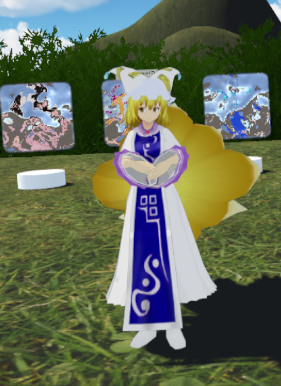
I want my avatar to be able to put her hands into her sleeves, like this, but the reverse kinematics prefers to keep the elbows at the sides, rather than forward, like you'd need for this pose, so I can't ever get it to look right. Is there any way to alter the preferred angle of the arms? https://s1.zerochan.net/Yakumo.Ran.600.2004825.jpg
 sleek isle
If you are a destop user . Edit the idle animation
lusty wyvern
any way for VR?
lusty wyvern
That's what I'm saying. It doesn't work.
sleek isle
like real life i mmh
lusty wyvern
When I try to do it with my controller in real life, she keeps her elbows at her sides
rather than forward, like she'd need to do to make that pose.
sleek isle
the ik guess where thelebow is so its not always accurate
lusty wyvern
Is there any way to alter the IK?
Like, make it prefer to put the elbow a bit further forward?
sleek isle
idk
 fading verge
Might that be related to how the sleeves are Weight Painted
It would look better if the elbows went out more but even then there may be a gap in the front since it seems like the sleeves only follow the arm/elbow bone rather than also following some of the movement of the wrist
I could be mistaken due to the angle though
gritty nest
@lusty wyvern I don't think you can change any IK settings.
At best, you can either get some rotation limits on there or alter the VR IK settings, both of which need Final IK
rare bronze
@fading verge the problem with my animation not working was that I wasn't re-loading the model into the unity scene each time i made changes in blender....
so the avatar still had a cached version of the first attempt at rigging the model from like 5 hours prior......
works great now, i'm sure the stuff you helped me with also had to be fixed so thanks again
fading verge
@rare bronze Glad it worked out
rare bronze
and now I know how to remake all the animations with a custom skeleton so i'm not tethered to unity's humanoid :3
😀
fading verge
The more we customize the funner it gets
 idle goblet
I'm rigging a model and the sleeves have separate bones from the arms when trying to rig it, how would I attach these bones to the arm bones or merge them?
crisp tendon
There's a merge weight button on cats afaik
 wide yacht
Does anybody have accurate values for body proportions through blender? (I've managed to get really close with leg to hip length, but torso and head still give me issues despite resizing the spine and chest)
crisp tendon
You can also add those weight to the wrist/arm bone and then delete the sleeves ones
wide yacht
crisp tendon
Use the Y-bot model for good proportions
pseudo sedge
@idle goblet on properties window under object data you can find Parent property to reparent sleeve bones, cats has merge weights button where you need to select bones you want to merge to parents, you can also use Weight mix modifier to skip reparenting merge weights and remove sleeve bones after
wide yacht
That's what everybody tells me, and yet that guy still messes up with descriptor
in terms of having inaccurate eyes placement
crisp tendon
Inaccurate how ?
wide yacht
as for hip - to - shoulder ratio, eyes usually are being placed at the level of the chin or way above the frontal lobe if you modify your own height
idle goblet
I'll try it, thanks yall
wide yacht
I might also be biased by blender's classic ruler, since I manually calculate lots of conversions from irl metric to blender's units
as well as unity and finally steamvr have their own vr-space metrics
fading verge
@wide yacht You can change Blender's Units into Metric
If not mistaken Unity uses metric by default
 wide yacht
@fading verge that's good to know, thank you! Still, I have a feeling that actual VR-meters aren't the same across multiple applications (e.g. steam VR have already admitted that their tracking isn't accurate at all just because of false centimeter perception)
 cursive apex
Anybody know what would cause the ik system to flip the hip upside down in non full body mode but work fine in full body mode?
ivory radish
u did not apply full body tracking fix from CATS
cursive apex
no it works fine in full body
and i got the bones set up perfectly
its when im not in full body that it scuffs
ivory radish
did u apply the fix and is it also correct in the config window
cursive apex
yeah everything is gucci. all i did was move the leg bones out 2.5cm on each side
ivory radish
cuz usually that means that its upside down in the config
cursive apex
and it scuffed it (needed to give her a thigh gap)
ivory radish
also if u move any bones u have 2 reset or enforce t-pose again
cursive apex
yeah when i put her back in unity i zerod out the rig then redid it as humanoid. same thing i always do
 civic sorrel
That's what they did
ivory radish
no like
civic sorrel
From the sound of it
ivory radish
u dont wanna do that unless u like messed up bone names or smtg
civic sorrel
i mean
ivory radish
bc that means every change u made when mapping it does not stay
ivory radish
and ur gonna have 2 do all those changes again
ivory radish
reset or enforce tpose will work
yes but in case u replaced a couple of bones
and finger bones
cursive apex
takes me zero time. unity auto detecs everything i just delete jaw bones
ivory radish
and incorrect zero weight bones
cursive apex
i'll do an enforce rq
ivory radish
yes but sometimes ur model doesnt get auto detected or posed properly and ur gonna have 2 re-fix map
cursive apex
yeah the worst i've ever had with that was like a mismapped hips/spine and neck/jaw
ivory radish
most i had was 2 map all the fingers and remap eyes and unmap jaw and remap shoulders and remap hip and spine all at the same time
ivory radish
^^^
which is y i would never wanna do that in case it happens
the rig had odd finger names that werent detected correctly by mapper
cursive apex
i rebuild my armatures in blender with the correct names and stuff so that doesn't happen
ivory radish
do u also t-pose them
a lot of bugs from rotations come from having A-posed or etc posed characters
bc enforce t-pose isnt always reliable especially in some occasions or when some bones are rotated oddly like finger ends
cursive apex
i zero all bone rolls and everything
very picky in blender
well i dunno whats up maybe i forgot to apply scale and rotation in blender
gonna do that ra
ivory radish
also there is one thing i absolutely hate about apply as rest pose
it doesnt adjust any of the shape keys or keep any bones u scale scaled instead of lengthened
so if u make head bigger all the shapekeys for the head are gonna have less movement
blink for example wont fully blink anymore
so instead i gotta resize it in unity
cursive apex
fortunately i only scale arms and legs for FBT perfection
but i wanted to give the girl a thigh gap. it works flawless in fbt but i just logged in without fbt and oof
flipped pelvis
cursive apex
but moving the leg bones out shouldn't do this so weird
maybe i should just move them back in but leave the meshes out and see whats up
rolled back and its still scuffed. something changed in unity. i'll fix it
cursive apex
np i'll let you know the results in a sec. going to build a new scene
nope. lol what the hell happened
fixed
make sure your the end of your hip bone doesn't go in to your spine bone
a small oversight
gimme a min and i'll post screen shots of what it was

bad
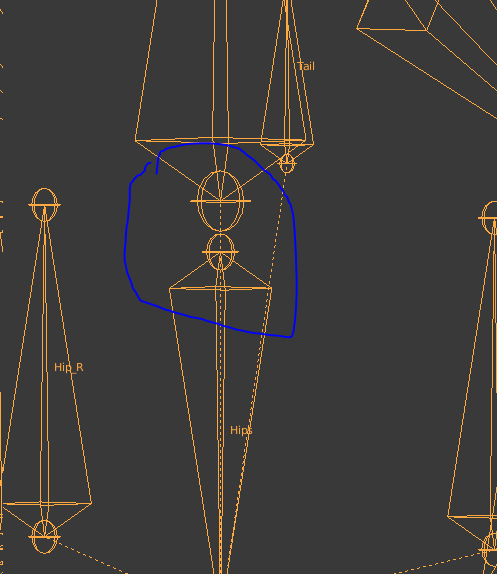
Ty for your help @ivory radish @civic sorrel
civic sorrel
o
but i didnt help
i just was like
"good luck"
and yeah
glad 2 see it got fixed tho
 raven star
Has anyone encountered an issue where you apply the fully body option in cats, and when you export the model to unity it messes up the fingers
cursive apex
@civic sorrel you offered something. I'm no noob, but i overlooked that stupid thing
civic sorrel
did i?
Also i'm sure you arent, you stated a lot of stuff a noob wouldnt know lol
Glad to see you got it figured out though, ^^
ivory radish
is there a way i can do this kinda neck without it looking awful https://www.models-resource.com/resources/big_icons/16/15505.png

 thick gazelle
hey guys, I think I have a problem with a model.
I'm trying to import a mmd model, but I thing there's a rigging problem
here is how the model looks in blender :

and here is how it looks in unity when I do enforce t-pose :

I think there's a problem with the spine
thick gazelle
well, I'll try without enforcing t-pose to see if the model is glitched ingame or not
ok so I still have a problem
the chest is off

 lusty wyvern
So how did you create the spine?
If the spine has no length, then it might be glitching the inverse kinematics
also, if you altered the length or angle of the bones in the process of adding the spine, it could probably cause that as well
thick gazelle
I used the CATS plugin to do the work automatically
I altered nothing in the process
how do you see that the "spine has no lenght" ?
thick gazelle
how do you select a bone in blender already ?
lusty wyvern
Turn on Pose mode, and right-click the bone
 lusty wyvern
That would do it
the spine is pointing sideways
It needs to be pointing up.
But be careful, because you don't want to distort the other bones too much
thick gazelle
how do you change the angle ?
lusty wyvern
Go to Tools, select Rotate, then move it with your mouse and left-click.
After that, there will be a Rotate menu in the bottom of the Pose Tools menu
there will be an option that says "Constrain Axis:
X
Y
Z"
Check the boxes that say "X" and "Y".
Sorry
that's wrong
Sorry It's too late to explain
but you need to open the orthagonal perspective in blender
then from a side orthagonal perspective, select the bone in pose mode and rotate 90 degrees
lusty wyvern
The orthographic perspective is what you use to make exact changes on only one axis
which is what you want here. You just want to rotate it 90 degrees upward
thick gazelle
I'll try that later, I need to go for now, thanks
mighty swallow
Is it important to have the roll at 0 all the time on the rigging?
 pine harbor
@mighty swallow that would be most ideal if you're not importing any animations (particularly MMD ones) along with your model, yes -- the bone rolls won't always cause problems, but when they do, the distortions will be very noticeable
pseudo sedge
you can write short script to change roll for all bones to 0 after the rigging
lusty wyvern
Is there any way to get a bone to always point in a certain direction, other than dynamic bones?
Like if I want my character's sleeves to always point downward.
sleek isle
Regid body maybe. Tic the rotation
fading verge
Heeeey, so, I can’t take a picture for some reason here, but I’ll try to explain; I was making sure that my arms are okay in blender, but the shoulders deforms every time I move it. In fact, there is a shoulder bone in there, so is there a reason that causing it?
lusty wyvern
Check the weight painting on the shoulder for each bone
fading verge
Ok, so I check on weight paints, but all I’m seeing is blue. Then, I click on fix deforms. Next, I hold on the left click and paint it. Once I’m done with that, I go back on object mode, then I click on my bones, go back to pose mode, and I made it a bit worse. I think I did something wrong, didn’t I? 😅
 tawny silo
@thick gazelle it is because your breast bones are attached to the spine
put them parented to the chest instead
fading verge
I’m looking at the deform tab on my bones, but no matter how much I fix it, when I put the arms up, the shoulder bends, or deforms. So, how do I fix it?
crisp tendon
Can you grab a gif of it ?
fading verge
Hey guys. I could use some help with this avatar. MR X from RE2 remake. The model is weird but its the only one i could find. Basically the mouth is permanently open and im wondering if i could get any help with it
lusty wyvern
Does it have shape keys for the mouth?
fading verge
Im pretty new to this stuff but i wasnt sure which chat to put it in. Shape key?
lusty wyvern
VRChat Community Discord: https://discord.gg/VRChat Download VRChat! http://store.steampowered.com/app/438100/VRChat/ mmd_tools GitHub: https://github.com/po...
That video at 3091 seconds shows where to find the shape keys in blender
They're what let your character move their mouth and blink and make expressions
fading verge
This still gonna work with an XPS model?
gritty nest
XPS models have no shape keys usually.
They have face bones that you can use to make the shape keys with. Use cats blender tool to enter pose mode, make a pose for the "Ah" shape and then do "Pose to shape key" in Cats too
Do the same for Oh and Ch
fading verge
Interesting, cheers for the advice
thick gazelle
@tawny silo ok thanks, I'll search how to do this.
wicked quiver
i have problem http://prntscr.com/mm4kiz
 lusty wyvern
Is there any way to get a bone whose rotation is tied to the closest of two other bones?
I'm trying to get my character's apron to stop clipping through their dress, but I can't figure out how to make it move with whichever leg is extended furthest.
Alternatively, a bone that looks at another bone could also work
 jaunty glacier
hello i had a question about avatar rigging i have a coustom rig for another program installed in a blend file along with something untextured but textures are present any chance someone can please look at the model later thanks
 thick verge
I am trying to make piku from pikuniku as an avatar but I don't know what the default will be for items to hold or if I need to give him arms nonetheless
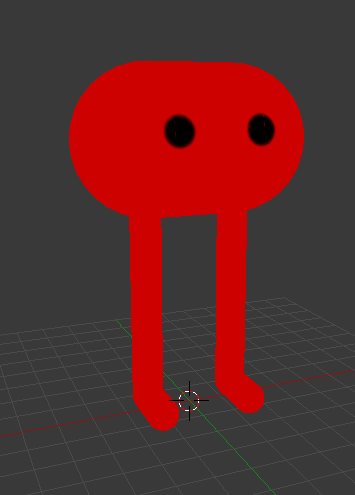
as of right now I don't have any arm bones planned, but before I export it I would like to know if that'd be needed
ivory radish
idk if u can pick things up with a generic avatar
if using humanoid u can make invisible arm bones or some trickery where u can grab things with foot
thick verge
oh alright
good idea
thanks
then
problem number two
the legs are a single cylinder
and the bones don't bend it
ivory radish
then dont make them a single cylinder..?
thick verge
won't that make it have a gap when the knees bend
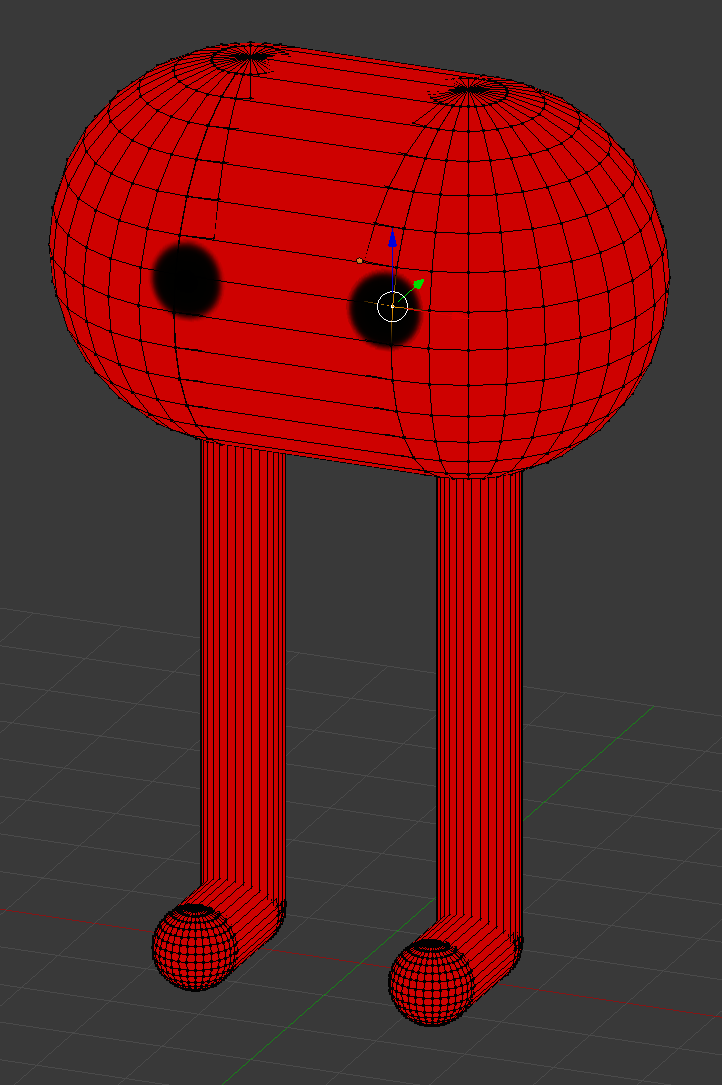
 thick verge
that is what I want yes
ivory radish
then dont make them a single cylinder..? [2]
thick verge
oh alright
ivory radish
subdivide it like i showed before
sleek isle
What kind of model?
sleek isle
expression like that? https://gyazo.com/a14b836568d8836865f231cc63cd496c
 ivory radish
can use tools like proportional editing
u make them shape keys so u can blend them later
 last copper
hey, does anyone know how to make lip sync just be a material change?
last copper
just the mouth,
fading verge
not to your question i was saying but im not sure
runic edge
I'm under the impression mouth visemes allow only shape keys which means no material changes, but someone did make a 2D face visemes tutorial for vrchat (basically involves having multiple face meshes and a lot of fiddling)

EDIT: If you are using an MMD model please read below! In this video I will show you how to make your 2D eyes/mouth type avatar have a blinking animation and...
fading verge
Hey so when i make my palms face upwards the arms by the shoulder kinda do this i was wondering if this was a weight painting issue or somrthing else
 ivory radish
weight painting
fading verge
hmm most of the arms red but the shoulder bone is greenish does it need to be red or a lighter color
ivory radish
idk but typically weight painting follows the same pattern every time
where weight flows from one joint to another
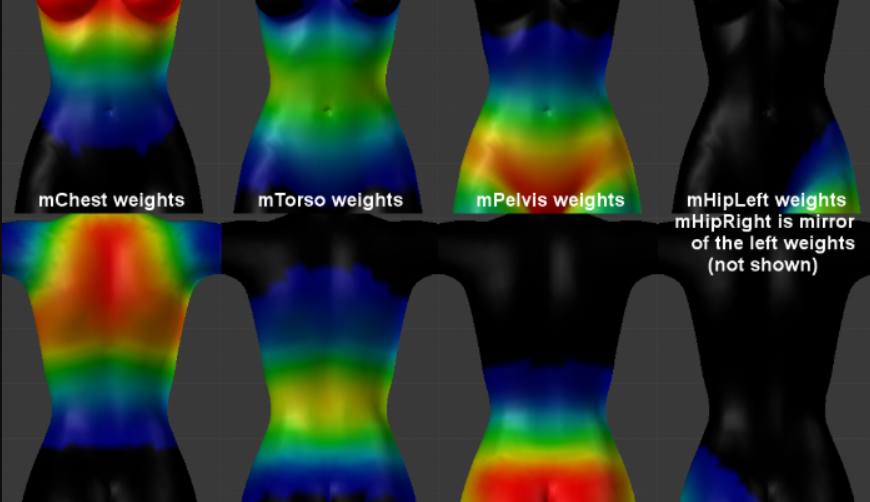 fading verge
ahhh gotcha welp i got work to do AWAYYYY
 proper ivy
I'm sure this has been asked many times but whats the best way for making quadruped avatars?
 coarse plume
Would using mixamo for a baseline weight paint and tweaking be a good idea, or should I just start from scratch?
 wary crown
if ur gonna use a base rig you might aswell use a riggify rig and then fix it up

 pseudo sedge
@ionic bramble check how it looks in Pose mode, check that this part is not weighted to another bone
 ionic bramble
@pseudo sedge Fixed, appreciate the help
 upbeat atlas
Would it be fine to leave the eyes and jaws blank in rigging?
upbeat atlas
Thanks
 feral stone


Its normal in the project, but loading in I get a jumbled mess, I see whats going on with the model itself and I get an edlritch horror, What did I DOOOOOO
gritty nest
@feral stone Pose->Reset, Pose->Enforce T-pose
This happens if you overwrite an FBX with different or newer Blender export settings
feral stone
I ended up doing the hard test to fix it, but I'll remember this for later, thank you!!!
 rigid spire
I have an issue in mixamo where the bottom of the helmet stretches when the head moves. Want to make it so the bottom of the helmet stays in place. https://gyazo.com/4461cbec5c503838808924f04641d596

 terse seal
@sleek isle I just saw your Astrid model, making that for yourself? Just curious cause its nice to see some httyd characters for a change
@rigid spire for that fix, your gonna want to go into blender and remove any weight painting found on the helmet except that of the head. Its a slightly tedious task, at least for me.
solemn talon
@terse seal you could also select vertices and just assign a weight of zero to the neck/chest bones directly instead of using weight painting
terse seal
That's new info for me, thanks I'll add that to the list.
sleek isle
I would take off the armor on the character and putt the base model in mixamo. Reimporte that in blender and weight paint the armor piece manualy to the armature
For the head is easy
Select allthe vertex of it. And remove the weight from the neck chest and shoulder
In edit mode
In the vertex tab on the right
 dusky oriole
is there a way to make a mesh you drop on your head bone not be rendered invisable in vrchat?
ivory radish
yea
cursive apex
Anybody ever had an issue where they couldn't reparent bones in armature edit mode
All I see is body when i click on the bone parent
ivory radish
?
cursive apex
i fixed it with a work around, but something was up with phantom multiple "scenes"
had to save as fbx, reimport to blender
I manage to break blender in mysterious ways
fading verge
I have an issue where my avatar-arms hunch at my sides when my arms are down (that is, my arms don't stretch out all the way). But when I reach up/forward, my arms are too short. How do I fix this? Using Vive
ivory radish
proportions
gonna have 2 mess with leg, arm, and body length if u want 100% proper IK
 gritty nest
@fading verge press Z to see the individual vertices
gritty nest
That's pretty much all I got. Turn on auto normalize so you never end up with unpainted areas
If you're weight painting from scratch, start with automatic weights first if possible
fading verge
how
formal hearth
For fine-tuning areas, enable 'show in edit mode' on your armature modifier and you can adjust weight values directly vertex-by-vertex in edit mode.
opal aurora
Use the smooth option in weight painting, sections between bone weights will be smoothened out, this is barely spoken about and is extremely good for bends
 worthy flicker
Does anyone know how to fix an issue where if you walk in VRC the avatars legs waddle, The armature is fine as well as the bones, just don't understand what's causing the Model to walk in such an odd way
cursive apex
check the bone roll on the legs
 median hornet
 steady bridge
formal hearth
steady bridge
formal hearth
It's not that hard, you basically paint it as though you were painting it to the legs but have the weights on the skirt bones which are then parented [to root bones and ultimately] the legs
 viral oak
how do i have my avatar crouch when i am sitting on the floor?
right now the avatar legs go through the body when i sit on the floor
ivory radish
u can try to use seated mode if in vr without full body
 simple bluff
I need some help, I redid the eye tracking 3 times by now in blender, checked if the blinking works in blender and unity and that works, the eye also moves with the bone. But my eyes aint blinking/moving at all in vrchat, i tried both eye bones and none of them work. Any help?
gritty nest
@simple bluff can you post a screenshot of your avatar's armature hierarchy, expanded from Hips all the way to the left and right eyes?
simple bluff
sure, but its just same as any other avatar, i happened recently as i replaced the old fbx
gritty nest
I meant the avatar in your scene, not the rigging window
So I can see the whole bone hierarchy up to the eyes
simple bluff
 gritty nest
Well, I have two potential suggestions
simple bluff
it worked before
gritty nest
@simple bluff make sure you have LeftEye and RightEye mapped in the rig
Not Eye_L and Eye_R
gritty nest
Second, make sure your mesh is called "Body", exactly
simple bluff
ah okay
gritty nest
And finally, make sure the body mesh has at least 4 shape keys
simple bluff
ye that might have screwed up
gritty nest
And the body mesh also has to be right next to the armature
 teal raft

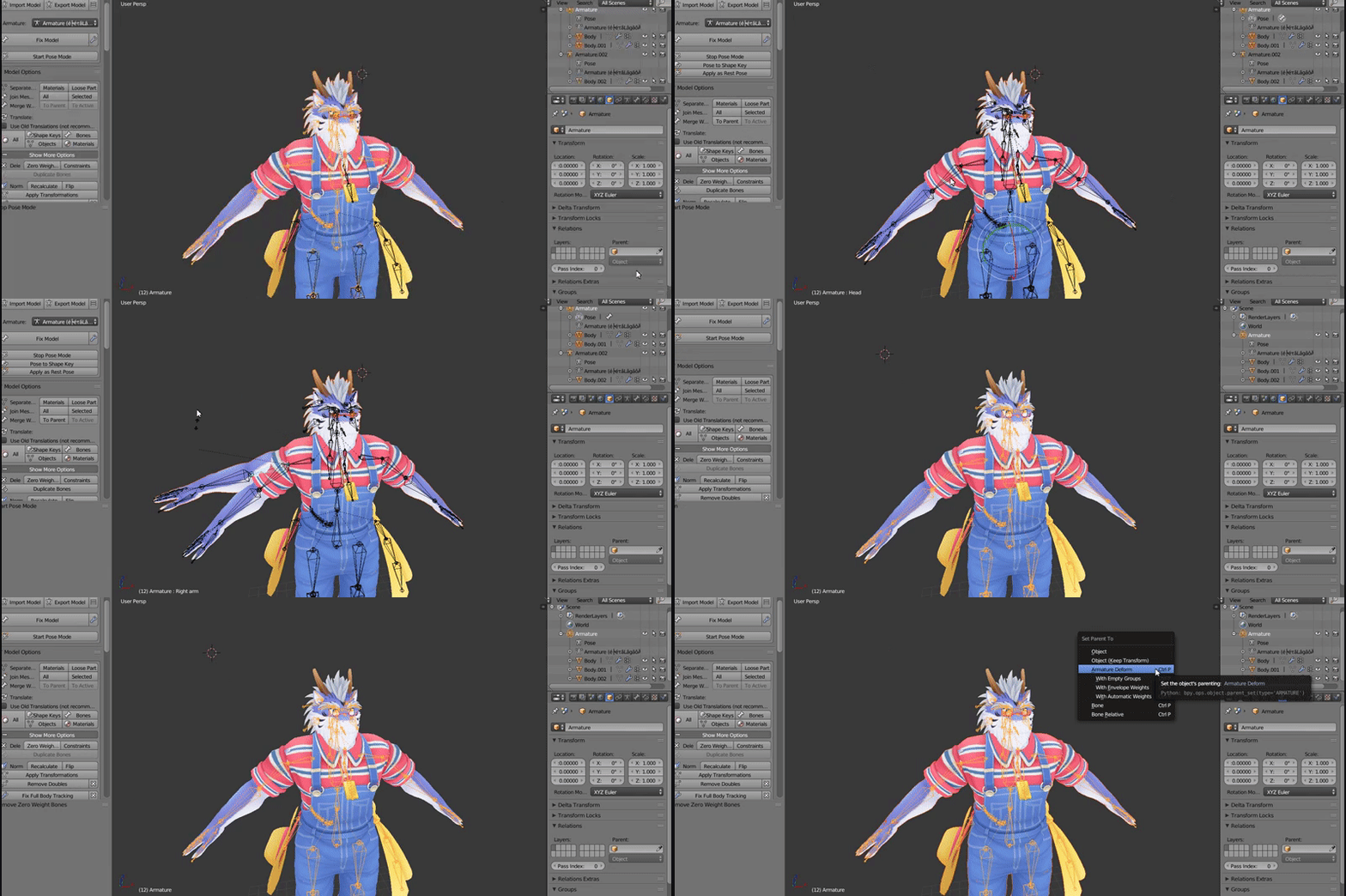
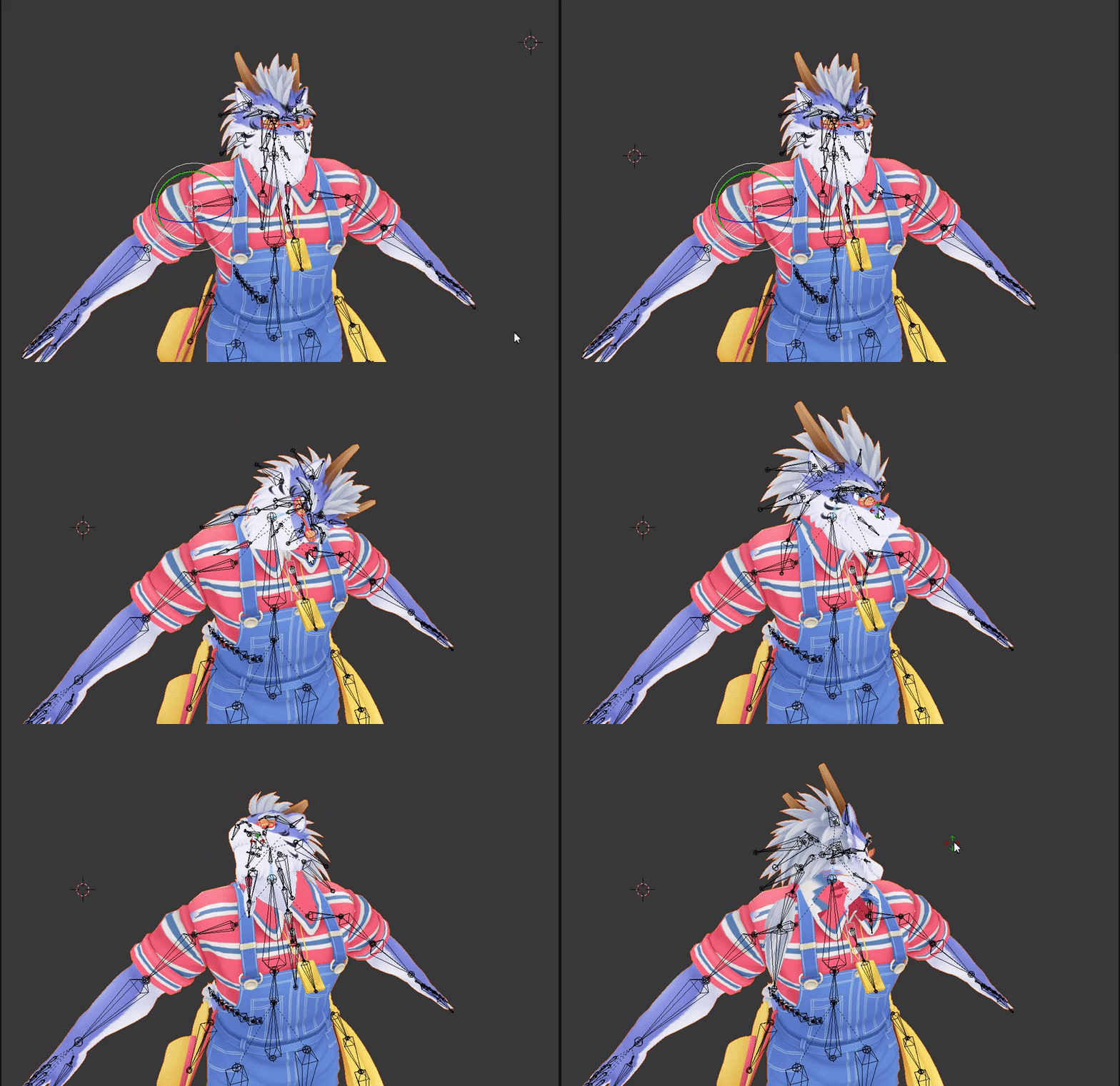



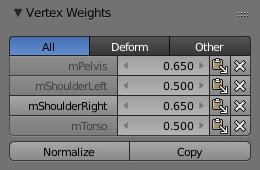


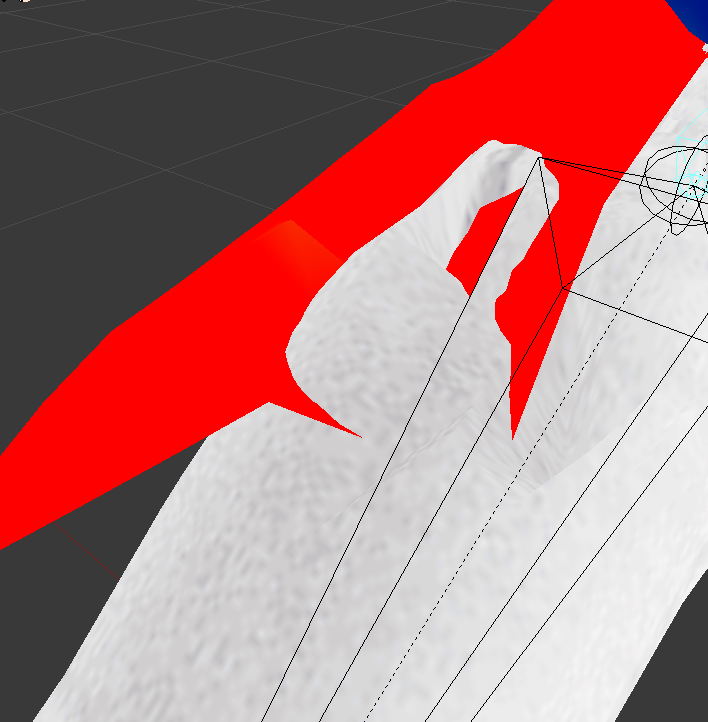






 next hazel
What software