#avatar-rigging
1 messages · Page 131 of 1
 tidal arch
 tidal arch
Click the little circle beside chest and select spine 2 instead of spine 1
Not the green circle, the grey one
 mystic haven
ye?
mystic haven
yes
tidal arch
okay, not scroll down until you see toes
And delete both of them (click on the green circle and hit delete)
Then hit apply
mystic haven
both the bones of her feet?
 sleek isle
Why so much problem 🐷
sleek isle
You know what. Send mee your file. So i can see if its you the problem or the modele
mystic haven
and on google i don't find helpful tutorials
tidal arch
Nah, literally the issue is the hierarchy
just make sure you switched spine 1 to spine 2 and it should work
Hit apply and see if you get any errors
 tidal arch
Okay go back to the config and post a screenshot, specifically of the chest
Or you can send it to Franada, and he can do it for you. Though it should be an easy fix and that seems like a lot of effort lol. I’d do it but I’m on campus studying rn
mystic haven

and now the model setting is changed
nvm, i've selected a texture
now there's animation error
 tidal arch
Sorry going through this without my computer is a little difficult. But I’m not sure what an animation would have to do with any of this, it shouldn’t be animated. I’m not really familiar with mixamo rigging, but you could try re-rigging it and making sure it’s in t-pose. And download it as an fbx
 wind marten
If youre adding an animation you have todo it on a duplicate
That is the most important thing because otherwise itll likely mess up your avatar
tidal arch
Ya I don’t get why they’re animating here though lol. If they’re just trying to import the model there shouldn’t be an animation.
Or does mixamo literally upload your model in an animation?
mystic haven
i'm not animating because if i import from blender it lose the IK
i followed up this videotutorial
https://www.youtube.com/watch?v=BQG_a8AW1CI
Links: Unity ► https://unity3d.com/unity/qa/patch-releases/5.6.3p1 VRChat SDK ► https://vrchat.com/ Skins ► https://www.models-resource.com Mixamo ► https://...
tidal arch
Alright well I can’t really watch that right now, but when I’m done my exam in a few hours if you still haven’t gotten it to work I can check it out
 earnest brook
trying to set up an easy mouth rig for a preexisting model
what's the best way to get easy open-close control in blender while keeping the ability to move teeth/lips/tongue independently?
trying to set up individual bones for each upper/lower combo without it messing up something else is painful
just trying to use them to get decent visemes
(it's piranha plant from mario bros series, so the mouth is more important to get right, the rest is a dummy skeleton)
sleek isle
Most model have a jaw bone. Attacht to that the teeth and tong. And defferent part of the lips
So you can make expression on the fly in the engine
 wary crown
@earnest brook your best bet would be making shape keys in blender
You can then animate those
And you can use them as visemes for talking
 deft current
Trying to rig an avatar but i have the error Bone Weighting: failed to find solution for one or more bones did not find on the net ?
 fading verge
Delete doubles on mesh
deft current
try that No doubles
Try Smoot vertex no chance
Try subdivision surface no chance
no x-mirror
???
CTRL N normals
fading verge
FBT User. Does anyone know how to fix the thigh twisting, knee and shoulder? Can't seem to find the problem when i compare my model to a friend's one. ;c
 gritty nest
You mean the knee bends backwards, inwards or outwards? @fading verge
And do other people see the same twisting?
 naive tree
be sure that your bone rolls are 0
 hybrid venture
@fading verge Set bone roll to 0 in Blender. Go into edit mode, select all bones, and press Alt R
 ivory radish
is there actually a way to apply something to the entire selection
bc like if u change properties its only for the active
 spice axle
Does anyone happen to have an updated/fixed Muscle editor?
wary crown
@spice axle Yes, the unity asset store. buy it.
wary crown
Youre literally breaking the discords rules, you are asking for a paid asset, buy it or leave it.
Has nothing to do with being grumpy.
@wind osprey
spice axle
Definitly could've been said a lot nicer my dude 
wary crown
You have the audacity to ask in a discord full of developers if someone could pass you a paid asset for free, no thanks.
wary crown
No, because it has nothing to do with being angry, you are just breaking the discords rules by asking for pirated content.
Have a wonderful evening, and pay for the stuff you want to use.
 crisp rampart
Its literally in the rules of the discord that you cant ask for pirated software
A dev spent hours and hours working on making it and its not very expensive. Its not like we pay for VRChat either
Like I think I spent more than $15 on lunch the other day. Support the community
hybrid venture
Muscle Animation Editor is dirt cheap. Why do you have to make it such a big deal? Just pay for it like everyone else
We're not being stingy, we're not being grumpy, we're just telling you what you are doing is against the rules of this Discord server
Abide by the rules as we are.
Also why all the reaction emotes? Are you really this salty about it? Lmao pathetic
wary crown
I see why reactions are disabled in most channels ...
hybrid venture
The VRCLike emote? Why
I think they're just too salty for their own good. Let's just leave them be.
This is so sad can we reach 5,000 reactions
 slow gyro
I say for all to move on Leave it there
 jade wasp
how do i make my armature work with all the things? i have the armature set, but when i move it the object doesnt follow at all (if i take the leg armature nothing happend etc)
 zealous tundra
Can anyone tell me what causes a whole characters body to turn when I turn my head? I've rigged a bird and turning my head makes the whole model pivot with it :o
 upbeat atlas
I know my avatar has a jaw but I can't find the bone
fading verge
Jerican your model probably doesn't have a jaw bone then or the person who rigged it didn't make one
upbeat atlas
So it's possible to have a jaw but not have a bone for it?
Because I looked inside my avatar and I saw the mouth
ivory radish
yea
a lot of people don't need a jaw bone
bc theres something called blend shapes
and ways to move the jaw without rigging it
 open viper
I feel like i can just create a tiny vert and assign it to the bone, but is there another way?
 hardy oxide
there's this problem that I've been having for a long time and still haven't solved it where one of my avatar's arm doesn't extend when holding objects while on other people's screen they can see it normally just not on my screen
 proven mesa
FBT: After applying the CATS fullbody fix, the chest is suddenly pinned to the face direction. Non-fbt fix allows you to look sideways without your chest glued to that direction. Was there any fix?
gritty nest
@proven mesa instead of using the entire full body fix, only scale the Hips bone to -1 in Blender (in edit mode)
And don't do the other parts
This will break the model outside of full body though
sleek isle
@zealous tundra adf fake bone to have full ik
tidal arch
@zealous tundra did you use automatic weights?
 bright wolf
is it true that unity only uses the chest bone to rotate and bend forward and backwards or does it use the 1 extra spine joint as well
gritty nest
It uses the spine bone, why?
 undone blade
Hey would anyone be able to rig my avatar for me and maybe add an animation in return for a steam gift?
bright wolf
@gritty nest I'm just asking so that I can skin accordinely
zealous tundra
@sleek isle By full ik what exactly do you mean? You mean improbably missing a bone? so make one but don't give it weights? If you know a good resource i'll check it out
https://i.gyazo.com/4fd642d75b0064463b1f5565cbcd691d.png Fyi this is what I currently have just with auto weights till I can solve these main issues
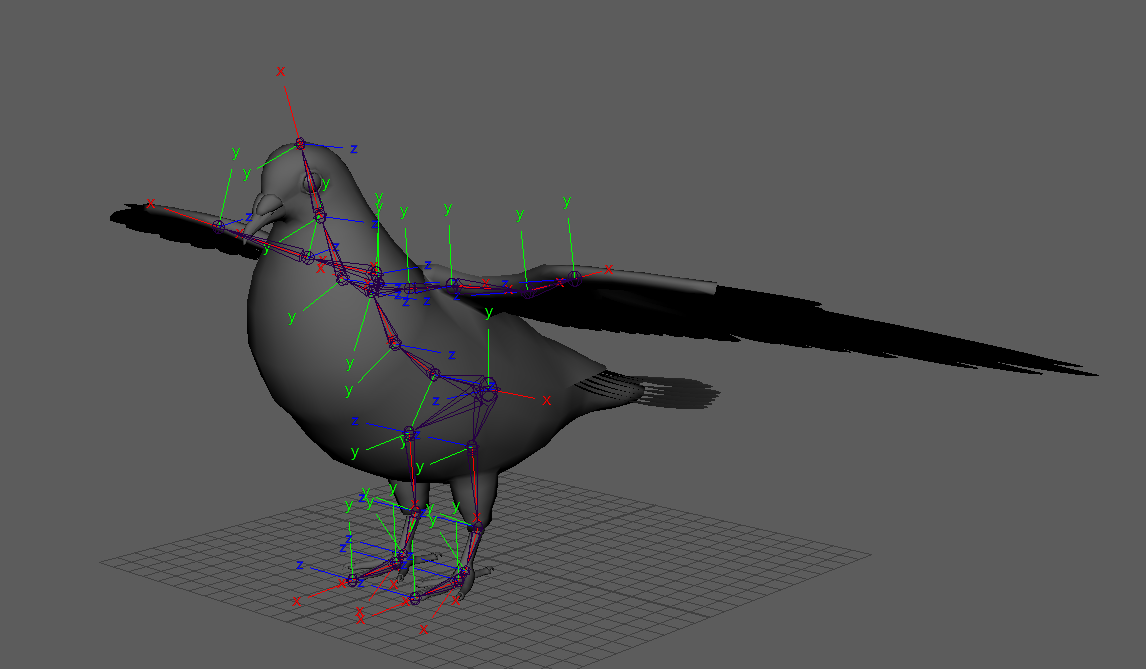 zealous tundra
so you only need thumb and index for the full ik?
zealous tundra
i tried making it as similar to a human as I could as rigging is new to me. I also gave it 3 spine joints even though unity only gives options for 2 bones. Should I just remove one and leave it with two?
sleek isle
for example here my model have 2 bone in the hand. So I add a dummy bone to have full ik https://gyazo.com/19a06ce947884e09a91faecc9cf25903
 zealous tundra
Hmmm oki i'll give it a go and see how it turns out cheers o/
 median fractal
Question; how do I easily see my armature through the material because right now I'm having to struggle looking through Wireframe
I'm like day 1 into rigging so I have no idea what to do. Well more like hour 1
 median fractal
Thank you!
sleek isle
or it the fix botton in cats
median fractal
I can't use that as I'm making this from scratch
This is what happens when I try to use that https://i.imgur.com/ud5T6lw.png
 sleek isle
your rig is not parents to the mesh idk
median fractal
Probably isn't, I just added in armature and started placing bones down
 cedar scroll
how do i assign 2 vertex groups to a single bone/merge vertex groups
hybrid venture
@cedar scroll Click on your body mesh
Go to the modifiers tab
Which is a blue wrench at the right of your screen
And look for Vertex Weight Mix
On the bottom of that modifier it will have 2 dropdowns
One says Replace and idk what the other says
Select the first one and change it to say "Add"
Select the second one and make it say "all"
Now the first box on the top of the modifier
Vertex Group A
That is the bone you want to have more weight to
Vertex Group B
That is the vertex group that you want the weights to be carried over to Vertex Group A
Once you do that, click apply and delete the bone you don't want to use
median fractal
How do I parent the Little Finger bone to Right Wrist? https://i.imgur.com/mH5Cs6A.png

Nevermind I got it
 nova ravine
so how do we do the new chairs?
nova ravine
nvm
 chrome crest
 acoustic berry
I have some bones I want to delete and I want to have the weights associated with them to go to the parent bone... Is there a way to do this automatically since I've just realized that might be a possiblity after the 5th bone I did manually?
acoustic berry
The lack of any timely reply has seen me complete the entire task manually...
median fractal
Does this look okay? Doesn't seem to be exporting over to Unity very well or at least something messes up for it on VRChat https://i.imgur.com/FjhIese.png
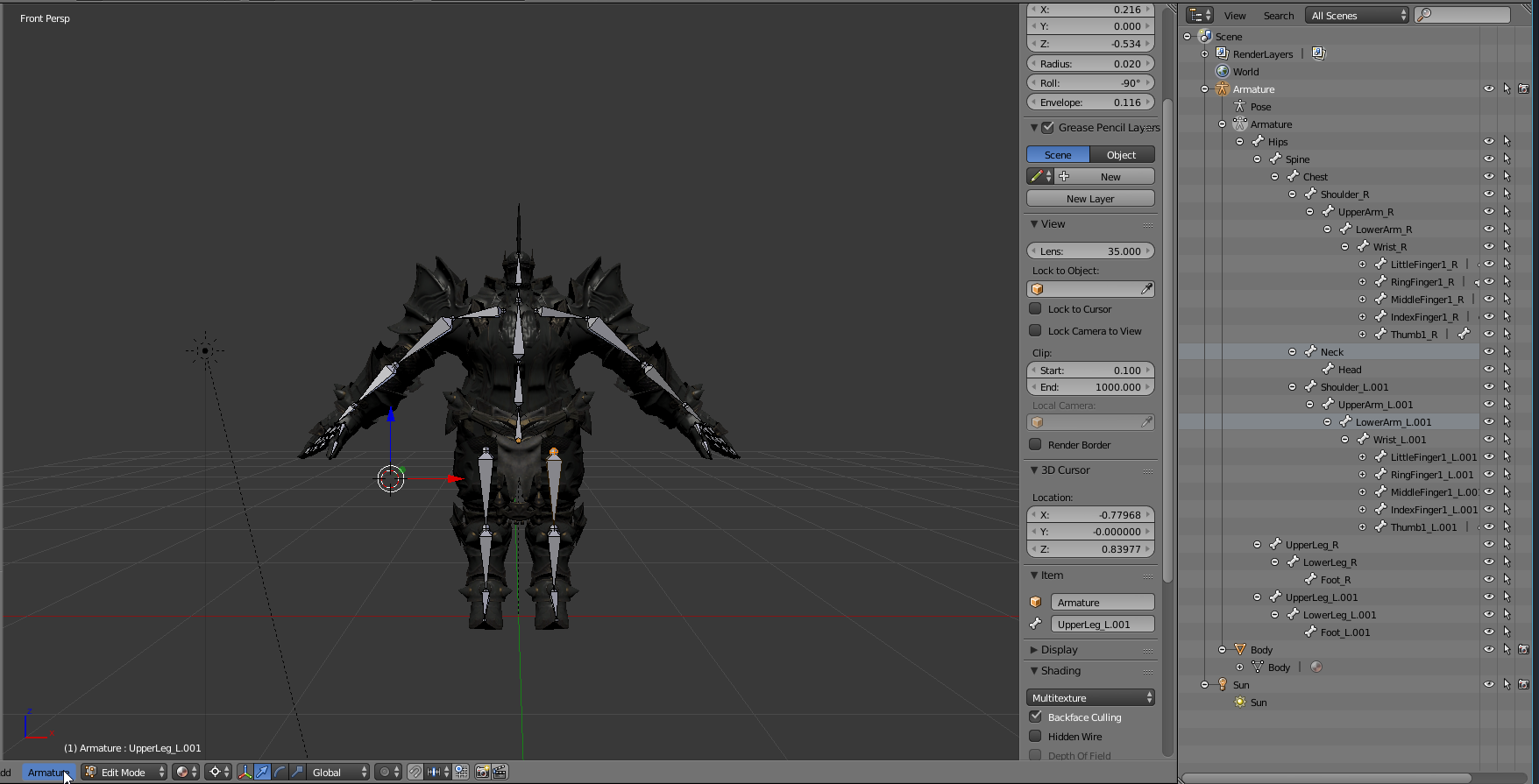
 crisp tendon
select everything in object mode and apply rotation/location
Something's floating outside of the model, probably not good
median fractal
@crisp tendon Oh that might have been the Sun light, didn't know that was attached to the model
acoustic berry
it shouldn't be if you just don't select it with the export
crisp tendon
You're exporting everything by default from blender
 granite kestrel
ivory radish
granite kestrel
ivory radish
export everything except for camera and light or just save the blend file and it would import automatically
 void solstice
How would I be able to fix the issue stating "The angle between pelvis and thigh bones should be close to 180 degrees (this avatar's angle is 174.1). Your avatar may not work well with full-body IK and Tracking."
 zinc mantle
Did I miss a/some steps in blender or what is uuup
 cloud kiln
How2Edit Materials in unity 2017
It wont let me
Send help, panic inc
nvm
My awesome brain fixed it
 dim ore
Brain lvl?
cloud kiln
9001
sleek isle
Extract it
 onyx heron
Is there a way to resize the click box on the new avatar chairs (stations)? On my largest avatar the click box to sit in the chair is gigantic and people on the other side of the room keep accidentally sitting on me. I want to make the box smaller so they have to be right next to me to sit in the chair.
 undone acorn
I can't even get it to work, it always tells me that i have to remove the VRC_Station
Can you like explain me real quick how to do it?
 humble violet
"The Angle Between Pelvis and Thigh Bones Should be close to 180 Degrees"
How should the bones look like? ( prefer's picture ex )
onyx heron
@undone acorn In Unity, make sure your VRChat SDK is up to date, then load your avatar scene and go to the part of your avatar's body where you want want to put the chair. You can either right-click it and choose "Create Empty" or go to GameObjects menu and choose "Create Empty Child." Select the empty GameObject and click the Add Component button in the Inspector window. Search for "VRC_Station" and select it. That's pretty much all I had to do to make the chair work. My problem is I don't know how to resize the click-box for the chair. I also want to know how to reposition it to change the direction in which the person is sitting.
 untold monolith
yeah im not sure what affects the clickbox size
i added the chair prefab to my avatar and the clickbox was the chair itself
but the empty gameobject is a huge clickbox for whatever reason
maybe it has to do with enter/exit points?
probably more to do with the fact the gameobject isn't a mesh or something maybe
wary crown
@acoustic berry merge weights in cats to parent, deletes the bone and transfers its weights to the parent bone
fading verge
If I were to use a four armed avatar, and I want to have all four arms move with each other, does the use of Rigid body to the main arms, and the fixed joint component on the secondary do the trick?
Actually never mind. That actually did the trick. Curses be my brain and the use of unity
ivory radish
ya but use freeze position
otherwise the arm will drag em
instead of rotate with em
fading verge
Thank ye
undone acorn
@onyx heron Yeah i did exactly that, i downloaded the newest SDK and have Unity 2017.4.15f1
-I right-clicked the Head and on Create Empty
-I added new compunent VRC_Station
But than it tells me
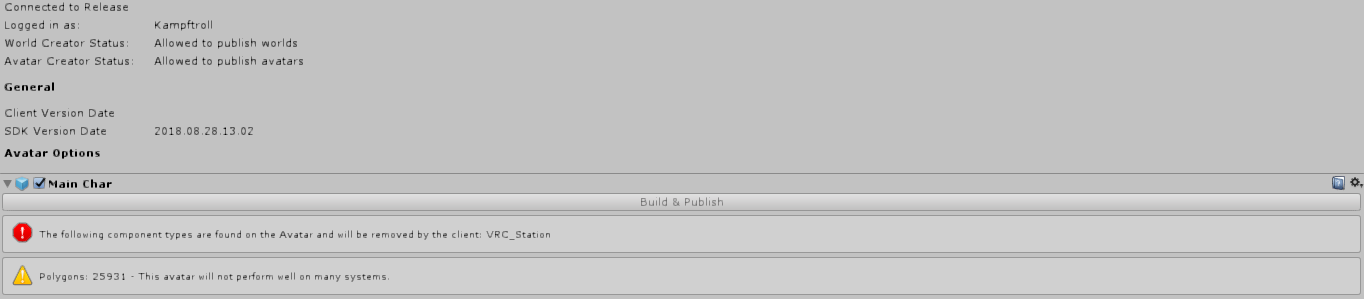
 opal aurora
Use the vrc chair prefab in the vrcsdk, i haven't had much luck using the standard component myself, place the chair and rotate it as you see fit, remove the 2 objects that shape the chair when you're done and remove the 2 other components that come with it
onyx heron
@undone acorn Your SDK is different. Mine is VRCSDK-2018.12.19.17.03. Try clicking the "check for updates" button.
undone acorn
Yeah but that still tells me to remove the Station
Oh ok gonna do that
not like i havn't tryed that, but maybe will work
Oh my...
can someone kill me or do i have to do it myself?
guess who downloaded the right SDK but instelled the wrong one
onyx heron
No worries, it happens.
undone acorn
yeah but i checked like everything 10 times xD
Guess what works now without a problem xD
Well yeah thank you very much ;D
 paper quartz
has anyone had issues when making a bone for like breasts and such in blender it works fine even in unity but when i put dynamic bones on it just doesnt do anything but i can move it around and it does move that part i weight painted it and all.
 drowsy wharf
If the breast bone is a single bone, you'd need to attach the dynamic bone to the chest (or whatever the parent of the breast bones is), and exclude the other attachments.
drowsy wharf
the dynamic bone sets a root bone which doesn't move, the children of the root move.
you can even set a separate "empty" game object at the same level and assign the chest as the root the same way. (useful if you need more than one dynbone setup)
Most people set up a "root bone" for things like this too. Often for hair/tails though, and apply the dynbone to that instead
paper quartz
yh i did it on hair a root bone so there would be less bones etc
well les dynamic bones for them
before it was like
front1,2,3,4 sides1,2 and back
and had to use dynamic bones on all of them
which is a waiste
drowsy wharf
less dynbone scripts doesn't actually help with performance if they have the same bone counts anyway.
It's just easier to use a root to control them all if they should act the same
fading verge
Does anyone knows if it is possible to parent a bone to a root but preventing the bone start point from moving out of it's place without them being directly connected?
ivory radish
what
do u mean to make like the bone rotate toward something?
or to have a bone thats "parented" but not really
fading verge
nah, probably easier to give an example^^
lets say i have 3 bone rows with 3bones each for the backhair of an avatar. i would merge the rows so that they only have one bone each and then create a root bone so i only have to run one db script. but if i do it that way the bones will move out of their place everytime the root bone moves. the only way i've found so far to circumvent that is by selecting the "connected" bone option in blender, but that screws with how the initial movement of those bones were.
i already reduced my db count to 16 but i can't reduce the db components to 4 without it looking really terrible.
ivory radish
what
cant u just use stiffness ramps
stiffness of 1 means it moves with its parent and no dynamics
stiffness of 0 means full dynamics
so if u ramp it from 1 to 0
u can get the roots to not move
fading verge
doesn't work, it still moves the bones location instead of just rotating them
ivory radish
u didnt ramp it hard enough
move the stiffness curve and make sure
it goes from 1 to 0
and tht its really steep
but move it to like halfway down
and then try to see what its affecting
 primal swan
The CATS plugin never works for me. It says it can't fix my model, and couldn't find "Left/Right Wrist and Right Elbow"
Maybe I named the wrists hands, and that could be that problem, but I don't have anything named elbow. So, is is implying that it found a left elbow? I'm sure I have all the needed bones
 ivory radish
CATs needs correct naming sometimes
so try naming the joints u want
that its not finding
after undoing
fading verge
uh yes i was already on it, thats why they are merged :3 but i'm not rly sure what I#m doing there 😄 i guess i will see what i will look like in unity
thx
 queen cape
Ok so my LeftEye has no vertex group or vertices. Anyone know what to do there? I see it there and its attatched
open viper
is there a reason? do you have a left eye?
not just the bone, but an "eyeball" mesh I guess?
sleek isle
Photo would help
primal swan
I made a change to my model and now the shape keys are messed up. When she blinks, the edit goes from what it is, to what it was when the shape key was made. Any quick fixes for this?
naive tree
select the area that u dont want to move W> propagate shapekey
or whatever it is with "propagate" in it
primal swan
thank goodness it was that easy
dim ore
i'm testing out animations (expressions) and i can't seem to get it to play through keyframes
the play button is greyed out not sure what i'm doing wrong
 odd hill
What specifically do I need to do to make sure an avatar is full body compatible?
gritty nest
Apply the cats fullbody fix @odd hill
Or do it manually: https://vrcat.club/threads/comprehensive-full-body-tracking-rig-setup-tutorial.1382/

VRCat: Community-Run VRChat Forums
EDIT: As of 2018/04/02, Cat's Blender Plugin now includes this process automatically with version 0.7.0. Go check it out!
Heyo~
So I've been using a...
You can make a model full body compatible by just scaling the hips to -1 in edit mode, but this breaks the model in non-full body.
The above fix and the Cats automatic fix come with two more steps that will ensure it also works outside of full body
odd hill
Thank you very much!
 arctic rampart
I've made all the shape keys for the different sounds in blender, all of them are working, but when I import my model and set all the visemes in unity they aren't used when I talk in vrchat. I have no idea what I'm doing wrong, but when I upload my avatar the lips don't move an inch even when I'm talking.
sleek isle
Its a 2d plane visemem or 3d ?
Sometime 2d plane go back to fast or not enought back and ford
 thorny prism
I've been trying to upload my avatar to mixamo to rig it, but It turns white in mixamo. I've tried: putting both .obj and .mtl together in a zip folder and uploading; importing into blender and exporting as .fbx (still has color at this point) and tried uploading as other file types but it still doesnt work. Anyone know how to fix this?
Or will I just have to learn to manually rig?
sleek isle
You dont need to have texture for rig
ivory radish
put all textures in the zip with the fbx if u rlly care but ^
also blender has auto weight painting tools that work well in some cases
also ur gonna have to at least fix some of the weights cuz mixamo isnt perfect
ivory radish
i trying to join 2 armature together but
when i join them it makes the objects lose their weight to the bones
 astral ridge
try searching for the weights in the vertex groups
also for a full body avatar, if the arm pulls the body, do you just need to scale thwem bigger to fix it?
fading verge
@astral ridge its a way to fix it, yes
If you want your avatar to work well with your own proportions it helps to take a picture of yourself in A or T pose and use it as a background image in Blender. Then you make sure your character torso’s crotch and shoulders match up with your own and then scale arms and legs. If done correctly you can get some amazing results
astral ridge
okiee thankss ❤
fading verge
Also, before you sync into your avatar make sure your legs tracking points are where you expect them to be and that your ingame height is set properly. So before syncing, check if your crotch is where your avatars crotch is and your irl shoulders match with your ingame shoulders. If thats the case, arms and legs should match up aswell. Then you can sync into your avatar
Also, some avatars have a weird scaling with their head and Neck bones which leads you to see your head when bending forward. Thats also one of the things you can fix to optimize your avatars performance in fbt
 robust gull
I get the problem a lot, where unity moves my finger bones to weird places, how should the fingers look in blender so they don't move when i rig it in unity?
fading verge
@robust gull check if the bones in Blender are in the right place. If thats the case, try selecting the armature -> pose mode -> move fingers and look if they behave as they should. If not its maybe a weight painting issue
robust gull
@fading verge That's the thing they move perfect in blender but unity always want to move them anyway. is there a specific way they need to be?
fading verge
The only other thing i can think of is that the fingers might be too straight
So similar to the knee and elbow issue where the joints have to be slightly bent for the game to understand in which direction to bend the joints
Or
You can change the finger bone orientation in unity directly
I ince had a model with weirdly twisted fingertips so i adjusted them in unity directly where you assign the rig
 foggy lava
https://imgur.com/RXfLUn4 is this one too few bones?
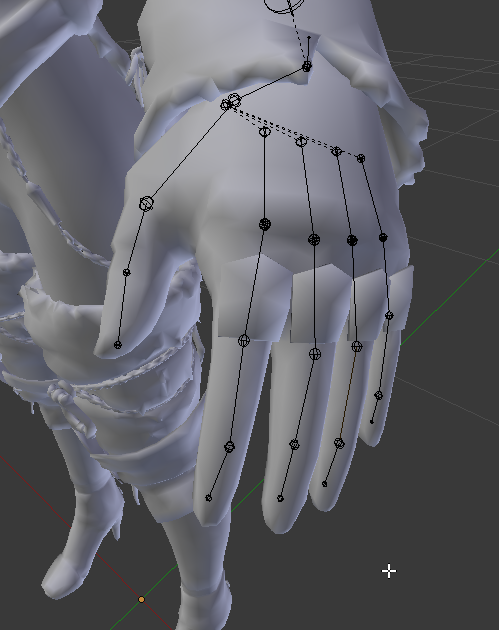
my fingers inside of unity get destroyed as if they were put into a meat grinder
foggy lava
Yes they deform correctly inside of blender itself, i think my problem is unity picking too few bones to deform correctly, so now my goal is to limit the amount of bones i have, any way to do this without destroying weight paints?
i usually figure these things out on my own but christmas has left me a bit too hung over
fading verge
It could be that you have too many bones in the finger, now that i think aboutnit
Iirc, most models have 3 bones in the fingers which are then attached to the wrist
You have 4 from what i can tell
Not sure though
 arctic osprey
Yeah, seems like you have an extra bone for each finger right after the wrist bone which is not on other models.
foggy lava
this is because i extracted it from Automata and frankensteined a few of the models together
this isnt a premade MMD model that has most the work done
https://imgur.com/c02B1dx and for another view with their names
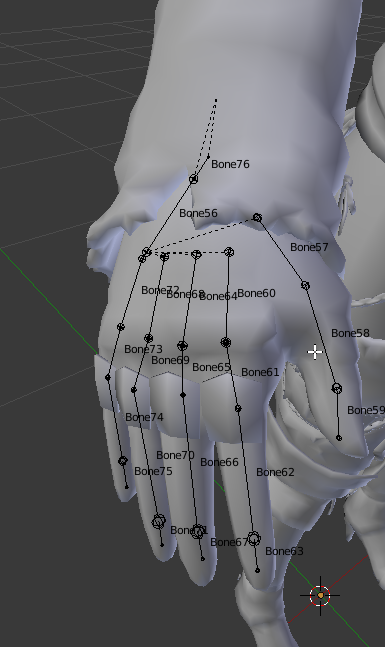 fading verge
@foggy lava do you know how to rig?
foggy lava
Vaguely
fading verge
Well im pretty sure someone reading this might have a handy list of important things somewhere but in general:
- bone naming is important, there is a “default” rig naming convention sort of and it helps to stick to it.
- you should adjust the bone count in your hands and make sure you have only 3 bones on each finger
foggy lava
quick and dirty edit, should look SOMETHING like this with propper weights right https://imgur.com/sN0C07O
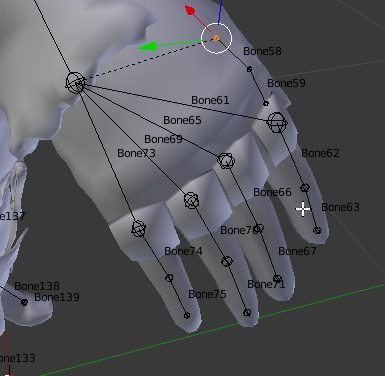
 rotund sail
ivory radish
rotund sail
ivory radish
until ur ranked higher than guest
fading verge
@foggy lava seems good
 rare temple
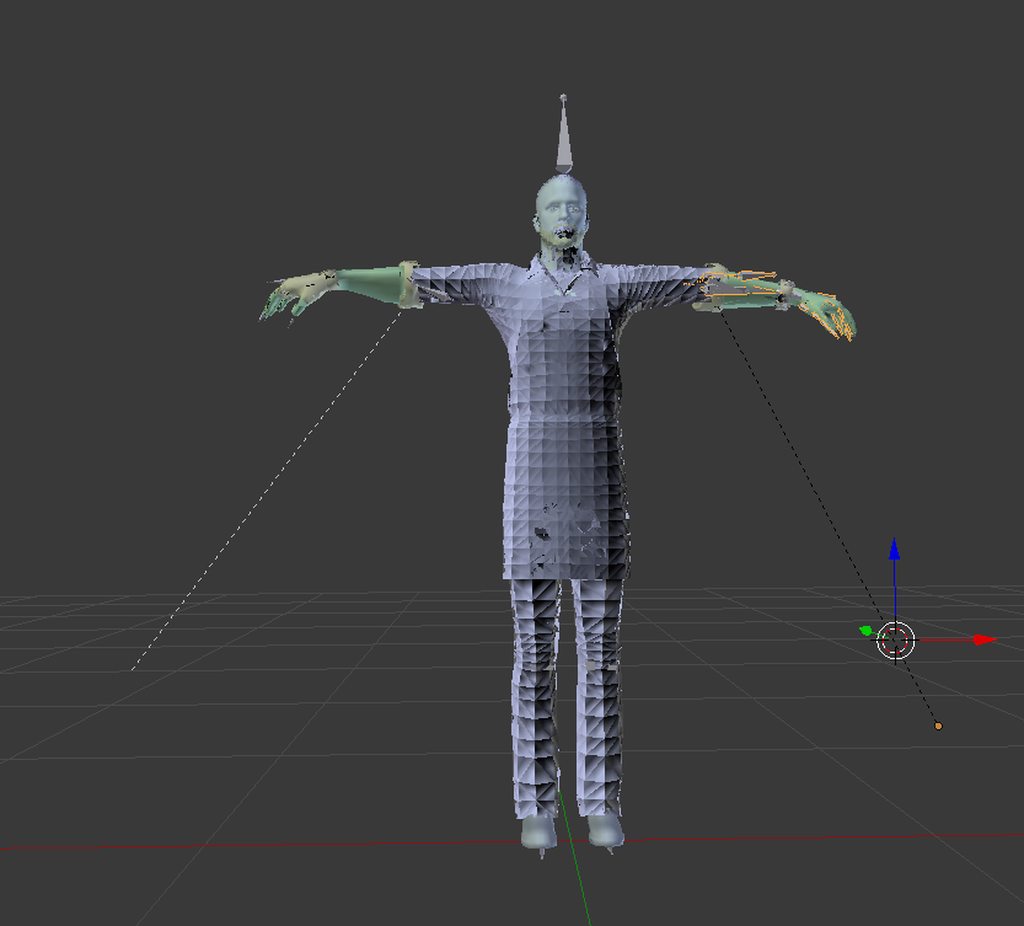
i've had this happen a few times where those lines appear
dunno why
when i view the bones as shapes the elbow is not there
but there's this line going there\
then when i import to unity the bone is going there for the elbow
disregard this
works fine
 misty cradle
if i make the rigg for a mesh then the mesh is connected to the first bone i created, that means in unity with dynamic bones when i move the whole avatar then the movement of the bones starts with the first bone.. my question is: how can i change which bone is the first one?
fading verge
@misty cradle add bones for the parts you want to move. As an example:
On most avatars i’ve seen, the hip bone is the “root” bone. Then you add more bones for example for hair, to which hair bones you can then add dynamic bones.
If you have f.e. a hyrarchie of :
Hair root
Hair 1
Hair 2 and you add the dynamic bone script to hair root, it will affect hair root and everything below so hair 1 and 2 aswell
misty cradle
my example is for the whole amature and i want to change to root one
fading verge
I dont quite understand
misty cradle
i rigged a dragon and i started with the end of the tail and the head is the last bone, so the first bone when the dynamic bones move is the tail one, but i want that i starts with the head... if there is no solution i just have to make a new rigg, but i thought there is maybe a option to change
robust gull
Is weightpainting a rigging thing?
fading verge
@misty cradle now i gotcha, ok.
From what i know you’d want to always have the hip bone as a root bone.
misty cradle
@robust gull after rigging comes the weight painting
fading verge
However you dont have to start from scratch as you can change the bones parenting
robust gull
Oh i mean chanel name is this where i post weight paint problem?
misty cradle
i know the hips are mostly the root, but the dragon is not realy a avatar, it's more a object with dynamic bones i need for an animation
but i still dont know how to change this correctly
@sweet bear do you have the root blender file of this avatar or only the fbx one?
robust gull
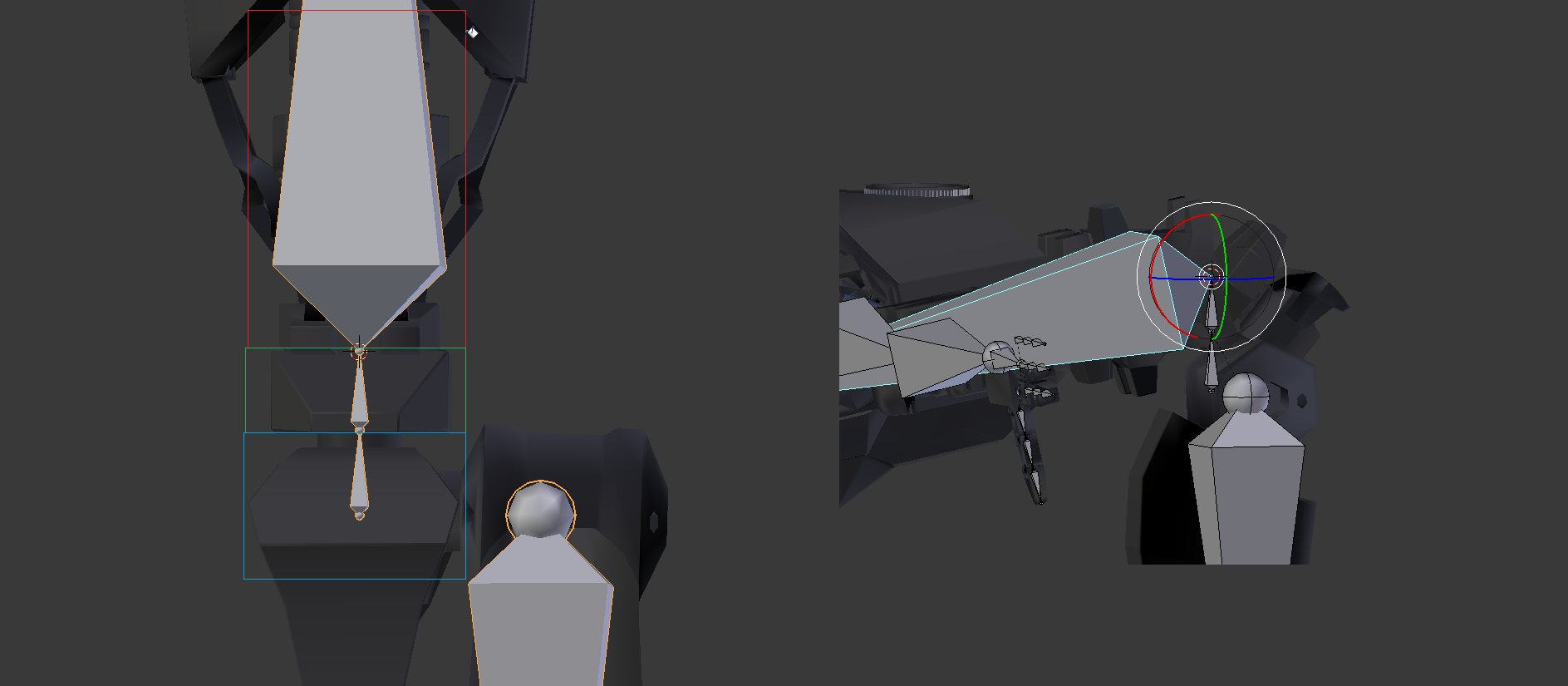
I have a problem where my chest bones moves hip and spine weight even tho they don't share any weight with each other https://i.imgur.com/wayX2VY.png
 misty cradle
in general you should be able to fix this, with adding bones, check the weight painting and so one or when its completly broken then make a new rigg
@robust gull when the chest bones also moves other bones then they are connected through the weight painting.. wich bone is your root bone?
robust gull
Oh i don't think i have a root bone i guess that's why, not sure how to make a root bone tho
misty cradle
should be the one you started with
robust gull
Oh then it should have hip bone as root
misty cradle
if you move the hip bone in the pose mode, is the whole avatare moving?
robust gull
Yes
The paint https://i.imgur.com/Ol8zJ4E.gifv
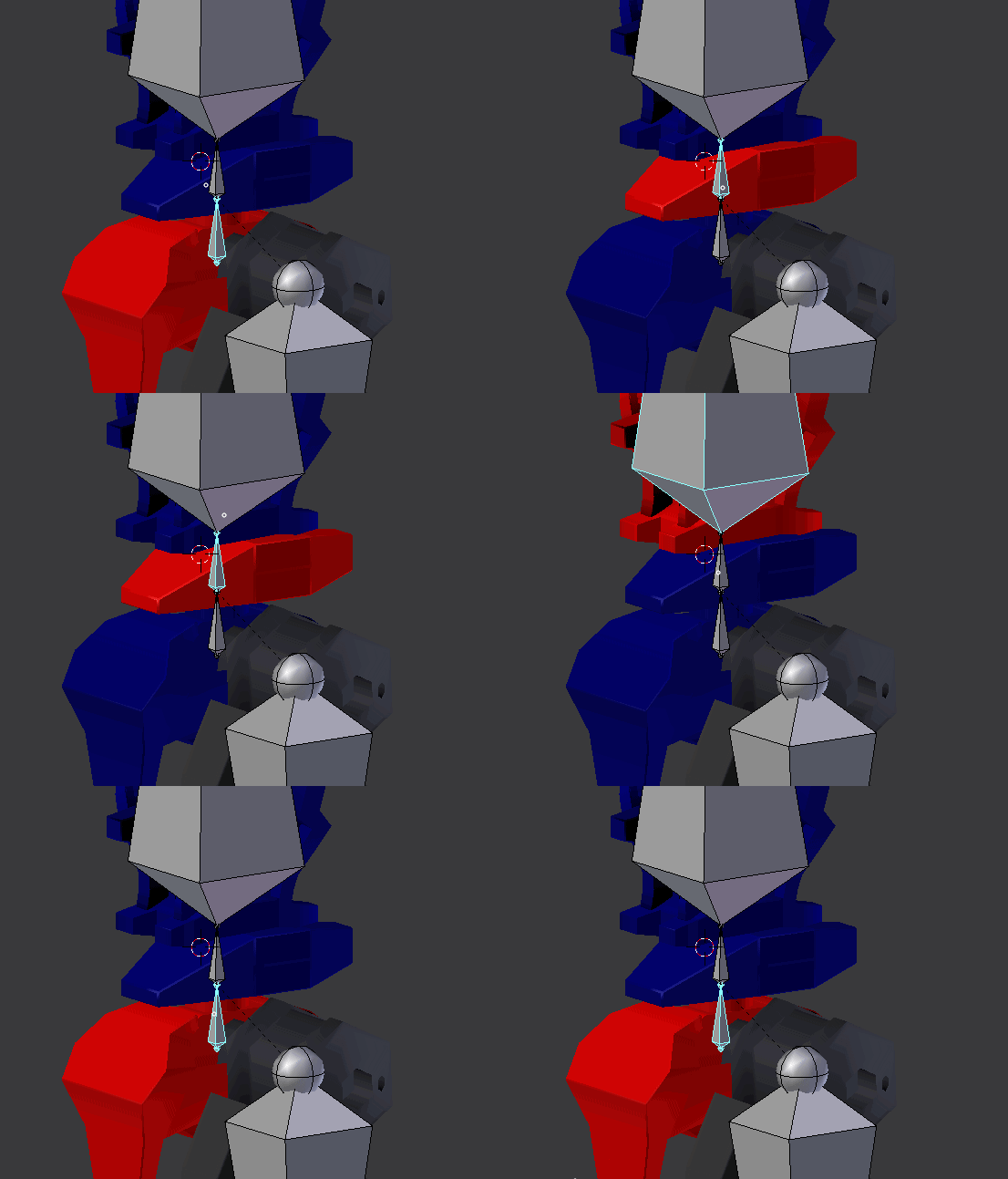
The bend https://i.imgur.com/fSwMvA8.gifv
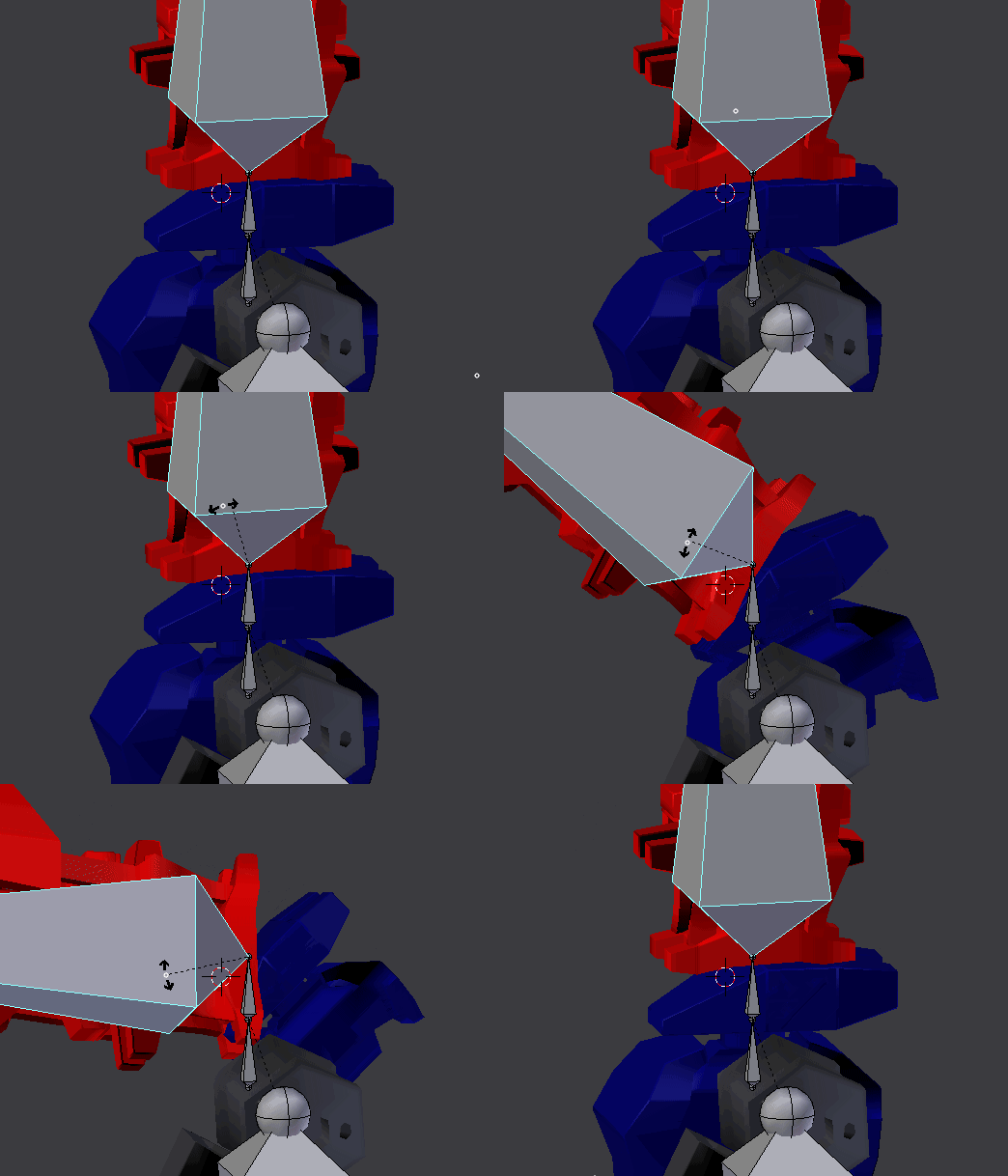
I don't understand why this happens
gritty nest
@robust gull another bone in the chain probably has weight on it too
Like a child of the bone you're moving
robust gull
Lol thanks rokk i don't know how the hip got painted to the shoulder
One more thing will it work with a spine that small?
gritty nest
Yeah
fading verge
idk if this is the right channel but I have a ssbb ness custom model I can't get rigged right. would anyone be down to rigging it? I could pay depending on the price
 pearl bone
Not much of a rigging question, but how do I get rid of the "Clear Cache and Player prefabs" thing? I made a new unity project and it's still there
gritty nest
Fix compile errors
pearl bone
What's the error? All I did that was new was unpack the new VRSDK
then that's what happened
gritty nest
If all you see is clear cache and player prefs, you have a compile error
What is the Unity version you're using?
 violet depot
hey guys, i built a model in blender using tda/mmd assets, and combined the armature of the hair, and the armature of the body, to make it one armature. before this, the body was working fine with its armature, but now it seems to have disattached all the objects from their respective bones, so in pose mode the model doesnt move with the armature, any idea how to fix this?
 crisp tendon
Worth trying automating weight paint, and fix if you see issues
violet depot
and how would i do that? would it be better to find someone more capable than myself? my knowledge is based off two days of youtube tutorials lol
 serene zodiac
select the model, then the rig (in that order!), ctrl+P, and it should show something about automatic weights
violet depot
i just ended up reverting to a save before i tried to combine the hair armature and body armature, does anyone know how i could combine the two without recreating the issue i was experiencing?
crisp tendon
Are you using Cats ? There's a merge option for armature
There's definitely a way to merge two armatures but keeping a specific set of weight paint
violet depot
i havent been using cats, ill give that a try and see what it does
violet depot
alright, i appreciate the help thus far immensely, i only have a few more inquiries as im nearing the completion of the model, but now that ive successfully combined the armature the hair mesh doesnt follow the rest of the body, any tips?
apologies again for the constant bugging, its only my second day using blender at all, so any input on how to better utilize the program is alot of help, and not alot of communities can help me with this kind of stuff besides a few somewhat outdated youtube videos
might have figured it out actually
foggy lava
Odd bug, my dynamic bones are fully functional but dont preview in engine, any ideas?
serene zodiac
actually, i had a question relating to that, how would i preview my dynamic bones in unity's editor?
crisp tendon
Press play and move the model
crisp tendon
Is it also paused ?
fading verge

Anyone know how to make it so the skirt doesn't clip through the legs when crouching and stuff?
please @ me
 glossy spade
@fading verge Bring the 3D Model into a 3D Modeling Tool such as Blender or Maya & Weight paint the Skirt to the Legs?
fading verge
I don't know dude
Also the eyeslashes are fixed to one spot when I move my head in vr

glossy spade
@fading verge It's definitely a weighting issue. I'd need the source files to look at it.
 gloomy tundra
@fading verge the easy optimized way is to parent or weight paint the skirt bones to the legs. The unoptimized was is to put colliders under the skirt.
You can probably even just parent them in Unity, you might not even need to do it in blender.
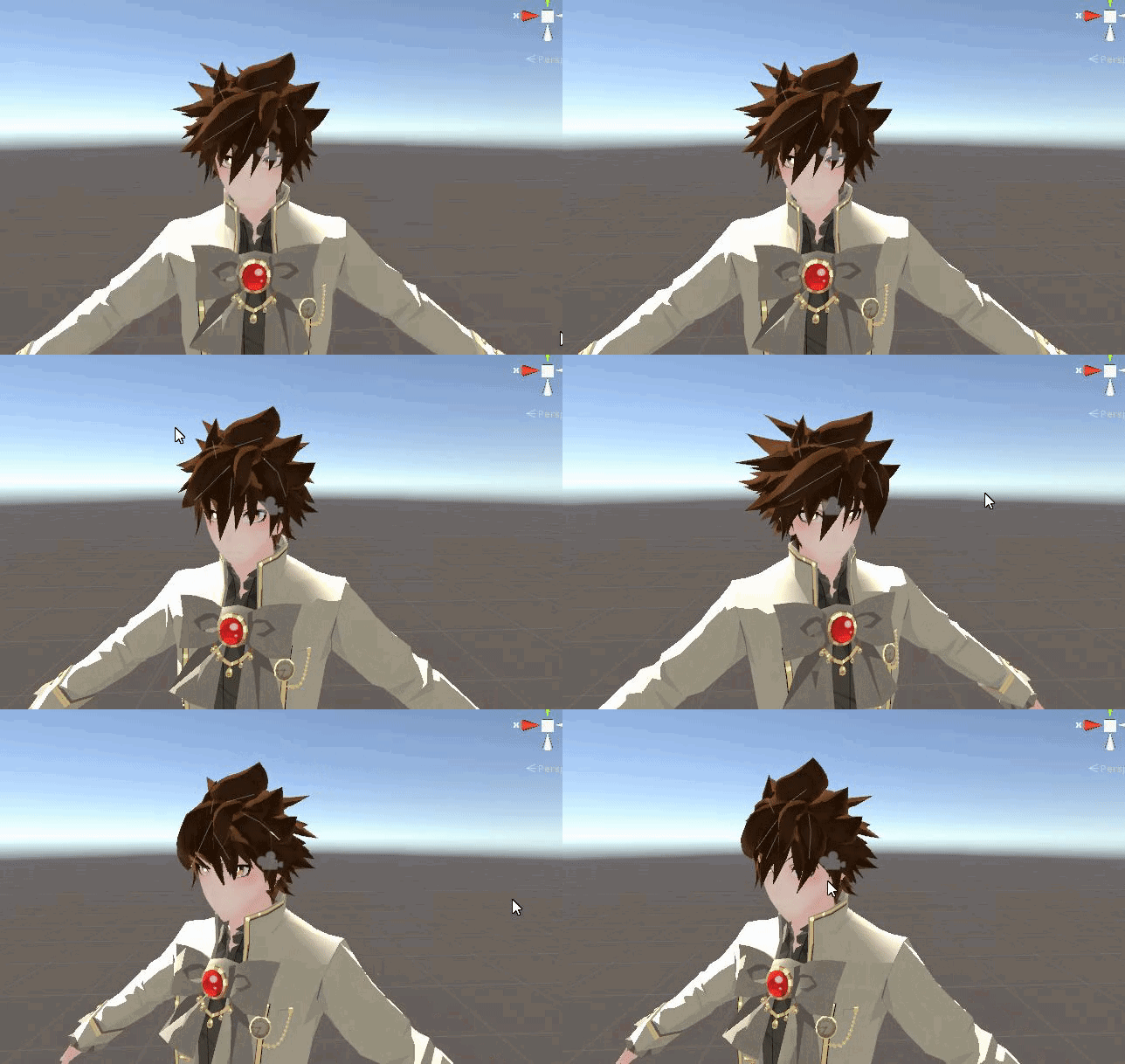 ivory radish
lol how many scripts is that
fading verge
@near kite could be better 😉 😝
fading verge
Looks good though 👍
 near kite
this is the old rig btw
https://gyazo.com/b201260bb7e832e3c4eb02266459a061
 fading verge
Oh damn
serene zodiac
meanwhile im doing this https://cdn.discordapp.com/attachments/277632761496469516/528312304304128020/ears.gif

[click on gif if colours are fucked, licecap does that]
ivory radish
i thot vrchat stinked boye
serene zodiac
and i thought you would leave me alone
 slow kettle
Need some help friends: I have knees that bend the wrong direction. They bend inward when they should be bending forward. Is it bone rotation? I've tried rotating the bones and they should - in theory - work, but it ain't workin'
naive tree
screenshot of leg bones @slow kettle with numpad 5 + numpad 1
slow kettle
Alright, one secco~
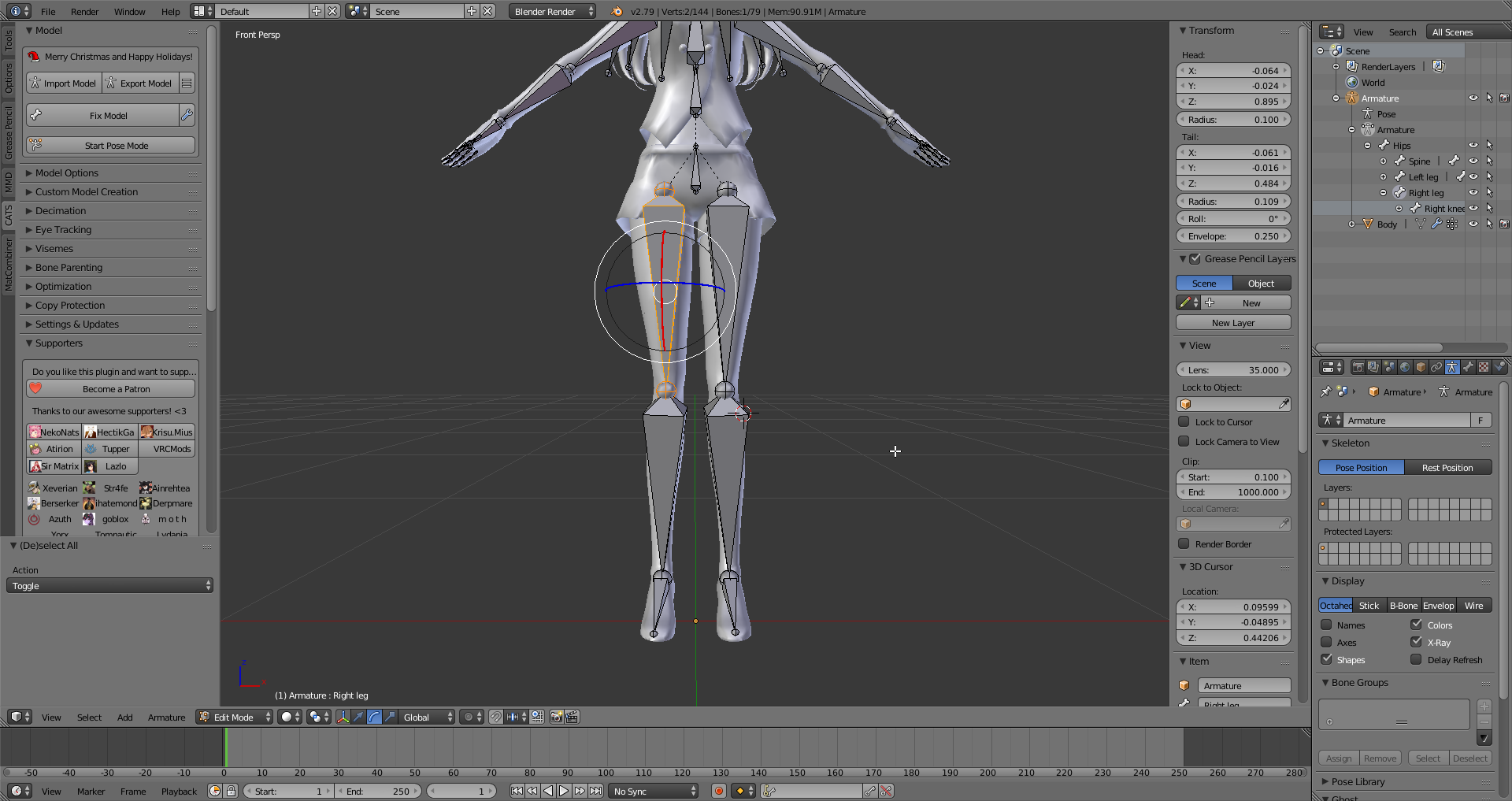
Here's the leg bones. The model is Kizuna Ai: https://i.imgur.com/5umTlfa.png
 opal aurora
Give the leg bone a slight bend in the direction you want it to bend, you can do such in the rigging section in unity, i assume the leg bones are just too straight for unity to know how they bend
@slow kettle
Any changes in the rigging section will not be visible in the standard unity view, so if they still look the same, that's normal
ivory radish
have you also reset all the rolls with Alt+R
and made sure that the bones are named correctly
bc if u flip left and right animations will go crazy
slow kettle
Alright, I'l give that a go once I get home. I didn't know about resetting the rolls, so I'll do that before rotating them slightly. I'm sure the bones are named correctly as well, so I don't need to worry about that.
ivory radish
once u do that check in the humanoid mapper and enforce tpose or reset the pose if they are tposed in blender
slow kettle
Alrightie, will do! Much appreciated for the info you guys <3
slow kettle
Alright, so rotating the bones in Unity didn't seem to work; I moved them slightly outward; the knees and the thighs for good measure.
 surreal haven
If a model only has 2 thumb bones, is it better to map those to Thumb Proximal and Thumb Intermediate like Unity does by default, or some other combination?
 visual charm
Can someone help me quick
 white solstice
@visual charm what is the problem?
opal aurora
@slow kettle did you cause more of a bend between knee and thigh?
Since the problem tends to be those 2 being a bit too straight together
 austere matrix
Does anyone know exactly what a model needs in order to get eye tracking to work? I make and rig models from scratch using Maya, so I can't use Cats to do it for me and there seems to be very little documentation on how to set it up manually.
ivory radish
u can import it into blender and use CATS or u can just do everything manually
which means having RightEye and LeftEye and all the blink/lowerlid shapekeys
austere matrix
I would really rather not have to touch Blender
ivory radish
its not really that difficult to use i like it a lot better than maya just bc of all the tools it offers in vrchats case
austere matrix
And I have no idea how to do everything manually.
ivory radish
which means having RightEye and LeftEye and all the blink/lowerlid shapekeys
austere matrix
What does "having Right Eye and LeftEye" mean? What are all the blink/lowerlid shapekeys that I need?
ivory radish
righteye and lefteye bones
austere matrix
I know literally nothing about how the eye tracking works here.
ivory radish
and it doesnt matter how you name them but u need 2 blink shapekeys and 2 lowerlid shapekeys (commonly its just one for each eye or something like that)
and they need 2 be the first 4 shapekeys of the object
and the mesh with those shapekeys also needs to be named Body
 twilit geyser
@austere matrix: Yuumi linked this to me this morning. https://docs.google.com/document/d/16qShrTHu5dL-luirrnMqp4EpAXjTYS76hsc_9fBVJEE/edit

Google Docs
Name the armature “Armature”. Name the mesh containing both eyeballs “Body”. If possible, make the whole head or avatar a single mesh. Name the bone hierarchy like this. Bones not mentioned can be named whatever. IMPORTANT: You cannot have any bones interrupting the h...
austere matrix
Okay. What do I do with the Right Eye and Left Eye bones? Are they simply bones that the eyeballs are skinned to? Do they have to be parented under a specific joint?
austere matrix
That's a Blender tutorial.
ivory radish
just bc like almost nobody uses it for vrchat
so theres basically no documentation at all for it
twilit geyser
Same basic steps. Just follow the same principles.
ivory radish
and u would have to fix rigging and everything all by your own
bc things like Fix Model exist to make all models more adaptable for vrchat
austere matrix
Why on earth do you need such a specific skeleton hierarchy for the body just to get the eye tracking set up?
twilit geyser
You also need the shape keys there to have eye tracking work at all! :D
ivory radish
^ which i already said
austere matrix
This seems extremely convoluted.
twilit geyser
The Google document I linked worked for me perfectly the first time. It does not have to be in Blender. Just use it as a guide to set it up with your favorite 3D program.
ivory radish
a handful of people do actually sculpt and rig in maya then import to blender
bc the process is over a dozen times simpler
but yea eye tracking isnt the only problem
you also have to make a bunch of visemes if u want mouth movements
and also have to fix the rig (most likely) to more closely follow the standard vrchat humanoid rig
and to have the full body tracking fix if u wish for it to work with it
twilit geyser
I am super like, 99% sure Maya supports blend shapes.
ivory radish
yea but thats not my point
austere matrix
Maya does support blendshapes, yeah.
ivory radish
like in blender if i wanna set up an MMD typically all i do is
austere matrix
I know how to set those up at least.
ivory radish
import pmx, fix model, eye tracking button, viseme button
and should be working
in maya however
gonna have to manually fill up all those shape keys
gonna have to manually fix bone hiearchy
twilit geyser
...So?
ivory radish
gonna have to manually make the eye bones and blend shapes
twilit geyser
Some people make their own models. :O
austere matrix
^^^^
ivory radish
that has nothing to do with actually setting it up for vrchat
ive made my own models from scratch before and it still didnt take me too long to prepare them for vrchat
because of all the tools i could use to simplify the process
austere matrix
But I try to make my models general-purpose so they can be used across a variety of programs. I have never tried to port a model to a program that required such a strict skeleton hierarchy, though.
ivory radish
the only manual work i did was making shape keys for blinking and lowerlid and then 3 visemes
yea but that doesnt rlly matter bc like
my model was also general purpose
u just had to prepare the rig and etc for use in another program
it wasnt made specifically for vrchat
austere matrix
And what really stings is that eye tracking aside, my models work fine in VRChat.
ivory radish
i designed it the best way for me
thats still not my point
my point is u do a lot less work if u do it thru blender
austere matrix
It is literally just this one feature that will require me to completely restructure my entire workflow to implement properly.
fading verge
@austere matrix it's mainly because eyetracking and MMD IK was originally added by users with scripting, and were added when scripting was disallowed
it works ... but it's a strict setup 🤷
ivory radish
its not really that difficult to understand however its just very specific
twilit geyser
@austere matrix: The only thing I had to change for my bone hierarchy was rename the eyes to the specific names.
fading verge
nobody is saying it's difficult, just busywork
ivory radish
2 eye bones, LeftEye RightEye, the mesh with the blink/lowerlid shapekeys: Body, the shapekey order: blink_left blink_right lowerlid_left lowerlid_right ......
austere matrix
That all is fine, it's mostly just the requiring a specific body skeleton hierarchy that's throwing me for a loop right now.
ivory radish
also you need secondary eye weights
if you wish to restrict eye movement
bc they dont even use the eye muscle settings from the mapper (muscles -> head -> can change eye movement clamp)
they just manually rotate the eyes
so if u wanna change how far they go u have 2 do that
austere matrix
Good lord
ivory radish
i think it rotates from 25 to -20 degrees or something
i dont remember
on the horizontal
austere matrix
I think I'll just not bother with eye tracking at this point. It is not worth completely destroying my rigging workflow and losing fidelity for literally every other thing I use my models for over.
twilit geyser
You are really over thinking this. The rigging structure/hierarchy is pretty standard for humanoids.
austere matrix
Not when you are completely forbidden from using more than one spine bone it isn't.
Having three spine bones instead of one really shouldn't completely break all ability to have the eyes point at something.
The friggen Source Engine standard humanoid rig uses three or four spine bones for crying out loud.
twilit geyser
You are not developing for your own game or Source Engine. You are developing for VRChat as a guest developer. This is like being on a team of developers as an intern and what the lead developers say is what goes.
fading verge
make a canny about it if you want traction with the community for a better setup
austere matrix
I'm just pointing out that the way they're implementing just this one feature--as I've said, my models work fine in VRChat the way they're currently rigged for everything other than eye tracking--completely bottlenecks the whole rigging workflow.
And someone did make a Canny about it: https://vrchat.canny.io/feature-requests/p/re-evaluate-eye-movement
fading verge
or use a shader for eyetracking if you don't want to adapt your rig
austere matrix
A shader for eyetracking?
fading verge
GitHub
Vilar's Shaders for VRChat. Contribute to Vilar24/VilarVRC development by creating an account on GitHub.
like I said before, the eyetracking is not made by vrchat, it used to be a personal script that was later whitelisted, it's a bonus feature
austere matrix
Ah, I see.
fading verge
that explains the fussiness and inflexibility a little
vilar's shader doesn't do exactly the same thing but it's a nice alternative
austere matrix
It would be nice if they could implement it fully and cleanly, but I guess if the workaround is popular enough then it probably isn't worth their time.
fading verge
it's not high on the priority list right now, but I'm sure they realize it should be more flexible and friendlier if they leave early access
austere matrix
Oh yeah, the game still is in beta, isn't it?
fading verge
yeah we're guinea pigs breaking everything 😄
 ornate basin
So uh, I just started using Blender and Unity yesterday and I'm a bit lost.. how do I use a Blender shape key in Unity, and then how do I create a hand pose trigger for that shape key?
I've already got my shape key ready in Blender.
Wait, think this might be the wrong spot for this. Whoops.
fading verge
@ornate basin https://i.gyazo.com/236492aea89c163396070dc9fc8bc2cd.png
 ornate basin
Thanks @fading verge and @sleek isle
fading verge
@ornate basin you can find the default hand poses here https://www.dropbox.com/s/7b15xnkgqqkuh89/AnimationQuickBase.zip?dl=0

duplicate your avatar in unity to make animation clips of the blendshapes on it without touching the main avatar
then add those properties to the default hand poses and put them in your avatar overrides
sleek isle
oh. that's handy
serene zodiac
(badumtss)
ornate basin
Ah, kinda lost me there but it'll probably make more sense when I'm looking at Unity aha. Not familiar with either, just started this yesterday lmao
fading verge
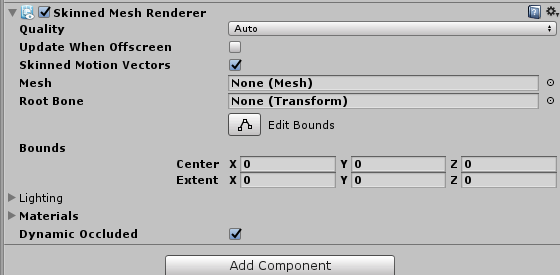
ah, well you can specify the 'weight' of individual blendshapes in unity in the mesh renderer
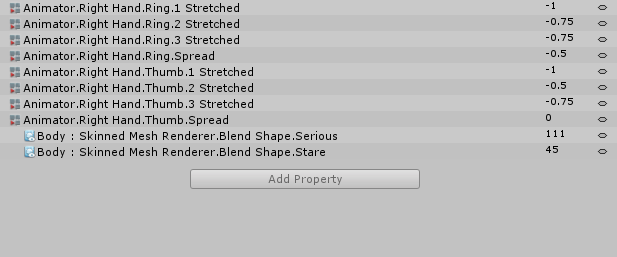
and animate them into animation clips you can put on your avatar, I posted all the default hand poses so you only need to copy/paste in the blendshape animation you want added
ornate basin
Ah.
fading verge
and then make an animation override template with all those animations listed that can be applied in the standing and sitting emotes in the avatar, if that makes any sense
ornate basin
Yeah I'm kinda getting it, thanks
Also, one of the arms is a 'robotic' arm, and the fingers don't really allow for sideways movement, is there a way to edit only the animations on that hand so that they don't.. 'warp'?
fading verge
so the DRAWPOINT clip has the animation for the hand pointing, and you can add a property that sets the blink blendshape to 100%
ornate basin
Oooooooh, yeah, now I get it.
fading verge
if you override the animations on your avatar with drawpoint in the fingerpoint slot
the moment you make that gesture it will play the animation frame of your hand pointing and change the blendshape on your face
when you let it go it resets itself to zero
@ornate basin oh yeah if you don't want the standard hand poses you can add anything you like and record a frame with your robot hand posed the way you like
ornate basin
Where in the hierarchy should I apply the Skinned Mesh Render? The top?
fading verge
but it's more work animating all the digits properly for each pose, the default ones work with all the mmd models so you can use it over and over
ideally your whole avatar is one skinned mesh called Body
ornate basin
Alright, I added the component to Body, but it doesn't seem to have a blendshapes tab
https://i.gyazo.com/075e1381fd062129bcf9f9df0a6020b9.png
Added it to the top one, is that right?
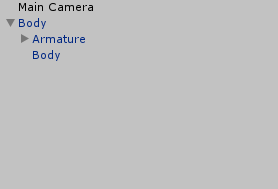 fading verge
you should already have it
ornate basin
https://i.gyazo.com/7d3519bf9f56a3550962de7bda12db13.png
That's my Skinned Mesh Render component
 fading verge
click the body mesh, you dont need to add skinned mesh renderers
ornate basin
Isn't that where blendshapes is though?
And which one, the top or the one beneath it?
ornate basin
Ah.. I see it, thanks aha.
fading verge
zoom in on the face and play with the values to put an expression together, then add those same blendshape values to a hand animation, either your own or a default
ornate basin
So for the expression (or in my case, having a gun pop out of an arm) I should have the start as my main model, and have a clone with the end of the expression?
fading verge
it's a blend shape right?
ornate basin
Yeah
fading verge
that blendshape should be 0 in the skinned renderer normally and when you do the gesture it should animate to 100
this is a hand pose with blendshapes added to the 1 frame animation https://i.gyazo.com/72297d6493aa655fc0cbaf7201722098.png
 ornate basin
I mean for setting up the animation, like, to do that I need to make a clone of my model right?
fading verge
I set serious to 111 and stare to 65
yeah record animations on a dupe or your avatar or your avatar will squat down
ornate basin
Awesome, thanks
fading verge
it's a lot to take in I guess but this is the gist of it
ornate basin
I should be good now, either way I'll update back in the chat later aha
Yeah it's definitely more complex than I'd have thought before yesterday lol
fading verge
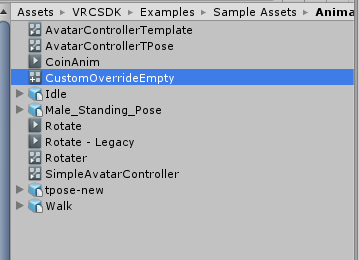
to put it on your avatar dupicate this override template from the SDK (path is in the picture) https://i.gyazo.com/406e469b502926399b0423f4ebaf0865.png

and put it in assets somewhere, open it and put the right animations in the right slots, then drag the template into the slots in your avatar descriptor, so the avatar does the custom animations on each gesture
it has all the animations listed you can swap out with your own
white solstice
is it better to use a jaw bone for visemes on a human character?
crisp tendon
For making them ?
white solstice
There is an option to have the character use a jawbone for visemes. I was wondering if it gives good results when mixed with mouth shapes or if its simply better to use mouth shapes alone
crisp tendon
Jaw bone method simply moves the jaw up and down
So it's the worst version of visemes
naive tree
boneless visemes please 👆
 tacit jetty
mmh, the model I'm using has Left and Right shoulder bones, but I still get the "pelvis, spine, neck, chest and shoulders" error 🤔
tacit jetty
oh I see hang on
I didn't apply
the easiest of solutions LUL
oh now it's spitting more rig errors, lemme get this sorted
nope still says I have to define feet, head etc.,which are defined
 naive tree
show the unity rig menu, and does the mesh have armature modifier in blender
tacit jetty
it does, this is weird mostly because it seems to be talking about things that are specified https://rain.s-ul.eu/ResrASjC.png

maybe I have some extra unused bones? should I remove them?
head etc. are also all fine
serene zodiac
is your avatar in a T-Pose?
tacit jetty
indeed
serene zodiac
🤔
tacit jetty
switching between the bind-pose and t-pose makes it move as it should
there are some unused hair bones, that might be it? idk
naive tree
can u send me the fbx without any textures?
tacit jetty
mhm
gritty nest
You probably have it half crouched
Or you have the avatar descriptor on the Body or Armature
tacit jetty
nope the descriptor is where it should be
define "half crouched", if you mean the pose the legs are fine
gritty nest
Well, your model should be in resting pose in the scene
Not crouched in the floor because you made an animation on it
tacit jetty
it is
tacit jetty
ok
naive tree
it works for me http://prntscr.com/m16y73
 tacit jetty
weird
naive tree
restart or reimport
gritty nest
Can you post a screenshot of your whole Unity window with the avatar selected?
tacit jetty
could it be unity's version?
gritty nest
And you didn't tick "Optimize Game Objects" on the rig config right?
tacit jetty
did not tick
naive tree
are you using 2017.4.15f1, and latest sdk?
tacit jetty
yes and yes
naive tree
if reimporting doesn't help, then i have no clue
tacit jetty
I'll try reimporting
reimported entirely,back to the previous error
this one https://rain.s-ul.eu/5fNLplNw.png
 gritty nest
Can you post a screenshot of the rig config again? The whole one
Like the green man preview
I only saw the lower part
naive tree
for me everything seemed completely fine, only removed hair from jaw
tacit jetty
I tried that but haven0t checked if that fixed it yet
ok that did it
phew thanks guys 👍
naive tree
wait what, removing hair from jaw helped you?
tacit jetty
yes, it fixed it
apparently having the hair be in the jaw bone counts as "feet, head and/or shoulders being undefined" 🤔
serene zodiac
why would the hair be in the jaw bone?
gritty nest
It does that by default a lot
tacit jetty
that, and me forgetting to apply twice didn't help
ornate basin
Any idea what would cause.. this? https://i.gyazo.com/2ff62037a651f9d95f02627ff83d903b.png
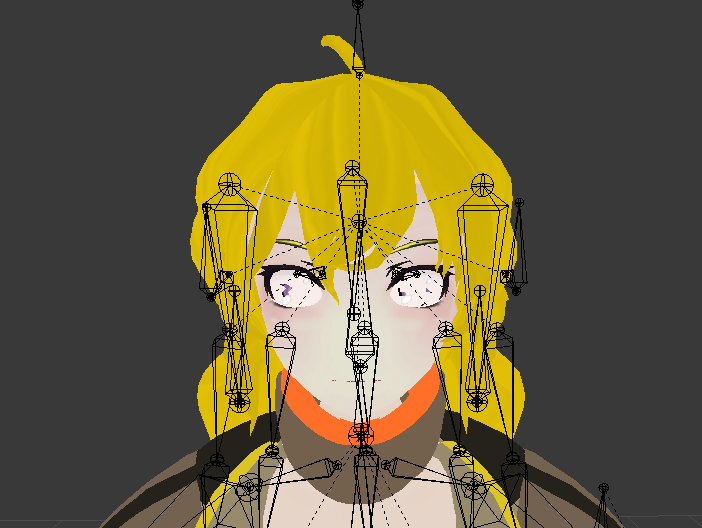
I specifically mean the eyes btw. I haven't played with any of the eye tracking stuff yet, and didn't do anything related to textures. All I've done with this version is mess with arm bones
 undone harness
If you still have a material on it, and import it into unity it shouldnt be a problem? You can just reapply it. Im pretty sure lmao dont quote me on it.
serene zodiac
i dont know if this is supposed to go here, but i need help with shape keys: how would i apply an edit from the basis to the rest of my keys?
it doesn't exactly agree with me, and decides to practically just reset its shape to what it originally was
ivory radish
are u sure u turned off pinning
serene zodiac
what's that
ivory radish
pin shape keys
if u have it enabled that happens
designed to do that
so disable pinning then edit it
serene zodiac
no what even is pinning
ivory radish
its a button
serene zodiac
this?
ivory radish
called pin shapekeys
serene zodiac
 ivory radish
yea
ivory radish
was it pinned
serene zodiac
well it didnt say it
ivory radish
^^^^^
serene zodiac
also no its not
ivory radish
u can also use shape propogate
however that means that vertex resets for all shapekeys
so any shapekey data for it is removed
there is also blend from shape
serene zodiac
so theres no way i can apply these changes to the rest of the shapekeys?
ivory radish
which u can use to move it back to basis
it should automatically do so
if unpinned and using the basis shape key
if its something like on the body
then u can use shape propogate
if no other shape keys are supposed to modify it
serene zodiac
this doesnt help me
ivory radish
wat did u change
serene zodiac
all i really did was duplicate faces that were already on the model and modify those [loop cuts, uv edits]
ivory radish
oh ok the thing is
u should almost never
remove or add verts to an object with ahaoe keys
which is also why some modifiers that change topology cannot be applied to meshes with shape keys
u need to make the changes and then join it with the original mesh
or separate the area that is being modified
blender does shape keys based on vertex order for some reason
serene zodiac
so my best chance is to duplicate the eyes, and use them as a separate model before merging the models?
ivory radish
yea
bc like if the vertex order is scuffed
when u import or reload the model
chances are every shape key is completely broken
and it makes the model explode like crazy
because all the verts are being moved to improper locations
ivory radish
make em smaller or somehting
pearl bone
Why doesn't unity or VRSDK let me upload my avatar? It's saying "Future proofing your content" and when it's done nothing happens? I do not get redirected anywhere. It just closes the loading screen and the "Build & Publish" button is clickable again. I waited 10 minutes after clicking it and doing nothing, but still nothing happens.
opal aurora
@pearl bone go to your vrcsdk settings at the top and disable future proofing
ivory radish
updates will commonly break the avatar and wont let u use it without it
so if u can get it working in near future will be good
opal aurora
And make sure you're running both the newest sdk and the most recent supported unity version (2017.4.15f1)
ivory radish
much like how theres LTS unity versions and regular unity versions
pearl bone
Using the new SDK, did all that but still cannot get the avatar uploaded. "Build & Publish" button does nothing
Let me make a quick video
opal aurora
Check the console for errors
Also wulfe, i've got a model from back in 2017 that was not uploaded with future proofing, it is still up n' runnin without any issues
That was a problem on the server gathering the content then
ivory radish
yea but
a lot of my models were uploaded w/o it cuz
it wasnt working
then i had 2 re upload them anyway
bc updates made it unusable
red avatar thing
but this was an avatar from back when uploading used 2 take a while 2 actually register ingame
pearl bone
No errors, updated unity, updated SDK, disabled future proofing. Nothing worked. :/
Honestly I only updated my SDK because of new features but the old version worked well, not everything is broken, and textures are messed up after updating this
ivory radish
did u do any restarting of anything
pearl bone
let me see
ivory radish
turn FP back on tho if it seems to work
pearl bone
Great, now I got the "Clear cache and PlayerPrefabs" as the only option...
ivory radish
yea then try restart of pc
i dont know what causes it and theres probably a better way 2 fix it
but idk the universal IT support work for me
every time the SDK has an error or doesnt load it seems to fix
pearl bone
I don't want to create a new Unity project with soo much work in the one i'm currently using
pearl bone
Ever since I updated the SDK I have been unable to upload an avatar for 5 days.
opal aurora
reddit
5 votes and 8 comments so far on Reddit
opal aurora
Comments seem fairly informative
ivory radish
 pearl bone
I'm just making a new project. If this doesn't fix it, I'm deleting the new unity, and SDK and reverting back to the old one
ivory radish
what
that makes absolutely no sense
no one should be uploading avatars from 5.6 anymore
pearl bone
It's way too frustrating I have been dealing with this for 5 days
ivory radish
besides older sdk versions are typically not even accepted for uploads
pearl bone
I was using the old ver 5 days ago and uploaded avatars fine.
opal aurora
Old versions still work, hell even the one from 2017 probably does, even if horribly
What's that url about tho wulfe?
ivory radish
?
opal aurora
Been trying to find some actual documentation on what the hell it's supposed to even do, since again, even models from god knows when are still up n' runnin', somebody on that reddit stated that a unitypackage could be acquired as a backup with future proofing, unsure of how remotely true that may be, but at the time being it seems like a monumental waste of time, on that note though, backup your stuff peeps, nobody knows what may happen
 inner narwhal
I looked at a tutorial on adding weapons to an avatar, but is there a better way to put the Animators?
 sleek isle
Muscle editor
inner narwhal
What's that?
robust gull
@inner narwhal It's this makes it really easy to animate https://i.imgur.com/Kjkra6a.png
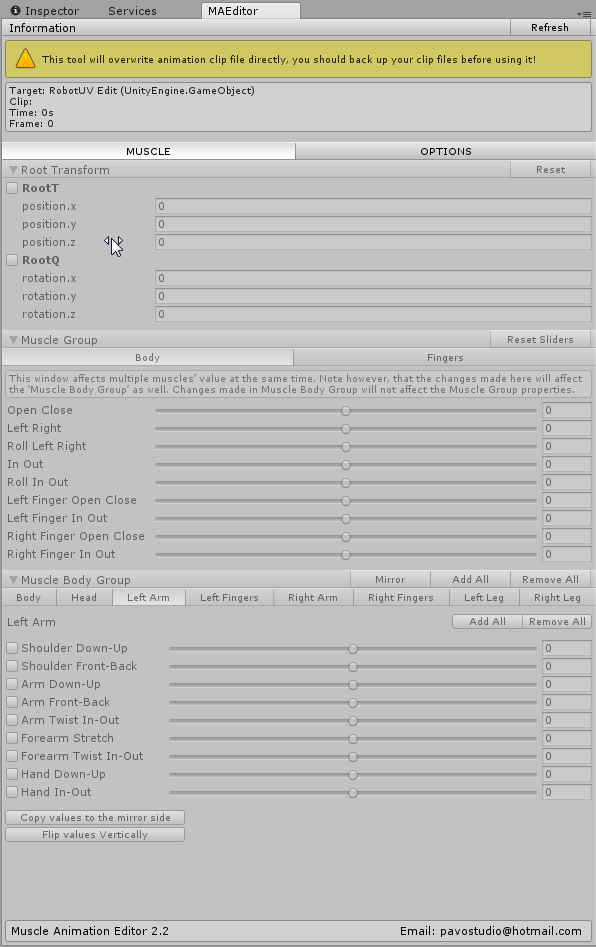
Is there away i can make my legs and arms only bend one way? i don't want my legs to spread
gritty nest
@robust gull go into pose mode in Blender, slightly bend the legs forward so the knees are pointing in the right direction you want them to bend in
Then apply as rest pose
robust gull
@gritty nest I mean like locking the other vaules so it can only bend one way, I want it only to bend like the 2 pictures on the right i don't want it to move like on the left https://i.imgur.com/7ziyMqj.png
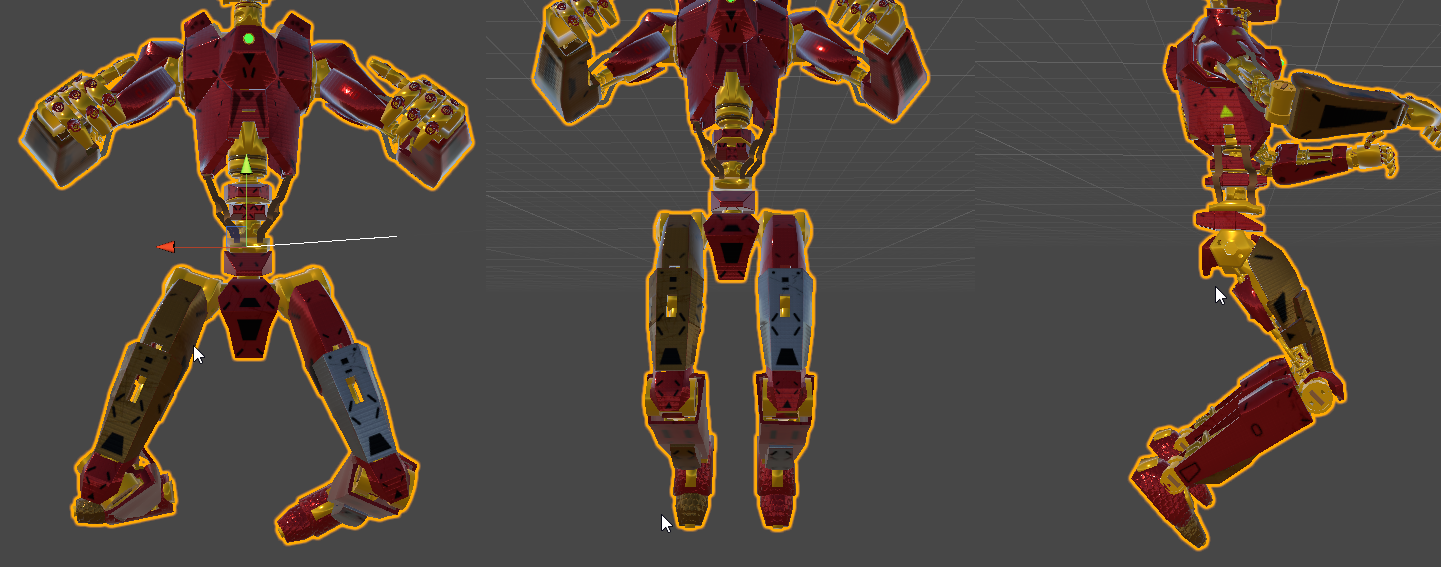 gritty nest
Ah
Well, what I said applies to the game's IK
If you want to change it in animations, go to the humanoid rig configuration
There's a tab at the top that says muscle settings
You can change the min/max values for the muscles there, including how far the upper leg can spread or twist out
robust gull
Oh okey thanks will have a look at that
I think i found what i needed https://i.imgur.com/qDhHqik.png
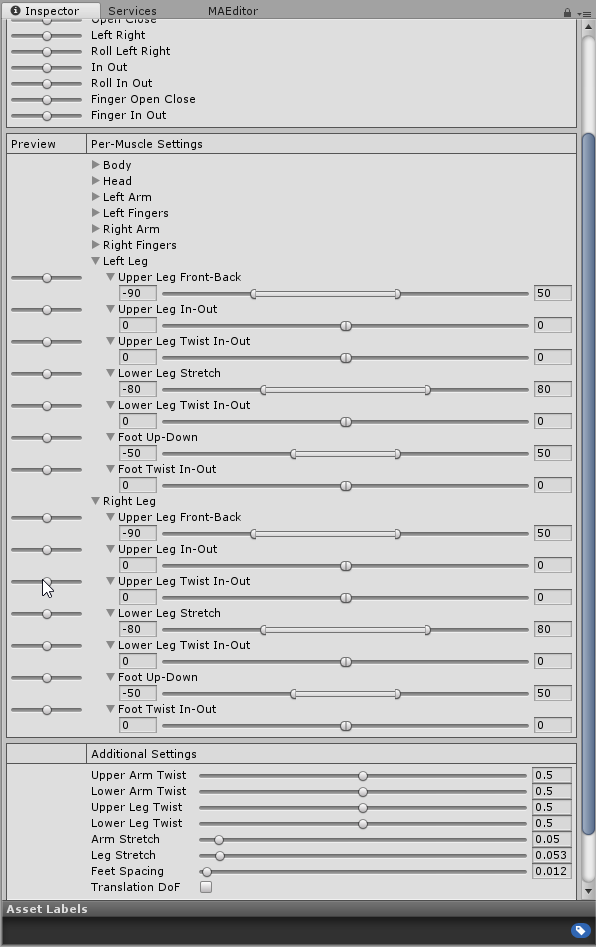
 light inlet
 crisp tendon
Fix the weight paint
ornate basin
Yeah that's a weight painting issue, it might get fixed if you make it automatically do the weight painting
dim ore
Anyone have any tutorials they would recommend for avatar rigging?
crisp tendon
Try Mixamo first
ornate basin
What's Mixamo? I've heard of it but haven't bothered looking into it
crisp tendon
Online service that sets up armatures and weight paint automatically as well as provide a lot of animations for humanoids
fading verge
Anyone know how to parent, say the bones of an avatars legs to the skirt so they don't clip through it in unity
crisp tendon
You're thinking of bone colliders ?
fading verge
Kind off
you see my avatar when she runs her legs clip through the skirt
same with crouching
I just didn't know whether or not to parent the skirt bones to the legs or add colliders. If I were to add colliders where would I add them too?
crisp tendon
Parenting bones wouldn't help, dnyamic bone colliders would be on the legs so that it pushes the skirt bones away
It's not performant though
You could instead make weight paint, it works really well at 0 performance cost
fading verge
Can I do that in unity?
crisp tendon
Weight paint is done in Blender
fading verge
Goddamit
crisp tendon
Yeah avatar making can't be done only in Unity
fading verge
is it quite easy to do? you see I had a lot of trouble rigging it up so someone else kindly offered to do it
crisp tendon
Once you understand how it works yeah it's easy
ivory radish
would also recommend
separating the skirt before having to weight paint
will be easier to paint on it and it only
then join it back
fading verge
This all confuses me so much T-T

@ivory radish So you say part the skirt from the mesh? How would I go around doing this?
ivory radish
there are a lot of different ways to select it
but once it is selected (in edit mode) u press p and separate by selection
unless its already separated
 gloomy pollen
is there a fast way to fix mmd eyes that clip into the eyeball in blender?
during eye tracking creation?
ivory radish
you can also try
to name the actual eye bones RightEye and LeftEye
and delete the ones it generated
gloomy pollen
dont they need to be pointed up?
ivory radish
u can
gloomy pollen
the bones seem a lot shorter
ivory radish
but only links
gloomy pollen
nah i cant, the + icon isnt there
ivory radish
the length doesnt matter
gloomy pollen
no i mean as to why the iris clip
gloomy pollen
ah
ok so rename eye bones and point up
ill try
wont that move the texture with it?
ivory radish
ye
gloomy pollen
hmm
is there some maths to point it up or just... eyeball it xD
oof that didnt work at all
they still clip left to right and they dont rotate up/down properly lol
shouldnt the whites be painted with the iris?
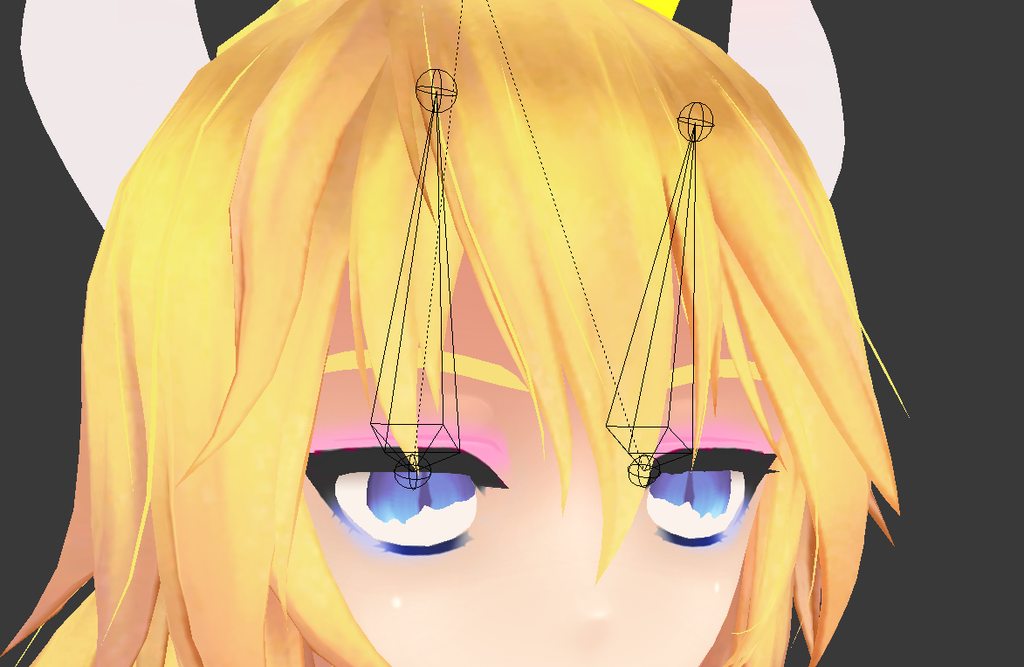 ivory radish
havr you also tried seeing if it had weight to the head
and if it was in the right place
gloomy pollen
the eyes?
ivory radish
yea
gloomy pollen
ill check
ivory radish
they should only have weight to the eye bone
and have 100% weight
and make sure they rotate from right pivot point
ivory radish
idk unless theres an eyeball
ivory radish
bc if there was u could just put the cursor to the center of it
and snap them to the center
gloomy pollen
left and right eye bone have full weight on iris
hmm in another model the white is painted to the eye bone
maybe thats the issue
ivory radish
no
again theres multiple types of eyes
some of the most common being a rotating eyeball
and a rotating transparent pupil/iris
gloomy pollen
i think the iris is rotating in a spherical shape
and not an oblong
can I extend that rotation easily?
ivory radish
yea
again the bone is the pivot point
so its like spinning a ball on a string
the longer the string the wider the rotational radius
but that doesnt mean just moving it backward
gloomy pollen
which setting does that correlate to 😄
ivory radish
you have to move it away from the iris in the direction behind it
again the bone is the pivot point
gloomy pollen
nono
im saying i nead to widen the sphere of rotation
cause i think the eyeball is too long
if i just move the bone forward
you can see the iris away from the eyeball lol
fiddling the bone position helped
ill stick with that, its a crap looking model anyway just doing it for a friend for a quick gag
wait
asdkifhasdiof it moves the bones back after you stop testing mode
gloomy pollen
moving the bones cats made during "texting" i can get them lined up
but after 'stop eye testing' they reset
and moving the bones outside testing doesnt seem to affect it at all
once you go to testing
is there a way to "save" the positions from test eye tracking mode?
gloomy pollen
blender crashes every few minutes playing with the eyes lol
so i start back from a pre-eye file
do the above as in move the bone?
ivory radish
wat
gloomy pollen
ok how about this
i have the adjusted numbers from pose mode on the eye bones
but in edit mode i only have transform options
where do i find the positional entries
ivory radish
in the bone properties
gloomy pollen
i only had Head, Tail, and Roll
not Location
do i maths it into the head and tail?
ok I see a problem maybe
when I move the eye bone and then go into pose/testing
the top of the bone reverts back to its previous position
even though the bottom moves
so its a slanted bone
when i move the bone outside of pose mode it doesnt do jack >_<
when i go back into testing
moving bone inside pose mode works fine but it doesnt apply it after i exit
i tried apply Pose to Rest but it didnt work
 crystal vector
No I mean the Pose to rest
gloomy pollen
no errors it just reset when i leave eye test then go back in
crystal vector
Stop eye testing, start pose mode, move bones, then Pose to Rest
That should work
gloomy pollen
start pose mode is the same effect i believe
as eye testing
but ill try
when i hit apply they scooched in a bit
that was weird
didnt stick the transform either
crystal vector
Mh
gloomy pollen
ah hang on
there is a cats button to apply as rest pose
ugh that did it
fricking finally
crystal vector
Ooh, you used the internal blender one? 😄
crystal vector
Yea that Blender one is pretty dumb
sleek isle
Really usefull when the character rotate and separete itseft from the rig when fix
fading verge
collapse the pipeline manager component and everything is smooth again
sleek isle
yeah got that too thanks
fading verge
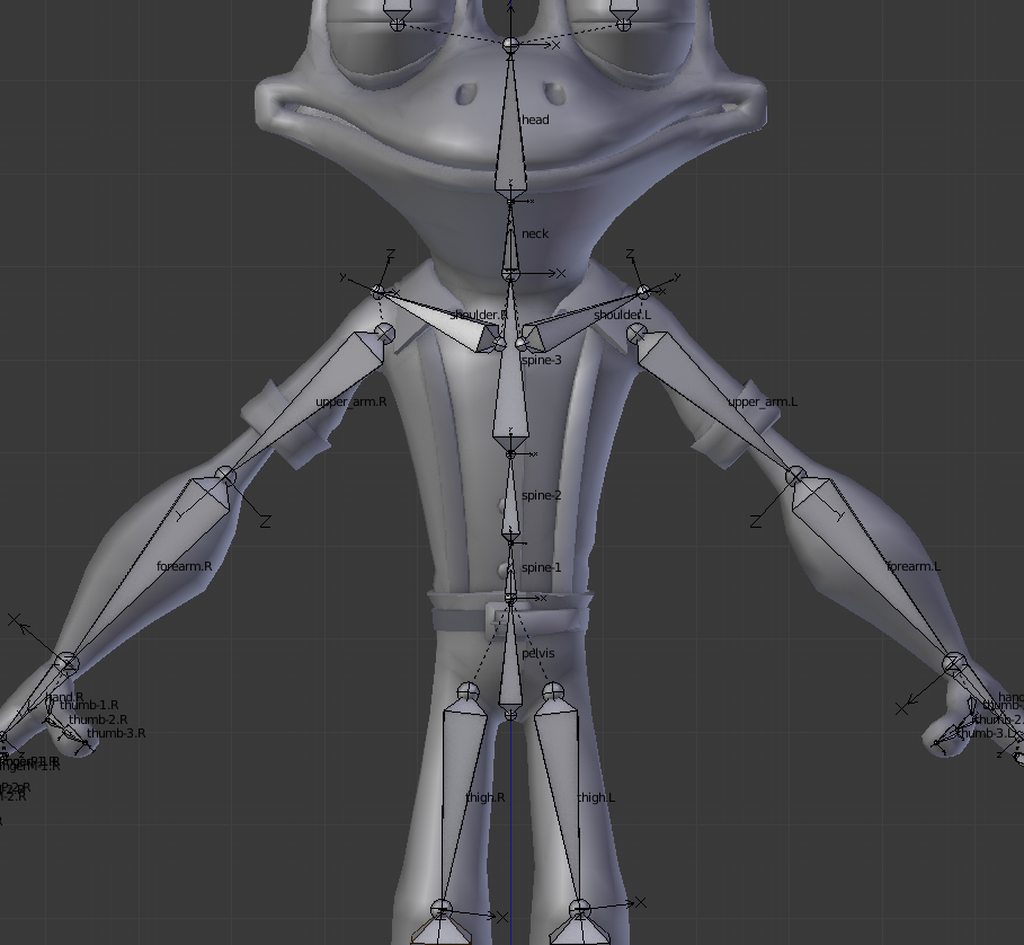
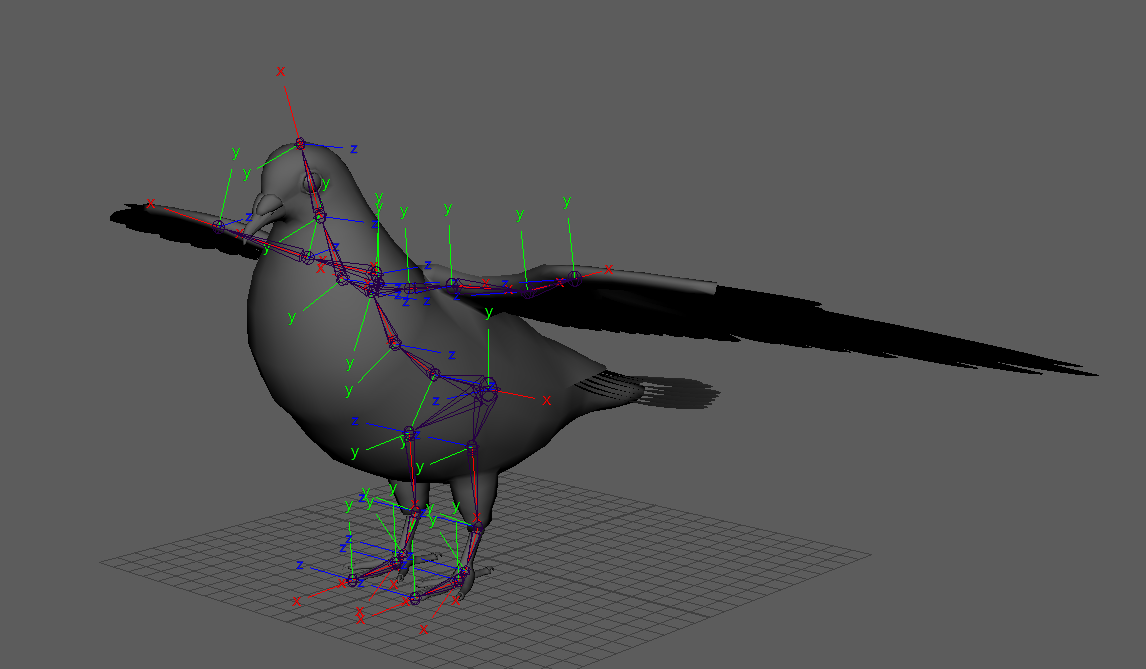
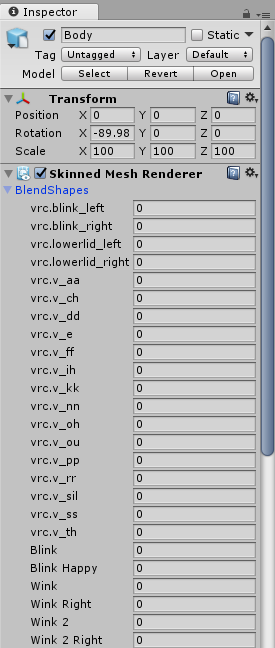
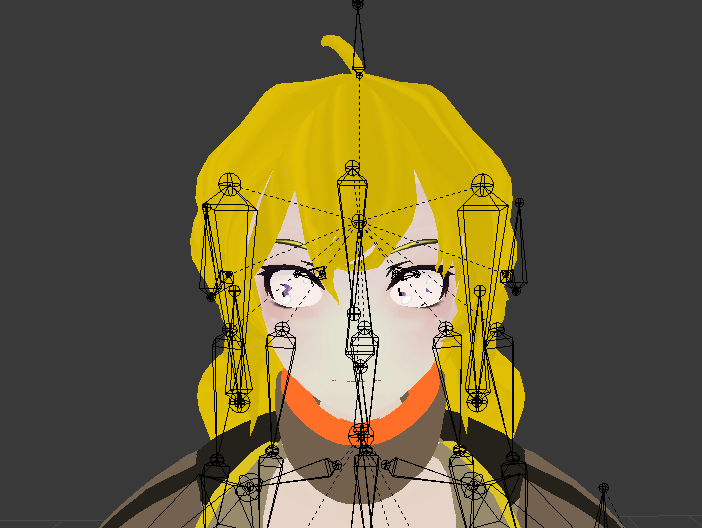
Say, does this look like the right amount of Spine bones for VR Chat, or should I remove one?
https://imgur.com/a/yYk4qlM








 fading verge
where is that in CATS?
 tender crater
Open the CATS tab in blender, then choose Fix Model button
After you fix it, inspect and pose check to make sure the bones rotate and shift correctly
opal aurora
In total you need 3, chest, spine and hips
 eternal flume
nevermind, fixed it
 burnt goblet
Ive got a Dress rigged and an avatar rigged and i just need to put them together, How would i do that exactly?
if i just combine the mesh dress to the avatar it doesnt follow the bones when i move them, however if i delete the entire rig on the dress and weight paint it to the rig on the avatar everything is good except i need to be able to add dynamic bones to the dress, and i cannot do that when its attached to the avatars rig ... any ideas?
burnt goblet
never mind all i had to do was CTRL + J then remove all the unwanted bones and parent the skirt bones to the armature and envelope the weights to make a perfect skirt
ivory radish
u can also use merge armatures from CATS
 candid radish
Hi does anyone know anything about Unitys Toe mapping and if it works for Full Body users?
I'm trying to decide if I should weight paint them or not depending on weather it is even used in full body.
gloomy pollen
anyone else having severe performance issues after adding the descriptor?
i would just paint the toes with the feet, i dont think vrchat uses toes
ivory radish
it is used