#avatar-rigging
1 messages · Page 130 of 1
 sand patrol
 sleek isle
maybe you select in wrong order
 slim harbor
i'm trying to set eye tracking for a model with CATS. eyes should be assigned correctly; eye movement works but not blinking.
any ideas anyone?
 drowsy wharf
@slim harbor blinkleft, blinkright, lowerlid left, and lowerlid, right must be the first 4 shapekeys after basis (in that order)
If you don't have a blink shape key to make it blink you'll need to make one
 wary crown
@sand patrol Use the merge weight option in cats.
 primal swan
When it comes to breast bones and Dynamic bones, is more bones, or less bones better.
Is there a law of diminishing returns here?
It makes sense to me that the amount of bones would play a big part in how to work with Dynamic bones.
primal swan
I was going to say. I got some huge dohoonkabhankoloos
 fading verge
when is say gigantic i meant like big as the head
primal swan
:3
 crystal vector
@primal swan you mean like big ol' tonhongerekoogers?
primal swan
Just some everyday, normal hungolomghononoloughongous
 lucid orbit
Go for three!
crystal vector
But be aware of the transfer student with even bigger bonkhonagahoogs
primal swan
I will booby bounce her to a new school.
primal swan
@fading verge Thats the beauty of Blender. It's not going to be the best, but it has an auto function for weight painting. You just need to come in and make sure that your feet bones aren't also moving your face. XD
 light moon
Hey how do I flag a bone as a jigglebone in the editor.
I'm sure its right in front of me and I'm being blind.
It's in that rig editor yeah?
 sharp pewter
like dynamics?
light moon
I think so. I mean a bone that lags behind. Like the discussion just above.
Yeah. Dynamics.
sharp pewter
thats done in the scene not in the editor (after you config it)
you apply it to the bone before the one you want to have jiggle not the bone itself
so you might need to make root bones if you dont have them
or i can end up a pain
light moon
I'll see what I can do.
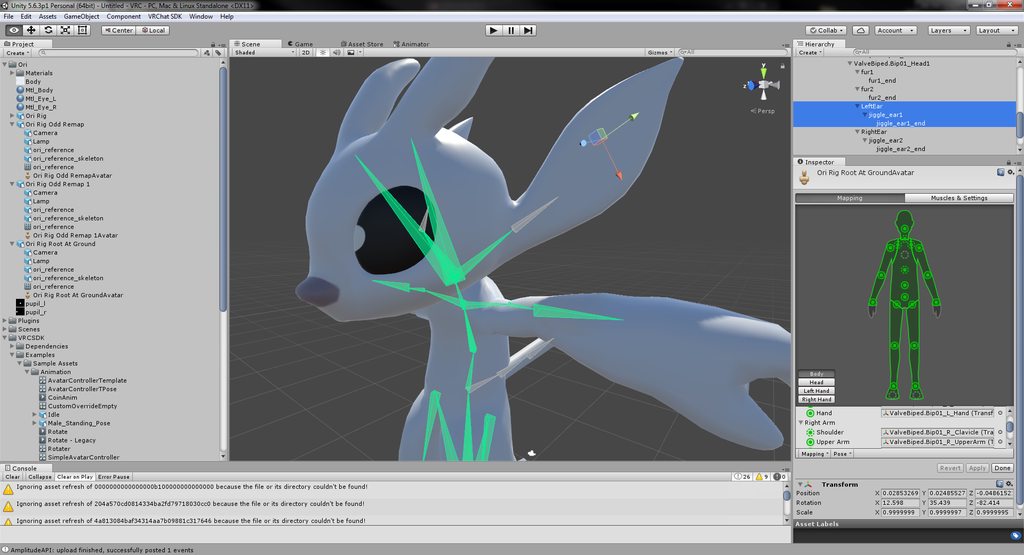
I think I'm in luck. This was ported from a model in Source that had the bones set up already. Let me get some images. Do you know any information that describes how to get to where I set that up? Like what screen, I mean. https://imgur.com/a/3RUfOJ1
 sharp pewter
keep it mind what ever bone has the component with make ever bone that is the child of that jiggle
light moon
There's three bones in there. The top-most in the selected hierarchy is the visible grey one.
The "jiggle_ear1" is at the tip of that, and "jiggle_ear1_end" is at the top of the ear
sharp pewter
you are in the rig config rn so get done with that and hit apply
light moon
Yeah.
That's done now.
Dammit, gotta blow $20 to do it according to the video tupper posted. I'm not done watching it so I'm unsure if he covers a free variant.
That's a bummer.
sharp pewter
free is cloth but that can be super lag if not done right (well both can)
if you know how to use it and keep around 500 polly or w/e it was prob fine
light moon
Alright cool. The ears are about there so it should work out.
sharp pewter
or you can maybe fine something here idk
Here is a list of the components you are allowed on avatars VRChat - VRC_AvatarDescriptor - VRC_IKFollower - PipelineManager Unity - Transform - [Animator](ht...
light moon
So based on the bone hierarchy I've selected in the image above, I'd add the cloth component into the bone named "LeftEar", yeah?
sharp pewter
just watch a video on it and have some self control on how much you use
light moon
Alright.
 void zealot
can someone in here answer my question in #avatars-2-general ? maybe its more relevant to here
wary crown
@light moon if you want jiggle bones you need the dynamic bones asset, cloth component is good for short clothing, as the name suggests, not so much for ears
light moon
I managed to snag a copy of dyn bones from a friend and I got it working.
sharp pewter
hush hush
light moon
it was bootleg dynamic bones ;)
"bone motion machine fixed"
v69.0 - "lol guys it works for real this time"
 left zephyr
soooo i i put hats on the end of my ears rabbit ears and attached them to the end of the bone but now they dont flow anymore
sharp pewter
mm need to paint them to the end ear bone most likely
click armature and go into pose mode
then select mesh and go into weight paint mode
left zephyr
in unity
sharp pewter
o tracking with the bone?
feel like this is something someone who does animations would be able to help you with i'm not that person
could tell you how to do the same thing in blender if you want
left zephyr
yes? they way long ears bend stopped happening once i put the hats on teh bone
when i click on a bone higher up in the tree it used to be along the ear now its all back in teh hat
void zealot
Spine heirarchy incorrect.
Make sure that the parent of both Shoulders and the Neck is Chest.
how do i do this
left zephyr
so that means that the hat became higher up? how can adding the hat alone break that
or can it be something way far down the line
void zealot
how can i reparent these uh bones then
 gritty nest
@left zephyr this is not an issue ingame
In the top toolbar, there is a button called Center
Set it to Pivot
sharp pewter
as far as i know the hats are not part of your main mesh they are just added in unity to follow the ear bones right?
df you just need to make sure its hips > spine > chest > shoulders (going both ways) > arms > elbows >wrist
and when you have the armature selected in edit mode you see a little tab with a bone image click that and goto bottom to see what the parent of the selected bone is
left zephyr
sounds like my hat became a parent
sharp pewter
 gritty nest
What is the issue exactly? Is this in Blender or Unity?
@left zephyr
Do you have a screenshot?
left zephyr
unity
gritty nest
So, what is the issue exactly? It seems you added the hats directly in Unity (bad for performance) and you now have the hat selected.
The hat's mesh is called "Body" I guess
 devout bough
Does anyone else get trouble with hand bones?
drowsy wharf
that's very unspecific
devout bough
I'm completely new and trying to set up my first avatar but everytime his hand bones are positioned weirdly when I go into the t pose mode
I'll grab a pic
So it looks normal in the regular inspector. I don't know what to call it i'm new to unity
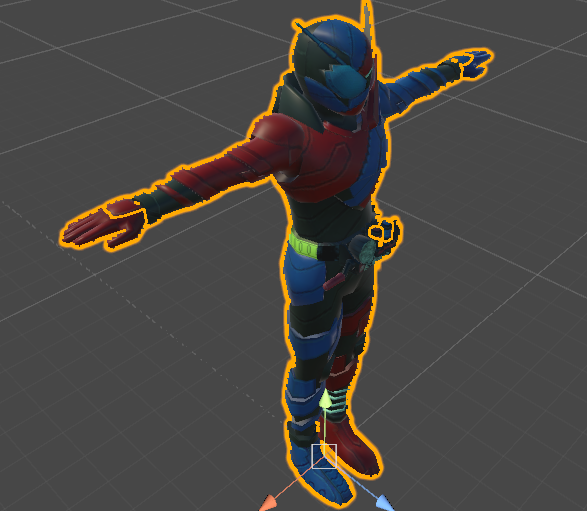
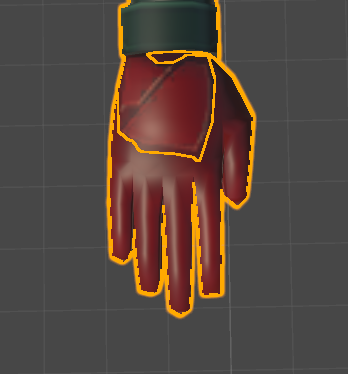
But once I get into mapping him
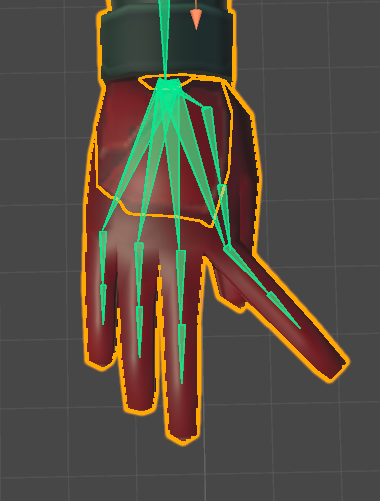
It looks like this
gritty nest
You can manually reposition the bones
Make sure the fingers are in the right slots
So the index finger bones are actually the index fingers
If your meshes aren't merged yet, you should do that.
You should have one mesh
gritty nest
Just switch the mappings manually, then Pose->Reset and Pose->Enforce T-pose
The bones are probably switched by accident
gritty nest
That's something you do in Blender so you only have one mesh
It's important for optimization, I think Cats can do it manually
Unless they're already merged and I am mistaken
devout bough
I don't think they are
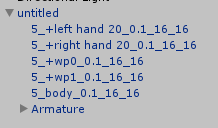
If this is any proof
Hmmm. These are the bones that came with the model should I try and use the VRChat bones?
gritty nest
It seems like you have 5 meshes and should merge them in Blender
Just keep the model's bones
 tame mica
Help?? https://imgur.com/VeH2dg0
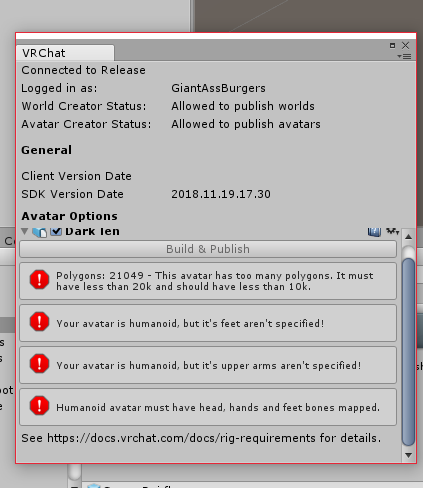
It was rigged and has all the bones it looks like tho
void zealot
nvm this goes better in here
how do i stop certain polys from being affected by a bone
gritty nest
@tame mica screenshot of your model?
You're over the poly limit so you can't upload, but you probably knew that already
tame mica
https://imgur.com/a/30O8doR @gritty nest
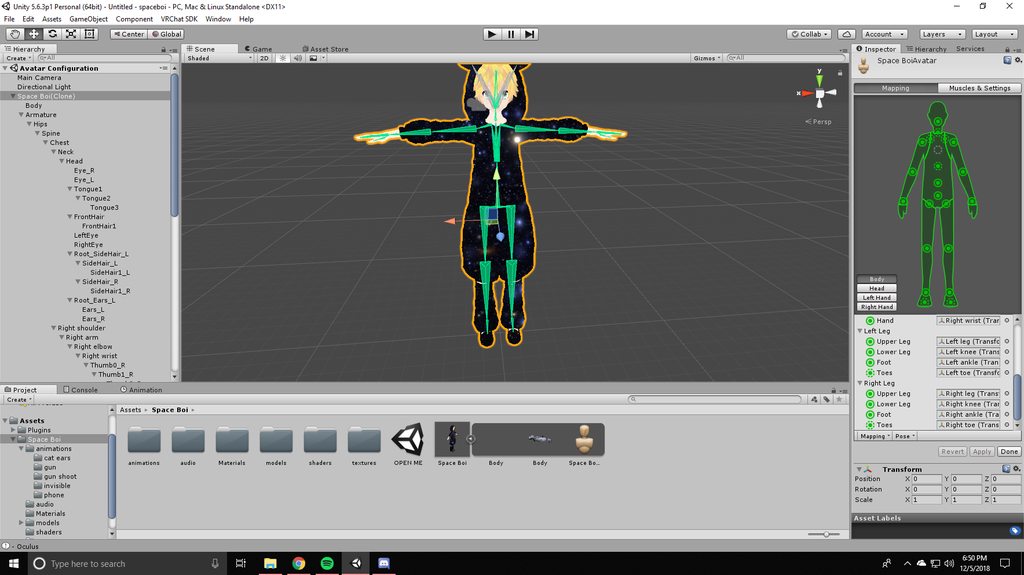 sharp pewter
im gunna go sleep prob
tame mica
like just a regular pic of it?
gritty nest
Yes, just a pic of it in the scene
tame mica
ok
 cursive apex
I forgot what the fix is for this. Does anybody remember?
gritty nest
Oh yeah, and also post a screenshot of the object with the avatar descriptor on it. Inspector window visible is preferred
@cursive apex there are many causes, I'm narrowing it down now
cursive apex
hang on i forgot i cant paste images in this discord lolol
im sitting here thinking my keyboard is broken
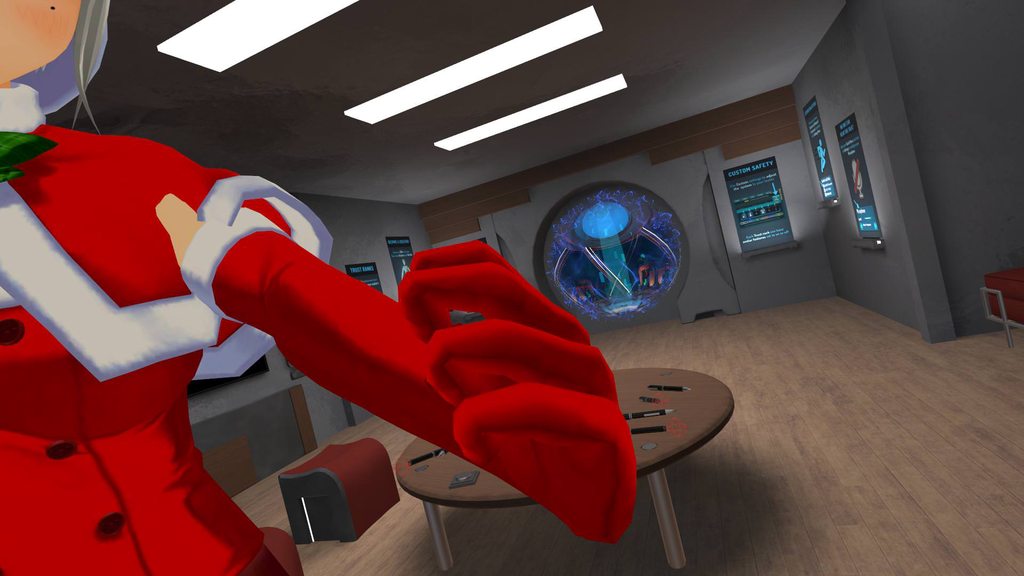 tame mica
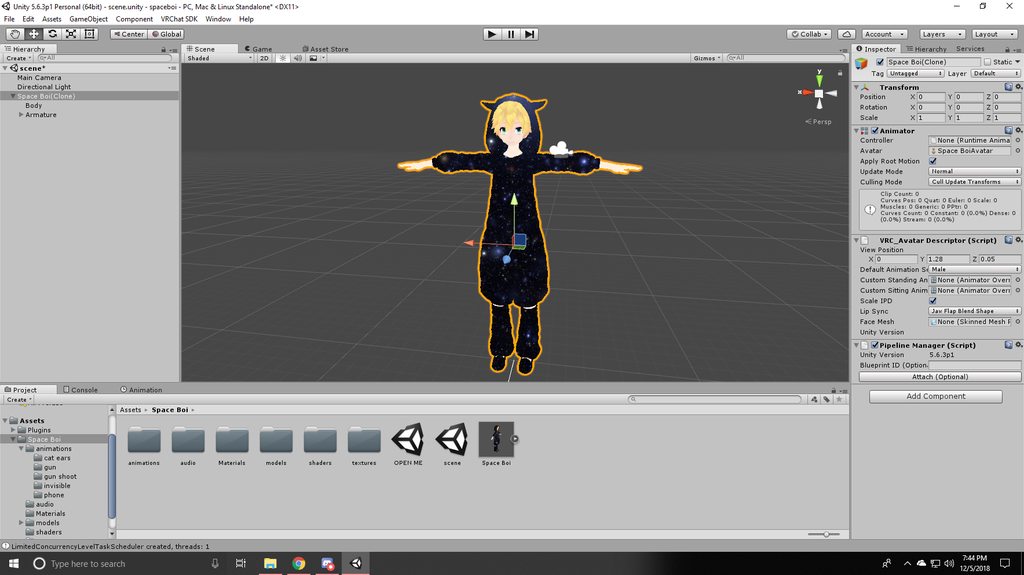 gritty nest
Weird. Try restarting Unity
tame mica
okay
gritty nest
Set animation type to generic and then back to humanoid if that doesn't work
cursive apex
nvm. I lied. Fingers are wrecked in unity too. Probably set wrong.
tame mica
im going to restart the whole thing brb
That fixed it thanks, also what is the best way to decimate?
@gritty nest
ive been using the mantisLODeditor in unity
but that only does so much
gritty nest
Decimate modifer in Blender
Mantis is not recommended
Separate by materials or loose parts in Blender, then individually apply the decimate modifier to high poly parts
The hair is usually an easy target
tame mica
how do i import it from unity?
gritty nest
It's usually an FBX that you can import. If you have the original blend file it's preferable though
tame mica
Alright thank you!!
cursive apex
Don't decimate any mesh with shapekeys
tame mica
okay
cursive apex
because you'll lose them and then you can't be kawaii and senpai won't notice you
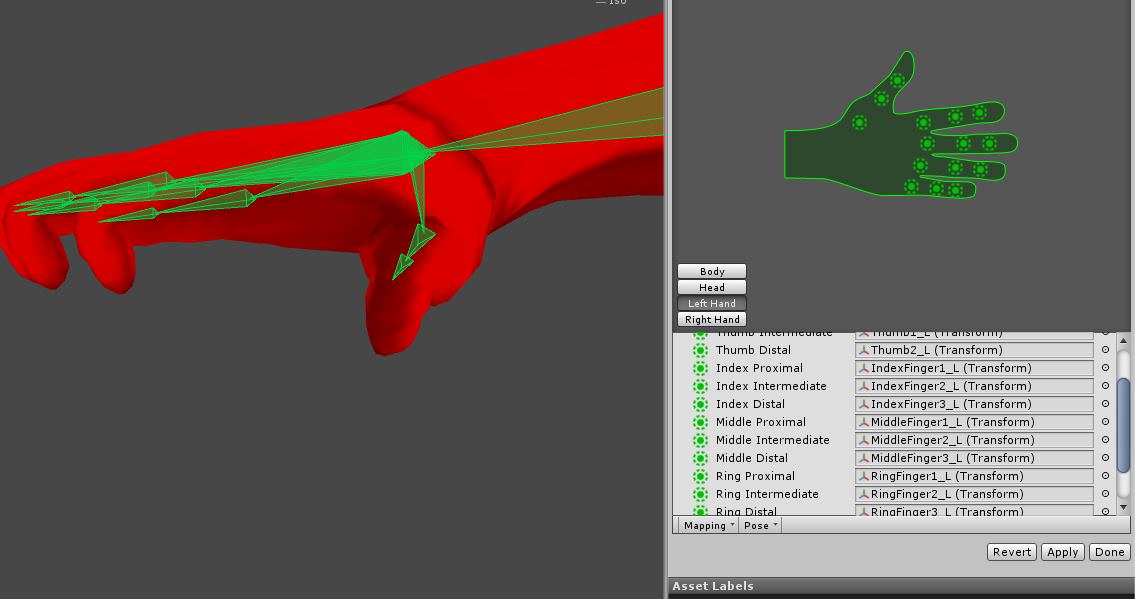
anybody know?
nevermind. I'm going to have to redo the hand rigs. TY
 coarse delta
So, i'm trying to rig a model and give it visemes in unity, but my model currently has multiple body meshes? I used the custom model creation in blender, and for some reason, it gave the model three basic body meshes, so i'm unable to add visemes and what not. Would anyone know how to fix the issue?
cursive apex
join meshes
coarse delta
In blender, or unity?
cursive apex
in blender
coarse delta
"an armature and mesh are required"
coarse delta
Yes, I am. I just re-loaded my model and my whole armature is missing for some reason...
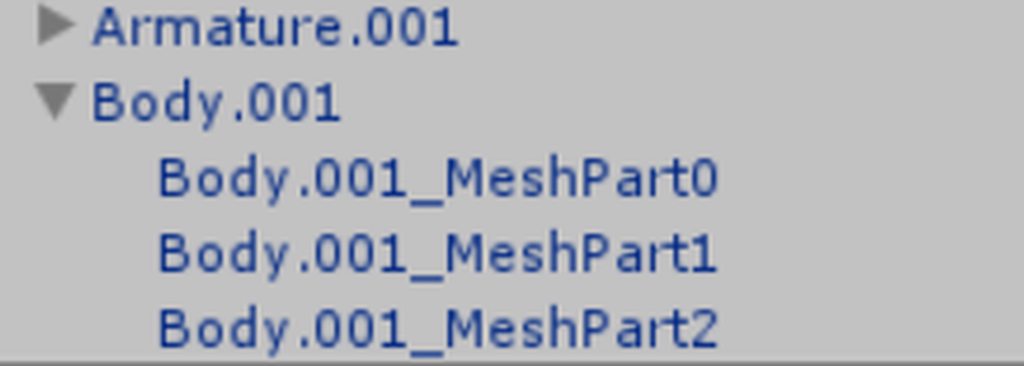
Here's the issue i'm having in unity
When using merge armatures, for some reason, it puts parts of the model into different meshes
cursive apex
I don't think you can merge them in unity and have it work. You must do that work in blender. I could be wrong though
coarse delta
How do i merge them in blender? It's only showing one body mesh here, but turning into three in unity
cursive apex
i'd have to see your hierarchy. What exactly are you trying to achieve?
coarse delta
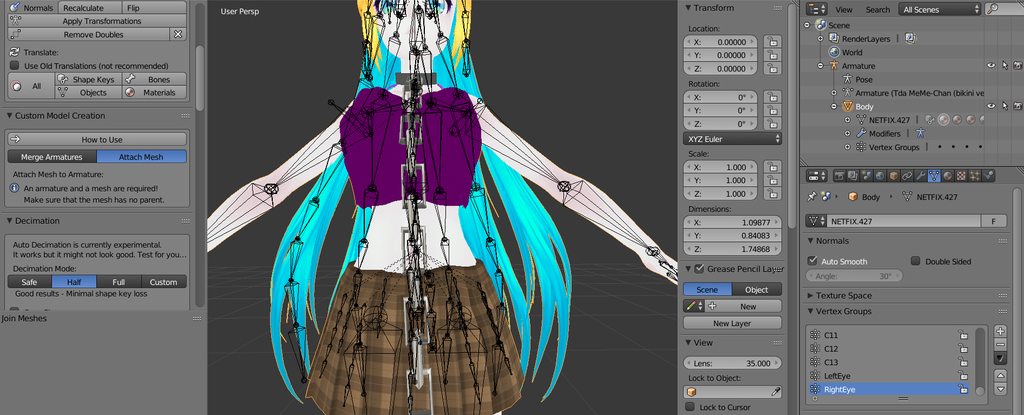 crystal vector
@coarse delta that's because you didn't decimate. Unity splits meshes above 65k tris
crystal vector
The cats export button should have warned you about that
cursive apex
^ hotox is beast
coarse delta
I don't use the export button for cats, i export it through file. ^^;;
cursive apex
i almost forgot about the 65k unity limit
crystal vector
Oh ok :D
 crystal vector
@coarse delta is there a reason for not using the cats export button? It uses the optimal export settings
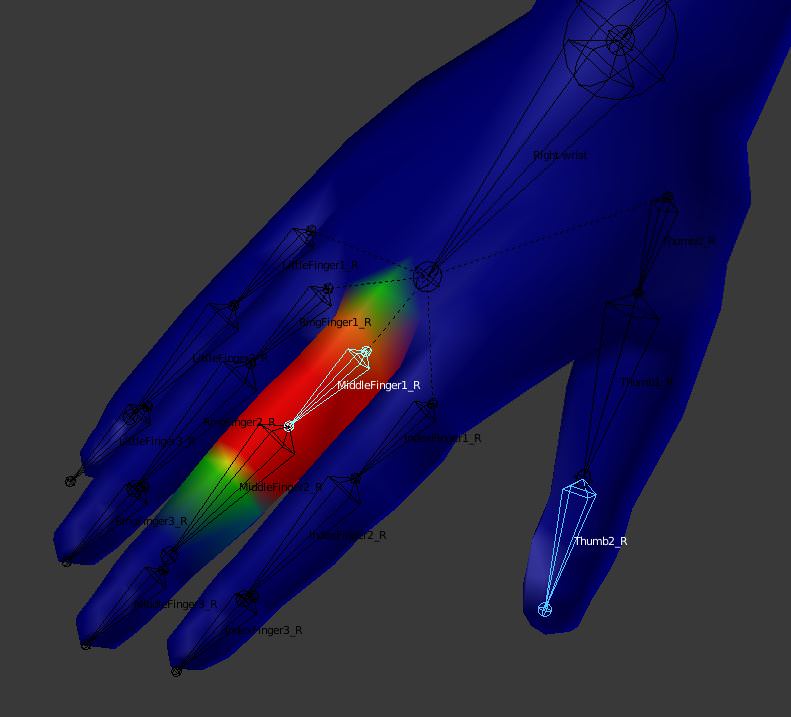
@cursive apex are the bones correctly mapped?
coarse delta
Just a habit from other programs to use file and export. ^^;;
Photoshop, illustrator, other 3D modeling programs, etc
cursive apex
 crystal vector
I see. There are some settings you should check which cats does automatically for you
@cursive apex I mean mapped in unity
coarse delta
I'll be sure to give it a look now. :3
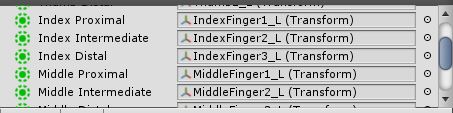 crystal vector
Ok, I have no idea then
cursive apex
yeah i've never seen it before
i'm mind blown
i checked bone roll and bone directions. I even made the bones straight instead of pointed up
crystal vector
You can try to rotate the bones in Unity so it looks goid
cursive apex
even though all the posing works flawless in blender
cursive apex
Hotox get this. Manually mapped the bones and everything works. What the hizeck @crystal vector
tame mica
@cursive apex I seperated by material but all of them have shapekeys... :/
or anyone??
cursive apex
ok hoosier the only shape keys that matter are the face ones
do you see a face mesh
material?
tame mica
also there arent any textures so its hard to decimate right
tame mica
i hit the shadeless but it didnt do anything
cursive apex
on the bottom bar there is a button to the right of the edit / pose / object mode drop down
can change it from solid to texture there
tame mica
i had to put it in material instead of texture but it worked
primal swan
I'm completely redoing the materials and textures on my model, a bold task, as this is the first time I've done it.
I know at some point I want to make a texture atlas, but for right now, is there any advice on how to tackle it?
Like, should I make Materials in broad strokes? Skin, Hair, Eyes, Cloths.
Or Should I be a bit more in depth. Body, Breasts, Face, Eyes, Hair, etc
cursive apex
are you painting or just doing solid colors
primal swan
Probably. I'm not a skilled artist, and I can't see to much need to really interesting skin or cloths
cursive apex
well you need to watch a tutorial about uv unwrapping if you're building new textures from scratch. if you're just modifying the textures that already exist, you just need an image editor.
primal swan
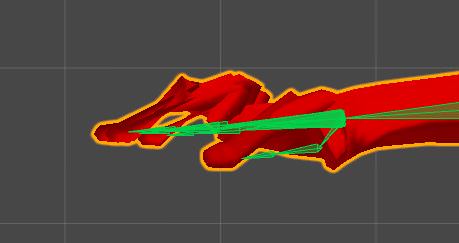
Any idea why my models Head Bone doesn't move the jaw at the same pace?
https://giphy.com/gifs/45fvQIs9ggekQdOUTe

The Jaw and Head Mesh are full red for the Head Bone
sleek isle
you can see
that the jaw is not
parented to the head bone
since it do not follow it
primal swan
Ahh fuck, yeah. Woops
sleek isle
but its seen you have other bone in that area
merge the bone that move the same bone mesh.
so there is not going to have deformation
as you can seethe jaw shrink when moving the head bone
so you might have multiple bones in that area
bone in the human body ton deform that way
select a vertex on the mesh and you can see in the (n) window) what bone is attach to that one
 tidal cedar
Anyone know How to keep sleeves down when you raise your arms, not really having much luck with long sleeves.
sleek isle
cloth physic
tidal cedar
Oof
sleek isle
no
tidal cedar
Ive down it before with dynamic bone, but using cloth is odd for me.
sleek isle
gravity don't work well with dynamic bone so only cloth physic work for what you want
tidal cedar
What about using force?
sleek isle
am not sure. but some pre-set are only local

 hybrid venture
A fake middle finger for each hand
 ionic bramble
@hybrid venture fixed thanks
 azure dust
the 1st and last ones dont matter the middle one is the most important
as far as the errors go
well i guess the last one could if ur model looks scuffed
ionic bramble
Join me and lets watch some videos together in sync!
primal swan
My Boney Boi has the weirdest issue.
In Blender he's fine. Once I put it into Unity the legs go all weird.
And once I go into VRchat, it's totally broken.
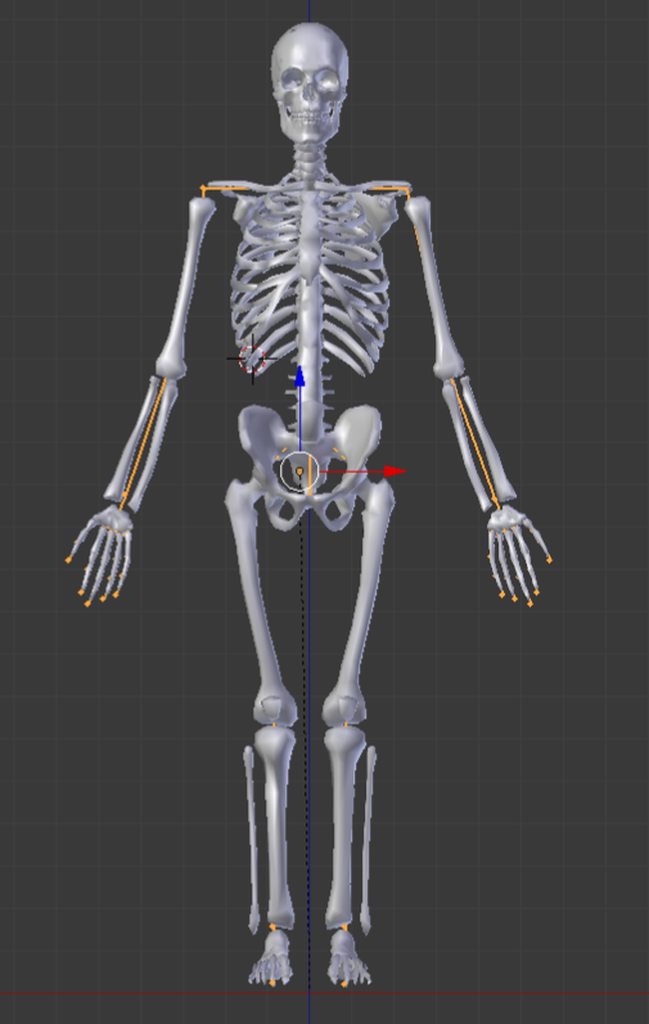
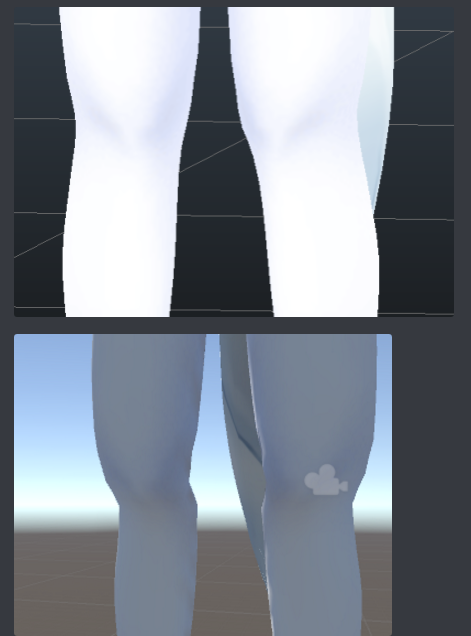
The running animation plays correctly, legs moving like they should, but if I try to crouch the knees bend inwards. The hands aren't facing the correct way, as in, if my hands lay flat, palm side down, it's hands lay vertically, palms facing one another. Finally, all the fingers, well, pictures will say it all better than I can. (Multiple pictures)
https://imgur.com/a/SA2QBRa
 drowsy wharf
@primal swan the reason the legs bend inward is because of the leg orientation. The upper leg should be straight down, and it should bend towards the back slightly at the knee (in the direction the knee actually bends).
IK takes the base position to determine which direction a bone is supposed to bend. So you bend it slightly to tell it to go in that direction.
and since you have the legs bending inward it thinks that is the correct bend.
primal swan
Interesting.
Is that what's going on with the hands as well?
drowsy wharf
Probably, yes.
The detaching leg bone (if not on purpose) may not be parented to the upper leg properly
Generally speaking the T Pose is arms out to the sides with palms down, and legs straight
Also make sure all bone rolls are set to 0 for Unity use. (armature edit mode, select all bones and ALT+R to set to 0)
Then just give the joints a slight bend in the correct direction and you should be set
primal swan
Not sure about the leg.
All the bones seem to be in order.
drowsy wharf
Make certain the lower leg is parented to the upper leg, and that the weighting is set properly as well
primal swan
Beautiful. Now hopefully it plays well in vrchat. Everything else looks good. Thank you very much XD
coarse delta
If i want the hair to go towards the ground when my head tilts, do you guys know what i should set my force to?
 civic sorrel
 formal crown
When my character crouches their knees overlap and wobble into each other. Someone ingame yesterday said adjusting my rig might fix this. Does anyone know in which way?
I think they said to adjust the knees but im not sure in which way.
drowsy wharf
@void zealot In Blender you would select the bone in edit mode (not pose mode)
 sleek isle
go in edit mode
sand patrol
then?
sleek isle
slect the vertex you want
sand patrol
How does it apply to the bone?
sleek isle
select the bone you want to apply the weight
sleek isle
firts you go in pose mode
then you click on the bonne you want. then click on the mesh and go in weight paint mode
so you can see easily what bone do what by a simple click
sleek isle
then go in edit mode
sand patrol
HOW!?
sleek isle
select the vertex
on the right select the object data window, a reverse triangle with dot
type a value between 0 and 1 and click assign
sleek isle

sand patrol
We can video chat
 sharp pewter
@fading verge most likely a problem caused by auto weighting the avatar
fading verge
@sharp pewter and how do I solve that now?
sharp pewter
go into pose mode on the armature then select the mesh and goto weight paint mode
and select all the bones looking for color thats on a face when you select a bone thats someplace else

pass through will help you find it

then just use the brush to remove it from the face when you find it
then when you get into unity make sure your rig config has all the bones in the right slots
and everything in the head is parented to the head bone
fading verge
The only thing that I found which is sprayed on my mouth is the head and "mmd_edge_scale"
so like, removing the spray paint from the mouth - from mmd_edge_scale?
sharp pewter
is all the stuff in the head parented to the head bone>? mmd_edge_scale wont matter if you dont have a bone called that
fading verge
well yeah it is
sharp pewter
i would check how you config the avatar in unity then
or how you have eye tracking set up
make sure you remove what ever unity puts in the jaw bone slot in config
fading verge
it's the normal eye tracking set up, also, just like you said, my mouth could probably be attached to the jaw bone. Gonna check it out in a minute
 turbid spear
Mouth opening when you look up and down is a viseme issue
sharp pewter
the vrc.lowerlid?
turbid spear
Usually when lower lid visemes are missing. VRchat takes the next visemes in the list as lower lid
Which are usually the aa visemes
And those are played
Unity strips empty visemes so even if blender has them, they might be gone in unity
fading verge
https://prnt.sc/ls4pp8 don't get confused by the viseme names, they are the right ones in order
 fading verge
with cats
turbid spear
How do the visemes look like in unity
fading verge
the vrc.lowerlid shape keys seem to do nothing when value is being raised
also let me check that first
in unity
fading verge
shouldn't that be prevented somehow?
turbid spear
Edit the lower lid visemes to move one vertex inside your head a tiny bit to fix it.
@crystal vector should make cats do it for you. It seems fairly random with how only some people have this issue, but it isn't exactly uncommon.
sharp pewter
hmm i have not had a problem with that b4 ill have to test on an older model
turbid spear
I've had this problem on and off
crystal vector
@turbid spear I move a random vertex on every blink and lowerlid shapekey. But I will improve this in the future
 stoic oriole
Quick question, So I have these strings on my boots I want to dynamic bone if I wanted to do so how would you guys recommend I go about it? I don't want to accidently mess up the first parent of my leg bones.
my original thought was that you could parent the bone to the hip similiar to skirts, but I was unsure if that would cause some issues since its so far away from the hip, figured i'd ask before hand to save some trouble
 bitter goblet
anyone got tips on fixing an issue where my shoulders move whenever i move my head in vr?
if someone can help, ping or dm me please as i'm not gonna be able to keep an eye on this channel full time
light moon
@bitter goblet That error occurs when your bone weight painting is incorrect. In your case, it means the head bone has some influence on the vertices making up your shoulders.
You will need to open up your mesh editor of choice and edit bone groups to remove your shoulder vertices from the head bone.
I know how to do this in blender. I can show you how if you would like.
fading verge
https://imgur.com/a/aMVcVZy, ive been at this for hours any one got any ideas how to fix this with the my model my hip is fine in unity and blender but in game with full body it dose this?
 fleet urchin
https://gyazo.com/166a91712b1900fa1a586f68be7f9386 , anyone knows what does this "F" button do?

i've seen it in UVs editor too
gritty nest
"Save this data block even if it has no users"
I'm assuming this makes sure the resource is kept inside the file even if it's not currently used
fleet urchin
@gritty nest so is it worth it?
gritty nest
It's not something you have to worry about
fleet urchin
alright, thanks
formal crown
It will keep that item in the save file even if nothing is used. F stands for fake user. So it marks a fake user of that item so that blender doesn't clean it up. As Void says. You don't have to worry usually.
 restive marlin
anyone know how to set automatic weights for a mesh? I have breast bones and a breast mesh and I'm trying to have it automatically do the weights based on distance to the specific bone
Go in pose mode and select the bone that you want to weight paint.
Then select your mesh and switch into Weight paint mode.
Press W and then you choose "assign automatic from bones"
found it
 cosmic mica
Anyone know a trick where i can have my character blink but still have blendshape expressions on gesture? Theres 2 expressions I'd like that require closing the eyes, but the blinking idle animation cancels out being able to do gesture expressions. Ive done a variation where it was the eye area cut out so it blinks seperate from the face but still i cant do those closed eyes gestures. (Also pls tag me ill forget i posted here.)
bitter goblet
@light moon since I know nothing about weight painting, it would be great if you could help me out with this, yeah!
sleek isle
youtube is a great start
gritty nest
@cosmic mica use my blinking prefab
I posted it in Quantum's Discord and it's also somewhere in #animation
 jaunty schooner
I'm having some difficulty with eye tracing regarding my eye bones. Whenever I create the eye tracking, the bones that Cats creates (The vertical LeftEye & RightEye bones) are tiny and way out of the bounds of my model
its working correctly on another Avatar though
 solid adder
Did you test them in Blender?
light moon
@bitter goblet Okay so as for your bone problem the solution should be relatively simple. Let me get some images to describe it.
bitter goblet
@light moon would you mind taking this to DMs? that would probably be easier
light moon
Yeah
 sage lily
When making dummy bones for an avatar that has gloves do you need to make all 3 parts of the finger or just the first
light moon
If the gloves cover the whole hand, it needs to have all of the bones
If you're making fingerless gloves, then generally you only need the first bone since that's the only part that the glove covers
 pine vigil
Who can rig for me. Willing to pay ^^
 opal aurora
@sage lily if i recall correctly you only need the first bone of each finger
jaunty schooner
anyone make an armature from scratch and get their eye tracking working? Could use a hand getting Cats to make eye tracking
those tiny things floating above my head are the eye bones cats is creating
https://gyazo.com/e276cce37f0336479c1871d6447f8d8f
 sleek isle
When you create your eyes bone. The movement was as you wanted to be when you manualy rotate them?
You can always play with the "limite" in the same window with the range of mouvement
You can test what the range of movement look like in again. The same window in cats
Depend of the model. The placement can be weird, but in the end. It just work
 polar bough
Hey i was looking for a stickman model found one and whenever i try to upload the base model it says spine hierarchy. make sure that the parent of both shoulders and the neck is the chest i tried evrything and it still says the same thing.. help pls
sleek isle
The stick men have shoulder and neck bone?
 slow gyro
How do I bend a pose and have all bones follow? Like making a fist so I don't have to manually do each finger bone. I'm just trying test bends
cursive apex
@crystal vector I am curious what method the cats plugin uses to apply a pose and still retain the shape keys
crystal vector
Essentially it creates a shapekey out of the current pose, applies that shapekey to the Basis and then applies the pose position of the bones to the rest position
cursive apex
ahhh so its not applying the armature then
crystal vector
Exactly
cursive apex
Thanks. Now I can manually do it if i have to
I always hated that apply armature thing
crystal vector
Yeah it's dumb that they always require you to apply the shapekeys.
How do you apply a shapekey to the Basis without cats? 🤔
cursive apex
on the armature modifier
primal swan
Any clue why my model scales when I try to apply automatic weights?
It (most of the objects attached) scale down, and I haven't the idea why.
The Armature doesn't scale though.
primal swan
I guess I figured it out. I just clicked keep transform but that's never happened to me, so it's weird. Oh well.
gritty nest
99% of the time it's unapplied transforms @primal swan
Just CTRL+A apply the location, rotation and scale on the mesh and armature next time
Cats has a button for this too
primal swan
Cats yells at me when I try to use it
primal swan
The Weights should be correct, but my models arm moves faster or more, than the shirt.
 solid adder
Check the surrounding bones, @primal swan
More than one bone may have influence in the same spot causing it to do that
primal swan
Oh god. Duh. yeah that's what was going on. It's always the small stuff. Thanks @solid adder
primal swan
It was invented by the devil, true story
 winter veldt
^ i agree with this
 grand cairn
agh im so annoyed
the model i imported is good the only thing is the hand is broke apparently the fingers had no bones in it the hand does just the finger tips dont
https://prntscr.com/ltcxi5 this is what it looks like in unity i think im gonna have ot fix it problem is idk how.

i would like some help rigging the finger tips to stay stagnent and not mote
sleek isle
Put your model in mixamo in obj. Then only keep the mesh and bone of the hand area of that one and delate those of your original. You might need to scale it. S 100. Rename the uvmap the same name of your original and then merge everything.
Or
Rig it yourselft
Since its a robot like hand. The rig should be easy
winter veldt
My current issue is rigging the avatar to lip sync.. 🤔
But I have been looking at tutorials
hybrid venture
@winter veldt You don't need to make bones for lipsyncing. Sure, it helps a ton to have a jaw bone and lip bones, but at the same time, editing the mesh manually to form a shape key can be better in many cases. Annoying, but the payoff is great.
Look up a guide on Proportional Editing and creating shape keys
It's still good knowledge to have even if you're good with rigging
Not all shapes you would want can be done with bones, trust me I've tried
winter veldt
I'll check it out. Cheers
fading verge
hm, is there a way to add multiple animators on an avatar?
or use multiple animations on a single animator?
I'd like to animate different sections of my avatars but I could only manage to move just one thing etc bone or blendshape mesh
gritty nest
@fading verge you can put an Animator anywhere you like
And animators can have multiple layers, each with their own animations.
So to make your tail move, you could put an animator on your first tail bone, then animate on it
solid adder
Animating gameobjects can also come in handy at times :+1:
 grim belfry
does anyone know how to make those bands with your name on it that can twirl around your arm or leg etc? ❤
grim belfry
oh, didnt think it was a shader o:
 orchid lantern
I'm willing to pay for someone to make me a custom avatar
 crisp tendon
@orchid lantern Check the VRCTraders discord in #community-servers-old
 abstract shore
Hello, I'm currently working on an avatar for someone who's mute. I applied a snail marker to the hand for them to write with but because they're a desktop user the hand stays by the models side while drawing. I was wondering if there's a way to raise the arm of the hand as if it was holding a object you would pick up in a world while drawing. I would appreciate any help/suggestions.
gritty nest
Maybe fixed joint it to the head instead
You might be able to use a Final IK component to raise the model's arm
abstract shore
Alright I'll try that method, thank you.
primal swan
Does anyone know how to fix bound box issues.
Like, when I upload the avatar to Unity, the bounds are just all over the place and you can barely edit them, with those darn controls
Can I fix it in Blender, before it ever goes to unity?
opal aurora
The bounds are established in unity, if the bounds are going out of whack then there's probably something causing such, most cases are faulty shapekeys, objects/bones too far away from the model or animations that are too far away from the model
primal swan
Now that you mention it, this does have shape keys on it
opal aurora
Oh and the cloth components makes it act funny aswell
primal swan
Oh. Well I'm going to go with, it's a shape key problem.
When I turn the value up, instead of doing something normal, it explodes my models geometry. Haha
primal swan
Okai doki. thank you
fading verge
dynamic bones are still not working ingame, even with the new update
Like it's working just fine in unity 2017, but in the actual game- the bones dont wiggle
i had this problem for like, 5 months now??
no one has the solution to this, and its been bugging me ever since
opal aurora
Odd...
fading verge
nice seeing you again,
i've checked this forum many times and tried out the solutions there, but no avail

VRCat: Community-Run VRChat Forums
The whole physics from dynamic bones is not working inside the game, but on unity is working fine.
Someone know why this is happening?
I will leave...
primal swan
5 months?
opal aurora
What settings are you using for them?
And are they single bone or chains?
fading verge
chains? like for example, my avatar has a tail with a few bones in it
so I apply the script to the root of the tail
and yes 5 months
opal aurora
Yep, one or multiple sets of bones parented to roots
fading verge
yeah
opal aurora
That's what i mostly call chains
But that is quite odd... have you tried asking somebody for a package to test out theirs?
I mean what comes to mind is either corrupted files or even missing ones really
fading verge
well, i do need someone to use one of my avatars and apply their dynamic bones to see if it works on their end
I tried both old and the newest versions of the dynamic bones asset
opal aurora
I'll send over one i'm certain functions normally, or well, did in 5.6, unsure if it'll flop on 2017
fading verge
alright
primal swan
Does anyone know is Vetxmotion works with Vrchat, and/or if it will be added to work with Vrchat?
fading verge
@opal aurora Oh! Nevermind then! It works now for goodness sake
I had moved the asset folder itself to another location- so that was the problem

opal aurora
Welp
fading verge
feelsbadman
sleek isle
I know
 fresh bane
so would a question about an issue with mixamo go here?
because mixamo eventually just gives up on any models i upload and makes me re-rig it all just to wait five minutes again
fresh bane
uhh i switched over to a MMD model seeing if it would work better in general
now i'm having a different kind of problem
fresh bane
on the mixamo or the MMD model?
we could move over to #avatars-mmd if you wanted to know what the issue was with that one
 brittle tapir
https://puu.sh/CgYQO/eba34f30c3.png i have no idea how to fix this, i tried setting the weight to zero on that part for all of the bones i thought might be causing it but it didnt fix it

 floral depot
Select the bone which should controll that part and weight paint it with more than 0
 winter plank
So even thought I have everything mapped I get an error that head is not mapped?
 warm nimbus
is their any point in adding toe bones?
sharp pewter
not really sure but i do them anyways as it takes 2 seconds to make them if missing
i think it would still be a "human" avatar but im not 100% sure on this as i've never tried
warm nimbus
you dont need the toes but i was wondering if it would help movement in vrchat if i added them
sharp pewter
or it could be like fingers and you just need to make ghost ones
i know some people dont and i dont really notice all that much of a change
warm nimbus
hmmm okay
sharp pewter
can no longer stand on tip toes but normally people dont want that
warm nimbus
ill add them to see how it effects my full body
sharp pewter
and thats why they remove
sleek isle
@brittle tapir select the vertex that move and in the n tab you can see what bone are attach to it
brittle tapir
@sleek isle i had no idea i could do that, thanks so much
 dull sage
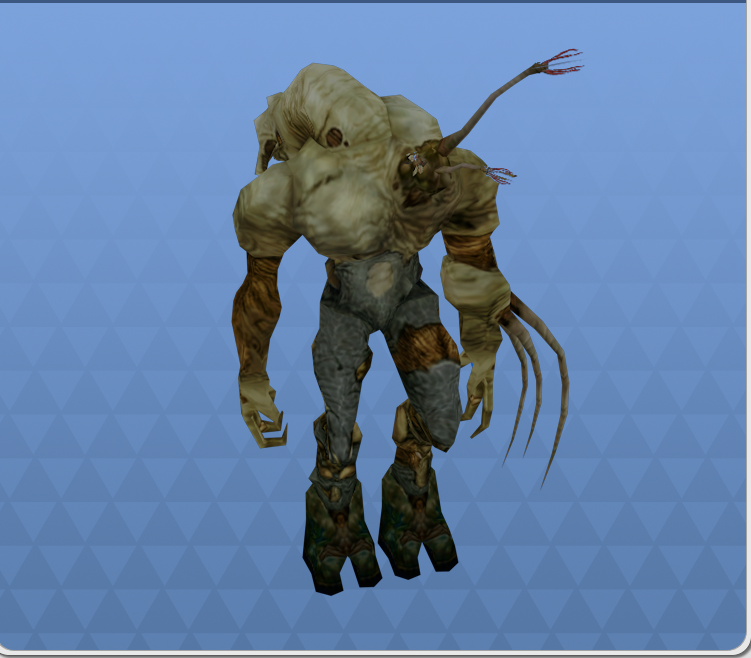
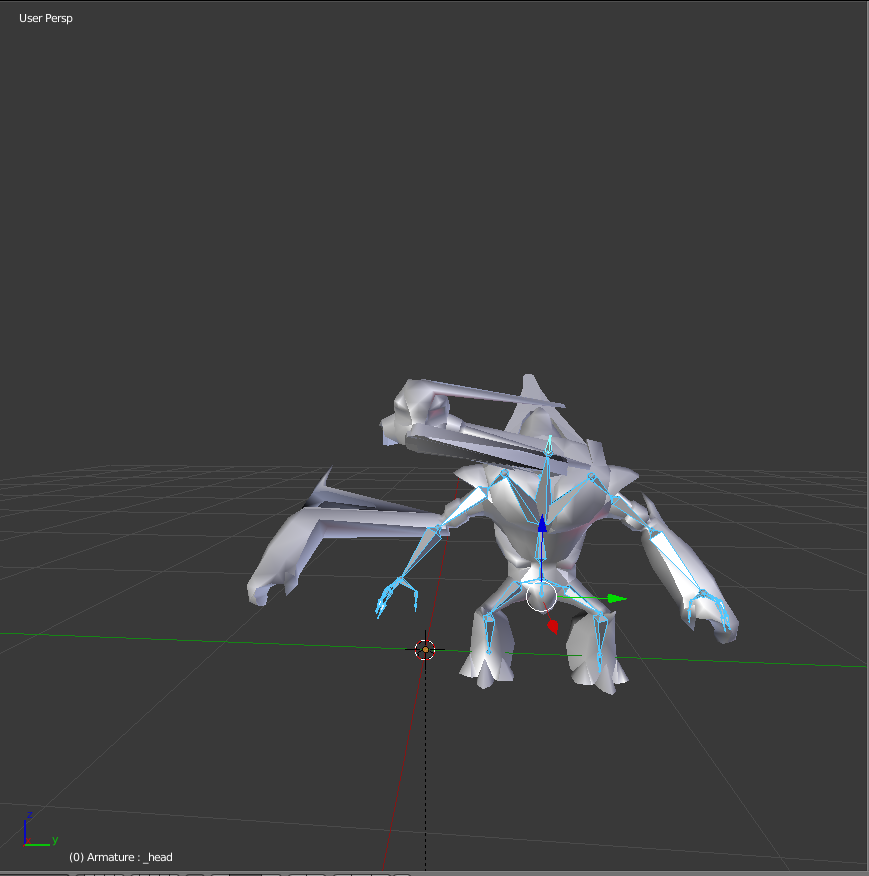
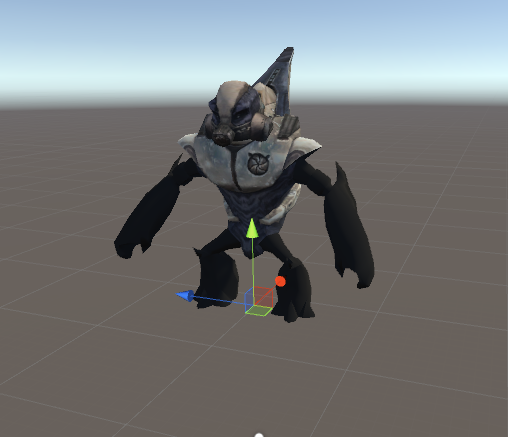
Does anyone know if it'd be possible to get this model to properly work for VRchat?
PC / Computer - Halo: Combat Evolved - Grunt - The #1 source for video game models on the internet!
I've been trying to tackle this thing all day
dull sage
Aight thanks
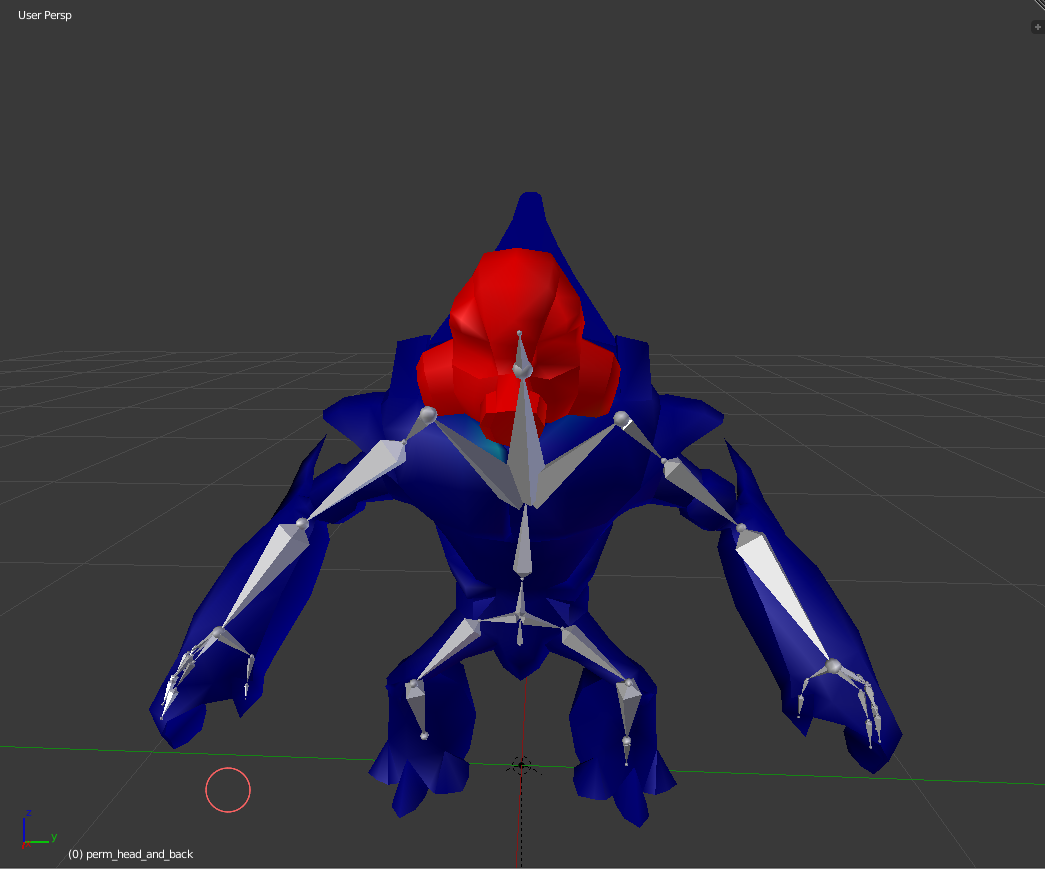
What about this one? https://www.models-resource.com/pc_computer/halocombatevolved/model/153/
PC / Computer - Halo: Combat Evolved - Flood Combat Form Elite - The #1 source for video game models on the internet!
The skeleton was really messed up for me on this one
sharp pewter
uwu can you just post pics
 sharp pewter
turns out if they let you upload pics you can put files for download
so links are bae
dull sage
O shit ok
sharp pewter
all of those other than the grunt would be rather easy even if they come with no rig
just need to watch a few tutorials
dull sage
Ok thanks man
sharp pewter
as long as they are humanish super easy to do from nothing
dull sage
I see
Thank you
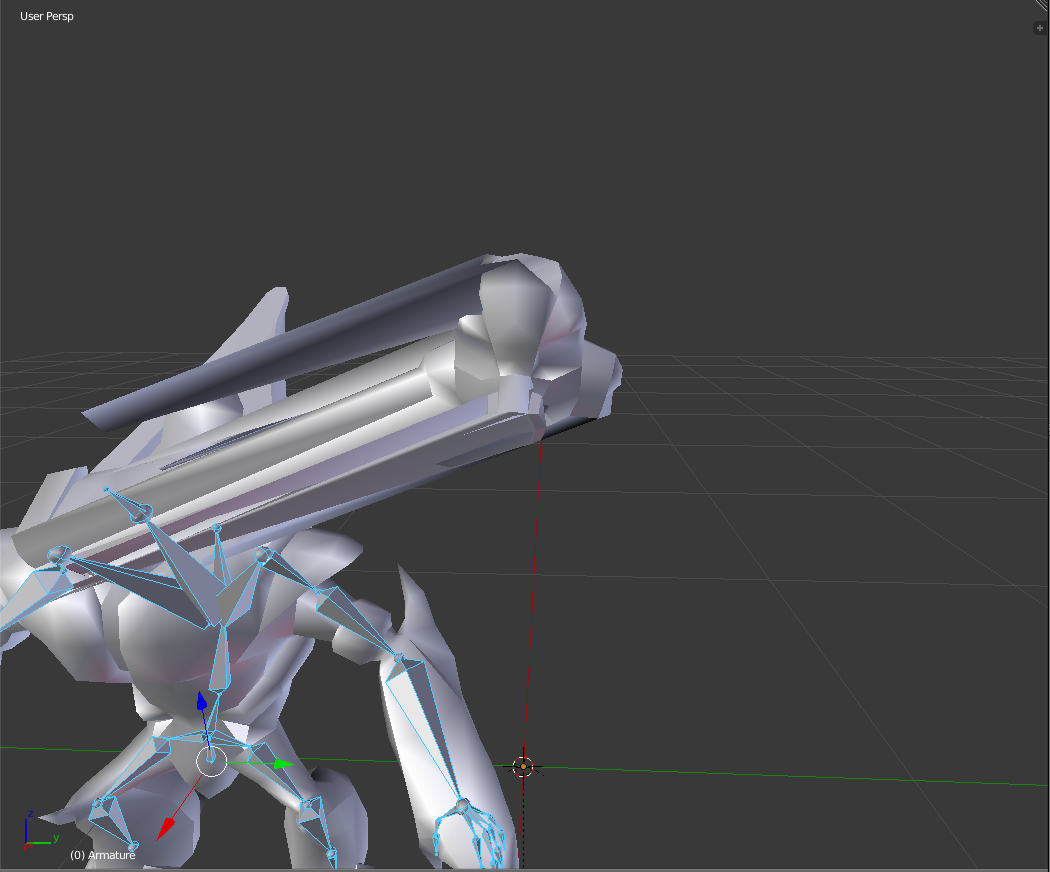
The thing that is messed for the Elite is the head is permanently stood upwards and I got this error
LowerLeg is not first child of UpperLeg or Foot is not first child of LowerLeg: you may have problems with Shin rotations.
Never figured it out
sharp pewter
you have blender?
dull sage
Yep
sharp pewter
can you turn on x-ray in your armature tab and send a pic of your char
sharp pewter
did you download it as a fbx file or a unity package?
dull sage
Alright lol
sharp pewter
ill show you on sec
sharp pewter

 sharp pewter
o my none of those look parented at all
dull sage
0.0
sharp pewter
also model wont be humanoid
 sharp pewter
it can be with some work
dull sage
idk if the lines make a difference
sharp pewter
they do
dull sage
o alright
sharp pewter
shows what parented
dull sage
Ah
sharp pewter
to what
sharp pewter
sure if we just wanna fix the basics
 dull sage
The infected elite head shouldn't be standing upwards like that
I think the game thinks that is its head
dull sage
Just desktop atm
sharp pewter
ok
so we could rotate the bones in blender so they point up or change what bone the unity config uses
dull sage
Ok
sharp pewter
mind if we goto discord call i can teach you a few things along the way
 amber quest
Is it possible to use blendshapes when the skeleton of your avatar strikes a pose?
This so muscles can contract when the arm does etc.
Since you can do this for animation rigs in general I don’t however know for this use case.
sharp pewter
i dont know of anyway you can trigger a shape key without doing it manual or having it on all the time
in vrchat
 thorny prism

just look at the legs
help lmao, genuinely confused and have no idea how to attach the knees to the upper legs. technically the bones are attached but the upper legs don't move.
sharp pewter
are they even painted to the bones?
check in blender goto pose mode in armature
then click mesh
weight paint
and select the leg bones
see if they turn the whole model pink or just blue and not other colors
@thorny prism
thorny prism
alright, 1 sec @sharp pewter
how do I go into pose mode? @sharp pewter I'm pretty new to blender
sharp pewter
can i just share my screen with you rather than taking like 10 pics?
thorny prism
yeah lmao
 slim violet
does anyone have an avatar controller for a 4 legged creature like a bug?
 final wadi
@dull sage it's just should fit in the model with the right position, if it is something oter than not really.
Btw. It's don't meater how you modell look like, it's should have a bones because you can just crouch or Li on the floor in VRChat if you have all bones.
In one of my model I just waightpaint not the neck, middlefingers and little fingers, but I need them for VRChat, which means I still have the bones and there are Moving but you can't see them
Other whise I could not do this

The under leg part are the feet bone and ther where the "feets" are the toe bones.
And thats why Unity recognized this as Humanoid.
(Because, the most Animals walking on the Toes if you look at the Bones/Anatomie)
sleek isle
Yeah but if the legs are to far on each side, my character place them in V when idle
Because of ik probably
 dusk nest
Guys
when i add shoes to my character on blender
and try to weightpaint it to the bone
it just morphs forward
and missplace
 digital gorge
Have you cleared any bone positions?
digital gorge
Alt + g r and s
G is for position R for rotation and S for scale
you have to be in pose mode though
cursive apex
Anybody remember what the fix for the curled finger tips in unit was? All weights are good and posing is correct in blender. I've fixed this before but this time, even manually rigging it unity didn't work
gritty nest
Just forcibly rotate them into place
Make sure the finger bones are oriented the right way in Blender
And that you're exporting without leaf ("end") bones
 viral stag
How do I fix this exactly?
I moved the bones and it does help, but why can't I just have it look the same as in Blender?
cursive apex
It was a bug with the way I exported it from blender. it's fixed now

 cobalt frost
vertices are probably weighted to some other bone too
cobalt frost
if it's painted to any other bone, it'll stretch accordingly
cobalt frost
i think blender has a thing to check what vertex groups a vertex is in
dull sage
Ok
cobalt frost
try checking that on the ones that act weird
dull sage
Do you know what it's called?
sleek isle
Select a vertex and see what bone is attach in the n tab
dull sage
Unless I'm super oblivious
The bones seem fine
The vertex is the head
which is attached to the neck
Wait a sec

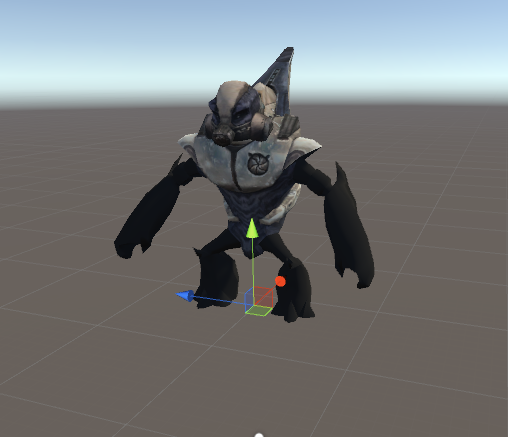
 dull sage
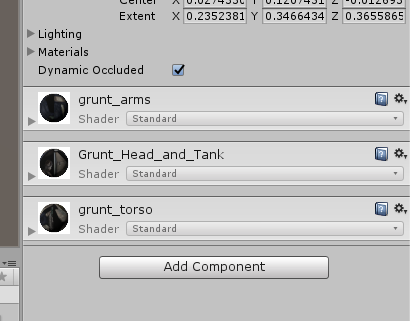
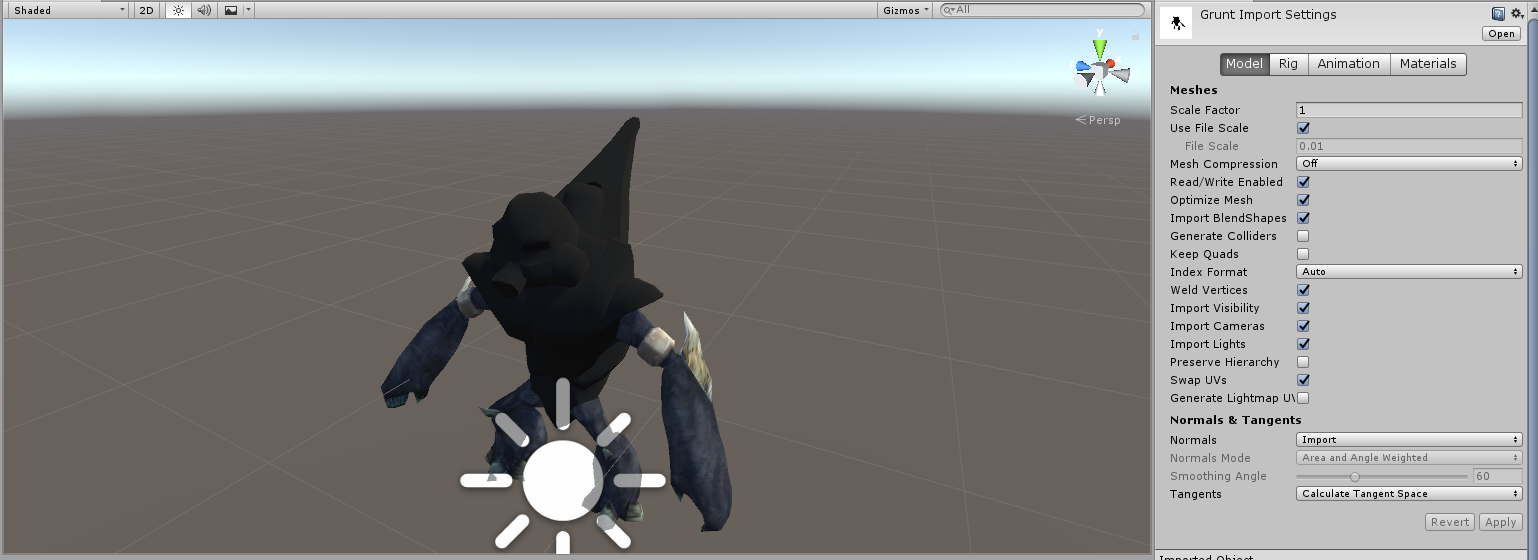
The arm textures don't seem to wanna work
I've gotten blender to be able to render both arms torso and head
But Unity just won't see the arms still

 tall jungle
If you click the body mesh and scroll down, are they assigned in the correct material slots?
 ionic sedge
Hi, I have a model that I rigged using the mixamo tool, and overall it works fine. My issue is with the hands, since the character is clawed, those last ones were rigged as fingers. There is a way to assign the hand bones to the right parts of the hand? Thank you
dull sage
On the model tab of what I believe is the mesh, could be wrong
I checked off swap UV's which took away the body texture but now shows the arms

 delicate acorn
Have any of you guys gotten finalIK to import correctly?
sleek isle
My unity didtn want to upload avatar if i but the simplecontroler on it. So i need to take it of :/. Dont really matter.
 hot leaf
Could somebody PM me? I need help with a dynamic bones problem I can't seem to figure out
gritty nest
Is there any reason you can't post the problem publicly?
sharp pewter
 normal cloud
Hey there everyone.
I am trying to get a floating head character to work with the humanoid rig.
I have a model in .obj with textures, and blender.
I tried using Riggify to rig it, export it as FBX and the import it into Unity, but the rig isn't being mapped correctly by Mechanim.
I have very limited 3D modelling experience at all. Help please?
I just want the floating head to follow my head movements.
hybrid venture
@normal cloud All you nerd to do is map the bones in Unity
Just because it doesn't auto-detect it doesn't mean you can't map the bones to their corresponding locations manually
normal cloud
Trouble is, the entire heirachy is a mess. I can't seem to figure out how to map it.
fading verge
i can do that for you
i have a drone* prefab thing that follow you with configurable joints
just have your head with visems on it
real head bone will have no geometry
normal cloud
Sounds good.
How do I get started?
The idea was to have the floating head actually be my avatar though.
normal cloud
Yes.
normal cloud
It's the Eyebot E.V.E from Fallout.
The head is supposed to be invisible in first person though, isn't it?
fading verge
i don't think vrchat lets you move the viewpoint away from your irl position
in other words, if you don't move around in your room, you cannot float around in game
and have the viewpoint follow it
maybe on a generic rig
not on humanoid
gritty nest
An avatar can never move your viewpoint, it's always the other way around
Generic or humanoid
fading verge
yep
the only way i managed to change viewpoint was by using chairs in worlds
like, a 3rd person view
the closest thing you can have is to have the head mesh, with visems and eye tracking, on a rigidbody following your armature around with a joint
maybe spring
or configurable joint
your viewpoint will always be over your neck where the head should be
but the head itself will be free to wander around a bit
you can add an animator to give it a bit more randomness and ''life''
maybe by using final ik
i haven't messed with that asset a lot
viral stag
Somebody know why this happens only in-game when I lift my arms, but doesn't do that at all in Blender and Unity? https://i.imgur.com/wiLWhjU.png
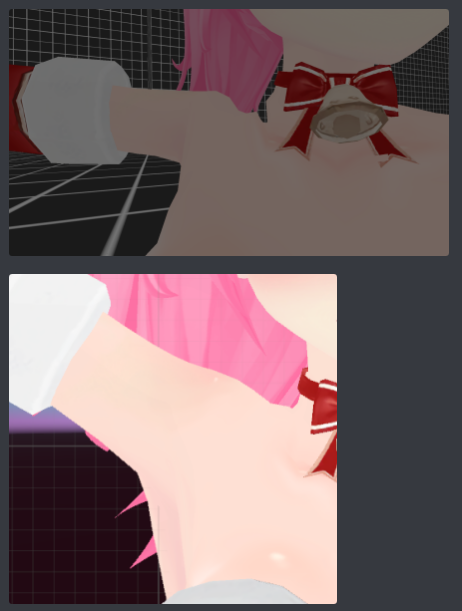
there's no bone roll on them either, idk
gritty nest
Are you lifting the arm or the shoulder in Blender?
viral stag
The bottom picture is in Unity, the model is in a T-pose originally
I'm wondering if it's something wrong with the way my armature is set up, like if I should move the shoulder and chest bones
gritty nest
Well it should be fine. In the bottom image though, are you rotating the arm by the arm, or by the shoulder?
viral stag
shoulder
gritty nest
If in Unity, the rotation is set to Pivot and not Center right? At the very top
Ohh, I got an idea
Assign the AvatarTPose animator controller to your avatar's Animator component, then hit play in Unity.
And check your model in the humanoid rig configuration too
The animated model might differ from the resting model a little
viral stag
Oh, it doesn't let me move anything when I apply the controller
I checked in the rig config as well, and it still looks normal :(
sleek isle
vrchat only really roll the shoulder bone
 charred sentinel
so the angle of the shoulder bone is more critical ?
sleek isle
i kinf od give up with the shoulder i cant really help
charred sentinel
ya same i always found them to be a pain
even more when your dealing with a hoodie
viral stag
that's ok, shoulders do always give me the most issues even when you spend so much time getting the weights looking good, then it gets completely ruined in game
 hallow tide
Hey does anyone know how to unbind certain parts of the mesh from a Bone?
 lament viper
you mean remove weight painting?
 naive tree
@viral stag you are not accounting for rotating bones, just for lifting it on one axis
bones rotate more than they move up on that axis
when it comes to shoulders you want to check how it rotates, not how it lifts
viral stag
Ahh, I think I get it
So, I'd really just need to make sure the rotation looks okay when weightpainting the shoulders?
Hope that's not too difficult
 hybrid crescent
sleek isle
hybrid crescent
sleek isle
You put the descriptor to far behind. Its a littlr gray ball
cursive apex
Is eye tracking still borked with FBT
 odd hill
Does anyone have any clue or a tutorial or something on how to make properly rigged and functioning Digitigrade legs? I have a few avatars I'm trying to make, but they always come out scuffed and I'm not sure exactly what I'm doing wrong or what the trick is because I've seen it done really smoothly several times
odd hill
Like humans are plantigrade; our feet are small and on the ground
hybrid venture
I just looked it up dw
odd hill
digitigrade is that recognizable Z shape to the legs where, anatomically, they're standing on their toes
hybrid venture
Just rig the legs like you would if they were pointing straight down like a human leg
It still works regardless
What were you trying to do?
I would give you my Mega Lopunny rig but I'm not home, nor will I be until Sunday
It's a good example of how digitigrade legs should look
Weighted anyway
 open viper
Mega Lopunny
odd hill
So is it a weight painting thing? I originally tried to do that, but crouching ended up looking super scuffed
I tried rigging it more true to model and then repositioning in the Unity Rig Config, but then my avatar was just floating and basically goose-stepping
viral stag
Is there anyone that knows the best way to set up shoulders to minimize the rotation? I really want to learn how to fix it
viral stag
Like, is there some kind of reference for it with how the bones should look?
I don't mind!
hybrid venture
@odd hill Okay so digitigrade legs should be rigged just like any normal leg
It doesn't have to follow the leg's geometey
odd hill
Okay
cursive apex
ok eye tracking is scuffed whether I am in full body or not. Seems to work for like half a second then they disappear
 stoic silo
my character face doesnt move with the head bone, what can i do
fading verge

 subtle moth
@fading verge that technically shouldnt prevent you from uploading 😛
subtle moth
alright
 subtle moth
cats can do dat
wary crown
https://imgur.com/GbbC7jT @sly mirage
 rare epoch
Ooof you can copy pasta each bone end points manually
Hopefully they all correctly parented
I think there is a mirror for bones and rigs
Double check on the weight paints
 sly mirage
options? i do not see this
sly mirage
there is no x mirror under tools for me
LOL
i did not see options im sorry its really late my eyes hurt and im also blind as a bad
bat*
okay im having this really bad problem where when i try to zoom in with the mouse wheel it wont let me go any farther
?
rare epoch
Use the numpad . to zoom in selected
sly mirage
isnt there some hot key with a drag of the mouse that i can use?
the num pad wont work either
wary crown
use numpad 5
sly mirage
i just tried it and it wont let me zoom any farther
sly mirage
ah thanks
 mystic haven


rig issue the last night when i tried to import my avatar, i used the humanoid armature
wary crown
Leave upper chest blank
mystic haven
how can i do??
wary crown
unmap it
mystic haven
i did and it didn't work
wary crown
Mantis LOD is also not a supported component, you have to apply it before using the avatar
for the bones being mapped but not being shown
try reloading
or making a new scene
Also join your meshes
mystic haven
mantis LOD?
wary crown
You installed it and are using it on your avatar
Where did you get this avatar from
you obviously dont eve know the components that have been put on the avatar
mystic haven
is made by a friend 1 year ago
i've converted from SFM model
now i put them in DAE and FBX
wary crown
Yeah im sorry but your rig is so hard to look at i cant really help with that right now.
mystic haven
can i send the file in DM?
wary crown
Nope, i cant look at it rn
mystic haven
not now?
wary crown
Nope, i wont be able to look at it.
mystic haven

 smoky kelp
Yo so I have a kinda weird problem, I have a model that I wanna use I found online but it needs a few tweaks (certain mesh's deleted, hierarchy changed) but whenever I change those things in unity it changes to a prefab instead of a model file (starts out as a .dae) so I can no longer rig it to human afterwards, and if I try to make those changes while I'm in the rigging mode in unity it wont save the changes after I click "done" and just keeps telling me about the heirarchy errors. Can I fix them in unity or do I need another model editor to fix it?
mystic haven

i fixed the rig issue but now i'm trying to edit the poligons, but appaer always this message
hybrid venture
@mystic haven Just use the VRCSDK, delete that other script
Also I wanna suggest combining your meshes
hybrid venture
Rename the UV maps all to the same name
Then join
That should fix any issues with textures when joining meshes
mystic haven
yes
hybrid venture
Also what's with the weird pose? Ehh nvm that. What's the issue you have with uploading?
mystic haven
i used Mixamo for the rig
now the mesh is a issue
i'm trying to change the number of polyigons
hybrid venture
Why was it modeled in that pose?
mystic haven
exactly is the pose imported from mixamo
hybrid venture
Huh
mystic haven
for solve the rig issue i had to remove the original bones and remake them on mixamo
hybrid venture
Try just rigging it there, don't add animations. That's the only thing I can think of, at least
 hybrid venture
I was hung up with the beta having 70k
mystic haven
i put at less than 2k polyigons
hybrid venture
As the limit
gritty nest
It seems to me that this is some sort of in-Unity decimation service
The limit is 20k not 2k
Decimate in Blender instead
hybrid venture
Thing is when he joins the meshes, it kills the texture
He already tried the UV map thing
Wait nvm, manual decimation is a thing
mystic haven
i don't remember who edit the polyigons on blender
 tidal arch
There’s a decimate tool under modifiers
mystic haven
fixed the polygons editing the script
 bleak condor
just put the meshes on different material channels
mystic haven
i fixed the mesh
now i'm back on rigging issue
the upperchest is the only problem now
bleak condor
i have a thing for you 1 sec
mystic haven
?
bleak condor

have you seen this? it's in the sticky for this channel
should help you a little with setting up the bone hierarchy
mystic haven
i used mixamo for the rig
bleak condor
well i have no experience with mixamo, i usually just make my rigs, sorry
mystic haven
the problem is when i set humanoid rig
mystic haven
 sleek isle
I have the same question too. What up
mystic haven
issue with upperchest after importing them from mixamo
mystic haven
:/
bleak condor
sorry, i'm trying to be helpful but when i hear "there is an issue" and no description it's hard to figure out what's going on
not trying to be an ass, i'm just trying to figure out what the problem is lol
mystic haven
i've imported a humanoid character and it give me a issue about the upperchest, but leary i've rigged this with mixamo and put the ik with blender
bleak condor
OH you mean there is an error?
 bleak condor
oooooh okay
mystic haven
i did with and without IK setting
bleak condor
hold on, let me make a screenshot of what you need to do
mystic haven
ok
bleak condor
so hit configure on the humanoid rig thing
sec making an imgur link

upperchest should look like this
sleek isle
Dont assign thing in upper chest
bleak condor
then hit pose->enforce T pose (if it's not already t posed)
and then apply
see if that helps
sleek isle
Some time model like mmd have more bone in the torso. Merge them for example
bleak condor
you can also just unassign upperchest like the pic above
since it will follow the parent
i don't have a lot of experience with MMD stuff tho heh
 bleak condor
yeah it looks like the rig is super messed up
you might have to just go into blender on the rigged model and merge the bones like the other guy said
for chest and upperchest
I think there is an option to carry the weights too, not sure
mystic haven
again the model is was rigged on mixamo
bleak condor
yeah that's probably the problem, mixamo is not rigging it per the VRchat requirements or something
mystic haven
i saw a lot of tutorial where they use mixamo
bleak condor
if it's doing an upperchest bone that is screwing up the hierarchy
yeah i don't know, i don't use mixamo
mystic haven
now i have to apply the parental on those bones
sleek isle
If mixamo is use, everything should be ok. Be sure that every bones are in the right box
And leave the upper chest blank
mystic haven
fixed, now i try to use it
bleak condor
congrats!
sleek isle
Probebly distortion in the neck area but yee contrat

 tidal arch
Post a picture of the config window for the rig
mystic haven
from where??
tidal arch
Hit the configure button below avatar definition
And post a screen shot, something in hierarchy seems to be wrong
mystic haven
 tidal arch
Change spine 1 to spine 2 under chest
Your neck and shoulder are patented to an inactive bone
parented*
Also delete the toe bones




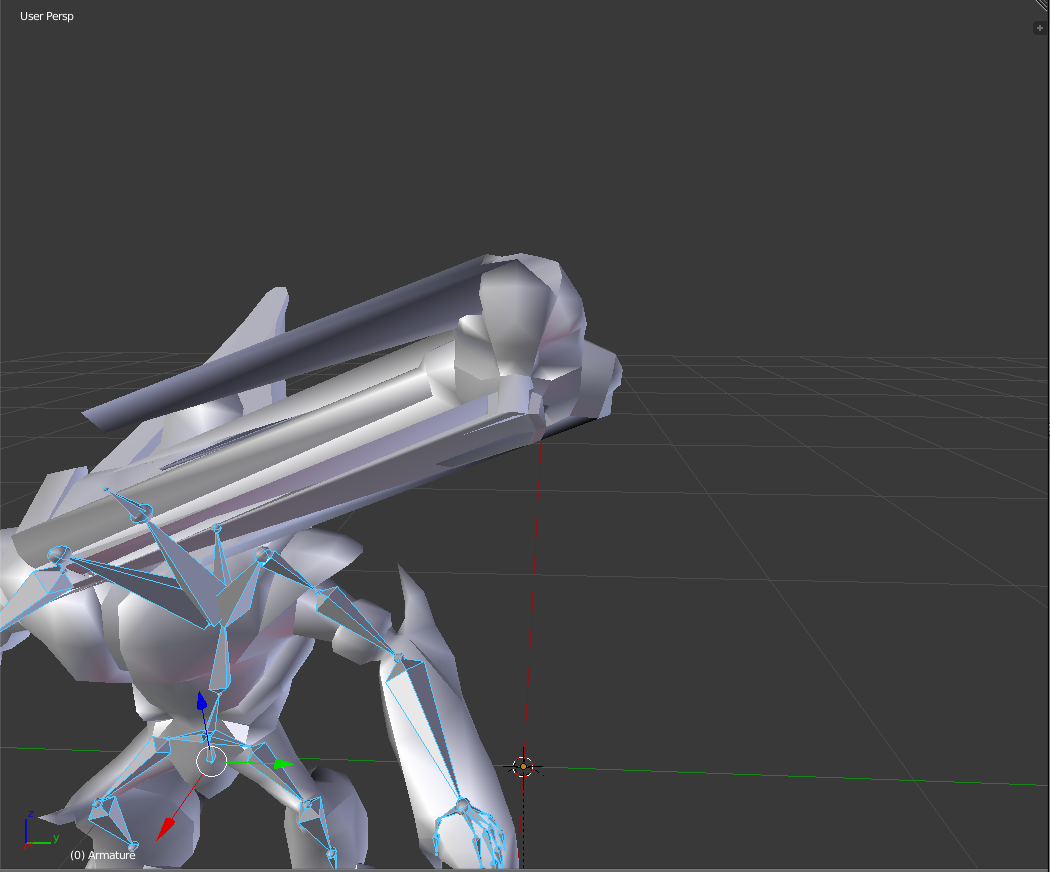



 bleak condor
looks good