#avatar-rigging
1 messages · Page 129 of 1
 sharp pewter
sharp pewter
sharp pewter
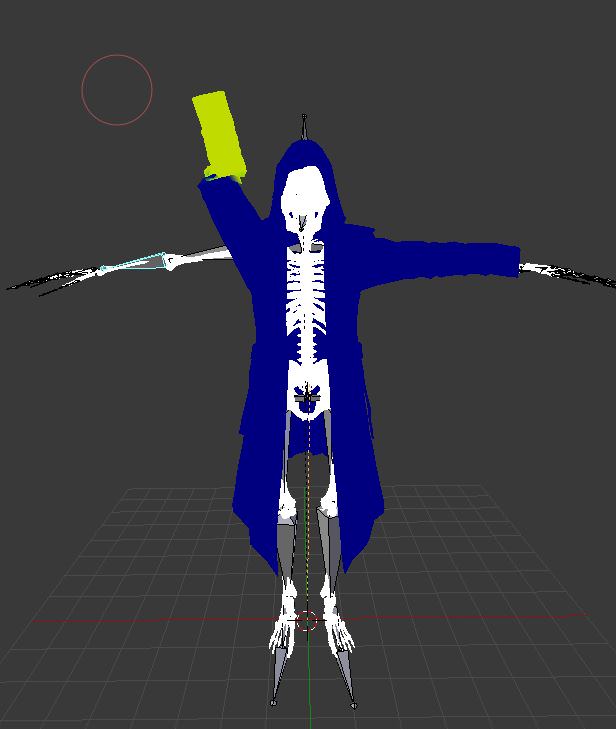
Looks like breast area is not weight painted
 dusk nest
 crisp tendon
Apply your pose first
 hearty saffron
so im trying to make a skeleton for a model in blender but im having trouble doing anything to bones in edit mode as if i want to move an arm as an example i have to move and rotate each bone manually, the way i want to move it is where all of its children bones move along with it just like in pose mode
is there any way i can actually do it like that?
 naive tree
@hearty saffron bones don't have parents?
nvm
you can set cursor to first bone tail/head
and then change pivot to 3d cursor
hearty saffron
ok will try that
it wont move children bones unless selected and it can still move parent bones but i guess its better, i atleast have a chance of making it work now
just still kinda annoying
hearty saffron
ok so how do i connect the armature with the object? i read that i have to select both and then press control p and use automatic weights but if i do that my armature becomes the parent
 fringe root
If you mean object as in mesh, the armature is supposed to be a parent, if you want to join multiple armatures, I recommend CATs plugin
https://imgur.com/a/HKFdwN9
I can't get these fingers to work properly :@
I tried moving the bone in edit mode, applying a different rest pose, changing them in the rig, the outcome is always scuffed. Any suggestions?

(I'm fine with the index finger but the pinkie bothers me)
 golden crown
Is there a guide somewhere for how to have a humanoid rig on a non-humanoid model? And is there a file somewhere for a default human rig to put on a model?
hearty saffron
update: i gave up with trying to rig the character as i cant figure it out even with a tutorial and its it doesnt even set any vertexes by default
 hearty urchin
yeah the Armature is supposed to be the parent
Youre supposed to select the mesh(s) first, then the armature.
 limpid burrow
is there anyone here that could help with a model im trying to work on?
 sleek isle
No
 manic marsh
 gritty nest
Well @sleek isle is speaking the truth
We physically cannot help him if he doesn't actually ask his question
limpid burrow
@manic marsh I have a model that I’m trying to rig up to get it ready to export for VR Chat and I have tried to use Maximo to do the rig.
sleek isle
and
fringe root
seriously, state your issue
or tell us more about where you got the model from, why you chose it and how pretty its hair color is
sleek isle
what is his blood type ?
 fading verge
can i get someone to vc to teach me rigging?
 wispy hare
just search up a tutorial
fading verge
i did, none actually help me understand
sharp pewter
look up non vrc ones
fading verge
i did
wispy hare
what program do you use
fading verge
blender
wispy hare
so i used this one
https://www.youtube.com/watch?v=mhQY2_gVoVg

and still am cause i am bad at remembering
 cedar canopy
anyone know anything about avatar's fingertips becoming flat when making a fist?
crisp tendon
I'm going to guess non uniform weight painting
crisp tendon
Just make bones 4Head
sharp pewter
,-,
fading verge
yo
i make bones and press autopaint
and it doesnt work properly
can you guys force tupper to make a hair weight painting tutorial
you need to paint manually
that looks good
pretty sure you can find a lot of tutorials for blender
and they explain how to weight paint in general
you just gotta adapt to your needs
weight painting is hard
meh
it's not that hard when you know the tools
but it can take a lot of time to get it right
 ocean crane
Anyone know how I connect finger bones to the arm bones?
Like, I parented the mesh with auto weights but the finger bones aren't connected to the arm so the arm just stretches while the hand stays in place
 solid adder
Seems more like weight painting to me
Auto weights sometimes won't work so you want to double check. Select the bone and change from object mode to pose mode, then select the mesh and change object mode to weight paint mode. Now you'll be able to select individual bones and see the influence it has on the mesh.
gritty nest
Pose the arm in Blender and see if it moves properly
If it does, you might have multiple vertex groups with the same name for the fingers
fading verge
I played 20H on VrCHAT and it's still saying pls play for security it's just so annoying
fringe root
@fading verge that's got nothing to do with rigging. You lookin' for a fight, huh?
 grave mantle
@fading verge I could make a hair weight painting tutorial, but it isn’t going to be in blender 😏
sleek isle
continue
limpid burrow
@fading verge what do you know about vizemes and mouth with the bones needed to have the model talk when I put it into unity with the model decriptor
Also getting an error when I link the mask to the bone structure
fading verge
plz help me, im having some difficulties in unity
 crystal vector
You should try to solve them then 👌
But fun aside, your chances of getting help increase drastically if you just tell us your problem instead of letting us guess it
@fading verge
fading verge
it be better if i could show you bcause i cant explain it
crystal vector
Well you could post pictures or videos
fading verge
alright
crystal vector
But I'm going to bed now 
 prisma magnet
I have an avatar head with viseme blendshapes, but if I take it into blender to add it to a body, I'll lose them because I have to export it as FBX so it can be rigged by mixamo... Any suggestions?
 drowsy wharf
I've never used mixamo so I'm not sure if it removes blend shapes. But FBX files keep non-empty blend shapes when exported from blender.
You could rig it yourself if mixamo is causing issues with the blend shapes though
prisma magnet
I've thought about rigging it myself in blender, just seems really complicated
fading verge
Help with "Found Duplicate Transform, "Eye_R" for Human bone 'jaw' and "RightEye"
 slow gyro
Remove the Jaw one @fading verge
fading verge
where?
crystal vector
@fading verge In the bone mapper probably. Some bones of the head seem to be mapped twice, so just remove the duplicates.
 lethal spade
so i just fix model in cats on this avatar and it corrected everything but it says its not a humanoid in unity
got the error Transform 'groove' for human bone 'Hips' not found
Please ping me
EDIT: so the avatar has no bones specified, fixing this now will notify after
EDIT2: the issue has been solved
 blissful cargo
anyone know how to fix a rotated bone like this? http://prntscr.com/ljd45u I have tried highlighting it and going into edit mode and rotating into the correct position like the other leg but it doesnt want to rotate, I have no idea how it even got like that in the first place it was fine yesterday when I was working on this rig
 fading verge
bone roll i guess
you can go into edit mode on the armature
press A 2 times to select all bones
and press ALT + R
to reset all bone rolls to 0
blissful cargo
ah perfect thank you!
 junior portal
I'm having issues with an avatar at the moment where no matter what animation I use, the legs of it like to bend weirdly, even backwards. I don't know what's causing this and my avatar's creator doesn't know either. We know there's nothing wrong with the rigging or weight painting, so I don't know if it's a vrchat issue or something else.
sleek isle
bend a little the intersection of the knee and leg 2 forward
naive tree
if that happens only in fbt, then u need to bend the knee slightly
junior portal
this is in desktop mode
but he's also trying to make it work with fbt too
he's been making avatars for a while and he says bending the knee will break fbt
drowsy wharf
it doesn't have to be visible bent, it just needs a small amount so that the game knows which way it bends
Imagine handing someone a perfectly straight rubbery stick, and telling them only one way to bend it is correct, but it could be bent in any direction. That's what the game sees
junior portal
okay we'll try it and see what happens
drowsy wharf
Also make certain all bone rolls are 0, they often get forgotten
sleek isle
in what context would want to have roll ?
drowsy wharf
For VRChat (and I think for any other export) never.
For rendering animations in Blender, it could be used.
 opal aurora
If yer makin' mods for game characters you'll want to respect their bone rolls, otherwise the engine will try to align them properly, twisting and turning you model inside-out
That also applies for MMD models, for use in MMD, as they also have their own bone rolls for VMD's to play off of
(Try to put a VMD into a MMD with all the rolls at 0 and watch the world burn before your eyes)
So if yer makin' a fully animated generic MMD that plays a baked VMD per example, ya want the rolls ta be untouched
Same for any other animation following said concept, otherwise, ya always set them to 0
junior portal
update on my situation, it worked, thanks
 sly mirage
 naive tree
rotate fingers manually
sly mirage
Can somone help me with this im loosing my mind Q_Q i cant get the bones to role properly
i cant
ive been trying for a hour or 2 in blender they just wont allign properly half the time after i set them straight and put them in unity they turn out worse
these are the bones i think im supposed to move in blender
every time i rotate them they dont turn out right
 naive tree
get rid of end bones
limpid burrow
Question for the people when I tired fixing my model with the CATS plugin for blender on the bone structure I created, It deleted some of my bones that I made then gave me an error saying it could not find bones. and I also followed the rigging video https://www.youtube.com/watch?v=mhQY2_gVoVg
 steady bridge
cats will remove bones if they have not been weighted to the model properly usally dose that can also uncheck remove zero weight bones should keep them there till your done weighting them? idk thats usally the problem when im doing it. creating own vertex groups also helps.
fading verge
if you remove 0 weight bones with cats fix button, it will spare any bones with "Root_" in the name
good thing to know if you plan to make your own root bone and don't want cats deleting them
sleek isle
i think its delete all the bones that have no weigh
fading verge
it does but spare all bones that have "Root_" in the beginning of the name
even if that bone have no weight
 alpine raft
Hey, so, I'm not sure exactly where to ask about this problem so I'll do it here :3 I make a lot of full body optimized avatars and do the manual fix for full body myself. Sometimes, it works absolutely perfect and other times(which is my problem i'm having now) is that I'll get this weird lean backwards when I align my trackers. The legs are totally fine, but the stupid lean only happens sometimes. Anybody know if there is a specific issue that causes this? Thanks!!!
 elfin wren
I've run into that as well. As far as I can tell I was able to mostly fix it by moving the viewpoint (grey circle) further into the head (just barely poking through the face mesh) and being very careful when calibrating not to move back at all as I align my legs and hips with the avatar.
alpine raft
Hey, thanks for responding! So that is the workaround for it, but I know that there is a way to get it to work fully. Because on my other avatars I don't have the problem with, the position does not effect it that much
But i'll try to mess with the positioning more for the time-being. 😃
fading verge
Hello this there anyone who can help me fix this rig?
 hardy oxide
guys how do you fix this avatar problem where you're holding an object and when you go in front of a mirror you don't see your arm holding it and the object just floats in front of you but on other people's screen they see your arm holding it. Pretty much everytime i hold something my arm is always down and doesnt rotate when looking up or down
 woeful berry
its probably the placement of the arms
conjunction to your head and camera port
otherwise vrchat hates you and your avatar https://media.discordapp.net/attachments/407090704213475328/418262543144845323/unknown.png?width=1224&height=671
 hardy oxide
it seems fine though
 hot flame
Hey im having a problem with my rigging
Hey im having a problem with my rigging

It was working fine before, now it borked
It says it isnt in T pose
and i just get this when i upload to vrchat
I fixed it 😄
nvm
 jaunty schooner
My avatar is stuck in T-Pose in-game and I'm wondering what these red spheres are in my scene view when uploading
https://gyazo.com/6d935400e544ecfc1375213df012055c
https://gyazo.com/ae57e15296a0e3fe78f4cca68d31dc8e


I was using an empty duplicate of the CustomOverrideController but that wasn't working either and I don't think its necessary if I'm not using custom animations
junior portal
I'm getting these errors when trying to make an animation for my avatar. I'm wanting his hands to hold a bat, but when I first made it it seemed to work fine, but I uploaded it and the hand didn't animate and now I look at unity and see this and the hand doesn't animate. what do
https://cdn.discordapp.com/attachments/452877278247125002/513783013138759740/unknown.png
 junior portal
nevermind I'm having the avatar maker make a new animation since his isn't doing this
gritty nest
@junior portal you cannot move the finger bones directly
As the error tells you, you need to use humanoid animator properties like index 1 stretch
junior portal
oh, I didn't even know that
 worldly willow
Hiya all... What are good base values for dynamic bones when using them for a tail (6 bones in total excluding end bone)
sleek isle
Most of my stuff look like this. I think..3/.05/.5/.8
naive tree
0.4 0.05 0.2 0.4
 nimble bridge
Hey! So i wanted to ask if anyone would be able to rig a shitty hand for me in Blender for my avatar?
The model doesn't have a real hand and that makes it disable full body tracking
I've spent 2 hours now trying to figure out a way to do it but i feel lost
crystal vector
@nimble bridge Just add three fake finger bones with no weight on them and assign them as the fingers in Unity
solid adder
Not too difficult if you require help
nimble bridge
@crystal vector I tried so but the controls are horrible and i can't get it down
I found out how to add a bone idek know how to put it under the right parent
solid adder
There's a little toolbar under the heirarchy with little boxed pictures, you want the one that looks like a bone
fading verge
you could also select the wrist bone
use x mirror so it does the same for the other wrist
and press E to extrude a bone from the wrist
solid adder
☝
fading verge
you only require 3 fingers with only 1 bone
which is thumb, index finger and middle finger
fading verge
probably because it's a check box and you have nothing else to do
nimble bridge
I'll try again to see
fading verge
just work on one side and it's done
but you can do it manually for each side
doesnt make a difference in the end
since it's just fake bones
solid adder
Don't forget to name your bones as well just in case.
Very crucial to name things in Blender
nimble bridge
The one side has all the fingers so if i could copy it just over to the other and connect it to the wrist it should work
solid adder
Then go with my suggestion ☝
Put the armature into edit mode find the box with a picture of a bone, and you'll see an option such as Parent, connected, and other options
solid adder
You want to select the box under parent and type in the name of the wrist you want it parented to
nimble bridge
Oh right
Ok i got it to work with a random bone
But how do i copy and move the hand?
From one hand to the other
Idk how to move a single bone in Blender
 solemn spindle
I don’t have the ankle bones from a character and made them look weird
How I solve this ?
nimble bridge
Steam Community: VRChat.
Ok so @solid adder @fading verge thank you for your help <3
I managed to get the hand in and enable full body tracking
This ended up causing another problem so i wanted to ask if anyone would have any clue on what to do?


I got these two from Unity and the arm is pretty screwed if i rotate it
fading verge
go in blender with that model again
select armature
go into edit mode
Press A 2 times to select all bone
alt + R to reset all bone rolls
try again
nimble bridge
Oh sure i'll do that :3
Ok so @fading verge i did as you said and it still comes out with the same problem
fading verge
did you reimport a whole new fbx ?
nimble bridge
Yeah
fading verge
or did you just overwrite the old one ?
nimble bridge
I just deleted it from the project reimported the new one and did humanoid rig
fading verge
what happen if you reset the pose
nimble bridge
How would i go about doing that?
fading verge
you know that menu
when you see your model all broken
with the bone mapping on the right ?
nimble bridge
Yeah
nimble bridge
Oh right clicked it
fading verge
click on pose
nimble bridge
Nothing
fading verge
and reset the pose
solemn spindle
materials folder doesnt appear in unity
solemn spindle
I pass everything is broken in the unity
 heavy parcel
I am currently having an issue where parts of my model are facing the opposite direction they should be. The model was originally an XPS. Anyway I can make it not do that lol
fading verge
the only time i had that issue
if when cats reverse the bones
left bone were seen as the right side
and same for the other way around
heavy parcel
I think that might be whats happening. But I honestly couldn't say cause I'm a noob lol
fading verge
check the name of the bones
heavy parcel
Alright. What am I looking for?
fading verge
?
check the bones on the right side of your avatar
be sure they are properly named as the right side
heavy parcel
They are all on the correct side. I think it is more of an issue on Blenders side from the xps to blender
heavy parcel

This is an example of my issue. Cape and feet are backwards or everything else is backwards maybe. Not exactly sure lol
gritty nest
@heavy parcel the left/right leg/arm bones are wrongly assigned
They're switched
Make sure left leg is actually the leg on the left side
 deft cave
dose any one have a good weight picture for hands?? that they are willing to send
heavy parcel
Thanks for the help @gritty nest and @fading verge Looks like it worked, but stupid sdk ain't letting me upload to test and know for sure.
fading verge
np
crisp tendon
 crisp tendon
You can ignore this one usually
 inner tree
u sure? it didnt say that before
crisp tendon
Before what ?
inner tree
i did some scaling of the arms and legs in blender
fading verge
are you using full body tracking ?
crisp tendon
Try uploading first, see if anything breaks
inner tree
ok
gritty nest
Avatar is too big. @crude bone
Or the bounds are too big, usually due to shape keys.
 crude bone
i resized it but it keep to poping
gritty nest
Remove shape keys that make the model excessively large or explode, or resize the Body's mesh bounds manually.
crude bone
i have to restart unix?
how i set that?
i was using transform function
the file scale?
fading verge
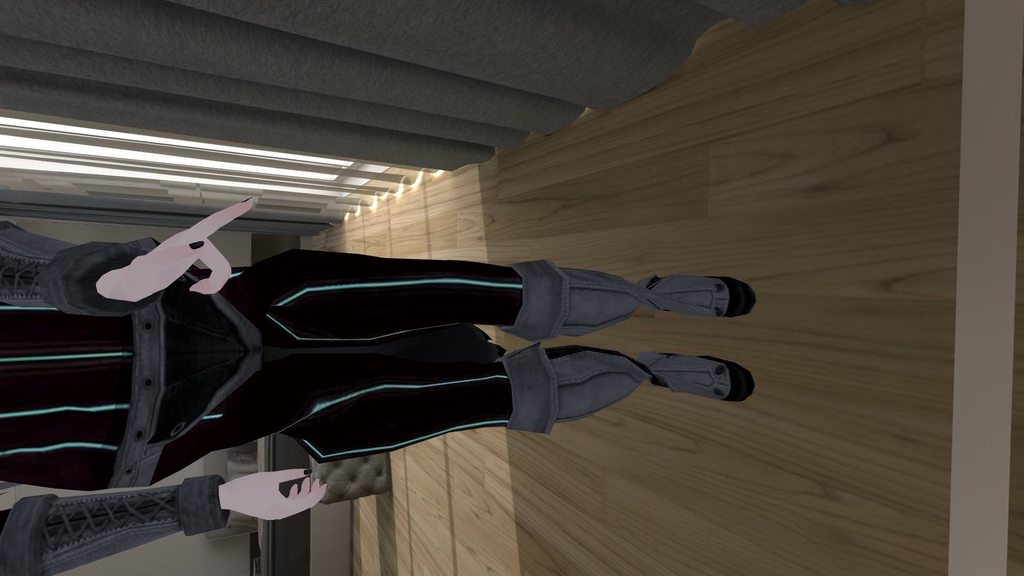
so all my bones below the waste are twisted, but in blender, it won't let me twist them in edit mode in blender. https://imgur.com/a/7YiJT6l
 tulip granite
Does the bone show up as colored when in pose mode in blender
fading verge
I didn't use pose mode, since that would actually rotate the vertices.
It seems to just be in unity/vrchat
tulip granite
Noh
I'm telling you to go check if it's colored in pose mode
If yes then the restraint is causing this
fading verge
Just the Hip is blue in pose mode.
fading verge
oh... I may be asleep in 4 hours lol. I have time tho...
 azure dust
I mean did u run through cats? Cuz usually it’ll fix stuff like that
tulip granite
I'll check it when I get home
If no one is able. To help you by then
azure dust
In my experience
fading verge
@azure dust I ran the avatar through cats, using full body fix. I put it into unity, and it doesn't appear to be twisted in there, but in VRC it is. I've tried to reset the rig several times and the pose.
tulip granite
From my experience cats plugin has broken so much models for me
Mainly weight paint 
fading verge
Sometimes it does that ^
fading verge
Alright, thanks. I'll look around more and fiddle with it tho ^^
naive tree
@fading verge can you do a screenshot of armature for that area in blender with numpad5+1 and +3 smth like this http://prntscr.com/lldonk

front and side views
fading verge
I'm trying something real quick, and if that doesn't work, I'll send those ^^
@naive tree I just figured it out. Thanks for helping tho ^^
fading verge
So apparently, if the bones are equal to the ground on the Z axis, it can't determine which way the thighs should face.
I've seen this issue before
naive tree
ye, straight bones = not good for fbt
fading verge
apparently. lol
 charred sorrel
i'm having some trouble with eye tracking
this model has it and the pupils rotate in unity and the eye tracking works in blender, but they don't work in game
i assigned the eyes
what could be wrong...?
 ivory radish
how do people do that thing where
they have multiple arms but
they rotate around their own axis instead of being like parented to the other
sleek isle
apply the cats fix. and be sure that all your bone are proper named. should work normally
naive tree
@ivory radish lock positions on fixed joint rigid bodies
ivory radish
ok ill try that thx
ivory radish
also for the rigid bodies on actual arms
do i set kinematic to true or just lock all pos and rot
naive tree
on actual arms u want Kinematic checkmarked @ivory radish and pos/rot doesn't need to be locked then, gives better tracking
 sudden ocean
Ive seem to run into the issue to where my hips have jumped into my chest when using full body, ideas?

its just this particular model
idk why it does it but ive tried taking it into blender and the mesh disappears with i upload it into VRchat
solid adder
Resetting and enforcing T-Pose in Unity has already been tried, that should be noted
sudden ocean
indeed
solid adder
Also note that this only happens with full body tracking if I'm not mistaken
sudden ocean
yes
when Full body is disabled, i.e. Not using the trackers
the model's hips function normals
ivory radish
idk y it does this for like a lot of models
ik theres a "fix" but doesnt work all the time
sudden ocean
ive tried contacting the original rigger, Little Nora, no response yet
drowsy wharf
@sudden ocean The hip bone needs to point down and the upper leg bones need to point up, that's the full body fix. CATS can do this automatically for you if you check the option before hitting "fix model"
It's pretty easy to do on your own though, just make sure they're straight up/down
sudden ocean
Thats the issue
if i attempt any fix in blender
the mesh disappears in VRchat
it won't show its gone in unity or in blender
until its uploaded
ive tried to flip it
drowsy wharf
do you have any changes to the armature in Unity? Dynamic bones, additions, etc?
sudden ocean
nope
like i said
im not the original rigger, Little nora is
i am importing it as an FBX
which ive been told is an issue as well
drowsy wharf
I'm talking about in Unity not in Blender. Unity has nothing to do with rigging.
and importing it as FBX is normal
drowsy wharf
When you made the bone changes and imported the FBX how did you update your current setup for it?
sudden ocean
At first, I made a new fbx and called it "Power armor FB (Full body) and saved it. then applied the prefab rigging. if the fix didn't work, i used the original base, modified it, then overwrite over the Full body version, then just toggled it between "Humanoid" rigging and "Generic" to update it
drowsy wharf
Select your avatar in the scene you're working with. Check to make sure the "avatar" for the animator is set to the proper one. Same for "Face Mesh" if it has visemes.
Select the body and again make sure the mesh is set to the proper one as well.
They should all be set to your full body fixed FBX and not the original one. (you could even remove the original to be sure as you'd see "missing" if it wasn't set correctly)
sudden ocean
The mesh itself doesn't have an animator, should it?
and it doesn't have a face mesh
drowsy wharf
the AVATAR should have an animator, the mesh is applied TO objects
drowsy wharf
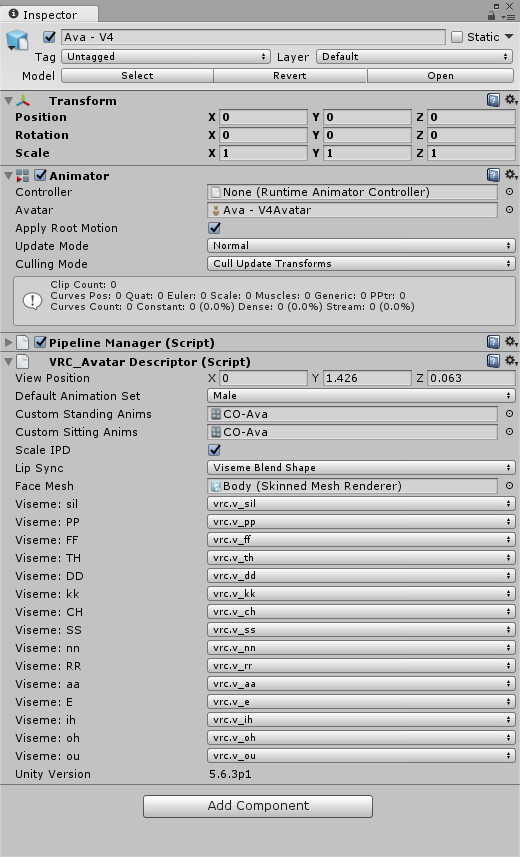
your main avatar (the top level of the model in the scene) should look similar to this:
https://i.imgur.com/vY7E8hM.png
 sudden ocean
i see
drowsy wharf
if anything is missing add it.
Custom standing/sitting can be empty. If your model doesn't have a mouth or pre-made visemes then ignore the lip sync, face mesh, and visemes section at the bottom.
solid adder
Someone jog my memory and let me know which fingers I need to enable tracking? Thumb, middle, little?
solid adder
Thank ye
 velvet fractal
Hello
I'm trying to join plane meshes to an armature
but when I try to join mesh and armature there always is the "no mesh data to join" message
what am I doing wrong?
 spare zealot

 hot anvil
Fixed, the mesh wasn't parented to the bones in the hands
solid adder
@hot anvil wrists and fingers aren't weight painted, my guy
 grim ibex
hey is there anyone here who has a model like this/ is able to rig a pretty much blob of polys?
because i have no abilities whatsoever when i comes to rigging
and would that person be willing to share it
it can be pretty much anything as long as its just barely humanoid
like a starfish kind of thing
woeful berry
I
am the kind of guy that makes anything non humanoid work with the humanoid skeleton
 inner tree
Anybody in here that can fix the problem with fullbody when you lay down ur viewpoint ends up in the chest
sleek isle
vrchat thing. cant reallt fix that on every model
naive tree
yes you can fix it, lookup fbt scaling tutorial by Kung
 pale hull
You can fix it to some degree (Unless there is some black magic I haven't heard of yet, don't have time to watch Kung's whole video right now and there are no timestamps) but the viewport tend to easily become detached from your avatars head no matter what when lying down. We just gotta wait for the IK to be updated unfortunately.
Here's the video. From what I saw it's actually really good.
https://www.youtube.com/watch?v=IqUVFuSD5a4

A guide for scaling and tweaking VRChat avatars for fullbody tracking. Covers information on in-game, blender, and unity. It also has a fix for that bending ...
fading verge
im a bit late on things here,
but for some reason i still cant get the blinking on the avatars to work?
I know there have been changes, I just need some clear directions on what to do
sharp pewter
i legit just gone done with it i can screen share if you want?
sharp pewter
i just did all the steps by hand
fading verge
ah alright
sharp pewter
sent you a friend req ill show you what you need to do
fading verge
👌
 south field
ok, i need help
south field
i wanna cry, this model is an XPS file and i can't get it to port over to MMD right
i used blender to help but nothing is working
solid adder
Why are you exporting to MMD?
solid adder
It would be easier to import the pmx files to Blender, but I assume you have pmx editor that you use.
south field
i have blender for that but the rigging and stuff is different than PMX and UUUGH idk what the hell im doing
sharp pewter
Could find a plugin to import it to blender then export to pmx?
 hardy sail
This only occurs in vrc itsself, but my avatar model always has it's mouth opened in-game. In Unity, it is perfectly closed. Yes, the Jaw bone is set to Jaw bone in Unity...what am I doing wrong?
gritty nest
@hardy sail unmap the jaw bone
Having it there with VRC's default animation set causes your mouth to always hang half open.
hardy sail
How might I do so? Delete it from the rig? Then the avatar won't have lip-sync
gritty nest
Yeah, jaw flap uses the jaw bone
No way around it. There's several options here
You just un-assign it in the humanoid rig configuration
hardy sail
I currently do not understand Visemes, either.
gritty nest
First option is to make a single blend shape in Blender by using the jaw bone
Enter pose mode, rotate the jaw slightly open, then "Pose to shape key"
Assign that shape key in "jaw blend shape" lipsync in Unity
Second option is making visemes yourself
Visemes look better
hardy sail
How easy are Visemes to learn?
gritty nest
If the model has face bones, easy.
If it doesn't, anywhere between somewhat difficult and very difficult.
Unless you have 3D modeling experience already
Since visemes are just shape keys
sly mirage
is there a way to snap bones together and aligne them like when the finger bones are out of wack and pointing up and you need them to be straight so the fingers are not bent in game

trying to find a faster way to snap these upright bones back down so they are straight and aligned with the fingers
sly mirage
OKAY GUYS

IF YOUR FINGERS ARE MESSED UP AT THE TIPS
you dont have to move them manually
just click armature and then select you messed up bone and then go down to armature align bones
some times cats doesnt cut it
OH SHIT
new it was too good to be true
 sharp pewter
lmoa
 turbid spear
That's amazing
sly mirage
what bone roll option sould i select?
turbid spear
You could just rotate it manually
azure dust
i say just keep it like that
sharp pewter
^
sly mirage
are you kidding
sharp pewter
anyway i just select the tip of the bone thats messed up and use R for rotate then x y or z to change it one way
im not sure how one would copy rotation from one bone to another
sly mirage
there an even easier way
your still doing it manually but at least you can see what your doing
export the fbx to unity and go into bone setting and rotate them there
you can see what your doing and for me at least when i rotated them it didnt give me a tpose error
hardy sail
Could someone rig a model with visemes and eye tracking for me? Visemes and eye tracking seem as if they are a bit too advanced for me right now...if you would like to help, please Direct Message (DM) me. Thanks!
 leaden drift
If someone could DM me for some small assistance with an avatar from Super Bomberman R, I'd be really greatful. The problem is involving a lack of bones.
Or, not enough, rather
sleek isle
cats can create like a spine and a neck with the fix
leaden drift
I'll try that out then!
fading verge
im still having blinking problems thats not working still
oof
unity hates a lot of things what I want to do smh
am I doing something wrong?
fading verge
im trying to understand this video here, but Im not sure what they mean by removing the legacy animation afterwards in the description

이번 패치로 레거시 애니메이션 사용이 불가능이 됬습니다.(기존 꼬리 흔들기, 귀움직임, 이모트 슬롯 on off등등) 결론은 움직일 본에 애니메이터를 넣고 애니메이션을 만들면 됩니다. 그리고 영상에선 하나 빠...
no clue either, you can probably ignore it
legacy animation are useless since you can't use them in vrchat
hm
then how are people managing to get those animations working after the update?
Im seriously confused
 chilly fractal
You can remove legacy by selecting the animation, clicking on the small three lines at the top right and change to debug mode. If legacy is checked just uncheck it and change back to normal mode
fading verge
that must be the problem then
ill try that
hm, they're already unchecked
the check box
chilly fractal
Then they’re not legacy
fading verge
hm weird
yeah, still not working
whatever I apply the animation
I legit need someone to walk me through this slowly or something
solid adder
Attach your animations directly on the mesh renderer and rename the path
but that probably also applies to specific parts you want to move to
fading verge
ah alright
chilly fractal
Usually what I do to create animations is just duplicate the avatar, create animations on the new avatar, put the animations on a controller and slap the controller in the descriptor
fading verge
yee
 quasi kernel

Anyone know how to make it so that the exoskeleton arm follows the main arm properly?
And is it done in blender or unity?
 fallen trench
Anyone here ever worked with animal crpssing models and know how to fix the arms not bending situation
 gleaming mesa
@quasi kernel if you just want it to 1:1 follow it, weight paint it to the arm bones
naive tree
@quasi kernel you do it in unity with fixed joints, rigid body on main bones (with kinematic checkmarked) then fixed joints on exoskeleton, lock rigid body positions on all axis for exoskeleton
wispy hare
so for some reason i can't see my models armature except when i'm in edit mode
https://i.gyazo.com/e815bd441828f42c7ff12b969bc2d603.png
https://i.gyazo.com/dabb697b0477384305527518a3c65868.png

 quasi kernel
Thank you Yuumi. Took a little bit to get it all going, but it works and I'm really happy
Figured it was something to do with rigid bodies, but I had no Idea what settings I were using
sleek isle
is there a way to resize the head bone so I can see better ? https://gyazo.com/cd86b52fa7376de773b42e90c57466b0
 naive tree
😓 wth is that
sleek isle
the model was to small so the head bone didtn scale well I guess
 fast rover
what color should I weight paint the shoulder bones to and how far out should it spread?
 cobalt frost
depends on the model
 torn locust
so i broke my avatar. I was working on a complex animation on a duplicate model. I tried to upload the avatar and its off center when loaded in and doesnt play any animations at all. Its stuck in Tpose when Im walking around. Things I've already tried:
- replacing the rig
- replacing the custom animation override
neither has worked
 graceful wave
Anyone ever seen a FBX import from Unity package to blender with massive detached face on the floor? I'm a total newb, just wondering if it's something easy to fix or should I just try to use assets in unity to play with the model instead of trying to customize in blender? https://imgur.com/mqFzu9Z https://imgur.com/G5d9s5t The asset creator mentioned that they used Maya to create the model and couldn't give much advice for blender fixes...

 cobalt frost
@graceful wave try playing with these settings when you're importing the fbx https://i.imgur.com/OmWjw0u.png
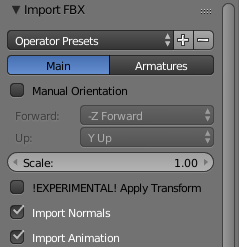
in the menu at the bottom left
graceful wave
@cobalt frost Thanks I'll give that a shot.
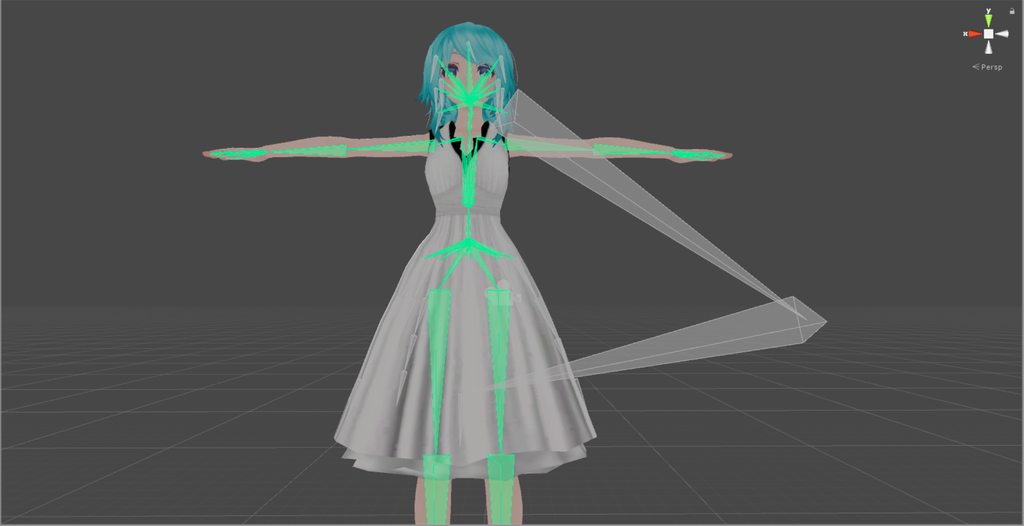
 leaden pier
uh
check the hierarchy of the bones
figure out what the messed ones are and then delete em
although those may not really impact anything if you dont map em, idk
 pastel hazel
I tried deleting them, but it just kinda threw me out and stayed when I went back in
 long roost
@graceful wave That seems to happen when the model does not have its parent as a bone in the skin modified in 3dsmax. Both Maya and 3dsmax are autodesk, so it may be the same issue. If you can get your hands on 3dsmax or Maya, you can load the fbx and add skin modifiers or edit existing skin modifiers on the head to contain the direct parent bone.
I own 3dsmax so if you want me to look at it I can
Well tomorrow I can anyways
turbid spear
3ds has a free student license
But blender should bd able to do everything 3ds does
sleek isle
yeah but blender have some issue with fbx some time
 tranquil iris
Hey guys so I'm having two errors with my rigging, and would likes some insights.
I have the:
Lower Leg not being the first children of Upper Leg or Foot children of Lower Leg.
and the Pelvis Angle and Thigh Bones being 0.0 instead of 180
If I try to pair the thing I just get a Red Dot
https://sta.sh/2kd8fipe7wv having the errors, while my rig is green so I don't really understand.
 gritty nest
Those aren't errors, just warnings
The first one is fixable by reordering the bones in your scene
Not in the rigging view
Just move the lower leg up so it comes before the other bones in the chain
@tranquil iris
tranquil iris
hmm okay I'll try
When I went in the program though, my avatar when I turn actually wiggles a lot too much like it was jello
tranquil iris
great I am having another issues saying my model was not imported as an actual Humanoid.

also having this issue
most of the actual errors are gone but this and the Type of Model Import

legs look fine but the rigging is coming from I dunno where..
well the thing has this issue but the error got resolved with the Script that I have forgotten
still I'm pretty sure somethign will go wrong with that kind of Rig if it looks that way...
@gritty nest any idea?
I tried to see if CATS could fix my model, but apparently not
tranquil iris
okay, I figured things out for the rig itself, now only the Lip-Sync
tranquil iris
I really don't know which of mybone is the right one :/
crystal vector
@tranquil iris Hey, send me that model please, so I can make it cats compatible
graceful wave
@long roost thanks - that's super generous of you - I'm considering looking into those myself but my brain is already turning to cheese with unity, c#, and blender on my list of to learn...
long roost
Yeah if you wanna send it to me I can look at it when I get home very soon.
sleek isle
your character have probably more bone in the joint. merge them. An the bone name are probably weird so cats cant recognise them. Change them manually and apply cats after. You don't need to change the finger name should't matter @tranquil iris
tranquil iris
yeah the issues is to know which one is supposed to be the the one to activate the flap, but Hotox told me to try ShapeKeys
just have to figure out my model, to see how to put Armatures together
while them still being independant so I don't lose control of all the models
long roost
I'm home now if you want to send it to me. @graceful wave
 young ferry
I can't manage to find a tutorial for getting my prefab into blender.
 spark sequoia
not sure if this is the place to ask but does anyone have any idea what this means when im trying to translate my MMD avatar into Blender..?
https://imgur.com/MJJdfMQ

over hear using google translate off my phone to get everything in order and im surprised that its working pretty well LOL but still annoying
 obtuse cedar
oh my fucking god
i tried to rig a model and i got a little bit of it all done
exported as fbx, no big deal
only got about one leg done
i re open this god damn file and all of the EMPTY vertex groups i had already established GONE
and when i try to do the automatic wiehgts to get them back
it just makes the model SHORT and completely breaks the bones

this is what it looks like when i try to automatic weight it to get my vertex groups back
i am literally so upset 
 pseudo sedge
select the mesh and press S to scale
obtuse cedar
it scales the bones with it
pseudo sedge
so its auto selects bones even when you only wants to select the mesh?
obtuse cedar
and even when i do it doesnt end up being correct
ok well it did it when i restarted blender
it doesnt do it now
but its not lining up with the bones
pseudo sedge
you reopen .blend file or import .fbx?
pseudo sedge
blender files to reopen properly in future better to save as .blend )
when you import fbx you check !EXPERIMENTAL!Apply Transform? if not, try this, maybe will help
obtuse cedar
thank you man
it sems like when i scale the model it still moves with the bones ive previously done
crystal vector
@spark sequoia This error is probably caused by an outdated cats version. Just update cats and it should work again
 tawdry vigil
does deleting bones prevent you from uploading to unity as a humanoid?
or am I just importing to unity wrong
spark sequoia
will do yeah i haven’t imported or done anything for like a year so that is probably it lol
tawdry vigil
@crystal vector
crystal vector
Depends on which bones you delete
crystal vector
Well you need certain bones for it to be humanoid. When does it say that it doesn't work like that?
tawdry vigil
what do you mean "When does it say that it doesn't work like that?"
tawdry vigil
unity compiling
hold on
I don't think you'll be able to answer the question in any meaningful way. There are too many problems with this model.
spark sequoia
im also having bone issues. my legs don’t really bend and i got an error but ignored it since it was yellow. I’ll link it later when I’m back on my pc
tawdry vigil
with my file the rigging works in blender but completely nopes off in unity
I posted the files in the avatar channel
fading verge
My friend is rigging my avatar in blender
Will it work the same way as if it was form mixamo
@ me the answer I’m going to bed now
azure dust
i mean if its rigged correctly... than it should be better than mixamo @fading verge
or atleast be more correct than mixamo
but anyway yes it will work the same
solid adder
Works better than mixamo I'd say and I think the majority would agree.
 light hinge
i'm really surprised with the results you can get with blenders automatic weights sometimes
it did the hands better then i think i personally could have done myself https://cdn.discordapp.com/attachments/510621530674429952/517379259036074006/unknown.png https://cdn.discordapp.com/attachments/510621530674429952/517379138135523339/unknown.png

 crisp tendon
Automatic weight paint has always been awesome, same as mixamo, not sure why it's seen as a subpar option'
fading verge
because it can do weird stuff sometimes
and most people dont want to go in blender and fix those little problems
using mixamo rigging is a good way to have some starting point
light hinge
mixamo absolutely ruined this model xD blender did it perfectly first try
well. 'perfectly' on the body it had like.. 5 stray verts that where attached to the hand
chilly fractal
Oof, I've had such bad experience with automatic weights. Manual weight painting has just become my life when rigging
fading verge
DOH! Translations broke.
light hinge
@chilly fractal this was the result after full automated weight painting. the only things i fixed myself here are the pieces around her head (got rigged to the head instead of her back) and 1 vert on the skirt got attached to the hand for some reason, otherwise this is all blender's automated weighting https://gyazo.com/d1518f43c652d2cd632eec862d623fa2
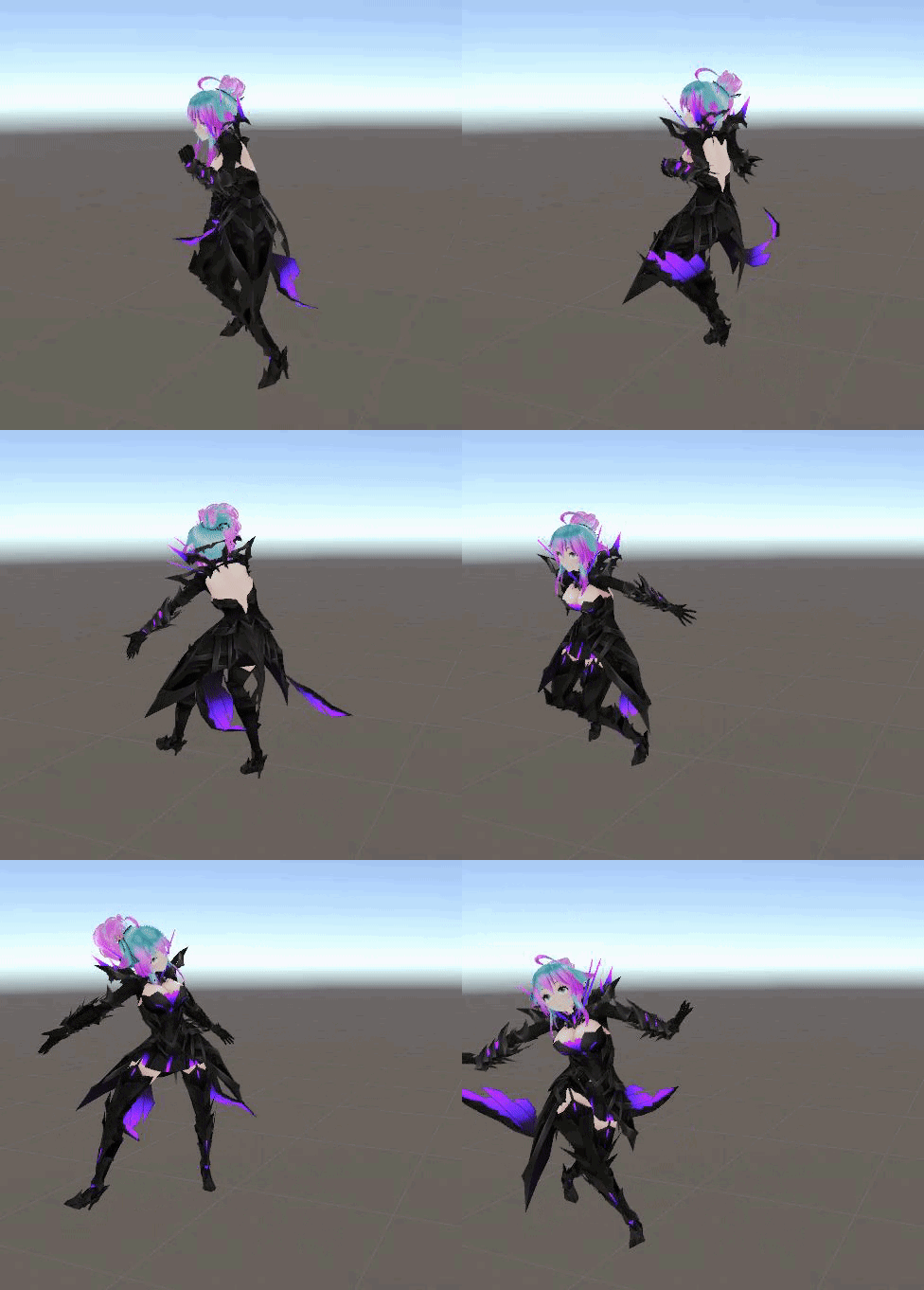
even the knee plates are attached properly without bending, which honestly amazed me
(the cloth was just temporary to test how it would look xD)
naive tree
don't think I've seen that armour, looks pretty sick
opal aurora
Those are like once in a lifetime autoweights, blender really went all out there haha
 hybrid venture
That's actually super good. (Also Classic's VMD lmao, I heard the author took it down)
 sacred nymph
Quick question, is there a way I can find out how to add new bones to a model?
crisp tendon
Do you have blender open ?
sacred nymph
I'm trying to add bones to an ear mesh - but I'm not sure how to add the bones to it.
Yes.
crisp tendon
The shortcut is Shift + A, armature, or you can duplicate/extrude an already existing bone
Duplicate with Shift + D i think and Extrude with E
in edit mode
sacred nymph
What if there wasn't any bones to begin with?

Everytime I try, it states this at the top. (when I attempt to weight paint the mesh to the bone)
gritty nest
You have locked vertex groups @sacred nymph
Unlock them.
Vertex groups can be found above shape keys IIRC
sacred nymph
Off.
Ooof*
I'm an idiot.
Hm. I still can't figure out how to make the bones properly attach.
I figured it out. I just added a random accessories and took the bones from that. xD
hybrid venture
That is a green I haven't seen in Blender before.
gritty nest
Still have no idea how to get a weight paint interface like that so I can actually see the vertices and see the current bone.
Right now I have to manually select vertex groups and sorta paint on a solid-colored opaque surface.
And guess where the vertices are
sacred nymph
I'm confused right now. I have one bone working, but the extruded one off it refuses to paint.
.-.
sharp pewter
Can you select the verts in edit mode make a new vertex group and then hit assign?
sharp pewter
It will auto be red
 proud apex

HAPPY NEW YEAR! drive.google.com/file/d/1UObEt… This is my first model of 2018. I hope you enjoy it. You can do whatever you want with them, just credit me when you use them ok? There's also...
sharp pewter
?
sharp pewter
Nani
fading verge
if you want something done for you, go check vrc trader discord in #community-servers-old
expect to pay btw
slow gyro
@light hinge What do you do for automatic weights ? 🤔
light hinge
you select your model and your armature hit ctrl+p > "with automatic weights" .. if it does't work, just google it, there's a few vidoes explaining how to fix any errors you might get
 minor shore
anyone got a color wave shader that has a cutout option?
naive tree
@feral epoch don't mention that website on oficial VRC discord please
 feral epoch
fast rover
feral epoch
fast rover
so if I plan on making visemes for my avatar, would I even need a jaw bone and where can I get a list of viseme keyframes required for vrchat?
grave mantle
You can use any, but I recommend the ones that move the mouth
As for the actual jawbone it’s handy for creating custom jaw shapes in the cats blender plugin. Visimes work better than jawbone
gritty nest
@fast rover you don't need to rig the jaw, but it can be useful in the process of making the shape keys.
You can turn poses into shape keys.
fading verge
Hey
How do i rotate the scale the end finger bones
Selected to cursor doesnt work
On the last bone
And when i rotate it my bone roll changes
Is there a way to do something similar like selectes to cursor
?
you can reset all bone rolls when you are done
that's not a problem
I kno
But i want it to rotate perfect position
Like the first 2 finger bones
I guess i could click somewhere
And do it
 deft pollen
hey
the "spine hierarchy incorrect. make sure that the parent of both shoulders and the neck is the chest." even though the neck and shoulders are the child of the chest, plz help.
never mind i figured it out
fading verge
Does anyone know how to weigh paint and can help me with it or do it for me cause I don't know how, its only my shirt that needs weigh painting.
sleek isle
for skirt its should be easy what some tutorial. auto weight paint can work too.
 undone harness
@timid horizon I don’t think this is the right place to do it...
 worthy ravine
fading verge
worthy ravine
fading verge
?
worthy ravine
What should I be doing to blend these? I'm trying to get the pants there to match the body under it.
fading verge
why don't you merge them
worthy ravine
That sounds like a good question. '-'
I've merged the armatures using CATs. I don't know of any merging process for weightpainting.
fading verge
you don't really merge them
usually what i do
is merge the cloth part
with the skin part
especially panties
it's doesnt look bad at all usually
so it's not a problem
and you don't have to bother with clipping bullshittery
worthy ravine
Surely I need to keep the original weights though right? I mean look at how distorted that is.
The panties are notably heavier on the weight painting than the skin, and it's resulting in them moving quite differently.
worthy ravine
Just repainting it manually?
fading verge
yep
worthy ravine
Hmm. Damn. I was really hoping there'd be some kind of "Wait, you're not using CATs?" equivalent answer. <_>
fading verge
i have a character in unity how do i upload it to vrchat
crisp tendon
@fading verge https://youtu.be/7P0ljQ6hU0A?t=5729 timestamped

VRChat Community Discord: https://discord.gg/VRChat Download VRChat! http://store.steampowered.com/app/438100/VRChat/ mmd_tools GitHub: https://github.com/po...
fading verge
it says please add a screen descriptor or avatar descriptor to your project
and it says im not allowed to publish
 smoky ledge


 wary crown
Click pose, enforce t Pose

 fading verge
you didnt map all the bones properly
sharp pewter
,-,
grave mantle
But are the shoulders mapped?
sharp pewter
they are but he removed the picture idk what to tho


 shell basin
whats funky is what i expect to be shoulder bones is apart of the chest?
sharp pewter
can you show your armature in blender?
fading verge
shoulders are clearing missing, as stated by the error message
you need to map them
they also need to be parented to chest
 sharp pewter
for the most part ya you can click the end of the chest bone and hit E extrude to make new ones parent in the right order and rename so you can find them in unity
shell basin
oke!
sharp pewter
if you want should moving you need to weight paint it but with that robot idk if its needed tbh
shell basin
yeah his arms move independently of his chest
sharp pewter
just dont hit fix model with cats not sure but it does not like little ghost bones being around >->
well most of the time i does not
shell basin
I appreciate it my dude!
fading verge
http://prntscr.com/lptac8 This is why I hate messing around with EOH models
 sharp pewter
Looks like a simple fix
Tho how many wrist/hand bones does it have
Know some models just love having 3 of them for each hand
fading verge
gimme a quick sec
Okay so, the Japanese test was making it difficult to unity to place the bones correctly
But there's still a problem.
The hair is..not transparent
 slim harbor
From what I know of the hair, in unity you can use the cubed shader with cutout set in the drop down bar that says opaque, transparent, fade, and cutout I believe
Though if you're talking about smth else I'm not the person to ask lmao
hybrid venture
@fading verge oh my. What in the world happened to the shoulders?
fading verge
I don't really know, I fixed it tho.
fading verge
Also Abstract, all the textures are combined.
hybrid venture
It took a bone farther down the arm and assumed it was the shoulder
fading verge
mhm.
hybrid venture
Just merge some bones into the upper arm
slim harbor
Dang ok, nvm then lol
hybrid venture
Wait so what I'm seeing, there's a clavicle bone and then a shoulder?
Or are those twist bones for the arms
I've seen only one situation where the twist bone is the parent of the next bone in the hierarchy
Like a twist for the forearm and then the wrist after that
 crisp tendon
We all do 😃
fading verge
Alright so.
I've noticed that those arms..
got too much bones
How does one fix that?
sharp pewter
ye
fading verge
I only need to fix that and my model is free to go
sharp pewter
in blender?
sharp pewter
click bones > edit mode > write down name of 2nd bone in the arm so pic below in one sec

remove one in blue
click ball end of the bone b4 it that it was connected to then shift right click the butt end of the next bone b4 it
hit space bar and type in snap selected to active
then merg the vertex groups (same name as bones)\
in this tab


group a is bone b4 the one you removed B is the name of the bone you removed
crisp tendon
So many bones 
sharp pewter
make sure all in blue is the same then hit apply
sharp pewter
this is why i do calls
fading verge
for a noobie
sharp pewter
save me for typing for 10 min ill call you
young ferry
Ok so I've tried looking up guides but I can't find anything that helps
All the guides assume I can get the model into blender in the first place
sharp pewter
->
young ferry
It's currently a prefab stuck in unity
sharp pewter
im on duty tonight but anything with unity is not my thing
could try to find the fbx files in the place you saved your project to tbh no clue
young ferry
Hm
well, there is a pmx
But I'm not sure it has the updated textures
is there any way to find out
or does the pmx not help me
sharp pewter
get cats pluggin use it to import the pmx file into blender
 left zephyr
hello i am having an issue and i dont know if it relates to the way the model was brought in but i can not get bones to get weight in blender
left zephyr

i dont know if it has to do with teh model i got from the wow model viewer but i just want basic arm control
young ferry
So I imported the thing
but textures aren't there
is that normal
or how do fix
Do I have to manually put them on or
I have a Unity prefab based on a .pmx, I imported the pmx to blender
young ferry
actually I'm unsure if textures actually matter, it's probably just me being a noob
nvm, tutorial fixed it
 scenic hawk
https://cdn.discordapp.com/attachments/504354656877674507/519118265167904771/20181203224833_1.jpg How would one go about fixing inverted bones in blender? they look completely fine in blender https://cdn.discordapp.com/attachments/504354656877674507/519119103684902924/Feetbones.PNG

 gritty nest
@scenic hawk your leg bones are too straight.
Enter pose mode, bend the leg bones a little, then apply as rest pose
drowsy wharf
You can also fix it in edit mode by moving the head of the lower leg bone forward a tiny amount.
As long as the head of the lower leg is forward more than the tail, but otherwise straight up/down the IK will bend properly.
left zephyr
will .objs not really work? is that why only part of teh mesh is grapped by the bone
gritty nest
.obj's don't support armatures.
 neon quiver
(i guess i post this here?) ok so in unity it tells me that avatar measure to large on aleast one axis but my model the same size as i normal upload. I been making model for vrchat for 11 months now and this is the first time i ever got this error. 0-o not sure what to do to fix this. how do i now what axis is refereing to? the number don't seem to match up on the bounds.
 late shale
most likely it's a corrupted blendshape that's sending one vertex out super far. You might be able to look through the blend shapes to find the one that does this, but you'll probably have to just delete them until it doesn't happen anymore
neon quiver
thx
 twilit trout
Do you guys have any easy tips to fix this
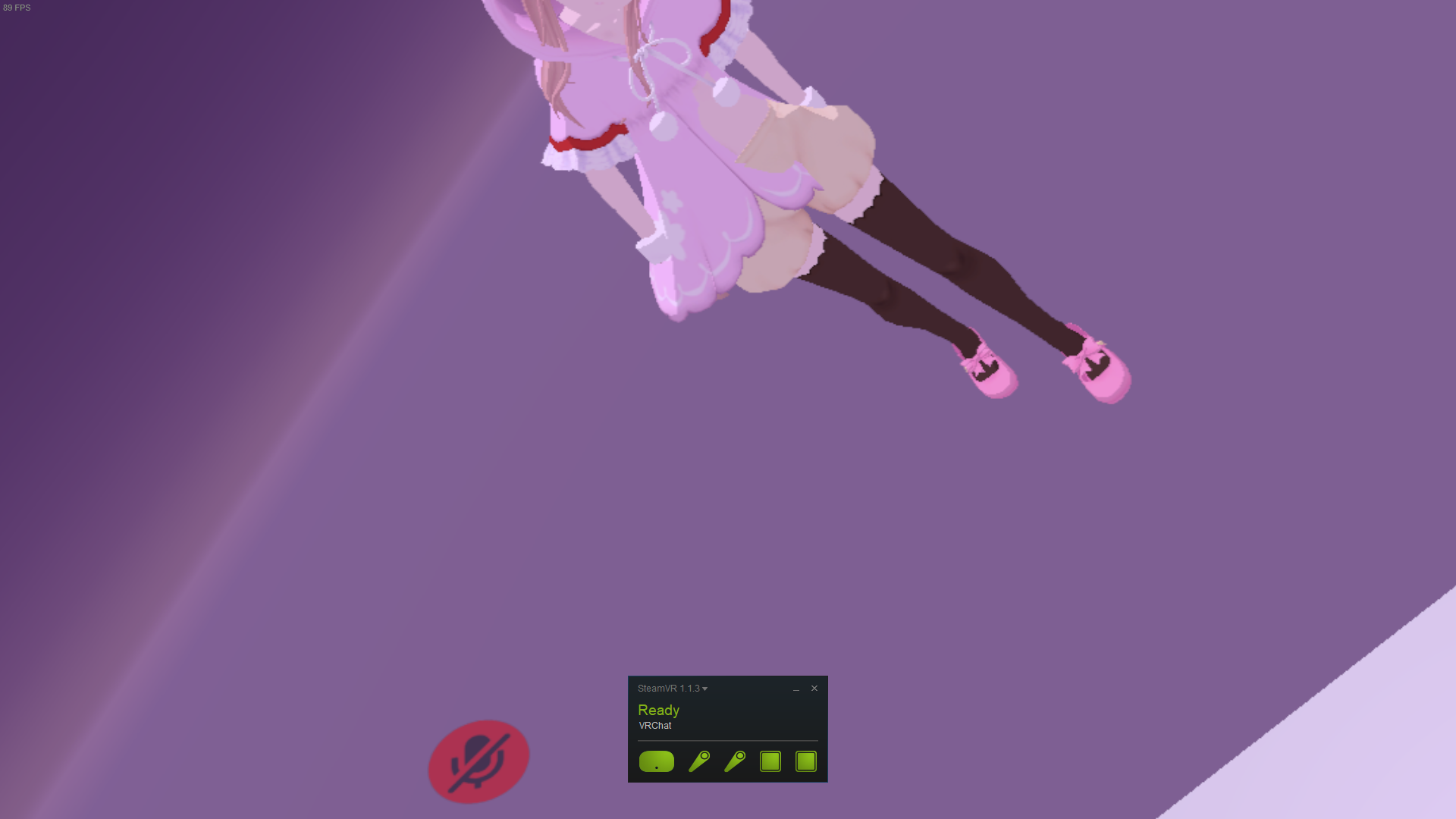
I tried lowering the spine but that just scuffed it
 autumn ingot
Quick question (I hope) - is there a difference to whether you want to keep the toe bones active for a full body avatar vs a normal vr one?
Does tippy toeing happen for fbt as well, that is?
sharp pewter
never had a problem normal toes for non fbt vr b4 myself other than not having my height set correctly but for fbt i have no clue you could try to run a fbt fix with cats and see what it changes
autumn ingot
Well, I know it's a question of avatar proportions in essence. I mean, for many of my avatars, if I have the toe bones active I'd have to adjust my height so much that I couldn't extend my arms instead
Yeah, I've done the new cats fix, it was just a question for Unity tbh hehe
Sucks that I don't have fbt to test with
sharp pewter
ya i can only rely on outside info if someone needs help with a fbt rig
 tidal arch
If rigging a model without legs, would you add the leg bones and then just assign 0 weight to them? Same for hips?
fading verge
yes
sharp pewter
you could to keep it "human"
fading verge
if you need an humanoid rig, then yeah
tidal arch
Ok figured, just wanted to make sure before I got into it. Thanks
heavy parcel
https://imgur.com/a/dmwogek
Could anyone help me with this?
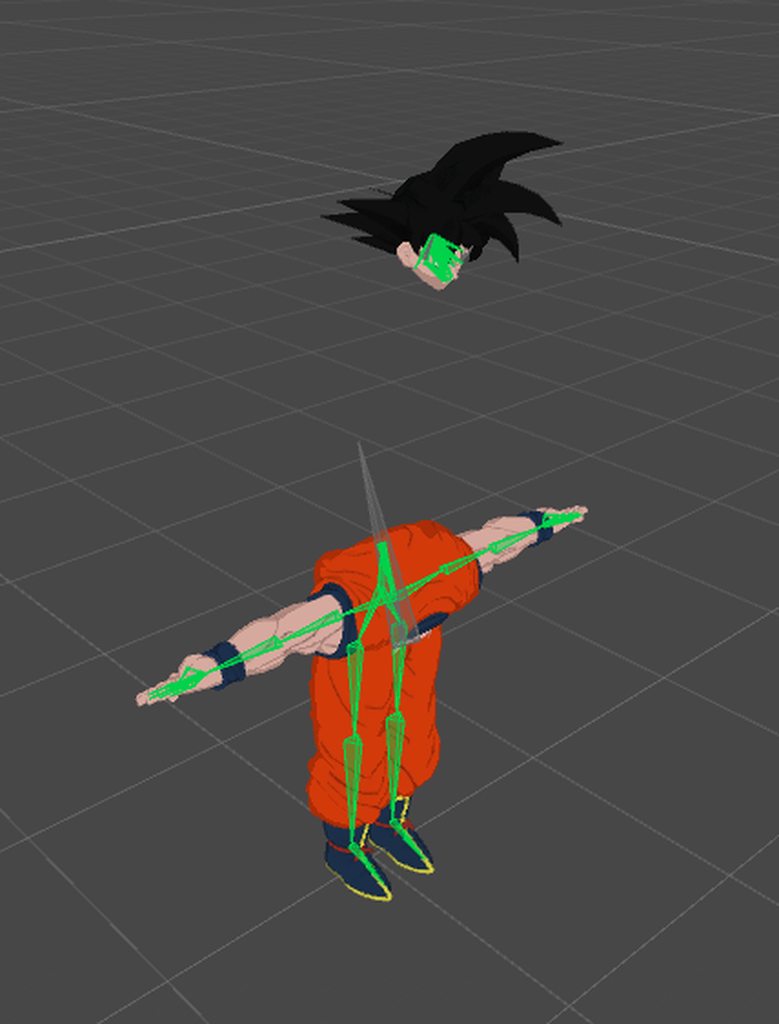 heavy parcel
I knew that. I guess I meant to ask about this instead. Which is would this be alright?
https://imgur.com/OmE06hN
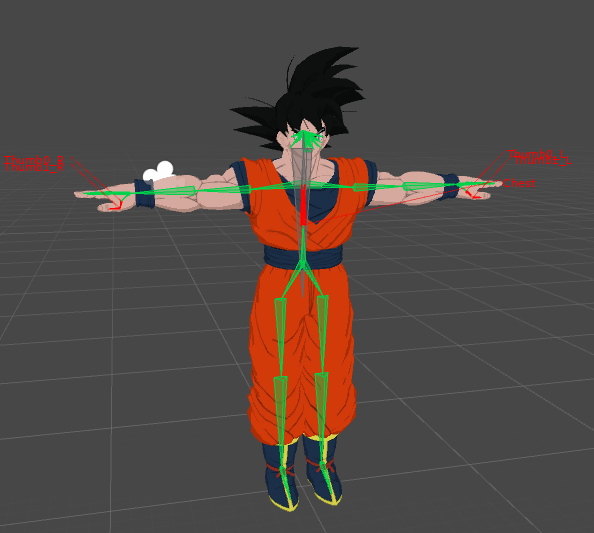
 civic sorrel
There seems to be a few issues,
The thumbs might have an issue, though the thing im mainly concerned about is the red in the chest
Before trying anything though, I would try uploading it and see if it works the first time,
heavy parcel
Good point. I'll brb lol
civic sorrel

heavy parcel
Actually it seems to be telling me that I need to make sure the parent of both shoulders and the neck is the chest. Tho they seem correct in the hierarchy
civic sorrel
Are you sure the chest is mapped?
heavy parcel
I mean the chest is definitely assigned to the chest
civic sorrel
Do you think you could send a screenshot of the rigging and whatnot?
heavy parcel
I can send any thing you need. But do you mean from blender? Or the hierarchy is Unity?
heavy parcel
I'm using CATS on blender and honestly I have nothing but issues with that plugin lol
civic sorrel
Sometimes it depends on the model you use,
and if it's been updated or not.
Idk, from the sound of it there's an issue with parenting or whatever, but there very well might be some other reason.
neon quiver
my avatar texture is flickering in vrchat for just the jacket texture i made. there is not two meshes. only one. Only one material. So i'm not sure why it flickering. sometime it flicker to blue and red. I also notice if i switch to that avatar the world get slightly darker.
crisp tendon
It can have one mesh and still be z fighting afaik
heavy parcel
Right. I can almost guarantee that it isn't a perfect model for sure. I'll keep messing with it to see what I can do
civic sorrel
Okay, hope you can find a swift solution to that.
heavy parcel
I will adventually lol. I appreciate your effort tho
civic sorrel
Sure thing,
heavy parcel
Ok. Seems like I'm finally able to upload. Had a bunch of hidden bones that were well hiding lol.
heavy parcel
Alright. This seems to be my last issue. Well hopefully
https://imgur.com/YGKGtRI
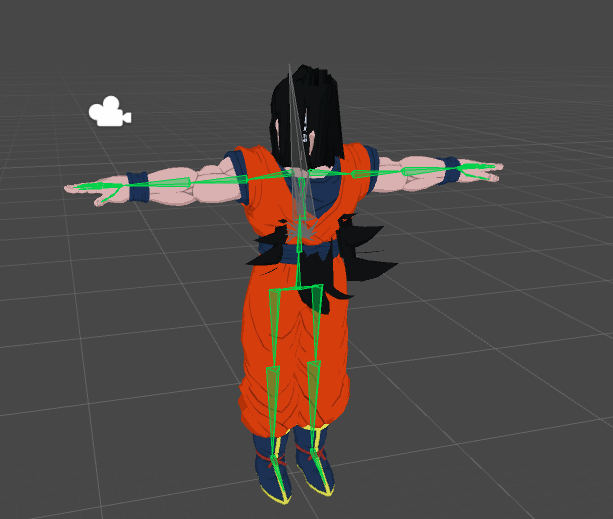
This is what happens when I force t-pose. So it's what I look like in vrchat
civic sorrel
The head is being moved down into the chest, it seems.
Reset it, and try leaving it there.
If the head isn't in the chest there, then go ahead and proceed onward.
heavy parcel
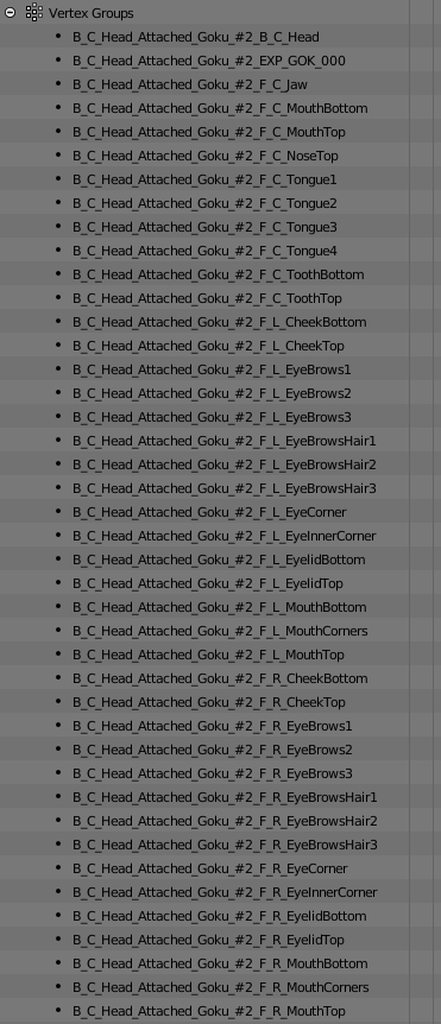
indeed lol. I think these are causing the issues I've been having.
https://imgur.com/a/8pm7fXT
 civic sorrel
o
sharp pewter
those names scare me... why so long
heavy parcel
That is CATS doing i believe
sharp pewter
also vertex groups dont really cause many problems other than not being linked to the right bone
heavy parcel
I have a bunch of normal bones then those
civic sorrel
Did you use Fix Model?
heavy parcel
Yes
civic sorrel
Hm,
It should remove unnecessary stuff,
Tbh I have no real clue what's the problem here.
sharp pewter
vertex groups are most likely not the problem
could you take a picture of your armature in blender
heavy parcel
Sure can. Give me 1 second
sharp pewter
unity never really lets you see how things really are
heavy parcel
Ok. I can confirm that was causing the problem. Idk why it was, but enforced t-pose is completely normal now
heavy parcel
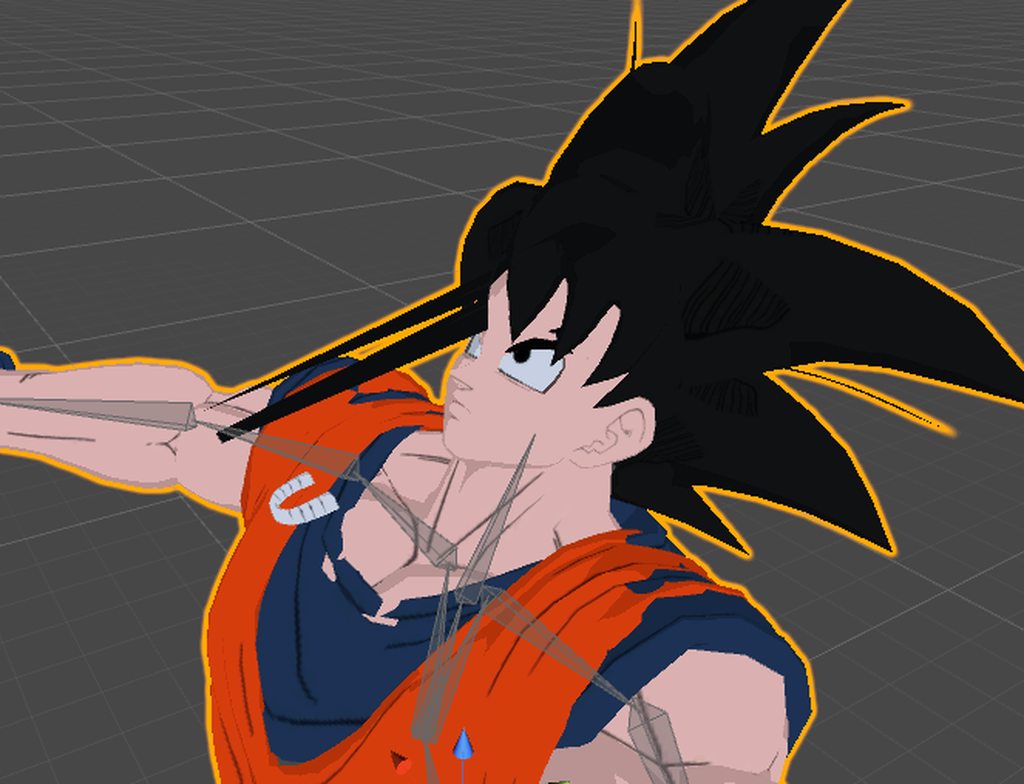
How would one get the teeth to follow the head and whatnot?
https://imgur.com/a/92qV95e

This is what it looks like in unity
https://imgur.com/a/x5HJPPd
 neon quiver
weight paint the teeth all red on the hesd or neck bone
heavy parcel
Ah. Alright. I'll give that a shot
neon quiver
for the hair looks like it need remove weight paint on one of the bone. maybe the neck bone.
heavy parcel
@neon quiver Yeah there was a bunch of weight paint connected to the neck bone, but it seems that I got it situated. Thank you very much
 stark spade
(Spoiler maybe) To anyone who seen Ralph Breaks the Internet, how do you think they did the arm thing? I want to attempt it for a avatar
stark spade
Yeah
I'm wanting to make a long furby where the neck extends without it stretching polygons
neon quiver
glad i could help ❤
i try upating the shader but nothing seem to have changed. maybe i need to fix something in blender. https://cdn.discordapp.com/attachments/410257196694241281/519332644786536448/2018-12-03_21-01-51.gif
 cobalt frost
@stark spade haven't seen the movie, but if you want an effect like that, you could have a bunch of flattened polygon rings and use shapekeys or bones to unflatten them
like an accordian
might be a bit tricky to get it right
stark spade
I was kindof thinking about that, I will make some test models before mess with furby lol
 zealous tundra
https://i.gyazo.com/c6c7e4a17d99126d4d5032c5ec9bc52c.png
Anyone able to point me in the right direction for this? I originally had a fully working nanachi base model that was rigged but I took it apart and made some edits to it. Now I was wondering if I could just pull the rig from the original and apply it to my own one but I'm running into this 'failed to find solution' error. Not sure what's causing it as i've gone through most bones deleting them to find the culprit and not found it. Any help is appreciated ^^
 zealous tundra
Scratch that, managed to get there in the end o/
heavy parcel
Is there a decent way to check if a rig is good for full-body tracking without having full-body?
opal aurora
I guess if you have somebody that's around your stature with fbt could test it for you, but other than that i'm sadly unaware
heavy parcel
Ah alright. Maybe I'll just hope around publics tomorrow till i find someone with it and bring them to a private world lol
opal aurora
You could also possibly ask around here, somebody might be willing to give you a hand
neon quiver
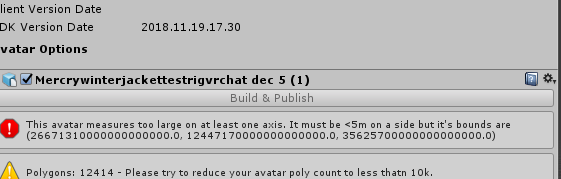
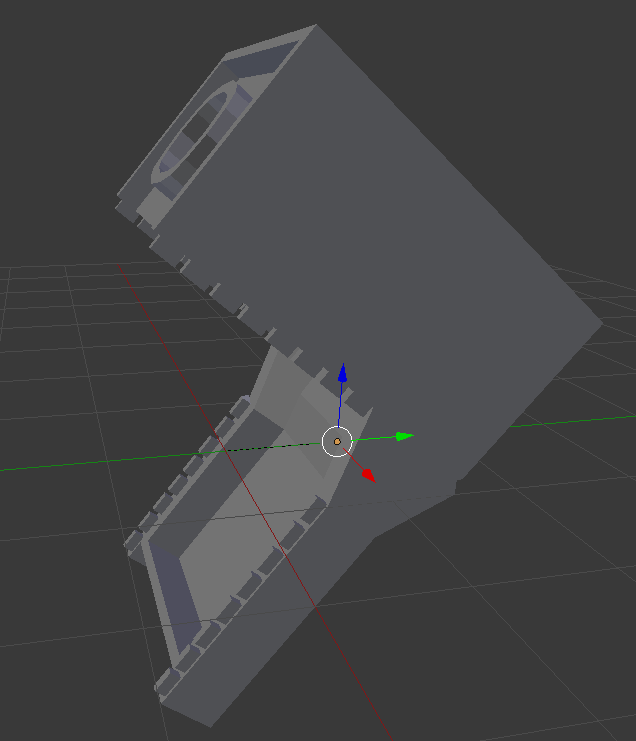
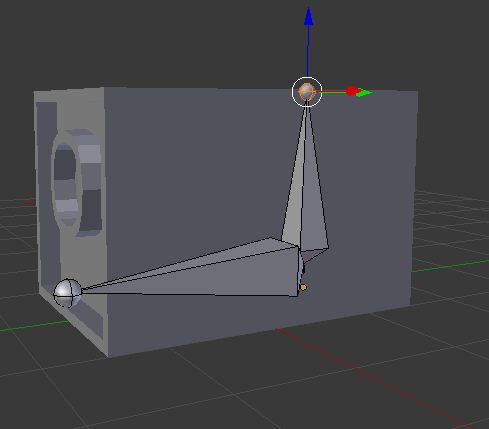
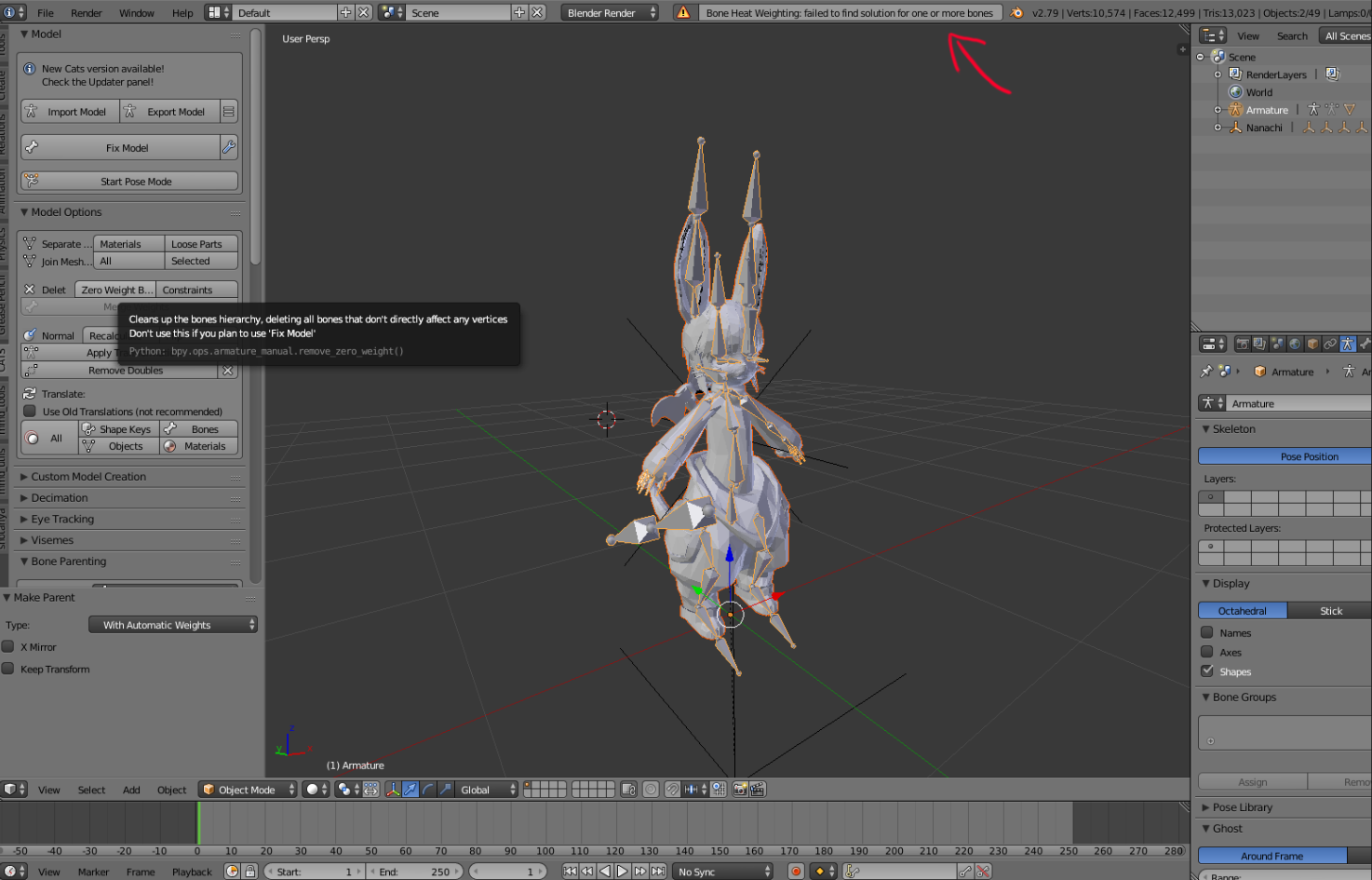
don't know if this goes here since not sure cause by rigging...in unity when i go to upload it says avatar axes blabla off by 5. So is it ok if i put all to zero? i'm not sure what cuasing this. i went into blender and explort my model and brought it back into blender and use the cat tool to fix whatever and nothing seem to be problem.
crisp tendon
You should post a screenshot of that error
neon quiver




 sharp pewter
could you import a unity chan model from the store for free just to test how big it is or you might have a stray vertex
or the bounding box is to large for some reason
crisp tendon
@neon quiver You can edit the bounds of the body manually
neon quiver
ok i will try that. but i have a feeling there might be a stray vertex. and edit the bound manualy
ok so my model is slighter taller then the unity chan. so that seem ok. so yeah i'll try the other stuff that mention
fading verge
even if you can edit them manually
it's usually a bad idea, the model can have a lot of problem with lighting for example
best thing to do is to fix it properly
bounds that huge are usually caused by broken shapekeys
neon quiver
ok so i narrow down that the mesh that cuasing problem is the jacket. so ill go in blender and check if any wierd shape keys.
ayy i think it work and my avatar preview even now does not show up blank. hope that fix it will see in a fwemin
delating the shape key work. that error not there anymore
thx
❤
gritty nest
Make sure you only have one mesh
 brittle tapir
https://puu.sh/Ccqm2/29795c503b.png when i apply the full body tracking fix with CATS, the arms go all weird. how do i fix it for fbt without the plugin because it just breaks my model

 sharp pewter
so it works fine when you did it without the fbt fix?
brittle tapir
yeah, when i do the regular cats fix it works fine, but when i do the fbt it breaks the arms
brittle tapir
i did check them, which is why im so confused as to whats going on
sharp pewter
can you post a picture of your models armature post fbt fix in blender
i dont think that is ment to touch the arms but the legs right?
brittle tapir

 crisp tendon
Has it been changed for FBT ?
brittle tapir
what do you mean?
crisp tendon
Also you're not touching the ground
sharp pewter


here unhide mesh and turn xray on
only thinking that enforce t-pose might be doing this because the bones dont line up
brittle tapir

 sharp pewter
could you sent me just the fbx of that?
i dont see how that could be messing it up outside of unity stuff
and are you importing these into unity as .blend files or fbx?
brittle tapir
fbx, and idk if i can send it to you since i paid for the model or whatever
sharp pewter
thats why i say fbx because the textures wont come with it
brittle tapir
okay, ill send it when i get back home
sharp pewter
i can only think thats a shape key i dont really know what else would do that
brittle tapir
its just seems random since i have the same model working with the fbt fix but i cant recreate it lol
sharp pewter
if you got it working its fine then
brittle tapir
i mean its edited and theres some parts i want from the non edited version that i deleted, so i cant use it
 fleet urchin
Question, can i texture atlas and keep multiple materials at the same time?
sharp pewter
why would you want to just wondering
naive tree
@fleet urchin yes, create new material, use same texture and assign
@sharp pewter for blush or some other stuff that you want different shader on
sharp pewter
hmm does it not let you pick what you want to atlas
naive tree
i think it's still better to use the same texture rather than different ones
fleet urchin
just wondering because i want to have certain parts of my model separate to the rest, more specifically the hair
gritty nest
Just atlas them, then manually separate the material afterwards
fleet urchin
alright thanks
 sand patrol
Anyone help solve my bone merge problem?