#avatar-rigging
1 messages · Page 126 of 1
 solid adder
 clever imp
Im looking to add so many things to one avatar but im at the point of merging 2 armatures into one if thats possible on blender
clever imp
i see thank you
 subtle moth
np 👌
clever imp
how do i add the string like thing to bones
subtle moth
?
clever imp
i acidently deleted the amature bones
clever imp
ctrl z didnt help
subtle moth
redooo
welcome to the world of avatar creation
😂
but yeah
mesh is useless without bones
clever imp
good thing i saved each one
subtle moth
^^
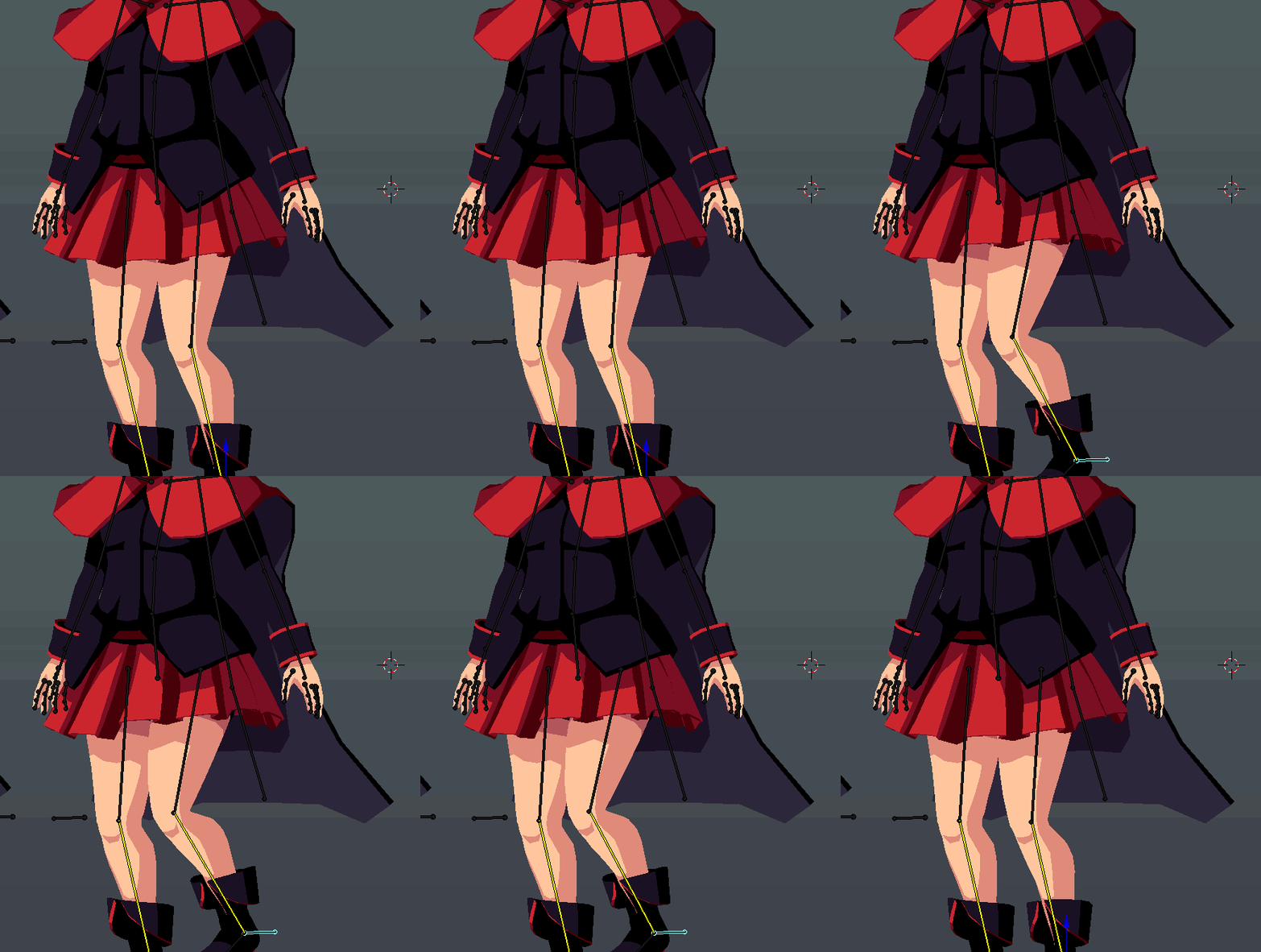
 opal aurora
^
clever imp
yup
clever imp
i take it theirs no easy way to weight paint
 sleek isle
its not that bad https://gyazo.com/d0221cd80b365ad06de2388d5324f4c3
 solid adder
Surprisingly well done :+1:
 fringe jetty
Are the three finger bones required for animation overrides on hand gestures?
 fickle plover
yes
fringe jetty
Ah okay, that solves one mystery.
fickle plover
Mmhmm
at the very least, they need to exist
as for being assigned to something, that's somewhat variable
fringe jetty
Okay - is it true you can just have them in there, but not assigned to anything?
"not weighted"
fickle plover
you could feasibly give someone a mitt, and have the fingers assigned to each line of verts that make up the mitt
mhm
fringe jetty
The model I'm working with is Pikachu :P
fickle plover
although, understand that if you dont weight them at all, the hand wont be able to do gestures, natually
Oh i see
so yeah, just assign weights as if they were where fingers would be sensibly
 drowsy wharf
@fringe jetty You don't need to have weights at all on the fingers. You can stop weighting at the wrist for something like a pikachu. The bones just need to exist to count for gestures.
 woven plover
hey can someone help me with an issue with mixamo?
i rigged my model but now i can find spine 2

so like where it says spine
chest*
that should be able to be changed to spine 2
but i cant
 pine harbor
your model doesn't appear to have a spine 2 after the mixamo rigging, at least from what's visible in the hierarchy there
pine harbor
i'm not sure you need it to begin with, especially since you're supposed to leave the Upper Chest node blank for use in VRChat
 autumn pilot
https://gyazo.com/4cb4f578312dcf8312e37f2611836798 i cant pin point the issue here with hips ;-; help
 sleek isle
@fringe jetty bone only need to exist and be assign like this. Ubity don auto asign they if not painted so you need to drag them in the box yourself https://gyazo.com/d2f3bde21a8ef7bb9973762f5bca69f5
 drowsy wharf
@autumn pilot have you checked bone rolls? If full body, are the leg bones pointing straight up and the hip straight down?
autumn pilot
ah yes, one of the reasons why it didnt work, got it to work, thank you!

 sage kelp
https://gyazo.com/cd4ef12af510360a453c5342dfecc329 uhh... any way to resize just the bone? it doesn't look like this in blender.

 queen kayak
Uh... thats the headbone?
queen kayak
Not showing up like that in Blender either? Did you try to edit it or go into pose mode? To see if it actually changes size?
sage kelp
changes size in which program?

Oh what the... https://gyazo.com/cea646cbc0ca0e91b52aa1c72db9cc5e Why is that way down there...

that might be the problem.
https://gyazo.com/c244cef9ffd460af93d2cf58cc7f9bc1 thats better

 marsh portal
so i sorta weightpainted it and . . . https://imgur.com/a/aCMWx7p

the gautlets somehow are shit rn even tho they are 1000 weight ( pardon for my bad english in advance )
sleek isle
look at all the vertex group
marsh portal
hm kk
clever imp
is it possible to resize particles on unity
 worthy heart

 fickle lily
Weight painting is an option
drowsy wharf
weight painting really is the option
fickle lily
True
sleek isle
yes
 crystal wolf
But are they not already painted?

i've moved them before with a new armture i made and connected its mesh to, i just want to add bones to the main armture then have the ears move with it
sleek isle
add 2 bone for each ear then click click the mesh and after the rig. ctrl p ( with empty group). Now you wan paint the ears
fickle lily
Thats not painted no
crystal wolf
thing is, the ears moved before with their own armture
fickle lily
But their not on their own armature correct? You said you moved them to the main model. Which sounds confusing on its own
sleek isle
Merge the 2 mesh (ctrl J). Same with the armature. Select the new and after your base model
cats can do it to. But I like to do it the old fashion so it dose what I really want to do specifically
crystal wolf
I'm not catching on
fickle lily
I couldn't stay because of data issues with my phone. But from what i saw the ears were their own part
 robust gull
?
 inner tree
anyone thats willing to help me with some weightpaint
 drowsy wharf
you can also make bones that move sections of them at a time, but yes
 calm needle
there are options that will let you move multiple verts at once that tends to help as well
subtle moth
@calm needle howd you do that o.o
calm needle
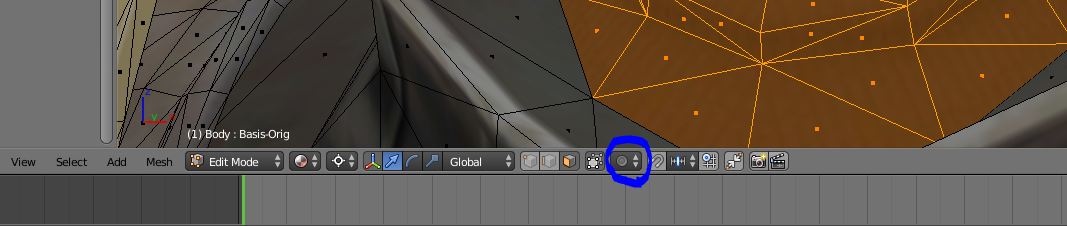
this button down here
when enabled, it will let you select a single vert but move the others around you as well with smoothing
with the mouse wheel dictating how far you want the link to happen
calm needle
it makes going from this
https://i.imgur.com/Fb0GVR3.png
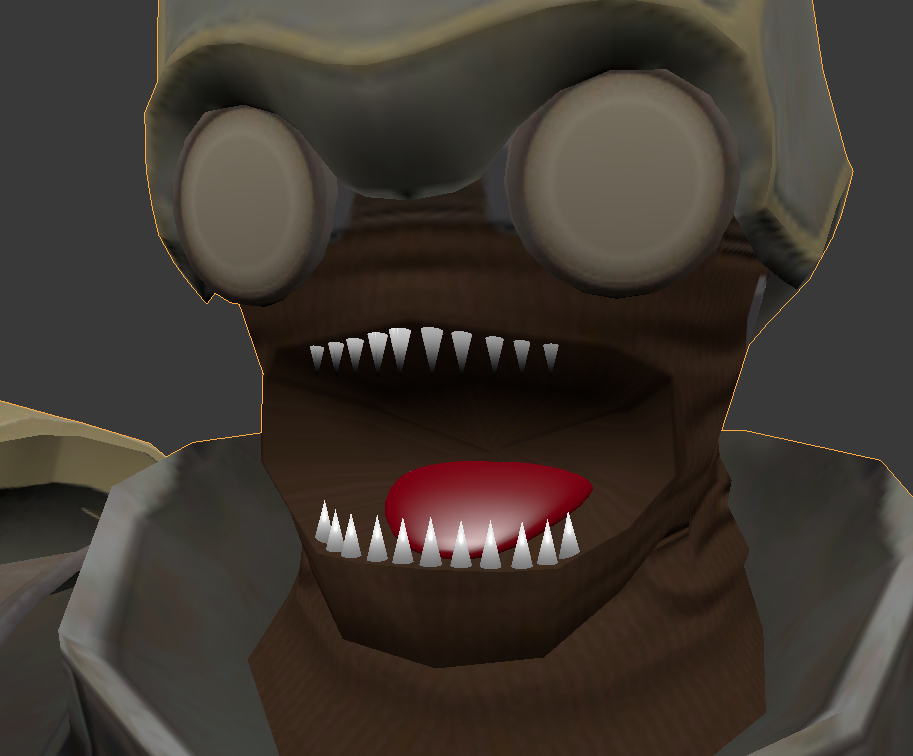
https://i.imgur.com/efNE3S8.png
to this, quite a bit easier
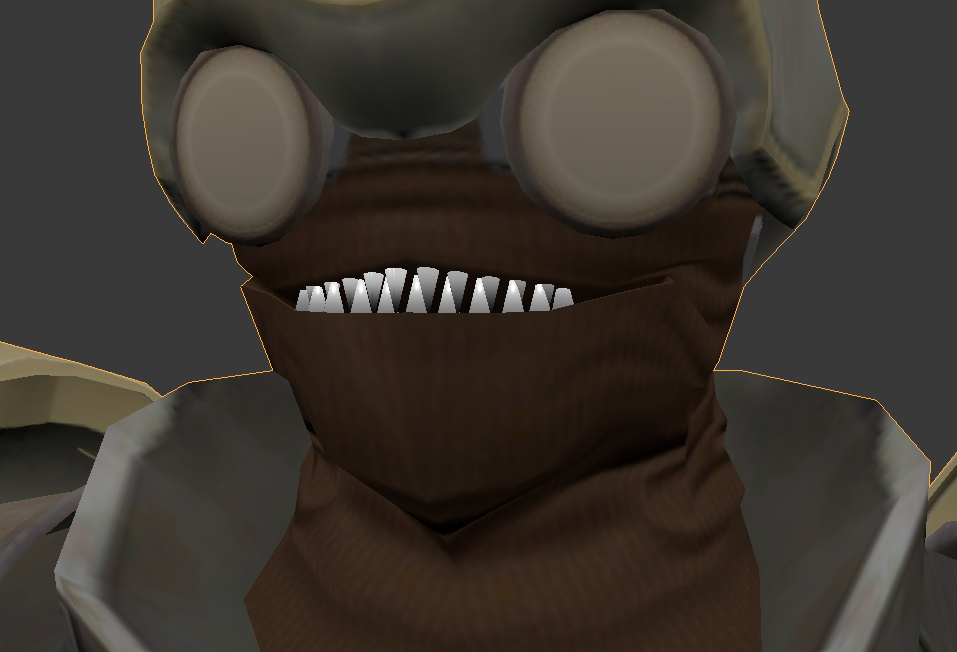
 pale hull
With some clever workarounds yes. Should be a guide on YouTube for 2d visemes
You're basically moving planes back and forth
drowsy wharf
@viral lily dynamic bones are something you have to play with and test, differing bone configurations, chain lengths, and even weighting can mean different values
Damping is how fast it slows down while moving (air resistance).
Elasticity is how fast it tries to return to "normal" position
Stiffness is a limit on the max movement range (at 1.0 it basically doesn't move)
Inert is a portion of your movement it ignores (I believe at 1.0 you'd have to have a collider move it) Higher values take longer for things to move. Lower values move more slowly and fluidly
for a skirt you could start with D: 0.6 E: 0.2 S: 0.7 I: 0.3 but you'll almost certainly have to adjust it later
 viral lily
alright thx
its just nice having something to start on at least
never really knew what the different things (Damping/Elasticity/Stiffness), did. Although i have already played around with them 😅
drowsy wharf
it really does depend on how it's set up even for starting values 😛
drowsy wharf
over time you'll get a feel for it and guess at the start values, then tweak
 tulip thicket
You should think about using the cloth simulator in unity for your skirt especially if it flows over your knees and you want your legs to collide with it. The dynamic bones will spread out around the collider on your knee.
 fading verge
that depend on the skirt tho
if the vertices are all over the place it can be quite the hassle to set up
also if it's too low poly or way too high poly it can also cause issues
fickle plover
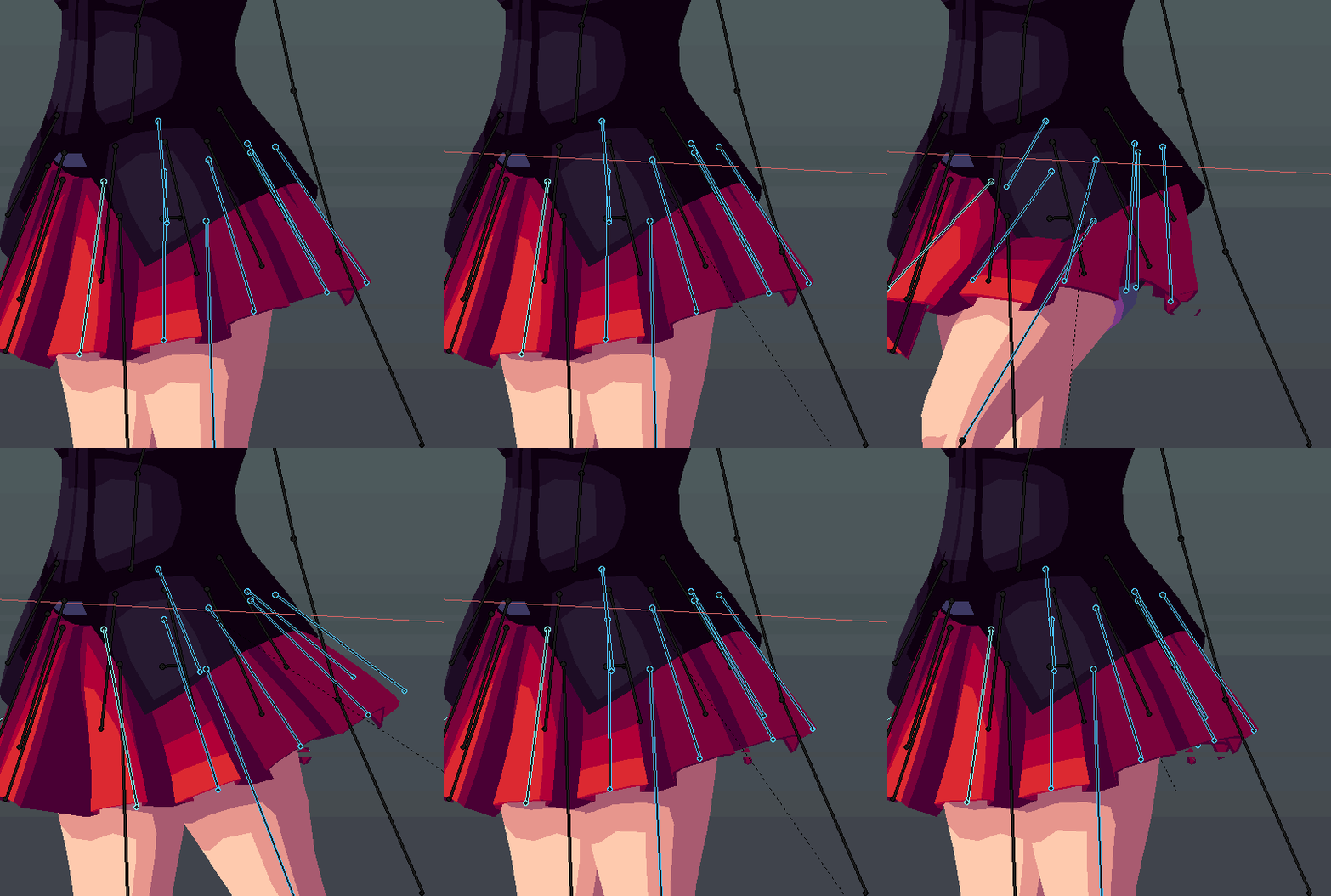
speaking of skirts
I'm redoing her rigging for her's
still gotta get the jacket weighted
that comes next
 dark pollen
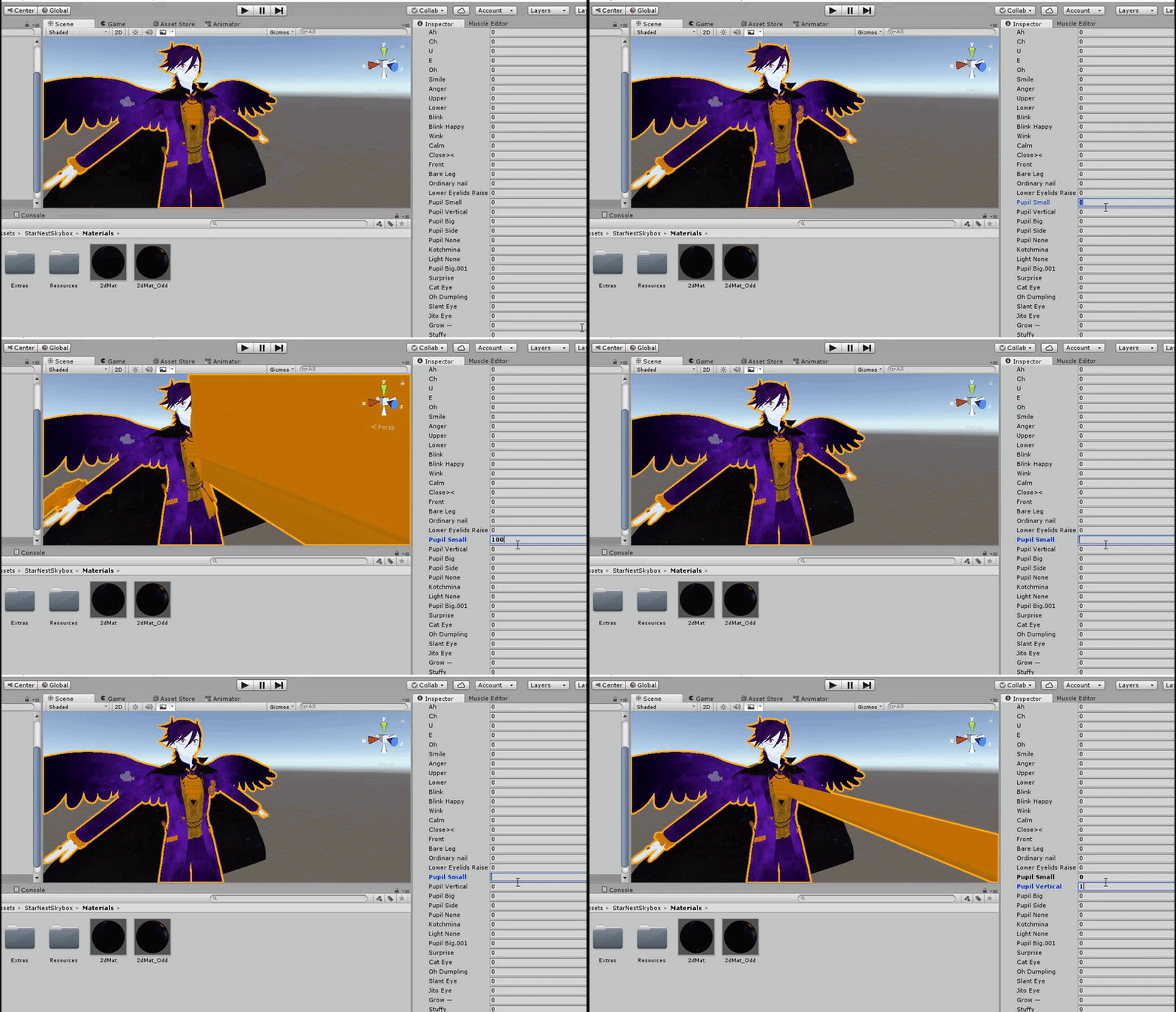
Really weird issue happening that I've not encountered before. Working on a Halloween outfit for my avatar who I've made multiple outfits for before; but for some reason with this one parts of the clothes stretch out with visemes ?? Any clue on how to fix this? https://gyazo.com/5a0ad6e000e500f30090df71a2e35837
 fading verge
you deleted vertices used for the visemes
so they broke
either delete them or redo the model
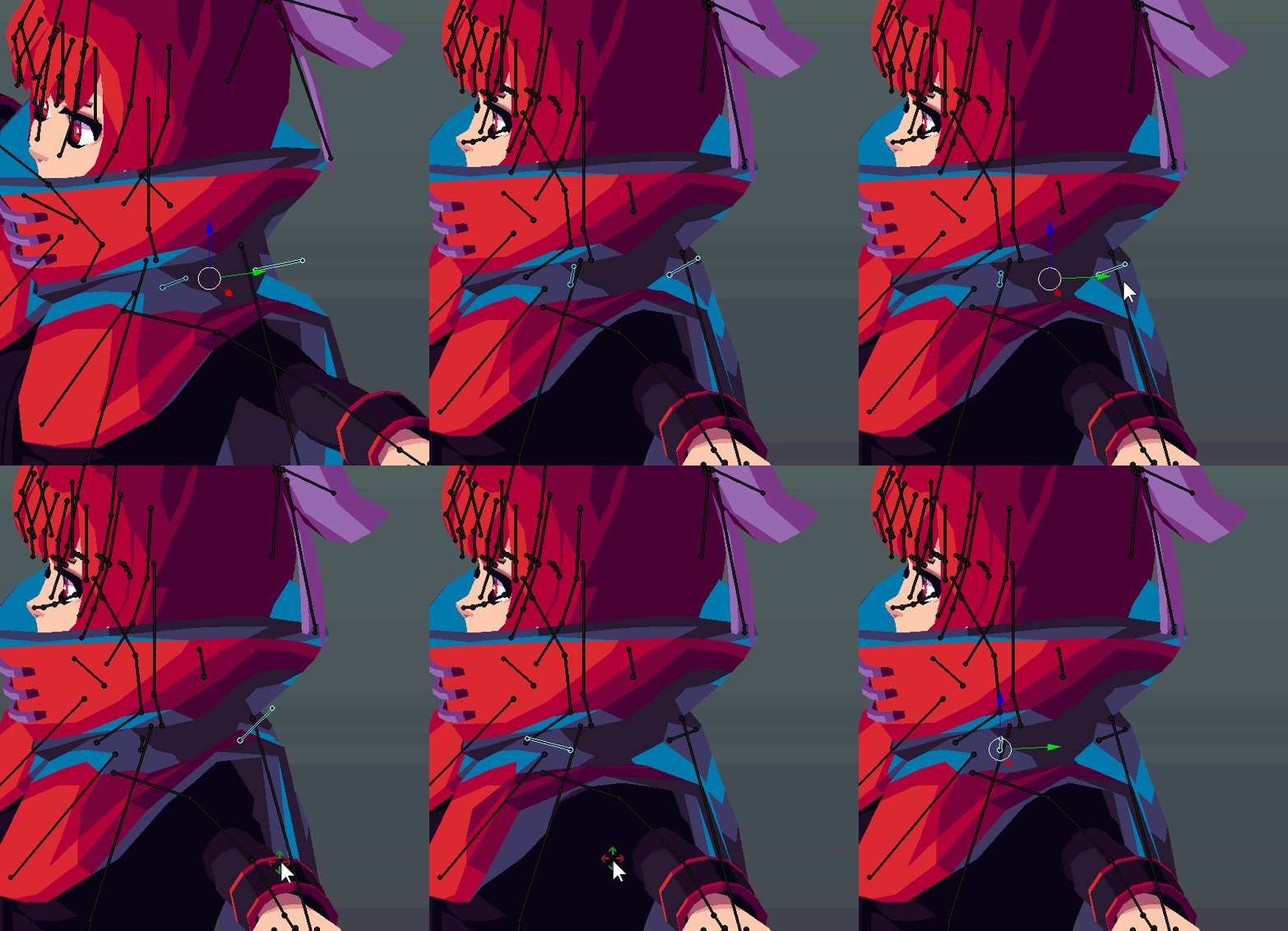
 frail bluff
My avatar is stuck in a tpose
can somebody help me
https://cdn.discordapp.com/attachments/401594263718330380/493921316395548704/unknown.png this is the bone structure

 slow gyro
@frail bluff Did you set Rig to Humanoid?
frail bluff
Yeah
drowsy wharf
@frail bluff can you screenshot the rig window?
frail bluff
Im on mobile rn
 last forum
Can someone help me, I'm new to this and my avatar isn't doing so well, I can call on discord and screen share
 crisp tendon
Ask your question and people will let you know if they have the answer
last forum
Well, I had my friend send me the avatar download link after they made it for me, and the avatar itself wasn't humanoid, so I fixed that, I forced t pose and fixed the hand rigging. But in vr chat the arms are all janked up
crisp tendon
janked up how ?
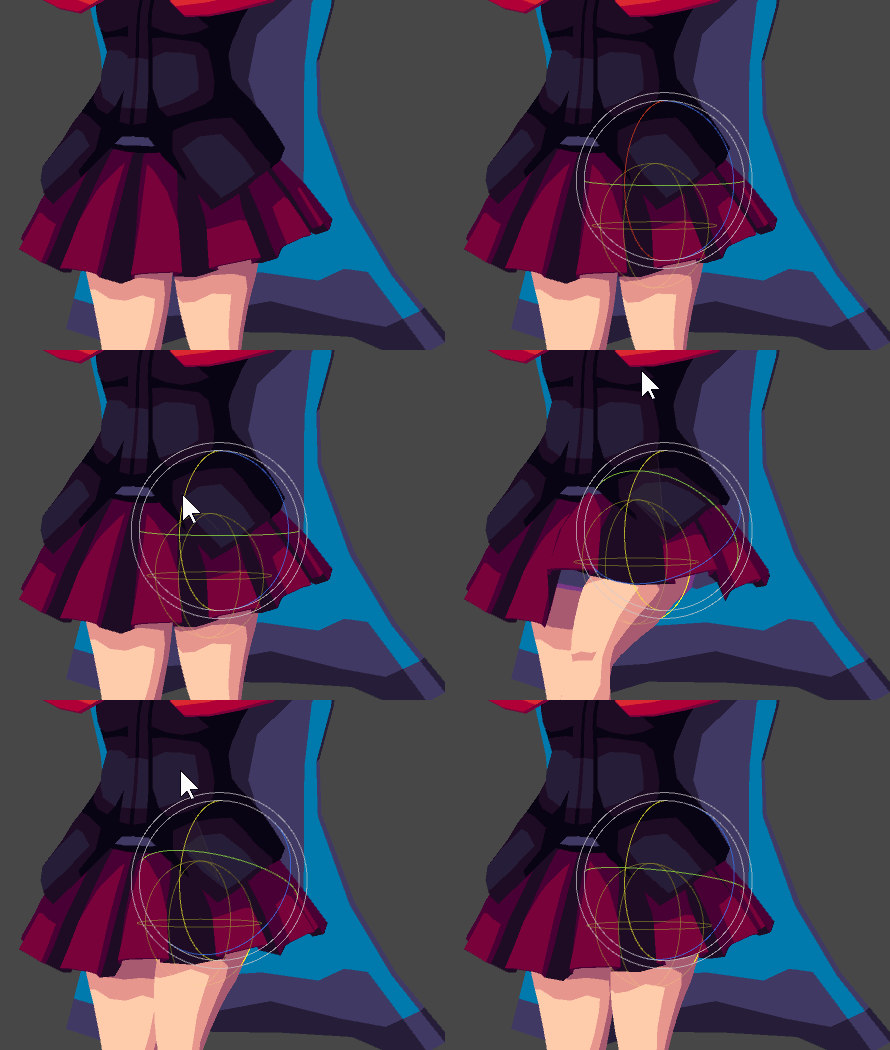
 lethal spade
that is so cool ❤
subtle moth
cloth physics o.o
fading verge
iit's dyn bone tho
 gritty nest
Dynamic bone colliders can be good if you use them properly like this
However, "using them properly" entails doing the bones yourself with colliders in mind
It never works well on random MMD's
fading verge
yup
Polar did everything from scratch
very specific weight painting
that's why it works that well
taking a random MMD model with a skirt and using collider to make the same effect will never work
 gritty nest
Weight painting skirts is fairly simple
Auto weights can probably do 99% of the work for you, just gotta fix up the hip area at the top
 tight blaze
 sharp gulch
i think something is wrong with my rigging https://imgur.com/a/GxtklGI
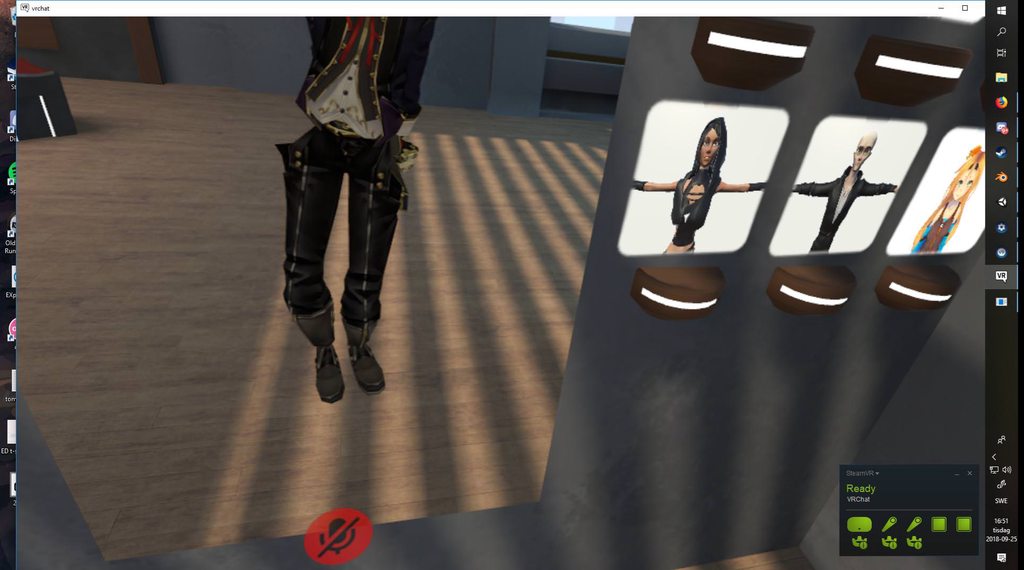
does anyone know how to fix??
sleek isle
apply full body tracking with cats
sharp gulch
will try
sharp gulch
Still same problem
 worldly willow
https://imgur.com/gallery/jhAb0I8 any tips on how to fix this?...is is a WP or do i have to delete vertices etc
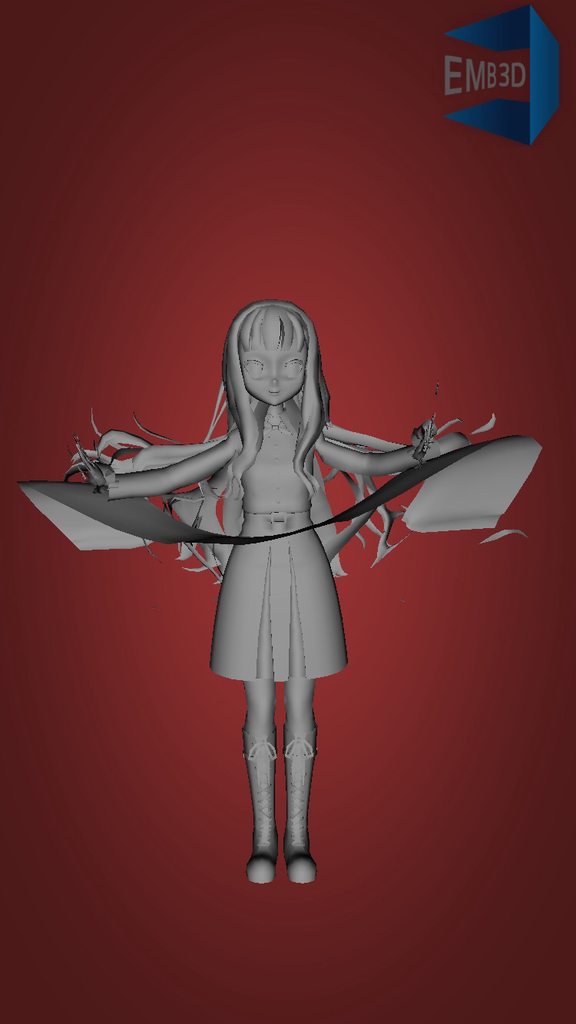
 sly mirage
Hey anyone like raven? or shadbases work? i got a shadbase raven model that i need lip sync and possibly eye tracking on if possible. the models mostly already rigged. Ive tried for days trying to get this stuff done and i just get to frusturated and angry stressed and i always fuck stuff up. if you want to help message me you can use the model too just please dont upload it anywhere when its finished
sleek isle
photo ?
 sly mirage
ive tried that stuff
there is nothing set up for it in cats
no tracking for vismese
sleek isle
if you move the bone of the jaw you can press pose to shape key
and its going to make a shape key
do the 3 mouth sound
 sly mirage
how does one move the camera towardds teh face of the model
sleek isle
press 1 on the number pad
and 5 to change perspective
all the number on the number pad move the camera around
sly mirage
is tehre a free camera so i can zoom in on the face though it just keeps zooming to her feet no matter what numbers i press
sleek isle
click the wheel
sleek isle
shift and wheel slide over the angle that you are
sly mirage
okay thanks
sleek isle
spin the wheel make snap zoom
sly mirage
so how do i connect all the meshs like you said?
sleek isle
but ctrl and click the wheel. and after moving the mouse zoom with fluidity
in cats
in the model options
All
join mesh
sly mirage
k thanks idk why i didnt see that
fading verge
Trading animation lessons for blender/rigging lessons.. Hmu i dont know to weightpaint i press merge weights 😂
sly mirage
@sleek isle if im just using a basic shape key and not vismese for the mouth. i just make 1 pose right?
?
@sleek isle you there?
sly mirage
i do not know the names
sleek isle
after you can still edit them if you want like making the cheek go a etc. but for now Just keep them that way.
in cats select the correct sound in the vismese
and press creat
you should have all the mouth mouvement created for you
if the model have bone for the eyes
do the same
in the eye tab
AA sound
OH sound
CH sound
sly mirage
idk if i did this right but if i did this was way fucking easier im guessing thats because it already had a jaw bone and was assigned to vertexes
sleek isle
besacly, an open mouth , a medium open mouth and a little open mouth
sly mirage
so way i use the smame shape keys for eyes or i make different ones? XD
sleek isle
if you have bone for the eye
select them
in the eye tracking tab
and the head bone
you didtn make blinking so pu nothing in that
and press create eyes traking
you can test it after in the testion in the same tab
its very important that all your bone are name a certain way
Hips,Spine,Chest,Neck,Head
with capital
sly mirage
okay so
fading verge
Trading particles for bones
sly mirage
do shape keys need to be made for eye tracking? i have the bones for eyes
fading verge
😂
Cats automakes shapekeys
For eyes
Just make sure you do it right or you will have 1 eye blinking
😂
sly mirage
so after i set the eye bones and head and press create it just does it?
fading verge
....
 pearl bone
How do I make a model have followers?
Such as one main model, and 2 smaller ones following it, with the same walking animation
drowsy wharf
@sly mirage make sure you check the "disable blinking" when you set up eye movement or you may have some weirdness.
VRChat doesn't care about the names of the shape keys, but the first 4 (after basis) are used for eye tracking and blinking, whether you set it up or not.
drowsy wharf
if you add any shape keys after setting that up, check again and make certain those 4 shape keys are directly under basis.
sly mirage
we good in the hood
pearl bone
So they will continuously follow and pause with the main model?
fading verge
Make your walking animation activate the animator on your minions
Empty game obj
Ye
@pearl bone
sly mirage
how do i edit a already made keyshape?
 crystal vector
@sly mirage Select it and enter edit mode
fading verge
when you are done
dont forget to select the basis shapekey again
or you will only edit the mesh for that specific shapekey
sly mirage
basic keyshape is the one im trying to edit i accidentally messed it up
im confused when i am in object mode basic keyshape says mouth is open but hwne i click edit like you said it closed?
what do i do exactly im confused
okay i think i fixed it
@crystal vector so when move basic it also moves oh ch and aa
and if i move any of those it moves basic again i dont quite understand what to do?
guys?
crystal vector
@sly mirage Modifying a shapekey shouldn't modify Basis as well 🤔
sly mirage
so when im in edit mode how do it turn off vertacy selection
okay so im saying this wrong i need to move the bone to move the change how far the mouth is opening. i dont need to edit vertacys but i cant seem to edit it for some reason
i mean i can edit it but dont think im doing it right you said go into edit mode but when it do it takes me off the shape key page and shows me all the poly gons of the model and only lets me select them. i try going to armature and slecting that and then moving the bone while in edit mode and the it donest move the mouth. am i supposed to be using pose mode because there is no option
fading verge
@crystal vector it does if you dont separate the head
sly mirage
well how do i do that XD
fading verge
If you move vertices around with the head attached it will eventually cause that vertice explosion thing
😂
sly mirage
can you show me how to edit this properly please
fading verge
Just select your head and click separate
And then you can edit your.body without your avatar exploding
sly mirage
when i pose the frickin bones they move the keyshapes together
Head under what ? theres like 1000 options in blender
fading verge
Ye
sly mirage
what?
what do you mean yah @fading verge select head and press split? where are these options?
sly mirage
Q_Q
your exsplaining anything
do you mean select the poly gons of the head and press seperate somewhere?
okay i think thats fixed. but um here
when i was in game checking my model i looked in the mirror in my room and for some reason when i was looking straight my eyes were pointed downward @fading verge @sleek isle and when i looked down they started going upward. does this have something to do with height settings? or is it something i did wrong
i have head eye l eye r and disable eye blinking this is what i was told to do correct?
fading verge
@sly mirage uh
Your visemes might have been messed up
When the eyes point downward its either from the eyetracking or bones
Or visemes
sly mirage
they are looking straight forward in blender
fading verge
Sometimes if you select the 2 lowerlid shaoekeys and move a vertices .00001 it fixes it
sly mirage
i dont have eyelids
fading verge
I know
sly mirage
okay um god im confuzzled
fading verge
Just try it
sly mirage
they are all set to basic?
fading verge
...
sly mirage
lower lid and blink
i dont have eye vismese
eye lid ones at least
i was told to just set head eye l and eye r and press create and disable eye blinking and it would set it up for me
what is .... about did i say something
oh easy fix i think change eye movement range press create and test it
is there a way to overwrite the mesh i have in scene in unity and keep all the stuff i have set up like dynamic bones and visemes? or do i have to delete and reset everything @fading verge
fading verge
@sly mirage you can reexport the fbx from blender over the fbx file, as long as you didn't change bone names it will update the mesh
keeping all the settings
sly mirage
okay cool i was wondering if thats how that worked thank you
fading verge
np, it's a huge timesaver
sly mirage
turns out it doesnt matter because for some reason my model got deleted from my fucking scene in unity rip
fading verge
are you sure you're looking at the right scene?
sly mirage
there is only 1
fading verge
ugh 😐
sly mirage
@fading verge @fading verge SOOOO for some reason even though i have the basic key shape set to have my mouth closed and it shows it closed in blender for some reason its open in unity when i look at the muscles settings and if i go in game its open by default
what should i do?
Hello ?
i seem to have fixed it no one told me i wasnt supposed to use my jaw bone when using visemes and blend shapes
 gray sierra
I'm trying to get eye tracking to work, but it's moving the whole eye instead of the pupil. How can I separate the pupils from the eyes
fading verge
@sly mirage edit mode. object mode.. set them both to basis
 brittle rune
Has anyone a idea how i can fix this texture?
https://cdn.discordapp.com/attachments/380704406728998915/494299602611339291/T_pl18_001_body_D.png
 sly mirage
@fading verge after i join meshs in cats is there any way to get seperate them again i want to get rid of my cape on the model
fading verge
@sly mirage separate by material or loose parts in CATS plugin
sly mirage
both?
fading verge
depends on the model, material will usually do it
try materials first and see what it splits up into, if the cape isn't separated try loose parts
sly mirage
t worked tu
bones are also connected
@fading verge seperateing everything and then rejoining it all seems to screwed bones over in the rig when looking at it in unity
fading verge
it shouldn't ... you should join everything before updating the fbx
doing that will fix it probably
sly mirage
i did rejoin everything
i took the cape off and i couldnt delete the bones so i just hid them XD
sly mirage
idk
fickle plover
@subtle moth It's funny
at the end of the day, i scrapped that whole rig in favor of cloth
and I can say while i'm disappointed in the time spent, i'm not mad at this result

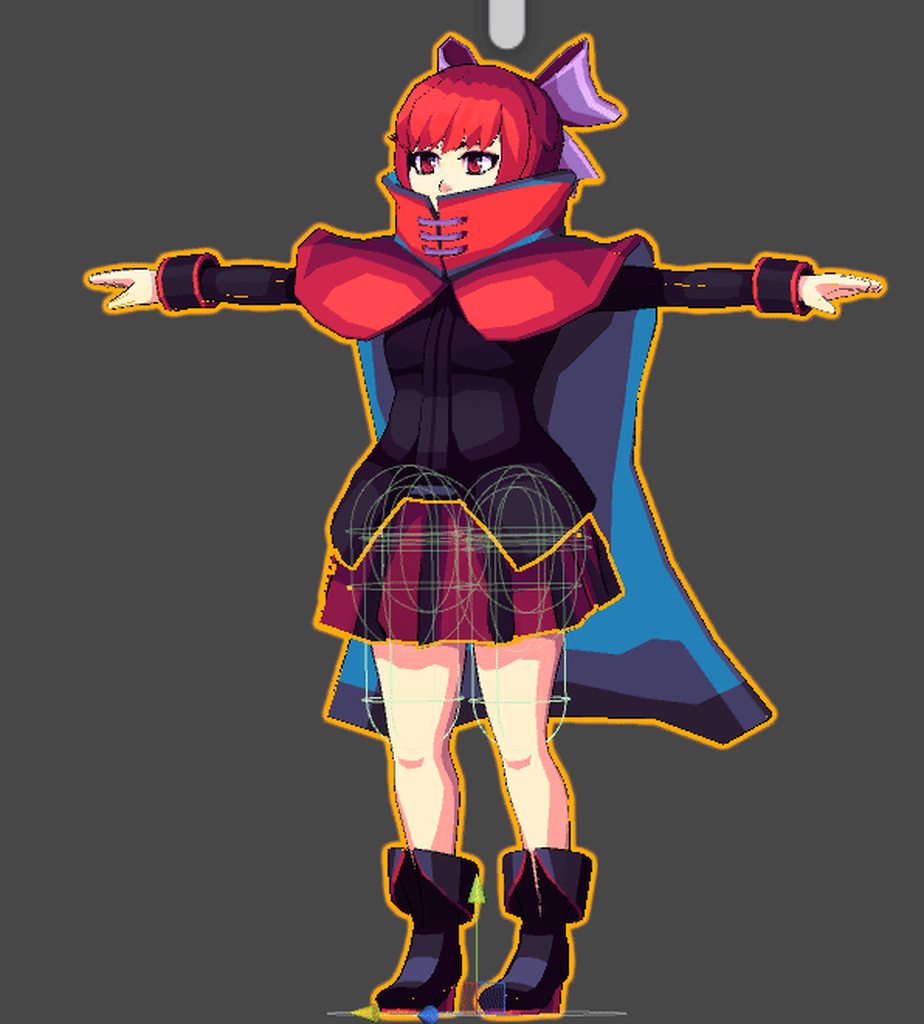 sly mirage
@fading verge im a fucking magician
the weirdest shit worked
in unity i reset bones then reenforced tpose and it worked
fading verge
are you going to do the cape too?
fickle plover
mmhmm
that's next up actually
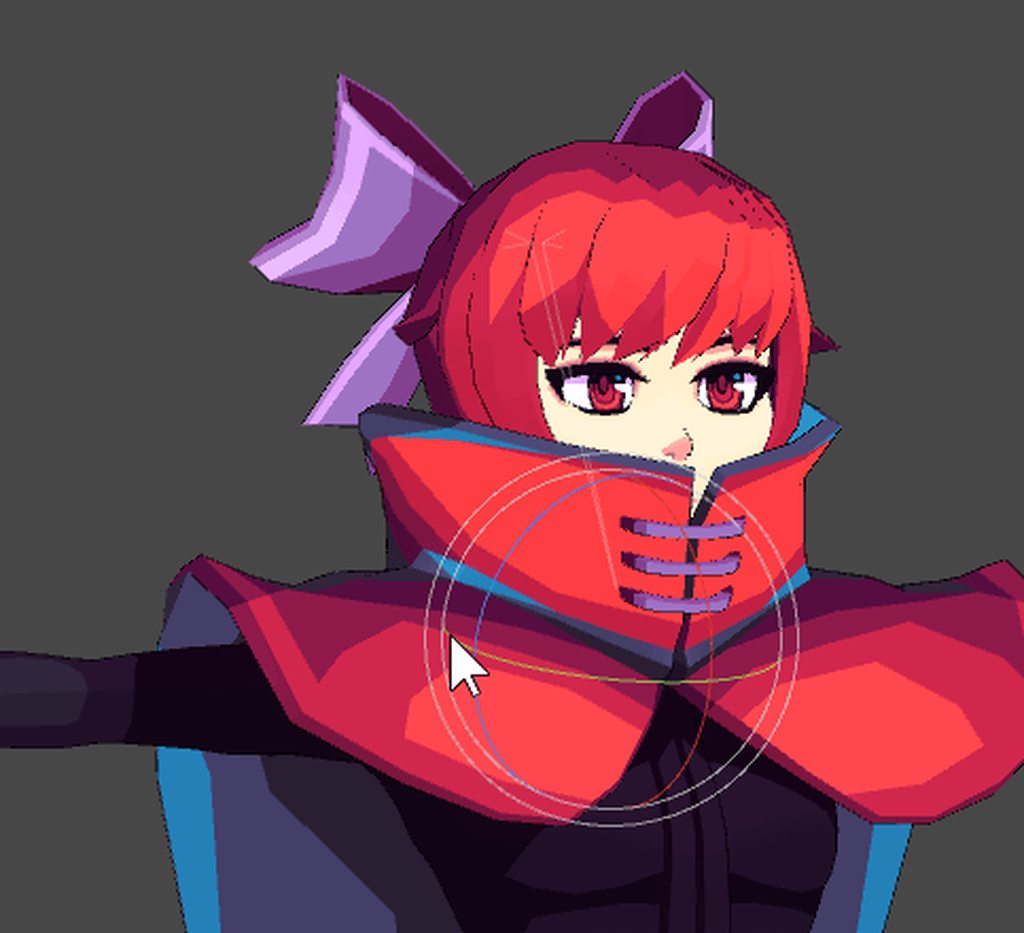
dont mind me just
messing around
enjoying myself
slow gyro
I wish I knew how to do that 😪
sleek isle
try
 lime rock
 subtle moth
@lime rock well... i cant see the full body but those are bent backwards it looks like
look if all bone rolls are 0
 naive tree
@lime rock make sure the knees are bent in scene (unity)
IK cannot solve for where to bend them, as they're straight
 solar ravine
I wish I could use cloth, but for some reason unity on my computer crashes whenever it's in use :<
fickle plover
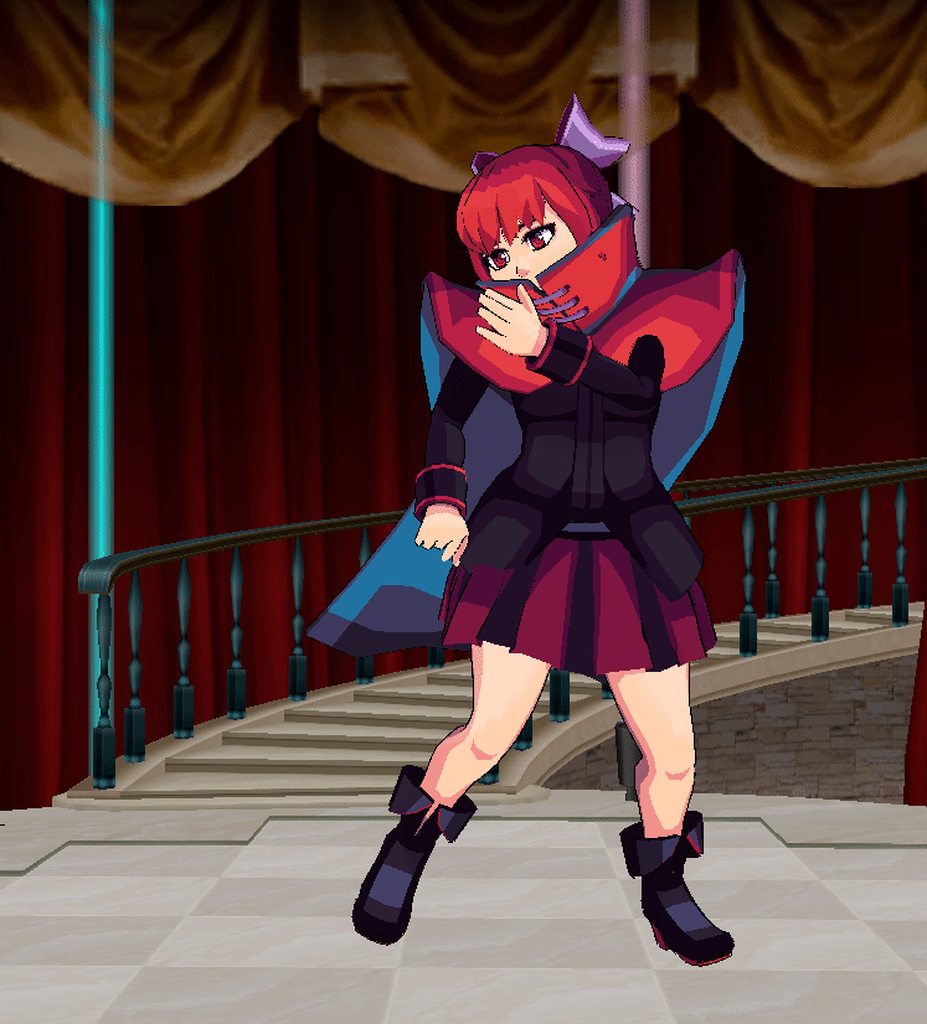
still a good bit of clipping.. but at least i can see where the issues are
might just need to add maybe one more bone group
 willow latch
Hey guys, can someone tell me if this looks allright? In unity the hip is not being processed correctly and it says it isnt in tpose, cant seem to figure out why. https://i.imgur.com/YcM5FSa.png
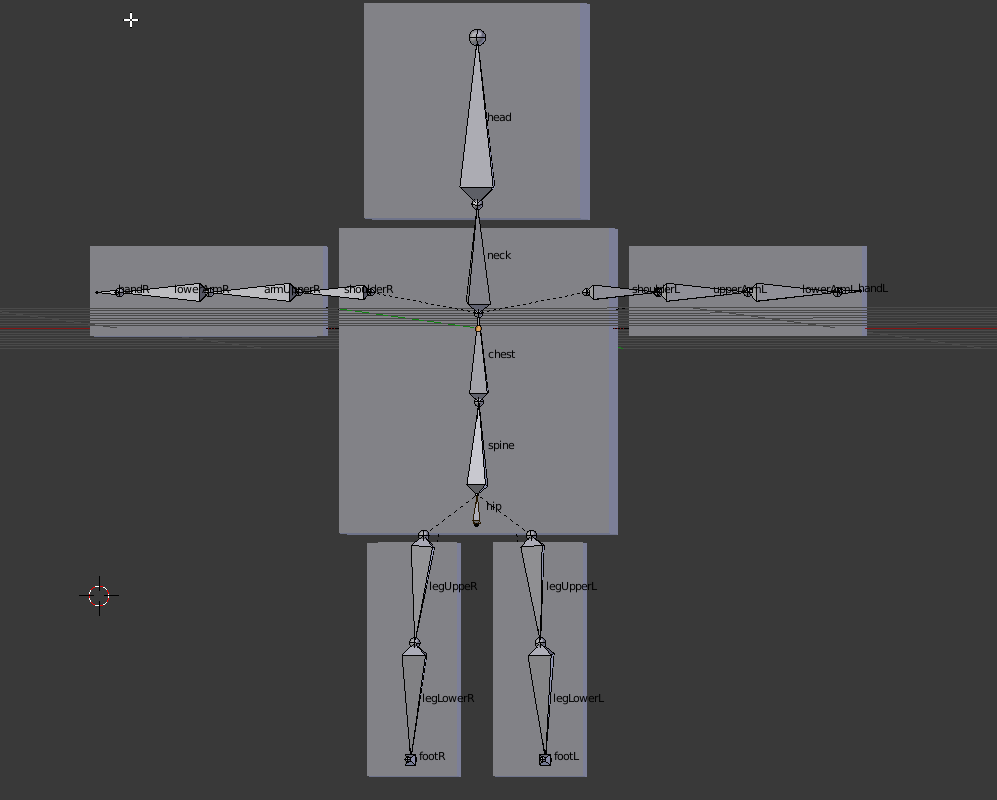
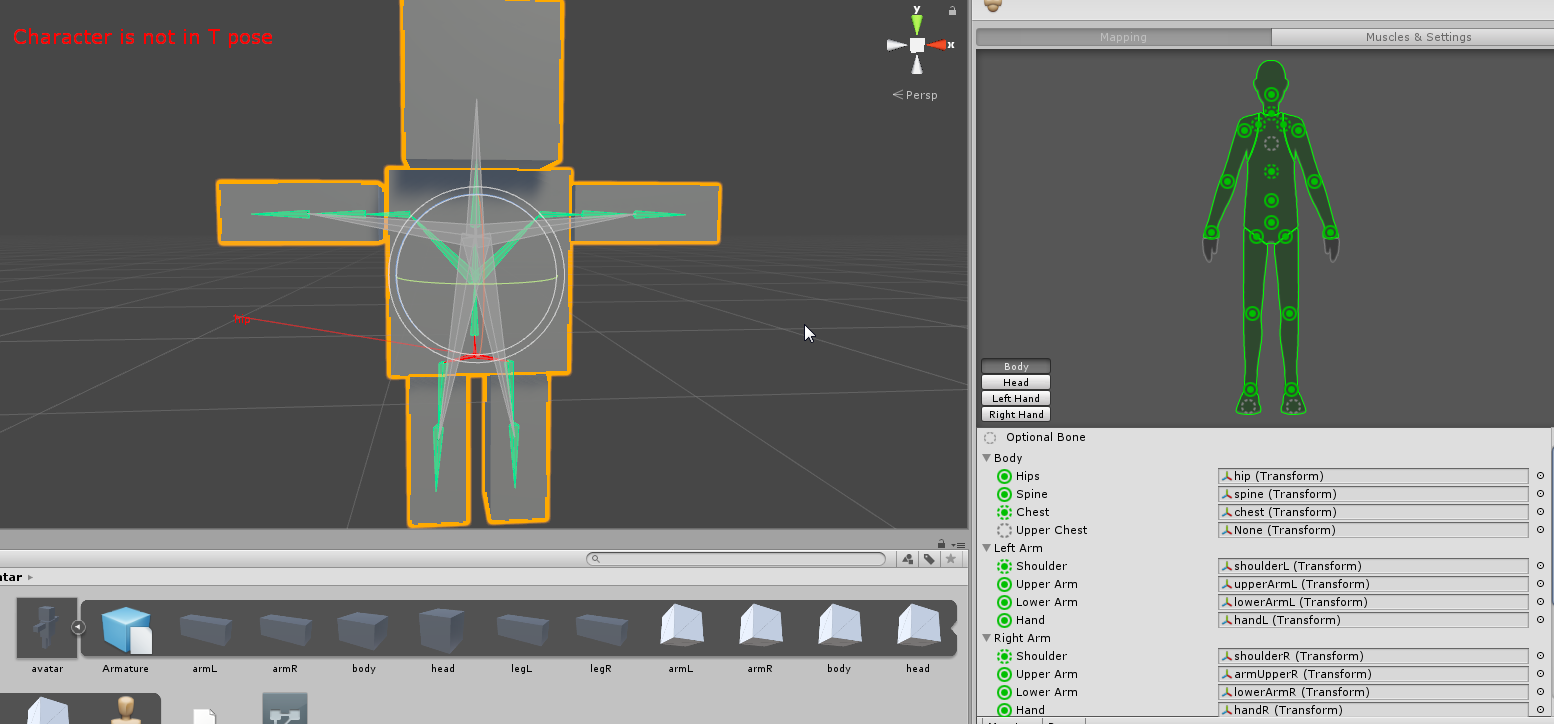
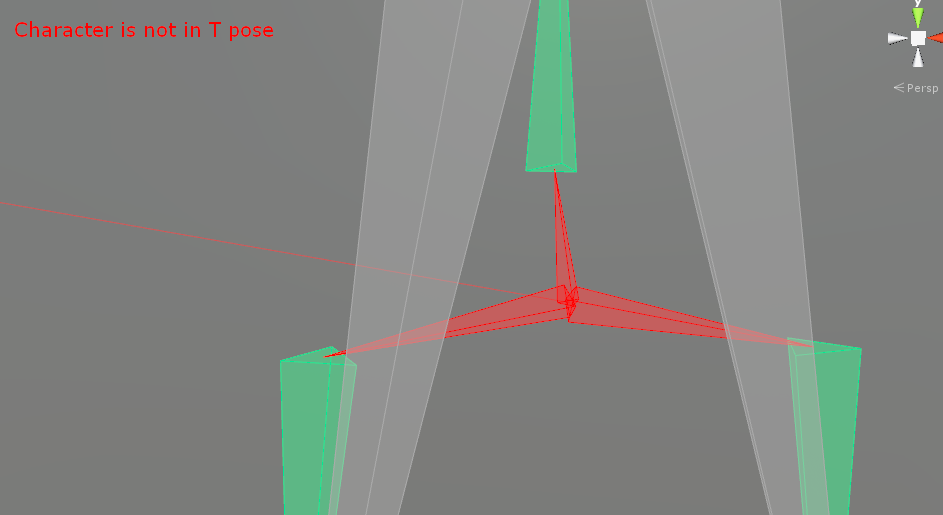
 willow latch
Oh awesome thank you, just need to figure out how to move it back down now but I guess that shouldnt be much of a problem 😃
 naive tree
@willow latch in blender select armature and mesh, then ctrl+A > location, scale, rotation
and be sure that it does move in pose model
willow latch
Okay gonna try that out, thanks
willow latch
Funktioniert jetzt, also das richtige hochladen. Die Arme sind aber imernoch statisch an der Seite, Ich nehme an dafür muss man eine Animation selber machen damit sich der Charakter beim laufen bewegt?
subtle moth
@willow latch umm u sure that message is in the right place
 sleek isle
no clipping is nearly impossible in vrchat when you have thing around the shoulders . You almost make it
willow latch
@subtle moth its... I think Im screwing up the connection of the mesh with the armature and I can seem to figure out why only one mesh in the group is movinfg the whole body but none of the others can. The other parts are just not conected I guess, need to look further into this.
 subtle moth
@willow latch Well... are all Groups named the same as the bone theyre supposed to move with?
willow latch
Really good question....
gray sierra
I've attached the bone to the eye, but this obviously doesn't look right. What should I be doing instead?
https://gfycat.com/MatureDistantHorsechestnutleafminer
 frail bluff
https://cdn.discordapp.com/attachments/401594263718330380/494652927441633300/unknown.png is this bad?

 sudden scroll
Can someone help me out? Pretty sure I jsut need to do some weight painting shennanigans but I need help with rigging my model https://i.imgur.com/x9oe1Z4.png
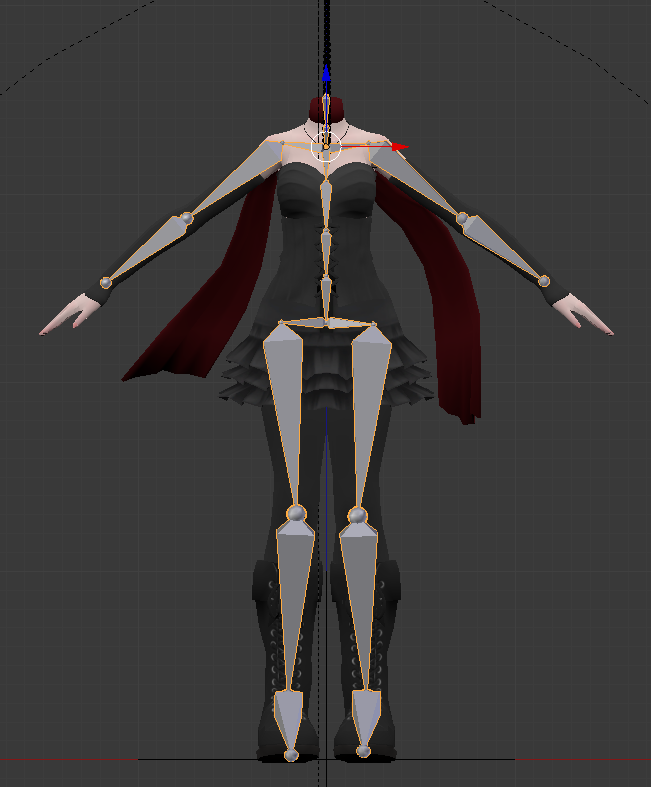
I've got an armature set up, I just need help with fixing some weird bending and stretching around the knees, elbows and shoulders
sudden scroll
Thanks for that, it helped a lot
 warm coral
@fickle plover Oh my. I just looked at your model up there, what kind of shader are you using?
Ping me in a different channel when you do notice though, not sure if it's alright to carry on in this channel.
fickle plover
just manual coloring ❤
warm coral
Oh
Oh I just looked back here
I thought it was a special shader because when I saw your legs, I thought I saw the shadow moving
Looking back at the gif, I see it wasn't moving at all
Just my eyes playing tricks
Thanks for telling me either way, and it looks really good
It almost looks like a drawing that came to life, and I'm sure that's what it kinda was
queen kayak
I have a question, My shape keys are messing up. I basically made a new Basis shape key, it worked fine before I fixed my model and used CATS. but after fixing it and all that it stopped working. https://gfycat.com/FlashyBrownBison https://gfycat.com/MeanFewAmericanalligator I simply narrowed down the eyes and a bit more of a cat mouth. Any way I can fix this or not?


I just remade it and it works x .x;
its fine, sorry.
 stiff flicker
When i try to auto weight paint it says failed to find solution for one or more bones
crisp tendon
There's a youtube video for that afaik
drowsy wharf
@gray sierra Move the eye bone back further and reduce the rotation range. The further away from the eye the bone is, the larger the radius, and so movements will curve more
 dreamy oar
@novel yarrow
 novel yarrow
Anyone have any experience with PMX editor? trying to piece together a model using different base parts and I basically got her all downloaded but trying to fit the clothes the model is literally too big for them. I tried scaling the dress to her size but the editor for some reason lets me scale maybe twice then doesn't want to do anything. Anyone know of easier programs preferably in english that will allow me to do PMX MMD models? Planning to shove it all into unity when I'm done for VRchat.
This is basically what I'm looking at right now https://i.imgur.com/tlf9lSE.png

Her midsection is bleeding through q.q
fading verge
The best way to deal with that is to delete those polygons. You can do this in pmx editor by selecting those vertices on the body, and splitting them to a seperate material. You can then delete that section.
Blender is a bit easier to work with if you use the cats plugin.
Pmx editor is a bit hard to work with... (But is my personal preference)
Blender is more widely used for vrchat avatars now. In blender with the cats plugin, you can highlight those vertices, and just delete them without splitting like you do in pmx editor.
dreamy oar
Thank you Jamie ^^
fading verge
Hope I helped somewhat
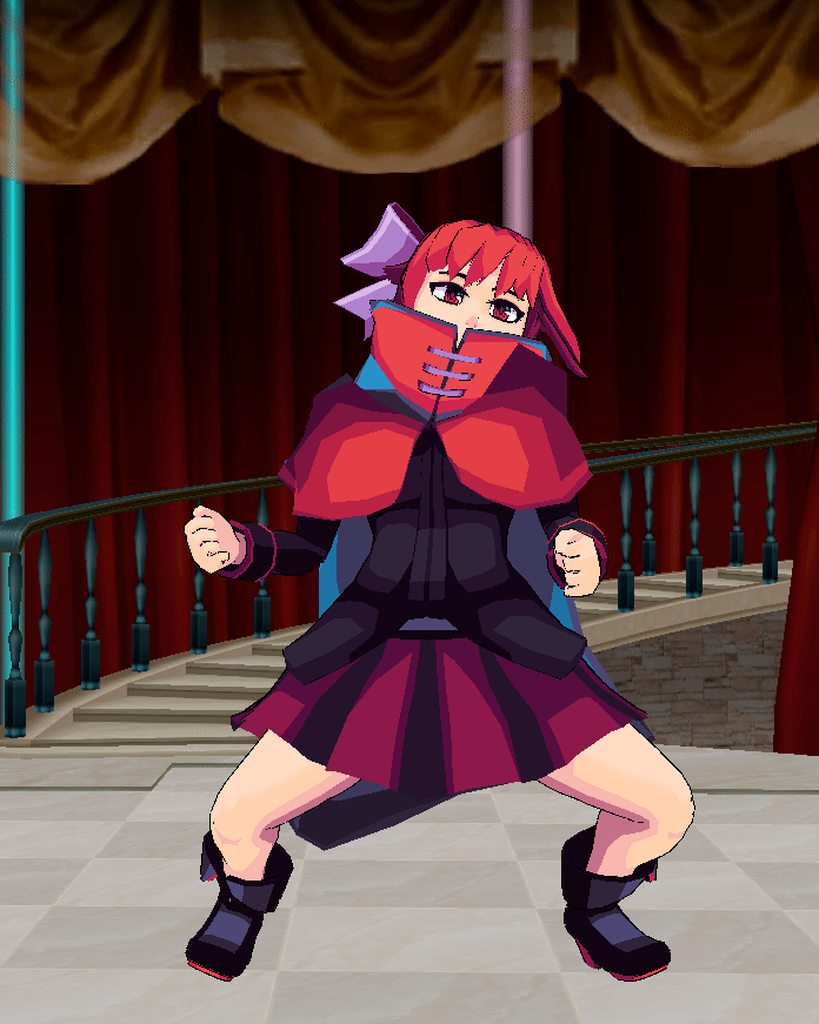
 civic dew
How would I "parent" the hair bones to the head bone, so they move with the head?
https://prnt.sc/kzb9sp
 fading verge
go into edit mode on the armature
select the first hair bone
and change the parent in the bone tab
civic dew
For some reason, when I drag it to the head, it won't allow me. It works with objects, just not bones..?
civic dew
How else would I parent it?
fading verge
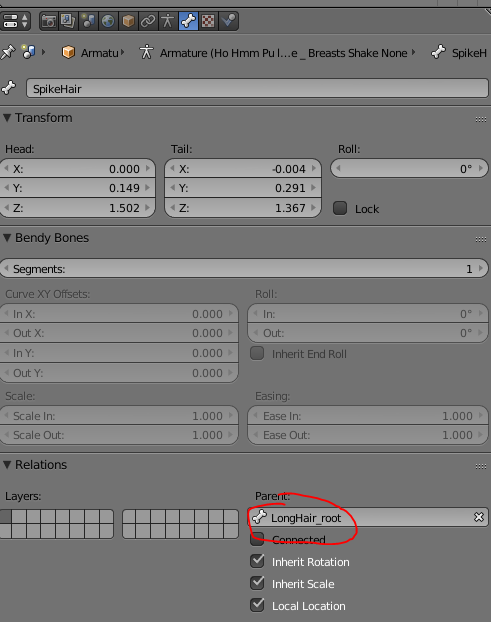 civic dew
Ah..
sleek isle
@fickle plover How you make the cloth physic work well when you have two mesh near like your cape. one side red and the other blue. Because when I try, the mesh clip into the other
fickle plover
That's something that only works with my art/shading style sadly
It's not two meshes
sleek isle
so how you can have to different color on each side ?
fickle plover
That's a trade secret 💙
It's not a special Shader either, so don't think too hard about it
Just some clever logic with what's available and whitelisted
But again, it only works to decent effect with something shaded manually with fake lighting like this
gritty nest
There are shaders that can have different textures for the inside and outside though
So that's definitely an option
Probably the "best" way to do it IMO
fickle plover
Are there any whitelisted ones?
willow latch
Hey guys, I guess this is kind of noob question but my Character is stuck in the ground halfway, and cant find the soluction on google after various attempts to play around with the axes in blender. If anyone has suggestions , hit me, please 😃
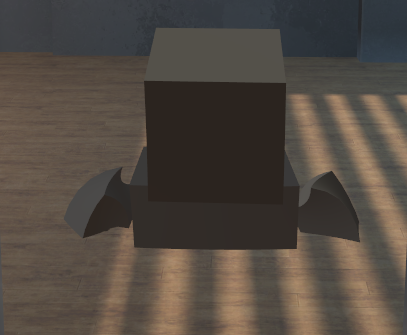
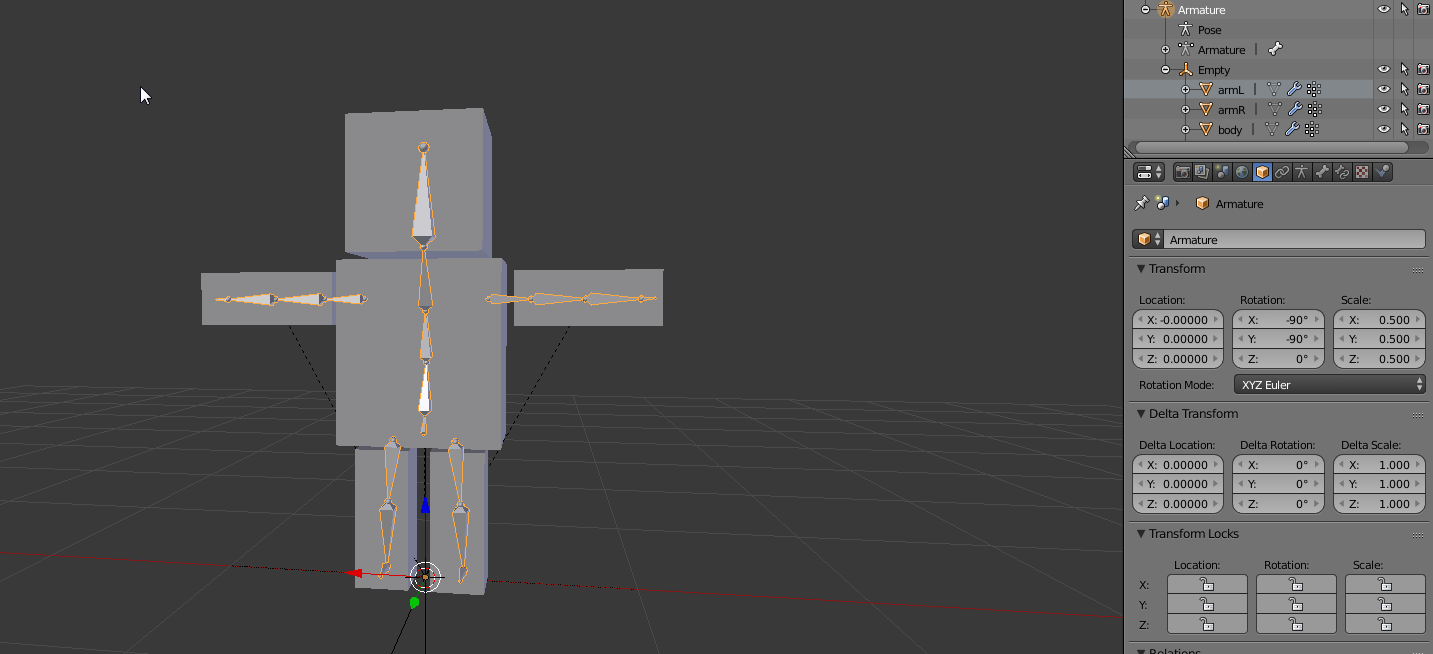
Almost forgot, yeah the origin point in blender is at 0, 0, 0. But as you can see in the Second image I needed to rotate the character out of its sidewas-lying down stance to make it look right in Vrchat. Might that be causing any problems maybe?
fading verge
did you make any custom animation in unity?
willow latch
No just the SimpleAvatarController assigned as Controller
No Custom Standing or Sittting ANimation either
willow latch
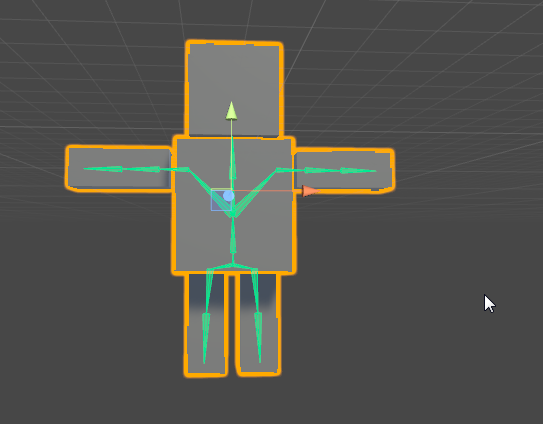
I just opened the bone options in Unity, to link like the hipos bone to the humanoid skeleton hip etc And I just saw that it is not usually centered at the bottom, the 0 line goes naturally through the part as in vrchat. Problem is that I have no location diffrences I can adjust. When the character is lying down without the rotations to edit it its like halfway in the ground, but if I would move it futher up the sceleton origin will not longer be at 0,0,0 did I mess up at another center since it seems like the center of my character is at its chest...
 sleek isle
you armature is below the floor
willow latch
@sleek isle But its not in the real Unity editor... :\
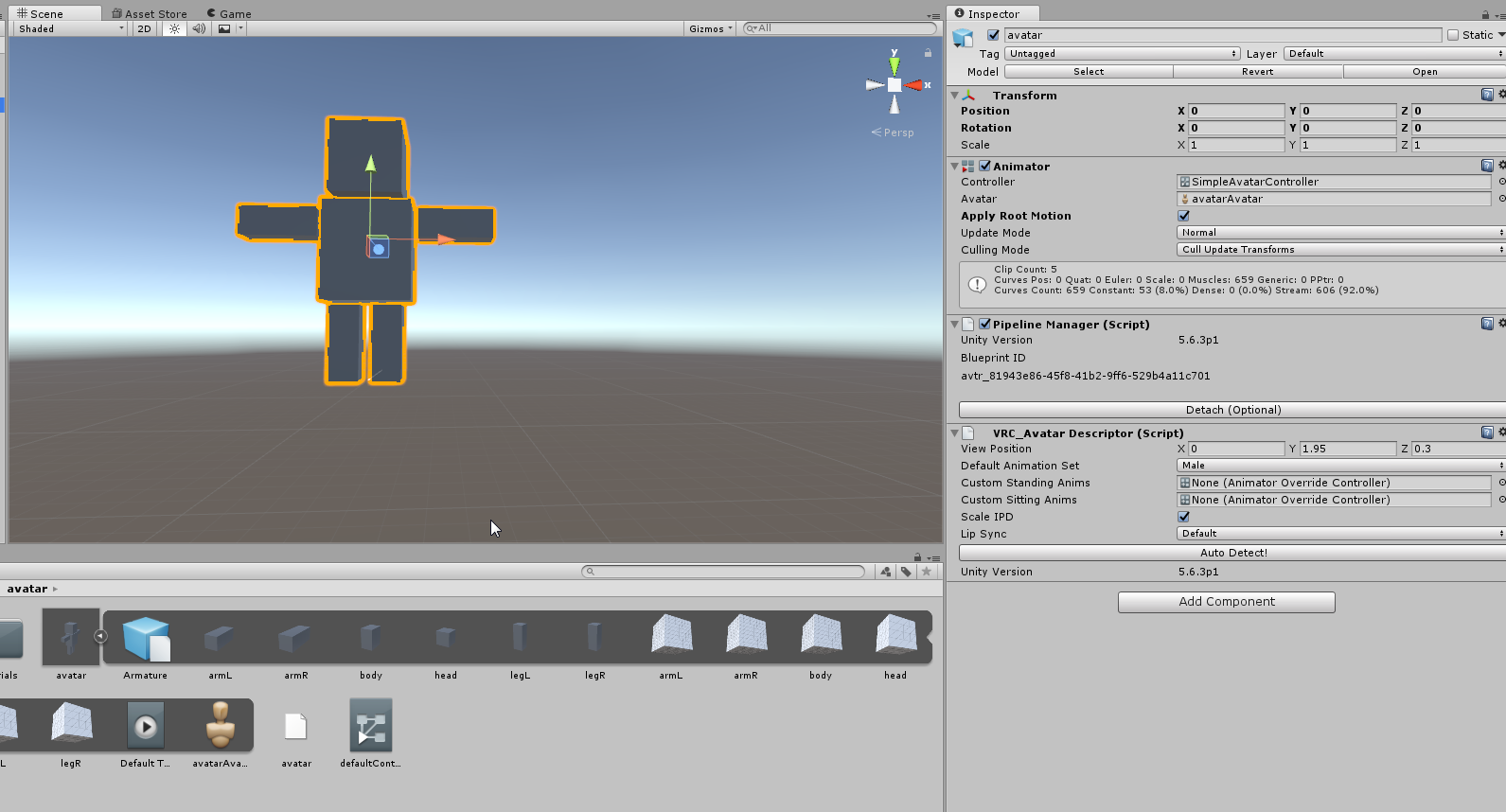
@fading verge gonna try that give me a secodn
*second
willow latch
And then just confirm?
 atomic moat
you'd probably want to join the meshes
fading verge
ye
atomic moat
instead of grouping them in a transform
willow latch
Wow thanks, the preview looked way better now, Im going to upload it and try it in the game.
Are the seperate meshes sutch a problem?
fading verge
yes
atomic moat
the issue could be the meshes not having the origin at 0,0,0
and also having separate meshes is just bad for performance
even if it's just a cube
willow latch
Oh okay, to save some polygons right?
atomic moat
saves drawcalls
basically tells the game to render one mesh instead of a bunch of separate meshes
willow latch
Oh okay good to know, I'm a programer and not a modelist(?!) so thats really good to know.
atomic moat
yeah basically instead of doing something like
draw(cube1)
draw(cube2)
draw(cube3)
etc.
it'll just do draw(complexcube)
very very basic explanation but it's something along those lines
sleek isle
you character need to have his feet on the grid
willow latch
Oh like a canvas merge before acutally printing it, yeah that makes sense performance wise
@sleek isle @atomic moat @fading verge Thank you guys for the help, and the others who helped me yesterday. Character is working fine now and Im going to look into the mesh merging 😃
fading verge
np

 vocal wedge
There's a tiny spot where weight paint is needed and I can't find it. Does anyone know what to do in this case?
https://gyazo.com/8c572d464024945353fb3c1c521ca5c6

 raven reef
you can select the whole model and then click deselect on every vert group at some point you're gonna have it
vocal wedge
What do you mean by deselect?
raven reef
when you're in edit mode and have the vert tab open there should be 4 buttons under the vert group area. The left most one should be called deselect. You have to do this in blender ofc
vocal wedge
Thanks, I'll check it out.
raven reef
the basic Idea is that at the end you will then have the verts selected that have not yet been assigned to any vert group
vocal wedge
This model is pretty weird, it's like it's got a double mesh or something. Not sure if that's a thing.
raven reef
hmm maybe the creator has every face 2 sided, dunno but this method should still work. Just make sure that when you have clicked deselect on all the vert groups and have the missing verts, that you click on the chest vert group and click the assign button
vocal wedge
👍🏻
calm needle
i just tend to pose the model, go to weight paint mode, and paint the odd verts still sticking otu to the bone i want
 astral ridge
Does anyone know how to lock location on multiple bones in pose mode
 umbral flint
I'm trying to configure a model, and I'm getting the classic spine hierarchy problem... but I can't seem to find a chest bone on my model to rig at all. Do I have to hand-animate it, or is there an easier solution (like some renaming magic)?
slow gyro
CTRL+A in Blender is what I use to get the menu @astral ridge
Renaming magic can help, throw it in Blender or use it as a map for which bone is which @umbral flint
 dull dew
Anyone know what causes the legs in a VRchat character to bend inward toward each other when crouching? this isn't an MMD model and I'm using maya not blender, so using the cats plugin I don't think is going to help me, but that is the only information I could find about this issue.
astral ridge
@slow gyroI've done that but the location settings only locks bones one at a time
 oak storm
Is this the channel for humanoid config in unity?
oak storm
Okee
I'm having an issue with mapping in Unity atm
I'm trying to make the upper arms the child of the chest
But it keeps reverting it
fading verge
cuz you can't reparent bones in unity
oak storm
Welp
That's weird, because whenever I move the upper arms under the chest in the directory, it appears as if the problem is fixed, but when I click done, it just reverts the directory. Is there a way I can do it outside of unity?
fading verge
most people will use blender for that
oak storm
Oh okee
calm needle
try giving them a slight bend in blender
frail bluff
Im still trying to find out whats causing my avatar to not animate
it has weightpaints and proper bones
it has a animator
yet it still wont animate
solid adder
dynamic bones working for anyone? I have it all set up correctly and it doesn't seem to work in game.
Was there an update of sort?
sleek isle
work in unity?
solid adder
Works in Unity, not in VRChat
Probably need to start a new scene or something, but i'm unsure.
 hushed helm
@vocal wedge Just looked at your message, I had this problem once, but I enabled wireframe and I could see the missing parts through the other ones
Btw guys, I'm trying to merge an arm with another avatar, and whenever I wanna rotate it the CATS plugin just shouts at me, while I succeeded with the first arm without any problems. any ideas ?
No one has ever had this problem ?
@inner tree Maybe the bones have twist, I had this problem with my eyes
crystal vector
@hushed helm Either reset or apply transformations on the base mesh and armature
 agile plaza
Is it possible to rig a model with Blender for VRchat?
naive tree
yes
agile plaza
ok 
sleek isle
@hushed helm the vertex group need to have the exact same name of the bone you want it to move it with
before the merging
or after and rename the vertex groupe
hushed helm
They have the same vertex group name
Cause I used the Fix model on both of the armatures before
And regarding @crystal vector 's trick, I can only apply a modifier on the body, not on the armature
So how can I apply transformations on the armature ?
sleek isle
select the armature in object mode and apply transformation ?
hushed helm
The modifier tab appears only when I click the body
hushed helm
I have a doom guy model
and I wanna make a doom girl
So I have a base anime girl thingy
And I split the arms, with the bones included
I wanna replace the arms of the base by the doom arms
 sleek isle
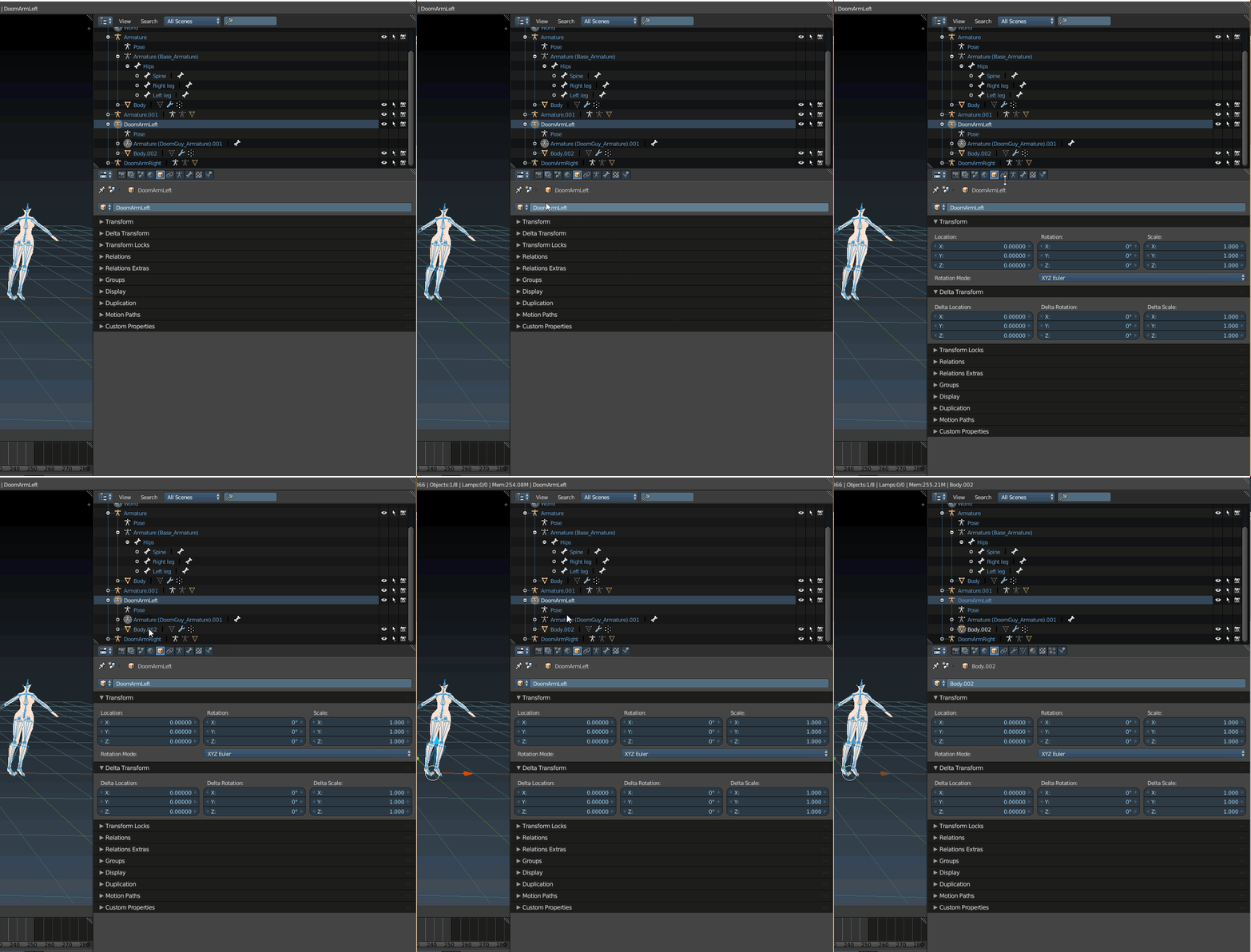
if the doom guy already rig. Join both mesh and armature J. go in pose mode. place the arm where you want and scale it the size you want. Click on apply as rest pose in the CATS tab. delete the arm the anime girl
hushed helm
Okay will test that
hushed helm
Okay I think I'm not doing something correctly
So I duplicate my arm
I join the two objects together
Then hit pose mode
When I move the arm, only the bones move
And when I place them correctly and hit apply as rest pose
The arm mesh becomes distorted
What am I doing wrong ?
 rose thunder
I have a question , I just made a new avatar and the hips bone is not straight in unity but it's straight in blender. How i'm supposed to fix this ? if I rotate the bone in unity the skirt will move and it will be horrible...
hushed helm
@rose thunder I believe you can just rotate the bones only
@sleek isle This is the the procedure you told me about and the result : https://imgur.com/a/0qCZohx
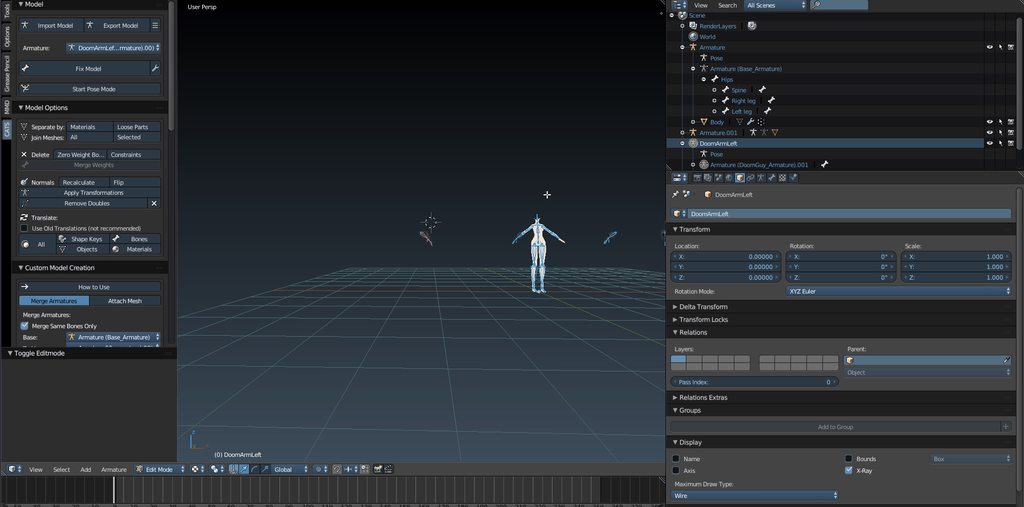 rose thunder
I don't get it
hushed helm
Show me a pic
rose thunder
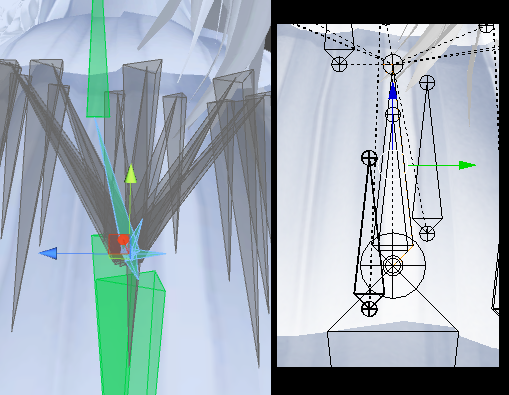 hushed helm
Have you tested the model in unity to see if it moves correctly ?
And I think I know why
rose thunder
?
hushed helm
On the right picture, you can see a bone in the top left hand corner
It's shifted to the left
In blender you have the options to make the bones not "connected" which will do some little dotted lines
Unity makes the link between those
So yeah your bone is already not straight in blender
rose thunder
I'm so stupid , I didn't even notice the spine was not at the right place , no Idea why CATS moved it
Thanks
hushed helm
No problem =3
hushed helm
any ideas, franada ?
@sleek isle I did what you said, didn't end up well, I pasted a link
sleek isle
just move it what's the problem
solid adder
So yeah, made 3 new scenes to see if the dynamic bones would work and all 3 times they haven't worked.
naive tree
@solid adder check if u dont have scene paused
solid adder
Works in scene, doesn't work in VRChat.
Everything moves properly so the script and dynamic bones work in Unity, just not once it's in VRChat
fickle plover

Hurray for playing with muscle posing settings so that my arms/hands aren't always inside my double wide hips
 compact trellis
Thicc
hushed helm
@sleek isle Have you not seen ? It stretches the vertices like crazy
Okay I'm gonna ask my question again
I have a arm, rigged
I have a base model, rigged as well
I wish to join the two, but I need to reposition the arm and scale it down a bit
CATS won't let me do that, and all the results until now are deformed mesh or scaled/distorted armature
opal aurora
Perhaps open another blender window, rescale the mesh and copy paste it into the other blender window, set it as the rest pose in CATS, copy-paste it again, deleting the old one in the process, then try re-merging it again
hushed helm
What about the rotation ? Should I do that as well ?
And that's not the only problem, whenever I try merging without repositioning, it is set all over the place
opal aurora
Set it as the rest pose and then in edit mode make sure rolls are set to 0
Alt+R should set all selected bone rolls to 0
hushed helm
And about the origin problem ? The arm has it's own origin, and I can't figure out how to make it so that CATS doesn't reposition it after merging it
opal aurora
You could use a shortcut to find the main models' origin and then set that to the arms origin... cursor to origin i think?
Can't recall sadly
hushed helm
Current behavior : https://imgur.com/a/k8ourhf
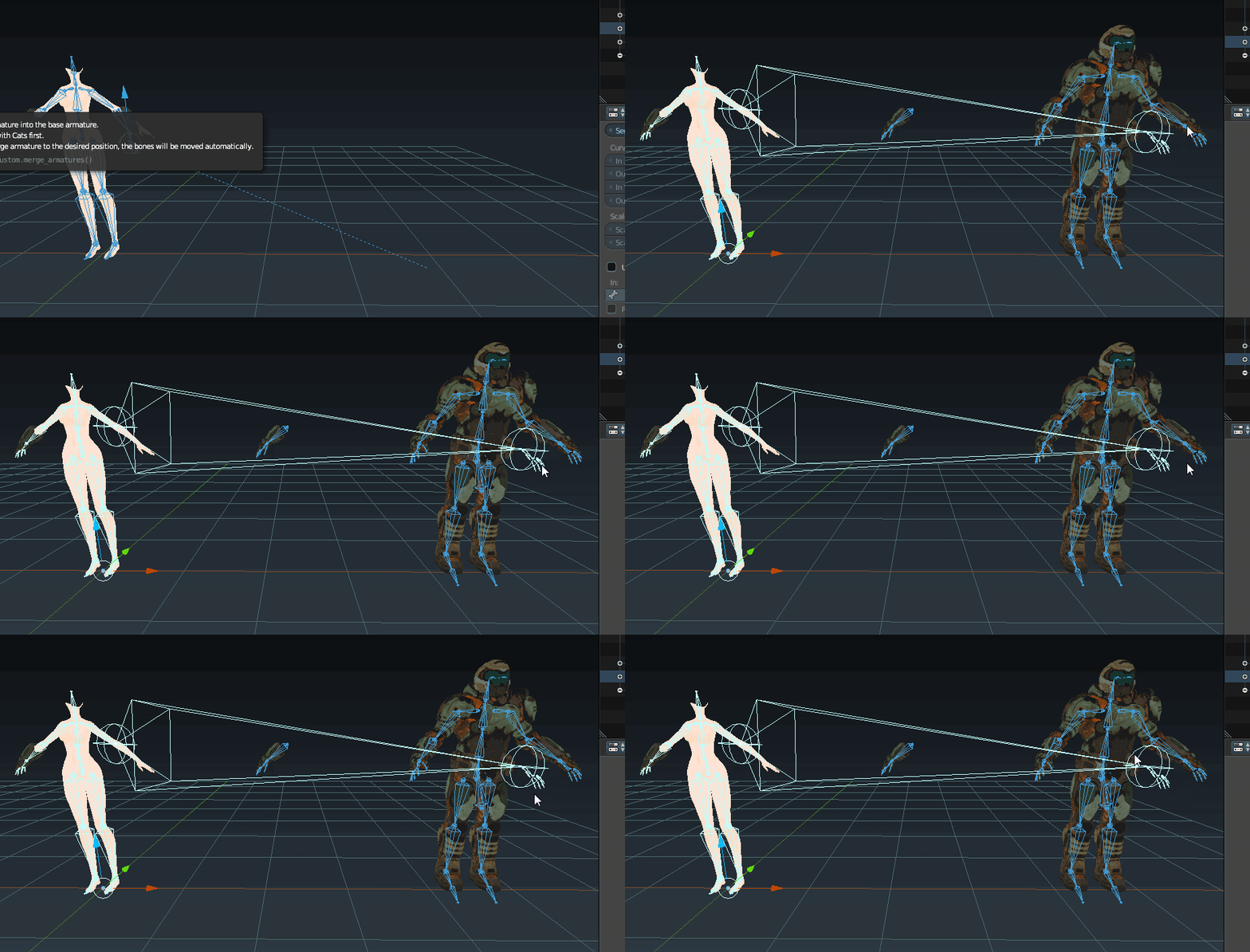 opal aurora
That is really odd... does it have any rigid bodies or hidden meshes/bones?
hushed helm
I don't think so
The doom model worked well on its own
And I suceeded at linking one arm
The right one
But for some reason it's giving me hell for the second one
And I don't know why
Grinding my gears so hard
opal aurora
The irony in the sentence though haha
But yeah that looks pretty weird...
What does your merge menu like?
Look like*
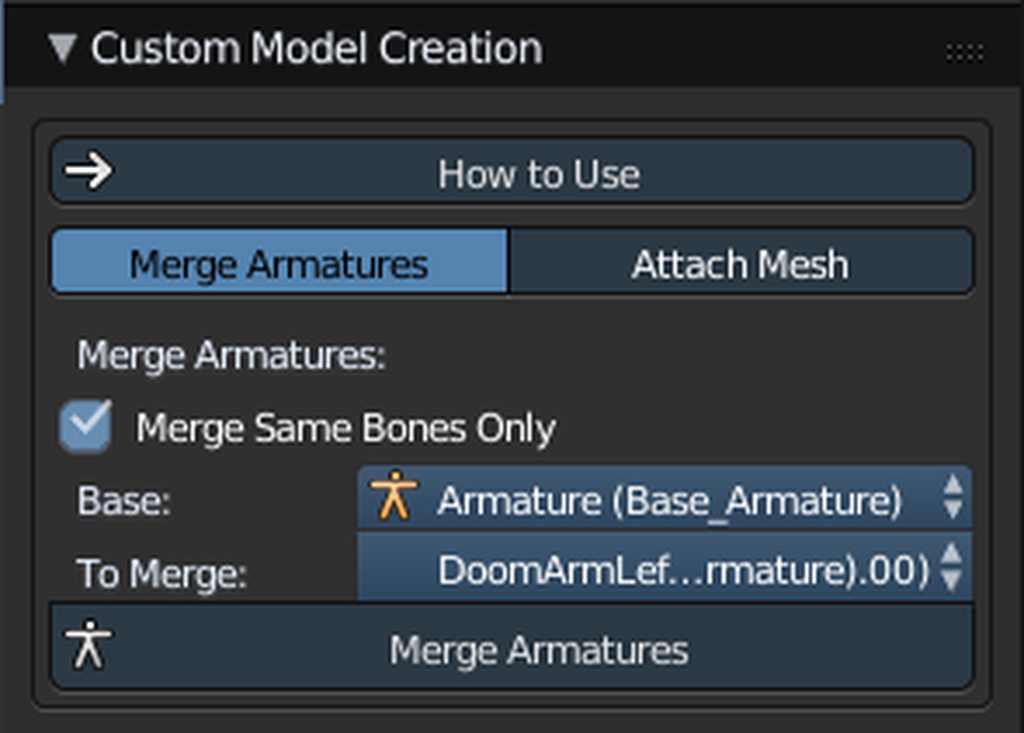 opal aurora
Yeah that is pretty odd...
Personally i always did it manually but the one time i tried to use cats it did work just fine, so it's either blender being stupid and needing a restart or you might need to bug-report it to the cats dev Hotox
hushed helm
I've restarted blender, my computer
The weird thing is
If I just position it well
Without the rescaling and rotation
and if I set the cursor to the center of the armature
and then use the cursor to put the origin of the arm
The arm is merged properly
But not with the scale and rotation needed
opal aurora
You've tried doing all the adjustments and then setting it as the rest pose right?
opal aurora
That shouldn't happen if you use cats' one afaik...
opal aurora
Or was it pose to shapekey?...
hushed helm
No I've never used that one
opal aurora
I had a tutorial for t-posing that could be used for any other pose pinned somewhere...
Oh right on this channel actually
opal aurora
Blender 101 in one sentence ^
hushed helm
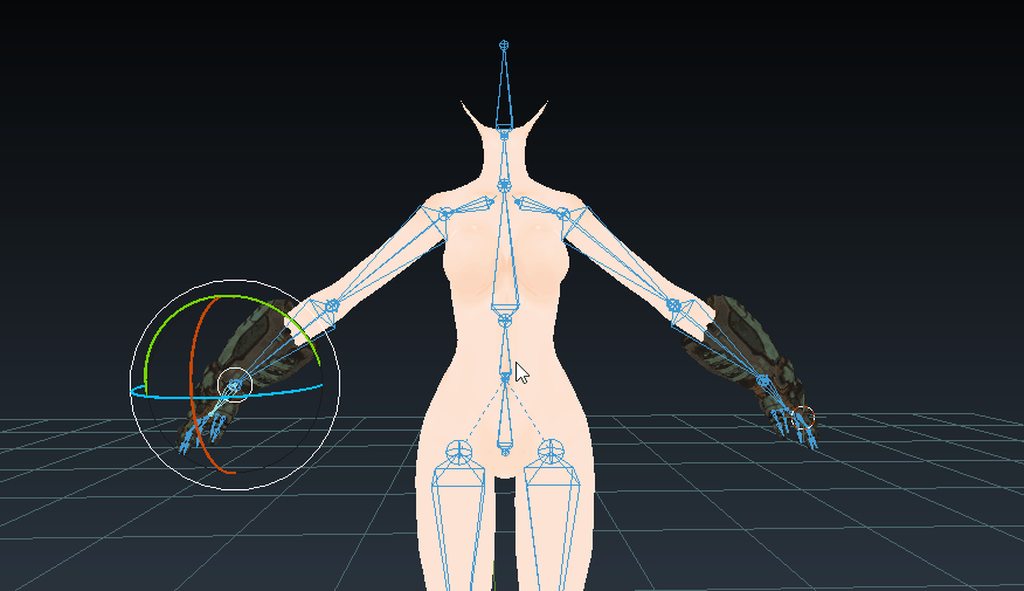 opal aurora
The benefits of multiple monitors xD
hushed helm
"Yeah ik that it's expensive but you can write "FUCK YOU" on paint and drag it across the other screen"
 opal aurora
Hordes rush to the stores
hushed helm
 sleek trout
https://cdn.discordapp.com/attachments/366718189561839621/495979563885789184/unknown.png
https://cdn.discordapp.com/attachments/366718189561839621/495980554345250826/unknown.png
https://cdn.discordapp.com/attachments/366718189561839621/495979795876806659/unknown.png
https://cdn.discordapp.com/attachments/366718189561839621/495979883353341962/unknown.png
so im having an issue finding out whats going on here in blender causing my armature to mess up. it seems whatever the yellow highlight is restricting my arms location movement to just rotation is the culprit but i have no idea how to take that away. i checked both arms since one seems just fine. the one that is messed up turns yellow when trying to move it and only rotates with the parent of it. if anyone knows how to free me of this yellow bone curse i'd greatly appreciate it!


 pseudo sedge
@sleek trout
- do you have some twist bones, or only arm->elbow->wirst and no others with them?
- is your hands parts proper weight painted to bones?
sleek trout
both yes
only have basic armature
all others were merged
and i did test the weight paint
hmmm, i disconnected it causing the yellow to go away, but it still exports like this.
https://cdn.discordapp.com/attachments/366718189561839621/495982313126232068/unknown.png
here is to show you that it is weightpainted
 crisp tendon
Weight painting is probably wrong, moving that bone shouldn't affect the other one
and the image you posted proves that it is
sleek trout
i moved the arm outward to show verts are not moving back
hushed helm
Are the bones connected to their parents ?
sleek trout
yes, every single one
all bends correctly and everything in blender, its when exporting and bringing it into unity i have problems
crisp tendon
Try resetting bone roll also
 crisp tendon
What do the bone settings for these bones look like ?
opal aurora
Pretty sure the yellow bones (and blue at times i think?) are just constraints you can remove manually
sleek trout
 opal aurora
As in, remove the constraint not the bone in it of itself
sleek trout
that was the edit settings
opal aurora
Check this menu right here for any constraints http://prntscr.com/l0hpt9
 sleek trout
https://cdn.discordapp.com/attachments/366718189561839621/495985004807979013/unknown.png
these are the pose settings

there are none
i already checked that and got rid of the yellow on them
its still exporting wrong
opal aurora
Alright lemme backtrack then...
sleek trout
the fingers and arms messing up is a general problem i've seen in the past, but i never had it happen to me tell just today.
not sure of the cause, its only on export from blender to unity
opal aurora
This seems like an issue i've seen on some models
Major point of weights are on a different bone than the standard, i assume
So instead of the upperarm having all the weight of the upperarm itself, another bone could take about half of its overall lenght
sleek trout
you can fix this in unity by manually rotating and grabbing the bones back in place, but its a super long process, it has nothing to do with weightpaint
if it was weight paint, it would be obvious when moving bones
opal aurora
OH, the issue is on export itself
sleek trout
yes
opal aurora
Alright then, it seemed like a bone was having way too little or too much influence
That is a relatively odd case
sleek trout
how would you go about fixing that? i only ever see this with game models, generally its fixable by merging the bones back to a standardized ik like catz does with mmd
but this one is something else
opal aurora
By standard i tend to just manually edit it, or find a bit of a loophole
Random things to check i suppose
All bone rolls set to 0?
All bones disconnected but parented properly?
Current pose is indeed rest pose?
sleek trout
i checked all bones, they are set to 0
all bones are disconnected but set to correct parent
and it is in its Correct Rest mode, and i did it alt - rsgo to be sure
opal aurora
Have you attempted to restart blender?
It may actually be blender just dying inside like most cases
sleek trout
i restarted blender, tried taking the model as its exported fbx form and re-exporting, messing with all of the bone settings and double checking them all with the ones that bent correctly. etc.
opal aurora
Editing an fbx tends to cause more problems than fix any for the most part, this model didn't come in an fbx format right?
opal aurora
I've worked with xps' in the past, also never had any issues
Would you mind if i checked it out on my side out of curiosity?
sleek trout
yeah, no problem, i can dm you the file
opal aurora
Sounds good
opal aurora
That models' bone seems to be haunted, if anybody has any other ideas that seem feasible perhaps drop ehm' here

 bright atlas
I've noticed several of my avatars where I made a custom rig will sink towards the ground when I move in VRChat. Do I need some sort of root bone at the origin to prevent that?
Also, how do I prevent small avatars I import from having their arms stick out when in VR mode? It kind of helps to reduce player height but it doesn't completely fix it
hushed helm
Hi people ! I wanna merge some vertex groups, how can I do that ? It says to press the select button but I can't find it !
sleek isle
like merge them so one bone move them ?
 turbid ingot
How do i fix broken fingers on a model. Currently the last finger bones on the model face up so when unity enforces the Tpose it kinda breaks the tips of the fingers
Heres how it looks in blender
https://cdn.discordapp.com/attachments/462974634870964234/496107667522191370/unknown.png
And heres unity enforcing the Tpose
https://cdn.discordapp.com/attachments/462974634870964234/496107949383745538/Chief_Hands_2.PNG

 drowsy wharf
Go into edit mode in blender and orient the finger bones properly
turbid ingot
Thank you 😃
sleek isle
or just dont give a dam about the warning and upload it anyway
 formal summit
Im quite new to rigging, and used autorig in maya and changed a few things, now im going to try to make mouth movement, but i dont know if i should be concerned or not that when i turn the bone in the middle of the head the mouth stretches
 minor shore
how to fix the chest leaning downwards in full body tracking when i let my arms loose?
 reef flare
You mean like your character leaning backwards? Like doing an anime lean back? @minor shore
https://cdn.discordapp.com/attachments/259560852305346561/496109893065900032/20180930170148_1.jpg
https://cdn.discordapp.com/attachments/259560852305346561/496109898342334465/20180930170156_1.jpg


Mine does it too. Arms relaxed to my side and the model is leaning back
Trying to figure out how to remedy this. I'll also note in in full body tracking
minor shore
yeah mine leans forward instead of back tho @reef flare
solid adder
I remember one of the fixes for full body was readjusting the hips. But that may have been for the whole limbs turned around making it look like the mesh is pinched.
 dusk nest
my bones wierd
calm needle
fully body tracking id an odd one but it might have to do with the spine bone arc. not 100% possative though since i dont have full body yet
also that zaveid is missing his gun 😛
dark pollen
With legacy animations being removed, what do we set animations as for idle animations, such as a swaying tail?
gritty nest
Animators on the first bone of the tail
That's how I have always done it, much cleaner
@dark pollen
Just put an Animator component on the first bone of the tail, then create an animation on the tail.
dark pollen
Tail swaying was just an example. My main avatar has wings and a tail. So would it need 3 animators?
gritty nest
I always did it with Animators, much cleaner and easier.
Blinking took me some time to wrap my head around but I had a solution figured out super quick, partially thanks to Yuumi.
There was another use case that is just gone without legacy though, something with lipsync
 heady tree
I've been making my rigs to 100% use bones for facial animations and such, but since VRC uses shape keys for facial animations, people around here have been telling me to use CATS because it can convert bone poses into shape keys
So I've been fiddling around with CATS and it turns out that no, it doesn't
is there something I've missed, or is there legit no way to convert poses into shape keys with CATS
calm needle
blender has a built in feature for that
fading verge
You missed it
calm needle
a lot of times cats has a handy button to an existing feature
fading verge
Pretty sure cats have a button for it
calm needle
heady tree
where is that
calm needle
its the first main menu o fit where it has the import model, export model, fix model
although i tend to use the normal blender method
calm needle
https://i.imgur.com/PHVZ7bt.png
in the normal modifier section there is the option to apply as shapekey

what i tend to do is hit copy, then apply as shape key
heady tree
oh damn
calm needle
i fyou dont do the copy first, you would have to readd the armature modifier
heady tree
aight cool, thanks for the tips
 fast zephyr
my avatar got uploaded with its skeleton backwards wtf do I do now
worldly willow
Heya folks.. Anyone there who can help me out rigging the hands of my model (spended 20 hours on this alone and it keeps messed up)
sleek isle
If you have to much trouble or it take to much time, use mixamo on it and detach the and and the hand bone and merge them to yours. Don't forget to rename the UV map the same as your model before merging. you might need to rescale the mixamo model. Just press S and 100
should work normally
@worldly willow
worldly willow
So upload my model..let it rig and move the hand from one model to the other?
sleek isle
yeah
export your model in obj
upload it on the site
let it rig it
save it in fbx with the original pose
sleek isle
what your model look like
worldly willow
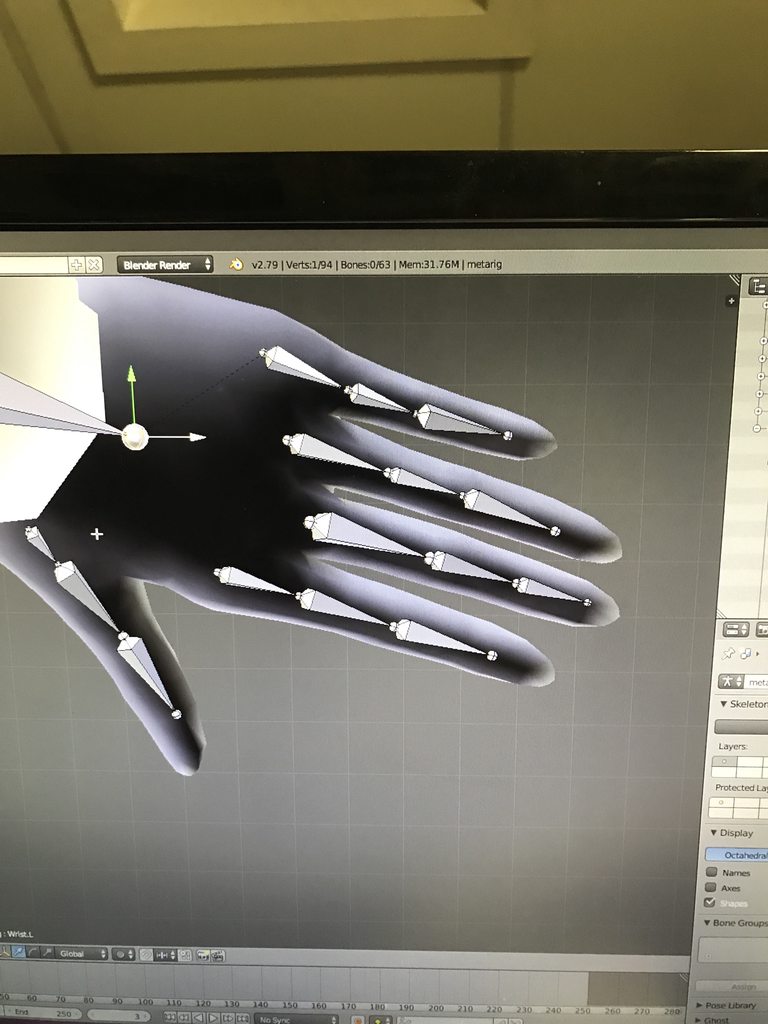 sleek isle
that don't help that she is not on an A or T pose
worldly willow
Yea... Ripped that way from the game ( took 80 minutes to get one where the arms are not against the body
fading verge
smart to share a link ot a ripped model
when there is a rule against it
How do i lose polygons
Im new to making avatars.
worldly willow
@fading verge i mailed multiple people from the game's development and all read it and gave no responses ( so i did best i could to get permission from a 800 people dev company)
That is more then those running around as Crash bandicoot and luffy etc
fading verge
and did you get permission ?
worldly willow
800 x no response
fading verge
so because you got no answer then it's fine
also again, you clearly said that it was a ripped model and you gave a link to it
probably best to just remove it
 fringe root
https://imgur.com/Gue9NbD
Why does the model dip below the floor? ._.
It makes setting up the view position properly nigh impossible
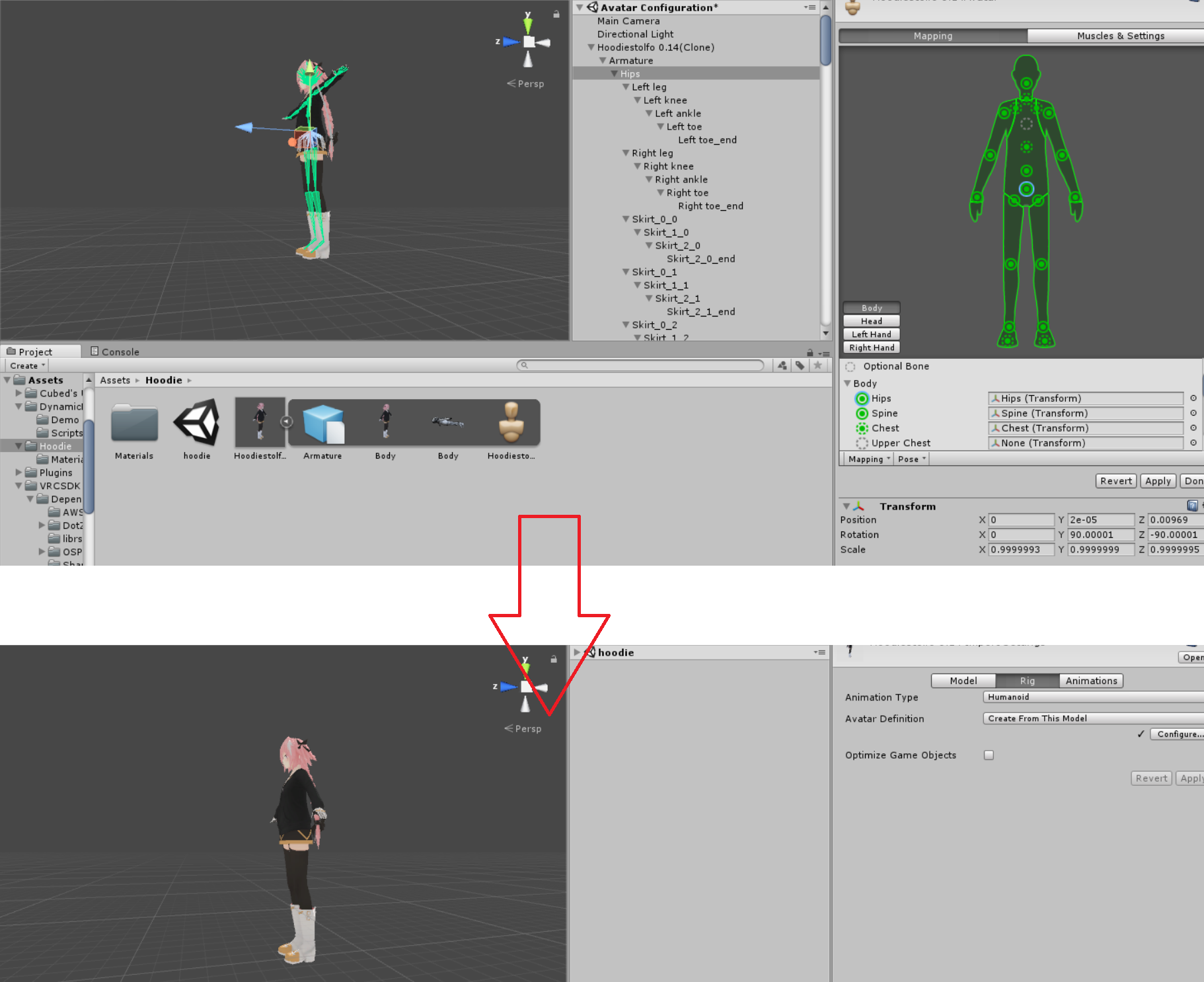 naive tree
@fringe root move the bones on floor level in blender
worldly willow
Unity
naive tree
and adjust origin point if needed
fringe root
I think they are?
https://imgur.com/a/IgJiKEB
This issue appeared after I tried to optimize it for full body, flipping the hip bone and reassigning the leg bones.
I think flipping the hip broke it, but I kind of want to do that to improve the hip tracking.
yeah, flipping the hip bone is what breaks it
fading verge
Anyone know why, when I moved my head up/down, left/right, that the chest follows it?
fringe root
weight painting? or chest bones parented to the head?
fading verge
No. The chest bone is parented to the neck. I can definitely make sure tho
then chest bone is supposed to be parented to the spine
not the neck
Sorry
meant the spine
Everything is parented correctly.
did you test it in blender ?
yes, and unity, and vrchat
so if you move the neck bone in pose mode i nblender
the chest mesh moves too ?
fringe root
and it only moves it in vrc? Maybe a shape key?
fading verge
No. This only happens IN vrc
It's a headswap so Idk if I messed something up
I just used Ctrl+J when joining, not cats
first thing i would do is check every bone in blender
to be sure that everything is moving correctly
It is.
How would I determine if it's a shape key?
worldly willow
Full body still has some issues... Did you update the sdk and vrc (they rolled a update a short while ago
fringe root
yeah it's the latest sdk
I'll export it without flipping the hip bone, align the viewpoint, the reimport the flipped hip.
I'm a 100 % certain if it works, then only on desktop and will be scuffed in fbt, but hey, it's worth a try
fringe root
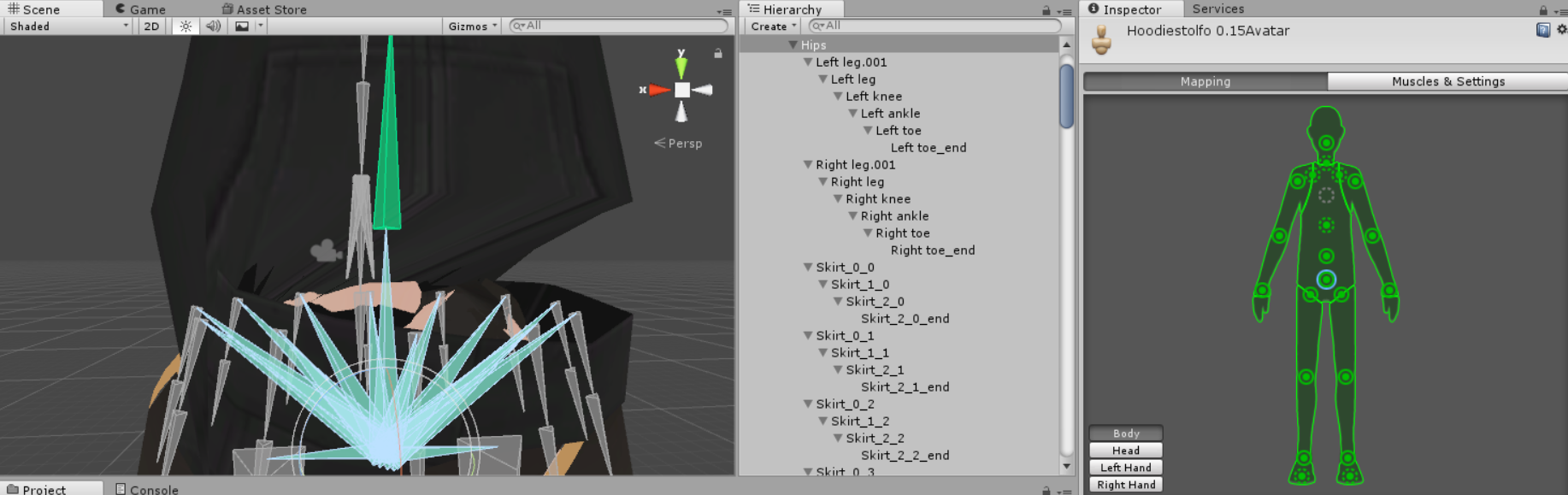
well this is what ended up happening
flipping the hip bone is more difficult than it sounds lol
 humble apex
hey so uh
i joined armatures in blender, the joined armature has a separate mesh but it's parented under the same armature as the other meshes for the main model, and it had vertex groups set up with identical names to the bones used in the main model
but it won't deform at all
fading verge
Anyone know why, even thought the vertices aren't weight painted, that when I do a shape key, my jacket moves towards my chest?
opal aurora
@fading verge perhaps the basis shapekey or the shapekey it's trying to "blend" itself off of has the jacket in that position?
fading verge
I added a jacket but I think it may be trying to fill in some missing vertices. I have no clue really
Not missing, just deleted
opal aurora
Try to remove any shapekeys from the jacket itself, if it has any that is
That will possibly fix said issue
fading verge
anyone here mind helping me out with giving my model a skeleton? dont know how to do that.
opal aurora
Would you like a relatively straightforward vid tutorial?
fading verge
yeah
the stuff ive found just goes on and on
i watched a 20 minute video and got nowhere
opal aurora
Do you know how to create an armature?
opal aurora
I'll guide from memory untill we get to weight painting then
On the left side, you got a few tabs, vertical tabs
Click the Create tab
On that area you'll find alot of things you can put into the scene, for now you want to create an Armature
fading verge
got it
opal aurora
The armature always comes with a single bone, you can keep that bone as a root for the model, but it's only necessary to make more bones from it
You'll want to select the armature, or bone itself, and drag it to the center of the models' feet
fading verge
done
opal aurora
Now to actually edit bones and make more, you'll need to be in edit mode, normally you can easily do so by simply selecting something and hitting tab
You can also exit edit mode by hitting tab again
fading verge
ok
 cosmic bison
Does anyone know how to get visemes working on two heads unity?
opal aurora
Now you'll want to select the root bone, by the center so it selects the whole thing, and press shift+d, that will duplicate that bone, you'll want to move it to one of the feet, you can be precise with your dragging by pressing the middle mousewheel in, pressing it again will leave said mode, at times it can be tricky to get the right angle so resetting it works fine
You can then left click to keep that bone in the spot you just placed it on
You'll want to do the same for the other foot
opal aurora
Here's a list of shortcuts for blender, it can help you alot in some situations https://docs.google.com/document/d/1gsJlX7qAzobtkdc2TxJgLXN3brkeUJBQ8Idi-uPp_U4/edit?usp=drivesdk

Google Docs
Blender Cheat Sheet ----------------------------------------- Basic Hotkeys: E: Extrude S: Scale R: Rotate G: Grab Pressing x,y,z in any of these limits the movement to that axis Pressing shift x,y,z excludes that axis Ctrl+r: Loop cuts Ctrl+b: Bevel edges Scrolling with you...
fading verge
lets DM so i can show you picture and see if im doing this right
opal aurora
Aight
 sharp pewter
so you parent vertex groups to bones by having the same name?
what happens if you parent more than one to a single bone or can you?
fading verge
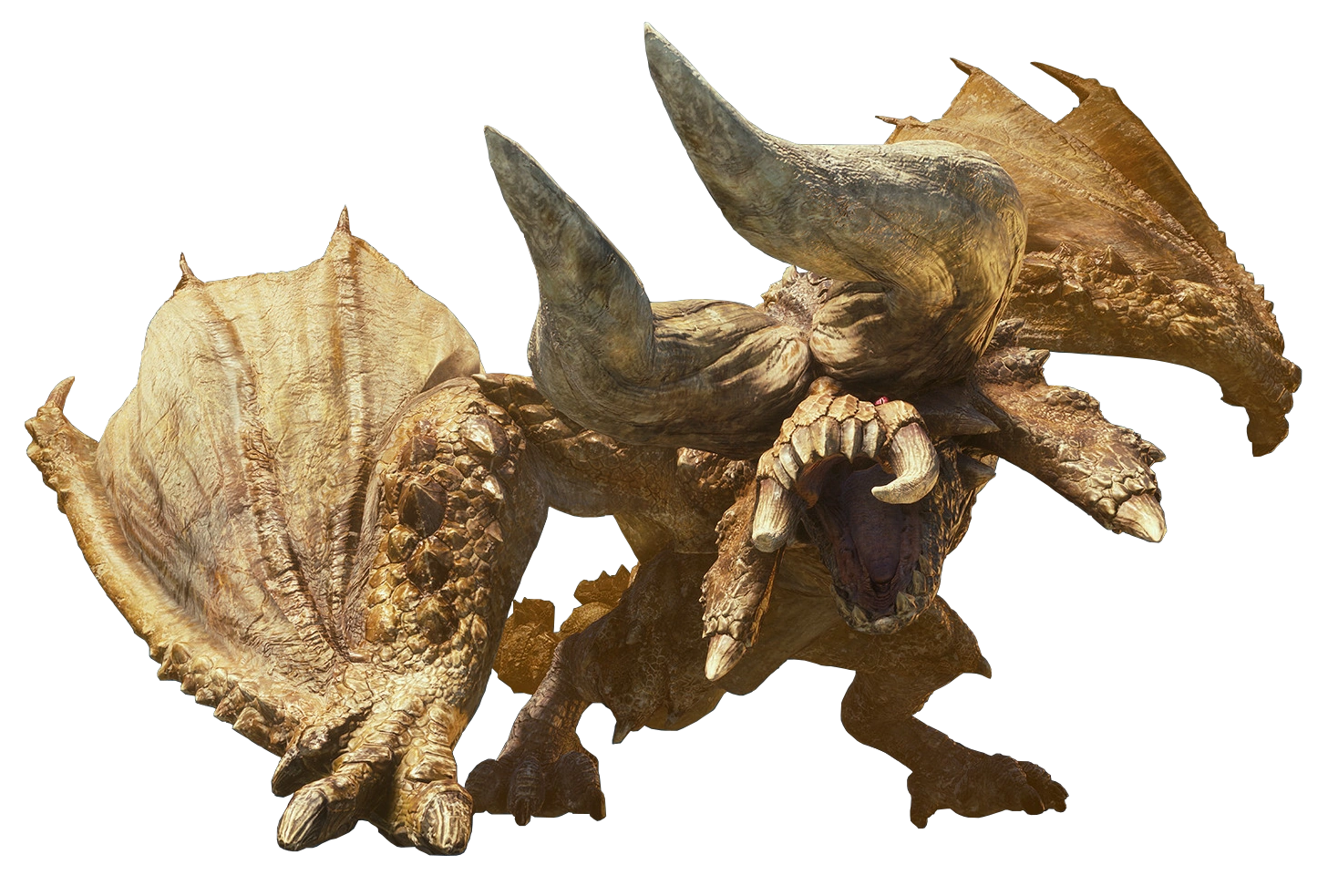
Anyone think it would be possible (probably absurdly difficulty) to rig a Diablos model to fit a player? And if so, does anyone know any good tutorials on it? https://vignette.wikia.nocookie.net/monsterhunter/images/7/75/MHW-Diablos_Render_001.png/revision/latest?cb=20180201020240
 worldly willow
Most challenging to me would be the mouth but the rest looks like a regular humanoid with offset bones
 paper quartz
Who or where could I ask that someone would fix a model for me?
worldly willow
Here or #avatars-2-general or #avatars-mmd depending on the issue
paper quartz
Well full body is broken on it I guess bones or rigging is bad maybe even weight paints
worldly willow
Can't help there, no FB experience
drowsy wharf
@paper quartz the general fix for FBT is to flip the upperleg bone so it is pointing small side up (tail up), directly above the bone root.
And to flip the hip bone to be pointing straight down.
If you have more specific info, someone may be able to answer what exactly is causing it.
fading verge
Ooo, I see
Thank you for the insight
that looks really nice
what did you use to make it like that ?
calm needle
the controllable tongue was actualy done using final ik
although i think its the neck ik i setup that causes frame drops while using it. I removed all ik except the tongue and framed didnt drop
 modern path
Hey guys so I've spent 10+ hours messing with my model and I can't rig it to save my life
Anyone wanna help me? It's a Bowsette I made in CM3D2, I just can't understand rigging in blender even with all the tutorials
modern path
Here it is, in case anyone wants a try, my main problems so far are the headwear and back hair dont attach to the model when moved, and sometimes textures just have problems in UNITY
sleek isle
I can try
modern path
I'd appreciate it, and if anything you can just tell me how you did it because I expect every model I make to have this problem qwq
sleek isle
a fuck it I just destroy the model
your model have a lots of problem
the head/neck is not strait.
rotate it and apply as rest pose
you need to but the eye furter in the head since you visemes of the blinking is to far inside the head
the eyes brows have problem too. they need to be rotate a little since they go inside the head
to attach the hair for example.parent the bone to the head
you have to much polygone. delete the one inside the the black cloth in the arms and legs
 chilly mauve
can i have some help with my model, i have attached a sword to the hand and done all of the animations but when i copied the components to the original the sword came up as culled. is there any way for me to bring the sword back?
modern path
Damn
modern path
Whats the best way to reduce TRIs change render scale?
fading verge
Hey, so when I do a headswap or put my Head on an outfit, the chest seems to behave strangely. Any reason why?
Also, a rig error shows "Avatar Rig Configuration mis-match. Bone Lenght in configuration does not match position in animation file." I don't know what that means...
 stark spade
I have an avatar that head is pointing up when I'm looking straight. looked fine in blender and unity until upload, any ideas?
slow gyro
@fading verge May need to elaborate more into its behavior
@stark spade Is it doing the same thing in the humanoid configuration in Unity?
fading verge
when I look up/down, left/right, the chest follows in that direction
stark spade
I guess it is, I didn't notice that before @slow gyro
slow gyro
@fading verge I'm not sure what could that be then, suggest redoing the swap and make sure you remove any bones that are not needed. Like if the chest is already there, remove the chest from the head and leave neck. Parent neck chest to neck.
@stark spade There should be a pose button in the config screen, open it and hit reset
stark spade
thanks
 split cave
heyo
I'm having a problem with my halloween avatar
I gave my model satyr legs
And I keep getting this warning
"The angle between pelvis and thigh bones should be close to 180 degrees (this avatars angle is 160.7)> Your avatar may not work with fullbody-tracking IK and Tracking."
and due to this my avatar just kinda stands still when moving
naive tree
@split cave easiest way to fix is applying fullb ody fix with cats plugin
 modest heath
Well, I've gotten the angle warning on many of my avatars before, including the ones that work the best for me in Full Body.
So, at the very least, that might not be the source of the issue
split cave
mmm ok
fading verge
 split cave
the cats plugin worked @naive tree
but now my head won't properly have its texture applied
;-;
f in chat bois
calm needle
@fading verge you sir got a chuckle out of me
solar ravine
saved
worldly willow
Someone knows why the bones in unity are twisted around (Rolls are on 0),values in blender look fine (
As in my left hand is twisted as it wants to be the right etc (no naming swaps as i can tell(maybe the fbx export/import?)
 wary crown
@worldly willow Unity > go to your import settings where you change to humanoid > click configure > pose > reset > pose > enforce t pose > apply and done > click your model in your hierarchy and click revert in your inspector ( keep in mind this will remove and components that werent on the original avatar in blender such as the vrc avatar descriptor and dynamic bones Scripts)
 fading verge
reinstall sdk
fading verge
close unity
find your project in file explorer
delete vrcsdk folder
open project
import sdk
naive tree
delete vrc sdk.meta too
 wide yacht
is there a way to make a light source being shown/reflected in the mirror?
pearl bone
Does anyone have the audio of the Mikos WanWan and Awoo? Dm!!
 spark bison
Some of my avatars have the disconnected wrists from the rest of the arm. When rotating the wrist in VRChat the arm doesnt rotate with the wrist. Anyone know what causes that and how to recreate that?
sleek isle
weight paint the vertex of the arm? Do you have a photo or something @spark bison
 long valve
does anyone know how to fix this problem? https://cdn.discordapp.com/attachments/427969579516559360/498063253277245450/unknown.png https://cdn.discordapp.com/attachments/427969579516559360/498063200021905408/unknown.png
i made over 100 avatars and this is the first time this problem happened


the bones are fine,but when i port it to unity the mesh break itself
long valve
no and bones rolls are set to 0
long valve
ok with .dae the mesh form is fine but now it's like cristallised (it's not the shader,the mesh has bumps and kinda corrupted)
 worldly willow
Verts or faces maybe not painted correctly at some spots
Try going over it all with blur to get rid of single vert value errors
 rigid oriole
Anyone online?
naive tree
no
rigid oriole
Understandable, have a great day
opal aurora
@long valve supposedly ascii fbx should fix the whole arm twist situation, model was probably a xps, apparently some of those just cause that problem no matter what in standard fbx