#avatar-rigging
1 messages · Page 125 of 1
 cedar scroll
 drowsy wharf
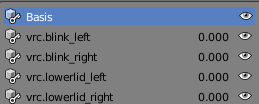
@west fern in case you haven't found out. Make sure your first 5 blend shapes look like this in blender
Note, blend shapes have to have at least SOME vertex movement even if it's just 0.00001 to be kept, otherwise they will be deleted.
CATS can set this up for you with the eyetracking system.
https://i.imgur.com/oTtJZ7S.png
@cedar scroll Unity isn't really designed to just overwrite an imported package with a new version.
The way you're supposed to update any package version is by deleting the files with unity closed, then opening it and importing the new one.
VRCSDK folder and .meta from the Assets folder and from the Plugins folder as well.
Things may not work properly if you just overwrite, so be aware it may cause other issues.
 wicked quiver
yep thank @pine harbor
 gritty nest
@west fern regenerate eye tracking in cats
 misty cradle
if i try to automatic weights then i get an error like "bone heat weighting failed to find solution for one or more bones" what can be the problem? what i have to care for?
 crisp tendon
Remove doubles
misty cradle
doubles??
crisp tendon
Yes, in edit mode, click A, press space, type remove, chose remove doubles
and then try auto weight painting again
misty cradle
remouved 0 doubles
crisp tendon

This is a tutorial on how to overcome errors that can occur when using the automated bone weight function in Blender 2.5
gritty nest
Unfortunately, sometimes it just fails for no reason
 naive tree
try seperating the materials, or the area u want to auto-weight
misty cradle
how can is seperate materials?
drowsy wharf
@misty cradle select the body, set it to edit mode, press P and hit "by material"
You can also just use CATS "custom" decimation mode to split and auto-rename the materials. Also has an easy re-join.
drowsy wharf
You may have to manually weight it...sometimes it doesn't work as rokk said
misty cradle
probabaly, but i hate it
drowsy wharf
I've yet to find anyone that likes it. Good at it or not...
misty cradle
haha no, it's everytime better to makes this shit by yourself, better for learning and to comprehend issues
crisp tendon
Weight painting is not one of those 
gritty nest
Lmao
Manual weight painting sucks. Automatic weights can get you 80% of the way there when it works.
While rigging hands for example, I rarely have to fix up the fingers themselves after automatic weights. I only have to fix up the starting joint and the thumb.
drowsy wharf
Manual generally comes out better once you know what you're doing and you have a bunch of experience with it...but automatic is still better to start with, then make minor changes. Equivalent of manual without the need to do the whole thing.
 open hull
Hello riggers!
 minor shore

 fading verge
animal feet i guess
 raven reef
I'm pretty sure that's because you do not have an animation controller
fading verge
wut
raven reef
but it shouldn't be hindering you
raven reef
^
drowsy wharf
and to clarify, no you don't need an animation controller on the model to move it around in play mode
 magic sonnet
what do i do if enforce t pose doesnt put the character in a t pose?
 pseudo sedge
@magic sonnet you can try to pose it into tpose by yourself, in Configure mode you can rotate bones after selecting them, so try to rotate them to be looks tposed (🤔)
magic sonnet
yeah i just did that. kept moving then enforcing t pose until unity gave in.
 dusky oriole
can someone kindly link me to a tutorial for rigging up a quad ( four legged avatar ) with humanoid rigging ? I looked on google and youtube but its not yeilding any results
someone tried to explain it to me one on one but there was a language barrier\
 sleek isle
Sometime you dont need a exactly t pose character
dusky oriole
got the Giraffe Ugandan working just saying thanks ^^
 craggy cradle
excusa me, how do i do really overdo mouth visemes? like super over drastic mouth movements?
gritty nest
Basically yeah. It just means the mouth movement is more exaggerated
gritty nest
You can increase the maximum range, but that makes it look weird
It's something you can only really do while you're making the keys yourself
sleek isle
I try to put eye tracking on a cyclops put in vrchat it dont work but in blender yes. What I do wrong ?
fading verge
VRChat won’t enable eye tracking at all unless three requirements are met:
1- The bone hierarchy Hips->Spine->Chest->Neck->Head->{LeftEye,RightEye} must exist! Those bones are also the one you use in the mapping.
Exact names are required, there can be no in-between bones.
The bones don’t need any vertices skinned to them. They can be “empty”.
2- The blend shapes vrc.blink_left, vrc.blink_right, vrc.lowerlid_left, vrc.lowerlid_right must exist as the first four blend shapes. (index 0 through 3).
Exact order is required, names are actually unimportant though.
They can be the same as the basis shape. They can be “empty”, but blender won’t export empty blendshapes.
3- The skinned mesh must be named “Body” and the armature must be named "Armature"
sleek isle
So Turnout it was the head that was not named Head with a capital
 worthy tartan
oh god im about to tilt. i cant rig my avatar proper its always a mess.... (first time trying to rig...) such a pain 😦
crisp tendon
What's giving you trouble ?
worthy tartan
the entire blender, i try to do stuff but i have to hold so many different keys and its not very beginner friendly at all
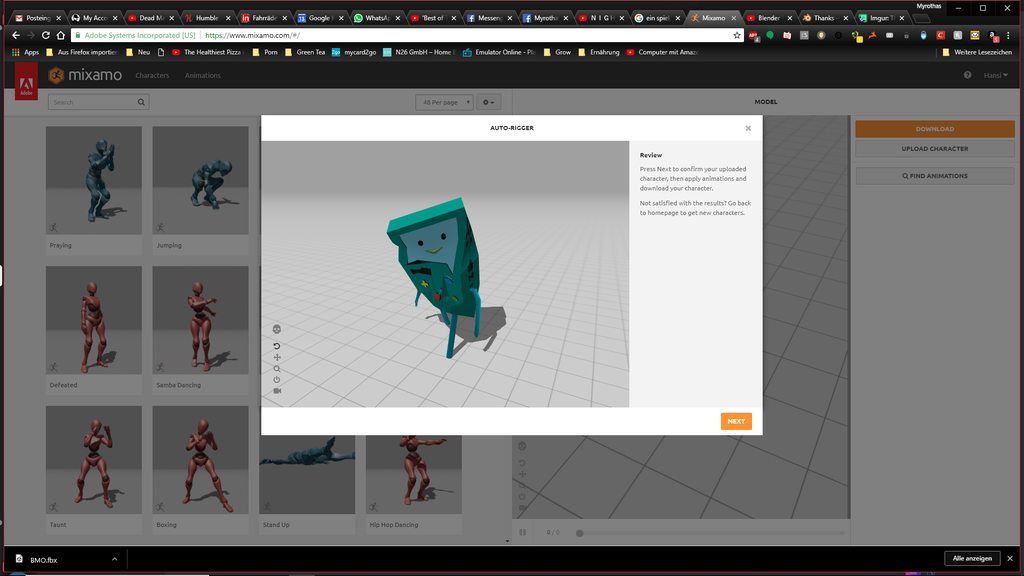
i managed to at least import my model i made in blocks, since mixamo isnt doing it proper
and i added bones
but thats it. im not an expert... its just killing me man
crisp tendon
You shouldn't have to hold keys, learning the basic shortcuts is nice, but you can always press space to find what you need
worthy tartan
cant post a pic here, dayum :/
crisp tendon
You can upload to imgur
worthy tartan
how do i set the cam view to perfectly front/top and so on?
crisp tendon
use your keypad
worthy tartan
thats helpful
i try to rig BMO hes basicly a huge block with 2 arms and legs
should be super simple right?
crisp tendon
I wouldn't say super simple, he's not really proportioned like a human, so it's going to be odd
worthy tartan
is there no way to tell blender that the block should not get all mushy
crisp tendon
When does it become mushy ?
crisp tendon
Oh yeah, you simply have to remove the weight painting
crisp tendon
Select your armature, set it to posse mode, then select the mesh and got into weight paiting, you can shift right click bones to see what parts of the mesh will be moved alongside the bone
If you want the mesh to not move, simply chose the "Substract" brush and remove the weight paint on the bones you don't want to affect the mesh.
worthy tartan
i have no clue man.. fk. why is mixamo not allowing that -.-
worthy tartan
can i put it in mixamo and then remove the weight painting in blender?
crisp tendon
Yeah that's how you should do it, the instructions i gave you were for blender
crisp tendon
You know how to switch to edit mode and object mode right ?
worthy tartan
yes
ah pose
now i have to select the mesh... gah
u must feel like youre talking to a mentally challenged person
k its selected...
substract... elts see
crisp tendon
After you selected weight paint mode, you should see the menu brush next to it
select substract, and the right click a bone, you'll see some colors appear on your mesh around that bone
crisp tendon
Purple or blue ?
worthy tartan
the head bone is kinda sticking out and i click that cuz i think thats the one i dont want to behave ugly
then my block is purple
crisp tendon
So nothing happens when you use your brush on it ? You might want to look at other bones
 crisp tendon
i'll help you in a bit
worthy tartan
dw
i am a skilled waiter
i think i give up for today, its late. thanks for trying to help me out but this is quite above my league sadly -.-
 orchid fog
Is there a way for me to change the maximum degrees of movement for eye-tracking?
I have an odd shaped avatar and when vrchat moves the eyes to the maximum amount the eyes (non-spherical) go through the head.
perhaps a setting in blender before I export it?
raven reef
yes you can set the eye moving range in blender with CATs you may have to fiddle around with the bones a bit though if the eye has a weird shape
orchid fog
any way without CATs?
raven reef
you can manually move the bones, upload it to vrchat and test it out like that 🤷
but best to just use CATs because they let you see how far they move before you import it into unity
 crystal wolf
is anyone able to explain this to me?
👀

gimme a sweet @crystal wolf ping once yakno
👀
 late shale
@crystal wolf you have center mode turned on instead of pivot. Top left next to the rotate/move/scale tools
sleek isle
https://gyazo.com/0d6cf04fc54c2798833a4db8b2a6992f I change the avatar origin place because it was not center originally. But I have that small dot line. How get rid of it ?
 naive tree
@sleek isle apply transformations http://prntscr.com/ktt3se ?
 sleek isle
thank!. But I wonder. what it the use of the line normaly ?
worthy tartan
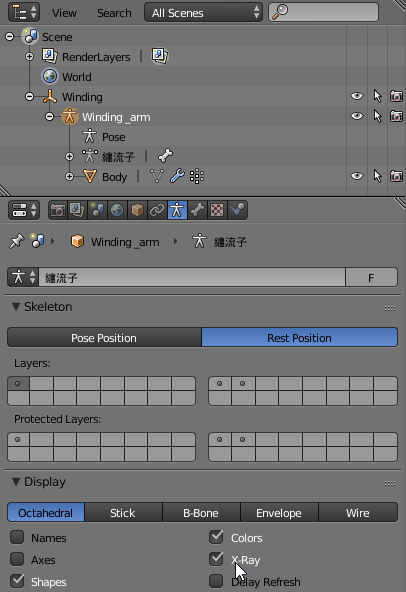
hey guys, how to i do xray view or something to select bones inside of a mesh
 crystal vector
@worthy tartan Select the armature and then check X-Ray: https://i.imgur.com/XMvivOF.png
 worthy tartan
thank you!
so when i do substract weighpaint, my mesh gets all mushy and messed up
i actually want my bones to not change form of my BMO block avatar
when i paint over it it changes form and spikes all over the place
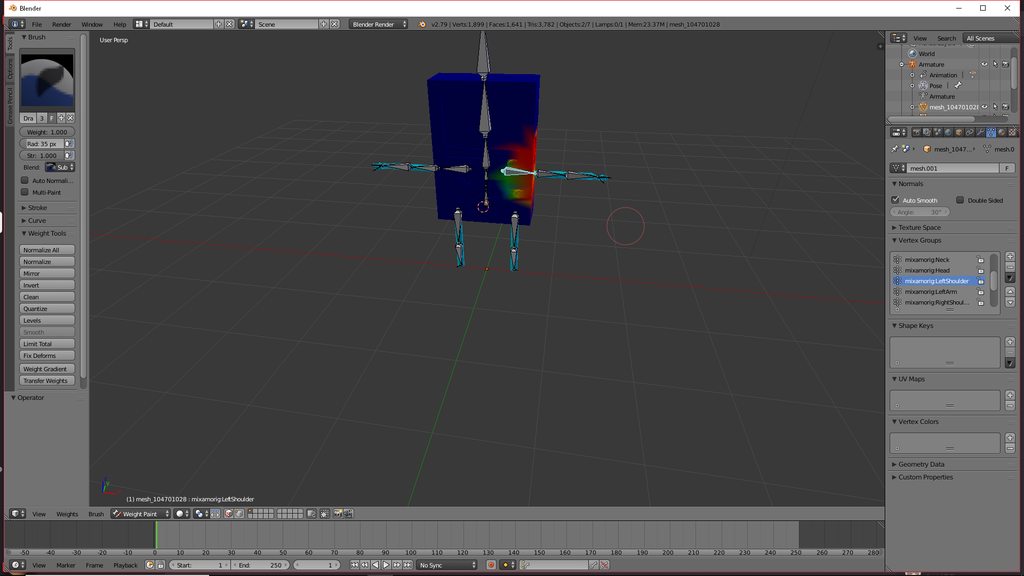
what am i doing wrong here
i just dont want BMO's body to go all crazy when moving in VR
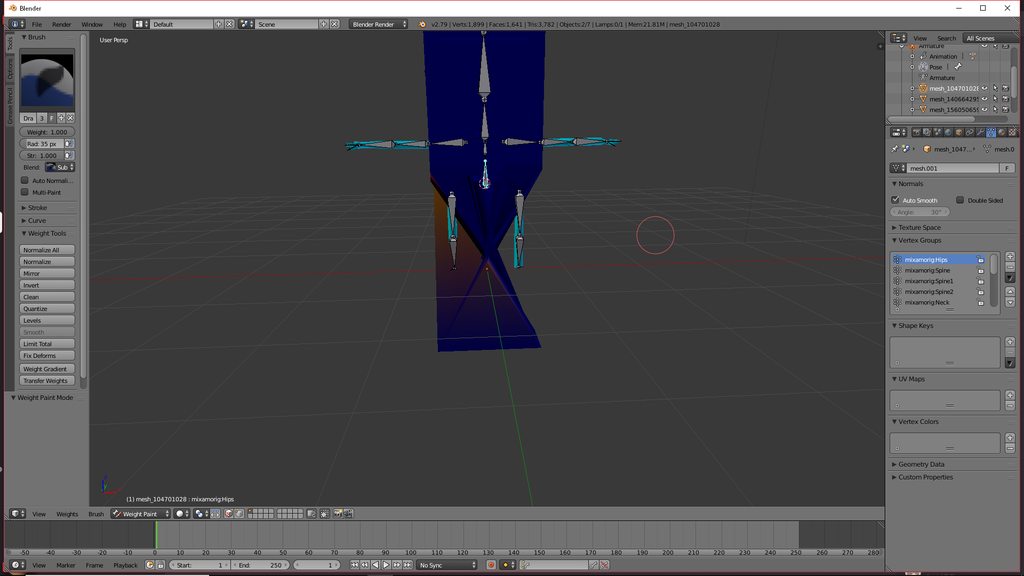
results...
im doing it exactly how they do it in the tutorials... except mine just goes all crazy
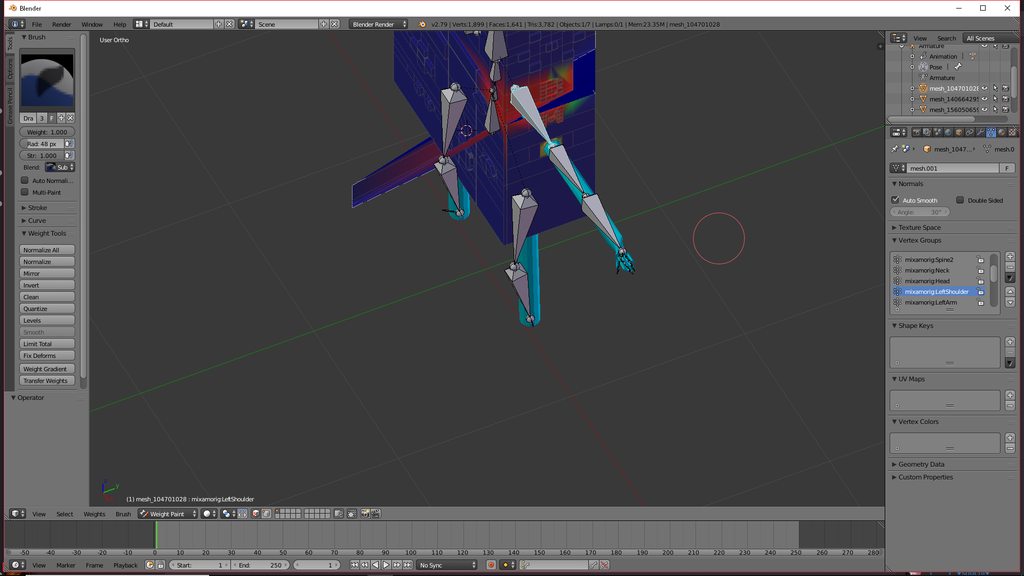 worthy tartan

 manic marsh
Are there other bones affecting the mesh?
Like inconsistent weight paint on random bones 🤔
 vital veldt
So who wants to rig a model for me? anyone? anyone at all? I can't rig for the life of me, even mixamo makes it so the fingers are only one instead of five.
fading verge
vrc trader in #community-servers-old if you want something done for you
crisp tendon
@worthy tartan Try applying a new rest pose before doing this
 crimson vine
@worthy tartan Keep in mind that weight painting is percentage based. it's not about how much weight painted but instead what percentage of the weight that bone has over other bones.
If a vertex has .0001 weight assigned on one bone but isn't weighted to any other bone then that bone has 100% of that vertex's weight making it follow the bone with full weight.
Hey yall I'm real confused something's up
https://puu.sh/BupCR/e2774477b5.png

The teeth arent weighted to the head at all in unity but in blender it's weighted just fine! I tried exporting to a different name in hopes to fully update the models data
fading verge
SO
when i take lowerspine1 it make a tpose
when i take lowerspine it give critical error
if i take upperspine1/0 it give critical error
also the model is imported from a .mesh
WHAT DO I DO
WILL MY AVATAR STAY A TPOSE FOREVER
crimson vine
Elaborate?
 last orchid
Im suddenly having trouble with the rigging part of making an avatar, I delete the upper chest and toes and set the chest to spine 2 but i get this error now for some reason: 😕
"Spine hierarchy missing elements, make sure that Pelvis, Spine, Chest, Neck and Shoulders are mapped."
gritty nest
Can you post a screenshot of your rig setup?
Preferably with the green wireframe guy at the top
last orchid
i dont have image posting perms
gritty nest
Use imgur
 gritty nest
You don't have the neck mapped
As the message says
Also please merge your meshes in Blender
If you only have a head bone and no neck, insert a fake bone between chest and head
last orchid
ill have to insert a fake bone but i have no idea how to do that since i use mixamo and dont touch the rig
so i have to make a face neck to fix it?
would head/neck/mixamorig_neck work?
if i do that it says its not in a t-pose
that seemed to work gunna test it ingame real quick
crimson vine
You already have a head bone. for some reason unity hides all the bones at the very end so it hid the head bone
@last orchid Select the very tip of the neck. The head's there it's just implied to be at the end of the neck bone
 last orchid
i selected head then neck and gave it the mixamo_neck and that seemed to work
checking ingame now
https://cdn.discordapp.com/attachments/465850178704769035/489867113687810058/unknown.png
Yep that worked thx @gritty nest ^-^
 gritty nest
Nice
 viral stag
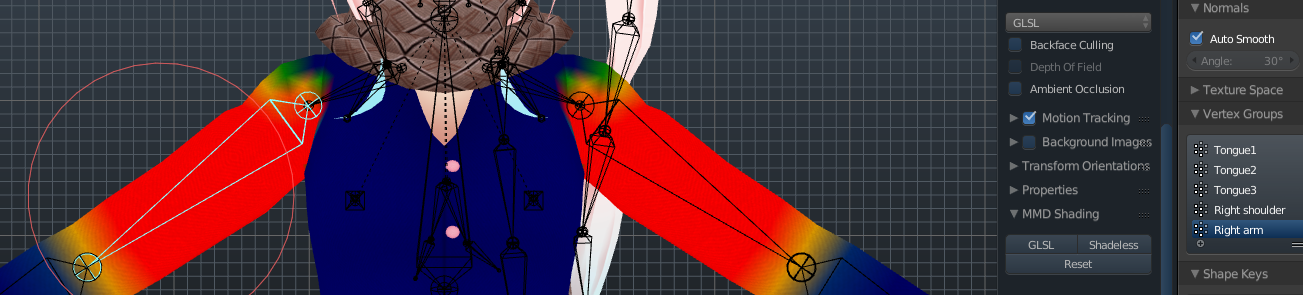
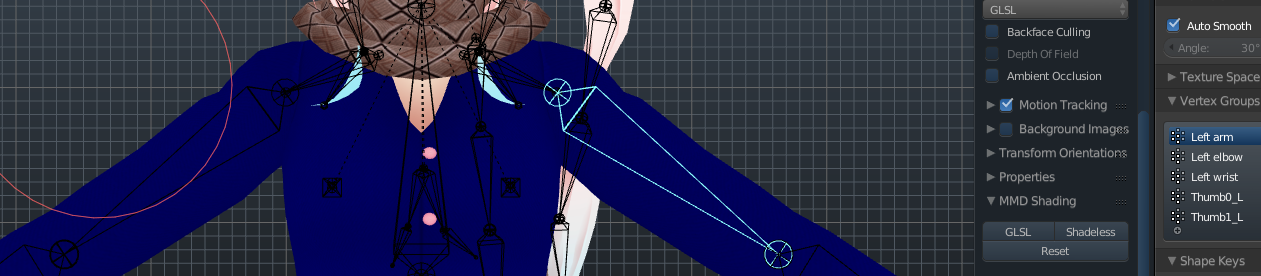
I was trying to mirror this shirt I'm going to be editing, and it completely removes the mirrored sides weight paints after I duplicate and replace the other side of the shirt.. how do I assign it back? https://i.imgur.com/IjxvGlx.png
 fading verge
you only want to remove one side of the weight paint ?
viral stag
No, like.. The Shirt was asymmetrical and I deleted half of it, took the other side, duplicated, and flipped it and merged and removed doubles, apparently that also messes up the weight painted for the side I replaced?
So now my right arm is weight painted onto my left arm as well, I'm really new at this
fading verge
hmm
i don't know exactly how to do that
but i'm pretty sure you can copy the weight

Blender Stack Exchange
2 object occupying the same space with the exact same geometry.
They both need to be influence by one bone identically. I edited one's paint weight so I want to have the same changes applied to the...
i found this
dont know if it can help you
viral stag
I know it's using the same exact weight cause I mirrored it, I just need to get it to paint the left arm too
i'll check that out, thanks
raven reef
there is a thing called vertex weight mix under modifiers you can copy over weights there once you understand how it works
a short call should be enough to explain it, if you fell up for it
viral stag
sure!
viral stag
super helpful!
raven reef
no problem glad I could help
naive tree
@viral stag use mirror modifier, it will apply correct weights
or symmetrize/snap to symmetry, then xmirror the weight paint from 1 hand to other with applying 0.001 blur
viral stag
I was just watching a twitch streamer that makes models, he removed one side of the shirt he was working on and dupe'd it
aaa
viral stag
I'll try that with something else on the model.. yeah
naive tree
can seperate the part, then mirror it over, it will apply all the weights
by applying Mirror modifier
viral stag
this can be very difficult for someone who's more visual and hands on rather than reading, heck
i think i understand
naive tree
http://prntscr.com/ku3fcs P> selection to seperate, dele all keyshapes from it, then http://prntscr.com/ku3fhy


and done
ways of how to do stuff always changes depending on what's needed etc
 grand bay
gritty nest
grand bay
gritty nest
Default is best
All I customize is my startup scene. No unnecessary objects, Cats tab selected
 noble linden
How much should the shoulders and upper arm be weight painted...
Should they be spread fairly even over the shoulder or priority to one or the other?
raven reef
I don't think there is a perfect way of doing it but just test and see what works best for you
noble linden
Hmm k
Can't quite work out how much the IK is moving each part yet.
Another issue I'm having... Shoulders rotating in when elbows are extended.
I can have my arms by my side but elbow part out and the shoulder looks fine.... When I bring my elbows down, the shoulders rotate in and down.
fading verge
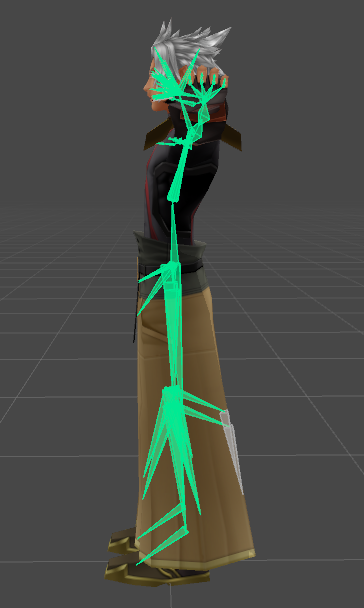
Wondering why some of my models that have been fixed and rigged for full-body tracking sometimes have twisted legs. They work fine with standard VR and I check their bones for anything abnormal from model that do work properly with full-body tracking, but I can't figure out how to go about fixing this.
crisp tendon
What kind of twitest legs ?
 median echo
Guys
how do i Rig the Y-bot
i can't upload it
in Unity
it says "Your rig has the UPPERCHEST mapped in the Humanoid rig. This will cause problems with IK.
crisp tendon
remove the upper chest
Here's a video on extremely common issues I see with bones and rigging setups, and ways to solve them. I cover: - Leaving Upper Chest Blank - Reparenting spi...
fading verge
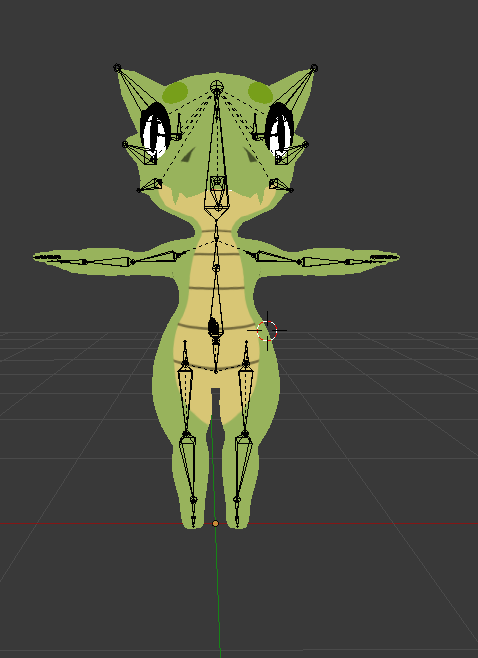
Found this model by a game dev and it looks to be rigged badly in mixamo
Better file here V

Lemme upload my screenshots of the rig
https://i.imgur.com/SH473jI.png what I found

https://i.imgur.com/cdfqrr2.png what I kinda fixed?

It's kinda messed up a little in game
and when trying dance animations out on it in unity the model floats off the ground by a good 5-10 inches (or at least my edit which makes it taller and some more smaller head and arm proportions, which all I did was scale the bones in blender in pose mode then moved it centered in pose mode and set it to rest pose)
Some close ups of hip bone which I'm not sure is causing the problem


Going in and cleaning off the end bones now because they are grinding my gears.
Also it kinda turns to the side when moving forward and I don't know why
Do I need to move apart the leg bones? (uploading does tell me angle isn't close enough to 180 it's like 160)
fading verge
Fuck I broke it
 raven reef
make sure to create backups
fading verge
@raven reef I had but when I reloaded the blend it decided to go super tiny and on it's side and all hella messed up so i had to start over
raven reef
damn, well it's fixed now anyways
fading verge
Yup now I think I'm going to send it to the game dev who made it :3
 snow dust
How do you align T-Poses of 2 different armatures to each other? Trying to add clothing to a body, but they have different T-Poses, and moving the bones does not move the mesh with it.
fading verge
is the only way to check if an avatar looks fine with full body, is to go in game and change into it (in full body)?
fading verge
How should I fix my knees being bent on my model? I have a lower poly version of the same model with normal knees to compare
 pastel breach
hello can anyone tell me how to mirror bones?
here's a pic of the bone structure of my future (hopefully) and first custom character
https://cdn.discordapp.com/attachments/488804628092157953/490232410999357455/unknown.png

its in progress so i still have a lot to do
fading verge
Blender Stack Exchange
I can't find the bone mirror option.
When I used Blender about two years ago the mirror option was tucked away in the rig/object panels, but now I see no obvious options.
How can I mirror bones i...
pastel breach
thx i know how to use mirror now but how do i fix a bone to another bone tho?
like parent them?
they are like this https://cdn.discordapp.com/attachments/488804628092157953/490234640695689219/unknown.png

anyway to fix that?
crisp tendon
on the bottom right corner of your screen you can see a checkbox called Connect
fading verge
be sure to set the bone rolls to 0 after you are done
pastel breach
thx and here's the finish product i guess? also @fading verge thx for telling me to set all the bones rolls to 0
https://cdn.discordapp.com/attachments/488804628092157953/490236587783749663/unknown.png
 pastel breach
lemme check
fading verge
should be parented to chest bone
pastel breach
yep
pastel breach
its very small tho XD
fading verge
btw
i see you don't have fingers
you won't be able to use hand gestures, emotes and you can't crouch without fingers
fading verge
you can just set fake fingers
pastel breach
how?
pastel breach
i don't have wrists
fading verge
you need one bone for thumb, index finger and middle finger
pastel breach
on this
noble linden
@fading verge Should bone roll always be 0?
pastel breach
i'm back from eating so
noble linden
My shoulders are at 8 atm. Maybe part of my problem.
drowsy wharf
@pastel breach you're also going to want to rotate those feet bones and probably extend the leg bones until the foot is flat at the bottom or you'll have bent feet when it T-Poses you
noble linden
Not sure if that's from Mixamo, or me.
pastel breach
ok i made wrists now must i use E to make bones for the fake fingers?
drowsy wharf
E = Extrude. The wrists were probably made the same way
as Svelsien said, you need the thumb/index/middle fingers at minimum....I think you needed all 3 bones for each
noble linden
Hmm... What about this Connected tick box... Should arms and legs always be ticked there?
pastel breach
@drowsy wharf flat like that?
https://cdn.discordapp.com/attachments/488804628092157953/490240751909994496/unknown.png
 drowsy wharf
Not required, it will work fine without connected. That basically just perma-links the bones together
noble linden
kinda handy anyway I guess. thanks
drowsy wharf
@pastel breach yes. Just remember that is part of how it tells the placement of the feet (as well as the root height, I believe?)
pastel breach
hey the fingers are good here?
https://cdn.discordapp.com/attachments/488804628092157953/490241204412350505/unknown.png
 noble linden
If bone joints are not really close, will it glitch? Or is it all down to just the size/angle/weight rather than the actual bone position in space?
drowsy wharf
the head of the bone is technically the only important part. Unity uses the rotation of the "head" of the bone to determine the motion....so technically the tail doesn't matter (except to determine rotation)
pastel breach
are the fingers good?
noble linden
Thanks Himeki
I'm struggling with the model troubleshooting stuff but getting there. 😛
drowsy wharf
@pastel breach as long as there's no weight, the orientation won't matter on the wrist/finger bones ...I honestly cannot remember if you need 3 of each of the finger bones, or if just one of each will do
pastel breach
i dunno myself its my first character anyway
noble linden
Feels like you just need to make a few before it really starts to fall into place 😛
drowsy wharf
Safe way is to just make 3 bones per finger until told otherwise. Or you could test with just one for each and add more later if it needs them.
yep, practice is always good for getting used to things
noble linden
I can tell you that you can do less fingers though. 😛
drowsy wharf
thank you Svelsien
@pastel breach see Svelsien's comment above
so yours is set. Just remeber to name them to make things easier on you 😛
pastel breach
the char i'm gonna use has no real fingers just a numb for a paw

here's the setup for the fingers too
drowsy wharf
yes, I understand. You have one bone for each fake finger bone and the wrist. Just remember to name your bones to what they should be for (even if they're fake) because it'll help when you put it into unity
pastel breach
alright i'll do it
noble linden
Might be nice to be able to wiggle the end of the paw anyway?
drowsy wharf
Naming the bones is a good habit to get into. Less confusion later on 😛
pastel breach
ok
done i named all the fingers now what?
here's the final bone structure
https://cdn.discordapp.com/attachments/488804628092157953/490245650869518357/unknown.png

i guess
drowsy wharf
is there a neck and head bone? can't tell from the image
noble linden
I should try making a nice simple model like that at some point.
drowsy wharf
I only see one, but it could just be small
pastel breach
its a neck and head bone @drowsy wharf
https://cdn.discordapp.com/attachments/488804628092157953/490246099315982337/unknown.png
 noble linden
Argh, why can't I drop an image into here.
drowsy wharf
links only, yeah
noble linden
WHY GOD?!
drowsy wharf
it's...kind of a weird restriction when they have image channels
I highly recommend "ShareX" for selective image capture and upload...gets around the issue
noble linden
I just want to drop in an ingame screenshot jee
 timid lava
i guess its becouse you can send malicouse things in images thats why
noble linden

K I dropped it into a private server chat and got the link from that.
What is going on with these shoulders?
drowsy wharf
drag....they have an image channel, that's out of the reasoning already
pastel breach
thats what i do too lol @noble linden
noble linden
 drowsy wharf
@noble linden did you check bone rolls already?
 restive shale
thats my advice
pastel breach
well checked all the bones and set their rolls to 0 now should i put in unity?
or SDK?
drowsy wharf
Import the SDK then anything else, avoids possible issues in reading
pastel breach
how tho?
drowsy wharf
how....what?
pastel breach
wait i think i don't have sdk or something
timid lava
sdk is on the site of vrc
drowsy wharf
Requirements We're going to need a couple things before we can get started, - Unity 5.6.3p1 - VRChat SDK ## Step 0 - Installing Unity This step is for anyone who hasn't installed...
noble linden
You probably just want to look up a Youtube video of how to get models from Blender to VRChat
drowsy wharf
also make CERTAIN you're using Unity 5.6.3p1
noble linden
It'll guide you through setting up Unity and installing the SDK, shaders etc.
pastel breach
ok
drowsy wharf
Megatutorial, not just for MMD, covers a lot of the basic stuff. Just skip past MMD specific stuff
https://www.youtube.com/watch?v=7P0ljQ6hU0A

VRChat Community Discord: https://discord.gg/VRChat Download VRChat! http://store.steampowered.com/app/438100/VRChat/ mmd_tools GitHub: https://github.com/po...
noble linden
You're gonna have far more questions than that if you don't go through a guide. It's not really something you can skip out on. 😛
drowsy wharf
that...would depend on your computer
drowsy wharf
sadly no...there are still 32bit systems and OS...even Windows 10 has 32bit options....for some reason
pastel breach
i have an old-ish computer i got in 2012 or 2015 i guess
noble linden
Load up your file explorer and right click on This PC on the left and go to properties.
drowsy wharf
I've...sadly seen people with 8gb+ using 32bit because they simply don't know
noble linden
It'll tell you under System Type if it's 32 or 64 bit.
timid lava
8gb ram doesn't even work with 32 bit
noble linden
I thought it just didn't use more, rather than stopped running.
noble linden
Time to download more RAM, sheesh.
noble linden
Yeah I'm just meming
pastel breach
oh
noble linden
But 4GB is really quite low these days.
pastel breach
its not enough to run fortnite lol
noble linden
Ouch!
RAM's pretty cheap... But presumably the rest of your PC needs upgrading anyway.
timid lava
8gb ram is low already these days
pastel breach
thats why i need a better pc to play games
timid lava
google chrome eats 3gb of ram already
noble linden
Certainly if you have as many tabs open as I do!
pastel breach
guess i'll take 32 bit then
drowsy wharf
I know drag...that's why I said "Sadly" and "they don't know"
noble linden
Yeah, 32 will work... 64 is better if it does work though.
If you got this far with Blender, you can probably build your own PC btw.
pastel breach
do i need any optional unity components?
pastel breach
what do you mean by OS @drowsy wharf ?
noble linden
I take back what I said about building a PC. >_<
drowsy wharf
OS = Operating System (IE Windows, Mac, Linux)
drowsy wharf
working with software =/= hardware build, setup, etc
timid lava
you should be able to replace ram
drowsy wharf
If it's not a sealed laptop, yes. If you don't know what you're doing and don't have someone to teach you. Don't do it.
timid lava
but you probably need to remove the ram you ahve right now
pastel breach
its a fixed pc
timid lava
on prebuild desktops you can change the ram always
pastel breach
my bro has a gaming laptop since he got his very first work pay
drowsy wharf
"fixed pc" doesn't actually mean anything useful to answer based on
pastel breach
i don't have a very good english with pc related stuff
timid lava
if you know what you need to buy if you have ddr3 or ddr4 or sodim ram then you can change ram
noble linden
Then watch some videos on it and you'll probably pick it up easier. Probably some in your language too.
pastel breach
i'm french
restive shale
oof sorry
noble linden
Does anyone have any advice for why my chest/shoulders are all weird?
https://cdn.discordapp.com/attachments/309078441926459394/490246920166572034/20180914204103_1.jpg
https://cdn.discordapp.com/attachments/309078441926459394/490247270688751617/Capture.PNG
timid lava
are there even pc terms in french? not that i know
pastel breach
also @timid lava like your pic
its downloading rn so i'm gonna let do the download
pastel breach
downloaded it and opened unity and i got the SDK
how do i put an avatar from blender to sdk?
restive shale
la keyboard
sleek isle
@noble linden it was alreasy rigged?
noble linden
@sleek isle it was rigged through mixamo but somewhere along the line of adjusting the model for FBT (adjusting the legs/body so it's more similar to my actual body) it's messed it up.
sleek isle
You need to move the shoulder with all the arm in pose mode a lillte more outside and apply as rest pose. So when vrchat drop the arm its no going to go trow the body normaly
You might nee to edit the weightpaint a little the chest area maybe
noble linden
Giving it a go.
noble linden
How much does the shoulder move when you are ingame?
If I pose the arm on its own it's fine, I need to bring the shoulder down a ton to get it to break like ingame.
So far I've not had any luck by moving the arms out. Will have to try more.
I'll try reducing the weight painting on the shoulders.
noble linden
Actually not much on them. Think I might have the arm weight extending too far.
noble linden
God, weight painting is a pain in the ass.
 scenic mulch
https://cdn.discordapp.com/attachments/285151323094253578/490459088392552459/unknown.png
https://cdn.discordapp.com/attachments/285151323094253578/490459271792820246/unknown.png
i need help i cant figer out why it keeps saying something is missing :C

 crystal vector
@scenic mulch You need to map them in Unity
median echo
Anyone know why Unity wont let me upload my avatars anymore currently. The publish button on all avatars are faded out a bit.
i have permission to upload, and i have done it before with my avatars but it wont let me anymore
scenic mulch
so i ben doing this in blinder and i now think i may have fix it but i got this error now https://cdn.discordapp.com/attachments/285151323094253578/490464827962032129/unknown.png

i did the moving around to fix the failed thing im still haveing that spine hirearchy missing elements
this is the lay out or how ever u call it the way the bones are layed out

im going to try to move the legs thing to the hips to see if that fixes it
scenic mulch
yea did that and it still saying that an elamint is mising
fading verge
no you didnt
scenic mulch
am im just missing a bone
fading verge
in your 2nd picture it's parented to the spine 1
scenic mulch
 fading verge
i don't see it in your picture
but you need hips --> Spine --> chest
neck and shoulders needs to be parented to the chest bone
 fading verge
and chest bone ?
scenic mulch
ill if i can sub divide the spine and hope that works
becus it is so anoing to rewaght paint it
fading verge
yeah, that's a solution that should work actually
you also don't have finger bones
so if you rig it as humnaoid, you won't be able to crouch, use hand gestures or use emotes
scenic mulch
i do there just under the hand bone i only have 3 fingers on this
fading verge
you need at least one bone for thumb, index and middle fingers
 fading verge
seems good
scenic mulch
yea
fading verge
shoulders and neck are supposed to be parented to the chest
chest is parented to the spine
and spine to the hips
scenic mulch
ok now im more lost then ever
i did all that and it still saying it missing something
 fading verge
what's missing ?
 fading verge
and in the avatar mapping tab ?
scenic mulch
like what it look like in there ?
fading verge
yes
scenic mulch
 fading verge
you are missing shoulders
fading verge
np
scenic mulch
i ben working on this for 3 days trying to fix this
fading verge
you got a lot of patience
scenic mulch
now i get to do the fun part and add the jiggly bones to hes tell and hair woot XD
fading verge
have fun
 frank perch
hey guys i have an avatar but bones are little odd care to help please?
crystal vector
@frank perch How odd exactly?
magic sonnet
sorry to butt in but im having a small crisis, every time i enforce t pose on my model he sinks into the ground and past experience tells me that this will cause problems later
 pine harbor
try moving the root bone upwards after enforcing T-pose so that the model's no longer in the ground
in the rigging screen, not the scene
magic sonnet
dang i forgot to weight everything to the root
scenic mulch
is there a way to copy a Wight paint from one bone to another
pastel breach
i think you can use the X axis mirror to copy the weight paint to another part for easier weight painting
scenic mulch
ok this is what im trying to do i found out what is going rong when i tern my head left to right and well the head has no wait paint and the neck has it all
that what im trying to copy it to the head and then reset the neck where the neck supost to do
 main sage
whenever i use Fix Model on this one thing im tryin to add via Animation, it causes the bones to be mirrored...under the ground
like the entire armature is rotated 180


id say it may just be as easy as rotating the whole thing back in place, but i was unsure if thats a good idea
 wise oriole
I just got a Vive on Thursday and so I got to try the hand tracking. They seem to be fine for the most part, but I'd like it if it matched my hand more. I'm not sure if it's different for Rift, but on my Vive pointing my hand straight out makes the VR Chat hand point down. I think that the angle is matching the tracking ring for the Vive controllers. Is there any way to fix that?
 harsh reef
can i rig in unity or do i need blender
main sage
need blender to do it efficiently
harsh reef
ok ty
fading verge
i have old taric model, im having trouble with it @scenic mulch

-This is just a simple video on the process of importing league of legends 3D models into Blender! -http://code.google.com/r/worldsbegin-lolblender/ http://w...
i used this tutorial to get the model into vrchat
the model came with a skeleton too but i think i need to figure out how to properly get the texture
and import it to unity
scenic mulch
um when u did it this way did u just gram the .skn and skl becus in the file there shuld also be the .dds of the sin as well
 versed crane
So, an issue recently developed in a model I'm working on for a friend. I haven't quite nailed down the cause yet and was hoping someone might know. When they go into full body tracking, the legs on this model only decide to flip around as they walk and... well lets just say it looks about as weird as possible.
https://i.gyazo.com/1002da85141af7d2c4a7466588d552e5.mp4
 vale charm
Hello, how do I add bones that aren't part of the base humanoid rig on Unity?
I'm stuck with my dynamic bones for the hair not working work because it's not a direct child to the head.
naive tree
@versed crane in Unity scene view bend the knees slightly, they are perfectly straight or bent a little backwards
versed crane
I figured it out, thanks. I had reference bones that were screwing up how unity checked things. All fixed though!
crisp tendon
@vale charm You can move that bone under the one you need, or in blender you just change the parent bone
fading verge
Is there a way to make your jaw bone move when you talk in game?
magic sonnet
anyone know of any way to copy all the names of bones from one model to another identical model in blender? its ok if there isnt, it just means i have more work to do.
crystal vector
@magic sonnet I don't think so
magic sonnet
dang
fading verge
hi, does anyone know why when i try to pose my character in a new animation on unity (for an idle) and i press play it puts her back into that broken crouch pose

 versed crane
@naive tree So... seems my fix didn't fix it. I tried bending the knees a bit, but there was no change it seems.
wise oriole
I'm trying to add Eye Tracking to my model. I've done it on other models no problem, but this time it's attaching to the wrong bone. The testing shows that it's grabbing the wrong part. So I change the selection, create again, test again and there's zero difference. Renaming the bones has no effect either. The bone that shows in the testing mode is the one that is attached to the part that is moving, but it's not the bone that it's supposed to be moving.
The problem persists when deleting the eye bones created by CATS, confirming the proper bones in the creation menu, and creating it again.
Deleting the bone that it seems to be replicating still has the issue.
So it seems there's nothing I can do to fix it unless there's a way to force it to use specific vertexes for the eye tracking, and I don't see where in the menu that'd be.
manic marsh
Cant you manually select which bone to be used as the eye bones from the creation tab?
wise oriole
I can and do, but that's not doing anything.
The bones I'm trying to use work as intended. Posing them moves them as it should. But the CATS eye tracking creation is ignoring it somehow.
wise oriole
That's why I'm here.
gritty nest
The original eye bones should not be named LeftEye and RightEye
Have you asked for help on the Cats discord as well?
pastel breach
when i try to weight paint it says that the active group is locked how do i unlock it?
https://cdn.discordapp.com/attachments/473126432676118538/490953443603644426/unknown.png
 wise oriole
The original eye bones were not named LeftEye and RightEye. I've tried using all sorts of different names. And no, I have not.
 warped nexus
Is there someone good with blender bones that can help me with something.
If someone does ping me
I made the rig but I don't know if it's ok or not


It does that for some reason

and that
drowsy wharf
are you just talking about the distortion in the head, or the actual turning of it and the bone?
warped nexus
when I'm moving the bone
drowsy wharf
that last image definitely looks like a weight painting issue though
something on the head is bound to other parts it shouldn't be (like the shoulder)
pastel breach
how do i bend legs or arms
i mean uses the bones to change the positions of legs or arms
warped nexus
 drowsy wharf
rotate the bone and the body follows. Body must be weight painted to follow the bones
warped nexus
and this too
pastel breach
how do i rotate bones?
drowsy wharf
that also looks like weight painting issues, can you screenshot the weight painting on that part?
pastel breach
i'm pretty new to blender
drowsy wharf
@pastel breach select bone with right click in pose mode. Select rotation mode and drag the axis you want to rotate
you've...got a lot more issues than just general weight painting then...have you merged your meshes yet?
pastel breach
i think i did something wrong
https://cdn.discordapp.com/attachments/473126432676118538/490964286433394719/unknown.png
 drowsy wharf
ALT+R will reset rotation on that bone
pastel breach
i stopped pose mode
warped nexus
I didn't because I don't know if I merge all the parts. I'll just be able to have one UV map
pastel breach
on CATS
drowsy wharf
but that looks like weight painting issues. Some things are bound to the bone that shouldn't be, and the tips of the feet don't seem to be bound to anything
@warped nexus always merge meshes. UV maps are based on materials not meshes
warped nexus
okeh
drowsy wharf
you're not seeing the proper weight painting because it's only selecting one mesh at a time
warped nexus
so how mateials works
drowsy wharf
I can't explain all of it, I highly suggest looking up some tutorials on them
warped nexus
I think I got it

is this well merge
I tried to find merge but I couldn't find it so I try to find join
and it did that
and it shows the model all together
 ivory radish
how do you make the hair as cloth work well
it works really well but the problem is when the character rotates too much the hair can group up on different sides
gritty nest
Yeah, that's the problem with cloth. It has no elasticity that makes it go back to where it was
There is no way to fix that
You could try adding some downward force rather than gravity @ivory radish
Or alongside the gravity
gritty nest
How many meshes is your avatar?
gritty nest
Ah, you use cloth on all of that? That explains it
gritty nest
Anyway, I don't think you can change that. Maybe add some more constraints so the hair can't actually move that far away
gritty nest
I don't just mean max distance 0 to keep it on the head
But also smaller constraints or paints on the rest
gritty nest
I think you increase the damping or something
ivory radish
didnt help much but this is good ig
how do you think i would do the jacket
should i just dynamic bone
gritty nest
That's up to you. For stuff that's so close to your body, I personally would not even bother with anything like Cloth or Dynamic Bone. But if you must, I think Cloth would be a better choice. Dynamic bone would clip a lot unless you made the movements subtle
But with Cloth, you gotta watch out and make sure the cloth mesh is very low poly
Or it'll lag
ivory radish
ok but how do u make stuff like
ropes
with cloth or something
bc i want to like make this dangle
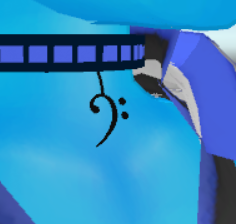
and i dont want it to deform the thing at bottom
gritty nest
So that's like a hanging accessory around your neck?
ivory radish
ye
gritty nest
Use dynamic bone, definitely
ivory radish
kk
gritty nest
If there is a singular bone in the dangly bit, just add a dynamic bone script and set its parent as the root bone.
And add exclusions if necessary. For example, if the bone directly above the dangly bit is the neck, you will want to exclude your head
fading verge
can I add jiggle bones to my model in blender and have them work in game?
gritty nest
Yes, that's how dynamic bone works
As long as they eventually end up as regular bones
Because Blender does actually have addons called jiggle bones
fading verge
so to clarify I don't need that $20 unity plugin if I know how to do it in blender?
gritty nest
Oh, you definitely still need Dynamic Bone for Unity either way
gritty nest
Unless you can bake it into all the walking and idle animations
fading verge
Good luck.
gritty nest
And even then that will only work for walk, not for regular movement
fading verge
Also
Should I not have an empty space where my stomach is? https://i.gyazo.com/15ebe90bd17815e2549c8281c1d4eee8.mp4
Legs on my avatar are a little fucked up, this is what happens when I go prone https://i.gyazo.com/35e9ed85b163ee52ca8194ba3f5ab32a.png

the knees are bent forward a bit when I'm standing in game but they straighten out properly only when I look directly upwards
fading verge
i, too, enjoy dropping to 5 fps from only one avatar
ivory radish
lol
i think it has
5 dynamic bones and 1 cloth
how bad is that performance-wise lol
fading verge
Anyone might know what's wrong with my legs?
 fading verge
hmmm, pretty sure my spine shouldn't be like that, and should my hip bone move my entire body? https://i.gyazo.com/55feeef2573f07e388c02faffda887e7.mp4
gritty nest
That avatar isn't necessarily laggy though
But if you're gonna use dynamic bone on the jacket, make sure to merge the mesh
For multiple reasons, one of which is a disappearing jacket
Only use separate meshes if you need to enable/disable them in an animation, or if you want to use Cloth on it
And texture atlas if possible
@fading verge spine seems fine, hips should also move the whole body.
fading verge
damn
This is the best gif I can get on my legs in game, do you know what the issue is? https://i.gyazo.com/5e3a745daf64010f1ecc73ce19684294.mp4
gritty nest
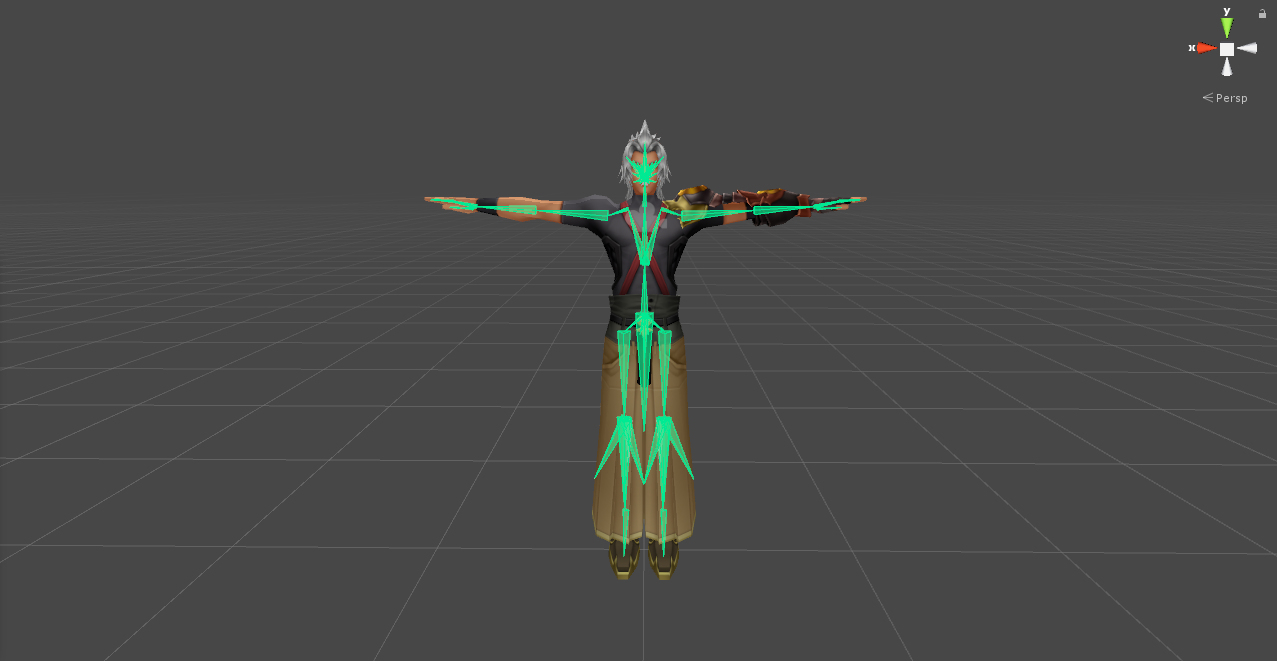
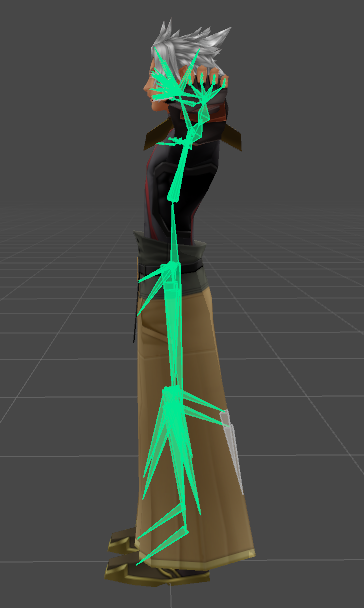
Go to the humanoid rig configuration
The one that shows your model T-posing with the green bones in the body
Then post a screenshot of your model there
 ivory radish
holy hecc
it works ftmp
hair still annoying but u can like interact with individual strands
gritty nest
@fading verge sorry to ask, but can you show it from the side?
fading verge
 ivory radish
can u guys help with hair thing tho
i wanna keep it like that but with the strands not flipping around to other part of head
cuz ingame its all working perfecly
fading verge
Here's a gif of the rig too @gritty nest https://i.gyazo.com/4150349f170f0dfc77509dea67bba561.mp4
ivory radish
except for hair
also is there some sort of mirror shader or something
so can make like a handheld one
gritty nest
@fading verge that looks fine. Unfortunately this might just be an unavoidable result of the game's IK
fading verge
damn I was afraid of that
gritty nest
There is no mirror shader, what you can do is add a camera though. Only visible locally
Should be perfect for a handheld mirror
fading verge
Thanks for looking into it though
 tired pawn
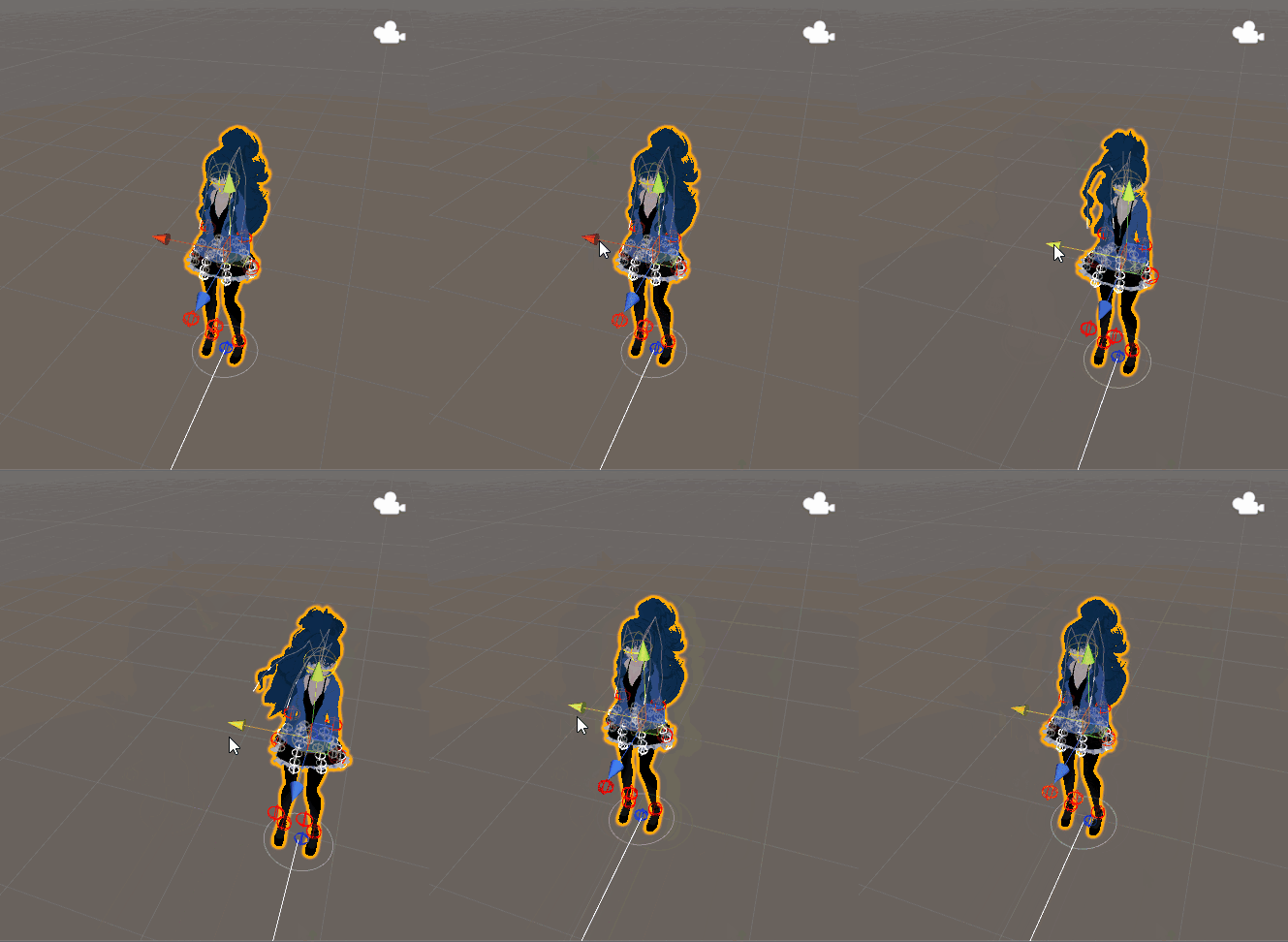
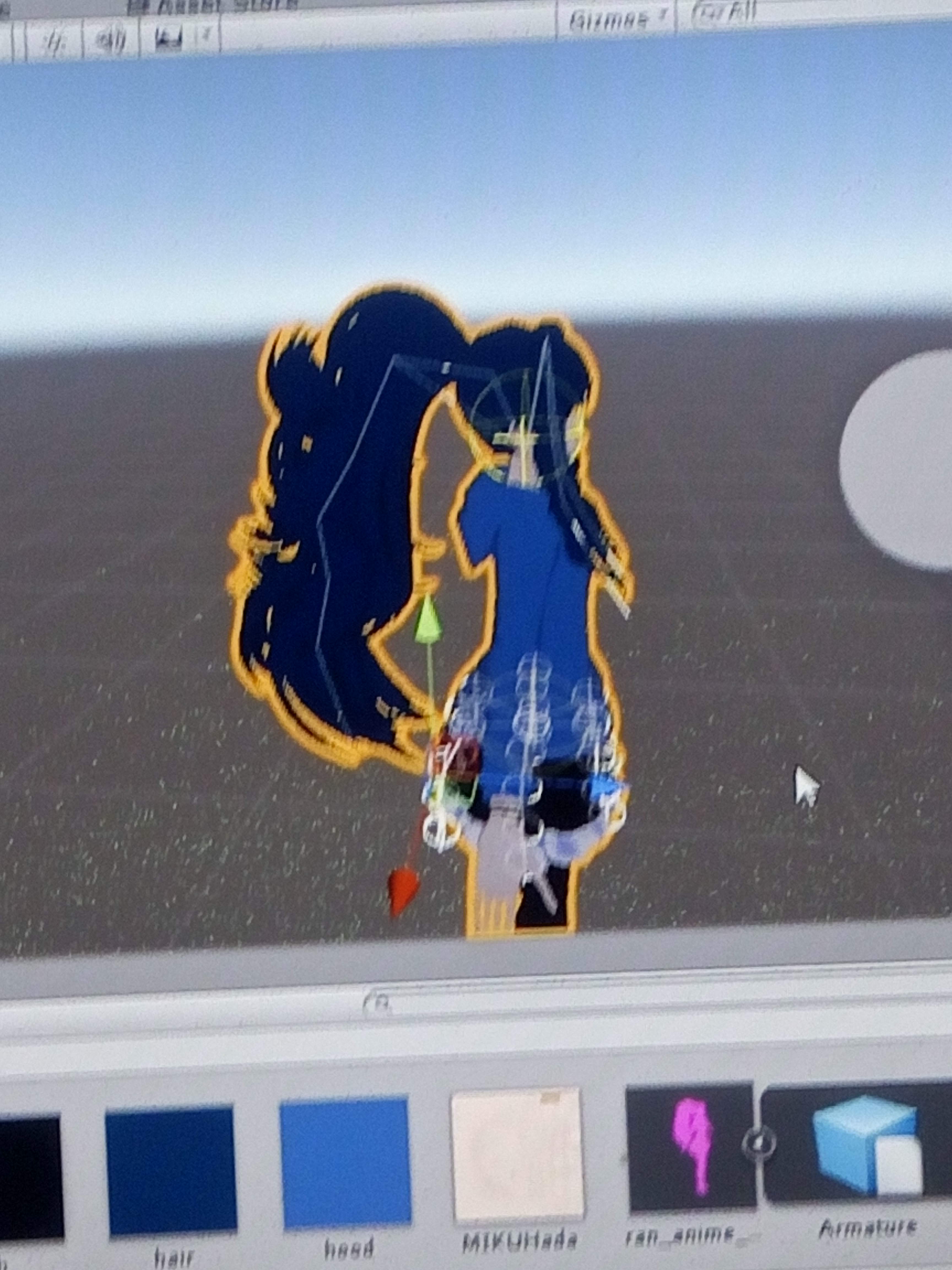
Doesn't even move in game though
I reimported the dynamic bones maybe it will fix it
drowsy wharf
Anyone know what would cause the avatar configuration to flash up then vanish? (select avatar->rig->humanoid->from this model->Click configure)
 rare sleet
Define vanish
drowsy wharf
Green-humanoid configure panel appears for a short second or less, then is gone from the screen.
Scene is still on configuration
rare sleet
And by disappears you mean grey inspector or you mean the inspector can show normal functions
drowsy wharf
inspector stays up, defaults to top level of the avatar-clone it adds for configuration.
If I select the avatar in assets and hit configure again, inspector returns to avatar after sometimes flashing the configure window
rare sleet
Ok that is weird
drowsy wharf
yep...nothing in console to help either
rare sleet
I've never seen that
 cedar bloom
Guys need help, in Blender when i rotating bone it just squeeze not fully moving around
 fading verge
another bone have weight paint on that part
 ivory radish
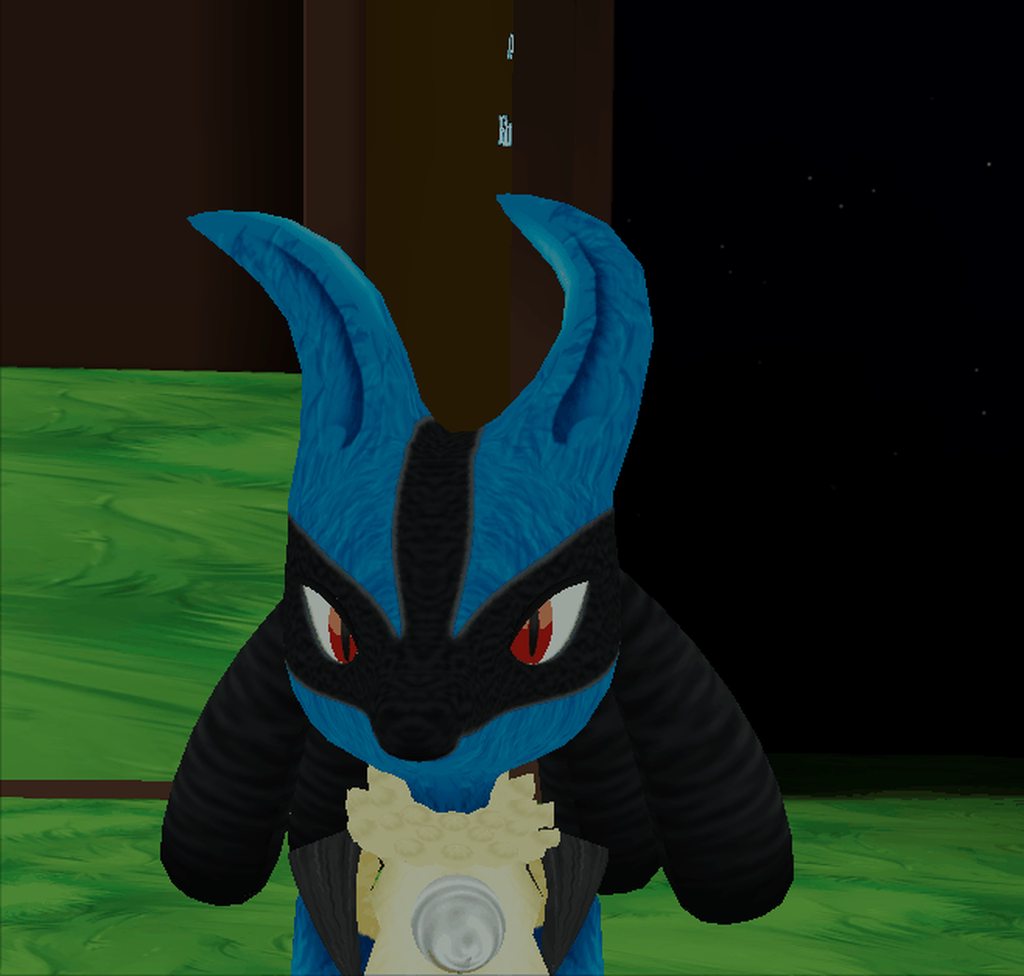
the inside colliders are done wrong
it keeps it constrained between the spheres
make them larger and closer together
also put it around the ear not on top of it
and for the hands make a gesture that toggles the istrigger property of the colliders
if u don't physical objects that have player collisions cant be held correctly
wicked quiver
 rare sleet
dear sweet christ what have you done to your poor unity
wicked quiver
move hierarchy side
 warm coral
@cedar bloom Hey quick question, what was that model?
warm coral

It looked similar to that
So I was wondering bc
That model is an avatar of mine
Ripped the model from that game and those parts hanging off your hips reminded me of that
wise oriole
@gritty nest You tried to help me with the eye tracking yesterday and suggested I try the CATS discord. I did and they found the issue. In short, the old vertex groups got renamed incorrectly by CATS and so it was hooking on that instead of the new one. They've fixed it in the newest dev build, but I can work around it by renaming them myself.
gritty nest
Cool, thanks for the update
 opal aurora
Oh the memories, models just plain fubar due to multiple main body sections back in the day
Those were fun
 pearl laurel
ah sorry, here maybe a screenshot will help
opal aurora
But yeah, a new set a bones sounds iffy
pearl laurel
cats adds that is what i ment ;;
opal aurora
That... doesn't look right... not sure why
fading verge
sorry, this model seems pretty much broken
pearl laurel
AH really,, ??
 fading verge
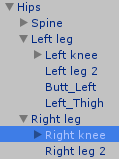
this is what you need to have
opal aurora
Did you apply fbt after fixing it once before?
gritty nest
Guys stop pls
gritty nest
@pearl laurel what do Hip_L and Hip_R do? They look like bones used for butt jiggle. The existence of a Root bone confirms this.
Everyone go home now, the model isn't broken
crystal vector
🔨
gritty nest
I'm sure Hotox is relieved lol
crystal vector
Ok fixed
gritty nest
Noice
fading verge
ok thanks bb
fading verge
why is the butt bones called hips
opal aurora
^
crystal vector
To not make it obvious that you are lewd 
opal aurora
Confusion + 50
gritty nest
Probably a translated bone
fading verge
look at my screen
crystal vector
"hips" 😏
gritty nest
Tiddy_L
opal aurora
Googel censored butts, mystery solved
fading verge
Or, my favorite
when the breast expansion viseme is called "dream"
or when the breats were translated into "milk", lel
opal aurora
Welp
opal aurora
Oh god
gritty nest
I see that one sometimes
fading verge
i had a key shape called "cdream" too on a model
would make the hips and butt bigger
opal aurora
Trully the pinnacle of modeling
fading verge
those willy japs
pearl laurel
OOPS sorry, uhm they..dont move anything LOL
its just an extra bone
maybe its something invisable?! but otherwise if its useless, I just put left leg and so as normal right?
@gritty nest ; v ;
gritty nest
Yeah, put leg in leg slots
 echo drift
Hey, I was uploading a modification of the avatar I was working on. But every time I try to test the avatar in world, the weight paints are all over the place. Everything is stretched out in a polygonal mess. I have no idea.
gritty nest
@echo drift test all the shape keys in Blender
Or in Unity
See if any of them make the model explode. In particular, the blink and lowerlid shape keys should be checked first
echo drift
@gritty nest ok
gritty nest
This can happen if you delete vertices on the model without separating them into a new mesh first
echo drift
oh shit... I did do that. That explains it 😐
gritty nest
You might be able to separate the face from everything else, then delete the shape keys on everything else
Then merge back together
If you can't do that, you will have to redo your edits or redo the shape keys yourself
echo drift
Well thankfully I had a save iteration that had working shape keys so I did transfer shape keys and that fixed it
wicked quiver
 misty cradle
how do i rigg/wight paint extra things like a chain or what ever so the beginning of this will hang on the same place like in blender and the rest will move because of dynamic bones? i tried something but the thing is not on the correct place on the avatar
wise oriole
@misty cradle Do you have the bones for it set up already or are you just needing help on the weight painting part?
misty cradle
i know how to rigg and weight painting in general, but i have a special problem with this
wise oriole
Then what's the issue? From the sounds of it you'll just need to assign the bone for the dynamic bone further down the chain.
raven reef
^
misty cradle
hold on, i will make 2 screenshots..
ok, here you can see, more or less, how it looks in blender and ingame
https://abload.de/img/screen32cft9.jpg
 misty cradle
@wise oriole do you have an idea?
wise oriole
I don't know what you think the issue is
misty cradle
look at the screenshot
wise oriole
I see the screenshot. I don't know what you think the problem is.
misty cradle
the figure is ingame not on the place like in blender
crystal vector
Is it in the correct place in Unity?
misty cradle
yes, as long the avatar is stiff, but in a animation window i see this issue too
crystal vector
@misty cradleTry parenting Figur1 to the Hips
misty cradle
what is the easiest way to parent it?
crystal vector
In edit mode in blender
Select the Figur1 bone, go into the bone tab and scroll down to the parent selection
misty cradle
ah i see, thx
misty cradle
and it's also the solution for my problem, thx again 😃
wise oriole
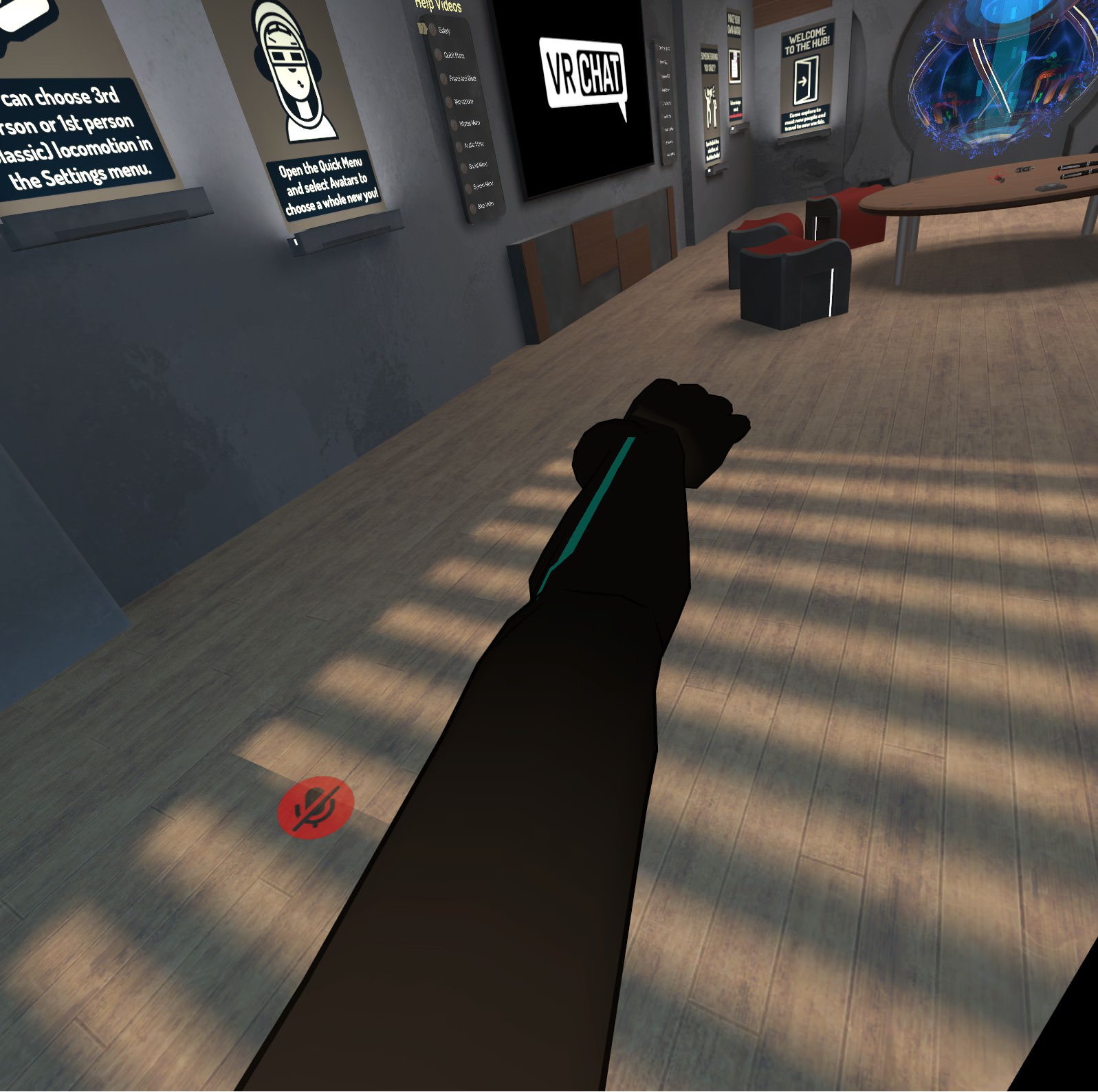
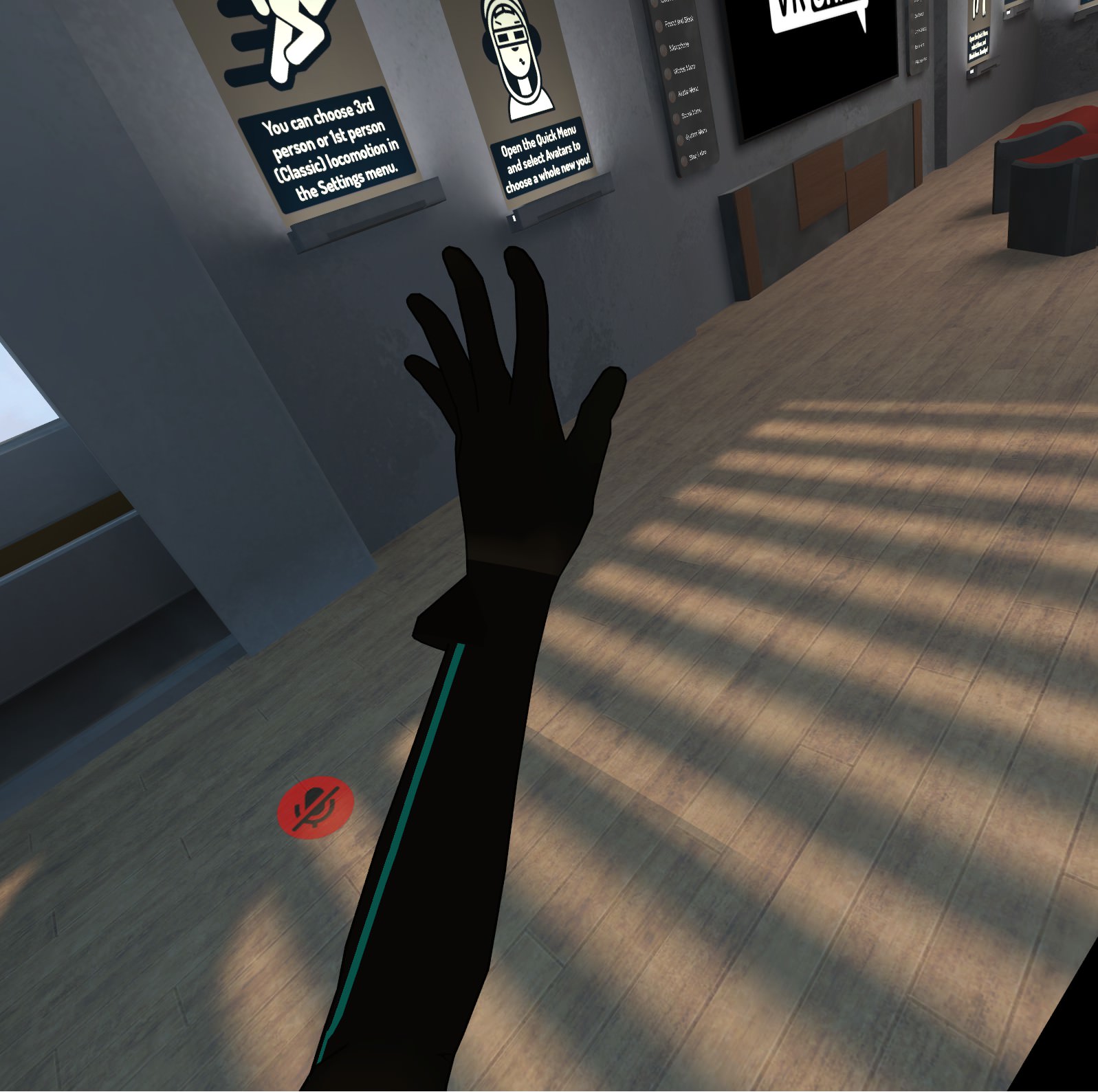
What reasons would there be for my model.... "kinking" like in the picture below. It was working fine yesterday and then today I made (what I thought were) unrelated changes and now I can't get it back to where it is supposed to.
At the same time, the thumb decided it didn't ever want to open all the way. I'm betting that they're related, but I don't know how.
I've checked the bones in Blender and Unity and they seem to be right (axes and everything) and it's not the custom animation I added because the problem persists after removing it, so I have no other ideas.
https://i.imgur.com/wsnVgB7.jpg
https://i.imgur.com/tyqUVmJ.jpg
 crisp tendon
What do you mean by "kinking"
wise oriole
I guess it's not super clear from the screenshot but the lower arm is twisted from where it should be causing the elbow to buckle in very unsightly ways. You can kind of see it where the blue line is coming from on the top picture. That line is supposed to be perfectly straight through the whole arm.
crisp tendon
Is it supposed to be ? I know there's forearm rotation but i don't think your upperarm should be rotating with your wrist
wise oriole
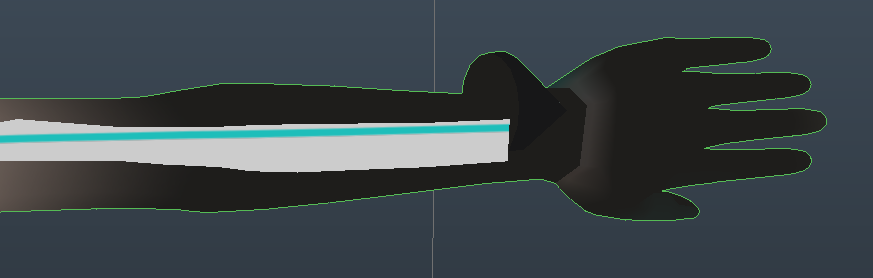
Yes it is. Here's what that line looks like in Blender: https://i.imgur.com/zRwumnG.png
The root cause has to do with the arm/hand not matching up with the tracking. It's something like 30 deg off on two axis. The first one was fine, since that's the case on all models, and has to do with the difference between the Vive tracking ring placement and the wand grip placement. This second one is new, in the clockwise direction (at least on the left hand), and doesn't apply to other models.
 naive tree
be sure that your bone rolls are 0, and if you're using full body, then ask if others can see the same, cuz there's a local bug with full body arm twist @wise oriole
wise oriole
@naive tree The bone rolls are zero and I'm not using full body. I'll try asking others to see if they see it.
@naive tree I just had someone confirm. They can see it too, so it's not just local.
naive tree
it's local bug with full body tracking
so if you're not FBT, then it's smth else, was my point
wise oriole
There was always a possibility that it's not just FBT, so I had to make sure that that wasn't what was happening.
naive tree
true
fading verge
One day i will learn how to weight paint
 gritty nest
Make sure you export without leaf bones
Just manually rotate the fingers the correct way in Unity
fading verge
i could but i don't want to do rotate the fingers everytime i make a change to the model in blender
aka future proof
 fading verge
thanks
 timber geyser
how do i make my hair move when i touch it in game? pls help
can't find a tutorial on youtube
 thorny oracle
Dynamic bones and dynamic bone coliders on ur fingers
timber geyser
thx 😄
gritty nest
Colliders on hands (one per hand) is probably less performance intensive
fading verge
Anyone good at rigging that anyone knows here that I can commission?
median echo
Hey so is it possible to get errors about avatar parts not being specified even if they are? in Unity
gritty nest
@median echo you mean hands and feet?
If your model is half in the ground due to an animation, that will happen.
median echo
yeah it says, "Your avatar is humanoid, but it's feet aren't specified" "Your avatar is humanoid, but its upper arms aren't specified" "Humanoid avatars must have head, hands, and feet bones mapped"
those are the 3 errors
gritty nest
But is your model half in the ground?
median echo
no, its standing
gritty nest
Doing a crouching pose rather than a T-pose or A-pose
Oh
In that case, restart Unity and try again. Otherwise, a screenshot would help
median echo
yeah i had closed unity and reopened it.
median echo
@gritty nest Thank you for your help
crystal wolf
Anyone know how i can make this use one mat?
after i make it 1 mat it disappers
confused how to make it work right
i got it sorted, all good
wise oriole
I did some more testing on my issue from yesterday. It's definitely a problem with the model, not with a configuration or something. Reimporting the model and only giving it a basic avatar descriptor and it still happened. I now have something that's a much better illustration of one of the symptom/causes, since you can see the controller and hand at the same time. I still don't what what's causing it to fix it.
https://i.imgur.com/DvyYTw0.jpg
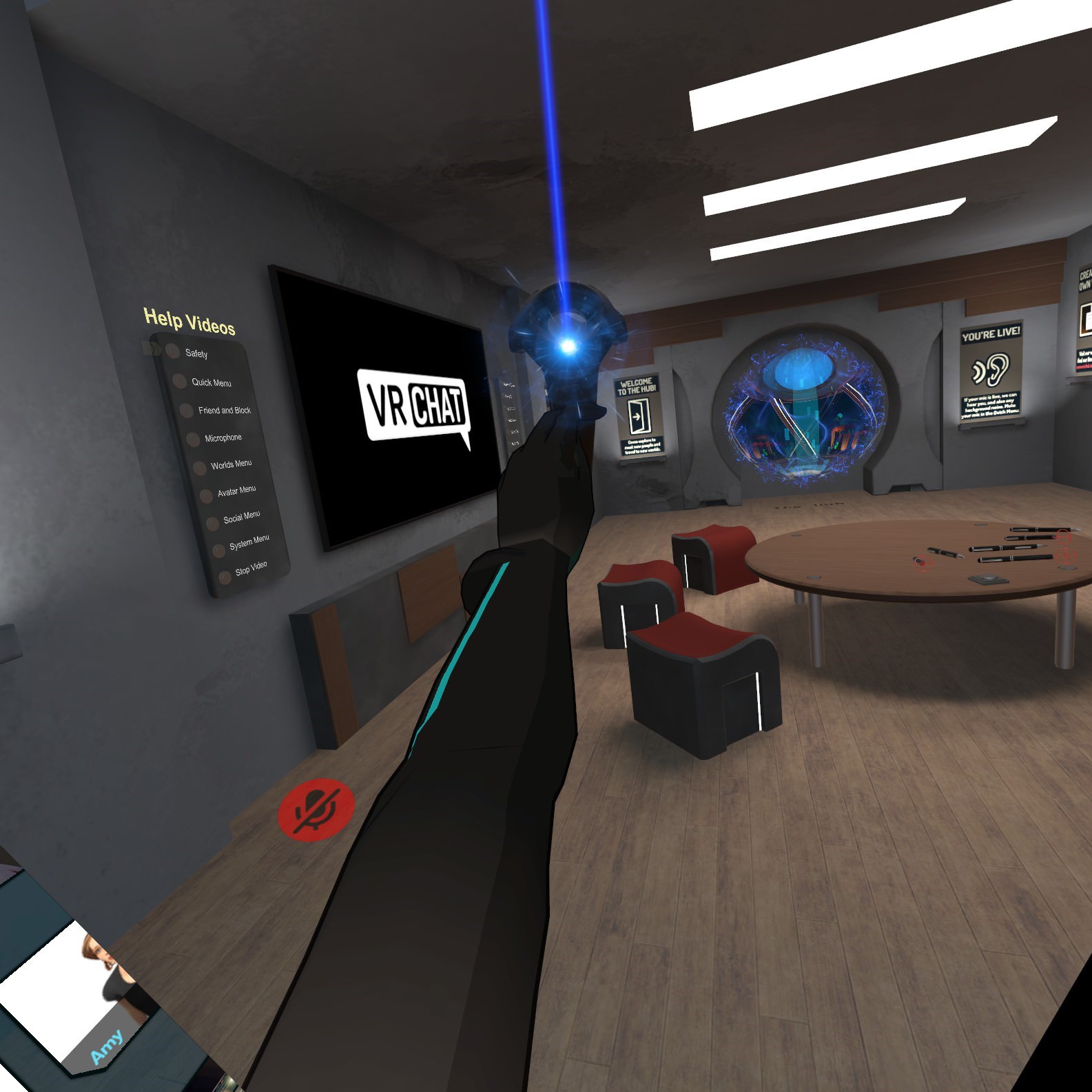 late shale
Your arms aren't long enough, right?
wise oriole
I'm pretty sure they were fine before, but I guess that's one possibility. Is there a way to scale the... applied skeleton without changing the model's scale? This height is the height its supposed to be and it'd like to keep it that way if I can.
late shale
Yeah you can stretch the arms in blender. But if your avatar descriptor is out on the bridge of your nose, it might help to bring it back into the middle of the skull. I tend to prefer it back here anyway
It's not technically the proper way to do it, but it should fix your issue, and I feel more comfortable being able to see more of my body anyway.
wise oriole
Wouldn't you be able to see parts of your model you're not supposed to see? Like the back of hair?
late shale
Nah, everything weighted to the head bone disappears to you anyway
wise oriole
Well, then I guess I'll try that out and see if that solves the problem.
 cyan adder
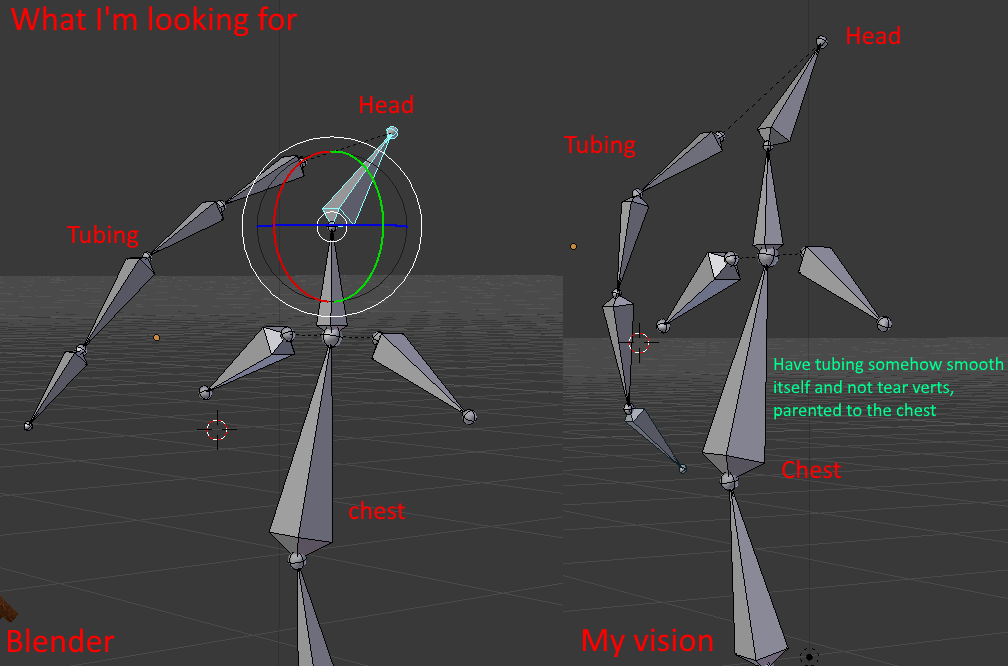
anyone know how to do tubing right?
ive had avatars with tubing that goes from the head to chest and ive seen people using IK bones to make it so the tube bones stretch and move smoothly instead of ripping the verticies
wise oriole
@cyan adder That's likely a bone weighting thing. Do you know how those tubes are weighted currently.
cyan adder
i have eveyrthing weighted right, like on the tube
but the way how bones work is everything is suppose to be linear
i have the tube controlled by the head but the tube itself connects into the body
and i cant really do that
for how bones work
ive seen people do it in vrc
wise oriole
@late shale While that was a good change (fixing a smaller issue), it didn't fix the primary problem. I believe that it mostly has to do with the hands being rotated inwards much too far. Any idea what could cause that? The bones don't have faulty rotations. At least, not in Blender.
Why can't you do that with the way bones work? @cyan adder
late shale
Try stretching the whole arm just a little in blender
cyan adder
ill explain houdini

the main tubing is on the head and goes down to the chest
move the head and it moves the entire tube
which is how blender does bones
why wont this embed
wise oriole
@late shale Stretch it? It's a rotation thing.
What do you mean by "embed"? @cyan adder
 wise oriole
Oh. You're talking about the image, not the bones.
 wise oriole
@cyan adder I don't really have the expertise to really tell you, you'll have to get help from someone else. I would think that you may want to have the lower half parent to the body somewhere.
cyan adder
you cant though
if you parent the bottom part of the tube to the chest
then the tubing will be broken
wise oriole
@cyan adder Have you tried constraints?
cyan adder
a what
wise oriole
A bone constraint.
cyan adder
never heard of it
late shale
You should be able to do it with joints. Look up settings for rope made out of joints
manic marsh
Are bone constraints supported in vrc tho?
late shale
rigidbody constraints yeah
manic marsh
Well the rigid bodies but i mean exported from blender
gritty nest
No
You have to set them up again in Unity
Blender stuff like IK and bone constraints are only useful for creating content within Blender
For example, even for VRC usage it could be nice having those things for animation purposes
wise oriole
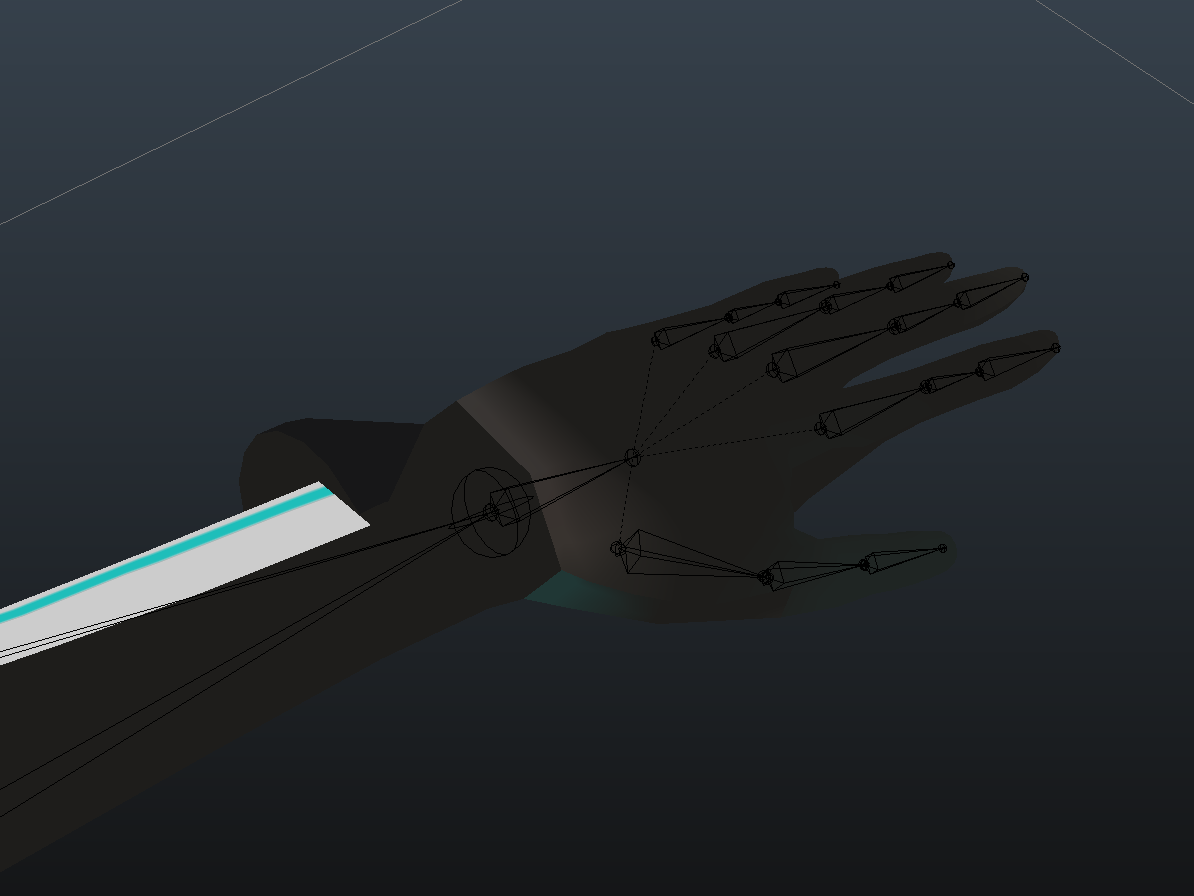
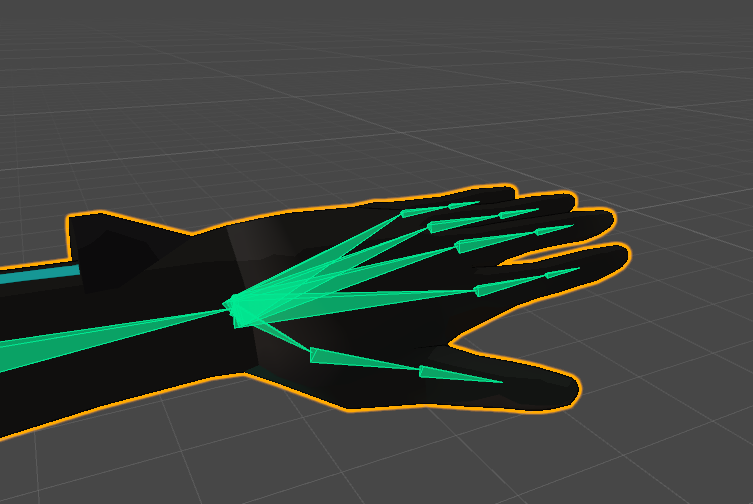
I found the root cause for another problem I'm having, malformed hands. For whatever reason the bones are different in Unity than in Blender. What would cause this. (See pictures below)
Blender:
https://i.imgur.com/sXq93Yo.png
Unity:
https://i.imgur.com/CSgJBi8.png
 late shale
unity just displays them differently, showing the points from the beginning of one bone to the beginning of the next bone. It doesn't change the behavior
raven reef
^
wise oriole
Then I guess that that means that the hand doesn't fit will to VRC's animations? It looks good in blender (including when posed) but horridly messed up in game.
 worldly palm
Anyone know how to fix these back problem when looking up? https://puu.sh/BxMRM/727f28fc25.png

 frosty egret
I have been having trouble with my mmd avatars raising the floor height when i play, anyone else having this problem? This is the first time ive seen the problem but i am a novice, still learning the best ways to rig, I can use other avatars and touch the floor, but as my mmd avatars I cannot touch the Virtual floor, I hit the real floor first so i cant pick up things off the ground. any advice??
crisp tendon
I believe that leg proportions are important for that, mmd generally are not respecting humanoid proportions and that results in not being able to touch the floor/grab things correctly
worthy tartan
hey guys... i really cant manage to make my BMO avatar a solid block and only the arms moving. i tried how its explained in the tutorial but the shape always gets spiky and out of place in blender... might someone want to do it for me? i offer to pay 10€ as well
if someone wants to help me out with that id be glad to be pinged
gritty nest
@worthy tartan if the shape keys make your model "explode", you are removing vertices
Separate the vertices first before removing
 slate hill
question, do i need completely round eyeballs or can i get ride of the back side and just have half a sphere for the front?
pine harbor
half a sphere should be enough -- most MMD models don't have a full eyeball, and they seem to work fine for the most part
slate hill
fantastic, thank you sir
 low pine
I edited a rig for an avatar I already imported to vrc, how do I swap out the updated model in unity?
even if I can just xfer all of the components easily it'd save me a lot of time
crisp tendon
What do you mean by swap out ?
I think that if you haven't modified the mesh, you should be able to overwrite the current model in your asset folder, and Unity should do it for you
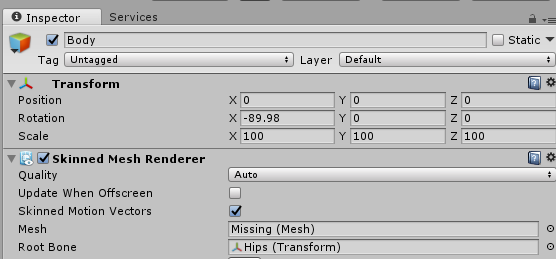 crisp tendon
Can't you export on top of it ?
late shale
That's what can happen if you edit the mesh of something where you've broken the prefab. Prefab means if the file is updated, the object in the scene will follow suit. And when you change stuff on it too drastically it will pop up "this will break the prefab, are you sure?"
You'll have to re-add the model back into the scene fresh and transfer over any unity work you've done to the new one.
 fickle plover
 fading verge
lit
 subtle moth