#avatar-rigging
1 messages · Page 122 of 1
 drowsy wharf
Damping is how fast it slows down while moving (air resistance).
Elasticity is how fast it tries to return to "normal" position
Stiffness is how much it resists moving at all (at 1.0 it basically doesn't move)
Inert I've not had to use much, but is basically a portion of your movement it ignores (I believe at 1.0 you'd have to have a collider move it)
for a skirt you could start with D: 0.6 E: 0.2 S: 0.7 I: 0.3 but you'll almost certainly have to adjust it later
 gritty nest
@drowsy wharf stiffness and inert work a little differently than you described I think
Stiffness limits the maximum movement range of the dynamic bone
Inert limits how quickly it will move. For example, when you're falling, a higher inert will make it take longer before your skirt flips up entirely.
A very low inert means the slightest movement will immediately have the bone going all over the place
 sleek isle
So if with but a high inert on a flying robot beside you it woul follow you after you move then ?
 rare sleet
Why TF would you use a dynamic bone for that and not a spring or configureable joint
 pastel turtle
@drowsy wharf Thanxs that is what I was looking for a start off values 😄
sleek isle
Why not idk :p
drowsy wharf
Thanks for the correction @gritty nest that's a much better description on stiffness, and you clarified a confusion on inert for me too. Appreciate it.
Was I correct about the note at the end of Inert? Set to 1.0 you'd have to move it with a collider?
gritty nest
Yeah, I think so
drowsy wharf
Thanks. The community here is great, lots of free info sharing is a good thing
drowsy wharf
Anyone have tips on rigging non-humanoid avatars?
sleek isle
What kind
 odd plume
Hey guys how long does it take to rig and weight paint a model I have never done it before
 crisp tendon
If done well, at least a couple hours
odd plume
Well Im brand new to it so probably much longer than that?
crisp tendon
It'll probably take you longer than that, but that's fine, the tutorials for this explain it really well, so you shouldn't be blocked by anything at least
odd plume
The one problem is I want this model to turn out really good but I have such little patience, but I dont really have any other options as far as I know
crisp tendon
You could pay someone to do it for you
odd plume
How much does that usually cost
crisp tendon
Depends on the creator, check the VRC trader discord in #community-servers-old
odd plume
Ok thanks for the insight
 late shale
@odd plume https://www.mixamo.com/#/ can do a lot of the work of rigging for you. I wouldn't usually use the rig I get straight from mixamo, but it's a good starting point that I'll tweak and fix where needed. It also works best on as close to a "simple" humanoid silhouette as possible, so if you have anything extra like wings, backpack, large skirt, etc, you'll have to remove that in blender, put it through mixamo, and then put that stuff back in and weight it manually
odd plume
@late shale I tried mixamo and it did not work very well at all for my model, im assuming due to it being a robot
late shale
Oh I see, I've gotten models with more than the humanoid silhouette to work by removing everything extra, but idk how I'd get something with less than the humanoid silhouette working
But the fact that it's a robot will probably be a lot easier to rig manually anyway, due to the rigid parts. One of the hardest parts of rigging is organic blending, so that cuts it right out
 acoustic oyster
Anyone here with full body have any tips on how to get an avatars legs to be straight? First avatar to do it to me. Her upper legs are pointed outward no matter how much I rotate them in unity or blender. The knee down is straight. But no matter what the upper leg will not rotate in the right direction. I feel like I've done everything I possibly can. But still they won't point the right direction.
 timber quiver
 fading verge
 lime hill
https://cdn.discordapp.com/attachments/455507258042744832/470764032656277526/unknown.png ive never had this problem before, and all of these are mapped correctly. anyone know whats up?
 gritty nest
@lime hill show a screenshot of your rig setup
And make sure that your model isn't stuck in the animation position (halfway crouched into the floor)
gritty nest
Uh, sure
Just make sure to include screenshots of the whole rig definition, preferably the 2D green cross-section of the humanoid example
 mystic mesa
My chest moves with my neck how do I fix this changing the weights don't seem to affect it at all
effect*
rare sleet
It should, you likely have some bad groups left over
 dark dagger
If the character I have has no fingers and i don’t make the bones for them will it mess up the model in game
rare sleet
No
You just won't have hands in game
I forget if that means you can't pick up things...
You can add weightless fingers if that's the case
dark dagger
Ok thank you
late shale
Pretty sure you can still pick things up, but it means it won't work as a humanoid thus it won't be able to do gestures @dark dagger
But still, weightless dummy fingers will fix that problem too because it'll allow you to import as humanoid
pastel turtle
For future help vertex explaining if anyone needs it... XD
https://www.youtube.com/watch?v=yzRS2cCiBnc IDK how effective this video is because I just searched for because someone did not know how to do it. and I did not watch it because I do all my vertexs in PMX Editor...

Blender is Free and Open Source Software Download: https://blender.org/download Donate: https://blender.org/donate -- This tutorial is part of the Blender Fu...
fading verge
Does anyone know if it's possible to merge two bones into one while retaining the weight painting values or apply the weight painting of one bone to another without deleting the weight that's already on it? I have a couple spines in this model and I don't want to go through the process of replicating the weight paint after deleting one.
by using CATS tool
there is a "merge Weights" button in the model options
go into edit mode, select the bone that you want to remove, parent it to the bone that need to take the weight paint and parent that selected bone to it
then hit merge weight
I had no idea CATS could do that. Thanks.
 late stag
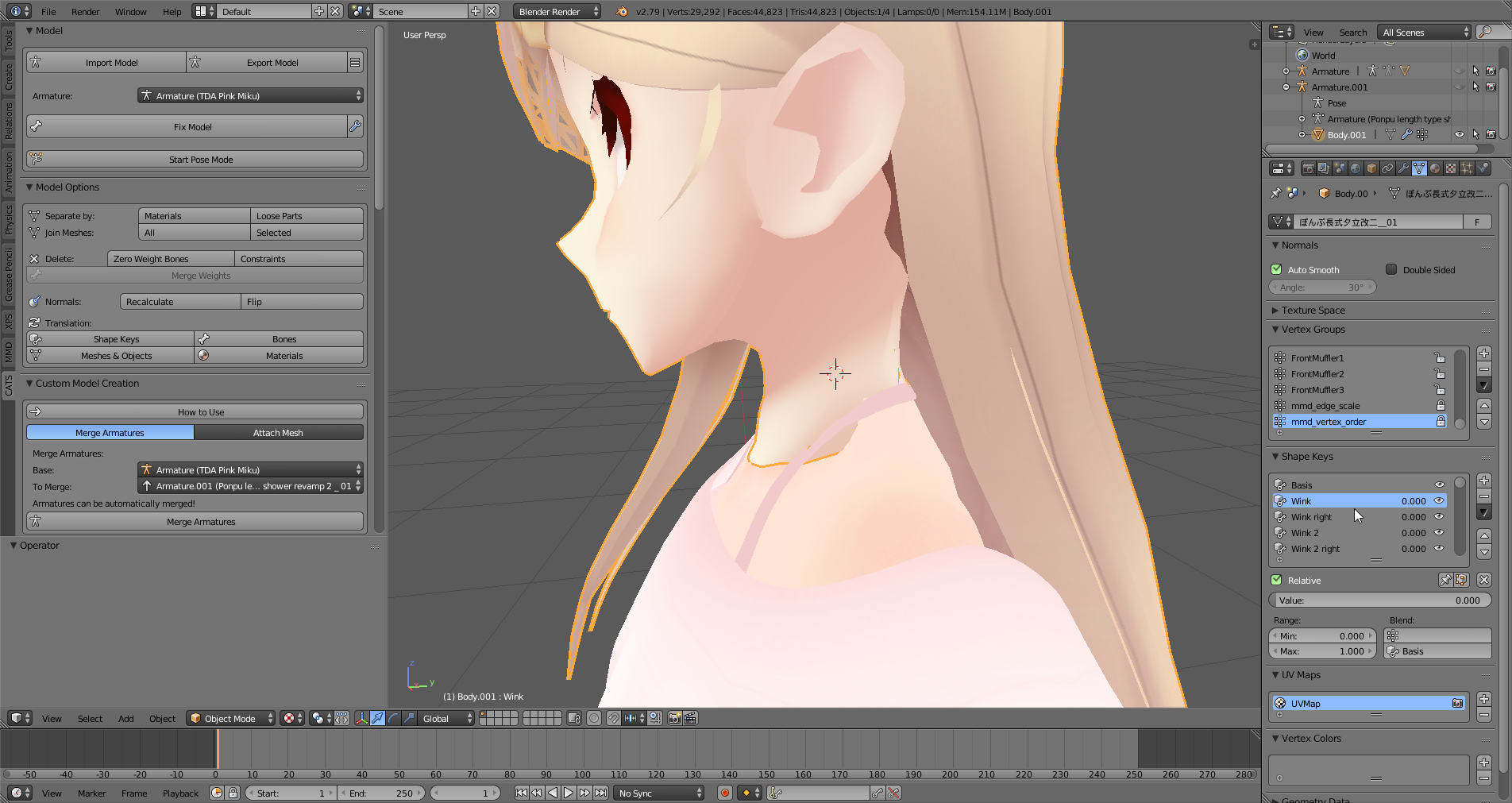
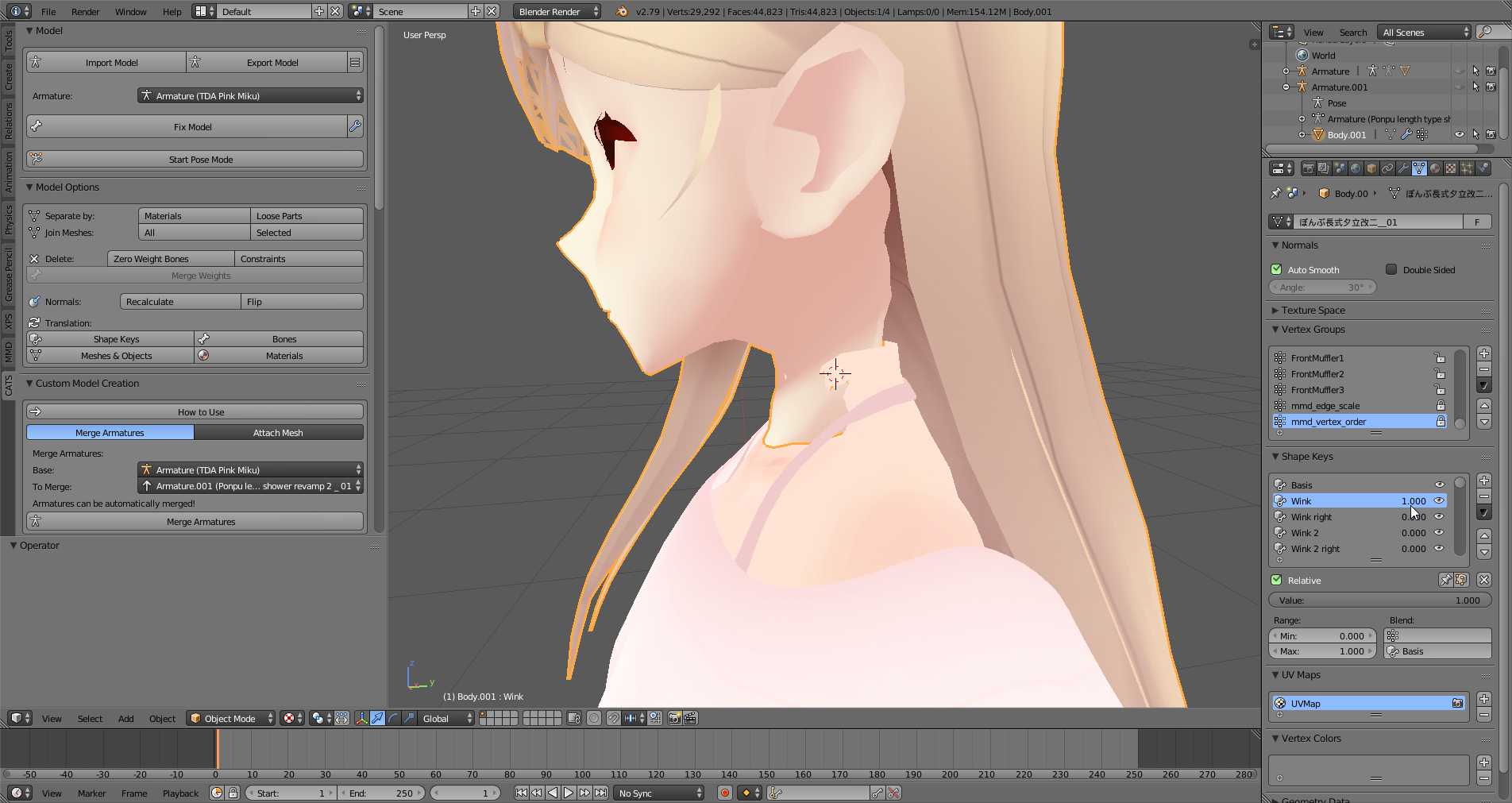
I moved around the neck meshes on a model for headswapping it with another model. When any shape key is used, the neck goes back to the original position before I had moved it around. The first picture is the neck with no shape keys applied, and the second is when any shape key is applied. How should I "unbind" the neck to the shape keys so it doesn't move around ?
https://i.imgur.com/LVCJRdo.png
https://i.imgur.com/fXMrNfy.png
 rare sleet
Separate the head from the body and neck completely into a separate mesh then delete all shapekeys on the body add a basis then reattach, that should help
Unless you somehow had set shapekey in edit mode on when you were editing the mesh/bones
Or it's something I don't know
 minor shore
shortened the legs of my avatar how do i get the origin back between the feet?
crisp tendon
Ctrl + A "Apply location"
minor shore
yeah that doesnt do anything ; (
crisp tendon
What doesn't do anything, updating the location or Ctrl + A ?
 lean lagoon
So I want my character to draw right
and I used snailmarker
but in-game nothing happens
anyone know why?
 dry sable
I have a question
I notice people make some darn funny avatars by allowing their entire model to move when they talk
How would I be able to do that?
Do I have to rig a specific bone on the spine or something?
 cosmic surge
i think that was original a result of bad decimation. to replicate it you would need to edit your shape keys
gritty nest
@dry sable shape keys.
Normally, the shape keys for lipsync would make your mouth move. But there's nothing stopping you from making shape keys that affect the whole body.
dry sable
Ah okay, thanks.
gritty nest
Part of my mesh doesn't deform in Unity, as if it's not weight painted. But it is.
I can pose it in Blender and it looks fine.
I'm 100% sure I got the right model into Unity too
It's the same model, posing works in Blender but not in Unity. Part of the head stays detached.
Nvm found the issue, somehow the mesh had two identically named vertex groups with different weights
 grand bay
funny, I've had the exact opposite issue with one of my models
guy's leg deforms as if it's weight painted even though it isn't
 barren gust
Hope im not derailing anything, i have a weird issue im wondering if anyone has experienced/solved. My rig is working fine but occasionally instead of blinking, my character's eyes will go cross instantaneously ( at the same speed as a blink, also when one would be expected) towards the center. Could this have to do with eye tracking or maybe gesture shapekeys? 🤔 TIA!
 ivory radish
its probably just eye tracking either that or the lower lid blend shapes u used move ur eyes
barren gust
So the base I'm using is a hoppo, and the lower lids actually don't even move, i think this was intentional, would that cause a problem? Does eye tracking have any known bugs for momentary eye crossing?
ivory radish
no its probably bc like
theres 4 blend shapes u need 4 eye tracking
u need left and right blink
and u also need 2 others (commonly used for both eyes or parts of the face) which is for raising lower lid or making a face or whatever occassionaly
it just has 2 be 2 blend shapes but they basically play every so often
2 make the character more animated
barren gust
I think next im going to disable blinking and check if it still happens, if so it would have something to do with tracking. The blend shapes for lower lids do exist, they just do not move when moved to val=100
ivory radish
then they are empty or move the eyes
so yea
i mean if u wanted 2
u could also go into blender
and add something there if u wanted 2 make the character a bit more lively
barren gust
Well im doing everything in blender at this point except for uploading and testing, not sure if the lower lids shape key actually needs to move, since cats can build eye tracking no problem.
If the lower lids move, it looks weird haha
ivory radish
probably not but it doesnt have 2 be "lower lid raise"
ivory radish
on some of my avatars it widens the eyes, gives XD face, makes them smile/blush... whatever
gritty nest
It's supposed to be a very subtle lower eyelid effect
ivory radish
it again plays every so often
gritty nest
But some people just make it so the eyes close almost entirely
ivory radish
ya but it doesnt have 2 only be that
u can use it for other things also
it would be cool if u could add more tho
gritty nest
AFAIK, lower eyelid triggers randomly while looking up/down
ivory radish
no it triggers randomly all the time
if u just stare straight ahead its gonna do it every so often
it also plays during emotes and gestures which is cool
vrc_face0
vrc_face1
vrc_face2
would be a good suggestion tho
u could make them have different emotions or effects every few seconds instead of just one
gritty nest
We wouldn't need any of that if we had our own animators
ivory radish
ya but thats annoying
gritty nest
You could just make a new layer
No, that's not annoying, that's how you're technically supposed to do it.
ivory radish
ik but this is easier
gritty nest
Just add a new layer that only affects the Body mesh and mess with the shape keys a little
ivory radish
and its random instead of timed
gritty nest
Yeah, for this one particular scenario, it would be easier. But then you run into something else and it'll be lacking again
You can randomize animations
If we had our own controllers it would be pretty easy
gritty nest
I know we don't, that's why we should have them
barren gust
Oh wait, i also made pupils as a blend shape, and hid them inside the head so that one shape key is dilated, this works fine, but if the blend shapes are too close to the central rotating axis of the eye bones would this cause an issue? Tl;dr, does the position of pupil morphs matter?
barren gust
So like you know how some characters have gestures where hearts and stars show up in the eyes
ivory radish
also cant u widen pupils or whatever by stretching them instead of hiding them
oh ok
that should work as long as the hearts are weighted 2 the eye bones
barren gust
And yes but by default the pupils are hidden
Because the eye texture is a cat eye
So i can make a max dilation with a circle morph come forward
But i usually see the morphs further back in the head rather than on the axis and im not sure if this matters
 crystal pebble
i ran into a snag of the character not t posing
specifically the left arm and right arm are not in posing is there a way to fix that in unity or do i have to go back into blander and fix it
grand bay
have you tried enforcing the t pose?
crystal pebble
no
grand bay
see what shape it forces it into
crystal pebble
so do i just upload it and se what it goes into right?
grand bay
👌
ivory radish
and if enforcing the tpose breaks some of the bones (awkward finger rotation etc) u can try resetting and using sample bind tpose or if that doesnt work u can pose it manually
 pallid cloak
copypaste
Anyone here good at rigging in 3dsMax?
Just got a few problems adding extra bones to a model and would love assistance
See, I got this model that Mixamo was kind enough to rig for me, but the fella's got a tail.
And I was hoping I could get some help rigging it so that it just kinda stays back there.
This is my progress so far, so if anyone push me in the right direction, i'd be grateful!

There's more images in the album
I'll be around, so if anyone's out to help, give me a ping!
 bleak condor
Hey, i'm trying to anchor the end of a dynamic bone chain to a spot on my model, and it's giving me a lot of trouble, I'm trying to use an inside collider to do it but it's not really acting in the way that I expect, any tips or advice you guys have?

I tried using a rigid body joint and it doesn't play very well with dynamic bone
so i'm trying to use the collider now to try to have the same effect
right now the inside collider acts like some sort of vortex that sucks in the rest of the bone chain
i just want it to keep the bottom of the cord in place
bleak condor
nvm i figured out a solution, using unity cloth instead of dynamic bone, the action doesn't look as good but at least it works with the rigid body fixed joint to the base
gritty nest
What was the issue exactly?
Did the cord detach from the rest of the model entirely?
bleak condor
dynamic bone overrides any rigid body settings if it's in the bone chain
gritty nest
Ah
bleak condor
i figured out a good way to do it with cloth, although the mesh isn't set up well for it, so the cord thickness collapses inward
it's ok, the avatar was for a joke really lol, it has the power plug weighted to the hand
 misty cradle
how can i cut the connection of keep offset bones?
 limpid scarab
You mean keep the bone in place but have the bone not connect to another one anymore?
@misty cradle
sleek isle
for full body tracking its that necessary to have 180 on the thigh bone ?
 opal aurora
It would be highly advisable from what i've read, fbt is far more volatile than standard VR or desktop mode
gritty nest
Most important thing is apparently having the hips be inverted in Blender
Legs don't have to be precisely 180 degree angle but they have to be close
fading verge
pretty sure CATS is doing the fix automatically tho
here if you want to read more about it https://vrcat.club/threads/comprehensive-full-body-tracking-rig-setup-tutorial.1382/

VRCat: Community-Run VRChat Forums
EDIT: As of 2018/04/02, Cat's Blender Plugin now includes this process automatically with version 0.7.0. Go check it out!
Heyo~
So I've been using a...
gritty nest
Yeah, Cats does a few things. It basically automates the process above
sleek isle
that explain why its was so funny when someone with legs tracking try my avatars.
barren gust
@ivory radish i reached out yesterday about eye tracking, found that the issue was a combination of accidentally scaling the avatar down too small, and looking in the mirror at a short distance. I think it was trying to track itself or maybe the surface of the mirror. But i scaled the model up and the issue stopped. Thanks for making suggestions of what it might have been
barren gust
I hope this isnt a dumb question, but is it possible to make an emote that has sound, but the mouth visemes track that audio? How would that work? Sorry, new to unity and google isnt helping as much as id like. TIA
Ive seen avatars with emotes that speak and the mouth moves so i feel like it is possible, just not sure where to start on that
lime hill
@bleak condor your doing exactly what i was trying to do
with the chord
i made a melodica and rigged it but i have no clue how to make it
well, have physics
do you think you could help me in dms?
misty cradle
how can i undo the keep offset connection of bones?
sleek isle
on the right in the bone tab.click the X in parent
 crystal vector
@barren gust You probably have to animate the mouth manually
barren gust
@crystal vector yeah i messed around with it and figured as much.
 jovial dune
So I'm having some trouble figuring this out. I'm trying to add a tail to this character
But I can't figure out where you're supposed to "assign" a vertex group to a bone
A couple people on google have mentioned that naming a bone the same as a vertex group will work, but you need to ctrl+p and apply something like "armature > Empty groups"
But that gives an error and flips the model so he's lying on his back, which I doubt is anything good
jovial dune
Huh
You're right that worked. I figured you'd have to reference the group somewhere on the bone settings
The one time blender is simple, without telling anybody
lol
jovial dune
@grand bay Thanks! :D https://gfycat.com/KlutzyAngryFairybluebird

First time adding dynamic bones. Very happy it's so straightforward.
grand bay
np, it isn't the most intuitive way of doing things, but that's par for the course with Blender
 slim violet
question. my avatar has 4 arms. 2 to the right, 2 to the left. how can I get to to move together?
gritty nest
Fixed joints
Add a frozen rigidbody to your real arms, add fixed joints to the fake arms and connect each bone
slim violet
can you explain it in a way that doesn't make my brain hurt? ^^;
gritty nest
Add a rigid body component to every bone in your real arms
Add fixed joint components to the bones in the fake ones
Set the corresponding real arm as the connected body
slim violet
how do I add a rigid body component
gritty nest

LMGTFY
slim violet
gee. thanks for the walkthrough
gritty nest
No problem man
fading verge
how to go to google tho ?
gritty nest
I'm just saying, adding a component is literally the first thing you do in order to make an avatar. Jointing arms together isn't super easy. Besides, my link does give you an answer on how to use and add components.
I could walk you through how to add a component, but then I would suddenly be responsible for walking you through literally everything else, too. My explanation should speak for itself if you just try it out.
 idle axle
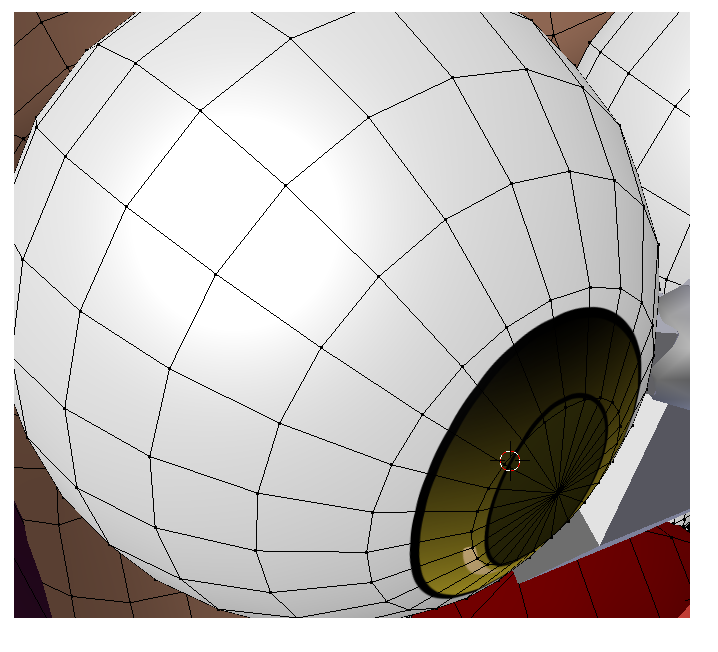
Any one can help me, how to add eye tracking with these eye balls?
https://i.imgur.com/fEPnlaV.png
I tried to add bones and put weight on it, but it doesnt work like you do on most mmd's
 gritty nest
Well, that's what you would need to do
You can just move the entire eyeball
Select the entire eyeball and see if there's a way to get the 3D cursor right in the middle of it
Then you can just create a new bone there
gritty nest
The bone's "root" has to be right in the middle, that's what the eye will pivot around
The placement of the tip doesn't really matter, as long as it is directly above the root
idle axle
thanks!
 mystic sparrow
so my avatar has heels and half the foot is inside the ground always and i dont know how to fix it

 rain imp
toe bones @mystic sparrow set the z on head and tail to 0 in edit mode blender than toggle tpose off and on in rig setup than it model should pop up in the preview copy previews hip location and paste it on real model
fading verge
anyone can quickly tell me a good scale size for an adult model https://cdn.discordapp.com/attachments/406588660834762773/472554296383373314/unknown.png

testing it with 0.3 atm but I'm not sure
if thats too small or not
Is it a hierarchy issue when the thigh of my model's legs are twisted 30-45 degrees outwards only when I use the model in full-body?
I rigged it for full body and it has no errors.
The dummy legs are under the knees on both legs also.
Should I move the dummy leg bones above the knee for some reason?
Oh, I also made sure neither leg bone has a roll on them.
 warped basin
This is odd, This XPS model gets one squashed upper arm when I open it in Blender, and fixing the model swaps the squashed section to the other arm. The bones on left/right are the same
gritty nest
@fading verge that depends entirely on how large the model is
Put a cube next to it, cubes are 1x1x1m
Change the Y scale to the amount of meters you want
Then make sure the character is as tall as the cube
fading verge
thx will test that out
 heavy otter
anyone know how to rig non humanoid?
 jaunty glacier
im going to bed but can someone please help me with skinning and setting up a unity project for me and im good to go from there thanks
fading verge
Non humanoid can be rigged basically any way you want in your 3d modelling software; just set it to generic in unity. You'll need custom animations for them though since they can't use humanoid animations
fading verge
anyone know if the upload servers are down at the moment?
jaunty glacier
question what do you remove on the torso i know theres something that breaks the system
its one of the spine things
 high cove
Weird question. After I add a shape key in blender, I can no longer move the armature of my model at all, in blender or unity
does anyone know what's up with that
the bones still move but the model wont, unless I use modifiers in blender, which dont carry over to unity. Currently my model in unity is 'rigged' but this happens
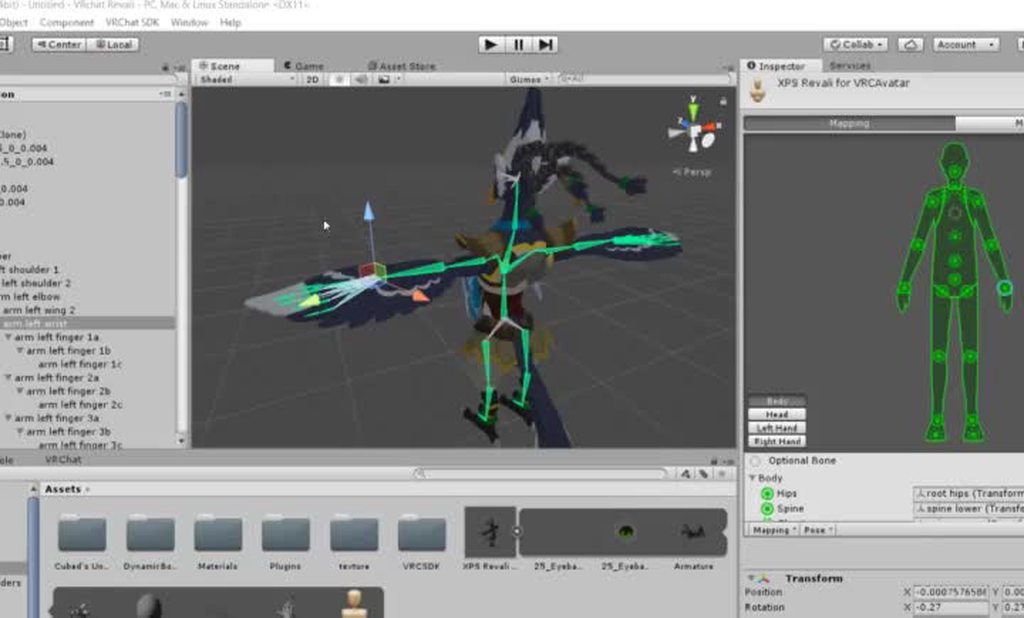
if I remove all the shape keys in blender this doesnt happen
late shale
You're in the rig import settings, not the scene
it allows you to change how the bones import
high cove
oh woops. Hold on, this is happening in the scene too actually
I'll get a gif of that
well, I guess its a bit of a different question
I made a dynamic bone in his tail, but it doesnt seem to be moving, any tips on what could be up with that?
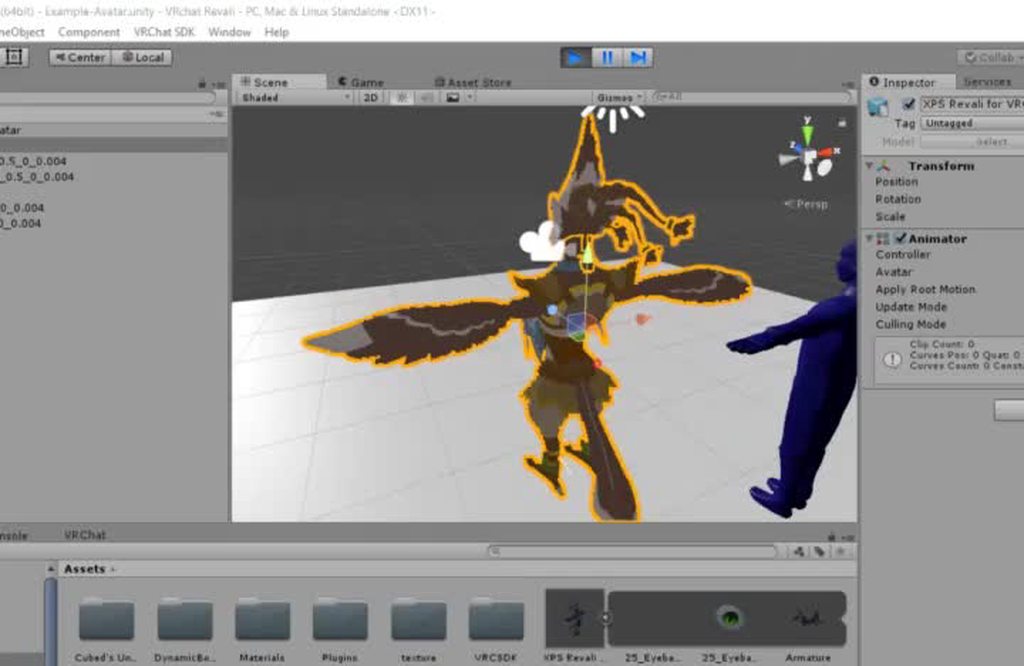
the bone is moving but the mesh doesnt
late shale
You'll need to weight the tail to the bones in blender
look up how to weight paint on youtube
it's really easy for something small like that, you just need to know what the tools are
high cove
it is weighted in blender

do I need to set the root of the dynamic bone somewhere else?
late shale
Maybe something happened to separate the mesh from the bones in unity? bring a fresh one into the scene in unity
No I think your dynamic bones are right, they're moving the bones as they should
high cove
yeah, keeps happening, even in a new project
maybe it's some kind of export setting in blender that isnt right? Are there common issues or some unhecked box there that might be causing this
late shale
What file type are you exporting as?
high cove
fbx
late shale
should be fine, that's what everyone uses
Maybe you have multiple meshes in there or something, and the one that's weighted is invisible?
high cove
could it have anything to do with the fact I imported this model into blender as a .mesh and exported as an .fbx
late shale
as long as it's weighted in blender, I don't think that would be an issue
high cove
also wondering if it has something to do with the export settings down here

is there something I'm supposed to check or enable here
late shale
I've never touched that, so I don't know
high cove
okay if I export the model without face shape keys, the dynamic bone works
so that's really weird
this is probably because I used the pose tool and modifiers to create the shape keys instead of editing the mesh itself
but oof I dont want to edit the mesh manually the pose tool and the weighted bones allowed me to make way more natural face expression shape keys
late shale
proportional editing makes making shape keys a lot easier, check this out https://youtu.be/8bhGenDwfH0
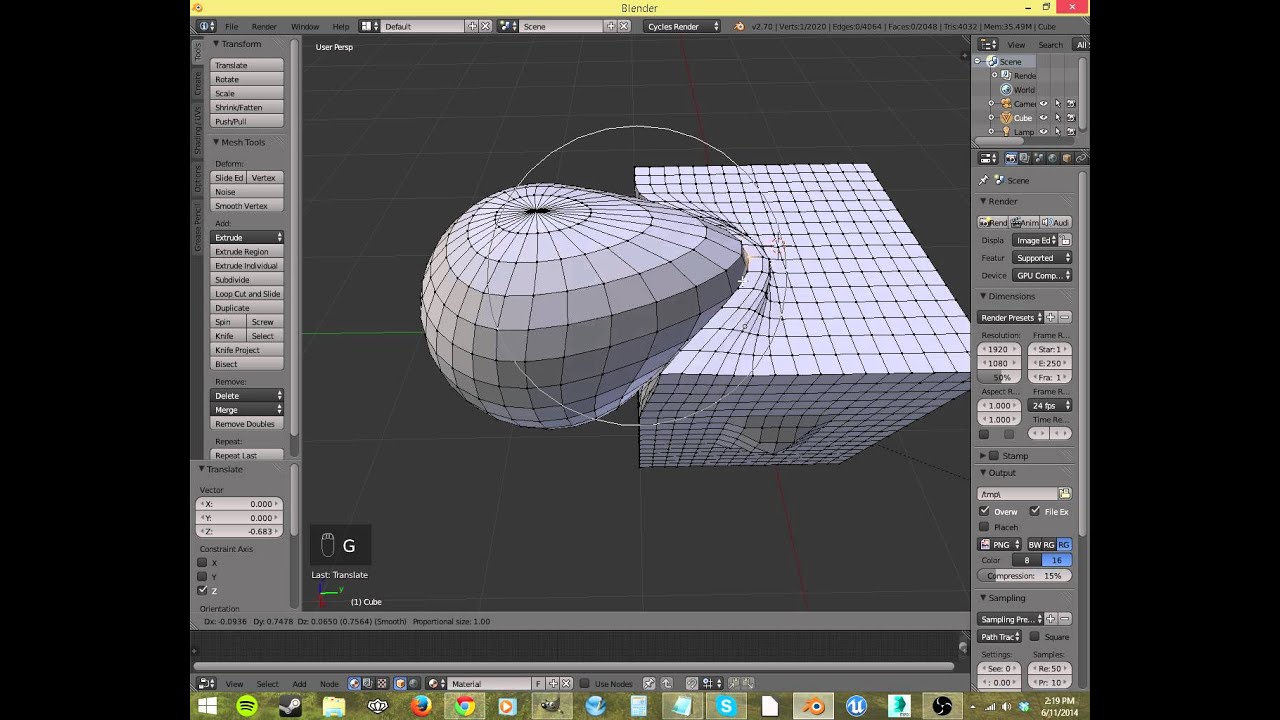
I explain what proportional editing is and how to use it, and why.
gritty nest
If it works in Blender but not in Unity, it's usually vertex groups, like having two groups with the same name @high cove
Also, this is why Cats has a "pose to shape key" button
Don't try to apply the armature modifier as a shape key yourself or it will probably just break in Unity
high cove
yeah, that's what it seems to be doing
ugh that's a bummer, doing it that way made the shape keys look so good
late shale
proportional editing can be better and easier than bones tbh, it's like creating bones out of every single vertex
gritty nest
Just use the Cats Blender Tool "pose to shape key" button
It always works fine for me that way
high cove
yeah, I'll have to get that
yeah I can do that Phasedragon but I just know that, knowing me, it'll end up looking worse or I'll do something really stupid lol
gritty nest
Using bones to make the shape keys is a lot easier
high cove
poses are nice cause you can be so specific, move things along axes and stuff
whenever I edit the mesh itself it looks like some sloppy triangle ridden mess, even with proportional editing
late shale
It might help to remove doubles, if it doesn't mess things up
if the vertices aren't connected
high cove
hey @gritty nest would you have any idea why pose to shape key is greyed out
gritty nest
Nope, I have no idea actually. Same happened to me. Perhaps try going back to object mode, select armature
Then go into pose mode again
high cove
oh I'm an idiot I had to do fix model first lol
high cove
it worked rokk, thanks a ton for recommending that plugin!
 astral ridge
Does anyone know how to edit visemes?
I used the cats plugin to input them but when they are activated it interacts with other meshes
 fringe citrus
@astral ridge you can select the parts of the mesh that shouldn't be affected by the visemes then hit space bar and type separate and separate mesh (or something like that typing from memory on mobile). Then on the new mesh it separated off you can just delete the viseme shape keys. After that join meshes again and it should be fixed. You can use that method to fix any shape keys that activate unwanted stuff btw.
 last iris
Is there anyone versed in how to fix avatars that use mixamos rig? Setting upper chest to blank breaks the rigs hierarchy and when I fix it the rig refuses to update.
last iris
Ah ok thanks
grand bay
You don't need to remove toe bones
but sometimes avatars will tiptoe
which you might not want
late shale
it causes other issues too. It's not impossible to use them if you know what you're doing, just easier to say remove them
last iris
Yeah i got it working thanks though
Now the only thing i have to worry about is decimating the model
astral ridge
@fringe citrus thank youuu it fixed it. You're a wizard
fading verge
So uh does anyone have any video recommendations for beginning to learn how to create your own avatar? I want to create an elmo with a top hat, but I don't know how to do it, and want a place to start
crisp tendon
fading verge
thanks
 arctic drum
Quick question I'm making a non-humanoid avatar that I know I'm going to need to make static animation in Walking animation now my question is how do these animations coincide with VR tracking such as the hands and head
 foggy juniper
hey so i rigged my avatar on mixamo and it all seemed to work fine but once in vrchat the model just t-poses, slighting in the ground. anyone know any reason why this could be happening?
 gritty nest
Did you configure it as a humanoid rig?
It seems you might have broken the prefab instance too
foggy juniper
yes
gritty nest
You probably have to delete the model from your scene and drag a new one in
This also doesn't seem like an imported Mixamo rig since the bone names are different
foggy juniper
i did an auto-rig
other than that havent touched the bones
cause i know nothing bout them 😦
ok

is there something wrong with this?
gritty nest
No, that looks fine
 stark goblet
^ those are just the bones
gritty nest
If it t-poses then you probably haven't configured it as a humanoid rig
stark goblet
^
gritty nest
Select the model in assets, go to rig, set it to humanoid
 stark goblet
Pretty sure it is, did you configure it btw?
foggy juniper
yeah, did all that,
stark goblet
You should be good to move to the next step then 😄
stark goblet
🤔 Pretty sure tbh
If not sure, import it to vrchat when you are done, test it if something is off, go back to unity and reach here for help
foggy juniper
got the custom override animation emtpy, would that change all animation to nothing?
because the video i watched said to do that but idk
stark goblet
Try it, but before that save a backup of the avatar
gritty nest
The CustomOverridesEmpty thing is an override controller
Any slot you leave empty will just be filled in by the game
So you should leave everything empty that you don't want to override
stark goblet
did you back it up?
foggy juniper
i already have a backup
but
strange
this time i have the spine missing elemnts error
stark goblet
what's the error btw?

 stark goblet
?
foggy juniper
chest wasnt mapped
stark goblet
fix it xd
foggy juniper
hopefully this works now haha
stark goblet
No need to thank me 😄
misty cradle
can someone tell me how to add an extra mesh object for weightpainting on a avatar? i thought i can click the object do the weight painting and add the bone for it in the vertex but doesnt work
 wary pendant
so i have this avatar that cant crouch and i need finger bones and i am completely inept at it, could anyone do it for me? please? ❤
crisp tendon
#tutorials or check the VRCTraders server for commissions in #community-servers-old
 crystal wolf
So, how can i change this

I want to move hips from a diffrent avatar, which is the same, has all dynamic bones and things like that on it, but i cannot connect it to the armature and am not sure why
Shoot me an @crystal wolf when anyone knows o//
opal aurora
@crystal wolf you can't attach it like that, it's just plainly not part of it, if you want to put the dynamic bones the same you either copy values from one to another or copy/paste the components themselves (keep in mind each root will be pointing to the original bones and you'll have to re-drag the new ones in)
crystal wolf
I know, but am pretty sure it could be possable
i've managed to connect it before, but shortly after the body disappers but the armature still works
sleek isle
If i put shape key to deform my shoulder in a way to be more realistic. Does vrchat going to use it ?
 thorn glen
anyone here that can help me?
 inland notch
just to make sure, i have this avatar where the legs are bent in fullbody when i dont bend mine to lower my hips, that means the armature for the leg is too short, yes?
rare sleet
More than likely they are too long, irl arm length tip to tip = height on average
fading verge
@inland notch that means you don't have the full body fix applied most likely
inland notch
yea i dont use CATS, but i investigated a bit inbetween and found a few idea on how to improve stuffs (and yes the hips bone is in the wrong direction)
 normal burrow
does anyone have a video about riggin avatars manualy?
normal burrow
i really need help with rigging
crisp tendon
there's a ton of tutorials on youtube, what can't you find ?
normal burrow
so i get to the point where i have my skeleton
and im trying to do the auto weight paint but it gives me an error
crisp tendon
what error ?
normal burrow
Bone heat weighting: failed to find solution for one or more bones
crisp tendon
type that in google, there's a video for this
normal burrow
really? i typed it but i came up short. guess ill try again
rare sleet
Lmfao
You didn't clean up your doubles
That or you are weighting multiple submeshes at once
Either way it's gonna be a bad day
normal burrow
holy hell, your right thats what the problem was. thank you two, thats all i needed this entire time
 golden dragon
I am a desktop user and my leg are glitching thru my legs when I sprint and I have dynamic bones and colliders
 unique frigate
How does one fix rotation on bones? They look fine until I play an animation and before you say I can just change the animation it’s a few minutes long and I literally cannot edit it in unity because it locks up
rare sleet
Dynamic bones aren't perfect, if there's too few strings your colliders will find gaps and even iff it's water tight your legs will clip through due to low refresh rates
Bone rotation is fixed in blender
 heady fog
Do you know how to change the default motion? <Sitting, walking, Idle>
crisp tendon
Look into animation override, there's a couple videos that explain it @heady fog
heady fog
I could only change my facial expression and finger motion.
Can you change body motion in the video clip you mentioned? @crisp tendon
crisp tendon
You would have to use the Avatar Sample controller, and there you can change the walking animations, idle, jump, etc
Showing you how to change default emotes to weapons & stuff. SUBSCRIBE, LIKE AND ALL THAT GOOD STUFF!! :D MY FIRST TUTORIAL ► https://youtu.be/0vdiCJRAExw DI...
heady fog
I watched the video well.
But it was knowledge.
Do you mean to put it in every idle motion?
To change Idle motion
I can't see you sitting motion. Do you know where you are? @crisp tendon
crisp tendon
Sitting should be Idle but you just add it to "Custom sitting anims' in your avatar descriptor
 inland sentinel
https://i.redd.it/goq37o4ahhd11.png <- when using mixamo
 karmic olive
Is there anyone that could help me rig 1 or 2 avatars? I don't really have time to learn how to rig myself. If i need to pay for it then sure but if someone is willing to do it free. Then I'm really thankful!
crisp tendon
@karmic olive Check the VRC Traders server in #community-servers-old
karmic olive
Thanks
 ember basin
Hmm, so i have an idea about eye tracking ye?
It usually is a bone that rotates on the x and y axis in a sphere right?
Is it possible to contrain its movements to only up and down, you know 2d basically
for a characters eyes that are flat
late shale
@ember basin It might work by having a separate bone with the mesh weights connected by joint and constrained on one axis to the actual eye bone, which is itself not actually weighted to anything
ember basin
Hmm, like using fixed joints perhaps?
foggy juniper
yo, so i got this error


this is my set up
idk what i did wrong?
anyone know
so confused

dunno if that helps or not
nm i figured it out 😃
 weary beacon
 wintry elbow
whenever i set my left hand bones and i apply, the whole thing i just did instantly disappears
left hand is weightless btw
ok i fixed
fading verge
did you merge the weights in blender
?
or are you manually painting it instead?
You do realize you guys dont have to weight paint hands right
you can just pull hands off an existing model and they will work on any other model
 faint turtle
https://puu.sh/B7IhK.jpg a little help?

that all happened because of this: https://puu.sh/B7IiT.jpg

 plucky talon
can any of you help me with a little problem i imported a model from blender to unity and it was fine textures and all but the armature of the model was broken i tried to enforce t pose on it and it just made the armature move out of the body
plucky talon
?
sleek isle
Can you screen shot
 lofty topaz
http://prntscr.com/ke4qjp Is there an easy way to quickly fix this weight paint issue?
 jovial dune
So I modified the rig a bit on my current model, and it looks fine in blender and fine in unity when I look at it in the armature-setup menu but when viewing directly in the scene view, his arms are off center https://i.imgur.com/JtrBp58.png
Any idea what I broke?
 rigid bough
hey how do I move a bone without moving the mesh?
I want to move this eye bone back to this red circle spot to try and fix eye tracking but I dont know how to move its position without moving it with the mesh
 rigid bough
@jovial dune ily
 subtle moth
oof
plucky talon
@sleek isle if you are referring to me yes i can
 lilac vault
i need help i need to figure out how i can add mouth movement to my character with dynamic bones,
lilac vault
yeah jaw
fading verge
you have a jaw bone ?
lilac vault
im not sure i have to find it or put one in
fading verge
i still don't understand what kind of movement you want with that
using dynamic bone will just make the jaw be all wobbly
crisp tendon
Your jaw is going to look like someone on a trampoline if you use dynamic bones
fading verge
yep ^
and if you don't have one, oyu'll have to create a new bone and weight paint the jaw to it
crisp tendon
If you have a jaw bone, just use the lip sync "Jaw flap bone"
fading verge
visemes or jaw flap bone
but again, you need a jaw bone, so i fyou don't have one you'll need to create it
crisp tendon
visemes is a lot of work, but for detailed movement, jaw flap is just open close mouth
lilac vault
how would i create a jaw bone?
crisp tendon
make a bone, weight paint, voilà
fading verge
you can extrude a bone directly from the head bone
uncheck "connected" so you can move it freely without affecting the head bone
crisp tendon
Wouldn't that give it a rotation based on the head bone location ?
fading verge
hmm
crisp tendon
You'd probably want to place it so that it has this rotation https://www.tankonyvtar.hu/hu/tartalom/tamop412A/2011-0095_fogaszat_angol/images/chapter07/c0702_pic009.jpg
 lilac vault
im sorry im a complete noob at this kind of stuff , this is what i have https://imgur.com/gTodG7b
 crisp tendon
Go down the list of your bones, see if there's a jaw already
fading verge
weird, my bone is backward https://i.imgur.com/Nu4T6Ej.png

also you should probably merge the meshes, i see that they are separated
gritty nest
Actually, there is also another option for jaw lipsync
Jaw Blend Shape
It needs a slight bit of prep work in Blender. You enter pose mode, open the jaw, click "Pose to shape key" in Cats
Then you use that new shape key in the "Jaw Blend Shape" option
It looks better than jaw flap but is still simpler than visemes.
lilac vault
My headbone does not have a jaw bone
crisp tendon
Then Rokk's suggestion is probably the easiest
fading verge
Hi, so I followed an online tutorial on how to add breast physics (Duplicate chest bone and add two disconnected bones coming off of that, then apply a vertex group to each of the two bones) but for some reason when I move the original chest bone now, the breasts don't move with it and go inside the body (Blender btw)
 elder crescent
does anybody know how to enable the 3d manipulator when you have an armature selected in blender? would prefer to use it rather than entering transform values.
fading verge
Problem was its parent was the spine instead of the chest
jovial dune
My character looks fine in blender https://i.imgur.com/W0b8gng.png but when I import it to Unity its hands/arms look all screwed up: https://i.imgur.com/kWcTsQ4.png
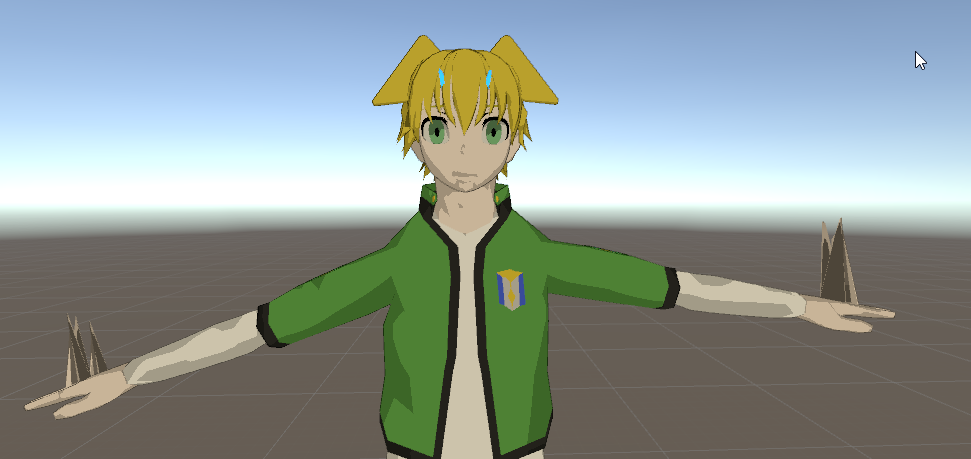
Any idea what's going on?
fading verge
dat neck tho
jovial dune
meh his neck's fiiine
fading verge
either bone rolls not set to 0 or missing weight paint from those vertices
jovial dune
I added a couple vertexes there but when I checked/edited the weights it looked like it distributed everything fine. What's bone roll? https://gfycat.com/SilentAcademicBlackbuck

Yeah all my bones have different values set for the "Bone Roll" but changing the value doesn't appear to affect anything.
Do I have to set them all to 0?
jovial dune
@fading verge Thanks, that didn't fix it but it's good to know to do that too
Turns out my left hand had some weight with the new vertexes on the right hand, and vice versa
@fading verge I lied, your rolls thing fucked it up even more https://i.imgur.com/SoxMhGw.png
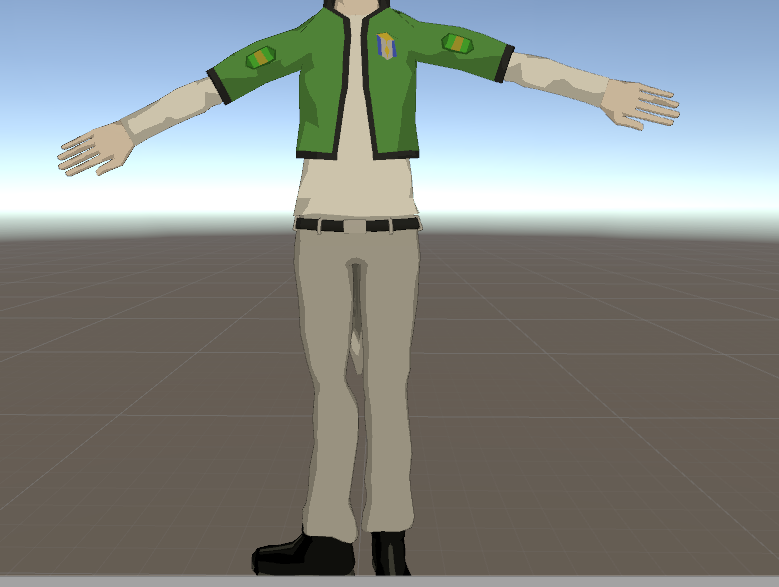
Looks like it broke his right leg, and his arms are bent forward instead of the normal position, now
And his shoulders are still unevenly position wrong
When I "enforce T-pose" and survey everything in that window, it looks fine https://i.imgur.com/GfjyBtH.png

But in the scene view, it's all rotated weirdly
fading verge
dunno what's wrong with your models
until now, everytime someone had issue like yours, it was either the bone rolls not set to 0 or fucked/missing weight painted
never saw anything else causing those issues
jovial dune
In case it means anything, that derpy rotation doesn't actually upload, just looks weird in the scene view.
 pale hull
Try exporting the model file itself as a different format
jovial dune
And it was caused by moving the positions of the bones in edit mode
You know what, it's probably because I keep applying these file updates directly to the model that's already in the scene
I'm just gonna copy all the components from the old model to the same one but re-placed in the scene
I drag/dropped the same model into the scene and it looks fine https://i.imgur.com/Hmjd0mf.png
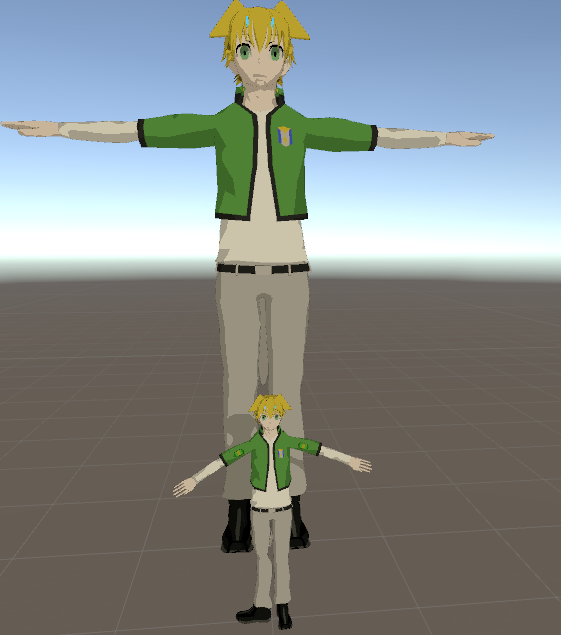 fading verge
oh yeah
if you change bones rolls
and positions
you should drop a new model into the scene
gritty nest
Yep
Or you need to select all bones and revert transform to prefab, but if you don't have any objects on the avatar itself, it's probably easier to just drag a new one in.
 native sail
how would I handle a character that is floating/doesn't use their legs?
gritty nest
So they have legs?
Make fake leg bones, and add idle/walking animations for the "real" ones
Otherwise the IK system will move the legs even though you don't want them to
fading verge
so whenever my eye tracking looks up, my avatar does a blend shape
 boreal magnet
Does anyone know how to fix random holes in the clothing? There are areas of my avatar's Jacket that just look transparent in blender. Its not like its missing anything there though, its as if the texture for that specific area is missing
 glad egret
- wrong chat 2. post pic
boreal magnet
@glad egret my bad, what chat should this problem be in?

 austere merlin
is there a way to lock head rotation
heavy otter
anyone know how i set up vive trackers?
pale hull
Plug in the included USB dongles, start SteamVR and turn on each tracker?
Assuming you have updated the firmware via USB cable
heavy otter
yeah after that i log in and avatars are in T pose
pale hull
You have to physically T pose yourself, put each of your feet where your avatars feet are, move your hip properly and put each VR controller on your virtual hands and press both triggers
That's how you calibrate yourself into your avatar. You have to redo this each time you switch avatar
heavy otter
ah i see
pale hull
If you're making your own avatars you might want to have a look at this guide
https://vrcat.club/threads/comprehensive-full-body-tracking-rig-setup-tutorial.1382/
VRCat: Community-Run VRChat Forums
EDIT: As of 2018/04/02, Cat's Blender Plugin now includes this process automatically with version 0.7.0. Go check it out!
Heyo~
So I've been using a...
Most avatars don't work too well with fullbody
I follow these steps and it works perfect for me
X bot and Y bot in the default avatar list should work pretty good though if you just want to make sure it works
 slate hill
Hi good people, anyone here using maya could give me a few pointers? i have a model but i want to know what's the simplest way to rig it so FBX export will be successful and i could move on to the unity part of it
i had a rig for internal use in maya for animation (from 2016) but it's no good it seems as my FBX esport fails horribly and it seems i gotta re-rig and reskin it
crisp tendon
Try Mixamo
slate hill
i want to rig it myself though
would it be just easier to export the model into belnder and rig it there? i see there's rigging tools and such for it
crisp tendon
Sure, i just hope that the automatic weight paint will work well for you, otherwise it'll be painful.
slate hill
i don't mind spending some time rigging and getting it right, but i'm not a rigger so i want somethign more simple. and i'm not even talking about facial expressions and such, for now just getting a body i modeled rigged and working into VRchat
late shale
if you want the simplest way so you can move on to unity, I'm not sure why you're also opposed to mixamo. It might be a bit rough on it's own, but it's always a good starting point to fix it up yourself, and will save you a lot of time
slate hill
how do most people here do it?
i'm not looking for the simplest, just not the hardest
late shale
mixamo is the easiest
crisp tendon
Making one from scratch is the hardest
late shale
it depends on the model, but sometimes you might have to remove a couple things, like a backpack, long hair, long skirt, large sleeves, anything that significantly extends off of the "ideal humanoid shape". The closer it is to that ideal humanoid shape with nothing else, the better your results off of mixamo will be. Once it comes back from mixamo, then you can re-add all of it
slate hill
i have extras, and i want to skin the middle part with less weight since it's a solid armor
extras like dangling parts of hte armor
it won't let me share a screencap, i'd show you
late shale
You can upload to imgur
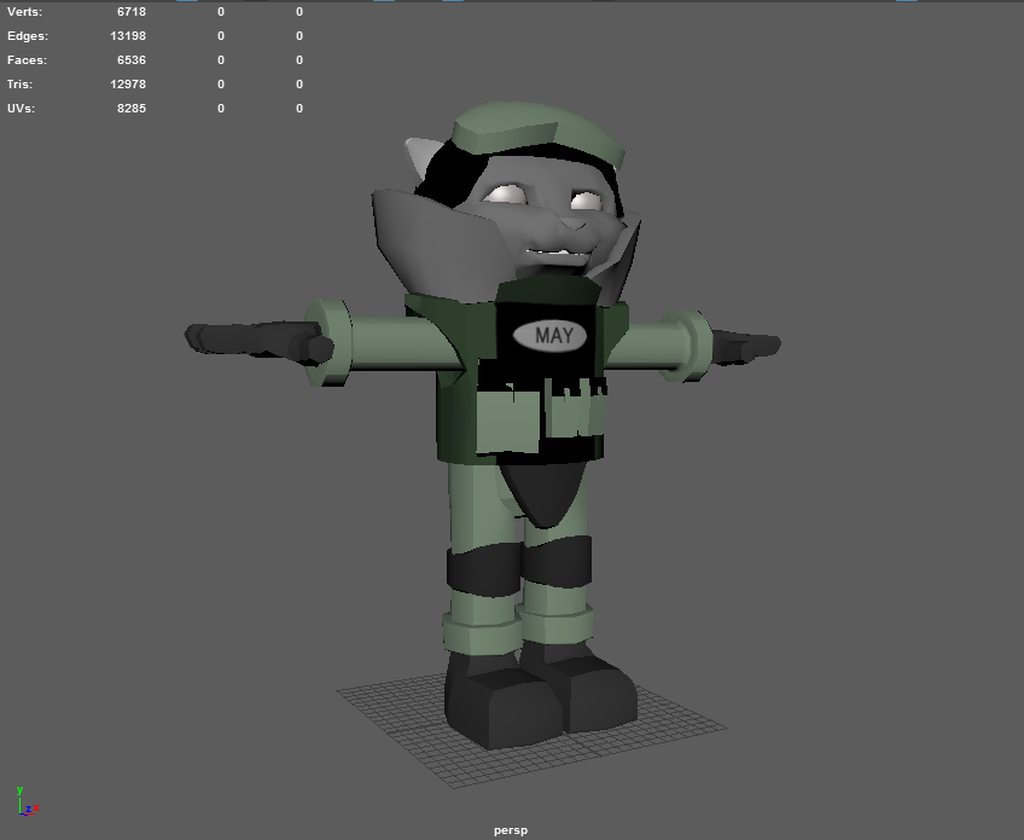 late shale
Yeah I'd put it through mixamo just like that. Will need to work on the chin and neck a bit though
slate hill
i dont like mixamo that much based off experience we had working with it at my workplace, i want control over the things i do
crisp tendon
Yeah, weight painting is gonna be fun
late shale
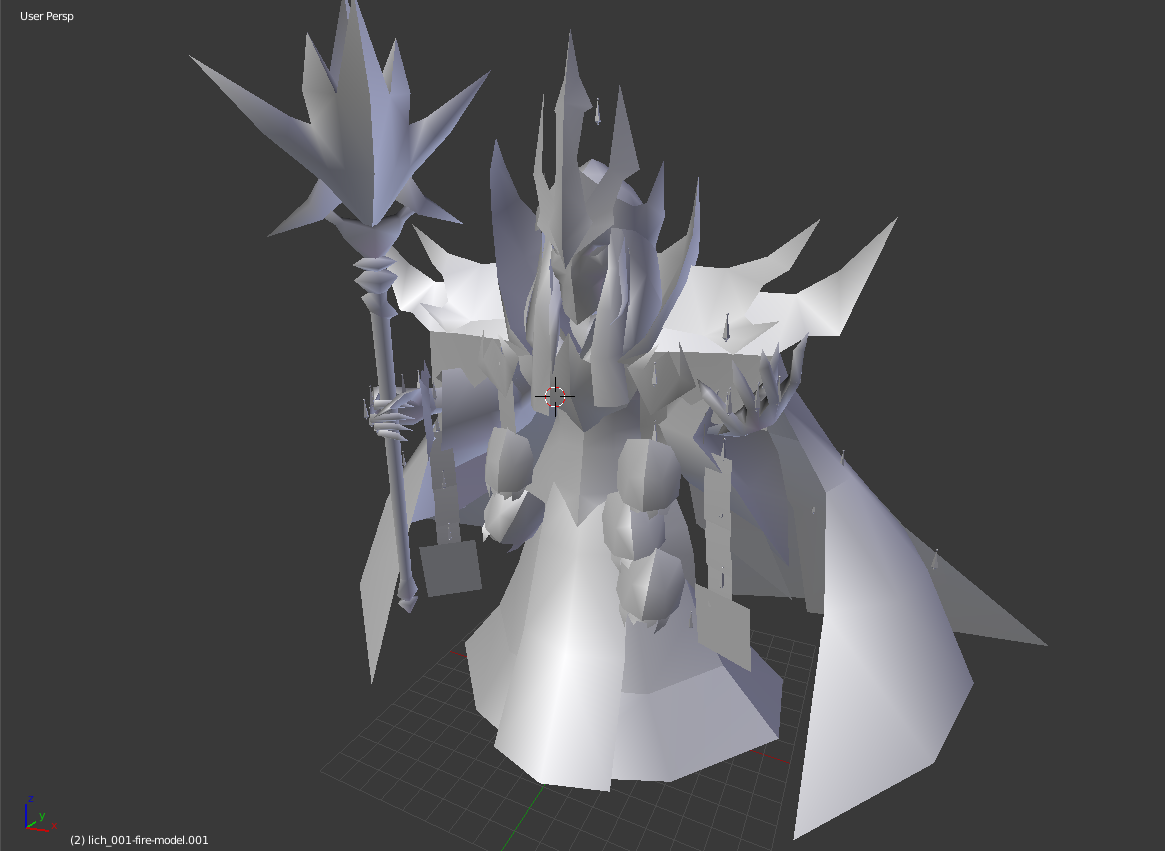
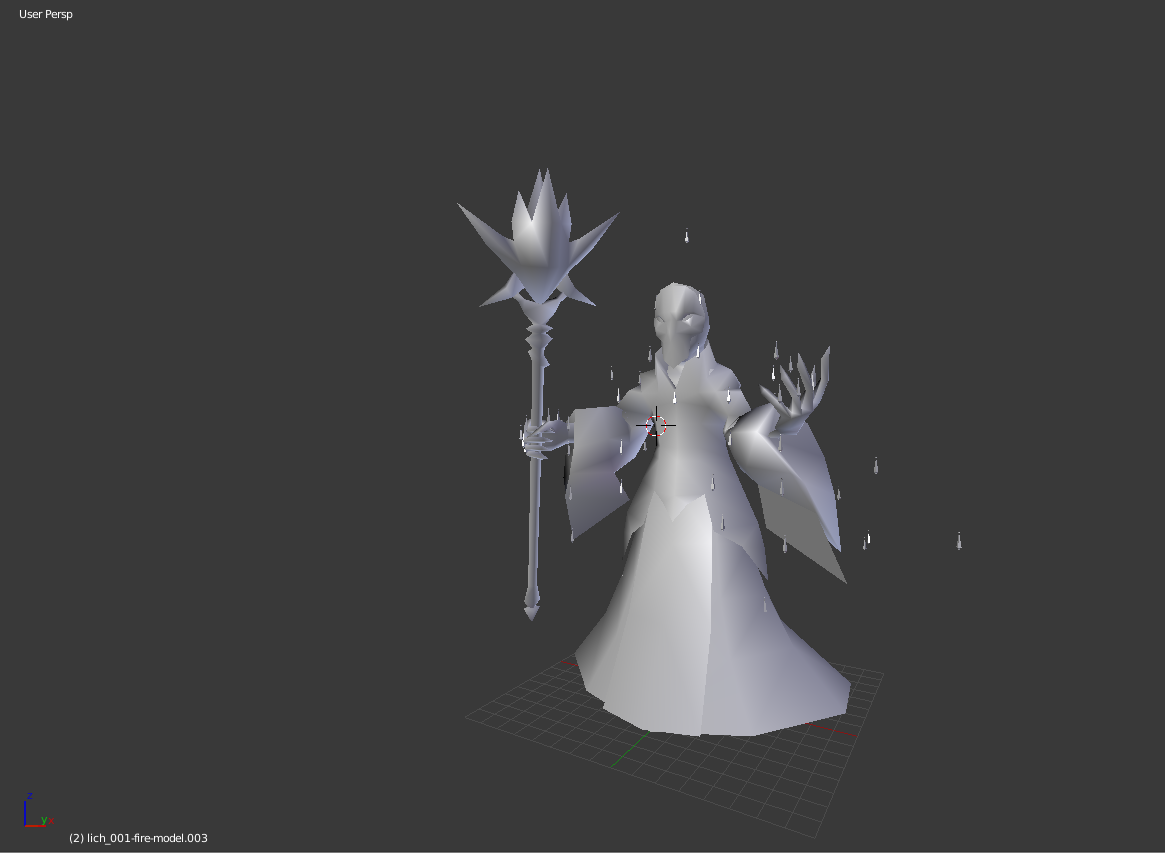
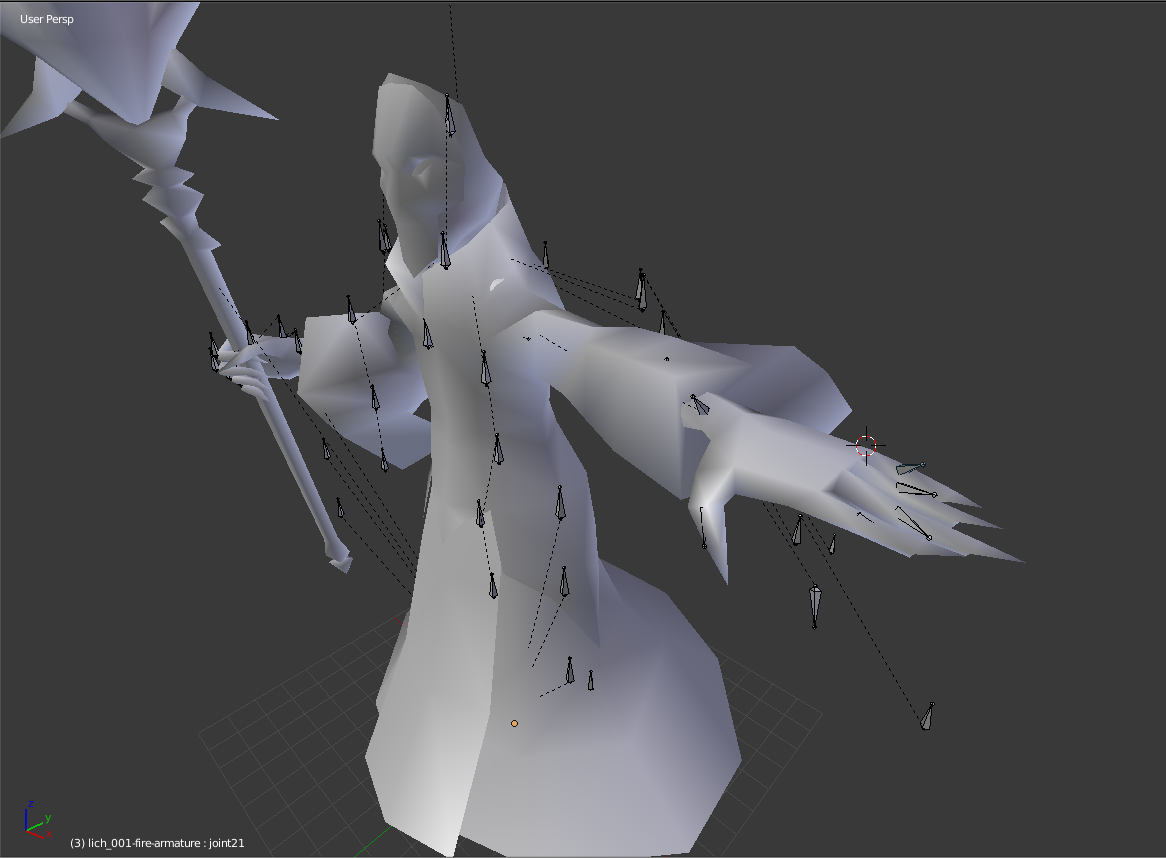
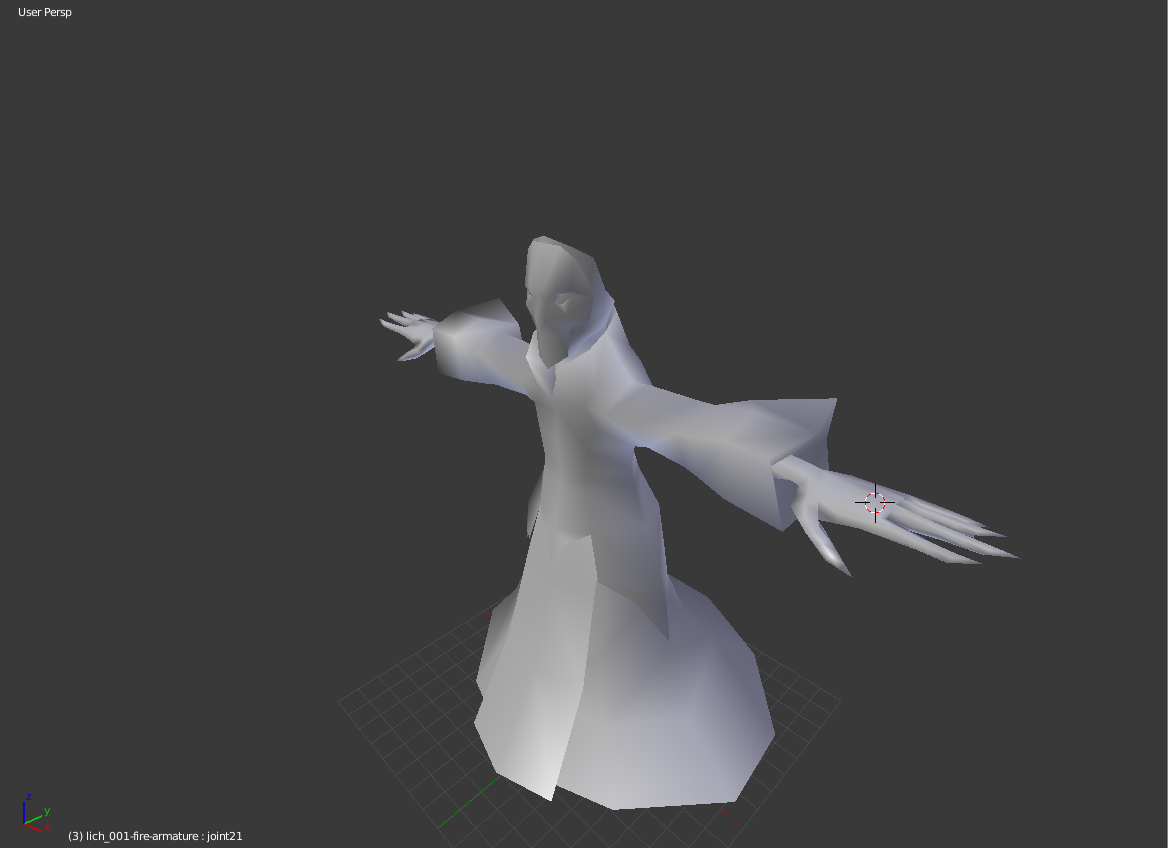
here's an example of my process of running a model through mixamo that, on it's own, would have had zero chance of making it through Here's the start: https://i.imgur.com/2Hz9Tom.png. First things first I'm just going to remove doubles because usually that's the only real fix that game ripped models need, I don't touch cats. Then I remove all accessories: https://i.imgur.com/vyqQybJ.png. The bones were limited, but they allowed me to t-pose one arm. I also subdivided the hand at this step because it probably didn't have enough polys https://i.imgur.com/ej022SR.png. For consistency, I mirrored the arm over, and removed the sleeves too because they would have messed things up https://i.imgur.com/V5WXNwp.png. Then I put it through mixamo and got this back https://i.imgur.com/4vg1gXO.png. For the hands, I just posed them back in place. And for the legs, I moved them to the right place in edit mode, to get this: https://i.imgur.com/qbUXEq3.png. At this point I went through the weights and checked that they're not going to mess anything up. Mixamo pretty much always messes up the chin so I removed the chin from the neck bone and put it on the head, so it doesn't stretch when I look up. I also completely un-weighted the legs because I'll have that whole robe area on dynamic bones later. https://i.imgur.com/vzxzxqY.png. Then I re-added the accessories https://i.imgur.com/hPHhjTb.png and for the non-dynamic ones, it's just a matter of painting to where they need to go: For the dynamics, it's a long process of adding bones to the right place and then auto-weighting the mesh to the rig. It helps to have all the parts of the mesh that will be dynamic a separate part so that when you auto-weight, it doesn't affect things you've already fixed like the chin.
 slate hill
ok, mixamo aside, what do most ppl do here to rig their characters when they dont have bones and skin? blender?
late shale
yeah, blender is like 99% of what people use for vrchat
mostly because that's what all the tutorials are on, and also because of CATS if you want to work with MMD's
slate hill
MMD?
late shale
miku miku dance. It's a program where you can make animations on models and sync to music and everything. Mostly used with anime models on deviantart
slate hill
so they take models modeled for 1 software and convert them into working VR models?
rare sleet
Blender for weighting is easy once you have your method down
slate hill
same for rigging the eyes and mouth speech?
late shale
mouth speech is done with blendshapes, not bones. But yeah, still blender
slate hill
ok, i think that's what i'll do, throw hte model into blender and try to rig the body for starters, then move to eyes and then redo it and add the mouth, sounds like the logical order for getting how the model-rig-unity-vrchar pipeline? or am i getting it wrong
i mean, do the entire pipeline into the game 3 times, 1 for just the body, 1 for +eyes and 3rd one with mouth blendshapes
late shale
pretty much
slate hill
okidoki, i'll get right to it, thank you for your help and time
slate hill
another question , i see in all the rigging tutorials people using 1 mash for the body, do i have to combine my meshes in order to rig?
which meshes should i leave out when rigging
late shale
not necessarily, but it's recommended for performance reasons
slate hill
doesn't it require me to use 1 material only if it's 1 mesh?
from what i understand unity doubles hte poly count if oyu have a mesh with 2 materials
late shale
yeah, that's the whole point
doubling the poly count isn't quite accurate, but it does double the time it takes your CPU to hand it off to the GPU, that's the big thing
so the fewer materials the better
slate hill
hmm
i see, so if i want to have lets say a metal bracelet, i should just parent it after i rig something?
late shale
it's alright to have a couple extra materials for something that needs to have different properties than the rest
and in that case, it'd be easiest to have it as a separate mesh too
otherwise you'd need to deal with assigning it in blender and that's annoying
slate hill
should i just parent it in unity after i import it there?
just as a different model
correction
in case it's a hard object that's attached to the body. not in case it deformed with it
late shale
If it's something that's static and attached to a single bone, sure. But if you need it to flex then it'll need to be a part of the model before import
slate hill
question, is it perferable to use A pose or T pose when rigging for VR?
 manic marsh
T pose is a great meme pose
But A pose is more natural and makes for better positioning at the shoulders
But its a little harder to rig the fingers because you cant just drag the bone on one axis
 earnest sable
Hey, is there a fast way to copy an existing rig into a new avatar model ?
late shale
You can copy the bones over, but it will still have to be weighted
In blender, just import your first model, delete the mesh, and import your second model
Then parent the mesh to the rig and choose how you want to weight it
earnest sable
Ok ill try it out thanks
 fierce anvil
Okay, ive done vrchat rigging for a really long time and i definitely know what im doing... but im having this issue that i dont understand... where my avatar is really really big in-game
I have a model thats at a good scale, and in game its scaled down to 0.8 before uploading
i changed my model around, saved as a different name and reimported her into unity. again i did 0.8 scale

on the left is the one thats really big in game when i open it up
on the right is perfectly fine..
im not too sure, and i feel like it could be an issue with vrchat... so i downloaded the api again and i also freshly reuploaded. still having the same issue
fading verge
you can change the size before exporting those
when you export as fbx, bottom left oyu have an option for scaling
fierce anvil
actually
they're .blend files
but the left one is the same as the right just slightly modified
unit scale is set to 1 on metric on both in blender
I feel like it's an issue with the rigging... I should probably not use cats...
 desert arrow
can someone help me with a problame in unity?
my problame is that i want to play a video on a object
but i dont know how
manic marsh
The video player component is not supported on avatars
You could try using a animation sheet from a gif with a shader, but that's quite unoptimized
ivory radish
how do i fix the awful rip rotation crap from full body
it happens on practically all my avatars
shouldnt it base rotation off of tracker rotation when i set it up
 tepid jacinth
So. I made a model, rigged it and then tried to set it up to play with, but instead unity is telling me that its under the origin level/floor, and that its to short despite being about human hight. is there some glareingly obvious thing that I should check for?
sleek isle
You need to change the place of origine at the botton of the feet in blender
.check google for that
Or rise the hip bone in the humanoid windows of unity
@tepid jacinth
tepid jacinth
alright. I'll do that
 dark pollen
Hey does anyone know any good quadruped avatar guides?
I saw someone in a shiny Rockruff avatar yesterday, fully animated with head tracking and hand gestures and I'd love to do the same with one I'm working on
crisp tendon
All you need to do is make dummy invisible legs, animate the quadriped legs
sleek isle
@ivory radish i dont really understand post a gif or something
 wind kettle
i was trying to publish my finished avatar and its giving me this error https://i.gyazo.com/6cac1177bb829dcafad787f89387b540.png how should i fix?
 slate hill
@manic marsh thanks man
 tall jungle
Leave the "upper chest" field empty
manic marsh
👌
wind kettle
im kinda new to making avatars so how do i do that 😛 @tall jungle
crisp tendon
Here's a video on extremely common issues I see with bones and rigging setups, and ways to solve them. I cover: - Leaving Upper Chest Blank - Reparenting spi...
wind kettle
ahhh thx
now im getting this https://i.gyazo.com/f4a4982dcdfd4936aa3f0cf9c4bf53c3.png
 tall jungle
You might have the wrong rigging bone order. I don't know enough about rigging to walk you through fixing it, sorry.
I know this is the rigging channel, but #avatars-2-general is much more active, so people usually asking rigging questions there if they need a fast reply
crisp tendon
use your chest bone for the chest
 mental lynx
So I seem to be having an issue Ive never come across before.
The upper arm twists in 180 degrees when my model is in most positions in VR.
What could be causing this?
 golden perch
any videos on rigging something from the ground up? or adding rigs to existing assets?
gritty nest
@mental lynx check the SDK for "forearm rotation" issues
You might have to reorder a few bones in Unity so the arm bones are the first in the chain, rather than sleeve bones etc
crisp tendon
You can also reset the roll of bones.
 winter cairn
Is there a way to get the dynamic bones thing for free?
I know devs gotta eat but so do I
fading verge
you wont get that info here
 dark mauve
You guys are my last hope. I'v been stressing out to the max in blender for the past couple of weeks, working on 2 models. Please please, PLEASE for the love of all things VR help me with this I'd post a pic, but apparently this chat doesn't allow. I attached a bandana to the head armature of my character. It moves with the head in pose mode. I tried to put a few bones in the bandana, but when I did that, it messed it up. Like when I go into pose mode and move the head, the bandana still moves with everything, but it doesn't move in sequence like it does without bones. also, the bones move with the bandana, but they move at a slower pace, thus distorting the bandana even farther.
 odd tulip
I think you can post links to images, but file uploads are prohibited so posting an image that way would help understand the problem
upload it to imgur or something
dark mauve
 odd tulip
looks like the bandana isn't weight painted on the end
so it doesn't move with the bone
select the bandana and enter weight painting mode and select the head bone then paint on some bone weight to it. You may also need to add an armature modifier to the mesh

Quick intro and guide to skinning/weight painting. this video is meant for those with a basic understanding of Blender
crisp tendon
If it already has a vertex group, you can also add it to the bone
dark mauve
Do I need to attach the bandana to the rest of the mesh?
crystal vector
@dark mauve No, you probably should weight the bottom of the bandana to the chest
dark mauve
Are you sure it doesn't have to be attached to the rest of the mesh? I think that may be the problem cause when I grab the mesh body and move it, the bandana doesn't follow, but when I grab the armature and move it, the bandana follows but at a slower rate
odd tulip
if it's following at a slower rate it sounds like it's weighted to two things equally and it's moving slow because it's going to the average between the two bones it's weighted to
dark mauve
I meant moves faster. sorry.
odd tulip
Ok try this. Start from the bandana and the avatar being separate.
Get into object mode shift select both armatures and both meshes, join them, and then in edit mode for the bandana armature go to the bone tab on right and change the parent bone for the root bone of the bandana to the head bone of the avatar.
Then go into the modifiers tab for the bandana mesh and make sure the armature modifer has the "object" set to the joined armature
dark mauve
But when I try to join the bandana and body, it gives me that error message at the top. I can remove doubles for it to work, but it decimates the shit out of the model
crisp tendon
What error is that ?
dark mauve
Oh hold up, it actually joined this time.
crisp tendon
dark mauve
xD Top kek
So now when I move the armature, the body moves at a slower rate than the body, and when pivoting certain parts, it's really stiff. Weight paint, right?
crisp tendon
yup
fading verge
are you for real ruuubick :omegalul:
crisp tendon
self-deprecating humor is what keeps me alive
dark mauve
Ruuubick, my friends are part of the Tupper fan club, but consider your club to have a new member. You saved my sanity.
crisp tendon
I'm also part of the Tupper fan club, but you're welcome
dark mauve
oof ya got me
fading verge
i want to be in that fan club too :(
 crisp tendon
If it's really that bad, you might want to try automatic weight paint, if you still see the issue, there's something else causing it
dark mauve
Bone heat weighting. Failed to find a solution
 crisp tendon
Move his arm mesh and bones closer to his body ?
 tiny zinc
can i do that in unity?
crisp tendon
Nope, that would be blender
 civic loom
@dark mauve you need to separate by material and then automaticly add weight
How do i can to change my model's sitting pose? Some guides maybe? Because i can't find the way to do it
sleek isle
Play with the shoulder bone position
golden perch
"bone heat weighting failed to find solution" when trying to auto weight an armature to a mesh?
crisp tendon
Google that and you'll find a video tutorial for it
gritty nest
Removing doubles tends to alleviate the issue, but not always. I have seen models where it just refused to work entirely.
golden perch
anyone know how to fix a ton of loose parts?
 main parcel
Would rigging a avatar with digitigrade legs like those full body dinosaur costumes where the wearers real legs are "hidden" be possible?
Or would that mess something up in the process
drowsy wharf
@main parcel I would guess the easiest way to do that would be to anchor the bones of the digitigrade legs to invisible standard humanoid ones (basically just not weighted to anything). And using the invisible humanoid ones for your Unity rigging.
You could also use a generic rig in Unity, but you wouldn't have the gestures/emotes or head/eye/hand tracking and would have to make your own animations for it.
main parcel
@drowsy wharf thank you. I was more worried that doing so would break the model. The model's upper body is fine, its just pelvis down is a mess lol
drowsy wharf
it's basically like adding a flowing cape to a model (with obvious differences), and you may have to mess with the alignment to get it to work how you want. I can't help with specifics there though.
if only we could set constraints properly in Unity it'd be fairly easy to do, just locking the foot to the foot, rotations on the legs, etc
main parcel
I was going to utilize the example model from the sdk to help scale the human legs. After this im splurging on jiggle bones for the final iteration
 untold sequoia
So I'm trying to upload an avatar from Unity, but I have two warning messages. One being that the avatars height is probably shorter than I want, and the hip+thigh joints are not adequately far enough apart to work well with full body tracking. (Should be 180, distance is 142) I was wonder if anyone could help me?
Also it appears the avatar only has torso-hip skeleton. I dont see leg joints in the first place.
pale hull
Warnings (Yellow notices) doesn't block you from uploading. Try uploading it and see if it still works good enough
Even though warnings show up, it might still work perfectly fine
Since by the sounds of it you're doing fullbody friendly rigs, this might help you
https://vrcat.club/threads/comprehensive-full-body-tracking-rig-setup-tutorial.1382/
VRCat: Community-Run VRChat Forums
EDIT: As of 2018/04/02, Cat's Blender Plugin now includes this process automatically with version 0.7.0. Go check it out!
Heyo~
So I've been using a...
untold sequoia
@pale hull Ooh thank you! I'll have to check this out.
pale hull
Personally the guide works fantastic for my setups
untold sequoia
Yeah this looks very to the point which is what I was looking for. Thank you so much 💯
 inner cedar
Hey
I'm also going to try and eventually implement custom animations to my avatar.
Was wondering how you'd go about avoiding the character's feet clipping mid-animation through the floor.
 gleaming hill
I'm attempting to import a premade mesh as an avatar, but I'm still on the rigging bit. (Using Blender at the moment).
The avatar is a robot, and the arms can't raise very high without looking odd. The mesh's default pose is with the arms relaxed at the sides, not the T-pose of the default armature.
My question is, is it OK to move the bones to a relaxed default position, or should I try to move the arms of the mesh to match the rig more? Or should I have them meet halfway?
inner cedar
@gleaming hill You'll likely need to reconfigure the weight painting.
If you want, you can set the mesh in the T-Pose or as close to it as you can get it. Then you can take the mesh, export it as an .FBX and import it into Mixamo. From there, you can rig it automatically.
gleaming hill
Out of curiosity, why use Mixamo instead of Blender to rig? Is it easier, or something? I've never used it before.
Er, Mixamo. I've used Blender a little.
inner cedar
Yeah, it's quite a bit easier.
It's best for rigs with a somewhat humanoid design.
You do need to sign up for an Adobe account, but it's free.
gleaming hill
Ah, ok. I did sign up just now, I just need to fix up the model a bit before rigging. I do hope it makes things easier, rigging is one of my least favorite things to do, haha.
(I thought this was the version I edited a bit to have proper eyes but... Apparently not. And I can't find my other one, so I've got my edits again. Hoo boy.)
Thank you for the help!
inner cedar
Please let me know how the rigging goes.
 upbeat ore
why has my character decided to sit down, and i cant upload her because shes to short because of that?
gritty nest
Did you make any animations on it? @upbeat ore
upbeat ore
yes
gritty nest
You need to make animations on a duplicate of your avatar
upbeat ore
but i put the controller back to none
gritty nest
Otherwise this happens
Yeah, that doesn't always work
Always animate on a duplicate
upbeat ore
ahh ok
gritty nest
Alt+click the armature to expand the entire hierarchy
Select all bones, then revert the Transform component to prefab
Using the gear icon
That will reset all positions
upbeat ore
thanks!
awesome, its worked
seems to lag the game when i change a material of my hair in an animation gester, is that normal? / is there any way to optimise
 wet granite
Is it safe to insert an empty game object into the armature (inbetween, becoming a parent of some of the armature)? I'm wanting to insert multiple empties as a parent of the "Armature" to organize some animation components.
rare sleet
It's fine, the mesh only looks for the bone name to move it
That is iirc
I know it works on npcs
Either way it should be fine
 kindred thicket
Anybody know how to fix the issues with full body tracking on XNALara models without putting them through mixamo? MIxamo has been giving me issues with a particular model.
hips and legs seem to be twisted out of shape when in the game, used to always just fix it with mixamo.
sleek isle
You want get rid of the error message or use leg tracking?

 gentle silo
I'm trying to reparent the arm bones of a model in Blender but in the Relations tab the parent list is greyed out and mousing over it brings up "Disabled: This property is for internal use only and can't be edited." Any way on how to fix it?
Wait nvm. Wasn't in edit mode.
fading verge
I've a lil problem (i don't know if it's appropirate to post it here but well), in big : https://gyazo.com/85c140c96c488d3de1c466fb5e8f915f
 fading verge
Well, for the first time yeah, after i restarted all, my friend did a animation & i don't know what happend honestly
Can i like, download a another Ooka & just replacing the prefab ?
fading verge
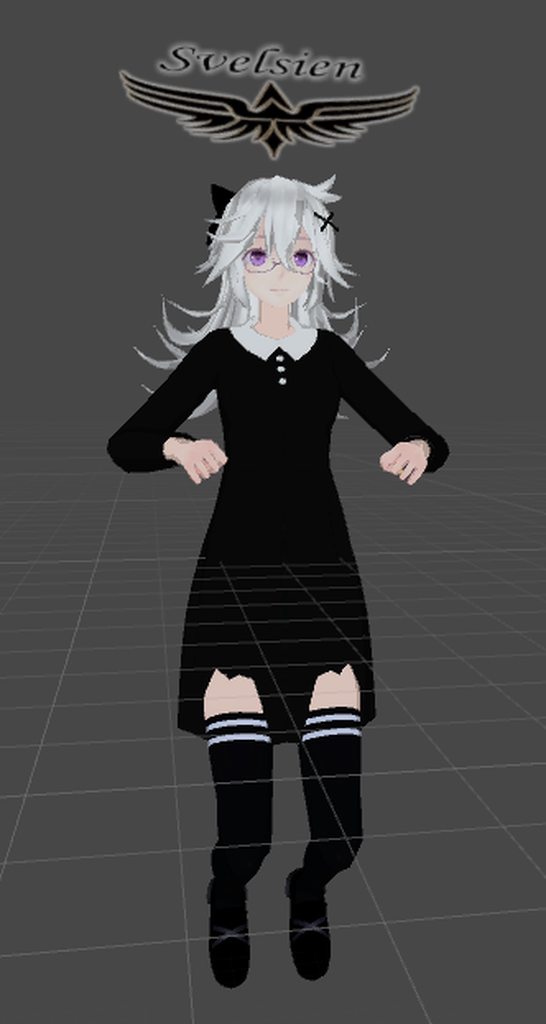
Well, when i'm clicking on "Play icon" in Unity, i'm not anymore in T position
& now, my legs are like, poorly weirdo in-game

And finally, that's how i look ig : https://gyazo.com/4494e0a7c4b8641d7bc6617ab094b5fc

 light kindle
 fading verge
Some idea about that ? :

 limpid scarab
@fading verge move the hips a little more up in the rig configuration
not the whole model, but the hips
 paper stone
How can I stop my avatar from crab-crouching?
paper stone
I'd have to pop into VRChat for that, gimme a second
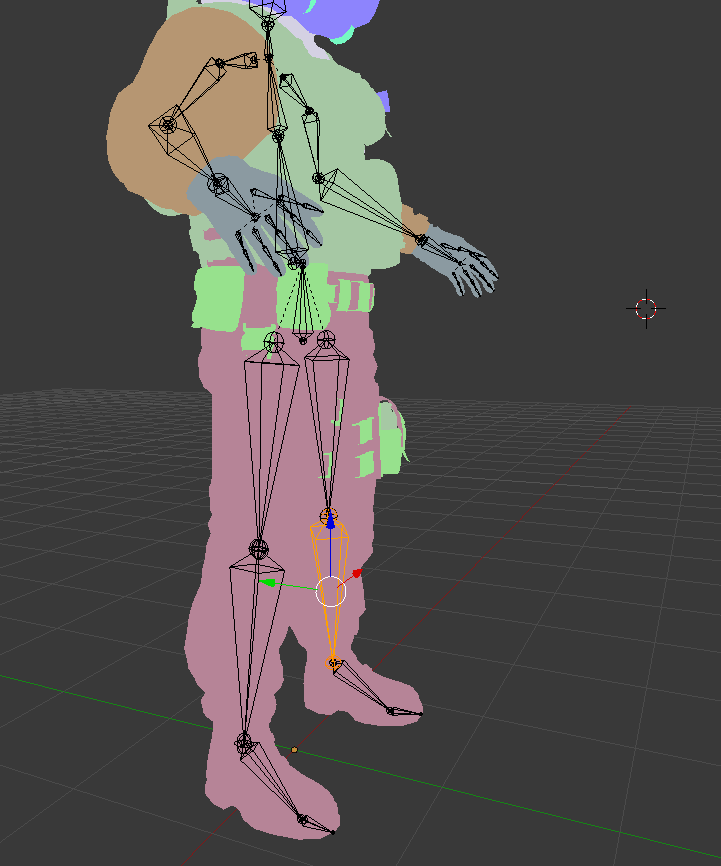
Basically the legs turn to the side instead of forwards when crouching
gritty nest
Ah
Unfortunately I dunno what causes that. The IK system is very dumb in that regard.
You could try going into the Unity rigging tab and bending the legs slightly in there
Like 1 or 2 degrees max
You could switch animation set from male to female or vice versa
 gritty nest
It might be a bone rolls issue
Select all bones and set the rolls to 0
Clear roll or something
paper stone
I think I got it, I'll test later
Another issue I have is this https://cdn.discordapp.com/attachments/448969662043127818/476784551415382057/unknown.png

Where the torso seems to stretch with the arms
gritty nest
Broken link
No access
If the torso stretches with the arms, it's probably a weight paint issue that you have to fix manually
paper stone
Fixed link
 haughty needle
Is there a way to rig clothing, hair and breast dynamic bones WITHOUT having to buy the plug-in from the Unity Asset Store?
late shale
dynamic bonesare the plugin
However there are alternatives. The main one is cloth, which is built into unity, check that out here https://www.youtube.com/watch?v=DnX226UdCFw&t=19s
extra notes: - this might not be the right choice for your model if the cloth is stylized in a physically unrealistic way - like dynamic bones, this is not a...
Works great for short skirts, sleeves, and certain types of hair. No chance of working for breasts though since it's not jiggly, it's just limp
fading verge
I have a little problem that I have no idea how to fix.. I don't know if this is where to post it but how do I fix this?
https://imgur.com/PSeCdK5
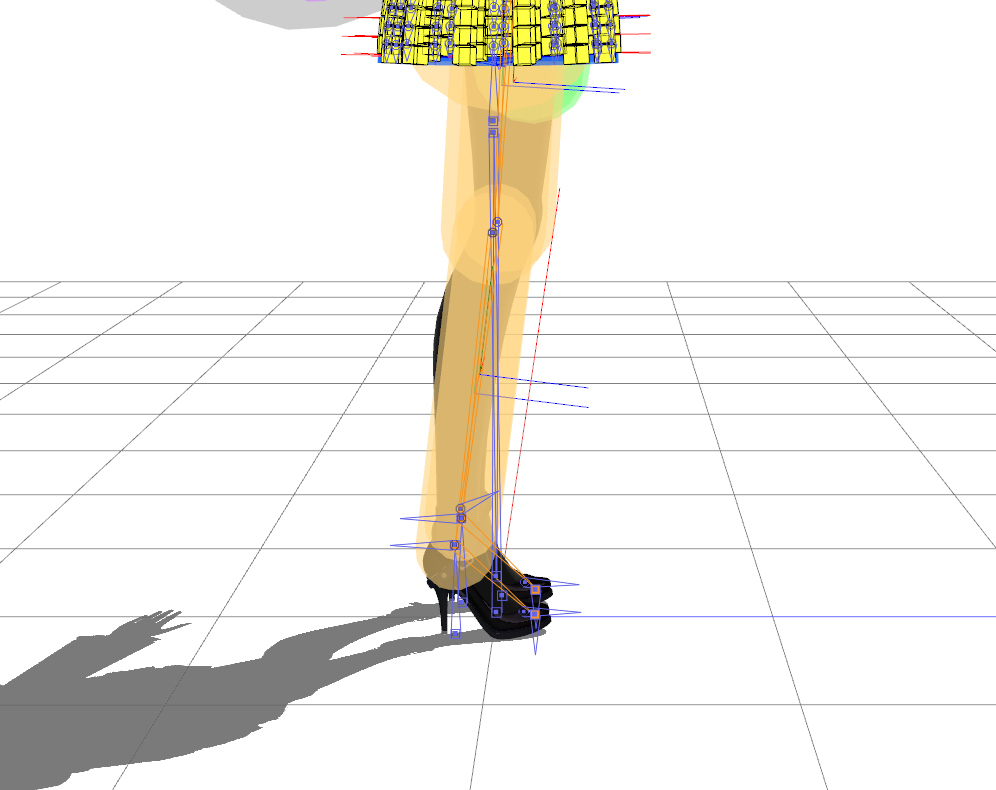
 crisp tendon
More pictures of your skeleton/rigging would be necessary
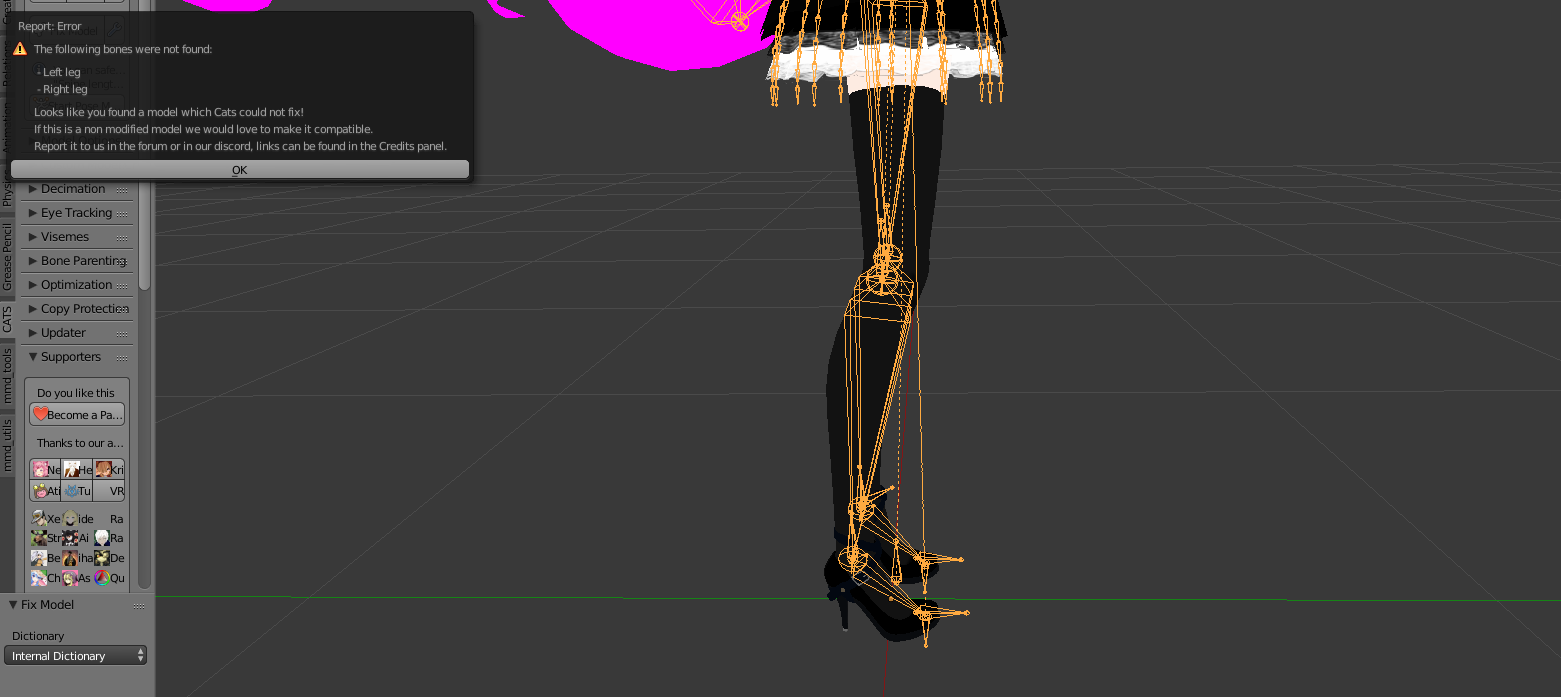
 crisp tendon
What kind of software is that ?
fading verge
Pmx editor. I could run it into blender
crisp tendon
Probably should yep
fading verge
 crisp tendon
What's the additional bone above the knee ?
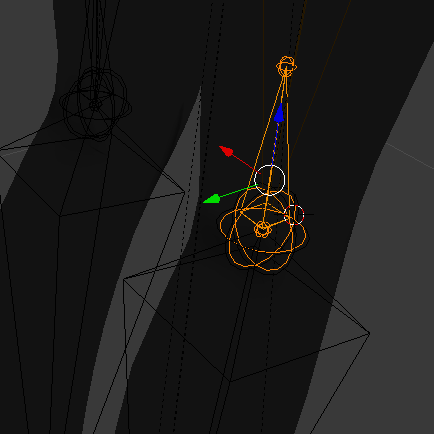
 vocal quiver
Leg should go Toe -> Ankle -> Lower Leg -> Upper leg -> Hips
nothing else in between
I'd suggest looking into using CATS to auto-fix your rig-- MMD rigs are often chock full of "twist" and "shadow" bones that are unneeded
edit: ah i see you already have CATS, I'd merge the knee bone weight into whatever its parent bone is
fading verge
Will do, thank you ❤
haughty needle
Does anyone know of a way to get / use Dynamic Bones for Unity without buying it from the asset store?
gritty nest
@haughty needle no
It's a paid asset
Anything else you're asking for would literally be piracy
haughty needle
ugh, alright
gritty nest
Since you're not actually uploading the script but rather just some settings, you could technically "shadow" the dynamic bone script and have it work ingame
It would be legal, you just wouldn't be able to test it in play mode
Just an empty script with the same properties and the same name
kindred thicket
Alright, I'm down to one issue on this model, the legs go off to one side while walking as if the animation is playing sideways, I'm assuming it's a issue with the rotation of the bones but I can't figure out how to correct it.
https://i.gyazo.com/569200be06014b0750811f21706e8e1c.png
 gritty nest
@kindred thicket is it a custom animation?
kindred thicket
No, it's default
@gritty nest All I've done is put it through CATS in blender, then import it into Unity. Somebody suggested uploading it to mixamo, but that didn't help either.
No custom animations or anything of that sort.
gritty nest
Go into edit mode in Blender, select the knee joints and move them forward slightly
kindred thicket
@gritty nest Just the top of the knee bone or both joints where the leg and knee meet?
gritty nest
Just where the two bones meet
If they're connected then it should be the joint, you can move them both at the same time
kindred thicket
Yeah, they're not moving at the same time, I can select them individually
gritty nest
Then just move both I guess
Or bend the legs slightly in the Unity rigging tab
Like 1 degree
kindred thicket
Alright, I've moved them, going to test it real quick
@gritty nest That solved it, thanks, can't believe I didn't think to move the knees at all lol
You've just solved a major headache I've had since last night
kindred thicket
In blender
gritty nest
Ah, cool
 slender patio
Does anyone have any good dynamic bone settings for a cape? or almost like a trench coat?
gritty nest
Fairly low damping, like 0.2 or maybe lower
Elasticity at 0.1 seems fine, maybe slightly higher, but that's up to you
Inert should be 0.7 ish
These are all wild guesses, you can tweak them yourself
If it moves too far, increase stiffness. If it moves too quickly, increase inert.
If it "jiggles" too much, increase damping
If it returns too slowly to its original position, increase elasticity
slender patio
That really helped lol thanks
jovial dune
Yo, I just renamed/edited some visemes and re-exported my model to Unity, but in the avatar descriptor the visemes settings are still displaying the old names. Any idea what I need to do?
nvm, restart fixed e.e
haughty needle
Hey, so I bought the Dynamic Bones plug-in via the power of asking friends for money, anyone know any good tutorials or have any good tips on how to use it? I tried doing it on my avatar earlier and it just caused a texture error.
subtle moth
well, its as easy as add the component dynamic bone to a bone whiches children you want to be dynamic bones. Mess with the values assign everything and youre done @haughty needle
ive never heard of a texture error caused by DB
 bitter shadow
 haughty needle
It's hard to explain but it was just part of the model's bones
they're aren't attached to the mesh correctly so it actually only moved a small part of what it should've, so when I put the component on it pretty much just wigged out and shot the bone off into space in VRChat
So I need to re-do that particular bone to get the chest physics properly working but I won't bother TBH
my current model is more a test than anything, and since I don't have VR I'm uploading it to a friends account he can test all my collisions and such in game.
But I've got working skirt and hair dynamics so far so that's good
haughty needle
dynamic bones
trying to use cloth was crashing me earlier
when I'd load the model in VRChat
Now, I do have a question
subtle moth
Cloth is weird 😄
haughty needle
if I want to set it so that my cape doesn't collide with my skirt, can I put a dynamic bone collider on the skirt's bones or will that wig out the bones on it?
haughty needle
Right, right
so as long as I don't have that collider(s) on my skirt bones it should be fine, and vice versa
subtle moth
but dynamic bones colliders are very finnecky and glitchy thats why people use cloth for good collision but its a big glitchy
haughty needle
well, set to interact with the skirt bones anyway
subtle moth
you can put colliders on both to be 100 % safe 😛
haughty needle
I likely will
my friends are gonna be like "Dude you put dynamics on everything BUT the boobs come on man you need jiggle physics!" and I'm just sitting here like "it brok"
subtle moth
@haughty needle for jiggle physics you need to do a thing maybe
so...
do you have 1 bone for each breast?
if you do, dont put the dynamic bone on the breast bones, put it on the chest
dynamic bones only affect the Children of the bone theyre on
haughty needle
I have something, that came with the model, called a boobies bone
I put it on that
but for some reason, the left breast had 2 bones and the right only had 1
so I'm just not going to bother with it for right now
So I've got colliders on the hands, hips and skirt
hand colliders interact with the skirt, skirt colliders with the cape, and hip colliders with the skirt
 ionic lake
Could someone help me create eye tracking from scratch?
pale hull
@ionic lake https://docs.google.com/document/d/16qShrTHu5dL-luirrnMqp4EpAXjTYS76hsc_9fBVJEE/edit
This is a short guide with all requirements you need for simulated eyetracking to activate

Google Docs
Name the armature “Armature”. Name the mesh containing both eyeballs “Body”. If possible, make the whole head or avatar a single mesh. Name the bone hierarchy like this. Bones not mentioned can be named whatever. IMPORTANT: You cannot have any bones interrupting the h...
Naming convention and bone order is extremely important
ionic lake
@pale hull Could you show me a guide to Mouth Tracking (Viseme Jaw Flip Bone (whatever its called))
pale hull
If you have a jaw bone assigned in unity then it will just flap as you talk ingame
ionic lake
But for some odd reason, it doesn't work.
pale hull
It might not show locally in mirrors
Believe there is a bug just for jawflap
However blend shape visemes do show up locally in mirrors
ionic lake
It doesn't show up for anyone else either.
pale hull
You're sure the bone assigned as jaw actually deform the mesh?
ionic lake
It's not a bone, it's a visieme
It's the option in the middle of the Blend shape one and the bone flap one
pale hull
Never used that one so cannot help troubleshoot it, sorry
No clue what might or might not work with it
fading verge
Is there anyone that knows a good way of rigging ears and a tail? Like to make them move smoothly not just bocky movements?
gritty nest
Put some bones in them and use automatic weights. If you want it smoother, then smooth out the weight painting
Auto normalize and perhaps the mix brush can help quite a bit
 spark bison
So I have a problem that I can't yet fathom on how to fix. I'm trying to fix an avatar for a friend but whenever I place it in unity the arms and shoulders do this weird twist. I have tried re-creating the shoulder, upper arm and lower arm bones and applied all rotations and such but it seems to always be doing this. Anyone have a solution for this? https://imgur.com/a/i4Fn8W2
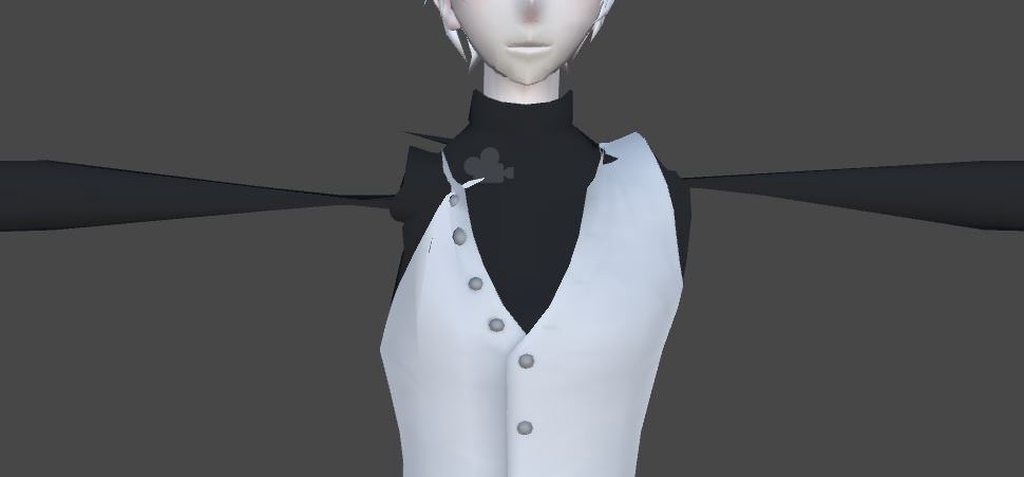









 crisp tendon
Reset the bone roll in blender
spark bison
I think I did that. I'll try again
Welp. that did do the trick. I'm sure I reset them earlier before I posted. Well thanks anyway.
 stray zenith
none of my avatars limbs or body parts will rotate when I move the bones in pose mode and it has been weight painted properly what do I do?
stray zenith
NVM I figured it out.
 shadow ore
Does anyone know how to make a particle trail? I want it beneath my avatar's feet, but I don't want it to rotate. I want it to be static, but also follow the body.
gritty nest
Depending on the kind of trail you want, you need either a trail renderer or Emission over Distance
In either case the simulation space will probably be world
late shale
World space particle won't rotate with the emitter anyway
shadow ore
Alright, thanks.
 dire crystal
people who can help me with the avatar? I just have a T-pose, I do not know what to do (
shadow ore
Do you have VRCSDK downloaded ?
dire crystal
@shadow ore ya
shadow ore
Do you have a VRChat account?
dire crystal
yes xd
shadow ore
Well, log into the SDK using the Settings tab.
After that, open the Build & Control Panel.
Both of those should be in the SDK. Just click VRCSDK at the top of the screen.
dire crystal
You know exactly what I mean?
shadow ore
Oh, I thought you meant uploading it...
dire crystal
i can upload my avatar in the world
shadow ore
You didn't add in any animations.
dire crystal
i cant upload on mixamo becuz i has format .unitypackage