#avatar-rigging
1 messages · Page 121 of 1
 magic sonnet
 gritty nest
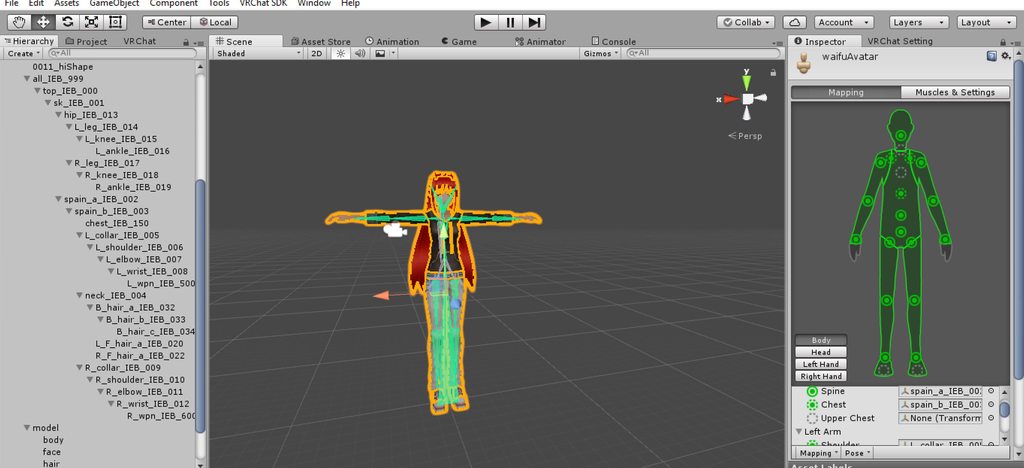
It's this screen
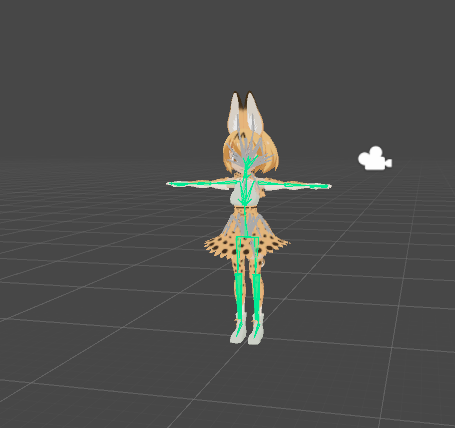
The model should be facing you when you enter this screen
If it is not, turn the model around
You can do this by rotating the hips 180 degrees, because that's the root bone of the model.
magic sonnet
it was facing me
 past python
Unity keeps saying that an avatar's shoulders and neck aren't under the torso's heirarchy, but everything I see seems normal. This is my first attempt to edit a model, as well. Anyone know what could be causing this?
gritty nest
@past python wrong bone mappings
When configuring the rig, the bone connected to the neck and shoulders must be mapped in the Chest slot.
If the upper chest was mapped and you unmapped it, you need to put the bone you just unmapped into the chest slot.
It's the three-pronged bone connecting the neck, shoulders and spine.
past python
Ah, I'll see if that gets it. Thanks much!
gritty nest
Happens a lot with Mixamo rigs because they have an upper chest
past python
It looks like there wasn't anything assigned to the upper chest.
gritty nest
In that case, follow the other instructions
The bone connected directly to the neck and shoulders has to be assigned to chest
The bone directly above hips needs to go in the Spine slot
past python
Looks like that was preset, as well.
Maybe it's something I messed up before I ported it to Unity.
gritty nest
Can you post screenshots of the entire rig setup, then?
Both the 3D view and the right sidebar
 gritty nest
@fading verge your avatar isn't stuck in the ground halfway due to an animation, right?
 fading verge
No.
gritty nest
Oh, and post a screenshot of your rig setup, too.
past python
Sorry, having problems uploading the screenshot to Discord.
fading verge
The mapping, correct?
past python
I'll look for a workaround
gritty nest
@past python use imgur
You cannot upload stuff here
@fading verge yeah, just the whole mapping
Just open the Humanoid rig configuration and post a screenshot of the whole screen
 gritty nest
Are you sure you're looking at the right model? Click on the avatar in the scene, go to Model->Select in the inspector, then go to the rig and see if it actually works
One thing though, I see that the "apply" button is available in the bottom right
Have you actually clicked that?
 gritty nest
That's close enough, that's just the original pose so whatever
past python
https://imgur.com/gallery/JUKLYc0 Sorry for the delay.
 gritty nest
@past python you appear to have the wrong hand bones mapped.
You entered a "Twist" bone instead of the actual hand bone.
fading verge
What am I supposed to be checking for in the inspector?
gritty nest
@fading verge at the top of the inspector with your model selected, there is a "select" button
Where you can select the actual model used
You might have two versions by accident
So when you select that one, you can go to Rigging and see if it actually still works
Other than that, try restarting Unity. Out of ideas
fading verge
a better question is, how do I check if the rigging works
because he's just
t-posing
fading verge
well
past python
I edited the hand bones and got the same hierarchy error. Maybe I did mess something up beforehand.
gritty nest
@fading verge whoa whoa hold on
fading verge
ye?
gritty nest
I just noticed you have the wrong model lol
Your jean jacket is blue in rigging but red in the scene???
It's definitely a different model
gritty nest
That's why you can click Model->Select and see if you actually have the correct one.
gritty nest
It'll select the right model in assets
fading verge
that model showed up
fading verge
well, I added majority of the things in through unity
gritty nest
Ohh, that could be why.
gritty nest
That's kinda horrifying due to the massive amount of materials and meshes but whatever
In that case, I'm out of ideas
past python
Just wondering, but since the chest and shoulders are optional, could I delete them and have no negative consequences?
fading verge
I'll just redo the entire model.
🤷
OHHH
I KNOW WHAT HAPPENED
so
you know how you're supposed to have the correct name of the armature.
guess who didn't have that.
lmfao..
past python
Ah, my bad.
gritty nest
They're optional in Unity, but not in VRC
past python
Wait, would this model be compatible with this application? The chest doesn't look like what you described it as.
gritty nest
There's always going to be a bone that is connected to the shoulders and the neck @past python
If it's even remotely humanoid
Even if there are bones between the chest and the shoulders
There is one point where they "meet"
past python
Ah. Maybe I should just try a different model until I become more knowledgeable about it.
fading verge
Yeah, turns out that was the issue, going back into blender and renaming the armature fixed it.
 viral fractal
i'm still trying to figure out how to lock motion controls onto one axis (like locking a hand to the fret of a guitar to allow for sliding up and down the neck freely) and just had a thought - is there a possibility to modify the rig to accommodate for this? like, is it possible to make an IK bone do that?
 heady tree
Just recently picked up VRChat and have benn attempting to port some of my existing characters
Obviously there is some specific naming convention I'd need to follow for my bones, but I am unable to import the sample skeleton listed in the tutorials
Is there any sort of document anywhere that has a list of bone names and such?
 crisp tendon
The skeleton in the sample avatar in our SDK ?
Also yes, in the pinned messages of this channel.
heady tree
the VRChat_Example_Avatar.fbx, I can't import it to blender, gives me an error
also thanks
Also I'm trying to work with some weird anatomy, if I would be able to do anything like this at all
https://78.media.tumblr.com/7339190c0ca0191a82434e697eafc59d/tumblr_pbov236K4i1vujv2ro2_1280.jpg
 crisp tendon
Yeah easily
heady tree
Aight cool
heady tree
okay that seems to work
crisp tendon
it has two forearms for example
 ivory radish
u can just not use the middle one
and count it as part of the front
u can also use blender's bendy bones
and stuff like that
crisp tendon
Yeah, but it's not normal humanoid rigging, that's why he asked
Unity and our IK system require specific rigging, so it wouldn't have worked right away
ivory radish
if it can stand on 2 legs and has enough joints then u should probably use humanoid rigging bc its a bipedal
crisp tendon
bipedal doesn't always work sadly
ivory radish
it works most of the time
thats why generic avatars are rare and when they are its when its not a bipedal
crisp tendon
I have 30 models who don't agree 😄
ivory radish
then can u add generic avatar gesture support and stuff lol
heady tree
My point is that my rig works perfectly fine for Unreal and my own game, since I'm the one doing animations and such manually
But since I'm porting to an existing game/software with it's own system and animations, I'd need to follow a specific convention
ivory radish
if ur not using a bipedal ur pretty much stripped of most things u can do on avatar
or invisible bipedals
crisp tendon
Even with retargeting, you'll be able to use your legacy animations on your humanoid rigging
ivory radish
yes but not my point
crisp tendon
The convention is simple, but there's many ways to work around it
ivory radish
i have quadrapeds and bipeds on quadrapeds and etc
but i cant do things that bipeds can
crisp tendon
Sure, but the point is to use them in VR
ivory radish
the tracking i dont worry about too much
crisp tendon
Otherwise all my models would be generic
ivory radish
but i want the gestures and such
but they did say exporting tracking was a solution
also is there a smooth ride system
like if u walk up stairs its usually jittery and idk if theres a way to fix that other than to have the map change the collisions
crisp tendon
I should have asked if you planned on using a VR headset/full body tracking @heady tree
If not then don't bother about the humanoid convention
heady tree
http://puu.sh/AVllx.png woah this is a weird bone layout
crisp tendon
Was this with automatic bone orientation ?
gritty nest
Well, the bone rotations look off in Blender but the positions of the bones look OK
heady tree
I don't have a VR headset but I kinda wanted to use tracking, just to see if I could
oh right, that's a thing
okay that's much better
so is there a limit to how many bones in the rig?
heady tree
right
so I've got bones in the face, would that work for any of the facial animations or would I have to switch to using shape keys?
same goes for the hands/feet
crisp tendon
If you want to trigger facial animations, i believe it has to be through shapekeys
and you can override hand gestures if you want to, but if the bones are correct, the SDK already has hand gestures
gritty nest
You need to use shape keys, but you can make shape keys by posing the face.
Should be pretty easy. If you have Cats Blender Tool installed, it has a "Pose to shape key" function built in. You can do it manually without Cats but it's a bit of a pain.
You gotta Apply As Shape Key on the armature modifier, then re-add it every time
heady tree
I think I could deal with manually doing shape keys
Anything in particular that those should be named?
gritty nest
Nope. Just make sure they're not named "Pose" or you'll lose track of them. Take a look at which lipsync options the VRChat SDK expects in order to get an idea of how to call them and which you need to make
heady tree
Alright, cool
gritty nest
The expected ones are listed here
The images seem to be missing unfortunately, but you can probably figure it out. You don't *need *lowerlid (it looks bad IMO)
And vrc.v_sil is just the shape key that is used when you are not speaking. This can probably be a blank shape key.
Cats Blender Tool can automatically generate all the necessary shape keys using just the "AA", "OO" and "CH" shape keys as a base.
crisp tendon
You can also get eye tracking through a shader, which was much easier to setup imo
Vilar's eyetracking if that sounds interesting
heady tree
http://puu.sh/AVlKJ.png because my character has a funky mouth and has bones in it, would have been easier to do it with pose/shape keys
 gritty nest
Yeah, Vilar's shader is super great.
heady tree
thankfully I don't need to deal with eyelids or actual lip stuff, since the four mouth pieces are solid parts
heady tree
so can I get away with keeping my bones labeled as Limb.L or will I need to go with LeftLimb
gritty nest
You can name them whatever you like.
I have models where all the bones are just sequentially labeled Bone0 through Bone55
heady tree
jinkies
gritty nest
Game rips
The only thing that matters is eye tracking. If you want eye tracking, the hierarchy from your model's "root" up to the eye bones needs to have a specific naming convention.
heady tree
I see
gritty nest
Armature->Hips->Spine->Chest->Neck->Head->LeftEye/RightEye
I recommend eye tracking if your model has eye bones
Oh, this also means you might have to merge extra spine bones if you have them.
heady tree
on that note
my skeletons have Root > Pelvis > HipRoll
and then Pelvis > Torso > Neck > Head > Eyes
gritty nest
Oof.
heady tree
where Pelvis is the pivotint the entire body from the pelvis, and hiproll is pivoting the hips/legs from the abdomen
gritty nest
You might be better off with that shader, then.
heady tree
http://puu.sh/AVmaY.png got 3D eyes though

I made a copy of the file so I can change stuff no problem
Oh yeah, does it matter if the rotation mode is in XYZ or WXYZ?
heady tree
facial shapes are done
granted there's not much you can do with four plates that just open and close but oh well
gritty nest
For lipsync, there is also the "Jaw Blend Shape" option that just takes a single shape key
That's just for mouth open/close, and it doesn't flap spastically like Jaw Flap does.
Underrated option
heady tree
eh, I've been wanting to do a lipsynch thing anyways
meanwhile, would I need to change this into a T-pose, or is the current "natural" position fine?
...in retrospect, I should have put the rig into a T-pose before making the shape keys
crisp tendon
We've all been there 😄
gritty nest
I think models can be in just about any position
But T-pose can make stuff a little easier for Unity
Or A-pose also works
You can manually change the rest pose, Cats Blender Tool makes it pretty easy without ruining shape keys
heady tree
welp too late, already put the rig into T-pose
I still have the original skeleton on hand though, I can bring that back up if the arms don't look right
ha ha time for shape keys again, nothing a shot of jager can't fix
 late shale
Yeah as long as it's a tpose in the rig import, you can put it in any other pose you want in the scene
heady tree
aight so I brought the thing into unity, but I can't see the skeleton, and the face blend visemes aren't showing up in the avatar descriptor
 gritty nest
Then that particular mesh has no shape keys
Your model should be one mesh in the end, called "Body" @heady tree
heady tree
it is one mesh, yeah
so I should just rename the model to Body?
also is there a way to reimport the thing without needing to delete the asset from the library?
reimporting doesn't change anything
gritty nest
Yes, you need to replace the FBX file using windows explorer
Reimport just makes Unity re-read the FBX from inside the assets folder
Although renaming the mesh Body won't necessarily help
If the mesh has shape keys in Blender and you're exporting the model and it has under 65535 tris, it should work.
 jagged badger
i got my avatar in game but the arms are too spaced out when standing, any way to move them furter out from the body?
heady tree
aight, turns out I needed to export without applied modifiers
gritty nest
Yep
That makes sense
Because you can't apply modifiers without removing shape keys @heady tree
Unless you apply the modifier as shape key itself
heady tree
so I think I got it set up, just need to make some animations
how do I test it out? I recall reading that you need to have played the game for like 20-40 hours before you can importy avatars, and I just picked it up last night
gritty nest
Oh, that's gonna be a problem then, lol
You can't upload avatars straight away
And you can't locally test them
heady tree
bummer
the whole reason I got into this was so that I can try porting my existing game models into it, lmao
gritty nest
Yeah, I feel you. The trust system sucks.
But in the meantime, you should play a little, perhaps use public avatars
AFK'ing won't help, you need to actively play and interact with others
 pulsar rain
so i found my model does not have any bones in the eyes anyway i can use a guide and make new bones for it?
 astral vessel
Bethesda is hiring character riggers. I know there is plenty of talented people out there and i want to spread the love and i hope one of you get it.
https://jobs.zenimax.com/requisitions/view/1929

ZeniMax Careers
We are looking for a skilled Character Rigger to help advance our rigging system and support ongoing projects at the studio. If you are talented, hig...
heady tree
just set up some pose library stuff for the hands because I'm feckin' stubborn and I want to at least try to see if it works
 lean lagoon
Guess I should ask this here
but is there a setting I have to turn on to make sure my avatar sounds fall on Avatar sounds instead of Sound effects in-game?
it's been bugging me for ages now
gritty nest
Is your SDK up to date? @lean lagoon
lean lagoon
I'm pretty sure
gritty nest
I'm getting the feeling that older SDK's might fall under the wrong mixer, which is weird
I think if the audio source is on your avatar object, it will fall under avatars
gritty nest
Put it on your avatar's root object instead
gritty nest
Or perhaps try putting the audio source on a game object that's under your avatar but outside of your armature
Then you can raise the game object up
lean lagoon
eh I always have problems with putting random objects in
they make me teleport in random worlds
gritty nest
And by "random worlds", you mean "The Great Pug"
Because that's the only world stupid enough to do so, lol.
Even in the Pug, it should be fine as long as you keep the object within your avatar.
lean lagoon
pug is messy
lean lagoon
anyways, got all audio sources on the root, I hope it works out
otherwise i'll redownload the new sdk ig
well that didn't work
ivory radish
it checks bounds based on character scaling i think
thats y u can have large characters bc the imported size is very large and its cancelled by smaller scales
 remote needle
I have hit a wall
For some reason
I could make avatars before
I can't anymore
The bones are just a mess
Trying to bring an mmd into well
vrchat
Dm if pepo can helpo
Or want the model too and can assist
Hina Takanashi
If you are wondering
 native sail
Has VRChat fixed the awkwardness with the animation panel and stuff? I want to start adding props to my gestures, but it was a nightmare and I don't want to do that again
fading verge
anyone know if i can recover avatars from in game if I no longer have the original files
ivory radish
sounds like a bad idea xd
i always back up avatars on blender unity and in prefab
also stop spamming
viral fractal
@native sail what kind of awkwardness are you talking about?
ivory radish
why would vrchat be fixing something thats part of the unity engine
 blissful lodge
did anyone know's how to get this rig into this? https://i.imgur.com/p85QgA7.png
 native sail
@viral fractal every time I move anything around and exit the record mode, the model does not go back into T pose, and stays in the default animation pose. I used to have to duplicate my model 9+ times in order to preserve the character's T-pose, and also have the hand animation playing properly.
@blissful lodge
https://github.com/michaeldegroot/cats-blender-plugin#custom-model-creation
Cats blender has a feature that I believe allows for skeleton swapping. I haven't used it, but I did see this and noticed your question

GitHub
cats-blender-plugin - :smiley_cat: A tool designed to shorten steps needed to import and optimize models into VRChat. Compatible models are: MMD, XNALara, Mixamo, DAZ/Poser, Blender Rigify, Sims 2,...
blissful lodge
kk
 deft pollen
when i fix the left thigh bone on my model it doesn't save, any help?
heady tree
I'm finding a lot of VR-compatible avatars with digitrade legs, how's the bone setup for those?
heady tree
Also, what's up with dynamic bones, and how do they work?
ivory radish
its a script that makes things jiggle
and its pretty simple its as if that was a straight leg bone
 crystal vector
@fading verge You mean on fix model? You can't, because fixing the model requires a single mesh to merge all the weight paint and to do some other stuff
But you can separate the meshes after fix model again
 opal aurora
Perhaps getting the meshes you don't want merged onto another blender instance would suffice?
crystal vector
Or you can unparent the mesh you don't want to be merged from the armature and parent it back to the armature afterwards
opal aurora
Actually, blender has a layer functionality, how would CATS react to meshes in different layers?
crystal vector
I believe cats just sets them all to layer 0. But maybe I only did this for the bones, not sure
opal aurora
Just asking since i've personally never tested it myself
 mental lynx
So Im not sure if others have had this problem, before
But I did some changes to an existing model and now I get this

Yet nothing has changed with my armature, and everything is identical from what it was previously.

They react from my premade animations, they show up properly rigged, ETC.
I fixed it. For some reason, it was looking for an "armature.001" instead of armature.
Must be an issue with a previous import.
 gritty nest
Full body tracking fix
I think you can undo that by scaling the hip bone to -1 in Blender, in edit mode
 minor shore
also she always crosses eyes from time to time. apparently it's just for me but is there a fix for that?
 daring hemlock
When I'm done creating my avatar, could someone please show me how to rig it?
crisp tendon
I'd suggest finding a tutorial for that, it's not a process that can be explained on discord
 wintry elbow
in blender, the elbow bones on my model just keep getting dleted on export
correction, it only deletes what ever i have as right elbow
crisp tendon
Anything special about that bone ?
wintry elbow
nope
only thign different is that it has no weight
but other weightless bones dont disappear
wintry elbow
damnit i finally finished making my next avatar and then i realized the shoudlers arent rigged
is there anyway top replace the model while keep all my data on it
heady tree
you move the arms up in max/maya/blender
you may need to apply pose as rest pose, and I know blender needs all the shape keys reset when you do that
gritty nest
@fading verge you don't need it in a T-pose necessarily
If you must, you can do it in Blender with Cats Blender Tool
Cats has Apply as Rest Pose without messing up shape keys, unless those shape keys are in the affected area
fading verge
Okay I have cats I'll give it a try and my issues is my arms are in my body and was told to do that to fix it
gritty nest
You need to make sure it is properly T-posed in the Unity rigging window
Where you configure the rig
It should automatically be placed in a T-pose, otherwise you need to manually rearrange it yourself
fading verge
RIP this is gonna be fun
 sour lily
How do i fix this http://i1255.photobucket.com/albums/hh627/jake_owens2/2018-07-14 19_52_24-_zpsreirva1u.png
 sour lily
yeah i gave up i tried weight painting but it was just making it worse for me sadface
too bad i cant just give someone $5 to get my bones right would save me my sanity
 torpid wave
anyone able to help me figure out how to delete an existing skeleton on an fbx file then save that fbx file so i can Remake a skeleton useable in VRChat? I need help ASAP ive been losing my mind trying to do this for the past 2 hours!!!
heady tree
https://cdn.discordapp.com/attachments/354729010082611210/467926193463623691/20180715012338_1.jpg Aw shit

Real happy that my rig fits
but how do I fix the feet?
nevermind I think I have an idea for the last one
crisp tendon
What's wrong with the feet ?
heady tree
they were clipping through the ground
I think I could bypass that by taking the head of the foot bone [which is at the ankle of the paw] and extending it down to the ground
heady tree
https://cdn.discordapp.com/attachments/462429298511314966/467993570280734730/20180715055611_1.jpg I swear the troubleshooting in unity is a goddamn diceroll

idle animation mostly works, except for the tail, ears, eyes, and claws
fading verge

Can someone please explain to me why the hands are distorted

Is the index and middlefinger just too short? do i have to make them longer?
 spring depot
it could be a weight issue
slap the model in blender and open the weight painter and have a look
spring depot
ay then just fix that up and you'll be right as rain
 torpid wave
Anyone here good at making bones for avatars? If your willing to help me I can give you the finished file for Fortnite Ragnarok Skin
btw it is this skin ^^^^^^
gritty nest
@fading verge that message is not a problem
It can get problematic for full body tracking, but if you don't have that then it's not an issue.
Full body needs more than just correct leg angles to work correctly
 calm needle
@fading verge probably a bit late on a reply for it but it might be the rotation of the finger bones. Check in blender if the bones in the fingertips are pointing in an odd direction or if they go to the tip of the finger correctly
gritty nest
He seems to have already confirmed that it wasn't weight painted
Bone rotation only matters if the bones are connected and not just parented
I have models where every bone is literally pointing up
And it's fine
Just, the base of the shoulder bone is fine but the tip is way above the shoulders, then a dotted line extends down to the elbow
 dark pollen
Hey, anyone know good settings for force and gravity on long hair using dynamic bones?
gritty nest
I would stay away from gravity
You can use a small negative Y force
Like -0.02 to start with
dark pollen
Thanks I'll give it a try
gritty nest
One tip, if the hair is drooping down too much from the head it's probably the root bone's fault
Set stiffness to 1 and add a stiffness curve that starts really high (at 1) then drops down almost instantly
Then move the curve further to the right in play mode until you hit the desired result
wintry elbow
Ok i just finished configuring my avatar and everything and then i realized he has no shoulder bones, what should i do?
calm needle
depending on the model, you can get by by just adding phantom shoulder bones. Just really small bones with no weightpaint that only really exist for the sake of the sdk not yelling at you
wintry elbow
ok thanks, quick question is there any good way to replace the model in unity while still keeping my prefab intact
ivory radish
u have 2 do it in blender
then u can replace the file in unity by opening it up in the file explorer and pasting it there
wintry elbow
Ok thanks, but i am aware i need blender lol
heady tree
So how do I change some bones to dynamic bones?
or jigglebones or whichever
I've got dynamic bones imported into my project file
ivory radish
u just add them as component
opal aurora
Drag a bone you want to act as the "root" bone for dynamic bones onto the root section of the component
If you want to use multiple roots you need multiple components
Each root acts as a chain in which any bones parented to it will move according to the bone they're parented to and their movement
heady tree
so I want the tail and ears to move around, that would mean I need 3 dynamicbones components/roots?
opal aurora
Essentially yes
heady tree
so do I need 3 components, or is there a way to do multiple roots with one component
opal aurora
Also never use the hip as a root, it breaks sitting in-game
1 component per root, sadly no other way
opal aurora
Not that you need to but the settings for dampness, elasticity, (the other one) and inertia all affect how the bones move
Keep in mind the preview you see in unity is a bit more over-the-top than in-game (or was it the other way around?) so you'll need to do alota trial and error untill you get it just right
If you want some wiggly/bouncy animal ears or tail, or hell even long hair, i normally use 0.1/0.1/0.4(or 0.6)/0.6(or 0.4)
That's the values from top to bottom
heady tree
thanks
opal aurora
You can preview it in the scene by going into play mode and moving the model around
heady tree
oh jesus that's wiggly
opal aurora
And you can fine-tune the values whilst testing it aswell, but keep in mind the values don't save when you exit play mode, so keep tabs on those values
heady tree
yeah just figured that part out lel
ears aren't moving, but that's probably because they're only like one bone
and I really don't feel like reimporting the rig and doing everything all over again
opal aurora
Yeah, you need atleast 2 bones for it to function sadly
Just extruding a bone should do though
heady tree
and making the head the root proooobably isn't a good idea eitehr
opal aurora
Eyup, bobble heading isn't the way to go xD
heady tree
on that note, how about eye tracking?
heady tree
I meant getting eye tracking to work in general but okay
opal aurora
Oh, that topic's a bit iffy on my department, i can't be bothered to even try to manually make it, too much of a hassle from what i've seen
Hopefuly somebody can help ya though
heady tree
as far as I know, I think I have the correct bone heirarchy, but I don't see my eyes moving around in the mirrors
opal aurora
I think the eye bones need a specific name aswell, although i may be mistaken

Creating Eye tracking for your Avatar in VRChat Links: Download Unity MMD rigging: https://www.mediafire.com/file/7awm878q43c1m7q/MMD_EYETRACKING.ht Eyetrack...
Finally a tutorial that does it manually
 pastel turtle
Is in need of a Mouth Rigger for my model XD
opal aurora
Viseme creation or legit mouth/jaw rigging?
pastel turtle
Viseme creation... XD
I got no mouth on my fbx and I have 0 skill on how to make a mouth for my avatar... XD
heady tree
Oh yeah, blinking doesn't seem to work either
yet again, there wasn't even a slot to put those into anyway
opal aurora
Personally i just animate blinking manually in unity via shapekeys
pastel turtle
@opal aurora So can you help me with my model?
opal aurora
Sadly no, i'm not all that great at making visemes (much less jawbones for that matter), i was just confirming if what you were asking for was indeed what you wanted
heady tree
hold up
that tutorial with the eye tracking, at the end there were some windows I can't see
opal aurora
The one on the right?
pastel turtle
Do you know anyone who can help me with this problem?
heady tree
yeah, on the right
VRChat Center in the middle and some sort of VRchat panel on the right
opal aurora
Can you give me a timestamp?
 opal aurora
Ah
They just dragged the uploaded content window there
You can access it via the vrcsdk at the top -> uploaded content
heady tree
ah
opal aurora
The vrchat menu just seems to be the standard avatar descriptor with the visemes assigned
heady tree
that still doesn't answer the eyetracking thing though
now that I think of it, almost every model I see with eye tracking just cheats it with those hollow-eyes
opal aurora
Oh right that effect works pretty well
Although most people seem to be using CATS to generate eyetracking nowadays
heady tree
http://puu.sh/AX8rK.jpg too bad I'm using 3D eyes

I actually don't even know why they're not working
the visemes work fine, aside from the blinking
opal aurora
Maybe you've assigned the wrong eye bones in the rig config?
heady tree
 opal aurora
Provided you followed the tutorial, you noticed that there were 2 pairs of eye bones created correct?
ivory radish
have u use CATS
opal aurora
Well, one of them was already present, but used as the basis for the actual eye bones in a sense
ivory radish
fix model makes eye bones
opal aurora
It's odd, honestly i'm not sure myself, but even CATS generated eyetracking has 2 sets of eyebones, it might actually be a pre-requisit
ivory radish
for proper eye tracking u just
need blinking blend shapes, extra blend shape (can be eye widening, lid lowering, whatever u want as a 2nd eye idle) and bones so vrchat can use tracking
heady tree
I got the bones and the blinking blendshape is the yellow glowy bit flickering off
so all I need is that second pair of bones in the eyes?
the regular pair are in the center of the eyeball, so even that should be good enough
opal aurora
I'd advise on following the tutorial through and through assuming that the eyes on the model they are editing before making the new pair are the ones you have right now, again i'm really unsure of the implications for eyetracking as it's just... a pain honestly
But good luck regardless
opal aurora
Do you not have a saved .blend?
heady tree
is there a way to do it without having to like, delete the rig and add in the new one and put everything together from scratch?
opal aurora
You can simply replace the file directly and it'll keep everything in place
heady tree
nope, it just makes a copy
opal aurora
Eh?
heady tree
RMB - reimport does nothing
"manual" reimporting just keeps the old file and puts the new file right next to it
I've been having to delete the damn file and bring it in again
and I've lost count of how many times I've needed to do that yesterday
opal aurora
Well here's the gist of it...
You open your project in explorer (incase you can't replace it via blender directly)
You save the file somewhere with the same name and replace it directly from there (or just replace it via blender if it works)
You go back into unity (alt+tab a few times for it to reload the model)
Go into the rig selection area
Change it from humanoid to anything else
Apply
Back to humanoid
Apply
Go into configure and make sure everything is correct
Done
If the prefab isn't broken it will update accordingly
heady tree
okay that seems to be working
 feral stone
https://gyazo.com/6a8e7bc50d745edea2a88a6a9b4ed321 when I place this model into Unity and want to add dynamic bones to the hair, should I first make sure all of these have a single root?

Should I have two diferent root bones for the back hair and bangs?
 split zinc
Unless you want them all to do differen't things, one should be fine?
I'm not a professional but thats what i'd do
I'm still trying to figure out how to fix weight painting on fingers
 molten rock
Hi can anyone here help me with adding Mouth movement to my model I'm a complete noob when it comes to it please and thanks
split zinc
Does your model have Ah, Your and There visemes?
gritty nest
@feral stone you should place all of those in a single root probably
You don't have to separate the front and back hair
 placid halo
so i am having this problem where as soon as I put my Avatar into Unity and want to configure the Skeleton, the Avatar suddenly is rotated 180° except for the feet and if I rotate the Hip-Bone 180° to make it right again, the arms get super messed up
any advice?

 plain pewter
@placid halo check bone rolls in blender.
placid halo
im sorry but i dont know what you mean, could you explain?
thing is I feel like when I google it then I would just get general help but no specialized for Blender > Unity
plain pewter
Just in case, save blender file. Select armature, enter edit mode, select all bones and press alt + R
placid halo
tried, but nothing happened
if youre trying to tell me to set the rotation in blender, already tried that
or rather apply the rotation
plain pewter
Not in pose mode
placid halo
ye i know
calm needle
looks like the model was facing the wrong way in blender
placid halo
already tried that and also didnt work
calm needle
in blender, when you hit the 1 on the number pad, do you view the characte's face?
placid halo
yes
calm needle
have you tried applying the rotation?
placid halo
as i said, yes
placid halo
yes i know, did that, didnt help
placid halo
i mean for some reason the feet are facing the right direction
eh lemme check
fml
yes
lmao
calm needle
blame unity trying to auto guess it
calm needle
ah, so you named it based on the view and not the actual left and right :P. At least it's an easy fix
not the first time ive seen it happen
placid halo
no i tried naming it the direction they are on, but i guess i was just too tired
sat on that thing for like 7 hours straight, shit happens
calm needle
yeah, i understand that one all too well 😛
so much time spent on fixing fingers with manual weight paint
placid halo
know that feeling
I ripped this model from a mod, it had no skeleton and half was T-Posed the other half was posed differently, it was such a shitshow to just piece it together and manually weightaint the entire thing
but much love, ty
split zinc
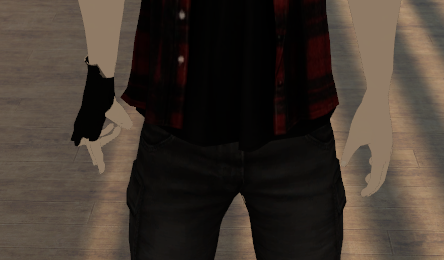
in unity and blender the left hand is fine, but as soon as I import it into vrchat it seems to break?
gritty nest
@split zinc the left hand doesn't have any transparency on it anywhere, right?
Could be inverted normals, happens sometimes when mirroring
Flip the normals on the left hand
gritty nest
Select all the vertices belonging to the left hand
Then in the Cats Blender Tool sidebar, there's a Normals->Flip function
What exactly is wrong though?
I thought it was a transparency issue because I'm sorta half blind right now and thought the hand was blending into the wood @split zinc
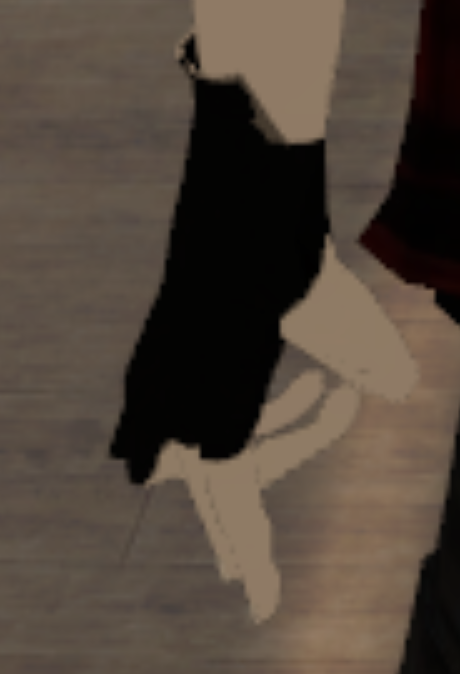 gritty nest
Sorry, ignore my earlier advice since I misread you entirely
Haha
Anyway uh
Looks like a bone rolls issue
Posing the hand works fine in Blender?
Set all bone rolls to 0
gritty nest
Dunno
In the unity rig configuration
Check that it's t posed correctly
If the fingers aren't properly stretched out, manually rotate them until they are
split zinc
It was
 slim vine
can anyone help me with rigging an avatar? no matter what I do i get errors about either hierarchy or the avatar being humanoid but not having defined bones or something
 cosmic surge
does the model have all necessary bones ?
slim vine
I think so. I apologize if i cant answer some of these questions very well I'm pretty new to this whole thing
unity gives the check next to configure when i have it auto rig
but vrchat gives errors
and various youtube tutorials arent helping
cosmic surge
do you get the errors in vrchat or when you try to upload the model ?
slim vine
in the vrchat sdk in the build window
i did try using a bone structure of a similarly shaped model but it told me it wasnt humanoid (when both were) and that it wouldnt have vrchat animations
so i didnt do that
would it help to see some screenshots in dms?
cosmic surge
hmm can you take a pic of the the error in teh build pannel
feral stone
https://gyazo.com/d719b07a3dc64604d48e7211a102e1c1 It seems like no matter how many times I mess around with colliders, in unity, it works, but in chat my legs still clip through the skirt when I run
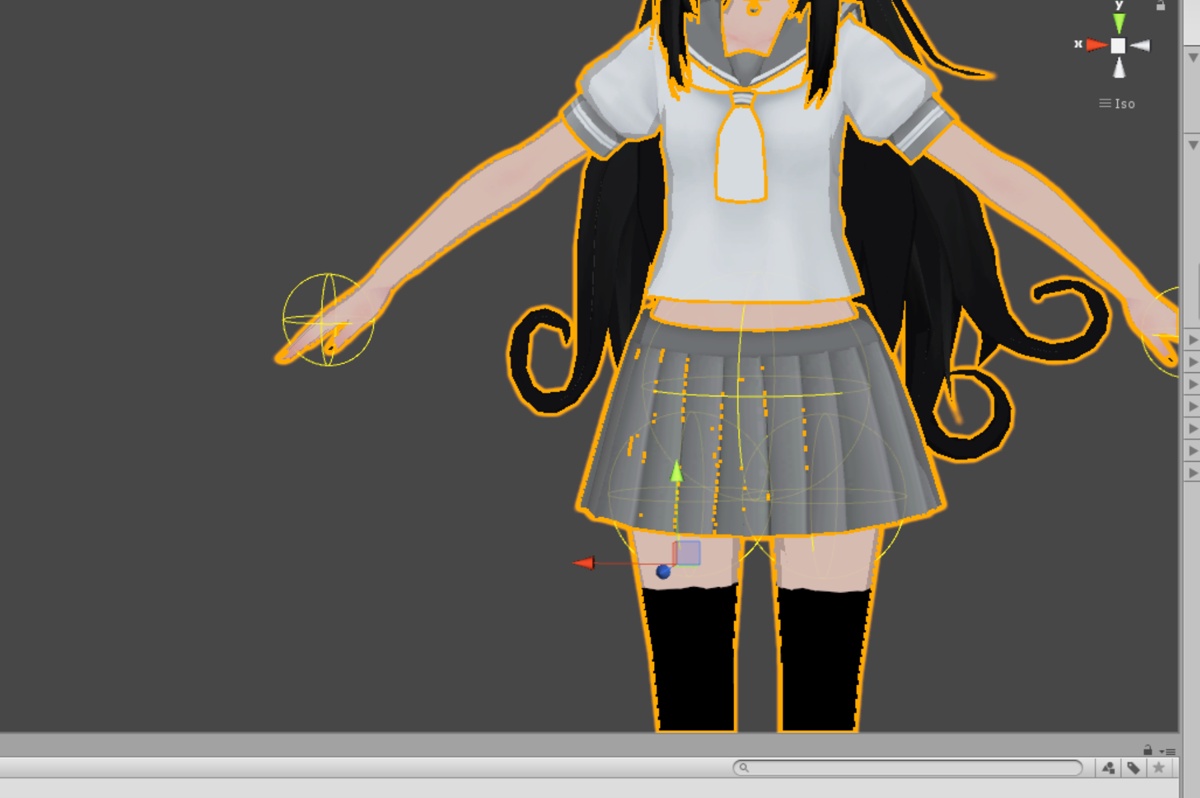
Is there something specific that needs to be done, or a specific bone Io need to place the coliders?
So far theyre in Leg L/R and hips
 sleek isle
I have a realistic character but the eyes tracking in blender seen a little off. The two eyes dont have the same range. I probably because its work better with anime character, but can I fix it oriun vrchat its going to look oke ?
 grand bay
oh hey, this is where you hang out rokk
fading verge
@feral stone use cloth component
feral stone
@fading verge I did, worked out well, thank you!
slim vine
could someone help me fix this
 faint turtle
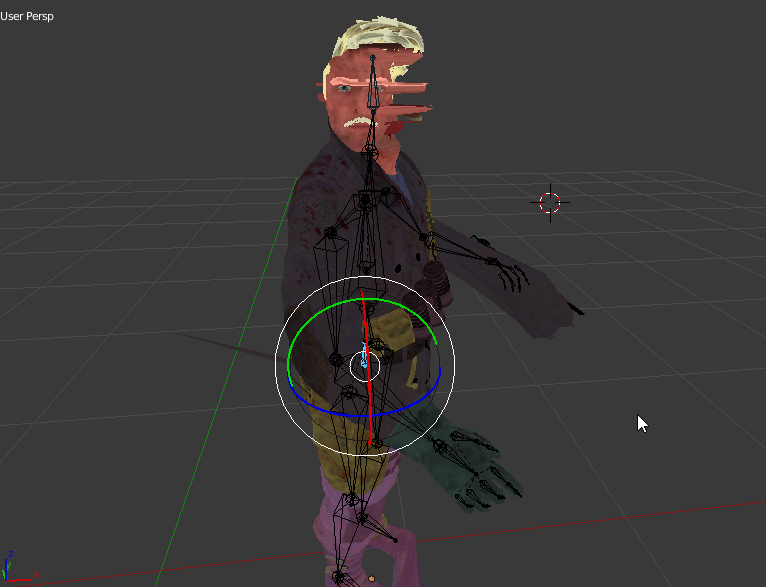
how the hell do i fix this https://puu.sh/AXzk6.jpg

i've been trying to fix it by rotating bones, but it didnt work
i'm so confused
crisp tendon
@bronze elk Try selecting the mesh, then shift select the armature, and ctrl + p to armature with automatic weight paint
 bronze elk
@crisp tendon Tried that, didnt work. However i noticed it gave me a parent to "bone" option.
that seemed to work fine
crisp tendon
Whoops i missed that option, good catch, glad that worked
bronze elk
thanks for the help.
grand bay

having some difficulty with the weight paints
for whatever reason the mesh shrinks when I move the bone it's supposed to be attached to
it rotates out of time, and shrinks down to nothing the further from its origin point I go
it's a mechanical avatar, so I don't want to use typical weight paints, I want connected parts to move as one
oh, well, I guess I didn't need to do anything. The problem happened after connecting all the bones
seems like they connected in the wrong direction
 restive shale
If a mesh is shrinking it's usually because the mesh is also weighted to another bone
fading verge

so when I set my model to humanoid it forces into t pose and it looks like this

and I can rotate the spine to fix the weird bulged out part and then just rotate the chest back, but when I do it says its not in t pose and the spine is in red. I'm pretty sure this is a rigging issue, any help?
ivory radish
then use reset pose button
and it doesnt matter that its not in tpose
it needs 2 look like its in tpose so the animations will import with the correct muscle settings
if its not in tpose then the muscles will be offsetted and not look right for other models
so just make sure its in tpose state
doesnt necessarily mean that the importer thinks its tpose
fading verge
@ivory radish does this mean I need the muscle animation editor?
cus I just did what you told me and reset its pose and it still looks messed up once i uploaded it
ivory radish
no
u reset the pose and make sure they are in full tpose stance
u also need 2 make sure the hips are rotated correctly
 jovial dune
After rigging a model in Mixamo, when you're renaming the bones you can just delete Spine1, right?
Because it rigs Spine > Spine1 > Spine2 (Chest) > Neck and so forth
late shale
No don't delete it, just make sure spine2 isn't assigned in unity
jovial dune
Spine2 or Spine1?
ivory radish
depends but just pick whatever looks more like its useful
jovial dune
Alright lol
Also, do I remove the toes from the rigging stuff in Unity?
I already have upper chest disabled and chest set to the chest bone
fading verge
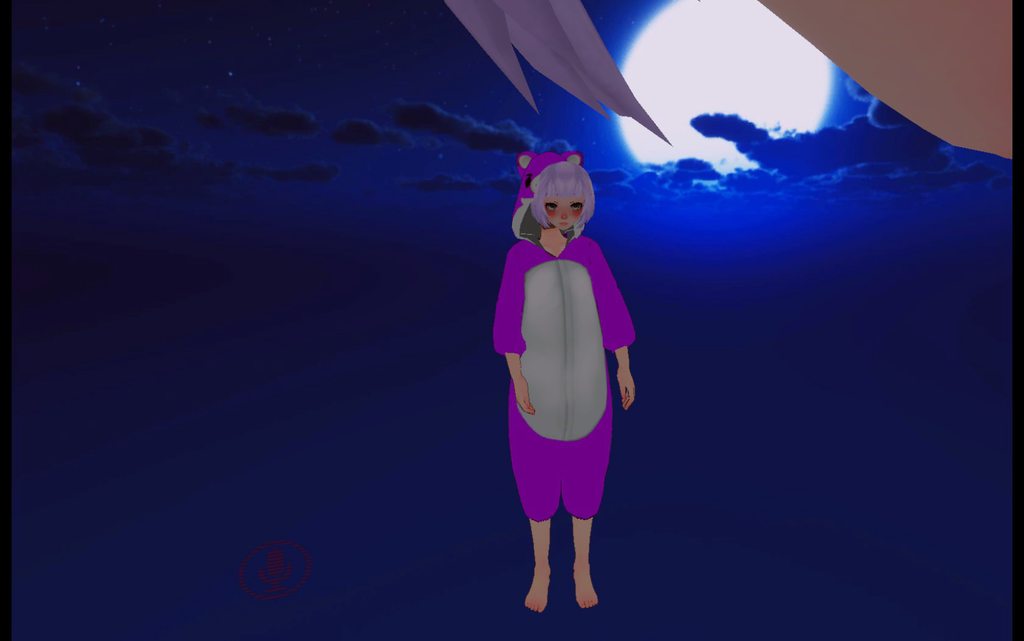
i believe this is a rigging problem but im having issues with this lol any help https://imgur.com/a/W1q6Pxx
 wide berry
what is a reccomended gravity setting in unity?
wide berry
long pigtails
gritty nest
Oh, you mean dynamic bone?
Don't use gravity, use force. Start with small values like -0.02 on the Y axis
Then test in play mode and adjust
wide berry
thank you ^^
grand bay
Also, if you're trying to make something look like it's being dragged down, nothing is better than just twisting the bones yourself
 fringe beacon
any weight painting wizards got suggestions on how to fix this? https://i.imgur.com/iPwVtnT.png
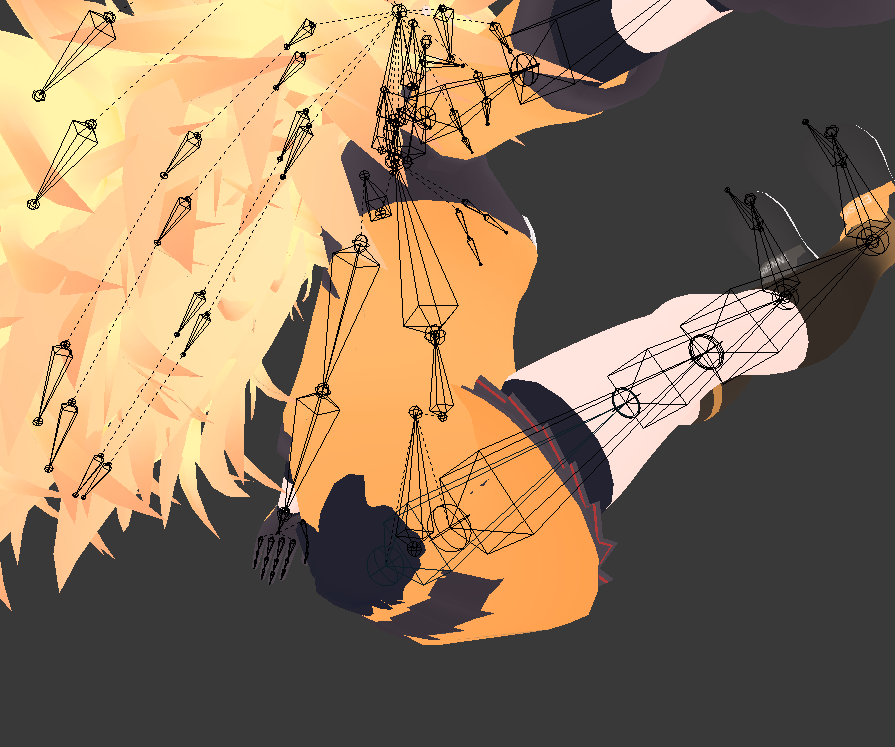
typically this problem surfaces when i squat very low with my avatar (like sitting on the floor) only
i'd also rather not delete that part of the body
gritty nest
You mean the butt clipping through the clothes?
You either need to put a little more leg bone weight on the butt, or more hip weight on the skirt/clothes
Or if you're never gonna see that part, delete the vertices (separate into new mesh so you don't mess up shape keys)
ivory radish
bendy bones is bae https://i.gyazo.com/f0097776dfb238bdc9132a8ef4b139d2.png

 rare sleet
what was the solution to the clicking configure in rig inside unity but it being blank
 vale charm
Hello, I didn't finished any avatar yet, is it a problem if the axis of the bones for the legs aren't oriented in the front?
 ivory radish
probably
if ur going 2 use animations from other humanoid rigs or 2 use ur animations in other humanoid rigs then u need 2 make sure the characters are in T-Pose
it might work possibly tho if thats how u leave the tpose
bc the pose the character has chooses where resting position is for the muscles
but it might sometimes mess with rotation in animations
 hardy radish
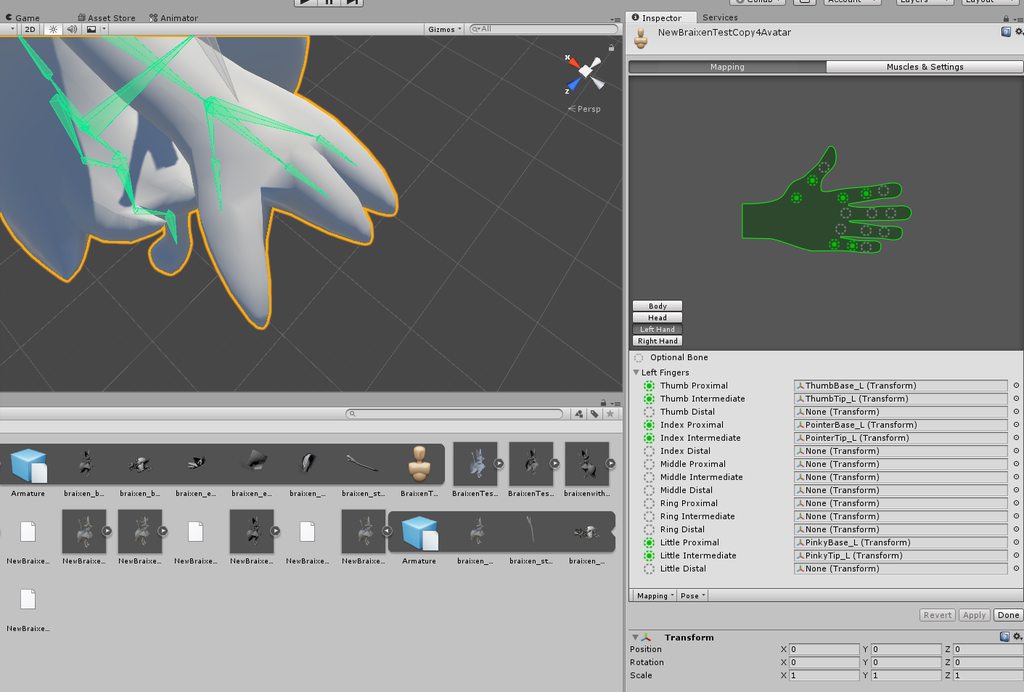
can anyone help me? the fingers on my character dont move in VR while the rest of my body is animated fine
don't know if its a skeleton problem or what
ivory radish
not mapped
hardy radish
what does that mean
ivory radish
u dont have any finger bones or u didnt check the mapping 2 see if they were mapped
hardy radish
i have finger bones and they are weight painted
ivory radish
configure button https://i.gyazo.com/6610c2b9443ea2fdac5193a140eda909.png

** u didnt check the mapping 2 see if they were mapped**
gritty nest
Use imgur
It's probably "full body IK will be disabled" warnings because you didn't map all the required finger bones, or the finger bones are weighted to the hand
Or whatever
hardy radish
 gritty nest
You need a middle finger bone mapped, at least one
fading verge
i'm pretty sure you need thumb, index and middle finger
hardy radish
it gives no warning
ivory radish
'thumb, index, middle finger bones are not mapped full body ik will be disabled'
something like that
gritty nest
It definitely warns you in the upload window that the finger bones aren't all mapped
ivory radish
^^
gritty nest
But that's beside the point
ivory radish
and besides u should always check mapping 2 see if everythings right
hardy radish
I'll try it and get back to ya, thanks
and for me it simply doesnt warn me they are all not mapped
ivory radish
r u sure the window is expanded bc it says so

huh close enough lol
ive had 2 fix that warning so many times that i memorized it
gritty nest
There's a similar warning about leg bone angles which matters less
ivory radish
ye its just a bit glitchy
hardy radish
the only warning about full body ik is the leg one, like you said rokk
getting this model in and working has been a pain in the ass for so long
ayy, it worked after I switched the middle and pinky finger like rokk said. Thank you all for the help
gritty nest
Cool
native sail
what does it mean "Spine hierarchy missing elements"?
native sail
do they need to be named properly?
when I inspect the skeleton, there is nothing red or missing

 fading verge
@native sail show a picture of the mapping tab of the body
ivory radish
i dont know why
native sail
@fading verge https://imgur.com/a/gjBgcfM
 fading verge
you are missing a neck bone
native sail
🤔
fading verge
also i can see that you have multiple meshes
native sail
well i gues i'll do something about that
fading verge
you should merge those
fading verge
merge them manually then
native sail
plus its a psp model so i don't think it will be too bad
native sail
well rip the model, blender refuses to take it
pastel turtle
How to create a bone in blender and only moves with the model but does not rotate like in below image on the right?
https://cdn.discordapp.com/attachments/468224140344819714/468891974766821377/Rig1.png

And it can not move up and down either i want to to stay on floor level and just move when I move XD
pastel turtle
NVM
 manic marsh
 wintry mesa
Does anyone know why weight painting would cause textures to disappear within game? The texture that's disappearing isn't even on the same body part
wintry elbow
Its probably not weight painting then
ivory radish
no help with my thing
wintry mesa
Its the only difference in the model I added, so it has to be the culprit, it just doesnt make sense
rare sleet
If you reweighted it then you reimported it meaning you had several other things that could cause the issue
 olive kestrel
^is another mesh showing through or something
hardy radish
can anyone help me with this. My model in unity has its tail and head thingies point straight back, so I try to fix it by moving the bones in the bone configuration, but it looks like nothing changes.
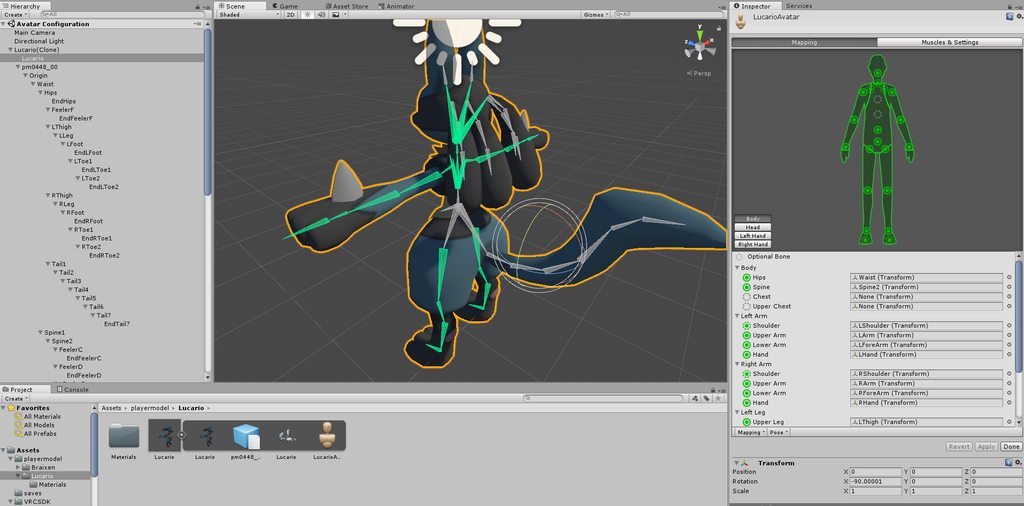
but outside of bone editor, including in the animation thing, it looks like this
 hardy radish
never mind, I figured it out
 boreal magnet
Does anyone know how to fix the blushing in Unity? Whenever i try to add it to an emote or hand gesture its comes out as a red square. But its in blender perfectly
opal aurora
@boreal magnet what shader are you using?
boreal magnet
are you able to edit the shader and rendering mode specific to the blushing?
kinda just figured it was part of the face in general
opal aurora
It should have a specific material for it normally yeah
gritty nest
@boreal magnet you should use Standard or Noenoe shaders for transparent stuff
Cubed's does not support transparency, only cutout and opaque
The fade and transparent modes won't work ingame
 neat marlin
Has anyone else run into this issue with a rig before? https://cdn.discordapp.com/attachments/309867318312304654/469387122852364309/unknown.png

Looks fine in Blender + Unity
 light kindle
probably bone length/bone position/bone roll issue
olive kestrel
my legs bend inward, what do i need to do to fix it? i tried adjusting the bones a bit bit it only got worse
is there a quick way to test the ik without uploading every time?
light kindle
do the reverse of what made it worse
gritty nest
@neat marlin that looks like the full body tracking fix
See if the hip bone is inverted in Blender by any chance
It should be facing up, and the leg bones should be connected to the tip of the hips bone and not the root
Otherwise you'll have to scale it to -1 and then reconfigure the humanoid rig in Unity
hardy radish
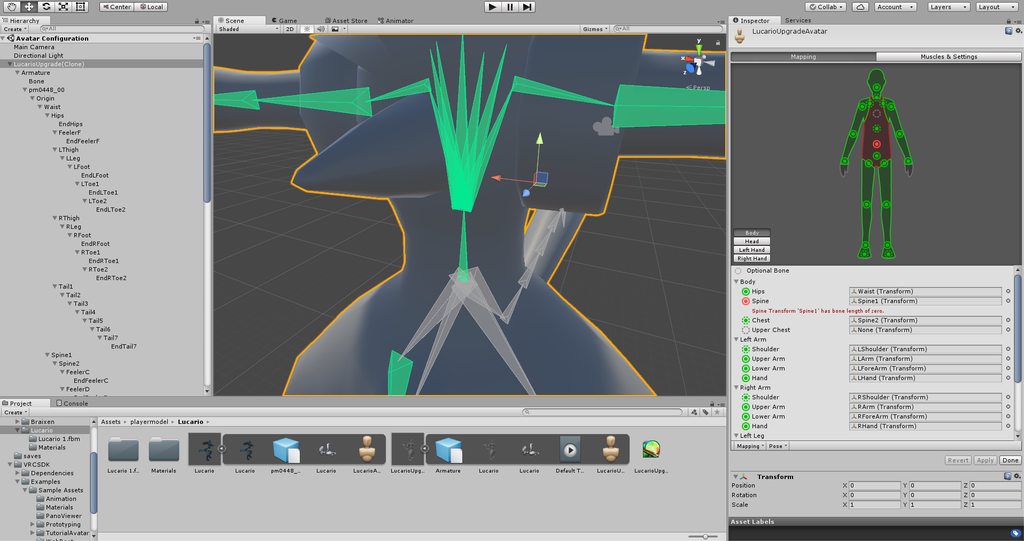
can someone help me? this imported model is having a strange issue in unity. It says that the bone "Spine1" has a length of zero, but it clearly has a length in blender
 light kindle
that doesnt matter
hardy radish
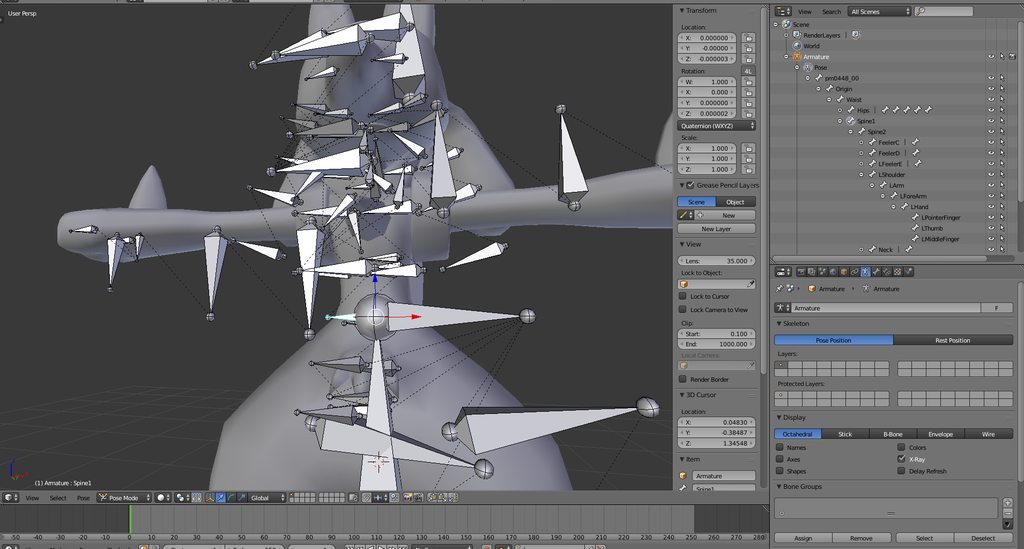 light kindle
cats does tell you to ignore it
hardy radish
okay, I'll see if it still works then
ivory radish
eyetracking breaks it
but why
https://i.gyazo.com/e7d645358144dc3326db8f127efffded.png
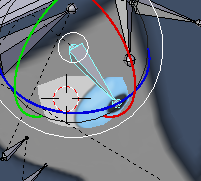
its rotating from another point and when i rotate the bone its a bit buggy afterward
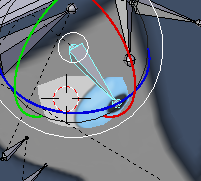
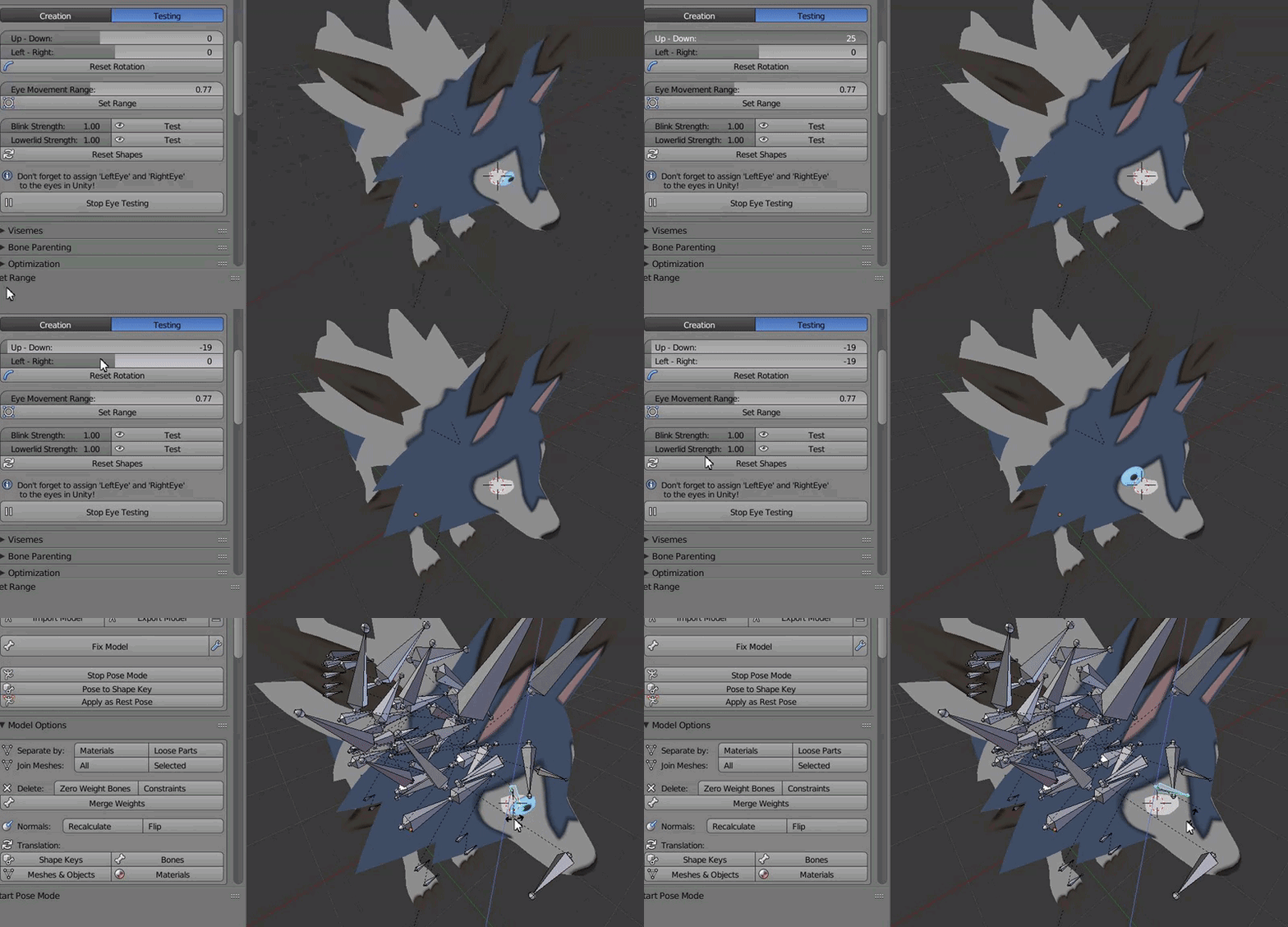
i set those as the eye bones
what am i doing wrng
normally it rotate around the eyeball
light kindle
cats does not work well with non mmd models
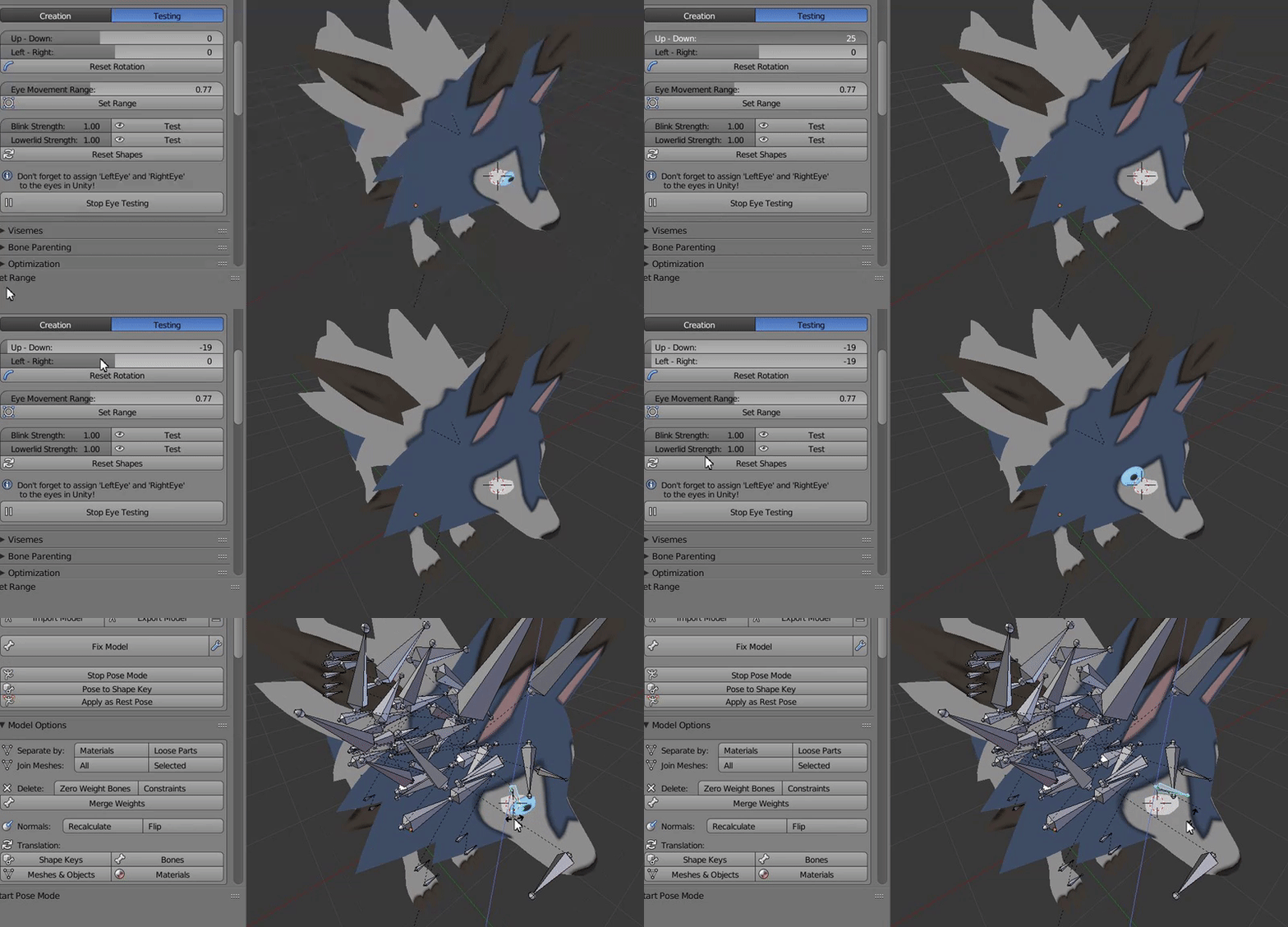
you will have to find the right movement range for the eyes and probably reposition eye bones
make sure you save before setting range or resetting position
light kindle
un hide the bone
its probably at the center of the head (both bones)
so they rotate from that position
and do not work well
 crimson plover
are xps avatars already rigged and animated?
pastel turtle
How to fix this?
https://cdn.discordapp.com/attachments/468224140344819714/469516677130747905/unknown.png
 fading verge
by making it first child
just move the bone to be in the first position in the hierarchy in unity
pastel turtle
How to do that because I'm a total newbie here with unity still I just got down with figuring shaders out XD
fading verge
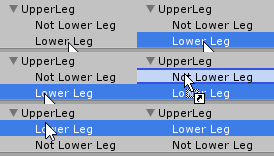 ivory radish
idk how 2 fix the tracking
 fading verge
press the arrow on the left side of "left leg" and "right leg"
pastel turtle
 pastel turtle
I tried to drag and drop but it is not going up XD
https://cdn.discordapp.com/attachments/468224140344819714/469518522272448532/unknown.png

or do i place it inside of hips?
fading verge
no you place it above the "armor_piercing" objects
pastel turtle
like this? I moved the armor pieces out and back in
https://cdn.discordapp.com/attachments/468224140344819714/469519051895603221/unknown.png
 gritty nest
@fading verge nice GIF lol
fading verge
thanks.
gritty nest
@pastel turtle don't move them out and in, that will break prefab
Just drag them so they come first
Rearrange them
It looks fine now though
pastel turtle
I tried dragging them but it did nothing XD
gritty nest
So you'll just have to see if it's still fine ingame
fading verge
look at my gif again
you have a line that will appear when you can let go of the mouse button
it will drop it at the correct place

 gritty nest
No, the line needs to be outside of the other bones
The way you did it right now reparents the knee to the armor
You need to make sure it just comes first, before the armor

 fading verge
yes
ivory radish
does no 1 kno how 2 fix it
pastel turtle
List error is this
https://cdn.discordapp.com/attachments/468224140344819714/469520976154066944/unknown.png
 fading verge
ignore
pastel turtle
K then im good to go thank you Mr. Svelsien 😄
pastel turtle
Ok I came across a new problem IDK if you can help me with it though.
I made a sort of hovering turrets with a gun on it but I just want it to follow me around remain in its elevated position as I do dances, sit and so on where do i attach such a thing at to my model to where it acts almost independently from mine but still moves when ever I move from one place to another? Do I put it here?
https://cdn.discordapp.com/attachments/468224140344819714/469525983746064384/unknown.png
 pastel turtle
No help on this one?
sleek isle
On the hips probably. So its not going to rotate like crazy when you move
But if you want a robot like in nier that fallow you slowly idk
pastel turtle
yeah i want it like a robot near me and just follow me around but is still attached to my model and does not move when I do dances and stuff XD
sleek isle
The only think i can think but i dont know if its possible in vrc. It would be to make the robot act like a camera that follow your model offset
pastel turtle
In mmd I could to attach it to the all parent bone and it would act like I want it to XD
sleek isle
Try to attach your robot on the armature so it would follow your body in the x and z axe. Would maybe kind of work
Search a tutorial how to make object follow another object after wards with short delay
fading verge
https://www.youtube.com/watch?v=cBItiYHsllU
according to this video, it's pretty good to parent it to the hips

MAKE SURE TO DECIMATE MODEL BEFORE YOU ANIMATE IT, OR ELSE MODEL WON'T ACTUALLY DECIMATE AND IT WILL MAKE YOU COMPLETELY ANIMATE MODEL AGAIN! Links: Tinkerca...
gritty nest
It depends on how you want it to move and rotate.
I personally put those things outside of my armature.
native sail
question, how would you put a model that is not in t pose, into a t pose?
i had a model that was tposed, but it glitched and went into an idle animation
its stuck in idle animation
fading verge
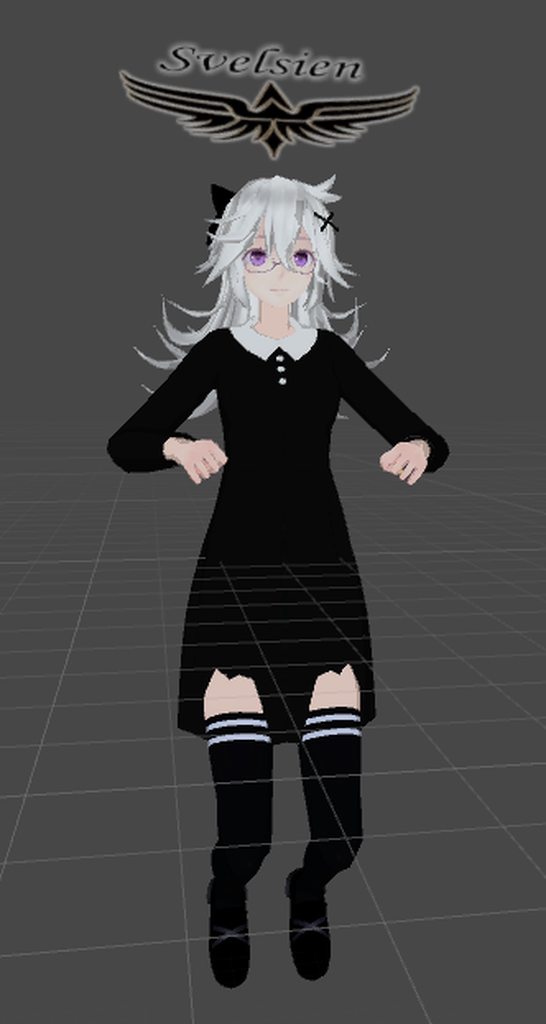 fading verge
it's pinned in "animation"
native sail
(shh I'm not that good at finding things, thanks tho)
neat marlin
@gritty nest That could actually be it. I’ll sort that out and let you know how it goes. Thanks!
native sail
side question, can you have two different gesture overrides?
I want a sword in one hand, and a shield in another, how would that work?
I tried having them in different gestures, but that causes a vrchat error, even after fixing the tpose bug
cosmic surge
Some here that knows about unity automapping for bones ? I have all bones, some without attached vertex groups or polies, and unity forces me to set those by them myself
 pastel turtle
Um how to find my cam ball?
the tiny grey-ish ball because it never spawned for me when I made new project and imported my character into it XD
 deft crown
It probably did spawn but just hard to see
You sure its not there?
@pastel turtle No wait im done, did you add the cam ball as a component yet?
deft crown
Yea thats how you get the camera ball
pastel turtle
XD it was so small when I zoomed in to find it inside my model it did not show it XD But found it after view was set to 0, 0, 0 :D
ivory radish
does no 1 kno how help fix tracking
pastel turtle
@ivory radish Did you try CAT mod in blender?
ivory radish
https://i.gyazo.com/e7d645358144dc3326db8f127efffded.png
its rotating from another point and when i rotate the bone its a bit buggy afterward
but before eye tracking its working
cosmic surge
Someone here that knows about unity automapping for bones ? I have all bones, but some are without attached vertex groups or polies, and unity forces me to set those by myself. What do they need to be automaped ?
gritty nest
@deft crown seems like a lack of weight painting
fading verge
https://pasteboard.co/HvexvAu.png I renamed all my bones to the proper bones
https://pasteboard.co/HvexYQ8.png But when I hit the Cat's Fix it says it deletes the head?

Super simple and lightning fast image sharing. Upload clipboard images with Copy & Paste and image files with Drag & Drop

Super simple and lightning fast image sharing. Upload clipboard images with Copy & Paste and image files with Drag & Drop
gritty nest
@deft crown check if there are misnamed vertex groups for the arms
cosmic surge
select the mesh and then on the rigth in the menu (at half hight of the screen) you have the mesh symbol there you will find them
deft crown
Do you think you can include a pic, im pretty clueless lmao @cosmic surge
cosmic surge
ahh well then my direction make no sense at all ^^
deft crown
Lmao

 deft crown
@ivory radish It didnt work, any other method?
fading verge
By chance is it possible to merge multiple armatures in blender? I've some models I ripped from one of the SK games and since each of the models are essentially modular the head, body and hair all have their own armature.
gritty nest
@fading verge make sure both armatures are in your Blender scene
Press CTRL+A to apply the rotation, scale and location on both of them
fading verge
All of them are positioned where they need to be.
gritty nest
Select both and press CTRL+J to join them
You might have to reparent a bone or two
If the armatures are actually identical but the meshes are in different places, try the Cats merge armature function instead, or reparent the mesh to the other armature.
fading verge
I was under the impression that the joining method didn't function when trying to parent bones. from different armatures.
fading verge
No, none of the armatures share bone names.
gritty nest
For example, I've seen game rips where importing a head mesh still gave me an armature for the entire body. In that case, I just reparent the mesh
In that case, you can join the armatures
You will end up with two different bone roots, so you'll just have to reparent those. It's pretty easy
I did that yesterday so I know it should work
fading verge
I don't think there are proper roots for anything other than the body because I got rid of anything that wasn't going to be practical for the extra armatures.
gritty nest
I mean like root bones that aren't parented to anything else
For normal humanoids this is usually the hips
gritty nest
But if you merge another armature that's only the head, you will end up with the hips and the head next to each other. In that case you'll have to reparent the head so it's under hips, etc...
fading verge
I just need to connect a neck to a spine and the hair to the head.
deft crown

Can anyone help me fix this? I dont get why this is happening?
I already set it to humanoid
sleek isle
Maybe not weighpainted. Did the model could move arms/legs in blender or unity?
rare sleet
If not I can also guess if it is weighted it wasn't set armature deform to the armature lol
neat marlin
@gritty nest That'd did actually fix the issue! Thank you!
cosmic surge
I have a model without hands. I added hand bones to be able to make facial gestures. It works in game. But unity does not auto map the bones. What rules apply ?
i think i found some restrains. The hands needs vertex groups that overlap with the group for the elbow (maybe need to be connected). Ring, middle and index finger need distinctive groups.
sleek isle
Yes
 leaden rivet








 cosmic surge
@sleek isle was the yes to my post ? since it is not working i expect other restrains
late shale
unity won't auto map bones without any weights, you'll have to manually map. You don't need to do anything with the vertex groups
cosmic surge
hmm to bad thanks for the info
olive kestrel
is there a way to like.. see all the bones affecting a certain part of a mesh or something
had an issue where a weird bone was painted to something and took me forever to figure it out
or like paint an area for all bones at once
gritty nest
@olive kestrel you can just go through all vertex groups while looking at an area
sleek isle
You can select a vertex and see in the (n) menu what bone are attach to it
pastel turtle
@sour lily this might help https://www.youtube.com/watch?v=KywzhVH5o0Q 😄

A Unity tutorial on how to use the dynamic bone plugin, which is available on the asset store here: https://www.assetstore.unity3d.com/#!/content/16743?aid=1...
 amber thorn
What would cause the chest of a model to go into the head?
It looks fine in Blender/the pmx, but in Unity that happened
pastel turtle
Ok i tried as shown in the video above that I posted but my character just flops to floor how to make a more realistic skirt physics on my model XD
rare sleet
Values of dynamic bones vary depending on every difference in the bone setup, length, number of bones, gaps in bone strings, everything changes the values you would use
pastel turtle
Well Im singling out the skirt... XD
rare sleet
What?
pastel turtle
Adding dynamic bones to skirt_0_0, skirt_0_1, and so on. But does not add dynamic bones to skirt_1_0 and so on... XD and want the best values for a realistic skirt physics with dynamic bones XD
https://cdn.discordapp.com/attachments/468224140344819714/470068727535239168/unknown.png

 rare sleet
You realize dynamic Bones only move a child relitive to the root you define
The root doesn't move
At least it doesn't if you only define a root and nothing else
pastel turtle
yep I got root as Skirt_0_0 and so on XD
rare sleet
I see I misread
But anyway yeah you should have that rooted to a single parent and make that parent the dynamic bones root
pastel turtle
I just need values of these... XD
https://cdn.discordapp.com/attachments/468224140344819714/470069901139247104/unknown.png

 rare sleet
They all change over every difference between systems
pastel turtle
?
rare sleet
The only recommendation for dynamic bones values I can make is use curves
pastel turtle
TY for trying XD