#avatar-rigging
1 messages · Page 120 of 1
 ruby geode
 ivory radish
have u seen the tutorial
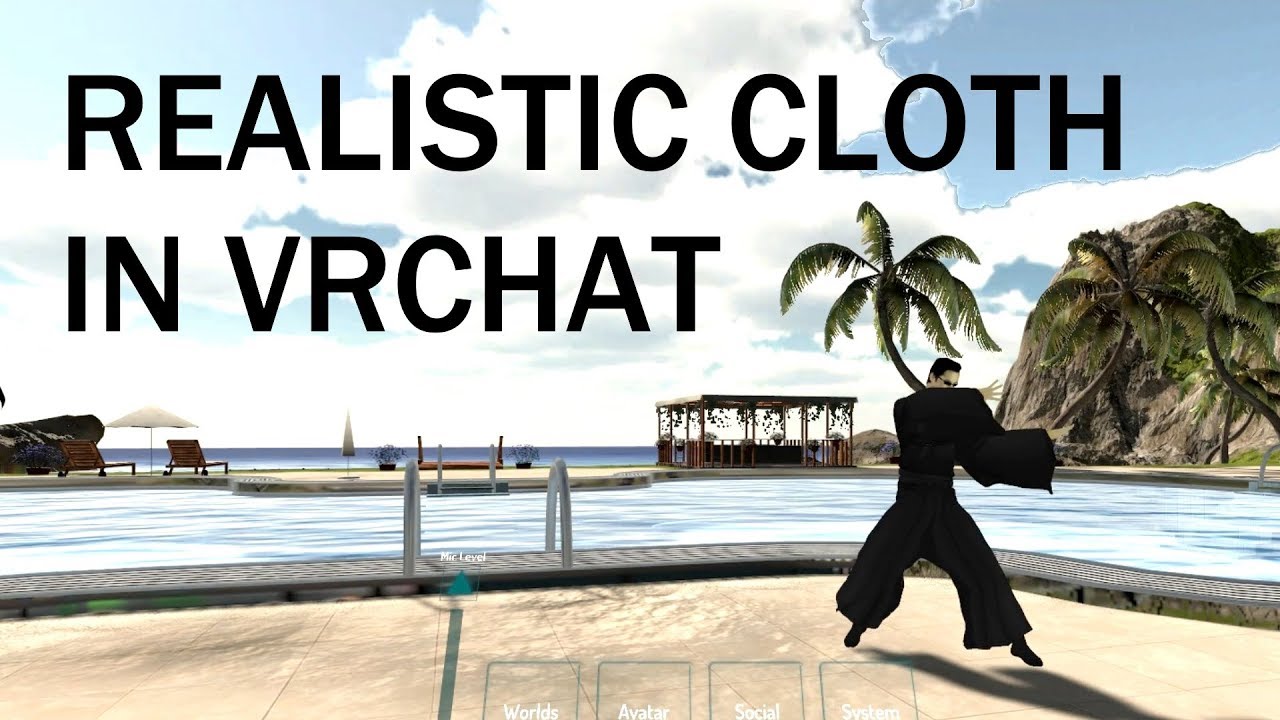
extra notes: - this might not be the right choice for your model if the cloth is stylized in a physically unrealistic way - like dynamic bones, this is not a...
ruby geode
Oh, no I haven't, I'll check it out - thank you once again!
 humble apex
I'm gonna try the cloth thing.
I don't think you need to have bones in the mesh you're applying the cloth to right?
Or least, you don't need to have bones linked to the vertex group that is the mesh, right?
humble apex
Ok.
I have bones in a tie I'm wanting to move around,
So do I need the individual vertex groups still?
That make that mesh move?
Or do I just need the vertex group made to separate the mesh?
ivory radish
what
u dont need to do anything lol u just need a tie thats preferably not part of the mesh
humble apex
You know how when you make bones, you assign vertex groups on the mesh so the bones move that part of the mesh, rigvht.
Right*
Do I still need those? Or is having the bones in the tie good enough?>
ivory radish

of course you need 'vertex groups'
how else u gonna move parts of the tie around if none of them are weighted
humble apex
ok then one sec
 simple narwhal
dynamic bones
humble apex
 ivory radish
what
humble apex
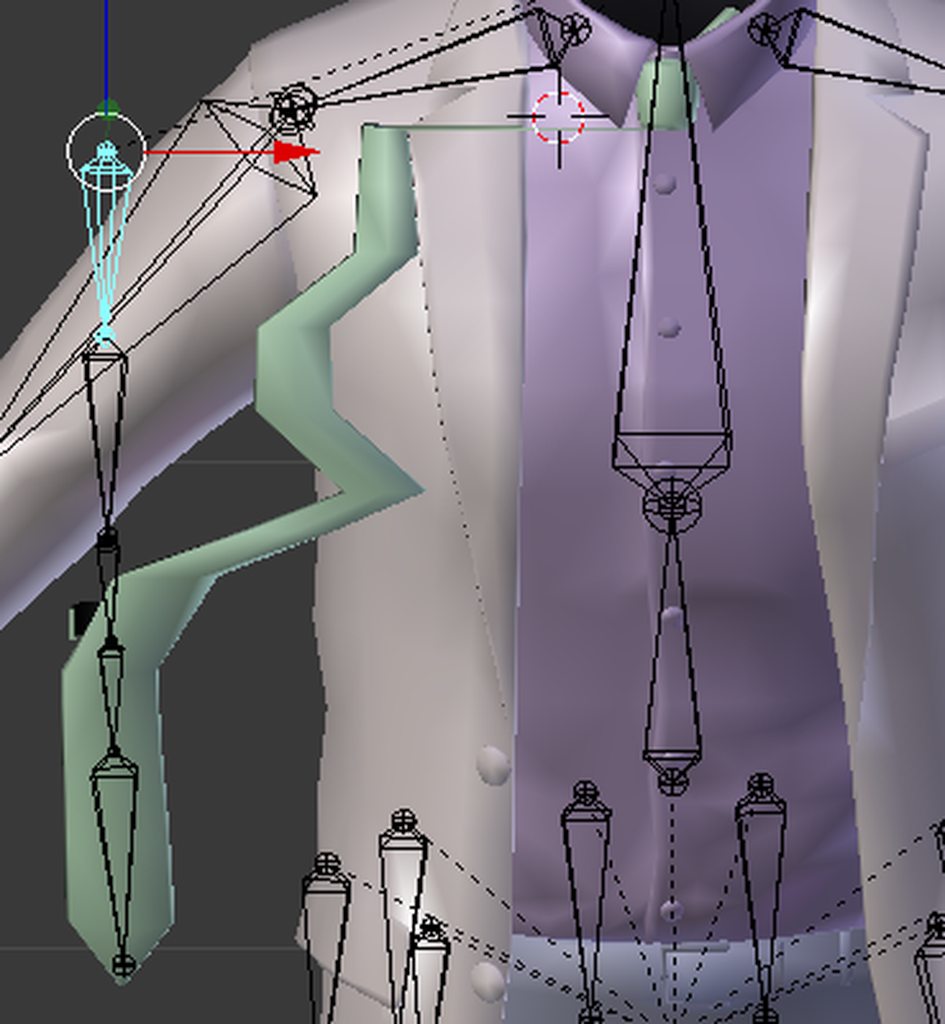
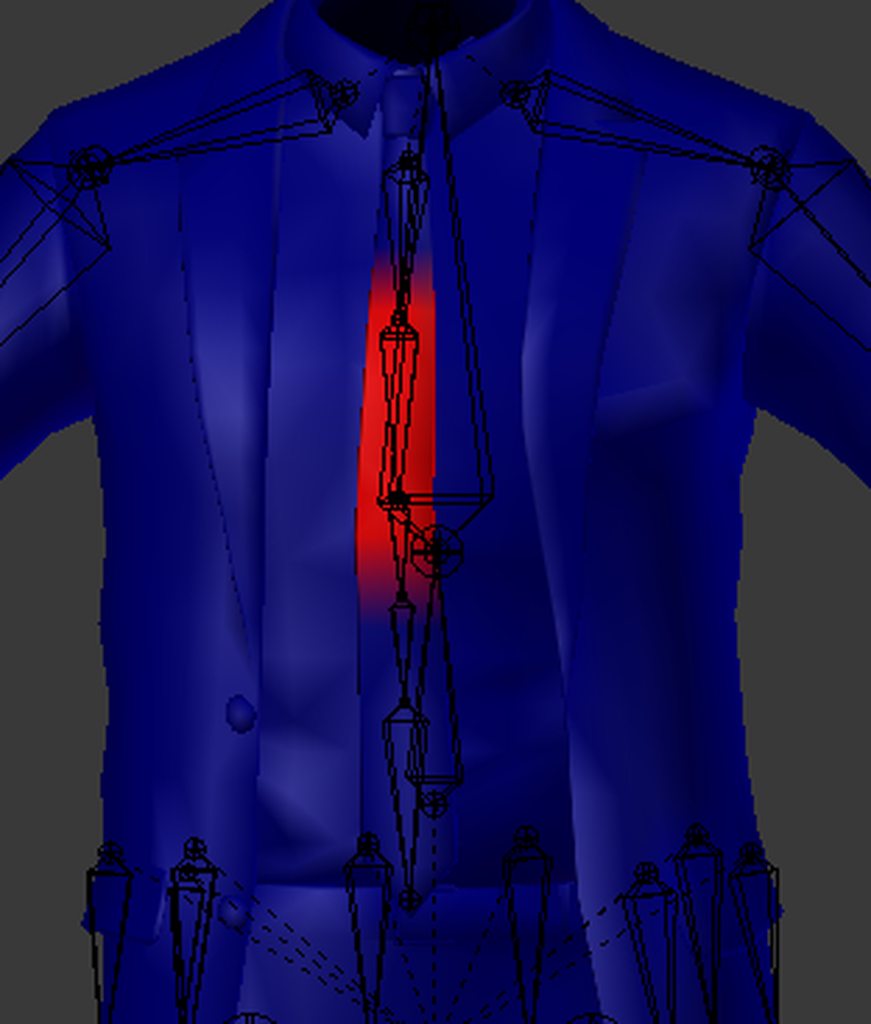
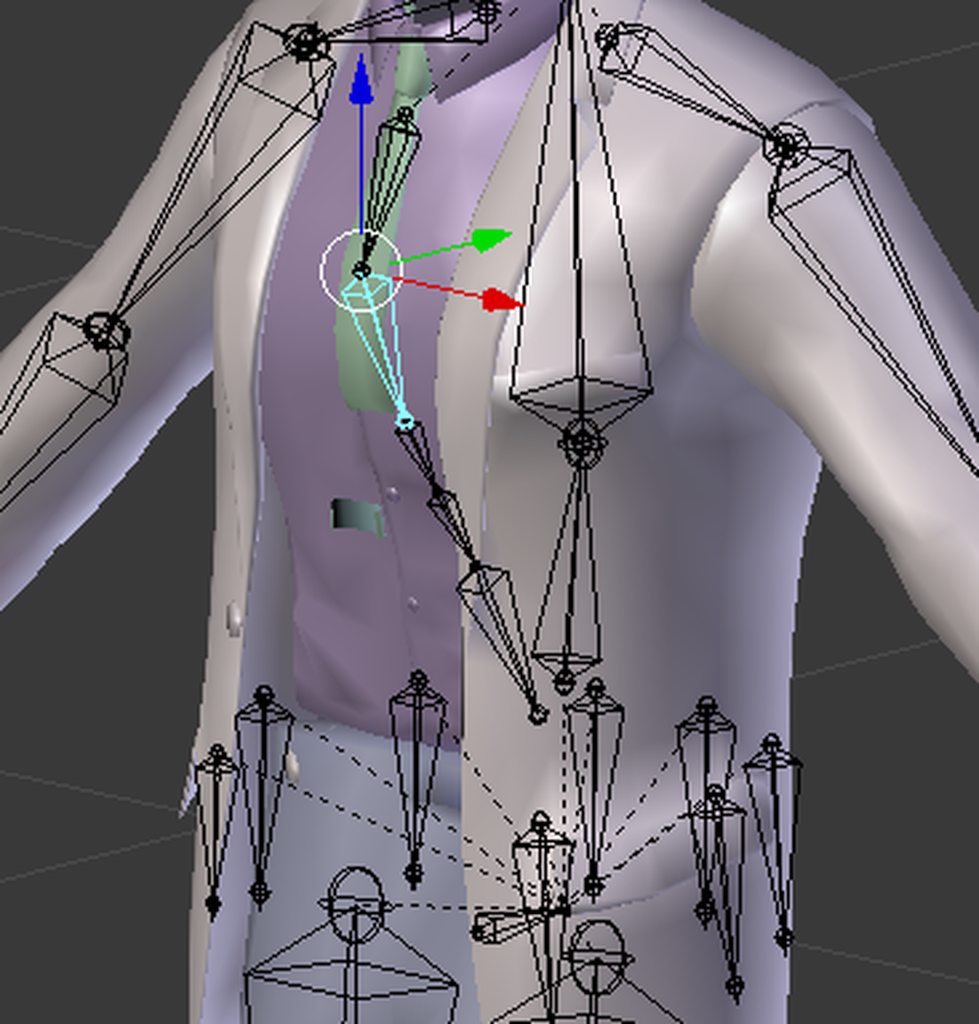
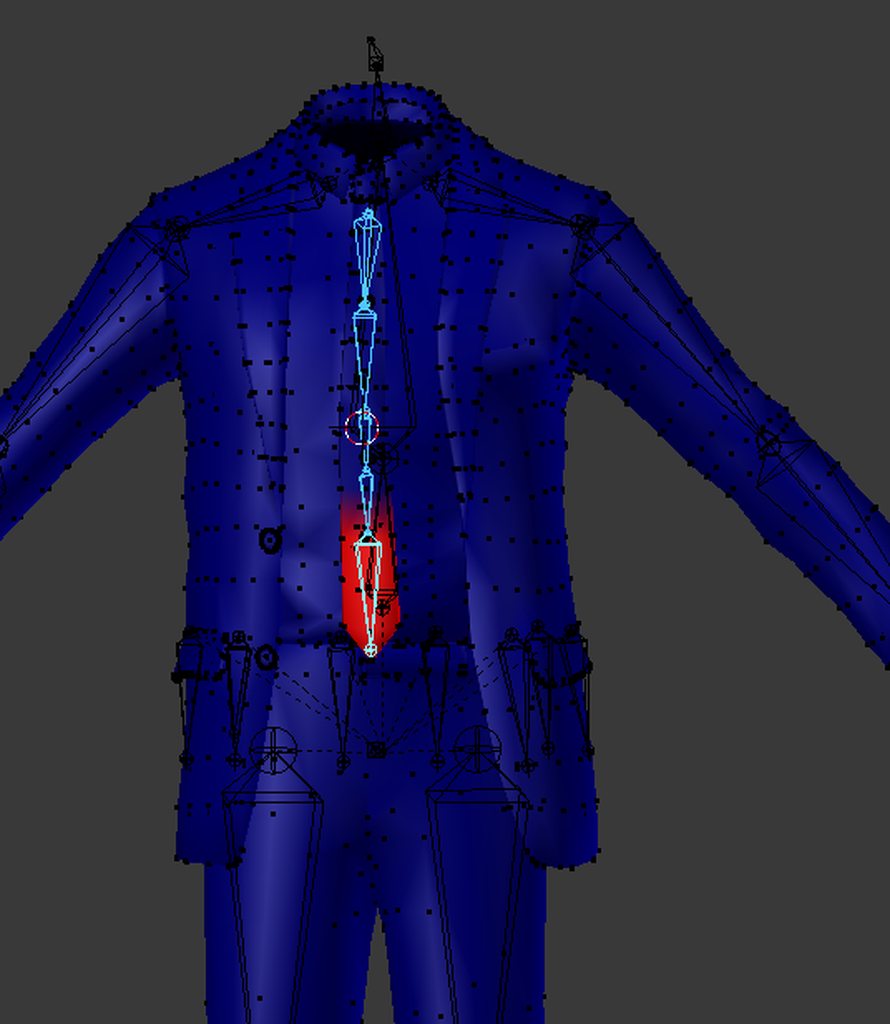
I'm having this issue with the tie when assigning vertex groups to the bones
That's why im hesitant to use the cloth
It doesn't move uniformly
Some vertices are just
Idk, stuck behind?
ivory radish
have u seen the tutorial
humble apex
The tutorial for what
 humble apex
A tie is cloth.
And I saw the tutorial.
The problem is that, I think it will look like shit in unity if the mesh doesnt move uniformly with the bones.
ivory radish
extra notes: - this might not be the right choice for your model if the cloth is stylized in a physically unrealistic way - like dynamic bones, this is not a...
humble apex
I know, I watched it.
humble apex
Because it's still technically cloth.
ivory radish
cloth is usually for... cloth.. like shirts, skirts, etc etc
humble apex
It would work with with it.
Basically like dynamic bones on it but better I imagine.
ivory radish
usually its better only with stuff like this
humble apex
Ah.
ivory radish
where its supposed to act like a single piece of cloth
bc chains of bones wont have the correct physics
humble apex
Well regardless even if I were to use dynamic bones on the tie as you can see the vertices are fucked.
simple narwhal
ctrl + z spam
ivory radish
weight painting is incorrect
simple narwhal
if it was unfucked in the first place
humble apex
I mean it was. I just made more bones for the tie since the bones only went halfway up the tie so I could make it move completely in unity.
Then I assigned vertex groups for them.
I uh
I don't know how to weight paint tbh.
I didn't know that was the issue.
ivory radish
well its the most obvious answer
to 'my bones are not deforming the mesh correctly'
its almost always a weight painting issue
because the vertices of the mesh are not being correctly deformed
ivory radish
for a tie, separating it, segmenting the bones, and using blender's auto-deform should already work
humble apex
..
 humble apex
You mean in the bendy bones collapsible?
humble apex
Yeah I see the option.
Idk like.
What to do with it though.
Like, is 2 segments enough?
Idk.
ivory radish
as many as needed
like i said
u can try using auto deform
then when u change segments
u can see how it bends
humble apex
What is auto deform.
humble apex
I just found it.
ivory radish

Blender Stack Exchange
I've been trying to find this on the Blender Wiki, but I can't seem to find the details. I knew how to do it one time but I forgot how to do so now.
How do you generate vertex groups for individual
etc
humble apex
It's the mesh deform modifier right.
ivory radish
no
humble apex
???
ivory radish
click the link
humble apex
Oh my god, you were talking about automatic weighting?
ivory radish
yes
humble apex
Why did you not say that?
ivory radish
i call it auto deform bc it sets up the deformation weights
but it means same thing
humble apex
So I just segment it as many times as I want
Same for each bone I'm assuming
Then do automatic weighting
Then hope it works?
Right?
 ivory radish
rip
ivory radish
its called u probably parented to the scene
ivory radish
yes but its not parented to the armature anymore is it
 gritty nest
Oh, did you unparent the mesh from armature?
ivory radish
^^^^^^^
gritty nest
You gotta "Clear parent and keep transformation" if you don't want it to be gigantic
ivory radish
or u can just not take it out of the armature
gritty nest
That too
ivory radish
xd
 gritty nest
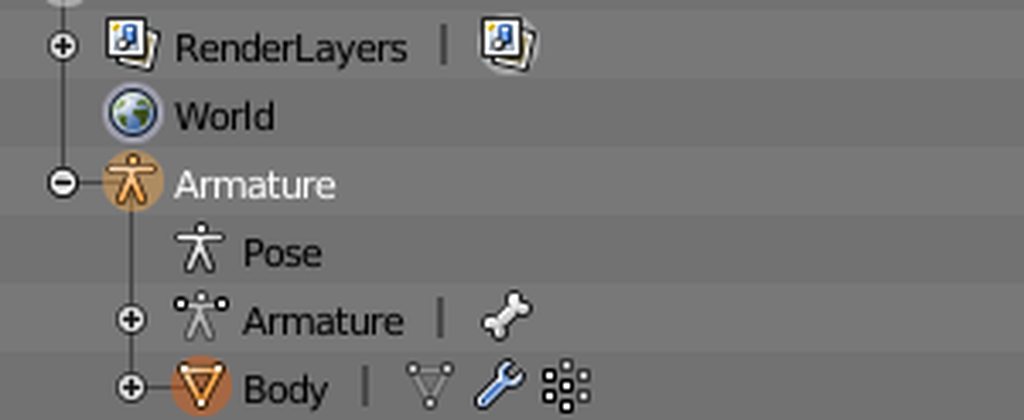
Oh, uh
ivory radish
what did u do 2 it
ivory radish
like it said in tutorial
humble apex
Like it had been parented with auto-weights at some point in the past I'm guessing
ivory radish
if u want cloth u separate cloth from mesh
humble apex
im not doing cloth anymore friend
ivory radish
o ok
humble apex
ok
ivory radish
instead
ivory radish
do it like it says in the link lol
 ivory radish
lmao
 undone cave
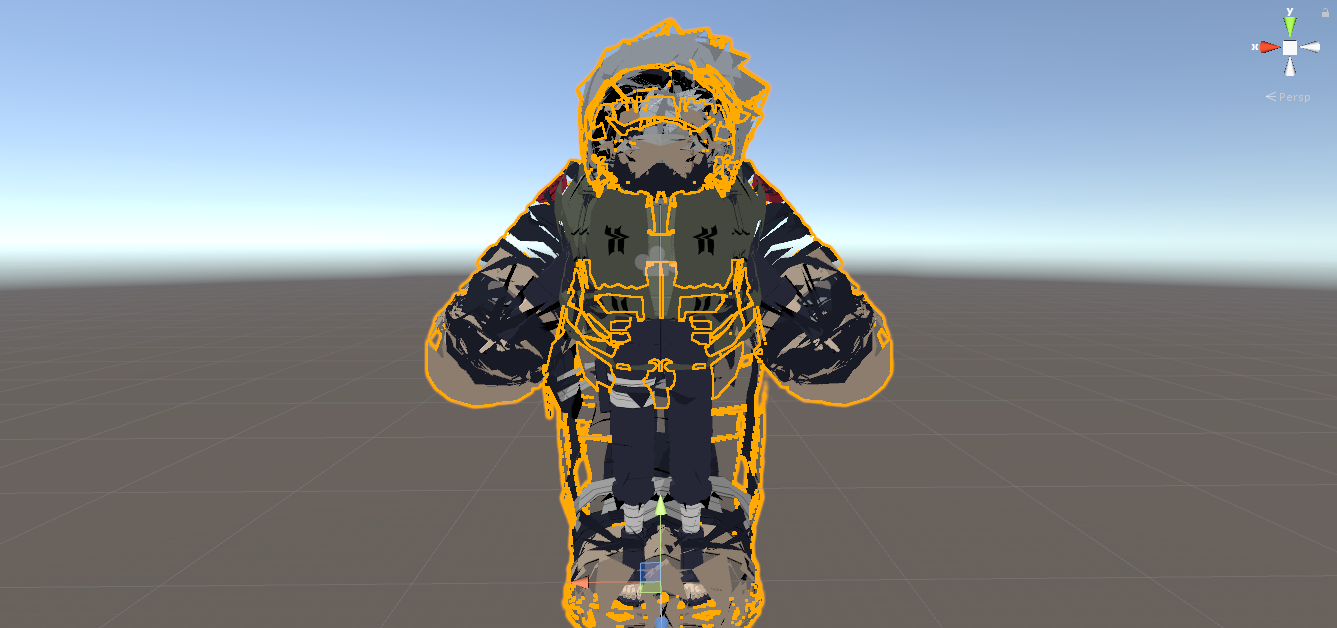
Not sure where to change that though
ivory radish
shader
gritty nest
Select the model's materials, in the shader settings decrease the outline width
This happens a lot with Cubed's for some reason
I would like to say "use Noenoe", but Shader Forge has some awful outlines.
So Cubed's does outlines better
humble apex
Yeah I can't select individual bones in object mode since it's all part of an armature already, so I'm just gonna try what Rokk said with the ctrl+A before i parent
ivory radish
at least theyre consistent
thats a terrible idea
it will break parts of the mesh that are rigged correctly
or at least make them less correct
humble apex
what, me?
humble apex
oh
ivory radish
ur obviously using object mode
humble apex
I did.
ivory radish
then u press W
ivory radish
that doesnt matter
vertex groups are just how bones affect the mesh
theres a vertex group for every bone with weight on that mesh
humble apex
Alright whatever I'm just going to do what I did before where the model became massive and scale it back down.
ivory radish
its just going to remove weight for that area near the bones and replace with calculated
humble apex
oh wait i cant
if i try to scale the mesh it scales the skeleton too
g r e a t.
this is so stupid man, why can i not just use automatic weighting
ivory radish
bc again
it resets weights for everything
and automatic weighting isnt perfect
its not going to 100% make your model have perfect weighting
so u would have to spend about 10x as much time fixing all the weights
than u would just re-weighting the tie
humble apex
but its not letting me reweight the tie
when i select the bones in pose mode then try to select the mesh with shift-click it puts me in object mode
ivory radish
who cares did u not see instruction
ivory radish
look
u use weight paint mode upon selecting mesh
then u select armature with pose mode
and select the tie bones
then u shift select the mesh
then u press W
.-.
humble apex
you didnt mention weight paint mode which i still havent seen how to use
google time
ivory radish
u dont need to use it
omg literally just follow directions
and u will assign automatic weights
 ivory radish
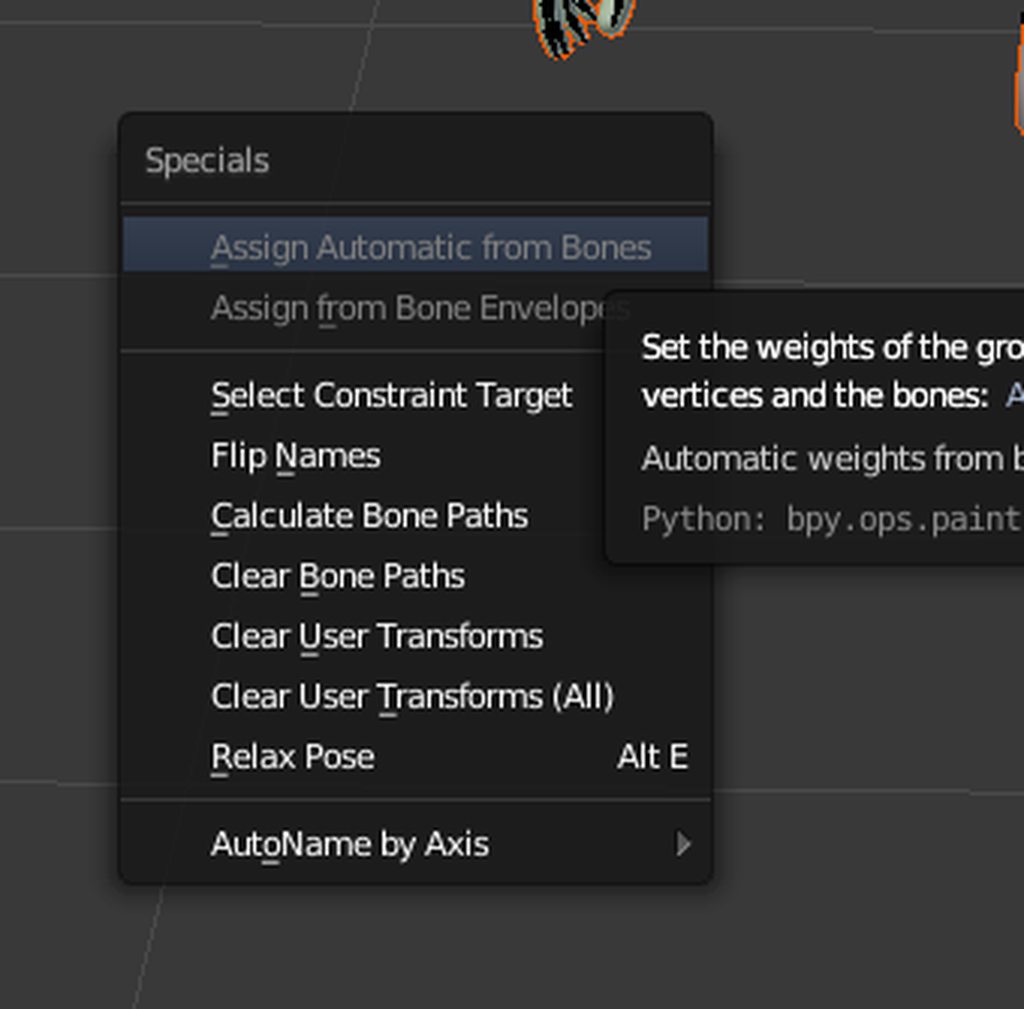
did u not do what i said
select mesh in weight paint mode (not object mode)
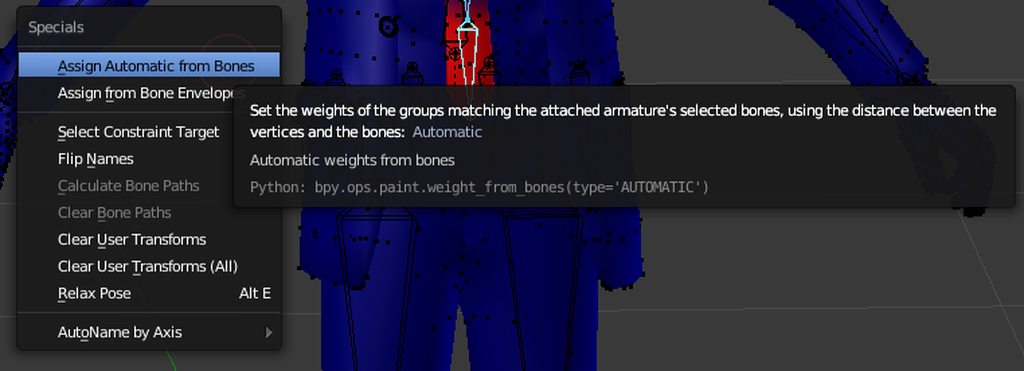
then select the bones u want in pose mode
then shift select the mesh
and press W
 undone cave
Just wondering how do I move legs closer together
humble apex
this has only made the issue worse
it's not the literal legs, it's the bones in the mesh
undone cave
Oh
humble apex
youd need to edit it in something like blender
undone cave
Thanks @humble apex
humble apex
yeet
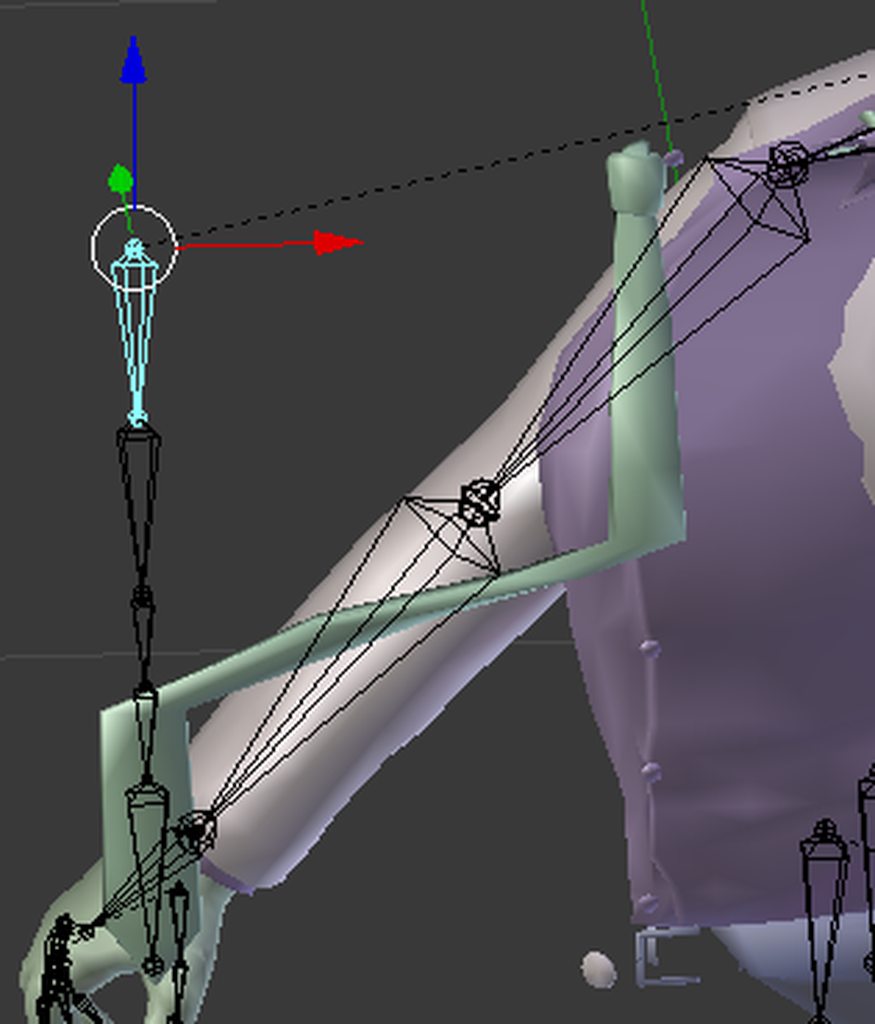
yeah using the method you gave me didnt work at all wunder
made things worse actually
and now i cant select bones in weight paint mode
fun
ivory radish
what lol
u did it wrong
u select all the tie bones in pose mode, shift select the mesh (while in weight paint mode), assign auto weights, and it should make ur tie work
worked for all ym other ties
besides thats not even how a tie works just try rotating it
 ivory radish
ye
then try rotating
also on jiggle bones u want to use gravity and make sure u have colliders for chest and stuff
humble apex
 ivory radish
that way it collides with ur body and falls down when ur doing stuff like bending over
ivory radish
etc
humble apex
wait
ivory radish
now brb
humble apex
gravity?
humble apex
You mean setting gravity in unity?
ivory radish
u dont want the tie to stay put when u tilt sideways
humble apex
With the dynamic bones component?
 mystic badge
Just make the model 🅱oneless
humble apex
.. in unity? or in blender?
humble apex
you said "no of the jiggle bone" then "yes"
ivory radish
`With the dynamic bones component?
yes`
bc 'unity gravity component' != dynamic bones gravity component
ivory radish
me brb now
humble apex
bruh
i cant weight paint this one bone in the tie that is causing the problem
it just wont let me
or rather the vertex group
 earnest brook
Is it a different object than the rest of the mesh?
If so you have to select it in weight paint mode by right-clicking it
humble apex
I did.
 main sage
there a way to seperate the mesh in Blender by Vertex Groups?
 hard solar
yep
mystic badge
Ok, question
How do I give this a humanoid skeleton?

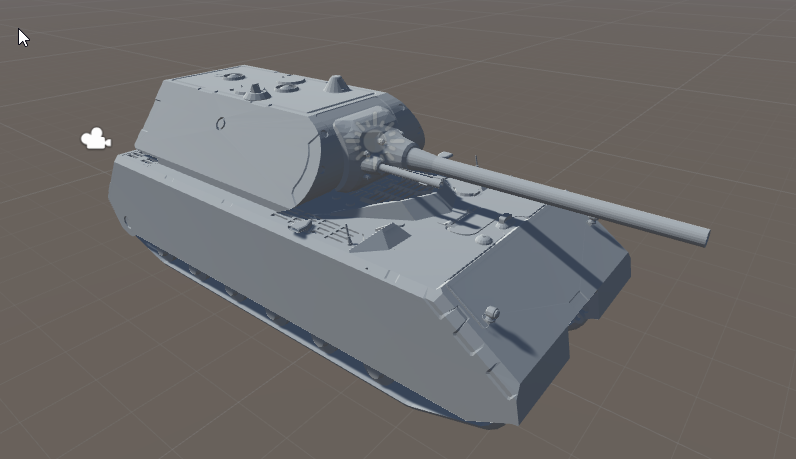
- TOG II - Download Free 3D model by クロ | Kuro (@KaliNoob)
I can imagine that the head would be the turret?
hard solar
give it a fake skeleton
have the bones weight painted to nothing
i guess expect the head
but idk how thats gonna turn out when you look up
mystic badge
Haha no idea
You think it's possible to have the turret turn but have the gun elevate?
Maybe have the turret as eyes?
🤔
 cyan adder
anyone know how to do smooth tubing on a character
my character has tubes that go across the body, from head to chest, but if i weight them to those bones, the tube gets stretched https://cdn.discordapp.com/attachments/428312848352149526/462805138806145026/unknown.png

@mystic badge shapekeys
 odd plume
How do i add dynamic bones
humble apex
buy it
or find somebody who has it and who will give it out illegally(?)
i think it's illegal
idk
odd plume
Damn, how much is it?
odd plume
I may just have to find someone who has a download for it because I cant buy it right now
mystic badge
20 dollars
 silk holly
https://cdn.discordapp.com/attachments/387443655687798786/462817524166426624/unknown.png
Anyone able to help me make sense of this one?

I'm confused because the bone sizes were never changed
mystic badge
Does it still work normal?
mystic badge
Maybe you need to go back and redo the bones?
silk holly
I think I've pretty much found it
the leg bones were upside down
but pointing the right way
mystic badge
The hell?
silk holly
I had to actually invert and then rotate
mystic badge
Aw shit
silk holly
I merged three different armatures together
mystic badge
Well, there you go
silk holly
now it looks like I just have some weighting to fix
cus one side of her skirt's retarded
 wanton dove
so how come whenever i try to remove the weight from something that was weighted wrong, it never accepts the change
 ebon bear
ok ..
If there is no rigging at all, what should I rig?
ebon bear
somebody help me
I want to rigging with 3dmax.
But at the same time I want to edit it as cats
(I do not want this, but others who use my model want it)
Is this possible?
When I rig in 3dmax and move it through fbx, cats gets an error
 stiff skiff
What 3dmax do tho.. just askin' XD
 shrewd iron
I have a problem with my avatar, when I look straight down or straight up my head covers my view. I've tried every possible position of putting the avatar descriptor but it never gets rid of it. How do I fix that?
 ivory radish
well duh
thats not a person
u can either make an invisible person (and have 0 animation other than turret) or u can use generic avatars and then add animations to the controller
mystic badge
How do i do that lmao?
mystic badge
how do i insert an invisible person
ivory radish
u join the bones but its a pretty bad idea
the turret again follows head so it could look at the floor and disconnect from the top part (usually) and again u wont have any animation whatsoever on it
ivory radish
of
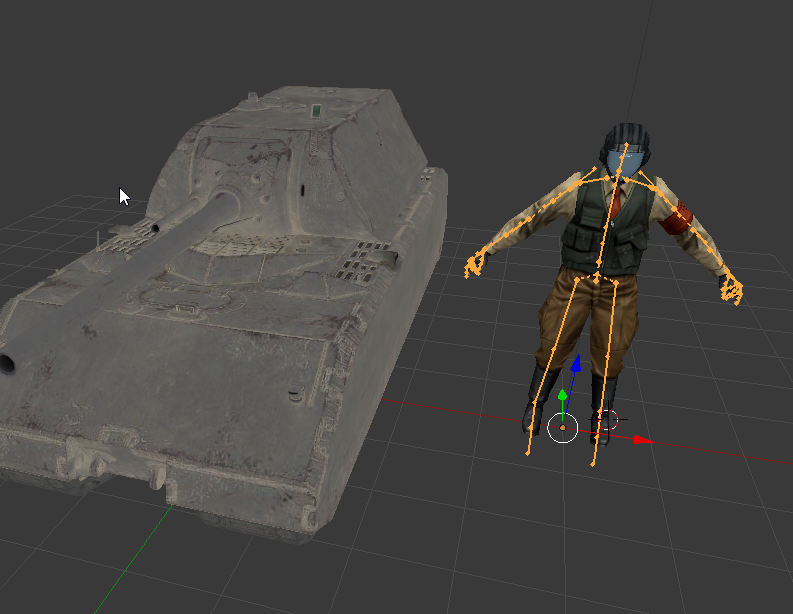
u can literally just import like a mixamo t-pose skeleton or smtg
and again its gonna look pretty bad when looking up and down and its going to be really stiff
ivory radish
u move the armature
 mystic badge
fugg dude
 unique mesa
Hmmm so its my first time rigging a model and i have a slight problem. When i try to Armature with automatic weights it rescales my mesh to a giant size x.x
wanton dove
So what do i do if blender wont let me edit weights
 wintry mesa
When the body clips through clothes, is that fixed by parenting the clothing itself to a bone, or weight painting? Sorry if my verbiage is off, im kinda new to this
 open hull
it's a weight painting thing @wintry mesa
 fading verge
@unique mesa make sure to apply rotation scale location before joining your mesh with your amature
on both the mesh and the armature
ctrl a is the shortcut to bring up the menu
unique mesa
@fading verge Alright! Gonna try that ^^
main sage
ech
fading verge
Question real quick attaching new hands to a model what do I do for parenting?
 bright veldt
Why do some animations on the face pulsate when you're trying to make a face in vrc? I tried making a cute smile with the eyes closed but it has this twitching look to it
 light kindle
2nd frames value isnt the same as the 1st probably (shinoa)
shoulder>upperarm>lowerarm>wrist>fingers (upperarm might just be arm and lowerarm is elbow, havent used cats in a while) (lagoon)
most rig names dont matter (excluding hips spine chest neck head lefteye/righteye for eyetracking)
 silk zenith
Hello hi

First time rigging a model, don't think that's normal
Can someone please hemp me make it look normaler
 lucid orbit
@sweet beacon Look in #tutorials for the Merging Multiple Models ones.
@silk zenith You probably want #avatars-mmd but those are facial emotes. Use Cubed's Flat Lit Toon Shader on that model and try setting those emotes to Fade mode. If that doesn't help, odds are you're going to need to go into Blender and remove them yourself.
 lucid orbit
@silk zenith Looks like there's still more emotes. Keep in mind sometimes they need to be set in Cutout. It matters on the emote. It's why a lot of people just get rid of those until they become more comfortable with both Blender and Unity.

 steep horizon
would I have to use the CATS "custom model creation" if I want to take the hair+bones from 1 model and attach it to another?
 unique frigate
not necessarily but it definitely is the recommended route
gritty nest
@steep horizon yeah, that would be the best option
 carmine cloud
I need some help with rigging my avatar
it says the spine heirarchy is missing elements and ive looked it up and nothing is working
are shoulders required
simple narwhal
did you check the models bone map
carmine cloud
im dumb so how would i do that
simple narwhal
click on the model and at the top of inspector it says select
hit that and then configure
carmine cloud
I have everything in the right place
everything in solid green is filled
upper chest is empty
simple narwhal
alright and in the bone armature it has to go hips > spine > chest > head and shoulders
it will go in order as the list descends
carmine cloud
what about neck
simple narwhal
yeah neck instead of head*
simple narwhal
does it all match up with the bone map
carmine cloud
i believe so
carmine cloud
yeah the bones unmapped are pelvis, spine, chest, neck , and shoulders
aparrently unmapped

simple narwhal
could you post an image of what the model looks like in bone map view
carmine cloud
yeah
simple narwhal
any grey bones on the model are unmapped
carmine cloud
i dont have pic permissions though
simple narwhal
just create a new discord, paste the picture then copy the link and post it here
carmine cloud
k
simple narwhal
you can pm it to me too
carmine cloud
ill pm it
 lean lagoon
So this happened today
I just finished rigging a new model, and went to export it as an fbx like I always do
it made unity, and any other application crash while trying to load it (tried maya, c4d, unity)
Apparently it was because I exported using the 2016 fbx version, like I usually do
the 2011 wouldn't export blendshapes
so the 2010 version worked fine
to anyone struggling with smth like this, change up the fbx version on export
wanton dove
so i forgot, which should be the hip selection in unity for the hip bone if two are in the same place
the one that controls the whole upper body?
or the one that rotates the whole body?
 pulsar rain
when a model is laying on the side like T pose flat on the side then straight up and down how do i rotate it to fix that?
 magic lotus
Ok so I’m having the same issue that @carmine cloud was having, did that ever get solved and if so then how?
magic lotus
Man this is aggravating me, I really want this avatar but after i did something to try and fix it, it was just a t pose model in game
 elder crescent
@wanton dove i believe hips should be the root bone or in other words the highest bone in the hierarchy of the armature
wanton dove
Ok
 uneven wind
Could someone help me rig a model? And no maximo will not work here.
 brave basin

3D & Motion Graphics Envato Tuts+
In this tutorial you will learn how to build a basic rigging system for a low poly character using Blender. Though blender has a Auto-Rigging system called Rigify for bipeds, one must first know...
This will tell you how rig a model in blender
uneven wind
eh...
I know how to
I was asking if someone could do it for me cos i suck at it, and model is a bit complex
fading verge
so what do you pay?
simple narwhal
vrc traders does commissions too
 inland dagger
Questions for any rigging wizards. When I port an FBX from Blender to Unity and go to rig it, there is a large bone at the top of the hierarchy called "Armature". It's not the armature as a whole, but a specific bone on the ground between the legs of the character. This character's bone structure is unusual, and this "Armature" bone connects to the spine going up, while from the hips down is a completely different bone set. I suppose I have two questions, then.
1: How can I get rid of this "Armature" bone that doesn't seem to relate to any physical part of the model?
2: How can I link the spine bone to the actual hip bone on the other bone set?
fading verge
blender click the armature go into edit mode delete the root bone
pls post a pic of the armature preferable in blender with octahedral look
your hierarchy should be hips as the root of all other bones that means a bone at the point were the hips meet the spine.
inland dagger
Thanks a bunch for the response, but as it turns out, I was able to consolidate the two bone sets by adding a new bone in Blender near the pelvis and setting it as the parent to both root bones of the other two sets. This, for some reason, got rid of the fabricated "Armature" bone that was only appearing in Unity. I don't know why I didn't try this before...
 high stream
i can not rotate the bones any help? https://s1.gifyu.com/images/2018-07-03_17-10-48.gif

 crystal vector
@high stream Maybe the rotation is locked or something
high stream
hmm i don't think so.
all are unlocked https://s1.gifyu.com/images/2018-07-03_17-13-32.gif
 crystal vector
@high stream Try to deactivate the button with the three dots and the left and right arrows
In the bottom left, where you can select the pose mode
high stream
thank you kindly tips hat
crystal vector
@high stream Did that work?
crystal vector
Oh nice
high stream

carmine cloud
Ive fixed my problem with the spine heirarchy having missing elements
i needed shoulder bones
fading verge
Hey guys. How do i make it so skirt bones recognize left and right leg bone colliders? I get in game and they just go straight through
 vestal grail
So I'm trying to figure out how to move the VRCCam around? I've moved the normal camera around thinking that'd be it but I can't seem to figure it out.
simple narwhal
vrc cam only appears when uploading so change to scene view when uploading and then you can move the vrc cam around
vestal grail
there a specific set of buttons, or does it appear in the GameObject menu when uploading?
simple narwhal
its in the hierarchy
vestal grail
ah, gotcha. Thanks dude
 stark bronze
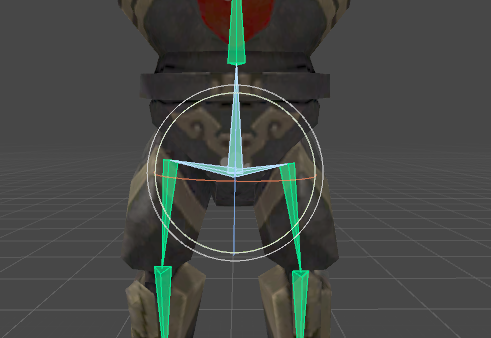
So uhh why does this happen? https://i.imgur.com/A1H25m6.png
 inland dagger
Are you referring to the large bone at the base of the avatar?
stark bronze
I kind of fixed it. I can't remember if the hip bone is supposed to look like this: https://i.imgur.com/VCib6iR.png
 inland dagger
Right or wrong, that's thereabouts what mine looks like. Mine works, so give that a shot.
 sinful sundial
@ivory radish let's chat here
the walking animation is a humanoid one indeed, and the non-muscle bones even move in unity when I change the mask settings
but VRchat has some weird mask settings that doesn't allow them to move regardless
 vestal dirge
It's the override system in Unity-- it preserves the initial animations mask
sinful sundial
oh?
ivory radish
ya but again use generic avatars if you are not making a bipedal
sinful sundial
yeah, but he's got humanoid arms and I wanna use em 😦
sinful sundial
and generic avatars sadly come with their own issues, like the descriptor and emotes
ivory radish
tracking and gestures and all that stuff for generic avatars
vestal dirge
I think exported tracking points for use with a generic rig is what the advanced users want.
ivory radish
as well as gestures and whatever
vestal dirge
Yeah. The current system is designed to track an animated human without too much fuss.
ivory radish
oh also
sitting parameter
i cant frikkin sit down with generic avatars
xd
so i need a sitting param so i can play sit animation and sit on things
sinful sundial
I just want the descriptor to accept the Z coordinate 😦
vestal dirge
Yeah, actually that's the easy thing that needs to get done first, lol.
ivory radish
u can just put root on top of seat
im pretty sure everyone with generic uses ground sit animations if not they can just move it down so they sit at 0,0,0
vestal dirge
Combine the sitting controller into standing as a blend tree
ivory radish
u dont need to use a blend tree
u could branch it from the locomotion blend tree
[locomotion]->cut off at transition->sit->cut off at transition->[locomotion]
u could use this to use sit-in and sit-out animations too like my jump-in jump-out
vestal dirge
No it has to be in the idle layer. Unless we consider sitting a type of locomotion.
ivory radish
oh
so how would u add it at tree
would u just add at sitting 1 switch to sit tree
vestal dirge
There'd be a sitting flag or bool-- for our internal case we need to transition immediately for the sitting ik to work. For a custom controller you could switch on the bool
 vestal dirge
There's a bunch of issues around where your animated head and tracked head would end up. That's the hard part about making it customizable
ivory radish
ye i understand that but i think the easiest way to go about this is
vestal dirge
Do you have VR?
ivory radish
--gestures
--sitting
--viewport
--clipping (optional)
--tracking
ordered from easiest to most difficult
no but i plan on getting one soon when i have enough $$$$$$$$$$$
like in the coming months
not that rich lol
$500 for a headset and $200 for 2 controllers
and also add a few hundreds for trackers later on
also vive is out of stock for some reason
also idk that much about C# cuz i havent coded in unity in like ages but ive been programming for stuff like roblox (lua), more advanced stuff tho like vehicle engines and neural networks and such
sinful sundial
whoaaa
500 for a headset?
my guy do yourself a favor and get windows MR if you're on a budget
ivory radish
i dont want MR a lot of people talk crap about it
sinful sundial
it's 269 for headset+controllers and a minor tradeoff
ivory radish
and idk about their trackers
sinful sundial
people talk crap about it because of buyer's remorse 😏
it's got better resolution than vive and oculus, and requires zero external trackers
ivory radish
ya but id like some trackers so i dont get those odd leg glitches and whatever
sinful sundial
however, the tradeoff is it doesn't track behind you for more than a few seconds, and the controllers feel a lot worse than oculus
ivory radish
i like the immersion and ive tried them at a friends house
sinful sundial
ah I see, leg trackers
fullbody feels unnecessary to me for the cost
but fair enough
ivory radish
another friend of mine spent like $800 on an omnidirectional treadmill but i didnt get to try lol
sinful sundial
😂 but hey I bet they have fun
ivory radish
i didnt like it that much tho
bc u can only stand in those (typically)
if someone made something that keeps u in place w/o needing 2 hold u like that then it would be better
vestal dirge
It is possible to combine WMR and trackers afaik
I've heard of people using Vive wands with WMR
ivory radish
ye i thought about doing that but i still need to get more $$$ and save up
vestal dirge
At least you can stage it then
ivory radish
tbh idk y i want vr, im prob only going to use it for vrchat and for making my own vr games but idrk i already have kinect and that crap
ive tried making mocap animations with kinect too lol it was awful
it wouldnt track my arm correctly so it would spazz out and i wuold have to record it like 10 times
ivory radish
i spend more time devving than i do on vrchat
for both making avatars and for making other games
gritty nest
I bought VR solely for this game
inland dagger
Not sure if this is the place to ask, but quick question: If there's an avatar whose arms clip through their waist for whatever reason: baggy pants, wide, armor, etc, can you widen their resting arm placement to ensure this clipping doesn't happen in the premade animations?
gritty nest
Yes.
You can make a new idle pose and override the IDLE slot in the override controller @inland dagger
Making your own idle pose is fairly easy. Do you have Muscle Animation Editor?
Regardless of whether you have that or not, I can give you the following pointers
Set Root T.Y to 1 to get the model out of the ground. Stretch the lower legs completely. Move the upper legs back so your feet are touching the ground. Pose arms as desired.
Rest can be left default
Or you can copy the idle animation in the "Male standing" animations model and fix it up slightly (set head, chest and spine rotations to 0)
inland dagger
Wow, that was prompt! Thanks mate, I'll look into this.
 ionic lake
What is the best way to rig a Roblox character model?
 subtle moth
see pinned messages
ionic lake
Does every bone need to have a weigh for to be loaded into VRchat?
ivory radish
no
open hull
can anyone tell me about custom sitting animations?
light kindle
uh theyre animations of something sitting
open hull
yeah, do I just use the AvatarControllerTemplate and edit that or is there more to worry about?
ivory radish
u use that
sitting idle are a bit weird tho
i cant get the positioning to work right
open hull
yeah I always end up looking right a bit
is there a quick way to reverse an animation clip?
 last forum
Can anyone help me I can’t choose mesh files in unity
 naive tree
be more specific
last forum
Like I’m trying to get a mesh file into unity for a model but when I’m going to select it isn’t there
when i try and import a asset meshes dont appear
 safe bluff
It sounds like a filetype unity can't read
 lime rock

can someone help i made this zero two model and her eyes when i put her in game tends to be very derpy
any suggestions?
 modern torrent

my hiearchy is correct
but it sys spine hiearchy incorrect
make sure......
can someone help?
gritty nest
@modern torrent Assign Spine2 in the chest slot
Leave the rest unchanged
The bone mapped in the chest slot needs a direct connection to both the neck and shoulder bones
modern torrent
thx
ionic lake
Can someone help me get Eye tracking working?
I don't really know how it's suppouse to work
 limpid kettle
so uhh.. i downloaded an auto-rig addon for blender but dunno how to install it cuz there is alot of files and dunno which one to pick ._.
 sinful elk
umm hello im dark and idk how to rig a cat xD if one of you know plz help me out
 pseudo sedge
@ionic lake https://www.youtube.com/watch?v=gCPcg9y4ZBM
 nova hornet
Does anyone knows how to make some decent Tail Physics?
main sage
is there a way to tell if something in Blender / Pose Mode is at a 90 degree angle or such? this model came in a sort of X pose (aka arms out like t-pose, but legs are also out in the same fashion)
and i wanna get em lined up to change the rest position
nvm think i got it
 covert marsh
So im super new to all of this (please bear with me) and ive encountered a problem that says "Spine hierarchy missing elements, make sure that Pelvis, Spine, Chest, Neck, and Shoulders are mapped" would anyone know how to fix this
Never mind, fixed it 😄
 tame skiff
So what happens when the neck, chest, spine, and hip bones all all in the exact same location?
main sage
nothing really, unless your hoping for super accurate to rl movement
 viral mica
hi
simple narwhal
if all the bones are in the same place them its impossible for you to upload the avatar as a humanoid
it has to go hips > spine > chest > neck and shoulders
 crimson vine
WHYYYY
I have an avatar with detached parts to the model. Just floating circles for pupils but for some odd reason in Unity AND ONLY IN UNITY their movement is inversed.\
 tall jungle
Is the right eye rigged as the left one and vice versa?
 blazing obsidian
So the body I have selected is saying there is only a select amount of visemes but in blender it says completely different, that they are all there

anyone know why it's doing that?
Alright, so will I still be able to talk with them, the selected few?
crystal vector
@blazing obsidian You have to select something in every slot, otherwise it won't work. So just select some shape keys twice or more
crystal vector
You're welcome 👍
 inner cedar
I’m looking for advice from someone who’s somewhat familiar with Vilar’s eye tracking shader.
I’ve been having this issue where the eyes periodically jump out of the sockets. I’ve managed to confirm this is only happening with that particular shader.
crimson vine
@tall jungle The eyes aren't rigged. they're just a completely normal set of vertices weighted to the head bone
 sleek isle
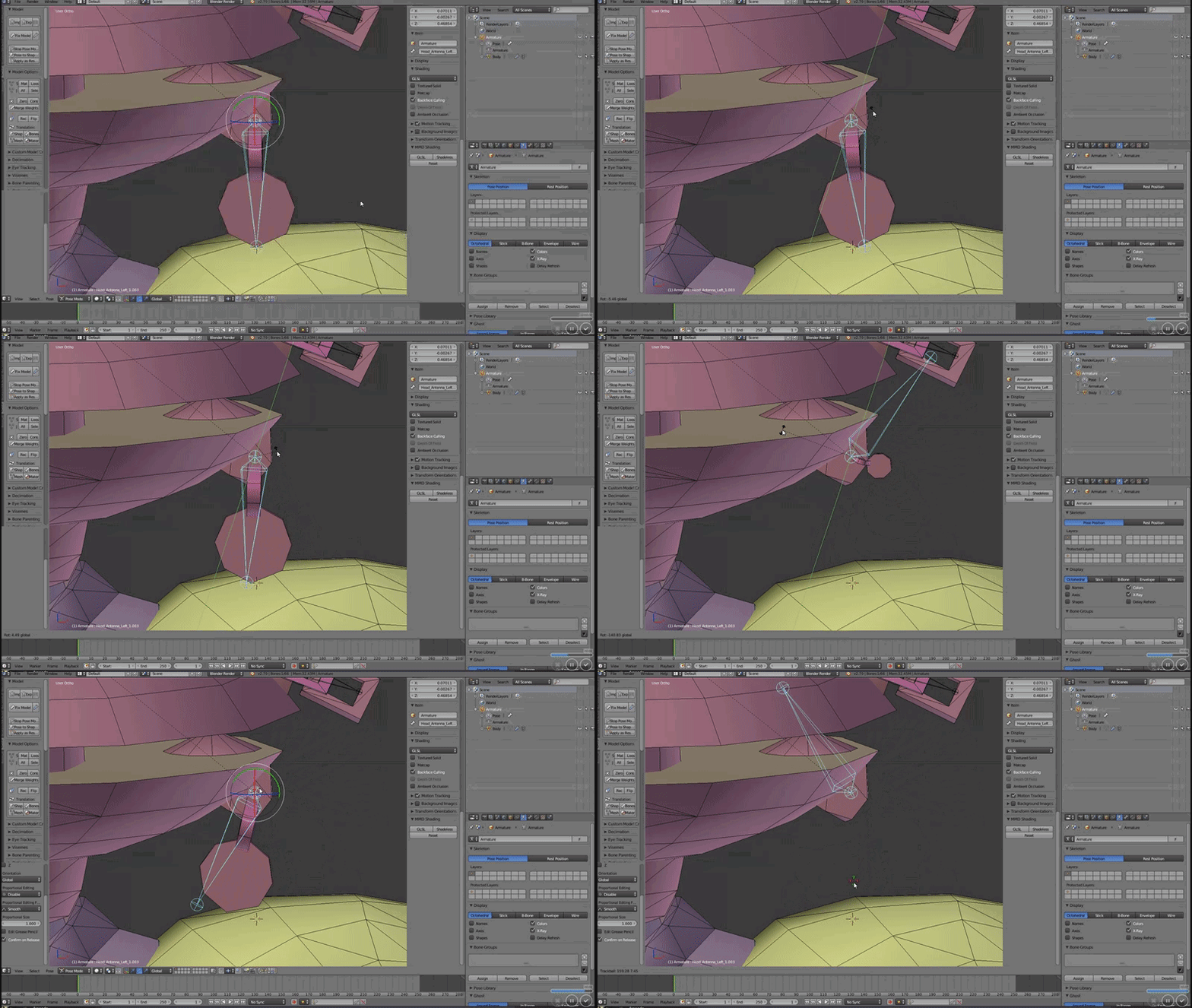
how do I prevent deformation of a mesh.( the weight is set to 1 ) https://gyazo.com/5f5b3fe8842e89507fef082b418d7902
 restive shale
check if that mesh is also painted to another bone
sleek isle
Oh yeah. still paint on the head. thanks @restive shale
restive shale
np fam
 sweet turret
My model already has eye bones and they look fine. Do I need to click create eye tracking? It seems to mess it up and the eyes rotate weird afterwards.
like the axis they rotate on is weird and the eyes clip into the sclera
restive shale
If you have eye bones and appropriate visemes already you can just rename them
and make sure the bones are straight up
 wise veldt
im tryna make a weird roblox char to import to vrchat with bones but i have no clue how , if you are avaliable please dm me
restive shale
im not 100% sure but it is best to point them straight up with no bone roll just to be sure
gritty nest
@sweet turret yes it causes problems
Both the head and the eye bones need to point straight up
Just move the tips of the bones up and above the root of the bone
That will make sure the bone stays in the same position but has a different rotation
If you don't do this, the eyes will track downward instead for example, and you'll look creepy
sweet turret
Oh, I see. I'll have to change that then. Thanks for the help @gritty nest . I see you often helping out around here and just want to say it's appreciated.
You too @restive shale
gritty nest
No problem, I'm glad to help
restive shale
Another day saved rokk
gritty nest
We did it
restive shale
Achievement Get
sweet turret
You can have a place in my personal hall of fame.
sweet turret
The eyes don't seem to move ingame
if I move the eye bones in unity they move, and the bones are set under unity rigging config screen so I don't get it
 warm coral
Huh. I should try that when doing eye tracking when I get the chance. If I ever move on from Pokemon that is...
sweet turret
Don't pokemon have eyes?
lol I moved the bone and renamed them and now the eyes are still looking down and blink is somehow tied to a mouth viseme
sleek isle
I put dynamic bone on jewellery but they dont move at all even if they are weight paint
I dont understand why
gritty nest
@sweet turret the first four blend shapes are used for blinking and lower eyelid
Make sure the first four shape keys are blinking related, even if they're empty.
It's fine to have them empty but you might need to move one vertice slightly so it actually gets exported
You also need to assign the correct eye bones in unity
The fact that your mouth randomly opens means that the rest of your hierarchy is correctly set up for eye tracking
Of course, cats Blender tool can automatically create proper eye tracking
sweet turret
Ohh that makes more sense. So CATS pushes the blendshapes to the top of the list when you create tracking
sweet turret
Oh ok. I just need to fix the clipping then.
I usually just move the sclera back slightly but was wondering if theres a way to avoid it completely.
I guess the new eye bones that cats creates are more forward
Doesn't help that blender crashes every other time I click create eye tracking lol
warm coral
Just looked back here. No, Pokemon models don't have eye bones and such. The eyes are textures on the face.
sleek isle
I have a chain on a staff and when I put a dynamic bone. it dont move what could be the problem ?
 rare sleet
I'm assuming it's weighted and was assigned to the armature with armature deform after the weighting
rare sleet
Sounds like it's breaking in export
sleek isle
@rare sleet yeah it was, but now it rotate in unity but the dynamic bone dont work
rare sleet
That sounds like you may just have bad values or the bones aren't parented correctly (sequentially) or that you have one bone and are using it as the root instead of having a root and the bone you want to move

 rare sleet
So it was the latter
The root in the script doesn't move, only children of it do
@sleek isle create bones at each end of the staff and set the ones you have as children to each of those
Use the new bones as the roots
wise veldt
i need help with importing a random roblox char but idk how to get the bones ready and rigged
rare sleet
That's a lot of work
rare sleet
Yea then that's a full rig, I have videos detailing rigging manually in blender
wise veldt
can you send me it?
i watched over 10 vids on how to get bones into a char and rig it too but none of them are detailed enough
rare sleet
If it's a simple character shouldn't take too long but depending on how anal you want to get with the formalities it could take near 6h
sleek isle
@rare sleet thanks but i have the same problem with those bone https://gyazo.com/c613f5f05accb7fbeef32bb4fbf29010
 rare sleet
So you select the head, duplicate it. Make it a child of the real head.
Rename it Root_accessory (or whatever you like).
Make those extra bones children of that main root.
Assign the root as root in unity
That's what cats does with parenting
I find it easier to do it manually tho
sweet turret
For some reason "Ah" and "There" are at the top of my blendshapes and are messing with my model ingame how do I not make that happen? lol
I used cats to make eye tracking and visemes and normally that works fine
rare sleet
You can move them down the shapekey list with the arrows to the right
tame skiff
@simple narwhal
"if all the bones are in the same place them its impossible for you to upload the avatar as a humanoid
it has to go hips > spine > chest > neck and shoulders"
I think you misunderstand. I do have the hierarchy set up like that, but the bones are all located at the same coordinates
sweet turret
Why would my models mouth open when I walk? I don't get it
Oh it's when I look down. Even though I've moved the blendshapes :/
gritty nest
@sweet turret check them in Unity
Empty shape keys don't get exported so you need to manually move a vertice a tiny bit
sweet turret
@gritty nest It worked. Thanks.
sleek isle
So to continue with my chain. I there a way to make a bone to point down and giggle a little bit ?
rare sleet
Gravity y -0.003
sleek isle
i just want the chain to follow the gravity a little bit
warm coral
Haceo helped out with it.
rare sleet
It's the same value I used with my butterfly knife
sleek isle
ah i find
rare sleet
Also if you do that you want to zero the elasticity dampening stiffness and adjust the inert so it is effective
sleek isle
just add a little bit of - in force to and its perfect
rare sleet
Yes but force is local
Gravity is world
So movements of the object influence force orientation but not gravity
gritty nest
I would use force instead of gravity
Gravity is kinda eh
Force is local depending on where the script is, put it on your avatar's root object (as you should be doing) and it'll work
Use a stiffness curve if the force makes the bones droop down or stretch too much
rare sleet
Only issue I've had with gravity is with hair where in switching world's I had to reload the avatar
Otherwise it stretched way too much with rotation
Otherwise it's useful for weapons and props
And if you use a low enough value it still takes inert into account
But either way one or the other will work
simple narwhal
fraggington then you have to move the bones in blender
tame skiff
@simple narwhal , I know how to move them, I'm trying to see if I can get away with it
simple narwhal
you can try testing it ingame but i doubt it'll work
 echo drift
https://i.imgur.com/G9UFZ08.png https://i.imgur.com/uHZ9soZ.png so why does this happen? I was attempting some texture stenciling and I have no idea what's happening here. one is object mode and edit mode


It's in blender render, I tried using nodes, I have no idea what is causing the textures to be black like this in blender
gritty nest
Tried setting the material to Shadeless?
It's probably a lack of light while GLSL shading is on
@echo drift
echo drift
maybe... lets see
Well it's multitexture, the transform window already has shadeless checked... 🤔 @gritty nest
I added a hemi light just for grins and that doesn't work either
oh i got it now...
@gritty nest thanks for trying to help 😊
echo drift
I can try @gusty valve but I can't guarantee anything 😅
 gusty valve
ok thx
do i send it in pm?
it keeps telling me i need to put the pins on the model even if they are
 static parcel
Got a bit of a unique situation with this Marina avatar where I want to see a representation of her front 'hair' tentacle to interact with it. Transparent cylinders perhaps.
Is there a way to make those follow the bones without being parented? I think VRchat would just make them invisible if I did.
gritty nest
@static parcel try parenting them to the neck. No guarantees
Or make them loose entirely and joint them to the head instead
 manic marsh
Anyone know why the spring component doesn't work, it works fine in unity and even in the avatar preview from the menu.
 crimson plover
manic marsh
crimson plover
manic marsh

 tender mortar
If u talking about spring joint I heard that locally it will look broken but it should look fine for others. I haven’t used it myself tho
fading verge


I've already attempted reimporting a couple times on the common chance that it's a unity issue. If you have any ideas, an @ would be appreciated~
 finite forum
did you try reassigning the left foot to the correct bone?
fading verge
The hierarchy is proper. That's why I'm lost.
The extra leg bones are a product of setting the rig up for full body.
The model has no feet, but unity requires them so there are unweighted bones.
gritty nest
@fading verge have you tried actually configuring the rig?
When you go into Configure, you should be able to assign the feet
You should also not be getting any "model not in T-pose" errors
gritty nest
But what happens when you click "Configure"?
It always lets me do that
Check the Console for any compile errors perhaps
The button isn't greyed out either
fading verge
If I click it, it just refuses to switch to the configure scene.
gritty nest
Any errors in the console?
fading verge
You know what. Reimported it again and suddenly the configure scene loads on the first try.
gritty nest
Oh, weird.
fading verge
I think Unity just goes buggy.
fading verge
Can someone help me with some things with my vrchat model?
 muted dragon
i need help too for rigging my Zeraora's fingers x-x
and resolve the feet problem that merges oddly with the floor of my house x-x (+ blinking issue)
 restive sparrow
For some reason on every single avatar I rig, no matter which method I try or bone I edit, the right leg in VR tries to role itself to one side. This behavior pulses back and forth. I even grabbed other avatars and mimicked their structure or values to figure out what I did wrong and nothing has fixed the problem.
 south bear
Need some help
does anyone know how to move some bones from one armiture to another
in blender?
fading verge
You can use CAT to do that
fading verge

GitHub
cats-blender-plugin - :smiley_cat: A tool designed to shorten steps needed to import and optimize models into VRChat. Compatible models are: MMD, XNALara, Mixamo, DAZ/Poser, Blender Rigify, Sims 2,...
south bear
its just that this rig that im editing is very very fragile
fading verge
ah
fading verge
cats works great. I've been able to fix a lot of my models with it. I'm so use to 3ds Max
and Unity doesn't seem to like 3ds max 90% of the time. Even with FBX files. It's probably just me.
tall jungle
Cats works great most of the time
But if you do a bad eye tracking with it, I don't think you can undo it or overwrite it
south bear
wont work
requires me to fix the model
no
it doesnt work
its just done nothing
time for manual work
Which iv beeen doing this entire time
fading verge
Also, I found a bug and solution with avatar visemes. Sometimes when you're putting them in, they wont work. Make sure that you do not have a controller in the "Animator", or custom idle animations / sitting animations. I had to go through about 2 hours worth of work making a few sets of visemes, and redoing parts of the model and face mesh.
south bear
Yeah
cats is shit for custom armitures
it broke mine
:Tc
i never use cats for anything that isnt mmd
fading verge
I use cats alongside 3dsmax
fading verge
ik
south bear
IMO
fading verge
but i have it for free
some rendering in it is okay
I use it mostly because I have had a class on it.
and even then im not very good XD
south bear
no the time it takes to start up
and the fact that blender has the stuff and works better
really doenst do anything
south bear
https://i.imgur.com/4qze5jF.jpg heres the models things
 fading verge
oh wow
south bear
i wanna attach the hoods bones to the head
this used to be a ik rigged model
i just simplifyed it
fading verge
you can just probably make them all a child of a dummy bone, then make that a child of your head bone
south bear
well
its a kind of a requirement
as in the source of this model has physics based stuff in the hood
and i wanna emulate it as closely as i can
fading verge
I mean you can directly make them a child of the head and have to mess with all of that
but dummy bone will probably be easiest
fading verge
Duplicate the head bone, but make sure you don't duplicate any of the children. Disconnect it, then go and take the hood and make the bones that you would put on the head to the dummy bone
That way if you have to edit any of them, you don't have to worry about the head bone being edited as well.
and you should be able to just leave it that way. Just make sure you name the dummy bone something else so stuff wont get confused
then you can hopefully delete the rest of the extra rig
it will remain separate, but you can make the head bone the parent of the dummy bone
and things shouldn't change.
You just kind of ignore the dummy bone at that point. I do a similar process in 3ds max to get capes and stuff onto characters.
But it may be helpful if you keep them separate, that way you wont run the risk of your physics effecting other parts of the model.
You shouldn't have rigging issues in Unity if you keep them separated. Just make sure that when you import them that its below your main rig in the hierarchy.
south bear
alright
so
im using a contraint
https://i.imgur.com/yXAYZwS.jpg would this work in unity @fading verge
 fading verge
it should
south bear
just gotta fix up something
fading verge
sometimes it works for me, sometimes it doesn't, but it looks like that will work
fading verge
You can also set it up, and work with the hierarchy in unity
fading verge
very true
fading verge
Nice!
 distant coral
hi!
can anyone help with attaching bones from one model to another?
 idle axle
Hallo, I have a problem with a avatar. When you try to croutch on vrchat, only the hands go with it. but the rest of the body just stays standing in vr
gritty nest
@idle axle did you get a message about full body IK being disabled because the fingers are missing?
idle axle
Yes
gritty nest
In the SDK
Well
There's your issue
If your model has no fingers, you need to make fake ones. At least one thumb, index and middle finger bone on each hand.
idle axle
Well, I get that message really offen, but it works 100% of the times other then this
idle axle
So I only need a fake qeightless bone right?
gritty nest
Yes
idle axle
awsome thanks
echo drift
Hey, in VRChat, my finished model has it's eye textures appear in the first second then the eyes disappear. I thought it was the descriptor at first.
gritty nest
@echo drift sounds like an eye tracking issue
Make sure both the head and the eye bones point up in Blender. You can move the tips of the bones to do that
echo drift
oh? ok i'll look for that 🤔
gritty nest
If you look closely into a mirror or camera, you might see your pupils pointing down
echo drift
aaaahhhhh...
gritty nest
Imgur
 hot glade
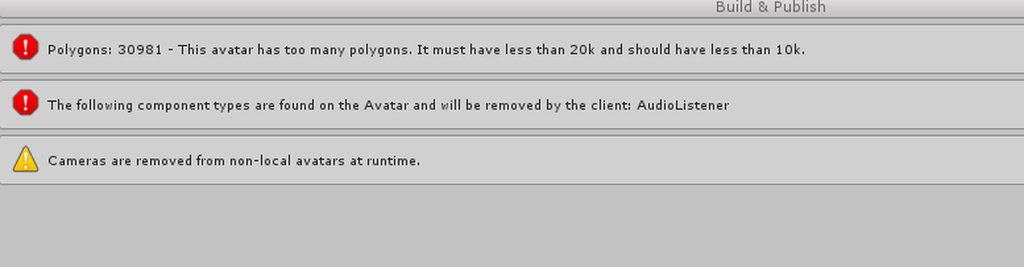
i just added horns to my avatar
and this happened after i tried to upload it
btw there is no audio listener i checked everything in the armature
okay thanks i deleted that now
 winged mirage
Anyone here knows how to merge 2 different models
echo drift
@winged mirage my guess is figuring out what is the main armature of the two meshes you want, copy pasting the parts from the other to the main in edit mode, bring the 2nd textures into the main, fixing weight paints (maybe some vertices merging)
now, my issue, where in the custom overrides is for custom sitting? (sorry if this is the millionth time someone asked this ☹
gritty nest
It's just IDLE
Except you put it in the "Custom sitting anims" slot
So you need two animation override controllers if you want a custom sit animation
You can just duplicate the standing one, replace idle, and put it in the sitting slot
echo drift
the example assets has the customoverride empty. so just two of that? 🤔
gritty nest
Yes
echo drift
Sorry, I'm feeling more stupid than usual... first custom override is standing, second is sitting?
 toxic kiln
amyone know how to see the view point because I can't even see it on the screen
gritty nest
@echo drift your avatar descriptor has two slots for custom overrides
One is "Custom Standing Anims", one is "Custom Sitting Anims"
You have an override controller for standing and one for sitting
I think you can figure out which one goes where
fading verge
@toxic kiln when I have issues locating the viewpoint ball, I set its location to 0,0,0 so I have a defined spot I know where it'll be.
 viral fractal
i asked a while ago and got no luck so i'm gonna try again, would anyone know how to lock the tracking for VR hand controls to a specific axis?
The general idea is to lock the hands to the neck of a bass guitar so i can move my hands up and down the neck without needing to keep an eye on my hands so they don't clip through the guitar
preferably i'd have the guitar connected to my hip bone or chest bone or something so it can move along with me and my left hand would be able to move up and down the neck while changing finger shapes with the various emote controls
right hand free so i can do windmills and shit lol
 versed crane
(I have a post in Avatars that probably pertains to this one, should I repost it here?
viral fractal
yes, please
versed crane
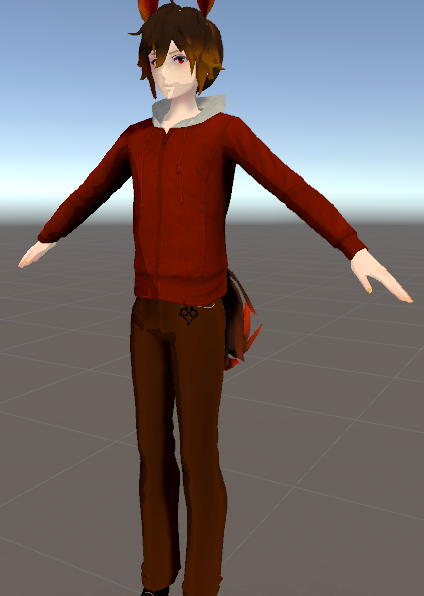
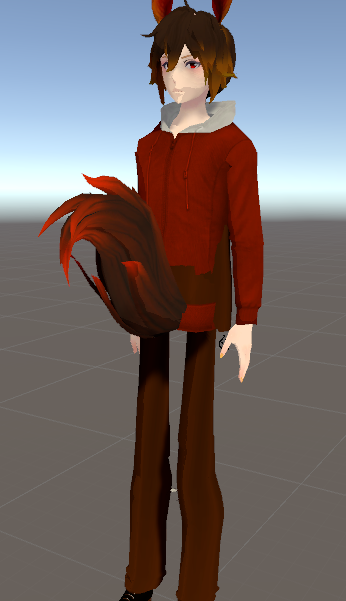
Heyo, uh, quick question. I through together a model for a friend as I've done over and over again since January, but for some reason it developed a fault while being animated. The hips area appears to be rotated and swapped around, while the rest of the avatar is fine, and three hours of troubleshooting has gone to no avail on my end.
Normal:
https://i.gyazo.com/291bd4f7f1587b3696025b0f1fd712e1.png


 median thunder
Hey guys, anyone here had the same problem? I put the view position ball over my avatar's nose between the eyes, however when I use it in vrchat, my view position is at the height of my avatar neck. Anyone know how to fix it?
gritty nest
@versed crane did you apply the full body tracking fix by any chance?
You'll know it's applied when the rig configuration says the Spine transform length is zero
versed crane
Yep, I put it on and it fixed it right away last night. XD


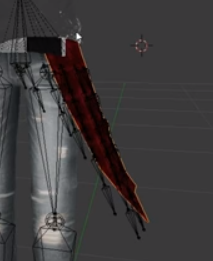




 gritty nest
Oof, is that Cate Archer from NOLF?
 magic sonnet
HOLY
gritty nest
You probably have the mesh the wrong way around
magic sonnet
SOMEONE REMEMBERS
magic sonnet
i tried turning both around yet it still happens
gritty nest
Seems like nobody else knows
Anyway, make sure the mesh and the armature are facing forward
gritty nest
In Unity when you select your avatar, the white line begins between your feet and extends forwards
You might have to rotate the mesh in Blender and then CTRL+A apply the rotation
gritty nest
Or you could rotate the whole model 180 degrees in Unity, but I'm not sure if that even changes anything. I heard it does.
magic sonnet
sadly i deleted the librarian ghost but i can try with cate
wait, turn the mesh or the whole model?
gritty nest
In Unity, rotate the whole model 180 degrees
Look at the white line at your feet
Should start between your feet and extend forward
magic sonnet
k
darn
tried turning around in blender and in unity
didnt work
i wonder
nope
tried turning just the mesh
and just the armature
didint work
the cate archer doesnt bother me as much
though i do wish i could get the librarian ghost working
gritty nest
After turning it around in Blender, you need to CTRL+A apply the rotation
Then export
magic sonnet
i did
magic sonnet
?
gritty nest
You need to redo the humanoid rig configuration after you make changes like that
Chances are it's the wrong way around there and you can just rotate the hips to fix it