#avatar-rigging
1 messages · Page 117 of 1
 echo drift
 spice jetty
Nodes are writing your own shader lol... No need for that
echo drift
good to know 😸
 slow flax
So Ive been having this huge ass issue trying to make my models legs not clip her skirt. But ive finally found this tutorial to use PMXE to add physics and her legs dont clip her skirt but it might be a dumb question then but is there any need for dynamic bones on unity if i just use pmxe to add physics?
 slow gyro
I've never heard of this before! Would be interesting. 🤔 Wait, have you done it?
slow flax
No ;-; im about to start though and hope for the best

Just a small tutorial on how I give skirts physics I get my plugin from here: http://fav.me/d7t2knd
echo drift
https://i.imgur.com/YkNwts4.png well i figured out something with my missing eye on my Gnarl avatar, it's like the eye texture is inverted or something
 spice jetty
@slow flax im pretty sure those phsics wony carry over to unity the best solution might be vrchat cloth physics
@echo drift if you mean what i think you do then in blender you can select the stuff thats inverted and hit ctrl n to recalculate the outside. I put stuff inside out all the time by accident
slow flax
@spice jetty damn :/ whenever i try to use cloth i cant see any constraints and ive looked it up and everyone says to put the layer to default and even still i dont see anything. Any idea?
spice jetty
Did you reference the vrchat cloth video?
@slow flax https://youtu.be/DnX226UdCFw
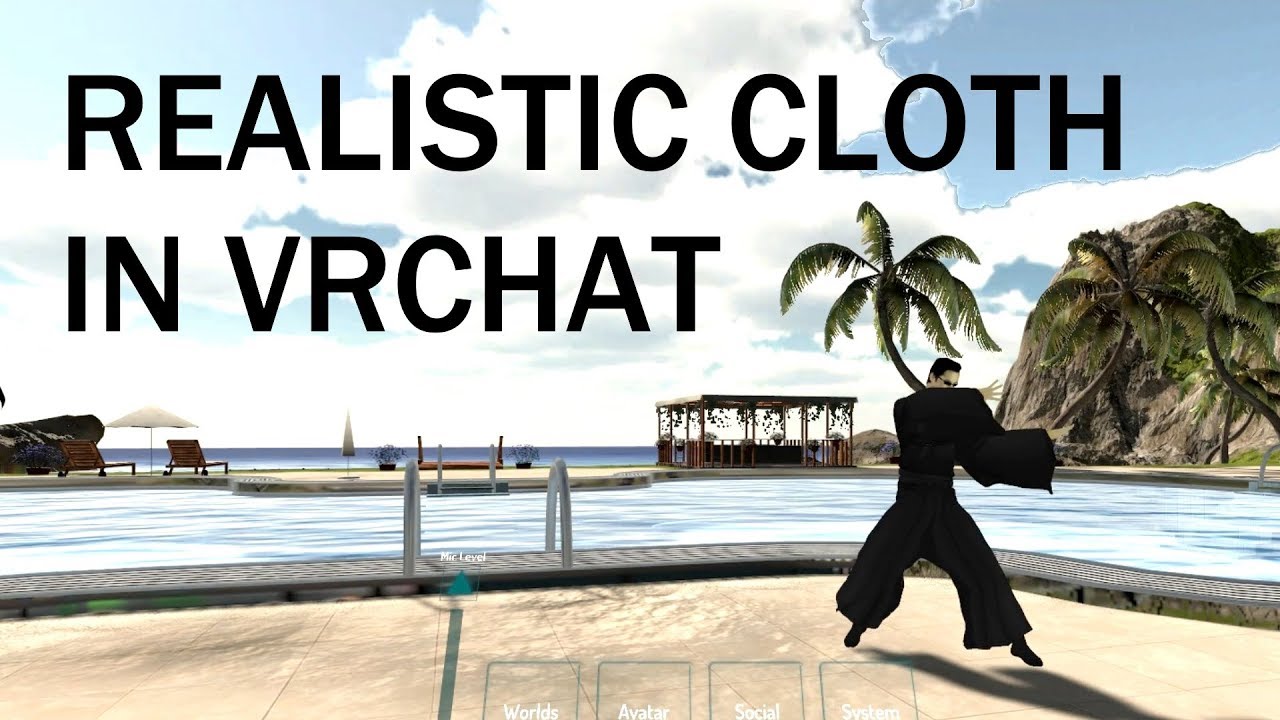
extra notes: - this might not be the right choice for your model if the cloth is stylized in a physically unrealistic way - like dynamic bones, this is not a...
slow flax
Ah yeah, I've saved that for a last resort cause im trying to figure out how to separate her skirt from her body then
echo drift
@spice jetty that's just it though, blender looks fine
 neon quiver
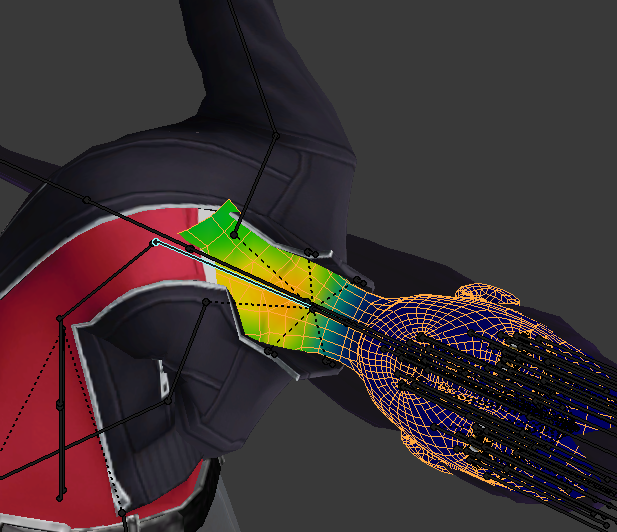
any sujegtion on how to fix the chest from clipping? should i just merge it to the jacket seam? not sure how to fix it with weight paint properly. it seem to move outside the jacket nomatter where i try to weight paint it. reduce or add. https://i.imgur.com/xpKL1Fj.png
 spice jetty
@echo drift press Z twice, the display might show that that area looks darker, if it does then its prolly needing to be flipped
echo drift
@spice jetty https://i.imgur.com/3uaeS2q.png here's what it looks like after pressing z twice
 spice jetty
the eyes are what you think is messed up?
just confirming, because if its teh eyes then theyre def facing out the right way
and at that point I'm not too sure
echo drift
yeah, cause here's what it looks like in unity https://i.imgur.com/TDBu4HW.png

 opal aurora
Odd question, do the eyes have their own bones?
echo drift
@opal aurora yeah, why?
opal aurora
Can you check if they have sorta proper weights, and if you configured them in the humanoid rig, set the rig type to none just so it's default
echo drift
I switched it to none and I the texture isn't on the model
opal aurora
I have 2 possible thoughts in mind atm, bad weights or none at all, causing the eye to displace, or the eyes rigged in the config just breaking it somehow
echo drift
well when I did the eye testing, it created bones on top of the eye bones I already made
the cats plugin did that
opal aurora
I'm not sure on how well CATS generates eyebones for model types that it doesn't inherently support, i.e. self-made hierarchy's...
It could also be a factor for all i know but sadly i'm not sure
echo drift
it created weight paints for both versions of the eyes as well
the ones I made and cats made
opal aurora
Yeah, it grabs the bones weights and shoves them onto 2 new bones, whilst also having another set of eyebones for whatever other reason
Are both of the main eyebones at eye-level?
echo drift
yeah, i did 3d cursor at selection center and positioned the tail bone in it
for both
opal aurora
Can you screenshot ehm?
Just so i get an idea
echo drift
the bones?
opal aurora
In blender if possible yeah
 opal aurora
Ehh... it might be just me, but i'm having a bit of trouble figuring out which bones are the eye bones exactly
echo drift
how about this one? https://i.imgur.com/4kFxINj.png
 opal aurora
Oh there we go, i forgot how ridiculously small they were
echo drift
heh yeah
opal aurora
Supposedly they're both on directly opposite directions of one another correct?
Like x: 0.5 and x: -0.5
echo drift
they're both 0 and -0 respectively
opal aurora
Wait, they're both at 0?
echo drift
oh, is that bad?
opal aurora
Supposedly they'd be sorta around the area the eyes would be, symmetrically in most models it'd be direct opposites in coordinates, both at 0 would be for like... 2 eyes in the exact same location i think?
echo drift
oooooohhhhh... wait no that's the bone roll angle, sorry
opal aurora
Well that rules out bone positioning altogether then...
Try to reinsert the model into the unity scene perhaps?
Or...
Could it be a material issue?
Like the eye being purely transparent due to a materials' settings
echo drift
I was thinking that too... does the material tab setting affect unity?
opal aurora
I mean, materials are setup in general all in unity regardless of blenders' overall settings but...
Try to set all of your materials to opaque in unity
opal aurora
Maybe even try dragging the eye texture onto where the eye should be
Or well, material to be precise
echo drift
well here's a closer look at the eye in unity https://i.imgur.com/DfzHmB4.gif

it's an animated gif
opal aurora
Okay... that looks like the eye has inverted normals, atleast from an angle
But before we've established that it doesn't, so this is quite the pickle
Honestly unsure of what could be causing such
echo drift
yeah, i thought it was because the original set of modded eyes was a mirror modifier and applied in edit mode
this set of eyes was independently created spheres for each eyes
wait... would the uv map that I created for the eye would be inverted?
@opal aurora would that matter? if the uv island in the uv image editor is inverted, would that affect anything?
 cobalt needle
Hey can someone please help me with painting weights?

 tepid viper
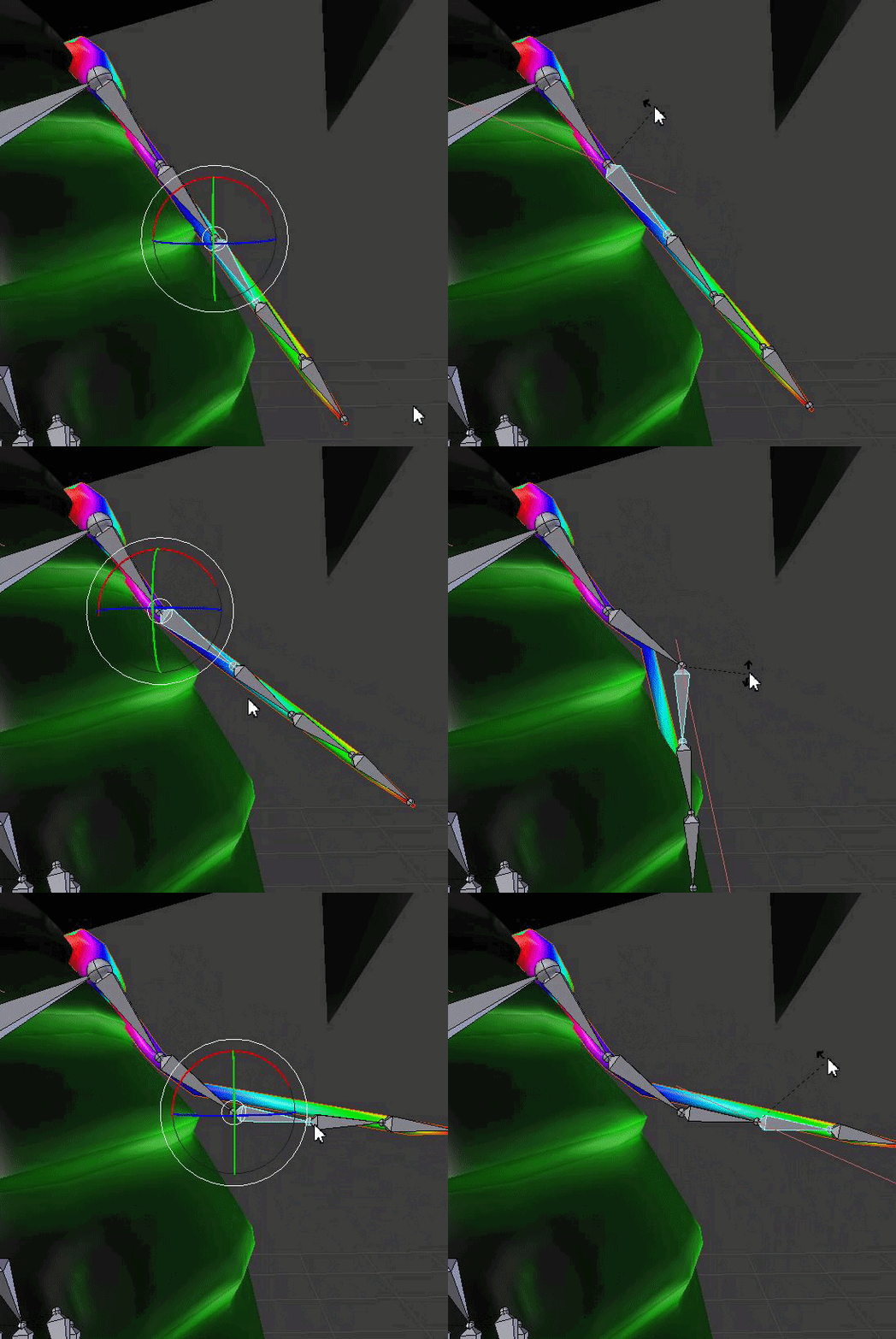
Mixamo rigging makes my avatar movements insane. Should I learn to rig my avatar from scratch, or try editing the mixamo bones?
 gritty nest
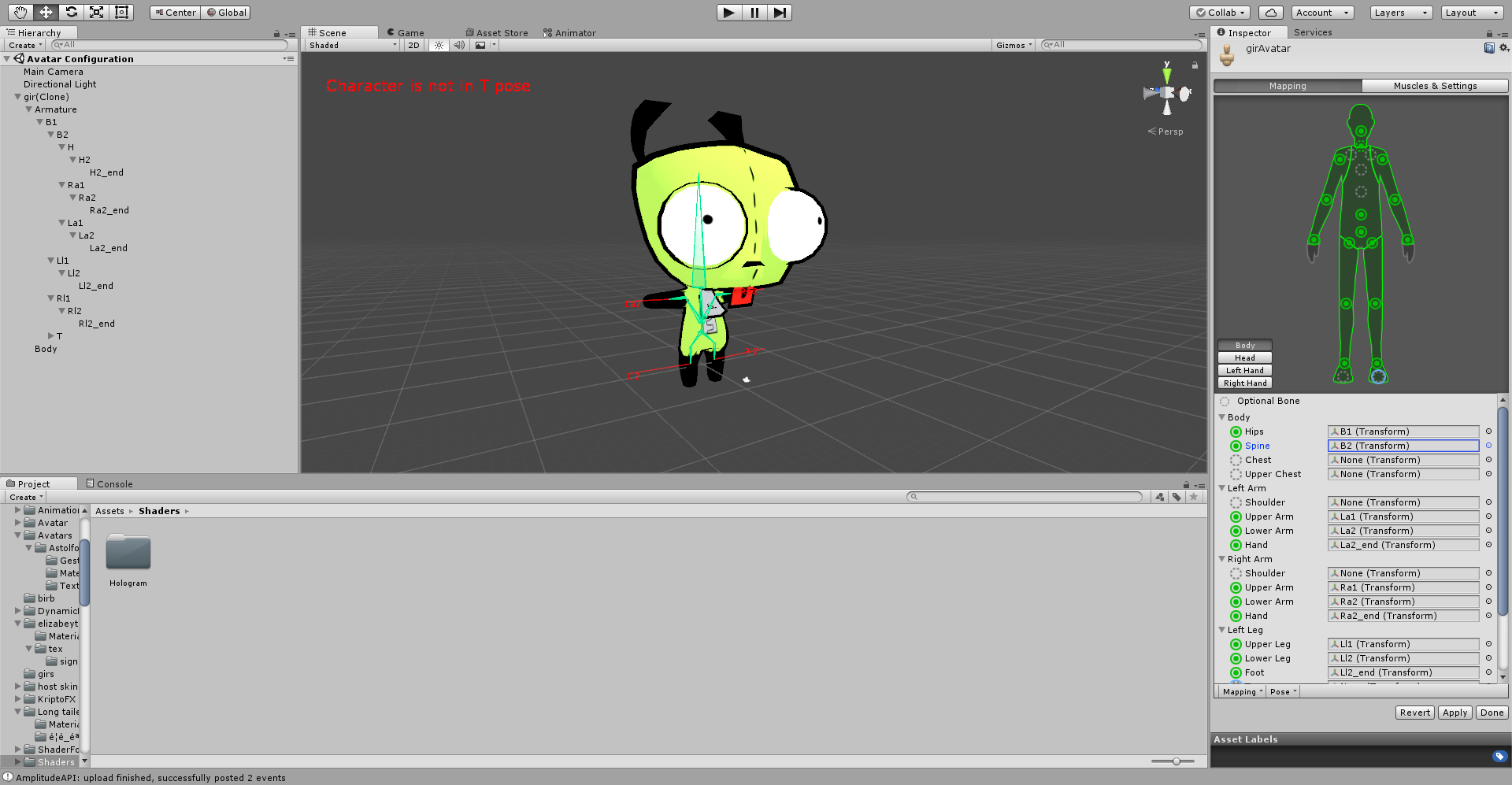
It's really easy
Leave upper chest blank
Map the bone connected to neck and shoulders in the Chest slot
Leave the rest as it is
This means Spine2 in the chest slot, probably. Not sure.
There will be an unmapped spine bone but it doesn't matter
tepid viper


 main sage
is there a way to copy the rotation of a bone and paste onto another?
the copy transform restraint only seems to work on the WHOLE armature, not specific parts of it
echo drift
https://i.imgur.com/DfzHmB4.gif hate to be that guy, but I'm still having a problem with an eye texture that's inverted in unity
 calm needle
flip the normals?
echo drift
@calm needle how do I do that?
calm needle
in blender, you go to edit mode on the mesh, select it, and if you hit W to pull up the quick menu there is a flip normal option.
if you hit N in blender it will enable a side panel on the right side of the viewport. You can selecte the backface culling option and it will show things closer to how unity sees it. If something is inverted, you will see it inverted
echo drift
well... found the backface cullling but it doesn't show the eye inverted or invisible when it's checked
echo drift
@calm needle would it be possible the uv island for the eye would be inverted?
 pastel vessel
how do i get a MMD model into Vrchat im new to those
echo drift
here's an hour thirty long video https://www.youtube.com/watch?v=7P0ljQ6hU0A

VRChat Community Discord: https://discord.gg/VRChat Download VRChat! http://store.steampowered.com/app/438100/VRChat/ mmd_tools GitHub: https://github.com/po...
 pearl bone
Every time I import this avatar the head has a wierd 2d/3d thing where the head follows the camera

in Unity*
 crisp tendon
@gritty nest Do you know if two bones from different armatures can use the same weight paint on a single mesh ?
for animation purposes
gritty nest
Hmm
What are you trying to use it for?
I don't know if that'll work properly
But what you could do perhaps, to achieve a similar effect
Is to have a small "dummy" bone as parent of the bone that you want two of?
Then you can move either bone and it'll have an effect on the mesh
crisp tendon
Currently i have a model, generic, that has very cool animations that i'd like to keep, unity retargeting tried its best but isn't capable ok using the run animation
What i want to do is keep the armature, the mesh and the animations, but slap a humanoid armature inside of it and only use head/arms weight painting on it
since head:arms movement override animations it's not a big deal
but i want the models to be used in vr and not only desktop
gritty nest
Ah
Well, problem is
I'm not sure, but I don't think you can animate non-humanoid bones in walking or running animations. I think there might be an Avatar Mask on VRChat's animator, preventing that.
They need to be part of the humanoid rig definition
crisp tendon
You can if you export the generic model with its animation from blender
gritty nest
Oh, cool
Well, maybe you could put some fake bones inbetween and map those bones in the humanoid rig instead. That way it still ends up moving the leg
crisp tendon
making the switch to humanoid will break a lot of things, but the retargeting fixes most of it
Yeah that was my idea, but it just sounds too good in my head and i'm pretty sure that i'm missing a step
i guess i'll just try removing the weight paint for arms and head with the generic animations and give those over to the humanoid one
Do you know how to transfer weight on another armature btw ? i forgot the shortcut
gritty nest
I actually don't know
Maybe you can find it in the spacebar menu? I never really used such a shortcut
crisp tendon
I'll look, thanks !
 dry pendant
hello , i am getting an error saying that i have to map spine neck and shoulders and pelvis , i have mapped them ! it says spine hierarchy missing !!
gritty nest
@dry pendant post a screenshot of your rig setup
 raven helm
One question... Is there a way to raise the foot of my avatars above the ground?
Every of them is stuck in the ground and its kinda annoying ;__;
gritty nest
How far?
Just the feet or the whole hips?
If it's the whole hips you probably have an animation issue
raven helm
i guess just the feet
gritty nest
Move the foot bones up a little in Blender, or the toes
So that the bones don't dip below the origin point
raven helm
okay thank you^^

 gritty nest
Can you show me the model in your scene? Obvious polycount warnings aside
If it's sunken into the ground due to an animation then you need to fix that
Ohh, wait
Uh
You're clearly missing the neck there.
As the error says
dry pendant
ohh damn
i cant belive it was such a small thing\
xD
ty it worked
i dint map the neck
lol
 earnest wadi
So I'm trying my best to rig and make work a model with no legs but I had a bit of an hard time rigging it properly. When i look down the view thing goes underground, I'm pretty sure it's a rigging problem
If It's not a problem (since I want to learn a bit of stuff with animation too) I would like to be followed by someone that I can talk to directly
main sage
@earnest wadi when you look down like...in-game?
earnest wadi
Yes
main sage
that may be a viewpoint error rather then rigging. as for the no-legs part, you can do that yes
ive uploaded an avi that only had one leg mesh
earnest wadi
I had a lot of problems with the neck and head bones
main sage
but i still needed to fake the other leg with ghost bones
ill show an example of what worked for me
earnest wadi
Because the model doesnt have a neck and the head is between the shoulders
main sage
ooo i did somethin like that too
earnest wadi
Show meh
 earnest wadi
Did the neck bone move anything?
 earnest wadi
So like if the neck moves in game the head bone doesnt move?
I'm not talking about the mesh
main sage
the head bone itself moves, yes, because its attached to the neck.
usually
what i do for models that have wierd head postions
is i dont actually set the viewpoint for the head, but rather above it mostly
earnest wadi
uh
main sage
also the cam clipping through the floor? either your neck bone is EXTREMELY long, its really close to the ground, or you didnt set the descriptor up right
main sage
also may not be the floor, sometimes the cameras in mine clip inside the mesh so i cant see
 late shale
What are the coords of the viewpoint?
earnest wadi
That happened too, now it's the floor when I look down lmao
 fading verge
the frell are you doing show picture of mesh with armature
show your rest pose and your t-pose please
 fringe root
(Dynamic bones) quick question: tl;dr How make ponytail face toward floor?
is there a way to make force apply to the base axis and not the root's? Basically what I want to do is have my ponytail dragged to the floor, but it moves on the axis of its root. (root=head, move head=y axis no longer faces straight down)
main sage
@fringe root there is like gravity / cloth physics assets u can use to simulate a more real ponytail, though i dont use them / dont know of any
they ARE out there though
earnest wadi
aaa i see
main sage
prob because people would attach viruses to direct files before

 main sage
LOL claptrap
fringe root
@main sage thanks, does that mean I can't do it with just dynamic bones though? bc Gravity in that is something different entirely
main sage
if you wanted dynamic bones, it would have had to be facing downward already, or you'd have to rotate the bones in Unity to get the desired effect
fringe root
They are facing downward, as long as their root doesn't move, which is the head, so problematic
main sage
@earnest wadi yeah, for that model id suggest trying to put the viewpoint / ACTUAL headbone above the mesh. if the mesh already has a bone with weight to it, rename it something like ClapHead, and simply parent it to the ghost head bone
....you lost me there x3 sorry but what? you mean like if you stand still, it looks "natural", but when moving it fucks up?
earnest wadi
@main sage but if I do this won't the eye move weird when I look around?
main sage
unfortunatly you may have to sacrafice the eye movement and just have it be static. ik for some of my non human-shaped things, ive simply made them blink instead of full eyetracking
fading verge
fare you are just patching the problem that way not fixing it
there is no weight from the head bone on the mesh?
earnest wadi
I'm not talking about eye tracking, I'm talking about head movement
There is, it moves the eye thing
earnest wadi
Yes
fading verge
one thing I just spotted your origins need to be set to zero
earnest wadi
the mesh origin?
main sage
that little yellow dot, point of origin
fading verge
make it a habit to do it to all your objects
main sage
always needs to be at XYZ 0, 0, 0
fading verge
mesh and armature
earnest wadi
Done
fading verge
and if you import it into unity check once you apply the humanoid rig that your origin is still correct and if not fix it in unity
fringe root
@main sage so what I meant was: The ponytail bone is bound to the head, so if the head bone moves, the Y axis for the ponytail bone isn't vertical anymore.
but for the ponytail to face downward, I'd need a static y axis that's always vertical
uhm, does that explain the problem more or less?
I tinkered around, by applying a negative value to the force for y, it actually somewhat works
 main sage
OH
main sage
yeah like i said, cant rlly fix that without gravity / cloth assets. all dynamic bones does is jiggle bones when you move around, not change their actual position
fading verge
dynamic bones do have a gravity option
fringe root
that doesn~t quite emulate gravity
Gravity doesn't apply once the movement is done, force does
fading verge
try giving the bone closest to the head different properties so you can basically create a pivot point there
late shale
I'm probably doing something wrong with it, but gravity doesn't seem to work most of the time. Force downwards totally works though
echo drift
how do I get a cloth mesh to be double sided textures?
fading verge
it's a shader property
fringe root
Thanks for the advice, always appreciated, but for now I'm content with it somewhat working ^^'
fading verge
that is usually the best one can hope for
echo drift
so that's what usually people do for their skirts?
fading verge
what shader are you using?
echo drift
for blender?
late shale
@echo drift cloth physics \o/
fading verge
no in unity
echo drift
oooohhhh... ok
late shale
extra notes: - this might not be the right choice for your model if the cloth is stylized in a physically unrealistic way - like dynamic bones, this is not a...
fading verge
i think you have to enable the outline option to make it double sided
main sage
yeah
echo drift
so... doing @fading verge's suggestion to enable double sided meshes for clothes somehow made the invisible eye visible now 😱
what does that mean? 🤔
fringe root
(dynamic bones) again: how do I put colliders on fingers/hands? If anyone knows a decent tutorial on colliders I'd check that out too^^
fading verge
seems like your normals of your eyes point the wrong way ^^
echo drift
weird 😕
fading verge
select the bone you want to have a collider I recommend the Hand not the fingers and just add the dynamic bone collider and scale it
fringe root
OH
you add it to the bones
genius me added it to the entire armature
Thanks a lot xD
fading verge
and remember to set the colliders in the dynamic bones
echo drift
wait, so the little show normals with the blue sticks that show the direction of the normals? they're in the right direction 😕
fading verge
hmm
I never looked to deep into the code of flat lit toon
or better at all
but there is a person called cubedparadox who as far as I know built it ^^
echo drift
Eh... que será será.
fading verge
look to the left
echo drift
of unity?
fading verge
cubedparadox is online in this server I am sure he can help you
echo drift
@hallow sundial hello? may I have a moment of your time about the flat toon shader you made?
well I had my problem solved so I'm not gonna worry about it.
but a question I have in mind now, how does the reimport function work in Unity?
like if I modify an asset, I click re-import and it reloads an up to date asset?
fading verge
if you didn't save the changes the reimport should import the asset at it's last saved state
echo drift
would it also update the scene in unity?
or do i need to drag and drop the asset in the scene?
 inner yacht
it'll update automatically
just need to change a file, switch back to unity, and it'll reload it for you
 limber stratus
Mixamo doesn't work with an avatar I want to work on, I need to try something else.
But I'm not sure how to rig things myself.
crisp tendon
You can try making the armature yourself and use automatic weight paint, then fix what seems wrong
limber stratus
As a bonus, I might even give it some emotes from fortnite
late shale
Mixamo should work, you just might have to give it a little help
limber stratus
It's something with a small body and a big head
late shale
The key is that mixamo will only work on distinct humanoid silhouettes. Anything like a cape or wide skirt will disrupt that
Usually just removing stuff to get down to the base figure, then rigging, then putting stuff back on
 pseudo rune
Alright so I got a model that I put different clothes on, but somehow the visemes are now connected with the eyes (hell I don't even know what happened myself.)
Either way I still got the original model with the working shape keys/visemes on it, would it be possible to somehow export it from this model to the modified one? since the models are literally the same, besides the clothes.
limber stratus
The character in question, by the way, is Cuddles from Happy Tree Friends.
I removed Blender from my computer because it was hard to use
late shale
Well you're not gonna get vary far at that rate
Mixamo isn't a magic wand, even the best suited models will need a little touch-up in blender, as it almost always messes up the weighting on the chin and sometimes armpits
 digital wren
limber stratus
digital wren
limber stratus
I re-downloaded Blender, and I will do anything I can to get this thing rigged
gritty nest
@digital wren imgur
dry pendant
Guys ! How do you find which mesh is linked to which bone? after applying weights automatically(in blender).!
gritty nest
@dry pendant check the weight paint and the vertex groups
But tbh you should eventually end up with only one mesh anyway, I think it's better to have them joined while weight painting too
dry pendant
@gritty nest well the mesh i used had several layers in it , and the bone is mapped to one layer , so when i move the bone , only that layer moves , will this be solved if i parent the linked mesh?or should i redo it?
 eager geyser
How can I make an armature that suits me? I've tried making a few custom avatars but they all don't perform that great. If I try to touch my belly irl my hand is just hanging in the air in the game or if I try to touch my chin it's like 4cm below were the chin actually is. So far the default unity-chan is the only avatar that seems to work well
neon quiver
in unity is there such thing as precious zooming around like in blender? i hate how i scroll across and it skip like 5inch instead of like 2 inch.
or maybe it called navigating
scrolling around
using A and D to navigate left or right
to move the camera just a tiny
neon quiver
thanks. that perfect
echo drift
hey, what can I do when I get the "Avatar measures too large on at least one axis" in unity?
fading verge
reduce the size limit on the axis
echo drift
in blender?
gritty nest
Make it smaller, it's probably too big
Screenshot? Including screenshot of the error
If the values are outrageously large, you have broken shape keys and need to remove all the broken ones
 gritty nest
Yep, broken shape keys
Go into Blender and remove all the ones that are broken. Test them out
They might all be broken, in which case you probably tried to decimate the model or remove some stuff without separating meshes first. In that case, you have to start over or go without shape keys
echo drift
uh hehe... I was thinking "aww theres no way they're broken what is he talking abo-- HOLY FUCK!!!" yeah, they're broken AF

https://i.imgur.com/H8nGxxN.png left blink 😱
 echo drift
😢
🎵 whatever will be will be... que será será
wait... i might be able to save it... maybe... 🤔
YEAH YEAH! Blend form shape saves the day!!! 😁
Yep, fixed every borked shape key, it was all the avatar's clothes and not the face 😏
gritty nest
Ah, cool
echo drift
hell yeah 😎
I got the CATS plugin, is the Apply Full Body Tracking Fix required for the full body tracking?
fading verge
if you use full body tracking it's better to use it
if you dont plan on using it then it's useless
echo drift
@fading verge gotcha, I don't think I used it. I have the trackers so gonna work on that real quick then 😄
 surreal haven
I have a question. I have a model which only has a 'wink' viseme for the left eye, but it has a 'blink' viseme that closes both at the same time. is there any way to use that viseme instead of the wink ones for eye tracking, or alternatively, to somehow extract only the right eye viseme from that and make a new one from it?
sorry, shape keys, not visemes (yet)
oh. figured it out myself. For anyone who might see this and has the same question: if you activate the 'blink' shape key so both eyes are shut, then click the arrow in the Shape Key panel and hit New Shape from Mix, it'll duplicate that viseme. Go into edit mode with the new shape key selected, highlight the eye you want to not be closed on that shape key, hit Space -> Blend From Shape -> Enter, then on the left panel uncheck "Add" at the bottom
echo drift
@surreal haven yep 🐱
surreal haven
i should just try stuff before i ask about it lol
crisp tendon
Is there something preventing the view position to be set a specific values for generic models ? Or at least past a certain distance
 safe bluff
Only the Y value matters for generic models iirc
surreal haven
... uhhh.
this is... new.

w-what happened. i have no idea what's causing this or how to fix it.
crisp tendon
Thanks Feet 👍
surreal haven
i have no idea what is causing my mesh to freak out or how to fix it
opal aurora
@surreal haven does it look normal in blender?
surreal haven
it does
opal aurora
Try this then...
surreal haven
weight painting is good, vertex groups are good. I added a head from a different model, but non-head parts are also freaking out.
opal aurora
Leave the config area, change the rig to none, apply, change it back to humanoid, apply, see jf it still freaks out
If it does, check the configuration again and make sure everything is in their rightful place, hit done and re-enter the config
surreal haven
hmm, still no dice
opal aurora
Hmm... odd...
No shapekeys going to hell and back?
And you said the head was from a different model, did you transfer that models' bones before merging the head?
surreal haven
huh
i think the basis shapekey is fucked up
if i apply any of the facial shapekeys in unity, it fixes
but if i go into edit mode in blender on the basis shapekey it's fine
so i'm not sure what's going on
opal aurora
Yeah that's an odd one...
surreal haven
alright so, something i had started doing before i discovered the shapekey fixed it
it had a lot of empty-weight vertex groups from stuff i removed from the model
i removed those and it seems to be fine
the model came with guns in both hands, and the mesh deformation was like, pulling random parts of the mesh to try and make those guns in the hands even though i had removed them
so i think i had a messed up vertex group in there somewhere
well, that was strange. thanks for the help though!
opal aurora
@surreal haven a little heads up, when doing a headswap, clean out all the shapekeys from the past head, from the whole model, i've had it glitch out horribly before with multiple dupes
surreal haven
i actually had that previously but i found a note from someone on how to keep that from happening
 cosmic mica
once you set the eyeleft and right in the humanoid rig, is eyetracking automatic?
opal aurora
Yes it is
surreal haven
if you move the head around on the new model while in 'Edit Mode', it destroys the shape keys
but for this model, I moved the head around exclusively in object mode to get it where I needed before joining it
and it preserved the shape keys
your mileage may vary, of course
but using this same head on a different model, when i did it in edit mode it trashed the blends real bad
opal aurora
Aye i only scale/move it accordingly in object mode, never thought about doing it in edit mode :o
surreal haven
it might just be a 'sometimes the shape keys get destroyed, sometimes they don't' thing
i just tried it in object mode this time because of that post i saw, and it seemed to work
ironically, it doesn't even matter because this model's head has a mask on so you can't even see the visemes
opal aurora
In general, you'd be editing the basis shapekey, moving the meshes coordinates whilst maintaining the other shapekeys' locations the same, that's probably why it flips out
pearl bone
How can I spawn a sign to advertise discord?
I saw this guy spawn a giant sign and I was wonder how can I do it too?
https://images2.imgbox.com/4c/6e/cVHwx17q_o.png
 limber stratus
I shouldn't put an ref posing and untextured HTF character Cuddles into VRChat. The rigging and texturing is gonna be hard.
 north sable
Is it better to have the feet bones touch the ground, or does that even matter?
Current set up
gritty nest
Yeah, they should
I mean
If only the toe bones are touching the ground that's fine too
north sable
Okay cool, So setting the toes to 0 on the Z axis should be ace right?
Like this?
@gritty nest
gritty nest
Yeah, that should be fine, but you might wanna put the "base" slightly higher
I don't know much about toe bones since I leave those unmapped
They don't work well in VRC
 serene urchin
toe bones are useless pretty much
 rose shard
https://i.imgur.com/1DYTLHp.png I'm trying to weight paint my avatar, this is happening. Any help?
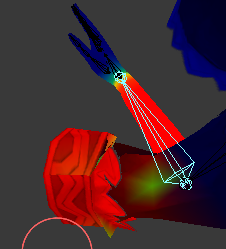 gritty nest
@rose shard that probably means another bone has weight on the mesh in that location
Check all vertex groups and see if there's any conflicting weight paint
Auto normalize is your friend if you're manually weight painting
rose shard
ok
 eager hill
whats the best way to achieve eye tracking in maya? I got it working on old avatars a few months back, but can't seem to get it to work on newer models. The eyeballs are part of the "body" mesh. They are skinned to the bones LeftEye and RightEye which are oriented to point up (they might not have a child joint though if that is required).
gritty nest
They don't need a child joint
Head bone and eye bones both need to be pointing up
And they also need to be normally sized, both of them. Some models make the bones incredibly small and that messes things up
 dusty onyx
what is considered to be up?
x forward? y forward? z forward?
i'm having trouble with getting eye stuff to work too, and as far as i can tell my avatar is all set up properly.
 dusty onyx
on my headmesh everything is present correctly https://dl.dropboxusercontent.com/s/pg3isksiy0xws81/chrome_2018-06-07_19-13-11.png

and the eyes work in the avatar slider test thing

i don't have any error messages and lipsync visemes work.
so i have no idea what the heck is going on with the eyes 😦
safe bluff
Your mesh needs to be named Body
dusty onyx
it is!
this is my mesh named body, which, as you can see, includes the eyes

and then i have the head, without the eyes, as a separate mesh object, with the blendshapes

aHA
I think I got it
okay so the lipsync visemes can be on any mesh
and you can specify any mesh
that's what was confusing me
BUT the eye tracking shit will ALWAYS look for the eye blendshapes on the body mesh
even if you have them set up on the same mesh as the head, where the visemes work
which quite frankly is stupid but whatever
i created four empty blendshapes on my body mesh
and the eyes track now
but since they're empty blendshapes there's no blinking
safe bluff
Your model should be one mesh due to drawcalls anyways though
dusty onyx
that is true
unfortunately he was created in such a modular fashion for reasons™
but hey on the bright side he's only 8.5k tris and i'm not one of Those People who bypasses tris limits while putting shittons of particles, cloth, and dynamic bones on everything
so I'd like to think the effect on performance is not that bad 😄
i thought blendshapes on an entire mesh could potentially be quite nasty though
at least it was that way in a couple other engines i've worked with
safe bluff
Yeah that's the one
fading verge
@dusty onyx better to have 1 mesh with multiple blendshape than 2 meshes with less blendshape tho
dusty onyx
i have a couple of other questions while i'm here
is it possible for cloth meshes to be affected by skins in any way
or, is it, once they are cloth, the only thing that can move them besides the sim is their parent?
the bound vertices (set to 0 distance), can they be affected by bones?
main sage
idk why
but this one thing from Smash Bros Brawl for Wii
does NOT want to be textured properly
 random lotus
so i removed weights on the models hands but for some reason it still makes them move http://prntscr.com/js7x5u

fingers i meant
main sage
eh
random lotus
i already fixed it xD
main sage
hate it when models only have a spine or chest, not both
random lotus
oh
same
i got the damn hand fixed, turns out i had to move the bones a bit
but this is why i hate weight painting

his whole shoe fucks if i remove the weights on it
fading verge
Maya lets you insert bones in the middle of a bone structure without compromising the weighting which is damn useful; you have no idea how many models I found that either had no chest or no neck bone that needed them
random lotus
http://prntscr.com/js8pps so i have to leave his shoe on max weights

apparently the bottom of his foot too
 buoyant berry
Im trying to apply an armature modification but it keeps telling me that it has shape keys and ive check the all the shape keys and there are none.
Does anyone have tips?
Thank you!
 lilac moss
is there a basis
also alt+c > mesh will remove all shapekeys and modifiers and other stuff quicker
crisp tendon
I've got a stupid question, how do you change the t-pose on the model so that it doesn't ruin everything in app ?
fading verge
in blender ? or unity?
crisp tendon
Either tbh
fading verge
Unity : https://imgur.com/a/bUpUHpI
it's an album BTW, so open the link to see all the images.

This procedure supposes that you have already rigged and weight-painted your object so that it deforms correctly. At this point, you simply want a different rest pose for your object. However, when…
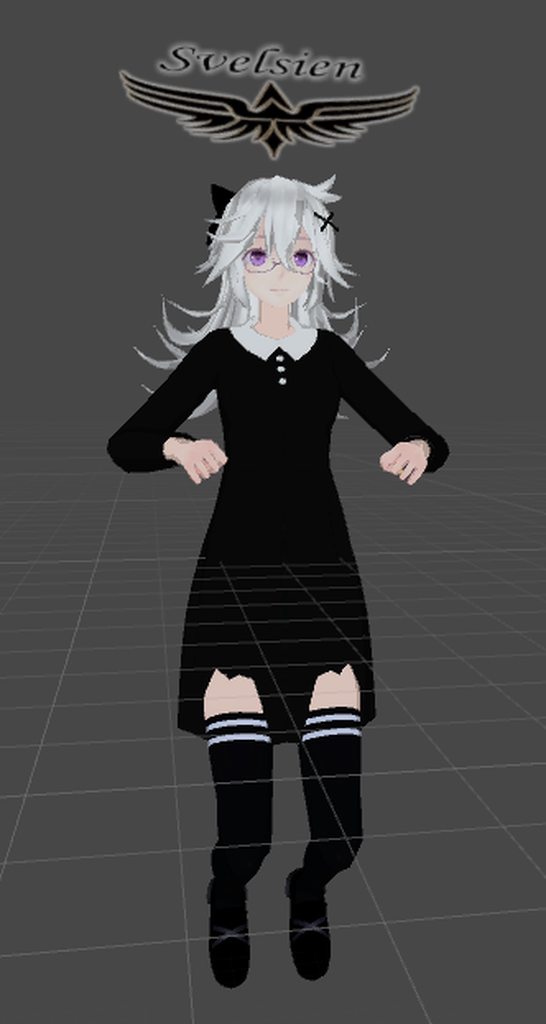 crisp tendon
I completely forgot, not sure whether or not the rest pose has to do with it
Mmh, still fucked up when i enforce t-pose though
Or maybe that's normal
fading verge
if you enforce t-pose in unity, does it fuck up the model ?
dusty onyx
my model was an A-pose
unity auto enforced T pose without me asking
no problems!
😄
fading verge
sometimes when you enforce T-pose
some models get fucked up
not often but it can happen
and you need to move the bones in blender to fix that
crisp tendon
It fucks up the model yeah, but in blender it's fine, it just really need that perfect angle and it's annoying
random lotus
so ive almost finished the weughting but this big issue comes where when i weight the neck the and mouth parts never seem to move with the head at all
i tried with every weight, low and high strength and vice versa
they just remain still
https://cdn.discordapp.com/attachments/404764301325369365/454402775741366273/unknown.png

im almost out of ideas on what to do with it, its one of teh last things i need to weight on him
crisp tendon
Ok, position is fixed but now his arms are in the body, i fucking love unity 
fading verge
👌
need to find that perfect position and angle
i'm pretty sure you can move and rotate the bones in unity
but it's pretty hard to get it to work perfectly
better fixed in blender
but still possible in unity
crisp tendon
I mean, all i did was set a new rest pose and now the arms suddenly crossed in the middle
crisp tendon
@lament summit Sorry for the ping but did you ever figure out the cause of the crossed arms on your model ?
 lament summit
which one was that again? jog my memory
crisp tendon
crisp tendon
@lament summit If you missed it
lament summit
ah, I think i fixed that by resetting t-pose then enforcing it again
not sure
been a while
 magic sonnet
um, hi. ive recently tried to update my avatars visemes because i didnt like the old ones and when i go into vrchat the basis one works fine but as soon as i press v the mouth gets stuck in the ss? ch? viseme. https://imgur.com/a/fHn6nj1
i should mention that the old ones worked perfectly
i hope i can find a fix that doesnt make me have to start over as i have poured weeks of effort and animating into this
 tall jungle
I've heard that the mouth can stay open if you forget to remote the jaw bone in the Unity rigging
magic sonnet
its shape keys
and when this happens. the ch? ss? whatever, becomes the models new basis, meaning that the visemes start stacking
cosmic mica
is there anyone here experienced with fixed joints for "mirrored bones"? I have a question about how to make the dummy bones mirror the master bones but keep their original axis starting angle instead of being exactly the same angle as the master bone.
late shale
Have a game object that directly mirrors the movement, then inside of that have the bone with the offset how you want
cosmic mica
never occured to me to use a gameobject, that just might work?
what im trying to do is kind of "doc ock" arms, but their bones are flipped vertically, so i want the arms to stretch up when i stretch my arms down, yet bend forward at the elbow when my arms bend at the elbow
ill give the gameobject a shot though
or perhaps i use the normal mirrored bones, but then scale the back arms unit to be in the negative on one axis creating the illusion that its vertically flipped from the arms?
testing things in vr takes forever. XD 7 mintues to boot up for a 10 second "oh wrongside/i forgot to add.../etc"
late shale
That might work too. Sounds cool, good luck!
echo drift
hey, I enabled copy protection on my avatar, did the basis original and tried my cloth mesh parts, they derped super hard and from what I understand, it's the bounding box right? I tried editing the bounding box and it doesn't want to change.
cosmic mica
cloth rigging (not with dynamic bones, genuine cloth) is a new element to me, im afraid i dont know. 😦
echo drift
I do have one some dynamic bones but the cloth parts are overlapping them so I can't tell whats going on with them
I guess I should ask how come I can't edit the bounds? I see the edit bounds button but it's not changing the box what so ever
late shale
I'm not sure why, but I had the same issue. I got around it by having the cloth as a totally separate object and just dropping it into my model under the bone I wanted it to be on
It's probably because the cloth doesn't like being weight painted, it just wants to be it's own thing
echo drift
that's the kicker though, i'm trying to get my character to have a haunch back appearance but I don't want to do that in vr
late shale
Huh? What does that have to do with cloth?
 late shale
That's a lot of vertices to be doing cloth on
 late shale
Oh that's not too bad I guess
echo drift
yeah it's a low poly model, around 7800
late shale
If you want it to move around properly, I would use colliders
echo drift

here's the posture I was hoping it would have in VRChat
can i still bind the clothes to the mesh even if it's on a separate fbx?
late shale
Sure, you just place it inside the armature on the bone you want
echo drift
ooooohhhh
late shale
And if you want that posture, change it to that on the rig import settings or in blender
random lotus
ok....so i weighted a model to a rig in blender for a game im modding and in unity it decided to weight parts that had to weighting, and increased their values

which in game he is all jacked up but i think this is why
https://cdn.discordapp.com/attachments/409076008151416843/454495327718735872/unknown.png he ends up like this

he shouldnt be doing this if i weighted him perfectly
echo drift
@late shale that's the thing though, in unity it needs a proper t-pose with it standing straight
@random lotus is klonoa all in one mesh?
random lotus
yeah
its better than it was last time attempted
except that time you could actually see his legs

but he was distorted as hell
echo drift
so, this is for VRChat?
random lotus
ive already got klonoa in my account
but the one im doing this for is just for modding a game
but i think i found the issue, the rig i had to use for it is messed up
i have an older version of the model that wastt weighted properly
echo drift
ah
random lotus
and the root bone on the weighted one is for some reason in the wrong place
echo drift
never hurts to double check before exporting 😜
random lotus
yeah
thankfully i have to use this thing called a assetbundle to load him into the game, and ive gotta reexport that anyway since i added a few weapon models to it
late shale
@echo drift no it doesn't, you can ignore thst
random lotus
also, thanks to the power of emission http://prntscr.com/jsczdm

i made this look not so dark and gross looking
http://prntscr.com/jsczj5 this is without the emission and stuff
 echo drift
I think I need to sleep on this...
 paper radish
Ladie and gents- the Enflux Suit now works with Custom Avatars. And the company also reduced the price back to $500.
And the creator of Driver4VR has expressed interest in helping me finish the final C++ driver for SteamVR, and VRChat.
As always, anyone with some smart brain stuff (that I lack) is welcome to help!
I just want to see it happen!
https://youtu.be/71Iu-yo_gK8

Follow us on TWITCH for more videos! Streaming every weeknight at 8:00pm PST @ Twitch.tv/KingCeryn Join Our Discord Community for more updates: https://disco...
 restive shale
Cool stuff
 true girder
hey, how do i rename bones so that the hierarchy is correct?
 sharp narwhal
can I ask questions here about rigging in unity too?
gritty nest
Yeah

 round abyss
A pose instead of T pose
Reexported the fbx with the new pose and made sure to nuke all the .meta files so unity didnt remember the model
put the model into T pose, it usually happens with A pose models
fading verge
aight, ty
 uneven wind
Any idea how to set current scale as main scale in blender?
 simple jetty
Late reply but: Ctrl + A > Scale
uneven wind
Can i somehow copy transformation between bones more automaticly? pasting over 6 alues on each bones is so anoying
 rocky heart
Is it possible to have multiple dynamic bones off of one parent
so if i wanted one object to swing more than another object parented to the same thing,
i just use two different dynamic bones?
i've been trying to do that but i don't know if i'm just doing it wrong or if it just doesnt work
opal aurora
Why not have 2 bones working as parents instead of 1 in that regard?
It would definetively make it work in that sense
 summer crypt
Anyone happen to know why Unity seems to be interpreting this character's pose backwards?
 solar python
hi, I'm having the issue described in this tutorial here: https://www.youtube.com/watch?v=_OBnLcWlQzI, however my avatar has the bones which are described as missing and they seem to be placed correctly in the hierarchy (as shown in attached screenshot). Does anybody have any clue how I could potentially fix this?
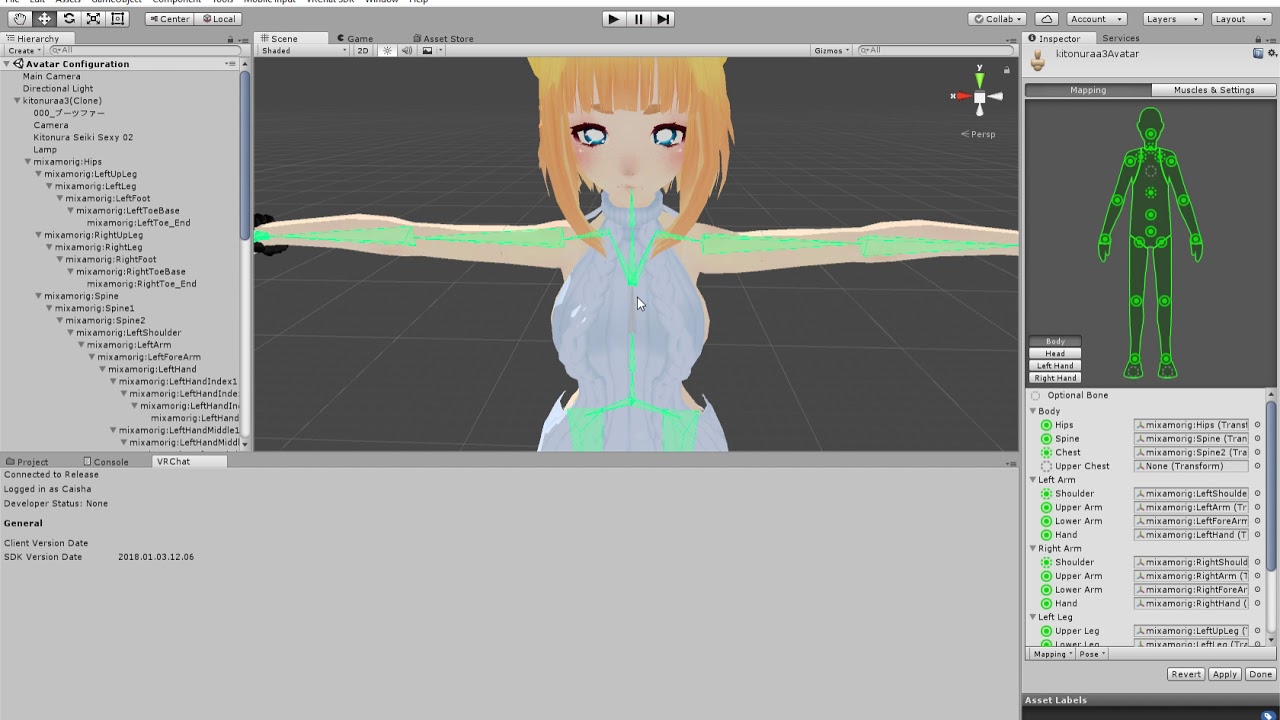
Warning, my mic is awful! I'm not the best one to tell you advice but here is how I fixed my problem "spine hierarchy incorrect. make sure the parent of both...
welp here is the link: http://i745.photobucket.com/albums/xx97/Sydannus/Capture_zps1fsxslx5.png
 summer crypt
Nevermind, just rebuilt the entire skeleton from scratch and now it works. .-.
 echo tree
When i add a blink animation my avatars blinks but as soom as i add the customoverride to its. Controller and custom standing animation. It stops blinking and its stressing me out can somone help?
late shale
god damn I hate groin area weight painting
so glad that's one thing mixamo usually does really well
surreal haven
https://i.imgur.com/LFvZett.png is there any easy way to fix this hair so that it's not sticking straight backwards like this?
 late shale
yeah, select the bones and change from object mode to pose mode with the selector bottom left
Then you can select the bones and move em around
surreal haven
they don't stay in that position when you leave pose mode though, do they?
late shale
Nah it should transfer over
But if you've already done some work on it in unity then it would be easier to do the posing in unity
In which case open your hierarchy and select the hair bones and rotate them around
surreal haven
hmm, i can only edit the bones in pose mode if I switch from "Rest Position" to "Pose Position", and editing it in Pose Position doesn't actually update the model
late shale
It'll only change the file, but not necessarily the model in your scene. That's the difference between "prefabs" and just regular models. If you start modifying it and it says "this will break the prefab" then it will no longer update with the file.
So either you delete the model in the scene and bring in a fresh one or you do the posing in unity
sharp narwhal
hey everyone, I got 3 questions if that's ok. I haven't been busy with VRchat rigging for months so my first question is, if anything has changed in the past like 5 months or so that I should now of, be i the SDK or CATS plugin or whatever, would someone be so kind as to give me a quick rundown?
Then my second question is: How do you make it so you can see the actual dynamic bones move when you move your model around in Unity? I'm trying to tweak some old bones I've made but the model is stiff when I try to test it.
And my third is: How do you make it so your avatar dances correctly with custom emotes, my avatar seems to never rotate itself when performing a dance and also the feet clip through the floor occasionally
That last one I suspect has something to do with the "bake into pose" options in Unity
late shale
For the second question, you need to go into play mode in unity so that all the physics stuff is done and it's not "paused". Any changes you make in play mode will be discarded when you leave, though, so if you're adjusting dynamic bone values, make sure you copy them before leaving
late shale
you can always ask if you have a specific question
sharp narwhal
well my character has a skirt and no matter how big of colliders I make on the legs. The skirt still clips through the legs as well as the hands, 😦
I'm gonna send a pic, hang on
late shale
Yeah, dynamic bone colliders are imperfect and don't act like hard boundaries. For a skirt, you're much better off with cloth physics because the colliders are way more solid.
This video goes over it https://youtu.be/DnX226UdCFw
extra notes: - this might not be the right choice for your model if the cloth is stylized in a physically unrealistic way - like dynamic bones, this is not a...
sharp narwhal
and I can do cloth physics?
oh thanks
I'll check that out right away 😄
yeah this is MUCH more like what I imagine a skirt would look like
fading verge
there are some dude that know about cloth component btw (including me)
feel free to ask in #avatars-2-general
gritty nest
@surreal haven the latest version of CATS has an "Apply pose as rest pose" option
You need to install dev
Or wait for an update
Or use dynamic bones and give the hair downward force
surreal haven
I figured out away to do it, which I suspect is probably close to how CATS does it anyway
gritty nest
Yeah, the manual way also works
I think you need to duplicate the armature modifier, apply the top one, then hit "apply as rest pose" in Blender
Applying the armature modifier applies the changes to the mesh, apply as rest pose applies the changes to the bones
Needlessly convoluted
¯_(ツ)_/¯
I find myself using CATS even for non-VRChat work now
 fiery cosmos
https://gyazo.com/71317fe462be82de786715901a3c7816 any clue on how to fix fingers being misplaced?

 native flint
Sup. I'm new on VRChat and there are a lot of things I want to ask. I'll start with skins/avatars. Do I get skins on-game or do I have to upload them to change my avatar? I never got that :T
fiery cosmos
You can visit Avatar worlds and pick a model and use it temporarily, if you wanna make them yourself you should watch some tutorials on youtube
magic sonnet
hello, ive been trying to get this eye tracking i just rigged to work for the past hour. and no matter what i do in unity i cant get it to work in vrchat. it works fine in blender but as soon as it gets inside vrchat it breaks. ive tried putting eye_l instead of eyeleft and vice versa but nothing seems to change it. i cant even get my blinking or lowerlid to work!
i would like to get this problem fixed as this is the best avatar i have and is perfect in every other way!
simple jetty
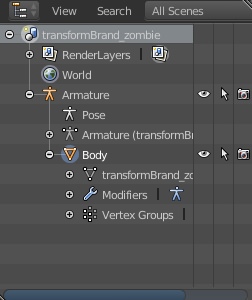
So it doesn't blink or eye-track in-game at all? Make sure your model is named 'Body' rather than something else https://i.imgur.com/kceTGOW.jpg
 magic sonnet
yeah its named body
OH WAIT
that fixed it
i named it body3 because i was working on animations and i had multiples of it in the hierarchy
magic sonnet
IKR
simple jetty
Glad it works for you
 humble apex
Can I get some help with bones
I can't get the model's mouth or eyes to move, but I can get eyelids to move sorta. I used CATS in blender to prepare the model and set up the visemes in unity with a humanoid rig, but ingame the only animations that work are the custom emotes/run anims I ported in and the default animations for the male avatar
Facial animations just don't function
I can't find a problem in Unity specifically so I'm guessing something's wrong with the bones of the model when I used CATS on it but I'm literally a day into this software and have no idea how to check that
 inner cedar
Does anyone have experience with drivers, shapekeys and normal maps in Blender?
Looking to employ the use of wrinkle maps on a model as a test.
humble apex
Nope
 ivory radish
@fiery cosmos u can manually rotate the fingers back or u can place the character in T-Pose in the mesh editor u used and use the revert pose option where the enforce tpose one is
fading verge
@inner cedar if you are aiming to make this work you will have to do it in unity not blender and the only way you might be able to do it is to build a very fancy shader setup in unity
crisp tendon
@round abyss Sorry about the ping, since you figured out how to fix the crossed arms issue, what do you mean by "A pose" ?
round abyss
can I share an image?
guess not

the left is a T pose, the right is an A pose
known as

polycount
Hey guys/ girls, which is the optimal pose to use for character creation? (when giving it to someone else for rigging or animating.) A pose or T pose?
they are used a lot in the industry personally I like modeling with T
crisp tendon
So i need to export as an A pose, then in unity humanoid configuration enforce the T pose and apply ?
round abyss
Im guessing that when the model is in A pose the rig assumes its in T and rotates it past the hips
not sure IF that would work but what I did was move the bones in maya into a T pose then export it like that
so by the time its in unity its already in T pose
crisp tendon
Did you apply it as rest pose ?
round abyss
yes? in maya its called bindpose, but generally if unity has never seen the file before and its already in Tpose even if you just rotated the bones there and bound it in A it will treat it as a Tpose model
if you already imported the fbx as an A and then edit it to a T you need to first unhook and reapply the unity rig
so like just set it as generic hit apply then back to humaniod
humble apex
My model was in an a pose in blender and worked fine with the humanoid rig when in an a pose in unity
as far as I could see anyways
when walking around and whatnot
round abyss
I just know what worked for me ¯_(ツ)_/¯
crisp tendon
Yeah i've done that 50 times before and this is the first time this happens
humble apex
Meh.
crisp tendon
Thanks for the instructions Rantis, i'll give those a try
round abyss
good luck
humble apex
Hey Rantis
You seem pretty knowledgable in this
When I'm in edit mode in blender my model is fine and has no facial expressions or anything as expected
but in object mode my model has an open mouth
as if that's its idle position
idk why this is happening
round abyss
sadly im a Maya user
humble apex
big sad
round abyss
perhaps one of your shapes are set to 1?
or the base is actually open mouth and a shape is always on 1 to keep it closed?
humble apex
well thats the thing
im pretty sure basis (the base shape key) is the open mouth for some reason?
but there are no bones in basis to edit to close the mouth
round abyss
the whole face might be shapekey driven (blendshape)
humble apex
Perhaps
round abyss
seriously we need like some kinda IEEE standard thing for the names of these tools that do the exact same thing but have different names cause why not
humble apex
I'm noticing something else. There's two armatures. One is the armature named after the model
The other one is just named pose
round abyss
odd
humble apex
as far as im aware they are both identical except one has the mouth open
should i just
delete the one with the mouth open
round abyss
test which one actually controls the mesh first
humble apex
they both do. they both have the exact same bones.
round abyss
wait are armatures like Groups in maya?
round abyss
just the bone info? no weightmapping or mesh stuff?
so two armatures are controlling a single mesh?
round abyss
eh I understand the jist of it
its like learning a dialect in the same language
so I assumed armatures were just bone stuff which was correct? so then I asked which one is actually controlling the mesh
delete the one thats just kinda there
humble apex
Basically when I'm in edit mode the model has no open mouth, when I'm in object mode the model has an open mouth. The visemes aren't even active either. They actually WORK on the mouth even though it's open
round abyss
SO I think the object probably has history on it the base object itself has the open mouth, and whatever edits have been put over it the weightmapping the skeleton the shapekeys etc closed the mouth but you say you cant find a shapekey thats always on when its in edit mode
humble apex
Yeah.
Like.
When I'm in edit mode the mouth is closed, so I can't edit the bones to close the mouth because it's already closed.
In object mode it's open but it's not like I can close the mouth then.
round abyss
wait so the mouth is bone driven?
round abyss
I thought it was shapekey driven
humble apex
thats the problem
when i have basis selected
and then hit tab to go into edit mode
the mouth is closed
and when i tab back into object mode
it's open
simple jetty
do you have a jaw bone? select all the bones in pose mode and do : Alt + G, Alt + R, Alt + S
 brisk apex
Soo, I'm trying for the first time to set up an armature for a model. Every time i try to Parent the armature to the mesh the model flips 90 degrees forward and spins around 180 degrees...any ideas? tried looking for answers online but only saw one person with the same issue and they did not get a response. I tried resetting up my bones but it did not have any effect D: . getting pretty frustrated lol, trying to do this for a friend
fading verge
Is the model itself rotated? That can cause issues depending on the software you're using
brisk apex
just the model itself moves, the bones stay in the same spot
using blender
the model is a .gltf file, i had to install a addon to get it imported. wondering if that could be part of the problem, difficult for someone with no modelling experience to start out on lol. probably also doesnt help the character is kind of an odd humanoid shape. Its Ashka from Battleright. Model link: https://sketchfab.com/models/8ebeffdcf6024285b3c0d3f607c6c6e3#

クロ | Kuro
LINKS
╚»ArtStation «╝
╚»Support«╝
crisp tendon
What's the trick to avoid bobbing on flying avatars again ?
 round dagger
checking is trigger for collider helped for me
gritty nest
@crisp tendon depends on what you mean with flying.
Since this is the rigging channel, I'm assuming you're talking about those flying animations that make you squat in the air?
That's because of the Root T property in the flying animation
Up/down movement is not supported on idle animations, so you essentially need to remove the up/down movement or make it much more subtle.
 pulsar hearth
how i get a "dynamic bones" ?
round dagger
unity asset store
pulsar hearth
oh
crisp tendon
@gritty nest Sorry I meant a model whose feet do not touch the ground, basically hovering over the ground. Is there something to do with the skeleton itself ?
gritty nest
Yeah, I've made one of those. The issue is that VRC tries to plant your feet onto the ground. @crisp tendon
You can have flying animations that raise your legs up a little, but then you need to bend the legs
There is a way to raise your model's height though. You need to make an empty Game Object, and put that in the scene. Put your model inside the game object. Add an Animator component to the game object, and assign it the model's avatar in the Avatar slot.
You can now freely raise and lower the model without the game trying to plant your feet on the floor
Up/down motion is not supported in animations since the Root Y property is essentially ignored in Idle
crisp tendon
Interesting, many thanks !
gritty nest
Oh yeah, make sure that the avatar descriptor is on the game object itself
You still need to make all your animations on the child model though, the game object can't have any of its own animations
crisp tendon
Always wondered if no idle animation would be weird or not
gritty nest
It depends. I think it looks better with a little bit of idle limb movement.
But I've seen these little "fairy" avatars that worked fine without them
main sage
why does it seem like the VertexWeightMix modifier doesnt work...?
round dagger
oh that floating thing
Welcome to the third episode in a series on creating a simple character in Blender. (http://blender.org) Rigging part two: http://bit.ly/characterRigging02 D...
few secs on pinned time should help you
crisp tendon
@gritty nest I think i found a way, simply remove the walking animations from the blend tree and replace them with the idle, really cool hovering effect
@round dagger Are you sure the timestamp is correct 😄 ?
round dagger
if i udrestood you question correctly, yes
i mean that thing when your shoes sink in the ground or float in air
probably i just missunderstood your problem twice xd
crisp tendon
no worries 
main sage
but no rlly, whys it look like that weight mix modifier doesnt work?
brisk apex
Anyone have any idea why whenever I try to parent my skeleton, armature deform, the model flips forward and spins around? driving me crazy lol
actually its not spining around anymore, just falling forward, but the skeleton is still standing
gritty nest
@brisk apex apply location, rotation & scale before parenting
brisk apex
Thanks! ill try to find a tutorial for that xD
Okay so that fixed that issue, but when I import the model into unity the model shows up backwards, If i reset the mapping the skeleton lines up with the model (but not in a t-pose). If i force a Tpose the skeleton flips the other way, and the skeletons arms raise up but the models arms remain downward?
 lost shard
 brisk apex
So I finally got it working ingame, with the skeleton, however the model looks like it exploded, the Tpose tore it apart - ingame many parts of the model shift and are splintered off like it shows in the tpose http://img.photobucket.com/albums/v191/MoTi0n/22222.jpg http://smg.photobucket.com/user/MoTi0n/media/11111.jpg.html?sort=3&o=1

 fading verge
i dont know jack shit about rigging
but some of those arms bone looks too long
or too short
brisk apex
when i convert it over to unity, it just kind of does what it wants, moves em around and changes their size
it split the chest out in 2 direction and moved the shoulders out, thats why the arms look weird
I'll try adjusting the bones's its just kind of weird because he has huge arms and a really wide torso, not positive on the best layout for that
this is my current setup http://img.photobucket.com/albums/v191/MoTi0n/bones.jpg

i had another bone in the center for a chest but CATS seems to have deemed it unneccesary
fading verge
if the bone doesnt have any vertex group or weight paint
it will be deleted if you use "fix model" without unchecking "delete 0 weight bone"
I would connect all bones except the upper legs and eyes and try to get the angles between the bones as close to the unity default rig as possible and before exporting T pose it in blender
 idle palm
How do I make dynamic bones only move in certain directions? I'm working on a Snake model and I'm trying to get it so that the dynamic bones on the bandana straps don't clip through my face and only flow behind the avatar.
idle palm
Hm. Live with it I shall then.
fading verge
I’m new to rigging but every avatar I’ve tried to upload ends up saying the same thing which is “Spine hierarchy incorrect. Make sure that the parent of both the shoulders and the neck is the chest.” How do I fix this?
brisk apex
My avatar is almost working properly! Reworking the bones on the arms fixed my weird Tpose issue. Only issue I'm still having is when i walk is seems like certain faces of the mesh are sstill seperating and overlapping themselves a bit. I tried hitting join meshes on CATS but it doesn't seem to have changed anything
like his belt shifts up, down, in and out of the torso as you walk for example
Ah i realized part of the issue, for some reason certain faces of the model have turned invisible? http://img.photobucket.com/albums/v191/MoTi0n/missingfaces.jpg anyone have an easy fix for that, im assuming cats probably did it lol
 fading verge
When you get most of your weighting done and find out your wrist joints aren't oriented properly
brisk apex
so I fixed the faces that the normals were reversed on, but I'm still having an issue where faces are separating when i move, his belt moves but his buckle stays in place, and the things on his back the walls separate from the rest of the model. any way to do something with the vertacies to make them unable to separate?
safe bluff
Is it weight painted correctly?
brisk apex
i just automatically weighted it, when i looked at the weight paint it looked like pretty well only the bottom of his shirt has weight, there were some other random spots as well. I removed the weight from the random spots and kinda cleaned it up a bit but it doesnt seem to have had any effect on the way the model is separating
 heady hedge
Anyone decent in blender that can help with a weight paint issue that doesn't seem apparent?
 fallow lake
I have a model I imported that is "exploded" into separate pieces to make up the whole. I have joined them into one object but when I rig it, they're treated as separate pieces and they break at the seams when I pose my model. Anyone know how I might fix this? Do I literally have to go through and merge every vertex?
 wary nest
@fading verge What do you mean by wrist joints not oriented properly?
fading verge
Joints in maya have a rotation axis property that changes which way they turn; it was off by 45 degrees so whenever I rotated my wrist bone it didn't go downward, it went diagonally
I had to undo all of my weight painting to fix it because changing it rotated the mesh without moving the joints
wary nest
Yea wow. I was actually curious whether that would effect the rotation of arms/knees/wrists etc if the rotation was off by 45 degrees or so in-game.
When I worked on a character for JKA, I noticed that on their bones, atleast 1 of the axis of rotation of the bone was poining in the direction that that certain part would move.
So when you rotate it, it'll go where it needs
cosmic mica
particle question - how do i make the particle stick after collision? its an arrow and i want it to stick to the thing i shot it in but its collider makes it bounce and slide no matter what.
 final cave
Can some answer my why my eye bones are hooking to my hair
gritty nest
Probably bad weight painting, or you put dynamic bones on the head instead of the root bone
final cave
when i try to move the eye do eye tracking it moves my whole hair and my hair doesnt have bones in it
gritty nest
Oh
In that case, you have some hair weighted to the eye bones. You can go into weight paint mode and fix that
Select the mesh, go into weight paint mode, and select the eye vertex groups. Unpaint the hair. You might have to go into the Head vertex group after that, and make sure the hair is painted to the head bone 100%.
final cave
Looks liek the bones conecting them are Lefteye and Righteye and its being created by the eye tracking
gritty nest
Probably derived from Eye_L and Eye_R, check those too
final cave
I had it working before though i dont know what changed bc i notice once i got into vrchat that i deleted something i didnt want to delete and the eyes where working findi just dont know what changed
 solid adder
You may need to check in Blender to see if bones are set correctly as well as make sure bones are in the right position.
 heady bane
yo, i found a steam discussion on the vrchat board about an ori model request, so i thought i'd reciprocate the request here...unfortunately, the guy doesn't know how to link stuff, so...here's an ori model https://sketchfab.com/models/9154a505ba8143cba354d04ac9f7ac29

A simple model of Ori from the game “Ori and the Blind Forest” created with Blender.
https://steamcommunity.com/app/438100/tradingforum/1635237606658920014/ referring to this thread

i know there's at least one ori model in vrchat, but it wouldn't hurt for there to be more, would it?
 wide berry
what kind of settings do you recommend for dynamic bones for this kind of hair? https://gyazo.com/269c24f1cf065819963931f2faf35697
 gritty nest
Short-ish hair
High damping, like 0.88
Elasticity either 0.1 or 0.09, it's preference
Stiffness of like 0.8 and inert of 0.8
Start with those
fading verge
.88
.27
.3
.88
i use that for all short hair
gritty nest
I usually lean towards higher stiffness for short hair, but maybe that's because these models have a nasty tendency to stretch hair
And I guess the higher elasticity kind of makes the lower stiffness necessary too
fading verge
yep
 dreamy swift
I have a question about the head rotation in vrchat
If I make a non humanoid model, rig it, does it automaticaly rotate its head when I look around?
After importing it
dreamy swift
mk
fallow lake
I have a model I imported that is "exploded" into separate pieces to make up the whole. I have joined them into one object but when I rig it, they're treated as separate pieces and they break at the seams when I pose my model. Anyone know how I might fix this? Do I literally have to go through and merge every vertex?
For instance the arm is made up of about 6 different pieces, the chest is split between pecs/ribs and shoulders, the mouth opens when i weightpaint the entire head if I rotate it forward or backwards etc.
safe bluff
You could try removing doubles although I'm unsure if it'll do anything if the model is too exploded
fading verge
Can a bone be bound in translation to something, but bound in rotation to something else ?
Like a turret on a mech's shoulder that would follow where the head points
late shale
Yes, you would have a fixed joint and use the rotation part of it while keeping the translation locked
fading verge
I'll try that thanks !
 earnest brook
Tried making a rig for crash bandicoot today, I'm new so started with mixamo and edited from there
I can't keep the facial features from distorting instead of the skin around them when the head turns
eyes work fine because they're a separate object but they're just static at the moment, I don't know how to do lipsync or eyetracking yet
like, if the head turns the nose and ears will stay on the face, but rotate or distort slightly at the same time
both have bones attached to the head
wait, it might be a vertex group issue
if I have, say, the nose as a vertex group, should that also be in the head vertex group?
late shale
You can have vertex groups like the nose, but they won't affect the rig whatsoever if they aren't also the name of a bone
So yes, you could have vertices in multiple groups and only the one that's a bone actually matters
You'll probably want to just select the entirety of the head in edit mode, then go through the neck, shoulder, upper chest groups and remove those vertices from those groups. Then assign then straight to the head and nothing else
One thing that mixamo will almost always mess up is the neck and chin area. It doesn't make a clean divide, so you have to clean that up yourself
pearl bone
Not sure how easy this is? But I have an avatar with a TV head, I'me trying to make it where hand gestures changes the screens textures. How can I do this? I'm not spawning a new object. just changing the screen
gritty nest
@pearl bone duplicate the screen a bunch of times and give every duplicate its own expression
Then use shape keys to move the main screen back and the new screen slightly forward
Or you can swap material in a gesture
earnest brook
@late shale Thanks for the help, I do have matching names for the bones and vertex groups, already removed the facial features from the head group. I unallocated all the neck because Crash has no neck (or a very small one)
I guess I need the the body to turn more readily when the head turns past a certain point, because the neck is so short
The distorting facial features seem to inherit rotation or something when I rotate things like the chest or spine (which are properly mapped)
but turning off "Inherit Rotation" or "Inherit Scale" didn't seem to change anything
gritty nest
You sure the facial features aren't accidentally weighted to anything else?
earnest brook
Some of the vertex groups were messed up, I went through and changed them but the nose still distorts when the head turns
Gonna leave it for now
fading verge
Hello. How could I rig the hands and feet of this model better?
I can't send images. crap.
If anyone wants to help me with rigging, dm me and I'll send ya the picture of what it looks like.
gritty nest
Imgur
 gritty nest
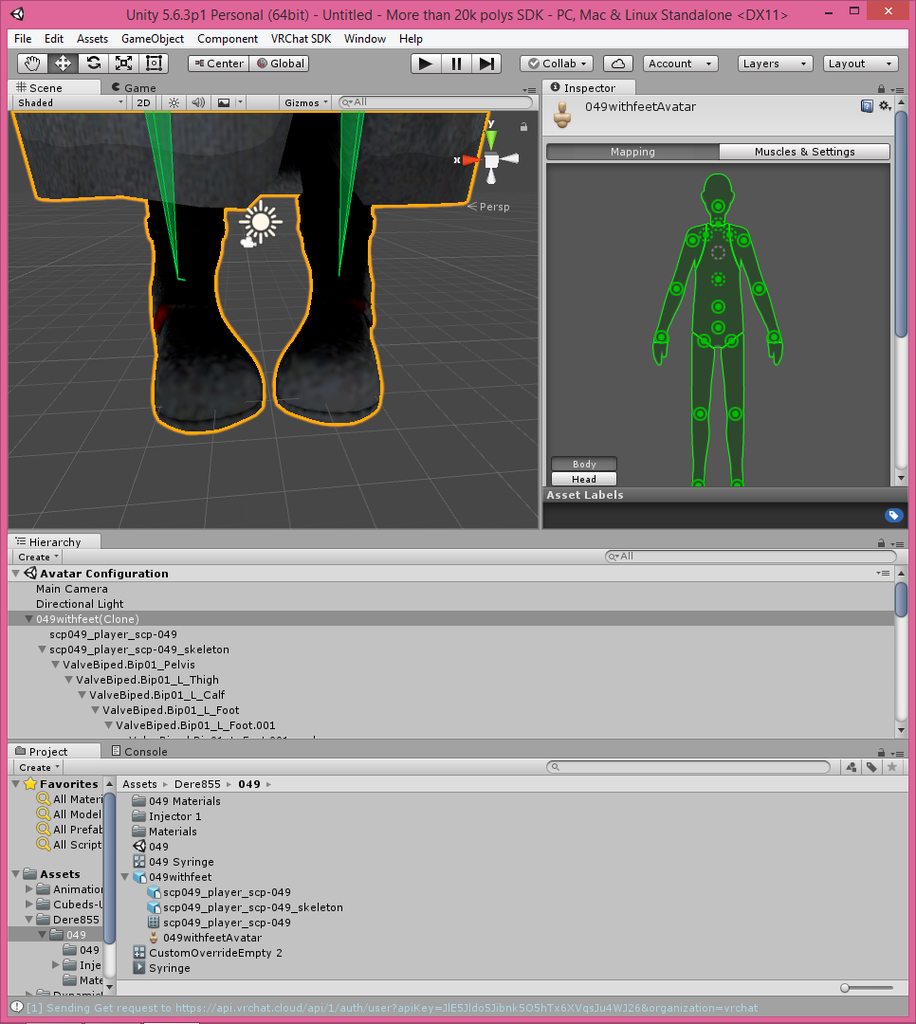
Looks like faulty bone rolls, you can probably fix that by setting all bone rolls to 0
Or you can manually rotate the thumb back into place in the rigging window
fading verge
Oh? How would I do that?
gritty nest
Go into blender, select armature, go into edit mode, select all bones, then do Clear Roll
gritty nest
You can manually rotate the thumb in place in Unity rigging window, try that first
Even if it says "not in T-pose", ignore that
fading verge
Noice. Hmm, could I make the fingers go straight to by that window as well?
gritty nest
Yes
fading verge
This is an eye openner. I thought it had to stay in T pose.
gritty nest
It technically does, but you can cheat the system
The SDK will complain if the Chest is out of T-pose though
fading verge
Could I still publish even tho it says that?
gritty nest
Not if the error is in the chest
fading verge
Ah
I think the hands look abit better like so.
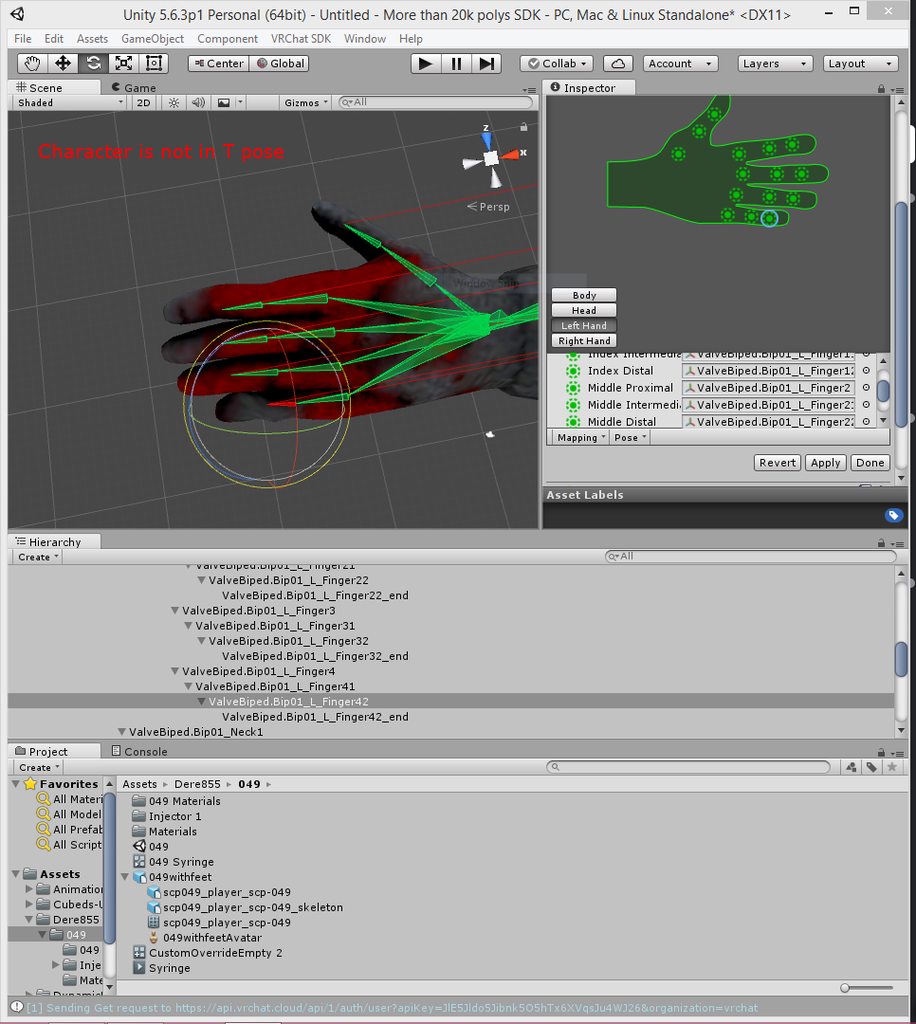
So, if it doesn't complain about the chest. I should be good?
gritty nest
Yes
fading verge
Great
Thanks for this tip!
Makes the time I put into the hands before worth it. xd
 hasty valve
hey how can i fix spine length is zero?
gritty nest
CATS tells you to ignore it
So, ignore it?
It's part of the full body tracking fix and not an error
hasty valve
oh ok thanks
 tardy harbor
Could anyone help me out? Keeps telling me this when everything is fixed and rigged correctly. https://gyazo.com/1041edadc1417d7a4b78730a2ed06069

 gritty nest
You have incorrect bones mapped
In the 3D view, you can see the three-pronged bone that connects the neck and shoulders. @tardy harbor
You need to assign that bone in the Chest slot
The bone directly above the hips needs to be assigned in the spine slot
This will leave some unmapped bones in-between and that's fine
tardy harbor
Alright its fixed, thanks @gritty nest
 mystic sparrow
so im trying to port this model to vrchat but it doesn't have any shoulder bones and idk what to do to make it work
 round abyss
hey so
anyone have full body trackoing?
tracking
ever have that issue where your feet trackers begin at the ankles? rather than the feet?
im seeing that on a lot of model
s
including my newer ones
late shale
Yeah there's a lot of extra rigging stuff you need to do for full body. #full-body-tracking is where they talk about all thst
round abyss
mk
 hybrid furnace
im having issues trying to Rig a character with an arm cannon
I can get them in and working but im trying to find out how I can go about making hand tracking work properly
late shale
You'll need dummy unweighted hand bones in order to be imported as humanoid
hybrid furnace
I did get that far
late shale
What do you mean by hand tracking then
 pale hull
@round abyss I follow this guide https://vrcat.club/threads/comprehensive-full-body-tracking-rig-setup-tutorial.1382/ for my rigs and it works so much better

VRCat: Community-Run VRChat Forums
EDIT: As of 2018/04/02, Cat's Blender Plugin now includes this process automatically with version 0.7.0. Go check it out!
Heyo~
So I've been using a...
fading verge
somebody help, i how some problem with my avatar https://imgur.com/a/RiGkkJd https://imgur.com/a/aQKK6Yg
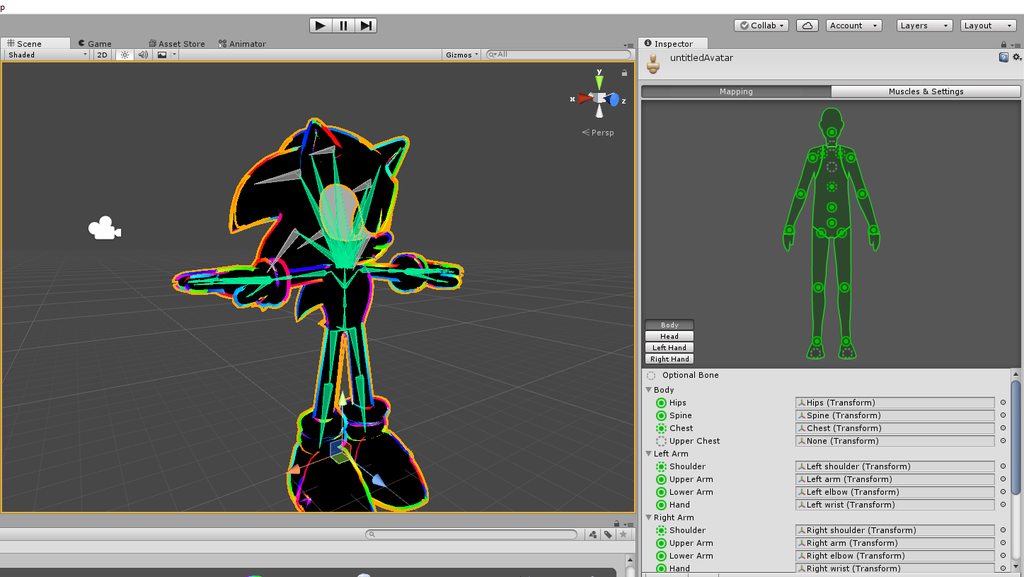
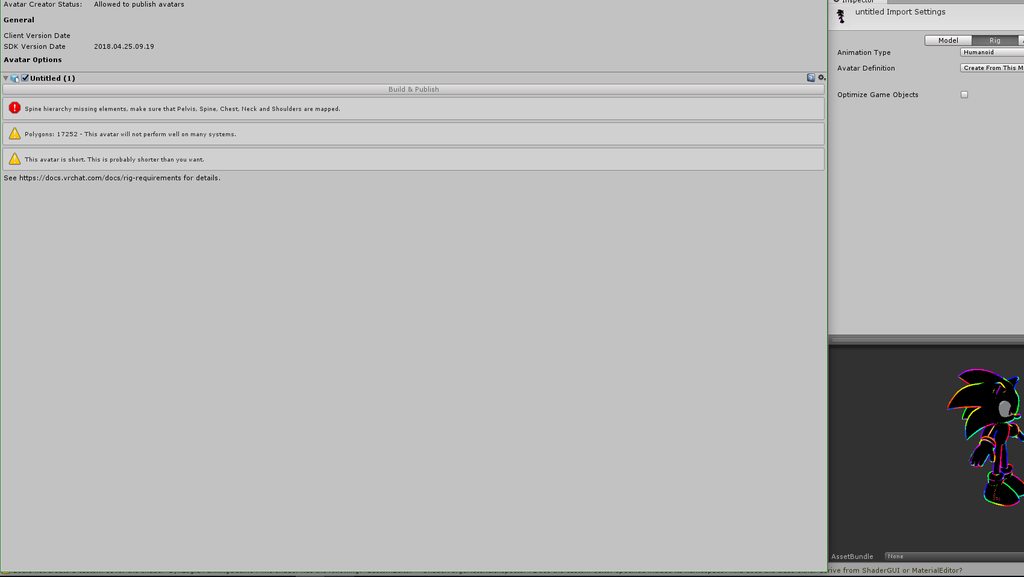


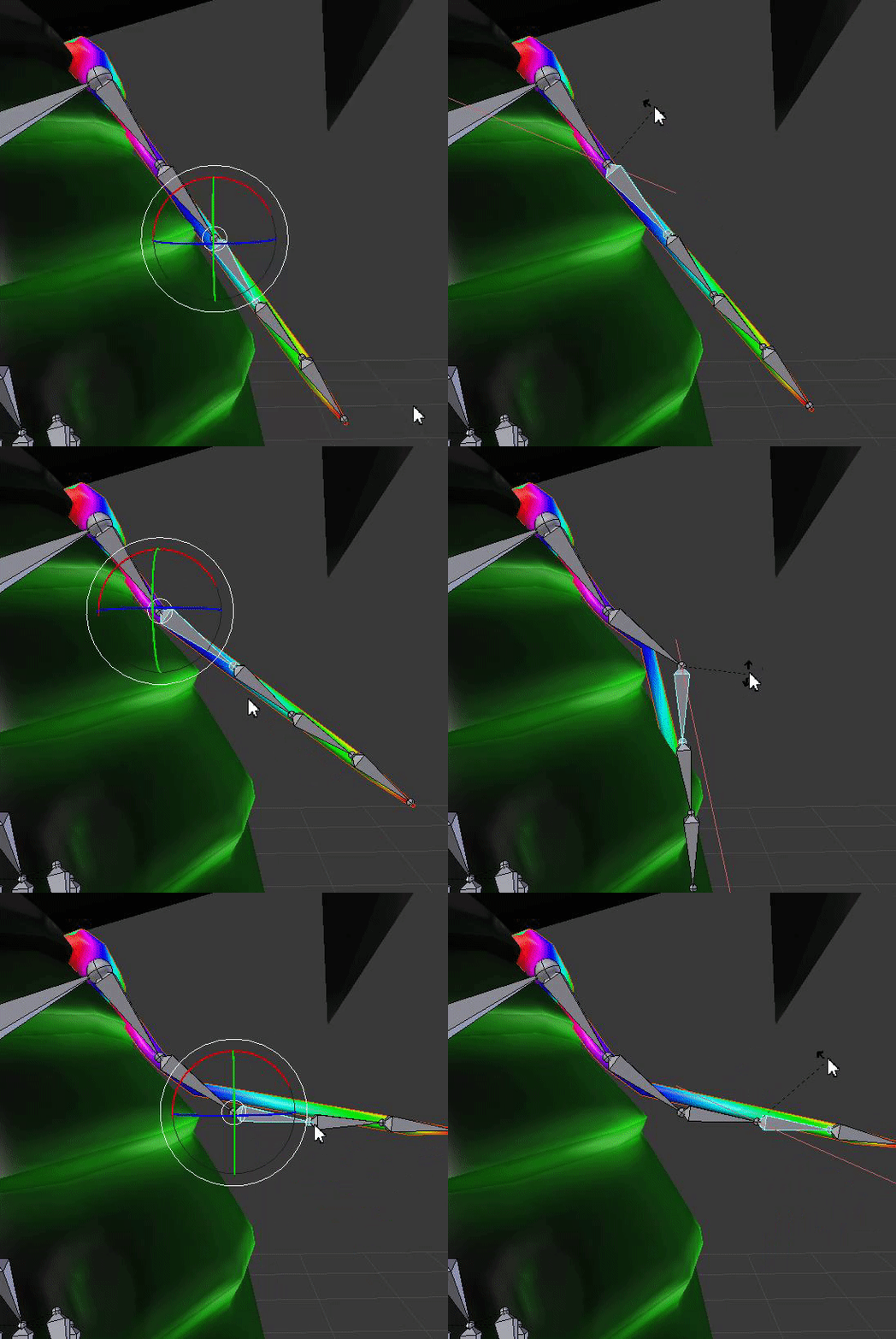

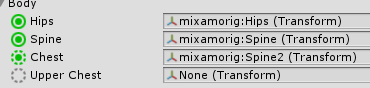


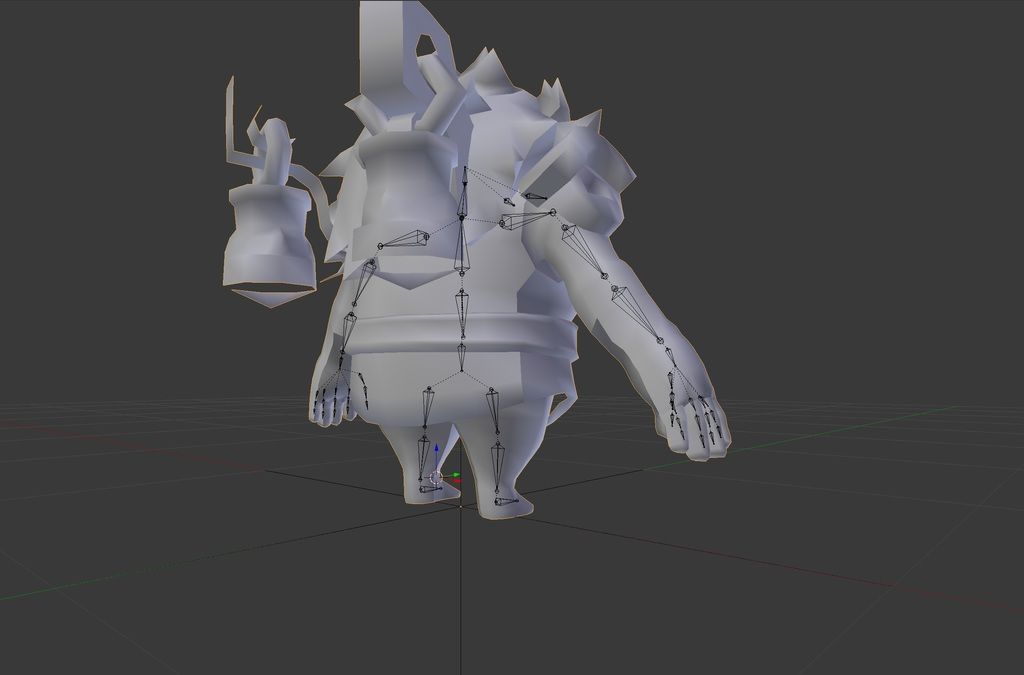 pale hull
@fading verge Just like the error says, you're missing a neck. I can see one isn't mapped.
fading verge
@pale hull thanks for help you save my time 😃
 peak warren
how do I set my viewpoint right? I was finally able to test my avatar in VR and I noticed, that it was too big. When I adjusted my height to fit with the head height of my avatar I couldn't reach the floor anymore.
It was set roughly to the nosetip, maybe a little bit above
pale hull
It really boils down to the proportions of your avatar. If you can't reach the floor then you'd have to either make the arms longer or legs shorter.
peak warren
ok, I have to adjust it because of some other issues, anyway
pale hull
Basically; Short arms you get stilts. Long arms you sink through the floor.
peak warren
is it a bad idea to just reload the fbx in unity when the bones were changed, but have the same hierarchy?
pale hull
Gotta find the middleground.
If you do that you must reset the pose in the avatar configuration scene
Otherwise it will keep using the old avatar data
peak warren
so just go in configuration or do I have to do something there?
pale hull
Where you select it as humanoid click config, press "pose" button on lower right. Hit "reset pose" and then "enforce t-pose". Apply.
peak warren
ok, thanks
does the axis of rotation depend on the roll value of the bones?
because some finger joints were a bit twisted
pale hull
Unsure, however for simulated eyetracking it does matter.
peak warren
eyetracking seems to work fine
pale hull
In the case for the fingers make sure the hands and fingers are not mis-posed in the avatar configuration scene.
peak warren
what do you mean by that?
pale hull
The actual pose the model is positioned in when you t-pose it. The fingers should not be bent, but pointing straight out.
peak warren
that's not the problem, when straight they're ok, but when they bend they get a little bit curved
sidewayxs
pale hull
Might be a weightpainting issue?
peak warren
when I go in avatar configurator and reset the pose some bones are red, what does that mean?
pale hull
It's not t-posed. That's why you enforce a t-pose after.