#avatar-rigging
1 messages · Page 116 of 1
 inner cedar
Or would having the jacket, holster and the main body as their own objects work just fine?
 calm needle
@upper pendant https://cdn.discordapp.com/attachments/361742235525709825/367234075338997760/view_guide.png
 inner cedar
And as a separate question, I have a separated plane I'm planning to use as an eyelash for my character, how would I go about implementing that into a rig that would work for VRChat?
calm needle
so you are trying to add an eye lash to your character?
you could add the plane to the mesh itself in something like blender but if you do it via unity you just need to make sure the plane is parented to the head
inner cedar
How would I get it to match up to any blinking animation I want to implement to the character?
I think it might be worth mentioning that the setup I'm looking for is more on the polygonal side and less of a texture-type setup that you might use for anime or manga inspired designs.
calm needle
blender might be youer best bet then. You would have to manually fix it for the blink blendshapes though
 solemn inlet
Do I need to have a bone for the jaw in order to get it to work or just the Visemes?
solemn inlet
ok, then how do i get it to register in unity?
 wide berry
yeah, for the bone settings make sure that the jaw bone is set to none
solemn inlet
ok
wide berry
https://gyazo.com/b899b5c6bc2d915459202bf9d96598df can i get some help with this
 wide berry
DOES weight painting have to be 10% correct?
100% sorry
well, in the picture
only the lower leg moves in game
and the rest stays still
but i just finished the weight painting and im going to test it
 upper pendant
thank you @calm needle i found another work around by adjusting the models position but keeping the origin point centered but thank you any how
solemn inlet
uh, i know when i try to parent i have to go object, select the bone then go to edit mode and type in the parent bone
wide berry
thank you for the help but i just fixed it lol
solemn inlet
lol
hell if your any good you might be able to help me with my problem
with mesh that is
wide berry
https://gyazo.com/2150817ae2760ecda45d506a2479231d need help with this.
 solemn inlet
they, uh, look a little broken
 opal aurora
Eyup that really went south
I assume the weights for the legs for whatever reason, got merged onto the hip
That or those bones are straight up broken in the way they're positioned
wide berry
i think i figured out of problem
no the way it was made, there are two left leg bones
and i had to reparent the correct left leg bone to the lower leg bone
cause the one i was using (which was the wrong one) had no weight painting at all.
now to fix the other one
https://gyazo.com/7f36be262770b60fc6b21a0c78e6eeff this is what the right leg painting looks lik

before ihave touched it.
so i think i can kinda see the issue
 wintry epoch
hey guys, not sure if this is the place to ask but is there a video on extending limbs to match my body size irl, have full body tracking
 random kiln
Would be best done in Blender, just matching your skeleton manually
wintry epoch
I wish I understood what you meant, I have blender though
random kiln
Edit the bone structure of your model in Blender
 reef verge
Anybody know's why my arm looks scuffed in Unity but in blender its totally fine? https://prnt.sc/jmhqxo | https://prnt.sc/jmhqrz


 fading verge
bonne position ? bone rolls ?
 fading verge
doesnt look like that the rolls are set to 0
reef verge

 mild spoke
How would I rig a Kirby riding a Zorua? I'd imagine I'd have to rig the Zorua first, but the Zorua is a four legged creature. So how would I rig that so it played correctly in VRChat?
 gritty nest
Depends on whether a generic rig is fine or not
If it is, it should be easy to just rig them separately and then animate
If you want it humanoid, I would recommend assigning the Zorua's front legs as the legs in the humanoid rig, then use fixed joints to joint the back legs to the front in a criss-cross fashion (back left is rigged to front right, etc)
fading verge
https://cdn.discordapp.com/attachments/427506461246095374/449599891748945930/Screenshot_404.png how do i fix the weird leg rotation? is even worst the more i look down

 fading verge
changing to female animation set fixed it 😮
 rocky scaffold
guys, i hafe a question. i made an armature for a human body and my problem is. when i bearly raise my arm. its alrdy completly raisee ingame
not raise more like stretched out
so y my real arm is half streched ingame its alrdy completly streched. i dont know how to fix.
gimme some hitns guys!
gritty nest
@rocky scaffold did you map the finger bones?
Did you get any message about full-body IK being disabled?
Could be that the arms are actually just too short for your proportions
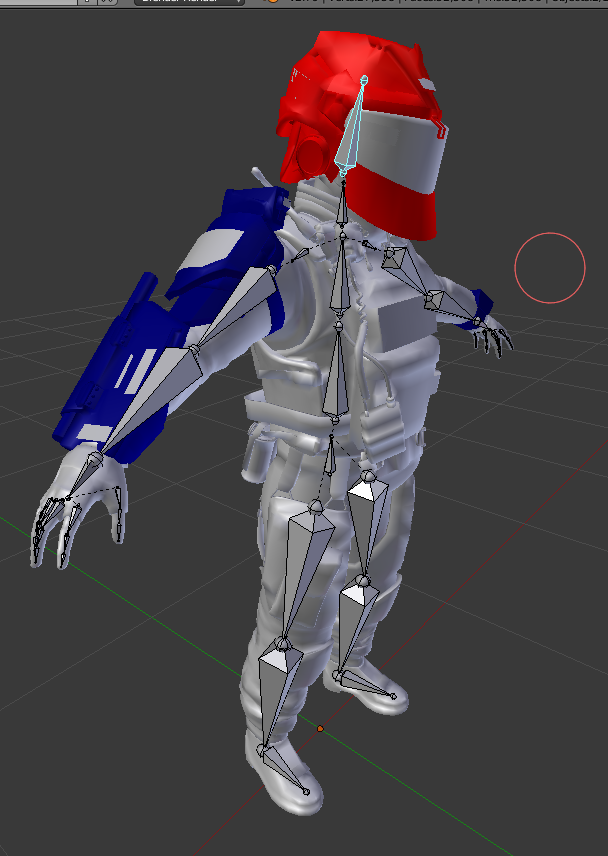
 heavy imp
could someone help plz
gritty nest
But are the finger bones mapped in Unity?
You should not be getting any errors about full-body IK
And the origin point of the mesh and armature has to be correct too, of course
heavy imp
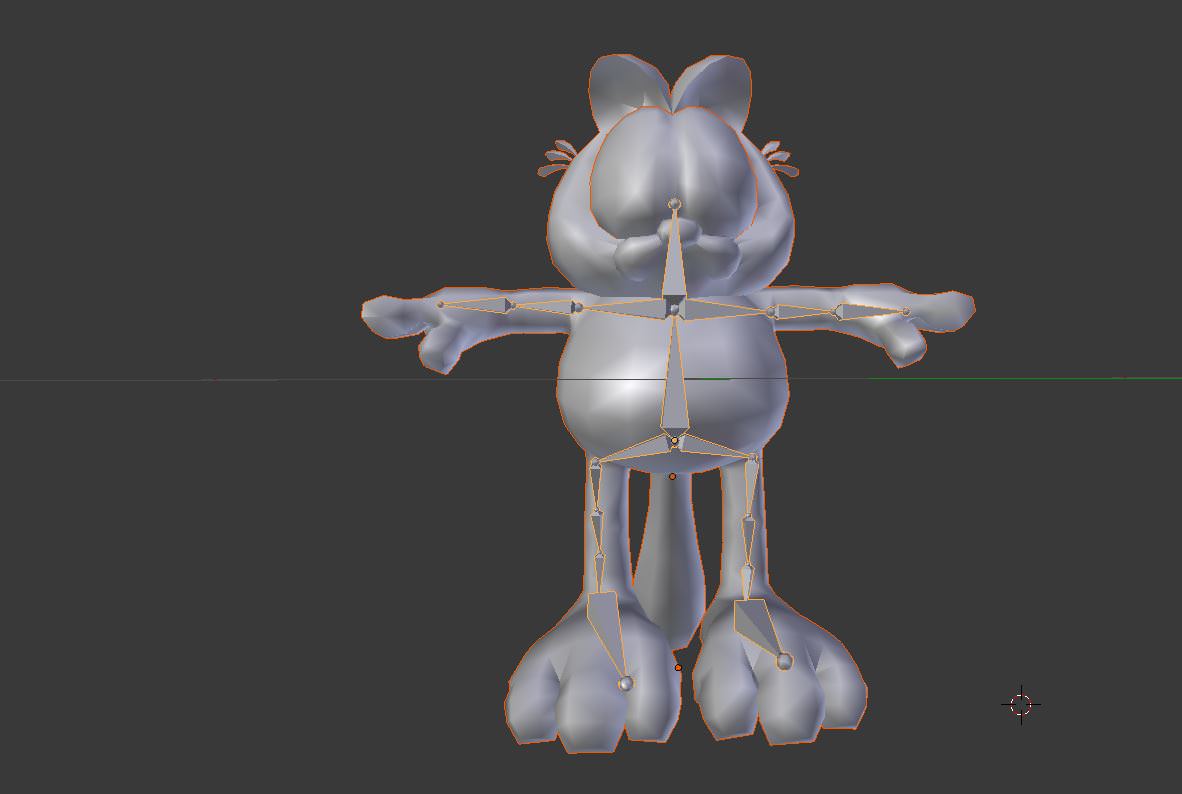
my garfield model has bones
(i took an old ps2 model of garfield, it had no bones so i boned it)
but when i loaded the model
it said
no bones
gritty nest
What said no bones?
Unity you mean? Don't you mean that it's just not rigged as humanoid yet?
fading verge
you boned it ?
as in, you just added bone to a vaguely humanoid form ?
did you wieght paint ?
heavy imp
???
i just put a bone in the spine area
i did the keyboard button to link it to create another
than i repeated that process
im not good when it comes to modeling
 naive tree
"boning models gone wrong" 👌 
 echo drift
I'm trying to figure out how to get the cloth component to work for my avatar but I don't know what I need. Do I need to have bones for the cloth? (this isn't a dynamic bone issue)
fading verge
@echo drift https://www.youtube.com/watch?v=DnX226UdCFw
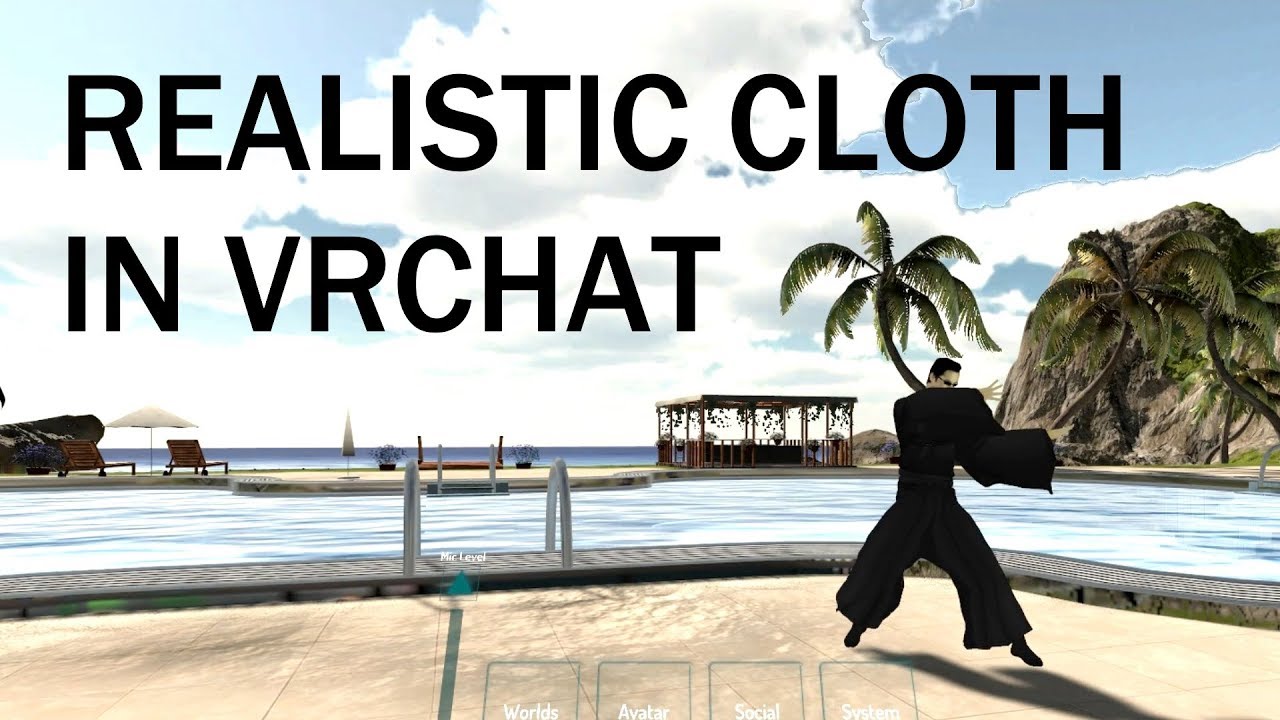
extra notes: - this might not be the right choice for your model if the cloth is stylized in a physically unrealistic way - like dynamic bones, this is not a...
echo drift
@fading verge that's the video I was looking at, he's got bones in that kilt(?) thing. Is it needed? Because I can do it just fine, I just don't want to make things complicated on myself more than I need it to be.
 full solar
cloth components work on the verticies as far as i know
echo drift
@full solar ok, so I don't need bones? just separate the mesh to the parts that need to be rendered as a cloth component?
echo drift
@fading verge phew... glad I asked. I really hate making things harder on myself. Thanks for the help! 😄
@full solar and thanks to you too :3
gritty nest
You don't need bones, but they help manage constraints
Just leave them in if they're there, otherwise take em out
mild spoke
I want the Zorua to walk on all 4 legs
That's the problem, because I don't know if VRChat allows models to do that
@gritty nest
echo drift
@gritty nest does the mesh need to be one layer? I noticed it's 2 layers on the model I have.
naive tree
multiple layers work very bad on cloth, personally haven't any luck making it work with multiple
echo drift
@naive tree it's more like one layer but it's in a U shape to create a thick cloth look
so it's folded over
in a way
naive tree
can u post a screenshot of it
echo drift
sure, one sec
naive tree
u can also remove gravity and use your own negative acceleration (not random) on y axis if u want any gravity
 naive tree
u want to get rid of all the layers and just keep 1
heavy imp
back
heavy imp
hollu mollly im an idiot
adobe has a free auto rig thing
and sall the bones work
heck yas
kind of works
nvm
works
 onyx hull
If I make a quick change in blender, is it possible to seamlessly replace my avatar in unity without having to reapply dynamic bones, etc...?
 gloomy iris
@heavy imp You're referring to Mixamo?
gritty nest
@terse plover it has always worked
You just need to set "is trigger" on the colliders
naive tree
cloth is good if u spend time on it
mild spoke
For a four legged creature, how do I rig them so that all four legs can move?
gritty nest
Cloth isn't very good for hair IMO, dynamic bones are a lot better
 late shale
Depends on the type of hair. If it has a volume like this then it won't work because it will fall apart like a deflated balloon https://cdn.discordapp.com/attachments/257542774843375616/447743101495410688/maxresdefault.png

Hair like this, however, with flat planes would work well. Although for something as complex as this particular example, it would be a pain in the ass to get it all constrained properly https://cdn.discordapp.com/attachments/257542774843375616/447743312422502410/q3zrH.png
 echo drift
dumb question, can an avatar be a hunch back? it's t-pose is in the haunch back position. I'm guessing it would fix the posture if I try playing in vr?
 solar ravine
how do you avoid Cloth crashing out Unity any time you try to apply it to anything?
it's something I wouldn't mind trying to use, but literally every single time it just crashes, and the only thing Unity devs suggest is updating
even if I try to follow a tutorial which uses a really simple mesh, that also crashes
echo drift
wish I could tell you, I'm trying to get my new avatar set up to work with cloth. I'll let you know
solar ravine
I still have a copy of my model where the clothing is separated off for cloth use just in case it will ever come in handy again to have it, although I probably have to redo it to match the new import from the other day :/
I have a sinking feeling that it might be when VRChat finally updates Unity
incidentally the crash only occurs on Unity on Windows. On macOS it's stable, but then the VRChat SDK won't let me upload from there
if the SDK would just be less fascist... 🤔
echo drift
@solar ravine come to think of it, did you get the latest SDK?
echo drift
oh ok, i'm out of ideas then. gonna try rigging my avatar with cloth now
echo drift
so wait, does the cloth and the avatar need to be in the same fbx file or can they be separate?
fading verge
@echo drift of course they need to be on the same fbx
it's on the same model
not a separate model
you just need to separate the mesh using cloth from the main mesh
echo drift
https://i.imgur.com/vCt5vNK.png is this bad? The character has a hunch back posture, and enforcing the t-pose causes the head to point upward.
 echo drift
@arctic grotto what do you mean?
oh ok, so hunch back characters won't work at all? 😃
ah, so I have a vr set and I should be doing the hunch myself or... is that not what you mean?🤔
well it's gonna be a pain in the back, any suggestions on not messing with the t-pose?
but adding a hunch?
aaaahhhhhhh... in unity?
aaahhhhhh... never thought of that. Thanks :3
 static parcel
Is CATS automated blinking thing still a bit meh?
Seems like people just use one viseme for blinking and make it an animation
static parcel
Oh
I've been trying with the eye tracking because making the bones myself didn't seem to work
I mostly got it for generating the speech visemes
Other thing I was looking for is a good reference for placing the bones in the hand.
 fallow lake
Anyone know why my eyes might be stuck looking down?
eye testing works perfectly fine.
but in game, it looks shit.
fading verge
@fallow lake check if the jawbone isn't assigned to the eyes in rig configuration
 wintry elbow
i have a proper rig for my model yet when i try to export it says my spine hierarchy isnt mapped
i have a hunch it has to do with unity insiting that my spine has a length of zero when it doesnt
yet cat blender plugin said thats fine
fading verge
if spine hierarchy isn't mapped there's things missing, go into the fbx rig configuration screen and look at what parts are red @wintry elbow
length zero will only give a warning, not this message
wintry elbow
yeah, spine says it has a length of zero when it visibly doesnt
but nothing else is red
fading verge
that's impossible, the error message is for missing mapped bones
or wrong hierarchy
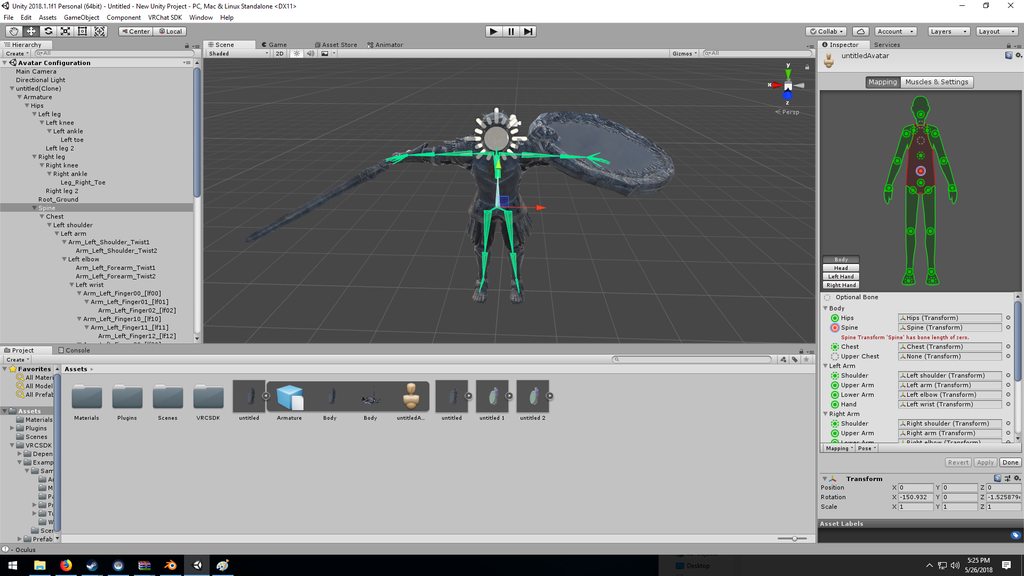 fading verge
welp, okay idk
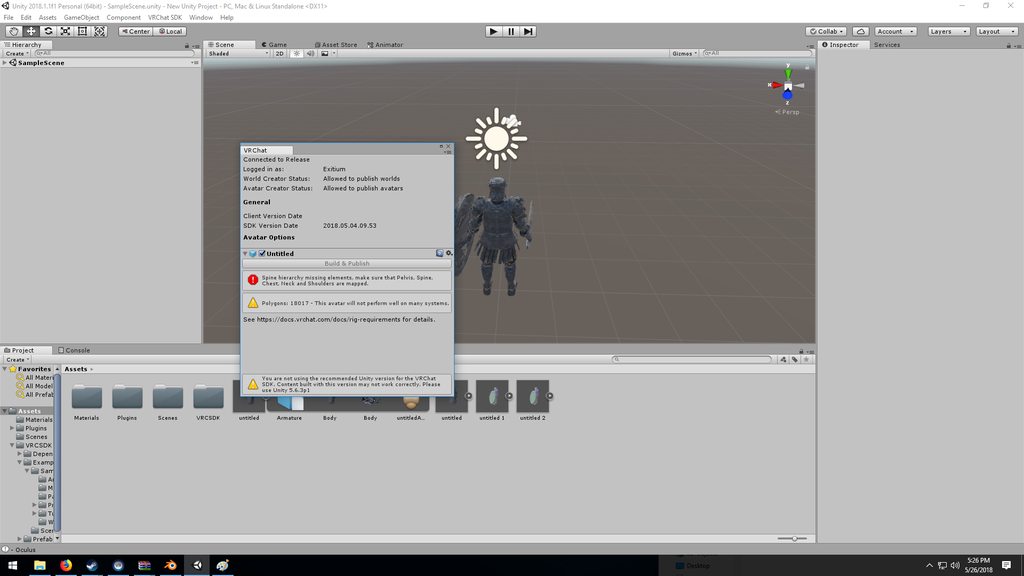 fading verge
are all those elements mapped?
wintry elbow
yup
fading verge
 wintry elbow
yup all good
fading verge
do they have a cap[ital first letter?
wintry elbow
only thing is i dont have a neck
fading verge
well there's your problem
random kiln
hm this model doesn't seem to have hips
wintry elbow
hm, rochester's right
fading verge
but you can put a dummy bone in called Neck i guess
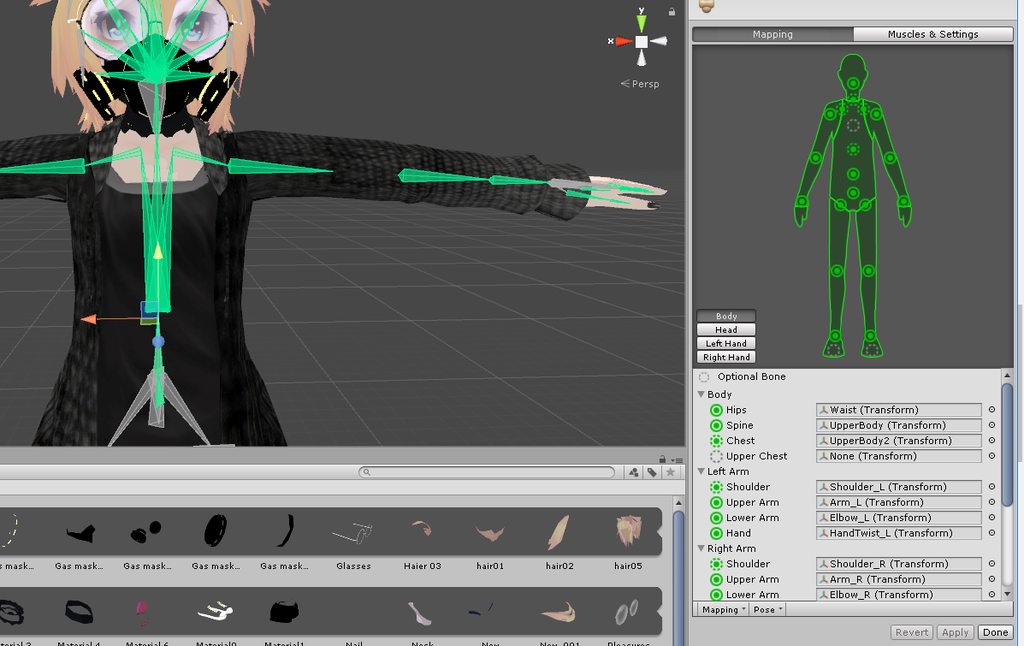 fallow lake
@fading verge Everything is assigned to its proper place
wintry elbow
WAIT IM WORKING NOW YEET
fading verge
@fallow lake then maybe the eyes are wight painted to move with some bone
@wintry elbow ayy
wintry elbow
lucky me i got a htc vive earlier too
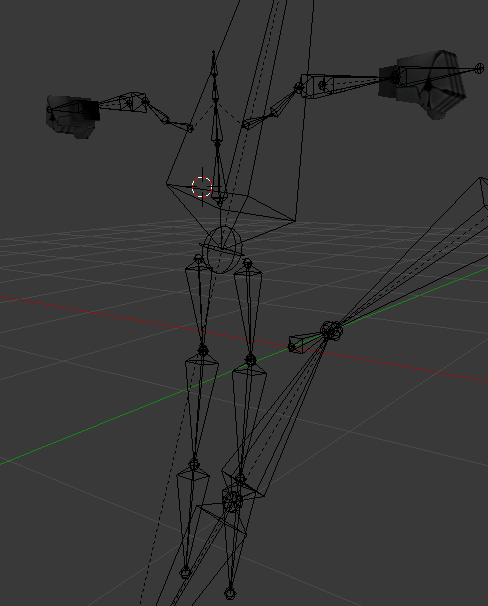
 crystal vector
@delicate bloom You should fix that in blender
random kiln
no feet, no hips
wintry elbow
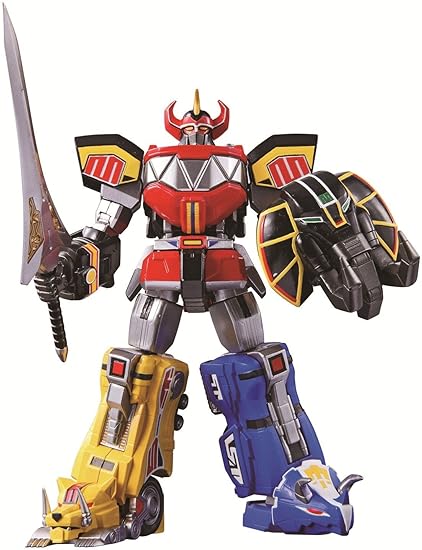
@random kiln looks like a gundam wing
random kiln
Close
 delicate bloom
@crystal vector How?
random kiln
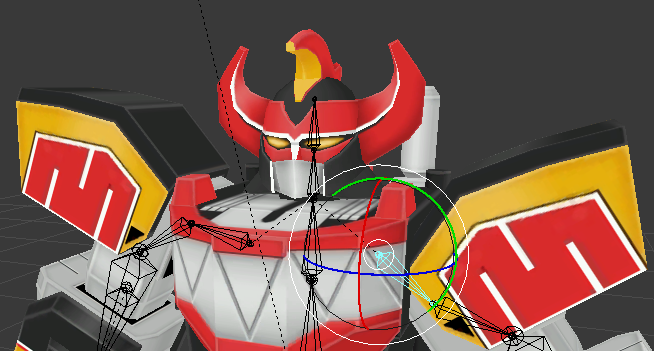 crystal vector
@delicate bloom Install Blender, install Cats, import model, click fix model, export model into Unity. Or look up the mega tutorial from Tupper
delicate bloom
Oh I separated the materials in blender before I exported it since I was following a tutorial
but I'll try that, tysm
wintry elbow
power rangers go
crystal vector
@delicate bloom Please join the meshes before exporting. This gives much better performance
random kiln
join your meshes, and maybe even texture atlas it if you're feeling generous
crystal vector
@static parcel Btw cats doesn't create the eye blinking, Vrchat does that. So if you don't like it, complain to them or just create a custom blink animation 👌
random kiln
no idea what I'm fucking up here
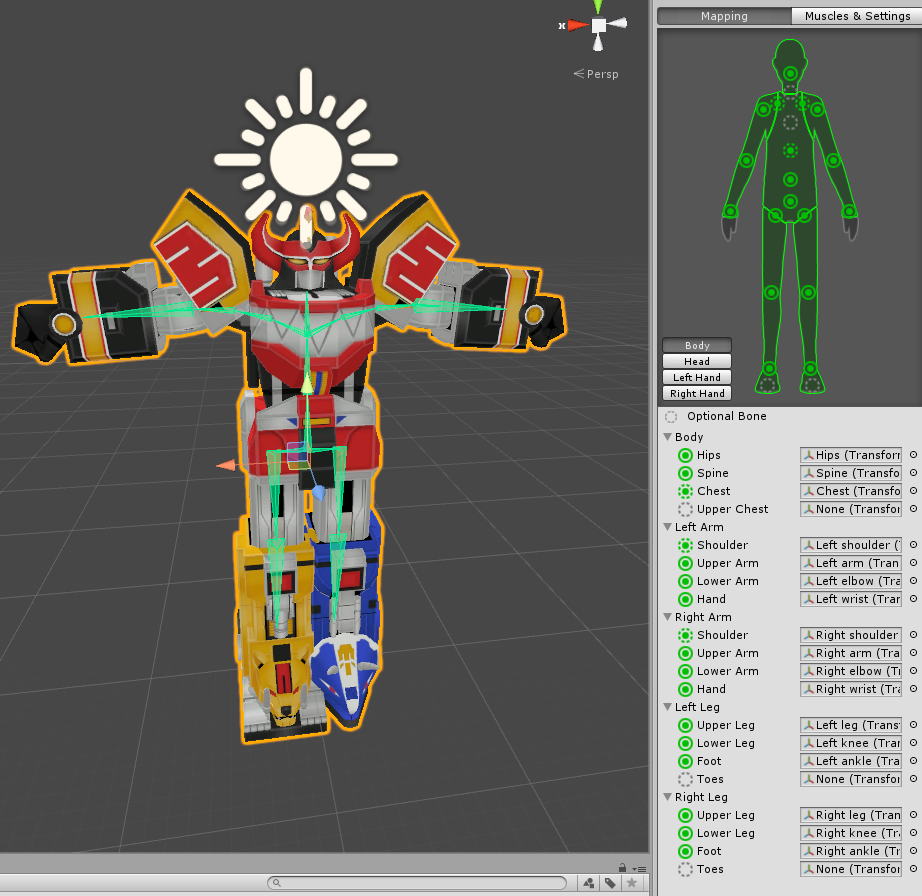
says my spine hierarchy's goofed
but I've got hips, spine, chest, neck and shoulders
wintry elbow
i just met someone with the EXACT same avatar
wintry elbow
drill hand
random kiln
You thinking of the Operation Overdrive one?
wintry elbow
i dunno, it looked the same though
probably fused both designs?
iunno
it was pretty neat

 rocky heart
Guys
does the vrc.blinks and vrc.lowerlids have to be at the top?
in order for eye stuff to work?
fuuuuuuuuuuuuuCK
Even tracking?
or is it just the blinking
actually do i need the eye stuff to be at the top for the vertex groups too?
hmm
Thanks
been trying to get eye tracking and blinking to work forever
bagh
still doesnt work
does anybody have a like a list of common mistakes that people make when trying to get eye tracking / blinking to work
i've gotten it to work before but i've literally the faintest idea of why one works and the other doesnt
i mean, i've got the bones there, the bones actually work in blender, the vertex group and naming are down, i just did the blendshape thingy,
the unity rigging has the right bones
OH MY FUCKING GOD
SOMEONE FUCKING KILL ME NOW
THE MESH HAS TO BE NAMED BODY?!!!!
WTF?!?
GOD DMANIT
t-t
crystal vector
And the armature has to be named Armature
 sleek surge
https://cdn.discordapp.com/attachments/403310599406223380/450216706279735296/Capture3.PNG
So I am making an avatar but need help if anyone knows how. I took hair from a different model and am trying to connect it to the head bone like the way the eyes are? anyone know how to do this?

sorry if the question is vague im not sure what joining the bones like this is called
fading verge
uncheck "connected" ?
 mental lynx
I'm attempting to update this model's rest pose to a new one
But any time I try, it just resets to the pose mode.
Anyone know what Im doing wrong?
solemn inlet
idk if it's a rigging issue or not (if it's not sorry, i am unaware of what else it'd be) But I overrode the default "Rock and Roll" gesture to spawn in some custom items. IG gesture changes correctly (hands are to be holding instrument and a bow, they look like I changed them to) but the other items don't appear
gritty nest
How do I prevent my models from having their legs bent ingame?
I ripped a model from KF2 including bones but it just does that all the time
And when I crouch in VR, it goes cross-legged for some reason
Is it because of the bone structure? This is what it looks like

 safe bluff
Make sure the legs are bending straight down and not in an "A" position
random kiln
I'm still not sure what I'm doing wrong with this hierarchy
https://i.imgur.com/5VjNpWM.png getting the "make sure pelvis, spine, chest, neck and head" error
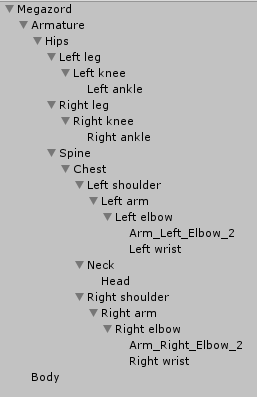
 serene urchin
@random kiln go into the rig configure mode in unity
and check if everything is mapped correctly
should fix you problem
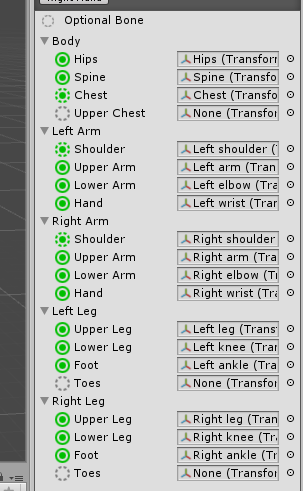 serene urchin
check head
serene urchin
oof
random kiln
it's all good now
serene urchin
nice
random kiln
Well. It's uploadable. I'm having some issues with the descriptor but that's way better than rigging issues
 covert axle
any ideas why my blender keeps destroying my models hair bones when i import it in blender. bones are there but those aren't working when i export model to unity ? 😖
i mean i cant assign dynamic bones to them
echo drift
I straightened the avatar now https://i.imgur.com/mUx6lxA.png

so just positioning the avatar in unity in a hunchback position should hunch my appearance without having me to hunch over?
@covert axle mind if I ask which models you're using? I can't guarantee I can help but I hope you don't mind if I can take a look?
covert axle
i appears to every model i try to make. if has worked fine before. have screenshots about it but it looks like i cant post them here 😕
echo drift
imgur works great here, I use it all the time for temporary images to share
so is it models you make from scratch or do you get it from sites like models resource?
covert axle
mainly doing it from this one

bowlroll.net
パスワードはこちらから http:http://www.nicovideo.jp/watch/sm25188514 2014/12/24 ver.1.00配布開始
echo drift
what's the 'please fill out this field' part?
@covert axle is it a password or something?
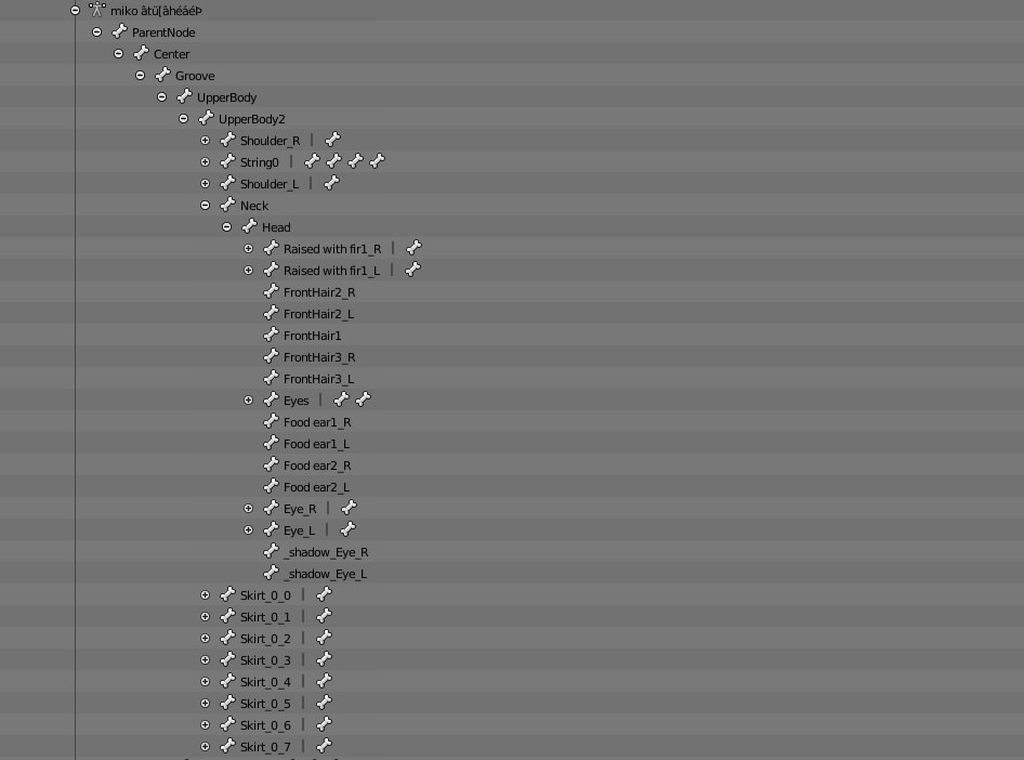 echo drift
you have a screencap of the model?
covert axle
https://imgur.com/znziKzD this is from working model i did from it and this how it should appear in unity but what ever i try to make it does something stupid and theres no "triangles" front of hair bones
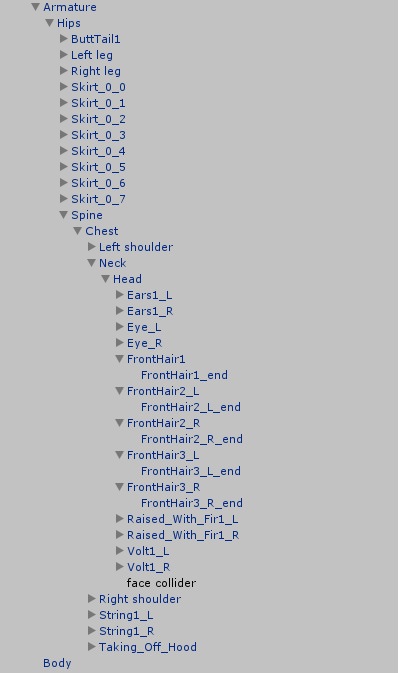 echo drift
https://i.imgur.com/PdUGO9z.png so it doesn't look like this?
 covert axle
https://imgur.com/9qOs3YA looks like this
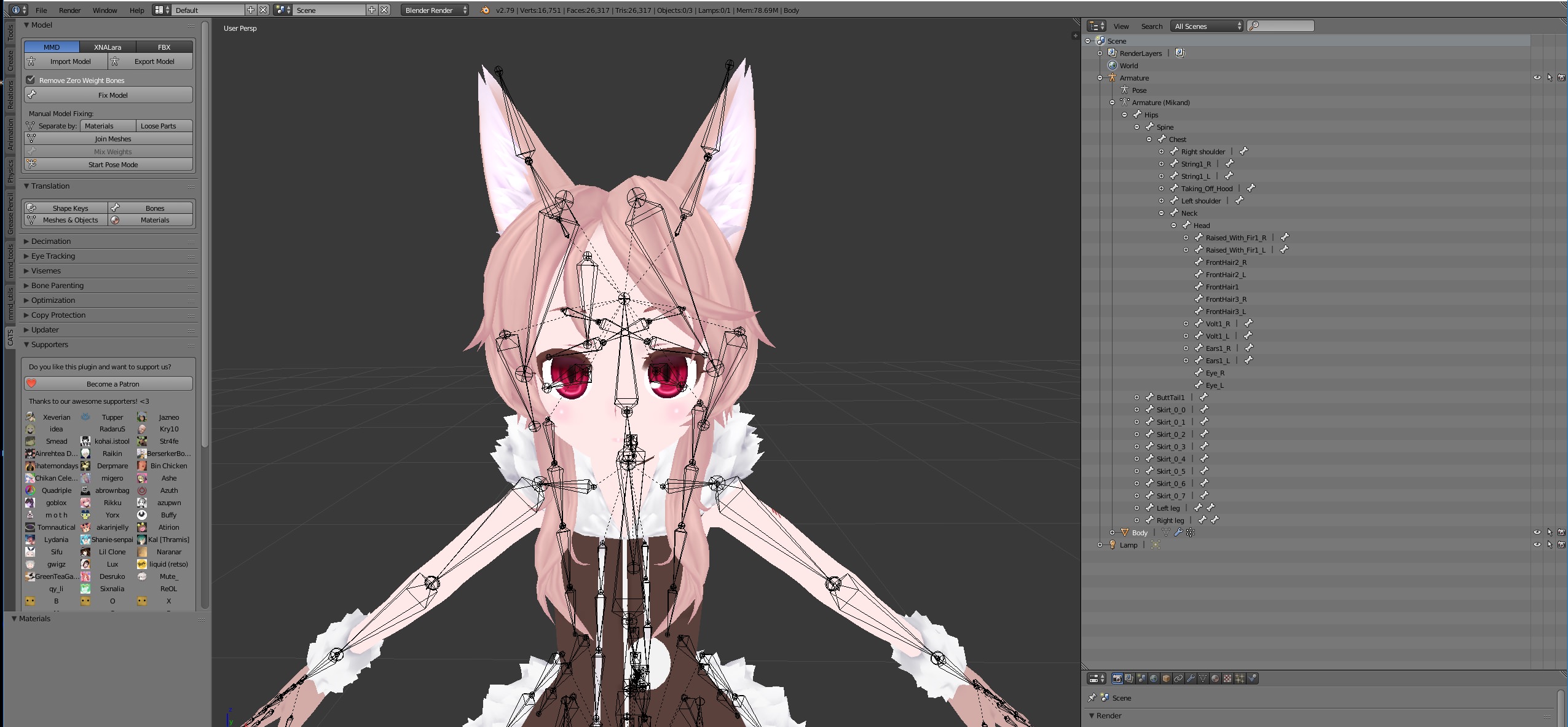
theres something wrong with that head/hair armature
echo drift
oOOOHhh... shit, myfault... I'm very hungry and I didn't fully read what your problem was. My bad.
@covert axle which bones were missing in unity?
@covert axle checks again just the hair bones?
covert axle
yes
https://imgur.com/b0B7eoc this is how those hair bones looks like when i import it to unity and i can set dynamic bones to them but they dont move/work
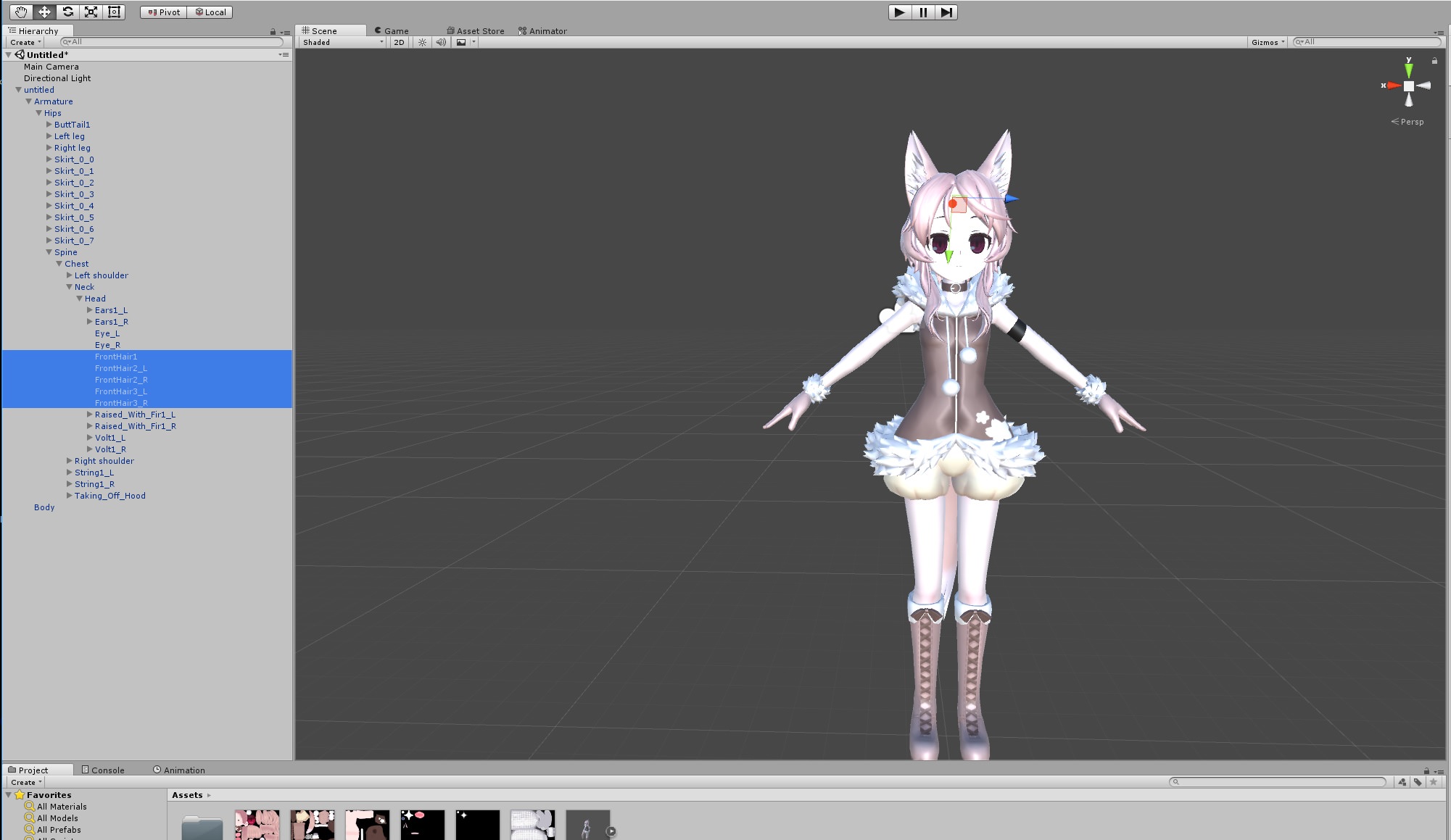
dont mind how that avatar looks like. i didnt import any sdk shader thing there 😄
echo drift
ok, i'll tinker with it after I get something to eat, thanks for getting me up to speed :3
covert axle
oki. thanks for help so far. 🙂 ive been pulling my hair out with this problem probably couple weeks now 😕
echo drift
I know the feeling 😓
covert axle
but its not only this model its everything i try to do. second problem is all my avatars are crossing their legs when i crouch in vrc but i found solution for it just adjusting leg bone positions in unity
 restive marlin
I tried uploading my model last night and all the textures on the entire model are flashing like red/blue/black/white super rapidly. I tried changing all the textures group by group until all were different, moving the view ball, refixing using cats, fully atlasing, and I cannot find out what is wrong with the model that it is making it do that. Anyone have any ideas as to what it might be?
echo drift
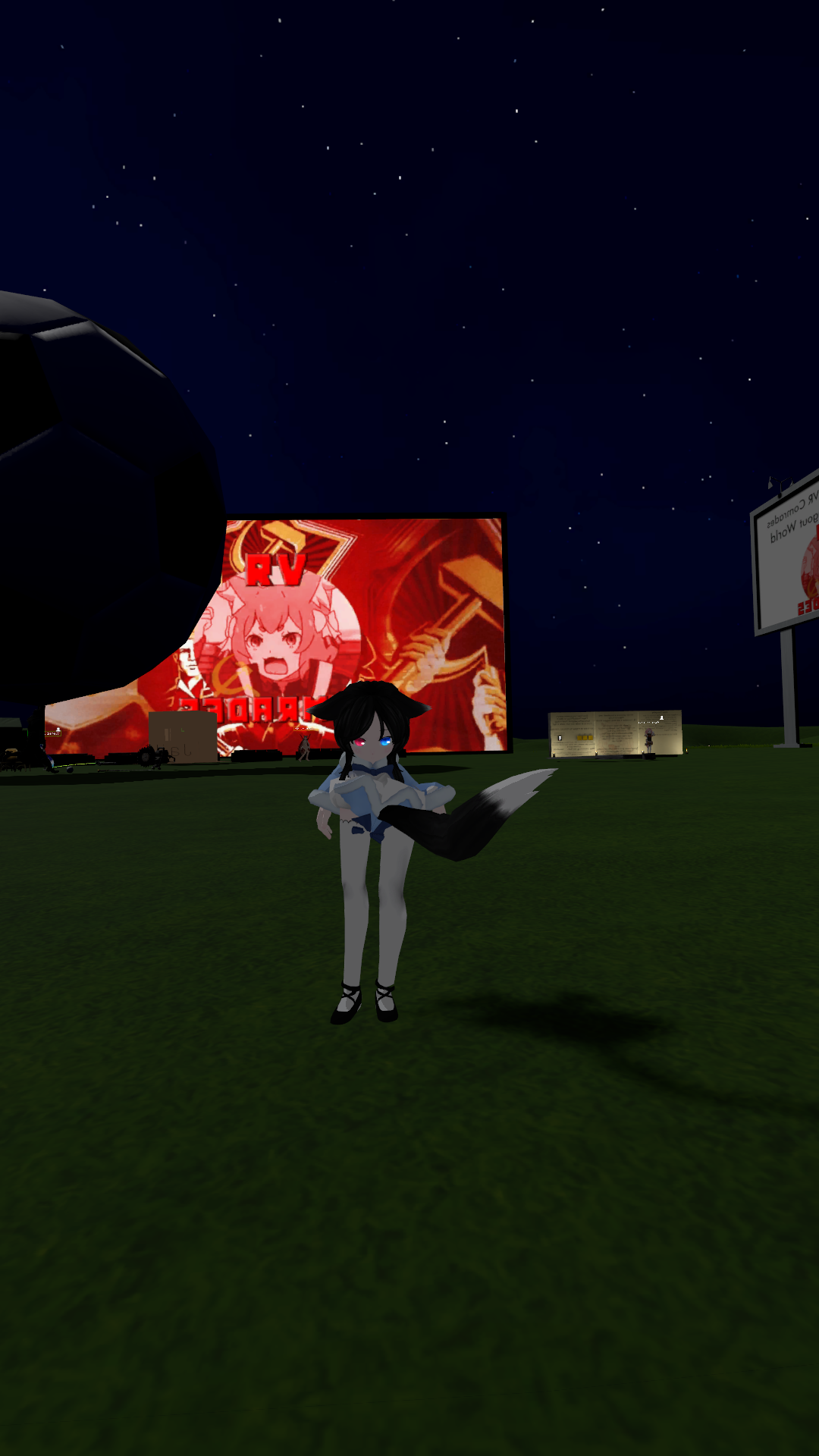
@covert axle back, you happen to know what the lil wolf girls name is? just out of personal curiosity
covert axle
Ooka miko or something 😬
 pearl bone
Made a model for a friend with lip flaps, eye tracking, custom emotes, and walking animation...... But now I don't know how to compile it all into a package to share?
https://images2.imgbox.com/20/30/SbW3Klgn_o.png

 alpine kindle
if i have a model with extra arms should i use a generic animation type?
gritty nest
@pearl bone save the scene and export basically everything except the VRChat SDK
@alpine kindle no, you should absolutely still use Humanoid
If it's even remotely humanoid, just configure it as humanoid rig
You can joint the extra arms to the real ones, or just animate them to be crossed or whatever.
 solemn inlet
is your bone setup in the right order?
 broken lotus
yes i believe so
random kiln
If you're doing full body tracking it doesn't end up mattering, at least that's what CATS says
when you check the full-body tracking thing
random kiln
https://i.imgur.com/qNZJx0b.png what a mess tho
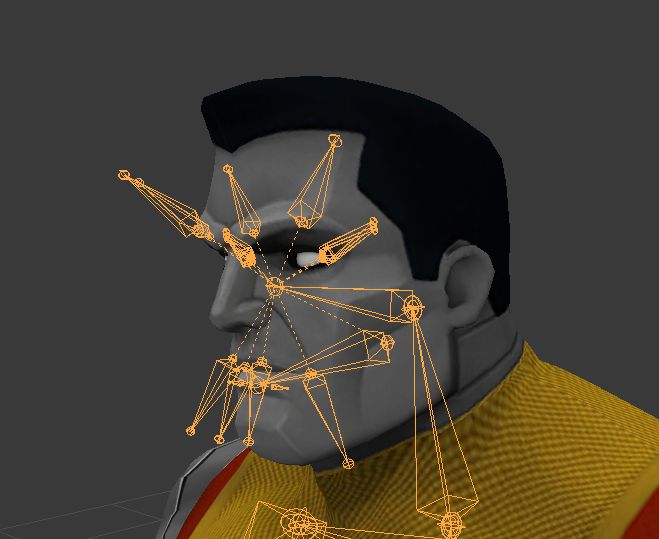
so with that bone structure I get https://i.imgur.com/c3eCZNm.png when using 'jaw bone' for lip-sync
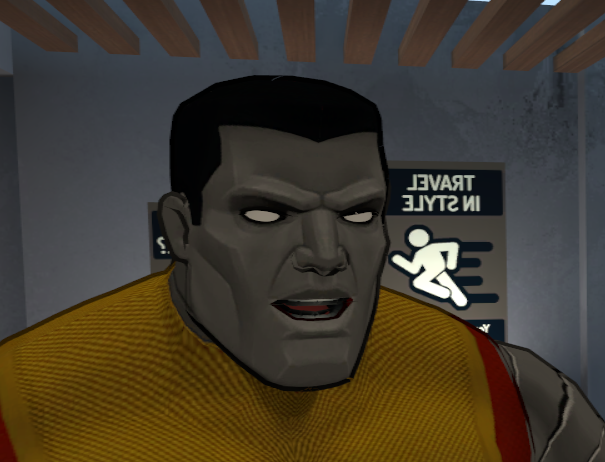
should I just rotate the jaw bone I'm using up a little bit to close his dang fishmouth
or is this a matter of some setting I can change
whoops, tried it in-game, jaw doesn't even move
using pose-mode in Blender, though https://i.imgur.com/6SyY0te.png
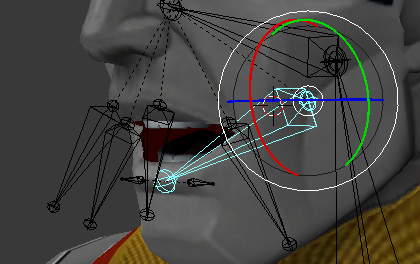
That jaw bone works fine
random kiln
update: can't get lipsync to work but I just rotated the jaw bone in Unity and it shows up fine in VRChat, so.
 lilac moss
what's going wrong with lipsync?
random kiln
It doesn't work when I set it to Jaw Bone Flap
just doesn't move at all
but there's a ton of bones in there and I'm not surprised it can't do anything with them
 violet sage
Create shapekeys with those face bones
random kiln
I'll have to look up how to do that, I've seen it done with meshwork but
violet sage
In the CATS blender tool you can save poses into shapekeys
violet sage
Just pose 3 shapekeys. AH OH CH
Then use the CATS visemes section to create the rest
random kiln
Oh I don't have to do all of them?
violet sage
Ye
random kiln
hmm alright, thank you
I'm a little worried it will end up with importing him with an open mouth
just like it has been
That first shot of the bone structure imports as that open mouth one, and it's even a closed mouth in Unity
but we'll see
random kiln
it was
violet sage
So for your open mouth problem
You could create a shapekey where the mouth is closed
And replace the Basis with that new shapekey
random kiln
Some of the ones generated from CATS are a closed mouth, I'll try using one of those?
fading verge
Jaw flap doesn't show up clientside sometimes but it shows up for others
random kiln
hm. well, we'll try this one
with visemes
Okay so the visemes work
but they start from open-mouth
that's what I was afraid of
so I just have to tweak him in unity's rig editor so he looks like he doesn't have teeth
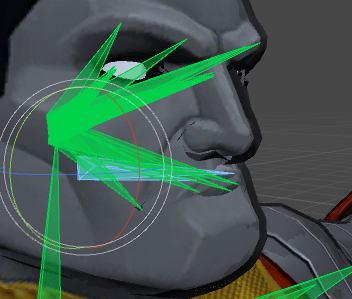 violet sage
Pretty sure you can have his default state mouth closed
pearl bone
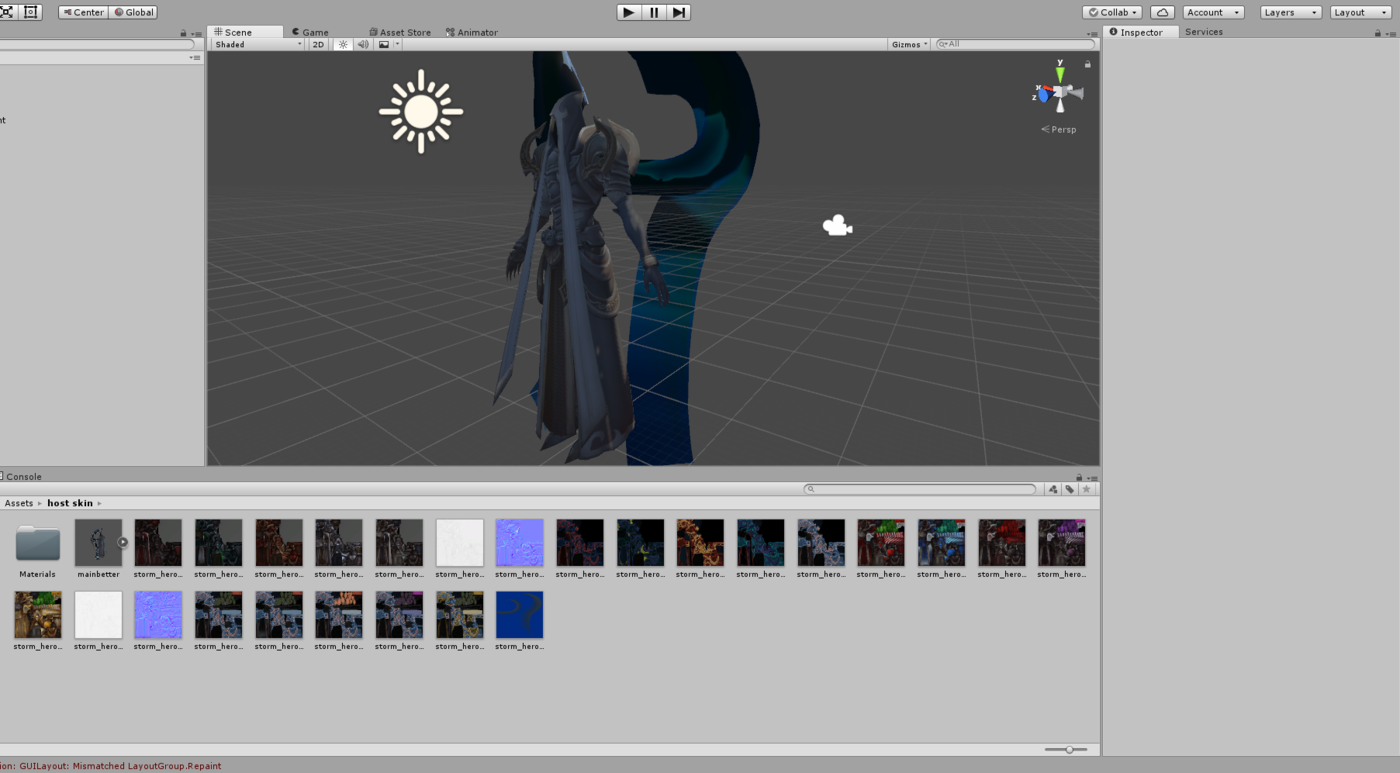
How can I add wavy movement to the ribbons and robe of this avatar? Kind of like those avatars with wavy tails.They all have bone structures but I don't know how to make it "wavy" when I wave or emote
https://images2.imgbox.com/fe/f2/acdJYlIM_o.png
 violet sage
Dynamic bones?
pearl bone
Yeah, just found out lol
violet sage
It's a unity component that makes bones jiggle or wavy depending if got the right settings
pearl bone
Need to put $20 in my account to buy the package @-@
 lime hill
https://cdn.discordapp.com/attachments/391797250856058881/450501392252141569/unknown.png https://cdn.discordapp.com/attachments/391797250856058881/450501541024235520/unknown.png im having spine problems. in-game, when i crouch or bend down (i have vr) my character's head and chest still stay in place. also, the legs dont step to the side when i lean. the only time the legs move is when im walking. my view shows my torso and all of that in front even tho the viewball is perfectly on the nose


i also have the cloak under Spine and the hood under head
violet sage
You must have 3 fingers on each hand to enable IK
You can add fake fingers in blender
lime hill
i must have fingers?
violet sage
Ye
violet sage
It will make your legs bend like a normal "human"
When you crouch
There probably was a warning
echo drift
If I pose this character in a hunchback position in unity, it's supposed to retain it when I'm using vr without me having to crouch?
violet sage
You could try
 gusty silo
Just my lower legs are backwards when I use my model in fullbody. What would cause that?
echo drift
@gusty silo i think the axis of the bone's direction IMO
random kiln
https://i.imgur.com/Sh6Bhcd.png This is his default mouth state
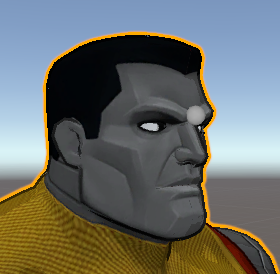
But in VRChat it's an open mouth, so idk
It was a pretty simple fix, but it looks weird in the rig view in Unity
violet sage
He looks concerned about the white ball in his face
random kiln
lmao
I gave him eye tracking but uh
turns out you can't tell
So he always looks concerned forever
also, wow, weight painting is dead easy
 fleet echo
@random kiln Remove the mouth bone in unity on the Green layout
then your visime will work
the bone what hold mouth open
 chrome crag
Hey guys I just broke my model in unity, forgot to dupe my model before adding a animation now its stuck in the floor is there any way of fixing it
random kiln
@fleet echo https://i.imgur.com/1VRaDTw.png
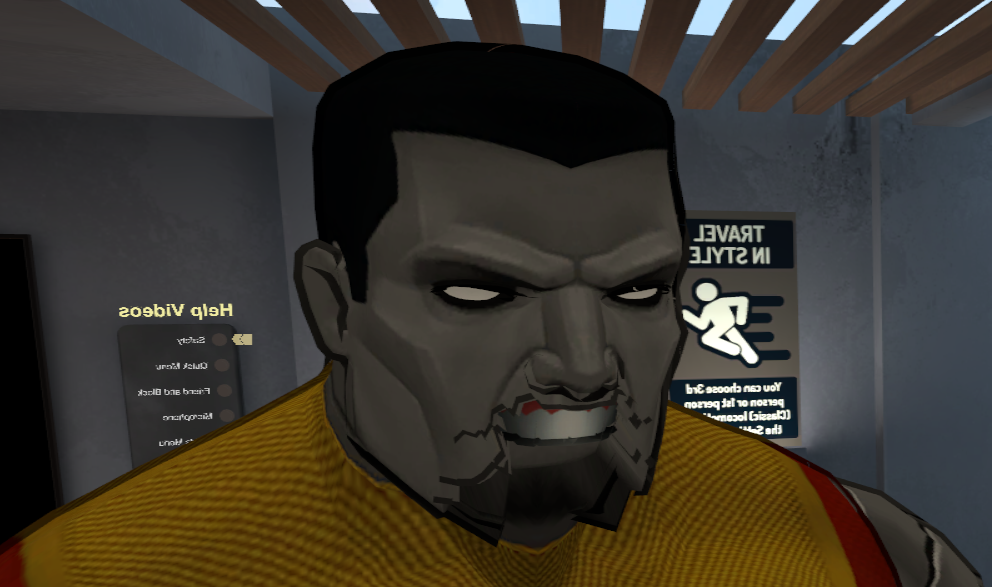
nope
It's fine though, I just tweaked it in the unity rig and it's good
violet sage
A face only momma could love
fading verge
can i get some help with vrcsdk
 tall kestrel
I got a rigging question. I checked and all my bones are weighted to the mesh but when I try moving them in pose mode they only move a little bit. Any idea how to fix?
 solid adder
Weight painted?
Can you take a screenshot of what you have for weight paint?
@tall kestrel
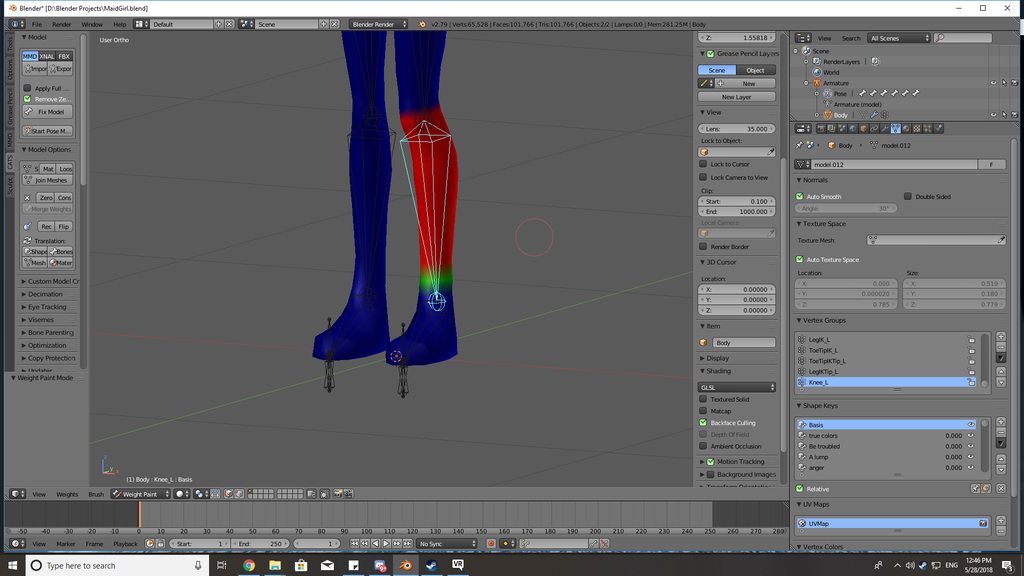
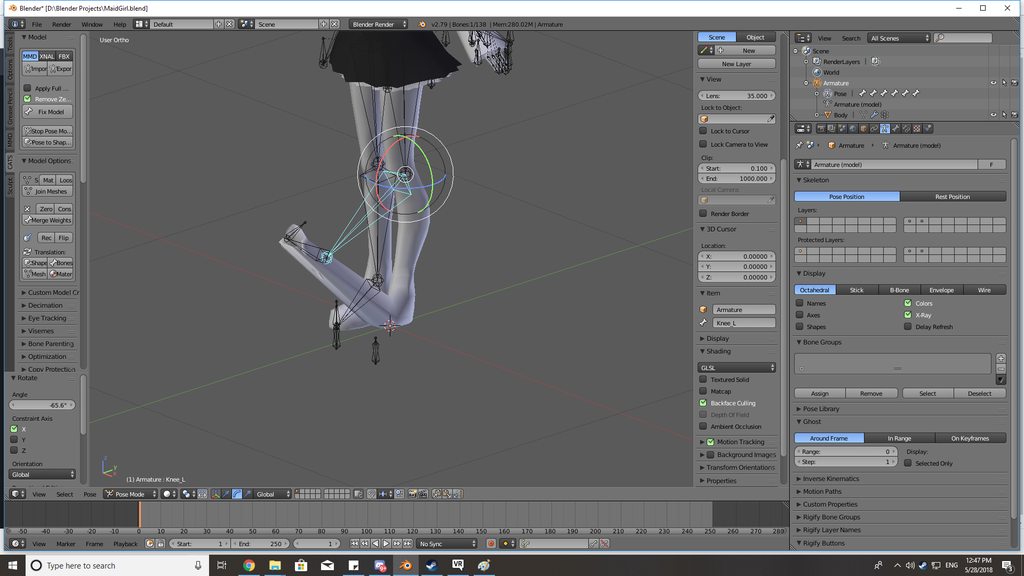 solid adder
Strange, did you have that specific bone selected for weight paint?
tall kestrel
Yes
solid adder
I have different ideas on what might be wrong, but looking it is confusing me unfortunately. Maybe someone who knows a lot more about weight painting than I may likely help.
tall kestrel
Rip
solid adder
Since i'm thinking it's not joined with the mesh, but clearly it's moving something.
Less influence at the knee perhaps is all I can think of.
tall kestrel
If it's combined with another mesh would that mess it up? I have a piece from another model on there as the head
solid adder
Well if the base is the same, I don't think the head would make a difference as far as I know. I would assume everything is joined together as a single mesh at the moment.
fading verge
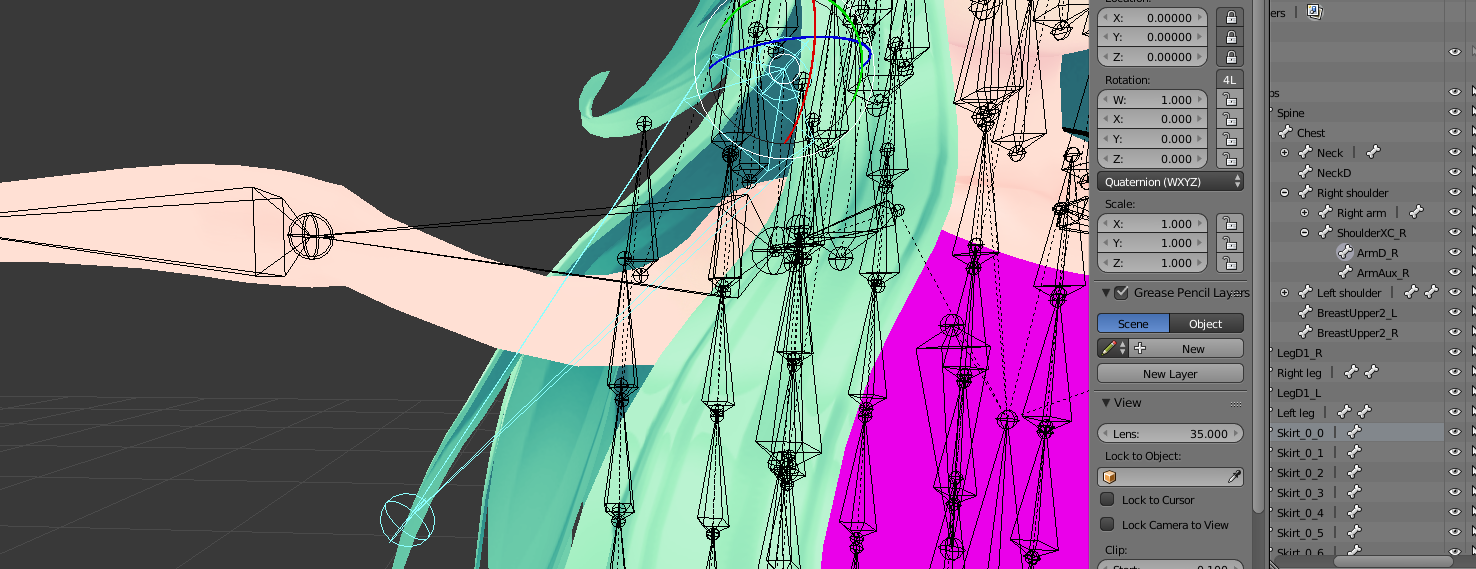
What should I do here? There seems to be some extra upper arm bones and shoulder bone; it looks quite weird and I'm not sure how to approach fixing this: https://i.imgur.com/IIddZqh.png
 opal aurora
I assume CATS worked its magic on that model?
fading verge
ah no, i did it manually; well apart from fixing the model initially - the only thing i added was the clothes which had some hip and shoulder bones iirc, nothing much else
opal aurora
How'd the arm end up like that then? .-.
fading verge
the problem persists on the original model too
opal aurora
I have a feeling that whatever bone had the weight for the arm got merged with the shoulder bone
CATS does the same mistake on these kinds of models
fading verge
Ah
opal aurora
If you got a pic of the original one, i can sorta explain how to fix it properly
 opal aurora
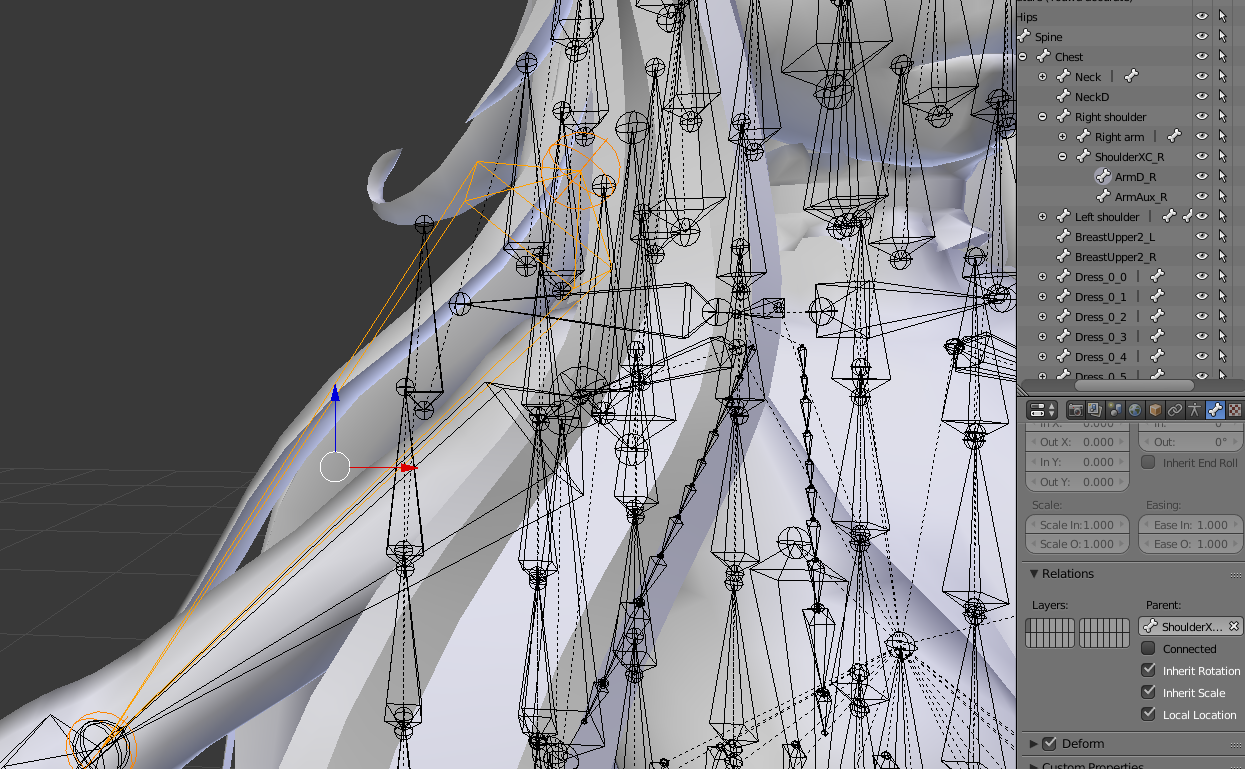
connect ArmD and whatever else "D" arm related bones to their respective counterparts
ArmD to Arm, ElbowD to Elbow etc
Keep ShoulderXC_L/R parented to Shoulder_L/R respectively
fading verge
Alright
opal aurora
CATS was designed for actually fixing waist cancelators but arm-related "cancelators" are very rare and as such haven't been fixed up for CATS in any way shape nor form, i've seen so far only 1 other model with them, and to an insane degree
fading verge
Oh I see :o
opal aurora
Essentially for any cancelator based issue, you just parent the "duplicate" bones to their direct counterparts, and then you can simply merge the weights from the "duplicates" onto the actual bones
Same thing for waist cancelator bones
fading verge
Noted, thank you very much
opal aurora
Perks of doing everything manually haha
fading verge
Heh, yeah
 olive shell
so im using leg tracking and whenever i lean back while sitting on a chair i can see my own neck - any ideas why?
opal aurora
Yer viewposition is possibly too far into your head
olive shell
i generally keep it on 0,0 because that always worked perfectly without leg tracking
the thing is the avatars head does not follow my real head properly
should i straighten out the spine-like bones? https://jokler.xyz/2xxEz0JG
 opal aurora
Probably not
It may end up deforming the shape the model is supposed to maintain based on bone positions aswell
If you consider yourself advanced enough on the field, go ahead and give it a go, trial and error can yield helpful mistakes
Always keep a backup before messing with bone structures though
Ya never know what might happen
olive shell
i guess i could do that its just super annoying to test because i have no idea how the game is going to react
and you have to upload and update it ingame every time
opal aurora
Also, make sure to set the rig to none and apply, and then humanoid and apply on any bone position changes
Otherwise unity keeps your old config and positions your newly moved bones where they once were
Whilst deforming the mesh in the process
olive shell
mhh, im actually not sure if i did that on the recent changes
those are the kinda things you forget if you dont do them regularly
opal aurora
True, it's a painful learning experience
Also, another little tip, position your viewposition ball based on where your model stands when you give it an avatar controller i think it was called?
That way your eyes will defintively be at eye-level, only change the Y value though, the head tilts slightly on the animation whilst unity plays it
@fading verge any luck with the "cancelator" bones?
fading verge
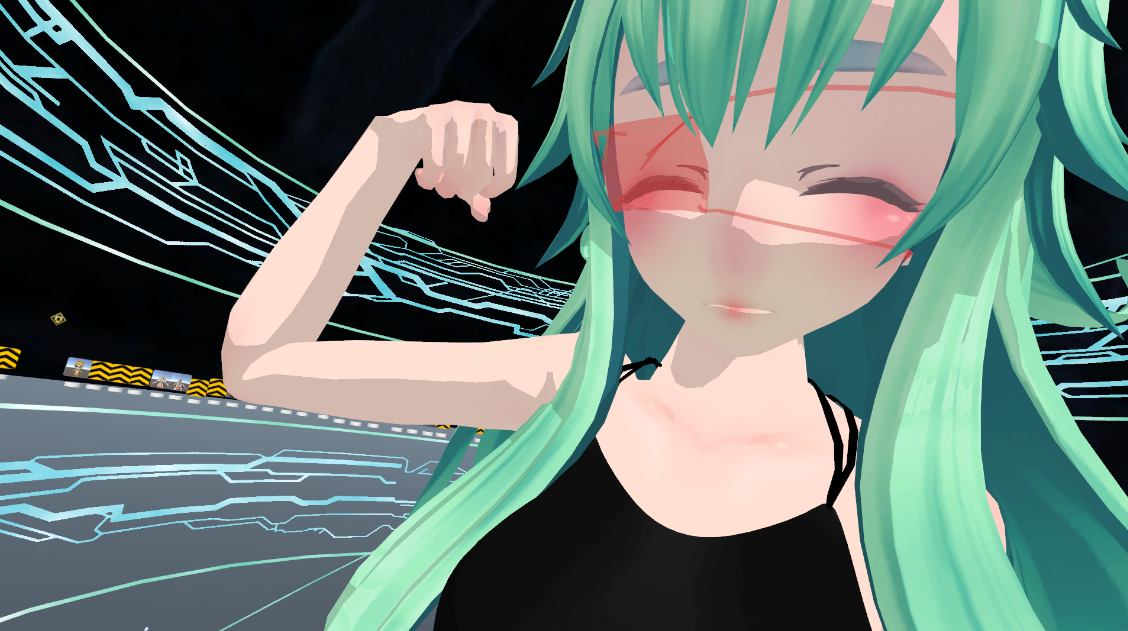
Yeah! It's all good now https://i.imgur.com/O7C9R2d.png
 opal aurora
Glad to hear it
fading verge
You too 👍
olive shell
@opal aurora ill try that thanks
actually, which animation is the normal idle animation it uses?
opal aurora
It's not so much an animation as much as a "controller" per se, it simply puts you in a standing position with the head facing to (the model's) the left side
It only works when you hit play in unity so you need to copy the values you edited to paste later, since you can't save changes when in play mode
I can't recall the exact location but it's somewhere around the animations folder, or nearby of such, it's called simpleavatarcontroller if i recall correctly
@olive shell
You simply drag such onto the avatar controller section of your model and you're set
I never had issues with it being on there on upload so all should be fine in that regard
Keep in mind you may need to remove it to make animations, as it essentially gives you a full standing animation
Don't remove the actual file though
gritty nest
But the simple avatar controller anims aren't used ingame
opal aurora
Yeah, it's not
It's only to be used to properly position the viewposition ball
Removing it to actually animate anything, as you have an otherwise un-animatable object in your hands
olive shell
yeah, that's what i ment i just wasnt sure if it was the simpleavatarcontroller since that seems to look a bit different
opal aurora
Aye it doesn't have the same one as in-game as far as i know, but it's a good alternative to position it at eye-level
olive shell
good to know :)
random kiln
Unity shows my eyeballs in the right basis pose place but when I try my avatar out in VR, they're looking straight down
dunno if it's a rigging issue
late shale
Yeah, in unity select your armature, not your model, and move it up a bit. To verify you have the right position, you can go back to your model and there should be a white line coming out of your feet. That should be ground level and directly between your heels. Make sure you bring the viewpoint up a bit too to match your new position
@terse plover since it's been a little while ^
 graceful wave
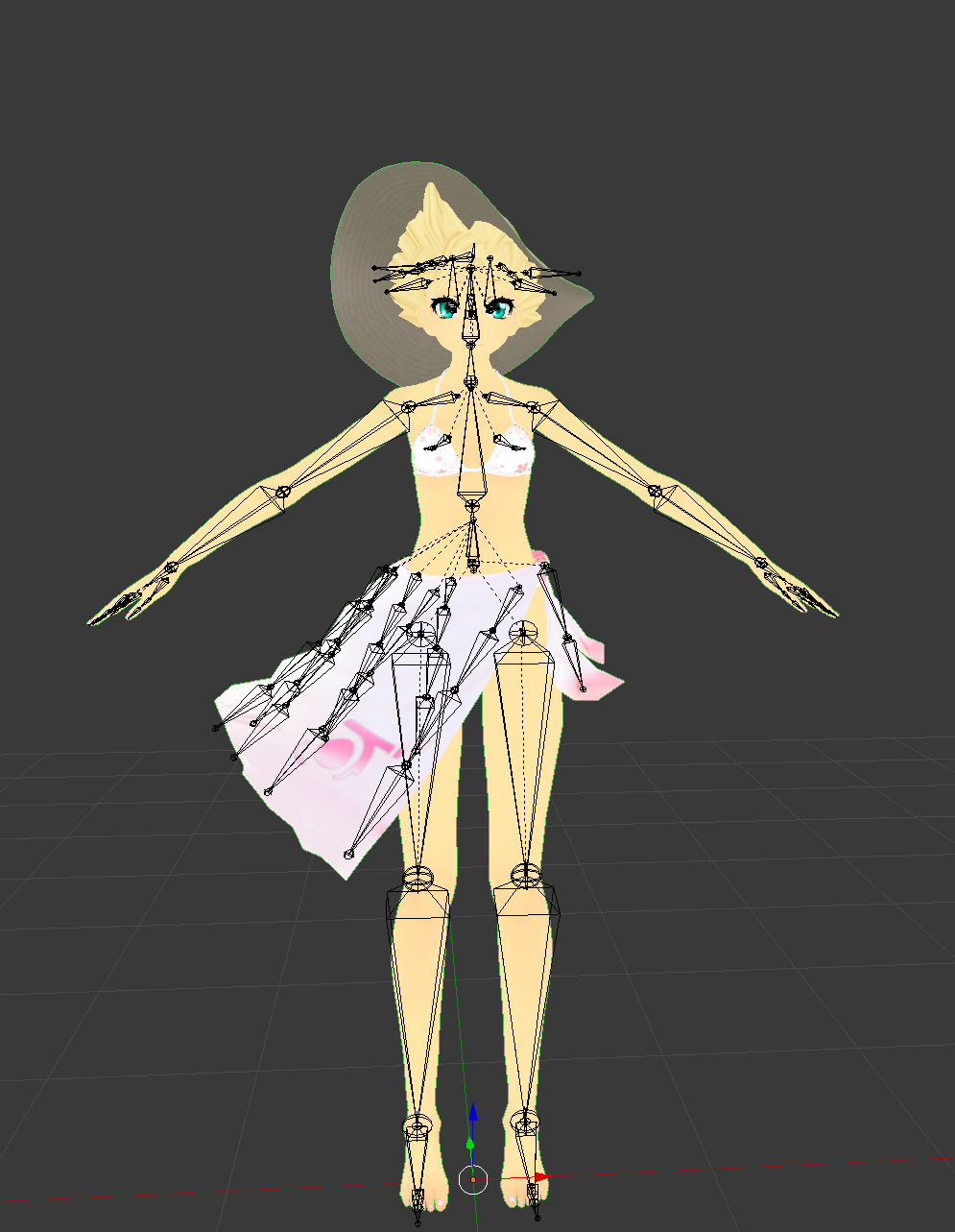
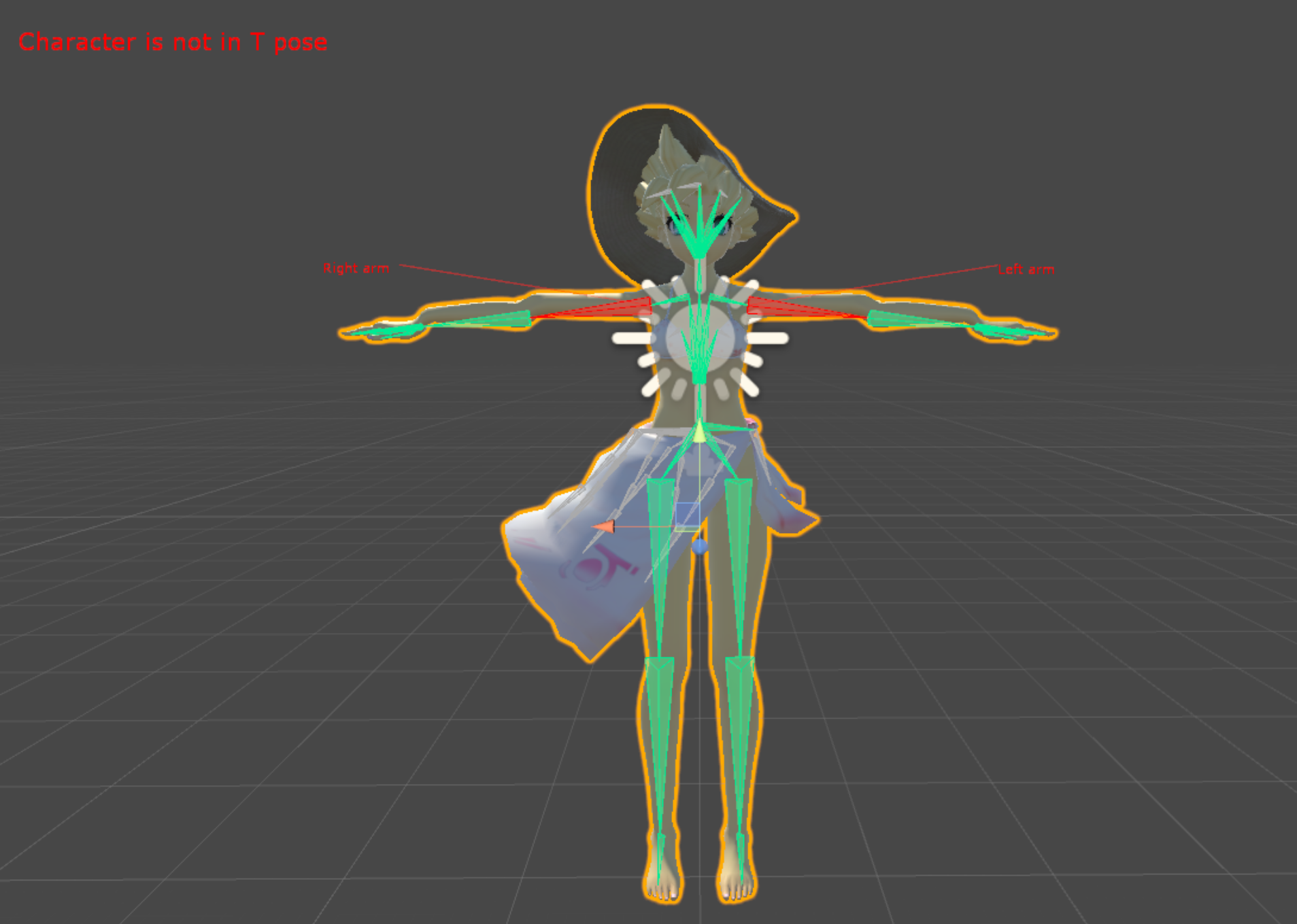
Maybe someone can help me out here. I'm having issues with my arms turning into wet noodles when I import my avatar into Unity. I believe it has something to do with the T-Pose since when I go to set up the humanoid rig the right and left arms are red and it says Character not in T-Pose. So when I hit Enforce T-Pose the errors go away and the arms turn green, but they're still spaghetti arms
 opal aurora
@graceful wave bone rolls perhaps?
graceful wave
What's that mean?
opal aurora
Basically the bone rolls dictate how the bone is rotated on its own axis
Unity to "fix" odd bone rolls will set it to a decent value, twisting the bones, to which i assume causes that same exact issue
graceful wave
Alright, how would I go about fixing that?
opal aurora
Or atleast at first glance it seems like the case
You need to head back into blender
Go into edit mode on the bones
Alt+R with them all selected
That will set all their rolls to 0
Which by standard works quite well
graceful wave
Okay, so all I have to do is hit Alt+R and done? Just save and export again?
graceful wave
Alright, giving that a try now
opal aurora
Don't forget to re-set the configuration though, any bone changes will stay as they were before if you don't
To do such just change the rig to none, apply and then humanoid and apply
graceful wave
How do you do that?
Damn, changing the rig to none fixed it, then putting it back on humanoid broke it again lol
opal aurora
I mean, when you set it as humanoid is when unity actually tries to do anything to the model really, but even with the bone roll fix it still happens?
graceful wave
Yep
opal aurora
Hmm... that's odd... maybe it's something else with the model...
graceful wave
I can manually move the bones into place, but I feel like doing it manually can still get it screwed up if I don’t do it exactly right
Yeah first time I’ve ever had an avatar with this issue
And it’s weird since it looks perfect in blender
graceful wave
The settings or just the entire armature?
opal aurora
Just the 3d view in blender really
graceful wave
 opal aurora
That is so odd
The arm bones look perfectly fine
Could it be that unity is being stupid and selecting the wrong arm bones perhaps?
graceful wave
I don't think so

I hit Enforce T-Pose and those errors go away but still noodle arms
opal aurora
Yeah that is pretty odd...
graceful wave
might just have to manually move all the bones into place until I think they look good, cause im just not sure what the issue is
opal aurora
Well best of luck, i'm unfortunately unsure...
graceful wave
Thank you for all your help though.
I'm not sure, how would I check that? From what it seems like, the elbow bones and the hand bones are lower than they should be
to get them fixed up and looking right all I do is move them upwards, nothing else required
so fixing it isn't too horrible
but still makes no sense
bones all move fine in pose mode
yeah, it's not too horrible though, might just be what I gotta do. Hopefully I don't encounter an issue where it looks good in blender, good in unity after I fix the bones, and then in-game it's fucked lol
I'd have to manually edit it into a T-Pose in blender though right?
 echo tree
Can you add custom idles walking running animations? To your character's?
violet sage
T pose to assert dominance
gritty nest
That tail wag idle isn't perfect
They went for legacy anims, the worst possible solution unless you need to disable the wag
 sinful sundial
Custom walking and running is cancer
Unless you're not a humanoid
Then it's ez pz
 silk plover
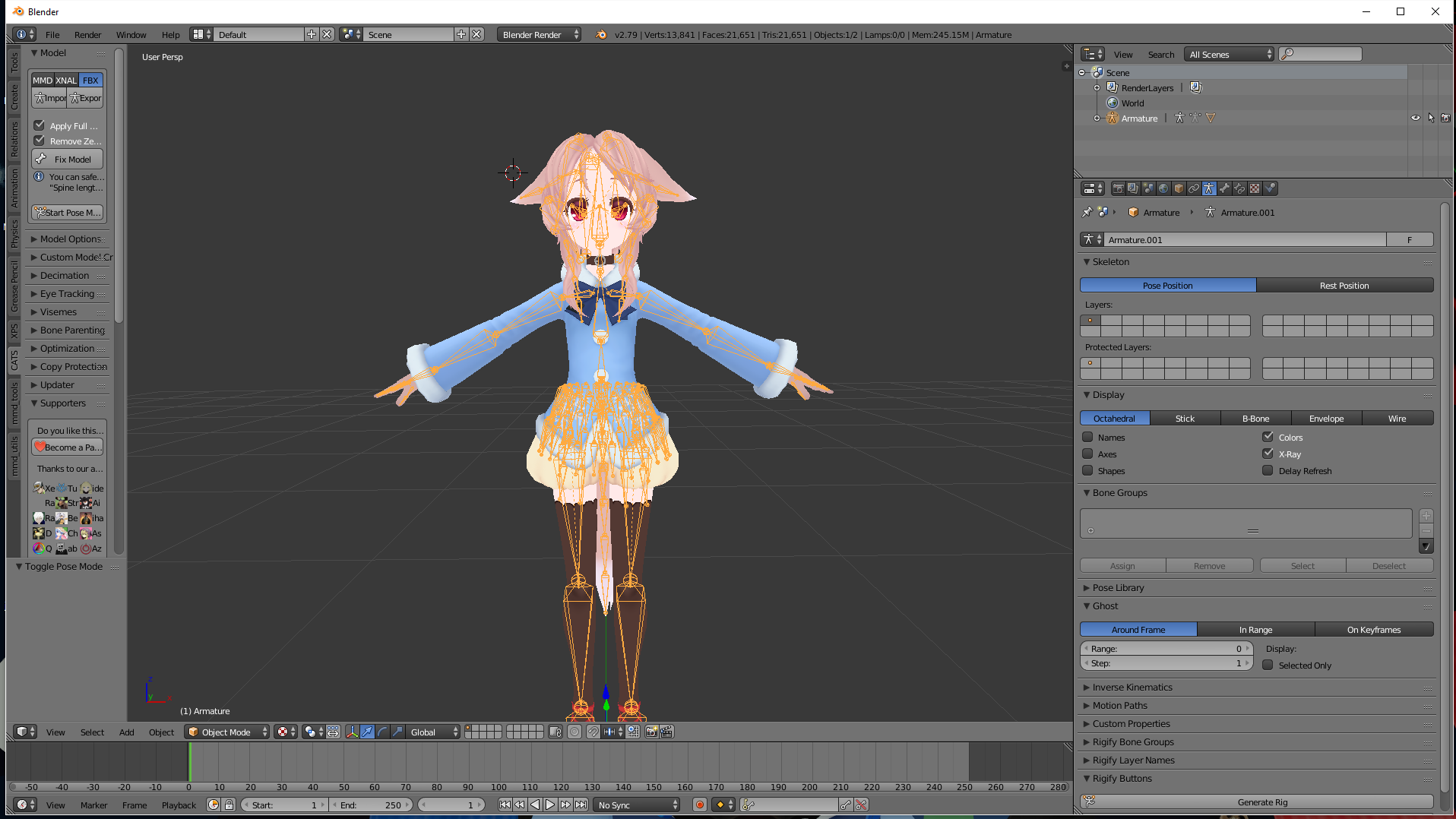
I have a blender question... how come when i go to do a head-swap after exporting the head that i want the bones get all kinds of fucked up?
https://imgur.com/3RFhIdO Before


 west fern
hey guys do you know i i solve this http://prntscr.com/jo0256
 opal aurora
Waist cancelator bones?
west fern
when I move the bone pants torn

 limpid scarab
@opal aurora Those are bones made by cats if you check the full body tracking option
opal aurora
Why would those bones be made though?...
That just sounds weird @limpid scarab
limpid scarab
Dunno, always thought they had more purpose in full body setup.
I got confused the first time I did a armature fix with cats when that setting was new
opal aurora
I mean, i know for a fact that they're not necessary for fbt, unless they made some pretty iffy design decisions
limpid scarab
Sadly I only know that check makes them, why they'd be better is something I wonder too
 cobalt lichen
they are better for sure
if u dont want them just dont tick the box where it says apply full body fix
limpid scarab
Yeah, I will keep at the old way, not planning on getting FBT anytime soon
 short narwhal
"Your avatar is humanoid, but it's upper arms aren't specified" So....how do I specify them? If I go into the avatar configuration, there's defo something selected as the upper arm.
Sure looks like the upper arm bone too.
gritty nest
@short narwhal post a screenshot of your rig definition
 gritty nest
Try imgur
Uh, that helps, but
That green 2D humanoid icon you see in the top right, that's what I actually wanted to see
But now that I see your bone structure, it seems you need to switch two bones around
You have your hips. The first bone above that should be assigned in the spine slot. Travel up the spine hierarchy until you find the bone connected to the neck and shoulders. This bone should be the chest bone.
The bone directly above your hips seems to be unmapped, so you'll have to switch a few things around
Mind showing me your head section, too? If that still doesn't work
short narwhal
ye I'll make another ss.

I'll start fixing the spine
Ah interesting. There are more bones!
Doh I thought I fixed it, but I still have the same errors.
gritty nest
Do you have a screenshot of the full body rig? The green one at the top right
Not just the head
short narwhal
 gritty nest
Hmm, that's odd
Alright, one more thing
Go back to your avatar in the actual scene. The object with the VRC_Avatar Descriptor component on it. At the top of the inspector, click the Model->Select button. Then go to the rig. Check that everything is still correct.
Because this looks a lot like you accidentally imported two models and are only configuring one of them
fading verge
Is it normal that now, when swapping props, the mesh lingers before disappearing ? When I swap props, both are out for a few milliseconds at the same time
When I use an override to switch hats, both appear at the same time before the old one goes away
short narwhal
@gritty nest Hmm that's what It feels like. Whenever I edit the model it changes back. I'm definetly selecting the right prefab / model config. But to be honest I don't know how the model importing system works anything could be going on under the hood.

I'm guessing re-parenting bones isn't the way to do it. The model reverts itself :/
random kiln
Have to reparent in blender
short narwhal
Does it open fbx format?
fading verge
yes
short narwhal
Hmm it says "internal use only, can't be edited" in the parent box on the bone I want to move.
 pseudo sedge
you need to do reparenting in blender or other edit programs, in unity you edit a copy of your avatar in Configure mode, you can see (Clone) tag after the model name
fading verge
How do I connect 2 bones from different armatures?
pseudo sedge
or space>(object) join or bpy.ops.object.join()
fading verge
Ok. Thanks
gritty nest
How do I fix avatars being a little cross-legged?
On desktop, one of them has slightly bent legs all the time, and they bend inwards
gritty nest
I might just drop this model since it's pretty poorly rigged
The spine controls the whole upper body, and the chest bone controls just the front of the chest
It works okay-ish in VRC since the IK system is so simple, but I have to lower my playspace slightly to get him to stand up properly
And I don't want to go Mixamo because then I have to re-rig the tail and hair, and probably fix that weird head issue every Mixamo model has
Where the chest or the neck extend too far up and your head deforms while your chin stays in place
 shadow shoal
Isn't there any other way to fix it
 pale hull
Try readjusting the legs a bit in the avatar configuration scene
 digital crag
Anyone know what the problem is when you bend your knees and they occasionally flip inward?
fading verge
I solved it by making sure the upper legs werent rotated in y and z
@digital crag
also reenforced t pose after that
digital crag
I'll take a look, thanks.
pale hull
I've solved that issue by adjusting the knee points outward a tiny bit in blender, so the IK has a easier time to know how to bend
fading verge
yup the knees were pointing in so it bended them accordingly
pale hull
The leg bones were always pointing completely straight down when I've had an issue
A slight curve seems to help
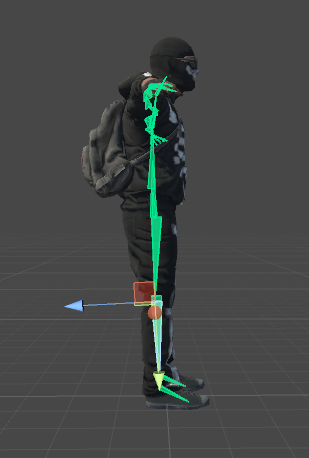 shadow shoal
Wait you can actually do that? That'd be so cool
solemn inlet
anyone able to quickly tell me how to resize bones inside of Blender?
on a whole model, not one by one.... have a character that is smaller than the bones
lilac moss
press s and drag mouse
solemn inlet
ty
echo tree
Does any one know a good tutorial for four legged chracters like a dog or cat?
 quasi cradle
wait so when will unity allow me to upload to vrchat? how long did it take you
gritty nest
@digital crag is that the Scully model ripped from Kf2?
I had the same issue, I solved it by straightening the legs in the rigging tab
digital crag
Yeah it is, I'm setting it up for a friend of mine.
Turns out the lower legs were bent slightly backwards (Something like -3 on the x axis) so I straightened them out. Haven't gotten around to testing though.
solemn inlet
anyone know an easy way to fix this? https://cdn.discordapp.com/attachments/450094159324250122/451271331825319937/unknown.png
 gritty nest
They also need to be pretty close together (not spread)
And moving the head a little forward helps
solemn inlet
friend of mine was frankenstein-ing her model and then she sends me this pic and idk what to do to help her fix all of that
lilac moss
@solemn inlet gotta ctrl+a > apply location/rotation/scale (probably just location) before joining.
solemn inlet
ohh ok
 amber quest
So what I'm trying to figure out, can rig a character and control the rotation of the eye bones as well as get the rotations out in radians or similar? It would be cool if I could use it with a custom gaze tracking solution.
pseudo sedge

Google Docs
Advanced Avatar Creation: Making Non Humanoids This tutorial was made using Unity Version 5.6.3p1 This tutorial assumes you already have the current SDK imported and knowledge of how to upload a basic avatar. You will also need an avatar you wish to upload as non-humanoid w...
 dusk pine
Unlike humanoid avatars, generic rigged runtime animation controllers aren't replaced on instantiation. You can have near unlimited animations with them if you're clever enough
 neon quiver
Do shape key driver work for vrchat? Like i'm having it where the butt does not deform when the leg is bending upwards. since i max out the weight paint.
fading verge
The only thing you can't do with generic rigs that works in Unity is using behaviour scripts; I tried using one to randomize my idle animations
SDK doesn't give a warning about them, they just don't run ingame
inner cedar
Hey, I'm just wondering what the necessary finger joints for a humanoid rig might be?
I'm planning the rigging for my next character, who is human.
gritty nest
@inner cedar at least the first thumb, index and middle finger bones on each hand.
You can have up to three for each, but you only need one per finger. Want me to post a screenshot of a proper hand rig?
inner cedar
I think I understand, but any clarification would be appreciated
gritty nest
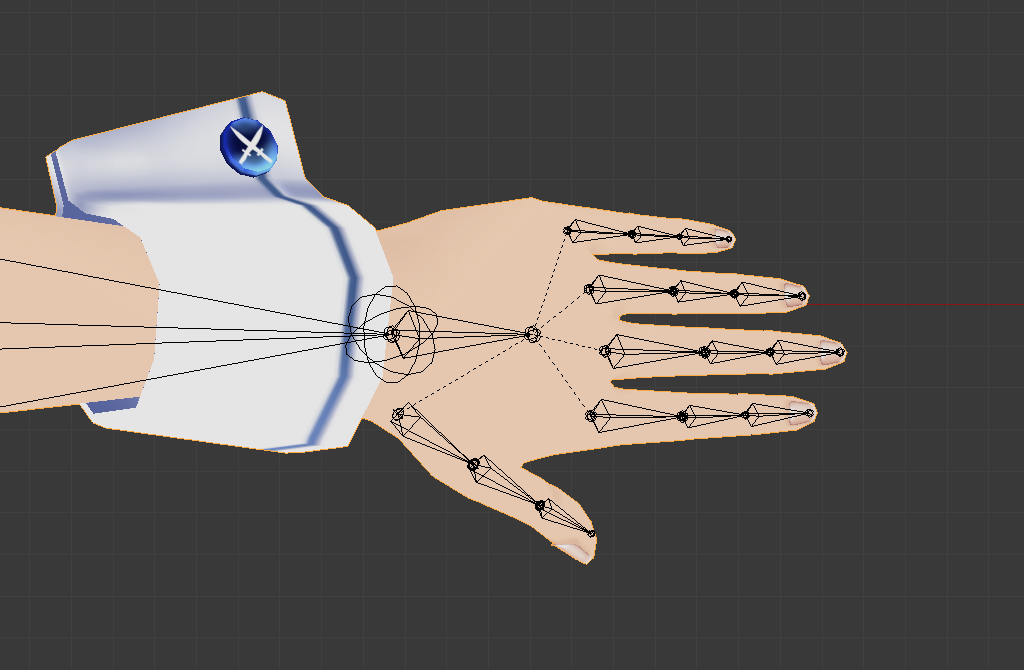
This model sets a pretty good example, hasn't failed me yet. There's only a slight issue with the position of the first thumb bone, which makes the thumb look a little weird if fully stretched out. This could be avoided by moving the first bone a little more forward so it starts later in the thumb
But this is roughly what you want your hand rig to look like.
gritty nest
You can have a jaw bone, but I would recommend not doing so
At least, don't assign it in Unity. You can have one if you want, if that makes creating lipsync easier for you.
If you assign it, your jaw will always hang open. If you don't have any visemes, your jaw will spastically flap up/down while you speak.
fading verge
I'm trying eye-tracking in blender and they keep moving out of the head, the bones that cats generates are way behind the body and I've tried multiple different movement ranges and nothing is working, any help?
fading verge
@fading verge I just use this method when I'm having issues with cats https://youtu.be/2q07NpIbZjM

Alternative to eye tracking paired with eye blinking. Props to Jazneo Gaming.
 lost shard
If I'm adding bones to something that will not be part of the main armature, should I still parent it to something on the armature like the hips or something or just lets it hang free?
random kiln
Having a jawbone helps if you need to create visemes with shapekeys set from pose mode
but if you assign it in unity, your mouth can hang open or do weird stuff
Basically what Rokk said, but something that I've had to do a lot since the models I get are crazy head-wise
with no included shapekeys
 sonic warren
got a question for anyone whos created a big character
how the fuck do you do it lol
i had this convo in public lobby with another nice guy but we couldnt figure out what the problem was
basically there are two things
the avatar needs to be big, but when i try to im restricted by model bounds
the nice guy in public told me to change them through body settings but it didn't seem to work, as i made the bounds for the body literally bigger than the platform its on, and it still give me the "must be <5 in all xyz zones" garbage.
the second problem is probably a simple fix for people who know what they are doing lol, for some reason its skeleton didn't create itself with a spine so I'm not sure how to add bone structure there. I can see the holes on the model display on that green human to the right, but the circles where the main bones should be are greyed out and not red or green.
when someone is able to help me hmu plz
this was a copy and paste from avatar just cause i think it got ignored lol
crystal vector
@sonic warren You can do this by modifying the sdk, which is not allowed
sonic warren
@crystal vector wot do u mean
 valid halo
I have an issue with a Klonoa avatar I'm working on
(or rather I got the model from else where)
I bring it into Unity and it seems to do all the humanoid rig stuff just fine
but when it is given an animator (simple avatar animator for example), it's all messed up
When I force it into t pose, it looks like this
Ok hang on let me upload it else where
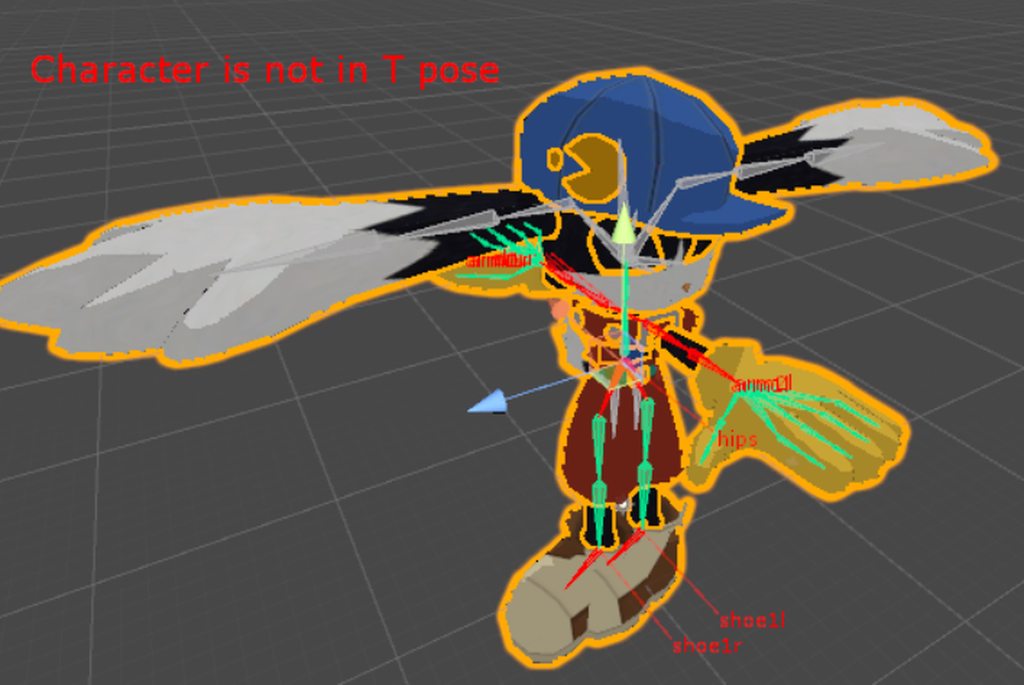 random kiln
lol it's assuming the ears are the arms, that's weird
valid halo
It shouldn't be. All the bones are in the correct places
naive tree
seems like bone roll issue to me
valid halo
bone roll?
 misty cradle
it is possible to connect two bones like they will rotate in the same direction at the same time? e.g. head bone and spine bone, when i rotate the head back the spine will do the same from his position
 fossil hare
its this where i post about my problem in blender? u know the weird skeleton body or something, i can post what i mean.. if its not allowed in here please say where i can get help
calm needle
@valid halo looks like the base model itself is rotated 90 degrees
if you had it in blender before putting it to unity, make sure that the face is facing front before you export it
valid halo
I'll try that
calm needle
easiest way to remember is if you hit 1 on the numpad it will set your viewpoint to front. If you arent looking at the character's face, then the model needs rotated
calm needle
😛 ive ran into the same problem due to not paying attention
valid halo
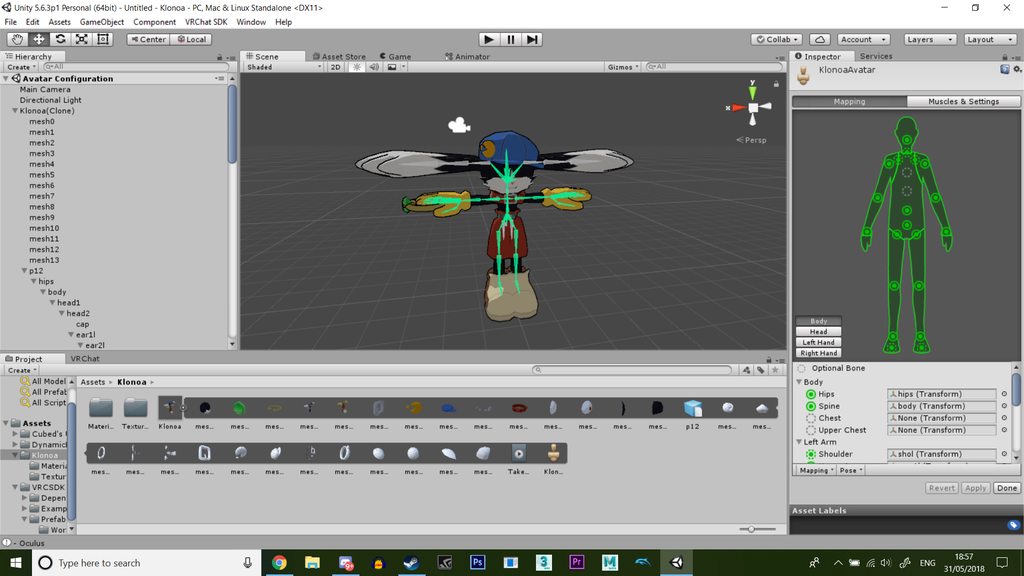
Now the only problem I have is that the model has not enough bones, meaning I can't get rid of the message warning me about the spine, chest, shoulders, pelvis, etc
Basically there is no bone for a chest bone
becuase Namco designed the model weirdly
 gritty nest
Then you'll have to subdivide the spine
The spine and chest are basically treated as one in this game, anyway.
 main sage
sooo
i have a bone for the jaw right? weight painted and everything
yet when i go into Pose mode
cant select it
woop nvm there it is
 vital veldt
I have a model, when I rig it in Mixamo it rig it okay but only does one finger is there anyway to change this?
late shale
Can you share a pic of the model @vital veldt


 rain imp
feet not painted properly?
 lime jolt
everything works right in blender :/
rain imp
try using revert instead of force t pose
ignore warnings from unity
aslong as vrchat sdk is ok with it
vital veldt
@late shale For some reason I can't drag and drop the picture, but it's of a Terminator and the skeleton only shows the middle finger that's been rigged
late shale
Yeah you'll have to upload to imgur and past e the link, can't share the image directly
But if I were to see it, the big things i would look for are anything that disrupts the ideal humanoid silhouette. Usually that means capes that would affect the shoulders and legs, but for hands a single finger happens for any number of issues with just not being able to identify the fingers properly. Is there anything weird about the hands, like a big glove or non-standard shaped fingers? Or is the hand even in a tpose to begin with? It works best when the arms are straight out as much as possible, palms straight down, and fingers outstretched. If the fingers are curled in a bit or the arms are at the side it would cause something like that
rain imp
@vital veldt with miximo you have to make sure you are set to standard skeleton in auto-rigger if it is usally means the fingers in hands are too close to gether so miximo sees 1 finger
vital veldt
https://drive.google.com/file/d/10jAIS-an8z4CH9QE-7KeFaIdt77Nsv1Z/view?usp=sharing Uploaded a pic to my google drive, hope you can view it, but It's probably because the fingers are curled up abit

Google Docs
rain imp
im guessing fingers are too close together which is a problem with miximo
vital veldt
yeah it appears so, it is so hard to get a Terminator Model working, well, getting a terminator model in the first place was the hard part, I'll see if I can seperate the fingers and try again
late shale
Ohh yeah those are some oddly shaped fingers alright
Separating them should help though
vital veldt
Yeah it should, also I might delete the pistons and whatnot to make it easier
late shale
If you still can't get it after that, then you could take just the hand bones from another working model and put them on this model. Then move then around a bit to fit and auto weight
vital veldt
That's a good idea, let's see how this goes, heh maybe that's why you don't see any Terminators because they're so hard to rig
vital veldt
Okay, update, I separated the fingers but not enough, still god a glitch, good news is I know have three fingers. Question: does it matter it the fingers are straight or curled?
late shale
Yeah they have to be straight.
misty cradle
it is possible to connect two bones like they will rotate in the same direction at the same time? e.g. head bone and spine bone, when i rotate the head back the spine will do the same from his position
gritty nest
Fixed joints maybe
If you joint one object to another, it'll copy the rotations/positions of whatever it's jointed to. You can even restrict specific axes.
 outer oriole
I'm trying to do the eyetracking but it's not working
Up and down is correct but left and right just rotate
I dont know whats going on
 surreal haven
https://i.imgur.com/OrEYUc3.png Does anyone have any idea why my model is doing this in Unity? There's weight painting from the arms to the bones, so they should still be attached to each other.

if i go into Pose and hit Reset Pose, it moves the arm bones and hand bones properly and takes it out of t-pose, but I can't get it to enforce t-pose at all
i've found the issue, I think, but not the cause. In Unity, this model doesn't have an "Armature" bone for some reason. It just starts at hips.

but it has an Armature in Blender, so I'm not sure what's causing the issue
Fixed the issue: I combined 2 models together, and what I had to do if anyone gets the same issue, is select the mesh, then the armature, both in object mode, hit Ctrl+P, and select "Armature Deform" (The options sub-menued under Armature Deform change your weight paints, so Armature Deform is the choice to keep them), then re-export it.
opal aurora
The "Armature" is not a bone per se, but the start of the hierarchy, in this case, your armature would be "widowsoldier"
surreal haven
yeah, but with all my other models, it looks like this (ignore the model name, this was my test save)

and without "Armature" being the parent bone, the mesh and armature were not connected
opal aurora
Ah i see what you mean...
surreal haven
it works now though, with the hierarchy looking like that
i assume the mesh-to-armature parenting just got messed up because i combined 2 models
opal aurora
That is pretty odd
surreal haven
easy enough fix once you know what to do though
solar ravine
lol @ model name
 sand patrol
@surreal haven did you give a new rest position on blender
surreal haven
i did not. that might be necessary in some cases though, from what i found on the old google.
fading verge
not sure why the feet are bent like this in unity and in-game https://i.imgur.com/VPl0Bv4.png
it's fine in blender though
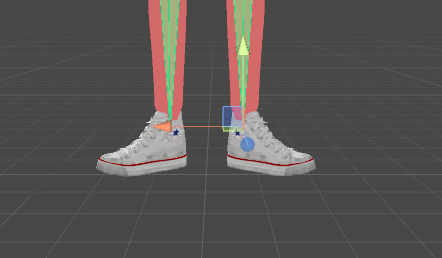
that's weird
check the bone rolls in blender
are they set to 0?
checking now
gritty nest
You can forcibly bend them back in Unity's rigging tab
neon quiver
if i don't want a shirt to clip and move inside intself when bending the legs.. (yes i did weight paint to the max and trying to look at how driver work in blend) so would that require extra bone for the shirt or a custome animation so the shirt won't clip? I don't know if that makes any sense. still learning. or something that can't really be done for vrchat and it more for animation?
fading verge
fixed it, thanks
hmm what i'd do is i'd parent the bones for the shirt on each closest leg; idk if that's the best way though
but try and give that a shot and mess around with it in pose mode
@neon quiver either weight paint the shirt to the legs bones, so it bend with the legs
or you can use cloth component in unity
but it's a bit hard to get it working correctly
neon quiver
thanks for the info i'll look into it. 😃 maybe what i'm doing though it way to advance lol.
neon quiver
is it poisslbe to have like a leg bone then have another bone at the top that controls and knows that when the leg bone move to like 90degree that bone will rotate to counter that bone so the mesh does not deform? would that be consider a IK?
sinful sundial
"a bit hard to get working correctly" understatement of the year svels
naive tree
nah, cloth is more of a pain in the ass than hard 😄 🔫
gritty nest
Cloth breaks for no good reason
I've seen instances where the skirt just floats upwards
 spice jetty
@neon quiver that is in fact ik
But to my knowledge not replicable in vrchat
Parenting part of a long shirt to the legs is decent ive done it a few times myself but it has its own faults
 royal hill
Trying to mirror 4 arms to move together with rigid bodies. Any suggestions? I have my arms moving together but they keep stretching the mesh
spice jetty
@royal hill do you have interpolate set to none?
 tame pebble
does anyone know what's wrong here :c http://prntscr.com/jpqtcw
 gritty nest
Make sure the feet bones are all above the origin point
 steady pivot
I dont understand whats wrong with the bones: In blender, they look and move normal https://i.imgur.com/GB0C9ON.png but in Unity and ingame, the elbow are not right anymore https://i.imgur.com/7dCzX81.png and https://i.imgur.com/us4tGhC.png
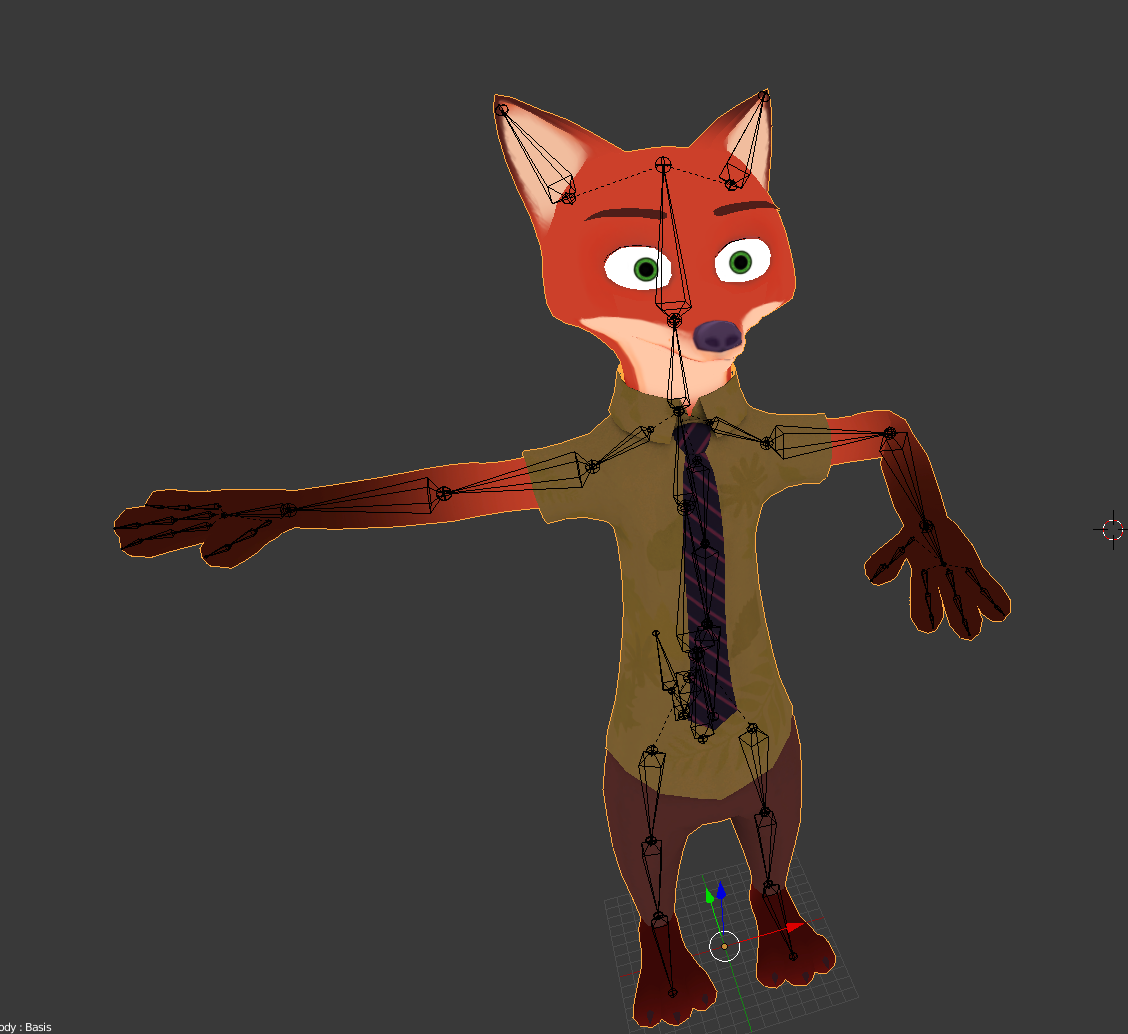
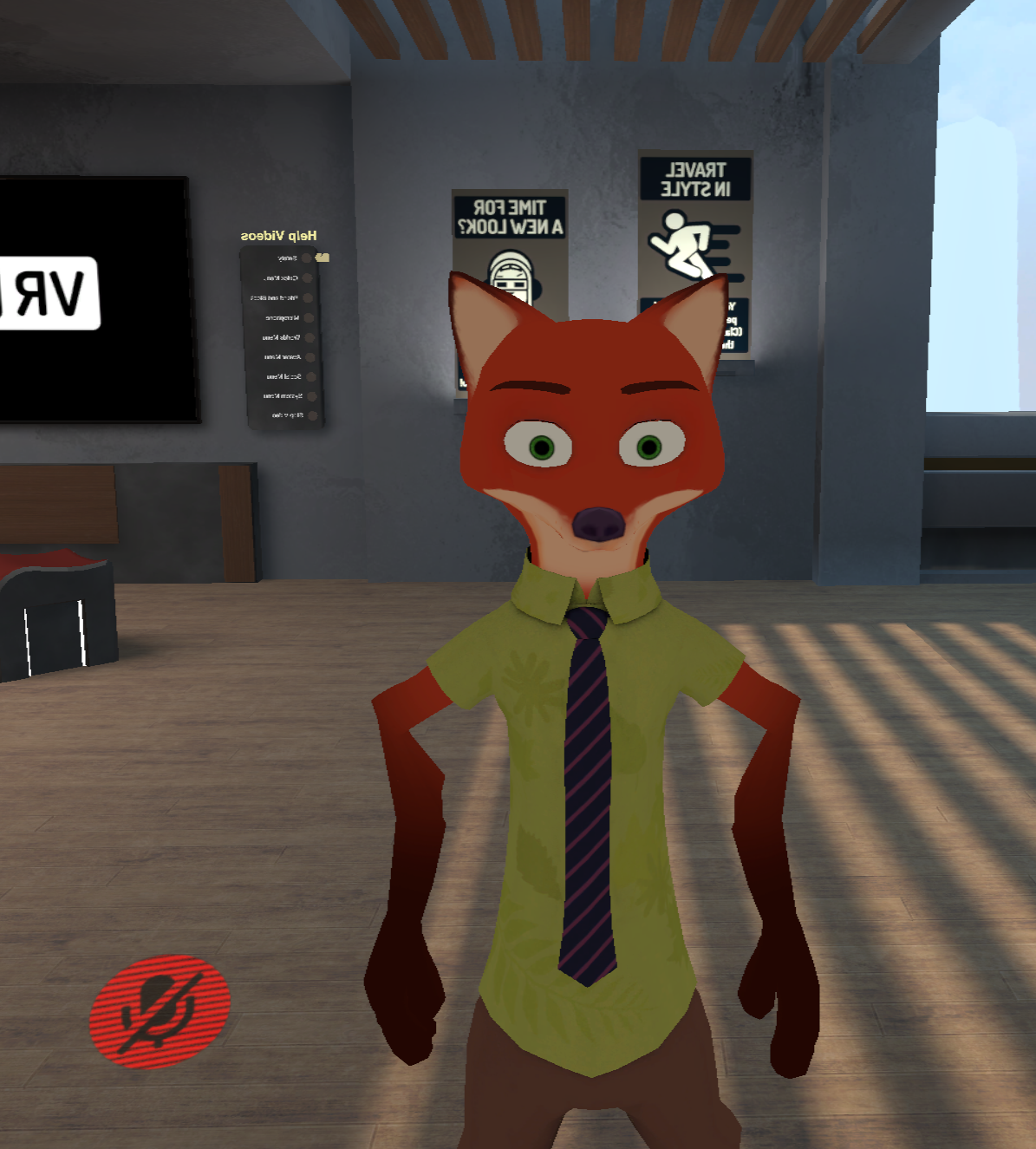
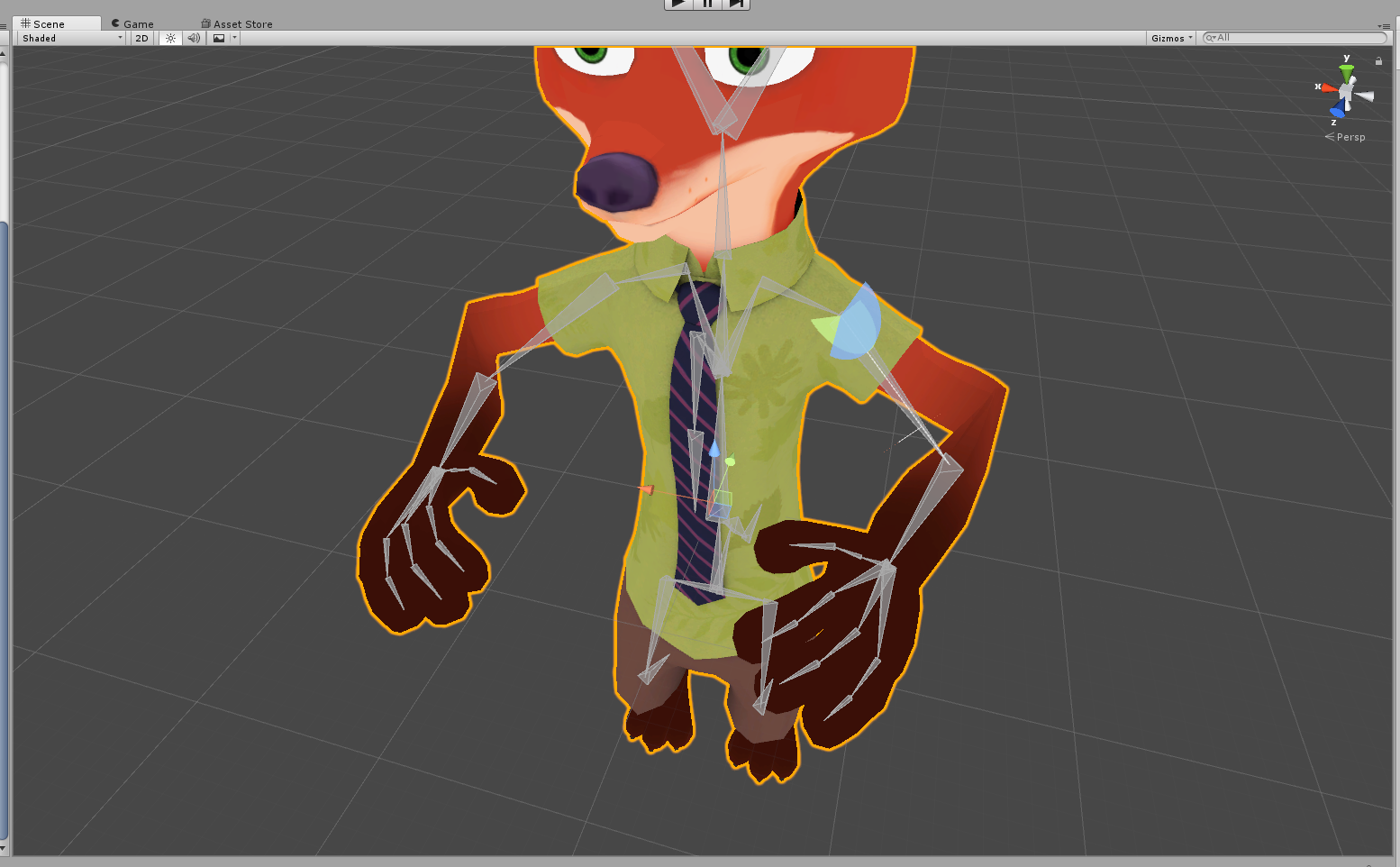 steady pivot
I checked the rotation, but unfortunately the arms still looks funny. even the T-pose looks different in unity than in blender https://i.imgur.com/ku6szAJ.png
 late shale
@steady pivot It looks like there are a couple issues that I can't quite pinpoint, but at least one is that the pivot point for the arm bones isn't the same as the pivot point that the weighting needs. You may need to subdivide the arm in order for it to bend properly in the right places
late shale
Here's a bit of a guide I put together on rigging and weight painting joints https://i.imgur.com/zsTaW5B.png
 steady pivot
Thx for the feedback, I fixed it by "re-riging" the model and importing it new into unity 😃
 graceful edge
all right, any of you guys had trouble with porting from blender to unity because of some of the bone not loading ?
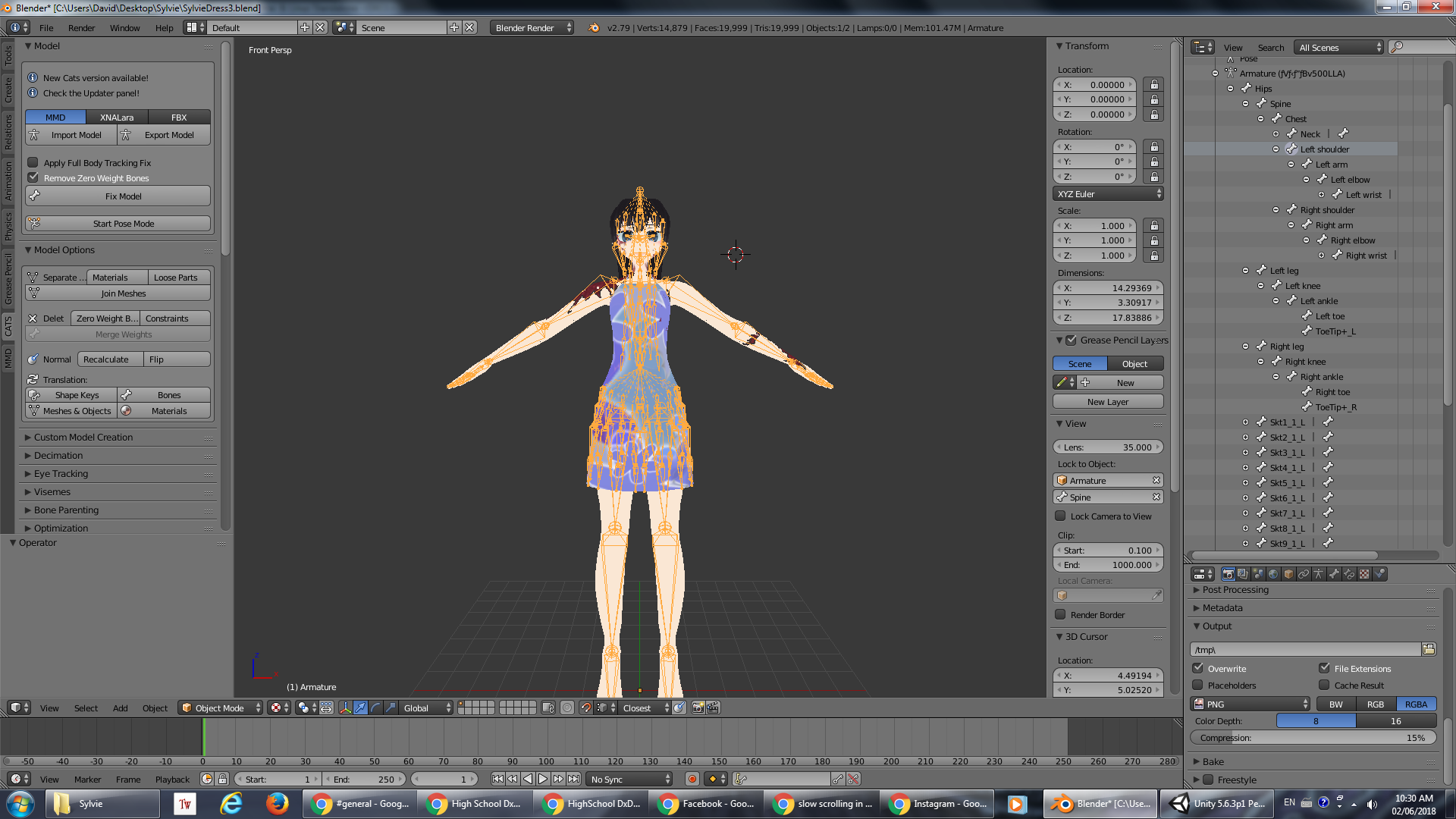
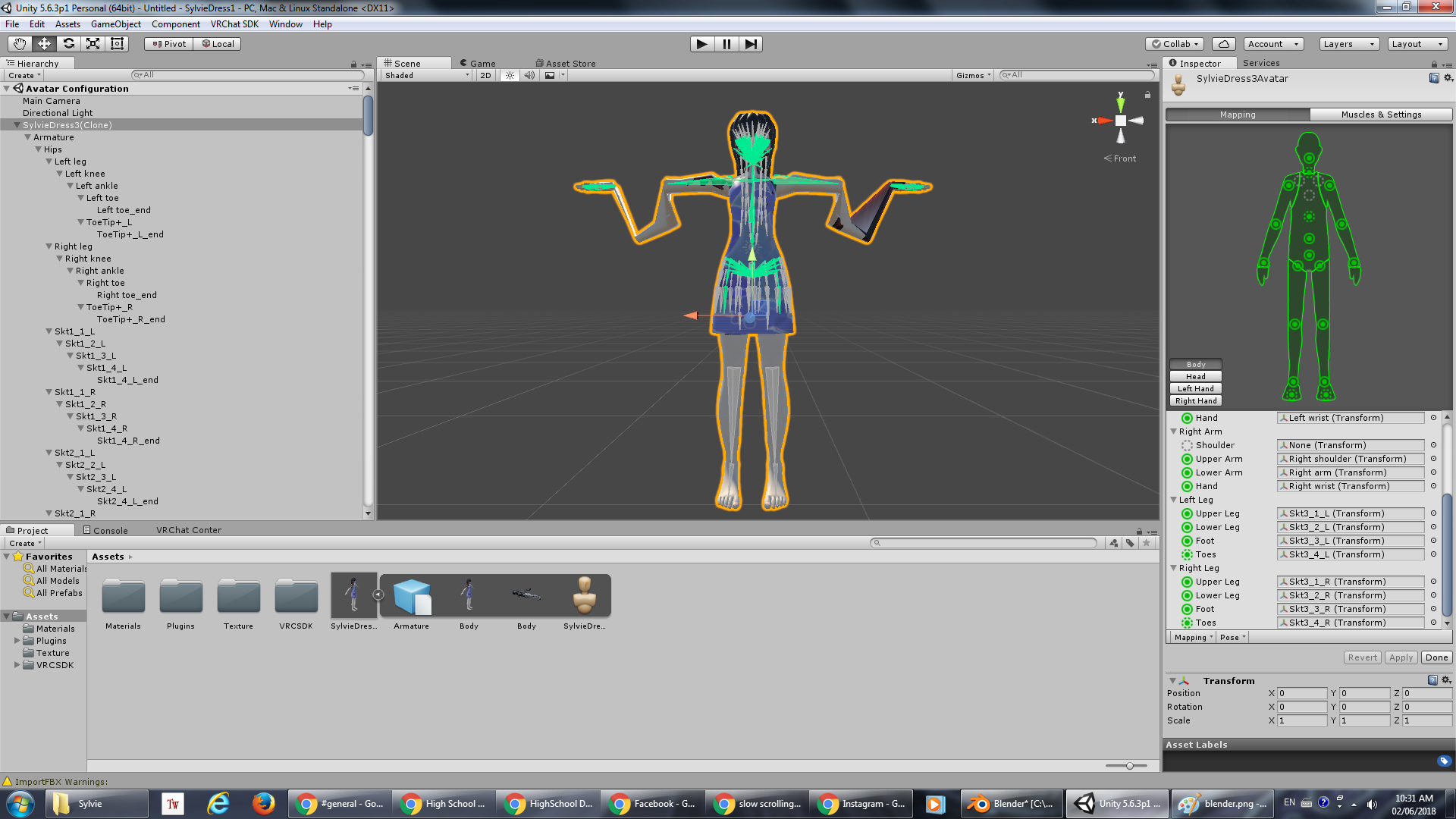 fading verge
check if the shoulder bones are weighted
graceful edge
@fading verge do you think that the shoulder deformity have something to do with the missing bones that dosen import into unity?
gritty nest
It's almost certainly bone rolls
graceful edge
how do bone rolls stop bone from being port from blender to unity?
gritty nest
First question is if it works if you pose the arms in Blender
Like, try moving both shoulders up a little
If the middle of the arm stays behind, it's a weight paint issue 100%
graceful edge
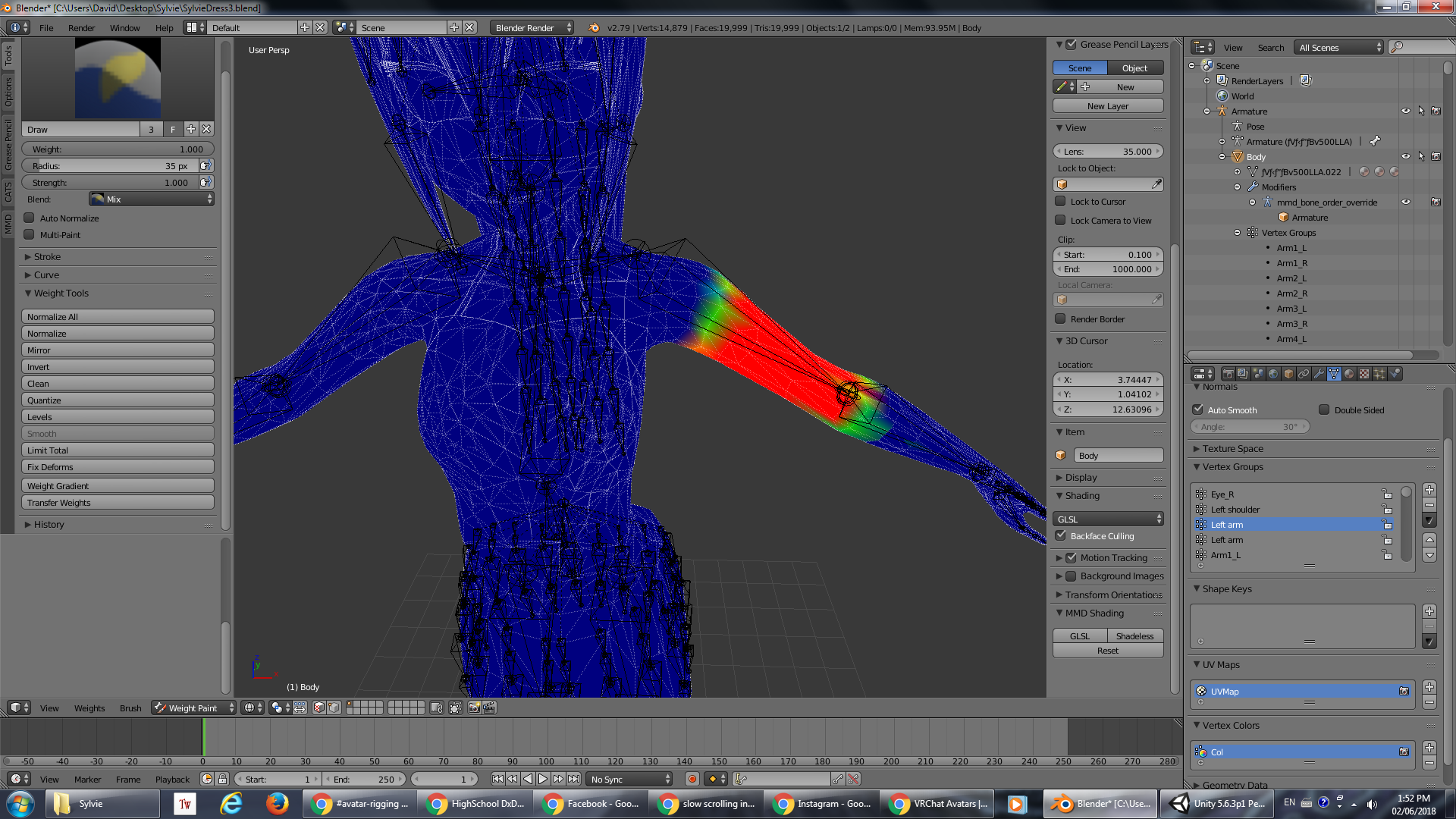 gritty nest
Could still be a bone roll issue though
graceful edge
yep rok just check you were right
gritty nest
You could try resetting the bone roll on all bones, then exporting again
graceful edge
the bone that do not show on unity are not link to the mesh
 open hull
Hello, I know this is a bit off topic, but my headset has a broken cable, does anyone know where I can find a disassembly guide for a Lenovo Explorer?
 desert dune
https://i.imgur.com/H41GPIE.png
https://i.imgur.com/wUJ3bXF.png
I have....no idea how bones work


https://i.imgur.com/6TT5U2a.png
should probably show this as well
 graceful edge
can i see the hyerachy of the bone in blender?

 fading verge
why are the arms on the head ?
desert dune
there's no arms technically. The hair is hands
fading verge
oof
desert dune
https://pre00.deviantart.net/a766/th/pre/i/2015/236/9/6/mmd_neptlude_download_by_xenosnake-d9723us.jpg
thought it would be neat
 fading verge
if you want to rig as humanoid
 fallow dove
just unweight the bones
fading verge
you'll need shoulder, upper arm, lower arm and wrist bones
fallow dove
*reweight to hair bones and keep invisible arms
desert dune
okay.......How do I do that xD
I've watched tutorials, blender tutorials, and none of it seeps in enough for me to understand
there were other models that had messed up bones where one had feet and hands inverted for some reason, and after like 2 days of trying to understand bones, I gave up.
desert dune
actually, should I just delete the bones and use mixamo?
desert dune
and considering this model has no arms in a sense, yeah I can see that
alright, time to make a skeleton out of scratch
and then try to figure out how to make the hands to the hair
graceful edge
that should be too hard just need to make sure the bone dosen have a mesh assign to it
neon quiver
thank everyone for the info on advance rigging thingy. i guess the only way to have a eally good shirt that move around is a custome rig but that be more towards animation so there no clipping or tweeking things the best in unity i guess. I don't really do much video game related rigs. I just make 3d mesh models from scratch XD.
static parcel
This is probably more advanced than I should be thinking about at my level but is the humanoid rig the only way to get stuff like IK in a character?
I had some thoughts on a spider girl character and while I'm sure her walk and idle could be animated, I wondered if she could duck and stuff with all legs bending
 slate dock
Anyone know what could be causing this? https://gyazo.com/0bbf7d1d967b5e8c06ca11d8886ce89b

This happened after exporting the model from blender to unity after making the leg bones parented the hips, I assume this is a rigging issue
In blender they look perfectly normal, and without the legs parented to the hips they are also fine, but afterwards, not so fine
Nevermind, apparently it was rolled at one point?... Fixed it by changing the roll of the bone to -90 like all of the other parts of the body haha
late shale
Stuff like that can happen when you put things into the scene, then change bones around after. Try just removing it and putting it back into the scene again
echo drift
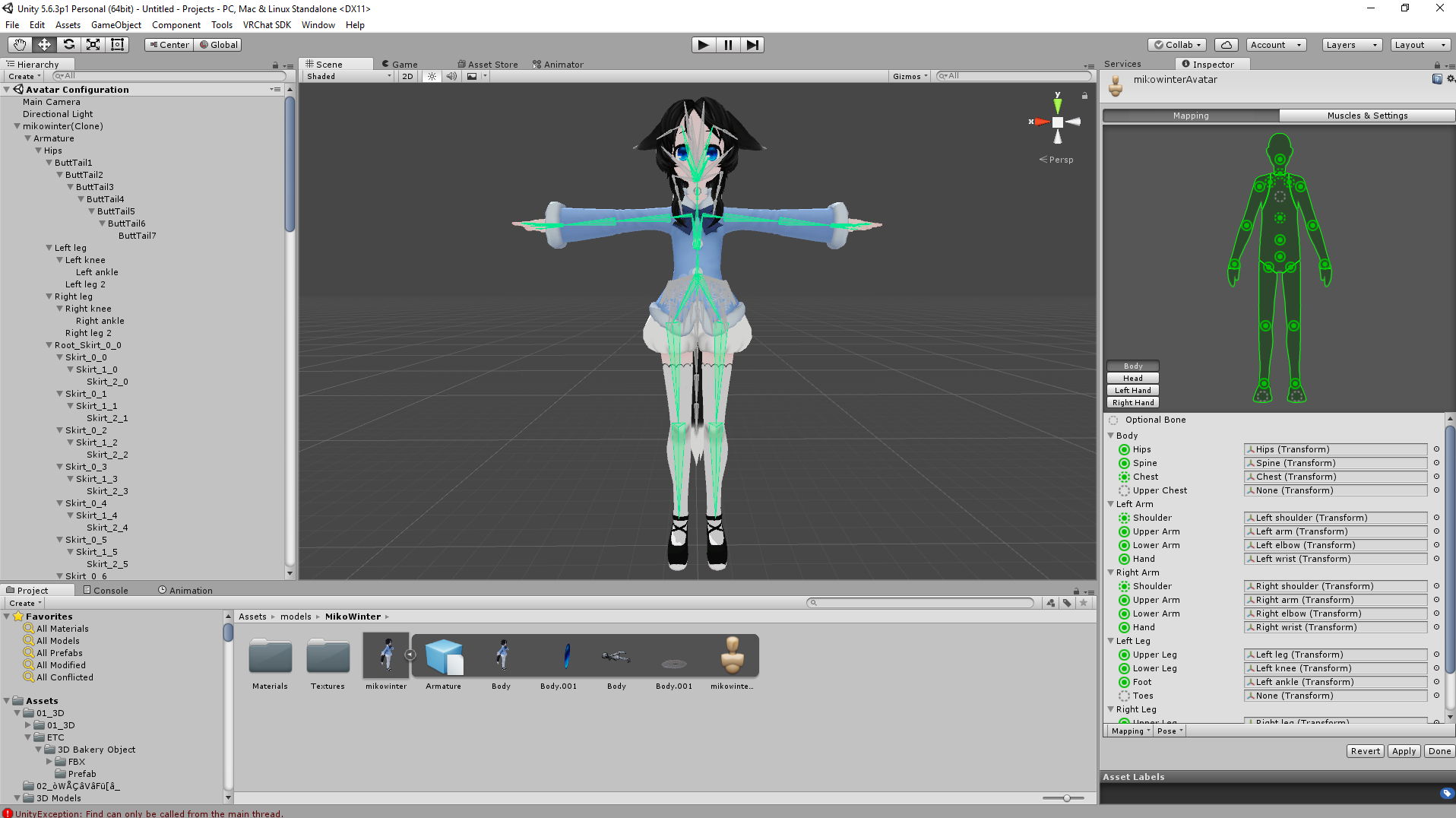
https://i.imgur.com/KUueB7E.png https://i.imgur.com/TDBu4HW.png ok, I uploaded my avatar with a fixed posture but now I realize the eye is missing in unity. it's fine in blender but it's not showing up in unity for some reason. any idea why?


if it helps, I used a mirror modifier in edit mode to get the other eye and applied it
echo drift
don't answer all at once 😐
silk plover
 finite forum
fading verge
finite forum
fading verge
Looks like an ik issue to me; the spine is collapsing in on itself
naive tree
if you are desktop user, be sure that your hips are pointing upwards and not down
ancient issue
echo tree
Can you make idles animation from maximo??
gritty nest
Yes
 summer crypt
Is it possible to get head/hand tracking on an avatar that is not using the humanoid rig type? The character I’m using has double-jointed legs that don’t play nicely with the humanoid’s bone structure and I don’t really want to “fudge it” by eliminating one of the joints in the rig if I can help it.
echo tree
If i find an idle in maximo do i just loop it in unity so it can work in vrchat?
gritty nest
What?
Animations should already loop by default
Just tick "loop time" or whatever
Default idle is actually not very good
It's weirdly offset
In fact, all the animations are just standins, the walking animation looks like standing still too
Depends on which one you mean
The one provided by VRChat is just used for defining the slots
SimpleAvatarController also exists but is rotated I think
Not a very good idle animation for VRC since it messes up the IK
Due to the swaying movement
I did back when I was on desktop, idle animations add a lot of flavor
echo drift
@arctic grotto in response to my post last night, the bones in the eyes are both at 0 degrees. the other respectively at -0 for some reason
the unity discord said using the mirror modifier to create the other eye was a problem. I hand made each eye now and it still does the same thing
fading verge
It means it's not actually at 0 but it's at some rediculously small number that gets rounded down to 0 when it displays it (like 0.000000481 or something); that's how you end up with -0
 radiant jasper

I have a problem, im trying to fix a weight paint issue but i cant seem to rotate the head
I need to rotate the head, i cant seem to do it though
 flint flare
echo drift
flint flare
echo drift
@fading verge That's what I thought too, I double checked by entering in 0 on both bone rolls.
real question is, does the size of the bones for the eyes matter?
@terse plover good to know, they're super small but clickable without unintentionally selecting the head or tail
way ahead of you, they work great on 'eye movement range' of 1.0
 crisp tendon
Any idea why blender wouldn't let me dissolve a bone ?
echo drift
@crisp tendon never encountered that myself so I don't know either 😦
opal aurora
@crisp tendon No error prompts up top?
Got any screenie of it that mayhaps help is discerning the issue?
Also do check your mode, perhaps you're in pose mode instead of edit mode, that happened to me once haha
opal aurora
Hmm... odd... same armature aswell right?
crisp tendon
this model is scuffed so it's fine, just wondering why it just wouldn't dissolve but deleting worked
yep, everything checked
echo drift
https://i.imgur.com/YlvMffH.png what would be the best way to rig a stick or a flag to the spine of a character? I just have one long bone in the stick that's connected to the spine. Is this the best way to go?
 opal aurora
Since it's something as solid as a stick, a single bone should suffice yes
If you had anything that was attached to it that could, flail around or something, then you'd probably like to add bones for such, but as it stands, a single one is good
echo drift
gotcha, the gem thing hanging above his head is a light source (assuming it's a unity thing) with a rope wrapped around it. funny thing is when I straightened his posture for a t-pose, the stick didn't follow the spines rotation. is there a setting so the stick rotates in sync with the spine?
opal aurora
Are you parenting it via unity itself?
echo drift
no... should I?
opal aurora
I mean, you can, it's not really a matter of should or shouldn't really
If you want it to follow your back though, you need to parent the bone to the bone you want it to move with
Supposedly the spine or chest
echo drift
that's the funny thing though, it IS parented to the spine. it's got the dotted line connected to it and everything.
opal aurora
And it's just, stuck there?
echo drift
and it doesn't move yeah unless I move it myself
opal aurora
Are they both in the same armature?
echo drift
yeah
opal aurora
Can you take a screenshot?
Not saying i don't trust you, but i myself have made the mistake of somehow parenting a bone from a different armature, somehow
A screenshot of the hierarchy with the 2 bones clearly visible that is





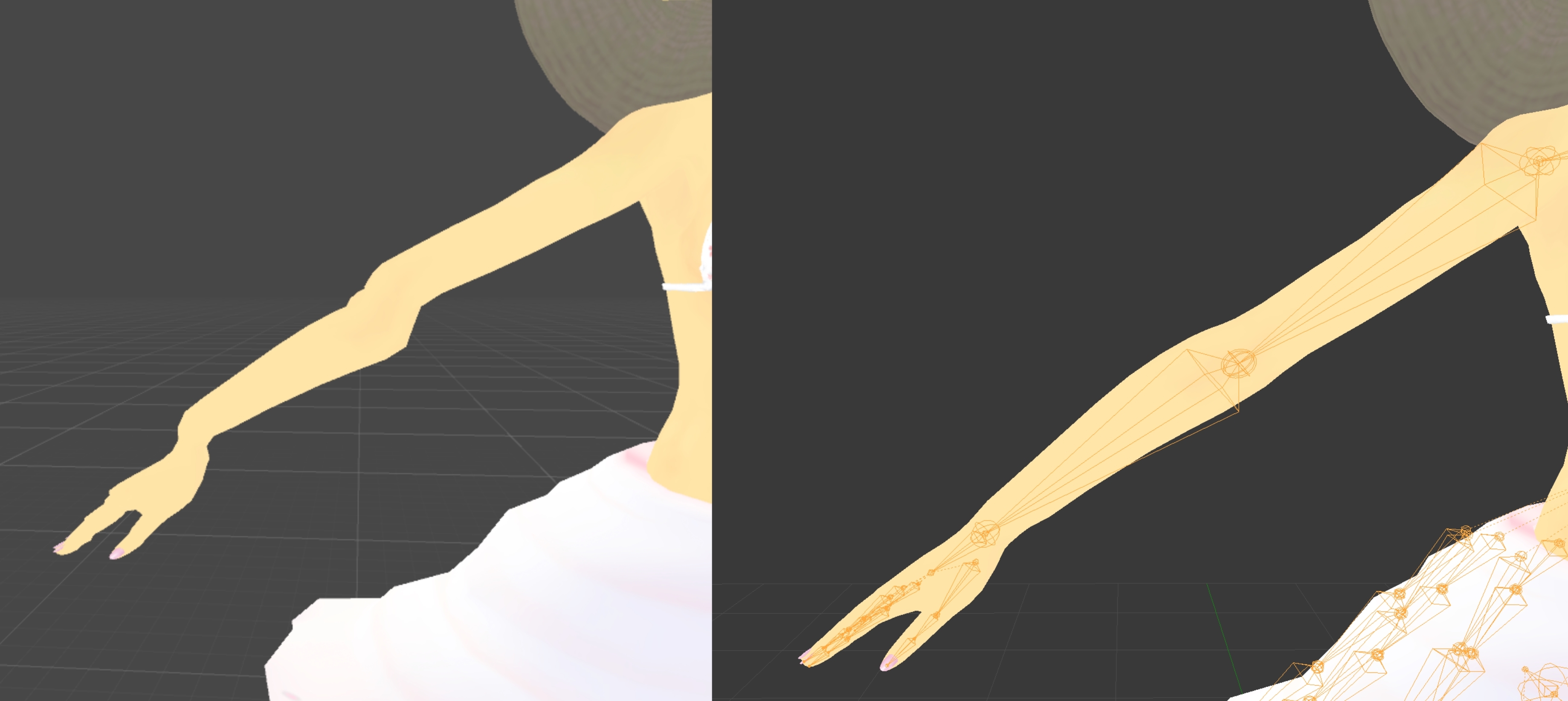
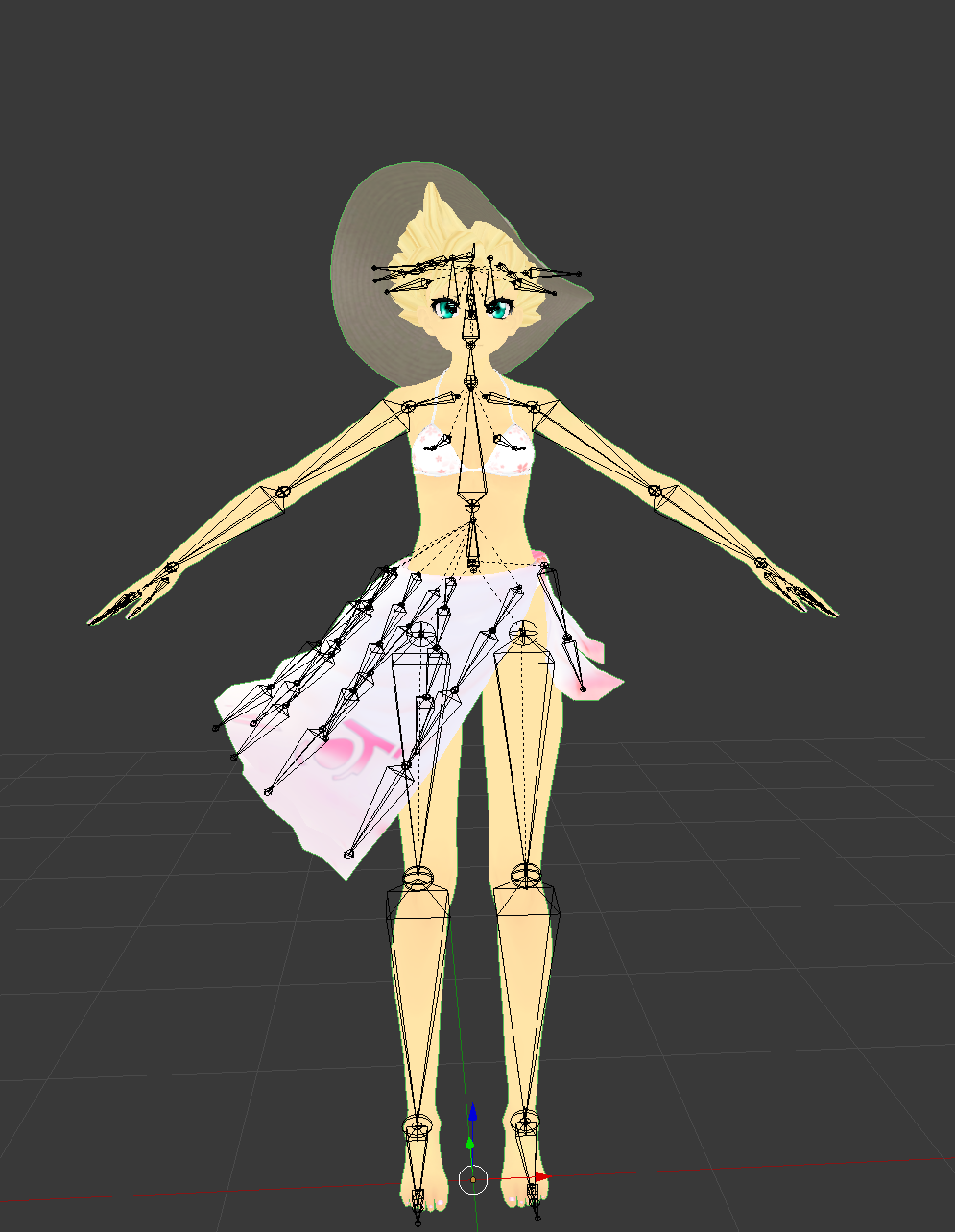


 opal aurora
Welp that is clearly parented to the spine...
Guess today's a weird day for blender for a few people
Check if the bone has any constraints actually
echo drift
waaaaaaaaiiitt.... I should have known... awwww... it should be more parented to the chest 😬
I was grabbing on the spine and not the chest ><;
I actually clicked on the bone that's labeled as spine and it works fine
so I should really change the parent to the chest
opal aurora
So you were grabbing the chest bone instead of the spine bone?
echo drift
yeah lol
opal aurora
Yeah that makes more sense haha
echo drift
just a big ol brain fart for me ;p
opal aurora
Where you parent it to is mostly related to where you want to position it really
If it's mostly close to the upper part of your body, chest, mid-section spine and waist, hips
That also goes for dynamic things, as that tells them from where to move from
echo drift
yeah, it made sense to me at the time, I wanted to attach it to the back, the back has the spine, so the spine sounded logical to me. 😆
opal aurora
That's why i still think single root bone hierarchys for dynamic bones are awful as they break movement
echo drift
I'm beginning to see that too 🤔
opal aurora
I still remember the people wondering why their animal ears kept flopping out of their heads
When they had a single pivot bone at the center, that obviously swayed them too far on each side
And everybody just kept saying they just had bad dynamic settings
echo drift
yeah, I see that in avatars with boob bones too. granted boob bones move unnaturally to begin with but the same could be said about the ear bones you see but with boobs.
opal aurora
Yep even those can have well designed pivot bones
That i got quite decent at making apparently haha
echo drift
hehe 😆
opal aurora
General rule of thumb, if you're working with more than a single bone for dynamics, don't root it to a single one, if it goes too excessive, do it for performance issues, or atleast add distance disable to save a few people's computers from raining hell, that's of course just an opinion, i do not enforce anything, far from it, the more creative freedom people have, the better in my view
echo drift
true that 😎
just as soon as I get this one working, i'll probably start working on Disembowels FNAF gender bent sexy models just for grins
crisp tendon
Have model in blender -> add animation -> works perfectly -> export to unity -> nothing works
mfw
naive tree
checkmark "Bake animations" on export
or whatever it was called in "animation" tab when exporting
crisp tendon
99% sure it was, i'll try again
neon quiver
in unity. am i able to fix the rotation of the leg if tehre to far apart? or do i ahve to do it in blender and make the bones? if that makes sens.....the leg are to split apart from each other lol
naive tree
u can do it in unity
naive tree
i think u need to go to the rig tab, i personalyl do all my bone stuff in blender
neon quiver
yeah i normal do the bone in blender but was feeling to lazy to fix it XD and just rotate it in unity but i might just fix it in blender...
echo drift
hey, real quick if I want to make the eyes glow on the avatar, I'm guessing it needs to be on a separate mesh?
gritty nest
No
It doesn't have to be a separate mesh, it doesn't even have to be a separate material. You just need an emission map.
echo drift
oh yeah the model I got has that... 🤔 do i need to set it up in blender first or unity?
echo drift
ok, a video is telling me for the emission texture I need to use nodes... am I on the right track?
 simple jetty
Late reply but are you adding the nodes in blender or Unity?
spice jetty
@echo drift its much simpler than that. First take a duplicate of the image with your eyes and color everything but the eyes black. Then with cubeds shader in unity on your material there should be a place to apply an emission map. Use the eye image. There should be a slider to adjust how bright it is