#avatar-rigging
1 messages · Page 115 of 1
 fading verge
 low parrot
It's not BS. Unity didn't create the Dynamic Bones asset, a user did and is letting us use it in conjunction with Unity.
 ionic aspen
but the titties
fading verge
gotta have em
 fleet echo
@ionic aspen need pay for that lol
ionic aspen
Btw, how long do you have to wait until VRchat lets you actually upload your avatar into Vrchat
fleet echo
No real anwser how long
low parrot
That gate has only recently been added, and the team isn't letting on what exactly goes into it. A lot of people speculated 24 hours of game time on your account, but that's been debunked because several people have more than that and still aren't allowed
low parrot
Just remember that Steam account time likely doesn't transfer over to VRChat account
fleet echo
it spouse to stop troll spammer
ionic aspen
But that was on my steam acount
fleet echo
but hurt regluar people in processed
ionic aspen
And apparently you need a normal account for avatar rigging
fading verge
it doesn't transfer over
ionic aspen
So i made one and now i gotta wait
fading verge
you need a VRchat account
fading verge
i got permission just now after about 28 hours of playing
low parrot
I would kinda say that's true. The majority of people who make VRChat accounts are likely doing so to be able to create their own avatars
ionic aspen
Or to keep an avatar they found on a map
Cuz whenever you log back in, the skin save
Saves*
Steam accounts wont do that and will reset you to a default skin
ionic aspen
yeah
Especially with large Avatar maps where youd have to memorize the turns and also just wait to get there
fleet echo
if the trust system was in place before the save avatar as your default would be hell for some people lol
 onyx hull
How do people go about making tiny avatars?
fleet echo
@onyx hull just shrink avatar down set to .02 Y avatar description
 tame island
 foggy juniper
can anyone help me
idk whats wrong

my hierarchy is wrong apparently
it was an xps model if that helps
foggy juniper
nm i found it
fading verge
So whats going on with the new version of cats? All my new mdels say they have zero spine measurement and shouldnt worry but when i upload them to unity i cant upload them because spine is set to zero
foggy juniper
yes exactly^
fading verge
i might remove the current ver and get an old version
foggy juniper
is there a place where you can just pay someone to get a model working for you? ive tried this for like 3 hrs
fading verge
i just started doing commissions and thats the only problem i am having so far
foggy juniper
well if you are able to do them anytime soon again ill def get one
fading verge
i still need to make a world and display my work
foggy juniper
i have a rigged xps model just dont have the patience to get it working
fading verge
ive been meaning to get some xps models into mmd then to blender 😛
foggy juniper
yeah i found a vid on how to get them into unity but this model is just frustrating
fading verge
What kind of issues are ye having?
foggy juniper
this model
the right hand messes up when i get it into unity
the walking animation doesn't work
fading verge
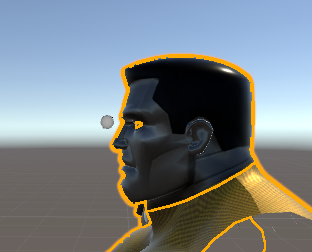
Oooo The iron giant, Classic
 daring jackal
@fading verge Just FYI, if you unclick "Apply full body tracking fix" before you click "Fix model" it won't have the spine issue.
fading verge
oh snap, Thanks @daring jackal when i was able to upload the model, i walked around like a game piece XD
daring jackal
You're welcome. lol
 gritty nest
Spine length zero is not always an issue
 true vapor
Should I even have two Knee bones?
 buoyant berry
Anyway to resize and armature selection and mesh selection at the same time?
gritty nest
In Unity's rigging tab, you can do that
 abstract mural
so I want to replace a head on my model, they're very similar with slight differences in the face, topology should be the same
head 1 has a bunch of bones for facial expressions and such, head 2 only has neck and head bones, I want to transfer head 1s' bones and weightpaint to head 2, is this doable?
fading verge
okay so
i managed to get breast bones and assigned the vertex groups
but when i test the movement they just

also i want to adjust the position of the bones
how do i move them apart without affecting the actual mesh
https://media.discordapp.net/attachments/427109246274895882/445255358898896896/unknown.png?width=686&height=676

select armature
go into edit mode
move the bones
oof right i forgot i was in post mode
my bad lol
fading verge

i can't figure out how to use the weight painting properly
i want to remove those sharp edges and rather have it transition smoothly
@fading verge https://youtu.be/Tl4qTgwQwYw

Quick intro and guide to skinning/weight painting. this video is meant for those with a basic understanding of Blender
alright, got that
how would i set it up so that the weight paint mirrors over to the other vertex group?
rather than having to do the same thing twice
either mirror modifier or activate the mirror in the options on the left side of blender
fading verge
okay well
the weight mirrors over but on the same bone
meaning that both breasts are locked to the right bone
did a little headswap and now i'm getting this error in unity 🤔 https://i.imgur.com/LAQeQqM.png
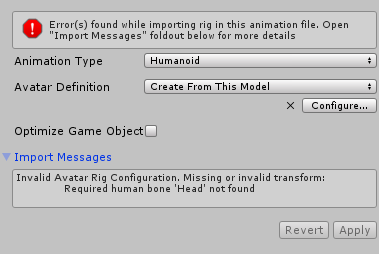
in blender, the head bone is present, so i'm not sure what's going on
so
i need to figure out how to make the weight distribution pattern or whatever it's called mirror over but to the other bone
Hmm, now I'm getting an error about it being too tall on one axis; i already made sure the height is like under 1.6m https://i.imgur.com/hcwlzQS.png

read again
the actual model is fine
the "bounds" are too big
most likely a shapekey that fucked up
ahhhh okay 👍
and is throwing some vertices really far away
need to fix that in blender
i noticed when i was testing eye blinking in blender; they'd become uh
pretty huge
i'll give that a go though, thank you
also

i moved out one of the bones so that i could de-weight some vertices that weren't supposed to be weighted and now i can't figure out how to reset it to its original position
true vapor
You do realize there's already a vrchat model for that
fading verge
for what
true vapor
The model your doing
fading verge
i know
alt + R - Reset rotation
alt + S - Reset scale
Alt + G - Reset position
but it doesn't have dynamic bones in the chest
i'm modifying it
abstract mural
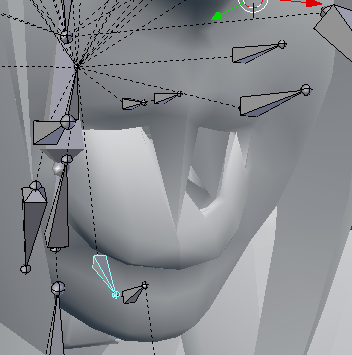
hm, transferring weights from one face to another didn't work too well https://i.imgur.com/GMrLeUx.png
 fading verge
rip
fading verge
ah shit
most of the weight paint i did for the right side transferred over to the other side but some of it didn't
and that just totally messes it up
is there any automatic fix to this? i really don't think i can be arsed to manually fix every vertex

now it looks like this
when rotated
fading verge
okay
so i'm trying to solve this but
now there's another issue


i tried to copy and mirror the vertex group but as you can see it's messed up for whatever reason
okay now i'm just confused

i checked out some settings and it mirrored properly but now the other one is on that side as well
WHY CAN'T I JUST MIRROR ONE WITHOUT AFFECTING THE OTHER
oh i see what happened
i had "all groups" checked
yeah i think everything's good now
fading verge
hmm nope
it seems checking the topology mirror helped a little but some vertices are still not correctly mirrored
 limpid kettle
http://prntscr.com/jhogc4 do anyone know how to fix this issue where the character has his mouth open 24hr?

 subtle moth
@azure thistle try unassigning the jaw bone
gritty nest
It's almost always the damn jaw bone or lower eyelid
 subtle moth
emoji dont work here 😄
limpid kettle
OUFF
 subtle moth
yep
go to jaw
then hit delete
it should say empty
then hit apply
that may have fixed it
limpid kettle
alright
now lemme check in game
that means when i speak it wont move his mouth right?...
;_;
it got fixed
subtle moth
i mean, if you got visemes it wont change anything
limpid kettle
ouff
subtle moth
where did you get the model from?
limpid kettle
deviantart
subtle moth
/ was it already an fbx file
subtle moth
so you got it into blender
subtle moth
do you use CATS?
limpid kettle
yup
subtle moth
CATS has a button called create visemes
this creates mouth movements
using 3 basic blend shapes
subtle moth
probably
i cant guarantee that the 3 blend shapes already exist tho
you may need to do them yourself
 subtle moth
never done it myself before so im not that much of a help
gritty nest
I think that's because this model has no visemes yet
CATS can create all necessary visemes based on three basic ones
If the model has a jaw bone, you can enter pose mode, rotate the jaw so it's open, then click "Pose to Shape key" @limpid kettle
Rename this shape key to anything you like, and export your model to Unity again.
Then in the lipsync section of your avatar, set lipsync to "Jaw Blend Shape", and select the shape key you just made.
 chrome jungle
So uh
My foot are kinda in the ground ; like 10px
I guess it's because i don't have any toes bones ?
The emotes play fine tho and actually put my foot "on" the ground
gritty nest
I think you can go into Blender and move the "end" of the foot bone down in edit mode
 gritty nest
Just moving the "ends" of those bones up should do the trick, not sure
chrome jungle
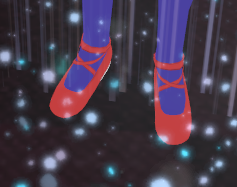
Did it, even created toe bones following a video
Heck still going in the ground ; could be the default idle animation at this point
 inner quail
anyone know how to make an mmd model to an vrchat model
 calm needle
have you tried cats on it yet?
 cedar scroll
how would a skeleton for something like kirby look like?
 crystal vector
@inner quail https://www.youtube.com/watch?v=7P0ljQ6hU0A

VRChat Community Discord: https://discord.gg/VRChat Download VRChat! http://store.steampowered.com/app/438100/VRChat/ mmd_tools GitHub: https://github.com/po...
inner quail
thnx @crystal vector
 paper sparrow
I am trying to export my character but it says that feet, hands, legs and head are not specified. even though they are
any idea?
 opal aurora
@paper sparrow change the rig from humanoid to none, hit apply, change the rig back to humanoid, apply, go into configure, make sure everything is in the correct places and try again
opal aurora
Can you take a screencap of the bones' hierarchy?
paper sparrow
I may have fixed it
i dunno how but i just added the character to the scene again and now it works...
 honest kettle
welcome to blender / unity 😉
paper sparrow
i use maya, not blender
 hollow fog
 honest kettle
oh god
cedar scroll
how do i rig this? it was originally made for a 3d printer https://www.thingiverse.com/thing:2264332

Give Kirby the legs he's always wanted
cedar scroll
like, i know how to add bones to something thats humanoid, but idk how to do this where it has no neck or elbows or stuff like that
opal aurora
To be honest the arms and legs would be simple, only thing that'd be odd would be kirby's half body/head
cedar scroll
and this model has no textures and materials so idk how to add that
opal aurora
Legitimately have no clue of how one would rig it, properly that is
cedar scroll
hmm
cedar scroll
i tried mixamo already, didnt work
 cosmic tiger
someone with a knowledge of bones here who could DM me on Discord for a quick chat? so we dont clutter the chat here =P
fading verge
I added some boots to my model, I made sure the boots were parented to the armature as an object and a modifer was added which linked to the armature too; but it just refuses to move with my legs https://i.imgur.com/SEu8RH8.png
Not too sure on what to do
 cedar scroll
is it weight painted?
fading verge
Yeah I made sure the boots mesh was dark blue all the way around... that should be fine right? Idk, I'm new to weight painting
 white steppe
So, does anyone know why a model I made will bend knees while walking but not standing/crouching?
white steppe
Well I guess I solved that but now my head is detached from my body 0_0
I think the knees weren't bending because I was too tall or maybe my head was in a wall or something
Which that sounds pretty funny with no context
 heavy tusk
hello! how do i take the head from the other avatar and put it on the one without head? https://gyazo.com/136f0a1273861b7981aaa7394cca8bc3

first time using blender
 chrome sequoia
i think there is a tutorial about it, i saw it today
 zealous spindle
https://youtu.be/-634i-tuoKE here ya go
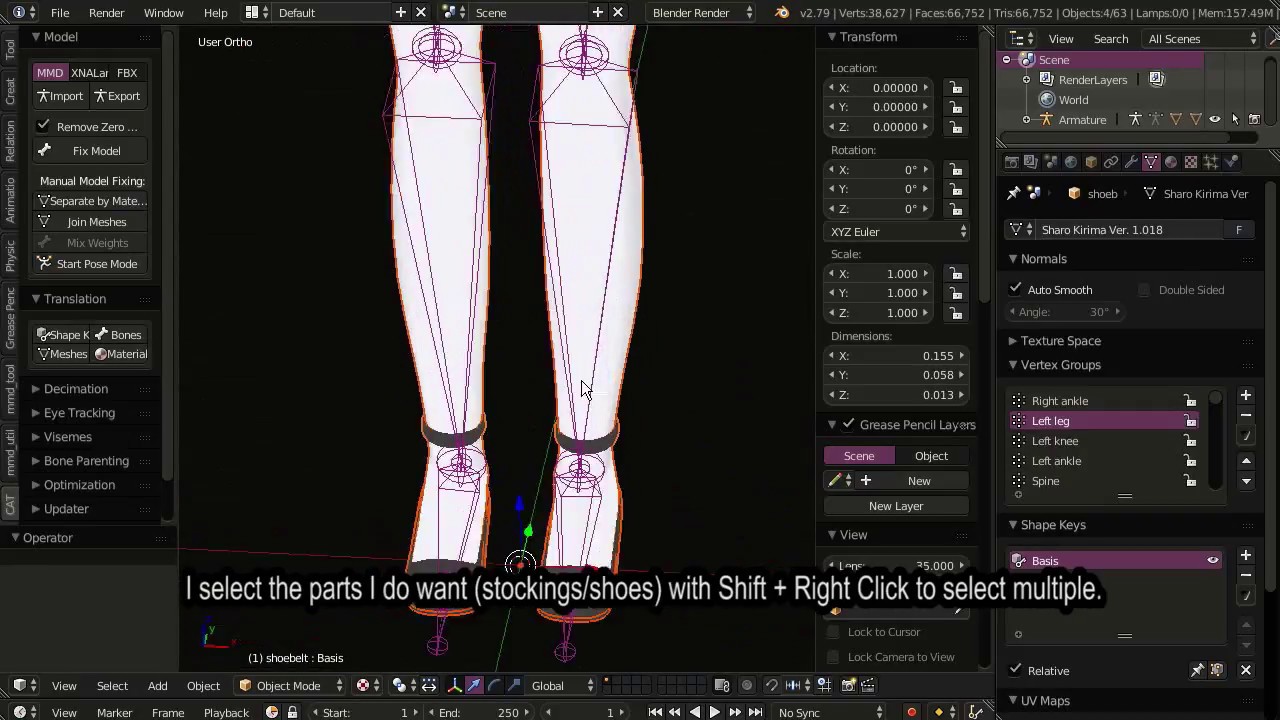
Note: There are a few things I did not explain in this video which are somewhat important. Eg. If you are replacing your model's head, you should not positio...
heavy tusk
thanks
heavy tusk
is there someone who knows how to make avatars well?
maybe help me finish the avatar i made?
 lilac moss
just ask questions
subtle moth
@heavy tusk solely depends on what you want to do 😛
heavy tusk
we are working on it atm, we merged 3 different models, i wanted an short girl, with a certain dress (both on different models) then hair from different model 😛
we are soon ready
heavy tusk
yea i ahve it but i had no idea how to use blender. so my friend is doing it with me
i can show the final avatar when its ready
subtle moth
well, the update cats pushed out yesterday added the ability to fuse armatures with the press of a button
i created 10 avatars in 15 minutes using mmd parts yesterday
before 2 took me an hour
lilac moss
good to have a friend :)
subtle moth
thats alright
heavy tusk
i have played vrchat for only 3hours
subtle moth
if you and your friend get stuck at something hit my dms and ill try to help alright ^^
lilac moss
as i understand you need 6 hours ingame (non-steam account) to upload
subtle moth
if i have screenshots lying around, yeah xD
 ionic lake
What does this mean? https://cdn.discordapp.com/attachments/429161926010863616/445925503220842496/unknown.png

I extruded the jaw bone from the neck bone and them paranted it to the head bone.
lilac moss
it means there aren't any weight groups for that bone
fix: parent mesh to armature again and pick 'empty groups'
lilac moss
fix: delete meme :)
ionic lake
Thanks for the help. 😃
 fallen mesa
Anyone has that common problem that When you export as Fbx, random bones / FIngerbones are entirely shifted and rotated?
any quick fix ?
subtle moth
no, but im sure that ive seen this problem pop up multiple times now
fallen mesa
exporting as something different fixes it but it sucks
somebody has too look into that problem >w>
 lilac moss
@fallen mesa the humanoid setup has to be redone, even if automatic, set rig to none and apply then set to humanoid again and redo changes (probably the cause)
opal aurora
CATS' update should've fixed that for the most part... setting bone rolls to 0
lilac moss
gotta do that when you make big bone edits
fallen mesa
ok will try that
opal aurora
I mean, any bone edits really, as long as you set it as humanoid before editing, the config from before will remain, essentially keeping bones in their "broken" states
fallen mesa
didnt really know that
yeet that really worked
damn that saved me loads of work with damn broken .blend materials
thank you
actually no, revert what i just siad
its still there
finger bones are correctly assigned
 fallen mesa
nope its not weight painting i looked into it
blender everything is fine
its the fbx that fricks it up... or unity
i can send you the fbx if you wanna take a look to be sure
subtle moth
im not at a computer right now so i cant really take a look but are you 100% sure, because thats exactly what happened to my model when i removed certain bones' WP
fallen mesa
no, i try out every model in pose mode before im export it
gritty nest
Two things
fallen mesa
maybe it has to do with the cats zero spine thing?
gritty nest
First of all, select all bones in Blender, and set the bone rolls to 0
Yes, even "unrelated" bones like the chest or whatever
Then re-export.
If that didn't fix it, try dragging a new instance of your model into the scene
The new instance might look good, in that case just copy over the components from the old one
fallen mesa
where is bone rolls?
gritty nest
Select all bones in edit mode, press space to bring up the search menu (very useful)
Try typing "roll" and see if there's a clear roll option or whatever
fallen mesa
mh that moved some bones atleast
what is this roll thing anyway?
never heard of it before
oh stupid
rotation of the... yeah.. nvm
Fixed KREYGASM
Kudos to Rokk the boi
opal aurora
Alt+R to reset all selected bone rolls to 0
fading verge
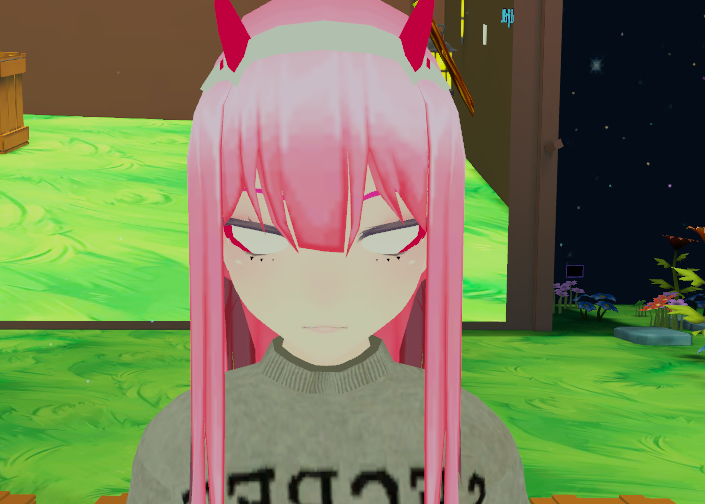
hmm, coming across a problem after a headswap; the eye tracking and everything seemed fine in blender and in unity but after a few seconds of using the avtar in-game, the eyes just go white https://i.imgur.com/eEyEL9F.png 🤔
 gritty nest
Seems like the eyes are looking very far down
Probably an issue with size/position of eye bones and head bone
fading verge
hmm i see
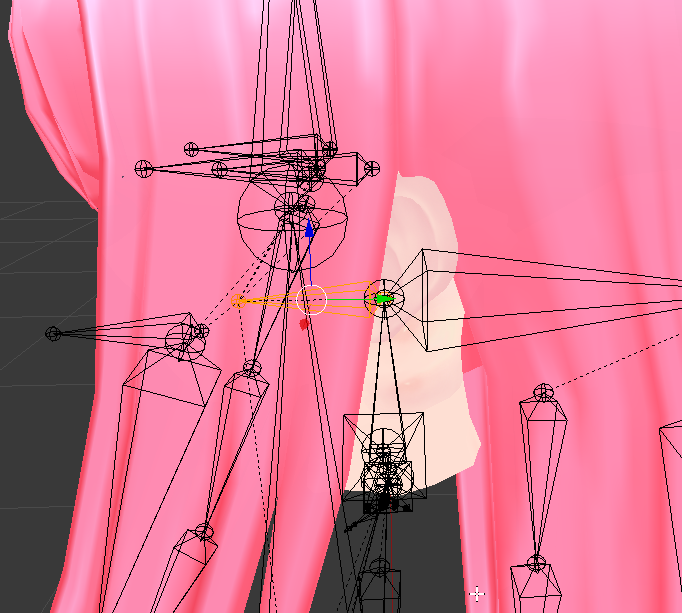
the head is actually positioned like this https://i.imgur.com/W7eixry.png but i've done a few other headswaps with the head bone in that same position and they worked fine; should i just position the head bone upwards?
 gritty nest
Yes, the head bone should probably point up
Just move the tip upwards
Eye tracking is set up in a very weird way
fading verge
Noted, thank you Rokk!
 viral stag
Hey so like, I noticed that when I play with my avatars in VR, the shoulders end up slouching a lot and it causes clipping issues. The bones aren't any different either, I'm wondering how you fix that? It just doesn't look natural.
It doesn't do that in Desktop mode
fading verge
So i'm still having issues it seems; Rokk
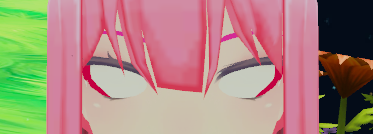
Though it seems slightly worse now? like the 3 extra eyelashes on the bottom aren't even visible anymore after dragging the tip of the head bone and making it straight
https://i.imgur.com/mkZYYx6.png
 cedar scroll
what are the lowerlid left and right shape keys supposed to look like?
gritty nest
Lower eyelid should be moved slightly up
But you shouldn't use it, it looks bad in almost all cases
cedar scroll
hmm, alright then
viral stag
Do muscles & settings actually do anything in Unity's rigging or what
I know it basically just ignores how you set up bones when it takes over but I just want to fix arm clipping when I keep my arms rested at my sides
fading verge
anyone here take commission to rig up models I make? Weight painting and such.
 fallow lake
Would someone be able to screen share with me and show me what I'm doing wrong when trying to rig a jaw?
 median bronze
Hello there. So i have a model on my computer that i wana import in to vrchat. But the problem with the avatar is that it dosn't have any bones. I was just wondering if anyone know of a good tutorial for adding bones and rigging a avatar? Thanx in advance
gritty nest
That's kind of a difficult one. You might just want to use Mixamo for your first model. Most models should at least work with Mixamo, especially on desktop
And some will work very well
It'll automatically rig your model
Otherwise there's this, but it's kinda old, it's what I used to learn: https://www.youtube.com/watch?v=dYiAd_08-0k

Discover how easy it is to rig your bipedal character with Rigify: https://cgcookie.com/tutorial/quick-rigging-with-rigify
 pearl bone
I'm trying to add audio to a dance animation but how do I apply the animation overide?
fading verge
im thinking of uploading a dog model to vrchat, do i use the generic rig for it?
 vital oyster
lol
no please dont
and btw, ive actually found that MAYA can be a huge amount better for avatar creation than blender, especially seeing as it works so well with unity
fading verge
what do i use for it then
opal aurora
For anybody interested, i've figured out a way to t-pose a model that was posed previously without an armature available, create an armature as you normally would for any other model (not in t-pose but on the model itself as if you were posing them yourself), weight paint it (even auto paint can work well with it depending on your characters' complexity, we're just going to pose it into t-pose after all), after weighting it, try to pose the model as well as you can for it to look like it's in t-pose, you can even try to pose it with a reference model behind it or well, right inside of it, afterwards, thanks to how handy CATS is at times, you press the button that says "Pose to Shape Key", this will make a new shapekey with that exact same pose you just made, at the same time, with the bones all selected in pose mode, press Spacebar and search for Apply Pose as Rest Pose, hit enter with that option selected, your model will contort, but worry not as that is normal, go into your shapekeys tab and delete the Basis shapekey (this is to assume you have no other shapekeys, if you do, make sure that the Pose shapekey is right under the Basis before removing it), your model should now be in T-pose even if you remove the armature, after all of this is done, if you didn't make all that great of an armature to begin with, you can delete the old one and make a new one based on your new, self-made t-pose, have fun!
@crisp tendon If yer not busy, perhaps this may be worth a pin?
Not really all that much of a tutorial since it's not in a video format but it may be quite useful for quite a few people
gritty nest
I think it's easier to use the "Shape key to basis" option
But if you want to get a new rest pose, there's a better method than whatever you just described
You just need to pose the model, copy the armature modifier, apply the first armature modifier, then set the current pose as new rest pose.
@opal aurora
lilac moss
also unity auto-tposes non-tpose rigs which will work for most
gritty nest
Yeah, you don't need to have your model in a T-pose
lilac moss
it's useful for things like fixing knees bent inwards though, still useful
opal aurora
Hmm... yeah that is fairly more straightforward, i guess i went too indepth with it, in regards to unity auto-t-posing it, not always the go to, depending on just how much of a crazy pose a model can have, that's why i figured i'd just share what i found out today o:
Bone rolls et all
What i did describe is actually essentially what you just described aswell, instead of applying the pose as a shapekey, you'd apply the armature as a shapekey, which well, is essentially the same thing except applying the armature directly as the basis, fairly more straightforward but all of the steps above are still plausible imo
Essentially skipping 2 steps
Deleting basis to apply pose shape, and applying the pose as rest pose specifically
opal aurora
Actually, applying the pose as rest and deleting the basis are still necessary nevermind haha
gritty nest
I didn't say apply the armature as a shape key
I said "Apply the armature"
My method also doesn't require CATS
opal aurora
@gritty nest i literaly just tried to do just that and the mesh essentially returned to its basic shape/location, are you sure you understood what i mean with my explanation? .-.
Or maybe i'm just being a bit dumb here and not understanding what you meant with yours
gritty nest
When you do "Apply pose as rest pose", the bones go where they should but the mesh doesn't follow
You need to go to the actual Armature modifier in the mesh modifiers tab
And then hit the "Apply" button
This will remove the armature's effect on the mesh, but first it applies the current deformation.
And because it removes the effect, you need to copy the armature modifier beforehand, or make a new one afterwards
There's also "Apply as shape key" next to the apply button, which is what CATS' "pose to shape key" is probably based on
opal aurora
I did just that before and after setting the pose as the rest pose just to make sure i wasn't screwing up
I had the same result, this was with a simple cube setup i literaly just made
gritty nest
Weird, it worked fine for me. I did this, maybe I recited the steps wrongly:
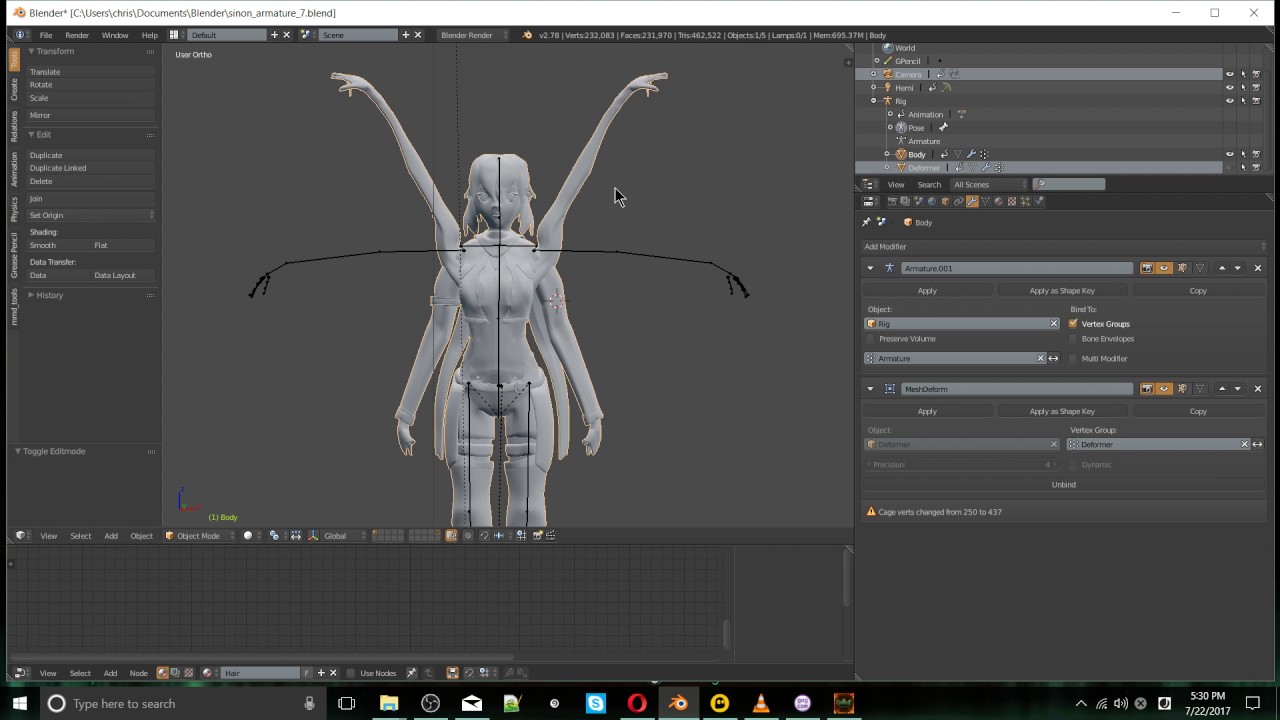
Written instructions https://nixart.wordpress.com/2013/03/28/modifying-the-rest-pose-in-blender/ See My Full Udemy Software Courses https://www.udemy.com/use...
opal aurora
But that's the rest pose, the bones' rest pose no?
gritty nest
It works for both the bones and the mesh
opal aurora
Then i'm unsure of what exactly i did wrong in this case, applying the armature as a shapekey definitively works though
Which essentially follows what i stated to do prior aswell
gritty nest
Yeah, that can also work. But it gets a bit more difficult sometimes since it might mess up existing shape keys
Causing those shape keys to revert the model to the old position
opal aurora
Aye, that's why i stated that my tutorial was based on models without shapekeys, like really oddly posed ones that well, unity would essentially deform if they had odd bone rolls, since an arm facing forwards upwards and another facing backwards downwards with a roll of 0 would well... you can imagine
It was entirely based on un-rigged models
Which, for the most part tend to not have any shapekeys, unless it's a really odd exception i've yet to come across
Yep i did exactly what the tootoriel did welp
There we go, now it finally worked out, guess it was blender being blender @gritty nest
That definitively does fix it up far quicker
 crisp tendon
@opal aurora Could this be condensed a bit, this is pretty big for a text pin 
opal aurora
True xD
crisp tendon
You know, people and reading don't go together
opal aurora
Yeah that's why i said it wasn't really a tutorial since it wasn't a vidya
It just doesn't catch people's attention as much
Well perhaps me and @gritty nest can condense it to a simple text and in the most straightforward way, since they got a bit more of a straightforward way of dealing with it
fading verge
wait, you can actually ask for pins ?
opal aurora
I just kinda asked since i thought it could perhaps be useful to the community as a whole, in regards to rigging of course, not sure if there're any rules towards doing or not doing so personally o:
Let's see if i can condense it...
//Steps to T-Pose a Model (With or Without bones):
This is for models without shapekeys, you cannot apply modifiers on meshes with shapekeys, you can however try to apply the armature as a shapekey, but it may have varying results.

Make the Armature and fit it on the model (If it doesn't have any);
In Pose Mode, pose the model for it too look like it's in a T-Pose;
Select the model's mesh and go to the modifiers tab;
Copy the Armature modifier and apply the old armature modifier;
Press Spacebar and search for Apply Pose as Rest Pose and hit enter.
And you're done!

This also works for posing models in any other positions and keeping them that way
Have fun!
Seems a tad better?
crisp tendon
fading verge
@crisp tendon can i show you something so you can judge if it's pin worthy ?
crisp tendon
Anything's pin worthy if you have to spam it enough times during the day
opal aurora
Thankzies ruuubick, also how've things been?
Haven't seen you in quite a while o:
crisp tendon
busyyyyyyyyyyyy
fading verge
https://imgur.com/a/bUpUHpI
it's an album BTW, so open the link to see all the images.
 crisp tendon
but doing well, thanks, i hope you're doing ok too
opal aurora
Yeah i can imagine, it's gotta be quite stressful up dere, i've been doin' alright personally
crisp tendon
I can pin this in animation svelsien
fading verge
want me to post it there ?
crisp tendon
Yup
fading verge
and done
 heady hedge
Has vrchat changed in the way that bones can now share the same name without conflicting with the meshes?
 merry dove
Anyone know how to change from triangle to non-triangle pelvis and vice versa for neck? I've googled it and it just says to do it, without any steps as to how..
opal aurora
@merry dove do you have an example?
merry dove
One Second -
https://gyazo.com/83cceca5b5e5f56700564930fbe815f6 When I reorder the heierarchy it does nothing, or putting my own bones it it defaults back to the ones that were there


is the rigging
if I adjust anything in unity it just reverts to the original without changing how it's rigged, not sure why, also I have no idea how to change from a triangle pelvis to a normal pelvis?
 clever sonnet
Anyone good at fixing a model that isn't weighted properly on the bones? x_X, got a model uploaded for someones B-Day gift for tomorrow since she is getting a VR setup, everything works fine in unity etc - upload, and it's a mess. I have no clue how to do it.
 inland ridge
tfw things actually work https://prnt.sc/jiuv7a
 opal aurora
Das adorabel
fleet echo
@inland ridge look little bit like Kanna to look like 002 when she was a kid
 cinder iris
those are def the kanna eyes
opal aurora
Now that i look at it... the head shape looks like it too...
inland ridge
I used the kanna head for the base
opal aurora
Mystery solved guys let's pack our bags
inland ridge
Here's the head closer up. https://prnt.sc/jiwrbh
 opal aurora
Dat looks freakin' adorable
fading verge
ikr
 limpid scarab
@inland ridge Oh my, is that a self made avatar or a model found online?
It's really adorable
Oh nvm, just read the full context. Seems like it's a grouping of other model parts & retexturing i assume?
 desert dune
welp, as much as I don't want to ask it, I really have no clue what I'm doing.
Right now, I am trying to make a model that can take off it's mask, I have 2 models, one without the mask, and one with just the mask (bones are unedited on both so that they can't fight each other)
My problem is that I have no idea how to rig it so that the mask is connected to the right wrist or the hand.
Then I gotta learn particle effects for a mini-gas release from said mask
 prime summit
You can make the mask a separate object and attach a copy to both the hand and the head bone
Have the one im the hand toggled off, then the one on the head enabled.
In an animation, turn off the head one, and turn on the hand one.
 vast geode
Can anyone help me with finding Hinata from haikyuu on vrchat?
 robust python
fading verge
robust python
fading verge
Alright weight painting, its telling me that active group is locked but its not?
unlock vertex groups and try again, i think
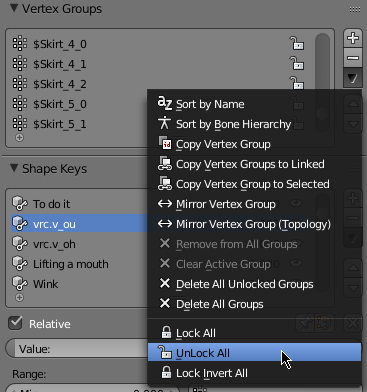
its not giving me an option to lock or unlock anything
neve3rmind
calm needle
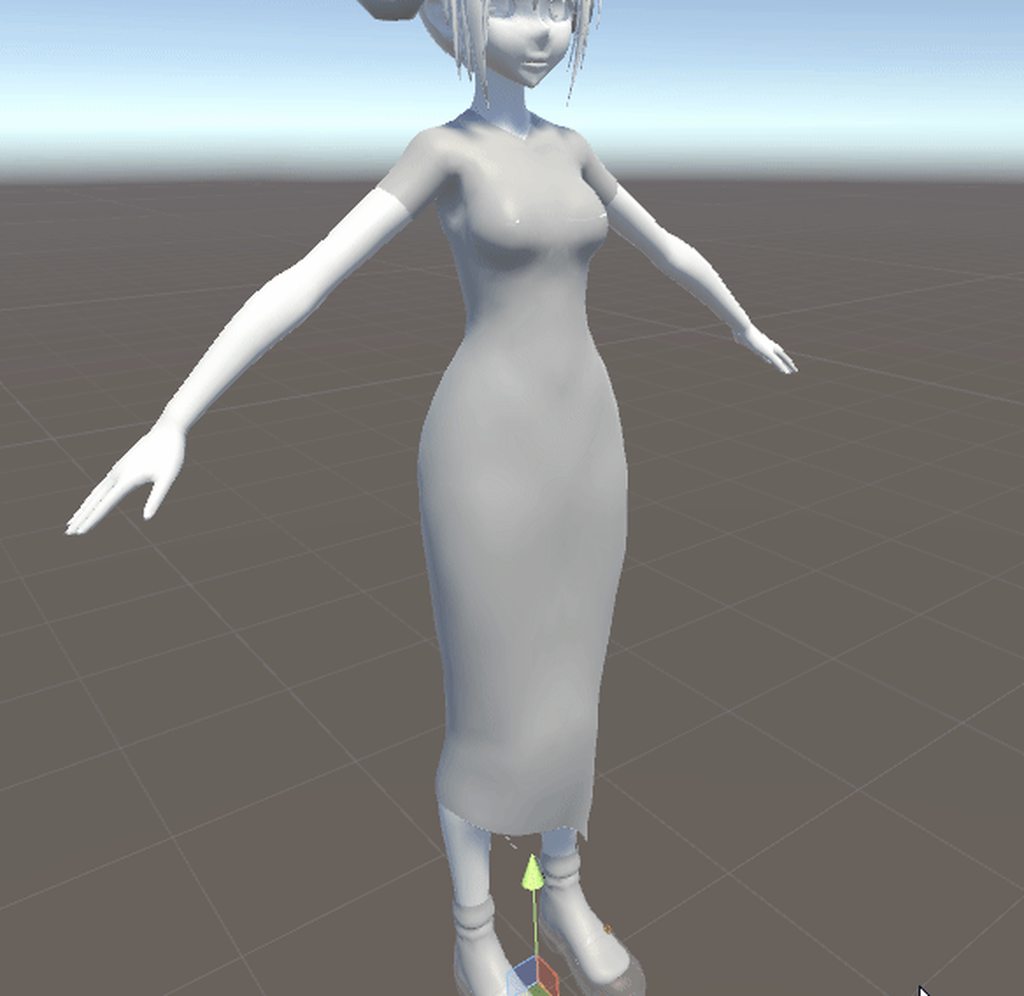
https://imgur.com/mX07tEv
first time i've had to weight paint them on my own. I think i got it decent. Always up for sugestions
 serene urchin
@inland ridge kanna base right ?
inland ridge
The face is
fading verge
hi
i found a model for a mech that i want to try rigging
so you know how normally legs for humanoids are just two bones
what if i want to give the mech a third bone for the knee
since it's supposed to be double jointed
opal aurora
Sadly i'm not sure such will be possible, but i'm pretty sure you can rig it with just 2 bones, got any images of the area?
 naive tree
@calm needle how does the wireframe weightpaint look for chest bone and breast bones? looks pretty good
fading verge

i'm thinking of something like this
you can see how there's that middle section of the knee joint
that moves independently from the upper and lower leg
opal aurora
Hmm... i'll be back in a bit with an idea
fading verge
alright
i'm also wondering if it's possible to do things like
having sliding armor plates and pistons on it

stuff like this
calm needle
depending on the mesh, weight paint magic can get close
fading verge
is there really no better way for rigging machines?
goddammit
or should i say
gundammit
calm needle
@naive tree https://i.imgur.com/DgFOOyh.png chest bone

https://i.imgur.com/zpfMcyr.png main breast bone. the last bone isnt weight to anything since i was just screwing around with ideas
 naive tree
hmm, so using 2 bones, i guess it does work well with bigger breasts
fading verge
boobis
opal aurora
@fading verge I'd say perhaps have a bone parented to the upper leg portion that keeps that mid-section in place, just make sure to not parent the knee (lower leg) bone to it and keep it parented to the actual upper leg portion
There's no way for it to be working with it plainly inbetween so that seems like a possibility, but at the same time, just having that section weight painted to the upper leg would suffice either way
 keen storm
Neck problem. When ever i turn my head left and right. My body also turns. Up and down is fine.
 spice jetty
@keen storm in vr? I mean the game has no way to know which way youre facing unless you have leg trackers so it automatically turns your body the direction your head is facing
 rocky heart
Hey guys, i have a problem with eye tracking ;(
i've set up the entire thing- vertex groups, shapekeys, checked the name for the umpteenth time,
made sure the rigging in unity is correct and using the right eyebones
i've tested the control of the eye using the bone and it works perfectly fine
but it doesnt do the eyetracking in vrchat
keen storm
@spice jetty desktop user
spice jetty
Even more then. What first person game doesnt turn the body with the camera 😂
 crisp night
Is there a quick fix to having your avatar's head upside-down in game?
viral stag
What's the point of weight painting stuff to where it looks good, then just to have Unity take the models rig and ruin it only when I'm in VR?
My shoulders slouch in VR but they look normal in Desktop.
 fathom shard
Is there a way to import a model that doesn't have fingers and still get proper tracking? This model I have is humanoid but its hands are covered with sleeves, so no finger bones were bothered to have been put in, but now I can't get tracking
fathom shard
I was able to circumvetn that by just making some bs bones that don't do anything and mapping them to the fingers
 forest crane
@fathom shard add finger bones and weight them to 1vertex to like 0.1
naive tree
don't need to weight them migero
can be just extruded 3 bones from wrist and then assigned in unity
fathom shard
That’s essentially what I ended up doing. There was a sleeve bone after each wrist so I just duplicated those and renamed them to fingers
 random lotus
so i just wanna throw this out, i got his rig to work fine without having to redo it but for some reason sometimes the weights dont wanna be nice and if i weight something the bone or 2 above's weights get messy

it was doing that before i weighted his hand but it wasnt taht bad
also im not aware of when this occured but part of his sleeve or maybe that whole part is mis-positioned

ok i seem to have gotten it to not fuck finally

 ionic sedge
Guys, I have some extra ears bones on my model, on unity works well but in vrchat they are static, there is something I should check that I may be missing?
fading verge
you talking about dynamic bones ?
ionic sedge
yeah, forgot the word, sorry
 serene kraken
white steppe
serene kraken
white steppe
So I've got an avatar with five fingers, the index and thumb have bones but the middle, ring, and pinky are all part of the same bone. So, is there any way I can add more bones to the model after it's all put together?
I just need to seperate the middle from the rest for the peace sign
 pale hull
In unity, no, but in any 3D program like blender you can.
pearl bone
How do I add lip sync to avatar? My avatar never has lip movement and whenever I try to find it, it doesn't have a jaw bone
 deft oriole
Does the avatar have mouth vertex groups?
fading verge
HELP? : Spine hierarchy missing elements, make sure the pelvis, spine, chest,neck and shoulders are mapped.
the rig looks perfect in unity not issues or errors, yet sdk gives me this error, help?
gritty nest
Post screenshots of how your rig is set up
fading verge
export error, apparently when i exported the fbx, blender deleted my neck bone big oof
pearl bone
@deft oriole Can't explain, have a mouth? But no bones are connected to it. I've seen another person with this avatar with mouth movement,
 buoyant valve
does anyone have any experience in rigging a .dae model if so how do you do it
 winged zinc
anyone know good dynamic bone settings for hair and skirts
 faint fractal
Does anyone know how to stop the shoulders from slouching down while in vr? It’s fine in desktop, but in vr if I have my hands to my side the shoulders go down making the chest look slightly weird. Is there a constraint I can set on the bones to limit how far they can rotate down or something? Everything else works fine and as far as I can tell the bones are all setup correctly. Thanks in advance!
winged zinc
yes
one sec i need to look back at the settings
im pretty sure its radius
i could be wrong its been a while since ive edited models
faint fractal
Thanks I’ll look at that! Is that in unity or blend?
And to answer your hair thing @winged zinc I think mine is in order from top to bottom 0.2, 0.5, 0.1 I have gravity on -0.00004 and force on -0.00004 and collider Radius of like 0.02 I think. That’s from memory I’m at work rn. My hair is set to be really straight down and realist so if you want flowing hair you would need something else. I have cloth on all my dresses so I can’t really help you with the dress dynamic bones.
winged zinc
i did that in unity
faint fractal
Okay thanks again, good luck on the hair and dress
winged zinc
thanks
 left plume
Having issues getting automatic weights on a pair of wings I'm working on
If anyone wants to help I have the file
I can send the mesh but keep getting the error in blender that the bone heat weighting failed to find a solution to one or more Bones
lilac moss
try removing doubles else gotta manually weight paint the part that's causing the issue
gritty nest
Even after removing doubles, sometimes it still does that. Very annoying
ionic sedge
How can I show those dynamic ear bones? (someone else made them for me)
viral stag
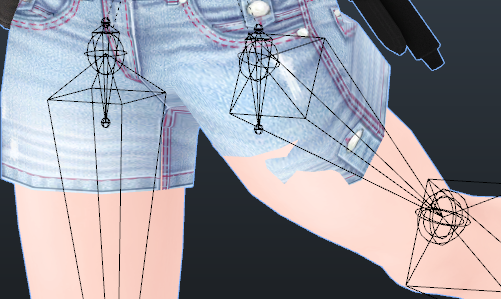
How can I fix this with weight painting? Doesn't really seem to want to align correctly https://i.imgur.com/LzvMiKc.png
 echo drift
@viral stag did you figure it out? I think I can help if you still need it.
viral stag
I left it as is for now
echo drift
ok
viral stag
But help would be super appreciated
echo drift
is the pants on a separate mesh? like if you select a vertices and do ctrl + "numpad +" to grow the selection does it only select the pants or does it highlight everything else?
viral stag
Lets see
Yes it only selects her pants
Because I replaced them
And the stuff is all merged.
echo drift
i'd add the pants as a vertex group, go to weight paint, and click on the mask tool (Face Selection Masking for painting and adjust the weights
viral stag
Kind'a lost you there
echo drift
 viral stag
Aahh
echo drift
yeah that can help paint only the faces you want to mess with
fathom shard
Has anyone here made hand puppets before? Do you have to create an entire duplicate armature and stick your puppet in at the one hand?
fathom shard
I'm wanting to have a puppet where that's the whole model, so the rest of me is invisible. Do I need an entire armature with no mesh then have the puppet model and its full armature as a child of the hand of that model so they move together?
fathom shard
Sorry if I'm not clear. I have only one character model, and I'm shrinking it down to the size of a puppet. I then have an armature with no mesh to represent me, and the hips of that small character model is then a child to the arm, so that it moves with my hand. That's what I've been working with so far
 azure hare
anyone know how to fix the thing where in eye tracking, only one eye will blink ?
ive tried literally like alot of tutorials butim just horrible at this
fading verge
^
 dim snow
can i ask
a quick question
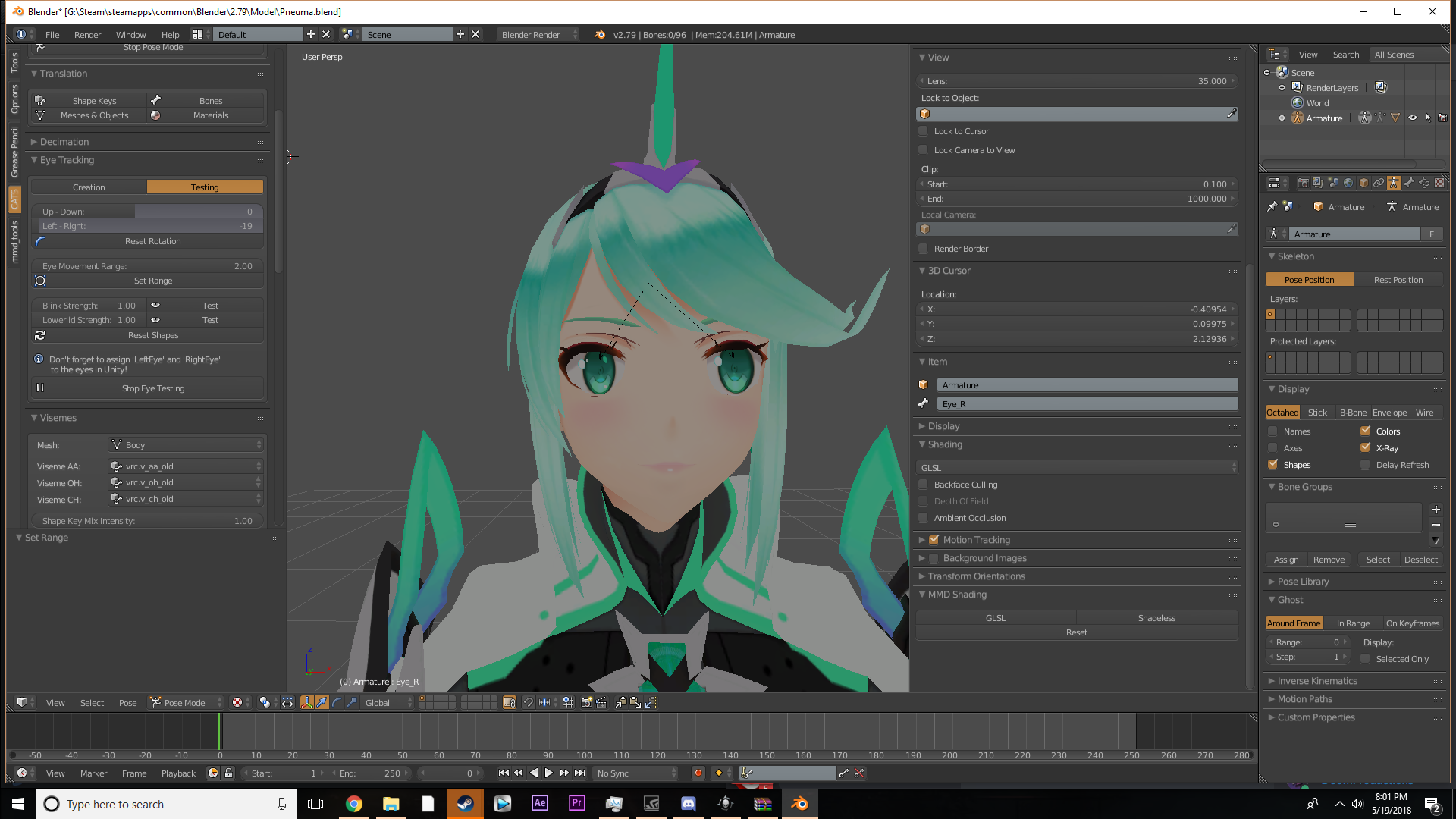
Im messing with eye tracking, All the vertices are selected and assigned properly, but when I test the eyes, its like the eyes only slightly tilt downwards or sideways, instead of the eye turning as its supposed to
 dim snow
Thanks.
Second question
in unity
how tf do I adjust MK glow
right now its obnoxiously bright and idk how to tone it down
fading verge
yo, any of you guys know how to import a non humanoid model like a car?
 fickle pollen
you should be able to import it to unity normally, except it won't have animations unless it has all the bones necessary (and since it's a car, i'm assuming it won't have any animatins)
fading verge
@fickle pollen while I have you, how can I fix a "Transform (bonename) is not an ancestor of (bonename) error?
fickle pollen
sorry, i'm not that experienced with it. :/ for other people though it might be more helpful to include a screenshot
use imgur or whatever
fading verge
ah alright, thanks anyway though
 ocean moat
Hello, I've rigged an obj file myself and I've a height problem in game, my trackers are placed above my ankles but appear to 2/3 in the ground in game, it's a proportion problem? The hips is too low? Can I have help please 😦 ? . . .
https://puush.poneyy.fr/J2C8.png https://puush.poneyy.fr/3q8t.png


 manic marsh
normaly vrc expects the foot to be at ~90 degrees so it lays flat on the ground
that might be one cause
ocean moat
Ok, I will try this now 😃
Same problem with this config https://puush.poneyy.fr/kBHq.png https://puush.poneyy.fr/2nzd.png

 manic marsh
Maybe it not the mode at fault, but the sensor calibration, could be the virtual floor being setup too high 🤔
ocean moat
i've setup my View position between eyes but I'm at the neck in the game https://puush.poneyy.fr/JsxU.png

no I don't think, it's pretty good on all of my other models
manic marsh
Ah, is your in game height setup correctly from the menu?
So it works on other models, that's weird
ocean moat
 manic marsh
Just for a test try to set your ingame height lower than irl to see if you can reach the viewpoint
ocean moat
1m89 -> 1m70, I reach the view point but same result for trackers https://puush.poneyy.fr/I3Gi.png
 manic marsh
Getting closer, but now its quite a tricky situation, if you set the virtual floor lower the trakers should be aligned, but that the viewpoint would be higher than desired. This is quite frustrating
ocean moat
:/
manic marsh
But if you enter the model in this state dose it start crouching?
 glad egret
strelizia 👀


 queen mural
it looks like its offset to the right in blender slightly might be fov deceiving me though
manic marsh
I doese look like it but i dont think thats a problem
queen mural
if its not symetrical from 0xyz it might be the problem
i wouldnt know for sure though
manic marsh
Still trying to warp my mind around the huge discrepancy between models
Oof
Hold on
The origin point is set up a little higher than it should be
ocean moat
🤔
(forget to change texture ^^) I try to set origin to 0xyz, now, my tracker are 10cm under the ground https://puush.poneyy.fr/eUyl.png https://puush.poneyy.fr/I40u.png

 manic marsh
Damit
queen mural
i cant really say
might have to do with your armature and angles
but id have no idea as to what it actually is tbh
ocean moat
Already try to change angle, and it break bones in game ^^
ocean moat
I've tried to reduce my upperbody length https://puush.poneyy.fr/ODj5.png
and make my legs taller https://puush.poneyy.fr/0fMF.png

 ocean moat
I've tried to up my hips/spine/chest, same effect than make legs taller
so i think it's a arms/shoulder problem
manic marsh
Well at this point it could be anything
 hidden gust
so i had never had a problem with bones but now i tryed uplouding a avatar and than this happend https://i.imgur.com/kG6jeGn.png
 gritty nest
*sigh*
naive tree
ignore it
hidden gust
it wont let me upload until its fixed
gritty nest
CATS tells you this

You're having other issues
Post the error you're getting in the SDK publish window
Oh yeah, and go to the Head section and make sure there are no errors there
Like LeftEye being in the jaw slot
 tidal lake
ey fellas quick question, is it possible to use animation overrides on a rig with no fingers or thumbs?
gritty nest
Yes, but you will have to create fake finger bones. At least one thumb, index and middle finger bone on each hand. @tidal lake
If you mean gesture overrides, that is. Overriding idle/walking animations works without fingers
Basically all of your animations will look better with finger bones mapped anyway, since then you get full-body IK. This is especially important for VR users, but desktop users benefit from this as well
tidal lake
alright neat, was meaning gesture overrides - how would you create fake bones? is there a selection tool for normal bones to change them to fake?
gritty nest
I mean just bones that aren't weighted to anything
If you have hand bones, you can select the tip in Blender, and press E to extrude a new bone. Just repeat that three times per hand
You need at least the thumb, index and middle finger mapped in Unity. One bone per finger is enough.
tidal lake
alright neat, ty very much bud 👌
manic marsh
@ocean moat , if you don't mind me asking, did you make that model from scratch?
I've been looking for one on every site I know but o no avail
: /
ocean moat
I asked author to provide it to me, it's a friend on discord who study in 3D modelisation
manic marsh
👌
ocean moat
I want the Red Strelitzia but he has his final exams atm :/
ocean moat
do GameJam, you will gain good relationship ^^.
btw, I tried to reduce arms length https://puush.poneyy.fr/HJ1z.png
 viral stag
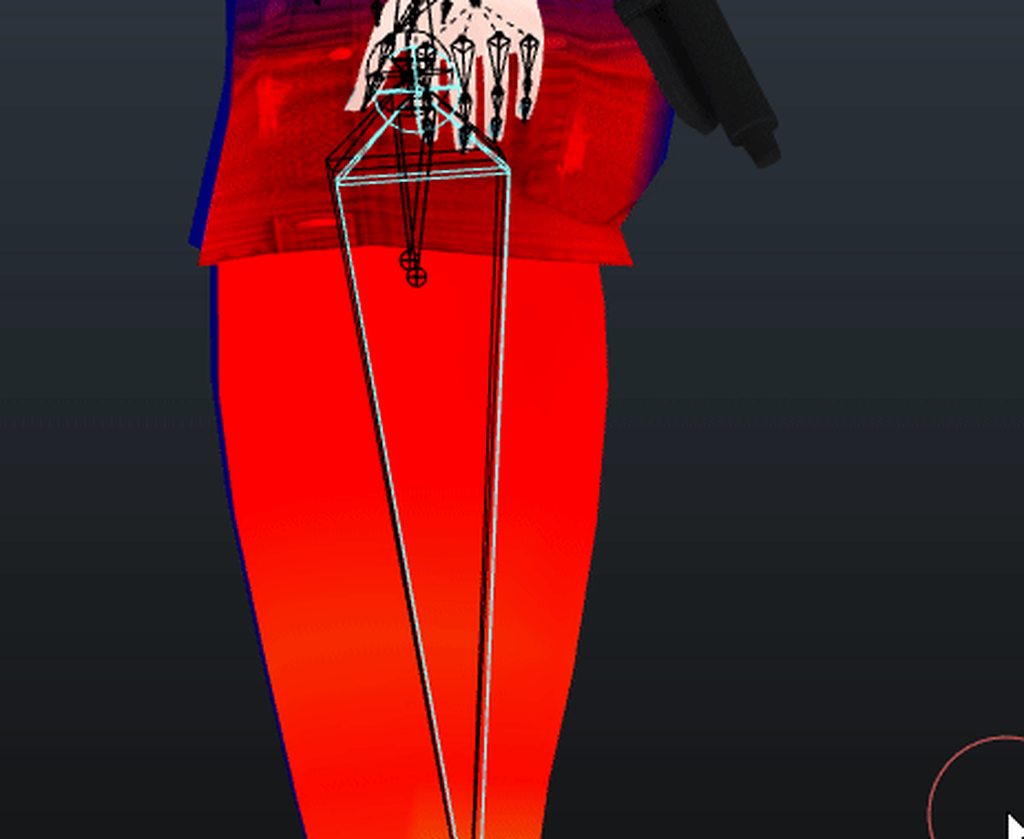
Why is it overshooting
The pants were imported, the meshes are merged, and there's no other Vertex group that's weight painted to it besides the legs.
gritty nest
This definitely looks like some other vertex group has weight on there.
viral stag
I just looked ;-;
viral stag
Besides the mmd_vertex_order and scale stuff I have no idea
naive tree
check hips, spine, chest, (maybe small almost invisible bones), if not then then check for other Layers
ive had where bones would be on different layer, but on main all vertex groups are looking good, yet mesh still moves as it's not supposed to
 vapid prawn
wow streliza
echo drift

I've been trying to get Gnarl working in VRChat, I got most of the weight paints working.
The clothing parts I have questions about, the upper arms share the same area of weight paints with the cloak
the fore arms are loose and arn't connected to the cloak
what would be the best way to add dynamic bones to the forearm parts of the cloak? like... 3 bones? 1 root and 2 dynamic bones?
random lotus
not from what i recall
 random kiln
https://i.imgur.com/em1U340.png that's not too far forward is it
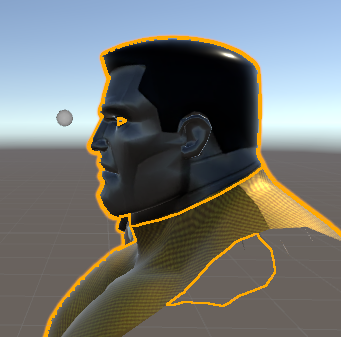
I'm not sure how to check where the little descriptor thingie should go
 barren walrus
So, this is old, but I thought this would fit.
So, a friend and I got a model from one of my childhood games (Vexx.)
We decided to rig him and port him to VRChat.
random kiln
same diff
barren walrus
So, we used a ROM of the Gamecube version too.
The guy helping me ran into sound issues where the game made this screeching noise.
So, we eventually got the model out.
(Christ, Discord does not want me to put the picture here.)
Anyhow, he's in VRChat now, but he's kinda...weird.
As in, he sinks through chairs.
And his head is apaprently a seperate entity.
As in, it doesn't move with his animations.
So, he backflips and his head doesn't follow.
 glossy plover
Does anyone know how to add a bow tie to hair in unity?
It's my first time and I'm lost
 static parcel
I think you place the model under the respective bone in the hierarchy
Then it should be parented to that
Like head bone or hair bone
https://i.imgur.com/L7Uw1LL.jpg Just tried it and it works
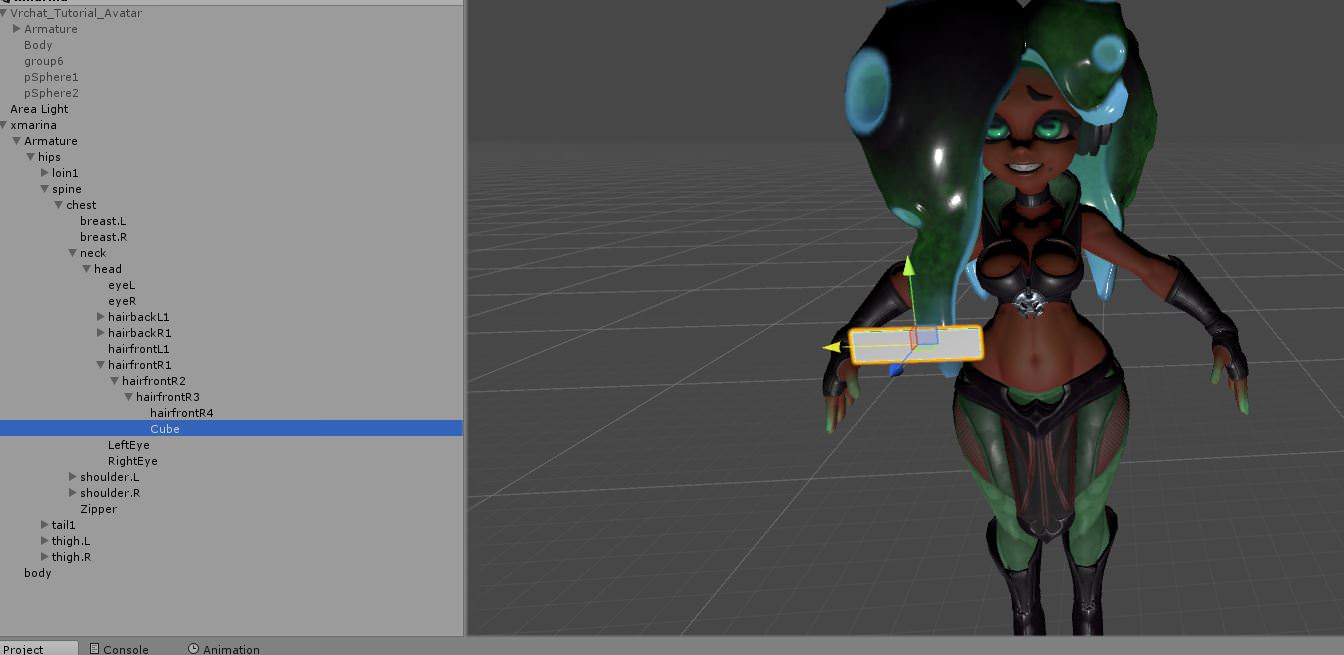
Stays on the hair bone as it moves
static parcel
Got a question with weights in blender. Is there a way to make them 'absolute', so that setting a vert 1.0 to a bone means no other bones effect it?
gritty nest
Yeah, turn on auto normalize
It'll make the weights equal exactly 1
Useful for making smooth transitions in fingers for example
static parcel
I've seen that for weightpainting but is the option there for regular selection?
Actually there was a weightpainting problem too. Blur seems to keep blending in unwanted bones
 mental lynx
https://gyazo.com/adeb6cbb770eb2994d35b3c4fbb316bb
Anyone know what could be causing this when ported to Unity?
 gritty nest
Set all bone rolls to 0 in Blender
Including the rolls of unrelated bones @mental lynx
Just select all of them and clear rolls, I think it was ALT+R in edit mode
gritty nest
No, it still works fine in Blender. Doesn't matter either way
mental lynx
I'll try it out, thank you.
glossy plover
I was wondering if someone could help me out please?
I'm trying to add a bow too my character and cannot figure out how to attach it through blender to where it moves with everything else.
gritty nest
Update CATS Blender Tool, it now has that function
 vestal gyro
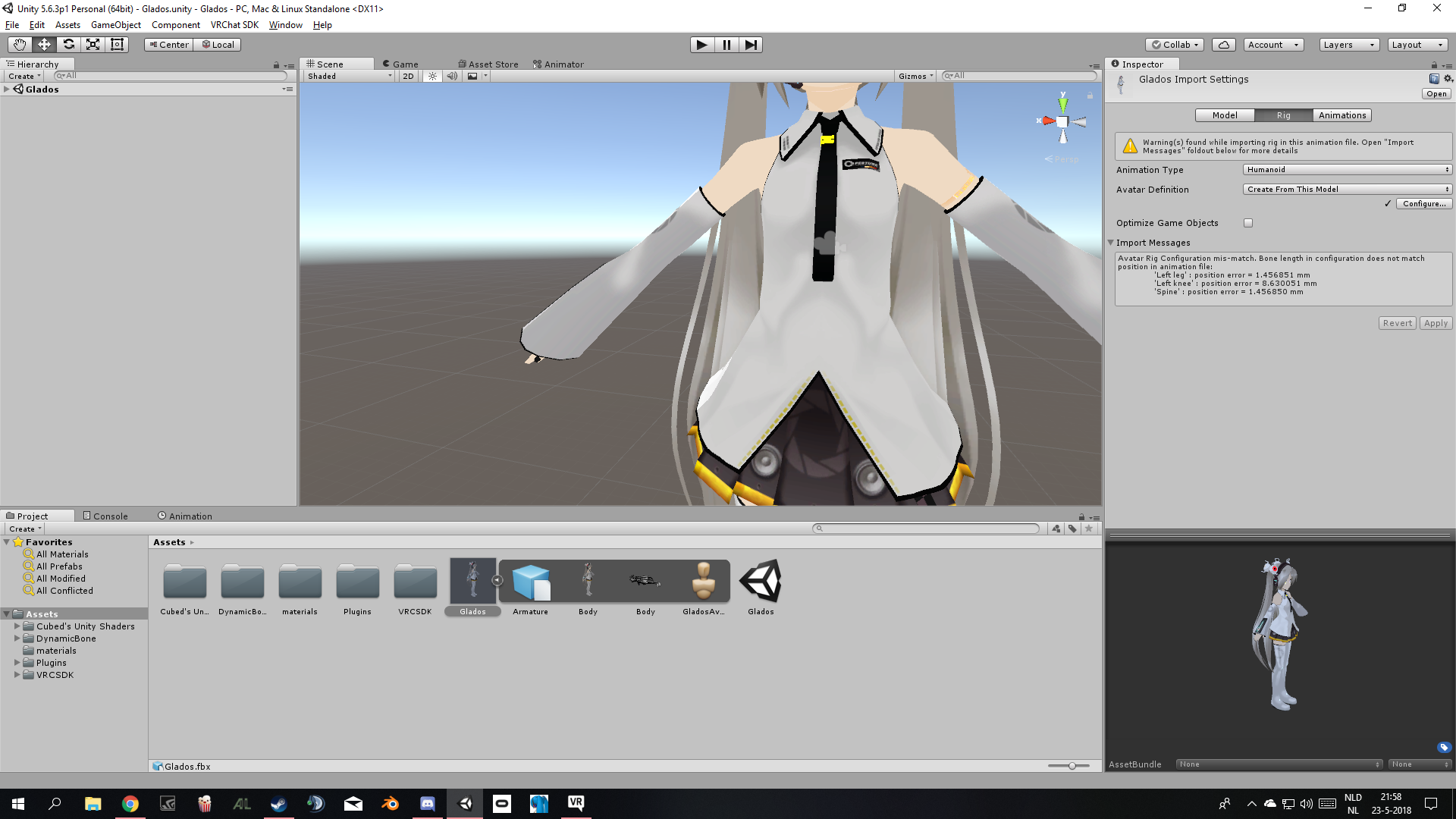
I'm trying to get an avatar to work but I'm having problems adding lip sync with all the text being japanese...
https://images2.imgbox.com/b7/ff/YHC0qStD_o.png

is there anyway I can Copy&paste to translate?
gritty nest
Probably not
If you're using CATS, you should probably translate the shape keys
There's a one-click button for that
And if you're using CATS anyway and don't have shape keys for all the lipsync shapes, you should generate visemes from Ah, Your and There
vestal gyro
I tried to translate but get and SSL error ;-;
crystal vector
@vestal gyro Try the following: Go into your time and date settings, then turn "Set time automatically" off and then on again. This could fix that problem
vestal gyro
I got it! Thanks!! Was able to get each mouth animation. So ItheSil, PP, FF is detection of lip flaps?
Also, when I was testing avatar movement in the game, the head stays still with emote animations. Am I doing something wrong?
 sharp viper
@vestal gyro I can help.
oh nevermind, lol - you have to remember sil is silence. Make sure you pick one that doesn't change anything
for MMD, at least on Tda models - https://orig00.deviantart.net/6523/f/2012/341/c/7/mmd_facial_expressions_chart_by_xoriu-d5nbmvp.png

mmd is special and uses a markup language to tie songs to facial movements. visemes work the same way but through detection of your own voice to inform the shape. The most important ones are aeiou
often the google autotranslator will do weird things to custom blendshapes / morphs
random kiln
@gritty nest Okay, I can't use trial and error yet so I wasn't sure
Still can't upload
https://i.imgur.com/19liI7D.png they said to leave it forward a bit to make up for animations
 glossy plover
Does anyone know of a good YouTube video to teach me how to use triggers?
Like how people have dolls and such on their avatars?
onyx hull
For a 2 stage emote (equip gun and fire gun), which emotes should I override?
Is there a combo that works well together?
vestal gyro
Ummmmmm........ Can someone help with avatars texture and joining?
 gritty nest
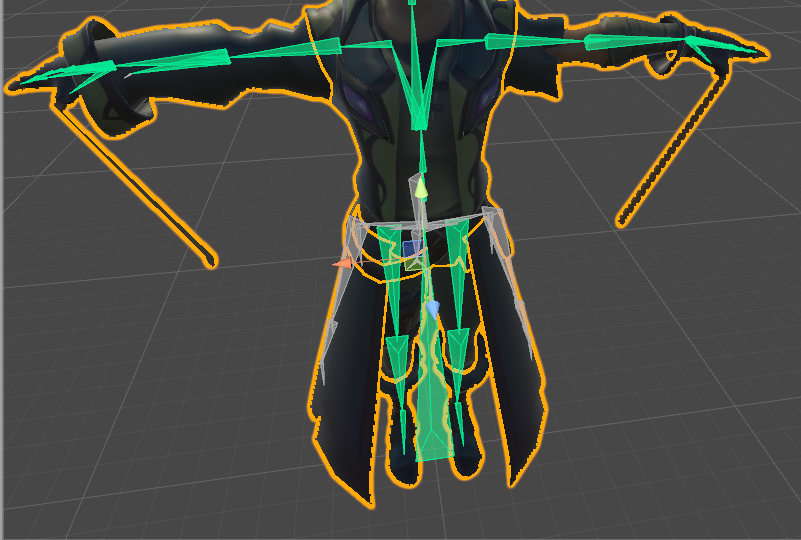
Set all bone rolls to 0 in Blender
 trail bolt
ok il try
thx
I found Roll offset but it is 0
on every bone
Oh sorry, found it finally thx m8
vestal gyro
How can I make a texture for model? I need a certain area to have a texture, but it's hard to make with the origianl image
Also, how can I merge 2 assets together? Every time I do it, doesn't sync with movement
 thorn glen
 twilit vault
LMAO take out of context that was some funny stuff @thorn glen
 earnest bone
Whenever i move my arm / elbow the mesh or bones look distorted or twisted in a way does anyone know how to fix this ? I've parented my bones the way they should be.
 light kindle
not to be a bum but in relation to the newest pin you can just pose the model in pose mode and then export and import again it should be in the changed pose
as long as you dont use cats to pose its good
allows shape keys to be saved ect
earnest bone
@light kindle What is that supposed to do ? Or wasn't this even meant to be an answer for my problem?
@vast skiff You can reduce polygons by decimation there are different ways to do it
light kindle
not for you

 vast skiff
can I use a blender to reduce the number of polygons?
earnest bone
Okay thank's again for the video i'll see if i can fix this
light kindle
oh same person
earnest bone
Yes just that the post in "avatars" was like an Hour ago and this one about 5.30 hours ago
and @vast skiff If you search on Yt you'll find good tutorials for manual decimation there are some important things you should not decimate
If you use blender
vast skiff
'you cannot edit your vrchat data whlie the unity application is running'
How can I solve this problem?
 fickle hatch
Can somebody help me
I can't upload
because its stuck
Can any help`?
I found out what the problem is
Its because its a picture loaded instead
and I can't seem to remove it
Well
no its not
Its just stuck
 neon quiver
is it possible to use the face rig bones by moving the bone and save them as a shape key instead of the viseam manual edit? exsample i move the bone to make the mouth open and keep it there then save as a shape key. then it goes back to close on default etc.
 wooden elbow
I'm trying to make my own Ooka Miko avatar, but I'm having problems. Not only do I get the "traceback most recent latest call" error in Blender when I import it, CATS tells me there was no mesh in the armature whenever I try to decimate it, it doesn't seem to keep any of its materials. If it helps figure out the problem, I downloaded it from Bowlroll.
crystal vector
@wooden elbow You should try to parent the mesh to the armature by dragging it onto the armature and choosing object. Then try decimating again
fading verge
I got a couple of issues with full body mapping to an avatar.
- When I T-Pose into it, the trackers for the feet are at shin height. What's up here?
- My neck seems bent back a bit - did I position the eyecamera too close to the head?
 vestal gyro
Can anyone help with a personal request on mesh merg. Nothing lewd! Just prefer to pm request if anyone knows how to merge meshes
 tall kestrel
I need Help. My avatar is perfectly fine in Blender but gets bad when exported
random kiln
"gets bad" is not descriptive
pearl bone
Anyone know how to fix the head on my avatar? Every time it dances the head stays still while the body moves with the emote
 fast rover
do original game rigs have ik bones?
vestal gyro
Is there anyone here who can help with this avatar?
I'm having problems with merging assets and it's giving me a bad headache
 dusty mesa
if anyone wants to help me out here I am in need of some help I can't upload my avatar and use it
queen mural
Define why you cant upload it
dusty mesa
It says I am not allowed to publish yet I am new to the game btw
queen mural
Medium
Hello, VRChat! We’ve been working on some new “Trust” systems to help make VRChat a friendlier place. These systems will be used to help…
fading verge
@vestal gyro what are you trying to do exactly?
queen mural
He figured it out already @fading verge
vestal gyro
@fading verge Was trying to merge about 3 meshes
fading verge
I see
vestal gyro
Why is the avatar I uploaded not showing in my avatars?
queen mural
did you type in the name of it and the description and upload it?
vestal gyro
It needs a description?
queen mural
it should prompt a section to input the name and description in the game section incase you didnt know
Basically click Publish>It starts loading*>Game section pops up with input for description&name>Upload>Done
queen mural
Anybody here with fullbody tracking mind testing a rig for me?
I just need to figure out whether or not the legs sync up properly
 compact hare
Anyone know how to do face animation overrides for an avatar without fingers?
opal aurora
@compact hare make fake finger bones, unity doesn't care if they move anything just as long as they exist
 lavish nova
@queen mural if you still need someone for testing riggs with tracking just poke me ;) I'm testing my bone Riggs today too to get it working with fullbody trackers
 charred iris
is the CPU weight for existing but inactive bones negliglible or should i merge them into their parents?
such as inactive dynamic bones, end bones, root bones, twist bones, and divided arm/leg bones
queen mural
CPU weight????
if youre simply talking about weights if its an non weighted bone you can remove it otherwise if it has weights becareful because if you remove it and nothing else is weighting it it wont move
queen mural
its probably neglible
i wouldnt know though
if you can get rid of extra bones then do it
assuming you dont wanna use them for animations
 mortal falcon
Hello, I'm trying to give this model ear bones, how do I parent them to the head? Since they're separate from the armature I can't do it in the bone menu. https://i.gyazo.com/d0eaa2791b7b118c61a2685f4f62fff9.png
 ocean moat
select both body and press CRTL + J, then do the same thing for armatures
 lofty topaz
For some reason when I separate my character's mesh and make its coat a new mesh, it looks like its mouth visemes just... Start not working properly
Such as when looking down it does the viseme
It's not jaw bone tho
Does anyone know what could be the reason?
naive tree
@lofty topaz select ur mesh in unity, check in blendshapes if first 4 shapes is for 2x blink 2x eyelid, if u missing eyelid then u need to go back to blender, move the eyelid keyshape to 100 and move any vertex by 1 pixel at least, do that for both eyelid shapes and reexport
 lofty topaz
Thank you... I'll try doing this once I'm home
gritty nest
You don't actually have to drag the shape key to 1 in Blender, you just need to enter edit mode
You're implicitly editing what the shape key looks like at 1.0
tall kestrel
"I need Help. My avatar is perfectly fine in Blender but gets bad when exported"
Sorry. Here's the link to the issue
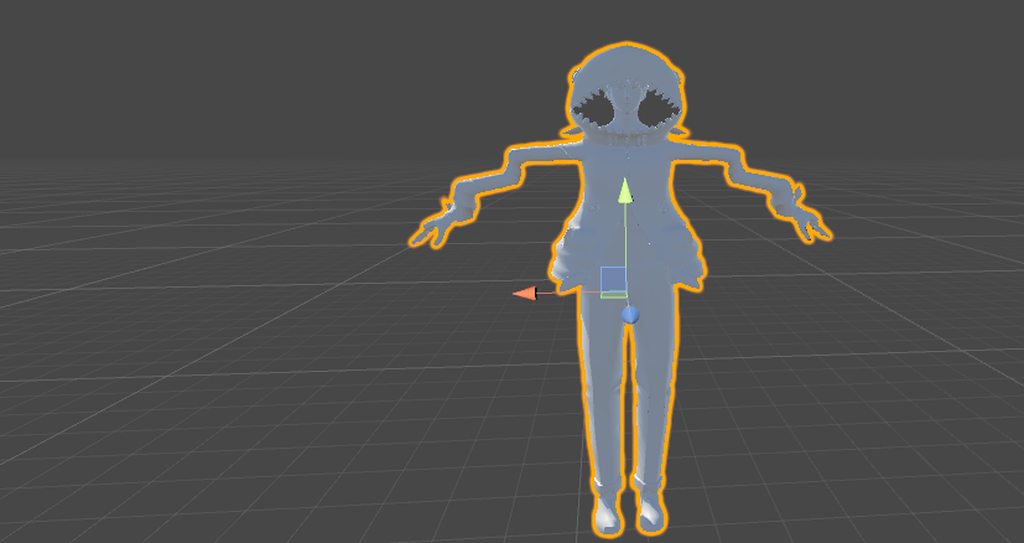 gritty nest
@tall kestrel set all bone rolls to 0 in Blender
All of them
I think there's a "clear roll" option or something
gritty nest
So you selected all the bones in edit mode, cleared the roll, re-exported, then manually re-imported that FBX into Unity?
tall kestrel
Yes
gritty nest
Oh yeah, you also probably need to delete the current model you have in your scene, and drag a new one into the scene from your assets
tall kestrel
I did do that
queen mural
if you still need help @tall kestrel would you mind posting an image of your armature in unity and blender?
 vital veldt
I have a model but it's missing a few bones, is there a way to add the extra bones in? also it comes in multiple meshes and textures.
gritty nest
Which bones are missing? @vital veldt
You can subdivide the spine into a chest+spine sometimes
vital veldt
The Hips and Right Elbow, for some reason
gritty nest
That's weird
Wait, the hips are missing?
Which bone is between the legs and the spine, then?
vital veldt
There isn't one, it reads Spine Middle, Spine lower then Nothing just the left and right thigh, I tries to fix the model on the CATS plugin but it comes up with those errors
Maybe it's a naming problem, just found a small bones and changed that to hips, error went now the elbow
 vital veldt
Okay, fixed the naming issues, now I just need to work on the texture and meshes as seperates
 carmine swift
ahh
gritty nest
You have a thumb bone in the hand slot...
carmine swift
will using cats auto translate?
carmine swift
did not know that actually
thanks 😃
sorry if its a dumb question, im a noob at animation
;--;
cries in code
queen mural
@tall kestrel i passed out on my bed but uhh did you check your bone weights besides that "maybe" you applied transforms upon export
might be an issue with vertex group names or missing weights
tall kestrel
I checked all the bone weights. I couldn't figure it out so I'm starting from scratch and doing all the weight paint myself

 solemn inlet
Hey is there anyone free rn that can help me with an eye tracking issue?
 restive shale
@carmine swift Whatever bone you have set to as the chest isnt the parent of the neck and shoulder bones
I would make sure the rig is fine in blender
and then re import into unity and try again
solemn inlet
@restive shale can you explain why I keep getting a "L_eye has no existing vertex groups or vertices assigned to it"? I imported to blender from MMD with eyes already rigged so i'm confused
solemn inlet
How do I assign a mesh? Sorry it's my first time using blender
carmine swift
@restive shale ill check 😃 Thanks friendo 👍
solemn inlet
yes
restive shale
Click on pose mode in cats
Then select the mesh of the eye in the main window
Then on the bottom bar change from object mode to weight paint mode
now when you select a bone it should show up as a coloured spot on the mesh
That means when that bone moves it will move that part of the mesh
So you can select the eye bone
and then paint with the mouse onto the eye mesh that you want to move
solemn inlet
the pupil turns a blue color when i select it
do I want the entire eye to turn blue?
solemn inlet
Like a bright red?
restive shale
ye
solemn inlet
ok so the eye is completely red
So it seems like the one eye is working, but moving the other causes the chest and part of the face to move with it. (if seeing it works better for you I'm live on twitch hoping someone sees my distress and helps XD)
@restive shale any idea why it's moving other parts of the body and not just the eye?
 indigo robin
i dont know if this counts as rigging but anyone got a fix for me not being able to see half my char in any ingame mirror?
random kiln
This might be a real stupid question but how do I open the rigging window for something I've already rigged
I keep deleting the model and readding it so I can rig it differently
calm needle
@indigo robin join your meshes. If not then make sure they have different names
random kiln
in unity* I suppose is required for that question
indigo robin
all my meshes have different names
 drowsy quail
You mean the menu where you can set bones to the different options?
random kiln
ye
I cannot find it anywhere and it only pops up right when I select 'humanoid' for an unrigged avatar
drowsy quail
Lemme open my unity so I can explain it better, I know there's a way to do it lol
random kiln
can't seem to get it to pop up again
indigo robin
and my meshes also all use the same shader
drowsy quail
In unity the main project window should have your fbx model. If you click the model in your project window it should open up the rig menu on the right side of the screen.
random kiln
wow, it was that easy huh
I kept clicking around on the actual model, in all the options at the top
jeez
thank you very much
drowsy quail
Yeah takes some time to get used to unity ui. Easier than blender at least.
random kiln
yeah I've actually figured out how to control the camera well in Unity
and by well I mean at all
indigo robin
it is pretty weird
random kiln
@drowsy quail Quick question while I got you, is there a way to mirror edits in the rig
Like, spacing the shoulders further apart
I've been doing it all manually
drowsy quail
In unity?
random kiln
I have freakishly long arms and broad shoulders and if I don't edit rigs I look terrible ingame
yeah




 drowsy quail
I haven't done much rigging changes in unity. Done most of that in blender so i'm not sure.
random kiln
hm, no worries, thanks again for helping me find this screen at all
drowsy quail
No problem.
My only suggestion would be taking note of changes you do with the transform Position values, and whatever changes you make on one shoulder bone, you mirror over to the other bone.
drowsy quail
Yeah, the values should be the exact same save for a few being negative and positive depending on the shoulder being the left or right. Should be an easy way to mirror it.
 gloomy iris
Willing to pay and commission somebody to update the rigging and an animation on a model I use!
Small amount of work, but above my head with my limited Unity experience!
PM me if interested 😃
 upper pendant
Hey I am having a bit of trouble with my avatar descriptor on a model that use a generic rig, the descriptor is set at a good y and z value but the camera still appears inside of the model, any ideas on how to fix that?
 inner cedar
For rigging, how would you recommend setting up a character?