#avatar-rigging
1 messages · Page 114 of 1
 true vapor
 fading verge
oh wait i enforced tpose and its not messed up hmm
true vapor
Don’t enforce it
 opal aurora
More times than naught it'll break something
true vapor
It will probably mess it up somewhere
Either way if it doesn’t give you the error without enforcing t-pose you should be good
fading verge
welp imma test it in vr and see if it works, if not back to the drawing board
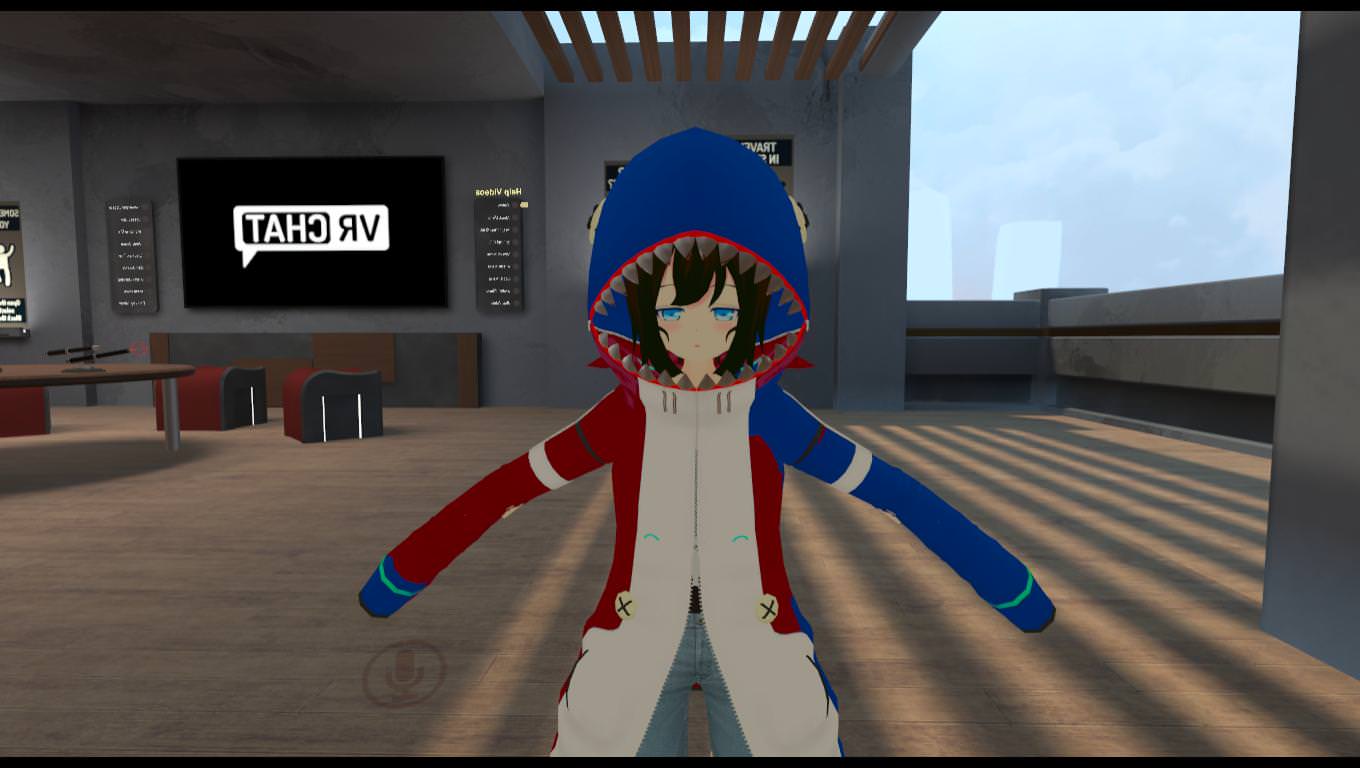
fml
i give up...
why does blender have to be so fucking difficult for?
ive been working on this model since 8 am, it should only take only an hour or 2...
This avatar does not contain an animiton and will not animate, please explain?
fading verge
 opal aurora
So did you end up fixing it afterall?
 proud wolf
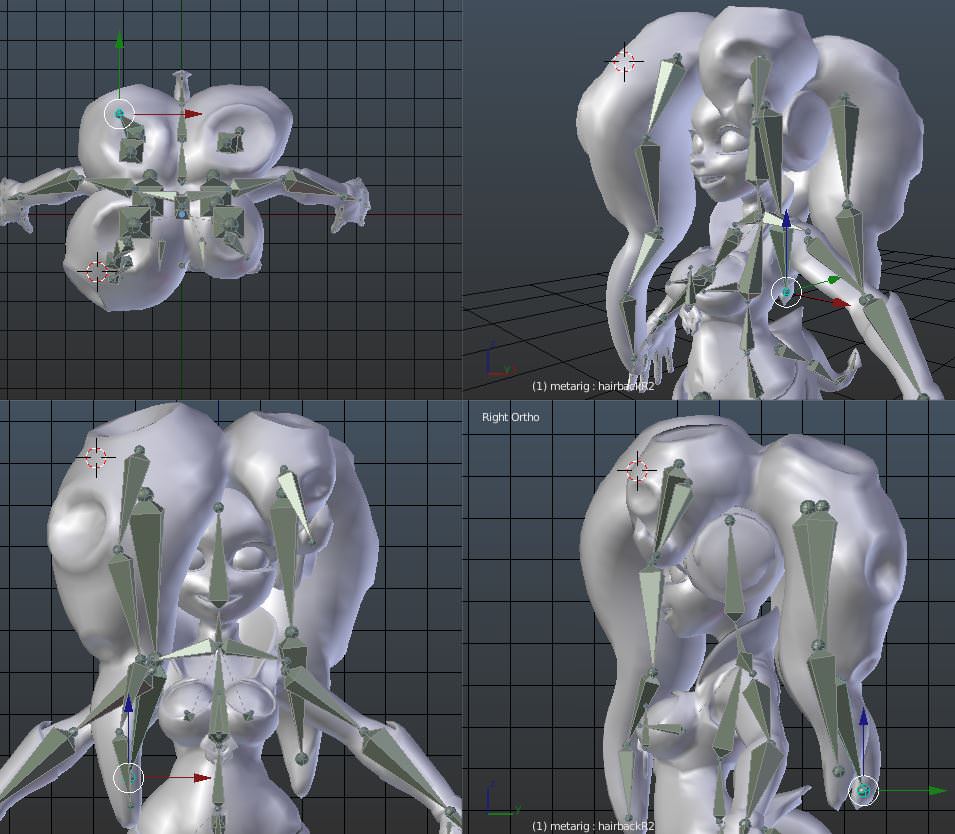
why dynamic bone make booby inverted :(
i think its a weight paint issue
f u c kj
the whole right side is messed up
ree
proud wolf
ok so this model has seperate bones for teeth and jaw
how can i like
put them together
 random lotus
has anyone ever had an issue where a model rigged using blenders meta rig loses its weight paints after saving it to a .blend file and opening it later? because this character from corpse party ive spent the better of a half a month trying to rig keep losing the weight paints everywhere except his legs and it's driving me insane https://cdn.discordapp.com/attachments/397840155114995714/443148651813011457/unknown.png

like ill have everything almost fully weight painted (last time i had everything except his neck and head) but upon opening the blend file everything i had done was reset and has to be re weighted
i honestly dont know what to do anymore, mixamo is my last resort for him but im worried that he's so low poly it will fuck up
fading verge
Hey
Anyone here
Should i be separating the face mesh from the body before exporting?
why would you want to separate the meshes?
you are supposed to combine all the meshes before exporting
fading verge
For the visemes
I haven't had any problems using the body mesh for face visemes but
People in videos have the face on a separate mesh when they do shape keys
fading verge
Did you try using openvr
If your avatar is falling through the floor it could be a unity problem or in blender the origin is below 0,0,0
The foot bone needs to be at 0 on y in blender
Does your avatar have toe bones?
Try disabling the toe bones in unity
 white cipher
my mesh becomes all pink in weight painting mode. what's going on?
proud wolf
huh so i made a copy of my model with visemes and it fixes the dynamic bones glitching out
but my mouth is stuck open
wtf
the visemes work but my mouth is default open
 gray elk
when using X-Axis mirror are both joints suppose to move to the mouse?
 gritty nest
@proud wolf unmap jaw bone
If you have eye tracking, you also need to make sure the first four blend shapes are used for blinking/lowerlid and nothing else
gritty nest
In Unity
The jaw slot has to be empty @proud wolf
If you have eye bones mapped, the first four blend shapes of your mesh in Unity have to be blinking and lower eyelid related
 onyx hull
Im working on a model in blender and whenever I try to do bone parenting, the list of parent bones is always empty
Any ideas?
gritty nest
That just means it couldn't find any bones it deems eligible
You can do it manually
That's just for dynamic bones, hair and skirts etc
Just select the bone that you need a root bone of (such as the head bone for the hair), SHIFT+D and left click to duplicate it in the same spot. Parent the duplicate to the Head, then reparent all the hair bones to the new root bone.
 inner cedar
Kind of ties into rigging, but how would you model the eyelids? I'm using a method which I think is really inefficient because it utilizes a lot of edgeloops. Makes it a bit more difficult to manage.
Especially hard if you're working with a low poly character and need a low polycount, like in a standalone game or VRChat.
 lament musk
Hello, I'm trying to export a model from 3DSMax. I export it as a 2014-2015 FBX, but when I import it into Blender, the weight paints no longer exist.
 fallow lake
Uhhhhhhhhhhhhhhhhhhhhh why is my avatar importing completely detached from the armature and flipped upside down and backwards?
 sinful sundial
@onyx hull maybe try reducing eye movement range or just remove eye movement
 alpine flax
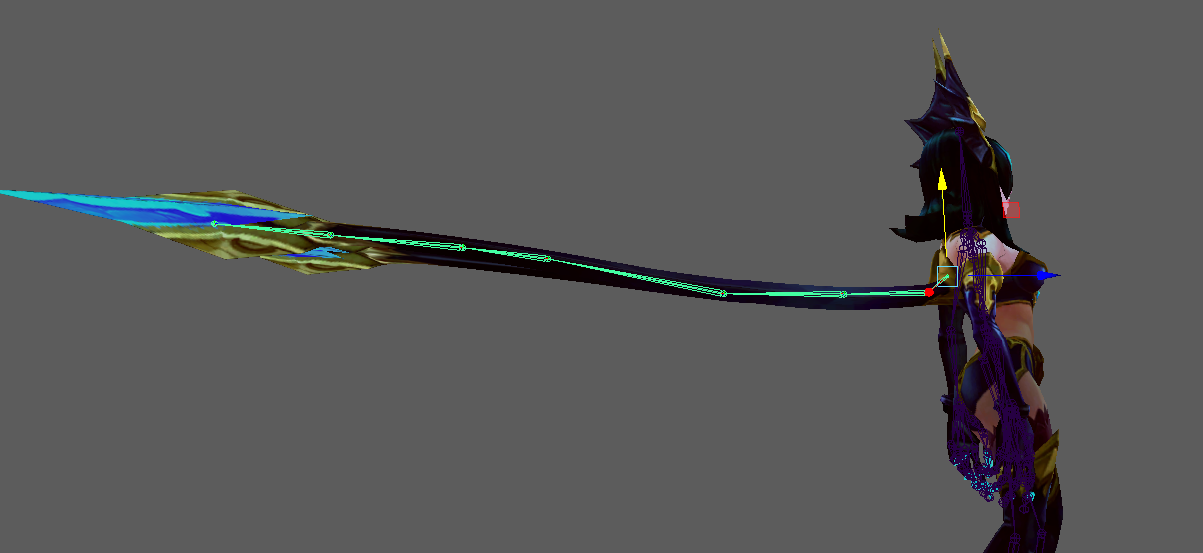
https://i.gyazo.com/54f4e4bf9d6c2c80f321e00607759580.png rigging myself into a hole
 vale hemlock
Any particular reason the bone isn't in the middle of the tail?
vale hemlock
I meant like why are some joints at the top and some at the bottom of the tail
alpine flax
its where I want it to move and some areas where I dont want it to move as much
vale hemlock
I see
 shell tendon
Have anyone ever got an issue with Dynamic bones that causes bones to slightly jump up whenever you stop? Flick or w.e
opal aurora
Dynamic bones always flick when you stop, it's never all that natural looking, same thing for walking left or right, the bones just jitter
shell tendon
hm
that means if you want smth to not weird out, just dont put bones in it
gotcha
im not sure about it tho
this doesnt seem to be Local in my case
my friends can see that happening on my model too
opal aurora
I'm not sure if it is or not, but i have a feeling that it isn't
shell tendon
if only you could weight paint in Unity
would make things easier because
i cant find what exactly fucks around in blender
since values are sso different
no wait, lets play with exclusions and find the faggot that ruins it
geheh
shell tendon
eh...

 gritty nest
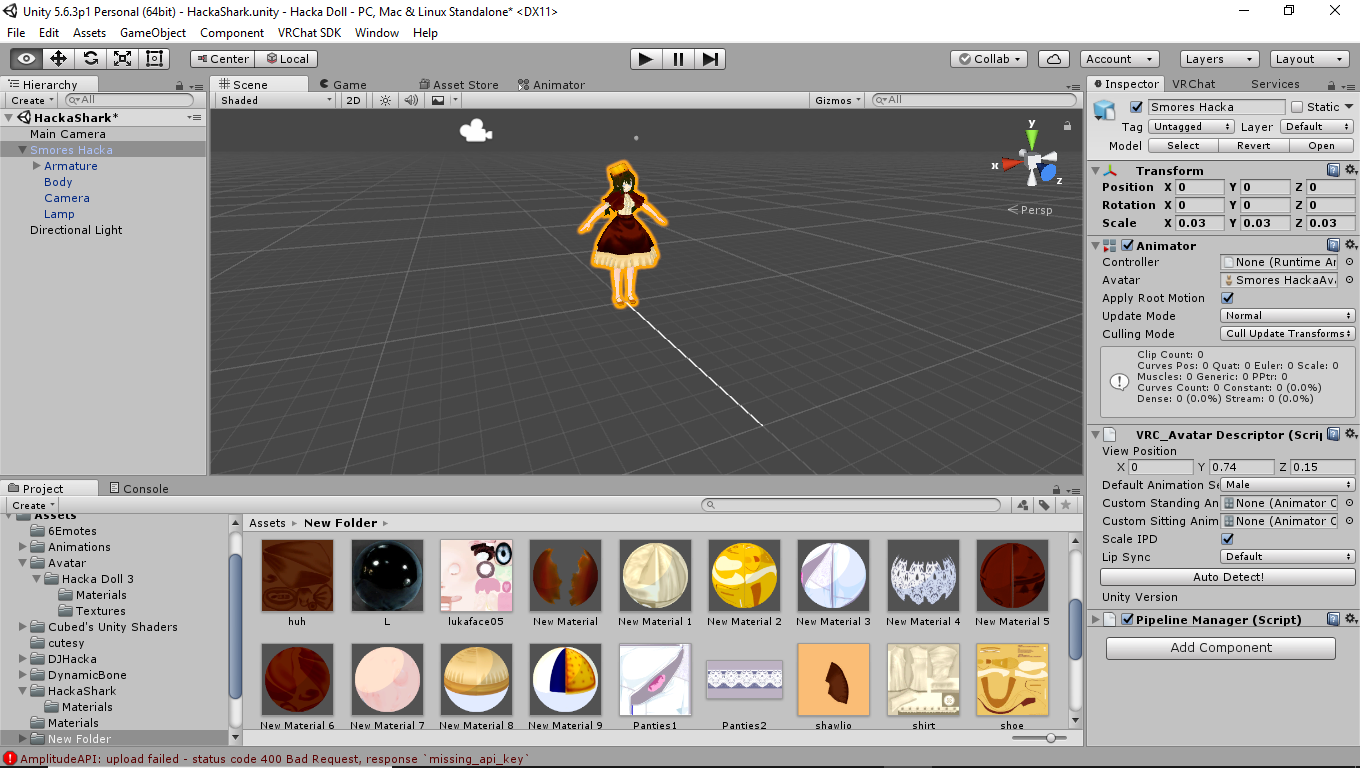
10 materials reee
vale hemlock
The panties icon looks wrong.
fading verge
i swear if i make it any smaller im not going to have a avatar
vale hemlock
So so wrong.
gritty nest
If it's that small, you can probably get away with a 1k atlas too
fading verge
normally my avatars are always .05
vale hemlock
That's even smaller than my self-confidence.
gritty nest
@fading verge ohh, you're talking about the bounds error?
You have a glitching shape key, maybe multiple
fading verge
yeah
gritty nest
Remove all the ones that glitch, test them in Blender
If all of them are broken, you probably edited your model without separating the face first.
In that case, you will have to start over basically
fading verge
i would rather throw out my laptop out then restart all over again
gritty nest
Then check your shape keys lol
You can also go without lipsync and blinking
There's a good reason why you can't apply decimate modifiers to meshes with shape keys on them
If you ever need to delete any verts, you should separate them into a new mesh and then delete the mesh
fading verge
im not adding blinking or lip in quiet yet
gritty nest
Speaking of lip sync, the Jaw Blend Shape option is underrated
People think it uses the jaw bone because they see "jaw", but it's actually just lipsync with one shape key. Good for simple characters that need jaw flap without the spastic jaw flap animation
 floral flare
can someone help with fixing a bone rigging mess
fading verge
yeah even with all the shape keys gone still havinh the same issue
true vapor
What’s the issue @fading verge
fading verge
fading verge
click on link?
true vapor
Still blurry I’m on mobile mind you
true vapor
Something about measurements
fading verge
 gritty nest
The mesh bounds are probably too large
vale hemlock
Even my ego isn't that large
gritty nest
Also
Why do you have a camera and lamp inside your avatar?
I think you exported it wrongly
fading verge
it shouldnt be that big its only at .05
gritty nest
It says it's part of the prefab
Export your model again without any weird shit tacked on
vale hemlock
😏
vale hemlock
Camera and lamp inside the waifu 😏
gritty nest
Blender has a camera and lamp in the scene by default, don't export those
Besides that, there's something in your avatar that's out of bounds. Could be the mesh bounds
Which would still be caused by shape keys. Click the Body mesh and expand blend shapes if it's there
fading verge
i give up, Rigging avatars shouldnt be this hard and time consuming...
i shouldnt have this many problems
just making a stupid avatar
every single day im on here seeking help and its pitiful
 pale hull
Rigging IS hard and very much time consuming! 3D work is tough
fading verge
fixed the hieght bs and unity wants me to have a 5e-05 scale avatar -_-
true vapor
Just try it
pale hull
Personally I scale my avatars in blender
fading verge
then i get an error that the shoulder hieght should be 20mm
pale hull
With the ruler
true vapor
What even is the size of your model in blender
fading verge
idk
true vapor
If it’s bigger than the camera then there’s your issue
fading verge
i just upload it to blender decmite tf out of it and export it
this is what happens when you have people on youtube just you a half ass tut and not really teach people everything
true vapor
Well if it’s like huge you should have the import settings changed to where it doesn’t import it gigantic like
fading verge
i have no common knowledge of blender
thats what ticks me off when you only get halfass training 😦
true vapor
Getting self taught is better
vale hemlock
^
fading verge
alright how do i scale my model in blender?
vale hemlock
Select all -> tool belt -> shrink and scale
A to select/deselect all
Tool belt can be opened from the bottom left corner iirc
true vapor
I believe his is an MMD model would it not be better for him to set the profile so it remembers the import settings
gritty nest
I wouldn't export it with a different scale
Just change the file scale in Unity
It's pretty difficult to rescale a model correctly in Blender for whatever reason
fading verge
unity sucks in general
i rather play around with unreal engine
i dont see toolbelt
found it, and doesnt seem to be scaling
gritty nest
Yeah, that's what I mean
You can select the armature and try to scale it perhaps, press S for the Scale shortcut
Otherwise mess with the import size in unity
That's really easy, I did it yesterday
vale hemlock
The scaling worked well for me. Are you in edit mode @fading verge ?
 cedar scroll
do the tongues and teeth all need their own bones? and which bone would be the jaw bone?
gritty nest
They don't necessarily need bones
Jaw is just lower jaw. Imagine saying "Ah" IRL
Opening the jaw would include moving the bottom teeth of course, since it's attached to your lower jaw bone
cedar scroll
so what would be the easiest ways to make the shape keys for lip syncing?
cedar scroll
can i use pose mode to create shape keys somehow since i have the jaw and lower teeth connected to a bone?
cedar scroll
oh i see it, thanks
 restive shale
Np
cedar scroll
i only need to create aa, oh, and ch right? cats will do the rest?
 naive tree
yes
cedar scroll
how do i do that thing where i select like 4 vertecies but it moves like the surrounding ones as well or something
proportional editing i think its called? i dont see the button for it
naive tree
@cedar scroll http://prntscr.com/jff0hg
 cedar scroll
oh thanks, now how do i change how large the area it edits
naive tree
scrollwheel @cedar scroll
cedar scroll
scroll wheel just zooms for me
cedar scroll
thank you
fading verge
Hey
How do i fix the legs bending
I changed the rolls to 0
And it didnt fix it
She still crosses her legs when crouching
Oh nvm
The leg bones need to be completely vertical on the y/z axis
 sonic nymph
how do i make a mesh move with another mesh? ie clothing, automatic weights won't work, and envelope requires lots of painting.
cedar scroll
how are the shapekeys for blink left/right and lowerlid left/right supposed to look like?
onyx hull
Troubleshooting eye tracking issues. Decided to make my skin/eyeballs transparent and can see my eyes looking down. Someone told me that my eyes are most likely clipping through my eye whites, but I'm not sure where to fix that. Any help would be appreciated.
 opal aurora
The iris is way too low for it just be clipping
Something tells me the eye bones are just iffy
onyx hull
Testing the eye tracking in CATS and in Unity works great
sonic nymph
@opal aurora " failed to find solution for one or more bones"
cedar scroll
im having an issue where the default mouth has it hanging open instead of being closed
onyx hull
what is your basis set at?
cedar scroll
my basis is set at my moutht closed
cedar scroll
already finished all the mouth
onyx hull
oh nice
yeah, I would make another Basis, call it basis 2, and then replace your original with it.
can't hurt, but we got the blind leading the blind over here
cedar scroll
how do i make a new basis?
onyx hull
go into pose mode
make sure your avatar looks like your Basis should
create shape key
rename that to Basis2
or delete your orig basis and name your new one Basis
cedar scroll
do i need to create visemes again?
using CATS?
oh wait, i might need to make it from the begining or something now, shit
cedar scroll
the mouth still stays open wtf
onyx hull
Is that when testing in-game?
cedar scroll
when pressing play in unity
cedar scroll
ok, i got it now, apparently i had to remove the jaw bone from the rig
onyx hull
oh, good catch
cedar scroll
i dont need to have the jaw bone connected to the rig to do lip syncs right?
cedar scroll
gotcha
opal aurora
@sonic nymph that is mostly caused due to meshes overlaping eachother, go into edit mode, select all, press W and remove doubles then try again
gritty nest
You don't want the jaw bone mapped at all, unless you truly know what you're doing, and you know the repercussions.
 wispy tiger
I hope this is in the correct place,
I am trying merge bones in Blender. I need to put the Right and Left Legs under The hip bone. I Thought it was Ctrl P after selecting the hip then the leg but it doesnt seem to be working.
 lilac moss
opposite order
wispy tiger
it still will not become the child of hips :/
lilac moss
in edit mode
 fringe root
Guys I'm having a problem with cats eye tracking: The left/right slider moves it on the y-axis instead of the z-axis (meaning the eyes spin instead of going from left to right)
Sorry to intrude, any advice is appreciated ^^'
alpine flax
I thi k that would be a problem with the bones that it creates check the settings is it saying that it’s on the xy axis? I’m not really familiar with it
 gritty nest
It's not an issue
Please read the giant message that says "You can ignore this warning"
Lol
 fickle flame
Yeah but i already copied it over
gritty nest
You always have to animate on a duplicate of your model or that'll happen
fickle flame
i make alot of models
first time running into this
Its on a duplicate
its standing until i have it in game
fickle flame
hmm
lemme check
its this model

I checked the idle and its fine
Are there other reason's for it being in the ground
fringe root
@alpine flax Uhm, how do I "check the settings"? ^^'
alpine flax
So in the eye tracking box you should see the axis information
fringe root
I do not. Are we still talking about cat in blender? Because that shows no such information.
fading verge
Hey guys! I have a problem with weightpainting, I did a few extra bones, did the weight painting, tested it inside Blender, seems to be all good!
But when I try to put a dynamic bone on it in Unity it doesn't moves, but I can drag the bone around and it affects the mesh.
I'm using CATS.
What could it be?
The bones are not connected to their parent, as they shouldn't be.
random lotus
also i want to get one last opinion on this before i do it, does this guy look like he'd be okay to put into mixamo?

i thankfully dont need any special bones like eyes and stuff
just a basic one and if possible i was going to use a cloth component for his jacket
 maiden vale
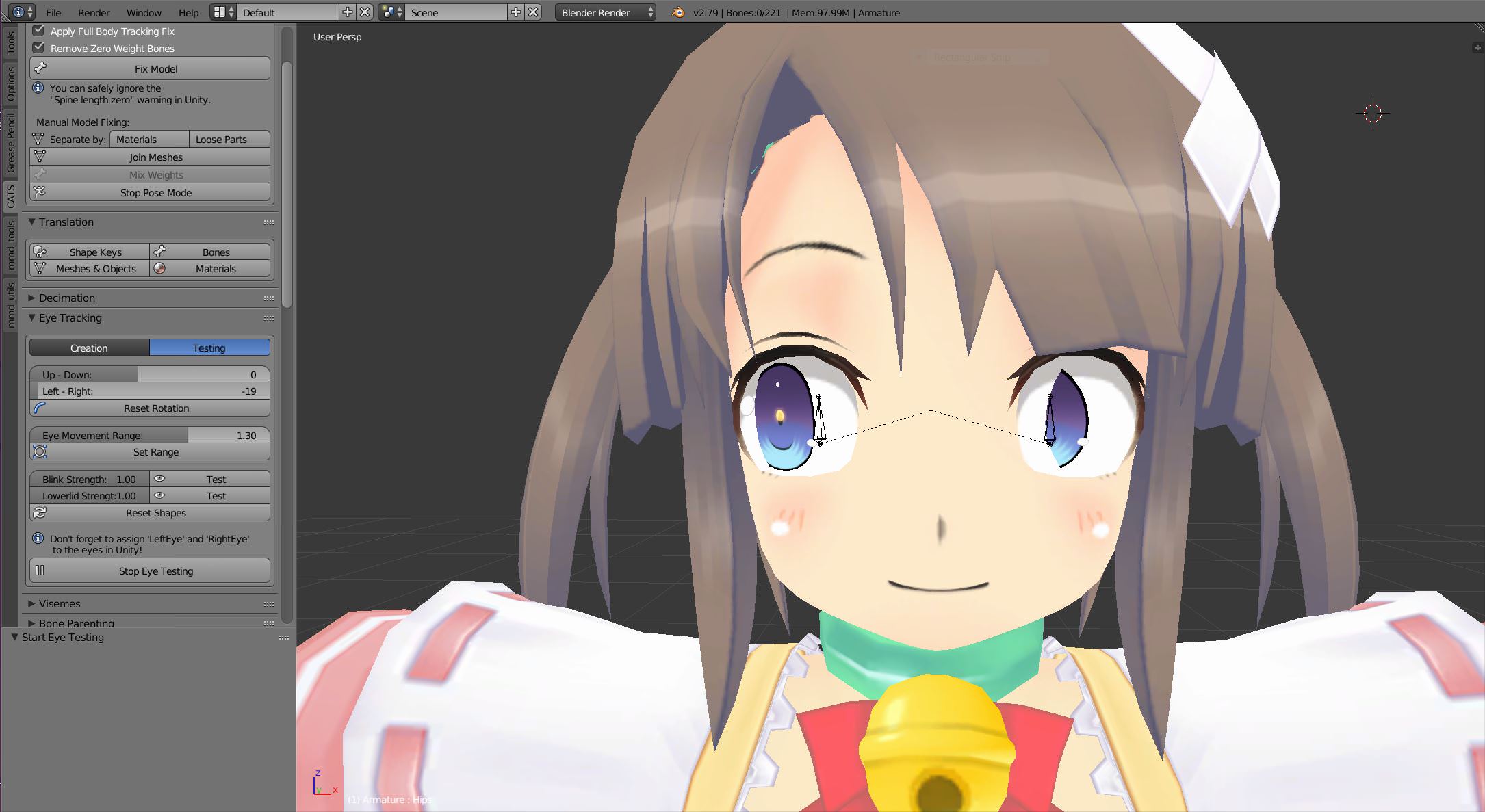
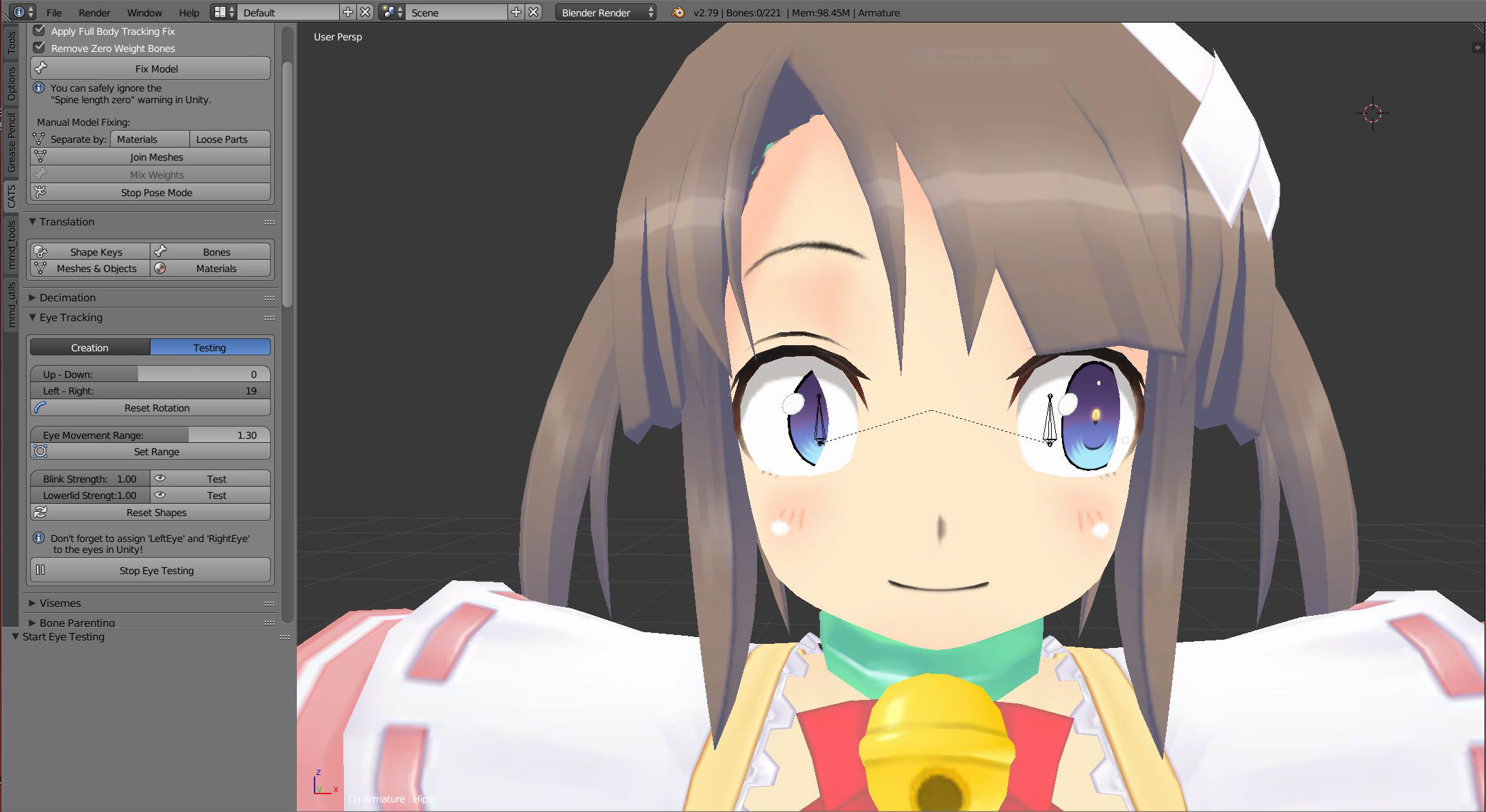
https://imgur.com/ungRh0V, https://imgur.com/1fW3QQN, https://imgur.com/3lKes16, https://imgur.com/AuIWqbi how do I fix the eye tracking?


 fading verge
lmao
Is your eye going through another mesh or what is it_
*?
It looks like its clipping when rotating
Is the iris separated from the white eyeball?
maiden vale
not only that but look at when I mess with the up/down bar
they tilt instead of up or down
yes the eye is seperated from eye ball in vertices
https://junk-hoes.deviantart.com/art/Senran-Kagura-Haruka-and-Minori-DL-624852170 here's link to the model

Alright guys!! Me and MrWhitefolks took time into making these girls into MMD! Senran Kagura (閃乱カグラ) - Haruka and Minori -Notes- This model does not have IK...
somewhere in the chat someone has the IK fixed at the bottom
 cyan adder
does it matter if a character is enforced tpose or not
maiden vale
how?
cyan adder
https://cdn.discordapp.com/attachments/413926386751897612/443605709108805632/unknown.png https://cdn.discordapp.com/attachments/413926386751897612/443605809411391488/unknown.png


bottom is what it looks like in game

 undone warren
Alright I'm at wit's end.. is anyone here fairly smart with Blender and/or Unity that can answer what can most likely be considered stupid questions regarding why my avatar I'm trying to use isn't behaving properly?
cyan adder
what would i do to fix this
undone warren
Quick question if anyone is around.. my avatar I'm trying to rig up in Unity doesn't have a jaw, so his mouth is just open. How can I add a jaw? Is that even possible? i tried to add but the list that comes up doesn't have an option for one
naive tree
@undone warren u always leave jaw unassigned, unless u actually want to use jawflap
if your mouth opens when u look down or when u blink
undone warren
Thanks, @naive tree , I eventually wouldn't mind having a working jaw, but for now just having his mouth closed would be ideal.
naive tree
is it always open?
undone warren
yuppers
naive tree
u can close it in blender
undone warren
oh god I have to put it in blender? This spells trouble.
undone warren
Yeah I'm looking in the rig right now. It's unassigned, but when I try to assign a jaw, there isn't one in the list.
or eyes.. so..that's weird.
cyan adder
In vrchat, with it set up like this
I have to physically bend forward, chest and neck for it to look "right"
Since I'm running fullbody

That's with me looking at the ground
I'll try posing it correctly when I get off work in 9 hours and report back
Cuz what I was thinking I had to do was reimport the armature in T pose
Then rip the avatar apart lining it up correctly
And then attach all the verts back together
opal aurora
If the stance doesn't seem all that right, you can pose the bones a bit better in unity's rig config, as that affects the end result
opal aurora
It has certain limits i.e. turns red, but as long as it's green unity won't cry about it
Had to fix some really wide open legs before on a model, rotating them closer together in the rig config did wonders whereas blender did naught
Oh also, keep in mind that the standard view area in unity will display the default stance, what you set won't show there, just incase you think i lt didn't work @cyan adder
cyan adder
Ah
See the thing is
Any movement would turn it red really
What I had in mind was going into blender, reimporting my IK rig, ripping apart the model to match the IK, then attach it backtogether
That way it's guaranteed to work
Sorta
undone warren
so i'm happy with my avatar so far. Using it in VRchat shows one minor issue. Looks like my wrists are bent, almost as if my own arms aren't long enough to make the avatar arms drop down all the way. Any ideas on fixing that?
 tough junco
k so i moved this one face from one model to this current model so im trying to move the whole face up a bit but the bones wont move with it any suggestions? https://gyazo.com/b4c2c4feab751bfbe7e60efbe967e80f
 naive tree
@tough junco use this http://prntscr.com/jfkm2s

it will move the bones and mesh
after u have it where u want, have the mesh and armature selected - ctrl+A > position/location/scale
then u can join armatures and meshes
fading verge
2 things. 1 my peach mesh wont tpose in unity even tho i enforce it in config tab and 2. her eyes are moving to the inside of her head in unity
tough junco
@naive tree thanks for helping me twice
 limpid rover
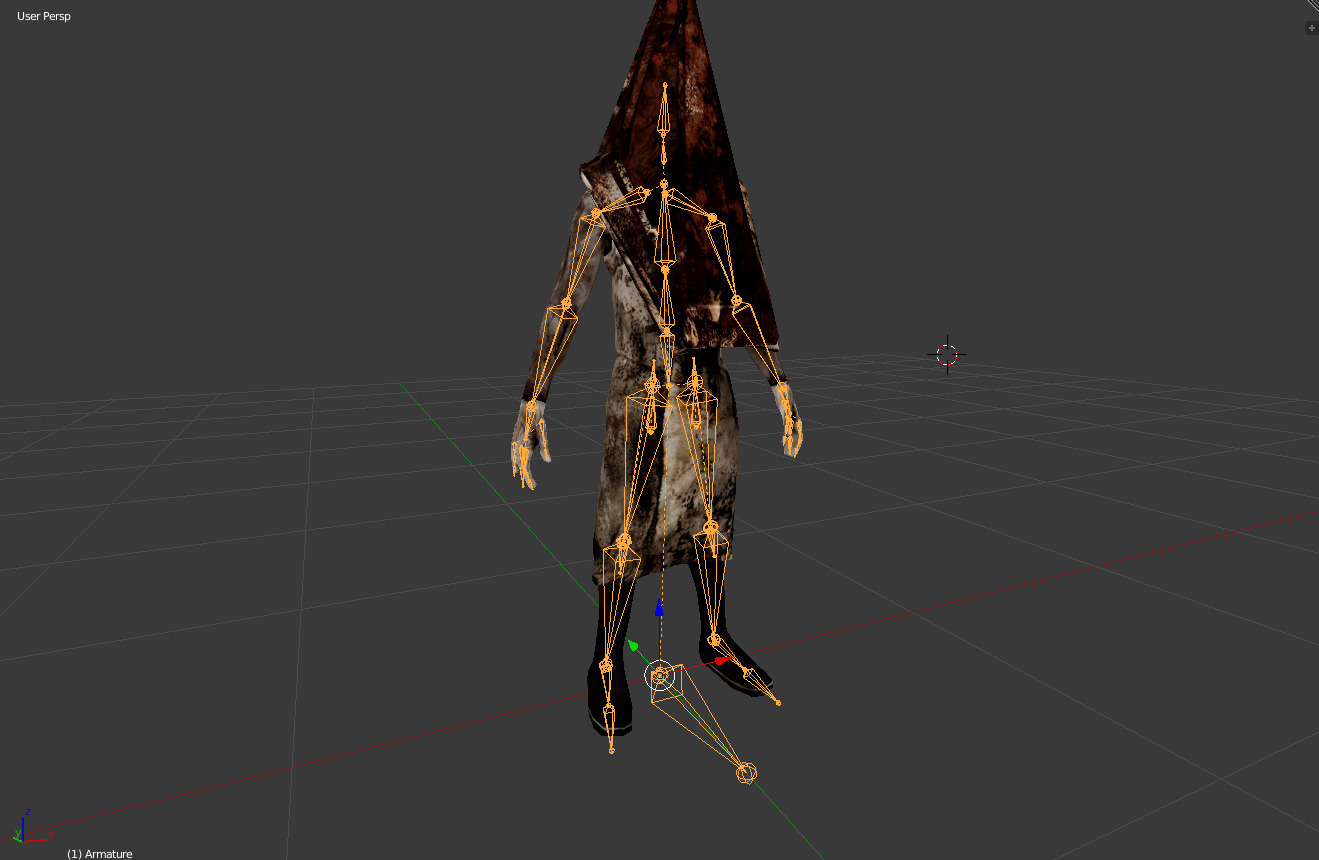
Can anybody help me with this thrusting problem that I'm currently having with my Pyramid Head. It's bothering the hell out of me. https://i.imgur.com/ZD1BCa1.jpg
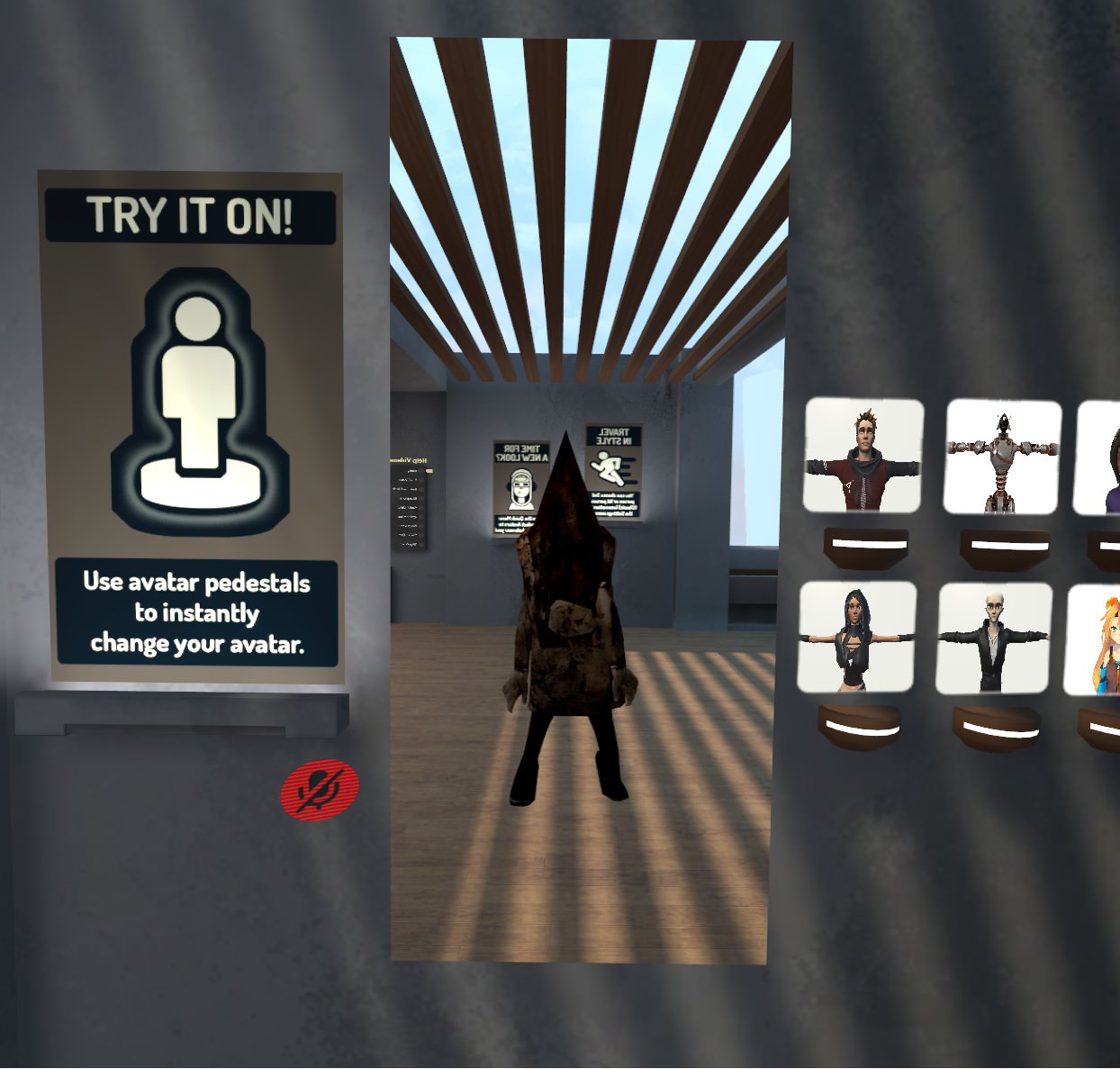
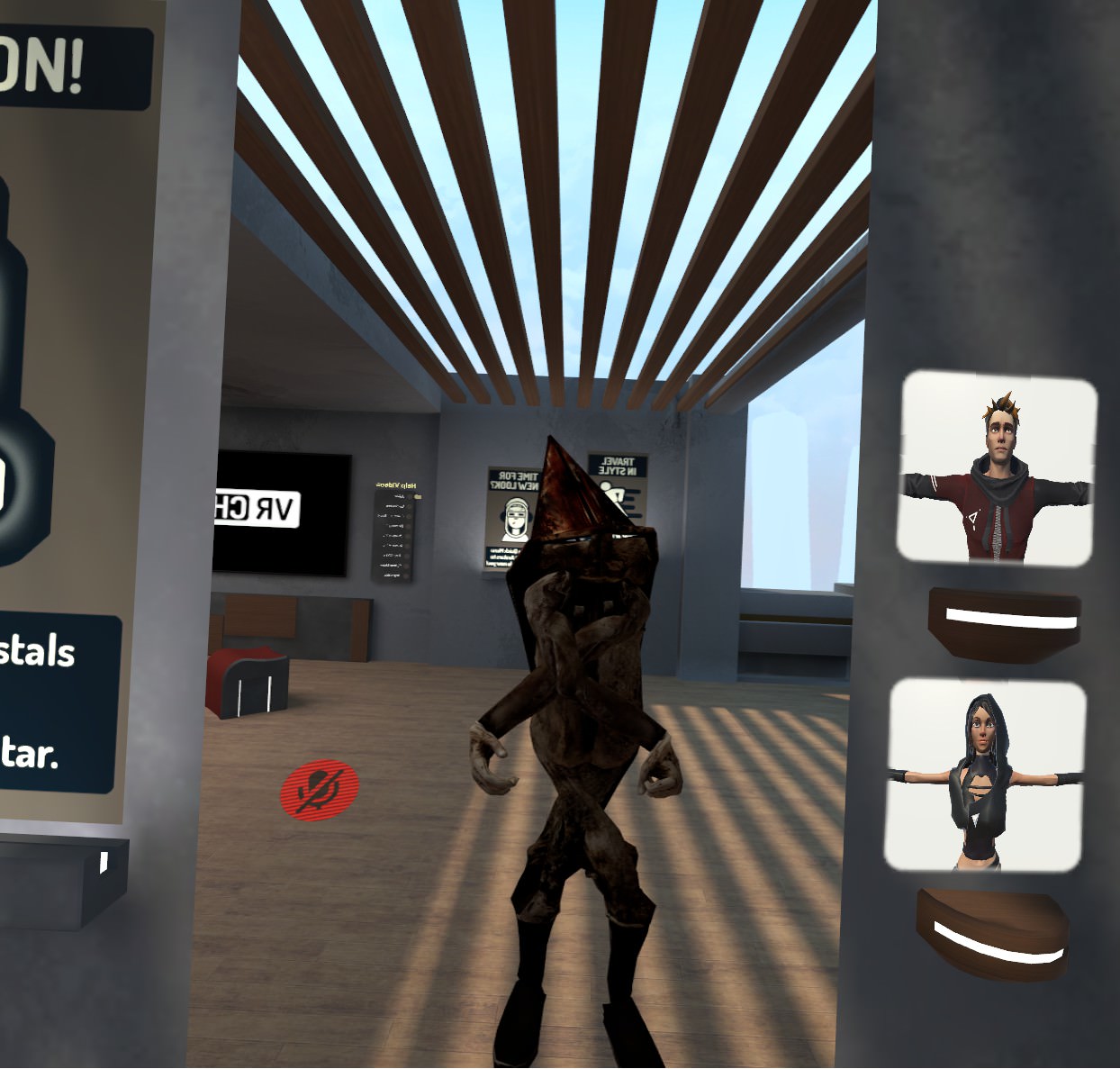
This is when I look around
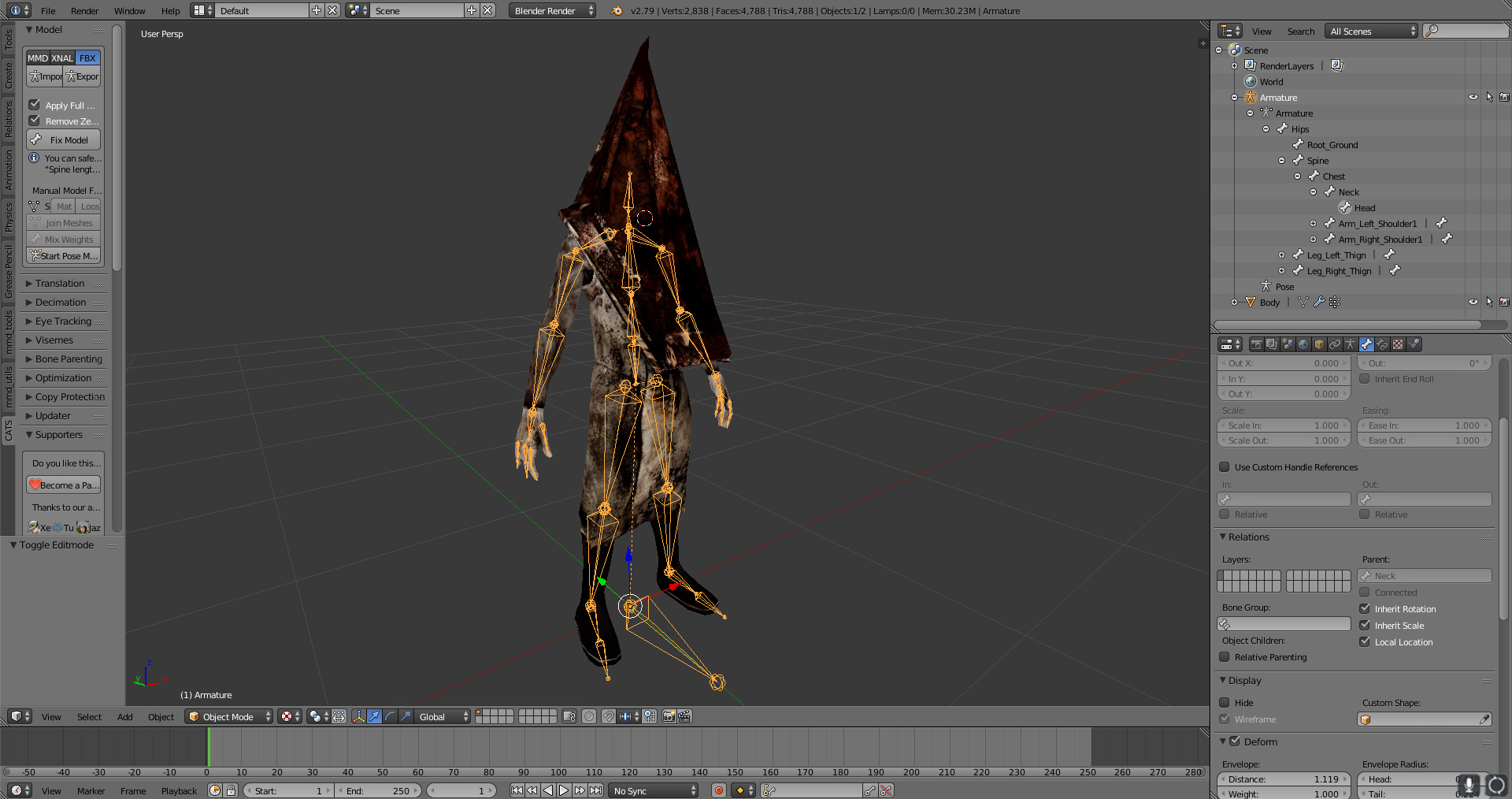
And if you wanna know what the bone structure looks like, because I had to add a extra bone towards the head, this is what it looks like as it's fixed https://i.imgur.com/3i9QfIe.jpg
 limpid rover
You mean join?
limpid rover
Just go into Blender, and in CATS there should be a little button that should say "join meshes". It's on your left under manual model
 mystic mesa
Thats no what I mean
It's the Bone that is exisitng
I need to parent it
but I need to add it to my armature because it's a seperated bone and mesh
limpid rover
Oh! So your trying to connect one bone to another bone, Which you would have to parent it to the bone you need, right?
limpid rover
Alright, I think I'm getting down. I just duplicated some bones around and renamed them from Left_Leg to Right_Leg, Because I didn't see any bones of a left or right leg towards the model. But if I'm doing anything wrong here, please tell me. Thanks. https://i.imgur.com/LyjW7a3.jpg
 misty cradle
if after "with automatic weights" nothing happens (that means only the bones are moving in pose mode) what can be the problem?`
opal aurora
Did you get any errors?
misty cradle
didnt see any error pop up
opal aurora
Normaly blender errors pop up top, just incase you were unaware of course
misty cradle
is there a console to look for older errors?
opal aurora
Does the model have any vertex groups?
Aside the ones automatic weights created that is
misty cradle
there are not vertex groups, i did any bones by my self and now i was trying the automatic weight stuff
opal aurora
No vertex groups at all?
misty cradle
no, vertex window is empty, only one "Group"
misty cradle
how to make the vertex groups?
misty cradle
ok but it didnt
opal aurora
Yep which means something went wrong
misty cradle
:S
opal aurora
Can you ctrl+z far enough to before you used it?
misty cradle
sure
opal aurora
Try to use it again but check the top bar, if it has an error it'll be there
misty cradle
one question befor, do i have to use the mirror stuff?
opal aurora
What do you mean?
misty cradle
in the tutorial i wachted he said use mirror( add modifier)
opal aurora
That would be to mirror meshes/bones no?
misty cradle
ok good, because after mirror the avatar looks stupid^^
misty cradle
yes he is asymetric
 light kindle
it can be useful to mirror the mesh and bones sometimes
but its probably better to use the mirror in tool box
for meshes
otherwise youll loose all keyshapes
opal aurora
All of your bones are part of a single armature right?
misty cradle
yes
misty cradle
i dont know what you mean
opal aurora
The order you select them in
light kindle
object mode only btw
misty cradle
sorry i still dont know what you guys mean
light kindle
when you parent
and make weights
mesh and rig should be in object mode
and selected in that order
misty cradle
yes ok both was in object mode but still does not fix the problem
light kindle
are you sure youre not getting any warnings?
misty cradle
yes
light kindle
if you got to vertex groups, are they locked?
and can you delete the one that already exists
then try again
misty cradle
i dont get vertex groups
light kindle
just go to the vertex window
and see if theres a locked sign
and also delete them
misty cradle
after new try with automatic weights the window is complete empty
light kindle
uhhh either youre doing something wrong or blenders dead
misty cradle
lel
light kindle
save file and reload ig
misty cradle
i can also send you the blend file only with body and amature, maybe you see something
 high stream
ok i can not figure this out. i have the uv maps the same name but i still lose the texture mapping when i join them i want them joined when i auto weight the bones. https://s1.gifyu.com/images/2018-05-09_07-11-04.gif
 high stream
so. i just found a Texture Space. and started to play with that. i got the eyes back ... if i mess with that will it save as a new uv map?
light kindle
no idea what that is, youre on your own
high stream
ok thank you
fading verge
Before: https://imgur.com/IwMt7NN
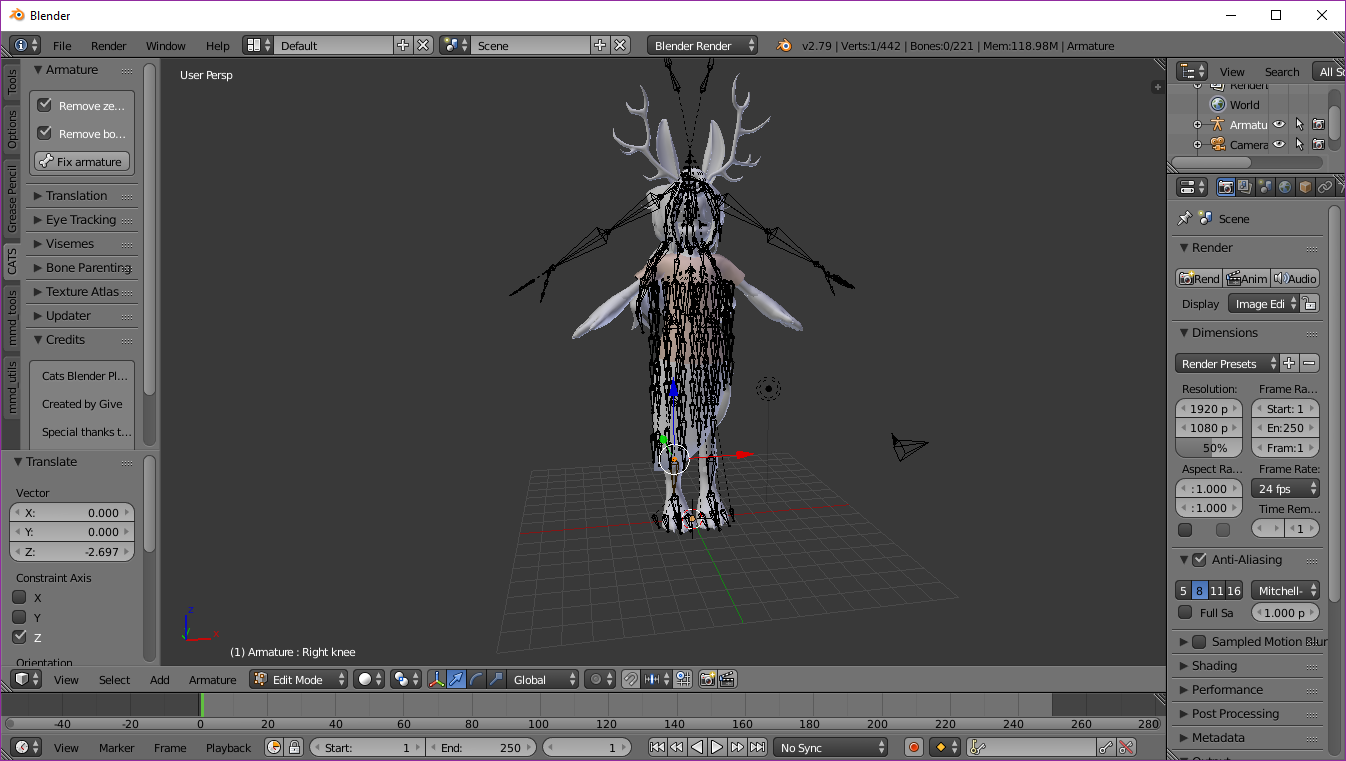
After: https://imgur.com/LimQDjV
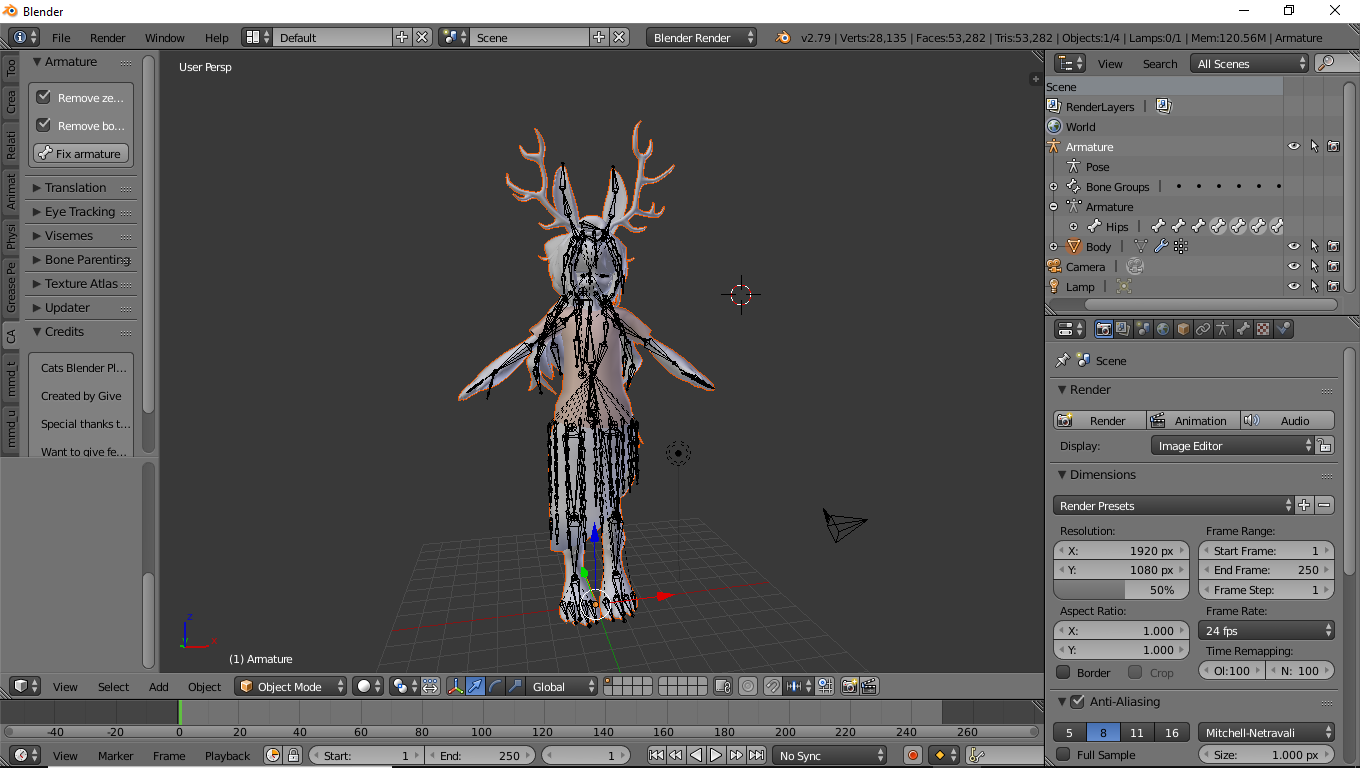
For a guy who doesnt know what he is doing cleaned up pretty good
 light kindle
thats fine
 heavy vector
how can i fix this?
light kindle
ignore and carry on
heavy vector
i dont need to worry about it?
light kindle
ya
heavy vector
ok thank
light kindle
all g
limpid rover
I don't know if this will work, but I added a few more bones towards the avatar, just to see if it won't do that stupid looking pelvic thrust thing, Including adding a few more bones towards the spine. https://i.imgur.com/s0oEIff.jpg
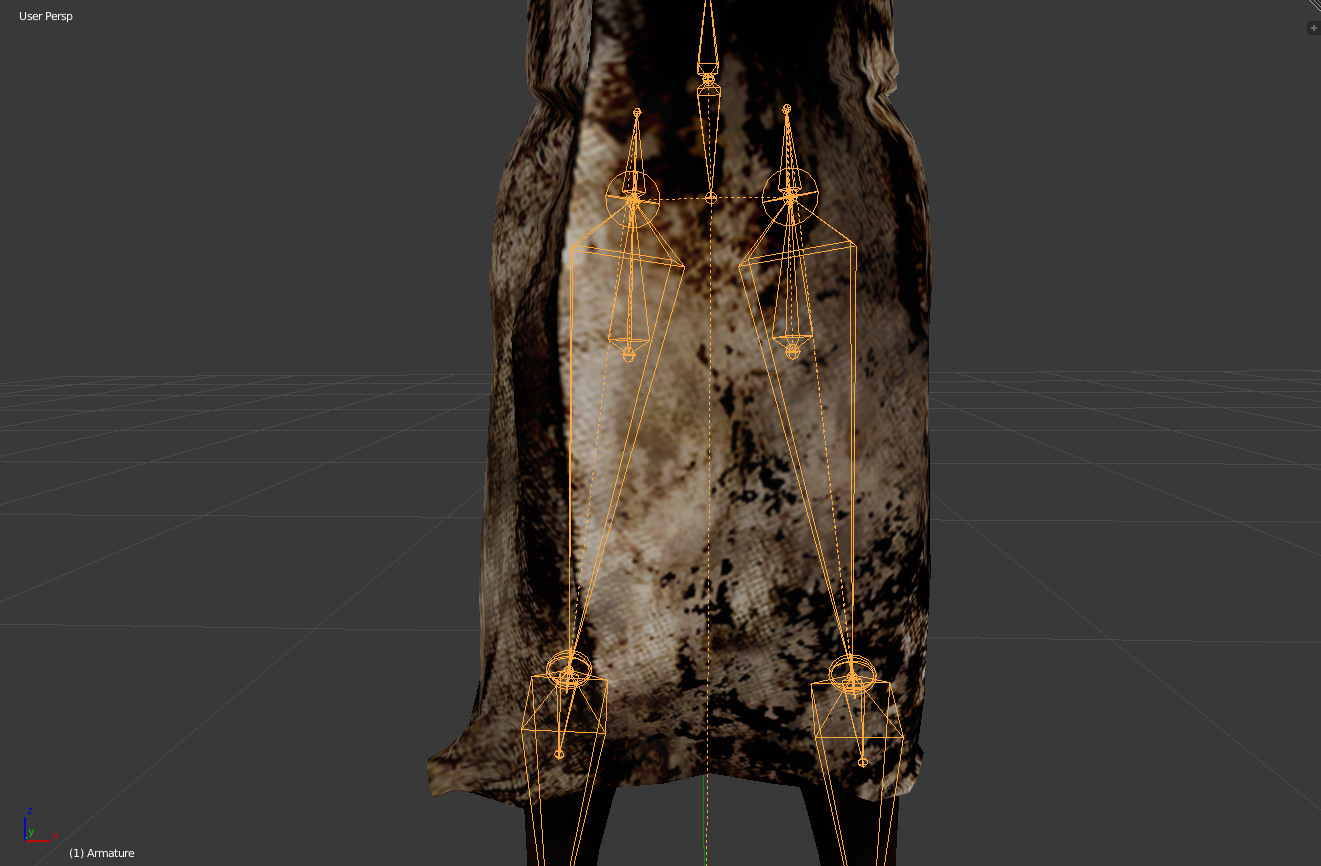 limpid rover
I just did after re working on this model
Been at it for nearly a few hours already.
light kindle
...?
limpid rover
Ah
light kindle
dw about 2nd thing
limpid rover
Well, if you didn't see, this was the original model before working on it https://i.imgur.com/3i9QfIe.jpg
limpid rover
Ah, Alrighty 👌
opal aurora
What's up with those additional bones on the legs? .-.
Unless it's going to be playing out in MMD with waist cancelators they seem to be there for no reason really
limpid rover
Really?
So should I just delete them then and just parent them towards the original thigh bone instead?
Because I went to test out the model and it's waist is now thrusting towards the right
opal aurora
Your hip bone is upside-down, and whilst some models for whatever reason work out perfectly well with that setup, they're an exception to the norm, normally the hip bone is pointed straight upwards, that's what's probably causing your hip thrusting issues
limpid rover
Alrighty, I will test that out to see if it works or not
opal aurora
The closer you get it to the 180 degree angle mark, the less prone to "thrusting" the model is
Also make sure your bone rolls are all at 0
You can do this automatically by selecting them all in edit mode and pressing alt+r
limpid rover
So, something like this I'm guessing? https://i.imgur.com/4GsHOQL.jpg
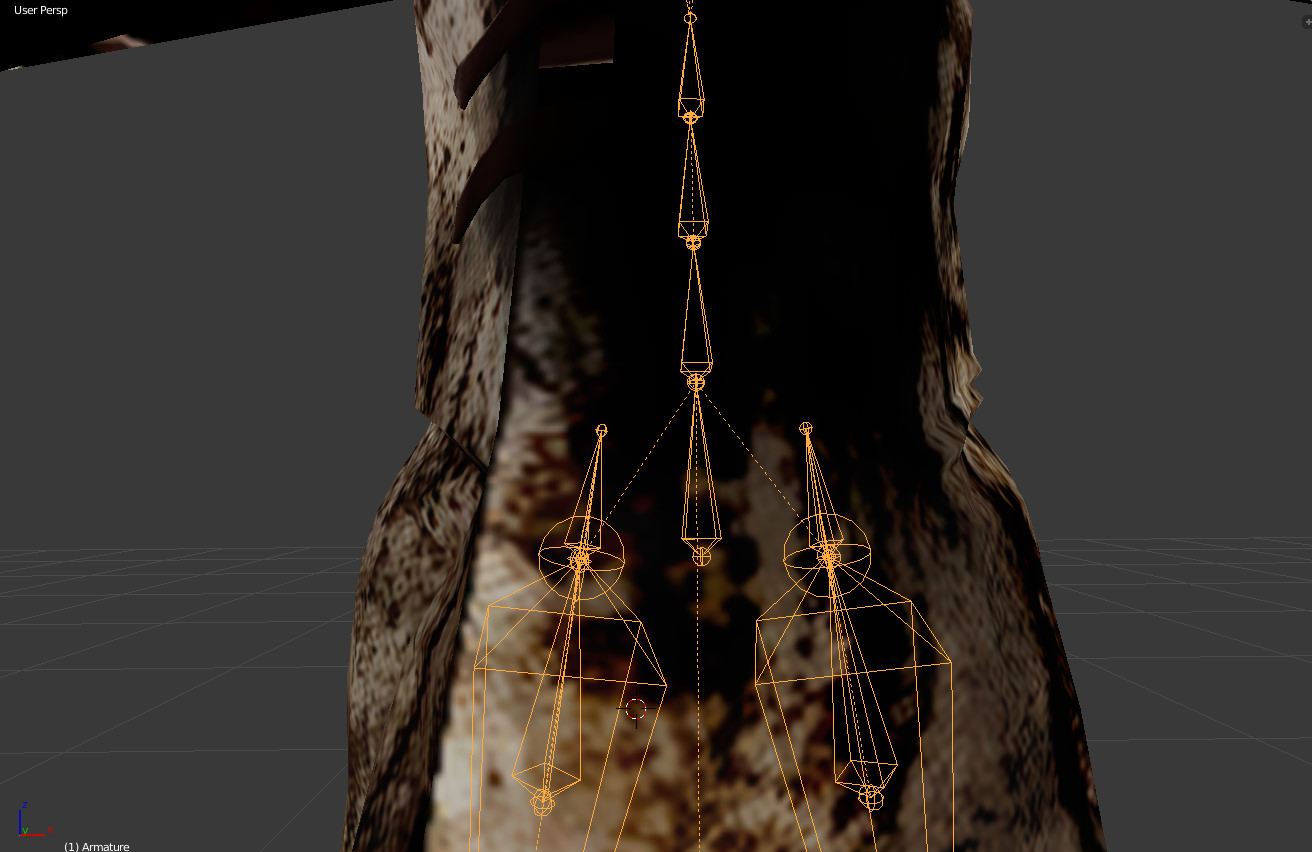 opal aurora
Mhm
Also, you only need 3 bones in total, the upperchest isn't used in VRChat
Hips, Spine, Chest is all that's necessary
You can simply assign the upperchest to the chest area if you don't wish to mix weights or weight paint it yourself
limpid rover
Alrighty then
You don't know how many test models I just have under this one model xD
opal aurora
@limpid rover so any updates on the issue?
naive tree
time to rig this beauty http://prntscr.com/jfrxmf dynamic bones in tongue, plus I'll add colliders in tongue so when I L I C C the banana it moves 
 fading verge
can anyone help with my fingers?
you know in vr there's 2 default hand positions?
like when not pressin any buttons
in one of them my fingers go all fucked, like my pinky and thumb will stick out to the sides and my 3 other fingers join together in the middle
the roll is at 0
lilac moss
screenshot your hands in unity humanoid rig editor
fading verge
i gotchu 1 sec

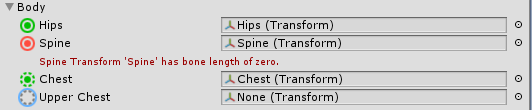
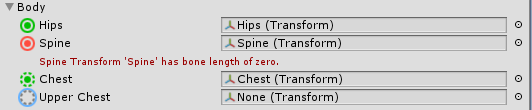
great now it says something about my spine bone being zero
tf does that mean
lilac moss
ignore that
lilac moss
i can't see your hand in that screenshot
 lilac moss
anyway i've had to rotate the shoulders / arm a bit on the x axis so the hand is not facing straight downwards, things like that, but from what you described it's a different issue
i think it helps to have the fingers bent a little bit but i don't think that'd fix it
see if force t pose changes anything too
lilac moss
yeah i had sideways curving fingers when i did handopen that's what rotating shoulder on the x axis fixed
 remote kite
I hope this is the right place; when I export from Maya to Unity as fbx, all of the bones in my skeleton are located at the origin (and the body turns into a meat chunk).
I'm guessing I'm missing some very important checkbox or something.
When I import the .ma file itself into unity it all works fine, but since blendshapes break when that happens I'm trying to fix the fbx issue.
 viral lily

aanyone knows what to do with this? The finger is completely curled up..
cant even adjust the fingers so it points straight 😦
naive tree
can try in blender selecting all bones in edit mode then alt+R to reset bone rolls
limpid rover
@opal aurora Works great
opal aurora
Glad to hear it
fading verge
Wait when i do eyebrows an such...i attach that to each eye or the head bone? (use to weight painting everything else) lol
lilac moss
lol attach the eyebrows to the head unless you want them to look at people
onyx hull
What would be the best way to apply dynamic bones to this cape? https://prnt.sc/jfwmeb
 onyx hull
Use cloth?
gritty nest
Yes
Unity Cloth
But first try dynamic bones
On a related note, that's probably more bones than you need lol
onyx hull
Yeah, I plan to decimate it
I just want to make sure that I can make it do what I want first
There are a bunch of prefab pose files for this model that use them, but I don't know if all those bones are worth it

 stark spade
Anyone have an issue with Unity saying "Spine Transform 'Spine' has a bone length of Zero"?
 fleet echo
@fading verge look like need weight paint them
fading verge
i did tho, did i not do it correctly?
fading verge
i couldnt get any bones to move even though i turned rest position off
i think it was off? there was no red error stopping me, the button on the left i pressed
lilac moss
gotta click pose mode on and off in the cats menu, is a cats bug
fading verge
I got tiny purple spots that wont let me weight paint for shyt...
 serene urchin
@stark spade you can ignore that
its a fix for full body tracking from the cats plugin
stark spade
@serene urchin I finally fixed it by scaling the spine by -.001
fading verge
fixing by scaling ? wut
if you really want to fix it you just need to move the bone by 1 pixel
gritty nest
@stark spade https://i.imgur.com/75c3mlb.png
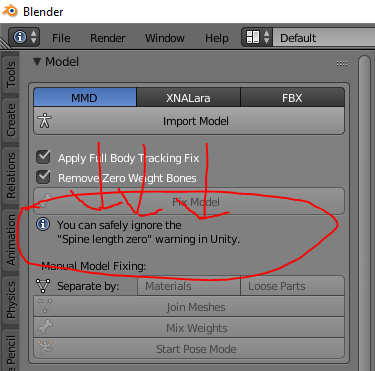 fading verge
but as Rokk said, it's normal for it to be like that, so you are most likely going to break your model by doing so
stark spade
it works now, and there is no error message. I didn't see that message on cats because I usually have that sidebar small.
gritty nest
I've been comparing two models with broken MMD tools and the "old" one, I can't seem to find any differences as to why the wrists would do this
But ingame, I notice a clear difference between older and newer models in the wrists
Especially side to side wrist rotations are weird. Doesn't seem to be an issue with every model
gritty nest
Yeah, I'll submit it as a proper ticket/issue once I get some comparison screenshots going.
Kinda sucks since I spent quite a bit of time getting the atlas right, I probably can't use it now
There's no way to copy just the UV maps right? My atlased and non-atlased version is otherwise identical in every way. Mesh has the same polys, etc
light kindle
i remember something about leaves and duplicating uv maps
onyx hull
For eye tracking, my eyes are clipping inside of my eyeballs, how would I go about moving them out a little bit? Still new to blender
 silk holly
ok I have a headache
for some reason in my right eye, my model is offset from origin
like when I look at my avatar select menu, the left eye shows her rotating where she should be on the left of the menu
but my right eye shows her in the middle of the menu screen
and my hands give me a serious headache
anyone seen anything like this before?

this is only in the right eye
the left eye is normal
 deft iron
Nope, and I am having an issue of bones in the legs, the left is missing it's thigh bone and bends brokenly. And I don't have sufficient knowledge of bone mapping to even try to fix her legs.
And I think that you forgot to set the xyz coordinates to 0,0,0
silk holly
the left eye is fine
if I close my right eye and only look in my headset through the left
everything is normal
deft iron
Could try rotating the eye in unity.
silk holly
anyone else want to try
because it has nothing to do with that
my entire model is offset on one eye in VR
deft iron
Hrm odd
silk holly
hands, body, everything
deft iron
Have you tried redoing the model from scratch? Like redownloading it, reblendering and reunity it?
I had to do that with some of my models
silk holly
weird it was shader related
 ruby crane
Hey I need help
If I can get any..
Theres some sort of VRC Station add-on with the avatar I want to upload, but now it's defunct and I don't know how to get rid of the defunct features
undone warren
Anybody have any idea why an avatar I uploaded constantly has their wrists bent? Is it a height issue?
it's a fairly short avatar.
undone warren
I'd answer if I knew, Kodachi. 😛
ruby crane
Is IceSeasons in this chatroom?
If I can find them that'll be just great because I need some serious help
 slim heron
Anyone know how to fix an issue where the right leg of an avatar twitches randomly?
cedar scroll
sometimes when running or moving fast, my pupils move behind the eye whites but that dosent appear when testing the eye tracking or anything
 solid adder
@cedar scroll your meshes not joined i'm sure
cedar scroll
they are, i did put the eye bones manually though, so im wondering if it has something to do with the bones
opal aurora
Eye bones point straight up?
fading verge
old thing, but still on new sdk: mouth Visemes made in blender with CATS arent showing up in unity. Oddly enough, though, visemes from MMD models translated via CATS work?
cedar scroll
no, do they need to be straight up?
solid adder
Oh, yeah may be the way the bones are set if that's the case
opal aurora
Supposedly if i recall correctly
solid adder
Not straight up
opal aurora
Also make sure they're parented correctly
cedar scroll
they are parented, they eye tracking works and everything
 willow pike
If you click build & publish, only a strange pop-up appears.
opal aurora
Haven't seen any eye tracking work that didn't have the bones straight upwards, can i see your rig in blender?
willow pike
I also want to use a pretty avatar. Help.
I created and applied avatars in Unity. However, a strange pop-up is output.
opal aurora
What popup?
solid adder
Screenshot by chance?
cedar scroll
hm, i cant add a screenshot here for some reason?
willow pike
wait a second
opal aurora
imgur, img42, lightshot, gyazo...
cedar scroll
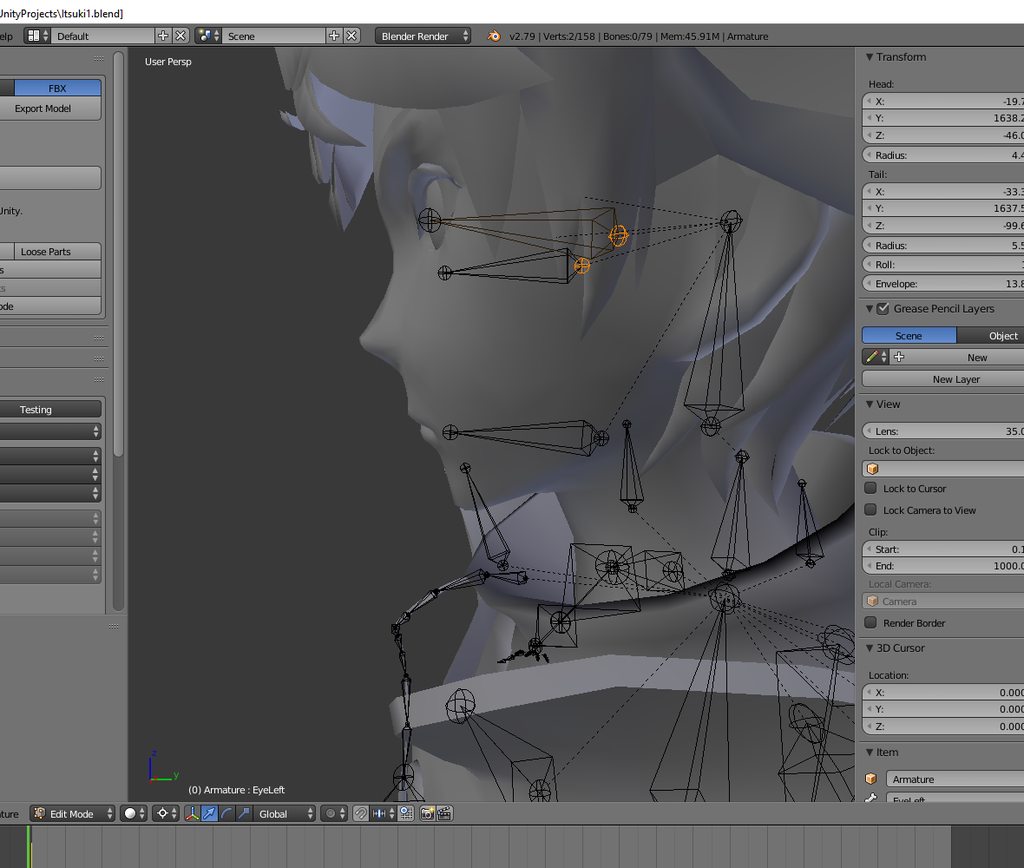 willow pike
I'm doing it now.
solid adder
Surprisingly I have xD
willow pike
 solid adder
But i'm not sure what could be cause his pupils to do that
That's the trust gate
@Shenfield#2452
cedar scroll
yea, something is causing the pupils to move slightly back sometimes when moving, but its not like i have dynamic bones on it or anything
willow pike
what is that?
opal aurora
Medium
Hello, VRChat! We’ve been working on some new “Trust” systems to help make VRChat a friendlier place. These systems will be used to help…
solid adder
That 👆
willow pike
I'll read it for a while.
solid adder
Tl:dr If you're here to troll and harm players, you won't be able to upload anything.
willow pike
I do not think I remember that. I am the first time today.
solid adder
It's new thing rolled out
Pretty much be friendly and kind to others
The specifics are unknown
willow pike
Thank you very much, everyone.
opal aurora
You'll eventually get the chance to upload, for now you can start thinking of what you want to make and have a good time in-game, you'll be informed both in-game and in email format when you can finally upload
solid adder
Shouldn't be too long I believe so nothing to worry about :+1:
Also welcome to VRChat
 chrome sequoia
i had to have a vrchat account for a long time before i could upload stuff
 willow pike
I have to come here often. lol
solid adder
@tough junco locate the bone and adjust right there
@willow pike it's all good, just a system that will likely be brought down. Who knows.
Just have patience :+1:
willow pike
Let's do well in the future.
solid adder
Locate the spine (transform)
You can scale, rotate, and reposition your bones in the configuration until they're green
It will mess with the mesh a bit though
But it shouldn't be any major changes
tough junco
sweet thanks @solid adder
solid adder
No problem
I have to do things like that for xps models because fingers be messed up
tough junco
although its really funny to see this , why is my characters hips doing this? https://gyazo.com/77b2d6c535d8c2da4c9d8d7b44effc22
 tough junco
nvm somehow i fixed it
 glossy quest
not sure if this is the right channel for this, but I think it should be since it kinda has to do with rigging...
I wanted to add eye tracking to my avatar but every time I check if it works on the mirror, the eyes are stuck looking down. does it have to do with the eye bones or is it the mirror not showing it properly?

 glad egret
dont use mirrors to test eye tracking
theyre super unreliable
ask another person
but if you can confirm that they really are pointing down it might have something to do with the bone placement or weight painting
 austere grove
need help with rigging
glossy quest
ok, thanks fish, I'll ask a friend later if he can check it for me
 shy egret
lol, anybody know how to cure a leg twitch/body twitch? My avatar will not stand still...
 prime summit
Eye-tracking is local,
So sometimes, usually due to your viewport placement, they act weird locally.
Your should have your viewport halfway into the bridge of your nose
because they track viewballs, and if your viewball is in front of your eye bones they will try to focus on it
glossy quest
so basically, even if I see the eyes look down, others would see it normal if set it up correctly because each PC sees it differently?
fading verge
i need help
prime summit
Yes, but if you dont want it locally, change the viewball position
fading verge
could someone that has alot of knowledge about unity dm me real quick
prime summit
Also eye bone muscle settings can play a factor, these can be adjusted when configuring the rig in unity
glossy quest
should I set the viewball to the same height as the eye bones? on that model the eye bones are a bit higher
prime summit
Well @fading verge, what's the problem? Maybe someone here can help
fading verge
it involves a few screenshots
cant send them here
been trying to get help for this issue for over 5 hours
prime summit
@glossy quest
Yup, level with the irises, and halfway into the bridge of the nose
glossy quest
ok thanks :)
prime summit
@fading verge can you describe it to any capacity?
prime summit
@glossy quest 👍
fading verge
u could see yourself and try to describe it
prime summit
Sure, send me a DM and Ill offer any support I can give on the subject
fading verge
https://cdn.discordapp.com/attachments/444472445181886464/444472473795166217/Unity_2018-05-11_03-09-32.png
https://cdn.discordapp.com/attachments/444472445181886464/444472509027319828/Unity_2018-05-11_03-37-51.png
https://cdn.discordapp.com/attachments/444472445181886464/444472566481158144/2018-05-11_03-07-14.png


this is my issue
show the normal hierarchy of the bones in unity
prime summit
Thats not the issue, Unity accepts whayever you map. The issue was they were accidentally mapping the wrong prefab, this issue has been resolved 👍
glossy quest
ok whatever, I'll just deal with the eyes looking down for me. I tried moving the eye bones down since they are pretty high up so it matches with the height of the irises and nose bridge but on unity suddenly the eyes got stuck looking up. As long as others don't see the eyes messed up I'm ok with it
maybe later I'll try just moving the viewball higher up
prime summit
Ya, thats what u should do. Ive also been informed that it can be the result of the head and eye bones being really small, so check that in blender
glossy quest
@prime summit which eye bone? Eye_R and Eye_L or LeftEye and RightEye?
 limber pine
i've a pokemon model that has arms but no hands, is it possible to add the hand bones without editing the mesh? (so that it wont look different but i can still pick stuff up in vrchat)
glossy quest
yes, you can just add dummy bones in blender
gritty nest
LeftEye and RightEye are the ones CATS creates
The original ones are the head and Eye_L/Eye_R bones
glossy quest
yeah I know that, the ones from CATS for some reason got created really high above and behind the head which messed with the eye rotation so I had to move them to the correct spot and they are really small
limber pine
@glossy quest oh gee how could i start on that? (no idea how im hopeless)
glossy quest
these are the 4 eye bones out of which the two really small ones are from CATS and which I had to move to there. If I try to move all 4 bones lower the eyes are way to high up https://cdn.discordapp.com/attachments/361907667515604992/444499551005573131/unknown.png

oof, I don't really know how to teach how to add bones to a rig :/
limber pine
its okay, i'll figure it out ^o^
 rich wedge
can someone explain why the hair looks fine in blender, but gets completely fucked up in unity? https://i.imgur.com/cU5XWgX.png https://i.imgur.com/A5M3fgJ.png

 prime summit
Some of the bones are rotated on the rig, rotate them into place when configuring the rig in unity
fading verge
collider in head ?
Bone roll to 0 in blender ?
gritty nest
Yeah, this is usually a bone roll issue. I have had similar issues with hair and skirts
Just reset all the bone rolls back to 0 in Blender
Sometimes, it also helps to drag the model into the scene again. The new one will have correct hair etc. You can delete the old one after you copy over the various components (avatar descriptor, dynamic bones)
fading verge
How do you put reseparate Materials in blender?
i went to go decimate and its only doing one at a time
nm i found a way
 nova ravine
Not sure if the correct place to ask but say I have a Titan how would I go about having the cockpit see through inside but not see through outside? So it feels like an actual Titan from TitanFall. (PS I know about the chairs being gone for a bit)
gritty nest
That's pretty easy. Models are already see-through from the inside by default, thanks to backface culling.
Just make sure you don't have any outlines on them if you use Flat Lit Toon
Otherwise, you could try some Stencil shader magic.
I have a model that's only visible from the front. But I still wanted to see my own hands in VR. So what I did, is make a particle system that collides with PlayerLocal, and put it in my head. On collision, it spawns a large invisible cube (you could use a sphere), that has a stencil value on it. Since it only collides with playerlocal, only I can see it.
You could invert this principle, and have the mech be hidden by stencils, rather than shown.
fading verge
How do i set shader priority?
in your material inspector or in the queue tag in the shader code
fading verge
@fading verge what do you mean? it's over here https://forum.unity.com/attachments/renderqueu-jpg.258551/

or here https://docs.unity3d.com/Manual/SL-SubShaderTags.html mentioned in Rendering Order - Queue tag

that last one is the 'from shader' value if you select that in your material
 round breach
heya, anyone had an issue with the avatar tapping his whole foot when looking down? Looking for a fix, not a workaround with in-game height since I'd like to retain the ability to stretch out my arms with the optimal height
toes are removed from the rig in unity
 paper radish
Sooo...eye tracking
Okay so SOME tutorials say "make fake bones, THEN make the vertical, 0-roll eye bones,
Some say just make the vertical 0-roll ones,
THEN some tutorials say "name them LeftEye" and others say "RightEye" - but OTHER tutorials say name them whatever, and then name the vertical ones "RealLeftEye," etc.
HOWEVER none of the tutorials mention the CATS step, which say "please name the bones "Eye_L" or "Eye_R"
Pretty sure i have all my shapekeys setup and visemes created but i don't know how to proceed. None of the tutorials are consistent. Any help?
 cosmic tiger
Someone here with a knowledge on how to edit/add/remove bones that could DM me?
Having a few issues with a Model
onyx hull
How do I apply a material so that the texture stays in place when the model moves? (The effect people usually use with space textures on models)
paper radish
@cosmic tiger depending on the bone you just need to open it in Blender, select the armature, go to Edit Mode, select bone and delete it.
cosmic tiger
the thing is, the model has about 5 bones that control how the shoulder moves
its not a simple shoulder, arm, elbow, hand setup. its totally weird and i have no clue how to fix that
 fossil gale
Hey guys no matter where I put the view position it always defaults back to the center of the model once it's in-game https://imgur.com/a/UO1pUyM
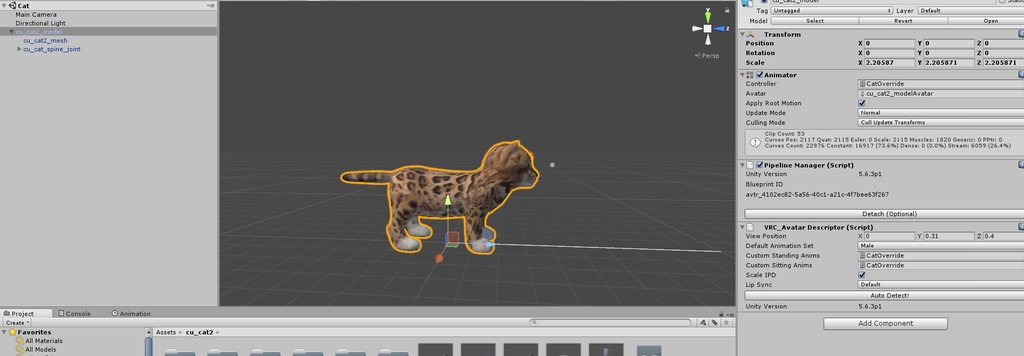
I've tried removing the overrides to see if it was to do with the animation but even as a static model it's the same issue
 ionic sedge
Hi guys, I'm having issue with my bowser model. Pretty much everything works, except for the feet, when I look even slightly down, the model stands on the tips of the feet and bounces. Really looking for a fix so I can actually enjoy it 100%
gritty nest
@fossil gale generic rigs do that, you can't move the viewpoint forward or backward.
Move it higher up.
fossil gale
So basically I should move the actual root bone backwards instead?
fossil gale
I already tried putting the view point overhead and that didn't make a change either
cedar scroll
anyone have that infinity war fade animation or know how to make it?
fossil gale
Oh disregard that yeah you're right thanks
 weak notch
changed scale of model's legs in blender, changed armature to fit too, when animations are applied in unity the leg scale reverts to how it was before
do i need to re-do the weighting?
gritty nest
Did you also CTRL+A Apply the scale?
cedar scroll
if i edit a model in blender, do i have to delete the old model in unity or is there an easier way to refresh the model?
gritty nest
Open your assets folder in windows explorer, and manually copy over the .FBX file
That's what I always do
weak notch
ctrl+a?
the scale looks fine in blender
not sure what you mean
manually selected the legs, scaled them to 0.8 on the vertical axis, lowered the body to fit, did the same to the legs in the armature, scaled to 0.8, then lowered the rest of the armature to fit too
just noticed applying any shape keys reverts the legs too
gritty nest
I'm not too familiar with how resizing stuff works, but I think you have to "Apply" rotation, transform and scale after you change it. Otherwise, the changes aren't exported
So just select all the bones, press CTRL+A to apply rotation, apply scale, transform etc
weak notch
can't apply to bones but i just applied to mesh
lilac moss
do it in object mode
weak notch
@gritty nest think it worked ty ♥
true vapor
Note to self rigging XC2 Models is impossible
opal aurora
Can ye show an example of one? :o
true vapor
 true vapor
Lol
lilac moss
click pose-> force tpose
also assign feet and stuff
also you have to parent the mesh to the armature
lilac moss
a half-fixed version
true vapor
so fixing that in blender messed up a lot of things
I mean I guess I could wait for someone to rig this
because Obviously someone is gonna rig this
opal aurora
Mayhaps
opal aurora
Honestly if i feel bored enough i might actually end up doing it
I'd probably rig it from scratch and only god knows what would come out of it
Especially since i don't use the mirror modifier
Like ever
 scarlet lodge
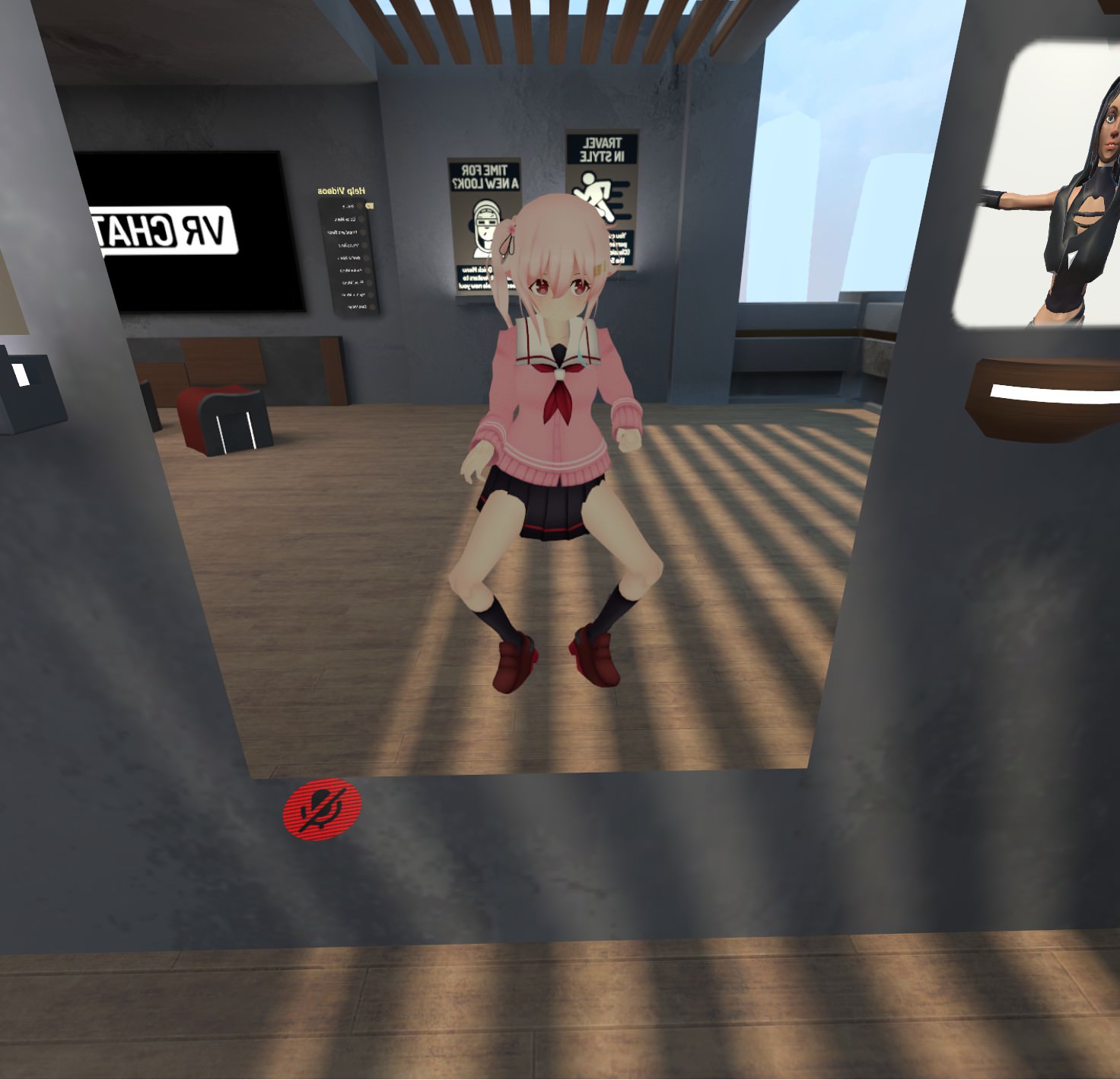
I'm having issues with my avatar being bow legged if I set my avatar up for FBT with CATS. Anyone have a idea what's causing it? https://i.imgur.com/iIzgbq0.jpg I've tried rotating the bones but it hasn't seemed to change anything
 opal aurora
Dunno, i've rigged parts like robotic ears and tails myself aswell before
For dynamic boens
Like this one https://gyazo.com/aeb4ff98d6ec41b973e451ba7b1bdfaa

Very simple but works nicely
 swift radish
Hey can someone real quick message me the solution for that bug where a model's butt and hips stick out real far instead of standing straight?
Not really a bug, but issue lol
 foggy juniper
can anyone help with this? https://gyazo.com/d7f5d980ad01adb9c111424cc577f7b3


guessing its the neck
but there's no neck bone
pale hull
Then you need to manually import the model to blender or any 3D program and add a bone there yourself unfortunately
Lazy way of doing it is import it to blender, select the armature, change to edit mode, select the head bone, hit W and subdivide. Export the model and import back into unity. @foggy juniper
foggy juniper
thanks!
 light kindle
¯_(ツ)_/¯
 crimson mauve
Hey so I am having an issue that I am not quite sure how to solve yet
My bones seem to be weightpainted properly but the mesh does not move with the armature as it should
https://cdn.discordapp.com/attachments/403069664869220354/444787358911561738/unknown.png
https://cdn.discordapp.com/attachments/403069664869220354/444787576281497600/unknown.png

 light kindle
i dunno usually the bones are blue when weighting
crimson mauve
is it something to do with parenting vertex groups or along the lines of because I am not sure
None of the bones move the mesh, the shoulder is just an example
light kindle
yeah but the bone should be blue when in weightpaintmode
crimson mauve
which all of them indicate correct painting
 light kindle
yes but the mesh needs to have the modifier
 light kindle
seems correct
crimson mauve
 light kindle
thats wrong
crimson mauve
but what am I supposed to do
crimson mauve
oh...
huh
okay that seems good, thanks much
https://cdn.discordapp.com/attachments/403069664869220354/444794820830035968/unknown.png
Also any reason why this happens to the model's hands in unity?

 chrome sequoia
i saw someone else dealing with it
i dont know if this is right, but maybe it's something to do with bone weight or something?
light kindle
*rolls
opal aurora
Jesus christ so many spaghetti fingers nowadays
scarlet lodge
@crimson mauve someone helped me fix that in #avatars-mmd if you scroll up a bit
gritty nest
Yeah, I think the latest MMD tools version sometimes breaks bone rolls
 lost axle
guys i want to upload an avatar but i cant i gat this error https://i.imgur.com/SNZtjnz.jpg
light kindle
thats not an error
 teal oasis
can some one help me with rig pleas DM me
 oblique loom
Anyone have any knowledge on full body tracking??
 sonic nymph
try transelating the bones
pale hull
@teal oasis Save your scene and restart unity. That might work.
crimson mauve
@scarlet lodge are you saying that I should do opposite angles on the role of each bone that may have a positioning issue?
crimson mauve
in edit mode?
crimson mauve
note sure what you're getting at then because that doesn't really do what I would want since its moving everything around
crimson mauve
yes, r is to rotate so essentially my armature would be lopsided
scarlet lodge
i said alt r
scarlet lodge
np
crimson mauve
@scarlet lodge https://cdn.discordapp.com/attachments/403069664869220354/444889213440229377/unknown.png
hands got this going on now, not sure if that is something youve seen
 scarlet lodge
no that's strange I'm not sure what you should do from here
crimson mauve
alright, thanks anyways
 marsh nacelle
Hey so I tried to make a Bandana Waddle Dee avatar but it ended looking like this https://imgur.com/MXE08mN
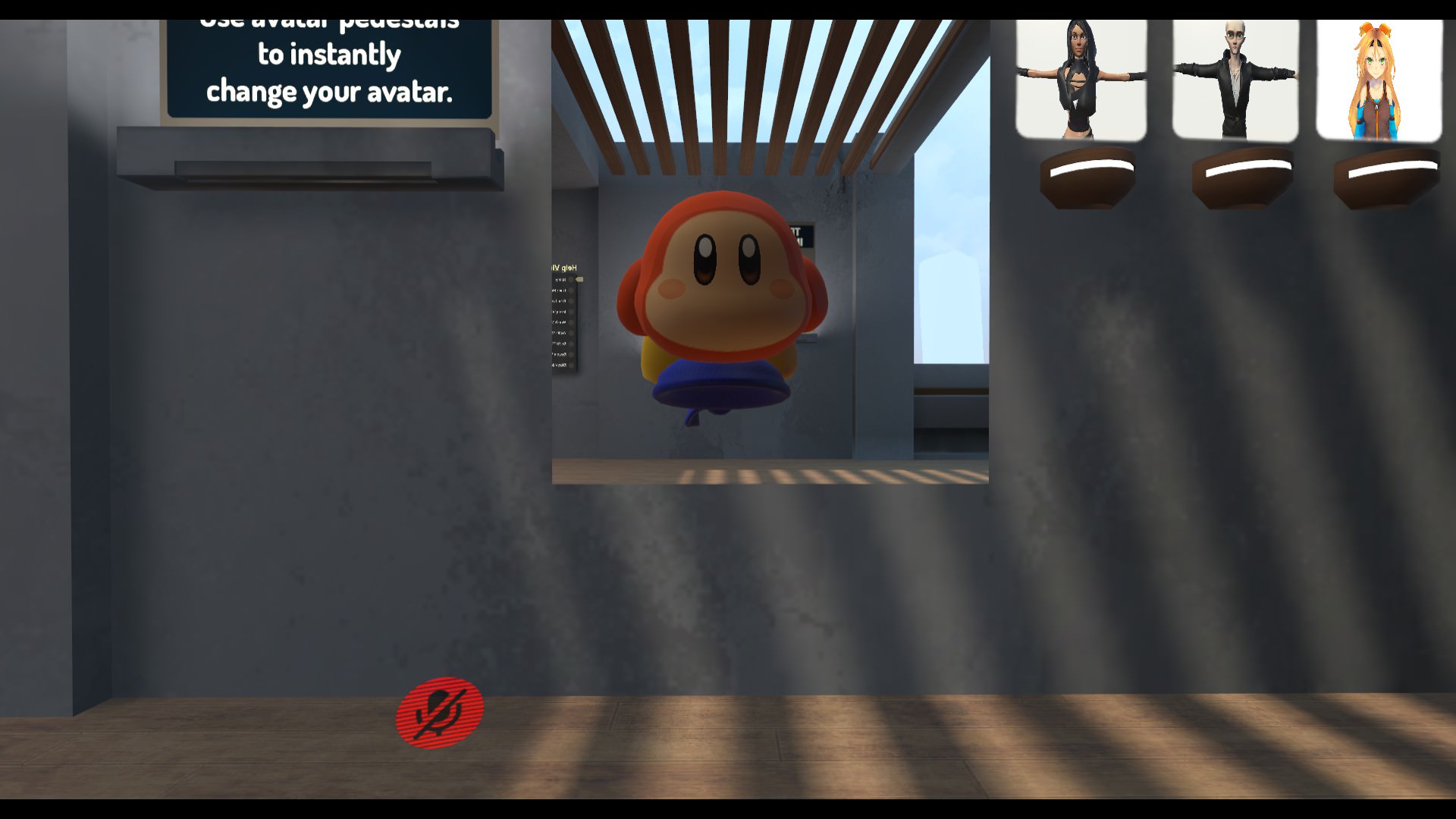
I get what the rigging problem was since I used the default one but I don't get why he's floating
gritty nest
Is it a humanoid rig?
marsh nacelle
yes
gritty nest
Maybe you forgot to CTRL+A Apply the rotation and scale in Blender
Or that's just where your head is
marsh nacelle
The bandana is at the hips of the example character
so it's basically where the torso is
I used a model someone ripped from the game and told me it was already rigged. I'll have to rig it myself tho, the feet are considered as the tip of the model's feet by the game
But I just don't get why it's floating
true vapor
Ok so would a lower leg bone have to be in the same hierarchy as an upper leg bone
Upper Leg
Lower Leg
Foot
Toe
Something like that
marsh nacelle
Are you asking a question or awnsering mine ?
true vapor
Asking
marsh nacelle
Then yes, but toes are not required.
marsh nacelle
Yes I know that feeling, importing a model of a character with very weird shapes
true vapor
Especially when all the bones are screwy
gritty nest
Game rips are weird, I have ace attorney rips that have all bones pointing upwards
Even the ones in the arms
Works fine ingame though
marsh nacelle
It all comes down to luck
But if your character has a somewhat human shape, you can use Mixamo to do most of the work for you
true vapor
Well nothing is too bad with the model I have its that the arms need to be worked since it can't detect the T-Pose
also the foot is a bit broken
marsh nacelle
What's your character ?
true vapor
KOS-MOS from Xenoblade 2. The model was extracted from the game by someone on deviantart last night
So I wanted to work this into VRchat as its a raw extract
marsh nacelle
You can use this website made by Adobe that can autorig it https://www.mixamo.com/
It might not work but you can always edit it in Blender afterwards
Like if it has any problems with the fingers you can manually do them
marsh nacelle
The thing is, when rigging everything needs to be connected for Unity to accept it as a humanoid rig, so be sure that when rigging you are creating links, not seperated bones.
true vapor
Nothing really needs to be made its that the hierarchy is messed up a bit
Just a bit of rearranging in the bones
marsh nacelle
Yes, but I'm trying to say that if you want to create new bones, make sure you are not implementing them as a seperate hierarchy.
true vapor
Yea
gritty nest
They need to be in the same hierarchy, but they don't have to be connected
marsh nacelle
Or else you're gonna end up like me with all the bones in the right place but without the required links
gritty nest
Like, actually connected. Just parented
They still need to have parent/child relations
marsh nacelle
Yes, they don't have to touch but still be carefull
true vapor
anyway to fix this without messing up in blender https://cdn.discordapp.com/attachments/267763077397610506/444930432946012172/321.png

The leg issue was solved
marsh nacelle
Try rotating the red bones to see if they turn green
gritty nest
@true vapor check every part of the rig and make sure there are no errors
Usually, this is caused by LeftEye being in the Jaw slot in the Head section
Then Unity doesn't automatically apply the T-pose and it'll complain
true vapor
Yea rotating the fixes it
gritty nest
It's rarely an issue though
true vapor
Just that it’s kinda hard to do in blender
Because more problems arise due to that
Also take note that it looks like there’s multiple bones inside the same bone
gritty nest
You can rotate the bones in Unity's rigging tab too
true vapor
Other than rotating the bones there aren’t any errors
naive tree
problem with unity is that it'll rotate mesh with the bones, so u can't rotate only bones
true vapor
Strange thing is the bone I rotate doesn’t mess with the mesh
naive tree
prob not weighted then?
true vapor
No it’s weighted
I checked before exporting
Either way I’ll know when I find out in vrchat
 summer trellis
Anyone dm me? Have a question
 static parcel
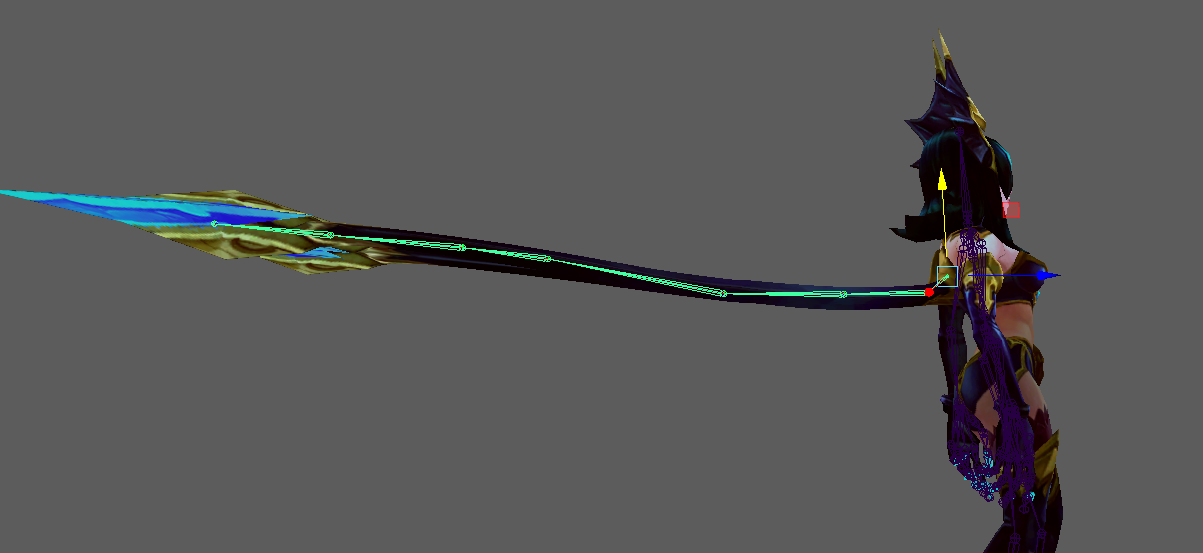
https://i.imgur.com/DbDtYa5.jpg Is this an okay set up for tentacle hair? Haven't done it before and thinking her front 'bang' would have collision at some point





 true vapor
Ok obviously unity is broken and can't recognize my changes
 stoic oriole
I"ve got a quick question probably super simple and I just never noticed how to do it.
When adding body parts to another model, such as replacing a head, or adding clothes. when parenting the bone I often like to just let it connect when I know they would line up properly however the mesh doesnt always move during this process.
I cannot seem to figure out what is triggering it to move and what it triggering it to not move?
gritty nest
Probably weight painting
If it's not moving, then no bone has weight on that mesh. @stoic oriole
Sometimes vertex groups get mismatched or whatever, or it never had any weight painting to begin with
true vapor
Remind me what this means "Left Foot Transformation "Foot_L" is not a child of Left Lower Leg Transformation "Leg_L" mean
gritty nest
Where do you get this error? In the SDK upload window?
true vapor
Avatar Rigging window
gritty nest
It means the assigned foot bone is not a child of the assigned leg bone
Your hierarchy or mapping is incorrect
true vapor
So just rearrange the order of the bones?
Because the Foot shouldnt be below the Upper Leg
gritty nest
Yes
true vapor
Well doing that stretched my legs out a bit
 crisp tendon
We still haven't really found a reliable explanation for open jaw flap bone right ?
silk holly
Anyone know a good tutorial for working cameras on avatars? Mine only renders client side
naive tree
you shouldn't use cameras, as they force performance issues on every1 around you
I rarely see any1 actually not having a 2k, no cull
fleet echo
other people cant see camera on other people
only thing might be do somthing shader tranfer render image to plane
fading verge
hey i want to add jiggle and collision physics to my avatar for hair and such
how would i go about that
i've never touched blender btw
so i'm new to this whole thing
fleet echo
yea
 ionic aspen
But the titties