#avatar-rigging
1 messages · Page 113 of 1
 glad egret
 strange aspen

 pine harbor
check that the bone rolls on the plate bones are set to 0 in blender
 cerulean hamlet
is there a reason why my model gets big af when i try to join armatures?
glad egret
one armature is probably responding to the other's size
 high stream
sorry this was a little hard to capture. but i have placed this on the head then the neck. but i cant get the helmet to follow me. it has its own bone that is parented to the head of main model? https://s1.gifyu.com/images/2018-04-29_00-39-54.gif
 surreal haven
having a weird issue with some dynamic bones: i have earbones on this model, and they are properly weight painted. When I take them into blender I can move them around in pose mode and they work fine. But when I add dynamic bones to them, they just don't move
nvm: i was able to fix it by adding the dynamic bone to the head instead, and excluding every bone except the ears, oddly
 fading verge
that's how you are supposed to do it
that's why a lot of people are creating root bones and they put the dynamic bone script on that root
saves a lot of time
surreal haven
the ears have a root bone, but i suspect i messed up creating it
and since doing the head thing solved it i'm not gonna bother going back into blender to try and figure out where i went wrong lol
fading verge
you should so you don't make that error again
surreal haven
yeah, when i wake up tomorrow i'm going to
i think i may have screwed up mixing the weights into the root or something
i'm just gonna go insane looking at blender anymore tonight
 lethal plover
I'd like some help if anyone knows the issue:
I have been trying to add a model without any animation or bones. No animation is required of the model, so i thought it to be fine. Although, upon upload, when the avatar is in-game it is for some reason facing the wrong direction, and has been rotated into the ground.
I tried fixing the issue by rotating the model in unity, but it had no effect. What do i do?
 naive tree
before exporting in blender u rotate and then ctrl+A when mesh and boens selected > rotation/scale/position
maybe you don't have rotation applied if you did rotate it
or if needed u can rotate it and then see if it does fix it
orrrrrrrrr if it's a generic, then they get faced down i think
let me find screenshot of how to fix if it's generic like plane or smth
nope cant find it
 naive tree
no, they should be facing up
fading verge
wdym?
naive tree
if you made eyetracking and blink with cats, then the bones created should be facing up
/\
and be sure that you have assigned LeftEye and RightEye in rig

 light kindle
cats is broke with not mmds
ive had eye bones on the floor and floating high before
naive tree
@fading verge select mesh and armature > ctrl+A> rotation/scale/location
adn then recreate eyetracking
worst case scenario dont use eyetracking
naive tree
lol
 steady bobcat
LOL


 maiden turtle
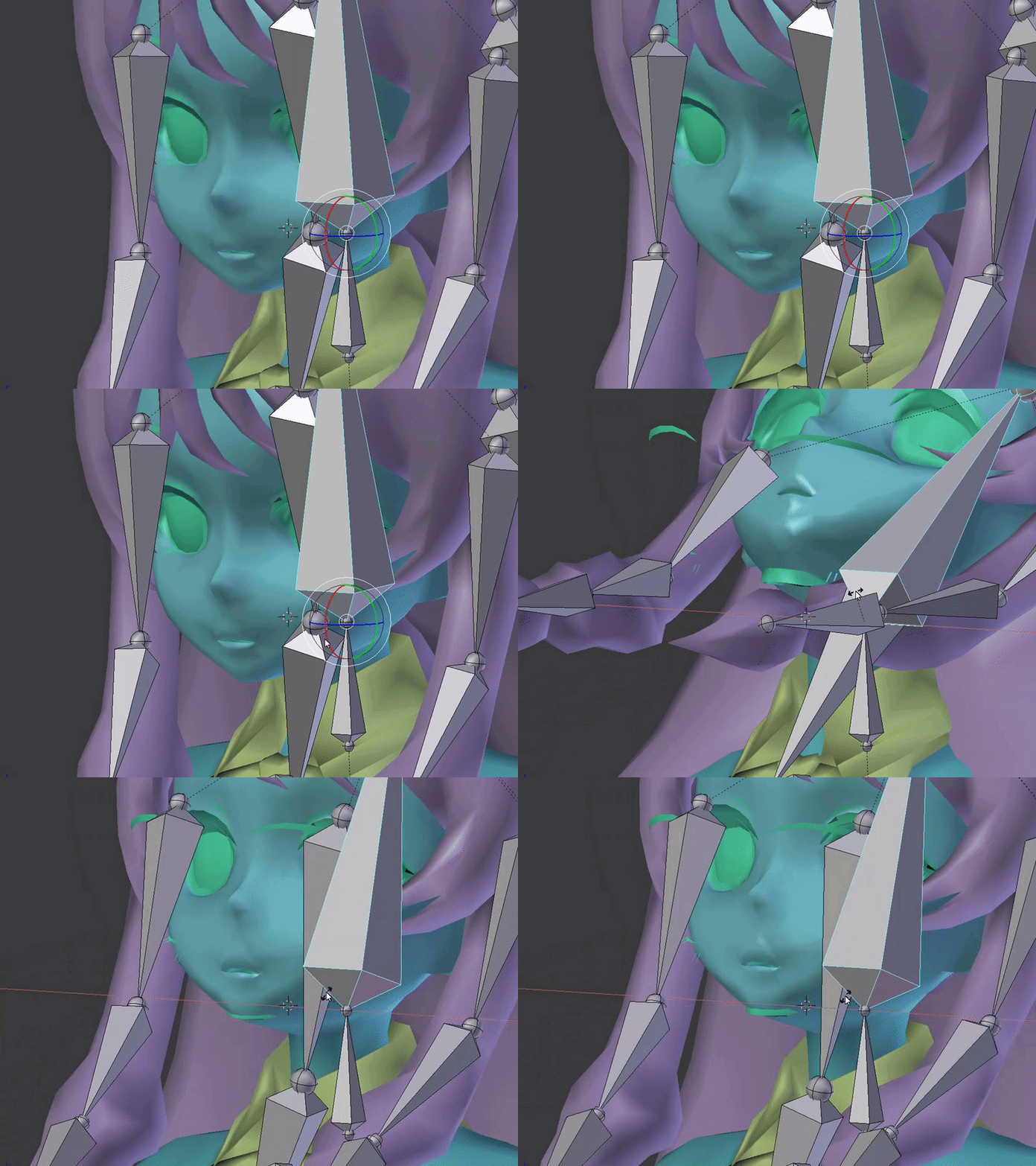
I'm currently at my first rig and everything is working fine so far. But I've got a problem: After parenting the armature to the mesh, I went into pose mode. But when I start turning the head up, some parts of the face, aswell as the inside of the mouth do not move as they should. Can anybody tell me how to connect the parts to the mesh? https://i.gyazo.com/b847b5a35ecaa1ec00f66de5ad6a0f56.gif
 light kindle
those parts are either not parented or not weighted
another bones probably got the weights though
since the teeth move a bit
maiden turtle
Okay thanks. I will look into that a little bit more.
light kindle
or select the mesh>edit mode> select all (shortcut a)>go to vertex groups and select the right group>hit assign
maiden turtle
Okay thanks! This should work
 open hull
hello riggers
naive tree
cmonBruh
 vocal wedge
Con someone remind me how to fix this please? I've set the vertex groups and the mesh paint, but something's not quite right.
https://i.gyazo.com/6bb39c88de6ac972e9d2fe36204ea7be.mp4
open hull
Are they on the same layer @vocal wedge ?
vocal wedge
Where can I check that?
vocal wedge
If that's what I think it is, I have only one layer.
light kindle
pretty sure thats unity
vocal wedge
To be fair, I think so too, but I'm not exactly sure why.
Posing works fine in Blender.
open hull
I think you might have to sort out your hierarchy in blender
vocal wedge
Now that you mention it, the torso is separated from the rest of the body. I'll have to look into it deeper.
Thanks.
 elder crescent
can someone explain to me why weighting vertices on my model with strength from 0.001 all the way to 1 is making zero difference in how much they move
 gritty nest
The vertex group you're painting, is it named exactly the same as your bone?
Capital letters and all?
And are you sure no other bones are having influence on that area?
elder crescent
yes to all, the vertices are moving, they're just moving too much.
i saw they were painted to 1.0, so i wanted to tone it down a little. tried everything all the way down to 0.001, they move precisely the same
gritty nest
Oh, they're moving too much? That's weird
The only thing I can think of, is that the bone in question has children which also have weight paint on that area.
Check all your vertex groups and make sure only one group has control over that area
elder crescent
yeah i did. the part i am moving is two meshes, but they are in the same group

the clipping appears pretty quick when the legs are bent in pose mode
its an easy fix by just moving the mesh back/down, im just new to weight painting and not sure why it's completely unaffected
elder crescent
mm the clipping part is just on one bone though, or does that not matter
naive tree
shorts are weighted to hips a little bit on that part is my guess
so it's not moving at the same weight as your leg skin is
gritty nest
Oh yeah, that's a good point. You had the right idea, it was just the wrong way around
naive tree
you either fix weights or lower the skin
elder crescent
ahh ok, so toning back weight on the lower part of the hips vg for the shorts would probably fix
i think i will just lower the mesh, but that's good to know, thanks 😄
naive tree


green on leg will be red for you
it's just for thigh bones
could be your hip weight going too far down
 fickle plover

And now the hell begins

Protip for balljoint rigs
Lock X and Y rotation for the upper arm balljoint
so it cant mess up and clip through the shoulder

Likewise, UNLOCK all axis for the shoulder
 crystal vector
Ryuko ♥
Really nice body but the face looks a bit weird 😁
I have always wanted a transformed version 👌 you created this yourself right?
@PolarStar#1898
fickle plover

This is based on a crossover that was done by one of the artists i follow @crystal vector

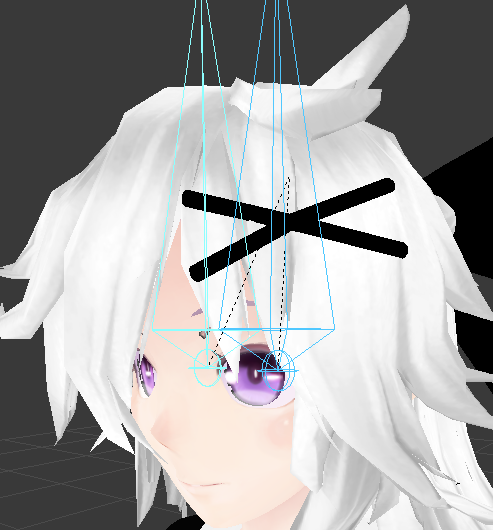
and it probably looks better if the bone structure isn't in the way
 calm needle
it came out well
 calm needle
at least lower poly faces tend to be a bit easier in that reguard
fickle plover
One of the more inventive things i'm doing though...

Is having her air vents on her back flutter when she breathes
gonna have an emitter for some exhaust, maybe
calm needle
interesting detail to add
 pearl swift
Has anyone here used the "Humanoid Editor for Unity" plugin successfully with VRChat avatars?
I'd like to scale some of my limbs, and it looks like a nice and easy way of doing so with already finished avatars. But I've had problems with scaling looking good in Unity and bugging out in VRChat, so I'm hesitant. Ty
 fallen mesa
http://puu.sh/AcNGr/fd28f00776.png well uhhhhhhhh yu know why thafuck this is happening? I looked at weightpainting, its right, and in unity the finger bones are assigned right aswell. What causes this? http://puu.sh/AcHTW/b78778b883.jpg


How dafuq are unassigned vertices (prolly in leg and shoulder region) doing this to the fingers? Im literally crying rn
maskes no frickin sense at all
when i export as .blend it works fine but i have to use fbx as i cant assign materials in unity properly, and unity doesnt auto materials on .blend for me
fallen mesa
Like these bones are literally shifted, this makes no sense
left. Exported as .blend , right as .fbx http://puu.sh/AcOC0/a76b730045.jpg

 rocky heart
I need help with auto weight painting
every time i try to do it it gives me an error

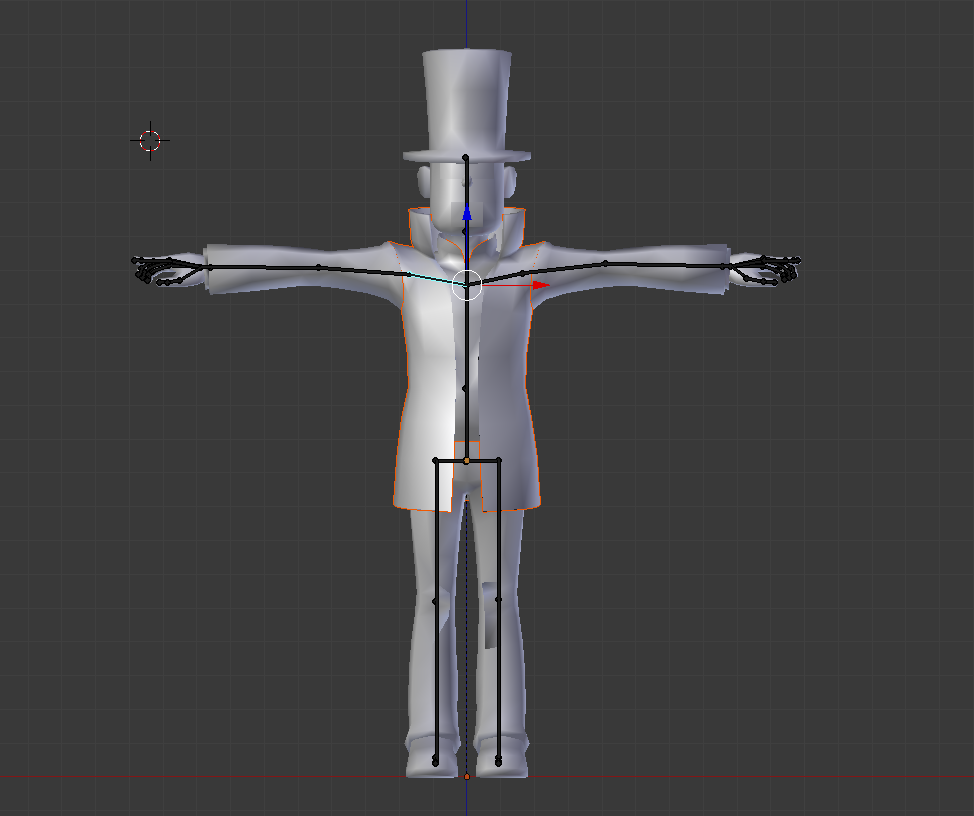
this is what the armature looks like
 cinder iris
any clue why the bones dont show up when i do eye testing?
https://gyazo.com/caa5d7e2ee975d1ee31518af759ff951
 rocky heart
havent messed with that kind of at all
gritty nest
It seems they're showing, but they're a long way from where they're supposed to be
rocky heart
wtf
i mapped my bones
but it's still saying im missing elements??
i have all the required bones and all of them are in the right order... i triple checked
are like one of the optional boens secretly required or something?
seriously, the chest isnt optional, you gotta have it, fuCk
 fading verge
Hi, I had to weight the hair bones separately from the main armature because I had to automatically weight it at first to find out the best places to weight, anyway, I finished weighting and tried combining it with the other armature with ctrl+j and now the body doesn't move with the bones. It's really confusing and I'm not sure what I'm doing wrong. https://gyazo.com/fc4384a7e6e517f8ab2bf3ed6fedf3c4

It used to move like this https://gyazo.com/e3b72c481cdcdec1f62cc95ca32fad85

I'm pretty sure I did the same thing as I did with the skirt bones and it worked fine then but I don't know if I'm forgetting something.
 deft edge
Working on a ROBLOXian avatar that moves just like a ROBLOXian
 gritty nest
I think you're missing some bones there though
Unless you're gonna Generic rig it, of course
Maybe it'll actually look better with a Generic rig and custom animations than if you did Humanoid
deft edge
Yep, I plan on doing just that.
gritty nest
That's pretty cool
deft edge
And ROBLOXians are quite easy to animate
I'm not a fan of how ROBLOXians look in a humanoid rig.

So this is pretty good.
gritty nest
To be fair, I think it could look good in a Unity humanoid rig. Just not the humanoid rig configuration that VRC in particular forces you to use.
deft edge
Yeah
Most people who have ROBLOXian avatars also use Mixamo for rigging
And you know the thing about Mixamo.
It weight paints... Uh, pretty badly with non humanoid models.
Or maybe in general.
Rigging is finished
Now for animation
fading verge
nearly any autorig software is horrible
deft edge
true
fading verge
because, lets be real, generally it's just assigning auto weights via bone heat and/or vertex groupings.
which all 3D applications use half the time.
deft edge
Yeah
fading verge
i havent necessarily rigged anything for vrc yet
kinda dont plan on that, rigging is a nightmare.
deft edge
Now just to make custom animations for this robloxian
fading verge
as long as it includes OOF
deft edge
It will
It'll replace the die emote
Just seems right.
If I can get it working I'll add the oof sound effect alongside it.
Which is actually "Uuhhh", but "Oof" is the more popular one.
fading verge
I'm guessing no-one knows what the problem is then?
deft edge
Oh
Let me check your messages.
Is hair a separate bone?
Or are the meshes not joined together?
fading verge
The meshes were joined together when I merged the hair bones.
The problem is that the weights are still on the body but the armature isn't moving the mesh.
deft edge
Hmmmm
fading verge
Yup :/ Not sure what the problem is, I legit just merged both of the armatures and that's what happened.
 stuck edge
WTFFFFF
I went to cliick upload my avater in unity
and i cancelled it because I forgot to do something
and it crashed
and now when I open my prokect
my assets are there
but my hierarchy where i had the model with animations and stuff is freaking GONE
the .fbx is still in the assets
but my progress.....frekaing gone.
WHAT THE HELL
I SPENT SO MUCH FREAKING TIME
Is there anything I can do or should I just throw something out the window in frustration?
 shadow shoal
Did you save the scene?
stuck edge
yeah
its been saved
oh thank god
Thank you
I was angry and didn't think to open the scene
stuck edge
I was going to be so angry and just go to bed
Oh I spam CTRL+S a lot
like every little setting I change, I press it
this is like the 5th model I've done and I swear every time, a new issue comes up
shadow shoal
What model are you doing
stuck edge
Bakugo
I added the intimidation thing he does where he sets off little explosions in his hands
seems to work fine in unity. Hoping it does the same in game
So far I have done a Chara from Undertale with a spawnable knife, a Trueno AE86 that turns headlights on and plays Initial D music when moving, Yamato from KanColle where all the barrels move, fire and make light and sound...and now Bakugo
Oh and a bag of Doritos that emits mtn dew and doritos
fading verge
Hey does anyone have any ideas as to what's going on with the thing I posted above?
crystal vector
@fading verge Select your mesh, go to the modifiers (wrench icon), and there should be one modifier. In there is a field where you have to select the models armature. It should work then
 cloud kiln
Anyone here knows how to actually make it so that your character don't mess up for you when you add something on in Unity? 🤔
With that, I mean that making your character not collide with the textures from the item you put on him/her.
If you actually know a work-away around this, please ping me here or PM me
I exclude binding it inside Blender now, I done that and knows it works. I want to know if there is a way to do it in Unity
 verbal heart
So uhm..
I worked with blender for the first time because i wanted to use my ''regualar'' avatar into a diffrent avatar/model, a costume to be precise, so i had to ''Cut out'' the head of me regualar model & bring its bone scructure over to that ''costume''.
Now ive done that but ive got 0 clue how to make it a whole. So the skeleton / rigging works with the costume and so on, and not just the cut-out head and leaving the costume static..
Anyone that could push me in the right direction, advice or help me trough it?
A pm is apreciated, because i probably forget posting here ._.''
 shell tendon
was wondering, is there some special limit to amount of bones i can use on hair?
or i can go nuts with it?
lets say i wanna make a braid with like 50 chain small pieces and put a bone in each, that'd be overkill right?
like, there's 2 braids and 42 in each or smth...
and want it to be part of hair dynamic bone
Kinda wanna have em jiggle very smoothly, if you know what i mean
shell tendon
hm...
fading verge
you just need to be patient with dynamic bones until you get the right settings
don't forget that you can use distrib to make them even better
shell tendon
well right now bones are lacking
the original mmd doesnt have enough so it kinda looks off
i can at least double the bones
right now it's 5 bones per braid
fading verge
i'm pretty sure it got enough
but with all MMD model, the weight paint is absolutely garbage
shell tendon
indeed
i already did try editing it a bit
it looks alright perhaps
ii guess ill try to seperate right now and see how it looks on lighter settings in unity
In fact this model is pretty optimized, i did try to look on other mmds and there's so much bullshit going on with them
so i would say this one is rather fine, i didnt touch weight paint anywhere except the braids in fact, didnt need to delete or correct almost any bones except thumbs
so i would say i got off lightly with it
While I did add quiet a bit bones to the hair already, as there were parts that just didnt move, now im thinking of other things but w.e. for now
elder crescent
does anybody know the easiest way to move a model (mesh+armature) upwards so the feet arent thru the floor? this seems like it should be so simple and it's driving me insane trying to do it.
i've tried using the transform window on the root armature bone in pose mode, which works great, but i want that pose to be the resting position, Apply Pose as Rest Pose resets the mesh and keeps the armature there, i want the mesh to stay there too
nevermind, just moved the armature in object mode and that worked. note to self: dont google problems you are having in blender unless you want to be mislead 😄
naive tree
ctrl+A > position
gritty nest
Apply pose as rest pose seems to be broken entirely, or maybe I misunderstand what it does
All it seems to do is move the bones while keeping the mesh where it is
 weak notch
@gritty nest you need to apply the armature modifier on the mesh first then apply new rest pose
then manually re-add an armature modifier to the mesh
fading verge
So the shape keys have completely messed up.... https://gyazo.com/f7589dc81fddff71601737f597c80e41

you probably deleted important vertices
The only vertices that were meant to be affected were the ones inside her head and they're still there.
naive tree
i'd seperate by materials, delete all important meshes that contain shape keys (eyes, mouth, face, teeth etc)
then join rest mesh together, delete all shape keys
and copy-paste meshes from your original that u deleted
translating everything beforehand
fading verge
Will all the weighting I did for the hair be safe?
fading verge
Okay cool
gritty nest
Basically, deleting vertices will mess up shape keys.
You can avoid this by separating the meshes beforehand
 lilac moss
avatar's head is leaning to the left, or more accurately the hips are leaning to the right and the head comes back to the center, happens in non-vr mode only i think

Anyone know this bug? Pretty sure i've seen it before. I cleared bone roll, changed height, the view position is centered, the armature is centered
 misty cradle
is it possible to connect two bones like they will move in the same direction? or maybe no connection but e.g. when the head bones leaning forth the spine bone will do the same on his position
 spiral delta

 sterile copper
Yall all use blender right?
naive tree
yes, but you can use any software that you're comfortable with, just blender has cats plugin, which makes everything a breeze mostly
 cosmic mica
is there some special trick to the viseme mouths now cause it stopped working for me since the last sdk update.
sterile copper
Im gonna make a maya tutorial since its the most versatile and usable program
 true vapor
Ok so say I use my avatar on a different rig how much of a screw up would that be
sterile copper
Oh god
true vapor
Yea
sterile copper
Lemme put it this way
sterile copper
Imagine your rig, working perfectly
Now imagine that all the good skinning detail was gone
Is it an nsfw avatar?
true vapor
Because apparently spending so much time working on this unity doesnt detect my spine hierarchy elements
sterile copper
If not, why does that geometry exist
true vapor
its not an nsfw
sterile copper
Oh god
sterile copper
In engine and in playtime are two different things
Some things may work in engine but not in game
 sterile copper
And it looks fine when rotating joints?
true vapor
Yea
sterile copper
How many polys is this model?
true vapor
well it has to be in vrchats limit
true vapor
yes
sterile copper
Otherwise your situation is DIRE
sterile copper
Alright, either way, that mesh should be 12k at max
Oh god
Omg no
Dont decimate
Decimation is the worst you could do
true vapor
either way its useless if I dont fix the spine problem
which I don't know why its telling me
sterile copper
Sorry i think i missed that
true vapor
wait wtf how does it not show the chest
sterile copper
What
 serene urchin
@true vapor you prolly forgot to map some bone
true vapor
No everything was mapped
true vapor

Yea the chest wasn't assigned for some reason
Now I just have to remember on how to delete an avatar from vrchat
crystal vector
@true vapor Go to Manage uploaded content in the vrcsdk menu
serene urchin
yup
true vapor
Yea I found it
serene urchin
u can also drag the window into your project so you dont have to click on the top everytime @true vapor
crystal vector
I'm doing that with the upload panel
serene urchin
yeah i have that with game upload and manage
true vapor
Nope still screwed
true vapor
Well model is fixed...for the most part
fading verge
For some reason whenever i try to map out the finger bones when setting up the rig in unity it clears when i press apply, anyone know why this might be happening?
misty cradle
how can i fix "Spine Transform 'Spine' has bone length of zero." ?
misty cradle
sdk says i have to, i can pypass the warning but normaly by a normale humanoid rig a warning like this should not be there...
 low parrot
If you used CATS then you're going to get that warning
Just ignore it
CATS even says to
misty cradle
normaly i CANT ignor it, because SDK says: "Spine hierarchy missing elements, make sure that Pelvis, Spine, Chest, Neck and Shoulders are mapped." and i CANT upload the avatar in a normal way and i thing i get some other problems when i ignor it
think*
low parrot
Are they all mapped?
Also are they all parented to the Spine?
er
nevermind disregard that last part
misty cradle
i would show you it but idk why i cant put a picture in here
low parrot
Link pictures isntead
misty cradle

 robust crescent
No shoulders ?
low parrot
Yep, map those shoulders
misty cradle
does not change the spine problem
misty cradle
..... sdk says: fix your rigging shit or you cant upload
misty cradle
-.- thats why i'm here lol.. i said "does not change the spine problem" too stupid to read???
misty cradle
i dont repeat again
 wise oriole
Do extra, unused bones cause any issues/make it more processing intensive?
 quasi oasis
What would I be missing if I'm adding new geometry and bones to a model that only get glitched to heck when in-game?
wise oriole
Glitches out in which way?
quasi oasis
Okay I figured it out
Somehow my blink shapekey grabbed onto it
I have absolutely no idea how this happened
Oh every shape key affects it...
Figures I'd solve it on my own immediately after asking xP
 silent aspen
Anyone know a good tutorial that details rigging hands in blender?
lilac moss
just put the bones in the right places and auto weight
use the default sdk avatar rig or whatever
 gloomy pollen
hihiii, this model has eye bones but when i try to make eye tracking it says it doesnt contain the vertex
so how do i
add
the vertex? xD
my left eye is but just the right eye doesnt appear in the vertex group list
shadow shoal
Make the vertex group
Select all the vertices for the right eye and then add a new vertex group
Make sure you're in edit mode
gloomy pollen
do i seperate it first?
its selecting both eyes
oh in edit mode duh
hmm yeah its grabbing both eyes
shadow shoal
Select one of them manually
gloomy pollen
tip for that ? xP
shadow shoal
Use B or C
gloomy pollen
C works I guess, can i grab all the eye pieces at once somehow?
i need to make a vertex group and call it Eye_R right?
then assign it to that?
oh ok i think i got it
but i just realized the eyeball isnt supposed to move is it xD
ahhhh her irises are going through her cheeks xD
what is this
they clip just a bit
gloomy pollen
yeah i used a decent sized brush
i grabbed just the iris and assigned it
is that right?
it looks like just the right iris is clipping
oh its like its pivoting from the wrong spot
silent aspen
@lilac moss TY for the info.
gloomy pollen
the eyes are acting weiiirrdd
like the irises sink back randomly
then pop forward and track
light kindle
if you didnt fix the bones location you might have the settings for cats tracking too high/low
(eye range)
fading verge
Boths legs have exactly the same weight paint but for some reason the right leg does this... https://i.gyazo.com/5aa662ec001cdf2de0be9fe3e9ecf9b4.png
 surreal haven
oh, this channel is probably a better place to ask. does setting each bone's roll to 0 really work? seems like it would mess up the model more, but my current model is having issues where the forearms rotate way too much
pine harbor
can't say i've seen an instance where setting the bone roll to 0 messes up the model more than what unity could've already done to it
surreal haven
maybe i'll just test it out on a different version of the model, see what happens
pine harbor
it almost feels like unity's concept of bone directions is different to blender's -- its behaviour looks more like MMD in some ways
if you don't have any distortions with any given model in unity, you probably don't need to try fixing it -- but if you do, then at least try setting the bone rolls to 0 for what seem to be the affected bones
surreal haven
well, the issue is in game sometimes my forearm freaks out and rotates around 180 degrees
not like, flipping around, but like... imagine your inner and outer forearm, and then it twists far enough that the inner is the outer, and vice versa
pine harbor
so over-pronation, kinda...hmm
that doesn't sound like a bone roll issue, especially if you don't see any weird distortions with your model in unity
sounds more like the IK system freaking out and not knowing how to pose your arm at those given coordinates
fading verge
Um, does anybody know what the problem is?
gritty nest
I'm willing to bet it's the weight painting on the hips
You say that the legs are identical. But how did you check the weight paint in the actual legs inside those pants? You could just delete the legs under there if you're not gonna see them
But it's possible that another bone has control over that area, check the vertex groups. Even the ones not related to the legs
fading verge
I hid the meshes above and checked the actual legs. It might be another bone but when I checked all the nearby bones, nothing seemed out of the ordinary.
gritty nest
Check all the other bones anyway. It could be something as silly as a hair bone, for example. Just check each and every vertex group.
fading verge
Okay I'll have a look 👌
gritty nest
I'm willing to bet that another bone has partial control over the pants, but not the legs. The hips seem the most likely candidate, but you can never say for sure
Or maybe there's feet/toes that have control over the legs and not the pants. Etc
fading verge
I decided to just redo it all because it doesn't take that long to sort it out but now it's working luckily c:
So I can ignore that according to cats right? https://i.gyazo.com/2f6be0fb52728e51851c5001b42288b9.png


Damn I'm having so many problems today... https://i.gyazo.com/7c7215bbac488a75e9286f41e75047d6.png

Any ideas what the problem is here? xD
Looks like this in blender and works completely fine when in pose mode. https://i.gyazo.com/beb63b1ea4afa7c9503cc8b1de14b29e.png
 gritty nest
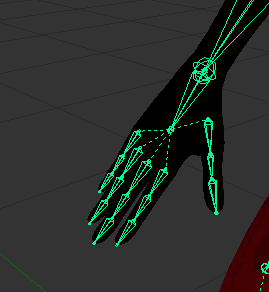
Two things
First of all, set all bone rolls to 0 in Blender
@fading verge
And yes, the spine length zero thing is a FBT fix warning
Always happens and can usually be ignored
Oh yeah, and the second thing. If bone rolls don't work, try deleting the model from your scene and putting it back in again
silent aspen
Hey guys. I recently manually rigged my first model and am confused by the fingers. I seem to have lost the finger-tip bones. Here is what they look like in blender and then in unity. https://imgur.com/e3FCAfO https://imgur.com/eOIpqcT What am I missing?
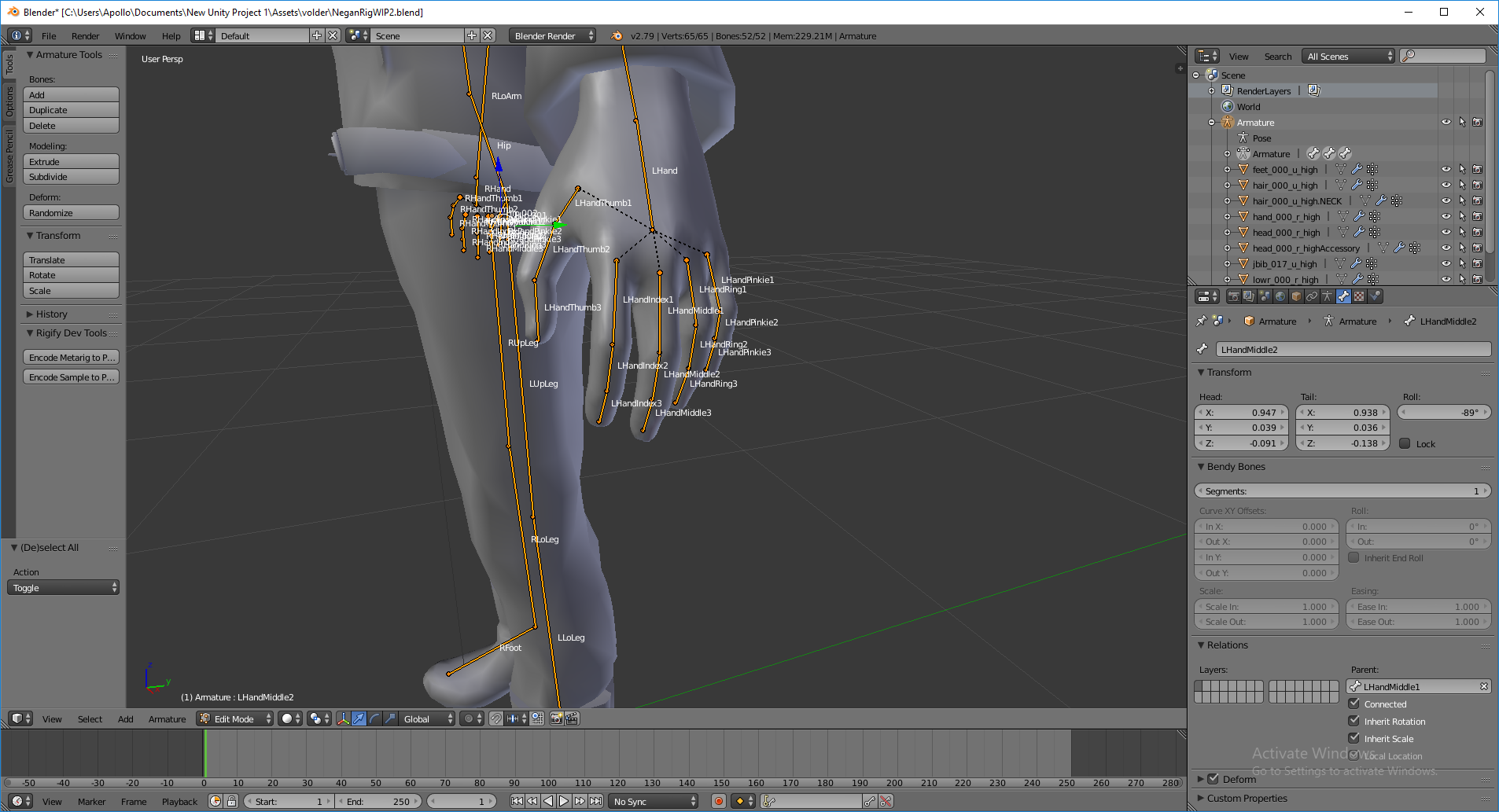
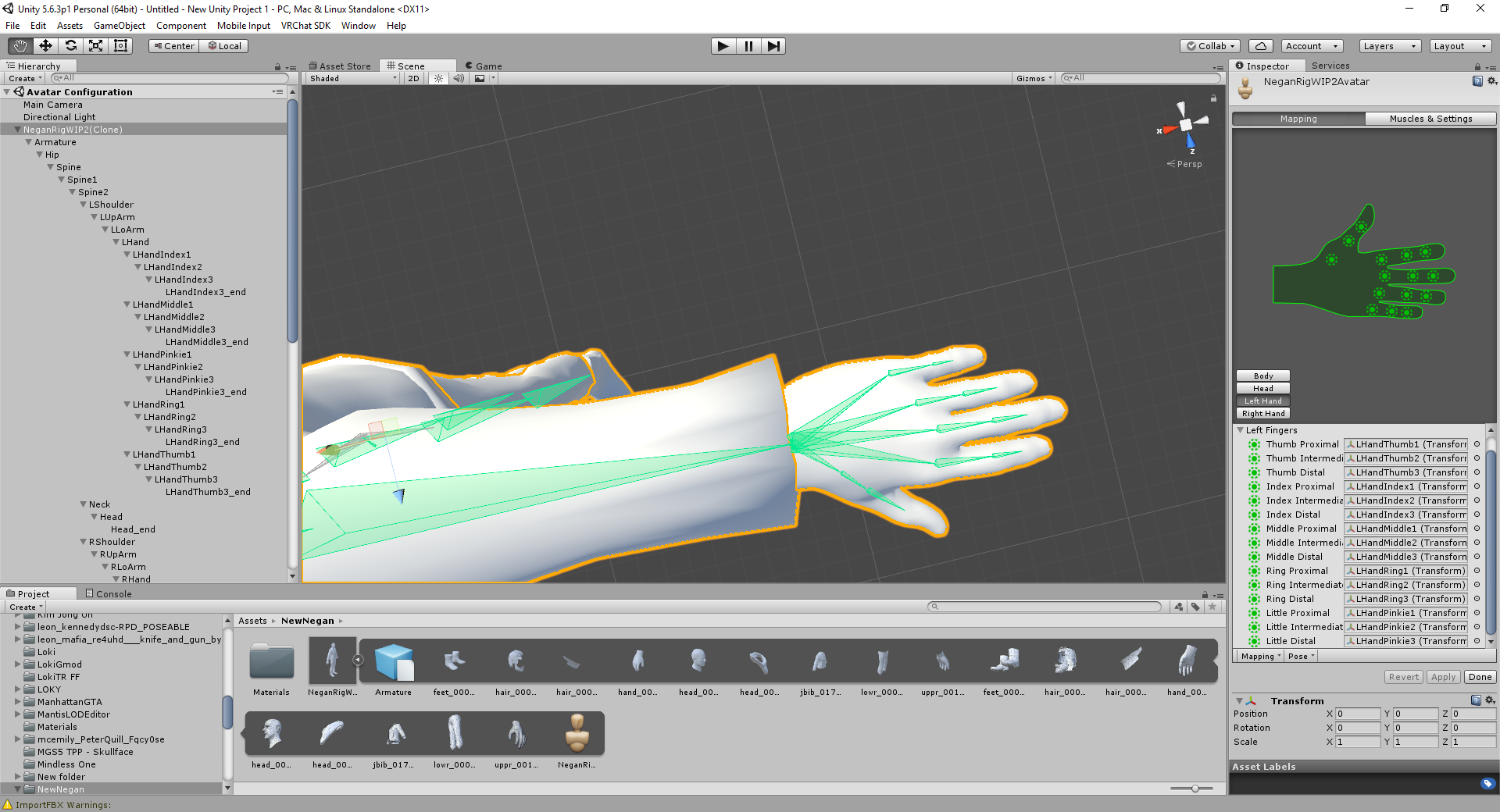 silent aspen
Unity seems to have added another bone and renamed the tip to BONENAME_end. Instead of using fingerbones 1-3 I switched them to 2-end. Would this work? https://imgur.com/cuoLCoh
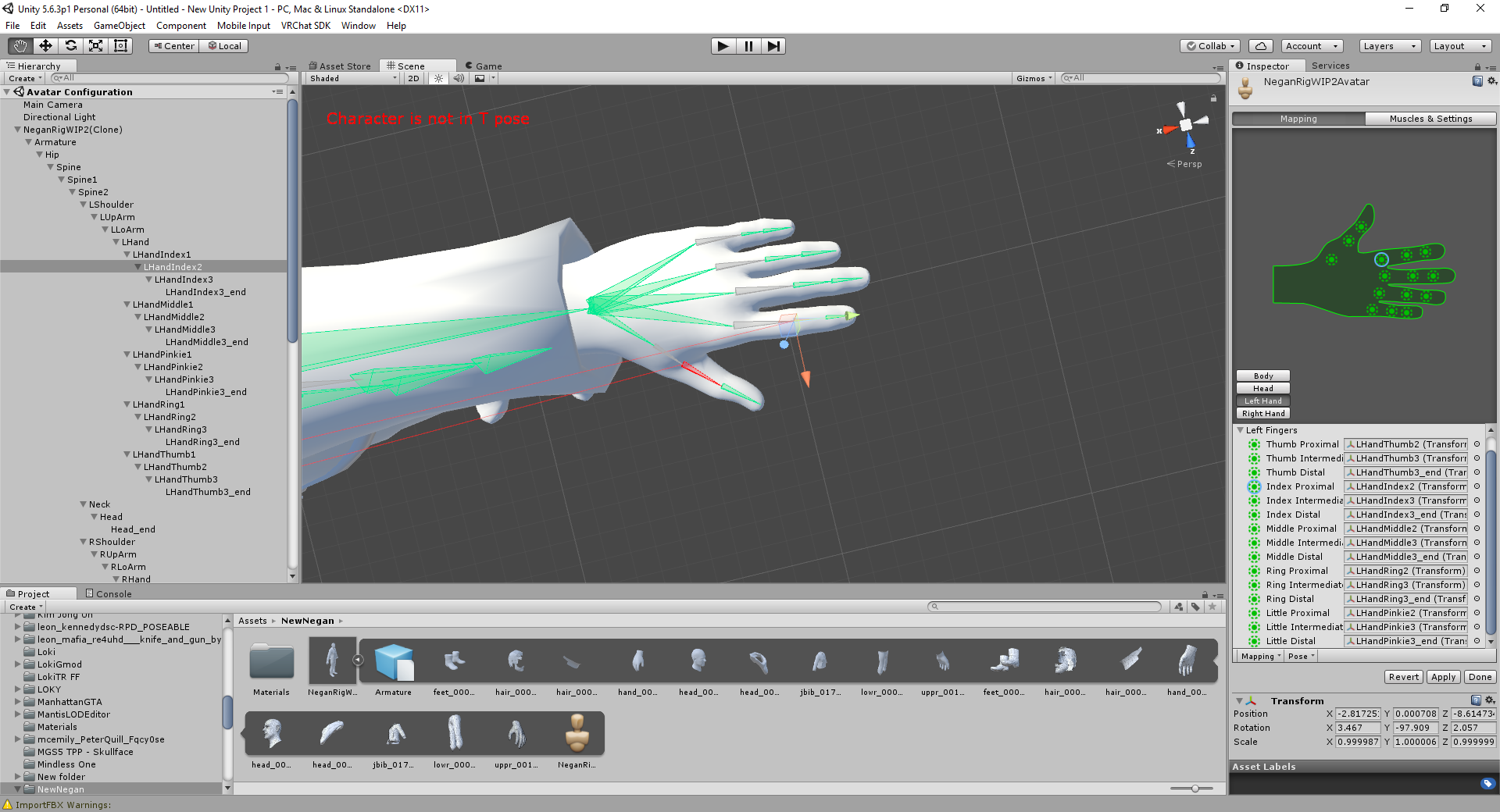 lilac moss
@silent aspen it looks like your rig has 4 bones per finger, unity should be using only the last 3. in these situations i reassign the fingers in unity
yes that'll work
silent aspen
Cool, tyvm
fading verge
@gritty nest Do I need to set all of the bones' rolls to 0 or only the hands? I set the fingers to 0 but it still does it.
Oh I also have this problem with the arm as well https://i.gyazo.com/88a998843b58a0d220179fcc0ab09321.png

Only on the left arm
naive tree
looks like weight problem to me and not rolls
gritty nest
All bones
fading verge
Not a weight problem Yuumi, it looks completely fine in Blender
 opal aurora
It also looks like a weight problem to me oddly enough .-.
fading verge
Yeah I would've known what to do if it was that but sadly it isn't
Okay yeah @gritty nest, the bone roll thing all over the body fixed it, thanks so much c:
opal aurora
Welp, atleast it's fixed then
fading verge
Woo!
gritty nest
Bone roll is weird
I adjusted some bones in my shoulders and my whole body went nuts
Even the legs
serene urchin
in unity ? @gritty nest
fading verge
anyone here skilled at weighting with blender rigging tool?
and would not mind teaching me how to use it
gritty nest
@serene urchin no, in Blender
naive tree
watch tutorials and trial/error, get reference from different characters, it's always different
serene urchin
Oh alright i get that sometimes in unity
 restive sparrow
Weight painting is easy and fun when you learn how it works.
fading verge
There is suppose to be a tool in blender to quickly rig but i know its not perfect.
@naive tree
I already know how to weight paint but my model needs to be weight painted entirely lol time consuming but if i can use a tool to quickly do mose of it i can fine tune the rest with ease
compared to doing an entire body weight paint from pure scratch
 magic sonnet
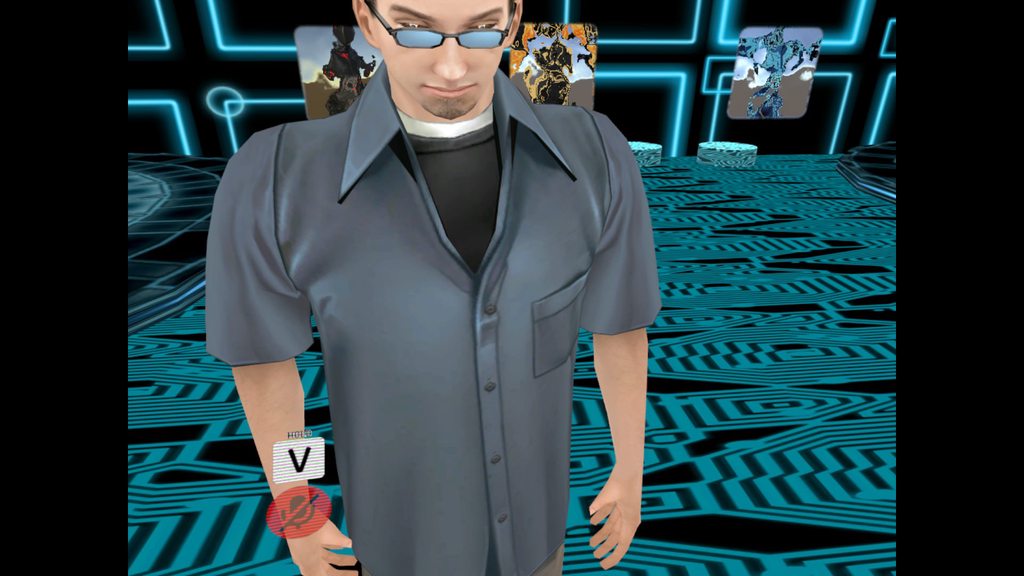
im not really sure why this happened but when i import my model with eye tracking into vrchat the eyes get really smalll https://imgur.com/a/5oDpIhj#s0St7Vc https://imgur.com/a/MztKLpA#i8QcSrl
 merry junco
rip
 tacit sage
How would someone go about rigging a Pacman model?
magic sonnet
@tacit sage mixamo.com is always a decent option. and if your model doesnt have 5 fingers you can always select a different skeleton from the drop down menu
tacit sage
I tried using mixamo and rigging it myself, but the issue is when I move the head or waist around it deforms the body.. I've also tried adjusting the weighting in the mesh, but no change.
 swift storm
 low parrot
https://gyazo.com/8d6b59f09ddf7e333566c04b9922829c
So this generally doesn't go over well, right? Should I just move the bones 'til they look right, or is there an easier way to move them more precisely?
 crystal vector
@low parrot Looks good to me. Just make sure that the roll on all the arm and finger bones is 0
low parrot
Really? With the last bones pointing out like that?
 thorn willow
I still love how Unity/VRChat kept whining about first child bones
even if said arm rig is clean
crystal vector
@low parrot Yes, that is not a problem
low parrot
Alrighty, thanks Hotox
 hasty wing
So when combining armatures the mesh seems to disappear, anyone know why :c?
naive tree
@hasty wing ctrl+A>position/rotation/scale before joining
select main armature last when joining
hasty wing
@naive tree tnx it worked ❤
maiden turtle
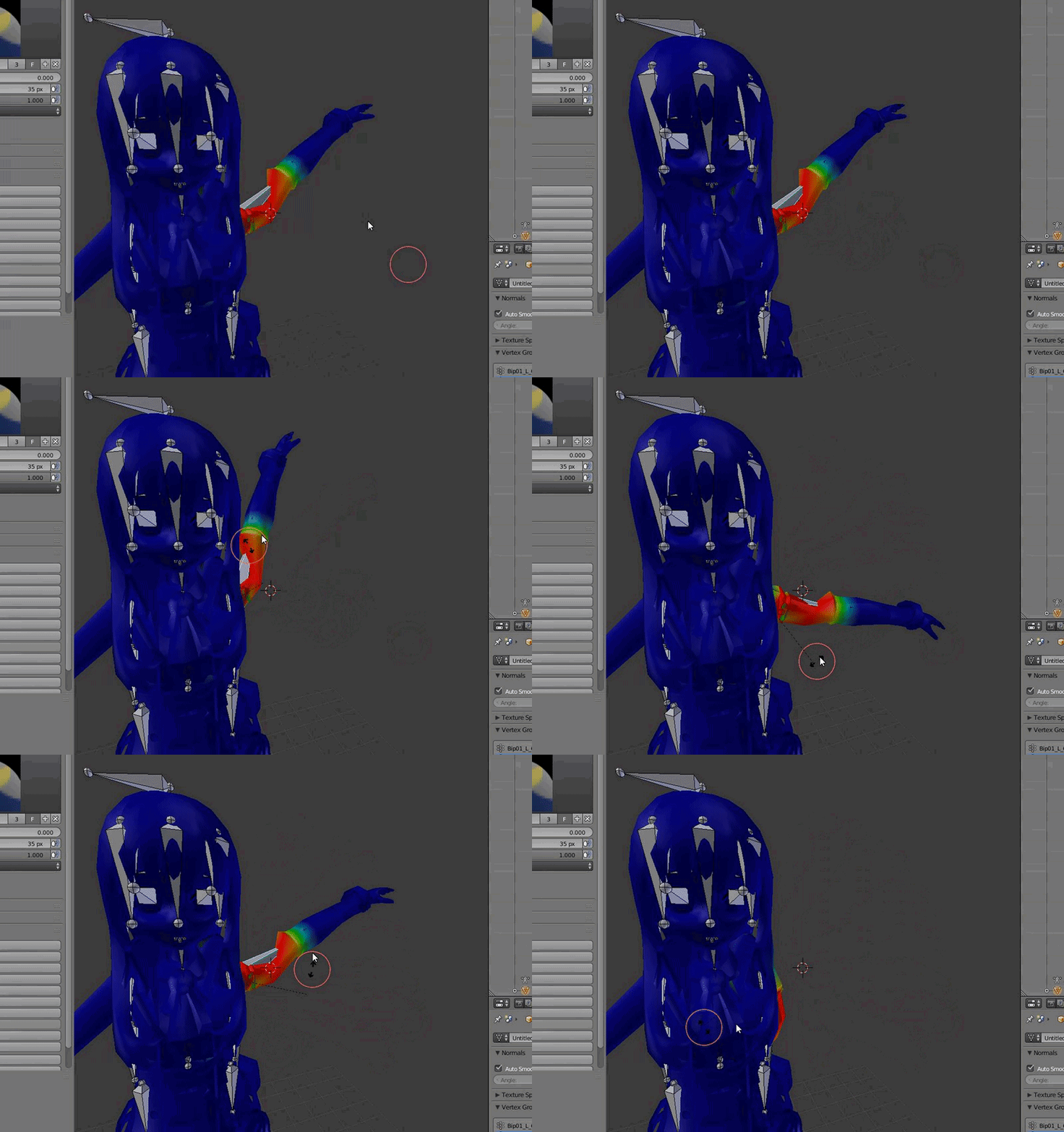
https://i.gyazo.com/ae99d898f4aac24376e18dbc0963d466.gif
Can somebody help me? The Upper Arm is perfectly weight painted, but somehow the upper bends where it shouldn't?
 gritty nest
Check all other vertex groups, even ones that you think might be unrelated
See if they have weight on the arm
maiden turtle
Found it, thanks!
gritty nest
If you're manually weight painting, auto normalize is great
Makes it so that all weights always equal 1 while you're painting, so you don't double paint areas and do not half paint something
 honest kettle
not if you dont tell us your issue no.
 radiant jasper
I made a custom avatar and I cant upload it cuz its saying that my head, hands and feet bones need to be marked. My bones seem to be fine but since I have a custom head that i wanna use, i dont think its connected

There are more images there
gritty nest
That is actually strange. @radiant jasper
Everything seems to be mapped
Could you go to the Head section of your rig and show us a screenshot?
lilac moss
you have the right unity version and sdk version?
quasi oasis
I've been attempting to make small modifications to my avatar, but after adding gloves and having to mess with a bit of weight painting and adjusting bones, I now get this: https://i.imgur.com/bq0qTpm.png
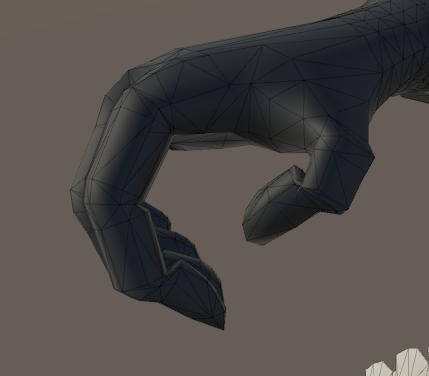
Am I just going to have to move the bones in blender, export, and keep trying until they look proper?
 empty hill
Im trying to add a hand to my model for animations, I dont really have any clue what im doing

what do i need to do from here to get it compatible with vrc?
calm needle
you need to make sure it has the basic bone structure to work
upper and lower legs, foot, hips, spine, chest, shoulders, upper and lower arms, hands, neck, and head are required basicly
empty hill
i cant seem to get the bones for the hand to be a child of the forearm
high stream
so anyone know why i cant export my armatue correctly it just goes to hips instead of armature the so forth

 gentle silo
Anyone know how I would go about making a non-humanoid or quadrupedal avatar?
fading verge
using generic rig and using custom animation
either you made your own or find some on the internet
 patent edge
hmmmm.... i think ima need better settings.... and also knees that arnt weak http://prntscr.com/jdsqvl
 patent edge
anyone got good settings for cloth
gritty nest
The Unity cloth VRchat tutorial has one
patent edge
neat
gritty nest
But they'll be a bit different ingame
You'll want to properly test it out ingame and then adjust the settings as you see fit. Start with a very high stretch stiffness, no lower than 0.9. If they scrunch or bend too much, increase bend stiffness.
If it goes too quickly, decrease the simulation speed
Also, set up constraints. Just start out with freezing the top parts so it can't fall off
patent edge
oh i already set it up so it wont fall off
 tidal cedar
Anyone know how to flatten feet after you delete the shoes on the model? Foot is still in an arch position and i cant get it flat on the ground.
empty hill
Im not getting any errors in unity, but my model is still tposing
What should i check?
gritty nest
Enter play mode and move the bones manually. See if the mesh responds
In Blender, go into pose mode too
fading verge
anyone know how to get rid of rig bodies in blender?
im pretty much giving up on blender, i honestly dont know how to do any of this trash. it should be easy to get of a few things but nope. have to take 20 hours just to delete an entire dress ;-:
crystal vector
@fading verge Right click and delete hierarchy
gritty nest
Also FYI, for some reason, hiding something makes you unable to remove it. Press ALT+H if that's the case
crystal vector
And to delete the dress just separate by materials, select the dress and press delete
 naive widget
Okay, so I have a 2 part problem. 1st part is the "Your rig has the UPPERCHEST mapped in the Humanoid Rig. This will cause problems with IK" problem. Then when I attempt to leave the upper chest blank, I get the "Spine hierarchy is incorrect. Make sure that the parent of both Shoulders and the Neck is the Chest" error. Any ideas?
shadow shoal
Map that upper chest bone to the chest bone
naive widget
I've given that a shot, but it hasn't worked. the bone structure has a spine lower, upper, and an 'unused' section which serves at the upper chest portion
so the "upper" spine is just in the middle

here's what im talking about
pine harbor
the problem is that VRChat really doesn't like intermediary bones -- back over in blender, you'll want to merge two of those bones together and mix their weight paints
it has to go Hips > Spine > Chest, with no bones in-between -- you'll also get problems if you have extra bones between head/neck/chest, most likely
naive widget
so take the 3 bones and merge them into 2, right? alright, thanks a ton
pine harbor
yeah -- i can't tell exactly where your "spine upper" one is, but if the positioning looks right to you, then merge all the bones above it into it until the immediate children to spine upper are your shoulder and neck bones
naive widget
however though, in blender, that middle spine doesn't exist it seems, i'll work it out though, becuase this is what it looks like in blender
 pine harbor
it might be easier to see what's happening from the hierarchy view on the right -- expand the armature hierarchy and see what bones are between, let's say, hips to neck
Blender has a concept of individual bone directions, while Unity actually doesn't -- all it does is show you the connections between bones, which are the triangles you see in unity
naive widget

so the unused j_spine thats highlighted there is the top portion of the spine in unity
pine harbor
hmm, yeah -- i'd personally merge the j_spine into your "spine upper" (make sure to blend the weights as well)
naive widget
alright, thanks man
fading verge
whats a good setup for dynamic bones in the hair?
https://imgur.com/a/xczcRQ2 Any fix for the legs crossing? It works fine with my lef tracking but it doesn't without. Help?
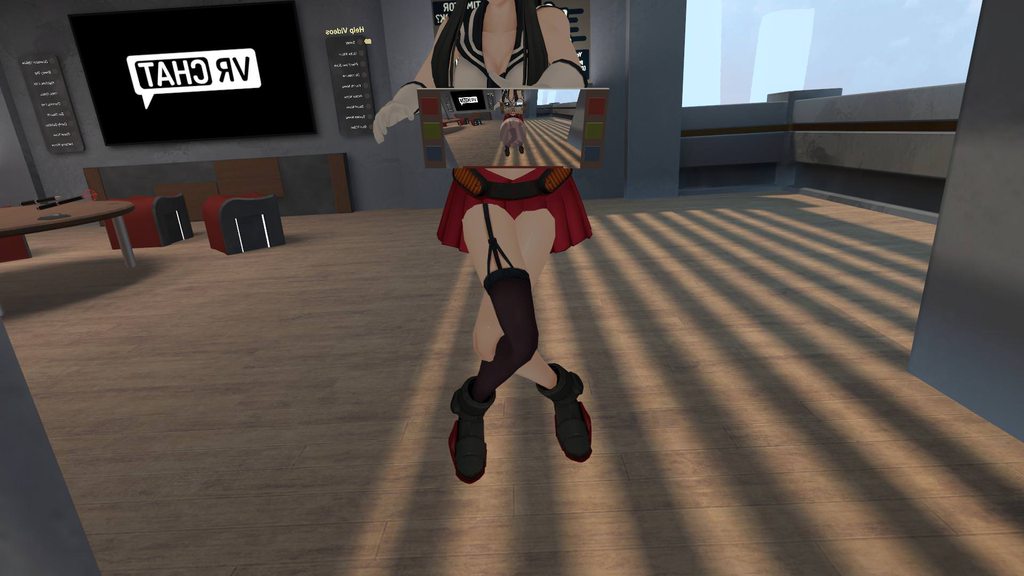
@ me if you find one. I'm going off.
 high nova
@fading verge I believe you need to change the angle of the thigh bone
fading verge
@high nova How should I go about that?
high nova
In blender change the angle of the bone, then set it as the default model position
fading verge
Couldn't I do that in Unity? i have no bone experience in Blender.
high nova
Not sure if you can do it in unity
low parrot
Can't really edit bones in Unity
fading verge
Hey. So I'm really new into avatar-rigging and every time I humanoid my .fbx 'The spine has a bone length of zero.' I am assuming I just have to make the spine a positive length in blender but I don't really know how. Can anybody help me?
no you have to ignore it
it say so in the cats ADDon that you used
Oh really? Well thanks for the quick response and the help!
 chilly urchin
I spent an hour trying to fix it at first lol. But yeah, that warning means nothing
fading verge
Ok, well thank you very much
gritty nest
You can ignore that warning, or you can prevent it by disabling the full body fix
I always disable the full body fix since I don't have FBT and my models are only used by me
 green ruin
Most of my non-humanoid models either can't reach the floor or can reach through the floor, What causes this?
gritty nest
Proportions
steady bobcat
oof how do you fix the skirt coming through your legs? i've ignored it for a while now but its getting really annoying
i've tried setting up colliders in unity thats all
fading verge
remove them
they are useless
and cause unnecessary lag
you can either weight paint the skirt to the legs
or use cloth component in unity
 vestal dirge
@green ruin for non-humanoids I'd make sure you have a root bone that marks the floor, then base your idle animations off that. Otherwise, the animation could change the height of the character off the floor.
 austere merlin
how do i make a flying avatar
gritty nest
Probably not the right place to ask, but it depends on what you want to do.
If you just want it to float higher up: make a new empty Game Object in your scene, in Unity. Put your model in this object. Put the avatar descriptor component on the game object, instead of the model. Put an Animator component on the game object, and set the Avatar Controller to the one that your model uses. You can now raise your model up/down as you wish. This disables eye tracking, but that's usually a minor detail anyway.
If you want to actually fly up/down, put a box collider under your feet (or an invisible cube). The top of the collider needs to be at Y 0, and you'll basically be able to jump in the air. You can raise/lower the collider in gestures to make yourself fly up/down.
austere merlin
Thank you so much.
when i have it under my feet, i almost instantly warp down
also, when i go forward, i fly backwards super fast
 winged crater
guys
austere merlin
okay
winged crater
anyone know hwo to get this to work with a vr headset and controllers?
austere merlin
What?
winged crater
here..
gritty nest
He's gonna post a picture probably, just wait a little
Whatever it is, you will need to set it up as a humanoid rig if you want it to follow your hands and head.
You can make fake bones if necessary
winged crater
can u help let me put it on imgur..
gritty nest
Yeah, just post it and we'll see
winged crater

i want the neck bones all to follow the neck that is going to be rigged
and the use the tail as a dynamic bone
i will mke fake legs
but i would be floating
gritty nest
You'll need to modify the armature so that it has fake bones, yeah
You might be able to just make the leg and foot bones really, really small.
winged crater
yeh
gritty nest
You'll need legs, hips, spine, chest, neck, head, shoulders & arms, etc
winged crater
let me get back to you with the finish product
gritty nest
A lot of "optional" stuff in Unity is actually required in VRC
winged crater
it has it all
but CAT cant configure it
because the bones names are different
is it fine of the spine is curved
like sloped
gritty nest
Doesn't matter probably, but Unity will probably try to straighten them out in animations and the rigging tab
So it's better to just straighten them out now
winged crater
but then the whole model gets messed up
gritty nest
In that case, you can leave the bones as they are and manually move it back in the Unity rigging window
fading verge
@steady bobcat i dont really sleep
I get 2-3 hours of sleep per day usually
steady bobcat
😬
 digital wren
does anybody have an armature with human-esque proportions appropriate for full body tracking?
a lot of my models don't have balanced arm and leg sizes so full body just gets weird
having a proper skeleton to work off of would be nice
 late crystal
The easiest way is use Mixamo. Throw humanoid model, autorig, download, open in blender, remove orginal model and here you go, just bones :p
 sage stirrup
Is it possible to pose an avatar in Blender and bring it to Unity with the pose without applying the armature modifier? Such that I could "erase" the pose later or re-pose after adding shape keys?
sage stirrup
I just want to be able to move the hair and floating legs around so they look good. If you make the pose a rest pose, then you are stuck with it if you add visemes.
naive tree
@sage stirrup if you export in a pose it will be like that in unity, at least from my experience I've forgot to reset pose
nvm me
but yea, it really depends on what you want to achieve in the end
usually there's several ways of doing one thing
sage stirrup
Thanks, too late I already gave up and applied the pose armature anyway
It's fine, just harder to go backwards
I hate how after you make visemes you are basically screwed
naive tree
what do you mean?
gritty nest
I think what they mean, is that you can't really edit the rest pose of the model after you do your shape keys
Because that would involve moving the vertices, which breaks shape keys
Still, I have no idea why you would want to change the rest pose. It doesn't change anything.
You can make the rest pose a Man-Crate™ impression for all Unity cares, it will just arrange the bones into a T-pose while animating or rigging.
 mighty kiln
here's an interesting question that i guess would be best to ask here. Does anyone know if its possible to have working lookat constraints in vrchat, and how i would be able to go about that?
i have a character that has a backpack and panels that come off said backpack and attach to a point on the shoulder


obviously i want the backpack pin to follow the arm, which i know is possible to be done with lookat constraints, but im not sure how i would go about that in unity without some form of scripting
any ideas?
 random flare
Anyone know were i could find the guy who helped me
random flare
The one who made vivi for VRCHAT for me
 charred sorrel
anyone have good settings for hair/how do i make glasses transparent? this model's being stubborn sdlkfjsd
i set the material to transparent and it's not going transparent
charred sorrel
better yet
how do i get a model to export out of blender with the materials in tact? i always have to reapply them every time i import them into unity
i always use fbx, is that the issue?
im importing a character with glasses and the colors are perfect as they are but unity messes them up
fading verge
Anyone know why the mesh isnt attached to my armature in unity? Works ok in blender.
It just seems to not... find any of the extra bones?
Such as hair. And the tpose doesn't work. Weird stuff.
 alpine flax
https://cdn.discordapp.com/attachments/438118793659547656/442548568918589451/c257c346be2c757c8b2452cc42bcd84a.png Im kind of dying inside today is skinning day

 woven leaf
if i put something with shape keys through maximo for a rig will it get rid of my shape keys ?
woven leaf
no worries it doesn't just got it work thank you tho @alpine flax
alpine flax
awesome sorry i couldnt help much
 pale hull
If it does, just keep a copy with the shape keys intact and import the mixamo rigged model. Then you transfer the shape keys from the unrigged model to the rigged one.
So in either case you can make it work
fading verge
does anyone know how to fix messed up finger bones?
gritty nest
Set bone roll of all bones to 0 in Blender
Including unrelated ones such as the legs. Just select them all
fading verge
it is set to 0.
light kindle
the rolls might be wrong at 0 though
fading verge
lemme try and explain, so the ring, middle and index finger are like crossing over each other, and the pinky and thumb are sticking out to the sides. only in a certain hand position though
-0 or 0?
mine is set to 0.
 thick verge
can anyone help me with a rigging problem?
naive tree
screenshot + description
thick verge
i can't post images in this channel for some reason
naive tree
use imgur
thick verge

I change the bone hiearchy the neck and such were under spine 2 first)

I make sure I applied it

but it still reverts it to the originial
thick verge
still gives me the error: " parents for ' Neck' differs from one found in HumanDescription. ' spine2' was found instead of 'Spine1'
ok
let me upload it to my drive real quick
thick verge
won't let me
the plus you'd ussualy find next to the text bar is missing
the fbx file is under 8mb though
Google Docs
the weird thing about this is, I had this model befor this SDK update
(it was the SDK from january that I had at that point)
worked fine then
 final heart
I am working on a model, and it will not let me reassign the parent bone in blender, because it says reassigning parent bones is for internal use. Is there a way to get around it?>
And when I try to re assign the bones in unity, the changes are not saved
naive tree
@thick verge well, it has too many bones in arms and legs, there's 1 too many bone in chest area
naive tree
cant do it in unity
final heart
Nevermind realized I was not in edit mode.
naive tree
mesh isnt connected with armature too
thick verge
alright
 toxic kiln
anyone knows why I keep getting the spine hierarchy error I even have the spine mapped to the model?
naive tree
your spine can have 0 weight on the mesh, it just needs to be there
 warm tangle
I'm getting an error in unity that says "Spine hierarchy missing elements, make sure that Pelvis, Spine, Chest, Neck and Shoulders are mapped." I tried to solve this myself, but I can't find a solution

 simple jetty
Your chest is not mapped, do you have a bone for that in blender?
Or, change the Chest to use the Chest bone and make a spine for the model, then map Spine to Spine, as that'd make more sense
warm tangle
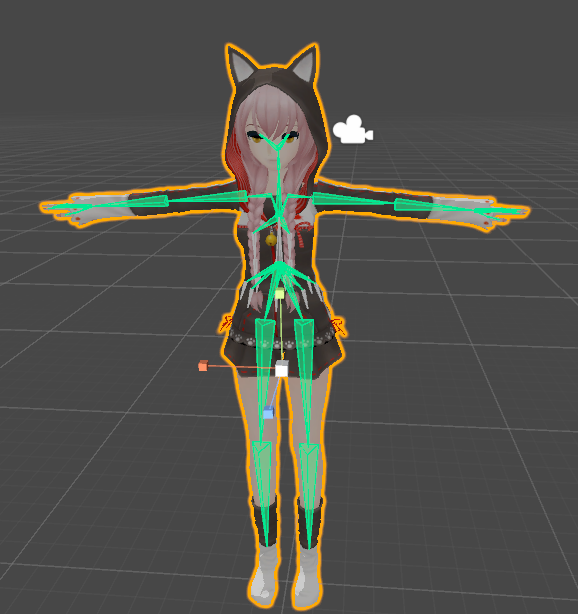
Thats the bone structure
I do have a spine, it's just when I put it under Spine, it says that "Spine Transform 'spine' has bone length of zero"
gritty nest
That's not an issue
CATS basically screams at you "You can ignore this warning"
@warm tangle you also don't have the chest mapped, clearly
Oh, you have the chest mapped in the spine slot lol
Fix that
 heavy pasture
Anyone have experience rigging something with weird proportions like the Franxx robots? How do they do in-game vr-wise?
 runic quail
@gritty nest how do i subdivide my spine
gritty nest
¯_(ツ)_/¯
 viral stag
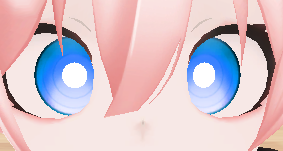
any reason the eyes go cross? https://i.imgur.com/ML76ReD.png
 heavy pasture
Ask other people what it looks like, mirrors sometimes make eyes do weird things.
shadow shoal
most of the time that only happens locally
viral stag
hh
cause I'm in an avatar world with the same models
was just wondering if I did something wrong
plus I've no idea how to prevent avatars from leaning back, is there a specific way you set up bones?
shadow shoal
that's a desktop bug afaik
viral stag
says the eyes are cross for other people too, rip
fading verge
I have this error "No vortex group for paininting, Aborting" When i try to weight paint..first time issue an i have no clue how to fix..any answers?
alpine flax
anyone know of riggers using maya? Im starting to get really frustrated on skinning willing to pay someone to skin the rest of this nonsense to be honest
everything is boned and ik handled so its just the pain in the ass skinning left
lilac moss
no, bone constraints don't transfer to unity
all you need is the proper deform bone hierarchy
@fading verge
fading verge
The one that Unity wants right?
And does bone orientation (rotation versus axis) matter? Or just position?
Rotating the bones so the Y axis all point in one direction basically.
lilac moss
bone roll can make things screwy in unity it is sometimes recommended to Clear Roll in blender mostly for mmd
 tough junco
https://gyazo.com/8c37fc6fde1d0c03cbaebc84ffb53e35 ok so does anyone know how to combine two models/bones/rigs or whatever you call it together... i kinda been off from vrchat and making my own models for like 5 months due to school and i forgot everything when i came back to it

 hidden gust
How do people make super tiny avatars? I tried to make a super small model, but VRCSDK told me my model needs to have at least a 20cm shoulder height. I've definitely seen people with models that are less than an inch tall, so how is it possible?
fading verge
i need help with bones and thats what i am having problems with now. i need to screen share with someone.
@hidden gust they use a modded vrcsdk
or they rewrite the code inside the vrcsdk
hidden gust
@fading verge i can try to help i am not that great with bones
fading verge
plus being tiny you wont be able to use your menu
hidden gust
i already got a tiny model but i dint need to do anything to upload that one
 neon quiver
ok so i mirror the mesh of an arm and the weight paint is not being the same at all. i even mirror the bone symetry so to make sure it the same. the bone is warping weird. i can't find any other bone that might be accidently weight to the arm bone. it really bizzar. even try deleating the bone and going back in and remaking it.
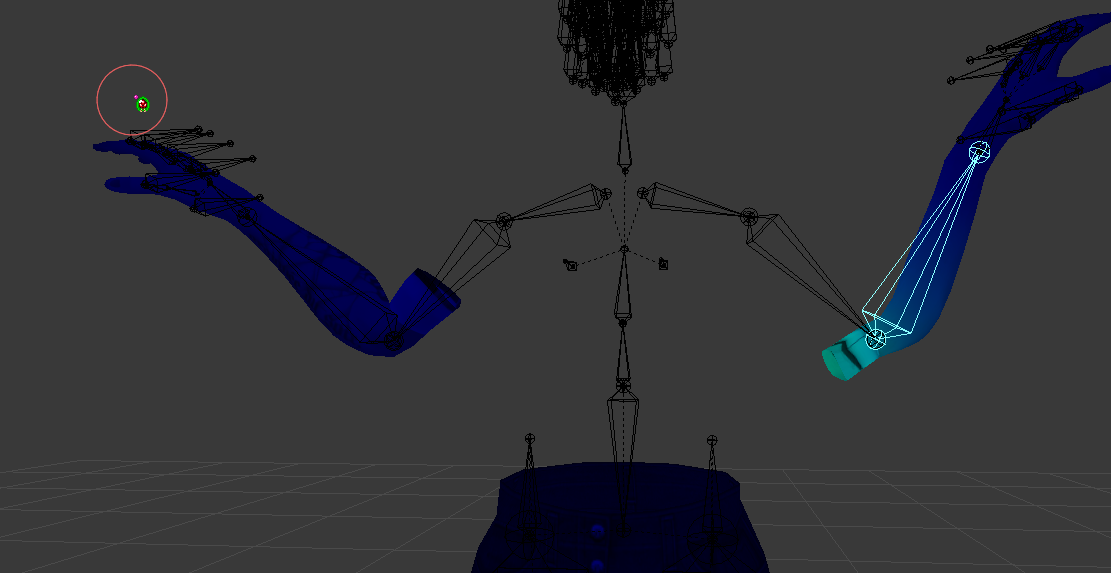
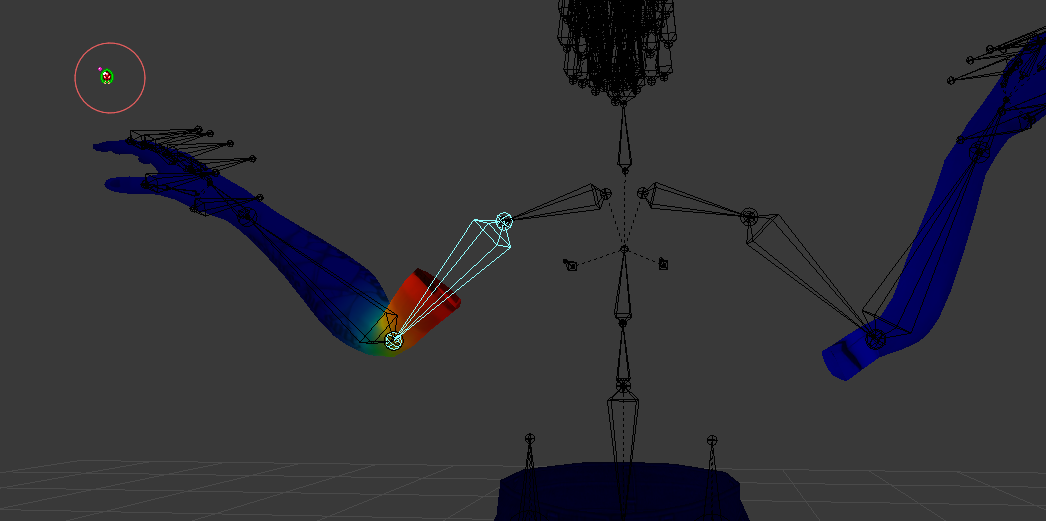
even manual painting does not work for the left arm. it still does a weird curve. so maybe there is something weight painted accidently to it but i can't find it.
gritty nest
Check all vertex groups
fading verge
is there a way to bypass the chest error in unity without bringing the modded vrcsdk in to the picture?
opal aurora
@fading verge what chest error specifically?
fading verge
not mapped i would guess
true vapor
Or the bone is too small
opal aurora
I mean, if that was the case just making a blank bone would work
gritty nest
"The" chest error isn't very specific lol
true vapor
I think I know what error he means
gritty nest
It better not be Spine length zero lol
fading verge
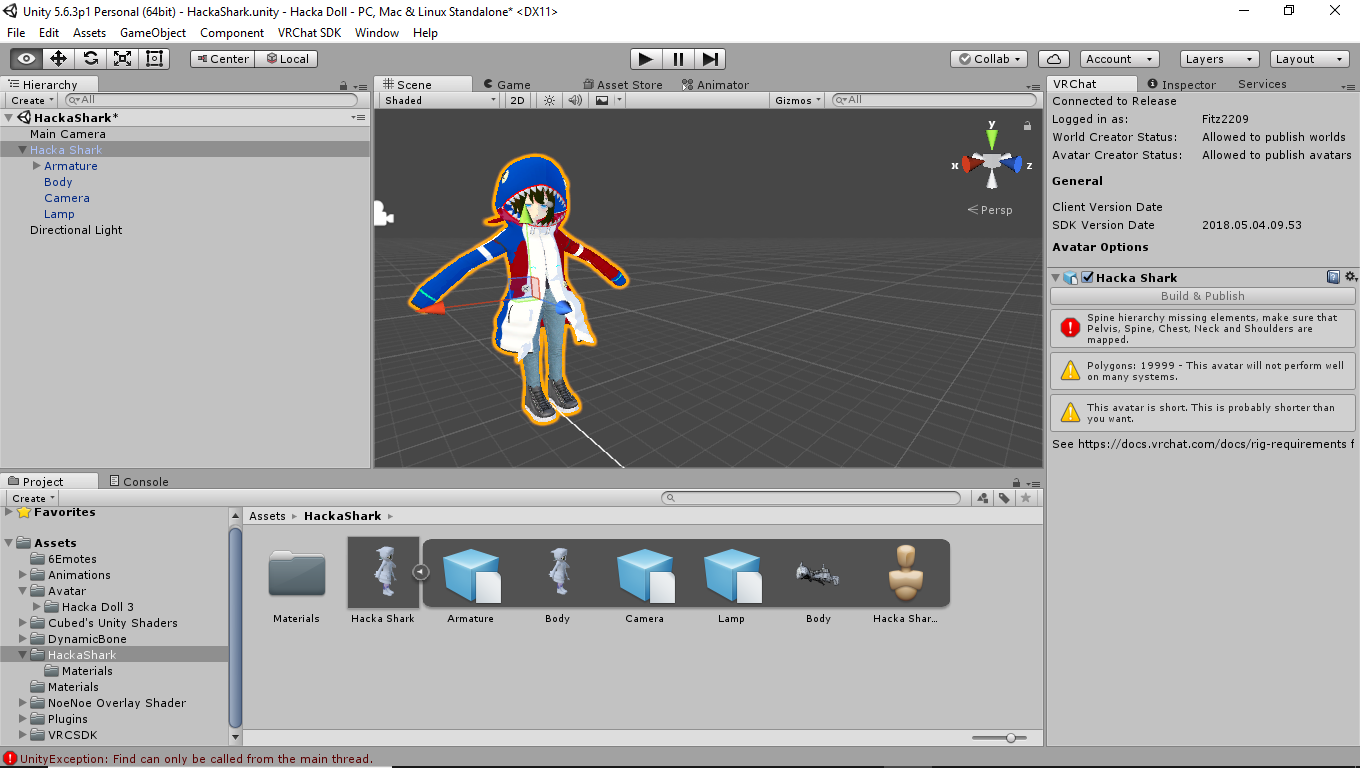 opal aurora
Guess the Error
opal aurora
Show us the bones in blender
gritty nest
I'd rather have him show us in Unity's rigging tab
true vapor
^
gritty nest
So we can actually see if he set everything
opal aurora
That aswell, but i've seen some pretty funky bones at times, which blender displayed better is all
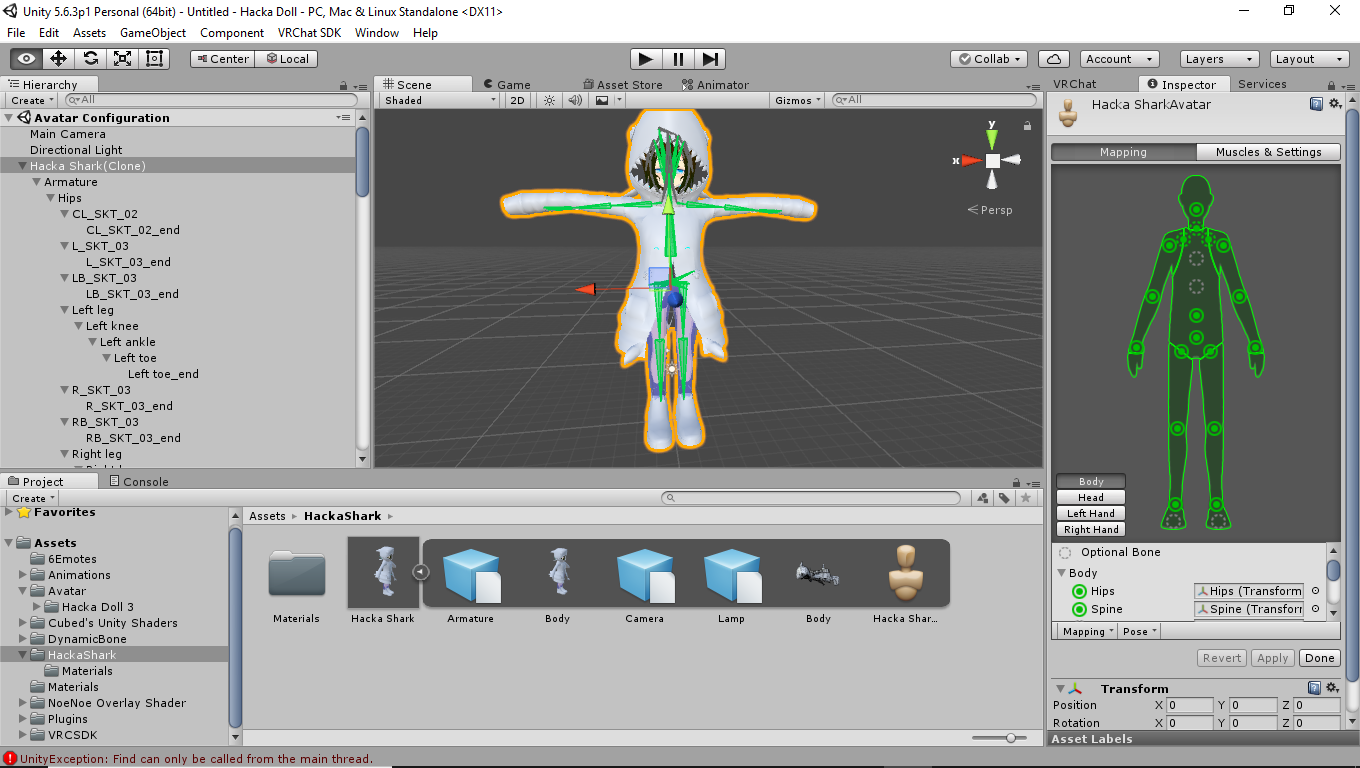 gritty nest
Lol
fading verge
the chest piece optional isnt it not?
true vapor
Ha
gritty nest
No
fading verge
no
gritty nest
It's optional in unity, not in VRC
fading verge
not in vrchat
true vapor
No
gritty nest
You need to have it mapped, but that should be easy
fading verge
it says optional
true vapor
Shouldn’t be that hard
gritty nest
Yeh, optional in Unity
true vapor
Ignore what it’s telling you
gritty nest
VRC needs it
opal aurora
Even if it says optional, just accept the fact that it is not
gritty nest
If you don't have a chest bone, subdivide the spine
fading verge
lemme me add the chest why dont i...
gritty nest
The only thing you should not have mapped is the Upper Chest. Toes too, unless you can magically make those work.
And Jaw, unmap that too
true vapor
Because there’s no such thing as an upper chest
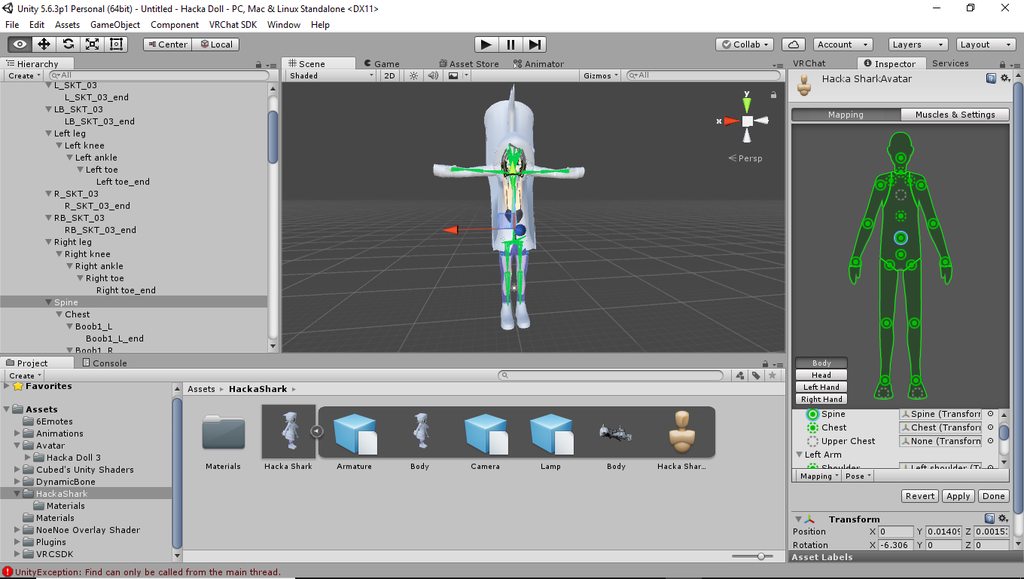 true vapor
👏
gritty nest
First screenshot is fine, second screenshot shows you have unmapped the chest yet again
Don't "revert", apply.
opal aurora
Bones you must have https://cdn.discordapp.com/attachments/251862595030482955/404301325380091906/guide.png
 fading verge
i never had this issue with my last model and now i having issues? -_-
true vapor
That’s very specific
gritty nest
Because it's a different model or you forgot to map the chest
Unity forgets too sometimes
true vapor
And when it does it’s mostly due to that it’s screwed
fading verge
i didnt 'forget' to have an upper chest
gritty nest
Nah, I had perfectly okay models that Unity just didn't detect the chest for
It happens
true vapor
Obviously unity doesn’t like chest
fading verge
opal aurora
Let's not talk about hair mouth bones
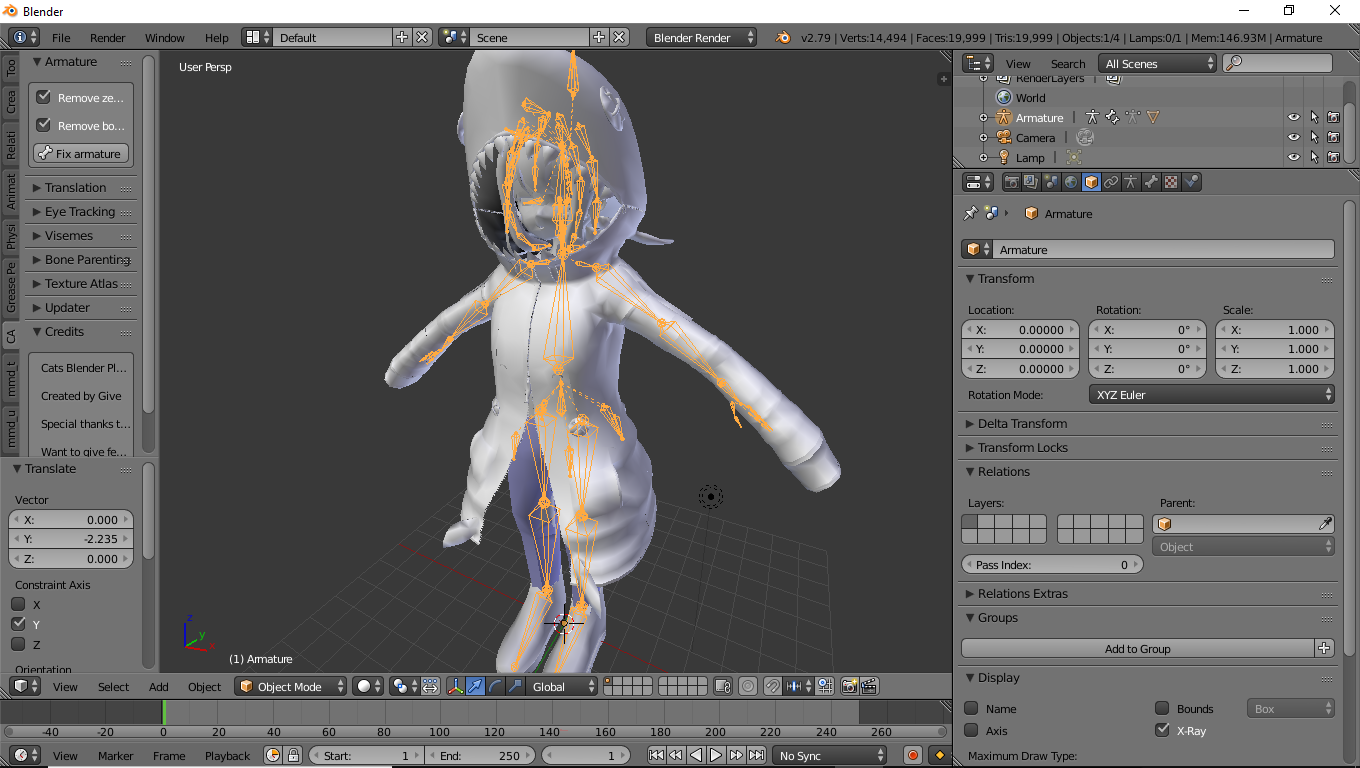 true vapor
Zoom in towards the chest
opal aurora
Can ye zoom into the che ^
true vapor
There lies your problem
opal aurora
Sniped
opal aurora
Not sure if chest bone is non-existant or the spine bone is the size of a toothpick
fading verge
of course i cant screenshot and paste in here
true vapor
The spine is bigger than the chest
fading verge
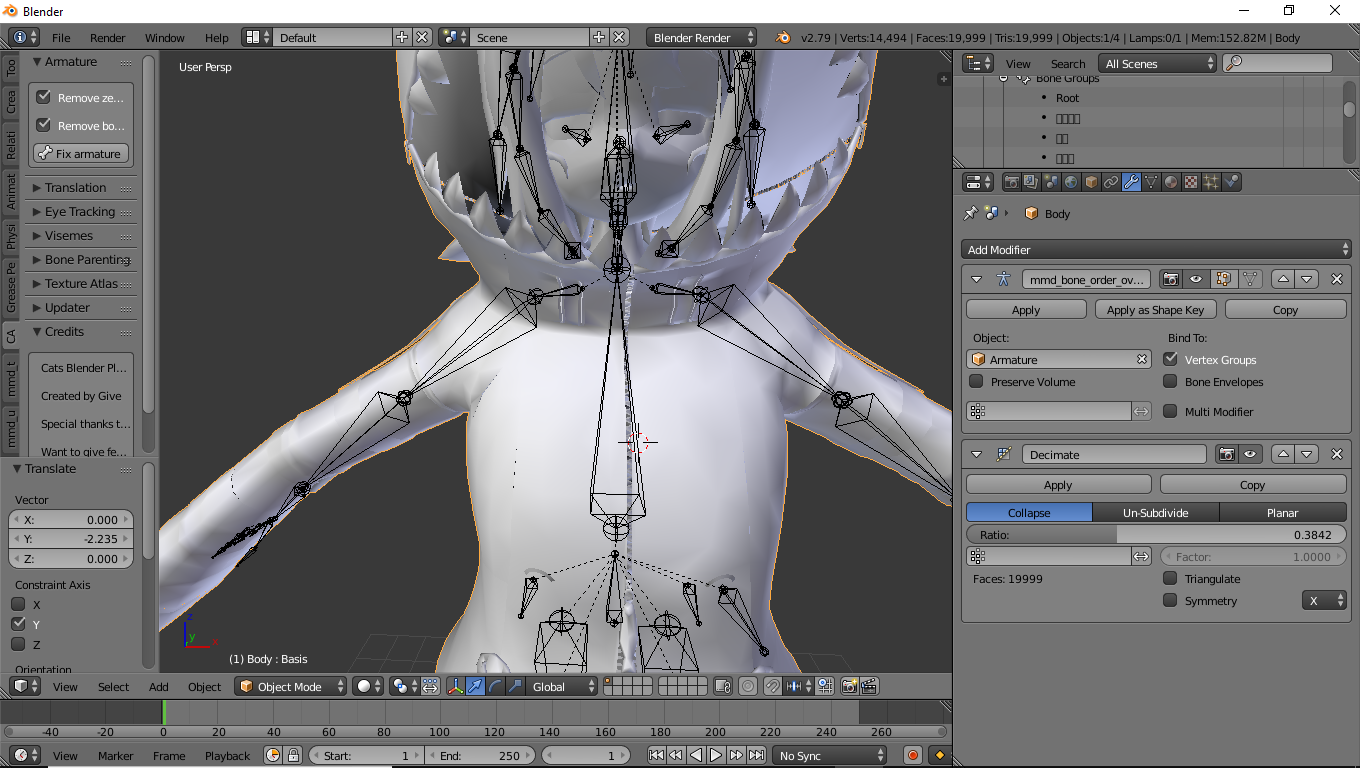 opal aurora
Wat
fading verge
For the hacka doll i used it worked perfectly and now its gone ot shit
opal aurora
Where's the spine bone?
true vapor
Nah just find the chest bone and make it bigger
And make the spine smaller
Have it scaled down between the stomach and lower chest
Then the chest bone scaled to the end point of the spine bone and the start point of the neck bone
opal aurora
My worst fear right now is that the spine bone has the majority of the torso painted
That would suck
true vapor
Yea
But I had the same problem with a loli model I had
Chest was smaller than it should be
Fixing the bone height fixed that
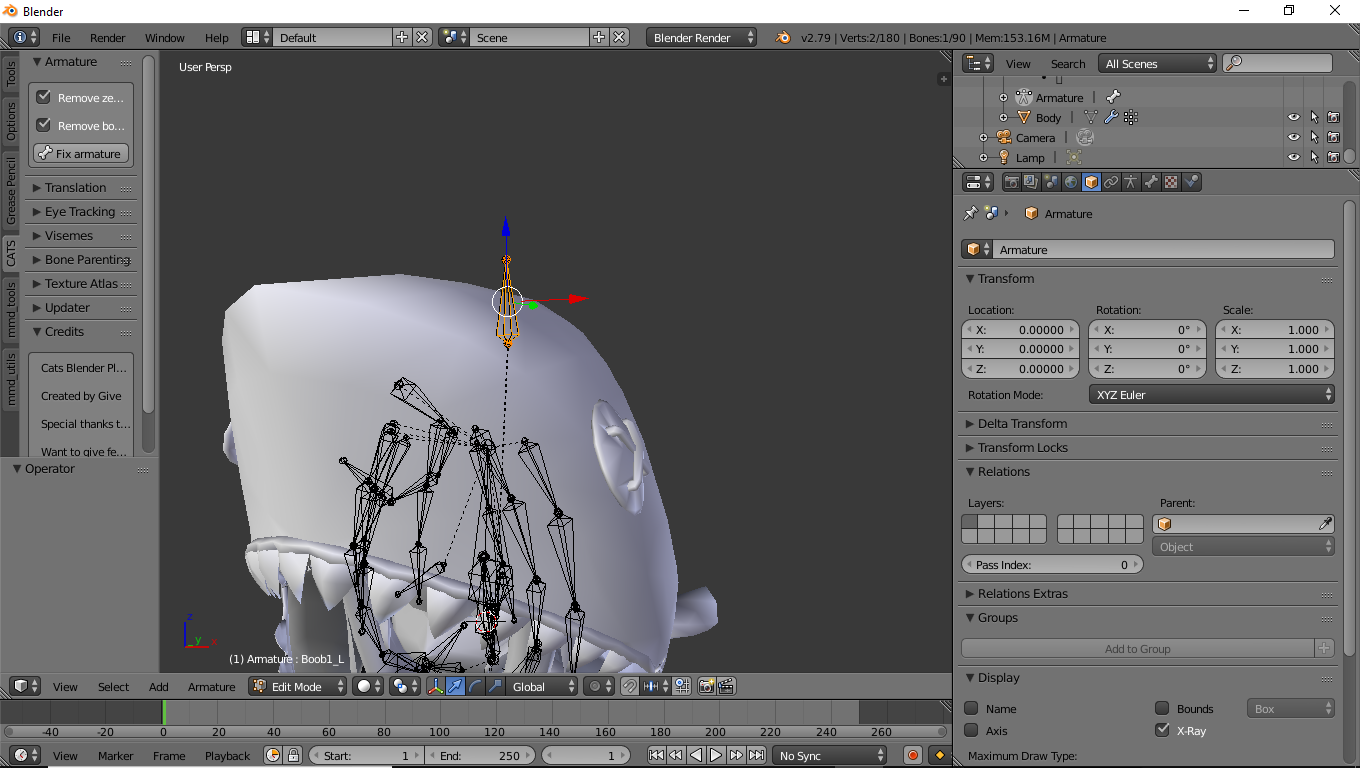 true vapor
And didn’t affect my torso painting
opal aurora
WELP
true vapor
Wtf
opal aurora
I GUESS WE FOUND THE ISSUE
true vapor
LOL
fading verge
brb gonna get wasted
opal aurora
On a serious note
true vapor
How fucked is that model
opal aurora
Legit...
How?```Heh
opal aurora
But really though
true vapor
Anyways just move the spine down
opal aurora
How was the model even intact?
true vapor
I wonder how you could even animate something like that
opal aurora
Prior to assigning the chest bone, that really makes no sense
It should've contorted right off the bat based solemly on how far the bone is
Even if it was just by unity positioning it
fading verge
guess ill test it out and see how it comes out
true vapor
Yep
Don’t apply any materials
Just test the rig in unity
It saves you the trouble
Funny how I haven’t updated CATS
opal aurora
This is fine https://gyazo.com/acc034cbf7a6dd502b3034e58b685906
 fading verge
nope still does the same thing
true vapor
Show the rig in unity
opal aurora
Hey fitz, change the rig from humanoid to none
And then back to humanoid
Make sure to apply between the changes or nothing will really happen
Whenever you change anything in your model's rig you should do that to make sure unity resets the bone placements
Otherwise it keeps the old bone positions and rotations for the most part
fading verge
it just removes the chest piece and thats it
fading verge
no its still there
true vapor
The bones stay intact
opal aurora
I think they mean it gets unassigned
Which makes sense since that did it the first time aswell
true vapor
Well yes
opal aurora
But other than that, that should put the bones as you exported them
true vapor
Just resign it
fading verge
for some reason when i fixed the bones in blender they change back to the way they were in unity
true vapor
Did you update the .fbx file
opal aurora
Can you show us screenshots of the fix and the end result?
true vapor
If not your gonna have to do that
fading verge
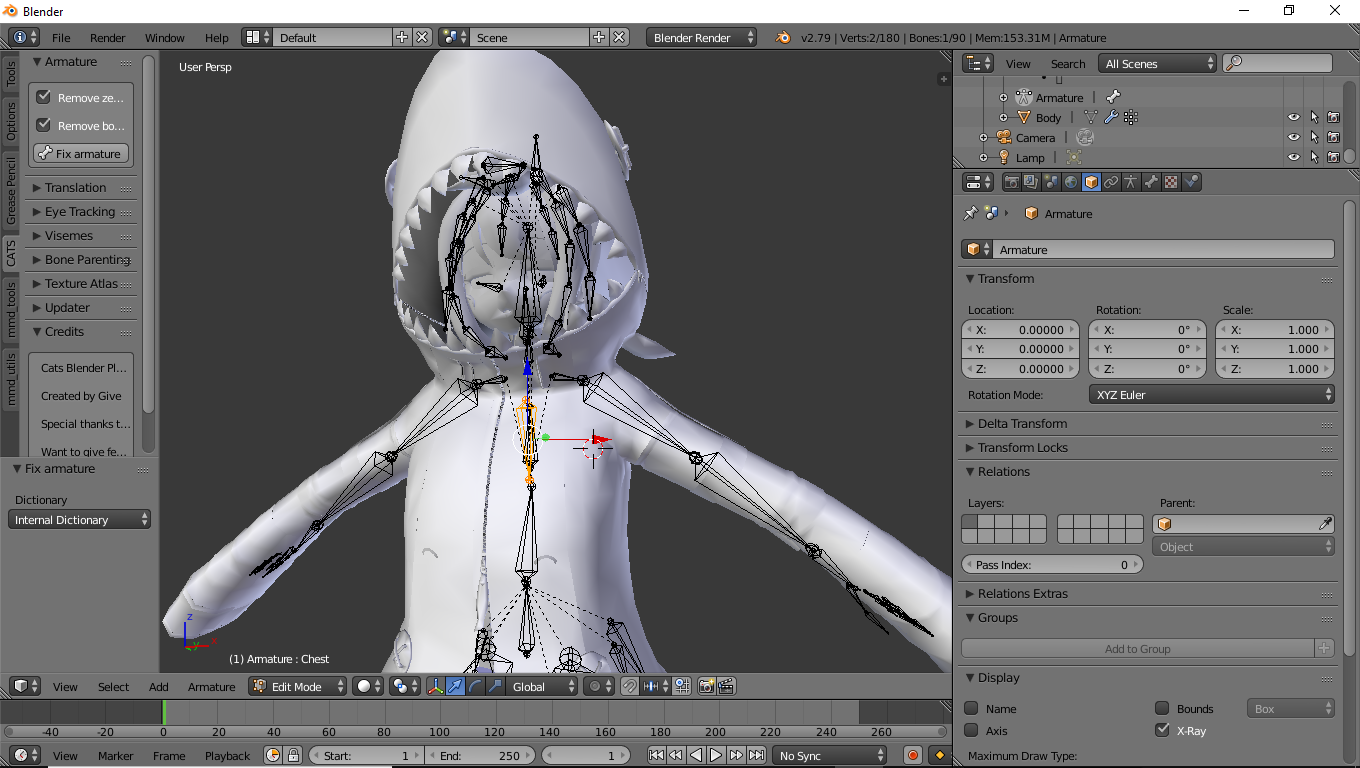 true vapor
Update the one in unity
fading verge
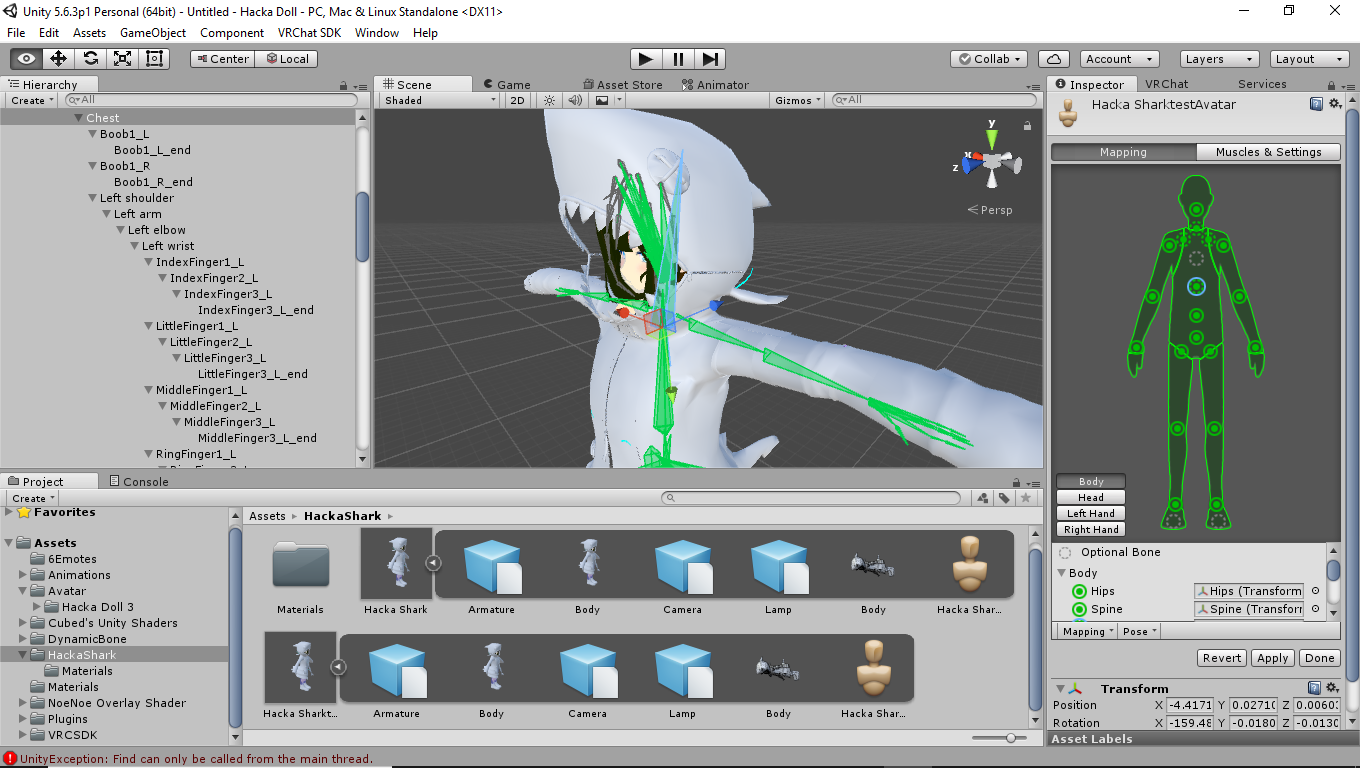

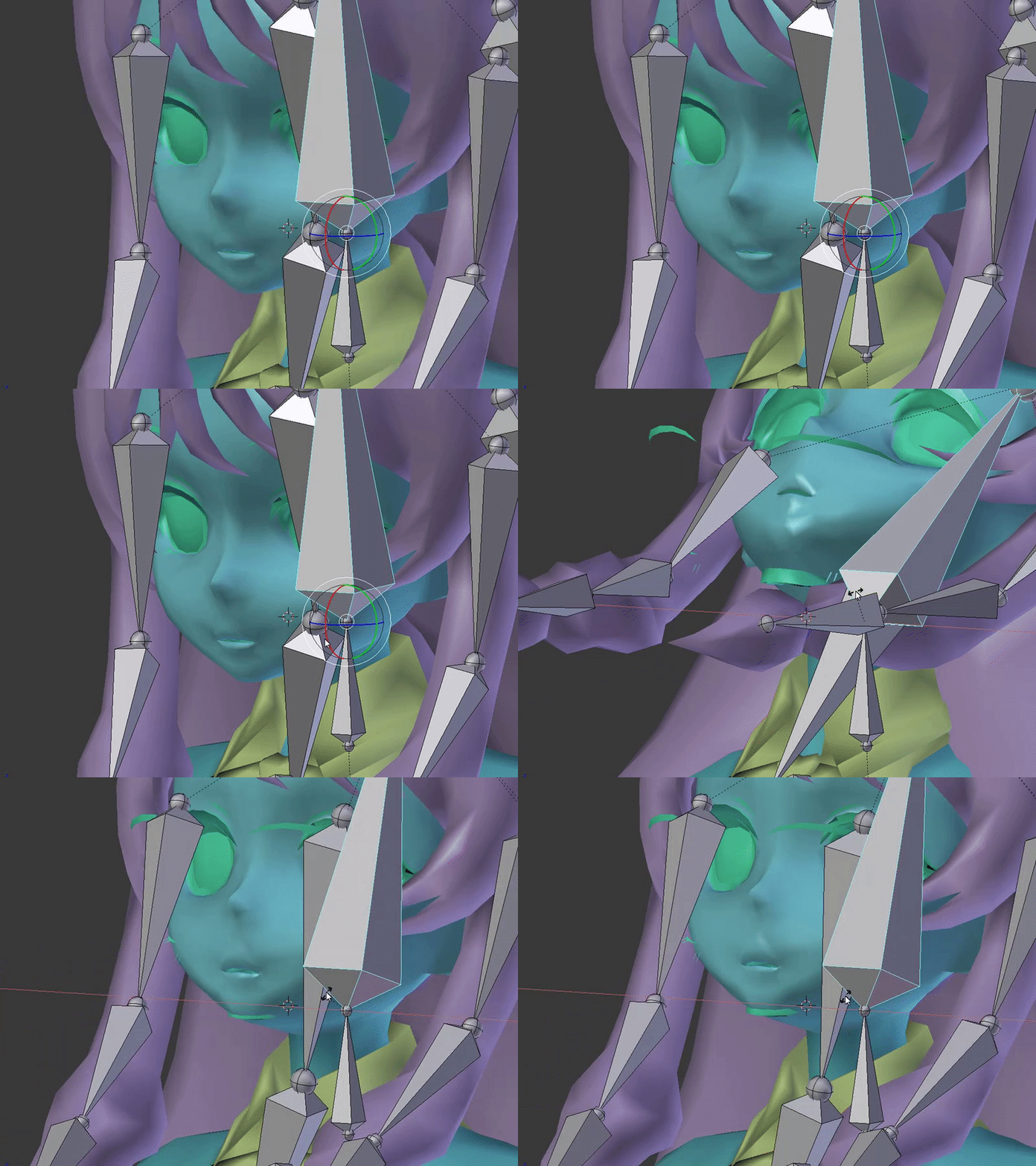


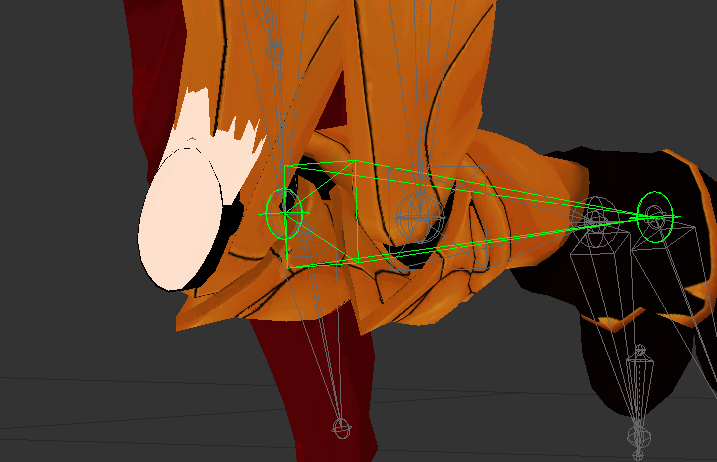


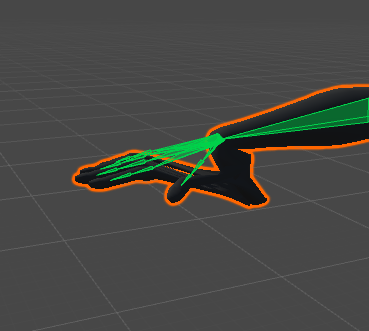
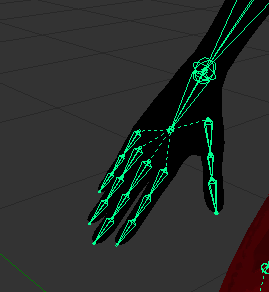
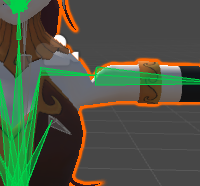
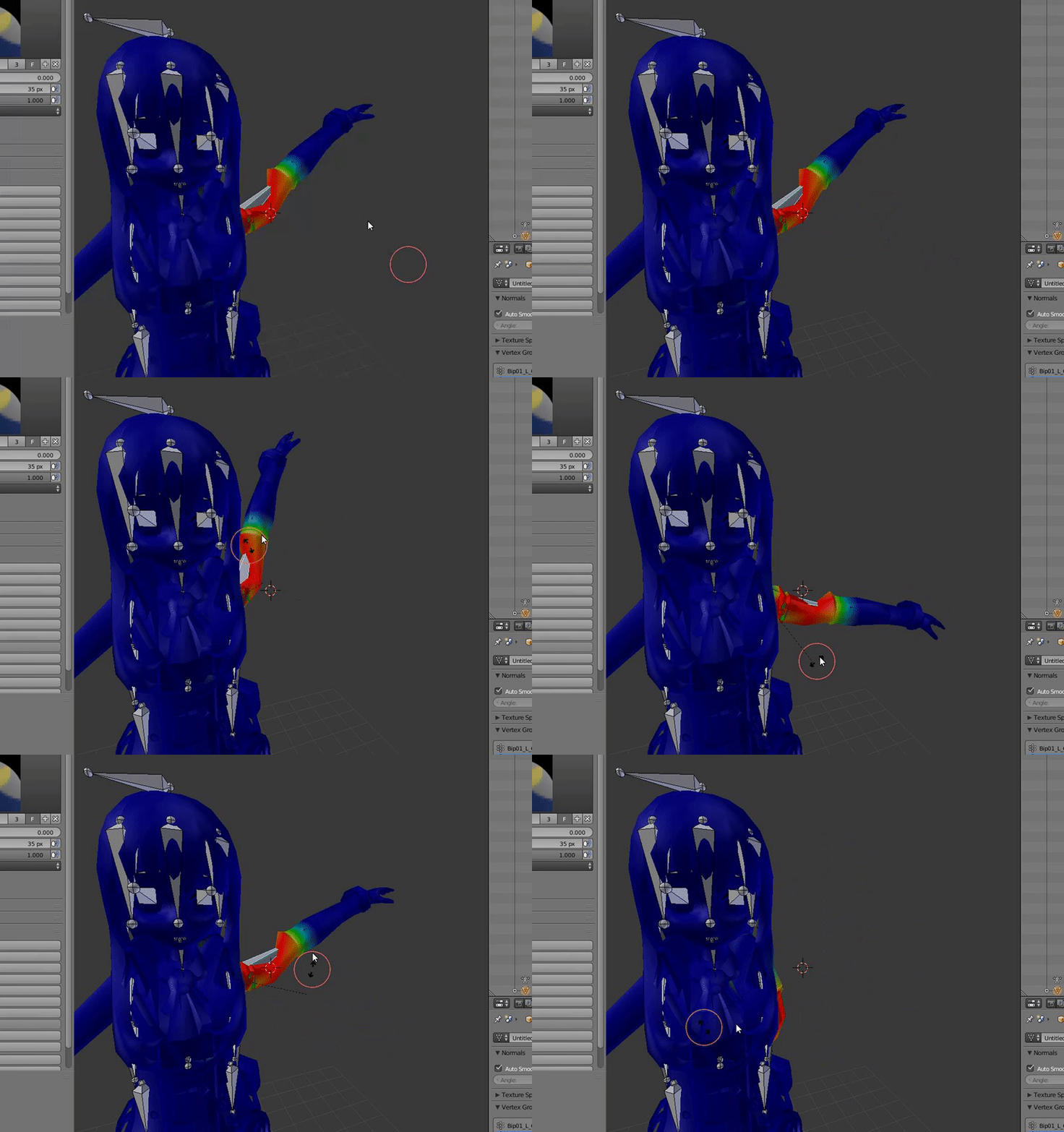


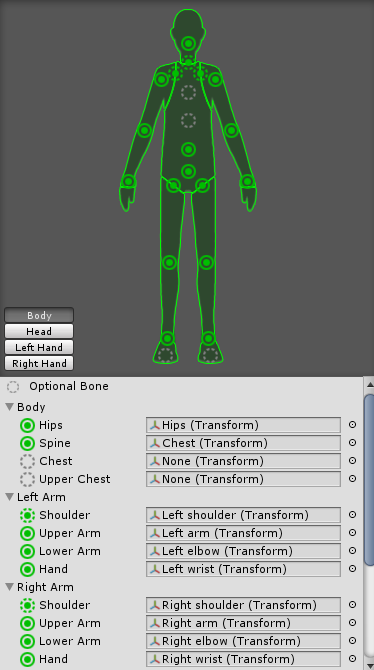
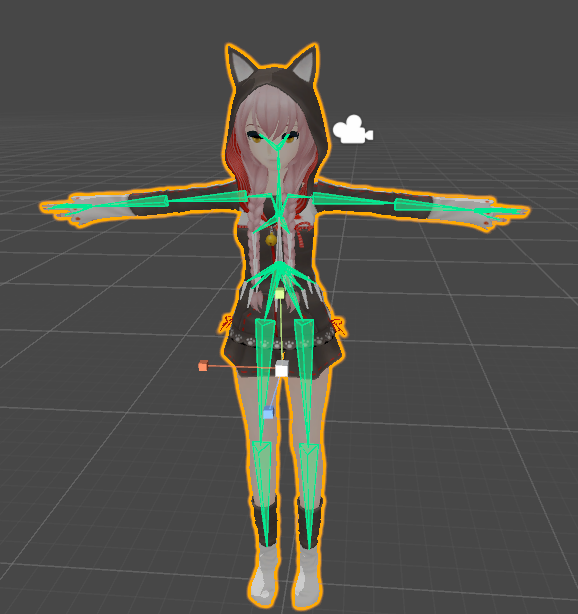


 opal aurora
Wait, is the spine above the chest?
true vapor
Delete the .fbx file in unity the reimport
opal aurora
What're the shoulders parented to then?
true vapor
Yea it’s upside down in the screenshot
true vapor
Yep
opal aurora
But it's just an upside-down chest bone
Wait, does that mean that the chest bone is inside the neck bone?
true vapor
No
opal aurora
I am so confused with this bloody rig
true vapor
The line isn’t connecting with the chest
opal aurora
It's like, 2 chest bones in the same place, but one's upside-down
true vapor
Why is it even upside down anyways
fading verge
i rotated that back to normal
opal aurora
Make sure to alt+r on the bone to reset roll, since you rotated it into place
fading verge
alright i reimported back to unity and nothing, can i mess around with bones in unitry?
unity
opal aurora
No you can't the bones will move the mesh in unity, that's why you need to do it in blender