
#avatar-rigging
1 messages · Page 112 of 1
 shell tendon
you see
the left eye has a white shiny on it
but it goes inside of the eye all the time
changing the position out of eye wasnt option
in the end i just mirrored the one on left eye
well shit, it kinda didnt help
shit still goes inside of eye hm...
 fading verge
it's a separate mesh
so check if it's parented/weight painted correctly
use the other eye as reference
shell tendon
tbh they were one same mesh
i split em up to try fixing the right eye
this god damn eye
i wonder why i have a deja vu
in the end
I fucked it up even more
i feel like just deleting these lights
they dont even work after porting into Unity
no i cant
too ugly
 fading verge
just change the texture to add them directly on the eyes ?
 gritty violet
so uhhh what do you do if your avatar doesn't have any vertex groups but you've got an armature crammed in there
like, how do you create 'em, because otherwise i just tpose all over the place
 crisp tendon
If the armature is well positioned everywhere, then you can just apply automatic weight paint, that'll create what you need
gritty violet
where do you do that? o:
oop, figured it out i think, but

maybe it still worked, i'll give it a shot
crisp tendon
@gritty violet https://youtu.be/IZPqxADetWE

This is a tutorial on how to overcome errors that can occur when using the automated bone weight function in Blender 2.5
gritty violet
thank u ;v;
 gloomy pollen
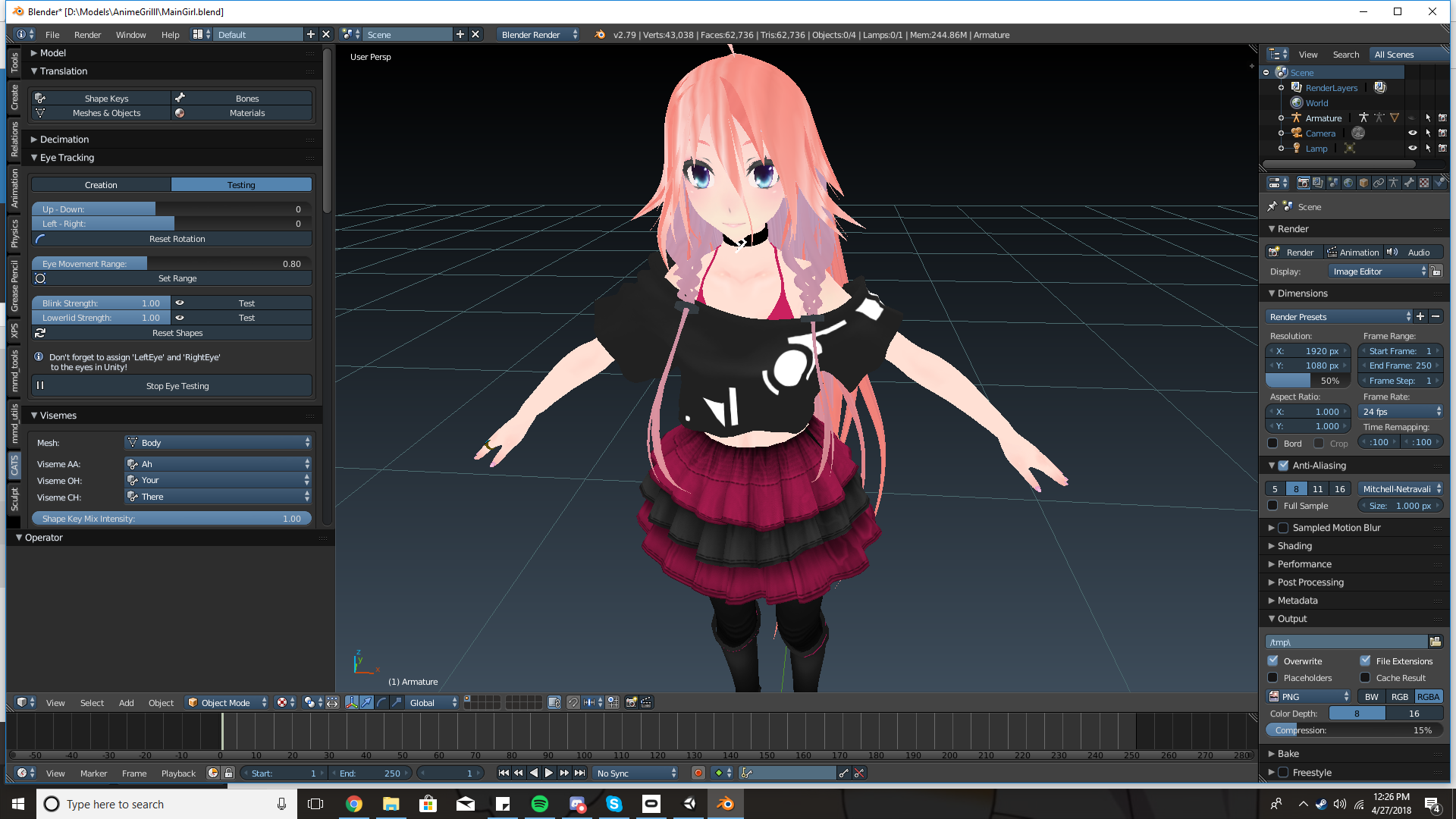
anyone know of a bug in CATS that makes eye tracking work in blender but not in VRChat ?
i can test and everything is fine in blender but eye tracking isnt working in game
mouth works fine and both eyes are set to the right "bones"
oh my mesh name wasn't exact, maybe thats the issue
hmm nope that didnt help, wtf >_<
 tired pelican
I think this belongs here
https://cdn.discordapp.com/attachments/421686373523914753/437784546679848960/unknown.png
https://cdn.discordapp.com/attachments/421686373523914753/437784671179505675/unknown.png
anyone knows if its possible to make the lower arms move seperately while still working muscle animator? if not just have them being static?

 gritty violet
we tried so hard, and got so far https://cdn.discordapp.com/attachments/289435243373527041/437798069065613312/unknown.png

but in the end, my character still looks like she was rigged with wet pasta noodles
 shadow shoal
What happened to her poor arms
gritty violet
i do not know
her eye tracking moves her cheeks and forehead too
not to mention all the clipping on the clothes, none of which i know how to fix, so aagh
shadow shoal
Clipping might be related to the weight painting
Eye bones were probably applied incorrectly
gritty violet
i'm sure they were, i'll have to go back and see where i went wrong
but either way i consider this a victory in my book, i started out with a bunch of model parts from scratch and made it all the way into a fully animated avatar
so i'm happy! ..even though i'll never use this thing to save my life, i feel accomplished
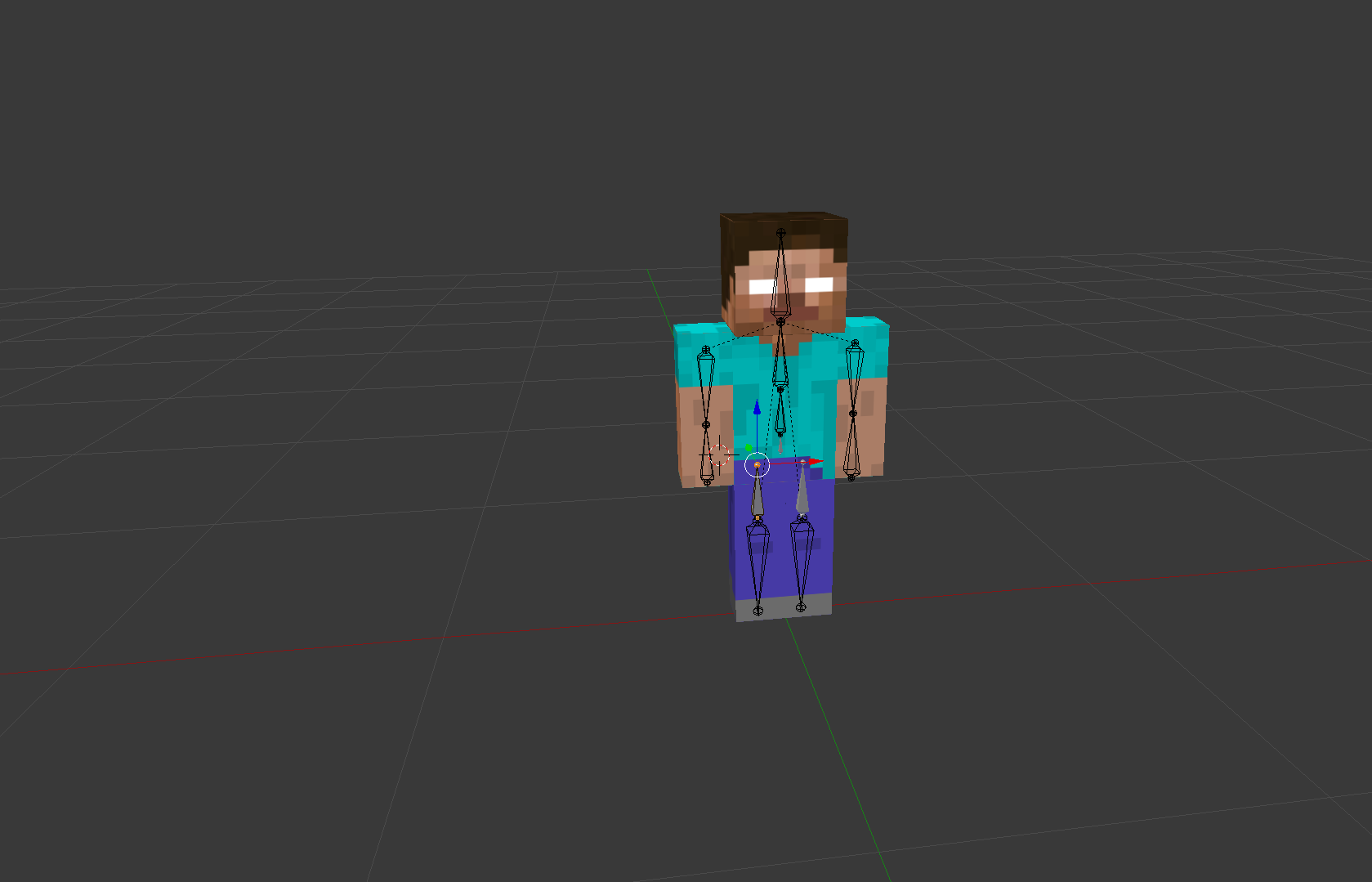
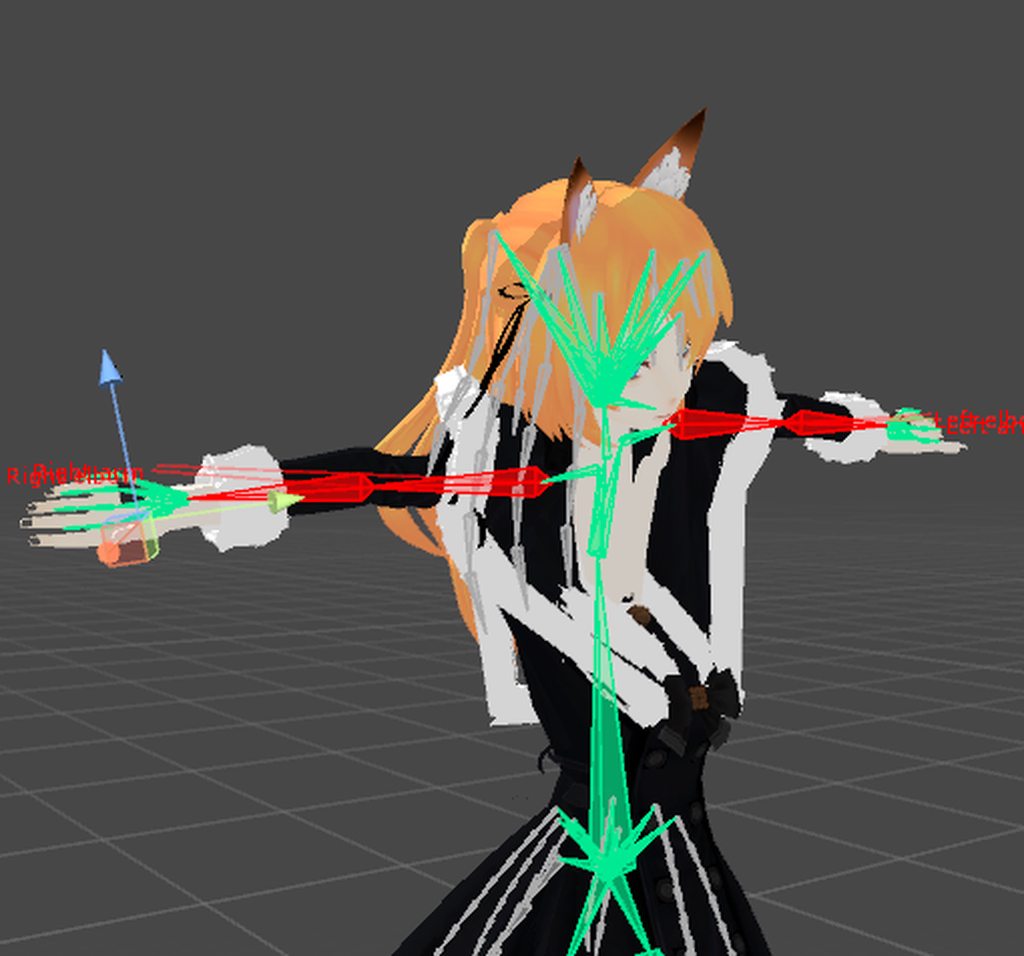
 grim jetty
try enforce tpose
 patent edge
rotate the parts till green
 swift storm
okay 😮
swift storm

D :
update, the weight painting is funky, but it wont let me weight paint the dress for some reason
 opal aurora
What seems to be the issue?
opal aurora
Are all the bone rolls at 0?
opal aurora
And are they correctly positioned according to the body?
swift storm
they are in blender
opal aurora
Are you in rest pose?
swift storm
and theyre all assigned to the right thing in unity
no
tpose
rest pose it looks fine
opal aurora
Leave it in rest pose then
swift storm
wont it mess up in vrc though?
opal aurora
Enforcing t-pose may bring more harm than good
swift storm
😮
opal aurora
Although i do recommend having bone rolls at 0°
swift storm
they should be, how do i check that tho ?
opal aurora
Select a bone, right panel should have the details
swift storm
sick ty i'll double check that
opal aurora
In edit mode, alt+r resets selected bone rolls to 0, if you want to speed up the process
Make sure to always have a backup handy
Blender is a wicked beast at times
swift storm
yes i've learned D:
i always have weird issues lmao i never just smoothly make a model 😫
opal aurora
If you change any bone settings at all, don't just hop into the config panel like usual
Otherwise it has old bone positions and rolls attached, alot of people get caught and confused by that
Getting their models contorted for no "apparent" reason
Make sure to change the model to another type other than humanoid and apply, then you can switch back and apply, new bone settings will be then generated
No longer causing confusion
swift storm
ah okay 😮 i haven't changed any bone settings yet so it looks like this str8 outta blender
 warm pecan
hi I was wondering how you guys rig avatars who have no fingers
opal aurora
You can make dummy bones, essentially bones with no influence, unity just cares about the bones existing and in the right positions
warm pecan
thank you @opal aurora
 white briar
so for some reason, unity is saying that i have a bone length of zero, when the bone certainly does have length
https://cdn.discordapp.com/attachments/410305882866450450/437866595814211594/unknown.png

 naive tree
ignore it
white briar
but then the VRC avatar descriptor says, humanoid avatar must have feet, hands, and head bones mapped and ive quadruple checked and yep, they are all mapped
still gives me the error
so i assumed it was because of the spine error in bone config
white briar
ah
welp, broke the entire model, but when i drag a new one into the hierarchy, it looks fine. just the previous one is borked.
but the problem fixed itself
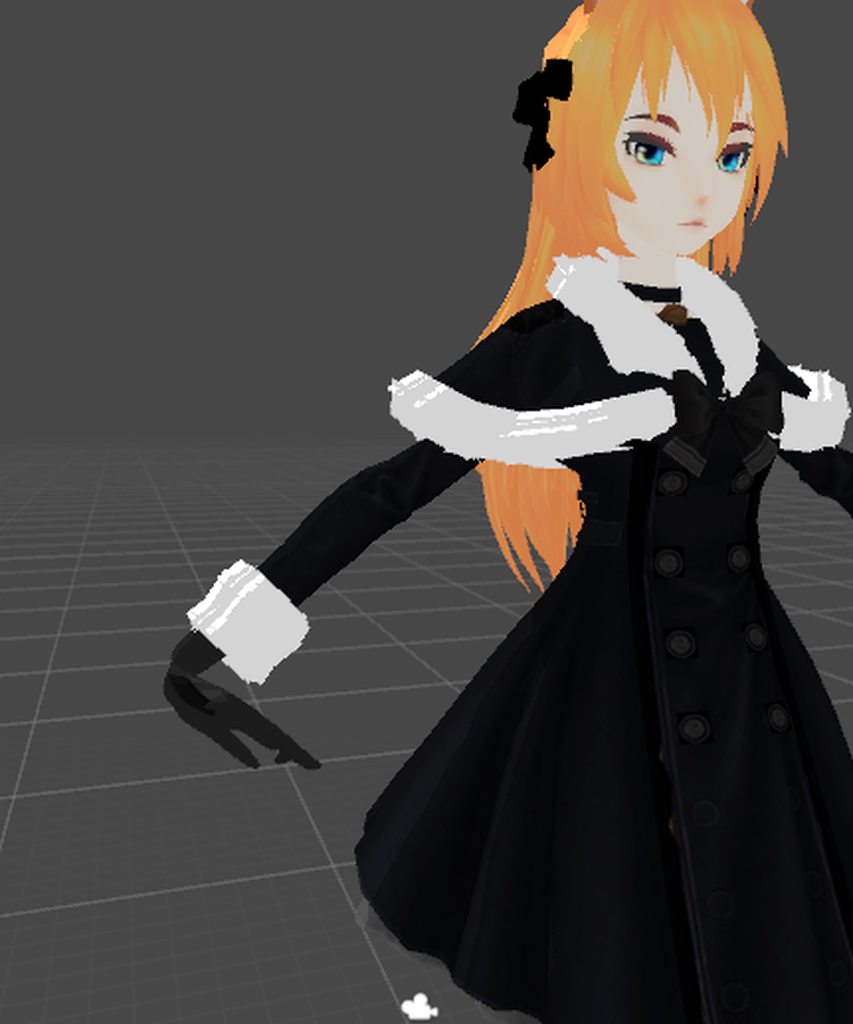
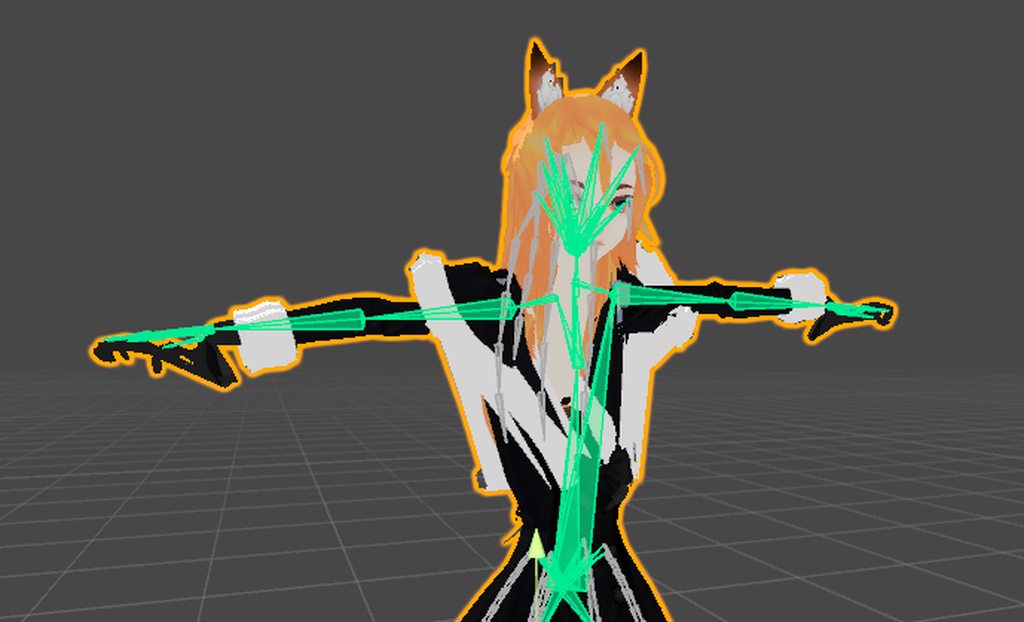 opal aurora
That... shouldn't happen o-o
white briar
still getting humanoid avatar must have feet, hands, and head bones mapped error. nothing i do fixes it. everything is for sure mapped. i dont know what i am doing wrong
warm pecan
I was wondering if anyone could fix the fingers of one of my avatars, the rest is already rigged
opal aurora
@swift storm the bones seem to be in the right place but the mesh is just contorting, have you checked the weight paint?
swift storm
yeah, there was an issue with weight painting earlier too that i never figured out
the spine isn't weighted to the dress right but when i try to paint the dress it just...wont
@opal aurora
wait
i just opened it and it's different than last time i opened it LOL
spine is weighted to the entire torso
chest isnt weighted to anything lmao
opal aurora
That is really weird... was the bone roll the only change?
shell tendon
There is one bone that troubles me and it fucks up dynamic bone movement, can I just delete that piece through Unity?
 safe bluff
No but you wouldn't want to just delete bones since they usually have weight paint
 lofty topaz
if it's not an important bone, do it in Blender... else just change the weight paint
safe bluff
It's better to mix weights to the parent
shell tendon
i mean
this bone has No paint on it at all
and visually after deleting
Nothing changes
except i get this red msg MissingReference Exception: The object of type 'Transform' has been destroyed but you are still trying to access it
huh
im hesitant to go back to the Blender Q_Q
oh well
isn't it fine as long as nothing changes in T-pose Rig config?
the only thing changing is that Hair stops acing weird as fuck
shell tendon

Will this work?
or do I need to add more bones for it to have dynamic bones work better?
fading verge
@swift storm i didnt read everything, is bone roll set to 0 in blender?
 thorny swift
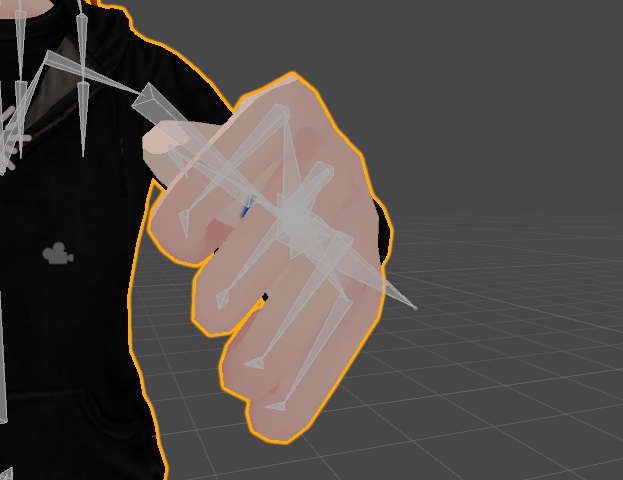
Does anyone know how to fix this finger issue. ( bone rotation is already been set to zero)
thorny swift
Move it how the hand looks perfectly fine in everything except for in game animations.
gritty violet
anybody know how to join two armatures into one?
thorny swift
Use shift select to select multiple armatures. last one selected will be the one that the others are joined to, then Ctrl+J to join.
gritty violet
thaaank you~
oh right, followup question

how might i go about getting the neck into the chest?
 sinful sundial
hey, you guys know if lip sync works with generic avatars?
lofty topaz
Inside the Chest
lofty topaz
ctrl S is your friend
shell tendon
yeah
i learnt my lesson 3 days ago
except i use Save as all the time
to have jump points at all times
lofty topaz
I've been working as a programmer for a full year, so I learned it in time
shell tendon
to figure out "When" something went wrong
except i kinda went past 100 blend files of single model by now
lofty topaz
does it even help?
sinful sundial
oh wait really?
someone in the animation channel said it doesn't
god damn animators
thanks @gritty nest
 grizzled brook
I'm stuck with a weird problem. I am working on a cellphone for my avatar, very simple (currently seperate) model. The cellphone has 2 bones: 1 parent inside the center of the phone, and a child underneath going to a charm hanging from a strap. Phone is properly weight painted to the parent, charm to the child bone. Going in pose mode in Blender and moving the child bone of the charm looks exactly like it's supposed to:

Easy enough so far, I'd think. So I move the model to Unity and add a dynamic bone component to the charm bone with some negative force on the Y, to make it hang down. I hit play mode, and then this happens:

The charm bone nicely falls down, affected by the force value. But the mesh stays stiff into place! I did make a new Blender fbx export to make sure I wasn't using a wrong older file, but the same thing keeps happening. Where did I go wrong?
 gritty nest
Oh, that's a good idea
fading verge
i want to know if the bone can actually even move the mesh
 shrewd schooner
i wanna know how you would make a four legged avatar or something
gritty nest
I've seen a guy with a centaur avatar, he did it with shape keys (???)
I would recommend jointing the back legs to the front legs
Or redo all the walking/running animations of course
shrewd schooner
im legit braindead to this
all i know is how to import and a few minor things, i wanted to make a cerberus model from smite but i cant ;-;
warm pecan
I was wondering how I could duplicate my left hand bones to be placed on the right hand
fading verge
shift + D to duplicate
warm pecan
I tried symmetrize but it does nothing
fading verge
and you can apply a mirror modifier to it
warm pecan
I did that and there's a black doted line pointing to my left hand
fading verge
probably need to change the parenting
warm pecan
yeah I did that
when I go into object mode it makes some of my bones stick out

I parent the bones to the mesh and it does this
swift storm
@fading verge hey i just saw your message, yes bone rolls are all at 0 and that actually messed it up even more
 final cave
so im trying to rig this cat model its stands on 2 legs just like the other cat model what model rig would i use legacy?
warm pecan
what is the importance of the 3d cursor to be always centered, and the point of origin as well?
 cerulean hamlet
trying to join the hair bones with rest of bones and it does this and makes my model flat inside of vrchat

anyone know why?
warm pecan
Hey im stumped on this. When I change the axes of rotation on a bone in the arms , so it can rotate right it works in pose mode. Then I do that to another bone, but entering pose mode changes the axis of rotation.
does anyone else mess around with axes of rotation?
swift storm
@final cave pretty sure you would do humanoid if its on 2 legs
naive tree
@cerulean hamlet i think u need to apply scale, rotation and location in blender, select mesh and armature > ctrl+A
 strong walrus
Having problems with my avatar where my right leg twitches off going to the right from time to time. Any ideas why? ;-;
warm pecan
I finally made my own rig but when I go into object mode my hand bones flip upsidedown
sinful sundial
@shrewd schooner boy oh boy, cerb from smite
Guess who else spent all night a few weeks ago trying to do that too
naive tree
@warm pecan enter editg mode, select all bones > hit alt+R
sinful sundial
The closest you can get to putting Cerberus in VRC (without breaking him) is with a generic avatar
Import the psk for his mesh/armature
Then the psa for the animations (which will take a FUCKTON of time and make everything SUPER slow)
Then export as a FBX
warm pecan
@naive tree I did as you said and it still does it
sinful sundial
The animations will make everything involving the file very slow though
Because it's got every single in-game anim
So you need to find the walking anims and assign them accordingly
Hell, if you want I can make the model for you
It just won't be humanoid or play any emotes
warm pecan
 naive tree
@warm pecan rotate all of them and then ctrl+A > rotation/location/scale
warm pecan
all of the hand bones or all of the bones?
of the arm
it's weird cause I duplicated the left arm and mirrored it to the righ
the right doesnt do it though
naive tree
enable Axes and check in edit mode http://prntscr.com/j9bhdk

http://prntscr.com/j9bhnf if they are all pointing the same

then u gotta rotate all
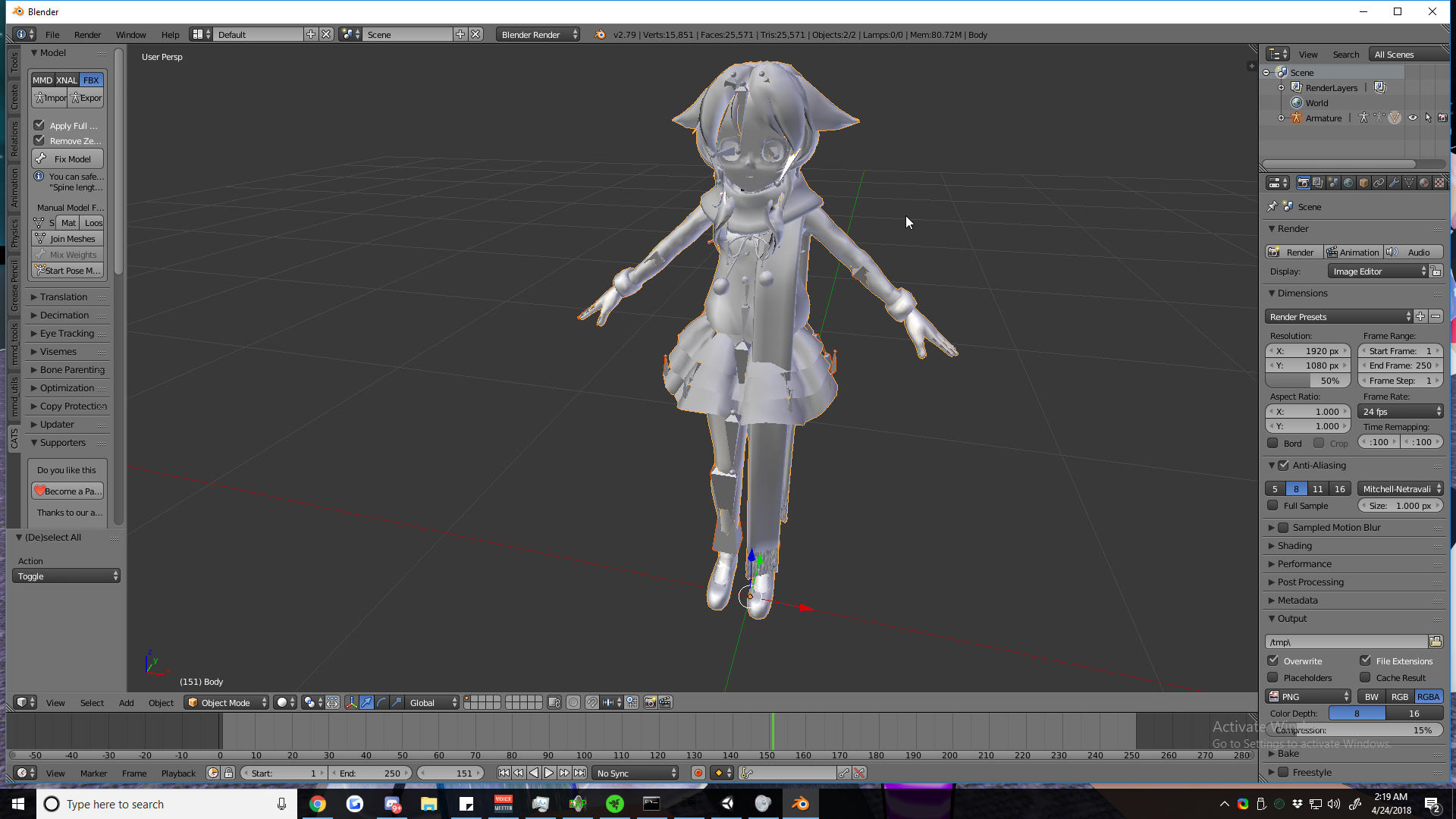 naive tree
press N > scroll down and jhit Shadeless
or hit space > type shadeless > mmd shadeless
fading verge
I'm talking about the bones :<
anyone know why my stick figure won't pose when i pose the bones?
naive tree
@fading verge select armature, go to bone tab and checkmark x-ray
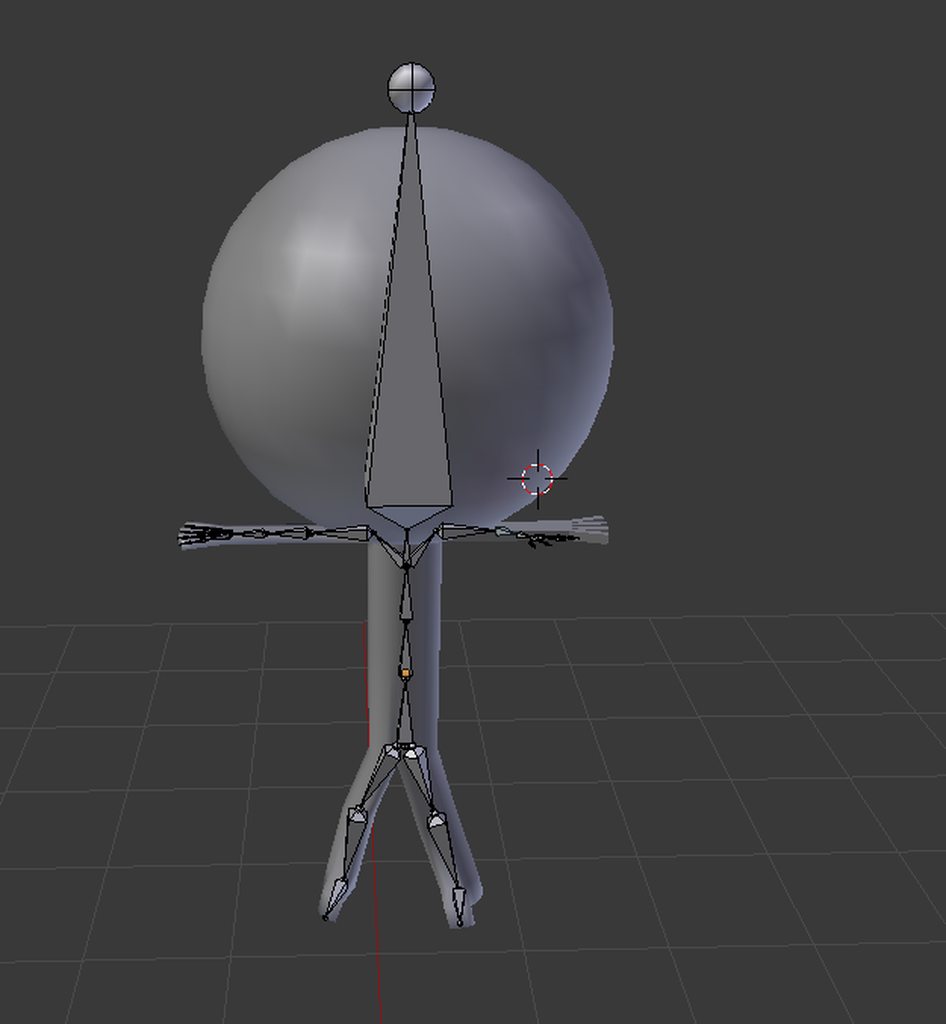
 fleet echo
well do have big ball head
fading verge
please dont judge the head its a smoothed sphere
fleet echo
@fading verge did you made sure you have armature Modifer on it
fading verge
armature modifier?
in the uh
whatever its called category?
the deform
the deform category
i've selected it 2 times and tried pose mode, it still doesnt work
fleet echo
@fading verge https://i.gyazo.com/ca7180341f05bdfb18dfd0c01c7e956a.png
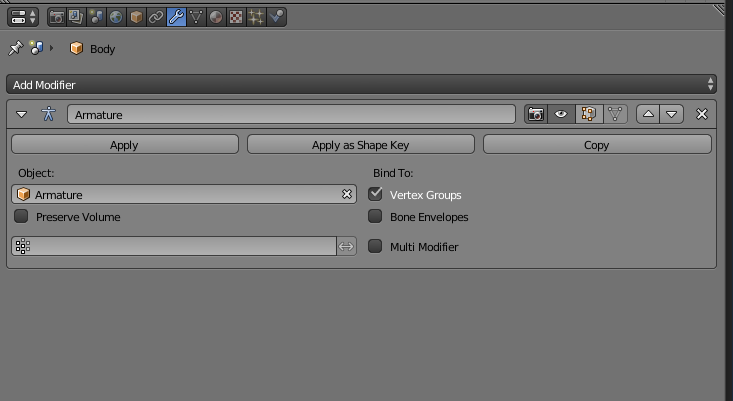 fading verge
ya
fading verge
i get an error message saying i cant apply to a mesh with shape keys
fleet echo
delete shape key
fading verge
how?
 fading verge
k
fleet echo
yea
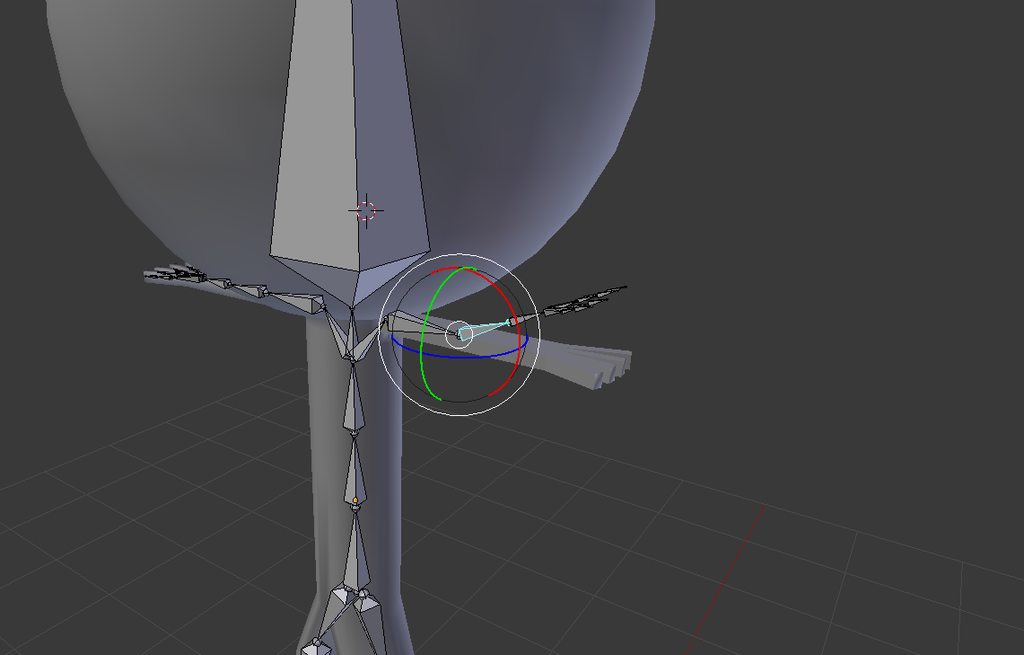 fleet echo
need weight paint it
fading verge
there is red color on the ankles and stuff
fleet echo
need red then that https://www.youtube.com/watch?v=Tl4qTgwQwYw

Quick intro and guide to skinning/weight painting. this video is meant for those with a basic understanding of Blender
there video on weight paint
fading verge
bruv
there is a lot of red
theres red on the arms, the knees, the ankles, the head
on the back too
i checked every thing
fleet echo
well only thing cause no weight or dont have armature modifier not in modifier list
fading verge
ah ok
fading verge
thing is
when i enter pose mode on the armature
still wont move the stick figure m8
whats wrong with it
@fleet echo
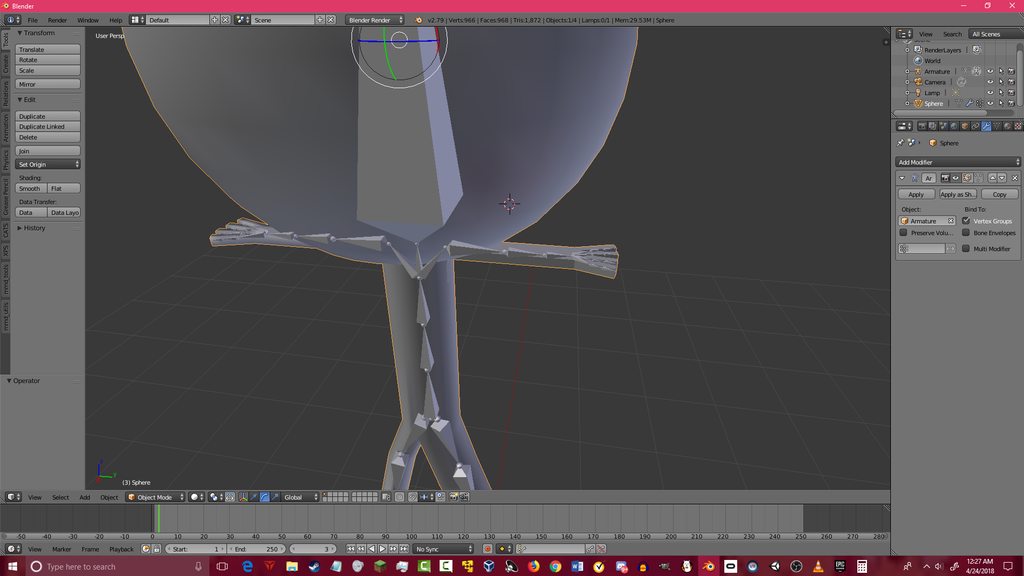
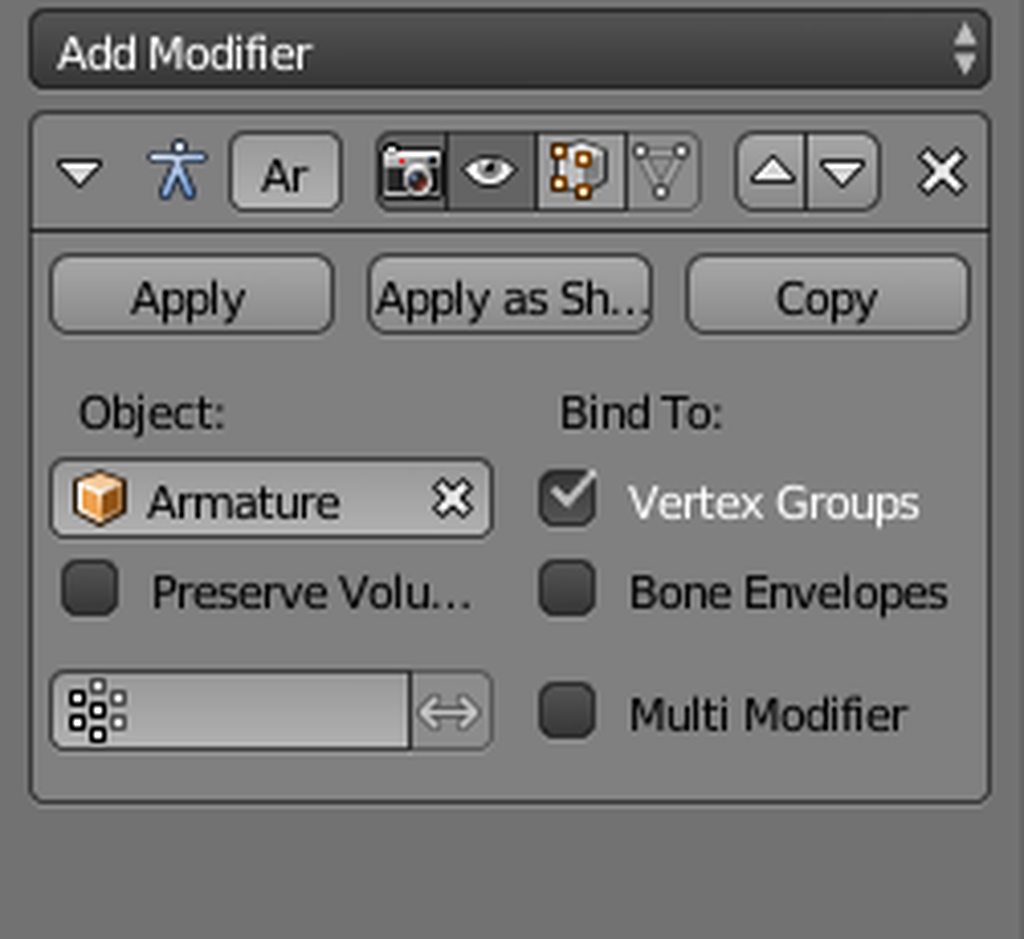 fleet echo
go to pose mode then click bone then click mesh

check the color of weight paint
weight paint issue i think have problem with
not weight right
fading verge
bruv
does the problem have to do with having only one vertex group?
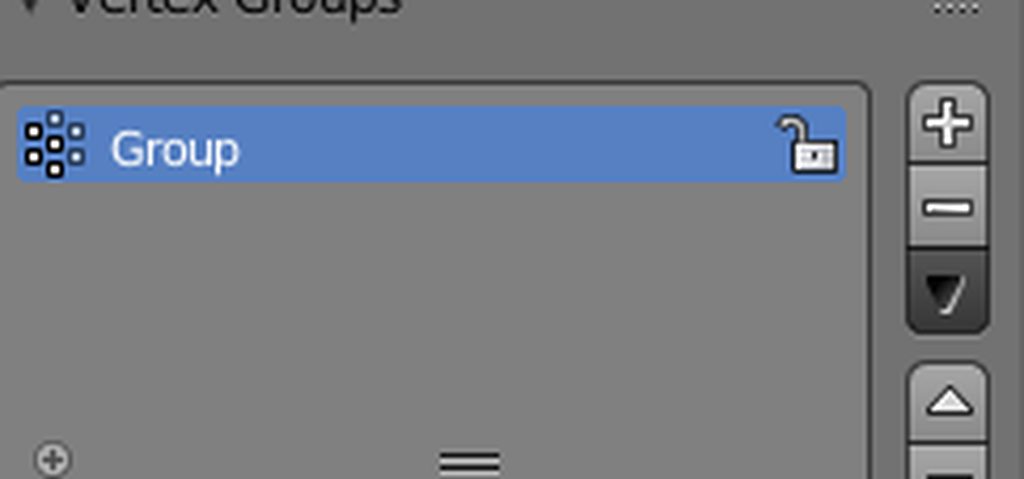
@fading verge can you show me the hierarchy?
where do i go to see the hierachy
in the hierarchy
top right
if this is what you mean
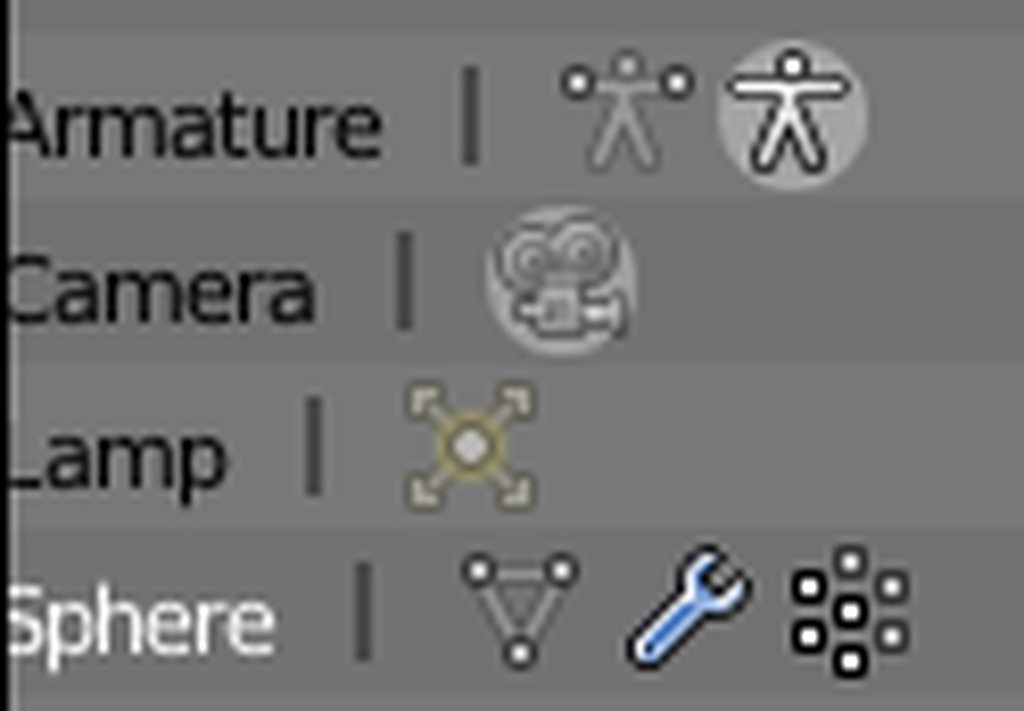
i dont see anything in that picture, i need the whole thing, like this:
https://imgur.com/tI1CoNK
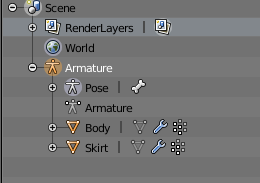
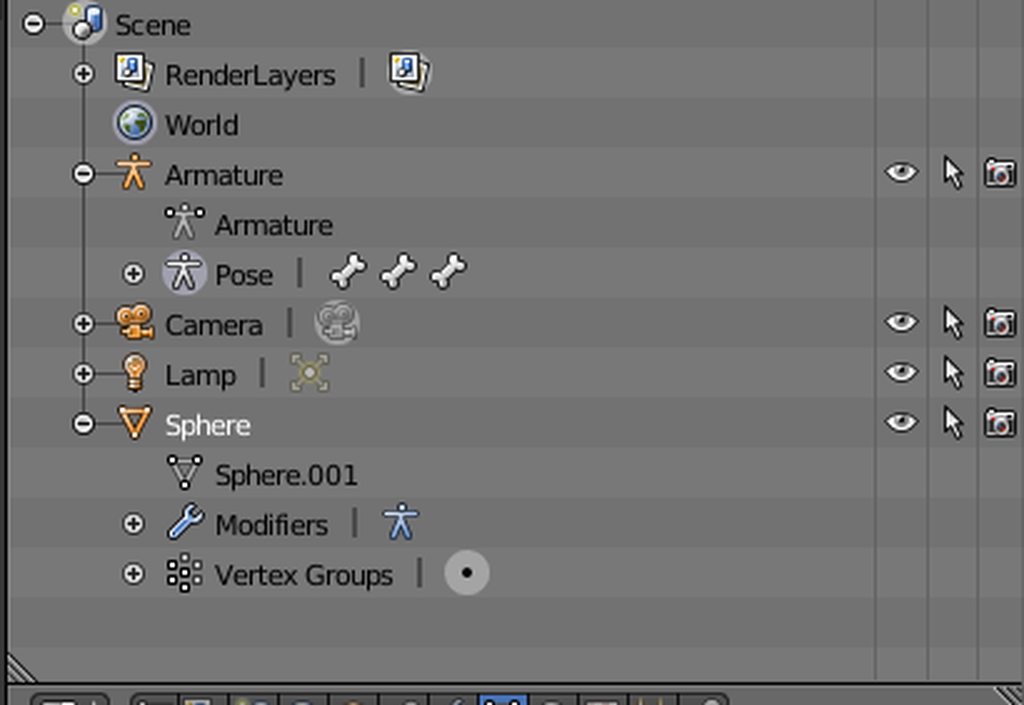
sphere is the head or the whole model ?
sphere is the whole model
you need to parent the sphere to the model
it's not parented to anything
you need to join it with the first "armature"
done

still doesnt work ?
let me try
it don't work
is the weight paint still there ?
yep
then i have no fucking clue anymore
s t u m p p
@fleet echo know anything?
 forest crane
or they rotate but mesh does not
fading verge
ya
the mesh as in
the
bones are moving but mesh isnt moving with it
stick figure?
forest crane
y
fading verge
idk
m8
its weight painted, its parented with the armature, etc etc etc
my mans everybody is stumped
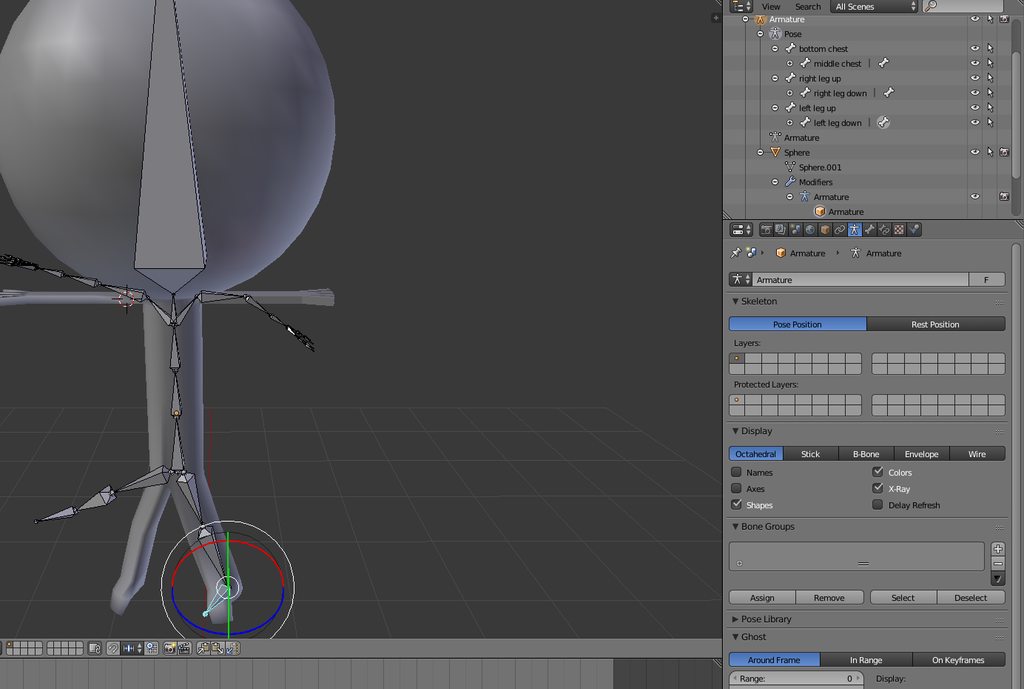 forest crane
can u try remove armature modifier and parent it again with armature > empty weights
it wont remove weights if they exist
fading verge
howdoidodat
forest crane
press X on right
fading verge
done
forest crane
move bones
?
or go pose mode on bones and weight paint on mesh
select bone and rotate it when in weight paint
 fading verge
bruv i cant look at discord and blender at the same time calm
forest crane
if u dont know how to paint i suggest a video tut
or do automatic weights

its almost always ok
on simple models
fleet echo
or you can try to mixamo it but the head huge might have some problem
fading verge
status update
but uh
one part of the arm is not going with it
and
uh
barely the arm got weight painted
but yea it works now
thancc
forest crane
👌
fading verge
im currently redoing the avatar cuz the arm is an error that happened early-build
thx for the help migero
 forest crane
:ok_hand:
 honest flint
Watching a tutorial on how to make custom avatars just to find out that dynamic bones require payment sucks xD I don't has any muns to do so
Yea but can I put that on my already made character in which I would like to keep?
fading verge
yes
honest flint
Wait, so if they have dynamic bones on the character then the plugin is there with it?
Where can I find one of these characters
 serene oracle
Yeah you can
All of those avatars contain the entirety of dynamic bones folder and such
I mean any of em
Well not rlly
But the popular ones
honest flint
Well if I can find one of these dynamic bones people then I can get the dynamic bones. Thank you for the help, now to find a model with dynamic bones
Where can I look?
naive tree
don't mention that website please
serene oracle
Can take from any of em
naive tree
delete the link and dm him
serene oracle
Still I’d suggest supporting the creator and buying it, but if really can’t so be it
honest flint
I would if I could xD
gritty nest
I bought a lot of assets, the only one I regret is Ultimate VFX since I got Unity Pro a month later
It's rather expensive for what I'm using it for
lofty topaz
Which ones would you suggest @gritty nest ?
gritty nest
Muscle Animation Editor and Dynamic Bone
 serene urchin
buying assets 
fading verge
being a respectable human being and giving money to people that made those assets
 dim cipher
^that
serene urchin
@fading verge nah
most of the people use stolen models anyway so why even bother
if everybody would need to pay for the assets or models there would be waaayy less avatar makers
btw i paid for assets aswell just so you know
dim cipher
then you have no argument haha
dim cipher
I've been a 3D artist for years but it's not my day job because you can't make any money at it anymore for this reason
serene urchin
@dim cipher commisions are pretty trending ?
some people charge up to 200$ for a model not even made from scratch just put parts together
dim cipher
okay, but can you make a living doing that?
serene urchin
maybe
dim cipher
and let's not forget taxes and all that
fading verge
@serene urchin i'm pretty sure i know who you are referencing with this 200$ price
serene urchin
@fading verge bem
fading verge
yep.
serene urchin
yeaas
lofty topaz
Well
serene urchin
imo overpriced but i dont do commisions so i cant really talk
lofty topaz
It's their price, yk
lofty topaz
There are people who asks for more than that
serene urchin
yeah its just the first thing i could think of
dim cipher
The prob you run into is sustainability...you might get a few good comms in a month, but can you hit that every month being freelance
I used to do freelance modeling and rendering for a variety of things back in the early 2000's but it just dried up
I guess I could always make porn on patreon haha
D:
lofty topaz
That's why selling instead of doing stuff for people is easier
Make your avatars unique with only 1 copy
fading verge
Can anyone rig two avatars for me?
lofty topaz
Would you pay?
lofty topaz
🤔
fading verge
Just need the bones made
For some reason the models I use don’t work
Actually how much would a full avatar cost with custom gestures
patent edge
this guy just wants to throw money around
 uncut badger
then
fading verge
select the bone that you need to reparent
uncut badger
ok
fading verge
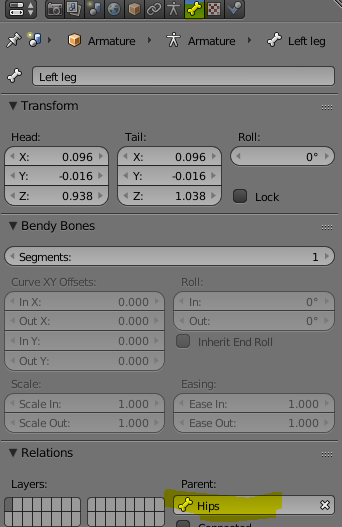 fading verge
no.
uncut badger
k lul
naive tree
this is no meme zone
 modest heath
Is there anyone skilled with blender that can help me figure something out? I have an avatar that had bones for only 3 fingers but model for 5. After creating the bones as well as weight painting, the model only seems to squish rather than rotate.
 lilac moss
not sure what you mean "bones for 3 but model for 5" but the normalize all button in weight paint fixes the squishing thing, use it on all the bones that have issues
might be more work after that though
modest heath
The fingers on the original model move with the index and middle + the ring and pinky linked to each other as only two bones instead of 4
opal aurora
I assume it's the issue that happens when weights go over 100 with 2 bone connections or more, which end up "squishing" or "pulling" the mesh incorrectly
fading verge
oh
opal aurora
Would make sense with the normalize all, considering it makes all the weights equate to 100
fading verge
i think tsuki needs to pair the avatar with the armature
ok tsuki so
if you have the avatar paired with the armature
shift click on the armature and the avatar
modest heath
It should be
opal aurora
What is the issue exactly?
modest heath
Hmm. Nothing seems to be happening when I do that, but I could be looking in the wrong spot.
The issue is as it is now rotating the fingers make my mesh warp
modest heath
 fading verge
i cant really see that much
can you zoom out a little bit and enable armature xray?
if you dont know how to do that
select the armature
go to the cube icon
scroll down until you see xray'
 modest heath
I extruded the finger bones only duplicating the base for the two fingers without bones
 fading verge
that might be the problem
idk
before you try posing you should finish the armature
modest heath
must be some sort of weight issue but I'm scratching my head.
And yeah. That's my next step. Was originally trying to see if I could paint and bend just the thumb but it wants to fight me. Ah well. Back to it I suppose.
AH! FOUND IT
Somehow my left eye had weight on my thumb for some reason. Could have been the Cats plugin but more likely me accidentally clicking early on
 abstract kayak
I'm looking for help fitting clothes to an avatar. I have no experience with mmd/pmx editor, but I do have a decent amount with blender and unity. I am a college student, so I don't have to much time on my hand to learn a new editor.
 bleak condor
you could just manually repaint the finger weights, it doesn't seem like it would be too bad with that mesh @modest heath
modest heath
ye, just finished that part now. My confusion only surfaced from painting the wrong thing at the start without knowing
bleak condor
ahhhh
 shadow shoal
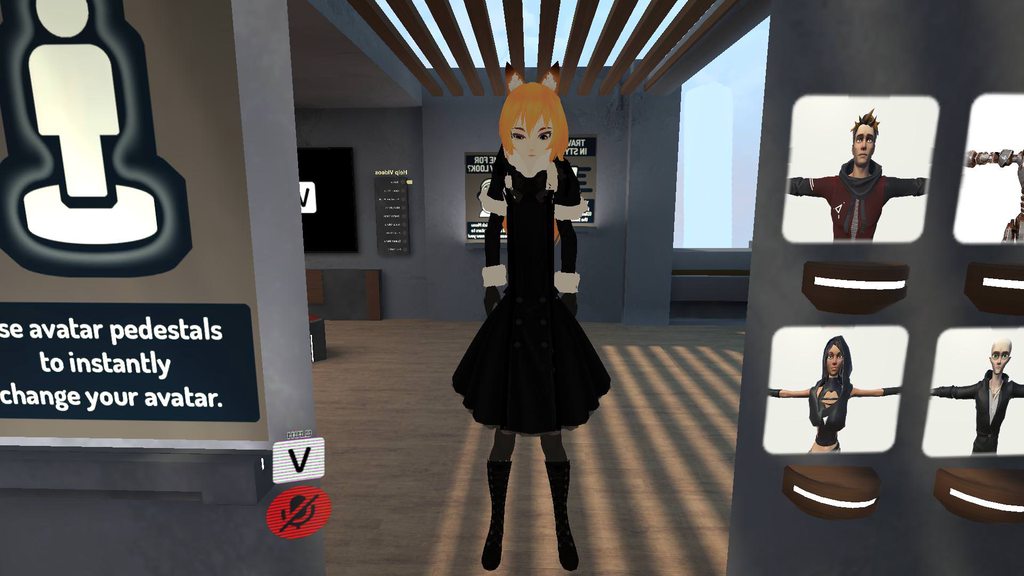
Because she's a giraffe
swift storm
how do i make her be not long
shadow shoal
I have no idea
 brisk bane
Hi! I am having a.. new? issue with my model that I honestly dont know what to do about.
I have a mask on my avatar, which looks fine in blender, but once imported to Unity it becomes.. "transparent"
whichever side you look at it from, that side becomes "invisible".
here are some photos to sort of explain what I'm talking about (shaders set to standard for better visibility.)
https://gyazo.com/34701f3b04d1d5aef14263efc71418d3
https://gyazo.com/34701f3b04d1d5aef14263efc71418d3
And here is what it's supposed to look like (what it looks like in blender)
https://gyazo.com/ec9560cb1df481ec279dfdaa2e329c44


update: it seems to be doing it to this glove too. https://gyazo.com/ef28f10ceb8d62f5c4663957759f9796
 swift storm
aye i use that same mask on one of my avatars
ive never had that issue with it tho 😮
its a one sided mesh tho, you can fix it in blender in the like
mesh toos=ls
brisk bane
Ah.. i dont understand? It appears fine in blender. I dont see what needs to be "fixed".
Like, i'm not sure how to even approach fixing this in blender since it appears correctly there, but incorrectly in Unity
 calm needle
@brisk bane , in blender, enable backface culling
https://i.imgur.com/vISgKTO.png
if you hit N in the view port, you can open this menu and select it
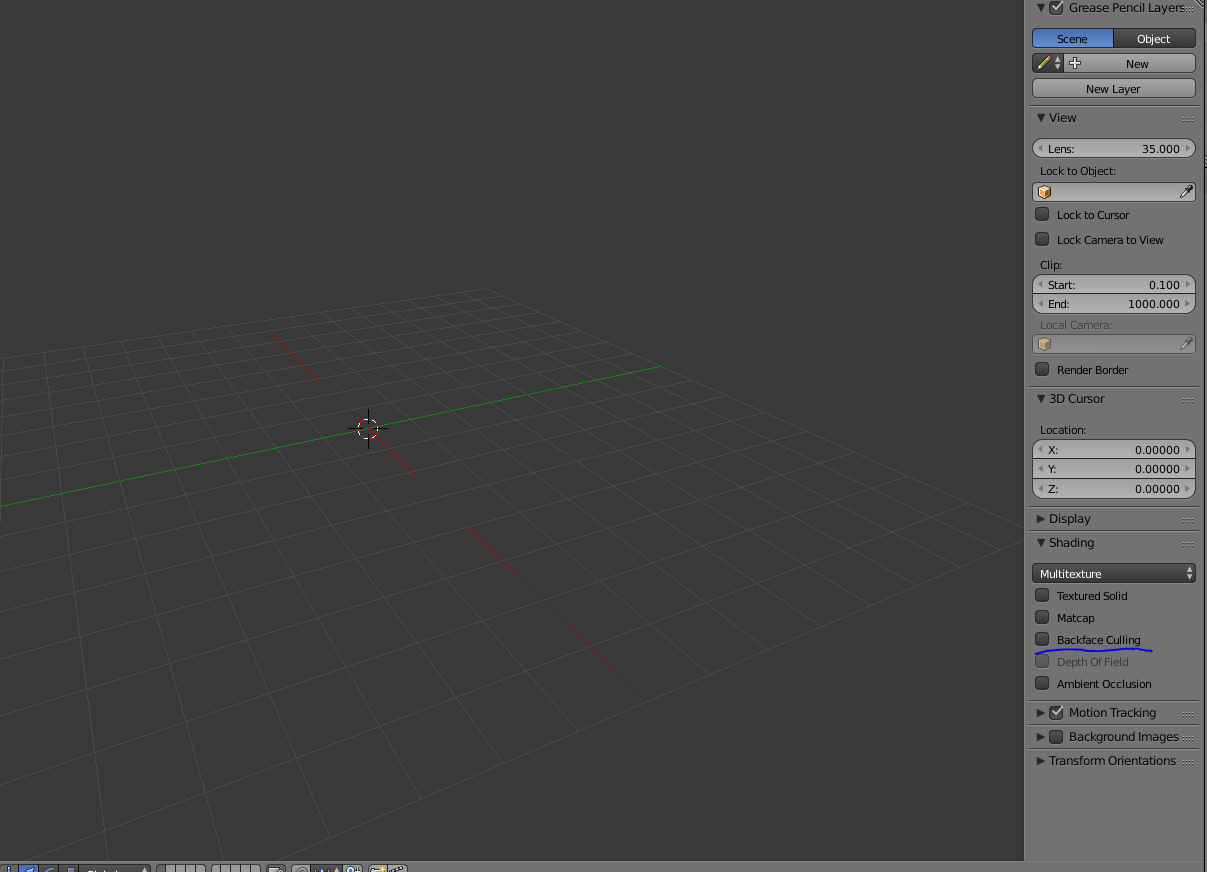
by default, blender will show all faces as double sided. Enabling that will show a better representation of what unity will look like
brisk bane
Still looks the same in blender with backface culling enabled.
calm needle
the gloves just look like they dont have an inside to the mesh. the gas mask i still cant entirely tell what is wrong with it
brisk bane
Is there a way to make the texture double-sided?
brisk bane
ah, so i managed to "trick" it to gain "thickness" by using a double-sided UnityChan Clothing shader. Again, not sure why it isnt working normally but I guess I'll have to stick with this temporary fix for awhile.
Heres a side-by-side of the "fix" and what it looks like in blender:
https://gyazo.com/4b63e98eb501ac7eae50dc282a5ef90a
https://gyazo.com/9ff55859c799f880cf11af3cff37e0fb

 calm needle
https://i.imgur.com/cQNUiTy.png
😛 eye rotation will always be fight with anime characters
 calm needle
i am
im testing teh current position
the default position of the bone is on the iris itself
calm needle
i tend to not use cats for the eyes
sinful sundial
@brisk bane in cubed shaders, make it opaque
And also, turn on outline
Make it tinted and zero width
sinful sundial
Z to go forward/back, y is up/down, x is left/right
Do .1 instead of 1 otherwise it'll shoot off
 rotund lodge
Yeah I work in tenths and hundredths places for a lot of the fine tuning stuff on models
:v
fading verge
thanks
 fallen mesa
currently trying to merge these 2 bodies together (Dress to body) Anybod willing to screenshare or stuff? I have no clue

 bitter orchid
@calm needle were you making Rex from Xenoblade Chronicles 2?
naive tree
@fallen mesa leave only dress bone from that armature, when u scale it down and move to where u want select dress mesh and armature > ctrl+A > scale/rotation/location, then u select dress mesh first then body > ctrl+J, select dress armature then shift select main > ctrl+J
then reparent all skirt bones to hips
select the first bone of each chain and then hips last > ctrl+P > keep offset
or u can leave the dress bones +hips
then repatent skirt hips to main hips and hit mix weight in cats
that's prob better because hips prob hold some of the weight
 crystal vector
There will be a Merge Armatures button in cats soon 👌
 viral lily
Anyone knows what to do about the following?


if i try to rescale my avatar, it just gets too small... 😦
fixed it, nvm 😅
I just set the highlighted sections to "0"
https://imgur.com/a/q7jXT
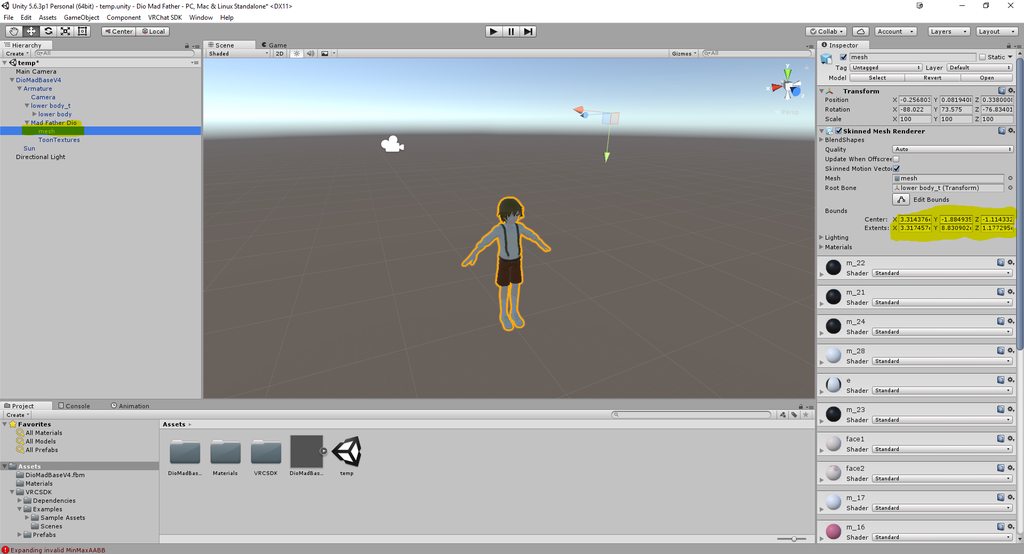 fallen mesa
@naive tree thx i think that will help m,e
lofty topaz
Yeah
Keep them around your character
Else you'll just disappear if people don't look directly at you
brisk bane
@sinful sundial that does the same thing as the unity-chan shader but thanks. I use cubed anyway with everything else so
 steady bobcat
 lofty topaz
You should weight paint each part to its corresponding part of the body
else it will just be floating around the body
naive tree
starting from shoulders to hips and skirt bones
if it came already with bones, you can parent clothing bones to main armature bones and then mix weight them
lofty topaz
^
gritty nest
I know that model, you shouldn't be having any issues with the skirt
Or are you rigging it yourself?
lofty topaz
Seems like they're adding it through Unity
gritty nest
Oh. Well in that case, parent it to the hips.
That's where it's parented to in the original
calm needle
@bitter orchid yes i am. For as often as i see pyra or mythra, i think it would be fun to have a rex that says his cheesy battle lines whenever i pull out the sword
calm needle
😛
 gritty violet
if you've got an avatar with an armature that's completely messed up is it wise to just use a similar one from a different model and automatically weight paint through blender?
because like

no idea where to even start here~
or should i just go through each bone and manually adjust all of 'em to fit
 hoary bough
There shouldn't be a need to adjust any of them. Imagine instead that each bone is actually a line drawn from the root of the bone to the root of its parent bone.
gritty violet
b-but they're all sticking straight up
 pine harbor
just make sure the bone rolls are all at 0, and you should mostly be fine
unity's concept of bones seems a bit different to blender -- it's closer to MMD in some ways
gritty violet
hmmm okay
another thing though, this model also seems to have a pose armature of some kind?
pine harbor
you might have some problems with bones at the very end of the chain, i'm not entirely sure -- but everything else that has a child bone should pretty much be sorted
pose armature? you mean the "Pose" thing underneath Armature?
gritty violet
is that normally there? ;v;
pine harbor
not too sure how to explain that -- that's on pretty much every armature i've seen in blender, not sure if it's just a data representation of the pose data the model can hold (even when there's none)
should be safe to ignore
you can't really delete it anyway
pine harbor
happy blending 😛
 cosmic mica
the trick of mirroring a limb using rigidbodies and fixed joints - for some reason in certain worlds it stretches out the mirrored limb, and i cant figure out why, anyone knoe how to fix that?
im guessing its the interpolate setting or the collision detection?
or perhaps the preprocessing?
 atomic moat
cosmic mica
atomic moat
cosmic mica
combat system?
cerulean hamlet
trying to add dynamic bones to my model but for some reason it will only add it to the skirt and not the hair or breasts
cosmic mica
you have to add them seperate, not everything is under the master bone in heirarchy
 cerulean hamlet
 cerulean hamlet
hmm
cerulean hamlet
wouldnt that make the arms like that as well?
fading verge
and in exlusions you can put the shoulders and neck so they don't get affected by the dynamic bone script
fading verge
don't forget to check "distant disable"
shell tendon
boobs 🤔
shadow shoal
That thinking emote fits your pfp
shell tendon
My char doesnt have big boobs, so i dont wanna put an extra dynamic bone
lets keep it at reasonable levels, shall we
fading verge
give her some thicc and add jiggle to them then
shadow shoal
I don't even know the settings for it
fading verge
because vrchat need more good thicc
shadow shoal
Needs more nanachi you mean
shell tendon
what's this crap
for some reason even tho i change fbx in unity assets
nothing changes when i open project
unity doesnt like me today
shadow shoal
Disable jaw in rig configuration
 shell tendon
hm ok it's not unity that fucks me up, seems like somewhere More weight paint is fucked
darn it
never again using Automatic weights option
it fucks up too much
now that i understand the idea, screw the automatic bullshit
cerulean hamlet
@shadow shoal any other thing that might be causing it?
shadow shoal
Check if the visemes are in the correct positions
shell tendon
huh found it, bullshit
takes so much focus to see that one tiny weight paint

So... If you make x2 x3 or etc number of dublicate shape keys
they all stack and scale size of the original 🤔
that's some info
das very useless
pine harbor
the way i understand it, shape keys tell your vertices to move a certain distance/direction from where they're normally found -- if that's the way they function, then yeah, stacking multiple duplicate shape keys should be multiplying their vectors
shell tendon
but fun to know
i mean i just tried
and even with 5-6
it still doesnt key any tearing or etc
🤔
looks natural af
pine harbor
it wouldn't tear unless the first shape key itself is forcing faces apart -- if you've used "remove doubles" on the shape key area, that makes it even less likely
pine harbor
as for whether they have a use...hmm, i suppose it's harder to find something applicable in VRChat, since shape keys are usually all or nothing (unless you actually set the values yourself)
but you could otherwise use them to finetune the scaling or shape of a mesh, like we already see with talking visemes
shell tendon
not necessarily always
shape keys made from pose can be just fine 50/100
i suppose
pine harbor
it's more the idea that you can't really "choose" an arbitrary value in-game from a slider -- you have to jump to discrete values
shell tendon
ah
you meant when already in-game
would be nice if you could Hold the gesture button and it would raise overtime the gesture used
pine harbor
yeah -- there's a bit more use for it over in MMD than VRChat as far as i can tell
cerulean hamlet
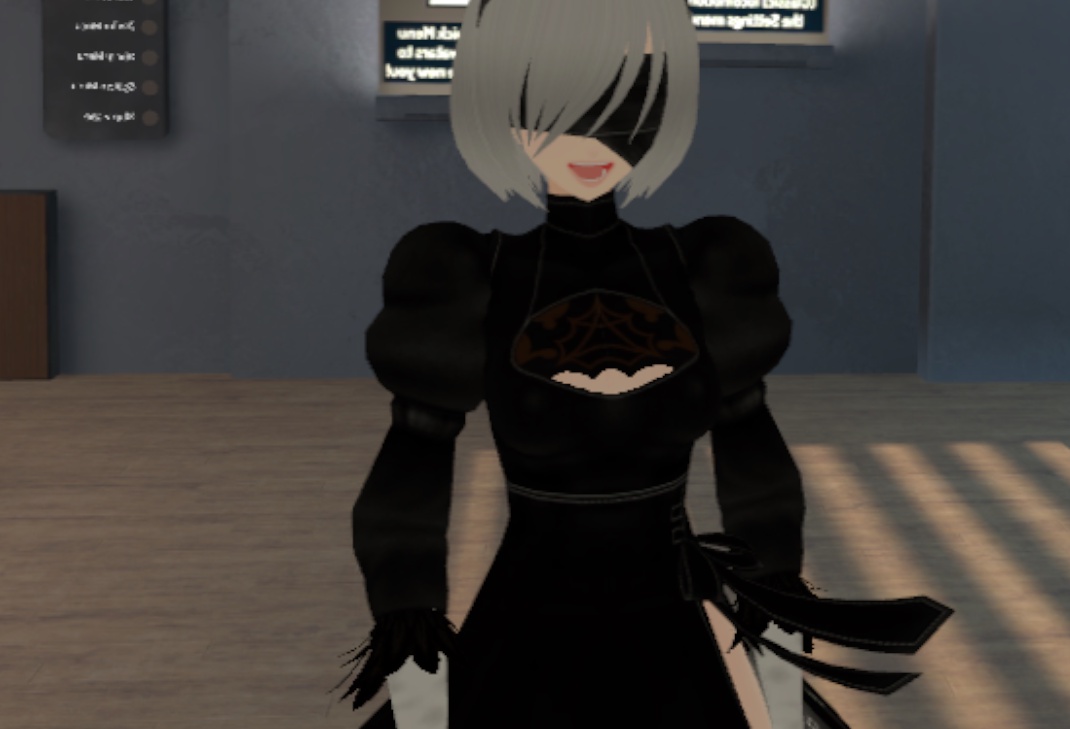
mouth keeps opening without talking when i look down
any help would be nice, no my jaw is not connected to anything, and visemes are all correct
gritty nest
@cerulean hamlet lowerlid
The first four blend shapes of your model need to be blinking related. First two are blink, the two after that are lower eyelid.
Check them in Unity, I'm 99% sure that you're missing lowerlid
Does she even need eye tracking with that blindfold?
You can just unmap the eye bones to solve the problem immediately. If you need eye tracking/blinking for some reason, make sure the first four shape keys of your model aren't completely empty. Just move one dummy vertice in Blender a tiny bit or something, so Unity will import the empty blend shapes.
 fading verge
ignore.
 viral stag
Alright I'll test it in-game then
shadow shoal
@viral stag Always ignore that
viral stag
👍🏻
 plush garnet
My avatar has a jaw bone and I set it to jaw flap in the editor, has any ways surfaced to check jaw flap in unity or do I still have to rely on other players to test if they work? it's kind of a pain to try and do trial and error when you have to rely on others
shadow shoal
Rely on the mirror
 honest kettle
use the mirror AND camera in avatar testing for testing 😃
opal aurora
Mirrors always worked with visemes before on my testing :o
I think it's jaw bones that didn't show on mirrors
shadow shoal
Yeah you need someone else to see it
crystal vector
Jaw bones are really wonky from what I have seen
shadow shoal
That's why I use visemes
warm pecan
no matter what axis my arm bone is, It only moves up and down with the Y axis
only moving the up pointing blue arrow makes it move left and right
warm pecan
oh and doesnt matter what axis I move it always goes vertical
fading verge
https://puu.sh/AaDcA/8191d16e97.png Could someone help w/ this?

The fingers deform hugely whenever I exit edit mode in blender
 round viper
How do you go about rigging non humanoid things to use in vrc?
serene urchin
@fading verge probably fucked up weight painting
fading verge
Urgh I really dislike doing that shit but I'll do it from scratch again later and see if it fixes it
 light kindle
uwu if its already got weights just move the bones there in edit mode
 wintry fable
 light kindle
*shoulders
round viper
@forest crane I just noticed when I dragged it into unity and enforced tpose it like really messed up (head went into a weird position) so I was wondering if that was an issue. I having trouble setting the view position correctly on it.
So I was wondering if that was part of the issues
I weight painted it by hand if that makes a difference
forest crane
@round viper just go to play mode in unity
u will see that the ball for view pos is moved
and then u can change it and play again
shrewd schooner
how do you import .smd files? when i put them in blender they have a bunch of shapes around them and unitys animator has stuff in it one the fbx is in so what do i do?
shadow shoal
i import .qc files instead
round viper
Is there anything I should keep in mind when rigging non humanoid avatars since when it uploaded to vrchat the head was completely messed up xD
fading verge
Ree
fading verge
How do I take head bones and connect them to a different armature?
Asking for a friend, i think i would know how but im not home to see for myself
calm needle
the fun of constant toe tapping due to an odd spine
 opal citrus
okie so i have a model and i took a head from a seperate model and appended it to a body that i found, i tweaked the head to look right, but now all of the shape keys are set to just before i started editing the head mesh. Anyone good with shape keys know how to apply the new basis shape key to all of the shape keys?
light kindle
@opal citrus just set it to 100 in unity
 winged crater
guys
wtf is this?
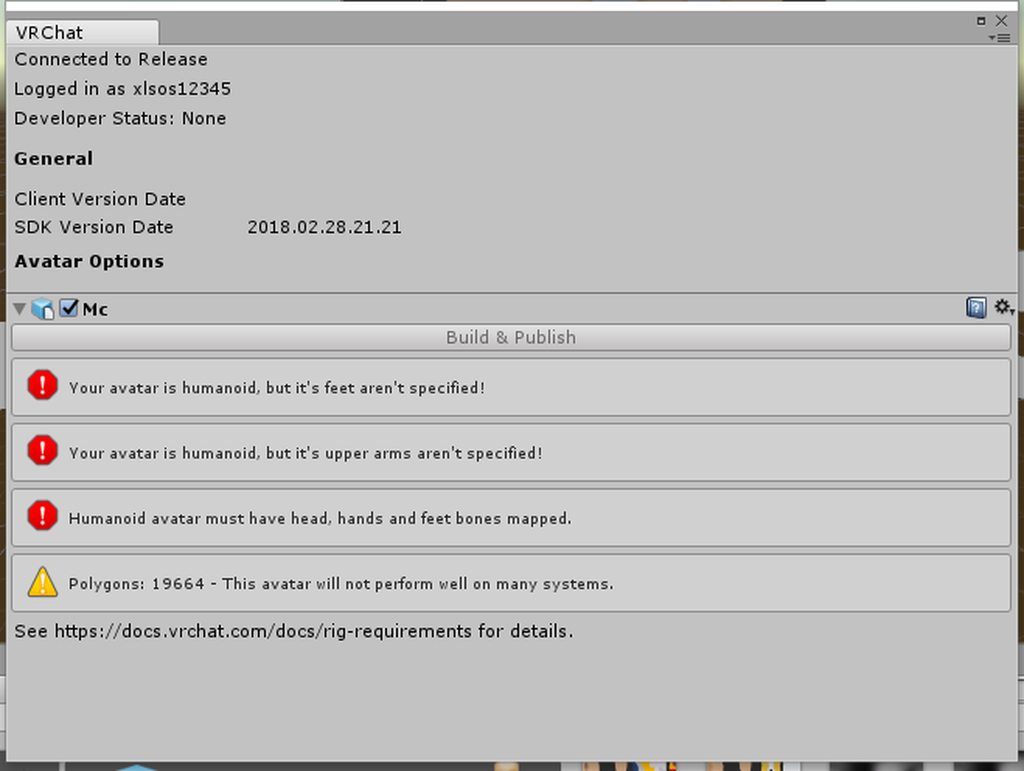
help
i did it said cause dhte problem and i even didnt touch the prefab
still happens
the
fading verge
you need to map the bones in the rig configuration
winged crater
i did that
thats not it
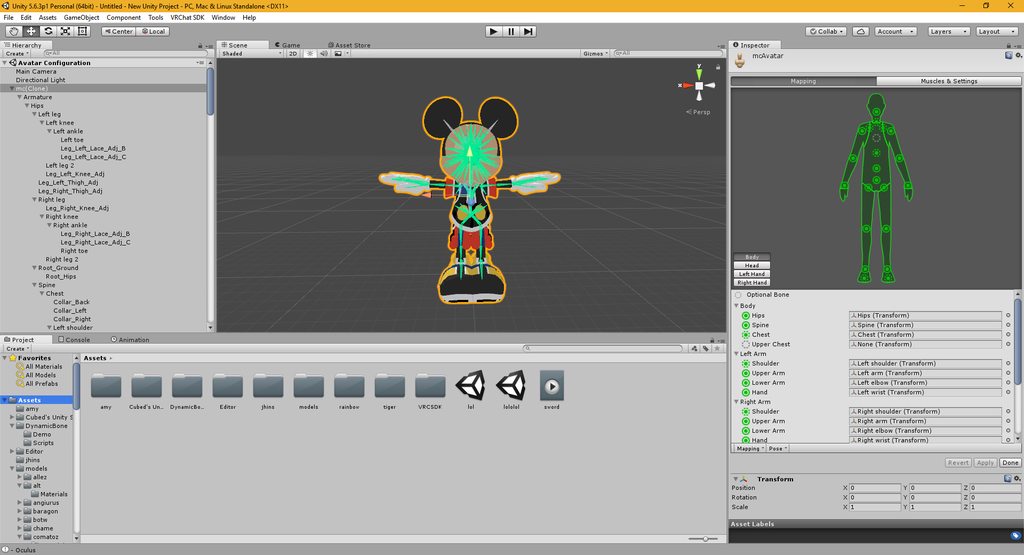
only occurs after i put my dynamic bones
but it was on generic when i finished then changed it to humanoid
fading verge
you should delete toe bones @winged crater
winged crater
stiol doesnt help
winged crater
XD it works completely when copying dynamic bones into the model but the second i press the play button up there
and go back to edit mode, then vrchat says it doesnt work
should i just not try the animations? and jsut publish?
round viper
@warm pecan I’ve been forcing the rig into humanoid because I was under the impression it had to be for vrc. Is that not true?
warm pecan
@round viper you can make generic rigs but have your own animations
usually for animals and etc
gritty nest
@round viper you don't need the rig to be humanoid for VRC
But if it's even remotely humanoid, definitely do so
This includes anything from humans, anthropomorphic animals, centaurs, lamias, etc
You'll get a lot of stuff supported out of the box
 heady scroll
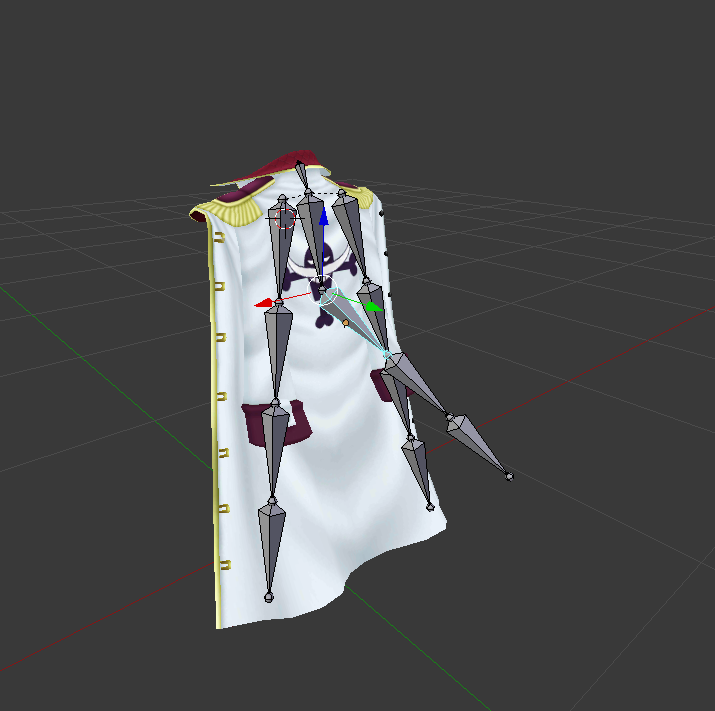
Hi community its my first time rigging a cape for my avatar (for use with dynamic bones) i just put the bones and selected mix with automated weights but in pose mode the bones still dont work. Its like they arent combined with the mesh.
Screenshot https://ibb.co/bXd8pH
 fading verge
did you parent the armature to the mesh ?
heady scroll
ok i just parent armature to mesh with CTRL + P but this looks weird and break my bones
heady scroll
ehm...
whoops
How can i check if i joined
i pres join but nothing happens
is it already done?
fading verge
instead or orange and yellow they will all be yellow
and you can check the armature
heady scroll
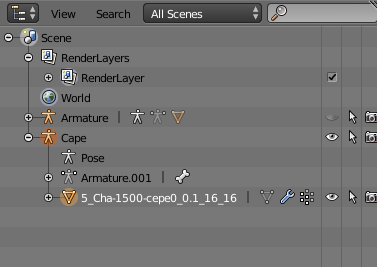 fading verge
not yet
fading verge
select both armatures with shift right click and ctrl J
heady scroll
i dont know what you mean. i only want to combine the bones to my mesh so it moves with the mesh. And my cape has only one armature. The one on the top is the avatar and has nothing to do with my cape.
 tall kestrel
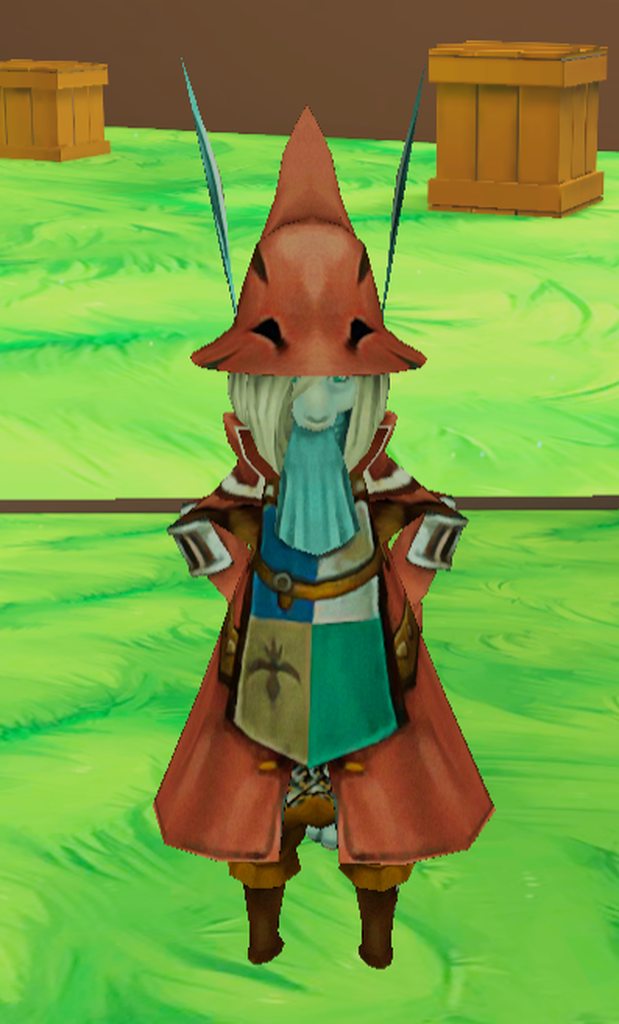
Is there a way I can make her sleeves follow he upper arm bone? In vrchat her shirt doesnt move so her arms just go through it and it looks weird
1 sec gotta upload the image
 gritty nest
Depends on what the sleeve bones are currently parented to
They might be parented to the chest. If so, try reparenting a couple to the shoulders instead.
That worked wonderfully on one of my other models
If they don't have bones, maybe the shirt has to be weight painted to the shoulders, which is gonna be a pain.
tall kestrel
Yeah there's only an upper cloth bone in regards to the shirt .-.
tall kestrel
I have to highlight the sleeves individ right?
gritty nest
Maybe you can duplicate the vertex group for this upper cloth bone, then remove the right half of the weight painting on one, and the left half on the other?
tall kestrel
Then do the weight stuff?
tall kestrel
I'll give that shot. If that doesnt work, gg
Actually nvm, that's a lot fo work too
 paper radish
are dynamic bones broken?
ever since the update, all my new characters don't work in Unity with dynamic bones. everything rigged and paretned properlyu
round viper
@gritty nest it’s so close to humanoid. Rigging a Donkey Kong model. But every time I bring him in his head like points upwards with humanoid rigging.
gritty nest
Sounds like you should move the bones in Blender then
In edit mode
Move them in such a way that the head bone is pointing up when the mesh itself looks forward.
Donkey Kong is definitely a kind of model that you would want a humanoid rig for.
Alternatively, maybe you could go into the model's rigging tab in Unity, and forcibly rotate the head forward. Ignore any "not in T-pose!!" warnings. @round viper
round viper
I don’t know why I didn’t think about turning the bones haha. I’ll try that. Thank you.
 frozen abyss
hi everyone i'm not having problem with polygons anymore inteact i have over 100K
no prob at all but the problem will be that i probably will be perma ban from vrchat and i don't want that.
but here is the thing... when i download low poly=10K 3d avatar in .obj or .dae form.
then i add some extra meshes,particles,animations,music and texture to my avatar it grove's to 150.000 polygons
and i was try to pack it all to in hope i will be able to lower polygons in blender, but no,
the blender doesn't recognize my custom prefabs data cause i was only be able to pack that file in _.prefab file type
but here is another problem with same avatar.
when i scale avatar in normal human size the unity says that my avatar have uperchest problem
and when i try to change it, the unity say's that model-select button are missing for some reason
but if i import new avatar that button are functioning propertly.
so only thing to do for me is that i decimate all content of my avatar+etra mesh to blender
and that will degrade texture so much so did someone know's how to resalve those nasty 2 problems
please help me.
 chrome jungle
Animation have nothing to do with polygons.
Check your particles and the number of "extra meshes" you did add ; texture are just texture, not actual polygons aswell
You should work on your particles and the "extra meshes" you're talking about ; if you did add some props etc, decimate them.
Ppl have working avatar with 3 guns and a shit tons of stuff
So you should be able to do it aswell
( less than 20k avatars )
Perhaps your particles are taking way to much particles
About the size thing ; i don't know.
( particles are not actual poly ; but they add up in unity itself depending on what you're doing )
chrome jungle
Hoi
I have a problem.
I need to set-up the rotation of to bones to 0 0 0 by default in unity
But i can't manage to do that in blender
Any idea ?
It always end up having https://niyah.eu/i/21736.png
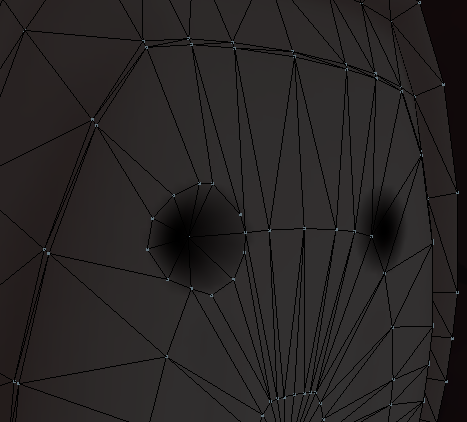
These.
chrome jungle
Can't do anything i'm going crazy gosh
 spiral delta

 opal rover
Does anyone have experience with rigging hair? Never done it before but I wanna make the hair of my model move...
serene urchin
http://prntscr.com/jb1ygn everybody says its a UV problem but how do i fix it ?
 naive tree
@serene urchin prob go to blender, check how many uvmaps ithas , if it's more than 1 then delete the otehrs u dont need
serene urchin
@naive tree it has two the problem is when i delete one a different part gets brown
@naive tree can you maybe look into it if i send it to you if you have time ?
light kindle
uh make sure they have the same name
 naive pecan
so i have my model rigged and it moves fine in unity so it is weighted ok but whenever i load it into vrchat it is stic in tpose. anyone got a suggestion?
 cursive gale
Hello ive made this in unity but to turn it into a obj. and rig it with mixamohow do i do so?
https://puu.sh/AbM2G/25e4a5e496.png

how*
any help is appreciated
cursive gale
any one 😦
paper radish
@cursive gale would it be too hard for you to remake it in Blender? heres how I use mixamo real well
Make the model in whatever program you use, and export as FBX, and mkae sure whatever textures you've used are in the same folder as the FBX. Then use a free .Zip program, theres plenty, to zip the whole folder into a .zip file,
Then open up Mixamo, go to Upload Character, and drag the ZIP file into it
it should import with all the textures. then just follow the rigging instructions,
when its done, Download as FBX (not FBX For Unity), in T-pose
sinful sundial
@serene urchin I've seen this problem before when importing smd and psk models, check your version of blender and go to a previous one
paper radish
that should import back into Unity as full humanoid, with ONE exception- the chest bone.
you'll need to go to the Humanoid rig, REMOVE the Upper Chest bone from the slot (set it to none) and then whatever bone was in there (usually Spine 1 or 2) put THAT bone as your regular Chest bone.
then you're all done! Should upload (long as its under 20k polys, and has avatar desscriptor, blah blah. tutorials online boi
cursive gale
IM willing to pay someone to do this for me.
 lament summit
https://imgur.com/a/PKEEcP9 any idea whats causing these criss crossed arms? I can show unity/blender arm placement if need be
 crisp tendon
Does anyone have a tutorial on how dynamic bones should be set for tails ? Not the parameters but the actual bone layout
naive tree
the more bones the better movement it will be
if it's large scales for instance, you'd want the entire scale assigned to single bone
and treat it like a metallic armour piece which doesnt bend
so yeah, I'd just say it's adding 10 bones and autoweight 🤷
rest would be dependant of values and rolloffs if using those
 rapid mason
how to get some bullet fire effect on my gun in unity
and add some audio everytime i do shoot it
 rose solar
@rapid mason There are tutorials for those
crisp tendon
@naive tree Any idea which of the values i'd need to change for the stiffness to actually do something ? This is currently what it looks like https://i.gyazo.com/0401a56e980dc07df471be83934824ed.mp4
It weirdly "breaks" between the bones
gritty nest
Smooth out the weight painting perhaps, or increase inert some more
fading verge
yeah, seems like it's moving too much and too fast
either having softer settings or smoother weight paint
crisp tendon
smoother weight paint overall or just stronger at the beginning of the bone and weaker at the end of it ?
gritty nest
I would say smoother transitions. Make sure there is more green and less red near the edges of the bones.
On both sides
Auto normalize and the right brush (Mix?) should make this fairly easy
 hearty thistle
Would dynamic bone be the proper script to use to have a necklace sit against a models chest or should I be using something else? I also need to make the necklace's bones draw towards the ground because its pointed outward by default.
plush garnet
A friend of mine is having issues with visemes, they created the visemes in blender and exported the model, everything works for them with the body mesh and viseme blend shapes coming up and they input all the sil a e ih oh ou parameters
but their avatar's mouth doesn't work in-game until they sit down, but when they stand back up it stops moving, they tested it infront of other people and they claim that it is indeed buggy in that regard so they didn't need to rely on mirror/camera, anyone have any idea about something like that?
crisp tendon
Ok, smoother weight painting fixed the issue, last tiny problem i have is the last bone wiggling too much, i'm trying to see if i can change the inert settings by distance https://i.gyazo.com/0e362b8ee5438f6e46570a072e09e514.mp4
fading verge
you can use the inert distrib for that
using more inert at the end and less at the beginning
crisp tendon
yeah i think i used the correct curve, but i'll intensify it for the end a bit more
fading verge
also it's funny how we can see the effect of the weight paint
the bone is moving a lot
but the mesh is still more stiff
crisp tendon
Definitely a major improvement, but still can't quite get the stiffness i want, good enough for now anyway
fading verge
it's pretty hard to get it right
the weight paint is important
and you have so many values to play with
and then you get the distrib in it
oof
crisp tendon
distrib is fine, but it seems like the parameters are fighting each other, so that makes it so much harder than i need it to be
naive tree
just got back, had to look after sisters kid
 restive sparrow
@crisp tendon The bones on the tail look like they aren't all the same length.
naive tree
well, my only reptilian-like tail was pretty wavy opposed to what you'd like to have
crisp tendon
I took reference to what i could find and made each following bone shorter and shorter
naive tree
i would assume it looks like that, the base bones longer for less movement
but def have to try with distribution 🤷
restive sparrow
I work with some weird rigs, not even dynamic bones, just plain irregular-shaped. Like one arm longer than the other type of thing.
Or like if a humanoid has nothing from the forearm down to the fingers and it's just replaced with a metal device of some sort, I still get it to work in full body ik
forest crane
👀
 leaden horizon
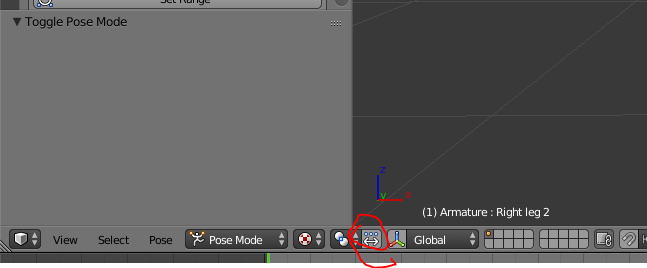
Hello, I have a model i am currently modding but i have run into a problem that i do not know the solution. i am using blender. the model i have is weight painted / rigged but when i go into pose mode and move any of the armatures/bones, the model does not move, but the bone does move. i do not know why the model is not following the armature/bone
fading verge
@leaden horizon click this https://imgur.com/Hlu9ysI
 leaden horizon
ok now the bone will not move either
fading verge
show me your hierarchy
leaden horizon
is this what you wanted ? https://cdn.discordapp.com/attachments/399799984889004033/439908753123442718/h.png
 leaden horizon
yeah all my friends who dabbled in blender are confused, my friends who do it for a living are offline.
hmm, somehow i fixed it >_>
fading verge
👌
leaden horizon
i think the armature was linked to the mesh improperly
so i relinked it >_>
and that worked
calm needle
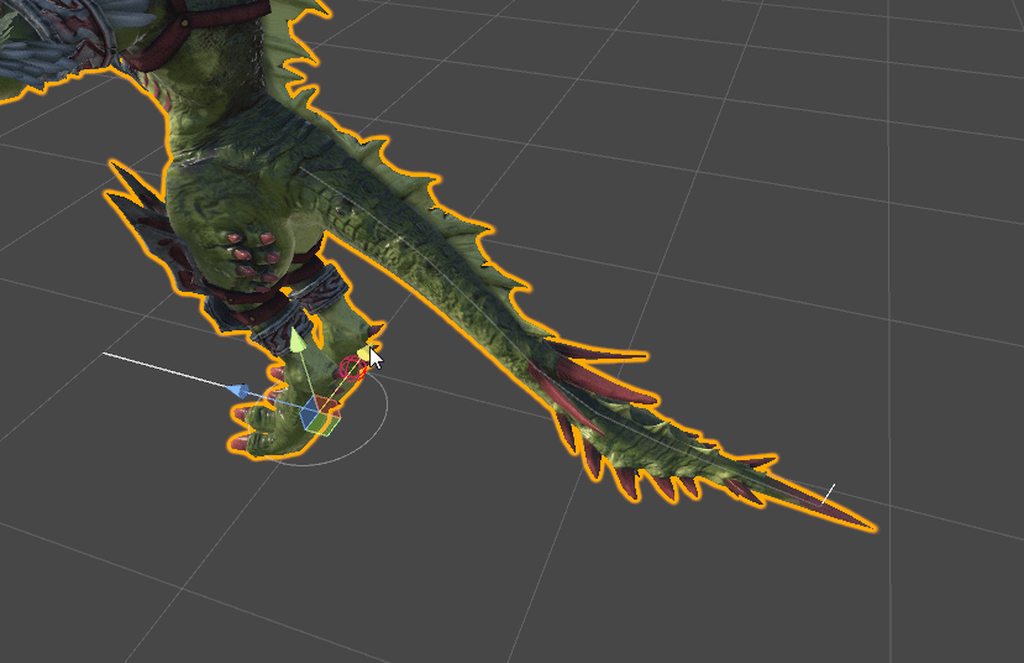
@crisp tendon https://i.imgur.com/IAI9LOG.gif
Ive been using 0.6,0.2,0.2 for my lizardman settings. Probably doesnt help too much but i figured i would share what ive been using
 crisp tendon
Looks good, i'll try to add a bit more inert to my parameters and see how it looks, thanks
 glad egret
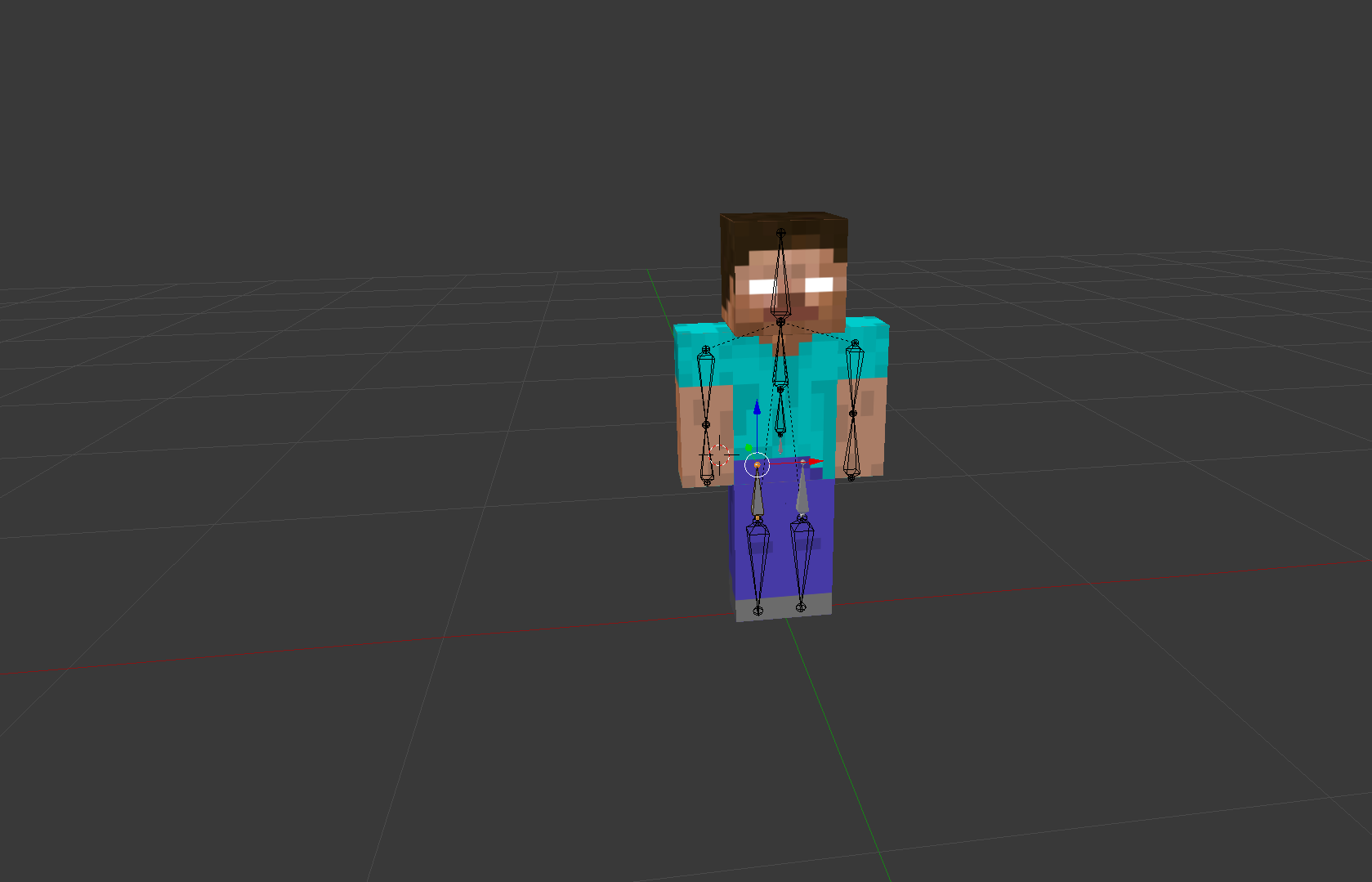
how should i place the hip bone?
shadow shoal
what?
 stuck edge
nothing ^_^
shadow shoal
nnaaah...
 strange aspen
some parts of my armor is like up, instead of being flat. How can i fix that any idea ?






 glad egret
whats wrong with it
strange aspen
the gloves
glad egret
so basically they dont fit onto the hands/arms very well?
thats something u gotta do in blender
strange aspen
it looks fine in blender