#avatar-rigging
1 messages · Page 111 of 1
 rose shard
 zinc heart
it was working before, which is the weird part
 barren monolith
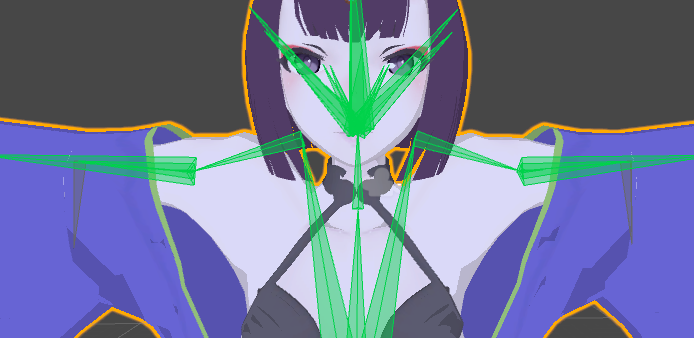
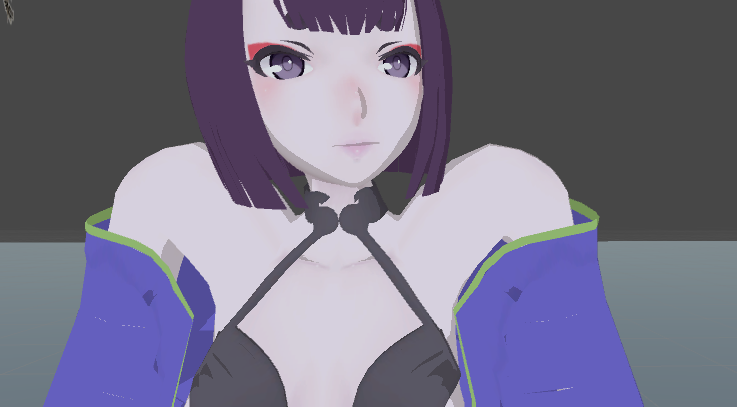
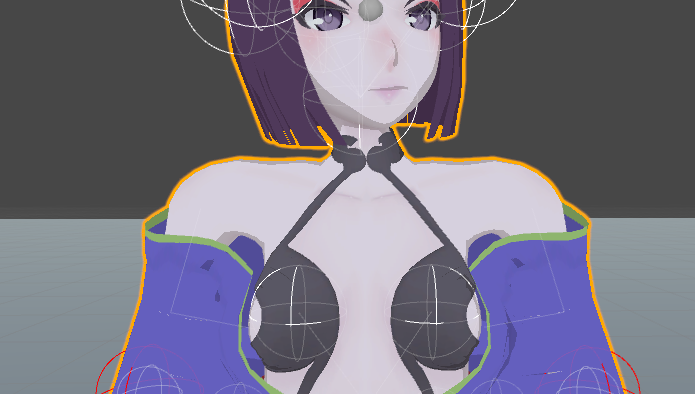
Could anyone help figure out why the chest mesh is moving with the neck, but not the actual chest on this? I've made sure everything is parented correctly, the weight painting looks good, but anytime I rotate the chest...the neck base stays in place, but the top moves with the head.
oof missing image...one sec
can't paste picture >.<
 naive tree
imgur
 gritty nest
prnt.sc kinda sucks
Images often fail to load for me.
This really does seem like conflicting weight painting @barren monolith
It could be that another vertex group mistakenly has control over the chest/neck
barren monolith
 gritty nest
Check all vertex groups and make sure only one has control over that area
barren monolith
And delete ones that conflict?
gritty nest
Not necessarily delete, unless that vertex group isn't needed
barren monolith
If not delete, remove the weight painting from that group then, I'm guessing?
naive tree
if you're moving spine, it will move all the bones above, so at that point any bone couldhave weight on that area
gritty nest
You could remove the weight paint, but you need to use your head obviously. Your shoulder might have to move a part of the neck, which is okay
barren monolith
I'm rotating the chest in that picture
Anyone wanna make a few bucks to fix this for me? lol
Been working on this for 3 days
When moving the spine, its fine. Something has to be wrong with the chest bone.
naive tree
send me the fbx or pmx ill check it quickly and let u know what's wrong
barren monolith
Thanks Yuumi
 serene oracle
Ey bruvs im getting an error on my model stating Spine heirarchy missing elements, make sure that Pelvis, Spine, Chest, Neck and Shoulders are mapped. However im fairly certain that all of these bones are mapped correctly, anyone think they can give me a hand? https://gyazo.com/aa3694fbb063ce97178bf59ffe266a61

 fading verge
you need to go into the humanoid rig
serene oracle
Rig is set to humanoid
serene oracle
O im retarded
Thanks
Shouldve checked, just had no errors so went along with it xD
Yup worked perfectly 😃
fading verge
ez fix
 tame skiff
How many fingers do I need for a humanoid to work in VR Chat?
fading verge
no clue
i always used 3 fingers : thumb, index and middle
don't know if it work wilth less
 austere merlin
how do i disable foot iks
 lofty nacelle
Does anyone know how to get high heels to work properly? the bottom of my foot ingame seems to be in my heel, and the rest of my foot sinks into the ground
it also lowers my heigh because of it, making my viewpoint too high on the model
 storm geode
https://a.pomf.space/uiijtlkhjswi.jpg anyone know how i can fix my knees bending to the side/in random directions like this?
the rest of the IK seems to work flawlessly but whenever i crouch he goes all bowlegged
 gritty nest
I've had that before on some models. Check bone roll maybe?
Kinda sucks that you'd get that on a Team Skull model of all things, lol.
tame skiff
It's team skull. Doesn't look off to me
gritty nest
Yeah, they do actually bend like that in the game. But then again, this is a screenshot. He said "random directions", for all we know it actually looks wrong ingame.
If this is a game rip, that could explain it
tame skiff
I'm not being serious, just taking a shot at the most delightfully ridiculous evil team in the pokemon series
storm geode
the direct rip of the skeleton works fine, i have that version saved
but i applied cats blender plugin to it in prep for me receiving my full body stuff in a few weeks and
well, it does this now
i checked roll, its at 0 degrees
gritty nest
You could try doing Fix Model again with an older version, the newest one has some weirdness where spine length is zero
Depends on when you used CATS. They added some full body fixes but broke some other stuff
tame skiff
This is why I only use CATS for visemes
 random lotus
https://image.prntscr.com/image/hAvc4VoVQ529DZC6pQcjdQ.png i can't get the automatic weights to work on this models new armature. i got it to work on my first attempt at the rig but now since i had to redo it due to a bunch of mess ups that i cant fix i can't get it to do it at all

and if i do it with both the mesh and armature selected i get this http://prntscr.com/j5pxbl

 inner cedar
Hey
Looking for pointers on rigging a large disembodied head. Meant to be fairly unsettling, so only the eyes are supposed to move.
random lotus
hmmmm that i can't help with, since im struggling to rig a chibi human as it is xD
inner cedar
I'll post the avatar as an example to show what I'm talking about.
Also, I get you.
Fairly new to doing it in Blender myslef.
random lotus
i had to redo the little guy once already
inner cedar
*myself
random lotus
i have blender expirence but im new to rigging
inner cedar
About the same. Only have experience with basic rigging. I don't know anything about rigging a face or anything like that.
random lotus
same, im doing this one as practice since he has no need for a face rig

because his facial stuff is done via texture
so there's no bones or anything needed
inner cedar
Here's the creepy fellow: https://imgur.com/a/r2M2i
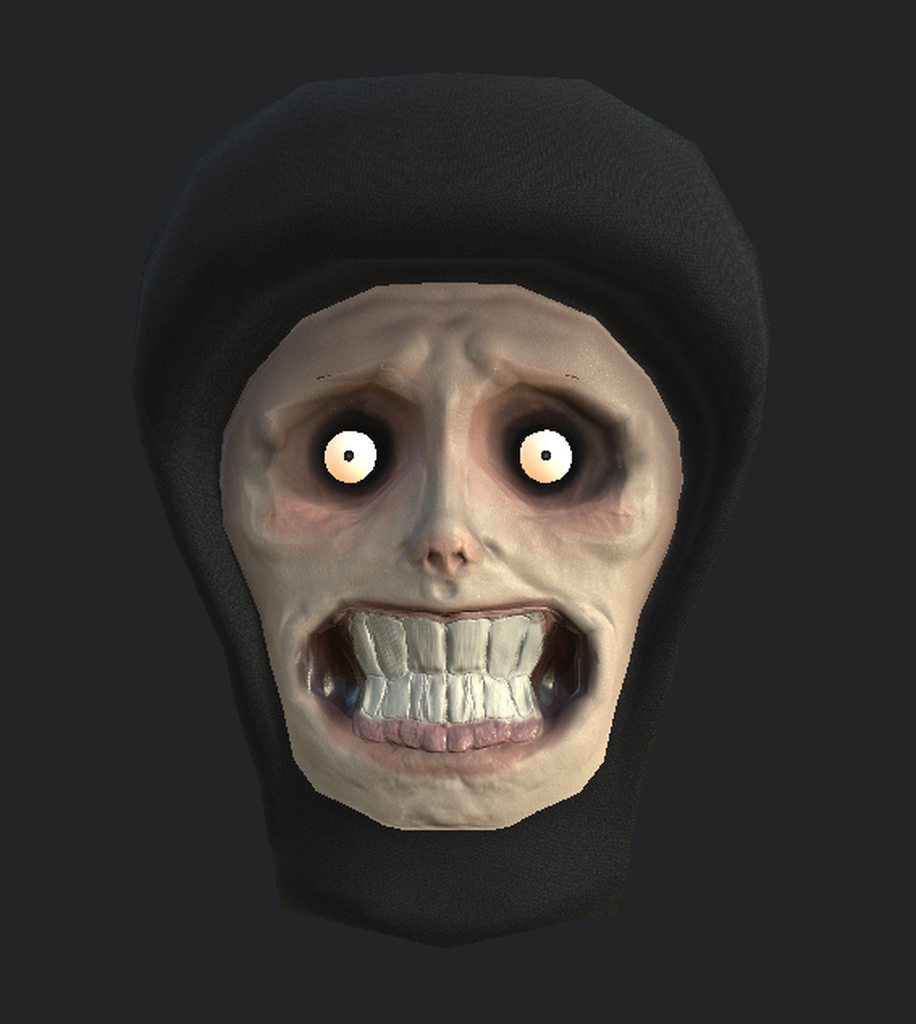
My idea is to have him as a giant disembodied head that will move on the ground and his eyes should be able to track players.
Mouth isn't set up for lip sync and he doesn't have any eyelids for a blinking animation. Still trying to get eyelid topology figured out.
Limitations aside, I'm happy with the texturing job done and with the polycount of the model.
@random lotus Your model definitely seems well-made as well. Did someone else make the model or is it custom?
random lotus
HOLY SHIT THATS CREEPY
and mines ripped from a ps vita game
......DUDE .....im one for horror and gore but that actually legit scares the fuck outta me xD
inner cedar
Thanks, the design is based heavily off of a meme from a few years back.
random lotus
xD i see
inner cedar
Maybe as much, maybe moreso.
random lotus
......
yeah
id rather not be able to unsee it xD
i need to plug my lamp in real fast xD
ok i think my guy's drunk

i finally got the rig parented to him properly
and this happened
inner cedar
Yep, definitely drunk.
random lotus
xD
inner cedar
Guess you should orient him upright and then apply the rotation.
Or you could keep him flat on his back.
Whichever option is the most appealing.
 inner cedar
What did you do to stand him up?
random lotus
i pressed undo
and did it again but he stayed standing this time
well what i did
now that i rememebr
was i left the armature rotated downwards while he stayed standing
and i constrained the x axis on the armature and turned it 90 degrees
and it went back to facing up with him
and now comes the fun part (sarcasam)
http://prntscr.com/j5qfev fixing the weights

which tbh dont look as bad this time
inner cedar
Yippee
inner cedar
Maybe you could change the textures so he's some sort of zombie now.
There's always a shortcut
or a longcut, depending on how you want to see it,
random lotus
.....................though its quite ironic considering what he hallcinates in the manga
inner cedar
?
random lotus
hang on i gotta find it
ill send it to you via dm's because i dont think im supposed to post graphic content
once i get back from doing something
inner cedar
Oh, it's graphic?
inner cedar
Then, I think I'm better off without seeing it.
random lotus
well ill just sum it up them
basically he hallucinates the girl he loves getting sliced by a piano wire
and then moments later he himself gets the same fate
inner cedar
Yeah, doesn't sound like something I'd like to see.
random lotus
and the wire cut him right below his lower half
the irony is thats where the model is detatching at
inner cedar
It does though seem to be oddly fitting for his fate though.
random lotus
but he doesn't actually die except for the shite anime
he was hallucinating the whole thing soooo
inner cedar
It does seem fitting for his imaginary fate though.
random lotus
yeah
beats how he died in the anime, we....just DON'T talk about that
i must not let the flashbacks return........its so.....fucked up...
storm geode
what meme anime is this
random lotus
wait mine? its not a meme.....
its one called corpse party
id be suprised if it was somehow a meme tho
inner cedar
I remember a friend of mine talking about playing that game.
storm geode
all anime is meme sorry
inner cedar
Your memes end here.
random lotus
http://prntscr.com/j5qjl5 you can see it on my desktop
 inner cedar
Also, how was Sonic Forces?
inner cedar
I heard it's bad. Nowhere near as glitchy as Sonic Boom, and not nearly as notorious as Sonic '06, but still not as well-made as Generations.
random lotus
yeah, but i dont think it's bad
they all say its bad because lets be honest, no matter how hard sega trys the fans are gonna bitch about the games in someway
classic sonic DID suck gameplay wise tho ill admit that
and was practically useless to the plot
but thats my only complaint
inner cedar
You do have an excellent point, I haven't played it myself, but if it goes on sale I might pick it up.
storm geode
https://a.pomf.space/hhjzcpowrexy.png how do i stop my shoulder from doing this strange twist when i lift my arm?
 inner cedar
Weight painting? Not too experienced with rigging things myself.
storm geode
the arm on the right
random lotus
the pics kinda blurry that might be why im not seeing it
storm geode
well its from vr so yeah
random lotus
oh
storm geode
 random lotus
yeah you might need to weight paint it
that or there's weight on parts that it shouldnt have it on
i know this because my little chibi dude has the same thing http://prntscr.com/j5qlc0

and i haven't touched the weights at all since i applied automatic ones
storm geode
https://a.pomf.space/tacpedipoebj.png so the rig seems fine in unity and in blender, its just in game it fails horribly
 gritty nest
Hmm
inner cedar
Could just do with VRChat's method of handling that sort of situation.
gritty nest
@storm geode does the SDK give you any warnings about shoulder, arm, or forearm rotations?
storm geode
no warnings at all, actually
https://a.pomf.space/pzgdbutgtqee.png
 gritty nest
If there are extra bones and the next bones are not the first child, it'll cause issues
Alright, what happens when you rotate the head in Unity at the same time as you raise the arm?
And what happens when you then play around with the forearms? Etc
Test it out a little bit more, could be a stray weights issue
 inner cedar
@gritty nest How long have you been rigging for? Sounds like you have quite a bit of experience with that sort of stuff.
gritty nest
That's kinda weird
@inner cedar lol not at all
@storm geode could you show me the rig in Unity's rig window?
Not too interested in the head or hands, just show me what bones are assigned where and how
I have a sneaking suspicion that there's an issue there
storm geode
https://a.pomf.space/hqeuebnbfgce.png very possible there is, im a total scrub
 gritty nest
I mean, it looks fine. But hang on, I'll check my own Mixamo rigs and see how I set them up
I think you might have reversed two bones
Well, not really reversed
I'll explain once I get my own rig here
I've only been rigging for a week, and that's mostly hands
Ahh, I see the issue @storm geode
gritty nest
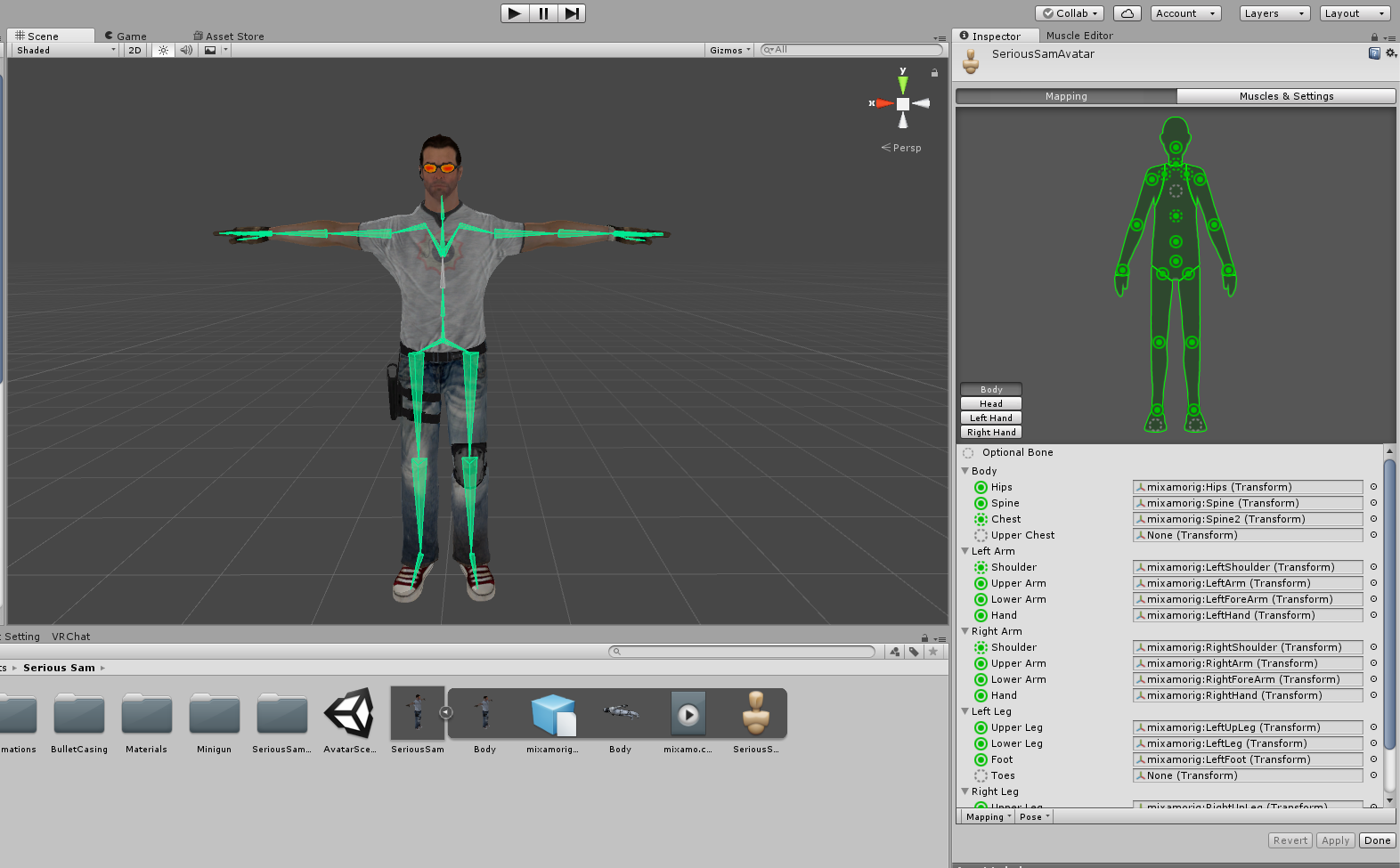
I think these are the guidelines you had to follow for assigning the rig:
- Hips comes first. This is where your legs and spine are attached to.
- The bone immediately above that should be assigned to Spine.
- Travel up the spine hierarchy, until you find the bone that the shoulders and neck are attached to. Assign this to Chest. There might be unmapped bones in the spine now. This is fine.
Just reassign the rig like I have and you should be good
random lotus
http://prntscr.com/j5quvr i dont get this, there's not a single weight in those spots

yet when i try to test it they move anyway
storm geode
that didnt fix it @gritty nest ;;
gritty nest
Ouch
I honestly don't know. If it looks perfectly fine in Unity but not ingame, then I don't know
Did you try playing around with arm twist in the muscle preview, too?
And not just stretch
storm geode
oh shit, good catch
thats it
the entire shoulder bone is rotating

is there a way to clamp that?
gritty nest
Well, the good news is, you now know the issue. Bad news is, it's probably a weight paint issue
You might have to manually fix that or deal with it
Mixamo doesn't always deal with shoulders very well
Ohh, but uh
@storm geode in the Muscle Settings tab in the rig, you can actually define how far something can twist/turn/stretch etc.
You could probably get away with just lowering the minimum/maximum twist
storm geode
i dont see an option for shoulder twist in there unfortunately
ill fiddle with shoulder up and down and see how it goes
storm geode
i was just manually rotating the shoulder bone like this https://a.pomf.space/pohzgtxbvoop.png
 gritty nest
Ah
Well, in the Muscles & Settings tab in the rig, you can actually play around with the sliders and see how your model will move
In Preview
Just don't touch the muscle groups, go straight to Per-Muscle settings
And down in Additional Settings, you can change Upper Arm Twist too
storm geode
upper arm twists are no problem, its only the shoulder bones that break things
thanks for your help though
inner cedar
I've successfully imported Mr. Creepyface into unity
Only one issue.
Well, multiple, but that's beside the point.
There are some warnings showing up when I'm trying to export the character.
 woeful falcon
so i made a new model and im having these weird tracking issues
this is the same face and bones i used for another model that didnt have this issue

they move out of sync and go crossed a lot
does anyone have any fix to this, i already recreated the eyetraking through cats
 fickle plover
I'm gonna laugh so hard if unity shits on me and says i need two identical arms

We'll just have to wait and see what it thinks
storm geode
how do you fix the spine length of zero thing?
 storm geode
oui
fading verge
Got a dragon with it's own rig, every time i import the FBX file into blender it messes up the rig.
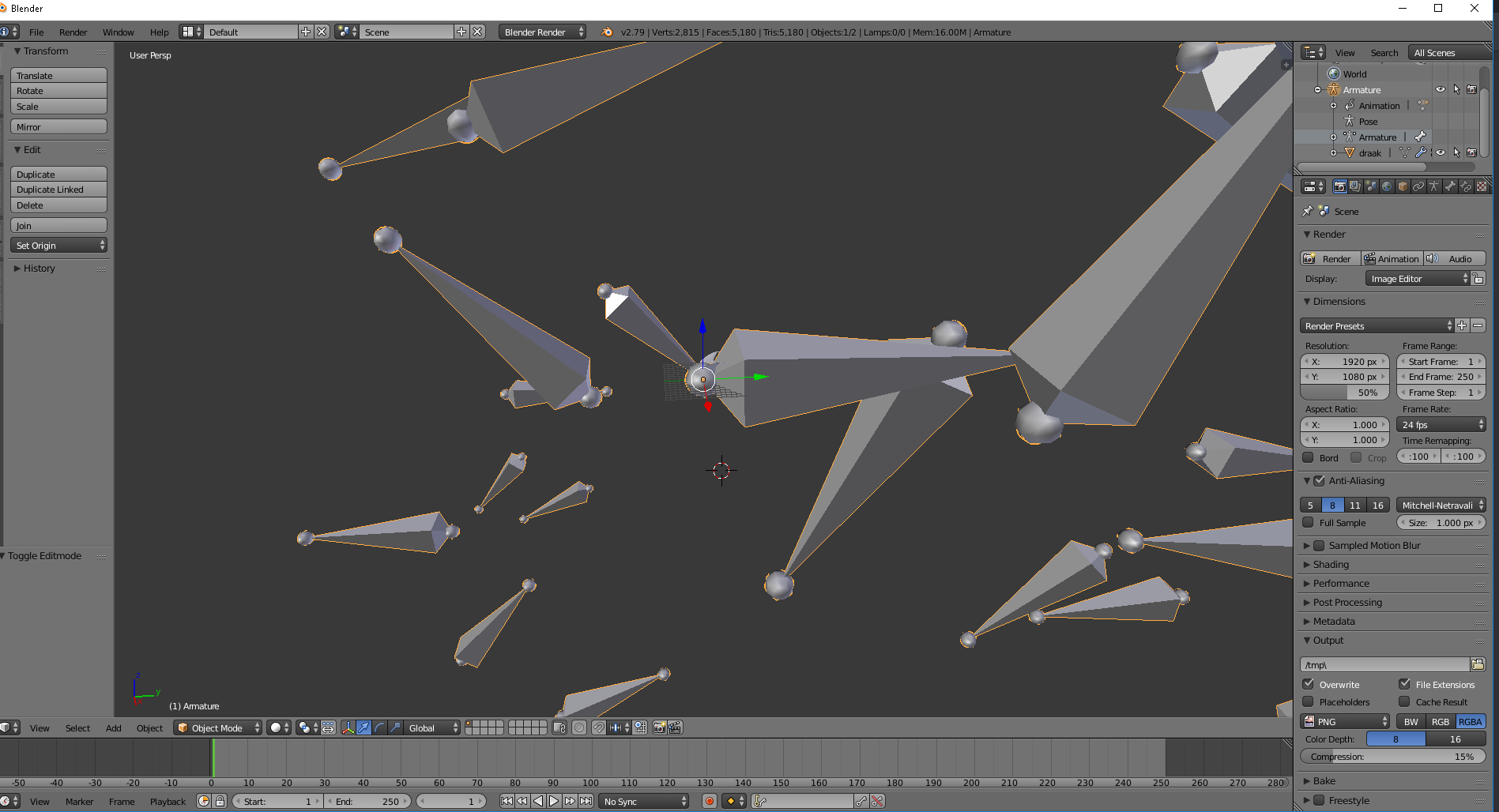
The dragon is inside the ball part.
If i put it straight into unity and then VRChat the rig is fine.
But i need to change the origin point so it has to go into Blender.
 crystal vector
@storm geode Ignore it
 forest crane
@fading verge try fbx converter or use different software some fbx files have wrong mesh /armature scale set
sometimes detaching from armature and putting again helps
after changing scale
gritty nest
@storm geode ignore it, this is an issue that the latest CATS can cause
If it does cause issues, use the old fix model. I believe they included it for that reason
 opal aurora
@fickle plover oh mai gah that smol looks so good
 lusty glen
https://i.imgur.com/QJk7A7l.png
The model (on the left) is all stock, but I'd like to replace the legs with these MMD jeans I downloaded (on the right), is this possible while still keeping the rig working for VRChat?
 fading verge
@lusty glen yes it is, check the videos on that in #tutorials
should be easy enough
lusty glen
It most likely is, I'm just very new to this and a little bit of a massive dumb dumb
I hope I don't fuck anything up for when I get my leg trackers while doing this, thanks for the help
fading verge
don't forget that the new version of CATS got a full body fix now
should be easier to get the bones to work
lusty glen
Just downloaded the new version before importing
appreciate it, I'll be back if I run into any problems
 limpid flare
Having a weird issue right now, when adding a mesh in a dependency for some reason all the parent bones for that mesh get pulled into the position of the mesh. And if I remove the items from the hierarchy the bones go straight back to where they are supposed to be. I never had this happen before, usually I just add whatever where ever, but these two props that I added today are causing this issue. above without prop, below with.
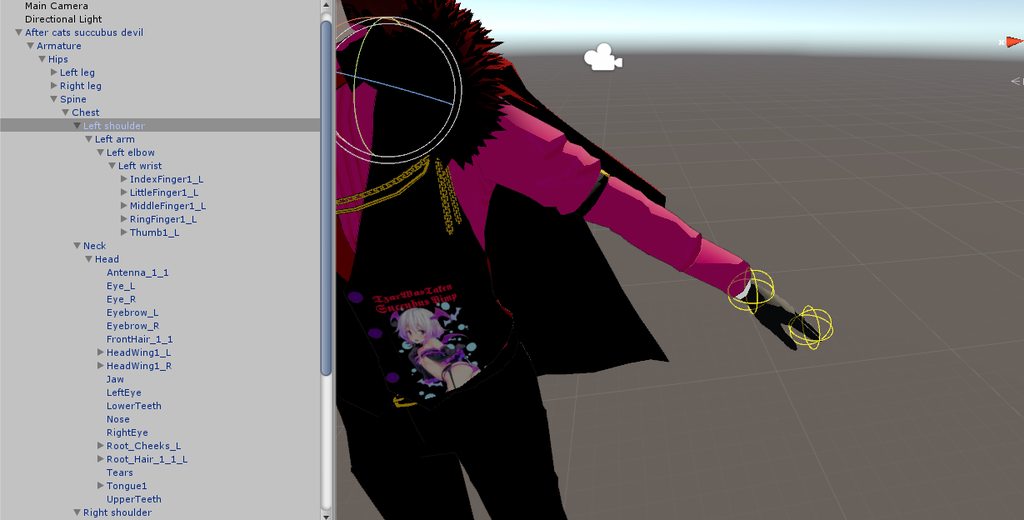
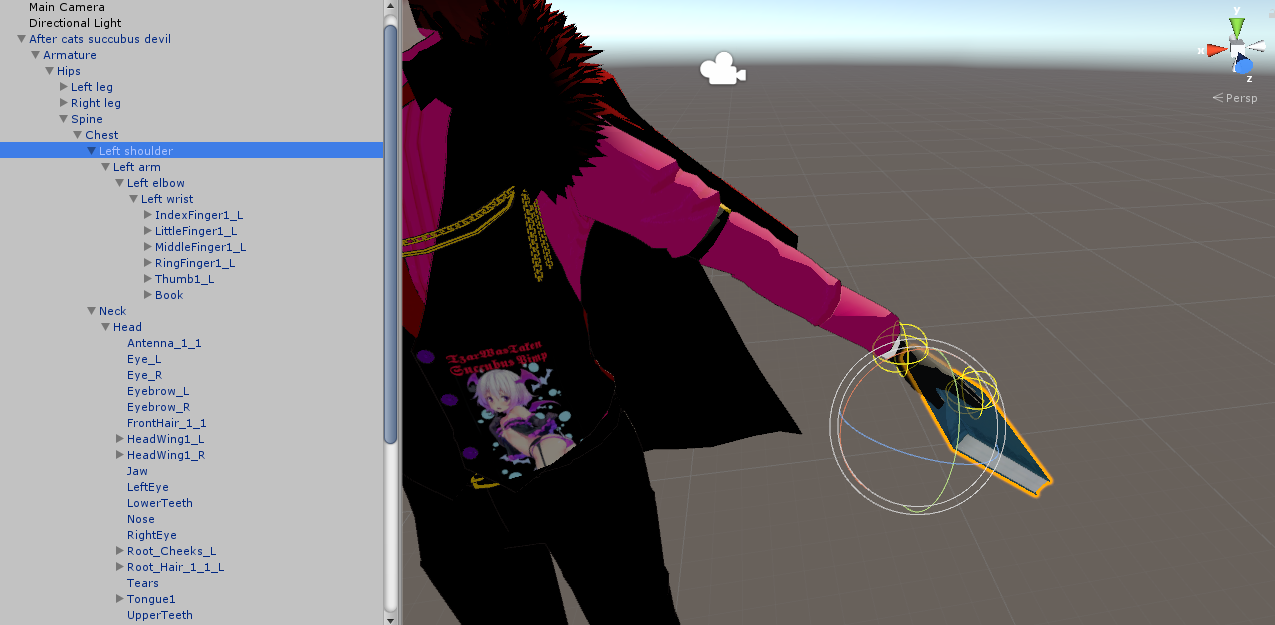
^^ as you see in both I have the left shoulder selected, but with the prop the shoulder bone moves to the position of the new mesh. Also the same is true for everything in that hierarchy, so left arm, elbow and wrist behave the same way.
 silent arch
That is fine
I have the same thing with mine but it does nothing in game at all
My models work perfectly fine as is
limpid flare
ok thanks I will give it a shot then.
naive tree
how to make some1 go mad over weight issues not carrying over correctly with mirror - have random ass bones on different layer
 solid adder
For me it was moving the left arm and the right arm moves.
naive tree
yea same for me - moving left wrist - moves right as well and all weight paint seemed fine, but then I remembered that u can have bones on different layers
 proud barn
ok, so if i have a model with bunny ears, and those ears have dynamic bones, but i want to put a hat over one of the ears, and have that hat be able to be removed when i do a gesture, is there a way to stop the dynamic bones from working while the hat is on my head?
gritty nest
I think you can disable the dynamic bone script component, or you can set the Stiffness to 1.
Inside the gesture animation
Otherwise, another solution is to simply hide the ear that the hat is over
solid adder
@proud barn try changing the values of the dynamic bones while recording your animation
proud barn
Thanks, I'm going to try that, if not I'll just edit the original mesh and make the ear a separate mesh, then disable it
proud barn
Well, it didn't work, at least not for me, if someone else figures it out please send me a message, for now I'm just going to do what i said above
 vital root
How do I make a dynamic bone actually respect the laws of gravity when I'm not moving?
proud barn
There is a gravity section on the script isnt there?
opal aurora
Is the axis affected by the bone orientation? Or does it only factor in the overall axis locations in unity?
vital root
-0.02 looks acceptable, thanks guys
opal aurora
So essentially, overall axis locations, gotcha
 pale hull
yup
 magic fractal
My character's legs are a bit messed up when standing still and I just wanted to ask if there is a fix available. I'm aware that my character isn't exactly humanoid so that might be the issue but just to be sure I'm going to put this here
https://imgur.com/qOYj5vD
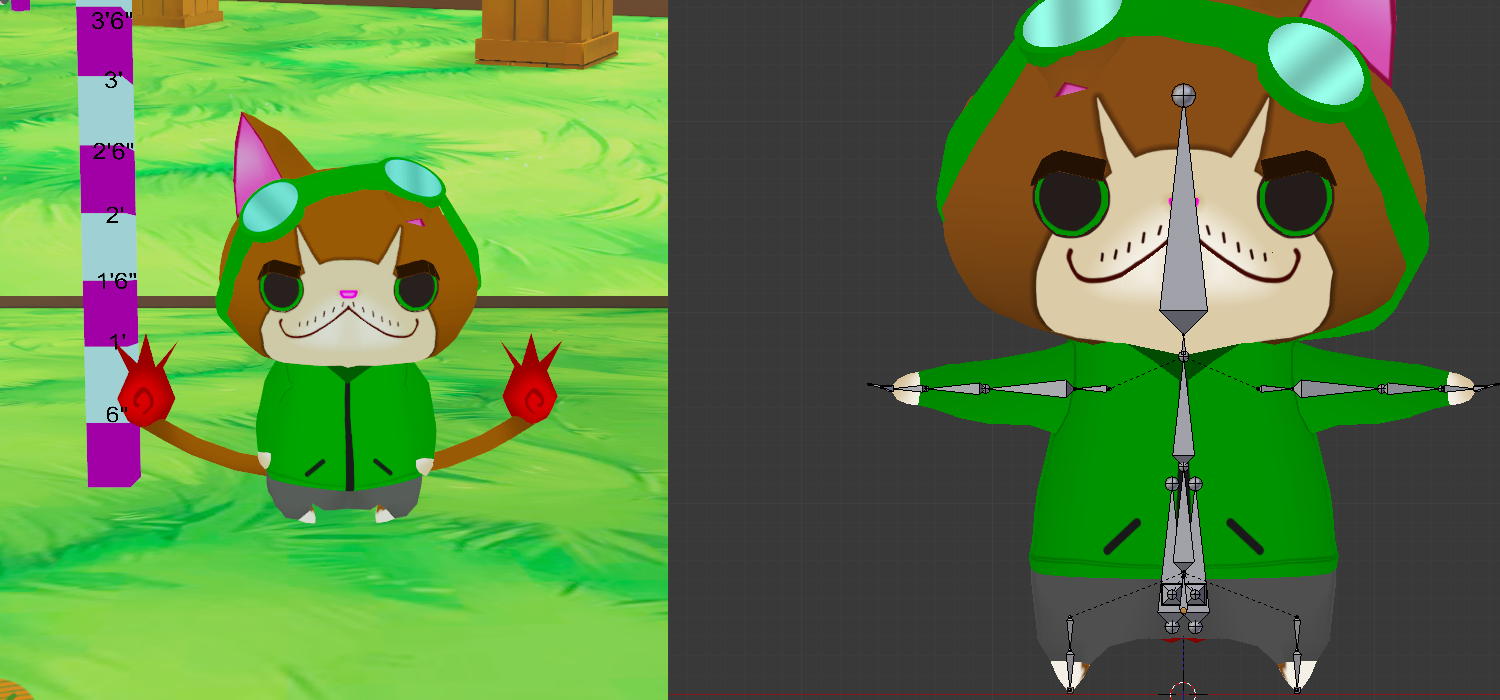 rose shard
Try removing the toes from your rig in unity.
magic fractal
OK
vital root
How laggy would a model with 10ish dynamic bones be?
 lime hill
https://cdn.discordapp.com/attachments/416310433381744643/435611521725366272/unknown.png anyone know or have a tutorial on making visemes for this kind of model with the bones on the lip?

 surreal haven
So, I am adding some parts to a model in unity: the parts I'm adding have their own bones, so each of them has an armature, and I'm not sure how to properly connect them to the model. Would I need to just abandon the idea of doing it in unity and do it in Blender instead? When I try to pull just the bone structure out it breaks the prefab, but attaching the entire thing into my skeleton in unity breaks the model in VRChat. This is what I have currently that's making the model act weird in VRChat: https://i.imgur.com/E2mjdSC.png

so the item i'm adding has its own armature as well as a body mesh and i'm not sure how to properly transfer that to my model, or if it's even possible in unity. worst case, I can take it into Blender and do it there
i'm pretty sure i have to use blender but i wasn't sure if anyone else had done this before
naive tree
@surreal haven rename tail mesh
rename tail "Body" to anything else
it breaks in vrc
anything bone related i do in blender tho°
surreal haven
oh nice, so just renaming the Body mesh to something else should fix it?
normally I would do it in Blender but it's a real quick addition
well, in theory it's a real quick addition. haha.
 calm needle
@lime hill in its simpilest form, you pose the mouth bones into the viseme you want, copy the armature modifier, and hit the apply as shapekey button. You will see that the shapekey was created and added to the shapekey list. Reset the pose and do it again for another viseme
fickle plover
My absolute favorite thing to rig for shapekeys has to be a breathing animation
my absolute least favorite? Blinking.
naive tree
1 good thing about this many bones - ez visemes and blink http://prntscr.com/j69fan

 patent edge
removes shades
Mother of God
gritty nest
@vital root @proud barn use Force, don't bother with gravity.
Axis is affected by the location of the dynamic bone script. That's why you put the scripts on your main avatar descriptor object
That one is always facing straight ahead
@naive tree that's pretty common for XPS
naive tree
yeah
gritty nest
Doing the OO sound can be hard though
 wary sparrow
i am awful with dynamics bones and with blender etc....anyone want to help me with my avatars with it. i have it rigged up. jus not amazing at the blender part for dynamics bones. i dont mind paying a small fee if needed. could really use help and will really appreciate it. please anyone.
fading verge
ANyone know how to serprate polys as materials to be weight painted? would love some assistance pls. I found the issue for this one model i had for a super long time (Needs to be reweight painted) but the ENTIRE model is all 1 material...pls help Dx
@wary sparrow whats ya issue? I might be able to help a lil lol i am willin to toy with models to study more lol
gritty nest
1 material doesn't matter
What matters is vertex groups @fading verge
You'll have to assign those one way or another. Blender's auto rig can usually assign vertex groups, even if automatic weights fail
If you need to adjust weight paints that already exist, you don't have to do that auto rig stuff. Just select some vertex groups
gritty nest
No idea lol
fading verge
ty fam
fading verge
thats because its all 1 dam material fam
im not if ya clearly look at the bottom of the image
#vrchat-livestreams @gritty nest im live right now workin on the same model in the pic
gritty nest
I weight paint single-material models all the time, I have never seen that happen
Oh wait, I got confused
You have your body selected in weight paint mode
It all looks fine to me
Your head is textured because it's multiple meshes and you're only weight painting the body. No problems here
fading verge
that is the problem
the "body" needs to be seperated in parts like head feet arms ect. @gritty nest
fading verge
head desk idk what ya talkin bout fam but i guess ya get what i am sayin but not understanding my question
 blazing niche
https://cdn.discordapp.com/attachments/404894288808247300/435837786311098379/unknown.png
^unity
https://media.discordapp.net/attachments/404894288808247300/435834919848247316/unknown.png?width=1247&height=676
^blender
idk how to fix this

 calm needle
@fading verge Could you explain better on what you mean because we dont get what you are refuring to when you say material in the context of weight paint since material doesnt matter in weight painting
@blazing niche try setting the bone roll to 0
blazing niche
??????????
calm needle
select the thumb bones in edit mode and hit alt+r
 calm needle
i usually keep my finger bone rolls at 0
😛 ive never fiddled with it only becasue in game it never gave me an issue
tame skiff
I'm having a hell of a time setting up a dynamic skirt with colliders
gritty nest
Dynamic bone colliders almost never work as they should
Some people use Cloth instead
gritty nest
That looks pretty amazing
fading verge
it can slowly slide off
https://i.gyazo.com/97cea5f282f2eb43b60bf62a3a4a9f54.mp4
random lotus
hmmm i wonder, would i be able to just slap a shit rig on a model in blender, weight it and and then throw it into unity and enforce a t-pose and have it not be broken af?
 dim ocean
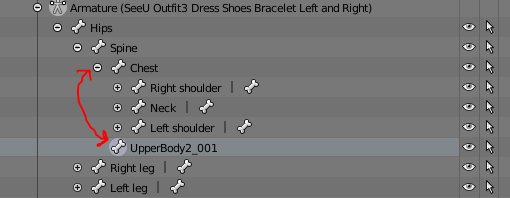
Is anyone able to help me fix this (In Blender, chest is parent bone to shoulders, but not in Unity) https://prnt.sc/j6nfkm Not sure why this is happening. I asked this in avatar-mmd, but no serious reply

 pine harbor
the hiearchy appears different between those two screenshots: "UpperBody2_001" has no children in blender, but it appears to have some in unity
dim ocean
UpperBody2_001's child in UpperBody2_001_end in Unity
pine harbor
then the shoulders are also parented to something different as well, like you said...hm
dim ocean
the model's corset had not imported into unity either, but it is shown in blender
pine harbor
if the blender one's getting modified when you export it as shown into unity, i can't say i know exactly what's going on
it doesn't appear to be the same rig just from the screenshots shown
 naive tree
Will visemes work on generic model parented to humanoid?
gritty nest
Yes.
Do you mean lipsync? If so, you can only have lipsync on one mesh at a time.
If that's a child of your actual avatar, then that's fine. But for example, you can't have both the child and the parent speak
naive tree
thx
 gloomy pollen
anyone know why a weight painted model wont deform at the hips?
in blender
she opens like a trash can if you tilt her hips side to side lol
deform is enabled in the bones and stuff
pine harbor
"opens like a trash can"...sounds like you need to use "remove doubles" around the vertices at the hips to stop the mesh from ripping apart when bending around there
gloomy pollen
the mesh doesnt even try to deform
naive tree
opens like a trash can, now that's something lol
gloomy pollen
remove doubles... ?
naive tree
select the area faces > W > remove doubles
naive tree
enter edit mode, hit C
gloomy pollen
then grab her spine and hips?
naive tree
need to see screenshot of what u mean by the "opens as trash can"
 limpid kettle
erm... this is the first time i encounter such this warning message on unity.. anyone care to assist me on this? http://prntscr.com/j6q2u7
 patent edge
your models bones are not linked up right
crystal vector
@limpid kettle You should fix your models bone hierarchy
 sharp fractal
So I've got my bones all in the right place, I selected my meshes and my bonestructure then used CTRL+P to add the bones to the mesh, but when I use the Posing thing with the VRCAT Addon, and try to mess around with the arm nothing really happens. Sometimes a part of the head might stretch out or something.
I should also mention I parented the bones.
patent edge
anyone got some good values for dynamic bones
 subtle moth
i can send u the ones i always use
i think i grabbed em off of some youtube video
@patent edge
patent edge
neat
subtle moth
Hair:
Update rate: 60
Damping: 0.2
Elasticity: 0.05
Stiffness: 0.8
Inert: 0
Clothes:
Update rate: 120
Damping: 0.2
Elasticity: 0.005
Stiffness: 0.9
Inert: 0.5
Breasts:
Update rate: 90
Damping: 0.2
Elasticity: 0.1
Stiffness: 0.8
Inert: 0.5
Radius: 0.06
End offset: x: -0.1; y: y: -0.1; z: 0.3
Tail:
Update rate: 90
Damping: 0.2
Elasticity: 0.05
Stiffness: 0.7
Inert: 0.5
Radius: 0.15
Gravity: y: -0.002
patent edge
i recognise this from the video
subtle moth
Everyone reading this, suggest changes if you think i need to adjust sth
always open for improvement
patent edge
the update rate is capped at 60 iirc
patent edge
a youtube video
fading verge
that dude obviously never tested them in game
patent edge
XD
subtle moth
most of them look alright
 true vapor
Eww
subtle moth
i mean the offset is bshit
true vapor
Those values
fading verge
oh boy, they are not
subtle moth
as well as radius
fading verge
the cloths and hair values are awful
tail is fine
even tho the gravity is useless
breast are awful too
patent edge
the gravity is for when the tail is in a t pose
true vapor
Unity may make it look good but in vrchat it’s shit
subtle moth
rather for nice looking stuff
fading verge
the tail is the only thing that's fine
subtle moth
the hit me up with dem improvements please :3
fading verge
cloth are flying around, hair is just stretching and going through the head and the breast are just jelly with these settings, moving all around and going through the chest when you run
patent edge
classic numbers
subtle moth
i mean
fading verge
depending on length of hair i use these
.88
.27
.3
.88
0.96
0.314
0.181
.9
true vapor
Well atleast the back
subtle moth
the breasts are fine with me
fading verge
first one is really good for short hair
subtle moth
for hair
true vapor
Long hair is a different story
subtle moth
how to prevent the clipping
fading verge
breast for me :
Damping: 0.125
Elasticity: 0.05
Stiffness: 0.8
Inert: 0.3
subtle moth
dats way too stiff
fading verge
no it's not
subtle moth
Preference i guess
fading verge
because inert and damping is low
well if you like having boobs flying around then i guess your settings is good
subtle moth
ye
gritty nest
Hmm, I should start experimenting with hair values more
Usually I set the damping to 0.5, stiffness and elasticity at 0.1, and inert at 0.9
true vapor
Yea a bit of my hair clips through the front so I might have to play with the settings
fading verge
it really depend on the hair length and style
if i have very long hair, i usually use the tail value
for more "flow"
gritty nest
Tail value? Do tell
gritty nest
I have one model with long back hair
fading verge
.88
.27
.3
.88
usually works really great for short hair
true vapor
I need to work on mine
fading verge
@patent edge yeah, but these value i use is for my model, i redo the breast weight paint in a very specific way to get a really good effect
true vapor
They’re good but the jacket just goes long whenever I move so dynamic bones on a jacket may not work well
true vapor
Stretches
gritty nest
Don't use the Gravity property on dynamic bones
true vapor
Yea I’m not fully awake
gritty nest
Use force
patent edge
well they are good on this model anyway
gritty nest
I mean, you could use gravity if you know what you're doing, but the results are always really bad for me.
Force works way better
fading verge
they should be good on most models, but if you change the weight paint it will be even better 👌
force and gravity is doing the same thing as far as i know
but for force you use really low values and gravity you use very big values
true vapor
Wow that actually reminded me to go check the weight paint on my jacket
patent edge
if only i had HDT physics from skyrim
now what point dose short hair become long hair
fading verge
longer than shoulder i guess
true vapor
Yea
gritty nest
I might try that for the long hair
Gotta add some more colliders though
Wish collider planes were whitelisted
fading verge
let me try those settings
hmm
could be good
but too jiggly for me
@patent edge can you try these for me, for long hair
0.2
0.005
.9
.5
patent edge
uploading
well it dosent realy work that well for well anime hair like casters here http://prntscr.com/j6wku4
 fading verge
hm, i'll need to tweak it a bit more
patent edge
the movement is quite suttle
loads up in VRchat
discovers arms are now wings and various parts of skin poke through the clothing
inner cedar
Ran into another issue.
I'm hoping to implement my avatar as a disembodied head, sliding across the ground. I've set the origin point of the head as being on the neck to do this. I'd rig it as a Generic avatar, only problem is I want eye tracking.
Since the model is a head which I want to set up eye-tracking for, I set the rig to humanoid and used a basic rig in Blender, to which I added fingers manually.
After all was said and done, I found out it's too small to be exported, likely because I had to scale down the main body and scale up the head heavily.
I want the avatar to slide along the ground, but I also want eye-tracking which as far as I can tell can only be implemented with Humanoid rigs.
 hidden gust
https://i.imgur.com/UHRdAf7.png does anyone know what this bone is between the legs? and what its for
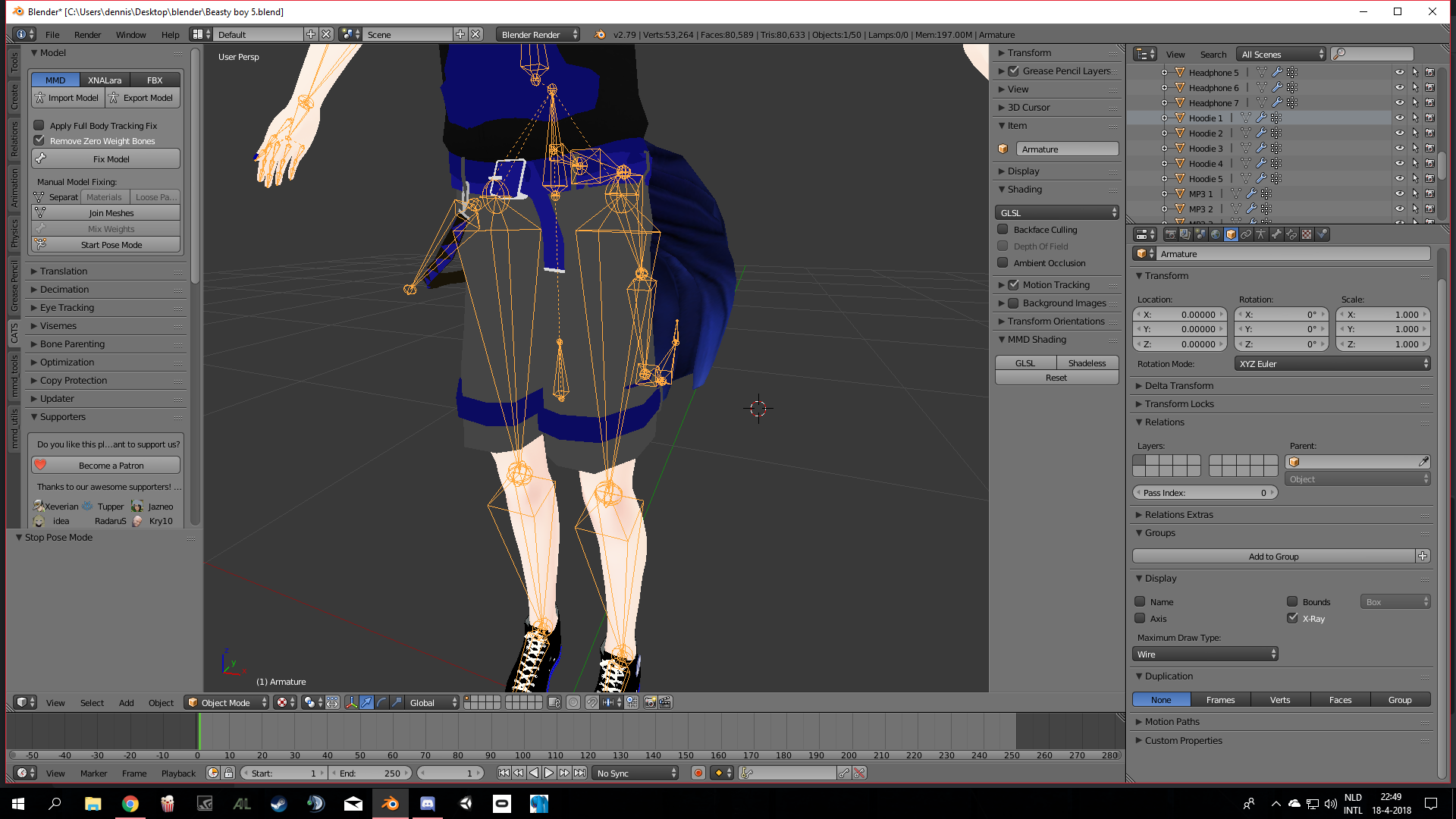 pine harbor
thaaaat looks like an MMD center bone -- you won't be needing that for VRChat
it's just a way of easily animating jumps and crouches over in MMD
hidden gust
so i can delethe it?
pine harbor
you should be able to, unless that rig does something weird with it
i think you could also leave it in without it doing anything in VRChat, but if it's not weighted to anything and doesn't have any other children besides the hips, it's pretty much unused
pine harbor
they are? the pants aren't weighted to the legs or hips?
hidden gust
they are but the inside is stuck to it somhow
pine harbor
that doesn't seem like it's weightpainted correctly...if that's actually a center bone, none of the mesh should be influenced by it -- only influenced by what other bones happen to be parented to the center bone
hidden gust

 wet zinc
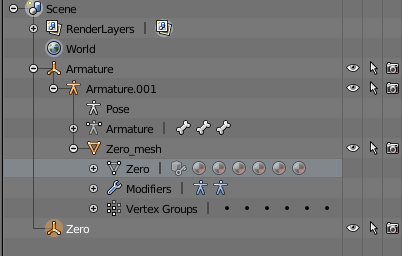
Does anyone know how to make breast bones? I'm following a tutorial but the breasts aren't moving in pose mode. I think the problem is its connected to the wrong mesh but for where I'm supposed to put the vertex groups isn't an option so they automatically went somewhere else. In his tutorial his vertex group is at the bottom where mine says Zero but theres no option. So they went under Zero_mesh. https://i.gyazo.com/61e2888cf370b9eecdd21cb70eb5973b.png
 pine harbor
@hidden gust try moving the hip bone up and down as well, see what happens to those bits in the middle
moving the so-called center bone itself won't tell us anything since everything else is parented to it
hidden gust
the hip bone moves the whole model
pine harbor
yeah -- but the bone between the legs doesn't move with it, right?
pine harbor
hmm, perhaps that's not a center bone then -- what's the name of that bone between your legs?
hidden gust
it says its parent to the shirt lol
pine harbor
hm...whatever that is, it might be better to keep it for now -- that looked like a standard MMD bone, but it sounds like it's actually a unique one designed specifically for this model
this is an MMD model you're running through CATS, right?
hidden gust
lol ofcours i have the weird stuff
nope i am making a model
using a base
it is a mmd model tho
pine harbor
so did you use the "Translate" or "Fix Model" features at any point?
hidden gust
yeah at the begining
pine harbor
yeah, i think that's a unique bone then -- "Center Bone" should be common enough for CATS not to goof up the treatment of that one when fixing the model
hidden gust
i am going to look what it does when i delethe it
pine harbor
and from what you said about its name being "Parent to the shirt", that's not a standard bone name at all
 calm needle
make sure that its not weight painted to another bone as well?
 short herald
I uploaded my model and it just slides around on the ground in front of me. I found this when looking at the rig in unity https://imgur.com/a/wKGgc
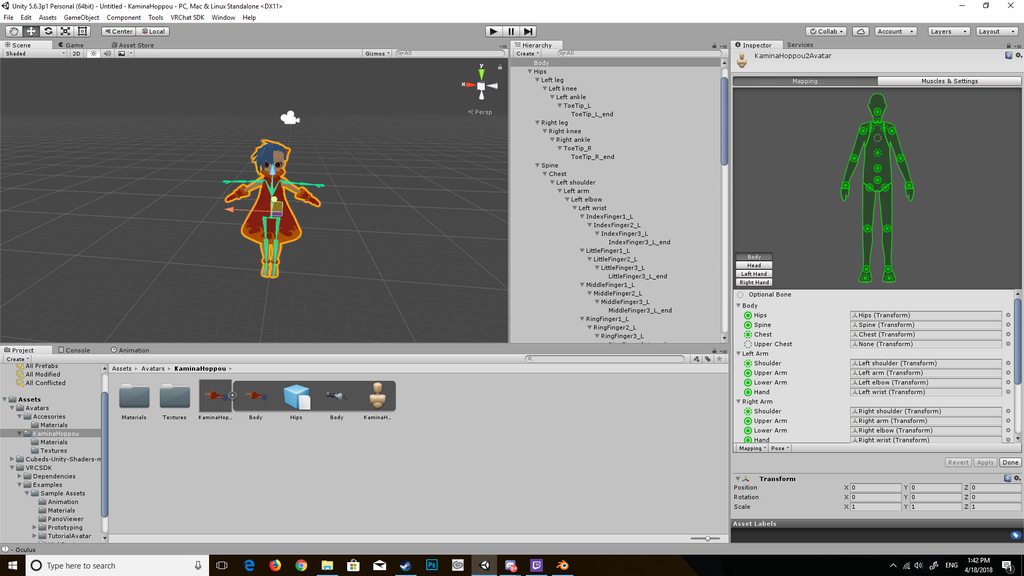
the arm bones seem to be above the actual mesh in unity, even though they're fine in blender
gritty nest
That's weird, it looks like the arms aren't actually weighted to the bones
Check the vertex groups in Blender
Can you actually pose the arms?
In Blender that is
short herald
oh, no it looks like i can't
 digital gorge
Vertex group?
gritty nest
Go into weight paint mode and check the vertex groups. See if the arms are actually defined at all
If they are, it's probably just misnamed vertex groups
short herald
alright, thanks for the help. I haven't messed around with weight painting at all yet so i'll go ahead and get that all figured out, then if i'm still having problems i'll come back here.
gritty nest
You probably don't want to weight paint that model yourself
Just check if the weights already exist
Weight painting is a class in its own
short herald
ah
gritty nest
Especially since it just looks like a retextured model that already exists
 rare sleet
auto weighting isnt that bad
short herald
it seems as though everything is weighted except the hair, which makes sense since the hair is the only thing from a different model
gritty nest
So it's weighted?
rare sleet
and you have bones in the hair i assume
gritty nest
The vertex group names need to have the same names as the bones
short herald
i don't have bones in the hair, and still checking all the vertex groups for same names
rare sleet
so really you just need to seperate the parts you want weighted, duplicate the armature, hide the original deleting bones from the duplicate that dont effect the mesh, unparent the mesh and clear its vertex groups, then parent it to the duplicate with automatic weights, then parent it back to the main armature with Armature Deform
and then delete the duplicate armature
.>
sorry that didnt seem like a paragraph...
short herald
that's alright lol, thank you for helping me out. I'll go ahead and do this
rare sleet
okie, its not too bad a task, but you may have to expariment a bit to get a method down for selecting parts of the mesh correctly and bones to move it... im still trying to get it 100% right, but it is art lol
 trail lion
Anyone kno this problem?
I tried replacing run animation on my model with fix joints, but the fixed joint stopped working. I revert to using default run animation and the fixed joints works again...
I replaced the walk animation with no problem tho...
 dull vigil
 subtle moth
@dull vigil just assign all bones and ignore it
dull vigil
Really?
dull vigil
Okay then
subtle moth
As long as the upload to vrchat thing doesnt tell you your avatar is not in a tpose
Youre fine
dull vigil
Oh man I hope
I had to rig all fingers myself
Mixamo didnt saw them
Took me 2 hours
subtle moth
Best of luck, hope everything works :P
 subtle moth
Phew
dull vigil
It doesnt even cry about the pelvis degree now, never had that before
Works perfect @subtle moth thanks man
subtle moth
Neat 👌
 stiff hornet
So I got an issue. https://cdn.discordapp.com/attachments/253970813722558464/436569814857678848/Assitanceplz.PNG

Where are the vismes?
 river pond
Too many polygons, after 60k (I think) it starts to seperate mesh into parts, and you lose your shape keys, I think
stiff hornet
Oh fudge.
Let's reset this.
And now unity's gonna have a fit...
...oh fuck
Yeah last time I didn't have the issue even though it was two meshes
And then suddenly it's doing this mess...
river pond
It depends how it does it, I'm not sure, not the person to ask
anyway, keep your polies low
😉
stiff hornet
Aye...
For the visme part...on blender I mean, is it supposed to have only 3 vismes? Ah, your, and there?
fading verge
yes
and with that it will create the other visemes necessary for the lip sync
also yeah, unity will separate the mesh if you go above 65k polys
 lilac moss
over 60k tris jesus just fix that first
gritty nest
That model probably does not need that many tris to begin with
stiff hornet
Got it all fixed.
Now I just need to figure out how to use the muscle animation editor...
gritty nest
It's easy, go to Window->Muscle animation editor
stiff hornet
...nevermind, found it
gritty nest
Also yes, it's normal for some models to only have Ah, Your and There. Especially if it's made for VRChat usage. Those are all the keys you need for lipsync
Most MMD models have more than that though
I've seen some ultra-fancy MMD models without those shape keys, instead they had shape keys for mouth shapes, teeth positions, and tongue. I should create better lipsync at some point using those
Well, it was extraordinarily beautiful
The textures are amazing, it comes with a ton of accessories, poses and motion
fading verge
which one was that ?
gritty nest
And also a ton of shape keys. The face is one of the most expressive ones I've seen yet
fading verge
i had a MMD model with over 300 shapekeys
gritty nest
It's a Sakuya model from Touhou
fading verge
touhou, doesnt surprise me
also i got a small problem from shoulder bones
let me grab some screenshots
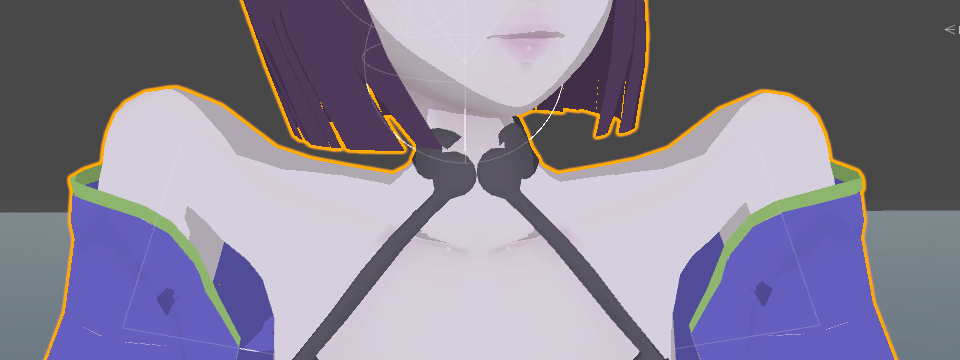
https://i.imgur.com/jKcicOh.png
shoulders in blender
 gritty nest
I've had weird shoulder issues with certain models too
Ohhh
Yes, that looks exactly like my problem
fading verge
shoulders in unity
https://imgur.com/VheObG0
 gritty nest
Update CATS and redo the model
fading verge
oh god please no
gritty nest
Hotox fixed that exact bug a few days ago
fading verge
i had to decimate more than 100k polys manually
gritty nest
Fix Model used to do that to one of my own models too, I reported it and it was fixed like 20 minutes later
¯_(ツ)_/¯
That's why you test the poses before you decimate
But
gritty nest
I mean, the placement of those shoulder bones is downright incorrect
What happens when you rotate the shoulders outward in Blender? In pose mode
You could try moving the shoulder bones too, or going into the rigging tab in Unity and move the shoulders down.
fading verge
i tried to put them down
but they still stretch the same way
like they get automatically put up in unity
gritty nest
There's a pretty solid chance that they look/looked like this
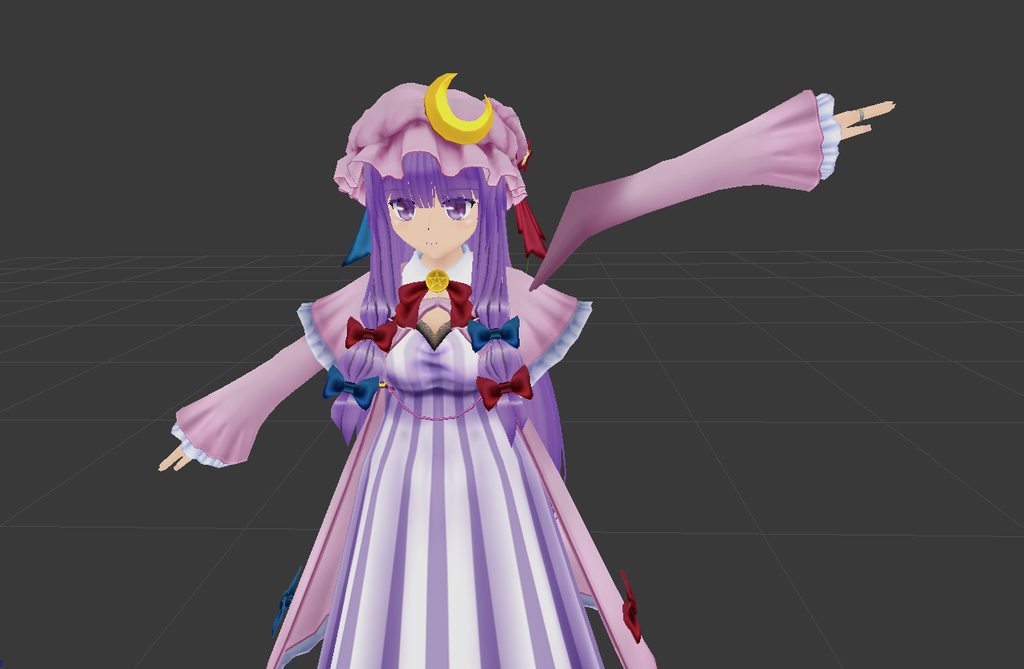
It's an album, check the other image too
You could do Fix Model again, then copy your decimated mesh into the new armature. Then delete the old undecimated body mesh.
Since the vertex groups should be fine, it's just the bone placement
That way you don't have to re-decimate
fading verge
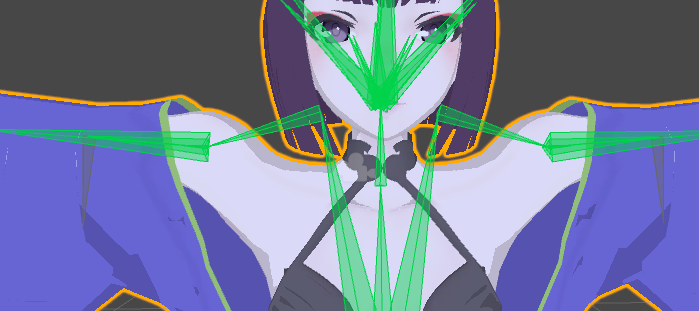 gritty nest
That doesn't look correct
fading verge
it's not
gritty nest
I think you might have to move the shoulder bones down, then rotate them so they're horizontal in unity
fading verge
but it automatically moves like that
lets do it differently
blender :
https://imgur.com/GPdmRPz
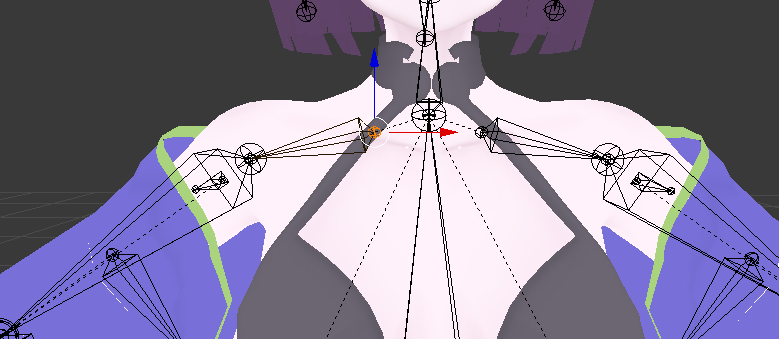
fucking why ?
gritty nest
I mean, the second image looks decent in the rigging, but it'll probably be weird ingame
I think you're better off doing Fix Model again and copying over the decimated mesh
fading verge
i did
gritty nest
At worst, you'll have to rename or merge some vertex groups
Oh
Then I dunno. Maybe report it on https://catsblenderplugin.com

A tool designed to shorten steps needed to import and optimize models into VRChat. Compatible models are: MMD, XNALara, Mixamo, DAZ/Poser, Blender Rigify, Sims 2, Motion Builder, 3DS Max and potentially more
fading verge
play mode in unity with basic avatar controller
https://imgur.com/JhSweiD
can i move the bones in the rig in unity without problems ? or will it fuck up everything ?
 honest kettle
should work fine
fading verge
i moved them down just a bit
https://imgur.com/dNbKPG4
 gritty nest
Ah, that works better
gritty nest
No problem, this stuff is frustrating lol
fading verge
i'm not too used to ask for help here
yeah
i really hate armature problems
it's so random for me
gritty nest
CATS didn't like shoulder cloth bones until the latest version
Had two models give me a "holding invisible watermelons" pose
fading verge
that's really annoying
opal aurora
That honestly just looks like what would happen if you change the bone positions after setting the rig up in unity, without swapping it back to generic and then back to humanoid to reset bone positions
fading verge
they did that by default
fading verge
yes itm is, that's why it's really annoying me
opal aurora
Like unity trying to align it
opal aurora
I could take a look at it once i'm home if you'd like, but that's some really irregular issue...
Oh also, i finally fixed up the cloth sleeves
fading verge
i tried some stuff
if it doesnt work in vrchat then sure, i'll send you the stuff
opal aurora
I tried to keep the upper parts of it with 0 weight whilst mid-way through the sleeve opening around 0.1-0.2 and closer to the actual edge up to 0.5
If i try to increase the area it affects it just decided to desintegrate as it did prior, and if it doesn't do so outright, the moment the colliders clip into it, it just flies out into space
World accel and the world value above it are set to 0.1, seems like 0.2 was too much
Turning off the mesh as i painted the weights proved to be very useful
fading verge
@opal aurora okay, i fixed the bones again in blender and did your thing with generic --> humanoid and that seem to have fixed it
at least in unity, need to test in-game
thanks for the suggestion
gloomy pollen
how do you add clothes to models anyway?
they dont move with the model when I do >_>
gritty nest
You need to weight paint the clothes
gloomy pollen
got a tut video?
gritty nest
Unless they're already weight painted, in which case you need to set up bones for them
A tutorial on weight painting? There are plenty of those.
Keep in mind that it's not an easy process
gritty nest
Weight painting works the same for clothes
gloomy pollen
i tried but the clothes stay still >_>
gritty nest
Yeah, because you need to weight paint them
And assign them proper vertex groups etc
gritty nest
Make sure the bones and vertex groups match up
You might have to create bones yourself and parent them to the chest or spine, for example
Or just merge the vertex groups if they're applicable to a humanoid rig
gloomy pollen
hummm ok thanks
inner cedar
Hey
 warm pecan
on a mixamo rig what should be the chest and spine?
pale hull
The bone both shoulders are connected to should always be the chest
warm pecan
ah cause then the avatar will tilt back?
pale hull
Otherwise it won't be recognized as a humanoid avatar
random lotus
ok i dont know if weighting fits in with rigging but even with out any weights or all weights in this one area it just doesn't do what it should (there isint any weighting in parts that it shouldn't be in) http://prntscr.com/j7n24w

its only that one area that keeps doing this
trail lion
How to export package with bone settings intact?
https://pbs.twimg.com/media/DbMag73U8AATZgb.jpg

Sorry wrong pic https://pbs.twimg.com/media/DbMhgkqVwAAhRnc.jpg

need the fixed and rigid bone settings to stick .- .
trail lion
nvm got it >_<
opal aurora
That's lookin' interesting :o
 ivory radish
also tip if ur making a biped avatar (one thats supposed to use the Humanoid rig type) the easiest way to make sure the characters bone positions are OK is to put them in T-Pose in Blender then to use the Reset button where the Enforce T-Pose button is because it will default the bones to the characters originally imported pose and keeps u from having to fix unity's T-Pose enforcing mishaps like bent fingers, inverted hips, misdirected limbs, etc
trail lion
Aye there are hidden bones to use as main humanoid avatar so only very minor issue 😃
 ionic bramble
i have no idea lol http://prntscr.com/j7visy

 light kindle
urg, i hope cats didnt do that
ionic bramble
no idea
calm needle
looks like a wrong hierachy was slected for the knee?
ionic bramble
no all rigged properly as humanoid
fading verge
how do i add bone colliders?
 mortal fog
Hey guys, if you're familiar with bones in Blender, I was wondering if anyone would know how to merge these so that their weights are mixed together?
Err, let me upload the pictures
honest kettle
doenst cat's have a function for exactly that?
mortal fog
It has a drop down menu with preselected options
If someone knew how to mix weights and bones with a keyboard command that would be good
Because Cats just lets you do it from a dropdown menu of preselected options
 simple kite
Does anyone know how I go about rigging this type of model https://imgur.com/a/k74SAXa
 mortal fog
Ive seen that model in VRChat before its probably online somewhere already
 simple siren
Hello i am having a really weird problem with my model, it is made for full body tracking, it works fine with vr set, desktop, but with full body tracking camera show somewhere in hip and changing height setting doesnt help, i was looking for issues and only thing i found is this in rig: https://gyazo.com/34989641ddf392465b78f39b0d7cc5ee

the bone definietly isnt 0 length, looks more than fine
opal aurora
Unity states that a bone has a lenght of 0 when 2 bones overlap too much, hence unity doesn't recognize one of them with any lenght in general, way to fix it is by simply separating them, for some reason alot of people've been having that with the new CATS, and i'm not sure if it's intentional or not
In general it shouldn't cause issues either though
If the viewposition is not where you set it, check if you somehow had a camera inside your model, in the past those caused issues like these, changing height settings shouldn't interfere with it either, it's all about the viewposition ball's position in corrolation to the actual model
simple siren

new update just came for me
so yeah, it might not be the problem
@opal aurora https://gyazo.com/e042c2b15fe1092be1e045629ff375de

this ball shouldnt cause problems.. i think, i have no other descriptors hidden somewhere
opal aurora
Do you perhaps have a camera inside the models' hiearchy?
 opal aurora
Hmm...
Attach a simple avatar controller to the model, hit play and see if the head's position changes, ignore X and Z changes, just focus on Y axis changes (up and down)
It may be that the viewposition is atually at the neck and not the torso


 dire monolith
what does raidus do for dynamic bones? can't find good documentation on it
simple siren
exactly what the name is
if you make collider for example
it will collide with it
opal aurora
Hmm... it's quite odd that the viewposition gets placed on the torso...
You positive there's no secondary descriptor or cameras anywhere?
simple siren
yes, let me check one more time
opal aurora
Increasing the dynamic bone radius makes collisions a bit more accurate
Since normally it'd try to collide the, well, collider with the very thin bone areas
simple siren
no cameras/ descriptors, actually
the person with full body tracking who tested it
said he have similiar problems with other models
so, i think model is alright
do u think too?
opal aurora
I mean, by all means, the model looks completely fine, it's odd that it'd have such an issue
simple siren
do you have full body tracking?
i should look for other person to test
and compare
opal aurora
I personally don't use CATS to fix up any of my models, since i fix them all up manually
I'm also a desktop user, but i've got 2 models available for the public to test if you'd like to test ehm

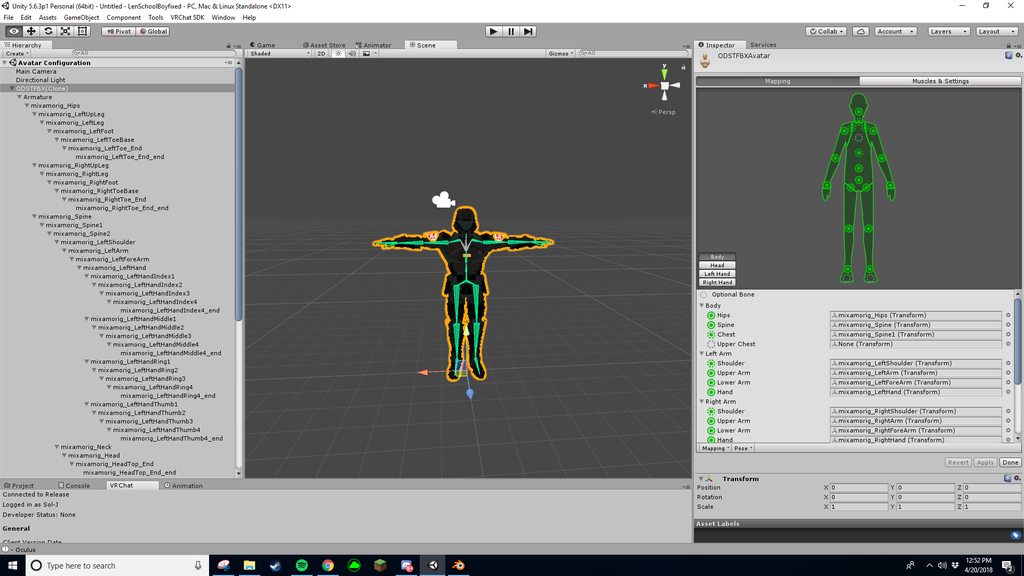 opal aurora
@simple siren Do you have full body tracking yourself?
If so i'd like to ask if you could test out 2 models
simple siren
i ask my friend to do it, im desktop
opal aurora
@undone hill You see the greyed bone in the 3d view at the chest?
Select that one, drag it from the hierarchy on the left onto the chest slot
 undone hill
I get an error if I reassign it
opal aurora
What error?
 opal aurora
Nono, you don't map it to upperchest
You ignore the bone right under it, and place it on the Chest slot
The bone right under it will be ignored and the rest will work as intended
opal aurora
Hmm?
Alright, i'll try to explain it a bit better
On the right side you got the mapping for the UpperChest, Chest, Spine and Hips
You get the one in UpperChest and put it on the Chest instead
undone hill
Oh so spine2 should be In chest not upperchest?
opal aurora
Mhm
undone hill
Ok I remember needing to do something like that but it's been awhile
I decided to finally fix up that model and I forgot about that step
opal aurora
As long as the main bones are presently connected to the necessary bones it'll work just fine, the spine is like that one bone off, it can be inbetween a hundred bones as long as it ends up connecting to both the chest and hips in the end
The hips and chest is the very specific bone sets, both shoulders and neck Must be connected to the chest, and both legs Must be connected to the hips, the rest is history
@undone hill Although i'd more likely recommend merging the weights between spine2 and spine1 as to keep one as the main actual chest with all the weight, but other than that, it should work out well
undone hill
Nah it should be fine Not my Main model anyway
Just a small project
Just adding the Halo Assault rifle and The gesture override for it
opal aurora
Aight, good luck with that
hidden gust
https://i.imgur.com/Ji0xBLS.png so i finnaly got to the point that i can make my model vrchat ready but cant get the visems working
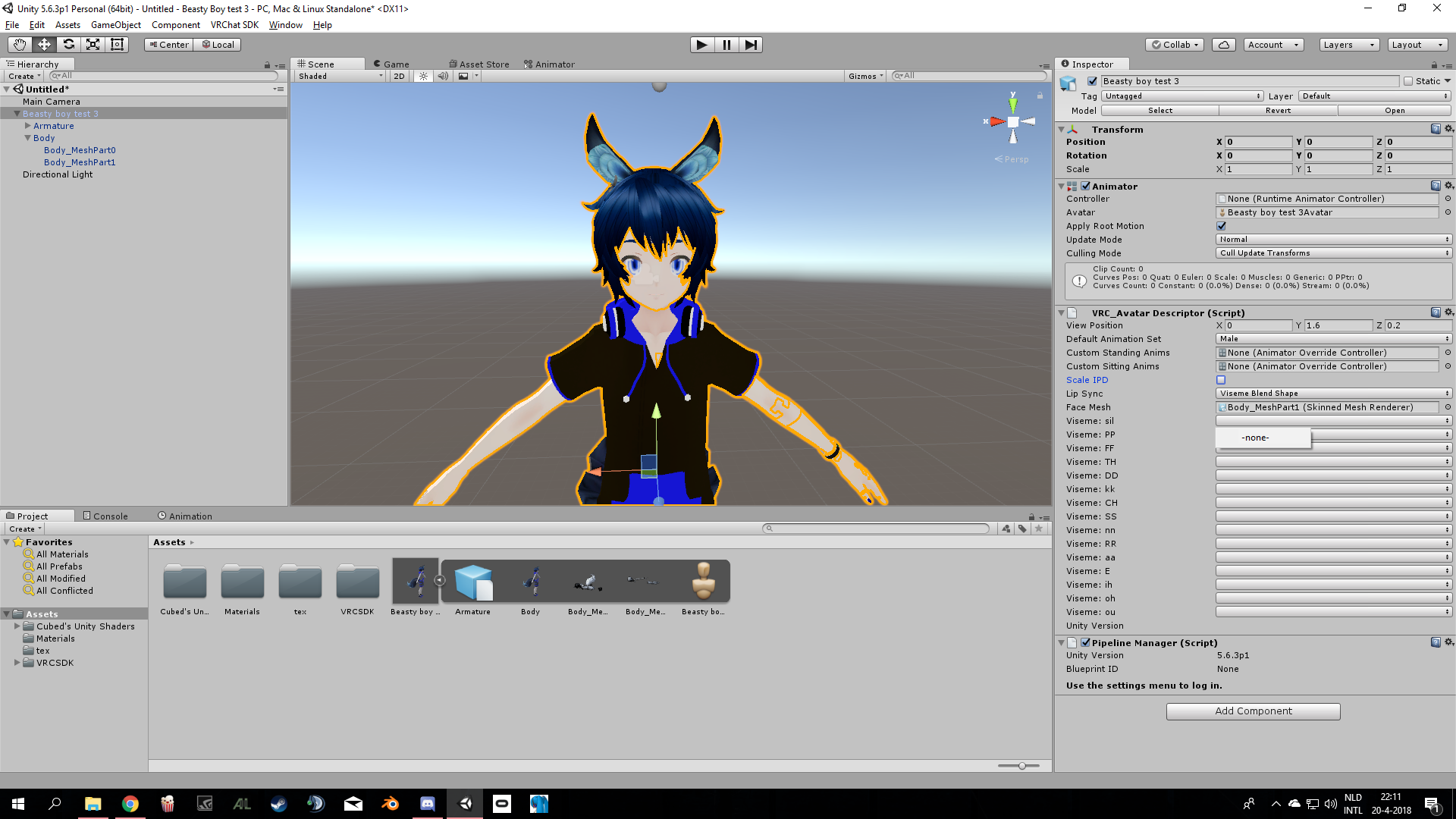
is it becouse i have 2 skin meshes?
opal aurora
Your mesh seems to be over 64k polygons
hidden gust
whut?
opal aurora
Unity automatically separates the mesh into multiple meshes if it reaches a certain cap
hidden gust
lol oke
 shadow shoal
@hidden gust Decimate it in Blender
hidden gust
it wont let me it says that it needs custom decimation and dont know how to do that@shadow shoal
shadow shoal
The decimate modifier
You have to select it in one material that you want to reduce tris from
hidden gust
oke ill try thx
mortal fog
@opal aurora Since you fix up your models manually, how can you manually mix weights?
In Blender
fading verge
you can use the cats tool to do that
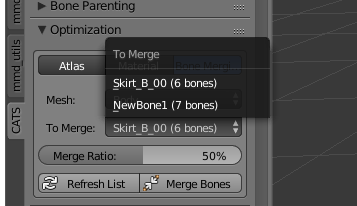 fading verge
the fuck is this
mortal fog
You can look at it and see lmao
Its a screenshot of cats blender tool only have preselected options
fading verge
weren't you talking about this ?
https://i.imgur.com/h4Q11bp.png
 mortal fog
Mix weights deletes the chest bone or the new chest bone
fading verge
it will delete the bone and transfer the weight to the parent bone
mortal fog
For some reason it just deletes the new chest bone without the weight transfering
fading verge
check the parenting again
and when you hit mix weight
be sure to select only the bone that need to be deleted
mortal fog
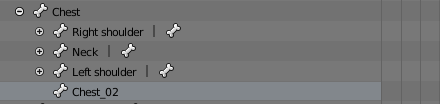
Chest_02 only moves the chest area of the dress, and Chest moves only the chest of the character's body and above, when I mix weights with only Chest_02 selected in orange, the chest moves without the dress
fading verge
¯_(ツ)_/¯
never had any issue with mix weight, can't tell what's wrong
mortal fog
My issue is that they wont move together
opal aurora
@mortal fog i use the tool that they implemented into CATS, although i prefer to use the context search menu over the CATS menu as i somewhat got used to it
The context menu one isn't implemented into CATS so if you want that one you need the original utility
Which, if you're curious, is this one https://vrcat.club/threads/neitris-blender-tools.18/

VRCat: Community-Run VRChat Forums
All of this is now part of Cats Blender Plugin, I highly recommend you use it instead.
Overview
Few useful Blender operators inside one addon script,...
opal aurora
Because everybody uses CATS and most of the "necessary" commands are on the menu i guess
 upper solar
Hey guys, so I'm having an issue with my Shimakaze where it'll twitch quite a lot, easiest way to describe it is that it looks like it basically switches between crouching and standing for a moment which makes the hair fly, etc.
Any idea what might be causing it? It's rigged for FBT if that helps
But it used the pre-CATS method ( following that one tutorial on the vrchat club)
fading verge
Rigify question: Once I get my meta-rig setup how i want it, Do I generate rig, delete the meta-rig THEN mix weights? or do i leave the meta rig? blender guru's vids didnt deal with metarigs...
fading verge
anybody?
upper solar
Nvm, figured out the issue
warm pecan
So, I see on some armatures that the hips are several bones fanned out, but when I try to do that, it renames each bone 001, 002 and so on
 swift storm
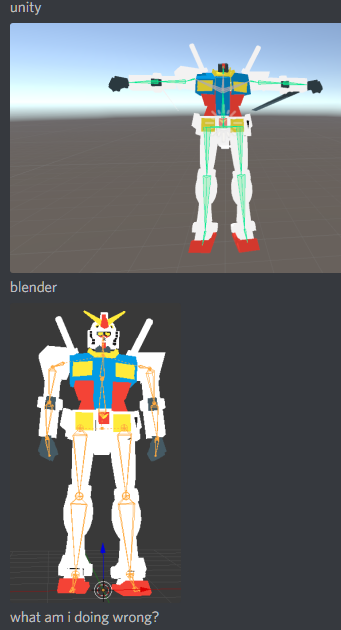
can anyone help me out, her shoulders are weird and her knees...she wants to be a cowboy
fading verge
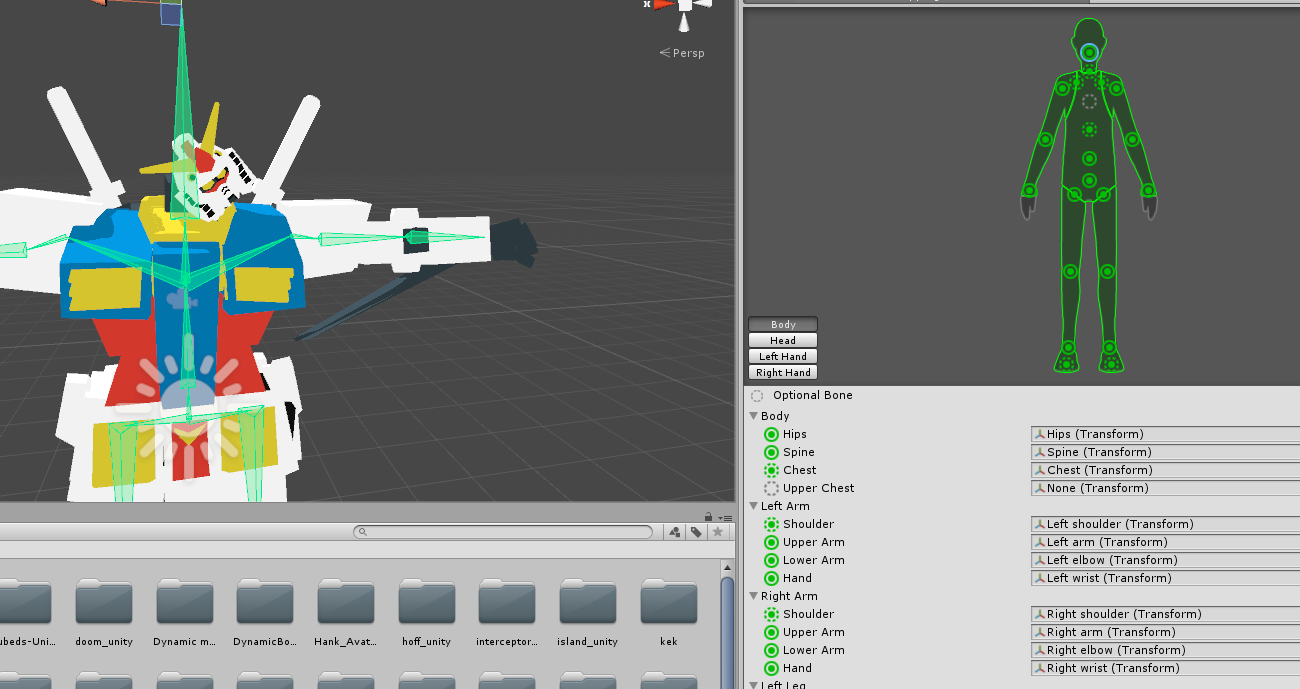
https://imgur.com/Xhe04YA ive tried cats too...its not helping. in game, the head floats above the body at a weird angle. its all one mesh
 light kindle
enforce t-pose?
fading verge
that is enforced tpose
light kindle
is the head bone about the size of the head (vertically)
fading verge
yes
fading verge
thats the right rig, i jsut double checked. still doing the same thing
light kindle
if you move the head in rigging in unity does it still exist?
fading verge
yes, but its inside the chest for some reason.
light kindle
but the bone is placed correctly right?
fading verge
yes
light kindle
¯_(ツ)_/¯
im pretty sure you dont have stuff assigned in unity
since chest is grey
fading verge
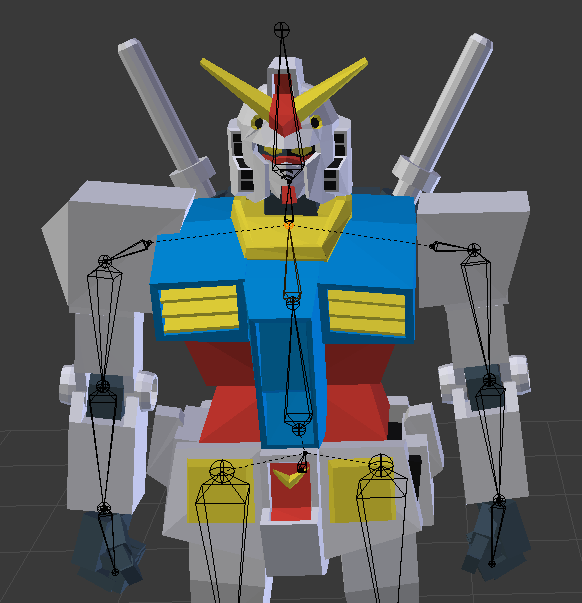 light kindle
fix unitys rig and if that doesnt work import the model youve got in assets
ok can you select the head in blender
fading verge
its all one mesh
light kindle
and make sure that its pivot point is centered
you mighttt have it weighted to something else though
i mean the left hand is
move the model in pose mode and check whats wrong there
swift storm
will someone help me fix the rig on my model ?
it's almost right but the arms and knees are just a little funky and i cant figure out why
 spiral delta
Not sure if anyone is interested, but i made a tutorial for how to get mobile game models into blender (and somewhat vrchat ready) https://youtu.be/ICuckIp8uTY

This is totally not something I typically upload and I'll be uploading more normal stuff soon! (sorry lol) This is a tutorial on how to get models from mobil...
 buoyant berry
My fingers are fine in blender and unity but in game the tips of each finger are bent
Anyone know a fix?
 shell tendon
Did you try to go into Unity Rig configuration and enforce a T pose?
Generally fingers weirding out due to incorrect finger assigment
Sometimes it isnt due to you, Unity sometimes fucks it up too even though you did it right in Blender
I believe your fingers look like mine now https://puu.sh/A7ITi/c4017cb862.png

Generally, this didnt happen to my model before, this is around v4 now? Well doesnt matter and It kinda decided to do it this time
@buoyant berry The easiest way to fix it is to just

Resize your finger bones, Unity may say "Not in the T-pose" warning message, keep moving sliders until it looks fine and Unity stops complaining
And yeah, I know I got no nails
buoyant berry
Could you take a picture of your hand hierarchy ? @shell tendon
 buoyant berry
@shell tendon Ill have a play. Thanks 😃
fading verge
i'm a dumb dumb, how exactly do I fix her eyes? I tried moving the bones back but it seemed to start clipping from the side when I did this https://i.imgur.com/wrVOVT0.png

move the meshes closer to the white part
fading verge
but the mesh is the white part
separate the pupil in different mesh and just move them closer to the white part
 lofty topaz
http://prntscr.com/j8b53y is it too hard to automatically weight paint this?

 sinful sundial
I have no idea how to auto weight paint fingers so I'm also interested in the answer to the above
lilac moss
automatic weight paint works fine for fingers for me
remove all weight groups from the hand, ctrl-p it to the armature again and click automatic weights
 sturdy palm
anyone willing to help texture a model?
inner cedar
Anyone got some experience with working with DefaultTakes?
Been having a bit of an issue with them that I need help with.
lofty topaz
Thanks, @lilac moss , I'll try it
shell tendon
huh, so applying t-pose breaks my avatar, no wonder other tries were fine, i never used t-pose at all
gloomy pollen
I added a wedding dress to an avatar but the upper cup wont move with the chest D:
so she just kinda wiggles around in the top
i highlighted the area did delete duplicates in blender but it didnt help
 modern valve
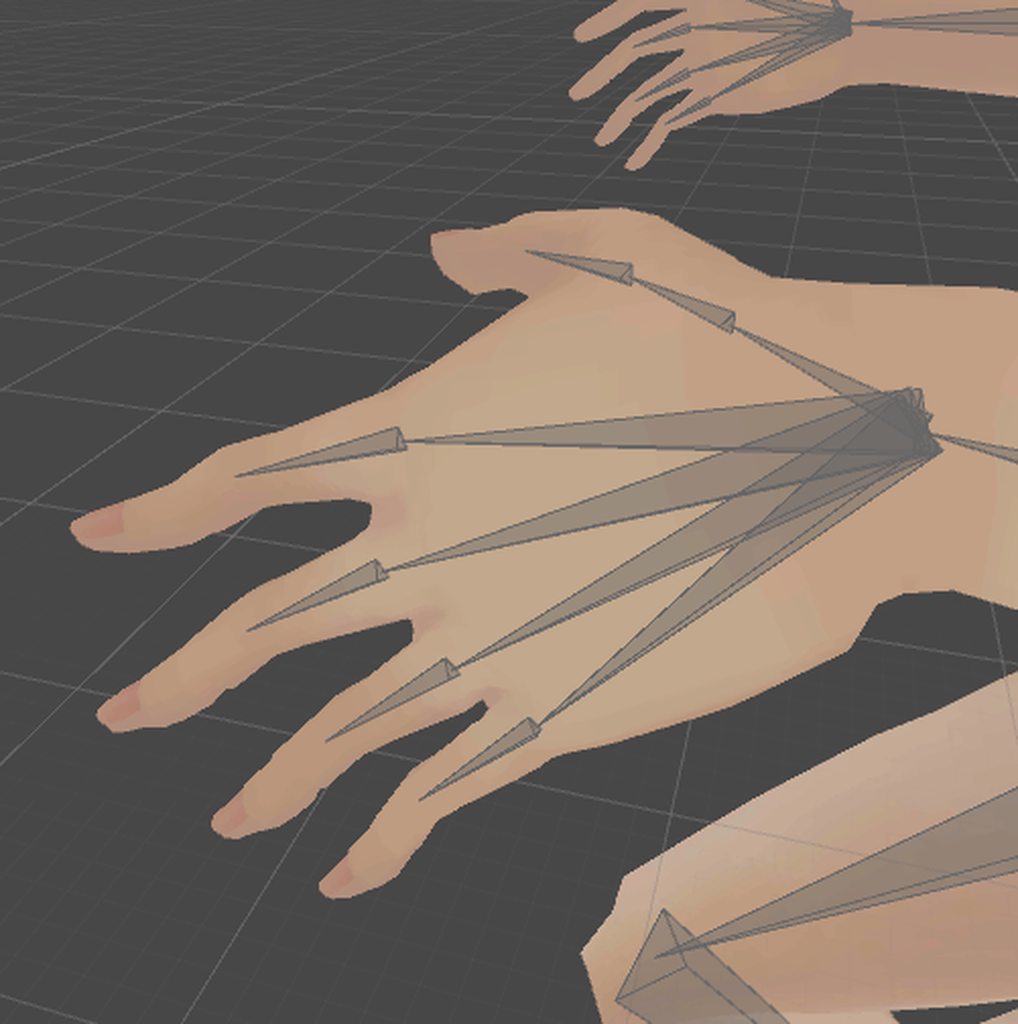
how to fix finger rolling on the wrong way ?
https://i.imgur.com/purgUfJ.gif
 gloomy pollen
the dress works fine in pose mode but in vrchat it doesnt
modern valve
okay found it, apparently the finger are not parallel to the ground along x axis
 warm coral
Yeah, I had the same problem when I was importing Zeraora's model using the original Pokemon rig.
Gotta have the fingers parallel to the ground or the wrist pose is gonna be funny.
shell tendon
Can someone tell me if I should just ignore this? https://puu.sh/A7UDQ/2c9d25e521.png
 fading verge
you'll have to try in-game
shell tendon
Lets say, I'm making a rig, but my both thumbs are kinda messed up, if I change their positon values to 0 it becomes normal
fading verge
most of the time it doesnt do anything
 coarse raven
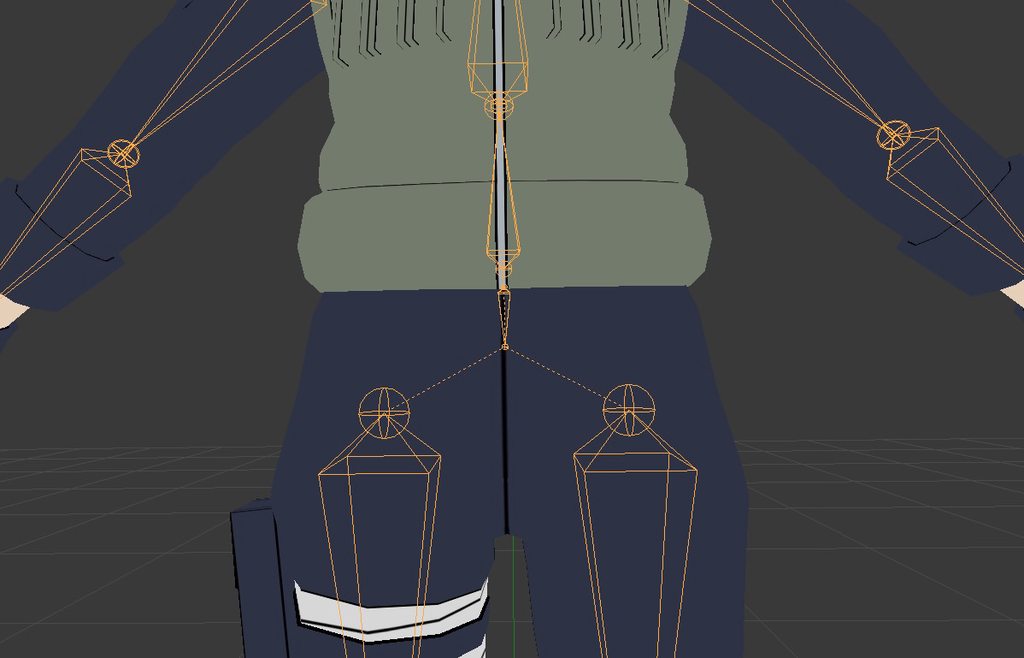
I need help with rigging for full body, i have raised the hips to avoid them flipping, but it still tells me the angle is wrong and wont work right with tracking in the build panel. Does the angle really matter that much? heres my current rig...
https://imgur.com/a/vryP2Wt
 gloomy pollen
Anyone know the answer to my question just above? :D
Her dress isnt connected to her breasts that i added in pmx
So she kinda wiggles around in her top
 copper linden
My dynamic bones aren't working right as far as i can tell, i did the same thing from one part of the model that i'm trying to do to another part of said model, but its not working the same way?
naive tree
if you're assigning just one bone as root - it won't move
swift storm

anyone know how to fix this
i already tried messing with weight painting, either i did it wrong or thats not the issue
naive tree
move the bones?
swift storm
up or down ?
shell tendon
I need some help with Weight Painting, to be precise Vertex Groups. I need Skirt to be moved by legs but I wonder what do I do if there's 24 different vertex groups on that very skirt?
im confused about this step with them
Simplier question, do I need to have Meshes joined together when I paint or it's fine when it's broken down by materials?
fading verge
it's fine when it's separated
shell tendon
Do I need to make all Skirt vertex groups into one?
fading verge
if you want, not necessary to do that if you want to weight paint
shell tendon
Oh I just thought, I dont need Bones inside of skirt if im weight painting do i?
 naive tree
select main armature last
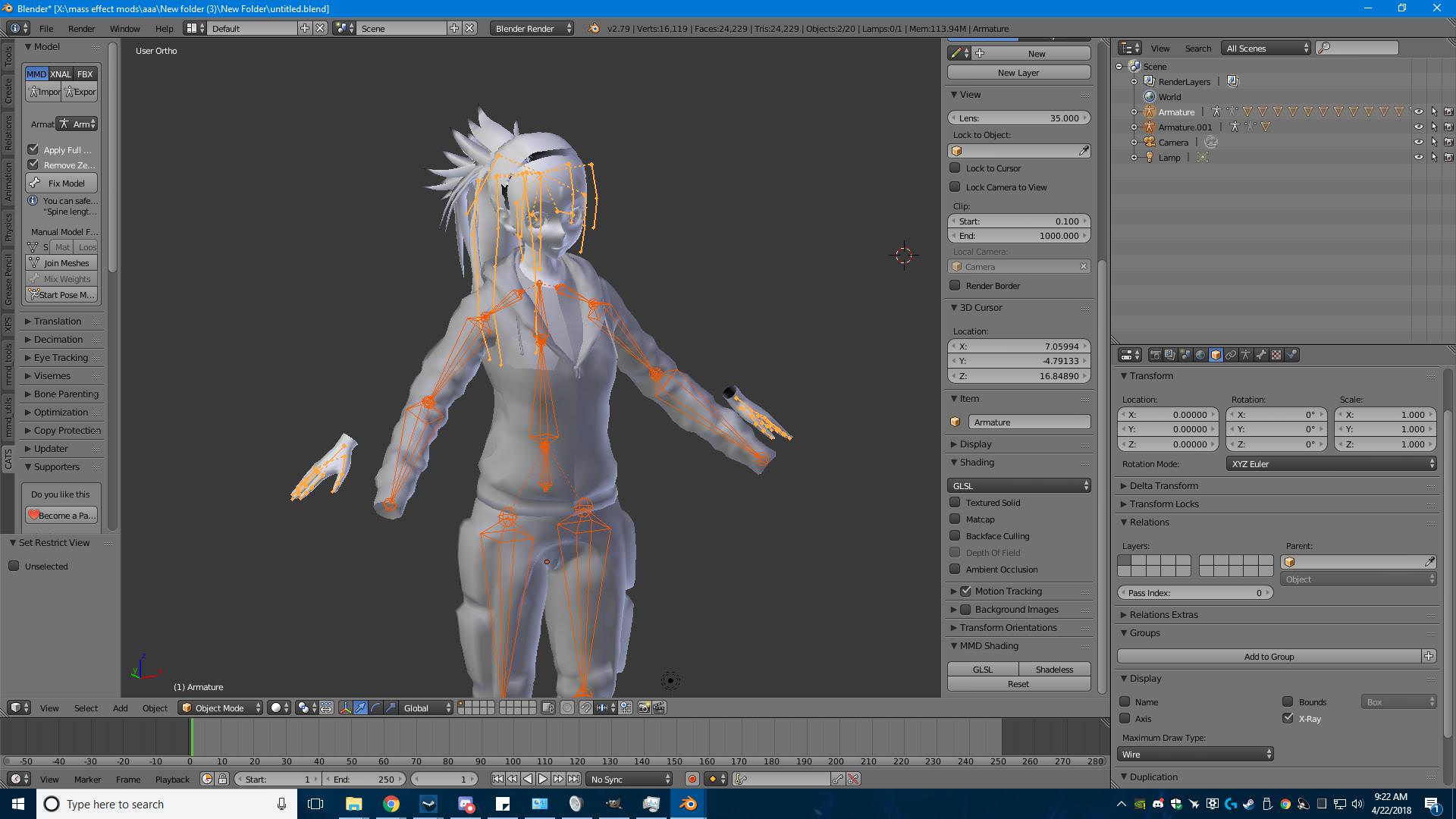
or i think what u had to do is
apply rotation/location/scale on one that u changed
it's one of these
you apply it with ctrl+A
 thorny swift
Thank you so much. I had to apply location, scale and location. 👌
 fading verge
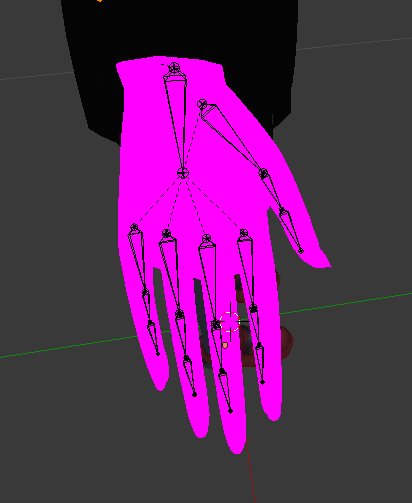
want a screenshot of mine ?
shell tendon
sure
fading verge






 fading verge
hmm ?