#avatar-rigging
1 messages · Page 110 of 1
 final totem
 gritty nest
@pallid tree it's CATS
The newest update broke Fix Model for a whole bunch of models
 pallid tree
As I figured.
gritty nest
Go back a version
They're releasing a hotfix tomorrow which will allow you to use the old Fix Model (which is probably superior if you don't do full body)
 viral stag
Oof
Weight painting just keeps making me crash while I'm attempting to learn how to use it, lol
 fading verge
ertpsdk;lfk0gdfg
can i just make all my weights red
@novel palm
i can still bend my arms and legs if my weights are all red right?
 warm coral
@fading verge It is still possible to bend your arms and legs if your weights are all red, but I can tell you now it isn't optimal. You can do it, though.
fading verge
oh
warm coral
I can show you an example of what I'd do with a model, but I can tell you now I don't know how to weight things myself
fading verge
what is the most basic and easiest method for weight painting
warm coral
At least, from scratch
warm coral
Zero weight just means that it doesn't move with that bone.
fading verge
oh
warm coral
If you want something to be very solid on the arm, apply the weight as the heaviest
fading verge
no wonder my stuff was all glitching
my hair was falling off
my face was falling off
my limbs were glitching out
warm coral
Yea, zero weight will do that to you
fading verge
lol
warm coral
Just paint it to the arm and it'll be alright
Or rather
Paint it to what you want it to
fading verge
should i just paint everyting 1 colour
warm coral
Again, not optimal but if you want to try that and experiment later, sure
fading verge
well
tell me, what is the ideal weight painting for a humanoid
?
limbs, head, body, etc
warm coral
Well you'll need multiple vertex groups assigned to each bone. You have that sorted out, correct?
fading verge
uh
no idea
my bones and limbs work properly when the mesh is joined
i tested each bone
warm coral
Okay, it works then
But I can tell you it's easier to weight paint when there are multiple vertex groups
fading verge
limbs are all seperate
fading verge
i just want my humanoid model to not glitch out
what is the easiest way
as long as it isnt glitching out and my hands are working properly
and hair isnt falling off
warm coral
Well an easy way is to rotate the model's pose in Blender to see what vertexes need to be weight painted and apply it from there
warm coral
I was gonna post an image here as an example but I don't really like to upload screenshots online
fading verge
ok
warm coral
I was gonna show you how Trainer Red was painted
fading verge
but can i have a normally functioning humanoid avatar if i paint it all 1 colour?
warm coral
In theory, yes.
fading verge
what are the downsides of having only 1 weight?
warm coral
I'm just saying it isn't "optimal"
One downside is everything will look stiff as a board.
fading verge
oh
warm coral
No, your model won't stay in a T-Pose
fading verge
asdhakdhakdasdas
warm coral
Well it will in Unity
But it won't walk around like a Generic rig.
Is what I mean
So when you put it in VRChat, it'll try to move around like a human
Honestly I've never tried a 1.0 weight on every vertice on any of my models because they're always already rigged.
Well anyway, I gotta head off. Hope to see you in VRChat someday.
fading verge
ok
thanks
ok
so from what i see from some charts
joints are blue
nonmoveable areas are red
hands are blue?
 random lotus
ok so i tried to fix my guys weights on his leg because it moves some of the jacket and when i did this happened

i figured it out
it had something to do with auto-normalize
fading verge
hey guys
if my model moves properly in pose mode it means my weights are fine correct
?
 patent edge
anyone know how to fix my T-pose? my fingers have done a 180
fading verge
enforce t pose doesnt work?
patent edge
thats how there not in a T pose
fading verge
asdaskdhaskdjasldjl;sdmas
i just got that spine problem
omfg
ive been trying to get this thing to work for 12+ hours
 tall dagger
Can someone help me with this? How do I fix this to not tear apart and just stretch instead? (kinda new to all this) https://cdn.discordapp.com/attachments/174444576071745536/434229926082904065/unknown.png

 calm needle
@tall dagger when it is not posed, is it still properly lined up?
tall dagger
@calm needle yes, it lines up fine https://cdn.discordapp.com/attachments/174444576071745536/434232417872642048/unknown.png
 calm needle
try removing doubles
tall dagger
mm yes, that helped. Thank you! 😃
( https://cdn.discordapp.com/attachments/174444576071745536/434233356394430474/unknown.png )
 calm needle
teaking the weight paint from there will smothing things out slightly
patent edge
now i wonder what finger tips are and are not in the t pose http://prntscr.com/j4nera
 tall dagger
How do I attach bones to one another? I have this 2 hip bones somehow unattached (Spine4.001) and I want to attach it to spine (Spine4) but when I just set Spine4 as parent and connect, the Spine4.001 just attaches to its upper part.. https://cdn.discordapp.com/attachments/174444576071745536/434272182663643136/unknown.png

How do I fix this https://cdn.discordapp.com/attachments/174444576071745536/434273022426480640/unknown.png

 south bear
just wondering how do i fix the bones shrinking vertices when rotating https://puu.sh/A2jV2/557bd0042a.gif
 tall dagger
https://cdn.discordapp.com/attachments/430464553151758346/434359068279439371/unknown.png
How does one make a bone like that (or combine bones into this)?
 tall dagger
nvm got it
viral stag
Blah, I hate how there's only clipping when I go into VR, just why
What's t he deal with that
 frigid rain
Lol beats me
calm needle
what part is clipping?
viral stag
Like
Ok one sec
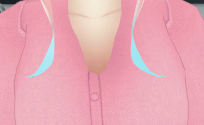
The clavicle starts poking out when I'm in VR
But it's normal in desktop @-@
 naive tree
best way to fix that up is to merge skin with the sweater
naive tree
then anything outside of red line can be deleted http://prntscr.com/j4v4mv

and no clipping
viral stag
Yeah, I just cleaned up the edge and I'm gonna test that before merging vertices

 opal dew
sorry palm hand fully red on bone hand, ... all clear now
opal dew
https://cdn.discordapp.com/attachments/420183681798242304/434416712536948736/unknown.png @fading verge help

i dont remember which weight
 raven reef
ehmm short question, my avatar has his knees going above the hip bone, when that happens the legs start behaving weird, is there some way to constraint this?
more specificly is there a way to constrain the bones to not go/bend above a certain angle?
 limpid kettle
umm.... how do i fix this http://prntscr.com/j4wumv

i mean this is how it looks like so far

...
D E A D C H A T
patent edge
its not dead its jsut people got other things to do then help the noobs
speaking of help
http://prntscr.com/j4x4nl i require assistance attaching these bones and getting the switch head to be my head
 naive tree
if they all are head bones, then parent all of them to new head bone
and hit mix weight on each of them
join meshes, then armatures
then change parent > mix weight, do tghat till u have just 1 head bone left
if any of those = neck, then change parent of that to the neck u want to stay
and mix weight too
patent edge
im going to need a more basic guide for the bones
naive tree
u can check #tutorials ,first 2 videos are about transplanting
mix weight is basically transfering all weight to parent and then deleting the bone
patent edge
its the starting part i havent got down
naive tree
if armatures are joined, select armature> enter edit mode, select head bone of the older ones>go to bone tab, change parent to the head u want to keep
hit mix weight in cats plugin
patent edge
 naive tree
need to parent just head of the switch
raven reef
Back to what happened to me, what I did was normalize the bone lengths, aka both leg bones should be around the same length.
now it works a lot better
naive tree
then all buttons will be parented to the new head after mix weight
patent edge
STUPID ARMATCHURE NOT MERGING
 robust gull
Anyone know a site where i can edit a sound need to give it an delay, can't find a way to do it in unity
 feral moss
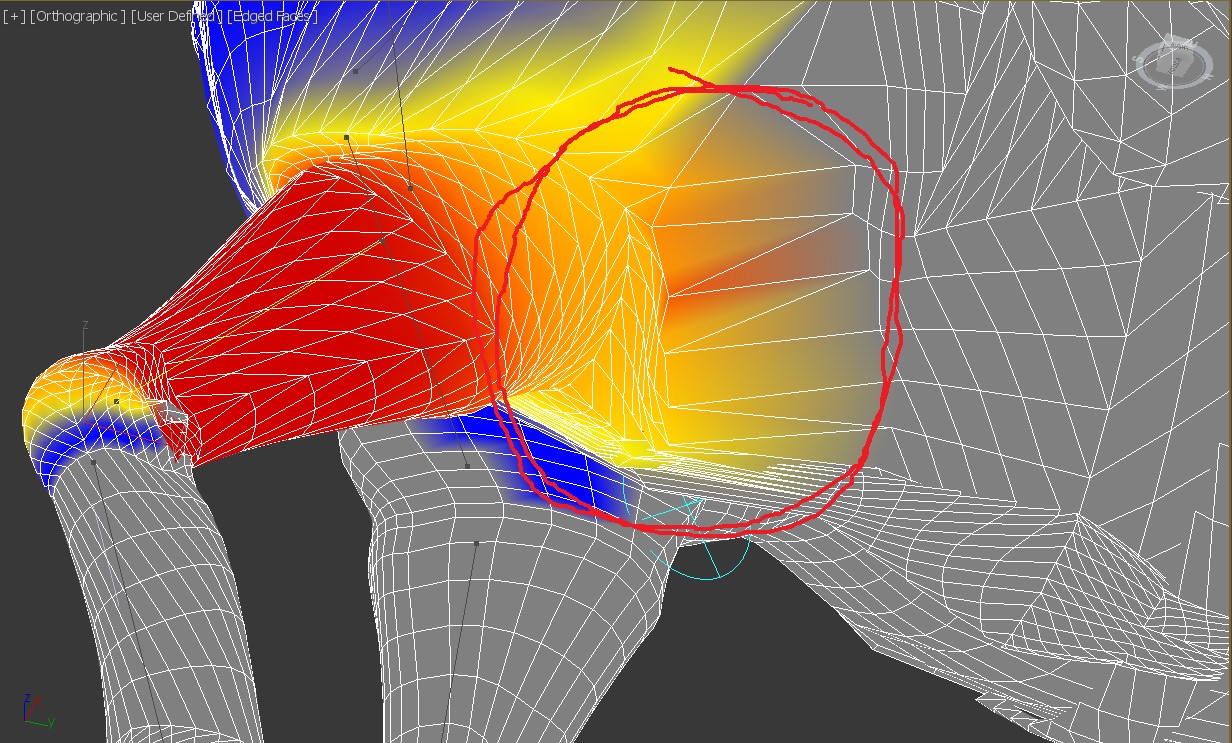
I'm still kind of new at this and working in MAX. How do I fade this out? https://imgur.com/tYdTcPO
 ionic sail
hey do any of you guys know how to make an avatar with lip sync with bones? i found a couple of models that have several bones around the mouth and i was wondering how to do it with the shape keys
patent edge
well... the bones dont matter anyway
one can just instead turn off the jaw bone in unity
 wooden elbow
@feral moss Usually, what I do is turn the weight paint strength down to lower numbers and paint over the areas you need to tone down to "erase" them.
feral moss
Turns out you can enter negative numbers. But it buggy
 smoky wharf
so who here can help me figure out how to rig this in unity. I'm confused which bones would go where. trying to make this a humanoid character if possible, though if it's not possible, i just want it to walk decently. worst case scenario, i change it to not have weird legs, and instead just make it normal legs.

 heavy pasture
Someone else might have a better solution but why not shortcut the shins and have one bone from the knee to the foot and see how that looks.
fading verge
anyone know where i can get the pokemon 3d model animations?
 formal thistle
@ionic sail I may be late on the response but you can use pose mode with Cats on blender, and pose the bones how you want then click something like "Pose to shape key" which is also in the cats menu.
limpid kettle
how do i fix this? http://prntscr.com/j52egx

when i uploaded the avatar. the viewpoint is forced to be on his crotch for some reason, and my entire body is twisted.
naive tree
@limpid kettle drag lower arm above the whatever bones so it's the very first http://prntscr.com/j52fwc

same for lower leg
main bones first then everything else under them
like in my screen you'd have 2 bones that are parented to leg and knee is not #1, it's #2
and u drag it above the current #1
limpid kettle
this is how it looks like currently http://prntscr.com/j52g8u


 fickle pollen
Do bones matter for anything? I was thinking of just using a metarig and i'm not sure if all of them are necessary for a humanoid model to work.
I have a nonhuman avatar but want hands and stuff to work
fading verge
i'm pretty sure you need to have a humanoid rig to control the hands and head tracking and also use hand gesture
 mental lynx
So I was going about weight painting
And was met with my material being... invisible on one side?
So I cant even see weight painting
And everything is double-sided
 light kindle
just flip the normals
 sinful sundial
hey guys a question about automatic weights
I just made finger bones for my character
he's already got the other bones set and weighted
can I actually parent with automatic weights and still keep the old weights?
 midnight pike
 inner cedar
Hey
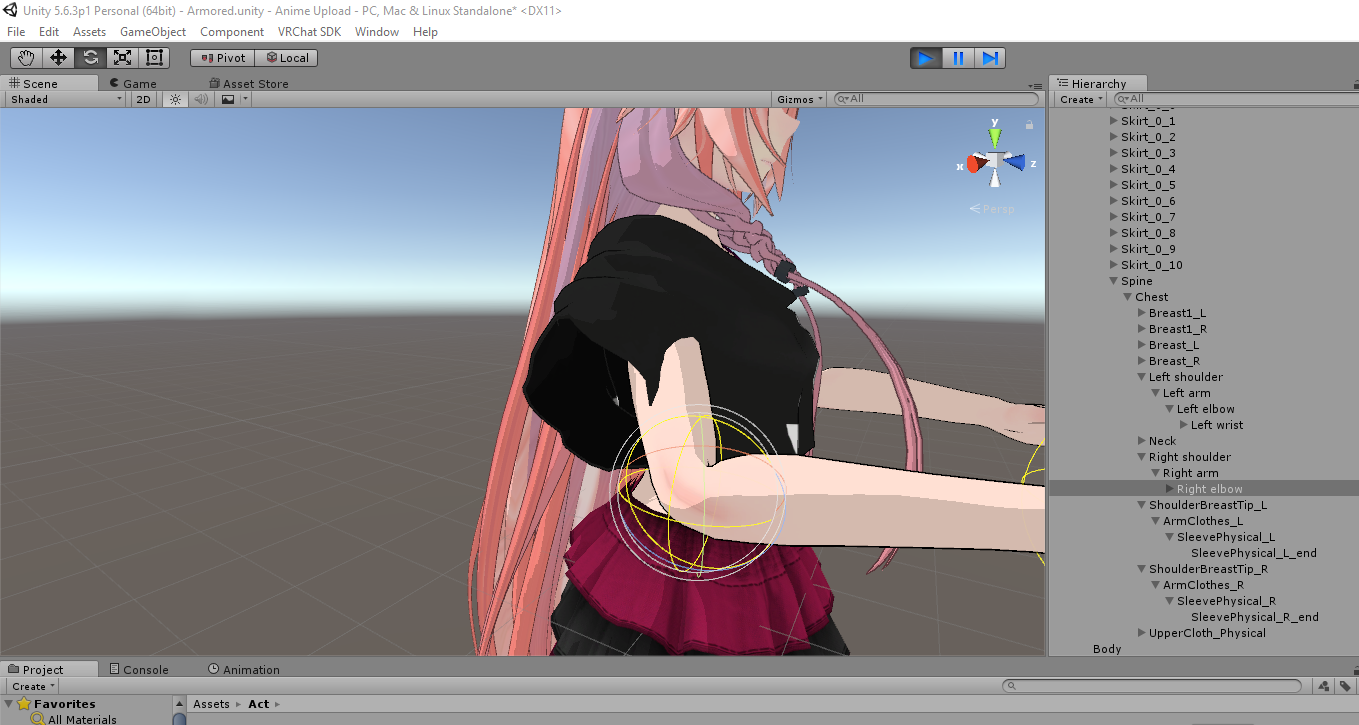
Did some rigging in Mixamo for my avatar, and most everything seems to check out save for an exporting warning.
I'm in the Unity Stage right now by the way.
The warning is 'Your rig has the UPPERCHEST mapped in the humanoid rig'
Anyone know how to make it go away?
 shadow shoal
Remove upperchest in humanoid rig, or set upper chest as chest
inner cedar
Gotcha, thanks
 cosmic mica
still having that same problem where only blinking shows up in my idle animation. I cant tell if its not working or if the mirror just isnt showing it. I hate that we cant trust the mirrors.
fading verge
anybody use rigify to make base armatures? I just want to know if bone layers cause problems in vrchat
@cosmic mica are you using cats eye tracking set up or did you manually rig?
cosmic mica
there is no eyetracking. the idle animation is blinking (bone rig for the eyelids) ear twitch, and tail sway. only the eye blink is showing up, which is weird cause its rigged the same way the ears and the tail are.
fading verge
you have all of those things on the same animation timeline?
cosmic mica
on my vrchat avatar menu it IS doing the full idle animations, but its not showing up in the mirror, so again i dont know if its not working or if its not shoing up in the mirror
fading verge
did you ask anybody if they could see it? I usually have others tell me if my stuff is jacked
cosmic mica
no one i know is online and so far passerbys have been too distracted to give me a full sentenced answer
guess i gotta wait
fading verge
is your vrchat the same as discord?
cosmic mica
aye
fading verge
request sent
cosmic mica
Oops
fading verge
no worries im working on a model right now so im not in game
@cosmic mica @ me if you want me to check your animations
patent edge
any easy way to move bones?
fading verge
like the whole amarture or just a bone
patent edge
just a bone
need to move the eye bones back into his eyes
 neat furnace
how do i make weapons show up when i do a finger gun
patent edge
is it fine i cant see alot of the bones now
like they are there just not rendering in object mode
fading verge
turn on xray
patent edge
in the tab on armachure?
fading verge
Properties panel / Armature Tab
patent edge
it is on
fading verge
select all and press alt H. maybe some are hidden
patent edge
 fading verge
yeah looks like you hid everything else
patent edge
thats what it looked like after doing that
fading verge
check the outliner and see if your bones are still there
if so they are hidden
the little eye icon will be grey
patent edge
they show up fine in edit mode
fading verge
are you in pose mode
patent edge
so thats where there being hidden
fading verge
yeah but u can do alt+H and unhide everything in the viewport
patent edge
ty

 sturdy geyser
Could someone help me? I know how to fix the fingers but I can't seem to move them the right way
fading verge
Press Alt+H
sturdy geyser
I try to turn the fingers into the right spots but they're so difficult to see
 sturdy geyser
?
fading verge
use quad view
fading verge
dont rig in unity
fading verge
just post a screen shot cuz im busy atm
sturdy geyser
That won't fix anything
You'll just tell me that I need to click this and that and mix and match
Unhelpful
Anyone else
I'm stuck here
patent edge
are your fingers also doing a 180
it would be nice if in unity you could do something like "set default position" whitch would set its 0 point in that position
fading verge
its because the bones are rolled the wrong way most likely
heko oks
help pls
why is my right leg binded to my right arm but the weights are correct and armature is correct
my left side is fine tho
its possible it has something to do with the vertex group?
how do i remove the right arm vertex group from the right leg vertex group
only part of the right arm is linked
select right leg parent bone go to bone properties and change parent to hips
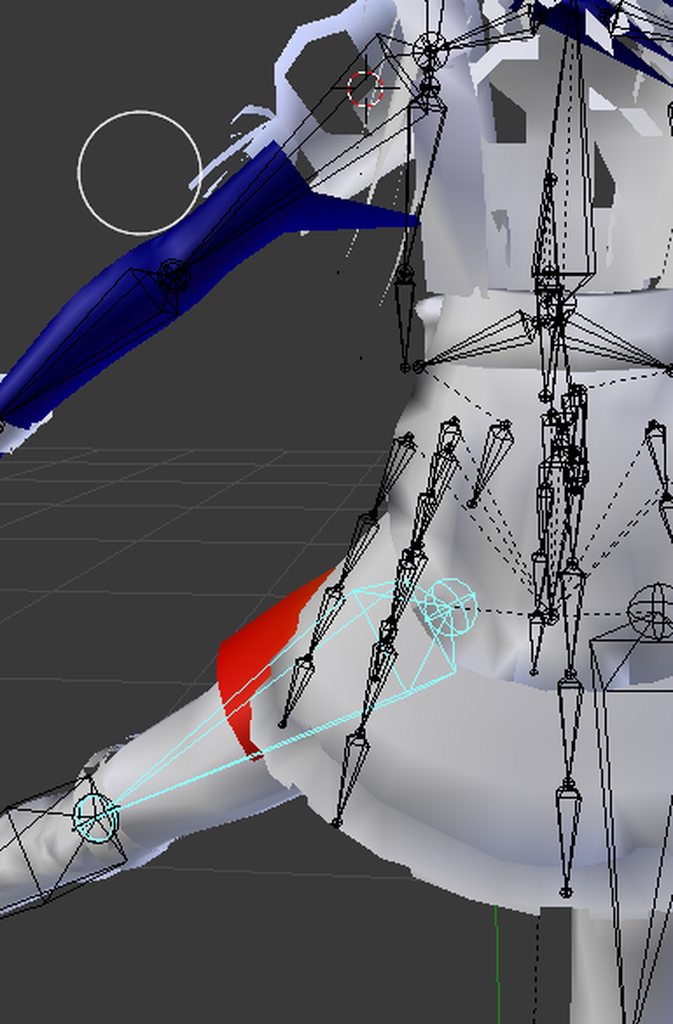
you have a red zone in the leg
erase the weight paint
its fine tho
im talking about the arm
see the arm
when i move the leg
the arm gets messed up
oh its part of the vertex group
yea
for some reason
how do i remove the upper section of the arm
from the leg vertex
select the arm mesh and remove it from the vertex group in the properties panel
should solve the issue
ok
hm
its not working
deselect everything
go to vertex groups. select one at a time until you find the one that has both the leg and arm in it
yeah i know
i selected the vertices
and clicked remove
do it the other way from properties
so u know you're on the right group
because if u removed the arm from a vertex group it wasnt on in the first place, nothing will change
yeah my vertex groups are broken
easy to fix man
You can wipe them all and remake them from the bones alone
automatically, but you'll have to touch up every weight paint
This is the reason I'm manually rigging my avatars from here on out
so just throw a basic human rig into it and resize
?
u dont need to change the rig
just blow out the vertex groups
yeah the mmd vertex groups are a mess
so many groups
all i need is the limbs and body thats it
if u dont want the dresses and hair to move thats fine
probably leave the hands alone

Hand crafted Armature
100%
why not just spawn a basic armature
because I'm OCD
lol
and i want the least amount of bones possible to get the job done
u should've seen the armature on her when i imported her. Made me cringe
lol this model has a cameltoe
XD
i should fix that
lol
Moose Knuckle
hahaha
how do i mirror vertice selection
?
Can someone help me with learning the hot keys to add bones in manually
you copying>/
I wanna make my own from scratch but I forgot the commands
i need to select the right leg symmetrically
i guess on the x axis
and assign the vertex group
shift ctrl m
or use the select menu
doesnt work
im in edit mode
werks 4 meeeeee
use the select menu that works too
asjdgaskdkadha
u can use a modifier too
the limbs are all on the same mesh
wtf
makes everything u select merror
you mean vertex group
no
the mesh
well yeah the body is one big mesh lol
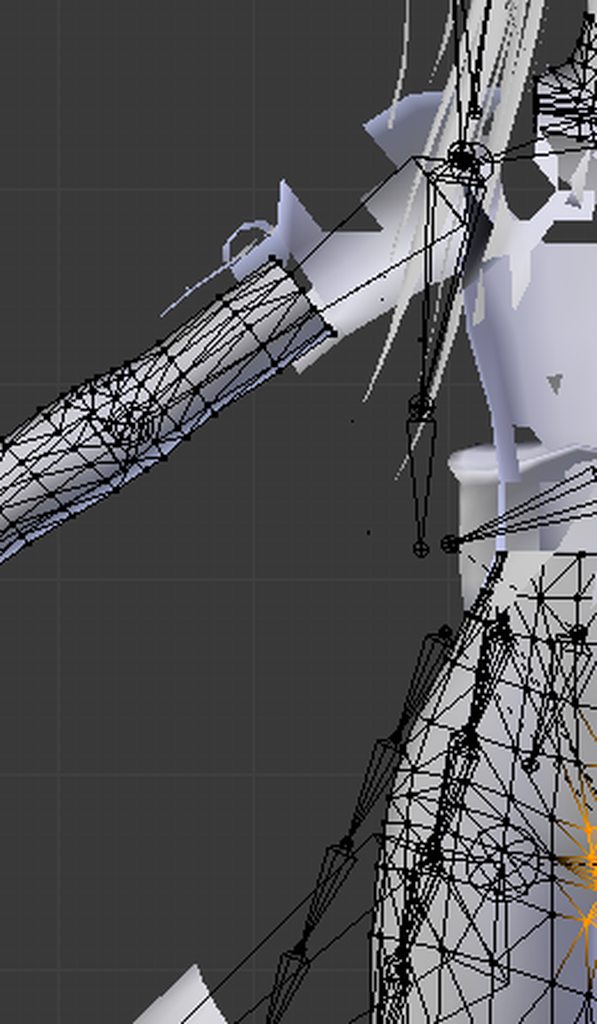
no
the limbs and neck
are on their own object
i should probably seperate them right
or merge everything
yes but my vertex groups are messed up
if your meshes are unjoined join them back before doing any vertex assigment
if you're using cats
i have to assign the right
leg
what im saying is it looks like you seperated meshes by materials in cats
put them back together
i did
then do this shit
o
otherwise its gonna be a milk chocolatey cluster fuck
ok
full of peanuts and fuck
yeah
but i cant do it now
because i cant hide the clothing
thats why i had to seperate
now i cannot change the vertex groups
because now im selecting the entire mesh
and i cannot hide the clothing
u need to put the clothing in on the shoulder
its gonna look weird if you dont
?
everything up to the ball of that bone needs to be on that vertex group
but u shouldn't be doing that manually
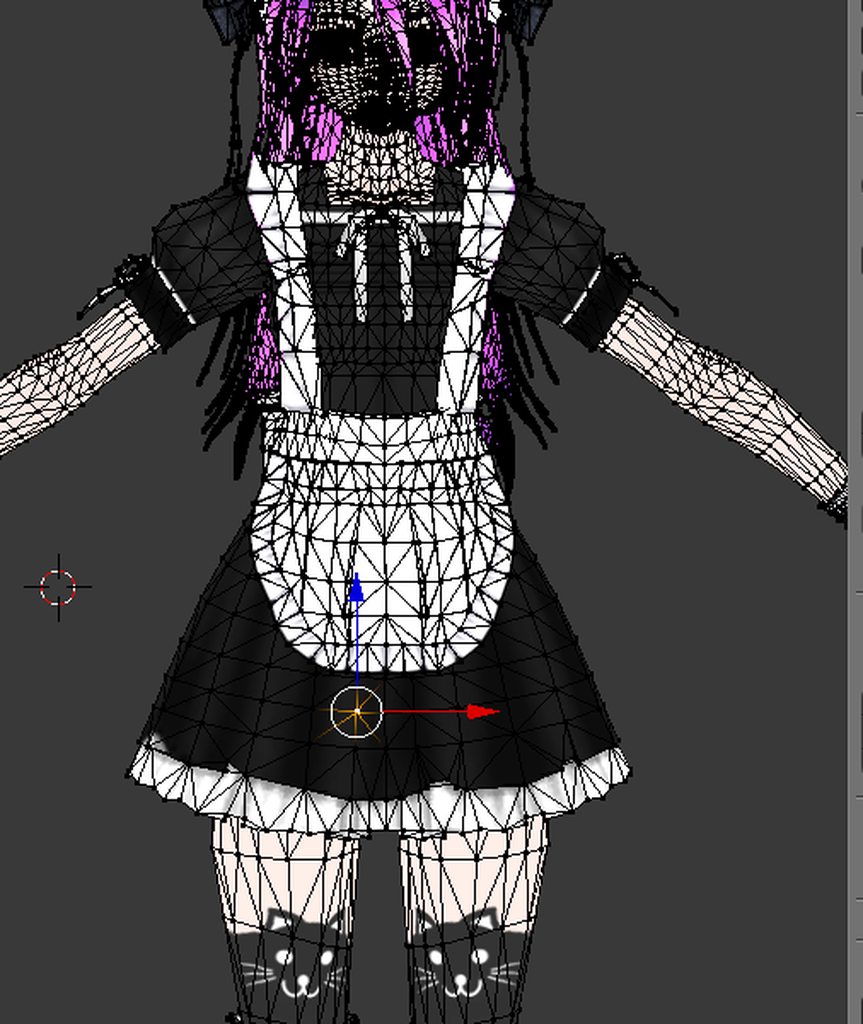
did you erase all of your vertex groups
no
should i
?
SAVE your model as a copy now so you dont lose her
i just need to fix the leg
i dont think i should erase all the groups just for 1 vertex
did you find the vertex group that selected both the leg and the arm
yes
ok select the whole group
and highlight the vertex group in the properties panel
now press c and select all of the arm. you can over select it doesnt matter
then press remove on that vertex group
problem solved
 calm cradle
What's the best way to fix the 'bone length of zero' error?
fading verge
delete the bone that's causing the issue
asmndhbaskdhaskjdhasklhasd
i cant hide the skirt
omfg
my vertex group is broken in merged mesh mode
why are you hiding the skirt
i cant select the vertex group in full meshmpode
dude
because there are groups on top of it
u dont do it in the viewport
and i cant select the vertices with all the clothing in the way
you select the group in the properties panel
and it selects the verticies for you
i did it
sec
rip
my right leg
is apparently
3/4 of the body
wtf
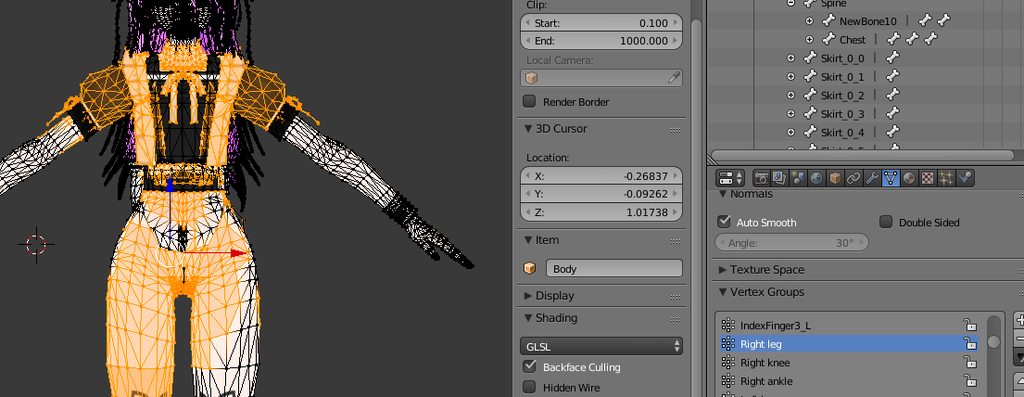

so my guess is this is what it looks like when you select your leg
you got two parts and one part shouldn't be there
i have 3/4 of the body as the right leg lol
ok so u hit that select button i highlighted and thats what you see
then you deselect everything and use C to select the arm
i posted the picture
ewww
yeah i gotta merg the cameltoe
just remove all of it and reselect the leg and assign
lol
much faster
ok its fixed
ty
it doesnt have to be a perfect selction
rght?
tbh i'd select the left leg and mirror that selection then assign to right leg
way faster
vertex group --> left leg --> select --> ctrl shift M --> vertex group --> right leg --> assign
i dont think its ctrl shift m
sorry that is for bones
use select menu then mirror
there is not hotkey
there
it worked
ty
np
workflow is a bitch
dont forget to SAVE right meow
hm
its broken
oh and check your weight paint
it didnt select the vertices
u may need to reparent those bones
only parts
is the left leg messed up too
the vertices in the legs are not completely symmetrical
that's probably why
use C after mirroring to select the missing parts
no biggie just reselect in vertex groups add the missing parts and assign
hm
it wont let me select some parts
switch to face mode --> hold shift --> select one at a time with mouse
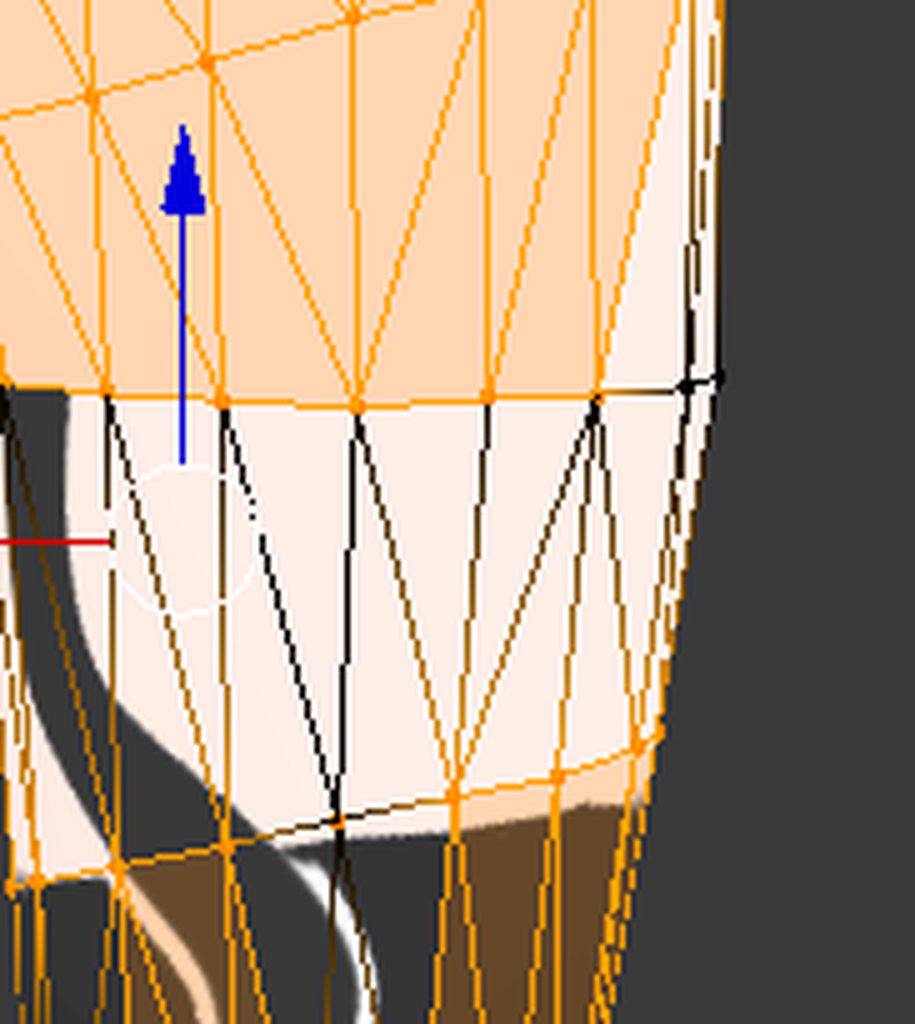
it's not selectable
you're in vertex selection mode

id id ti
yayay
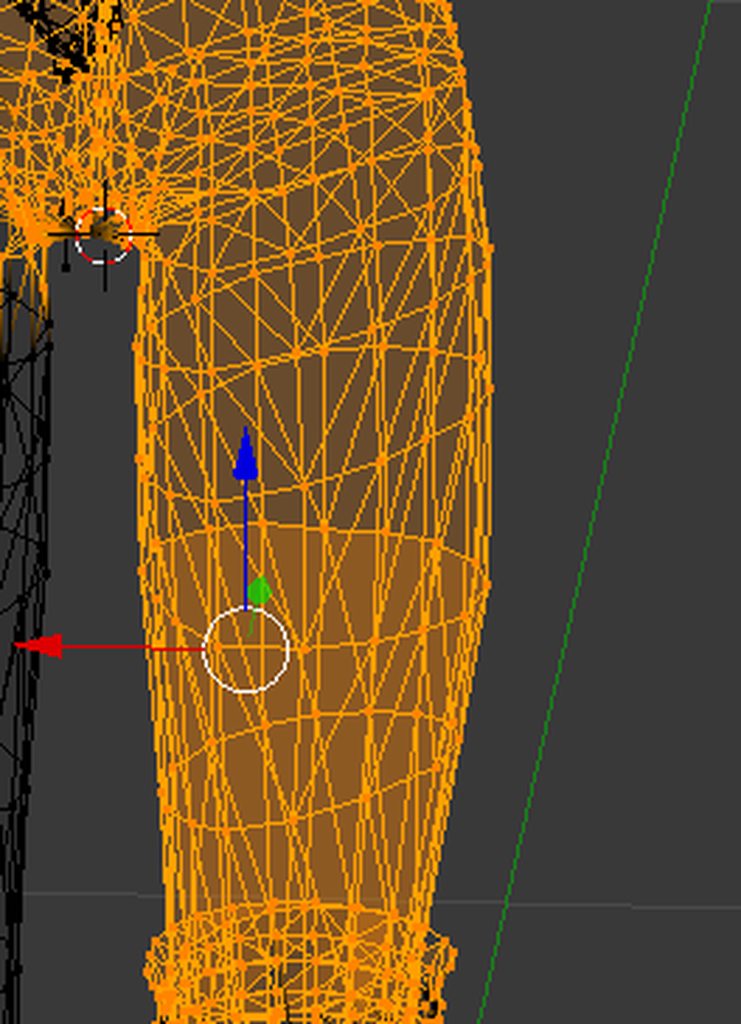
wireframe mode u meant
C is nice too
 storm geode
how did you even do that
fading verge
no
storm geode
3/4 of body as right leg
storm geode
👏
fading verge
build your own armatures for days imo
thing is
i only need this model for an animation
lol
😐
inner cedar
Hey
fading verge
i know im just being silly
im trying to do my maid harem animation
and this is onlythe first 1
lol
fml
inner cedar
I'm wondering about implementing something. I'm planning on using a large disembodied head and I want to implement eye tracking without blinking or a fullbody skeleton.
fading verge
I'm self-inserting as the MC from Akkun to Kanojo this season
I am a real life tsundere
Just name your eyes lefteye and righteye and make sure they are on the correct bone structure. Set constraints in unity rig and it should work automatically
is there a default sitting pose in the sfk
sdk*
might be one under the examples
well
i guess i could just make my own
i have muscle animator
but
inner cedar
I'm not sure how I should use it though. There is no body I can use for a structure, just a massive head and I don't want any blinking or lipsync.
fading verge
i dont know where the axis is
for the sitting part
its not at 0 is it
your bottom touches the 0 axis
or
your feet
?
for sitting
mental lynx
I have two breast bones that aren't taking to dynamic bones at all. Everything is solid for whatever reason
fading verge
or should i just throw the t pose default on and force it into a sitting pose
and then reassign the default sitting animation
tit bones should be pretty horizontal from the nipple and set to the chest bone without being connected
but the thing is your origin changes when you sit
actually
i thing the feet stay on the ground axis
mental lynx
My issue seems to be that the bone isnt workign in any way, what so ever
fading verge
so its just the upper body that changes vertically
mental lynx
But the bone is there, AND it's weight painted.
fading verge
hm
dynamic bones doesnt move the tits on my models much. you have to really loosen the inerts up to see anything
fk
do i need to decimate a 100k model if its only being used for an animation
mental lynx
No
fading verge
nope
sweet
only need to decimate it if you wanna use it in vrchat
ok good
yeeeeee
mental lynx
This makes no sense. I can place a dynamic bone on literally anything and it will move.
Yet these two bones, specifically, are unaffected by anything.
mental lynx
It'd make sense if I forgot to weight paint and it wasn't moving because of that. But this is showing the controller not moving as well
fading verge
take a screenshot of the two bones with everything else hidden in octahedral mode
mental lynx
I'm reimporting the model
inner cedar
Some modern games actually go for 100k. As an example, a character model in Resident Evil 7 weighs in at about 100k tris.
fading verge
if its not a cpu heavy game tris dont matter much
i want to make the model i did to sit on my lap with her arms around me when i sit down
XD
ty for reminding me to put tit bones in to my rig
mental lynx
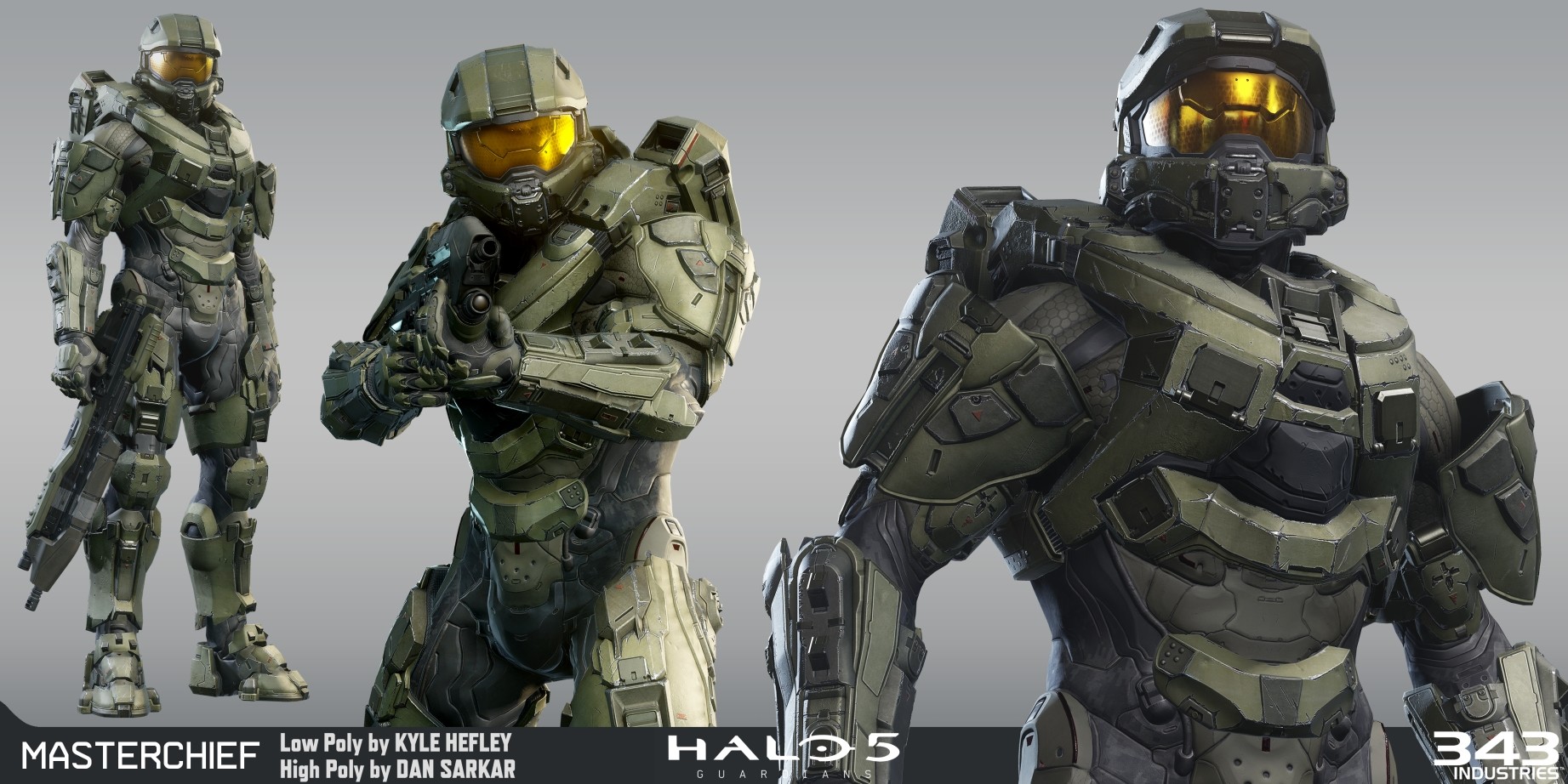
I thought I was gonna be a cool kid and bring in a Halo 5 model
fading verge
XD
mental lynx
Turns out those models are too damn big
fading verge
coconut has thicc plot
mental lynx
 inner cedar
I'm currently using an Uncharted 3 model for that reason.
mental lynx
Blender doesn't like trying to decimate a 890k model.
fading verge
build your high res normal map
and atlas it that way
then reduce it manually. the texture will create the illusion
inner cedar
Also, if you're experienced enough, you can use the original model as a base and retopologize it to fit within your limitations.
fading verge
thats the word i was looking for retropologize
 fading verge
you need actual tits XD XD
mental lynx
She's easily a larger C cup my dude
Either way, this makes no sense.
The bones are placed. They have parented material
Even without parenting, the bones themselves should still be moving.
Even if they didn't have a material to move with it.
This makes no sense to me.
mental lynx
Yes
But thats not the point.
Even without weight painting, the bone would still move even if it had nothing to control
The bone is absolutely not budging no matter what I try to do
fading verge
does it work when you pose it in blender?
mental lynx
I have the rotation tool out trying to rotate the breast and its not moving, too
Lemme check. Honestly I should have before all this
Works in blender
fading verge
which direction is the bone
skinny part on nip or fat part
gdi
my weights are all messed up now
fading verge
loosen up your inertia on the dynamic bone
Anyone have an idea how to get an audio source and particle systems to work on a separate animation? I have the first animation for a gun and a cocking noise, and the first for a gun fire and 2 particle systems, but the second doesnt activate.
fading verge
wrong room megumeme
mental lynx

Even the rotation tool does nothing
Like, I cannot edit or alter this bone in any way
Cant move it
fading verge
weird
mental lynx
This is... something I've never come across before

Look at that. I cant move it in any way
inner cedar
@fading verge You mentioned to make sure that the eyes are on the correct bone structure, but how would I structure a model made of only a disembodied head? Should I have a bone for the head and two bones for each of the eyes and then parent the eye bones to the head?
fading verge
hmm just try it with it named lefteye and right eye
are you setting up the rig as generic?
or as humanoid
one word lefteye/righteye
inner cedar
Probably generic. It's not a full body.
fading verge
can u post a picture of the shaded model
im not really familiar with rigging generics
yet at least
i plan on making some beasts later
inner cedar
I've not textured or rigged the model yet. I'm trying to get everything figured out ahead of time.
But I'll post it in chat hold on
fading verge
well if its a disembodied head
and its humanoid
you may as well use a humanoid rig
like if it was just a floating head in the sky
aseasdasasdas
when i merged the meshes
it reset the vertex groups
iuno
something in cats
reset my groups to the broken ones
u dont need to touch cats again
i mean at this point you are manually rigging shit
cats is like a quick lazy converter
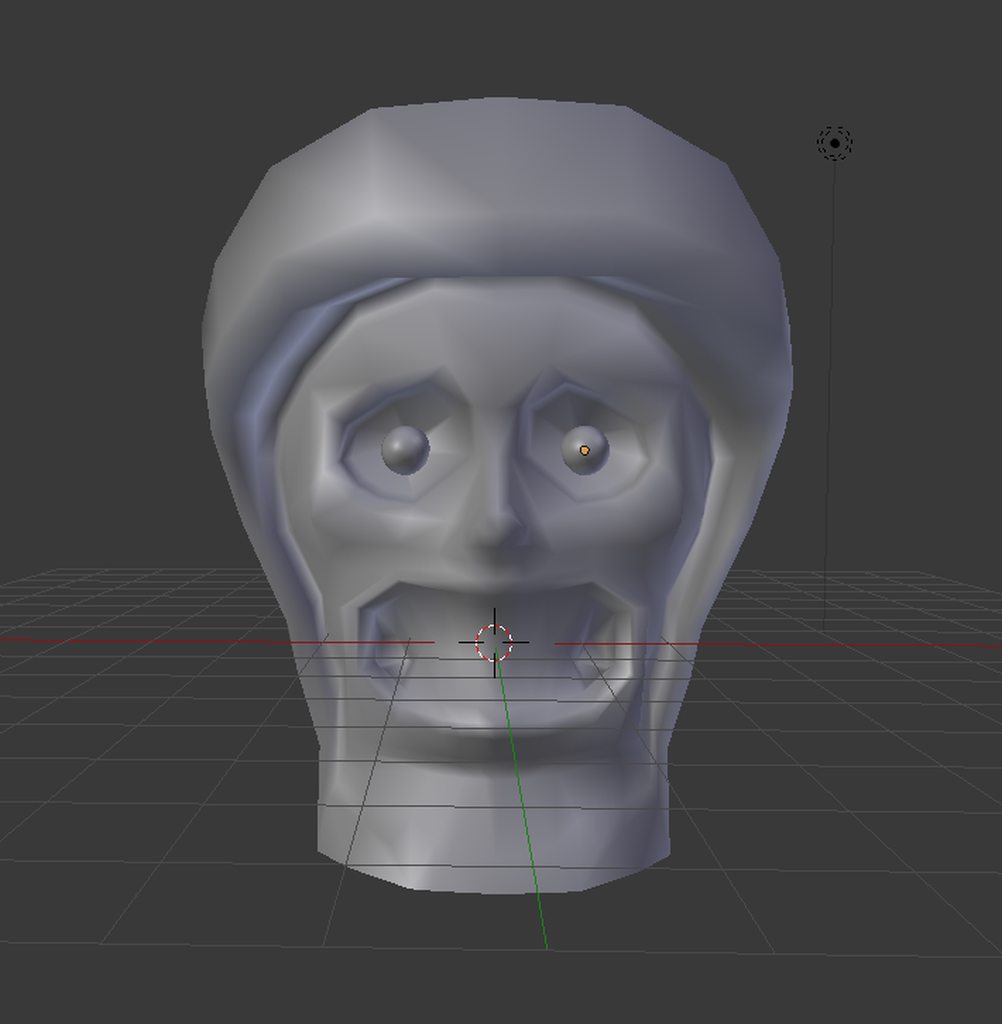 inner cedar
I'll have it on the ground, most likely.
fading verge
well i would use a basic humanoid rig
just shrink the bottom part down
that way you can still grab shit
dont forget to move the bottom of the model to 0,0,0
inner cedar
How would I set it up for rigging? I relied on Mixamo for my last one.
fading verge
if you wanna be fast blender has a plugin called rigify built in
google how to use it. pretty quick
it gives you a fully loaded armature and u just scale it
inner cedar
I've tried using it before. So I guess what I should do is ignore all the bones except for the head and create some custom bones from scratch for the eyes?
fading verge
oh man
i have so many broken vertex groups
omg
you'll have to set manual vertex groups for the eyes and then just weight paint them
you're probably gonna want to make shape keys for the mouth or no?
you could just rig eye bones from scratch and try importing it as generic
i dont know if that will work though
agh
i should just remove all the vertex groups
lol if you're gonna do that
inner cedar
I feel like all of us are going agh for different and similar reasons.
fading verge
you can rebuild them super quick and just adjust
object mode -> select mesh --> shift click select armature --> ctrl P --> with automatic weights
and then just touch up the goofy spots one bone at a time
well
i can remove 1 entire side
and fix 1 side and mirror select
and assign
im going silent for a bit. i just parented my armature and now its paint:30
nope mirror doesnt work because of the non symmetrical vertices
 vivid quiver
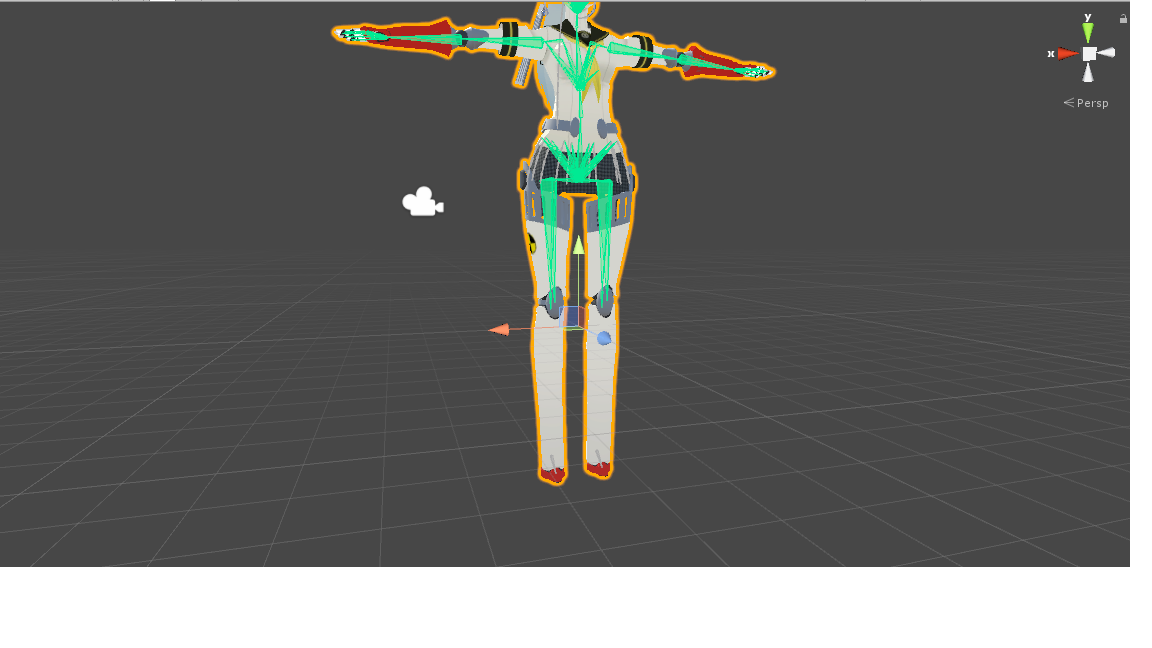 fading verge
wtfff
wow im retarded
i didnt even have to do all that shit
the material seperation broke everything when the model was fine
i found out by just reloading and not seperating the materials
ffkkffk
all i had to do was click fix, merge mesh and reparent the legs
wtfffff
fading verge
hahah yeah cats plugin
 wary sparrow
is anyone here good with dynamics bone and everything?
im horrible at it. i have my avatar made and everything. jus need to use blender but its to complicated for me and i cant make it work right if someone wants to help me out if thats cool?
fading verge
hey guys
whats the easiest way to add the blink right if you only have a blink left
but have the vertex groups for both eyes
and the blink for both eyes
is there a way to copy/seperate the blink?
blink does both
patent edge
thats a wink dude
fading verge
i know
but i need the wink right and left
but i only have
1
i only have wink left
i need both right
for the eye tracking to work
i cant use blink both for blink right
it doesnt work
wink is blink left
what do i use for blink right
if i dont have it
i need to create it right
or do i just use blink left as blink both and basis the rest
?
 brisk mesa
once i just used the overall blink for both slots.
but anyway you'll need to translate what those keys are if you're looking at which is wink
eye tracking seems to work even if you have broken keys tho
 boreal trail
https://ibb.co/eTn96n I've had this issue for a while now and can't seem to resolve it. When resting my arms by my side, the avatar has his arms forward for some reason. The shoulders use to be inside of the body like in the image but I fixed this by moving the bones for the shoulder and upper arm to the shoulder, scaling them down, and keeping the offset from the parent. https://ibb.co/gbY0e7 Here's the terrible weight painting I've done https://ibb.co/eBu6K7 https://ibb.co/mXLDz7 https://ibb.co/f0aP6n


 wary sparrow
no one can help?
fading verge
I need help tryin to apply the bones in my model
an also my blender with cats is not seperating my materials...
fickle pollen
anyone on here that can help? I tried moving my model and it contorts weirdly
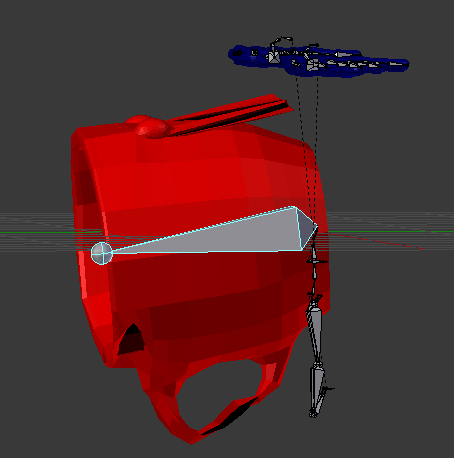
I tried repainting but it only fixed some of them.
fading verge
Is there a way to transfer the bones from 1 amature to another in blender?
 lilac moss
@fickle pollen the normalize all button in tools tab of weight paint mode is what you need
the issue is they're weighted to multiple bones
er the total wegiht from bones is more than 1 for those vertices
@fading verge ctrl-j will join 2 entire armatures
fading verge
its not workin @lilac moss
lilac moss
in object mode, select one then shift select the other
fading verge
jfsiag oeij goij FINNALY!!!!
ty sooo much! Dx @lilac moss
Now i just need to reparent these skirt bones to the hips..
lilac moss
bones of the same name will keep the same weight
the weights are stored in the mesh corresponding to bone names
oh nevermind
im tired
fading verge
So I just tried to make eye tracking for an avatar that I had to self-rig, everything works fine and stuff with everything else but when I try to create eye tracking, the LeftEye and RightEye bones that I made do this. http://prntscr.com/j5j21y anybody have a clue why o_o?
 fading verge
Tried, doesn't help, i set them back into place but whenever I try to create eye tracking again it'll do the exact same thing
naive tree
select mesh + bones > ctrl+A
fading verge
just shoots up into the sky lmao
naive tree
i'v eonly had this issue with not applied scale
fading verge
Aye i'm creating eye tracking from scratch and it's a pain uhhhh
Wait the last step actually worked
tysm!!
 reef skiff
excuse me, I wanted to try my hand on weight painting, i'd like to select the shirt mesh and the legs and nothing else, how do I do that, can't seem to find what i'm looking for 😞
naive tree
seperate legs and shirt
either seperate by materials, or if just need those two
enter edit mode, hover mouse over shirt > press L (can change mod ein operator bottom left by what selection is made(UV, material, etc)) > P > selection
do same for legs, then select shirt, select legs and ctrl+J
then u can select bone in pose mode, shift select legs+shirt and enter weight paint
naive tree
ctrl+J joins meshes
reef skiff
oh
naive tree
and P > selection seperates the selection as a different mesh
so u seperate legs and shirt as new meshes and then join them as one
if u want just them two in weight paint
reef skiff
assuming i don't want my shirt to clip trough my legs, i'll just need to weightpaint these two together right?
 pine harbor
if you weight your skirt to the leg bones properly, then the legs shouldn't clip through, yeah (whoops, it was "shirt" you said)
fading verge
but you can get other problems if you do that, like mesh stretching
reef skiff
😞
reef skiff
i did try that, didn't work
fading verge
or cloth component if you are crazy enough
reef skiff
i did try cloth too, it separated the shirt in the middle and i've had a constant hole because of it
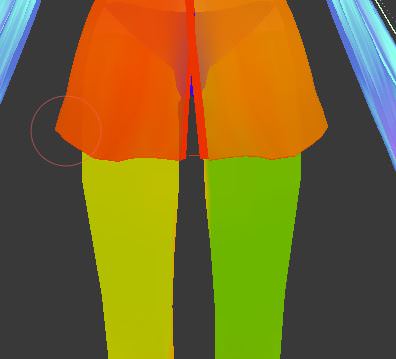
do i want the bottom shirt to have similar colour as the thighs?
also the cloth method made my mesh invisible from time to time, not sure why
fading verge
in game or in unity?
reef skiff
in game
naive tree
could be because of high wolrd acceleration and it got thrown behind your colliders
where it was stuck
keep world acceleration at 0.2 or lower, keep stretching high
reef skiff
well the whole shirt did dissapear even the parts which i set to not animate or whatever it was called
apparently people saw it dissapear when they came closer and it returned when they made a bit distance
why can't everything work without hours of trying 😞
pine harbor
is the shirt a separate mesh?
it's making me think of a bounding problem, but i don't think that should usually be happening
fading verge
yes
it's a bounding problem
the cloth component is fucked in the unity version we need to use
and it's often offset by a certain distance
this is the bound box of my skirt
https://i.imgur.com/E235Ppc.png
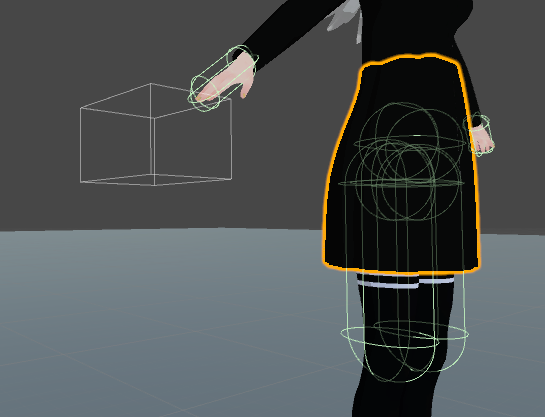
i can't resize or move it for some reason
pine harbor
thaaaaaaaaaat would probably about do it if something like that's happening, yeah -- if the bound box is completely behind another solid object, awoo's shirt is going to vanish
(and we should probably be averting our eyes >_>)
what happens to the bound box in play mode? my cape's one actually changes shape/dimensions as it falls to the ground
reef skiff
lewd shirt problems 😞
fading verge
it stay in the same place
i didnt find any way to move it
but sometimes it move back in place
pine harbor
hmm, yeah -- mine's showing similar behaviour when the scene's not playing, but it behaves as expected when played for some reason
scene not playing:
https://snag.gy/4WmFuZ.jpg

while playing though:
https://snag.gy/qEHGid.jpg

i'm not sure if it might have to do with any settings visible in the screenshots, though it may be worth mentioning that the entire cape is a separate mesh, and only a thin row of cloth particles at the shoulders is constrained not to move
fading verge
kinda weird that it bugs out in game then
pine harbor
my current one doesn't seem to bug out in-game, but i don't know what about it might make it different from yours or awoo's
currently thinking along the lines of what might possibly screw up unity's sense of where the center of a mesh is
 leaden moth
https://imgur.com/a/1EgzO i have some really problem here..
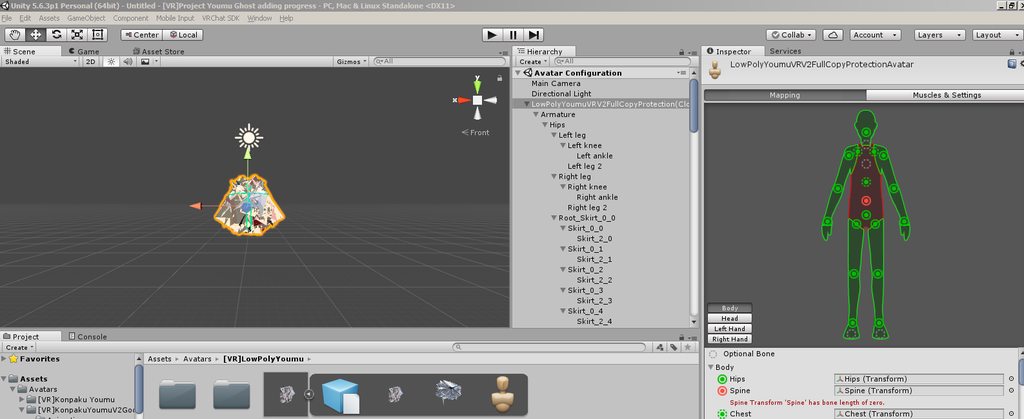
spine transform 'spine' has bone length of zero
fading verge
you can ignore that
how do i fix broken hands where the actual mesh is broken and not the armature or weights
not decimated
both of them are broken ?
no
just the left hand
delete it and duplicate the right hand
and mirror it
ah
modifier?
no idea, never had to do that
but if i can't fix something immediately with mesh moving or weight paint i'll just delete the thing and redo it
there are some option to mirror selected mesh i think
fickle pollen
Thanks @lilac moss
fading verge
ok
it wont let me attach the bones to the new hands
automatic weights doesnt work
it wont let me weight paint it either
naive tree
is the mesh even joined to old mesh
fading verge
yes
naive tree
and are the armatures joined
fading verge
yes
fading verge
what is autocalc
naive tree
mirror it
fading verge
i did
but now it wont join
i clicked automatic weights
doesnt work
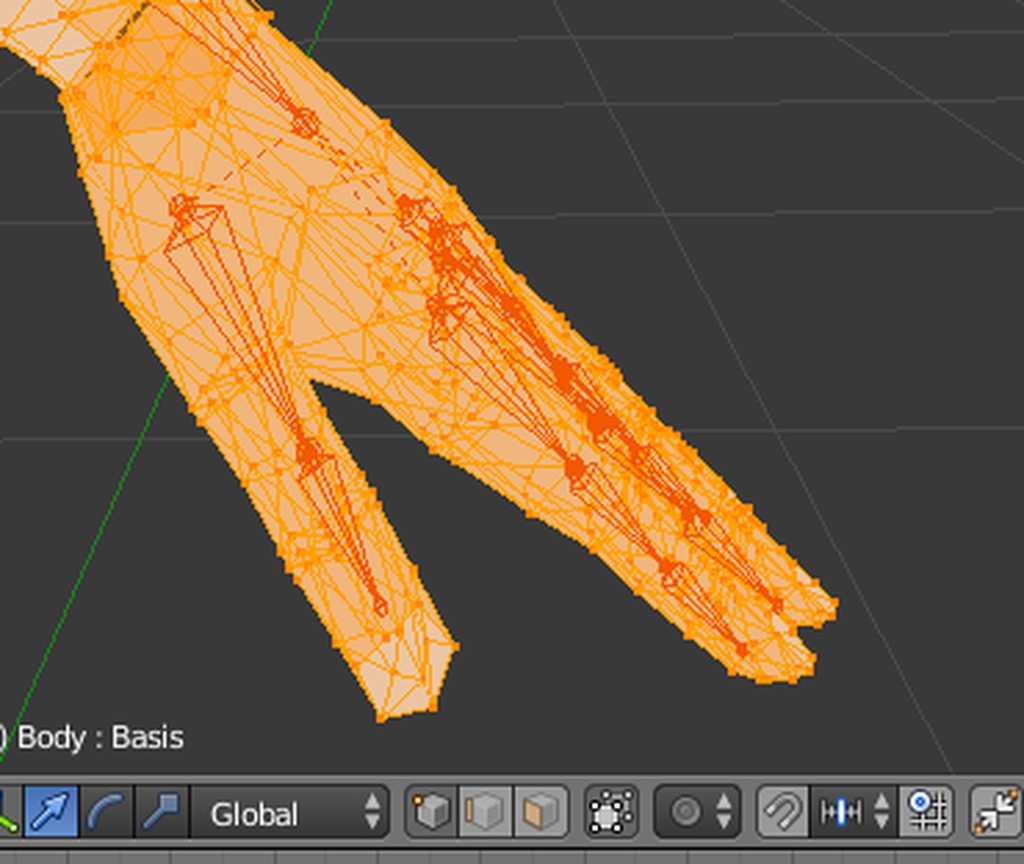
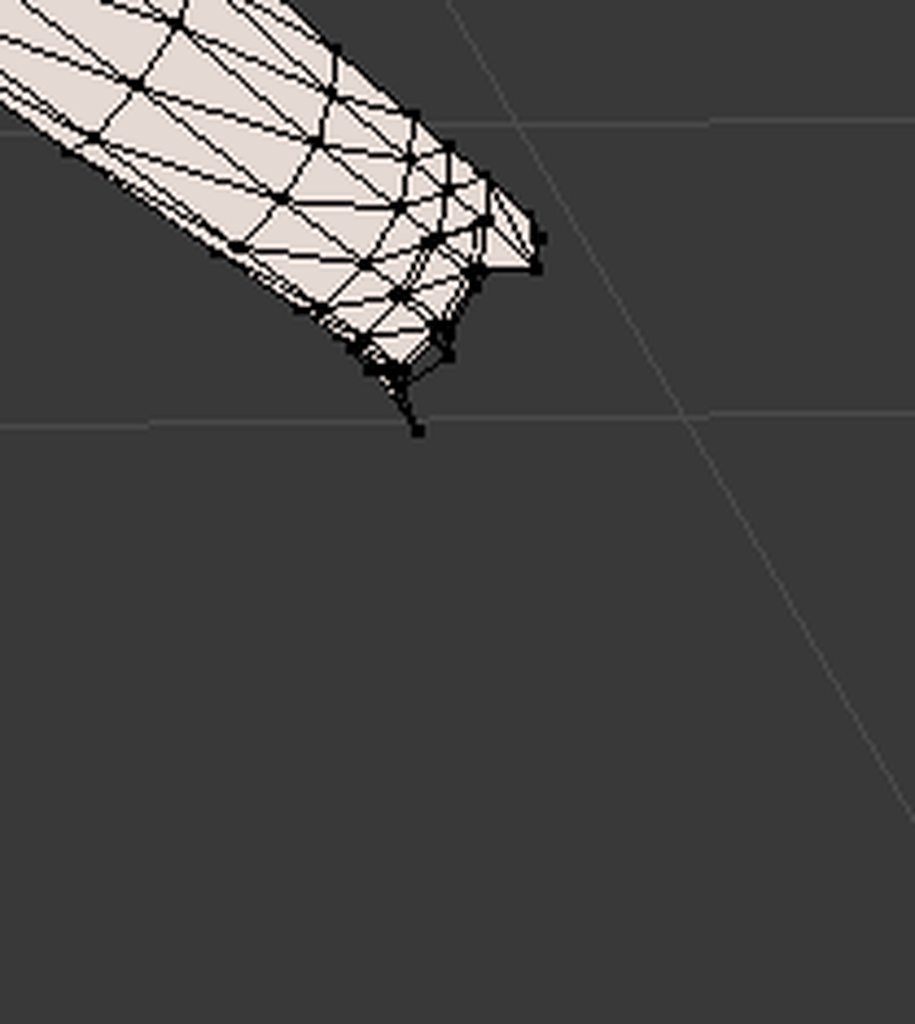
select vertices mirror x y and z
manually drag the new hand to the other side
manually select the old mesh and then select the new hand and ctrl j
 worldly creek
Ok so I know the textures are messed up i know how to fix i have imported many of mmd models to unity but ive never had this the armature some have is how not connected to the body its self
fading verge
is my process correct?
worldly creek
 naive tree
no, you seperate the hand
then u mirror
not duplicate
jezus christ
duplicate = same weight
fading verge
ok i selected the vertices of the hand in edit mode
naive tree
@worldly creek change localization to japanese when extracting rar
ctrl+E
@fading verge P> selected, then delete all keyshapes from hand, then add modifier: Mirror > apply
fading verge
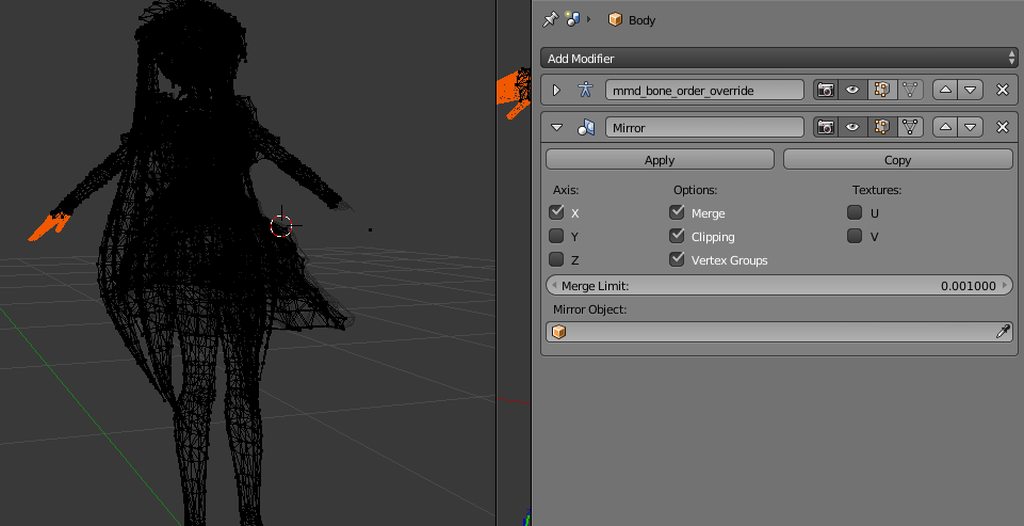 naive tree
apply
fading verge
ihad the wrong object
naive tree
if u mirror the hand, it will carry over the weights too, and if it mirrors in wrong pos, you can always move it
fading verge
ok it worked
however
the bones are not joined to the hands
oh
the bones on the right hand move the mesh on the left hand
automatic weights didnt work
anybody experienced with rigging generics
i fixed it
i dont need to rename the new vertex groups right
fk
stll broken
cosmic mica
Is the new sdk still bugging out or does everything work well now? I notice people have stopped complaining about it now but im still afraid to update.
gritty nest
SDK always worked fine for me
fading verge
damn
i fixed it
all that work to fix a hand
im pretty sure those mmd creators intentionally break their models
gritty nest
Perhaps some do
I've seen MMD creators "lock" their models because of lewd edits, only for it to work fine in Blender
Artists are catching on to the fact that their models are used in VRChat. Some are fine with that, others put insane passwords on their models and add a "no VRC" disclaimer
fading verge
not much they can do when their model gets heavily modded
 lofty nacelle
So I'm working on a model Currently, and everything is fine, but does anyone know why when in Blender the model has 1 mesh, but when I import to unity it has two? it seperates the skin and face from the clothes, with gives two sub meshes in the body of the model and causes me to not be able to use mouth visemes and such because of it
gritty nest
@lofty nacelle your model has too many polys
fading verge
its unrecognizable
gritty nest
It does that above 65k
raven reef
@lofty nacelle ehhm when your model has more than 64k polys it splits up
lofty nacelle
hmmm okay thanks for the info!
cosmic mica
that explains one of my avatars.....
fading verge
hey guys
do you know how to fix the sitting animationwhen you stand up
other than reloading the avatar ingame
gritty nest
Never heard of that happening
raven reef
I think I know what you're talking about but I've also never heard a fix
raven reef
it happens when you stand up while emoting in a chair it gets stuck on your avatar
fading verge
theres no fix?
raven reef
I think it has something to do with the anim system unity uses
gritty nest
This is a game bug so there's nothing you can do to fix it
fading verge
the problem is i spawn a maid that sits on me when i sit down
raven reef
yep that would be the fix
fading verge
XD
gritty nest
Then don't do that
fading verge
hahahaha
gritty nest
You could make that a shape key instead of a toggled object
Toggling objects in idle animations doesn't work the way you want it to.
fading verge
o
raven reef
but would the shape key also stay then?
gritty nest
Even though it might look weird as shape key
No, because shape keys are usually handled properly for some reason.
You'll have to figure this one out yourself, uncharted territory and all that
raven reef
hmm weird but also interesting
gritty nest
Just like how enabling objects on fist makes them stuck until you do another gesture, this is not the case for blend shapes
raven reef
really I havent heard abouth that yet @gritty nest
fading verge
but i have to shape the pose based on 2 models
gritty nest
Like I said, you're on your own for that one. If you don't understand what I mean, you're probably not ready to attempt such a thing
fading verge
pose to shape key
would that work in blender
so shape keys with 0/1 keyframe will disappear when you stand up?
so i can just do the pose in blender
gritty nest
Yeah, problem is that the maid will always be active
You could just modify the IDLE standing animation to disable the maid?
raven reef
I think you will also have to watch out with poly limit 🤔
gritty nest
Be careful with the default standing idle animation, it has spread legs so you'll have to bring those back in. Also, the spine and head twist will have weird values, just set all of those to 0.
Yeah, having a model always active will hurt you with the poly limit
raven reef
other fix would be that every time you stand up and sit down you make sure you don't have an emote enabled
gritty nest
Problem is that he probably enables the maid in his sitting IDLE anim
fading verge
but it should work in my standing animation if i set it to disable the maid
fading verge
lol
raven reef
ahh I get what you mean rokk, that would be quite smart if it worked. I would have just used an animation override
gritty nest
But as I said, the idle animations require slight amounts of tweaking. Otherwise, you'll have one of the following scenarios:
- Uncontrollable stanky leg.
- Legs are oddly spread apart, and then return to normal when you look down.
- Your spine rotates in inhuman ways because the default values are messed up.
I know quite a bit about idle animations, I used them to spice up my avatars since I was on desktop
Makes a huge difference in quality
fading verge
so i can just put my idle animation with the tpose fix then drop my arms
raven reef
I assume you used an animation component back when you were on desktop
gritty nest
For what?
raven reef
Idle animation
gritty nest
The override controller has an IDLE slot that you can use
So basically whenever you're not walking
raven reef
but wouldn't you also have to add all the values for the basic pose?
gritty nest
I duped the one in the sample animations
gritty nest
But as I said, it's imperfect. It's almost correct, but the legs are spread, and the head is looking off to the side a bit.
The spread legs turned out to be fine on the first avatar I tried it on (it's actually accurate to her pose), but I had to fix it on some others. Just involved setting the leg spread to 0 and foot twist to 0.
And the spine/chest twist and bend are all set to weird values like 5.86894375834, despite the Muscle Animation Editor saying that they're at default. Had to set that back to 0 too so I didn't look like an eldritch abomination.
raven reef
Interesting I really gotta get on those idle animations, there's a lot of playing room there
gritty nest
Muscle Animation Editor makes it a breeze. I actually never bothered learning animation in Blender lol
raven reef
or is it bad when you're using a vr headset?
gritty nest
Well, there are some problems when you use a VR Headset, but that depends entirely on what your idle animation entails.
And it's not even a problem necessarily, since in VR, the arm and hand movement in the animation is ignored
raven reef
ohh yeah that's another big thing
gritty nest
But when I put my headset down, it had a tendency to revert back to the desktop idle animation except crooked.
Oh, and the hand pose in the IDLE animation is the default one you'll always have when not gesturing, so you have to keep that in mind too.
gritty nest
How so? That's gonna be even worse lol
That's a legacy component, hard to edit animations, and they're always bloody active
Unless you micromanage them
raven reef
nah I mean with like adding moving parts to avatars
gritty nest
Oh
I usually use the Animator component for that lol
I put an Animator on the object that I want to animate
It's so much easier to let the object govern its own animations instead
raven reef
yeah but If I want to like move parts of the base avatar
gritty nest
Ah
raven reef
yeah for props I also use the animation controller
But until now I haven't really gotten much use out of using the animation component, since I don't really have anything worthwhile to have a looping animation for
gritty nest
I think it's worthwhile for custom blinking.
Or if you need to trigger a longer animation on a gesture and don't want to use any other workarounds

 rose shard




 zinc heart
not that i can tell