#avatar-rigging
1 messages · Page 109 of 1
 fading verge
fading verge
fading verge
sorry
 coarse flame

this keeps happening watching youtube tutorials but none speak how to fix that from happening
no idea what I am doing wrong
coarse flame
Got that problem solved but got another... if anyone willing to help.

the mesh is not linked
but eye tracking works, but when I join mesh the eye tracking breaks
 thorn willow
I need an expert here
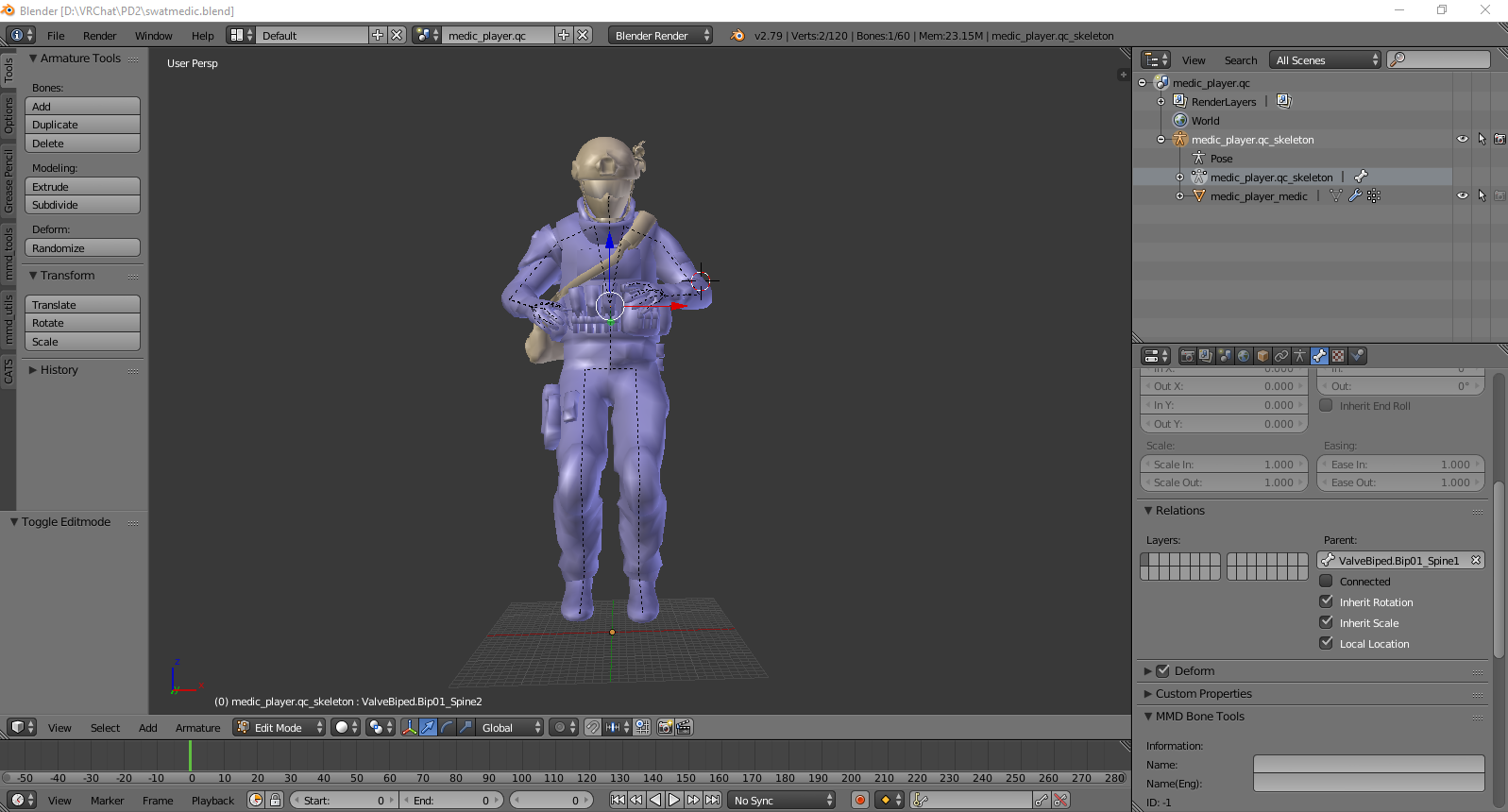
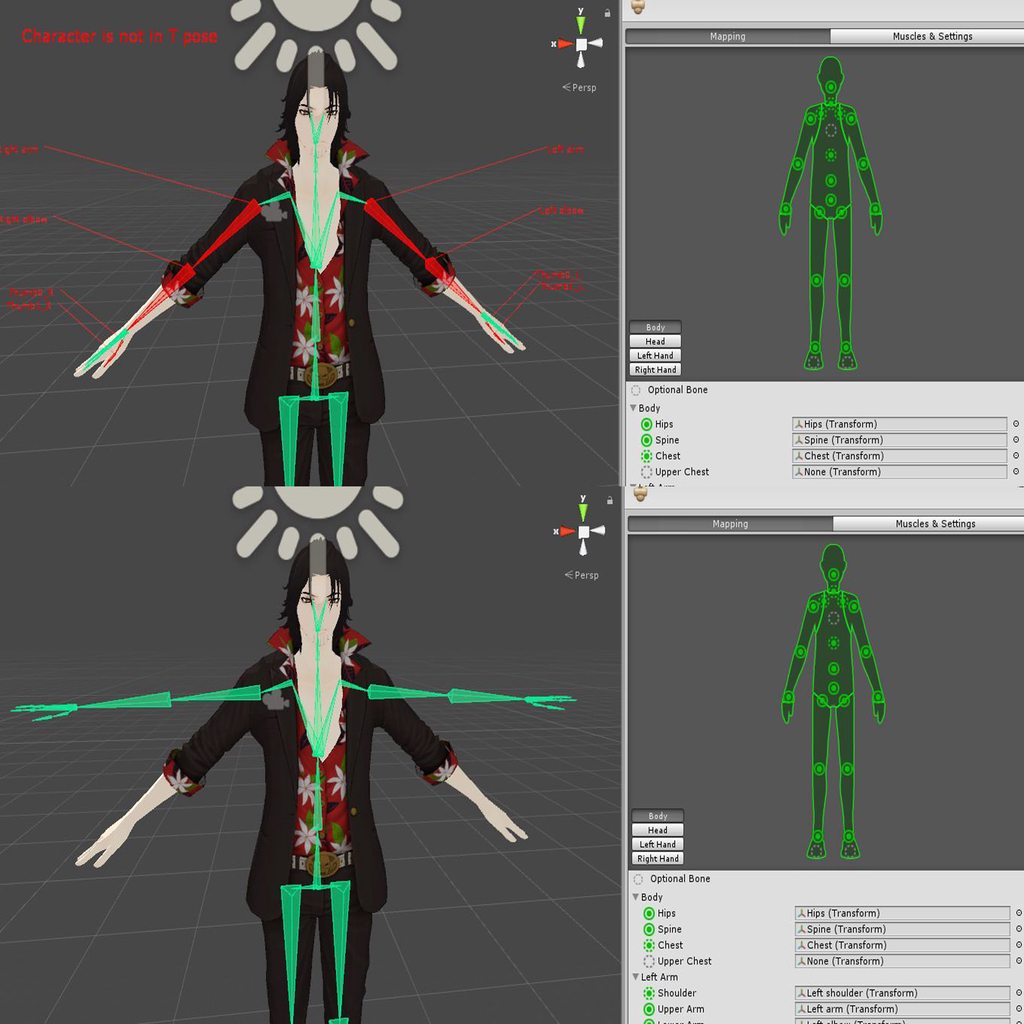
so this is the default pose of the SWAT Medic I'm currently doing
I want this shit to be on T-pose but this is apparently its "T-pose"
it even floats since the feet werent touching the ground but eh I can fix that
 woeful sonnet
@fading verge are you using dynamic bones?
 gritty nest
For some avatars, it's as easy as reparenting the end bones to the leg bones
thorn willow
but it'll look totally weird
gritty nest
Not always
 vestal dirge
@thorn willow you can reset the base pose of a character in Blender, thusly:
Use pose mode and animate the pose you want, then Apply the armature modifier, then set the new pose as the rest pose, then reattach the armature
It will use your existing skin weights
fading verge
Ill try parenting and usin dynamic bones
coarse flame
I been following this tutorial but I cant get eye tracking working with cat tools

DOWNLOAD THE IK CHARACTER FILE: http://bit.ly/wIDMxV In this video I demonstrate how to create a rig for a character's eyes in Blender 2.6. Adding simple UV ...
Getting this error
No existing vertex group or verticles assigned to it.
 glad egret
rigging eyes is easy
just paint the correct eye to the correct bone with full weights
 cosmic trout
Can anyone help me with making a model have a skeleton
Ive use mixamo and I have sdk on unity
But when I use mixamo all the color leaves the model and its just grey
The model and textures are In a zip file
I got it from this site
The #1 source for video game models on the internet!
^ they have alot of models there so use that
fading verge
you dont need texture when you use mixamo
it's just used for rigging the model
you don't need colors to rig something
cosmic trout
So how do I put the textures back on it
Becuase if I put it in vr chat its just gonna be grey
fading verge
you have the texture in a folder right ?
cosmic trout
yes
fading verge
when you import the whole folder of your model
inside unity
you can just apply the texture to your model

 pale hull
Enjoy the videos and music you love, upload original content, and share it all with friends, family, and the world on YouTube.
cosmic trout
@fading verge ok so I have it in there
but the pants are touching and it put them together
I cant post pictures here
but its like
where can I post photos?
 low parrot
Post a link to a pic
fading verge
upload them to imgur and post the link
cosmic trout
k
fading verge
what
colliders let me have bouncy boobs
?
no
colliders allows you to touch your boobs
dynamic bones allow you to have bouncy boobs
o
 pale hull
Dynamic bone colliders are very performance heavy, so please do take that into consideration
cosmic trout
ok
but wait
when I take it into unity
Do i put the mixamo rig model back into the folder with the textures
How would I put the texture on the model
fading verge
@pale hull all the time or only when you actually touch something with them ?
pale hull
All the time.
pale hull
So like, don't do stuff like putting colliders on each fingertip, please
fading verge
hey, i gotta touch each strand of hair perfectly y'know
pale hull
Guh, right. Silly of me to forget
coarse flame
Anyone know how to get eye tracking to work, I followed a tutorial but the eyes just wont work once I join meshes
pale hull
Is the mesh named "Body"?
coarse flame
yes
fading verge
does it matter if you create the eye tracking after or before you join all the meshes?
coarse flame
I am using cat tools
pale hull
All that matters is all the requirements for eyetracking is fulfilled at the end
Armature is named "Armature", mesh "Body", armature hierarchy being properly named "Hips > Spine > Chest > Neck > Head > LeftEye/RightEye" and all bones, including the eyebones, being mapped in unity.
First 4 blendshapes after basis will be used for eyeblinking
coarse flame

I did those
Blinking works
but I cant get the cat tools to accept the eye rig I made
pale hull
Well, as the error says, seems you don't have anything weighted on the "Eye.L" bone
fading verge
😐
pale hull
The bone can't do anything if it's not weighted to anything
gritty nest
I've successfully rigged a minigun, but the barrel is a bit wonky when it spins. How do I align the barrel's bone to the exact center of the barrel, ensuring that the barrel spins smoothly and not slightly off-axis?
In Blender
fading verge
use the grid to get it right i guess?
press 5 on the numpad to change the perspective
gritty nest
Yeah, I got an acceptable result by centering the 3D cursor on the geometry and then snapping the bone to the cursor
It's not perfect but nobody will notice
¯_(ツ)_/¯
At least this thing was stupidly easy to rig, I separated the barrel from the body and just weight painted the whole barrel 100%
cosmic trout
how do I put a 3d model I downloaded into blender
when I search for it it doesnt show up
Its in my downloads but when I go to downloads on blender nothing is there
fading verge
depend on the file type
cosmic trout
Let me see what type of file it is
everything is in a zip
but the 3d model its self is
fading verge
you need to decompress the zip file
fading verge
yes
cosmic trout
ok
It shows up now In a folder but when I click on the folder the only thing that I can select is the textures
in blender^
cosmic trout
there is no .pdf or what ever after the 3d model
its just labeled as 3d model

just 3d Object
 echo drift
now an issue that I've been having, my main avatar's eye tracking wants to look at the hair draped over one of his eyes. Is there anyway to fix it?
cosmic trout
@fading verge I fixed the model in blender
and I imported it back into the same file it was before
so basically saved it
but when I click on the other 3d model you said wasnt the 3d model I was supposed to be uploading it doesnt show my changes
the file wont open in mixamo
only the 3d object file shows up in mixamo
the other one wont work
but the 3d object one isnt the one I made my changes to. I fixed the . dae file in blender
should I have exported it into another file form?
fading verge
im going to play now
cosmic trout
ok
fading verge
but you need to export it as a fbx file
fading verge
so you can use it in mixamo and unity
fading verge
yes
cosmic trout
ok cool
 cosmic mica
i am losing my mind: i had visemes lip synching - it WAS working, but then i logged out and it hasnt worked since then for ANY of my models. Everything is set properly, and again it WAS working but then it suddenly stopped. I cant figure out what went wrong. please help.
do you have to have a certain amount of lip keys before it will work? Do you have to set the blank ones to none? is there supposed to be no repeated keyblends? (like the AA key is usede in A and E)
(ive had other players confirm that they cant see it either, so its not the mirror)
fading verge
Rip
Looks like i will shorten my skirt and flare it out
Because i cbb to figure out coliders/clothing
 chrome crag
Hello, I ran into some kind of issue with my dynamic bones for my hair and I was wondering If anyone could help me out its most likly an easy solution I just cant figure it out , shoot me a DM
cosmic trout
if I add bones to something in blender and transfer it into unity will the bones still be on it?
chrome crag
@cosmic trout Yeah, if your asking if models keep there bones when transfering it to unity from blender
cosmic trout
ok cool because I am trying to rig a model in unity and when I went to configure it it said I needed at least 15 bones for a humanoid
I mean I already rigged it in mixamo but I guess it just doesnt fucking count 🤷
chrome crag
If you rigged it in mixamo it should bee fine
cosmic trout
should I go ahead and send it to vr chat even though unity said I didnt have 15 bones?
chrome crag
did you add the chest in unity ?
cosmic trout
How can I tell If i did or not?
gritty nest
You need to properly configure the rig in Mixamo
Root bone is assigned to hips, bone directly above that is spine. The bone connected to the neck and shoulders is chest. No upper chest.
This means having one unassigned bone if it came from Mixamo
chrome crag
Ok so I set up my avatar so the hair would move, but when I tested it in unity and moved the avatar around the bones moved but the hair just stayed, double checked to make sure that the hair was weight painted and it was, any ideas ?
fading verge
you put dynamic bones in it?
chrome crag
yup
chrome crag
nope
coarse flame
I been trying to set up eye-rigging on a model. but every attempt has failed.
any ideas what I should do?
I followed tuts on blender for eye tracking
but once brought into unity it brakes.
 fickle plover
 thorn willow
@vestal dirge yea but that "pose" is the default pose
do I really have to manually pose it
 shell kraken
anyone have a good fur shader?
fickle plover
 vestal dirge
@thorn willow You can also force the T-Pose inside humanoid configuration in Unity. A lot of times after you do that you may have to make minor adjustments to wrist/finger rotations or move the hips down so the feet touch the floor.
thorn willow
yea except this happens
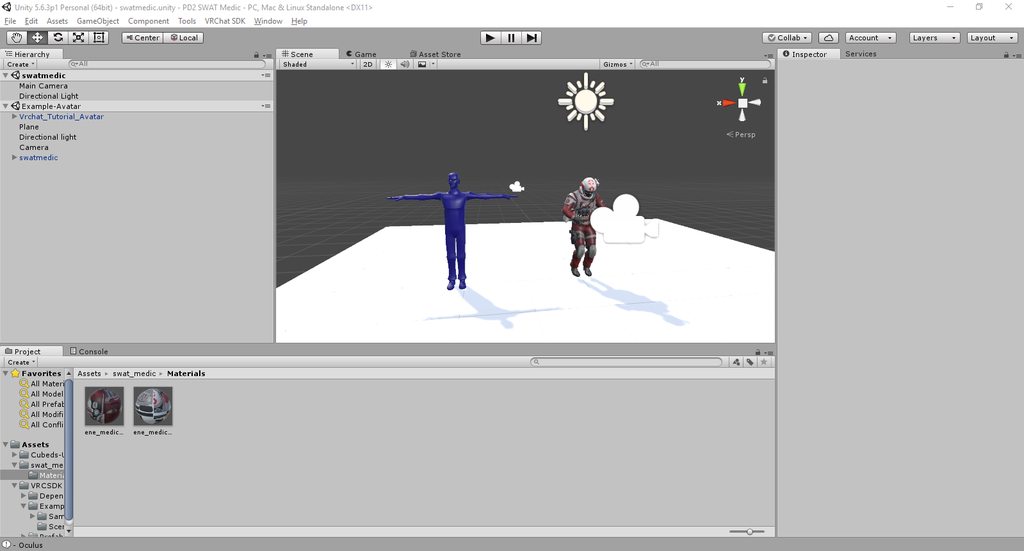
so this just gives me trouble where I should put my head tracking position
 main sage
how do i add a custom controller to the avi? i made it and slapped it on the avatar but its still just static like a Generic rig
 formal thistle
Hey could someone send over the link to the website showing mouth examples?
I can't find it
 naive tree
https://docs.google.com/document/d/1W5KFa_aszCMrJaFD8mb9a-GHYO4X4S9M63GjM4UwuEw/pub scroll down@formal thistle
formal thistle
I had just found it when you sent haha. Thank you though!
 north imp
 thorn willow
this SWAT Medic is already a pain for me
since Unity kept fucking up the finger bones
plus its default pose isnt even a t-pose
thorn willow
that doesnt work shit
since enforcing the t-pose
it fucks up the fingers
plus the "default pose" is this https://imgur.com/TJh8gZo
 light kindle
shouldnt matter that much
thorn willow
yea but the fact that this is Valve_Biped
and since Unity hates that rig, it loves fucking up the fingers
light kindle
urg
thorn willow
plus I'm already having a difficult time trying to put where the head tracking is
because of that pose
light kindle
again, i think reposing with no controller should allow the character to t pose
in unity
it might work better if you repose in blender though 🤔
thorn willow
it's already a pain
light kindle
?
thorn willow
I have to apply the armature modifier just to have it pose
which given my extremely limited experience
it's hell
light kindle
dont work with valves sht but i dunno about having to apply the modifier
if its a thing only with valve models thats fine
thorn willow
its only a thing
since Unity hates it like the plague
apparently fucking up the fingers think its "T-Pose"
light kindle
but you can re pose in either blender or unity
ive got feet bones that are apparently wrong but they work fine ingame
but still if you really need that tpose you can just start pose mode in blender, put him in tpose then export
thorn willow
yea except the fact that it resets when you get out of Pose mode
light kindle
ya
thorn willow
its a lose-lose situation
thorn willow
the fingers are still a problem tho
thorn willow
sampling t-pose
light kindle
it might just be unity being
light kindle
you tested in game though?
thorn willow
yes
light kindle
hmm
can you post an image of the model (not tposing) in unitys rigger?
if youre kinda new here you need to upload elsewhere and post a link
light kindle
stating it because i didnt know if you did/didnt know
 thorn tundra
apparently my model is not wanting to cooperate with it's spine hichery
light kindle
a lot of game models are pains
thorn tundra
even tho I remapped it so many times
it still gives me this error

This program just hates me no matter what ido
light kindle
and is the rigging correct?
well most times unity is able to get the rigging mostly good
thorn tundra
the rig is completly fine, the mapping within unity accepts it
yet it gives me this error for no reason
thorn tundra
it dosent need a neck since it's optional
light kindle
reread the warning
thorn tundra
yes, but it dosent make sence on how it would require a neck if the rig allows it to not have one
light kindle
uh yeah
its kinda presumed
because mmds have a neck
and it does tell you it needs it
thorn tundra
I dont use mmds tho, Imake my own.
light kindle
in the warning
ya we what you gonna do
well*
people on the web aint gonna know that
thorn willow
yea I cant do this anymore
the fact that now VRChat whines for an hipbone angle, fingers fucked up and a not-T-pose
I'm done
thorn tundra
Unity can enforce the model into a T pose
thorn willow
again
enforcing it would fuck up the fingers
plus said default pose isnt a t-pose
it seriously hates Valve_Biped and I'm already calling quits in this
I didnt get this much trouble with other models
light kindle
hipbone angle only matters for vr, can be rotated in blender
tpose doesnt have to be
and i dunno anything about the fingers
vestal dirge
@thorn willow don't give up! all you have to do is add the TPoseController to your Animator. When you hit play it will put your avatar in tpose, you can record the viewpoint there to enter after you hit stop.
If the fingers are still a problem, adjust them manually, while in the humanoid configuration
 mental lynx
Is there a way to combine shapekeys? My issue being that teeth are listed under "x_B" named shapekeys, while the mouth is "x_A" named shapekeys
light kindle
activate both
hit the down pointing arrow
new key from current or the like
turn both of the shape keys off and activate the new one
and theres your new key!
mental lynx
Doesn't the down pointing arrow just move things up and down?
light kindle
all g!
mental lynx
When you say activate both, do you mean just slide their value up?
light kindle
so if you want the new key to have the teeth half out only set the teeth out half
not sure what you mean
its new key from mix so there shouldnt be any other options!
mental lynx
 light kindle
new shape from mix ⭐
light kindle
all g!
mental lynx
Worked great! Thank you
mental lynx
Hmm

I just realized that camera position will be tricky
Unless I find out how I make one side of this invisible
light kindle
in blender do you have backface culling on?
mental lynx
I honestly have no clue
light kindle
it might only have side of normals
mental lynx
Its about 12 polygons, so it may not
light kindle
if you want to turn backface culling on
mental lynx
15
mental lynx
I see it
light kindle
is it on?
mental lynx
Now it is
light kindle
check how it looks with culling on
light kindle
ok it might work if you delete faces only but only on the face you want to see through!!
mental lynx
That deletes the entire thing
light kindle
alternatively you could flip the normals so its only viewable from one sided
side*
youve got to make sure youre only selecting the ones near to the face
mental lynx
There arent many to select, and deleting them just wipes out most of it
light kindle
delete only?
mental lynx
It may be too simple for this
mental lynx
Dang, didnt do anything
 light kindle
thats really weird
light kindle
can you test with a different face?
light kindle
ah!
mental lynx
sigh
light kindle
well theres your problem!!
mental lynx
The FIRST thing I usually do to fix hair when it has the opposite problem
And it never came to mind
light kindle
we all forget things
mental lynx
Once again, thank you for the help
light kindle
its all good!
 gentle silo
In blender how do I select meshes/model parts? Because a xps model I want to turn into a fbx model has alternate right arm parts
light kindle
if the meshes are separate you just gotta select em in hierarchy (or 3d view!)
if they have different materials you can use cats to separate em
finally, you can select all the faces and hit p in edit mode and tell if to separate the meshes there!
i think it can also separate them without you selecting separate pieces as long as they arent joined if (check p's popup)
@gentle silo
it might help to use uv maps to separate them!
thorn willow
@vestal dirge add where?
Unity?
Blender?
also angle hip bone matters for me
because I don't want my avatar to air thrust everytime he walks
light kindle
thats because of the length actually
you can rotate it in blender if you need to though
thorn willow
except at what angle it will stop complaining
light kindle
~180
i mean its what it reads
but i dont fix that so i can say anything)
*anything
thorn willow
it needs documentation like jesus
light kindle
theres a tpose at VRCSDK\Examples\Sample Assets\Animation
you should be able to take it from there
fading verge
how is this looking so far?
gimme sec

still kinda new at this
but been trying add the skeleton to this model
though I think because her legs are bent a bit it might be buggy
working on the hands is probs the biggest nightmare
vestal dirge
@thorn willow in Unity, you should have a blank AnimController component at the top of your avatar. You can load it with the TPoseController. If you make adjustments to hip rotation inside humanoid configuration, this will be used when TPose is loaded and should fix hip thrust / ik problems.
vestal dirge
Did you copy same components that the tutorial avatar has? It is called Animator, and should have a blank slot. [It has the root motion checkbox]
thorn willow
it didnt work
like at all
still stuck in that pose
I'll just wait for a XNALara version, if it would ever come out
 cyan adder

so uh
why is the control point for the shoulder way low instead of where its suppose to be
how do i fix that
vestal dirge
@thorn willow it a drop down called Pose: https://docs.unity3d.com/Manual/ConfiguringtheAvatar.html
 thorn willow
if only the model's default pose is a t-pose
I'm just done, I'm going to actually need someone to fix this shit for me
vestal dirge
That's what the force TPose does for you though
thorn willow
yea but then it just messes it up entirely
forcing me to fix up the spine and legs
and I dont have the patience anymore
the most trouble I have working with Valve_Bipeds
vestal dirge
Ah yeah, if the rigging is wrong, there's not much you can do
thorn willow
does the one who even did the SWAT Medic model ever heard the term "T-pose"
worst model I ever worked on
oh thank fucking christ I fixed it
I just slapped in the smd file from the Gensec guy and it worked
fading verge
anyone know how to make multiple arms move on an avatar?
 cinder fern
https://imgur.com/a/EDqVo i added a tail to my model and now this happens
 fading verge
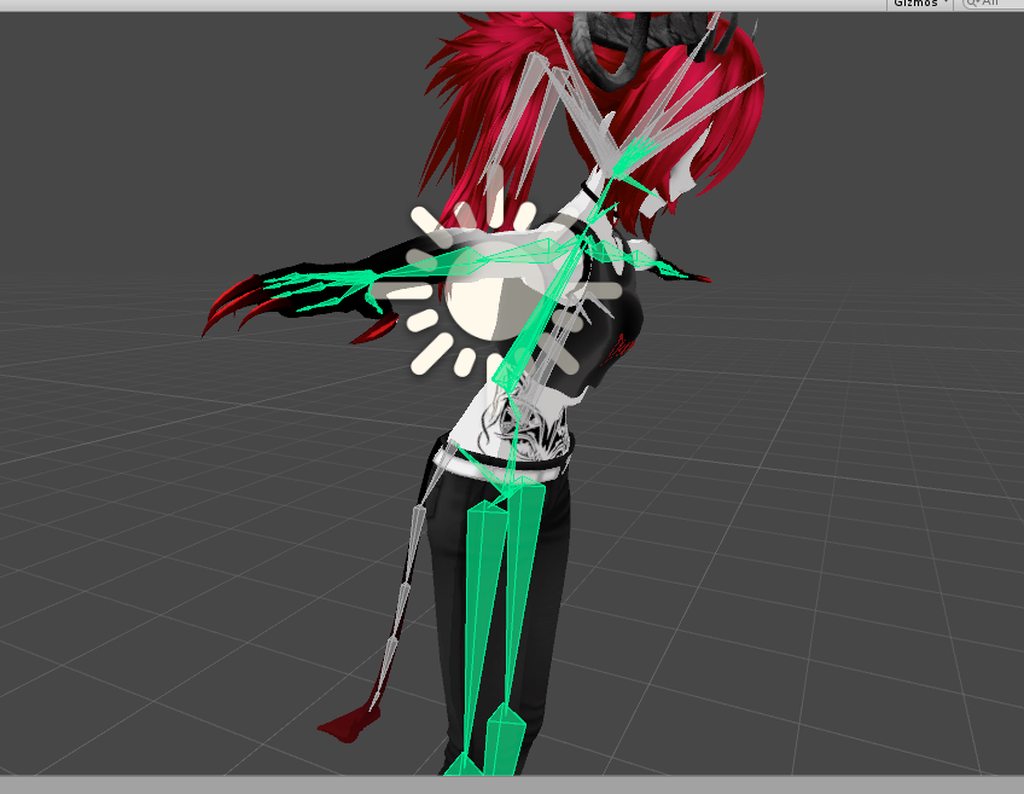
For some reason my model unrigged during me working on it in blender, and I can't seem to manually paint it, but I noticed in the vertex groups the weight painting correctly just it's not painted to the bones.
Is there possibly a way to copy it to the bones?
Although it works when I started, so if I can't I can just restart, just I have to redo a ton.
 quartz trench
i have a mesh without a skeleton. I made the skeleton for the mesh myself and now im trying to skin the model. Blender's automatic weights and weight painting tools are really annoying and don't usually work. Is that another way to weight my model in blender?
fading verge
Guess I'll restart it.
 uneven hill
hello
 forest nova
Anyone who can help me rig a unrigged model im a complete beginner i know how to parent other bones but not rig completely
send me a dm if ur willing to help
fading verge
@forest nova just put the bones in and then weight them to the mesh
fading verge
you can add weights in pose mode
 wise linden
do i need 2 bones on the chest or just with waist and chest is good? http://rudi.waifu.network/uSlP7MB.png

im using the other skeleton as reference
mental lynx
Quick question, whats the best way to add faces/vertices to a material?
I have an item that is overly simple and I'd like to fix it up more than I can with my limited polycount
naive tree
@mental lynx select faces or entire thing and W > subdivide
mental lynx
Thank you!
wise linden
how can i merge this? http://rudi.waifu.network/2qX5HPO.png
 mental lynx
Ctrl+J
And then parent them

Cropped it weird, woops.
Bottom right, you'll want to parent them, but don't connect them
wise linden
i see, thnaks
wise linden
is there a way on blender to create a bone exactly the same sice as other one, like duplicating?
but shift+A creates a normal bone
fading verge
shift+d
wise linden
thanks, this will make this work less tedious
 fiery cosmos
https://gyazo.com/e6c9906b5e54e17efeecf8a897550042 Why does this come out as a problem?
 chrome crag
Hello I was wondering if I took all the bones that are already weight painted to another model would those bones lose there weight ?
ok I was havning issue learning what to paint what when it comes to hair I found another model with the weight paint already,
and I was planing on taking the hair and transfering it so that can happen
cyan adder
https://cdn.discordapp.com/attachments/419689756486664203/432199454674911233/unknown.png
why is the control point for the shoulder way low instead of where its suppose to be
how do i fix this
 torn juniper
@wise linden did I saw a Kefka there? :D
https://www.youtube.com/watch?v=IZP5hOYkeUQ
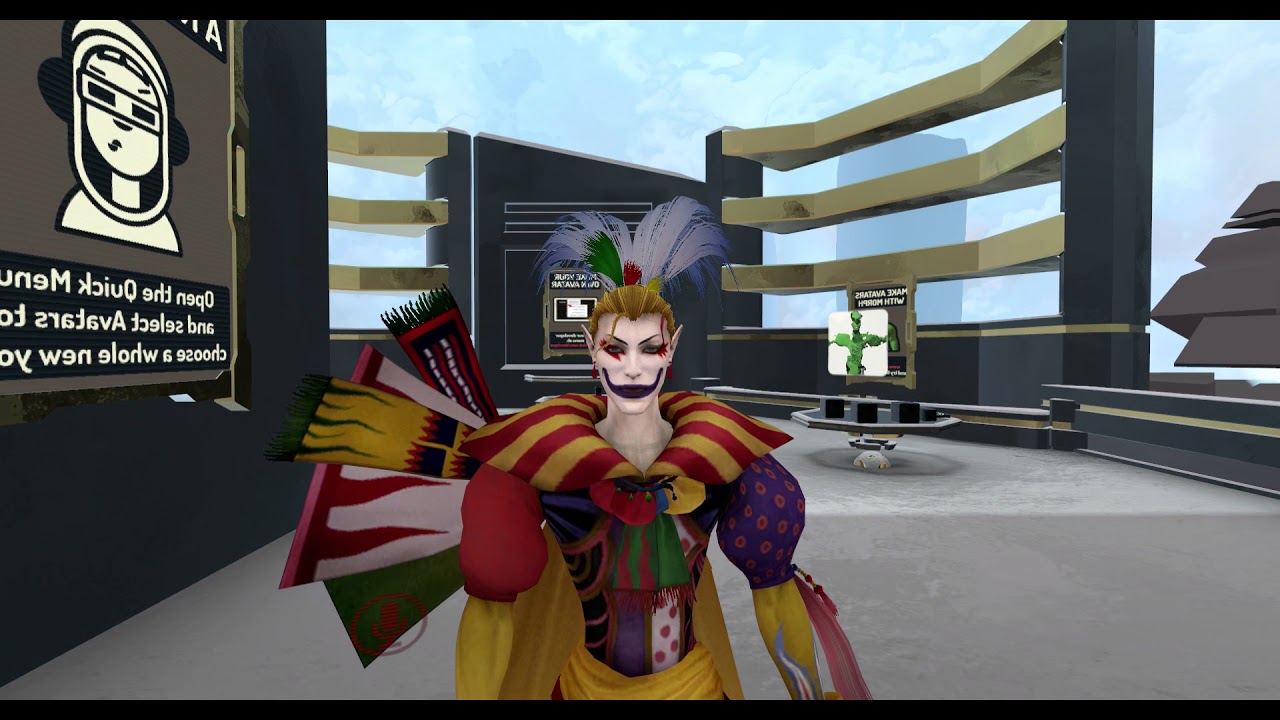
Hey Guys, I've exported the 3D Model of Kefka from Final Fantasy XIV and ported it to VRChat. LipSync is included :D - Not public available yet -
fiery cosmos
https://gyazo.com/c945ed8606bc29d65d1190373c51aa72 i got the model uploaded but his arms are in a weird position 🤔
 torn juniper
trap
fiery cosmos
dw bout it
wise linden
@torn juniper nice, i still making it now i have to weight paint it
I never made bones, weight paint or visemes
So this one will take some time
torn juniper
yea, weight paint is a pain in the ass
woeful sonnet
wait a sec
ive been having this one problem for like 3 days and i just think i realized something
when a player looks up or down does the head move or the neck
thorn willow
head
woeful sonnet
h e c k
light kindle
tbh the whole body moves
woeful sonnet
so how would i make a particle system point a particle where im looking?
 fickle pollen
Hey, I have a question, i'm going to try rigging an avatar I made that's basically a coffee cup with disembodied hands (think Rayman). Am I able to skip any bones like legs and stuff or do I have to have all of them to make it work properly?
On a side note, I remember seeing something about a default armature in Blender that looks humanoid shaped but I can't find it anywhere. Though I could be wrong.
main sage
ok so
i have a question
if i have a model that is basically perfectly humanoid shaped
but has tiny arms (cuz its an anthro t-rex basically)
would importing it to VRC stretch out the tiny length arms?
 charred sorrel
so i...? had unity open before i restarted my computer and it froze where i couldn't click on anything (it didn't say not responding)
task manager wouldn't let me close it out
i literally shut down my computer like 3 times
http://prntscr.com/j2diuq ??????

 trim kraken
I hate life
Eyes fully rigged with CATS, eye bones move in Unity, eyes are correctly assigned, import to VRChat and no movement whatsoever
I had a working model where its eyes moved and it blinked but its arms were messed up and it didnt have visemes so i fixed it real quick
Then it just stopped
light kindle
remake both sets of keyshapes
you might have to change the rigging of the avatar if you make/changed bones
deleting too
fading verge

So my hair bone were originally linked to my hips but i fixed that and parented them to the head... but its saying this is an eye when its still hair adn idk how to fix that
ive messed around with stuff in blender but idk how to like make it so it reads them as the hair an not my eye bones
you can just map them manually in unity
no need to make it automatic
Its not reading my eye bones at all though only the hair bones on teh head
like i cant find the actual eye bones
if you can't find any bone then they dont exist, simple as that
they do exist though i even checked in blender

in unity
on the mapping mode
did you look at the hierarchy on the left ?
yes it says eyes but its only hair
 solid lintel
can anybody tell me what is going on here? first pic is this model in blender other two are it in unity but one saying it's not in Tpose the other .with enforce tpose on https://prnt.sc/j2fczu
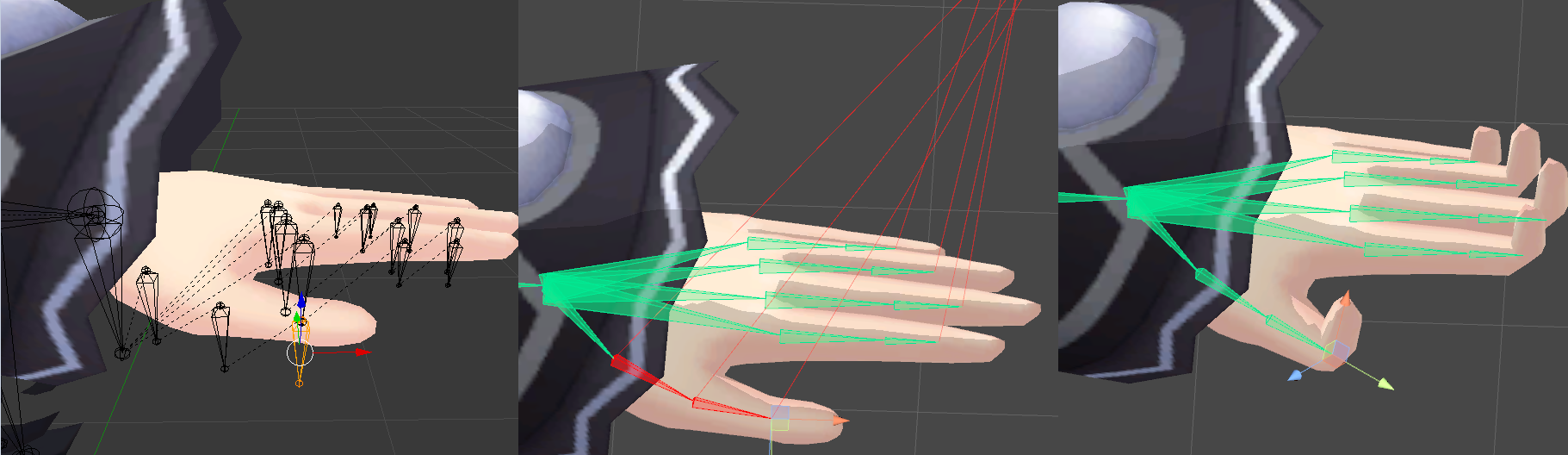
also I upload this same model into maximo for animations and they look fine there it's only when I apply the animation to the same character in unity that it does this finger twitch crap
 tulip granite
Weight paint issue
And make sure the bones are facing outwards as unity like to do magical stuff
coarse flame
got eye tracking working in vrchat but the eyes are backwards can it be fixed within unity or has to be by blender
gritty nest
Are you sure they're backwards, and not just clipping into the eye whites?
main sage
theres legit this one part inside both the feet of this model
refuses to be selected

tried C-select, box select, pressing L on it directly
wont select
nvm found out how to
gritty nest
What to do when it gives you a "bone heat weighting: failed to find a solution" error?
I already removed doubles and it's one mesh
Just trying to auto generate weights for a hand
Literally just the pinky won't work, let alone the whole hand
I had a similar model which worked fine
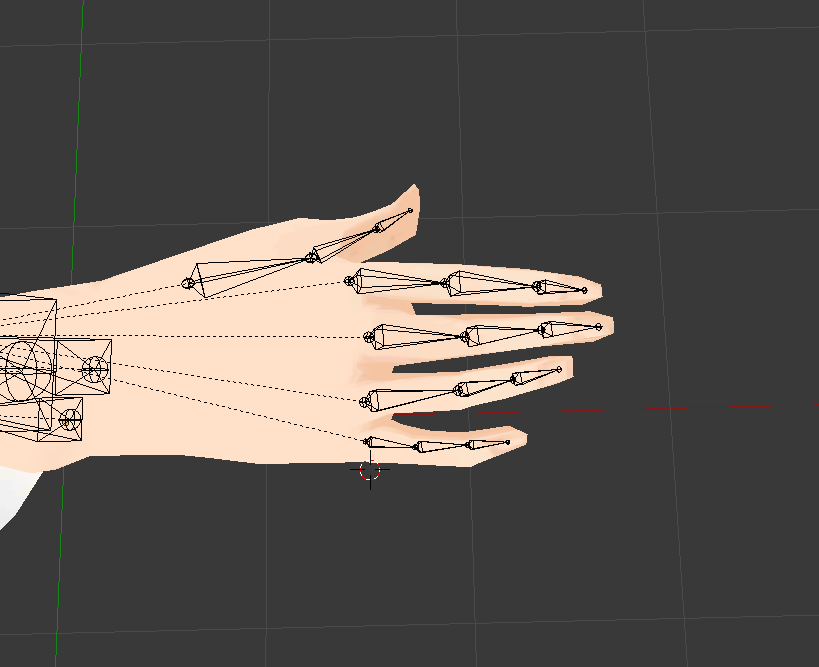
I mean, this looks fine to me
Hand is already weighted to a singular hand bone, but when I completely clear the weights, it still won't work
Not even individual fingers will work
 lilac moss
if remove doubles doesn't work i haven't found a solution, something about messy geometry
gave up on an avatar with that bug
 vernal birch
 fading verge
don't make the bone have a length of 0 ?
cosmic trout
I downloaded a model and I have it in blender but Im trying to get it into the t pose
Its in som custom pose right now
Anyway to get it to auto t-pose or do I have to do I it peice by peice
 sturdy talon
https://prnt.sc/j2makn
Can anyone help with this? If I go in the model config it does look like some of the bones rotations does not match the actual model's rotation, so that may be the problem. Anyone know how to change the bone rotation without moving the model?
 fading verge
you need them to be the first child of the parent bone
what part didnt you understand ?
sturdy talon
When I do that this happens: https://prnt.sc/j2npfr

Would be helpful if anyone knows what's going on, this happens because of it: https://prnt.sc/j2nsxm
 gritty nest
Go to configure and check the bone mappings @sturdy talon
Like, make sure the correct bones are in the correct slots
sturdy talon
That would be difficult it's a mess, I selected what fit in positioning and in name
gritty nest
If it's such a mess, then maybe fix that in Blender before you get it into Unity lol
Bone hierarchy should be Hips->Spine->Chest->Neck->Head. Chest also has left shoulder and right shoulder. Hips should not only have Spine, but also Left Leg and Right Leg.
You might have an extra bone or two between Spine and Chest. This is fine, just leave it unmapped.
sturdy talon
It is set up like that with in between bones called Knee 1-5 or Shoulder 1-5 for example. With the parts I want selected not as the first child which I changed. This causes the problem.
Wait a moment I will screenshot what it looks like

Example of the setup
gritty nest
Ayy
That is messed up
Maybe you should open the model up in CATS and do some Mix Weights, so that the bone structure in Blender actually matches what Unity wants.
Because this is just not gonna work
naive tree
i can only imagine the lag when u open rig 😄
sturdy talon
Ya it takes a long time. I am working on removing all of the bones and auto-rigging in maximo, hopefully it works.
main sage
idk if it has to do with rigs or not
but like
i have this thing with certain avatars ingame, where depending on how high and/or low i look / rotate camera
the avatar either sinks into the ground or levitates when moving
thorn tundra
When making your avatar, does the placement in Unity matter? I’ve seen tutorials where the models they make are scattered in different areas, or is this like a temp location before re-centering the model
 rugged vale
so hip bone is straight up and down in both blender and unity. But when in game in full body the fucking hip is crooked and is like / instead of |
 rugged vale
ingame... http://prntscr.com/j2p9fd

 fickle pollen
Why isn't my bone parenting working correctly? I'm just trying to put bones in a hand normally following a guide but it won't let me just select one bone at a time, it always selects all fingers at once.
And I can't just de-parent them either, it keeps telling me not yet implemented.
mental lynx
Whats the easiest way to go about stretching a mesh out in one direction?
Ah, I'll just do it by hand.
No shortcuts
light kindle
if youve got the verts mirrored you can just scale on one axis
then delete the mirrored ones
 gleaming shadow
whoever rigged this model is an insane person
the shape keys aren't named, there's no eye bones, and the shape keys that blink/raise eyelids for both eyes don't have a corresponding vertex group so I can't even use that to make separate blinking shape keys
mental lynx
I can safely say that I can weight paint now.
And its all thanks to the help here and a TON of trial and error.
But I just repainted an entire model and it works
naive tree
@gleaming shadow let me guess, you got it from Deviant art 😂 👌
gleaming shadow
Steam Workshop actually
 mint mural
Hey is anyone on that can help me with a question on using more then one model in unity
fickle plover
Okay so
major development
For anyone having issues with dynamic bones, pay attention
Distribution will save your life
fickle plover

Using a system like this can help you if you have a stubborn head to the bone length that likes to wander into your model
overhauling inert above 1.0, then back down towards the tip
(talking in the instance of a robe here)
This is telling the robe to sit tight on the top (anchors) and stay loose at the tips
works like a dream
no matter how fast i move my model in unity, it stays put without any colliders necessary
 subtle moth
neat
subtle moth
thanks for sharing
 forest crane
nice to know
fading verge
https://cdn.discordapp.com/attachments/387443655687798786/432709570268364810/unknown.png
Question, on the left is what happens whenever i look up and on teh right is just how my arms look for some reason any clue to why. also sometimes when standing still my legs will cross. this is my first avatar made and idk what went wrong

 turbid swan
my avatar is missing bones
how do i fix this
fading verge
How would I go about attaching hair to my model in blender
 blissful onyx
What you can try is assigning the hair model as a child of your main model.
gritty nest
Seems like weird bone roll @fading verge
Check that all the bone roll is 0 in Blender
 fringe beacon
how do i get blender to export zero-weight bones in fbx format
oh wait nevermind the problem is with unity just not even bothering to detect the zero-weight bones
excellent i get to assign the finger bones myself this will certainly be fun and not tedious
fading verge
what
that's weird
i added finger bones with 0 weight on them
just to use gesture with some model
it should work
cosmic mica
anyone have any bone tricks for doing inverted knees like bird legs?
and it cant be a generic rig, must be humanoid
 white echo
https://cdn.discordapp.com/attachments/415295567774613516/432969252853514260/problem.png in vrc the shulders are messed up is there a problem anyone can see with the armature?
 fading verge
check the weight paint
shell kraken
looking for the bunnyhop run animation
what are some good dynamic bone settings for long hair and bunny ears?
fading verge
for hair
Damping: 0.2
Elasticity: 0.05
Stiffness: 0.8
Inert: 0
.88
.27
.3
.88
0.96
0.314
0.181
.9
some of those works for ears too
but i use this one too
0.1/0.1/0.4/0.6
shell kraken
thanks
 light perch
so i want to make a cubical around an avatar, does anyone know and good place in the hiarchy where placing it whould be best for it to move as little as posible when torso and head moves?
shell kraken
looking for a fur shader like this https://cdn.discordapp.com/attachments/409900650663510027/433015285990293504/20180409141601_1.jpg

 compact sky
@light perch particle emitter with mesh in local space or object at armature, or use world space particle
light perch
ah nice, will look into that try some of that, thanks)
fading verge
@shell kraken http://www.shaderslab.com/demo-60---fur-shader.html
 pastel bough
Making my first avatar here, and got an error in unity about not enough fingers being rigged for full body IK. I used Mixamo to rig a random model I downloaded. Does this just mean the model I used may have had too blocky of hands for Mixamo to rig the fingers? Or is that something you have to do manually?
shell kraken
what do i do with that code list?
fading verge
add them to a shader file ?
 lofty topaz
http://prntscr.com/j33cu4 Is there any quick fix for a character having only 2 bones on the hands? Even if it's just ignoring one, and even still looking ok?

http://prntscr.com/j33d53 Tried using just 2 bones, didn't end up very well

 calm needle
you only need to fix the finger tips
move the tail of the finger tip bones to teh tips of the fingers
https://i.imgur.com/0CAc5ik.png
the fun of ik breaking
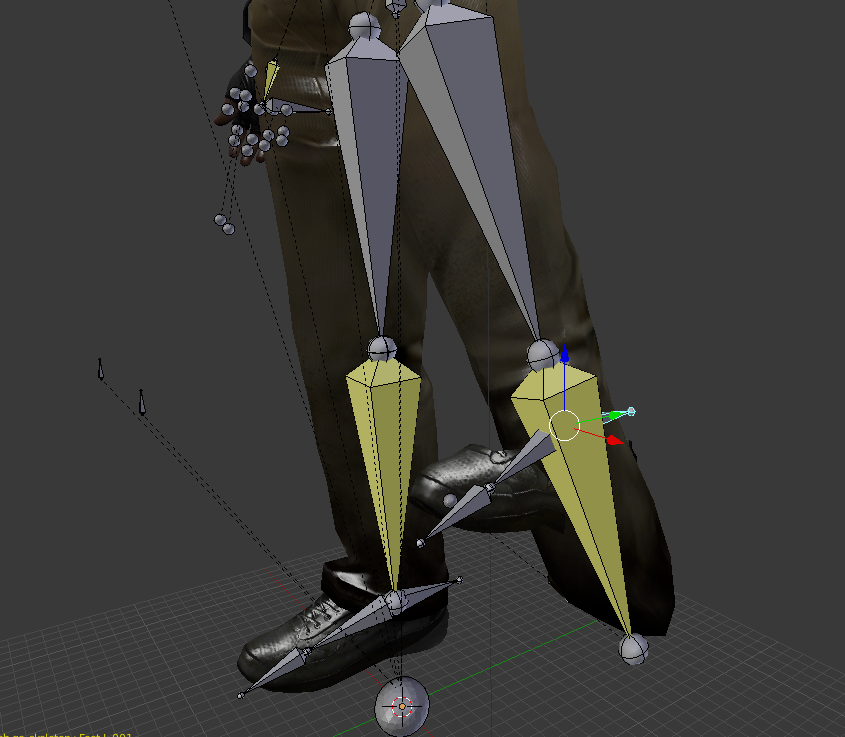
only did that after trying to make a pole target
fading verge
Anyone have experience with SFM models in blender? I have one that's working perfectly except the hair is in like 5 different layers. Some move with the head, others move slowly and end up sticking out.
 brisk mesa
so weight it better
all hair should be moving with the head properly
and hair bones should move the rest of the hair if you're gonna add sway
 versed apex

 jagged torrent
make bone
fickle plover
Cryptic metaphor
 random lotus
i feel like this is a more suitable place to ask
https://image.prntscr.com/image/IXb0mmyTSPOrOQo3aqXcPw.png how would i go about putting him into a t-pose
 brisk mesa
i thought about this and the only way i could do it was rigging him shitty first to make meshbody move, then making my own tpose and fixing up the weights further
brisk mesa
and also making sure that tpose was now the default pose the mesh would come in
random lotus
the klonoa models always came out distorted for some reason
brisk mesa
which meant i had to copy pose mode's pose to rest mode's pose
i guess
and i had to look that up
brisk mesa
just make sure no holes in him
random lotus
okie
but now things get interesting https://image.prntscr.com/image/Fe2ZRuDGSsy3gbYvR1xrfg.png

her skirt
light kindle
tbh i usually just rig in whatever pose theyre in
 small storm
A friend of mine is trying to get their new avatar set up. They made it in pmxeditor but cant put it in blender, they get this. https://i.gyazo.com/thumb/1200/ff597c9b013b20dc86c000e1ad31ae06-png.jpg
 subtle moth
@small storm i think there was sth like this yesterday
small storm
?
small storm
Well this happened very recently, not yesterday
light kindle
ya it was in mmd
small storm
oh, seems they already tried asking for help here
 wheat flower
Alright, get this
I extract a model from FighterZ
And everything seems to be in order
....
Exceeeept...
THE ARMATURE IS UPSIDE DOWN
light kindle
least it has one
subtle moth
Uhm
 coarse halo
Could somebody assist me with Adding Cat ears and a tail to an existing rig?
I have the tail and ears as a seperat .pmd file
and have imported it into Blender
My model is there as well, so essentially I am trying to transfer the bones and mesh from one rig to another
 bronze elk
whats the problem exactly?
you cant parent them? or put them in the scene?
Ive seen people use pmx editor for that, not sure it can be done in blender... i dont have much experience with that
coarse halo
It doesnt seem to be as simply as reparenting them
Because they are two seperate rigs
Ill try PMX editor,
bronze elk
good luck to ya
coarse halo
Yeah PMX editor made it super simple, it auto-connected the bones and everything
Then it was just a matter of readjusting the mesh and bones in Blender
 rapid bramble
Having some trouble with my first custom avatar that involved pmx editor. The image is when tpose is enforced, the rest of the model doesn't move with the skeleton. I've tried 2 separate skeletons, one that came with the base model, and the other from the outfit but they have both done the same thing. Any advice would be appreciated!
 patent edge
anyone got a good way to fix this hair, skirt and waist cloth so they dont clip through my guy? this is my first try at dynamic bones and i dont realy know what im doing http://prntscr.com/j3m8hb
 calm needle
@rapid bramble sounds like you need ot merge the skeletons and then make sure the mes is pointing to the right one
@patent edge add some dynamic bone colliders to the legs, chest, etc, and tell the dynamic bone to collide with those
patent edge
tried that
seems to just fail
 ivory radish
is there a way to change arm spacing
and leg spacing
bc i have a small character with weird body proportions and its kind of ugly
this one ok

but
 naive tree
@patent edge unity cloth component https://thumbs.gfycat.com/WarmSneakyDunnart-size_restricted.gif

dynamic bones won't help u when the skirt is so close to your body
naive tree


were settings i used, you need to keep world acceleration low
rest is up to you by playing around with settings and colliders
also very important - YOU HAVE to checkmark "Is trigger" in the collider
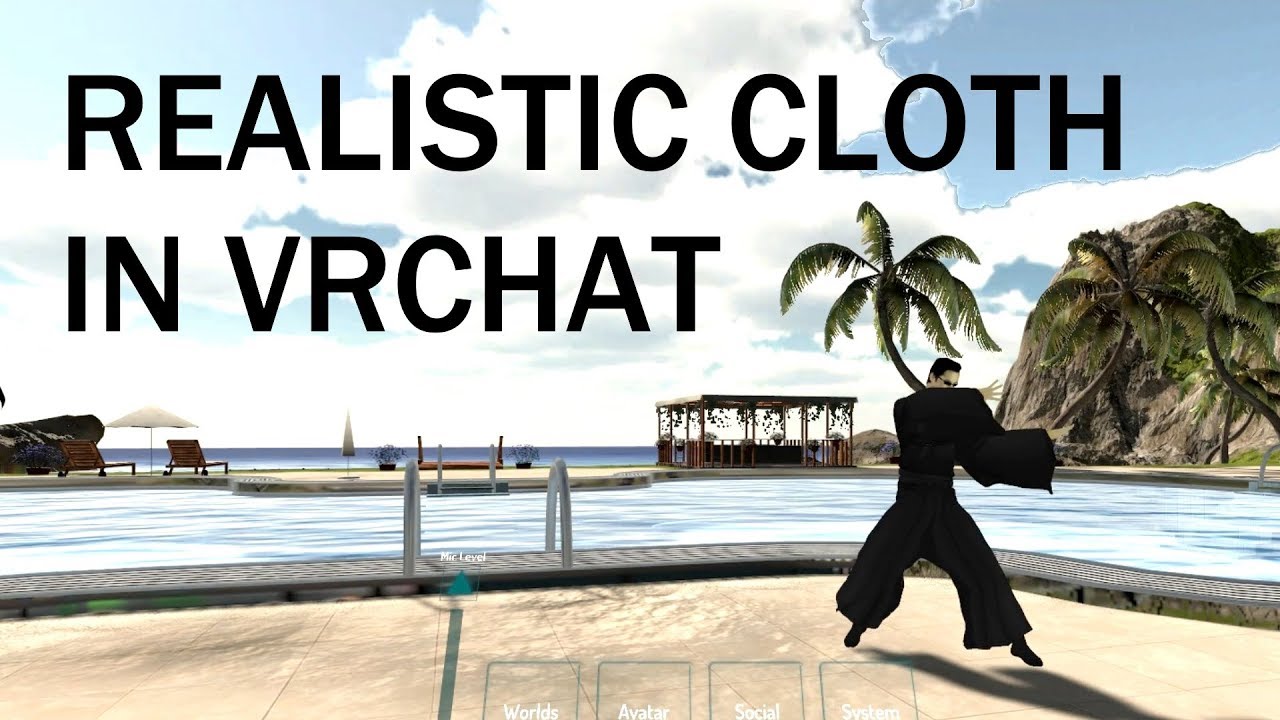
extra notes: - this might not be the right choice for your model if the cloth is stylized in a physically unrealistic way - like dynamic bones, this is not a...
maybe helps you too
and stretching i think u need to keep high because otherwise the vertices will stretch too much and that distorts texture a fuckton
patent edge
👍
naive tree
i rarely use it.. but sometimes it just saves your ass
as in my case it was either try making cloth work or do nothing and live with insane clipping
patent edge
i refuse to live with clipping
ivory radish
halp pl0x?
cosmic mica
my naga character's tail keeps snapping straight for people at a distance, yet i disabled distance reset. Why would it keep disabling itself even though on unity it says distance snapping for dynamic bones is off?
brisk mesa
@naive tree thanks for advice, i'll just screenshot this and save link for later
cosmic mica
my dynamic bones are resetting position sticking straight out after a certain distance, i turned distance disable off, so why is it still doing that?
subtle moth
@naive tree Wait
My rem model has these really wide sleeves
if i put the cloth thing on there
will they look natural?
because dynamic bones broke them
naive tree
yea i think
subtle moth
neat
now that i think about it
couldnt you use this to make a whip
or the chain of a mace
naive tree
chain of a mace works good with dynamic bones, just have a bone for each chain and have them all connected
that's how my bdsm whip chain works
naive tree
dunno about that
patent edge
dam it i so want to use my emojis here, twice i have been denied the perfect emoji
 south bear
yall know whats causing this issue ? https://puu.sh/A0ZyL/f387bdf971.png

i cant get a gif of it
but its jittering the hip postion
im not in full body vr
im just in desktop
heres a gif of it https://puu.sh/A0ZKP/0f0c9bfb8b.gif
 light kindle
does it happed when youre looking up?
south bear
no
it gets worse
when looking up
tho
iv played around with the rig in unity
making it as straight at as possible
dint fix it
light kindle
usually you gotta fix it in blender
south bear
it doesnt seem to be that
this is the bind t-pose for the humanoid rigging configuration thing atm https://puu.sh/A10Y2/29ad8f852d.png

default for the model is completly not usable
this is default https://puu.sh/A111g/c39ec29b22.png

and default pose but with unity enforcing it https://puu.sh/A1123/ed894298f7.png
 light kindle
you got hips assigned?
south bear
hips are for legs only
waist is used insted
thats never been an issue
used pokemon 3ds models before and it worked perfectly
so i know its not that
light kindle
did they all have approx. the same bone length as this one?
light kindle
it might be the bone length thats troublesome
light kindle
in some cases having the hips too long will make the models hips jut out (when looking down)
light kindle
id test one with a hip bone of half the size and one double the size
 opal dew
Help my avatar Tposing ingame
 craggy cradle
ok so i have a problem with an avatar that has the spine bone length of zero, and the bone is super tiny, when i make it a little bigger the message disappears reappears again...
how to fix this -.-
its the spine 1 bone btw
chrome crag
I`ll try to make this quick, I made one avatar and set it all up with dynamic bones and animations in unity . lets say I added a hat to that model in blender and now want to import it to unity. is there a quick way for me to import it without having to reset all my dynamic bone settings ? Maybe I'm asking is there away I can save my Added components in unity.
cosmic mica
@chrome crag just import the obj, then drag that obj into the side heirarchy tab, then drag it under the bone of the head
ivory radish
cant u just copy and paste it
and it should replace ur model
also is there any way to fix arm and leg span
https://i.gyazo.com/a92415dbf65f8701740ce42724d9fb62.png
rabbit have bad span:
https://i.gyazo.com/84380ae0e9893551ddef09d27881c27f.png
 shadow shoal
If you wanna do custom animations then yeah you can fix it that way
ivory radish
brruh no span settings kms
is there at least a way to
fix foot size/length issues
bc even though toes mapped the foot is pretty long
so it keeps clipping
 inner narwhal
yo I'm having a problem of rigging this model up corretly
oh wait i cant post photos here?
naive tree
u can, upload to imgur or use a printscreen software that has auto-upload

 naive tree
if u have cats plugin, press Fix model
inner narwhal
i did
naive tree
your shoulders areparented to spine it seems
inner narwhal
oh
inner narwhal
The model doesn't have a neck so its unassigned
naive tree
im pretty sure u have to have a neck
inner narwhal
The head is ok
naive tree
and check if shoulders are parented to chest and not spine
 naive tree
if they are fine then it's the neck
inner narwhal
So how can I make the neck?
 naive tree
then u just gotta assign it in unity
inner narwhal
i thought i pressed "Fix Model" but a
naive tree
should be done deal
inner narwhal
okay, thanks dude
 limpid kettle
im goin frickin insane with this avatar.. spine hierachy is missing blah blah blah make sure the kneck and blah blah blah are mapped triggered
 fading verge
neck and shoulders are missing
 fading verge
force T-pose
limpid kettle
done... lets see if it allows me to build and publish now.
nope.. it still doesn't let me
aaaaahhh

@fading verge any idea?
fading verge
yeah, one or more of the following bones are not mapped : hips, spine, chest, neck or shoulders
limpid kettle
oofff
what should i put for the right arm shoulder?
bip_upperarm_R ?
@fading verge
limpid kettle
@fading verge ouch.. this happened http://prntscr.com/j4arsp
 fading verge
because you assigned the same bone to 2 differents places
you are already using that bone for upper arm
limpid kettle
it turns out its bip_collar_R
for right
and for left same
but bip_collar_L
now lets see if its gonna let me uploadf
upload**
yup
it worked
thx
fading verge
👌
forest crane
ah yes birb my 2nd ever avtar
 viral stag
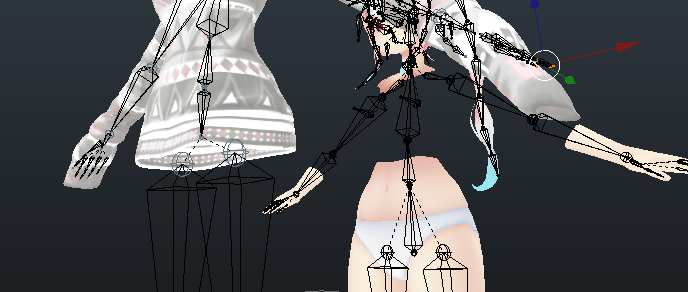
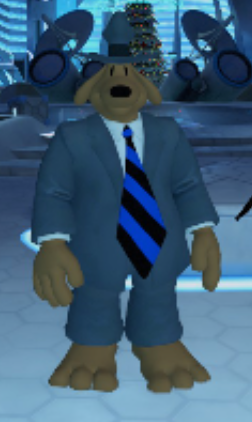
I'm trying to add a shirt to a model I'm using, and the shirt comes with an armature for the arms, hands, fingers, spine, etc...
I've been trying to merge it with the model I'm using but I'm not sure how to do it without messing up the weight painting and such.. if you know anything about this kind'a stuff please message me!
 hazy tusk
@viral stag delete all bones on the shirt besides the chest, and probably hips and spine
click shirt armature -> ctrl click main armature -> ctrl+J
check the heirarchy in the top right to make sure their merged
alternatively
you can delete all bones on the shirt armature, and then so long as the vertex groups for weight painting match the names of the bones on the main, they'll merge when you
select shirt -> select main armature -> ctrl+P -> mix with automatic weights
make sure to save before all of this
and possibly a copy here and there, just in case something breaks
then test to make sure it moves in pose mode
if the meshes suddenly turn flat / no textures, then the UV map may have broken
which in that case, you ctrl+Z to a fixed state, or load a working one, and then make sure that the names for all of the UV maps are the same. If they're like
UVmap
UVMap
UV map
then they probably won't merge right, and show up incorrectly. If they're all
UVmap
or any of the others, but all the same, they should merge fine
viral stag
Mmh, I can hardly learn things while reading as well as I do hands on or visually, maybe I'm making it seem more difficult than it is
Aaaa
hazy tusk
alternatively-alternatively, you can look up how to add items in PMX editor, add them there, and then clean it up in pmx editor or blender
I can help in like, an hour, as I got the doctors to go see as of 15 minutes ago x)
viral stag






 viral stag
hip bone needs to be flipped
hazy tusk
yeh
you can load the shirt into its own blender instance, save it as a .blend
then import / ctrl+c it into the main model
that way it also has the right bone names
fading verge
oof i think i know these legs
also you can mix weight so the vertex group and weight paint is transferred
viral stag
@w@ ???
fading verge
basically
you merge the mesh and armature
then you parent the arm bone of the shirt
to the arm bone of the model
and hit mix weight
viral stag
I need to align it up correctly first but I can't move both the armature and mesh of the shirt
hh
Is it even possible to move the mesh and armature together, so the bones aren't misaligned
fading verge
the bone that is mixed will disappear anyway so it doesnt matter where it is
viral stag
it just messes it up
because the shirt armature is different
I just don't really understand what part I'm supposed to be doing first, I do have to fit the shirt around the model, then I have to make sure all the bones merge properly to the hips and every other part of the body, I'm lost
naive tree
@viral stag yes, you select bones and then in box tab u can change location/rotation/scale
and it will apply to both
 viral stag
Alrighty!
 wooden elbow
The wingtips keep moving independently of the rest of the wing. I've tried eveything I could think of: parenting the mesh to the armature, adding bones to the wingtips, weight painting. Nothing so far has worked. https://media.discordapp.net/attachments/360229071109619712/434042879334416384/unknown.png?width=1125&height=633

 light kindle
thats like one vert
just weightpaint it in blender
pose the wing so you can see what youre doing
make sure auto normalize is on (weights add up to 1)
wooden elbow
Thank you!
fading verge
Help
My hair is weighted to my arms how do i seperate
Alt p isnt working
Ctrl p doesnt work
just remove thw weight paint
paint with 0 weight
fading verge
I did
Its still blue
And when i go into edit or pose mode and try to use seperate it wont let me
Blender sees pose mode and edit mode as object mode
And gives me an error
Remove parent also doesnt work
Shoulders are still binded to the hair
I dont k ow what to do
fading verge
somoene help me pls
i removed allt he vertex groups from my model
but the hair still moves with the arm
seperate command is blocked in edit mode
pose mode wont let me seperate either
 pallid tree
http://prntscr.com/j4i9cf Anyone else seeing this issue? A friend of mine and myself have noticed it today and we're not sure what to do to fix it. Apparently according to google though it has something to do with the rigging going wrong somewhere.
 lilac moss
move the bone end of spine in blender so it's not at the same place as the bone start