#avatar-rigging
1 messages · Page 107 of 1
 subtle moth
 glass nebula
Mmm.. I exported from blender, into unity
subtle moth
was it like that in blender?
if yes, probs some bones are fked in blender
if not, no fkin idea xD
glass nebula
Strangely enough, the bone structure seems fine in blender, and not having the same problem. It's so weird xD
 glass nebula
 glass nebula
Yep, tried it and still the same. Ah well, i'll figure it out, it has to be something simple that's wrong
im just missing it xD
 hazy knot
show your head rig in unity?
 sage cobalt
What app is that..
glass nebula
The one with the last couple pics?
sage cobalt
What is the app??
sage cobalt
I don't know what to thing you guys use for the avatar
subtle moth
blender and unity
are the programs used
If youre talking about an "App" for mobile or sth, from what i know there isnt one
 pine harbor
i can't even imagine trying to set up an avatar from a mobile, with such a tiny screen space
sage cobalt
I'm trying to get it on a computer
subtle moth
he guides you through installing and using blender
sage cobalt
Ok thanks
subtle moth
i will link you a tutorial
1 sec

VRChat Community Discord: https://discord.gg/VRChat Download VRChat! http://store.steampowered.com/app/438100/VRChat/ mmd_tools GitHub: https://github.com/po...
dont be scared by the time
it really is worth it
sage cobalt
Thanks
 ember basin
Anyone know how to keep weightpaints and such when your character is seperate meshes but i need to combine them into one
hazy knot
Make sure they have vertex groups assigned for each bone (named the same as each bone). It should keep weights if you do. @ember basin
The problem with losing paints in a merge is usually caused by deleting bones or vert groups indiscriminately and also not retargeting the armature modifier.
hazy knot
The very last tutorial set in #tutorials has a good walkthrough. Follow that process and keep whatever bones have the weights painted already for each mesh. Once you combine them, double check to be sure the vertex groups show the weights still. Just click your single merged mesh afterward, change to weight paint mode, and then go to the vertex groups section on the right and click through each group to be sure paints stuck.
ember basin
ok
Join Mesh in cats plugin 🤔
omg thats sooo easy!
I never thought it was this easy to fix them
 polar moat
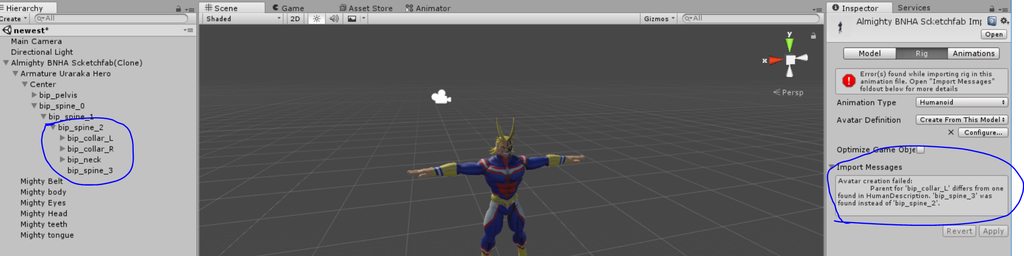
hey, so i tried to rig my first avatar a few days ago, and now i have a little issue, i can't upload it correctly because i keep getting a warning that the model isn't rigged as a humanoid, the only thing(as far as i know) that is causing this is an error that says that the parent of a bone differs from the one found in HumanDescription even though that isn't true. how do i solve this?
 hazy knot
@polar moat Double check your rig config, but you might end up needing to bring it back into blender to reparent the bones/mix weights on the unnecessary ones.
 golden narwhal
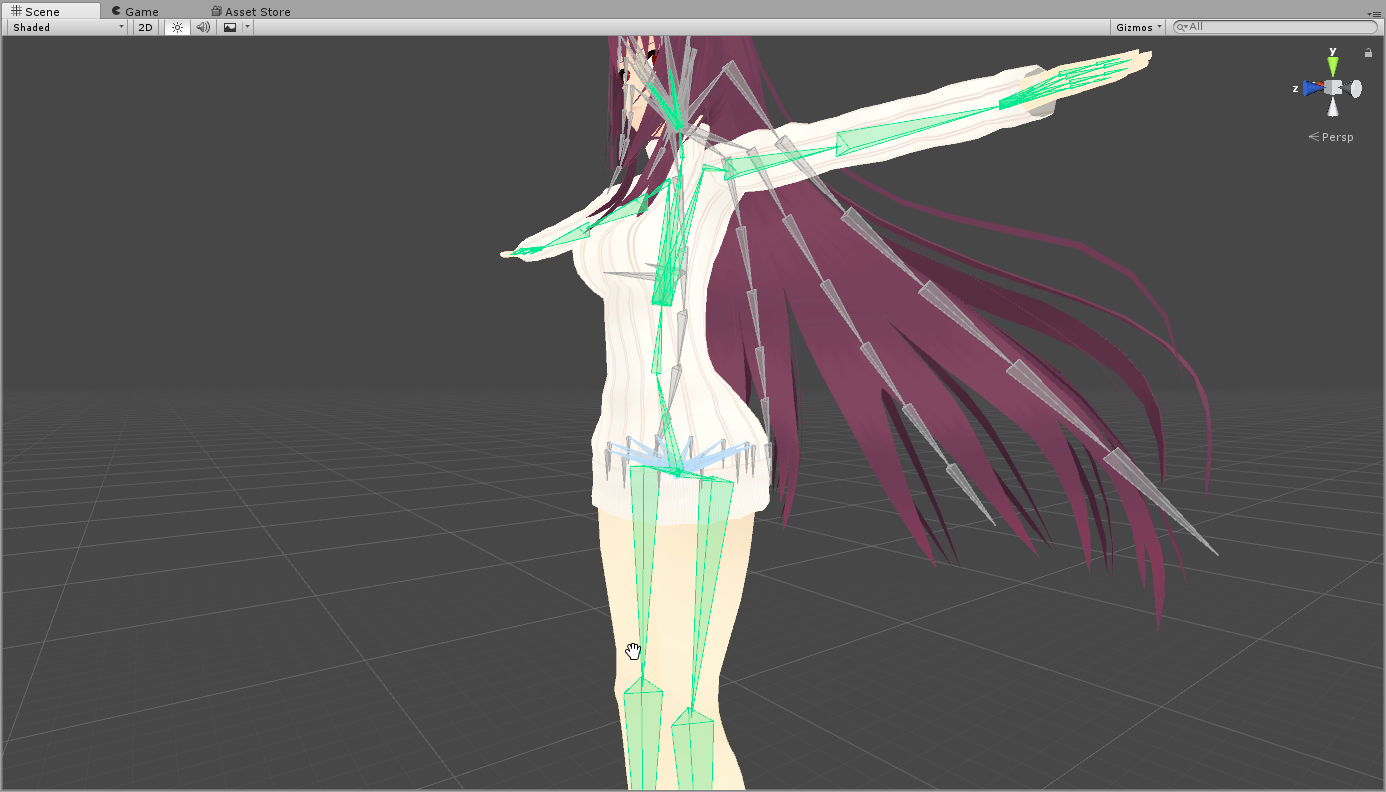
So I have been trying out looking at tutorials and everything and I still can't figure out how to allign the hips right on this model, anybody know how to do it? https://i.imgur.com/7588Szv.png
 bleak condor
describe problem?
hazy knot
It looks like it's pretty well aligned, just the x-rotation is off on the legs and the hips
golden narwhal
Well see it gives me an error that says "The angle between pelvis and thigh bones should be close to 180 degrees (this avatar's angle is 174.3). Your avatar may not work well with full-body IK and Tracking." and I am trying to fix this error
hazy knot
That's fine. Don't worry about it.
If it's more than 45 degrees it can cause problems, but 174 should be no issue.
golden narwhal
Well it looks weird when I crouch down that's the problem
Even when adjusting my height and using smaller models
bleak condor
oh yeah, you can try making sure the hip bone is vertical
hazy knot
You could try rotating the bones to be straight up and down
bleak condor
^
hazy knot
the legs look like they rotate forward also, might consider changing those too
golden narwhal
How do I rotate the bones?
hazy knot
It would also depend a bit on what you mean when you say it looks 'weird' when crouching.
bleak condor
edit mode on the armature in blender
golden narwhal
They invert and cross together when crouching
bleak condor
for the legs I would suggest just moving the knee joint back a bit so the bones are vertical
hazy knot
Easiest way is in blender, press N and select the bone in edit mode. Change either the base or the tail y/z coordinate to match up with the tail or base coord for the same bone.
golden narwhal
So match the y and z and problem solved right?
hazy knot
well... error solved. Problem might not be the rotation.
bleak condor
but if your legs are crouching really oddly it's highly likely the case
ember basin
Do you need all finger bones for doing custom overrides
or is it enough with just thumb, middle and index
 robust gull
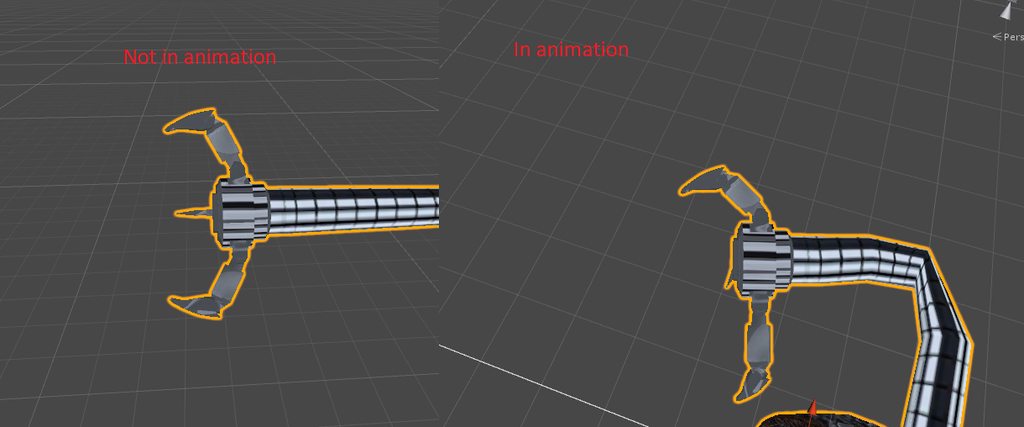
How do i fix finger bends? It's like they are bending the wrong way https://imgur.com/a/rAvYJ
 ember basin
bone rotaion
robust gull
In blender or unity?
robust gull
lol thanks can't take much credit i just added the arms and armature for the gerbil and weightpaint
ember basin
yee
robust gull
I also think it's the roll in blender but i don't know what roll they should have
 weak notch
how easy is creating custom mecanim avatar controllers that are non humanoid?
 naive tree

Google Docs
Advanced Avatar Creation: Making Non Humanoids This tutorial was made using Unity Version 5.6.3p1 This tutorial assumes you already have the current SDK imported and knowledge of how to upload a basic avatar. You will also need an avatar you wi...
weak notch
ty ♥
 sour valve
so im having an issue where objects move around after uploading to VRC , in unity they are in the right place , bound to the head bone on my avatar but when im checking out the ulpoaded version its moved itself into my head. any suggestions on where to start troubleshooting ?
polar moat
finally have it working after 3 days, thanks everyone 😁
 restive marlin
I'm hoping to get help with full body tracking. When I have the white balls for my hip and foot trackers the foot trackers are in my characters shins because the whole vrchat floor is lower than my real floor
But when I use steamvr to change the floor offset it puts my feet in the right place but my face is in the tummy of my actual character
I don't know how to rescale the character
 fading verge
Is there any videos on how to head swap in blender ?
naive tree
@fading verge it's pretty simple, you have 2 windows open, in 1 window have head+hair bones + head+hair mesh, can have neck bone too, then in other u have model without those
ctrl+c head+armature > ctrl+V in other window, select head mesh first then main model mesh > ctrl+J
then change parent of head to Neck, or Neck parent to Chest
done
 spring crescent
Has anyone here successfully rigged anything from scratch using 3D Studio? Did you use bones, dummies or biped? My rigs always end up with bad hips.
 brisk mesa
Is that 3ds max? And no, only blender here
 gritty nest
3D Studio Max? Well, once
It was a horrible experience and you should use Blender instead
Couldn't even find where to put shape keys in 3DS Max
brisk mesa
I hear that a lot
gritty nest
I had to use it to import some Ace Attorney models
And I redid the rig because it was a mess
In hindsight, I should have used Mixamo for the base instead
brisk mesa
Well assuming mixamo worked for it
spring crescent
@gritty nest I feel exactly the same, but reversed.
Blender is cancerous for a lifetime 3DS Max user. The reason why you can't find 'shape keys' is because the rest of the 3D world calls them morph targets 😃
Sadly, maximo won't cut it for this model. It's too far from a normal biped shape.
gritty nest
Then I guess bones are your best bet
I used biped for my AA models but that tends to fall apart with non-humanoids
I couldn't get dummies to export correctly
spring crescent
It is a human, (same number of limbs) just... different shaped
gritty nest
Differently shaped how?
You might be able to get away with biped in that case, but you might need a custom animation set in Unity too
spring crescent

I could use the biped system in 3DS Max, but last time I did, I wound up with broken hips that wrecked IK
brisk mesa
Sorry why do other people try 3ds max at all
spring crescent
3DS rotates bones in a way that doesn't quite agree with blender/Unity
brisk mesa
Cause they seem to have trouble with it and less resources to learn
gritty nest
Some people are just more experienced with 3DS Max
brisk mesa
Esp for importing here
gritty nest
It's still an enterprise-level tool, you know
spring crescent
There are quite a few more resources, I'd say. It has been around since MSDOSS
spring crescent
When people say 'industry standard,' it and Maya are -the- 3d programs. But it is NOT intuitive if you are used to Blender
gritty nest
I remember working on UT2004 models with 3DS Studio Max, way back in the day. They recommended Maya
Even came with a trial version of Maya
3DS worked fine for me back then, but it doesn't seem to work well with Unity. Lots of scale issues, for one.
spring crescent
My problem isn't trouble using 3DS, it's trouble getting Blender/Unity to accept my work, as they've set things up differently.
brisk mesa
Man i walked into a class of more advanced highschoolers the other day while waiting for something else and they all had full maya
Goddamn pricy
spring crescent
It's free for students though ^_^
brisk mesa
Yay
spring crescent
The idea is, if you go into 'the industry,' your work will already have a license for it.
brisk mesa
They were just doing some simple things like texturing minecraft blocks or whatever
Learnins
brisk mesa
You could do a full head swap meaning mesh qnd bones transplanting like a surgeon
Or you can delete the old head mesh, keep old head bones, import in tank turret mesh, place on there, repaint it to old bones
Theres some diff ways to do it
 hard zenith
things is i only know how to use cat plugin on blender
brisk mesa
Depends on your comfort level
hard zenith
xD
brisk mesa
Yea you need more basics down like
hard zenith
there is already lot of bones on the tank
 sage stirrup
Hey,I am hoping to manage to use a humanoid rig for this guy in the clip “tooter9”, basically if I make a distorted rig such that the legs are far back, it doesn’t work well at all. Any tips? https://getyarn.io/yarn-clip/e273bb3b-67c1-4472-b85d-3a4d2cb3e231

Find video clips by quote. GetYarn.io now.
Worst case I manually animate this guy, he’s just an NPC for a world but animating is not my strong suit.
brisk mesa
i guess somebody else was messing with rigidbodies and joints for back legs like that before but for a centaur chick
and it seemed to be just okay
only diff would be that you ignore any front legs
but the back legs would be 'following' the front legs i guess, which are still there as bones?
just no mesh for it
 burnt escarp
what's the largest amount of child bones a coat could have without hampering too much of the CPU load?
with dynamic bones
brisk mesa
you shouldn't ask that because you need to be lessening the bones
tbh
to idk like even 6 is better than 100 of those
burnt escarp
I have, just wanted to make sure how much I should lessen them to
burnt escarp
they're 4 bones long, but there's 6 parents on the whole coat
should I make them 2 bones long?
brisk mesa
well that's better than i thought but i think some people even get away with 6 in total
lol
gritty nest
I've seen models with literally 200+ bones in the hair. That shit is not acceptable
gritty nest
That's only 24 bones in the coat total. It'll be fine
burnt escarp
yeah I can imagine that destroys CPUs, just wasn't sure when the amount is acceptable
gritty nest
Remember, mixing weights or merging bones will make the end result look worse
sage stirrup
@brisk mesa ah yes, I should try that. I rigged it with bone constraints in Blender that way before I learned those don’t transfer to unity.
burnt escarp
alright, thanks guys
brisk mesa
yea i was bummed about the no constraints thing
 acoustic garnet
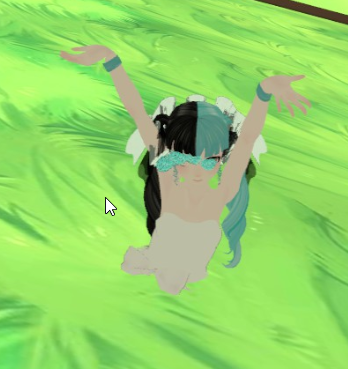
my avatar is appearing halfway though the ground, any idea on what could cause this? https://i.imgur.com/TUsunTh.png
Looks fine in blender / unity, not beneath the gridding.
 cyan adder
is there any good way to do shapekeys for mouth / eye movement?
nothing i can do by hand seems as close to as good that MMD models have
 feral oracle
@acoustic garnet you could probably go the the rig configuration in unity and raise the armature until it is no longer under the ground ingame
acoustic garnet
I've raised it a couple of times, I read online that you could raise it up on the y / z axis and nothing worked
spring crescent
@cyan adder CATS only expects three mouth-shapes. Make those three and let it extrapolate for the rest.
I think they are something like 'Ah, Ooh and Ss' but are named something different in most MMDs
@acoustic garnet Double check your view position.
The IK needs that to be correct or a lot of things break. Sometimes you set it and it re-sets.
acoustic garnet
@spring crescent The avatar descriptor? Looks fine to me
 bright atlas
For some reason when I go to publish my avatar, I get an error saying that since the upper chest is mapped, it will cause problems with the IK. I didn't specify any IK, and trying to remove the upper chest leads to further errors. I'm not sure what to do here
bright atlas
I did that as well, but it gives the same error as removing the upper chest entirely
 light kindle
?
bright atlas
It will say that parts of the rig are missing and will not allow me to publish
bright atlas
That's really the extent of it. It says that parts of the spine hierarchy are missing and to make sure all parts are selected, which they are
light kindle
Dunno if there's an easier solution but if it's the sdk telling you that id go to blender and move the upper chest weights to chest and then delete upper chest
Hopefully you haven't done any animations
Making upper chest be a child with no children might work though
bright atlas
It seems like this problem ultimately came up after I changed how the custom override controller worked. It never seemed to do this before I tried that
 swift storm
im havin a weird issue, for some reason when i get my avatar booted into the game his head moves around randomly even if im not doing anything
any idea what to do lol
fading verge
Hm
If i do my cloaking effect and get teleported into the floor or ceiling and then drop down no1 will know where i went right
And then i can appear out of nowhere
light kindle
tweens will be visible
theyll be reduced it you change the settings but
theyll still be visible
subtle moth
is it even possible to teleport?
subtle moth
okay
fading verge
i guess you could disable the mesh renderer when you use a hand gesture so your model get invisible and then put a cube under you that will lift you
gritty nest
I never got colliders to work reliably
You can use something like stencils to make yourself gradually disappear
What I did was disable my own mesh renderer, then enable a clone of my model which then played a "jump into portal" animation
Just keep in mind that if you do that, you need to rename your clone's armature and body
Otherwise other people won't see you reappear when you mess with your mesh renderer
fading verge
does anyone know how to mirror weights onto the opposite bone in pmx editor? weight painting is soul crushing
fading verge
Hm
Could i tie a mesh mod to my walking animation
Where my guys shrouds and disappears until she stands still
gritty nest
Yes
That should be pretty easy
The way I'd do it is by putting a new GameObject on my avatar, which is disabled by default. Then in the walking animation, disable the model's Skinned Mesh Renderer and enable the GameObject.
In this game object, you could put a particle system or something
You could even apply a subtle sound effect which triggers on wakeup
But personally, I'd do that with gestures instead so it doesn't become annoying. But you could do it with walking animations if you like.
 valid hemlock
Anyone know a good tutorial for adding a weapon that you can toggle on and off? Preferably one where the weapon is already part of the model.
gritty nest
If the weapon is already part of the model, you need a way to enable/disable the weapon itself. Blend shapes is one way
Most people tend to separate the weapon into its own model in something like Blender, then they put it back on the model separately
That way, you can enable/disable it
For example, if you have a sword on your back, you could have an enabled sword on your back, and a disabled one in your hand. Then you make a gesture to disable/enable the two
valid hemlock
huh, okay. I'll try that
fading verge
Can someonr link me a simple rigid body
Or send me 1
I dont know how to sculpt 1
I madr a cube
But when i click rigify
It doesnt work
I cant rigify a cube for w.e reason
Frustrating why is there no blender addons to generate a simple model/rig
I must have been the first person to think of it since it doesnt exist
I would create the addon if i knew how
almost every time i see you, you are bitching about blender xD
Yea
Well
Tutorials dont help
Unity is easier to use
unity is not a 3d modeling software tho
Why doesnt a simple model gen + rig addon exist yet
How long had this program been out
No1 has ever thought of it
0 results on google
Wow
Well once i figure it out i will create the addon and monetize it
😈
 lean solar
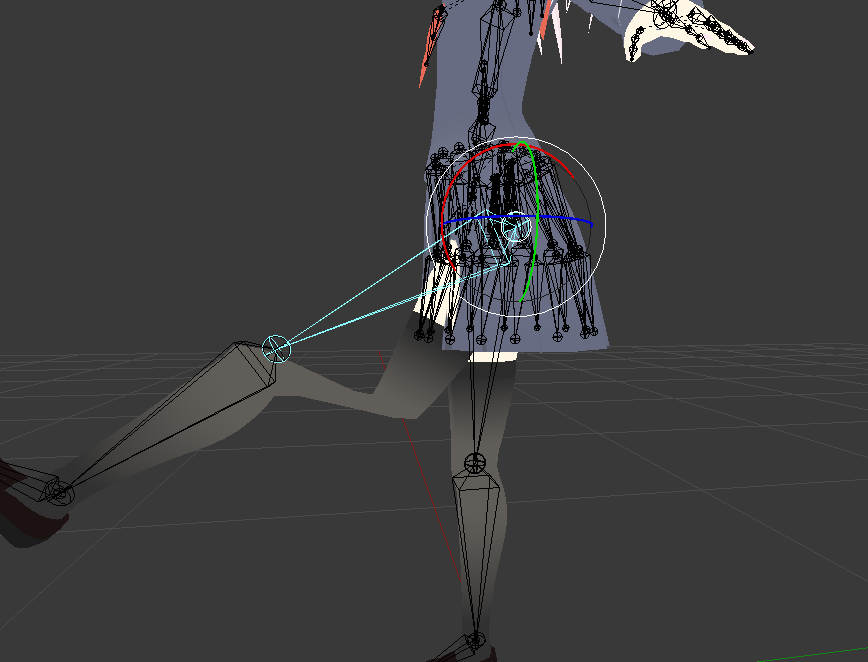
https://imgur.com/lweNUkj So yeah... I need help.
 subtle moth
umm
im trying to rig sth rn
is there a way to have the bones be moved / created Symmetrically
?
 terse pivot
Curious question, is there a tutorial, or reference online for properly rigging hands? I've been trying to rig a particular model's hands for a while, but the fatty part of the thumb just keeps looking wrong, and sort of collapsing on itself.
brisk mesa
@subtle moth you turn x axis on, checkbox on the left aide options somewhere in there
I always have to hunt for it
And then i hit E on some bones and itll make two
On different sides
Then if the bones are named properly, i think it is SUPPOSED to help you mirror move both
However it doesnt always work............
-_-
 sturdy palm
would anybody be willing to make me a model?
 marsh geode

VRCat: Community-Run VRChat Forums
I have a problem i need fixing, I have been trying to upload avatars for over a few weeks now and i have double and triple checked to make sure...
 stark spade
Stupid question, if I have a model that is only a mask, but I want to use gestures for animations and props, do I have to have a full body armature. If so, do I need a mesh for the armature?
fading verge
humanoid rig + fingers to actually do the hand gestures
naive tree
ye, you must have 3 fingers on ech hand*, don't need to be weight painted
stark spade
@naive tree when you say "dont need to be weight painted, does that still mean I need a mesh? I'm half thinking about doing gloves now even though I've seen other avatars that were masks + gloves
I wanted to be different
fading verge
Hey, anyone knows a good website that I can get some Dance Animations?
 rose shard
mixamo
brisk mesa
@stark spade i dont think you need a mesh to every bone, no
unity just cares if you have these bones
invisiblez
cause i know i can definitely just make a floating ass.
all i gotta -actually- weightpaint is the ass lol (specifically i think most of it would be painted to hips but any little thigh portions would be painted to upper thigh bones obv, and then ass cheeks to ass bones)
stark spade
BAHAHA thanks, I copied a body from another avatar and deleted all of the mesh except the hands. I'll see if that works in a pit, right now i'm working on shapekeys for lipsync
acoustic garnet
Before combining a mesh my eye tracking works perfectly fine. After combining the eye tracks does not work.
All other visemes and shape keys work with no problems, any ideas?
stark spade
Bone weights causing issues after combining? Not sure
 golden whale
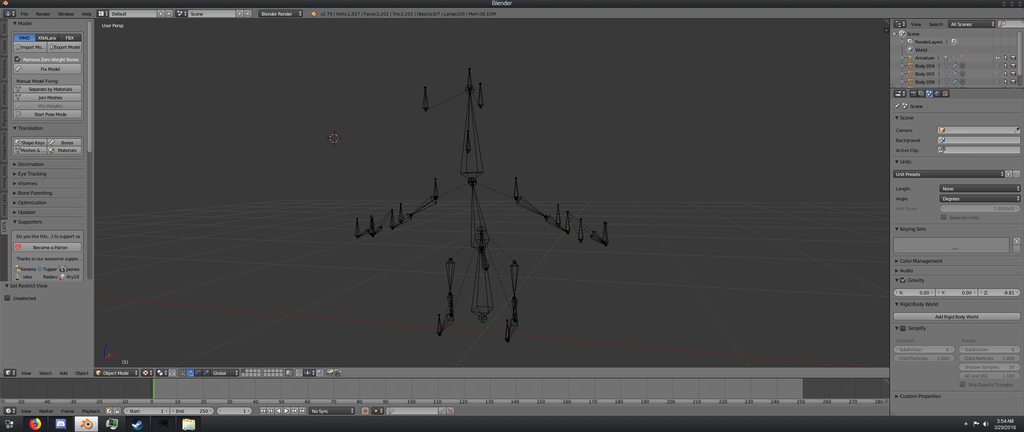
Hello everyone. I have been trying to get a model of Bowser Jr. into VRChat for 2 days now but due to the nature of the model, it does not have a chest, neck or shoulders which I found out is required for VRChat (the model still animates great without these bones). I can send pictures as to what I mean in if youd like. As far as I know, this means the bone structure needs to be reworked. If anyone is willing to do this, name a price and ill pay you for it. I have tried the Mixamo method and it does not work with this model.
brisk mesa
@golden whale fam, you just go to blender and you extrude those bones from existing bones using E, in edit mode
and then you make sure they're parented correctly, all anatomically and placed right
and then you just weight it auto, and tweak if it's weird, done
subtle moth
autoweighing has never ever worked for me
brisk mesa
it can work partially.
subtle moth
always had to do it manually
brisk mesa
manually is fine
subtle moth
also, what to do if all bones point upwards? 😄
golden whale
I appreciate the explanation but I havent a clue on how to tell if the are parented correctly. Like I said, ive been all over the internet these past two days trying to figure out what to do to the point where id rather just pay someone to do it. Name a price lad.
brisk mesa
you suck in the bitterness of that situation and then you get to work on reorienting all bones.
it's actually p easy and shouldn't take you more than half an hour max
not even that
cause you shouldn't have too many bones either. if your model has way too many in hair, it's time to get rid of many.
or clothes
brisk mesa
well you know how the human skeleton is like
hips to spine to chest to neck to head?
it's the same here
subtle moth
it looks shitty if i do each side separately
brisk mesa
parenting for that looks the same where it'll follow a tree hierarchy where hips are the beginning in this case
subtle moth
@golden whale https://cdn.discordapp.com/attachments/251862595030482955/404301325380091906/guide.png
 brisk mesa
both legs need to be same level under hips, blahblahblah rest of the legs follow those thigh bones
ya that
the shoulder bones will be coming out of the top of your chest bone. the neck will ALSO be coming out of that same area.
golden whale
This is what I am working with. https://imgur.com/a/4vfnF
 brisk mesa
is your model like https://www.mariowiki.com/Bowser_Jr. ?
“Someday...when I'm bigger... I wanna fight that Mario again!”
—Bowser Jr., Super Mario Sunshine
Bowser Jr., known as Koopa Jr. (クッパJr.Kuppa Junia) in Japan, or sometimes simply "Jr." is a secondary antagonist in Nintendo's Mari...
golden whale
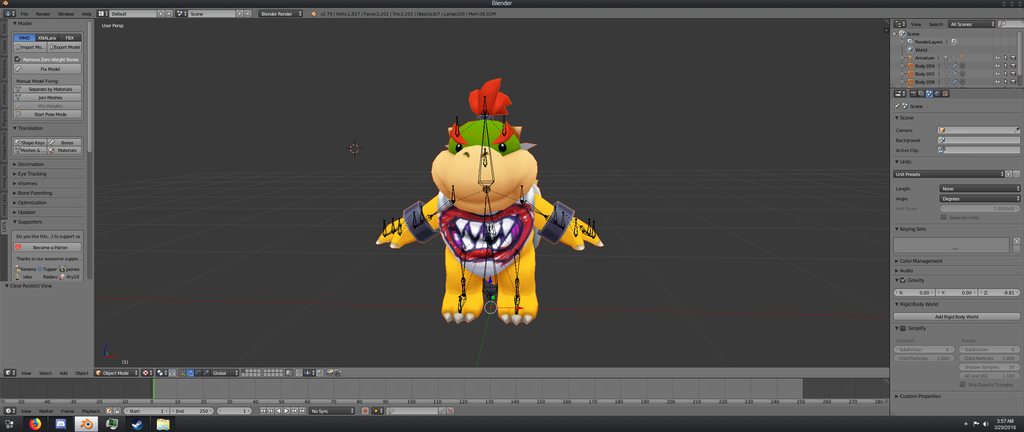 brisk mesa
i would help you do it but i'm currently drunk
and then i would feel bad for being paid like that lmao
going out soon too
golden whale
Ah, no worries. I don't need it now, if you are up for it perhaps you can do it some other time?
golden whale
Yeah, can do.
brisk mesa
i assume you didn't care about eyetracking though?
cause he has beady little black eyes?
lol
golden whale
No, dont need eye tracking. Though, I know it must be possible for him to blink, since there are image files for it.
Thats just the thing though, they are images.
None of the tutorials ive seen go over how to use images..
Does anyone here know if its possible to use pngs with shape keys?
light kindle

EDIT: If you are using an MMD model please read below! In this video I will show you how to make your 2D eyes/mouth type avatar have a blinking animation and...
golden whale
Much appreciated, I guess I just wasnt using the right search term in google because I have tried finding a video like that before.
 vale charm
Wait, why do all the bones on those models points upward?
golden whale
I was wondering the same thing.
subtle moth
but does it matter?
or can the bones stay like that
@light kindle
because ive actually got a tom nook model (animal crossing: pocket camp) which has the bones like that and im worried it'll break
light kindle
i import mine with cats so idk
golden whale
I have imported a character with bones pointing up and it worked fine.
light kindle
doing so because i figured rigging in unity would stuff it
subtle moth
when i hit fix, textures get destroyed
 opal aurora
It doesn't matter what you import with, CATS imports with the same functions blender uses regardless
light kindle
so bone rotation doesnt matter?
opal aurora
Bone rotation can matter quite a bit and is simple to fix at times
light kindle
import as dae export as fbx
opal aurora
Cats was made to fix mmd models and has partial support with xnalara models, trying to fix anything else is just like playing a slot machine
subtle moth
but the bones are still broken af
light kindle
i just use it to rotate the bones
subtle moth
so i reimport fbx and hit fix?
light kindle
¯_(ツ)_/¯
opal aurora
Hitting fix won't fix it
light kindle
dunno if fixing fixes bones
opal aurora
If you want the bones fixed, you have to fix ehm yerself
light kindle
or importing with cats will work if youre lucky
subtle moth
if not theyll be different on each side
opal aurora
There is a way i found out that makes the job alot easier...
 opal aurora
Supposedly all of the bones are already in the right place, they just have the tips at the wrong position (which barely matters at times)
You have to take note of the bone's position values and hit connected under the bone options
By doing such, the bone that it's connected to will now move with it
light kindle
^wont work with all models though
subtle moth
o^o
opal aurora
By re-inserting the values onto the bone, it will drag the bone back into place, and you can disconnect it again
Repeat with all of the bones you can find a "child" for and you'll get most of them aligned
The last standing ones (if there are any) will need actual manual work
If your model is completely symmetrical, you can just swap values between sides
Say
x 5.67
y 10.500
z 0
Would be
x -5.67
y 10.500
z 0
(For most cases)
brisk mesa
yo, if i use mouth visemes do i ignore mapping the jaw bone?
brisk mesa
kk thought so
gritty nest
Jaw flap looks weird in general. If your model has a jaw bone, you might as well open it up in Blender and give it some shape keys. Even if it's just an up/down motion.
brisk mesa
do you always need THREE finger sections to be mapped?
for idk, future finger vr?
i have three fingers in general, sure, but does there need to be three sections to each?
brisk mesa
what was required for the three main fingers though?
thumb, index, middle?
ignore ring and pinky?
this ava has less fingers is all
brisk mesa
aight
fading verge
you need thumb, index and middle finger i believe
ember basin
Can you still use gestures with only 3 fingers?
Since ingame it appears my hands arent moving so dunno if i can use custom overrides for it
fading verge
And since I'm at it. Does anyone know of a good tutorial or resource for adding collisions to say my legs and outfit so it doesn't clip, or being able to move my outfit (a dress) with my hands?
gritty nest
Dynamic bone colliders is one way, but it's not too reliable
You can also weight paint the dress to the legs
fading verge
Weight paint?
I've heard about bone colliders and apparently while it does work, if you are moving too much doing things like running still makes it clip
 sinful sundial
I like using .5 for damping and .9 for inert in my dress dynamic bones, usually keeps most leg clipping out
or yeah, you could do what Rokk said albeit a bit harder
fading verge
I'll try your solution first then, and then try the other 2. Thank you!
 fair basin
does anyone know why the hell the left shoulder, chest and spine (only those 3) are in my left hand
https://puu.sh/zSaPi/c72c25ad52.png

but in the mapping window, it says its fine
https://puu.sh/zSaTN/32305b9d32.png

nevermind, found the problem
weak notch
is it possible to rig two meshes to the same armature so that in unity they are both rigged and follow my actions?
fading verge
So, I tried doing as you said with the dampness and whatnot, and didn't like it. So I tried to undo it, now all of the scripts are broken
http://i66.tinypic.com/jp7tpy.png
 gritty nest
@weak notch yes
You'll just have to weight paint them both to the same vertex groups
I've also seen people use joints to make other meshes follow your movements
weak notch
which results in the pivot point of the larger being the same as the smaller, or vice versa
doesn't look natural
weak notch
:o?
fading verge
I'd like to do that, or try adding bones, but now the dress is broken all together
gritty nest
I've seen a guy use joints to make a dummy model follow his movements
It's like a marionette setup
fading verge
So, any idea on how to fix the scripts?
gritty nest
Well, first of all, your "femalelocomotionpackage" thing is causing errors
In scripts
Check the console tab for more info
 hushed brook
Hey anyone know how to fix weight painting?
gritty nest
Yeah, by using the weight paint brush
fading verge
Hrm, well, I'm getting alot of errors, I'll likely just make a new project, cubic shaders is the case of several problems and the female locomotion package is missing "an assembly" reference. Also alot of textures couldn't be created/read for my model. I'll maker a new project and do one thing at a time to get it all working. Thank you for the help!
Also, would bone colliders in the legs be enough to stop most of the leg clipping? I'd like to keep the flowy dress and don't want it extremely rigid or anything. Just not have it clip through the legs as much is all
brisk mesa
none of know how to fix anything for certain, everything is kinda trial and error and 'oh shit how did i fix that? oh well!"
gritty nest
Colliders in legs can stop clipping, but usually there's no way to fix it permanently unless you weight paint the skirt/dress to the legs
brisk mesa
and like 30 savefiles.
gritty nest
To make colliders more reliable, you can increase the radius on the dynamic bones themselves. The bones will get white spheres.
 hollow smelt
anyone here happen to know why both my thigh bones rotate 90 degrees in opposite directions when I'm using full body tracking but look perfectly fine without. just spent hours trying all kinds of different stuff and re-rigging everything but I can't get it to work
fading verge
Hmm, would you happen to have a tutorial on weight painting? I'm pretty new to all of this
hollow smelt
already did. they're all on 0
fading verge
Yeah, I figured that out but couldn't find the female animations
So I ended up downloading some random ones
hollow smelt
wouldn't that affect legs even without using full body tracking?
fading verge
Would you know where I could get the female animations?
gritty nest
Yeah, the animations used ingame aren't available for some reason
Even the male ones are different slightly
Very irritating
Mixamo has a few though
fading verge
I have the female locomotion pack, which has several but I only have certain degrees of strafing, not all of them. In game there is left and right strafing in both walking and running speeds at 45 and 140 degrees. I have strafing left and right at both running and walking speeds, but not at different degrees. I'm not sure if I should just use them anyway or if it would look bad in game
fading verge
Alright, I have the animations imported and working, but for some reason now the animations aren't showing in game. The running walking idle etc. animations that is, the emotes work fine
sinful sundial
Did you drag it onto the correct thing in the controller
I've got plenty of custom walking anims
fading verge
I have, they are there, and when I try say clicking on the animation and drag my avatar over to it it plays normally, but they don't play in game
sinful sundial
Hmm...
fading verge
 sinful sundial
I've never seen that happen, strange
fading verge
I'm guessing it has something to do with my model, for some reason the rig was set to generic and not humanoid, so that might be why
I've uploaded it and am going to try it again now
And nope
I still don't even get the default female animations
fading verge
Hey
@fading verge @sinful sundial @fading verge do i just press f and j to seal and it automatically applies the colours
yep
Ok looks like i have a lot of work to do
Is it better to overdecimate
?
with the decimation modifier?
Yes
Decimate parts then repair them
dunno, i don't use it that much
i do manual decimation
i use it for hair mostly
What button do you press for manual decimation
How long does it take
fading verge
^
brisk mesa
you literally manually move everything yourself
C for circle select, b for box select
blahblah
k for knife tool if you're trying to cut something a little better
brisk mesa
merging vertices is also good
brisk mesa
even different types of merging vertices like a-----b will become -----c------
fading verge
i manually decimated a 180k model
brisk mesa
or all on a, or all on b
brisk mesa
depends on you
fading verge
Is there a way to just take a huge chunk out
brisk mesa
can't give a time frame on that
well i mean
if you have clothes over your body then just delete a lot of the body.
that's first
fading verge
For example thr garbage they hide inside the head and body
brisk mesa
feet and legs are good to decimate and touch up
face is usually last cause people just dont want that to fuck up, but you can be brave and like very slightly use auto-decimate and then just touch up
fading verge
Internals you just select everything inside and delete
brisk mesa
ya internals delete if you really dont want them
fading verge
Whats the easiest way to delete internals
@fading verge the "garbage" they hide inside the head is usually the facial expression
brisk mesa
sometimes the tongue has more poly than it should for weird reasons so just make that simpler too
lol
fading verge
Ok
brisk mesa
i like decimating a nose sometimes cause they make it too complex but you can edit/touch up to look the same if you're very very careful with it
fading verge
If i decimate everything except the head and hands can i just manually seal everything after
brisk mesa
any ribbons, sometimes too much. any high heels, sometimes also too much poly
you can always auto-decimate and then manually do stuff sure
fading verge
Yea
Why dont you do that
Decimate modifier everything except head and heads then seal everythinf
?
brisk mesa
i have a morrigan model that's pretty and she's only like 17k max by default or something, so i kinda use her as a guide
fading verge
because lazyness
brisk mesa
so if i see titties on another one with too many poly i'm like RAGE
 knotty lake
does anyone know what stuff would cause eye tracking to work and then break?
Whenever I go into VRChat my pupils disappear
fading verge
i don't know
i'm used to it so im pretty fast
if i decimate with the modifier i need to fix most of the stuff so in the end it takes more time
brisk mesa
when did it work??
fading verge
Oh
brisk mesa
only blender?
knotty lake
It worked in VRChat on an earlier iteration of the model
brisk mesa
auto-decimating does indeed fuck shit up sometimes on many mmds in particular
fading verge
Looks like i should watch a manual decimation tutorial any suggestions?
brisk mesa
like say their skirt had a few layers
decimating skews them.
then you gotta spend some time to fix that shit
kinda up to the user
fading verge
watch Shonzo's stream
he manually decimate
and he is pretty good at it
Does he have recordings
that's how i learned
yes he does
tons of VOD
and he put everything on his youtube channel
Does he have high poly models he does
yes
low poly
and high poly
depend on what he is working
Whats the most
he is doing commission most of the time
Highest decimated to under 15k?
i dont remember
i know he manually decimated multiple 80k+ poly model to under 20k
Damn
Well i need around 15k
Because i need a buffer for particles
I like my lights and stuff
brisk mesa
i think just also follow the theory that you should keep a few more polys at bending places or they'll look shit
fading verge
Ok
brisk mesa
but straight things like shins, thighs, they can have a little less
you just round it out nicer
fading verge
How many polys should be allocates for particles
brisk mesa
i noticed some people also totally erase the ears hahahhaa
brisk mesa
cause might as well if thick hair
fading verge
what ? they don't take any poly count as far as i know
Yea they do
do you use mesh renderer?
are they always on ?
?
?
Dont know
But my particles affect poly count
so it's turned on permanently?
What do you mean
exactly what i wrote
your particles system i constantly emitting particles
My particles activate on gesture
so it's turned off until that hand gesture?
Yea
then it doesnt take any poly count
O
Well
everything turned off doesnt take any poly count
I have some linked to movement and idle
you can put a 5 millions poly sword model in your avatar
and turn it off
Oh what
and it will not count toward the limit
Damn
Wow
Ok
I can do the gilgamesh wall of swords thing then
👌
👌
brisk mesa
i want gilgamesh to wall of hearts me
fading verge
I've got so far that my animations appear when I'm in the build section but still not in game
Ah hell, I give up. I'll find a different model or something, I've not made any progress in 3 days
brisk mesa
hey when your feet are too close together in unity, you mess with the muscles to make it split more naturally right? when you go in game does it stay that way?
or does it get overwritten by the default idle animations and whatever?
this is in the context of when in tpose the feet are fine, the arms are fine but the default idle makes him stand like a weirdo
golden whale
Was just about to ask but looks like you got it handled.
brisk mesa
xD
 sand frigate
Are you able to animate hair inside unity, if so how?
golden whale
There is an asset package called dynamic bones you can use.
You do have to pay for it though.
sand frigate
Does it just automatically set everything up with hair?
fading verge
Use default tpose for your animation model so he doesnt fall through the floor
brisk mesa
@sand frigate no, nothing is auto setup 😛
if you want those bones you need to add at least 1 hair bone and 1 hair ROOT bone in blender and then you must weightpaint the hair mesh to that 1 hair bone(s) before importing to unity
same with dresses, coats, etc
sand frigate
The hair is set up by bones
 viral stag
Can someone PM me and walk me through how to rig bones to an accessory connected to the model, I plan on applying dynamic bones to it but I still don't understand how Vertex groups work, I have the bones where I want them and I understand weight painting, I don't understand how to add the vertex groups manually.
brisk mesa
yeah i'll DM a guide jn before i gtg
ember basin
Does anyone have an idea as to why my armature is uneven in Unity, as in bone positions are wrong but correct elsewhere
The skeleton is in correct positions in Blender and such but in Unity its all messed up
Wtf, my rig is fine in game 🤔
What do you mean stretched Sugar
🤔
wtf
 fickle plover
 brisk mesa
i like hiding things in layers too if you must work on something on the inside
or outside only
weak notch
so this avatar is really annoying me, every time i parent a mesh to its armature in unity the rotation point for that bone is no longer where the bone actually is but instead where the mesh is instead
brisk mesa
yea i saw somebody elsee's blender setup related to that issue too and like
they made their 3D cursor the fucking scale/rotation thing!
i still dont know how to enable that
cause that was really useful
 void tiger
I have a 3D model that doesnt have a Neck how do you make a fake bone should i just add a Empty Gameobject as a child
brisk mesa
uh
it sounds like you're in unity so go back to blender....
and just add a neck
edit mode on armature, you move the head bone up a bit, you disconnect it from the chest bone (cause no neck, right?), you make a neck right there by selecting top of chest bone and extruding with E button
parent your head bone to this new neck bone
and then reconnect everything in bone tab or whatever
you don't have to weightpaint it if you had a model like mine where it doesn't even really have a neck, like visually a head straight to chest like a chubbystubby
weak notch
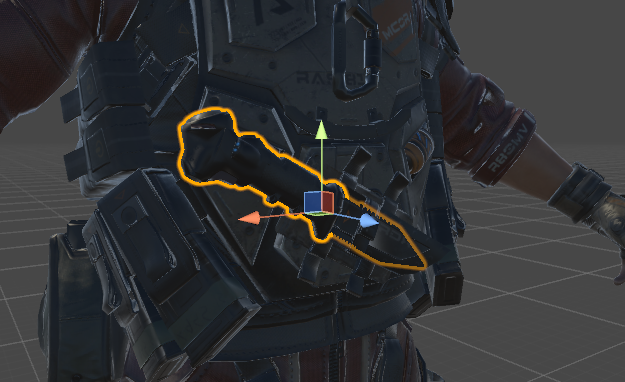
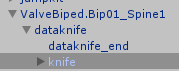

rotates around the newly added mesh rather than the actual bone position
and i don't know why
weak notch
any ideas?
 mental lynx
Weight painting is the worst thing in the world and possibly a demon
Ive been trying to weight paint new shoulders for the last 4 hours and wasted most of my study time doing so
And I just cant figure it out
sinful sundial
agreed, weight painting is hell
 timber lion
just since i've still not figured this out- i have an item (or more, a creature) attached to my avatar in unity as a child object, is there a way for it to stay still when i turn my head to look at it? right now even though it's not attached to anything armature wise it shoves itself behind me and i cant look at it
 bronze elk
If it follows your character as you walk around then its attached one way or the other @timber lion
As for having it stay still, i suggest having it move slightly in front of you, like to the side of your peripheral vision, with a hand gesture animation.
To keep it still would mean having it as its own character meaning not attached to you main model
Hope you figure it out, good luck @timber lion
mental lynx
I'm seconds away from finding someone to do this for me and just pay them
"Weightpaint some shoulders and I'll throw 20 bucks at you"
brisk mesa
hi
the thing about shoulders is that a lot of the more pro ones will also have some extra bone or blendshape or rigidbody thing to kinda uh...
make sure the shoulder doesn't look weird af when you do bend it
now for us i guess the main thing is perhaps not use so much of the red color on those shoulders!
it'll probably warp too much
mental lynx
Hmm, I see
My biggest issue is clipping.
I wish I could merge the upper chest with the main body so they wouldn't have to be two separate meshes
That way the clipping wouldnt be an issue
brisk mesa
i look at my own shoulder to help sometimes, and it's kinda like how i explained i guess?
the top of the meat never moves as much cause there's bone there, the most active part is armpit
and lightly, the collarbone area if i lift my arm or w/e
mental lynx
I understand that, and have done it before. But the new piece I inserted in just isn't playing nice because of it being lower-poly than before
So it's so easily clipped when the arm moves a lot
brisk mesa
oh, do you have room to give it more poly?
mental lynx
I have no idea how to do something like that
brisk mesa
is it like a worn accessory?
cause you could probably copy the weights from your body mesh to the thing mesh exactly using the data transfer modifier??
mental lynx
 brisk mesa
and then it shouldn't clip so hard?
mental lynx
Its more like this
I dont want it to clip from under the shirt, but the ends do it no matter what
 brisk mesa
oh yeah then they need to match
mental lynx
But due to the layout of the sweater the character wears, I need the top piece visible
I have no idea how I would make them match
Hm
brisk mesa
i like copying body weights to clothing
if they are two separate meshes
at first
i did this with a formfitting legslit dress
cause uh
mental lynx
Is there a way to copy weightpaint?
brisk mesa

I've recently started using blender in order to create my own models for games and such. I have created a model, rigged it, created clothes separately and now I want to add those clothes to my mode...
ya
cause i dont think it's easy to get it to match
by yourself
mental lynx
This did help some, thank you very much
But there are still some problematic areas
Guess that could be solved by trimming the underside
naive tree
i dont like data trasnfer cuz it can fuck up parts that are too close
@mental lynx if u dont want something to c lip - delete the clipping part or adjust weights from chest and shoulders
fading verge
Yuumi
naive tree
after deleting skin u can merge verts
mental lynx
How do you merge verts?
naive tree
to have no tearing when the joint moves
mental lynx
I've been wanting to know that for so long, and google never helped
naive tree
alt+M is default keybind
mental lynx
Can this work between meshes?
naive tree
shift+R is repeat last
@fading verge yes?
oh hey lol, not used to meet ppl from friends list here too often 😄
fading verge
Yeah me either
 reef verge
Is there a way to quickly re-assign the dynamic bone settings to an other Avatar? It's super annoying that I have to re-assign them all the time I put my avatar back in blender. 😦
fading verge
if you don't change the bones hierarchy you can directly export the fixed .fbx to the old .fbx in the asset folder
reef verge
The bone hierarchy means their name? Even if I move them in blender does that still count? or If I switch something with the weight painting?
fading verge
if you move them or rename them, it shouldnt matter
but if you actually change the hierarchy then it will fuck up
 limpid flare
How do I go about applying clothes to an avatar, when the clothes are made for a completely different model/ different body proportions (I tried shrinkwrapping and the results were less than hopeful.)
reef verge
@fading verge Thx u ill test it out
 spark nova
in blender hierarchy how do i move them around? i want the spine to be displayed above the legs?


the first one is my model im working on
and the other is an older one i have
does it matter is the leg is above the spine?
its still in the right hierarcy under the hips
brisk mesa
Hm well i was told it matters but maybe itll be fine
Considering it still comes out the hip
spark nova
okay
reef verge
Anybody knows why this is happening to me in Unity? http://prntscr.com/iynto1

 hushed anchor
Unity had to split mesh
 raven reef
I Think because it has a lot of verts
hushed anchor
Usually when model is over 65k
fading verge
hey guys
what do you think of decimating hair down to under 100 polys and just reconnecting the vertices
or just get it down until it gets holes
meh
flip normals!
meh
 lilac moss
w-> remove doubles, then decimate modifier, then edge split modifier
fading verge
when i set the root for a dynamic bone it has no effect
ples send help
naive tree
it needs to be at least 2 bones, root bone does not move @fading verge
 low quartz
https://gyazo.com/96ce686177ff64d3325a9ec1b704042f
hey I'm a blender noob I'm just wondering why the pants won't follow the bone
 restive marlin

^ I'm curious how does one make my feet correspond to 0 x 0 y 0 z
I try to put a 0 in location but it makes the mesh go upwards and the skeleton doesn't move
It seems that orange dot that is at the origin 0,0,0 is offset to the feet with no way I can find to close the distance
 open hull
@low quartz you need to look into weight painting
hushed anchor
Root bone can move
lilac moss
@restive marlin 1 move skeleton so feet are at floor 2 ctrl+a -> apply location
 rough sedge
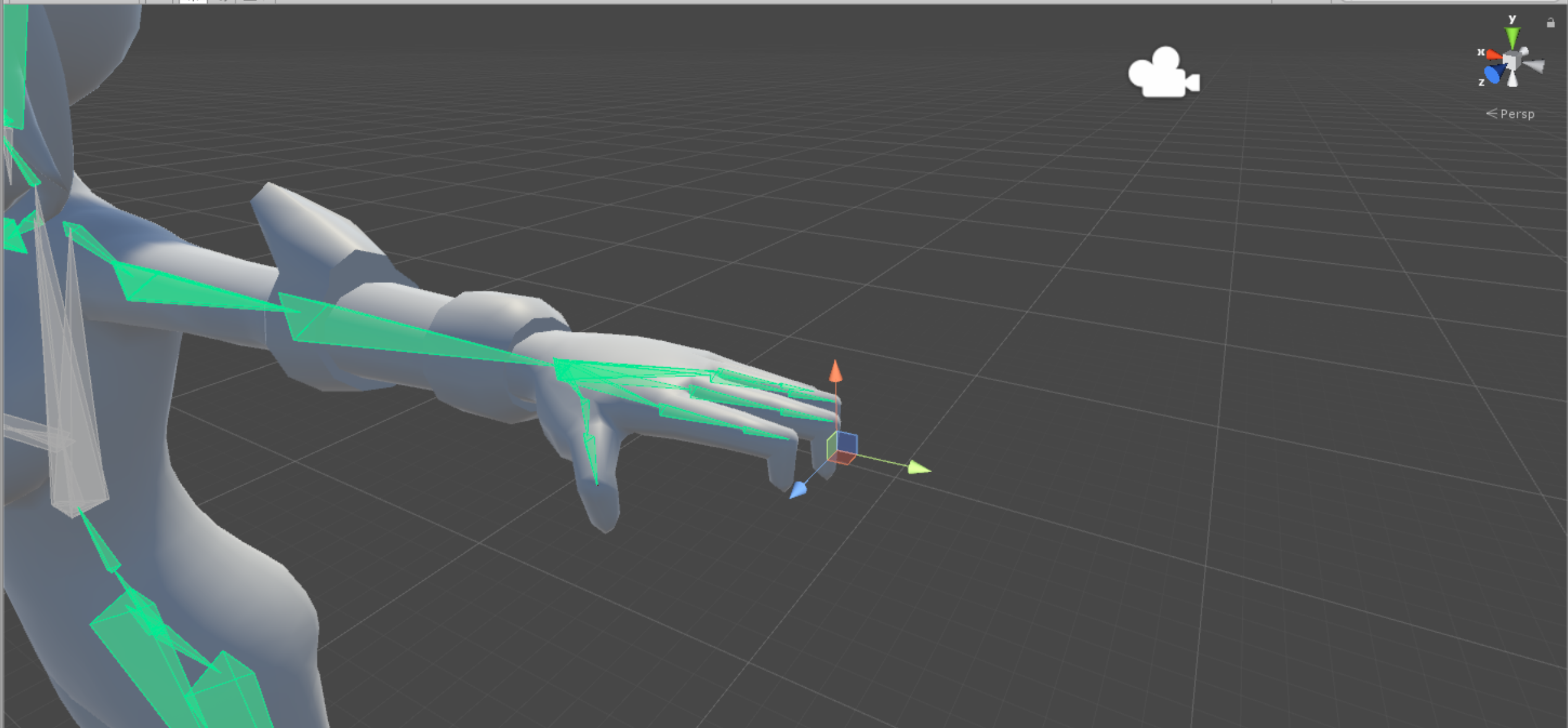
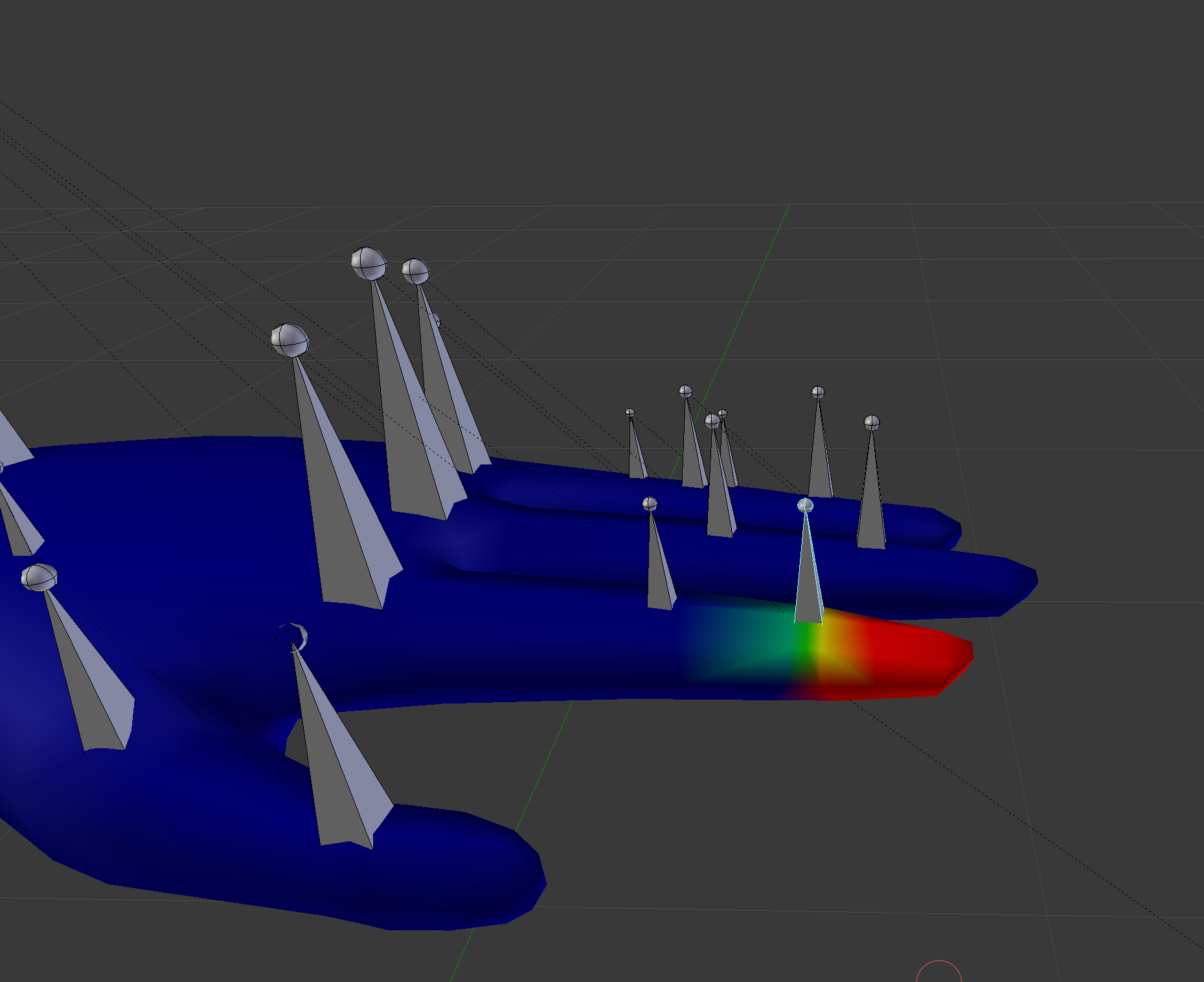
I'm having trouble with the tips of fingers, even though it shows to be weight painted in Blender.
pine harbor
i don't think the weight painting's the problem, it looks more like a problem with the bone direction
try tilting the fingertip bones 90 degrees in blender, such that they align with the fingertips properly -- it looks like unity's trying to point the bones in what it thinks is the right direction, thus causing the weird claw pose
there might be a solution involving unmapping/remapping the bones in unity, but i'm not too familiar with that if it's a thing -- best wait for someone who knows it to jump in if you'd rather try that
rough sedge
Yeah, I'll try with one of the fingers to see if it works or has some resulting change.
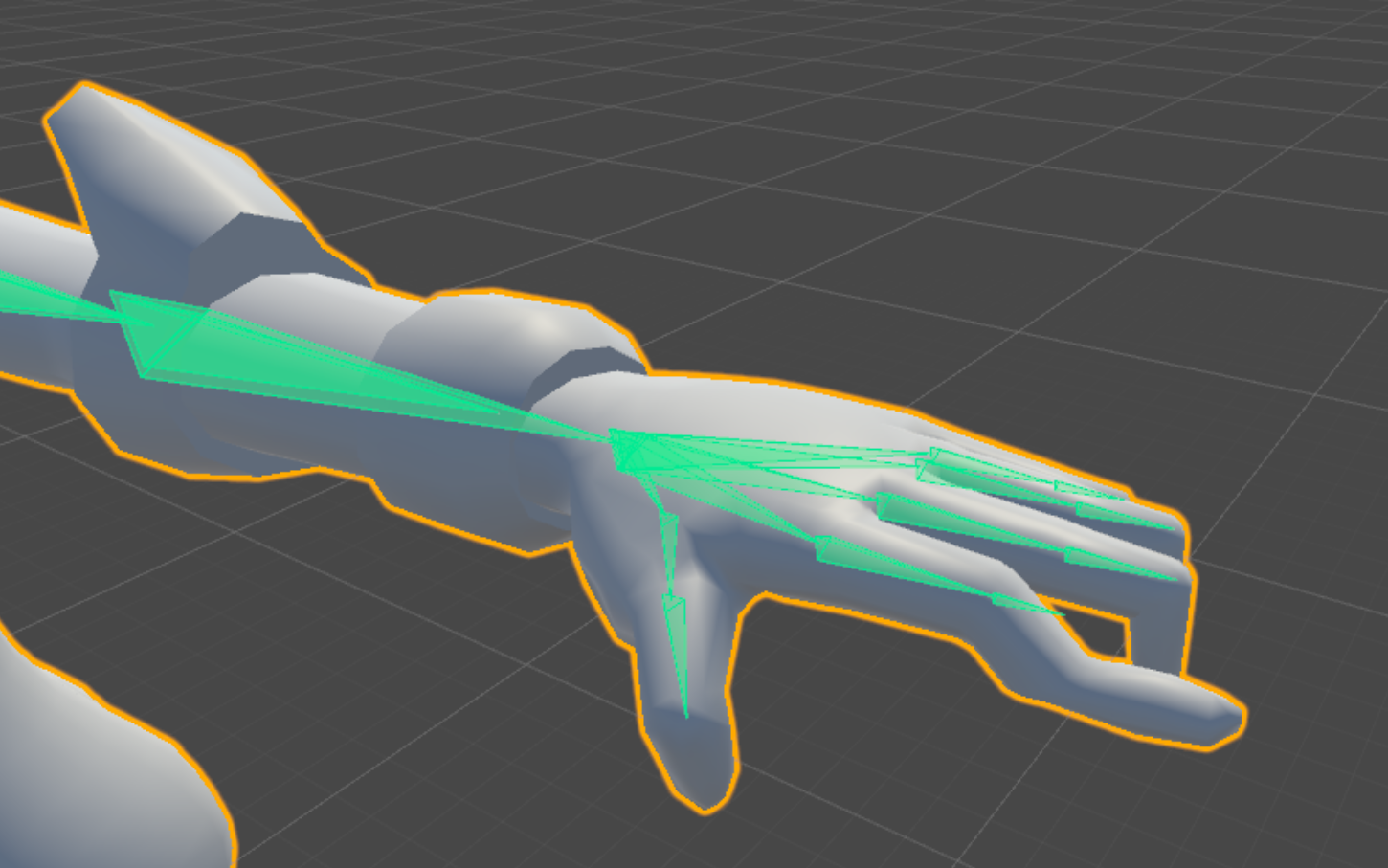
This is what I get when I rotate the bone, but moving it higher doesn't help making the finger straight.
low quartz
@open hull hey I got it to following 1 leg how do I get the other half of the pants to follow the other bone
 sharp nymph
I have a problem with mapping the chest, when i do it messes up the avatar greatly but when i dont its perfectly fine i just cant upload it.
open hull
erm...more weight painting?
well tree, you need to make sure your avatar follows the hierarchy, it's not just a matter of looking pretty
see the pinned messages for a high tech diagrammatic breakdown of how your model needs to be rigged
sharp nymph
mk
open hull
in some cases models have an 'upper chest' and this bone should be ignored for vrchat
as in, not even mapped
sharp nymph
this one doesnt have an upper chest

this happens when i map the chest tho
and the error goes away but in game the avatar is messed up
open hull
hmm, those two sticky-outy bones, that's not your chest, they're boob bones
sharp nymph
hecc
open hull
I'd need a better look at it, that spine doesn't look right, but tbh it's gone 2:15am here and I'm not even drunk
i think you've got the bones you need, probably, you just need to check they're assigned properly
sharp nymph
ok
open hull
my tip would be to start where you're sure it's right, double click stuff, see what it's children and parents are in the hierarchy
are they named in english?
sharp nymph
yeah
open hull
you should be able to figure it out, remember to leave the upper chest blank even if you find something that would fit
sharp nymph
ok thanks
 light perch
hi there, quick question, if i wanted an avatar to have tracking arms but no legs, how whould i do that?
lilac moss
just add leg bones that aren't weighted to the mesh
brisk mesa
@low quartz to get any clothing to follow the bone
you need to weightpaint the mesh to your bone
if you go into weightpaint mode, 0 influence is that dark blue, fully influence is "1" value and also bright red. anything in between is just rainbow of colors inbetween
warmer is more, cooler colors is less influenced
so if something isn't following, it had 0 influence whatsoever
to like any bone
the vertex group list on the right is essentially a list of bones that you wish your mesh to respond to. they will have (or are supposed to have) the same names as your bones.
and then you click on any of them and edit weights like that
so if you auto-rigged in blender, this is considered a shortcut that gets most of it done but you still have to check your weights sometimes and touch up, or even add whole influence groups
also yes it's a bitch
 dense latch
Everything except for the head of my avatar spins around when I walk left or right, and functions normally for every other circumstance (running left or right works for some reason). Is there a fix for this?
low quartz
Does auto rigging equal cats "fix model"? cut I've been painting for hours when I could do it in less time if there's an shortcut 😂 @brisk mesa
 clever haven
how come, unity wont pick up the ends of the ankles sometimes?
is it because they are too close to the ground?
 lunar vine
Anyone able to help me? Having the spine hierarchy incorrect issue. I'm currently porting the nightborne female child from WoW into the game and this is my first time.

my files aren't so neat either since Blizzard didn't name everything well, it's all numbers instead of things like "neck" or "shoulder"
There is only one bone for the fingers which I'm not worried about right now because I don't have a VR set
lunar vine
Me too
 plush onyx
someone tell me!
lunar vine
Don’t click that
hushed brook
chief you almost beaned me
plush onyx
biotic plez stop
lunar vine
Stop spamming
plush onyx
its funny
plush onyx
some kid broke his monitor
 spiral delta
Anyone have any idea why when i do the left - right thing for my eyes it rotates them like this?
 brisk mesa
@low quartz that button, fix model, does a lot of stuff. i can't tell you everything it does idk
pine harbor
it's black magic 
spiral delta
still cant figure out this eye problem.. so confused lol. I compared it to other models and i dont see anything different but for some reason its rotating the Y axis and not the Z
 solemn kelp
how do you make two sets of arms move at the same time?
sinful sundial
Lmao I'm trying to do the same thing with a model
Maybe have the 2 arms weighted to the same bone?
But then the rotations would be off
I would've sworn someone gave a solution a while ago here
pine harbor
something about joints?
 steady bridge
@solemn kelp rig both arms and hands with bones and parent to the second set
fading verge
hey is rigify good?
steady bridge
sometimes
fading verge
better than miximo
steady bridge
yes indeed
steady bridge
dont want to do it manually?
fading verge
Im not good at manually rigging
steady bridge
lol okay
fading verge
plus weight paintings a bitch
steady bridge
well once you play with the programs long enough it isnt to bad
fading verge
fair enough
steady bridge
like using pmx editor
its all in japanese i cant read it but i can use xD
you will get it to work dont worry ^-^
enjoy the rest of the day/night
steady bridge
fbx
fading verge
Ok
Now riddle me this

This thing is completely broken if I try to import it
Any reason to why
steady bridge
you import it from steam? or you rig your self?
steady bridge
k thought so
fading verge
Why so?
steady bridge
have the same issue some times when i do sfm stuff to blender
fading verge
do you have a fix?
steady bridge
you have cats plugin?
steady bridge
it fixes bones and material wheighting for models in blender
fading verge
Ok You mind talking in dms and helping me out
fading verge
When eye tracking is created the mesh is ripped off the armature please help
 coarse pulsar
Hey does anyone know how to rig a four legged models? Cause I am going to work on Teostra.
 neon quiver
Silly questions.once i have eye tracking set up. If i go back and fix anything in the avatar blender i dont need to set it up again in blender? Sometime
sinful sundial
@coarse pulsar same as you would a two legged model, but get a custom walking anim
 calm needle
@neon quiver in theory, no
gritty nest
I got a slot machine model in Blender, and it works as it should. I can rotate the slots in pose mode. But in Unity, the bone rotation is misaligned. If I rotate it on the X axis, it goes wonky and wobbly
I might be in the wrong channel for this one, but I thought I'd ask
calm needle
set it to local, not global?
gritty nest
Oh, the bones are actually rotated diagonally for some reason in Blender, but the grab handles for rotation are aligned perfectly
Can I get the same to happen in Unity?
raven reef
I'd use two different models, just make sure you set the origin of the handle correctly
calm needle

 final cave
So when i went from blender to unity it says that the character is not t posed when you can see it is how would i fix that?
calm needle
click the enforce tpose option
 warm coral
@coarse pulsar Wait, are you still looking for a way to rig a four legged model? If so, what you can do is use rigid bodies and fixed joints in Unity to have the back legs follow the front legs. That's what a friend of mine did for his four legged models.
final cave
@calm needle is it in unity?
calm needle
yeah
in the humanoid configureation
bah i cant spell well and eat at the same time P:
 silk plover
can somebody help me out I don't understand what I am doing wrong here.....
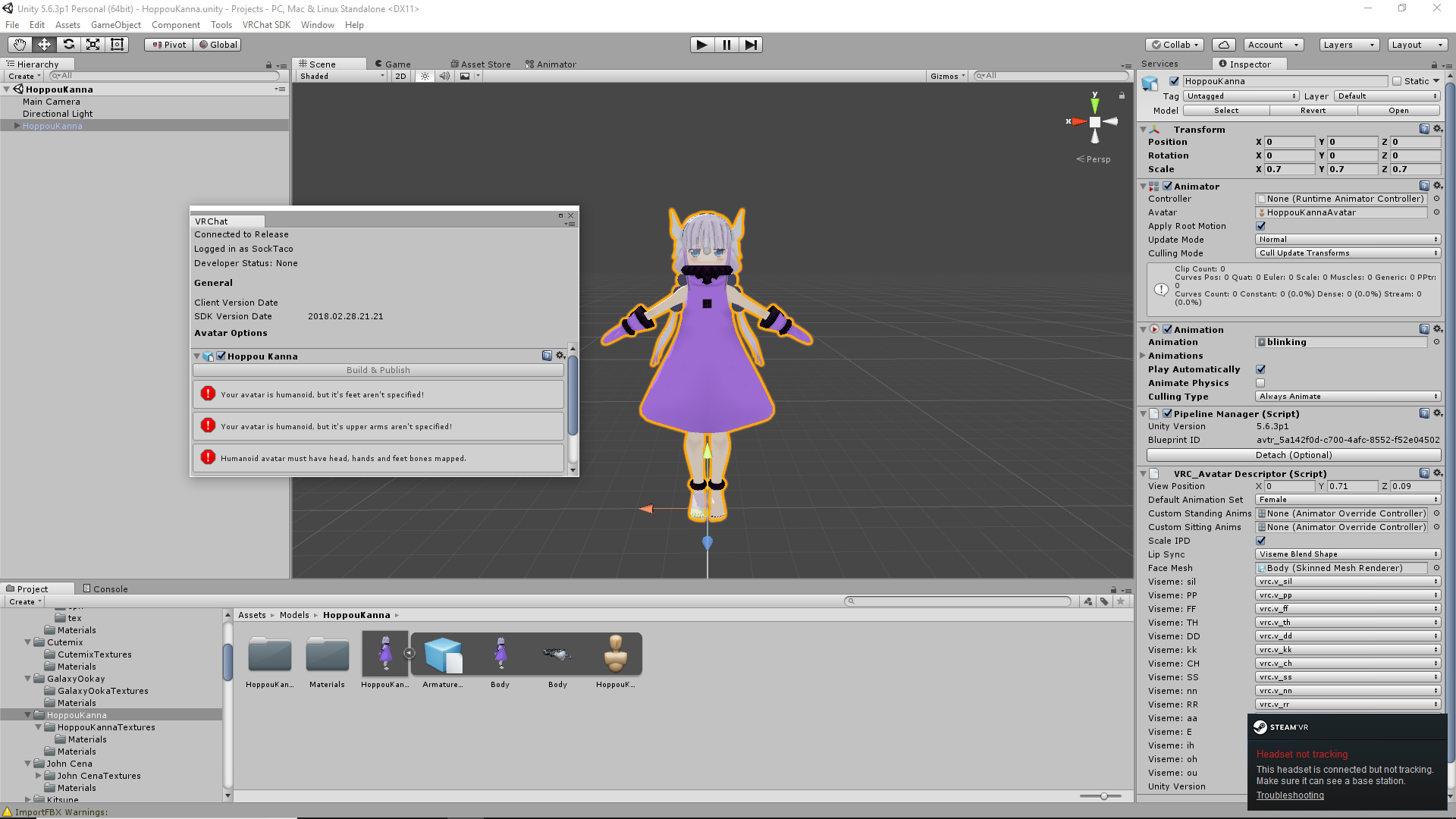
 gritty nest
Scroll down in the rig window and make sure you have the feet mapped
Oh wait, that's weird
Have you tried restarting Unity?
silk plover
would having her in pose mode when i exported be the cause?
dense latch
does the left eye and right eye bones have to be "LeftEye" and "RightEye" or can they have different names?
final cave
im not sure why This avatar is not imported as a humanoid rig and will not play VRChat's provided animation set is coming up its a humaniod model
silk plover
think i may have figured out my issue
loose bones had to be re-parented and then have automatic weight painting then cleaned up the weight painting a little bit re-uploading now since i no longer have that error message i will report back my results
final cave
anyone know when i get into game why my ares are going through my body
rose shard
Send a screenshot @final cave
final cave
give me a sec
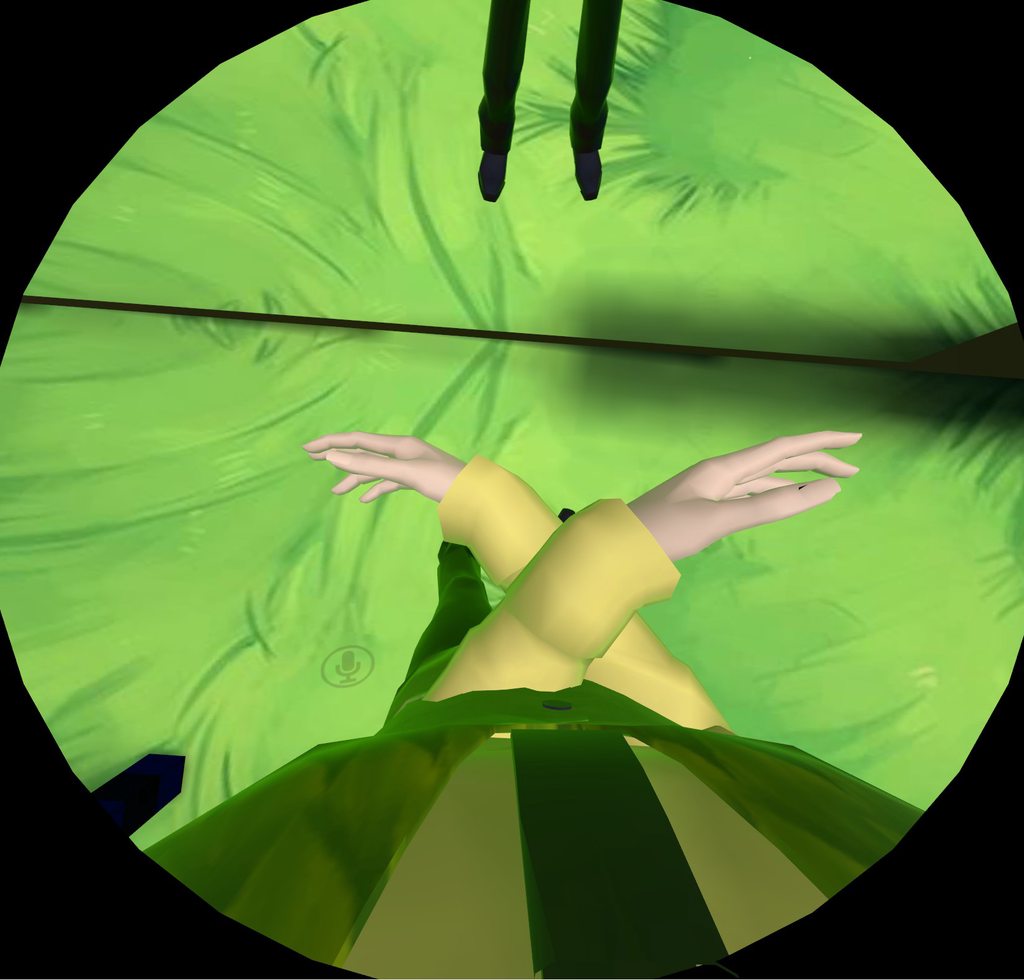 rose shard
Take a screenshot of your arm rigs in unity
raven reef
if you're using vr then maybe the controllers just randomly switched, happens to me quite often. Or you have your hands mapped incorrectly
reef verge
Is it possible to combine the weight painting of a mesh into an other bone in blender?
final cave
is theer a way to have it where when you sit down the dress curves to your legs?
final cave
Anyone know why its saying this avatar uses visemes but the face mesh is not specified
nvm
silk plover
Mesh 'Body' has 41 (out of 20835) vertices with no weight and bone assigned unity error after importing from blender how do i fix this without having to mess with the weight painting cause the body already has all the correct weight painting
gritty nest
I have a model with a forward hips issue, pretty badly
The bones have roll, do I have to set that to 0?
If so, what's the quickest way to do that?
Like, they have roll values of 83 and stuff
solemn kelp
@steady bridge That all you need to do? rig both arms and hands with bones and parent to the second set
restive marlin
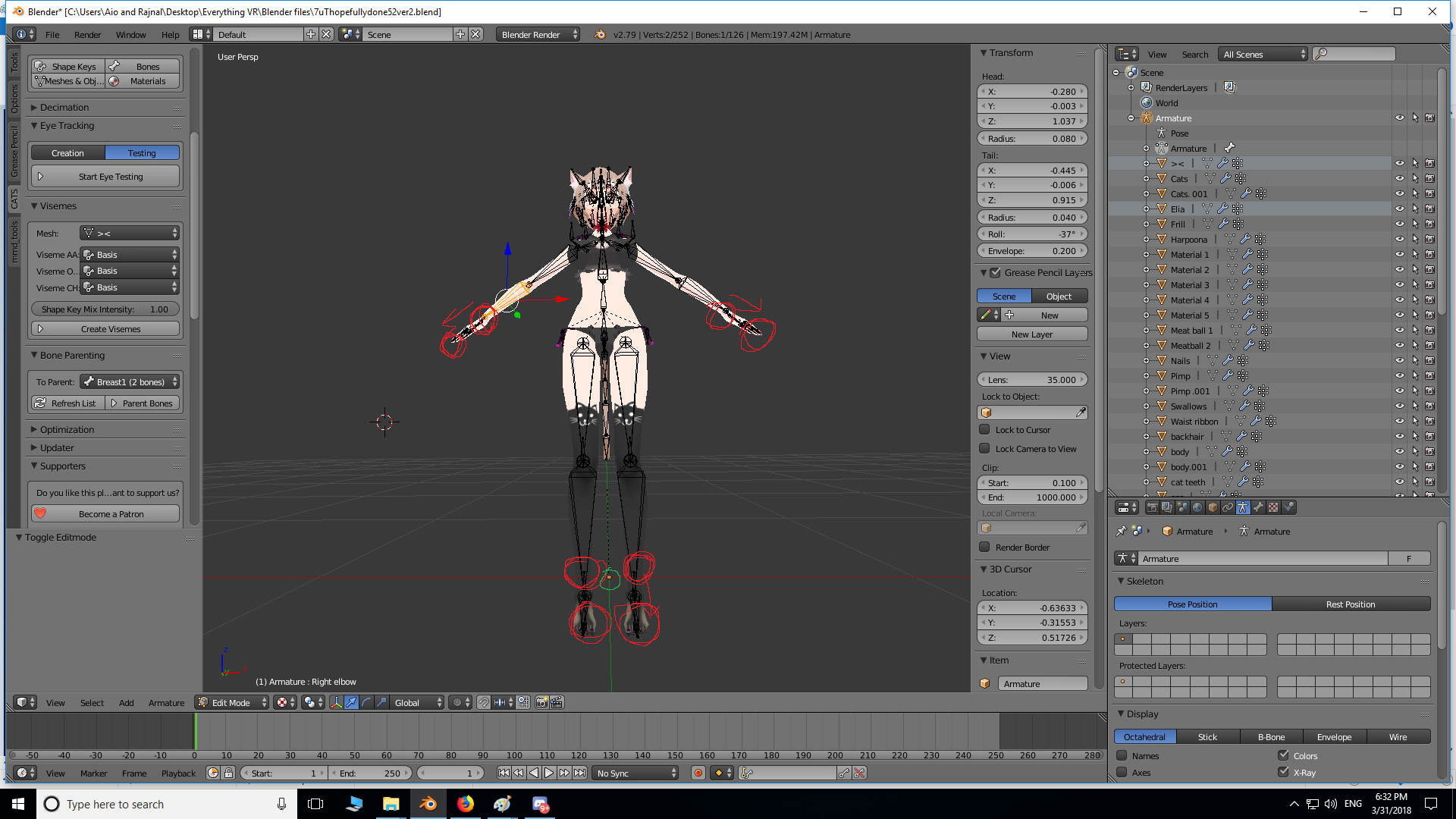
I'm trying to make my characters arms/legs smaller/shorter in scale/length than my avatar body just ever so slightly in order for full body tracking to not be so far off when it comes to my feet being a foot under my actual floor. But I'm having trouble having the scaling save.
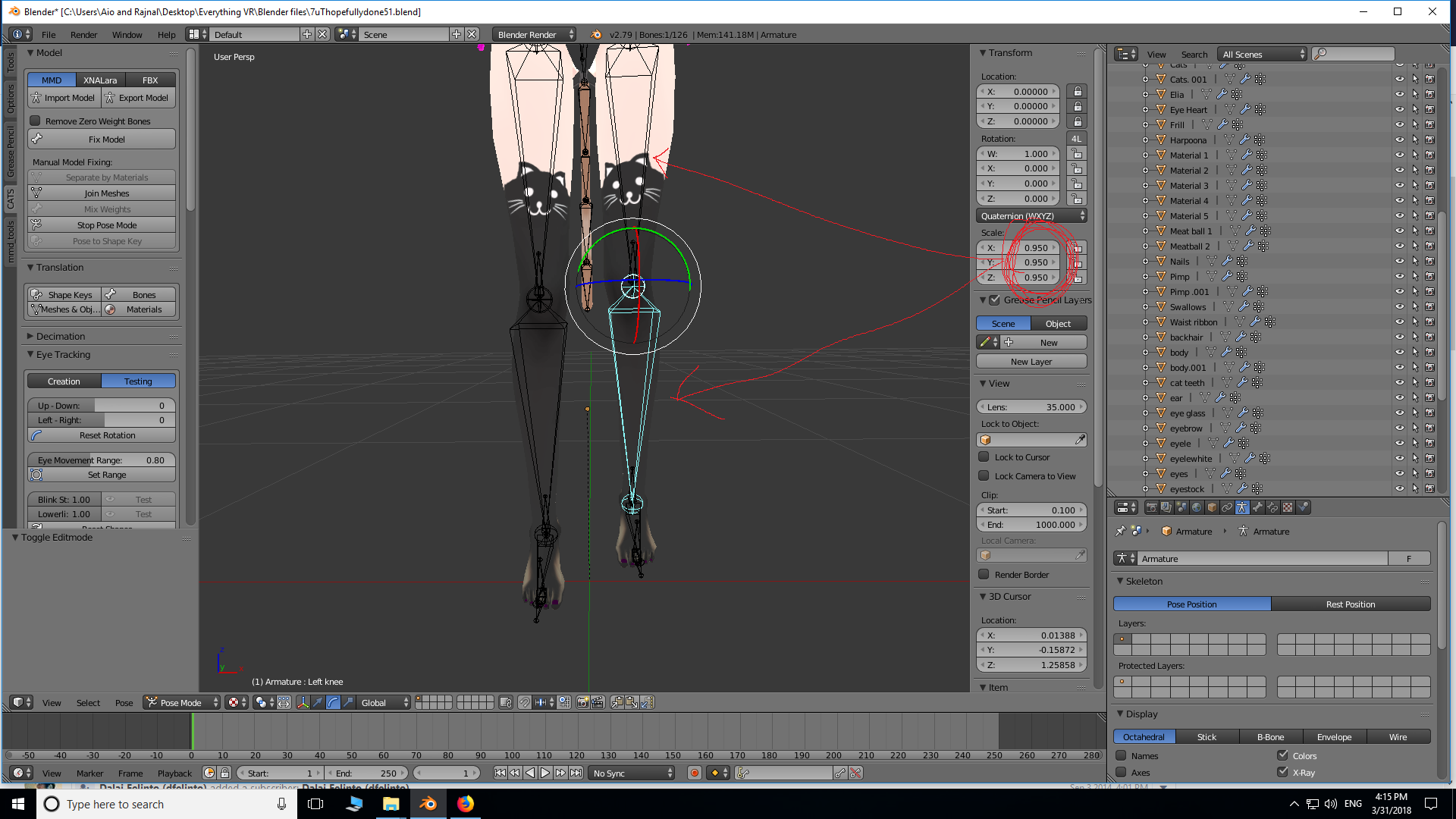
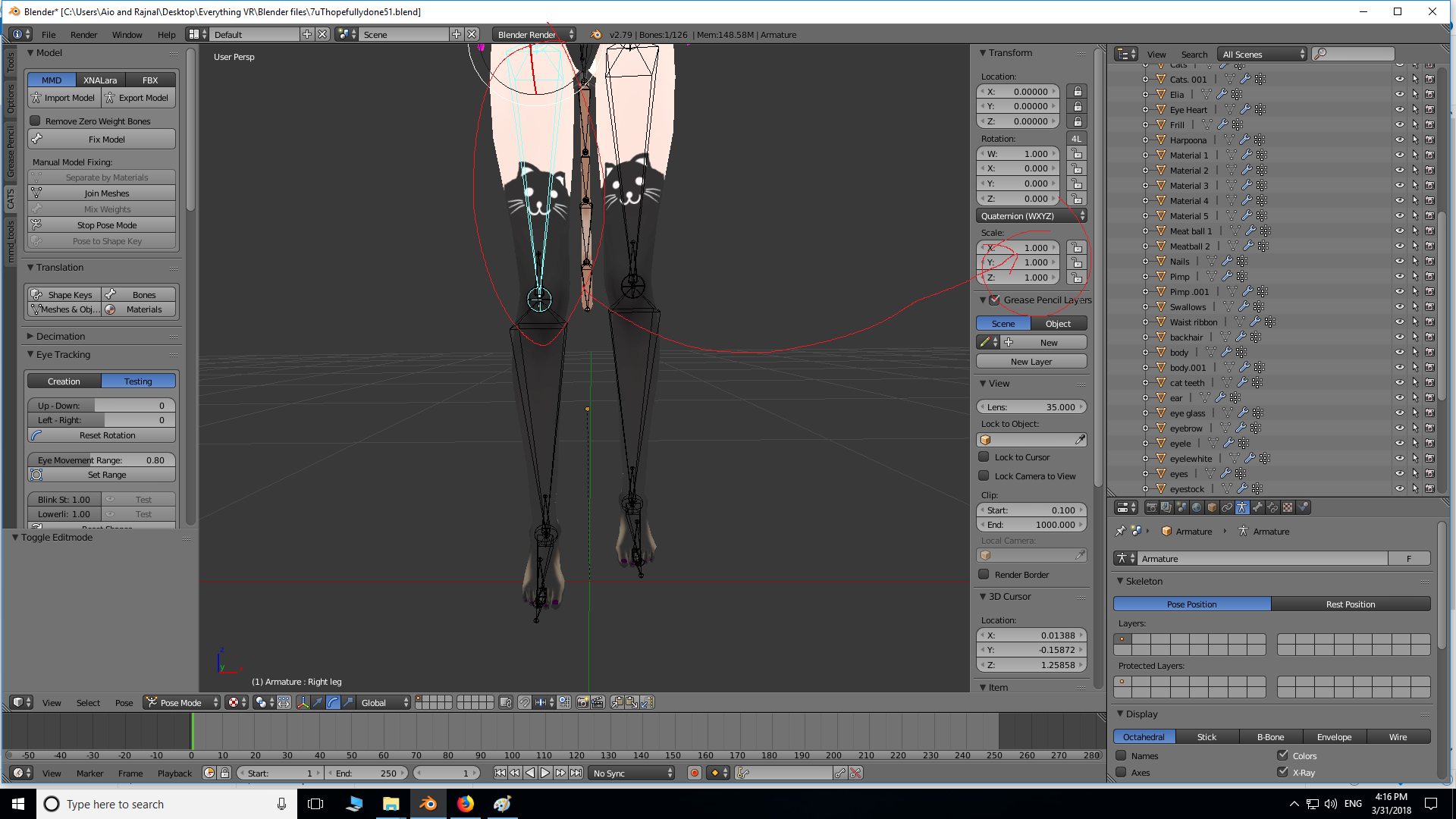
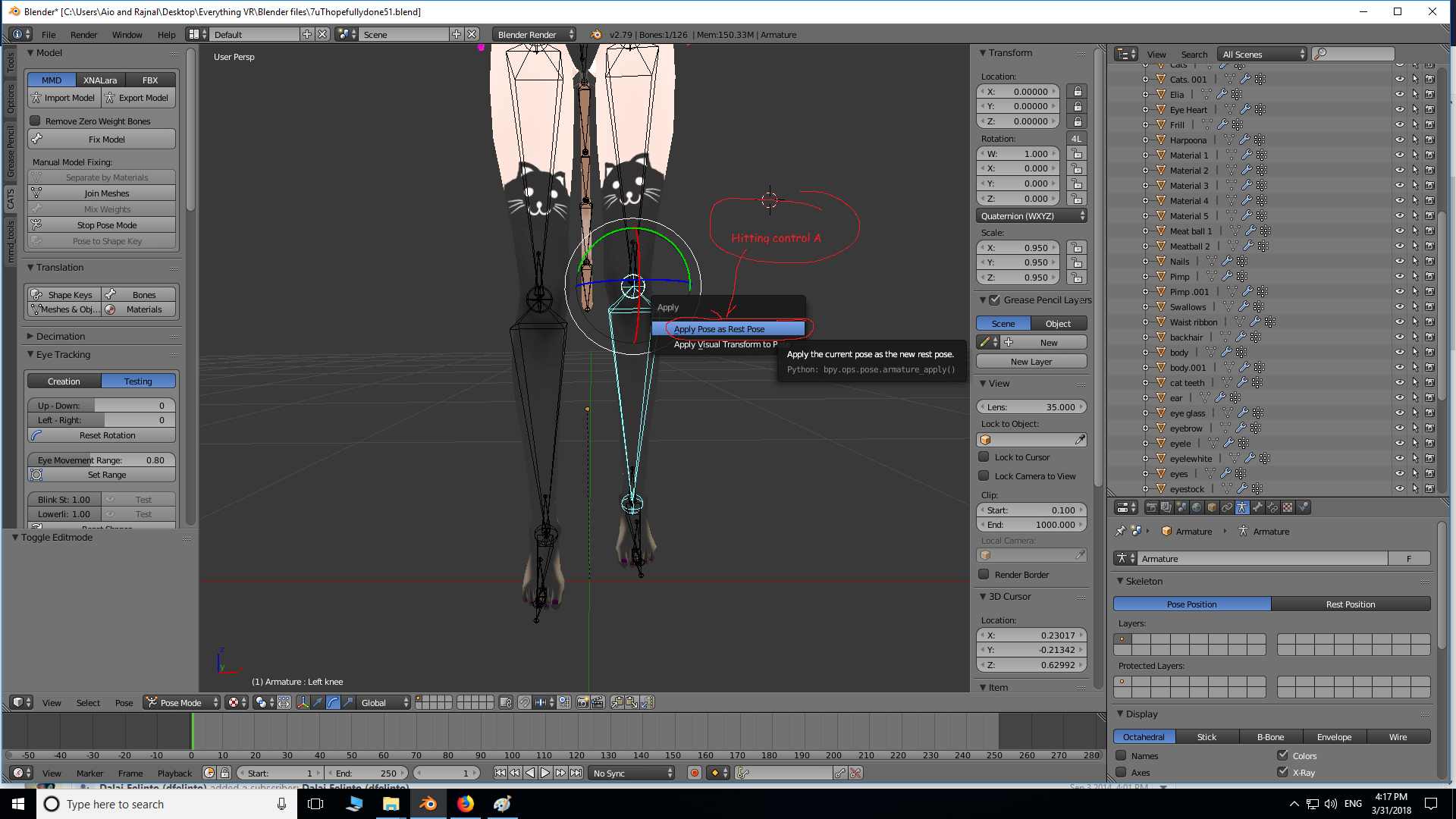
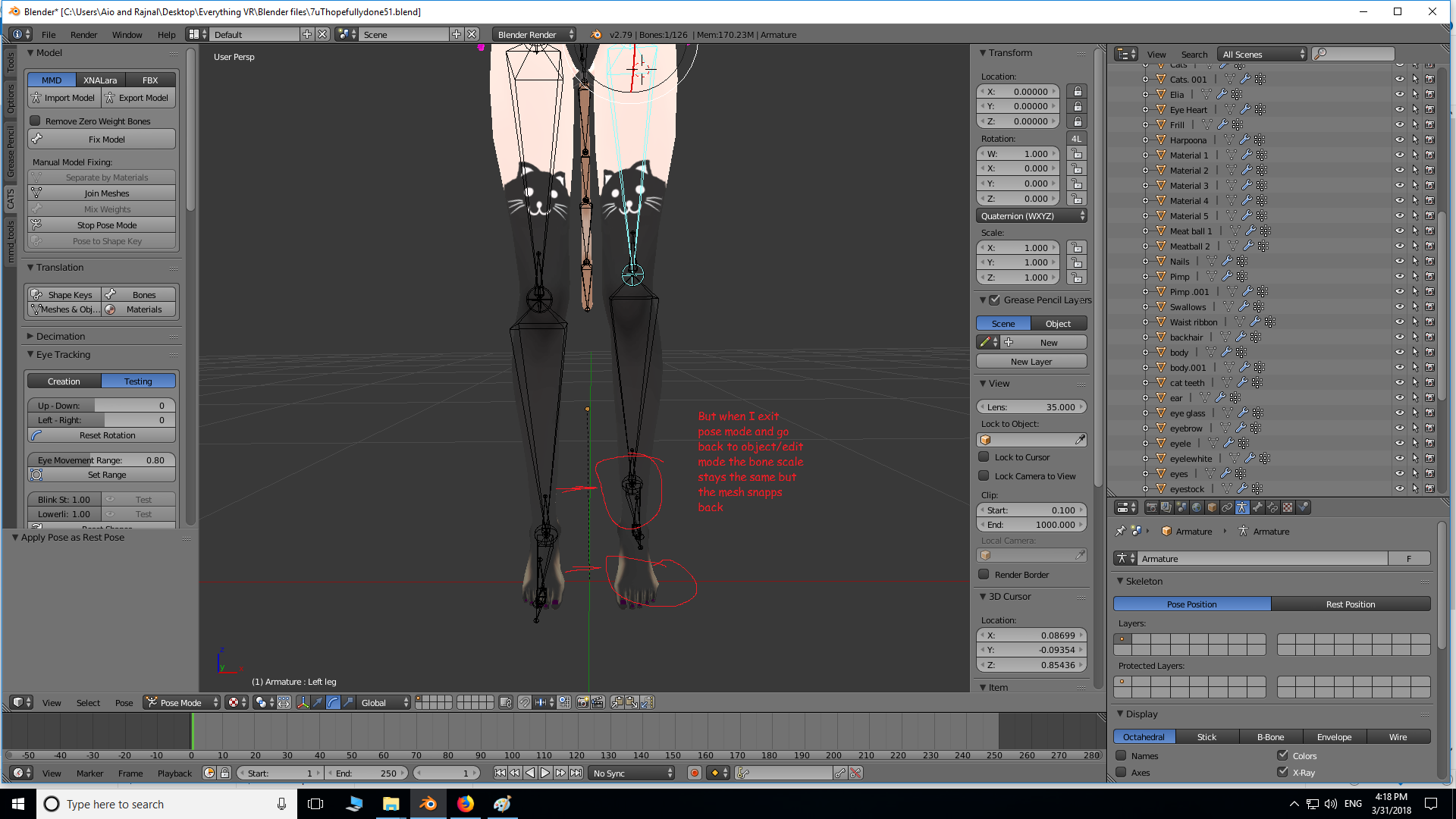
I'm not sure how to keep the mesh scaled to the bone like in example 3 when I exit to object/edit mode
If anyone has any suggestions on how to scale arm/leg length with a much easier method, I'm all ears 😄
gritty nest
Alright, so my rig was unsalvageable and I just decided to put it through Mixamo after I made all the shape keys
It's good enough for easy humanoid models
Tends to fall apart for more complex models or accessories though
steady bridge
@solemn kelp yeah should ba as simple as that or if that dosnt work can ad an axtra bone from the hands to the second set
think thats what i did for my 6 armed model
solemn kelp
wow 6 arms?
restive marlin
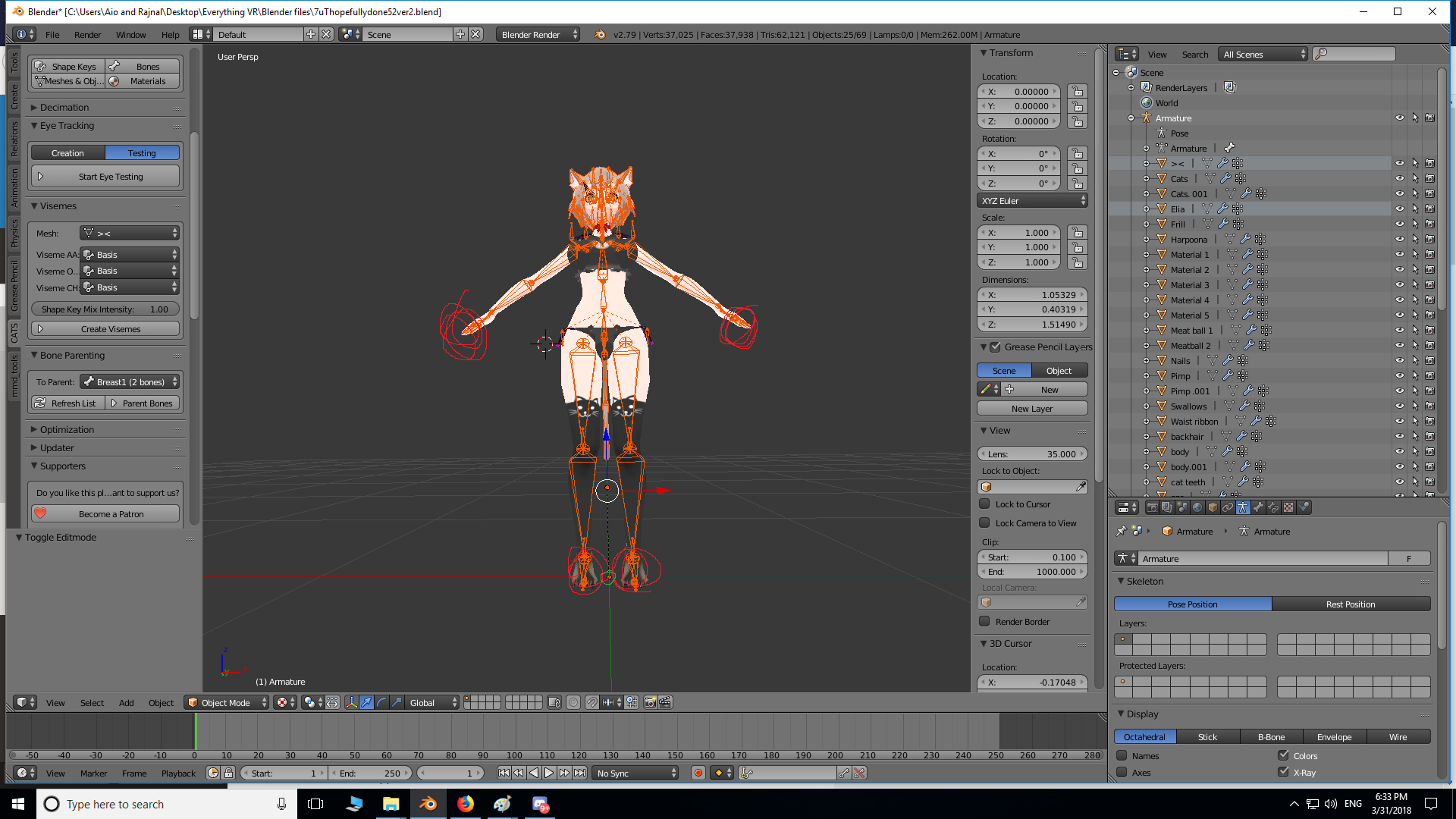
I can't get my object mode and my edit mode to both coincide with each other, edit mode has transformations (makes arms/feet longer etc) that I -DO NOT- want. Any help would be much appreciated: here are the Object vs Edit mode.
 simple kite
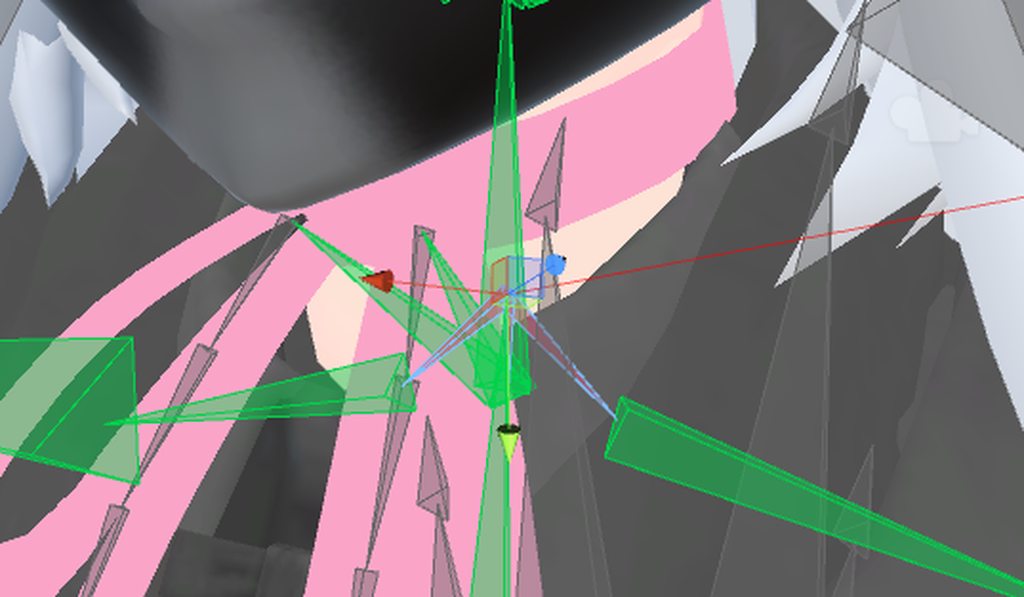
https://imgur.com/a/wYti0 Any idea why the chest is like this?
 rigid stratus
How do you set up dynamic bones for hair that doesn't have weight and the person doesn't want it to have weight? How does gravity work in the dynamic bone setting?
restive marlin

I made the bones in unity 30% shorter in the legs to make a really short felix to test how tall the model has to be for full body vr
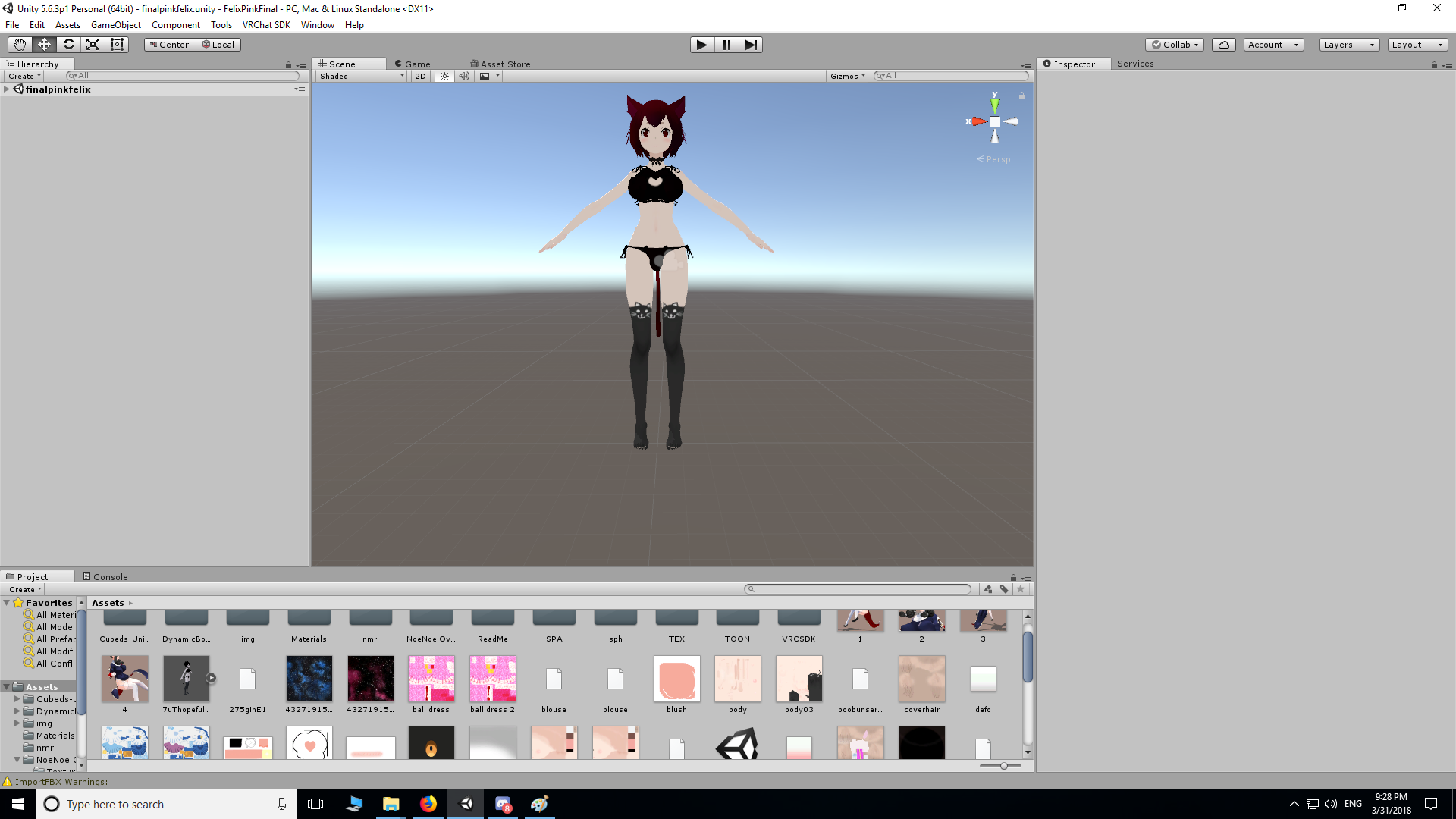
But as soon as I return to unity after hitting apply and done the length of the legs returns to what it was before (aka they arn't short now)
brisk mesa
@rigid stratus anything like that, you must add root bone and regular bone and weight the hair to the regular hair bone yourself in blender first.
Well, if it is like a ponytail then keep the head part of the hair weighted to the head bone and the ponytail swinging part weighted to the new hair bone(s)
 random lotus
for the legs do i only need the left legs and the left knee's? do i need to have the upper legs too? because this custom avatar didn't have any upper leg bones at all
They're aren't to many physics i want on her
espically not the skirt because it's already super short
random lotus
ok
i'm redoing the bitches rig
because sega's is a complete cluster fuck to deal with
random lotus
well its just since they're all seperate parts ( i just wish the base models for the custom hero's could have been one model alone
so i didn't have to convert the model rips to fbx one piece at a time indiviudally
.........
xD
 midnight pike
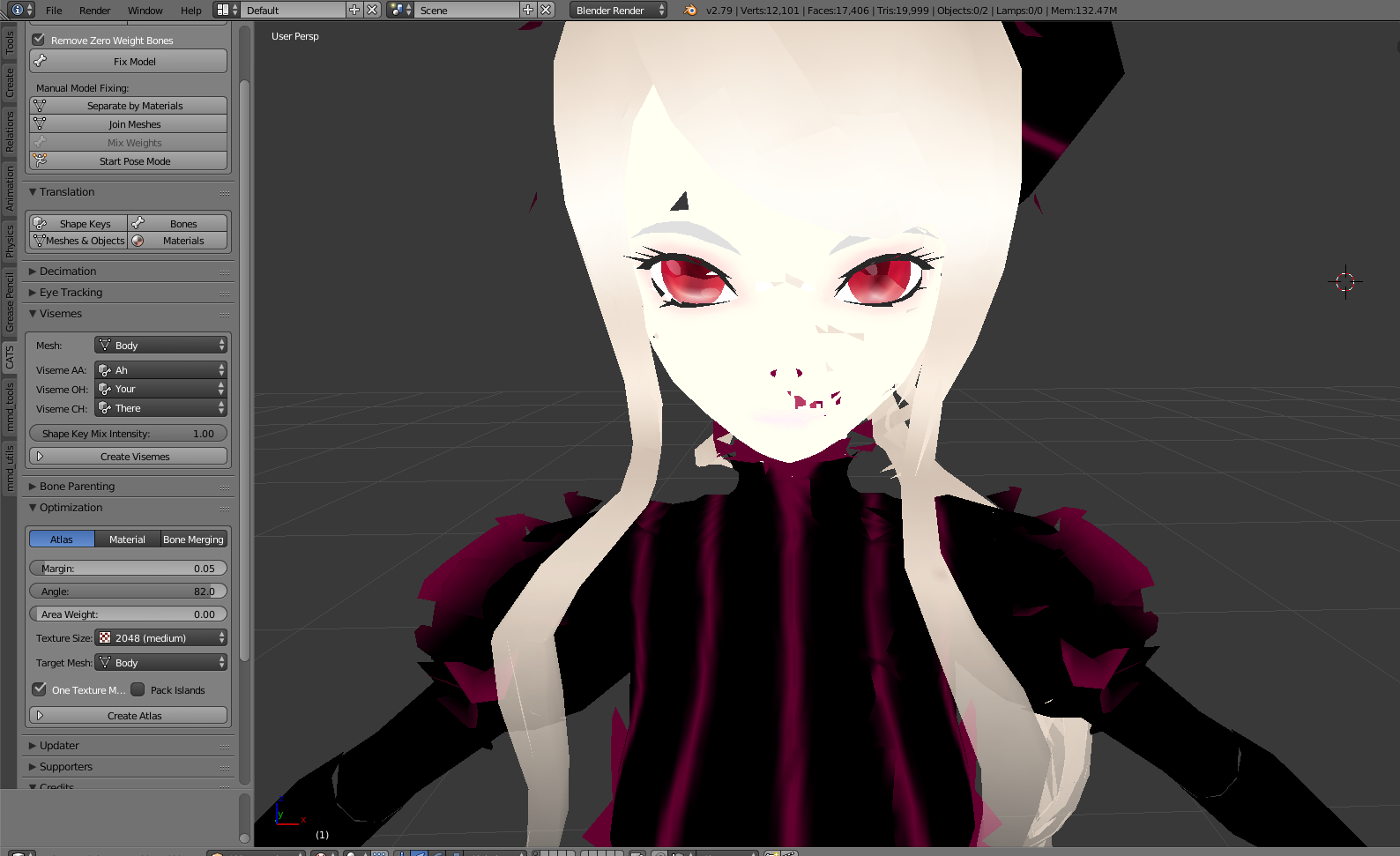
What causes models to lose some features after atasing?
Before https://imgur.com/z5BVnMg

 bronze elk
Thats pretty much why i just dont do atlasing
mental lynx
Would anyone know why a neck bone would stop accepting location/posing from the chest?

Ah, when I set the parent, it never stays.
brisk mesa
look at the bone tab for this neck bone and make sure it inherits rotations and other things from the chest bone
they're checkboxes
cause neck bone should always be parented to chest bone
and head to neck, hair to head, w/e
mental lynx
What was happening was it wouldnt apply the changes made
Restarting fixed it
Well, I have a new problem. Eye rigging is all crazy
This may be something completely out of my ability to fix, too.

This is the closest I can get it without the eyes moving out of the head and take off
Any ideas on how to stop the clipping?