#avatar-rigging
1 messages · Page 106 of 1
 rose shard
rose shard
rose shard
Ok
 slim violet
@naive tree ok I have the meshes all joined
 void tiger
Question is there a way to animate an Avatars Hair, Skirt, Brest, Tail, and etc without buying the Dinamic Bone Unity Asset?
 restive shale
unity has a built in cloth component that could work for some of those
@void tiger
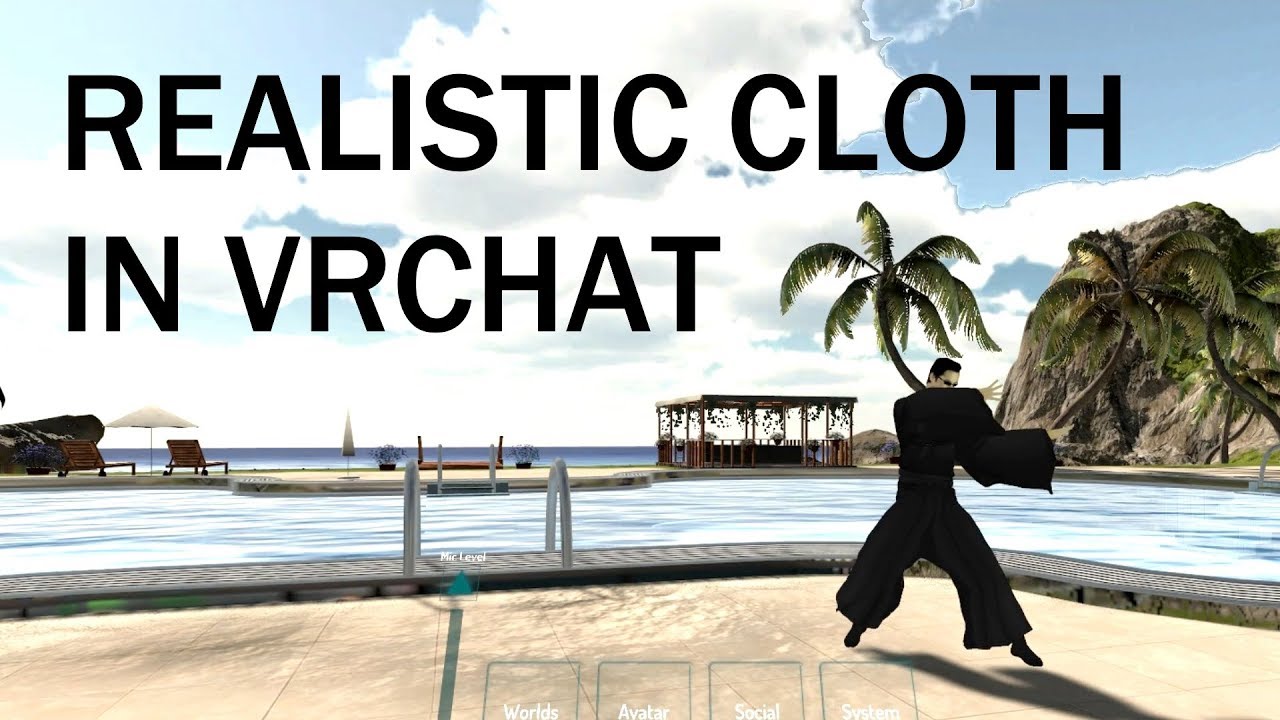
extra notes: - this might not be the right choice for your model if the cloth is stylized in a physically unrealistic way or if there are multiple layers to ...
void tiger
👌 Much appreciated thanks
restive shale
np
 fleet turtle
will VR mode ignore hand movements if a specific finger is not mapped or if one hand is mapped and the other is missing?
Keep redo'ing the left hand and it has a hook on the right hand with just a wrist bone
but when in my oculus controller cannot move the left hand fingers at all
@vocal quiver would you have any insight on hand movement issues? I tried learning at the common problems found.......all the bone names match similarly to an example MMD and I rolled the bones at the same angles for testing. The hand just stays in a partially cupped state
Model hierarchy, vertex groups, and shape keys match very similar to an MMD
 serene urchin
does someone know how i can use two armatures and move two arms at the same time ?
rose shard
So uh... this might be weird to ask, but could someone fix my model for me? I've been trying to make it work for over three hours by now and i'd appreciate it if some magic genius could somehow fix the rig of it.
 lost shard
@fleet turtle you NEED those fingers. If you don't want physical fingers thats fine just rig up 3 bones at the end of the hand not connected to any actual mesh.
fleet turtle
Ty
 neon quiver
ok dumb questions because i can't seem to get google to show me results for the awsner. So i already have my avatar rig. i want to add a hat to it. how do i go about to add the hat to the already exsisting rig withought having to redo all the weight paint "automatic weight" and just have a new weight added just to the hat and continue. if that make any sense. I did it before but i can't remmber how i did it and can't seem to reproduce the same results.
 fading verge
check #tutorials i think there is something there that explain what you want
neon quiver
thanks. i think i foundt he video
 austere merlin
how do i make an avatar that can fly
 forest crane
anyone here have full body tracking ?
@austere merlin add box colider under your feet
and add it to your hand
austere merlin
why hand?
 thick karma
Probably so you can control when you fly upward. Ive only ever added it to my feet so i can spam jump

 random lotus
if i move a bone somewhere else, do i have to reweight it?
 fleet echo
@restive shale big problem with cloth use alot CPU usage plus need to make it own mesh
restive shale
you should mention @void tiger too
rose shard
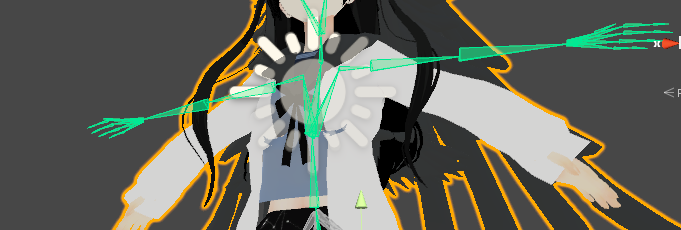
So uh, i've tried connecting my mesh and rig with CTRL + P and such, but it continues to do this, what do I do?
https://i.imgur.com/BrbtBhG.png
 lilac moss
ctrl-p -> armature deform right? and the mesh has weights right? and you've exported to the right place and there is only 1 armature?
those are the things i'd check
rose shard
I've not done armature deform, I was never informed something like that was necessary.
Thank you for the response by the way!
 fleet turtle
Try applying your mesh into vertex groups named after the bones you want it attached to
That way you can selectively pick specific polygons to flex with certain bones
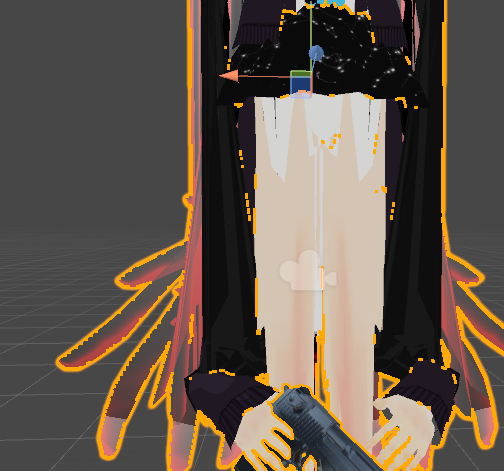
Also, weapons can be added in unity as an object and gesture override animation to make it appear
Unless you want to permanently affix it to the model's hands
rose shard
This was in unity,
and uh
I'm not exactly sure what you mean by applying it into vertex groups, could you help me understand?
fleet turtle
oh sorry, in blender
generally in the same place you find the shape keys
there is a criteria called vertex groups
basically you assign groups of polys to a vertex group that has the same name of the bone that is to move them
that is another way to parent meshes to the bone
i took existing un-rigged polys on a model's head once, like fox ears, i added 2 bones generally where i needed them to pivot, labeled them accordingly like Left Ear and Right Ear, parented those bones to the head
then selected the group of polygons associated with the left ear, added a vertex group called left ear, assigned it to the polys selected
and bam
now you can pose the ears in both blender and unity
rose shard
Hmm, okay.
Thank you for the input.
I think i'm going to just rig some of the parts on my own and such at another time.
Once again, I REALLY appreciate it!
fleet turtle
np
i could use some help though
Anyone know of the best method to rig an avatar with 4 arms to have the second set of arms follow the first two?
i could imagine making them parents of each other, but uhm i could lose the pivot points at the base of the second arms by doing that
rose shard
Uh.. no clue.
 echo drift
I got a dynamic bones question, I got one hair parent and three hair bones. They used to work great but now I don't know what's going on. https://i.imgur.com/31cfRKk.png

the white lines shown are just the bones connected to the parent but no white lines in the bones themselves
it worked plenty of times before, and now it's not working for some weird reason 😠
 tired stump
@echo drift Do your bones you wish to be dynamic have 'End Bones'?
 naive tree
have u checked if they even have weight?
tired stump
I may be wrong, but something similar has happened to me before. If i wanted a bone to be dynamic, i would have to extend one extra bone off of it as if it were an "end bone". naming is not important, just that a bone is on the end of it.
echo drift
I don't think so @naive tree
naive tree
if u move the bones, does the hair move with them?
echo drift
@tired stump I haven't had this problem before... it's so weird
naive tree
in unity or blender, doesnt matter
echo drift
well I did test it, but I can describe it as balancing a plate with hair on it, unlike individual strands moving with the 3 hair bones
tired stump
yes, its quite an odd problem. When i first learned how to use dynamic bones i didnt have such a problem either. As i found out, that was because for some odd reason 'End Bones' were being automatically created during some point in the import/export process. The auto 'end bone' eventually stopped making itself and i went on a hunt to find the issue.
echo drift
@tired stump wow... so weird 😓
tired stump
Have you tried adding end bones? and if so what is the result?
echo drift
not yet, gonna try something real quick
tired stump
👌
echo drift
@tired stump well I deleted my old FBX files and recompiled it completely and now the dynamic bones work properly 😅
tired stump
End bones didnt work for 'ya?
echo drift
I appreciate the advice but it seemed like I was making it hard on myself if I did that
tired stump
?
its no challenge at all
just put the model in blender, grab your skeleton, go into edit mode and select the tips of the hair then hit E to extrude. point them in any direction/w any size. export and done.
echo drift
oh ok
tired stump
what did you think was needed to be done to add bones? XD
 obsidian orbit
My successfully weight painted and boned rig in blender https://i.imgur.com/YpnWKSH.png
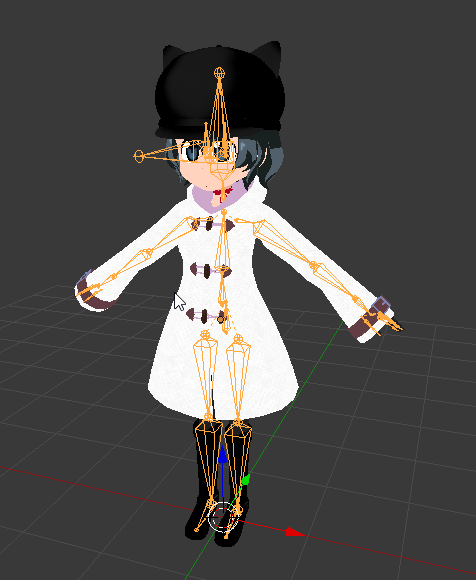
vs how it shows up in unity https://i.imgur.com/UV9cAG0.png
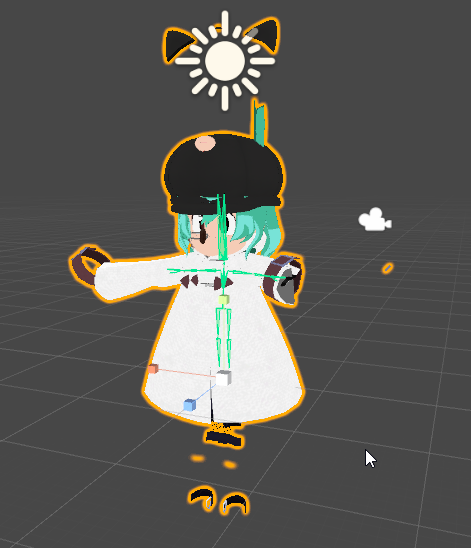
??
 manic marsh
Woh! what in the name of glab is happening there?
obsidian orbit
That's what I wanna know
Took me forever to figure out the weight painting problem and now unity is just spitting it back out
manic marsh
Looks like the rig is smaller when Imported to unity or the mesh gets bigger
That is very interesting, something like this happend to me once when I used auto weighting, and the mesh got way bigger than the armature for some reason, haven't tried to import it into unity tho so I can't help you there : /
 silent sequoia
@obsidian orbit did you join the meshes before importing to unity?
obsidian orbit
Yeah, meshes are joined from awhile ago
silent sequoia
Also did you add the armature to the vertex groups?
obsidian orbit
She's fully posable inside Blender itself, so the armature is responding to everything correctly
 pale hull
@obsidian orbit have you tried resetting the pose in the avatar configuration scene?
Typically that is something you have to do when you mess with the armature if you already imported the model before to unity
Afterwards you might have to enforce t pose again
pale hull
Great
 pine solar
is there a bone naming structure picture i can look at so i can name my armatures correctly?
pine solar
anybody?
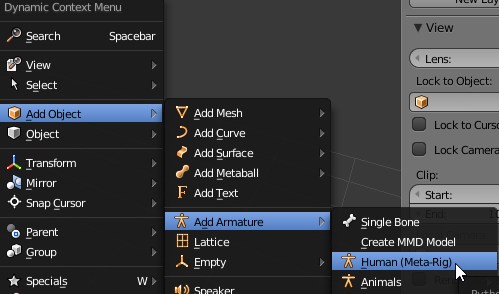 pine solar
i guess i will have to remove the face and unnecessary bones from it and move the bones around
oh i see
you ment like make a armature than follow that naming structure for my armature
also that rig has a bunch of spine bones i dont see in other references i find online
ugh i dont understand which bones i need and which i dont
 blissful onyx
Got some weird problem with some rigs I imported from another game: https://imgur.com/F1Xfvfb


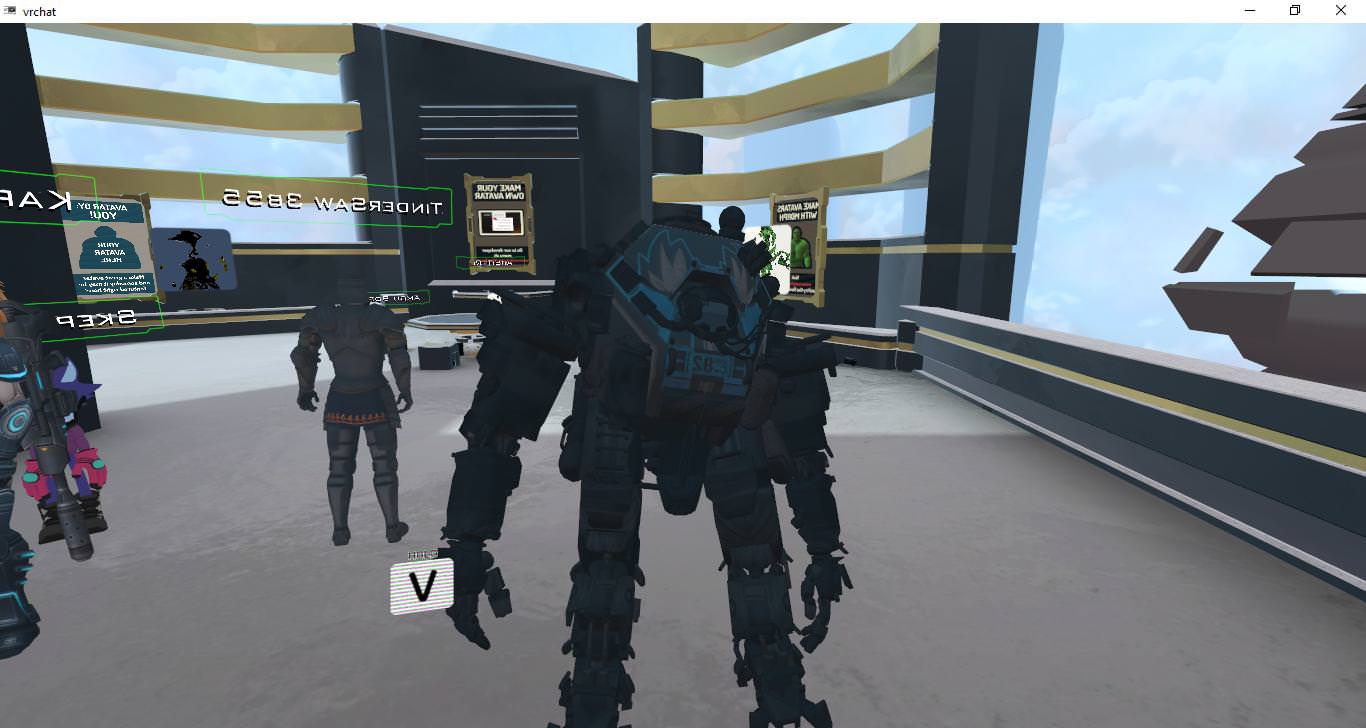
 low quartz
hey guys I'm having problems with some armature merging in blender, when I merge the armatures, the mesh of the model changes scale but the armature does not follow, if I try to lower the scale of the mesh, the armature will shrink as-well.
 fading verge
Is decimation a mod
lost shard
no
lost shard
A day at most
lost shard
The only thing I'd say is don't justy google VRChat custom models on youtube
99% of those guides are complete ass
fading verge
is it easier to use MMD models
@fading verge kinda, they are already rigged and weight painted, just need to decimate and import them
oh
do i need to rig the eyes and tongue if i want a gesture to make them do something
usually they are also already rigged
well the eyes are at least
not always the case for the tongue
i want the eyes to look upwards
and the tongue to stick out
with 1 gesture
lewd
lol
well
do i just add bones
you have 2 ways of doing that
and do the gesture mod in unity
?
lost shard
No
fading verge
either you create a keyshape that does all that (eyes looking up, tongue sticks out, etc) or you combine multiple blendshape in an animation in unity
lost shard
You're going to have to spend a day reading and watching some guides to get a grasp of the fundamentals before you start making a shopping list of what you do and don't want to do.
lost shard
You need to look up keyshapes, animation overrides, keyframing and how the VRChat SDK works
fading verge
and that part is blender or unity
lost shard
Keyshapes are blender, animation overrides, keyframing and the SDK are in unity
fading verge
ok
and keyshapes are part of the same model or a seperate file
sigh why is this stuff so hard
i can do IT stuff but i feel retarded af doing 3d modeling
fading verge
I need tutorials that get straight to the point and dont have fillers can you guys link me some good ones? @lost shard @fading verge
fading verge
Head swapping is just cut and paste in blender right
lost shard
You're going to want to knit the meshes together if you want them to move properly
fading verge
I have a question, if anybody can help me out with it I'd be grateful. I have assembled parts from deviantart and made a model of my own. The hair, clothing (1 piece), earrings and body all their own armature. How do I go about setting that all up properly?
serene urchin
Someone worked with these models and know which robe bones to parent to the legs to get realistic robe physics without clipping https://ibb.co/c3GzKn
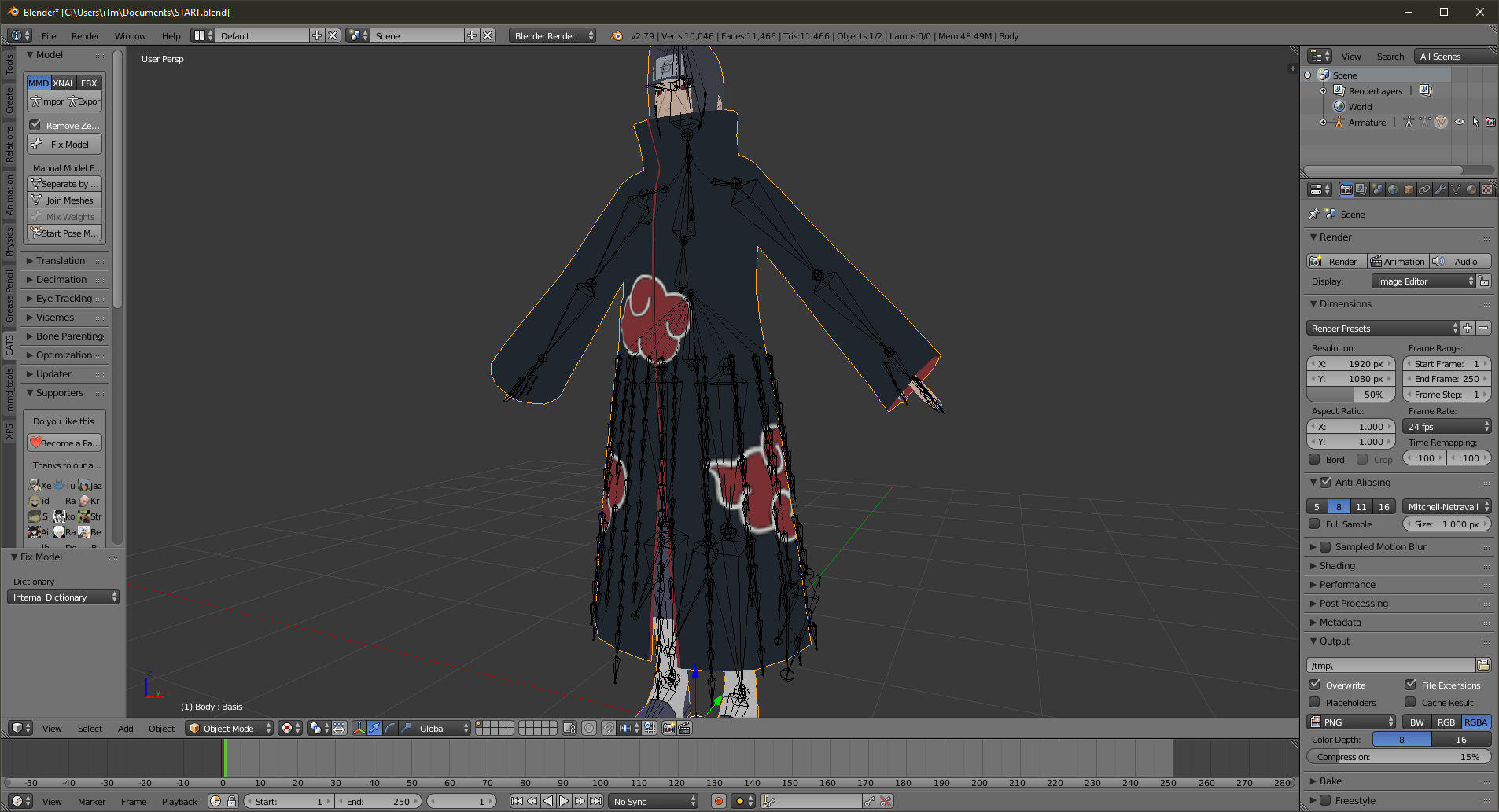
 pine harbor
if you're going with the "parent to legs" route, i would imagine that you'd have to parent each individual robe bone to the closest leg bone that's not below them in the model's T-pose
that should get the robe moving relatively believably without any clipping, if that's what you're after -- you won't have any physics in the sense of wind swaying though
serene urchin
@pine harbor i tried it but it doesnt really work perfect im still like a noob in blender
but ive seen these models with perfectly working robes
like the naruto kanna ones
pine harbor
are you sure they weren't using dynamic bones or unity cloth?
serene urchin
i dont know about unity cloth but it looks to good to be dynamic bones
pine harbor
it may be this then:
extra notes: - this might not be the right choice for your model if the cloth is stylized in a physically unrealistic way or if there are multiple layers to ...
someone posted that tutorial on this discord after he found a way to overcome a bug that used to happen whenever you used that component in VRChat, it should be in the video itself
fading verge
finally home.. now i have to learn stuff
but first i need to take some cognitive enhancers because im retarded
 brisk mesa
nootropics like maca root only help focus and energy and getting it up
otherwise there aren't realllllllllllly any enhancers
fading verge
noopept, choline, caffeine
brisk mesa
i guess other than cocaine or caffeine but those don't really count lmao
idk, choline hasn't done shit for me
brisk mesa
oh i've never gotten those
unless in the rare cases i was a dummy and didn't drink enough water
brisk mesa
preworkout for me before a test works well
fading verge
i dont even know if i have MS or adderall simulated symptoms of MS
fading verge
i ran out of c4
brisk mesa
i got Curse when i ran out of c4
fading verge
is that stuff good
brisk mesa
it tastes good, i got ummm
the blue one, the yellow lemon one, the pink tropical flavor one
brisk mesa
mine is too but really it just means i have to learn a little of something before i go to bed every day
for max retent
so really, math
im kinda annoyed that all the adults in my life before told me that i was just 'bad at math' and that 'it was okay'
it's not okay to tell a kid that
everyone was just equally bad so they tell everyone that growing up so -they- dont have to feel retarded
hmm i should also go watch tuts on how2gestures too cause i also wanted an ahegao one
serene urchin
@pine harbor the constraint menu doesnt appear for me ?
pine harbor
is it the whole button that's not appearing, or just the sub-window with the constraint settings?
serene urchin
sub window
pine harbor
hmm, it appears for me the same way as it does in the video
the cloth component has been added to the mesh you want to behave with cloth physics, right?
serene urchin
yup
pine harbor
hmmm...that's a built-in unity component, so i'm not too sure what's going on there
pretty sure i've seen your name around for a while on this discord as well, so it's quite unlikely that you're somehow using the wrong version of unity
serene urchin
nah im using normal version never had any proble,s
pine harbor
hm -- did you add the cloth component to the mesh specifically? i don't think it works on non-mesh components
serene urchin
yeah on the mesh
pine harbor
bleh, i'm drawing a complete blank on this one -- someone chime in please if they know what's going on OTL
 hot leaf
I found a fantastic humanoid-ish model online that I really want to use. The model has feet, but not really legs. Just kinda feet on a plump body. The feet aren't behaving how I want for obvious reasons, but even though it doesn't have legs, it has fully rigged leg bones. Would somebody be able to teach me how to properly fix it in such a way where it would work with the humanoid rig properly if I gave them the file?
 sinful sundial
If it's got fully rigged leg bones, then whats the problem?
I'm assuming the character is some sort of Kirby type body
If the character has leg bones but doesn't have any legs, that means they aren't weighted to anything
pine solar
is there a reason Mixamo gives my model a 1 finger rig?
 dusky whale
Hey I'm having a frustrating issue with the bones I'm trying to get rigged, I'm hoping someone here can help me

Essentially, I want to make the Hip bone a parent of the Hip.R bone. Only when I parent Hip.R to Hip and connect it (Because I need to connect it for it to work proporly, right? Correct me if I'm wrong) it does this

What I want it to do is hook Hip.R onto Hip's bottom joint, but I've had absolutely no luck in trying to figure out how to do that. Google searches and youtube videos didn't help either 😦
dusky whale
But the problem with that is the Spine will then be bound to the join on the opposite end of it's parent, so I'll just be stuck with the same problem on the Spine :/
pine solar
why the fuck does mixamo make the rigs go the wrong way around in object mode
 frigid vale
so i have an odd model i'm attempting to rig
pine solar
god FUCKING DAMN IT
frigid vale
how the fuck do i rig something like this https://cdn.discordapp.com/attachments/216569017316409344/426969995545935883/unknown.png
 pine solar
it did in the one i found
pine solar
foxrally do u know alot about rigging?
frigid vale
hmmmmmmmmmmm
pine solar
i need help too
pine solar
i have this rig from mixamo
and the rig faces the opposite direction in the edit mode than the object mode
and even when i rotate it in edit mode
it rotates the object and they are both STILL
rotated away from eachother
sinful sundial
Did you rotate it in Mixamo too?
pine solar
i made sure the model was facing me when i did it
sinful sundial
Oh wait, wait
I get what you mean
It's super easy
In object mode, select the Mesh
And rotate it to align with the armature
Don't rotate the armature
The armature controls the mesh, but the mesh doesn't
So if you move the armature, it will move the mesh as well (and not fix anything)
sinful sundial
Okay
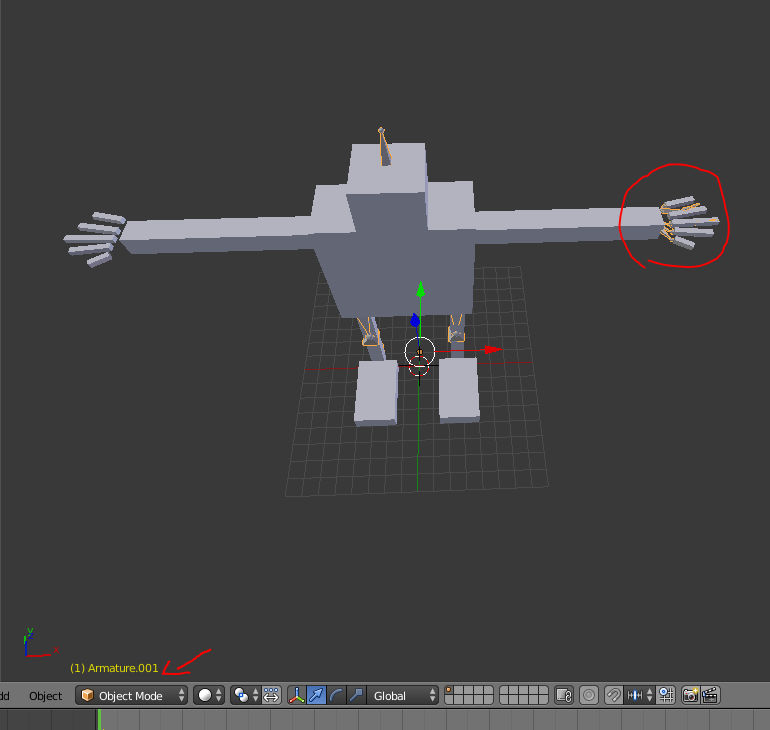
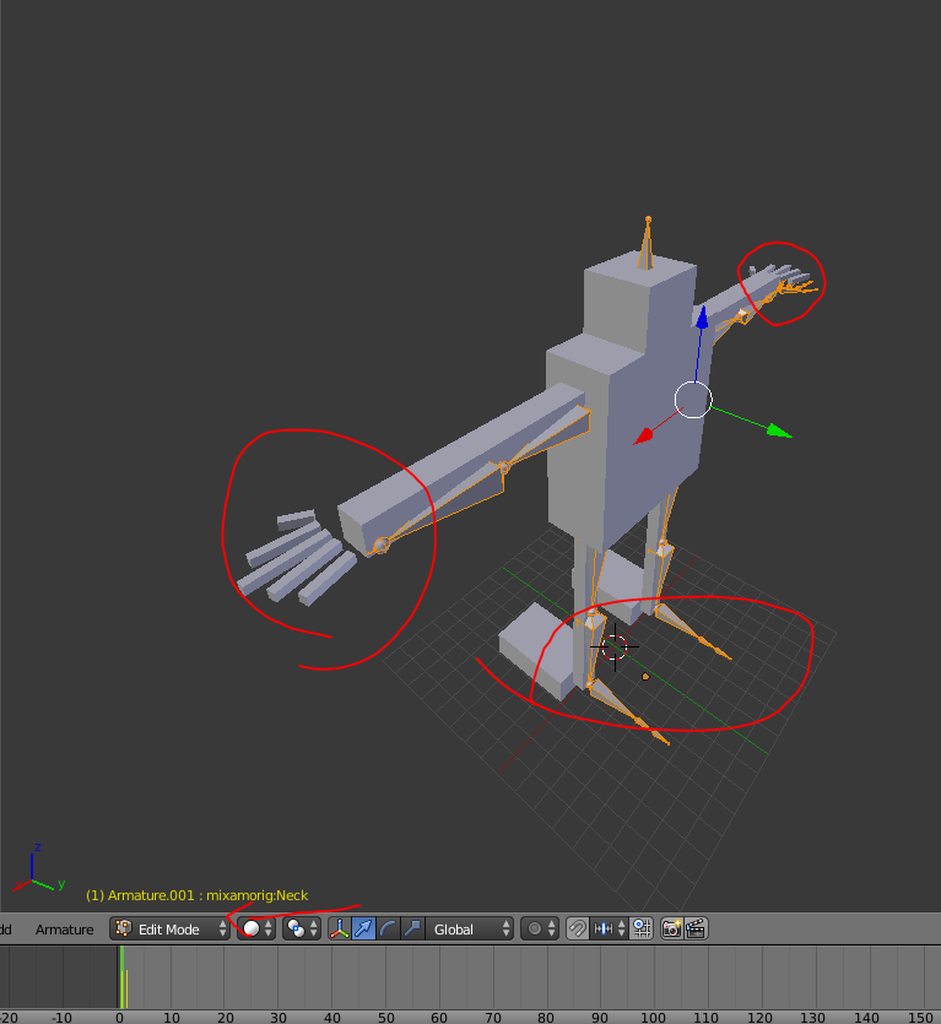 pine solar
why would it matter??? the mesh is not attached to the armature
sinful sundial
Isnt it from Mixamo?
sinful sundial
What do you want it to do
Do you want the mesh and armature to face the same way?
pine solar
what im saying is
when im in object mode
the armature faces a different direction
than in edit mode
when i rotate it in edit mode
it rotates it in object mode too
look at the pictures modes
sinful sundial
Hmm
This could be a problem with the pose, then
Edit mode shows the "default" or T-pose
 nova flicker
anyone help me with my model? my hands are stuck to my hip bone and i can't figure out why
nova flicker
no. it works fine standing still in vr but when i move or use desktop mode my arms collapse in
trying to add a screenshot
nova flicker
bones are in the right spots. weight paint checks out. only messes up when i get it in game
i enforced tpose in unity and that didn't work either
pine solar
are you sure this is only your model?
nova flicker
?
pine solar
im wondering if this is because of the vr controllers being used
nova flicker
it was messesd up before i ever tried it in vr
pine solar
ah
nova flicker
i just wanted to see if the arms would move normally if i had vr on, which they do
pine solar
the animation possibly
that would make sense for the idle being fine but the moving broken
nova flicker
just using plain old mecanim
frigid vale
so animating the shape keys in unity and then adding particles sounds
i got the shape key how i want
nova flicker
idle and moving broke outside of vr
pine solar
it could be a problem with your rig not working right with animation
nova flicker
my rig is done the same way as my other avatars and they all work fine
rigged them myself manually
troubleshooted (troubleshot?) with CATS
pine solar
ah, than maybe you could help me also? i dont really know how to fix your problem or what it really is
nova flicker
what with?
pine solar
well i made my own rig for a avatar but im not sure what i should be naming all the bones, i see tons of references with different bone names and i cant find one clear definition of what i should be calling everything
nova flicker
whatever you can remember
pine solar
does it not matter what i name it?
nova flicker
personally i name mine like 'arml' for left arm and 'legl' for left leg so if i mirror them i only need to change one character off the end
 fringe river
Does anyone happen to know where I can find a video tutorial on doing a basic bone set up in blender? I have only been able to find videos on dynamic bones, and the written instructions I was given for creating bones didn't work :\
nova flicker
i don't know any video tutorials but you press shift-a>armature>single bone to make the first bone (hip) and when it is in position you extrude (e) it to make the other bones.
fringe river
Ah, yeah. I tried that. For some reason (e) didn't work
nova flicker
odd
fringe river
Do I need to have the MMD tool and Cat's blender plugin deactiviated? :0
nova flicker
make sure you are in edit mode on the first bone, then select the little ball on the end of the bone and ten try extruding
and no
CATS and mmd tools shouldn't interfere with much
fading verge
help
nova flicker
with?
nova flicker
as in physically rotate the vertices? or the weight?
fading verge
i want to create a shape key without using pose mode
nova flicker
first you need to add a 'basis' shape key if you haven't already
fading verge
it has it
i made a new shape key with basis at the top
but it will only let me change vertex groups in pose mode and then it will create a new key that applies to the entire model
which is not ideal
nova flicker
on the shape keys themselves there is a drop menu that lets you limit a shape key's effect to a specific vertex group
the menu with the 6-dot vertex group icon
may have to be in edit mode to see it
nova flicker
right beneath the word "Blend:" below the shape key menu
fading verge
hm
im trying to rotate the eyes
it doesnt rotate them the same way as in pose mode
fading verge
fk it.. screw optimization
ill just use pose to shape key for every pose then
i have no idea how to do it any other way
 lucid cave
k
pine solar
weight painting is being weird, im trying to get the wrists of this basic avatar i made to move with the bone but it is moving slower than where the bone is https://imgur.com/lMEbWBg
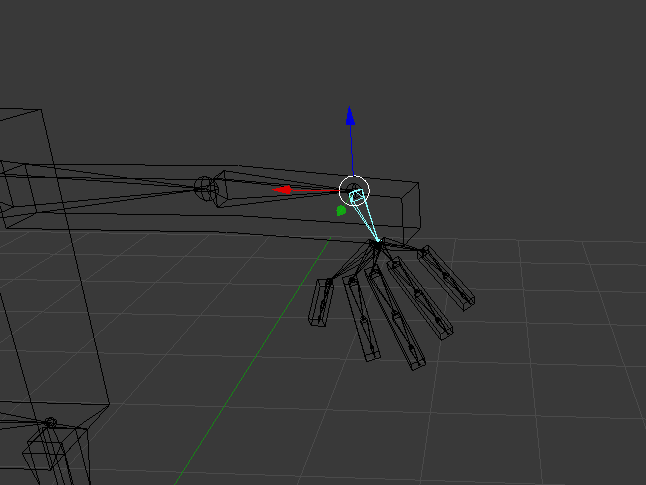
anybody help?
sinful sundial
I think thats what happens when weight painting isnt strong enough
pine solar
its full red
pine solar
?
pine solar
sigh
another odd thing i notice
sometimes
when i dont have somthing weight painted
it still effects that spot
i started it with auto weight painted
if that matters
sinful sundial
imo if its such a basic model
just rig it with mixamo
export the mesh as an obj
pine solar
it breaks the fingers
sinful sundial
if the armature is facing the wrong way
but the mesh is parented to it
all you have to do is rotate the mesh
then rotate the armature (which will take the mesh with it)
sinful sundial
yes I was lmao
pine solar
who i talked about this before?
sinful sundial
but you said it wasnt parented
pine solar
why dont you understand
if i change the armature
it rotates the object of the armature too
pine solar
yeah but if i do that it wont change the fact the edit mode is facing the wrong way for the armature
 craggy grotto
Hey guys, I'm having big troubles with Unity right now... I have set up a model and the bone structure is all correctly configured, but yet Unity still bitches about the neck and the shoulders... Could someone maybe help me?
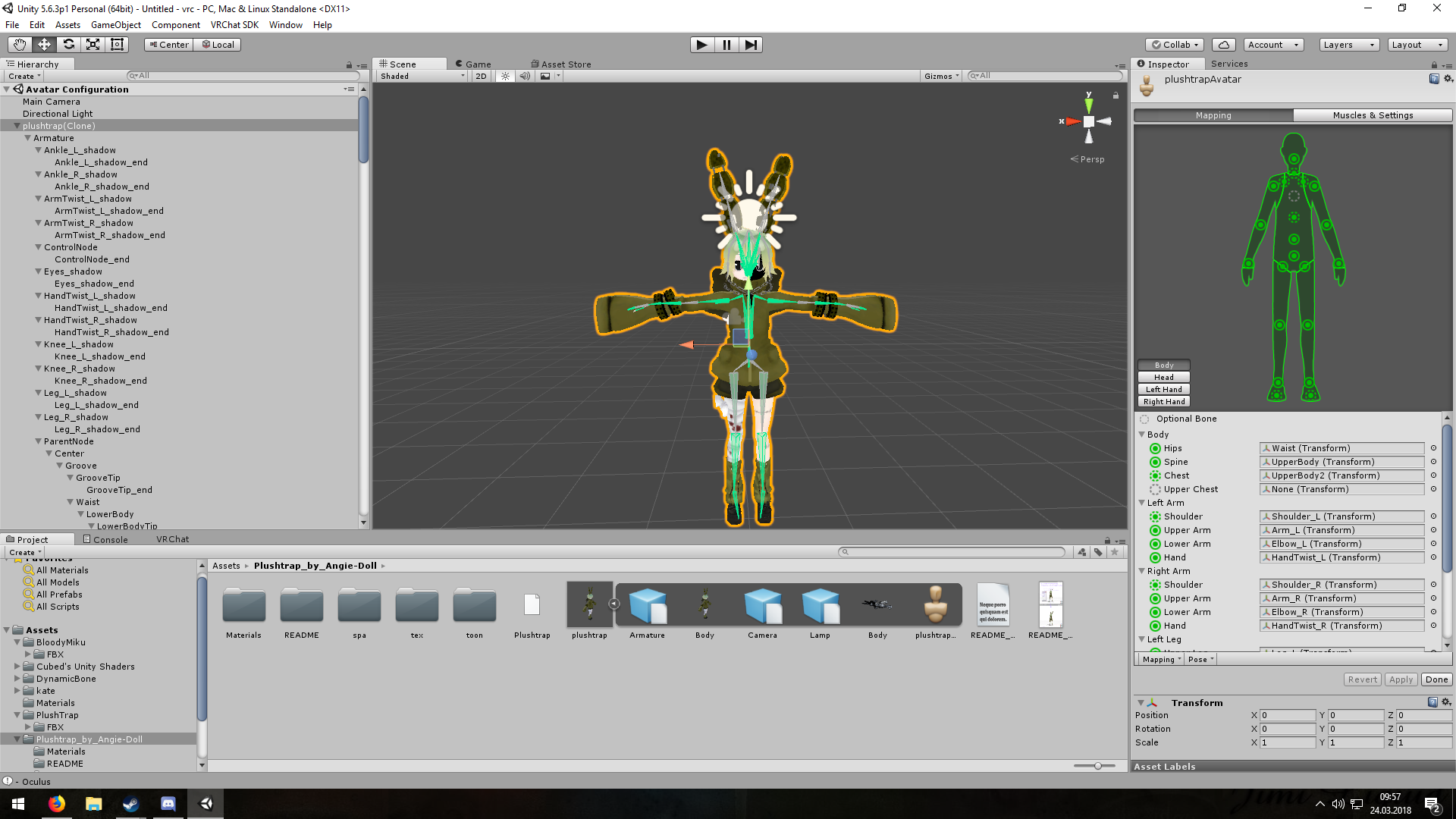 sinful sundial
can you send me your model
craggy grotto
 craggy grotto
it is correct
pine solar
in neck under spine, and is spine under hips?
sinful sundial
look in the armature list on the left
the direct child of the chest must be the neck
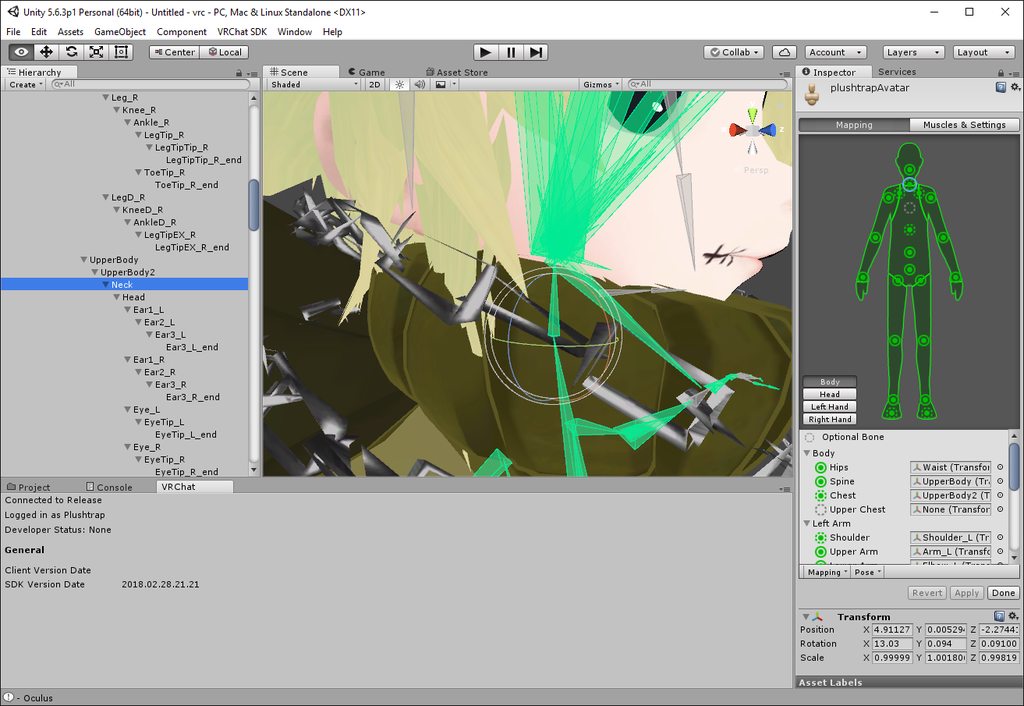
 low parrot
What about the shoulders?
craggy grotto
I have ShoulderP_L and ShoulderP_R which are direct childs of UpperBody2 (Chest), though those are not mapped, the Child of each sub-bone(I'm new to this, don't hate me) is then called Shoulder_L and Shoulder_R....those are mapped
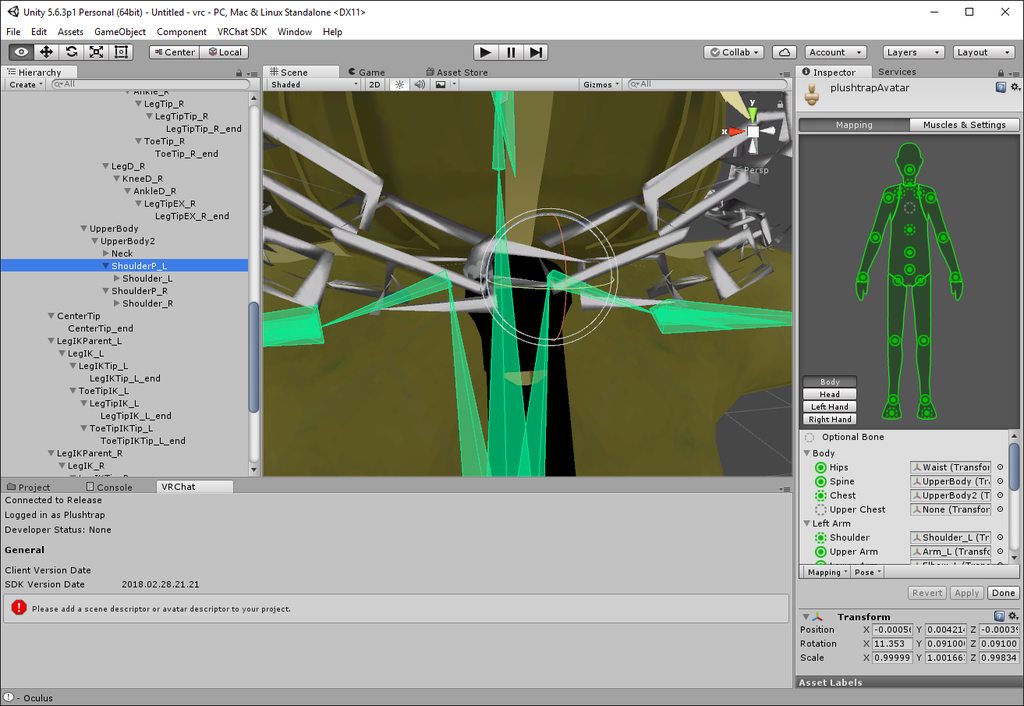 low parrot
Well there you go. You need either Shoulder_L/R to be child of UpperBody2 or map ShoulderP_L/R to the shoulders instead.
craggy grotto
hmm..... I will try that and update you in a moment...
alright, I have done that but now the actual shoulder bones are greyed out
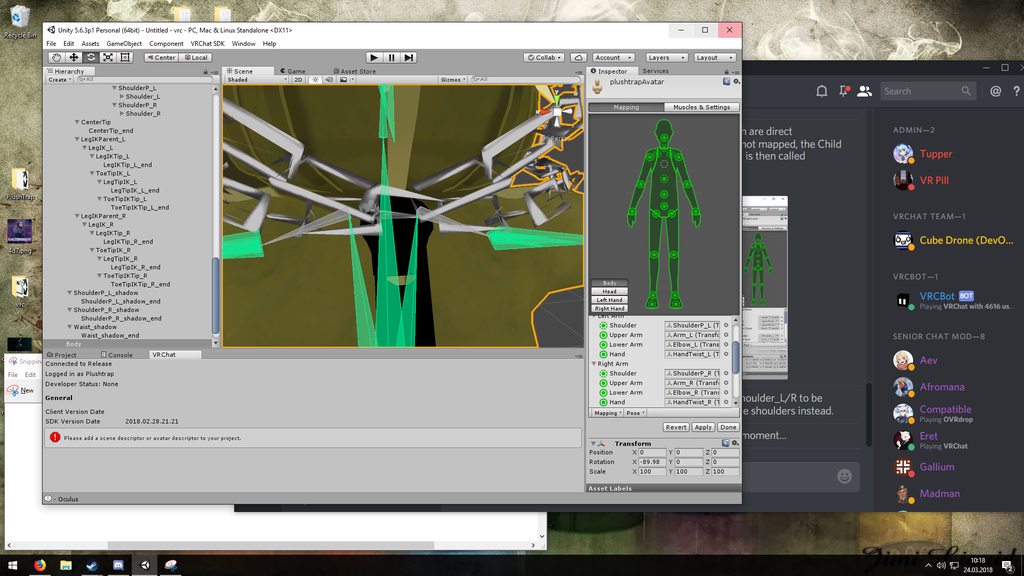
should I still try?
low parrot
I mean, you could hit apply and try rotating the bone in an animation
craggy grotto
care to explain me how?
low parrot
It'd actually be easier in Blender, I'm assuming you have CATS?
low parrot
No no if you exported it from there then the mesh and armature should be the same, we're just testing what the difference between ShoulderP_L/R and ShoulderL/R are
So just open the .blend file of your latest export
craggy grotto
uh...
alright
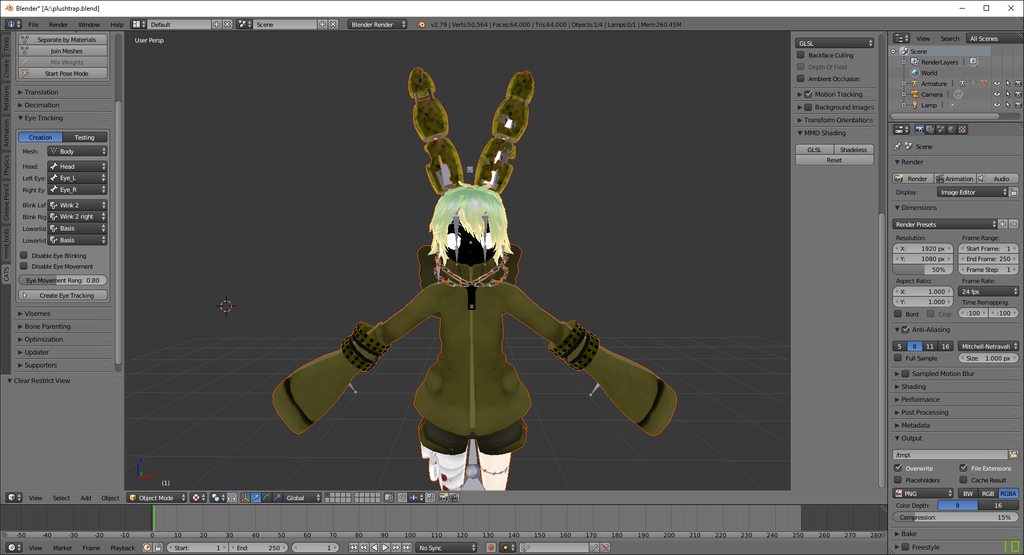
then?
and ignore the face, I had to put the materials on it in unity -.-
low parrot
Once you have it open, in the CATS menu hit Start Pose Mode, find ShoulderP_L, and rotate it. Don't worry, it's not permanent. If the shoulder moves like it should, then it's fine. If not, stop pose mode and start it again to reset rotations, and this time find Shoulder_L and rotate that.
I might be unintentionally making you do more work than I need to. Apologies. You can just mix weights (basically merge the bones together) of the two bones and you'd be able to rig that bone.
low parrot
Your armature is on the right side of Blender, it works the same way as in Unity.
craggy grotto
found it, silly me
low parrot
geez, I'm sorry
sinful sundial
you can just do all that in Unity dude
sinful sundial
in blender?
craggy grotto
yes
craggy grotto
alright
sinful sundial
select the bone and shake it around to see if it works
craggy grotto
how?
sinful sundial
go to the configure armature mode
craggy grotto
while I am in the mode where I can map the bones
sinful sundial
with all the green bones
yeah, go to that
now click on your shoulder bone
then, at the top of the screen you should see a button that looks like its rotating
click on that
and then just rotate the bone around
sinful sundial
yeah thats what I mean
craggy grotto
oh
craggy grotto
I can move both bones then
sinful sundial
you can change if you want to move or rotate
craggy grotto
oooh
sinful sundial
yeah sure, test both bones
click on the shoulderP
and just test it
very unlikely that it doesn't work
craggy grotto
both work
sinful sundial
👌
sinful sundial
yeah but do shoulderP
because that's the one parented to the chest
shoulder is just an extra bone
craggy grotto
gosh I should send the .jpg /png links instead of doing it like that
everything is blurry
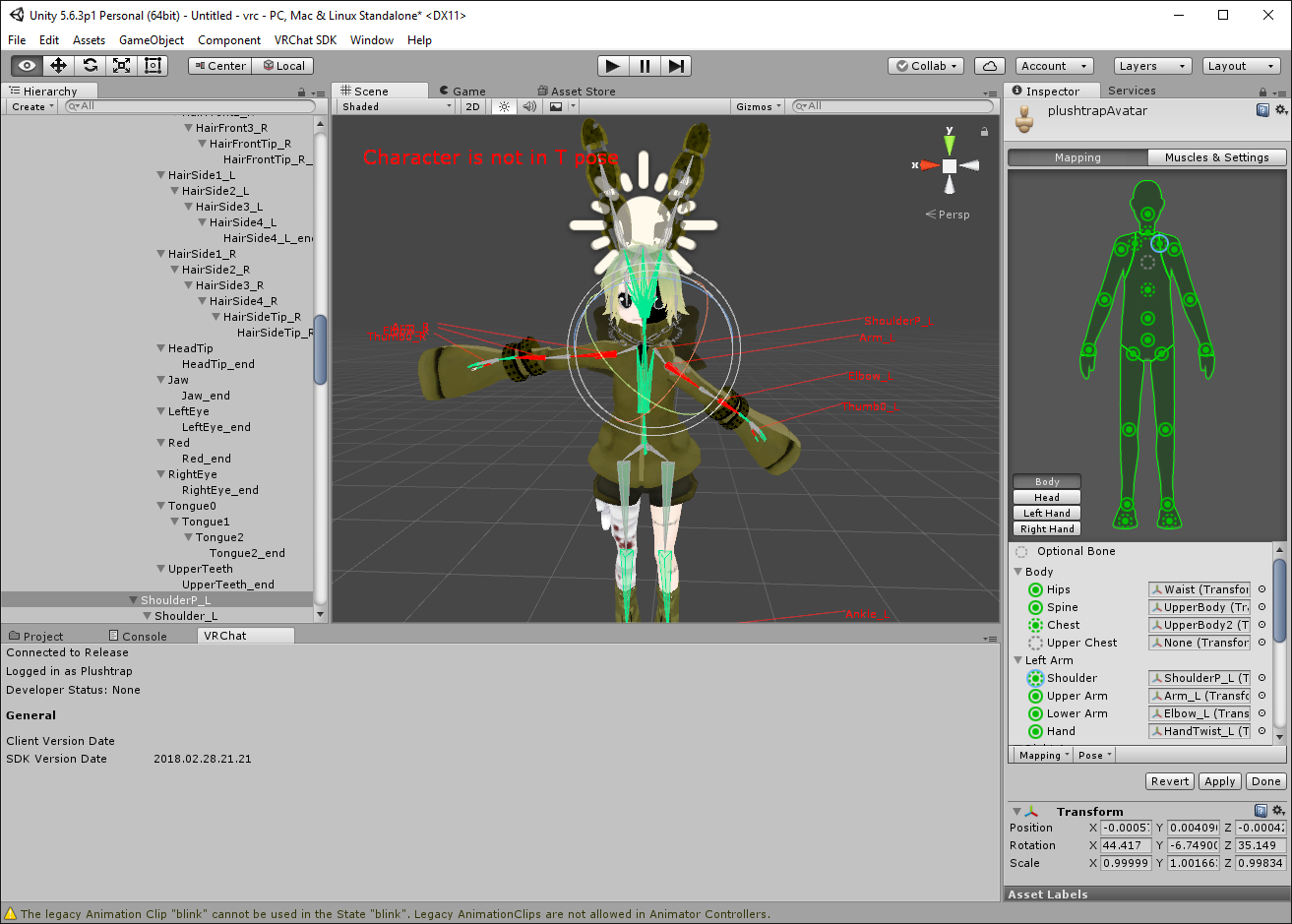 craggy grotto
@low parrot still thank you for trying to help me
low parrot
apologies for any confusion I caused
sinful sundial
it's the thought that counts 
@craggy grotto make sure you enforce T-pose though, don't leave it like that
sinful sundial
what errors?
craggy grotto
 craggy grotto
ah
sinful sundial
you can upload anyway
craggy grotto
alright I'll try
uh...
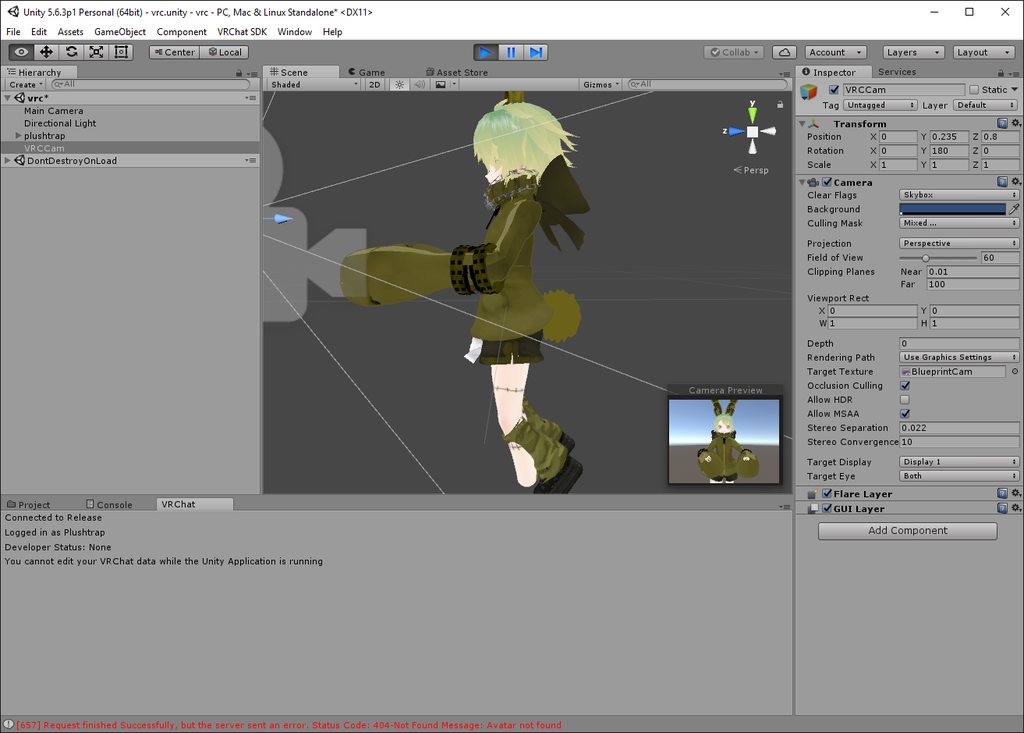
this doesn't look right
the feet are in the legs
I'll upload anyways
craggy grotto
no
I was trying to add the animations from the same model (without the ears and such though) but removed those again because they weren't working anyways
the only animation this model has is the eye blinking
alright it's uploaded
let's see if it is working
.....kinda
not really
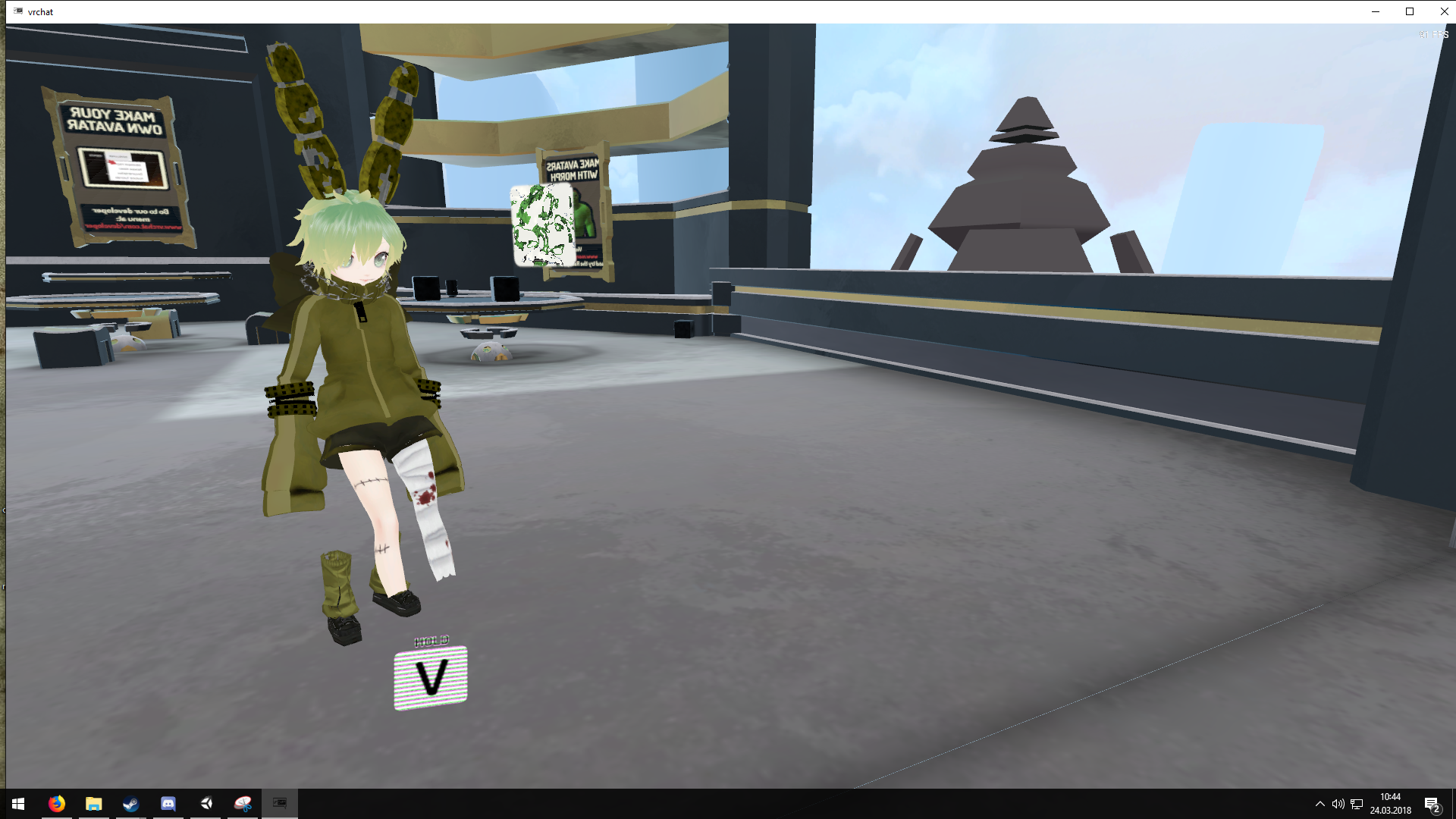
@sinful sundial
I mean, I at least have walking animations now... the last time I uploaded the animation it was in a constat T-pose
I have "LowerBody" greyed out in the mapping, maybe that's the issue
but as soon as I change that, I get a shitton of errors
Please, someone help?
sinful sundial
can you send me the model?
I'll upload it for you
it's too difficult finding out what the problem is on discord and then finding a way to fix it
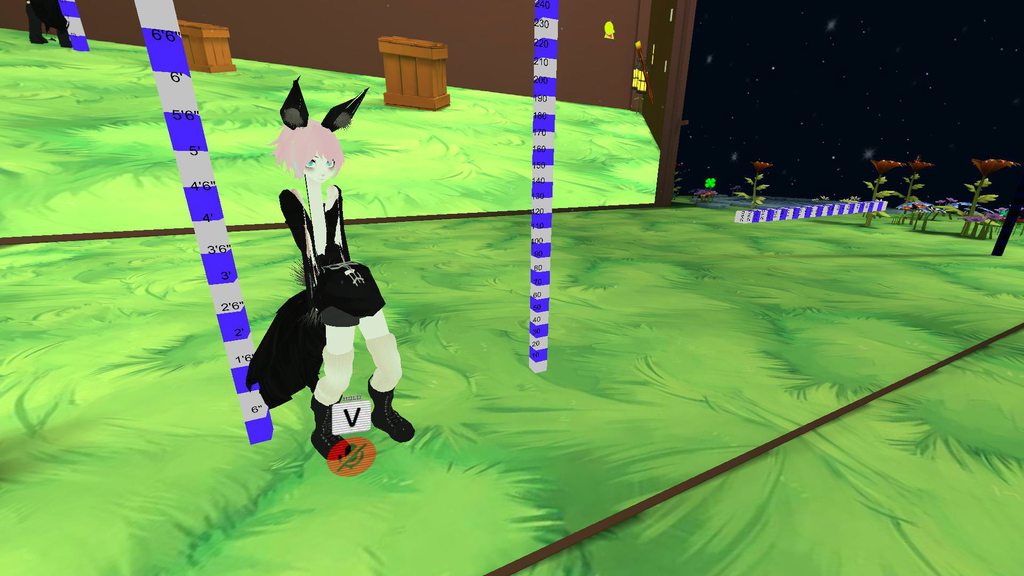 craggy grotto
looks great
at least everything is still attached to your body
my body is floating in the air

 hidden bloom
What could be causing the rigging of a model to separate from it when adding a new mesh to the model. It is at the point not even existing bones that were working fine can affect the mesh in anyway anymore when in pose mode
Most times I fixed it my joining, separating meshes, saving them reverting the blender file but for this part that is not even working
neon quiver
why......everthing moving fine in blender but when import into unity this happens. https://i.imgur.com/zU26Mt4.png
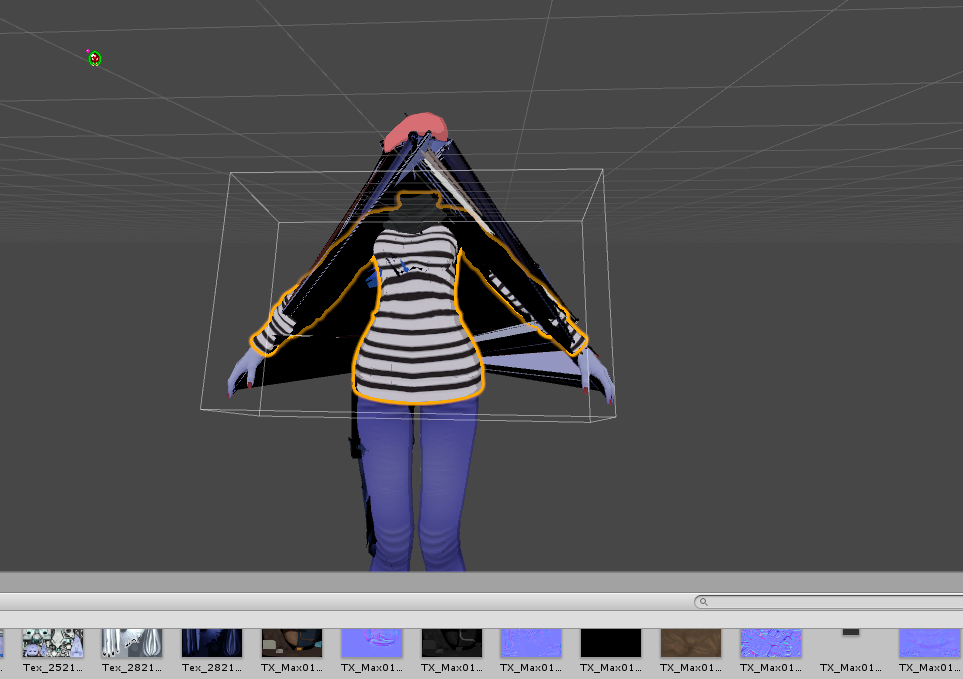
maybe because i merg two different bone but a different rig but i fallowed the video tutorial. to swap out part etc
 hybrid thunder
Is it ok to ask a question here? Before I go writing up a commission request, how difficult is it to add extra eyes to a model and give them all tracking?
I don't want to lowball my posted budget
lilac moss
go try it right now
the extra eyes are going to have to rotate based on the location of the LeftEye or RightEye bones so options would be limited
i'm not very familiar with unity constraints but there may be a copy rotation constraint setup that would make this both doable and easy
 modern karma
So I go to blender and first import the car model
sinful sundial
what file type is the model?
modern karma
XPS
sinful sundial
yeah, so go into blender, import it, then export it as a FBX
and pop the FBX into unity
get textures on that bad boy
add an avatar descriptor
and bam you're done
slim violet
https://cdn.discordapp.com/attachments/389236877078822923/426924171105271809/unknown.png
so. who here likes a challenge?
 modern karma
Ok thank you Foxrally
sinful sundial
np my dude
@slim violet what the actual fuck is that
and what do you need help with
slim violet
@sinful sundial it's the Tormentor from Dead Space 2
I'm the absolute worst at rigging anything that isn't humanoid
sinful sundial
if it's not humanoid, rigging doesn't matter
modern karma
Fox
sinful sundial
unless you're gonna make custom walking animations
modern karma
Would I do the same thing for a helicopter avatar as well?
sinful sundial
yep
modern karma
ok
slim violet
yeah. I have no animations whatsoever. I don't know how to do any of that
fading verge
You could rig it, if you want detailed animations.
sinful sundial
^ what he said
fading verge
It's generally like rigging any other model, you'd have to set up a hierarchy that makes sense for a vehicle, is all.
sinful sundial
you could also make it humanoid since it does appear to have legs, a head and arms
but it would be really fucked up
fading verge
Generally it'd work to have one root bone for the overall car, four bones for the wheels, and you can even add bones to the doors and police light reflectors (if the model happens to have them).
But again, that's if you were to bother making some spicy custom animations
sinful sundial
imo if you're a beginner don't think about that
fading verge
You can set up the rig in Blender, I'm not entirely sure if you can pre-animate on a dopesheet within Blender and then just import the data over to Unity and plug it into the necessary fields, tbh.
modern karma
ok
sinful sundial
because it involves creating bones, weight painting them, then creating the animation
fading verge
Though, as you mentioned, you don't care for the animations, so don't worry about that yet.
fading verge
We all have to start somewhere ¯_(ツ)_/¯
modern karma
I want to try that out, but I think I might just rage before I can complete it lol
 midnight pike
what is the best way to lose Tris
because for some reason i cant lower my tris to the 20k recommendation
fading verge
Best way is to do it manually by editing the mesh and hand-merging redundant or unnecessary vertices.
modern karma
Is there anyway I can move the wheel in blender?
https://gyazo.com/2803f5ad6238115bc1d1a72a154c7684

I want it to be straight.
oh wait
I found it.
It's like under the armature thing
midnight pike
i did that and i can only get it down to 40k
lilac moss
split pieces off and decimate them by different amounts
feet and shoes and such
and i assume you deleted any under-body invisible mesh stuff
modern karma
wAIT NVM
fading verge
You'd also have to consider avoiding the face, if there are any blendshapes that were made for it. Another thing to mention is to make sure that in your blendshapes for the mesh, you have Basis selected so that you're not accidentally altering a blendshape for the mesh instead of the actual basis. And as the person above me mentioned, make sure to get rid of any mesh that is underneath other mesh and won't be visible.
modern karma
I don't know how I can move the tires.
Can someone tell me on how I can rotate the tire to be straight
midnight pike
wouldit help if i told you the avatar im working with?
modern karma
Are you asking me Zero? .3.
midnight pike
lol no was to juiced haha
fading verge
Feel free to mention it, I'll try my best to contribute help
fading verge
Be right back, I'll check some stuff out and get back to you in a few mins
midnight pike
alright no problem
fading verge
Alright, so I'm seeing a pretty big skirt
Judging from that, there are likely a few polygons underneath that are making up her body that are never going to be visible, and for the most part shouldn't be. Before you continue to lower the poly count, I would recommend saving the model you have made progress on before this point and continuing on, but saving whatever you do after this as a separate model.
midnight pike
she also has wings but the wings arent visable
fading verge
Are they hidden in any way?
Check the outliner in the top right and open up the hierarchies to check if the little eye icon next to any meshes or objects is turned off
 autumn parrot
I'm trying to rig my character manually (since Mixamo is not rigging all of his finger), and when I go to armatue deform>with automatic weights the thing on the second image happens.
The mesh of my character becomes much bigger and I get the error on the top of the screen. Anyone know what this might be?

 sinful sundial
glad we could help!
modern karma
Ugh
I have an issue where I uploaded my avatar and it doesn't appear in game or unity
Like in the list of uploaded avatars.
Is anyone else having the issue of where after uploading your avatar from unity it doesn't show up that it's uploaded?
Or is it just server side issue?
fading verge
It might be a server-side delay
I'd say give it an hour, maybe?
After that, you might want to try checking your manager in Unity and try re-uploading the avatar in the event that it still isn't there.
modern karma
Ok
 swift storm
i posted this yesterday but then fell asleep so im gonna repost lol
somewhere along the line i messed up the skeleton and now my avi looks like this https://imgur.com/a/ZOYnX
anyone know like,,,,, what to do lol
autumn parrot
Nobody know about my issue? ;_;
swift storm
no idea sorry man : <
u could try rigging it in unity tho?
https://imgur.com/a/UW0yL this is what it looks like in unity

(also assigning chest to the chest bone doesnt work)
(it looks exactly the same but says its not in a t pose lol)
autumn parrot
This part on unity is just to assign the bones of an already rigged character on each limb so it can work on unity
Since my character is boneless this would not work :/
swift storm
oooh rip
 lime rock
Hello i needed some help with my avatar see whenever i go in-game and i look down my legs bend is that a rigging problem or a height problem?
 dire maple
@lime rock Try adjusting your height in-game. That always fixes that issue for me.
swift storm
hey hey can someone help me with placing colliders for hair, this hair keeps clipping thru my avatar's face lol
 hot knot
Anyone have any ideas on why my avatar's mouth just hangs at the open position when in vr-chat, (I know it's open because the default pose of the skeleton is closed mouth, rather than an open mouth posed to be closed)
swift storm
wait was that edit meaning you dont need help now
sinful sundial
@hot knot From what I've been able to tell, it's a bug with the jaw flap bone on some avatars. It works on some, it keeps the mouth open for others
Just delete jaw flap bone and the avatar should have a closed mouth
You won't be having any mouth tracking tho
Ennvi, you need to assign a chest to your avatar
Maybe the bone isn't called "chest"
swift storm
i clicked on the bone in the chest area and its not that rip
sinful sundial
But whatever the bone that is the DIRECT parent of your neck and shoulders is, put that as the chest
sinful sundial
Look in the armature list on the side
And to enforce T pose, go to the pose tab under the humanoid bone list and select "Enforce T-pose"
swift storm
also do u know how to fix my hair, it glitches around into my head lol
i tried putting a collider and it didnt work
ill try that ty : D
sinful sundial
Idk, I'm not good with colliders
I just give hair enough inert/damping so that it never reaches to that point
swift storm
ah alright, can i ask what settings you use for hair ?
oh also last question, im trying to put glasses on this avi and they wont stay in place lol
ive tried using skinned mesh render to keep it in place but it didnt work
swift storm
update the glasses work now but my fingers are curled LOL
 valid halo
With eyes, can they be rigged using the pointer in 3DS Max to work in VRchat or do I have to rig eyes a different way?
 pale hull
I don't know how the pointer in 3DS Max works, but when rigging eyes you need to make a separate bone for the right and left eye and place the head of the bone right where the pivot point should be
The tail of the eyebones should be perfectly straight up above the head. There should be no roll on the eyebones (and headbone) aswell
valid halo
I see. Thanks.
swift storm
does anyone know how to fix the issue where the fingers get bent
theyre stuck curled and i cant figure out how to fix it
valid halo
Are the dynamic bones from the unity store the only way to get a physics based tail on my VRchat avatar?
tired stump
pretty much yeah
valid halo
DM me a link to it?
tired stump
-if i can find it
valid halo
k
tired stump
damn, thought i bookmarked it
swift storm
dont exactly know how 😮
tired stump
looks like someones new to models
tired stump
Got blender?
swift storm
ye
tired stump

Quick intro and guide to skinning/weight painting. this video is meant for those with a basic understanding of Blender
that guy doeas a good job explaining how to use weights and weight painting
but in short, you need to display the finger bones
tired stump
Well same concept, just that you look at the fingers specifically to make sure one bone isnt holding all fingers
~or to check that you even have finger bones
swift storm
lol yes i do have finger bones 😂 and okay one sec lemme get this

i already tried making those big ones smaller and lined up and it screwed it up more
tired stump
clicks link, sees nothing.
tired stump
👌
valid halo
Can the keyframe animations for avatar mouth movement be done in 3DS Max, or does it have to be Blender?
Blender is very uncomfortable to use
for me at least
tired stump
get used to blender like i did. When you do, you can do shit like a pro
fading verge
there's gotta be an easier way to add the hand gestures back to custom animation overrides
20 minutes to individually add hand animators in unity zzzzz
dont understand why theres an option to select multiple of them but you cannot add multiple
fading verge
https://cdn.discordapp.com/attachments/399381732656152580/427445186356838402/unknown.png
the skirt like thingy is attached to the hip bone, what is the best i can do to make it look good when moving with the legs instead of it being a straight object with the legs bugging trough?

 glad egret
tfw i spend half an hour weight painting a chest and then realize i was painting on the spine  🔫
🔫
 light kindle
i think having them a child of the upper leg(s) would work, but you can have it a child of hips and use colliders
least youre not doing asymmetric hands
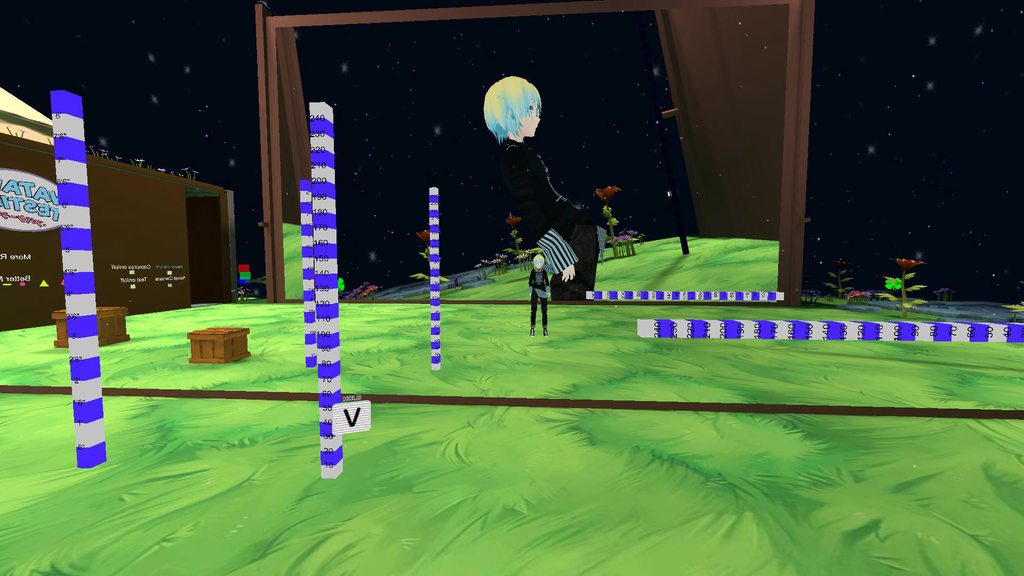 glad egret
i think thats the best hip thrust ive seen
move his spine back a bit in blender
if you need any more explanation @ me because ill be tabbed out
swift storm
LOL RIGHT hes real excited
@glad egret how far back should i move it 😮
and should i move back chest to match it or na
light kindle
no, make the hips shorter
you should be able to tell how much you need to shorten it by the picture
i cant see how long the hips are but id half the size @swift storm
i think youre supposed to move the upper tip of the bone down, but i am unsure
if you shorten it on one side, the model may be on its tippy toes i believe
swift storm
tyty ill try that !!
swift storm
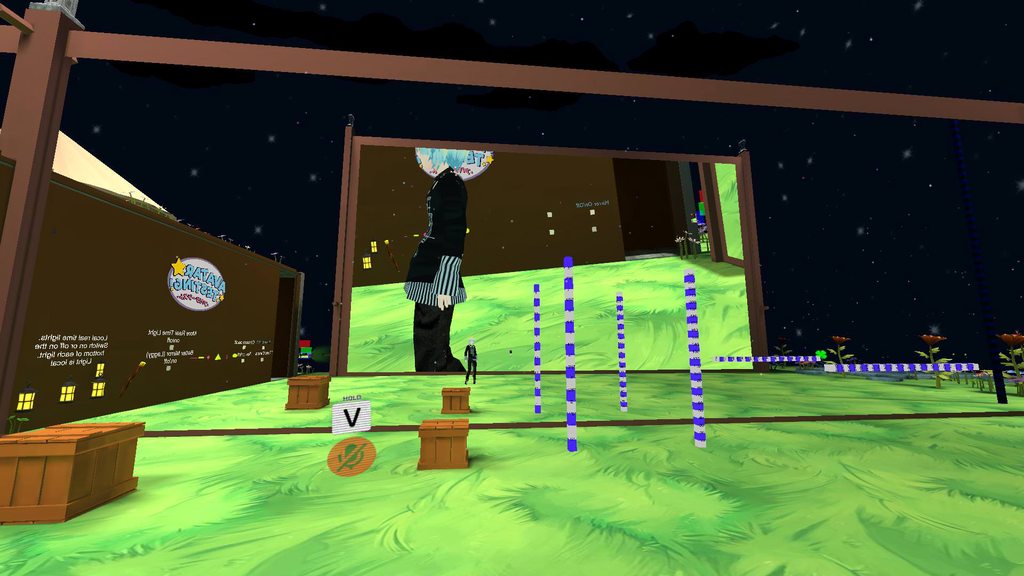 swift storm
just keep making it smaller til he stands right?
light kindle
pretty much
 tropic flume
good god bone kinematics are weird
 sleek magnet
I am contemplating violence after spending so many hours just trying to get eye tracking working on a model
Such a glitchy system 😦
 winter veldt
agreed
 gritty nest
Yeah, it's messy. Hope they fix it
There's a very specific set of rules attached to eye tracking, and even then it sometimes just rolls the eyes wherever
fading verge
Does anyone know how to add an object to the head hierarchy and make it remain visible to the player? Or how to make a user interface element for a VRC avatar? PLEASE this would be SO HELPFULL is someone had ANY info. Please @ me. THANKS! 🙂
brisk mesa
so like an SAO healthbar?
cause like for instance if i wanted a healthbar i would parent it to some root ground bone so that it doesn't do a flip when i do a flip, it'll just be position-following but not tilting all over the place
if it's a hat, you just parent that to your head like normal
if it's some user interface element thing you're gonna just have to photoshop that yourself for texture and add it to some flat mesh in front of you, maybe pull it out with an animation
idk the options for double-sided texturing
fading verge
19000 POLYS 😄
 ivory radish
anybody know how to fix the materials going blank when joining meshes with CATS
hot leaf
Hey I've got a problem with a humanoid-ish model if someone could PM me and help me out, that'd be great
pale hull
Personally I think if you described the issue from the start you'd have a higher chance of it getting fixed
hot leaf
I tend to post extensive explanations in these chatrooms and then get ignored so I didn't feel like it lol
I have a model with a body type similar to Kirby where it has a plump body with feet but no legs. When I try to use it, the feet point with toes straight down instead of the correct orientation and I've tried a lot but nothing is fixing it.
brisk mesa
Yea i kinda feel lately there are less people who actually help >_>
Ive been getting like 12 different DMs as a result lmao
pale hull
Have you tried using floor fix in OpenVR advanced settings and adjusting your player height in settings?
Assuming you're not using seated mode
pale hull
Then try unassign the toes in the avatar config scene
hot leaf
That's not what I mean, I mean the entire foot is oriented with the toes pointed straight down. Like the whole foot is pointed straight down like he's walking on his tip toes lol
brisk mesa
Are the bones set correctly?
Cause i mean it shouldnt be any diff than a regular human
pale hull
Foot might be angled like that in the avatar config scene aswell
Check if it's the case, and adjust it so it's proper looking and apply
 burnt tundra
Hi there, I'm very new to rigging within Blender (and in general) and I'm having an issue with shape keys. I have two models, I would like to take shape keys from the one rigged model and copy them over to the other. Could anyone walk me through this?
pale hull
Are the two models identical?
burnt tundra
Same model yes- the reason why I'm doing this is because the designer I hired to rig the model originally made some errors on the model and it's at the point where I can't fix it. I was given advice to try to salvage the shape keys and I might be able to rig the model myself. So I'm starting fresh with the file and using CATS to try to get it to recognize the shape keys.
 hushed anchor
Wot, bad product
ivory radish
what the hell happened to my rig
hushed anchor
Vertex count got to be the same
burnt tundra
Okay. This might be way over my head then.
 ivory radish
looks fine in unity
hushed anchor
T pose, a pose.
ivory radish
ik
its in tpose
the hip is bugged for some reason
for some reason re-upload fixes it
nice job 👌
 stone garden
Arms clipping through the sleeves and not sure how to fix this.

Trying to figure out if it's resolvable in Unity or Blender.
 grizzled brook
I know it was fixable in PMX Editor with a MMD model I once had. I'm guessing it can be done in Blender too, though I wouldn't know how
It's a matter of assigning vertices to bones
pale hull
@stone garden It's a blender fix. The sleeve bones doesn't seem to be parented to the arms.
Since it's obviously a MMD model, I believe the CATS plugin for blender might help you out. I personally never used it so I can't help further with that
stone garden
I see, I did use the CATS plugin for importing. I will see if importing it again resolve the issue.
If not, I will watch a few tutorials
grizzled brook
Usually the "Fix model" button after importing takes care of it
brisk mesa
@stone garden weightpainting done wrong
go fix in blender
you have to copy the weights from the arms to the sleeves exactly, you can't paint those yourself cause it's not reallllllllllllly humanly possible
so i would look up the data transfer modifier in blender
for weights
and i hope your clothes or at least the sleeves mesh is separated from your arms/body mesh at the time so you can actually pull it off
either that or do what zarniwoop said
i suppose there's two ways about it
my way is if you didn't have any sleeve bones
his way works cause if there -are- sleeve bones, then the sleeve should follow sleeve bones, which follow the rotations of everything else
stone garden
I am not sure if there are sleeve bones or not.
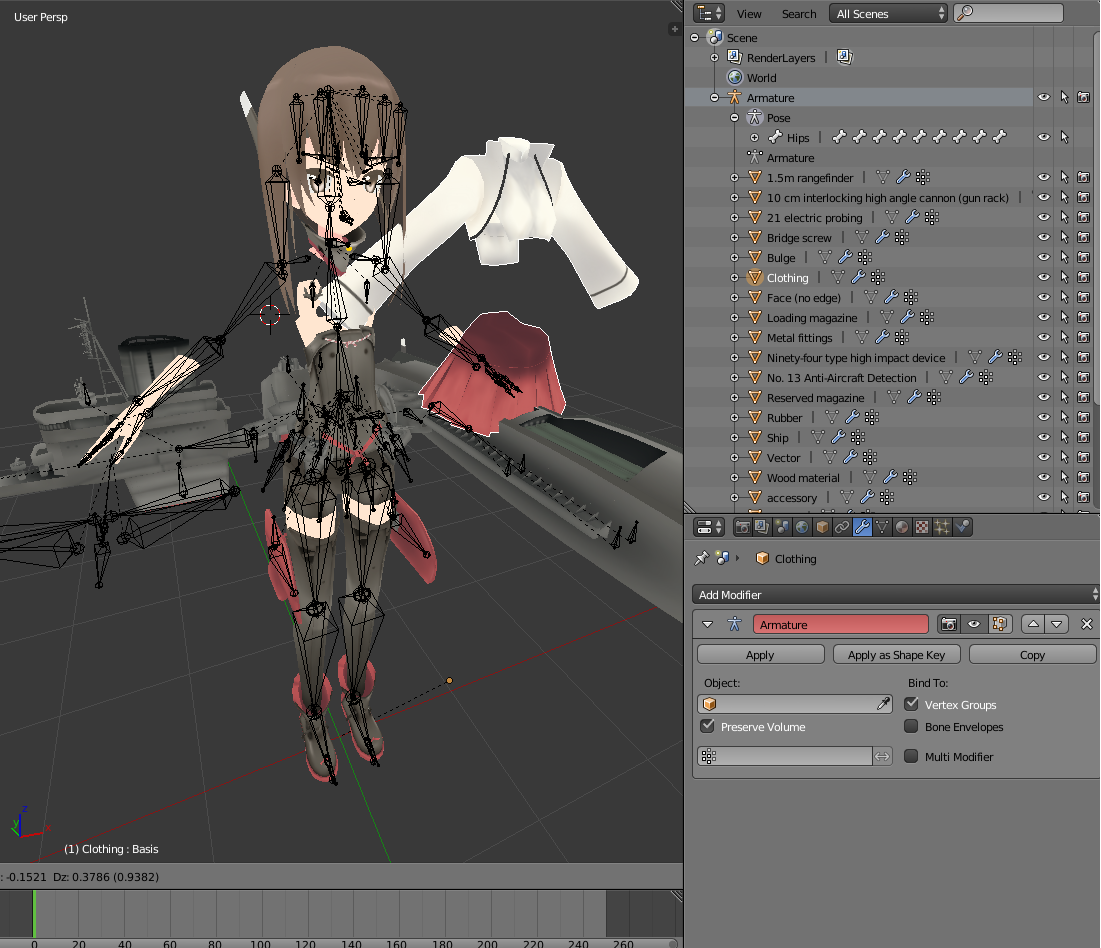
But it is different from the other models I have imported.
brisk mesa
if that's all your bones right there then you have 0 sleeve bones
i just see arm ones
brisk mesa
ah
stone garden
basically I should do another import attempt.
since the model has the sleeve bones.
I take it.
thanks everyone for your input
swift storm
 hushed anchor
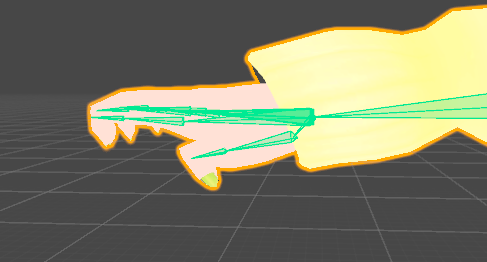
Chicken fingers
pale hull
Unassign the tips of each finger on both hands, reset pose, enforce t pose
You can paypal me later
swift storm
and if that doesnt work ?
pale hull
You can still send me money :D
swift storm
LOL
swift storm
oh hey it worked on this one
i have another model that has the same problem tho and it didnt work on that one
swift storm
now it says it's not imported as a humanoid rig even tho it is lol
update it was because i forgot to set the animator to my avatar
sinful sundial
Hey guys
so here's a theoretical situation
I want my avatar to switch between 2 or more forms
and each form has a different walking/running animation
is that even possible?
hushed anchor
Yep
sinful sundial
I've got all the animations ready
hushed anchor
Some crazy controller switcher
sinful sundial
You can DM me the deets if it's too complicated
hushed anchor
Involving a legacy animation controller
sinful sundial
ooh, fun
hushed anchor
I don't know details
sinful sundial
do you know anyone who's done something similar
hushed anchor
Just some dude saying it in avatar testing
sinful sundial
ahh, I see
hushed anchor
To add hundreds of emotes into an avatar
Or something
It's just a ridiculous setup overall
sinful sundial
I'll see if I can find a tutorial for "more than 6 emotes" online
and base my stuff on that
hmm, no luck
I might ask in #animation
swift storm
hey @sinful sundial foxrally mind if i dm you about gestures and animations ?
sinful sundial
sure thing!
 balmy goblet
http://prntscr.com/iwlrjy
Hi how can I set this as tpose?

because ingame it will look like this http://prntscr.com/iwls7s
 balmy goblet
the arms are on the peach
and those are supposed to move
they work fine
i didnt set any bones in those arms that are fucked up
they also arent moving so i ddint weight paint wrong
fading verge
I dislike weight painting
light kindle
try painting hands.
fading verge
I've done that
 light kindle
oh i see
you want peaches arms moving
i mean they are but i get it
in blender, select the arms that shouldnt be moving
in edit mode select all the verts that shouldnt be moving
and in vertex groups (found near key shapes)
balmy goblet
ok
light kindle
choose the darkened down arrow
and remove from all groups
nothing should have weight on them now
presuming theyre in the correct pose you want them to be in while walking
light kindle
find the last bone not on peach
and assaign the weights to that bone
assign*
you might need to weigh paint the arms but i dont think you would need to
try moving hips and if the arms just stay in position they need to be weighted
if they move with its all g
light kindle
no worries
balmy goblet
is there a fast way to remove all weight from one bone?
im sorry if i did not understand at first
neon quiver
so if i want the edge of the hoody near the leg to fallow the legs when bending. would i need to do a dynamic bone with collison on it? I can't seem to get the results i want with weight paint.
is there a way to tell the bone i have on the shirt to fallow the bone on the hip?
still learning how advance rig works
 simple kite
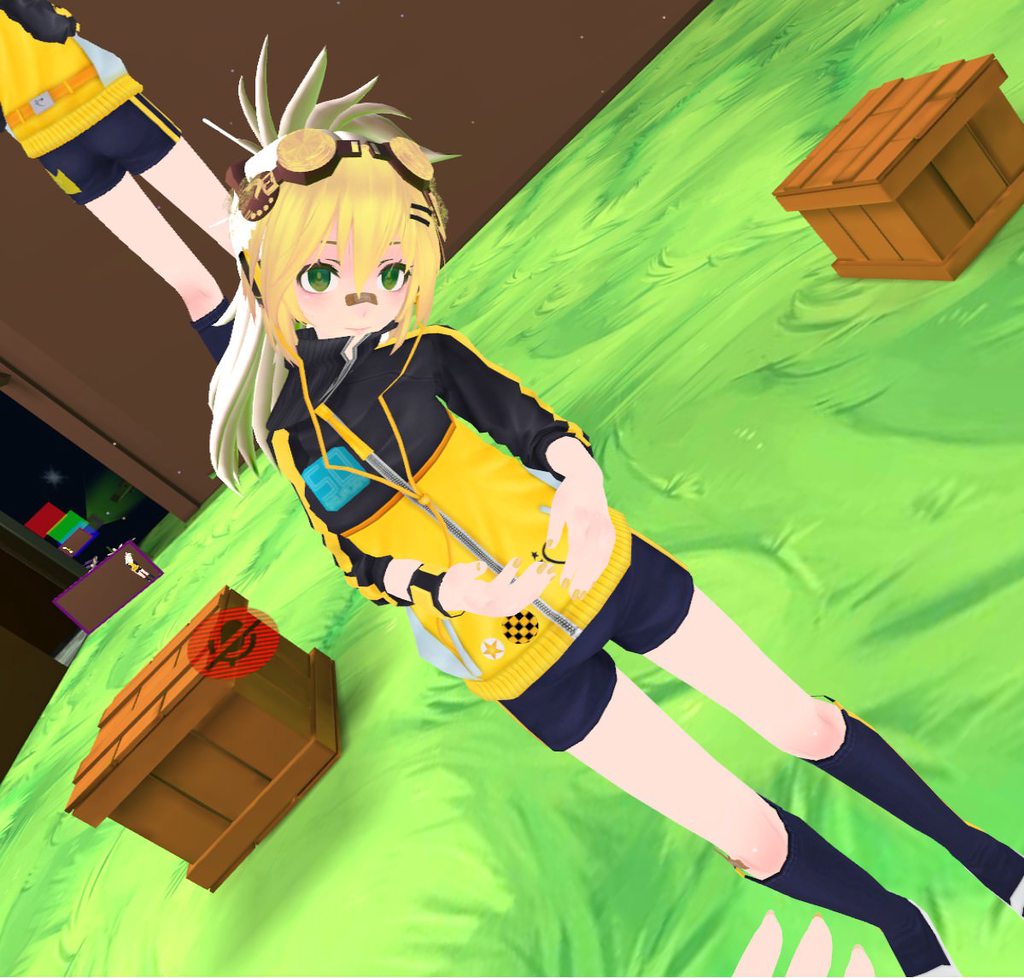
https://imgur.com/a/yXgIQ Any idea how to stop the jumper moving with the neck?
Welp, time to jump in I suppose xD Thanks 😃
 buoyant flax
hey guys I have a quick question:
Is there a way to add bones to a model?
like I have a tail but it has no bones and that's pissing me off because then it looks stiff asf
brisk mesa
Yea you use blender.
You can hit e from the top of the hip bone and it will "extrude" a tail bone out
And just do that for all the tail bones, e over and over on tail bones
Then you must weightpaint it.
You're lucky cause painting a tail is easy
buoyant flax
never done that before. weightpaint, how does this work?
gritty nest
Just google tutorials
Basically, you're making new bones and telling the tail to move with the bones. A tail is pretty easy.
buoyant flax
So I made all my bones of the tail what do I do now?
 steady spruce
hi
i have a question
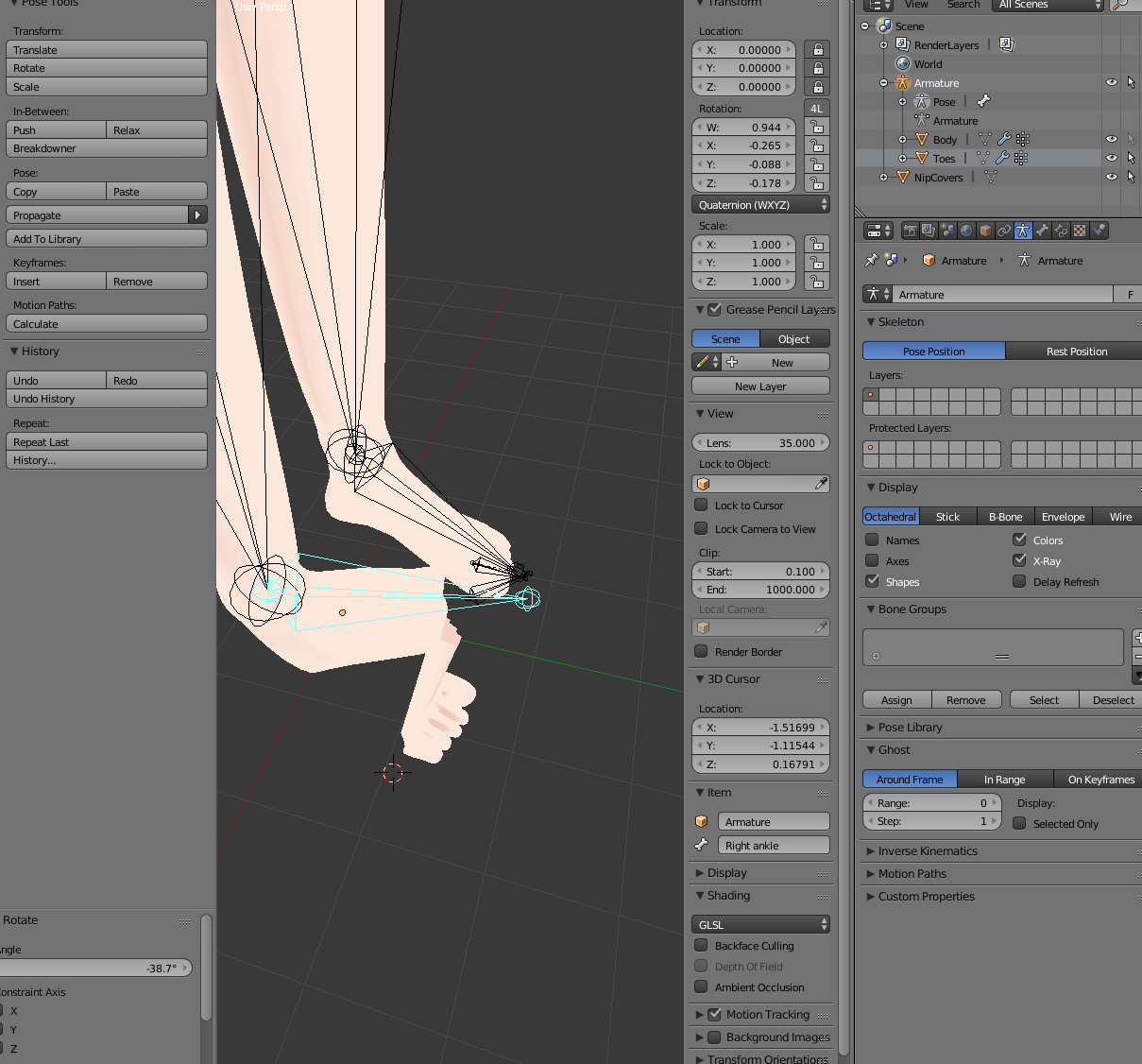
i attatched these toes to the models feet
and when i rotate the foot the toes dont move with it
they stay put and stretch out
hot leaf
Is there a way to perfectly align a bone with an axis in Blender? Like to make a bone perfectly horizontal or perfectly vertical?
 surreal parrot
Is there a way to fix the "hand is not a child of lowerarm" error?
Even though the hand is a child of it
fading verge
help my bones are like this https://gyazo.com/766286d4228f4e90a6d1858dac00bc16



and when i am ingame my standing animation does this
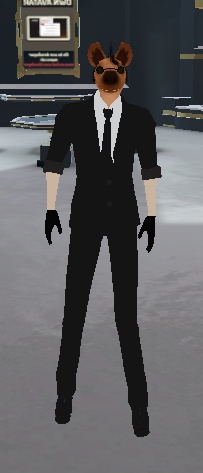

its not standing/idling the right way its just standing oddly
help please
light kindle
have the same issue here
would say its bone length but not willing to test on the model
light kindle
id just shorten the legs (edit mode, blender) and pose the shoulders lower in unity (normal view)
fading verge
you mean the bones not the mesh right xD
light kindle
yes
fading verge
i hate this problem tho
its odd bc if i am standing still it dosent do it
but when i look down it starts to like take a shit or something xd and there is no extra bones in the model so idk wtf 😄
lmao it was that the leg bones were too long now its correct
THank you~!
 glass nebula
Hmm... The avatar ive been working on is kinda having a hella bit of a neck cramp when I go into configure. It's affects it in game as well. Can anyone help me with this?

 light kindle
if the necks too short, just move the tip up
i think you need to rotate the bone in blender (editmode) though
glass nebula
Yeah that neck bone becomes tiny in configure, ill try out what you said right now, thanks a bunch for the input!
glass nebula
Hmm how odd. No matter how much I rotate it in edit mode in blender, it just remains the same. I must be doing something wrong
I have noticed the neck bone becomes extremely tiny in unity, barely noticeable, and the head tilts... Also the spine gets really screwed up overall, not straight whatsoever in unity


^That small thing selected is the neck


Then the spine overall is..
glass nebula
basically im trying to get it to look like thishttps://puu.sh/zQwJv/cf2d76d2db.jpg

 subtle moth
yes
glass nebula
but whenever I go configure the armature her head just looks straight to the sky
subtle moth
why is the neck so far backwards
does it stay like that when you drag the model into the hierarchy
glass nebula
Yeah, and enforcing T-pose does nothing for it either xD
subtle moth
did you drag it through blender