#avatar-rigging
1 messages · Page 105 of 1
 fading verge
 paper roost
Ahh, you deleted or added bones that are not in the imported model
fading verge
oh, i was trying to pull them from another avatar of the same character
had a case of one with a completely mangled boneset, but looks hell of a lot better, and one with good bones, that looks horrible
if i could sort out the mangled bones on the first one, i'd just do that
paper roost
Well I can't help like this, sounds very model specific problem :/ I'd like to though
 steel sphinx
Hallo! Attempting to research new bone configuration for the new SDK. Something about the spine being unconnected?
 crisp tendon
Any way of duplicating a vertex to cut a mesh in half ?
crisp tendon
I want to create the inside of the mouth for my crocodile avatar, but its lips are connected by a single line of vertices
 calm needle
edge split sounds like the easiest way then
fading verge
@crisp tendon Select the vertices you want to split and press v to Rip the edge.
it will make dupes of the verts like you said
crisp tendon
Ah perfect, thanks guys
steel sphinx
Also good for fixing Mixamo rigs. 😃
 warm nova
@open hull no, just the armature. The root bone
 gloomy loom
you can then select the bottom lip verts, insert a face, then subdivide that face, and finally to some porpotional editting to give the bottom part of the mouth depth
 open hull
@warm nova I've probably done that, I started again on a fresh version, chances are I remembered to do it as a matter of course this time, we'll see.
 empty hare
Does anyone know how to transform a model into a T-Pose when it normally is at rest in blender or unity
other than manually doing it
oop nevermind
 inland oriole
Can I use code to rig my model instead of something like mixamo or blender? or can I rig my character with code inside a gui modeling editor?
 compact quarry
alright guys
any advice for fixing my rig here
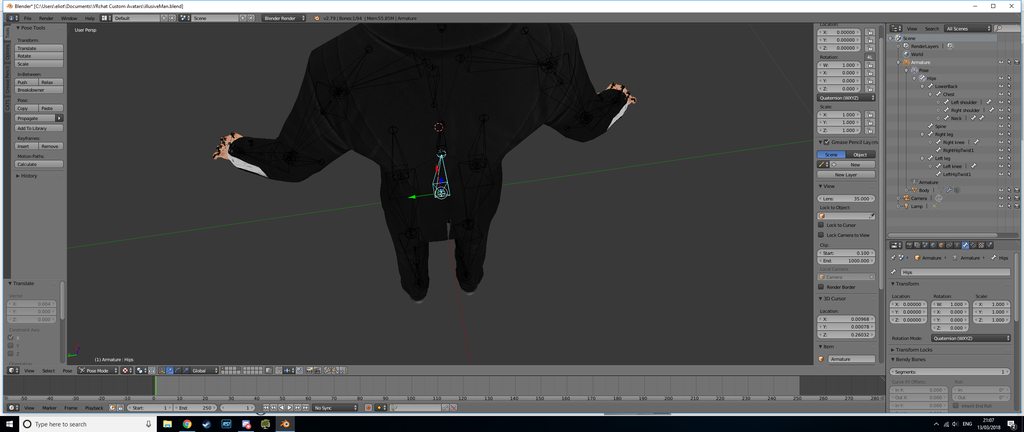
I've not rigged before, only modelled and textured
 stuck lava
Uploading my avatar originally gives me the Ok ✅ (error not given) but after adding 3 dynamic bones and 1 collider sdk upload gives me this message.
I edited objects in the scene for about 20 minutes too, not attached to the avatar.
Can someone help me correct where my error is?
https://imgur.com/a/GDyzv

 opal aurora
Change the rig of the avatar to generic, apply, then back to humanoid, apply, check the configuration to make sure everything is alright, and then try again @stuck lava
 wild canyon
Hey does anyone know what IK bones you have to add to override VRChat's IK rig?
I know vrchat's IK rig compares the shoulders to the hip bone or something like that
open hull
when you're configuring the rig there's a 'pose' menu where you can 'enforce t pose', it might just be as simple as tapping that.
wild canyon
No it's not
Ehm so what I'm trying to do is reconfigure VRChat's full IK tracking that you get with having a vr headset, the reason I want to override is is because that system is solely responsible for small characters sitting incorrectly and tapping their feet
the thing is, because the IK system overrides a lot of animations things like sitting animations don't work properly when you have a fully IK compatible rig
that's why I need to make an IK rig from scratch and know what bones I need to add for VRChat to recognize it as a rig override. and not just post their own IK ontop of it
Well I guess I'm back to e-mailing them
I'll put up a tutorial on youtube if I figure it out o/
 fast rover
are mtl models usually prerigged?
wild canyon
I'm pretty sure .mtl is just a material file for an OBJ model
fast rover
oh
welp, time to get to riggin
does a low poly count inhibit rigging? I tried rigging a bahamut model from FFX and first the bones never auto painted their weight and the model turned out as an atrocity in game.
strange
must be because the thing was all just one giant mesh
wild canyon
I had a problem similar to that AnotherOne
and no it's not because it's all a giant mesh
fast rover
I mean, it's only one mesh
wild canyon
the thing is I had it happen to an avatar that worked fine with a different rig, but not with a new one
same avatar
different bones
fast rover
hm.
in blender, then, how do you set the bones to auto paint since they never did that for my first rigging
 hexed marsh
question, can you use lattices for eyes in unity? or does CATS blender plugin convert them into shape keys or something for unity to use..
fast rover
wait a minute... can you import armatures?
like can you download just a premade armature and import it into blender with a model and just fit it on?
damn
yet for me, bones magically don't auto paint when I set them to auto paint
my experience told me that it only seems to happen on low poly models. I don't know much about the range bones have when looking for meshes to paint but I know it can get clunky with really old models
fast rover
is there any formula for how heavy bones should be for surrounding meshes?
since my first attempt at rigging was an all or nothing kind of deal
wild canyon
not really, it's mostly "oh yeah about this much"
like, the most important part is that you have everything painted onto the right things
make sure to put your bones in pose mode so you can move them about while you're painting
and if you end up in really wierd poses just select all and search for "reset pose transforms"
good nightg
 unreal flicker
Something i have been working on. Not sure how I would rig it though...https://prnt.sc/iquzkr

Yes
Yes it is
Ikr
Normaly uses programs to autorig, so i have no idea how to anyways
oh
hmm...
My biggest concern is how the head is below the chest...
 spring plover
got a bone called Right_elbow_Ik, do i need that?
cause i already have a right elbow bone
so i dont need any IK bones for Vrchat
 ebon vigil
@arctic grotto i been summoned
unreal flicker
Really?
ebon vigil
puppetry trick. seek kurokuro9696tv twitter on jan 30
that or FinalIK which can do more and cost
unreal flicker
I dont have money, so i will have to make this work
Thank you so much though for the help!
 west cliff
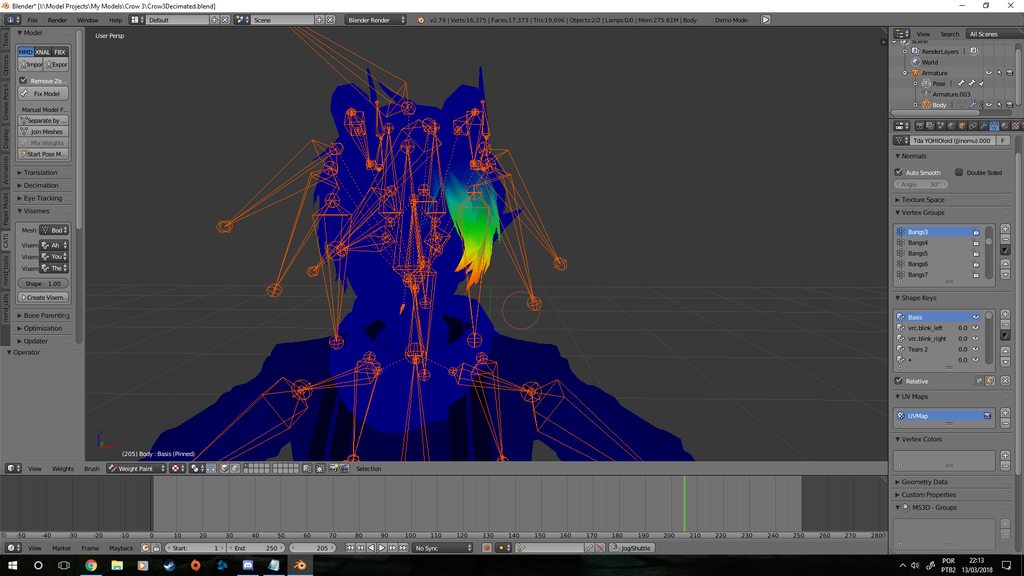
https://imgur.com/a/8w8lQ so, whenever i click a single bone in weight paint mode(yes, i am in pose mode), it selects the whole armature. They're all colored properly, but they don't work when I try to move them.
 lusty charm
Hi guys, So I have downloaded a sweater and moved it onto my model in blender. It looks good, but how do I make the arms of the sweater move with my arms in vr? It looks like they are not joined or something? Any idea?
 cyan adder
"The angle between pelvis and thigh bones should be close to 180 degrees"
mine is 168
as a result of this, my model barely works with full body tracking
any help
spring plover
Hey, im having a issue with my model and skeleton, how do i get it to connect the bones to the mesh, for example, when i move my hands, my sleeve doesnt move. im a noon to blender so any help would be much appreciated
 surreal parrot

ok
so I had 2 seperate models in blender
that were both (possibly?) mapped to the same skeleton
so why does this happen?
I even merged the 2 models together (all the armor pieces onto the frame which is the second model)
I am not sure if it thinks that the actual armor itself has a skeleton of it's own or not because it looks like there is a duplicate armature that doesn't exist
really have no clue right now
 brisk mesa
Well then it means the armor sleeves (or worse the whole armor) were never weightpainted to your one skeleton if you are super sure there isnt another armature @surreal parrot
And you have to do that by starting over in Blender, like either manually entirely or trying to attempt autorigging and then doing little tweaks to make sure hard armor and joints bend in a realistic way for hard armor and not cloth, etc
Merging doesnt do shiat for me except well, merge.
It is a bit of a misnomer tbh
 silver delta
Anybody here have experience creating avatars from models with two sets of arms?
brisk mesa
Somebody here did that by having rigidbodies in the other arms. Top normal arms had the usual rigging. I guess another way if you dont mind weird noodley deforming second pair of arms is weightpainting them to first arms
wild canyon
@spring plover IK bones are litterally what makes avatars move properly in vr
spring plover
ive discovered that now, i was given wrong info before
wild canyon
@lusty charm You manually weight paint the sweater onto your model
@west cliff if the bones where in pose mode they would be blue, not orange like the picture
lusty charm
@wild canyon Is there a video on that?
wild canyon
There's pleny on how to weight paint, but if you are in blender, right click the bones, press ctrl+tab so the bones turn light blue when you select them
then you can select the mesh by right clicking and pressing ctrl+tab again and it should go into weight psint mode + pose mode
then you just click the bones that are in the area of the sweater and paint them,
and the closer to red you get the more that part will move with that specific bone
then you can rotate the bones to see if the weight paint works
 clever gull
I literally just came in to ask for help in weight painting and there's a tutorial! Thank you! xD
wild canyon
@spring plover I'm trying to figure out all the nessesary bones to override vrchats IK system hahah
No problem!
remember different brushes are in the T menu under the tools section
@cyan adder when they talk about that angle in vrchat it has to do with the head of the tailbones angle to the head of the thighbones angle, mess around with it a bit in blender and you'll see the degree value change
wild canyon
@unreal flicker technically speaking it doesn't matter where the head is located aslong as you have the proper hierarchy and rotation for the bones
Well @clever gull can you describe the problem?
cyan adder
@wild canyon I've fixed that so far but my issue now is my pelvis flipping upward
clever gull
@wild canyon I just pm'd you
wild canyon
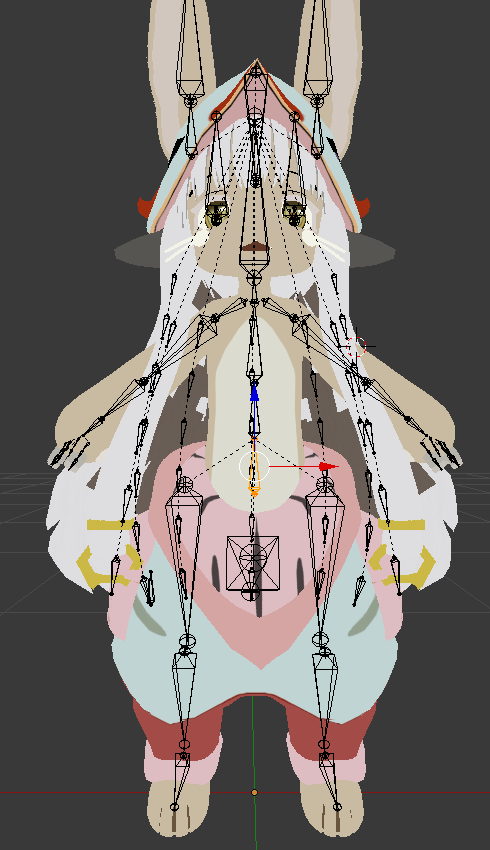
flipping upwards.. Unfortunately I dont have what I'd need to check/test this stuff atm but make sure your pelvis isn't below the head of your thighbones

 brisk mesa
hmm that's p weird then cause i know that model has worked for others
i think some of my models had too small of a hip bone for their area-of-actual-ass and it improved it somewhat when i scaled it a little bigger? cause i've also had this elvis pelvis shit
cyan adder
ive moved the pelvis around
ive scaled it small
ive scaled it large
only thing it seems to be effecting is the intensity of the angle its being thrown in my face at
smaller = more into my face
larger = first image
way it came = avatar is in the floor
unreal flicker
@wild canyon ah, thanks for telling me
wild canyon
Yeah no problem
 round abyss
I usualy orient all of my joints before applying weight paointing
fast rover
is there a diagram that shows the recommended proportions for the size of the bones in the spine?
opal aurora
I think that depends on the model in question
fast rover
king crimson for instance: slightly above average realistic human form
and also, I just now noticed that theirs a strange pair of bones on my model that I didn't place and I can't select them at all. are they some sort of glitch?
nvm. got rid of it
 shell kraken
how do i get a model look like its floating? like a ghost with invisible feet is it that simple?
fast rover
I think you have to move it's body hierarchy up in unity. if I remember correctly, the mesh is what displays the bones' movements so moving that up won't likely inhibit any movement
fast rover
ok so here's the problem. my head mesh somehow didn't get included when I applied the bones to the mesh. what should I do?
fading verge
what to use for cloth physics if i cant afford dynamic bones?
@shell kraken i made one like that that had no mesh from the hips and below. just make bones in that area like youd normally do
 pine harbor
there's literally a thing in unity called "Cloth":
https://docs.unity3d.com/560/Documentation/Manual/class-Cloth.html
The Unity Manual helps you learn and use the Unity engine. With the Unity engine you can create 2D and 3D games, apps and experiences.
just make sure you save a backup copy of your scene before applying it to anything, it can cause unity to crash if you try to remove it later
fading verge
ok, thanks. Im just researching for the work I want to start tomorrow ( I finished the mesh and textures today, will do rigging tomorrow)
 long fjord
just curious
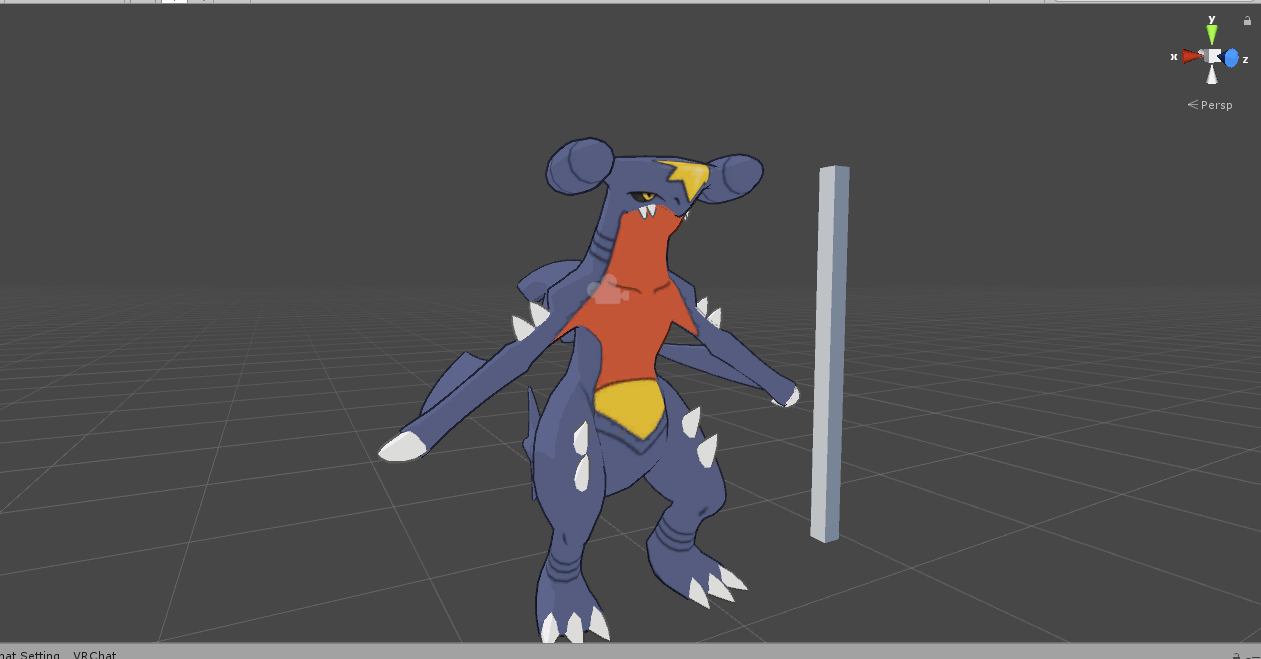
im trying to use a garchomp mmd model for VR chat
what rig should i use: humanoid, or something else?
shell kraken
is there a tool that acts like a deformer that i can click and drag to bend a model part in or outwards? got a neck i gotta stuff into a suit
open hull
you mean in blender?
long fjord
@open hull nah
in unity
i think humanoid might give me some problems
there isnt exactly a proper chest/spine bone
its kinda one
actually
nvm
i was just stupid
brisk mesa
I stuffed a neck in a suit by using the selection circle C buttons and then i manually moved those altogether inward, @shell kraken
 quaint adder
I'm having some issues in blender in rigging with setting my bones to the mesh to be able to use the model in unity as an avatar, can anyone help with that?
I've tried doing manual weight painting, but it didn't seem to work
shell kraken
I have the texture in the albedo in unity like it would normally but the textures not applying
opaque too
maybe i should atlas in blender? isnt that to fix up the texture bit
i also need to kill the 2nd armature bit
 fervent tiger
I got an avatar in A pose, but I need to put a t pose shirt mesh onto it, how do I pull this off? If I move the bones, the mesh stays where it is, even when its joined.
brisk mesa
joined doesnt do shit, you need to weight paint the clothes too @fervent tiger
joined is just joined, it doesn't mean all the work suddenly appears
also i guess if i gotta move all the tshirt sleeves i'd probably select the sleeves as a buncha vertices and rotate them or some shit
fading verge
Is there anyway i can make visemes by using the bones
 fathom flint
@fading verge there is a tutorial out there
Google "blender shape keys from pose"
 fading verge
@light kindle @fathom flint thank you just a while before I used the vertex groups but I will def use that thanks
 light kindle
if you want to move the bones back to normal either stop pose mode and start it again (for all bones)
if you want only to return one bone to its original position its usually 0,0,0 for location and 1,0,0,0 for rotation
 neon quiver
how would i go about rigging a character i. a wheechair. do i pose it first in blend then disable the leg bone in unity?
light kindle
weight the bones to nothing
keep the original bones (if you dont youll have the legs left where you spawn)
make a new set of leg bones, that have to affect on anything and set them as the bones in unity
fading verge
So I am not sure if I should ask this here or in animation, but I am doing some Ik-rigging so I can do animations in blender but in order to do that you have to unparent the hands and feet from the forewarms and shins, is there a work around for that so you can keep the ik bones doing what they are supposed to do while being able to configure the model for use in vrchat?
Ive made this model over 15 times now and the eye tracking still doesnt work is there a list of requirements i need cause im sure i check everything off
 serene urchin
https://media.discordapp.net/attachments/400401962098491404/423885086476468225/unknown.png?width=1248&height=676 someone know how to fix this already tried weight painting but doenst do anything
 calm needle
check the bone roll, i know i had an issue with it befor where it caused some odd distortion
serene urchin
@calm needle didnt do anything
calm needle
hmm. does it bend find in blender?
serene urchin
nope the upper part doenst move @calm needle
calm needle
definitely sounds like weight pain then
fading verge
it is weight painting
i fixed that by painting the upper part of the sleeve to the wrist
serene urchin
@fading verge how can i do that ?
fading verge
do what ? weight painting ?
serene urchin
@fading verge yeah weight painting
fading verge
kinda hard to explain it to you like that

Quick intro and guide to skinning/weight painting. this video is meant for those with a basic understanding of Blender
open hull
anyone know how to fix a texture atlas without messing it up?
open hull
https://gyazo.com/0a7deb1852fa32de359beae13e328108 before Editing

https://gyazo.com/16104bc60787e8de39b21682ac85c62a after editing

Why does that white box appear and screw up my atlas?
calm needle
might be the alpha channel doing funky things?
open hull
yeah it's doing my head in
long fjord
alright
just got me dynamic bones
now what the hell should i put it on for this model
 surreal parrot
Ok
So I am converting a power armor from fallout 4 to vrchat and it didn't have a skeleton
So I tried to attach it to a power armor frame which already had a full armature and it still doesn't work
Are there any other steps besides adding a child of constraint and an armature modifier
open hull
@long fjord I'll talk you through it if you like
short answer is, the bones you want wobble about it a bit. you might also want to consider putting dynamic bone colliders on the hands too, you'll need to list them in the dynamic bones you want them to respond to
surreal parrot

I am trying to attach the main armor pieces to the skeleton
And in blender it all works nicely but it won't do anything in unity
fading verge
I how I delete a single armature I don't need in Blender? It always ends up deleting the entire thing.
long fjord
@open hull ye i checked out tupples tut
 low parrot
@fading verge Do you mean a single bone? If you have the armature selected hit tab to go into edit mode and select a single bone.
fading verge
yes, I meant a single bone.. Thank you!
 echo drift
Hi, I imported shape keys from a vta file for a model made for Source Filmmaker. The shape keys were made from the vta file but now the flexes don't affect the face.
 cosmic bison
Anyone have any tips on fixing this?

I've tried looking at every bone to see which one has weight painting and nothing has it there
Fixed it. I checked the veritice and saw some vertex weights
echo drift
Well the longest time i've been learning how weight painting works, what is it are you trying to do @cosmic bison ?
'cause if it's the blue parts that rotate upwards, it could be that there are some painted vertices that have 0.010 values. particularly on that bone
 lucid cave
.
cosmic bison
@echo drift I clicked on the bad verticies and saw in the toolbar that it had some vertex weights to the glasses. I just deleted that and everything is fine now.
echo drift
@cosmic bison ah cool, glad you were able to figure out your problems. I have some inkling to my problem now.
does anyone know of any good plugins that transfer weights better than the default one?
or flex shapes I mean?
or just a way to get non functioning flex shapes to work?
 fresh garnet
I'm trying to make a 2d mouth using blendshapes. I have an image of a mouth for a bunch of phonemes in the head of my model. The mouth works in VRChat but it is very sluggish and doesn't show all the phonemes it should at times. In Unity the mouths only show up at around 50-55 under the blendshapes tab. Is there a way to make them just pop out instantly instead of having to go from 0-100 or do I just need to mess with the shape keys I started with in Blender some more?
 urban dagger
 echo drift
@fresh garnet if this is a unity problem I have no idea, however it depends on the blend shapes if it's a blender issue
do the flex shapes have visimes or lip corner positions?
if... you know what I'm talking about. 😅
lucid cave
oops someone should help me ;-; I just finished putting everything on unity on one of my models, also a couple of other things that got an extra 5k poly's, and then I realized I was past the limit. Is the only thing I can do is restart? ;-;
fresh garnet
@echo drift oh haha, yeah Im a bit in over my head, My character has a square head and I just selected the front face of it, went "shift + d" put a mouth on the one square poly and pushed it into the head till you couldn't see it. Did that for 8 other mouths and used shapekeys to pull them out just enough to show up for the mouth animation using blendshapes in unity
echo drift
@fresh garnet like... made from scratch square head or from a premade model?
fresh garnet
made from scratch yeah haha
echo drift
like a minecraft look or...?
echo drift
ah, one sec, gonna grab a screen cap of something on blender

can you tell me how many faces and tris you have? or do they come out even?
or just a screencap of your project?
 echo drift
@boreal rune which spike? the purple one near the gauntlet?
 boreal rune
yes
echo drift
well if this was rigged in blender, it could be a weight paint issue
did you do any of the rigging yourself?
boreal rune
i use cats in blender and did fix model
 dusk pine
Any pointers for adding a head rotation on a generic rig?
echo drift
ah, I'd say you might need to watch some blender weight paint YouTube videos on how to fix that
boreal rune
ok
echo drift
if it's one vertices, then it should be an easy fix once you get a hold of how weight painting works
@dusk pine What kind of rotation?
dusk pine
A look rotation. Im aiming for something like the humanoid model automatically adds.
echo drift
I'm trying to grasp how the VRChat and blender integrations work, but I feel like I got a hold of blender enough
what exactly do you mean by a look rotation?
'cause I would think non-vr and vr would have head rotation if it's properly rigged by mouse or vr-headset
 stone sun
Does anyone know how to make hair or any kind of clothing have water effects or the space effects I see all the time
dusk pine
The space effect you're seeing is, I presume the Panosphere shader included with the sdk
echo drift
https://steamcommunity.com/app/438100/discussions/1/2595630410193285427/ is it similar to the problem this guy is having? @dusk pine
 stone sun
oh okie, but do you know how people do other effects or is that a whole thing?
lucid cave
anyone able to help? I redid a model, tried to use the hand motion overrides (faces) and the regular eyes won't dissappear now? idk what I did, I cant even use blinking anims now, it has the normal eyes behind them and doesn't go away when they are activated
echo drift
I really wish I could help @lucid cave , but I think we're all in the same boat in lack of help. I still haven't figured out some of my issues that I have been having. 😅
lucid cave
ah, it's ok, I figured out that I accidentally decimated some stuff for the visemes and just had to run through blender real quick, if I can help with anything I'll try though
brisk mesa
It is midterms time, my bruddahs
Peeps be helping themselves to energy drinks instead
I havent even worked on models in a whole month myself so i feel unfit to help beyond casual pointouts lol
urban dagger
So I'm having a issue with my model where legs have multiple bones in blender like they should but only have one in unity?

 dusk pine
Have you tried parenting your feet to your hips?
urban dagger
Yeah I did that before and the same issue happened
I extruded from the hips and then it still happened
Been scratching my head at this for hours now lol
brisk mesa
What did you map your feet to in the greenman screen? @urban dagger
pine harbor
that's looking more like a single root bone than multiple legs for some reason
pine harbor
where that confuses me is that it'd mean that the unity model's got a different skeleton to what we were shown in blender though
pine harbor
the head might still exist, i need to double check how unity displays bones again in the humanoid rig window -- it's done differently to how we intuitively understand it in blender
like, each triangle doesn't actually represent a bone and its direction, but instead the bone's base (at the wide end of the triangle) and then one of its children (the pointy end of the triangle)
pine harbor
got an example of a working model where you can't see a triangle of the head bone here, because the head bone doesn't have a child (no hair in the case of this model):
 pine harbor
what really confuses me with the megaman model though is that there isn't a lotus-style offsplit for the legs, yeah
it's like the bones outright don't exist
@urban dagger i'd recommend double checking whether the FBX you imported into unity is the same as the one you edited in blender, the bone structure seems significantly different between the two
light kindle
yes, i agree
pine harbor
like the blender one doesn't have a root bone between the legs, but the unity one does
light kindle
id also recommend changing shaders
urban dagger
I'm redoing the bones
for like the hundreth time lol
I'm really, really new to blender and bones like this is my first day doing this haha...but I've done it in 3ds max before but this seemed easier
It could be just the model I'm working with too but I'll probably end up downloading another model and using that
light kindle
just re export it as fbx (model with actual legs)
urban dagger
I have been exporting them as fbx's
I even went and added more bones like you would to a more complex model and it's sort of just picking and choosing what do do
light kindle
are the bones weighted?
urban dagger
Mhm
https://puu.sh/zIGMJ/9760304798.png for instance this is the new rig


So now it's doing this 😒
light kindle
that, is good
its the tpose
i think it might be missing some bones but if what spear said before is right...
urban dagger
I was kind of confused on what spear was saying
light kindle
ah no he was saying some bones that have no children will be hidden
urban dagger
ahhh
Yeah there aren't many tutorials that were helpful lol so I've been sort of experimenting and figuring this out on my own
urban dagger
Hm it's doing it even on other models, dunno what the issue is but I'm going to look into later after I finish some homework assignments and stuff.
 cosmic venture
you missing feet and hand bones
 plush garnet
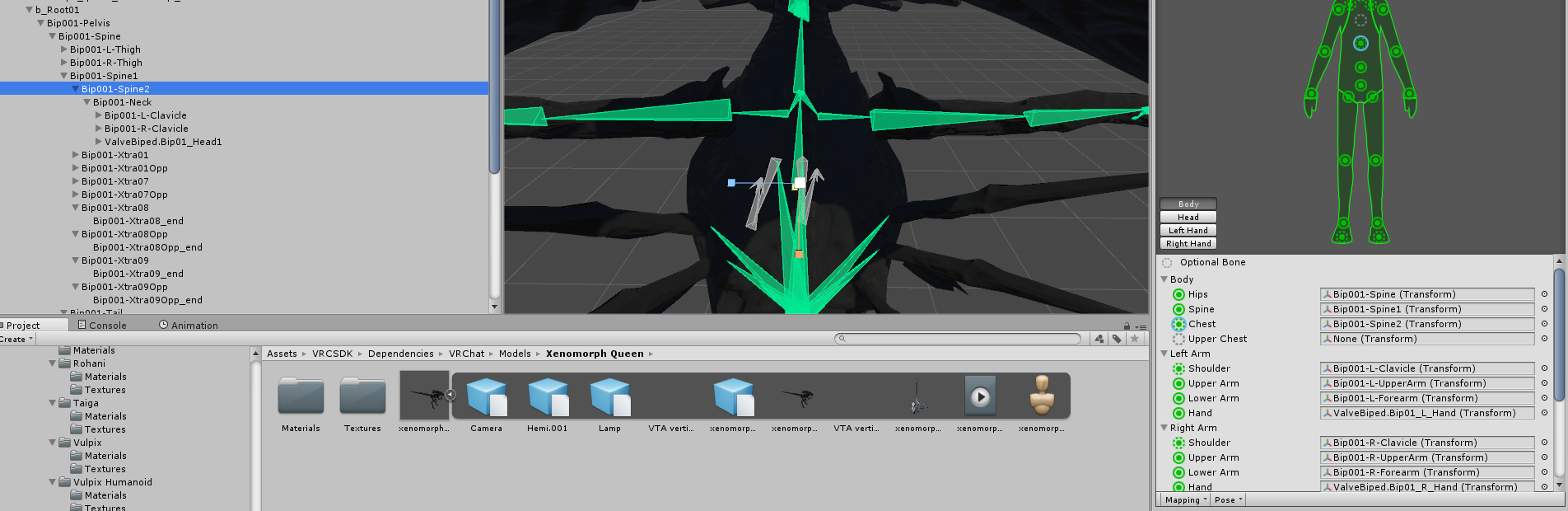
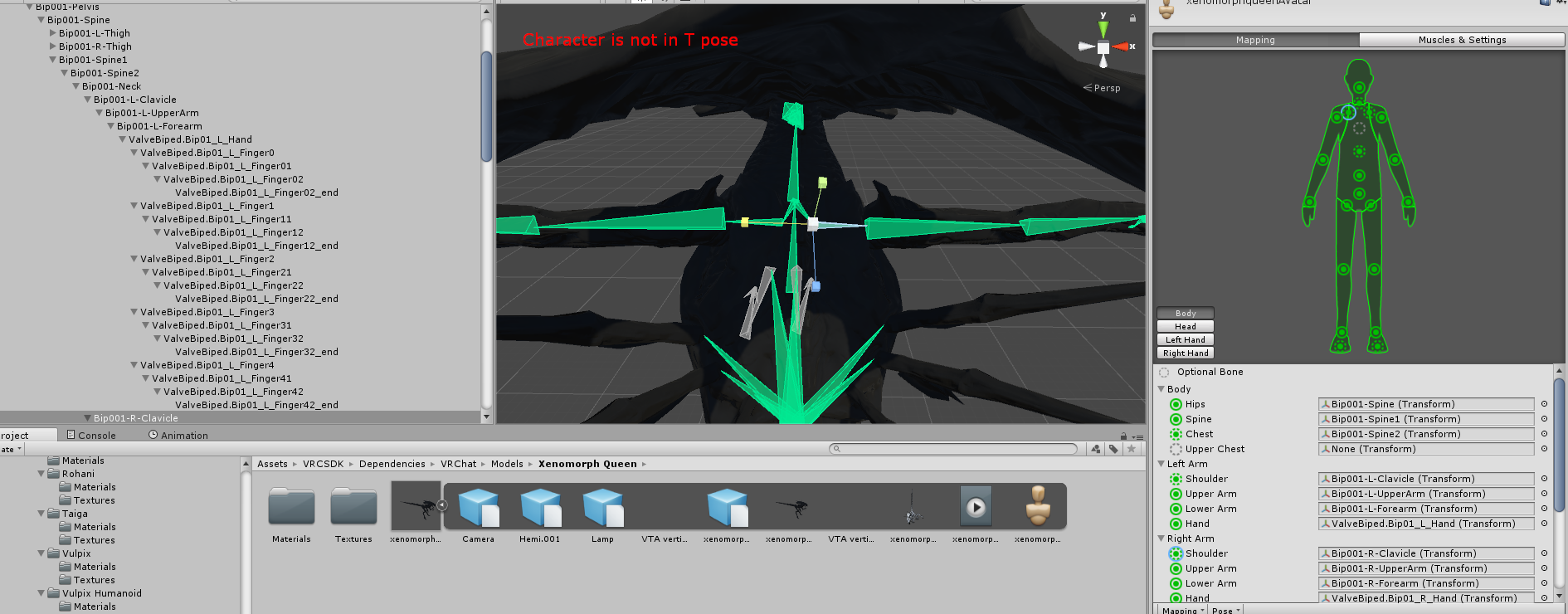
I keep getting a spine hierarchy error for the shoulders and neck when they seem fine on the rig, that's so frustrating to solve, any help?
http://prntscr.com/is44fj
http://prntscr.com/is435c
http://prntscr.com/is43bh
 fading verge
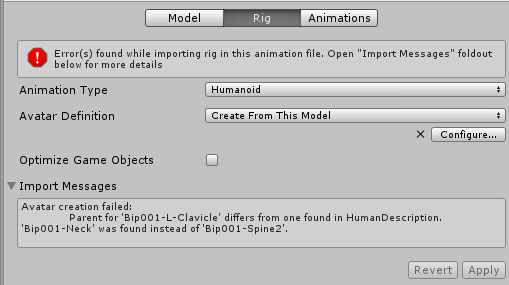
the shoulders (clavicles) need to be parented to the chest and not the neck if you use a humanoid rig
plush garnet
Okay, that cleared that error, but now I get this error after dragging the Left and Right Shoulders onto the Spine2 (chest) to fix it: http://prntscr.com/is4d97
 plush garnet
Oh, I figured out the mistake I made after doing that, I have little experience with unity and no experience in blender
 rugged vale
I'm trying to merge bones together as the limbs have to many. However Alt M to merge doesn't work nor does Dissolve which should work as well. Any ideas?
fading verge
what do you mean dissolve doesnt work ?
rugged vale

I have a generated mesh and set of bones from a makehuman model but it created two bones in the shin.
How do I merge the two selected bones into one bone but keep the skeleton intact, i.e. the kne...
When i follow this and do what is suggested
the option just doesn't do anything dispite me doing the exact thing in the examples
so if i select between the joint of two bones and dissolve it should merge the bone and merge weights into one. But does nothing
same with Alt M nothing happens.
fading verge
no clue, just tried it and both works for me
rugged vale
did you make two fresh bones and attempt the merge or did you attempt it on an MMD model etc
oh shit i figured it out. They need to be set to connected.
rugged vale
if only there was a way to drag a cursor from one bone to the other to parent them faster
this model has all bones but they aren't parented :/
might just rerig this damn thing from scratch to be honest
but my level is only so good atm
echo drift
I'm still having problems with the model I've been working on
facial flexes derp on me
urban dagger
@cosmic venture I mean I added them and they're still not showing up
 tight sleet
fading verge
tight sleet
fading verge
So when I crouch my legs bend diagonally inward and cross looking practially satanic (the model is Satania. Ironically). How do I fix this? Just rotate the knee joint in Blender? Could I do it in Unity?
 solemn inlet
why fix that, leave the irony XDD
but nah, you should be able to rotate them like you say, it should change where it pivots at

 spiral delta
Anyone know why when i use CATS Fix Model it says it can't find the hips? I have the hips labeled in the bones..
spiral delta

It's a model I ripped from a game so maybe that's the issue?
Also the body isn't under the right thing.. but i dont know how to fix that either
I'm using a modifier to attach the body to the armature
 restive shale
Is it weight painted properly?
spiral delta
Yes everything is
spiral delta
it says hips in unity
like it was auto set to that
but the body mesh is underneath the hips
instead of outside like it normally is
like normally its Model>Armature and Body
in unity
But for this its model> Hips>Body
solemn inlet
That's weird af... I wish I could help more but it's just not my specialization....... only thing I can think of is did you use the "Fix Bones" and/or recombine the mesh?
spiral delta
I think actually visually see the issue
but I don't know how to fix it
when i go to edit, none of th bones are set as children?? to the Hips
like the Hips doesnt have the long list of bones next to it
but when i go to the parent box it doesnt let me choose anything
wait nevermind
parent is set to Hips.... why...
solemn inlet
hmmmmmmm that is really weird, I am sorry but idk how to help ya more
brisk mesa
@fading verge sorry didnt see message till now, but have you perhaps checked all the Bone Roll values for your hips, legs, feet, everything?
they need to be 0 is why
even 1 degree can throw it off and make for janky legs
cause legs will inherit that angle from the hips or whatever
fading verge
I will double check, thanks!
I did not rig it, nor have I used bones in Blender @brisk mesa
shell kraken
how do i combine 2 uvmaps
spiral delta
I imported an fbx but it has a bunch of lines instead of bones.. any way to fix that?
they're where the bones should be though
shell kraken
they ar fine
urban dagger
Does anyone know how to fixed curved fingers?
Unity curved my model's fingers and when I ripped the model is came pre-rigged so I'm trying to figure out so they're not looking like this https://puu.sh/zJmd8/8aa8cc22b6.png
 fading verge
I'm looking for someone expierenced with model building to do a project for me. I would like an Excalibur model from Soul Eater. I'm fairly open as far as budget goes. DM me for details. Thanks! https://www.deviantart.com/art/Excalibur-305724930
inland oriole
how do you view the armature inside the avatar model in unity?
urban dagger
@inland oriole like the bones?
inland oriole
yes
urban dagger
Click the model in assets and then where it says inspector and stuff it should say rig
When my model is done processing I'll get a screenshot to show you what I mean
 inland oriole
Alright but where are the bones?
urban dagger
See how I clicked "hework1" in the assets folder go to rig > humanoid > then configure
It will bring you to a menu like this
 inland oriole
Did I just f my avatar? I didn't save when it asked if I wanted to save
urban dagger
You should be fine
inland oriole
how do I get back to regular view?
I pressed "Done" in the little window on the right, hope that's how. looks like it's back to regular view.
Thanks for showing me how to do that @urban dagger
brisk mesa
@urban dagger if your fingers are prerigged and still messed up and curling, i'm guessing the weightpainting/weight assignments from those specific end finger bones to the end of the finger mesh bits are done wrong or missing
if they do have seemingly normally assigned weights and you see the nice properly done rainbow on the finger tips, then some -other bone- in your body's armature must be pulling on those finger mesh vertices, causing the weird curling
urban dagger
I'll check the weights later
I think they're fine now... I don't really have a vrheadset to test it so I'm going to just put it off for now
brisk mesa
i'd try to use the emotes to test it on pc
cause i know i did it wrong if everything looks fine, and then upon a backflip, my hips are fucked
or if backflipping and then my head freakishly stays where it is during the flip, like some spooky monster
pine harbor
^that seems to happen a lot with some of the humanoid pokemon in one of the pokemon stadium avatar worlds
i've got no idea why...
brisk mesa
lol
cause they didn't weight it correctly
i think it happens when one of your other bones are pulling on shit too hard or if something just had 0 weight AND that
pine harbor
hmm...ah right, if the head's set to the neck instead of the actual head, that'd do it
aaaactually, no, that wouldn't...
brisk mesa
i suppose somebody here with a vive could also help you test fingers too
if i get vr gloves in the future i hope it works with this game as long as it works with steamvr i suppose
 crude jackal
Head staying in one place is because your model lacks either thumb, index, or middle finger bones
Basically whenever it says no fullbody ik when you upload it
fading verge
So why are my bones sometimes grey and not transparent, and other times they're just transparent with the edges black?
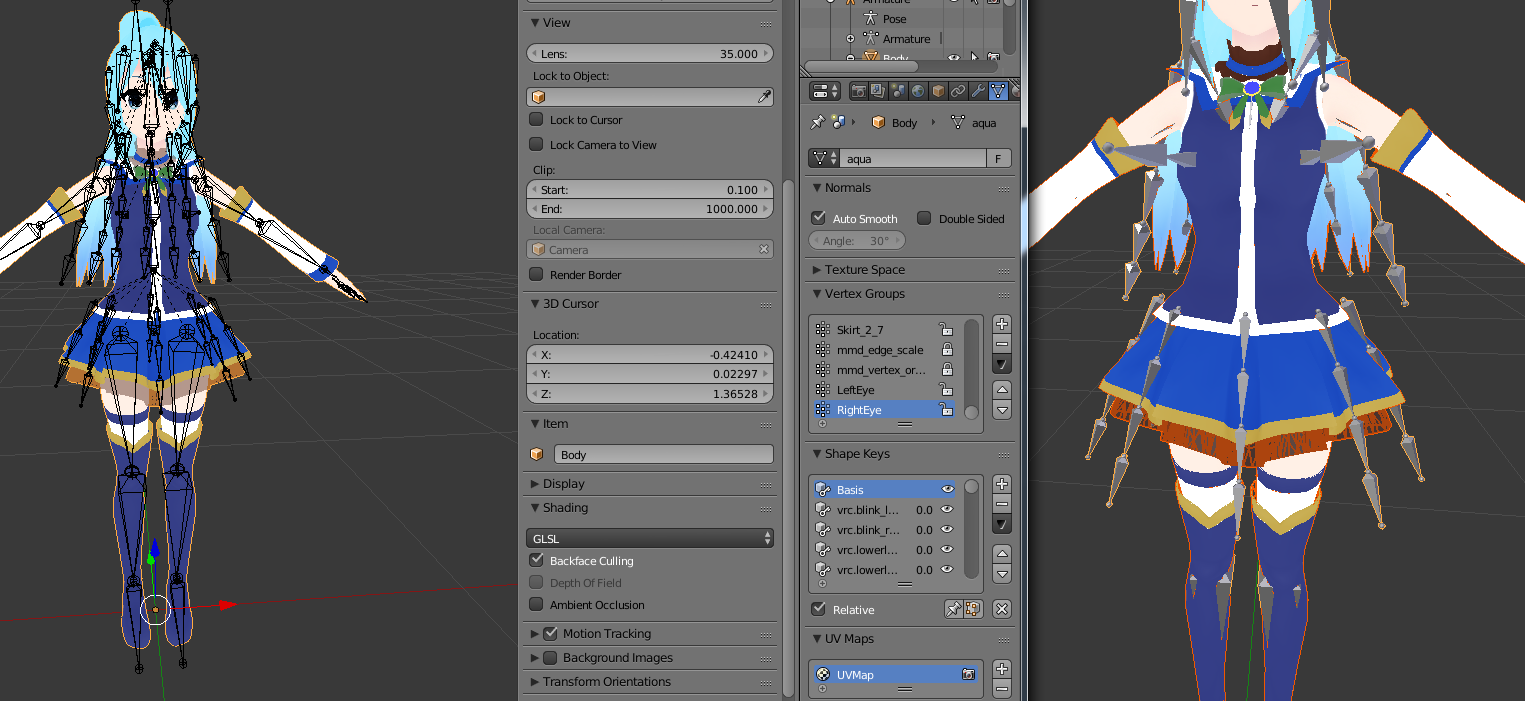
How can i fix this issue
oh i cant post a picture
My avatars pupils are gone ingame
Do they show in Unity?
yes
Also if anyone has that leg problem all I had to do was set the VRC descriptor to female!
spiral delta
Does anyone know why my model moves normally in blender but the skeleton isn't attached to the body in Unity?
I dont have any modifier on the body so I was thinking maybe that was why, but if I add an armature modifier then when I move the bones it gets all out of sync
spiral delta
oh, never mind i fixed it
 charred iris
can anyone with UVmapping experience help me out in screen share
im in despair
 somber kernel
Anyone know how to over ride head rotation when doing walking animations?
Pretty much, i want to turn off all of the IK rigging when doing an animation
just like how when you emote, the head rotations and position aren't tied to where your mouse is
 austere blade
how do i put bones from another object in the current armature of a character?
austere blade
nvm i figured it out
fading verge
my avatar in games eyes are like googly eyes and bounce all around, but i am the only one who sees this, theyre normal to everyone else, is their a way to fix it on my end, it's a little distracting, would this be an issue with rigging, or bones?
mind where you place dynamic bones
if the script is on the head, it'll count eye bones too
No dynamic bones
Tested with and without
hmm, dunno then
 feral moss
anyone willing to help me rig this model? https://www.models-resource.com/gamecube/pacmanworldrally/model/270/
GameCube - Pac-Man World Rally - Pac-Man - The #1 source for video game models on the internet!
rugged vale
Anywhere that has good information on rigging for Full Body? Some times hips turn backwards, legs twist around etc. http://prntscr.com/islkhz
 naive tree
@fading verge if u still ahve the problem, recreate eye stuff in cats, select the vrc.lowerlid, set it to 100 and enter edit mode > move 1 vertex by 1 pixel, then change to 0
do the same for both lowerlids so they move at least 1 vertex by 1 pixel in place u cant see
then export and check in unity if your first 4 shapekeys are 2xblink and 2xlowerlid
 warped basin
What should I do if my model is missing shoulder bones? It has Arm, Elbow and Wrist but when I hook those up to try and import it the long arm bones refuse to bend.
 south violet
hey um i was wondering if i could get some help with somthing
my arms in my model keep going up behind me
im not sure how to fix it
warped basin
Is there any easy fix to missing shoulder bones? The mesh has no problems if I just don't assign shoulder bones but VRChat requires them, and subdividing the arm bones causes problems.
naive tree
@warped basin extrude from arms then parent shoulders to chest, arms to shoulders
 solar ravine
hmm I did it somewhat differently, I used Subdivide and then renamed UpperArmL to ShoulderL and UpperArmL.001 to UpperArmL and moved the weights
the only thing that really bothered me was having to move the weights
also yesterday: having to move around UV maps on a model where the original author had overlapped some of them for some stupid reason 😐
 crimson mauve
Does anyone know how to properly fix this, redoing the weight painting doesn't seem to solve it completely. The main issue is the mesh lagging behind the bone when moved.
https://cdn.discordapp.com/attachments/403069664869220354/424745464584208405/unknown.png
 solemn inlet
Just on a glance it's almost as if the specific bone was added as an afterthought, idk how to fix it though
naive tree
@crimson mauve parent the sleeve bone to arm and hit mix weight in cats
there's another bone where the arm is
crimson mauve
Reparenting fixed it, thanks so much
cosmic bison
Hi guys. I'm trying to replace my hands on one of my avatars and I'm having some issues

My first issue is that my new hands seem to be mirrored. Whenever I click on one it also selects the other side.

What makes one object move along with others? A verticy group?
lucid cave
.
 mint mural
would someone be able to help me rig a model? Thank youuu ❤ ❤ ❤
 high stream
rocket i like to rig pm me
mint mural
❤
 north imp
Could someone tell me what I'm doing wrong in this picture?

It give me error when I try to upload it
Error ( Make you sure that the parent of both Shoulders and the Nick is the chest )
any help ?
high stream
ok so in blender your parenting might be wrong if not you can force parenting on the LEFT side just drag shoulders under chest and neck under chest as well. but doing this you will have to work on the model again as to save this you need to hit ctl-s and do over what you might have already done
 void tiger
Does anyone know how to rig a Dinosaur (something like a Raptor or T-rex like pose)
Im trying to rig a ZOID which is the Berserk Fury
 sinful sundial
Rig them normally
But don't put them in a T-pose
Put them in the pose that you'd like
In the bone assignment view thing in Unity
 hot knot
I swear that there was a place to download the rig that vr-chat uses, cuz right now I need to find a skeleton to apply to a model I have, so I can begin to weight it
brisk mesa
vrchat uses whatever rig you throw in it
just try rigify, fam
it makes one for you and then just delete the face ones if you don't want em
then move bones into the anatomy
hot knot
rigify is a plugin for blender, I assume?
oh wait it's unity, well sorry but I'd rather make my own weight paintings
@sinful sundial how do I get the skeleton from mixamo?
sinful sundial
Upload your model, put the dots wherever the ankles/elbows/etc are
And you get a basic skeleton with basic weight painting, which you can edit further
The weighting is usually not that good, but it's decent for am automatic system
And the skeleton given by Mixamo is perfect for VRchat, just need to remove upper chest when uploading to unity
brisk mesa
well.
the thing is, mixamo is picky and doesn't seem to work for who-knows-why about 7 times out of 10.
when that happens you basically say to yourself, 'fuck i have to learn blender'
'fuck'
hot knot
Hm, so vrchat's animations adjust to the proportions of the characters, right?
sinful sundial
yep
hot knot
alright, cool
hot knot
The power of relative animations rather than absolute, lol
fading verge
http://prntscr.com/issbvv can somebody please tell me how to connect the skirt bones to the hips?
 high stream
just go into armature and click the top bones by holding shift while clicking and click hips last let go of shift mouse over to 3d view hit ctr+p and hit keep offset https://s1.gifyu.com/images/2018-03-18_03-47-37.gif
 fading verge
Alright thanks ill give it a try
Im guessing the skirt and base model have to be merged in the Armature
Just gotta figure out how...
http://prntscr.com/issguv is something wrong here?
 naive tree
select skirt armature, then your main armature, press ctrl+J
then select all skirt bones and hips last, ctrl+P > keep offset @fading verge
fading verge
Okay ill try again
This is what it looks like if i dont touch anything, all ive done is moved the bones (as well as the skirt) down to where i want it to sit but it won't let me merge the skirt and main armature

@naive tree not sure how to fix this
naive tree
select skirt mesh, then your main mesh, press ctrl+J
you dont join skirt and armature, you join mesh withmesh, armature with armature
armature = bones
fading verge
ok that worked
uhh so CTRL+J isn't working, this is what it looks like but when i press CTRL+J nothing happens

@naive tree nothing happens, pretty sure i broke it lmao
naive tree
select skirt mesh, then body mesh when holding shift, hit ctrl+J
if u have cats addon, press join meshes
fading verge
They joined but i can't connect bones
and do that keep offset thing
@naive tree ya there my dude?
naive tree
kinda
fading verge
got a problem that i never had before in blender
let me show you
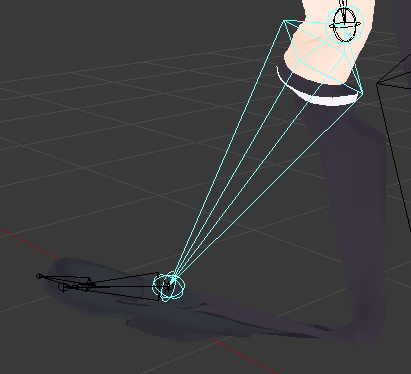
weight painting doesnt solve this
fading verge
nope and they have the same problem
naive tree
or send me the pmx/fbx ill take a look
fading verge
oh wait
there are some tiny almost invisible fucking bones in the leg with weight paint on them
is there a way to transfer weight painting?
naive tree
parent > mix weight
move the bone in pose mode, then change parent to bone the mesh should be moving instead, and hit mix weight, it'll delete the tiny bone and transfer all weight to parent
fading verge
okay, that fixed it
thank you
 hardy iris
so trying to import a garrys mod addon folder, but get missing faces
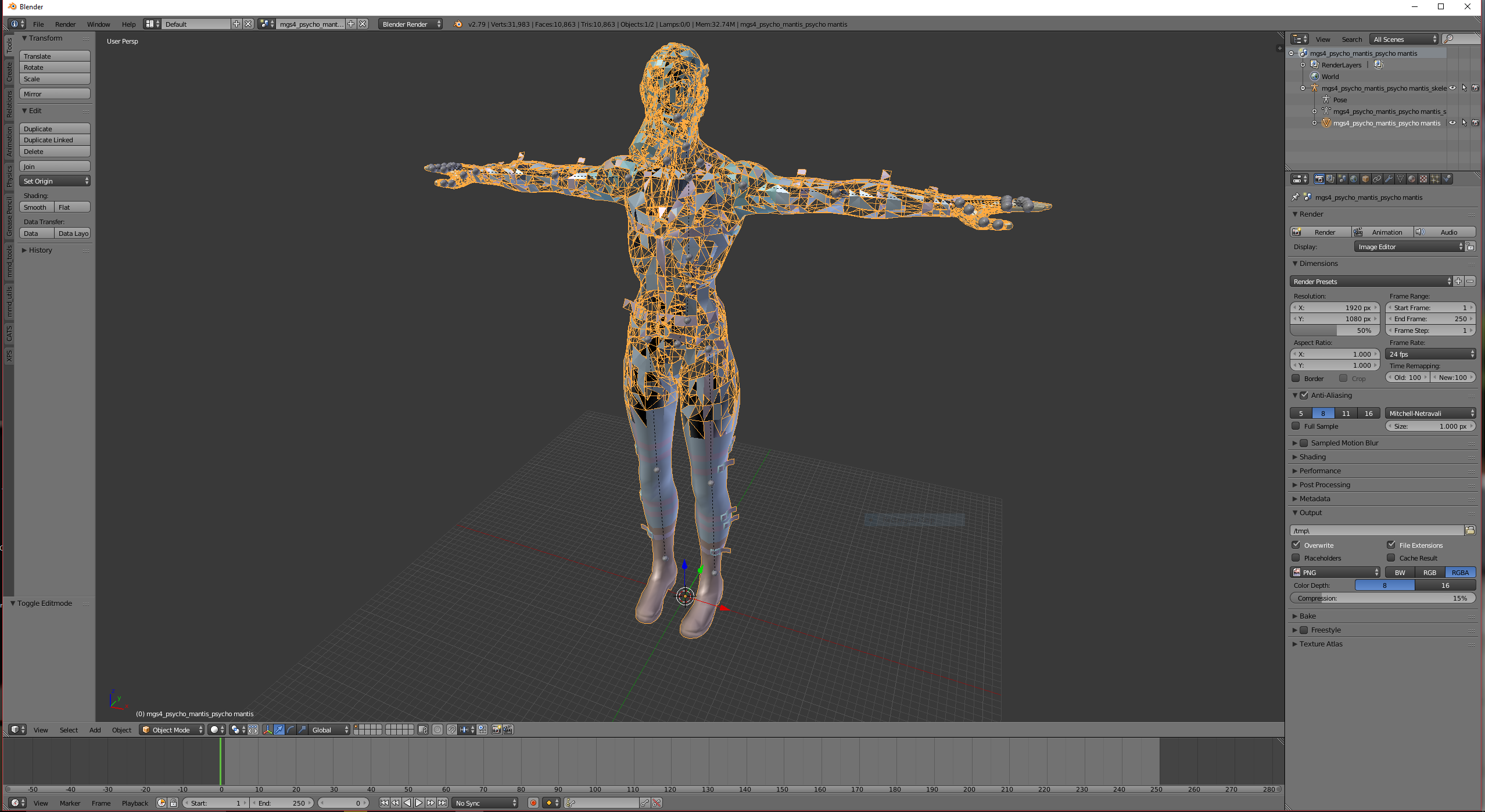
model I mean
blender does not seem to like any of my source models, does the same thing with another addon
naive tree
if thats flipped normals then you shouldnt worry, use 2sided shader and it's all good
 fleet turtle
I'm trying to add eye tracking to a model that did not have shape keys
i converted a Gmod file to an FBX, fixed the rigging, added some basic shape keys
but for some reason the cats blender tool eye rigging tool rotates the eyes along the wrong axis
like up and down works, but the left to right just rotates it along the Y-axis
Any suggestions to fix this? i would just like the eyes to track in vrchat
heck even blend shapes would be great
visemes that is
naive tree
eye tracking is shit imo, ho wto make your avatar creepy
i know you can limit it with bone constraints in unity
haven't done that tho
solar ravine
bone constraints get ignored by vrchat
I tried to use that to stop other unrealistic movements from occurring
this was after wondering why the blender workflows for importing MMD models were throwing away that information
naive tree
i know a person that limited bone rotation in unity to have his eye tracking working properly
solar ravine
they might have found another way to do it
imagine if it worked - we could finally put an end to legs bending past the breaking point
once all the import tools were fixed to copy the info across, anyway
 grim bramble
: Hello to anyone who might see this -- I have a very simple issue (or so I'd think) -- I'm trying to shorten arms and legs for certain models so I can use Full Body Tracking without recalibrating constantly. Would anyone be willing to walk me through how to do this in blender??!
fleet turtle
@naive tree , CATS blender tools was making the pivot bones tiny and pointed in the wrong direction, even adjusting the range screwed them all over the place
i managed to re-size and orient the LeftEye and RightEye bones and got it working
now to test in vrchat
 inner tree
how do i add bones to hair so i can have dynamic bones in it?
becuase i have the bones but its not attached to the hair
fleet turtle
add all the hair polys into vector, name the vector exactly like the bone and thats one easy way to do it
inner tree
vector?
fleet turtle
a group of polys to be affected by bone transforms i think
i was doing quite a bit of testing and working in blender today while trying to convert gmod source files into vrchat avatars
i added bones to a part of the body, grabbed all the polys in that part, made them a vector group
and then named it after the bones
now the polys bend to that of the bones that i made custom
fleet turtle
if you can isolate the hair polys by right clicking in edit mode, hit ctrl + L, that should select all the polys of that specific part
but there may be some unconnected pieces so pay attention to that
then while highlighting the body or mesh of the model in the hierarchy list, look down in the object pane
hit the add button in vertex groups
and then rename, apply and de-select
inner tree
the hair is already in the vertex groups tho
fleet turtle
note that long sections of hair are broken into several groups and have several bones to match each group
you can remove it from the vertex groups
inner tree
uhm, im really confused xD
fleet turtle
sorry
i'm not that great of an instructor, more a visual guy
but i found youtube videos on it
inner tree
okey the hair itself is something ive added
naive tree
it would be easier if your hair already had the bones beforehand
then it's just joining armatures and parenting the bones to head
fleet turtle
yeah..
naive tree
otherwise you need to play with autoweight + adjust manually
fleet turtle
i partially got my eye tracking working, it looks up, tends to occasionally look higher and then come back to rest, and blinks
inner tree
yeah but the problem is that the hair didnt have bones
fleet turtle
but still no mouth movements though
inner tree
how do i parent the hair to the head?
as soon as i add the hair "imports it" it breaks the avatars armature
lucid cave
I'd like to have 2 models, (I want 2 different heights) How do I duplicate an entire project so I can have 2 models just diff heights?
 ember basin
@lucid cave In Unity? Then just duplicate it in the hierarchy, remove pipeline ID (Detach ID) and change scale to whatever you want
Then upload that one and it should be another
lucid cave
ok
ember basin
Anyone know how to get weighted bones as blendshapes imported?
they dont import for me
only blendshapes made by moving the polygons manually
fleet turtle
Make sure your export settings are correct in blender
I typically only use Tupper's vrchat presets for fbx files
fleet turtle
EUREKA, the jaw is moving now
Freaking duplicate hips vertex group
Now to fix the eyes
 fresh isle
is there a way to make a new t position? the chest bone of my model stretches my upper body really high upwards because it gets forced in t position
fleet turtle
Probably will need to redo the bones if your chest is like that
How many bones does it have between the hips, spine, and chest?
fresh isle
2, the breast bones
fleet turtle
Breast bones should be a parent of the chest
fresh isle
aight i will try to change hierachy
fleet turtle
Hips, spine, chest is all that is needed
fresh isle
still stretchign out when enforcing into t posiiton
 low parrot
Gonna have to reparent in Blender
north imp
why ?
low parrot
Because you can't edit bone hierarchy in Unity
north imp
 low parrot
Did you put all the bones in their correct places in the rigging control panel?
 north imp
I just change the Shoulder and now I can upload it but it's not full IK

is there away to upload my fbx avatar to blender and edit then move it back to unity ?
fresh isle
you can import fbx files in blender
naive tree
@north imp always hit Fix model in cats tool to avoid most hierarchy issues
 signal verge
Hi, does anyone know if there's a way to hide something from your view camera without parenting it to the head?
calm needle
is it a giant shoulderpad blocking your view? You could always try searching for a closeup fade shader and basicly set it to point blank range
a friend of mine had to do that for his shoulder pads. You had to be a few inches away from them before they faded out. Worked well for his viewpoint
signal verge
That's a really good idea, thanks! I'll try that, it's a part of the clothes so I'm pretty sure that it will work
north imp

I just finish my last issue and now I have this new one :S

@arctic grotto and how I can put it in T pose ?
inner tree
i need some help, i cant seem to join armature
joining the mesh was no problem but the armature i have no idea how
 cosmic mica
even though my character is in tpose, when i go into vrchat the fingers are a bit twisting in one direction - i cant figure out why its doing this and how to correct the problem, please help
 little forge
sinful sundial
little forge
sinful sundial
@cosmic mica care to post a screenshot?
rugged vale
Anyone familiar with Full Body rigging?
 vale folio
I need a lot of help with a model im working on
if anyone would care to understand i would really appreciate it
 opaque charm
Hey can anybody help me with the angle between pelvis and thigh bones? Since it has to be 180 degrees and my avatar angle is just 8.1, i don't know what i should do. :/
 austere merlin
visemes wont work, everythings set up correctly
sinful sundial
@opaque charm don't worry about that error
it doesn't mean anything and it won't stop you from uploading
only red errors stop you from uploading
opaque charm
@sinful sundial well, i uploaded my model but its all fucked up.
sinful sundial
any screenshots?
 viscid lantern
helloo
i have a question about mixamo
can i trust mixamo rig system?
God help me so
fading verge
you can use it to get a base rigging and weight painting tho
viscid lantern
what you mean with "base rigging?"
fading verge
it will create a basic humanoid rig with some weight painting that you can probably then fix yourself to be better
instead of starting from literally nothing
viscid lantern
so i can fix this with blender?
fading verge
yes
viscid lantern
i have no idea how to do this;-;
fading verge
well, time to learn weight painting in blender
viscid lantern
yay
fading verge
good luck my dude, there are tons of tutorials on youtube for that shit
fleet turtle
I have a properly rigged hand, a thumb and 3 fingers set to Thumb, index, middle and little finger. Unity says the hand checks out and it animates properly...... but in game the hand is stuck in a weird position and will not animate with the oculus controls..... what could be going on?
I already get enough weird turnouts with this model in game, but no problems in unity
Even one of my uploads reversed the feet on the model.....
high stream
ok so do you only have a total of 4 fingers?
if so set your little finger to your ring finger in unity and make sure each finger has at leas 2 bones each/
crisp tendon
make sure to include a bit more info on your settings to avoid the back and forth questioning
hot knot
I'm trying to use cat's plugin for making my viscemes, but it just shows me this when I try to select a viseme http://prntscr.com/itksdp and I do have a viseme list, as you can see here: http://prntscr.com/itksl2

 crisp tendon
There's a specific order they have to be in afaik
Not quite sure how that works since i haven't made mine yet, but i've been told about that many times
What tutorial are you following btw ?
hot knot
No as in when I try to select it in cat's plugin, so it will make all the other visemes
it just gives me this: http://prntscr.com/itktyf

and doesn't let me select any shape keys
naive tree
have u joined your meshes
 gritty nest
Well, do that first
There's a pretty solid chance that your visemes aren't just applied on whatever the "Mouth Open" mesh is.
hot knot
But they are
low parrot
vrc.v_aa and the like aren't viseme shape keys
Well, they are but CATS can't use them to create more visemes because those are the ones it created
You need to find shape keys that make the mouth move as if it was making that sound
You can expand that menu to the right a bit to see that it says something like "Viseme AH" "Viseme CH" and "Viseme TH" or something of the sort
hot knot
that's stupid, kindof, tbh
low parrot
???
It's a prevention to use shape keys that the program already created so it doesn't try creating more shape keys that already exist
https://gyazo.com/6e97149754ac41c602fbc38198f6b695 Generally this is what it should look like if you're working with an MMD

If you use CATS translation tool for shape keys it'll usually name them this, and these are the best (?) ones to use for each one
hot knot
Okay, so also it says I can't apply my mirror modifier when it has shape keys, should I worry about this or is leaving a mirror modifier while making shape keys fine?
low parrot
Hmm, I'm not too sure what the mirror modifier does, but I know that the decimation modifier on a mesh with shape keys will remove the shape keys from it once the meshes are all joined together, so that might be the case for mirror as well.
hot knot
Okay, I renamed the shape keys but cats is still ignoring them
low parrot
Have you joined your meshes yet? It makes everything a lot easier since there's only one mesh
Although I don't know why it'd be ignoring them still if you selected the right mesh
hot knot
I mean making it all one mesh would be.. interesting to say the least. Is that really a cause of some magical phenominah that makes the shape keys not appear?
low parrot
You really should make it one mesh. More than one mesh eats up everyone's processors and can cause lag
It'll also make it so all the shape keys are in one place so you'd see if CATS is actually ignoring them
hot knot
well joining the mesh deletes the other half of the mouth mesh
and I can't apply the mirror modifier if it has shape keys
hot knot
but making shape keys is easiest with a mirror modifyer, yes? so you only have to worry about half the mouth
low parrot
I've never made a shape key, generally I use MMDs that have shape keys already
Although you could mirror the mesh some other way without the mirror modifier
I just don't know how
I know it's possible though
cosmic mica
i need some advice - my character has a robot hand with 2 thumbs one on the opposite side of the hand. i will configure its rigging to be the pinkie, so all i have to do is turn it that extra 45 degrees to give it that second thumb look - however when i assign it as a real finger in the configuration it forces the finger to face forward like a natural finger should, and when i use a trick to make it the sideways finger it should be it again force corrects it to face forward. In order to have a functioning side finger without having to use animations, what should i do?
low parrot
Is it possible for you to rotate the mesh but not the bones? I've never done that but if you can it shouldn't try correcting it
hot knot
The model I'm turning into an avatar came with a bunch of mouth meshes
so, I had to choose one mouth and turn it into one mesh with a bunch of shape keys
and therefore, I used a mirror modifier so I don't have to do twice as much work
Okay, for posterity, here is the method:
Take the object with shape keys and a mirror modifier, delete the mirror modifier, then cntrl-d and right click to keep the position of the duplicate, then mirror it using the m key and press x, y, or z depending on what axis you want to mirror, then join the meshes and fix the normals going weird, and boom.
cosmic mica
the mesh is still part of the hand but thats not a bad idea ill give it a shot
cosmic mica
no luck, the finger is still freaking out
does anyone know how i can do a sideways finger without the configuration forcing ti to face forward like the other fingers?
hot knot
Hm.. how many figers does your rig have on each hand?
I assume it's thumb, 3 fingers, and then the "other thumb" being the pinky?
hot knot
I joined my meshes together and it's still not recognizing any visemes in the list to select them with
cosmic mica
4 fingers, the other thumb is indeed the pinkie
i dont know how to share pictures on here cause this discord uses a dumb way of doing it
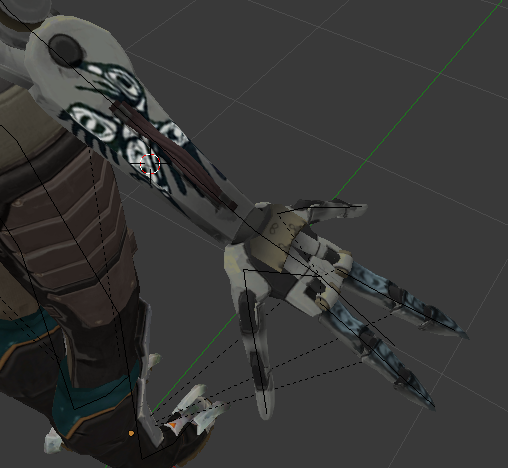
ive tried mirror bones, ive tried an extra bone the pinkie is connected to to force angle it, ive tried a seperate mirrored mesh
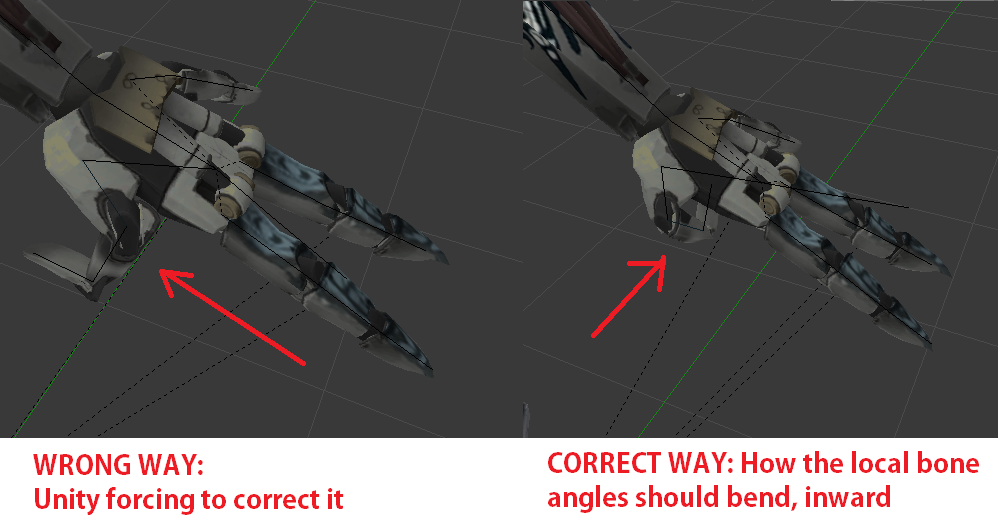
in unity i configure the extra [thumb] to be the pinky, but when i do that no matter what angle i make the finger at it bends the wrong way as shown in the picture in "wrong way", it SHOULD be bending inward like a second thumb. Im trying to avoid doing manual animations for the gestures cause i dont want that finger activating when i close my fist on my other hand.
im out of ideas i dont know what to do
hot knot
Oh. that's because unity is applying relative location to the parent bone, which works for straight fingers, assume the z-axis is pointing out the tip of the normal fingers, it bends the fingers mostly on the relative x-axis, so you probably can't make the animation work for it to bend the wrong way
I would say you've possibly hit the edge of vrchat's default animation capabilities
hot knot
hey I'm in the same boat, I'm trying to make basic eye-tracking work and it's not working for me, and visemes are one hell of a jerk
cosmic mica
i tried doing a mirrored bone trick but i cant make ti mirror on its own axis, it takes on the angle of the base master bone
hot knot
I think I'm just gonna give up on my avatar's eyetracking and visemes
cosmic mica
i gave up on mine too
hot knot
-pat pat-
we should just be able to say "this is the left eye bone, this is the right eye bone" and "this is the blink blend shapes" but we can't
we have to coax and prod vr-chat into finding it on it's own
cosmic mica
ive moved my focus to the hands of an avatar, as that is what the user sees the most. you can have an avatar with an amazing face, but if you have stick hands then whats the fun of it?
all of my avatars have wierd hands, makes the game more entertaining. Blob hands, 4 hands, wierd finger proportion hands, and this was supposed to be the 2 thumbs hands
echo drift
I fixed the opaque texture problem I had but now I have a texture atlasing problem

the arms are correct but the rest is not. is this a blender problem or unity?
 fresh karma
So I have an fbx of a model, when imported into unity works fine. But there's a vert that's missing weight painting, and when I fix it, export the fbx from blender, and import to unity, the eye tracking & blinking breaks. Any ideas?
hot knot
^ prime example of vr-chat's "compatibility"
low parrot
That has nothing to do with VRChat, but modelling and Unity as well as user error
How exactly does eye tracking and blinking break @regal timber ?
 jagged badger
does a character have to have five fingers rigged in order to have full body motion tracking?
some models i have come across have less than five fingers
hot knot
No they do not, but they can't have more than five fingers unless you weight paint more than one to one finger bone set
jagged badger
so in the rig editor would i have to bind a finger to a different one or could i leave that slot empty
hot knot
Oh wait, full body? I have no idea about full body with pucks and such, but for the default animations they work just fine, as far as I can tell
jagged badger
this is my conundrum lol
hot knot
In unity when you import you can leave finger bones empty and it will be fine
jagged badger
oh i have it imported it's for the rigging
i don't know what they need for full body tracking when i get to the build pannel i'll know
low parrot
I mean worst case scenario you can just create a fake finger bone with no weight
hot knot
Yeah, I'm not sure I can confirm or deny about full body tracking, but the default animations work with less than five fingers, I can say that
jagged badger
also the fingers wern't rigged to the right places anyways but i fixed that easily
even though i'm a nub at rigging unity made it easy with bone drag and drop
low parrot
yeah, you might have to go into Blender though and create a fake bone in the event that full body tracking needs all 5 fingers for some reason
jagged badger
unity likes to break the ends of fingers for some reason too
low parrot
how do you mean?
jagged badger
have to surgically twist the ends of fingers back straight
when rigging the characters to a humanoid skeleton every model i've ported has had the ends of their fingers bent at nasty angles
low parrot
That sounds like something wrong with the models then
What kind of models do you use?
low parrot
Ah, I see
jagged badger
like the rest of the pro nub porters
jagged badger
i am just supprised by how high poly count models get in the workshop
the renamon 2016 model in the workshop has over 60k+ polygons
decimating them makes them look so much uglier
low parrot
There's tons of MMDs that are similar, I had a 200k one once
I got it down to 30k and couldn't figure out what else to remove other than manually deleting vertices
jagged badger
well now i can't scale the model
ogh
fixed it, wondering if vr chat is gonna be picky at a sholder child now
fresh karma
@low parrot Whenever the model blinks, it causes the glasses shapekey to activate (so you see some glasses appear for a split second before sinking back into the model's head).
low parrot
Weird - have you tried deleting the CATS-created shapekeys and bones for blinking and eye-tracking and remaking them after fixing the weight paint?
fresh karma
Not sure why this happens considering I don't touch the shapekeys at all, I've done several tests where I simply import -> export the model from blender without even fixing the weight painting issue
And it still breaks
I haven't tried recreating the shapekeys, I'll try that next
fresh karma
@low parrot You absolute legend, looks re-creating eye tracking fixed it.
low parrot
Neat
Yeah, generally when eye tracking breaks that's always my solution
I don't use CATS blinking though so thankfully the blink problem doesn't happen
 thorn willow
how the fuck does one fix the hip bone angle issue again
because wew
I'm so done at trying to fix it
need assistance
and searching an answer to google yielded no results
 subtle moth
i would try to help but i have no idea
thorn willow
finally got it to 174.1
but I think that's enough
just gotta love how Unity loves to fuck up the fingers in Valvebiped
naive tree
@thorn willow that's way more than enough
neon quiver
never got this error before. in unity trying ti upload my avatar. "This avatar measure to large on at least one axis. etc- but bound are 151515560000 etc)
gritty nest
Your avatar is too large
naive tree
no
her avata ris not too big
trust me
@neon quiver you need to go in blender, seperate by materials, hide everything that is head except hair, then join hair+rest of body materials > delete all keyshapes, then join everything back and check if your mesh gets destroyed, if it does - then u need to copy-paste face from original avatar
adjusting your bounding box in unity will just cause local problems, if there is no mesh destruction
so you want to fix the root
neon quiver
thanks. i will try that
naive tree
or you could just seperate by materials, join just the face (eyes/mouth/face) and check your keyshapes
if they destroy mesh - u need to copy-paste face from original avatar, but also not forgetting deleting the keyshapes from the body
neon quiver
it might be the key shape
naive tree
it is keyshapes
to copy-paste face, you open 2nd blender window, fix model> delete armature> delete all meshes except face (face/teeth/mouth/eyes)>translate all shapekeys > join together > select face and ctrl+C > ctrl+V in other window and then select face mesh first and shift select body mesh > ctrl+J
your bones for hair and head will work, as that's the same data
fading verge
hello. Would someone be willing to help me with a custom 3D model?
neon quiver
it works 😄 Thanks!
fading verge
I am rather new to this and would like help rigging a semi-complex 3d model
austere merlin
So my model has specific mouth visemes, the mesh is named Body, but only one mouth viseme is working.
 vestal dirge
@austere merlin have you tried out the blendshapes in Unity (set them one-by-one to 100) to make sure they are working?
austere merlin
yes
vestal dirge
And they are all assigned properly in the VRC_AvatarDescriptor?
serene urchin
https://ibb.co/jhH2Hx how do i need to weight paint for the rope not to clip trough ?
 fading verge
( I would rather model 10 characters than rig 1 of them...😩 )
austere merlin
Wow
 wise wagon
i got a item model off of vr chat mods, and when i went to curve the fingers so my character holds it, it automatically got into position, do i have to do anything extra or
fading verge
getting the mesh and textures done took me roughly 2 days. +2 days for corrections and final improvements
and soon it will be 7 days since I started rigging it
and I barely started
fading verge
Is there some way to Mirror a vertex group from one side to the other? I used Edit Mode to weight paint i.e. a finger on left hand. Is there a way to copy the weight paint to the same finger but on the right hand? All bones are named f.e. Thumb2.L Thumb2.R
I find that "Mirror" does "cut and paste" instead of "copy and paste"
after clicking "Mirror" the weight paint appears on the right hand but all assigned vertices on the left hand are no longer assigned to the original bone, meaning that it's basically useless, I'm still left with 1 bone to manually weight paint, it's just the hand I did in the first place
fading verge
^ Nvm got around it
vestal dirge
@austere merlin are any visemes blank in the descriptor? You will get errors if they are not all assigned.
Also make sure Face mesh points to the Body mesh in the scene, not a copy or a prefab in the project.
hot knot
@cosmic mica honestly, if you just make the hand rigging how you want, don't assign the bones of the extra thumb when importing as a humanoid rig, and just use the animation overrides for closing fist and such, it shouldn't be too hard to animate the fist for it, although I guess that would do both hands at once? (Just make sure to duplicate your avatar before making animations on it, and make animations using the duplicate cuz unity will move the skeleton to a "default" pose for some reason)
 bleak pelican
I dunno if this is the right section to ask this in, but I'm way better in unity than blender so I need some help here. This is kind of vague, but how do I fix this? https://puu.sh/zM5J4/c322b4d0f6.png
I'm appending objects from one blender file to another, think I got everything right, but this part of the mesh I brought over is stuck in rest position, I think? It won't move with the rest of the armature

 still ivy
anyone know how to stop the glow from Rainbow 2 shader?
dm me or @ me would be nice if you know it ❤
hot knot
@bleak pelican sounds like it's a weight painting problem, so basically select the armature, (this works best with right-click input mode, the default of blender), and then select the mesh you want to weight paint, then press the "object mode" button to bring up the list of modes to view in (like edit or object mode) and click weight paint. Do you know how to use weight paint mode?
bleak pelican
I haven't used weight painting yet, no
hot knot
@bleak pelican Okay, well basically you paint each vertex (each point that faces or edges connect to) and you "paint" it with the mouse (you can set brush size, strength, and other stuff). Basically, select the bone, and then paint the entire foot so it's the same color (it ranges from dark blue as zero, to full red as absolute influence) (pink means "no vertex group for this bone"))
 random flare
I have a job for a builder here if interested please dm me.
hot knot
the mouse can affect vertexes on the other side of the mesh, it's not just the face facing the camera, unless you de-select the option to do so (it's the little cube on the bar that's transparent). The easiest method is just to just select like .5 strength and 35 brush size, make sure you're painting through the mesh as well, and just wave the mouse over the foot without letting go of the click until the entire foot is the same color (you can set it to add or subtract weight from the vertexes)
bleak pelican
alright I'll give that a shot, thanks
hot knot
welcome, if you need more help look up "weight painting tutorial"
 pale hull
Oh hey, that's Very cool dude
What kind of evangelion is that?
Sometimes I find that sort of soothing
Easy, but timeconsuming things
subtle moth
looks awesome tho @arctic grotto
subtle moth
@arctic grotto Would you mind sharing where you found that model? o.o
fathom flint
Talking about ripping is a no no?
Good to know that ahead of time lol
Haha yeah. Maybe I should read the rules. Been here since Nov but haven't done that yet lolz
fading verge
basically dont be an asshole and dont talk about illegal things
fathom flint
What if I talk about an illegal asshole?
fading verge
rules 5 - No politics or religious discussions
so no
only talk about how great vrchat is
fading verge
nitro is capitalist propaganda ✊🏼
decadent animations and unlimited bandwidth, those fools
subtle moth
but i have a communism emoji
 balmy goblet
Hi i rigged a "tail" and now it wont work as a dynimc bone in unity. What do I need to do?
subtle moth
@balmy goblet define not working
 deft edge
 echo drift

These were my only errors and I had the assumption that these could be ignored
I signed in to VRChat and not Steam and still nothing
The manage uploaded content tab says 0 avatars
fading verge
Help me pls
I want to shoot lasers from my index finger
How do i do that
Is that in unity or blender or both
unity
also ask in "animation" not in "rigging"
Huh
Arent they the same
no
inland oriole
Can anyone tell me how to lengthen my arms without effecting bone biomechanics?
http://prntscr.com/iugz6v
 serene urchin
i parented some of the robe bones to the leg and knee and it looks fine in blender but like this in unity https://cdn.discordapp.com/attachments/400401962098491404/426121660941205515/unknown.png

 opal ingot
so i am pretty curious does anyone know exactly what programs i need to make avatars since i really wanna get into that and make a God of war avatar and all kind of funny onces. ? someone who can reply in short what programs and if god of war already is out in vr ?
 sour lily
i need to make a blend shape to create mouth movement on my model anyone have a suggestion for a video i could use to learn
echo drift
@sour lily is there any blend shapes already on the model you're working on?

Good news, my model is uploaded on VRChat, but now the lower eyelids eat Mettatons eyeballs when I tilt my head
is this a fix it in blender thing or unity?
 slim violet
ok. I've got a problem
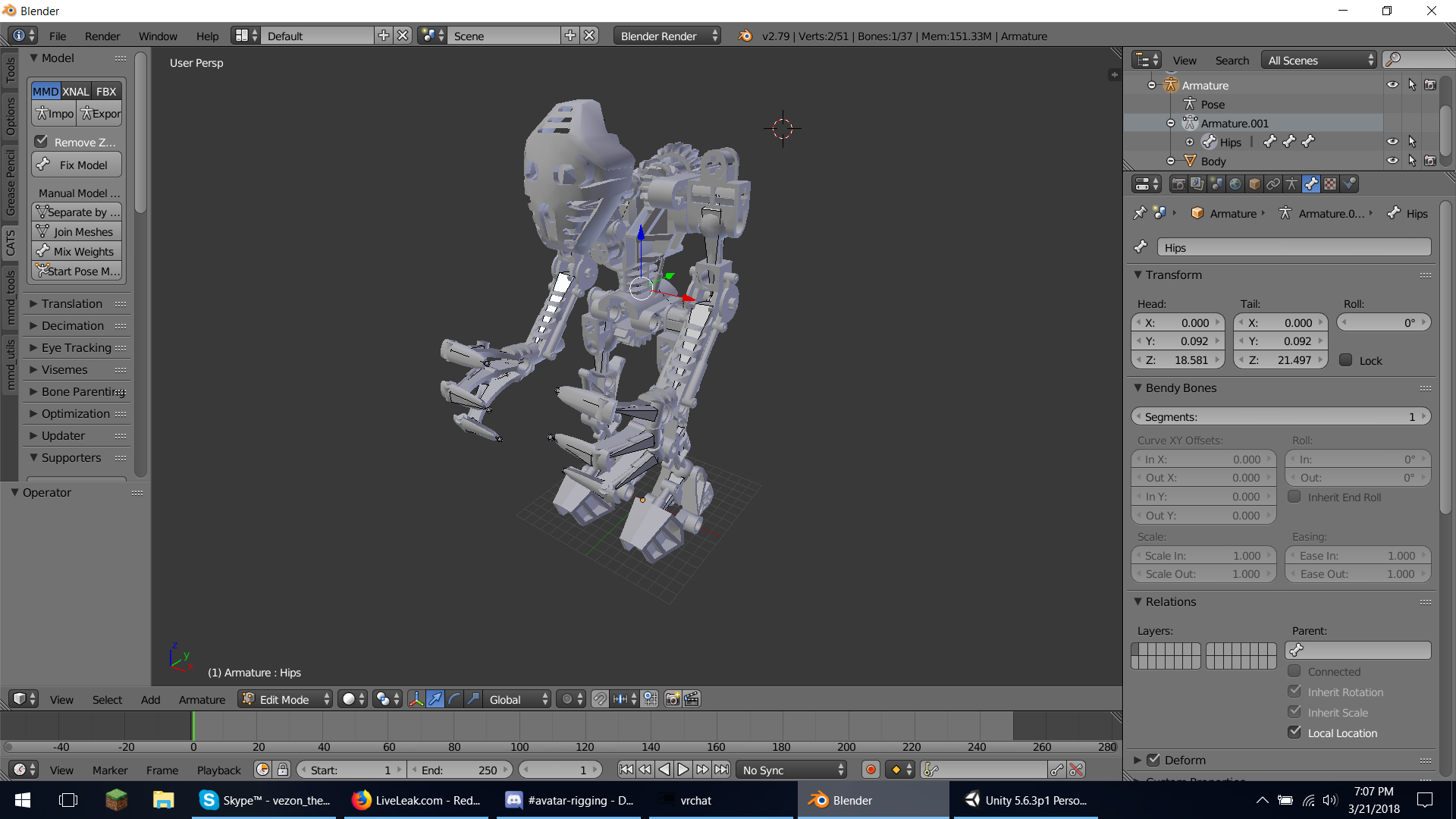
got the bones set in place. got the weights added
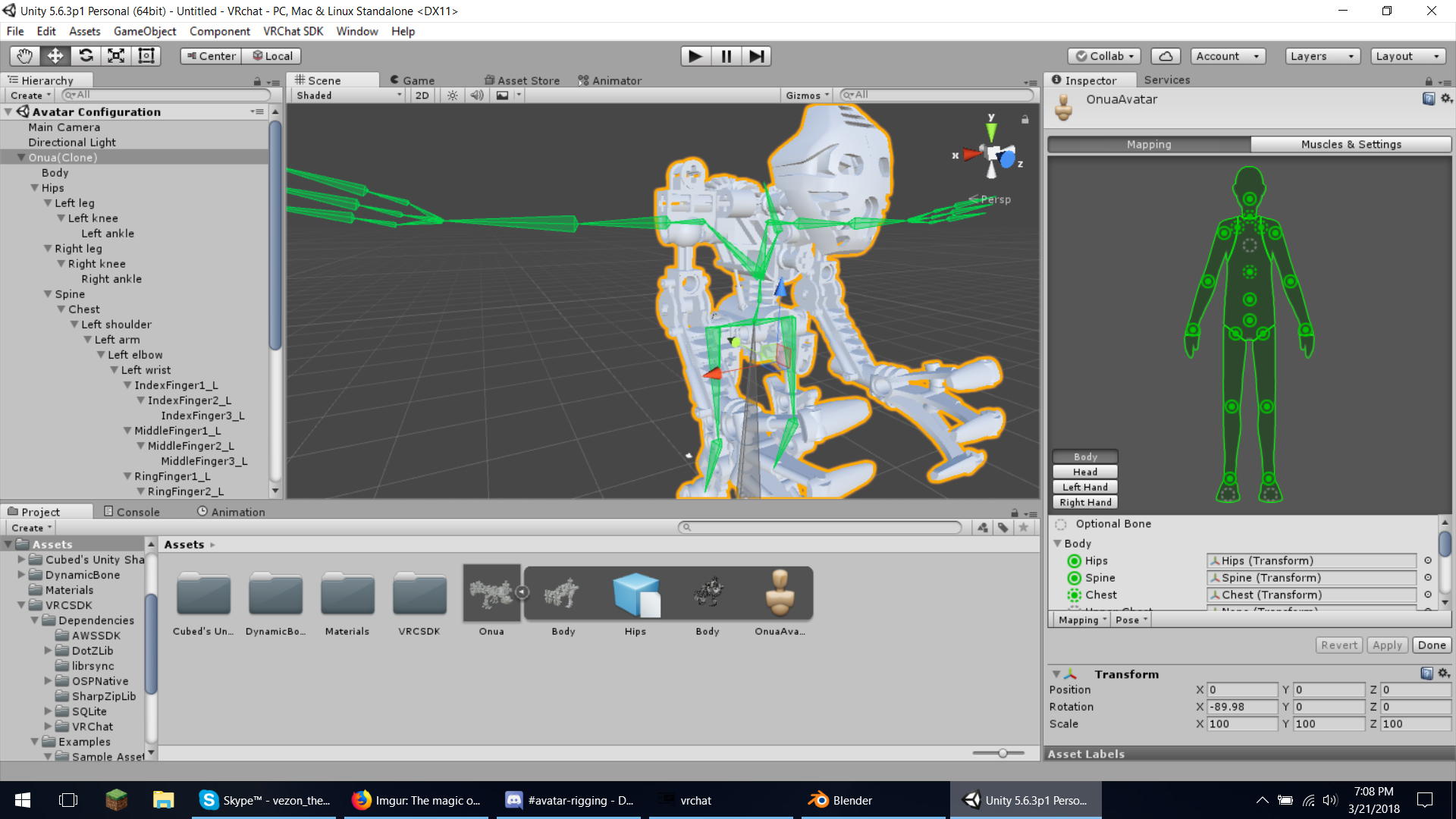
but then this happens
what do I do oh guru of computer wisdom
echo drift
I think unity needs the t-pose position, you should do some symmetrical repositioning of the model in blender (I think)
slim violet
that IS the t-pose position
echo drift
well yeah but not in blender
echo drift
ah... that can be an issue 😅
slim violet
that was 2 DAYS of work T_T wasted
echo drift
it would help to play with the model in pose mode to see if it moves. even when you think you have it rigged and weight painted
serene urchin
how can i delete a vertic and connect them to another one so theres no hole
sour lily
@echo drift no there is no blendshapes so far im using a gumball machine and i want the flap to open when i speak
it seems i found a good guide to go by
void tiger
Does anyone here have any Walk, Idle, or Run Animation for a Dinosaur like Avatar
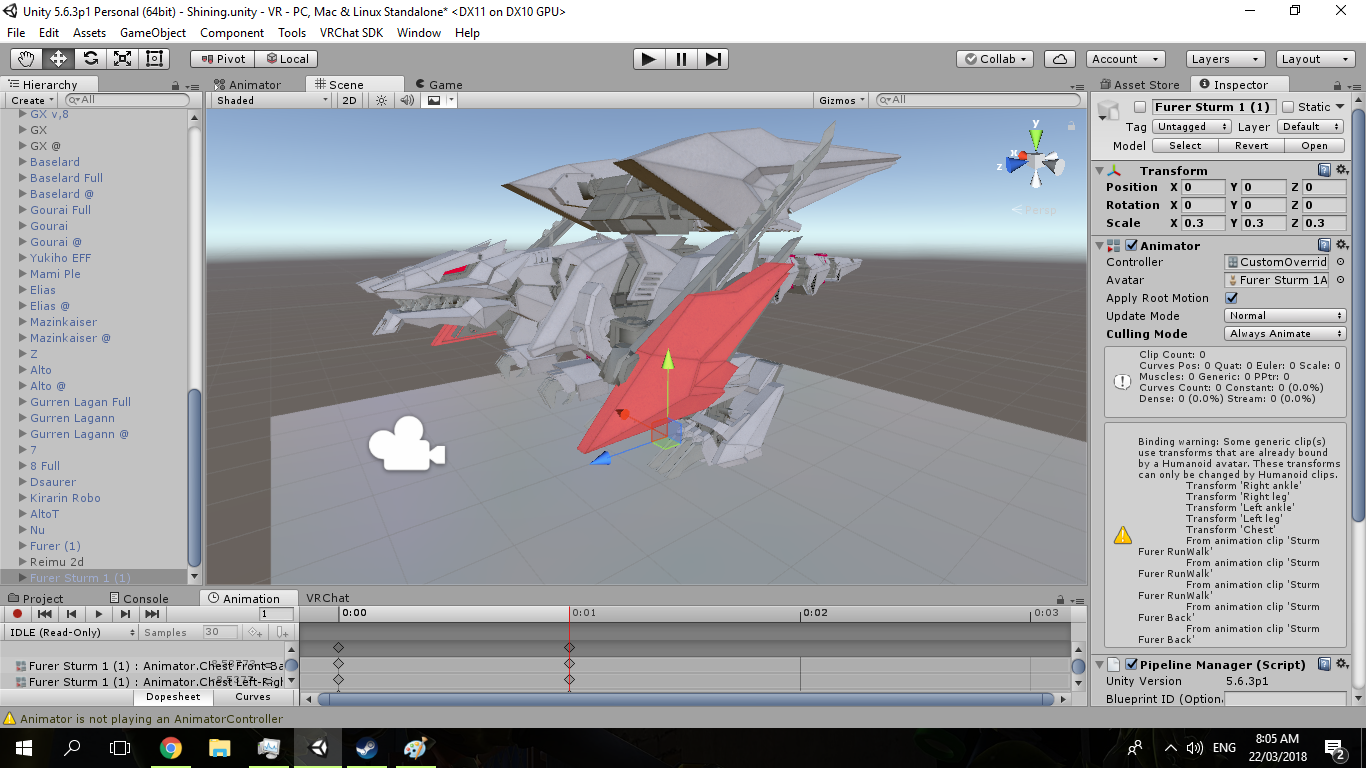
Im trying to animate a Sturm Furer https://ibb.co/nxHEXx
 slim violet
oh wow. the berserk fury. that takes me back
void tiger
Yah but the Death Saurer is the only one that can handle a T pose compared to the other Dino like Zoids


 naive tree
@slim violet ctrl+J, selecting the main armature last
then u gotta change parent as well
slim violet
what do you mean by change "parents"?
also, I did ctrl+J, there was no notifications or anything happening
oh wait, it says "No mesh data to join"
so, do I do ctrl+j on the screen? or on one of the menus? this program is confusing to me
@naive tree hello?
naive tree
you select armature, then shift select other armature, then press ctrl+J in 3d view window
it joins both bone armatures
then u have to change parent to the first bone of the armature to main armature bone where it should be attached to

your model ios pretty odd of having so many armatures
slim violet
alriht, I don't have one that says armature. I haven't done the "fix model" thing on cats yet
that's because each one of those is a part of the body.
that's why I want to put all those together into one
naive tree
i would start from like middle, have the hips-chest to be main, then u select leg bones first and then hips-chest 2nd, then ctrl+J