#avatar-rigging
1 messages · Page 104 of 1
 open hull
 fading verge
yeah and you can't rig anything in unity between hips and legs
open hull
but it's one bone although it's called hips
fading verge
i never saw that and never saw someone talk about it or even try
open hull
why am I getting a warning about a pelvis being at 171.6 degrees then? is my hip bone too long?
fading verge
i dont remember how to fix it exactly but it's an issue in blender
Wishing VRC showed the same thing on my screen as everyone else's. On my screen, using rigidbodies and a fixed joint makes 2 of my 3 eyes disappear while all 3 are there for everyone else.
 vapid osprey
@open hull just ignore it it's what i usually do.
open hull
but I get derpy dance moves, i was hoping that could fix it
fading verge
So the eye tracking on the third eye works, but it's looking upwards all the time. But because of the fact that only someone other than myself can see it, its hard for me to try to fix it.
And yes, I've been using Third Person Locomotion to check it.
vapid osprey
Sorry can't help you there Saigo 😦
fading verge
I could drop it into a pedestal in my world and have a friend pick it up. Just sucks to have to resort to that. ;P
 granite dust
Make a second account, and drop into the same room for testing?
granite dust
Hmm, probably
open hull
how can I put a pic here? it's it a user privilege?
vapid osprey
@open hull you gotta use https://gyazo.com/ to uplaod pictures here.

Gyazo
The easy way to save screenshots, GIFs, and websites. Make everyone happy by sharing smarter, faster, and with your point crystal clear.
not really uploading pictures but yeaa....

 fading verge
vapid osprey
fading verge
vapid osprey
oh....
 robust python
Does anyone know why my model can be seen twice in vr users but normal for desktop users? Its like the left lens is working but the right isnt
or vice versa I forget
vapid osprey
@robust python i have no idea never encountered anyone with your problem.
fading verge
^
vapid osprey
@fading verge Does Vrchat Humanoid even support a Third eye?
 robust python
Kind of? Its like have you ever looked at a 3d movie without the glasses
It hurts peoples eyes
fading verge
Ah
robust python
and its my two most recent models idk how to fix
fading verge
@robust python you added some shader that is not vr compatible
@vapid osprey It doesn't, so I'm getting clever and making a third eye inherit the rotation of one of the eyes it does use.
fading verge
It just breaks for me in VRC.
robust python
same one I use for everything else.
fading verge
oh that is totally is 😉
vapid osprey
@fading verge dang feelsbad. I hope you can actually find a work around that.
fading verge
your description sounds like some borked grab pass effect, but cubed's should work fine so that's not it
If I could get it working with a third, I could get it working with a 4th or 15th etc.
It'd be nice.
Moving or still shaders will usually result of vr users not wanting to look at you
Bc of the double image effect
vapid osprey
@fading verge LOW KEY that's sounds amazing tbh lol if you can actually make multiple eyes tarck something.
fading verge
I could make the third eye a world particle, but then it'd shake.
open hull
I use a shader on mine, it's pretty, people like looking at the boobies
open hull
is there a way to calculate the best values for view position without trial and error?
at the moment mine are x 0 y 1.6 z 0.2 but I feel like I could be further back
 honest kettle
that is different for each model and personal preference
 radiant blaze
how low should the foot bone be and the end of the ankle bone
open hull
I think I got it, thanks
https://gyazo.com/ea674a571c2edb12cd593e64f1793776 mine has heals on
radiant blaze
does this look fine? https://i.imgur.com/HR1OzA8.png
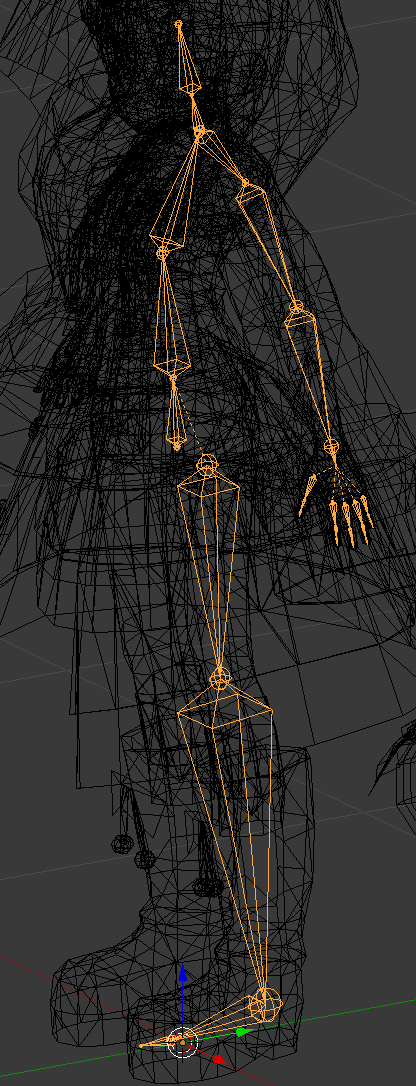
im wondering things like should i curve the spine with the character's posture and how low should the ankle be
Or do i not need to worry about it now too much, that it can be fixed later?
fading verge
I need help. I have been trying to ask around on VR to see if anyone could remove a tail from one model and place it on another for me but due to my throat being missed up, I can barely speak, thus making it nearly impossible for me to ask. Would anyone be willing to help?
 civic field
You kids know any secret sauce on how to optimize a rig for full body?
 low parrot
There's basically a tutorial for that in the latest #tutorials posts @fading verge
radiant blaze
correct proportions for starters
civic field
Got that, just running into weird issues like everything being paired to the left leg.
Or hips rotating 180 degrees.
 tired stump
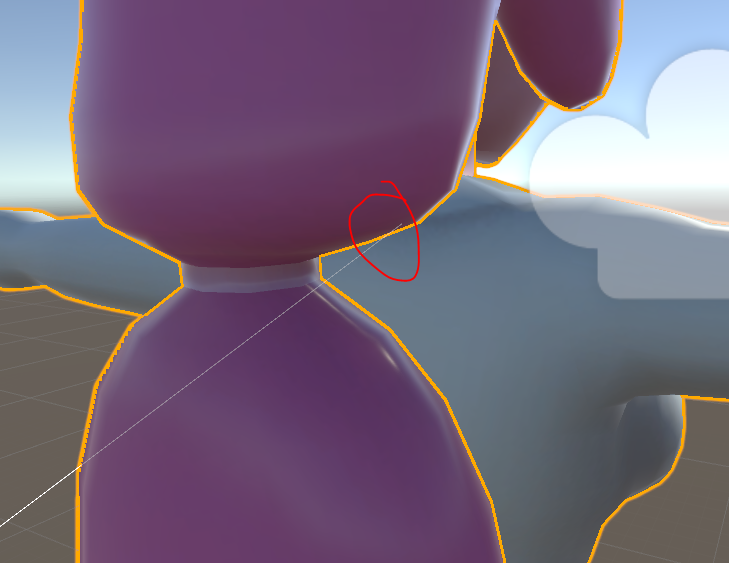
I have a problem. I have a model with rigged breast, i put dynamic bones on them and it worked great. Eventually I decided to remake the bones to see if I could improve them and fix some errors with the rest of the model. My old model had 1 bone per breast, my new version has 2 per breast. It didnt work well for some odd reason so I deleted the second set of bones going back to only 1 per breast. Now the dynamic bones physics work around the 'spine_2' instead of the individual breast.
Original model: https://imgur.com/a/LsgKO
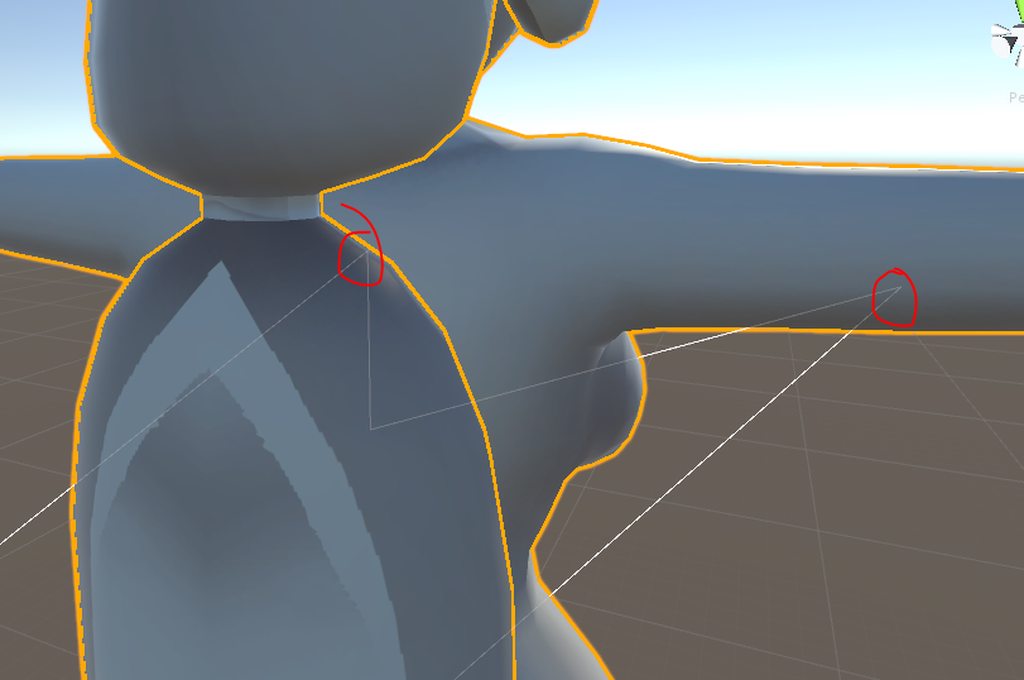
New Model: https://imgur.com/MKCHOVF
 tired stump
NVM
i figured it out on my own
In order for a bone to move around its own location you have to have an 'end' bone added to the end of your regular bone


 chrome pewter
hello friend is having problems getting the model to get the pareting right we have tried vrcats alot and it seems to just seems to not parent because it cant find the arms
https://cdn.discordapp.com/attachments/347166166021832704/420380586272751626/18b293c7744590408aaea8fb9dab3dca.mp4
(repost because i didnt get any answers)
 random lotus
We have a miracle here, this guy has invisible arms but his rig still gives him arm bones http://prntscr.com/inv688 but not a chest nor neck

and how would i go about adding said bones?
i sadly can't mixamo rig him because it fucks up
 dusk pine
Im trying to rig my avatar so only the head rotates at my look direction. it's non-humanoid and uses a custom rig and animations. How could I go about doing this?
chrome pewter
@tired stump the hair is stuposed to be on the head not moving on its own
tired stump
well lets see the parenting thats setup on it
chrome pewter
https://cdn.discordapp.com/attachments/347166166021832704/420760053860270090/088becd8fe43e16af1d96af9ef518107.png @tired stump
 tired stump
lets see the hairs a parenting
chrome pewter
yes
https://cdn.discordapp.com/attachments/347166166021832704/420760053860270090/088becd8fe43e16af1d96af9ef518107.png @tired stump
random lotus
ive got a question regarding using mixamo's auto rig
if i want to use mixamo to auto rig a model http://prntscr.com/invit7

will it let me keep his ear bones and still let me auto rig him properly?
tired stump
@chrome pewter your screenshot does not display the hair-bone parenting
 tired stump
Parenting seems fine. Dynamic bones if applied may be the problem.
The hair is definitely following the head, just lagging behind from the dynamic bone entity.
Changing its settings to have less dampening, more elasticity and moderate stiffness may help. @chrome pewter
 glad egret
oh god thats a lot of bones
tired stump
Yeah, having so many bones make working on it much harder then it should be.
glad egret
hm if the hair is lagging behind there might be a bone thats parented to the entire back and/or fronthair
ive never had that problem but i think ive prevented it from happening
 errant bramble
Sooo. For some reason various vericies on my character are just exploding and going all over the place. Like. I have no clue what caused this
 humble leaf
I don't know why but when I made an animation my fingers started stretching really bad
Before I did the animation on the model the fingers were fine
But then I made some facial animations applied them and now in game my fingers stretch out a lot when I do for example the grab function
And this effects even the animations I did not change
For example when i do a fist the hole in the middle is huge and the fingers streached out of proportion
 real pasture
So, I got a model. On blender I did all the weight painting, no issues. But when it’s in unity, the hair is attached to the arm bones. I’ve spent hours trying to fix it, but I’ve had no fix yet.
real pasture
If anyone can help, please @ me or message me
humble leaf
🙏
 mental lynx

Oh boy, did I just pay 20 bucks for nothing
Because it seems that Dynamic Bones no longer work on any of my projects or models
mental lynx
Its happening across everything, is what I mean.
 subtle moth
Which means that unity may have fucked sth up
mental lynx
All projects, all models
fading verge
If you removed dynamic bones and readded it, it may have broked.
fading verge
I've exported and broke all my prefabs that way.
mental lynx
Because its busted, I can't do anything with it
Even when adding a new component, it gives me that error
mental lynx
Unity is nothing but a constant bunch of errors, issues, and bugs.
subtle moth
your projects should be saved elsewhere though
i never have experience sth like this before
mental lynx
This isn't the only issue I have with Unity
subtle moth
unity's pretty calm for me
mental lynx
I also dislike how it only uses 12% GPU and a third of one core of my CPU
And then starts to lag because it wont use anything more
subtle moth
yeah, that actually sux
mental lynx
I have games from 2006 that use two cores
subtle moth
yeah...
i know
unity isnt perfect but its rather easy to use
could definetly be worse
fading verge
Did you recently install any new assets, @mental lynx ?
mental lynx
Awhile ago I installed a new conversion component for animation
fading verge
Sometimes assets aren't compatible with each other. It's stupid, but it happens.
mental lynx
I'll try removing it
fading verge
I had a version of Ultimate VFX that broke my SDK.
I still had to make a new project to fix it.. Maybe you'll get lucky?
mental lynx
I wouldn't be so upset over this if Unity would make use of my equipment...
But having to jump through hoops and now deal with the third wipe of all my effort/content
Its not fun
Oh wow
It was the conversion component doing it.
subtle moth
conversion?
mental lynx
Removing it and launching has brought back Dynamic Bones.
Which means the animation conversion was probably sharing some assets that overrid Dynamic Bones
It basically took animation from other types of engines and converted it, frame by frame, to something I can use in Unity.
It barely worked, so at least I'm not upset with losing it.
mental lynx
None of them seem to work, anymore.
Or maybe it wasn't working because it was fighting with Dynamic Bones
I may have to make another project specifically for ripping animation
 abstract breach
hi, little question, when using VR HMD is a custom animator controller overwritten to default? (look like it is) if yes is there a way to enforce the custom one for idle/walk for example?
 bronze elk
@abstract breach not sure i understand to what you refer to.
abstract breach
oh sorry, i'll try to be more specific
i have a model with some custom controler, it work properly in non VR, but as soon as i use VR, everything is gone (normal in a sens since it's full IK), but is there a way to force the use of the custom controller for animation ( without using the override)?
bronze elk
Well in VR mode, your hands and head are tracking your headset and handheld controllers therefore ignoring any custom animation for and idle or walk animation
abstract breach
yes i get it, but walking and running look so dumb without the custom animation though 😛
bronze elk
Can you show me a screenshot of what happens?
abstract breach
hard to convey with a screenshot, when running/walking the hands don't move in a natural way since it's tracked, don't know if you know what i mean
bronze elk
Well thats the issue with vr and custom walk animations
They conflict with eachother
So there isnt much else i can tell you
abstract breach
yes in a sens it could be cool to override the tracking when running/walking
even in idle
bronze elk
Personally i think custom overides are generally menlant for non vr users since they cant move freely as vr users can
Meant*
Besides whatever looks funny can bring some good laughs out of ya
abstract breach
yes true, but being force to actually run/walk IRL is silly too
l ol yeah
oh well i have to leave with it i guess or upload my model in generic instead of humanoid (not overwritten in that case, but not tracked anymore)
abstract breach
i have both case, non humanoid and humanoid
a humanoid work well in generic as far as i'm concerned, but well the tracking go to the trashbin
bronze elk
Your character would stay in t pose in generic and any animation done in emotes would glitch it
Overall i personally just change the emotes and leave the walking/running alone
abstract breach
no it work as long as you have a proper custom controller with animation, at least for me
but no tracking anymore of course
bronze elk
Im sure tracking would still work fine since the game would just use default animations
Then again i dont own vr yet so i cant say much
abstract breach
An example : 2 same models, 1 in generic, 1 in Humaoid, both have the custom controller generic -> no tracking - animation ok | humanoid ->tracking ok - animation gone
tested
bronze elk
Thats interesting, makes me want to learn more about that lol
abstract breach
Yeah spent hours and hours on it, thinking i was doing something wrong, but hey...i'm sure now
bronze elk
Indeed. Anyways, hope you find a solution soon, its time for bed. Take care.
 red gulch
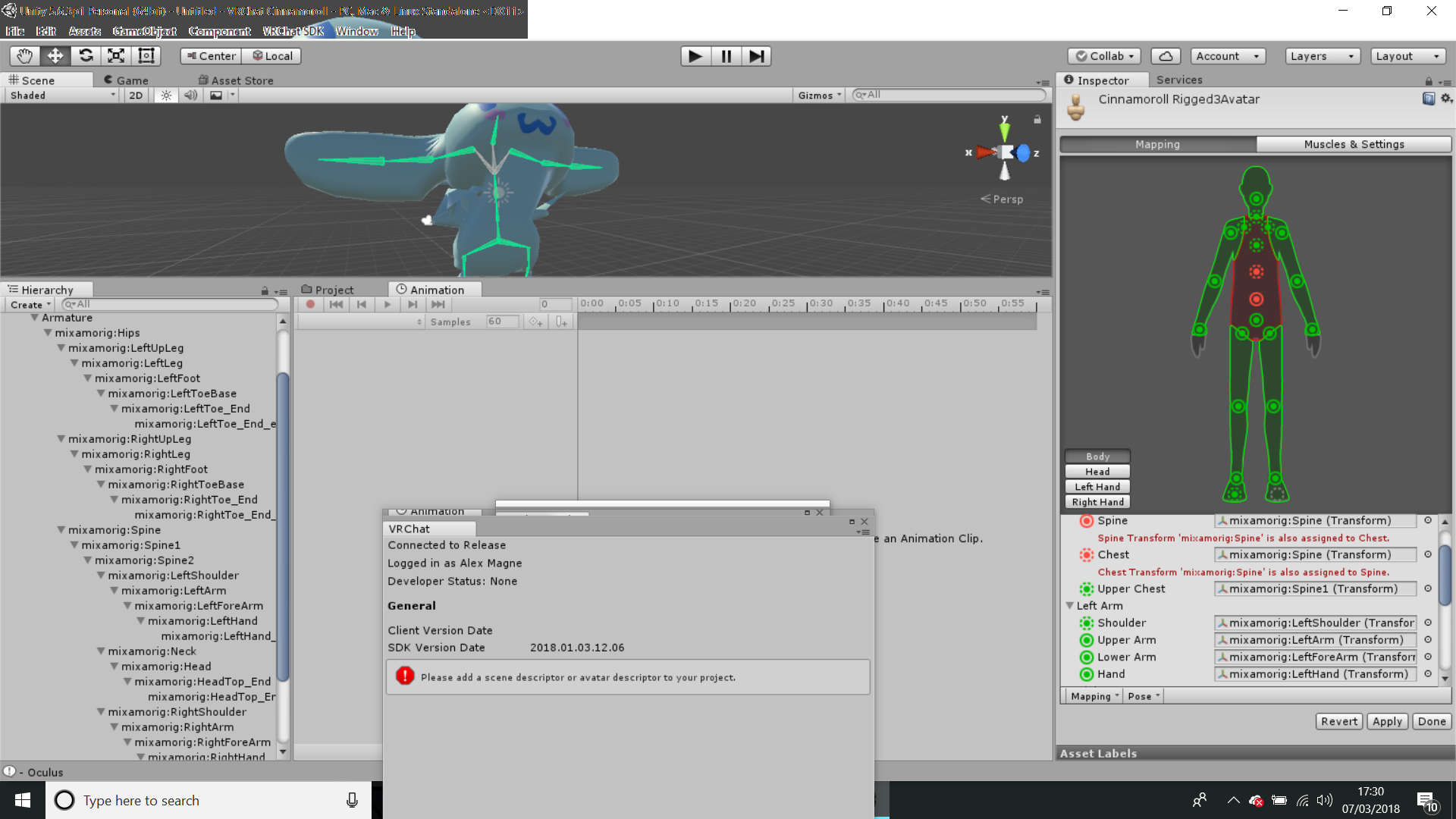
Spine hierarchy missing elements, make sure pelvis, spine, chest, neck and shoulders are mapped
I think the spine, chest, neck and shoulders are mapped but I'm not sure about the pelvis
fading verge
pelvis is the hips
red gulch
its cool I fixed it
 tropic flume
is the error parent for 'spine' differs from one found in humanDescription the same as the Spine hierarchy missing elements, make sure that Pelvis, Spine, Chest, Neck and Shoulders are mapped. error from the docs?
 opal aurora
Did you change your bone structure or names in unity?
tropic flume
I started from scratch
red gulch
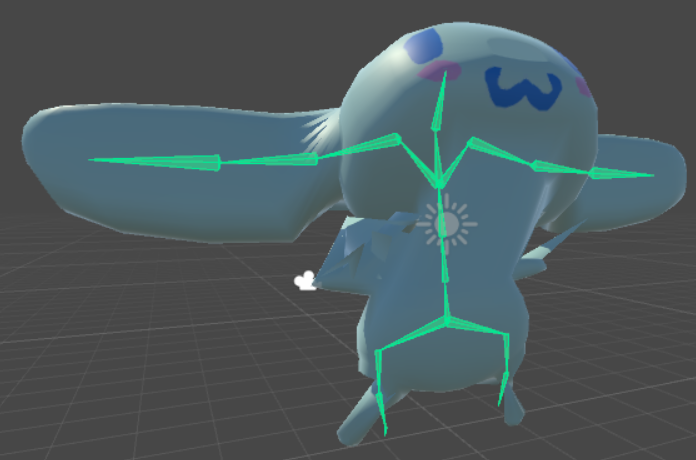
can anyone tell me what the heck is going on here? https://i.gyazo.com/5436b79bf830f117011445b3f9ac7973.png

https://i.gyazo.com/d1b4f74af0a0f339245e24f4e4d478a8.png supposed to be like this
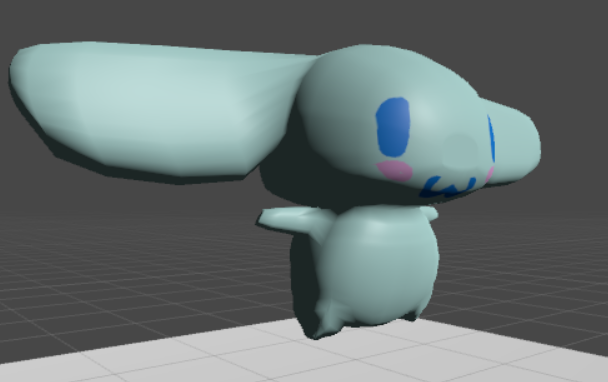
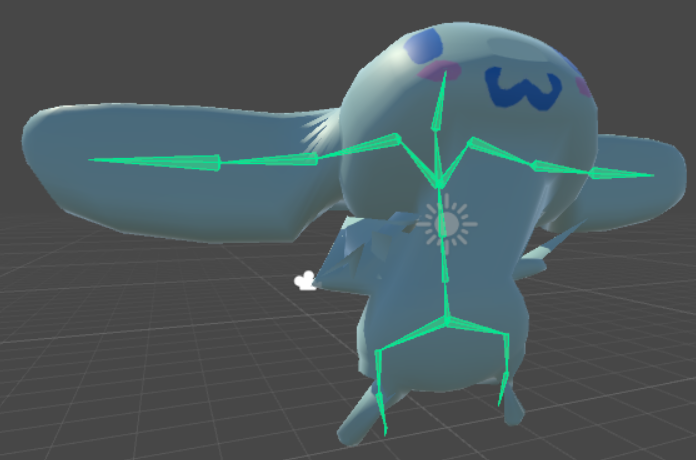
I have the arms mapped to the ears, so he can use them to emote and such
 trim coral
Is that the rig config menu in unity?
red gulch
yes
trim coral
I believe it's enforcing t-pose (it's supposed to do this).
It just seems like you've positioned the bones poorly. You have to be careful when using humanoid rigs with oddly proportioned characters.
red gulch
I see
its not possible to use an avatar without making it a humanoid rig is it?
I mean, one that can move its limbs and such
trim coral
It is but it's very time consuming since you have to do all the animations manually, and I don't think you can use IK with non-humanoids in vrchat
red gulch
I see
trim coral
There's nothing wrong with using humanoid for things like this though
red gulch
well its a shame
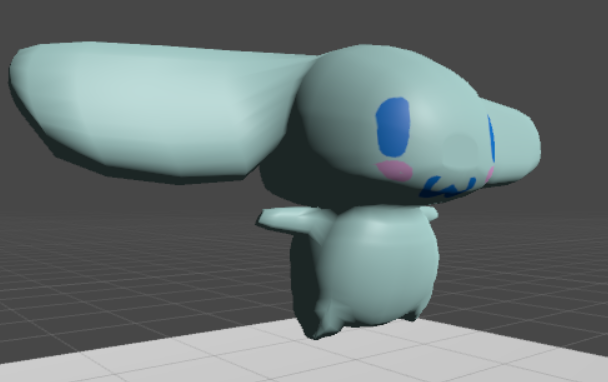
Cinnamoroll is very expressive with his ears
-assuming you know the character-
trim coral
You just have to keep messing with the bone positioning and weights until it works how you like.
Also it might be worth uploading it to vrchat like that and seeing how it looks ingame
red gulch
I did, its as bad
trim coral
Oh, I thought it looked familiar.
Any chance you could screenshot how the armature looks in blender? (or whatever program you're using to model it)
 trim coral
Also I just noticed the greyed out bone in your earlier screenshot (that means the bone hasn't been assigned to your humanoid rig).
VRchat uses Hips -> Spine -> Chest -> Neck -> Head, so that greyed out one should be the spine bone. This could actually be related to your problem.
red gulch
ah?
trim coral
Gimme a sec, I'll see if I can pull up some screenshots
 trim coral
Can you show the bone hierarchy?
 trim coral
Don't worry, most people struggle on this at first.
https://i.imgur.com/cKk3N02.png
This is an unfinished model which is why the arms don't match the bones yet and the head bone isn't showing properly. But just to help you see how the bones should be assigned
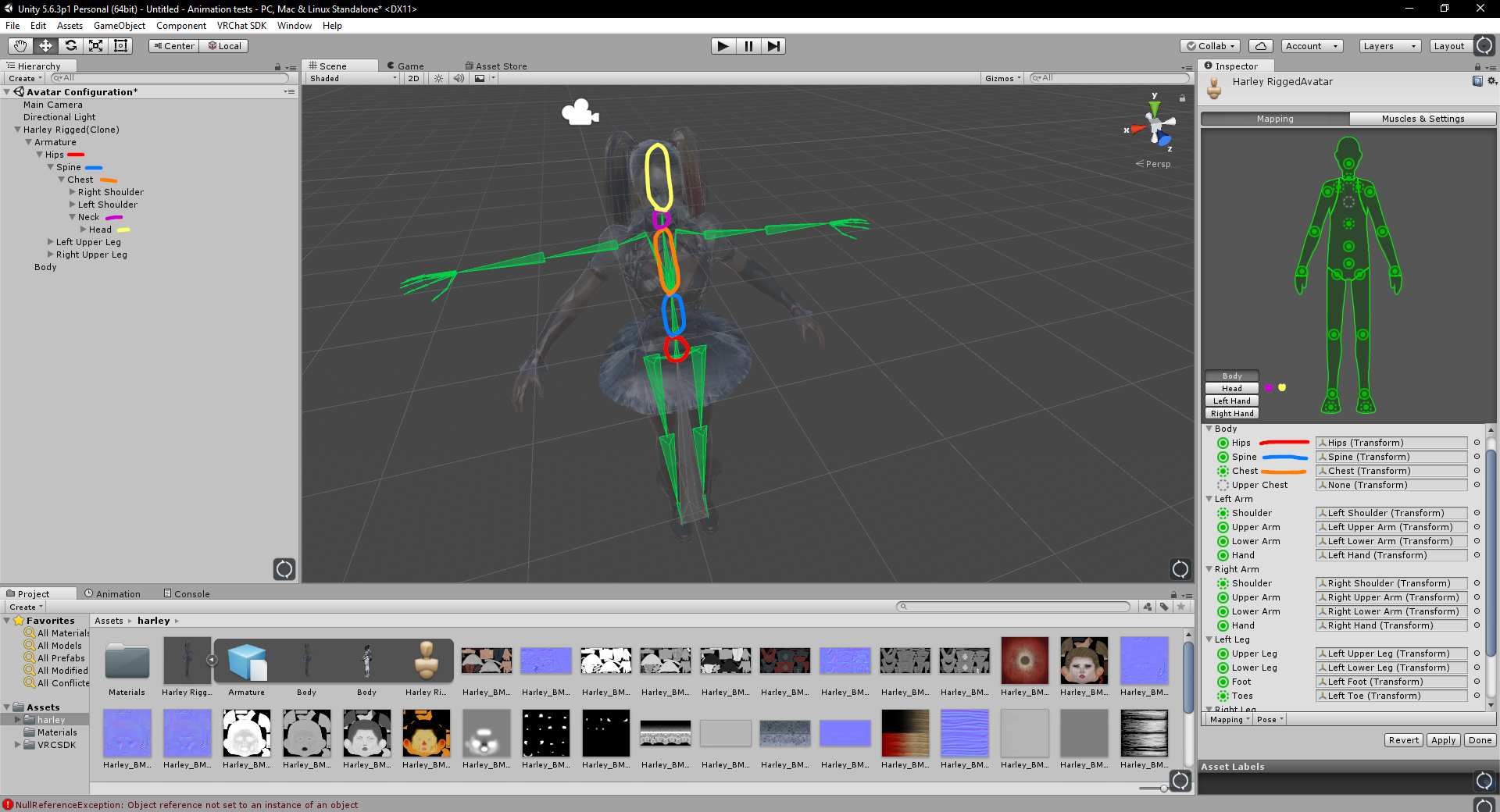
The names of mine are different too, but that shouldn't matter too much
 winged zinc
is that Harley
trim coral
Yes xD
red gulch
okay lets see if this works
trim coral
From arkham knight I believe
red gulch
I've played around with it a bit
trim coral
Unassign "upper chest" on the right by the way. VRchat doesn't use it.
trim coral
https://i.imgur.com/0zHLaeV.png
Also this is why your legs are deforming the way they are. When t-pose is enforcing, these two bones get straightened out to be like human legs which is pulling parts of the model around.
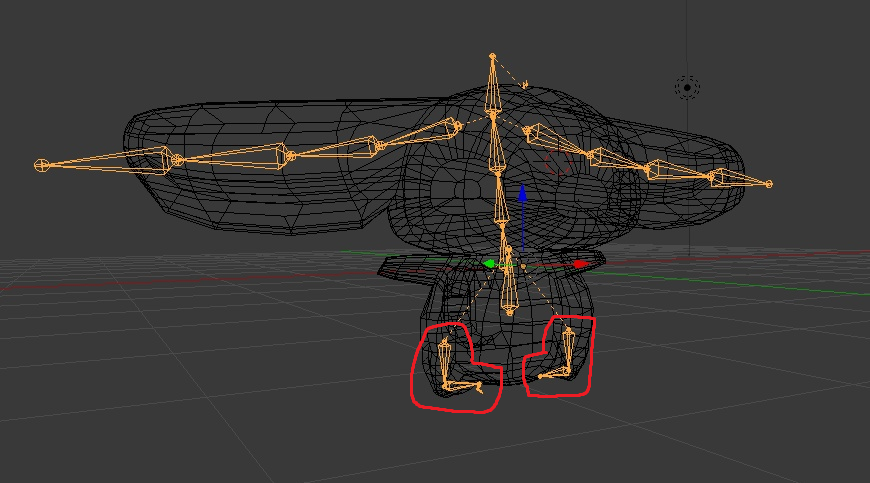
I can try if you'd like
red gulch
I'd appreciate it
winged zinc
i got a lancealot albion model from code geass its good but the texture is a bitch to assign and create because i have to make the metallic look manually
 winged zinc
can u show the the adjacent bones too
it hard to tell just by looking at this specific spot @random lotus

 winged zinc
hmm
random lotus
i think my friend figured it out]
apparently the model i used the base from
has a rig issue
winged zinc
u could just rotate it in edit mode
random lotus
by just switching the 2 in unity
winged zinc
that works too
winged zinc
you have to do that alot with models from modelresource like neptunia models
winged zinc
well if that ever happens again just check the bones that are red and change them to match their name
random lotus
ok
winged zinc
and if u ever have troubles with shader stuff try using the standard it a little more customizable like this one
one sec
oh well it aint working

there we go
random lotus
@winged zinc ok so i tried another model in unity but i had to add a few bones to him and when i did i got a message saying the chest bone has a value of zero but and when i force t-pose him this happens

all his other bones work fine
Actually mapping the neck bone made it worse once i enforced t-pose http://prntscr.com/io7h33
 winged zinc
ur missing a spine
thats ur problem add another bone and assign it to be a spine u should be fine
 random lotus
shit
winged zinc
lol
find another mmd on deviantart or something and look at the rigging on that they good examples
random lotus
of the same character?
because if so thats where im fucked
there aren't any mmd models of him, thats why it took me so long to find a model of him
winged zinc
lol
real pasture
https://prnt.sc/io85ll only when i import in untiy

https://prnt.sc/io86ef the weight paint doesn't even select the hair

 proud heron
okay so this is the first time i made hair for a model and i want to add physics to it
what are the ways i can do?
I remember there was a method using bones....?
 toxic swallow
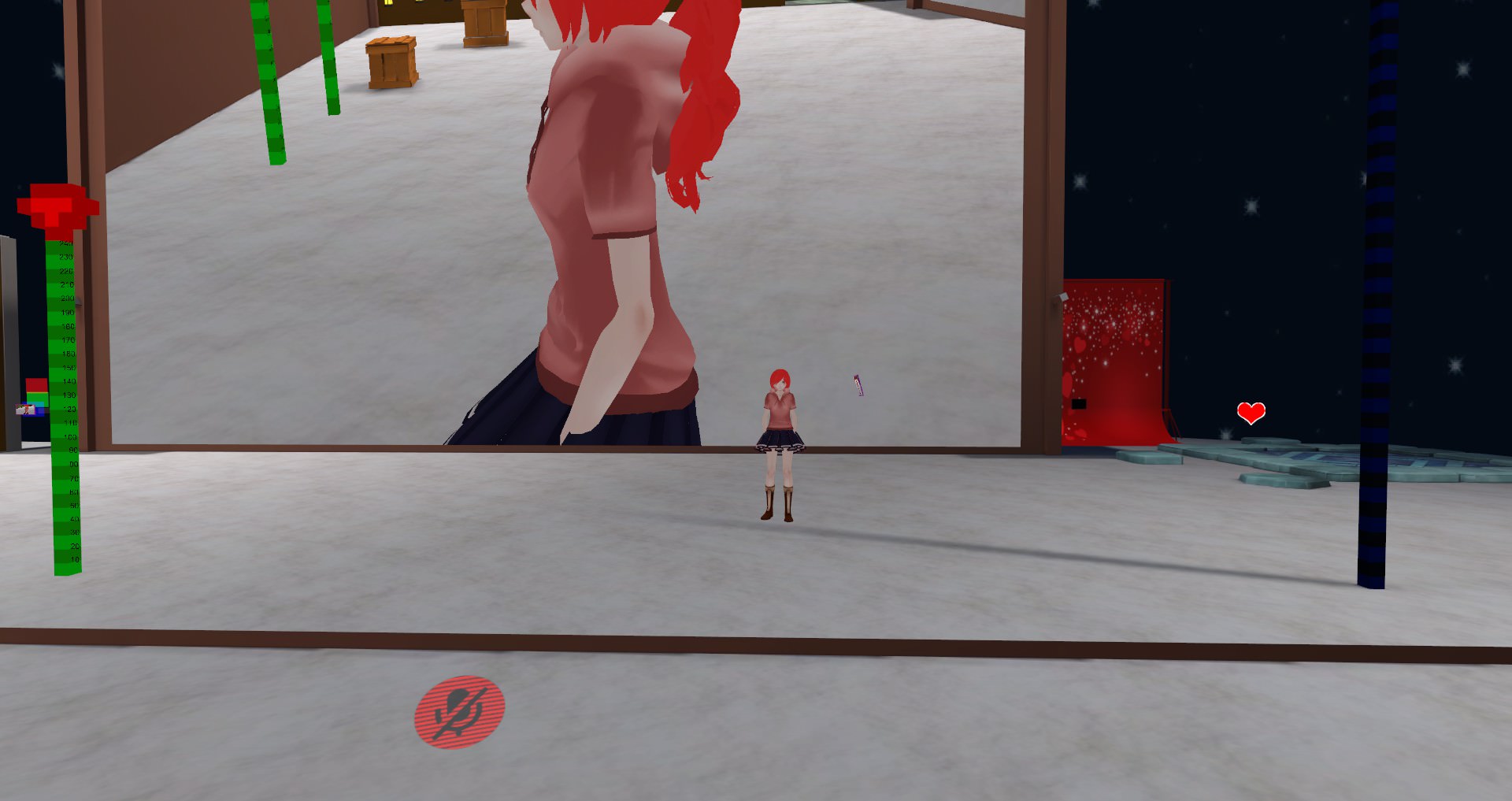
Okay, every avatar i have ever converted from mmd on my own has had this problem where the character leans forward a little bit, but then resets when you look around. Moving makes it start leaning forward again. I have no idea how to fix this. I have tried raising the spine bone in unity, but that doesn't fix it, it only makes the avatar slightly taller and have a longer torso. https://imgur.com/w1fhc8h <--What it looks like https://imgur.com/6okFFv6 <--what it should look like
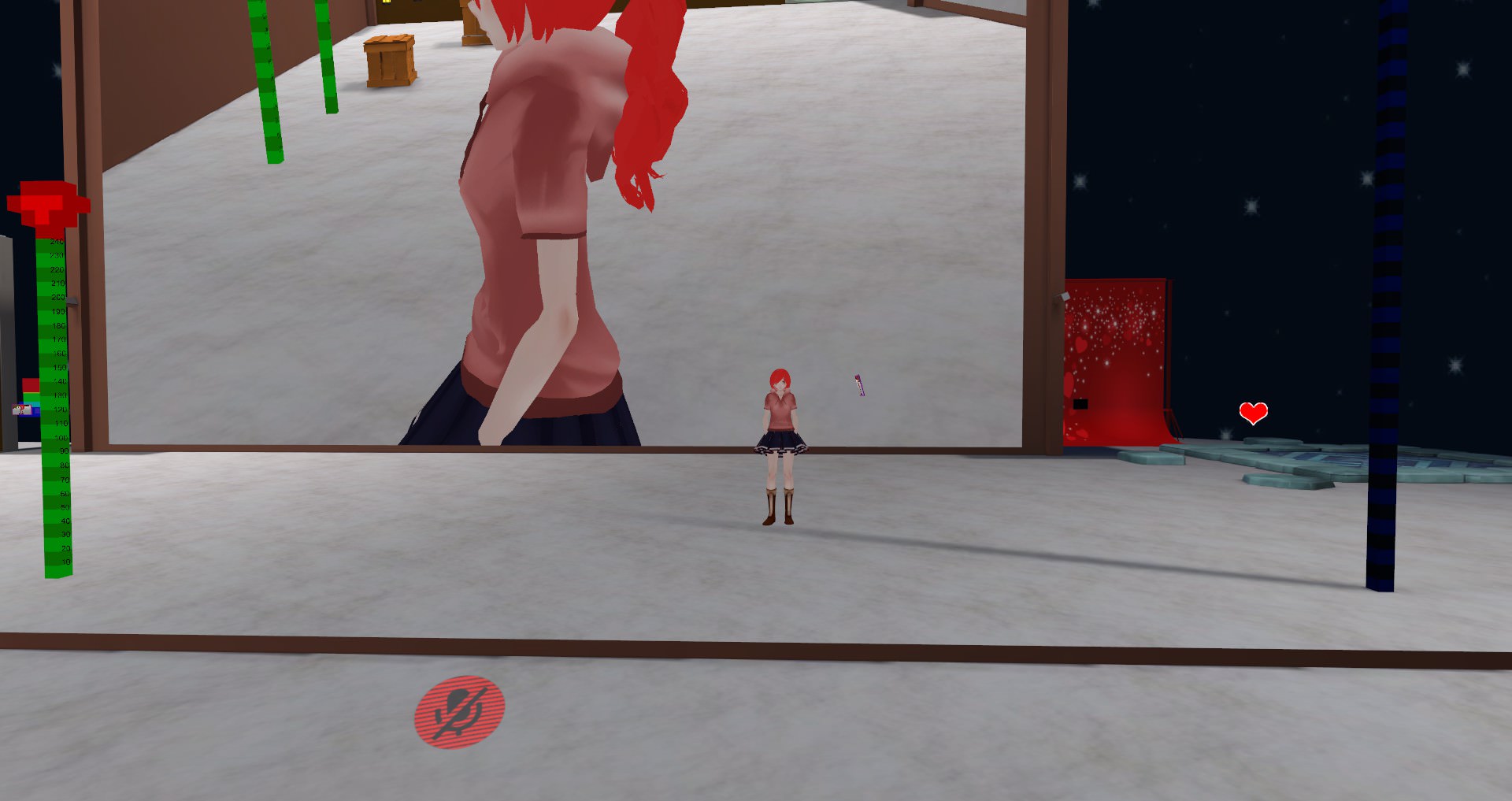
 feral stone
azs
radiant blaze
help
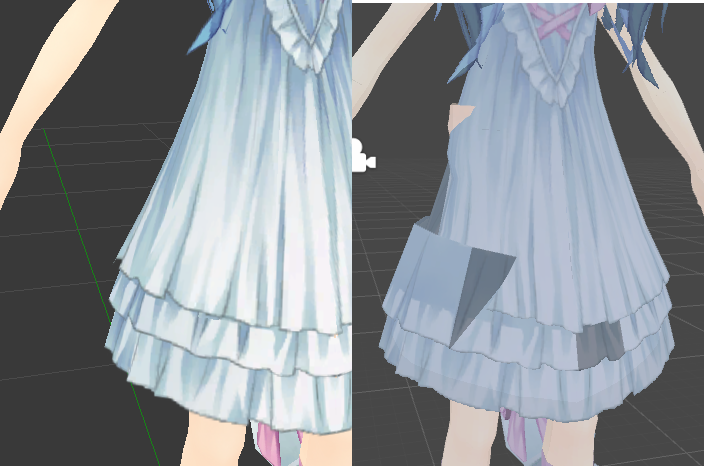
this has something to do with weight painting but i dont know anything else
i have no idea how to fix this
dont mind the wrong facing normals i know how to fix that
left is blender, right is unity
or i dont know the weight paint seems symmetrical, but the other side doesnt have the problem D:
 kind sedge
i don't know blender, but there might be a tool to make the skin paint symmetrical. In Maya it's often very difficult to see
open hull
Hey, anyone know the best Dynamic Bone settings for hair? mines is a little to stretchy looking when I strafe
 night spear
@radiant blaze I'll take a wild guess and say that the skirt is weight painted to the right arm
 acoustic garnet
@open hull Depends on the length

 lilac lodge
@limpid dirge I searched another file, thanks
 limpid dirge
np
 coarse flame
I am adding a weapon to my charater which is a sword, while not drawn I want it on the belt and I am trying to figure out how to make it appear attached yet be a dyna bone.
the object center (the axis/move controls are on its tip.
any ideas :l
not exactly working as planned 😛
anyone have a idea how to make the sword wiggle from a selected point than the objects origin? which is the tip?
 spring crescent
@radiant blaze Check and make sure your shader isn't set to 'cut out' or anything weird
 stark reef
@coarse flame you could try adding a small cube near the handle and place the sword below it in the armature. Than use the cube as the pivot point.
 raven portal
Told him to add bone to the sword, another solution
 median bobcat
can anyone help me with uploading a different version of the same avatar?
I want the keep the original and upload an edited version
low parrot
Detach the ID from the Pipeline Script that got added when you added an Avatar Descriptor

 buoyant berry
Worked my issue out.
median bobcat
O that worked but when i change the materials on the new one it also changes on my old duplicate
is their any way to fix that?
proud heron
is there a way to make hair psychics using rigid bodies? i've been at this for hours already and i haven't got any progress. this is really frustrating and im ready to give up at this point hsfghat
 cyan adder
https://cdn.discordapp.com/attachments/407090704213475328/421152338213076994/unknown.png
for some reason
when i try to give empty weights
https://cdn.discordapp.com/attachments/407090704213475328/421157319355793410/unknown.png


he turns into a sea urchin
cyan adder
fixed it
random lotus
Can i have some help please?
Im trying to apply eye bones to my model for eye tracking but when i went to go do the eye tracking i get this https://image.prntscr.com/image/VGbMiDldSBmcRMzhKGs6bA.png

and the bones despite being parented don't move his eyes at all
random lotus
@bronze elk ummmmm i can't paste em?
from the original armature? i couldnt get the eyes manually positioned right
well i could always put new bones in and just scale em' to match
bronze elk
show me the eye tracking tab if you could
random lotus
 bronze elk
are the meshes joined together?
the error states your meshes might be separated
@random lotus That reminds me, there is a glitch when you create visemes. It'll glitch the eye tracking test at times.
random lotus
i haven't done visemes yet
which i know will work
because he has mouth shapekeys
i actually tested the eye bones in pose mod and they don't move the eyes at all
having the same issues with the ears
dynamic bones doesn't make the ears move
toxic swallow
does anyone know why my avatars lean forward when i stop walking? looking down fixes it until i walk again
bronze elk
@toxic swallow In game?
random lotus
http://prntscr.com/iodlls wierd it lets me move them in unity

oh shi

his coat bones move the hat
wth
random lotus
it was iirc
i might just readd the hat
because its had a ton of things going on with it
ugh fuck i forgot i gotta work tommorow
but i aint goin to bed till i get this bastard into vrchat fully functional
toxic swallow
@bronze elk yes. https://imgur.com/w1fhc8h
what it looks like after walking
what it looks like after resetting
and is supposed to look like
bronze elk
@toxic swallow add me on vrchat i wanna see this in person
toxic swallow
same username?
bronze elk
yes
toxic swallow
im Avie
youre not seeing it pop back and forth?
alright
i think its client side then cuz i use other avatars from the various worlds and they dont do what im seeing
toxic swallow
the only part that makes me second guess myself is the fact that looking straight on its like my head shifts to the side a little bit
i recorded it and am trying to link it
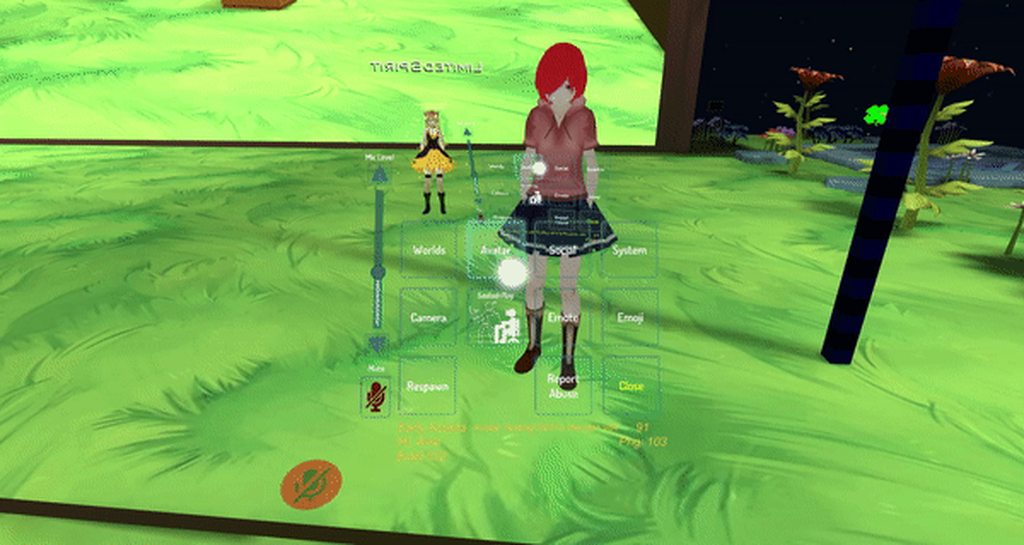
welp. i feel dumb now. time to make a custom standing animation that doesn't do that
thanks for the help
bronze elk
you could download a premade animation from mixamo
bronze elk
alright well good luck to you
glad egret
@toxic swallow you mean her hips jolting back and forth?
that can be fixed by aligning the spine with hips
 opaque sierra
anyone able to walk me through what's happening? I'm trying to combine these hoppo pieces onto umaru and i'm having a lot of trouble
https://imgur.com/u7Vckdp
 spring crescent
What is the Unity plugin everyone is using to speed up animating the fingers? It was mentioned in a few videos but I can't remember what it was called.

 brisk mesa
you worked so hard on thatttttttttt
 limber knot
Anyone know how to rig jaws?
i only want a simple open and close mouth when talking
i dont want to take much time doing visemes
or is this much more complex?
subtle moth
@limber knot Im pretty sure its easier to do three mouth poses instead of rigging the jaw
 keen sigil
anyone know what settings I need to have the bones show as wireframe, but the model show normally? can't seem to figure out which checkboxes are needed.
nevermind.
Dropdown in Armature Tab: Maximum Draw Type : Wire
Look for settings for ages, ask someone, immediately see the answer. Every time.
 cloud kiln
How come my camera is like, at my chest on one of my avatars? Never happened before 🤔
Is it the "scale IDP"?
subtle moth
Its the viewpoint
Have you only done small avatars before?
If yes that may be the case
Adjust the viewpoint height in the vrc_avatar_descriptor
@cloud kiln
cloud kiln
My dude
The ball is in his eyes pre much
It isn't that
And no, I always done avatars that are neutral height
I only done small avatars for other people, due to that I make complex animations
3 years of experience with 3d modelling
I'mma try turning off Scale IDP
Nop, did the same thing
sigh
Whyyyy, it never happened to my other 40 avatars
I see
Apparently my avatar is floating
He's rigged perfectly by myself in Blender, no idea why VRChat is doing this
I guess I have to go into further investigation
opal aurora
It could be a hip angle issue bending the character and positioning the viewpoint lower due to such, if it's trully floating, you can bring it down in unity's rig config
Via dragging the hipbone down
 floral willow
anyone can help me with dynamic bones to hair?
opal aurora
Unity's standard 3d view window won't show those changes though, so apply a controller, hit play, reposition the viewpoints' Y axis (only) and then copy the value to paste after leaving playmode @cloud kiln
open hull
@floral willow did you find some help with your hair?
 serene urchin
https://ibb.co/huydnn has enough bones like every normal mmd but still this error ?
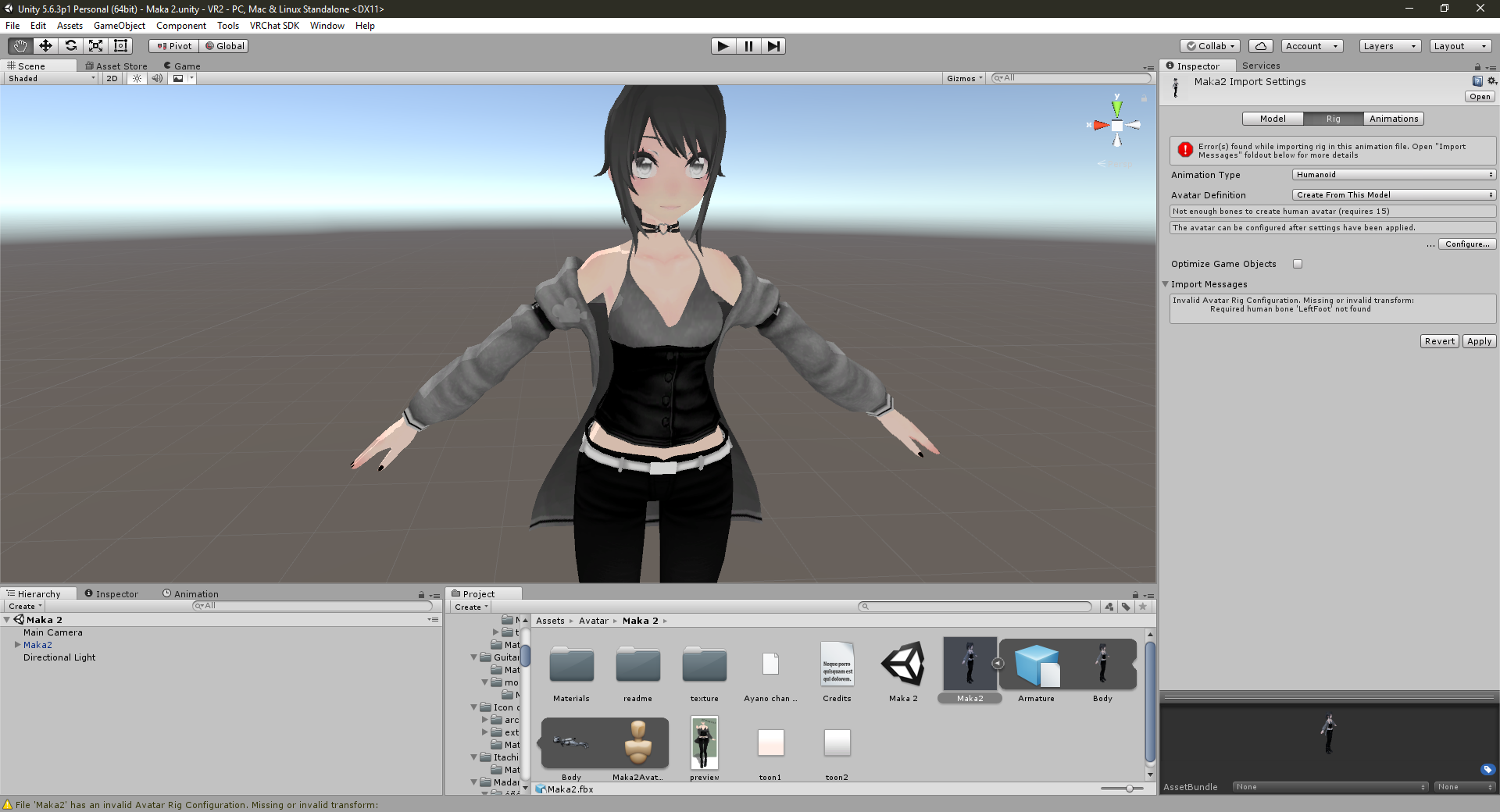 floral willow
@open hull nah i gave up its too difficult
acoustic garnet
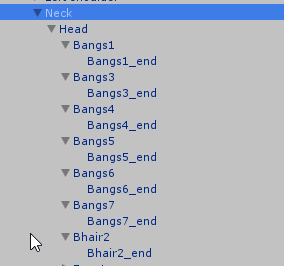
I fixed some weight painting on the model i'm working on, the first version had end bones to the hair etc (see picture)
https://i.imgur.com/s2AkHmr.png
But after fixing the weight painting the end bones disappeared, why is this?
https://i.imgur.com/sC7u4jM.png

 empty hare
does anyone know how to make something on a character hang like a necklace?
 outer oriole
@cyan adder Give me that proto suit dick
acoustic garnet
anyone got any ideas? I'm stumped
 shell kraken
when your model in unity dosnt wanna use visemes (-none-) and even when you dont set a mouth movement it stays open ingame how do you fix that? eyes donna wanna move either and they are mapped on the rig
@empty hare id say a dynamic bone?
fading verge
remove the jaw bone from the rig in unity
 autumn parrot
Anyone know why this is happening?
https://media.discordapp.net/attachments/404059627165057025/421440284568715265/Sem_titulo.png?width=1248&height=676
He is well positioned on unity, but in game he is crooked


 worldly palm
For some reason my mouth move when I walk and viseme no longer work
worldly palm
I fixed the viseme but the mouth still opens, it seem to be affected by the eye tracking :/
errant bramble
Would anyone know what random verticies on my characters model just start freakingout in game?
 sleek magnet
Hell is finding a model you like and then spending hours fixing its awful weighting 😦
 wraith moss
What bone did you set the eyes too?
You can also check the movement by the eyes (if using unity) is to go to it's muscles and bones in the mapping and test it from there.
fading verge
yw
YEA
i found the visemes as well but they are in a diff language so idk how to transfrer those either
wraith moss
In CAT'S there is a translate box that will accurately translate it!
If you translate and make eye tracking all in cats (you can also test it) everything should work!
fading verge
thats the thing i did and it doesnt want to work
acoustic garnet
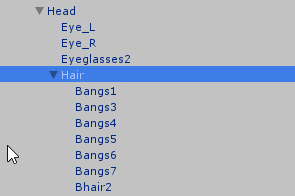
So, I have a bunch of hair bones but the parent is the head. So if I add dynamic bones onto the hair and use the head as a root the eyes and mouth and everything go crazy.
So basically what I'm asking is how I would create a parent bone and but all the hair inside of that parent bone.
wraith moss
What I do is make a bone to add all the hair bones too and use that!
So I literally dup a hair bone, delete things attached to it, and then add all hair bones to it..
 pine harbor
you could also select the head bone in edit mode, and hit "W" to subdivide it into two bones -- rename the second split (likely named as head.001 or something similar) as "hair root", reposition a bit if you'd like, and you should be good to go
acoustic garnet
Thats what I was looking for @pine harbor. For some reason if I tried making a dup of the head bone it would dupe it inside of a whole nother armature
but the subdivide works great
even carrys over weightpainting
pine harbor
yeah, i don't think you can copy-paste individual bones with the Ctrl+C Ctrl+V method -- there might be another way of doing it from within blender, but i've gotten used to subdividing for how i like to do things
just make sure you don't rename the wrong bone, but the numbering should make it obvious
 acoustic garnet
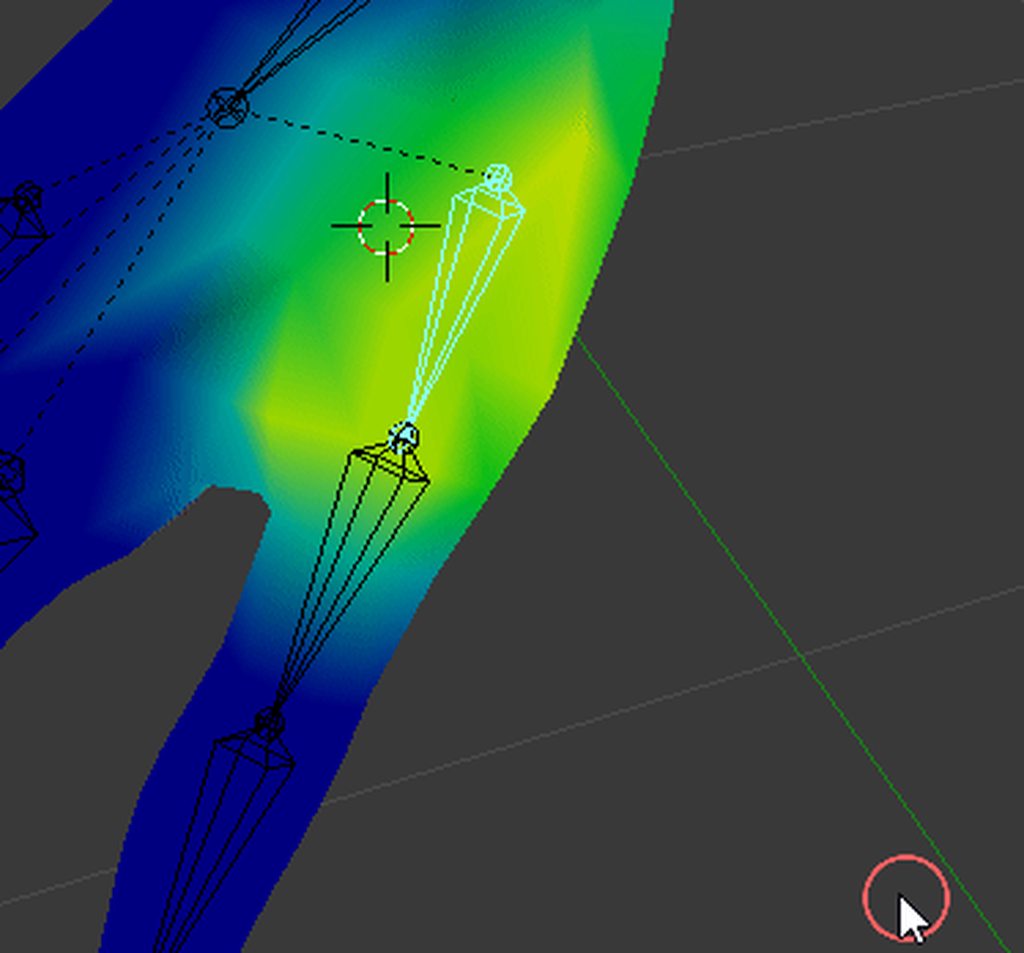
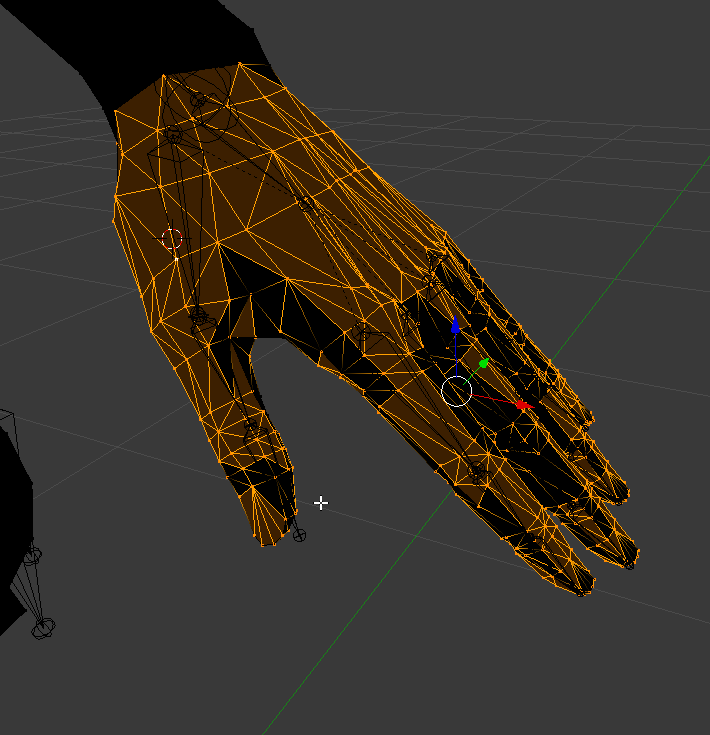
No matter what I do, in regards to weight painting or moving the bone or making it bigger or smaller, the mesh always creases here, what would cause this? https://i.imgur.com/9jyPekz.gifv
 fading verge
Check your vertex groups
acoustic garnet
what would I be looking for?
fading verge
The upside down triangle icon when you go into editmode
Find the bone for that group and check it
Look around on the other bones to see if they cause the issue
 brisk mesa
Idk maybe if it is painted fine then if it is too low poly in that region it looks like shit when bending too
Luckily you can try subdividing just a few spots there to test and then revert if not
 brisk mesa
You also have to check if some other hand bone or finger bone is pulling on it
acoustic garnet
fuuuck, I never though of that
This is the only thing ive found so far
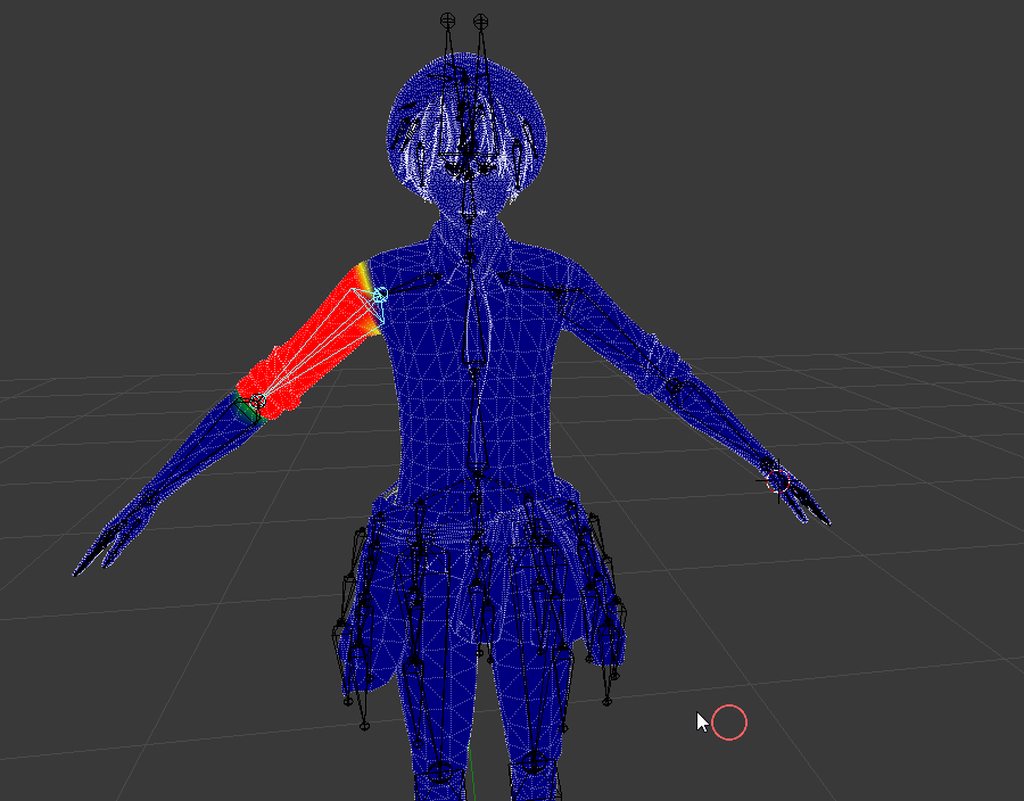
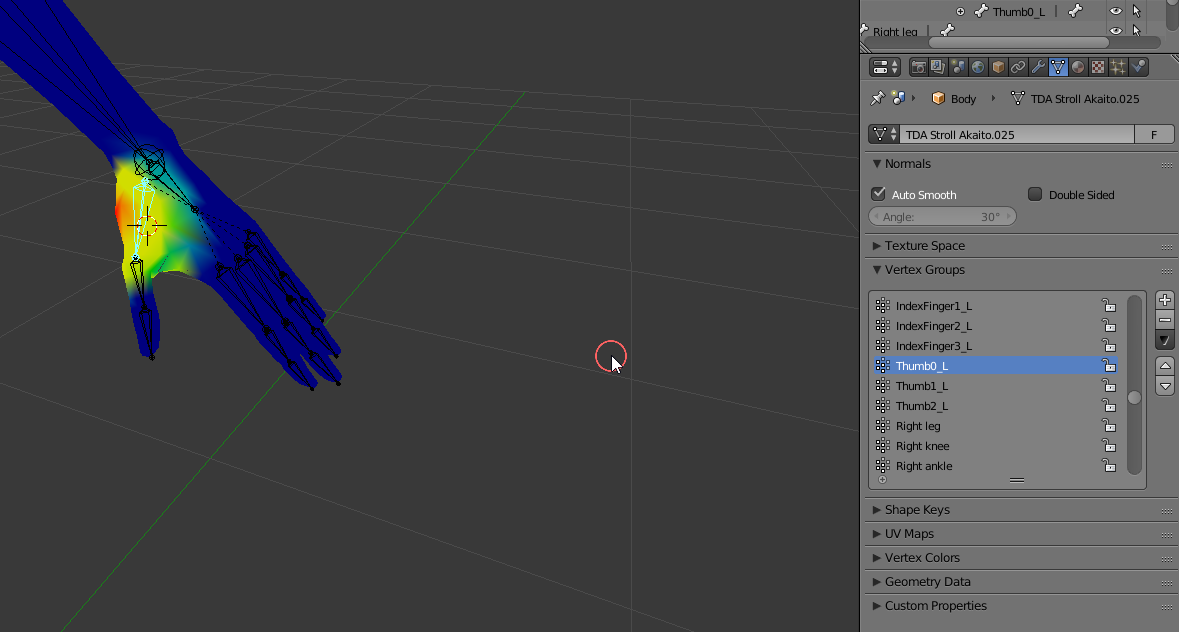
But its only on the right arm, the left is fine. The really confusing part is that it happens to both thumbs https://i.imgur.com/hi8sZDx.png

and only the thumbs
fading verge
is there a way i can make an in visable skeleton?
brisk mesa
Umm like the rigging or the mesh of one?
Cause i mean all of our skeletons are invisible. Just meshes are shown so i dont really know what you mean, @fading verge
acoustic garnet
@brisk mesa You were defiantly right about something pulling on the thumbs and I figured that out. Now im wanting to repaint the thumbs because I just slapped some paint on it as a quick fix. Now when I de-paint the thumbs it wants to shoot polys around https://i.imgur.com/I3LSsp0.gifv
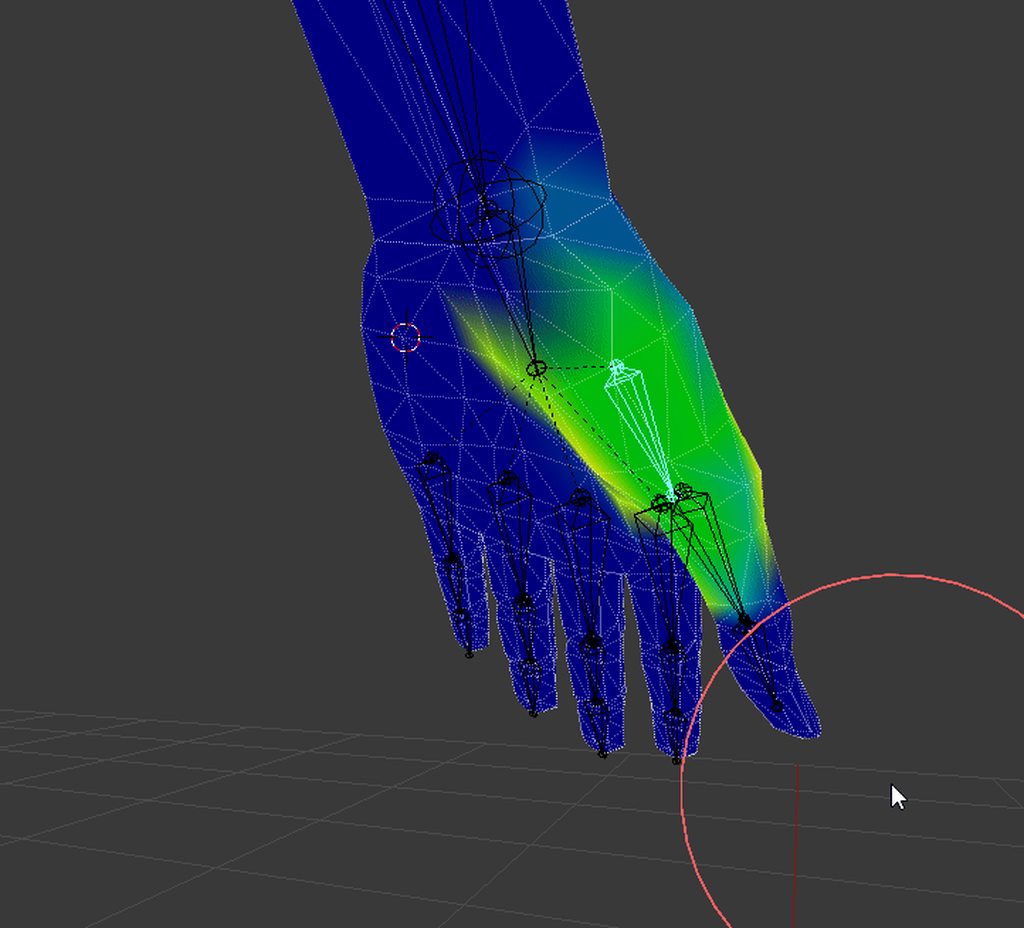
does that mean something is still attached?
brisk mesa
They look like one of the pinky or ring finger bones are pulling on it, not sure
Its like... Going over there in a weird way
If nothing was attached and the model was fine then it shouldnt have moved is my logic
acoustic garnet
Yeah, thats what I mean
hmm
I really appreciate the help. I see you're here helping people all the time and I appreciate that
your a good man
I diffidently try and return the favor if I see people needing help in the stuff I do know
it actually turned out to be alot of the wrist and elbow pulling on certain vertices
brisk mesa
Yea i remember something like this happening but to my face lol like my boobs were yanking on my face lmao
 forest crane
@acoustic garnet check palm bone if it has no thumb in it
 forest nova
Anyone know how i can completely bone a model
theres a model i want to put in but it hasnt been rigged at all
pm me if u can help
floral willow
i added dynamic bone to hair,but when i move backwards the hair goes through chest
anyone knows how to fix it?
low parrot
There's quite a few models I'd want to completely bone if you know what I mean
fading verge
@floral willow better settings?
also you can try to use the "distrib", so the further away from the root the less movement you have
 coarse halo
How can I go about getting rid of the pinching that occurs on limbs when they are rotated?
Such as when I rotate my arm, it pinches it off at the shoulder
I was suggested taht this is likely a weight painting issue, but I am unsure of how to go about fixing it
fading verge
basically, the bone is turning the meshes (skin) too much at the shoulder
so you should put less weight paint on that part so the bones have less control over it and wont "pinch" it as much
coarse halo
It seems that whenever I end up changing the weight just changes where it will pinch
 acoustic bluff
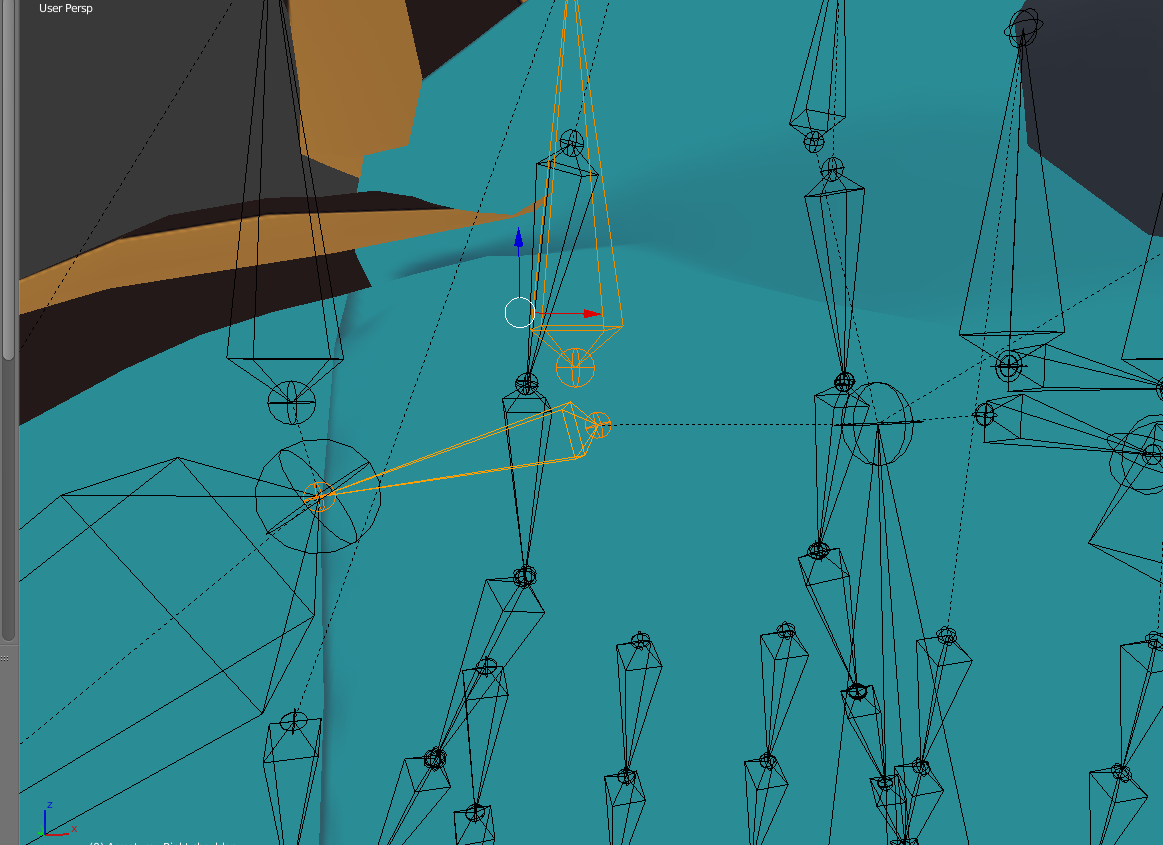
https://imgur.com/Shm3RPK is it possible to connect these to bones?
 fading verge
yes ? just parent them
 hasty wing
how does one connect two armatures without losing weights to the other one?
 earnest rivet
What do you guys think would look best to make something look jiggly? Trying to make a slime and deciding how to create armatures / weight paint to make it jiggle a bit with dynamic bone
fading verge
Bassicaly just make a humaoid rig with no wight painting then make a tail bone that connects the slime together with weight painting then in unity make the taild Dynamic
opal aurora
No direct way to do so i think... dynamic bones do have a lock function but that's just for them... maybe there is though, good luck
Yeah... scripts are blocked by the sdk
It's whitelisted
I'm unaware of how exactly it is whitelisted, just know that it is
 lofty thunder
You could try adding a bone to the middle of the string and making your hand pull on it
so that way if it twists it doesnt twist the whole string
Hope it works
lofty thunder
Shrinking fingers?
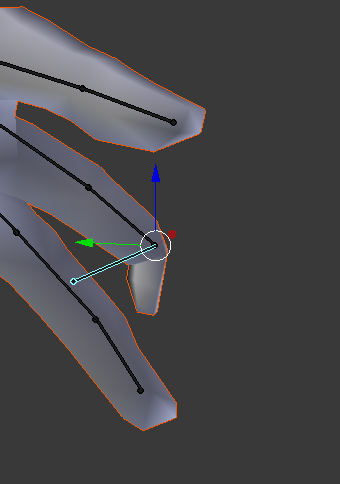
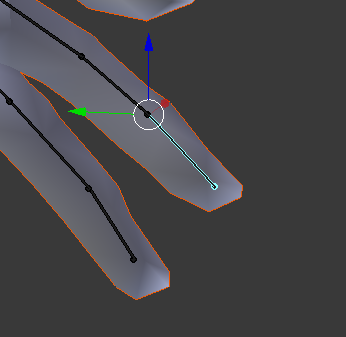
 naive tree
@limber knot remove weight from other bone, "shrinking" means there's weight on multiple bones
limber knot
weird
I made sure there arent weights on multiple bones
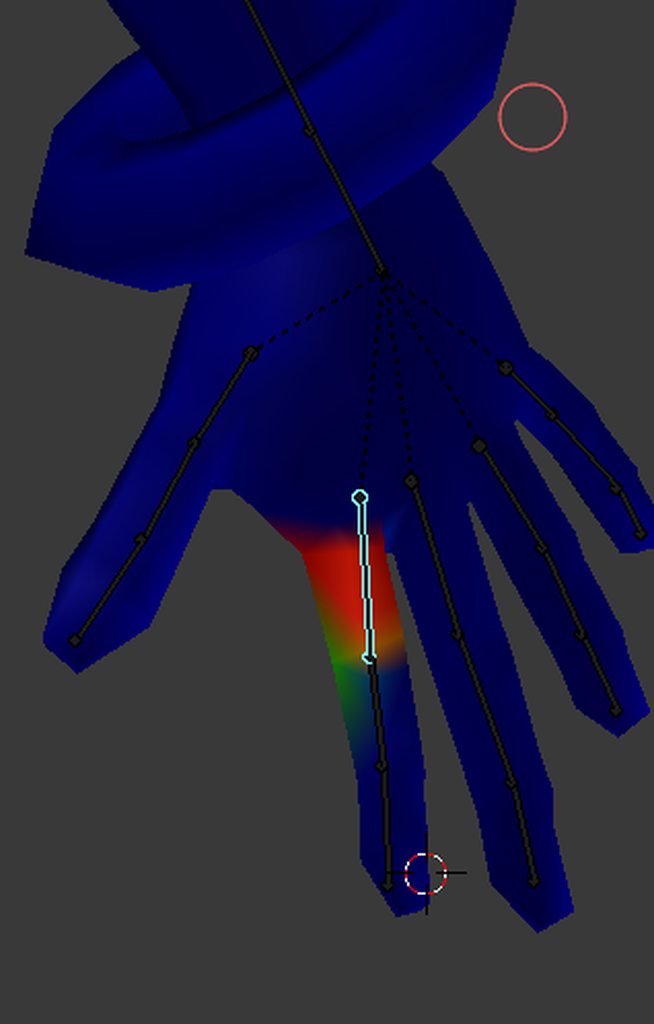
here's my hand's setup
some places wont get painted unless i purposely go over the area
 arctic osprey
Why's unity rig inspector not showing the last bones in each bone chain?
I feel like I have a few bones pointing in the wrong direction but because the end bones are invisible in Unity, I can't tell for certain
If I add new bones in Blender, do I have to do some strange rotation changes to get them to point in the right direction in Unity?
open hull
Is there no bar to allow you to scroll right in the hierarchy?
arctic osprey
I found the bone that I thought was missing, it was just inside another bone with completely wrong rotation ...
arctic osprey
The bones I add in Blender don't have the same location or rotation after I export to Unity. Any idea how to 'apply' the location or something?
 timber pendant
Would anyone know why my feet are facing backwards
It says before i upload my avatar that the pelvis and thigh bones need to be rotated but i have no clue on how to do that
 austere blade
is there a way to tell dynamic bones in unity to not follow subsequent bones ?
fading verge
you mean the child of the root bone that you used ? by putting it in the exclusion
austere blade
yeah,found the option and excluded some of the child bones,since those were attach to some leafs that went in to my legs regardless of the colliders
serene urchin
how can i parent my obj to an armature
 maiden vale
is anyone here an expert at pmx editor?
I would like you to do somethimg for me please
fading verge
I have an issue with weight painting. I'm trying to blend the weight paint of the hips and the spine, but when I rotate it, the area more controlled by the spine always contorts terribly at the seam of the two weight paints, and everything I do only moves the location the contortion happens at 🤔
So far the best case scenario leads to the contortion mostly happening inside the pants, so it's not as terrible looking, but I was wondering what I'm doing wrong
oh I think I figured it out, I switched to regular weight painting mode and started to splatter a bit of weight paint here and there and it started to go away 😄
But not entirely, it seems. Annoying as fug 🤔
I'm contorting the body into humanly possible shapes, but for some reason it contorts a lot more than it should at the seams, but only in the torso 🤔
 barren loom
Hey @vocal quiver I am totally lost so you are my last straw, I apologize for bothering you. Just a quick yes/no question: Do you know if it is possible to have a custom walk override animation animate OTHER bones than the two rigged legs while wakling? (in this example a humanoid avatar with the bottom of a spider, so that the animation moves all the legs when walking).
There is a custom made animation for the walk cycle. It just refuses to play at all.
serene urchin
my mesh doesnt move when i move the bones how can i fix that ?
barren loom
You have to weightpaint it
which means, telling the bones what part of the mesh they attach to
I'd suggest you look up some weight paint tutorials on youtube, there might also be another way, let me check
fading verge
@barren loom In unity, when you want to rig it, instead of humanoid, you can choose generic
@barren loom quoting someone else :
"if you don't need head tracking, you could set your model's rigging type to "generic" and it'll play the walking animations as expected from the overrides -- you'll have to manually make all the idle and emote animations as well though (which probably would've needed to be done anyway if you wanted them, since i can't see any of the humanoid animations matching up for a spider-shaped avatar)"
barren loom
@fading verge yeah, that is not solving the problem sadly. A custom walking animation still refuses to move any bones that are not attached
eh i mean, any bones that are not part of the original rig for some reason
so say, you have an avatar with weight legs in this case
to quote someone else "anything not mapped to the humanoid rig just doesn't want to move"
and under generic you seem to lose any sort of head tracking
I am mostly trying to help a friend here. She has a drider avatar (Human torso with spider lower half) so we are trying to find out if there is ANY way to make the legs move when the avatar moves. The animations for that are all created but unity seems to refuse to move any of it, it just defaults to the weird bunnyhop pose
fading verge
"Flayvynne" asjed the same thing in the "animation" channel
barren loom
she's the friend
I was just hoping that someone was around now who might have seen it
Ah well it's a shot in the dark
 hollow thunder
Hey, I think the arms of my avatars are too long (or something like that). When I put them down they are always bent and also it's very hard to get them completely stretched upwards or sideways. What can I do about that?
 feral moss
I'm a modeling noob. Trying to model a pacman. I did the arms and legs but I'm not sure about the face. any good videos out there for modeling the face?
 clear tulip
can someone rig an avatar for me or is tht gonna take more than asking?
feral moss
i think you can commission people to do it on VRCTraders discord. Some people do it for free just to learn or they are bored
clear tulip
vrctraders? ok
feral moss
i got the link on reddit
clear tulip
can i see it? :3
 cosmic mica
Is it possible to rig in unity an object that follows you but kinda lags behind? Or perhaps a bone you could designate to slowly follow you at a certain pace? (Context: avatar addon pets that follow you)
fading verge
@barren loom You could try rigidbodies and configurable joints. You'd have to make the excess torso a mesh world particle though. The only other idea I have us Final IK. But that's 90 bucks and I have no personal experience with it.
cosmic mica
Ill research into that. Im still new to rigidbodies
barren loom
Hm
fading verge
@cosmic mica Try mesh world particles. Difficult to get right though.
cosmic mica
Btw in regards of rigidbones and fixed joints how do i make the slave bone move in the opposite direction of the master bone?
Also i will look into world particles
barren loom
Thank you for the suggestions, I'll look into this!
 last knoll
looking for someone to add dynamicbones, eye tracking, lip sync and basic face emotes to avatar. willing to pay. pm me.
 sour lily
i need to rig a basic cube as humanoid that will be used to parent the rest of the avatar. what is the simplest way to rig it if i dont need to even see the cube move with the bones. I just need it to be huminoid to be able to access gestures
 restive shale
@sour lily If you weight paint it to the just the hips itll move with you and you can use gestures
proud heron
eyyy... 2 questions:
- How tall is the vrchat tutorial model in feets/inches or cm?
- rigid bodies don't work and there are no physics. is there something im doing wrong? i made sure there was no 0 air resistance
im confusing myself
sour lily
the cube will be invisible so that wont matter in terms of weight painting im just using the gestures to make objects appear like a mug or wine glass so i just need to find the easiest way to put a skeleton on the cube right?@restive shale
restive shale
If i understand your question then yes. All you need to do it build the skeleton on the cube model with something like blender.
sour lily
alright thanks Slider
restive shale
Np my dude
 bleak condor
Has anyone gotten extra auxillary bones to work with mechanim for wings and stuff for the idle/walk animations
it seems to ignore all bones not part of the humanoid rig for idle and walk/run etc
I wanted to position the wings differently for each direction
 fallen snow
How do I fix "The avatar measures too long" error?
 heavy otter
anyone know how to make cloaks droop down and not float in the air?
brisk mesa
Well you can try two ways, 1. Try to mess with the gravity and force thing in dynamic bones, 2. Manually pose the cloak yourself by editing it downward or manually pose the cloak by rigging it with bones if it had none and then posing the bones downward, then copy that new pose from pose mode to rest pose to ensure that your downward cloak is actually the default. @heavy otter
That second way is how i posed tentacles that were all tposing outward because that is obv not natural. So i yanked on its rigged bones until it looked squiggly.
Then i can just make it have dynamic bones settings for the natural sway. A cloak would basically be the same.
Imo i dont even wanna mess with the gravity and force shit in DB cause everyone i meet has no idea what good settings for it are. Id rather just manually pose things in Blender first.
 muted beacon
can anyone help me with eye tracking I get an error: eye_L has no vertex groups and such
fading verge
okay quick rigging/merging question
i've deleted too many bones from the face, but i have an backup of before all of that.
however that was way earlier in the model build
is there a quick fix i can do? like merge or something
 high stream
to many bones from the face why is there bone in the face? should just have a head bone.
fading verge
because it's for motion and gesture
high stream
ahh i just assumed that you were using shape keys for those
fading verge
it's the model
has a lot of inticate peices a guess, but removing them pretty much made the face all weird and effected the weight painting that worked prior
right now i have the 2 sets side by side, and trying to take the parts below the knee from the newer one
and kinda flailing
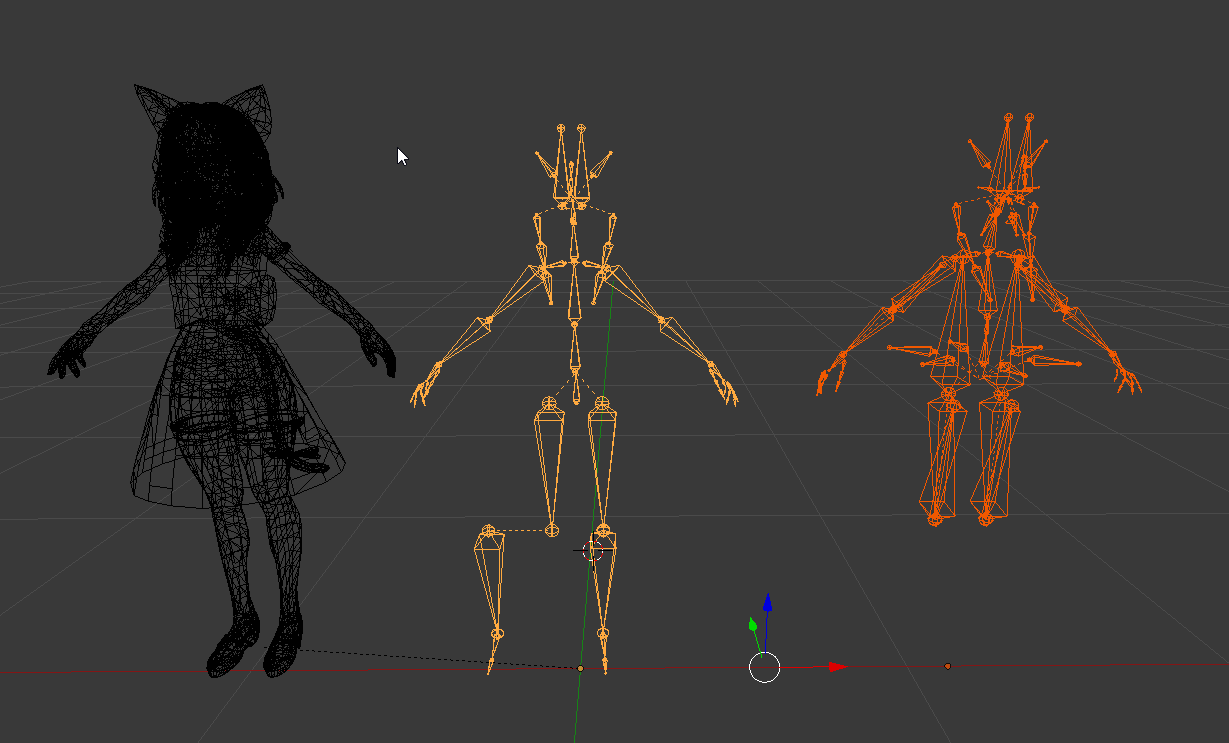
left: model
mid: modified boneset (need to keep below the knee due to feet adjustments)
right: the original boneset/rigging (need to re-attatch to the model and new feet rig)
 neon quiver
how does one rig 4 leg animal? does the walk animation jsut work or do i have to make custome animation walk to work in vr?
brisk mesa
Rigging 4legged creatures is a bit of a complex voodoo thing and a lot of people have no idea
Sorry but ive never seen a good answer for that one and the guy who made the pony one or the other guy who made a scoobydoo basically are the only ones who made it work well
The scoobydoo one i kinda understand though, they put a human skeleton in front and the back legs are basically useless
opal aurora
There's 3 ways
brisk mesa
But there are def custom anims for this stuff
opal aurora
One of them is simply rigging a humanoid skeleton to the front legs and leaving the back ones as is without movement
Another is custom animations, which would be your go-to for actual success
The last way that i know of, is all about luck, bone positioning and front/back leg distances
brisk mesa
And some people do all of the above together
opal aurora
If the front/back legs are too far appart it won't work whatsoever, as the legs can't be locked on an axis to keep movement consistent and end up stretching too much
brisk mesa
I guess now that we know that JoJo stands being controllable is possible with rigidbodies or joints or whatnot, then i guess an animal could walk clumsily like that if you lock a leg to a leg but idk
Highly experimental
open hull
can someone help me with my hierachy?
I seem to have the same problem on all my animations when it comes to spinal rotation, the spine twists but the hips dont follow, what am I missing?
 fast rain
https://www.dropbox.com/s/gzhkjp7i5iec9ct/T-Rex_syndrome.jpg?dl=0 Welp, that's bad. Can I somehow try and get this fixed?
 fast rain
 fading verge
that's either a fucked up bone or really shitty weight painting
fast rain
Yeah, it's a really old model a friend wanted to have, they probably just did not do a very good job somewhere
pine harbor
@fast rain at a glance from the gif, it looks like not enough weight has been given to the vertices on the arm
opal aurora
Looks like the wrong arm bones were assigned, those are probably childs of the actual main bones
Or, something went horribly wrong with weight painting
Worst case scenario; bones were deleted
fast rain
The bone hierarchy seems pretty okay to me. I've never done weight painting before, just playing around a bit right now but it's making things even worse 
@opal aurora Oh, you're right. The original model does not do that, so "fixing" the model with Cats broke something
 sudden flame
is this somewhere i can ask about unity rigging issues too?
 gloomy loom
ye
neon quiver
Thanks for the info
random lotus
Whenever i try to change the rig of this animation to humanoid it breaks the model somehow

like his entire left leg armature dissapears http://prntscr.com/iprn39

rendering me unable to use the animation
unless its a generic rig
 velvet cradle
@random lotus try deleting armature in blender, and export as fbx, rig via mixamo
random lotus
.......id have to rerig the ears though
velvet cradle
you can add bones in blender and resize them,
i dont kno how fluid it will work
once you get into unity that is
of course make sure its under correct parent. im not familiar with hierarchy, havent learned all the rigging technique.
should be easy to setup the right hierarchy thou
someone showed me b4, its sort of easy.
 little plaza
i'm holding my hands straight an vertical like this https://gyazo.com/5b519f82596754f50a55d5c0f42fa582

but the model holds its hands like this https://gyazo.com/13612769366b282a0e64b43177c15bab

anyone know what the issue is? and hopefully, how to fix it?
fading verge
Does anyone know any good guide on how to set up lip sync on the model?
sour lily
I think this might be a rigging question. Im having a problem with a model because when i use it in vrchat my hud dissappears and i can only walk around and jump. I think the issue is that i binded the skeleton to a cube and the shrank the cube to .001 scaling for x,and y. Does anyone know of this issue or is there another possible cause?
 warm nova
my pelvic area keeps pointing forward, any good fix for this?
open hull
@warm nova the second you find out let me know
that one's been pissing me off for weeks
errant bramble
Is it possible to have a rigged mesh animated as as part of an guesture animation overide? for example like a rigged turret that moves left and right on a loop or something like that
open hull
@warm nova bone origin?
open hull
thanks, I'll figure it out, I just loaded up my project file and all the models were removed from the 3d space, still in assets but damn, that sucks.
open hull
welp. my armature's disappeared 😢
oh, it's back tfft
@warm nova I saw origin a minute ago but I didn't have an armature at the time... where am I looking again?
fading verge
so my eye tracking doesnt work for some reason everyhting is named correctly and it moves in unity what do i do?
open hull
panic
fading verge
GG
warm nova
@open hull the root bone
where all the bones come off of
usually called origin or armature
open hull
is that in the 'Skinned Mesh Renderer' when you select body in the hierarchy window?
or do i need to look somewhere else?@warm nova
brisk mesa
@fading verge did you ever test your eyetracking in blender? Did it move there?
Cause idk sometimes even tho i dont have a mmd i can still test the eyetracking lol
brisk mesa
You mapped the correct eyebones in unity then?
Cause if you used cats plugin or followed a guide to prevent buggy crooked eyes, it usually makes you make fake eyebones and real eyebones and you have to map the correct pair.
Also eyetracking is very anal in vrchat where things have to be all named correctly so i recommend looking that up
fading verge
I named them all correctly I tried all of them and it doesn’t work
 brisk mesa
Yeah you add shoulders
In blender tbh
Actually i can see you already have shoulders
 ripe kiln
they are also the arm tho
brisk mesa
So you have to just adjust the textfields
Well no because your shoulders are the collarbone looking things and then your upper arm is upper arm and then the forearm is forearm
Do you have all of those?
If not then you have to go back to blender and add them and parent correctly
ripe kiln
the shoulders are mapped with the upperchest those collarbone looking ones
spine upper has the shoulders included

k lemme try that
brisk mesa
I cant tell on phone v well sorry
But yeah the upper chest's top hinge needs to have both shoulders and the neck coming out of it
brisk mesa
So you definitely have shoulder bones? Lemme see the expanded arm bone list
Because your 'shoulder bones' seem to be the name for the upper arm which is confusing
 brisk mesa
I think you might be missing something then for both arms cause um
Basically has to be like shoulder bones coming out below the neck bone, upper arm bones, forearm bones, then the hand bone itself
That is four bones ignoring fingers
You have three
ripe kiln
so yeah like I thought it's missing shoulders
brisk mesa
Uhhh well maybe have to go look up weightpainting your shoulder if it is all fucked there
And to add a bone on both sides i kinda just click a joint on one side with the left option checkbox turned on that says x-axis mirror, and i hit e on a joint to get two bones to symmetrically come out
Idk you'll have to look it up tbh
How to add bones and how to weightpaint a body part like a shoulder and how to understand the vertex list on the right
 cerulean zealot
So anybody able to help with rigging a model? When I upload in Mixamo it doesn't give the options for addint in the elbows/wrists, ect.
ripe kiln
ill just find a working model lol
brisk mesa
Mixamo is considered scrub tier cause it works only like 3 out of 10 models you ever throw in there
So in this situation you basically have no choice but to learn how to animate or rig it yourself sorry
cerulean zealot
In that case, any good tutorials for blender rigging you could suggest?
open hull
check out tuppers tutorials on youtube, he'll see you right
@cerulean zealot check the tutorial that tupper pinned here, ^^, it's a lot to follow in one go but get your self a coffee and watch it through, then follow along as you try it.
cerulean zealot
That's the one i'm watching atm lol. thanks though.
 weak canyon
I am using the tutorial, but I don't own an actual VR set. I am just a keyboard and mouse user. How in-depth should my rigging go? All of the way through the video itself, or is there a point of cutoff that I should keep in mind?
little plaza
I'd watch it all the way through
 spring plover
where should i start if im rigging a new model? Im a noob to blender, and would appreciate the help.
hip? head?
brisk mesa
Well theres addons that give you a whole skeleton
And then we just drag bones into the right spot or edit the proportion a tiny bit
Like Rigify or BlenRig or something
And then in the future you can just save your old skeleton for further use
opal aurora
I personally rig from bottom up, ankles, knees, legs, hip, spine, chest, neck, head and then i go on with the shoulders all the way to the fingers
open hull
Hi, can anyone help with a warning I get 'The Angle between the pelvis and the thigh...'
 whole garden
uh
 subtle moth
Umm
Try removing the ones on the clothing part
You have duplicate arm bones
Can you reset the whole thing into t-pose
Then you need to weight paint the clothing to the bones of the arm
That should do the trick
 subtle moth
Looks better but not sure if you need to wp it
subtle moth
Yay 
 fading verge

Anyone know an easy way to get the hand symbol you want for animations in Unity? Like for example I'm trying to make the handgun symbol for my angry animation, so I can still have a handgun while being angry?
this is the hardest thing i've ever done in Unity
 jagged torrent
well
with hand and finger motions
you need to add each finger animator bone....one by one
there is no way to add more than one at a time that i currently know of
also it over rides
fading verge
you can copy the finger bone from the animation override
fading verge
it will take 5 seconds if you know how to use a mouse and ctrl+c/v
ok, i'll try that
@fading verge https://i.imgur.com/wG5uIm3.png
you can find all the finger bones like this and copy the first keyframe to get them
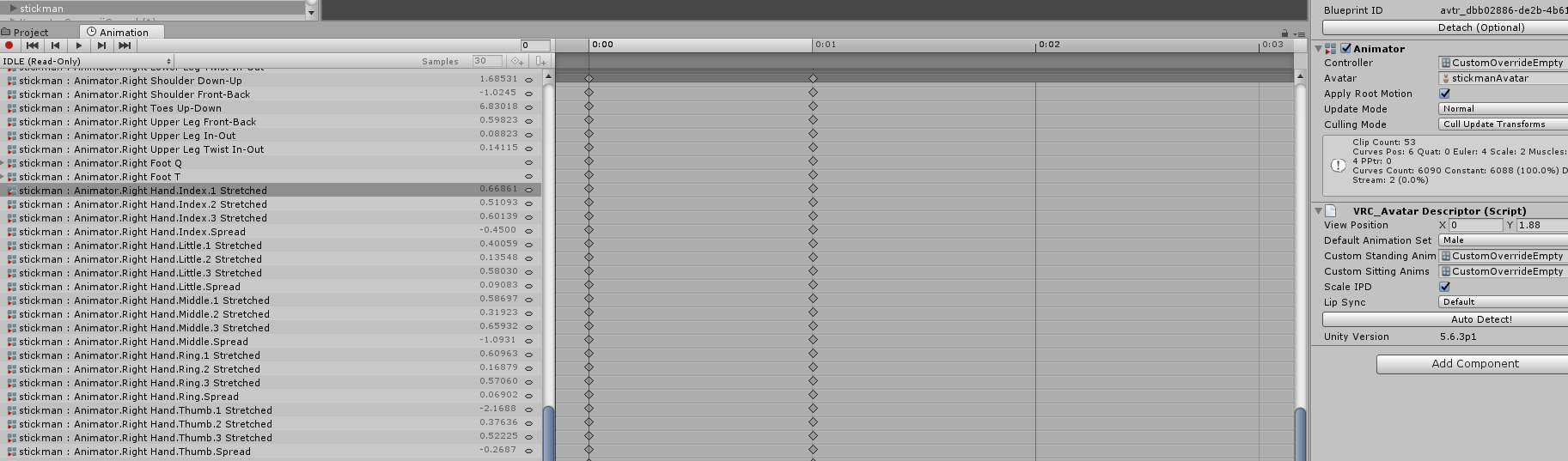
alright, thanks
naive tree
@whole garden you shouldn't ever weight paint that stuff, as that issue most of the time is caused by bones holding the mesh, so all you have to do is parent the bone to the respective main bone and mix weight
fast rain
So I've played around some more with this IA model from yesterday... Arm movement looks okay in Blender now, but when moving to Unity, it immediately gets to this when in T-Pose. I suspect it might have to do with the weight painting, but I really don't know how to work with this... Anyone able to help? https://www.dropbox.com/s/h75csxyvlr4lp3v/T-Rex_syndrome3.jpg?dl=0
 naive tree
there's additional arm bones, need to mix weight those in@fast rain
also did you use cats "Fix Model"?
fast rain
Fix Model with CATS actually makes the same problem appear in Blender as well
naive tree
you need to make sur ethat there's only main bones for arms left shoulder>arm>elbow>wrist
fast rain
That's why I'm trying to do it without that right now, but I'm too unexperienced it seems. I've tried removing some of the unneccessary bones myself, but it makes the problem appear in Blender, too
naive tree
don't "remove" them by deleting, as you do not trasnfer any weight that way that the bones could have held
send me the fbx or pmx of your faulty model and ill check it
fast rain
I'm almost 100% sure I know which bones are the problem
naive tree
dont need any textures
fast rain
I'd need to remove them and keep the weight
coarse halo
Could somebody give me a suggestion as to how to fix the pinching that happens on shoulders and other parts of the body when a bone is rotated?
For example, most of my models pinch at the shoulder when i rotate my arms
I have been suggested its a weight painting issue, but I am unsure of how to actually go about fixing it
fading verge
you need to repaint the shoulder area to the bones
you can find some tutorials on that or open a working model in blender to check how it's supposed to look
coarse halo
I tried messing with teh painting myself but all that did was make the part that pinches move furhter down the shoulder, so I must not have done it right
Could you link me one of those videos?
brisk mesa
Did you paint it redder or more toward the blue though?
Cause i imagine it would pinch more if it was more red
Cause less would make it less influenced but you have to be super artsy with the gradient too
coarse halo
I was having an issue where when I tried to select to paint it "less" it wouldnt actually paint it
all the other brush options worked, but the less did not
I may just need to do a weight painting tutorial first to get the understanding of it first
brisk mesa
You have to press on where there is a vertex if that was the issue
M shows you
And if youre using Mix it gradually goes to your selected numerical weight value for the paint. If it is add it adds, if it is subtract it subtracts
Based also on numerical selected value
coarse halo
Thanks, I will look into it over the next few days when I have time
I just know this is an issue that affects most of my avatars
Its not anything that makes them unusable, but would be nice to know how to fix
fading verge
What does, "This avatar does not contain an animator, and will not animate in VRChat" mean? I tried ignoring it and uploading it to VRChat and I got an invisible character and even my name tag is invisible?
 inland pollen
i know this is not a rigging thing but how do i put words above my avater
can someone help me
fading verge
someone helped me, I had my VRC descriptor on the avatar instead of the main person thingy.
fading verge
Just completely deleted my Unity Project and I'm going to start fresh again, even though I spent like 7 hours on it.. It hurts, but it's for the best.
jagged torrent
damn
fading verge
I bet i'll have enough knowledge to be able to get a computer science degree just from VRChat by the end of the year XD
jagged torrent
lol
pine harbor
@fading verge if only -- i'm technically part way through a comp sci degree, and some stuff with VRChat still has me scratching my brain
coarse halo
I just got my BS in CS in december
Ive been using my learning of Blender and Unity for VRChat in my job interviews
to show that I can self-teach myself
Even talked about going to Void Club to dance using full body tracking
pine harbor
^how i wish that worked for me, that wasn't quite doing the charm with the interviews i had
you have to do a lot of self-learning with these 3D model/animation projects
coarse halo
but that is an important skill in itself
how many people here are just like "how do i make an avatar"
and you point them to the tutroials
and they are like "no its too hard nvm"
Being able to push yourself to learn something you dont know or understand at first, even if it doesnt seem like you are making progress is an important life skill
My first couple of avatars were total monstrosities
That was before CATS
I would argue is so much easier nowadays to make them because of that plugin
and Tupper's great all-in-one tutorial
pine harbor
oh, don't you worry, i completely get the importance of actually having the initiative to learn things by searching for info yourself or going hands on yourself -- it's more that i just have a hard time selling myself compared to whatever other interview applicants i'm up against 😛
but yeah, both the ability and initative shown with self-learning is valuable as all hell
CATS...that does simplify things a lot more, but i usually like to do things manually if it's not to do with the visemes 😛
coarse halo
I have a second interview with a company in a week
its my first major interview so im a bit nervous
I think the first interview went well, since they are brining me onsite in another city for the second interview
pine harbor
if they called you in for a second round interview, you caught their eye -- good start 😛
how many interview rounds are there?
coarse halo
i figure that i know that i would be a good asset to the compnay, and its just a matter of me proving that to them
Not really sure
I would assume they will make the decision after this one
its a whole day of interviews
with a coding challenge and whatnot
pine harbor
hmm, right -- i'm personally guessing there may be one more interview afterwards, but definitely take this as a chance to show them how you'd benefit them as well
not just in terms of the technical skills you have, but also being personable to show you can interact well with people -- that's usually what they're looking for in the later rounds, when they're deciding who they'd like to work with
coarse halo
Yeah im doing research this week into behavioral interview questions and trying to have examples ready for those
If i get the job then Ill get to finally move out of home and move to a new city, as well as start off at like $60k which is way more money than i have ever made
pine harbor
^then you can pretty much commission all your models instead of doing them yourself, rich person 😛
coarse halo
hell no
when you make your own avatar, its so much more satisfying to be it
I put so many hours of blood sweat and tears into my Felix avatar
I have to give him the love he deserves
pine harbor
truuuuuue that -- nothing quite like appreciating and using your own handiwork
coarse halo
nothing wrong with appreciating and using other peoples avatars either
But your mains need to be your own creation
well
your own conversion
brisk mesa
Well unless you derive more pleasure from looking at a super complex unrigged complicated thing that needs manual decimation
And then throwing money at it to fix it
Cause then at least some talented poor college student can get some ramen money and i can get a model lmao
cerulean zealot
Anybody got advice for clipping? I got a model where it has a cloak over the shoulders but part of that cloak is fixed and doesn't move, so certain arm movements cause them to clip through the cloak
brisk mesa
I would usually use dynamic bones for the rest of the hanging part of the cloak and the cloak's shoulders part i usually weightpaint it to shoulders bones/upperarms or something so it follows the arms
cerulean zealot
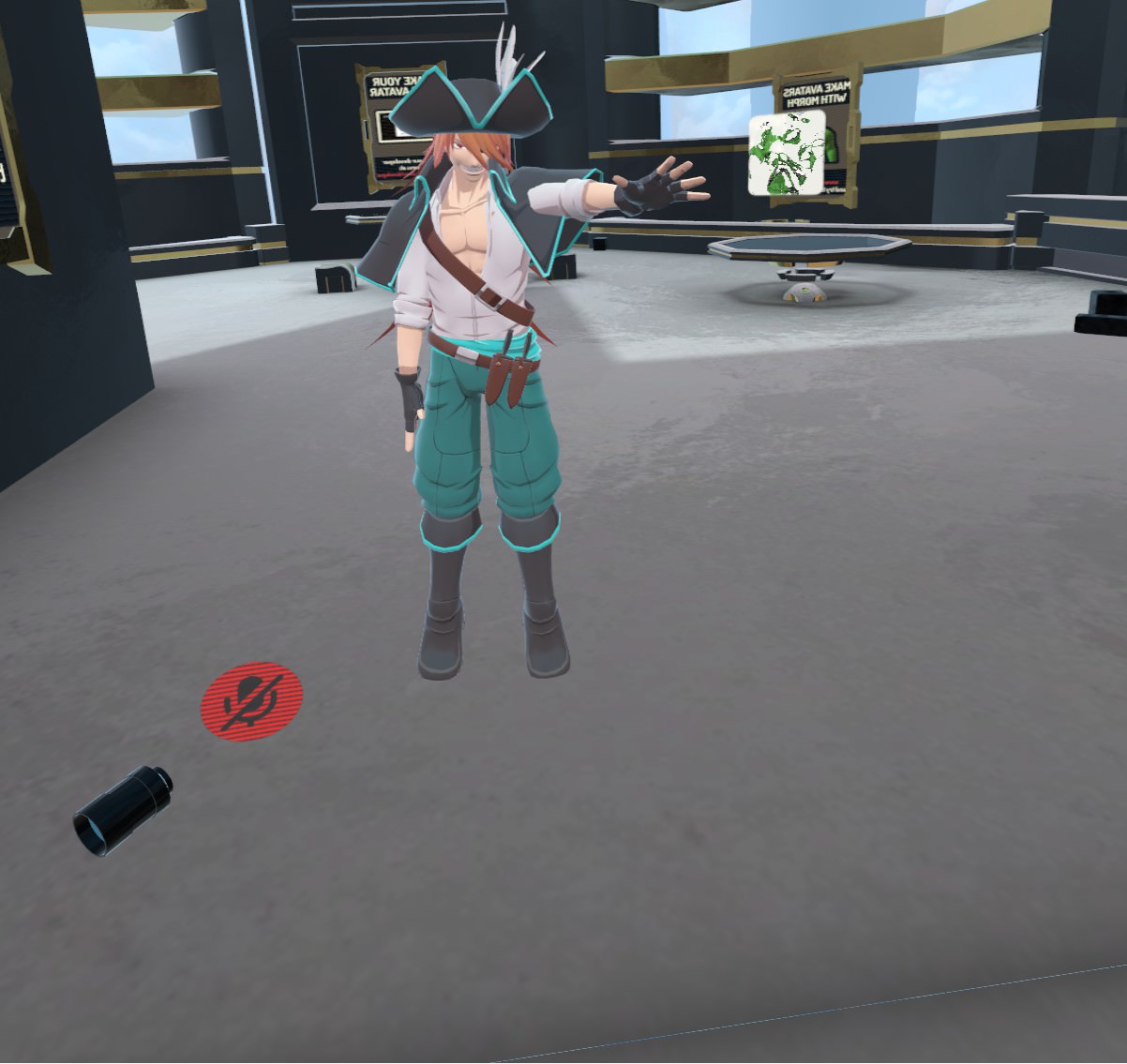
so like, with that image here. that little bit in the armpit, dynamic bones should fix that?
brisk mesa
Hmmm
cerulean zealot
it does have a bone there, but i didn't try to make it dynamic
brisk mesa
What is the weightpaint on your cloak part
Cause to make it follow your shoulders and arms exactly it needs the -same- values in those regions
Which can only be done if you go find the data transfer modifier in blender and copy weight values from the body mesh to the cloak mesh tbh
And also if those two meshes are separate at first to do that
Cause i think your problem is the same as when i have a model with legs and pants, and the legs go through the pants.
cerulean zealot
Ah, gotcha. I'll look into that and give it a go.
Do you think, possibly, merging the cloak bones into their parent could work?
fading verge
@proud bone i typed in the wrong discord lmao
 proud bone
Ohhh lmao
lofty thunder
Is there any really good way to weight a multi mesh model? The model I am wanting to use is in multiple parts, such as the tattoos being a different mesh than the actual arms and so on
 light kindle
uh yeah you join the meshes using cats
if you do it yourself youre in for a bad time
a very bad time
 solar ravine
 drifting sluice
hey guys quick question, maybe i could get a little help? does anyone know if theres a guide on how to make an animation where i could "pick up" an object attached on my model and "throw it"?
brisk mesa
If theres a guide for that i wanna read it too, so i can pick up trash and throw it at people
I guess judging from how others do animations with weapons, the most basic ones make it appear in their hand
 fathom flint
You would have to mix mesh particles and basic animations together.
fading verge
you will need 2 hand gestures
one to "take" the object in your hand and one to throw the object
 fringe river
Does anyone happen to know how to add bones in Blender? I need to learn how, but I have no idea where to start. All I know is that I will likely have to do it manually, as the model that I am working with is different from the standard humanoid model
fading verge
fringe river
Thanks ^u^
fading verge
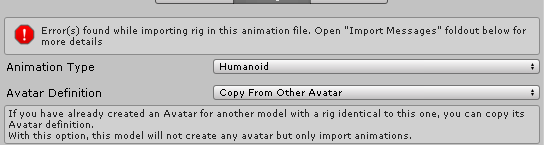


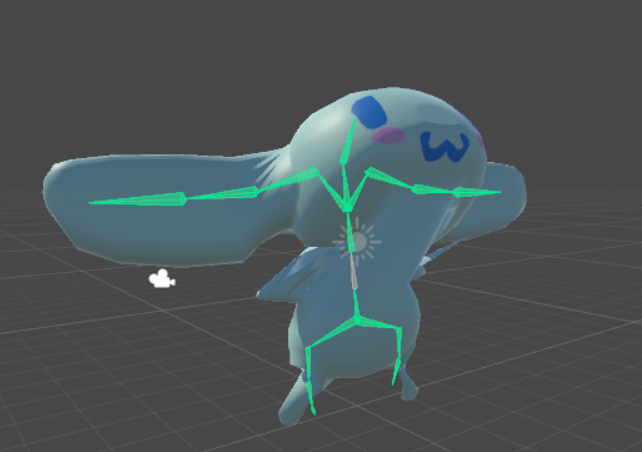


 paper roost
Check your Console for errors