#avatar-rigging
1 messages · Page 100 of 1
 crisp ledge
I've attempted to add the primary finger bones to the model to meet all mapping requirements to enable full IK body tracking of the avatar while in VR, however I'm having a great deal of difficulty mapping them in any way. https://prnt.sc/igbbnq
Unity is proving unresponsive to the bones.

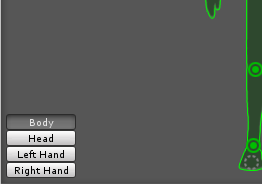 crisp ledge
I was hoping it was something obvious like that and I just overlooked it.
 primal river
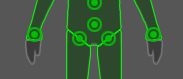
yea see
hands arent mapped
dont worry im in deeper shit
have you seen my problem?
the arms are branching off of a bone that shouldn't even be the body
and unity is assuming bones
pretty fun.
crisp ledge
True madness, not sure what to do there.
Also as for the primary finger bones, do they belong to the proximal or intermediate joints? I would think proximal joints, right?
crisp ledge
Just a singular primary bone for the thumb, index, and middle finger, you can see 'em in the Avatar configuration list in the picture above.
primal river
but however many, the proximals are the bones nearest the the hand
oh what you can do that..?
wait no no you cant
crisp ledge
MrTurkleton suggested it.
primal river
because vrc NEEDS you to have fingers to do hand gestures in vr mode
so one singular bone couldnt be assigned all the fingers
at least im lead to think its that way
you could just make dummy bones also
in anycase
crisp ledge
He also said they don't require any weight to be attached to these basic three finger bones. I'll try it here in a minute though and let you know the results if you're curious.
primal river
aight cool
also ive run out of ideas for fixes and started to merge bones lol
@crisp ledge uuhm
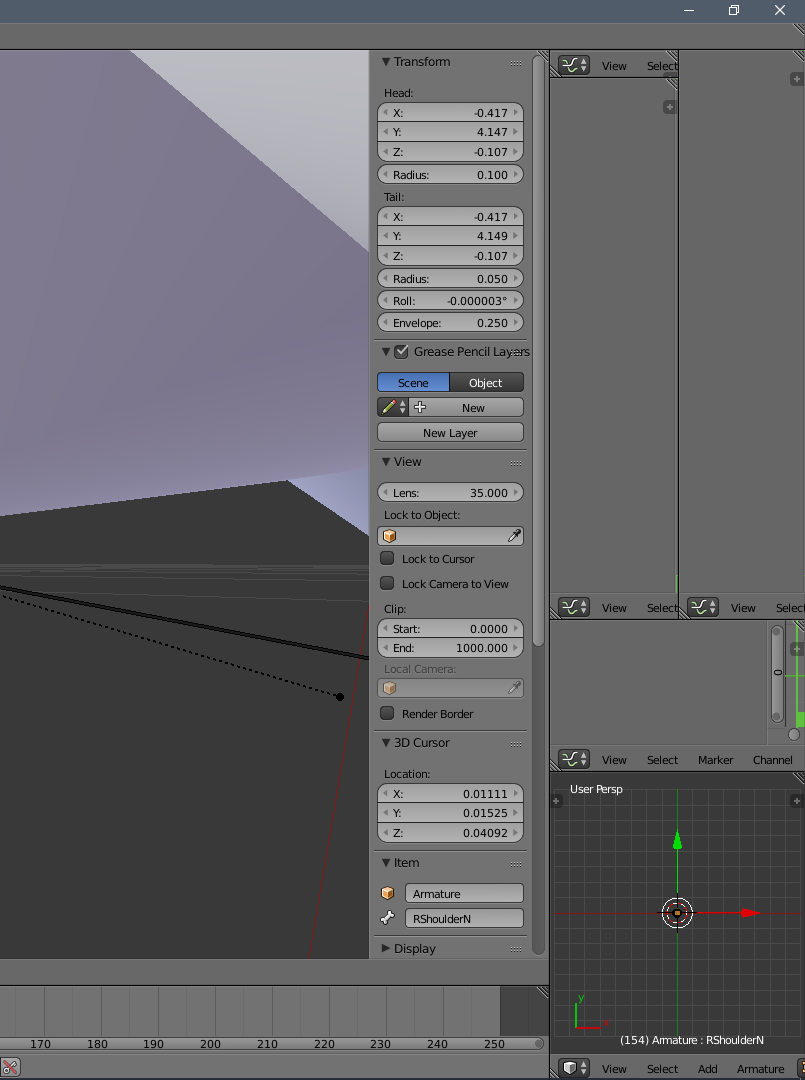
uuh
i messed up the left side by accident..
how do i go back to the default layout??
 pine harbor
the left or right side?
if you want to collapse the extra/duplicated sub-windows, look for their corners with those grooved lines (either top right or bottom left of each window)
click and drag those corners into the adjoining window -- that'll close the window being dragged into, while the window you're dragging gets given the space of the collapsed window
primal river
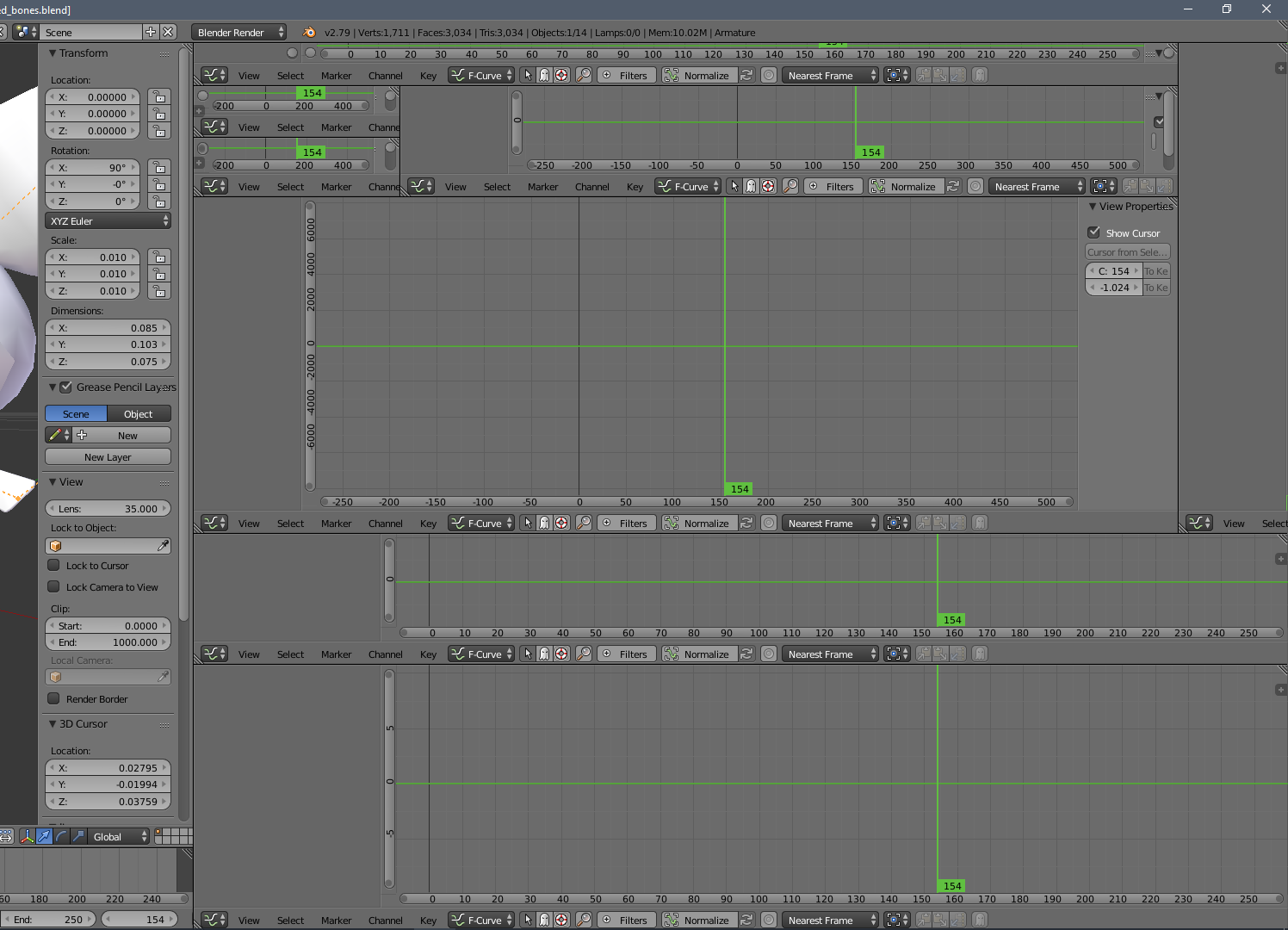
this is the right side stretched
..where do i start
how do i start @pine harbor
pine harbor
pretty much anywhere will do, as long as you see a corner with grooved lines
so maybe start with one of the ones in the middle -- click and hold on one of the corners with the grooved lines, then attempt to drag it up or down into the next window next to it
it'll make more sense once you get the hang of it -- you just accidentally created a lot of duplicates because you were trying to drag corners to widen them, which actually creates more windows
primal river
thank you..
pine harbor
just try to avoid using the corners when resizing windows in blender, although once you know how to collapse them back, they're more a nuisance than a major hassle
crisp ledge
@primal river Three basic bones for fingers does indeed help mapping for IK tracking.
primal river
ah nice
crisp ledge
Now I'm given a new problem in that my avatar won't stop dancing though, it says the angle between pelvis and thigh bones should be close to 180 degrees while mine is at 103. I'm probably missing something else obvious here but I'm having trouble angling the bones. https://prnt.sc/igbko7

So it's messing pretty heavily with tracking, and VRChat can't make up its mind on where the hips should be.
 calm needle
the dancing could be a slight side effect of the character's size as well
crisp ledge
Size as in scale or stature?
calm needle
potentially, both
crisp ledge
And I wish it -were- slight, no the hips go flying everywhere like I'm trying to do the can-can while drunk, then I might be able to let it slide, but no it's crazy.
calm needle
i have a chibi sora from world of final fantasy. My body goes flying left and right when tilting my head back and forth fast enough
crisp ledge
Thing is though I wasn't moving my head too fast, or even remotely fast, it's any time I moved my head at all.
I get that it's to keep the body lined up for like, turning around and leaning at angles with a tilted head, but it's really overextending its corrections, then it just kinda makes its own mess by trying to correct its corrections.
I find it hard to think that there isn't a solution to this if it's stature and/or scale that's causing this considering how many odd and differentiating models I've seen around.
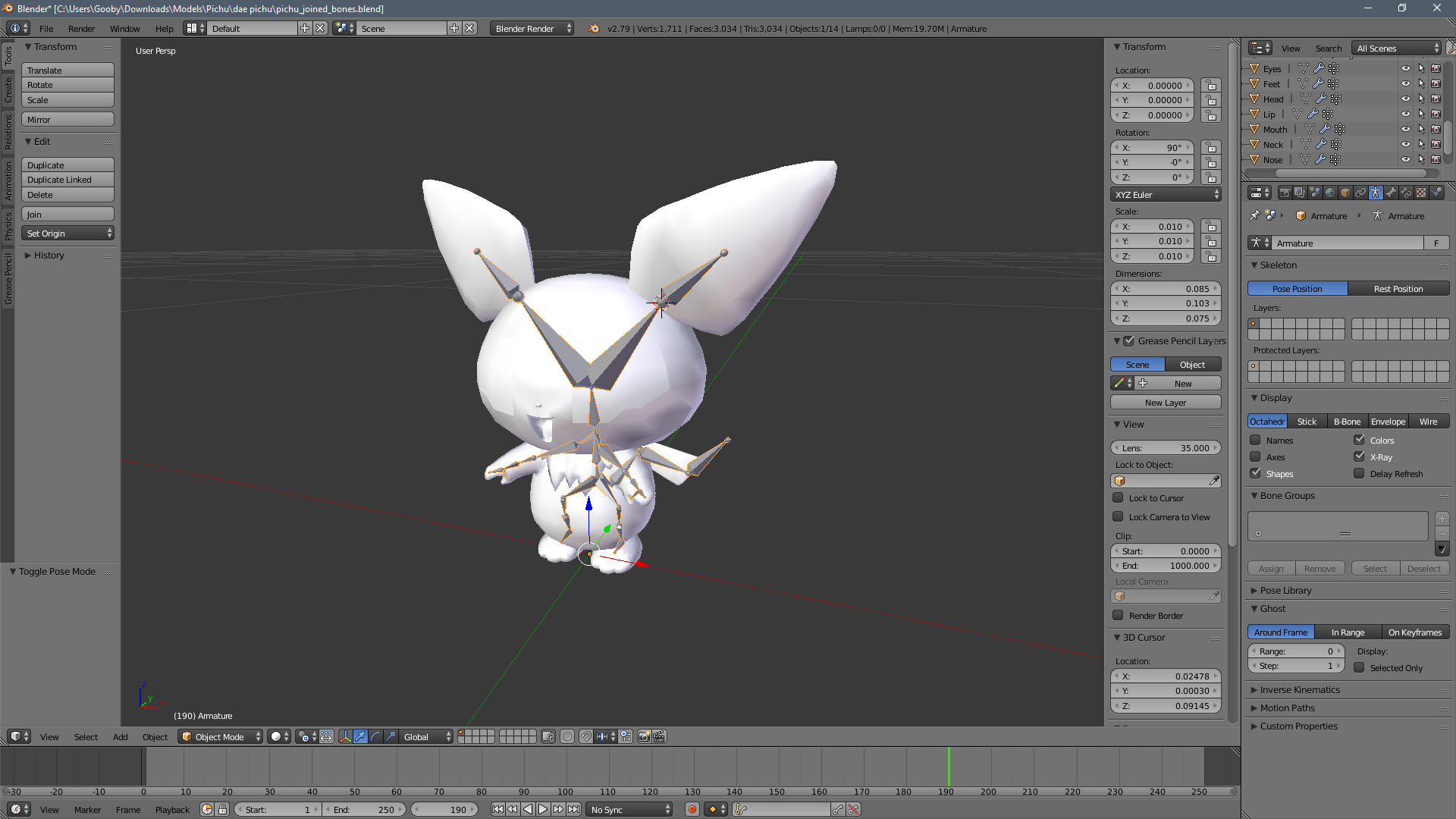
 obsidian minnow
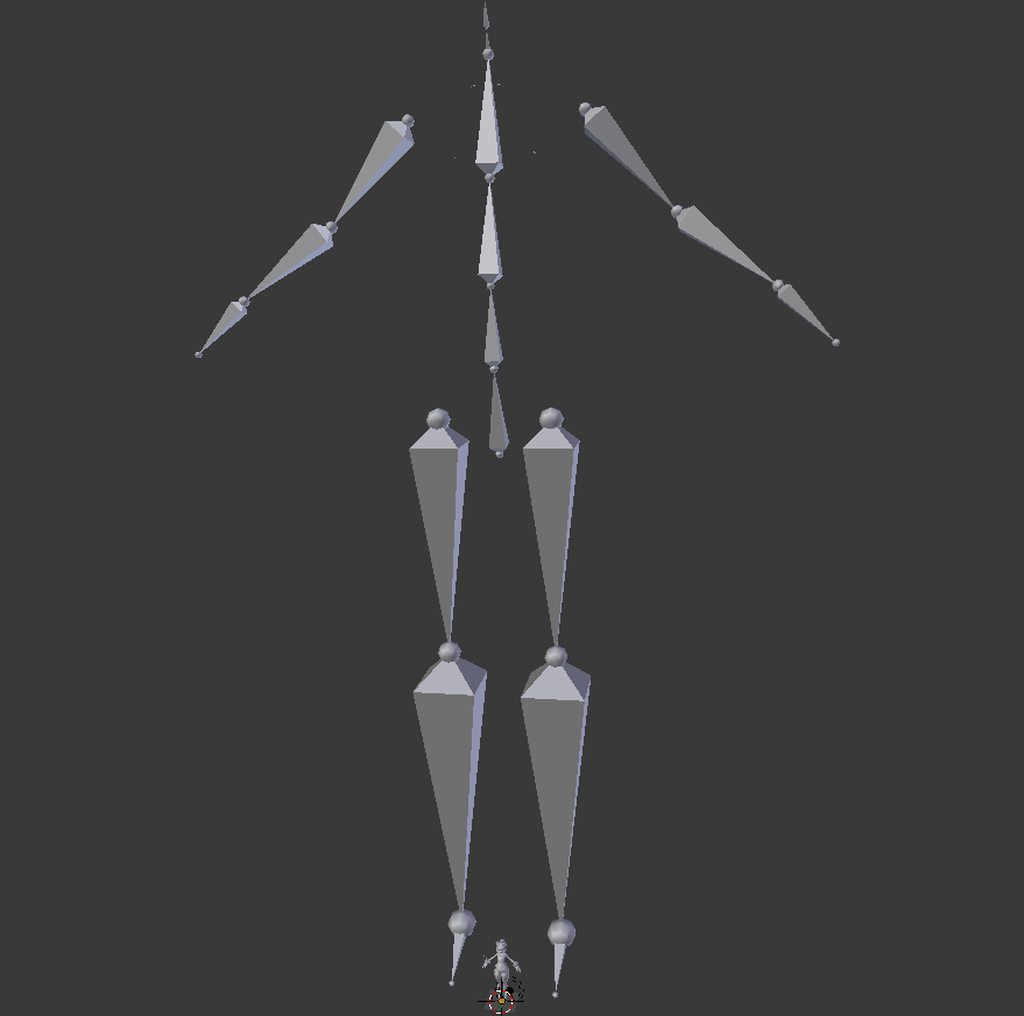
 honest sage
super quickly,can someone link me the new unity for vrchat?
 true girder
Hey, if I send a link for a model can one of you guys get it rigged? I'm terrible at it and mess everything up
 velvet fractal

 glossy quest
uh help xD I used mixamo and the right hand is messed up and I don't know how to fix it https://cdn.discordapp.com/attachments/207019813069914113/414776514606006282/unknown.png

uh.. fixed it in unity
 neon quiver
is there such thing as setting up eye tracking without having to use the cat tool?
 weary geode
all cat tool does is create new bones at center to current eye bones and renames them to what vrchat checks for
so you can do that manually
 opal aurora
It's just a royal pain from what i've heard
crisp ledge
Alright, so...I've been tinkering and tinkering to figure out why the body tracking and IK keep going ballistic, which unity claims is the result of the "Hip" and "Thigh" bones not being at a 180 degree angle. I've taken to comparing and reworking the armature to match that of the VRCSDK Tutorial Avatar. Now what I can't figure out from looking at it, is how it did the parenting from the hips going both up and down the armature. https://prnt.sc/igg35q

Now I've tried to set up the parenting to mimic this on my model as you can see, but of course these won't parent because the bones would need to connect at the bases, as far as I can tell Blender simply won't allow that. https://prnt.sc/igg32u

And clearly the results of not having this parenting set up are quite messy. https://prnt.sc/iggbbr

Out of all the information I could compile, I am at an impasse, does anyone have any idea what's supposed to be happening here?
 summer kayak
Update on my issue...
https://cdn.discordapp.com/attachments/414617375019630613/414652831136612352/unknown.png
^ If you have the issue like this, and using multiple armatures in 1 avatar, you cant have conflicting armature names. ^_^ I fixed it myself by renaming some armature stuff

 weak notch
i've weight painted part of a model but when i move it, rather than stretching the mesh, it just breaks apart, any idea why?
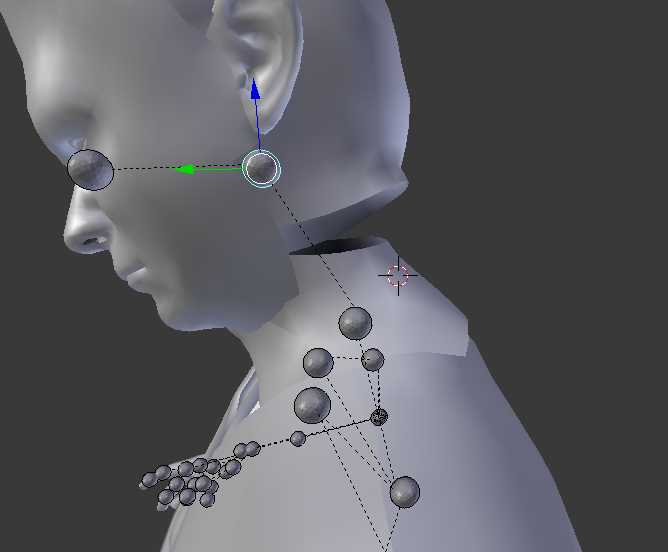
 crisp tendon
Join your meshes ?
 naive tree
merge the verts
or select both edges and remove doubles with increased remove doubles (just by a bit)
butmerging would be better here, remove doubles is good for other situations , like merging loops or straight gaps
weak notch
@crisp tendon i did not, but the head and body meshes did come separate
@naive tree how would i do that? :o
naive tree
i mean, it looks like a round loop, so you might be in luck
change to edge mode, hold alt and hit m2 on an edge, then shift alt+m2 to select other loop and hit W > remove doubles and in operator (bottom left) increase the range a little bit
you might need to edit it by hand cuz 0.001 or whatever it pus might be too high
it will merge both loops together
naive tree
 weak notch
by edge mode do you mean edit mode?
i have absolutely 0 professional experience with blender :<
naive tree
i mean.. taking a 2nd thought - you'll have to do it 1 by 1, cuz the neck doesn't work with remove doubles well, so what you do is
enter edit mode, have vertex mode enabled, then you select 1 vert from neck, then shift + select other on head > hit alt+M > at center or at last/first
so u do this for the entire thing to close the gap
weak notch
i should say it only does that when i try to pose the model in any way. looks perfectly fine until i pose it, i thought it'd be a weighting issue more than anything
naive tree
yes because the mesh overlaps and you cannot see the unconnected stuff
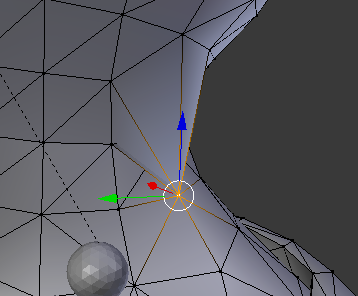
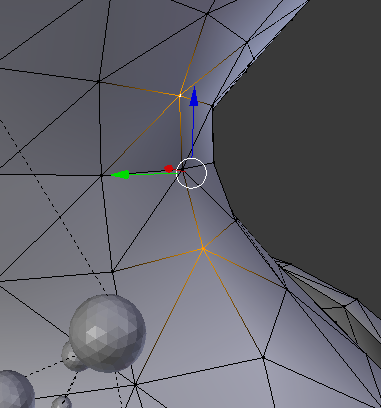
 fading verge
I'm having an issue weight painting, I just don't know what step I'm missing here
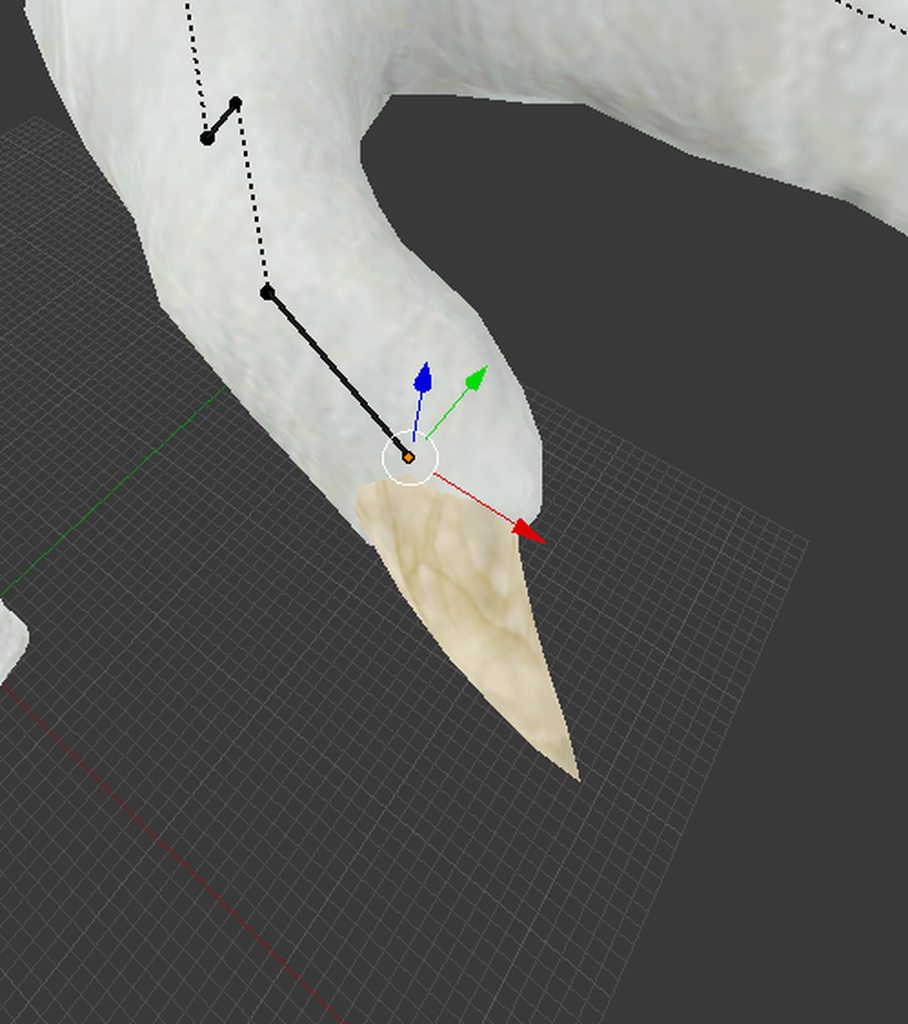
So, my pinky nail isn't aligned with my finger https://imgur.com/knYqRsc
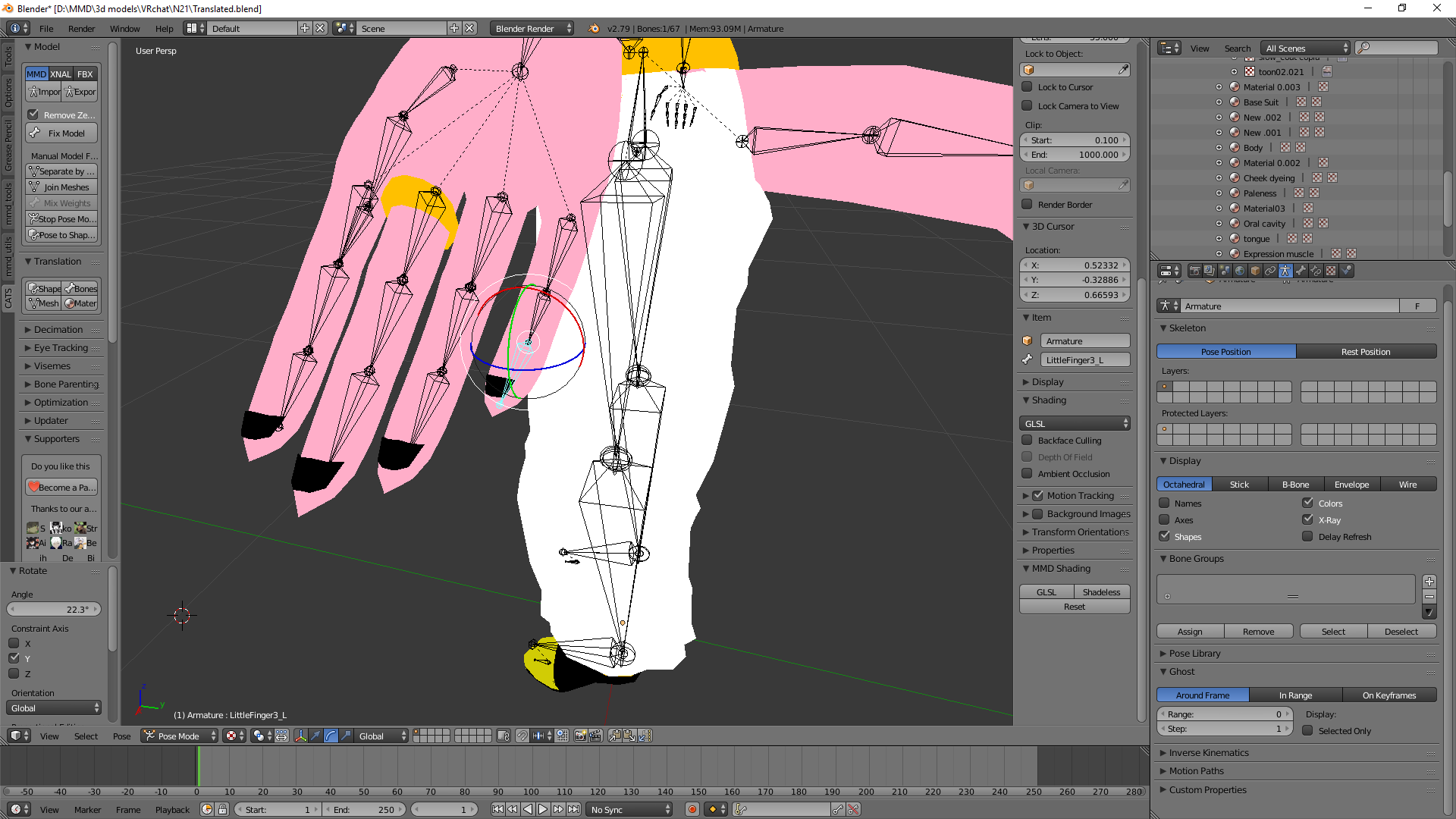
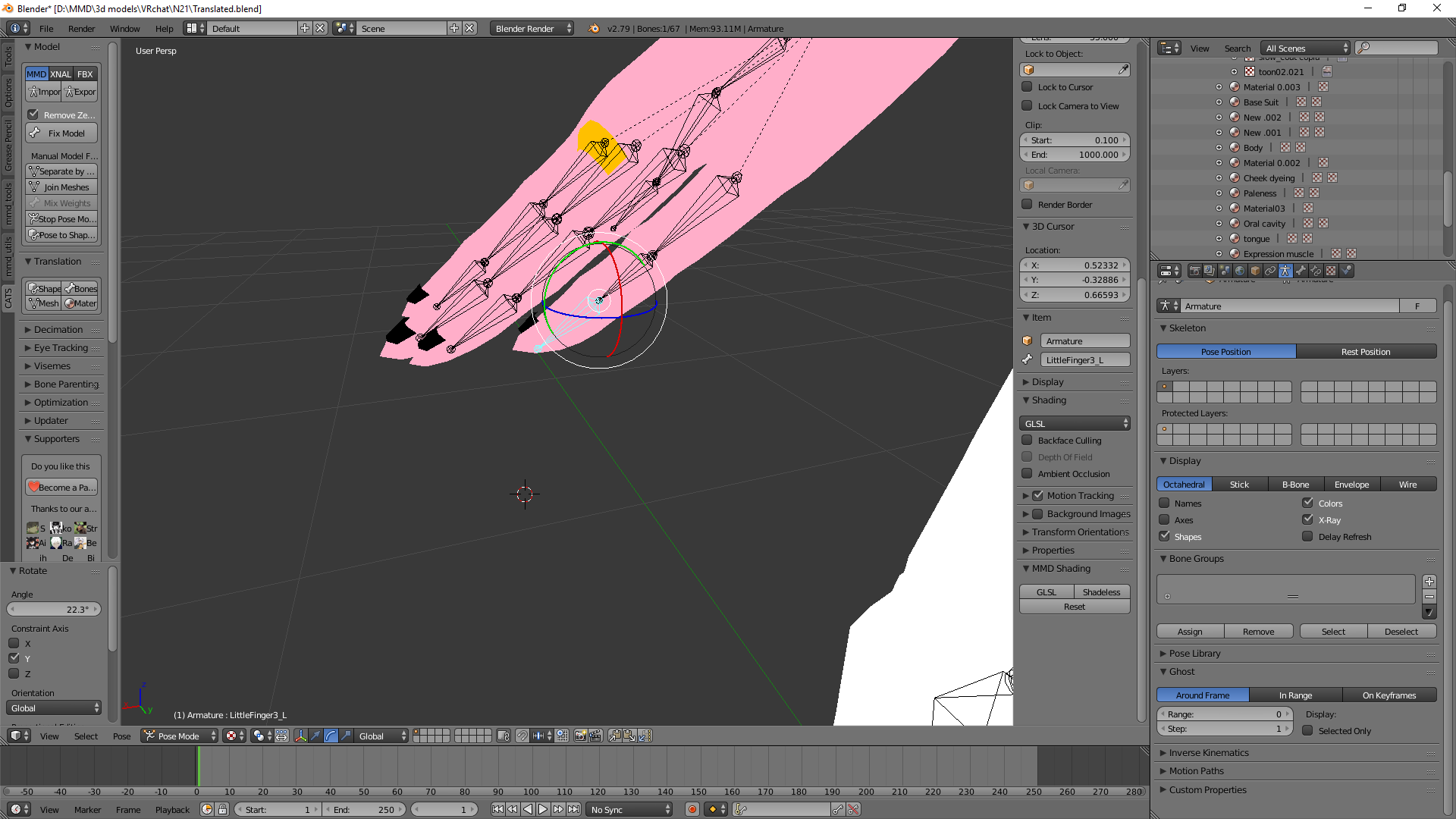
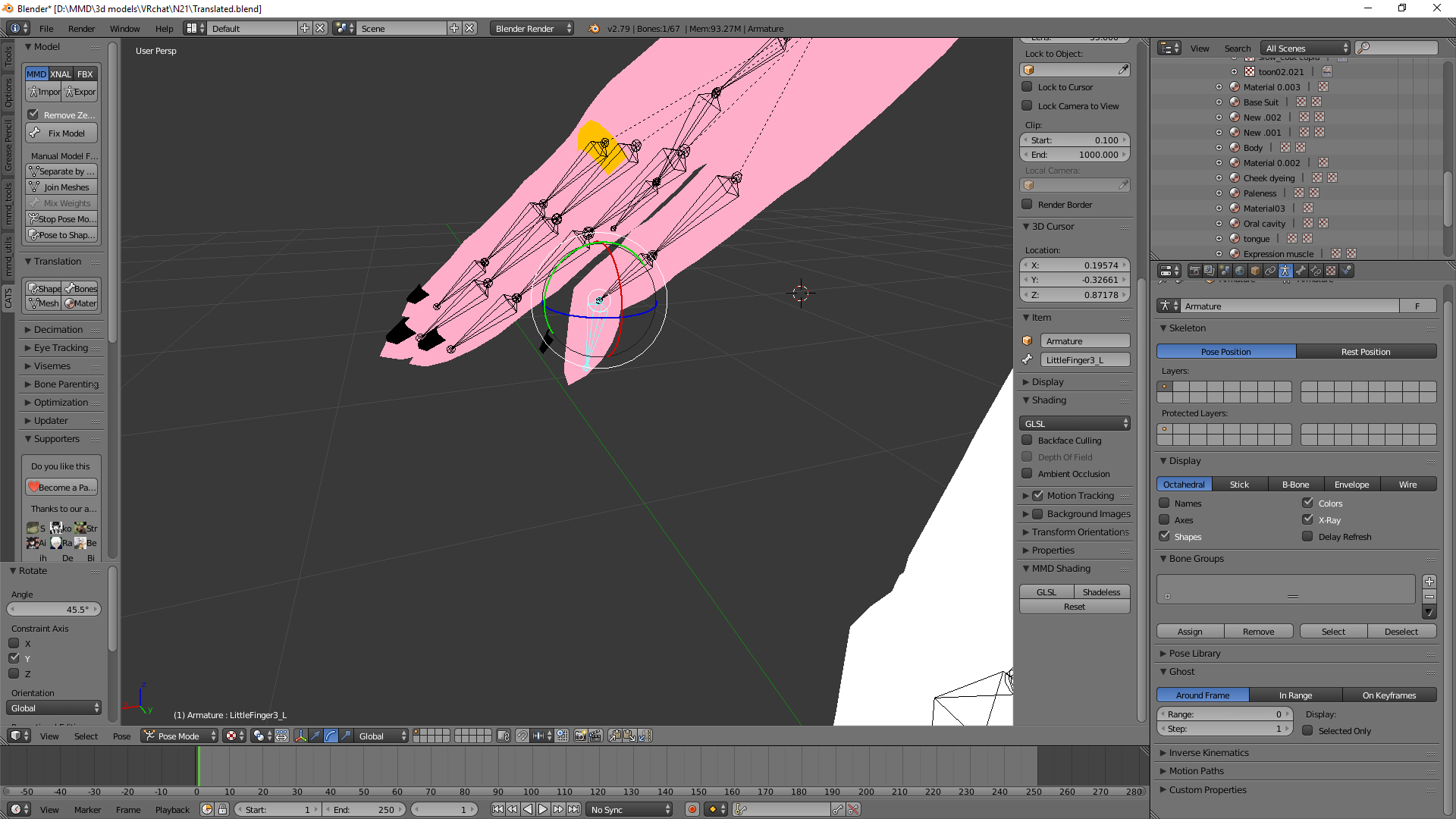
So, I know the pinky nail is moving when I move the bone, but its not in sync with the bone
 spice jetty
does anyone know why some models have the breast bone facing down instead of forward?
naive tree
@fading verge weight paint the nail to the bone, or assign it
 brisk mesa
It is okay if the breast bone is facing whatever direction as long as it actually moves, but if you're worried you could just reorient it yourself, @spice jetty
spice jetty
I figured it would be okay, I'm more curious if it prevents absurd physics by facing downward~ but ty for the reply
fading verge
@naive tree I'm not sure why, but the nails refuse to be painted https://imgur.com/En6hzZT
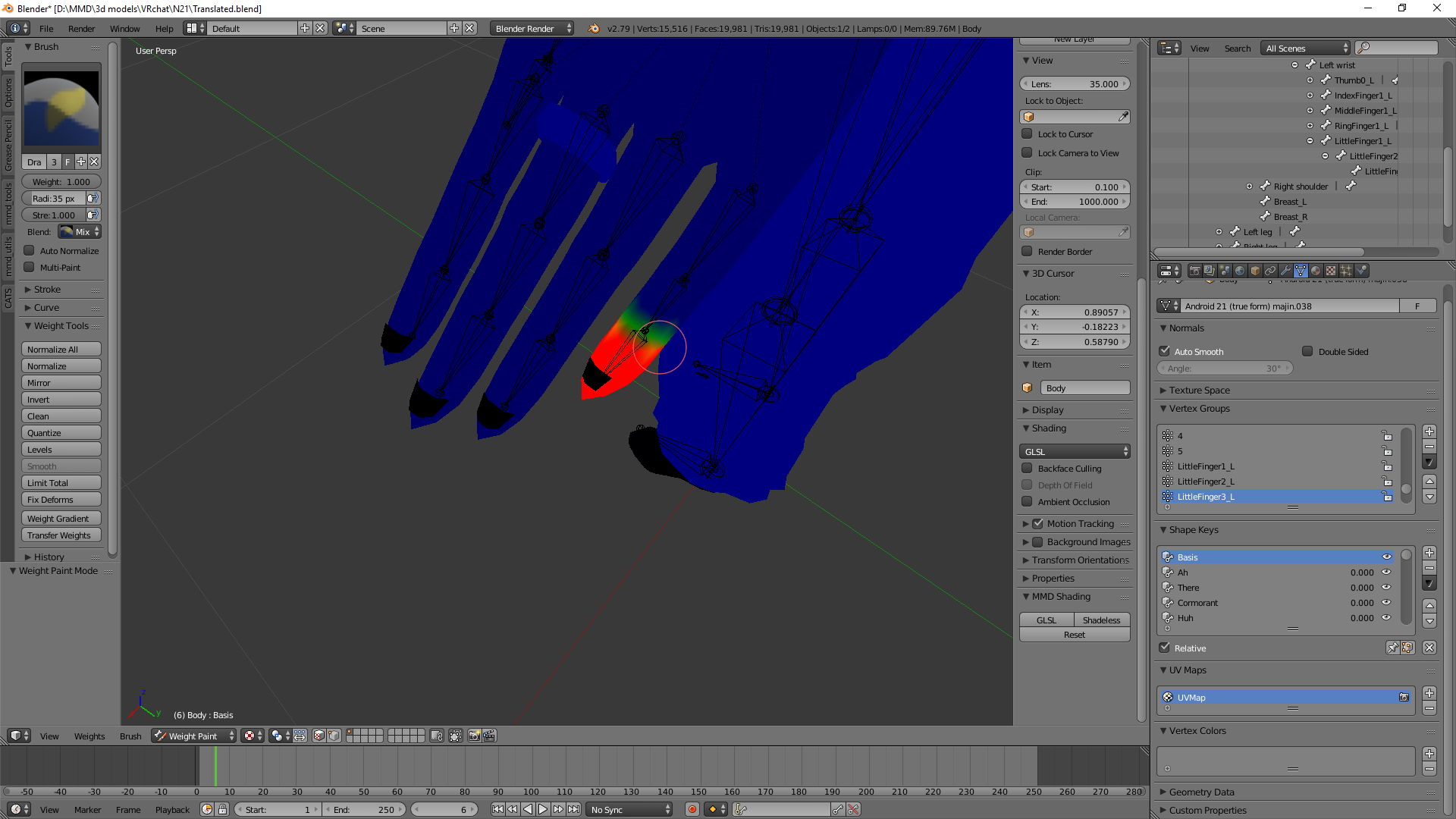 naive tree
they are different material?
brisk mesa
Yea sometimes nails are their own separated material and texture
Since people color those
fading verge
So, I guess the issue further extends to everything in black I can't paint https://imgur.com/W8t4psk but in this case I only need to paint the nails
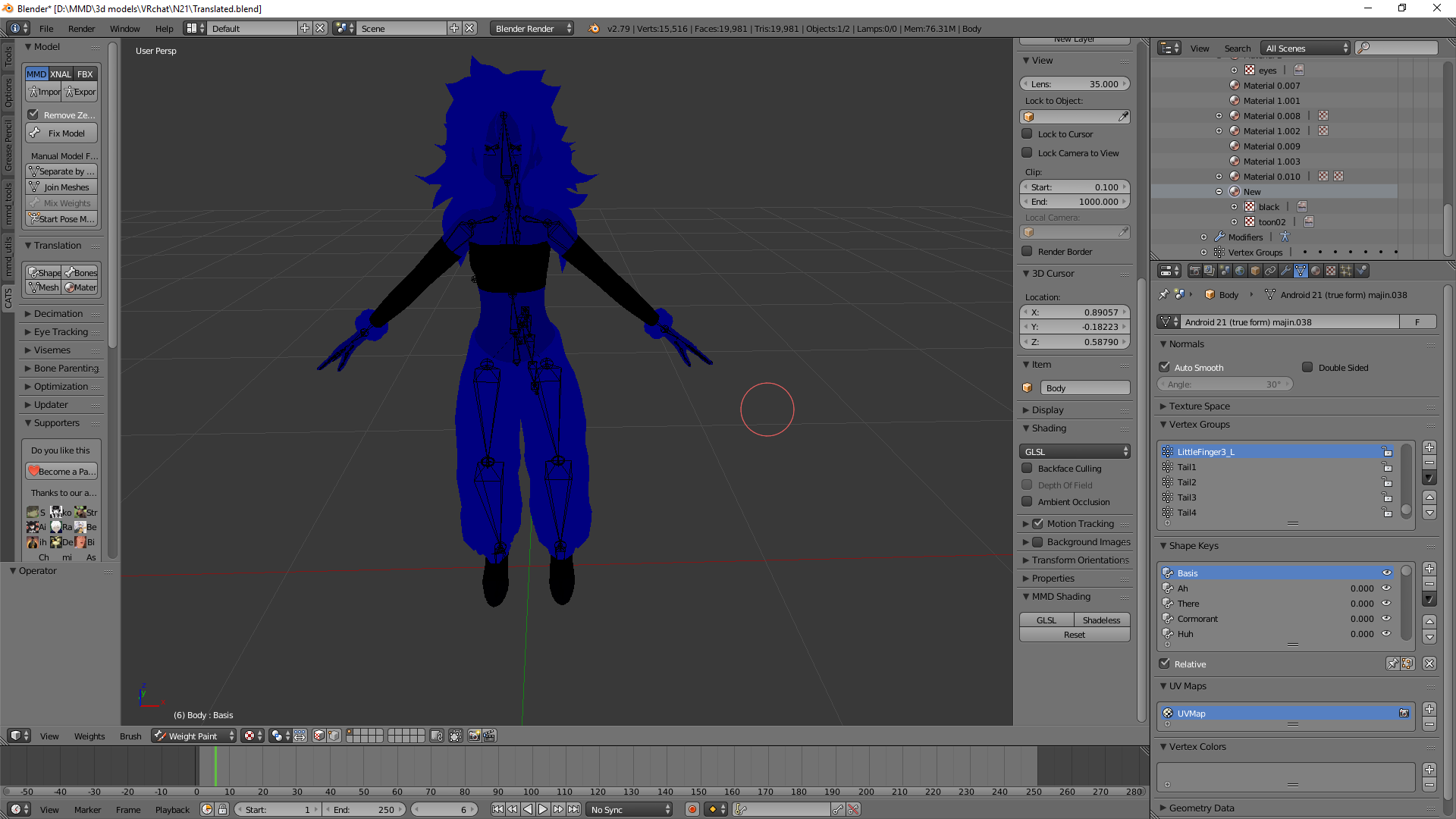 spice jetty
you can go to object mode, select the thing you wanna paint then switch to paint mode. or you can merge your meshes and paint everything at once
fading verge
Ok, its not a weight painting issue

It was properly painted, but as I've said before it doesn't stay aligned with the bone
It just doesn't stay with the bone properly
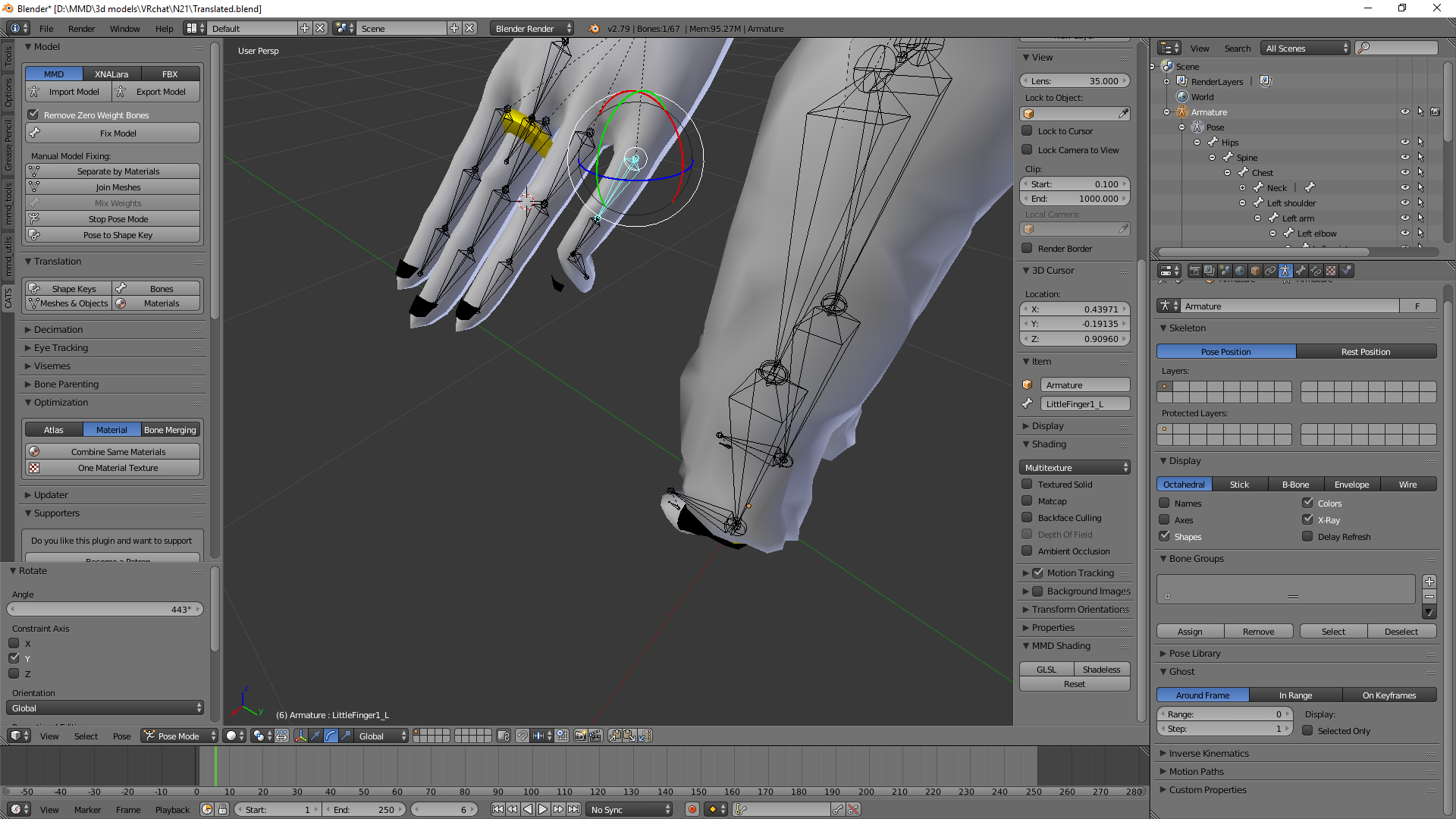
Oh my gosh, I figured it out. Turns out the same nail was also painted to the thumbnail?
Dumb, dumb, dumb me
@spice jetty @woven estuary @naive tree Thanks for being as supportive as ever. You guys are the best, I've learned so much in so little time thanks to your efforts.
 opaque crown
i have a non humanoid avatar and i want it's head to move when i move my view ingame, is this possible? and how?
(btw no idea what catagory this belongs to but this one seemed most fitting to me)
 scarlet drift
https://gyazo.com/f31c715fbe3a6f07574c930b63662d74 any idea how to fix the thumb? i tried rotating it but it says not in t pose

the model's thumbs are fine in blender but when i import the model and make it humanoid this happens
 jade cloud
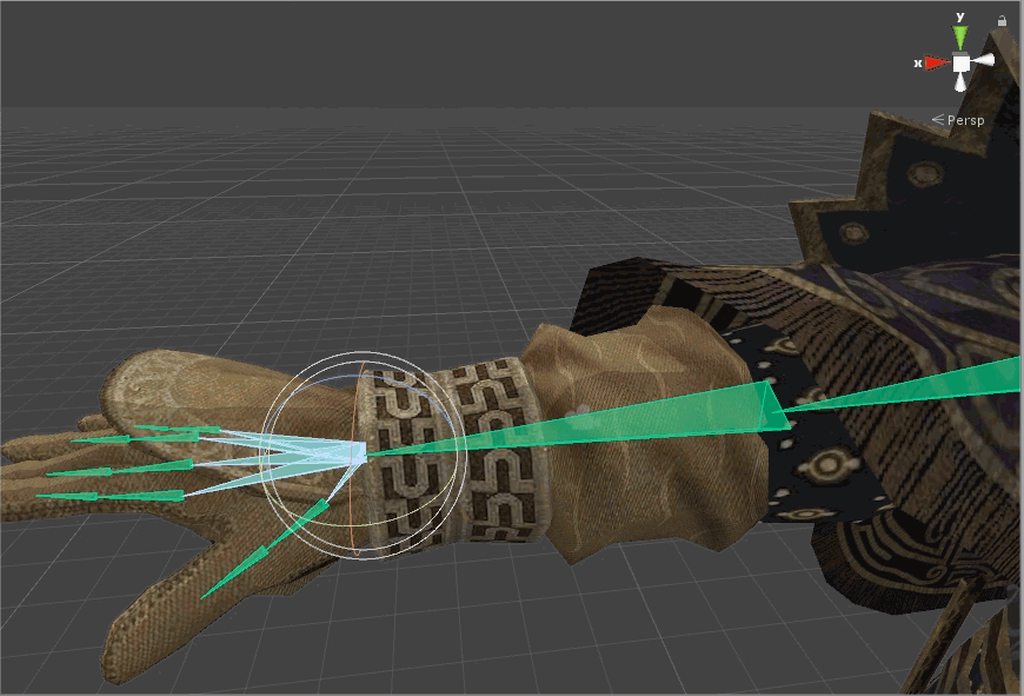
https://imgur.com/a/0Cqbh So ive removed any weight painting and bone parenting seems to be in order, and im out of ideas, help?
 naive tree
it's weight painted to something from wrist to fingers, or there is an additional bone
crisp tendon
edit the vertex group
jade cloud
sorry, where do i edit the vertex group?
naive tree
but i'd say it has weight to one or more bones
crisp tendon
right click your mesh, go in edit mode, select a vertex that you see is moving weirdly in your gif, press N then look at vertex weight, if you see any of the fingers in the list, remove it
then do it for each vertices that are around
naive tree
wouldnt it be easier to select the general area, remove all vertex groups and create new group + name it the same as the bone it should be moving with it and then assign, but the problm here is that it's a joint area
so yea, just take rubicks suggestion
or go through bones 1 by 1 in weight paint
 thorny stratus
new to avatar rigging and modling so i ran into a issue

my chin seem to be stuck to another bone
how do i reassign that mesh to follow the correct bone?
sorry if its basic still in the learning phase
naive tree
find which bone holds it, enter weight paint > paint the chin 0 weight, then paint the chin 100% to your head
@thorny stratus
thorny stratus
thanks yuumi will try
 versed vine
Am I able to change the hierarchy of a model within unity, or do I have to edit it elsewhere? I'm importing a model and the shoulders aren't children of the Chest, making VRC upset
 halcyon grove
i dunno if this is the correct channel to use so sorry if its wrong.
i converted my xps model to fbx in blender, and the shoulders are all broken now which i assume is a bone problem. anyone know how to fix?
https://i.imgur.com/ua9D0VY.png
 jade cloud
How do i change the active vertex group?
The vertex weights are set to the hand instead of the forearm and i dont know how to change it
 acoustic garnet
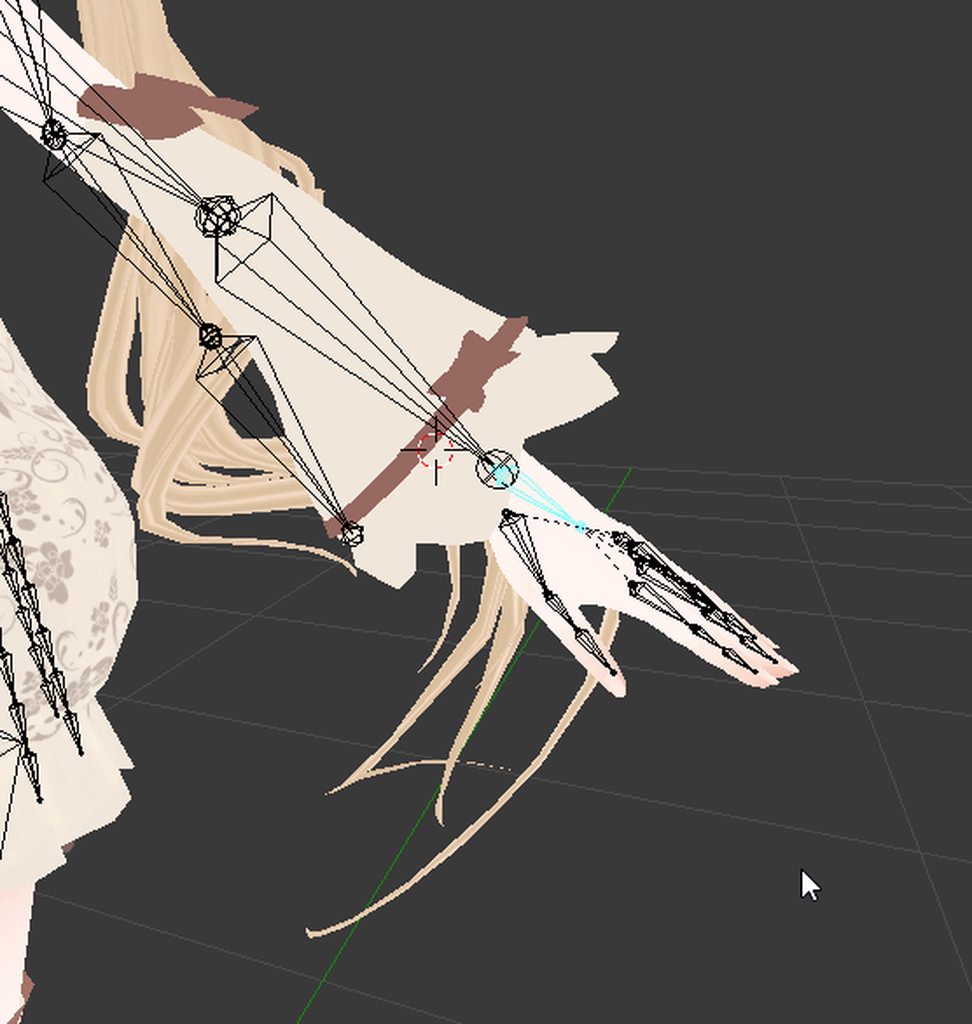
I'm having a issue where if I move around my wrists the cuff of my sleve moves with it and does some really weird stuff. Is is possible to assign this mesh to the elbo or something like that? https://i.imgur.com/P7QPsiw.gifv
 last knoll
technically theres nothing wrong tho
as far as i know clothing isnt a static object xdf
 pine crane
Hi! I've been trying to rig a model on Mixamo for a while now, and it continuously informs me that it cannot map the existing skeleton of the model. I've deleted any extra props from the model in Blender, so it can't possibly be due to an interference from an extra prop while Mixamo attempts to rig it.
last knoll
what file extension is your model
acoustic garnet
I know theres nothing wrong with it, but the cuff inverts if I move my wrist around and I was wondering if I can prevent that
pine crane
FBX.
last knoll
hmm
pine crane
Also, when I opened it in Blender, it showed up like this:
 random lotus
@pine crane mine was giving me that error every so often but after i dragged the model back in a 2nd time it goes thorugh like normal
http://prntscr.com/igln2l or not
 pine crane
Hold on the image won't send.
Okay one second, I'll try dragging it in a few times and see if it works.
random lotus
wtf
last knoll
try that format
random lotus
why does it keep tagging the wrong people
random lotus
i think mines because the file i had suddenly dissapreared
and i cant find where it ended up
 gloomy loom
anyidea why unity hates me and when I enforce tpose it rotates my character around?
it rotates the feet
well it has a problem with the feet
pine crane
Alright so, trying to drag it in a few times didn't work. It keeps telling me it can't map the existing skeleton.
random lotus
@gloomy loom it might be the way those bones are set up, i had a klonoa model that would literally turn in a wierd direction/pose when the t-pose is enforced
and he ended up like that in game too
Same here
pine crane
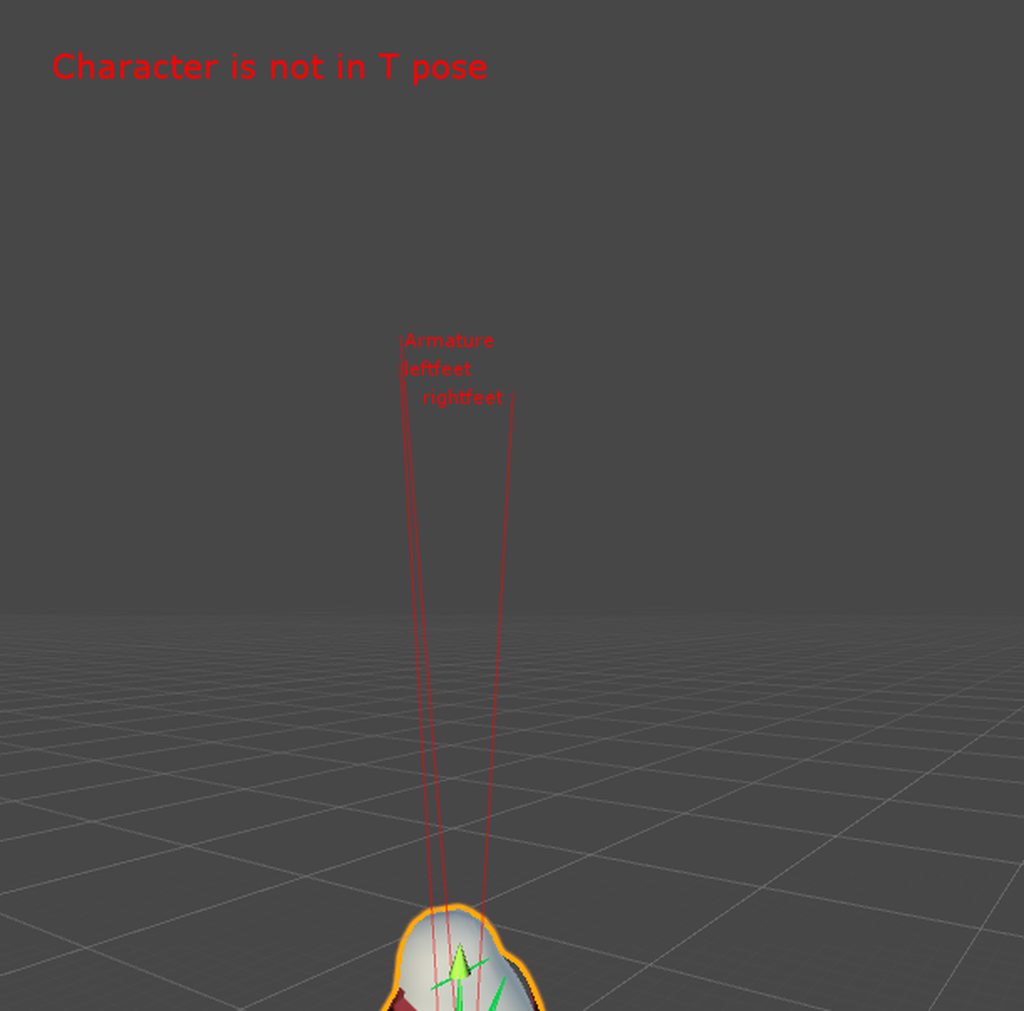
Also, here's how the model showed up in Blender when I re-opened it.

Any reason why it looks like this? Did I do something wrong?
 last knoll
its trying to bone a humanoid
gloomy loom
and when I hit enforced tpose it worked
no rotation
Im so boggled as to why its rotating the model now
random lotus
http://prntscr.com/iglphi @pine crane mine is like that too only he has smaller bones so you cant see them as much

but @pine crane what was the models original file type before you exported it as a fbx?
pine crane
XPS.
random lotus
Mine was a Dae File
so it might be case of those file types
but then again it let me put him in before
no problem
i just need to rerig him with the chest bone i had to add
 spark dragon
these are all the bones i have. do i need to add a bunch more so i can walk and turn my head? https://puu.sh/zqIg5/c0709bdb54.png
 random lotus
ok so mine finally got up but its taking alot longer than it should take http://prntscr.com/igls18

i already sat here for like a good minute or 2
@pine crane mine uploaded finally but i got this message http://prntscr.com/iglsb4

omfg these channels have been pretty much dead for the last day or 2 now xD
weak notch
when i rotate my character's left hand, this happens https://i.imgur.com/maix5zH.png
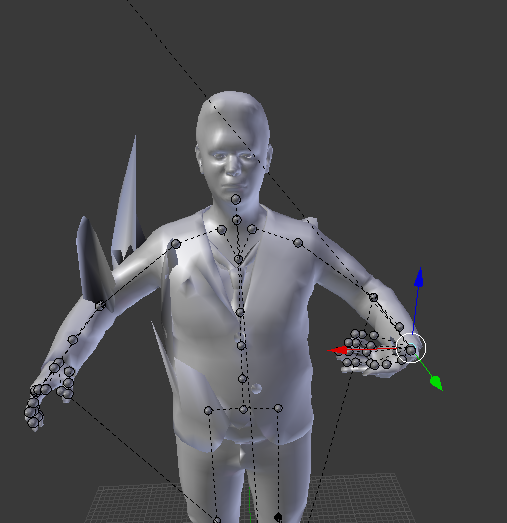
did i weight paint something wrong in the hand somewhere
random lotus
http://prntscr.com/iglyrq ok so now he has deformed fingers and his ear if flipped up but that only happens when i have force applied to the y axis of the dynamic bones


im starting to think these ripped models arent going to work with vr chat
crisp tendon
Probably @weak notch
the very light blue in weight paint is hard to see, press Z to make it easier to notice
acoustic garnet
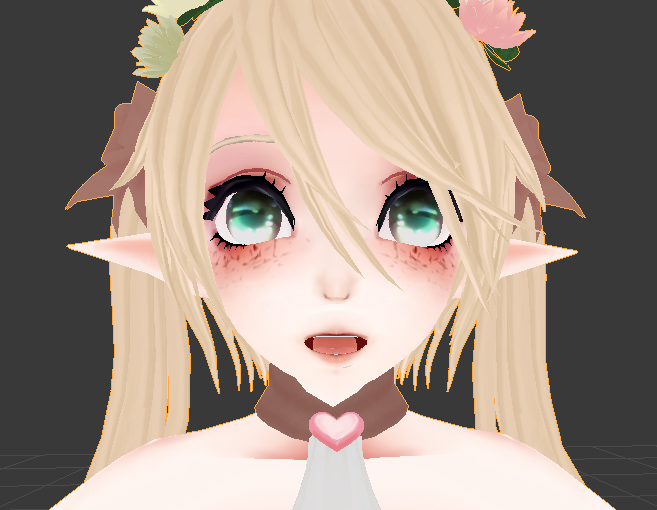
I get mouth tracking to work no problem. The mesh in blender has a inside mouth model and texture. When I talk in-game the inside of my mouth is see through. All the materials are set to cutout and 0 transparency. Any ideas why this is?
https://i.imgur.com/EP0loSL.png like, the inside of the mouth is quite clearly here
 naive tree
doesn't show through in any visemes shape keys?@acoustic garnet
acoustic garnet
I actually figured it out now thanks to a buddy. Turns out it exported everything else with textures but the inside of the mouth without textures. So I manually applied them and it worked.
Thanks!
naive tree
if that ever happens, it does happen to the entire face tex
not even material madel for it
 marble pasture
i can see my own hair, guessing parenting a duplicate of the head to manage the hair bone seperately wasnt such a genius idea lol
(i guess vrchat uses the headbone to decide what to clip from camera view?)
brisk mesa
@drifting shale cat's plugin likes to fuck up too so sometimes you have to manually fix and rotate and scale etc your bones
so if everything else is fine then you have no choice :p
 lucid cave
anyone know how to make your model like glow n stuff? Like bright in dark places?
 astral shoal
So I have a problem where my model's face likes to stretch when I turn my head, can someone help me figure out how to fix that?
brisk mesa
your weights are probably wrong
the face mesh should generally only be affected by the head bone, if it was just a face.
make sure you don't have a neck bone or spine or chest or anything else bone-wise trying to pull on your face mesh, check in vertex group settings and start deleting them to see if that helps
also backup save if you think you'll mess it up
cause i bet your neck bone was pulling on your face maybe
astral shoal
I am very new to this so all that is flying over my head
brisk mesa
okay so basically you have a face mesh, and the bone has 'weight' to 'deform' your mesh like when we turn our head
and i think some other bone in your armature/skeleton is influencing your face mesh
so to get rid of that you have to check your weights and delete or edit them
when people talk about vertex groups it's like this list on the right option bar, click the tab that looks kinda like a triangle?
and you can be in Weight Paint Mode using the bottom left button that turns into a option list to select Modes
if you go down the vertex group list on the right with arrow keys you can quickly cycle through to see if your face is being affected by something else, like the vertex groups are all your bone names
astral shoal
Do you mind if I call you via discord and screen share to help me get a better grasp of this?
astral shoal
damn
 spring crescent
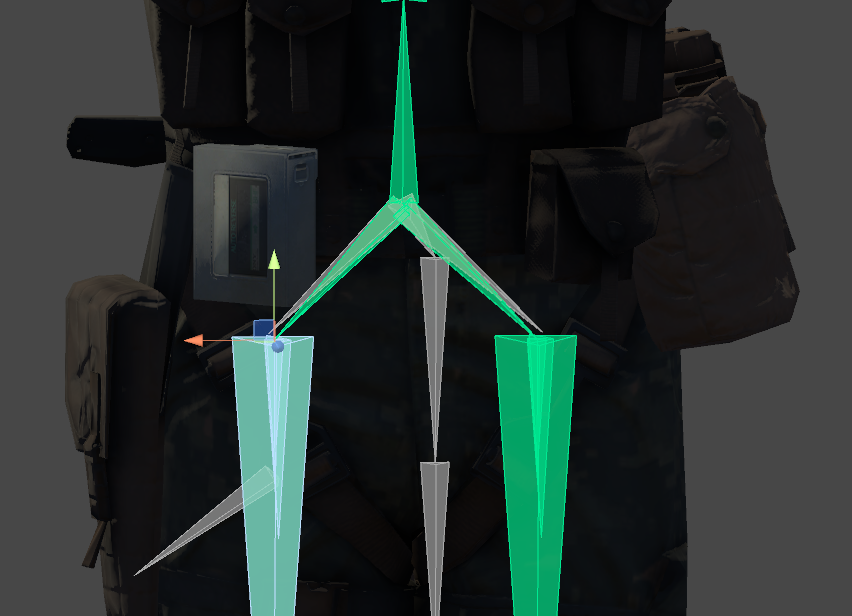
Can anyone point me to more information about the "Angle between pelvis and thigh bones" error? I have a (non MMD) model that is having this issue, but I use 3D Studio, not Blender, and I'm not even sure I understand what this error means. It's causing some very lewd hip gyrations when in game. (and I've already googled it)
 fringe beacon
hey, is there a clever way/trick to map finger bones without enabling full-body IK?
i want hand overrides but IK looks bad on this model
opal aurora
@spring crescent it's the hip bones' angle, make sure the hip bone aims straight up and has a roll value of 0
spring crescent
IE the X value should be straight up?
opal aurora
I'm not sure of how exactly bones are rendered in that program but the "head" must be straight up and "tail" straight down
spring crescent
I'm a little worried I'm not going to be able to correct it without re-rigging
opal aurora
Rotating it should suffice
spring crescent

if I rotate it, the whole leg will go with it, as it is already rigged. Unless there is something to be done in blender?
Er, I mean Unity
 opal aurora
You can't edit it's location/rotation withtout afflicting the mesh?
spring crescent
Not without re-doing the skin modifier, as far as I know. Might be a quirt of 3Ds though. It's so powerful, and yet so behind the times.
opal aurora
I don't even need to ask what model that is haha
spring crescent
😃
I've got facemorphs and everything working. It's just the freaky hips to fix now.
(And doing facemorphs by hand is... not fun)
opal aurora
Hmm...
I'd advise on exporting it, and i know it's annoying but, in blender you can edit the bones without affecting the mesh, much more easily fixing any rigging issues, and since it can be an fbx, you wouldn't require additional plugins
That's my personal advise
spring crescent
Yeah, thinking I'm going to need to DL blender for sure, considering how few of us use 3DS for this stuff. At least it's free!
I've seen a few people saying this kind of thing can be fixed with a 'fix' button in something called 'cat's plugin'?
opal aurora
That's mostly related to mmd models
People kinda worship CATS and quite literaly throw it at everything
spring crescent
Ah. Yeah, I'm so lost because of not knowing anything about MMD, and it's everywhere
opal aurora
Even though it could literaly destroy a model
Yeah mmd models are easy access and mass produced
Due to mostly all of them containing morphs (shapekeys) mostly on face emotes, it makes them quite popular
spring crescent
The quality of the face emotes is impressive, I have to admit. And the tricks they use to make the eyes look better.
 still ore
My model have its feet behind the legs and pointing backwards, what do i have to do to fix this problem?
opal aurora
You may have bones with incorrect roll values
still ore
And i think the right foot is on the left side and left foot on the right side
opal aurora
That... may be more annoying
still ore
So rotate them and switch?
still ore
Never thout about that
 opal aurora
Mother of god
still ore
Wow
spring crescent
3DS doesn't care about the initial rotation of bones. Anything can be a bone (including dummies)
still ore
What the hell is all those bone in the face for?
spring crescent
Face animation. Lots of games use face rigging to animate instead of morphs
opal aurora
Bones that have bones for bones
still ore
Well damn
spring crescent
Oh and the crazy bastards animate every chunk of hair, scrap of fabric and clanking bit of equipment
opal aurora
But aye that looks mighty complex
still ore
Thanks for the tips @opal aurora will try it when i get home
opal aurora
I honestly have no idea on how to fix that one except repositioning. Every. Single. Bone
Or rigging it from scratch
spring crescent
Everything works great though, save for the hips
I've got it in-game and tracking. Something about how they do IK doesn't like the hips
opal aurora
Then perhaps just fix the hips' rotation?
spring crescent
Yeah, working on it, but Blender is alien af
My god, I can't even find the select tool!
opal aurora
I can imagine
spring crescent
But now that I'm in Blender, I suppose I could follow some tutorials.
spring crescent
Rotate tool?
spring crescent
20 years of 3D modeling experience and now I'm a noob again 😛
opal aurora
One of them is rotation
4 months ago i knew nothing about 3d models haha
And now here i am, teaching and helping people
spring crescent
Nice! And you didn't start with a bunch of bad habits by coming from some other 3D package
But I've found I learn a lot by teaching/helping people, so it's good for you and others.
opal aurora
All of my skills rely on editing textures and images, to which i have 5+ years of experience from modding
I love customization, and that's what brought me here
So much freedom
Oh right, top right of the 3d view has a small plus sign, it'll give you more detailed information related to scale, rotation, roll and so forth @spring crescent
To which you can edit there aswell if you prefer a more numerical approach
spring crescent
Oh, perfect, thanks! I came from a modding background too (DN3D, HL1/2, ect)
opal aurora
Niice, i've mostly been modding source games(HL2,TF2,L4D2,Portal2...) with a few exceptions
Of course nothing as complex as a model based on the previous fact
Mostly just textures, gui elements and other scripts
But i'm happy to say, now that i finally know how 3d models function, i can actually make my own custom mods with my new found knowledge
Hex editing somethings for models that were broken for some reason also gave me more insight of possible issue fixes
I regret nothing about the time i spent fixing model issues manually
spring crescent
Oh yeah. Foundation skills. BTW, got my model working. Sent it to a friend who had those CAT tools and it instantly corrected the hips problem. Woo!
brisk mesa
you thought you've seen impossible
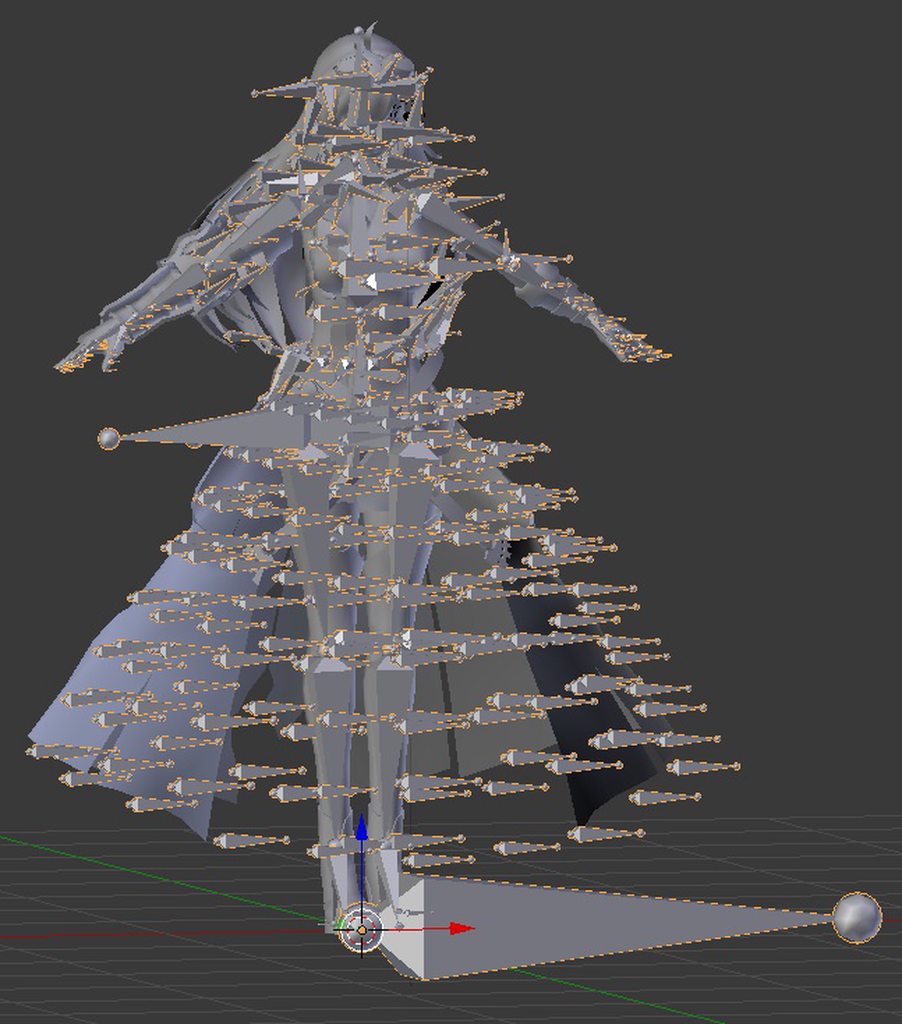
lemme show you Arnice, my first attempt at anything ever
i should actually go back and fix her up now that i know way better
also she's not an mmd, of all the beginning avatar shit i -had- to pick this one because i'm dumb
Arnice was buggy in the actual game too, so i learned firsthand what these developers were messing up on
 mental lynx
I've gotten everything down to the breast rigging, and now I'm stuck. No matter what I've done, so far, the breasts will rotate their entire location of the chest.
So instead of just altering the breast it is placed within, it will rotate the entire section of the chest, roughly at its height in comparison to its parent
Are there some good tutorials on how to do this correctly that works well for this usage?

As you can see, it tears up the chest
weary geode
@brisk mesa That's typically how cm3d2 models and other gamerip models output armature if you export to mmd and then import to blender with mmd tools. You can fix it easily by using an import method that has option to fix bone chains (though there's probably a blender plugin that does that too)
brisk mesa
i'll look, ty 😃
weary geode
.dae is an example of one
brisk mesa
back then i actually made her a rig and weightpainted the outer skirt already so i'm probably fine either way
mental lynx

I have to be missing something, here. I copied what I saw another model do...
hmm

Actually you know what, maybe I'll just give this up.
 forest crane
@brisk mesa https://cdn.discordapp.com/attachments/361742235525709825/382459788744720385/unknown.png
 marble pasture
heres an interesting one, i have an avatar that i intend to be somewhat static, no bending of the body basically, the normal style of skeleton doesnt seem to be the way to go, so my next thought was essentially driving a largly detached skeleton, and using rotation data from those bones to move parts of the 'body' mainly the head
forest crane
just use normal rig but weight only spine and head @marble pasture
if you make custom rig it wont have head tracking
marble pasture
is vrchat happy with that? the head of the model has to stay stationary relatve to its body
but freely rotate in that 'socket'
forest crane
you wont be able to make it just rotate
it will move to where spine is
you could try FInal IK
but its paid addon
to do that
its for hands but i think head will also work
marble pasture
thats why i wanted to detach the head from the model and somehow clone the rotation data of the actual bone to the models head
 drowsy storm
When I try to rotate bones in Pose Mode it doesn't move... I'm already in Pose Position
 dire mica
Is there any difference between the regular bones that you regularly see in mmd bones and the 'needle' bones
weary geode
@drowsy storm You probably have rest position set on the armature menu
switch to pose position
Not sure what you mean by "needle" bones
There is only 1 type of "bone", but you can make bones appear differently, by default they appear as octahedral shapes, you can change how they appear in the armature menu in edit mode under the "Display" group
drowsy storm
@weary geode no i said in the question i was in pose positiong
weary geode
additionally there are different colours for bones in blender, if a bone is coloured green it means it has a constraint applied to it, though if the constraint is IK then it'll appear yellow
drowsy storm
i found out its because when i was proportional editing i accidentally pressed alt+,
idk what it does but its something 3d and i pressed it again and now it works
true girder
Proper hierarchy is Pelvis, Spine, Chest, Lshoulder and rShoulder right?
 subtle moth
@true girder Check the pinned messages
true girder
Never mind I found my problem. My shoulders weren't actually assigned to shoulder
acoustic garnet
Quick question here guys, when I move the wrist(s) in game my whole cuffs rotate with them and it streches it to hell. I was wondering if theres any way I can attach that mesh say to the elbo instead of the wrist?
https://i.imgur.com/P7QPsiw.gifv
subtle moth
@acoustic garnet That is a weight painting issue
im guessing the cloth is weightpainted to the wrist
acoustic garnet
damn
subtle moth
at least i dont know how to
acoustic garnet
is there any tutorials you know of?
subtle moth
hmm, one sec
This shows the basics but you essentially have to remove the red stuff from what you dont want to move when the wrist is selected https://www.youtube.com/watch?v=Tl4qTgwQwYw&t=156s

Quick intro and guide to skinning/weight painting. this video is meant for those with a basic understanding of Blender
subtle moth
np
 glossy quest
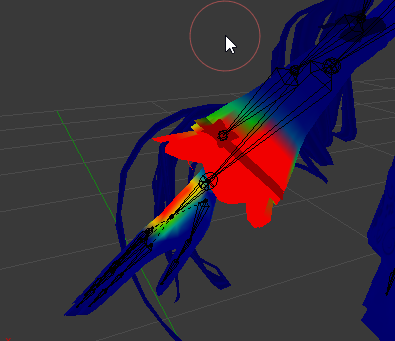
lol @forest crane that screenshot xD I thought that was the worst thing I had to deal with but nope, some days ago a friend wanted me to make him an avatar and this is the rig of that one
https://cdn.discordapp.com/attachments/361907667515604992/415154230781935626/unknown.png
It took me 2 days to make an avatar out of this while the d.va one took me less than 5 hours
 forest crane
xps in general are hell
weary geode
@acoustic garnet You could do it easierly by weight mixing
forest crane
i do avatars now in 30 min
weary geode
@glossy quest When bones look like that, it's because when imported they lost bone chain data
glossy quest
lol
fading verge
and I'm that guy that wanted the avatar, rip chitoge
acoustic garnet
@weary geode How would mixing work?
because it just took me like 10mins to depaint all of that
weary geode
You add Vertex Weight Mix modifier to your object, then set group A to the bone that has the weight (in this case the hand), and group B as the bone that you want to set that weight to (in this case the lower arm)
Then set mix mode to Add, and mix set to All then apply
Then in edit mode, find the elbow bone in vertex group list and click "Select", then press shift + L while hovering over the hand to deselect that part, then find the hand bone in vertex group list and click "Remove"
acoustic garnet
Hey, quick question in gerneral. Now since im doing this work in blender, can I over wright my model in unity so I can keep all dynamic bones or what not, or do I need to redo all of them
pine harbor
probably depends on how drastic the overwrite/change is
if you're just editing vertex weights or the exact position of mesh vertices, you could probably get away with it...
if you've renamed any bones, changed the bone hierarchy or created/removed/renamed any of the mesh objects, unity will almost certainly have trouble recognising it as the same file
it's down to whether the changes are drastic enough to interfere with the metadata files unity generated on the original file
weary geode
If you change bones, you just need to update the avatar bone mapping
at least for humanoid bones
I don't think dynamicbones script has any support for maintaining chains if you make changes to them
acoustic garnet
thanks 😄
 cerulean dawn
has anyone had the issue where when you stop walking your character pelvic thrusts forward into the idle animation
acoustic garnet
https://youtu.be/LrCCl_F9XNs?t=25m29s @cerulean dawn Give this a shot
Here's a video on extremely common issues I see with bones and rigging setups, and ways to solve them. I cover: - Leaving Upper Chest Blank - Reparenting spi...
 little plaza
on a scale of "huh, that wasn't so bad" to "oh my god end my miserable existence" how hard would be to add a few bones that the VRChat SDK cries about not having?
acoustic garnet
to assign them or to add them?
little plaza
add them.
these are the bones it has https://gyazo.com/93f07fc9083384784f74b9b54b217576

and this is what the SDK is crying about https://gyazo.com/840236fd368a6608e009870fc3a2c8ec

 blissful onyx
You need to map chest, neck, spine and shoulders.
weary geode
you're lacking shoulders & spine/chest
you can add them pretty easily with 0 weight with no issues really
In bone edit mode, with mirroring enabled, select your chest bone then press E to extrude bone and position to left side and click to set (should also make one for right side).
Then disconnect these new bones from chest (but preserve parenting) and name them Shoulder_L & Shoulder_R.
Then change parent of UpperArm bones to those shoulder bones.
To create spine bone: Duplicate the chest bone and rename the duplicate to Spine and move the tail end down, then change parent of the chest bone to spine.
little plaza
what exactly do you mean by "tail end down"
weary geode
there are 2 sides to a bone, with the default bone shape in blender the head end is the bigger end, the tail is the smaller end
select the tail end of it and move it down towards the head end of the chest
little plaza
will anything funky happen if i scale down the bones to make more room?
weary geode
scale down which bones
your spine bone doesn't need any room
because it's not weighted to anything
it's just being used to connect the hips and chest
here's a diagram of sorts https://i.imgur.com/iAhU8gm.png

the left is what a typical hips > spine > chest looks like
right is what yours should look like
the spine is just there to connect, the chest is weighted to what the spine would usually be weighted to
little plaza
i see
weary geode
you could make it normally and weight paint the spine and remove the spine weight from the chest
but I really don't think it matters
your model is too short for there to be any noticeable difference with 3 bones
little plaza
The only thing it's complaining about now are the feet
weary geode
what kind of complaint
little plaza
it said there were no feet, but turned green when i applie the toes to the feet
weary geode
ya shouldn't matter
opal aurora
Just thought about this and i genuinely just feel kinda dumb for not thinking about it before
But a simple way to fix up source models is by exporting them as a .fbx and editing the skeleton from there
Instead of relying on the very weird bone structure
weary geode
what kind of "weird" structure does source models have
opal aurora
Spheres
I'll get you a screenie once i'm done fixing these few bones here...
@weary geode http://prntscr.com/igyhsz
 weary geode
if you export it as dae
and then import it to blender as dae, you will have option to fix bone chains which should fix that
opal aurora
They're kinda like XNAlara models when in edit mode, but still iffy to work with
What are you talking about? .-.

There's no bone chains to fix
weary geode
ohhhh
opal aurora
That legitimately how they display in SMD format
weary geode
those are what blender considers outdated bones or something
little plaza
all i need now is a neck bone, do i just make a new one between chest and head, then reparent the head?
opal aurora
But anyway, after exporting and fixing most bone positions and weights, i got it mainly fixed up http://prntscr.com/igyius
 weary geode
yeah but I mean in blender they're considered outdated bones
gloomy loom
My brain shuts offs when its not an octahedral
opal aurora
Just a few more things to reposition
Ah i see
These very small ones tick me off though http://prntscr.com/igyjp1

 opal aurora
The left one has no weight and the one right next to it controls the tip of the tail
They're increndibly easy to miss
If it wasn't for bone parent lines http://prntscr.com/igyk8i

 pallid latch
Hey guys quick question.My avatar's hips are moving forward when i look up any easy way to fix that?
opal aurora
That's related to your hip's angle
Did you get a hip angle error when you were uploading?
pallid latch
Yep but it said i will cause rrors to tracking so i didnt bother...
My first avatar
Any way to fix that in Unity?
opal aurora
Only in blender
It not only causes issues in tracking in VR but also displaces your hip position via your head tracking, which is affected by how you aim your mouse
pallid latch
ah fk me
opal aurora
You need to have the hip bone aiming straight up
pallid latch
So all i did in unity was for nothing?
opal aurora
What did you do in unity?
pallid latch
Can i edit my model from unity and not start from scrach somehow?
i dont remember spend 4 hrs lol
Fixing fingers and stuff
opal aurora
You can simply edit the file and re-export onto the same .fbx
Provided you only rotated the hip bone it should be fine
opal aurora
Make sure to make a backup, you never know what can happen in unity @pallid latch
pallid latch
Yep will do 😄
little plaza
@weary geode thanks for the help, it finally worked! https://gyazo.com/a9d10bb087daa76d017ee0983342f90b
 weary geode
np :3
 shut jolt
hey so im kinda having problems with some avatars im making with mixamo and unity. my problem is that the legs dont move if i move in vr my legs just slide but if i move with the normal sticks it does the normal walking animation :/ does someone know a fix of this?
 shrewd acorn
Hi, anyone can explain me how should I weight paint this dress so when I'm running, my legs doesnt go throught ? https://puu.sh/zqbyU/d86e99f1a3.png

 low parrot
Do I absolutely need 3 thumb bones? Would things like hand gestures still work with only 2?
weary geode
most models only have 2 thumb bones
low parrot
Oh, neat
Most of the ones I've worked with have been MMDs, and they've all had 3, so when I got one with 2 I wasn't sure how it'd work
weary geode
well typically there could be one for the palm part of the thumb to move, but you can get away with having just 2 bones
random lotus
@weary geode ive been trying to figure out attaching the bones but everytime i try i fuck it up
 vocal pollen
Anyone got a fix for avatars thrusting hips forwards ingame?
It looks fine in unity ^^
 ionic lake
What are the requirments fora rig to work?
 dim yacht
I dedicated a song to all you riggers out there. It's called "Rigger Boy" by Grant MacDonald
fading verge
Can someone help me with my neck. https://images-ext-1.discordapp.net/external/jPGchN4KzNr0axlxZLpOjVRPJVPSv6vkdZorw2DZLOI/https/cdn.discordapp.com/attachments/412978889074278408/415261169033543681/screen_1920x1080_2018-02-19_21-39-12.586.png?width=960&height=540

I have a hunch back
fading verge
hey can someone tell me how the axis of the finger bones and thumb bones are supposed to be alligned?
in blender
 pearl cedar
im trying to get some rotation lock to work, but it only works in blender...
in my armature.
spring crescent
@vocal pollen I had this problem previously. Do you get a complaint about hip bone rotations not being 180 degrees or whatever? That CAT tool should fix it.
 full cairn
I'm interested in doing mouth rigging but generally use CATS. Whenever I make any avatar and rig the face it seems to just have a gaping mouth as a default.
spring crescent
@full cairn Make sure you don't have anything bound to the jaw bone. It'll cause VRChat to ignore shapekeys
 haughty glacier
I've got a tiny issue with the hands on a model i have, specifically the fingers. There's probably something online on how to fix this, but I've not seen anything yet. https://imgur.com/a/Kchxz

 severe hedge
Sorry for being the 100th person to ask but:
Trying to use full-body tracking (Driver4VR Kinect with Oculus) which seems to work fine, but my hips get broken and my legs stay bent.
I can fix the legs by changing the height in-game, but then my view is floating above my avi.
Any pointers?
 dreamy fiber
How do you properly rig the fingers of a character? They show fine in the blender pose, but when loaded into the t-pose in Humanoid rig in Unity the tip of the fingers just bend weirdly
dreamy fiber
I assume we're both importing it the same way, seeing how the bones your char has are
haughty glacier
probs
dreamy fiber
I assume we probably have to straighten them in Blender maybe?
haughty glacier
ive tried re-mapping bones and removing bones but to no avail
dreamy fiber
Yeah removing them just made em twist at a different part of the finger lol
haughty glacier
maybe making them stright will work
idk
ive yet to find anything online about it
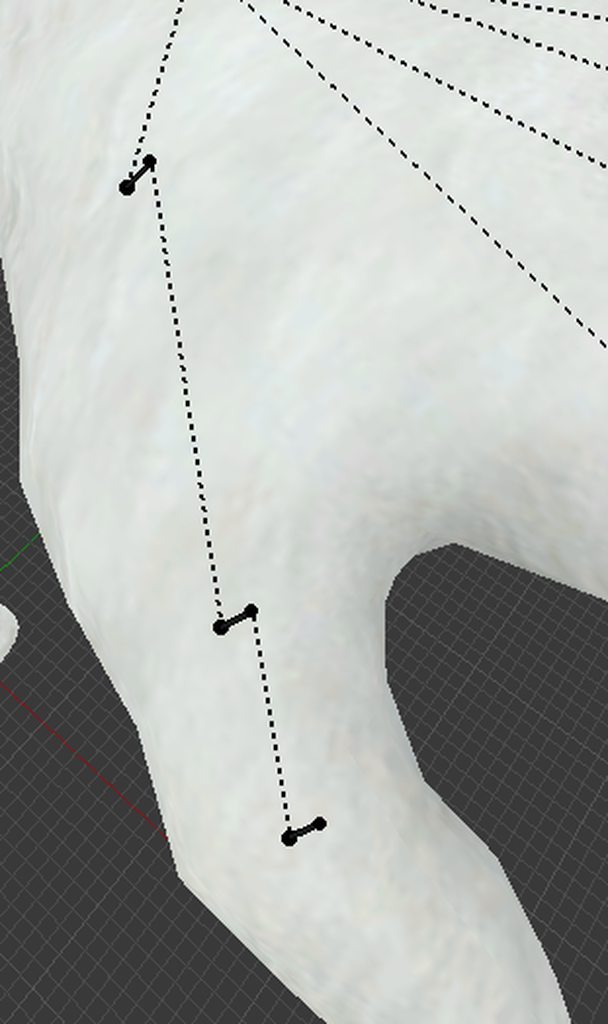 haughty glacier
removing the finger_end(s) is a bad idea
haughty glacier
pearl cedar
when you import it, if you press "inforce T-Pose" (witch i assume you have been doing) it straitens it out... just checking the basic stuff :P
dreamy fiber
You mean in Unity?
pearl cedar
yea, and then put it to a humanoid rig
dreamy fiber
I'm pretty sure that option is only available after switching to a humanoid rig then "customizing" it ?
The enforce T-pose doesn't straighten the model's fingers and stuff though
pearl cedar
huh... weird, cuz it did for me...
dreamy fiber
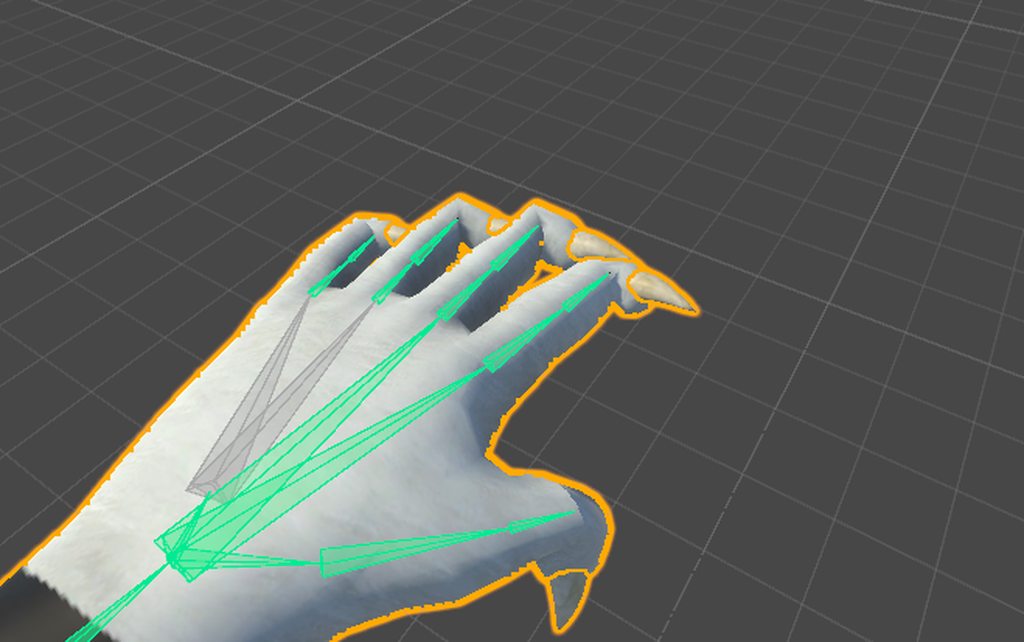
T-Pose is enforced here but fingers are still screwed
Although they're fine in Blender and when you load them up into Unity, but they just get screwed in the Rig viewer of Unity
haughty glacier
^
pearl cedar
weird...
haughty glacier
ikr
dreamy fiber
I think the last thing I can think of that could maybe fix it is trying to straighten them up in Blender, but if that doesn't work then I'm lost pretty much
opal aurora
Left is before fixing the rig, right is fixed up rig, how'd i do peeps? https://cdn.discordapp.com/attachments/407266564497211393/415309717288779786/unknown.png

Closeup on dem hands http://prntscr.com/ih47gx
 brisk mesa
so did you guys check if the fingertips themselves are weightpainted though?
opal aurora
And a bit of a side rear view http://prntscr.com/ih47ta
 severe hedge
So my legs/hips seem to be borked when I try and use full-body tracking, (Kinect with Oculus) and I was wondering if it might be the model I'm using that's causing problems.
https://imgur.com/a/TcL8m
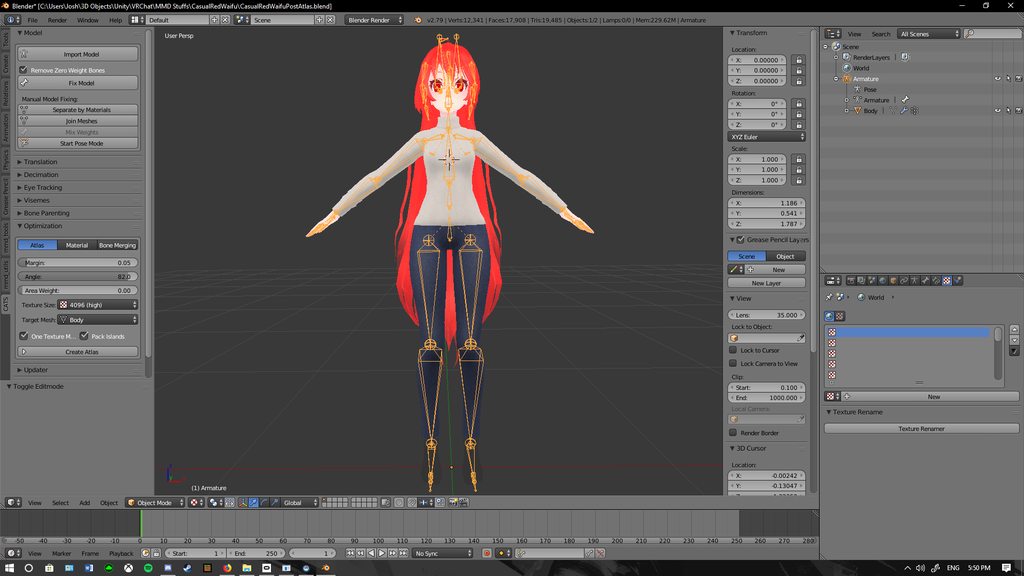 dreamy fiber
What is weightpainted?
haughty glacier
the fingers, if they are
dreamy fiber
Ah, don't know how to check that sadly
 covert badge
http://puu.sh/zruQK/6e87defdd2.jpg Does anyone know how I go about attaching this rigged cloak to the main body without fucking any of the weights up?
 dreamy fiber
@haughty glacier I just straightened the tip of the bone (conflictive part) and it worked for now
Don't know how will it perform in-game but in the T-pose its fixed
haughty glacier
send a blender img?
dreamy fiber
 dreamy fiber
Dont know if the other parts that are still bent will fug up in animations
but that at least gets rid of the weird looking part
haughty glacier
thats all i need for now
dreamy fiber
cheers
haughty glacier
😃
brisk mesa
yeah if the finger tips are not weightpainted you can fix it yourself too
just dab it red for your fingerbones that are on the way end of each finger
umm this will be hard if your fingers are tposed super close together so hopefully it isn't
haughty glacier
small brush 😃
brisk mesa
ye
haughty glacier
ill give that a shot if this doesnt work
brisk mesa
you know how to look in the vertex group list right?
haughty glacier
ofc
brisk mesa
k fam
 coral oar
Hey; I'm having the problem where my avatar's mouth is always open in VRChat. The Jaw bone was rigged incorrectly (Unity set it to one of the hair bones) and the avatar lacks a jaw bone entirely, so I just removed it from the rig. This looks fine previewing it with the avatar controller in Unity, but the issue still happens in VRChat, even with the jaw bone completely missing. I know the Jaw bone is unset in unity, but it seems like it's getting re-set in VRChat, because walking up against walls causes my characters mouth to open plus some other various mouth animation oddities. Has anyone else encountered this issue?
...nevermind, figured it out. The jaw bone was somehow getting linked to the eye movement, so every time the avatar would look up the mouth would open. Fixed it by disabling eye movement.
brisk mesa
do you have eyetracking cause idk if your eyeballs are somehow affecting your jaw
oh okay yeah.
pearl cedar
this is one of those things that works in blender but not unity
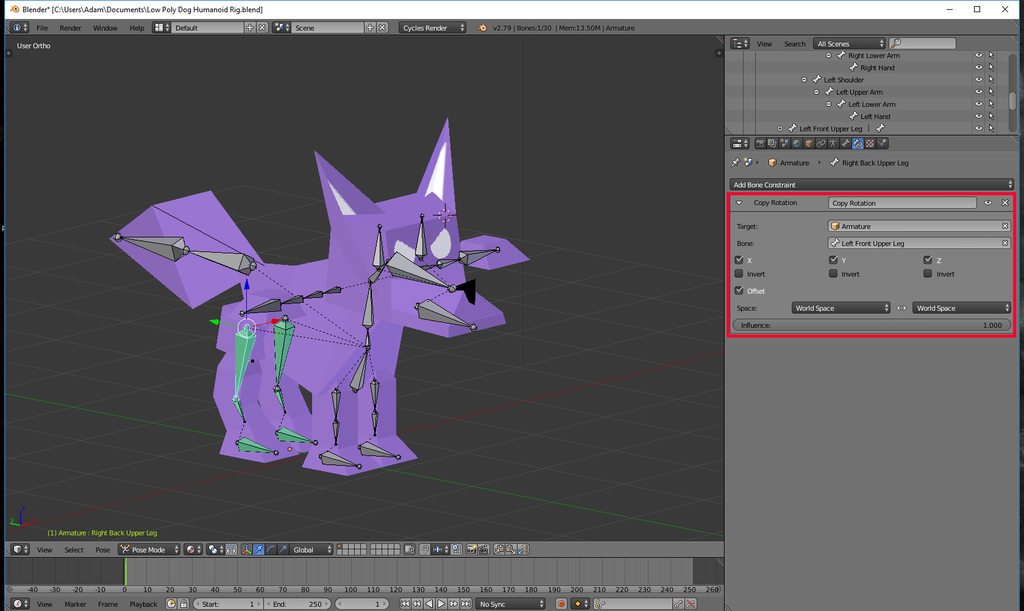
and i tried changing the "world space - world space" to "pose - pose" but it still doesnt work.
fading verge
since this fox is not bipedal you will need custom animations for it
and it seems you are missing a spine
weak notch
i ported a couple avatars into the game and they work perfectly except half the time when i load in, my left arm spasms around wildly on my screen and others', but it's not consistent whether we both see it doing that
any ideas why?
fading verge
check names orientation and hierarchy of the bones
spring crescent
Is there any way to get the Gravity setting to work on dynamic bones, or is that simply bugged? I'm doing big baggy sleeves and I've seen people with working ones, but Dynamic Bones doesn't seem to have any sort of support for such things.
fading verge
you can only make things floppy with dynamic bones
its not a cloth sim
if you show me a pic of your mesh including bones
i might be able to help
 spice crypt
maybe it's a stupid question, but how i move the camera on blender? I only know to use alt+left click, the center button and the right button of the mouse, and use the dot (.) bfor getting clother, but i can't move camera on axis X or Y for example
a guy told me to use shift+left click and it's not working
fading verge
do you mean your view?
or the actual camera
if its the view you can use the numpad
1 front view
3 sideview
spice crypt
the actual camera
fading verge
for making a render?
spice crypt
on blender, on unity works fine
spring crescent
@fading verge Imagine a Japanese kimono. I've got properly rigged bones for making them flop around, but the gravity setting in Dynamic Bones breaks as soon as the arm rotates in any way.
spice crypt
sorry for asking here if you don't know it. I don't know where to ask this specific question
fading verge
i am a pro in blender
i know what you want
but i don't get the question darkskyx
if you want to move the actual camera
click on it
once yellow outlined
press g and x,y,z
spice crypt
I'm not trying to move the object or around the object, just the camera to an axis, like sideways
fading verge
and move it in the desired position
spice crypt
yeah i know that
fading verge
if you press down middlemouse
you rotate around
scrolling zooms
num 5 for otho or perspective
shift and middlemouse to move
alt and middlemouse to zoom
spice crypt
gonna make u a gif in unity so you can understand
fading verge
ok 😄
sry
aurelTristen i am pretty sure your bone hierarchy is wrong
AurelTristen did you create a duplicate of the arm bone and children your dynamic bones to that?
spice crypt
@fading verge move like this https://gyazo.com/ec1a694da7302d93a27dcf12e54a9769
 spice crypt
yeah, not around an object
fading verge
shift plus middle mouse and you can drag the view
spice crypt
oh fuck thanks I didn't tried that
fading verge
np
using the numpad also realy helps
1 front 3 side 7 top and ctrl 1 back ctrl 3 other side ctrl 7 bottom
and 5 to turn on and off perspective
spice crypt
@fading verge do you know how to do an object bigger in blender? i know how to do it in unity
fading verge
S for scale R for rotate G for move
@spice crypt A big tip in general Blender has a giant community there is an endless amount of documentation for Blender online if you got any question just type it into your search engine and you will find an answer
spice crypt
@fading verge Yeah, I watched some tutorials/videos, but I couldn't find that. I only ask here if I can't find anything. Thanks
weary geode
instead of using numpad, you can also just use alt + middle click to snap to views
weary geode
I dunno, I find using mouse faster if you're editing because then you don't have to keep switching your hand over to numpad
fading verge
i guess that is more of preference thing the more i think about it ^^
 tight frigate
Okay
weary geode
Well like, if I'm repositioning something and checking how it looks in front/side view, what I do is alt + drag to snap view and then press G to make change to position. I find that a lot more comfortable than switching between G key to numpad or mouse to numpad
 fading verge
k that character is in T pose
so if you imported it to unity
under the animation tools
weary geode
There's a button in unity to set tpose, try that
fading verge
enforce T pose
weary geode
It's in the bonemapping window in inspector
under the list of bones, you should see a "Mapping" dropdown and a "Pose" one
you click the Pose one then Enforce T pose
tight frigate
Looks like that fixed it
Now it's saying spine hierarchy missing elements
Make sure that pelvis, spine, chest, neck, shoulders are mapped
Oh nevermind fixed it
Just added the shoulders back
tight frigate
Oh right before i re-import how do i fix the fact that I can like
Bend down
The lower part of the body is just rigid
Like other avatars can get on the ground and what not but for this avatar is just rigid. The legs and arms and head move but not the body
fading verge
if the spine of your charcter is weightpainted it should work if not you will have to do that yourself
tight frigate
How do i find out if it's weight painted or not?
fading verge
got blender?
fading verge
okey if you got your charcter open in blender
you select your skelleton
switch to pose mode
then you select your mesh
and go to weight paint mode
tight frigate
Where's that?
Wait no found it
Okay so everything looks blue except for a certain part
No wait that's what i have selected.
fading verge
okey then it should work
tight frigate
Okay thank you i will try it out
fading verge
np
 wise thunder
jesus christ, how do i make an object child of like, the head in blender?
it's so easy in unity, and in blender it's like, impossible to figure out
fading verge
there are two ways in blender
in the object tab you can set the parent under the tab relations
or select child then parent and ctrl p
this is regarding to bones
if your model is not weight painted you will need to do that
brisk mesa
mfw unity crashed on upload >_>
 modern oyster
Happens.
 stiff edge
whats the difference on these files? from what I can see theyre the same when importing http://prntscr.com/iha0c4
 pine harbor
different formats, maybe? if the top one's labelled as "ASCII", bottom one is probably binary?
some programs can only read it in one format (case in point: blender being unable to import fbx files in ascii format)
stiff edge
hmm both work inside blender and they look the same
pine harbor
welp, as long as it works -- no biggie there then >_>
stiff edge

halp
is there any way to fill/paint/apply texture to faces on a model
dunno how this got here http://prntscr.com/ihab7z
 brisk mesa
I only know i can do it rq in Paint 3d lol
Like literally paint right onto it
Cause i havent cared about proper texture unwrapping or uv mapping tuts yet.
brisk mesa
I did cause it takes fbx
stiff edge
oh thats nice
brisk mesa
I was like... Painting a happy face onto a mask of a guy lmao.
stiff edge
haha
brisk mesa
Make backups in case it gets weird
stiff edge
okie ty
i hate having to decimate models
they looked so good
😢
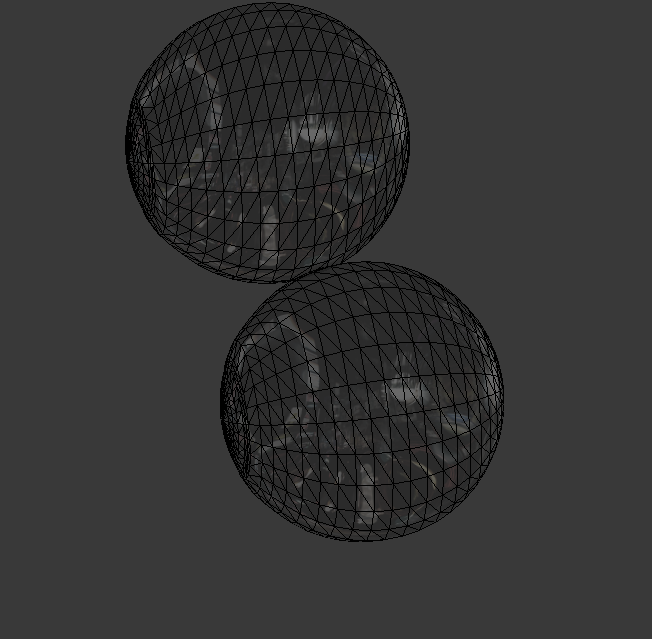
is there a way for me to cut these balls in half http://prntscr.com/ihaher
 fading verge
decimate is actually a bad hack
if you want to do it proper
you can dissolve edgeloops
after you made the whole mesh into quads
😄
then it will look the best
stiff edge
uhhh
fading verge
and you have full controll
stiff edge
I dont really understand what ure saying
i mean I do understand I just dont know what those things are
fading verge
your mesh right now consists of triangles
if you want the best result
to work with
you want them all to be quads
and if you made them into quads
you can start removing individual edgeloops
so you can decide for yourself where to keep a higher detail count
fading verge
its a loop of edges
not realy
you can try
there is alt j
or ctrl j
not sure right now
fading verge
sure but it will take some time
its quite a lengthy process
how do you import models right now?
stiff edge
cats using mesh files
fading verge
do you gett mmd models decimate them ... like most of the tutorials
ok
i can show you if you want
stiff edge
hmm ill think ill pass for now
im really sleepy atm
and I dont want to take a lot of your time as well
fading verge
oh don't do my method then 😄
you would not want to waist that much time
it would be quicker to retopo it
but that would take you down another rabbithole
^^
stiff edge
yeah pretty much
although I had trouble earlier
with another model
the skin tone of the body was different from the one on the face
the face looked normal relative to blender
the body looked greenish
dunno what was up with that one
naive tree
@stiff edge check for added colour to material near albedo and be sure it's white
stiff edge
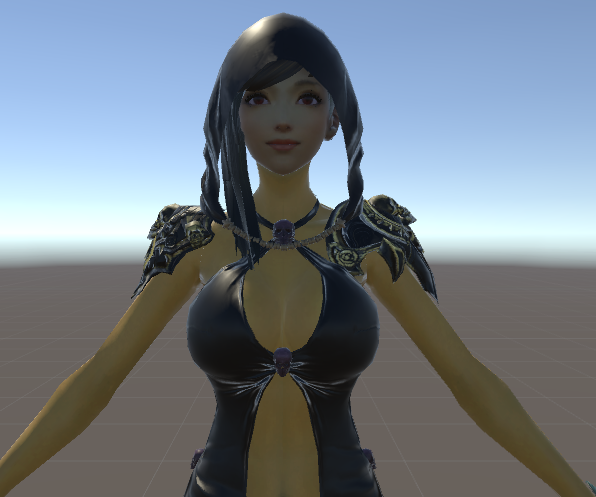
http://prntscr.com/ihay6p I dont even see added colour

this is how it looks like http://prntscr.com/ihayo9
 fading verge
looks like you are missing your diffuse texture
ornot
that colour right to the albedo should be with
wite
naive tree
using standard shader :puke:
it makes your avatars look like complete garbage in game
naive tree
stiff edge
i didnt want to use toon
naive tree
is mostly used one
fading verge
sichhuten yuumi got no clue
^^
but do you have a diffuse texture?
it should be a grayscale texture
fading verge
depends
 fading verge
give me a sec i will look into it
 normal blaze
@weary geode hey quite a while ago you told me to add a constraint to my bones for something, just tryinng it now but can't figure it out, do you have a momennt? xD
fading verge
i am here maby i can help?
sichhuten try to apply as many of those textures as you can
they will make it look better
stiff edge
ill just reimport it
cuz I changed the colors
dont know if they were supposed to be there
like there was a yellow tint on the body and putting it white made it look good
fading verge
most important are those diffuse maps they will make it look so much better
normal blaze
trying to make a robotic hand follow my regular hands movements but it pivots on the tail of the parent bone, primu once told me that if this happens id nneed to use a constraint but ive been trying them and can't figure out how to do it
 normal blaze
o
fading verge
how much do you want it?
normal blaze
it's the whole point of the model
fading verge
because that take will take you alot of time
okey you need to export all animations you need
get them into blender
and then add the constraints
and bake the animations out
and then import
normal blaze
i see
normal blaze
yeah
fading verge
okey then that won't work
xD
okey let me think
you will need to add constraints in unity
not sure if thats an addon or not
the options on the bones should be called copy rotation
and copy roll
but dont add copy location
normal blaze
that's inn blennder?
fading verge
as far as i know you can't copy blender constraints to unity
but you can try
might work
are the proportions of the robot arms the same as the persons arms?
if not mesure the length
and do some math
^^
normal blaze
they look the same, just bigger
normal blaze
I thinnk this robot arm was made for the model
fading verge
do you know how to add constraints in blender
normal blaze
I have how to add them but not what to do with them lol
fading verge
so you have alrdy added the constraints?
if so in blender select the skelleton
go to pose mode move the human hand
and the robot hand should follow
try that and report back to me
normal blaze
i mean i knnow how to add them, just not the values and stuff i need in them lol
fading verge
copy rotation x,y,z
and copy roll
and all local space
and if the proportions are the same influence should be 1
normal blaze
ah, i needed to unparent the robot wrist from the wrist first
so copy rotation works fine thanks, i doin't see any copy rol though
normal blaze
lol okies
fading verge
oh yeah i see on the pic
don't parent them like that ^^
treat them like a new set of arms
and just add the constraints
normal blaze
ok, but googling seems to say that consntaints won't carry over to unity
fading verge
probably
normal blaze
poop
fading verge
but
do it first in blender
its faster
you will need to tweak things
i ll have to check that
normal blaze
yeah looks like there's no way to inport constrainter into unity
so looks like that option is out
fading verge
well then you will have to do it in unity and hope vrchat supports what you do there
fading verge
if you got 50 bugs to spare i am sure there is an addon
or you can try the things unity has alrdy
i am currently looking at something called configurable joint might work
normal blaze
an asset?
only certain unity scripts are whitelisted, there's not manny
Here is a list of the components you are allowed on avatars VRChat - VRC_AvatarDescriptor - PipelineManager Unity - Transform - Animator - [Skinn...
stiff edge
any way to render the mesh from the other side without using flat lit toon?
normal blaze
any shaders that don't use culling
fading verge
if you can disable back face culling it will show texture from both sides
if not only on the side normals point to
shammy
i have a solution for you i think
stiff edge
is using the standard shader a bad idea
fading verge
😄
normal blaze
sweet ;O
dependns on the model, standard can be fine for some things
if you provide the shader i can make it 2 sided if you dunnno how
stiff edge
uhm I think ill just use standard
fading verge
okey from the head of the bones of the robot arms to the heads of the bones from the human you need to add bones
stiff edge
looks good at least on unit
fading verge
parent them to the robotarm
 reef skiff
whenever i move my shoulders ingame, they are kind of ripping, where could be the issue? they move weirdly too
stiff edge
@normal blaze is the twosided config too hard?
reef skiff
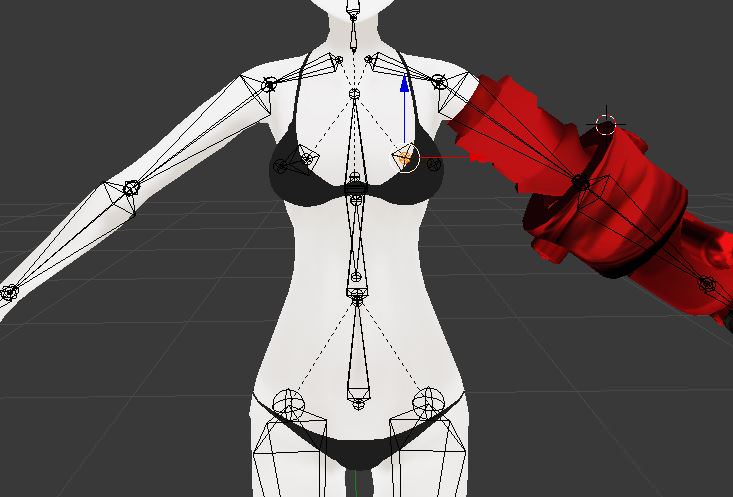 normal blaze
it's jsut editing the shader in nnotepad+, 2 second job
not sure what you mean there jean
fading verge

grey is the robot
brown the human
and blue are the new bones you need to add
wrong
sory
the blues should be the other way around
stiff edge
shammy can I do the edit on the standard shader?
fading verge
Awoo that is wrong
stiff edge
i have notepad++
fading verge
the shoulder bones need to have they tail down and head up
normal blaze
if you can find the .shader file for it yeah, im not sure where the standard shader files are though
 stiff edge
I found these shammy http://prntscr.com/ihc7x8

but they are .shader.txt for some reason
fading verge
their tail is right on top of the last spine bone
but they don't need to end in the first armbone
they can be offset
normal blaze
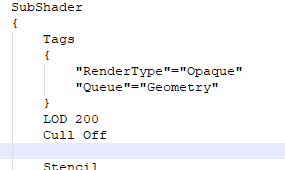
hmm they don't look like shaders to me but you can try it, just add Cull Off undner the tags https://puu.sh/zrQsj.png
 reef skiff
something like that ? https://imgur.com/BCdezBa @fading verge
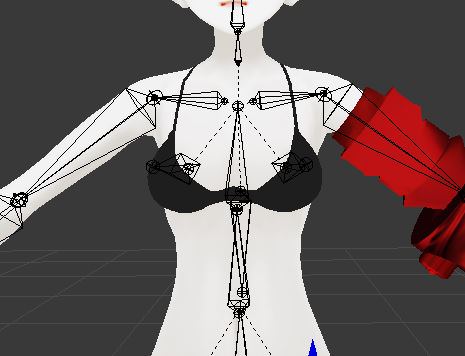
or should the tail be a bit higher
fading verge
try it like this select the head of the last spine bone
press shift s
cursor to selected
then select the tail of the shoulder bone and press shift s selected to cursor
this can fix it
but depending on how it is weight painted might not
but its my best guess for now
reef skiff
when i selected cursor to select on the last spine bone, the bone went somewhere off the model
T_T
reef skiff
can i revert this somehow
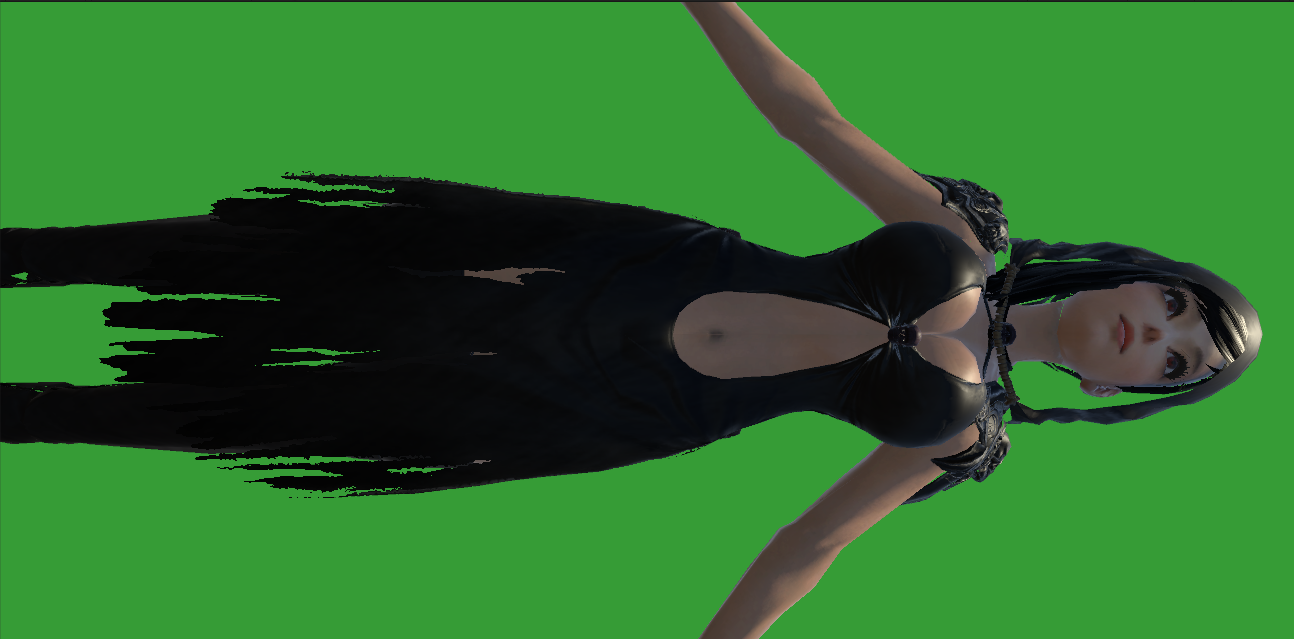


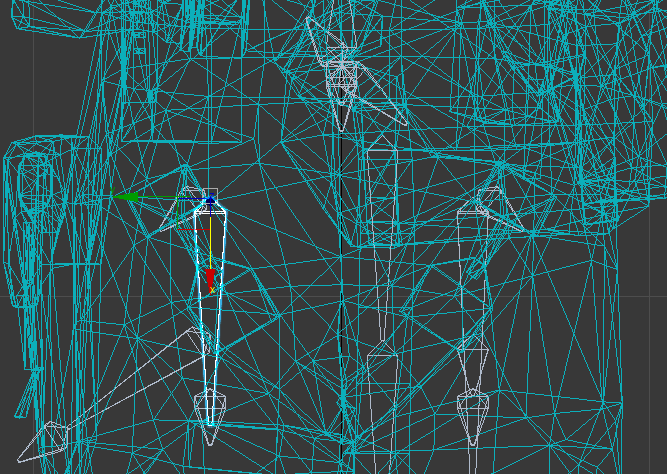
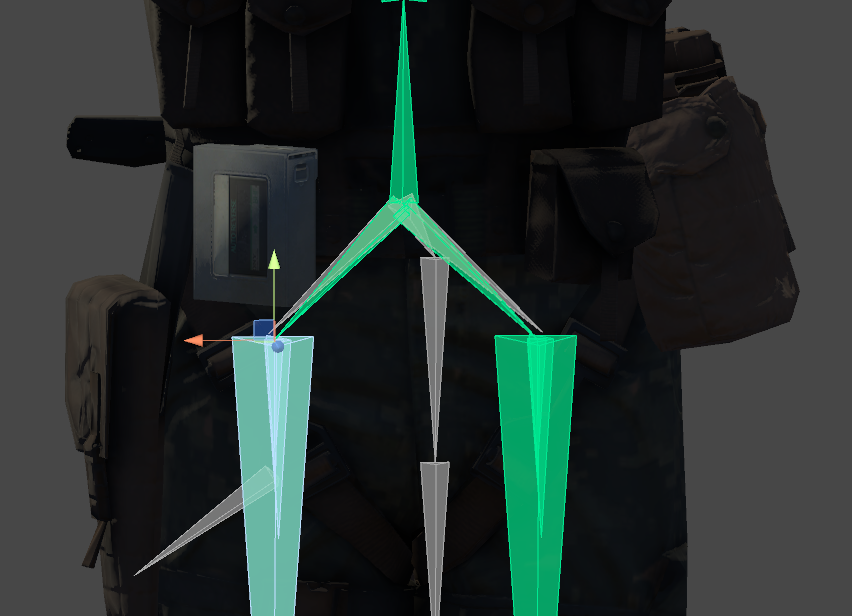
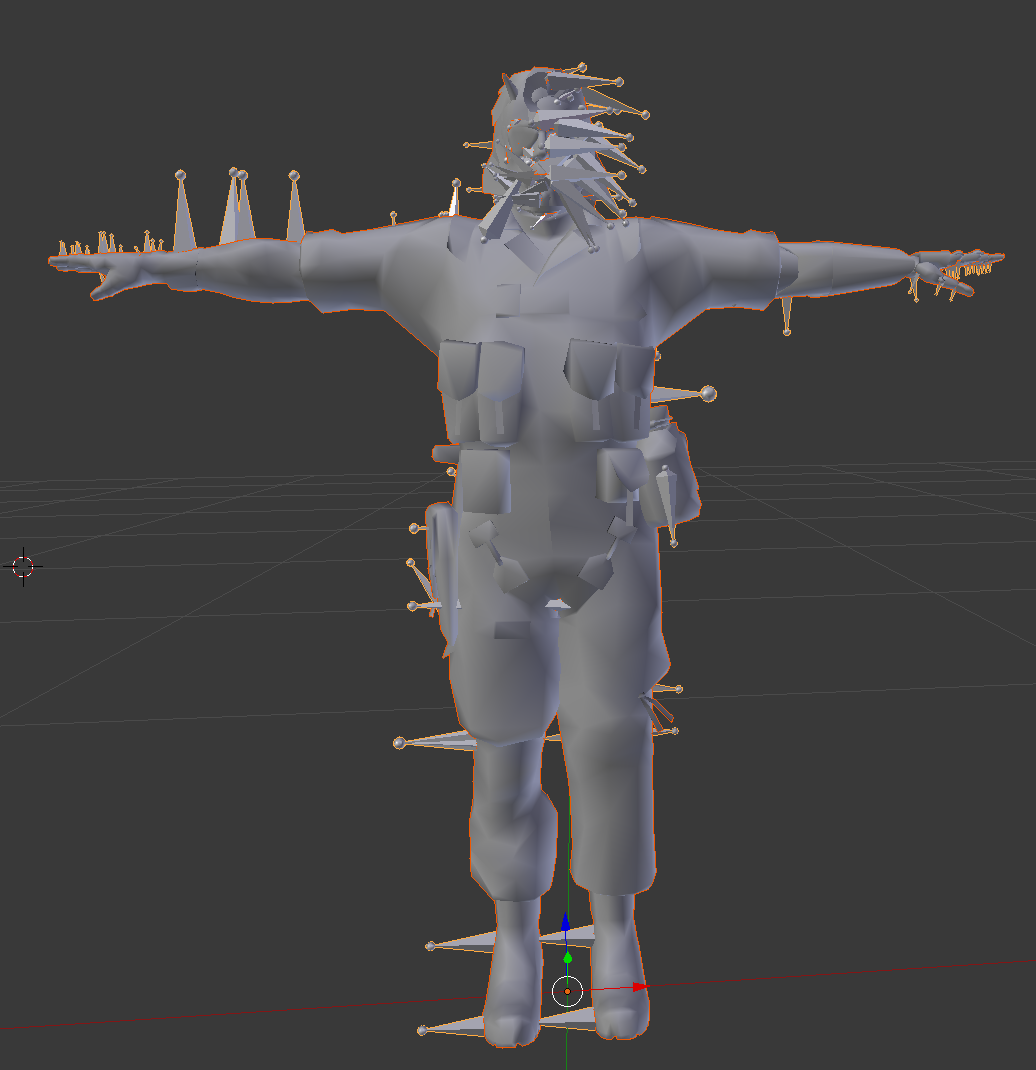


 reef skiff
oh i did click something wrong indeed
fading verge
the hair seem a bit plastic
reef skiff
so i did that but i don't think anything changed visually @fading verge