#avatar-rigging
1 messages · Page 99 of 1
 south cape
Hello @primal river
 drowsy storm
When I create eye tracking on my avatar the eye bones automatically switch to my finger bones and they go back to fingers even if I swap them back to eyes how do I fix that?
 primal river
@south cape heloo!
hold on makin stuff happen
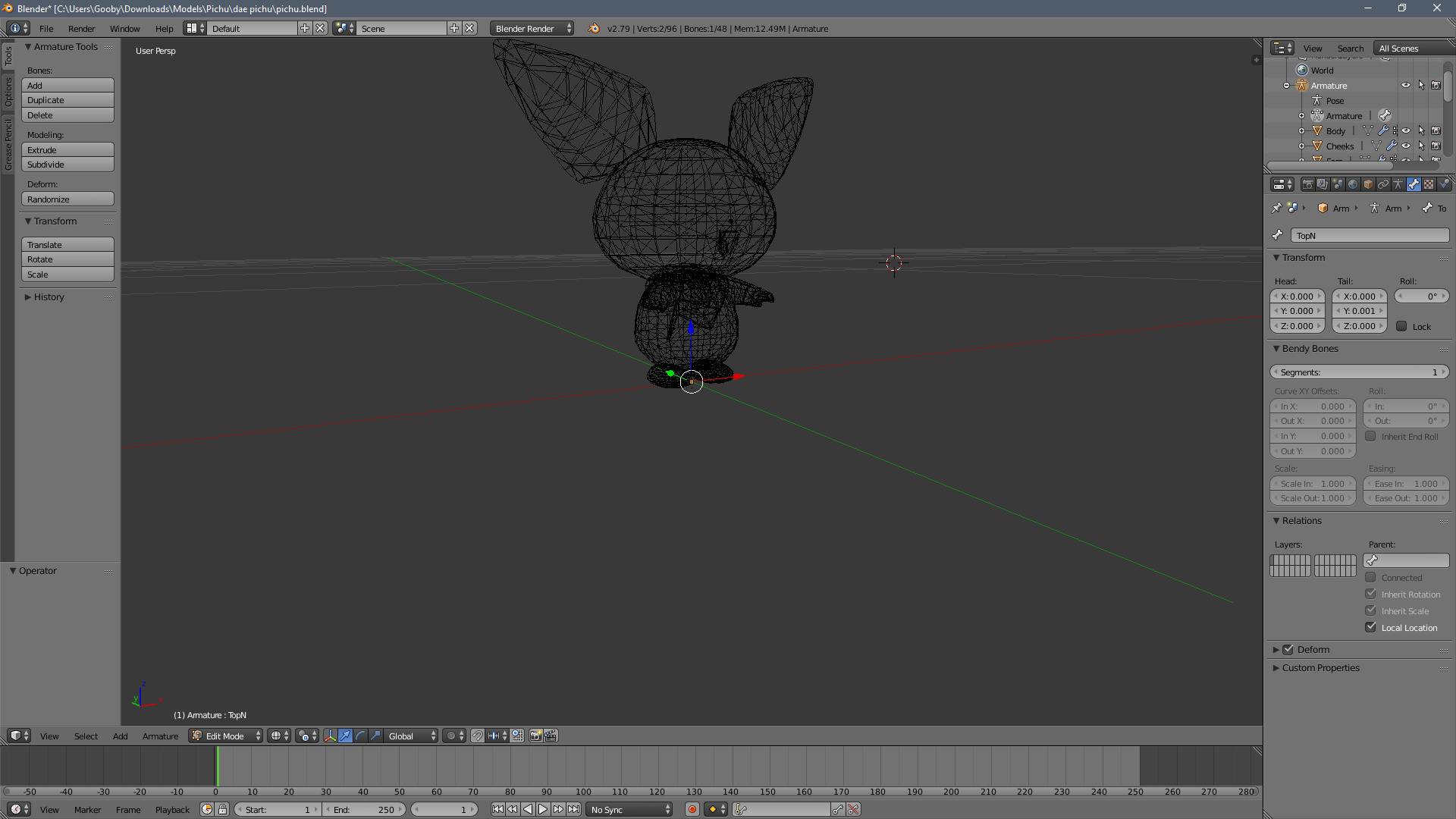
so heres the rascal in blender
installed it before going to sleep lol
south cape
So what was it you needed help with? sorry i forgot what it was. Got so stuck into my stuff
primal river
oh lol
if you dont mind i reposted, scroll up a bit to re read
but tl;dr
i need to give him a neck and fix some jankiness with spine bone
 cobalt island
Is it because the game object is disabled?
drowsy storm
no we solved it
he put it on the duplicate which is hidden
now can someone please help me with my rigging issue?
cobalt island
Thats what i meant :u lol
south cape
So the neck you can just extrude a new one in blender the spine should be fine. What it was is that the spine was passing through one of the other bones. Which is why it fixed the issue when you pulled it up. @primal river
primal river
wait but..
it still had a really small value, compared to any of the other bones
like yes it fixes it but what is the bone above the one i pull up??
drowsy storm
 south cape
I would like to say it was your chest
south cape
Can you show me it in blender??
primal river
nono its just
hold on making gif
im confused because i thought the spine was supposed to be hooked up to the bone
i might have a neck

so, this bone is set as the spine
it used to break due to having no lenght
the bone above that is what i set as the body
is this wrong?

should this bone be the neck?
because thats the body
above that is the head
or just make a bone between the current body and the head and set it as neck
south cape
Mosty why i was asking if i could see it in blender lol. Kinda hard to tell what is what in unity as some bones it hides and connects them.
south cape
No it's all good
drowsy storm
primal river
automatically?
south cape
yes
primal river
because this is what i see.. https://i.imgur.com/P0nuck4.png
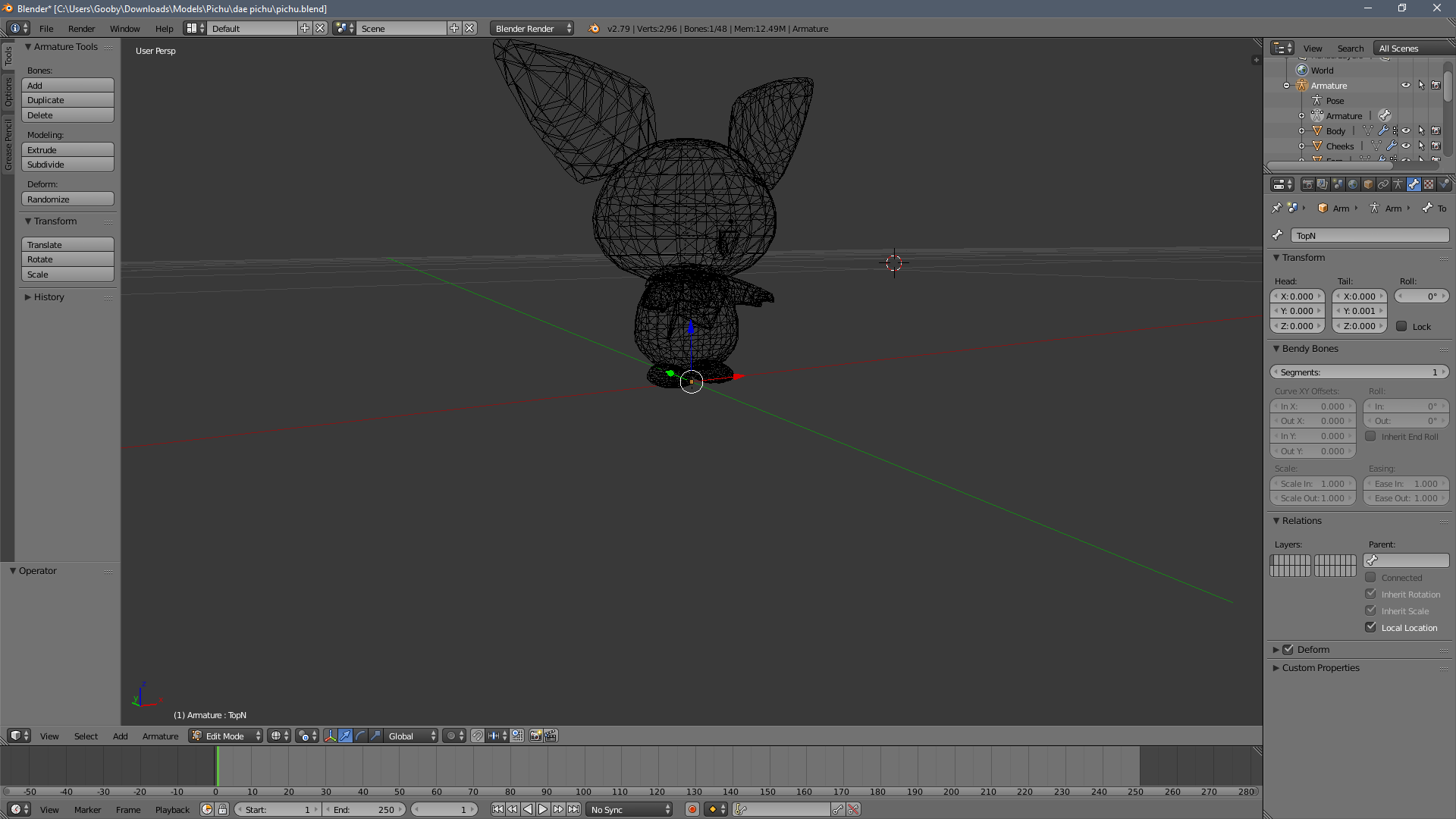
its just that i dont
know
 fading verge
Try count from the bottom up. The ones connected to the legs should be the hips, followed by the spine, chest and then neck. Ending with the head bone. Does it seem like you have enough bones for all of these?
south cape
Go into object mode
south cape
The scroll wheel and shift scroll wheel
primal river
thANK you
south cape
pressing Z will also take you out of wireframe mode
You do have bones they may just be really small.
primal river
makin gif..
south cape
Would you prefer a screen share??
primal river
yep.
south cape
Alright just let me set up my mic
 random lotus
that moment when you realize that a model you got off the internet has no skeleton at all http://prntscr.com/iewkaf

nor any rigging
Fuck this Shit
 brisk mesa
that one is easy are you kidding me xd
also what's that shit on the left anyway in the hand?
i did a cream the rabbit my first time and it was basically what you got
brisk mesa
oh did you try to autorig it yet
random lotus
hmmm how do i do that?
random lotus
no
brisk mesa
well you should get rigify addon then
random lotus
ive never had to rig a model myself like this
brisk mesa
for blender
time to learn lmao
yeah i had to do that eventually and couldn't avoid it cause
mixamo is honestly super crap
random lotus
well i have a mmd version of this design but its a bit more, bulky looking
brisk mesa
ahh

 dreamy sun
😂
random lotus
what?
random lotus
oh ok
dreamy sun
the drop eyes
brisk mesa
oh lmao the drop eyes
random lotus
i don't understand exactly what you guys are talking about
OMFG MMD TOOLS JUST WORK
 junior dust
when I export my avatar to vrchat using the SDK the following error appears "updating content.asset bundle upload failed. failed to upload"
Does anyone know how to solve it?
 spice robin
Ok so my model has her toes in the right area for Blender, but Unity is moving them to her knees and its all fucked, how do you fix that
spice robin
scratch that, realized CATS made the ankles her toes
 wet kelp
Would anyone know why when I do one of my animations (its holding a book) my fingers just glitch out and constantly move around
fading verge
HEEEEELLLLLPPPP PLEASE
was gonna put up the pics
but
i cant
so
fun
my bones are borked so if any one is good at rigging please pm me
i really want to get this avater in
???
 cerulean dawn
has anyone had issues with models being 1 mesh in blender but 2 in unity
I wanted to use visemes and this happened http://prntscr.com/iexyh0

both are empty of visemes
 opal aurora
That means your model is
A) over the poly limit and
B) over 64k polies @cerulean dawn
Your issue is quite literaly related to the hip bones' rotation/angle
You need to rotate the hip bone in blender so that it's upright

You might not get it perfectly on point, but the closer to 180° the better
 feral stone
if I want to make jewlery thats dangling from my horns dynamic, do I create the bones and align them, or do I do that, then parent it to the head?
opal aurora
Create the bones, align them, parent to head(or horns if they have any), weight paint jewelry to the respective bone(s) with auto-normalize ticked
feral stone
Does this look about right? https://i.gyazo.com/81dceac0c009025d5a538d852c73a282.mp4
 shy vault
Does anyone know why some models that I import into unity and add onto my avatar won't show up in mirrors? Other people can see them but I can't. No picture right now as I am at work, but if anyone has an idea I'd like to hear it.
 lilac moss
i think it's the bake xy to root option or whatever in the fbx animation import settings but i'm not 100% sure @static lintel
 small scarab
why does this tell me spine bone length is zero when its clearly not? https://i.imgur.com/HlzLaTz.png
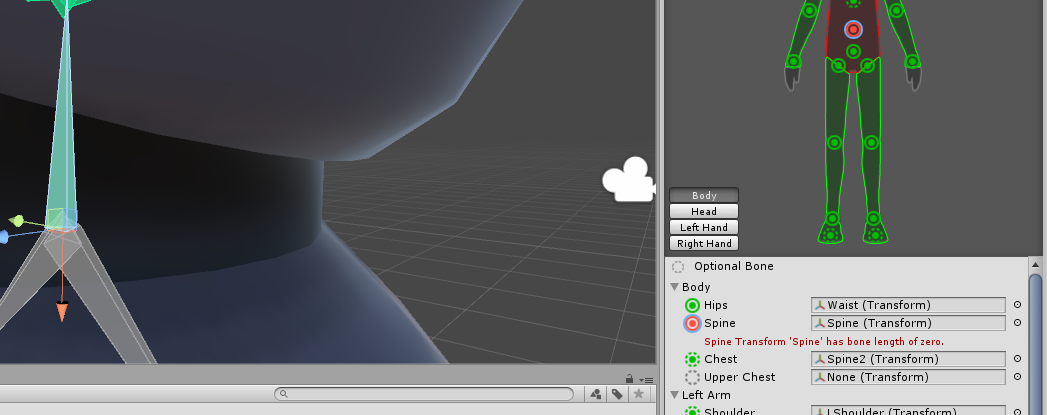
weird i rescaled the bone in blender just a bit and it worked
 mental lynx
So I was rigging an old model that I had forgot someone helped me fix.
And noticed this
https://gyazo.com/127935be42e1ac7c9a7acaede18991a4

So I jump back into blender and, sure enough, it's busted.

This is after weight painting. Beforehand, it was just a clean cut stub that would do this. Now you can see it's at least trying to stay connected in some form
How would I go about fixing this?

This is what it does without weight painting
Looks like the issue is an item called ArmWristWeight_L and ArmWristWeight_R. They are the connecting item, but aren't mapping correctly. It's used to connect the arm to the sleeve where the materials end
Oh... That was an easy fix. Needed to disable Deform on the weights
 pulsar hearth
So my avatar doesnt have Visemes even though i created it, when i click the buttons to assign "ss_sil" and all that it just says there's none, also my avatar has 2 body meshes, does anyone know what's up with that? is it just the avatar is unsuitable for VRchat
opal aurora
That be meaning yer model is way too high poly
 naive tree
yes
opal aurora
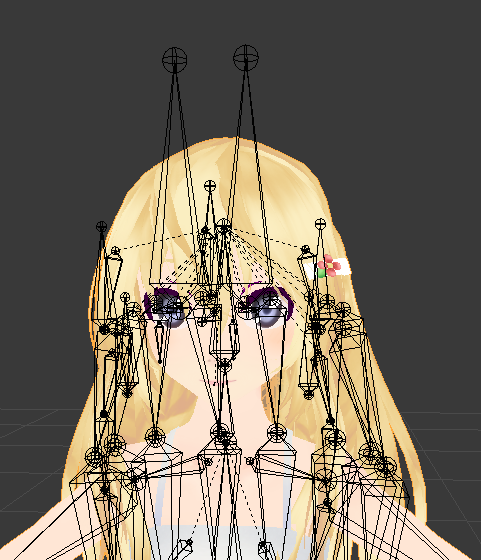
Beeg eye bones
 safe smelt
I've been lurking in here for a bit, picking up tips and tricks, but I have an issue I haven't seen before. I've rigged several avatar models, with varying levels of success, but on the last couple I've done I have this issue where the model is not moving with the armature at all. I built the amature skeleton from scratch on both models, using what I believe is the correct naming conventions. Then defined the vertex groups using the same names. But on the last couple tries, when I go into Pose mode to test them, the bones move ok, but the mesh just sits there. I'm not sure where to look to fix this. Any ideas?
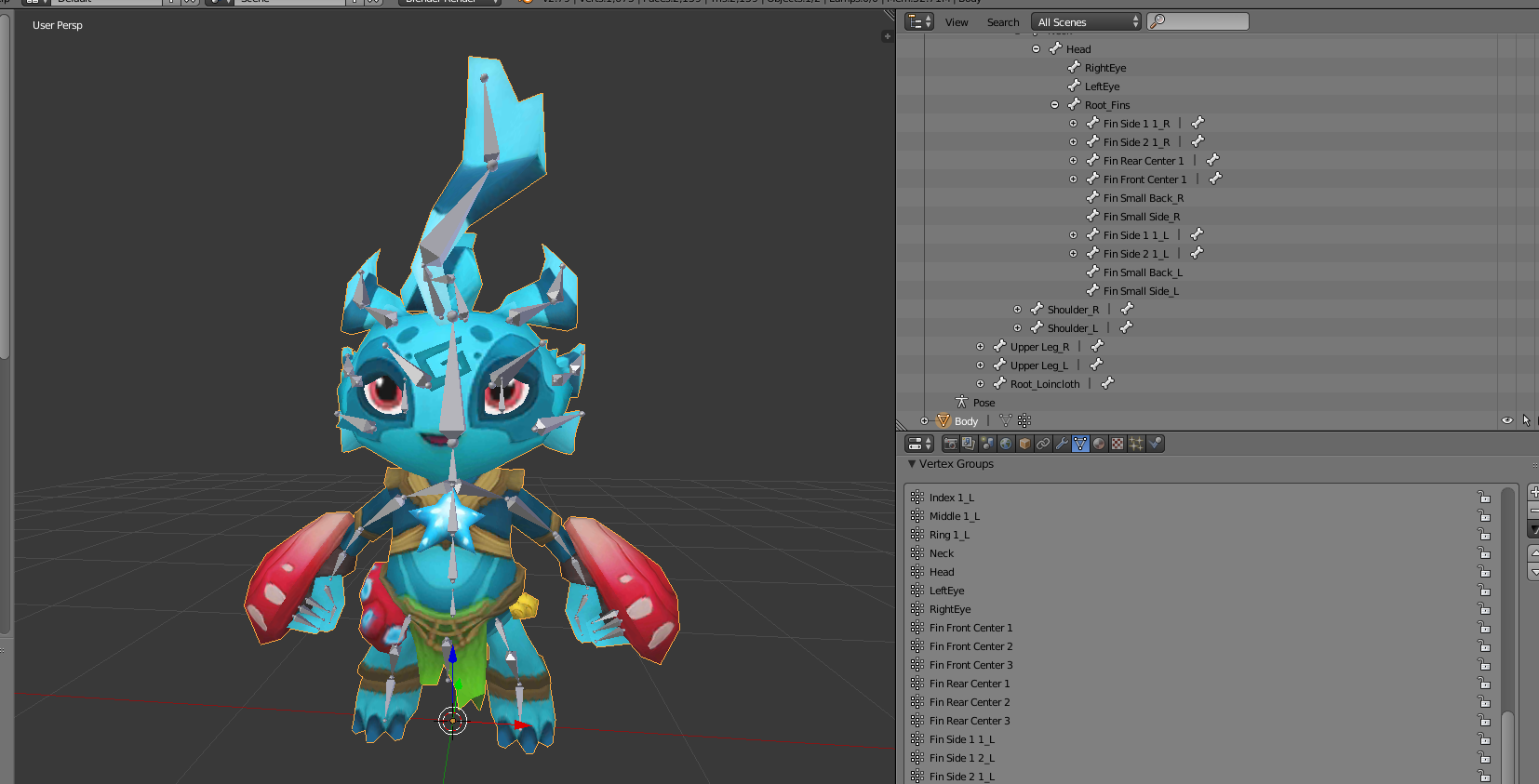
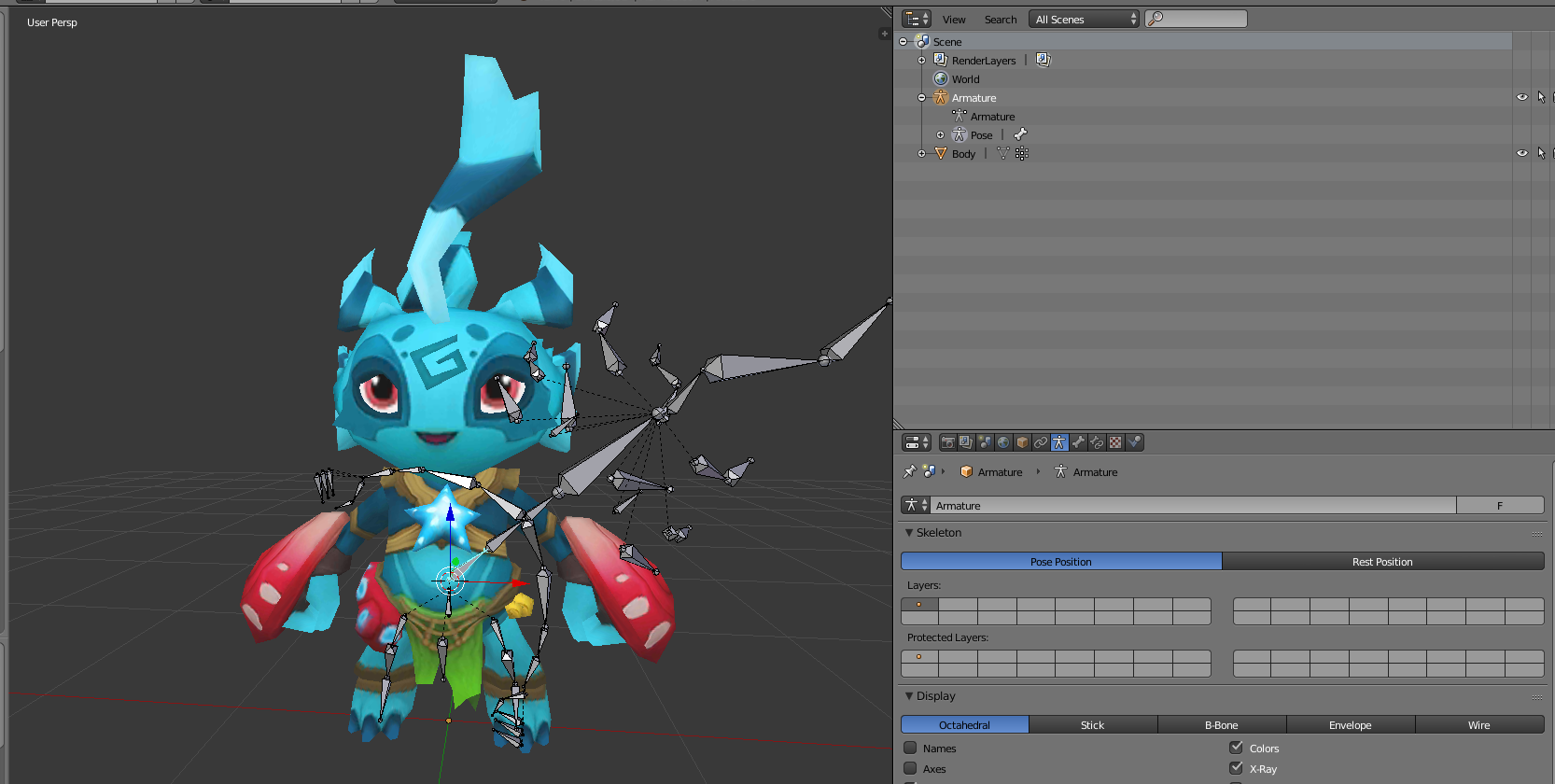
 crisp tendon
No weight paint at all ?
safe smelt
I might be confusing my terms, but I have the vertex groups defined, assigned, and named the same as the bone it's supposed to interact with.
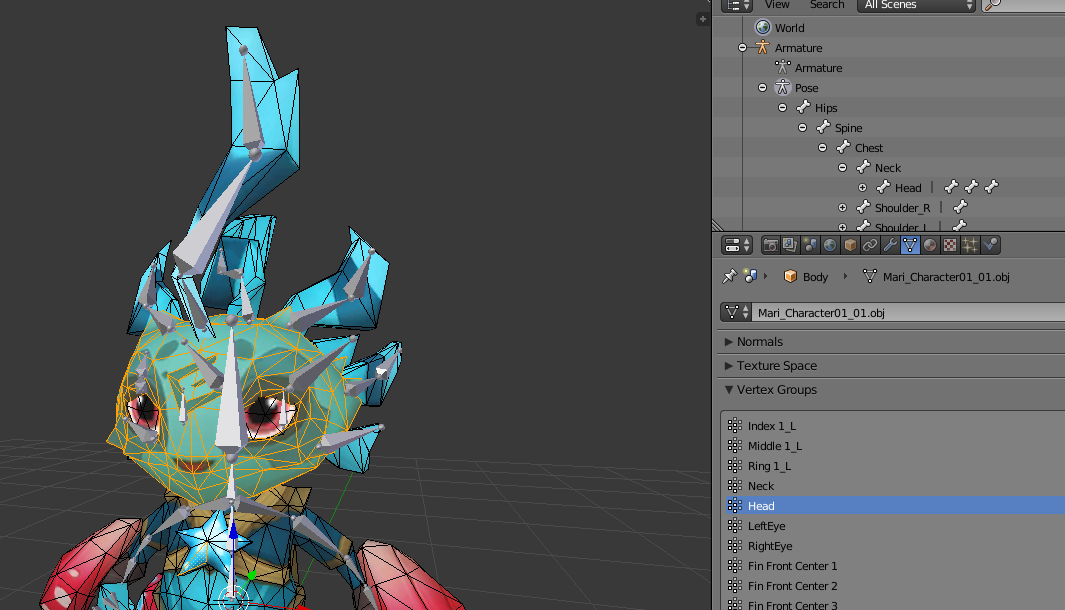
And the weight slider shows "1.000" for each group
 simple siren

I get those errors while everything is mapped correctly https://gyazo.com/27e6af6e7a215e1d7179f00427c4feed
 naive tree
@simple siren try changing to generic, hit apply,t hen go back to humanoid and apply
simple siren
same thing
 vestal dirge
@safe smelt The weight slider does not show the "current" value, rather, it's a setting for when you want to apply it. Each vertex in the group could have a different weight. To view the weight of each vertex, select the mesh object and switch to "Weight Paint" mode. Then you can select individual bones or vertex groups, and see what each vertex's weight is for that bone. The color ranges from Red for 1.0 to Blue for 0.0.
 arctic glen
Hello! I was wondering if someone could help me with something that's probably really simple but I can't figure out? So this model has expressions and they're cute, but there are two expressions for the eyes that won't go away? I just want the eyes to be normal without the heart or stars but idk how to

 robust crescent
You can select the expressions material, and cutout then set alpha to 0 its invisible
arctic glen
@robust crescent That isn't working for me, I have the expressions on cut out rn, but when I try to set alpha to 0, it doesn't become invisible. For some reason it messes up the texture and covers like the top half of the face. I have it set to 1 right now which is the lowest I can get it down to without making it look super weird.
robust crescent
Got the same model, you could also just remove then in blender before putting it in unity if you arent planning on using them
naive tree
@arctic glen u can move the expressions further back in your head
safe smelt
Ok, I feel stupid now. Turns out I forgot to add an Armature Modifier to the Body mesh. Now it's working 😅
fading verge
Would it be ok to parent a dress to the hips bone?
naive tree
@fading verge yes, that's where it usually goes, or a duplicate of hip bone that holds a skirt so for no need of adding exclusions
fading verge
Thank you
 timid light
So I imported a model into game from an Mmd model. Model works great without headset, however when I'm wearing my vr headset, it thinks the ands are above my head, so the models arms are above the head.
Anyone know a fix?
random lotus
is this an okay skeleton for me to use? it came with the model itself ( its a game rip) or will i have to completely rebuild his skeleton?

 gloomy loom
check if he has everything
and check the rotation and weight in pose mode
@random lotus
random lotus
http://prntscr.com/ifb6w2 his arms move normally

i dont know if he has a neck bone though
i cant see one
He has a head bone
random lotus
how are they unusable?
he has pretty much everything Needed
random lotus
i hope not
gloomy loom
if the rigging is humanoid
random lotus
because i got 4 of these fuckers to rig
random lotus
http://prntscr.com/ifbafc now THIS is where shit gets complicated
 gloomy loom
honestly tho If I were you, and I was to animate the rigging in the future id resize the bones
at least if youre animating in bledner
random lotus
i use mixamo
because im bad at hand animation
even though last time i used mixamo this happened https://image.prntscr.com/image/Ar91Q2eXRwGG9If8DTi-Pw.png
 feral stone
Is there something specific i need to do to make my hair bun have dynamic movement? I already got the pugin. So far all ive done is put a bone around the tip of the bun and parent it to the head, but when placed in unity, it does nothing
feral stone
Give me a minute, i need to get back to my computer
random lotus
the model i have above has ear bones but his didn't work
it might be you possibly need to add a new bone to the bun or maybe parent the bones for it in blender if you already didn't do so
feral stone
https://gyazo.com/c1f61f34262d888f3a11b4d07cb22a3e @random lotus
 random lotus
is it the hair bone?
feral stone
Those eight bone around the head are the horns
that single one in the back in below the hair
horn jewlery*
random lotus
hmmm so the bun is just that one hair bone right?
because if it is we have our problem right there
random lotus
One or so should do
 random lotus
http://prntscr.com/ifbjdd i was having the same issue with this guy

for his ears
they eventually worked strangely
but he only has one bone per ear
feral stone
how should I arrange the bones then?
random lotus
i would think just attatch it to the current one somehow
like make it attach to the tip of the other oen
one
and then make sure to attatch it to the rest of the skeleton
feral stone
So both bones attached to the head?
random lotus
http://prntscr.com/ifbkmy sorta like this

well the new one should be attatched to the other hair bone
http://prntscr.com/ifblwk his strangely work sometimes

despite having no root bone for the ears

and i dont even have to mess with it because they work properly already
his ears just bounce around like a pair of boobs xD
which is quite comical
feral stone
Ive been just fooling around with different bone arrangement, nothings giving me a result.

 slow pier
what is the best video to make bones for VRChat/Unity?
 tawny temple
@feral stone weight paint the mesh
feral stone
of the hair? By how much?
tawny temple
as much as you want
doeasn't matter too much , but anyways that's probably why it's not working, you probably didn't weight paint
feral stone
https://gyazo.com/9fa2373d5f50aa1fc6c1ff9bdf18f50b Still no response from unity after placing it in there ;=;
 tawny temple
what exactly do you mean by no response?
feral stone
https://gyazo.com/f84435bb053dd55cbb5159b91fd18e16 ANGRY LINE JIGGLE @tawny temple

 ember nest
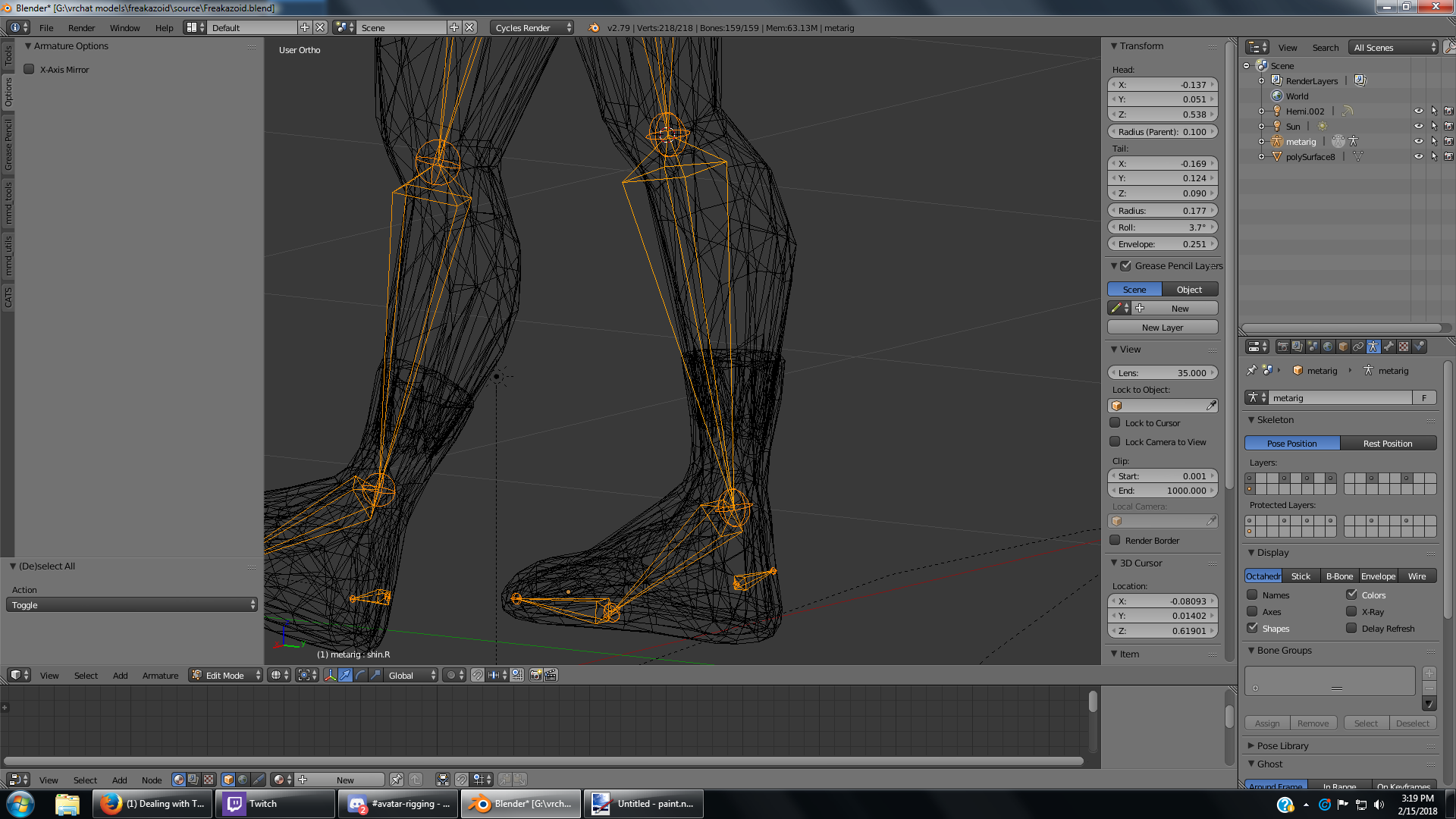
https://imgur.com/pudcxkk is that how the heel bone suppose to look in rigify?
 pine harbor
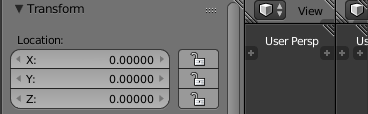
@vast fog see the striped corners at the edge of each window?
click and drag the corner of one into the area of another window, and it'll close the space of the window being dragged into
 pine harbor
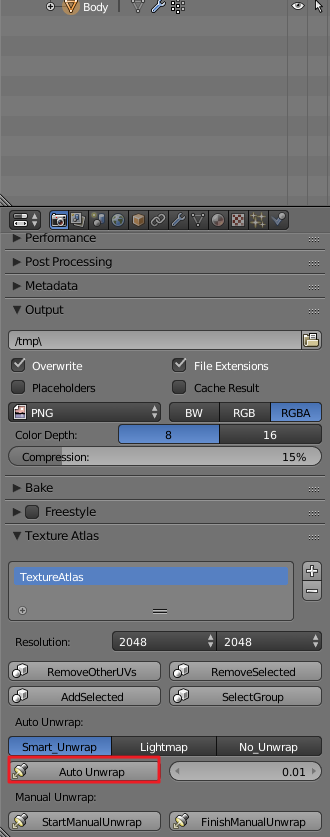
can't say i've really used that one myself, because i go about atlassing in a very different way -- you might need to be in edit mode to actually see what's happening though
and i think you need to have at least some vertices selected, so it knows where the "seams" of each unwrap point is
 vast fog
nvm I fixed it. Selected the wrong thing the first time so I deleted that one and made a new one
 arctic lintel
 arctic glen
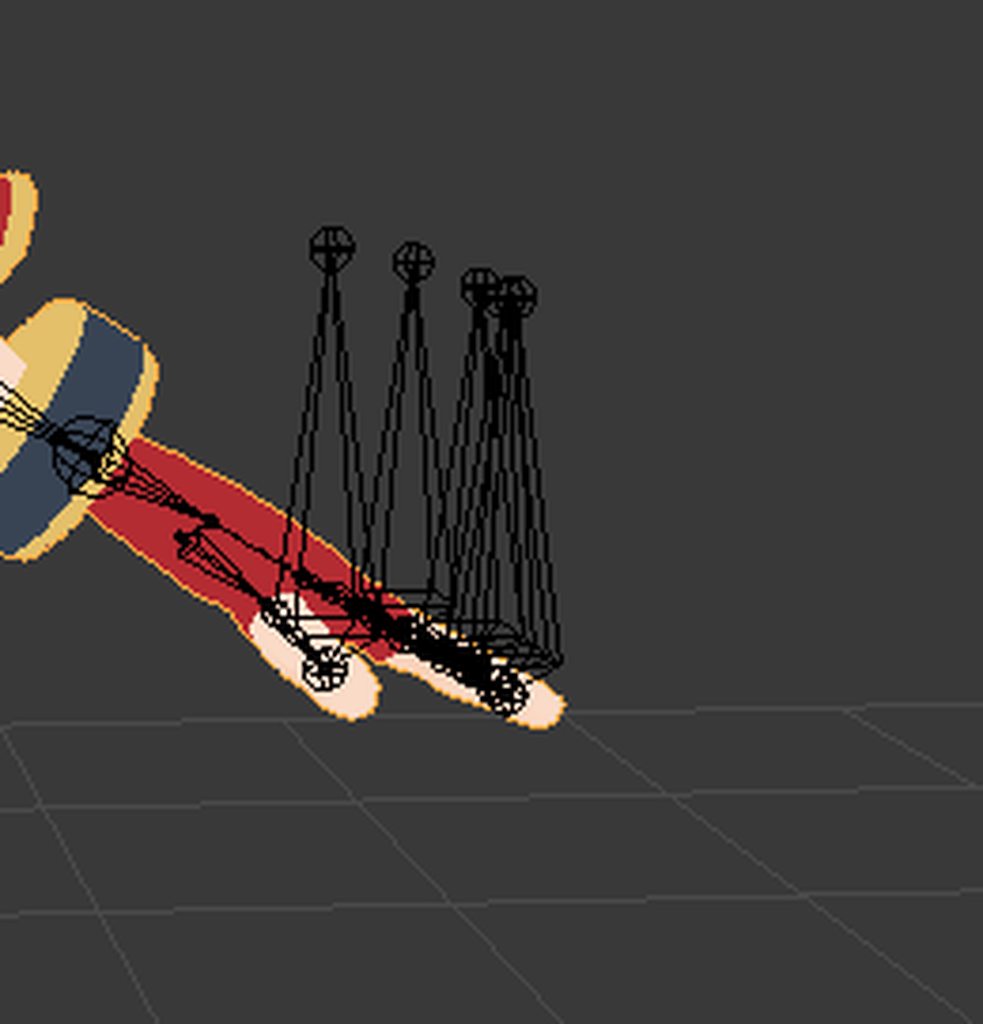
Hello! I was just wondering if anyone is willing to help me figure out a material/texture problem in unity? So I'm trying to use a dance animation for the first time, so everything looked great in blender, but when I exported it and put it in unity, the material/texture for the hands and hairbows turned black and I'm not sure why
As well as that when I was just doing the model normally as you would for an avatar, everything worked great and the textures all looked fine. So I'm not sure if it has to do with using mmd tools instead of cats or if it's because it's an animation, or whatever else could have gone wrong
 lunar tartan
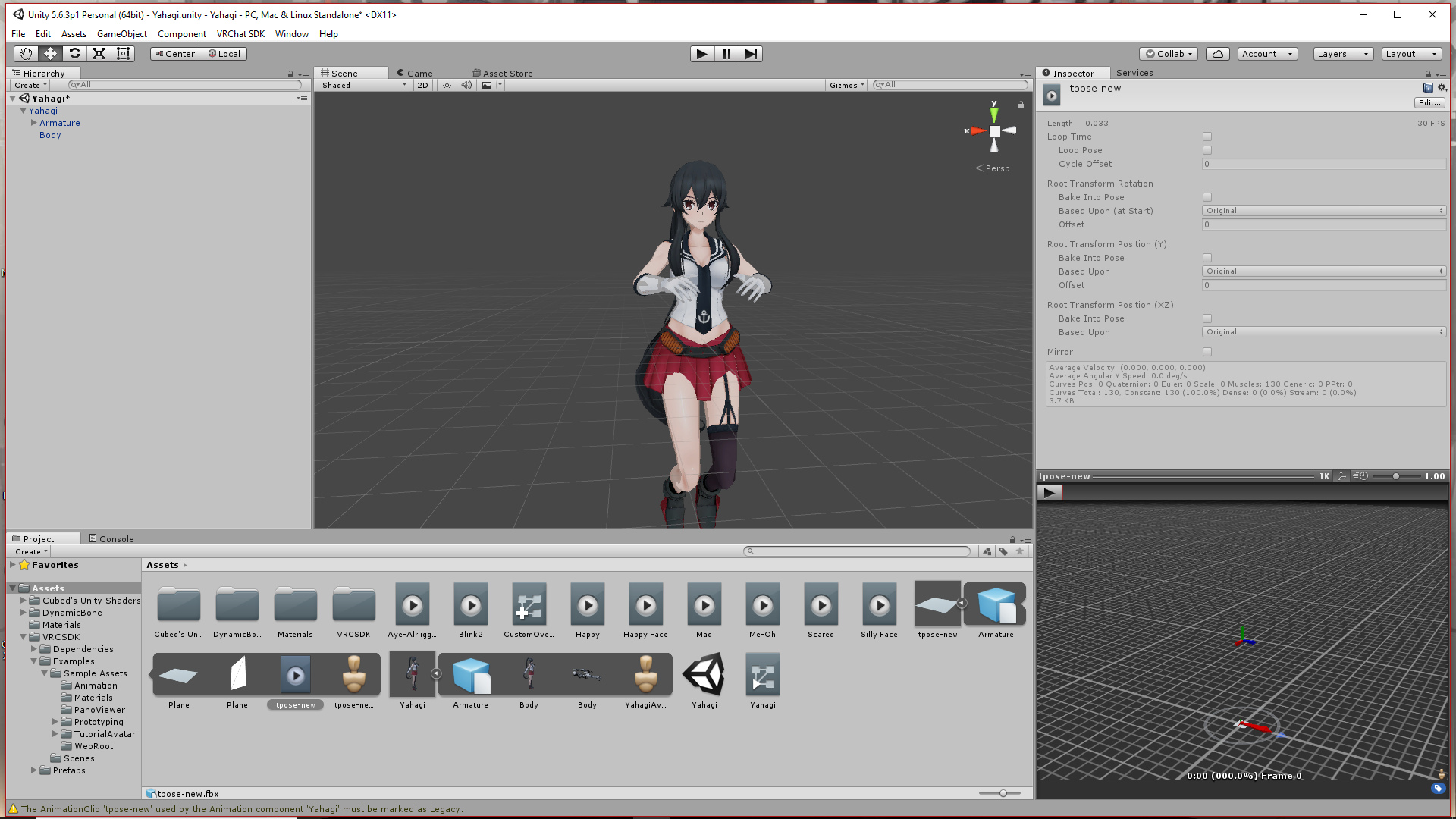
How do I reset a character back to T Pose in Unity? I made a face expression, but I forgot to duplicate the model thing. So, I ended up doing right onto the original and now I don't know how to put her back in place. https://i.imgur.com/nmCZVSZ.png
 opal aurora
Now you need to re-do almost everything you did in unity
Once a model's like that it's dead, you need to re-insert a new one into the scene
lunar tartan
@opal aurora I thought I could use the T-Pose animation and do something with the animator controller that would allow me to open up the animation, select the T-pose, and then the model should auto adjust to it. So I'm trying that atm.
opal aurora
Good luck, you might find a breakthrough if said works
fading verge
That's what this says I think

Unity Community
While I was in the editor, I was sliding through some animation frames for my character. I've noticed that after doing so, my character remains in...
lunar tartan
Oh I fixed it with what I was doing.
I just didn't know how to go about doing it that way.
ember nest
anyone know why this error comes up i try to generate a rig? https://i.imgur.com/HqPhCgB.png
 vast fog
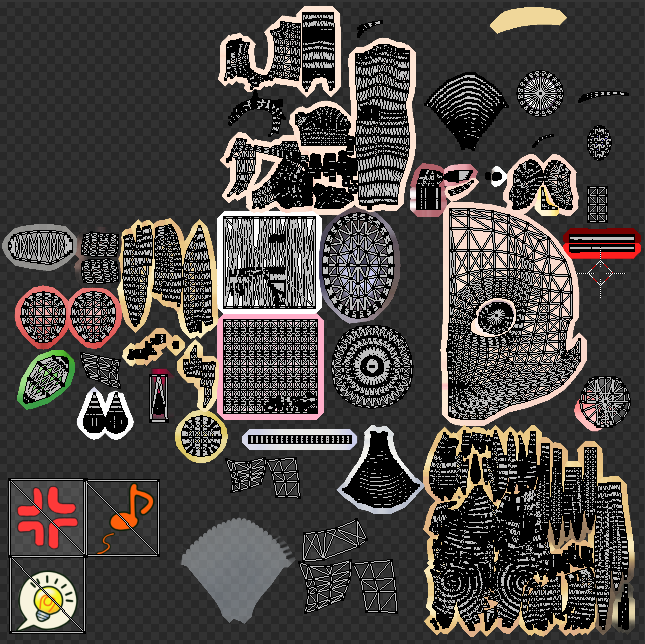
So I did the thing exactly like in the tupper tutorial but I have a feeling that some textures do overlap
fading verge
The head is overlapping its other half
Unwrapping would help but if it doesn't look bad while glancing at your character this may be fine
Just rearrange so you fill up more space
vast fog
yeah im still watching the vid and he just said the thing with unwrapping, I just thought the hair looks all so close together but idk
 prime rampart
So i tried to add glasses to my avatar today, found a 3d model, loaded it into unity and scaled it correctly to fit, then attached it to my head in the armature. Though for some reason now when i load into vrchat my avatar wont load, everyone says it stays as a loading avatar ghost thing. any ideas?
 modern oyster
Glasses are broken.
prime rampart
how so? i feel like thats an odd thing to just not work
modern oyster
Can you send a SS of how it's implomented, in the heirarchy?
lilac moss
sometimes uploads fail and you get the red ghost and have to reupload
modern oyster
^
mental lynx
I can't believe I did a complete collission system for my VR model, only to have to go back into blender and fix an arm issue.
Now I gotta do all of that all over again. Just... just really disheartening.
 subtle moth
@mental lynx what do you mean by collision system
mental lynx
Full dynamic bone collission detection for limbs and fingers.
subtle moth
so you tough stuff and it doesnt go through your body anymore
subtle moth
or just colliders and stuff
mental lynx
All yes
subtle moth
how'd u do dat
mental lynx
Look up a tutorial, they're all over youtube
subtle moth
i know about dynamic bones and colliders and stuff but never heard about actual collision system for the world
mental lynx
Time to do my favorite thing. Restructure 20 meshes because Unity can't figure out preset, saved settings.
It's not for the world, it's for the body interacting with itself.
subtle moth
oh god you produced a frame killer
mental lynx
Maybe?
mental lynx
I never see any difference between this model and my 1 solid mesh Waluigi
I've run frame tests.
mental lynx
What kills VRChat are the memory leaks, 30+ models loading in, and particle effects.
That's how video games work in general.
Everything must be rendered.
modern oyster
Actually it's been confirmed that multiple meshes are a bigger frame killer than 40+ and particles together by some of the devs.
mental lynx
They all have told me that polygon count and mesh have almost not adverse affect against Unity
Im not talking against you, Bloody
I'm agreeing with what you said
modern oyster
My pardons, 3 hours of sleep, and a cranky boss over my neck.
mental lynx
What hurts your game's framerate are the CPU cycles needed to run particles and physics
An avatar's fancy long flowing dress will hurt your framerate more than a model with 100 meshes.
In fact, I had a Cirno avatar with 150 meshes to test that out awhile ago.
Absolutely no frame difference between it and my 20 mesh one
subtle moth
what did i kick off here
mental lynx
An argument that's been going on since Unity released
Here's a question
Will unity/VRChat ever update to use more than a single core and like... 12kb of RAM
modern oyster
Just force that shit in.
subtle moth
Several People are Typing...
mental lynx
I'm so tired of lagging, looking at my hardware usage, and seeing shit like
CPU: 12% (1 Core, 48%)
RAM: 19%
GPU: 1%
It uses NOTHING that I have to offer.
prime rampart
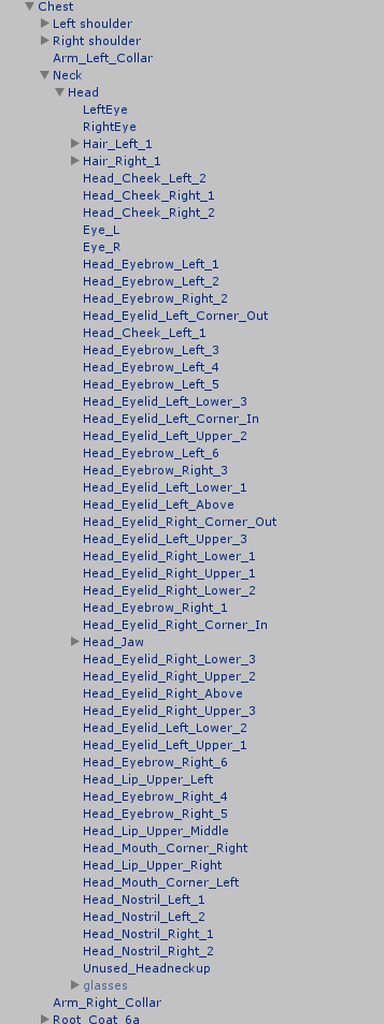
@modern oyster sorry for the delay, had to walk away, this is the setup with the glasses
mental lynx
I never regreted having an 8-core CPU until I started dealing with Unity
prime rampart
 mental lynx
Also, nothing I've done has worked to force Unity/VRChat to use more than what it already does.
modern oyster
Jesus christ on a bike, riding through the neighbourhood on a friday afternoon, wearing a skirt.. did you forget to join the meshes before exporting?
mental lynx
Some MMD models I've found are actually like that, even when joined.
modern oyster
._.
pine harbor
is that the bone or mesh hierarchy?
prime rampart
bone
mental lynx
That looks like bone hierarchy
pine harbor
looks more like a valve model than MMD
prime rampart
and yes meshes were joined, this model just came with alot of complex bones
its not an mmd model
mental lynx
If I could get this damn game to use even TWO cores, that would be great.
pine harbor
yeah, had a feeling it wasn't the meshes since it was actually partially parented
that's a model which uses individual bones for facial expressions
mental lynx
Hell, I'd even get a boost if I could get it to use an entirety of ONE core.
pine harbor
rather than shapekeys/visemes
mental lynx
Oh, oh fun.
VRChat/Unity aren't recognizing my model's bones being set to bone tips with deform turned off.
So even after all that editing I did to make the bone structure work with movement, Unity doens't recognize it.
Now this is something I have no idea how to fix.

 robust gull
My legs are bending weird is that rotation i need to fix?
 tribal light
How would one make a animation that switches the mesh rig to another in a animation?

 last barn
I've got a problem over in #avatars-2-general regarding rigging.
 paper sparrow
does anyone know how Spazkoga does her third person camera for her streams?
subtle moth
@paper sparrow if i remember correctly, yesterday there was a big discussion in one of the channels
paper sparrow
@subtle moth which channel though, when i search for it nothing comes up 😦
subtle moth
Im not sure, sorry but i remember a big discussion yesterday
something about forcing beta or developer options or sth
 modest iris
@vast fog looks like you have an old version of mmd_tools, be sure to download the master-zip for the freshest version
last barn
Need rigging help.
vast fog
@modest iris No I have the newest
robust gull
How do i fix my legs here https://imgur.com/a/uBT4t
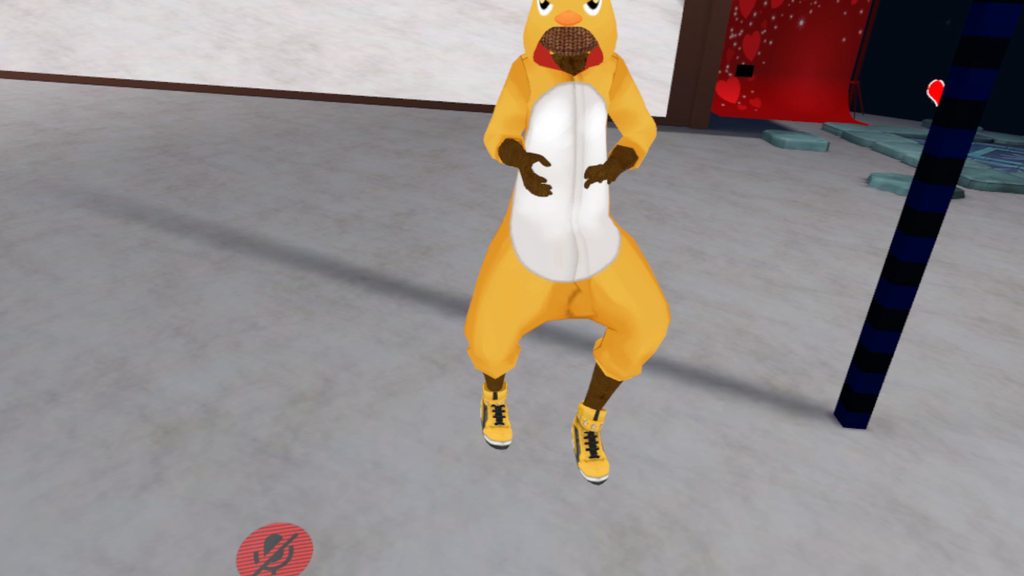
When i look down or bend down my legs bend like that
prime rampart
Anyone have any input on adding an object, in this case glasses, to an avatar?
I imported the file, scaled it to fit avatar, and attached it to the head bone in unity. when i log into vrchat the avatar wont load for people.
random lotus
Apparently everything but my avatars chest is mapped and he somehow has no chest but when i went to go configure him i found this http://prntscr.com/ifsrtw

 tidal cedar
I am currently havinf an issue with my model in full body.
random lotus
http://prntscr.com/ift03x OR NOT

 inner quarry
Am I doing something wrong here?
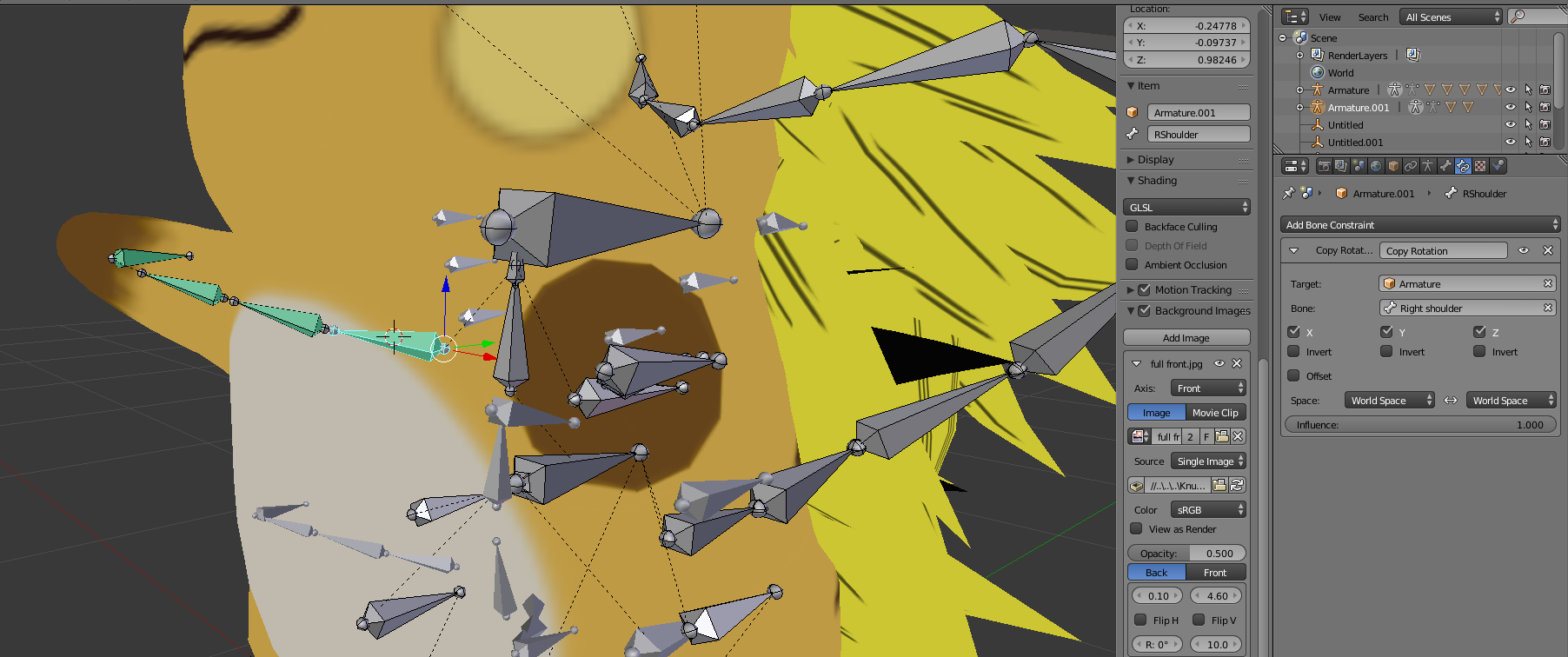
the Raichu arm follows the Pika arm in blender pose
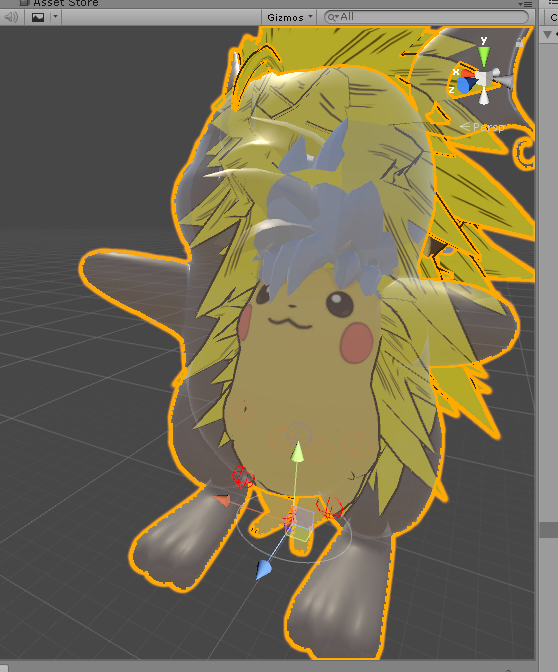
but doesn't in Unity anim
???
is there some export setting I need to tick or something to make CopyRotation constraints go through??
oh... apparently Unity doesn't support blender bone constraints....great
random lotus
Wtf even is that? why is there a pikachu inside it?
 wraith moss
@random lotus most likely an animation. Evolution.
random lotus
oh
modest iris
@vast fog newest version under release is not the newest version that is on the master :v since your outlines are green and that was in a past version
 rocky wasp
Are there any 4 legged rigs?
 full cairn
Strange question, but my model has a lot of things mapped to the head. But I only one two parts of the hair moving with Dynamic Bones when it's rooted to the head. How do I make it so I only have the two bits of hair moving but not the 50+ other face parts?
Nevermind, fixed my problem, just gonna have to do them all individually.
 deep wharf
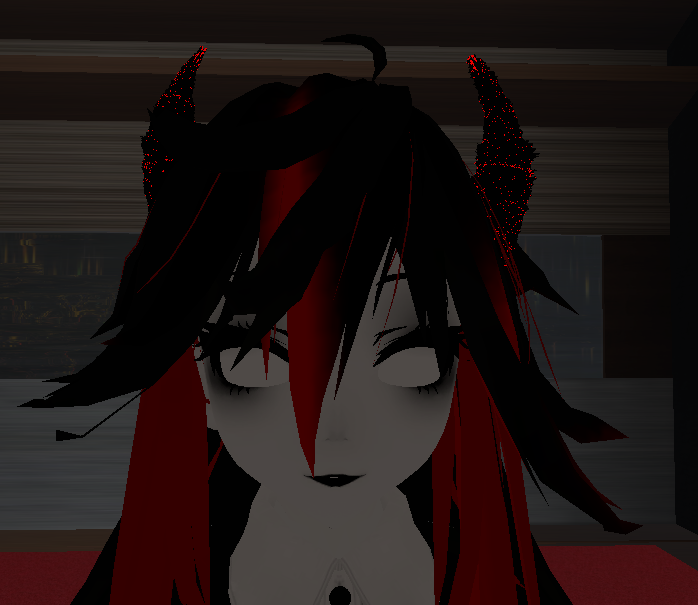
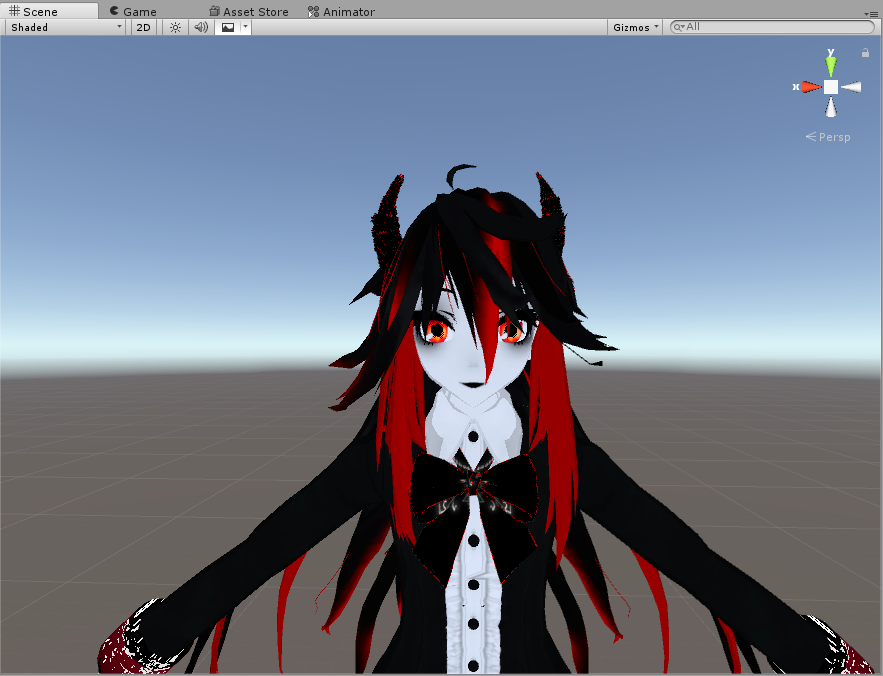
I have this issue with my avatar where the eyes are rotated weirdly
https://i.imgur.com/4MF1aRz.png
I have tried changing their rotation in unity so that it might change in vrchat but it makes no difference.
I have re-exported the model again with ner eye tracking and such too and nothing.
The eyes work in the config, blender and unity but not vrchat
https://i.imgur.com/JSJS4A1.png
 restive hill
what eye bones is unity using?
deep wharf
the only eye bones Eye_L and Eye_R
fading verge
@sturdy sphinx For personal avatars you can create a version with the view-bubble moved up and behind your character.
restive hill
oh, okay
you're using the wrong eye bones, use cats to set up eye tracking, and use the bones that IT makes
fading verge
^ the ones cats makes are LeftEye / RightEye and the MMD ones are Eye_L / Eye_R, use the cats ones always
 fading verge
it usually picks up the right ones by itself
unless you don't generate them, then it will fallback to the mmd ones afaik
fading verge
never needed it before right? I believe you
deep wharf
if I pick the Eye_L and Eye_R in unity is still moves the eyes
in muscles and settings
fading verge
yeah, but the cats ones are rooted to a dummy bone
so they won't influence anything else etc
fading verge
okay, is your joined mesh called Body?
deep wharf
yes
fading verge
k good, not having that also breaks it
 thick granite
Sorry to bud in but I need to ask for some help with merging two models together but they have different rigs. Could anyone help me out?

If I Ctrl+J them together, the two last fingers on the hooded model strech out really far.
I tried removing the hand bones of the balaclava model's rig.
The result was... more then overwhelming.
 deep wharf
makes sure you join all bones to bones of same names
tho technically since it's only a head you are adding, just delete everything that is below the neck and attach the bones for head to the hoodie
also make sure you parent the neck of the head to the bone you want to attach it to for the hoodie
thick granite
I'll try that, thanks.
deep wharf
my eyes look like this 180 degrees backwards
even if change flip the mesh it still pops back that way
primal river
hello! can anyone help troubeshoot something?
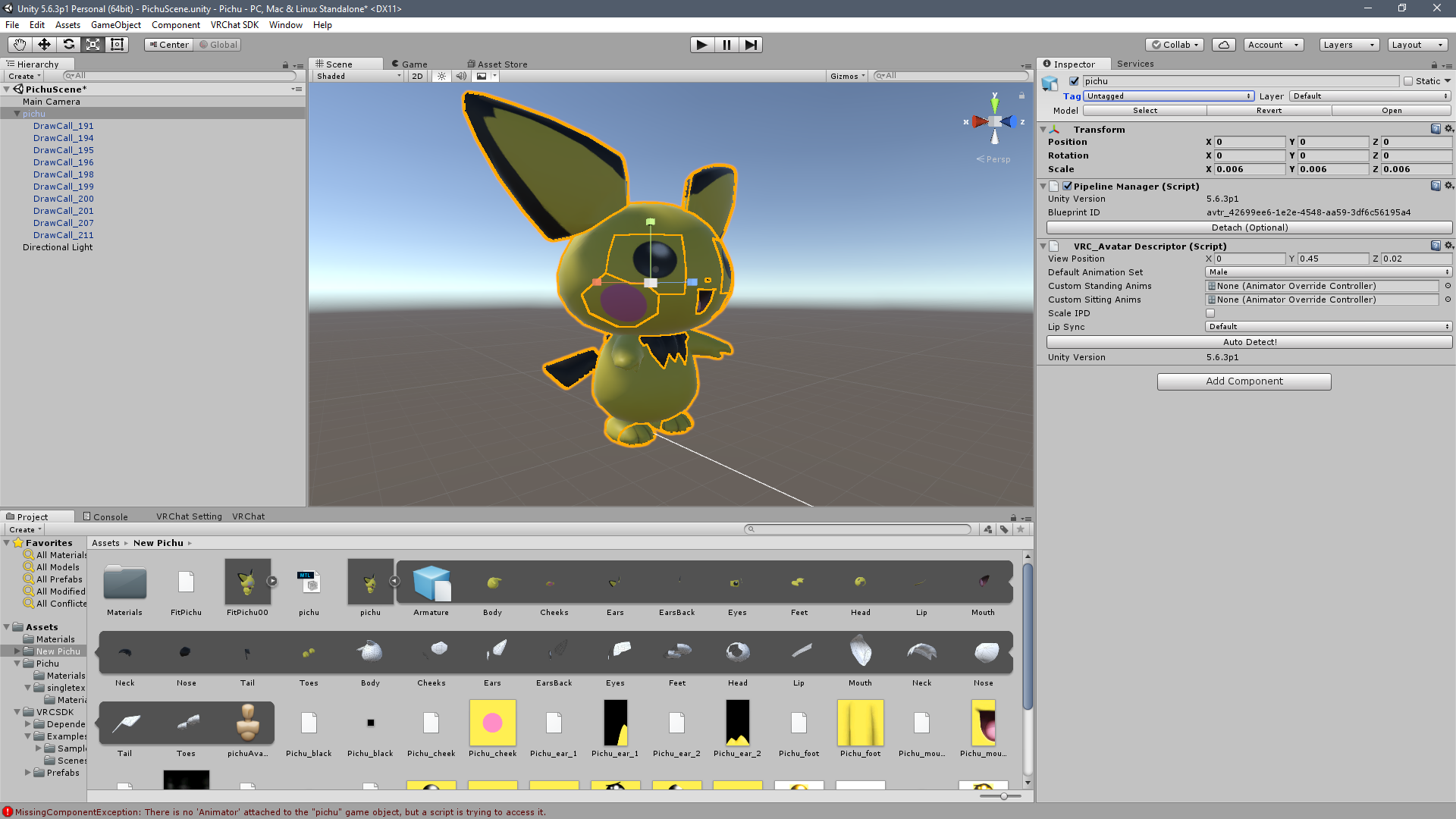
so im working on this pichu
pretty cute
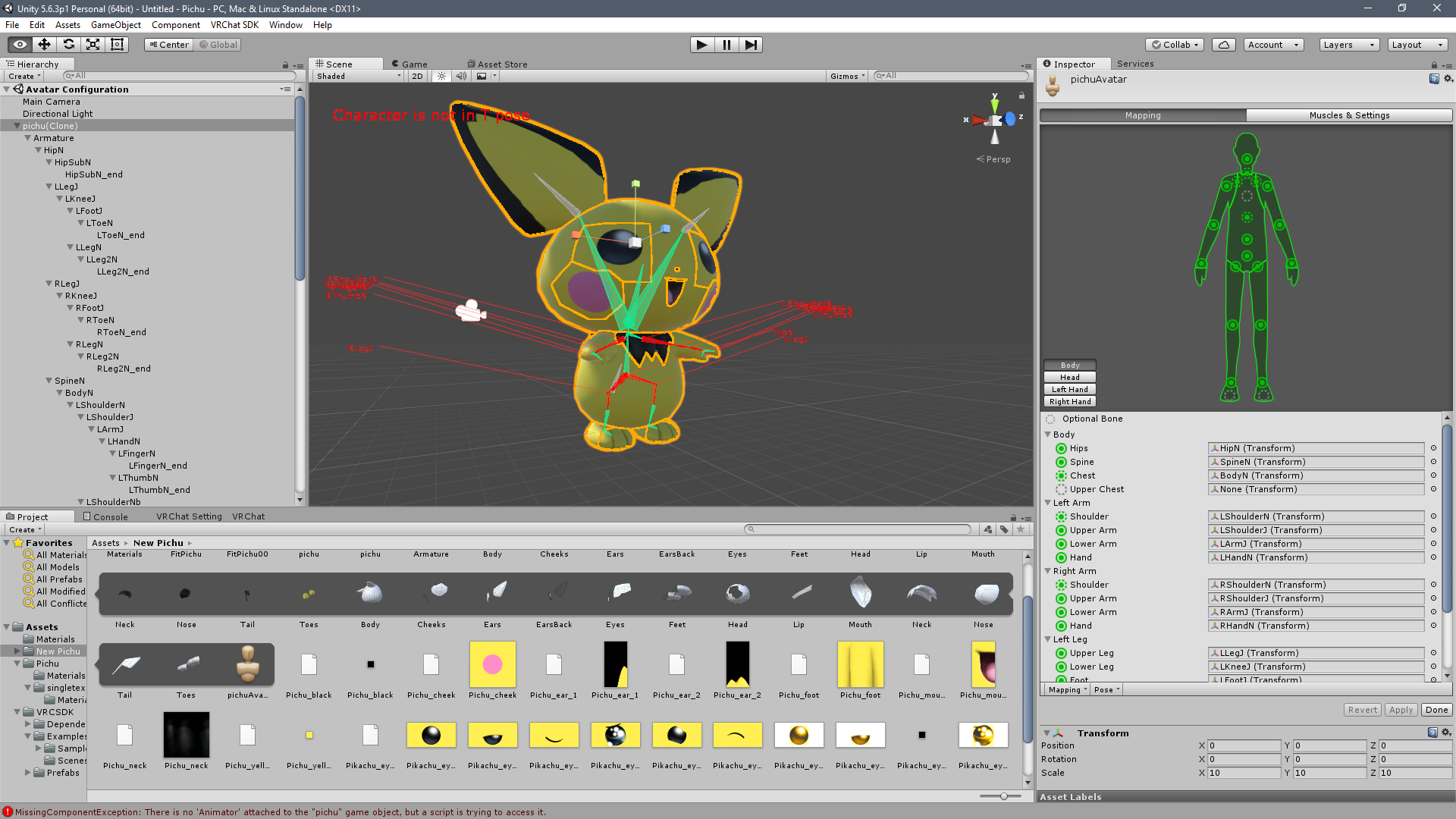
hes rigged and set and everything
that took too much time.. but got it
thick granite
Pretty good. 👌
primal river
he tposes in vrchat.
thick granite
Oh
primal river
yep
thick granite
Since its- Do you have vr?
 thick granite
Yeah, I was gonna say. you don't have animations.
primal river
how do i add the default ones
thick granite
This isn't my profession, I don't even know how to merge valve bones but you could and try and take it up with the animation tab.
primal river
ah right
thick granite
Sorry :c
thick granite
Yeah.
primal river
no but
actually
i think it is a rigging issue
i just made a discovery
so this is pichu on blender
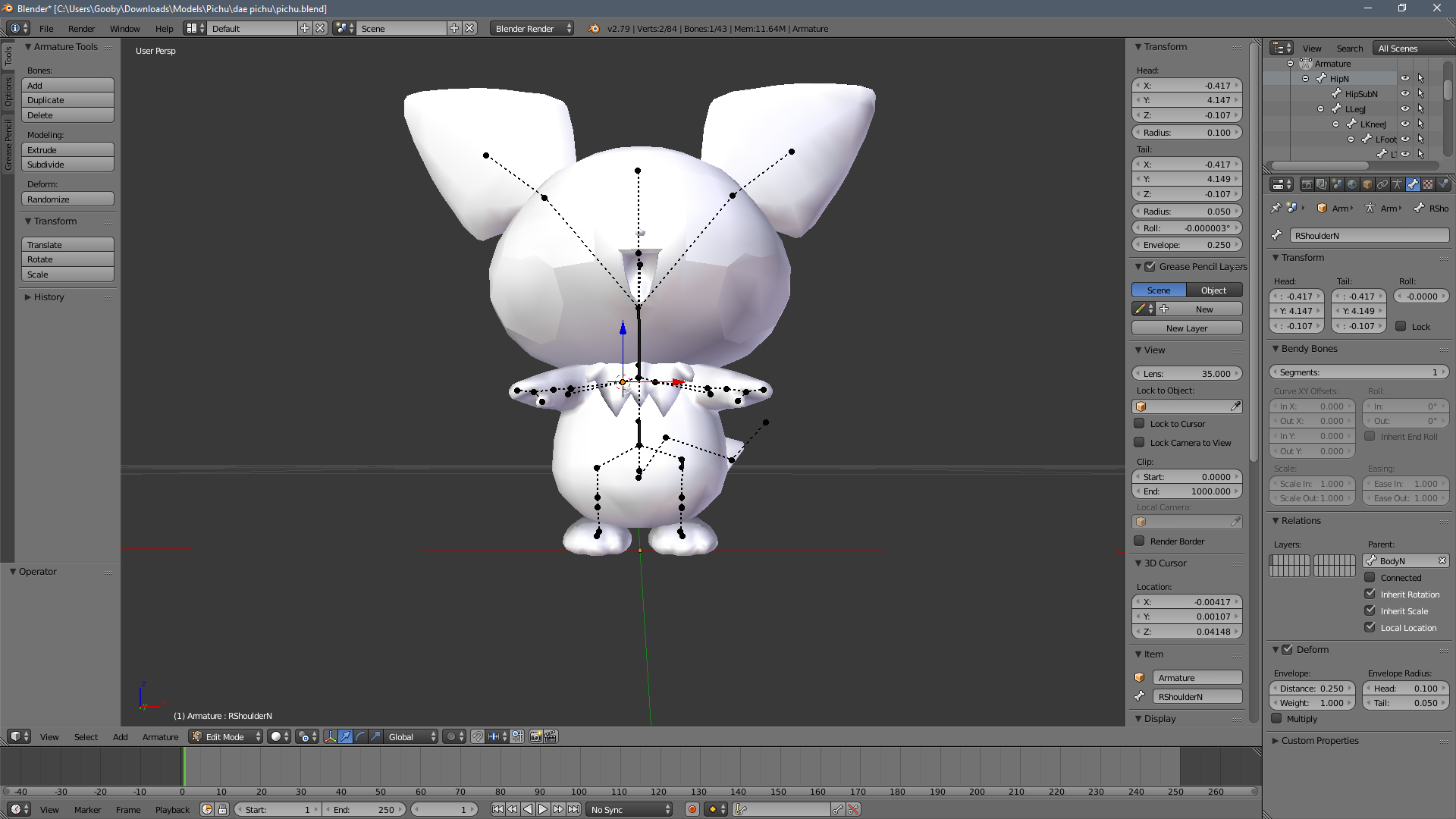
notice the dotted lines and the dots
at first i just thought since it was ripped from a game it was bound to be sort of weird
and i mean it was fine it loaded into unity and it saw the pichu having bones and everything
so i ddint think about it much
but then i concidered that if dotter lines meant relationships of the bones and what bone is parented to what
so i tried to zoom in very close to one of the dots
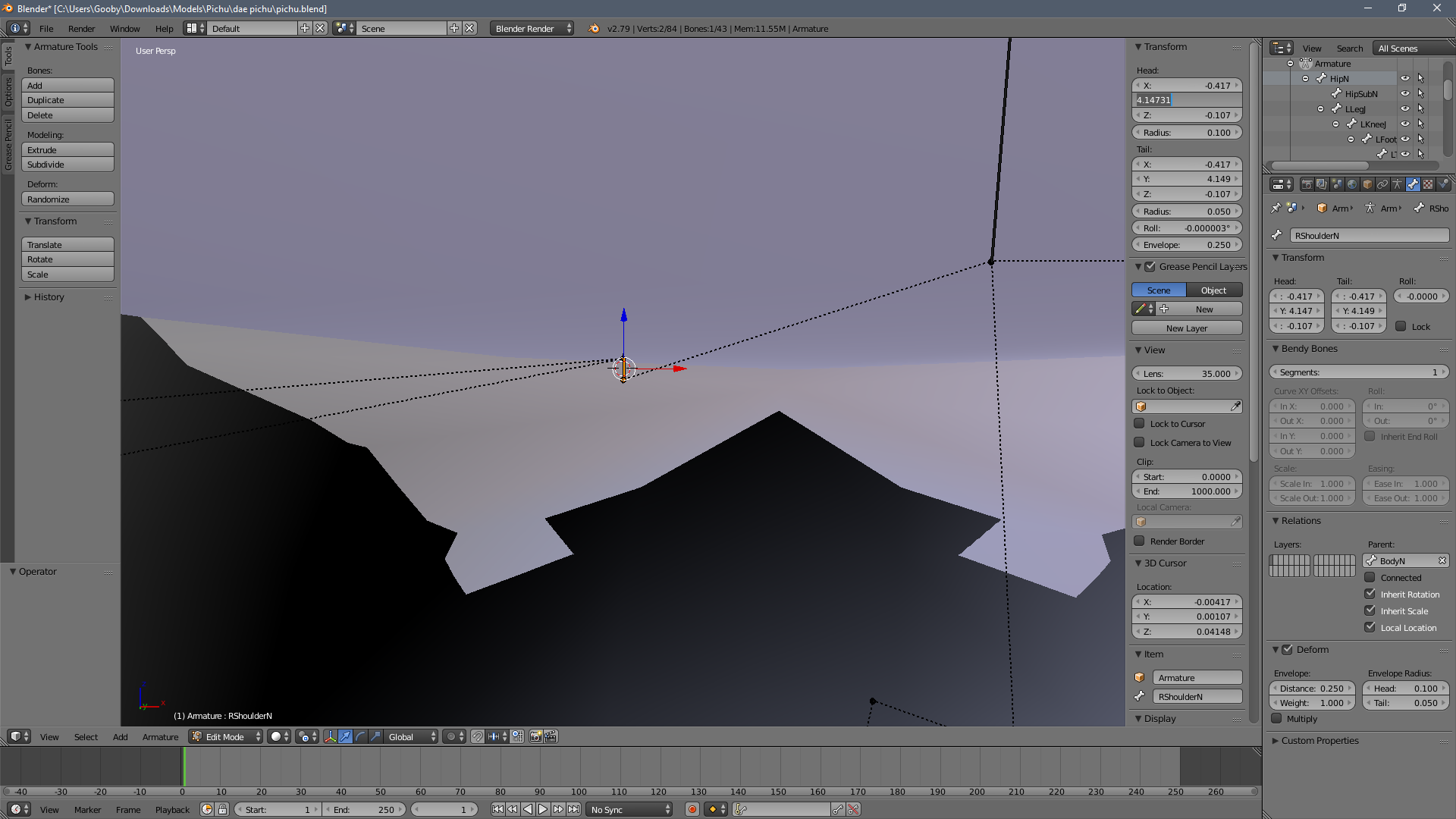
and LO and BEHOLD
ITS A BONE
its just very, VERY small!

see it even has a very small difference on the y axis!
so i came here to confirm if maybe the animations are working, but the bones are so small that it refuses to load them in since its trying to apply them to super small bones
am i right?
or should this not matter and its a complete other thing?
because i mean this error pops up and i was led to believe that the vrc_character_descriptor made animations work so it shouldnt even be there
and no im not trying to add custom animations

see, model doesnt even have any
i disabled it for safety sake
so if anyone knows if my conclusion could be the problem please tag me!
ember nest
@primal river can you show me whats under the rig tab in unity ?
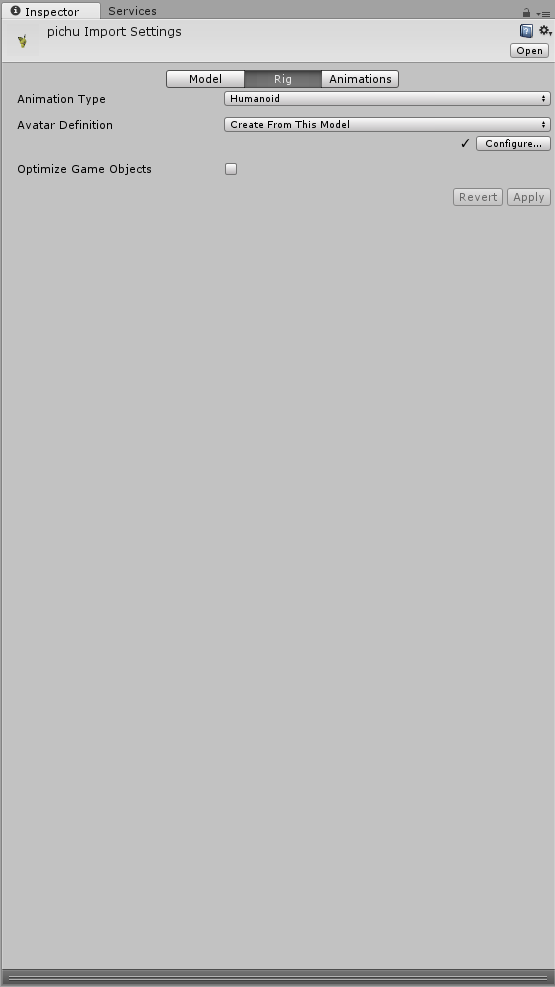 ember nest
yeah i was looking into it im just pretty new to all this myself
primal river
ah
allright
@crisp tendon hello rubick!
last time we talked my pichu had a lot of improvements
I added a neck and a proper spine with some help
if you dont mind could you check my issue above?
my avatar gets the error
crisp tendon
Add an animator to your main model
crisp tendon
It's a basic component, like the avatar descriptor
primal river
oh nono
wait
uuhm
here look
https://i.imgur.com/t8K5ScP.png @crisp tendon
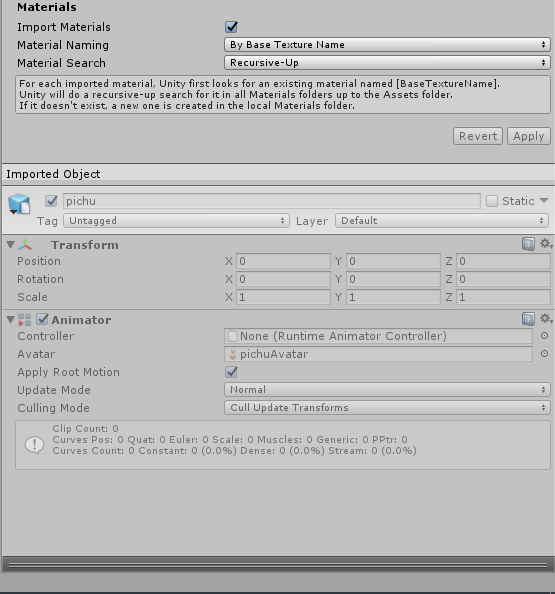
the animator is there
its just greyed out
crisp tendon
Show us the whole screen please
primal river
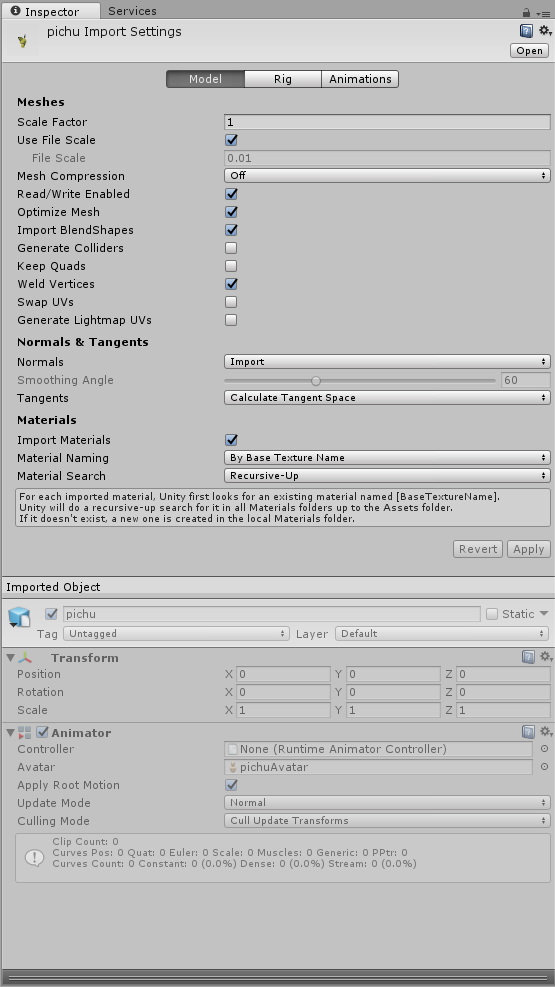
wait a component just like the descriptor..
hold on
OH LIKE THIS??

i just added the animator thing!
that?
crisp tendon
yep, the thing you showed earlier was the asset in your project, the last one is the model in your scene, that's the difference
ember nest
looks like it
primal river
aaah.
yeah thats
im dumb
sorry for the tag ruubick
hope you werent busy
shoulda figgured that one out..
restive hill
idk how to make the thing walk or something, all i can do is slide it around 😛
deep wharf
what do you mean?
restive hill
the builtin animator has a couple ones, notable the idle animation
hm, it has decided to make this one kinda transparent
oooookay

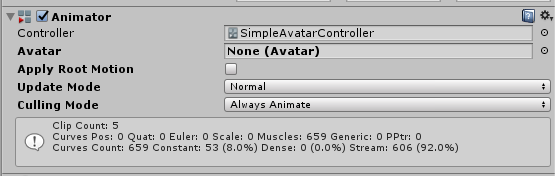 deep wharf
then make it humanoid
deep wharf
in rig
primal river
it is it is
primal river
?
primal river
uuhm
deep wharf
in rig
 deep wharf
yes
primal river
ive already mapped everything properly
deep wharf
okay?
primal river
? i was told that shouldnt matter too much
deep wharf
it fixes the red
fixes some weird bone issues with fingers
it's just so you have something to apply
so it re-recognises it as humanoid
primal river
oh right i forgot i set the scale higher to rig him properly lol
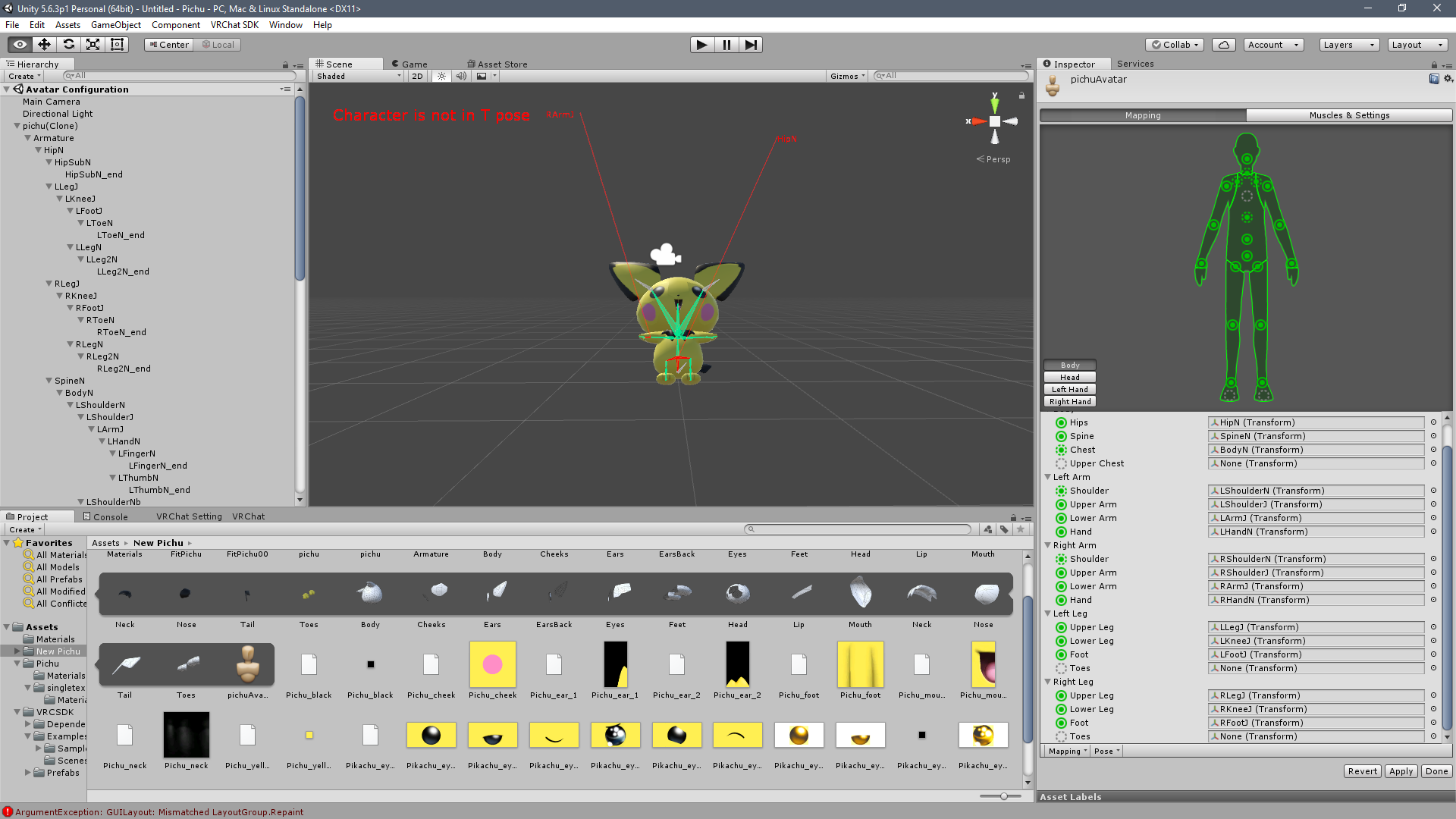
he got smaller..
and he looks in pain @deep wharf
restive hill
.... how the hell did the textures get gummed up
deep wharf
is that with enforced tpose?
primal river
yes
primal river
@deep wharf still has the same error
primal river
lol oops

nice
found out why lol
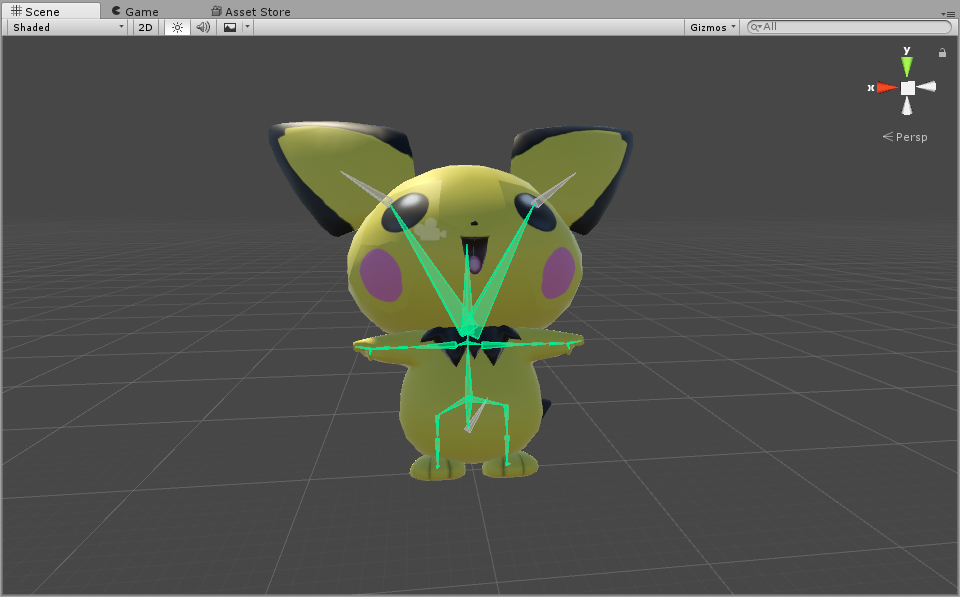
YAAAY
lets see if it works
wait i might want to put him up right lol
deep wharf
maybe
the problem is no neck
really
I fixed my issue, which was eye movement breaking my model...so I disabled it
thick granite
Can I merge two fbx models with the same rig together in unity? 🤔
@deep wharf Sorry to bother once again but do you know?
I know how to do it in blender but I was just curious
primal river
actually mixamo's way better at applying a tpose
thick granite
How might one do that, sorry?
thick granite
Oh I meant unity not blender
 ionic summit
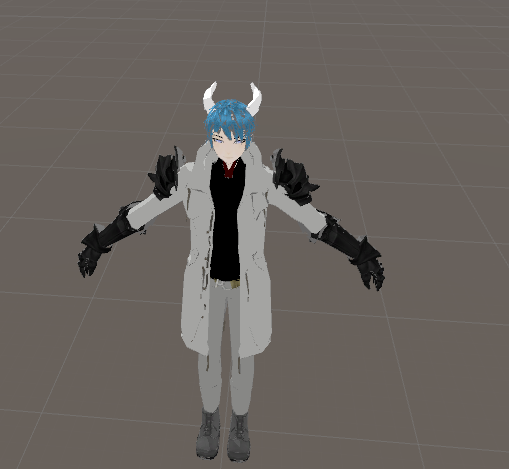
So trying to fix colours on my avatar https://i.gyazo.com/02822bf3c5300825f5df6d626ef56af1.png and suppose to look like this from Blender https://i.gyazo.com/6aca3eb379c9c911c140b45df2586947.png (ignore face stuff already fixed)
 ionic summit
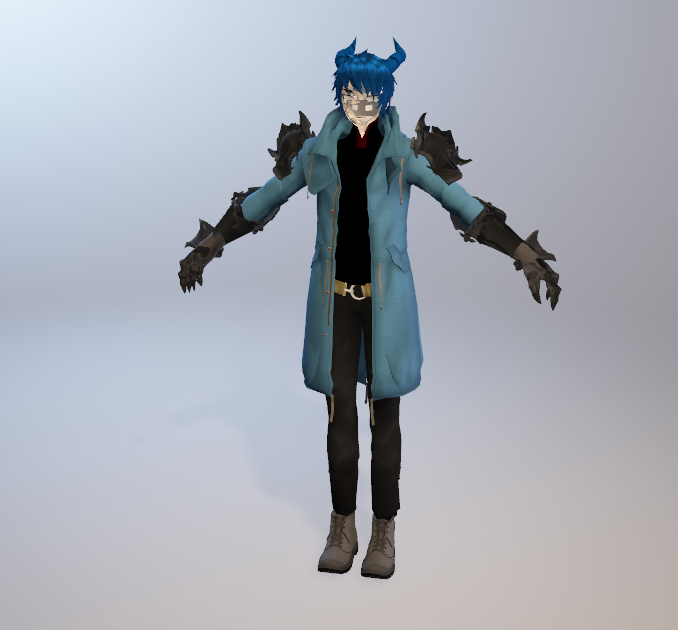
Okay so this in mixed reality viewer https://i.gyazo.com/102f192e613fe6fd11cd2bb8a48263e0.png yet doesn't show the horn colour when i put in damn UNITY fustrating me to HELL
 ionic summit
UVMap ?
fading verge
Textures use them to know where to paint each part of the texture
 calm needle
and if you join two meshes together that have different named uv maps, it can cause issues
 stoic hatch
im having a weird issue, my character in VRchat is sinking through the ground
my character is standing at 0
on the grid
calm needle
how far are they sinking?
 heavy pasture
What would cause the thumb to not be able to close fully in unity? Is it the bones?
 runic sparrow
Is there a way to rig that doesnt have bones
calm needle
does the thumb have all 3 bones?
fading verge
Is that the affect not having all 3 bones would have?
calm needle
potentially, yes
naive tree
@stoic hatch try this http://prntscr.com/ifxli2
 stoic hatch
@naive tree my rigs bones are at the grid
 golden wave
hey guys, could you point me to a direction ('show da way'...) - I am looking for some resources on making a non humanoid avatar + rig for it for vrchat 😮
lilac moss

Google Docs
Advanced Avatar Creation: Making Non Humanoids This tutorial was made using Unity Version 5.6.3p1 This tutorial assumes you already have the current SDK imported and knowledge of how to upload a basic avatar. You will also need an avatar you wish to upload as non-humanoid with it’s own set of a...
golden wave
oh doh, awesome thanks
i skim read through available resources and somehow did not record there's advanced avatar creation there
 covert badge
Hey guys, I'm rigging this model, but the eyes appear to be closed and I can't get the bones to work on eyes. Does anyone know how to fix this? http://puu.sh/zpCrf/61ce163df4.jpg

 vital locust
Anyone have any idea what causes the knees to point inward while not looking straight ahead? Tried messing with the bones a bit but to no avail. https://i.imgur.com/YTRIP6f.png
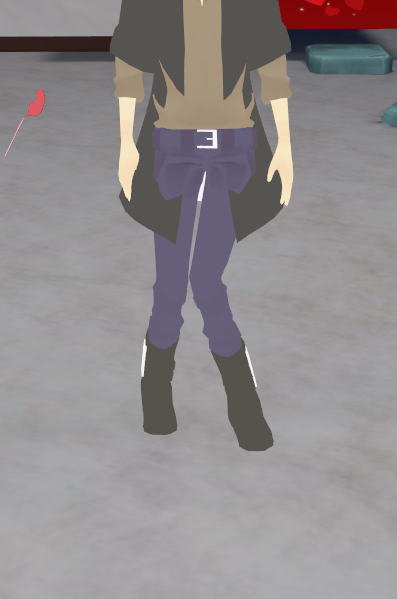 robust gull
@vital locust Have the same problem but they bend out still not found anyone that can help me https://imgur.com/a/uBT4t
fading verge
Are you both using VR?
vital locust
- Not me
robust gull
I am
fading verge
Hm, when you look at your model's bones are the knees properly bent forwards a bit?
robust gull
In blender?
vital locust
Not originally, tried doing that though but it was still happening
fading verge
Believe it would be easier to notice in blender
robust gull
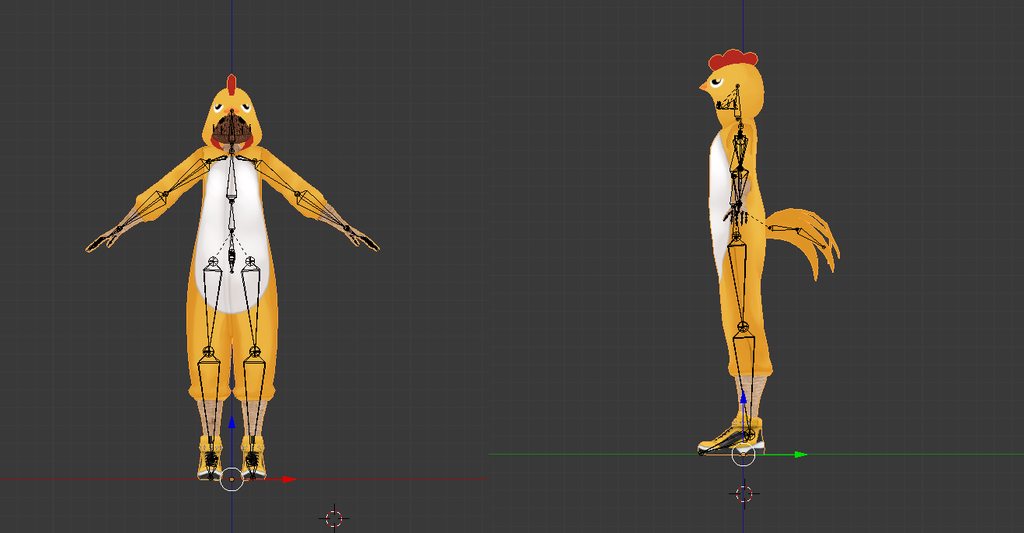 fading verge
Wonder if it may be because the thigh bones curve in
vital locust
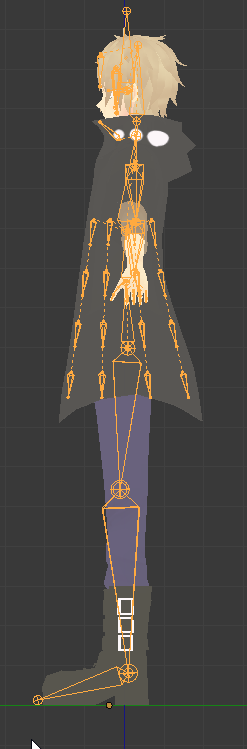
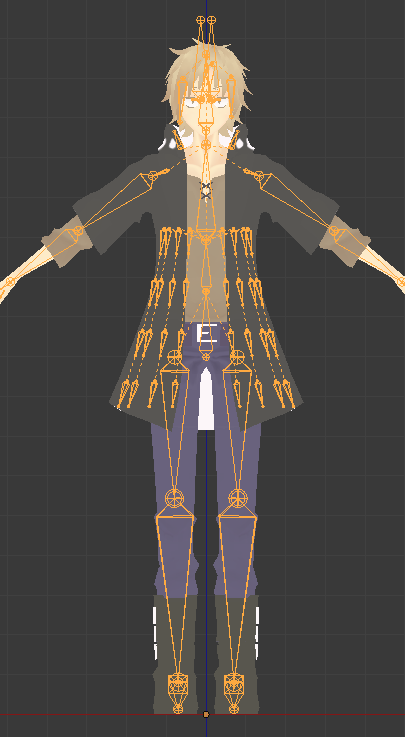 fading verge
Have not seen enough rigs to know if that will cause a problem but for mine I had to align the leg bones in a straight line up
Guru's appears to look right, there is a proper bend
pine harbor
the thigh bones curving in, i suspect it's quite likely that's related
fading verge
But guru is also having problems so I'm not sure
pine harbor
was helping someone else earlier where his knees bent outwards, and his legs were spread apart at shoulder width in more of an "A" shape than an "I"
robust gull
Most of the bones for legs i have seen are turned sideways not with flat part forward like we have
@pine harbor So that can be my problem`
?
pine harbor
possibly...unfortunately, kinda hard to be dead certain
since most of the automatic IK mechanics are hidden from us
but the legs not being completely straight is where i see the most variation between models which have knee bending issues, and ones which don't
fading verge
Would also suggest giving it a quick try
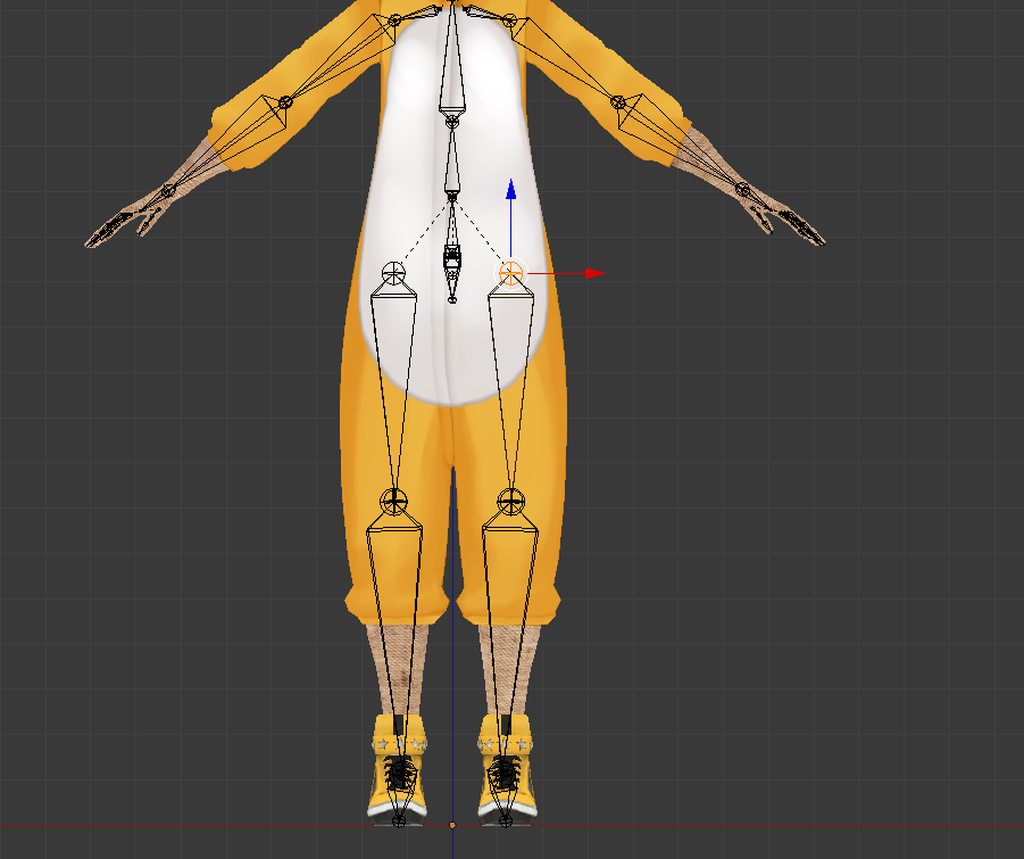 pine harbor
still seeing a very slight sideways bend from the calf to the ankle, although i don't really know if you can fix that
if in doubt...throw it into unity and see what happens, that's about all we can do to debug these things =_=
fading verge
Is there an explanation for a vertice that refuses to move with the rest of it's vertex group?
pine harbor
is the vertex weighted correctly, or influenced by any other bones?
robust gull
@pine harbor Yeah i see it to but all the balls at the end of the bones are in same place
pine harbor
@robust gull that being the case, perhaps try to fiddle with their alignment once it's in unity, so the bones aren't heavily displaced relative to the mesh
editing the bone position in blender will move the bones independently of the mesh, whereas it sort of moves and poses with the bone if done in unity
fading verge
I scrolled through every weight group and hit select on every other group and it looks like it should be fine, but it still does this: https://gyazo.com/dfd45d0fc1e7f02a60c4926c73a2055d
 pine harbor
it looks like its weighting isn't at 100% for that bone group
it's mostly influenced by it, but not fully
fading verge
Save then try "Normalize All" on the weight painting mode
 untold kindle
i think i did something wron in blender need help
http://puu.sh/zpEcW/4a7f09ea86.jpg
 fading verge
Okay, normalize all fixed the thumb, but could it potentially hurt the model elsewhere?
robust gull
I think i got it better now @pine harbor https://imgur.com/a/6CrS3
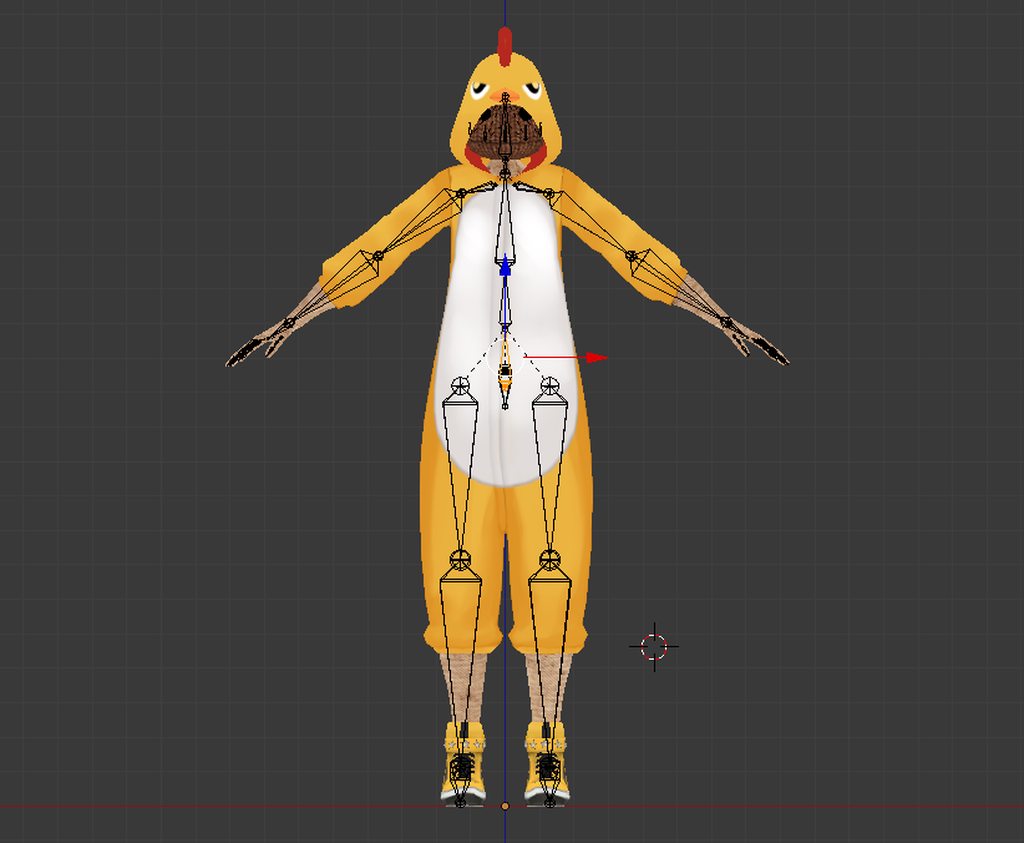
Forgot the change to X ball
pine harbor
neat -- though i'd still recommend seeing how it plays out in unity to see if it matches your liking
because the pivot point of your ankle is now slightly different -- see if it still bends and deforms to your liking
robust gull
Don't have any batteris for my controllers need to wait before i can test it haha
fading verge
Is there any tutorials to how make a spice hierarchy right?
I've mapped all the bones in blender, but in unity, every time I check the model I keep getting the same message
"Spine hierarchy missing elements: Make sure that Pelvis, Spine, Chest, Neck and Shoulders are mapped"
pine harbor
EXSGT left behind a useful pinned message for that
fading verge
What channel?
pine harbor
this thing here (in this channel)
https://cdn.discordapp.com/attachments/251862595030482955/404301325380091906/guide.png
 fading verge
oh lol, sorry
pine harbor
hey, great minds think alike 😛
fading verge
Thanks
robust gull
@pine harbor I also moved the legs a bit closer to eachother too
pine harbor
it's basically got to do with influencing what unity thinks is the most natural way to bend your knee
if it starts off seemingly bent at certain angles, that can influence what it considers "normal"
...kind of a very vague explanation, because i've got little clue exactly how it determines it
crisp tendon
It has an inherent bone constraint, prevents it from going into weird humanly improbable angles, rotations and distance from each bones
So it'll guess what's the most correct situation
robust gull
@pine harbor Thanks dude it worked my legs look normal now when i bend down
pine harbor
neat, glad it worked -- another tidbit to remember now 😛
thanks for the extra info as well Ruuubick -- it's more being unable to visualise the constraints and way that the humanoid rig will position the legs that's the kicker to us
robust gull
@crisp tendon Does it matter how the bones are faced? beacuse i downloaded Ybot and his legs have the pointy part of the bone forward but my bone leg have flat side forward
crisp tendon
It does 😃
 snow mesa
Can someone tip me on a non-humanoid avatar?
I have a murloc avatar with bones and everything, but obviously it looks super weird with a humanoid rig. I tried looking at this video https://www.youtube.com/watch?v=mhQY2_gVoVg to see how to rig / animate the avatar, but it hasn't really helped :/

Anyone got a better video on how to rig/animate (I'm not sure if they're the same or not) a model?
Maybe that's a better question for #animation 😛
 neon quiver
when i'm using cat for the eye tracking. the bone for the catprogram for the eye are in the stomic for some reason. how do i fix that? i try moving it to the head but it snap back to the stomic.
crisp tendon
@neon quiver Which tutorial are you following ?
 meager fern
https://gyazo.com/1806362c63cb6a9d478c65a17c7452a4 can anyone help me fix this issue where the leg is bending in the wrong direction with IK? i already moved the knee bone a little more to the front and the issue is still there
 neon quiver
@crisp tendon https://www.youtube.com/watch?v=Japt0woeveQ this one. But i'm not using a mmd bones. using my own rig. but i made another avatar the rig was working for it. maybe i need to clear the scale and rotate.
A tutorial on how to add eye tracking to your avatar with the Cats blender plugin. It's literally this easy. I disable eye blinking because I add it in Unity...
robust gull
How do i use a texture in unity that have .sph and not .png?
crisp tendon
@neon quiver there might be something incorrect in your rig then ?
gloomy loom
https://imgur.com/a/ysaTj sometimes I wonder how fat my fingers are when I weight
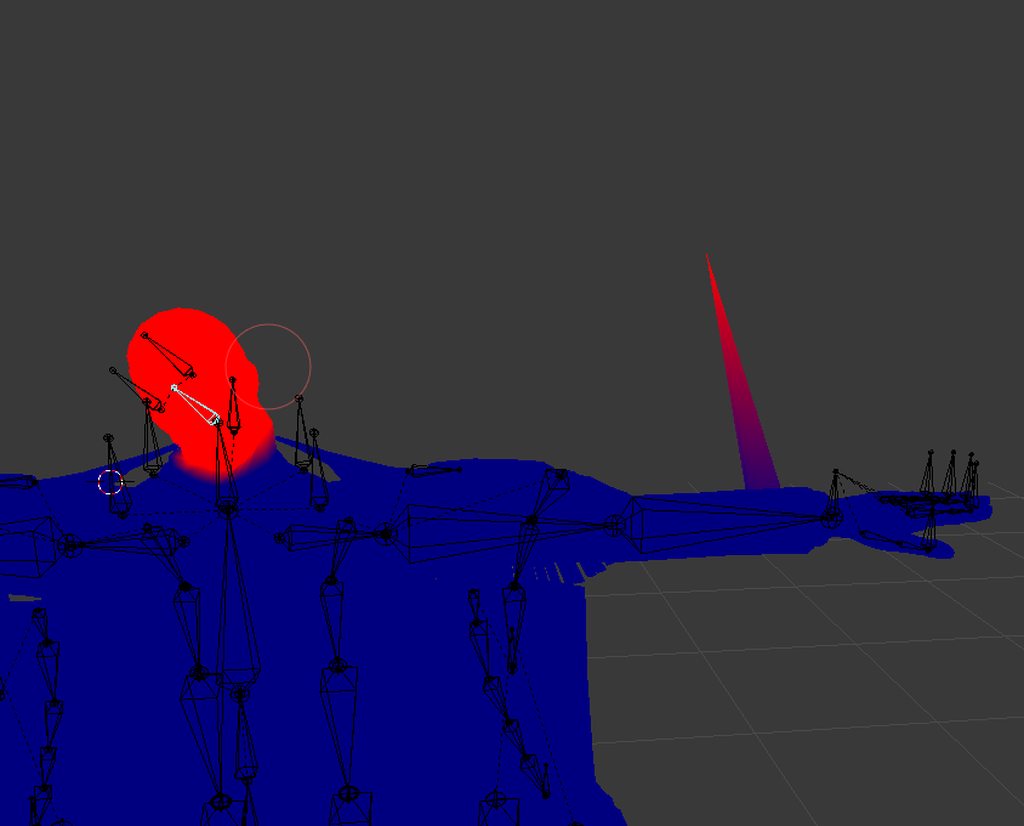
btw congradz on the admin @crisp tendon
crisp tendon

naive tree
don't taze me  , also @gloomy loom why not use W>autoweight
or it doesn't add enough on the upper part?
gloomy loom
autoweight never works for me 😦
neon quiver
@crisp tendon maybe. i'll check if thing are normal properly.
lilac moss
what doesn't work about autoweight?
@meager fern you need to set a pole target on the ik constraint and the knee will point to it
naive tree
if autoweight doesn;t work for single bone, then need to seperate
lilac moss
that's only within blender though
meager fern
alright, another question, i talked to someone and he said blender was way better for animations than unity
lilac moss
for autoweight- there are some models that will give an error about heat weight failure, some can be fixed to work, others i had no luck with
meager fern
because theres something in blender that makes it easier to animate, which idk what it is
lilac moss
@meager fern yes blender is a modeling/animation tool and unity is a game engine tool
no contest reallly
meager fern
ive seen tutorials and all of their models got a fuckton of control bones, do i have to set those bones manually as well?
lilac moss
depends, you might be seeing a rigify-generated rig
meager fern
ye, does rigify works with an already existing rig?
lilac moss
no
also heads up none of these constraints are going to export into unity (just the animations themselves)
an ik setup can be pretty quick though (hands/feet + pole targets for each)
manually ofc
meager fern
i mean... my main goal with all that is to try and replicate 2B's walk and idle animations from the nier automata game 👀
lilac moss
good luck
meager fern
thank you, ill need it XD
lilac moss
maybe try and get a dummy walk override working in vrchat first since i've had trouble getting that to work on humanoids
 jovial anvil
How would I make my avatar float? I've seen that you can child the avatar to an empty object to make it float but it doesn't work for me.
 narrow fossil
hello ! I've just joined this discord, because i have a problem with my avatar and i absolutely need help please
 spice crypt
do you know why this happened with a few models when importing? https://gyazo.com/5d1368001fdefe869cfc4b7e6beec4cf

(yeah, I did fix bones)
narrow fossil
my problem is my avatar is not in T-Pose
spice crypt
@narrow fossil have u tried force T-pose?
narrow fossil
yes, then i hit apply, then done, then it tells me there's still a problem, then i go back to configure and it's not on t-pose anymore
it undoes itself
there's always a problem with me, but i followed the megatutorial
okay, problem solved o.o
There was "Eye_L1" as a Jaw... why not !
restive hill
yeah, i always just unmap jaw and use mouth visemes, most MMDs seem to have the needed big 3
i always have problems with textures now, though
 crisp ledge
Anyone have any ideas on what Unity thinks it's doing to my model's legs? https://image.prntscr.com/image/9UHYpS2mRfCyvf_g2ZJcSQ.png
No idea why they're crossed like that but if I fix them proper it keeps saying it isn't in a T-Pose and then won't map animations because of it.
 calm needle
on the right, could you scroll the menu donw a bit so i can see what is says for the legs?
crisp ledge
https://image.prntscr.com/image/CLi2yTD7Q5ew8wxuvvePow.png Taken again with the leg menu on display, let me know what you think.

 tulip hill
does anyone here know how to solve the hip thrust problem?
calm needle
@crisp ledge looks like it might be due to extra bones getting in the way
looks like you have hips, then left and right hip, then upper and lower legs
crisp ledge
I'm unsure what bones I could remove if that's the case, aren't the left and right hips bones requirements in aligning the legs to the lower-core/center hip?
calm needle
the left and right hip would probalby be the cause of the problems
crisp ledge
Well that fixed that, thanks.
 digital flax
@tulip hill A mix of view point position and player height setting is to blame.
tulip hill
i found a workaround but thanks for the future tip
fading verge
hey for some reason my avatar says must have head hands and feet bones mapped when i look in the avatar configurator theyre mapped. help plz
robust gull
I would like to make my hat have this, so if i put my hand/arm in it, it don't go thru the hat it just looks like i can fit my whole arm in it. How would i go about to make this?
pine harbor
kind of like a bunny in a hat trick?
robust gull
Yes
pine harbor
hmm...you might be able to do something with a box/cylinder attached to the top of the hat, setting the box/cylinder's textures to transparent, and then messing with the draw order...or possibly using an occlusion shader
what i'm having trouble thinking about is how not to get that to interfere with the rest of your model, if any part of it is behind the cylinder
first up though, i recommend going into unity and finding the occlusion shader -- it'll probably make more sense when you see how it interacts with other objects
robust gull
This is what i was thinking too spear. I have seen people with portals around half of them and i can't see legs untill i look inside the portal
pine harbor
it's under VR > Spatial Mapping > Occlusion
basically looks like a normal transparent shader, except it'll hide most objects behind it
portals around half of them...that could be something more complex
 proven summit
Guys, my model rig is fully in numbers, someone know how can I rig this? http://prntscr.com/ig4qd8

 robust gull
Rename the bones
pine harbor
that looks like a nightmare and a half to rig -- i'd go back to blender and rename them first
just to make things easier on you so you don't need to keep renaming it in unity
proven summit
ok, I'll try, thanks
pine harbor
hmm...i can't really get my head around how to do that rabbit in a hat effect properly
crisp tendon
use cat's plugin to fix the armature
fading verge
so i have this all linked to the armature and at the same level. https://gyazo.com/8e69ec8fe7870166c743522d2f3494aa

theyre still separated here, and pose mode doesnt work.
i join them w/ ctrl+J and still no animation
 robust gull
Weightpaint?
@pine harbor Is this what you were thinking? https://imgur.com/a/LtmOs I gave one of the ends its own matiral
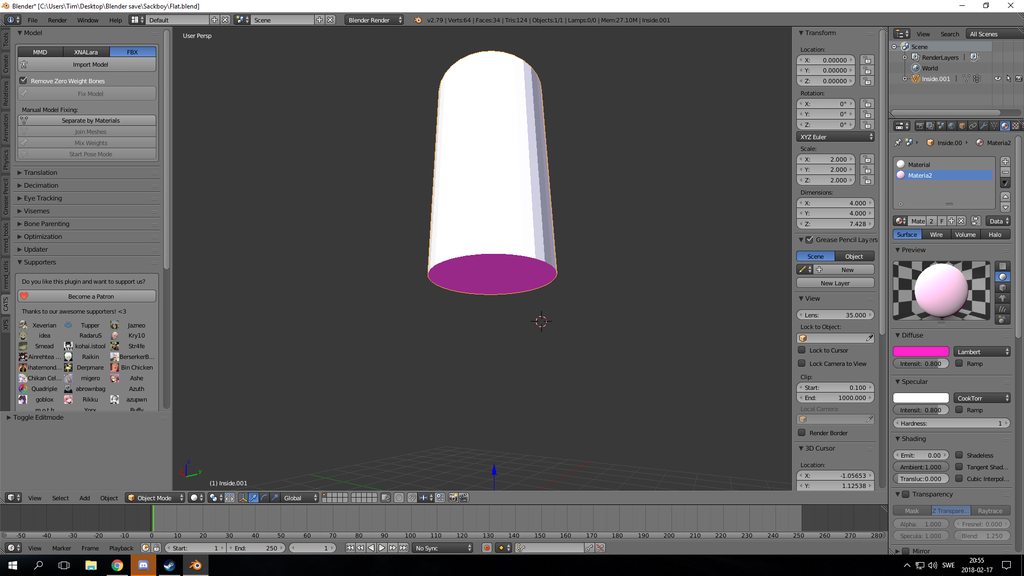
So now i should be able to put the shader on the white part to hide my hand
@fading verge Weightpaint?
pine harbor
@robust gull if you're attaching that to the top of the hat as an invisible cylinder, yeah, that's what i was thinking -- it wouldn't be perfect though
in the sense that anyone who puts their head inside of the cylinder's space would be able to see your arm
robust gull
@pine harbor Yeah you are right, that's what im trying to figure out there must be away around that
Is there a way turning what side that shader works on?
fading verge
 pine harbor
@robust gull to an extent, yes -- you can set the shader to be double-sided, or to cull either the back or front faces
the draw order is probably where things start getting really fiddly
you'll want the shader to have a lower draw order than your main body, so that it'll mask your arm when you stick it into that space
robust gull
@fading verge go into posemode then press your mesh when where you see object mode and chose weightpaint now you can press each bone to see how it's painted
pine harbor
@robust gull stencil shaders may also have part of the effect you want, with respect to how you could only see some people's legs when you looked specifically through the portal
https://alastaira.wordpress.com/2014/12/27/using-the-stencil-buffer-in-unity-free/
News concerning the recent release of Unity 4.6 was largely dominated by its new UI system. However, closer inspection of the 4.6 release notes reveals some other interesting changes and improvemen…
robust gull
Oh cool will have look at that now
pine harbor
what i'm having trouble thinking of is how you're meant to create that seamless effect, because stencil shaders are mostly used to only show the pixels of an object when they're behind something else
and you'll obviously still want your arms to be visible when they're outside of the hat
robust gull
@fading verge Yes, im not that good at it cats do that for me most of the time
robust gull
@pine harbor Like the pic in the link you posted, i would need to do it the revese way if i understand it right
pine harbor
hmm, that will work, but i don't think that's necessary
a quick demonstration of the occlusion shader: see how there're two cubes, but one isn't showing through the other?

the "invisible" one is actually in front, but it's actually managing to block out/mask the one behind it, even though the one behind it is opaque, and the one in front is transparent
robust gull
Yes but for me i didn't see anything thru my cilinder so i need to revers the matiral in blender somehow 😄
sorry really bad english
pine harbor
i was more thinking that the cylinder goes on the end of your hat, so you put it on top of a hat like this:

the cylinder itself isn't meant to be part of the hat -- it's meant to sit on top, so that when your hand goes through the top of the hat, it immediately gets masked by the cylinder
robust gull
Yes same idéa here, problem is that the cylinder is shading on the wrong side of it. So if i stod in it i would see out but everyone would just see a grey cylinder 😄
pine harbor
ah right -- in blender, you can flip the normals of the faces
in unity, you could edit the shaders to either "Cull Front" or "Cull Back" depending on what you need for your shape, but that might be a bit harder if you haven't edited shaders before
robust gull
that is in edit mesh and not matirials <-(hate that word), im not that good at editing the shaders too many numbers and letters 😄
pine harbor
yeah, it'd probably be easier to just flip the face normals in blender first, then put it in unity and apply the shaders you need
robust gull
Yeah that was the thinking 😄 hehe

 robust gull
@fading verge Oh shit dude, be carefull when wightpaint only paint the part you want to move when that bone moves
I think there is a weightpainting video here some where
@fading verge https://www.youtube.com/watch?v=Tl4qTgwQwYw

Quick intro and guide to skinning/weight painting. this video is meant for those with a basic understanding of Blender
@fading verge I hate weight painting myself so i rather switch bones with mesh just so i don't need to do it
robust gull
I feel bad for you, i tried to do this on my shoes yesterday. and i never got it, i got sick of it and just gave my avatar the bones that came with the shoes haha
Shoes have so many small places they need to be painted on i hate it so much
@pine harbor Is is ctrl+n to flip the verts never done it before
pine harbor
in edit mode, select the faces/vertices of the parts of the mesh you want to flip (you can just press "A" if you want to select everything on a mesh)
pressing "W" with the faces selected will bring up a menu of shortcuts you can use, and if you press "F" immediately after pressing "W", it'll choose the "Flip Normals" option
robust gull
Oh thanks 😄
Will up date you on it when it works haha
this is breaking my brain it's so weird
 frozen ingot
Need help making a jaw for Terrance from south park. I've been restructuring the skeletal structure a couple of times now with no results. any input? Hinged or lifting the head straight up is what im looking for. https://www.dropbox.com/s/oc3psykmubk8sxz/Terrance.png?dl=0

 devout pivot
I would love to know that too.
 night spear
is there such a thing as free dynamic bones?
crisp tendon
nope
night spear
dang it
fading verge
idk why it wasnt working, but after other 3 failed attempts, i finally was able to animate the 4 meshes 😄
meager fern
https://gyazo.com/13ea7b63e0cc11ee8d7b3b24f5d26333?token=510dfaa1d4b97150fbbbb80e33b7a525 guys, is there some way to restrain the controls that i made from moving more than my mesh? like, i want it to always stay aligned with the foot/heel
 random lotus
http://prntscr.com/ig97h4 can someone help me? i can't figure out why his right ear ends up like that once i add force to the dynamic bones. the left ear doesnt do this and it has the exact same settings on dynamic bones as the right does

and its not a weight issue, i already checked
http://prntscr.com/ig984f also theres this white line in the circle

 dreamy fiber
Hi, in Blender, how can I add a missing bone to a character with an already pre existing skeleton? I'm working on a character that has everything but is missing the hips when imported and fixed thru the "CATS plugin", anyone can quickly teach me how to add this one missing bone?
night spear
@drifting shale cant you just move the bone to the side a little bit?
night spear
I'm pretty sure it would, I had some characters with shoulder bones that went way too far, and in result in-game they looked like they were carrying something beneath their arms
making the shoulders smaller fixed the issue
even though I didn't mess with weight painting
@drifting shale
full cairn
Eye tracking messed up my model. I used the CATS eye tracking thing and it didn't quite work so how do I remove it?
random lotus
http://prntscr.com/iga1ei GODDAMMIT

I SPENT ALMOST 2 DAYS ON THIS LITTLE SHIT
AND HE IS COMPLETLEY BROKEN
fading verge
@drifting shale Might selecting the bone laying down followed by shift selecting the hip bone/bone above it and pressing Ctrl+P --> "Parent with Offset" help? Eiether that bone or the thigh bone followed by the hip bone
Feels like the parenting is what was changed
@dreamy fiber Try selecting the current "spine" or hips bone in edit mode and press "Subdivide" under the tools to the left
That should split that bone in half or more if needed
brisk mesa
@full cairn press the stop eye tracking thing and then hit Undo?
unless you mean like you're already ingame with it which ... well, i guess you need to delete the lefteye righteye bones
 warped basin
Hey, I'm doing weight painting on this model and for some reason I can't paint influence onto the legs.. It'll always show the ankles or whichever bone I last selected as the lit-up area and it seems it won't allow me to paint influence on the actual leg bones, it just puts it on the bone that was last selected.
 warm gazelle
I have a question. Can someone help me figure out why my hair is lifting up on my head once I get into VR Chat, but not while I view it in Unity?
 shrewd acorn
Hi, anyone can explain me how should I weight paint this dress so when I'm running, my legs doesnt go throught ? https://puu.sh/zqbyU/d86e99f1a3.png
 warm gazelle
@shrewd acorn I would think you could try using colliders with dynamic bone scripts in unity to address that issue.
crisp ledge
This Avatar as far as I can tell should be fully rigged, and all bone posing bends the mesh properly in Unity and Blender, however when loading the model in VRChat it seems the game doesn't know what to do with the spine, as such I cannot bend, crouch, sit, or move my legs at all outside of the pre-scripted 'running' animation when traversing the environment.
https://prnt.sc/igamwl
I've tried re-parenting and re-rigging the bones in multiple ways and am out of ideas on what adjustments I could make to fix this, any suggestions would be a great help.
 crisp ledge
I removed 2 additional hip bones earlier to fix a leg-rigging issue, so it's only left with the central hip bone, which double-checking, does not seem to be upside down, and yes I am using VR.
calm needle
you need to add 3 finger bones to get the full ik working
add a single thumb, index, and middle finger bone
they can be weighted to nothing
opal aurora
I see 2 bones connecting to the legs that seem to pertain to hip bones though...
crisp ledge
Yeah Mr Turkleton had me remove the two you're talking about EXSGT, the two you see I think are like, 'ghost bones' that Unity generated to pair the Central hip bone to the upper leg bones, there's no real bone there to select, highlighting it highlights the entire hip bone.
And I'll try adding the other bones for the rig, thanks again Turkleton.
opal aurora
And yeah, what mrturkleton said aswell
Those bones would still be highlighted green though...
calm needle
when ever you alter the skeleton of the model and overwrite the old one, its best to set the model to generic and back to humanoid so it can refresh
crisp ledge
Yeah I thought green would be indicative of it being functional as well, but it turns out really it's only the parent of the 'ghost bones' that you need to check the status of, the child ghosts just kind of work off of it.
calm needle
i really need to stop being lazy and make a vid on some of these less documented things
crisp ledge
I would subscribe in an instant.
opal aurora
I wish i had the drive to make such videos haha
calm needle
https://i.imgur.com/iupLYhy.png
example of the lazy 3 bones
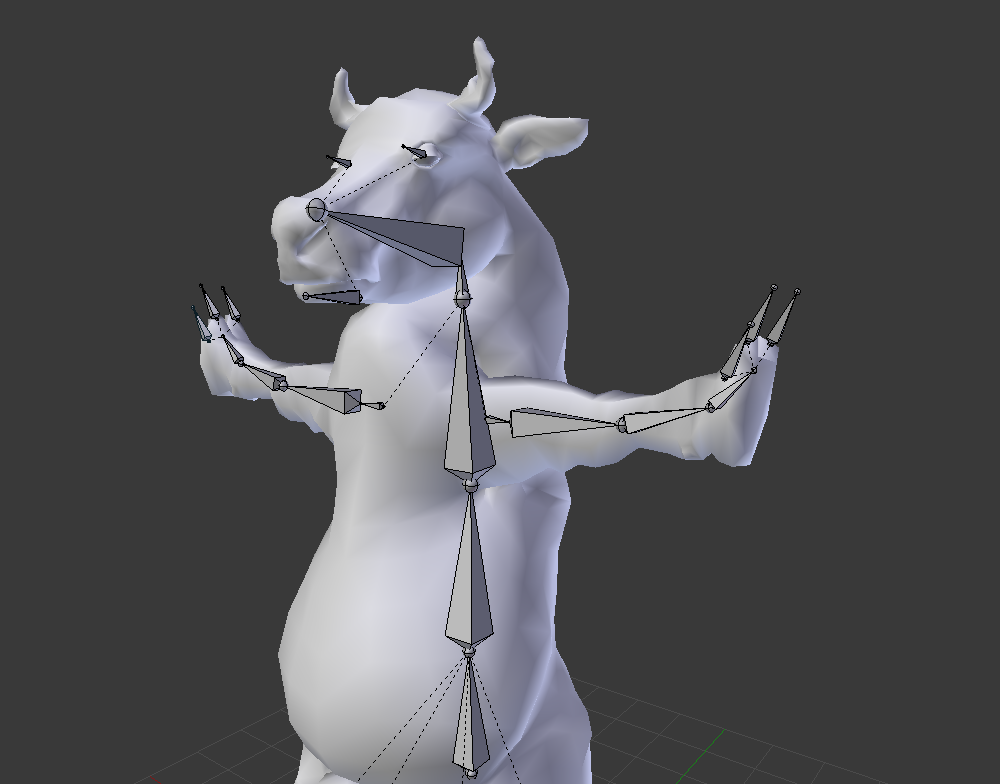
i havent uploaded a vid to youtube in almost 2 years
crisp ledge
Too many minute things that people aren't covering because it's hard to make a video on individual tiny issues and aspects, a compiled library of multi-issues with a timestamp that'll lead people to different issues in the video? I think that would be a great idea Turkleton.
opal aurora
Haven't uploaded in... actualy maybe 3-4...
calm needle
what i ultimately want to do is have a world in game that goes over some of these thigns via a video player and example avatars of the issue before and after fixing
crisp ledge
Yeah like a more condensed version of the "Help Videos" world?
calm needle
something like that but dedicated to avatars
opal aurora
A literal avatar tutorial world
calm needle
other than my own small fix vids, it would have links to some of tuppers vids and other community help ones along with an info page for usefull links
crisp ledge
Oh, a library of community aid. I like the sound of that.
calm needle
i just need to stop being lazy 😛
then again im waiting for them to fix a small bug in the video player that is hampering the world aspect of it
opal aurora
Possibly getting compilated gifs describing how to fix things up, maybe a list of key shortcuts in blender, decimation tips... there's alot that can be done
calm needle
i have a small word doc of things i want to cover that i dont think have been covered yet
opal aurora
There's alot of things that don't get coverage, specifically manual things, due to how popular CATS got
calm needle
oh yeah, going over basic manual mmd stuff could be handy if some of the other vids havent already gone over it
opal aurora
I know mmd models like the back of my hand on the manual fixing department haha
calm needle
yeah, they arent too bad to fix manually once you get the hang of it
flip hip, remove extra bones, merge weight paints, fix parenting if needed
calm needle
remove naughty bits
opal aurora
Not those
Imagine this scenario
4 neck bones, 6 shoulders, 4 arms, 4 legs,2-3 heads, 3-4 chests and god knows how many more bones
calm needle
sounds like a wierd mech
opal aurora
Mhm
calm needle
that or you need to get on the hydra's back
opal aurora
Imagine that on a standard mmd looking model
calm needle
i wouldnt be suprrised
opal aurora
It took me by surprise when i first saw it,didn't know about weight painting or merging bones back then
primal river
Hello yet again everyone..! i bet you cant guess this times problem
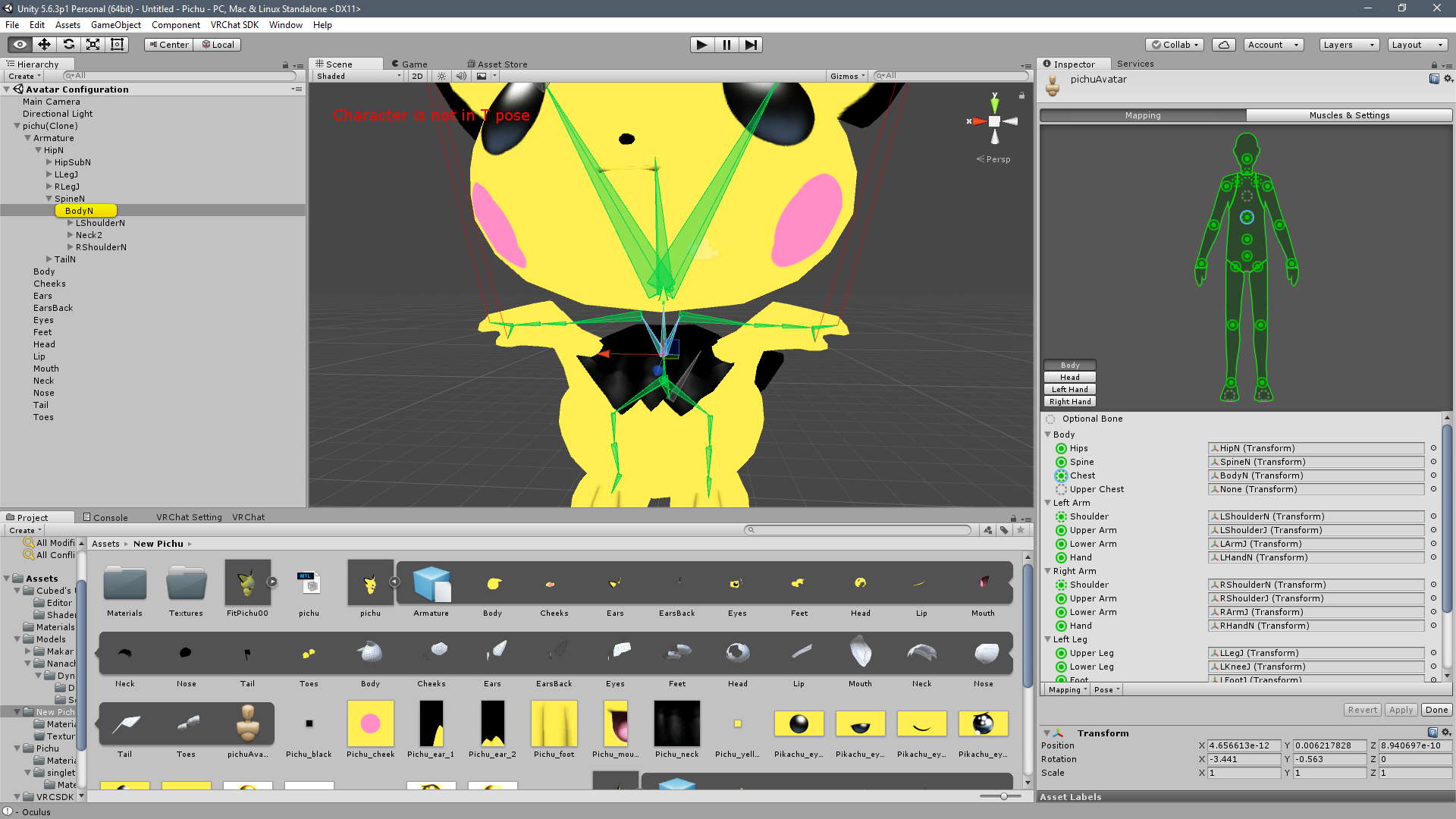
so right now body has three children
neck
shoulder
and shoulder
after some dumb parenting testing cant-ctrl-z-back mistakes on blender the arms ended up branching off of the wrong end of the body bone
actually not even the body bone
thats supposed to be the spine
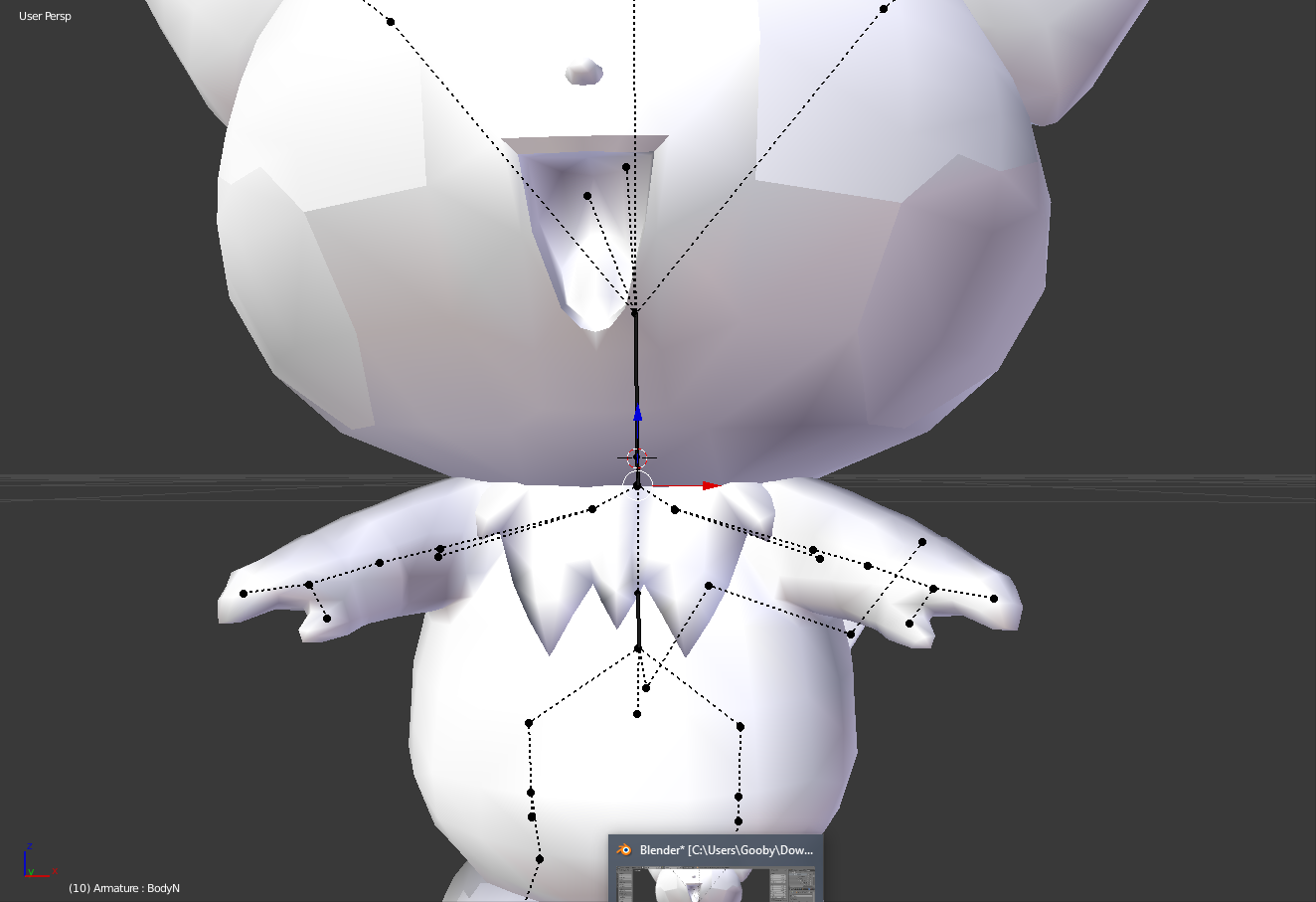


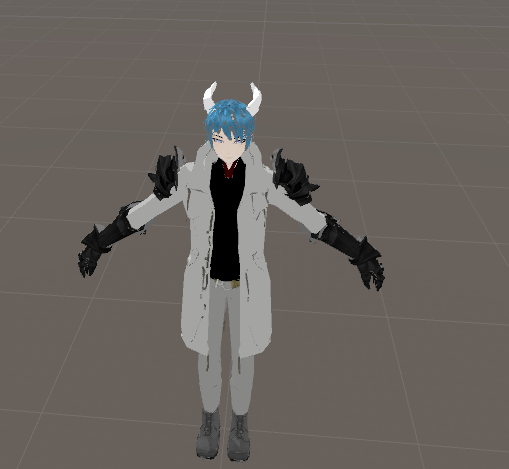
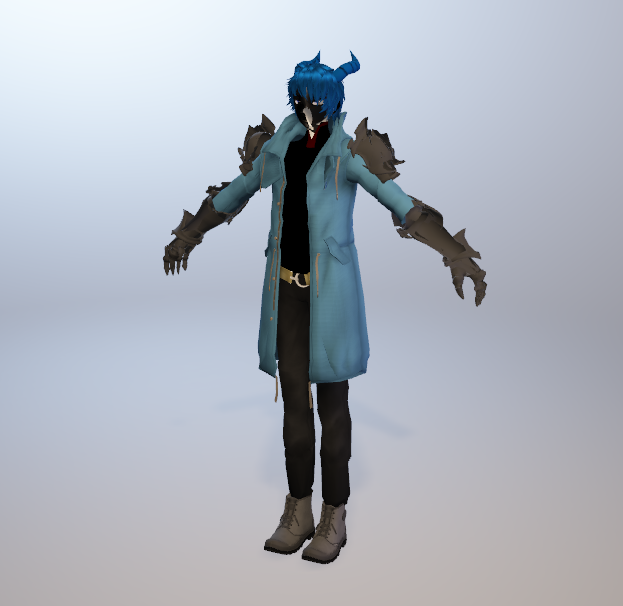
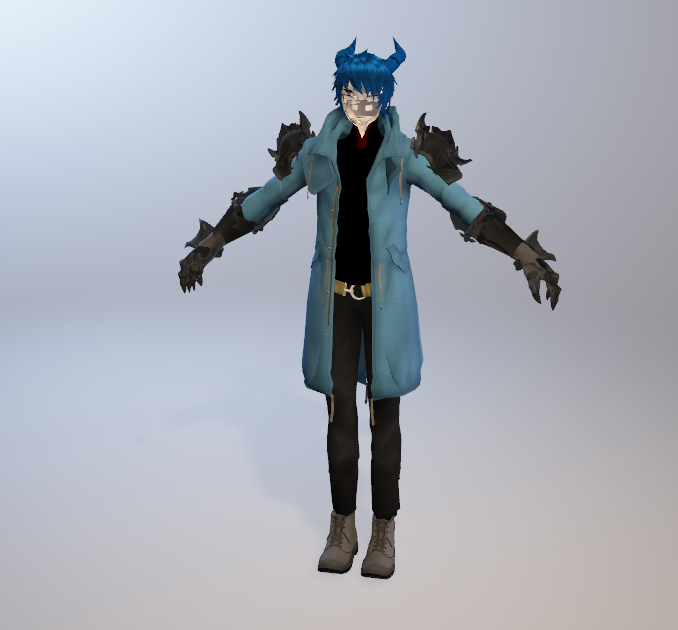


this is pichu right now on blender
note where the shoulders branch off of
naive tree
isn't that just simple parenting issue?
primal river
probably
i mean i would fix them if i knew how to switch ends
or knew were the problem roots from..
naive tree
rotate by 180
opal aurora
I wish the bone position invert didn't unparent the bone... it's so useful...
naive tree
you do everything bone related in blender generally
primal river
r-right
sorry lol
actually i dont see a rotation thing on blender
also id like to mention that this model is super weird, and every little dot is actually a bone and the dotted lines that connects them are just lines telling what is the parent of what
im not even sure why unity puts them as bones it should break
naive tree
is it me or there's a not needed bone at elbow area?
primal river
yes its not needed
leme um, delete
im too lazy to delete unecesary bones
it was ripped from a game so theres alot of unneeded bones
at first there was a really tall root bone that branched into the hip
and there was an useless waist bone that didnt have any weight paint and was at the exact position of the hip
that was fun too..
but anyway how do i make it rotate 180 in blender?
@naive tree ?
primal river
me neither.. the body bone isnt even down where unity thinks it is
opal aurora
Set all their rolls to 0 by selecting them all and pressing alt+r
And you may need to re-select a humanoid rig to update your bones
opal aurora
All of ehm
primal river
jesus allright
opal aurora
You can just hit alt+r with them selected to do it automatically
opal aurora
Essentially the bone orientation
Some games have specific roll values for how they're designed but VRC uses 0 on everything
opal aurora
It's more in the case of you having backwards/sideways/etc parts due to it
opal aurora
It might've already been alright then
primal river
lol
opal aurora
Just givin ye a heads up for future models then
primal river
i quit blender to go farther than ctrl z could
never again.
but wait um
how do i fix the body issue though lol
Unity ^
blender ^
the shoulders are clearly branched from that end
why does unity do that?
it makes the neck all squated down
opal aurora
I think it's trying to make sense of it
primal river
right
i guessed that aswell
i would be pretty confused too if everthing was very small bones
opal aurora
Source bones are the worst...