#avatar-rigging
1 messages · Page 98 of 1
 rugged vale
 hazy knot
Yeah those jointed stick bones, eh?
rugged vale
sometime when i generate eye tracking the eyeballs pop outta my characters ass i love it
hazy knot
@fading verge Don't need to see the materials, just the armatures and meshes.
 fading verge
ah
hazy knot
I had someone whose popped out the front of their skull, cartoon style. I couldn't stop laughing and had to take my oculus off.
fading verge
im not exactly sure what to show (sorry ;-;) i just have these 2 meshes https://gyazo.com/624d911b5a99716aa6431ad94cc06179

"body" and "shoes"
shoes is the external one
hazy knot
Did you do CTRL+J to join them? It shows the Shoes as a child instead of an equal.
Might need to back up a few steps and join them first, then try reparenting.
 high stream
so any idea on how i can fix my feet? https://gyazo.com/7378fa065d7016eb6f6dc920417417b7
 fading verge
- Anyone know why the custom eyes are not moving? https://gyazo.com/a69b3e29611ac667cb5ad8d621823a30
uhhm anyone can help me really quick with dynamic bone mapping?
would be nice if so just pm me 😃
 feral stone
https://i.imgur.com/cVq0usd.png I've figured out the root of my mesh issue is when I first connected the head bones with the body bones. So I aligned the head mesh and attached it to the body mesh, all thats left is joining the two rigs... But I'm drawing a blank here. Maybe I'm doing the parenting wrong or something, but I either end up with the head mesh dragging some parts of the chest mesh or the entire rig not moving the whole mesh at all.

 lament bronze
so I got a question involving rigging. I got a model from FFXIV Explorer for Leviathan and was able to get the .obj model and textures. I was able to get it all into blender but not sure what to do about the skeleton. It gave me an .eid, a .hkx, and a .skp files. Googling hasn't really shed any answers on how to use them


 small zinc
I think having a root bone might break eye tracking
 signal lintel
So I tried uploading a model but it ended up not having a right wrist bone so I went back to blender and added one. It wouldn't automatically map on the rig for my model in unity so I had to select it myself, but when I did that it would give me the error "Thumb, Index, and Middle finger bones are not mapped, Full-body IK will be disabled." when I would attempt to upload it. I could upload just fine but when I got in-game my legs basically couldn't work.
Anyone know how to fix this problem?
 polar surge



 rocky night
I modeled and rigged the old lady and her stupid little dog who live at my apartment building! :)


 molten rock

 hoary torrent
@molten rock was the avatar set to position 0,0,0 in unity?
hoary torrent
hide the avatars then set it to 0,0,0 and see if that helps
hoary torrent
it sometimes can. try this maybe? https://www.reddit.com/r/VRchat/comments/7hzxyg/my_avatars_legs_are_under_ground/

reddit
Changing Y position in transfrom settings (also using ctrl+a and using hierarchy list) did not help.
 lunar tartan
Anyone know how to fix this? The top middle tail keeps flickering rapidly, but my other tails are file. The dynamic bones are the same for all of them so what's wrong? Is it because it's laying on all of them? Gravity is applied on them all. https://media.giphy.com/media/mvykuiiTxQ0ls8LIRN/giphy.gif

 pine harbor
@molten rock check the humanoid rig settings for that particular model where the feet are going into the ground (i.e. the window where you had to match all her bones to unity's concept of Pelvis/Spine/Chest etc)
if the feet appear to be below the ground there, that's most likely the problem -- select your root bone and move it up so that the feet are no longer under the ground, then hit "Apply"
the humanoid rig page specifically, not your "scene" window
fading verge
if she wears high heels: put the ankle bones on the floor in blender, unassign toes in unity
 arctic glen
If a texture on my model is pink in blender, I shouldn't be concerned right? Because once I apply the texture in unity it looks fine, and it shouldn't mess up the model right if it was originally pink in blender right?
 molten field
hey all
having a problem where the spine of my avatar returns an error with Spine has a bone length of zero
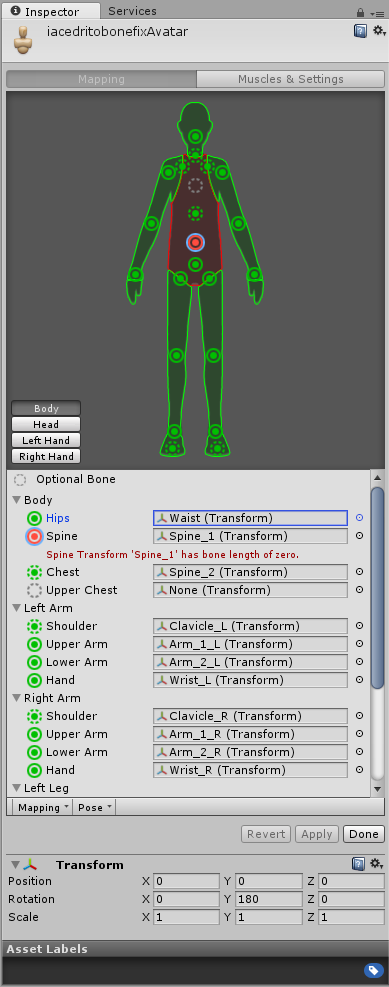
anybody know a fix?
arctic glen
Hey my dudes! If anyone is willing to help, I am having the worst time with one specific model and it'd be great if I could get some help
oh wait a second nvm I was looking at the wrong model lmao
 vast orbit
@molten field Make it longer?
Hey guys I've just started with rigging but I've watched tutorials on it and I've got a very good idea on how it works. The problem I'm having is that the model I'm using has it's arms inside part of it's body when downloading. I've fixed this by custom weighing the bones but I'm still having some issues and was wondering if someone could take some time to help me privately so I can explain what I'm having troubles with.
 glad egret
is it okay for finger bones to extend past the finger?
pine harbor
at the finger tips? should be, i don't think they actually do anything otherwise
it's really just the bone rotation direction you want on them
 calm cradle
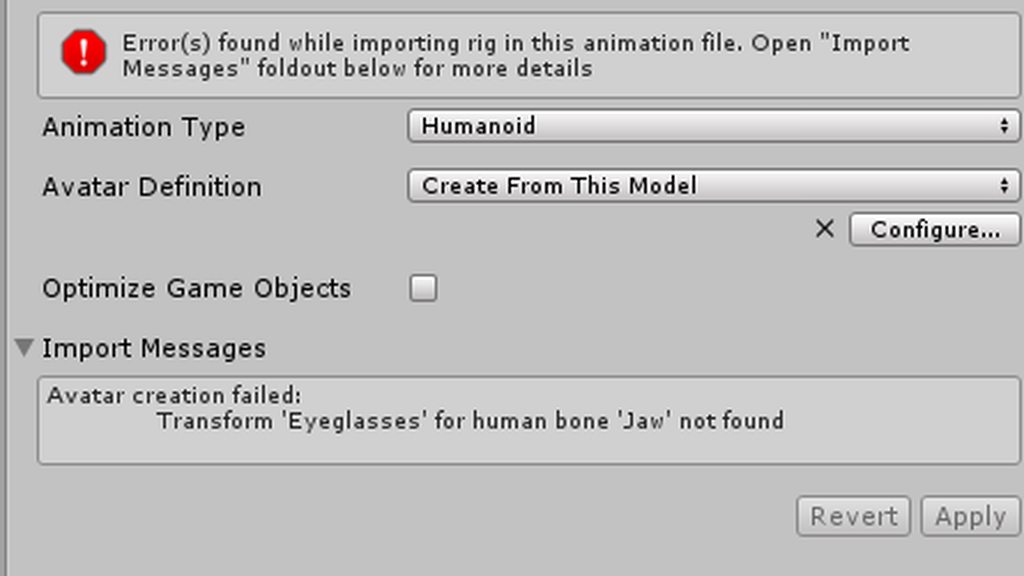
https://imgur.com/a/6CvH7 This is a new one, can't seem to figure it out. I originally did delete the mesh for the glasses on this model, but I figured it shouldn't cause a problem
 pine harbor
did you reimport the FBX into unity with the same name? that's probably the metadata files acting up
glad egret
let me get an image
calm cradle
Hmm
pine harbor
if the glasses were a separate mesh, it's trying to find an element in the FBX that doesn't exist now
glad egret
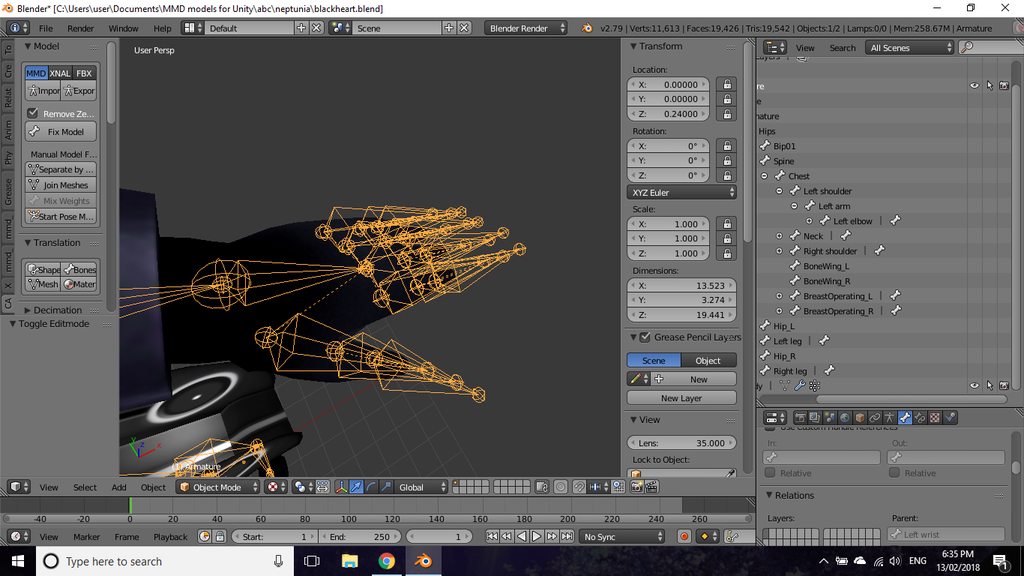
this is okay yeah? https://imgur.com/a/bZh8n
 calm cradle
Ah that fixed it, thanks
pine harbor
@glad egret that looks a bit bizarre, but it should work, i think
glad egret
i had to face them down because my model had them facing up originally
pine harbor
at the very least, it'd still work in blender and MMD, it'd just feel a bit weird looking at the interface...and yeah, the MMD importers seem to do that by default a lot
because MMD models have no sense of bone direction -- they just have pivot points
import it and give it a shot, but unless unity's got some extra restrictions in it, it should work -- i'm seeing the bones at their correct pivot points as far as i can tell
glad egret
okay
fading verge
Is there a way to use IK bones while animating within blender while being able to remove the non-deform bones after to export to Unity?
 lilac moss
@fading verge yes
in fbx export settings you can remove non-deform bones
and the animation will bake to the deform bones
make sure baked animation is checked inthe export settings though, i think cats plugin unchecks it for some reason
fading verge
Will try
lilac moss
yeah
fading verge
And the animation works correctly
lilac moss
though you shouldn't worry too much about a few extra bones
fading verge
I experimented quite a bit with this model and added IKs to the hair and dress as well, so in this particular case there are too many extraas
After my method failed and I started looking, a post mislead me into beliving what you mentioned wasn't going to work so I hadn't tried it
lilac moss
sounds like another option is dynamic bone
fading verge
Sadly can't purchase them at the moment
And since I'll be making custom animations for everything it may look better and be simpler to animate them already to get the whole feel for the animation
In case I do any particular adventurous animations
lilac moss
yes ik is great
fading verge
Will be sooooo much easier to animate the feet/legs with them
fading verge
I have yet to experiment with IK arm rigging but may learn later on
There are moments it would be useful to glue the hand into a certain spot
Indeed, watched a tutorial that was very helpful
glad egret
is this okay rigging for the hand? https://imgur.com/a/ghfii
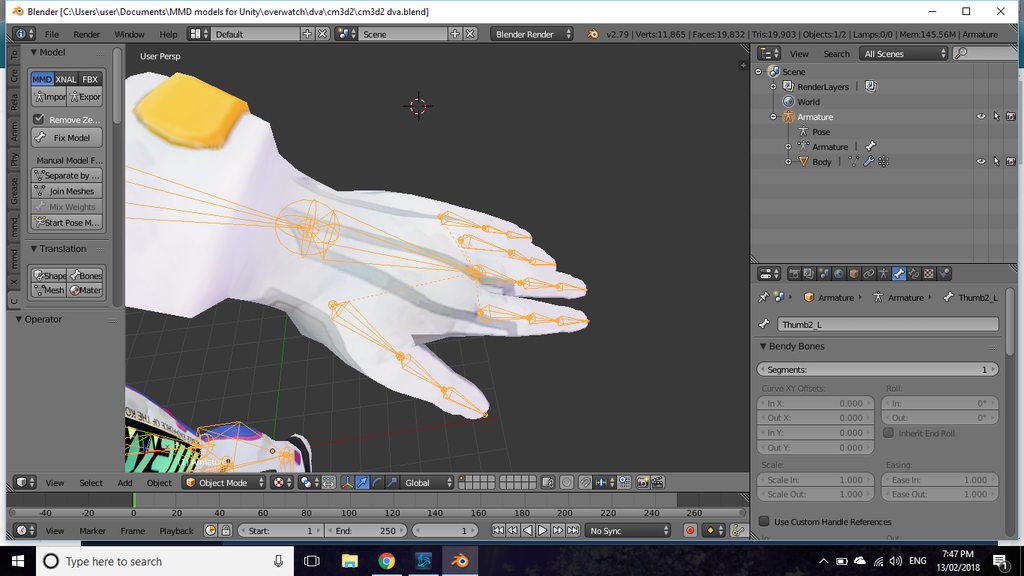
i had to force down the finger bones since they were sticking up
lilac moss
sure
ring finger looks funky but will probably work
if the roll is funky you can have issues as well
there is a certain way to extrude bones without messing up the roll and whatever idk just try it
useful to have some kind of grid view while rigging
extruding at odd view angles can have funky results
 light kindle
its not outlined
have you tried hiding the mesh
it might actually be part of the hands mesh
uh if you know where it is in hierarchy you might have it
doesnt blender have a freeze or the like
lilac moss
delete the balls
the balls are not part of the rig are they
they are a separate mesh or something?
if you select something separate it goes back into object mode
 naive gale
any guesses why running CATS on my model completely ruins the models wrist location ingame but not in Blender or even the Unity Editor?
light kindle
isnt it from valve?
im just going of the names, dont know the character
i havent worked with either so
search around for someone who has
ah, so, what i said wasnt really wrong (?)
you can google if someones done it before too
theyres probably addons youll need or the like
or rerigging if you really cant find anything
cant you just make some and paint em?
no bones
naive gale
thats weird though
light kindle
to the bones?
if you bend the bones and the fingers dont move with you have to attach and weight paint
lilac moss
fingers have to be children of the correct bone but don't have to be attached directly to parent bones
 indigo fiber

 naive gale
anyone in here got an idea why CATS does this with my characters hands? (It loosk fine in Unity Editor even with animator attached to it)

 subtle moth
no idea but i want a model with hands like that now
naive gale
I've figured it out.
 silk kestrel
Does anyone have any idea why the pelvis/hips will thrust forward?
hoary torrent
for some reason my neck and head won't move normally, it moves the chest with it.
 calm needle
sounds like a potentiall accidental weight paint?
hoary torrent
i didnt weight paint tho
calm needle
mmd with cats or something else?
 pale pelican
For some reason everytime I export a model in dae and open it back in Blender the bones are messed up
I don't know what is causing it, also the bones are all rotated at 90°
Also I weight painted it before exporting it
 crisp tendon
select automatic bone orientation in the import menu ?
 tawdry sky
Can i rig a character the normal way if their hands are floating? For example, rayman
calm needle
yeah, just have invisible upper and lower arm bones
pale pelican
Nope, didn't work for me
tawdry sky
Oh my god, ive made a monster.
tawdry sky
Anyone have a sec to rig a Bullet-Humanoid?
hazy knot
As in Bullet Bill?
tawdry sky
Yeah, but upright with legs. The bulletkin from Enter the Gungeon
lilac moss
@tawdry sky enable rigifty addon in blender 2. add rig 3. move bones around 4. auto weight
tawdry sky
Ill give it a shot. I just downloaded blender this morning and used it for the first time today. Spent 2 hours building a bullet, the rest is all a foreign language
lilac moss
nice thing is the interface with blender is very similar when doing all the various steps
 pseudo tide
So I'm having an issue when making shape keys... When it comes to blinking, the eyelid goes through the eyeball. Is there a way to make an inbetween key, either on Blender or Unity?
lilac moss
no
fading verge
oof
lilac moss
move the white of the eye backwards as part of the shapekey
fading verge
i have a huge problem and idk how to fix it
lilac moss
or just by default
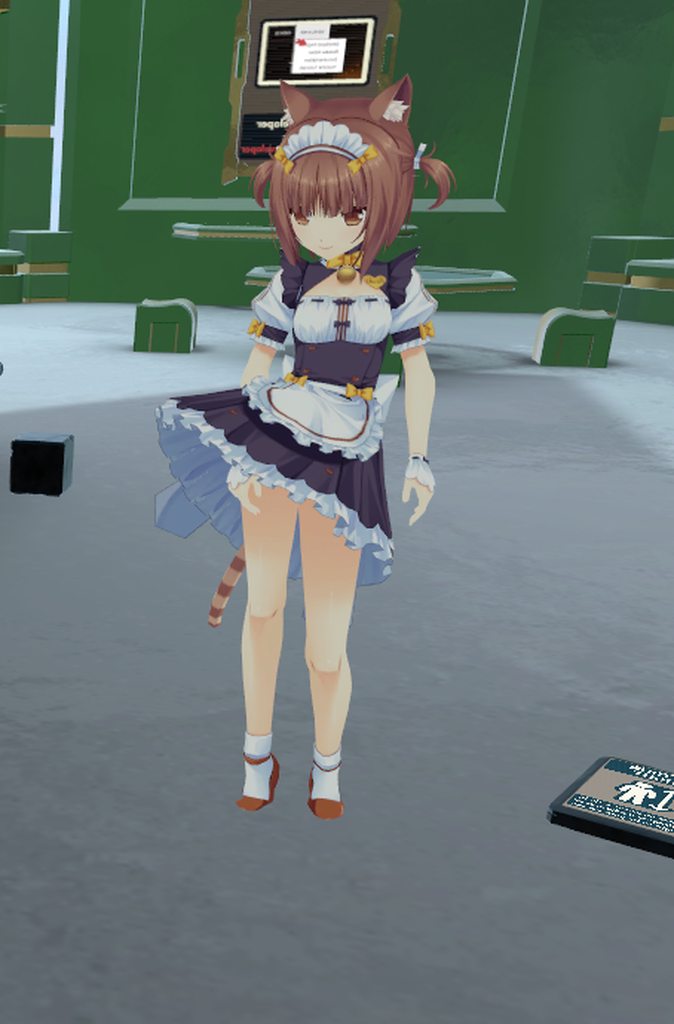
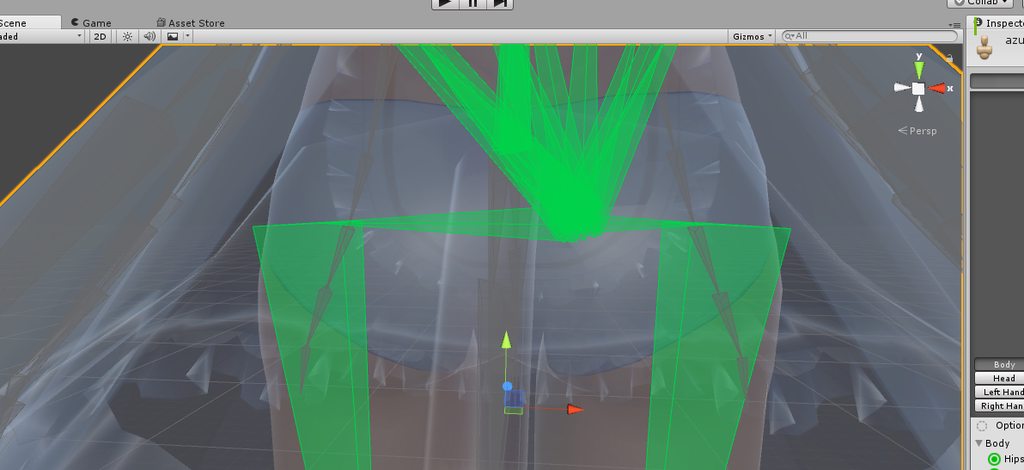 lilac moss
@fading verge change your height in system settings
 lilac moss
maybe that too but i can see you on tiptoe
fading verge
so i need to make her shorter ?
fading verge
oh okay
lilac moss
but the hips could be a different issue
fading verge
yeh it looks like one of the sides is longer than the other
lilac moss
press play in unity with the animationcontroller template on your character and it will stand in idle pose
and see if it works
fading verge
after converting it before it doesnt look broken at all
hieght should be a esay fix but the hips thats my main problem 😦
before using "fix model" in cats it looks normal
lilac moss
yes test it in unity and tell me if it works and / or screenshot the bones in blender
so it looks wrong in blender?
fading verge
https://imgur.com/a/LCPvk this is before fixing and just exported
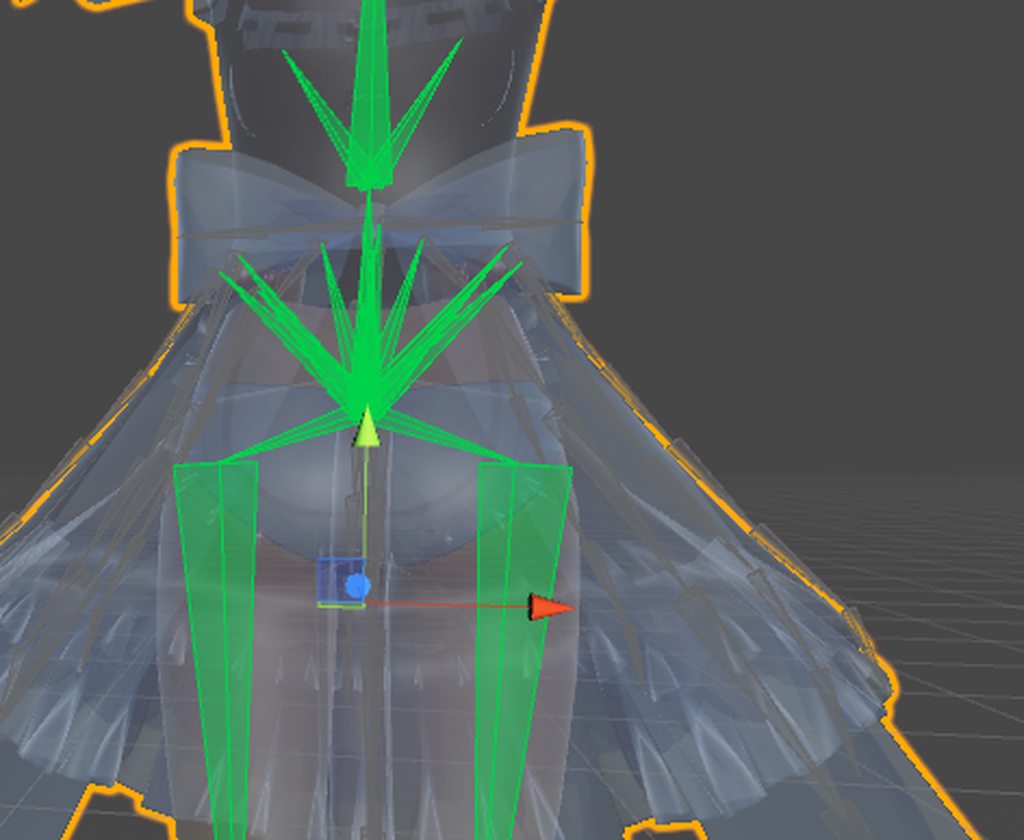
so it looks normal in blender and after fixing the model it looks like the hips are not conneted to the spine
im pmx_editor it also looks completely normal
lilac moss
the screenshots you sent look fine i can't see the problem
fading verge
yes but its the same still
lilac moss
test it in play mode in unity and / or send me screencaps of blender
fading verge
so ill go on from the complete beginning
https://imgur.com/a/n08do imported with mmd_tools

https://imgur.com/a/R10oC after clickling on fix model.. u already can see that the hips are not symetrical 😦
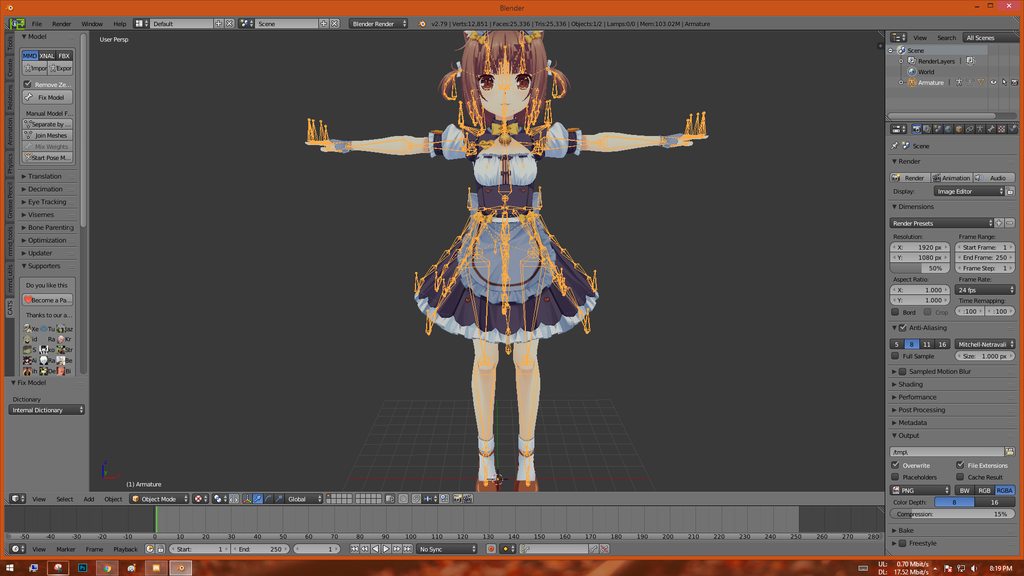 lilac moss
very strange
fading verge
yes indeed
lilac moss
have you tried moving the hip bone back in blender in edit mode
fading verge
nope cuz idk how
(im a beginner)
idk if its a problem in pmx editor cuz i needed to set the barent and link bones and maybe theres a mistake
lilac moss
yes
probably somewehre along there
but it might be an easy fix
first ctrl-tab into pose mode, right click on the hip bone and press alt-g to see
fading verge
okay wait ill try it
lilac moss
if that does nothing press tab to get into edit mode and press go to move it around, press tab again after semi-centering it to see if it had any bad effect
fading verge
https://imgur.com/a/ngjA9 pressing alt-g did nothing btw
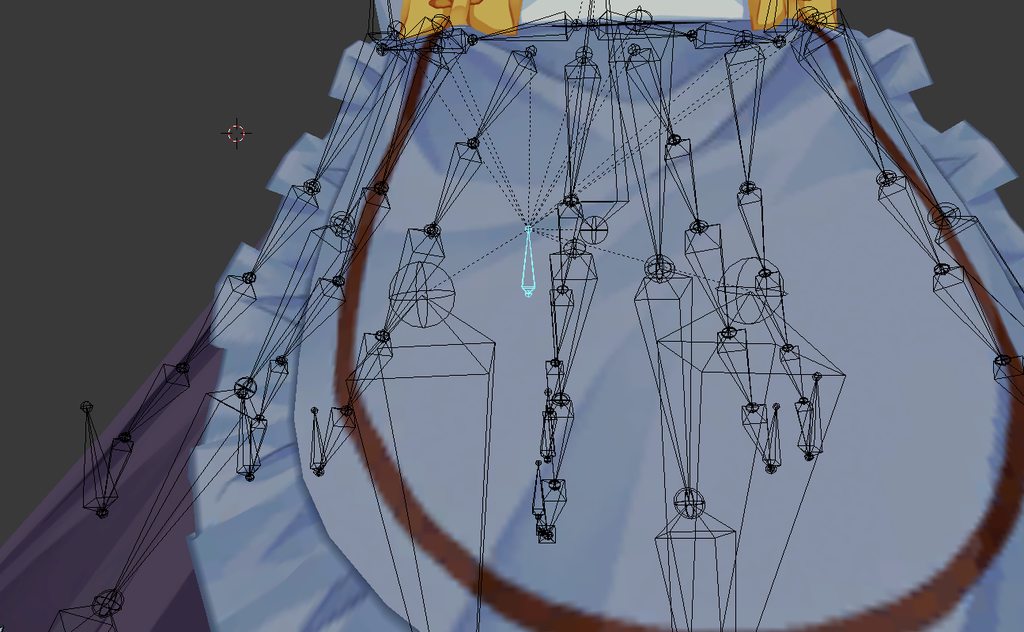 lilac moss
figures. just trying to figure out what exactly happened to the hips
fading verge
okay sooo
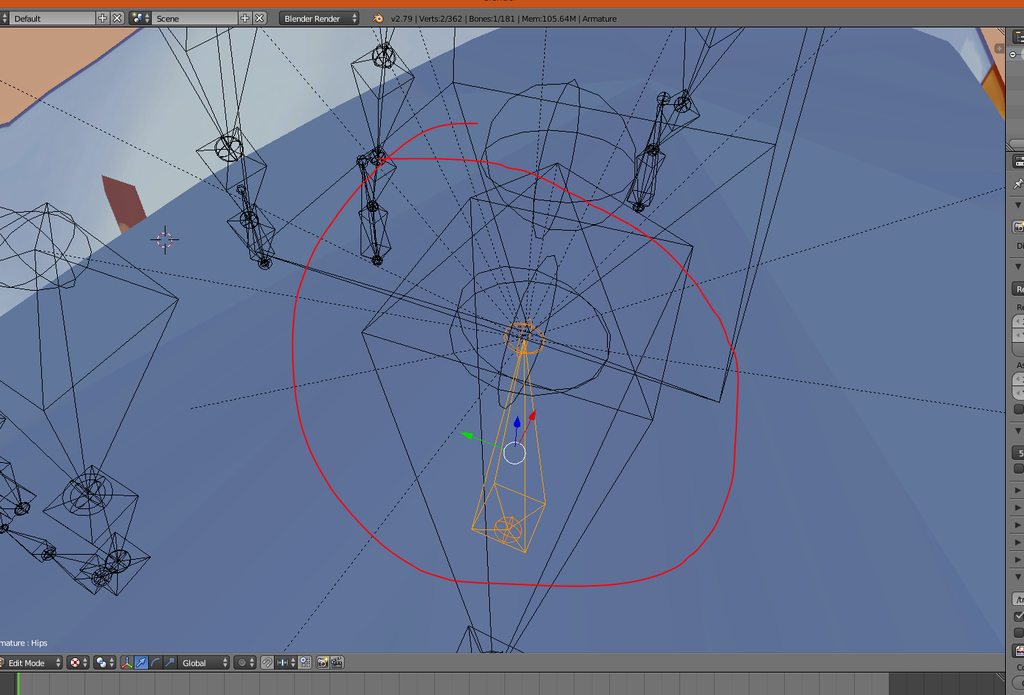
 chrome pier
What does the “fix” button in cats do specifically?
 low parrot
I believe it changes view settings to make textures visible
If the textures are able to be found
chrome pier
So does it change weight paints or bones?
Cus when I use it in blender I can see my textures but can’t tell if it’s doing anything elae
Else
low parrot
not too sure tbh
fading verge
it also messes around with bones ( like in my example ) 😦
hazy knot
If you point your mouse at the fix model button it tells you what it does.
It looks like it just needs to be connected then disconnected from the spine to bring the tail up to where it should be, then realign the head so it's going straight up/down and directly between the leg bases.
You can change the bone's end positions in the menu that pops up when you press N
 restive marlin

anyone have any ideas why these teeth arn't moving with the bones that they are weighted to?
hazy knot
Check your modifiers tab to make sure the existing MMD bone mod is parented to the armature.
restive marlin
me?
hazy knot
Yes you
restive marlin
ok one sec lol didn't exepect an answer that fast!
hazy knot
highlight the portion of mesh that isn't linking and go to modifiers, open up the mmd bone mod and if there is an orange box that is empty, set it to armature
This is likely a mesh problem, not a bone problem.
restive marlin
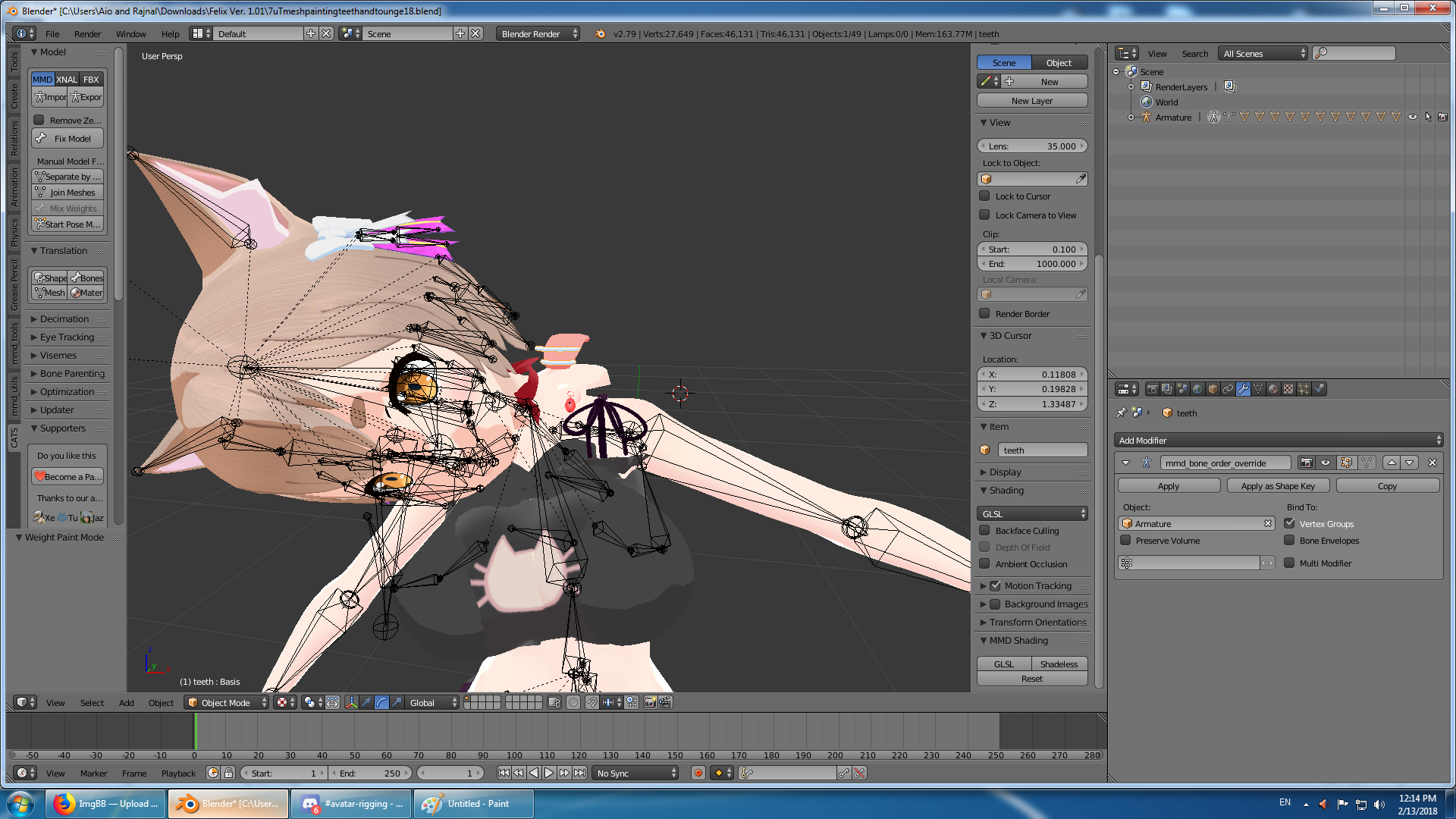
^ is this where your talking about?
(I'm pretty new to the weight painting ans such so I may be missing something super obvious)
hazy knot
So you'll need to split your mesh by material then select the mouth parts that aren't moving.
But yes, that's the mod I'm talking about
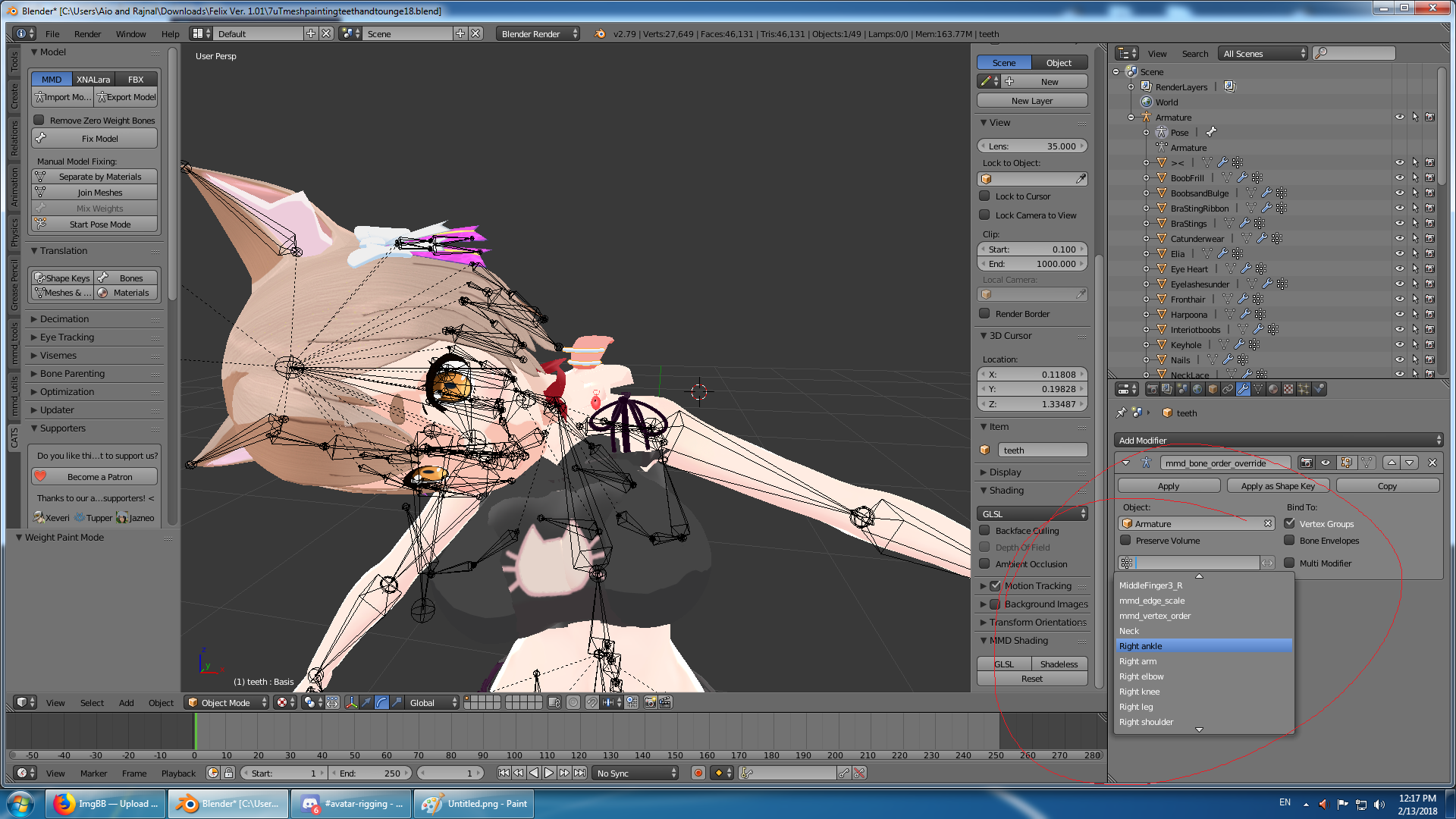 hazy knot
It's the object, which appears to already be set.
restive marlin
the white sparkles icon doesn't have anything selected in the drop down box
I thought those were the "verts"
hazy knot
Do any of the other meshes?
hazy knot
Yeah probably not grouped. I'm not sure why it won't move, anybody else got an idea?
restive marlin
I already sepereated by material via cats at the begginging, lemee try one more time

does the vert groups always get uncapitalized when cats makes them?
because the backhair ones seem to be working
but the teeth don't

got it!
I didn't realize that the vert group had to be the same capitlization as the bone group
I thought the bone group and vert group could be called anything as long as they were linked
hazy knot
Whoever put breasts on that Felix model is an abomination.
 heady hedge
I think he just took the head off an existing one and put it onto a a female model with that cat bra and panties
feral stone
https://gyazo.com/6868569738b54ac7e74fac3a4a717533 @heady hedge I'm sorry for taking so long, but heres basically whats going on. I read what tech panda said. I remember before I tested different rigs and it seems there was an issue with the body mesh, but I'm not sure how to start and fix.

 pulsar hearth
So i selected a couple tris/faces how do i "put" these specific tris/faces onto a Bone ?
(in blender)
fading verge
@feral stone You need to fix the weight-painting for the breasts
They appear to be connected to the head-bone instead of the chest bone
feral stone
https://i.imgur.com/zIruVp6.png Currently its selecting the chest bone, doesnt seem like it, unless I'm mistaken and thats not how its suppose to look at all. (No clue)
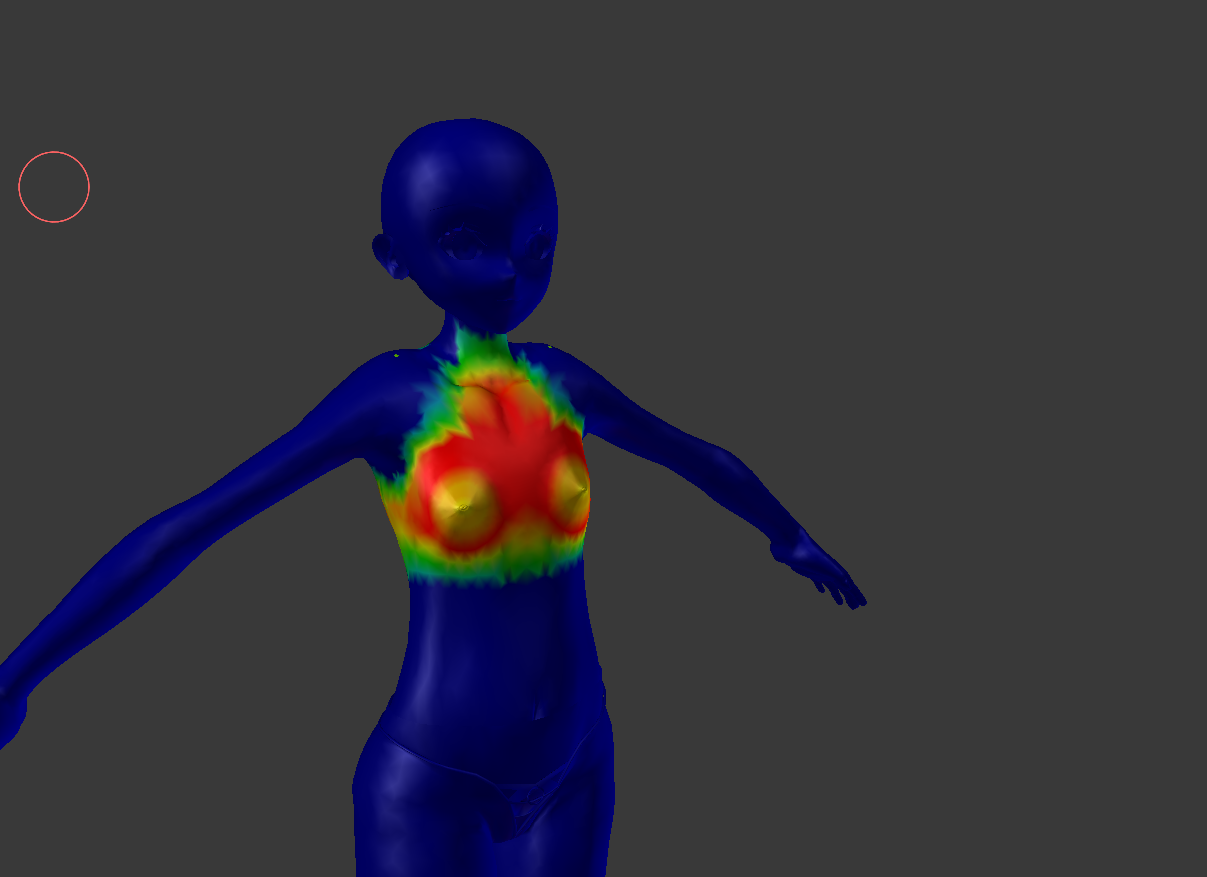 pine harbor
hmm, that actually looks like an easy fix based on the GIF you showed earlier...what does the weight painting look like for the Head bone?
heady hedge
Try to unmap the neck
It might connect to the chin as well
Sorry I was getting groceries so I wasn't at my computer
 weary geode
@restive marlin The vertex group list is basically just a list of bone names that have weighted influence over the mesh. So yes, they would need to be named exactly the same.
@pulsar hearth Go to vertex group list and select the bone name that you want to weight them to, then hit "Apply" button under vertex group list.
@feral stone In edit mode, select an area around the body, then on vertex group list find your head bone and hit "Remove" button
feral stone
by slect the area, you mean 'c' and highlight the vertices around the chest?
weary geode
Well if your body isn't connected to head, you can just hit L to select all
or B or C, whatever kind of selection you want
just ensure the vertices that are being influenced by the head bone are in that selection
fading verge
When weight painting Red means the bone has full control while blue means it has no control. Considering the breasts have yellow means another bone is also controling that area, in this case the head
feral stone
But when I select the head bone, theres only read on the head
weary geode
Nah, yellow just means that area has been painted with lesser weight
you can have 2 bones paint the same area with full influence
fading verge
Try selecting the chest area within edit mode, switch over to weight painting mode and click on "Normalize" within the left panel's "Tools" area
weary geode
but if you have one bone with lesser influence than another, the other bone will take procedence over deforming of the mesh
feral stone
Alright I, I wanna start from scratch just to make sure. So I have the head with head rig from one model, then the body with its rig. Joining the two rigs was no issue
weary geode
Just do as I mentioned, and do it on the eye bones too because they appear to be the only other bones that are connected to the head with loc/rot
feral stone
do I do this before or after I fix model with CATS
weary geode
shouldn't matter
I made tutorials for joining 2 models together, you can find it in #tutorials
fading verge
Primu do you know of an add-on or way to rename a bone and have it rename the keyframes within an action/pose?
weary geode
If you're just replacing head, you shouldn't need the other armature at all
is that bone not already renamed within those keyframes?
fading verge
The keyframes don't appear to update after I rename the bones
I animated my model before and would like to see if it's possible to transfer those animations over to the properly named armature
Believe I could manually rename the keyframes but that may take too long
weary geode
ah I suspect it's an issue with how blender manages data blocks
fading verge
Perhaps so
The vertex groups are properly renamed within the mesh, just the keyframes within my Actions aren't
weary geode
I can't reproduce that issue, bone names are updating correctly for me
fading verge
Hmm
weary geode
oh wait I see the issue
make sure your actions are set with action strips in NLA editor before renaming your bones
fading verge
May be what I need
feral stone
Okay, so I didnt even connect the head mesh and decided to move the neck bone by itself, and its moving the chest mesh
fading verge
I tried with a simpler model to test and the action I had active worked but when I switch over to the other two those didn't work
weary geode
You'll have to rename the bones back to what they were, then open each action in dope sheet and switch to nla editor and create track for them
fading verge
It's moving the chest bone within Pose mode?
weary geode
then when you rename bones after they'll be updated
fading verge
Will give it an attempt
weary geode
You could possibly also export animation as fbx and then just open the fbx file and rename the bone from there
feral stone
weary geode
is that the head bone of the original armature then
feral stone
No its the head bone of the head mesh. But I also tested it out with the original base model, the original head did the same thing to the chest
weary geode
you have 3 other bones connected to the head
feral stone
I just ctrl+j it to the body rig
weary geode
one of them has influence over the chest
you can send me blend file in pm if you want me to take a look
fading verge
Thank you Primu, it worked on my test model but believe it'll work on my main character as well
I rarely use the NLA editor so only knew of the basics. Wasn't aware it also controled this
weary geode
For future reference, you can also export your animation as FBX (ascii), then just open it with a text editor and replace bone names there
though should be noted that if you want to import it to blender again, you first need to convert back to binary
which you can do automatically if you have visual studio installed, otherwise there's probably a tool available somewhere for it
fading verge
The first method is easier but will note this down in case I need it later
weary geode
Marducky it's either a base hair bone or a head tip bone probably, usually not needed because hair base can be weighted to head bone with no difference
feral stone
O found it, after fixing the model I had less bones to deal with. Its Eye_R
weary geode
ya just need to be aware that animations may share same blend file of your model, but they're not actually connected to your model/armature by default. They keep bone names assigned to their frames so that they can be reused with other armatures
feral stone
So I found the one bone thats casuing the issue, what do I do now again?
weary geode
select your body mesh, then in vertex group list find that bone and hit "remove" button to remove weighting of that bone to the selected vertices
fading verge
I want to create a rigged base model that I customize while having them share animations, so this was important to learn
feral stone
Oh my gosh, I love you. I've been at this for 2 days now.
fading verge
Keep testing your model to ensure everything else is working properly
weary geode
^ w ^
fading verge
Everything is fine now
w O)b
 merry vale
yo is avatar uploading down?
fading verge
Currently not uploading so don't know
 sly mirage
i was wondering could someone here rig a model for me Mixamo wont work for this model. at least i couldnt get it to. the face stretches when i turn my head. this is the model https://sketchfab.com/models/590eb2a2635c45389e2c510b2924ecd5
please i really need help ive been at this for days and ive reached my limit.
 restive marlin
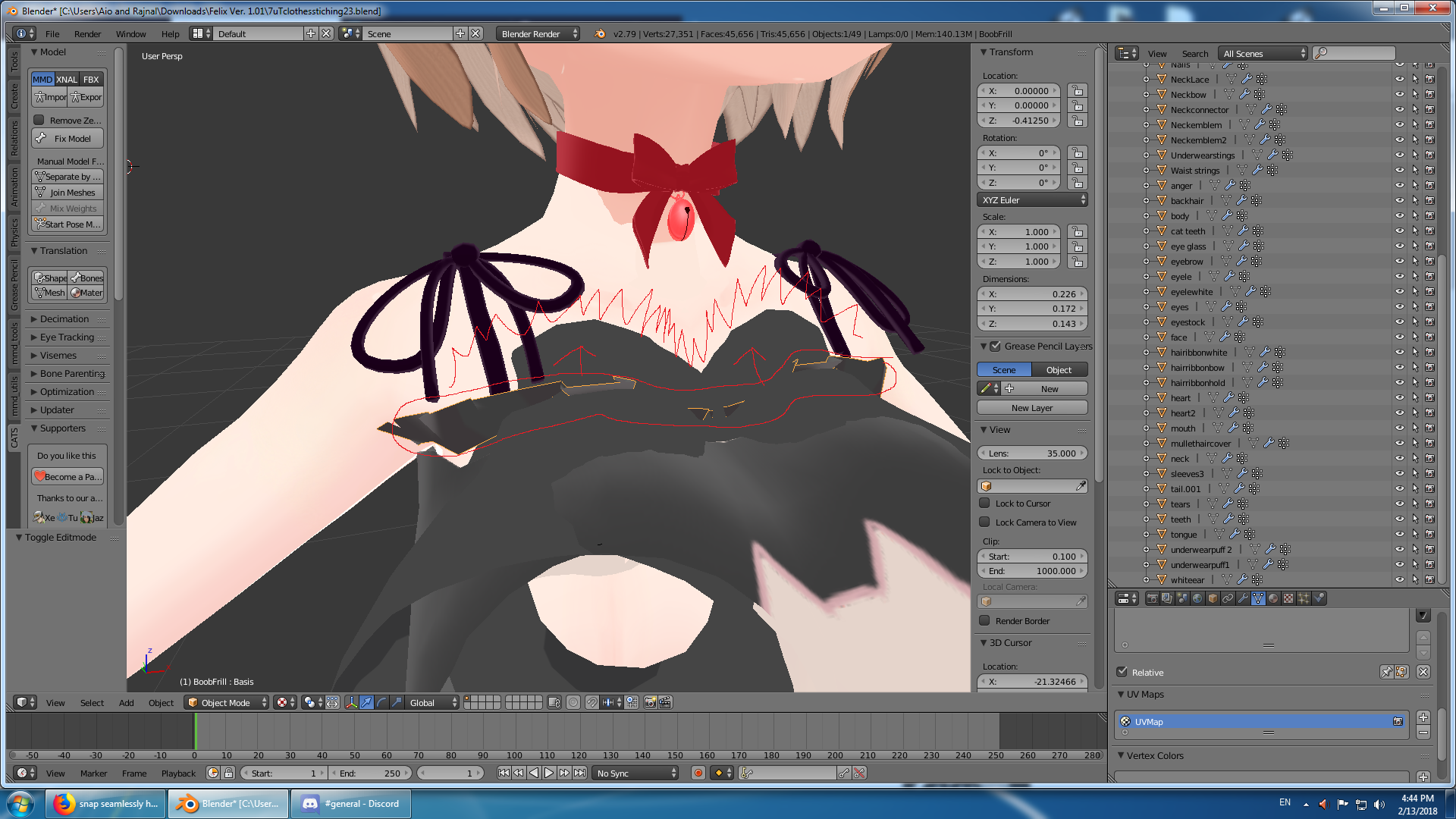
Anyone know a good way to get this lace to be above the boobs and form to the red squiggles (the lace is a different shape) and the back of the character needs to stay still
weary geode
proportional editing
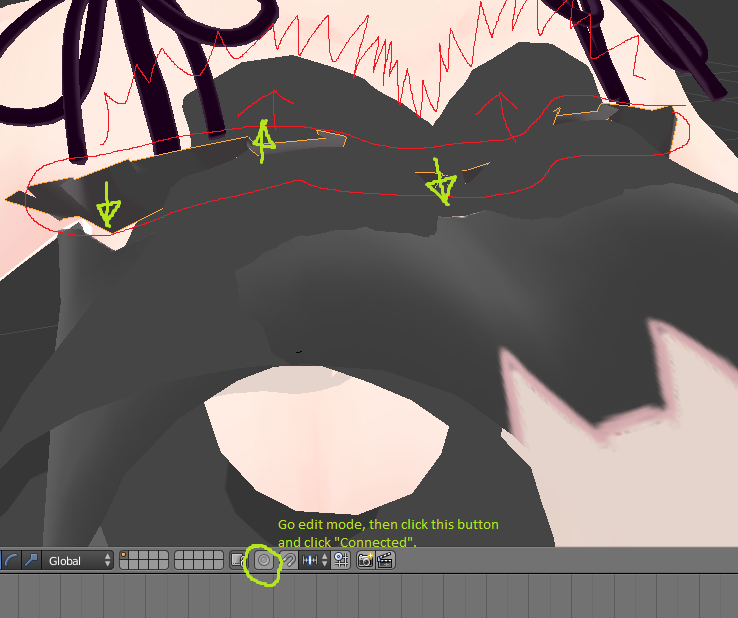
If it's symmetrical you can enable x-mirror in tools panel otherwise you'll need to adjust both sides manually
When you transform mesh, use scroll wheel to change proportional editing area of influence
feral stone
After joining two armatures (Head+Body) and parenting the imported head bone to the neck, do I check 'connected or leave that blank?
weary geode
head should be connected to neck, yes
you only want offset where bones are visibly offset from their parent, like upper leg to hips, shoulders to chest, hair to head
feral stone
Thank you!
 toxic harness
does anyone know how to delete doubles in blender 2.79?
weary geode
In edit mode select the parts of your mesh that you want to remove doubles from, then on left "Tools" menu, scroll right down to "Remove Doubles"
though you should not remove doubles on parts of your model that you want to be double-sided
Eg. If you have a cape, you'd have 1 mesh for texture on outer side and another mesh for inner side with their normals flipped
You cannot have a single mesh which displays both sides in vrchat (and most games) due to backface culling
You can also enable backface culling in blender from the N menu under Shading if you want to see what your model will look like with culling (if any part of your model appears invisible with this enabled, it means that part should have doubles)
toxic harness
Okay I removed all the doubles but automatic weights keep failing
 naive tree
seperate
if you're trying to recalulate weight for 1 bone, seperate the area from rest of the body°
 crisp tendon
chose hips, not root bone
crisp tendon
so legs and spine are parented to WaistN ?
 primal river
yes.. maybe
hoary torrent
can someone help? in blender my neck and head bone seem to move all of the body apart from the legs, it's only supposed to move...well the neck and head.
primal river
the naming on this model is all kinds of wrong..
im making a gif to show you hold on

that middle bone is WaistN
i would assume this would be wanted as the spine right?
crisp tendon
Yeah this is mostly unusable,
primal river
?
crisp tendon

 golden eagle
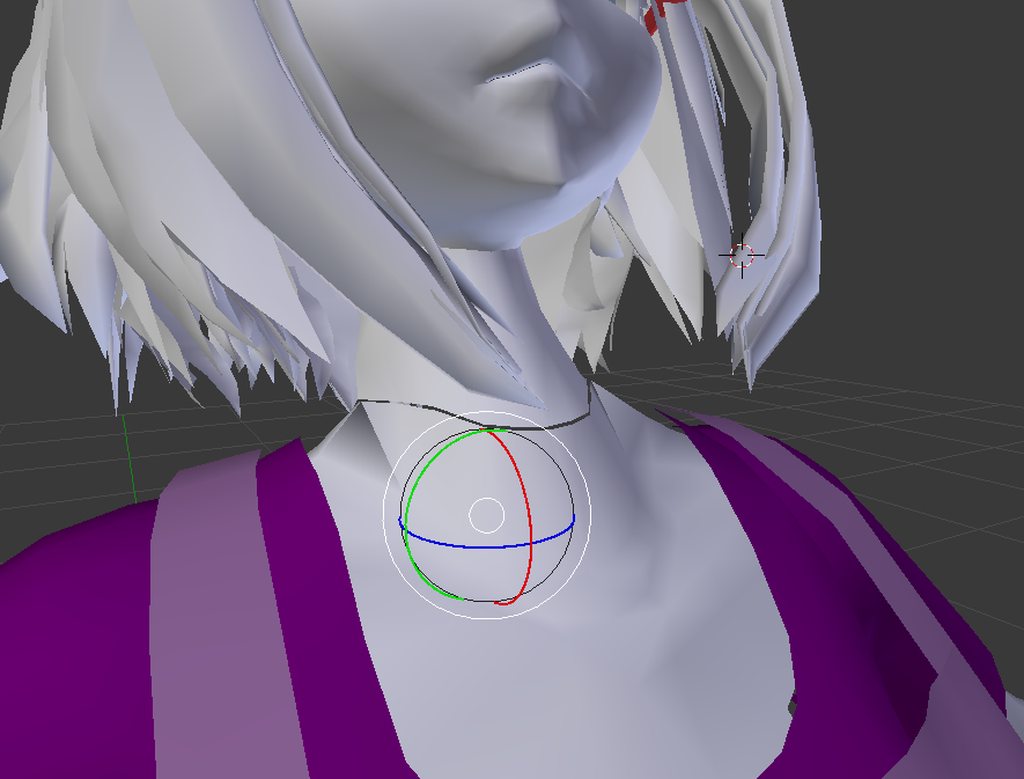
hey everyone. so I have a seam in my model on blender between the neck and the body. the mesh is lined up perfectly but the vertices aren't conntected. so when the head moves the seam seperates a bit. is there a way to connect the vertices so that it stretches as one instead of seperating?
 chrome pier
is this the place to ask for help with weight painting
primal river
@crisp tendon can i ask for elaboration please?
is the model done for with this problem?
crisp tendon
nope, just fix the bones to end up with what's on the drawing above
fading verge
@golden eagle try selecting the verticies/corners and then pressing alt m to merge
golden eagle
I tried that with all the vertices selected but no good, would I have to do it 2 vertices at a time? @fading verge
fading verge
Yeah
golden eagle
alright I'll give that a try. thanks
golden eagle
👍
fading verge
Not really
From my experience with that I just created a new bone for that
And removed the old one to fix it
fading verge
Should be
golden eagle
it worked lolita, I really appreciate the answer 😃
primal river
lol
naive tree
so this is a clue I have for mouth blinking and opening when looking down http://prntscr.com/ief3zk
 chrome pier
 naive tree
it has lowerlid keys in blender, but doesn't transfer over to unity
chrome pier
my model is all messed up when i rotate it
naive tree
all other avatars do have lowerlid in unity
chrome pier
but ive gone through it and i cant find the places where the weight isnt 0
primal river
@crisp tendon ive double checked and the bones are in order
do you know what might cause this?
OH
i figgured it out!
the bone that connects the hip to the spine was way too little
when i stretched it a little it fixed itself!
crisp tendon
then you won't be able to use IK
primal river
?
crisp tendon
look at the drawing again if necessary, there's no bone between the hips and the spine
primal river

theres the fix live
should i generally make that bone bigger?
if the bone gets bigger pichu becomes pretty weird..

looks kinda funny lol
is this what you meant though?
@crisp tendon ?
crisp tendon
No, that's because your character has no neck
so the whole thing is mapped incorrectly
crisp tendon
for IK it is
primal river
if i uploaded it right now what would be wrong?
crisp tendon
it would t-pose
primal river
oh no
heady hedge
Can anyone tell me how hard it is to transfer the head of one model to another? I've never done it before
primal river
can i add a small neck bone like i did for the hip-spine bone?
chrome pier

This is "2018-02-13-2131-30" by Nick Marco on Vimeo, the home for high quality videos and the people who love them.
anyone know why these textures wont fix themselves
toxic harness
I've spent 20+ hours on this avatar and still can't get the rig correct
primal river
have we all...
toxic harness
hmm would you know why in blender my colar isn't transparent but in vr chat it is?
heady hedge
https://i.imgur.com/40VbTbh.png Can someone give me a tip on how I can link the head bone and the neck, They are on two seperate armatures, but when I try to merge the armatures, the body mesh merges right into the head mesh
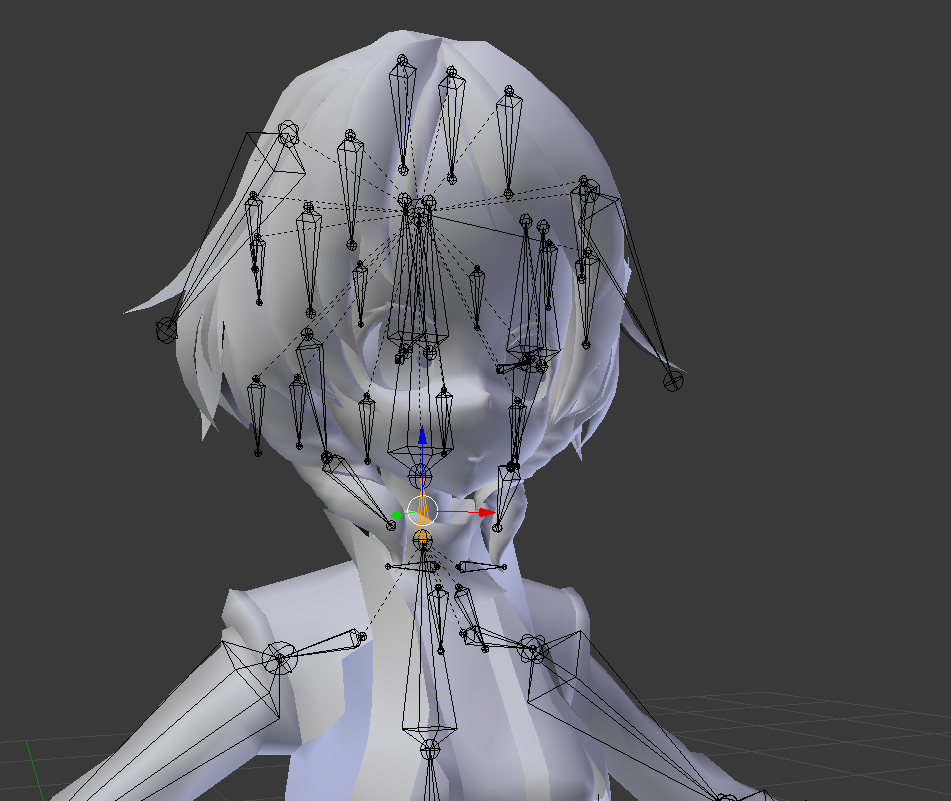
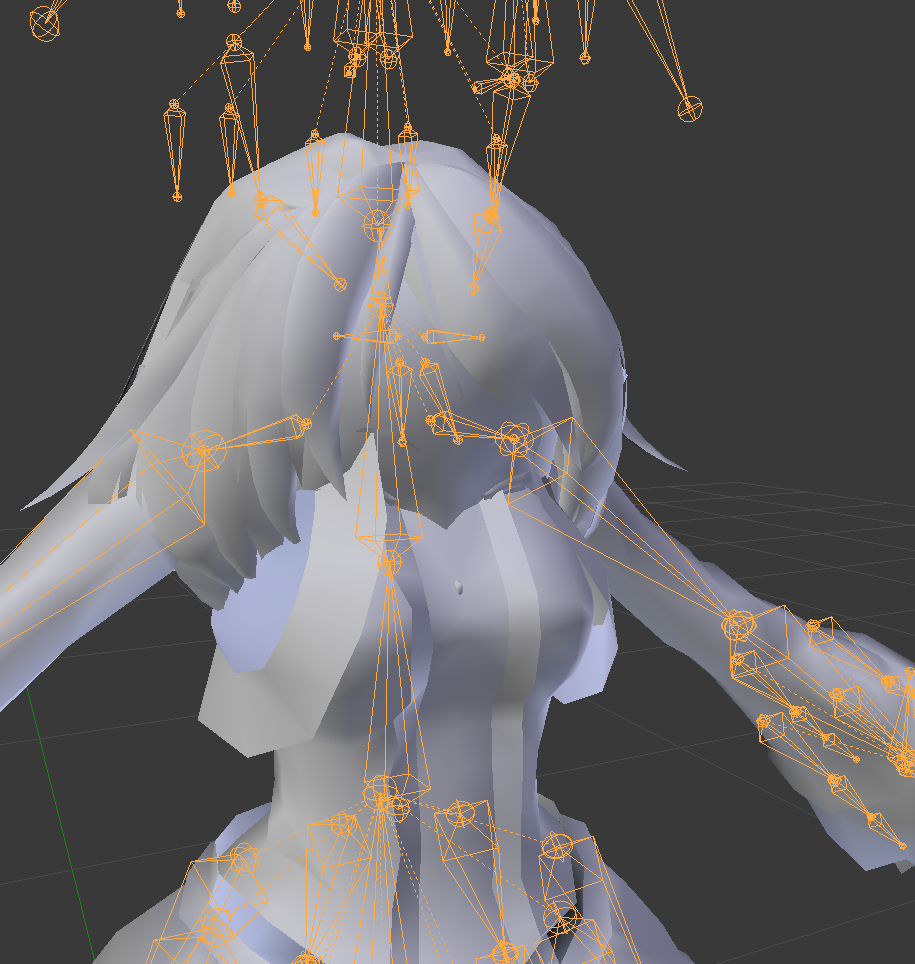
In example
Welp I just figured it out lmao
Had to merge the body meshs


 thick granite
Hey guys.
feral stone
https://gyazo.com/b5c91ac5b5cd6a2f48ec0e02cc64e96c After I attach the horn mesh, what should I parent those bits of jewlery to so they move around on their own?
 fading verge
does this kinda count to be in this section?
Hello guys dont explain just give me a video, I want to make my cancerous emoji avatar i made when he opens his hadn (and I do a dab in vr) he creates a dab emoji with a decent light effect and a sound effect and when I do a peace sign (in vr once again) to make Ok emoji symbols appear on his hands or when he does a fist or something to I dont know Bring out a microphone and play music with again particles
send me a video or a selection of vids
because explaing will take to long
controller
basically asking how to do gestures make stuff appear with gestures etc
thick granite
When in doubt reinstall.
 south cape
Is it a avatar you downloaded or made?
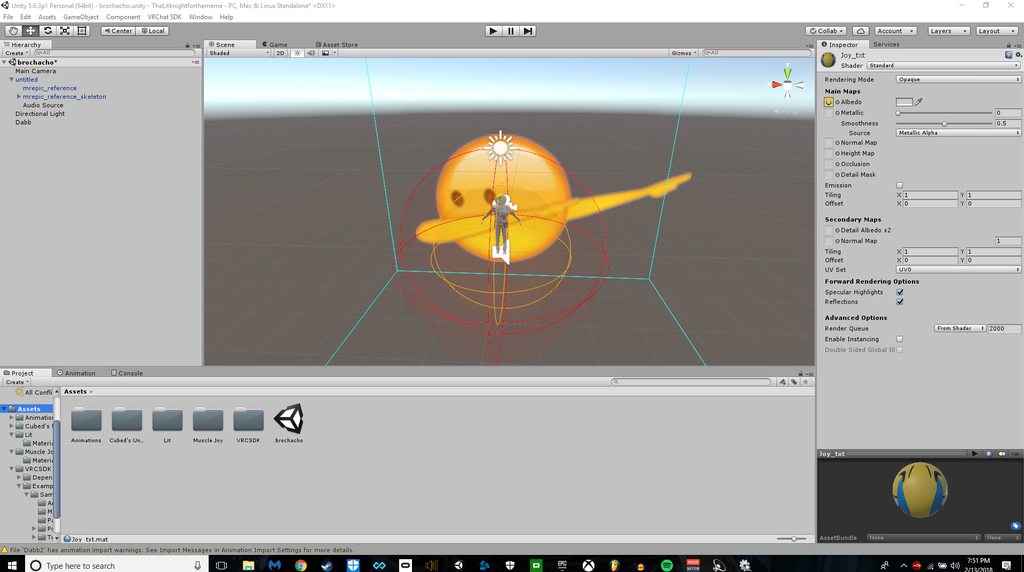 thick granite
Sorry to bud in, since this place seems busy but I wanted to ask how can I fix these fingers?
south cape
Most time's avatars have twist bone that unity confuses for the main bones which could explain the upper arms not being mapped, also you need to have fingers and hands so that warning will disappear. You don't need them to move as for i have some without fingers or hands. @next prairie
 next prairie
I need to map the fingers and hands?
thick granite
 fading verge
whats wrong with his fingers
thick granite
Sorry, I didn't know I need to use url
fading verge
thats what makes it amazing
south cape
So you just have to twist the bone in the correct shape you want them Dupu
Select the end bones in the mapping and rotate them up.
 south cape
yep
south cape
The red t pose you don't have to worry about
next prairie
So, how do I twist bones?
fading verge
wait
so I dont have to worry about the red?
when applying bones?
welp I can fix about 3 avatars just by hearing that
south cape
No, unless it's saying something is wrong in the bone mapping in the text under the bone, then most times it's fine.
thick granite
One last thing, can I copy and paste the bone pos for the right hand to the left hand?
next prairie
So, how do I fix the upper arms?
south cape
T pose in red you don't have to worry about. You can use it, but some times depending on the avatar it will mess up the mesh.
next prairie
If I can't get this done, may I have a volunteer that would map everything for me, please? I'll allow them to use my avatar if they do
I did a retexture of a model 😄
south cape
You just have to go through and find your main bones, from what it seems is it's mapping twist bones. I don't know for sure, as for i would need to look at it more.
next prairie
 south cape
Could also be something may not be parented right.
next prairie
ooo, that's probably it
I put the arms as a child of the chest
Because it errored when I didn't\
south cape
arms should be parent of shoulder and shoulder of chest.
south cape
If you do have fingers i would map them as well.
next prairie
Nooo D:
It still didn't fix the issue
Why are the bones red?
Still same issue too BTW
fading verge
I have an image right?
Now
Not sure what fingers to apply the gesture too
Buit
Im using a vr headset
keep that in mind too.
Alright so
For example
if i were to hold up two fingers
then I would want that big emoji to appear iwth particles and play any sound a song etc
but when i let go of the fingers
it will stop
or when I do rock and orll with my fingers
It will make two OK emojis appear on my hand or something
Or like a speaker playing a song
A gesture essentially.
just send me a video
thats all I want..
please
also
how do i make an image a model so i can actually use it for my MODEL
i wan tit to be a invis model showing a picture
south cape
So i want to go back to the twist bones idea. I can't see your shoulders connecting to your arms. I'm not the best at just looking at a picture lol. That's really what I'm thinking.
I can't tell if you have any, seeing as most of the bones just say joint. lol. I tend to remove them all in blender. question do you use cats?
@next prairie
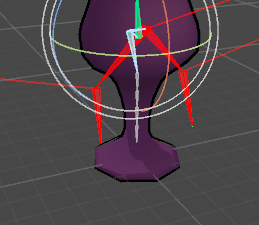 crisp tendon
Remove the weight paint
next prairie
Cats? I'm not for sure @south cape
So, should I just make a new bone structure in Blender?
How do I import it to Blender? It's ASCII
 wheat flower
Um, I'm kinda stupid, how do I do that again?
fading verge
Go into edit mode, select the area you want to be stationary and on the right panel under the upside down triangle tab, look for vertex groups
Locate the bone that controls it, check that weight says 1 right under the bone list and click remove
Preferably add the weight on to a bone that stays still after removing it
next prairie
How do I make bones longer using Unityy?\
south cape
So acsii you will need a third party addon to open that.
south cape
cat's is a addon that fixes most things for you. so bones that arn't needed or used. and fixes the rigging for you most of the time.
south cape

VRCat: Community-Run VRChat Forums
Cats Blender Plugin (0.6.1)
A tool designed to shorten steps needed to import and optimize models into VRChat. Compatible models are: MMD, XNALara,...
next prairie
Where can I get the ASCII plugin?
next prairie
Ok
south cape
used to
next prairie
Is it called STL?
south cape
The name of the addon?
or you mean the file format
stl won't open ascii named files.
next prairie
Ok
I found it
But it doesn't support ASCII 6100
I tried the coverter but it completely corrupts the model
Like, it's nothing but bones, no texture. And the bones are out of place. I also tried the experimental checkmark too
fading verge
Mythic, might you be able to by scaling one of the bone's axis?
fading verge
To make the bones longer I would scale them in only one direction within blender
I'm not familiar with Unity to know if it'll work though
fading verge
Oh sorry, Krupp was the one who asked
fading verge
Somehow only focused on the blue name even though everyone has blue names
south cape
All good, i was just lost at first hah
fading verge
Can understand why, lol
primal river
hey guys! im havin a bit of trouble lol
i got two things going on
so im working on a pichu model imported from a super smash brawl mod
and i got most of the bones on the right order and stuff
but when setting the spine, it would say that it has zero lenght
and well it did, but when viewing the model it was clearly there and it had length
so i experimented for a bit
and came to this fix
stretching the bone up the y axis by very little fixes the issue after reapplying the bone
this was good and all, but it also left me wondering what that bone above the little just-created bone is
is that gonna be a a problem later on? what do you guys recommend to do better?
fading verge
Am wondering if there is a hidden bone between the one you moved and the one prior to it
primal river
the second issue, is due to how the bone stucture is, the model never had a neck, its just the spine hooked to the neck, and the neck divides into the ears
unity automatically assumes the neck that was there would be the head
but vrchat needs a neck, so how should i go about this? half the length of the chest or add a small bone to the top of it in order to satisfy the need of a neck? or should i go about it another way
if anyone knows anything please reply with whatever knowledge you can provide!
sorry, pasting takes a while on mobile..
heres some more gifs
fading verge
Not actually "hidden" but rather the other one was too close to notice it
primal river
https://gfycat.com/MarvelousJadedCuscus theres the little bone being stretched, opening up a new bone spot to maybe fix stuff im not sure
heres another view of pichu, this one was made when i didnt know what to look for
fading verge
So yeah, the spine bone was just squashed
south cape
^
primal river
well then whats the bone at the top..?
why does it not have any y value at first, and why isnt it viewable?
fading verge
That chain should start with the Hip bone, spine bone, chest bone, neck and head bones
south cape
Hips spine and chest
fading verge
Am now questioning if it's hips or hip, lol
fading verge
Don't know why it didn't have a value before but it wasn't viewable due to the lack of value
I don't know the proper naming sense so is hip actually correct?
Perhaps I'm the one mistaken
fading verge
Ok, that is how I named mine
low parrot
IRL it's called the hip bone
fading verge
Yeah, saying "Hips bone" just felt odd
fading verge
Would you be able to take a picture of your bone hierchy?
primal river
i assume thats through uuh blender
south cape
in modeling it's just hip
fading verge
Would like to see what bones you already have to ensure you don't actually have a neck bone named something else
fading verge
Am not able to read the text on the gifs
primal river
oh um im sorry lol i already turned off my pc, but considering its a rip from a game the bone names are all dumb and alot of stuff like the spine and chest are "WaistN" and "BodyJ"
fading verge
But yes, you're able to subdivide bones on Blender in order to turn 1 into 2+
primal river
if you guys are available tomorrow i could take a quick picture and show you guys
ah ok thank you
again will you guys be willing to help me out on that tomorrow?
south cape
I will be on, but i may not be looking at the chat much.
fading verge
There will likely be more people to help tomorrow
south cape
Mostly because I'm finishing up a model.
fading verge
Believe I should be here too unless I get too distracted with my own avatar
south cape
Sounds like me lol
fading verge
Am currently obsessed with finishing my avatar so, lol
primal river
lol whats yours like?
fading verge
Feel too close to stop
south cape
I'm just obsessed with making or getting avatars lol.
I need to stop and fix up my old ones haha
but before that i'm going to finish up building this one.
fading verge
 south cape
awww that's cute
fading verge
Have been modeling her for a while and after hearing more about VRchat, I decided to try and see if I could play with her there
south cape
Should be able to
fading verge
Thank you, so far everything appears to be working
south cape
Seems like you have a big question winter lol
primal river
super cool job mica
fading verge
Thank you Olyyy
fading verge
lol
 lunar orchid
Naw I just retype the question multiple times till I phrase it right
primal river
ah
fading verge
I do the same
primal river
there it went
south cape
ah alright lol
lunar orchid
Anyone know much about attaching things to a blank armature?
I may be attempting to rig a zeppelin
south cape
same way for making mesh attached to armature.
lunar orchid
I'm not sure how to do that
south cape
unless you mean you don't know how to, then yes i do.
lunar orchid
Would you have a tutorial link to something that may work? Last time I found one I couldn't get it to work, might have watched the wrong thing
south cape
Although i would recommend watching a youtube video on it, I could tell you how. But that would be quite a bit to type and take in. but I'll tell you the simple way of just attaching it, so attaching mesh to bones is weight painting.
Don't worry that's not all i have to say, I'm not that simple lol
But yeah I'll link you up a tut
arctic glen
Hello! I was wondering if I could possibly get some help with a model in blender. So I've been trying to import this model, but every time I click fix model, the entire thing turns pink. I thought it had to do with the textures being all tga files so I converted it to all png files, but it
-but it's still not working
south cape
https://www.youtube.com/watch?v=G3gIN4dJYw4 @lunar orchid I find him good for tuts. I'm sure there is more out there just type in weight painting and most should show you how to do it

Learn Blender at https://Blender101.com In this video we begin the process of binding the character mesh to the rig. We touch on weight painting and point we...
naive tree
before extractin gin winrar hit ctrl+E and change encoding to japanese, maybe that helps @arctic glen
south cape
so tga won't mess it up, chances are the names are weird so blender thinks the files are missing. do try getting them into japanese and see if that helps like yuumi said if it's in that format. Blender just doenst know where the files are.
lunar orchid
Oh, before I start this, if the object already has rigging on it, would I just attach the object to the armature to get it to properly attach to the arm?
south cape
um i want to say no, If it's weight painted it's attached. If its not weight painted. No matter what you do it wont attach or move.
arctic glen
@south cape should I just do that by finding an online converter? Or is there a way to do it in blender?
fading verge
Are you attempting to attach the zeppelin on to an Avatar or do you want to make it an avatar on it's own?
lunar orchid
I'm looking to make it its own thing
south cape
so a model in blender?
lunar orchid
But I want a human rig so I can still do emotes
Yeah its in blender right now
with a human armature set up below
south cape
So if you don't plan on having moving parts i'd just paint it all to one bone.
lunar orchid
There are currently 6 props attached to it that I plan on gettign moving that are pre rigged/weighted
fading verge
Believe Wolf wants to merge both armatures to pass it as a humanoid but still have the original skeleton to animate
lunar orchid
Yeah tht would be it, I can do a screenshot if it would help
south cape
I think that's a sign to sleep lol. So , okay. everything prop wise is rigged and weight painted, but you want a human rig so you can do gestures.
fading verge
Are the human bones actually needed or could Wolf just turn the bones to "None" after rigging it as humanoid?
lunar orchid
I tried to use general, but it broke my game
fading verge
Perhaps adding a "Hips" bone to the original rig may be enough, is what I wonder
south cape
the bones can just be fake bones, you don't need to weight paint them.
lunar orchid
http://i63.tinypic.com/6jdbvc.jpg
Would I just attach the zep bones to the hips?
 naive tree
depends how u want it to move
 opal aurora
If ye have a root bone unparented to anything, or if the zep's root bone isn't parented to the main body, i think you can avoid headbobbing altogether, whilst still keeping rotation
lunar orchid
Overall I want to put the viewpoint to be between the engines where the armatures head is, and to avoid head bobbing which is why I was gonna hip attach it
 waxen elbow
what is the easiest way to rig a gorilla like character
opal aurora
Possibly try to keep it unparented to the main body then
It'll still keep the origin and rotation
lunar orchid
So just export it like that as an FBX then?
opal aurora
Pretty much
lunar orchid
Alright, I'll give it a go, thanks
opal aurora
Although there's little to no difference between doing that and using a generic setup, but atleast with this, emotes will probably work
Overrides included
fading verge
Is it fine for a model to have shoulder bones?
Rather than just arm, elbow and wrists
Unity's humanoid rig has the spot for them but I have yet to upload to know if they'll mess something up in game
naive tree
you must have shoulders, otherwise it won't work
fading verge

I have shoulders, it's just that I added ones for the "Clavicle/shoulder" area too
I believe others connect the start of the arm directly to the chest, unless I'm mistaken
fading verge
Do the hands need to be facing down or does it not matter?
fading verge
It's possible those particular bones aren't named properly so Unity didn't know which bones to use
Sadly I don't know how to get to that setting once it's converted into a Humanoid rig but believe you'll be able to fix it this way once someone shares how
Am new to unity but remember seeing the option to change bones there
 pseudo merlin
Anyone know if bone constraints can be exported into the fbx format from blender?
lilac moss
@pseudo merlin no they can't but you can still use them to make animations in blender
 signal crane
Just wonderng, does the armature pose matter at all for vrchat, incase the hands for example are a bit more bent than the arm in blender
pine harbor
that'll influence the pose it's in when it gets imported into the scene
can change the exact way some parts of your model animate or deform based on their starting position, but you can also adjust that by repositioning the bone pose in the unity scene
 spice robin
my avatar is in the floor half way, but i made sure its at 0,0,0. why is that?
 modern oyster
Did you add an animation?
modern oyster
You can, other wise you'll need to fix the error in Blender
 neon quiver
when doing eye tracking. do the eye need to be on a seperate layer?
hazy knot
What do you mean when you say layer?
hazy knot
Always keep everything in one mesh.
neon quiver
ok
hazy knot
It is general practice to have the eyes be in their own vertex groups, though.
neon quiver
so some reason when in cats the left eye it not showing to be selected. though i do have the vertex group of right eye and left eye
hazy knot
Set the dropdown to each eye manually if you can, then try to create tracking. If the vert groups are set up correctly and your mesh is named "Body" it should work.
Also make sure your Armature is named "Armature"
neon quiver
got it. it was the names that were wrong. 😃 thanks
 old void
Anyone around willing to help someone new? 😃
hazy knot
Plenty, what is your quest?
old void
Im having an issue with getting this avatar rigged. Everytime I upload it, its stuck in a T pose.
Hierarchy looks okay but I may be wrong. I do see I am missing shoulders.
 hot plank
https://i.imgur.com/4UFbxff.png How do i fix that the mesh's just cut apart? Red Part belongs to shoulder and Blue Part belongs to upper arm
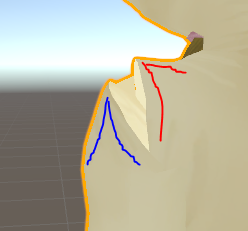 hazy knot
@old void What does your rigging look like?
old void
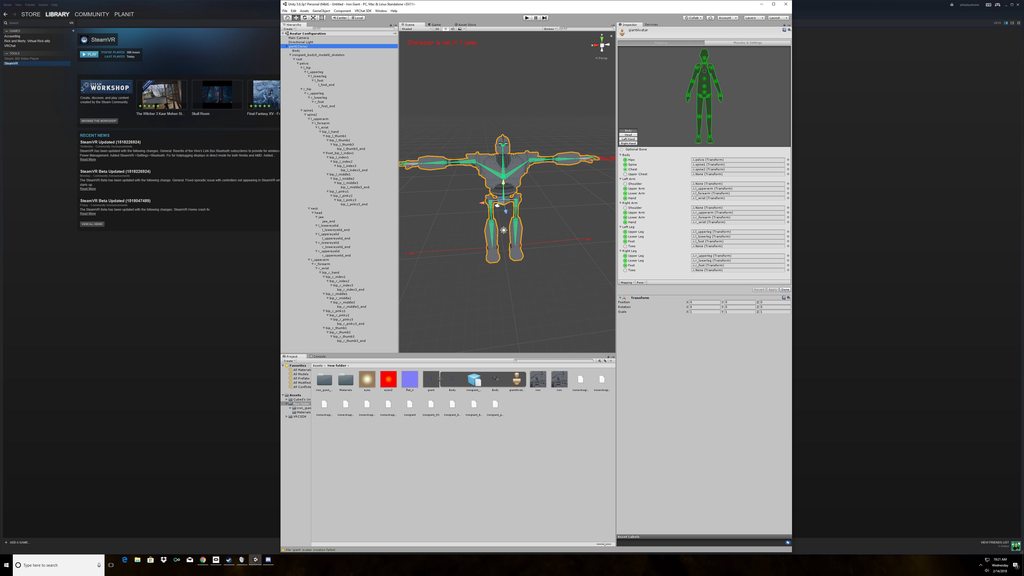 hazy knot
Hmm. Might have to make some dummy shoulderbones in blender. I don't think it will rig up as humanoid properly without them.
old void
Awesome. Thank you.
opal aurora
Wot
old void
Since I already have bone Im assuming mixamo wouldnt help me?
old void
That fixed it. I deleted the old skeleton and rigged it on the site! Thanks guys!!
 gloomy loom
@opal aurora I like to weight paint the hips for the entire body
vast orbit

Hey guys. I am working on a Darkrai model but having some issues. When downloading the model it downloads like this: https://www.models-resource.com/resources/big_icons/11/10354.png
The problem is that when I do this his arm go through his body and I am rigging the character myself so when I weigh the bones it gets a bit annoying, I have solved the issues by moving his body over and weighing the bones after that. Now I am running into the issues that I need to t-pose the character myself. What are things that I need to keep in mind? Also I want to redo the automatic weight "assigning". (CTRL + P) https://gyazo.com/7ad1f56964f1e9f253aa527ecd8b7c33
Nothing happens when I press the button so I tried removing all the current weights from the bones, but when I do that the models jumps back into it's original position (not t-pose, hands through it's body) so I am stuck with that problem again. How can I keep the model in a t-pose position to automatically assign the weights again?. Also...I think VRChat models needs legs to be able to be uploaded as humanoid if I am not mistaken, right? Can I add some invisible legs to my model to trick the game into thinking it has legs but I guess doesn't?

 gloomy loom
something llike .3ish weight
vast orbit
This is what I have now: https://gyazo.com/432935eb57514c713df5bdfaeb4b18fa
 gloomy loom
well you need to rig the legs as well
wait a sec lemme link you something that tells you what bones are required
for humanoid
 crude sun
mixamo from adobe supports a drag and drop system to rig the whole model
vast orbit
That's what I mean, I can just rig 2 invisible legs and no one will ever know and VRChat won't complain.
@crude sun That only works with models that resemble a human and only to a very basic level.
gloomy loom
I did a humanoid rig from scratch for a bird
crude sun
yeah but maybe there is a way around it
gloomy loom
I just didnt weight the arms
and instead I extruded bones from the upper leg to be my wing bones
so yea you can trick unity into thinking its a hunmanoid
vast orbit
Well the thing is, I need to select some leg bones, but they only show up in the list if they have weight.
I know it doesn't necessarily have to be legs, but I just need something.
vast orbit
And I am just getting started, I wouldn't know what to do to make that something happen 😅
When I added "leg bones" without weight I didn't see them in Unity.
gloomy loom
I was experimenting with weighting the hands for the wing but was never satisfied
do this
vast orbit
Then I added weight to them from a random body part, and it worked.
vast orbit
But OCD kicked in.
gloomy loom
add then subtract
I never faced taht issue
but I was doing a lot of weightpainting trial and errors
vast orbit
Also when in Unity it says the character isn't in a t-pose...which it clearly is. Then ingame I can't move my arms.
 limpid scarab
Huh they didn't show up in unity if you just added 2 ghost legs?
I did the same for a lamia and it had 0 weight on the mesh but I was able to use it
vast orbit
When I added 2 leg bones with no weight.
gloomy loom
youll have to rotate the bones so it looks like tpose
vast orbit
Let me try again then. :xoaz
gloomy loom
but apparently enforcing tpose breaks the model into tpose all the time in vrchat
hide the mesh for me
 gloomy loom
@limpid scarab btw I saw your message, Ill ahve to tinker around in my world
aaah I see the problem
limpid scarab
I might have a few fixes too. Codec settings
gloomy loom
you want the leg bones to be striaght down
look at an mmd model rigging in blender
and see how they rig the legs
emulate tahta
then in unity try to enforce tpose in therigging
 gloomy loom
on the right hand side
that green man
you see the pose tab?
click on it and hit enfore tpose
@limpid scarab what did you use to burn the subs into the video?
vast orbit
I got it yeah
Okay, let me make it easier on myself.
How would I go about adding 2 invisible "legs" to weight.
Because now when I enforce t-pose the body parts I weighed for the leg bones move.
gloomy loom
redo the legs so the bones are stright down
vast orbit
Or should I just remove the weights?
gloomy loom
then apply like .001 weight to the underside
I mean very little weight wont hurt the model
but I didnt have this issue
im guessing its because I added weight then removed it
while I was tinkering
vast orbit
Alright
Uhm, last question really.
How can I force the character to now stay in this pose in blender, remove the current weight and then add automatic weights with CTRL+P?
Because if I remove the weights now it goes into it's standard pose where the arms go into his legs.
 floral willow
Can someone help me,my avatar is humanoid but he doesn't do any animation in vrchat.I tried to add audio to custom emote
hazy knot
Did you use just an animation override sheet or did you add more than that?
floral willow
well i did everything like yesterday you told me about adding sounds to animations @hazy knot
hazy knot
add audio source to avatar, duplicate to make a puppet, create animator for puppet, drag the anim file onto your puppet in hierarchy, set "Is Active" for the audio source on each end of the animation timeline (checked), disable the audio source on both models, add animation clip to override sheet, add override sheet to avatar descriptor?
floral willow
i have to duplicate the avatar?
hazy knot
You'll break your t-pose if you create an animator using your main model.
floral willow
ohh i guess i already broke it
hazy knot
Might have to go back and redo a few things
but yes, use a duplicate copy to make the animation, that way your main model holds its normal pose.
hazy knot
I'm not sure. You can try opening the rig configuration and enforce T-Pose
vast orbit
Very quick question, when using the VR set, which fingers does it use? Thumb, index and middle?
floral willow
Do i have to disable the duplicate avatar before rendering? @hazy knot
hazy knot
Yes
restive marlin
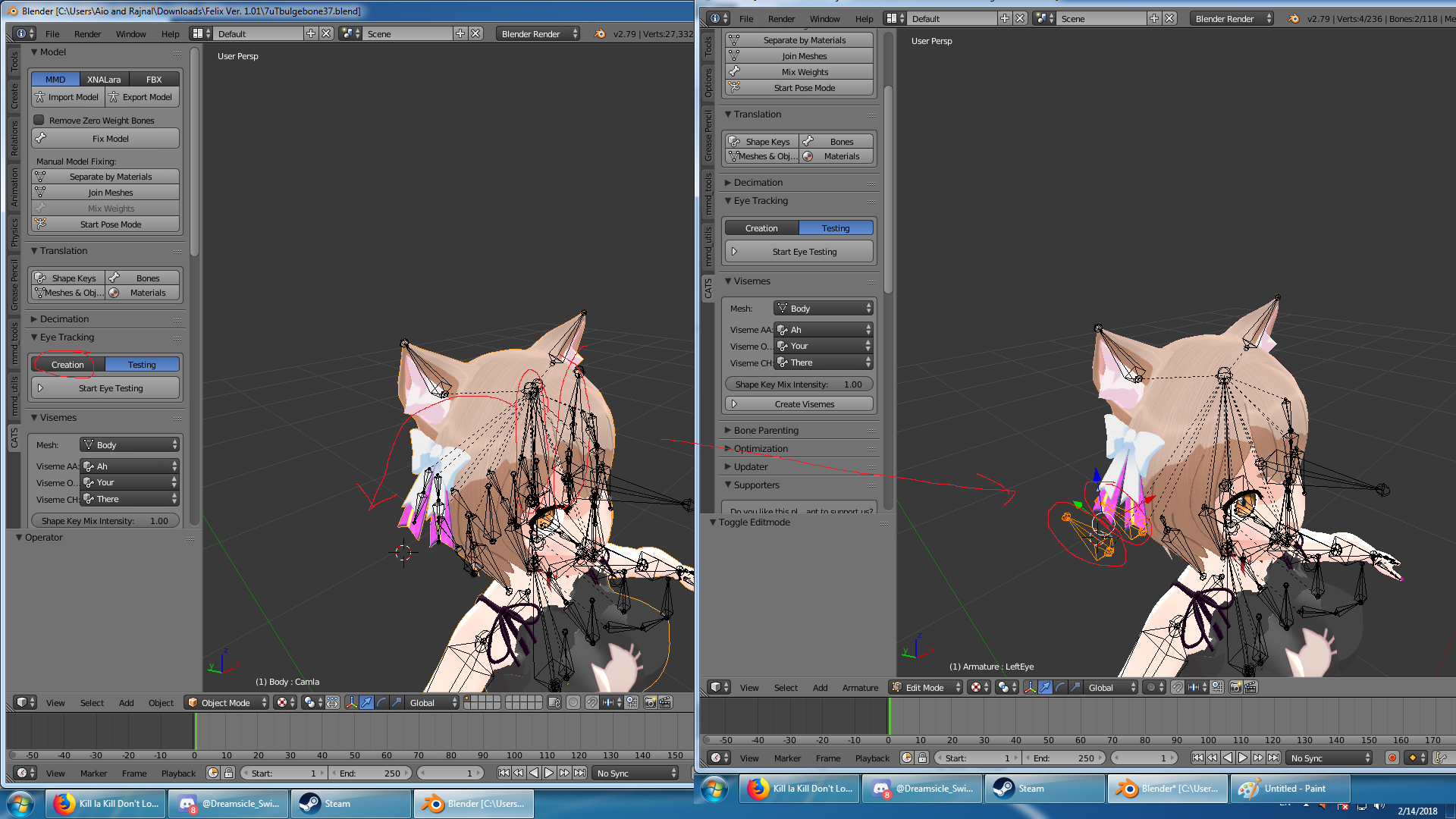
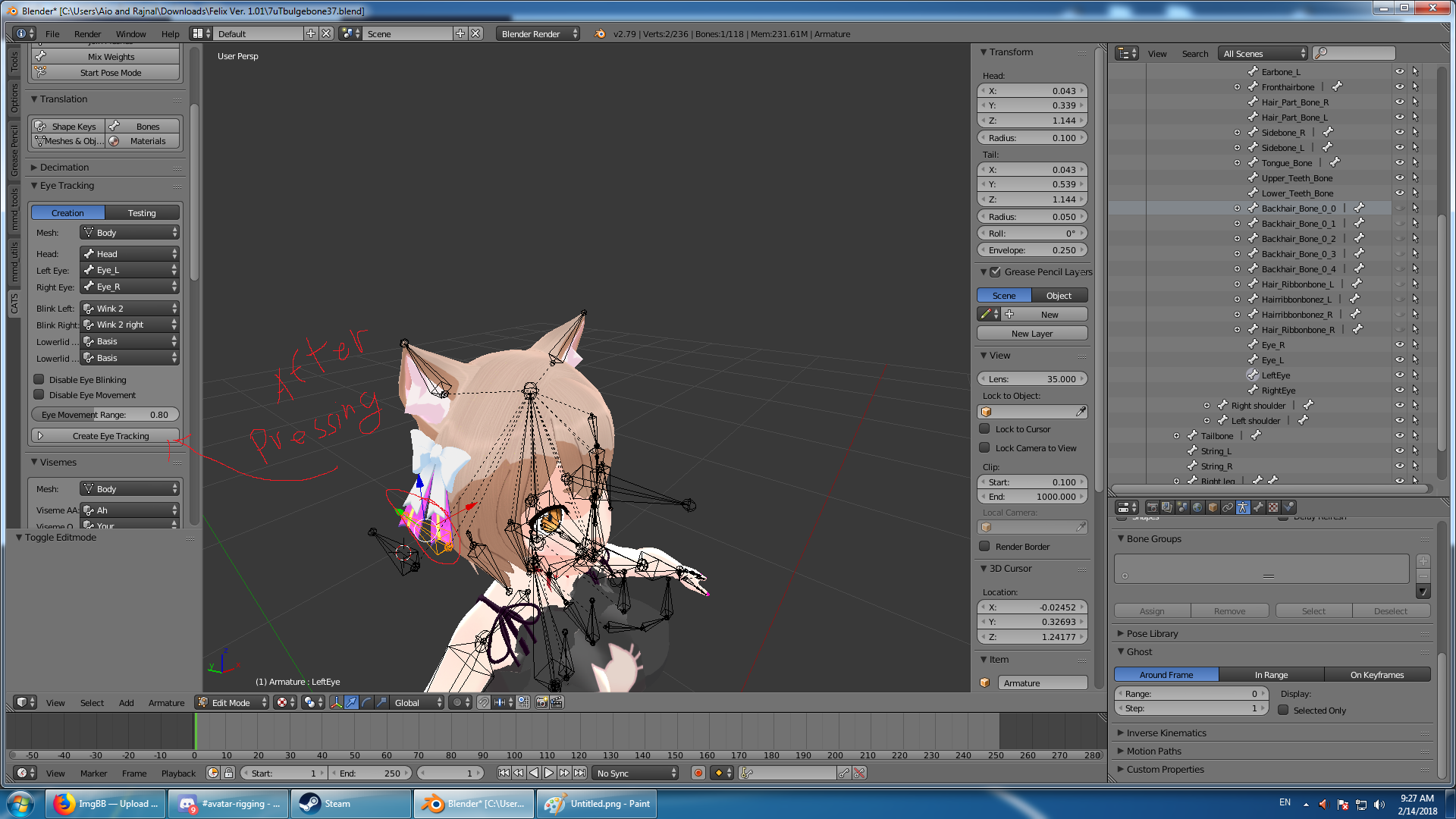
When I hit create eye tracking cats moves my eye bones completely out of the model and behind making it so the eyes are in my boobs while in game
Any ideas what might be wrong?


here some info on the bones and positions if it helps
 vast orbit


Fucking what?
fading verge
Chest isn't mapped
vast orbit
It's not needed...
It has a dotted line.

Literally everything that needs to be mapped is mapped.
gloomy loom
it is needed
there a doc in vrchat's website that says that the shoulders chest head and neck are all needed
even tho unity says its optional
Unity will flag your humanoid rig configuration if it does not meet the Mecanim requirements for a humanoid. Please read and be familiar with this part of the Unity Manual when setting up your avatar: https://docs.unity3d.com/Manual/ConfiguringtheAvatar.html There are sp...
restive marlin
hey keo you have any guesses on my issue just above ^
I'm pretty green behind the ears when it comes to blender
any help would be much appreciated
hazy knot
@restive marlin I don't see your eyes being anywhere strange in those pictures? Maybe I'm blind?
restive marlin
the eye bones
and the eyes rotate off those bones when in vrchat

^ resulting in this
I mean I wanted to attract eyes to my boobs......... but not litterally!
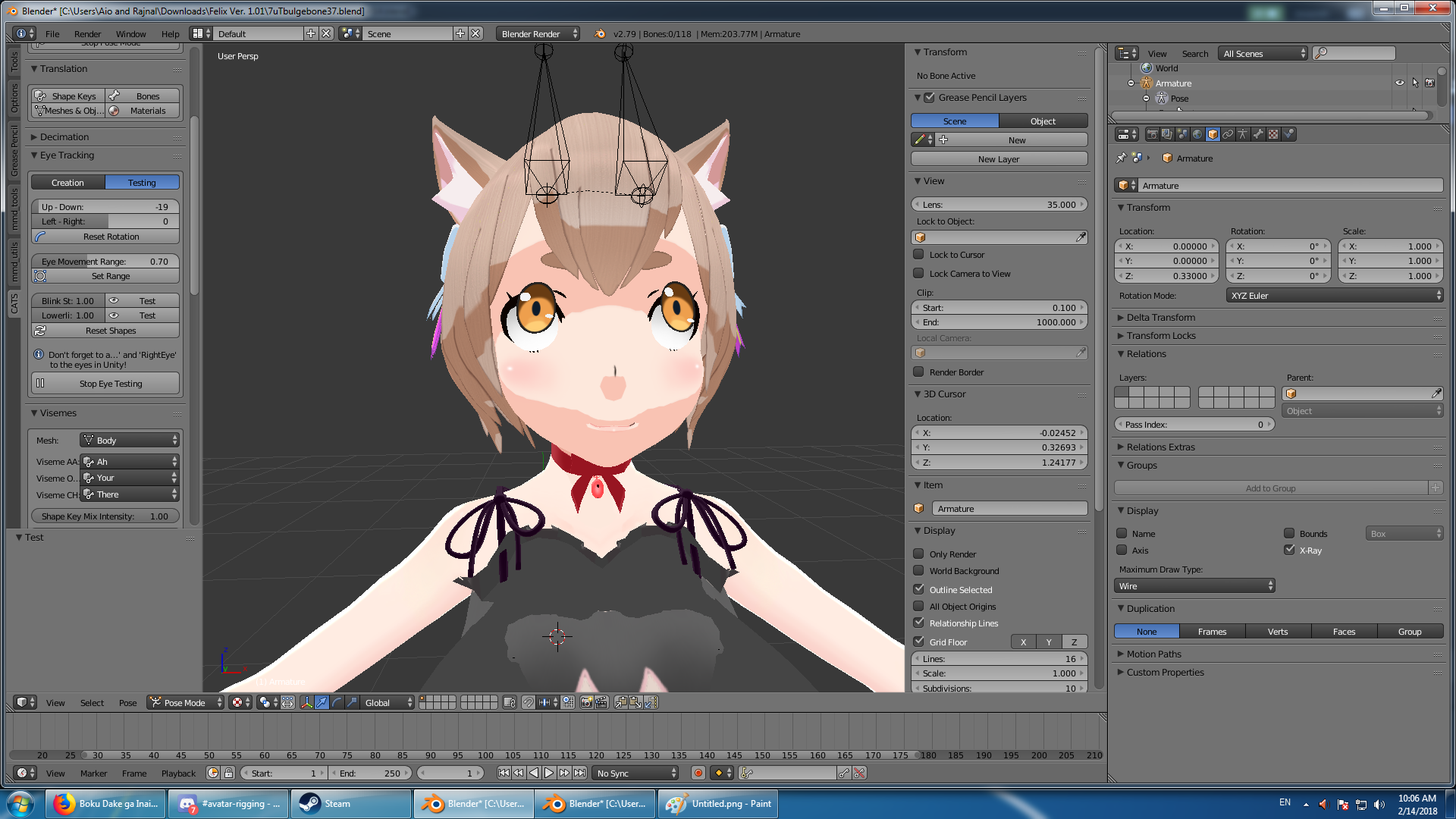
teaking with the scaling seems to have a noticable effect on where cats is putting the eye bones
but it seems like the bones are still a bit off so ill have to play with it
signal crane
And cats just doesnt like all avatars
you gotta do eye rotation yourself
without cats
restive marlin
how does one go about doing that?
signal crane
youtube tutorials
but takes time
if you want a quick fix reload the avatar from before using cats for eyes
and just dont add eye rotation
also isnt that that one bodytype that i tried myself once
do me a favor and rotate its chest in pose mode, i bet it'll look weird
restive marlin

I have full body tracking in game and model wise everything works just fine, it's just something is wrong with the eyes
signal crane
not the same bodytype then :> nvm
restive marlin
it's a luka tda body
ragnarok online priests boobs
and felixes head
and bulge
signal crane
eugh
restive marlin
I save every step I take in blender so I'm gunna go back and see if the eye tracking is messed up at some point
restive marlin
if eye tracking is borked before decimation theres no way the angels are going to bless me with working eye tracking after decimation
I check eye tracking each step
and noticed it was hosed
 thick yarrow
hey why doesnt the unity chan shader not work?
https://cdn.discordapp.com/attachments/232650651488747524/413385847912529930/unknown.png
is it the render number?
the render queue?
 restive marlin
bleh........................
I just went back thirty saves
and days of work right after I joined everything
and the bones are still out of place
the eye tracking seemed to be working back then but I didn't notice the bones were outta place
even in unity the eyes look normal
and then go all exorcist in game
man I really wanted to get that model done before valentines /sadface
gloomy loom
if you want a bandage fix to that eye problem, dont do eye tracking, pull the pupil back a bit into the face and itll give the illusion that the eye is following you
I dont actually do "eye bones" for eye tracking if Im creating an avatar from scratch. Ill just do that, or throw glasses on there, or hide the eyes with hair
next prairie
How do I import a ASCII 6100 into Blender?
 magic crow
Hey guys, i have a model that is having the pelvis/thighbone angle is too low issue in unity, it looks like the hip bons is really high compared to my other models, but i dont have a pmx/pmd for the model to open in blender. Is there a way to fix this issue in unity?
can we move bones in unity without moving the mesh too?
 safe bluff
@magic crow if you have the file in Unity, then it can most likely be opened in Blender. Blender doesn't just open PMX/PMD files.
magic crow
oh, trying this now
magic crow
@safe bluff this might have just saved me thank you friend
safe bluff

fading verge
Anyone have a Geralt of Rivia or Jon Snow avatar?
 lean wigeon
I need an Advice, trying to merge 2 models, kind of it worked, but when i upload it to Unity, textures doesnt appear
can someone talk with me on priv, i will share screen
 wet kelp
I was wondering if anyone know how to make a material a bone. I have a kakashi model and I wanna be able to animate it where he lifts up his headband to reveal his eye. The model has two textures made for the headband being up and headband being down. But its not a bone or anything so i am not able to select it in unity. Would anyone know how to make it selectable in unity or maybe even add a bone on blender to it so I can select it in unity?
 gloomy loom
looks liek a decimation issue
 long chasm
so i shouldnt decimate my arms?
the arms are connected with the body in the same mesh
gloomy loom
this is why we need a good decimation tutorial
naive tree
there's a lot of aspects to cover
and it's a work depending from model to model, but yea, people just don't know what they can do to preserve the quality of a model and still remove tris
to any1 who wants to actually learn how to have good quality models - watch Shonzo at twitch, he does lots of good things
and model work requires you to put in time
gloomy loom
^
knowing how to decimate to the best extent honestly requires you to learn 3d modelling
naive tree
I learned it from taking kantai models as a challenge, then as time passed adopted some more tricks
gloomy loom
I feel so stupid yuumi
naive tree
trust me, I feel as the dumbest person alive atm
gloomy loom
I didnt know what a solidify modifer is
naive tree
what is it? 😄
gloomy loom
D:
naive tree
im not joking
gloomy loom
its the best way to add a 3d depth to a mesh
in blender
I would just duplicate then resize it
then added faces to the sides
DO YOU KNOW HOW LONG THAT SHIT TAKES
I need to stop ranting
naive tree
😄
wet kelp
Would someone be able to give me a hand with adding a bone to a material? Really cant find a good guide to help me out with it on blender
gloomy loom
you add bones to animate meshes with weight
naive tree
rike i can try to help you in dm
gloomy loom
you add a material to that mesh
naive tree
for what yhou want you don't need bone, i don't think
 wise thunder
i've never used blender for anything other than fixing up sfm models, how tf do i get the bones to show? i'm following all the instructions online, but the bones are showing up as yellow dots, not actual bones, and the yellow dots are actually root objects?
opal aurora
Source models all have the bones displaying as dots
 split cave
I need help with an animal model
 brisk mesa
@next prairie what do you mean?
what's an ascii 6100???
@wise thunder in the armature settings when you click on it, and then go down into the options for it, you can see an x-ray checkbox to make it show better through your mesh. there's also 3-4 buttons like stick or dots or those triangle bone things
@split cave if it's a 4 legged animal, a lot of people here won't know how to rig it, just letting you know. it's an obscure answer and we know only that one guy so far made a bunch of ponies. He said it was "tricky", that was it. And somebody else made a scoobydoo dog but i could tell it was a humanoid rig in the front, with fake arms just to make Unity recognize it, and the back legs of the dog were kinda just swinging around.
split cave
I have a fully rigged animal
I have some animations
But once applied to the avatar
my guy goes in the ground
so idk
brisk mesa
for every animation?
or is it doing it just randomly
what about the origin points of your meshes? are they all proper
aka under your feet
brisk mesa
you are using humanoid controller or wut
cause vrchat only takes generic and humanoid for this stuff
brisk mesa
kk
when you first start the game are you already in the ground or does it seem fine until you start an animation at all?
split cave
I have my avatar and the animal as one charchter
right
man and dog
man falls into ground when moving
dogs animation plays
brisk mesa
iirc there were settings for the animations themselves, did you play with those?
brisk mesa
i know for some of mine i was in the ground if i didn't select origin or something, like there were 2 or 3 little dropdown or checkboxes in the settings
idk about baking it into the pose either, i wouldn't touch that
split cave
mmk
 dry heath
 brisk mesa
for what and where?
cause you can add bones p easily if you go edit mode for the armature itself, then you click on a joint and press E, then start dragging the bone into place with your mouse and then use scaling or whatnot
and if x-axis mirror is turned on and you do that, then you make two bones mirrored with E, too
so if your issue is that you need to add shoulder bones, then you need to navigate over to edit mode with the button down below where it says object mode
then i would click the joint between the neckbone and the chest bone
primal river
hey guys! im havin a bit of trouble lol
i got two things going on
so im working on a pichu model imported from a super smash brawl mod
and i got most of the bones on the right order and stuff
but when setting the spine, it would say that it has zero lenght
and well it did, but when viewing the model it was clearly there and it had length
so i experimented for a bit
and came to this fix
https://gfycat.com/LightheartedAdorableAlpinegoat
stretching the bone up the y axis by very little fixes the issue after reapplying the bone
this was good and all, but it also left me wondering what that bone above the little just-created bone is
is that gonna be a a problem later on? what do you guys recommend to do better?
the second issue, is due to how the bone stucture is, the model never had a neck, its just the spine hooked to the neck, and the neck divides into the ears
unity automatically assumes the neck that was there would be the head
but vrchat needs a neck, so how should i go about this? half the length of the chest or add a small bone to the top of it in order to satisfy the need of a neck? or should i go about it another way
if anyone knows anything please reply with whatever knowledge you can provide!
https://gfycat.com/MarvelousJadedCuscus theres the little bone being stretched, opening up a new bone spot to maybe fix stuff im not sure
heres another view of pichu, this one was made when i didnt know what to look for
 junior dust
when I export my avatar to vrchat using the SDK the following error appears "updating content.asset bundle upload failed. failed to upload"
Does anyone know how to solve it?
next prairie
@brisk mesa Ascii 6100 is the version of the ASCII table the model uses, but somehow Blender hates Ascii... and the plugin to open it doesn't support ascii 6100
Anyways, since Mixamo is being a jerk to me, I am making the bones myself
You use the tools in the bone menu @fading verge
It's in top left by file and edit
 drowsy storm