#avatar-rigging
1 messages · Page 97 of 1
 crisp tendon
It shouldn't rely on names unless you have sometimes that prevents him from "creating" IK or mapping correctly
 heady hedge
I think it is the names
crisp tendon
Yeah then i guess it's just displacing the mesh weight painted to the bone because they share the same names and only one is considered the model
heady hedge
Let me change the names and see if it will accept them
Going to have to rename all the finger bones as well
crisp tendon
Just adding one more letter or symbol should prevent it
heady hedge
@crisp tendon Transform 'Spine_' not found in HumanDescription
Is this a unity dictonary or vrsdk
I see it's a HumanDescription.skeleton script, I'll have to edit the script, just have to find the file location
crisp tendon
That should work
Strangely i'm using _ for almost every single bone i have, but i'm also not using two armatures
heady hedge
Let me try with periods
 pine harbor
@heady hedge i believe that might be only visible on your end -- see if you can ask a friend to send you a screenshot of how they see your avatar
ran into a similar kind of thing while experimenting with double armature/model avatars
though yeah, i think if your bones or transforms are named differently in the hierarchy, they don't get glued like that
in direct mirrors anyway
heady hedge
Well I just reuploaded it entirely instead of overiding the blender file in unity and it accepted the '_'
Which it wasnt last time, wierd
pine harbor
welp, whatever works -- i wouldn't question it >_>
heady hedge
Unity amirite
pine harbor
how'd you get your little sprite model to stay perfectly at that position though, even while walking?
tried a couple of experiments involving a humanoid main rig/armature and a secondary generic model/armature as a child element to get around the emote looping issues of a generic rig, and it was making the quadruped model levitate into the air when i walked, then go back to its normal grounded position when stationary
heady hedge
I created a floating animation for it in blender and havent tried to walk around yet since the problems with the armature, let me get back to you on that
You can see it's animation in the gif I posted above
pine harbor
yeah, that looks fine in unity -- what i'm curious about is whether its position gets extremely displaced in the mirror while you're walking, due to how unity interprets the center of mass on some armatures
heady hedge
Do you upload the whole blender file into unity or just export it as an fbx?
pine harbor
i exported it as an FBX, and i had two different FBX models
heady hedge
Uploading it now, so I will test it for you
pine harbor
i may have just possibly done something stupid with the scaling size though
heady hedge
I actually found out you can save the blender file into unity and it works just the same
pine harbor
i might give that a shot next time, i was under the impression that only worked with the 2017 version of unity
heady hedge
I am still using the 5.6.3p1 version, am I out of date?
pine harbor
no, that should be the right one for VRChat
the newer ones may not be compatible with the SDK
heady hedge
They are not, so I was confused lol
pine harbor
yeah, though i might just not be caught up with the documentation -- i'll give that a shot next time
to show you something to look out for though, when using multiple armatures:
this is where the game sees the center of mass of my actual mesh in unity, when i have the scene playing:

and this is where it thinks the center of mass is for both the armature and the root object which has the avatar descriptor on it, when the whole thing is idle:
 heady hedge
I can confirm she stays in perfect place
pine harbor
if it's like that, anything which isn't a mesh parented to the humanoid bones will jump up and down when you move...or rather, it'll appear at the right position when you're idle
but when you move, it shoots up into the air, usually around head level
hmm, guessing your rig doesn't have its idling center of mass in the ground then...neat, that's possible o_o
heady hedge
Maybe it is my models animation that is preventing that?
Because she basically just has a floating idle animation
pine harbor
that's possible...i had a modified version of the VRC avatar controllers stuck to that secondary model/armature
that fluffball in my picture has idle animations, as well as emotes
i'll go iron it out over the next couple of days, but thanks for that info -- knowing it can be fixed is pretty good o_o
heady hedge
Or any of them location animations?
pine harbor
location animations? you mean walk/run?
it does have those, but it doesn't play when i try to use the model in this set-up -- it only works properly when i'm actually trying to use it as a proper generic rig, as opposed to a fake humanoid rig
heady hedge
I mean, as the idle animation, is setting it in a certain xyz coordinate
pine harbor
hmm, no, there's none of that on it
i tried running some experiments by attaching cubes to various bones on the humanoid and non-humanoids parts of the armatures, and some stuff on the humanoid parts also causes that weird jumping
mostly any root bones that come before the pelvis, and everything on that secondary armature
heady hedge
So mine is just adjusting the z coordinate to maker her float up and down, then I assign her to the chest on the bigger avatar
 thorn willow
can somebody put up a reference about spine bones so my avatar's chest wont go upwards
heady hedge
Hmm
pine harbor
@thorn willow this thing's in the pinned messages, if that's what you're referring to:
https://cdn.discordapp.com/attachments/251862595030482955/404301325380091906/guide.png
 thorn willow
I meant
the angle of spine bones
a front view of it isnt enough
I need a sideways view of it
heady hedge
It all depends on your model
@pine harbor Okay so I just found out, you have to fully reupload the blender file in unity in order for it to update
pine harbor
as in fully reimport it?
pine harbor
that it is, no concerns there -- FBX files already make me jump through enough hoops as it is when rapidly fixing mistakes
@heady hedge just in case you were interested, this is how the model looks in-game when i'm not moving (fairly normal):

....then this happens if i try to move in any direction:

that's why i was so interested in how yours wasn't getting displaced 😛
 proper vault
Anyone know any quick tips on keeping layers of clothing from clipping into each other?
 naive tree
yes, you delete those layers and merge
proper vault
Thanks!
 left hound
how to fix bone fingers ? they are like broken up
 proven folio
i have an issue where part of my mesh starts behaving incorrectly after going into unity https://imgur.com/a/DvZ8d is this the place to ask for help with this?
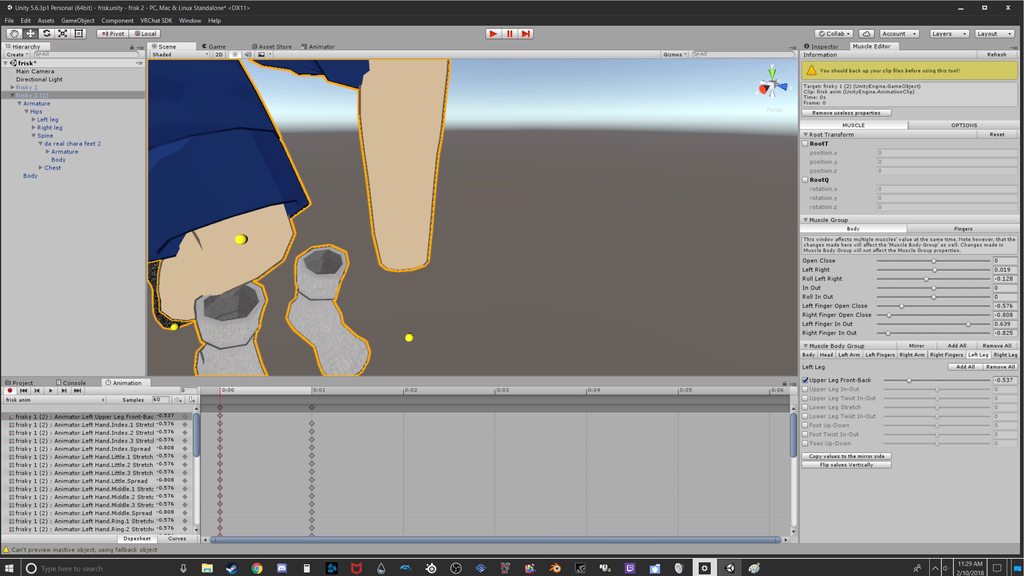
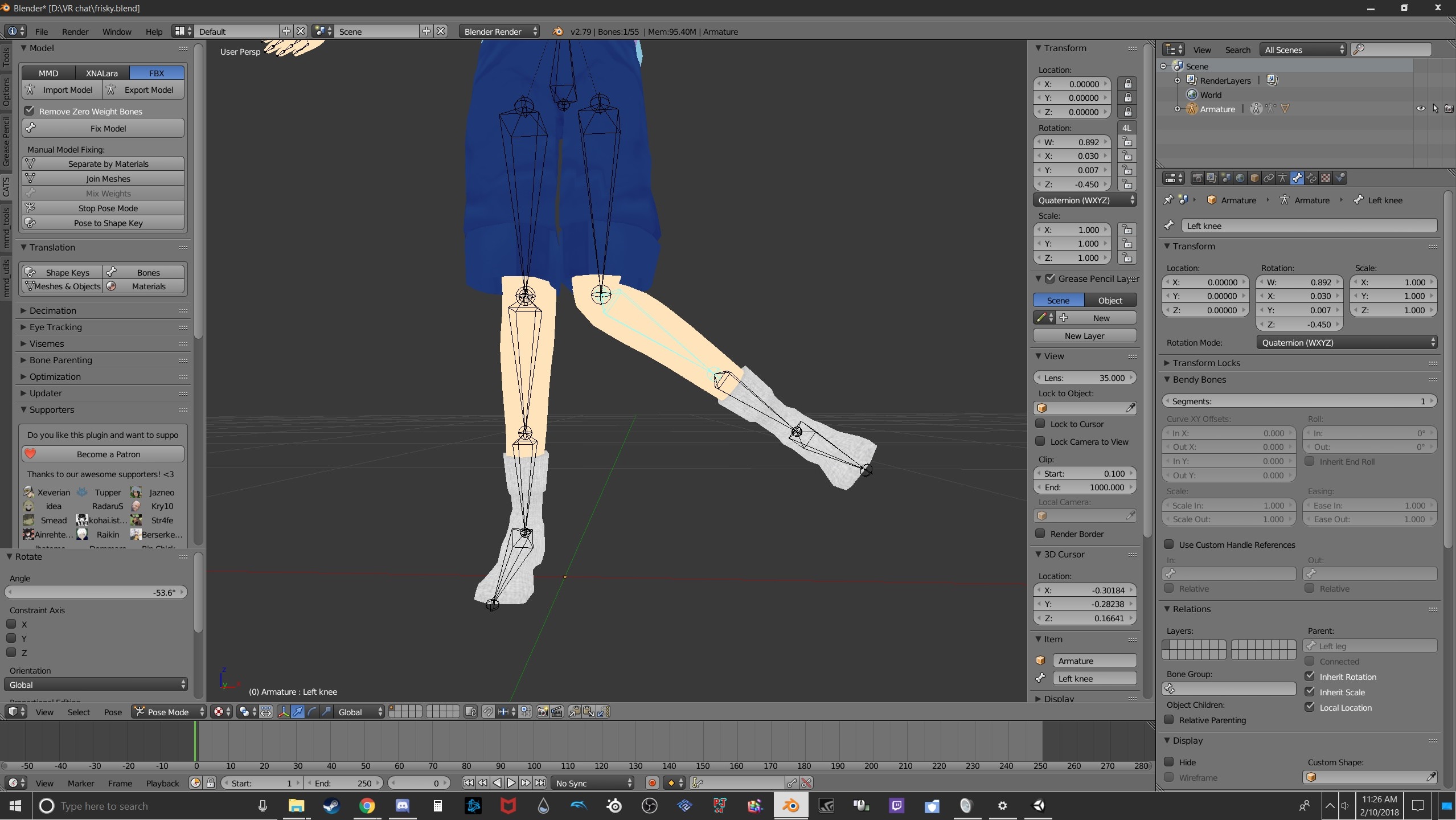
oh also going to add i tested the leg in unity before i made them humanoid and it worked fine. this only happens after that point.
 fading verge
Moving my viewpoint changes how my IK works. Makes my avatar's rig go a little crazy when I try looking straight up
If I move my viewpoint closer to my head the IK works fine but then my vision is blocked by my own model (with Personal Space turned on or off, doesn't matter)
Only option is to put the viewpoint above my head instead of in front of my eyes since that seems to not cause any trouble with the rig
Anone here got decent knowledge on weight painting?
 vivid wagon
I have a question: How does one make something like a tail have gravity?
 hazy tusk
Dynamic bones have gravity options
vivid wagon
Trying to work with it, any good gravity for a basic like tail?
hazy tusk
Probably really light
Maybe heavier on the end, depending g on number of bones. I haven't tested gravity as much
All really light though, it can very quickly make it just go down and not move
vivid wagon
Thank you
crisp tendon
@fading verge How can I help ?
 lunar tartan
Anyone know how to add blush to a face emote? I don't see it as a blendshape in unity, but it is inside of my model's head
hazy tusk
It's a shape key
 gloomy loom
youll need to make a shape key then
hazy tusk
The name sometimes varies, but usually it's like blunder or blush, etc.
If the model has the blush, it probably has the shape key already, just check it in blender
gloomy loom
its easy to make
hazy tusk
Set it to unlit transparent to show cleanly also
Well he should already have the shape key, no need to make something g that's already there
gloomy loom
if he cant find the blednshape then I mean
hazy tusk
Yeh, if none of them are there or it was under a weird name or doesn't work, but I can't see any mmd model having it, not have the shape key. Probably just a weird name
 oak vine
hey everyone, I want to use shape keys to enable blinking, but the eyeballs are fairly large, so the eyelids just clip through the eyeball as they travel from open to closed, is there any way around that?
just having one shape key available for open/closed seems fairly restrictive here
do I have to cheat and flatten the eyeballs?
gloomy loom
youll have to pull out the eyelids in for of the eye
front*
during the blend shape
oak vine
I'm doing that already, the edge of the eyelid is where it's supposed to be, but the middle part is clipping
since the vertices just move in a straight line during the shape key transition
 cerulean hearth
idk what it is but my avatars face keeps compressing or stretching when i put it into mixamo
lunar tartan
I tried all the blendshapes under skinned mesh renderer and I dont see it. Again, if I zoom into head, the blush is there @hazy tusk
Im sure the shapekey is there since I didn't mess with the face
I just don't know how to apply it only to the face emote animation.
 hazy tusk
@lunar tartan in that case you will need to make the shape key
cerulean hearth
@cinder comet help
lunar tartan
@hazy tusk My concern with going back to blender would be having to redo and reapply all my dynamic bones again to that new one. Takes forever
hazy tusk

was in another channel
you may also be able to cheat though
If you can select that piece in an animation, bring it forward to the desired spot
maybe not, since usually the blush has other stuff with it
 humble leaf

How can i fix that other parts don't interfere with the floaty speakers?
i attached it to my spine so when i turn around, the speakers turn with me
but everything else is glitched
even if I move my arm bone the speakers get deformed
crisp tendon
remove the weight paint from the bones
humble leaf
how do i do that :p
okay
nvm
ill try
so the speaker bones?
Or all the bones?
hazy tusk
any vertex group / bone that messes with the speakers, that you don't want them to, remove as so
If they're stretching, it's usually a mesh piece wasn't weighted somewhere, though Ruuubick probably knows more and may correct me
humble leaf
Oh okay well cat's plugin just removed all of my bones that i placed inside the speakers. Must be something to do with that
I guess?
okay ill read up on the vertex groups
never really done this b4
@hazy tusk I removed All of the vertex groups
from the speakers
but still most of my stuff is glitched
fading verge
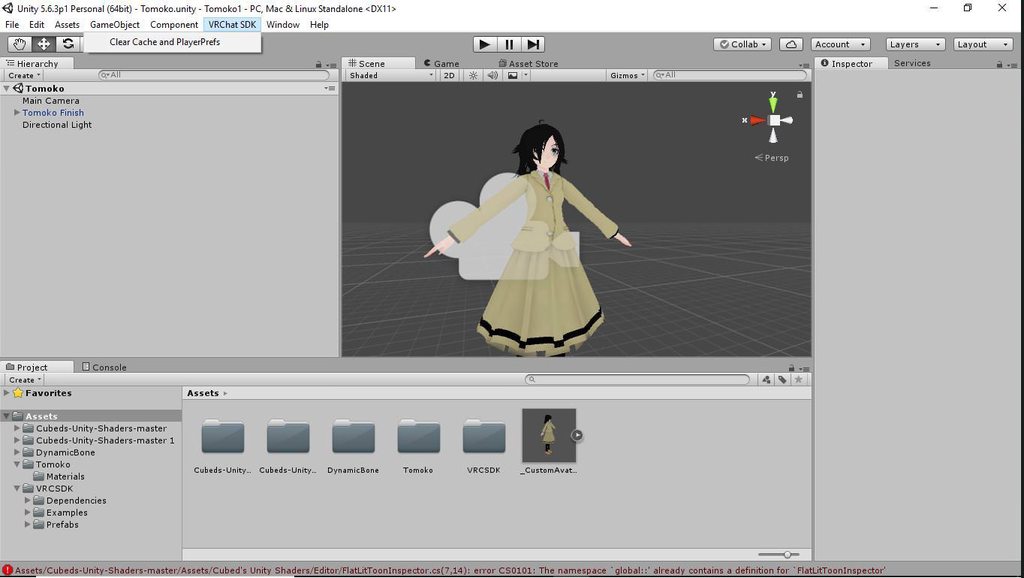
https://imgur.com/a/B309h
SDK wont let me upload my player model
Yes i have the current firmware for unity
Yes i have the current firmware for VRChat SDK
 hazy tusk
did you remove the weight paintint from the speakers though?

or better yet, these fingers
https://puu.sh/zkQ9J/316de89841.png

Something else is affecting them. But at the same time, if I remove the weights ->
https://puu.sh/zkQb8/2553572172.png
 humble leaf
Yes okay it worked, i removed it. Didnt know you had to click assign x)
hazy tusk
Yeh, they should be tied to at least one vertex group, probably just their own speaker bones / vertex groups
As far as I know, overlapping weights and vertex groups isn't the worst, but if you're lazy it can get bad
 uncut dust
humble leaf
uncut dust
humble leaf
http://memes.stole-my.life/send-help/IfJWG.png Having a different problem now though. Bones don't move quite right with the mesh
 crisp tendon
weight paint
humble leaf
ouff
so i'd have to weigth paint my whole mesh for each individual bone?
just bcs of this what appeared out of no where x(
its already weight painted
at the appropriate spots
this problem wasn't there b4 i started messing with the speakers
crisp tendon
you probably shouldn't have deleted the vertex groups
just removed the weight paint from the speakers for a few bones
humble leaf
Yeah, i reverted to backup
and didn't delete any of the groups.
I guess I'll start from 0 again and see where the problem appears - or doesn't
 warm nova
https://ibb.co/dbWDD7 If I were to keep the hand in the sleeve, would I make a bone for the sleeve?
 humble leaf
cus i didn't notice
warm nova
because the hand sticks out IG
fading verge
Sorry Rubick just got back to my computer.. basically i'm trying to sort the weights out and i've got all the foot weights but the shoe deforms when i try and move the bone around
okay now this sucks. the sdk will not let me uplaod. it wont even bring up the menu to name my avatar. anyone here know how to fix thins
fading verge
http://prntscr.com/icwou1 so this happens when i try and move my foot around, even though i've gone over it 30 times to add weights to it, it deforms and acts weird

nvm it fixed when i ticked auto-normalize on 😄
 slender shuttle
Anyone know why the mouth of my avatar opens when her eyes look up...?
 south bear
currently trying to get a model into unity
ik the model has a zero length parent issue
and i have the animations for it
specific to that rig
 quasi oriole
@south bear while configuring the rig in Unity, you can literally just move around the offending bone a tiny bit till it stops screaming at you
quasi oriole
yeah, that should destroy anything
quasi oriole
sorry, I meant shouldn't
 icy jungle
https://orig00.deviantart.net/95cc/f/2018/041/1/7/hat_issues_by_goldlunarmoon-dc2rr48.png Well, Help me with my hat

 next prairie
Ok, I reset the model, but now it's not detecting feet upper arms and head
It's saying you need to add bones for them, but they're already are
fading verge
Just enter the rig screen and exit it again, that tends to fix it for me
If the 'bone has length of 0' error appears again just move it a tiny bit
You can move it a tiny bit then moveit back and it's still usually fine
next prairie
OIk, thx
fading verge
Does anyone know how to copy weight paints? i want the same amount of weight on both legs
fading verge
@fading verge There is an option on blender to mirror the weight paints on to the other side
http://prntscr.com/iczm31 this is what i get when i try

Try selecting the faces within the mesh, then change into Weight Paint mode and click on "Mirror" under the weights tab
I'm not as familiar with mirroring so excuse me if it still doesn't work
nope still the same :c
 devout river
does someone think they can rig a model for me? i have no idea how to rig, if you think you can can you dm me?
 cold kindle
I've got a little question....
So i have my bones armature and the body
Those two aren't attached : So no animation etc
How can i fix that please? ;~;
quasi oriole
@cold kindle in blender make sure that the body is parented to the armature https://prnt.sc/id11t1

also, if everything is rigged properly, that the armature is actually affecting the mesh https://prnt.sc/id12gt
 quasi oriole
NO don't, that will ruin it
 green ice
https://ibb.co/i2JrGS
https://ibb.co/fefGi7
throws blender out the window, why must his feet retract into his body, he already fucked with weight paints. Also poly smoothing, why can't he do that anymore
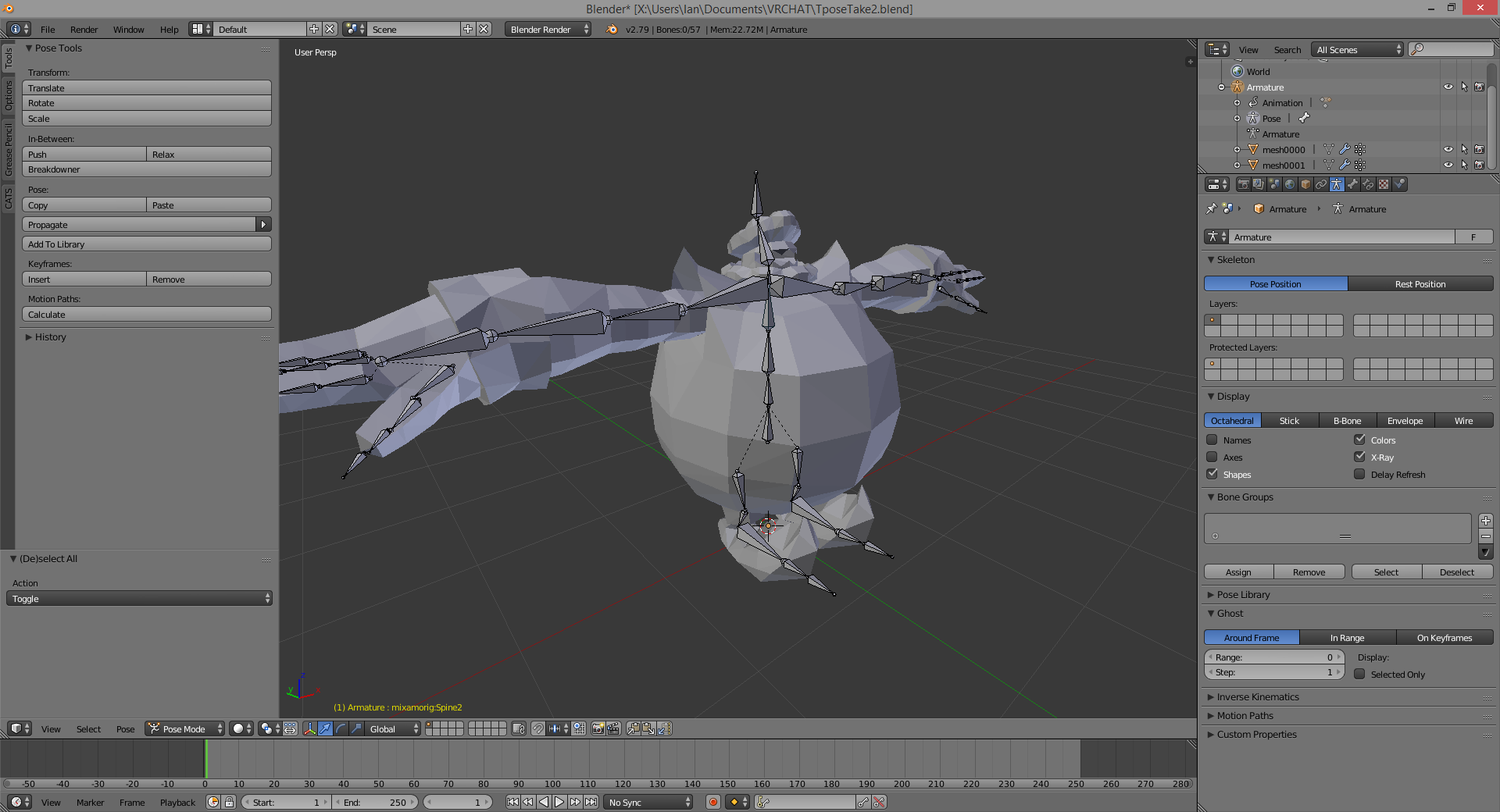
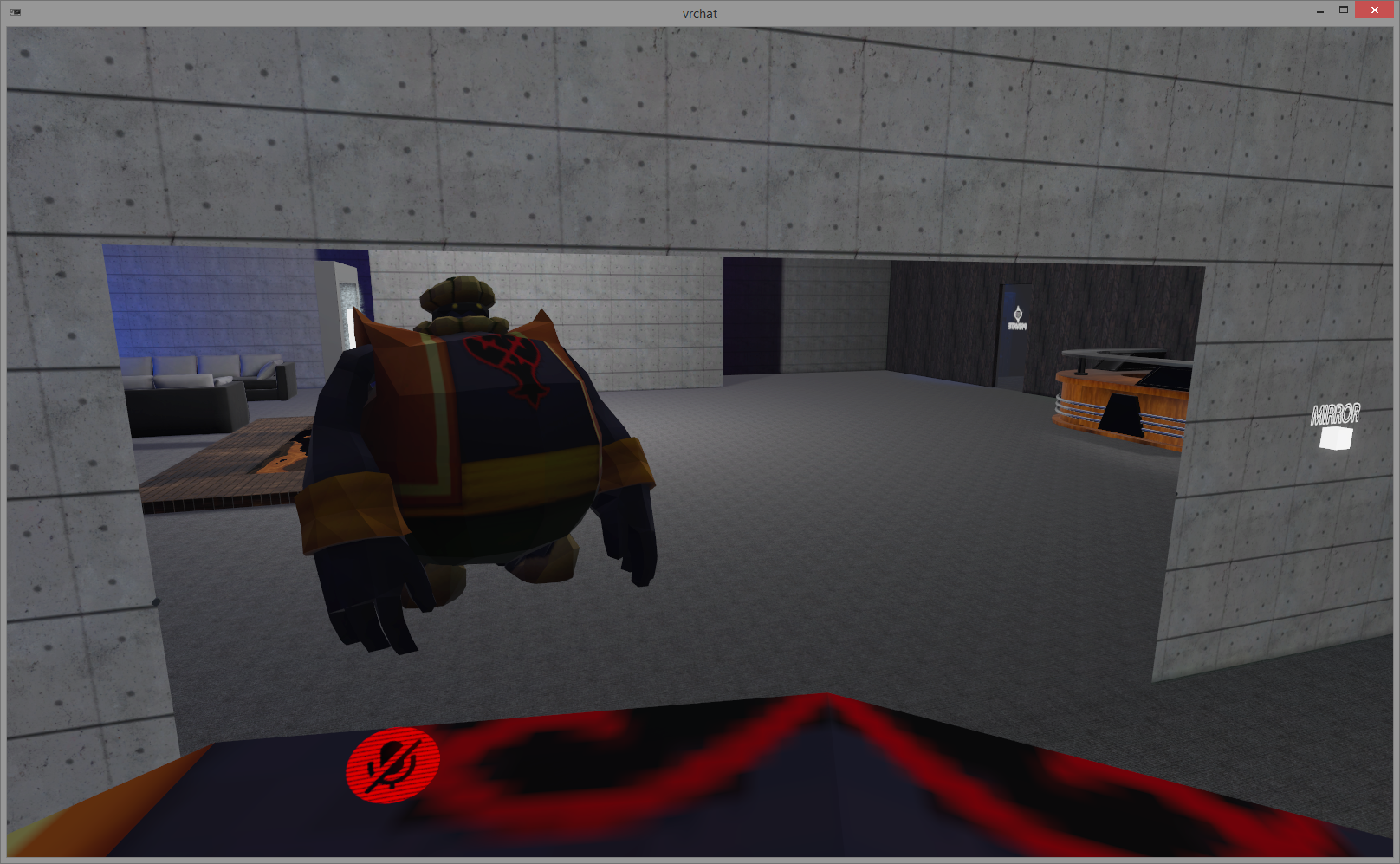
I am heavily considering begging someone to rig it for me
 last niche
anyone know how to fix the hip thrusting there when standing still?
 small swift
any tips on fixing the "your rig has the UPPERCHEST mapped.."
 opal citrus
can someone dm me so i can share screens with them and get help with auto weight painting?
it's giving me an annoying error in which i've googled and watched vids to no fix
green ice
@last niche Yeah, that's part of what I've got going on too
 charred parcel
My first failure prototype. #avatars-mmd
quasi oriole
@small swift go to the humanoid configuration of the fbx and remove the upper chest from the mapping
small swift
i have done that but then i get a error this avatar is not improtred as a humanoid
small swift
unity crashed


 fading verge
HAHHAA]
 mental lynx
this is haunting me
 low parrot
Just gotta put the eye bones in the exclusions for the Dynamic Bone
mental lynx
I build my own seketal structures so they would never be affected
low parrot
oh
mental lynx
Hair, eyes, etc. All separated
I have an idea
There may be a break in the head mapping
Nope
hm
Okay, fixed one issue.

But for some reason, visible materials are just gone

Face sheen and the outer eyes aren't rendering in-game. Not sure what to do
What would cause materials to not show up in VRChat which are visible everywhere else
It shares a material, with the transparent texture. Could this be the issue?
 gentle shuttle
do i need to do anything special to get heels working in vrchat?
mental lynx
Yes
You need to make sure the bottom of the foot bone (structurely, not visually) is at the base of the heel, instead of where the foot is in the heel
I have an example I can load to show what I mean, give me time

Quicker than I expected to get it loaded.
As you can see, the ending of where it considers the foot, and the beginning of the toes (which you should never use in VRChat, always remove the toe in Unity) are at the bottom of the sandle.
This lets Unity know that it needs to be above the surface at that location
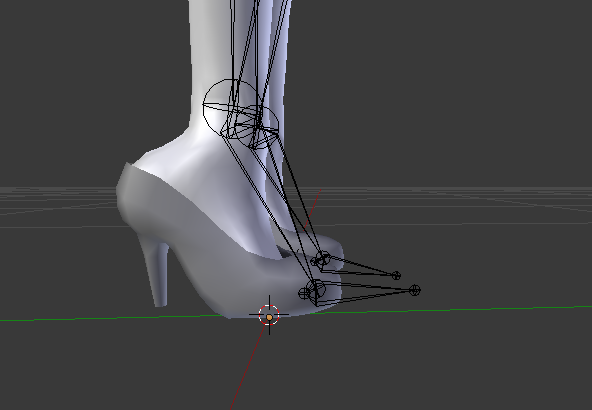 mental lynx
That should work
 fringe beacon
why, no matter what i do, am i always getting "Required human bone 'LeftUpperArm' not found"
mental lynx
Remove them, they cause your foot to sink into the front when you face up/woard
And your feet will swivvel to the side when you look over
Most toes don't work in VRChat. I may have a model to show examples of between toes being set and removed.
gentle shuttle
is it a vr only problem?
mental lynx
Remove jaw bone from the model when rigging
mental lynx
Just another helpful hint if you didnt know
Not many people know to remove toes and jaw from your mapping
gentle shuttle
why the jaw
mental lynx
It will animate hair as if you were talking, generally.
gentle shuttle
ah
mental lynx
It's usually a hair bone it grabs to do it.
mental lynx
Oh boy. Another model that randomly just doesn't work with eye tracking
 patent blaze
would adding fake finger bones allow me to use custom overrides?
 brisk mesa
if my chest is upward that means i didn't weight it well or the bones are weird inside.
or both
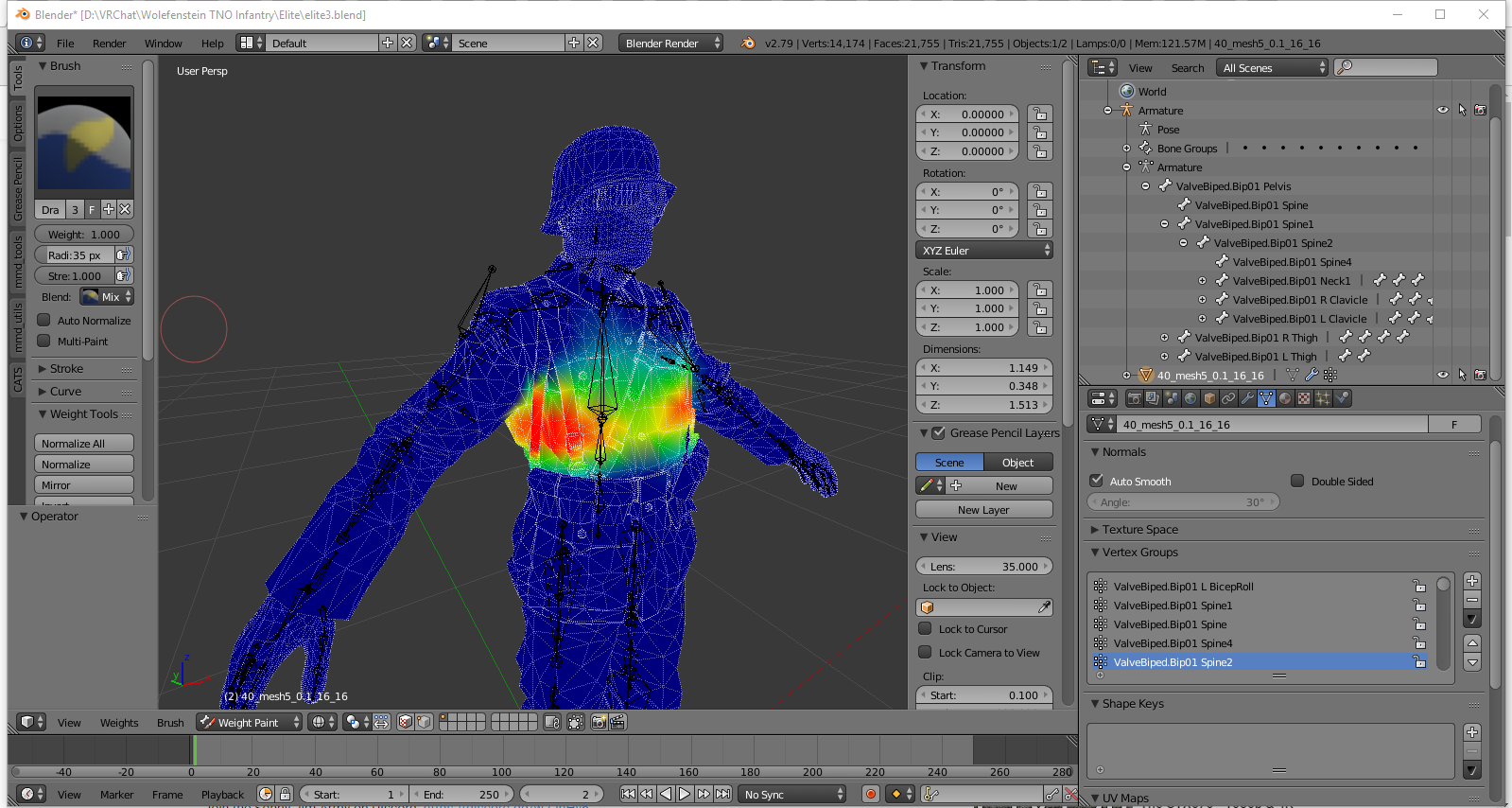 fading verge
help
I finished an avatar and forgot to rig the fingers..
I will explain
let me get a screenshot
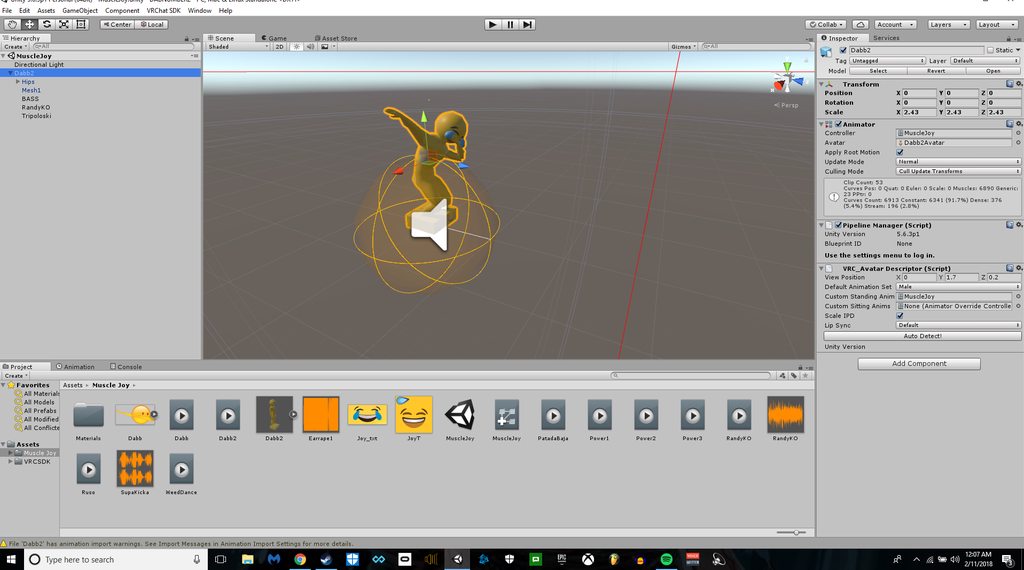
i reall
fading verge
?
Wanna see the rigging?
wait
well
I cant
heres the thing
I want to rig the fingers in unity or mixamo it doesnt matter
but how can i select the model that has been animated
thorn willow
I'm not asking you
fading verge
not the lower archy
well there's no one here
sooo
I dont know what youre trying
thorn willow
however I wonder if this pre-weight painting this model causes the chest upward issue
fading verge
eh
thorn willow
or its the bones
fading verge
well
dependable
is the mesh already configured?
any animations done to it?
Like my fuck up was?
thorn willow
as for the mesh, idk
fading verge
the spine has to be straight too.
thorn willow
I just readjusted it
brisk mesa
and the spine bone can't be super large, neither with the chest bone
brisk mesa
me too tho lmao i'm like tutoring calculus
thorn willow
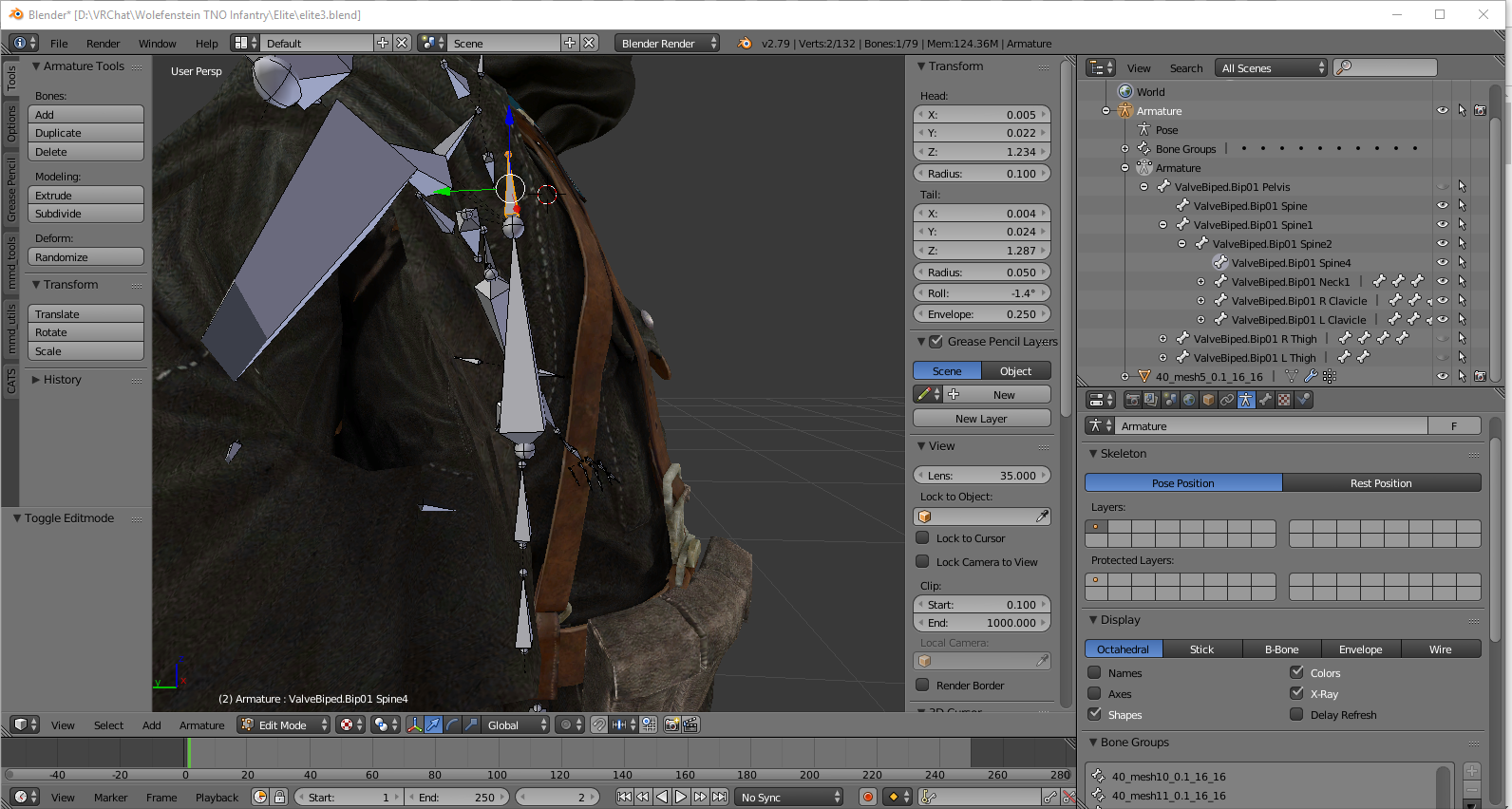 brisk mesa
hmm
thorn willow
Valve_Biped is just a mess
thorn willow
got it off XNALara
fading verge
ohhhh
brisk mesa
wait is that ... all the hips, spine, chest, and neck and head all in the chest mesh??
you need to adjust that better
fading verge
yeah you've got some decimation to do bud
fading verge
NVm
brisk mesa
you need to physically move all these bones so that theyre actually in the right spots i thought
fading verge
OK ima go
brisk mesa
or it'll be weird
thorn willow
actually not all
it just looks like it because I might have screencapped it in the wrong angle
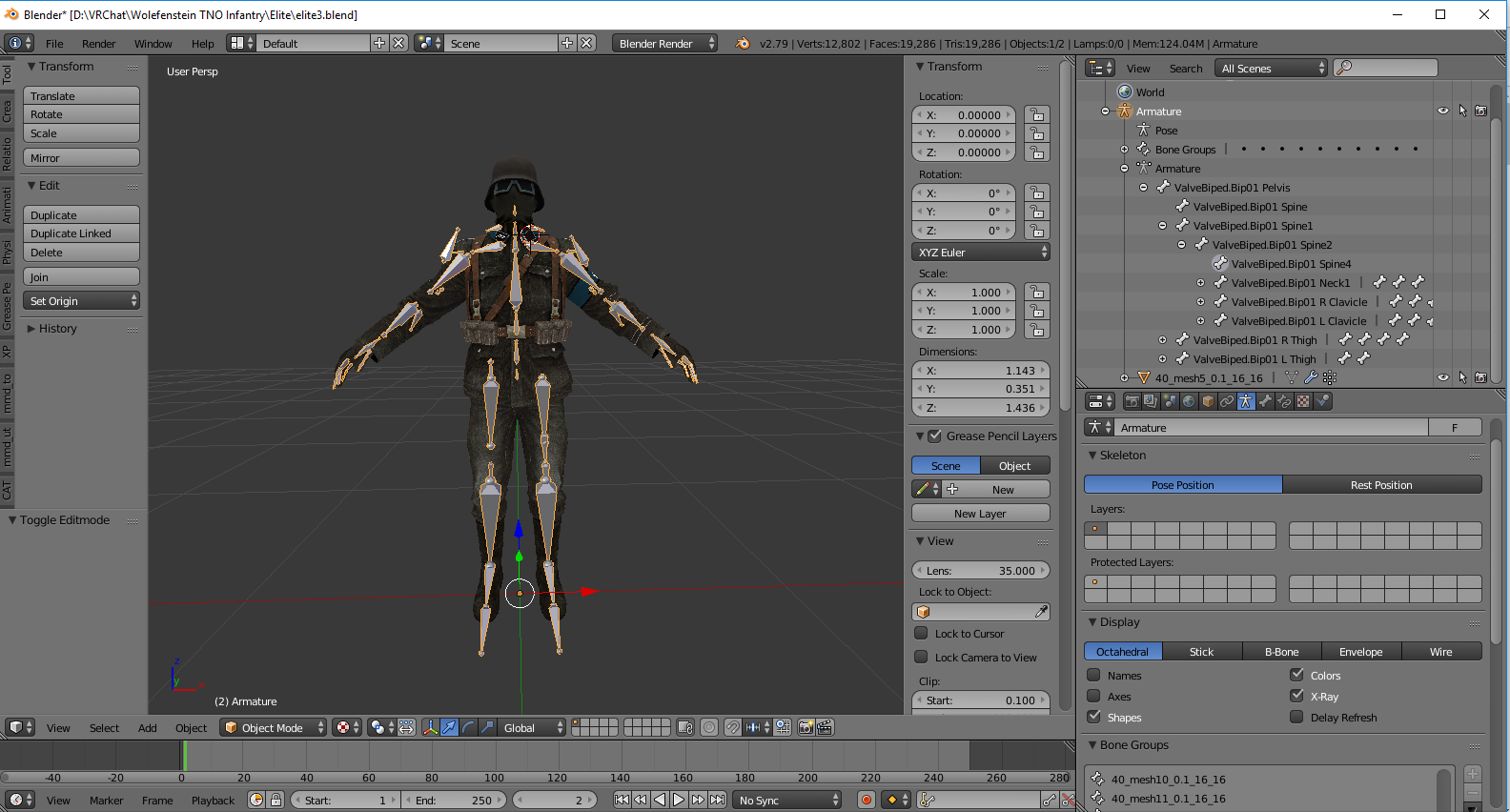
like I said
Valve_Biped is really a mess to work with
but not as messy as Justine from Persona 5
brisk mesa
yea i can see that there's some cleanup there to do, a bit
which probably means you need to merge the weights from one bone to another to not miss a spot either
if you delete any
brisk mesa
neither
thorn willow
let alone having experience with rigging
if only this was available in XNALara rig
I just hate working with Valve_Biped
FO4 NCR Veteran Ranger is worse with this
brisk mesa
honestly when i see a rig i'm like NOPE about, i just apply the armature modifier to the mesh bits to make sure they don't budge, and i delete the old rig lolll
and then i start over with a rig of my own
cause my Arnice had some crazyass rig with like 200 bones in the skirt
thorn willow
and that's where I am dead
brisk mesa
and if it's humanoid enough then at least the auto-rigging parenting works well enough
thorn willow
I have no experience in making my own rig
brisk mesa
did mixamo help you at all
thorn willow
no
brisk mesa
it usually doesn't for me either eh
thorn willow
Mixamo is literal red flag
brisk mesa
yea
thorn willow
since it has zero texture support
ZERO
it only gets texture support if you use it directly from FUSE
dumb and stupid
brisk mesa
i don't mind if no texture at least cause if they are mapped properly anyway then i can readd in unity but
if the autorigging won't work with it either then yeah that sucks
brisk mesa
it def isn't
thorn willow
last time I "made" a model from FUSE CC
brisk mesa
i think it's one of the worst ever lmao
thorn willow
a SWAT dude
the canister of his mask is literally stuck into his upper chest part
looking like it was stretching when he looks around
and the fingers are a mess
brisk mesa
anyway you might wanna go look up a rigging tut, one of tupper's or something else on youtube then
p much go through what we all went through
like if you wanna do that
since it's not an mmd, the cat's plugin can't help much either
fading verge
guys i am having some issues 😦
i am trying to rig a weird model, is a cat on his legs but he has no arms whatsoever, i tried riggin it as humanoid but i am stuck in t pose ingame
a friend told me i need to add some missing bones to the armature, so i added ankles and wrist, they were missing
still T pose, another friend told me i need thumb, index and middle finger
so i added them, thumb 1 and 2 index and middle finger 1 2 and 3
on both hands, everything parented correctly, still t pose
do i need to also add the other 2 missing fingers on each hand?
i have every bone, th eonly missing ones are toes cause i know they are optional, but i am also missing 2 fingers on each hand, is that why i am in t pose ingame?
 desert apex
Hey guys, I have an advanced? question. I'm trying to rerig a bow to work with dynamic bones. Problem is is that the string is parented by a dotted line to the handle. Is there a way to instead reparent it to BOTH bow arms? because right now it can't be pulled backwards using dynamic bones, because of its orientation
I can reparent it, but only to one side
pine harbor
can't say i've used dynamic bones, but pretty sure the hierarchy only really allows for one parent to any object
would having it be parented to the midpoint space between the bow arm ends not be an option?
mental lynx
Got a model and it has no bone hierarchy, how do I build it?
Everything is muddled into one big group
pine harbor
@desert apex hmm...i've got no idea how to use them, but it looks like spring joints may also help with your bowstring set-up:
the behaviour in these two videos look like they're probably what you're after?
https://www.youtube.com/watch?v=zvHB1fsRadQ
https://www.youtube.com/watch?v=3j51NuZpzcc
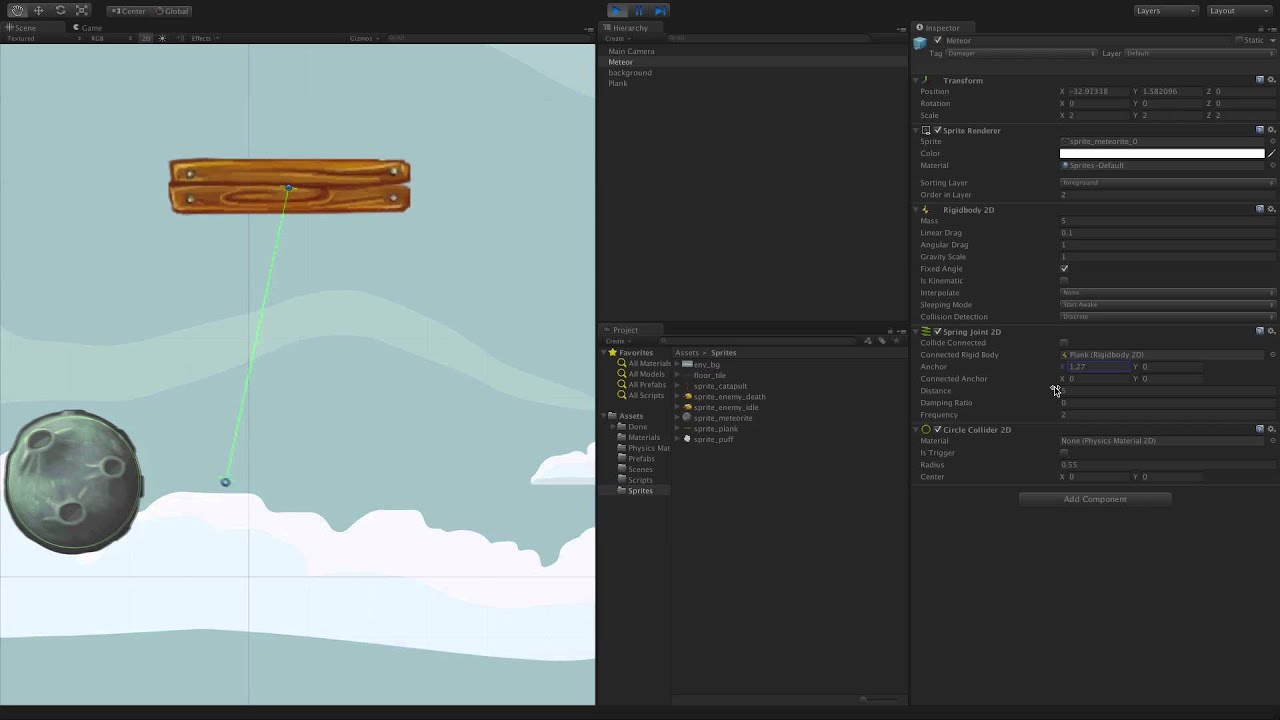
Watch this video in context on Unity's learning pages here - http://unity3d.com/learn/tutorials/modules/beginner/2d/spring-joint-2d The Spring Joint 2D allow...
 fading verge
i've added all the missing finger bones wish me luck
desert apex
@pine harbor Thanks, I parented the string bone to another bone on top that should allow me to pull back the string. The main problem with dynamic bones is indeed that they cannot grow
 junior dune
I have problems with the legs in the avatar model rig, if I move the right hip everything moves but the hip and the hip bone is righthipD, is there any way I can set the knee as a shield to righthipD instead of Righthip?
desert apex
well I can't get it to work with dynamic bones since I can't grow them guess I'll just animate
humble leaf
Hey I have a couple of shapekeys that i want to make move in unity perma
but i can't find out how to do it
I can't find the right tutorial as all of them cover only how to add a gun model for example
but not the actual part when something moves
desert apex
What do you mean exaclty? Do you wanna do some emotes? Or have something permanently move?
humble leaf
Nvm
I got it by clicking around
I have like stuff to move say 1min
If i do an emote
But i got it i think
desert apex
you could just animate that in the animation tab, keep in mind tho that vrchat emotes only allow you to emote for 10s (I think)
 normal blaze
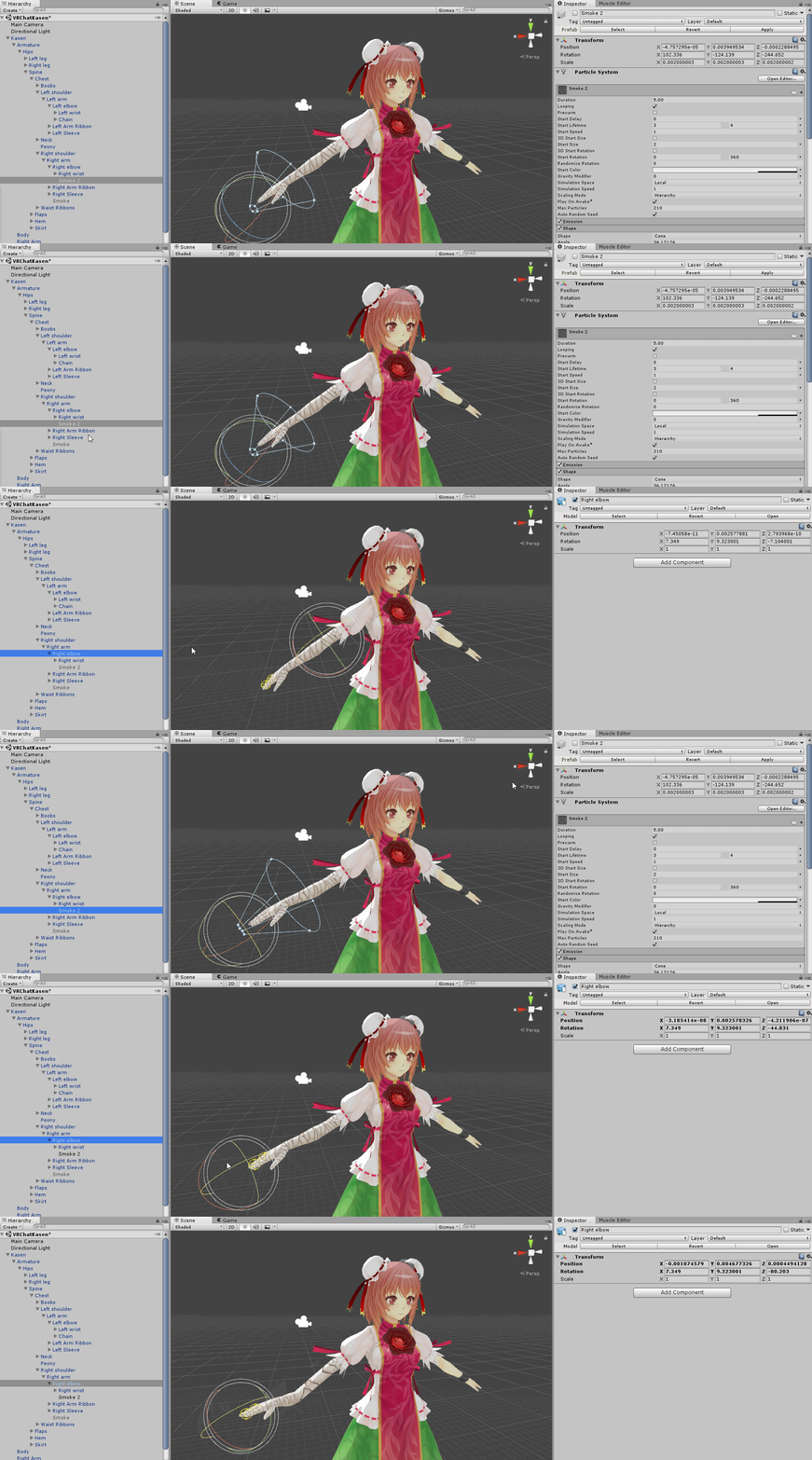
Whatever I parent these particle systems to makes all the bones above them in the hierarchy move to the position of the particle system. I have no idea what's wrong... https://puu.sh/zloE9.gif
 fading verge
Automatic Weights “failed to find solution for one or more bones” how do you get past this error? ;_;
 cloud gazelle
Can some help me with this ?
https://cdn.discordapp.com/attachments/321043113382641665/412277330787041281/bug.png

 hazy knot
Go back to blender and translate your bones, friend.
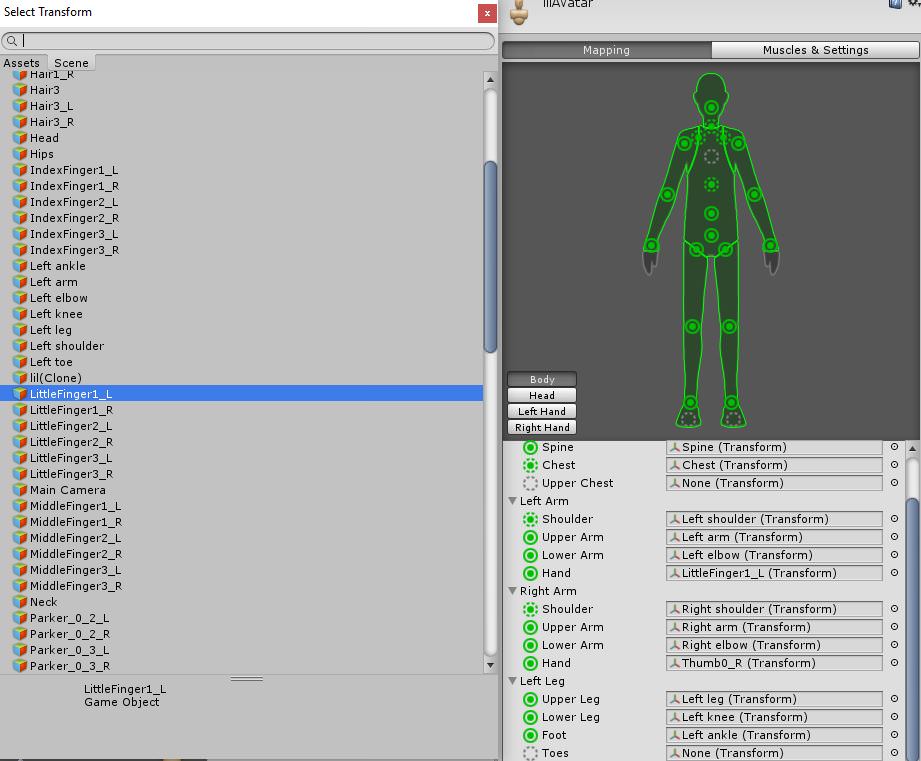
Your issue is the error stating that the bone you have assigned to your left hand bone is also assigned to your left index finger bone slot.
You'll need to figure out which one is which and only assign the bone to one of them, then find the appropriate bone for the other.
brisk mesa
@fading verge you cant just add bones to your cat model, you need actual weight assignment if you want the mesh to follow the bones
Or it will tpose every time
cloud gazelle
@hazy knot ok thanks
 reef skiff
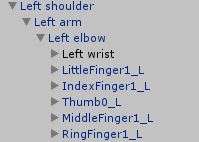
https://imgur.com/0ncm7Kh how can i delete the fingers and add the new wrist without screwing up anything 😞
 crisp tendon
Drop the fingers inside the wrist ?
reef skiff
there are fingers inside of the wrist already, but as you can see by the colors, the wirst isn't connected to the elbow
hazy knot
Set the model rig to the new wrist?
reef skiff
can't figure out how to do that, I'm pretty new in this
 thorny gate
@reef skiff All you need to do
Ctrl+Click all the ones you want to drag
Then drag them on top of Left Wrist
If it asks you if you're okay with breaking the prefab instance just ignore it.
 rotund thunder
so i have a question. when i joined seperate meshes (one mesh being parts of another model) into a new model that had armature, the armature no longer moves the mesh in pose mode despite showing its all weighted. i had this issue before and dont know how i fixed it before
 gentle snow
Heyo! I'm trying to rig a small model that has a body, a head and 2 small sticks for legs.(so basically non-humanoid). I'm wondering how I should go about rigging it. I don't really need any animations . Any suggestions?
rotund thunder
basically if your going non humanoid, a generic animation setting is what i use for my non human avatars
@gentle snow
reef skiff
I did that just now, but the wrist + fingers appear to be somehow broken + i don't see the wrist on this list, https://imgur.com/PWZONS6 @thorny gate
 gentle snow
@rotund thunder I'm more curios about armature in general. Is there a specific amount of bones i have in the model?
rotund thunder
i dont really know tbh since i mostly focus on bringing entire smash bros stages into the game but i dont put any bones in them.
but what i do know is for a humanoid, atleast 15 bones are required
generic seems to be any amount
pine harbor
there's no fixed amount with generic rigs, yeah
gentle snow
I see
pine harbor
i'd imagine you would need at least 1 in the armature, never thought about a 0-bong rig before
gentle snow
What if I wanted to have a simple walking animation though
pine harbor
probably at least 3, if you want the look of two legs moving on a body
oh, worth noting though: generic rigs won't come with any kind of automatic animation at all in VRChat
so you won't even have idle/walk/run cycles -- those need to be created and uploaded yourself
gentle snow
Okay, I see, thanks for the advice
brisk mesa
Idk i just force some nonhumanoids as humanoid
Like in the case of Oyasumi Punpun, it is a bird dude with no arms so i put hand bones and all that to at least recognize it but theyre not really there
But he has a body and head and legs at least
pine harbor
there was a reddit post of someone who somehow got an entire pony running as an actual humanoid rig, quad leg animations and all
how they did it.....not a clue.
brisk mesa
Yea they said it was tricky anyway
I saw a scooby doo run around before and he clearly got it as humanoid rig where you put the skeleton in the front. And not weight the arm bones. The back legs just jiggle with him. So that is one way.
pine harbor
back legs just being like solid plastic?
rotund thunder
i basically made a luigi thats just a head on legs from a humanoid rig, left the arm bones in place but deleted the arms and moved the head over the body so thats one way of having a head with legs
pine harbor
this is....not perfect, but its walking motion is a lot less distorted than i would've thought possible:
https://www.reddit.com/r/VRchat/comments/7uvh69/media_i_keep_telling_myself_you_cant_get_a/

reddit
1 points and 7 comments so far on reddit
 misty river
Hello. could anyone help me with a problem? I cant send screenshots i nhere.
So I have to send it per pm
crisp tendon
you can upload to imgur
reef skiff
what could be a reason for my wrist not showing up in humanoid rig mapping in unity T_T
rotund thunder
@crisp tendon do you know if tupper is busy? i had a question for him about an armature problem im having. if he is busy then its ok.
misty river
If anyone wants to help me please pm me >3< Im really sucky with imgur
crisp tendon
@rotund thunder he's a busy man, i'd rather you try asking people instead and attempt to fix it first, but anything that isn't game breaking and related to the SDK shouldn't be asked to us directly
rotund thunder
well its more so a blender issue that i have been trying to fix myself but ok. i understand
crisp tendon
You tried Cat's i'm assuming
rotund thunder
i had to use cats because the model turned into an eldrich abomination when i selected it right after importing.
mainly to fix the model and thats it
crisp tendon
Did you send the model to the creators of the plugin ? They are asking for that
rotund thunder
not really, i dont use cats often because i dont exactly use mmds often. besides, the first model i worked on was just fine. but anyways, ill probably see if zarniwoop has any advice since he knows more then i do about blender
actually ive only ever done 2 models. since most of my models are basic with mixamo rigs
fading verge
Ruuubick do you have any idea why automatic weight paint isnt working on my avatar :x
crisp tendon
I can help if you can explain it to me shortly @rotund thunder
@fading verge Because automatic isn't a fit all kind of feature
rotund thunder
ok. i mean i dont want to be a bother to you but ill explain it best i can
hazy knot
@rotund thunder If you have multiple armatures, you need to combine them, then you need to set the object parent for the mesh to the new bone structure.
misty river
Is it bad that the character is not t-posed?
Because if not then my only problem is that i have no bone for the characters jaw ( im bad at parenting )
fading verge
So I have to manually paint right? But It's so time consuming and i have to mirror the exact weights
hazy knot
https://www.youtube.com/watch?v=Ss0y93oaIvg @rotund thunder

Note: There are a few things I did not explain in this video which are somewhat important. Eg. If you are replacing your model's head, you should not positio...
crisp tendon
@misty river jaw isn't necessary if you don't plan on using one
@fading verge You can mirror weight paint easily if the model is symmetric, weight paint is a painful process
rotund thunder
i dont have multiple armatures. i deleted the armature from the first model because i was gonna work with the base skeleton of the model i was putting the new parts on. @hazy knot
hazy knot
Did you relink the object parent?
This video specifically addresses what you stated your problem is. Follow it through to the point you're at and I'm confident it will fix your weighting issue
rotund thunder
so basically i joined my meshes and the armature doesnt move the mesh anymore in pose mode, despite showing the weights in the mesh.
hazy knot
correct. The bone weights need to be parented back to the bones on the new armature.
fading verge
Alright thanks Ruuubick i'll just have to work with what i have :x which isnt a lot
crisp tendon
@fading verge Can't you rig it with mixamo otherwise ? It does automatic weight paint really well on its skeleton
misty river
well without a jaw I cant upload it sadly
fading verge
Hmm I can try. How would I do that? Just export it as an fbx then upload?
crisp tendon
@misty river Why not ? It doesn't require a jaw for IK afaik
@fading verge Export an FBX without a skeleton yes
fading verge
So delete the armature and just export the mesh @crisp tendon ?
misty river
Oh wait lemme try
crisp tendon
Basically yeah
fading verge
Aight i'll give it a try
misty river
WAIT
DOES
DOES IT WORK EVEN THOUGH ITS NOT IN A T POSE?
if this works let me kiss you rubick
rotund thunder
internet decided to disconnect on me. @hazy knot so basically the original mesh isnt affected by the armature in pose mode. so your saying i need to reparent the mesh itself to the armature? I think i have done that before but it still didnt move the mesh in pose mode
hazy knot
Follow that video I posted, it specifically addresses this.
 delicate mountain
someone able to help me
and tell me whats the cause of this
 hazy knot
@delicate mountain Overdecimation?
delicate mountain
hasnt been decimated
happens after joining it to the amature
through automatic weights
armature*
hazy knot
Looks like some of the edges seperated. You might be able to join them back together, but I'm not familiar enough to know a step by step.
misty river
okay mine is atleast not in stuck t-pose anymore
but her arms are constantly behind her back ( until I pick something up )
rotund thunder
the thing is, i deleted the skeleton of the model i was taking the head from aswell as some other parts to put on a new body.
fading verge
Dunno if you're still here @crisp tendon but i rigged it in Mixamo and now i have dis error in Unity http://prntscr.com/id9u2h ;_;
 hazy knot
Teg you might have to go back and bring the bones over with it.
rotund thunder
well i guess i have to seeing as the armature is basically null right now.
for the record im absolute trash at mmd models
 rain tapir
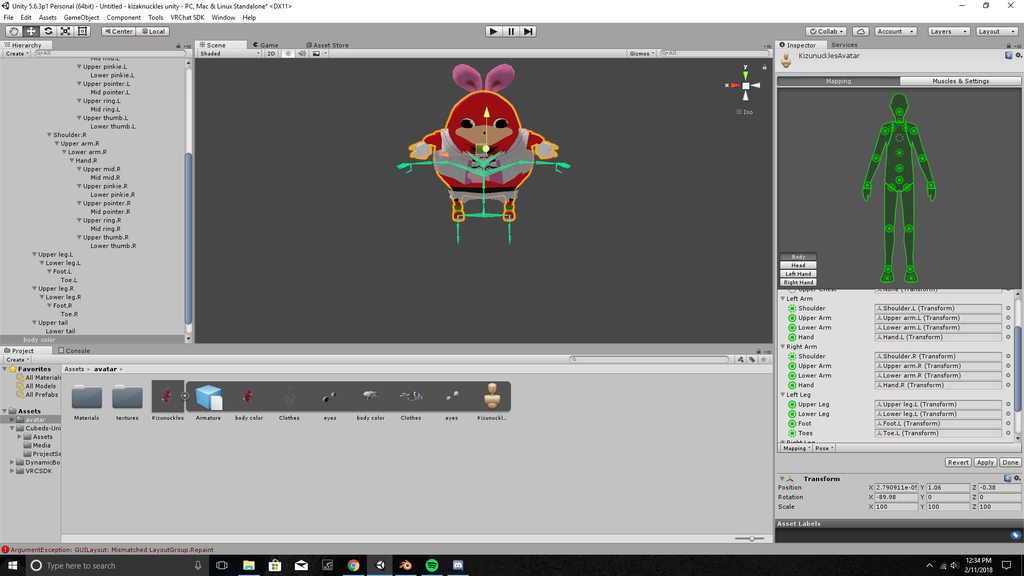
so my avatar is hovering above the skeleton in unity, is there anyway i can bring it down?
 crisp tendon
@fading verge Why is your avatar the size of our galaxy ?
Also you should fix it with cat's afterwards
 dusk pilot
@delicate mountain automatic weights in blender is made just to give you a base to work off of with weight painting. Mixamo is a service that has much better automatic weight painting of you don't feel like weight painting yourself.
fading verge
@crisp tendon no idea LOL ask Mixamo 😦
For some reason the shape keys are messing with the vertices, guess Mixamo f'd with something
delicate mountain
@dusk pilot though i would have to remove excisting armature
to have it imported to mixamo ?
dusk pilot
Yes remove existing armature before using mizami
 autumn mural

 cloud kiln
With CATS?
charred parcel
Yes.\
charred parcel
TDA Hatsune Miku
cloud kiln
Aka send a pic of it
charred parcel
@cloud kiln You pervert!
cloud kiln
Ecks dee
But seriously though
Send a pic
And I'll see what I can do
CATS can fail to auto rig models that miss some types of bones
So sometimes you need to put in certain bones yourself
There have been many times where I needed to put in Spine myself etc
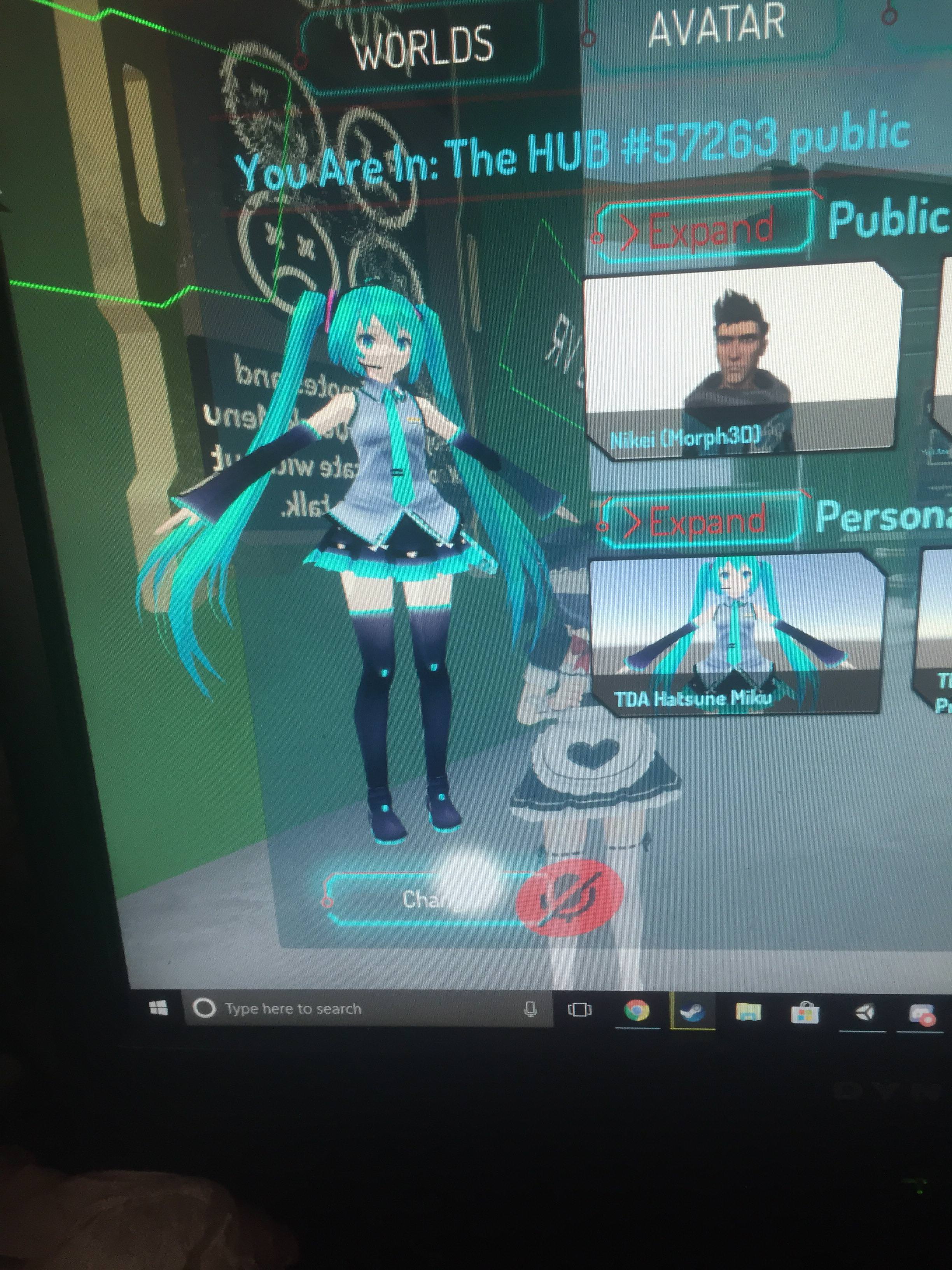
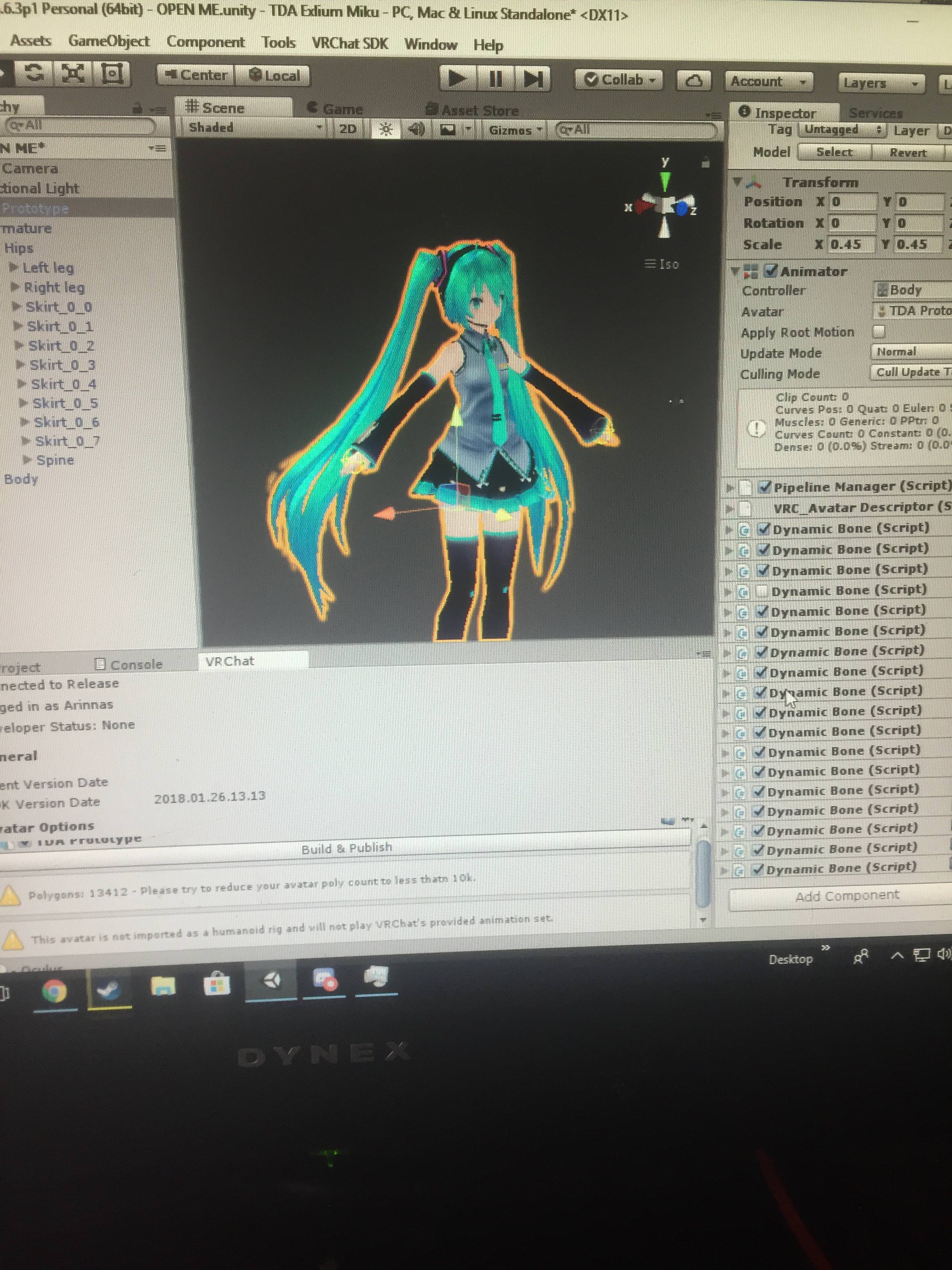
 torn locust
mate use lightshot to take screenshots
we can barely see anything
Is the avatar's rig set to humanoid?
charred parcel
This avatar is not imported as a humanoid rig and will not play VRChat's provided animation set.
charred parcel
Body?
torn locust
no
click on your model in the Project area
then where it says "Rig" set the "Animation Type:" to "Humanoid"
and then hit apply
charred parcel
Oh, thanks.
torn locust
any time 😃
 distant elbow
speaking of that
Does anyone here have any experience with generic type rigs?
I decided today to take a mostly blind plunge into making a non-humanoid rig
And at the moment I'm just working on creating all of the animations but I want to ask ahead of time
How do I tell VRChat what exactly my "hands" are?
torn locust
Awesome. It only gets easier the more you do it
 charred sorrel
im not sure if this counts as rigging or not but
im trying to help a friend set up a model and we did manual eye tracking
but the eyes go out of the head
when we rotate up/down, any idea why it's doing this?

left right is fine, it's just moving up and down
fading verge
@charred sorrel I JUST had this problem on the #avatars-2-general channel
What I did was just moved the bone slightly inward
But, that was with cats, and I see your doing it manually... so maybe this might not be helpful ><
 crimson vine
@charred sorrel Try changing the origin point
 fading verge
Whats the config of the bones?
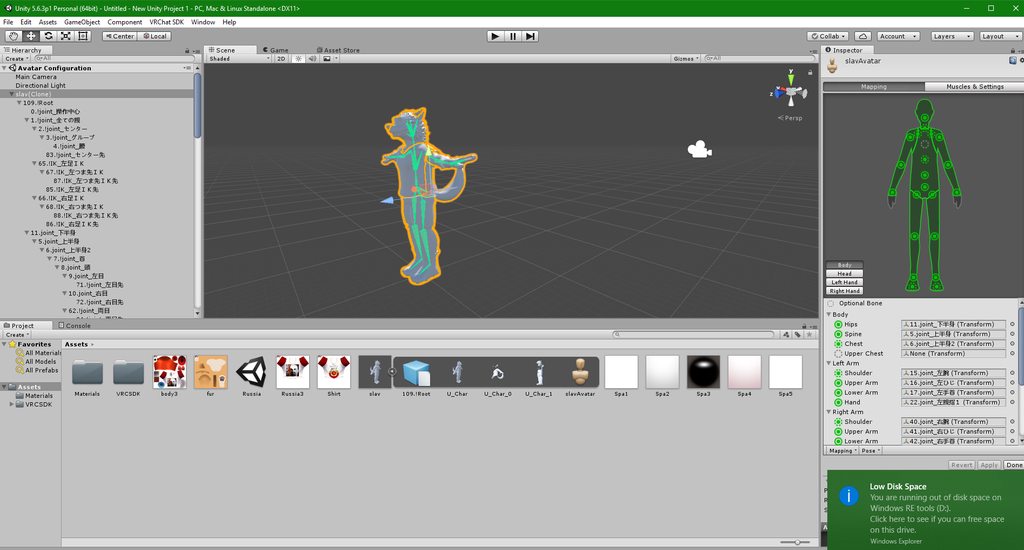 fading verge
oh no >< I was expecting english ><
next prairie
I know
 dusty lava
i had a question. i had a crooked 3 segement finger. i fix it but the skin is staying bent in unity. Any idea on what to do to fix it?
next prairie
That's what I hate about the model
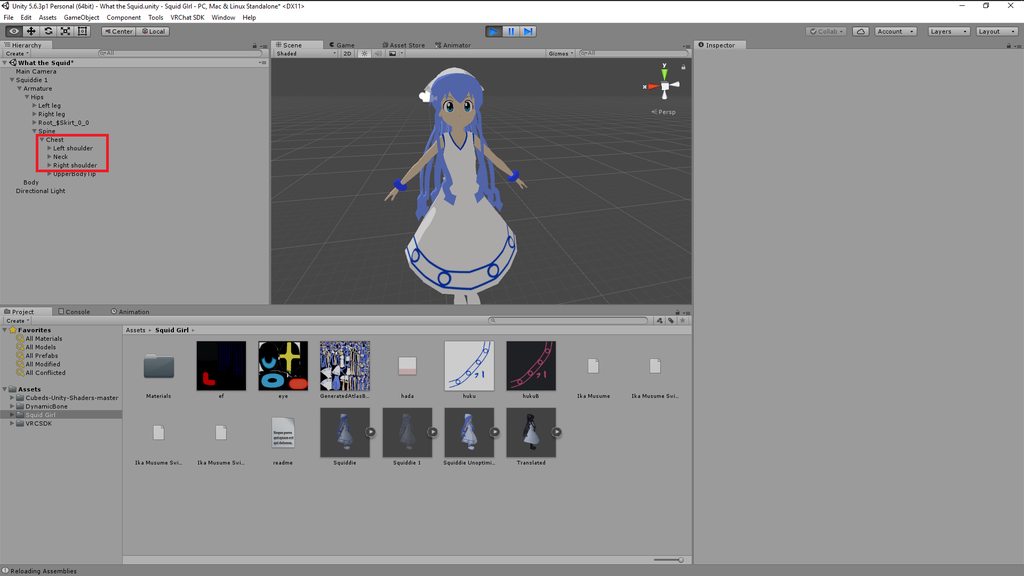
So, it says the Shoulder and Neck need to be a child of the chest
 next prairie
how do I make it a child of the chest? I tried dragging it into the chest section and the error stayed the same
I think that looks cool
You should leave it like that @dusty lava
fading verge
What VRchat wants is both shoulders and neck to be the child of the chest bone specifically like this https://imgur.com/a/THxVp
 dusty lava
it is the only thing wrong with the model so it bugs me i cant fix it hehe
no one seems to know what to do tho from people i aksed 😦
but they are all as new as me i guess hehe
fading verge
Yep!
dusty lava
we all just started recently hehe love it tho.
finally feels like my vr rig has a purpose!
fading verge
@next prairie , just guessing from how your bones are setup from the picture, your model might have 2 upper chest bones
Did you have to deslect the upper chest bone when you initially configured it?
If you did, try putting the upper chest bone you de-configured into the chest configure
 pseudo tide
so I imported my character and he's in this pose... I must say I modeled and rigged him to be perfectly symmetric https://orig00.deviantart.net/5887/f/2018/042/f/c/untitled_by_mrmontolio-dc2vgl4.png
 next prairie
He looks hawt
 cosmic bison
Does anyone have any ideas why my lower dress is being crushed when importing into Unity?
 next prairie
Wth
I put the bones as children
But not it's saying it does match human description
Welp, going to have to make my own bones in blender
Maybe

 tacit adder
@cosmic bison are they parented under the legs and not the hips?
The bones of the dress that is
cosmic bison
@tacit adder The upper legs are parented to the hips. Im going to try to do weight painting on the vertex group and re-exporting
tacit adder
@next prairie are they named correctly? Thats a main reason as to why it doesnt match human description
@cosmic bison i meant the dress bones
cosmic bison
@tacit adder The dress bones are parented to the lower legs/knees
tacit adder
Yea
Thats the main problem
You need to have a duplicate bone of the hips in the same spot then link the dress bones in order under that
@cosmic bison
cosmic bison
 cosmic bison
Yea no legs haha

I removed all the weight painting on the legs and now I have the opposite issue.
tacit adder
Try duplicating both lower leg bones and rename them as root_dress_r and root_dress_l
And connect the dress bones to those accordingly
 odd hornet
 tawdry sky
Would someone mind taking a model and rig it for me? I tried mixamoto and it wouldnt work there
 latent ocean
Does anyone know how to rig partially humanoid models?
This model for example. It is a humanoid figure until the torso and the arms. I don't want it to just slide across the ground in vrchat, but i can't put it in mixamo or else it gets twisted and whatnot when moving in vrchat.

or perhaps something without arms.
 calm needle
watch some weight paint tutorial vids. Weight painting tends to be easier for robots
latent ocean
i'll look into that then
 viral lily
anyone know where to put the dynamic bone file?
low parrot
If it's a Unity package, just import it just like you did the VRCSDK
lunar tartan
Anyone know how to fade the corners of an eyelid fold and fade out an eye highlight? It's currently rendered as opaque and I don't know how to change it to match how it's suppose to look...
low parrot
Render it to cutout and mess around with the Alpha cutoff
lunar tartan
I tried that. It makes the eye highlight smaller, not faded. The eyelid fold gets smaller, but the ends of it are whitish, which it shoudn't be... I'd attach pics, but I don't know how to insert pics via desktop discord.
low parrot
You can send links to pics on this server, but not the actual image file itself. Try uplaoding to imgur, or if you think you'll be screenshotting a lot to this server, install some screenshot-to-insta-link program like Gyazo
lunar tartan
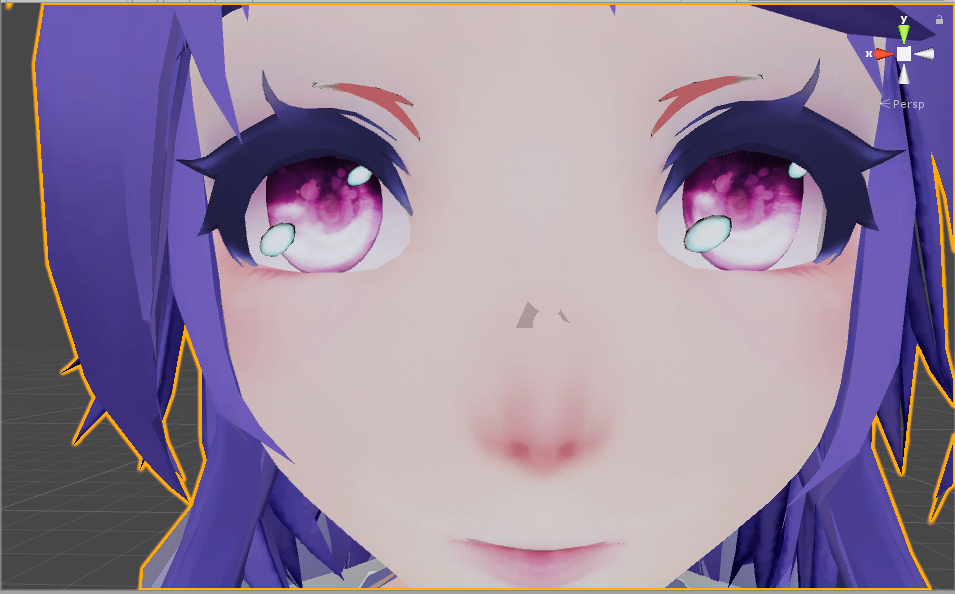
and this one...
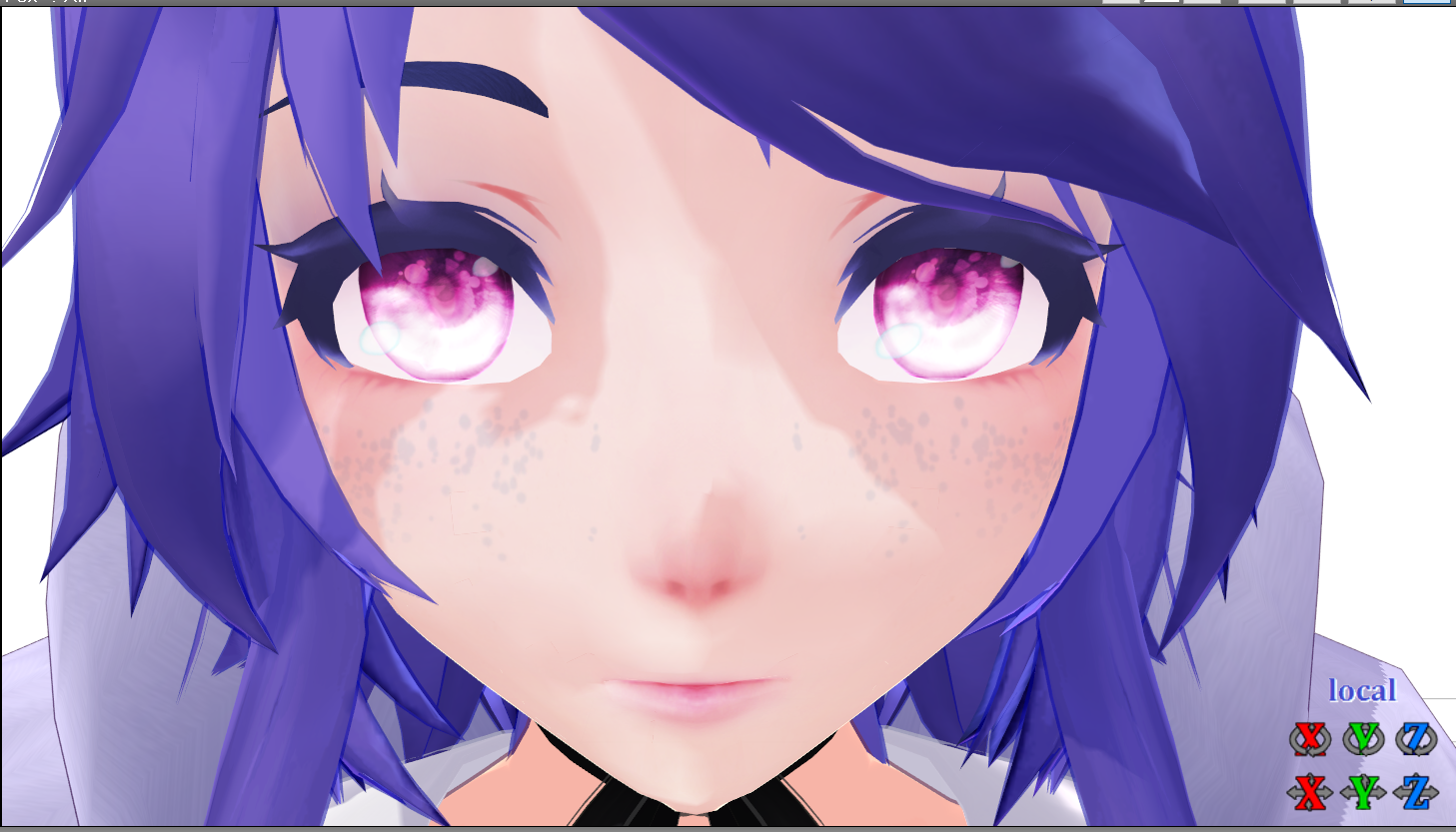
I need the eye highlight and eyelid fold to look like this one @low parrot
 chrome pier
😡 kiss woops 😡
 arctic venture
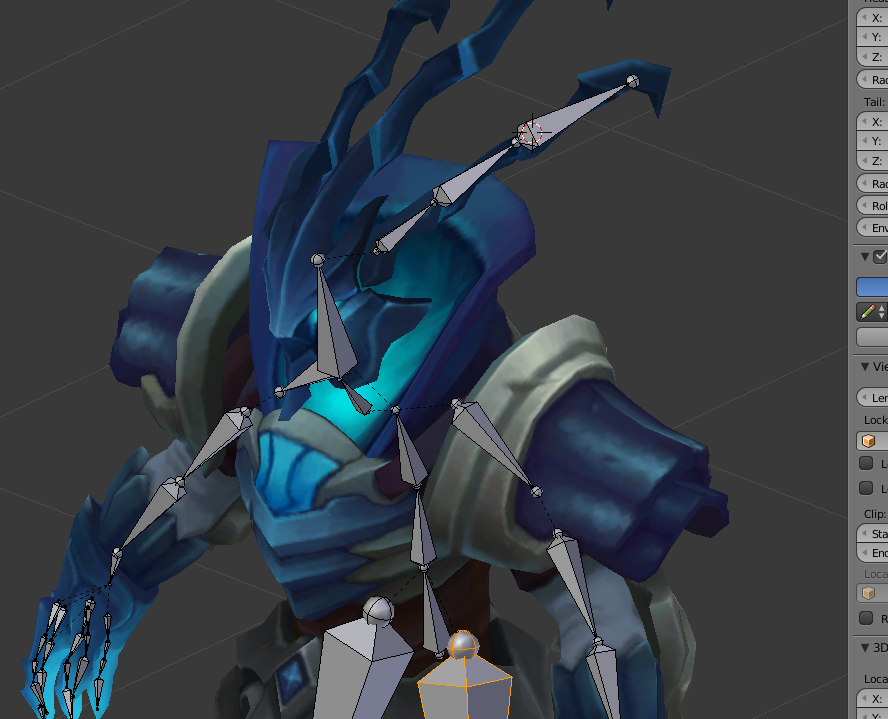
 molten rock
Trying to add this to my model But it keeps floating above my head any ideas?

https://puu.sh/zlMXG/222522d9ff.png is my heirachy The bag is labeled as "1"

 hot leaf
So I have a model that has a mouth and a jaw bone. I recently discovered that the jaw bone is actually moving the back of the tongue up and down. Any idea how to fix that?
naive tree
delete jaw bone in blender?
hot leaf
Right but I do want the mouth to move lol
naive tree
you dont need bones for that, visemes do that for you
hot leaf
Only if it has expressions, which it doesn't
naive tree
in that case you can remove weight from the tongue to your liking
hot leaf
Hmm okay
 arctic glen
Hello! I was wondering if anyone is willing to help me with some texture problems in unity?
 pallid cloak
Sure, what's up?
arctic glen
So I have 2 problems with my model. The first is that there's this white outline on the hair that I don't know how to get rid of? And it's on the texture itself too. And then also there's also this little spot in her cat ear that's darker than the rest of her ear and I'm not sure why that is.
pallid cloak
Did you make the texture yourself or edit it in anyway?
arctic glen
The only thing that was wrong with the texture was that all but 2 of the textures started as tga files. So I converted them to png files, but even when I dragged them into the texture folder, the only textures that would show up were the ones that did not start as tga files. So because they wouldn't show up, I applied them to the materials instead which works great except for the ear and hair.
 restive hill
ah
try saving as psd files, those preserve transparency better for me
in GIMP anyway
arctic glen
 pallid cloak
.TGA is also a preferable file format
restive hill
i've had weird transparency stuff with png
arctic glen
So do you think if I reimported it with the png files along with the tga files it'll look better?
pallid cloak
.PNG, while having transparency, loses its alpha channel, so engines will assume the alpha channel is white and cause weird borders.
arctic glen
oh I see!
pallid cloak
I say resave the png as tga
arctic glen
ok I'll try that!
restive hill
try one then the other i guess, idk about tga, but dont see why not
pallid cloak
When it comes to texturing, .tga is 👌
restive hill
i might try tga next time XD
i need to figure out how to put a walk animation into unity so i can check bone values properly 😛
pallid cloak
👌
Now then, time to move to my own problem
I've got this lovely fella right here
Oh, I can't post images. That's unfortunate
pallid cloak
 restive hill
gyazo even has a little uploader/screenshot utility and no login
looks fine except for right forearm not being mapped
is it parented correctly?
pallid cloak
That's the thing, it says it isn't
restive hill
check in blender then
also, the legs, humanoid avatars aren't rigged for goat leg stuff, that's probably a pretty massive problem
pallid cloak
Because when I port it ingame, the arms flip out
The legs work just fine
At least, to my standards
restive hill
huh
post the armature tree
for the right arm
green just means it has a mapping that unity thinks is about right, it might not be a correct mapping
pallid cloak
 restive hill
too many forearms, go into blender and merge them all into forearms for fastest solution
looks like those "twist" bones are the extra stuff?
yeahhh, probably for the big glove
use cats merge to chuck it all into the forearm bone, have it all move together?
pallid cloak
I am unfamiliar with cats merge
restive hill

VRChat Community Discord: https://discord.gg/VRChat Download VRChat! http://store.steampowered.com/app/438100/VRChat/ mmd_tools GitHub: https://github.com/po...
arctic glen
So even though I replaced all the png files in the texture folder with tga files instead, when I put the model in it appears white
pallid cloak
I am not using MMD
pallid cloak
But, the extra forearms are just extra and not being used
restive hill
have you looked at the weights on them?
arctic glen
Oh I applied them to the materials and they seem to be better now! there's still weirdly a dark spot on the ear though, but I'm glad the other stuff is looking better!
pallid cloak
Originally, when I imported the model, the SDK did not recognize the thumb and pinky fingers and did not assign them
Just for original testing purposes, I left that alone and imported it
It led to absolutely no problems
Later, I added the assigned the remaining fingers and that broke it
restive hill
oh, hm
arctic glen
Also is it ok if I ask about one more thing that I can't seem to figure out?
pallid cloak
Sure
restive hill
but it is not ok to ask if you can ask
pallid cloak
Well, it is okay to ask if you can ask
 prime dome
No it's not just ask 😡
green ice
Goddamnit it's giving me Spine Hierarchy errors even when everything is mapped correctly and no errors in the config
restive hill
idk sang, i try to work from the bottom up rather than trying to fix everything in post
prime dome
What's the error @green ice
arctic glen
So I don't have dynamic bones, and there's a tail with this character that sticks straight out that I'm sure would be great for dynamic bones but I don't wanna spend money on that right now. So usually what works is just deleting the tail through the armature, but this time when I try to delete the tail, it makes it all distorted instead of deleting it. Would I have to go back to blender to delete it? Or is there a way to delete it in unity?
pallid cloak
It's alright, your help was appreciated.
restive hill
idk, are the hand bones named correctly? i dont recall what the names SHOULD be tho
green ice
Spine Hierarchy Incorrect. Make sure that parents of both shoulders and Neck is the Chest. It is, just with a few bones in between
green ice
is it supposed to be direct now?
arctic glen
Ya but it's sticking like straight out and that's pretty weird
pallid cloak
Naming doesn't really matter, since I fixed the bone assignment
restive hill
swing bone?
arctic glen
What's a swing bone?
pallid cloak
 restive hill
some other dynamic thing? not really familiar
prime dome
@green ice make sure the first object under chest is the shoulder, and first object under shoulder is arm, etc
restive hill
yeah that looks right
prime dome
In the unity hierarchy
prime dome
@arctic glen you'd have to go back to blender and delete the tail mesh
You can't do that in unity
arctic glen
@restive hill I want to delete it, I don't want it on my model at all
restive hill
if you want it gone, then get you over to blender and delete mesh
kayuun speex de truf
prime dome
All I did was answer his original question
restive hill
its not hard
arctic glen
@prime dome @restive hill Ok thank you. It's just weird because I've deleted stuff in unity before
restive hill
press L and it selects linked points
green ice
Its going Chest>bone>bone1>Arm / ...>bone>bone2>RArm / ...>bone>bone3>Neck . So I guess the pinned thing is incorrect and there cannot be any other bones?
restive hill
generally, people don't link everything together
prime dome
@green ice you just need to drag the arm so it's the first object under the shoulder
And do that for the rest of the default skeleton bones
So for ex chest > arm > bone > bone
green ice
Okay well I'm getting just yellow errors now so that's better
pallid cloak
Those are usually ignorable.
Just as long as you're not a perfectionist
And you don't mind lagging some people 😉
green ice
I don't think that's a problem. 1.7k tris and 5 mats. We're fine
Nikei's head has more tris than my entire thing
pallid cloak
Alright
So
When I import the model, the arms like to flip out like a 2009 gmod animation
This happened after I assigned the fingers that the SDK did not pick up]
So, when it's like this

The model works perfectly, but has no grabby hands :(
But when it's like this

The hands go all crazy, often taking the arms with them.
prime dome
I'd check the weight painting on the added fingers
pallid cloak
I am unfamiliar with weight painting
prime dome
Okay just got into blender and trying moving those fingers in pose mode
pallid cloak
Interesting, moving the pinky bones do not move the pinky
The thumb moves just fine
prime dome
Yeah you've got a weight painting issue
pallid cloak
How can I fix this (In 3dsMax)?
lunar tartan
I got the spine hierarchy incorrect, make sure that the parent of both shoulders and the neck is the chest error
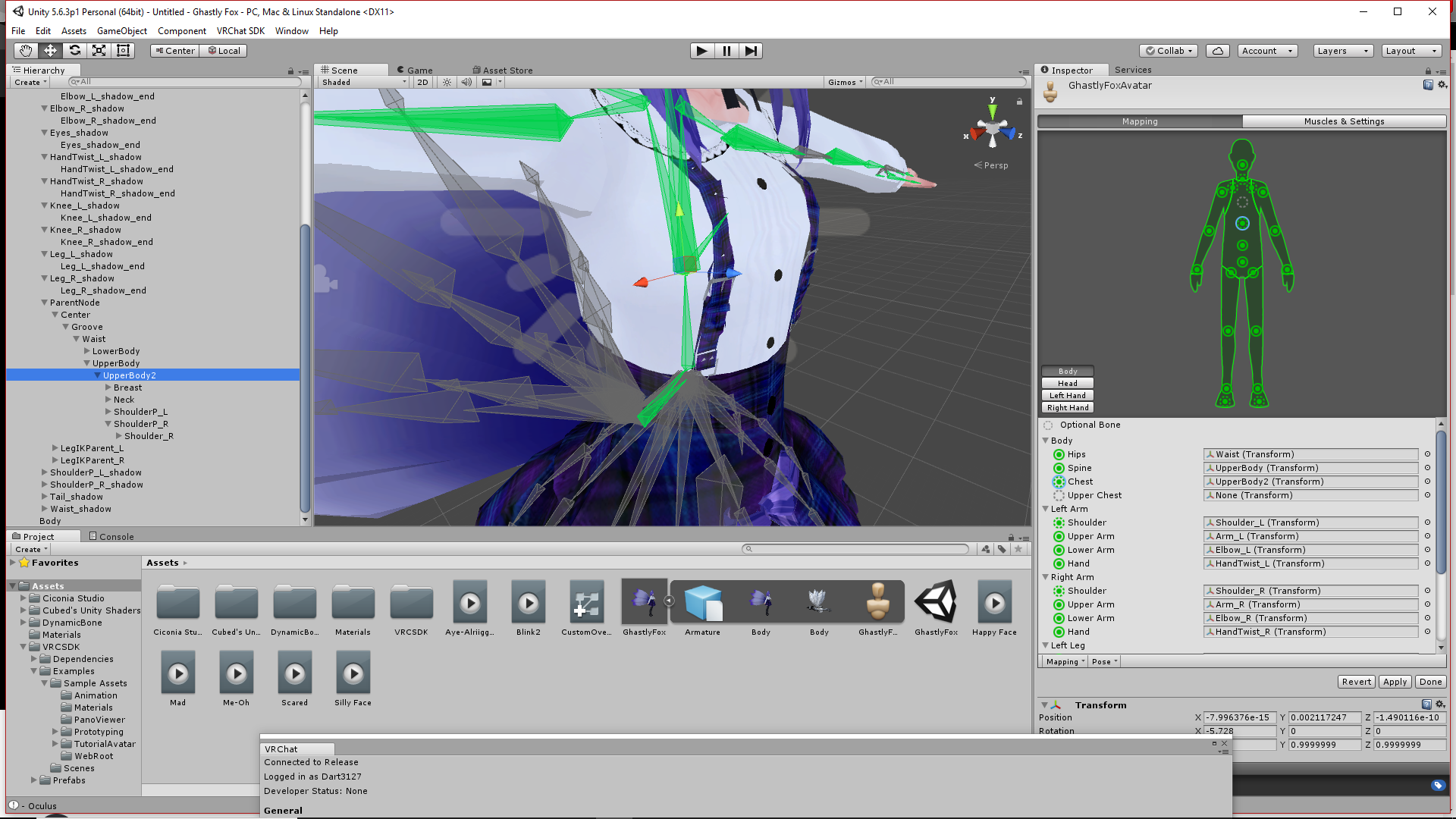
Idk where the issue is

 high stream
ok so i have have been struggling to get this to work right yes i have tried wieght painting but the grey you see in the back of the hood remains any ideas or advice..........https://gyazo.com/48b4ff895d5be7f73447abbb82e0d6d3
 restive hill
hide everything but the hood
weight pint the hood to 1.0 to head bone, no other weights
*paint
oh wait
you should blend in at the lower area
naive tree
@lunar tartan have u tried using cats fix model?
restive hill
oh dear, that one looks like a pretty complicated one, maybe the automatic weight thing would do a better job
naive tree
seperate the hood, delete all vertex groups, remove mmd bone modifier and try with automatic weight
restive hill
that sounds like solid advice, i have no idea what will happen tho
lunar tartan
@naive tree I did use that at the beginning. It gave me an error that I just ignored.
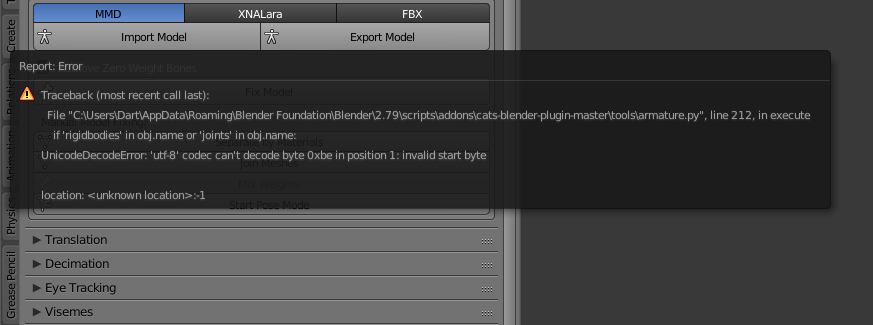
@naive tree Here's what the error looks like.
 naive tree
🤷
lunar tartan
How do people even get this model to work? I see them around so there must be a way to do it. That's the only thing stopping me from uploading it.
 trim kraken
i dont understand whats going on
i removed the jaw bone in blender and removed the jaw in unity's humanoid rig and my model's mouth still opens when i look down
i dont have visemes
and it's happened to another moden
high stream
thank you both for the advice as i have tried both but for some reason it is like there is a second hood that does not want to come with the first one.......https://gyazo.com/ad26cec322586ccf1e909e2b843beeda
 naive tree
@high stream can delete the inside, takes extra tris anyway
also your neck might have some weight on the inside
your head has to have 100% weight on it, no other bones should have any influence
high stream
omg i did not think of that thank you that worked the double ear was caused by the same thing but just deleted as the back looks the same
arctic glen
So I have another question if anyone's willing to help me, I think it's probably easy to answer, I just don't know how to fix it myself
naive tree
type it out
arctic glen
So my head is detached from my hair and it's pretty fuckin wild
Like it doesn't move with my head when I look around or walk side to side. It's like its own entity
high stream
just join them
arctic glen
How do I do that?
pine harbor
are there bones for your hair in your armature?
arctic glen
Ye
pine harbor
parent their roots to the head bone, and that should fix it?
guessing they're all parented to the neck right now, or you should be leaving your hair behind entirely when you walk
arctic glen
Can I do that in unity or do I have to do that in Blender?
pine harbor
hmm, you should be able to do it in unity -- it'll break the prefab instance, but that shouldn't matter for VRChat
just drag the hair bones until they're underneath the head -- if you can't get the head to take children, then select the head and create an empty first, which will add the empty as a child of the head -- then you can drag the hair bones into that same indent
arctic glen
OOOO wait I think I might know what I did. I combined same materials in blender, maybe when doing that it messed up parenting or something? Although I feel like that wouldn't do it, but idk
pine harbor
hmm, don't think combining materials should mess up vertex weights
arctic glen
Ye true. I just though that because this is my 4th try with this model and this is the only time the hair has done this, and the only thing I did differently was combining same materials
I can tell I'm close to making this model perfect, maybe the 5th try is the charm 😂
pine harbor
see if you can get a second pair of eyes on your model in-game as well -- the mirrors don't always show you exactly what other players see
so there's sometimes a chance that you see a weird distortion on your end that other people don't, like animations that don't play
although if the hair's just obstructing your view when you look around, i guess you'd want to fix that regardless
arctic glen
No I went to the avatar testing world, definitely everyone could see it. But it's ok, I'm close to getting it
Thanks for your suggestion anyway!
pine harbor
good luck -- who would've thought avatar creation would be giving us debug training as well >_>;
arctic glen
true. I've learned so much through vrchat and importing models
 thorny falcon
Dont decimate arms correct?
crisp tendon
don't decimate fingers and face, arms kinda depends on whether or not you have cool meshes you want to keep afaik
 jade lynx
If you want visemes don't decimate the face
 lavish latch
@lunar tartan String encoding error seems like something with the bones, try using PMX editor to translate those things (if it's an MMD), if not try renaming them manually it is a hassle but it's the best I can suggest.
 knotty kernel
The model I am trying to import has two bones in the same place; One for the shoulder, and one for the shoulder skirt
They are completely seperate on the armature though
how can I merge them together into a single bone?
 rough plover
Cant you just remove the extra bone ?
You can link them in blender using the armature bones tab.

Discord
Step up your game with a modern voice & text chat app. Crystal clear voice, multiple server and channel support, mobile apps, and more. Get your free server now!
lavish latch
How bad is this issue and how do I fix it? https://puu.sh/zm1MM/d94634848b.png
 rough plover
Not very bad. You can still check with any mirror. To fix it you need to drop the LowerLeg into his proper UpperLeg parent on the hierarchie. Same for Foot and LowerLeg
You have maybe some more bones between them
 potent birch
I'm trying to take an asset (a crown) from one model and put it on another but on the new model it just floats above the head. do I have to add a bone to it and parent that to an existing one or is there another way to attach it to the head?
 red gulch
I'm a bit confused
I realise that Mixamo automatically rigs a model
but then if I want to add additional bones, wouldn't I have to rig the model all over again?
how would I do that without losing the existing rig?
 light kindle
dyon your issue probably lies with weight painting
alex you can add bones yourself, see the pinned rigging video
rough plover
You need the dynamic bone plugin from the unity asset store first
red gulch
aah
also when importing the model, it appears the head bone has vanished
huh, I can't send images here
rough plover
Then you add a DynamicBone script to the bones you wanna they to move (Like hairs, dress) and DynamicBoneColider script to the part you wanna them to push the bones (Like legs pushing the dress, or hands pushing the hairs...)
red gulch
permission to PM?
rough plover
Sure
 glad egret
should i merge the weights of a bone that contols the entire backhair?
red gulch
still need help with my rig if anyone here knows Unity/Blender well
fading verge
What are the names for the bones supposed to be?
Recall seeing a useful images of them here a while ago but can't find it
 lilac moss
cats will rename them properly
the only bone names that matter are for eye tracking hips - spine - chest - neck - head and the eyes but idk if that's still the case
 warped basin
Anyone had the bug where the leg's don't shift side to side when moving the body in VR? the legs animate fine otherwise, also the body clips into the floor when courching on their viewport but not for everyone elses, the hands just lower
it's.. odd.
fading verge
Cats wasn't able to recognize my armature's naming sense so sadly it didn't rename them
lilac moss
Other than for eye tracking, i don't think bone names help at all. unity's auto-humanoid rigging system doesn't seem to care what they're named
fading verge
Ok, do I not need the eye bones if I don't plan to have eye-tracking for my model?
lilac moss
nope\
fading verge
Thank you
 deep bronze
Does anyone know to mount avatar? example: pick up the base and go putting dress
hazy knot
You're going to need to rephrase that question, I'm not sure anyone knows what you mean.
 opal aurora
I think i somehow understand it
Mount = Put together
Pick up base = Use base
Go putting dress = Put dress
Put together custom model from a base and add clothes to it
I'm a detective now
hazy knot
A regular P.I.
opal aurora
I'm moving up the ranks mom!
But yeah i think they meant a custom model made using a base
opal aurora
Yo
 gleaming falcon
I am still trying to work out mount avatar and dresses
opal aurora
You need to improve your investigation skill
You need atleast level 3 for this complexity
gleaming falcon
Would explain it. I've put my experience points into dexterity
opal aurora
That's a very critical choice to make
Your Str and Def build buddies might question your choices, but always remember, they're your own
hazy knot
@deep bronze The easiest way would probably be through PMX editor or direct Blender merging.
torn locust
I always preferred blender for that
opal aurora
^
torn locust
People say pmx editor makes it easier but i don't see how
hazy knot
It depends on which one you're more familiar with tbh
opal aurora
It's kinda understandable on the vert selection part, but even that is very iffy
torn locust
i really like pmx editor's second view tho
allows you to have a better angle on what you're doing
opal aurora
At times you might select some verts you didn't intend on moving, and you can't ctrl+z to reselect things you accidentaly deselected
And that gets frustrating after a while
Rescaling and editing the verts is so much more reliable in blender imo
hazy knot
Yeah usually if it's a base model I'll import and override in PMX then move to blender for fine tuning.
opal aurora
I just merge both armatures and meshes after fine tuning in blender myself
 rapid gust
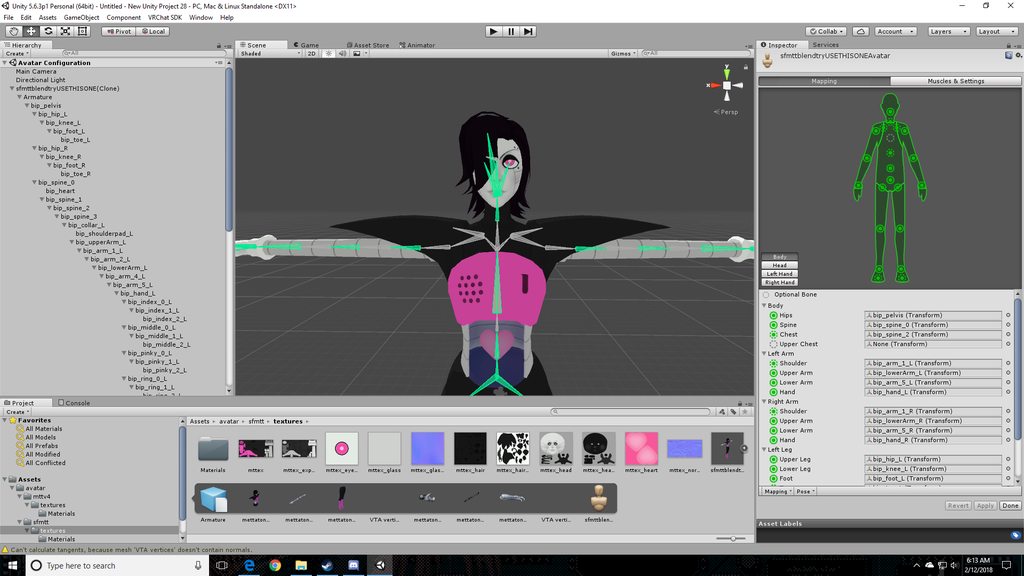
i had to remove the upper chest and after doing so I get 'spine hierarchy incorrect. make sure that the parent of both shoulders and the neck is the chest.' i have not had to mess with bone parenting much at all to this point, any ideas? https://imgur.com/a/ry3Qv
 hazy knot
It looks like the bip_arm1 is not the first arm bone after the shoulder.
rapid gust
hmm
hazy knot
Find out which bone comes directly off the chest and set that as shoulder, then you can figure out which arm bones to use by trial and error.
You want the bone that splits into the shoulders to be your chest bone.
I think it might be spine_3 looking at your hierarchy
You may consider going back to blender and merging the weights on some of these bones to bring your bone structure together the way Unity wants it.
rapid gust
alright, thank you
 simple siren
Hello can someone help me with descriptor? My avatar is generic rigged, descriptor is placed here: https://gyazo.com/14ac4cfce413347f84d9121bf921cdb2 and this is my pov ingame https://gyazo.com/42ed638d04807393e142c9df620c9e0e


If someone help me fix it i may be up to upload it to his acc 😛
fading verge
I have a interesting thing I ran into, there are two vrchat websites, one is dot com and one dot net
oops wrong room
 subtle moth
@simple siren try importing any model then remove the mesh and leave the bonestructure in the scene
That may trick vrchat i got a few models like that as well
Like an eevee, pikachu, the car from inital d
simple siren
@subtle moth I checked reddit for same issues and i found out generic rigs arent supported by vrchat yet :/ So there may be problems with descriptors, well fk
subtle moth
Hmmm bit i got mine to work as a generic as well
My view pos is way above the model so i can actually see
simple siren


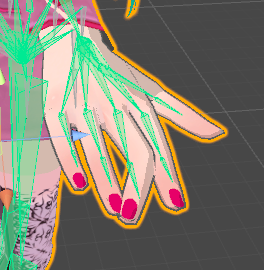


i can change only height, well, that will work for now
lets hope they can fix it one day 😛
 safe bluff
Attach a humanoid rig to the mesh but don’t weight paint anything
 oblique venture
how play a animation with a non-rigged avatar ?
fading verge
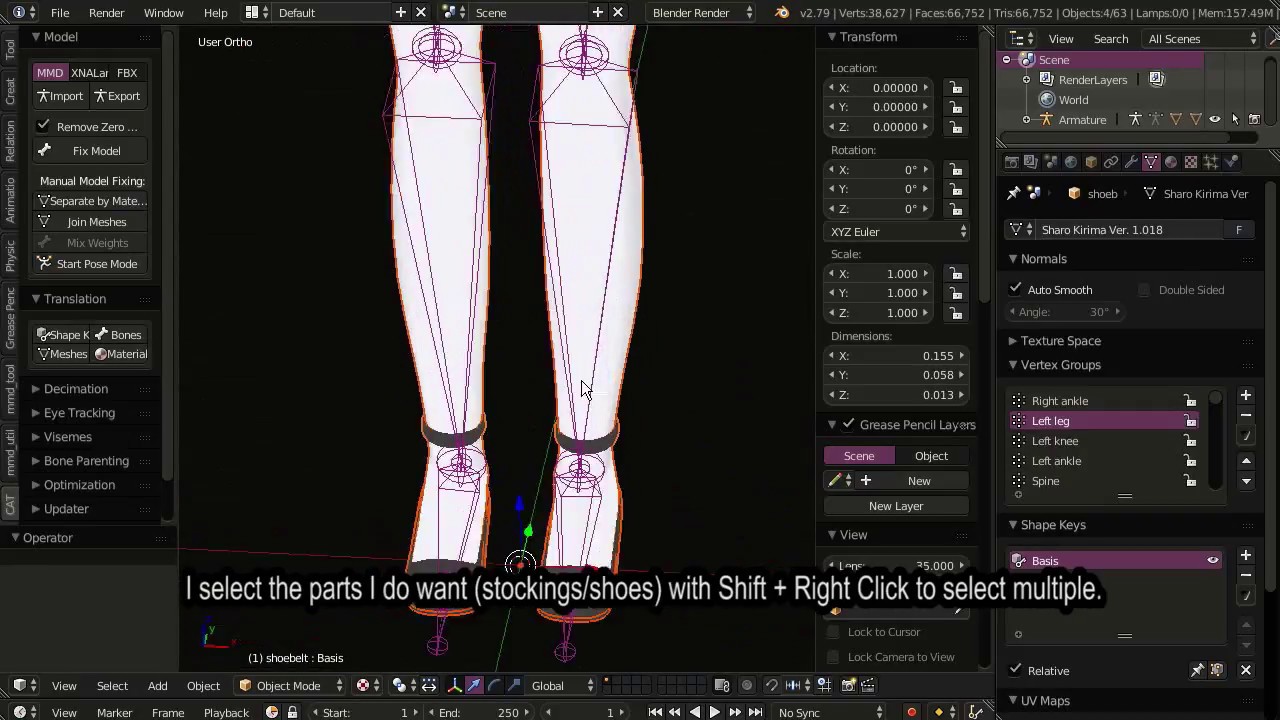
hey so im following this tutorial https://www.youtube.com/watch?v=-634i-tuoKE
Note: There are a few things I did not explain in this video which are somewhat important. Eg. If you are replacing your model's head, you should not positio...
but when parent the shoes to the armature, they dont animate
it's parented on both, object and modifier
hazy knot
Show us a screenshot of your hierarchy, including the meshes?
 rugged vale
Is it safe to delete the Ground Root Bone? Some XNA models seem to have them
hazy knot
They won't mess anything up by being present, but Unity won't use it.
rugged vale
just making sure thanks