#avatar-rigging
1 messages · Page 96 of 1
 naive tree
 rough plover
I won't copy past my 40+ dynamic bones scripts and all the stuff I had to do... But thanks, now I know it for my next model ! x)
 safe bluff
You have 40 dynamic bone scripts? 😱
 south bear
why cant i config my avatar file

:T

iv deleted the meta data for the file and deleted the file
then reimported it as well
south bear
-.-
your missing the issue
i cant even config the rig
let alone fix that small issue
naive tree
send me the fbx
south bear
why
naive tree
if you're saying that you can't configure the rig
i'll check if it's true and if you can open it, if the problem is easy to fix

 ocean blade
@south bear that looks like a bone is missing from your armature in your blend file. You may have to manually create that bone in blender and rename it to that bone, then import it over and see if that fixes the issue
ocean blade
And parent it to the correct bone as well
south bear
yep
ocean blade
If you have no verts for it that can be fixed with a techique called weight painting
south bear
ido
its just that i have a couple that used to be for the unmodifyed files rig
iv deleted some things and reassigned some
which shouldnt cause any issues
ocean blade
Do you mind sharing the configuration picture that it shows when you hit configure in unity?
south bear
?
cant access that part
due to unitys humanoid config menu being a pain and not working correctly
OH
OKAI
NOW IT WORKS
:C
ocean blade
Was gonna say configure was not greyed out in your previois pics
south bear
well i got it
ocean blade
Try to enforce a tpose on it
south bear
i might have to add a couple extra bones
ocean blade
Thats possible, i still dont know how to manually add bones myself in blender
south bear
well it works amazingly :oc https://puu.sh/ziCyW/ec6bdb0fb8.gif

 opal aurora
Chocoboooooo
 fading verge
big birb
 tame skiff
Movement is odd for me
opal aurora
Without IK the head will be steadstill on animations that require any rotation
Such as a backflip
tame skiff
Like on Ugandan Knuckles, for example
 night spear
That bird looks good 
south bear
well
id rather have a goofy walk then a shit one
or a nonfunctioning avatar
i can also fix the feet issue
 abstract grove
Can someone help rig an model i have a skeleton but it seems it broke badly https://gyazo.com/35b472f9911e0d28b50cd6027156af23

 fallen mesa
hey guys i need to move these weight paints over to these (Avatar is weird)
Somebody know how?

because ArmS_R and Right arm move the Right arm together and i need them both to be on right arm, or only half of the arm moves when the bone moves
opal aurora
You can do 2 things
Either parent ArmS_R to Right arm
Or do what i just said and either get CATS or neitri's tools
fallen mesa
isnt it already? http://puu.sh/ziE2i/0c5c829009.png

cat doesnt fix it for me
or ArmS_L into Left arm?
opal aurora
ArmS is not parented to Left arm
 proper kettle
i have deleted ToeEnds and all my bugs are clear now!
fallen mesa
ohh i see!
opal aurora
It's in the same hierarchy position
fallen mesa
frick , if that fixes it im happy
opal aurora
And CATS only works on untranslated mmd models
But that's besides the point as what was going to be done is weight transfering
The mix weights button in CATS transfers the weight of a bone to its parent
Hence, exactly what you wanted
opal aurora
Ye
opal aurora
Just make sure to have the right bone selected
You wouldn't want shoulders for arms...
fallen mesa
LOL
 fallen mesa
@opal aurora like this to be sure? http://puu.sh/ziEhx/ab72406f4c.png
 opal aurora
Yes
 covert narwhal
I'm trying to make a rolling ball avatar, but I keep getting errors with no T pose and that I'm missing arm and leg bones, even though the model wouldn't have any. I couldn't find a tutorial in the development tab that helps. Any ideas? do I need to make a full unweighted skeleton or something?
rough plover
Guys, how do you turn the camera like the unity right click in blender ?
If I try to do it I move my character but not the camera
fading verge
@rough plover Not sure if I understood you correctly but in blender you can pan around with middle mouse button and shift, I believe
if you need to orbit around the object I think it's just middle mouse
 wheat kiln
I need help with a model.
so im trying to to export my model but the problem is its not giving me the option to export. does anyone know what i did wrong?
rough plover
Damn me I have no middle mouse lmao
fading verge
@abstract grove you need to create a bone for the neck, parent the neck to check, head to neck in blender or w/e 3d modeling program you use
 pine harbor
@covert narwhal you might want to try a Generic Rig instead of a humanoid one in that case -- if your ball avatar's not going to have arms or legs, you wouldn't be needing IK tracking or the default emotes either 😛
fading verge
@rough plover if you have a mouse wheel you have a middle mouse button
rough plover
The mouse weel broke months ago
 spice jetty
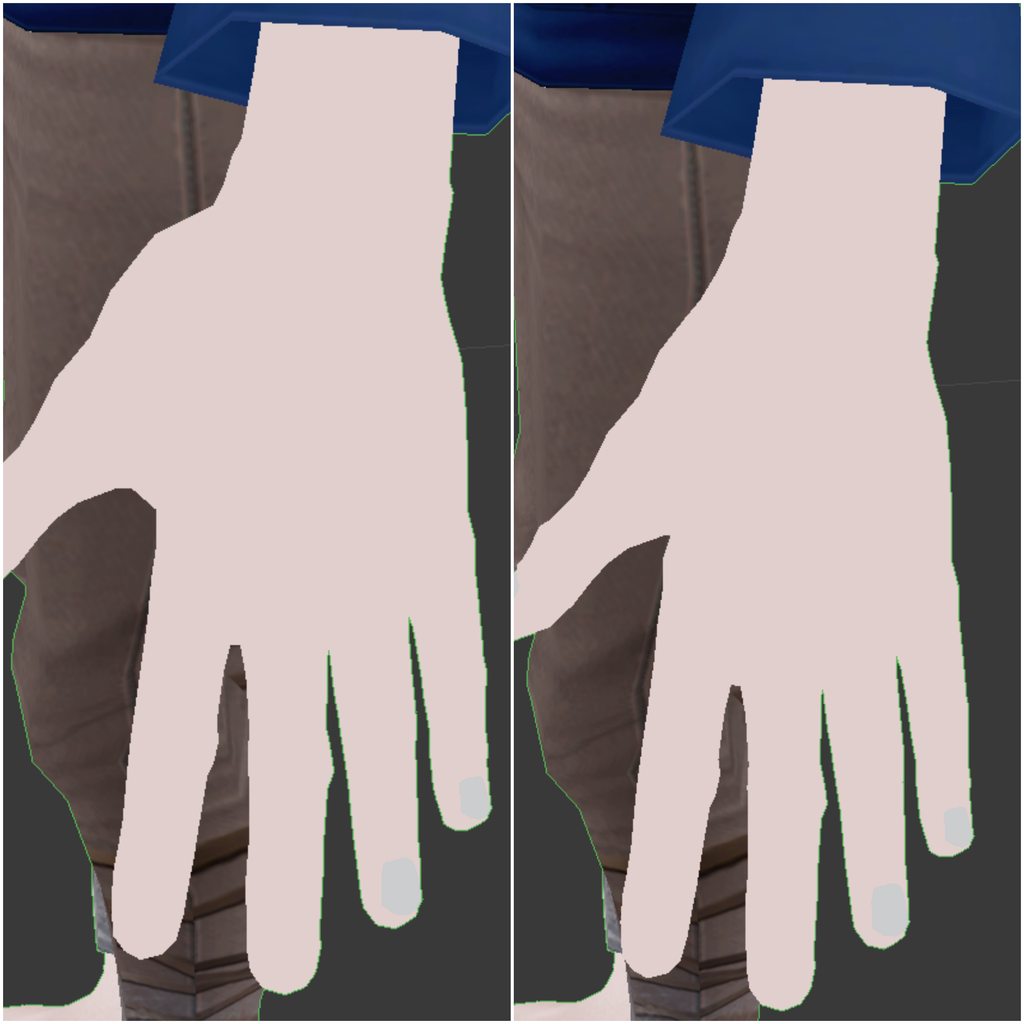
https://imgur.com/a/a3xUh guys I reshaped my hands on my basis shape key a little but the changes weren't reflected in all the other shape keys could someone explain what I did wrong for me?
 rough plover
Help, how can I export my model from unity to blender ?
I cannot open an unity.package
 waxen crown
Can someone help me get an avatar uploaded? Lmk thanks!
rough plover
I have a model in unity prefectly fine. I want to put my unity model into blender
How can I export from unity to blender ?
(Unity cannot make .pmx)
rough plover
Don't remember that's an old model
spice jetty
in theory you shouldnt be exporting something into unity then back out of unity i think
rough plover
Awww 😦
 leaden vault
 spice jetty
too tall
 low parrot
https://gyazo.com/da49809502d1bdbafa8ae98bafb8e262
Anyone got an idea why her index finger does that?
 leaden vault
Even if I adjust the height it doesn't go away. I have never had an error message like this before
idk where to goto even adjust it
spice jetty
maybe you've got something floating in the sky? thats the only idea i have
 left fox
Hey guys, what causes my mouth to open when I look down :/
 ebon jewel
@leaden vault When you have your model selected in unity, go to the inspector tab on the left and look for "scale" under transform. Try setting X Y and Z values to 1. That should do it. If not, Im not sure
leaden vault
Thats not even doing it
Im just gonna try exporting and reimporting from blender
Sometimes that likes to screw up
It wasn't too big
IT was the positioning
 tame terrace
How can I duplicate bones, put them into a new bone group and put weight on the new bones
 humble leaf
http://memes.stole-my.life/send-help/UbHHJ.png I can't seem to figure out how can i make the pants bend with the legs.

they're always static and my legs clip out
night spear
I believe you need to weight paint the shorts
humble leaf
also when i do the "die"
animation
my legs just go completely out
I just want the pants to bend with the legs
 hearty arch
hey could someone help me figure out how to fix certain models arms not extending all the way or not being able to reach the floor
humble leaf
My guess it has something to do with that the bones are only attached to the skin
but idk how to attach it to the pants too
so the butt bends
bcs when i sit down its static
 sacred swift
can someone help me rig this model
 warm pasture
My avatars all have the “spine hierarchy” error. There is no upper chest and everything is green lit. What can be causing this? Please @ me if you’re talking to me so I know
warm pasture
Well as far as I can tell everything looks right, I’ve just heard it’s a common problem so maybe there’s a common solution? When I get back home I’ll upload a picture. Thank you for the feedback
 south quartz
been out of the rigging loop for a while now so cant help if its a recent problem xd
But i had plenty of stugels myself in the past so
rough plover
God damn I tryed Cat's plugin on blender, and i'm so happy to finally spend some time on blender
tame terrace
How do I duplicate bones?
rough plover
No idea
 calm needle
@low parrot the bone is probably just angled funny. If you rotate it back into a normal position, just ignore the not in tpose error and it shoudl work fine
low parrot
Yeah, I checked in Blender and it was at a weird angle. I fixed it, thanks.
rough plover
@low parrot you pushed me to work with blender thanks. Still folowing some tutorial to cut a head and put it on another mmd model. I feel like a murderer ahah
fading verge
make sure to be slow with the limbs
low parrot
Yeah, it's super useful and fun
calm needle
once you get used to blender, it gets a lot easier to fix rig issues
tame terrace
How do I copy weight paint from one vertex group to another?

 random lotus
@wild jacinth you might need to reimport whatever this script was for
random lotus
hmmmmm...... did you make sure to delete the old script as a whole
random lotus
because that will usually get rid of anything leftover from the previous version
ive had to do it with the sdk multiple times cause my computer's a potato
 wild jacinth
this happened twice now i just gave up and started a new project each time
random lotus
yeah, but if deleting the old one entirey does the trick, you wont have to from here on
at least you didn't have to reimport your entire project once because unity crashed
i seriously have like 25 plus avatars on one project and i had to reimport it all
wild jacinth
LOL i'm doing right now
wild jacinth
i started it 5 mins ago
random lotus
oh gheez, yeah, im just glad it lets me reimport them at all
mine has a special model edit i worked hard on
even if it was just texture editing i still worked hard on the baby
i would cry if i lost it
wild jacinth
😦
random lotus
Yeah, plus its one im probably going to put into vr chat once i learn to make particle effects that surround the entire model
wild jacinth
like a tunnel?
random lotus

like an aura of sorts
sadly the only difference with mine from the image is he has clothes on
wild jacinth
oh dang
random lotus
yeah, the model didn;t exactly have a body xD
and i wasn't gonna make one
but it makes it look cute
plus i prefer the character with clothes on anyway
http://prntscr.com/ibn4s3 this is what he normally looks like 😄

the all white one is a fanmade design
wild jacinth
oh
wild jacinth
it reminds me of silver
random lotus
the hedgehog?
wild jacinth
yea
random lotus
Hmmm it kinda does, he is easily mistaken for a sonic character
because he has the look of one
wild jacinth
the art style is similar
random lotus
yeah, he was made by namco
i quote "WAS" because the series is pretty much dead save for a anime movie sometime this year
the guy in my pic is also from the same series
and is similar to shadow the hedgehog....only less edgy
wild jacinth
oof
random lotus
but has sorta the same past,much like shadow he lost someone very very close to him, but unlike shadow, he isint gonna try to destroy the whole damn world over it
he just wants to murder the guy who killed his father
wild jacinth
🔫
random lotus
http://prntscr.com/ibn6gr this pretty much sums up every encounter he has with the dude xD

but the worst part was that he apparently had to watch his father get murdered, when he was about hmmm... 5 years old
wild jacinth
just deleted the folder
random lotus
ok, now try to reimport it
^ he actually does succeed in getting his revenge
but he spares the dude's life at first
but then he tries to attack him from behnid, then the little fluffer nutter from before takes the hit for him
and he ends up shooting the cat till he trips and falls back into a crater (there on the moon), don't worry, the little fluffer nuts lives 😄
wild jacinth
and try to redownload it
random lotus
ok
wild jacinth
didn't work
random lotus
oh.... hmmm maybe there was some leftover in the assets folder we forgot to delete
wild jacinth
is it because i have it on other projects?
random lotus
I don't think so
it might just be the download you have doesn't work on that project anymore
for some reaosn
or unity is just being buggy af
wild jacinth
 random lotus
hmmm i would recommend deleting it again
did you drag it into unity or did you import it from a menu?
wild jacinth
the store
random lotus
oh, hmmm i would reccoment trying to drag it into unity via a file or something
because i got mine from a friend and i dragged mine into unity
http://prntscr.com/ibn8wa also i finally got unity to boot up

and there's the edit 😄
wild jacinth
looks good
random lotus
😄 i still have to give dynamic bones to his little bangs on his head so that they stick up
wild jacinth
👏
random lotus
http://prntscr.com/ibna1c and give him that monstrosity

i have a model that already has that weapon attatched to it and has the effect for the blade
but id have to completley reapply the collar
and i dont want to do that tbh
this kid has so many alterante designs its ridiculous
wild jacinth
😟

 frigid flower
I rigged my model with mixamo and it appears the skeleton is outisde my models leg. What would I do to fix that?
 odd plume
Hey is there any way to fix finger positions in unity?
 obsidian orbit
This Ps2 model I'm rigging has a shit ton of non manifold geometry that's preventing me from setting automatic weights thru the model... is there a way to fix that geometry?
Edit:: Just in case someone searches this up, i removed the armature from the model and went into edit mode on the model itself, press ctrl+alt+shift+m to select all non manifold geometry, then removed all doubles by pressing W>Remove Doubles. Worked and I was able to auto weight the bones
odd plume
This is what they look like

Super simple and lightning fast image sharing. Upload clipboard images with Copy & Paste and image files with Drag & Drop
rough plover
Hey, does someone have hair dynamic bones values ?
I keep seeing (very) few ppl with amazing hairs looking so real. Can't find it in any tutorial
obsidian orbit
yeah if it's long it's gunna be way diff than short
rough plover
I could tweak it for days without trying everything withs all the curves and stuff
obsidian orbit
keep a game window open in unity and keep trying different values
fading verge
amount of polys, shape and body/head shape is important too
sadly shaking the model in unity is not a good way to test 😐
I always set values to 0, then for the first slider, i slide it from 0 to 1 until that part looks good enough
obsidian orbit
i shake it like a baby til i get what i want
fading verge
I always start with 0.6 0.1 0.1 0.95 and then go from there
rough plover
Thanks 1001
rough plover
My starting point was Damp.72
Elas.175
Stiff.22
Inert.14 but it dont look good on my models. I never achieved this amazing fluidity I saw on few peoples
fading verge
too stiff
raise damping and lower stiffness for more natural flow
ehm wait, where's the commas in those values?
rough plover
commas ?
rough plover
Damp0.72
Elas0.175
Stiff0.22
Inert0.14
fading verge
yeah that's jelly pudding
rough plover
But I'm really trying yours instead ^^
Is this a good idea to put the bone on the whole head and then exclude stuff like mouse, eyes ect
Or should I copy many bone on every hairs instead ?
fading verge
the best way to do it is do bone parenting in blender of big bone groups
then in unity add dynamic bone scripts for each root and set them differently
so one root for skirt, one for boobage, maybe 2 for hair (front and back) etc ... depends on the model
rough plover
Alright, I already have this parenting
fading verge
exclusion list works fine but sometimes having the bones connected to hips etc can mess up your animations
fading verge
oh cool, yeah it looks pretty good in engine
rough plover
May you have the ones for skirt and boobs ? ❤
fading verge
ho big
the same ones really, usually a little higher for skirts and boobs/ears
so for example 0.7 0.3 0.3 0.95
rough plover
So the inert never change for you ?
fading verge
inert kind of feels like a final slider that tell it how much it can change from the original shape
I like it at 0.95 so I don't have to deal with colliders very much, and if I add colliders they feel stronger
dynamic bones are a set of super bouncy springs ... most of the values are to give it life instead of just flapping all over the place
I set inert lower sometimes, but rarely under 0.8
fading verge
I just want stuff to bend and sway when the avatar moves, not jump around
rough plover
Yeap !
fading verge
happy it helps
 gloomy loom
does anyone here have time to help me with a rig in video call in 2 hoursish
I made the rig, weighted it and imported it to unity but I get some parenting complaints even tho its all parented correctly
and I set the hip as the original bone
I built everything off of
 fathom bronze
Same. The parenting on my bones is fine, the names are fine, and the order is fine. But the SDK rig config is giving me complaints, because it is displaying the bone parenting prior to being fixed. Is there any way to update this or refresh it or something?
gloomy loom
did you do the fix in blender
fathom bronze
No, I updated the bone parenting in Unity.
gloomy loom
oh? how?
fathom bronze
By moving the bones in the Hierarchy.
Drag and drop into the bone you want to be its parent.
It has worked for around ~10 other avatars that I've successfully uploaded, but now it is suddenly acting funny.
fading verge
that doesn't work, the rig is bound by the import config
gloomy loom
i dont think thats how it works
fading verge
do it in blender
fathom bronze
I loathe going back and forth with Blender, because Unity tends to break something awful when you do this.
gloomy loom
and the parenting is not recognized when I move it aroudn in unity
no you have to start with the .blend file
not fbx
I hope you sabved the .blend
fathom bronze
e.g. my Officer DVA avatar decided to become completely invisible for no apparent reason after I fixed the bones in Blender
fading verge
once you change the rig in blender, you can't update your unity model, you have to import it fresh again
fathom bronze
That's unfortunate, because this model has irregular mechanical hands, so I have had to do a lot of tweaking and adjusting in Unity already.
I guess thanks to a quirk and inadequacy in Unity, a lot of time and effort has been wasted. :\
gloomy loom
1001 have you ever done a fresh rig with a nonhuanoid model
fading verge
if you want to save your work on avatar desc and dynamic bones, import it into the same unity project and copy over components one by one
fathom bronze
I tried that with the Officer DVA avatar and it introduced a host of problems.
fading verge
it's a PITA whatever way you slice it 😐
fathom bronze
Then again, maybe we shouldn't be using an outdated Unity. 😛
fading verge
unity's newer version also chokes on rigging if you mess it up too much tho 😉
the IK animator is a fickle beast
tame terrace
Is the Break Prefab Instance message okay ?
I'm just grouping hair bones for dynamic bones
pine harbor
@tame terrace that should be fine, it just makes your scene file a bit bigger since it can't keep everything compressed once the prefab's broken
tame terrace
Okay, good, wasn't sure if it would mess up something like animation
random lotus
ummm... i had to reimport the model and after i fixed him this happened

is this because i put him into mixaimo
or something
@pine harbor http://prntscr.com/ibp9cu uhhhh should i be concerned, he's hovering a bit above ground

 rain delta
Does anyone have any information on the strange leg spacing issue at this point?
random lotus

okkkkkkaaaaaayyyyyyyy ttthhhheeennnn
http://prntscr.com/ibpa8l dear god it just gets worse
 fading verge
Fixed him with a sledgehammer
pine harbor
@random lotus is that in blender or unity? i've never seen that render mode before
pine harbor
but over in unity, you can just readjust his root position downwards...ah right, never used mixamo myself
random lotus
his bones in blender were all f*cked up
i actually dont know what the cause was tbh
what made them so huge
pine harbor
his mesh seems displaced from where the armature is, but if you can realign him, that's actually not a big issue
random lotus
the ear bones look really damn big though
pine harbor
some of the bones going outside of his body don't matter too much, as long as they're the ones at the end (e.g. ears and toes)
as long as the wider end of the triangular bone is still at the tip of the mesh, that's still fine -- the bone being big just makes it easier to see what direction the whole thing's facing
random lotus
but what if the ears are meant to have physics (in this case they do)
pine harbor
hmm, check what those bones at the end are called first
random lotus
he only has 2 ear bones
ear_l and ear_r
http://prntscr.com/ibpcwl it also seems one of his fingers is jacked up

http://prntscr.com/ibpd4r yeah his hand is completley wrecked

well just that one is
finger
pine harbor
hmm, can't say i'm entirely sure wehat's happening with the thumb there
random lotus
yeah... idk either
pine harbor
if you don't trust it, yeah, i guess mixamo's the best idea
random lotus
i have a clean version of the model before all of this happened thankfully
well i have to hope this doesnt happen again
pine harbor
i don't think the bones are that far off, but it's hard to tell if the skeleton's bind pose is actually different from the mesh's default pose -- that'll give you some problems
random lotus
its like he became a tentacle porn monster wolf thingy
Shudders
that is going to haunt my dreams in some form now
pine harbor
mixamo does not know what to do with that arm, evidently, but i suppose there's worse...
random lotus
it wasnt bad at first then i had to refresh then thats where it got worse
the rest of him seemed fine in both images
its just the arms and hands that were broken
i think its better for me to start with a clean model
pine harbor
hmm, give it a shot and see what happens -- ironically enough, trial and error and being forced to repeat are pretty good ways of learning and getting quicker at stuff
especially if you want to get other models up after this one
random lotus
ive put this one up before, he has some issues (ear physics not working, sinking through the floor, bad hair physic colliders and more bad physics colliders)
alot of physics issues
and the cubed shaders look so WIERD on him, i dont know why
 earnest rivet
BTW Spear, that rig bit didn't work for me
random lotus
http://prntscr.com/ibpev8 his hand always had that looking like that....strange
 earnest rivet
Even completely disconnected, a humanoid model just doesn't seem to allow me to rotate armatures during walk animations
pine harbor
found it...one hilarious abomination from #vrchat-pictures
https://cdn.discordapp.com/attachments/337679085599850499/409593903201779712/20180131171851_1.jpg
 random lotus
xD
i wonder how bad the one i have would lo...oh fudge i alreadu overwrited the old one
pine harbor
@earnest rivet yeah, the humanoid rig seems to prevent a lot of things from happening -- something about mecanim's muscle animators preventing anything else from taking place
everything else seems to work, just not the walk/run animations specifically
earnest rivet
Basically i'm stuck until there's either a fix to generic model emote loops,
or the ability to cancel an emote midway... like with a walk movement... which should already be the case
random lotus
its either i use mixamio or i try to make him a custom animation to pull out both guns
and id rather not do option 2
but i found a glorius animation https://image.prntscr.com/image/h_XLmH5oTJmMKP-vUSuvpQ.png
 pine harbor
@random lotus hmm, the bone directions looking weird in that original picture don't actually seem like a giant issue to me -- aside from the ones at the very end, as long as everything else is pointed in roughly the right direction and is placed roughly in the right spot of influence for the mesh, that should mostly work
random lotus
tha rifle animation would be good....
https://image.prntscr.com/image/JpNCyGQwQmi0MJwpDbnXTA.png IF I HAD A MODEL FOR THE DAMN RIFLE

that animation is literally how he actually pulls it out
fading verge
or you can make it yourself 🤔
pine harbor
@earnest rivet yeah, there's something really weird about the locomotion layer on the animation controller...i'm not sure if it's from unity's end, or one of VRchat's settings upon import -- but with the emote looping, i'm almost dead certain that can only be fixed from VRC's end
random lotus
except his in in mid-air ( how he does it idk) and im already working on a annoying ass weapon
pine harbor
with generic rigs, they're effectively forgetting to turn off the emote button once you finish doing your animation, so it's like the button's repeatedly being pressed against your will
random lotus
http://prntscr.com/ibpg5m trying to model this thing is making me wanna jump out a window

and i just mean the things attatched to his arms
not the character himself, i already have a model for him
pine harbor
looks kinda like a megaman arm, but less rounded and more squarish...hm, at least the shapes aren't too arbitrary, but i don't even want to imagine what it takes to manually create the polygons
probably also need to watch out for tri-count too
random lotus
....yeah and its my second model ever
http://prntscr.com/ibpgnx my first model wasnt as bad and only had like 3k polys total
and it was that weapon
strange, before it was showing his other gun that it should have been showing
pine harbor
it's shapes with round edges i'd be careful of, if you're directly spawning in spheres or cylinders with blender -- had my polycount jump to something insane trying to make a chain link at one point
random lotus
http://prntscr.com/ibpgux now its not showing it like its supposed to

but tbh that rifle would be a nice break from that monstrosity
http://prntscr.com/ibphbg it doesnt look to hard

certianly beats this monstrosity anyday of the damn week

^ thats gonna be my final challenge
and trying to NOT murder the poly count making it
these models already have about 14k polys at most
so i have a small window size for these for the models to be decent with the weapons
plus he's had worse weapons
http://prntscr.com/ibpix6 coughTHISTHINGcough was a NIGHTMARE trying to model

its actually alot larger than it looks
@pine harbor http://prntscr.com/ibpjcr IT WORKS :d
 fading verge
just create one
not really hard
and create the vertex group for it too
parent etc
done
earnest rivet
Honestly, i learned from scratch everything since i started playing VRchat a few weeks ago--- there's guides for everything. From nothing to being able to model, rig, texture, and adjust things in unity, and import---
Though i still tend to just use models i find online-- rigging is pretty easy.
Unless the avatar itself has no neck... then i dunno XD
 latent patrol
well guess i'm gonna have to look up some guides lol
earnest rivet
It's easier once you've rigged an entire skeleton start to finish, then you know a lot of what you're doing.
fading verge
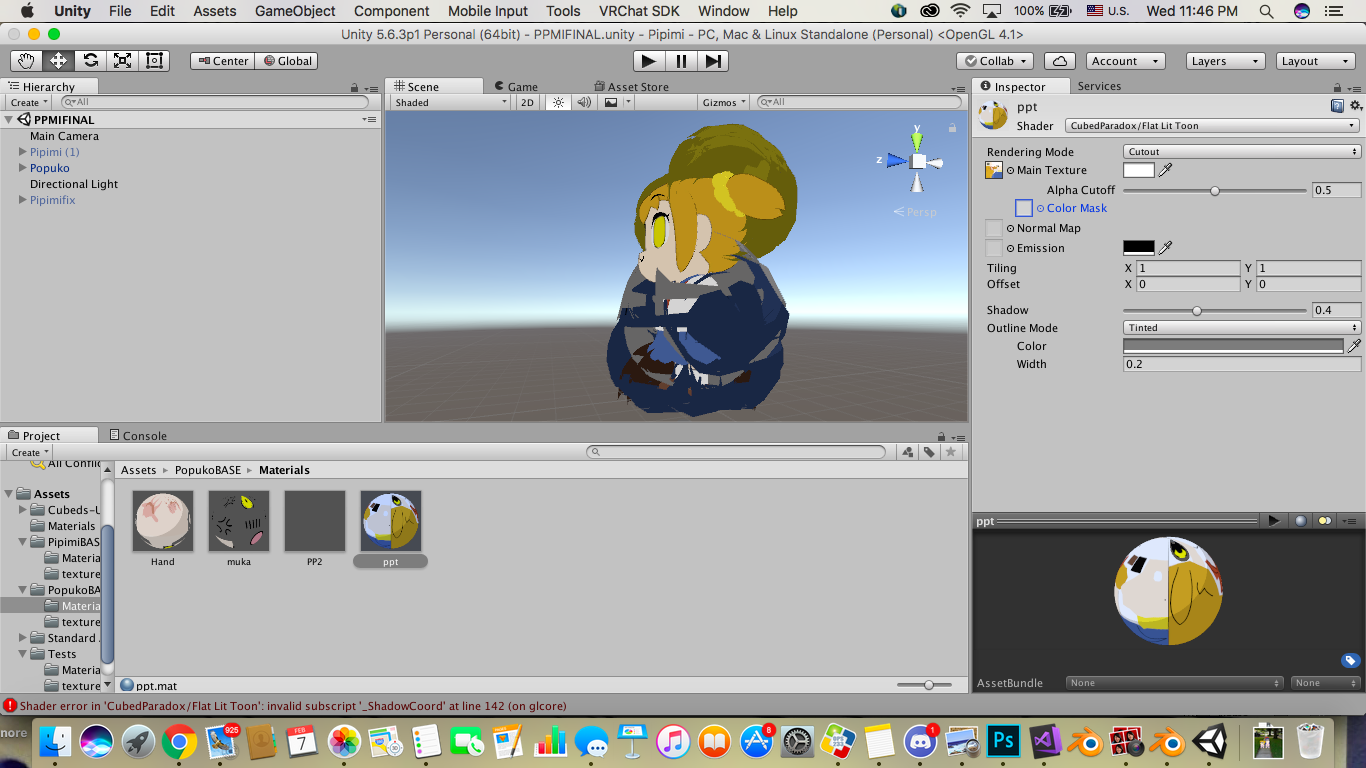
tryna use tinted outline so cutout can show from behind. Instead I gues weird ass shadow thing that's like idfk. Lmaoo, any help?
try moving the width to 0.01
or at most
mmk
the problem is in invalid subscript '_ShadowCoord'
Compiling Vertex program with DIRECTIONAL SHADOWS_SHADOWMASK _ALPHATEST_ON COLORED_OUTLINE
Platform defines: UNITY_ENABLE_REFLECTION_BUFFERS UNITY_USE_DITHER_MASK_FOR_ALPHABLENDED_SHADOWS UNITY_PBS_USE_BRDF1 UNITY_SPECCUBE_BOX_PROJECTION UNITY_SPECCUBE_BLENDING UNITY_ENABLE_DETAIL_NORMALMAP SHADER_API_DESKTOP UNITY_LIGHT_PROBE_PROXY_VOLUME
nvm you right
I put width to 0
but it gave me results I wanted anyways
actually nvm again lol
I wanted to give them black outlines
ah
👍
 cosmic mica
people are saying my avatar's hands disappear at certain angles or distances, what can i do to fix this?
 mighty lintel
Boundingbox issues afaik @cosmic mica
Maybe
If your bounding box isnt on screen the connected mesh unloads
To save pc memory
cosmic mica
hmmmmm, i will take a look at it
nope, both boxes are small, right on teh border of the hand model itself
 astral sand
Anyone know an easy way to fix the elbows being always bent in VR and the feet stomping?
latent patrol
How come despite showing normal eyes in blender/unity, once in vrchat they're the angry version of the eyes?
 modern oyster
Have you added any animations to the face?
latent patrol
nope
modern oyster
Odd. Maybe make a new idle facial animation
 glad egret
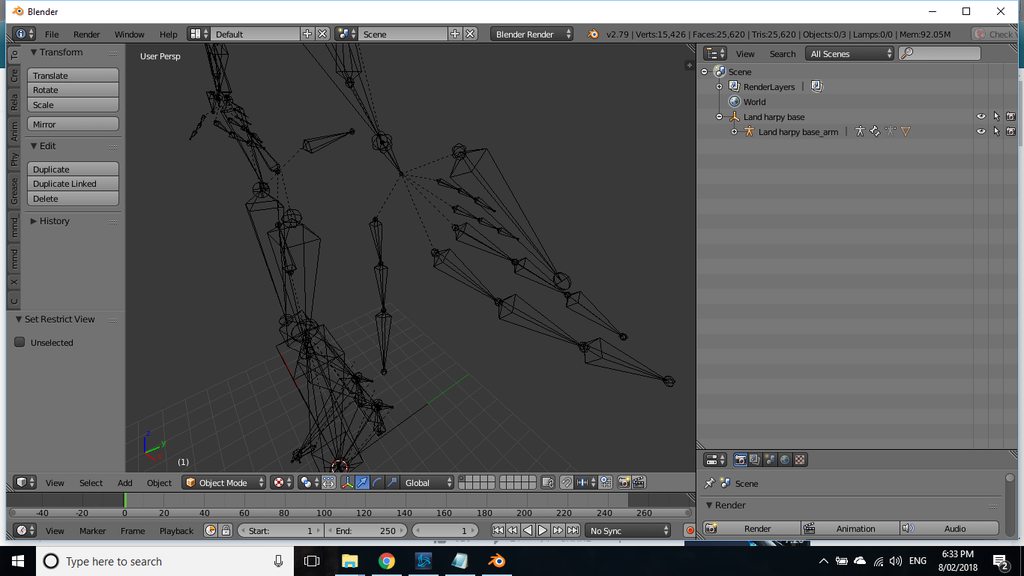
would this work as a hand https://imgur.com/a/6HWoJ
 modern oyster
Seems fine
 steady spruce
how do i add a bone to an existing bone
like my character has a neck bone
no head
i wanted to add a head bone
how would i just create one that is automatically connected to the endpoint
shift a just makes a new one in a random spot
nvm
i got it
 shell heath
Everytime i import my model after rigging it in blender certain bones "vanish" in unity. What is the reason for that? Is there a workaround?
rough plover
Isn't it when you convert it as humanoid ?
 potent ermine

 cobalt needle
hey chat, how does rigging for a bird work?
It's not humanoid so do I need all the bones and do I still use the humanoid tab in unity?
 limpid scarab
Depends on what the end result is you want
you could rig it as a humanoid and use some tricks to animate the wings
or make custom run, idle animations
do you want it to fly or run on the ground?
limpid scarab
honestly i think it'd be easiest to rig it as a humanoid
depending if you want to use the wings as hands or not make the arm bones move mesh
cobalt needle
oh ic~ I mean... I can for example just use the bonestructure of a humanoid and only weightpaint the lower leg part for the tippyfootsies for the bird right?
 raw edge
i hate interupting but eh.. im not a fan of taking around 5 hours to create a custom avatar... and it's sad enough i use a steam account instead of a vrchat account
limpid scarab
what do you mean? @raw edge
raw edge
i mean, it's very... complex that makes it time consuming
cobalt needle
some people enjoy working on this kind of stuff 😃
raw edge
to me i wish there was an easier way as a simple click and drag technique
cobalt needle
you're getting free avatars ingame... why are you complaining?
 inner copper
this has probably been asked before but, are there any simple fixes to knees going inwards when i crouch?
raw edge
there can be some avatars that can be added or moddified from other users
limpid scarab
ready made avatars to use
cobalt needle
yes and there are many artist who take comissions
raw edge
i'll check it some time later in the future.. but for now i'll keep a reminder to check it out
follow up question, do i need to have a vrchat account for this to work or will it work on a steam account as well?
cobalt needle
vrchat account only
raw edge
damn it.. i only have steam for now... i'll have to add everyone on that
guess i'll have to wait untill the offline friends menu is up and running again
limpid scarab
it's literally 2m work tbh
 neon quiver
wish there was a tutorial on setting up avatar properly for vive tracker. my hip area all out of wonk. not sure if it because i should move the bone up more. Everything works fine in unity and play animation walk is not deform.
also when uploading i get an error saying the angle between the pelvis bone is not 180s degree. maybe that why?
raw edge
If i get the rift, im gunna have trouble setting up the trackers DX
rough plover
@neon quiver I dunno exaclty where does this error come from, though on blender your can fix it with the cat plugin by pressing the "Fix bone" button and re-exprot it as fbx
Though you'll have to re-do every scripts on unity
limpid scarab
can't you just update the fbx in unity?
neon quiver
i try the fix bone button and i think it fix only a bit. It says this avatar angle is 5.7.
 flat sierra
ooh thats weird
 barren cliff
Anyone able to help me figure out why eye tracking isn't working for me?
 pale hull
Is your armature named Armature and your mesh named Body? @barren cliff
barren cliff
In blendeR?
pale hull
Yes
barren cliff
Ah, I can't post pictures
Well, there is no mesh named body
The closest I have is "face" that contains the eye bones
pale hull
That's one of the problems right there then
barren cliff
How do I fix that?
pale hull
If you're unfamiliar with how to set up eyetracking I'd suggest you find one of the guides in #tutorials or youtube
barren cliff
I've watched literally every single guide on youtube
I've been on this for like 4 days now
pale hull
Then they should have taught you to do this. To rename a mesh you just doubleclick on the name
barren cliff
I'll rename it, reexport it, and reupload it to VRChat and see if that works then
pale hull
Is your hierarchy correctly set up and properly named?
barren cliff
Yes
pale hull
Have you assigned the eyes in the eye slots in the avatar config scene in unity?
barren cliff
Let Eye and Right Eye are LeftEye and RightEye respectively
pale hull
Then it should be good
barren cliff
should is the keyword here
If changing the mesh name doesn't work, then I'm still at the same place
pale hull
Naming is incredibly important
Literally if the mesh is named "body" instead of "Body", it won't work
barren cliff
I see. That might actually be the issue since I've kept my mesh anmes lowercase
I'll go back and fix that
pale hull
All first letters should be uppercase, for the armature and bone names too
barren cliff
Thanks for the tip. This might actually be the case. Give me a few minutes to make the necessary changes and uploads
pale hull
Cool, I'll bbl if you need more troubleshooting
 restive hill
ok, i think i MAY have found the problem. I moved the origin from in the middle of sandals to down below them in blender. now, will a simple "reimport" on the model be sufficient to update it? then just reupload?
barren cliff
Zarni, you saved me from going bashit insane
None of the guides I've read specified that the names had to be capitalized
 slender shuttle
A model I have has no shoulder bones, what can I do to fix this? I have no idea what to look up D:
restive hill
yes unity, perhaps it WOULD be best if you didnt try and set lefteye to the jaw as well
barren cliff
It acts a little wonky with targetting, but the fact is that it works
restive hill
sigh looks like a full reimport is needed?
naive tree
@slender shuttle extrude from chest or arms
slender shuttle
That means nothing to me :x
naive tree
you select the arm or chest bone, press E to extrude a bone
position everything as needed and then u can try autoweight the shoulder with the bone selected and W > assign automatic weight from the bone
being in weight paint
slender shuttle
Weight... paint..?
I've extruded the bones to where I think the shoulders would be, however there is nothing in the 'w' menu
slender shuttle
I know absolutely nothing.
I've only ever imported MMD models that have all the bones already there and ready to go.
This is the first time I've ever had an issue CATS Has brought up
restive hill
ok, all points on the mesh can have weights, from 0.0 to 1.0 that attach them to bones
naive tree
you select the bone in pose mode, shiftr select the mesh >enter weight paint mode > hit w and select assign automatic weight from bone
then u prob will need to adjust it
restive hill
a weight of 1.0 to a single bone means the point moves ONLY with that bone
a weight of 0.5 to each of two bones splits the movement
slender shuttle
I'm following
restive hill
so instead of clear joints, you get a little more natural movement
weight paint is a way of mass-setting weights on a model
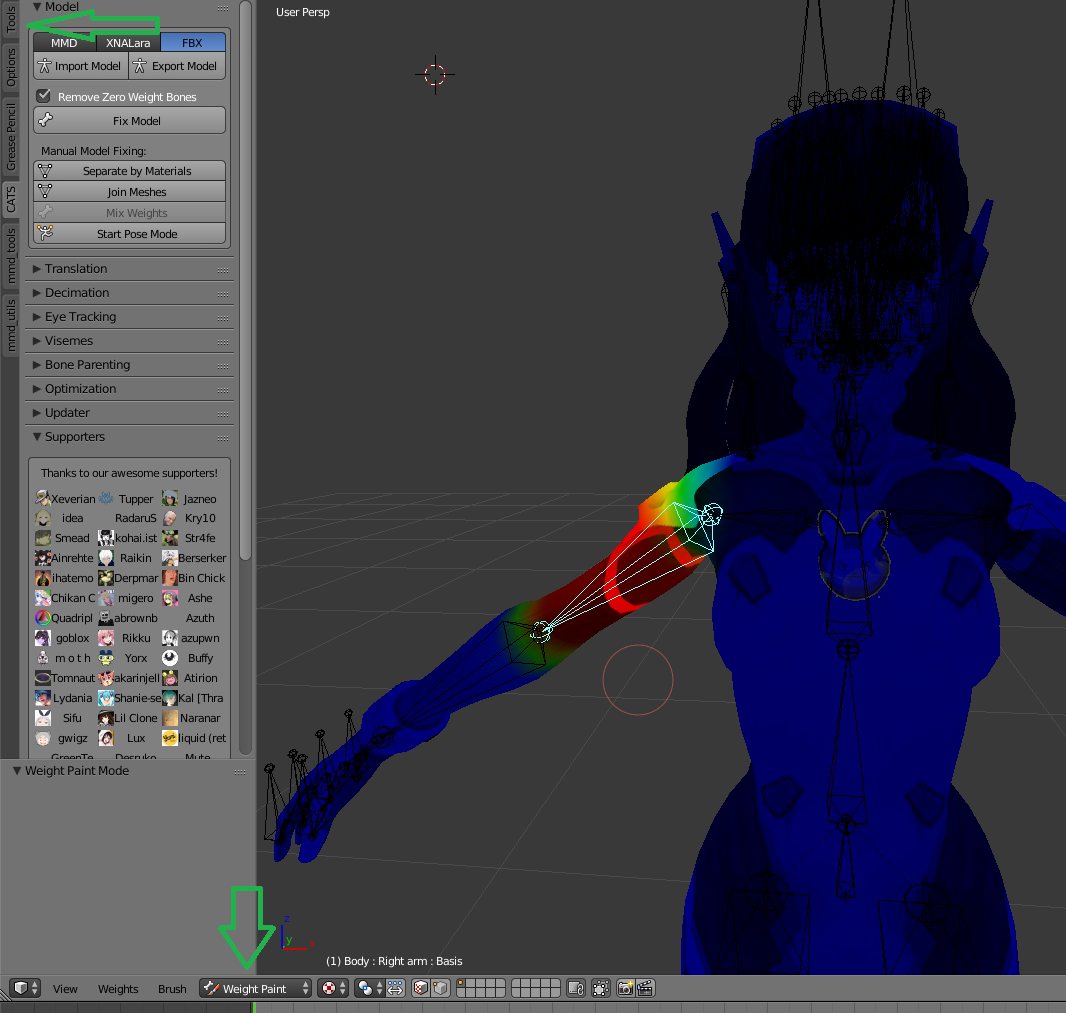
the red is 1.0 to the arm bone
the other colors are less than 1.0 to the arm bone
fading verge
hm for some reason my eye tracking is broken again
the bones are facing upwards and looking fine in blender
and the bones are named correctly in the amature
ive tried moving the positon a few times but the eyes wont show up ingame
https://imgur.com/a/UuXYP
I think its in the head somewhere but i dunno
 restive hill
blender can do it automatically, but once, i managed to attach a models face to a hair bone, which was less than desired
 restive hill
and since you'd have to be insane to set each point manually, theres a spray-like option for setting weights en masse
slender shuttle
I extruded the bones from the arm bones up into the shoulders, the littleones
restive hill
....why?
slender shuttle
Because Yuumi told me to.
restive hill
dood, if cats doesn't just make eye tracking work, i have NO idea how to fix it
naive tree
i mean, Athir said he;s missing shoulders
restive hill
are you using LeftEye and RighEye?
naive tree
you add them by extruding from arms or chest
you need Eye_L and Eye_R for eye tracking
restive hill
negative
 restive hill
cats make other bones that should be used in unity
fading verge
hm
naive tree
Lolita try changing to Eye_L and Eye_R in unity
naive tree
Eye)L and Eye_R
restive hill
afaik, LeftEye and RightEye are the CORRECT bones, if you set it up in cats
naive tree
not RightEye, LeftEye
naive tree
what exactly is not showing up though? the eye tracking not working at all or the eye iris disappearing?
restive hill
 fading verge
the irises
naive tree
@restive hill i'm 99% sure it used to be Eye_L and Eye_R before
@fading verge did you try deleting the created keys and re-creating?
fading verge
Did so
restive hill
i think most models come with eye_l
fading verge
fuck caps
fading verge
mhm
restive hill
this is all arcane sorcery to me, i just know it works a lot
naive tree
i had an iris problem too, imported fbx, deleted visemes+key shapes and recreated them
fading verge
though it sets the bones facing forwards not up for whatever reason
so i had to rotate it
restive hill
don't be afraid to just make a fresh reimport and try again, its always faster on a redo, and you might have done something weird
naive tree
you can assign the position and roll in from different avatar maybe idk
naive tree
i was trying to figure out my iris disappearing for 2 hours, in the end i think i made the visemes+keys on different mesh (had it split) and then when i joined together i did it again itthink
restive hill
sometimes it does weird things with eyes on some models, maybe they're not part of the eye bone?
naive tree
so importing fbx, deleting all vrc keys and creating new ones did the trick, but for you if it doesn;t work can play around with importing the fbx and seeing the rotation/roll deg vs other characters
restive hill
fun fact: if the eyes have a shape key to make the irises get small, it's pretty funny to assign that to lowerlid
lets see if i fixed shinobu...
no, apparently i have not.
dammit
i have NO idea what is happening to my avatars now to make their feet be inside the floor, just a little
naive tree
align the ankle bone with the ground horizontally in blender and unassign toe in unity @restive hill helps for me
 finite forum
Quick Question: I want my particle system to play when I am doing an emote, but it plays when I start the game. Is it possible to fix it?
naive tree
disable it as default, then add porperty to enable it with your trigger?
naive tree
select the particle system and go to top right and uncheck the checkbox
just like with the "appearing" items from triggers
finite forum
ahh, thank you, I did not know that
flat sierra
any clue why http://prntscr.com/ic0evb this turns into http://prntscr.com/ic0f8l this wheni look up no matter how much i change the bones

 flat sierra
its so weird cause it didnt happen till after i updated the sdk but reuploading the same model made its legs do this
south quartz
You running toe bones?
If so just de select them, that could maybe ruin it
Toe bones make a lot more stuff go funy then people think
modern oyster
After helping out a bit in here, I've seen my fair shade of errors, and problems.
Time for a special one.. that I for once need help with!
https://steamuserimages-a.akamaihd.net/ugc/927049212488839036/18833DD4A402860AE46A6D8DD76E60AA0A6589DA/
 pine harbor
the writing being mirrored, or something else?
modern oyster
(The hand)
pine harbor
can't quite tell what's happening with the hands, although looks like there's distortion there too
has it been twisted 180 degrees at the wrist?
modern oyster
I believe that the mesh is binding to the outer sides of the bones.
pine harbor
hang on a sec -- are the fingers also distorted?
pine harbor
it looks like just about every bone from the wrist onwards has been twisted 90-180 degrees
modern oyster
It's in short bursts when I move.
pine harbor
so it usually looks normal?
modern oyster
Yes
pine harbor
hmm, that makes it a bit trickier to find a solution, at least from my understanding -- think it means that there're certain positions where the IKs are thinking that the best solution is to twist everything 180
your fingers are mapped correctly in unity, right? as in, it hasn't been reversed so that pinky is mapped to thumb, index is mapped to ring, etc
pine harbor
hmm...i'm half-wondering if there may be any solutions in the muscle settings in the humanoid rig menu, since it mentions something about a "degrees of freedom" setting -- but i'm not seeing anything for the fingers offhandedly
IK animation can be pretty unpredictable from what i've seen depending on the exact shape and proportions of your model, and i'm not sure if there's an easy fix in unity for it
flat sierra
no i didnt rig it with toe bones @south quartz
 prime rampart
Hello Everyone, I believe public chat may of just solved one of my problems, though I was directed here for rigging issues, so was curious if anyone could help me with an eye issue
My eyes, when in blender/unity are perfectly fine, in blender the eye tracking sliders work fine etc, though when i load in the game my eyes are facing down, and i can only see the pupil/iris if i look straigt down, meaning when im looking forward my eyes are just plain white
any ideas?
 desert apex
You'll want to ask a friend or person to see if they work. I've often had it that in mirrors or when looking at myself, my eyes appear half closed or looking down, but people said they worked fine
prime rampart
My friends in game have said its the same issue 😦
ive had this avatar for a week just been doing small changes here and there
desert apex
ah, then I don't know sadly, I've had characters as well where the eyes broke so I had to disable it
prime rampart
yeah i may end up doing that soon, some of my friends have said eye tracking is a bit wonky on some avatars so might just be that
 violet patrol
Hm. is the only way to make say a Cape/cloak/tail with dynamic bones and have every bone collide with the rest of the object to actually create a dynamic bone for each separate joint in said Cape/cloak/tail?
 timid cobalt
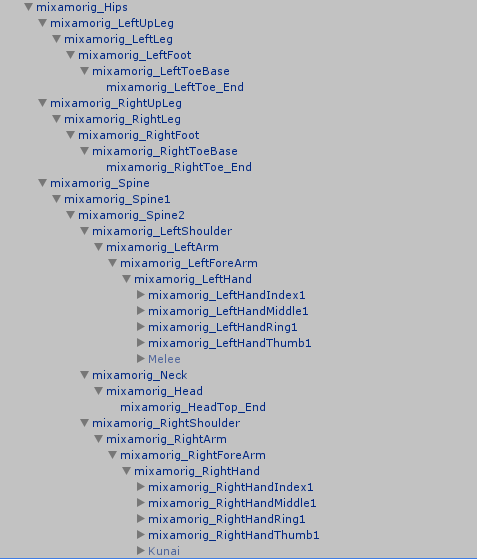
what is the full list of names for each bone?
 fossil flame
Hey can someone help me with using transform.setparent
 cobalt geyser
Anyone knows their way with a robe?
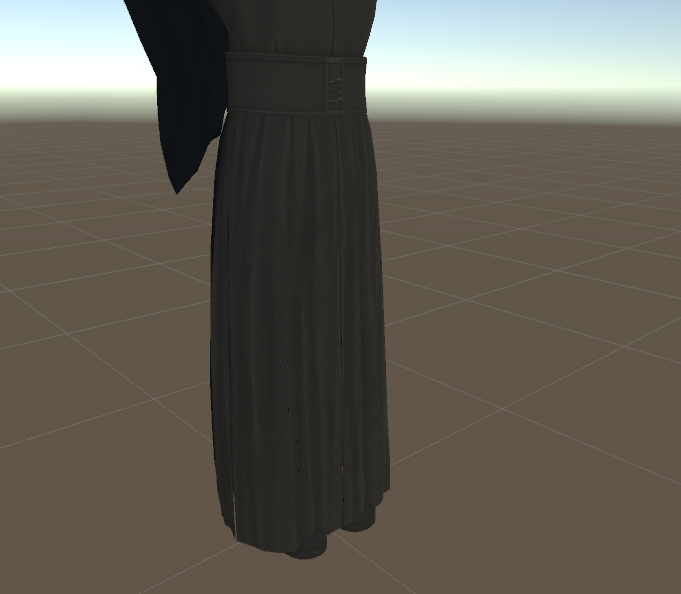
It's got bones, dynamic bones, and colliders but I still have some questions around it
cobalt geyser
@timid cobalt you don't need to copy "mixamo" into all these names, the program should know by itself which bone is what. If it's not correct, you can go into your rig on unity and tell every bone what part it's moving of your avatar. https://i.imgur.com/muYDIB5.png
 timid cobalt
oh heck, thanks
cobalt geyser
under each finger are of course more bones counting up fe. indexfinger1, indexfinger2, etc depending on how many bones you have in the finger
fossil flame
hey does anyone know of/have a script that can change a transform's parent in the hierarchy
timid cobalt
hmm, this model doesn't have a neck, would maybe subdividing the head bone be a good substitute?
 shy vault
Anyone know why my hair is folding over itself? It was working fine until I opened it in Blender to fix the eye tracking https://cdn.discordapp.com/attachments/405489889467957259/411305071943614485/unknown.png

 dusk pilot
@timid cobalt subdividing bones doesn't split the mesh it's tied too.
You just need to make a new bone in that place. weight paint it yourself and parent it to the chest.
and change head parent to you new bone.
timid cobalt
hmm, alright
prime rampart
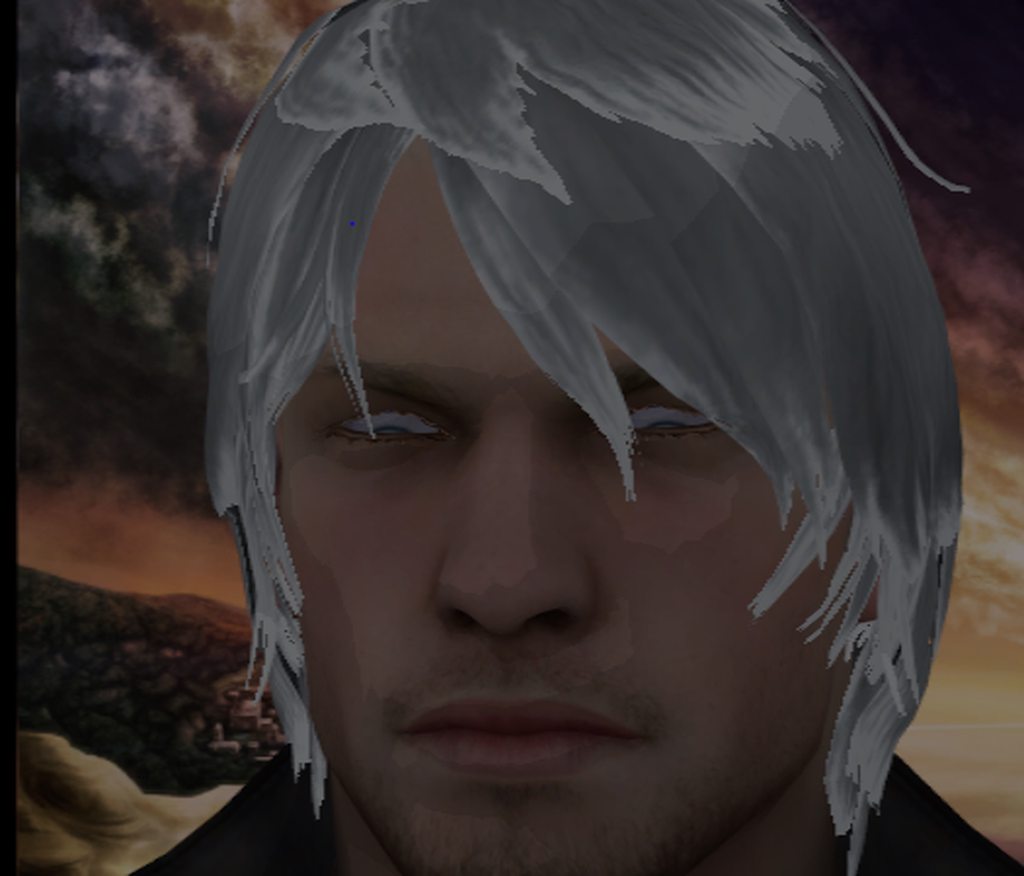
Still stuck on eye tracking if anyone has any ideas, looks fine in blender/unity, load into game and hes stuck with his syes always looking down. Ive tried manually moving and rotating the eyes in unity config, with no luck. I can see the eyes moving for the tracking, just not looking forward. Any ideas?
fading verge
have you met the three requisites for eye tracking to work? @prime rampart
1- The bone hierarchy Hips->Spine->Chest->Neck->Head->{LeftEye,RightEye} must exist!
Exact names are required, there can be no in-between bones.
The bones don’t need any vertices skinned to them. They can be “empty”.
2- The blend shapes vrc.blink_left, vrc.blink_right, vrc.lowerlid_left, vrc.lowerlid_right must exist as the first four blend shapes. (index 0 through 3).
Exact order is required, names are actually unimportant though.
They can be the same as the basis shape. They can be “empty”, but blender won’t export empty blendshapes.
3- The skinned mesh must be named “Body”.```https://imgur.com/a/hAoap this is a picture of the avatar
 fading verge
if any of these are not present, it's not gonna pick up eye tracking
prime rampart
going though it, number 1 is good
and number 3 is good, just making sure on 2
yeah number 2 is good as well
timid cobalt
lets see, when trying to map the fingers, is it okay for this kinda thing to be happening, or do I have to take it back off?
this kinda thing https://puu.sh/zjH7l/89f82ed0d1.png

 paper sparrow
does anyone know if its possible to rename a blendshape inside of unity?
 dreamy fiber
How do you fix an avatars chest leaning forward? I've removed upper chest, I've slightly moved the hips bone a bit up, but the character still leans forward when standing still, the model works perfectly fine when walking and running around, the issue only occurs when all movement stops and the character just stands there in the odd pose
 weak wigeon
Did you mess with animation overrides?^^
weak wigeon
Dm me a screenshot.
dreamy fiber
Will do, one second
-unsolved-
 paper lily
Anyone know how to fix my avatar saying "Spine Heiarchy Incorrect."
"Make sure the parent of both the Shoulders and the Neck is the Chest."
gloomy loom
or you can conversely go into object mode, select the armature, then edit mode slect the neck and in the bones tab off the the right you can scroll down to see parenting and parent the neck to the chest. then do the same to the shoulders
@paper lily
 tulip galleon
what is the 3ds max equivalent of blender blendshapes?
earnest rivet
So, how many bones is too many moving parts?

 lusty flame
its missing bones
 drowsy storm
which?
lusty flame
have a look at the armature for the model in blender
and find the bones on the leg that works
 lusty flame
in the first picture you sent it looks like the leg bone is alot longer than in the second picture
oh hang on
lol i need my glasses
it looks like the mesh for the bottom part of your leg isnt connected to your armature
drowsy storm
how would i connect it?
lusty flame
easiest way to see if it is is to seperate the materials and then find the one for the bone with the messed up mesh and make sure its parented in the object tab https://cdn.discordapp.com/attachments/404105228019826689/411421476504207360/unknown.png

and do the same in object modifiers https://cdn.discordapp.com/attachments/404105228019826689/411421833468968972/unknown.png

 idle oasis
Can anyone help me?


 river kraken
anybody got a good tutorial on how to make an object a model and rig it
 brisk mesa
so, rigging?
 trim arrow
Does anyone know why one of an avatar's legs bend the wrong way from the hip? like a dinosuar or something
fading verge
Do you remember if your model used to have bones some distance in front of their knees?
naive tree
@drowsy storm check i fthe mesh is being held by other bones (like from other leg, or there's too much paint from other bone
cobalt geyser
@timid cobalt with "this kinda thing" you mean the bones being marked as red? as ypu can see in the left upper corner, it thinks it's not in T-pose , just grab the bones and rotate them until it says it is.
Anyone knows their way with a robe?
https://i.imgur.com/qRtKHXH.png
It's got bones, dynamic bones, and colliders but I still have some questions around it
naive tree
delete skin under the robe
and weight paint the robe to legs
you cannot stop clipping with this kind of robe
cobalt geyser
there is no solution yet for robes like this? bummer
fading verge
While it may take a while to properly weight-paint, rigging to the legs may be the better more fool-proof way for it to work on most occassions
More performance-effecient as well
 light kindle
anyone know how to split bones (in half) in 3dsmax
or how to make bones that arent really far away
i cant do this character in blender (breaks it)
any help is appreciated
timid cobalt
@cobalt geyser alright, thank you, I was just wondering about that
cobalt geyser
@fading verge I have seen this solution on a model in a world and man did it look awful. efficient and easy indeed but super disappointing haha too bad
fading verge
hi so i was able to get it to work before but i dont remember how i did it (had to restart with a new project cus the old one got corrupted), can anyone tell me how i can map the bones here? i tried combinations like 'spine 1 / spine 2' 'or spine / spine 2' but nothing works http://prntscr.com/icavag
 cobalt geyser
oh, you rigged it yourself?
cobalt geyser
just "spine hierarchy error" or some more details?
fading verge
make sure that the pelvis, spine, chest, neck and shoulders are mapped
says there are missing elements
but it all looks correct
its weird cus i was able to get it to work easily last time, but no way to open the file..
cobalt geyser
any backup? auto save in cache?
fading verge
i'll take a look
cobalt geyser
@fading verge I might be wrong but do I see that the shoulders are childs of the neck bone??
oh no wait nvm
naive tree
you need Head>Neck>Chest>(shoulders>arms>elbows>wrist>3fingers)>Spine>hips>legs>knee>ankle
might be missing fingers
or wrist
im quite sure you need 3 dummy fingers at least
fading verge
i didnt have issue with fingers before
naive tree
yeah maybe doin;t need fingers at all 🤷
fading verge
nah a lot of models have nubs and theres no problem
i'll try to open the old file again
i should have a copy somewhere, that way i can check what i did last time to make it work
there must be something not right here
or maybe i have to just rename them?

the thing is yesterday i had to reinstall a fresh copy of unity because the old one was on my C drive which is always too full
but i installed the wrong version and opened that file in it, so it converted it to the new one
and i think thats why the old file doesnt want to open anymore
so im going to reinstall the wrong version i had as a separate copy and see if that works
cobalt geyser
(y)
fading verge
lol yesterday was a battlefield of unities fighting for dominance 😂 my poor computer
i'll let you know if it worked
 mental lynx
Anyone have some optimal breast physics settings? I have cloth and hair down, but just cant get the breasts right.,
fading verge
Breasts:
Update rate: 90
Damping: 0.2
Elasticity: 0.1
Stiffness: 0.8
Inert: 0.5
Radius: 0.06
End offset: x: -0.1; y: y: -0.1; z: 0.3
try this
test it out in unity first
gloomy loom
holy
shit
my first humanoid rig I made for a nonhumanoid works
I cant believe it was so easy to do
opal aurora
Not the 27 headed hydra you expected it to be heh?
gloomy loom
oh and I figured out how to do active animations in unity
create a new animation copypaste teh blender fbx animation shapekeys to the new animation
then add in activation
so pc plebs can pull out weapons and shit 😄
thats why I pmed you exsgt
opal aurora
You can actually trigger an activation trigger?
gloomy loom
only can active it with emote
activation triggers Ill need to trick my computer into think I have vr
but I havent looked at the dev stuff of steam vr
id imagine someone out there will make vr games compatible with mouse and keyboard and trick the inputs
opal aurora
I mean, yeah, but does it turn the object on/off or is it just emote specific?
gloomy loom
turns on the object via emote
but youre stuff in an animation pose
I set myanimation pose to be my andoird 21 pointing
opal aurora
Oh wait a second... that makes sense... and i kinda imagined it would freeze the animation...
It couldn't be that bloody simple...
gloomy loom
it would butyou can make a nice animation so it moves around the enitre time
IT IS
ITS THAT FUCKING SIMP{LE
YUURI WAS WITH ME
opal aurora
Not that
opal aurora
The fact that it freezes on the anim
If it just played out normally that'd be amazing
gloomy loom
Im confused
like thanimation itself plays out
with the active paarticles or wepaoin
gloomy loom
the animation doesnt freeze, it plays out
but you can only have liek a 10 sec animation for emotes so
opal aurora
But doesn't the animation freeze after it ends?
opal aurora
Oh... wait that's perfect
 thorn willow
why tf did you mention me
opal aurora
If you trigger it to enable something, and don't set it to disable on end, it should keep the object out right?
@thorn willow because if this works as i think it does, your little flashlight trigger may be plausible
gloomy loom
no no the object isnt out the entire time , the mote ends and the object is gone, but Id imagine you can loop the animation with one of those simple animation controllers for a generic rig
emote*
thorn willow
excpet mine
would want an actual functioning flashlight
with the toggle of on and off
gloomy loom
well do this, one emote for on
one emote for off
and you can animated it so the hands scan around with the flash light
opal aurora
Although that is kind of annoying... it seemed like it was plausible for the emote to trigger an object enable/disable event for long-term
gloomy loom
well I know that genreic rigs can keep the flashlight on for a long ass time
you have to create your own animator
and loop that
I havent done it yet but
its possible
you have like 5 controlls
I think
opal aurora
So can humanoids, but in all honesty, if enable/disable triggers were a thing and actually worked... damn
gloomy loom
idle and 4 walking
make the idle animation without the flashlight
and the walking with the flashlight and you walking
ezpz you wwalk and the flashlight is out
would be nice tho to be able to use world triggers on avatars
opal aurora
Yeah that's the only way at the time it seems, if only on key press events were still a thing... could play an animation by tapping/holding a key
gloomy loom
wel ltheres always work arounds
someguy asked me how to make a videoplay for his avatar
and the vrc vid script wouldnt work on an avatar
so I came up wit ha clever idea of creating a large .png file that you can use a custom shader togo across in the x direction, like frames of a film. then add an audio clip to it
that'll be my next project to see it its possible
omega apparently did it too so its possible
rough plover
Just use a flamthrower effect on hand
gloomy loom
wtf no you just need a simple light attached to a modified cylinder
Elon musk over here wants to add flamerthrower as flashlights
cobalt geyser
Anyone familiar with this weight painting issue?
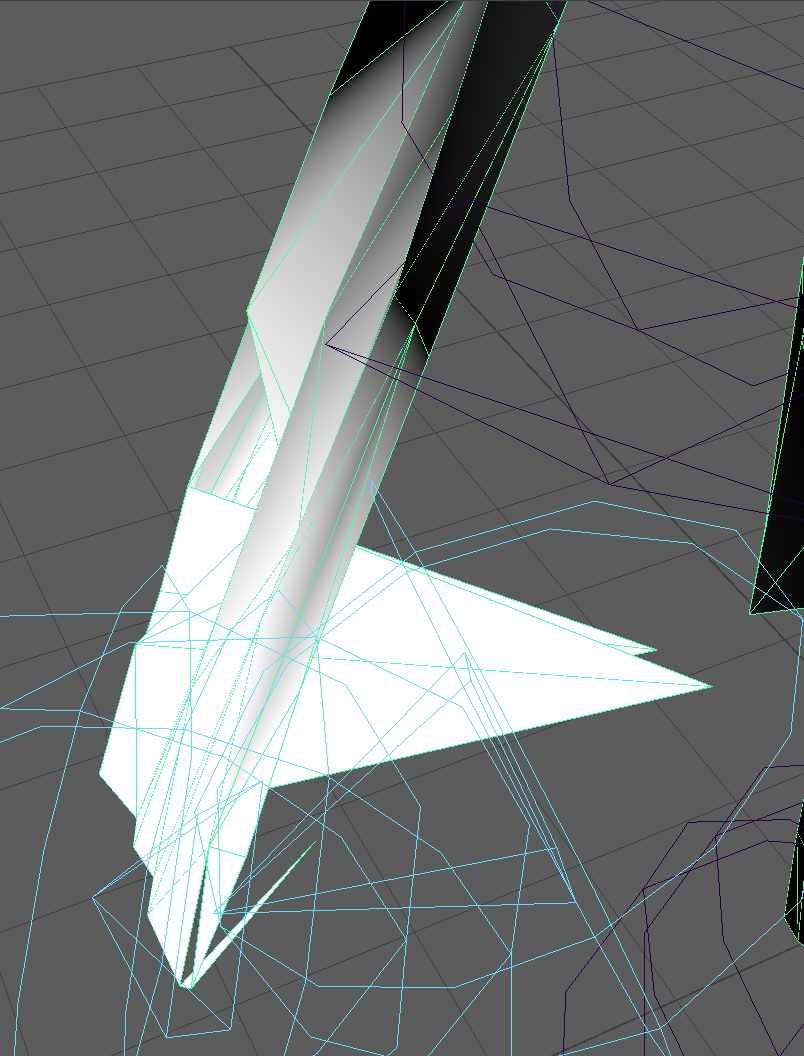
These 2 verrtices are obviously included in the bone but don't move along with it. checked every other bone if they were included there to but it doesn't appear to be so
gloomy loom
Id manually redo it and if that doesnt work use vertex groups
 gleaming falcon
Seems like they just need to be adjusted in weight painting
neon quiver
When i reach down in vrchat and try to have my hand touch the floor. they are to short. I thought maybe i had to recalibrate the sensors and i even titlt he sesors down more so maybe it could not see me. Or does it have something to do with my rig? If that makes sens. My avatar normal hight the same as my friend yet they able to touch the floor with there hands.
 versed oyster
Why does my avatar melt when I look up, I made sure I did the rigging right I even went to Maximoto see how they did it and theirs is similar, what am I doing wrong
😦
 heavy basin
Anyone know why this is happening when I made eye bones and use cats to create eye tracking? https://i.imgur.com/OxV3Nng.gif
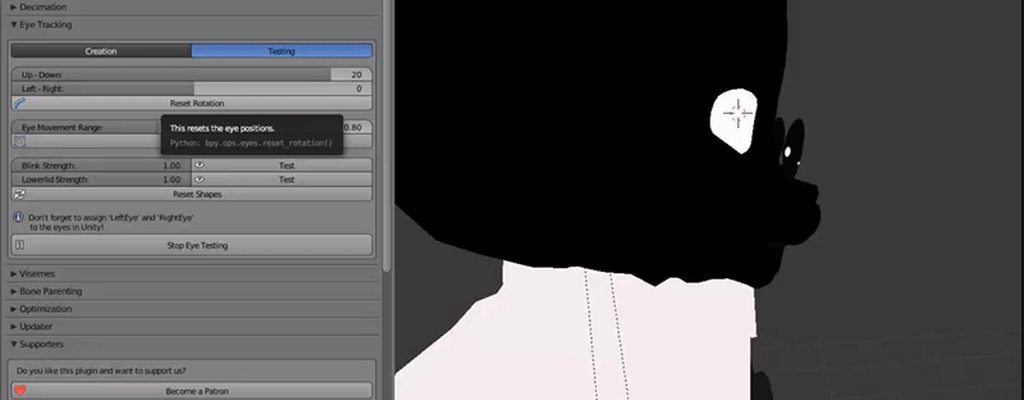
it works normal left and right but up and down they come out the head like that
cobalt geyser
@gloomy loom That's the problem, I'm already manually painting them, I painted this just now
@gleaming falcon
gleaming falcon
Might also see if any bones have influence on those vertices, check other vertex groups
gloomy loom
pull the bone in pose mode so you one see those two vertexes
then substract and add. maybe mess with faces or something else
cobalt geyser
I'll just mess with the vertices and faces a little
 cold perch
Can anyone tell me how to apply gravity to pre-existing bones?
 dusky pendant
Was about to ask if anyone does bones manually because I'd like to learn it and set up dynamics
river kraken
Kind of messed up, I got 4 different rigs of the legs, torso, head, and a mask. how do I go about joining them all into a single model
 frigid kestrel
Hey guys, can anyone help me with the Error: "Spine hierarchy incorrect. make sure that the parent of both shoulders and the neck is the chest", i literally tried everything now, currently it looks like this: https://imgur.com/a/20VD5
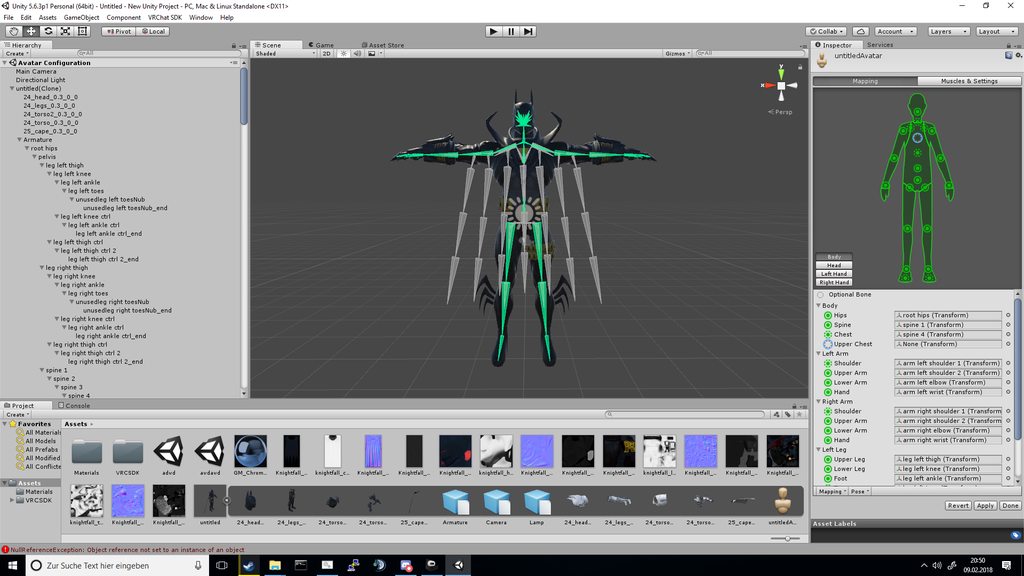 brisk mesa
Everything?
What about deleting some of these bones in blender and making a more simple hip to spine to chest to neck hierarchy
Cause that dont look connected at all even if you put chest there in that blank
Also whats with all the cape bones if i dont see a cape o.O
 cedar cove
I would need some help

 cedar cove
https://i.imgur.com/4dMOmfJ.png I got a model that I really like and would like to use in vr chat, but when I was about to create animations 'n stuff for it, I noticed that there was only the bones who were here, the bones are here, but the actual model itself doesn't have different parts, it is just one big model. All the body parts seems to be named as dummy_(something), but they aren't part of the model (it's just nothing). Help?
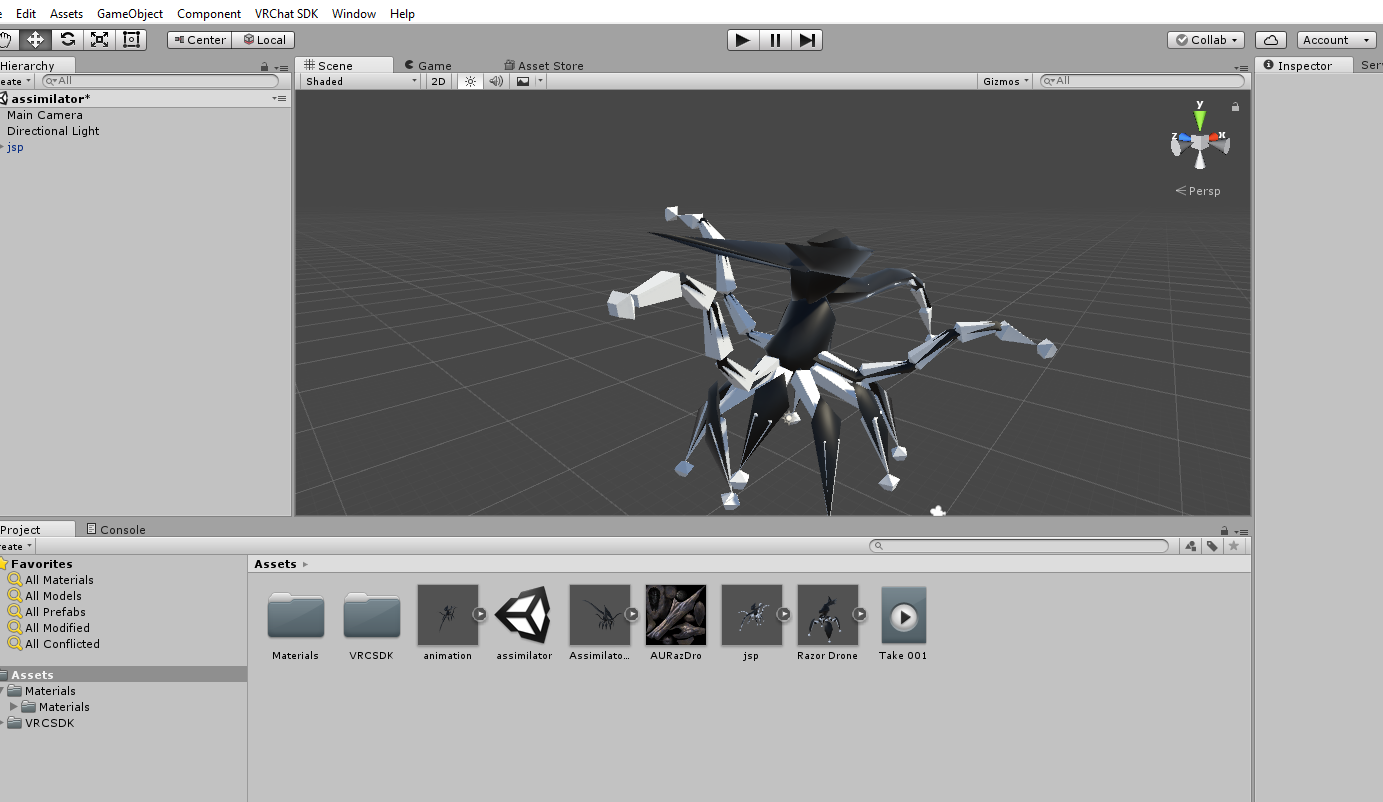
https://i.imgur.com/cBotQSW.png all the dummies are just the bones, there's no body parts of the model
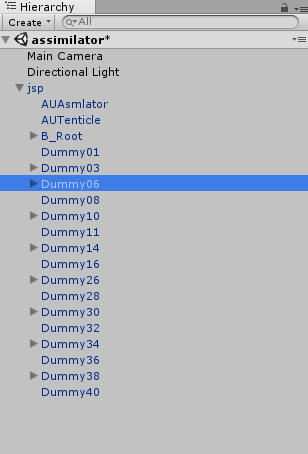 tame terrace
Where should I put the view position on my small avatar?
fading verge
put it wherever you want, i usually put min between the eyes
 weak notch
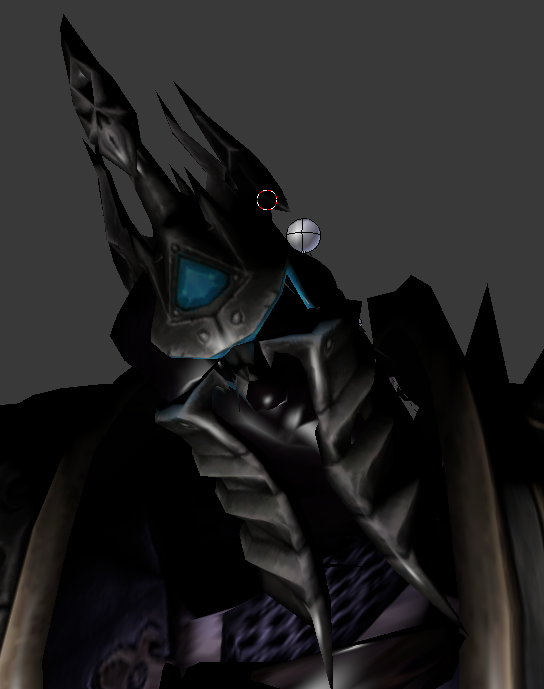
my avatar has a helmet on top of their head in the 3d model, in blender both are part of the same vertex group and both seem to be weighted the same, but the head has way more movement than the helmet does, anybody know why?
sorry if this is the wrong channel
 icy jungle
no, no, this is the right channel
weak notch
so the entire head has a weight of 1.00
as does the helmet
yet the two are not moving at the same pace
if i try to cock the head to the side for example, the head starts to clip out of the helmet becuase the helmet is moving slower for some reason
all i want is for the helmet and the head to be treated identically
 craggy scarab
that because 2 bone are probably over laping each other in vertice assignement ^
 odd bronze
blend shapes are making my bounds astronomically huge, what to do?
they're just jaw rotations
"update when offscreen" will set the bounds to a fixed size, but my model's head will render in first-person view which will block my view due to its shape
icy jungle
https://orig00.deviantart.net/8ef6/f/2018/040/9/c/974029d4_c96d_4660_95a2_df13b29f1985_by_goldlunarmoon-dc2nvow.jpg I need help with the eyes 😦
 paper sparrow
can someone link me to a tutorial for doing facial animations with the hand gestures? my google fu is failing me
light kindle
you usually just have to make an animation and set it to one of the gestures dont you?
pretty much the same as making a custom animation
paper sparrow
i found a tutorial nvr mind 😛
 spiral fog
Question, do we have aset definition of what needs to be done for eye tracking to work?
 rustic ginkgo
my legs pop out of my dress when i walk/jump... is there anything i can do for this to not happen? pls
spiral fog
do you have a dynamic bone collider?
rustic ginkgo
ill check
 blissful oak
can someone please help me with my character?
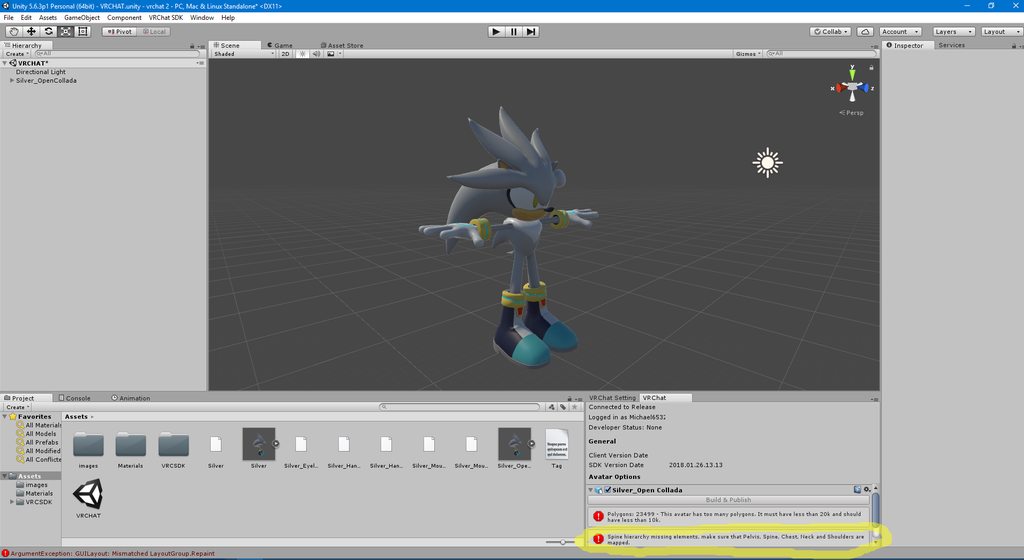
even though it already is mapped :/
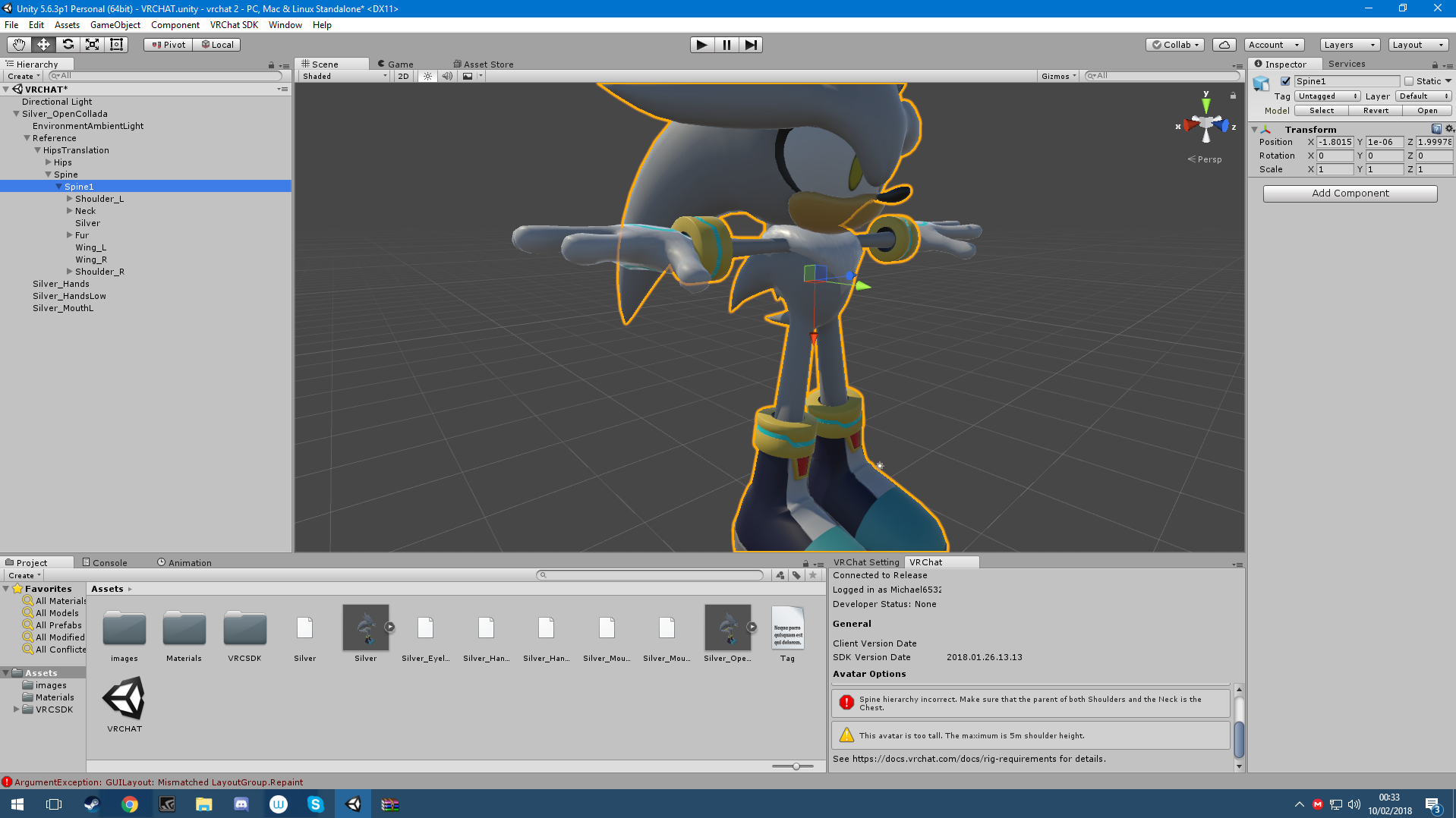
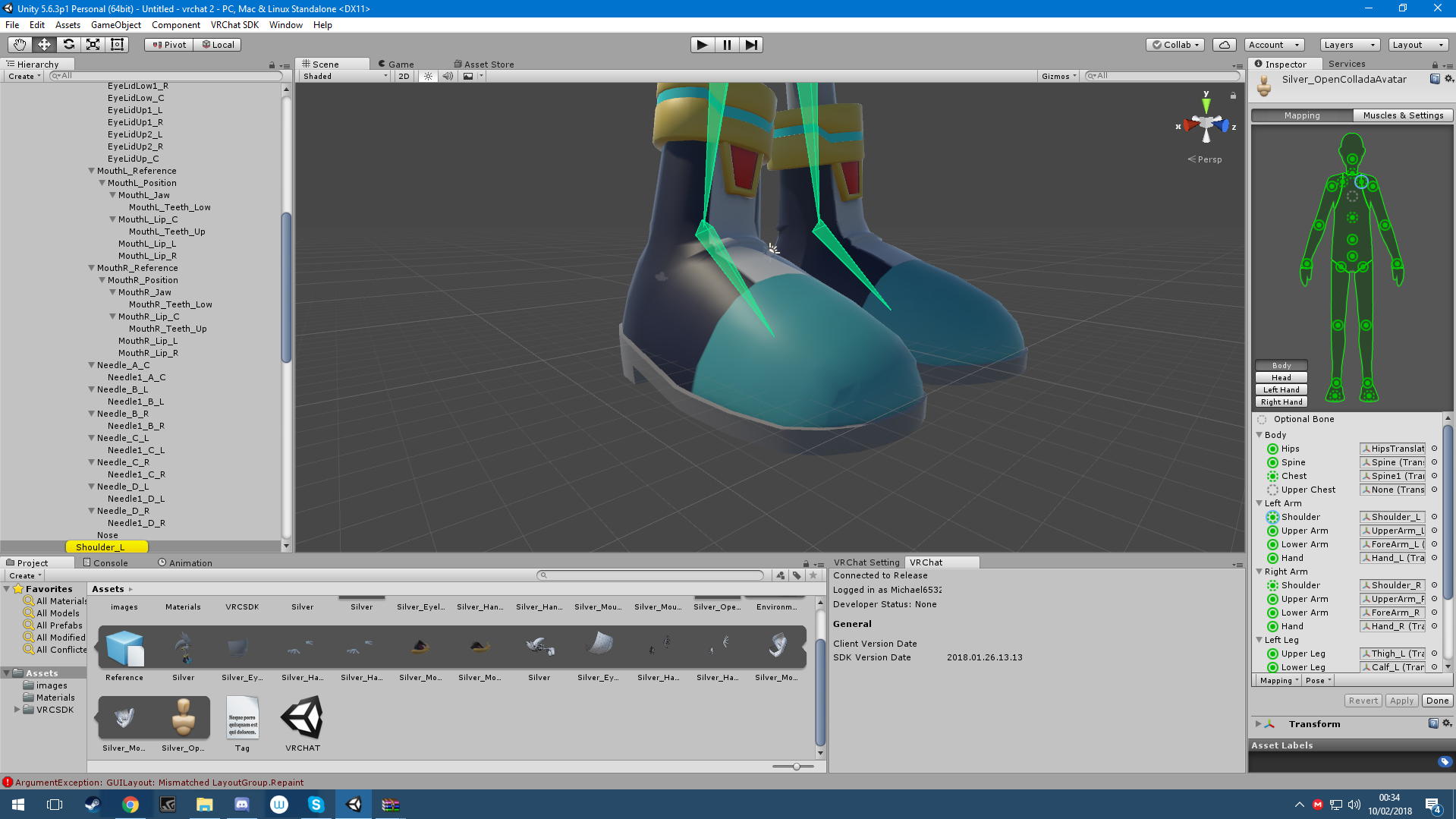 rustic ginkgo
cant read the error
rustic ginkgo
try changing chest to spine 2
rustic ginkgo
in the final picture, it shows spine 1 .. sorry
paper sparrow
so i've just added animation overrides to my face, but now whenever i do those gestures my hands dont work anymore. any idea why?
rustic ginkgo
wait do i have to buy the dynamic bone asset from the store for it to work on my character? the title of my avatar said dynamic bones >.<
i think i am missing something here
paper sparrow
yeah you do
rustic ginkgo
so if i understand correctly, not all avatars are rigged to have dynamic bones. if it is you still need to own the asset. once you buy it, it works with any avatar you upload into unity?
paper sparrow
its should yeah
rustic ginkgo
thx 😃
brisk mesa
easy to rig it to work with DB anyway, you just add a root bone if it doesn't have one
like in between the stuff you want and your main bone
 fringe beacon
i can't figure out why unity is complaining that it can't find LeftUpperArm in my rig
i literally have blender open on my other monitor and i'm looking at it and the bone named LeftUpperArm and unity just won't find it
fading verge
Is this the best place to ask about working w/ shapekeys?
naive tree
just ask 😛
fading verge
can anyone fix the bones for me on a t-800 terminator I found? It's prerigged but the rig isn't working well within unity
I'm not good at rigging myself and usually just use mixamo, but mixamo wont rig the fingers
When utilizing blender's Cat plug-in what are the shapekeys/vicemes meant to do within the eye-tracking steps?
brisk mesa
aren't those like the types of blinking for the lids
brisk mesa
yea i thought so
cause when i messed with that and tested it using the same plugin, it lets you see the blink
and if you don't have those then blink is just disabled
and you can even adjust the strength of the blink
fading verge
Do you know if there is a way to control the eye-tracking with shape-keys?
 crisp tendon
What do you mean by control ?
 heady hedge
So I made a tiny avatar and animation to float on the shoulder of my existing one, my problem is that when I get into vr, it uses both the bigger models armature and smaller models armature, is there a way I can make it to where it only uses my bigger models?


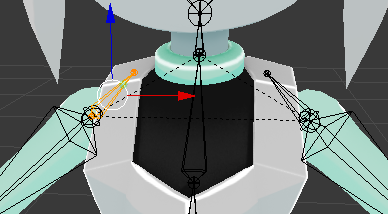
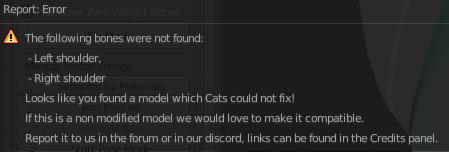


@crisp tendon Don't know if you would be the perfect one to ask
crisp tendon
How does it uses the tiny armature ? Is it moving walongside the main armature ?
heady hedge
So basically her hands are just streched thin connecting to my hands, same with chest, face, so on and so forth
Here let me go take a screenshot real fast
crisp tendon
Are you using the same names of bones for both armatures ?