#avatar-rigging
1 messages · Page 94 of 1
 wispy remnant
wispy remnant
wispy remnant
my dyn bone settings are
Update Rate: 90
Damping: 0.5
Elasticity: 0.06
Stiffness: 0.1
Inert: 0.925
 molten vale
it is also advised to use the distribution curve wisely
it can greatly improve how it looks overall
i.e being super stiff at the top
but wavey and loose at the tips
wait a minute can't you j-
no wait you can't

 marble pasture
anybody have a chart or something handy for matching the japanese visemes to the vrchat fields? sil pp ff etc
molten vale
🤔 what like a literal translation
marble pasture
just to match the JP symbols up with the fields for vrchat
wispy remnant
i have something that matches cats created visemes to their slots
 lilac moss
the cats blender plugin autotranslates so no i have no clue
wispy remnant
^
molten vale
the autotranslation is dumb
wispy remnant
it auto creates from ah your there
marble pasture
yeah, i figured as much, cats failed this one for some reason oh well
molten vale
sometimes MMD models don't have the actual lettering of say aa, ee, ih
just drag the ratio back and forth and figure out what it's trying to say
:')
marble pasture
roger, flappybone time 😂
molten vale
well if you have MMD tools
 small zinc
molten vale
small zinc
molten vale

sometimes the MMD tools morphing has additional English text
and sometimes the mouth movements are related to japanese syllables
so
good luck
like there's no th
ever
and ch noises are seldom found too
marble pasture
all good, im not too held up with this model anyway thought it might be something somebody else already bothered making 😛
kinda want to rig a character sitting on an office chair that scoots around to move
marble pasture
maximum immersion excuse for playing seated
lilac moss
it should be possible with humanoid with dummy leg bones and animations
to keep your hands and head moving
marble pasture
yeah i imagine it being a matter of overriding the animations to account for sitting and swinging legs with the chair attached to spine/armature
molten vale
I mean
you could just add fake bones
that aren't weight or connected at all
so you still have spine upwards motion
lilac moss
yep
marble pasture
thats true i suppose
lilac moss
though a lot of extra frustration added
worth it if you have vr hands
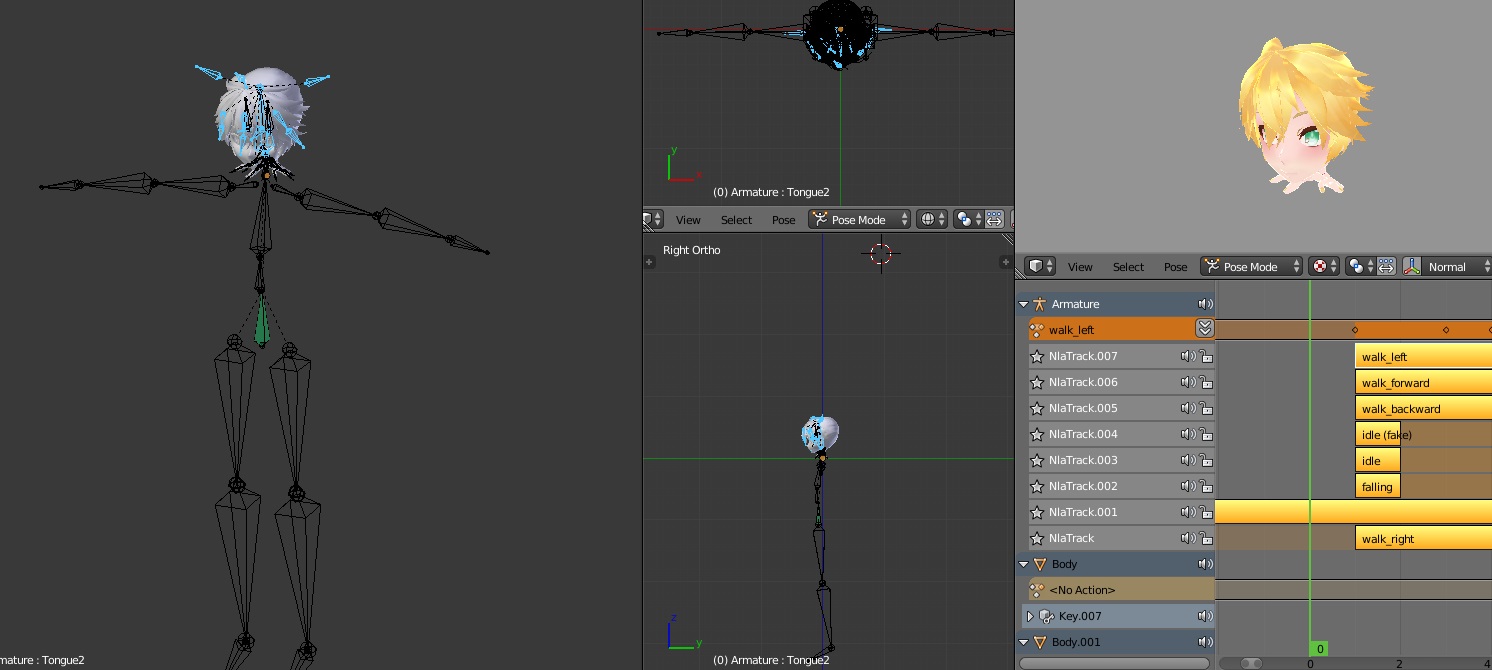
i have spent way too long trying to get this to work with animations + dummy bones as humanoid to no avail https://files.catbox.moe/3kgpvm.jpg
 neon quiver
if i wanted my model hair to be wooshy move around when moving. Does it need to be a bone rig weight or is that something done in unity?
lilac moss
@neon quiver dynamic bones plugin ($20)
molten vale
@lilac moss you're missing 3 finger bones
neon quiver
ok
lilac moss
nah no full ik i just wanted the head to look up and down with the camera and have visemes
the fingers are legs and separate from the humanoid rig entirely
molten vale
figured.
lilac moss
i've tried every method of animation overrides and setting the animations in the controller itself and ingame it just always plays default animations
it would work fine as generic, just without head / mouth movement
lilac moss
i've given up at this point, just giving fair warning to @marble pasture
he may have better luck since he doesn't have to deal with repositioning the body underground in animations
molten vale
I mean
the unity rig itself doesn't have to be perfect
if it's just empty bones anyway
lilac moss
the issue is that the animations, especially the parts with non-humanoid bones i.e. wheels, never seem to work properly
works fine in unity then disappears in vrchat
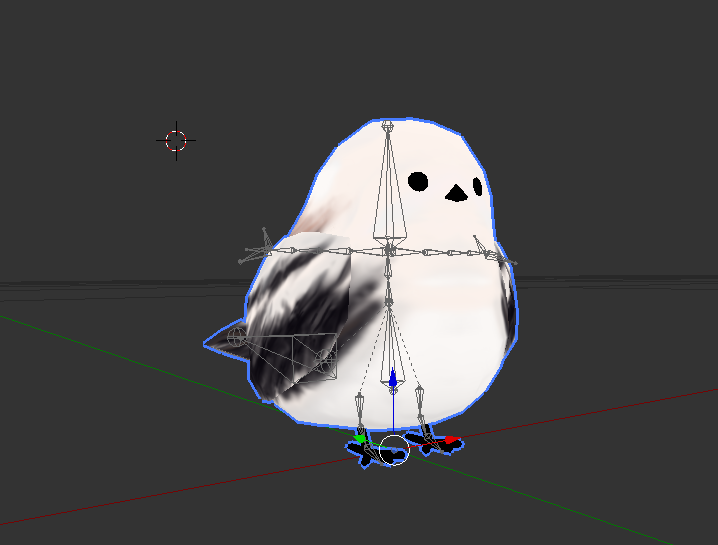
 hazy tusk
Question~!
https://puu.sh/zgw9B/fc493a64b2.png
I added this hat to this model, created the bones as listed, it moves fine, all that. But, I want the ears to move

the ears on the side of the hat*
In Unity, with dynamic bones set up, they just dont. What would be the reason something does not react to a dynamic bone?
or reasons*
It should only not react if it's excluded, or not included somewhere, correct? As long as it's weighed properly and moves with the model, then the selected bone should be fine?
lilac moss
yes
hazy tusk
oh hey it moves now
Issue was: Hat ears were attached to neck, and no main hat bone.
Created main hat bone->attached to head instead of neck -> attached hat ears to hat bone
lilac moss
yay
 stuck hamlet
Could someone assist me with my reversed thumbs? I've tried rotating the bones in both unity and blender and nothing seems to do the trick

 balmy solstice
NO MATTER WHERE I ROTATE THE HIP BONE, THE CROTCH STILL FUCKING STICKS OUT
stuck hamlet
fantastic thank you
balmy solstice
also i do not know
I've done 9 tries, and my model keeps sticking out it's crotch and it's making, me, furious
 dusk pilot
I think that's how the animation set works
The hoop comes forward on every model
hip
 fading verge
Is tthat vertex not weight painted to anything/painted to root instead of hips?
 spice crypt
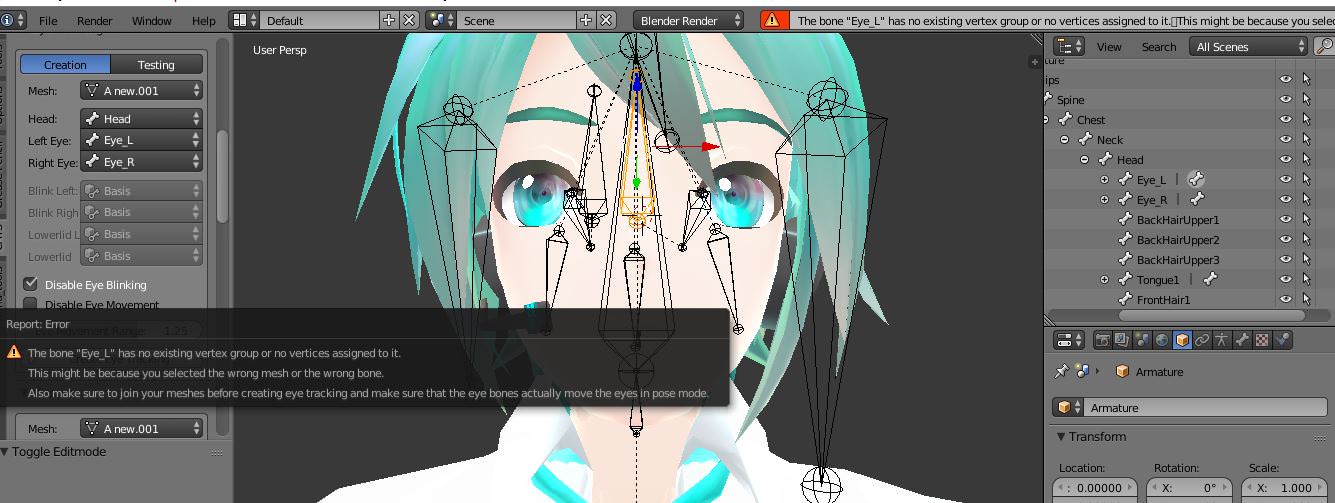
hey can anyone help me with this error? https://i.imgur.com/sYNQTHu.jpg
 stuck hamlet
Alright well if anyone's willing to help with my horrifying reversed thumbs just pm or mention me c:
spice crypt
normally it give me that error with mmd models and i fix it just joining meshes, but with this model if I join meshes the visemes get deleted
 regal star
Would anybody know how to straightin an arms bones? Cause the model I downloaded had a weird setup for the arms. https://i.gyazo.com/e292f1f7c58d465882ddbb1323775e28.png

 restive hill
You can move the bone joints, and mirror as well
 sour isle
restive hill
sour isle
restive hill
Make sure to use pose mode to test
regal star
k
spice crypt
@regal star press tab, right click and press G to move it. I was searching it too the other day
regal star
oky
spice crypt
@regal star the problem there is also u have like 3 bones there for the arm instead of 2, so I'd delete the minor one
regal star
ok
stuck hamlet
been stuck on these thumbs like an hour...nothing works man I've rolled the bones differently, rotated them in unity, re-weight painted them by hand, all that. it's driving me nuts D:
stuck hamlet
brilliant
 left fox
Is there a way to have full body IK in vrchat without having hands rigged :/?
 distant nest
Do you have an armless model or something?
I imagine you could just create some bones to map hands to and just not weight them to any mesh.
lilac moss
yep do that
 calm needle
@balmy solstice when you are making edits to your model are you just replacing the old one or saving it as a new version? If you are doing the former, remember to reset the model to generic, then back to humanoid so unity can update the humanoid definition properly with the skeleton edits
 normal blaze
I want to have one avatar which is 2 model that stand side by side and are mirrored - so when on move their right arm the other moves their left arm. What's the easiest way to go about this? Manually parenting each bone to the opposite bone with offset in blender?
hazy tusk
http://steamcommunity.com/sharedfiles/filedetails/?id=1291817112
mouth opens and eyes look up when head is tilted far forwards/down, or to the sides and forwards

Steam Community: VRChat.
This should be an issue with the bones that I can fix in Unity, and not weighting, correct?
And the jaw bone is correctly removed to none
calm needle
did you setup you rcharacter to have eye tracking?
calm needle
did you remember to make sure the visemes were in the correct order?
calm needle
the lower lid viseme tends to get triggered when looking down
did you create the lower lid visemes without actually putting anything in them?
calm needle
cause blender will remove visemes with duplicate values or no value to them on export
do the visemes directly below the eye visemes trigger the movements you see?
hazy tusk
so it'll be a shape key that is not the vrc_v, it sounds like
with what I should check*
 deft schooner
I've made an avatar in blender which has one knee that bends backwards, is there a way I can flip it around?
hazy tusk
ah, your, there are correct
Lowerlid on eye tracking is "basis", and does nothing when tested. Upper blink is fine, eyes move fine
huh, after it a bit is goes back to what it should be
stuck hamlet
can someone help my thumbs? tried rotating in both blender and unity to no avail http://prntscr.com/ia37hd
 normal blaze
I've got 2 models and I want to make it so they're side by side and when you move the movement is mirrored like left hand then the other's right hand moves etc.. How would I go about doing this? https://puu.sh/zgEbU.png
 hazy tusk
I want to say something like one armature, and then duplicate the mesh, and just mirror the weights from one to the other
 scenic helm
In blender, how can I do something like the cats auto bone parenting manually? I have a group of bones I want to make children to the chest bone, but I don't want to have them in the same hierarchy level as the shoulders and neck.
The auto tool doesn't recognize the bones as a group so I can't use the tool
hazy tusk
you just need a bone chain to connect to the chest?
scenic helm
I basically want them to act like the chest is their parent, but I don't want to have to exclude the entire shoulder and neck hierachies later when using dynamic bones
hazy tusk
 scenic helm
so, I want to do exactly what the bone parenting auto tool in CATS does, manually
Yes, but I want to create a bone with the sole purpose of acting like a parent to this specific bone group
I don't want the chest to be the actual parent
I want another bone to be the middle man
normal blaze
shift + D to duplicate the chest
then select the bones yopu want to put under it holding shift then click the chest duplicate
hazy tusk
oh, yeh. ^
Or target chest bone and crl+click
normal blaze
press space and typing in parent and click parent armature or something
scenic helm
Sweet, thanks!
 tawdry obsidian
Is it normal for me to have to slightly move my jaw upwards in unity order to get it to not be open in game? I'm using the jaw flap lip sync
 versed apex
anyone know a good Damping, Elasticity, Stiffness and Inert for short skirts so they dont fly around everywhere?
 azure lotus
.i use .5 .2 .3 .1
 silver rivet
Is it possible to make bones copy the properties of a different bone? Was thinking of making a quadruped with back legs that copy the front legs, that way the rig can be set as humanoid without needing custom animations
azure lotus
if you run it as huminoid iys structure has to be human
non human avatars require fake invisble legs or custom walking animations
custom walking animations render your vr hands useless
or you just float around with your feet not moving
I made bones for a tail on my avatr does anyone know how to get unity or blender to know that the bone goes to the tail mesh?
stuck hamlet
can someone help my thumbs? tried rotating in both blender and unity to no avail http://prntscr.com/ia37hd
stuck hamlet
Yeah, the screen is from the muscle/settings menu for testing
The model is in the enforced T-pose in the config
 gloomy loom
if not you can go into pose mode and roatate it and when you import the model it should look normal
 main palm
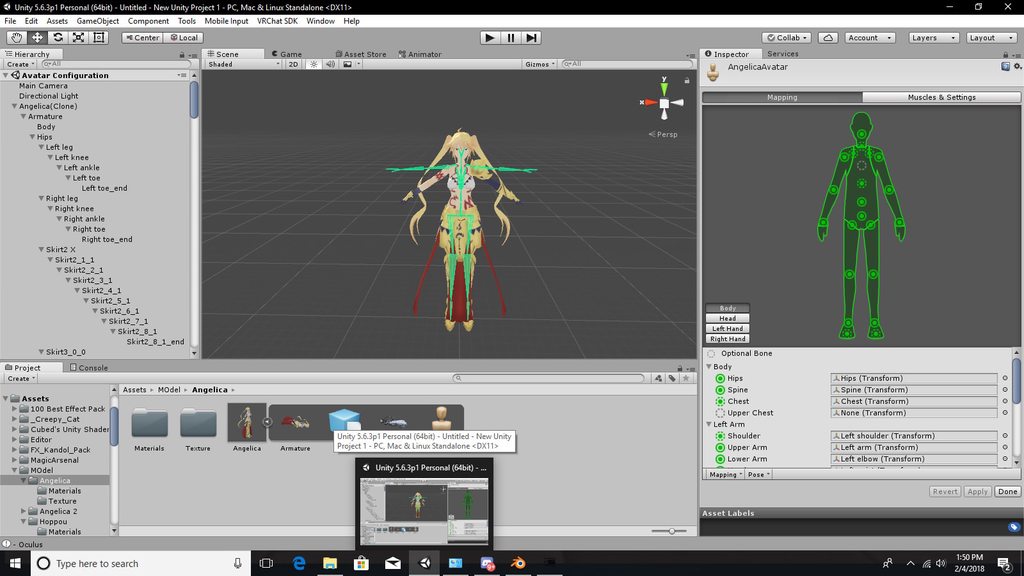
https://imgur.com/a/OsCpB Would anyone know how to fix this? b.c im stuck in a t-pose in game
 stuck hamlet
It looks normal in blender
gloomy loom
did you try to do animations on the model
restive hill
If you get an anime Avatar with a viseme that makes the Iris shrink, it works great as a lower lip viseme
main palm
If you are referring to me, no
restive hill
Dammit discord, put me at the end, not the middle
stuck hamlet
not yet, no. using muscles and settings to test how the hand will articulate since I'm using it in VR
http://prntscr.com/ia4ogg also looks right in config
 gloomy loom
I never used muscles and settings tbh so I have no idea how to help you. have you seen what happens to your model when you upload it to vrchat
because if its normal in the rigging and the weight and everything is good
you should have any issues
neon quiver
in unity is thre a way to test that the mouth move like the walk animation preview?
stuck hamlet
With the grab animations I usually map the thumb is also reversed so I've definitely got issues
restive hill
I suppose you could just re rig the thing
 leaden vault
getting a blender error for indices must be intergers or slices?
stuck hamlet
The hands I did re-rig
The bone roll is correct, it just doesn't articulate correctly still even though I've tried rotating the bones every which way
restive hill
IDK, all of mine worked by themselves so far... I'd think it was the bone too thing as well
*bone roll
restive hill
That's what she said
stuck hamlet
Been at this a couple hours with just his one issue
gloomy loom
did you rotate the bone in pose mode
stuck hamlet
No, edit mode with axes
gloomy loom
in blender
try doing it in pose mode and test it out
what ever edit you do to a bone in pose mode will edit the mesh as well
thats how I made my avatar extra thiccc 😉
stuck hamlet
wait what? nothing aplies in pose mode for me since theres rest and pose positions and going to edit or object mode goes back to rest. Also, exporting in pose mode with mesh changes changed nothing in unity so I'm confused
http://prntscr.com/ia51yk another view of what the thumb is doing exactly
 stuck hamlet
I fucking fixed it wew lads
fading verge
Was their orientation incorrect?
stuck hamlet
and now in my sad, sad VRChat history i can put down that I spent 4 hours fixing the thumbs of RMika dressed as harley quinn
fading verge
Four hours experimenting and learning well spent
stuck hamlet
The orientation was correct in both programs. I had to compensate for the amount that it appeared off with deforms in the unity config
like fixing a jaw
fading verge
Will need to keep in mind
stuck hamlet
i knew I know how to rig hands
I rip my own stuff from UE and goddamn do capcom models have a million extra bones
http://prntscr.com/ia5fqc i mean just look at those eyebrow bones

 real pasture
With this one model I'm editing, when I do emotes such as: Backflip or Die. The head is still following the camera and not the animation. I have tried to fix the bones but idk what I could really do.
stuck hamlet
You need to rig your middle, index, and thumb fingers on both hands

 spring sky
anyone got non humanoid rig tutorials?
stuck hamlet
without those rigged inverse kinematics are disabled which allow your head to move separate your body
just make fingers in blender and dont weight them to anything
finger bones
stuck hamlet
Anytime
real pasture
on mixamo i selected no fingers
stuck hamlet
causing deforms
you can let mix make the fingers and just remove the weight in blender
stuck hamlet
Anytime
fading verge
They sure like their bones, lol
stuck hamlet
I'd imagine most people in the rigging channel would like bones
gloomy loom
what do you mean the unity config?
gloomy loom
can you ss that for me
cause Im a little lost O.o
i didnt know there was such a thiing
stuck hamlet
The config with the mapping tab for mapping the bones in unity
making deforms and moving bones there and applying affect how they move in the muscles/settings tab and in-game
 stuck hamlet
Yes exactly as I said there would be deforms
That's why I suggested removing the weights for those bones in blender
so that they don't affect the mesh
real pasture
ahh, so use that and then in blender remove weights?
neon quiver
is the vr chat example avatar rig broken? or outdated? I import it and the left side of the rig bone are push away
real pasture
okay
gloomy loom
oh I see what you mean, but Ithought you said the green man looked normal in unity
I thought you were talking about some sort of numerial thing you can change the value to flex a bone around
stuck hamlet
It did look normal
I had to deform it to compensate for the oddity that occured from the mapping tab to the muscle/settings tab
because the muscle/settings tab is representative of how you'll look in-game
gloomy loom
yap, thats what I wanted you to do in blender with pose mode. to deform the bone with the mesh to compensate
 cloud kiln
I suggest rigging the avatar yourself instead of Mixamo
gloomy loom
but I guess that didnt work out
cloud kiln
Mixamo usually fcks up avatars so much..
stuck hamlet
Exporting from pose mode did nothing
the pose deforms were undone in any other mode as well because of the two states pose/rest
So I'm not sure what you mean
cloud kiln
I mean that mixamo sometimes mixes stuffs together
Like 2 feets can become linked together and mess up the textures
I usually rig models myself in Blender
stuck hamlet
Yeah I don't use mix either
someone else was
I use a modified rigify meta rig or I build one myself
cloud kiln
I only used Mixamo when I was completely new
stuck hamlet
I don't like working with pre-rigged models because they come with so many worthless bones
fading verge
Is there a limit the the number of bones a model can have and would a lower poly count offset there being more?
cloud kiln
I don't think there is
fading verge
Do you know if the Cat plugin works on non-mmd models?
stuck hamlet
depends
I've had bad luck using cats one some psk models from ueviewer
specifically from SFV
however it worked perfectly fine for models ripped from MVC infinite
🤔
fading verge
Am thinking of making my own model compatible so have been gather info on what is needed
lilac moss
just hit fix model and hope for the best
fading verge
Are you familiar with players who make their own and share tips on what to consider?
real pasture
@stuck hamlet I'm not gonna use the Mixamo one since its doesn't work right for the legs. I just need to make hands. I guess
 stuck hamlet
or just make hand bones and dont weight them to the mesh like I've been saying
 surreal parrot
Ok my dude
Got a question
How do I delete bones in blender?
Like just individual ones
surreal parrot
Ya
I got a liberty prime model from gmod
Amd the mininukes on his back
Aparently they are part of the skeleton
So i just have 3 random bones fukin it up
fading verge
Select that after pressing x, yep
 fading verge
Are you new to blender?
fading verge
Ah, now that you have selected the armature click Tab or go down to the lower right where it says "Object mode" and change it to "Edit mode"
In there you'll be able to select the individual bones you wish to delete
surreal parrot
I can't see them
fading verge
Try pressing Ctrl+H while in edit mode and see if they appear

 odd tulip
it's alt+h to reveal hidden things
fading verge
Oh sorry, indeed, Alt+H
I believe the bones are there but just black so hard to see until you select them
fading verge
I could be mistaken but think I can partially spot them on your screenshot
fading verge
Are they highlighted?
surreal parrot
looks like it is
fading verge
You are pressing X or the Delete button and then selecting "Delete bones"?
surreal parrot
tried both
same results
holy fuk
looks like theres at least 3 bones per extra point
like on the bombs
actually make that everything
but the main skeleton shouldn't matter
right?
fading verge
Believe it may be important but I'm only familiar with Blender, not the steps in Unity or later
Am new to this process as well
surreal parrot
ya
fading verge
Would believe keeping the main body bones will make the process easier as you won't have to re-rig the model
fading verge
Unless I misunderstood your question
surreal parrot
not on the body though
because I am selecting the area around the bone and it is selecting something different each time
fading verge
Oh yeah, I don't believe the bomb bones are needed/exsential
surreal parrot
ya
they are messing with unity
can't rig it with them
god it would be so much easier if you could just delete bones in unity
fading verge
If you hold your mouse over the 3D screen, press 5 on the keypad followed by 3, that should allow you to see your model from the side view
If you hold Ctrl and click the opposite mouse button to the one you select with, you'll be able to use a lazzo tool to form a shape over the bones you wish to select
fading verge
Am not familiar with blender being able to protect bones from being deleted
fading verge
Random luck?
surreal parrot
do they have to be deleted in order?
fading verge
Shouldn't matter to my knowledge
surreal parrot
well just selecting one wouldn't let me
but when all of them were selected it worked perfectly
so I guess they have to be either deleted all at once or in order
of whatever bone heigherarchy it has
I think there were 3 points on the one I deleted
'and I moved one
then it made a trail from where the bomb is
because I guess there was more than 1 point
weird
also
fading verge
Is the trail you saw like little lines spaced lines?
surreal parrot
yep
like it was stretching the skeleton
I guess the guy who made it was a cunt and put like 5 points for one joint lol
fading verge
lol
fading verge
Have yet to reach that learning stage
surreal parrot
same lol
fading verge
But have watched what others can do and it's amazing
fading verge
That would be cool
fading verge
Is there a mesh underneath them?
fading verge
Aaaaah, lol
fading verge
Am veeeeeery new to VRchat
surreal parrot
ah
fading verge
Have only been in it for 30 mins and seen less than 2 hours of it
But I love creating models and am interested in being able to use one within a game so this really picked my interest
So here I am to learn
dusk pilot
@real pasture Why did you rig the veracs set in mixamo? It was already rigged to begin with.
I rigged it myself because mixamo wouldn't take it.

VRChat Mods
Item Attack Bonuses Defence Bonuses Other White dagger White scimitar White warhammer Magic-icon Ranged-icon White dagger White scimitar White warha
real pasture
@dusk pilot I was trying to fix the shoulders and I was also wanted to add some animations to it. but the head was a little broken
@dusk pilot http://prntscr.com/ia6bso

 ripe shell
i dont like this website
real pasture
I also added dynamic bones to the Flail
dusk pilot
I had dynamic bone originally but i forgot to include it in the package.
real pasture
1 sec I'll show you
ripe shell
i mean i dont like the avatar shareing website
dusk pilot
Make sure to add gravity.
 dusk pilot
Is there anything in particular you don't like about it @ripe shell ?
real pasture
i still kinda new to it all
dusk pilot
We're trying our best to make it applicable for every vrchat user.
ripe shell
u dont know if they sit down and took the time to convert
 granite herald
if gravity doesn't work try a very low negative force value
We did
At least I have
If you think an avatar is stolen then please report it
 sharp viper
euuught

got two different computers fixing weight paint right now lol
my eyes are bleeding
granite herald
i love fixing weight paint
sharp viper
lol
granite herald
doesn't make me want to die at all
ripe shell
another thing i dont like is they dont credit the original creator
granite herald
Niether does any user with a custom avatar bud
sharp viper
@ripe shell -> Some of us make our own the above is 98.5% all me
I borrowed some facials
that's pretty much it
ripe shell
well if you are ingame would u say to everyone that you got it from a website
 obsidian laurel
Hello. I have a character with a snake-like down half body, is there a way to make the upper half have the normal vrchat animation?
sharp viper
sirce - yep
obsidian laurel
enlight me
sharp viper
use dynamicbone on the tail and use dummy bones for the legs
not weighted to anything
basically invisible legs
obsidian laurel
so I make legs in blender and map them as legs in unity?
sharp viper
make leg bones yep
obsidian laurel
ok then
sharp viper
just make them basic but physically in the right place
obsidian laurel
ok
sharp viper
bingo. The feet determine where you stand on the floor
obsidian laurel
got it
sharp viper
if you use the gravity slider carefully in dynamicbone the tail will act like a real tail
it's really cool and not many people do it that way
obsidian laurel
yeah I wanted the draggging so I'm putting lil to no elasticity
well the rest is messing the sliders-
sharp viper
I've backburnered a loli with hair so long it drags on the floor
obsidian laurel
demn
sharp viper
but that's my plan for that
obsidian laurel
thanks!
 lunar orchid
Hey, I'm trying to weight paint in blender, but I cant select the bones I want to paint, I have the right toe selected in pose, then I select the body and the bones turn red, when i go into the weight paint setting the bones are all in a wire frame mode, am I doing something wrong?
obsidian laurel
@sharp viper hey, I just made a pair of legs in Blender but thye don't appear in Unity
fading verge
Aww, seems I may not be able to upload an image
It's not complex but I may not be the best at explaining. As a hint the "Vertex Groups" within a mesh are what you're painting on in a sense, they represent the bones so you don't have to select them outside of the mesh
obsidian laurel
nvm
lunar orchid
I might hold off on the painting because for whatever reason nothing I'm attempting to do is working
 lucid cave
can someone give me a hand with this? Having issues with dynamic bones
I made sure to route the materials, but when I go to sample the movement it doesn't show any effects
fading verge
@lucid cave do you see any white lines when you add the root in dynamic bones component?
fading verge
@lucid cave screenshot your whole screen with the dynamic bones component shown
 fading verge
Discord allows animated avatars?
Just noticed Lilim's ava move
yawning loli
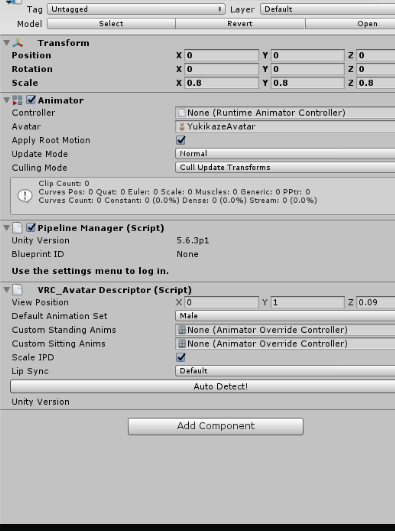
@lucid cave https://i.imgur.com/96NJTj2.png click add component and search dybnamic bons
@fading verge animated as in gifs? not sure
lucid cave
I added it to certain parts, not the model entirely
fading verge
like the hair?
@fading verge Indeed, seeing yours move
oh discord, it's Nitro
go to settings and there is text in blue that says nitro
lucid cave
 fading verge
Aaaah, I see
@lucid cave is there any reason you put it in the mesh instead of Yukikaze?
lucid cave
?
fading verge

Dynamic Bones - 20 USD on the Unity Asset Store! http://u3d.as/7fH VRChat Community Discord: https://vrchat.net/discord Download VRChat! http://store.steampo...
lucid cave
oh I think I see what I did wrong, thank you!
when he started, I realized I did it on the wrong part, instead of using the amature
also, I've been wondering if there is a way to stop dynamic bones? As in like, when you run, if wearing a long dress or something, the dress skirt will clip through while running. If it's a longer process, I can just lower the dynamic amts
calm needle
did you set up colliders? Also having a radius on the dynamics help too
lucid cave
no I didn't set up colliders, thank you for the tips! I'll try to find out how to do that then
calm needle
yeah, the dynamic bone coliders will be attached to the legs themselves. The radius on the dynamic bones themselevs is how big of a colision ball they have basicly when coming in contact with the leg colliders
you can use play mode to really fiddle with the settings. just remember anything done in play mode doesnt save
 muted swift
https://puu.sh/zgTRz/72fd52f175.JPG
I'm having issues with colliders as well. Have this entire thing mapped but I'm not sure why it won't listen. I have the colliders set on the dynamic bones and everything.

 tame terrace
Hey, I'm still having the issue with the camera being on the parent object and not the avatar
 naive tree
@lucid cave dude please join your meshes
lucid cave
I already fixed the model
 dry saddle
Hey, is anyone able to help me work out how to put an animation and dynamic bones into one character? Or isn’t that possible?
Whenever I do everything in Blender, decimating and bone parenting the things I want to be able to move in Unity, whenever I go to check my animation still works, nothing but the eyes move and blink.
I have a full body animation so like.. is there any possible way I can get everything to work as intended and put it in Unity? I can do everything else from there I’m sure I’m just stuck getting it all to work.
 kindred cedar
I need help 😦
dry saddle
Oh. Same here
 tulip granite
That moment when the help channel is full of people asking for help
🤔
Animation and dynamic bone is that like mmd dance
Need more details
fading verge
"Dynamic Bone" may be talking about the name for a script that allows models to have physics, such as on the hair and clothing
tulip granite
I know what dynamic bone is just maybe he wanted an mmd dance with dynamic bones
tame terrace
anyone know how I can get my avatar to float?
 opal aurora
Raise it in unity's rigging and reposition your viewpoint
 earnest rivet
 tight frigate
Guys question my past models that i've tried putting eye tracking on always make the eye tracking go insane
Like the pupils phase out of my head when i walk around
When i look at osmeone they go cross eyed and roll back into my head
It's freaking people out
My friend also has the scuffy CATS eye tracking thing
 static parcel
Don't know if this is the right chat for it but is it possible to have a flashing light for a lipsync animation?
Best I can think of is a bright decal on a plane, with visemes pushing it in front of the light but it might look weird with the gradial animation
dry saddle
Oh gawd I didn’t pay attention to the discord chat. Whoops. It’s fine now, I’ve figured out how to get both the animation and dynamic bones to work. Just very confused what values to give a cape so when you bend down it doesn’t stick up in the air and wiggle around a bit ^^'..
 wise dune
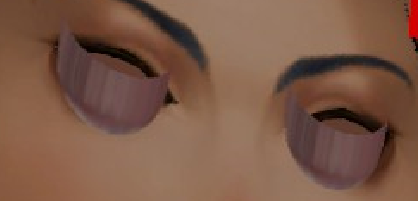
Eye bones are facing straight up in blender like you are supposed to but ingame they are looking too far down https://i.imgur.com/KtrjXaa.png
 dry saddle
.-.
granite herald
Anyone got experience with manually adding eye tracking? Like non-mmd model
 worldly palm
"I am the bone of my bone. Bone is my bone and bone is my bone. I have created over a thousand bones. Unknown to bone. Nor known to bone. Have withstood bone to create many bones. Yet those bones will never hold any bone. So, as I pray, Unlimited Bone Works." https://puu.sh/zh0fS/1d069670c9.png

 radiant loom
Does anyone here know if there is a way to merge multiple bones AND their weights into one bone in blender?
granite herald
mix weights on CATS?
radiant loom
Oh, I don't really care how. I don't need to use CATS
I just have multiple bones on this model that I need to turn into one for the VRchat sdk. This model has three different neck bones and two different head bones with different weights on each.
It's pretty annoying
But i'm assuming it was made that way for animating
fading verge
The person who said people enjoy bones was not lying, lol
radiant loom
I know I can just replace the bones but I would have to weight paint delicate areas and that's a drag.
I tried alt+m for bones and it didn't work
Dissolve didn't work either
balmy solstice
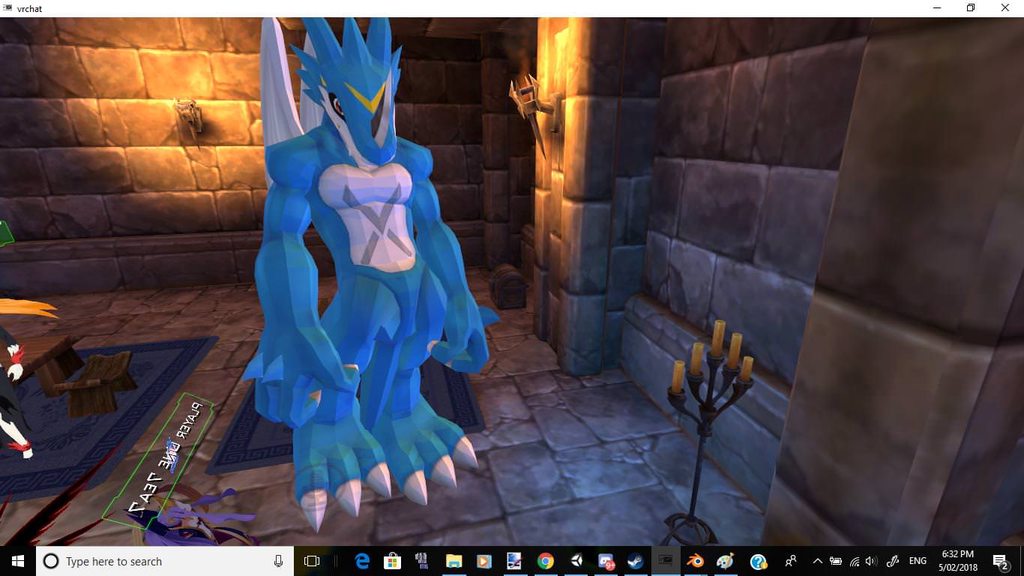
https://imgur.com/a/J0DTK 19 ATTEMPTS amd i still cannot fix this shit
 fading verge
Might that part be weight-painted to the wrong bone?
granite herald
YEAH
fading verge
Or a shape-key is controlling it
radiant loom
LOL
granite herald
Yeah*
 modern oyster
@balmy solstice What is the issue?
granite herald
lol
balmy solstice
nope, it's weight painted correctly, and the issue is that I've tried fixing this 19 time, and his crotch still sticks out
balmy solstice
@modern oyster and it looks correct in both unity and blender
balmy solstice
I want to rip out my hair trying to fix this with no luck
radiant loom
btw does anyone else hate the posture the sdk puts on models? it looks stupid
fading verge
Do you know if the model has shape-keys?
radiant loom
I'm sorry
modern oyster
@balmy solstice Can you send a SS of the unity version, so we can compare?
fading verge
Does seem silly
modern oyster
Pelvic thrust.
balmy solstice
https://imgur.com/a/BoHBG @modern oyster
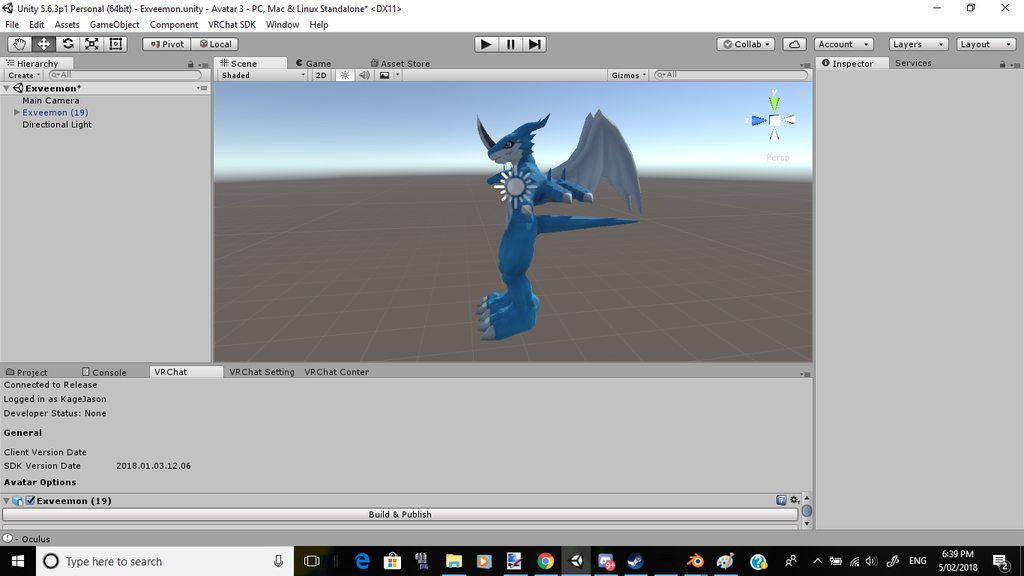
All it's been doing is causing me extreme anger and frustration.
modern oyster
(Stupid question) have you tried messing with the height ingame, sometimes that fixes it ?
balmy solstice
Yes, and that too does not work
modern oyster

reddit
I just got finished uploading my first avatar into the game, and it looks like the hips are jutting out really awkwardly....
"Its a common issue with a quick fix, go back to Unity and raise the spine bone a fraction; reupload and you're done."
balmy solstice
I swear to god if that's the solution i'm going to beat myself until i'm blue for being a moron
modern oyster
Allegedly.
radiant loom
weird
I always thought that you couldn't change that
doesn't really matter if you play with vr though
modern oyster
You can. You just cant break the bones.
dry saddle
Hey, does anyone here know some good dynamic bone values for a cape?
 broken ice
im having issues finding a tutorial for models that are on all 4 like an animal
modern oyster
@dry saddle I usually use the same set-up as for long hair.
dry saddle
Oh, alright
modern oyster
@dry saddle My numbers: https://cdn.discordapp.com/attachments/401114424934400000/401434668018434069/559ca8758c1cf62d494dfcb4cc0a79de.png
 modern oyster
^^
dry saddle
I’ll put that in now
modern oyster
Remember to add Colliders!
dry saddle
I will xP
modern oyster
If you want a perfect example: https://thumb.gyazo.com/thumb/1200/_8bfe7a93783ba7188a071f8a1ff44873-png.jpg
(Not my work).
 modern oyster
o7
dry saddle
Hmmm these values are a little bit too stiff for my liking
radiant loom
Will you still have clipping issues with that many colliders?
radiant loom
Glaceon, I think it might be the model mesh itself. If you have vr, those parts will track on your posture in real life thus elimination the pelvic thrust.
But I don't know
Thats my guess
balmy solstice
I'm piss poor for a vr headset
modern oyster
No @radiant loom She who did this work, put alot of effort into overlapping the colliders with eachother, therefor they bones from the hair, won't got near any of the "gaps".
balmy solstice
I don't have the knowledge or knowhow to fix this stuff
And my mind can't absorb the tutorial stuff and all it's doing is making me mad
modern oyster
Then take a break Glaciate, and try another project in the mean time. Suddenly you'll just go: "ARE YOU F*CKING KIDDING ME!" and go back and fix it in 2 min.
balmy solstice
I did, between the 11 and 12 attempt, and still no results were yeilded
I slept between attempts 11 and 12.
and after returning to it, still nothing
I've been trying since 10pm to 5am yesterday, Slept for 4-5 hours, resumed at 1:30pm and still nothing
modern oyster
I spend the on the long end of 72 hours, trying to fix an avatar, only to realize 2 weeks after that the problem was a bone too much.
It will come.
radiant loom
Yeah, I have spent 150+ hours in blender and still don't have any great avatars because I keep finding mistakes when I upload so I have to start over.
radiant loom
lol
broken ice
its like the darksouls of vr
 brisk mesa
And even if i get a good one out it is only good to me aka no eyetracking or visemes or fancy anim
Good as in... It even walks.
balmy solstice
I honestly feel like giving up, butat the same time i don't want to because I like this digimon
brisk mesa
I found it helps to do another fun one and go back to it too
Now i can look at all these deviantart kiddies who are like dismayed at a model not having bones
And i feel on top of it
balmy solstice
the thing is tho, I have no one else to work on
well more like, I can't work on anyone else, because i'm a idiot and dunno how to do shit
broken ice
is someone able to help me or help direct me to the way you should rig a 4 legged thing
brisk mesa
I see people ask that everyday and have never ever seen a reply
balmy solstice
Exveemon
brisk mesa
At least not a thorough good reply on 4legged creatures, sorry
broken ice
hm. thats very unfortunate, but very helpful thanks
balmy solstice
@broken ice, I also would like an answer for that, but it's nowhere to be found here.
broken ice
going for a vaporeon
brisk mesa
Yea same. I want a legion of weird monster chicks.
It was weird enough watching people figure out miia or other snake girls
And making her humanoid despite no legs
radiant loom
VRchat sdk doesn't work with quadpedal I thought
Well, you can pick generic armature
so prob is a way
doesn't have to be humanoid
balmy solstice
The person who got the tiny cats to work is hiding from us
modern oyster
I mean, you could do a custom animation, copying the animation of the 2 front legs and mimicing the hind legs to the oppersit side^
dry saddle
Hey, does anyone know how to set weight to dynamic bones?
 steady spruce
 modern oyster
Check #animation
brisk mesa
Setting weight to dynamic bones is the same as setting weight to any bone when rigging
Leave the root bone alone though prob if you intend on some, i just make vertex groups the same name as the bones i wanna use for DB, @dry saddle
dry saddle
Oh, really? How does that apply weight though?
fading verge
Question how hard is it to pull the head of one model and attachit to another models body
 pine harbor
partly depends on how different the model armature proportions are, but it's a bit easier if they're similar and don't have eye or hair bones
if they have either of those, you probably need to figure out how to copy those over too, and that's going to make it a fair bit more complex
fading verge
well i want to take Kanna`s head and put it on a spartan body the hair and eyes dont really bother me
pine harbor
hm -- if you've got them both in PMD/PMX format, it might be easier to do it using PMX editor before fiddling around with it in blender
in blender though, i think it's going to be more complex, unless someone's got a clearer idea of how to do it rather than a lot of brute forcing
pine harbor
right, then the basic idea of what i'd suggest is to make a copy of both the spartan and kanna files, rename them to something different
on the spartan file, delete the helmet material/mesh, and make a note of what coordinates the head (頭) and/or neck (首) bones are at
over on the copied kanna file, delete literally everything below the neck, bones and mesh -- take a look at what coordinates her neck is at, and then translate everything (vertices and bones, physics bodies and joints are less important since they'd get scrapped by CATS in blender) by the right offset so that the neck coordinates line up with where you saw the spartan's neck coordinates
go back to the spartan file, then go File > Import > [kanna copy] -- that should pretty much let you load kanna's head transplant right onto where the spartan's neck is
...well, that's the general idea of it anyway -- actually doing that is a bit more work, but it saves needing to remake and reposition each bone manually in blender
pine harbor
yup, good luck
 rocky scaffold
i there a easy way to make eyetracking for more than 1 eye?
2 eyes*. for more than 2 eyes
opal aurora
If you could lock bones to only tilt and rotate then it would be quite easy via parenting
But sadly, we can't, so the bones would pivot forward and backwards as the bones tilted
pine harbor
Not sure if i should be asking in here or #animation, but does anyone have any tips or links to good tutorials for how to get animations running on non-humanoid/generic rigs? Not having any success haphazardly trying stuff from Tupper's megatutorial for importing MMD ones
i've got animation clips already from separate FBX imports, it's just figuring out how to actually make the idle/walk/run animations play when actually moving around
modern oyster
@pine harbor What do you wish to create?
pine harbor
i've got a quadruped model with a tail (an eevee, specifically) with a VRC_Avatar_Descriptor on it, as well as multiple other FBX files of the same eevee with different animation clips attached to each of them
already managed to pull out the walking, running and idling animation clips out, but i'm having trouble figuring out how to actually apply them to the avatar and get it performing each animation clip when idling/walking/running
tried to mimic what Tupper did in his tutorial by making a copy of the AnimationOverride file, dragging each of the animation clips into the Idle/Walk/Run slots in the override file, and then dragging the whole override file into the Custom Standing Anims slot in the Avatar Descriptor, but my model in-game isn't moving (like a piece of solid plastic)
modern oyster
Did you make it Generic or Humanoid?
pine harbor
it's set to generic rig right now
humanoid wouldn't work with a quadruped model if i wanted it to use its own animations, right?
modern oyster
I am not familiar.. But try.
Generic avatars are bound to static positions.
My making a humanoid overide, it should work.
Try.
No promises though.
pine harbor
gotcha, thanks for that -- i'll give it a shot and see what happens
modern oyster
Keep me updated o/
pine harbor
intermittently -- there's nothing fun about reporting the % uploaded progress bar 😛
 vast bolt
Omg lol 
modern oyster
?
vast bolt
Sorry.
vast bolt
I was trying to meme, and i died trying.
modern oyster
You are not strong enough to use this meme!
pine harbor
stumbled upon an MLP unitypackage....not quite my thing, but might be worth it for quadruped avatar studying >_>;
vast bolt
Humanoid MLP
pine harbor
looks like a quadruped, but might be animated like a humanoid if i'm unlucky, yeah
funny -- the SDK is now giving me an error: "This avatar is too short, minimum 20cm shoulder height"
red error, so can't upload...except i actually did manage to upload the humanoid-rig quadruped before that error came up, so no idea what's going on...
okay -- humanoid rig is apparently not the answer 😛
modern oyster
Odd
pine harbor
it correctly matched and mapped the front legs to the left and right arms, so the idling pose was standing upright (body was 90 degrees rotated upwards from where it should normally be)
that'd probably be VRChat's IK system kicking in
iiiii think i might see what i overlooked...i need to figure out how to create a normal avatar controller for the component, i've only got the .overridecontroller right now
modern oyster
Good luck!
pine harbor
yeah, i see why now -- i missed a very important step that i thought could be auto-generated
thanks -- sorry for all the random thought bouncing in here 😛
modern oyster
No! I needed these! I am thinking of making a Quad aswell. So I need the small nicks and fixes xD
pine harbor
if you need any hints, what i did was to find the unitypackage linked in the attached video, then i imported it and looked at what one of its avatar prefabs was doing with its AvatarController and AvatarControllerOverrides

How to get and play with My Little Pony MLP ponies in VRChat! You'll need: VRChat https://vrchat.com VRChat SDK https://vrchat.com/ Unity https://unity3d.com...
i didn't really make my own versions of the controller and overrides yet -- just copied the files in that package, switched the animations to the ones i wanted to use (assuming you already have clips of those done), and then applied the same settings to my own avatar descriptor
modern oyster
o/ Mercí
neon quiver
do i need a jaw bone to do lip sync or can they be attach to the head bone? tutorial does not mention it.
or is it control by the vert group
modern oyster
Nope
Go to rigging when you import it to unity, and check if anything is there, if there is (and it's not "Jaw") just delete it and leave it like that.
@neon quiver
neon quiver
ok thank
i wish there was better tutorial. most of them are mmd related and a.ready premade.
modern oyster
@neon quiver What do you mean?
NONONONON
If you do it like that EVERYTHING bound to the hips will get dynamic!
Jesus!
Make a skirt root insted.
Exclude has a 70% chance of working.
You'll risk messing up the avatar.
They look the same to me?
The bones in blender, gets sprung back the hips, and forces it to look like that.
neon quiver
99% done the weight paint rig and the neck area i can't seem to fix. I wonder if it because the bone position. I try fixing it on different bone like chest or neck or head to see if that fix the problem but nothing improved. https://i.imgur.com/ZCrGmAe.png
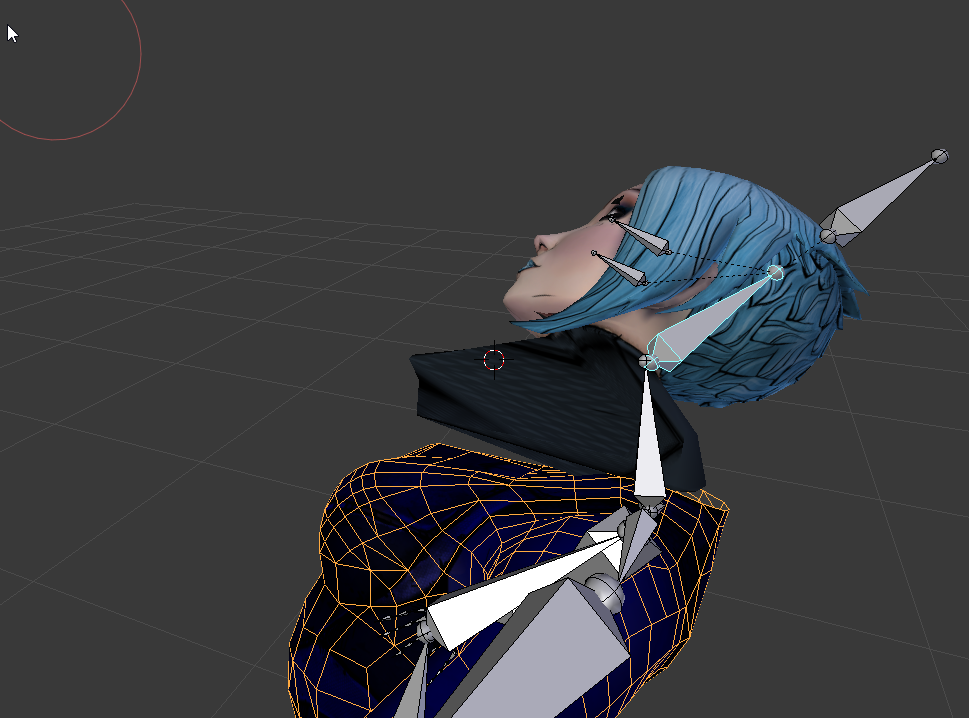 pine harbor
@neon quiver are you trying to fix that grey-black scarf area detaching from the body?
neon quiver
aayes
pine harbor
check to see if it's got any weighting to the parent of the neck bone (Spine1 or Spine2, whatever it might be called)
if it's at 0% weight, the whole thing will detach off when the neck rotates, because it's got no need to stay near the spine bone
neon quiver
ok. just have to remmber where tha tab button is to see if it 0% XD
pine harbor
the bottom of the neck piece should have a similar weighting profile to the torso/neck area
just switch into weight painting mode -- if it's a very deep blue, it's either 0, or very close to 0
that's for the spine bone weighting for the neck...meanwhile, if it's almost a solid red for the neck bone, that means the neck has too much influence over those vertices
neon quiver
ok
opal aurora
Use auto normalize and set the weight on the neck to around 55-60% whilst the chest should haave 45-40%
neon quiver
is there a way to auto weight to a certain area?
Ok i think i figure it out. went to neck bone and need to weight near the coller bone area to move with the neck that splitting maybe.
there was no weight there
It fix 😃 thanks
Now i just need to make it look more smooth when moving
 lime owl
Is there a way to rig this so the fish moves with (or as) the head? Without the fish leaving his bowl due to neck/chest transforms? https://prnt.sc/iael5m
 modern oyster
@lime owl Like, when you turn your head, so does the fish?
lime owl
yea
modern oyster
There is a way, it's a way of copying movements. Sadly.. I don't know how to.
lime owl
hmm.. Someone said that last time as well but he didn't know either xD
modern oyster
^^
 ocean blade
Does anyone know on how I go about rigging a qudrupedic model like an eevee
lilac moss
as a generic rig with your own animations @ocean blade https://docs.google.com/document/d/10BuA_ybyXSSXqXuf6cDyPm52VIpqptgyvuRaphcYH0M/edit

Google Docs
Advanced Avatar Creation: Making Non Humanoids This tutorial was made using Unity Version 5.6.3p1 This tutorial assumes you already have the current SDK imported and knowledge of how to upload a basic avatar. You will also need an avatar you wish to upload as non-humanoid with it’s own set of a...
ocean blade
Thank you so much
 limpid scarab
@lime owl just thinking out loud
but can't you make a bone in the fish that is parented to the head bone?
so it rotates with it?
neon quiver
so i guess eye animation is consider dynamic bones?
lime owl
@limpid scarab I don't know if unity would get that.
limpid scarab
but you still want the original head to move?
or do you want the fish to be your viewpoint and head?
lime owl
Either is fine with me. But yes. In context the fish is the boss of the cat
I tried with off-set armature but that just rips the mesh. and just the headbone kinda makes him fly out of his bowl
limpid scarab
I assume you could just rename the original head bone and make a disconnected bone where the fish is as a replacement
so the fish will serve as your actual head
but if you make a bone at the fish and parent it under head
lime owl
I could weightpaint the arm more so it moves with the head but i don't know if it will look good
limpid scarab
it will do the same rotations as the head bone, and you don't need to map it in unity
lime owl
i'll try that
limpid scarab
I'm not the best rigger, but I believe that should work
lime owl
I just started a week ago xD
pine harbor
wait, wouldn't parenting the fish's bone to the actual main head cause it to rotate right out of the fish bowl when the head turns?
lime owl
maybe not inheret location?
lilac moss
@neon quiver no not at all. eye movement / blinking depends on certain bones /visemees being named certain things and then it just works in vrchat. cats blender plugin will take care of that for you
pine harbor
there's a setting for that in unity? never realised, but sounds like it could help
lime owl
there is in blender but i dunno about unity xD
pine harbor
unity annoys me a bit coming in from more of an MMD background, because i can't find anything like "append bones" in here
that sounds like exactly what you want, if you wanted the fish to rotate on the spot just like the head
lilac moss
you need to do bone changes in blender
lime owl
Interesting problem isn't it? 😂
lilac moss
what's the problem
lime owl
I have this model https://prnt.sc/iael5m
limpid scarab
Sure is
lime owl
and i want the fish to move with the head
lilac moss
hahahah
pine harbor
without popping right out of the bowl
it's something a lot of us would like to figure out, for science 😛
lilac moss
there may be an appropriate constraint in unity?
molten vale
just weightpaint the headbone to the fish as well?
pine harbor
i don't doubt there're scripts out there to make it happen, but question is...is there a default feature that's whitelisted by VRChat =_=
that's probs our biggest pickle here
molten vale
or have it operate on a seperate bone but child the bone to the head bone
so it has to move with the parent
lilac moss
you're looking for a copy-rotation constraint hold on
lime owl
@molten vale i haven't tried that yet though >.>
molten vale
it should technically work.
Cause that's how you do it with eyes
Eyes aren't weightpainted to the head
fading verge
Anyone ever had that
fading verge
Check of spine hierarchy thingy error before uploading via sdk
molten vale
badabing badabom
fading verge
I fixed the armature and checked the bones
Nothing is missing
And I fixed what I could
molten vale
your spine hierarchy is messed up in terms of what the unity rig is using
molten vale
You need a hip bone, and the hip bone needs to have left and right legs as children
lilac moss
nevermind i can't find anything that isn't script-based
molten vale
and then the spine, the chest
fading verge
Yeah those are there
molten vale
and the chest needs to have the shoulders childrened
as in
the child exactly after
you can't have it like
molten vale
Spine > Chest > Upper Chest > arms
molten vale
you need Spine > Chest > Arms
fading verge
Yes
molten vale
so just unparent
and re-parent
and make sure the rotation is good
cause sometimes rotation goes to hell with reparenting.
lilac moss
that's a decent idea though, the fish as an eye
molten vale
Glad to help.
It's how I would do it.
cause weightpainting the head bone weight into the fish might fuck with rotation
and facial distortion
so just have a child bone
lilac moss
well no it'd rotate off the shoulder if it's a child bone and it's gotta be a child bone to be an eye damn
lilac moss
yeah i think it's supposed to be sittin on his shoulder
molten vale
well if it sits on his shoulder you could mask it a little better.
just de-weight the fish from the shoulder so it doesn't move with the shoulder
lime owl
yeah but i'll make that arm invisible. You won't be able to "use" it
lilac moss
or make the whole arm move with the head, the fish/bowl with it
lime owl
I've weight painted it and i'm going to test it
lilac moss
no it won't
weight painting isn't gonna help, you just need to set a bone as the child of the head bone
that'll mess up the humanoid rig so you'll need a second, dummy arm that isn't weighted to anything
lime owl
Sooo maybe an eye bone? or jaw?
lilac moss
anything that is a child of the head is going to rotate a whole lot, relative to its distance from the head
same if it's weighted to the head
lime owl
yeah. >.>;;
lilac moss
but as a workaround, it wouldn't look that odd if his left arm turned along with his head
molten vale
just make a child bone
in the fish
so it rotates of its own axis
not the head axis
lilac moss
<.<
lime owl
xD
molten vale
I feel like there should be a way to restrict transformation axis but not rotation
but that's a thing to google
pine harbor
should probably also ask...is this using a humanoid rig?
because if you set the avatar descriptor's view ball to unusual positions, you'll start seeing some pretty odd stuff happen with your model
lilac moss
there is in blender but i'm not finding anything in unity that doesn't require scripting
molten vale
VRC hides or shrinks meshes to 0.0001 whenever it's close to your IPD bubble
lilac moss
i don't think the fish is going to be the view point https://prnt.sc/iael5m
molten vale
that's why you cannot see your head
Alternatively
use fixed joints and rigidbodies in unity
and connect them
fading verge
Hey, so i just started using PMX editor and i wanted to change to two different eyes, but as soon as i put in the eye texture it just disappears. I am desperate ...


it just disappears when i click on change and i have no clue why because in the tutorial that i watched it just instantly changed his eye...
limpid scarab
You just want to replace them?
lilac moss
no idea about pmx editor but you should be able to just edit the texture image in photoshop/gimp
limpid scarab
Wouldn't it be easier to just replace the actual texture file?
fading verge
dont really get what you mean by that
lime owl
weightpainting the fish and the head rips it from its bowl >.>
trying to paint the whole arm
lilac moss
yes don't do that
don't do that either
don't change weight painting just make the shoulder bone a child of the head
limpid scarab
@fading verge just open the eye texture you want to replace and edit the other eye over it in a image edit program
Or replace the file in its whole if they are the same size / shape
spice crypt
I found a way to convert a model of vincent valentine, but it's very corrupted. Like the scale is 1/100, doesnt have hand bones nor visemes and the animations are weird. Can anyone help me?

 outer oriole
can anyone rig a face for me
neon quiver
i notice sometimes the unity uploading image processind upload get stuck. End up having to exit unity.
 modest fable
So anyone know how to get fully body tracking as good as Bot_Y's for legs/toes? (blue robot dummy)
every time I choose one of my avatars to calibrate my feet trackers are above th4e ground in vrchat, I have no idea how to fix/ whats causing this, I tried making an avatar at my height irl but same issue persisted
I would die for a tutorial on how to make models work with full body that show an example of the end result or more importantly work well T~T
neon quiver
yeah me to. i have trackers to
brisk mesa
@modest fable well first off did you make sure all your origin points for your avatar are actually on the ground though? Like without gaps between you and the floor
modest fable
yes
I tried that with 2 seperate avatars and the same result sadly
tried changing the bounds of the mesh in also, tried middle origin point also and got the same result with all
restive hill
Dark, you probably need blender and maybe others
 low parrot
https://gyazo.com/643b5a23871cb9aaca3cfc445bfc36af
I skipped on the toe bones, is that why this is happening?

 gleaming falcon
@low parrot Hit configure, reset bone, force t-pose, and you should be good
low parrot
So go from this...
https://gyazo.com/6af836b65cbd38a34ff1a2417bd18caa

 gleaming falcon
Yup. it resets what bones are in the scene. So if you adjust bone rotation before hand, it resets it back to t-pose
low parrot
https://gyazo.com/2a23be04088f8cabcd2bc10c7f24420a
Still there. Does it matter whether I've made an animation for it?

 balmy goblet
Heya does anoyne know a quick fix of knees not bending when squatting?
gleaming falcon
If the animation uses that bone, it would matter. Are you doing an MMD dance scene?
low parrot
Nah, I just added a blink animation. Nothin' with arms or legs.
gleaming falcon
Ah, I would upload and see if it works
low parrot
I can't use the Muscle Editor on it to give it gesture animations without it being Humanoid though. I guess I'll try adding toes?
So, prior to this, I rigged her correctly, but her skirt wasn't parented to her Hips, so they wouldn't move together. At that point, she had a bone I rigged to Toes called Right/Left ankle_end.
After I fixed the parenting in Blender, I got this error and found she didn't have Right/Left ankle_ends anymore.
gleaming falcon
check to see if the feet and toes are set right in the humanoid configure thingy
fading verge
Also try remaking the rig too. i found adding bones and reimporting wouldnt update the rig properly sometimes
low parrot
Like, remap everythign?
fading verge
Set it to generic and back to humanoid and start fresh
low parrot
Wow, that completely fixed it! Thanks, I had no idea resetting that would make a difference!
fading verge
I guess the rig keeps a copy of the model's armature and doesnt always update correctly 
neon quiver
my hands are mest up in vrchat yet look fine in unity and blender. maybe it has to do with the eight paint? the finger pose are really bent weird.
 viscid stirrup
https://gyazo.com/4e83d16ed1a05fcc89c044de0dbe55c6 Someone know how to fix this chest?
 fading verge
Eye tracking still doesn't work....did it with cats in blender / unity = it has left and right eyes assigned
 random lotus
http://prntscr.com/iamjcc how do i attatch the new bones to the armature? i already know the shortcut for it but idk what to do after that

 dense marsh
hi, when I'm doing bone parenting in unity rigging mode it doesn't saving after hitting done, what's problem?
 neat crescent
 fading verge
on unity it's fine. anckle is attached where it's supposed to

Xenoverse models are quality
pine harbor
@fading verge it looks like quite a few of the faces are inverted -- if you don't want to fiddle around with it further in blender, you might find it easiest to sort out in unity by using double-sided shaders
fading verge
How so?
pine harbor
from that screenshot, it looks like only the faces that are "inside" of the model's body is being rendered -- most of what's on the outside looks like it isn't
but that doesn't really matter if you use a shader that just makes both sides of the mesh faces render, because that'll automatically let you see all the outer faces that you're normally supposed to see anyway
you could also try to flip all the face normals in blender, but i don't know if it's actually all of the faces which have been inverted, or just most of them -- those few exceptions may prove annoying
 spring shell
when I am weight painting, some vertices are affected by others (if i add some places others subtract) is there a way to unlink them?
 pine harbor
look up these ones from the asset store, they're pretty decent:
https://assetstore.unity.com/packages/vfx/shaders/double-sided-shaders-23087

This pack contains four double sided shaders.
You can easily create two sided materials using Diffuse map(transparency in the alpha channel), normal map and specular map.
Need More Double Sided Shaders? Check out our
Full Pack
the emissive/diffuse one that comes with it should work decently for that model, since it's got an anime art style


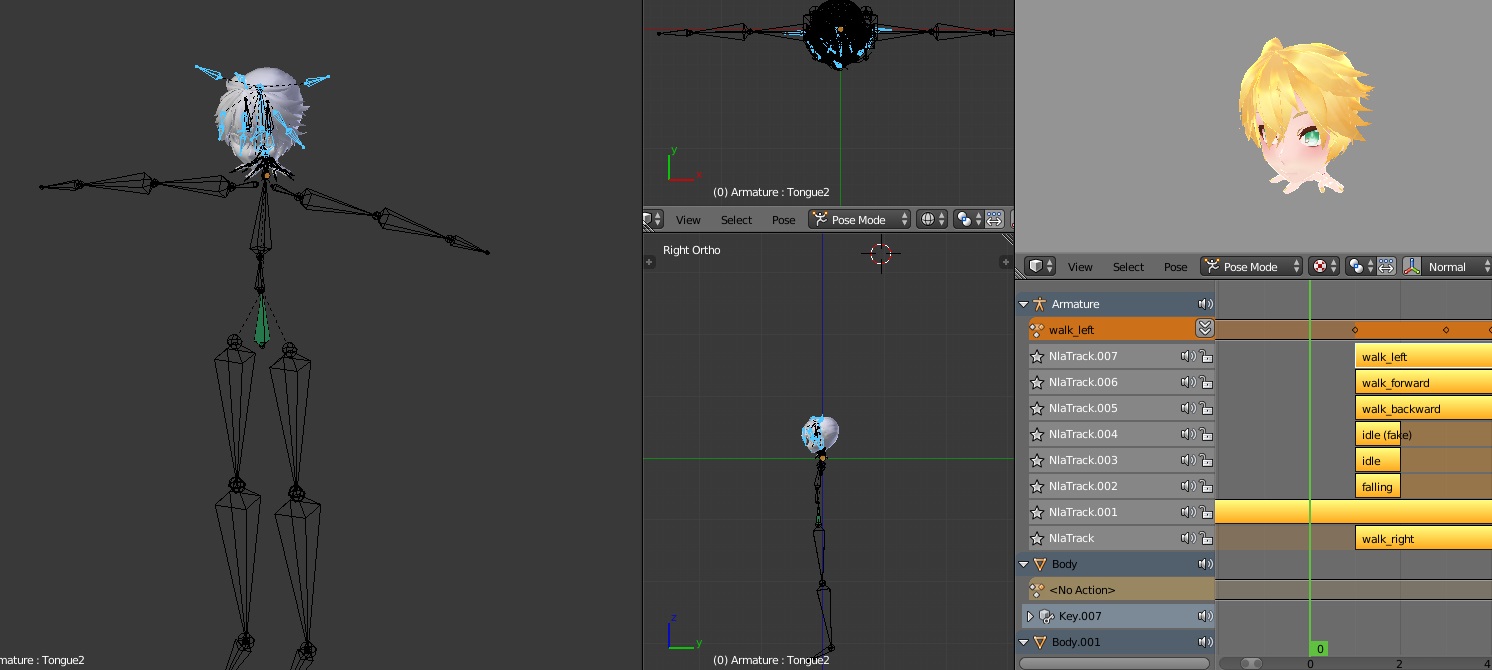


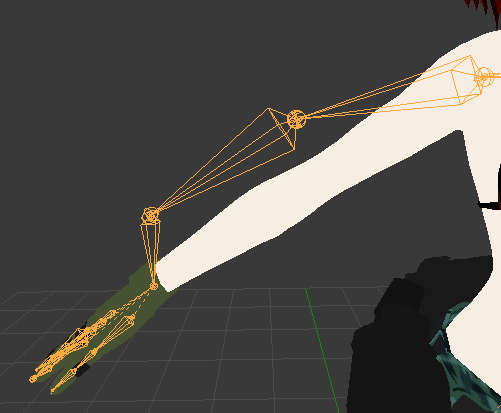


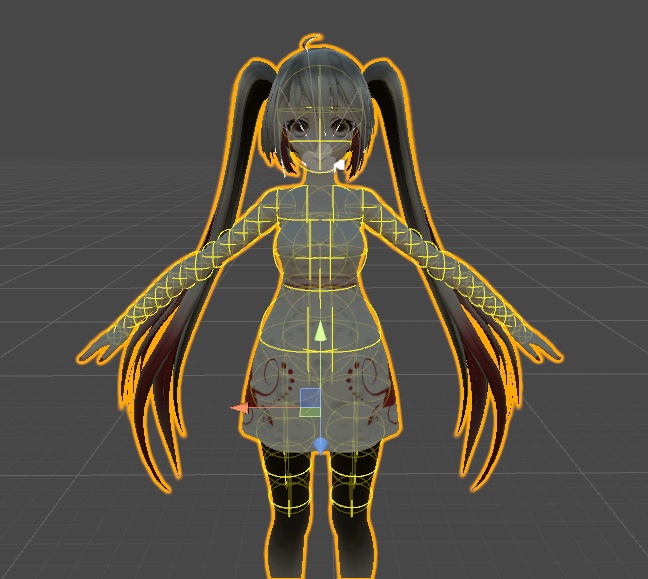

 cobalt cedar
fix now
also jesus that has alot of normals
how many materials does that model have
fading verge
18
cobalt cedar
that is quite a few materials
 proud wyvern
Is there a way to preview how an avatar's idle animation looks before putting it in VRchat?
fading verge
Well not much I could do, since it wasn't imported into Blender via CATS
The original file was a .mesh file
And the textures were a bit weird
The model doesn't even have bones for the eyes, which kinda sucks
cobalt cedar
I just had to fix a mmd skeleton that I didn't realise that cats makes unable to use vmd
the joys of forcing another skeleton on
lucid cave
oop I need help, I've heard of people being able to use buttons to change their expressions instead of vr, but on laptop, anyone know anything about this/ how to do this?