#avatar-rigging
1 messages · Page 92 of 1
 hazy tusk
:thonk:
 restive hill
i tend to use two bones: on head and skirt
 opal aurora
Make a collider for the hips, the upper legs
restive hill
hell, you can attach bones to root, then exclude spine and legs
hazy tusk
I'll try it, but please explain how not having colliders on the skirt makes it collide
opal aurora
Then go to your skirts' dynamic bones
restive hill
the BONES collide with colliders
 small zinc
Ohhh
restive hill
you set a radius on the bones, and those white circles are colliders
opal aurora
And drag the hip and upper legs as the colliders
restive hill
the yellow ones you attach as desired
so on the plus side, you can delete a whole bunch
hazy tusk
so all I should be required to do in this case is delete the skirt colliders
since I have hip and upper leg ones
opal aurora
No no no
hazy tusk
aaaaaaa
restive hill
i tend to have one bone for hair and skirt, and a couple colliders to keep them from clipping through badly
hazy tusk
yes
opal aurora
Just add colliders to the hip and legs
restive hill
i think you need to be really specific, exsgt
hazy tusk
 opal aurora
Alright good
hazy tusk
Thats been there
restive hill
i dont think he needs colliders on the skirt bones themselves, tho, just bones
opal aurora
So the skirt collides with the legs and hips
But they wants to move it with their hands
restive hill
oh, ok
opal aurora
So they do
hazy tusk
so the dynamic bone base should be on say, the root-skirt
opal aurora
I wish i was on my computer right now 
hazy tusk
But why doesn't having the base dynamic bone script work, say on the hips, not exclude the skirt, and then add the colliders there?>
opal aurora
Never add a dynamic bone itself to a hipbone by the way
hazy tusk
What's the issue if I exclude the otherS?
opal aurora
That causes some weird sitting glitches just a fyi
restive hill
ah
small zinc
It goes to all children of the bone you stick it on, right?
A friend used that on a scuffed Ridley model he had
restive hill
i gave up and did that, too many skirt and these models freak out in blender
opal aurora
Yeah, but even with exclusions it fucks it up
small zinc
flew around waving like a rubber toy
while blasting the theme music
was fucking amazing
opal aurora
Oh boy
restive hill
yeah, root dynamic bones with no exclusions is hilarious
small zinc
Have you seen the little rainbow weirdos that do it
the anime girls whose body besides the face is one giant rainbow
opal aurora
Wait untill you see people setting ludicrous X axis gravities on bones...
restive hill
i have big plans for making an intentionally horrific knuckles someday
opal aurora
Streeeetch
hazy tusk
I guess I don't understand why your suggestion would work, EXS
the colliders are there, the dynamic bose base has the radius
000kkkkkkkkkkkkkkkkk
restive hill
uhm, so how do you fix feet sinking into floor?
hazy tusk
ignore second line, am passing out
opal aurora
It's not the skirt colliding with the legs
hazy tusk
But I only want my hands to collide with the skirt
opal aurora
Okay so...
Basic roadmap here, question-answer
Do you want the skirt to collide with your hands?
hazy tusk
yes
opal aurora
Do you want your skirt to collide with your legs?
hazy tusk
matters not
opal aurora
then why did you ask us about it not working?
opal aurora
Oh then it's the hands that are broken... that simpler to fix
Select your skirt bones
Add the hands as the colliders
restive hill
what do you want the skirt to push away?
opal aurora
Lemme just tell you to copy that dynamic bone component and put it on every skirt root bone instead
Thst includes hair and tails
Lag caused by dynamic bones is frankly overreacted upon and as such, go for it
restive hill
ok, im not really seeing what i did wrong, to have chars sink into the ground an inch
how do you fix that?
opal aurora
2 possible ways
Either change the models' origin in blender
Or lift them up by the hip bone in rigging
You'll need to reposition the viewposition if you go via the lifting route
To do so, add a template avatar controller onto your model after rigging and hit play
Position the Y axis on your viewposition accordingly
hazy tusk
This is some bull that makes no sense.
opal aurora
Remember or copy that value and paste it after leaving playmode
restive hill
i thought i had the model standing on the XY plane in blender perfectly, but it didn't seem to carry through correctly
opal aurora
How to explain colliders even more explicitly...
Hmm...
Okay i got it
Whichever bone has a collider, doesn't collide with anything
restive hill
AHA
opal aurora
Everything else with that collider on them does collide with it
restive hill
blender is putting the origin underneath the XY plane
wait, why would that pull her down
opal aurora
My thoughts exactly
It also kinda depends on the maps' floor
I honestly can't explain dynamic bones any better jesus christ...
If your skirts dynamic bones have the legs as colliders, the skirt will move with the legs but the legs will not be moved by the skirt, same thing vice-versa
restive hill
also, putting yellow colliders on moving objects strikes me as incorrect
since moving stuff should be sliding off arms and legs
and you realy shouldn't have a whole bunch of dynamic objects all interacting with each other
better to clip and NOT lag out everyone with a potato
opal aurora
They can still function, for a more complex movement per example multiple skirt frills, bottom row interacts with legs, row above that with row bellow etc
restive hill
hm, this seems to be something new that blender is doing, my older model is fine
that would be one helluva skirt
opal aurora
Mhm
restive hill
im just happy if i can make transparent stuff work properly and not muck up the rest of the model
 mental lynx
It's saying my avatar using visemes doesn't have a specified face mesh
How would I specify this
opal aurora
Here's a tip for ye when working with transparency then
Go to that specific texture, and tick on the right "alpha is transparency"
mental lynx
I have it set to the body of the character, where the visemes are
OH
Thats a different model I forgot to erase the armature of
opal aurora
That should make your transparent adventures less painfull
And start using fade with it too, might do wonders
restive hill
oh yeah, i also use gimp and save as PSD, that seems to work MUCH better than png
opal aurora
Huh, neat
 crisp tendon
Less compression afaik
i'm using it instead of TGA, not sure if it makes a huge difference
restive hill
i just CANNOT get png to work properly with transparency and unity
opal aurora
Try what i told ye
restive hill
nothing wants to save as 32-bit or whatever
oh, i have a handle on it, i managed to get leafa to have transparent wings
crisp tendon
I've been stuck with animated texture for about five weeks, so image quality is the least of my worries though lol
restive hill
someone had one before, but they apparently gave up and put a rainbow shader on the entire thing
mental lynx
"This avatar is short. Probably shorter than you want。"
Excuse me, I know what I want, VRChat.
crisp tendon
Yeah my rubick would look great with rainbows everywhere ahah
opal aurora
Aren't targa images more compressed than png though? I could've sworn...
restive hill
i'd like a rainbow shader with more options, like having multiple colors and such...
but attempting to comprehend shader code just gives me a headache
crisp tendon
If anyone knows or knows someone who knows how to make texture move using a detail mask as a secondary albedo, please please please ping me, email me, knock at my door
opal aurora
I personally always use the source textures and work from there, but if there's ever any need for changes, my goto has always been png
 arctic glen
Hello!! I was wondering if anyone could help me with importing my model into unity? When I put the model into the space it becomes SUPER pixelated, and there is no plane/grid and no way to view it with the camera besides zooming in and out which doesn't do a whole lot.
Oh as well as that the textures aren't showing up on it
restive hill
uxieu, are you followingf tuppers tutorial?
arctic glen
yes I am!
restive hill
define "put my model into the space"
opal aurora
I know of a shader that uses 2 textures that display independently of eachother depending on illumination
arctic glen
Like how you have your fbx file in the assets, then move it into the hierarchy so you can actually see your model.
opal aurora
Or one that does the same but based on distance/position
crisp tendon
@opal aurora 
arctic glen
borked? like broken?
opal aurora
Yes @crisp tendon?
crisp tendon
What's that shader
oh wait, you mean on top of each othern, nevermind, it's 7am and i'm tired
restive hill
is the scene set to shaded?
crisp tendon
TIRED OF UNITY
opal aurora
Lemme find it real quick...
 cloud kiln
Hey guys, So. I'm trying to add glasses that will appear when I do a certain animation. But in-game they don't appear for some reason...
arctic glen
@restive hill I'm not sure, how can I tell?
opal aurora
 restive hill
pleh, i must have borked MY unity somehow
small zinc
For some goddamn reason I have two righteye vertex groups that control the right wrist.
What
restive hill
all my new avatars are sunk an inch down
small zinc
the fuck
 crisp tendon
Yeah i can't use that, but damn these are very very cool
could see myself use that in a world for sure
thanks
now i'll go slam my head very hard and fall asleep, cya later alligators
opal aurora
Hold up, lemme drop ya a playlist
 limber pine
Hello can anyone help me
restive hill
yes, someone can help you
limber pine
I have a model, but it has a bad bone hierarchy
restive hill
so fix it
opal aurora
 crisp tendon
That's one hell of a playlist damn
limber pine
fix it? omg. gtfo
crisp tendon
But i don't think i should even use a shader, i should be able to do what i want on the standard one, i just can't find out how, i'll figure it out at some point
restive hill
click. click. ctrl-p. click. repeat as necessary.
small zinc
What do you mean a bad bone heirarchy
opal aurora
Best of luck ruuubick
cloud kiln
Fkn hell, tried everything. Still my swaggy sunglasses wont appear when I do the animation
crisp tendon
@limber pine You can't ask for help if you can't provide basic information we rely on to help you fix it, give a basic question, get a basic answer
@opal aurora Thank you 
restive hill
yes, that is the long version of "so fix it" XD
limber pine
Isn't
restive hill
is.
limber pine
"I have a model but it has bad bone hierarchy?" basic information?
small zinc
As in
opal aurora
What is wrong with said hierarchy?
crisp tendon
🤔 🤔 🤔 🤔
small zinc
Type out exactly what error Unity is giving you
restive hill
yes, what are we supposed to do, drag information out of you like pulling teeth? im not getting paid to do that.
small zinc
I'm going to make a guess: Chest needs to be the parent of shoulders and neck, yes?
restive hill
hips>spine>chest>neck>head in thie one
small zinc
yeah
restive hill
she works fine, except for sinking into the hub floor
limber pine
"Spine hierarchy missing elements, make sure that pelvis, spine, chest, neck and shoulders are mapped"
Although rigging shows up fully green
small zinc
Oh, no, I meant for the bone heirarchy thing
Okay
on the menus on the right
all those 'dotted' circles
restive hill
oh
limber pine
And I didn't come here for idiocy, but advice. So I'd love if you could shut up smo
small zinc
those need to be mapped
restive hill
why did you bring all that idiocy with you, then?
small zinc
If you want detailed answers, Valentine, drop the attitude and ask detailed questions
smoo
Show me your feets
restive hill
not on the first date
opal aurora
That's where you lost me bud
small zinc
Do it tho
restive hill
im not sure, 3 models are doing it i think
limber pine
Drop my attitude towards Smoo who was a complete idiot to begin with? lol nah
small zinc
then you won't recieve help?
A lot of people come through here
It's tiring to deal with people who are going to be combative
limber pine
Oh, so he can be completely retarded towards me, but I can't say anything back
Lovely
 limber pine
And when I finally ask for advice all I get is stupidity
limber pine
So far I have always left "upper chest" empty
small zinc
Yeah, all the ones besides that one
limber pine
Even lower neck?
limber pine
wait a second.
opal aurora
Only things that aren't inherently necessary for the humanoid to function are, fingers, toes, upperchest, eyes and jaw
small zinc
Okay, on second thought my rule about that symbol is incorrect
@restive hill are the models similar at all
opal aurora
Everything else must be mapped out
small zinc
like
could it be a consistent issue with the skeletons
because feetbones are what I've been dealing with all day
restive hill
they're all MMD imports, but so is another that DOES stand right
limber pine
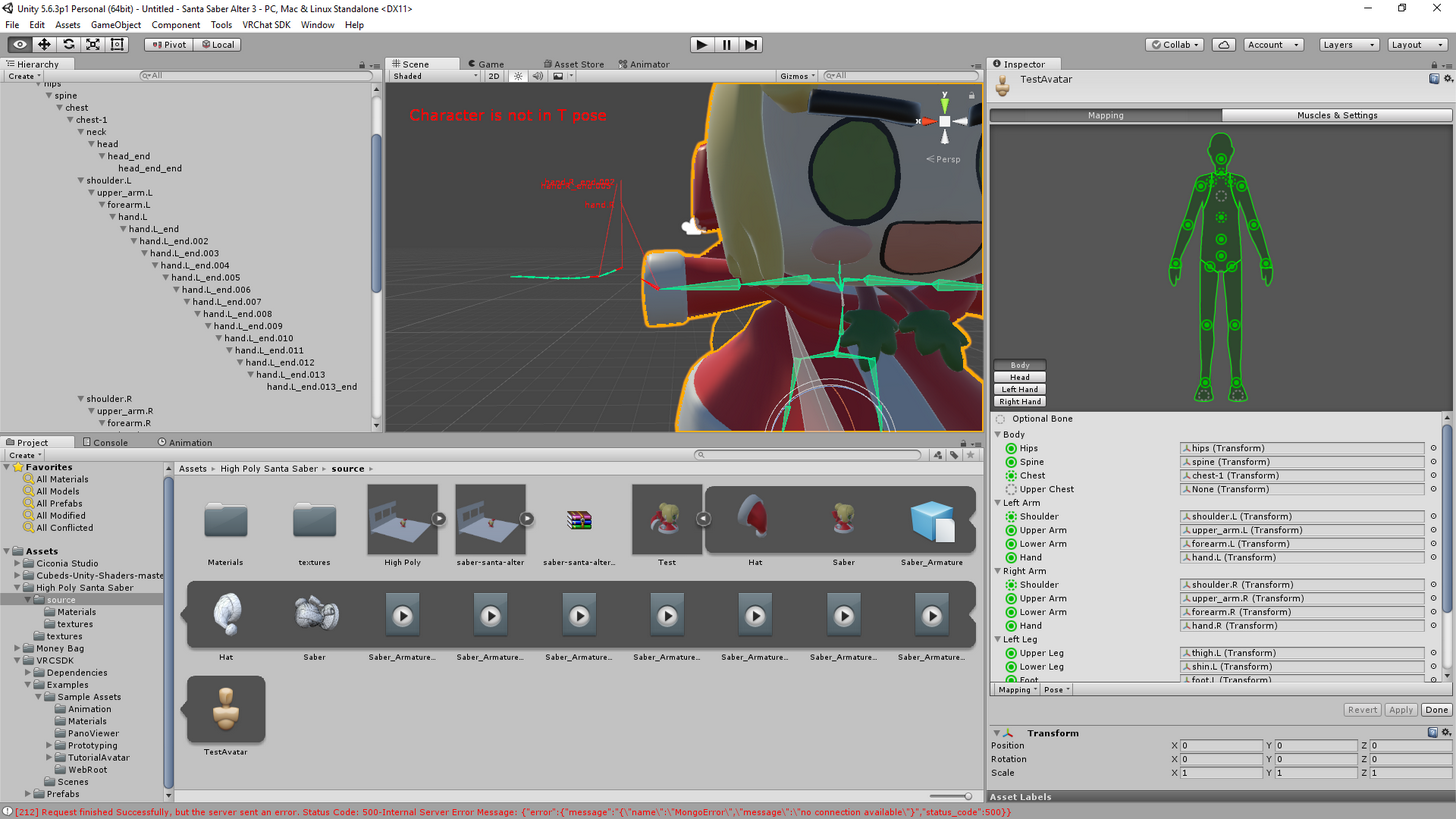
If I'm getting a message in unity, saying character is not in T pose, is that an issue?
 thorn willow
not really for me
small zinc
hmm
small zinc
You have checked them in Blender, right?
@restive hill just to make sure the bones are lining up?
sorry to keep tagging you lol
the conversations are hard to parse
restive hill
bleep
restive hill
probably just drag them up a bit and call it a day 😛
small zinc
If that works, it works
opal aurora
Only drag by the hip by the way
small zinc
I wasn't aware models had any actual bearing or orientation in unity-space that affected that
opal aurora
Only in rigging space
small zinc
You mean the source bone, right, EXSGT?
limber pine
The whole hierarchy is done badly, I'm getting yellow errors
small zinc
For those few who haven't deleted their root
opal aurora
Normal-Space is unaffected
opal aurora
And yes as that's the root bone
limber pine
I'm sending you a picture of it in a minute, if that's okay with you
restive hill
that's what she said
small zinc
I will beat you with a stick
arctic glen
I was wondering if someone can help me with textures in unity? They don't seem to be showing up on the model, even when they're in the textures folder I created
restive hill
... that's what she said
restive hill
and again
opal aurora
That too
small zinc
@arctic glen did you drag them onto the model
If the Uv map is correct you should just be able to pull em onto the mesh
arctic glen
@small zinc I didn't drag them onto the model, I'm following Tuppers
opal aurora
@arctic glen delete your materials folder
arctic glen
-Tuppers' tutorial and he just created a folder and dragged them in
restive hill
unity makes a "materials" directory, i stuck stuff in there
limber pine
http://prntscr.com/i8zwic @small zinc
 arctic glen
@opal aurora I might just be stupid, but I can only find an option for reimport. There's a delete button, would that do the same thing?
opal aurora
I see a camera in there
opal aurora
@arctic glen where?
small zinc
chances are they'll probably affect nothing at all
limber pine
Thanks
small zinc
If you do start getting weird shit though
arctic glen
@opal aurora Nvm I just misread your last comment. I clicked reimport but It didn't remove the model or anything
small zinc
you're gonna have to go a lot deeper
because your skeleton probably has additional bones with weight painting you'll need to remove
opal aurora
@arctic glen oh no no, it was just for it to re-make your materials
With the right textures
arctic glen
@opal aurora Oh ok! So now that I've done that, what should I do next? Nothing seemed to change about the textures, they're still not there.
opal aurora
Did you delete the materials folder before reimporting?
arctic glen
@opal aurora No, should I have?
arctic glen
Ok I did so, still no textures. I have the PNG files for the textures, should I put them into the materials folder?
opal aurora
Not really, but that's quite odd...
limber pine
Now it's not showing up in VRChat, sigh
opal aurora
Are your texture names broken?
small zinc
Valentine, that's n ormal
restart your game
or wait
a lot of things get uploaded and have to process
opal aurora
Like, a garbled mess
arctic glen
@opal aurora Ya I've never really had this happen to me when importing a model. The little balls that are in the materials folder are all white. And no, they don't seem to be a garbled mess. They have comprehensible words and stuff.
opal aurora
That is quite odd...
Well since they are comprehensible
You can simply manually add them onto the materials
arctic glen
@opal aurora Although some of the textures came as png files, while others came as tga files, so I converted the tga files to png files, but I don't feel like that would make a mess like this. and how would I do so?
opal aurora
Yeah changing their format shouldn't screw with anything i think
Select a material
Under the inspector on the right you have main texture or something similar
arctic glen
What do you mean by main texture? Like the ball?
opal aurora
Click on it and find the right texture for that material
limber pine
How much does it take at max to appear
opal aurora
Can you screencap your inspector when you select a material?
arctic glen
Ya! one sec
arctic glen
@opal aurora https://imgur.com/Yw1upnW
 arctic glen
@opal aurora When I do that, none of the textures from the original model show up, they just seem to be some weird random textures that I haven't seen before?
opal aurora
I wanna check locations here
arctic glen
Oh well the textures aren't in the original model's folder, they're just in my downloads. Should I put them somewhere else?
opal aurora
Uhm...
arctic glen
Like I just have the textures somewhere else, not in like the folder they originally downloaded in
opal aurora
Make a folder next to your materials folder
Directly next to it
Call it Textures
Shove all the textures into that folder
Delete your materials folder once again
And try to reimport
arctic glen
Ok that might take a sec, I'll get back to you when I finish doing that
opal aurora
Aight
 arctic glen
@opal aurora But when I go to the materials, the textures are appearing in the albedo thing! So I'll try now following the way you explained previously but selecting the textures onto the ball
thorn willow
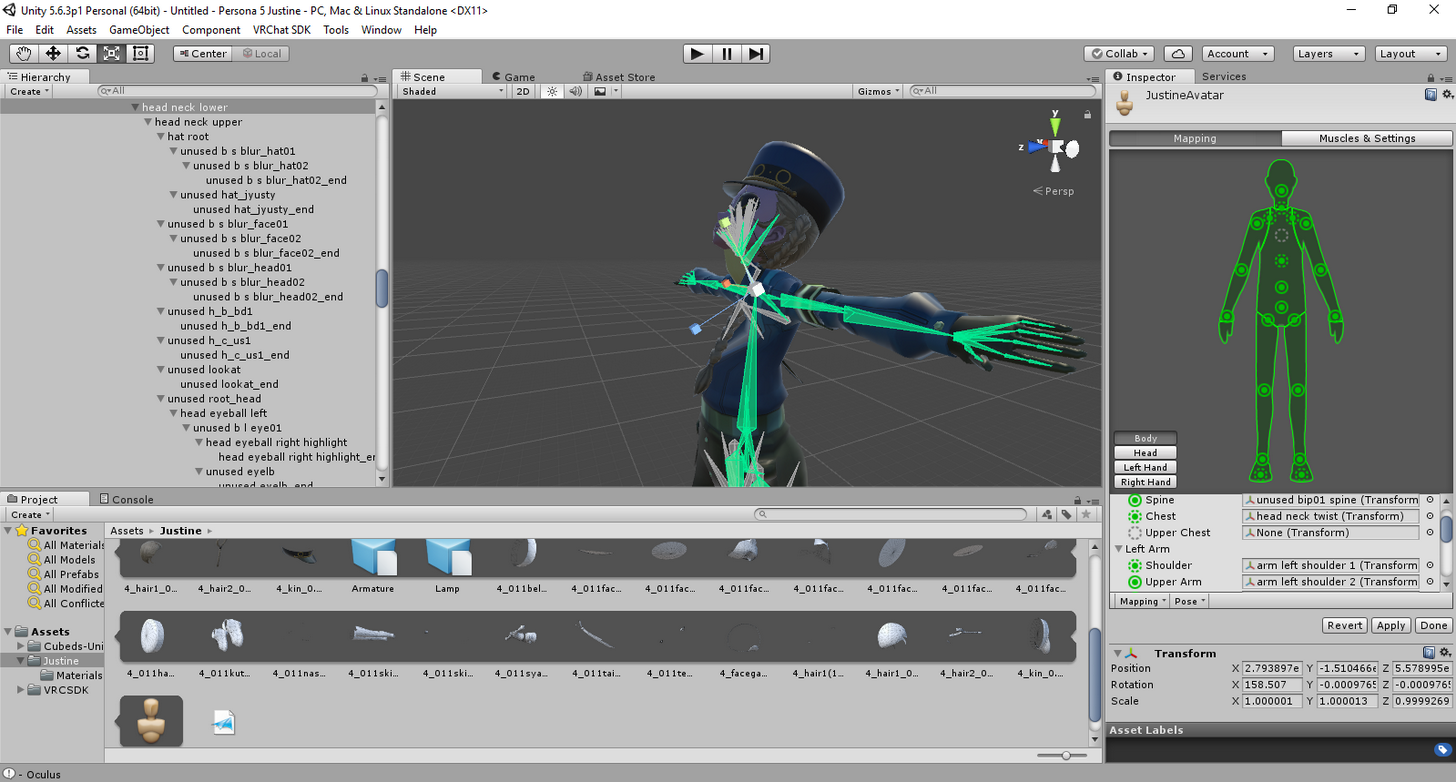
apparently the Justine model I have
has a REALLY complicated skeleton
and I thought the FO4 NCR Ranger guy gave me nightmares about its bones
arctic glen
@opal aurora Ok they all seem to be there!! Thank you so much for your help!!! Sorry I'm a lot of obvious questions, I'm still learning how to use blender and unity
opal aurora
No worries, i'm glad it's working now
arctic glen
@opal aurora If you have any more time to try and help, there is just one little thing that seems to be a bit messed up with the model. It's not a big deal, it's just that a big chunk of the ear seems to be missing on the model, when it looked fine in blender
 opal aurora
That i'm not so sure about...
thorn willow
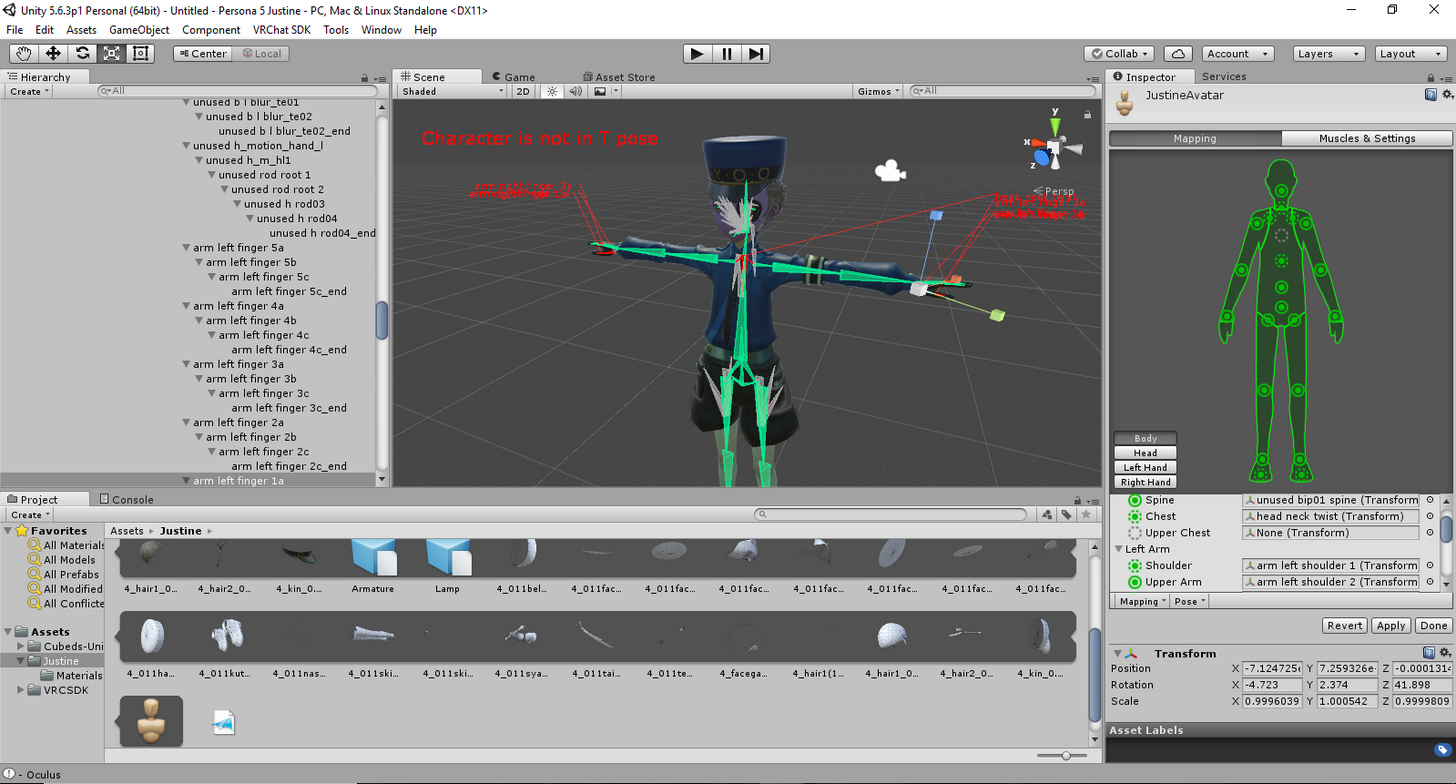
THAT'S A BLATANT T-POSE, WHAT THE HELL DO YOU WANT UNITY
 lavish latch
For some reason it's fine in preview and in Blender but as soon as I go to rig/animate my model I get... Would love some help! Thanks ❤ https://cdn.discordapp.com/attachments/406330700824969216/408874104024727562/unknown.png
 arctic glen
@opal aurora O ok! That's fine! It's only on the ears so It's not a huge deal and it's not super noticeable. Again thank you for all your help!
opal aurora
No worries
thorn willow
and since Unity yells at you that it aint T-pose
its bound to have a lot of problems...wooo boy
blatant T-Pose yet Unity complains it anyways
welp
seems to be a non-issue after all
Imma test this one to make sure if its working right
limber pine
Still didn't show up, sigh.
lavish latch
One of the bones got moved out of position in Blender, I fixed it.
Not sure if this looks good though... https://puu.sh/zeV2L/73980374b1.gif

 high stream
Hello i am super new to this but i am excited to press forward while rigging a avatar is there a way to make the clothes not come with it?....... https://gyazo.com/ba75c7d3b512074eb088af84241aa29d
 thorn willow
I uhhh
made the biggest fuckup of my life
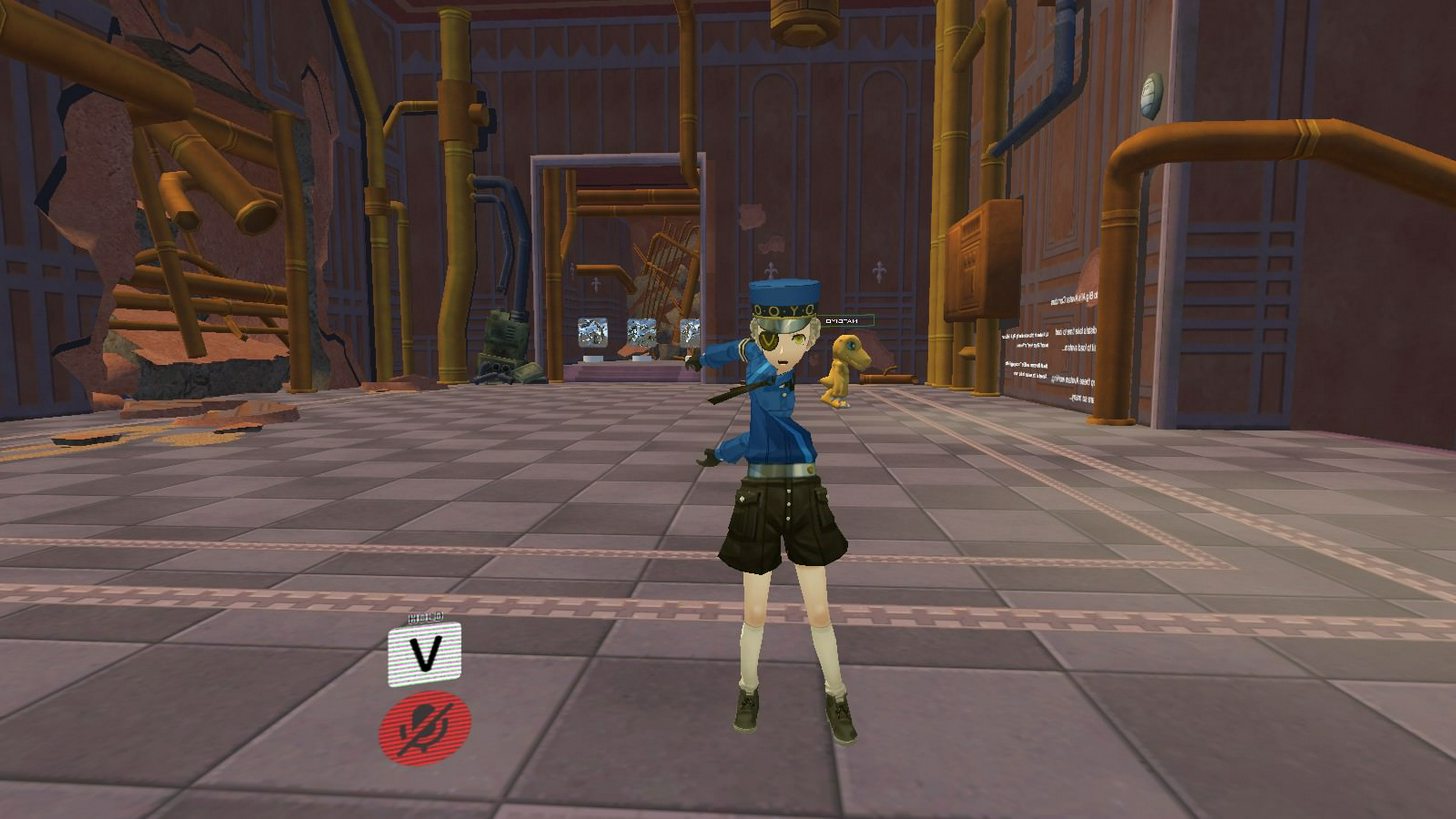
all because of this damn model's complicated skeleton
 modern dragon
(@FPSGamer) Maybe try to move the end of the armiture a bit further away.
 coral relic
@high stream go into weight paint mode for that bone and remove weights from the skirt (paint it with zero). Actually it might be on any of the arm bones.
coral relic
look like the under-the-neck bone has wrong rotation or roll, should be a simple fix
thorn willow
that's the main issue
the amount of bones in there is like all over the place
I dont even know where to start
coral relic
it's the neck's parent
can you grab a screenshot of your rig with names visible in blender?
thorn willow
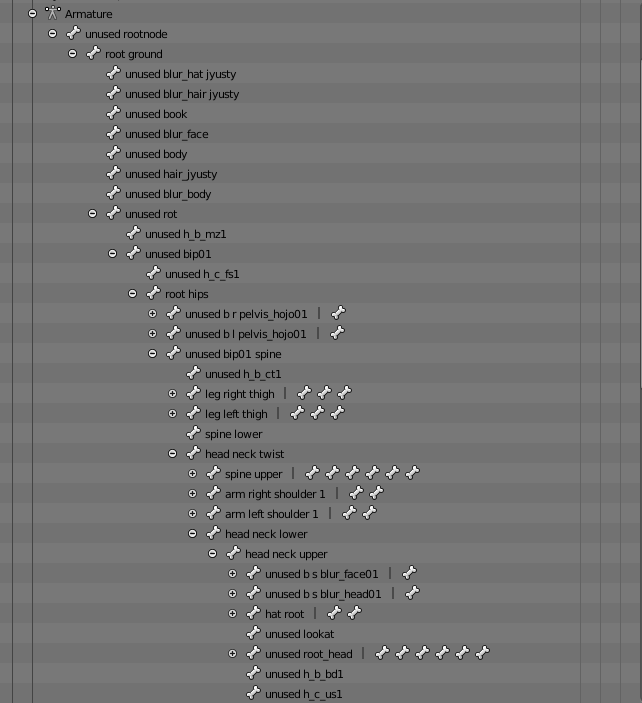 thorn willow
it is
 dire mica
Oh boy
thorn willow
and I thought the FO4 NCR Veteran Ranger
gave me fucking nightmares
because of his skeleton being literal spaghetti code
thorn willow
or doing black magic shit in Blender
 fading verge
Blender has nothing to do with spaghetti
 jovial dune
Somebody touch mah spaghet
dire mica
🍴
fading verge
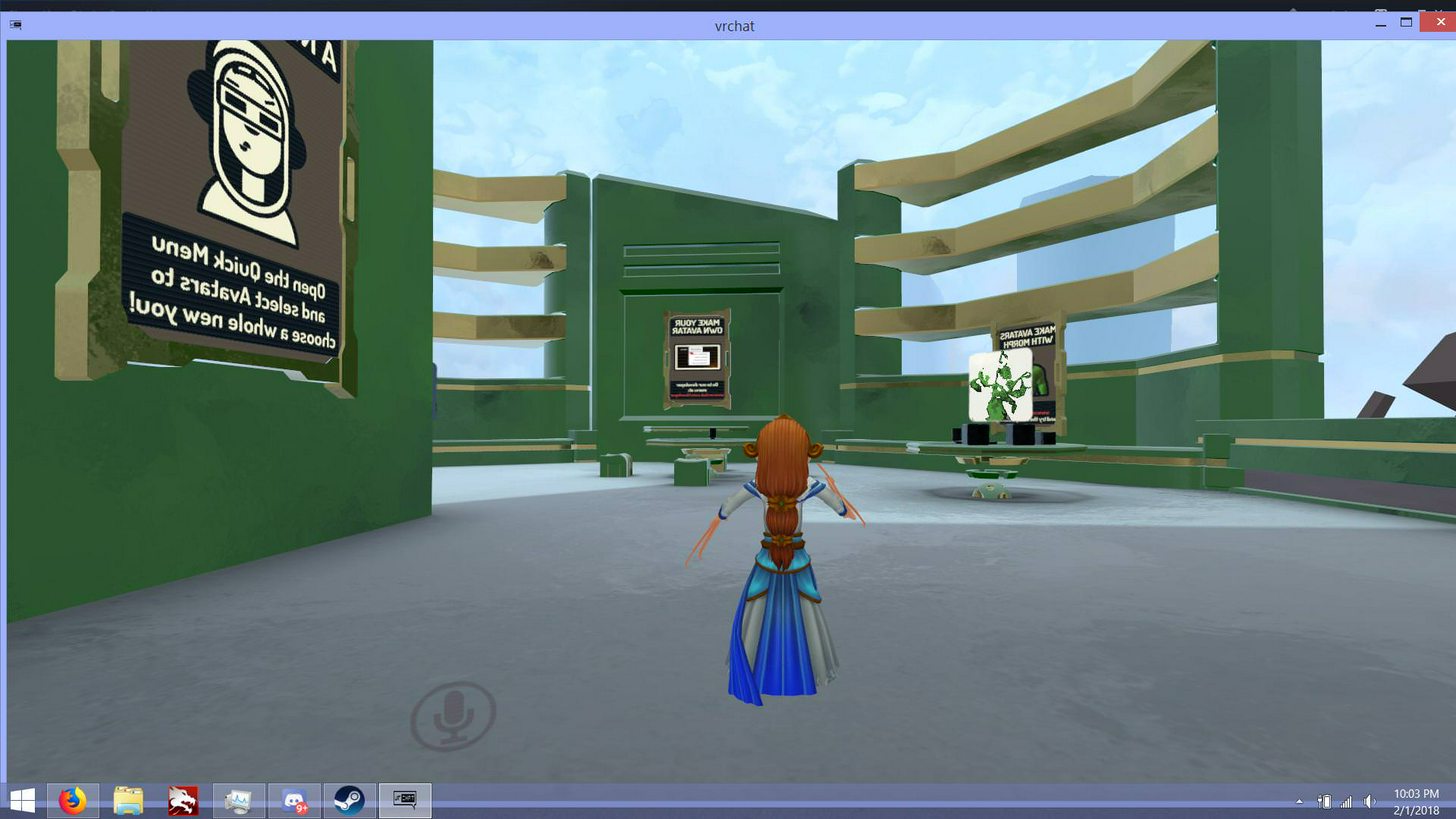
Hey everyone, Im importing a smite model, when I import into blender and unity it looks fine, but in vrchat it appears backwards and the hands a messed up. https://i.imgur.com/BSBoD38.jpg
I tried fixing this by hiding the mesh in blender, deleting all bones, making a new skeleton with mixamo. The model faces the right way now but stuck in tpose. https://i.imgur.com/dzTqebg.jpg
My issue is that Im selecting humanoid for the animation type, but scylla doesnt have legs, and having full lower body bones makes the dress bend in wierd ways.
If anyone has any idea of how to help Id appreciate it.

 steady spruce
does anyone have any custom emotes i can have i really want the caramell dance animation
lavish latch
Anyone want to help me fix this misplaced bone?
 gloomy loom
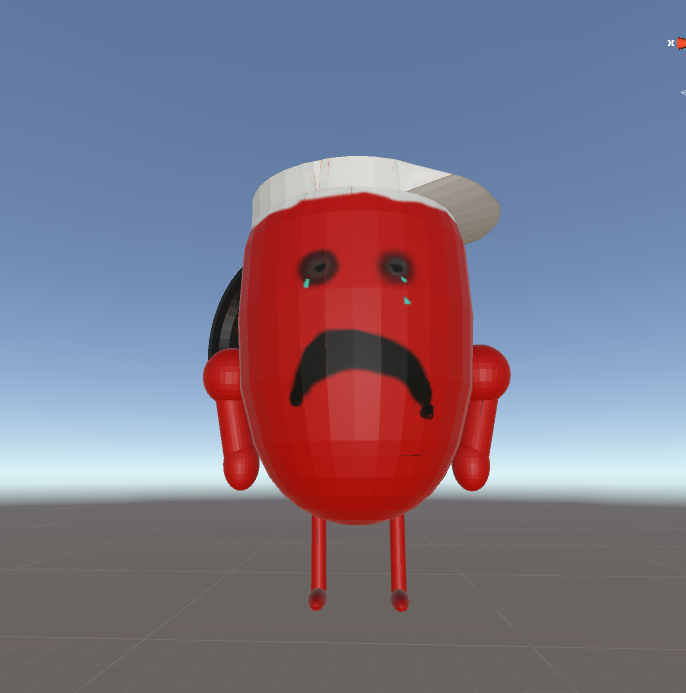
lmfao
its suppose to be a badly done version of the koolaid man
but im debating on rigging it or not
dire mica
It would be a good experience
jovial dune
It definitely is what you wanted it to be
dire mica
It would stay in that pose if you walk around
Because I am assuming that you have no bones at all?
dire mica
Imo this seems like a good first experience since it seems fairly simple
You can also leave it as it is but do keep in mind that when you walk around in vrchat, you will be in that pose
gloomy loom
ive done rigging before my dude 😛
fading verge
if youve done rigging before< ay idea on whats wrong with my model @gloomy loom ?
 rotund lodge
I have a model with 4 arms. 2 in front, 2 in back. However, since 'Humanoid' in Unity only allows for one set of bones to be linked to each arm, the back two remain in a T-pose in VRChat. So I was thinking I could link the bones or such in Blender with either CATS or just Blender itself so the back two arms will folow the front two arms. (eg, if the front two reach, back two do the exact same)

But I'm not sure how to actually do such
fading verge
alright Ill look into it thanks
thorn willow
weight painting in blender
gloomy loom
and rotate the model
rotund lodge
Is it possible to merge/parent/whatever
the four arms
so that each side (front left + back left and front right + back right)
move together with each other
without weirdly glitching out the back two
the bones are there in all four
fading verge
@gloomy loom so just to make sure, If I use the mixamo bones (tpose) scylla in unity, give her legs so she fits the humanoid requirement, but paint her leg bones to have no weight it wont move the mesh right? My goal is to have only a moving upper body and not a lower body
coral relic
someone correct me if I'm wrong but I think unity throws an error when you have zero-weight bones. You could either add some decoy vertices that won't be visible or override animations with ones that have static legs.
fading verge
alright thanks for the warning, Ill probably do a decoy with the lowest value weight selected
lavish latch
@rotund lodge May want to look into this https://docs.blender.org/manual/en/dev/rigging/armatures/posing/bone_constraints/introduction.html
Because I know that Blender has a constraint that makes bones copy eachothers rotations but I'm not sure if this would be what you need.... https://docs.blender.org/manual/en/dev/rigging/constraints/transform/copy_rotation.html
rotund lodge
Thank you, that seems like it could work
I’ll test it later today and let you know how it went!
 balmy solstice
I feel like quitting now, The basis mesh has an open mouth and the closed mouth is one of the shape keys, I want to reverse that, but I have no clue how, and not knowing how is driving me mad, and I'd rather not be told to look at a tutorial because my mind doesn't absorb any information from it and it drives me up the wall
coral relic
@balmy solstice in object mode make sure all your shapes are set to 0. click the little arrow to expand options and select New Shape From Mix. You'll get a new shape, name it mouth _open or something.
Now with Basis selected go into edit mode, select all (A), press W and select Blend from Shape. On the tool panel to the left choose the mouth_closed (whatever it's called) shape, blend=1, 'Add' checked. Mouth should be closed now in Basis.
You can delete the closed mouth shape.
 balmy solstice
@coral relic The mouth doesn't open anymore rippe Argh it's infuriating
 latent patrol
It seems to turn the entire eye region black
coral relic
@balmy solstice give me the file, I'll fix it for you
fading verge
what are the recommended values of dynamic bones for skirts?
 hoary torrent
my avatar's mouth is wide open in the unity t pose when it shouldnt be ;;
@fading verge Clothes:
Update rate: 120
Damping: 0.2
Elasticity: 0.005
Stiffness: 0.9
Inert: 0.5
fading verge
thanks
hoary torrent
it's also trial and error with dynamic bones so i advise altering around that
but try that first because that's pretty standard
anyway uh idk why my character's mouth is wide open in unity in the t-pose it's kinda creeping me out
fading verge
odd
 faint rapids
Does anyone know what could be wrong here?
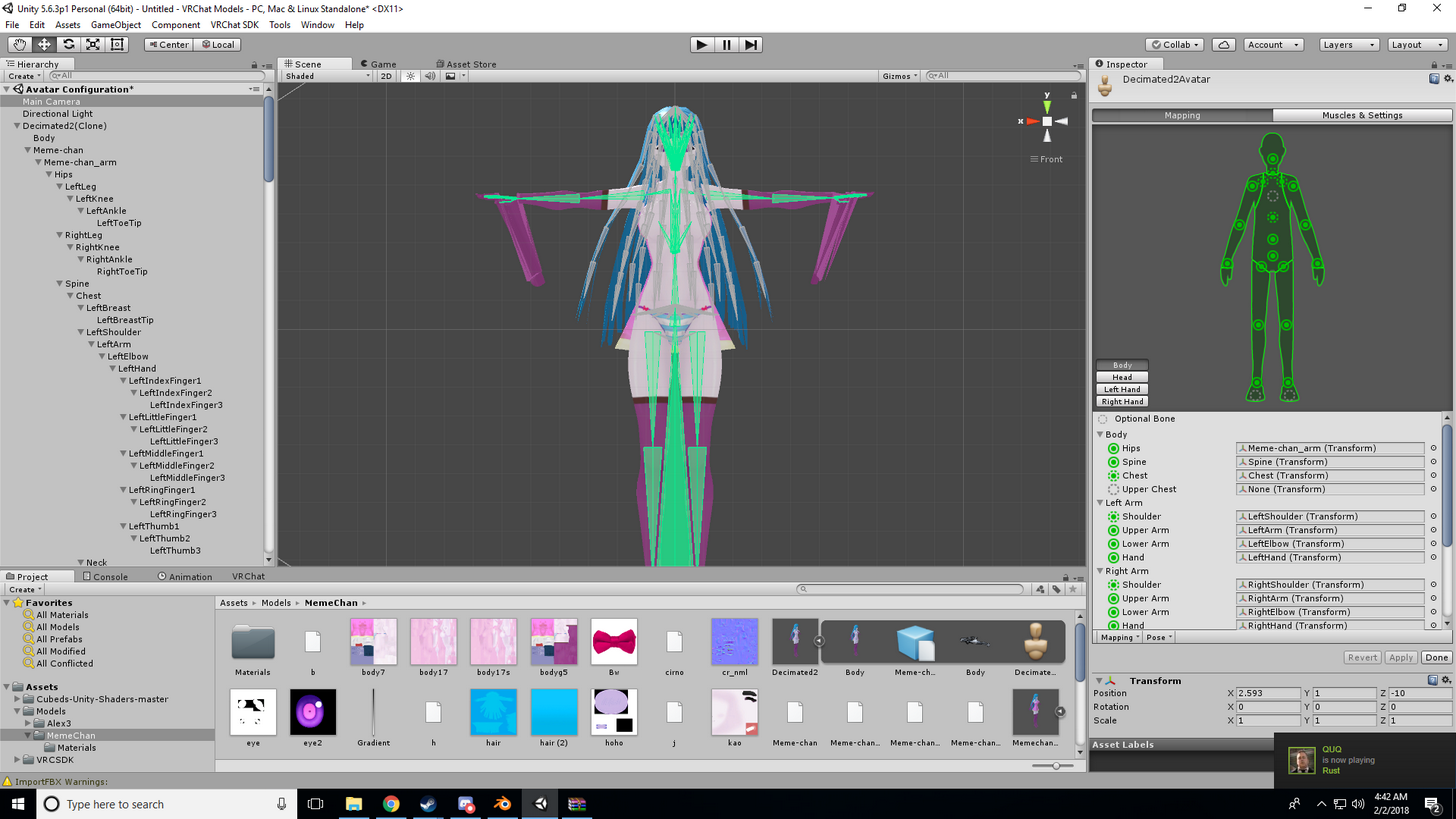
the hands are fucked
there's a second picture in that link of the bone structure in blender
opal aurora
@faint rapids weight paint
faint rapids
@opal aurora excuse me for sounding dumb, but what's that?
opal aurora

Quick intro and guide to skinning/weight painting. this video is meant for those with a basic understanding of Blender
It's not dumb to not know something, you just never had to deal with it untill this point is all
faint rapids
@opal aurora thank you for helping me. I'm in the middle of trying to fix it rn
opal aurora
Good luck

 zealous comet
I assume that's my issue too.
https://cdn.discordapp.com/attachments/408941793413955586/408960011734089728/ave_pose.png
 opal aurora
@faint rapids be careful when weight painting, if you look at your character, the hair seems to have been weighted by the hand bone
balmy solstice
why is it the previous sdk they released always seems to be far more stable with uploads than the current sdk
faint rapids
Oh yeah i know, i saw that but at least i know that source of the problem now
balmy solstice
@thorn willow I dunno, it's quite easy for me
faint rapids
What exactly does auto normalize do?
opal aurora
It balances weights between bones
So if you used 100% weight on that hair part with the hair bone, only that hair bone would have influence over it
It's alot easier than removing excess weights in my opinion
faint rapids
Alright, Thank you again 😄
@opal aurora is there a way to quickly remove all the weight influence from one bone at once?
opal aurora
That i'm not sure about unfortunately
You can however separate the mesh by materials/loose parts and weight them individually from there
 valid rapids
do people know about the trick for easy perfect avatar descriptor alignment?
I use the t-pose avatar controller to snap the avatar into the place it would be in game, usually the mesh shifts a bit as the game snaps the bottom of the foot bone to the ground plane
then you can put the avatar descriptor ball directly in the mid-point between the center of the two eyes
so it spawns the VR cameras exactly in the right place inside the eyeballs
I see people throwing one-size-fits-all numbers around, or rough estimates like "inside the head" or "somewhere in the forehead" but it rarely comes out perfect unless the dev has VR and the patience to iterate a couple of times
I've found that my method has been reliable and accurate on every model I've tried
faint rapids
I put the viewport for my model right on the bridge of most of my character's noses, level with the centers of the eyes.
I don't get why epople would ever put it inside the head. you end up seeing the mesh, especially inside of vr
valid rapids
you don't see the mesh, the head is removed when you're in first person
more accurately, the head bone, and all child bones are scaled to zero
faint rapids
It's happened a few times, with special characters. that's why i put it on the bridge of the nise
nose*
valid rapids
it happens if you have stuff in front of your face that isn't a child of the head bone
 tawdry tundra
Hey guys i dunno if anyone could help me here but i've come to a loss, i have two models i want to put into unity, they both are DAE files
the head has the skeleton rigged to it already and the body has a full skeleton rigged to that as well.
any idea how i would go about rigging the two object together so they work ?
 dusk pilot
Import both in blender and join them control j. With both of them selected. Then export as an fbx and use that

 little frigate
oopsie
tawdry tundra
Yeah doesnt seem to work, the skeleton doesnt scale up and the head bones are parents to the other model so it just complains. im such a noob at this lol
dont know if there is a way, ive spent the last day trying to research it but with no luck, i have the 4 models here "top,dwn,glv,sho" all with object groups in them and n_root is the skeleton for each model, just cant get them to work together, i can only edit the original singlualar skeleton https://cdn.discordapp.com/attachments/354571249793630228/408994042018529280/unknown.png

 idle axle
Any one can help me?
Cant build and Publish
I can't upload the chacter and I dont know why it doesnt work.
https://i.imgur.com/QgA1m4i.png
What I did:
I have the correct version of the build model, I try to change to a newer version of unity. didnt work.
I am fully up to date with the SDK.
Removed the audio, it still give me the error.
Make it a little bit taller, around the same as my other uploaded avatars.
Looking the error up on google, but nothing related to the problem.
Info: It is a model from dec previous year. Created on version 5.6.3p1.
Other characters works fine and well in vr chat.
prefer i want to keep the audio ofc
 tawdry tundra
@inland night so id have to join the meshes outside of unity and some how combine the bones?
@inland nightoh god that sounds like a nightmare
 neon quiver
I like how vrchat is easier to rig then second life. Omg.
tawdry tundra
Guess i got some googling on how to reparent bones in blender
neon quiver
Is there a way to reweight one are of bone instead having to repaint weight again?
Example. Need to fix the leg then go to wight to obeject etc.
If that makes sens
Like i forgot to add something to the model. And need to add it to the rig bones.
 native isle
I got my eye tracking to work, but the eyes look down a lot. It's like their default postion of looking is down
Anyway to change that?
 gleaming falcon

Google Docs
Name the armature “Armature”. Name the mesh containing both eyeballs “Body”. If possible, make the whole head or avatar a single mesh. Name the bone hierarchy like this. Bones not mentioned can be named whatever. IMPORTANT: You cannot have any bones interrupting the hierarchy. For example, you ca...
A good guide from my awesome friend @pale hull
native isle
Thank's
 distant nest
Does throwing a model through Mixamo work well enough for most humanoid models or is it preferred to take it through Blender first regardless?
small zinc
When you're rigging fabric for dynamic bones
is it preferred to have one bone weighted to the whole piece of fabric
or multiple?
 tight frigate
Lower left leg is not first child of upper leg or Foot is not first child of lowerleg: you may have problems with shin rotations
Is this okay?
Gives me a warning so i'm guessing it's not gonna be too bad
small zinc
You'll be fine
it's just warnnig you that if those other bones control the weight painting of the arms you're gonna get messy
usually they're zero weight thoguh
tight frigate
I have the extra vive trackers. My leg wont go nuts will it if i lift my leg?
I had to butcher the thing in blender to get rid of stuff that i didnt want from the model
small zinc
uhhh
I can't say for sure
but it shouldn't go too wrong
so long as the model has proper painting to all the leg components.
 summer wren
I changed bones in blender but fking unity refuses to acknowledge the changes
coral relic
What do you guys think about this foot bone placement? It's nothing too bad but I feel like her shoes sink a bit into the ground. I realize that the base of feet bones is used to determine the base of the avatar, should I move feet and toes down?/Only feet?/How much? https://i.imgur.com/B84tQTR.png
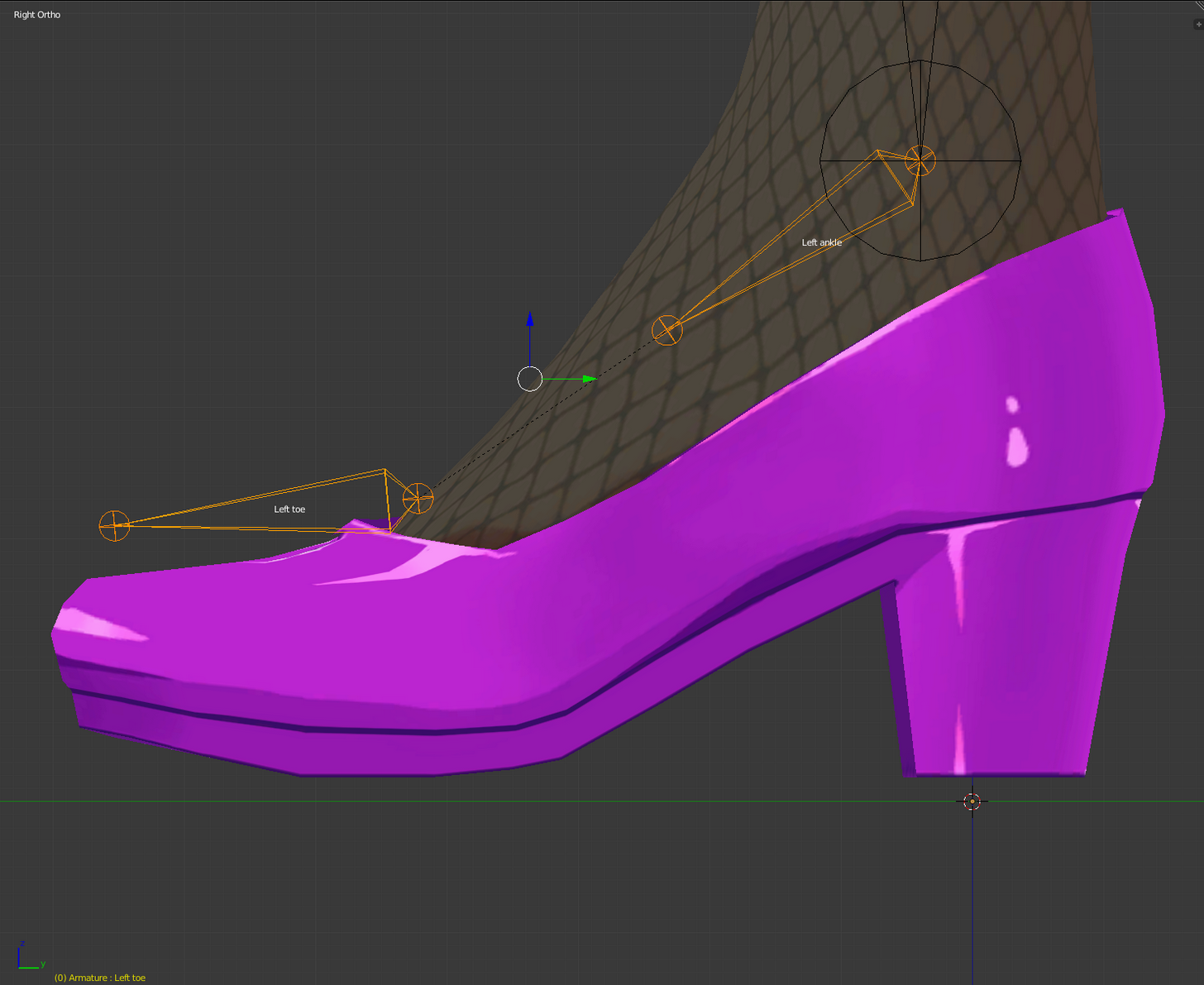
@summer wren try Pose -> reset
in unity
summer wren
I know, doesn't work
I made 2 bones longer but unity doesnt update those bones and they stay the same length
even in a new scene
new fbx
doesnt matter
unity is retarded
coral relic
how do you determine that? by next connected bone placement?
I mean, not sure if unity cares about single bone's lenght unless it's zero
summer wren
I made the knee bones longer in blender so it actually matches the model
coral relic
like I said bone length doesn't really change anything unless it's tail moves next bone's foot
coral relic
so what you're saying is you changed ankle bone's position
summer wren
yea
Well I found a work around that somehow worked
So nvm i guess
still unity is being stupid sometimes with bones which annoys me
fading verge
anyone here willing to take a look at this avatar im trying to rig for eye tracking?
everything seems to be working correctly, but yet- ingame the eyes dont seem to be moving by themselves. ive tried setting both oldL/Reye and new L/Reye ones in the rig to test them
and still not seemingly working
ive asked earlier in #avatars-2-general but seems no one knows the answer there
really weird honestly, everything is correct from what i see
all my models that have the 3 prerequisites work
my previous avatar required no blinking and with mutiple tries i got it to work
but for this one however it just wont even move- like tf
coral relic
@fading verge have you seen this? https://docs.google.com/document/d/16qShrTHu5dL-luirrnMqp4EpAXjTYS76hsc_9fBVJEE/edit
Google Docs
Name the armature “Armature”. Name the mesh containing both eyeballs “Body”. If possible, make the whole head or avatar a single mesh. Name the bone hierarchy like this. Bones not mentioned can be named whatever. IMPORTANT: You cannot have any bones interrupting the hierarchy. For example, you ca...
fading verge
i have actually
coral relic
does eye testing in CATS work?
fading verge
yep
even the bones are faced upwards
with all the checklist in order ... are you sure you've been testing the most recent version you uploaded?
yeye
the latest sdk n all
because like I said, if those things are met and the testing works fine, it will work
hmm 😐
i wanted to add in blinking, thats why ive tried the eye tracking first
since someone told me it requires the tracking mechanic to work?
yes it needs the keyshapes generated for eyetracking
ah
i see
coral relic
no blinks without shapekeys.
keep that handy too https://docs.google.com/document/d/1BvX_OdEilbJ7wEcvd5MRA1g29NGCAp3G3nHGp73t_CQ/edit?usp=sharing

Google Docs
Overview VRChat has very anal eye tracking. This document attempts to describe it, and a basic solution to implementing proper tracking eyes. Requirements VRChat won’t enable eye tracking at all unless three requirements are met: The bone hierarchy Hips->Spine->Chest->Neck->Head->{LeftEye,Right...
there's some more info
fading verge
i know
coral relic
that's another one
fading verge
hm?
 earnest rivet
Hm, my walking animation isn't overwriting
fading verge
oh well, guess my hopes are gone for this avatar
well if anyone wants to take a look on this avatar with eye tracking, just dm me
 pine harbor
would anyone know how much processing power that unity's cloth feature eats up compared to dynamic bones or excessive meshes/draw calls?
gleaming falcon
@pine harbor Not sure on processing power for cloth, but I heard 1 script for dynamic bone script is 1 drawcall
 opaque river
This Upper chest issue is gonna make me go insane
pine harbor
ah, thanks for that -- got a couple of rigging ideas on my end, but trying to figure out which ideas to avoid or refine down
fading verge
So, what do you guys think of this! https://imgur.com/cAnE0zN
I wanted to put gesture overrides on this model, but it doesn't have any hands, so I was told to create dummy bones for my non existant fingers
I'm lazy, and just extruded the last bone 12 times ><
 ruby crane
I have a question pertaining to the Unity Asset Store's 3D models
I heard that the one I want is already rigged, but I want to be certain whether or not I'll have to animate the thing myself.
Like through Mixamo or Blender
I'm an amateur at these sort of things, so forgive me if any of it sounds dumb.
opaque river
Been trying to get the stupid Upperchest rig thing fixed but I cant, I done everything, i give up
It's been 9 hours and im tired
ruby crane
Ignores my question
Let me rephrase.
If an avatar is rigged, can it work in VRChat?
No no that's not the question!
Okay. If the thing is rigged, do I have to animate it myself?
restive hill
If you don't use custom animation, you get the basic set
ruby crane
I know what I want to ask, but I don't know how to do it.
No no no no no, Smoo....
DO I HAVE TO GO TO MIXAMO TO RIG IT MYSELF IF THE UNITY THING IS RIGGED ALREADY?!
I DON'T WANNA POP UP IN VRCHAT AND JUST BE A STIFF AVATAR FLOATING ALL OVER THE PLACE
restive hill
Caps lock
ruby crane
I had it stuck
pine harbor
rigged as in, armature and vertex weights set up?
pine harbor
if it can be set to humanoid, then no, you probably don't need to -- but without knowing any further, our guess is probably as good as anyone's
restive hill
Look up Tuppers tutorial
ruby crane
I don't need a tutorial
restive hill
It is excellent
ruby crane
I just wanted to know if the model is rigged, do I have to go to Blender or Mixamo and rig it myself?
distant nest
No, go straight to Unity.
ruby crane
I just don't want to upload a mistake.
restive hill
You just SAID you're new
distant nest
If you're new there's no reason not to watch a tutorial.
ruby crane
I'm not new to the process, I just.. damn.. I just wanted to know one thing
restive hill
I followed it for like my first three
ruby crane
Doesn't know just one thing
Looked at like a noob
When I said I was an amateur, I meant to the whole programming termonology.
Termonology
No. I can't spell that.
ruby crane
Thank you.
restive hill
On my phone so my ability to Google stuff is limited
ruby crane
I guess all I wanted to know if I had to do any extra steps between buying/downloading from the Unity Asset Store and uploading it to the Unity environment.
Even if she is a humanoid and is set as such
restive hill
I suppose it depends greatly on the model
ruby crane
I would show you the one I want, but I feel like it won't be unique to just me afterwards.
I feel like someone will end up being like "oh I got that money I can buy it and use it"
restive hill
If you bought it from a store, it will never be unique to you...
ruby crane
Okay, fine, but I meant on VRChat
Smoo you're going to have to excuse my large e g o
I think of myself too highly when I know it's wrong, but me and society don't go together.
You're cool though
restive hill
And autism
ruby crane
Oh? You think I'm disabled?
That's the problem with humanity. If a person acts differently, or feels a certain way, they're automatically seen as disabled. I'll have to know that I behave and think like a normal person.
fading verge
That's the first person I've ever blocked on discord
sorry for that ordeal @restive hill I feel for ya ><
ruby crane
You blocked me? I see. Sorry for trying to get help with something.
pine harbor
strange idea: has anyone ever tried putting two armatures into the one avatar? or is there strong advice against doing that?
ruby crane
I thought this community was a friendly one. I'll just leave.
fading verge
I don't think thats possible
pine harbor
i actually got something uploaded with that exact set-up the other day, but VRC was definitely being a bit weird with it
fading verge
In the configure tab, you still have to assign everything to just one bone https://imgur.com/cAnE0zN
pine harbor
more trying to figure out if it's going to really lag down other people for having more than too many bones before trying it for real 😛
yup, that's for each of the..."imported base assets", if that's the right way to put it?
fading verge
If your saying you've done it, then the bones that were uploaded are just wasted space, but I doubt they would lag or anything like that
pine harbor
i basically uploaded an avatar that consisted of two copies of the same model, each with their own bones -- one i managed to get moving normally as a humanoid rig, while the other was just stuck in a T-pose
though i'm not too concerned about that -- it's more that i've seen optimization advice about not including too many bones in your models, and then i'm pretty much uploading the equivalent of two people's worth
so i'm not sure exactly how much processing power that eats up when compared to unjoined meshes, for example
fading verge
The optimization I believe is just referring to dynamic bones, your avatar should be fine
its just going to be a couple extra kilobytes of wasted space for the bones, but if they are not assigned don't worry about it
pine harbor
i'll keep that in mind, thanks 😄
fading verge
They just apologized for sending people to the old hub because of the server issues when I've been loading into the old hub for forever now
pine harbor
the old hub feels...very unoptimized from what i could tell
framerate there is terrible for me compared to the new one
fading verge
Yes, BUT! when you load into the old hub 'before this change' you were loading into a world with only 5-6 people so it was easy to get going to where you wanted to go
I only get 10mbps down so loading into the regular hub was a hastle as I would have to download everyones models BEFORE I could change my own avatar or look at other worlds
pine harbor
ah, true that -- i just set myself to load into one of my own private worlds, so there's only ever me 😛
restive hill
I got advantage model, was three copies of the body mesh, for the flower butts I gets
Dammit, for the glowy bits I guess
fading verge
Wait, what are you talking about ><
fading verge
Oh, from overwatch
restive hill
I suppose that I should put that in as emission
She's a little squinty, but eye tracking works
pine harbor
you could also use unlit textures for the bits you want to show up even in dark places, but i'm not sure if that'd be any better than emission
 winged trout
This is what I see from the blender end:

and when imported into Unity the legs die....

I was told it was a parrenting issue, but everthing is parented correctly, afaik.
 pine harbor
did you try enforcing T-pose in the rig panel?
winged trout
Through modifying the bones?
pine harbor
though even without that, you could still sort of fix it in the scene window by just adjusting the angle of the knees until they look normal to you -- maybe not the neatest solution, but it works
not by modifying the bones so much, no -- i'd imagine unity would realise that's not really a normal T-pose in that position
it's like your knees have been turned 90 degrees from where they should be for some reason
winged trout
Thats why im entirely confused.
I was toying around to straighten them out, and it must have not saved.
pine harbor
sometimes you can fix it by re-exporting the FBX from blender and then importing it again from unity...though exactly why that happens, i'm not sure too many people know
 pine harbor
hmm, that looks like a weight painting issue then, yeah
something about those knees don't seem weighted correctly
 pine harbor
i'd try another export from blender, maybe mildly tweaking some bone directions or coordinates around if you're comfortable with that -- something seems to be going wrong in the export process
i really don't have a clearer clue than that, sorry =_=
winged trout
Any thing I should change in my exporting settings specifically speaking?
pine harbor
not that i know of -- after seeing one of your later pictures, it reminds me of this weird bug i had with one of mine where it imported with distorted wavy arms
winged trout
It was an FBX before editing, not that it should affect the outcomes though... I hope...
pine harbor
the build console was complaining about my pelvis having a bone length of 0, so i tweaked the length of it in blender, and then it exported with no issues -- why that fixed the arms, i have no idea
winged trout
hmm
If the build console is part of blender, maybe I should read the feed/log to see what may be throwing issues.
pine harbor
it was already an FBX file when you got it? hmm, maybe try sending that directly to unity, and then trying a few different things in blender to create different versions
ah no, build console as in on unity
winged trout
hmm
The thing is the most recent picture is what happened when importing the FBX.
I had to throw it into blender to fix the mesh issues.
pine harbor
hm, so it didn't like the original FBX...then yeah, only other real suggestion is to keep fiddling around with it in blender to try getting it to export normally
does it move normally in blender when you try messing around in pose mode?
winged trout
yeah no issues on that part
pine harbor
yup, that's unity being a weirdo i think =_=
 pine harbor
then it's just about spitting out an FBX that unity won't distort upon import
winged trout
hmm
Ive tried both exporting through CATS, and manually exporting as FBX throug blender
pine harbor
there's also apparently a way of importing the .blend file itself into unity, i'm not sure if that'll help
https://docs.unity3d.com/Manual/HOWTO-ImportObjectBlender.html
winged trout
I have always exported via blender directly, and never encountered an issue like this.
pine harbor
yeaaaah, that's the headscratcher -- it happens, but no idea why or how to fix
 placid glacier
I've run into a damn scary issue with an avatar that I had uploaded. No idea how to fix it.
winged trout
only one issue @pine harbor
Thats for the newer versions of unity, not for the one im working with: 5.6.3p1
pine harbor
bleh, overlooked that -- it's not a feature in 5.6.3p1?
winged trout
sadly nope...
pine harbor
that just leaves the FBX exports then, though reading through it suggests it's basically the same thing anyway...just a few clicks saved
winged trout
hmmm
pine harbor
one other wild idea which may not change anything -- have you tried exporting it to another format which preserves the armature, then reimporting it back into blender and exporting again as an FBX?
idea there being that the reimporting process may potentially weed out whatever's making that thing happen in unity
winged trout
hmm, so technically speaking, from what its at to a pmx, and from pmx to fbx again?
pine harbor
*reimporting it back into blender, rather
i think DAE might work as well -- PMX isn't a format i'd recommend based on what i've seen
it's done some very weird stuff to my bone directions, since MMD interprets the transformations more as "points" rather than "lines/bones"
remember to keep different save versions for all of these though
lavish latch
Anyone have a good tutorial for positioning bones? I have a model where the thumb bone has been displaced and I would like to move it into place however getting the points to line up is near impossible using the move and rotate tools. I've speant like an hour fiddling with it trying to get it into the correct position and no luck. 😦
winged trout
exported as dae,
reimported
fixed the model so the textures showed.
and attempted to move the model
 pine harbor
scratch the DAE perhaps, although it's curious that the ankles are fine but the knees and leg went to hell again
winged trout
but ill try taking the raw original fbx fixing it and trying it again
lavish latch
Feels like the ankle mesh is following the bones when the rest of the mesh is not.
pine harbor
i don't want to add too much to your plate, but the bone names may be another area to look at -- PMX in particular, i've noticed that it can't export names past a certain length
 pine harbor
i tend to try and keep bone names short and without any spaces
winged trout
I mean it was pulled from a garrys mod player model
and it should still have the base rigging,
fixing the model in blender got all the bones functional again, but its just that one leg now...
😛
placid glacier
Alright so, here's what my model looks like in Unity
https://i.gyazo.com/c2170deee468513e15fab8ab3e679224.png
Perfectly normal, right? Now here's what it looks like in-game.
https://i.gyazo.com/4283386e41172e327744f9a42985885d.png
What in God's name happened??

 pine harbor
if all else fails, i suppose you could try going for a pirate get-up with a peg leg...i kid 😛
placid glacier
It's horrific
pine harbor
@placid glacier are the visemes intact, if the bone weights are still okay?
can't say i've ever seen a face explode like that...
placid glacier
How would I check that? I'm in Blender.
 pine harbor
in blender, go to your shape keys underneath the vertex panel (the thing that looks like a triangle with 3 dots)
@winged trout something's definitely getting lost in translation
placid glacier
Alright
winged trout
hmm
pine harbor
once you've found the shape keys, highlight any of them and look for the bar underneath that says Value: 0
try sliding that up and down and see if your model's shape change looks normal; remember to set the value back to 0 once you're done confirming it
winged trout
it could be naming issue then

but whats weird is that i inially used a different one. Specifically the Azuki model, also pulled from gmod, and that works fine in game.
winged trout
and it didnt bug out like the one i have here did, which caused me to open it in blender to fix.
pine harbor
@winged trout i'd suggest removing the dots "." from the bone name
placid glacier
Nevermind, icluding eyes
pine harbor
@placid glacier thaaaaaat seems like the problem -- your shape keys must've gotten corrupted somewhere if they're making your model do some weird things =_=
 placid glacier
Could it be because I may have done the visemes before using fix model?
winged trout
That one worked just fine off the bat.
pine harbor
@winged trout azuki worked huh? hmmmm...then something's going wrong when it gets sent...
actually -- for any of the FBX exports that got distorted when exporting to unity -- did you try reimporting those exact exports back into blender to see if blender also sees an issue with them?
winged trout
hmm
pine harbor
@placid glacier i don't imagine that should be the problem, but i can't say i know exactly how CATS works -- i thought it didn't mess with the default visemes that already existed
although if it tried to generate all your mouth movements based off of the incorrect shape keys...hm, even then, i don't imagine it should be making your face move around that much
pine harbor
@winged trout can't say i know what's going on there either, but that may at least give a hint about whether blender's completely messing up the file on export, or whether unity just really doesn't like accepting just random files
jovial dune
@lavish latch have you been changing the weights at all as well? They kinda go hand in hand.
The bones change the precise pivot points, but the weights govern how much of the mesh each bone has control over
Also, hands fucking suck
Yesterday I spent like 3 ish hours on just fixing my hands, to no avail
My thumbs look like twisted dildos, but I’m done fiddling with them now.
placid glacier
Restarted and fixed model first, translated everything, then did visemes. Seems to be fine for now.
pine harbor
@placid glacier now that i think of it, CATS did some really weird things to my automatic eye tracking when i tried to do it after having set my armature scale to something other than 1.0 -- that might be worth keeping in mind for the future
winged trout
weird
pine harbor
resized model in blender may potentially mess around with CATS scripts
placid glacier
Now that's done. The question is, is it possible to import a UV map from another project so I don't have to do the manual atlasing again? (I personally don't like the atlasing part)
winged trout
at this point, im going to sry something stupid
pine harbor
@placid glacier a couple of related search results for transferring UV maps on blender, i'd give the usual advice about keeping a backup copy before trying in case something weird happens:
https://blender.stackexchange.com/questions/24136/can-i-transfer-an-already-made-uv-to-another-object
https://www.blender.org/forum/viewtopic.php?t=14987

I've got two objects that are exactly the same, but with different UVs, is there any way to transfer the UV from one to another?
winged trout
the bone mesh works fine, or so what it looks like for azuki, so would it be entirely wrong to copy where the bones should be from one model to another... (Again probably a really dumb idea.
placid glacier
Alrighty. Thank you for the help, this has been bothering me for hours.
pine harbor
@winged trout you mean in unity, or in blender? are azuki and your current model the same size?
winged trout
they were similar in leg bones
pine harbor
i can't say i've tried moving meshes between armatures in unity, although it never hurts to try i suppose...could make for some interesting discoveries
they look like they might have the same naming system for the bones if you're using the original FBX import for your new model, though the biggest question is whether you can just transfer meshes onto a new armature in unity, like how it's done in blender
winged trout
hmmmm
WAT?
I just did some naming of the bones to reflect the ones used in azuki, and this happens
it was initially broken
and in 1 pile, so now things are like this

But waist is super extended,
and right leg is malformed
pine harbor
that's at least closer than the original minecraft look, but huh...wait
the skeleton she's using -- is that her original one, or is that a copy of an azuki prefab?
winged trout
original
pine harbor
bleh, so just giving her back her original bone positions wouldn't do anything, if they were modified in that screenshot
winged trout
let me attach the textures so i can get a grasp of whats going on
 slender shuttle
I'm getting this error when I try to upload/.

I'm not sure what it's asking for, no clue how to remedy it
 pine harbor
if she only seems stretched in some places, but otherwise in proportion with how her bones have been distorted...hm, i'd say to check to see if all her limbs are moving correctly with their bones
if they are, you might be able to fix it from there just by getting her bones back into their proper positions...although i don't know if that's harder in unity than in blender
annnnnd i need to clock out for sleep, sorry =_=
good luck, and if there's any particular advice to leave behind, it's to keep looking for patterns between export versions and other similar models that might help with pinpointing where the problem first arises from
winged trout
hmm
only other issue to overcome now is that if I configure the avatar, and save it. It doesnt reflect, and only shows original.
 dense latch
how do we disable ik rigging so that the whole model moves in a static way?
 slow harness
How do you make like.... working custom guns
 warm ocean
how do you delete a bone in blender that's all i wanna know pls kthx
slow harness
I want to make the starlord elemental gun shoot particles a
 quasi spire
@warm ocean select the bone in edit mode and press X
warm ocean
@quasi spire thanks thought it would fix my problem but it didn't but it did help delete unnecessary bones
quasi spire
hope you find the problem
fading verge
@slender shuttle Looks like it's missing a dll or missing a script; try redownloading the dynamic bones addon
fading verge
@winged trout upload that model
hazy tusk

Is this ribbon going to move?
I'm still inexperienced, but in my head it's saying no
gleaming falcon
Ribbon looks to be a seperate mesh. what are they weights on the ribbon?
hazy tusk
it doesn't look like it has weight in any vertex group
So it'll just crunch up/flatten, etc. with movement then, correcT?
gleaming falcon
Select the ribbbon in object mode, then go to weight paint


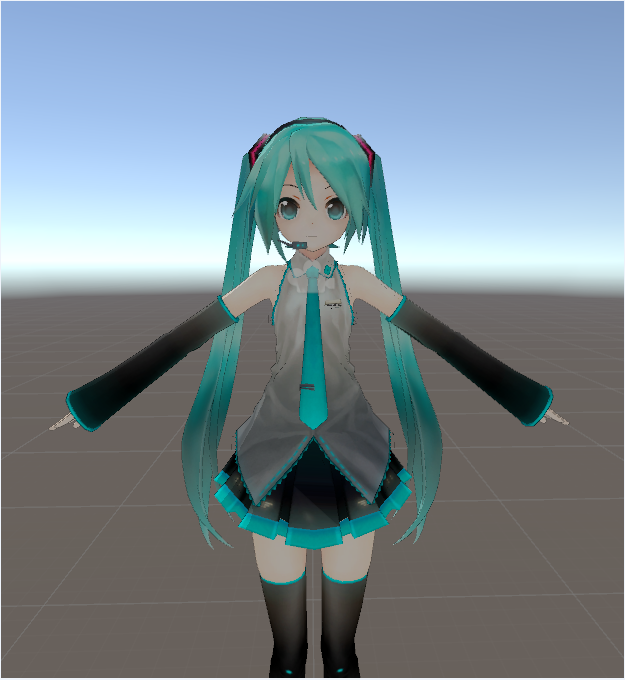
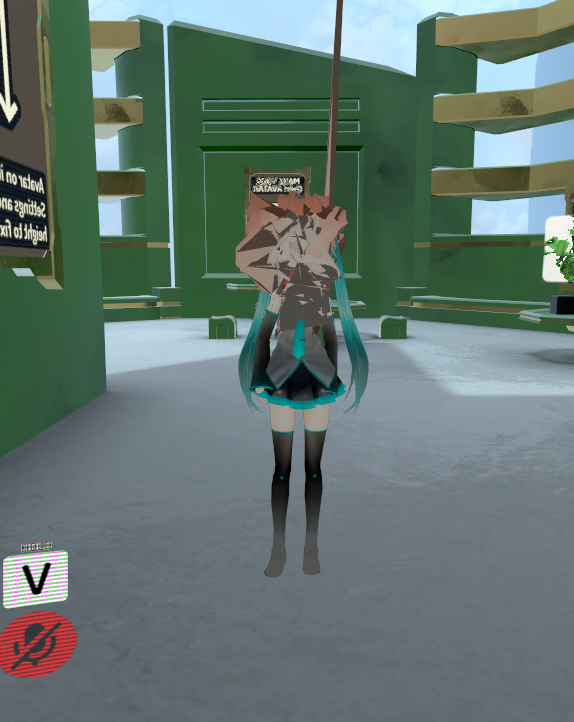


 gleaming falcon
Go to weight paint
hazy tusk
It's attached
pending puush
but I guess the texture was just REALLY masked, cause I changed it to a lighter color and went to the arms

It just threw me off because there were some ones for the ribbons on the body, as seen in the first picture, and those were coming up weighted visibly. My apologies, I should have checked just as a different texture/color first
 brisk chasm
i have problem with my model
when i dont move, the middle of the avatar looks like... bugged
lavish latch
What would I press to flip faces in Blender?
 lime owl
W then flip face
lavish latch
@lime owl Thanks ❤
lime owl
I was wondering. Would something like bob the goldfish be possible in VRchat without breaking. Like have the fish move as the head in the bowl and the rest like normal, except for 1 invisble arm because of the bowl. https://vignette.wikia.nocookie.net/ewj/images/0/04/Bob.jpg/revision/latest?cb=20110507233300
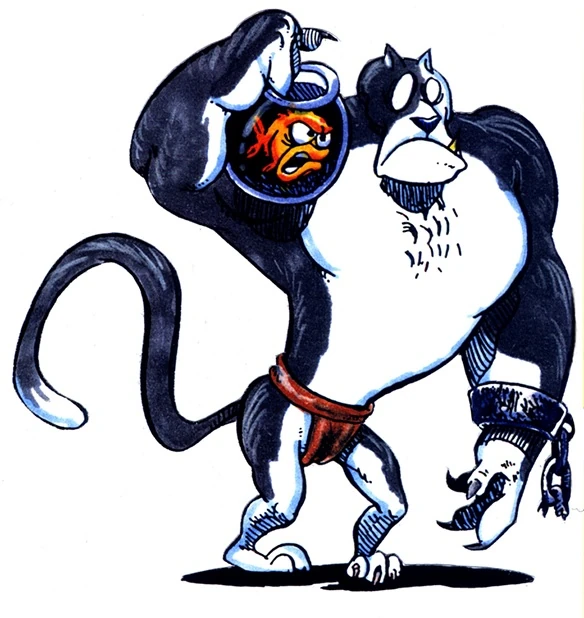

I tried but the neckbone just rips the bowl away. I could weightpaint it more so it moves with it. But i don't know if my real model will surive the stretching.
Or should i reconsider the armature so it doesn't follow the model exactly? Like off-set it so the "fish" becomes the main guy and weightpaint the rest?
brisk chasm
nobody know?
lavish latch
Could be a faces issue like I had, could be a bones issue, you're not really giving much to go on... @brisk chasm
 brisk mesa
is it easy to do eyetracking without cat's plugin? cause it bugged out
 vestal dirge
@dense latch Two ways to disable IK: 1) dont map finger bones -- your model is still human and hands will still be tracked, but body will not crouch or bend. built-in Human animations and emotes still appy, 2) change rig to generic, your model will have no tracking and will only follow animations you provide in a controller (use SimpleAnimationController as a sample if you want locomotion input variables).
brisk mesa
i have weight painted the eyes and have bones, etc
 winter walrus
I have a problem which is still annoying me
And I checked everything so far; When trying to automatically weigh bones it keeps saying that it failed and one or more bones have issues
 austere blade
So i have am issue XD and it's this "Spine hierarchy missing elements, make sure that Pelvis, Spine, Chest, Neck and Shoulders are mapped"
brisk mesa
some stuff is just gonna not be auto-weighted very well, especially if you have separated meshes or there's a hole somewhere, or there's a bone just not in a mesh at all
at that point i had to weightpaint it myself with empty groups
@austere blade did you map those though?
austere blade
define maping? @brisk mesa ,cause i did the fix model with cat,and this is the first time i encounter this
brisk mesa
i like to actually connect all my bones so idk if that affects it?
not hip and thighs though, sometimes also not shoulder to neck idk
that's weird because sometimes the error pops up and sometimes it doesn't
austere blade
and how you conect them?they are parent all in the right order
brisk mesa
😛
winter walrus
I need a blender pro ;c
brisk mesa
what model are you working with anyway
austere blade
me ?or mashiro?
winter walrus
^
brisk mesa
well either of you
winter walrus
It's a ripped model someone gave me to rig and get into game
For some reason the automatic weighting fails though
brisk mesa
oh.
uhhh i think your armature is under the mesh
it's the other way around isn't it
i just looked
when you use the ctrl+p you have to click the armature last cause that's the parent, something like that
winter walrus
thats not the problem
the problem is
Bone Heat Weighting: failed to find solution for one or more bones
yea but i thought you need to parent it to the armature to even do that
winter walrus
nah I had it works without that one previously rigged models
 lilac moss
@winter walrus go into edit mode on the mesh, select all, press w-remove doubles
winter walrus
already did
lilac moss
if that doesn't fix it then give up i guess :P
model is probably too messed up
had one i couldn't rig and couldn't find any other solution
brisk mesa
so where is the face anyway
your head bone is just in the middle of the air inside the hood???
winter walrus
ye we didnt put a face yet
lilac moss
nope
 gritty mauve
@winter walrus you may have to do the weightpainting by hand for bits of your mesh
winter walrus
thats exactly what I want to avoid; The autoweighting is fine, but fixing some parts is ok
but doing it completely sucks
the envelope weightingg is bad aswell
winter walrus
sigh
 odd plume
Is anyone willing to fix the hands of a model I have, I will supply the blend file upon request
winter walrus
@gritty mauve how much do you want me pay for you to do the painting on it xd